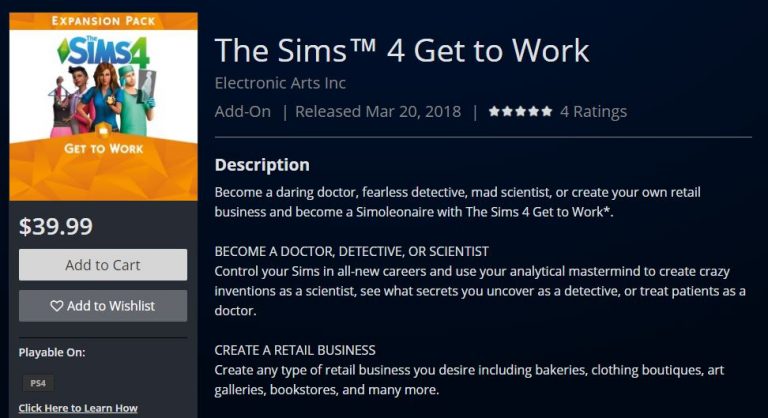
The Sims 4 Get to Work Expansion Pack is now available for purchase on the Xbox One and PS4 store! Like all Expansion Packs this one is priced 9.99USD.
For more information about Get to Work including CAS Overview, Build Overview and Gameplay features, check out our Get to Work Post Category!
The Sims Team has released a brand new Update for The Sims 4 on PC and Mac!
To download the latest version of The Sims 4, simply open your Origin program and if the game doesn’t update automatically, right click on The Sims 4 and select ”Update”.
In case you have Mods or Custom Content, the game will automatically disable them for you after first launching The Sims 4 after the update. To re-enable all your Mods and Custom Content, select the Settings option in the Menu and select Settings. Under the”Other” section you’ll find the ”Enable Custom Content and Mods” option. Check it and restart your game in order for it to take effect!
Patch Notes
Version PC 1.41.42.1020 / Mac 1.41.42.1220
You may have been perplexed when you noticed that you couldn’t read anymore. Weird, right? Well just as mysteriously as the ability disappeared, it’s back. Try it, I promise you can do it now.
If you lost things when switching a household in an apartment in the same building, we blame naughty gremlins in the machine… It won’t happen again.
When you throw a social event, attendees will now do their part to complete communal events.
Serums work as advertised.
In case you forgot your fish’s name, the fish bowl tooltip will now remind you.
Will Wright, the creator of Maxis’ biggest titles such as The Sims, SimCity and Spore has just officially announced that he’s working on a new mobile game project called Proxi.
Proxi is a game where you’ll be able to build the environment around you using nothing but your memories.
Will Wright, world-renowned game designer and creator of The Sims, SimCity, and Spore, has announced that his game dev studio, Gallium Artists, which was co-founded by Where in the World is Carmen Sandiego creator Lauren Elliott, is working on its newest mobile game, Proxi. Proxi is a simulation game built in Unity software that allows players to build entire worlds from their personal memories.
Right now the game is still in development and Gallium Artists, the game development studio behind Proxi, wants YOU to help make these memories come to life!
In order to bring this vision to life, Will Wright and Gallium Artists are launching the Proxi Art Challenge, a 3D game art challenge hosted on Unity Connect. They have partnered with Unity to leverage the extensive talent pool of the Unity community to find a 3D artist to help them create their next big game!
To enter, you need to create three (3) personal memories represented by three environment scenes. Pick any three memories from your past that have a lot of meaning for you. All models created during the contest must be created by you during the span of the contest – you cannot use any models you have created previously. As well, your project cannot contain any models purchased from the Asset Store or any external marketplaces. All of the scenes must be rendered in Unity.
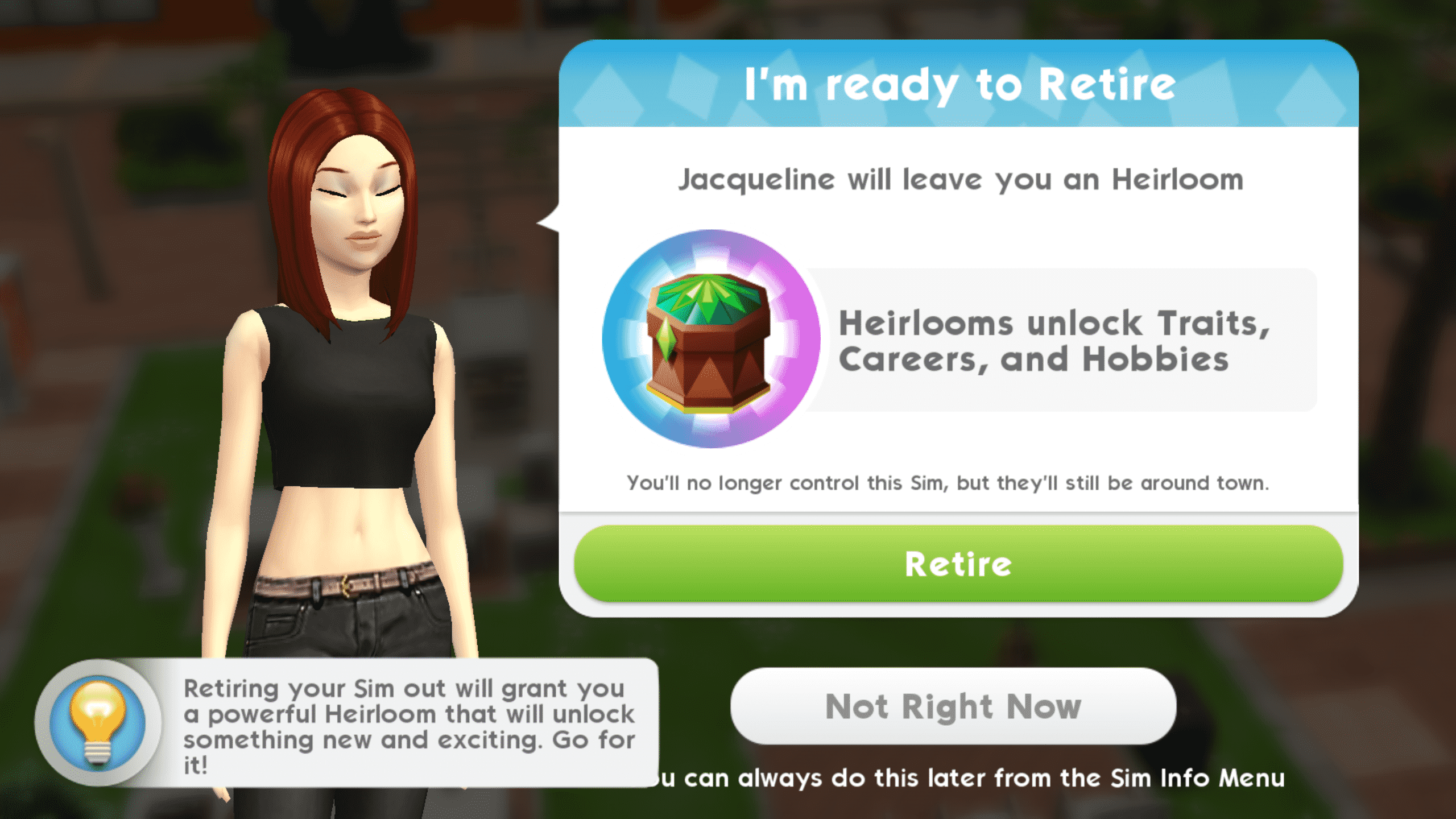
When your Sims have lived a long, fulfilling life, they’ll let you know that they’re ready to retire.
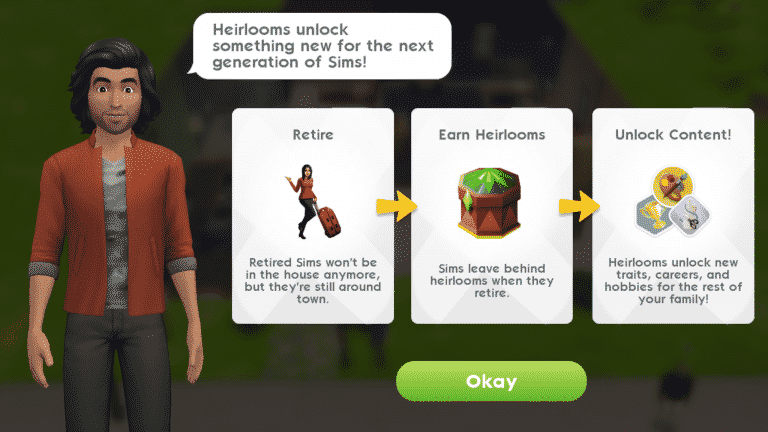
When a Sim retires, they will become an elder and leave the playable household, but they’re not gone forever. They will stay on the lot as NPCs until you move them out via the family portrait. Retired Sims will leave behind an heirloom for future generations to enjoy. Heirlooms are decorative trophies that strengthen existing traits or unlock new traits, hobbies, and careers.
Screenshot 20180315 113824
Screenshot 20180315 112635
If you’re not ready to retire your Sim when the game prompts you, you can choose to retire them later. If you choose to retire your Sim at a later point, go into their Sim info panel and select their trait tab to retire them whenever you feel they’re ready. Don’t wait too long to retire your Sims, though. You can keep your Sims adults forever if you’d like, but you’ll miss out on powerful heirlooms that will make life easier for future generations of Sims. You’ll get the most out of The Sims Mobile if you’re retiring your Sims and playing through many generations.
Retired Sims can provide benefits to younger Sims in the playable household. Retired Sims have special family events where they can mentor your adult Sims in their hobbies and careers. Retired Sims do not die. When you’re ready to say goodbye to a retired Sim for good, move them out via the family portrait.
Screenshot 20180316 141543
Screenshot 20180316 141403
When you receive your first heirloom from a retired Sim, you’ll also receive an heirloom collection box you can place in your home. Tapping on the collection box will allow you to view all the heirlooms your family has collected so far. The heirlooms are like a special collection. There are common, uncommon and rare heirlooms. Each heirloom provides a permanent special benefit to your family. The rarer the heirloom, the more powerful the benefit. Some heirlooms strengthen traits while others unlock entirely new traits. Some heirlooms even unlock new careers and hobbies. Collecting all the heirlooms is not only fun, but crucial to improving the lives of your Sims as well.
The heirlooms that your retired Sims leave behind are random. This means you will sometimes get an heirloom your family already has. You can sell your duplicate heirlooms in exchange for heirloom tickets. Selling uncommon and rare heirlooms will give you super and luxe heirloom tickets. You cannot sell an heirloom you do not have a duplicate of. Sell your heirlooms by opening the heirloom collection box and tapping on that heirloom, then select Sell Heirloom.
Your main method of getting heirlooms will be through retiring Sims, but heirlooms can be purchased as well. Common heirlooms will cost regular heirloom tickets, while uncommon and rare heirlooms will cost super and luxe heirloom tickets.
What heirlooms have your Sims collected so far in The Sims Mobile?
If you were one of the lucky few who got to play The Sims Mobile before its worldwide launch, you’ll notice that there have been some big changes to aging and traits. Previously, Sims aged on their own each day that you logged in and you chose their traits in CAS. Things are very different now, so let’s break down the aging process and traits.
Playable Sims
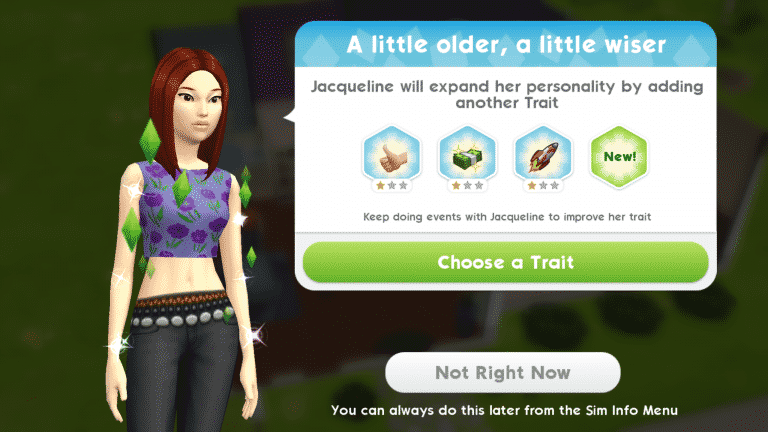
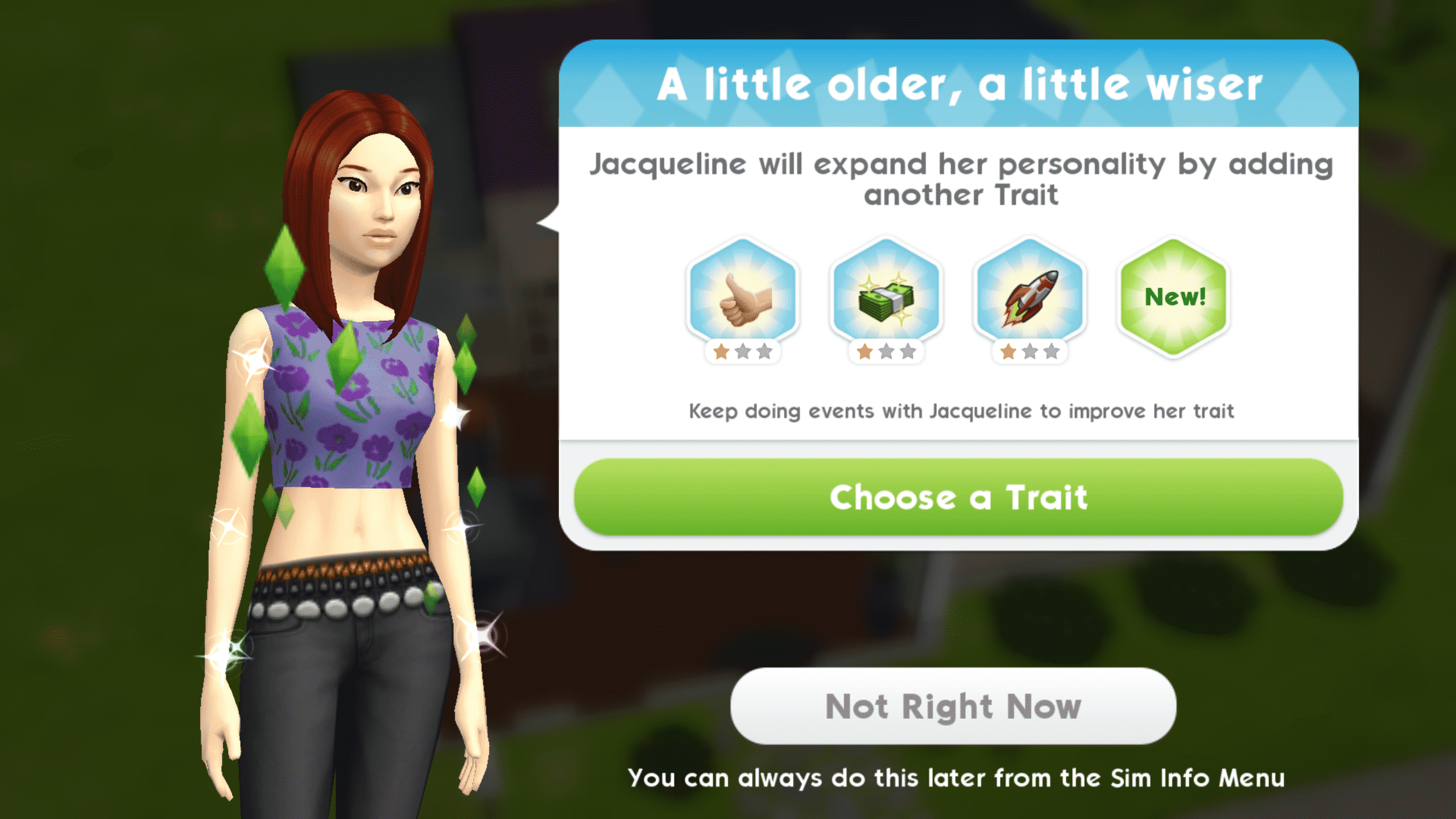
Your playable Sims (Sims that take up a household slot) age as you play with them. They age according to their life experience. Completing events and story chapters will slowly age your Sim. When your Sim reaches a new age milestone, you’ll be prompted to pick a new trait for them. Sims can have up to four traits. Being able to select your Sim’s traits as they go through life allows you to cultivate their personality according to their actions and decisions in the game. You aren’t required to lock in their personality right away in CAS. Not all traits are available from the start of the game. Play through multiple generations and retire older Sims to unlock new heirlooms and traits.
Don’t forget to throw a birthday party for your Sims when they earn a new trait. That’s right, every new trait earned represents a birthday. Your Sims will not grow old from having a birthday. Birthdays are a way to celebrate your Sim earning a new trait and gaining more life experience.
Some time after your Sim gains their fourth trait, they’ll let you know that they’re ready to retire. Retiring your Sim will cause them to grow old and leave the active household, but they will remain on the lot as NPCs until you decide to move them out in the family portrait. If you’re not ready to retire your Sim yet, you can choose to retire them later. You can keep your Sims adults forever this way; however, it’s not recommended. The rewards you earn from retiring Sims and playing through many generations make the game easier for future generations of Sims. Not retiring your Sims means missing out on these powerful rewards.
Screenshot 20180315 113824
Screenshot 20180315 112635
Your younger Sims can benefit from having retired Sims in the house as well. Retired Sims have special family events where they can mentor your adult Sims in their hobbies and careers.
Retired Sims do not die. When you’re ready to say goodbye to a retired Sim for good, move them out in the family portrait.
Children
Children age differently from adult Sims. They age naturally over time. When your Sim has a baby, the baby will stay in its bassinet for about a day. When the baby is ready to age up, you will see a blue birthday cake icon above the bassinet. Tap the bassinet to age your baby into a toddler.
Toddlers will age up after a few days. When they are ready to grow older, they will also have a blue birthday cake icon above their heads. Tap it to age your toddler into a child.
Children do not go to school, but babies, toddlers, and children all have daily family events their parents can do with them. Complete a family event with your Sim’s child to give them the Good Upbringing trait. Continue completing family events with your Sim’s child daily to strengthen this trait. The Good Upbringing trait makes Sims better at all events as adults.
Screenshot 20180314 161711
Screenshot 20180314 150315
Children will age up after a few days as well. Just like babies and toddlers, they will have a blue birthday cake icon above their heads when they’re ready to grow up. Tap the birthday cake icon to age your child into an adult. There is no teen life stage in The Sims Mobile.
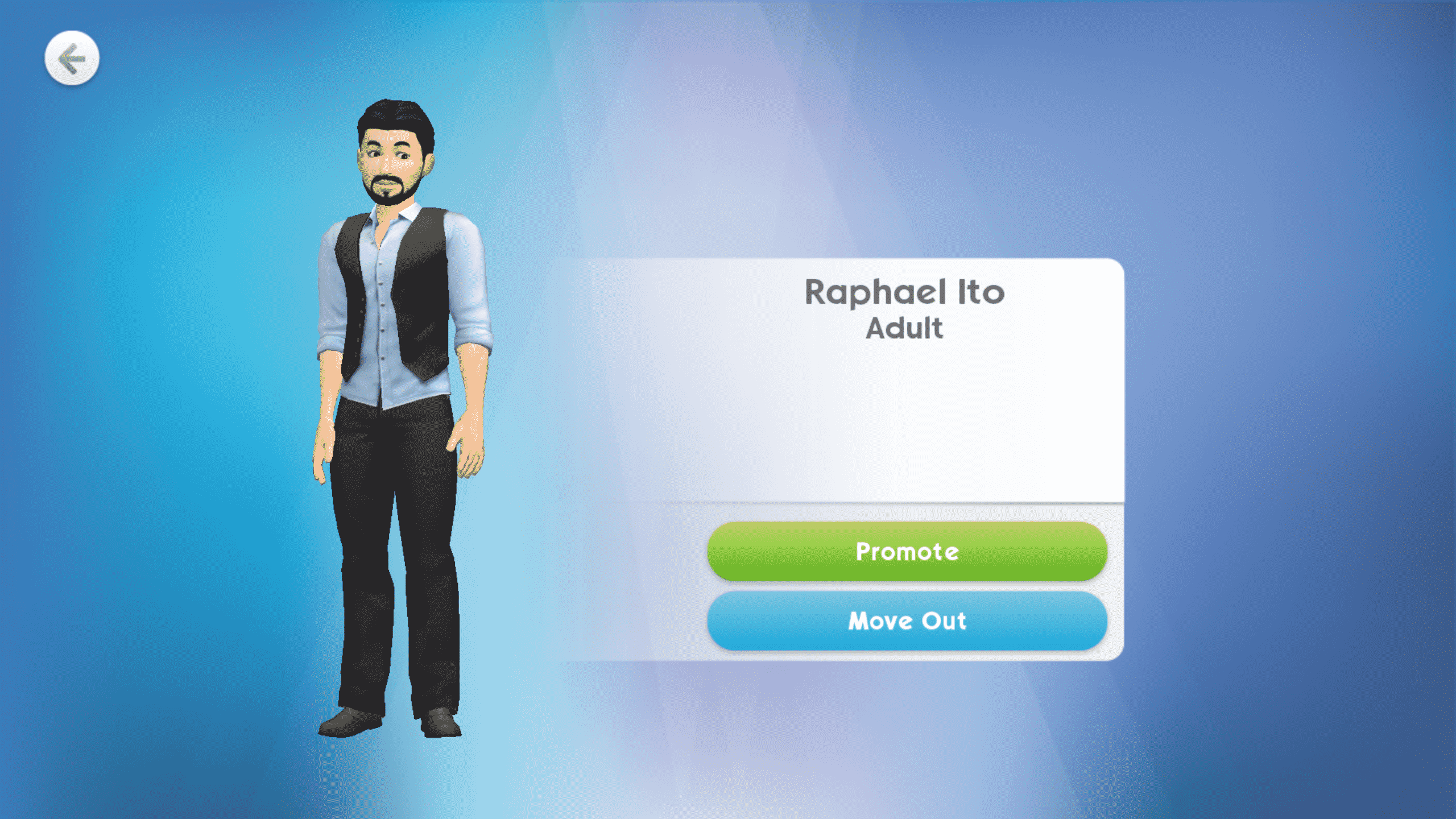
Children and younger Sims cannot be made playable, but when a child becomes an adult, you can make them playable in the family portrait by promoting them. You must have a free household slot to promote your Sim’s adult child. Retire older Sims to make room for your fully grown children to take the reins. If you have fully grown children you do not want to keep in the house, you can move them out in the family portrait.
Adult Sims who were raised from babies will have the Good Upbringing trait in addition to the four traits they will earn throughout their lives.
Your Sim might be the star of their workplace, but even the most work-obsessed Sims need a hobby. Hobbies are the perfect opportunity for your Sims to explore a new interest outside of their careers.
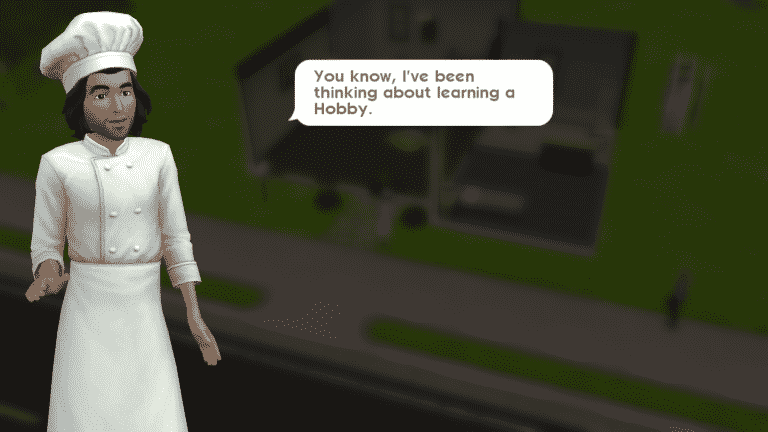
Hobbies are unlocked at level 8. After reaching level 8, your Sim will inform you that they’d like to try their hand at the Cooking hobby. The Cooking hobby is the only hobby available to you at level 8. Continue leveling up to unlock more hobbies.
Screenshot 20180308 003601
Screenshot 20180308 003608
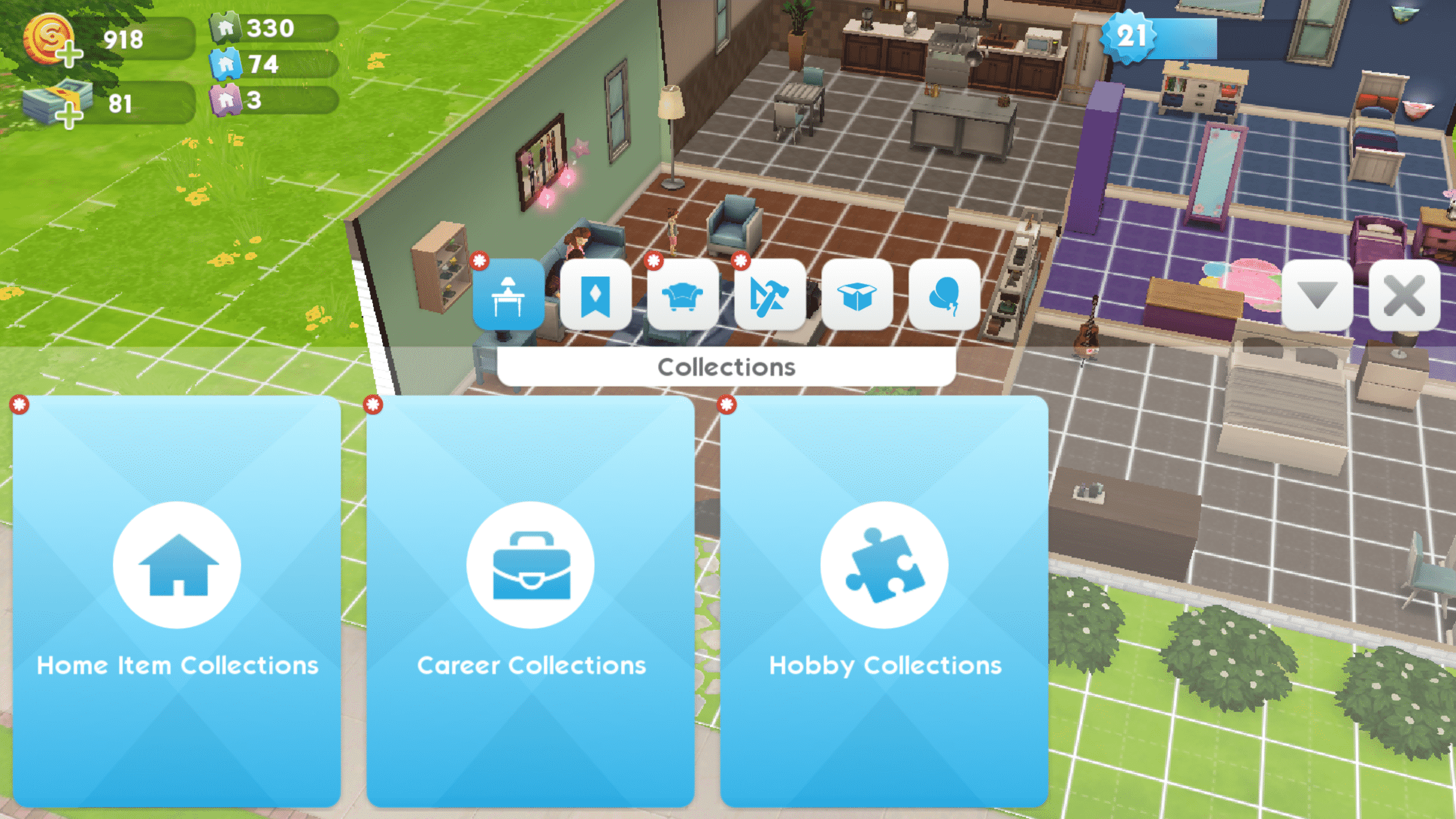
To start a new hobby, open up the home catalog and select Hobby Collections. Browse through these collections and place down a hobby object. You’ll notice that most of the items in the Hobby Collections are locked. Place the basic hobby object that is available to you and play through the hobby to unlock nicer hobby objects and decor that will help you finish hobby events more easily.
Screenshot 20180319 134630
Screenshot 20180319 134658 1
Screenshot 20180319 134708
Screenshot 20180310 212900
After placing a hobby object, select it to have your Sim start that hobby. Sims can only have one hobby and only one Sim in the household can have that hobby. Two or more Sims cannot share the same hobby at the same time, so make sure you select your Sims’ hobbies carefully.
Advance in the hobby by completing hobby events. Finishing hobby story chapters will reward you with better hobby objects, which will help your Sims finish their hobby events faster. Make sure you place all the unlocked hobby objects you can to help future generations of Sims excel in that hobby more easily than their ancestors did.
You can track your hobby progress at any time by going into your Sim’s info panel. Tap the question mark icon on your Sim’s hobby to get a quick summary from your Sim about how things are going with their hobby.
One powerful feature that makes The Sims Mobile stand out from its PC counterpart is relationship stories. These stories allow for a greater variety of relationships between Sims, making each one unique. No longer are relationships just an endless cycle of joke, chat, chat, kiss, woohoo, propose. Each relationship in The Sims Mobile has its own story to tell.
But what are relationship stories exactly and how do they work?
When you meet a new Sim and spend a short amount of time socialising with them, you’ll be able to start one of three events; you can choose to start a friendship event, a date event, or a rival event. If you don’t see the kind of event you want in the social menu, select More Options, then select the appropriate category. The date event is in the flirty category, the friendship event is in the friendly category, and the rival event is in the rival category.
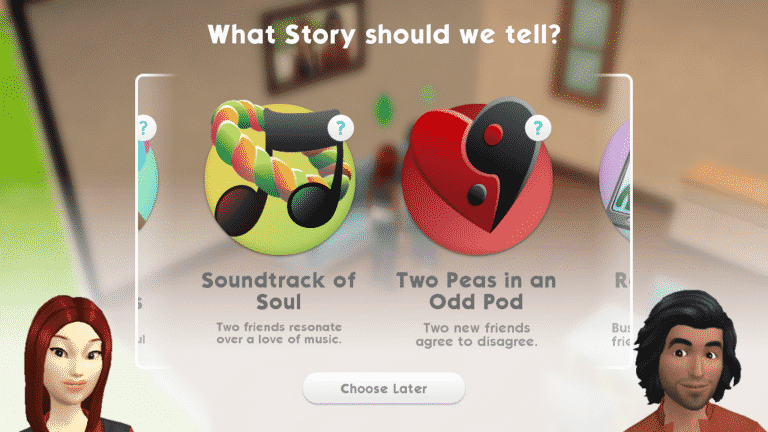
The initial event is short and easy to finish using your Sim’s energy. After the event is completed, you’ll be able to choose from a number of relationship stories to tell. Completing the date event will let you pick between several romance stories. Completing the friendship event will let you pick between several friendship stories. Completing the rival event will let you pick between several rival stories. Don’t worry too much about the long-term complications of picking the wrong type of story. You don’t have to be in a romance story with a Sim to marry them and you’re not locked into marrying a Sim you’re in a romance story with.
Screenshot 20180307 204533
Screenshot 20180307 204539
When you’ve selected the story you want to tell, a dialogue sequence will play for the first chapter of that story. Continue building the relationship to open up new story events and play through new story chapters.
You can check your story progress at any time by going into your Sim’s info panel. Tap the question mark icon on that story to get a quick summary from your Sim about where you are in that story.
Screenshot 20180319 132541
Screenshot 20180319 130520
Finishing stories isn’t just fun; it’s rewarding, too. Completing story chapters unlocks new items for your Sims.
Want a breakdown of all the stories you’ve completed so far with your Sims? Go into your Sim’s info panel and select All Stories.
What’s your favourite relationship story in The Sims Mobile?
The Sims Mobile is an online mobile gaming experience. This means that your Sims will be interacting with Sims of other players daily. At parties, at work, at events around town; everywhere you turn, you’ll see Sims made by other players.
But your Sims aren’t the only ones who can make friends. You can befriend other people playing the game, too. Add your bestie from school or work, or make an entirely new friend.
If you want to add a new friend to the game, you’ll need that person’s friend code. Once that person has given you their friend code, tap the blue triangle on the right side of the screen to bring up the menu. Once in the menu, tap the friend tab. Then select the Add Friend icon at the top of the friend panel. You can also add any friends from your connected social networks that the game suggests for you by selecting the Suggested Friends icon in this panel.
Screenshot 20180317 175407
Screenshot 20180317 175434
You’ll be able to input your friend’s code in the Add Friend panel. This is also where you can view your own friend code to give out to other people. When you add a new friend, they will receive a friend request from you in their inbox. They can choose to accept or ignore it. If your friend request is accepted, you will see them in your friend list.
Screenshot 20180317 175357
Screenshot 20180317 175449edit
Once you have a friend, you will be able to view their house and profile at any time. You will also be notified of any parties they are throwing. It’s a good idea to attend all your friends’ parties so you can introduce your Sims to theirs and start friendships.
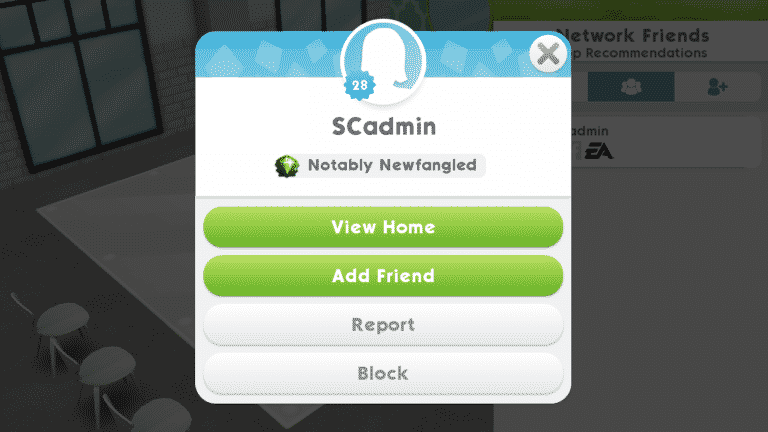
If you meet someone else’s Sim around town or at a party, you can add them as a contact. Adding a contact will add that Sim to your relationship panel. From the relationship panel, you can see which Sims belong to other players by the plumbob next to their portraits. Tap the portrait to bring up the player’s profile. You have the option to add the player as a friend from their profile.
Screenshot 20180317 205833
Screenshot 20180317 205702
Adding friends by making contacts with their Sims is a good way to make new friends while playing the game. You don’t need to know the player and have their friend code beforehand if you add their Sims to your contacts.
And that’s all there is to making friends in The Sims Mobile. Add friends you already know by searching their friend code or make new friends with people you meet inside the game by befriending their Sims.
Are none of your friends playing The Sims Mobile? We’ve got you covered. Register at Sims Community Social and share your friend code with other players.
Building relationships and getting married is simple in The Sims Mobile… as long as the Sim you’re wooing is an NPC.
But what happens when the Sim you’ve got your heart set on belongs to another player?
Relationship Stories
You’ll be relieved to know that building a regular friendship with your friend’s Sim isn’t too different from befriending other Sims. You can choose a relationship story and play through friendship events like normal. The only difference is that your friend will receive a message in their inbox whenever you reach a new friendship level with their Sim. You’ll also receive a message in your inbox whenever someone else befriends your Sim.
Just because your Sim is best friends with your friend’s Sim, that doesn’t necessarily mean their Sim is best friends with you. Relationships with other players’ Sims only go one way. You and your friend can have completely different relationship statuses between your Sims at the same time.
Moving In
You need to be at level 8 in your relationship story with another Sim before you can ask them to move in. You can’t ask a Sim to move in if you have no available household slots.
When you ask a friend’s Sim to move in, your friend will receive a request. If they accept your request, their Sim will leave their household and join yours. Your friend will lose control of their Sim when this happens. When you ask a friend’s Sim to move in with you, you are essentially asking your friend to transfer ownership of their Sim to you.
If you accept a request to send your Sim to your friend’s house and have no Sims left in your household, you’ll be taken to the CAS screen. A notification will inform you that a long lost cousin has come to live in the home. You’ll be able to customise this Sim to your liking just like any other Sim.
Marriage
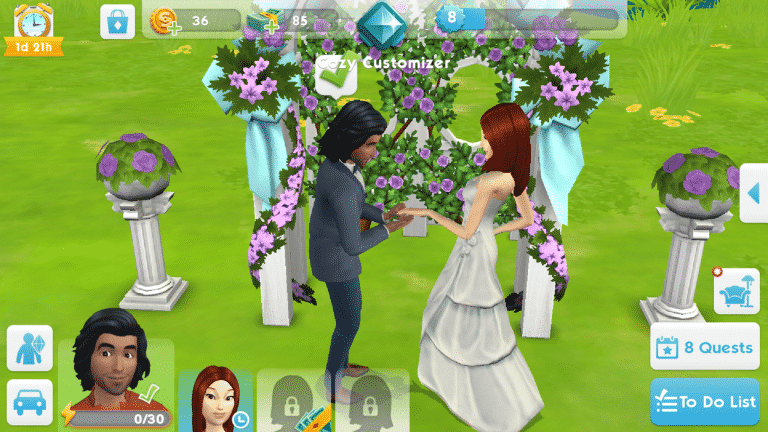
You aren’t limited to just being buds with your friends’ Sims. You can marry them as well. If you do not have a free household slot, your friend’s Sim won’t move into your home after marriage. Unlike other relationship titles, the fiance/e title goes both ways. Your friend’s Sim will become your Sim’s fiance/e in their game as well.
Your Sim’s spouse can be asked to move in after you have a free household slot. Remember, the relationship must be at level 8 and moving in your friend’s Sim will cause them to lose control of their Sim.
Caution!
There have been numerous reports of glitches surrounding marrying and moving in other players’ Sims. Some players have reported lost relationship progress between Sims when trying to propose or get married. Others report a situation in which the Sim being moved in disappears from both households.
For this reason, players may prefer to marry and move in NPCs, instead. Friendships with other players’ Sims may still be pursued as normal.
Thank you to our reader, Erick, for providing some helpful information about building relationships with other players’ Sims.
When you reach the top of a 10-level career and finish its story, you’ll receive a quest to switch to a new career. Changing careers allows your Sim to explore new interests, unlock new objects, and play through a new story.
Changing careers is a simple process, but you’ll need some simoleons in your pocket and at least one other career venue unlocked.
Screenshot 20180314 164948
Screenshot 20180314 164957 1
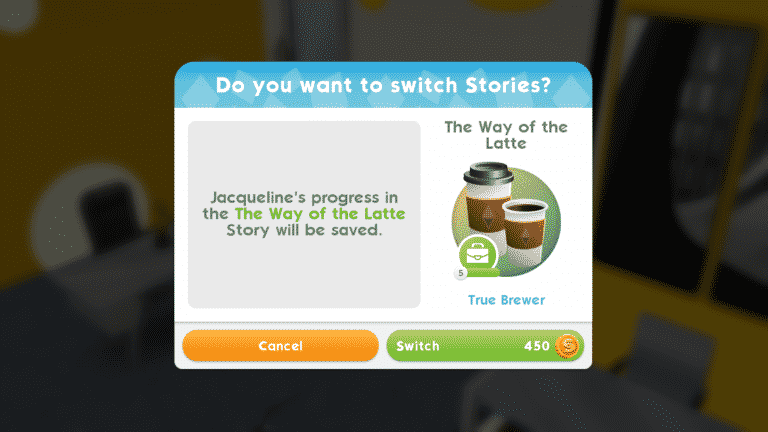
Send your Sim to a new career venue and tap the pink icon inside the venue. Then choose the career story it offers you, just like you would to start a new career for the first time. Since your Sim already has a career, a confirmation screen will pop up, asking you if you’d like to leave that career to join this new one. It costs some simoleons to switch careers, but if you have the funds, you can accept the change.
Ta-da! Your Sim has left their old career behind and started a brand new career!
Your Sim will start at level 1 of their new career, no matter what level they were at in their previous career. Any story progress from your Sim’s previous career will be saved when you switch careers. This means if you decide this new career isn’t right for your Sim after all, they can return to their old career without having to start from the bottom again. They’ll pick up where they left off.
Screenshot 20180314 183037
Screenshot 20180314 182957 1
Don’t be afraid to hop around to different careers with a single Sim. Your Sims have room to explore different career paths since career progress stays preserved after switching careers. Reach level 10 in several careers with a single Sim if you’d like, or just play through the first couple story chapters in several careers until you find the perfect fit.
Just don’t forget to have some simoleons on hand when you want to switch careers.
The Sims Team released a brand new update for The Sims 4 for Xbox One and PS4. We’re taking a closer look at the new features and improvements in the video above. Check it out!
The Sims Mobile‘s first worldwide event is now live and we can’t wait to dive right in and show you how to make the most of it.
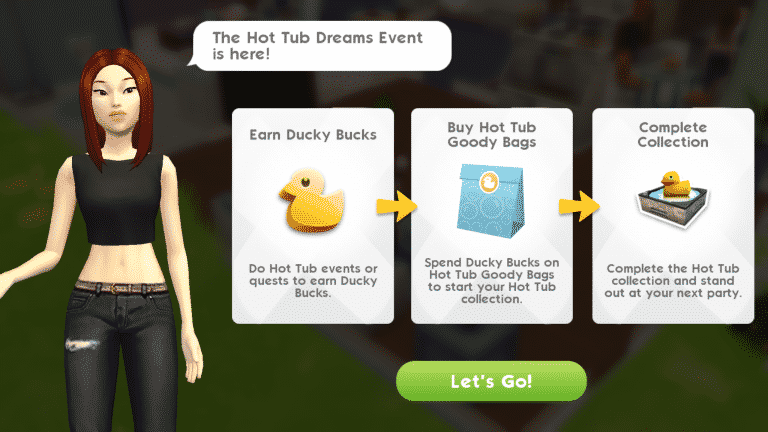
The main objective of the new Hot Tub Dreams event is to complete special event quests to earn Ducky Bucks, which can be exchanged for Hot Tub Goody Bags. The Goody Bags contain a variety of cool poolside fashions, furnishings, and of course, a hot tub. Buy as many Goody Bags as you can during the event to complete the collection. Just like many other aspects of The Sims Mobile, you can use SimCash to help you in the event, but SimCash isn’t necessary to play the event.
To start the event, tap the hot tub icon in the top right corner of your screen. You’ll be given a quick breakdown of how the event works. Tap Let’s Go on the info screen to be taken to the event screen.
Screenshot 20180315 135154
Screenshot 20180315 135211
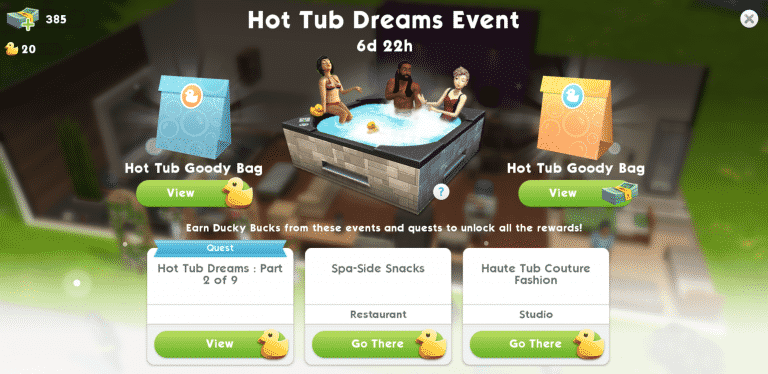
This screen will allow you to buy Goody Bags with either Ducky Bucks or SimCash. The bottom of the screen will also have a breakdown of what you need to do to progress in the event. Whenever you’re not sure what to do next in the event, refer to this screen. The event screen can be accessed at any time by tapping the hot tub icon in the top-right corner of your screen.
Tap the tab with the blue quest banner to be taken to your quests. You’ll see that there are nine parts to the quest. The first two parts are simple and quick to finish. Your Sims can do them at home if they have a bed and a TV.
Screenshot 20180315 135236
Screenshot 20180315 135318
Part three of the quest introduces you to events which might throw you off a bit, but don’t worry. These quests are just as straightforward. They just require more time. If you’re not sure where to go to start an event quest, return to the event screen and tap “Go There” on the event you’d like to go to. Once you’re at the location, tap the ducky icon to start the event. These events work the same way as any other event. Your Sims can finish them on their own, but you can help them finish faster by having them perform various event tasks. Finishing these events will also finish the quest associated with it. Both the event and the quest will pay out Ducky Bucks when completed so event quests are a great way to earn lots of Ducky Bucks.
Goody Bags cost 50 Ducky Bucks, so when you have enough Ducky Bucks, return to the event screen and tap on View under the Goody Bag icon. You can also tap the golden Goody Bag to buy one with SimCash if you’d like. You’ll be able to see all the different rewards you can win and their rarity. Tap the Ducky Buck icon to exchange 50 Ducky Bucks for a Goody Bag, which will open immediately to reveal the prize inside.
Screenshot 20180315 135347
Screenshot 20180315 135418
Screenshot 20180315 135443
Screenshot 20180315 135450
And that’s all there is to it. Follow the limited time quests and complete Hot Tub events to earn Ducky Bucks. Exchange your Ducky Bucks for Goody Bags. Open Goody Bags to reveal event prizes. Play as often as you can during the event to open lots of Goody Bags to complete the entire Hot Tub collection.
Don’t See the Event?
Make sure to update your game. Go to The Sims Mobile‘s page in the Google Play Store (Android) or the App Store (iOS) and select Update.
The Sims Mobile has just launched its first ever Worldwide Event!
The Hot Tub Dreams Event lasts for 7 days. During those 7 days you can collect ducks by doing quests and events in the Restaurant and the Fashion Studio. With ducks you’ll be able to purchase Hot Tub Goody Bags which will surprise you with new objects.