Home Blog Page 62

The Sims 4 Storybook Nursery Kit Review

All item variants and objects included with the Storybook Nursery Kit.

Maxis has just released two Kits for The Sims 4 today on September 19th. Both Storybook Nursery and Artist Studio Kits are Build DLC additions new to the Kit catalogue. In this article we’ll be focusing solely on the additions and all object variants included with The Sims 4 Storybook Nursery Kit!

Find out if the latest Sims 4 Kit is worth adding to your games catalogue.

The Sims 4 Storybook Nursery Features Overview

The Storybook Nursery Kit for The Sims 4 comes packed with 25 unique new items for Build Mode. Ranging from eccentric baby cribs for different fairytale endings. Including the new changing table, playmat and even a throwback wallpaper!

Sims 4 Storybook Nursery Kit Cover

Surround new additions to the family with the elegance they deserve in The Sims 4 Storybook Nursery Kit. This nursery is a refined space that instills a sense of sophistication, featuring ornate furniture as well as whimsical toys. Made in collaboration with creator SixamCC, this collection balances the joy of a new arrival with elevated charm. Some items even pay homage to the lore and legacy of The Sims.

Kit Features

  • A Touch of Whimsy — Inspired by classic fairy tales and the elegance of ages past, this collection features delicately crafted toys, pleasant wallpaper, a dreamy mobile, and a dollhouse modeled after the traditional home of an old, prominent family.
  • A Legacy of Elegance — Raise your little one among ornate furniture, including shelves and a changing table. Some of these items, like the crib with the sweeping canopy and the tasteful chandelier, may have been passed down through the generations.

Items Preview

Sims 4 Storybook Nursery Kit Items Preview

Catalogue Previews

We wanted to extract all the object information and catalogue descriptions from the Sims 4 Storybook Nursery Kit. Presenting you with the full list of objects, their prices and special effects on your own Sims and those around them.

Take a look:

Object Swatches

Down below is a variants gallery of all the new object swatches included with The Sims 4 Storybook Nursery Kit. With no wallpaper, item or decor piece left unturned!

Take a look:

Pleasant Views of Pleasantview Wallpaper

Sims 4 Storybook Nursery Kit Items

Storytime Bookcase

sims 4 storybook nursery kit review20

Super Fragilistic Chandelier

sims 4 storybook nursery kit review22

Little Ophelia Villa Dollhouse

sims 4 storybook nursery kit review18

Heirloom Toy Box

sims 4 storybook nursery kit review17

Soft and Supple Playmat

sims 4 storybook nursery kit review16

Antique Blocks

sims 4 storybook nursery kit review15

Lavish One’s Changing Station

The Sims 4 Storybook Nursery Kit Review: Changing Station

Wagon O’ Wares

sims 4 storybook nursery kit review13

Mr. Gerbit’s Table Lamp

sims 4 storybook nursery kit review21

Friendly Fur Friends Plush

sims 4 storybook nursery kit review12

The Clowntastic Canopy

sims 4 storybook nursery kit review11

Plush Naptime Rug

sims 4 storybook nursery kit review10

The Essential Diaper Bag

sims 4 storybook nursery kit review23

Memorable Milestones Frames

sims 4 storybook nursery kit review9

Dreamland Mobile

sims 4 storybook nursery kit review8

The Dreamer’s Drapes

Lavish One’s Coating Rack

sims 4 storybook nursery kit review7

Lavish One’s Wall Shelf

sims 4 storybook nursery kit review6

Lavish One’s Nightstand

sims 4 storybook nursery kit review5

Littleheaven Rocking Chair

sims 4 storybook nursery kit review4

Heirloom Toddler Bed

sims 4 storybook nursery kit review3

Heirloom Crib

sims 4 storybook nursery kit review2

Beautiful Bows Bassinet

The Sims 4 Storybook Nursery Kit Objects

Sims 4 Storybook Nursery Kit Review

Our Review of The Sims 4 Storybook Nursery Kit

The Sims 4 Storybook Nursery Kit provides a very niche experience for the smallest of life stages. Ranging from newborns and catering all the way to infants with different object choices that are both decorative and functional.

SixamCC, who collaborated with The Sims Team to bring this Kit to retail stores, has done tremendous work before for The Sims 4 CC Community. Bringing his own Free Nursery CC Packs, Furniture Throwbacks and more. It’s a refreshing surprise to see his amazing Maxis Match work finally get acknowledged with a DLC Kit as cute as this one.

The creator brought in a talented perspective for different color and pattern variants, ranging from dark pastel purples to cozy warm pinks.

The Sims 4 Storybook Nursery Kit Review

If you’re looking for new objects to decorate your Nursery room, there’s no better Kit to choose from. Literally!


The Sims 4 Storybook Nursery Kit is available now on PC, Mac, Xbox and Playstation supported consoles for $4.99USD, or a price equivalent to your local currency.

Stick around for more Sims 4 Kits Updates and see the next Kit review!

SPOILERS: Reward Features of The Sims 4 Live Event (Season 2)

Breakdown of the new features, gameplay and items coming with Sims 4 Reaper’s Rewards!

Maxis did a full reveal of The Sims 4 Live Event coming next, titled Reaper’s Rewards! The new “battlepass” as some might call it features a set of challenges for you to play out in Live Mode and complete in order to unlock special reward items.

sims 4 reapers reward event

This time, as EA announced it in their Sims 4 Reaper’s Rewards Reveal, all progress you make will be saved and tied directly into your EA Account. Meaning that you’ll no longer have to worry about creating file backups to keep your progress!

The second season of the new Sims 4 Live Event, which this time consists of 6 weeks, will begin on September 24th, 2024. There’s more to get ready for and explain in the days to come, but until then let’s take a first look at the juicy rewards!

sims 4 reapers rewards event

All content shown down below contains visual and gameplay spoilers. If you don’t want to see how the new objects look in Live Mode and what the visual effects and storyline gameplay are sneaked in – look away!

Note that not all rewards and gameplay features from the Season 2 live event are shared yet.

The Sims 4 Live Event Season 2: Reaper’s Rewards

After the latest Sims 4 Update drop players were able to datamine into Game Files. Revealing exciting discoveries about the Reward Objects, CAS Items and Gameplay included in this The Sims 4 Live Event!

Huge thanks to @CBXSims for uncovering the following images and information!

Gameplay Objects

The Coffin

The coffin is functional and your sims can sleep inside it similar to the ones in the Vampires GP.

sims 4 live event reapers rewards object

The coffin from this sims 4 Live Event can be used to sleep and Vampires can woohoo in it.

The Grimophone

The new “grimophone” has an option to summon the grim reaper.

sims 4 reapers rewards grimophone

Your Sim can summon Grim using the Grimaphone and he will appear on your lot and can be socialised with as usual.

The Portrait of Lady Mimsy Alcorn Shallot in The Garden

The Sims 4 Live Event Reward

The Green Lady’s Lost Tome

“The Green Lady’s Lost Tome” can be read and teaches Sims with a high cooking skill the recipe for Ambrosia.

Grim’s Cruiser

The latest Sims 4 Reaper’s Rewards comes with a new Grim-styled bicycle! See it first in action below:

New Collection

The Sims 4 Live Event Season 2 introduces a new collection of Grim Freezer Bunnies, featured in 6 different variants. There’s no new game functionality found in the game files though.

See the entire collection below:

sims 4 live event season 2 reward objects

CAS Items

The Pants

8 swatches, including plain ones.

New Shirt

The shirt also has 8 swatches, again including plain variants.

sims 4 live event new shirt

Grim Reaper Shoulder Tattoo

The Sims 4 Live Event: Reaper's Rewards Grim Tattoo

New Earrings

The earrings have different designs on either ear and has 7 swatches including some bright colours too.

New Shoes

The shoes have 6 swatches and little skulls on the buckles.

The Sims 4 Reaper's Rewards: New Shoes


What are your thoughts on the new Sims 4 Rewards? Join the conversation below and stay tuned to all the updates on The Sims 4 Live Events!

EA suggests new The Sims 4 Expansion Packs and Game Features in Official Survey

1

Game survey reveals new Sims 4 Expansion Pack Themes!

It’s been a long time since EA has done a full length feature survey asking players what they want to see next. The latest official survey covers new Sims 4 Expansion Packs and potential themes that could be explored in future EP releases.

The Sims 4 Expansion Packs Survey: Sims 3 Screenshot

Along with the new Themes are also Sims 4 Game Features that could be added for free eventually.

The Sims 4 Expansion Packs Survey

The official EA Survey covers different questions about the future of Sims 4 Expansion Packs. From the basic questions like what feature aspects you enjoy having in Expansion Packs the most, all the way down to specific questions about your next Sims 4 EP theme preference.

Sims 4 Expansion Packs Survey

The game survey explored different questions such as which life stage you think should be predominantely focused in one of the future Sims 4 Expansion Pack releases.

sims 4 expansion packs life stage exploration

And then, it skips to the most important segment of this survey. New Sims 4 Expansion Packs!

Down below is a list of all The Sims 4 Expansion Themes that have been suggested in the official survey. You’ll be able to read more about each proposed EP theme and see which new entries to The Sims 4 catalogue might be coming our way soon!

New The Sims 4 Expansion Packs: List of EA Suggested Themes

The official survey brought up nine different Sims 4 Expansion Packs in total. Expanding upon each potential pack theme after choosing two of your favorite proposed Pack descriptions.

We’ve extracted the full themes and descriptions from the latest Sims 4 Expansion Packs survey. Check it out!

Sims 4 Expansion Packs: Themes

Below are some high-level ideas for potential The Sims 4 Expansion Packs. 

The Sims team is not committing to any specific themes, features, or details outlined here. Your input will determine which ideas are most appealing, what could be improved, or which should be cut. 

Please rate these ideas based on what you personally want or don’t want from future Sims 4 Expansion Packs. 

The Sims 4 Expansion Pack 1

Dive into a colorful ocean world filled with fun and adventure. Explore underwater landscapes, find hidden treasures, and meet diverse marine life. Build your dream property on the beach or open ocean, and create an aquarium with collected artifacts and aquatic life. Travel from unique ocean neighborhood location to discover each small town, meet the locals, and trade goods. Live on houseboats, fish from rowboats, or explore with submarines. With underwater and open water spaces, every dive and every sea-faring offers new discoveries. 

The Sims 4 Expansion Pack 2

Sims take life on the road with a customizable travel van, exploring picturesque destinations and engaging in meaningful experiences with locals from different worlds. Trade items, recipes, and stories from each location, then return to a world where Sims dream to retire to update your van and dive deeper into the mechanic career. Partake in whimsical misadventures with family or solo, and enjoy expanded elder activities during their golden years, enriching generational storytelling. 

The Sims 4 Expansion Pack 3

Traverse an uncharted, otherwordly extreme environment where civilization has collapsed and nature has reclaimed the remnants of a once-great city. Master adaptation skills to survive and thrive, from finding basic resources and creating makeshift shelters to creating homes for your team of Sims whom, with your unique skills combined, you will partner with to get through crumbling structures, overgrown streets, and hidden corners of a vast, post-apocalyptic landscape. The game blends exploration, survival, and strategy elements, introducing exotic pets, expanded fishing, and a survivalist career, and introduces a dynamic resource management based on availability. 

The Sims 4 Expansion Pack 4

Journey with your Sims as they explore a newly discovered prehistoric landscape and join the exclusive Adventure Camp on the diverse coastal regions of Oceania Shores. Uncover rare prehistoric and marine fossils, new plant species, and document the unique wildlife and natural wonders of coastal and inland biomes. Customize and contribute to museums you curate that blend adventure and education, showcasing these incredible finds while inspiring visitors and creating activities for children that share the importance of conservation and adventure skills. *

The Sims 4 Expansion Pack 5

Transport your Sims to a near-future vibrant cyberpunk world where they can explore a neon-lit gritty city advancing the latest Sims technology from enhance their bodies with cutting-edge cybernetics to homelife conveniences. As a human or robot Sim, dive into tech-focused hobbies and careers through underworld professions such as cybernetic cosmetics to robot fighting rings; discover relationships between humans bots, and everyone in between; and navigate the moral complexities of nature versus technology in this futuristic, whimsically dystopian world.

The Sims 4 Expansion Pack 6

Choose your Sims’ path: become notorious criminals, revered law enforcers, or somewhere in between. Small-time crime like pickpocketing for grilled cheese can quickly escalate into high-stakes bank heists for rare jewels. From shady back alley deals to intense stakeouts, navigate the underbelly of a gritty city filled with gritty locations like pool halls and an unsavory cast of characters. Will your Sims rise to power as mafia bosses and con artists, uphold justice as crime-fighting heroes, or play both sides?

The Sims 4 Expansion Pack 7

Embark on life-changing adventures where children discover new hobbies through recreation and exploration activities that shape their future interests. Create your own sleepaway camp with beaches, lakes, rivers, and pools, where kids can socialize, play, and learn new skills under the care of lifeguards, camp counselors, and babysitters. Dive into endless water activities, uncover camp myths, discover new creatures, make lasting friendships, and develop hobbies to share with the whole family.

The Sims 4 Expansion Pack 8

Dive into a vibrant 80s/90s retro world with bustling mall venues and freelance careers. Hang out at the arcade, comic book store, gameboard café, and ramen shop. Enjoy classic activities like tabletop role-playing games, landline phones, and rollerblading. Be a babysitter, deliver newspapers, or be the beloved lifeguard at the community pool. Have a blast on the water slide and drink from the hose while reliving this vintage era through old-time objects, unique storylines, and unforgettable drama. 

The Sims 4 Expansion Pack 9

Experience the grandeur and drama of modern monarchy as you build your Sims legacy in a culturally rich world. From managing high-rise estates and navigating political intrigue to customizing luxurious fashion and high-end living, this pack offers a unique blend of traditional and contemporary royal life. Forge alliances, engage in rivalries, and shape your destiny as you rise from commoner to beloved ruler or navigate the complexities of royal succession. Adopt exclusive pets, go shopping for luxury items and favors for your close-knit circle of trusted (and not-so-trusted) friends. Live the life of luxury, influence, and power, and create a legacy that will be remembered for generations.

Depending on how you vote in the official survey, you’ll be given an extended poll for two Sims 4 Expansion Pack themes that you’ve favored the most during your voting. There are detailed questions asking players if they think CC / Mods can offer what’s in the proposed Pack theme. As well as how much would they be interested in buying such Sims 4 Expansion Pack.

The Sims 4 Expansion Packs: Theme Survey Questions

Building Worlds and Neighborhoods

One of the players who took the latest Sims 4 Expansion Packs survey also reports being asked about their thoughts on the ability to Build Worlds and Neighborhoods in The Sims 4 as a feature experience.

sims 4 feature
Image: @jackofallgames7

This feature mention falls under speculation still, considering the feature hasn’t been further clarified through the survey.


The official Sims 4 Expansion Packs survey is now public for a limited time. You can take it and voice your opinon, possibly influencing the release order of the new Packs coming in the future of Sims 4 DLC releases.

The Sims 4 Survey Screen

Which Expansion Pack do you like?

Nine different Sims 4 Expansion Packs have been listed in the latest official survey. It’s not been revealed how or when they’re expected to be released or come out, but for now we can speculate and see what the community thinks.

The community poll down below is a fun poll unrelated to the official survey we linked above. We just want to see which Sims 4 Expansion Pack themes you have picked out!

You can choose up to two Sims 4 Expansion Packs:

[totalpoll id=”154119″]


It’s most probable that the next few months (and even years) will stick to regular Expansion Packs that The Sims Team has planned out. For example – the upcoming Sims 4 Life and Death Expansion Pack set to release on October 31st, 2024!

What are your thoughts on the new Sims 4 Survey and the proposed Expansion Pack themes? Join the discussion below and stay tuned for the latest Sims 4 News!

(VIDEO) See The Sims 4 Dynamic Shadows in Action!

0

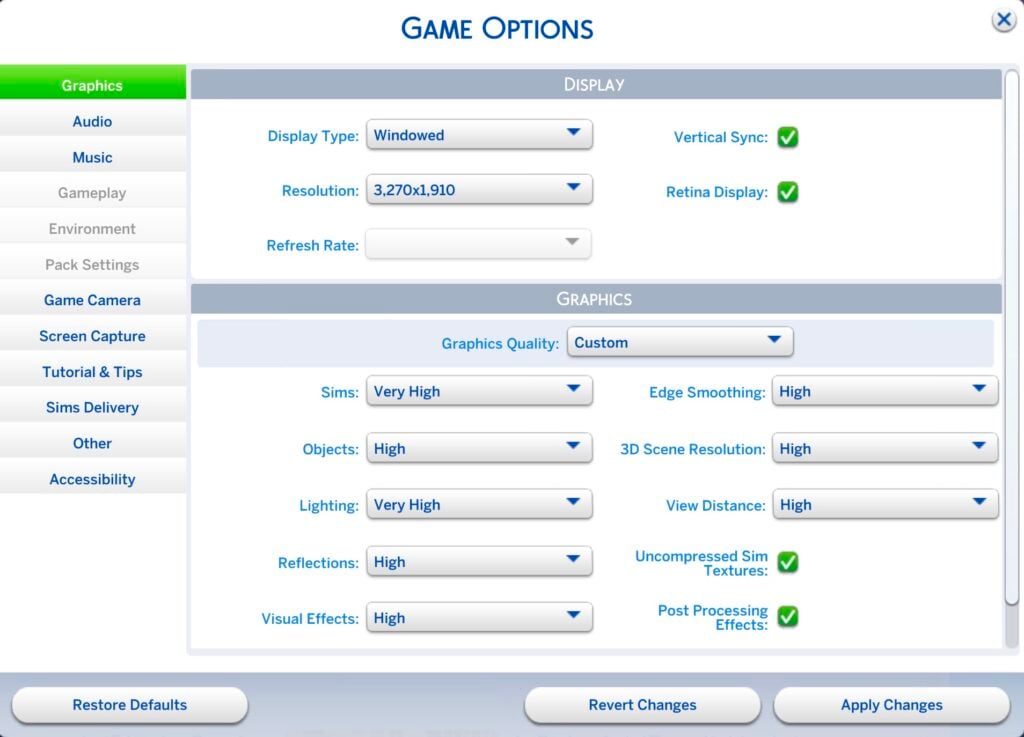
Sims 4 Players who play on Max graphics settings have an extra upgrade.

If you’ve been bothered by stuttered shadows in The Sims 4 for the past few years – you’re not the only one. The Sims 4 Dynamic Shadows were somewhat a thing from the launch of The Sims 4 in 2014 up until 2015 around Get Together’s release, when EA reverted the outdoor lighting shadow to move every 5 seconds instead of one sim second.

Now, if you play The Sims 4 on Ultra Settings, you can enjoy the new Sims 4 Dynamic Shadows yourself. This time having no delay in casting shadows as your Sims rotate around the Sim globe.

The Sims 4 Dynamic Shadows Settings

Thanks to the performance upgrades and engine improvements, newer Windows and Mac laptops and Desktops will be able to enjoy better usage of Sims 4 Graphics. Now including dynamic shadows!

I’m assuming that Dynamic Shadows will be enabled on current gen video game consoles like Playstation 5 and Xbox Series X. Sims 4 Dynamic Shadows probably won’t be possible on PS4 and Xbox One.

What are your impressions of these visual changes? Join the comments below!

Reveal of The Sims 4 Reaper’s Rewards Event

Find out how the new mechanisms function and what are the rewards in this new Sims 4 Live Event!

New The Sims 4 Update prepared the game for the upcoming season of spooky new rewards. The Sims 4 Reaper’s Rewards Live Event is set to begin Septembet 24th, and we have the first details of the weekly task breakdowns and prizes included!

sims 4 reapers reward event

Get ready for a free, limited-time Event where you’ll need to venture into Live Mode to participate.

When does The Sims 4 Reaper’s Rewards Event Begin?

The next season of The Sims 4 Live Events called Reaper’s Rewards is set to begin on September 24th, 2024 at 10AM Pacific Time across all Desktop and Console supported platforms.

To make preparations easier for your live event sessions we’ve included a handy countdown to the beginning of the event in The Sims 4.

The Sims 4 Reaper's Rewards Live Event Release

Countdown to the beginning of The Sims 4 Reaper’s Rewards Live Event

[janky target_time=”1727197200″ color=”#3e1f5c”]

How Does this Sims 4 Live Event Work?

The Grim Reaper is reaching out to you…but don’t be afraid to answer since it seems Grim wants your help. And the best part? You’ll be rewarded for your efforts throughout the Event, with one being a brand new Lot Challenge, Scare Seeker, where Sims will get excited instead of scared while on the lot!

Open Live Mode with an existing or new Household. After a short wait, The Grim Reaper will call upon you!

sims 4 reapers rewards event

The Event will run for eight weeks, with two exciting Quests each week. Your journey begins by assisting Grim with researching Ambrosia, a special Gourmet dish that can lift any Sim’s spirits. As the weeks progress, you’ll continue to unlock the secrets of Ambrosia and eventually learn how to cook it! The more Quests you complete, the more Event Points and rewards you’ll earn.

  1. Make sure you’re online. Log in to your EA account.
  2. Enter Live Mode, and you’ll see the first pair of Quests, which start with a pop-up. In Live Mode, you can access the Event Screen by clicking on the Event Icon!
  3. Earn Event Points by completing Quests and Goals. As you earn Event Points, you’ll be able to claim new rewards.
  4. Claim your rewards through the Event Screen in the Main Menu or Live Mode by selecting Claim. Note: You must be in Live Mode to claim Consumable Rewards.
  5. Claimed rewards will be available in Build ModeCreate a Sim, or your Sim’s Inventory. You can filter to view Event rewards with the Event Rewards filter under the Special category in both Create a Sim and Build Mode. For more help with claiming rewards, check out our EA Help article. 
  6. Each week, two new Quests will be available. Complete these Quests to earn more Event Points and unlock new rewards!
  7. The Reaper’s Rewards Event will have six weeks of Quests and two extra weeks at the end, so there’s plenty of time to catch up and complete it!

Claim the Reaper’s Rewards to create a goth-chic Sim who revels in a good scare, or just enjoy a chance to get to know Grim a little better! Rest assured, your claimed rewards are stored on your EA account, so you do not need to worry about losing them.

Breakdown of Sims 4 Reaper’s Rewards

Week 1

Summon The Grim Reaper with The Grimophone to listen to your favorite tunes! Sport your new Earrings of Imminent Demise while thrilling Sims with scares using the new Scare Seeker Lot Challenge.

Week 2

Get comfy in the new Trad Goth Jeans while simultaneously brushing up on multiple skills with The Green Lady’s Lost Tome. This Tome allows you to gain skills in Gardening, Cooking, and Fishing all at once!

Week 3

Make sure your Sims wear the proper footwear with the Trad Goth Buckled Boots while taking a ride around the neighborhood on Grim’s Cruiser Bicycle.

Week 4

Like the Life & Death Tattoo, the Portrait of Lady Mimsy Alcron Shallot in the Garden is a true piece of haunting art. Just don’t look too long, or things could get a little toasty.

Week 5

Get dressed up with the Trad Goth Button-Up while flexing your Mixology skills by crafting the new Spectral Spritzer drink. This drink will turn your Sim into a temporary ghost!

Week 6

If your Sim has bags under the new Prowling Peepers eyes, catch up on some eternal Z’s with Casket of Quiet Repose.

Full Preview of all Sims 4 Live Event: Season 2 Prizes

The Sims 4 Reaper's Rewards Prizes
Full list of all rewards you can unlock after unlocking unique objectives for each week.

The Sims 4 Reaper’s Rewards: Frequently Asked Questions

Do I need to log in to my EA account?

A: Yes, by logging into your EA account, you save your Event progress and the rewards you earn from this Event to the account. That way, if you ever need to install The Sims 4 again, you simply need to log back in to gain access to your rewards!

Are these rewards really free?

A: Yes, these rewards are free when you claim them through the Event Screen. Once claimed, the rewards for this Event will be available in the Base Game.

What about SDX releases, I thought those were to provide free content and updates!

A: Sims Delivery Express drops aren’t going away, but we’re always looking for new and novel ways to deliver gameplay, as well as objects and clothing to add to your Sims’ lives. You can still expect SDX releases throughout the year as well as new Events to engage with The Sims 4 throughout the seasons.

What if I log in and don’t see the Event?

A: The Event starts on 9/24 at 7 a.m. PST and ends on 11/19. Please make sure you are online and logged into your EA Account. If you still do not see it, you may need to restart The Sims 4 or disable any UI mods you have installed.

Will this be available to Everyone? 

A: Yes! The Reaper’s Reward Event will be available to everyone starting 9/24, and you won’t need any Packs to participate.

What are Event Points? 

A: Event Points are a limited-time measurement for the Reaper’s Rewards Event that allows you to claim free rewards. As you earn Event Points, you progress along an experience track and can claim rewards along the way.

How do I earn Event Points?

A: Each Quest Objective in a quest gives Event Points. Mousing over the Quest will have a tooltip telling you how many points you will earn. Completing the entire Quest nets additional Event Points. Once you have enough, you can claim rewards.

Do I have to spend Event Points?

A: Your Event Points are a cumulative total. When you claim a reward, you still stay at the same Event Point total, so your Event Points aren’t actually “spent.”

What happens if I have leftover Event Points?

A: Grim is offering a finite number of rewards. If you claim them all and still have Event Points, don’t worry! Your Event Points cannot be used for anything other than the Reaper’s Rewards Event and will expire when the Event is over.

Can I still complete the Event if I start late? 

A: Yes, the event will run for 8 weeks. If you start late, you will have access to all the previous week’s Quests.

The Sims 4 Reaper’s Rewards Community Poll

Do you plan to participate in the second season of the latest Sims 4 Live Event? Let us know your thoughts by voting in our simple community poll.

[totalpoll id=”154075″]


Thoughts on the new Sims 4 Live Event Season? Join the discussion below!

The Sims 4: New Update! (Sep 18th, 2024)

0

New Sims 4 Patch has just hit Desktop and Consoles!

Electronic Arts has just dropped a new Sims 4 Update across PC, Mac, Xbox and Playstation supported platforms. After announcing a huge list of bug fixes and feature improvements in their previous Laundry List, it’s time to see and test out the new upgrades and see what’s new!

Sims 4 Update

The Big Fixes and 650 Recolors Update

A Colorful Free Update in The Sims 4 0 23 screenshot

Installing the Latest Sims 4 Update

You can get the latest Sims 4 Update on the following official launchers and platforms:

  • PC: EA App, Origin, Steam, Epic Games
  • Mac: Origin, Steam
  • Playstation: PS4 and PS5
  • Xbox: Xbox One and Xbox Series X / S

You can download the latest Sims 4 Update by checking for a Patch through the EA App. Or Origin if you play on Mac. If you have Automatic Updates enabled the update will automatically download through your client program. In case your EA App is not working properly ensure you’ve cleared your app cache!

If you play The Sims 4 on Xbox Series X / S and Playstation 4 and 5 you can request a new update by checking for updates under The Sims 4 game in the Main Menu. If you’ve enabled automatic updates the Patch should download right away.

Ensure Secure User Settings

If you’re playing on PC / Mac make sure your user settings and progress from the previous Sims 4 Live Event remain intact. Make sure you keep a backup of your Electronic Arts > The Sims 4 > UserSetting.ini file after completing each Sims 4 Event milestone to ensure your claimed rewards don’t get lost.

sims 4 happy at home login rewards

The User.Setting.ini file can be found in your game documents folder.


Sims 4 Update

Official Sims 4 Patch Notes

Swiping Right to a colorful season and Swiping Left on bugs.

Update 09/18/2024

PC: 1.109.185.1030 / Mac: 1.109.185.1230

Console: 1.99

Sul Sul Simmers!

This patch is a big one and brings many new updates and fixes into the game that span across different packs, including improvements to apartment walls, ceiling lighting, and a whole host of fixes for our recently released expansion pack, Lovestruck. These, along with so many more across both Base Game and Packs, can be found below.

Thank you for your continued reporting efforts at AnswersHQ. It really helps to let us know the issues you care most about. We hope these fixes keep improving your game and allow you to keep having more fun! More to come.

– The Sims 4 Team

What’s New in The Sims 4

There’s a colorful update to Build/Buy items! 650 color variants have been added and there are new items such as archways, doors, and even ground covers to spruce up your terrain. Check out the vibrant colors and new items in the video. For more details, scroll to the end of the patch notes to see a list of all the Build/Buy items. We can’t wait to see how you mix and match!

Performance

  • Reducing Memory Usage:
    • Frequent Memory Updates – Increased the frequency of memory usage data updates to prevent out-of-memory crashes.
  • Improving Simulation Performance:
    • Streamlining Data Storage – We restructured how we store game data to reduce the overhead of using Python objects, making the game run faster and use less memory.
    • Efficient Buff Generation – Reworked how temporary data is generated and stored to fix previous issues and optimize memory usage.
  • Reducing Load Times:
    • Optimizing Render Target Allocation – Stopped unnecessary allocation of large color targets during certain rendering processes, now saving valuable memory especially in high-resolution settings.

DirectX 11 (DX11) Updates

We’re pleased to announce improvements to the DirectX 11 executable for PC users. While these updates are focused on Windows PC’s, Xbox Simmers will also see benefits from these changes as the Xbox runs a console-based variant of DirectX 11. Here’s what to expect:

  • NVIDIA and AMD
    • NVIDIA and AMD Graphics Cards – Players using NVIDIA and AMD GPUs will now automatically default to the DX11 executable. Players on other GPUs like Intel, will continue to enjoy The Sims 4 on DX9 until a later update.
    • DirectX 11 Enhancements – Faster Graphics Processing – Implemented changes to how graphics data is updated, reducing delays between the CPU and GPU for smoother gameplay.
    • Performance Boost with Constant Buffers (cbuffers) – This enhances performance by reducing overhead and managing memory more efficiently. Users with mid to high-end GPUs should notice improved performance!
    • New DirectX 9 Option in Graphics Setting – By default, Simmers on NVIDIA and AMD GPUs will launch The Sims 4 using DX11. If you prefer, you can switch to DX9 via Game Options > Graphics and enable the DirectX 9 toggle before re-launching The Sims 4 to play using DirectX 9.
  • Intel
    • Ongoing Intel Development – We are continuing development on bringing DirectX 11 to Intel GPU based PC’s but it needs a little longer before we can bring it to Simmers as the default option. For now Intel based Simmers will continue to use DirectX 9 when running The Sims 4.
    • DirectX 11 Opt-In – DirectX 11 is available for those Simmers who want to try it, including those using an Intel GPU, you may experience visual issues with mods. We recommend disabling all mods while using the -dx11 command line argument.

For detailed information about DirectX 11 and instructions on how to enter launch arguments for both the EA App and Steam, please visit here. If you encounter any issues with DirectX, you can find assistance here.

  • Pack filters now properly work for Home Chef Hustle in The Gallery and library. No more hiding.

Base Game

  • [AHQ] Outdoor lighting will no longer affect inside the room through ceilings. Let there be (proper) light.
  • [AHQ and AHQ] When attempting to save, “Error Code: 0” no longer occurs related to Gigs or Neighborhood Stories.
  • [AHQ] Addressed an additional issue where the game would fail to load and display Error Code 123 when traveling between lots.
  • [AHQ] Clay and Future Cubes will no longer get left on lots during events. Pick up your trash and leave nothing behind.
  • [AHQ] Frogs, mice and fishes in tanks are now visible when placed in laptop mode. Welcome back, friends!
  • [AHQ] Sims will put their tablets and homework back into their inventory instead of placing them in the world as long as they are standing or sitting. Again, stop littering, Sims!
  • [AHQ] The call is not coming from inside the house–you’ll stop getting invitational phone calls from your own Household Members.
  • [AHQ] “Complete a Daily Work Task” Want now completes properly after finishing a daily work task. Work work work.
  • [AHQ] Children now have the option to quit their “After School Activity”. Although quitters never prosper.
  • [AHQ] Thought bubbles of Sims will no longer appear through walls and floors. Keep your thoughts to yourself.
  • [AHQ] Family fortune – “Heal Negative Sentiments” task will now properly complete.
  • [AHQ] Sims will return from work or school and switch into the same Everyday Outfit they had on instead of defaulting to the first Everyday Outfit in the Create a Sim list. You will wear what I tell you to wear, Sim!
  • [AHQ] Certain cabinet/shelf combinations over kitchen sinks will no longer prevent Sim from washing in the sink. No excuses for not cleaning up after yourself.
  • [AHQ] Outdoor shadows now move smoothly without jumping on the screen on ultra graphics settings and at different Live Mode speeds.
  • [AHQ] Camera jittering is no longer observed in Build Buy mode after using Terrain Tools.
  • [AHQ] When recent neighborhood stories mention a Sim that died in another neighborhood, switching to the respective Sim household will now have an urn present. RIP.
  • [AHQ] Upgrading washer/dryer now completes Nerd Brain Aspiration.
  • [AHQ] Sims will now hold the acarajé dish the right way while eating. It’s delicious however you eat it, though.
  • [AHQ] Autonomous check infant no longer causes new random cold weather outfit to be generated for infant. They’re not cold.
  • Infant no longer stretches when crawling in deep snow. Although we question why you’re letting your infant crawl in the snow.
  • [AHQ] Teen Sim is able to take vacation days while working in the lifeguard career. It’s only fair.
  • [AHQ] Event goals remain visible  even after editing from the Calendar.
  • Siblings can no longer be set as engaged in Create a Sim.
  • [AHQ] The Teen Goal Oriented Aspiration now gets completed properly after getting promoted at work.
  • Investigating missing Doodlepip splines. Reticulation progressing.
  • [AHQ] “Become friends with” Want no longer appears for Sims with relationship equal or above friends. We’re already friends.
  • [AHQ] World icons on the world selection screen no longer move when middle-clicked.
  • [AHQ] Locked seed packets are unlocked in BB when using the gardening skill cheat “stats.set_skill_level Major_Gardening 10”. Gimme my seeds!
  • [AHQ] Female Sims’ stomachs will no longer become invisible when paired with Masculine cargo pants in certain color swatches.
  • “Likes/Dislikes” Sim preferences are now available for Sims created via Create a Sim Stories.
  • Sim animation will no longer pop when sitting on a stool and asking another Sim an inappropriate question.
  • [AHQ] Sim thumbnails are no longer low resolution on the Resume button.
  • [AHQ] Re-fixed issue where Skill List gets out of order, specifically when switching between Sims.
  • [AHQ] ‘ymTop_TshirtRolled_Yellow’ top no longer clips with bottoms in Create a Sim.
  • [AHQ] Event Goals created through the Calendar properly show up during the Event, even if you edit the Event.

Affecting Multiple Packs

  • [AHQ] In apartments, University dorms, and penthouses: Walls and doors will now cut away properly in wall down/cutaway viewing mode. Adjusted checks for exterior walls and inactive units.
  • [AHQ] Vampire scars are no longer observed while creating a genetics-based Spell Caster Sim, and any scars generated can now be removed (mouth, eye, cheeks and brow details).
  • [AHQ] Werewolf/Vampire Sims will swap to occult form and vice-versa after the animation instead of before or during.
  • [AHQ] Nails no longer cause shoulder tears on ‘yfTop_EP08SweaterScarf_Solid’ and ‘ymBody_EF90Djellaba_Solid’ outfits.
  • [AHQ] Leather Pants no longer overlap with low boots.

Get to Work

  • [AHQ] Sim targeted by the Simray now change to the proper blue skin tone.
  • [AHQ] Child eyebrows now update to match their hair color in Create a Sim.

City Living

  • [AHQ] Strange wall patches and gaps are no longer visible in Wall Down View in San Myshuno Apartments.
  • [AHQ] Food stalls in San Myshuno no longer disappear after coming out of Create a Sim and Manage Worlds.
  • [AHQ] Snow no longer appears inside the Planet Honey Pop building.

Cats & Dogs

  • [AHQ] Feline friends rejoice!  “Give Catnip Treat” action to cats will no longer cancel. The cat deserves a treat!

Seasons

  • [AHQ] Sim will now receive a vacuum along with the vacuum dock as a Holiday gift. Wow…a vacuum. That’s just exactly what I wanted. Thank you?
  • [AHQ] The “lose weight” New Year’s resolution will now be properly completed. But really, you look great just as you are.
  • [AHQ] ‘Holiday Decoration Box’ will no longer become unowned after moving to another Residential lot or Residential Rental lot–take those holiday memories with you!
  • [AHQ] The “Countdown to Midnight” tradition on all TVs now can be completed.

Discover University

  • [AHQ] Sim will return from visiting the law class as a guest speaker–in both judge or private attorney branches–whether through the phone or the building interaction. We don’t know where they were previously going. Very sus.
  • [AHQ] Sims without the Active Trait will no longer get trait-related buffs when playing with a soccer ball.
  • [AHQ] “Contribute Knowledge” will now satisfy Writing Aspiration on a Research Archive Machine goal counting towards the “Senior Scholar” milestone Academic Aspiration.
  • [AHQ] Servo’s graduation portrait now shows an accurate picture.

Eco Lifestyle

  • [AHQ] Other Sims will stop stressing you out by constantly making de-stressing decoctions autonomously in the neighborhood or in the active Sim’s lot during Self-Sufficiency Neighborhood Action Plan
  • [AHQ] Notifications for a Neighborhood  Action Plan  no longer trigger with the option turned off and only send the notification if the Eco Footprint feature is enabled.
  • [AHQ] Stacking sun rays/aurora no longer get stuck loading.
  • [AHQ] Blue void lines no longer appear in Evergreen Harbor.

Snowy Escape

  • [AHQ] The platform roof at 2-4-3 Wakabamori now looks correct…
  • [AHQ] Fun and Social Needs no longer reduce while Hiking together. Exercise is fun. Everyone knows that.

Cottage Living

  • [AHQ] Finchwick Fair results no longer appear during Sports Day Competition results.

High School Years

  • [AHQ] Teen Sims no longer randomly stop taking exams.
  • [AHQ] Teen Sims can travel to prom even if Principal Mei Prescott is not alive.
  • [AHQ] Sims are paid in full for WFH tasks for Simfluencer/Video Game Streamer career.

Growing Together

  • [AHQ] San Sequoia’s world map properly loads into all lots and avoids corrupted white screens.
  • [AHQ] ‘Left-Side Work of Modern Art Window’ is now properly transparent.

Horse Ranch

  • [AHQ] Goats and Sheep now have “Care”, “Put In Inventory”, and “Trade For” interactions right after moving to a new lot.
  • There is now self-interaction on the Sim to walk to Dreadhorse Caverns.

For Rent

  • [AHQ] You can now select and edit wall heights on Residential Rentals without having to delete and replace the walls.
  • [AHQ] Ownership no longer disappears from objects after “Move Household”.
  • [AHQ] Kettle and Pressure Cooker no longer randomly disappear from inventory.
  • [AHQ] The “Do You Be-leaf in Concrete?” red/orange swatch and green/gray swatch displays properly.
  • [AHQ] Work From Home Sims in the Handyperson career will be properly paid.
  • [AHQ] On rental properties when someone dies, you are now given a headstone/urn.
  • Visits from property owner Panya count towards the “Have the Property Owner Visit your Unit” goal for the Discerning Dweller Aspiration.
  • Lot Traits and Lot Challenges stay selected for Residential Rental lot units when converted from Residential or Venue lot.
  • [AHQ] “Venue Funds Transfer” button no longer appears for community lots.
  • Able to enter a vacation rental unit by using phone and last exception no longer triggers when loading the save.
  • When objects are being repossessed, the Utility BIlls and Unpaid Taxes properly update in Bills Info Panel.
  • Unit Details text no longer overlap when hovering on Residential Rental lots in Map View.
  • [AHQ] When bills are delivered while you are in another world, it will now process utilities correctly.

Lovestruck

  • [AHQ] Players who had saved after using Cupid’s Corner while Gallery Sims were not available were still not getting Gallery Sims there after the previous update. NOW everyone who is online and has the feature enabled should see them.
  • Vet Clinics can no longer be a venue for Create a Date events. Find a different place to get to know your date!
  • Activities from packs you do not own now cannot be selected for a Create a Date activity.
  • Saved games that have used Cupid’s Corner now stay at an appropriate size.
  • Sims with a special role (such as Bartender or Librarian) that are invited on a Date now join even though they’re very busy at work and just trying to do their job.
  • [AHQ] The occasional occurrence of a blank Create a Date goal has been fixed.
  • Changing a Create a Date event from the calendar from no goals to goals enabled and then switching back to no goals will now correctly remove the goals from the event.
  • The Romantic Explorer and Paragon Partner goal for going on a date will now be completed properly if the date does not have goals enabled.
  • The goal “Use Romantic Blanket” for the Romantic Explorer Aspiration now lights up when completed.
  • The interface to “Create Your Own Relationship Label” now works properly with a controller or when switching between Keyboard/Mouse and a controller on consoles.
  • When setting up Household Relationships in Create a Sim, all the Romance Dynamics options are selectable now for Sims towards the bottom of the list on console.
  • The “Romance Enthusiasts” category is now available under “Attraction Characteristics” in Create a Sim Preferences.
  • A few objects were not properly sorting or filtering due to missing tags. The following objects have been fixed: Rose Radiance Flower Bouquet (flowerBouquet_EP16GENlove), Herbert Heart (sculptTableMedium_EP16GENplush), Exotic Elegance Flower Bouquet (flowerBouquet_EP16GENmodern), Tri-Aviary Love Symphony Sculpture (sculptTableMedium_EP16GENloveBirds), Floral Symphony Flower Bouquet (flowerBouquet_Ep16GENvariety), Draped Desires (sculptFloor_EP16GENcanopyStraight), Flexible Three-Seat Loveseat (sitLoveseat2x1_EP16GENartsy), Delicate Iron Bench (sitLoveseat2x1_EP16GENparkIron), and Couples Crest Bench (sitLoveseat2x1_EP16GENartistic).
  • When using The García Amor Costume Trunk, the Sim’s portrait at the bottom of the screen now updates to reflect the costume they are wearing.
  • [AHQ] Romantic interactions should no longer be available for family members at the gym.

Dine Out

  • [AHQ] Interactions are now available on culinary pot racks.
  • Removed instances of duplicate menu items in Restaurants.
  • [AHQ] Photo of experimental food no longer changes upon adding frame.

My Wedding Stories

  • There are new interactions on the wedding arch that will allow you to set which Sims to sit on either side of the aisle.
  • You will now be able to pick which Sims perform the requested behavior when clicking on the wedding arch and do Ceremony Activities. This will allow greater control of what is happening in the wedding.
  • After telling guests to do a ceremony activity, they’ll stop doing other things autonomously.
  • Music specific interaction is now available on the wedding arch in order to control when wedding music plays.
  • The text of these new interactions above will be translated into all supporting languages in an upcoming release.
  • Sims gather around without getting stuck as the wedding couple dances.
  • [AHQ] Sims will properly perform “Exchange Vows with Officiant and Kiss” interaction after performing “Gather at the Aisle” interaction.
  • [AHQ] You can now sell wedding cakes to local bakers! “Sell to Local Bakery” action is available now on wedding cakes.
  • “Take your seats” interaction will no longer show up 3 times.
  • [AHQ] No lines will appear on Sim’s neck after applying the nail asset ‘yfAcc_ManiGP11Patterned_blue’.

Werewolves

  • [AHQ] Skin details (like acne or freckles) will no longer appear on Werewolves’ in their wolf form.

Laundry Day

  • [AHQ] Sim only has to wash only once (not twice) for clothes to be clean or pristine.

Tiny Living

  • [AHQ] Butlers can now sleep on Murphy beds (at their own risk).

Nifty Knitting

  • [AHQ] Legendary Knitting will now count for Excellent Knits Aspiration.

Paranormal

  • [AHQ] More spawners like the specters, weird dolls, occult markings, etc now trigger during Paranormal Investigation for Occult Sims.
  • [AHQ] Paranormal Investigation Gigs no longer showing blank Goal Bar. Specters beware. We’re back on the case.

Crystal Creations

  • [AHQ] New item highlights on the Accessories tab properly disappear after checking out the new item(s).

Party Essentials

  • [AHQ] Fun and Dancing Skill tooltips now appear for ‘The Minimalist’s Dance Floor’.

Sims 4 Build Object Updates to Build/Buy 

New Items:

  • Prairie-Style Entry Frames
  • Pointless Renovation Doors
  • Trabeated Entry Frames
  • Delight
  • VAULT 2 Pro-Er-Level Bar
  • The Sloop Jr.
  • Iconless Fiberglass Door
  • Kickless Fiberglass Door

New Ground Covers:

  • 21 Rock
  • A Fine Geometry Ground Pavers
  • Bright Moss
  • Grassy Pavers
  • Gravel Pavers
  • Murky Moss
  • Pebbles Please
  • Rich Moss
  • Rock Storm
  • Weeds are Flowers Too

New Variants:

  • Mega Chimneys
  • Low Stucco Roof Parapet
  • Feathered Friends Turret
  • Shaped Mission Roof Parapet with Quatrefoil
  • Curved Iron Balcony
  • Mega Wall Hunk
  • Mission-Style Slatted Wooden Balcony
  • Made in the Shade Tile Awning
  • Boxy Iron Balcony
  • Annesley Square Column
  • FitzHerbert Column
  • Grosvenor Column
  • Mega Columns
  • Woodn’t You Like to Know
  • Spandrel with Decorative End Caps
  • High-tide Exterior Trim
  • Jutting Exterior Trim
  • Mega Windows
  • The Craftsman
  • Old Meets View
  • Arch You Happy to See Me?
  • Cha Cha Mostly Tall Sliding Door
  • Mega Doors
  • Island Mahogany Sliding Doors
  • Mega Stairs
  • Handsome Knuckled Banister
  • Mega Railing
  • Mission-Style Turned Wood Banister
  • Shoe Rail with Square Newels
  • Slatted Railing with Chunky Newels
  • Slatted Railing with Square Newels
  • Elegant Shoe Rail with Rounded Newels
  • A Simple Fence
  • Archetypal Picket Fence
  • Fancy Fencing
  • Fancy Picket Fence
  • Mega Fence
  • Mission-Style Wooden Slat Fence
  • Narrow Slatted Fence
  • Rustic Stone Wall
  • Short Picket Fence
  • Simple Picket Fence
  • Spanish Revival Wall
  • Smooth Keeper
  • Cottage Gate
  • Garden Gate
  • Maiden’s Gate
  • Mega Gate
  • Modern Vista Gate
  • Narrow Vista Gate
  • Spanish Inquisition
  • Modern Wonder
  • Dorm Life Panel
  • Droopy Drapes
  • H.S. Trionic Draperies
  • Nouveau Riche Blinds
  • Indecision Swags
  • Indecision Valances
  • Royal Wedding Swag
  • Indulgence
  • The Long Island
  • The Money Maker
  • The Sloop
  • Breath of Fresh Air Stove Hood
  • Caress Stove Hood
  • Close Quarters Range Hood
  • Copperrrr and Otherrr Metal Stove Hall Ceiling
  • Copperrrr and Otherrr Metal Stove Hall Wall
  • Discretion Stove Hood
  • Double Whoosh! Ceiling Stove Hood
  • Dramatic Heights Stove Hood
  • EuroBreeze Range Hood
  • Postilion Ceiling-Mounted Range Hood
  • Pro Performance Range Hood
  • Steely Fan Range Hood
  • Super Sucker Range Hood
  • Tempest Range Hood
  • The Noblesse
  • The Obelisk
  • Wall-Mounted Modern Stove Hood
  • Whoosh! Ceiling Stove Hood
  • Fate Postmodern
  • Antique Tomes
  • Scholarly Stack
  • School Binders and Bookend
  • The Note Book
  • Simplicit-Ease Chair
  • The Hipster Hugger
  • Whipped Cream Cupcake Factory

sims 4 update size
The Sims 4’s New Update is estimated at around 870MB on Mac.

New Terrain Paints

New Terrain Paint has been added to The Sims 4. Including rocky gravel prints and new grass colors too!

Sims 4 Terrain Paint

Sims 4 Store Menu Update

The “Kits” and “Packs” Tabs have been unified under one Sims 4 Store Menu. Expecting the further progression with the arrival of Creator Kits coming November 2024.

The Sims 4 Store Menu Update

Sims 4 Reaper’s Rewards Event

The latest Sims 4 Update has added extra files and features in the backend of the game code. Preparing for the upcoming The Sims 4 Reaper’s Rewards Event!

Starting September 24th, 2024 across all supported platforms.

sims 4 reapers reward event

Broken Sims 4 Mods and CC

Experiencing issues with broken Sims 4 Mods and CC in your game and want to find new updates for your favorite creations?

Luthienrising on EA Forums has an up-to-date list of all Broken Sims 4 Mods and CC, as well as if they’re functional with the latest version of The Sims 4. Check it out!


What are your experiences with the latest Sims 4 Update? Join the conversation below!

InZOI: System Requirements and Release Info

0

The next Life Simulation is coming soon! Here are the best features expected in InZOI

After the announcement of The Sims Franchise’s next game entries we felt inspired to make linear content about InZOI and other life Sims along with our regular Sims News and Updates. There’s some good competition in the life simulation game market so far already, including a cozy fleshed out life Sim – Paralives. As well as InZOI, a life simulation in development by a huge studio, known for its famous battle royale release PUBG Battlegrounds.

With InZOI, Krafton wants to take you through a simulated fun experience of controling characters and their everyday lives. We’ve listed all the official game features, highlighted key features and tools coming, as well as included special video previews and look into InZOI’s future life sim technology.

Let’s begin:

Official InZOI Game Features

InZOI Key Game Features

Experience various aspects of life!

inZOI is a life simulation game where the player can alter any aspect of their world to create unique stories and experiences. Just like in the real world, you can find jobs to make a living while forming deep relationships through interactions. With a complete community simulation of every character acting on their free will, you can experience unexpected events to feel the various emotions life has to offer. With inZOI, we hope to share the message that “life itself is the true gift, and every journey has its own meaning.”

Live the life of your dreams!

inZOI provides a variety of creative tools, so that players can visualize the life they’ve always dreamed of. Developed using Unreal Engine 5, the game’s realistic graphics allows the players to let their imagination run free, with easy creation of different resources. Customize your character’s appearance and outfit and build your custom home using a wide selection of freely-movable furniture and structures. You can also adjust different parts of your property and surrounding roads as well as aspects of your residing city for a fully customizable experience.

InZOI: Official Game Screenshots

InZOI is full of rich and unique social experiences that you can discover around the different worlds. Including new hobbies, following your Sims to work and meeting new Zois around the town.

Take a look at how InZOI defines Live Mode in this detailed official in-game screenshots gallery:

System Requirements: PC Release of InZOI

InZOI is very rich in texture and lightning work. Featuring ray-tracing, demanding technology for innovative build tools and all 3 worlds to manage by you. Compared to what you might’ve seen in The Sims 4 series, this game will be a lot more demanding and different in its visual and technical delivery.

Here are the minimum and recommended Windows PC settings to play InZOI:

InZOi System Requirements for PC

PC Minimum System Requirements

  • System: Requires a 64-bit processor and operating system
  • OS: Windows 10/11
  • Processor: Intel i5 10400, AMD Ryzen 3600
  • Memory: 12 GB RAM
  • Graphics: NVIDIA RTX 2060 (8G VRAM), AMD Radeon RX 5600 XT
  • DirectX: Version 12
  • Network: Broadband Internet connection
  • Storage: 60 GB available space
  • System: Requires a 64-bit processor and operating system
  • OS: Windows 10/11
  • Processor: Intel i7 12700, AMD Ryzen 5800
  • Memory: 16 GB RAM
  • Graphics: NVIDIA RTX 3070 (8G VRAM), AMD Radeon RX 6800 XT
  • DirectX: Version 12
  • Network: Broadband Internet connection
  • Storage: 75 GB available space

InZOI Console Release Confirmed

During the Frequently Asked Questions segment of InZOI Reddit AMA, the developers further confirmed that InZOI will be getting its full next gen release. InZOI is expected to go in development and release for Playstation 5 and Xbox Series consoles exclusively.

No other platforms have been confirmed so far. Hopefully integration with Mac devices and MacOS is in the works sometime in the future.

inzoi platform release

InZOI Frequently Asked Questions

A lot of controversies have surrounded the announcement of Krafton’s InZOI Life Simulation game. Such as same sex marriage availability, which have quickly been resolved in InZOI’s full FAQ segment. Answering to additional questions such as player controls, Canvas online player gallery, DLC plans and more.

InZOI Frequently Asked Questions

When will the game be released?

We are currently working towards an early access release date of ‘late 2024’ You can Wishlist the game now on steam: https://store.steampowered.com/app/2456740/inZOI/

What’s the name of the currency and language in InZOI?

The confirmed currency in the game is called ‘Meow’.

What is the name of the cats seen in the game?

Psycat is the cat you most likely have seen. She is your supervisor at AR Company. Another important cat is named Cupid. He also works at AR Company and has a (not so secret) crush on Psycat!

KRAFTON inZOI Key Visual 03

What is Canvas?

When you create Zois and build houses in inZOI, you can upload them to Canvas to share your creation with other players. You can also download uploaded characters and houses to use in your gameplay.

inzoi online canvas
The Online Canvas Platform is already out as a website, but currently under further development.

What transportation is in the game?

Cars will be available with an auto drive and manual driving option. There is also public transit in the form of a bus system in Bliss Bay and the metro system in Dowon.

InZOI Car
Drive your car straight to the beach!

What jobs are in the game?

Each city has different career or job options. In Dowon, currently available careers are Firefighter, K-Pop Trainee, K-Pop Entertainment Employee, Convenience Store Worker, and Deli Worker. In Bliss Bay, current professions are Amusement Park Worker, Furniture Store Employee, Surf Shop Worker, Fast Food Restaurant Employee.

How will I control my Zois?

Controlling your Zoi can be done primarily through WASD, with the option to point and click “go here” to move your Zoi as well.

Will InZOI have same sex romance/marriage?

Yes. InZOI will support same sex marriage and romance.

What cities are planned for the game?

Dowon, a city based on urban South Korea; Bliss Bay, a city based on the beachside, United States ; And lastly Cahaya, inspired by Indonesian vacation resorts are all planned!

InZOI World Tools
Each new World will allow individual town customization, weather, environment and more!

What languages will the game be localized in?

As early access is planned for late 2024, English is currently the main focus of localization at this time with other languages planned to come later.

Will the game be multiplayer?

We are currently considering various multiplayer features, such as the ability to meet up with other online players or invite them over to your home. But specific details have not been decided.

How much will the game cost? Will there be expansion packs?

The monetization model is currently undecided, including plans for expansion packs and DLCs.

InZOI Gameplay Preview
Plenty of world objects are fully playable for your Zois. Such as the rollercoaster!

Can I play the game on other platforms? Mobile, tablet, Chromebook, Switch, etc?

No other platforms are currently planned outside of Steam at the time of Early Access.

Will the game support mods?

We are considering ways to implement modding and CC to make them convenient for creators.

InZOI Game Tools

InZOI is Krafton’s huge life simulation entry, supported by plenty of custom-made ingame tools and programs that’ll help you unlock your creative potential. Down below we’ll list just some of the highlights from InZOI’s set of game tools:

InZOI Game Tools

3D Printer

You’ll be able to create a 3D object straight from an image! InZOI demonstrates strong artifical knowledge with their 3D Printer Tool. Converting a .jpeg or .png image straight into an appropriately polygoned 3D model.

You can see the 3D Printer tool in action via this official in-game preview:

InZOI Character Creator

InZOI’s Character Creator is one of the most realistic tools you’ll see in the video game industry. Allowing for detailed customization of every single character asset including hairstyles, outfits, patterns and more.

InZOI characters have their own set of personality Trait that will guide their tendencies and autonomy as you play through the game. There’s a whole different segment being developed by Krafton to deliver Lifetime Goals. In InZOI, they’re called Desired Life.

Further developments and improvements to all life stages and character types will be added along the way. The team plans to add wide creator support across all stages, unlocking different personalities and assets for each stage.

Build Mode

Bringing unique patterns and object designs is just some of the new possibilities in InZOI’s Build Mode. Each object comes with a different set of presets and 3D mesh variants depending on their usage. For example, a Computer Desk will be seperated into the Table, Table Legs and Miscellaneous additions that you can change and customize.

Going deeply into your Lot creation is very important to. Abilities to customize both Residental Lots and Venues seem to be a well-laid out thing in this Life Simulation platform, with more Build Tools to be revealed as we get closer to the release.

InZOI Build Mode: First Look
First Look into Build Mode Tools from InZOI

World Edit Tools

InZOI will launch with 3 worlds in the beginning. With each world being highly customizable in terms of environment editing, object placement and town management. You can customize things like visual aesthetics, how maintained the city’s infrastructure is, its Billboards and more. Teasing into different options to set different climates and weather throughout each new World coming to InZOI.

Yes, weather effects and gameplay including Rain, Snow and even Temperatures will make their way into InZOI!

Character Creator Review

I’ve got a chance to play Krafton’s seperate release on Steam called InZOI Character Creator. The development team behind this life sim made InZOI’s Zoi Creator available for free playtesting for seven days – from August 20th to August 26th, 2024.

inzoi character creator demo test1

During this time of playtesting the new Character Creator features I discovered that the game could run on High settings. However, I needed to update my driver settings first. Make sure your AMD or Nvidia Graphics Card has the latest software installed to support your builtin Graphics Card. InZOI runs on the latest technology from Unreal Engine 5 which is why staying up to date to latest card updates is always important.

I even dabbled through the Unreal’s Live Link Face App through my smartphone. Connecting my face scan to the the face of my character in InZOI. Mimicking any expression I make in real time!

inzoi face scan
InZOI already has a fully fledged face scan technology.

There’s a lot more options to talk about and tools included with each segment coming with InZOI, but we’ll talk more specifics in individual articles on bigger topics coming very soon on Sims Community!

InZOI Release Date

InZOI is first planned to release on PC through the Steam platform. For now this life simulation game is set to release in a vague time frame set to Fall 2024. But, we’re expected to know more about the detailed release date soon.

This life simulation is confirmed to arrive first on Windows PC. With talks about the game coming out on PS5 and Xbox X sometime in the future. No Mac port for the game has been confirmed as of now.

InZOI Release Date

Are you interested in InZOI?

We’d love to cover more InZOI news and articles in the near future linear with our regular Sims 4 content. Let us know if any of the current game information has kept you on your toes to purchase InZOI when it comes out!

[totalpoll id=”154034″]


For the latest Sims News and Life Simulation game coverage, stay tuned on Sims Community.

First Details about The Sims Movie

0

Expect lots of Sims Lore. And plenty of Freezer Bunnies!

Yesterday we’ve got an official confirmation about The Sims Movie and the production being a collaborative work between Margot Robbie’s LuckyChap production company and Electronic Arts.

the sims movie margot robbie
EA dreams a Barbie-sized success for The Sims Movie. / Image: Barbie, Warner Bros. (2023)

The Sims Movie intends to hit the big screens across the world, teasing possible references and Sims lore included in the film’s storyline.

In an interview with Variety, Kate Gorman, EA vice president and General Manager for The Sims Franchise, has confirmed first storyline details and movie references you should expect in The Sims Movie.

The Sims Movie Interview Quote

So what will “The Sims movie” be about exactly?

“What I will tell you is it’s very much rooted in ‘The Sims’ universe,” EA’s vice president and general manager of “The Sims” franchise Kate Gorman told Variety. “And what we want is to have a truly authentic ‘Sims’ experience brought to a theatrical release. So what you’ll see from us is that we have been wanting to get this right. We wanted the right partners and to make an impact the size of something like a ‘Barbie’ movie is exactly what we want. And we know there’s so much love and nostalgia, probably beyond what we would even realize, for ‘The Sims’ and so many people like us have played throughout generations. So we want this to be an experience that reflects all that amazing history and play of so many people in this world, but also is something that you can share across generations and to be part of pop culture and culturally relevant.”

Variety later confirmed that Kate Gorman and EA Entertainment’s Laura Miele used different terms for The Sims Movie release, having to confirm that no ways of distributing the film have been finalized yet.

While speaking with Variety, Gorman referred to “The Sims” movie as a theatrical release and Miele called it a “big screen” title. However, after this story was published, representatives for EA said those distribution plans have not yet been finalized.

– Variety

Expect Sims Lore References

Speakimg to Variety, Gorman confirmed that The Sims Movie will be rich in lore and game storyline references. For example, the Freezer Bunny which got popular after The Sims 2 release will make its appearance.

Freezer Bunny: The Sims Movie Speculation
Image source: The Sims Wiki

Storylines like What happened to Bella Goth also are wildly popular in the Sims community, with many players being devoted to Bella’s family history lore and progression through different Sims game releases.

The Machinima Community showed its best talents by exploring storyline through The Sims 4, and what could’ve happened to Bella Goth afterwards. One of examples being Rémi Marocelli‘s Bella Goth Machinima Stories and Spin-Off Series.

FTIXMkIUEAoIfu

Here’s what EA stated about game lore being implemented into The Sims Movie:

The Sims Movie Interview Quote

Gorman also promises “there will be a lot of lore” included in the project, something players who have been wondering whatever happened to Bella Goth are sure to appreciate.

You will see a lot of ‘The Sims’ universe come to life and you will see a lot of the classic experiences that our players have in the games come to life in the movie,” Gorman said. “And that’s what we really want to deliver on, is just an authentic ‘Sims’ experience, and really have the most expansive ‘Sims’ offering we’ve ever had to bring that delight and share the experience of playing ‘The Sims’ with so many people or their friends or families who may not have actually played ‘The Sims,’ but you can help tell that story through watching a [movie] about ‘The Sims’ universe.”

That means Easter eggs galore. “There will be Freezer Bunnies,” Gorman promises. “I’m sure a pool without a ladder is somewhere in there, but we haven’t finalized any of those details. But that’s the idea, is to say that it lives within this space. It’s a nod to all of the amazing play and creation and fun that people have had over the last 25 years within ‘The Sims.’”

Source: Variety

The Sims Movie in Simlish?

Should The Sims Movie have an extra layer of immersion with Simlish subtitles or even voice over synchronization? The Sims managers are optimistic to get those conversations going into the production of this film.

As for the fan campaign on social media to get the film made in “The Sims” in-universe language Simlish and include subtitles, Gorman says: “It’s fun. It’s a great idea, and it’s something we’ll definitely talk about.

The Sims Movie Simlish

Do you want The Sims Movie on the big screen?

We’ve created a fun and simple community poll where you can vote about your interest in the upcoming The Sims Movie release. Would you be interested in seeing the movie in theaters?

[totalpoll id=”153987″]


What are your thoughts on the first features revealed for The Sims Movie? Join the discussion below and let us know your thoughts about the upcoming hollywood release of your favorite Sims characters coming to life.

The Sims 4 Lovestruck Cheats Guide

Progress in Romance quickly and unlock new Traits and Skill Gains!

Feeling a little lovestruck? The Sims 4 Lovestruck, to be exact. If you’re an avid Sims player, then you’ve probably used a cheat code once or twice (and by once or twice, I mean maybe a couple of hundred times) so you’re probably curious about all the cheat codes hidden away for all of us to discover and utilize in our gameplay. Have no fear – the Sims 4 Lovestruck Cheats guide is here for you so that you can just load up your game, type them in and enjoy your gameplay!

bella computer.jpeg?q=50&fit=crop&w=1100&h=618&dpr=1
Image: EA/Maxis

How To Enable Cheats in The Sims 4

PC/Mac

Before you enter any cheats, you need to enable cheats first.

To enable cheats on PC and Mac systems:

  • Press CTRL+SHIFT+C simultaneously to bring up the cheat box
  • Type testingcheats true in the cheat box
  • Press Enter to activate advanced cheats
  • Close the cheat box by pressing CTRL+SHIFT+C simultaneously again

If you entered the cheat correctly, a message will appear under the cheat box informing you that cheats have been enabled.

Playstation

Reminder that enabling advanced cheats on PlayStation 4 and 5 consoles will permanently disable trophies on that save file!

To enable cheats on PlayStation 4 and 5 systems:

  • Press L1+L2+R1+R2 simultaneously to bring up the cheat box
  • Type testingcheats true in the cheat box
  • Press X to activate advanced cheats. The game will warn you that doing so will disable your trophies and ask if you’re sure. Press X again to confirm that you want to enable cheats.
  • To close the cheat box, press L1+L2+R1+R2 simultaneously again

If you entered the cheat correctly, a message will appear under the cheat box informing you that cheats have been enabled.

Xbox One & Xbox Series X

Reminder that enabling cheats on Xbox One and Xbox Series X consoles will permanently disable achievements on that save file!

To enable cheats on Xbox One and Xbox Series X systems:

  • Press all four back triggers simultaneously to bring up the cheat box
  • Type testingcheats true in the cheat box
  • Press A to activate advanced cheats. The game will warn you that doing so will disable your achievements and ask if you’re sure. Press A again to confirm that you want to enable cheats.
  • To close the cheat box, press all four back triggers simultaneously again

If you entered the cheat correctly, a message will appear under the cheat box informing you that cheats have been enabled.

Sims 4 Lovestruck Cheats
Image: EA/Maxis

The Sims 4 Lovestruck Cheats

Trait Cheats

There are two new traits that you can add quickly through The Sims 4 Lovestruck Cheats.

Romantically Reserved Sims prefer taking things slow and building emotional connections. These Sims are cautious and deliberate in their romantic pursuits, often hesitating before becoming romantically involved with anyone. Conflicts with the Lovebug, Romantic and Unflirty traits.

traits.equip_trait trait_RomanticallyReserved

Lovebug Sims fall in and out of love very quickly and are always eager to find new romance around every corner. They love love and want to experience every aspect of it. Conflicts with the Romantically Reserved and Unflirty traits.

traits.equip_trait trait_Lovestruck

(You’d think the trait would be entered as trait_Lovebug but no – its Lovestruck! Make sure you have it right when entering it)

Skill Cheats

The newest skill addition included with this pack is the Romance skill. When entering this cheat, replace the X with any level of the skill you wish your Sim to have, i.e, 4 (10 is the maximum level)

Stats.Set_Skill_Level Major_Romance X
TS4 Lovestruck Media Hero
Image: EA/Maxis

Career Cheats

Your Sim can become a consultant for the Cupid’s Corner dating app with the Romance Consultant Career. If you want them to get a quick promotion or demotion, enter either one of the cheat codes below. Use them multiple times to promote/demote until you reach the level you want.

Promotion:

Careers.Promote RomanceConsultant

Demotion:

Careers.Demote RomanceConsultant

Adding the career:

careers.add_career RomanceConsultant

Improving the selected Sim’s work performance:

careers.add_performance

Romantic Relationship Cheats

Using cheats to change the levels of a romantic relationship has been around for some time, but here’s a refresher of the cheat for you:

Adjusting Romantic Relationship Level:

modifyrelationship [Your Sim's first and last name] [Desired Sim's first and last name] 30 LTR_Romance_Main

Remember to not include the square brackets when typing this cheat and customize the number to be as high or low as you wish it to be. (0 lowest, 100 highest)

The Sims 4 Lovestruck Cheats

Aspiration Cheats

There are two new aspirations included with The Sims 4 Lovestruck, Romantic Explorer and Paragon Partner. You don’t need cheats to activate these as you can change aspirations for your selected Sim whenever you want. Don’t want to go through all the trouble of completing each and every task to complete the aspiration? Use this cheat:

aspirations.complete_current_milestone

Bonus! Hidden Objects/Live Edit Objects Cheat

The Sims 4 Lovestruck adds a new world (Ciudad Enamorada) and with that world, comes a lot of new hidden objects such as the decor you see around the city that you might not find in the Build/Buy catalog without entering this cheat. By using these Sims 4 Lovestruck cheats, you’ll also gain access to all the hidden objects from the base game and all the packs you own!

bb.showhiddenobjects

bb.showLiveEditObjects

Once entering and activating both cheats, go over to the search bar in Build/Buy mode and enter ***DEBUG*** and you’ll find the entire debug section! PC & Mac players; I suggest getting TwistedMexi’s Better BuildBuy Mod to categorize the debug items better!

If you’re still a bit confused about the hidden objects cheat and how to utilize them, check out our The Sims 4: Navigating the bb.showliveeditobjects Cheat guide!


Loved this Sims 4 Lovestruck Cheats Guide? Check out our Ultimate Cheats Guide for every pack!

The Sims Hub: First AI Powered Features coming to The Sims 4

3

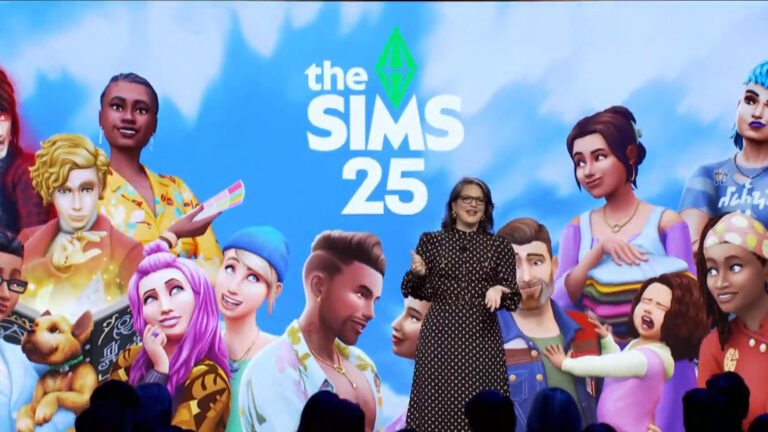
The entire Sims games catalogue is getting “Powered and Supercharged by AI”

The official EA Investors Release for The Sims Franchise has brought a look at the first features and tools coming with The Sims Hub AI Platform. A spot where you can convert objects, scan fashion and familiar faces around you, as well as connect with the community through The Sims Hub’s platform – “Powered and Supercharged by AI”.

the sims hub ai

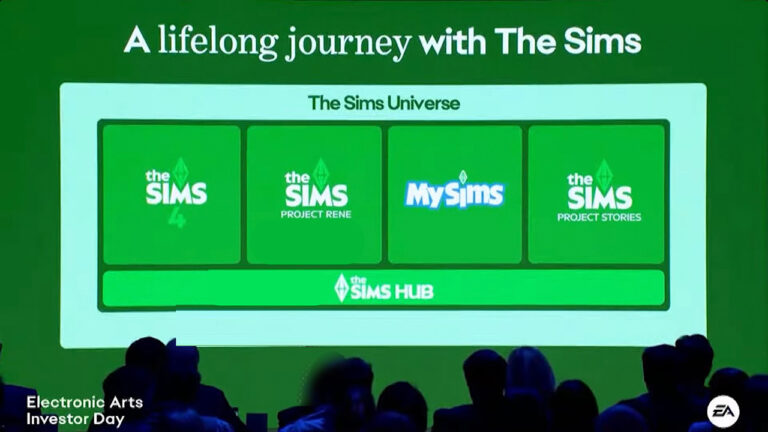
All this marketing talk goes beyond building a social hub for The Sims player community. EA wants to add advanced gallery tools, ability to create custom objects, transfer your favorite items from previous Sims games and more. The Sims Hub promises to be a “cross-platform” additional tool that will support multiple Sims game releases.

See what to expect from The Sims Hub and its cross-game support of new AI features:

The Sims Hub

These experiences will be united and connected with common creator tools. A shared gallery. A single marketplace. The ability to port objects from one experience to another. And, a unified social network that will seamlessly connect players across each and every Sims product.

Our vision and aspirations for The Sims Hub are on the cutting edge of entertainment. And our ability to realize this ambition wouldn’t even be possible a few years ago. We’re in this incredible moment.

First, the brand is bigger than it’s ever been. Second, the core of the experience met perfectly with emerging trends. And finally, thanks to major shifts in technology, especially AI, we can scale this experience beyond anything we’ve done before. These are all important catalysts for achieving ambiton. Along with developing inguinity with our developers.

I’d like to highilight a few of the projects they’re pushing on.

Super Charged Discovery Tool

The first is a “super charged discovery tool” that’ll help players find the content they love more easily. I’m sure the amount of content generated by The Sims 4 is astounding. There are a 100 million assets in the global UGC Gallery.

The Sims AI Features

Photo Search

What you see here is an AI Application that uses a photo based search feature. Typically a player would enter text. Find a red house with white trim. This is fine, but the approach has many limitations compared to what the team’s new solution is. For example the words can be mispelled or in a different language.

If you’re looking for an image, why wouldn’t you use an image to find it? This feature is actually working today with a plan to release soon.

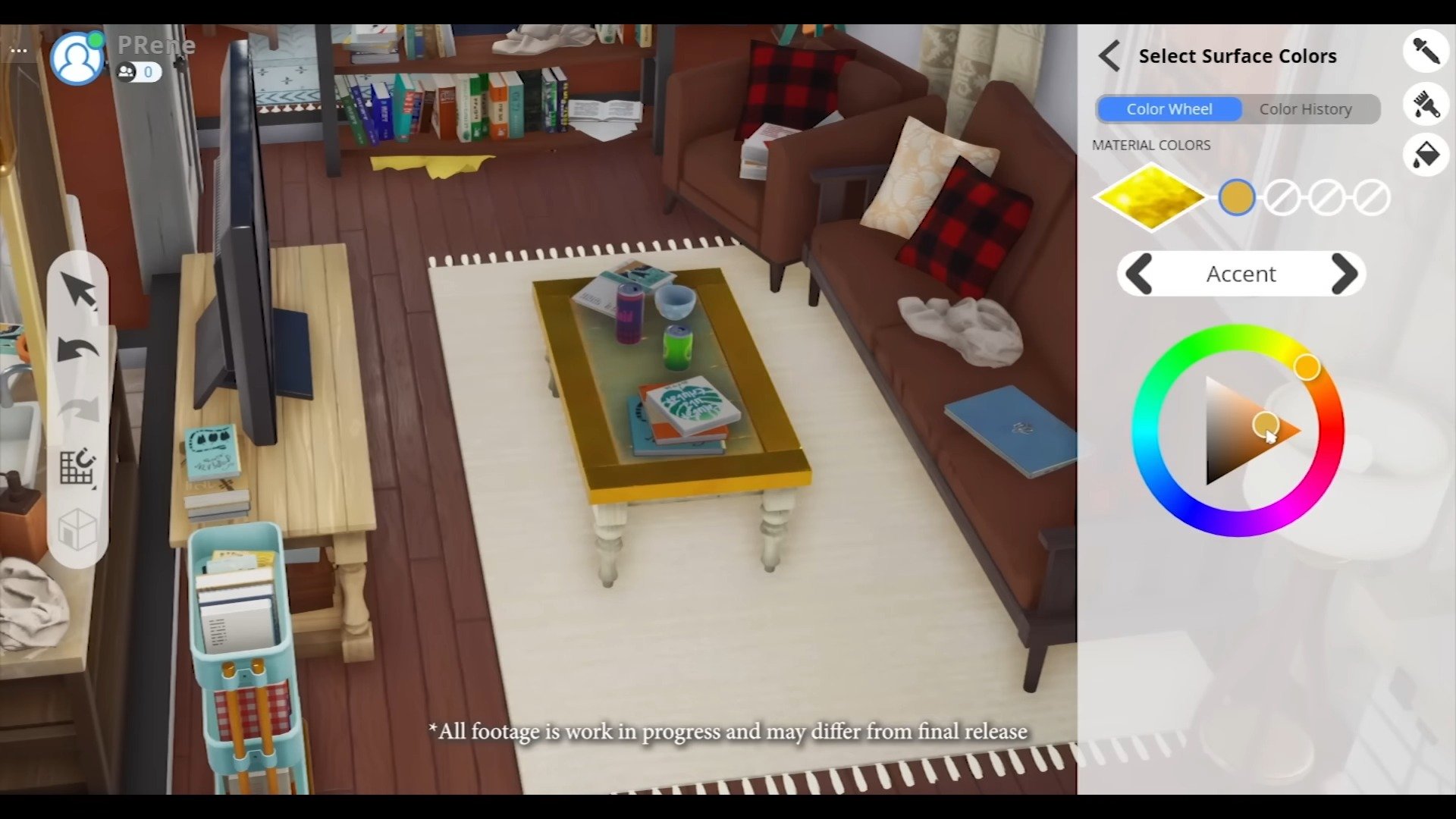
Item Creation

The same AI powered image search can unlock creation capability. Picture uploading an image of a model wearing a certain outfit. Clothes, shoes, jewelry – all of it. Using images to create content will dial up the power of our players. This is a novel model never experienced with the scale of The Sims platform and player community.

Another thing we love about it is that this imaged image search overcomes language barriers. Keep in mind that the majority of Sims players are outside of the US. So, our ability to connect with players around the globe as seamlessly as possible is always a goal for us.

Other Sims Hub Features

As we’ve simplified the creation process we’ll also amplify the creators and their content through our rich dynamic social feed. A place where you can follow your favorite creators, see how other players are using your content and discover what other are downloading.

This creator-powered pipeline will ultimately reshape the game and unlock a whole new type of creator economy.

The Sims Hub AI Features

Video Demonstration

The AI Powered Tools coming to The Sims have been vaguely demonstrated during their presentation. Which you can discover in the video linked below:


We first reported about new AI Tools coming to The Sims possibly through The Sims 5. Considering any rumors about The Sims 5 have been debunked, with confirmations about further standalone development expected for Project Rene we can safely say that these AI Tools are now coming to life.

Things like Custom Animation scans, face scanning technology and others are expected to make their way through The Sims Hub.

Hopefully things like in-game achievements, possibility to share in-game memories online and more make their way into The Hub too.

What are your thoughts on The Sims Hub AI Features? Drop your comment below!

The Sims Universe: Official EA Presentation

0

All eight minutes of the official investors presentation about The Sims!

Behold the future of The Sims Franchise! We’ve got frequent MySims releases, new Project Releases and new Sims 4 Pack Types coming our way real soon. However, have you heard about The Sims Labs and its powerful new AI features coming to The Sims games across the board?

We know you’ve probably heard a lot of talk about Artificial Intelligence before. But this one will help you import objects and items across different franchise games, import various styles from real life into The Sims and make your character more you. Or whoever you want it to be!

Take a look at the full video presentation from EA linked above, revealing the upcoming Sims Franchise release map and new AI Supercharged Tools coming to The Sims Hub.

BREAKING: Look into The Sims Franchise’s Release Timeline

EA is introducing The Sims: Project Stories!

The Sims Universe forecast doesn’t stop beyond what was just announced in today’s Sims Franchise look into the future. EA and Maxis have just announced a new line of Sims Franchise release products expected to come out in the next months and years to come. Including a promise of more MySims games for Nintendo Switch, the introduction of a new spin-off called The Sims: Project Stories and more about the game’s central hub.

slide1simsai

The following information was shared by The Sims Franchise’s manager during EA’s Investor Day presentation, which gave a glimpse at the up and coming releases for The Sims series.

The future of The Sims EA Investor Day 2024 3 20 screenshot 1
Sims Franchise Releases

Upcoming The Sims Franchise Releases

The Sims 4

It will carry forward the tremendous engagement in volumes of content to make The Sims 4 the foundation of our future gross strategy. We’ll be updating the core technology foundation for the product and will release fun and exciting content for many years to come.

The Sims Project Rene

We will release an entirely new Sims experience. Allowing players to connect, create and socialize together like never before.

MySims

We will next build out the MySims line, the cozy game spin-off that appeals to younger generations. We just announced that we are releasing MySims for Nintendo Switch. And there will be more to come!

The Sims Project Stories

We’ll be launching a new standalone mobile game. Which will be a platform for creating and sharing stories in The Sims Universe.

The Sims Hub

These experiences will be united and connected with common creator tools and shared gallery. A single marketplace. The ability to port those objects from one experience to another. And a unified social network that will seamlessly connect players and fans across each and every Sims product. And the potential for the significant growth for The Sims Audience doesn’t stop there!

The future of The Sims EA Investor Day 2024 3 56 screenshot

Forecast of The Sims Growth

“Our best years are ahead” reassures EA during their presentation, revealing how much content and growth they expect to reach in the coming Fiscal Year 25 and beyond. Citing the possible success of multiple franchises we mentioned above.

sims franchise growth

What are your thoughts on the news of future Sims releases coming to The Sims Franchise? Join the conversations below!

The Sims Project Rene: Focus on Multiplayer and Storytelling

0

This individual Sims game release will strongly focus on storytelling and multiplayer experiences.

After the announcement of The Sims 5 not becoming a thing with the development of Project Rene, The Sims Team explained further their plans for making their next Sims game its own standalone experience. Making it known that the series installment end with The Sims 4, bringing something entirely different for players across PC, Consoles and Mobile with Project Rene. The next project in development at Maxis seperately from The Sims 4 and other teams.

It seems that some goals revolving the development of Project Rene have shifted since its initial announcement in October 2022. Wording around Project Rene and what it is as a game was defined as both a singleplayer and multiplayer video game. However, the current testings and talks about the video game rely heavily around using the word multiplayer and not explaining much what the single player aspect of Project Rene would be.

The Sims Project Rene

Instead, the shift that defined the statement in Variety’s article is that The Sims Team is still not ready to abandon the current catalogue of Sims 4 releases. Instead, they’re trying to incorporate more of multiplayer features into Project Rene.

So much so that the general manager for The Sims Franchise has stated that they’re learning on their past success (and mistakes) of The Sims Online. Which first came out in 2002 and held its live service for PC devices up until 2008. Allowing players to message each other directly, build skills together, go out to a Sims nightclub and more.

TALKING

Text source: Variety

The video game publisher also teased that “Sims” players will soon find out more about the elusive “Project Rene” that “The Sims” team has been working on for years — which was long rumored to be a code name for “The Sims 5” — including how it will incorporate multiplayer into “The Sims” world. The franchise has tried and failed at that effort before with “The Sims Online,” which launched in 2002.

The Sims Online
The Sims Online (2002)

“We have a lot of learnings from ‘The Sims Online.’ We know that there is an opportunity to play in a very social, real time, multiplayer environment within our gamespace,” Gorman said. “We haven’t delivered that experience with ‘The Sims 4’ or any of our other titles yet so we’re looking at what that means and could look like. We know simulation is at the core of everything we do and we want to make sure our players still have that experience they want, but in a world with real players and NPCs. We’re still gathering learnings and working on it but stay tuned.”

Upcoming Project Rene Reveal and Playtest

Maxis studio is getting ready for its first playtest under The Sims Labs name. The first one being a multiplayer meetup with select players where you’ll be able to perform and interact new features.

The team also shared some first image looks from Project Rene so far:

Continuing its development alongside other exciting new projects within The Sims franchise, Project Rene is focused on building ways for friends to meet, connect, and share while playing together in an all-new world.

There will be a small invite-only playtest for Rene this Fall 2024, giving an early look at a multiplayer experience that explores joining friends and other players at a shared location.

You can be the first to playtest the new multiplayer aspect of Project Rene by signing up through The Sims Labs / EA Playtesting website.

So that’s it, it’s just multiplayer?

Most probably not. Project Rene flexed improved features such as detailed hair customization, object physics, pattern customization and editing features that simply can’t exist in the world of The Sims 4. Putting that to good use with new gameplay in a singleplayer scenario would be ideal. Considering that Project Rene has been announced as a free-to-play game, we wouldn’t be surprised to see unlocking single player gameplay through multiplayer challenges and scenarios within this game.

Project Rene: Gallery of Early Previews

Some processes of a free-to-play game like Project Rene must have monetized corners somewhere in longer to make the game sustainable. Lyndsay Pearson revealed that experiences like Seasons could be free in the game, but events like winter sports and ice dancing could be charged within a pack.

Project Rene DLC Plans

Statement from September 2023

Well, beyond regular updates to the core game, we will sell content and packs, but we want to change that mix a little bit. Let me give you a theoretical example. In The Sims™ 4, the only way to experience any weather was if you purchased Seasons. Now, in Project Rene, we might introduce basic weather to the core game for free for everybody. And then a pack for purchase might be focused on winter sports and could include activities like ice dancing or a snowman-building competition.

Building this way means that down the line, we could use wind or rain or clouds for other pack themes as well. Now, it’s a little early to know exactly where we’ll draw the lines, but it’s important for us to lower those barriers to play and give everyone the broadest shared systems because that feels like the best foundation to grow from.

Behind The Sims A FIRST LOOK STUFF PACKS THE LATEST ON PROJECT RENE 12 42 screenshot

Along with Project Rene you should expect more releases across The Sims Franchise.

What are your thoughts on the current state of Project Rene‘s development goals and feature plans? Join the discussion below!

Coming this week to The Sims 4

0

Content Drop, New Event and game improvements coming to Base Game!

The Sims 4 Base Game is getting a huge patch drop release tomorrow, September 18th, 2024 across Desktop and Console platforms. The new update doesn’t just prepare the game for the launch of new Kits – it’s also an entirely new content drop of its own! Preparing the game as well for the new in-game event that’s set to launch on September 24th, 2024.

New The Sims 4 Content Update

The Sims Team teased in their Future of The Sims Franchise release that tomorrow’s Sims 4 Update won’t just deliver a huge list of bug fixes and game improvements, but also be its own free content update drop:

Sims 4 Update

In May 2024, we announced that we’ve assembled a team to invest in the core game experience, including tackling technical issuesWe’ve invested further into these efforts to focus on previously reported issues, quality assurance and game optimization for future releases. Batches of fixes will continue to be released roughly every two months until further notice. On September 18, 2024, our players can expect another major release of fixes alongside an exciting base game update.

Alongside the huge list of bug fixes and game improvements coming to The Sims 4 and its DLC catalogue, the team further confirmed there’s going to be an exciting base game update as well.

The Sims 4 Update Release Teaser

Game Improvements coming to The Sims 4

The team released a huge list of tens of fixes coming to the game. One of them being feature fixes such as apartment customization in The Sims 4 For Rent. All the way down to actual feature upgrades such as micromanaging your wedding in The Sims 4 My Wedding Stories.

Improvements to Sims 4 My Wedding Stories

  • There are new interactions on the wedding arch that will allow you to set which Sims to sit on either side of the aisle.
  • You will now be able to pick which Sims perform the requested behavior when clicking on the wedding arch and do Ceremony Activities. This will allow greater control of what is happening in the wedding.
  • After telling guests to do a ceremony activity, they’ll stop doing other things autonomously.
  • Music specific interaction is now available on the wedding arch in order to control when wedding music plays.
  • Sims gather around without getting stuck as the wedding couple dances.
  • Sims will properly perform “Exchange Vows with Officiant and Kiss“ interaction after performing “Gather at the Aisle“ interaction.
Sims 4 My Wedding Stories Fixes

The future Patch Notes also promise to deliver smoother outdoor lightning shadows in Ultra settings. Hoping to bring back some of the visuals that unfortunately got demoted all the way back in 2015 for game’s performance reasons. Seems that the DirectX11 Upgrade for the game is already making good results for the game’s stability.


The next update for The Sims 4 is set to release on September 18th, 2024 at 10AM PT. To make things easier for you we have a handy countdown to the release of the next Sims 4 Patch across PC, Mac and Consoles:

countdown to the sims 4 for rent release

Countdown to The Sims 4 Patch Release

[janky target_time=”1726678800″ color=”#235c82″]


The Sims 4 Kits: Storybook Nursery and Artist Studio

Two Kits are set to come out on September 19th, 2024 at 10AM PT. The Sims 4 Storybook Nursery and Artist Studio Kits are both build kits with new items that help fulfill the Kit’s theme. Storybook Nursery has new changing tables, playmat variants and room decor while Artist Studio brings a new woodworking table, new easel and other items to help accent your Sims’ creative space.

You can find more screenshots and previews of these Kits in our coverage article. Both are priced at $4,99USD individually, and you’ll be able to purchase them on official storefronts and game websites that distribute the Kits on Desktop and Consoles.

For clearer information when the new Sims 4 Kits will release in your area, we’ve included another handy countdown for September 19th!

countdown to the sims 4 for rent release

Countdown to The Sims 4 Kits Releases

[janky target_time=”1726765200″ color=”#235c82″]


Coming up next: Reaper’s Rewards Sims 4 Event

Just next week you’ll be able to enjoy additional new Build Items, CAS Accessories and potentially new gameplay additions through The Sims 4 Events system. The Reaper’s Rewards Event is set to launch (hopefully this time) globally on September 24th, 2024 across both Desktop and Console platforms.

Sims 4 Event Features

Help Grim out and earn free items in the Reaper’s Rewards Event

The Sims 4 Event: Reaper's Rewards Event

The event will follow a possibly similar user interface and playthrough of the first Sims 4 Login event. Where you open The Sims 4 in a consecutive amount of days throughout different weeks to unlock new rewards.

sims 4 daily rewards preview

What are your thoughts on this week’s Sims 4 releases and forecast for the next? Join the discussion and stay tuned for further overviews of each release!

It’s Official: The Sims Movie is Greenlit

1

EA turns on the green light for the next hollywood blockbuster – The Sims Movie!

After months of speculation about the new movie entry from The Sims and its speculated producer Margot Robbie, we’ve finally got an official confirmation about the current project and future plans for The Sims Movie.

The Sims Movie Margot Robbie

The official blog post regarding The Future of The Sims Franchise confirms the production and first creators behind The Sims Movie. Confirming the involvment of Margot Robbie’s LuckyChap production company and Electronic Arts into the project.

The Sims Movie, in production with Amazon MGM Studios

The press release confirmed that The Sims Movie will be produced in partnership with Amazon MGM Studios, who are helping realize the project onto the big screens. The film will be directed by Kate Herron, as well as co-written by Briony Redman. Producers involve Vertigo Entertainment and LuckyChap, with executive producers including Herron and Redman.

We’re VERY excited to share that in partnership with Amazon MGM Studios, our team is working on a film based on The Sims. Kate Herron will direct, as well as co-write with Briony Redman. LuckyChap and Vertigo Entertainment will produce alongside The Sims team, with Herron and Redman executive producing.It’s still too early to share more about the movie but stay tuned for updates as we mark our 25th birthday next year!

the sims movie - amazon mgm studios

More details about The Sims Movie are set to be revealed next year, as we approach The Sims Franchise’s 25th anniversary in February 2025.


What are your thoughts on The Sims Movie and what do you want to get played out on the big screen? Let us know your thoughts in the comments!

We also have a new info category dedicated to all things The Sims Movie.