The Cross-Pack compatibility features extend to Skill Classes in the latest Sims 4 Pack!
The latest Pack called The Sims 4 Businesses & Hobbies takes pride in its two main features within the Pack title. Opening small Business shops and participating in only two new Hobby activities. However, one aspect of this Pack that doesn’t get talked enough is the ability to Teach and attend Skill Classes.
With the new pack, you’ll literally be able to turn your knowledge into profit directly by teaching other Sims Skills that you’ve mastered. This doesn’t just include the new Hobby Skills – but all Skills we’ve gotten so far from The Sims 4 Base Game, Expansions, Game and Stuff Packs. And now, we have a full list of all the Skills you can learn, or teach others!
Skill Classes in The Sims 4 Business & Hobbies (All DLC)
The latest list of new Skill Classes comes from Sims creator @Simmattically, who posted a list of the new Skill classes found in the leaked files of The Sims 4 EP18. That’s a whole different story for coverage later today…
Considering that the list is from The Sims 4 Business & Hobbies Beta files from August 2024, the list might not be entirely complete considering the pack was still in development at the time. Either way, you’ll definitely get a better sense of how well Skill Classes integrate with all the previous DLC releases.
You’ll be able to teach (and learn) from the following Skill Classes:
Acting (Get Famous)
Archaeology (Jungle Adventure)
Baking
Bartending
Bowling (Bowling Night Stuff)
Charisma
Comedy
Cross Stitch (Cottage Living)
Dancing (Get Famous)
DJ Mixing (Get Famous)
Dog Training (Cats & Dogs)
Entrepreneur (High School Years)
Equestrian (Horse Ranch)
Fabrication (Eco Lifestyle)
Fishing
Fitness
Flower Arranging (seasons)
Gardening
Gemology (Crystal Creations Stuff)
Gourmet Cooking
Guitar
Handiness
Herbalism (Outdoor Retreat)
Homestyle Cooking (Home Chef Hustle Stuff)
Juice Fizzing (Eco Lifestyle)
Knitting (Nifty Knitting Stuff)
Local Culture Skills
Logic
Medium (Paranormal Stuff)
Mischief
Painting
Parenting (Parenthood)
Photography
Piano
Pipe Organ (Vampires)
Pottery (Businesses & Hobbies)
Programming
Nectar Making (Horse Ranch)
Research & Debate (Discover University)
Robotics (Discover University)
Rock Climbing (Snowy Escape)
Rocket Science
Romance (Lovestruck)
Singing (City Living)
Skiing (Snowy Escape)
Snowboarding (Snowy Escape)
Tattooing (Businesses & Hobbies)
Thanatology (Life & Death)
Vampire Lore (Vampires)
Veterinarian (Cats & Dogs)
Video Gaming
Violing
Wellness (Spa Day)
Writing
Features of Skill Classes In The New Pack
EA additionally described the new Skill Classes Feature from The Sims 4 Businesses & Hobbies Expansion. Sharing that you’ll be able to teach classes as a part of your business. You’ll be able to give Skill Lectures by just placing down the Whiteboard on your Lot.
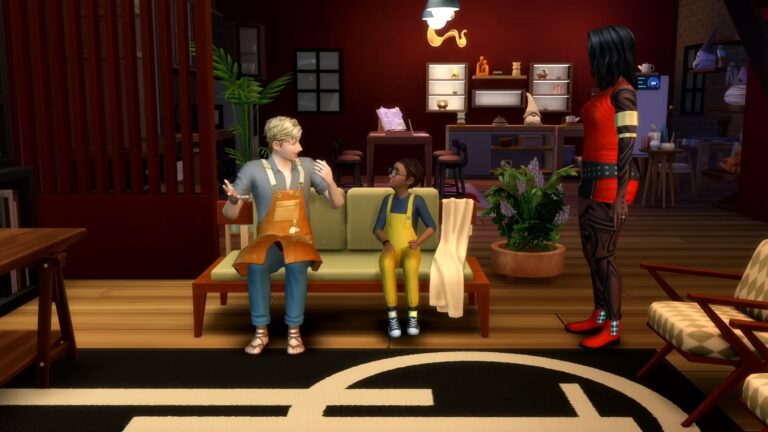
If you’ve mastered a skill, why not break out the Whiteboard and teach a class on it? Classes are events with goals attached which are run as part of Small Businesses. They allow students to improve their skills, and you can choose to charge. Often, you’ll need a skill-related object (i.e. an instrument) to teach a class. Lectures can be given from the Whiteboard without a Small Business. Another way to pass on knowledge is by becoming a Mentor, which you can do for free or as a paid service.
Private school experiences, music schools and so much more are about to become possible with the next Expansion Pack.
Which Skill Class do you plan to start in The Sims 4? Let us know in the comments and stay tuned for all things Businesses & Hobbies!
The full preview of New CAS and Build Items is here!
Yesterday EA and Maxis revealed their 18th Expansion Pack titled The Sims 4 Businesses & Hobbies. The new Pack is all about letting you create your own Custom Small Business within your home, as well as introducing two new Hobbies to the game. Pottery and Tattooing!
The new Expansion Pack is releasing on March 6th, 2025. And thanks to Steam, we already have a full look into its Build and CAS items catalogue!
Table of Contents
The Sims 4 Businesses and Hobbies CAS Items
The Sims 4 Businesses & Hobbies Expansion introduces 161 Create A Sim items for Sims of all ages. There are new Hairstyles, a plethora of new Tattoo designs, accessories, clothing and more. Younger Sims haven’t been left out from the calculation with new outfits, accessories and hairstyles for Infants and Toddlers.
Take a full look at the entire CAS catalogue down below:
The Sims 4 Businesses and Hobbies: Build Mode Objects
If you’re looking forward to the new Build Mode items, you’ll be happy to know that The Sims 4 Businesses & Hobbies carries 196 new objects in its catalogue. From sale podiums, decor and ticketing machines to help you start your own business to new general living objects. There’s also a variety of items for Builders, with new Windows, Wallpapers, Flooring and more. Take a look!
What do you think about the new items coming with The Sims 4 Businesses & Hobbies? Let us know in the comments!
Did you know that Motherlode Season is in full swing? However, have you seen the brand new and exciting The Sims 4 reveal trailer?
In case you haven’t, we have you covered right here! If you have seen the trailer for the upcoming The Sims 4 Businesses & Hobbies expansion pack, then here are ten things you might have noticed when the reveal trailer dropped.
Table of Contents
The Sims 4 Businesses & Hobbies: A Quick Recap
As a quick recap, today’s The Sims 4 reveal introduced players to the upcoming Businesses & Hobbies expansion pack. An expansion pack that opens up many more opportunities to our Sims. Start a small business, make waves with clay, get creative with ink and explore the beautiful new world of Nordhaven. Discover two exciting new skills, earn Simoleons, learn the Japanese art of Kintsugi, open your dream business and become a tattoo extraordinaire in the new tattoo paint mode!
Things You May Have Missed in The Sims 4 Businesses & Hobbies Trailer
There’s no denying that the Businesses and Hobbies reveal trailer was jam packed with so many cool looking new features. This was only the reveal trailer, we still have the game player trailer to come yet.
New Food & Merch Stalls
In the opening moments of the reveal trailer, we can see several stalls. While it’s unclear at the moment, these stalls are likely to be places for Sims to tuck into some of Nordhaven’s delicacies and pick up some local merchandise.
While at the front of the screenshot, we can see Sims selling their creations using the same market table we’ve seen in game before.
Self Service Ticket Kiosks
Self-service till points? Taking the stress out of transactions, these new Ticket Kiosks will give your Sims more freedom when it comes to running their business. It looks like you can have customers make a one of purchase or by the hour!
Supercharge Your Sim
Need an energy boost?
Well, make sure your Sims have plenty of Freezer Bunny Energy Drinks on hand for when they need a boost most!
Sketch To Your Hearts Content
Before making them permanent, why not sketch out those ideas and client requests on the drawing tablet first.
This could also open up conversation options with potential clients when it comes to discussing their tattoos.
Get Creative with Tattoo Mode
At first glance, there seems to be a lot going on when you look at Tattoo Mode. However, did you notice just how much detail you can put into tattoos using not only the pre-designed tattoos but also in Tattoo Paint Mode? It will certainly lead to some interesting tattoo designs for our Sims!
That colour wheel though!
Are you ready for more things you may have missed during the Businesses & Hobbies Sims 4 reveal?
Family Night: Clay Making
When not working on your own clay projects, why not get the whole family involved in making clay creations? It looks like Child Sims can create a range of decorative objects now too!
Share Your Crafting Knowledge
Sims can help other Sims build their skills and master their craft!
Become the perfect mentor for Sims to learn from. Hold lectures and classes to help develop talent Sims’ passion for the craft. Sims may even earn Mastery Perks as they level up their knowledge.
Mix and Match
Each area of the lot can be assigned a different purpose. Mix public spaces, employee only areas and residential areas all under one roof. However, you are free to assign the rooms in any order that you want. This way, you can create the ultimate working and living spaces for your Sims!
Customize Your Small Business
As well as choosing a name and a logo, you’ll be able to pick from a selection of business activities, choose your entrance fee, decide on a price modifier as well as what your target customer base is!
A Multi-Generational Business
When the time comes, it appears that Sims within the same household will be able to entrust other family members to continue on their business.
What do you think of today’s The Sims 4 reveal? Was it what you were hoping it to be, or did it take you by surprise? Leave a comment below and let us know your thoughts on the upcoming Businesses and Hobbies expansion pack!
Don’t forget to stay tuned to Sims Community for everything you need to know about The Sims 4 Businesses and Hobbies pack, as well as all the latest news and information from the franchise.
EA and Maxis are probably awaiting to pull a few extra jokers out of their sleeves according to the secret February 25th Date. But until then we have a lot to judge based on the book’s cover – or in this case – the official EA App description page.
Extended Description of The Sims 4 Businesses & Features
The new descriptions for The Sims 4’s 18th Expansion Pack can be found in the EA App program, right below the pack listing. Detailing each Pack feature and what to expect from it.
The Sims 4 Businesses & Hobbies Extended Features
Choose how to charge
You have the freedom to create the business you want! You can run a variety of businesses by charging customers an entrance fee or a time based fee with the new Ticket Kiosk. This opens up all kinds of creative business possibilities: bars, pools, gyms, painting studios, and music venues are just a few ideas. You can even sell pottery or other crafts.
Create a space for your business
Small businesses belong to an individual Sim, and you can start your business right on your home lot! A new small business tool lets you select rooms in your Sim’s home and designate if they’re open to the public (anyone can enter), employee-only spaces, or residential spaces just for your Sim’s household members. Create a studio for your Sim to host clients in, a family-run retail shop on the ground floor, and a whole lot more. You could also run your business on a Small Business Venue Lot.
Hire Sims that share your passion
Hiring is done through the interaction pie menu or while managing your business. Your Sim will need to hire Sims they’ve met and not total strangers. As the business owner, you’ll set up to 5 behaviors per employee for your staff to follow while they’re on the job. Household members can be hired as employees.
Design custom tattoos
You can freely create your own tattoos, and even share them to the Gallery for other Simmers to use. As your Sim levels up their Tattooing skill, they’ll unlock more stencils, brushes, and other tools for you to use in Tattoo Paint Mode. Create designs that are meaningful to you or designs that reflect part of your Sim’s story. Give Sims tattoos with intricately designed patterns or even a tattoo dedicated to a loved one.
Layer on more tattoos
You’re no longer limited to 1 tattoo per body region; you can add up to 5. That means that instead of having just 1 tattoo on a Sim’s back, they could have different tattoos on both shoulders (and more!).
Become a body art pro
Build your Tattooing skill by reading books, using the Sketch Pad to create de-signs, attending classes, or by using the Tattooing Table to give Sims tattoos. Sims with higher levels in this skill will unlock more tools to use in custom designs, and their odds of getting excellent results will be higher. If a Sim is being paid to do a tattoo, then better results could mean more Simoleons.
Be an Idealist, or be kinda Shady
Idealist Sims have high standards. They want to create a better world by doing what they feel is right. They want to inspire others with their actions – unlike Shady Sims. Sims with the Shady trait are all about seizing opportunities and finding ways to turn situations in their favor, even when that means bending the rules or cutting corners.
Choose how to run your business
As you grow your business, you’ll earn the ability to choose Business Perks, which include new interactions, passive effects, and more! These perks exist along Dreamer, Schemer, and Neutral paths, with Dreamer perks aligned with running your business by-the-books and Schemer perks being a bit more opportunistic. Your Business Alignment may be affected by what kinds of perks you choose as well as in-game events and interactions.
Chase new dreams
The Esteemed Entrepreneur aspiration will have you working hard to build your business while building relationships with customers and employees. Completing this aspiration will earn you the Beloved Brand Reward Trait, boosting satisfaction and relationship growth with customers. The Master Mentor aspiration is all about passing on your expertise; completing it will grant the Motivating Reward Trait. Master Mentor Sims can give a Motivating Speech to increase skill gain and mood for listeners.
Create beautiful pieces
Grow your Pottery Skill by reading books, taking classes, molding a lump of clay, or using the new Pottery Wheel or Pottery Kiln. Besides molding new pieces you can also add a glaze if you’d like; you’ll have a variety to choose from. There are even functional objects like planters, oil burners, and more that you can create. At level 7, Sims will be able to use the Japanese art of Kintsugi to repair pottery, taking pieces from broken to beautiful and gold-infused.
Pass on your knowledge
If you’ve mastered a skill, why not break out the Whiteboard and teach a class on it? Classes are events with goals attached which are run as part of Small Businesses. They allow students to improve their skills, and you can choose to charge. Often, you’ll need a skill-related object (i.e. an instrument) to teach a class. Lectures can be given from the Whiteboard without a Small Business. Another way to pass on knowledge is by becoming a Mentor, which you can do for free or as a paid service.
Explore an inspiring town
This world has 12 new lots across 2 new neighborhoods: Gammelvik and Iverstad. Gammelvik is the old town where you’ll find cobbled streets, classic architecture, and picturesque canals. Iverstad is the new town and a natural settling spot for ambitious and stylish Sims. It is flourishing in what was once a more industrial area, complete with repurposed buildings. Sims who are passionate about their hobbies will find Meetups daily in both of Nordhaven’s neighborhoods.
What do you think about the extended description and features of The Sims 4 Businesses and Hobbies Expansion – does it justify the 40USD price tag? Let us know in the comments!
New Patch for The Sims 1 and Sims 2 Rereleases is Out Now!
The surprises of new releases don’t stop coming. This week on tuesday EA and Maxis dropped a new update for The Sims 1 and Sims 2 Rereleases, starting a new beginning of updates for retro rereleases. Today, the team announced yet another patch for Windows PC!
Downloading the new Sims 1 and Sims 2 Rerelease Updates on EA App
If you’re playing on Epic Games, Steam or EA App, you should have the new Sims 1 and Sims 2 Updates ready to download.
Table of Contents
Second Rerelease Patch
Find out what’s new and improved in the official patch notes:
Sul Sul, Simmers!
We hope you’ve been having a great time celebrating all of the Birthday festivities! We’re plugging away at reports of technical issues that some players have encountered in The Sims and The Sims 2. Thank you for your support and continued reporting efforts via the official EA Forums, it really helps us identify and resolve issues.
-The Sims Team
February 6, 2025 Patch Notes:
The Sims 1 Update Notes
Fixed Issues:
A memory issue could lead to various unexpected behaviors after playing for a period of time (random crashes, sluggish performance, missing objects, etc)
The mood level arrows and mood bars had visual artifacts in some cases
The mouse scroll wheel could take a lot of clicks to zoom
Some players were encountering a “Vulkan device” error at launch
The Sims General Notes:
There are some hardware configurations that we are seeing a disproportionate number of errors on and are actively investigating. Systems based on Intel ARC GPUs, Snapdragon laptops with Qualcomm Adreno X1-85 GPU, NVIDIA T600 GPU laptops are being investigated
Users that have experienced problems with getting an error indicating a lack of Vulkan compatible devices have reported that in some cases removing “OpenCL™, OpenGL®, and Vulkan® Compatibility Pack” can resolve the issue.
When you want to import Sims or Houses, the game could look in the wrong directory to find them. You can now work around this by placing them in “Program Files/Maxis/The Sims/UserData/Import”
We are investigating an issue where traveling between worlds can result in crashes in some situations
The Sims 2 Update Notes
Fixed Issues:
Addressed some situations related to the error “Some needed files were corrupted during the installation”
Addressed some situations where the game could terminate with a pop-up message when creating a family or when entering a pre-made lot
The game could get stuck on the color swap tool
The Sims’ voices could be of low quality
The Sims’ voices could be very quiet
The custom skin window couldn’t be closed in some cases
The “Graphics Rules.sgr” file was missing a rule that could cause “D3D” error messages
During the Alien Abduction cutscene, sometimes audio could drop out and a Sim could reset
Sims could be unable to eat cooked food
The game could sometimes present a loading screen that could not progress
Sims could sometimes disappear
The Sims 2 General notes:
In some cases, issues that have been addressed might have corrupted game saves before they were addressed (e.g. when Sims could disappear). In these cases you should try starting with a fresh save as the game won’t be able to correct the corruption, and working with corrupted saves can lead to unexpected behavior.
While the Alien Abduction scene now works, the scene is still missing the alien baby. We’re working on that. In the meanwhile you will have the alien baby in the game once the scene is done.
Some players have tried using Windows shortcut keys to move the full-screen game to another monitor. When in full screen mode the game should not be moved to another monitor or this may cause issues.
While some issues may not be listed here, they may still be in the process of being addressed. Some topics can require an extended investigation on our end, so even though these fixes may be in active review, it’s not a guarantee that we’ll have an immediate fix for it in the upcoming patch.
Dag dag!
The Sims Team
Have you downloaded the new Sims 1 and Sims 2 Updates for PC? Let us know if there are any improvements in your game in the comments below!
The new Expansion Pack is revamping the Tattoos system as you know it!
The Sims 4 Business & Hobbies Expansion Pack announcement brought a surprising twist to the depth on one of the existing feature improvements.
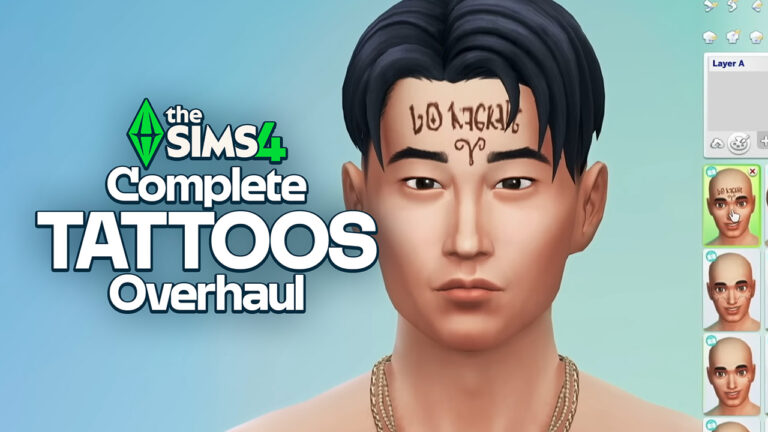
Tattoo features and the way you can apply them to your Sims are getting completely revamped with the upcoming EP release for The Sims 4. Including options to layer different tattoos, place them anywhere on your Sim’s body and paint anything on your Sim!
All of the new Create A Tattoo Features will be tied exclusively to the paid 40USD release through the new Tattoo Skill. Considering that the Pack will allow you to download Custom Tattoos Online from The Gallery, it’s reasonable to think why additional server cost maintenance for creativity will take place.
Find out the new features in a first look shared today from The Sims Team:
Table of Contents
The Sims 4 Tattoo Features in Businesses & Hobbies
There are several key feature improvements coming to creating Tattoos with The Sims 4 Business & Hobbies, including these Key Features:
Ability to Layer Multiple Tattoos (Even from Previous packs)
New Tattoo Skill Tied With New Tattoo Stencils and Designs in CAS
Ability to create Custom Tattoos in Tattoo Paint Mode
The Gallery Feature To Share and Download Custom Tattoos
Layering Multiple Tattoos
Your Sims’ skin now have layers. Allowing you to add multiple tattoo designs and place them on any part of the body. You can mix and match multiple tattoos on the same body area, allowing for more unique patterns on your Sims’ body:
There are also new Body Part categories for Tattoos, including a category that allows you to put a Face Tattoo on your Sim:
New Tattoo Skill and Tattoo Feature Unlocks
As Sims level up their Tattooing skill in The Sims 4 Businesses & Hobbies Expansion, they can also unlock new tattoo stencils and stamps to use in Create A Sim. As well as increase their odds of doing a successful Tattoo.
Custom Tattoos Paint Mode
The Tattoo Feature improvements extend completely to the point where you are literally able to draw on your Sim now. You can go into paint mode and select from various preset brushes, change size and color and paint on your Sim!
There are various poses that you’ll be able to change throughout your Sim’s creation process to truly tattoo over any part you can imagine.
Sharing and Downloading Custom Tattoos
Now, any Tattoo that you create with The Sims 4 Businesses & Hobbies can be shared on The Gallery. You’ll be able to think of any unique Tattoo design, layer different tattoo stencils and prepare your design for the world to download. Or, if you want to see how the Sims community is Tattooing you can simply download the Custom Tattoos. It’ll be available as a custom Tattoo design ready for you to place onto your Sim.
Maxis confirms big Cross-Pack Features with The Sims 4 Businesses and Hobbies Expansion.
In today’s official blog post reveal for The Sims 4 Businesses and Hobbies Expansion Pack, The Sims Team went into little more details on how the new gameplay mechanics will work. Including new Skills, the improved Retail management and more. Including how the new Expansion Pack will have affects on previous Pack releases, and how the game will allow you to customize your Retail shops depending on certain Packs released before.
Wake up and smell the coffee! It’s time to seize the clay and make a bold inked statement in the expressive city of Nordhaven!
In The Sims 4 Businesses & Hobbies Expansion Pack, we invite you to discover what artistic passions add a spring to your step. Start a small business to show off your crafty creations and rake in the Simoleons as you master two new skills that will shape your future and add color to your life every day.
Your dreams have been waiting! It’s time to become the savvy artisan you always knew you could be!
Make Your Mark
Showcase who you truly are with the new Tattooing skill! With the Tattooing skill you can have your Sim give other Sims pre-made, custom or dedicated tattoos. Body art is all about freedom of expression and celebrating your body in your own way. To make this experience unique and entirely your own, Sims can create an infinite amount of custom tattoos in Tattoo Paint Mode. Like real artists, you’ll be able to share your custom designs with other Simmers using the Gallery, or browse for other Tattoos to use in your experience.
As Sims level up their Tattooing skill, they can also unlock more stamps and stencils, and increase the odds of excellent results. Tattoos (even ones from previous packs) can now be layered, allowing for multiple tattoos to be placed on the same body part.
Mold and Mend Your Future
Pottery allows Sims to express their crafty side in new ways. Elevate your Pottery skill with the Pottery Wheel to make decorative and functional pieces, including tea sets, planters of all sizes for our Simmers with a green thumb, incense burners to set an ambiance and so much more.
Once the pieces have been created on the Pottery Wheel, players have the option to glaze (there are plenty of colors to choose from) their finished pottery and put it in the Pottery Kiln or leave their pottery unglazed. At higher levels of the Pottery skill, Sims can use the Japanese art of Kintsugi to create beautiful pieces from broken ceramics.
The final objects can be gifted or sold at a small business using the new retail surfaces or used to decorate your lot.
New Life in Nordhaven
Welcome to Nordhaven, a town steeped in history, and full of possibilities for your Sims to pursue their creative hobbies.
Hobbies are best when shared, and Nordhaven’s picturesque and inspirational neighborhoods of Gammelvik and Iverstad offer countless opportunities to connect with like-minded Sims who share similar interests and enthusiasm for the things your Sims care about most. Hobby Meetups are the must-attend events to socialize, form new friendships, and even find a mentor to help your Sims master their craft.
As Sims advance in their skills, they too can become mentors and pass on their knowledge. Sims can also build their legacy by teaching others in Classes and Lectures. Listening to a Lecture is one of the ways a Sim may earn Mastery Perks – this experience rewards Sims who become highly talented in their selected skills.
Your Small Business, Your Way
Follow your dreams wherever they take you and create a small business that will leave your Sim feeling fulfilled. Whether it’s creating pottery or other handmade items, or providing a service like tattoos or classes, turn your Sim’s skills into a profitable business. For Sims who are just starting up their business or feel most inspired at home, you can build a Small Business on a Residential Lot and designate a dedicated space in their home to set up shop. Looking to set up your dream business outside of the home? You can also build on the new Small Business Venue Lot. You can also run their business on the new Small Business Venue Lot.
The new Ticket Kiosk offers Sims the freedom to run their business on their terms, with options to charge customers either one time or hourly. You get to make the challenging, but exciting, choice of either running a family business (imagine the drama!) and hiring your entire Sim’s household, or meeting the perfect candidates and offering them a job. The options are endless with the new Small Business system.
As you grow your Sim’s business, you’ll earn the ability to choose Business Perks, which include new interactions, effects, and more! Your Sim can run their business by the books or cut a few corners, as they build their Business Renown and decide on their Alignment along the Dreamer, Schemer, and Neutral paths. Using a Schemer perk will progress your Alignments towards the Schemer path, or if you consider yourself to be more of a dreamer, choosing perks that will progress your Alignment towards the Dreamer path. Just here to live life and make those Simoleons? No problem, your business can remain Neutral.
These choices don’t only impact your Sim’s business, they can impact your Sim’s life outside of the workplace, so choose wisely as you chase those dreams!
So Many Businesses, So Many New Opportunities!
A plethora of previous Expansion, Game and Stuff Packs have small business opportunities available for every type of crafty Simmer. See below for a few you can try:
Cats and DogsExpansion Pack: Sims who love and adore their four legged friends can open pet cafés.
Get TogetherExpansion Pack: Sims who are down to dance until the sun rises can create dance clubs and Sims who game until the wee hours of the morning can open arcades for like minded gamers.
City LivingExpansion Pack – Sing your heart out in your favorite city at your very own karaoke bar fitted out with your favorite Simlish tunes.
Get FamousExpansion Pack – Did someone say paparazzi? Open an acting school where you teach celebrities how to play the part!
Spa DayGame Pack – Fancy a massage, facial or meditative yoga retreat? Say namaste to all the Sims who choose to relax with you at your spa!
Laundry DayStuff Pack – Scrub a dub dub in your very own tub! Collect Simoleons as Sims wash their clothes at your laundromat!
Bowling NightStuff Pack – Sims who are competitive can open their very own bowling alleys. Get a strike or a spare on a fun night out with friends.
These are only some of the small business opportunities available with other packs. If your Sim can dream it, then you can live it and achieve it!
If you purchase the Businesses & Hobbies Expansion Pack before April 18, you can elevate your business with several inspiring pieces. Witness the beauty of sculpture and body art with the Practice Makes Perfect Priscilla Statue, keep perishable products fresh with the Sweetest Treat Display Case and illuminate your space with the Beautiful Flaws Lamp.
What are your thoughts on the new Cross Pack compatibility coming with The Sims 4 Businesses and Hobbies Expansion Pack? Join the convo below and stay tuned for all things EP18 News!
See the official Features and Screens from the upcoming Sims 4 Expansion Pack!
EA is just now rolling out a huge wave of news for The Sims 4 Businesses and Hobbies Expansion Pack. Hitting the retail shelves worldwide on March 6th, 2025.
In the latest Expansion Pack, you’ll be able to moderate your own Retail spaces, open up a Tattoo shop and customize your own retail and living space through new Hobby activities like Pottery.
To learn more about the initial official features, check out the official listing down below:
Table of Contents
About The Sims 4 Businesses and Hobbies
Pursue new skills and live a life of accomplishment in The Sims 4 Businesses & Hobbies Expansion Pack*. Create wearable art with the new Tattooing skill or craft functional pieces with the new Pottery skill. Savvy Sims can turn their wildest dreams into profitable businesses. Run your business from your home or purchase a Small Business Venue lot, hire employees, decide how to charge, and make the rules. Set Up Shop Digital Content — Elevate your business with these inspiring pieces: witness the beauty of sculpture and body art with the Practice Makes Perfect Priscilla Statue, keep perishable products fresh with the Sweetest Treat Display Case, and illuminate your space with the Beautiful Flaws Lamp, available when you order through April 18, 2025**.
Dream big and create a small business that will leave your Sim feeling fulfilled. Make and sell pottery or other crafts, provide a service like tattoos or classes, or come up with something unique. Use the selection tool to designate space in your home for doing what you love and making a living at it. With the new Ticket Kiosk you can run the business you want, charging customers for entry or for time spent. Run a family business and hire your Sim’s household, or meet the perfect candidate and offer them a job. Explore the possibilities with the new Small Business system.
Make Your Mark
With the new Tattooing skill you can give Sims pre-made, custom, or dedication tattoos. As you level up your skill you’ll unlock more stamps and stencils, and increase the odds of excellent results. Body art is about freedom of expression and to celebrate that you can now freely create your own designs in Tattoo Paint Mode. Tattoos can even be layered. Share your custom Tattoo designs with other Simmers using the Gallery, or browse for Tattoos to use in your game.
Mold Your Future
As you hone your Pottery skill using the Pottery Wheel, more designs – like functional tea sets, planters, incense burners, and more – will become available to you. Finish your pieces in the Pottery Kiln; there are plenty of options for glazes. At higher levels of the Pottery skill, Sims can use the Japanese art of Kintsugi to create beautiful pieces from broken ceramics.
A World of Possibility
Build your future in a town steeped in history. Nordhaven is the perfect place to pursue the things you care most about, like creative and inspiring hobbies. Sims can attend Meetups to mix and mingle with those who are passionate about the same hobbies – they may even find someone to mentor them in their favorite skill. Sims can become mentors at high skill levels, or they can build their legacy by hosting Classes and Lectures. Listening to a Lecture is one of the ways a Sim may earn Mastery Perks. Hobbies are best when shared, so explore the new neighborhoods of Gammelvik and Iverstad to meet like-minded Sims!
Set Up Shop Digital Content
Elevate your business with these inspiring pieces.
What are your thoughts on The Sims 4 Businesses and Hobbies Expansion Pack features? Join the comments below!
Nordhaven World In The Sims 4 Businesses & Hobbies
As confirmed in the latest Official Blog post, the New World coming with The Sims 4 Businesses & Hobbies Expansion is titled Nordhaven. And features two Neighborhood areas: Gammelvik and Iverstad. Thanks to the EA App features we know that there will be 12 new Lots in total!
Looking at the architecture of this pack and the World Map itself, it seems the new World is inspired heavily by the Scandinavian cities and towns in Europe. Which shouldn’t come as a surprise – considering that this is the first Sims 4 Expansion Pack to be developed by the Maxis Europe team!
Lot Sizes
The official Lot Sizes from the new Nordhaven World have leaked thanks to a discovery by @CBXSims!
Gammelvik:
15×20
20×20
20×20
20×20
30×20
50×40
Iverstad:
15×20
20×20
20×20
30×20
50×40
50×40
At the moment we’re still collecting critical information about the next Expansion Pack release. Stay tuned on Sims Community for more updates very soon!
EA releases the official Trailer for The Sims 4 Businesses & Hobbies EP.
The Sims Team has just dropped a brand new reveal trailer for their upcoming Expansion Pack titled The Sims 4 Businesses & Hobbies. Check out the first look at the new features and gameplay coming March 6th, 2025 across Desktop and Consoles!
The Sims Soundtrack goes on Vinyl! See the first variants and availability.
EA Music distribution is ready to dip its toes into releasing a Sims Vinyl for its official first hard copy Soundtrack release. Starting with an entire collection of Sims Soundtrack from The Sims 1 in 2000 all the way to The Sims 4.
Official The Sims 25th Anniversary Vinyl Front and Back Cover
There are going to be limited time copies of different vinyl pressings, so make sure you’re introduced carefully to each shop and variant availability.
Table of Contents
The Sims Vinyl Soundtrack: North America and International Releases
The Sims Vinyl Soundtrack is going to get released in over a dozen different online retailers supplying new CD and Vinyl releases. The collaboration comes between EA Music and Enjoy The Ride, who later distribute the orders to select retailers.
First uncovered by @alejandrosvinyl on X, there will be five different Sims Vinyl variants for North America and five different variants in International stores, including:
The Sims Vinyl Soundtrack and all of its 10 variants will hit the stores worldwide starting February 7th, 2025 when the Pre-Sale Opens. Time of the pre-sale start is set at 9AM PT / 6PM CET.
We plan to update this article with product links as they become available!
The Sims Vinyl: 25th Anniversary Soundtrack Features
Sul Sul! Enjoy The Ride Records, in partnership with Lakeshore Records & EA Music, proudly presents The Sims 25th Soundtrack!
For 25 years, the music of The Sims has been the soundscape of creativity and curiosity, from the first brick placed in Build Mode to the last outfit perfected in Create-a-Sim. Now, for the first time on vinyl, you can experience the iconic compositions that have shaped generations of Sims players.
Featuring unforgettable tracks by Jerry Martin, Mark Russo, Mark Mothersbaugh, Steve Jablonsky, and Ilan Eshkeri, this special collection spans The Sims, The Sims 2, The Sims 3, and The Sims 4 — including the legendary theme songs and beloved Build, Buy, and CAS melodies.
This limited-edition 2xLP vinyl is housed in a beautifully designed gatefold jacket, celebrating The Sims’ 25th birthday. With only 10,000 copies available across 10 colorful variants, this release is as unique as your Sim’s next big adventure. Don’t miss out on this collector’s dream!
On Sale Friday at Noon ET at EnjoyTheRideRecords.com
EA announces Restoration Workshop, Golden Years and Kitchen Clutter Kits.
The newest Motherlode Season Roadmap reveal has given us lots to talk about the next Business & Hobbies EP. But also find out what’s next for The Sims 4 Kits releases!
The Roadmap reveal has confirmed three new Sims 4 Kits titles including Restoration Workshop, Golden Years and Kitchen Clutter. And along with the Kits names are the first potential clues for their theme. Let’s see!
New The Sims 4 Kits
The Sims 4 Kitchen Clutter Kit
One of the three upcoming Sims 4 Kits is called Kitchen Clutter Kit. Which by the name we can already tell it’s going to be a Build Mode exclusive Kit!
The Roadmap has shown an illustrative image of what the Kitchen Clutter Kit might pride in features. Including pots & pans, mittens and oven top clutter and more.
The Sims 4 Golden Years Kit
The Sims 4 Golden Years Kit could be the first Elder-only Kit release for The Sims 4! The teaser has revealed a cute illustration of a granny, with a thread yarn on the right. This could be a CAS Kit, could be a Build Kit or potentially a mixed Kit release!
The Sims 4 Restoration Workshop Kit
This one is so hard to crack down because what exactly are we restoring in the first place? And why is there a tire wheel in the teaser for one of the new Sims 4 Kits titled Restoration Workshop?
So many questions that we don’t have much answers to, other than this preview teaser from The Sims Team:
New Sims 4 Kits Release & Info
All three The Sims 4 Kits are set to release on May 1st, 2025 at 10AM Pacific Time. Considering that each Sims 4 Kit is priced at $4.99USD, you’re looking at spending 15USD (or a price equivalent to your local currency). If you want to get all three Sims 4 Kits on release day that is.
There’s still a lot waiting for us in the store during The Sims 4 Motherlode Season. Including both Paid and Free! Stay tuned on Sims Community to be the first to know.
Your full Live Event walkthrough to earning Week 1 Rewards in The Sims 4!
Electronic Arts have started their celebrations in The Sims 4 Base Game with their Limited Time Blast From The Past Event. Lasting from February 4th, 2025 until March 18th, 2025 for all players who have The Sims 4 on PC, Mac, Xbox or Console.
The latest event encourages Simmers to follow along a throwback Sim character from The Sims 3 Into The Future named Emit Relevart. Your mission will be to stay informed on the News, spread acussations around town and help Emit regain all his Time Capsules.
The event is spread across four weeks, with each week unlocking new Quests that come with Event Points. That you can later use to spend in The Sims 4’s Event Menu for Bonus Reward Items and Boosts.
In this article, we’ll be covering an entire walkthrough of two new Quests, as well as all Reward Items for Week 1. Let’s dig into it all!
Table of Contents
A Strange Visitor Quest
The Sims 4 Blast From The Past Live Event Quests will get triggered the moment you step into Live Mode. Either through a New Game or loading up your old one. After a few Sim seconds, you’ll be greeted with a notification about A Strange Visitor:
A brilliant flash and resounding boom echo through the town, sparking curiosity and rumors.
A mysterious figure appears, both familiar and strikingly different. Could this enigmatic visitor be linked to the disturbance? Unravel the mystery in the “Strange Visitor Quest”…
Quest Steps
Tune In to the News for 15 Minutes (25 Event Points) – You might find more details about the situation on the news. Select Watch Channel then Watch News on any TV for breaking updates.
Check Emit’s Social Media Profile (15 Event Points) – Could it really be Emit? Checking his social media profile on a Computer might confirm it. Did he have blue hair, after all?
You can check his profile under Social Networking from any Computer.
Ask other Sims about Emit (25 Event Points) – Blue hair, believer in time travel…who else could it be but Emit Relevart? Maybe others might know more.
Select Ask about Emit on other Sims. (Make sure to introduce yourself first, if you haven’t already)
Travel to Magnolia Blossom Park in Willow Creek (15 Event Points) – It certainly seems Emit is here, with the sightings reported pointing to Magnolia Blossom Park in Willow Creek. Use the Phone Menu to select Travel and go there.
Introduce Yourself to Emit Relevart (15 Event Points) – You arrived at Magnolia Blossom ark in Willow Creek. Now, find Emit! With his bright blue hair, he shouldn’t be too hard to spot.
Select Emit and choose an introduction.
Emit’s Introduction in The Sims 4 Blast From The Past Live Event
Hey Sim, great to meet you! Why yes, I am Emit Relevart! Technology expert and time traveler extraordinaire!
I’ve been jumping around through time on a bit of mystery, and I’m kind of stuck. Have you noticed any unexplained missing items around here? I’m trying to figure out what’s going on.
Ask Emit Relevart about the Missing Items (15 Event Points) – Emit’s been found! And he mentioned something about missing items. That sounds intriguing! Select Ask about Missing Items on Emit.
You can find him at Magnolia Blossom Park, or select the Social category on the Phone to Invite Over Emit.
Ask 3 Other Sims about Missing Items (25 Event Points) – If there are items missing, someone else must have noticed! Select Ask about Missing items on other Sims to learn if they’ve seen or heard anything.
Missing Clues Quest
As the mystery of missing items deepens, your Sim keeps searching for answers. With each missing item, their anxiety grows. What could truly be missing?
Continue the “Missing Clues” quest to uncover these mysteries and more…
Quest Steps
Refresh Your memory in The Sims Archives (25 Event Points) – Some of those items mentioned sound familiar, like they might be found in the archives of Sims.
Select Play Game and then Play The Sims Archives on a Computer to refresh your memory.
Find the Special Time Capsule (35 Event Points) – To uncover a time capsule, search for rocks or dirt mounds ready to be dug up. Remember to look closely for when and where they appear.
Explore areas like parks, and seek out rocks with crystals or dirt mounds, and select Dig for Special Time Capsule.
My personal recommendation to completing this Sims 4 Blast From The Past Quest step is to travel to the Magnolia Blossom Park in Willow Creek. Where you’ll find plenty of Crystal Rocks laying around the park.
Open the Special Time Capsule (15 Event Points) – Now that the Special Time Capsule has been found, it’s time to open it! Go to your inventory, find the Special Time Capsule, and select Open. (If you no longer have the Special Time Capsule, it can be replaced at a mailbox)
Read the IOU (15 Event Points) – Why was the note in a time capsule, and what is this all about? Open your inventory and find the IOU Note, then select Read IOU. (If you no longer have the IOU Note, it can be replaced at a mailbox)
Report Back to Emit (25 Event Points) – The discovery in the archives of the capsule and the note – someone is clearly leaping through time and taking items! Select Report about Time Capsule on Emit.
Accuse 3 Sims of Being a Time Traveler (25 Event Points) – Maybe you can uncover the time travelling thief hiding in plain sight by pretending that you already know their identity! Select Accuse of Being a Time Traveler on 3 different Sims.
Ponder Time Travel (25 Event Points) – There has been a lot going on today. Hidden time capsules, a cryptic note, random accusations towards your neighbors of the near-impossible. That’s a lot to ponder.
Find a Shower, and select Ponder Time Travel. (You can also use a Bathtub or Toilet!)
Sims 4 Blast From The Past: Week 1 Rewards
The Sims 4 Blast From The Past Live Event contains several new exclusive rewards, as well as boost rewards like Satisfaction Points. Here’s what you can claim for completing two quests during Week 1:
The Fun-Fun Inflatable Set, Part One
Missing Sim Milk Carton
The Future’s So Bright “Sun” Glasses
25 Satisfaction Points
The Yesterday Flooring Set
Missing Sim Milk Carton (The Kraken)
Relevart Time Walkers Shoes
500 Simoleons
Retro Deco Phone Set
Reward Overviews
Missing Sim Milk Cartons
There are two missing Sim Milk Cartons included with this week’s Sims 4 Blast From The Past Live Event. Including Pit Beast, Dweller In The Dark and Ginny, Former Pirate and Sheriff variants.
These Missing Sim Milk Cartons are also a new category in the Collections Menu. Where you can keep track of all 6 that you’ll unlock throughout the Live Event.
New Items in Build Description
New Flooring in Build Mode Description
The Fun-Fun Inflatable Set, Part One
Retro Deco Phone Set
Spiral Parquet
Retro Edwardian Tile
The Future’s So Bright “Sun” Glasses
Relevart Time Walkers Shoes
The second week of The Sims 4 Blast From The Past Live Event is expected to begin on February 11th, 2025 at 9AM Pacific Time. We want to help you keep track of progress – so simply tune into the countdown below, which should tell you exactly when Week 2 of New Quests should begin.
Countdown to Week 2 of The Sims 4 Blast From The Past Live Event
How did you find the first week of the latest Sims 4 Blast From The Past Event? Too hard or too easy? Let us know in the comments below and bookmark our Sims 4 Live Event Updates for Week 2 content!
The official new Roadmap for The Sims 4 Motherlode Season is here!
Maxis studios is warming up for another Roadmap of Content Releases for TS4. With The Sims 4 Motherlode Season being the next on the list, we finally know what to expect in the coming months from the team. Let’s dive into the Roadmap!
Table of Contents
Official The Sims 4 Motherlode Season Roadmap
The new Sims 4 Motherlode Season Roadmap is officially out, finally confirming the Businesses & Hobbies Expansion Pack. Along with a Release Date set for March 6th, 2025. There are going to be 3 new Sims 4 Kits as well on May 1st, 2025, as well as a special unannounced surprise set for February 25th, 2025.
Here’s everything from The Sims 4 Motherlode Season that you should expect from February to May 2025:
The official Sims Website confirmed additional suspicion in regards to new content coming with the Motherlode Season. Confirming that new Sims 4 Base Game content updates are also expected as a part of the current new Roadmap.
Hit the motherlode with a new expansion pack, base game updates, and more. Come back soon for more!
As we’ve been reporting before, there are possibly more Sims 4 surprises awaiting for us during The Sims 4 Motherlode Season. Such as the Pre-Patch for The Sims 4 Businesses & Hobbies Expansion Pack, which should deliver some new Base Game Features and Improvements.
What are your thoughts on the latest Sims 4 Motherlode Season Roadmap? Let us know your thoughts in the comments down below!
Here’s the first video teaser and what to expect from this Sims 4 EP announcement:
The Sims 4 Businesses & Hobbies: Tattoo Parlor Teaser
The first teaser for The Sims 4 Businesses & Hobbies Expansion Pack surfaced across The Sims social networks. Showing a Sim getting a Tattoo in what seems to be a Sim Tattoo Shop!
We don’t know anything else about the next Expansion Pack other than its Business & Hobbies official title. And now the seeming fact that we’ll be able to run our own Tattoo Shops!
Full Reveal Date
The Sims 4 Businesses & Hobbies Expansion Pack will be fully revealed with a Reveal Trailer, Official Assets and The Sims Blog on February 6th, 2025 at 8AM PT / 4PM BT / 5PM CET. Down below you’ll also find the official countdown to the Trailer Premiere!
What are you hoping to see in the official pack announcement? Let us know your thoughts and stay tuned for all the latest Sims 4 Businesses & Hobbies News!