There’s a new Sims 4 Delivery Express at your door. Here’s what’s new!
The Sims Team has released a new Sims 4 SDX Drop today across PC, Mac, Xbox and PlayStation Platforms. If you open up The Sims 4 you’ll see a new notification in the Main Menu prompting you to download the SDX drop and restart the game.
Table of Contents
The new Sims 4 SDX Drop features a new curly hairstyle for both masculine and feminine Sims:
Did someone say new hairdo?! A new Sims Delivery Express is available tomorrow, 11/14, with a new curly hair perfect for any Sim
With Sims 4 SDX (Sims Delivery Express) you are able to download new Create A Sim Content, Build Mode Content and small bug fixes and improvements into your game. All straight through The Sims 4! Simply open up The Sims 4 and your game should automatically check for new content.
If not, go into Game Options > Sims Delivery and Check for new Content. This method of bringing new Sims 4 SDX content into your game works both on PC and Consoles! Note that you will have to restart your game in order to obtain new content. You can select “Yes, Restart Now” for the game to restart automatically for you.
Sims 4 SDX Overview – November 14th, 2023 Drop
You’ll find most of the new additions from the latest drop waiting for you in Build Mode. That’s right, all The Sims 4 Base Game players will be able to see new swatch upgrades and gameplay changes that have been made with the new release.
New Curly Hairstyle!
Today’s Sims 4 SDX drop features a brand new shoulder-length curly hairstyle, one with an ombre colouring and one in solid hair colours. The new hairstyle can be found in CAS under two different catalogue entries (ombre and solid) and is available for masculine and feminine Sims from the child life stage and up.
Here’s a peek at what the new hair looks like on children:
Ombre Colour Previews
Of course, this hairstyle is available in all of The Sims 4’s current hair colour options as well. Here’s a detailed look at each and every colour variant for this curly shoulder-length ombre hair.
Solid Colour Previews
As for the solid tone variant of this hairstyle, here is what it looks like in every available solid colour:
That’s all that we’ve found in the latest SDX drop for the Sims 4!
What are your thoughts on the new content? Join the discussion below and stay tuned for more updates in the future. Right here on Sims Community!
In case you missed it, The Sims 4 For Rent is the next expansion pack launching for the game on December 7th, 2023 for PC/Mac, PlayStation, and Xbox systems. Ever since the reveal trailer, The Sims has been providing us with sneak peeks at various aspects of the new expansion.
Build rental properties with up to 6 units in any residential world!
We already know that in the new expansion, Simmers will be able to custom build their own apartment buildings, duplexes, and other types of multi-family dwellings and have their Sims own and rent them out to become a real estate tycoon. Naturally, Simmers are eager to know more details, like how many units exactly can we have on a single lot? And where can we build these lots?
Table of Contents
The Sims 4 For Rent: More Units, More Livable Space!
Of course, a long-time complaint of Simmers about The Sims 4 is that the worlds are too small and don’t have enough lots. This has only become more and more true over time as we’ve gotten more and more lot types and new worlds have stuck to the same 5-12 lots per world. It’s just not enough space to have both a booming population and a nice variety of community lots for that population to enjoy.
Could this new expansion pack solve the housing crisis issue players have been suffering from in The Sims 4 since 2014? Let’s take a closer look!
How Many Units Can Be Built on One Lot?
In the latest teaser video The Sims has posted to social media, we see many different types of residential dwellings being built, from duplexes, to condominiums, to townhomes! Each type of dwelling is labeled with how many living spaces it accommodates, going from 2 units all the way up to 6 units.
This means that the minimum number of units for this new multi-family dwelling lot type will likely be 2, with the maximum being 6. Considering that up to 8 Sims can live in any household, this means that a 6 unit lot could potentially have up to 48 Sims living there together comfortably! Having the ability to house nearly 50 Sims on a single lot would certainly free up a lot of space in the world for other lot types, which is pretty exciting to think about!
You can see more screenshots of each type of dwelling pictured below.
Where Can We Build Multi-Family Dwellings?
Although new packs typically only show content from the base game and that pack, The Sims 4 For Rent shows multi-family dwellings being built in other pack worlds, like san Sequoia from Growing Together and Britechester from Discover University. This is to show off how versatile the new lot type is. The Sims 4 For Rent will allow players to build multi-family dwellings in any residential world!
Being able to build these multi-family homes in places like Britechester means that The Sims 4 For Rent can even help players build their own student housing from the ground up instead of being confined by the limitations of the campus housing.
More Exciting News from The Sims 4 Developers!
A recent tweet from Sims 4 developer SimGuruNova brings more good news: “Ok, last thing. And this, I think, is an important thing to share asap: feel free to start pre-building 💕 Converting to a Residential Rental is easy peasy.” This indicates that players can start building their rental properties immediately in anticipation of the expansion and converting these properties into Residential Rentals will be easy.
Even if the idea of having money-hungry landlords in your perfect utopia of a Sims game doesn’t sound appealing to you, the new lot type The Sims 4 For Rent offers can have many uses beyond just playing landlord simulator, so that’s certainly something to think about if you’re on the fence about purchasing the new expansion.
Need to populate your worlds with some multi-unit lots to prepare for The Sims 4 For Rent? Check out these community-built university dorms!
If you play The Sims 4 on a PlayStation 4 or PlayStation 5 console, you might want to figure out alternative methods of sharing your screenshots to social media and soon. Why? Because Sony is officially ending Playstation Twitter integration this month.
No more sharing screenshots from PS4 & PS5 consoles to X (formerly Twitter)
In a bold, but possibly unsurprising move, given gaming companies’ growing discontent with the way Elon Musk has been running the social platform X (formerly known as Twitter), Sony has announced that it is ending PlayStation Twitter integration on PS4 and PS5 consoles. What does this have to do with The Sims, you ask? Well, it will affect your ability to share your Sims 4 screenshots to Twitter. This is bad news for avid Twitter users who use this function to share their gameplay on the social media platform.
Table of Contents
PlayStation Twitter Integration: What You Need to Know
Here’s everything you need to know about the end of PlayStation Twitter integration on PS4 and PS5 consoles.
Full Statement
PlayStation released an official statement on their website, detailing the announcement. It states that starting on November 13th, 2023, PlayStation 4 and 5 consoles will no longer support Twitter integration.
The full statement reads:
As of November 13, 2023, integration with X (formerly known as Twitter) will no longer function on PlayStation 5 and PlayStation 4 consoles. This includes the ability to view any content published on X on PS5/PS4, and the ability to post and view content, trophies, and other gameplay-related activities on X directly from PS5/PS4 (or link an X account to do so). For details on how to share game captures from PS5, click here, and for PS4, click here.
Essentially, this means the end of sharing screenshots and video from your PlayStation 4/5 console to Twitter, as well as the end of being able to look at content, trophies, and any other gameplay on Twitter from your console.
Why the Change?
PlayStation hasn’t specified the reason for the change but given that Twitter announced in February that it was going to start charging companies $100 a month to have access to Twitter’s API, it seems likely that this was at least in part a motivating factor behind the decision to cancel PlayStation Twitter integration.
Starting February 9, we will no longer support free access to the Twitter API, both v2 and v1.1. A paid basic tier will be available instead 🧵
Elon later elaborated that this decision was an effort to curb bot scammers and “opinion manipulators.” While abuse by bots is an ongoing issue for the social media platform, many aren’t so certain that instating large fees for access to the API is a good idea in the long run. The basic tier is $100 which is a drop in the bucket for large corporations, but according to Wired.com, Twitter is charging large companies up to $500,000 a year for access to just 0.3% of the company’s tweets. Half a million dollars is a lot of money to pay for such little return, even for a huge corporation like Sony. It’s no wonder Sony is ending PlayStation Twitter integration.
Yeah, free API is being abused badly right now by bot scammers & opinion manipulators. There’s no verification process or cost, so easy to spin up 100k bots to do bad things.
Just ~$100/month for API access with ID verification will clean things up greatly.
Without the ability to share screenshots and video to X (Twitter), players will certainly be left scrambling to find an alternative solution. Luckily, there is a workaround for this PlayStation Twitter integration problem. PlayStation users can still share their screenshots and videos to Twitter through the PlayStation App.
To save a screenshot or video to the PlayStation App, first make sure you are signed in to your PlayStation account both on the app and on your console and link the app to your console. You’ll be prompted to do this when you sign in on the app if you haven’t already.
Then, while in game, press the Share button on your controller to capture the moment in either a screenshot or video clip. Captured screenshots and videos will be sent to the PlayStation App for sharing and stored there for 14 days before being deleted.
In the PlayStation App, navigate to Games and Captures. It’s the grid icon with a controller along the bottom of your device screen. Tap on Captures to see your recently saved screenshots and videos.
Tap on the screenshot or video you want to share and tap the download icon to download it to your device.
Now you can log into Twitter and upload your screenshot and video from your mobile device like any other image or video clip!
Hopefully this easy workaround will help PlayStation Simmers continue to share their content on Twitter despite the end of PlayStation Twitter integration.
Want to learn how to beef up your screenshot game in The Sims 4 on console? Check out our guide on how to take screenshots in FreeCam mode!
As we all know, The Sims 4 has several different life stages that players can play through. In addition to that, you can also change the length of each life stage or turn it off completely.
Now, there will be times when you want to age up your Sim and not have to wait for them to just age up. So we are going to guide you through all the ways that you can age up your Sims!
Table of Contents
The Sims 4 How To Age Up Your Sims
Before we jump into all the different ways you can age up your Sims, let’s look at the game’s current life stages and lifespans.
Current Life Stages
There are currently eight different life stages that you can experience in The Sims 4. Each of these comes in different lengths that you can play through them.
Baby
Infant
Toddler
Child
Teenager
Young Adult
Adult
Elder
Setting Lifespans
There are several options when it comes to playing each of the previously mentioned life stages too. Players have four options to choose from.
Short
Normal
Long
You can also choose to turn auto ageing off for both played and unplayed households. These settings can be found in:
Game Options > Gameplay > Auto Age (Played Households) / Auto Age (Unplayed Households) / Sim Lifespan
Wondering where to find out how many days your Sim has left before they age up? Simply head over to your Simology Panel. Above where your Sims’ name is, you can hover over it and it will display how many days remain until they age up next. The number of days will vary depending on what life span you have chosen.
How Long Does Each Lifespan Last?
When the Infants were added to The Sims 4 Base Game earlier in the year, the length of each life stage. While the changes weren’t huge, all of the lengths of each life stage had some slight updates.
Here is a closer look at how long each life stage lasts in days depending on if you are playing on short, normal or long lifespans.
[table id=109 /]
New Update Life Span for Sims in The Sims 4 shown in Sim Days. Information by Kimbasprite.
Ageing Up Your Sims
Now that we have taken a brief look at the different life stages and life spans, it is time to find out how to age up your Sims. Here are all the options you have in The Sims 4 on How To Age Up.
Automatically
Providing you are playing with ageing in some form, you can just let your Sims age up automatically. Once they hit the end of that current live stage, your Sim will age up automatically. Just keep your eyes peeled on your notification panel for when it is about to happen!
Upon ageing up, you’ll be presented with a pop-up informing you of your Sim ageing up. Depending on the age of your Sim, you’ll be able to select additional traits/aspirations.
Birthday Cake
Cake! Everybody or every Sim loves cake! Regardless of the flavour, you can age up your Sims by using the Birthday Cake. Simply, get your Sim to either Make A Wish or Blow Out Candles for them to age up!
Just don’t forget to cook the cake and add the candles first!
You can ask older Sims to help younger Sims blow out their birthday candles
Host a Birthday Party
Although a Birthday Party doesn’t essentially age up your Sim, it’s still fun to host a birthday party with cake and celebrate the occasion.
You can host either a goaled or non-goaled Birthday Party and receive prompts for tasks that need to be completed during the party.
To host a birthday party, follow these easy steps:
Head to your phone and select Plan a Social Event or select the Calendar and add an event
Select Birthday Party from the list of available events
Choose your Birthday Sim, Guests, Cater, Mixologist and Entertainer
Select your Birthday Party Location and start time
Get ready to party!
All Ready for a Birthday Celebration!
More Ways to Age Up (or Down) Your Sims
These methods are not the only way you can age up your Sims. There are a few more ways you can do so. While most are relatively harmless, there is one particular method to be careful with if you gift it to an Elder Sim!
Babies & Bassinets
While Sims can age up in a variety of ways, we all know that Babies in The Sims 4 can be a little difficult. To age up a Sim Baby, simply click on the bassinet and select Age Up!
Flower Arrangements
If your Sim is into flower arrangements, they can gift other Sims a particular bouquet which will cause your Sim to age up. Now you might be asking how. Well, this particular arrangement features the death flower. Just, be careful who you give it to!
Just be careful who you gift the bouquet to.
Potions
Potions can be purchased via the Rewards Store. This can be found in the Aspirations Panel for your Sim. Using your Satisfaction Points you can purchase the following potion.
Potion of Youth – Drink this to turn the clock back on your Sims’ current age. Costs 1,500 Satisfaction Points
It’s important to note that drinking this potion will only take your Sim back to the start of their current life stage and not change it.
Essence of Life – Essentially the same result as the potion of youth however, a Sim must be eaten by a Cow Plant to obtain this potion.
A Scientist Sim Hard At Work at FutureSims Lab
Scientist Career
For players who own The Sims 4 Get To Work, the Scientist Career may well come in handy for you. Once you reach level 10 as a Scientist, you’ll be able to create the Age-away Serum. Much like the Potion of Youth and Essence of Life, it will take your Sim back to day 1 of that particular life stage.
Fun Fact: The cloning machine is a great way to make duplicates of potions and ingredients!
Cheats
Don’t want to host a birthday cake or search for a potion? Then you can always cheat your Sims age.
Firstly, make sure you have testingcheats enabled and you can then use the following cheats
sims.age_up – Ages the Sim down to the next life stage. Will kill Elder Sims. May require a Sim ID. We don’t recommend using this. It’s easier and less buggy to use cas.fulleditmode and age a Sim up in CAS.
sims.age_down – Ages the Sim down to the previous life stage. May require a Sim ID. We don’t recommend using this. It’s easier and less buggy to use cas.fulleditmode and age a Sim down in CAS.
cas.fulleditmode – Allows you to change physical features, traits, and gender settings of pre-existing Sims in CAS. This cheat must be used before entering CAS.
Fun Facts
Did you know that if your Sims become stressed, it can make them age faster? Also, did you know that pregnant Sims do not age?
That is everything you need to know about how to age up (or down) your Sims in The Sims 4!
Are you looking for more of the latest news, information and original content from The Sims 4? Click here!
TheSims 4 For Rent is the latest expansion pack for the game, releasing on December 7th, 2023. So far, we’ve seen an official reveal trailer and read a summary of what this pack is about in an official blog post. Today brings some new sneak peeks at the upcoming expansion with a social media post from the official The Sims account.
Check out new traits and CAS assets for The Sims 4 For Rent!
It’s just a short teaser, but it contains a lot of sneak peeks at both new traits and new CAS items. We captured screens of all the new outfits for all ages (yes, infants too) shown in the teaser, as well as some images of the new trait icons!
Table of Contents
The Sims 4 For Rent Teaser
Check out all the images below for an early look at some of the new CAS items coming with the new expansion and get a sneak peek at some of the new traits as well.
CAS Items
There are a lot of new outfits shown in the teaser. The clip cycled through them so fast that you might not have gotten a good look at everything but worry not! That’s what screenshots are for! We captured every frame that showed a new outfit so you can take your sweet time and soak in every little detail for as long as you want!
Notable things in the CAS catalogue include a full upper back tiger tattoo, lots of flashy new jewellery, and a couple of new outfits shown off for infants and toddlers. Since the CAS catalogue for infants is still so sparse, we’re always happy to get new clothes for them in new packs.
Traits
Unfortunately, we didn’t get to see a look at any of the traits in action so we still don’t know exactly how they will function in-game but we did get to see the new trait icons and CAS animations for those traits! There were 5 traits shown in the video; Cringe, Generous, Nosy, Wise, and Child of the Village.
The Sims blog post revealed that Wise is an elder-specific trait. Younger Sims cannot select this trait. While this might be disappointing to some, no doubt others will love that Elders are getting more meaningful content that’s geared specifically towards them alone. We also see a child with the Child of the Village trait but no word yet on whether this is an exclusive trait for children or if this is a trait that Sims can have from the child life stage onwards. T
The child with the Child of the Village trait in the teaser video is seen sending off a paper lantern as their CAS animation for this trait. In the reveal trailer, an adult Sim is seen sending off one of these lanterns as well in Live Mode. This leads us to think that Child of the Village is a trait can both children and older Sims can have if using the paper lanterns is a trait-specific action. That’s just our best guess, though, so don’t take it as fact just yet. Only time will tell!
Lots to Look Forward To!
Clearly, there’s lots to look forward to with The Sims 4 For Rent expansion coming in December! We can’t wait to learn more throughout the month of November and, as always, you’ll be the first to know about any breaking news regarding The Sims 4 For Rent right here on Sims Community. Make sure to bookmark us so you don’t miss out!
While we eagerly await more news about The Sims 4 For Rent, check out all the details we noticed in the official reveal trailer! You might be surprised by a few of the not-so-obvious things we spotted!
The Sims 4Discovery Quests are a new tutorial feature added to the game with the October 31st, 2023 free game update. They are quick and easy interactive tutorials designed to help players find their footing in the game and learn the basic mechanics. While veteran players probably won’t learn anything new from these quests, the free rewards may still make them worth your while to do.
Learn how to complete the Skillful Sims discovery quest for potion rewards!
While playing a new game, you may be offered the opportunity to do the Skillful Sims discovery quest. This quest will walk you through all the main ways you can build your Sim’s skills to unlock new interactions and gameplay perks related to those skills. It’s very straight forward and quick to complete and the rewards are worth the minute or so of effort, in our opinion.
Table of Contents
The Sims 4 Discovery Quests: Skillful Sims Walkthrough
Read on for a quick and a detailed breakdown of how to complete the Skillful Sims discovery quest in The Sims 4!
Quick Guide
If you just want to know what the goals and rewards are for the Skillful Sims Sims 4 Discovery Quests, you can get the quick and easy breakdown right below. Good luck on your quest!
Quest Goals
Open the Skills panel
Learn or Level Up a Life Skill
Learn or Level Up a Social Skill
Quest Rewards
Focused Potion x1
Inspired Potion x1
Confident Potion x1
Detailed Guide
Need more instruction? Perhaps you’re a new player still learning the ropes. Not to worry! We’ll walk you through every step so you too can complete this quest and enjoy some sweet rewards.
Starting the Quest
If you don’t have the Skillful Sims discovery quest currently, you’ll have to trigger it through gameplay. Since discovery quests are new, we’re still figuring out the finer details about how to trigger them but after running a few tests, it seems like you have a good chance of triggering a discovery quest if you do things related to that discovery quest. For Skillful Sims, that means trying out some skills. In our case, we received an offer to start this quest when our Sim was socializing with their neighbour.
Discovery quest offers will come in the form of a phone notification in the bottom left of your screen. You can choose to reject the quest, accept it, or save it for a later time.
Completing the Quest Goals
Once you’ve accepted this quest, you’ll have a series of goals to complete in the top left corner of your screen. You can complete these as quickly or as leisurely as you want, it’s up to you. If you’re speeding your way through it, you can expect to be finished in 2-3 real world minutes, tops. The goals are very quick and easy to complete.
You can complete the goals in any order you want; however, only up to 3 goals will be displayed at a time. Since the Skillful Sims quest only has three goals, you’ll be finished the quest once you complete them.
Open the Skills panel: You’ll find the Skills panel in the bottom left sidebar of your screen while in Live Mode. Each Sim has their own Skills panel. It’s the icon of a light bulb. Click it to pull it up and you’ll get a breakdown of all the skills your Sim has learned so far. You’ll also complete this quest goal as soon as you click on the Skills panel.
Learn or Level Up a Life Skill: If you’re not sure what counts as a “Life Skill,” you can hover over the goal with your cursor to get a tooltip with a more detailed description. According to the tooltip, Life skills are skills that help your Sim function on a day to day basis. Skills like Cooking, Handiness, Gardening, and Fishing skills are considered Life Skills. To complete this goal, just start working on any one of those skills. For the Cooking skill, we recommend making some garden salads if your Sim doesn’t already have any Cooking skill. It’s a level one recipe that won’t burn your house down. You can build the Gardening skill by purchasing a planter box in the Outdoor section of Build/Buy and placing it on your lot. Then click the planter box to purchase some starter seeds. Click the seed packet in your Sim’s inventory to open them and drag the produce from the inventory to the planter. Then tell your Sim to go over there and plant and water them. To build the Fishing skill, find any body of water in the neighbourhood with a little fishing sign at the shore and cast your line there. Every neighbourhood in the base game world of Willow Creek has a fishing spot. And for the Handiness skill, you can fix any broken appliance on your lot or purchase a woodworking bench from the Activities and Skills section of Build/Buy and start carving stuff.
Learn or Level Up a Social Skill: If you’re not sure what counts as a “Social Skill,” you can hover over the goal with your cursor to get a tooltip with a more detailed description. According to the tooltip, Social skills are skills that can help your Sims make friends (or enemies). The Charisma, Comedy, and Mischief skills are all Social skills. All of these skills can be built by socializing with other Sims. Use Friendly socials to build Charisma skill. Use Funny socials to build Comedy skill. And use Mischief socials to build the Mischief skill. If Sims to talk to are in short supply, you can also Psych Yourself Up at a mirror to become Confident and then Practice Speech in a mirror to build your Charisma skill. Being in the Confident emotion will build the Charisma skill faster.
Reap Your Rewards!
Congrats on completing the Skillful Sims Sims 4 Discovery Quests! For your efforts, your Sim will receive some potions in their inventory that will help them get into specific emotions. Being in the right emotion for a skill can help you build that skill faster. Your Sim will have a total of 3 potions in their inventory: a Focused Potion, a Confident Potion, and an Inspired Potion. Drink these to get into the right emotion for skill building. Being Focused helps with Logic, Programming, Handiness, Gardening, Video Gaming, and Rocket Science skills. Being Inspired helps with Cooking, Gourmet Cooking, Mixology, Photography, Writing, Painting, Guitar, Violin, and Piano skills. Being Confident helps with Charisma skill.
Considering that each of these potions costs 100 satisfaction points in the rewards store, getting three for free isn’t a bad reward for the minimal effort it takes to complete this discovery quest.
If you’d like some extra help managing your Sim’s emotions to optimize their skill building, check out our Guide to Emotions!
The Sims 4Discovery Quests are a new tutorial feature added to the game with the October 31st, 2023 free game update. They are quick and easy interactive tutorials designed to help players find their footing in the game and learn the basic mechanics. While veteran players probably won’t learn anything new from these quests, the free rewards may still make them worth your while to do.
Learn how to complete the Navigating Needs discovery quest for potion rewards!
While playing a new game, you may be offered the opportunity to do the Navigating Needs discovery quest. This quest will walk you through all the main ways you can take care of your Sim’s motives to keep them in a good mood. It’s very straight forward and quick to complete and the rewards are worth the minute or so of effort, in our opinion.
Table of Contents
The Sims 4 Discovery Quests: Navigating Needs Walkthrough
Read on for a quick and a detailed breakdown of how to complete the Navigating Needs discovery quest in The Sims 4!
Quick Guide
If you just want to know what the goals and rewards are for the Navigating Needs Sims 4 Discovery Quests, you can get the quick and easy breakdown right below. Good luck on your quest!
Quest Goals
Socialize with another Sim
Use a toilet
Take a shower or bath
Read a book or watch TV
Take a nap
Cook a Meal or Have a Quick Meal
Quest Rewards
Instant Hygiene Potion x1
Sleep Replacement Potion x1
Instant Fun Potion x1
Detailed Guide
Need more instruction? Perhaps you’re a new player still learning the ropes. Not to worry! We’ll walk you through every step so you too can complete this quest and enjoy some sweet rewards.
Starting the Quest
If you don’t have the Navigating Needs discovery quest currently, you’ll have to trigger it through gameplay. Since discovery quests are new, we’re still figuring out the finer details about how to trigger them but after running a few tests, it seems like you have a good chance of triggering a discovery quest if you do things related to that discovery quest. For Navigating Needs, that means taking care of your Sim’s motives. In our case, we received an offer to start this quest when we sent our tired Sim to bed.
Discovery quest offers will come in the form of a phone notification in the bottom left of your screen. You can choose to reject the quest, accept it, or save it for a later time.
Completing the Quest Goals
Once you’ve accepted this quest, you’ll have a series of goals to complete in the top left corner of your screen. You can complete these as quickly or as leisurely as you want, it’s up to you. If you’re speeding your way through it, you can expect to be finished in 2-3 real world minutes, tops. The goals are very quick and easy to complete.
You can complete the goals in any order you want; however, only up to 3 goals will be displayed at a time. Completing a goal replaces it with the next goal until all goals have been completed.
Socialize with another Sim: Socializing with other Sims is how you keep your Sim’s Social motive in the green. If your household has more than one Sim, you can complete this goal easily by just talking to one of your housemates. If your Sim lives alone, they’ll have to venture outside to meet some Sims. Luckily, there are always Sims walking around residential areas so you shouldn’t need to leave your home lot to find someone to chat with. Once you’ve located and interacted with another Sim, this goal will be complete.
Use a toilet: Sims have bladders and when their bladders are full, their Bladder motive will be in the red. Get them to a toilet ASAP to avoid an embarrassing accident! Most starter homes in the game already have a bathroom equipped with a toilet but if you purchased an unfurnished home or an empty plot of land, you can purchase a toilet from Build/Buy under the Bathroom room sort. Place it down, exit Build/Buy mode and tell your Sim to use it in order to complete this goal.
Take a shower or bath: When Sims haven’t bathed or showered in a while, they’ll start to stink, making both them and everyone around them miserable. Avoid that rank BO by showering or bathing regularly. Most starter homes in the game already have a bathroom equipped with a shower or a bath tub (sometimes both) but if you purchased an unfurnished home or an empty plot of land, you can purchase a shower or bath tub from Build/Buy under the Bathroom room sort. Place it down, exit Build/Buy mode and tell your Sim to use it in order to complete this goal.
Read a book or watch TV: Life would be pretty boring for your Sim if they never did anything fun, right? That’s why Sims have a Fun motive. There are countless ways for your Sims to have fun in The Sims 4, especially if you own DLC packs but the two most straight-forward ways for a Sim to have fun is by reading and watching TV. If your Sim’s house does not have a TV or a bookshelf, you can buy these things under the Living Room and Study room sorts in Build/Buy. Alternatively, you can also visit any bar to watch TV or travel to a library to read some books. Click on a TV and watch it or click on a bookshelf and read a book in order to complete this task.
Take a Nap: Sometimes, Sims just need a quick pick-me-up to get them through the rest of the. If their Energy motive is low but it’s not time for bed yet, a nap might do them some good. Sims can nap on any couch or bench that seats 2-3 Sims, or on a bed. Chances are, you have a bed or a couch in your Sim’s home but if you don’t, look for them under the Living Room and Bedroom room sorts in Build/Buy and buy one. Have your Sim nap on a couch or bed and this goal will be complete!
Cook a Meal or Have a Quick Meal: Sims get hungry just like real people. When they do, you’ll need to feed them to satisfy their Hunger motive. There are lots of places to purchase food on community lots, but at home, your Sims will need a fridge, a stove, and at least one unoccupied counter in order to prepare and cook a meal. For a quick meal, you only need a fridge. You can purchase all of these items in Build/Buy under the Kitchen room sort if your Sim doesn’t already have them. If your Sim has no Cooking skill, it may be safer to grab a quick meal from the fridge and avoid a potential fire. Either way, click on a fridge to cook a meal yourself or grab a quick meal and complete this goal.
Reap Your Rewards!
Congrats on completing the Navigating Needs Sims 4 Discovery Quests! For your efforts, your Sim will receive some potions in their inventory that will help them replenish their motives when they’re low. Your Sim will have a total of 3 potions in their inventory: an Instant Hygiene, Instant Fun, and Sleep Replacement potion. Drink these to get a quick top-up on your Hygiene, Fun, and Energy motives.
Considering that each of these potions costs 100 satisfaction points in the rewards store, getting three for free isn’t a bad reward for the minimal effort it takes to complete this discovery quest.
The latest Sims 4 update October 2023 has arrived on Halloween this year but if players were expecting spooky treats and creepy goodies, well… this update has none of that. What it does have is bug fixes, Gallery moderation tweaks, and Discovery Quests! What are Discovery Quests, you ask?
Participate in discovery quests to learn more about game features and earn rewards!
Discovery quests are yet another tutorial-ish thing for new players who may not know the basics of The Sims 4, yet, like how to make money or how to build skills. Yup. That means we have Lessons, Scenarios, Emily’s tutorial popups, a whole tutorial mode, and now Discovery Quests. Is a sandbox life sim game so difficult that it needs five different tutorial systems? Anyway, that’s another topic. Here’s everything you need to know about Discovery Quests.
Table of Contents
The Sims 4 Update October 2023 Overview
Discovery Quests
In short, Discovery Quests are kind of like mini-Scenarios that take players through a series of simplistic goals to show them how to use basic features of the game such as aspirations, making money, building skills, and managing motives. The main difference is that there’s no story attached to said goals. It’s just a straight up tutorial. Also, you can’t select which Discovery Quest you want to do from the menu like a Scenario.
Discovery Quests are offered to you via a phone notification as you play through the game. For example, you may get offered the Scoring Simoleons Discovery Quest very shortly after starting a new game. You can accept, reject, or save the quest to do at a later time. If you accept the quest, you’ll have some new goals to complete in the top left corner of the screen. The Scoring Simoleons goals walk you though all the ways of making money in the game, so the goals are mostly centred around getting a job and crafting/selling things.
Complete all the goals to complete the Discovery Quest and earn a reward for your efforts. The reward is usually something related to that Discovery Quest, so you’ll earn simoleons from the Scoring Simoleons quest, satisfaction points from the Lifelong Aspirations quest, and so on.
All in all, not the most exciting new feature. Newbies already have many hand-holding tutorials to help them in the game and veteran players will likely find these quests redundant. However, you do get free stuff from finishing them so players may still want to do them just for the incentives. Everyone likes free stuff, right?
Discovery Quests can be disabled in the Game Options, under Tutorials & Tips.
Gallery Moderation
In more not-that-exciting news, the latest Sims 4 update October 2023 also brings some new profanity filters to the Gallery. The new filters apply to all languages and are supposed to be an improvement over the previous profanity filters.
This new moderation system has not been used in The Sims 4 before but has been applied to other games so it has been tested in that respect.
Bug Fixes
The meat and potatoes of the Sims 4 update October 2023 is bug fixes. Bug fixes have been applied to both the base game and several packs. For a closer look at all the bug fixes in this Sims 4 update October 2023, check out the full patch notes.
Bummed that today’s Sims 4 Update October 2023 didn’t contain any Halloween goodies? Play out your own spooky adventure with our latest Story Starter Kit! Can you help the Wills family survive the mysterious haunted house they inherited?
Greetings, Simmers! Are you willing to take on the role of savvy landlord or clever renter who enjoys a little drama mixed in with a sense of community? In the colorful world of Tomarang, The Sims 4’s most recent expansion, For Rent, is ready to give all of that and more. With the trailer out, we also have a look in some new features. Together, let’s explore all the exciting details!
Table of Contents
Welcome to Your New Neighborhood: Tomarang
EA introduced our new urban paradise, Tomarang, where the pulse of the city lights blends seamlessly with the tranquility of the tropical vegetation. Tomarang invites our Sims to dive deep into a community rich in Southeast Asian traditions, so this neighborhood is more than just another one; it’s a bustling stage set for stories across generations!
The Residential Rentals bring a new dimension of closeness to the community. It doesn’t matter if it’s a snug basement apartment or a duplex, your Sims are on the fast track to becoming part of the neighborhood’s intricate web of life, where a secret is never too far from being spilled.
But when dusk falls, the iconic Night Market is the place to be. A stroll through this enchanting marketplace, under the glow of lanterns surrounded by street vendors, is a feast for the senses. And why stop there? Sims can take the local flavors home and whip up their own versions of street-side favorites like Khao Niao Mamuang or Tofu Pad Thai, followed by a delectable Halo Halo or a cool Thai Iced Milk Tea to sweeten the deal. How exciting, but it gets better!
When the city’s ruckus becomes a bit too much for your Sims, take them on a dreamy getaway to the botanical gardens, or bond with furry friends at the animal sanctuary, or engage in time-honored spiritual offerings at the Spirit House. Meanwhile, the kids can get their game on with classics like Hopscotch and Marbles in the local park.
And of course, it’s important to note that in creating this immersive experience, The Sims crew took the expertise of Jason Chu—a voice in Asian-American culture, activism, and artistic expression—to ensure that the For Rent expansion pack truly captures the spirit of individuality!
So, Simmers, It looks like EA has been listening! With the new expansion pack, The Sims 4 will allow players to unleash their inner architect in ways that were previously not possible. A groundbreaking feature of the For Rent Expansion Pack is the ability to create multi-unit complexes! That’s right, Simmers can now construct a living space where multiple Sim families can live together in a single lot.
Imagine setting foot in Tomarang, a place where the homes are as breathtaking as the scenery. The players will now find homes graced with wooden window shades that exude charm, stilt homes that elegantly hover over calming waters, and traditional bridges that serve as a nod to historical architecture. But it’s not just about the look; it’s about the potential.
The Residential Rentals in this expansion pack are blank slates for creativity, challenging players to flex their design muscles. Whether it’s converting a basement into a rentable suite to earn extra Simoleons, piecing together a cozy duplex for a growing Sim family, or piecing together luxury apartments for the more affluent Sims, the sky’s the limit.
The expansion pack promises more than just architectural innovation—it’s also about cultivating a sense of community. With new social events like Potlucks and Pool Parties, Sims can engage with their neighbors and forge relationships.
The Life of a Property Manager
Image taken from ea.com
In this new reality, Sims can choose to cohabitate with their tenants or manage multiple properties, reaping the rewards as savvy landlords. Yet, it’s not all about the passive income and the plush living; it’s also about the challenges that come with the territory. A Property Owner must stay vigilant; tenant satisfaction is a priority, and neglect could lead to revolts. Additionally, practical problems such as insect infestations and mold pose as common adversities that property managers must navigate to maintain their empire.
The For Rent Expansion Pack enriches the narrative even further with four new Aspirations and five Traits, plus a novel Fear. These elements are crafted to help create dynamic and dramatic stories within our Sims’ lives we all love. Furthermore, tenants will have more at stake with the introduction of evictions, and a new Fear of eviction adds a layer of depth to their daily lives. But even in the face of misbehavior, the game encourages mischief; after all, a second chance is just a compassionate decision away.
However, for Property Managers, the role comes with its fair share of responsibilities. Regular visits and inspections are crucial to ensuring that everything is up to standard. With the inclusion of utility objects like Water Heaters and Electrical Fuse Boxes, there’s a new dimension of realism—because no tenant would tolerate a cold shower or unreliable lighting!
Simmers can aspire to be more than just landlords though. New Aspirations allow Sims to strive to become the ultimate Seeker of Secrets, a lauded Five-Star Property Owner, a Fount of Tomarani Knowledge, or a Discerning Dweller—setting the benchmark for neighbors and tenants alike. Traits are equally engaging, with the introduction of characteristics such as Nosy, Generous, Cringe, Child of the Village, and the age-specific trait of Wise, capturing the essence of wisdom that supposedly comes with age.
So, When is it Coming Out?
As we mentioned in the leak, the expansion pack will drop on December 7th, 2023. So Simmers, the countdown is on! But while we wait, you can preorder The Sims 4 For Rent Expansion Pack to jump straight into the action to come on December 7, 2023.
Just know that if you snag the For Rent expansion between November 2 and January 18, you’ll get exclusive access to the Street Eats Digital Content, which includes a grill cart, a vibrant street umbrella, and a charming fruit basket to bring those Night Market flavors right to your Sim’s doorstep!
The Sims 4 For Rent expansion pack will be available across platforms – PlayStation 4, PlayStation 5, Xbox One, Xbox Series X|S, and PC via all the usual suspects – EA app for Windows, Origin, Steam, and Epic Games Store.
What do you think of the Sims 4 new expansion pack? Be sure to let us know in the comments below!
It’s official! The Sims 4 For Renttrailer reveal is here and it’s packed with lots of new content and plenty of beautiful shots of the new Southeast Asian inspired world of Tomarang! In The Sims 4 For Rent, you’ll be able to build multi-family dwellings from the ground up and own, rent out, and manage multiple properties.
Catch all the details about The Sims 4 For Rent reveal trailer right here!
But of course, there was more to see in the reveal than just rental properties. From marbles to rice cookers to a new death type, there’s so much to take in! Let us take you through the trailer frame by frame to dissect all the nitty gritty details we spotted.
Table of Contents
The Sims 4 For Rent Trailer: Everything We Noticed!
Check out everything we noticed in The Sims 4 For Rent trailer reveal! From the obvious to the not-so-obvious, it’s time to take a deep dive into this first glimpse of the new expansion.
Attached and Semi-Detached Homes
Now that we have the ability to build multi-family dwellings on a single lot, we can finally have the authentic old city experience of living in homes that are attached to our neighbours’ or just barely detached. This will even make other worlds like Windenburg feel more authentic.
Swimming Spots
The Sims 4 For Rent trailer also showed some Sims enjoying open waters at the beach in Tomarang. This means there is at least one new swimming spot confirmed in the new world of Tomarang. Players who like to send their Sims exploring off their lot will love this.
Hopscotch
Kids not having enough activities to do has been a long-time complaint so we’re really happy to see the Sims 4 For Rent trailer show off some new activities for children, like hopscotch! We really hope this hopscotch activity can be placed down as an object on any lot we want. It’d be perfect for playgrounds.
Temple Offerings
Near the beginning of The Sims 4 For Rent trailer, we see a Sim leaving an offering of fruit at a temple in Tomarang. The Sims is known for its inclusivity and representation of different cultures so we’re super happy to see this continue in the new expansion.
New Dances
People all around the world love to dance but they don’t all dance the same way, which is what makes dancing so unique to each culture. The Sims 4 For Rent trailer showed off some new dances native to the world of Tomarang that we can’t wait to try out.
Communal Mailboxes
Maybe somewhat obvious, given the theme of this expansion pack but it was still nice to see a new mailbox object that can work for a whole building. Not even City Living had that; the mailboxes were individual objects tied to each unit. We think the For Rent mailboxes look more realistic for an apartment building.
Eavesdropping and Burglary?!
What would The Sims be without some chaos and mischief, right? It looks like particularly nosy Sims will not only be able to eavesdrop and spy on their neighbours, but they can even break into their units when their neighbours aren’t home!
Rice Cookers
We’re starting to run out of counter space for all these new small appliances we’ve been getting lately, huh? But we’re not going to say no to new recipes! The Sims 4 For Rent trailer showed off a Sim making some rice in a rice cooker!
More Tea!
Don’t we already have enough types of tea in this game? The answer is no. We will never have enough tea. The Sims Team understands this and has brought us more tea in The Sims 4 For Rent trailer. Praise the tea gods! We can’t wait to see what new tea flavours our Sims will be able to enjoy.
Smaller Stuffed Animals
For whatever reason, someone at Maxis decided the bigger, the better for literally everything back in 2014. Huge cupcake maker, huge telescope, huge microscope, huge stuffed animals and dollhouses. Everything was just massive for no reason at all. In recent years, they’ve been trying to rectify this by giving us a smaller telescope and the ability to make cupcakes in the oven. It looks like stuffed animals are next on the list in The Sims 4 For Rent trailer because we see a toddler interacting with a small stuffed animal in the background of the tea screenshot.
New Recipes
Naturally, with new appliances comes new recipes! A spread on the table in the trailer shows off all the yummy new things our Sims will be able to cook in the For Rent expansion. Our mouths are already watering.
Building Maintenance
Owning a rental property isn’t all about sitting on your butt doing nothing to help your tenants while still collecting rent. Or, it shouldn’t be. We’re eyeballing you, certain landlords out there. You know who you are. Your landlord Sims will need to maintain the properties they rent out, fixing mould problems, water heater malfunctions, and electrical issues in order to keep their tenants happy and comfortable.
Releasing Paper Lanterns
This might have been easy to miss but in the background of The Sims 4 For Rent trailer at the night market, we can see a Sim releasing a paper lantern into the sky while two Sims chat at a patio table in the foreground. We hope this will be an activity our Sims can partake in as well.
New Toilet!
In some places around the world, some toilets are lower to the ground. Much lower to the ground. In the spirit of authentic Southeast Asian architecture, the For Rent expansion will come with this different style of toilet! We can see the landlord trying to clean up one of these toilets that has a mould problem in The Sims 4 For Rent trailer.
Death by… Mould?!
Speaking of mould, exposure to it can be a serious health hazard, both in the real world and for our Sims. It looks like death by mould will be a new death type in The Sims 4 For Rent. This really ups the stakes for our landlord Sims. Not maintaining a building properly can lead to our tenants meeting an untimely end!
Pool Floaties!
Of course, players who own Island Living already have pool floaties but for anyone who doesn’t have Island Living, pool floaties will be a brand new object for them in the new expansion. The Sims 4 For Rent trailer showed a Sim lounging on one in a rooftop pool near the end of the trailer.
Marbles
Another simple yet nostalgic game for children to play together! Marbles is a classic game where players attempt to knock each other’s marbles outside of a circle with their own marbles. Kind of like pool, but with simpler rules and can be played almost anywhere. The Sims 4 For Rent trailer showed off some kids playing marbles at the end of the trailer.
Spotted something we missed? Tell us about it in the comments! And if you’re looking to supplement For Rent with similar content, check out everything we love about Tiny Living!
It took me a while to get on the hype train for this game but I finally got Baldur’s Gate 3. Naturally, as a writer for a Sims website, my first thought today when I sat down at my desk was “Let’s find some Sims 4 Baldur’s Gate 3 CC!” So I went down a little rabbithole looking for Baldur’s Gate 3 goodies for our Sims 4 games. I kid you not when I tell you I found a treasure trove!
Recreate Baldur’s Gate 3 in The Sims 4 with some incredible custom content!
As it turns out, a very talented creator by the name of Satterlly has made a whole bunch of Baldur’s Gate 3 custom content for The Sims 4. The variety and quality is so impressive. I was absolutely blown away when I was browsing through this creator’s Baldur’s Gate 3 collection. I just knew I had to share these creations with you. Now, I only started playing the game last night, so take it easy on me if I get any Baldur’s Gate details mixed up, but let’s take a look at these incredible Sims 4 Baldur’s Gate 3 CC creations!
Table of Contents
Sims 4 Baldur’s Gate 3 CC Collection
When I say this Sims 4 Baldur’s Gate 3 CC is impressive, that’s an understatement. Take a look for yourself if you don’t believe me!
Astarion’s Outfit
I’ve just met Astarion in the game and I am already obsessed with him. His personality really draws you in almost instantly. That’s why I was super excited to find his outfit on Satterly’s page. It looks just like what he wears in Baldur’s Gate 3.
This game has some wicked face tattoos. I spent a good chunk of time looking through all the tattoo options when I was making my character and it’s so cool to see these tattoos as Sims 4 Baldur’s Gate 3 CC! You could really use these tattoos for all kinds of fantasy storylines.
I’m such a sucker for fantasy headwear pieces and this set does not disappoint. It contains the Warped Headband of Intellect, the Arcane Helmet, and the Whispering Mask head piece items from Baldur’s Gate 3. The Arcane Helmet and Whispering Mask have 1 swatch each but the Warped Headband of Intellect comes in 39 colour variants!
If your character in Baldur’s Gate 3 is a warlock, this outfit will no doubt look familiar to you. This outfit set comes with separate clothes and boots, each with a selection of colours to make your warlocks in The Sims 4 stand out from the crowd.
I have yet to see this outfit in my current playthrough but it looks awesome and I can’t wait to come across it in Baldur’s Gate 3. I also can’t wait to download this amazing Sims 4 Baldur’s Gate 3 CC into my game like… right now. It just looks so cool!
This is another outfit I haven’t seen yet in my game and can’t wait to find because it’s jaw dropping. My favourite thing about this gorgeous outfit is it versatility. I could see Simmers using this for an ancient Greece historical playthrough or as royal garb for elves and other fantasy creatures. It’s just absolutely stunning Sims 4 Baldur’s Gate 3 CC.
Who loves loading screens? We love loading screens! And you’ll especially love these incredibly detailed and cinematic Baldur’s Gate 3 loading screens for The Sims 4! Satterly’s actually released two sets of loading screens but remember; loading screens are default replacements so only have one installed at a time!
Although these are considered to be common attire in Baldur’s Gate 3, they look anything but common to me. I love all the detail in this outfit, especially the lace up front and puff sleeves. This Sims 4 Baldur’s Gate 3 CC is very medieval and perfect for all kinds of historical and medieval fantasy playthroughs.
Playing as a mage can be so much fun with the power of magic at your fingertips. Now you can feel just as powerful in The Sims 4 with these incredible mage outfits from Baldur’s Gate 3 in seven different colour variants to suit a variety of styles.
If you’ve played any Baldur’s Gate 3 at all, you’ll recognize this character immediately. You meet Shadowheart almost as soon as you begin your adventure and depending on your choices, she may stick around for a while! Her hairstyle is pretty unique so if you plan to make her in The Sims, you’ll want this iconic Sims 4 Baldur’s Gate 3 CC.
Shadowheart’s hair isn’t the only unique part of her appearance. Her entire outfit is pretty hard to replicate too. That’s why it’s a good thing you can download her whole ensemble to really complete the Shadowheart look.
If you just can’t get enough of Astarion, you’re in luck because in addition to his outfit, you can also download his hairstyle to complete the whole look and pull everything together.
Still craving more Astarion? No problem! You can go that extra mile and download this amazing Sims 4 Baldur’s Gate 3 CC to get a really authentic look! This set includes his skin tone, red eyes, and his teeth so you can have every detail of this character just right.
Recreate those periods of rest and relaxation at your campsite in Baldur’s Gate 3 in The Sims 4! A sleeping bag, cozy campfire, and lute will make you feel like you’ve earned a rest after a long day of adventuring.
Drow are a really fun race to play as in Baldur’s Gate 3 and not just for their unique bonuses and abilities. They also have a very cool appearance which you can recreate in your Sims game thanks to this Sims 4 Baldurs Gate 3 CC.
This Sims 4 Baldur’s Gate 3 CC is one of my absolute favourites because my character is a druid! Druids have always been my favourite class to play in DnD so obviously I had to play as one in Baldur’s Gate, too. I can’t wait to dress my Sim up in this Sims 4 Baldur’s Gate CC druid ensemble.
Baldur’s Gate has many different noble outfits and you can download a whole set of them for both masculine and feminine Sims. These four different Sims 4 Baldur’s Gate 3 CC outfits can work for a medieval and/or fantasy save easily!
Tieflings certainly have a very unique appearance in Baldur’s Gate 3. They are easily recognisable by their long, twisted horns, sometimes with crystal embellishments, and their glowing eyes with black sclerae. This Sims 4 Baldur’s Gate 3 CC will let you have your own tiefling Sims!
Clerics have the unique ability to draw on the powers of the divine to cast devastating damage spells and to protect their party members from harm, making them a very versatile and useful class. This Sims 4 Baldur’s Gate 3 CC will let your Sims look the part of a cleric, too.
I have not had the pleasure of meeting Raphael yet in my playthrough but if his character is as cool as his outfit, I’m very much looking forward to it! This beautifully detailed Sims 4 Baldur’s Gate 3 CC will let your Sims look just like Raphael!
Fighters are a very straight forward class but a crucial one for any party to have. Their ability to both deal high damage and withstand high damage from enemies makes them a powerhouse and they are often used as front line attackers, which keeps magic users like druids and stealth fighters like rogues out of harm’s way. This authentic Sims 4 Baldur’s Gate 3 CC for fighters will make any Sim look battle ready!
Minthara’s studded vest with fitted leggings and knee pads is definitely a look that’s both functional and beautiful, which is my favourite type of fashion, especially in fantasy RPGs. This Sims 4 Baldur’s Gate 3 CC will let your Sims looks as ready for anything and stunning as Minthara.
If you loved this Baldur’s Gate CC collection, why not check out our Genshin Impact CC Showcase? Now, if you’ll excuse me, I’m off to play some more Baldur’s Gate 3!
There’s a new Patch for The Sims 4! Find out what’s new and fixed.
The Improved Gallery and New Discovery Quests Update
Electronic Arts has just released a brand new Sims 4 Update across PC, Mac and Playstation / Xbox gaming Consoles. Find out what’s new (and fixed!) in the Patch Notes below and learn how you can install the latest update!
The Sims 4 Patch Overview
New Spooky Day Pyjamas!
Just in time for Spooky Day, the latest Sims 4 base game update is here to bring some festive fun! Dive into the spirit of the season with adorable onesies for your Sims, perfect for celebrating in style.
How to install the newest Sims 4 Update
You can download the latest Sims 4 Update on the following official platforms and launchers:
You can download the latest Sims 4 Patch by checking for a Patch through the EA App. Or Origin if you play on Mac. If you have Automatic Updates enabled the update will automatically download through your client program. In case your EA App is not working properly ensure you’ve cleared your app cache!
If you play The Sims 4 on Xbox Series and Playstation 4 and 5 you can request a new update by checking for updates under The Sims 4 game in the Main Menu. If you’ve enabled automatic updates the Patch should download right away.
It’s time for a new Sims 4 update. In this release we have a new feature and improvements to the Gallery text moderation. We also bring a number of bug fixes, some of which were reported and voted up by Simmers over on Answers HQ.
Enough of the formalities, let’s jump straight in and take a look at What’s New…
– The Sims Team
What’s New?
Today we begin rolling out a new feature: Discovery Quests! What is a Discovery Quest you ask? So glad you did! Discovery Quests are Quests that help you Discover more cool things about the game! You want to know even more? Sure thing! These Quests will point out key parts of gameplay and help you learn about features and activities key to a great Sims 4 experience.
But wait! There’s more! If you play through a Discovery Quest, you can claim some in-game rewards! You can add more to your Sim’s household from Simoleons to potions and even satisfaction points. What all can you do and claim? You’re so inquisitive! We love that! Here are some quests you’ll be able to play through:
Scoring Simoleons – Explore different ways your Sims can earn money, complete this quest and earn some, you guessed it, Simoleons!
Navigating Needs – Understand the different Needs your Sims have and how to keep your Sims happy
Skillful Sims – Navigate and learn how to help your Sims gain new skills and level up their lives
You and Your Phone – Phones offer your Sims many capabilities, explore this quest to learn more about everything you can navigate through your phone
Lifelong Aspirations – This quest is all about how Sims can work through and eventually complete their aspirations
Always on the Move – Your Sim would love to see the world beyond their home, let them experience new Worlds
You can find the Discovery Quests settings in Game Options under Tutorials & Tips.
We are also bringing a new context aware profanity checking system for all Gallery Uploads, Comments and Player Bio in all languages that The Sims 4 supports. While this is new for The Sims 4, the systems are currently used beyond The Gallery so they have been battle tested.
Bug Fixes
Base Game
Backpacks are great for storing things but having one in your lot won’t prevent your Sim from putting books away on the shelves. Leaves more room in your backpack for important things like snacks.
Korean – During the “Aliens Stole My Parents” scenario, the “take a vacation” option will be unavailable and the correct tooltip displayed explaining why now isn’t a great time to take a vacation.
English – Custom pronouns will be correctly reflected in the Odd Job Freelance Career
Loading into your home lot should greet you with your household and not error code 123:4a01697a:4adea999; prepare to accept the Welcome Wagon neighbors to your home.
Completing the Au Revoir, Lewis! In the Stuck in their Shadow Scenario will progress to the next goal instead of getting stuck. Now, time to go check that mail box.
Speaking of the Stuck in their Shadow Scenario, ever get those Mysterious Phone Calls? Nope? Well you should get them now without needing to take your Sim into Create-a-Sim and back.
Toddlers grow up so fast, but for right now, they will be able to grab a snack or drink from the Always Has A Snack-Bag lunchbox without going through a dramatic and sudden growth spurt first.
Starting the Finding Love After a Breakup Scenario will no longer drop you to the map with exception error code 121:8a89078a:d528d17c.
Sims that gain an extra trait can now be edited in Create-a-Sim.
Talking of procrastinating, when your Sim sits down to write a book or term paper they should do just that and not pick up the nearest book and start reading instead. Now, where is our basketball?
After a caterer has made food for your social event, you can drag this around now to place it where you like, useful for getting candles on a cake if your caterer isn’t great at placing the cake somewhere useful.
Dirty dishes can go anywhere, especially during student life. Who hasn’t found that one plate and multiple forks or spoons under their bed after detecting that odd aroma? Ohh, just us? Anyway apparently that isn’t where you should put them, and now neither will Sims who used to put them in the most distant parts of the home. Now they should show a bit more home pride and place dirty dishes in appropriate locations.
Removing skin details in Create-a-Sim should no longer generate a lastUIException for (AS)widgets.CAS.Customizer::CatalogPanel and instead will remove the skin details from your Sim as expected.
Stereo and Radio objects upgraded to Unbreakable shouldn’t break, no matter how hard you try. Problem was that the more determined Sims were finding the one weakness. These have been repaired free of charge and your Sims taught not to bend it that way again.
Console
The game should no longer enter an unrecoverable state when launching the game for the first time and accepting the User Agreements using a Mouse and Keyboard.
For Simmers using the Controls Legend, the callouts on the Gallery will be easier to read.
The Controls Legend in the Gallery will no longer display that you can block/unblock a player while navigating your Connections and not highlighting another Simmer.
For players that have disabled the Controls Legend in Game Options > Other, the Gallery will now respect those settings.
The Controls Legend being enabled will not display the Sim switch prompts (PlayStation – L1/R1, Xbox – LB/RB) in CAS if you only have a one Sim household
Opening the Cheats panel while on the Main Menu won’t keep it stuck open when you are done. The cheat panel can now be closed again.
While cooking, the shoulder buttons (PlayStation – L1/R1, Xbox – LB/RB) will switch between recipe filters as expected.
Gallery Server
Entering a stop word (AND, WITH, OR etc.) in your Gallery search will no longer return zero results. For example: “Cat with Dog” will show you results for you to bring into your game. We will be continuing to update the Gallery search functionality to better handle stop words in the future, but you should get results now.
Viewing an upload was only displaying one page of comments meaning you couldn’t view everything if there were lots of responses. Now you can keep scrolling to read all the available comments.
City Living
You know when you have something important to work on and then you procrastinate, and maybe play a little basketball before getting back to it before… basketball? Well we told the Sims that if they didn’t focus we’d take their basketball away, they can play later. So now Sims should no longer stop their important tasks to autonomously go and play basketball.
Discover University
Russian – A typo on the “Accept as new Roommate” interaction has been addressed, thanks to AHQ Heroes for raising this issue.
Seasons
Sims that celebrate Neighborhood Brawl Holiday will no longer have negative sentiments towards each other afterwards, such is the power of the holidays.
Island Living
Mermaids tend to like the ocean, or the streets of New York City if our 1984 movie history serves us right. What you might not know is that they enjoy the odd mud bath too, or rather they do now since they will stop complaining about a routing error when trying to take one.
Thalassophobia, or the fear of deep water, is real and some Sims were becoming tense even when not near the ocean. Now the moodlet should only apply if the Sim is swimming.
Eco Lifestyle
The Juice Fizzer (juiceFizzer_EP09GEN_set1) will do what it’s expected to do, fizz your juice and not get stuck on the fizzing part of the function.
Snowy Escape
Yamachan will no longer enter your homes even if you use a Neighborhood Action Plan. If Yamachan is already in your home, you can tell them to leave using the Send Home interaction.
Cottage Living
Rabbits can be very thoughtful; one in particular was giving away items tagged as DEBUG for PC and Mac Simmers or UNKNOWN for console Simmers,as gifts like the Cow Flower. This gift has been removed from the rabbit’s stash and will not be presented to your Sims.
High School Years
Sims attending the Copperdale Pier together can enjoy the attractions, they can even ride solo or together. The tunnel of love is still reserved for potential love interests though.
How’s your luck with downloading the latest Sims 4 Update? Let us know in the conversation section down below and stay tuned for a full Update Features Guide on Sims Community!
Greenllamas has taken the time to revisit one of their earlier collections, The Coven Collection and give it a new lease of life. The Midnight Edition of this collection features the original pieces but with a slightly updated
So whether you are looking for a custom content collection to create a killer Halloween look or to up your Sims’ night out looks, then take a moment to explore The Coven Collection.
The Coven Collection: Midnight Edition by Greenllamas
The Coven Collection Midnight Edition features eight revisited Create A Sim items. Each of the items are a perfect addition to any custom content collector’s collection. The items are versatile and work well with existing in-game content as well as other Sims 4 Custom Content. The range of swatches opens up numerous outfit possibilities too!
The Coven Collection: Midnight Edition Preview by Greenllamas
Now that you’ve seen the preview by Greenllamas, let’s take a closer look at what The Coven Collection: Midnight Edition looks like in the game!
Hairstyles
The Coven Collection: Midnight Edition adds three new hairstyles to the game. Two long styles in different variants and one short style with bangs. All of which come in the standard EA colours!
Tops
A layered cropped long sleeve and tank combo and off-the-shoulder corset are the two new tops that come in this Sims 4 Custom Content Collection. Both of these come in a range of solid colour options with the layered cropped combo coming in a selection of patterned swatches too!
Bottom
One new skirt has also been added with the Midnight Edition. This comes in over twenty-five swatches with a variety of patterned and solid colour options.
Full Body
This off-the-shoulder shirt and corset combo will make the ultimate Halloween look if they are planning on hitting the club or local concert! Again, this comes in a variety of patterned and solid colour swatches!
Shoes
No outfit is complete without a pair of killer heels!
How to Download This Sims 4 Custom Content Collection
Now you’ve seen the preview, you’re probably wondering how you can download this Sims 4 Custom Content Collection. In fact, it’s really easy!
Don’t worry, this Sims 4 Custom Content Collection is Base Game friendly and requires no additional packs.
Curseforge
The quickest and easiest way to add The Coven Collection is via the Curseforge. Simply search for either Greenllamasor The Coven Collection Midnight Edition and download straight into your game from there.
You can also download The Coven Collection through Greenllamas’s Patreon however, you will be redirected to Curseforge to download.
We loved this revised version of The Coven Collection and wanted to create a couple of quick Halloween/punk rock inspired looks using Greenllamas’s custom content!
Feelin’ Green
Not going to a Halloween party? Just eating up with friends at the local Club or Pub instead? Then this look is for your Sim! While it could be turned into a Halloween look later in the night, this is more of a comfortable yet practical outfit for just hanging out with friends. The Beanie and Hair combo is excellent and paired with the corset the look brings that Punk Rock vibe together.
Hair: Long Loose Waves (The Coven Collection: Midnight Edition)
Top: Off Shoulder Corset (The Coven Collection: Midnight Edition)
Makeup: Eyeshadow (Luxury Party) Eyeliner (Base Game), Blush (Mac x Base Game) Lips (Mac x Base Game) Nails (Spa Day)
Witchy Vibes
You can never go wrong with a Witch outfit for Halloween. This combination of accessories from Spooky Stuff along with the shoes and full body outfit from The Coven Collection work wonderfully together! In a classic but strikingly cool look, it all comes together perfectly. The ultimate go to Halloween look!
Hair: Long Loose Waves, Tucked Behind Ear (The Coven Collection: Midnight Edition)
Full Body: Off Shoulder Shirt Dress with Corset Belt (The Coven Collection: Midnight Edition)
Shoes: Over Ankle Boots (The Coven Collection: Midnight Edition)
Makeup: Eyeliner & Blush (Mac x Base Game) Lipstick (Realm of Magic) Nails (Carnaval Streetwear)
So, what do we think?
Well, The Coven Collection Midnight Edition is welcomed addition to any custom content users collection. We loved how versatile the whole collection is as a whole. However, when breaking it down and experimenting with more looks, we discovered that the outfit possibilities are endless!
Naturally we found that the occult Game Packs of Werewolves and Realm of Magic were great packs that worked well with Greenllamas’s custom content as well as the recently released Grunge Revival Kit. Not to mention The Sims 4 Base Game also had a few surprising combinations. Spooky Stuff was another pack that allowed us more options from a Halloween perspective and we wish we could share more than the two looks featured in this post.
As for the three new hairstyles, they will be showcased in our everyday game play going forward!
This is definetly a Custom Content collection you don’t want to miss out on!
More From Greenllamas
Have you enjoyed finding out about Greenllamas’s Sims 4 Custom Content? Then be sure to check out more of their Sims 4 Custom Content via the link below.
Did you download The Coven Collection Midnight Edition? Let us know what you think of the collection or if you are planning on downloading it in the comments!
For more The Sims 4 Custom Content, check out our dedicated Custom Content section of Sims Community!
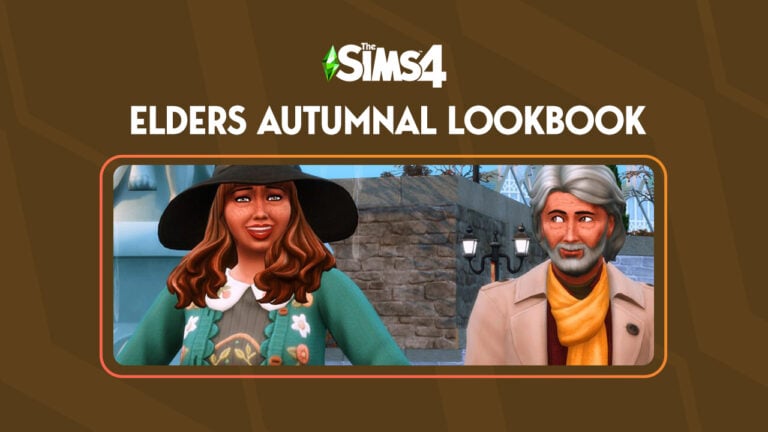
Like many, The Sims 4 Elders is a life stage that I rarely play however recently I’ve gotten into playing the game slightly differently. With a more family-orientated approach, I’ve been striving to play with features I haven’t explored or have overlooked for some time. Truthfully, it has been a challenge at times but also so rewarding. Playing with Elders has been incredibly interesting and they need to be shown some love!
With that being said, let’s take a look at our featured Sims 4 Elders for this lookbook!
Table of Contents
Meet The Elders
Residing in the wonderful world of Windenburg, Dotty and Kenny Shirley have definitely opted for a quieter life. Having travelled the world for many years, Windenburg seemed like the perfect choice for their later years.
Kenny is an Eco Innovator. He can always be found tinkering and creating new inventions. Now that he has plenty of spare time he’s been able to dream bigger than ever before. Dotty on the other hand makes the most of being able to spend time outdoors either on her own gardening or spending time with family.
All of the looks featured in this lookbook are completely custom content-free. A full rundown of the clothing options used in each Sims 4 Elders look can be found below!
Sunday Stroll
The perfect outfit for a lovely Autumn day. The weather isn’t too hot but also not too cold. It’s enough to get a scarf and coat out though. Take a stroll through the open green land in Henford on Bagley. Enjoying not only the cooler weather but also taking in the scenery and wildlife.
Hair: Easy Going Style (City Living)
Top: Coat & Scarf Combo (Seasons)
Bottom: Semi-Smart Trousers (Base Game)
Shoes: Laced Smart Hikers (Seasons)
Accessories: Socks (Outdoor Retreat)
Gardening Games
Does your Sim love the outdoors and gardening? Then this cosy gardening look is perfect! While still getting all the dirty work done, stay warm, comfortable and stylish while doing the same with the garden. Whether the task is big or small, your Sim can look the part with ease!
Makeup: Eyeshadow (Mac x Base Game) Eyeliner (Base Game) Blush (Mac x Base Game) Lipstick (Akalukery x Base Game) Nails (Base Game)
Crazy & Cosy Creations
Create the ultimate inventions with ease in this everyday creator look! Featuring plenty of pockets for pens, notes and other odds and ends, your Sim won’t have to worry about being uncomfortable with this outfit! It’s practical and stylish. What more could your Sims 4 Elders want?
While the weather hasn’t fully changed, this outfit can be worn as is or paired with a jacket of sorts. Formal yet casual as well as practical for looking after the grandchildren and catching up with other family members.
Hair: Pretty Sleek Bun (Base Game)
Full Body: Patterned Belted Dress (Growing Together)
Makeup: Eyeliner (Base Game) Lipstick (Akalukery x Base Game) Blush (Mac x Base Game). Nails (Spa Day)
Download These Sims 4 Elders
Would you like to download Dotty and Kenny and have them in your own game? Well, you’re in luck! You can download the Shirley household straight from The Gallery and into your game!
Halloween is just around the corner and to celebrate, we’re sharing some of our favourite Sims 4 Halloween custom poses! As an avid storyteller and a pose creator myself, custom poses are my favourite tool for bringing my Sims to life in a whole new way. The possibilities for what kind of stories you can tell are endless with custom poses and I want to share some of that endless creativity with you!
Here are our top five Halloween pose picks!
1. Party Poses by rebouks
Image Credit: rebouks
While these Sims 4 poses can be used for any type of party, they are perfect for hosting the best costume party in town! Get all your Sims’ friends and family together in their spookiest Halloween costumes and show off some of these poses in your screenshots.
These adorable toddler poses for The Sims 4 are a heartwarming way to celebrate Halloween with your growing Sims family. This Halloween pose set features a toddler having fun playing in a hollowed-out jack-o-lantern, which will never not be cute as heck.
Halloween can be cute and fun but it can also be creepy, right? Set the right spooky vibes with this witch Sims 4 pose set for adults, children, and cats riding on a broomstick! After all, no witch’s outfit is complete without a black cat sitting on their broom with them.
Beto is one of my favourite creators. I have a lot of their poses in my personal collection and this one is getting added to my game ASAP. This Sims 4 pose set features two parents taking their little toddler trick-or-treating for Halloween. It is the ultimate cuteness overload and I’m living for it!
This collaboration between two extremely talented pose creators is a must-have for the autumn season. Halloween can be very romantic, too, and this sweet Sims 4 pose set of a couple enjoying the autumn season together captures that end-of-the-year romance perfectly.


A new Sims Delivery Express is available tomorrow, 11/14, with a new curly hair perfect for any Sim