




The Sims Team has released a brand new Update for The Sims 4, adding some changes to the main menu.
To download the latest version of The Sims 4, simply open your Origin program and if the game doesn’t update automatically, right click on The Sims 4 and select ”Update”.
In case you have Mods or Custom Content, the game will automatically disable them for you after first launching The Sims 4 after the update. To re-enable all your Mods and Custom Content, select the Settings option in the Menu and select Settings. Under the”Other” section you’ll find the ”Enable Custom Content and Mods” option. Check it and restart your game in order for it to take effect!
Patch Notes
Update: 02/02/2017 – PC Version 1.27.80.1020 / Mac Version 1.27.80.1220
Happy Anniversary Simmers!
It was 16 years, 11 months, and 29 days ago that the Sims were born!! And we wanted to be the first to wish you all a Happy 16th11th29th Anniversary!
Since then, there have been well over a 100 Sim births and deaths. 10s of homes built, and burned, and…
Ok, look, they don’t actually give me any real stats. I’m sure I’m close though… somewhere within a light year of error… it’s all relative.
This little life-simulation game about telling stories, controlling lives, burning down kitchens, inviting the neighbors to hang out in your basement and then removing the doors, building amazing homes, and just watching their lives unfold as you tweak away, is now (almost) 17 years old, and we hope you have, had, and will have fun with The Sims!
With that, we have just a little new…
The Main Menu has gone through a small redressing.
Upon your next load, you will be met with a new, but hopefully familiar looking, Main Menu. The summary of changes being:
- Continue (the big play button), other than a location shift, functions exactly as it did
- New Game and Load Game have come down from their hidden corner, and are now found alongside the Continue button.
- Adding a household to an existing save is located on the Map view screen in the lower right
- The upper right menus have been simplified to only include Gallery and the Options menu
- And the lower left contains all the information you might want regarding packs.
We’ve also added a shirt (for toddlers and older) to celebrate the 17th anniversary (found in Create a Sim in the T-Shirt sort).
And we have a couple of critical issue fixes…
General Issues
- We addressed an issue that could cause the baby to disappear upon age up.
- While this is joyous news for parents everywhere, this does pose a significant population issue in Neverland. And we can only wait out the potential pirate to lost boy gap, as it draws ever closer in the favor of the pirates.
- We addressed an issue that could result in toddlers being placed down through a wall, and outside of their home, if carried to use an object that was against an outer wall.
- Ask any parent, and they will tell you “Of course toddlers are magical!” Ask them again to place their toddlers through a wall, and they will yell at your ridiculous suggestion.
- It’s a two-faced world folks, and we’re just living in it.
- Addressed an issue that could cause a toddler to become stuck next to an elevator upon loading the lot.
- This fix will address future occurrences, however, to correct the issue in an already saved game, travel to another lot with the toddler and return.
- We addressed an out of sync voice and animation issue that was causing our Sims to be ever so slightly off.
- Had that early film feel, except without the cool fighting, or person in rubber monster suit scenes.
Outdoor Retreat
- Rental Lots can now have their lot type changed, and are no longer locked in Granite Falls.
Get Together
- Club perks and points will no longer reset after loading into an unowned lot and then returning.
And with that… we wish you a happy journey with us on The Sims, and look forward to your machinima, blogs, tweets, posts, screens, and vids of all things Sims.
-SimGuruGnome








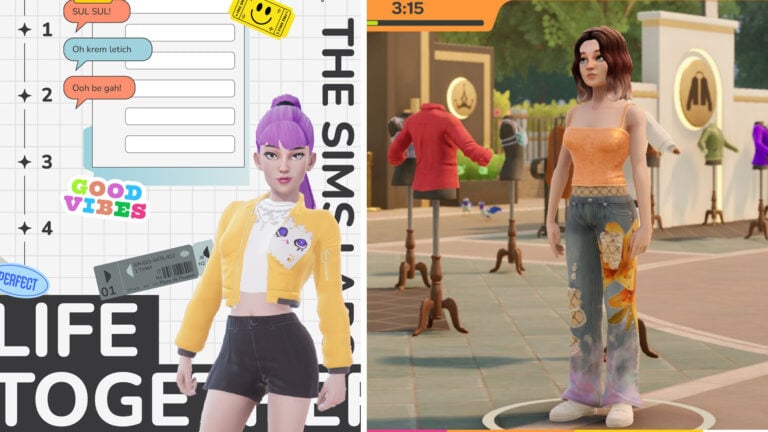


Just some T-shirts really?
Well, I think we all have to accept the fact that not every month will bring new content as large as toddlers…
MTE. Humbug.
This is a bug in the UI. Even though it says 32-bit, it’ll still boot up in 64. This is why sims keep crashing it whas said on the internet
Not even a stuff pack like bowling night or a game pack can get me to be exited not unless they fix the lagging and crashing bugs I,m just not interested in Sims 4 anymore not until it’s fixed sorry EA
wait why would the update be half a gigabyte?
ther definatly have new hidden codes ingame now for future Sps and the enxt EP
Yep I totaly agree but I’m sure they have hidden something big
i like the new updates, but still miss the update ”Lock doors for only Household”.. i hope that one comes one day
It’s here already.
Its not.. only that households can enter, but i want to lock them out to be able to make guest bedrooms and bathrooms
All is well but they still haven’t fix the lagging and the crashing issues that is the main problem with that said sims is starting to become impossible to play how can we enjoy n game with that issue’s
I actually had this problem a very long time ago. It’s due to a conflicting mod, I think mine was either a mega mod, a menue mod ( such as UI extension ) or a speed mod. I’d test this out and see which one is conflicting with your game!
This issue happens to me all the time and I have no mods… :/
I wish they would finally fix the glitched-out female unibrow. The game forces it to change.
But what about the lagging issues? Did those get resolved because that’s the main thing…
Did anyone else’s sims delete or just mine once my game updated?
Mine dd the same thing! All Sims and houses gone…
EA, please re-add the button that takes you directly to Create-A-Sim mode in the main menu!!!
Or the fact that the tv goes at the same speed as the game that has not been addressed either
I personally haven’t had this issue in a long time. I only had that issue before when I was using an outdated mod and when I had an older computer that could no longer meet my needs for the game (not enough memory with released items and cc) even though initially it met the requirements. Do you exceed the requirements for running the game (memory, etc) because you may get crashes or long lags if you’re beneath it or just over it. Do you have mods or cc in your game? If your computer has the ability to meet the demands of the game running and no bad or old cc/mods, then have you reported it?
I don’t understand the part of beneath or over it the problem started with the installation of city living and then with the toddler update my computer is is good and run all games well as soon as that started i mean the crashing and so on i reinstalled windows and then reinstalled all my sims through origin updated without any cc and yesterday i sorted through everything the only cc i had in whas the updated mc command centre from zerbu i just wish i knew what the problem is i just need help pls i so frustrated and not very good at sorting things lile this out
It looks like you have 16GB of ram, but your game is using only 3.45GB. If you have a 32 bit processor, that is all you will get out of it. If you have a 64Bit processor, you should be able to use far more. Try this..Go into Origin, if that is what you use, and right click on the sims 4 game. Select “game Properties”. Click on “Advanced launch options”. You should see a setting that says either, “The Sims 4 64 Bit or The Sims 4 32 Bit” If it says “The Sims 4 32 Bit”, click on the down arrow on the right side of the box to open it and see if it will let you select “The Sims 4 64 Bit”. If it’s greyed out, you don’t have a 64 Bit Operating System, if it not greyed out, then select the 64 Bit setting and then close it down. Try running your game after that and see if you still have the same problems.
If you aren’t able to use the 64 Bit setting then chances are, your game is trying to use more ram than your system can provide. If you have a 32 bit system your limited to the 3.45 GB even though it looks like you have 16 GB installed. That is a limitation of your Processor and no way to get around it unless you upgrade your processor and operating system to a 64 bit version.
I did game refuses to go in with 64 bit
If your using the windows operating system, what version are you using?
I,m using windows 7 home addition
I haven’t used windows 7 for awhile. Follow the direction on this link and see if you have a 32 bit system. http://www.picohelp.com/64/how-to-check-computer-system-specifications-windows-7.html I’m guessing you do and that may be that your system is trying to use more ram that it’s capable of running. Have you tried running it without any CC or mods installed and if so do you still have problems?
Yes i have and nothing happens it does not crash but the problem started when i did the new update before i had no problems and my cc is up to date but thank u i will try the link
Hi there i did everything the link showed me to do and i went to system and it’s running as 64 bit operating system
So, when you tried to get to game to run in 64 Bit mode it crashed or wouldn’t run?
Hi Mmoblitz it’s me again i just wanted to give you a update on my progress about my game what i did whas inserted the sims 4 cd and it just came to me I’ll try and restore it to the previous origin patch so i opened the cd and when you double click on origin setup it will tell u you have a updated version of origin would you like te install the previous version and i though well i have nothing to loose seing that i knew origin patch whas the probem so i did it restored previous ver of origin i restarted my computer and went in the game with all my cc that i added back and still it’s running haven’t crashed once so I’ll just keep my fingers crossed it’s been a hour now and nothing happend thanks
It’s not greyed out but the game wont go in with 64 it tells me the sims stopped working so i don’t know
When i updated my game with the latest patch i removed my cc and did the update but a week ago i removed all my mods and i let the sims run for about 2 hours and nothing happend so i decided to add the mods folders 1 by1 i added the udate of mc command centre from zerbu and still it did nothing but as soon as i add all my cc it crashes and i did download a program to sort through the mods and deleted all the oudated mods but it still crashes
Okay i have just officially found out something is wrong i have done this about an hour ago i took all my cc out clean my tray folder and my cache folder went into the sim 4 started up a new game all went well no crashing and i,m still playing its been an hour and a half now so i saved quite the game and just added one cc the updated faster skills just the one and left the sims running to see and so i though it crashed again tlling me the sims has stopped working so i think there is something wrong
Will it helps if i take some ram out maybe one slot ram and see if that will halp
I,m not sure if this is what you mean but i went to task manager and this is what is says
Physical memory total 16335
Cached 12770
Available 12774
Free 34
Then system.
Handles 28841
Threads 934
Processes 81
Kernal memory 268
Nonpaged 127
At the bottom it says processes 81 and cpu usage 25 % physical memory 21% not sure if there’s a problem
Sorry i,m sending you this maybe you can see if there’s something wrong
I see now in task manager it says cpu usage 25% and memory 3.45 gb
and what about toddlers walking around world alone? I haven’t noticed if it was fixed too… and ya actions are damn slow and if I may mention GoToWork police career suspects never fits to descriptions from some time I was asking people which don’t use mods they also have this problem, my game generates lotsa familiar looking sims none of them is the one
holy crap, I thought this problem was only happening to me. Im glad to see other people are having the same issue
Hey Guys, Just wondering if anyone else is having an issue with the males of the sims community having female voices? I am just installing the new update now but I didn’t see this as a fix in the patch notes? So wondering if maybe this is just an issue with my game? I have waited for a while to let families grow and then new families start after sims die etc… as I am playing with my vampire sims, so time is something we have a lot of, to see if the issue resolved or if it was just isolated to a particular generation of the sims community. But it seems all the males still have female voices. Just sims born and raised in the game not the male sims already pre-made in the game. Also male sims born in my last sim family (before my vampire family) had female voices also and I was unable to change it. I find this funny as since playing the sims 4 I have yet to have a female child, but all the males born in the game have female voices. Any ideas that could help? Thanks 🙂
I also had this problem! I was able to change the voices in CAS but I had to play around with the voice slider a lot before the voice actually changed.
Hey, well at least I now know I’m not alone with this issue. I have a new boy within my vampire family now so will know soon if the new patch helped resolve this issue. I did the CAS in my male sims before but it didn’t change from a female voice. Thank you though 🙂
I’m not sure why it would do that. You might want to contact the help forum for Sims 4 or EA help and ask there. Just let them know you have a 64 bit computer but, the game won’t let you put it in 64 bit mode without it crashing. I’m not sure why it’s not working for you. I wish I could help more, but I’m no expert.
Thank u so much i will do that i did contact EA through origin i got a case no too and it said they will contact me in 48 hours but that whas 4 days ago and still heard nothing and guess i will have to play without my cc then it does not crash it,s only when i add my cc
That not a problem i can play in 32 bit mode that how i played before i had no problems but after the update it’s just a soon as i add any cc then it crashes and it’s all updated cc
Is anyone else not ebla to re-enable mods? I restarted the game at least 5 times now, but it just says that mods have been disabled and won’t let me click the icon. The box is ticked, but it’s a paler green and my CC certainly isn’t in game.
Hi julia i had a lot of the same problems my game crashed if i just added 1 mod although is whas a updated mod so i inserted the sims 4 cd 1 opened it click on origin and restored my origin to previous version it told me that there is a newer ver on my pc would i like to istall this previous ver and i said yes i added my cc all of it went in the game and nothing happend so far have been playing for7 hours now and still no crashing maybe you can try that untill ea fixes the problem
i have no mods and since toddlers came into the game the sims stand there for 4-6 simhours and dont move after a command is given. then they usually end up peeing themselves or dying because their commands just disappear and they just stand there. i was told this was a thing that a lot of other simmers are dealing with.
this is the issue i thought you guys would address.
Glad I’m not the only one. The only way to get them to move, for me, is to pause the game for a few seconds. But sometimes it’s nonstop.
Pausing doesnt even work for me. I even tried resetting the sims. Nothing. I noticed the bigger my family or the bigger the house or the more stuff i have in my house will cause it. So i cant have more than 2 sims in my family and i usually have to live in a studio like house. Then it happens kess frequently.
did you manage to find a solution to this problem? i cant seem to do anything about it
After updating, I lost all my Sims/households/homes/etc…How do I retrieve everything?
What about the issue where all food above level 3 is “poor quality” in restaurants? This has been an issue since October, all my 5 Star restaurants are now 3 Stars and serving level 2 food 🙁
It can also be because your computer isn’t upgraded enough to deal with the sims. After switching from an older computer to a less old computer they stopped doing it.
Does anyone know if the sims 4 will come out on xbox one?
have you found a solution to this problem? just one of my sims doesnt do anything, everyone else is fine. i have no mods and its really frustrating and making me never want to play the game again
They didnt fix the fact that your sims will stand there forever before actually doing the task you told them to? Or how the speed buttons dont work sometimes? I hope they fix those soon. Its making gameplay incredibly unpleasent for me. 🙁
oh s**t, I thought this problem was only happening to me. Im glad to see other people are having the same issue
I can’t find the new or load game button
At least some things are getting fixed, ig
Get all information about windows 10 at https://windowsclassroom.com
Se você executar este problema e você deseja obter o programa de volta, basta reinstalá-lo. Na maioria dos casos, isso envolverá re-baixar o programa do site do desenvolvedor. Você provavelmente estará baixando uma versão mais recente do programa do que aquele que o Windows desinstalado, então ele pode simplesmente funcionar sem qualquer aborrecimento.
Useless Websites https://uselesslyweb.com/
Have all details in relation to quiz from https://windowsquiz.com
This is an amazing type of post.
http://www.safenow.com/
Useless Websites https://uselesslyweb.com/
I can’t find the new or load game button
At least some things are getting fixed, ig
Get all information about windows 10 at https://windowsclassroom.com
They didnt fix the fact that your sims will stand there forever before actually doing the task you told them to? Or how the speed buttons dont work sometimes? I hope they fix those soon. Its making gameplay incredibly unpleasent for me. 🙁
oh s**t, I thought this problem was only happening to me. Im glad to see other people are having the same issue
Have all details in relation to quiz from https://windowsquiz.com
Se você executar este problema e você deseja obter o programa de volta, basta reinstalá-lo. Na maioria dos casos, isso envolverá re-baixar o programa do site do desenvolvedor. Você provavelmente estará baixando uma versão mais recente do programa do que aquele que o Windows desinstalado, então ele pode simplesmente funcionar sem qualquer aborrecimento.
have you found a solution to this problem? just one of my sims doesnt do anything, everyone else is fine. i have no mods and its really frustrating and making me never want to play the game again
This is an amazing type of post.
http://www.safenow.com/
EA, please re-add the button that takes you directly to Create-A-Sim mode in the main menu!!!
Did anyone else’s sims delete or just mine once my game updated?
Mine dd the same thing! All Sims and houses gone…
I wish they would finally fix the glitched-out female unibrow. The game forces it to change.
holy crap, I thought this problem was only happening to me. Im glad to see other people are having the same issue
and what about toddlers walking around world alone? I haven’t noticed if it was fixed too… and ya actions are damn slow and if I may mention GoToWork police career suspects never fits to descriptions from some time I was asking people which don’t use mods they also have this problem, my game generates lotsa familiar looking sims none of them is the one
I personally haven’t had this issue in a long time. I only had that issue before when I was using an outdated mod and when I had an older computer that could no longer meet my needs for the game (not enough memory with released items and cc) even though initially it met the requirements. Do you exceed the requirements for running the game (memory, etc) because you may get crashes or long lags if you’re beneath it or just over it. Do you have mods or cc in your game? If your computer has the ability to meet the demands of the game running and no bad or old cc/mods, then have you reported it?
I,m not sure if this is what you mean but i went to task manager and this is what is says
Physical memory total 16335
Cached 12770
Available 12774
Free 34
Then system.
Handles 28841
Threads 934
Processes 81
Kernal memory 268
Nonpaged 127
At the bottom it says processes 81 and cpu usage 25 % physical memory 21% not sure if there’s a problem
Sorry i,m sending you this maybe you can see if there’s something wrong
I don’t understand the part of beneath or over it the problem started with the installation of city living and then with the toddler update my computer is is good and run all games well as soon as that started i mean the crashing and so on i reinstalled windows and then reinstalled all my sims through origin updated without any cc and yesterday i sorted through everything the only cc i had in whas the updated mc command centre from zerbu i just wish i knew what the problem is i just need help pls i so frustrated and not very good at sorting things lile this out
It looks like you have 16GB of ram, but your game is using only 3.45GB. If you have a 32 bit processor, that is all you will get out of it. If you have a 64Bit processor, you should be able to use far more. Try this..Go into Origin, if that is what you use, and right click on the sims 4 game. Select “game Properties”. Click on “Advanced launch options”. You should see a setting that says either, “The Sims 4 64 Bit or The Sims 4 32 Bit” If it says “The Sims 4 32 Bit”, click on the down arrow on the right side of the box to open it and see if it will let you select “The Sims 4 64 Bit”. If it’s greyed out, you don’t have a 64 Bit Operating System, if it not greyed out, then select the 64 Bit setting and then close it down. Try running your game after that and see if you still have the same problems.
If you aren’t able to use the 64 Bit setting then chances are, your game is trying to use more ram than your system can provide. If you have a 32 bit system your limited to the 3.45 GB even though it looks like you have 16 GB installed. That is a limitation of your Processor and no way to get around it unless you upgrade your processor and operating system to a 64 bit version.
I did game refuses to go in with 64 bit
If your using the windows operating system, what version are you using?
I,m using windows 7 home addition
I haven’t used windows 7 for awhile. Follow the direction on this link and see if you have a 32 bit system. http://www.picohelp.com/64/how-to-check-computer-system-specifications-windows-7.html I’m guessing you do and that may be that your system is trying to use more ram that it’s capable of running. Have you tried running it without any CC or mods installed and if so do you still have problems?
Hi Mmoblitz it’s me again i just wanted to give you a update on my progress about my game what i did whas inserted the sims 4 cd and it just came to me I’ll try and restore it to the previous origin patch so i opened the cd and when you double click on origin setup it will tell u you have a updated version of origin would you like te install the previous version and i though well i have nothing to loose seing that i knew origin patch whas the probem so i did it restored previous ver of origin i restarted my computer and went in the game with all my cc that i added back and still it’s running haven’t crashed once so I’ll just keep my fingers crossed it’s been a hour now and nothing happend thanks
It’s not greyed out but the game wont go in with 64 it tells me the sims stopped working so i don’t know
When i updated my game with the latest patch i removed my cc and did the update but a week ago i removed all my mods and i let the sims run for about 2 hours and nothing happend so i decided to add the mods folders 1 by1 i added the udate of mc command centre from zerbu and still it did nothing but as soon as i add all my cc it crashes and i did download a program to sort through the mods and deleted all the oudated mods but it still crashes
Okay i have just officially found out something is wrong i have done this about an hour ago i took all my cc out clean my tray folder and my cache folder went into the sim 4 started up a new game all went well no crashing and i,m still playing its been an hour and a half now so i saved quite the game and just added one cc the updated faster skills just the one and left the sims running to see and so i though it crashed again tlling me the sims has stopped working so i think there is something wrong
Will it helps if i take some ram out maybe one slot ram and see if that will halp
I see now in task manager it says cpu usage 25% and memory 3.45 gb
Hey Guys, Just wondering if anyone else is having an issue with the males of the sims community having female voices? I am just installing the new update now but I didn’t see this as a fix in the patch notes? So wondering if maybe this is just an issue with my game? I have waited for a while to let families grow and then new families start after sims die etc… as I am playing with my vampire sims, so time is something we have a lot of, to see if the issue resolved or if it was just isolated to a particular generation of the sims community. But it seems all the males still have female voices. Just sims born and raised in the game not the male sims already pre-made in the game. Also male sims born in my last sim family (before my vampire family) had female voices also and I was unable to change it. I find this funny as since playing the sims 4 I have yet to have a female child, but all the males born in the game have female voices. Any ideas that could help? Thanks 🙂
I also had this problem! I was able to change the voices in CAS but I had to play around with the voice slider a lot before the voice actually changed.
Hey, well at least I now know I’m not alone with this issue. I have a new boy within my vampire family now so will know soon if the new patch helped resolve this issue. I did the CAS in my male sims before but it didn’t change from a female voice. Thank you though 🙂
Or the fact that the tv goes at the same speed as the game that has not been addressed either
But what about the lagging issues? Did those get resolved because that’s the main thing…
I actually had this problem a very long time ago. It’s due to a conflicting mod, I think mine was either a mega mod, a menue mod ( such as UI extension ) or a speed mod. I’d test this out and see which one is conflicting with your game!
This issue happens to me all the time and I have no mods… :/
i like the new updates, but still miss the update ”Lock doors for only Household”.. i hope that one comes one day
It’s here already.
Its not.. only that households can enter, but i want to lock them out to be able to make guest bedrooms and bathrooms