



The June Free Update improved lighting tremendously for those who play with higher settings on. Look how beautifully sunlight beams through the windows!

These effects can be rendered even more stunning with a few tricks and tips.
How To Build To Make The Lightning Improvements Shine
Of course, there are simple steps, like placing objects near windows, such as plants.

Still, there is a lot more you can achieve if you think about lighting since the inception of your build. The most dramatic light in The Sims 4 happens in the afternoon. To determine where it will hit your construction, you should build a big square…

… then fill it with random windows,

…so you can see where the most elaborate lighting features should go.

Mix & Match
Massive floor to ceiling glass panels are the most popular choice in the Gallery and they do look impressive.
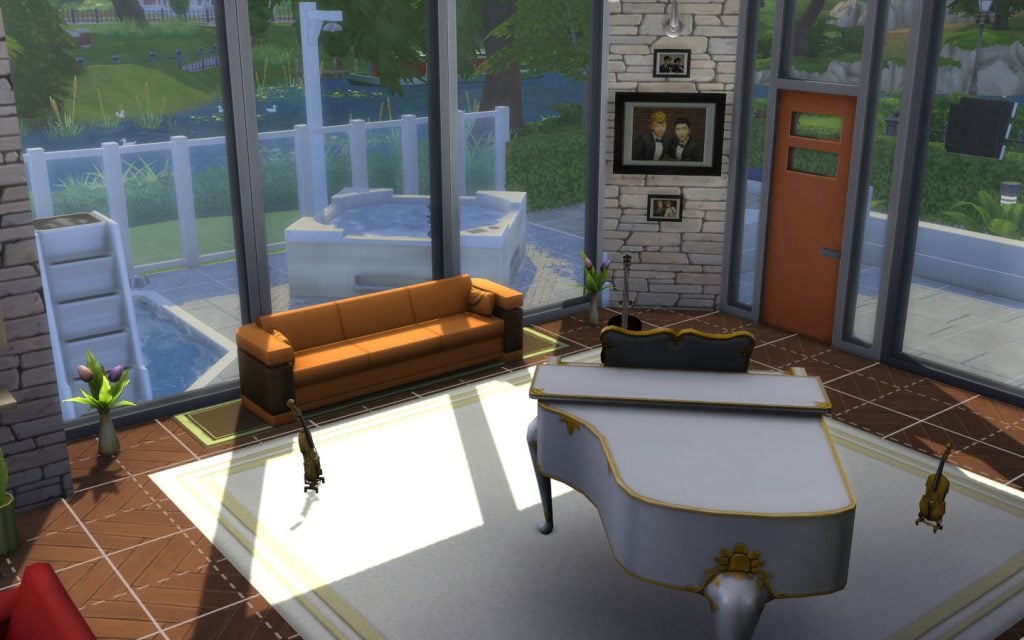
However, if you mix and match them, you might get more interesting shadows.

In fact, if you are willing to explore other combinations, you’d be surprised at the myriad of shapes different windows can project onto your floors and walls.

Skylights
If you have Get Together, have I got news for you! You now have skylights! Go to a flat roof and find the glass dancefloors.
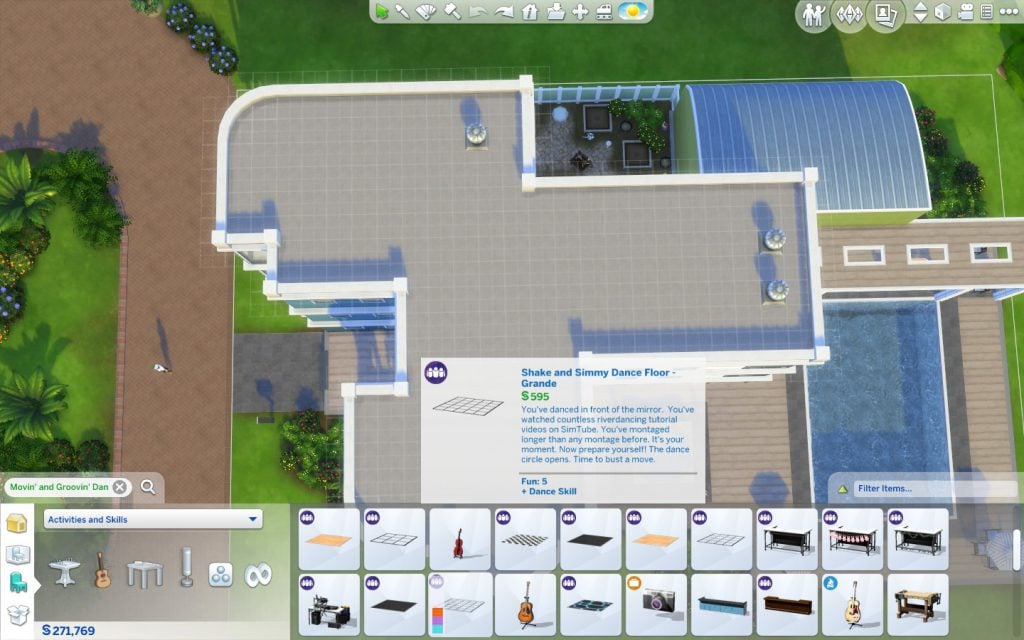
Place one.

Maybe more than one…

Can you believe the outcome?

Water Window
Water refracts lights. You might get a pleasing result placing a water window outside a room. And it will reduced a bit the jagged look shadows can get. Build a one square long room outside your window using the ‘Room Tool’.

There you go.

Fill it with a pool.
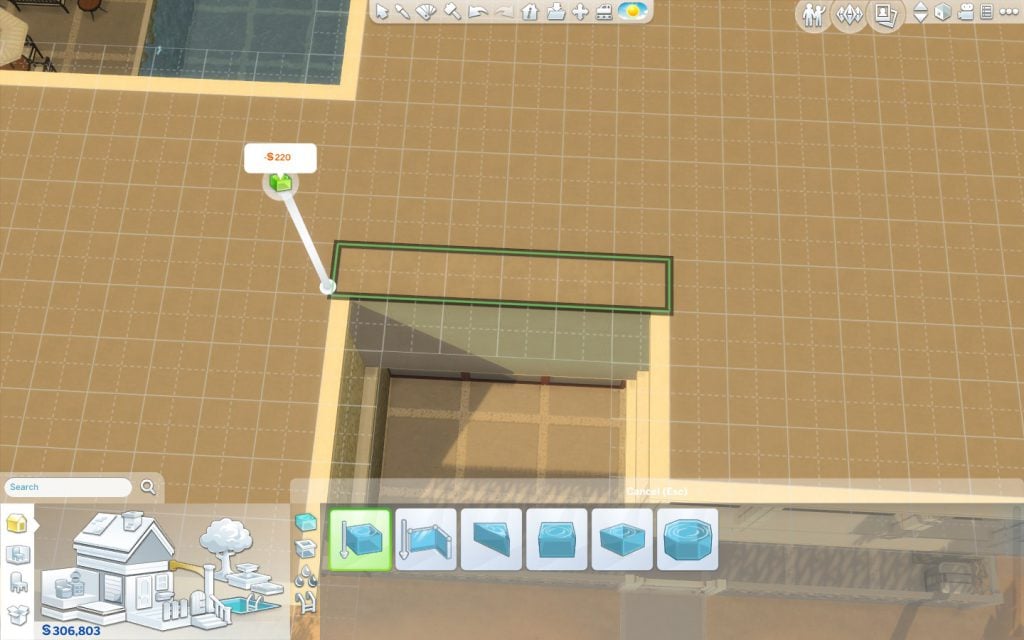
Place window panes outside and inside.

This is sure to make the place cooler both visually and temperature-wise! And the shadows are softer and not jagged!

Tip: Change the water colour to achieve the perfect mood.
Two Story Ceiling
If you want lighting to have double the impact you can choose to have a room of your home – or the entire building, really – to have a two story ceiling. After you’ve build your dream room…

…click on a wall to select the whole room.

Go to ‘Save Room’.

Save it, with any name you want.
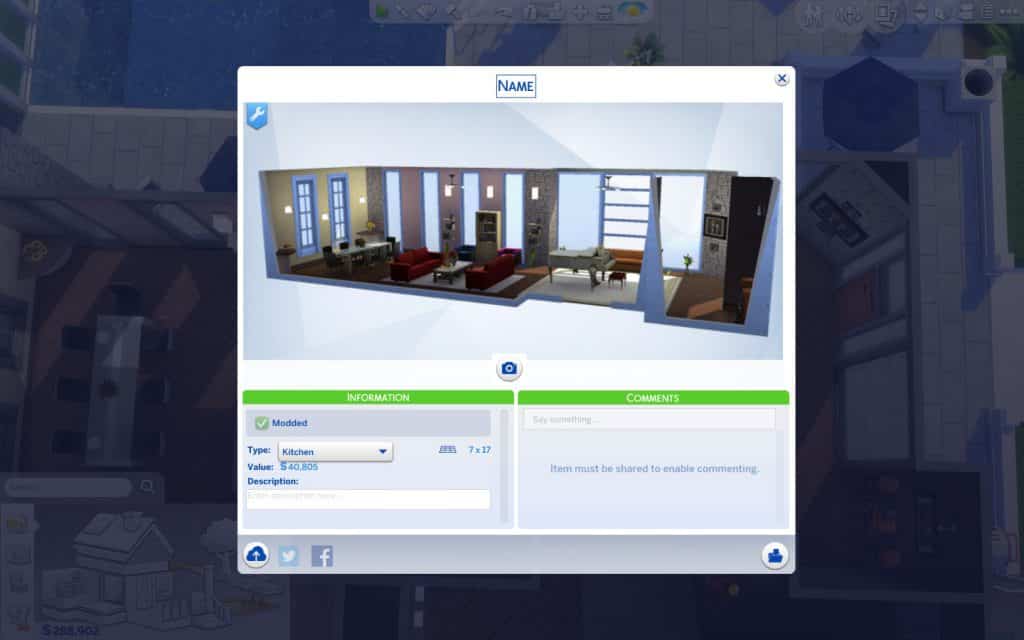
Go to the next floor.

Open your Library, in the Gallery.

If you can’t see your room, you might need to check ‘Include Custom Content’ under the ‘Advanced’ tab.

Select your it and click on ‘Place Room’.

Position it exactly on the top of the room on the lower floor.

Drop it.

Use the hammer tool to delete the floor and furniture.

You might now want to also delete repeated wall decorations.
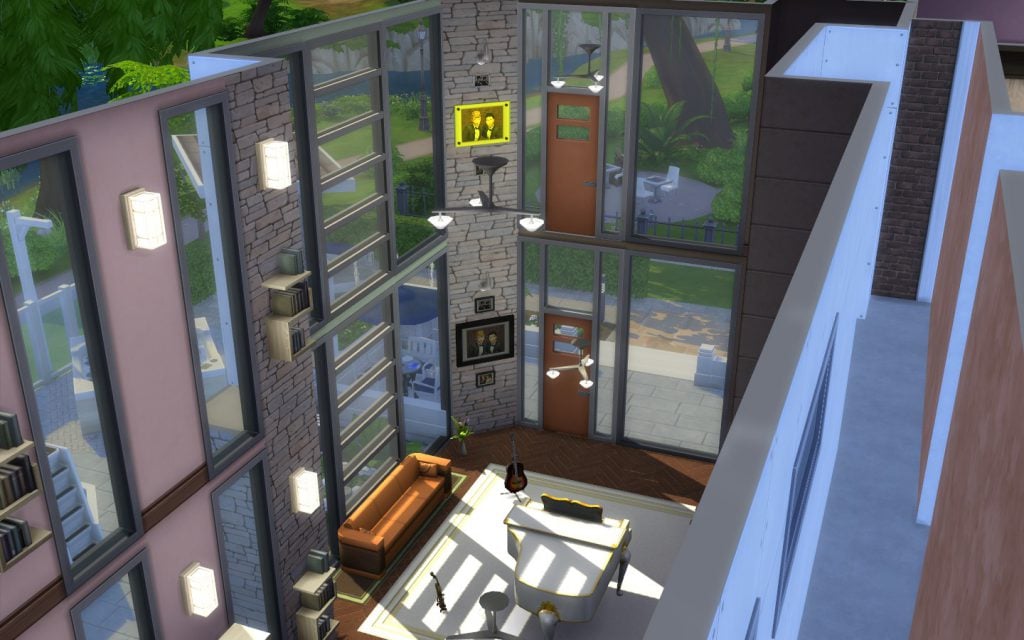
And perhaps also remove flying light fixtures.
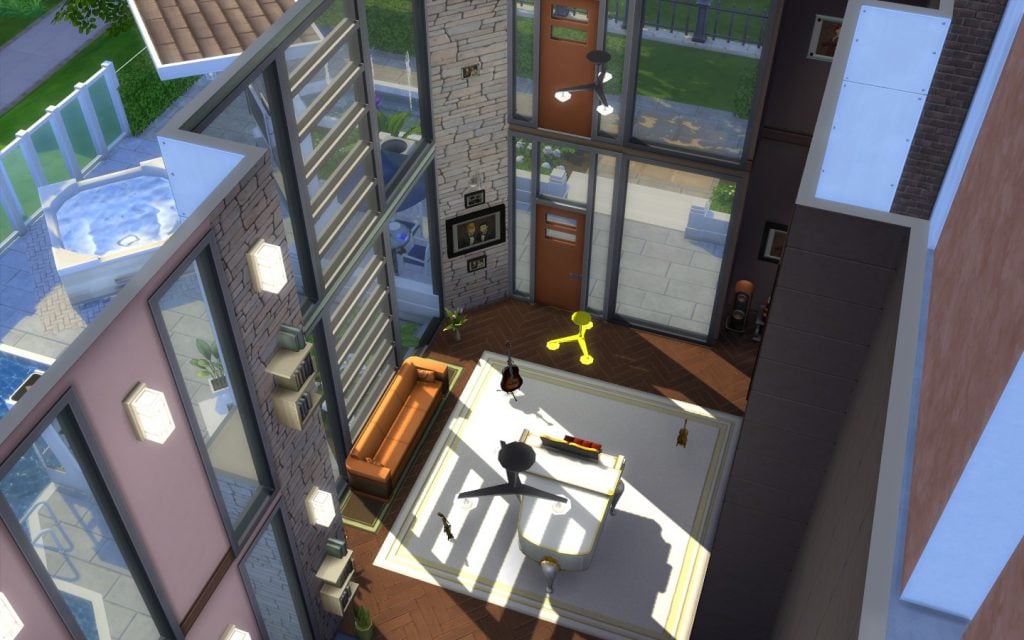
Doors should go too.
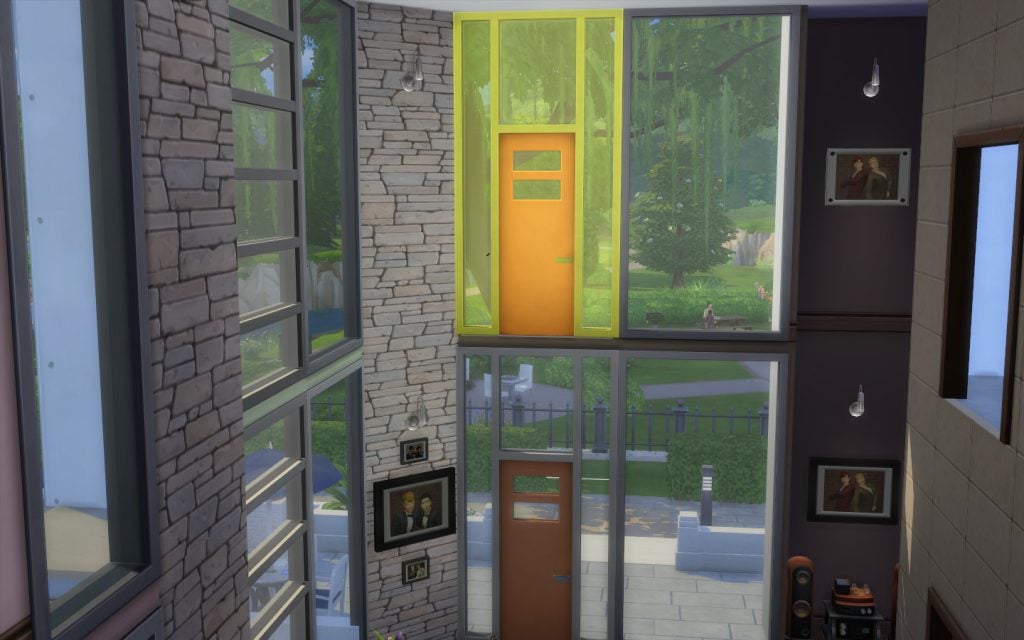
A window here makes more sense, doesn’t it?

Wow! Look how gorgeous is the result!

You can also try different windows to create other effects.

After polishing the outside, it looks good externally too.

Really classy!

Tip: You can build multiple-story ceilings too.















What really grinds my gears about the whole lighting thing, is it makes my curtains way darker. For example, I put a green curtain on the wall. Middle of the day. And inside it looks blue. Even at night with lights directly in front or on top of it. This update ruined a good thing for one of my favorite indoor Decor 🙁
Isn’t that how light and shadows actually work?
Isn’t that how light and shadows actually work?
Nossa! Sempre leio teus artigos, amei esse por sinal! E nunca tinha notado de onde tu eras! Sou de Belém! Somos quase vizinhos
what setting have to be enabled for shadows to show up? i put my llighting on Very High and clicked the Post Processing Effects, but still nothing? Is there something else that needs to be done?
I am having the exact same problem ! I have no idea how to put them and they look really nice
Hi! I have been trying to put shadows in my game but I can’t figure out how to , is it a reshade or something to do with the graphic settings? I have my lightning and reflection on the max , if anyone could help me I’d be very thankful
Hi! I have been trying to put shadows in my game but I can’t figure out how to , is it a reshade or something to do with the graphic settings? I have my lightning and reflection on the max , if anyone could help me I’d be very thankful
what setting have to be enabled for shadows to show up? i put my llighting on Very High and clicked the Post Processing Effects, but still nothing? Is there something else that needs to be done?
I am having the exact same problem ! I have no idea how to put them and they look really nice