UPDATE: SimGuruRusskii has stated the following regarding these Concept Looks:
Heya, I wanted to make a note about the NPC concepts. These are base concepts, so we purposely made them without makeup and a base pose… so like I said in the livestream, all is subject to change and I’m looking forward to share as we go along =)
During the latest Inside Maxis Livestream for The Sims 4, The Sims Team has revealed their current progress for the upcoming NPC Overhaul Update!
In case you don’t remember, it was revealed back in August that the main characters in The Sims 4 will be getting Personality and Visual Changes, as well as their Lore.
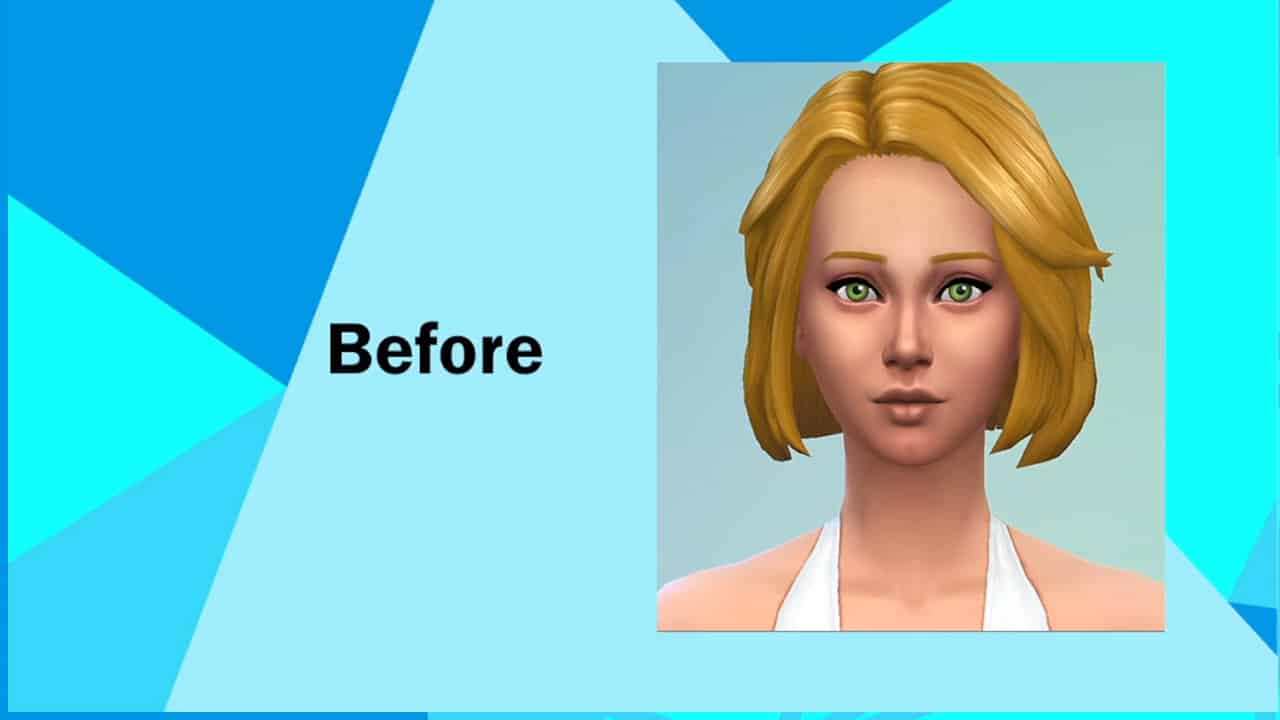
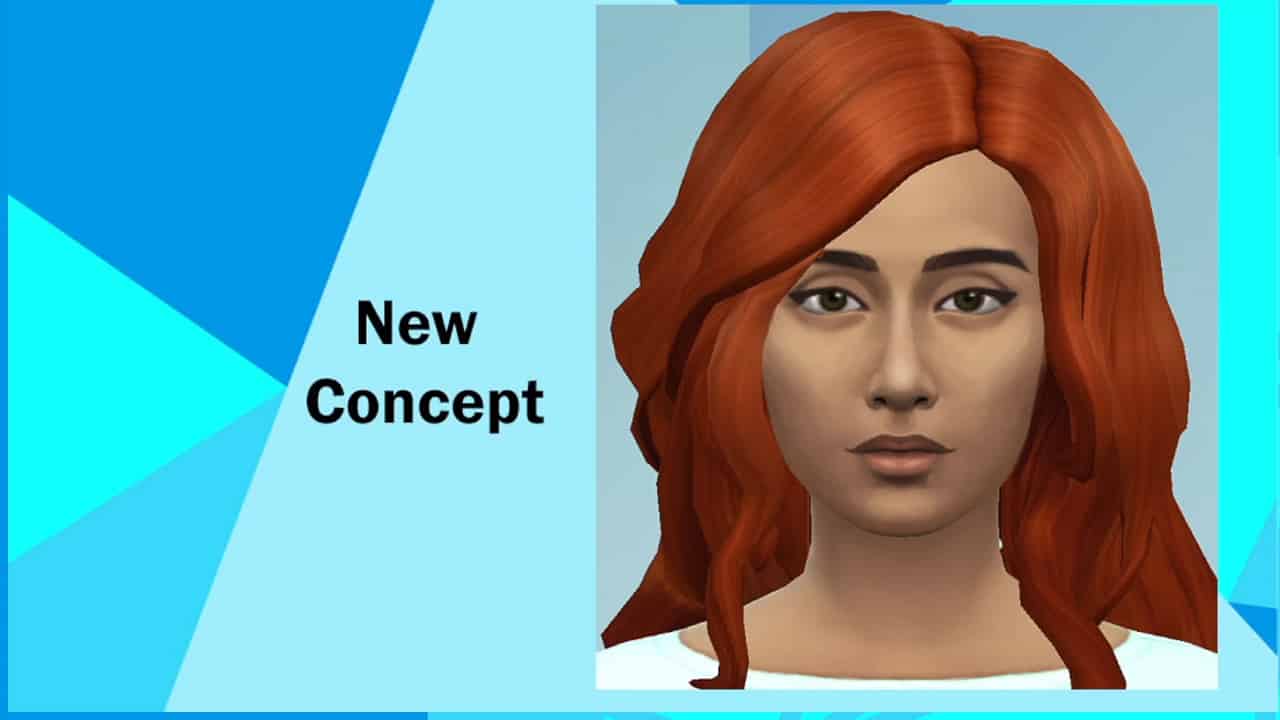
Today, the team has shown their current Concept progress for Visual changes. They’ve showcased the Before and Afters for The Goths and Caliente Household.
Check out the new planned looks for Mortimer and Bella Goth, as well as Dina and Nina Caliente!
npc3
npc4
npc1
npc2
npc5
npc6
npc7
npc8
You can check out the full replay and the part where The Sims Team showcased the NPC Overhauls down below!
TheSims.com just revealed that the next update for The Sims 4 is STORY PROGRESSION! Learn more below:
Hello, Simmers! I’m Nate, a designer for The Sims 4.
I joined the team during development of Island Living and have worked on several releases since then. Some accomplishments I’m proud of are: Professor Sims in Discover University (SimGuruMorgan and I made those happen together), the Onsen venue in Snowy Escape (it was surprisingly hard to prevent Servos from merrily wading to their doom in the hot spring), and the cows and llamas in Cottage Living!
Today, I want to give you all a behind-the-scenes look into the latest thing I’ve been a part of: Neighborhood Stories, which arrives on November, 30, 2021!
Neighborhood Stories
The Sims 4 has so much that your Sims can see and do, leading to interesting, and often unexpected, life moments. All these life moments add up to something very important: life change at an individual level. My team and I have been exploring ways to carry that same kind of life change to the whole world of The Sims 4 through Neighborhood Stories.
Neighborhood Stories are a set of gameplay moments that all revolve around a single purpose: bring more life to Neighbor Sims that live outside the active household. (“Neighbor Sims” refers to most of the non-player character (NPC) Sims in the game, not just ones who live on the same street as your household. Neighbor Sims excludes special NPCs such as Grim Reaper.)
There’s a lot we want to do to add more life to Neighbor Sims, so we’re rolling it out over more than one release.
This first release focuses on Sims connected to your household: coworkers they’ve gotten to know, friends they’ve met at the Gym or Library… maybe that one Sim who welcomed them to the neighborhood with fruitcake, which seems like a bold move, but to each their own, I guess.
In the same way that your Sims change as they move through life, these Neighbor Sims are getting some new life changes of their own such as choosing a new career or having a baby.
Future updates will build on this with more life changes for a wider range of Sims. Find additional info in the “What’s Next?” section near the end of this post, but for now let’s get a closer look at what’s in this release.
What’s the Neighborhood Stories Gameplay?
Neighborhood Stories begins with gameplay divided between life changes that your Sims can influence Neighbor Sims to consider, things Neighbor Sims autonomously consider, and some that fall into both categories.
Whether they consider a life change autonomously or under influence from your Sims, Neighbor Sims ultimately decide to initiate life changes themselves. That means these changes happen without any need to switch to another household.
“What if I don’t want Sims to autonomously change?” — That’s okay! Everyone has a unique vision for their Sims, and some of you have poured lots of time and love into multi-household/multi-generation saves! All along, we’ve worked with the explicit goal: you choose how Neighborhood Stories affect your game. The two ways this happens are:
You direct one of your Sims to influence a Neighbor Sim to consider a life change, or…
…a Neighbor Sim autonomously considering a life change will always call one of your Sims to ask for input before taking any action. You choose the outcome by directing your Sim to say “Yes,” “No,” or leaving it up to the Neighbor Sim to decide.
Our intent is to empower you to decide if a life change makes sense in the story your Sims are living out, or to leave that decision up to the Neighbor Sim altogether.
Remember, these life changes actually happen, so they won’t occur instantly. Neighbor Sims will keep your Sim posted with updates.
Here’s the full list of life changes:
Autonomous or Active Sim Influenced Life Changes
Neighbor Sims may consider these life changes independently, or your Sims can try to convince them to:
Change their current Career to a different one.
Have a baby with their partner, if they are in a relationship where either Sim can become pregnant.
Hang out with other Sims to form or deepen Friendly relationships
Autonomous-only Life Changes
Neighbor Sims can only undergo these life changes independently, but they’ll check with a Sim in the active household beforehand. They just need a little confidence boost! (Or to be let down easily. Don’t worry, they’ll understand!)
Try to get promoted in their current Career.
Accept a marriage proposal, if they are already Engaged to another Sim. Neighbor Sims will not autonomously get married for now.
Active Sim Influenced Life Changes
Your Sims can do these things to cause life changes for Neighbor Sims:
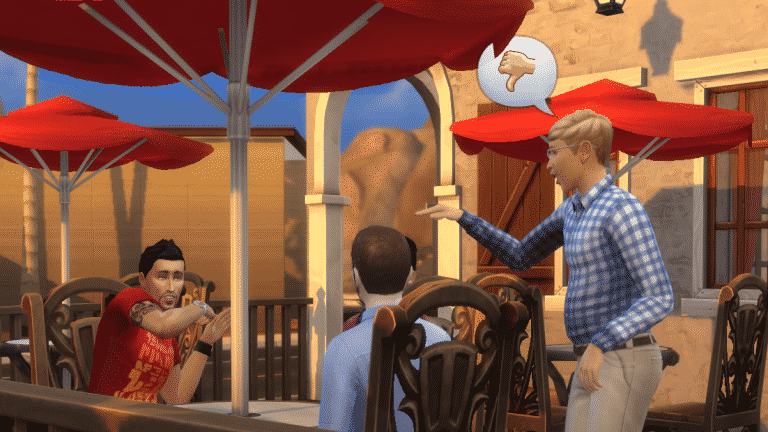
Trash talk one Sim to another, which will greatly reduce the relationship between those two Neighbor Sims.
Try to get two grown-up Sims, or two Teen Sims, to form a Romantic relationship.
Try to convince a Sim in a relationship to dump/divorce their Romantic partner
Encourage an unemployed Neighbor Sim to find a job
New Aspirations
To celebrate these new and improved gameplay moments, we’re adding two new Aspirations:
Neighborhood Confidante is for Sims who aspire to be a helpful and positive presence in the lives of Neighbor Sims. Making friends and guiding others toward life changes will earn the new Confidante trait, which increases the chance of conversations being pleasant. Ever had a conversation turn Boring or Awkward in the middle of a party? Confidante Sims are less susceptible to these mood killers.
Villainous Valentine is for Sims who aspire to destroy the love lives of all Sims, including their own. Have your Sim break up with someone! Have them break up other couples! Sims that walk this deviant path will earn the new Twisted Heart trait, which makes all Sad and Embarrassed moodlets decay faster and provides a little bonus Social when performing Mean or Mischief socials. Twisted Heart Sims simply DGAFB, which as we all know, stands for “Don’t Give A Freezer Bunny”.
All this new and improved gameplay is available to everyone as part of the base game. It doesn’t require any additional content to fully experience. Everything here also works with existing saves, no new game required.
How Do I See The New Gameplay?
Neighborhood Stories will be part of the base game update arriving November 30, 2021. Keep an eye out here for more details on that update. Once you have that, your Sims need to form at least one friendship outside the household.
For autonomous life changes, Neighbor Sims consider them depending on factors like Traits, meaning not all Sims will consider every life change. You’ll need to wait for Neighbor Sims to consider a change, but having Sims with more friends at higher relationship levels will increase the chances for life changes to happen. We’ve really tried to balance Neighbor Sim life changes happening at an interesting pace, without being too spammy or repetitive.
For life changes that your Sims can try to influence, here’s a breakdown:
To have your Sim influence positive change in Neighbor Sim’s lives, look for these new and updated Friendly socials. (Very useful to Sims with the new Neighborhood Confidante Aspiration.)
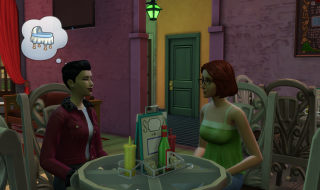
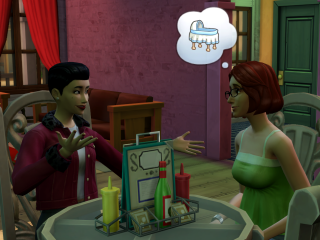
Ask <Sim Name> to Pursue Dream Job
Discuss Expanding the Family
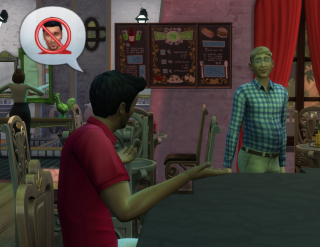
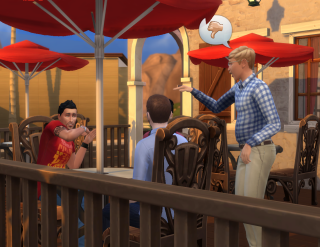
Other Sims… > Talk Up Another Sim
Other Sims… > Hook Up With
To have your Sim try to harm Neighbor Sim’s relationships, look for these updated Mean socials. (Very useful to Sims with the new Villainous Valentine Aspiration.)
Other Sims… > Trash Another Sim
Other Sims… > Break Up With
What’s Coming In The Future?
Let’s talk about the future of Neighborhood Stories by returning to the main goal: bring more life to Neighbor Sims that live outside the active household. In a future update, we will realize that goal more broadly with the following:
Life changes for all Neighbor Sims, with or without relationships in the active household. Just because my Sims don’t know anyone in a particular other household doesn’t mean that household isn’t also changing.
Gameplay settings to tune life changes Neighbor Sims can and cannot have.
Controls are layered, allowing a mix and match of rules down to individual households.
Neighborhood Stories settings are on a per-save basis.
Those familiar with The Sims 3 are probably reminded of Story Progression. Both Story Progression and Neighborhood Stories allow Sims all over the game to experience life changes. However, I want to highlight two key differences:
Story Progression is one giant system that can only be turned on or off, leaving many players feeling like they must choose between a chaotic world and a boring one. Neighborhood Stories adds the rich gameplay settings I mentioned above, alleviating this issue while solving for the goal: you choose how Neighborhood Stories affects your game.
Story Progression can affect a wide range of factors in The Sims 3. At the start, Neighborhood Stories will have a much smaller range of life changes. This is because most of the work we’re doing now is on the underlying systems that drive these life changes, plus the gameplay settings we just talked about. That means better tools to create better gameplay, but first we have to do the work!
Whew, that was a lot! I hope this provided a good look at Neighborhood Stories now, and that you are just as excited as I am for what’s to come!
Until next time,
Nate
P.S. – Some of this gameplay leverages content that previously was specific to packs. We’ve chosen to do this in cases where the gameplay is a great fit for Neighborhood Stories and we saw opportunities to deepen and improve it for the game overall. Here’s the full list:
Have a baby with their partner
The autonomous version of this life change originates from Eco Lifestyle. We have added support for Sentiments and the Sim-influenced version is all new.
Accept a marriage proposal
Originates from Eco Lifestyle. Added support for Sentiments.
Form or deepen Friendly relationships
Originates from Get Together. Added more dynamic outcomes: if your Sim encourages a friend to hang out with someone they already despise, they won’t like that! On the other hand, if they form a new friendship, then they may also gain positive Sentiments toward your Sim.
Trash talk one Sim to another
Originates from Get Together. Added more dynamic outcomes: Sims will not take kindly to trash talk about their friends. Added special moodlets for Mean or Evil Sims.
Try to get two Sims to form a Romantic relationship
Originates from Get Together. Added more dynamic outcomes: Neighbor Sims won’t pair up with Sims whose traits conflict, such as Good / Evil, and the active Sim has clearer responses to all possible outcomes.
Try to convince a Sim in a relationship to dump/divorce their Romantic partner
Originates from Get Together. Added more dynamic outcomes: Relationship strength between Sims matters and a failed attempt to break up a relationship might backfire with a negative Sentiment from one or both partners!
Whether you are brand new to The Sims 4, have been playing for a short time or are a returning player, it can sometimes be difficult to know what to do or where to start. With so many different features and possibilities to explore, it can almost feel a little overwhelming.
This guide will cover a number of different topics relating to the Base Game, as well as direct you to a number of helpful resources for you to refer to both now and in the future.
Getting Started
There is really no right or wrong way when it comes to playing The Sims 4! The way that you play is truly up to you. Want to tell stories? Go for it! Just want to build? Sure, why not! Just hit the New Game button and jump in!
Playing With Life & Storytelling
Whether you have chosen to create your own Sims or play with one of the pre-made families, it’s completely up to you. Whether it is just one Sim you are starting with or maybe even a small family, you choose how your Sims’ will live their lives.
You can start a family, get a job, become a master painter and so much more which will help you get started in game. Of course, you may already have an idea of a story you’d like to create or even recreate using The Sims 4.
How you play The Sims 4 is really up to you! Make your Sims live their wildest dreams or maybe their worst nightmares. There are so many things your Sims can do in the Base Game when you are just getting started.
Creating Sims
When you first begin to play The Sims 4, you may have chosen to stick with a pre-made household. In fact, it’s natural to do so while you begin to explore and get used to the different features in game.
Creating your own Sim can seem a little confusing to start with but after experimenting and clicking through the different outfit categories, assigning Likes & Dislikes, Traits, Aspirations and even changing your Sims’ voice and walk style you’ll be on your way to creating your own households in no time.
Not sure what kind of Sim you want to create? Why not use the Story Quiz to help influence your Sims life. With ten multiple choice questions, they will help shape your Sims’ future. You may find your Sim will start off with more starting funds or higher in a particular career. With so many different options, it will help you guide your Sim through what lays ahead for them.
Scenarios, Challenges and Achievements
Looking for a way to change up your gameplay? There are plenty of ways you can do this! You could play through one of the Scenarios or take a look at completing one of the many in-game achievements.
Want to find more challenges for The Sims 4? Click here!
Building
When it comes to building, we all start somewhere. There is nothing wrong with starting with a simple square house and expanding from there! It takes time to learn the different features of Build/Buy Mode, and there is no harm in experimenting at all.
If you aren’t sure where to start or are looking for a tutorial to guide you through, there are plenty of resources out there. YouTube is filled with numerous different tutorials from a variety of different Simms and there is everything from videos for getting started to more specific building tutorials and more!
Click here to check out our building tutorials master list and here to view building tutorials on YouTube.
Don’t forget, that The Sims 4 Base game comes with several worlds for you to play and build in! Willow Creek and Oasis Springs come with a number of pre-built lots and households, community lots and empty lots, whereas Newcrest comes as a completely blank world that you can fill up any way you want!
Additional Content
There are a variety of different ways that you can expand your The Sims 4 experience. Whether that is by purchasing packs or adding mods and custom content to your game.
Downloadable Content
The Sims 4 has numerous ways you can expand your gameplay experience in the form of packs. There are four different types of packs, each offering something different. These can be purchased via Origin or Steam if you play on PC/Mac or on The Microsoft Store or PlayStation Store depending on the console you are using.
Expansion Packs: These packs are the big, juicy, meaty packs that come with the most content. They often (but not always) come with a new full-size world, as well as a very large amount of new gameplay centred around a broad theme that appeals to a large number of people, such as tropical islands, active careers and shopping, seasons, and university. They also come with hundreds of new Build/Buy items and dozens of new CAS items. The downside is that they are the most expensive packs, at $40 USD.
Game Packs: Game packs are like mini-expansions. They are also primarily gameplay-focused, but are typically themed around more niche interests, like supernatural-themed gameplay, vacations, and family dynamics. They usually (but not always) come with a mini-world of about 5 lots and plenty of new Build/Buy and CAS items. These packs are more moderately priced at $20 USD.
Stuff Packs: Unlike expansions and game packs, stuff packs are pretty much what they’re called; just packs of stuff. They are more focused on bringing a small handful of new objects and CAS items to the game than gameplay, but all stuff packs do come with one or two new objects that offer some unique gameplay. Stuff packs are the smallest of all the packs and come with a dozen or so new items, and a few new CAS pieces. They do not come with new worlds or a significant amount of new gameplay. Stuff Packs are priced at $10 USD.
Kits: The most recent additional content type launched in early 2021. The new Kits add smaller more niche pieces of content and are usually focused on Create A Sim, Build/Buy Mode or Gameplay content rather than a mixture of the three. These Kits are priced at $5 USD.
With so many different packs that you can choose from, we have come up with a super handy guide that covers everything you need to know about the different packs.
It’s important to remember that currently, custom content and mods are only available for players on PC and MAC. Unfortunately, they’re not available for players on Xbox or PlayStation at this time.
The world of custom content (often referred to as just CC) and mods can seem scary at first. You’ll probably have a number of questions, including how do I add mods and custom content to my game? Where do I find and download mods and custom content? What are some recommended creators or must have mods in my game? These are completely normal questions. In fact, adding mods and custom content into your game is incredibly straight forward.
Click the image below to check out our Getting Started guide for mods and custom content for The Sims 4.
The guide covers a number of important points including how to install mods and custom content, how to keep your mods folder up to date, what to do when there is a game patch as well as a number of helpful resources.
The Gallery
The Gallery is a brilliant place to find a variety of creations by fellow players. Be it Households, Lots or Rooms, there are millions of creations from players from all platforms. This is also where you will find your Library for when you save your own creations before sharing them with the community.
Click here to take a look at our helpful guide that breaks down the different features of The Gallery
The Community
Sticking with the theme of community, The Sims franchise as a whole has a vast community sharing their stories and creations on different social media platforms. You’ll find many Simmers sharing content of Twitter, Tubmlr (also known as Simblr), Instagram (also known as Simstagram), Facebook, YouTube, TikTok, Forums, Blogs and sites just like us here on Sims Community.
While this is not something that you have to do, sometimes it is nice to find ways to connect with other plays and share what is happening in your own game as well as keeping up to date with the latest news and information from The Sims!
Want to connect with more players? Come and join in the conversation on our Discord by clicking the image above!
Cheats
From time to time, you may need a little help by using cheats. Now, you may have heard the words Rosebud and Motherlode being talked about before, or maybe even Testing Cheats or Move Objects. These are the most common cheats that many players will have heard of, but there are so many more! Some cheats will affect your Sims’ skill levels, allow you to buy any lot for free, and remove the Plumbob from above your Sims’ heads.
Below is a handy video from Carl’s Sim Guides where he covers all aspects of cheats, how to enable cheats on both PC, Mac and Console and what effect they have on your game! You can also find a ma
You can also find a master list of cheats for the Base Game and a number of packs here.
With plenty of ways to Play With Life, The Sims 4 offers a variety of ways for players to do so. Getting started is easy and with the handy points that have been covered in this guide, you’ll find plenty of ways to expand on your own experience in game, create stories, memories and more!
The Sims Team is doing the last official Inside Maxis Livestream for this year!
The livestream is set to begin today, November 23rd at 11AM Pacific Time. The team confirmed the following topics and things they’ll be covering during the livestream, including:
Conversation with Stefan Cooke regarding The Sims 4 Modern Menswear Kit
The Sims 4 Hot Topics
Preview of the upcoming update for The Sims 4
To make things simple we’ve included a countdown below that counts to the exact moment to the beginning of the stream. We’ll also be doing an entire coverage of this livestream in case you miss out on the stream so stay tuned!
[janky target_time=”1637694000″ color=”#065bff”]
new Twitch.Player(“twitch-embed”, {
channel: “thesims”
});
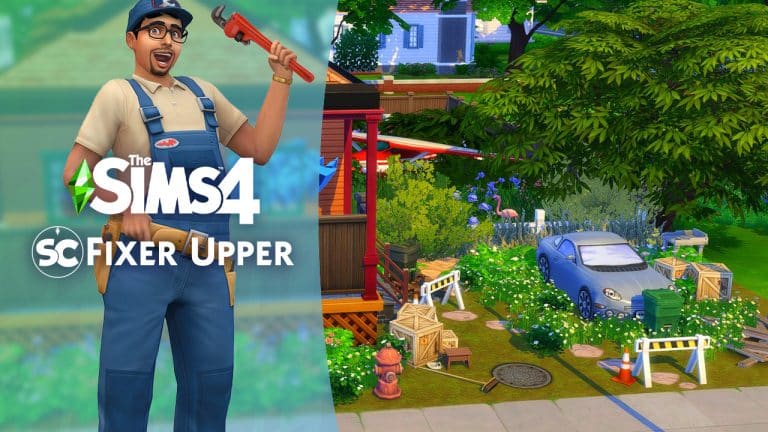
We had a lot of fun creating and sharing our first Fixer Upper build challenge that we are back with a new one!
Now, if you missed our first challenge, you can take a look at what was involved by clicking here. Alternatively, you can also take a look at the challenge showcase featuring a number of brilliant renovations of our build here.
This time we are heading to the Daisy Hovel lot which can usually be found in Willow Creek. Known as a frequently used starter home for many players, this lot in particular has seen better days in recent years.
Your task will be to renovate Daisy Hovel and modernize it. It must be suitable for one or two Young Adult/Adult Sims who are moving into their first home.
Are you up to the challenge?
Build Gallery
TS4 x64 2021 11 19 18 14 07
TS4 x64 2021 11 19 18 17 03
TS4 x64 2021 11 19 18 17 16
TS4 x64 2021 11 19 18 18 07
TS4 x64 2021 11 19 18 17 54
TS4 x64 2021 11 19 18 18 21
Challenge Guidelines
Total Lot Value of §55,000
Must be placed on any available 30×20 Lot you have free in your game
You can not change any of the existing internal or external walls. You may add additional walls/basement if you wish
It must be modernized and a suitable first home for one or two Sims
You can use any packs you own, but please do not use any Custom Content
T.O.O.L & DEBUG allowed
Have fun and get creative!
Note: While you may delete items already on the lot for additional Simoleons in your budget, the total lot value once you have finished renovating this lot must be $55,000 or less.
Once you have renovated our Fixer Upper Build, upload it to The Gallery and use the hashtag #SCDaisyHovel as we will be showcasing some of our favourites in a future article!
Showcase
To have the chance of being included in the showcase for this Fixer Upper challenge, make sure you upload your version of the build by Monday 29th November 2021 at 6pm GMT.
We can’t wait to see how you fix our build! Be sure to tag us on social media, so we can see any videos or screenshots you share!
Note:This build is not a part of our monthly Sims Community Challenges. To find out more about the Sims Community Challenges click here.
The Sims Team has announced their latest Expansion Pack Trial for The Sims 4!
The Sims 4 Island Living Expansion Pack has just gone on a Free Weekend Trial. Compared to previous Expansion Pack Trials this one is further extended until Tuesday – meaning that you have unil November 23rd to try out the Pack!
Like previous Expansion Pack Trials this one is exclusive to the Origin Platform. The Free Island Living EP Trial is set to end at 10AM Pacific Time.
You can obtain the Trial Copy of The Sims 4 Island Living from Origin!
Here’s everything you need to know about the trial:
Frequently Asked Questions
ABOUT THE TRIAL
When does The Sims 4 Island Living Trial take place?
The Sims 4 Island Living Trial will be available between the following dates and times:
Start:
November 19 2021
10:00AM PST / 18:00 UTC
End:
November 23, 2021
10:00AM PST / 18:00 UTC
During this time, you will be able to play as much Island Living as you like.
What do I need to know about the Island Living Trial?
There are a few prerequisites to using the Island Living Trial.
You must:
Have the most up to date version of The Sims 4 installed on your PC/Mac
Have the most up to date version of Origin installed on your PC/Mac. EA app is not currently supported by the Island Living trial.
Claim the Island Living Trial through the Origin client, Origin.com or from The Sims 4 Main Menu.
What can I use in The Sims 4 Island Living Expansion Pack during the Trial?
You will be able to use every part of Island Living including the island paradise of Sulani where you can soak in the local culture and traditions, take to the beaches to build a sandcastle, meet mermaids, and swim with dolphins found in the glistening waters surrounding the islands. If you are more of a creative Simmer then all of the pack content is available to you in CAS and Build mode.
SUPPORTED PLATFORMS & ENVIRONMENTS
Can I run The Sims 4 Island Living Expansion Pack Trial on my PC/Mac?
If you have the latest version of Origin and your PC or Mac meets The Sims 4 minimum and recommended system requirements then you can take part in the Island Living Trial
Can I play The Sims 4 Island Living Expansion Pack Trial on PlayStation or Xbox consoles?
Currently our DLC Trials are only compatible with the Origin client for PC and Mac.
Can I play The Sims 4 Island Living Expansion Pack Trial with an EA Play subscription?
Yes. If you have an active EA Play or EA Play Pro subscription for PC, you can download The Sims 4 from Origin, claim the Island Living Trial and play with the pack content.
Can I play The Sims 4 lsland Living Expansion Pack Trial with The Sims 4 Legacy Edition?
No, The Sims 4 Legacy Edition does not support pack Trials. You must have the latest version of The Sims 4 and Origin to take part in the Trial.
Can I play The Sims 4 Island Living Expansion Pack Trial with The Sims 4 Trial?
Yes. If you do not currently own The Sims 4 and haven’t previously used The Sims 4 Trial, you can claim the 48 hour trial from Origin and the Island Living Trial and try out everything in one go.
SAVE FILES
Why does it ask me to Restart The Sims 4 when switching between Trial Saves and my existing Saves?
The Sims 4 will ask you if you want to restart your game so that it can include or exclude the Island Living Trial from your current session.
Selecting to restart when going back to a non-trial save will keep the Island Living Trial on your PC/Mac for when you want to come back to the trial later. When you want to play with Island Living again, load a saved game or start a new trial save and you’ll be asked to restart the game so that Island Living can be included in your session for as long as the trial is available.
Can I use my saves with the Trial?
Yes. If you want to put Island Living into saved games you have already created, you can. Simply select your Save from the LOAD screen on the Main Menu and when asked if you want to PLAY WITH TRIAL? Select Yes, Start as New Trial Save. Once you do that, The Sims 4 will make a copy of your save to use with the trial and lets you save your progress without affecting your original saved game files.
I created a new Trial save based on my existing save, how do I tell the difference?
If you load an existing save while using the Island Living Trial, we will copy your save and rename it for you so that it can be identified as a Trial save. Once you have loaded your save, you can hit Save to finish applying the Trial to your save game. If you do not save your session, you will still have a Trial save but it will not use Island Living and you will be able to use the save without the Trial content.
What happens to my Trial Saved Games when the trial ends?
Your saves created while using the Island Living Trial will still be available after the trial ends. If you choose to add Island Living to your collection, you will be able to pick up where your saves left off.
AFTER THE TRIAL
The Trial has ended. Now what?
Island Living will stay installed on your machine and if you purchase Island Living, you will be ready to start playing with your content straight away.
If you have decided that you do want to remove Island Living Trial from your PC/Mac follow these quick steps.
PC Steps
Find your The Sims 4 installation directory (Default C:Program Files (x86)Origin GamesThe Sims 4)
Look for a directory called EP07
Select the directory, Right Click and select Delete
This will move Island Living to your Recycle Bin
Right click on Recycle Bin and select Empty Recycle Bin to free up disk space
If you decide to purchase Island Living in the future, you will need to re-download the pack from Origin or EA app.
Mac Steps
Find your The Sims 4 Packs directory (usually located in the same place as The Sims 4.app, which is located in ~/Applications by default)
Look for a directory called EP07
Select the directory, Right Click and select Move to Trash
This will move Island Living to your Trash
Right Click on the Trash, and select Empty Trash to free up disk space
If you decide to purchase Island Living in the future, you will need to re-download the pack from Origin
Many video games and products are going under huge sale offers, and games like The Sims 4 are no exception!
Like every year we’ve created a handy list of all the discounts from several official retail websites where you can purchase games. Platforms like Steam, Origin, Playstation and Microsoft Stores have all started rolling out their Black Friday Deals.
Without further ado, let’s see those discounts!
Origin Sale
Origin is currently having a huge sale on many EA games and franchises – including The Sims 4! Down below are all the Origin offers for these games.
The Sims 4 Base Game – Deluxe Party Edition – 88% off
The Sims 4 Plus Cats & Dogs Bundle – 50% off
The Sims 4 Cats & Dogs Plus My First Pet Stuff Bundle – 50% off
The Sims 4 Cottage Living – 38% off
The Sims 4 Seasons – 50% off
The Sims 4 City Living – 50% off
The Sims 4 Get Famous – 50% off
The Sims 4 Island Living – 50% off
The Sims 4 Get Together – 50% off
The Sims 4 Eco Lifestyle – 50% off
The Sims 4 Get to Work – 50% off
The Sims 4 Snowy Escape – 50% off
Microsoft Store
The Microsoft Store has started with their Black Friday Sale! Unlike with the Playstation Sale, the Microsoft Store sale covers more packs and pack types!
The Microsoft Store Sale is expected to last until the end of November. Here are all of their deals:
The Sims 4 Base Game – 88% off
The Sims 4 Plus Cats & Dogs Bundle – 50% off
The Sims 4 Cats & Dogs Plus My First Pet Stuff Bundle – 50% off
The Sims 4 Expansion Packs – 50% off
The Sims 4 Cottage Living Expansion Pack – 25% off
The Sims 4 Game Packs – 25% off
The Sims 4 Stuff Packs – 25% off
Amazon
The deals over at Amazon are almost identical as from the official platforms we’ve listed above. However if you want to check out the catalogue yourself you can do so here!
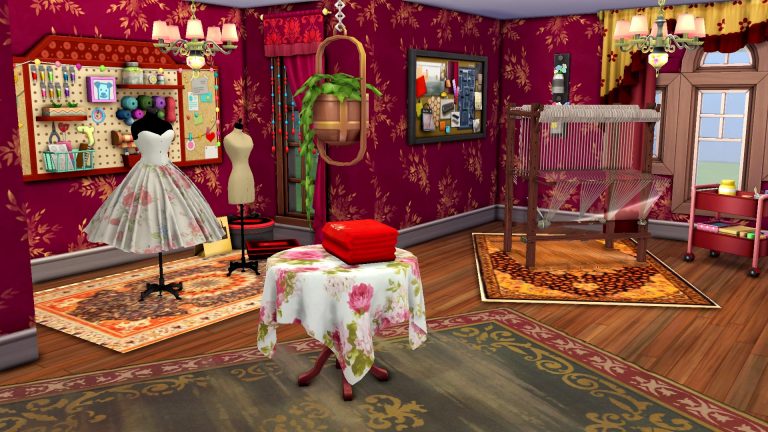
A while ago, I wrote a walkthrough of PiedPiper’s amazing Functional Loom Mod. I was so inspired by this mod that I felt compelled to build with it. This mod offers so much functionality for retail businesses and really any lot because of all the incredible decorations it comes with. While a whole retail store was a bit too much for me to take on, I really wanted to showcase this mod in a smaller build so I decided to create a textiles workshop using just some of PiedPiper’s awesome content.
Of course, the textiles workshop would feature the loom that comes with the mod. Sims need a way to be able to weave all of the clothes and décor that the mod comes with. But I felt that the loom paired perfectly with the knitting and cross stitch baskets from Nifty Knitting Stuff and Cottage Living so I really went all-in with stuff from these packs. Paranormal Stuff was a big influence as well. The floral wallpaper and beaded curtains felt perfect for the cozy vibe I was going for.
I started with creating the shape of the room. I wanted the decorative mannequins that come with the mod to have their own focal point in a small nook of the room. I then decorated this area with a rug from the mod as well as a few clothing bags and boxes in the corner. On the wall behind it, I put the craft board from Nifty Knitting Stuff. Sadly, when I went to upload this room to the Gallery, the mannequins were the only things that disappeared so the Gallery version does not feature them. I replaced them with the Get To Work mannequins which are wearing some gorgeous custom dresses from this mod, instead. They look amazing wearing those custom dresses. I wanted to show off the decorative mannequins in this article, however, just to show you my original design concept.
I placed the loom at a flattering angle in another corner, accented with another custom rug to draw the eye to it. I also popped in the Nifty Knitting craft tray on rollers for easy access to supplies while weaving. To fill up the rest of the space, I used mostly Nifty Knitting desks and accent tables as well as wall décor to really give it that artsy and crafty vibe. Many of the Nifty Knitting Stuff items have lots of shelves and cubbies with yarn, fabrics, and other crafting tools in them. These were perfect for my textiles workshop. Wherever there was open shelving, I used the custom fabric bolts and clothing bags and boxes to give the space a haphazard feel to it. I wanted the room to look like it was in frequent use by a creative Sim whose ideas explode everywhere onto every surface.
In another corner of the room, I put a rocking chair and the knitting basket with custom clothing hanging on the wall behind it. There are a few dresses and a suit, as well as scarves hanging from hooks on the other side of the door. To give the centre of the room a bit of a focal point instead of just empty space, I covered a round dining table with a custom tablecloth and displayed some embroidered custom towels on it. I hung a ceiling plant from Paranormal Stuff over it to draw more attention to it.
I absolutely loved the finished product. It came out exactly as I envisioned it and really looks like a messy but cheerful arts and crafts space for creating lovely textile art and clothing.
If you’d like to grab this room for yourself, it’s called Woven Wonders Workshop and my ID is SnarkyWitch! Remember to tick the box that says Show Custom Content! This room requires the Functional Loom Mod by PiedPiper and uses a lot of custom content from that mod!
And if you can’t use mods, check out our whole Let’s Build series! The vast majority of our builds are 100% CC-free and some use limited packs! In fact, CC builds from us are pretty rare but every once in a while, we do get inspired by talented creators and really want to show off their work in our own creations.
Grab your suitcase Simmers as we are jetting off to Simtorini!
Nando and SixamCC have joined together to create the beautiful Breeze of Greece World Mod and Custom Content Pack. The two part collaboration pack is perfect for Sims wanting to escape their everyday lives and relax in the beautiful scenery of Simtorini.
SixamCCon the other hand created a variety of Greek inspired items to help bring your Sims’ Simtorini vacations alive! You might recognize SixamCC’s name as they are the creator of the Hotel Bedroom CC Pack, Charming Chalet CC Pack as well as smaller object packs packs such as the Birker Series and Artiu Series.
Features
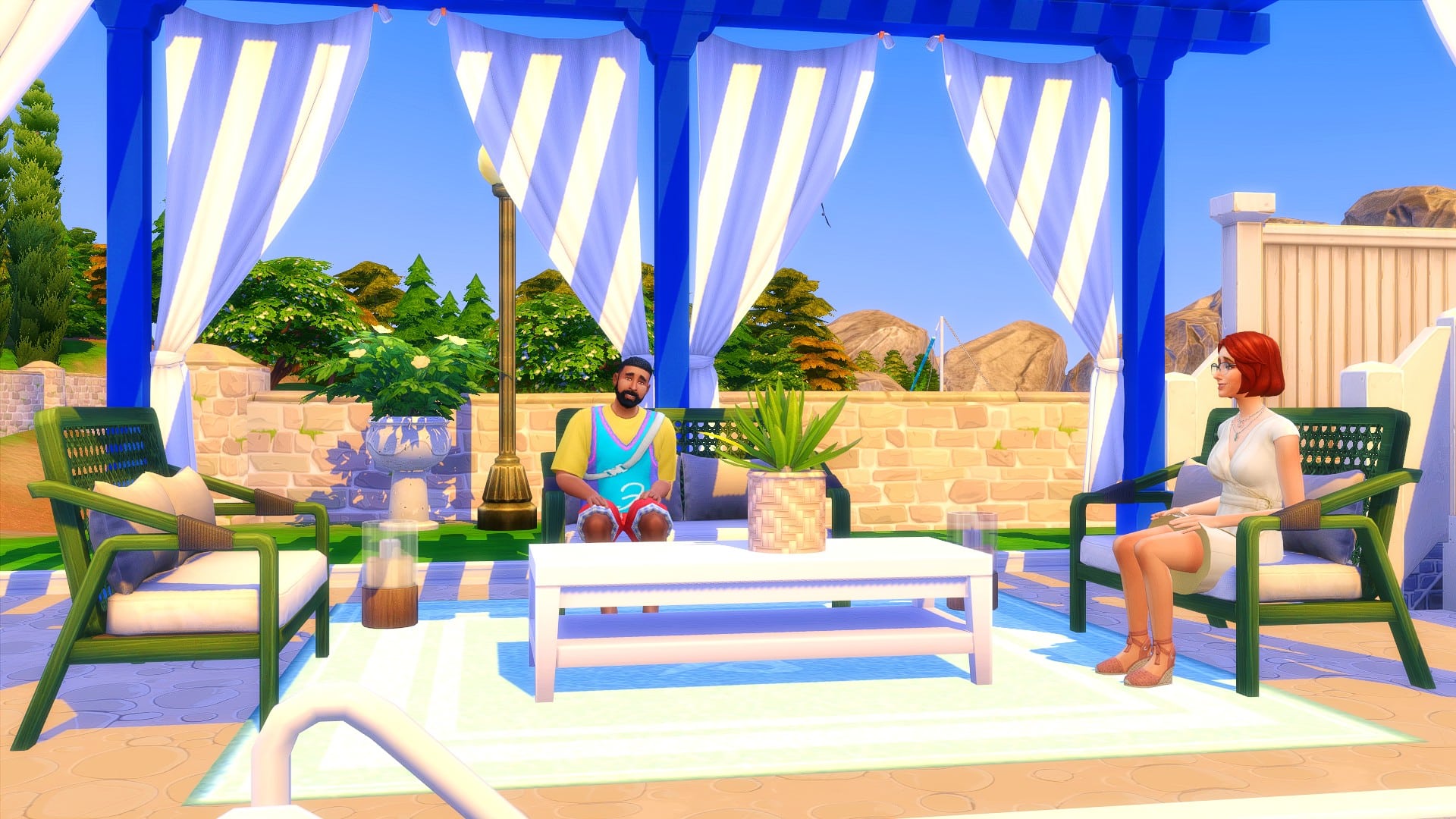
The world of Simtorini replaces the world of Granite Falls from The Sims Outdoor Retreat. It transforms the world into a scenic and romantic getaway inspired by Santorini. Your Sims will be able to experience everything Simtorini has to offer, including fabulous food from the food carts and enjoying a variety of entertainment in the local plaza.
Requirements
To experience everything that the Breeze of Greece World Mod and Custom Content pack has to offer, you will need to own The Sims 4 Get Together and Discover University expansion packs and The Sims 4 Outdoor Retreat Game Pack.
Items Overview
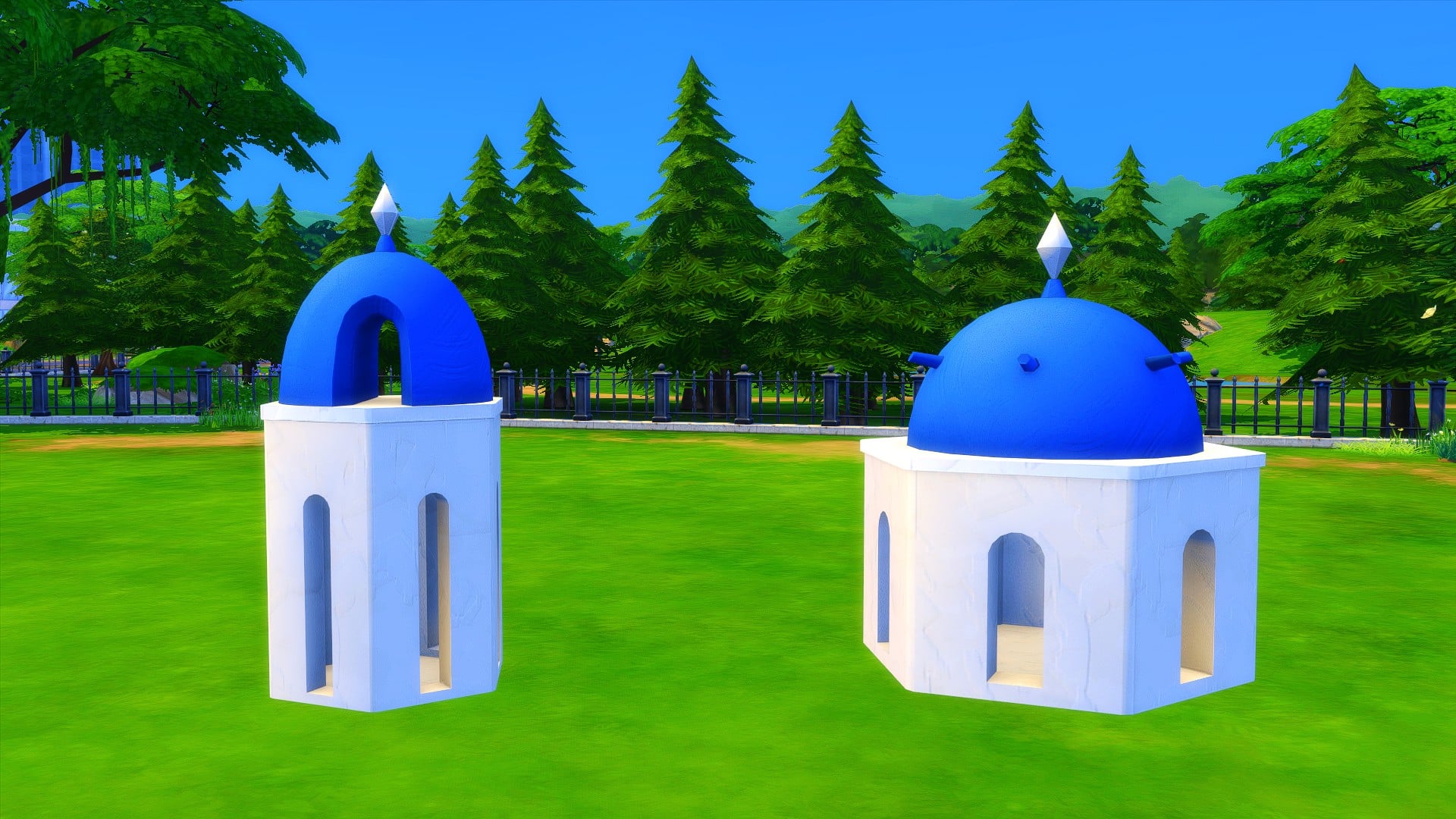
With over forty new objects spanning both Build and Buy Mode, spanning a variety of neutral and colourful swatches, the Breeze of Greece Custom Content Pack has everything you need to create your own Simtorini!
Objects
TS4 x64 2021 11 17 13 49 46
TS4 x64 2021 11 17 13 51 19
TS4 x64 2021 11 17 13 54 46
TS4 x64 2021 11 17 13 57 43
TS4 x64 2021 11 17 14 00 04
TS4 x64 2021 11 17 14 00 53
TS4 x64 2021 11 17 21 09 27
Build Mode
TS4 x64 2021 11 17 13 47 00
TS4 x64 2021 11 17 13 51 58
World Overview
You will still have the same six lots with the same lot sizes as if you were playing in Granite Falls as normal. So there is no need to worry about changing lot sizes or lot placements. When you first load into Simtorini, you will need to remove any existing lots you had so that you can create your own Simtorini. Every Simtorini will be different and unique for each player, depending on how you decide to place and create your lots.
Even though the world of Simtorini doesn’t come with any new lots as such, you have the freedom to build your own Simtorini inspired lots or add some from The Gallery.
SixamCC has also created the Simtorini Resort that you can add into your own game right now. The lot also utilizes a number of the new objects from the Breeze of Greece Custom Content Pack as well!
To find out more about the Simtorini Resort, click here!
The Plaza is where your Sims will spend a lot of time while in Simtorini if they are not staying in their vacation home. Get to know other holidaymakers, try the local delicacies and take part in any events.
Of course, there are plenty of other locations to explore while you are on vacation too! You’ll also find a number of details that help bring Simtorini to life!
TS4 x64 2021 11 17 11 32 13
TS4 x64 2021 11 17 13 21 53
TS4 x64 2021 11 17 13 19 42
TS4 x64 2021 11 17 13 19 09
TS4 x64 2021 11 17 13 22 48
TS4 x64 2021 11 17 13 20 14
How to Download
The Sims 4 Breeze of Greece World Mod and Custom Content Pack is available for download right now. It is currently in Early Access and will be entering Public Release shortly.
Follow the links below to download the two different parts of the pack.
Ever since The Sims 4 came out we’ve been doing Create A Sim Overviews for each Update, Pack and Kit release. Almost throughout every single CAS Overview that we’ve done there’s always been the same problem – a drastically lower amount of new CAS items for Masculine Sims compared to the amount of additions for Feminine Sims. The trend was most apparent in some of the recent Packs such as Cottage Living where important additions (such as hairstyles and clothing) are dramatically more in favor for the feminine fashion choice. This of course wouldn’t be much of a problem if The Sims 4 had a good balance of masculine and feminine options.
Instead, players find themselves either downloading Custom Content for Masculine Sims or just creating feminine characters more often as a response to this problem.
The Sims 4’s gender update from 2016 that allows players to attribute feminine fashion to masculine Sims would’ve been a partial solution to this problem as well…if it worked. Many clothing pieces in The Sims 4 do not translate well from masculine to feminine – and vice versa.
This fashion preference gap combined with badly translated meshes when playing with fashion prefence options results in a catalogue that doesn’t seem to understand the basics of what players want.
This is what kind of really basic clothing for masculine sims I would like to see: plain and simple slim jeans with many color options, and t-shirts with nice design and a bit of texture.
The Sims Team’s announcement of The Sims 4 Modern Menswear Kit probably would’ve gone better if these problems didn’t exist in the game.
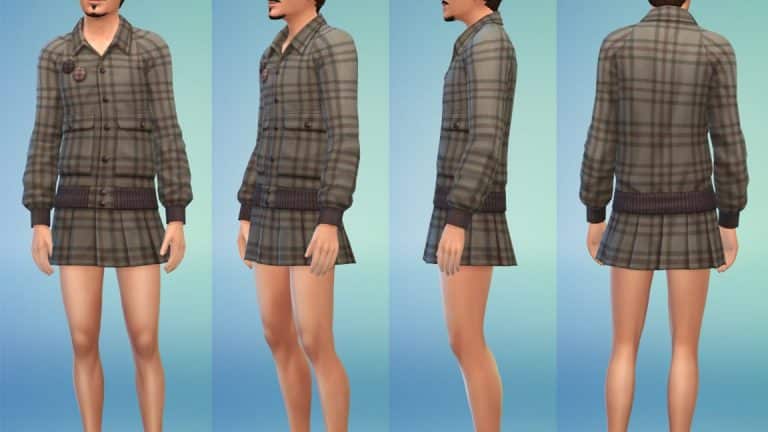
This upcoming CAS Kit has been made in collaboration with Stefan Cooke whose real life clothing catalogue has been converted into the world of The Sims 4. There are some interesting pieces that have been revealed in the official screenshots and it’s a breath of fresh air to see The Sims Team finally breaking the stigma of “Skirts and Dresses are for feminine characters only!”.
However, the issue with this Kit specifically isn’t that, nor will it ever be. It’s the fact that this high-end fashion collaboration is being done as a direct response to the current problems of masculine fashion in the game:
The creation of the pack came in response to demand from The Sims players, who felt like this modern menswear was underrepresented in the options for dressing characters. “The thing with The Sims, and one of the reasons that it’s lasted so long, is that it listens to its players,” continues Cooke. “It’s about making sure that there are enough options of everything.”
Instead of fixing the existing catalogue and ensuring all clothing fits on all body frames, we’re getting a Kit with 23 masculine pieces, only which some of them are considered to be aimed towards more feminine fashion. The rest of the catalogue is unfortunately detached from the community’s expectations of “Modern Menswear”:
modern menswear sweater cat eyes.jpg.adapt .crop16x9.1455w
modern menswear jacket denim.jpg.adapt .crop16x9.1455w
The Sims 4 Modern Menswear Kit in collaboration with Stefan Cooke is set to release on December 2nd, 2021. Sadly, the need for functional cross-fashion clothing and actual “modern” menswear will probably last long after that…
Today we said goodbye to the timed Too Many Toddler scenario and said hello to a brand new limited-time scenario called Perfectly Well Rounded! The aim of this scenario is to create a well-rounded Sim who is successful in aspirations, skills, and their social life. It’s a bit like a SuperSim Challenge for newbies. The scenario will be available to play until December 1st, 2021, so that gives you exactly 2 weeks to start this scenario if you don’t want to miss out on it.
Since I’m well-acquainted with the much longer and harder SuperSim Challenge, I thought taking this scenario on would be a breeze. Was I right? Well, here’s how I did in this scenario!
Us scenario lovers know the drill by now. To start a scenario, we click the scenario button on the Main Menu screen and select the scenario we want. There’s a new Perfectly Well-Rounded scenario available to start. It informs us that this is a limited-time scenario that will only be available until December. When we click it, we get a rundown of the scenario requirements, outcomes, and a description of the scenario. This scenario requires 1 Young Adult or older Sim and there is only 1 outcome; to have this Sim have five friends, complete an aspiration, and master 3 different major skills.
I just so happened to build a medieval microhome last night which I knew would help immensely with a scenario like this so I made my scenario Sim medieval as well. This is mostly just for fun and flavour; as you’ll see throughout the scenario, our Sim will be using a lot of distinctly not-medieval gadgets to complete this scenario. She has the Genius, Maker, and Outgoing traits and the Master Maker aspiration. You can pick whatever traits and aspiration you want for this scenario, however.
After moving her in, I plopped down a recycler, a candle-making station, and purchased some chickens and bugs for some extra cash and recycling materials. I also planted a small garden for the same reasons. I started by gathering collectibles and harvesting plants in the area to recycle and get some bits and pieces to make my candles but the Welcome Wagon interrupted me. For once, I wasn’t annoyed by this! We need five friends so the Welcome Wagon is a good thing! She invited everyone inside and wow, I forgot how powerful microhomes are. She was friends with everyone after 3 or 4 positive interactions. By the time the Welcome Wagon left, she already had five friends. Goal one complete just a couple hours into our first day! Nice!
Next on the list was her Master Maker aspiration. Aspirations take the longest, especially since we get big skill boosts in microhomes. The skills will be the easiest part. I wanted to get the hard stuff out of the way so she started making candles and listing them on Plopsy. I’ve done this aspiration before with my SuperSim and it was a breeze! She started and finished the aspiration in just a couple days. However, I forgot that my SuperSim had every reward trait so her motives didn’t decay and she got additional skill boosts on top of her microhome skill boosts. This aspiration took a lot longer than I anticipated this time around without all those extra perks.
TS4 x64 2021 11 17 14 44 11
TS4 x64 2021 11 17 16 23 18
TS4 x64 2021 11 17 15 38 16
TS4 x64 2021 11 17 15 43 04
It didn’t help matters that the entire season was rife with thunderstorms. When my scenario Sim wasn’t terrified and trying to run indoors, she was getting struck by lightning. That, combined with the chickens, bees, grubs, and garden she was maintaining made things move very slowly. In hindsight, perhaps taking on so many other responsibilities was not a good idea. Or maybe it was just because it made this scenario more interesting!
The grubs, at least, paid off. She needed to harvest from them three times for her aspiration. She also needed to use the big fancy fabricator which I had no space for and just dumped on her front walkway. Just walk around it, guys. No big deal. After juggling candle making, grub care, and fabricating for a while, she eventually made it to the final tier of this aspiration. She had to master the Fabrication skill, complete five gigs as a freelance crafter, and make 20 candles. It wasn’t so much challenging as it was tedious but I’ve always liked the freelance careers so I found it to be both lucrative and fun.
I only selected candle-related gigs for her so by the time she had completed her five gigs, she had also made 20 candles. All the candle making maxed out the Fabrication skill for her as well so that’s that aspiration out of the way. Finally! It took quite a while thanks to the bad weather and demanding critters eating up half her days.
But we were in the home stretch now! This was the easiest part. All we had to do was master two more skills to complete this scenario. I purchased an easel and smartly put it indoors so more bad weather wouldn’t dampen her progress. Painting is a very straight-forward, easy skill to master. It’s also very lucrative and it’s easy to stay inspired. Still, I took the easier route and just kept purchasing potions to replenish her needs and put her into the right emotional state. I had enough points from completing the aspiration. I might as well spend them.
She mastered painting in a couple days, no problem. The microhome skill boost combined with being Inspired made the skill fly by easily. She made a lot of money selling her paintings on Plopsy, too. We just had one more skill left to master. Since she’s a Genius and naturally Focused a lot of the time, I decided to focus on Logic and swapped out the easel for a chess table. Once again, it flew by with hardly any effort on my part. All she had to do was play chess for hours on end. She only left the chess board to tend to the critters and her motives. I didn’t even need to use Focused potions which was good because I was low on points. She could become Focused by Pondering Moves at the chess board, plus her Genius trait made her Focused often, too.
Another couple days and the Logic skill was mastered. That made five friends, a completed aspiration, and three completed major skills! I’d completed the scenario! It took me 16 days to finish this one which is longer than I expected. If I were to speed run this again, I think I’d focus more on buying traits that decrease motive decay and I wouldn’t have so many extra responsibilities. Chickens, bees, grubs, and a garden was a bit much, even if I did manage to juggle it all.
So what are our final thoughts on the Perfectly Well-Rounded Scenario? It’s a thumbs up from us! Unlike the boringly linear Too Many Toddlers scenario, there’s a lot of freedom to play this scenario almost countless different ways. You get to pick which aspiration you want to finish, who to befriend, and what skills to master. There’s also a lot of strategy involved in selecting your Sim’s traits and preferences in CAS. You could give yourself a real challenge by having a Lazy Sim who hates Fitness master the Bodybuilder aspiration. Or you could set yourself up for success by combining complimentary traits with an easy aspiration. This scenario is a grind like the Too Many Toddlers scenario but the grind was a lot more fun and had more ways to make it your own. I definitely recommend checking this one out before it ends on December 1st.
How did you complete this scenario? Did you manage to finish it faster than we did? Let us know in the comments or come chat with us on social media!
Since our latest Story Starter Kit features a bakery all set up for you to hop in and play, I thought I’d share a couple mods I love to use when running my own bakeries in The Sims 4! None of our Story Starter Kits require any CC or mods; they can be fully enjoyed by everyone on all platforms but if you are a mod user playing on PC, you might find these mini-mods by Ravasheen to be extremely useful if you’re playing with our Sugar and Secrets Story Starter Kit!
First of all, that title is a-dough-able! The A-Dough-Able Cupcake Maker has all the functionality of the base game cupcake factory but doesn’t take up the entire room! Seriously, why did they make it so big? No one wants that in their kitchen, okay? You listening, EA?
TS4 x64 2021 11 16 16 34 09
TS4 x64 2021 11 16 16 34 11
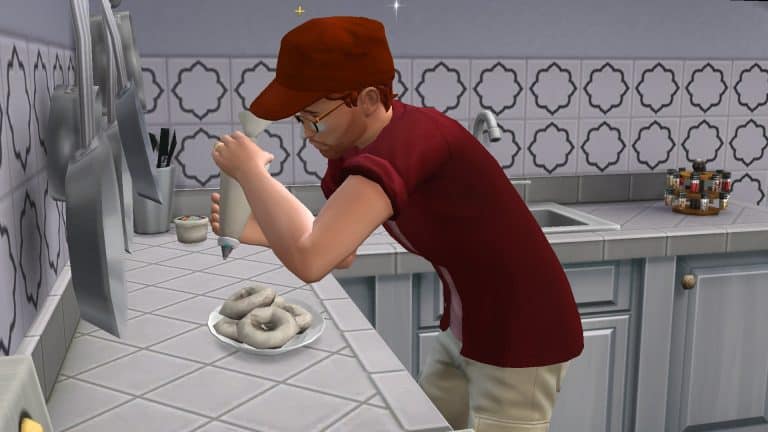
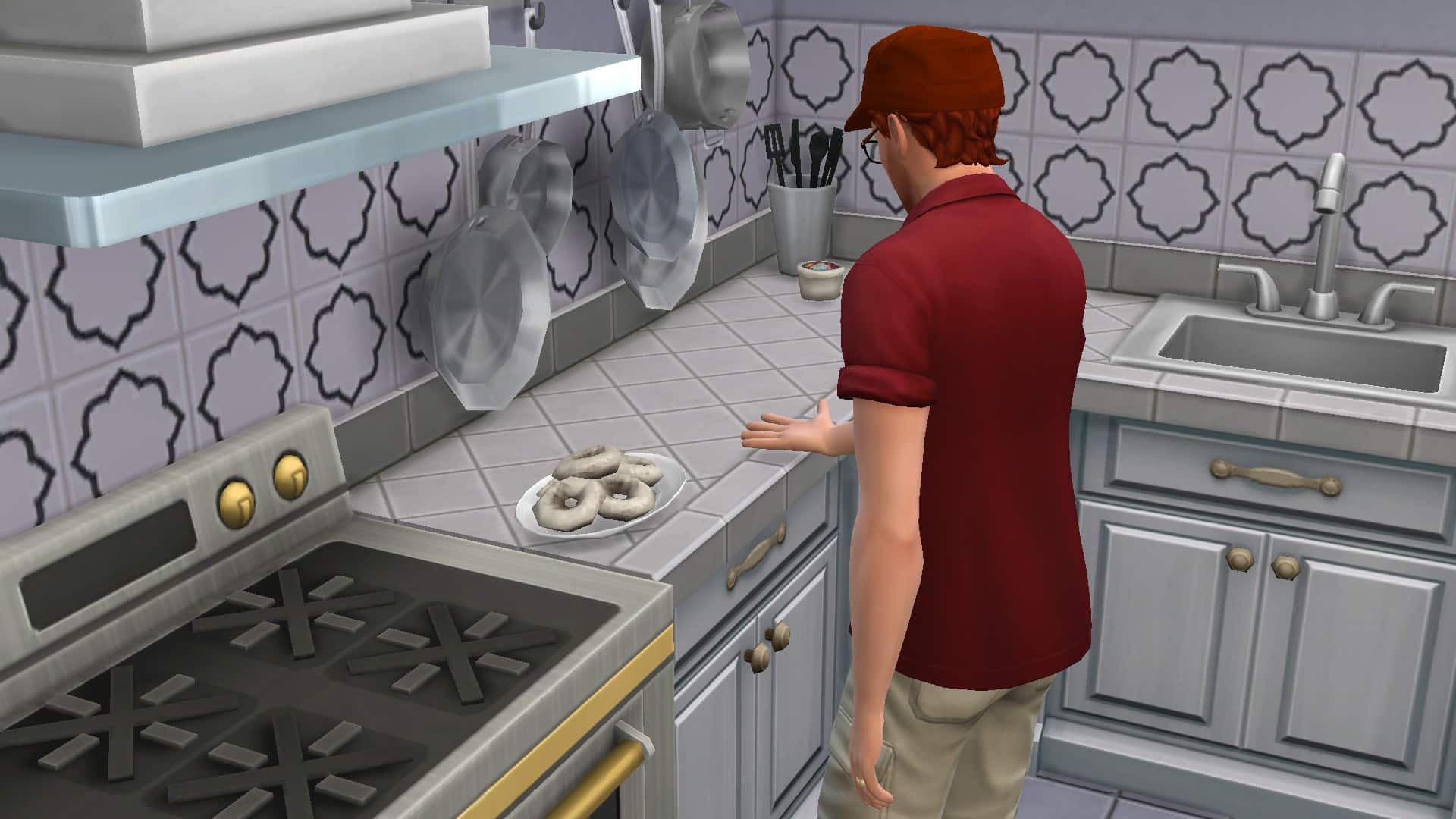
Ravasheen’s much smaller cupcake maker is a cute little icing piping bag and sprinkle bag you can purchase out of the Build/Buy catalogue and store in the world, in your Sim’s inventory, or in the fridge! It’s super versatile and will allow you to bake not just the base game cupcakes, but all of the baked goods that come with the Baking skill from Get To Work. Sims will use any available oven to cook their delicious treats, including CC ovens and the countertop ovens from Dream Home Decorator! Ravasheen has even made matching baking trays for each item, how a-dough-able! (One day, I’ll stop using that pun but not today).
TS4 x64 2021 11 16 16 36 56
TS4 x64 2021 11 16 16 38 22
TS4 x64 2021 11 16 16 38 36
TS4 x64 2021 11 16 16 39 08
The mod is base game compatible but players with the Get To Work expansion pack will get the most functionality out of this mod. The piping bag requires Get To Work and will allow you to bake both the base game cupcakes and the Get To Work baking recipes. The sprinkle bag is base game compatible but will only allow you to make the base game cupcakes. If you’re having trouble putting your baked goods on a surface that will allow your Sims to decorate them, the object also come with a handy placement helper feature that will tell your Sim to move the desired dish to the correct placement for decorating.
Oh, and if you use Srsly’s Complete Cooking Overhaul mod, this mod is fully compatible with that, too!
Another fantastic mod you’ll get a lot of use out of if you run a bakery is the Kiss of Fresh Hidden Lot Modifier by, you guessed it, Ravasheen! This mod is super simple but incredibly helpful! It adds a hidden lot trait that keeps all perishable items fresh forever! It also prevents flower arrangements from wilting so it’s useful for florists, too.
All you have to do to use this mod is find the Kiss of Fresh sign in Build/Buy and place it anywhere on the lot. It will make everything on the lot fresh forever. The sign also disappears when in Live mode so you don’t need to worry about the sign not fitting in with your lot’s design scheme. There are no lot or venue restrictions on the sign so you can place it anywhere you want! And since this lot trait is hidden, it won’t take up one of your three lot trait slots.
When you want to get rid of the hidden lot trait, just delete the sign! That’s it! I told you it was super simple!
These aren’t Ravasheen’s only mods you might find helpful for running a retail business! I just picked the two that I find myself using the most! Go check out her full catalogue on her website!
What are some of your favourite mods you find helpful for running a retail business? Let us know in the comments or come chat with us on social media!
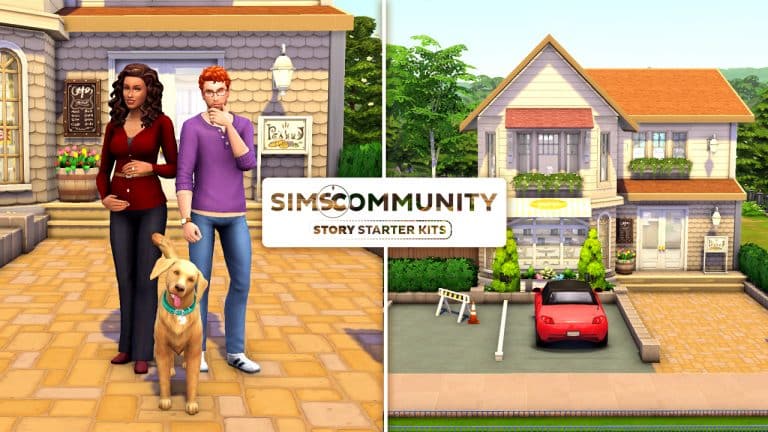
Welcome to our second entry in our new Story Starter Kits series! If you missed all the info on Story Starter Kits, you can read more about what they are and how they work in our introductory article!
This month, we’re bringing you a happy little family who’ve just launched a new bakery. They seem like the perfect couple… but are they, really?
Sugar and Secrets
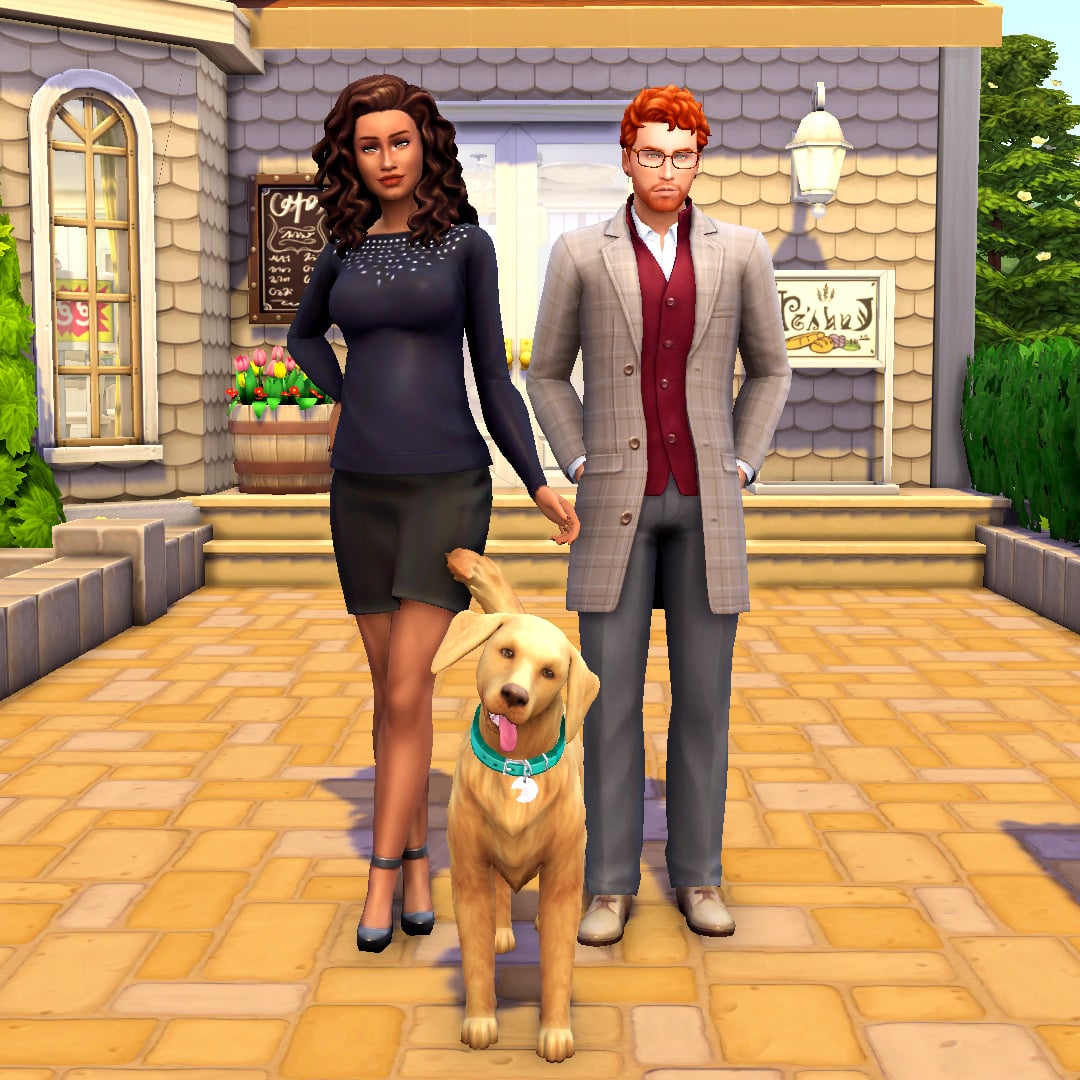
By day, she’s known as Grace Shepherd. By night, she’s known as the vigilante Nightstalker. Or, she was until she and her husband Clark found out they were expecting twins. That’s when everything changed for Grace. That’s when Nightstalker disappeared from the streets and crime rates in San Myshuno went up without Nightstalker to take the law into her own hands.
Clark has no idea about his wife’s secret identity. As far as he knows, Grace has a cushy government job working in a high rise office in Uptown. As for him, he’d been having trouble finding steady employment in the city and had planned to be a stay-at-home dad when he found out about Grace’s pregnancy until he got a brilliant idea! Now was the perfect time to start a new business venture! He’d always had a passion for baking and decorating delicious treats and now was finally the time for him to launch his own bakery! He could even work from home so he could be close to the twins while he made a living to support them.
So they sold their home in San Myshuno and headed out to the suburbs of Newcrest, pouring all their savings into purchasing a bakery with a small apartment on the second floor. The living space is significantly smaller than their old home but the spacious yard sold them. It’d be perfect for the twins to run around and play with their dog, Biscuit.
Clark is beyond excited to be starting this new chapter in their lives. He hopes his bakery will be successful and that his wife and children will be happy here in Newcrest. But Grace is having misgivings; she’d planned to give up her secret life as a vigilante to raise her children but every day she turns on the news and hears the people crying out “Where is Nightstalker?! We need her!” The people of San Myshuno are suffering without their vigilante protector and she’s finding it harder and harder to ignore their desperate pleas for help. The bad guys need to be punished for their wrongdoing and the police keep failing to deliver swift justice time and time again. Can she really be both Nightstalker and Grace Shepherd, wife and mom of two? And in a much smaller living space than before, can she keep her true identity a secret from Clark?
If Clark ever finds out who his wife really is, would he want to work things out for the kids or would the betrayal be too much for their marriage to handle?
Dislikes: Black, Alternative Music, Mischief, Contemporary Décor
Skills: Baking (5), Cooking (4), Parenting (2)
Career: Self-Employed (Bakery Owner)
Packs Used: Cats & Dogs, Get To Work, Parenthood
Misc. Notes:
Clark does not require Get Famous, but if you do own Get Famous, he will come with a Good reputation.
Biscuit
Age: Adult
Gender: Male
Species: Large Dog
Traits: Friendly, Loyal, Playful
Breed: Golden Retriever
Status: Neutered
Packs Used: Cats & Dogs
Clark’s Confections
TS4 x64 2021 11 16 12 39 29
TS4 x64 2021 11 16 12 39 54
TS4 x64 2021 11 16 12 40 35
TS4 x64 2021 11 16 12 40 48
TS4 x64 2021 11 16 12 40 57
TS4 x64 2021 11 16 12 41 10
TS4 x64 2021 11 16 12 42 01
TS4 x64 2021 11 16 12 42 12
TS4 x64 2021 11 16 12 42 34
TS4 x64 2021 11 16 12 43 30
TS4 x64 2021 11 16 12 43 42
TS4 x64 2021 11 16 12 43 58
TS4 x64 2021 11 16 12 44 35
TS4 x64 2021 11 16 12 44 45
TS4 x64 2021 11 16 12 45 05
TS4 x64 2021 11 16 12 45 18
This bakery was once a spacious two-story suburban home until a young businessman purchased it with dreams of turning it into a profitable business. The first story was renovated into a pizza joint and the second story was converted into a small apartment for rent. Sadly, the business went bankrupt less than a year after its grand opening and the place has been changing hands ever since. The newest owners are currently operating a bakery on the first floor and using the upstairs apartment as their personal residence. The spacious yard was a big selling point for them, as they have a large dog and are expecting twins soon.
Lot Info:
Lot Type: Retail
Price: §116,307
Size: 30×20
Beds: 1
Baths: 2
Lot Traits: Homey
Packs Used: Cats & Dogs, Get To Work, Parenthood, My First Pet Stuff
Tips to Use This Lot:
Grace and Clark come with enough simoleons to purchase their bakery and have some savings leftover.
To live at the bakery without using any mods, have Grace and Clark purchase a small blank lot as their “home,” then purchase the bakery. Have them travel there and just stay there! The upstairs apartment and yard has everything they need to use the bakery as their home.
It’s recommended to lock the back door and the door behind the checkout desk for everyone but the household. That way, customers and staff won’t wander down to the bakery kitchen or upstairs into the apartment.
You can also lock the secret bookcase door in the bakery’s kitchen to everyone but Grace if you’d like to keep her secret lair, well… secret.
Your Story Starter Kit is waiting for you! Get The Household and The Lot by downloading them from the official Gallery Website linked on the buttons below. Or, follow SnarkyWitch in the Gallery and look for Sugar and Secrets and Clark’s Confections!
The Sims Team has published the latest Laundry List for The Sims 4!
The Laundry List as you see down below lists all the notable issues and bugs in The Sims 4 that have been reported by the community. All of these bugs and issues are currently being addressed by The Sims Team and should be resolved in the upcoming patch update for The Sims 4.
Check it out:
Hi Simmers!
Welcome to the Laundry List where we’ll share a list of the top community concerns that we’re currently investigating and hope to have resolved in the upcoming patch. This is just a top list, there are more topics that we saw reported by players that are not listed and being worked on.
These concerns were reported by players who help us continue our work of improving the user experience on a regular basis.
Please note that some topics can be tricky and require an extended investigation on our end, so even though we are actively reviewing it’s not a guarantee that we’ll have an immediate fix for it in the upcoming patch.
Here’s the list of the top community concerns we’re investigating for the game update this month:
Thanks for all your patience and valuable help! Please continue telling us about any issues you’re experiencing on Answers HQ, we’ll continue to work on improving our transparency, and together we can make this game the best that it can be. Happy Simming
TheSims.com has published a brand new blog post about the upcoming Kit for The Sims 4. In case you’ve just heard the news, The Sims 4 Modern Menswear Kit has been announced and will be releasing on December 2nd!
Check out more details and screens on this upcoming Kit:
The Sims™ has always been a creative destination where players come to express themselves, discover new experiences and play with life.
To further empower players to find new and expressive paths to self-discovery, and to deliver on the promise of providing more contemporary menswear options, The Sims worked with the British Fashion Council – a not-for-profit organization supporting British design talent and championing responsible and creative businesses to further strengthen British fashion around the globe – to Simify an up-and-coming menswear brand and help stretch style boundaries with its next fashion kit, The Sims™ 4 Modern Menswear Kit.
Welcome to The Sims’s virtual closet, Stefan Cooke.
Helmed by Central Saint Martins graduates Stefan Cooke and partner Jake Burt, the award-winning, London-based label – named after Cooke – is un-defining traditional menswear. “We’re taking quintessential menswear items and repurposing them, whether it’s through textiles or silhouette,” explains Cooke.
“The brand is about redefining masculinity,” continues Cooke. “We always try to be authentic, and without excluding anyone. We’re about redeveloping and refining old ideas, but making them incredibly modern, and pushing that idea to the point that it transcends things like gender.”
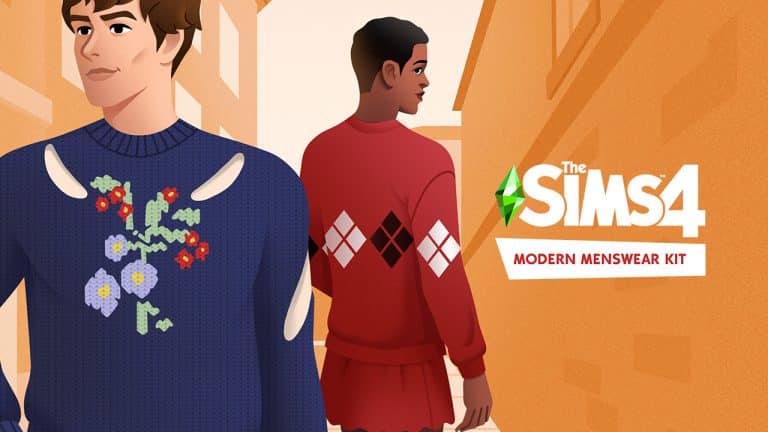
For The Sims 4 Modern Menswear Kit, Stefan Cooke worked with The Sims team to bring a wide-range of new-age menswear to players and creators around the globe. Consisting of 23 pieces, all of which are Simified recreations of real-world Stefan Cooke collections, the garments range from the traditional to the revolutionary, masculine to effeminate, and fusions of them all. There’s jackets, trousers, suits, and shoes, as well as some of the designers’ favorite pieces, including the Stefan Cooke Wool Varsity Coat with Skirt, a design that perfectly encapsulates the evolution of modern menswear.
Alongside the dynamic shapes and silhouettes, fabric is another quintessential Stefan Cooke characteristic. The former brings us deeper into the boundless future of menswear, while the latter pays homage to the familiar classics.
“Each material was carefully hand-painted to emulate the texture qualities by doing somewhat of a caricature of the details,” explains Vincent Joly, Senior Art Director for The Sims. “Exaggerating the shapes and controlling the contrast to not look too busy or photorealistic, at the same time not reducing the details too much to lose the essence of the fabrics. Each piece was tuned to find that sweet spot.”
Burt and Cooke are not just looking forward to seeing their styles democratized and digitized, they’re also excited for the self-exploration that their kit will inspire, both within The Sims and in the real world.
“I hope people become more explorative with what they’re wearing, especially if they’re guys,” says Burt. “I think it’s a good thing if people feel more comfortable and unafraid to wear what they want to wear.”
“Fashion can be about identifying as part of something, but also as your own person. It’s both for community and individualism,” adds Cooke. “That’s why fashion is so amazing. It can be the slightest thing, and it can really change how you feel about yourself or what you want to put across to the world.”
The Sims™ 4 Modern Menswear Kit will be available beginning December 2, 2021 on PC and Mac via Origin™ and Steam®, PlayStation®5, PlayStation®4, Xbox Series X|S and Xbox One systems.