The program received an Update with Additional Options and Features
The Sims 4 Studio has just received an Update for the latest Patch Drop.
There’s not a lot to talk or share. Get your fix straight away!
Studio updates for High School Years
Hi all, both versions of Studio are updated for High School Years & the associated patch. Additionally, both versions have been optimized to better handle files with large LRLE images; this improvement should eliminate the Out Of Memory error that was occurring when working with certain CAS packages.
The Sims 4 High School Years Expansion Pack has just been released. And yeah, the launch at the moment isn’t going the best. Both for High School Years as a Pack and The Sims 4 Base Game.
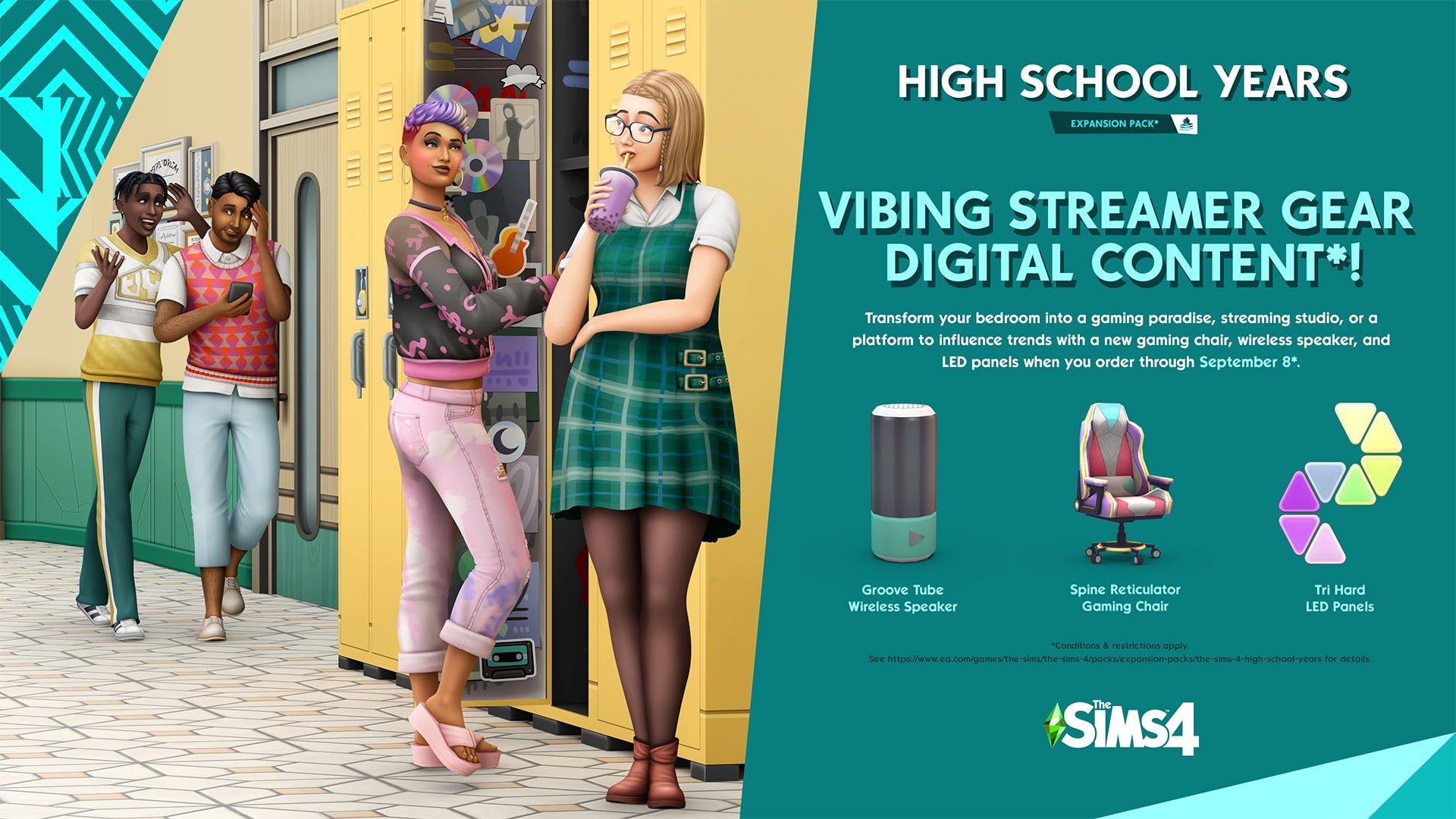
Another issue that players have started reporting shortly after the release that the Vibing Streamer Gear Digital Content is not showing up.
If you Pre-Order The Sims 4 High School Years (or now, Order it) by September 8th, you’ll get the following content:
However, there’s just one issue. It’s not showing up in the game.
The issue has been acknowledged by EA Help:
Hey Simmers! We're looking into issues with The Sims 4 High School Years pre-order bonus not showing up in-game. We'll share more info as we know more.
Just a few hours after the release of The Sims 4 High School Years, EA is already putting up banners for the next big thing.
The Sims 4 Main Menu has received a brand new image promotional banner, as pointed out by a Sims 4 player. The confusing part is that along with the new image, the text itself promotes The Sims 4 High School Years. Not the actual content shown.
We managed to extract the image in its full resolution!
If we consider that these are Children wearing new Clothes in the graphic style of The Sims 4 Kits. Yeah, this is the next Kit for The Sims 4!
Fast forward to today, just 2 and a half hours after the release of the Sims 4 High School Years, we have an already updated mod.
The Sims 4 Mod Venue Changes is a Mod that accompanies many upgrades to previous The Sims 4 Venue limitations. Now updated with High School Years!
Check out what’s new and included:
This mod alters which venues are available when building in The Sims 4.
Makes modded venue types available.
Makes world-specific venue types available in all worlds.
Allows you to change the type of special lots like Chalet Gardens and Myshuno Meadows.
High School Years Update
With the release of High School Years, Venue Changes lets you change the locations of the High School and Auditorium to different lots. This is simple to do:
Edit the lot you want to turn into a High School (or Auditorium). Build the lot or place one from the gallery, then set the lot type to High School or Auditorium.
Edit the original High School (or Auditorium) and change the lot type to something different. This will ensure Sims are only ever sent to the new high school lot, never the original.
PLEASE NOTE: This only changes the location of the school event. It is not currently possible to change the location of the festivals – those will always take place in the open area behind the original lot.
Currently, the mod is only designed for one High School and Auditorium per save. If you have multiple, the game will just select a random one every time it sends you. This is why it’s so important to change the lot types of the original lots!
In addition to making it possible to move the High School and Auditorium, this update also enables those lots for club gatherings!
Known Issues
If you don’t have certain packs installed, there will be venues with blank text on the list. These can be safely ignored, they shouldn’t cause problems as long as you don’t set any lots to them.
Are you ready to try it out yourself? Get The Sims 4 Mod Venue Changes by pressing the download button below!
I don’t need to say more or? She got this whim after I loaded the family, Eric is her SON!
Yeah…
The issue has been confirmed by a SimGuru. With a promise that it will be resolved soon:
I just wanted to acknowledge that the Want to date a family member is something we know about, we’ve reproduced ourselves, we’re working on it. We’re looking to get it fixed ASAP, thanks for all the bug reports, we appreciate it. We’re of course working on the aging bug too.
Incest isn’t the only current issue with The Sims 4. There is also Auto-Aging, and more huge issues reported with the game recently that we are covering at the moment.
Hopefully the game gets back on track very soon.
Please remember to keep the conversations fair and constructive. Thank you!
We are already ready to do some coverage on the latest Expansion Pack. Stick around and find out what we have to say about the latest Expansion Pack, along with Guides, Tips, Reviews and more!
Pre-Order Bonus for The Sims 4 High School Years
If you Pre-Order The Sims 4 High School Years by September 8th you get exclusive access to 3 items in the game! MORE INFO HERE
Do you plan on getting the latest Expansion Pack? Join in the conversation!
It’s been confirmed that Wants and Fears completely ignore 8 years of previous content.
Before we begin with this article we’d like to remind you to respect and be constructive towards other players, developers, authors and people. Thank you! <3
Wants and Fears are finally here to The Sims 4! The latest update for the Base Game added so many things, on top of which are Wants and Fears which first have been introduced with The Sims 2.
Many players, including myself, have been wanting to get my hands on this Feature. Especially with the name of the feature “Wants and Fears” which has been taken from TS2, you’d think that the Feature will meet at least some of the players expectations.
SnarkyWitch wrote a whole Guide on Wants & Fears in The Sims 4 if you want to learn all about the Feature and what it brings!
When I was looking at the tuning files for the fears, I did notice some pack integration. For example, vampires are less likely to develop a fear of the dark, and Sims with the Paranoid trait from StrangerVille are more likely to develop a fear of being cheated on. It would be nice to have fears exclusive to packs, though, such as a fear of falling (Snowy Escape) or a fear of The Mother (StrangerVille).
However, that’s about it. This Base Game Feature has been further clarified by SimGuruGeorge. He confirmed that Wants and Fears will NOT work retroactively, only current Base Game Wants & Fears, as well as High School Years Wants and Fears. Previous Expansion Packs, Game Packs, Stuff Packs (and even Kits if we count in the Dirt System) DO NOT have specific Wants and Fears.
While creating High School Years we focused on that pack and adding previous base game content with the time we had.
Future packs and updates could add more where it makes sense.
There could be a promise for future Pack releases and new features coming through future Update. Emphasis on could.
The feature that many thought would be the return of a good gameplay system turns out to completely ignore 8 years of content for The Sims 4. Personally, I am very disappointed in this decision.
Powerful new tools to control who your Sim is and is not interested in being intimate with!
In yesterday’s free base game update, players got several big new features, including a new sexual orientation feature in CAS! This new tool will allow you to control who your Sims are and aren’t interested in both romantically and sexually. These settings will determine how that Sim interacts with others during gameplay.
CAS
Deciding your Sim’s sexual orientation begins in CAS. Open up the gender settings to see a new tab to the right called Sexual Orientation. Click that tab to be presented with options regarding your Sim’s preferences.
By default, all Sims you create will have the same settings that Sims always operated on previously; they will be interested in anyone and willing to explore sexual and romantic options with anyone. You can keep these settings if you like, but if you’d like to customize these preferences further, you now have the freedom to do so.
The menu is broken down into the following categories:
This Sim is romantically attracted to:
Men
Women
This Sim is exploring romantically
Yes
No
This Sim is interested in WooHoo with:
Men
Women
You can select one, both, or no genders for all options. Separating romantic attraction from sexual attraction allows players to create more diverse Sims. These settings will allow you to create Sims across a wide range of sexual orientations, including asexual and aromantic Sims.
The Yes/No option for whether your Sim is exploring romantically will determine whether or not they’ll reject romantic advancements from Sims who do not fit their preferences. If you select Yes, your Sim may be open to romance with Sims who do not match their preference settings. If you select No, your Sim will always reject romantic interactions from Sims they don’t have a preference for.
Gameplay
You’ll see these settings take effect in Live Mode as you play and begin interacting with other Sims. If you are on friendly enough terms with another Sim, you can ask them about their WooHoo preferences and their Romantic preferences under the Romance social tab. Make sure you are quite close with that Sim, first! Most Sims won’t feel comfortable discussing their sexual orientation with an acquaintance.
When you ask about a Sim’s Romantic preferences, they’ll also tell you whether their preferences are set in stone or whether they’re open to exploring different options.
Once you’ve discovered a Sim’s Romance and WooHoo preferences, you’ll be able to see that information in their Sim profile under the new Sexual Orientation tab. An icon next to their portrait tells you whether they are open to exploring different preferences or not.
You might be wondering how it’s possible to pursue WooHoo with Sims without first building up a romantic relationship. Well, there is a new interaction under the Friendly social category called Ask to be WooHoo Partners. If two Sims are good enough friends with each other, they can Ask to be WooHoo Partners without needing to have a pre-existing romantic relationship. WooHoo Partners will be able to WooHoo (or Mess Around for Teens) but will not gain Romance points from doing so and won’t be in any kind of committed relationship.
Other Notes
The Sims Team acknowledges the issues around making sexual orientation binary and have promised that this feature is still being worked on and added to in order to make it even more inclusive in the future.
The Sims Team did not go back and adjust the sexual orientation of all the pre-existing households. They are all still pansexual by default but the player can change this themselves if they want to.
Sexual Orientation is not a feature that can be opted out of. You can’t turn it off, just like you can’t turn off someone’s sexual orientation in real life. However, as previously mentioned, Sims will continue to act the way they always have if you choose not to customize the default settings.
While we did find this new feature quite powerful, we also ran into a couple issues with it. Most notably, WooHoo Partners still get jealous and gain the Furious About Cheating sentiment if they catch their WooHoo Partner being intimate with someone else. This seems to defeat the entire point of a no-strings, no-commitment sexual relationship in the first place.
New Features to the Game that you possibly missed out!
Yesterday’s free base game update added a lot of big changes, like Sexual Orientation and Wants and Fears, but The Sims Team has snuck in quite a few smaller additions they didn’t mention. These smaller game additions might not be immediately obvious, so we wanted to point them out to our readers!
Sim Profiles Now Show High School Education
Previously, the Education tab was exclusive to the Discover University expansion and only displayed which university degrees your Sims had completed. This tab is now in the base game and displays your Sim’s high school education. This is likely due to the fact that teens are no longer guaranteed to graduate high school.
Video Calls Have Been Added to the Phone
It might have been easy to miss, but we noticed a new video call interaction on the phone! Video chats are becoming a lot more commonplace than phone calls so this feels like a fresh, contemporary addition to the phone.
Sims Can Sit on the Ground
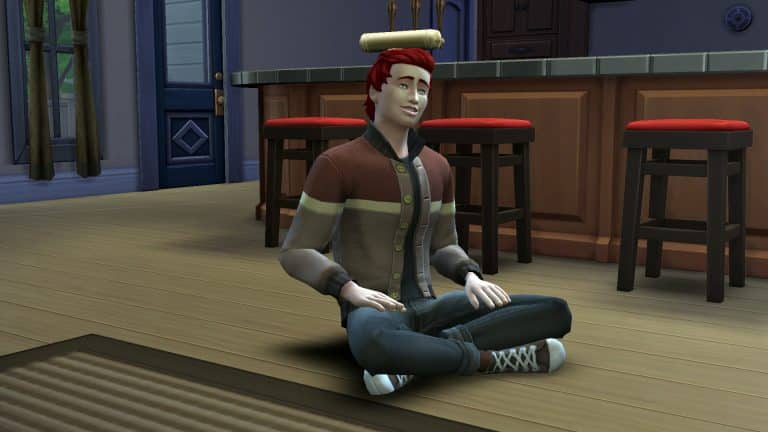
Apparently, this isn’t exclusive to High School Years! The base game now allows your Sims to sit cross-legged on the floor via a self-interaction.
Build/Buy Has a Lock Icon on Reward Items
Certain reward objects in the Build/Buy catalogue have always had a greyed out background to indicate they are locked but it appears there is also a tiny lock symbol in the centre of these object icons in the catalogue to make it more obvious that they need to be unlocked through gameplay.
The Phone Has New Selfie Poses
There are a few new selfie poses on the phone camera! We’re happy this wasn’t exclusive to the new expansion because the same three poses we had before were getting very stale.
The latest Expansion Pack is releasing to PC and Consoles VERY Soon. Find out EXACTLY when!
It’s been a year since The Sims 4 had an Expansion Pack release. But here we are – it’s finally time for another big EP release!
Now hold on, before we get to the Countdown, it’s worth noting that The Sims 4 Base Game is in a critical condition with its Auto-Aging Issue. Don’t worry, there’s an Official Workaround for it! However, will The Sims Team be able to deliver the newest Expansion Pack AND fix the critical issue? We’ll just have to wait and see. Stick around!
The Sims 4 Expansion Packs have a new form of rolling out Packs. Just a year and some months ago there would be staggered release on a Friday. However, the High School Years Expansion Pack is different (just like with Cottage Living) and will be released on a Thursday. July 28th at 7PM CET / 10AM PT / 6PM BT. Wait, was that too many time zones?
Let us simplify with a handy countdown!
PC & Console Worldwide Release
[janky target_time=”1659027600″ color=”#0aa6b6″]
The Sims 4 High School Years is retailed at $39.99USD, or a price similar to your local currency. The Expansion is hitting both digital and retail shelves. The official links will be posted here after the release of the Pack!
Pre-Order Bonus for The Sims 4 High School Years
If you Pre-Order The Sims 4 High School Years by September 8th you get exclusive access to 3 items in the game! MORE INFO HERE
Our Team is getting ready for the big coverage of Articles, Overviews, Guides and Reviews for High School Years. You’ll be the first to know the ins and outs of this Expansion Pack, so stay tuned!
Are you excited (or not) about the upcoming Expansion Pack release? Let us know and join the Conversation!
Round Walls are here. And so are the first version glitches!
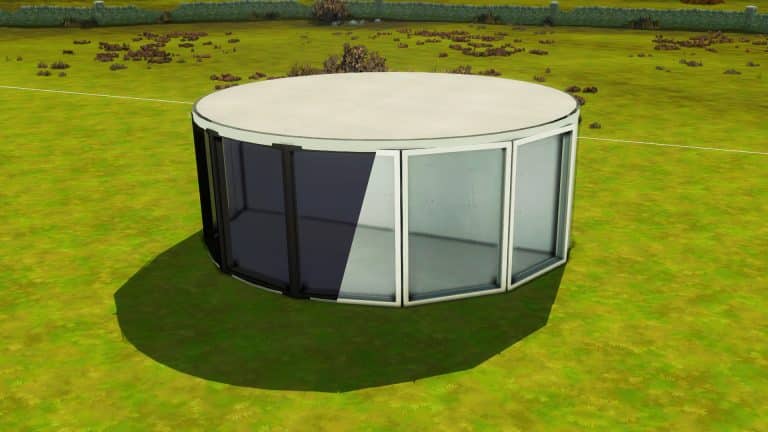
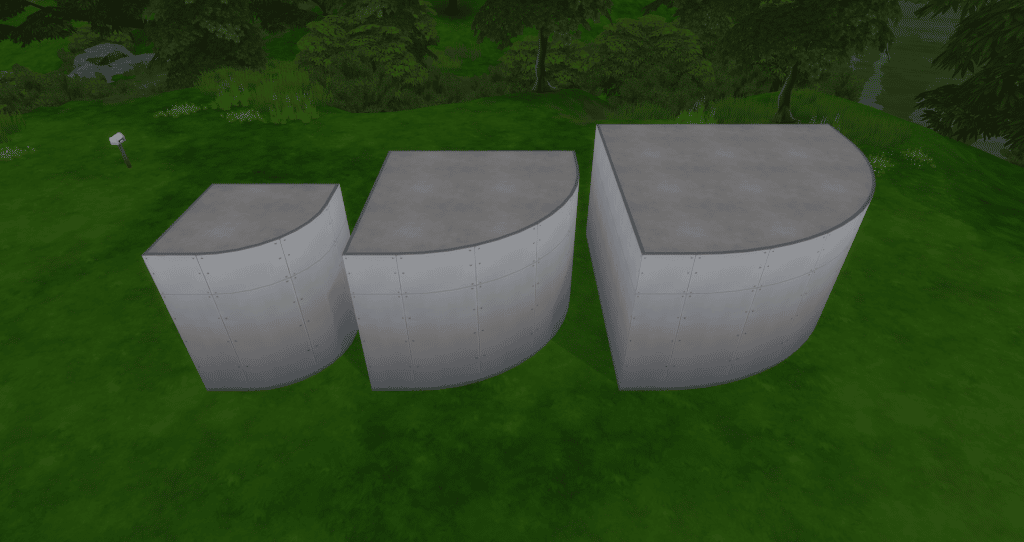
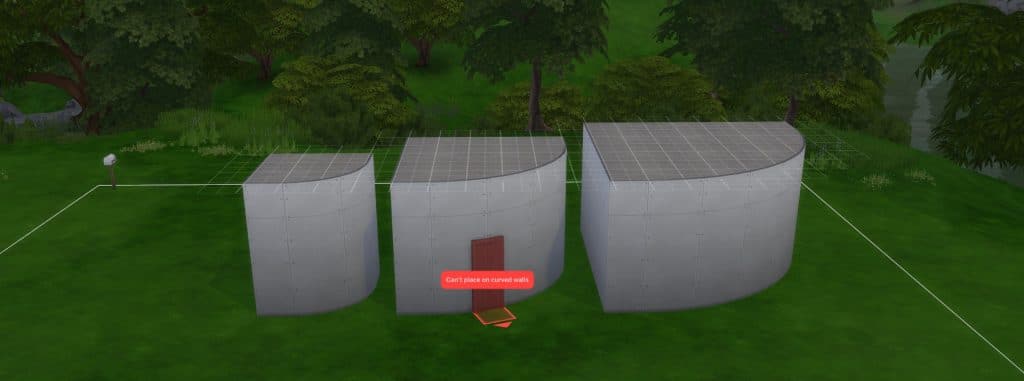
Round walls are officially in the Sims 4!
The latest base game patch just gave us three sizes of curved walls that work similarly to the round floor pieces that we already have in-game. Most windows and doors that we already have will fit flawlessly to these curves, especially one-tiled build items.
There’s just one (not so) teeny tiny problem…this:
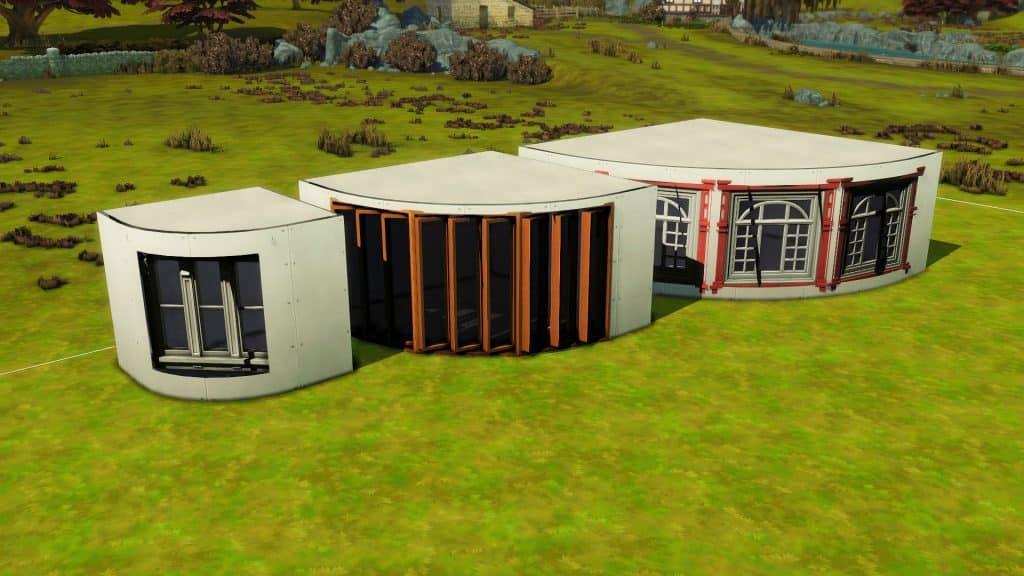
With the move objects cheat on, some two-tiled and three-tiled windows dim out when placed on a tight curve. It’s because most of the window is technically indoors. If you add lights inside, the same lighting will apply to the window outside. And we hate when objects have the wrong lighting.
Fret not, builders! With some patience and skill, we have three fixes to this annoying bug. Each fix depends on what building tools you’d want to use that are available in your game!
#1 Fix: Add lights outside
It’s simple and fast: just add a light right outside the dark window. You can grab the small saucer ceiling light from Base game and size it down with the ’[’ key. Or you can integrate outdoor lights into the exterior design of your build.
But out of all these fixes, this is the least recommended one because the lighting gets weird and uneven throughout the day. Also, it’s still kinda obvious your windows are not lit outdoors.
Fixed windows during the morning, afternoon, evening, and night
#2 Fix: Double up your windows
After putting a window on a curved wall, add another one of the same kind right on top of it. Now delete the curved wall and any nearby walls by clicking on it and selecting ‘Remove Wall’.
With the Alt key, grab one of the windows and drag it slightly away from the outline of the room. When you add back the curved wall, make sure this window will have outdoor lighting.
If you’re wondering why can’t you just have one window, it’s because this will happen. Once you drag away the window and put back the wall, there would be no cutout on the wall. You need one window on the wall to make a cutout and one outside to have outdoor lighting.
Using two windows vs using only one window
This fix may be the most tedious (and expensive) fix but it works better than the first!
#3 Fix: Use the TOOL mod
If you don’t want bad lighting and doubled windows, the TOOL mod is the best way to go if you have it. Toggle the dark window with TOOL until it turns into a translucent green. While holding Alt, click somewhere outside not too far from the room. This will slowly drag your window away from the room until it is properly lit. Click on the window again to release the toggle.
This is how it would turn out!
Three fixes, one goal: we just want our windows to be normal.
A breakdown of the new Wants and Fears system, plus every Fear, how to trigger them, and how to overcome them!
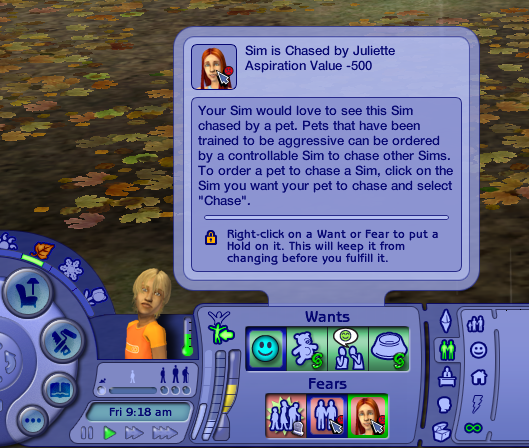
The Sims 4 got a huge content update yesterday, adding plenty of new features to the base game. One of the biggest features all Sims 4 players got for free today was a new Wants and Fears system. The Wants and Fears system is a replacement for the now-abandoned Whims system, which was for the most part, random and entirely pointless. Wants are now more in line with your Sim’s personality and Fears are developed over time through gameplay. Unlike past Sims games, Sims can overcome their Fears by facing them head-on.
So let’s get into Wants and Fears!
Wants
Sims now have a set of Wants that are much more intuitive and better based on each Sim’s unique personality. Sims can have up to three Wants at a time; one long-term Want, one short-term Want, and one reactionary Want.
Long-term Wants are things that take some time to achieve. These Wants don’t change as often as the other Wants. Short-term Wants are things that can be done quickly, like making a phone call or chatting with someone. Short-term Wants may change more often. Reactionary Wants are based on what your Sim is currently doing. For example, if your Sim visits the park, they are likely to get a reactionary Want to play chess at the park. If their motives are low, they may get reactionary Wants to solve those motives.
When you complete a Want, your Sim is rewarded with satisfaction points to spend in the rewards store. In this respect, Wants are very similar to Whims, except Wants are a lot smarter than Whims. You won’t be rolling a lot of Wants for things that are completely unrelated to your Sim’s personality or lifestyle but that doesn’t mean you’ll never be surprised by a new Want! We noticed that our Sims would sometimes roll Wants to flirt with Sims they are merely acquaintances with; no pre-existing romantic relationship was needed to roll this Want. This is something that wouldn’t happen before and opens up new stories and gameplay for you that you might not have planned. Of course, if flirting with the mailman isn’t something you want to do, you can always ignore that Want.
Wants cannot be clicked away like Whims could, so there’s a bit of a gameplay challenge there, but don’t worry about getting stuck with the same Want forever; they can and do change on their own. You can also complete a Want to get rid of it and make room for a new one. Wants can be pinned so if your Sim rolls a Want you really want to complete but don’t have time for right now, click the pin button on it to lock it in. Pinned Wants won’t disappear until you complete them. Don’t worry if you can’t complete a Want; the only penalty we saw for not fulfilling Wants is developing a Fear of Unfulfilled Dreams, which can be overcome!
That brings us to Fears…
Fears
While Wants are a big improvement over Whims, Fears are brand new to The Sims 4 and are better than Fears from previous The Sims titles. Those who remember Fears from The Sims 2 will know that Sims had a set of Fears alongside a set of Wants but there wasn’t a whole lot you could do about your Sim’s Fears except avoid them.
Now, Sims don’t start out with Fears. Instead, they develop them over time through lived experiences. If your Sim experiences a house fire, they may develop a fear of fire. Sims in relationships may develop a fear of being cheated on. Fears display as traits in your Sim’s info panel. Hovering over that trait will explain the Fear in more detail and offer a tip on how your Sim might be able to overcome it.
Some Sims are more or less likely to develop certain Fears than others. For example, Sims with the Jealous, Paranoid, and Commitment Issues traits will be more likely to develop the Fear of Being Cheated On. Sims who have the Gloomy and Brave traits, or Sims who are vampires will not develop a Fear of the Dark.
If your Sim currently has a Fear, you may see a fourth “Want” pop up next to their other three Wants. This one will have a jagged outline. This means that your Sim wants to do something to try and get over their fear. Hover over it for details on how your Sim can try to face their Fear and ultimately overcome it.
Our Sim was afraid of being cheated on and wanted to Discuss Relationship Fears with her boyfriend to try and ease her anxieties about him cheating. We decided to be a little mean, however, and chose to have her walk in on him WooHooing with someone else, instead. Because her worst fear actually came true, she was slapped with a very powerful Angry moodlet. Since she had already witnessed him cheating on her and was furious with him, when we tried to have her overcome the Fear by Discussing Relationship Fears, the conversation didn’t go well and they both got Angry moodlets.
However, if your Sims do successfully confront what they’re afraid of, they will no longer have that Fear. Confronting your Fears is a good way to get rid of a particularly annoying Fear that’s getting on your nerves in gameplay.
List of All Fears
Thanks to our junior writer, @thatsimslady digging through the tuning files for us, we have a list of every new Fear, how to obtain it, and how to overcome it!
Keep in mind that the listed triggers are only potential triggers. There’s a chance your Sim may develop a fear after experiencing a fear trigger but there’s a chance they might not. Other factors like your Sim’s traits will influence how likely your Sims are to gain certain Fears.
All Fears are for the base game but there will be new Fears related to High School Years that will come with the expansion.
[table id=106 /]
Hate this new feature for whatever reason? No problem. Just disable them in the Game Options under the Gameplay tab!
The issue has been reported by many community members across PC and Consoles.
Today, The Sims Team has confirmed through Twitter that they are working on a Hotfix. Until then, there’s a way to prevent the issue from happening. Simply choose the Normal Lifespan in your Game Settings if you are using Short or Long, as they are broken. This applies for both Old Save Games and New Save Games!
Hey Simmers! We are currently investigating instances involving Sims auto-aging up in saves using the Short or Long lifespan. We recommend temporarily playing in or creating new saves with the default/“normal” lifespan, as we work towards a solution.
Well that settles it. If you updated your game, DON’T play The Sims 4 with Long or Short Lifespans until the Hot Fix comes up.
Everything you need to know about the big new Build Mode Feature!
Towers? Silos? Movie Theaters? Think of all the buildings that can now be created with the new curved wall tool in Build Mode! Announced during the Deep Dive Livestream for The Sims 4 High School Years, curved walls are a much awaited for feature. Although more difficult than regular walls, curved walls seem to be easy to use once you know a few tricks.
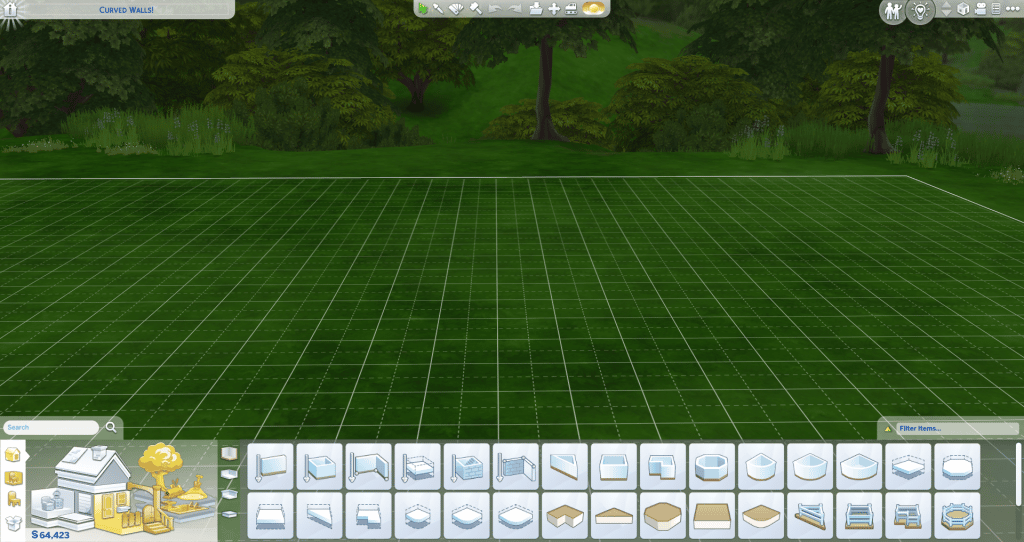
Curved walls are located in the walls section of the build catalog. Within the wall selections, there are three different sizes of curved wall pieces. They function similarly to curved, fenced foundation pieces. You can use alt to freely place both the doors and windows. Move Objects On does work, but some doors and windows will turn into a black cutout if it isn’t possible for them to fit on the curved wall.
Connect four of the same curved wall piece together to make a rounded shape. If you want a circle, you can delete the extra wall pieces and adjust the foundation piece, then copy the small shape and connect them to the original piece to make a round room.
Also, there is no way to put fence around the ceiling of a build. So the only way to do this is to create a round foundation piece using the same steps as making the round room. Then, moving the foundation piece on top of the round room. You can then add any fencing to the ceiling.
Custom Content Doors and Windows
Unfortunately, as of writing this, CC doors and windows do not work with curved walls without move objects on. We will have to wait for a batch fix from Sims 4 Studio or for each individual creator to update their doors and windows.
Curved Wall Bugs
Unfortunately there are bugs with the curved walls! Kate Emerald showed off on Twitter the problems with trying to put curved walls inside to create a rounded room. Luckily, she was able to find a workaround that she posted in the tweet below!
Also, PlumbobKingdom showed what happens when you put a raised curved foundation inside a room. And KawaiiFoxita posted about stacking round rooms slightly off center from each other. These are only a couple of the examples of (mostly) cosmetic problems with the curved walls. Hopefully EA addresses the problems quickly and makes the walls more functional.
Already, the community has been building some amazing builds using the new curved walls. From fair tale towers to Art Deco buildings to farms, people’s creativity has already started to show on Twitter. Here are five of our favorite builds that we’ve seen so far! They’re from KawaiiFoxita, uberstevo, arelladia, SimmerWill, and AngelsWay11.
All we can say is that our previous symbol – the Sims Community Plumbob, has went through very unfortunate burnout. Therefore, the SC Plumbob has decided to fully retire.
Thank you the Sims Community Plumbob for your service! <3
Sims Community’s Plumbob
June 2022 – July 2022
Having a symbol predetermined by us carried a lot of weight in itself. We shouldn’t be the ones setting the look for our Community. THE COMMUNITY should be the one who gets to choose, right?
The power is now in your hands. It’s time TO VOTE!