The Monetization Update for CC Creators mentioned that players are not allowed to monetize directly through offers, but exclusively through donations. Any content that players release should be released for free, “regardless of whether they donate.”.
Naturally, this official statement from EA made many believe that Early Access Content is affected too.
Some of your favorite CC Creators who respect the Guidelines like to release Early Access CC / Mods Content to their followers / supporters. Specifically through Patreon, which is very popular in this community.
However, the statement from EA made plenty of fair CC Creators rework their strategies and make a decision.
In fact, EA’s entire statement has made a huge scramble in the entire community for this game. Only for EA to confirm that Early Access is allowed.
“The Sims team has just updated the The Sims 4 Mods FAQ to clarify that all users must be able to access Mods in full for free,” an EA representative told GameSpot. “However creators may still run a reasonable early-access period for their content.”
– EA for Gamespot
This statement was shared after several EA Help Customer Service employees confirmed that Early Access is not allowed, and that they have checked.
EA also updated the official policy, which now states the following:
THE SIMS POLICY ON MODS
We know that for many of you, Mods are an important part of your game experience. For that reason, we support a framework in The Sims 4 that makes it easier for you to install and use Mods.
The Sims team doesn’t pre-screen, endorse or specifically support any particular Mod. You should use Mods with caution and understand there may be risk.
We have a long tradition of supporting creativity in our community. We do not object to Mod developers continuing to share their amazing content, subject to the following:
Do not promote your Mods in a way that suggests they are endorsed by or affiliated with The Sims, Maxis, or Electronic Arts. This means you cannot use any game logos or trademarks, including versions of the plumbob, or key art designs to promote your Mods. You may state that your Mods are for The Sims 4 and/or for a specific game expansion pack.
Mods must be non-commercial and distributed free-of-charge. Mods cannot be sold, licensed, or rented for a fee, nor can Mods contain features that would support monetary transactions of any type.
Note, The Sims recognizes that creating Mods takes time and resources. To recoup these development costs, Mod developers may:
Offer an early access incentive for a reasonable amount of time. After a reasonable early access period, all users must be able to access the Mods in full for free regardless of whether they donate.
Run passive advertisements and requests for donations so long as they are limited to the Mod website or distribution site, and do not appear within the Mod itself.
We reserve the right to address any inappropriate Mods, including Mods that infringe the intellectual property or privacy rights of others, contain obscene, objectionable, or harmful content, jeopardize the integrity of The Sims 4 gameplay, or otherwise violate the EA User Agreement.
Although I’m very happy about the decision for Early Access content to remain for fair creators who follow the rules, I’m still worried. How did EA not know their audience well enough and that many Creators have turned CC and Modding into their full time Careers?
This all has caused such a tumble in the community, mostly for nothing.
We didn’t even get to celebrate paywalling not being a thing anymore. LOL
Latest Update for The Sims 4 fixes Auto Aging and more. Check out the Patch Notes!
The Fixing Update
Console Patch Availability
The update has just now been released on Xbox and Playstation!
The Sims Team has released a brand new update for The Sims 4 on PC and Mac.
To download the latest version of The Sims 4, simply open your Origin program and if the game doesn’t update automatically, right click on The Sims 4 and select ”Update”. If you play on Xbox and Playstation, you should Check the Game for Updates in case Automatic Updates are off.
In case you have Mods or Custom Content, the game will automatically disable them for you after first launching The Sims 4 after the update. To re-enable all your Mods and Custom Content, select the Settings option in the Menu and select Settings. Under the ”Other” section you’ll find the ”Enable Custom Content and Mods” option. Check it and restart your game in order for it to take effect!
We have a few additional fixes since our previous patch release. A big thank you to all you community members who helped us track down these issues and provided information through Answers HQ.
-The Sims Team
Bug Fixes
The Sims 4
Sims with a short or long Lifespan no longer become younger or age dramatically when leaving Create a Sim.
The “Ask to be Girlfriend/Boyfriend” Want now targets appropriate Sims.
Adult Sims no longer tag teens in flirtatious Social Bunny posts.
All available Sims now can be selected for travel even if they are currently not on the current lot.
Get Famous
Sims without Fame no longer occasionally appear to have it.
High School Years
Sims now can walk through the I Was a Teenage Garbage Artist pile of clutter.
The Custom Content Creators got to work and have started working on some beautiful things. For example, the Creator @TudTuds has done a huge work of converting all of The Sims 4 Base Game Windows.
Making sure that the Curve of the Windows fits just right, the Creator has spent around 40 hours adjusting and making sure the Base Game CC Set is as good as other Base Game Windows.
Check out the official introduction and description by the creator!
About it
(a boring text about what I did so you can jump to The Items topic if you want)
(not a tutorial, but I’m planning to release one soon)
I challenged myself to create a curved window even before the new EP was released. I was about to give up when SimGuruGeorge commented on one of my posts. I realized I was on the right track, but I should have been typing larger numbers into a parameter. So I barely slept that night but I managed to complete my challenge. The next day woke up wanting to convert all BG game windows but this was a far from realistic goal.
These conversions are very time-demanding. Each curved window item works like a counter, cabinet, or sectional and has 8 windows in it. To convert the BG items I couldn’t just clone a template and create it like I create a new cc window because some BG window swatches have different maps to create reflection and little details and this is all coded in numbers and out of order on the material edit tab of Sims4studio. The least difficult way to create was to manually clone and enter a lot of data in each individual window.
I spent over 40 hours in 3 days but managed to convert 7 Base game windows to curved walls.
Know Issues
Even on Maxis’s windows, I noticed some bugs so I didn’t try to fix them because I feel that they will release a lot of adjustments soon.
When you reload the game it’ll appear some wall parts over the glass and it will affect the shadows too;
If you combine two small curved walls to create a cylinder, one of the windows won’t cutout the wall;
Some thin weird lines at the wall may appear depending of your graphic card;
The Items
This post has 7 converted base game windows;
They will appear as a different item in the catalog but will function in exactly the same way as HSY;
I created all 6 new meshes from each 7 windows based on the maxis meshes, but I had to change a bit the tallest ones:
– Booth Glacemaster 1700C and Glacemaster 1700C – Combo, had a not-too-realistic price on the game. It was listed for 30$ in the catalog so I increased it to 300$;
– I changed the height of the The Glacemaster 1700C – Combo mid mullions. It’s now aligned with the mid and low wall versions;
Best Search Terms
“Curved” , “Converted by Tuds”
This CCCW can be yours right now for free!
Make sure you hit the button below. You can also further support the Modder and their future developments on their Patreon!
Permanent Paywall is now a thing of the past! Unfortunately, Early Access for Creators is suffering the damages…
ARTICLE UPDATE #2: Early Access is no more.
EA Help and Contact Support have confirmed the new EA Policy on The Sims Mods. Players have reached out to EA to ask valid questions in regards to the very confusing and awfully worded Policy.
EA Help replied with a confirmation: Modders and Creators are no longer allowed to release their content through “Early Access”.
This marketing scheme and pull is absolutely irresponsible and damaging towards the entire Mods and CC Community. Who have literally made The Sims 4 to what it is today.
NEW ARTICLE UPDATE: It seems like Early Access for Creators is no longer allowed. Creators will have to immediately provide free access to Custom Content. It looks like there are no exceptions to this situation.
EA has published a new Page on EA Help with a new set of Policies, Rules and Guidelines for creating and publishing Mods and CC for The Sims 4.
An article that includes new, and more strict rules for Publishing and Promoting personal Mods and CC for the game. See what they have to say about the new Rules:
EA POLICY ON THE SIMS MODS
We know that, for many of you, Mods are an important part of your game experience. For that reason, we support a framework in The Sims 4 that makes it easier for you to install and use Mods.
The Sims team doesn’t pre-screen, endorse or specifically support any particular Mod. You should use Mods with caution and understand there may be risk.
We have a long tradition of supporting creativity in our community. We do not object to Mod developers continuing to share their amazing content, subject to the following:
Do not promote your Mods in a way that suggests they are endorsed by or affiliated with The Sims, Maxis, or Electronic Arts. This means you cannot use any game logos or trademarks, including versions of the plumbob, or key art designs to promote your Mods. You may state that your Mods are for The Sims 4 and/or for a specific game expansion pack.
Mods must be non-commercial and distributed free-of-charge. Mods cannot be sold, licensed, or rented for a fee, nor can Mods contain features that would support monetary transactions of any type. However, Maxis recognizes that creating Mods takes time and resources. Accordingly, Mod developers may recoup their development costs via passive advertisements and donations as long as:
Passive advertisements and requests for donations must be limited to the Mod website or distribution site, and not appear within the Mod itself.
All users must be able to access the Mods in full for free regardless of whether they donate.
We reserve the right to address any inappropriate Mods, including Mods that infringe the intellectual property or privacy rights of others, contain obscene, objectionable, or harmful content, jeopardize the integrity of The Sims 4 gameplay, or otherwise violate the EA User Agreement.
There are some valid concerns listed here which would prevent perma-paywalling. A practice done by few community members where said creators never make their content available to the public, but rather lock their CC / Mods permanently behind a paywall. This caused some major issues in the community – one of them which was doxxing.
If you are a Creator who is publishing through Patreon, it’s getting obvious that you will **no longer** be able to provide Early Access to your creators.
Passive advertisements and requests for donations must be limited to the Mod website or distribution site, and not appear within the Mod itself.
All users must be able to access the Mods in full for free regardless of whether they donate.
Previously it was thought that there would be no repercussions for Early Access. However, it was explained by some community members that there’s a big exception in the bottom part, which says that Creators *must* provide their Mods for free. Whether people support them on Patreon (or other platforms) or not.
In the case of the simming community, this is most likely referred to Patreon. Which is a popular platform for CC Creators and Modders to publish their content and earn revenue.
The new policy also suggests that players no longer can use official Assets for The Sims 4 to promote their content. From The Sims 4 Logo and Renders to even the official Plumbob.
If you plan to publish your Mod, the options of using The Sims 4’s official brand material is no longer an option. You have to make an asset on your own, or else you might be reported by others as suggested by the new “How to Report Mods” section.
It seems that the question that bothered many within the community regarding Permanent Paywall is now answered. Unfortunately, EA has added repercussions for Custom Content Creators and Modders who have been following the rules for years. Leaving the huge part of the community wondering what the future of their own creations is.
Questions regarding The Sims 4’s stability and performance remain as well.
The Sims Team has released a game breaking update for the game. An update that contains huge issues including:
EA’s own platform EA AHQ is also prepopulated with demands, questions and frustration over a video game that’s losing all of its main functionality.
There’s also a huge surge in Broken Mods and CC, with many Creators working tirelessly to still update their Mods. On top of that all – EA releases this new Policy just a few days ago.
In case you didn’t know – the Modding Community at this very point are Fixing The Sims 4.
As a player, I am happy to see Permanent Paywall being a thing of the past. But as a Graphic Designer, I feel sorry that Creators have to update all of their assets.
The Expansion Pack comes with its own “Teen Aspirations”. Check them out in full!
The Sims 4 High School Years comes with four new aspirations exclusive to teens. They can’t be selected by other age groups.
Drama Llama
1) Hot Gossip
Gossip 5 Times
Spread a Rumour
Mess Around in the Cuddle Carts
2) Internet Troll
Be Mean on Social Bunny 5 Times
Break Up with a Sim
3) Drama Llama
Have an Enemy Rival
Reward Trait: Untroubled
Untroubled Sims always bounce back. Being a Drama Llama can leave relationships rocky. Nothing says carefree like moving on and letting go.
Goal Oriented
1) Setting Your Sights
Join an After-School Activity
Do Homework 5 Times
Earn 500 Simoleons
2) Major Flex
Reach Level 3 of an After-School Activity
Earn and Keep an A
Attend Career Day
3) Goal Oriented
Reach Level 3 of a Side Hustle
Reward Trait: Highflier
Highflier Sims have the potential to be more successful, especially in business.
Live Fast
1) Trouble Maker
Pull a Prank 3 Times
Get in Trouble
Sneak Out to a Party
2) Risky Business
Ask a Sim Out on a Date 5 Times
Start a Fight
Summon an Urban Myth Twice
3) Live Fast
Dare or Frame a Sim
Reward Trait: Dauntless
Dauntless Sims always live life to the fullest, and the Grim Reaper has a soft spot for dauntless pleas during matters of life and death. Risky fun sure has its perks.
Admired Icon
1) Everyone’s Bestie
Join a T-Pose Challenge
Make 10 Teen Friends
Post on Social Bunny 5 Times
2) Clout Chaser
List 5 Outfits on Trendi
Earn Gold on any Hosted Party
3) Admired Icon
Have 250 Followers on Social Bunny
Reward Trait: Iconic
Iconic Sims are the ones everyone wants to follow. They’ve earned the admiration of their peers, and can now set their sights anywhere on the world wide web.
Mysterious Last Exceptions? Can’t Pillow Fight on CC Beds?
We’ve got bad news. There’s another casualty of the High School Years Patch and Expansion Pack–CC beds. This does not include toddler beds and recolors, only the child through elder beds broke. While we wait for Sims 4 Studio to hopefully come out with a batch fix to fix the beds, here’s what you need to know.
CC beds broke due to the addition of the new bed animations for the High School Years Expansion Pack. If you don’t have the Expansion Pack, you won’t be getting Last Exceptions, but the beds are still out of date and broken.
Questions?
Q: Why is the game sending last exceptions even when the bed isn’t in use? This is due to the Sim trying to autonomously use the bed with the new animations.
Q: Why did the beds break? The beds broke due to EA adding to the inner structure of beds that is needed for Sims to do the new animations.
Q: Is there any way to fix beds at this time? Yes! Lucky for us, Peacemaker released a set of instructions for how to fix CC beds.
1. Download new version of S4S (better safe then sorry)
2. Open the cheat console within S4S by pressing crtl_shift+C
3. In the popup, type “object-preview” (best to full screen this popup, as we need all the space to see warehouse tab)
4. search for bed
5. Click on a double bed and wait for it to load in 6. Go to Warehouse tab and find the Rig and Slot resources (usually one after the other).
7. Click on the rig resource (it will be highlighted blue), and on the far right bottom click the “export” button.
8. Save the file somewhere easy to find and with a good name (like bedding-double-rig)
9. Click on the Slot resource next and repeat as above.
10. If you have single bedding as well, find one in the far left panel and load in. Repeat exporting the rig and slot information (making sure to label single and double bed resources clearly when exporting so you don’t mix them up).
11. Close the object-preview window
12. Open a copy of your broken bedding. Best to do on a copy, because if you mess you can just delete and make another copy.
13. Go to warehouse tab and click on the rig resource.
14. On the bottom right, click Import and navigate to where you saved your exported resources. Make sure you are importing the rig resource and not slot resource, otherwise it will throw and error.
15. Import the double bed rig.
16. Click on the Slot resource and import the new slot resource.
17. Save
18. Test in game, when placing it shouldn’t disappear, and you should have option for pillow fight. And of course, no exemption error should be thrown.
Updated CC Beds
Also, a lot of creators have already updated their beds. Below is a list of some of the up-to-date beds.
The Sims 4 High School Yearscomes with a total of 27 new traits. Some are CAS traits, some are reward traits, some are fears, and some traits are acquired in various other ways.
Here’s every trait and their descriptions!
Overachiever
From CAS
These Sims tend to raise their skills faster and are happy when they finish work tasks but are a little harder to get along with as friends
Socially Awkward
From CAS
These Sims tend to struggle in social situations and build charisma more slowly, but gain powerful moodlets and sentiments when they are able to overcome their awkwardness and accompanying nervousness to form close friendships
Party Animal
From CAS
These Sims tend to enjoy parties and letting every other Sims know by hyping up a crowd and performing party tricks
Chess Master
From Reaching Captain Level of the Chess Team
Sim gains Logic skill faster
The Knowledge
From Entrepreneur Skill
Sims with this trait get salary boosts as well as more receptive responses when chatting with other Sims
Highflier
From Completing the Goal Oriented Aspiration
Highflier Sims have the potential to be more successful, especially in business
Authentic Prankster
From Max Mischief Skill as a Teen
[Sim Name] has reached peak Mischievousness at such a young age that she can reap the reward. [Sim Name] can now continue Teen pranks even after growing up, no longer gets caught pranking, and has an easier time doing funny or mischief socials.
Cheer Champion
From Reaching Captain Level of the Cheer Team
Sim gains Fitness skill faster
Iconic
From Completing the Admired Icon Aspiration
Iconic Sims are the ones everyone wants to follow. They’ve earned the admiration of their peers and can now set their sights anywhere on the world wide web.
Dauntless
From Completing the Live Fast Aspiration
Dauntless Sims always live life to the fullest and the Grim Reaper has a soft spot for dauntless pleas during matters of life and death. Risky fun sure has its perks.
Untroubled
From Completing the Drama Llama Aspiration
Untroubled Sims always bounce back. Being a Drama Llama an leave relationships rocky. Nothing says carefree like moving on and letting go.
Star Player
From Reaching Captain Level of the Football Team
Sim gains Fitness skill faster
L33T Hacker
From Reaching Captain Level of the Computer Team
Sim gains Programming skill faster
Death by Urban Myth
From Being Killed by an Urban Myth
[Sim Name] died from an Urban Myth. [Sim Name] did not believe in the rumours and paid the ultimate price. Everyone assumes [Sim Name] died from fear, but only [Sim Name] knows the truth.
Death by Stink Capsule
From Dying Due to a Stink Bomb Prank Backfire
[Sim Name] died in a Stink Capsule explosion. The fumes from the Stink Capsule were just too much for [Sim Name]. What a smelly way to go.
Relatable
From Choosing a Teen Aspiration
Relatable Sims build friendly relationships with fellow teens faster
Fear of Disappointing Parents
From Acquiring a Fear
Oh no. What are they going to think? [Sim Name] will not be able to relax and will have difficult living up to his/her/their parents’ expectations
Fear of Homework
From Acquiring a Fear
[Sim Name] didn’t realize until now that homework is not just a suggestion but a requirement to get good grades and learn! [Sim Name] will occasionally tense up when thinking about finishing his/her/their homework.
Fear of Failing Classes
From Acquiring a Fear
[Sim Name] is feeling the pressure of passing his/her/their classes. [Sim Name] will occasionally have trouble focusing in class due to the pressure.
Fear of Failing Tests
From Acquiring a Fear
[Sim Name] does not want to fail another test! [Sim Name]’s test taking skills will be affected by his/her/their mood more than usual!
Fear of Failing After-School Activities
From Acquiring a Fear
[Sim Name] will occasionally relive their moment of failure and all of the emotions that came with it!
Graduated with Honours
From Graduating High School with High Grades
What an honour! [Sim Name] excelled in High School and will have a great start to career performance.
Earned Online High School Diploma
From Graduating High School Online
[Sim Name] has earned his/her/their High School Diploma online. He/She/They can once again join any career!
Expelled from High School
From Being Expelled
[Sim Name] has been expelled from High School. He/She/They won’t be able to return to High School but he/she/they can earn a diploma online to join certain careers.
Graduated High School Early
From Graduating Early Due to High Grades
[Sim Name] has graduated from High School early! What an overachiever! He’ll/She’ll/They’ll see some career boosts for it.
High School Dropout
From Dropping Out of High School
[Sim Name] dropped out of High School. Some careers may require a High School diploma but they will be unlocked if he/she/they complete(s) an online diploma available on a computer.
Valedictorian
From Being Selected Valedictorian
Outstanding! [Sim Name] graduated top of his/her/their class. Starting a career will have a better career performance and a good looking starting pay.
The first CCCWs are here. And they’re absolutely gorgeous!
It’s been about two days since the release of The Sims 4’s latest update. There are countless bugs and glitches that make the game borderline unplayable. Still there are some good things that arrived with the latest Update and High School Years that make this situation feel less painful than it already is.
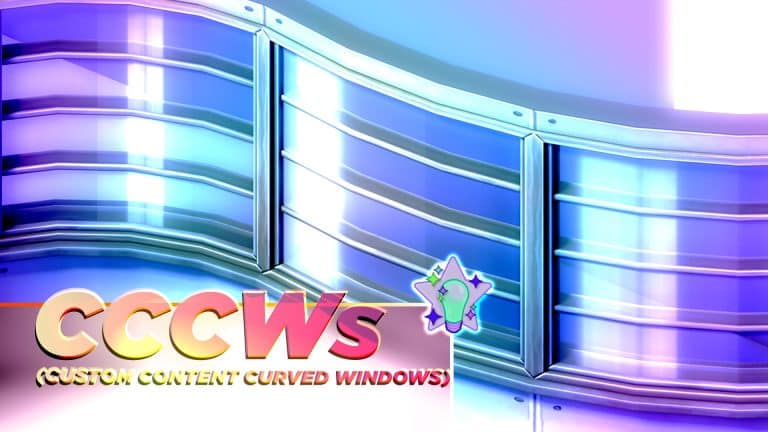
Yes, I’m talking about Curved Windows in The Sims 4. Moreover, Custom Content Curved Windows. Here at Sims Community we also call it CCCW.
Littledica, a talented Custom Content Creator has came up with a brilliant CC solution for Curved Windows.
There’s also something about the fanmade box art that’s so satisfying:
Okay, enough about that gorgeous design.
How about we take a closer look into the swatches?
The creator has provided another cool preview:
The object is available for Early Access on their Patreon at $3, with Public Release on August 4th. We can’t wait to try them out!
Brazilian CC Creator @TudTuds is also on a mission to create a set of Curved CC Windows. Check out an interesting behind the scenes look of their placement:
The conversion process of The Sims 4 Base Game Windows is in the hands of CC Creators, who are doing the job so beautifully.
The first 3 windows of the base game are fully converted to curved walls!!!!!! As I said before, I had to reduce their sizes because windows on curved walls look weird in large sizes
Follow @TudTuds for more behind the scenes looks and coverage!
Have you found any interesting CCCWs lately? Let us know in the Conversation below!
So many objects and so many styles in High School Years’ Build Mode!
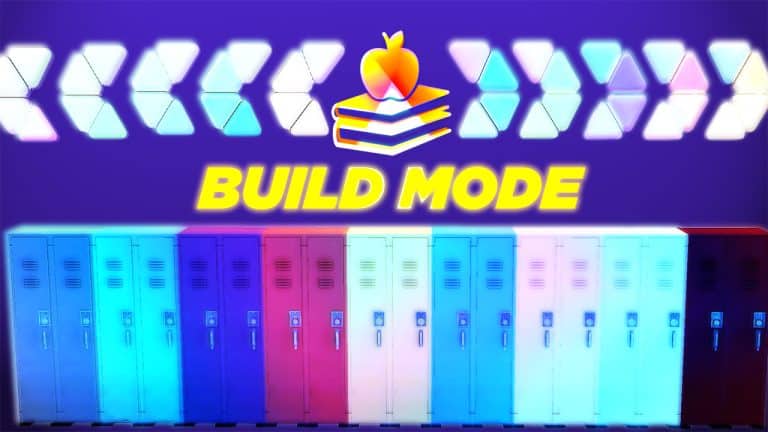
The Sims 4 High School Years comes with over 260 new Build/Buy objects, including the four preorder bonus objects. Just as with the CAS catalogue, the Build/Buy catalogue in this expansion is not limited to one particular theme. Instead, the catalogue caters to a wide array of styles to suit the unique personalities of teenagers. You’ll find everything from boho-themed stuff to princess-style furnishings and sleek, modern styles. There really is something for everyone in this pack.
Patterns are everywhere in this selection so players who are fond of bright colours and patterns will be very happy with a lot of these objects.
Some particularly interesting objects to note are the modular shelving, separated hanging clothes, vending machines, and buffet table with drink fountains. All of these things have previously come with other packs. Modular shelving and separated clothes came with Dream Home Decorator, Vending machines came with Snowy Escape, and the buffet table and drink fountain have been seen in both Luxury Party Stuff and My Wedding Stories. Players who do not own these packs will get to enjoy these objects in High School Years.
The pack is also very poster and wall-hanging heavy, with lots of varied swatches for the wall décor. This is great to see, as it will help us personalise our teens’ rooms in a way that actually fits a teenager’s sense of décor.
Catalogue Overview
Preorder Bonus Items Catalogue Overview
The following items are preorder bonuses. Players who purchase the High School Years expansion pack before September 8th, 2022 will receive the following items with the pack. They will just download along with the pack automatically. You don’t need to do anything special to claim your preorder bonus.
The preorder items glow different colours in Live Mode.
In-Game Closeups
Below are all the in-game previews of every build buy item and styled room in all swatches.
Preorder Bonus In-Game Closeups
These are the in-game closeups in every swatch of the preorder bonus items.
The Sims Team has shared a workaround that worked for only some players. Some were still encountering the issue.
The team promised that they’re investigating these issues, and have released a new statement today through Twitter:
Official Statement:
We’ve completed our investigation into various instances stemming from Tuesday’s update including auto-aging, unintended Wants, & the appearance of fame for the non-famous. We’ll be rolling out a patch to resolve these & more by the end of next week and appreciate your patience.
We are also aware of players missing bonus content with The Sims 4 High School Years preorders and have begun rolling out fixes across platforms experiencing this issue.
Check out a massive new catalogue of Create A Sim items!
The Sims 4 High School Years has a massive CAS catalogue almost exclusively catering to teens. Adults can technically wear anything in the catalogue also, but nearly every item is more suited to teenage styles and aesthetics. Unlike past DLC packs where the entire catalogue was informed by one or two themes, the High School Years catalogue covers a wide array of different fashion styles; preppy, kawaii, dark academia, e-girl, rocker, and streetwear are just some of these varying fashion styles.
The Sims collaborated with Depop; an online fashion marketplace that supports sustainable fashion and individual creators. Some of the CAS pieces were designed by Depop designers. Players can hover over any item with a plumbob icon in the thumbnail to see which Depop designer made that piece.
Overall, we were impressed with much of the catalogue, especially the large number of styled looks that come with the pack; however, we did notice that quite a few pieces only have one swatch available on them, which is a bit disappointing. We would have liked to see everything available in at least a small handful of swatches. Still, many of the designs do feature a variety of fun colours and patterns.
Since this expansion is exclusively focused on teenagers, there is no new clothing for toddlers or children; however, they do get a small selection of the same hairstyles teens/adults have.
The vast majority of the catalogue is either unisex or there are only small differences between the masculine and feminine pieces so instead of separating our guide into masculine, feminine, and unisex sections, we will just be going by age group. Players can add/remove gender tags in CAS to put any clothing item they want on either physical frame so there’s little point in separating by gender. There are only a small number of exceptions where some tops are locked to the masculine frame; namely, tops that would expose the entire breast on a feminine frame.
There are a few CAS pieces that are locked in the catalogue until you unlock them through gameplay. We’ll include those in the last section and detail how to unlock them.
Adults
Hair (14)
Tops (38)
Bottoms (33)
Full-Body Outfits (14)
Shoes (2)
Accessories (8)
Hats (2)
Makeup (5)
Body/Facial Hair (18)
Styled Looks (19)
Children
Hair (11)
Toddlers
Hair (7)
CAS Unlockables
The following pieces in the CAS catalogue are locked. Some are unlocked by purchasing them at the thrift shop in Copperdale. Others are unlocked through various high school experiences and achievements.
For the cheaters out there, the cheat code to unlock all the High School Years CAS parts is CAS.UnlockByTag EP12
Purchase from ThrifTEAPurchase from ThrifTEAPurchase from ThrifTEAWin Prom RoyaltyWin Prom JesterPurchase from ThrifTEAPurchase from ThrifTEAPurchase from ThrifTEAPurchase from ThrifTEAPurchase from ThrifTEAPurchase from ThrifTEAPurchase from ThrifTEA
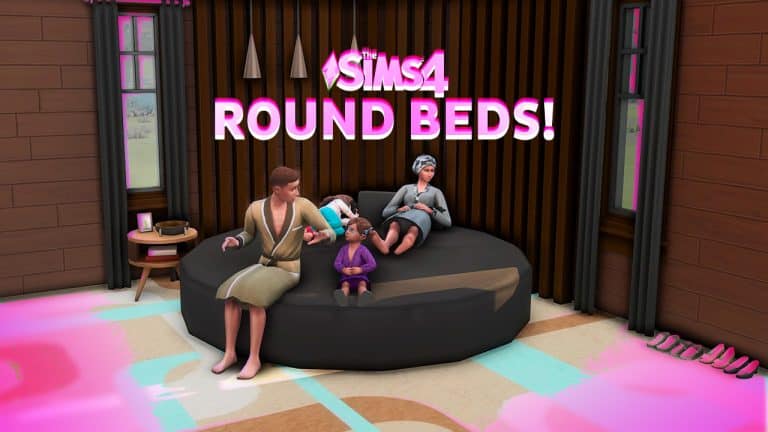
You’re not dreaming – you can make round beds in the Sims 4 without mods or CC!
With the new round walls update, it’s quite tricky to fit in a normal rectangular bed on curved corners. So to maximize the space, what better way than to cozy it up with a round bed?
There are a lot of round custom content beds available online, but not all players can download them. With this trick, you can still share your builds to the gallery without being tagged as CC.
Just make sure your bb.moveobjects cheat is on!
First, create a room below and add a light. Choose any circular living chair without a backrest. You can pick the chairs from Island Living or Snowy Escape, but it’s best to use this one from Cats and Dogs. It has an even surface and its tufted texture is perfectly cushiony!
Place it in the room below and size it up with the ‘]’ key 4 times. Elevate it with Ctrl+9 around 14 times. You will see that the cushion on top is visible on the desired floor.
Now comes the tricky part: choosing the right bed. First, it should have no footboard so that no weird piece would jut out in the middle of the round bed.
Second, the bed color should match the swatch of the round cushion. We want the bed to camouflage with it as much as possible. Oh if we only had a Create a Style feature…
For now, the black and white swatches of both objects should blend seamlessly. Check out these combos from different packs:
If you want something colorful, here are some bed-cushion combinations that work well together!
This round bed should already do. Keep reading if you want a neater-looking version!
Now Alt place the bed in the middle and size it down one time with the ‘[’ key. Make sure that a little part of it sticks out so you can still click on it in Live mode.
If the headboard is still sticking out, just cover it with any living chair or a sofa to act as a pillow (trust me, the bed’s still functional!). Note: If a sofa blocks your Sim’s way, you can place it on the lower floor and raise it up too.
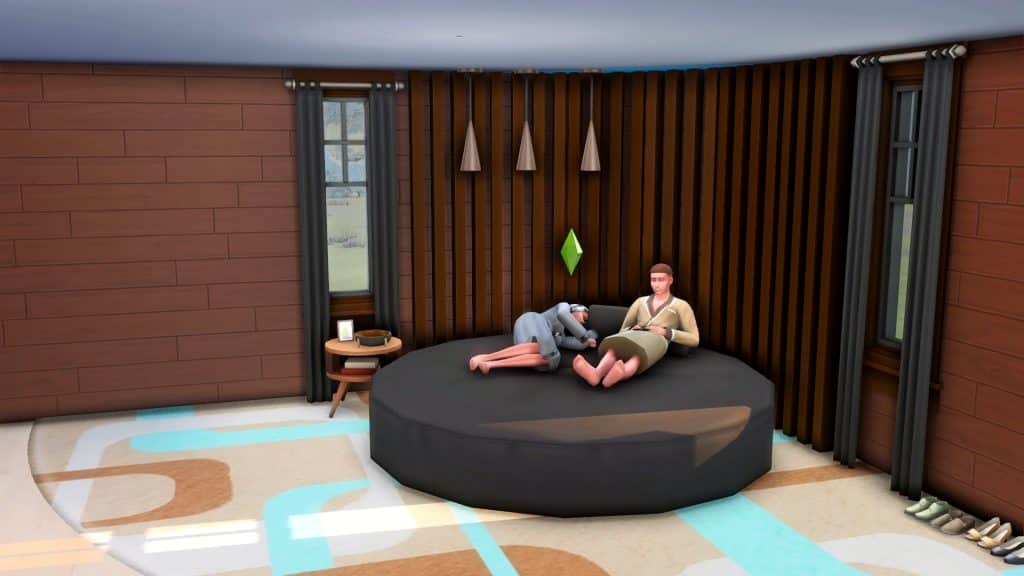
Ta-da! A fully functional round bed with so many styles to choose from.
Add more seats
We’re not done yet! You could improve your bed’s functionality by adding more seating at the foot of the bed. Use a living or dining chair, size it down if necessary, and hide it under the round cushion. Remember to leave a small part sticking out so you can select it during gameplay.
Here’s how a fully functional round bed with extra seating looks like:
Some problems
A few notes: both versions are functional but the first one is recommended for better gameplay. The second version only looks great when your Sims relax or nap on it. When they sleep on it, there’s a weird animation with the blanket since the bed is sized down. Woohoo still works, but this happens:
We don’t wanna see what happens under those covers…so this would be better as a day bed!
Carl released Sim Retirement Bug Fix which will allow your Sims to retire. Currently, Sims cannot retire in the game without the mod.
Mythical Ascelin re-updated the Aging Fix mod, originally made by Scarlet. The mod prevents days from being added when creating a new Sim. The last patch caused an aging bug that adds days to a Sim every time they exit CAS.
We also have a full Bug Report on the current issues with The Sims 4.
There are some new faces in town! Why not get to know them?
The Sims 4 High School Years comes with a brand new world called Copperdale, along with plenty of new Sims who live in the world. Unsurprisingly, the majority of Copperdale’s residents are teenagers so players will have no shortage of premade teens to play through the new high school gameplay with if they want to. There are also some homeless townies who appear to play the role of high school teachers.
High school sweethearts and Copperdale alumni Janae and Marcel Price have returned, moving back into their old neighborhood with their three children: Sidney, Savannah, and Jayden. They also welcomed Kevin, a foreign exchange student, into their lively home. It’s a busy household, stirring with activity and thriving pursuits. While Marcel works on his latest novel, Janae works full-time as a successful Regional Manager. The twins, Savannah and Sidney, each enjoy their own interests while trying to keep up good grades. Jayden looks up to his siblings a lot, and can’t wait to be just like them, his buddy Kevin included. Life can certainly get away from them, but they know they can always depend on one another.
Janae Price
Age: Adult Pronouns: She/Her Romance Preferences: Men WooHoo Preferences: Men Romantic Exploration: No Career: Business (5) Aspiration: Renaissance Sim Walk Style: Normal Voice: Lilted Traits: Clumsy, Self-Assured, Athletic, Fast Learner (Bonus) Skills: Charisma (4), Fitness (5), Programming (5) Relationships: Marcel Price – Husband | Savannah Price – Daughter | Sidney Price – Son | Jayden Price – Son | Kevin Puri – Acquaintance Sentiments: None Likes: Blues Music, Retro Music, Romance Music, Gardening, Cooking, Fitness, Writing, Piano, Red, Yellow, Black, Purple, Basics Fashion, Polished Fashion Dislikes: Electronica Music
Marcel Price
Age: Adult Pronouns: He/Him Romance Preferences: Women WooHoo Preferences: Women Romantic Exploration: No Career: Author (7) Aspiration: Nerd Brain Walk Style: Normal Voice: Brash Traits: Goofball, Cheerful, Bookworm, Fast Learner (Bonus) Skills: Logic (3), Cooking (4), Writing (7) Relationships: Janae Price – Wife | Savannah Price – Daughter | Sidney Price – Son | Jayden Price – Son | Kevin Puri – Acquaintance Sentiments: None Likes: Mixology, Cooking, Writing, Piano, Blues Music, Classical Music, Hip Hop Music, Yellow, Black, Brown, Green, Basics Fashion, Polished Fashion Dislikes: Winter Holiday Music, Grey
Sidney Price
Age: Teen Pronouns: He/Him Romance Preferences: Men & Women Mess Around Preferences: Men & Women Romantic Exploration: Yes Career: High School C Student | High School Cheerleader (2) Aspiration: Friend of the World Walk Style: Swagger Voice: Warm Traits: Overachiever, Athletic, Gregarious (Bonus) Skills: Fitness (3), Charisma (4) Relationships: Janae Price – Mother | Marcel Price – Father | Savannah Price – Sister | Jayden Price – Brother | Kevin Puri – Best Friend | Ash Harjo – Friend | Molly Prescott – Friend | Noah Kane – Rival Sentiments: None Likes: Blues Music, Hip Hop Music, Pop Music, Retro Music, Comedy, Fitness, Mischief, Video Gaming, Yellow, Brown, Green, Purple, Basics Fashion, Streetwear Fashion Dislikes: Alternative Music, Kids Radio Music, Programming, Orange, Outdoorsy Fashion
Savannah Price
Age: Teen Pronouns: She/Her Romance Preferences: No one Mess Around Preferences: No one Romantic Exploration: No Career: High School C Student | High School Computer Team (1) Aspiration: Computer Whiz Walk Style: Normal Voice: Sweet Traits: Geek, Materialistic, Fast Learner Skills: Video Gaming (2), Programming (3) Relationships: Janae Price – Mother | Marcel Price – Father | Sidney Price – Brother | Jayden Price – Brother | Kevin Puri – Friend | Molly Prescott – Rival Sentiments: None Likes: Programming, Painting Video Gaming, Alternative Music, Retro Music, Electronica Music, S-Pop Music, Black, Blue, Pink, White, Hipster Fashion, Rocker Fashion, Streetwear Fashion Dislikes: Gardening, Lullabies Radio Music, Pop Music, Green, Polished Fashion
Jayden Price
Age: Child Career: Grade School C Student Aspiration: Social Butterfly Walk Style: Normal Voice: Warm Traits: Outgoing Skills: Creativity (2), Social (2) Relationships: Janae Price – Mother | Marcel Price – Father | Savannah Price – Sister | Sidney Price – Brother | Kevin Puri – Acquaintance Sentiments: None Likes: Hip Hop Music, Kids Radio Music, Pop Music, Comedy, Video Gaming, Blue, Orange, Red Dislikes: Green
Kevin Puri
Age: Teen Romance Preferences: Women Mess Around Preferences: Women Romantic Exploration: No Career: High School C Student Aspiration: Goal Oriented Walk Style: Normal Voice: Lilted Traits: Socially Awkward, Romantic, Relatable (Bonus) Skills: Rocket Science (3), Handiness (4) Relationships: Sidney Price – Best Friend | Savannah Price – Friend | Janae Price – Acquaintance | Marcel Price – Acquaintance | Jayden Price – Acquaintance Sentiments: None Likes: Handiness, Cooking, Guitar, World Music, Romance Music, S-Pop Music, Orange, Red, Blue, Purple, Hipster Fashion, Polished Fashion, Streetwear Fashion Dislikes: Fishing, Lullabies Radio Music, Yellow, Rocker Fashion
Household Notes
The Price family lives on the BridgeCreek Drive lot in the Plumbite Cove neighbourhood of Copperdale
Janae and Marcel both have a lot of likes, many of which seem unrelated to their careers or personality. This might indicate they were overachievers in high school; however, their profiles both say they only graduated high school with average grades.
Kevin’s room in the house is the plainest of all the bedrooms since he is only staying with the Price family temporarily as an exchange student.
Savannah appears to have an entire guest house to herself in the yard, complete with her own private bathroom. One reason may be it allows her to stream at all hours of the day and night without disturbing the rest of the family, but we have a sneaking suspicion she may also be Janae and Marcel’s favourite child. She is their only daughter.
Sidney’s bedroom displays lots of award ribbons and is very colourful in various pink, purple, blue, and black tones. This shows off his overachiever personality. It also tells us Sidney is interested in styles that are both traditionally masculine and traditionally feminine.
Sidney’s rival is Noah Kane and he appears to dislike Noah, but Noah has the Crush sentiment towards Sidney. This makes for an interesting dynamic between the two.
The Prescott Household
Amy PrescottMei PrescottTai LumMolly Prescott
Household Description
Passed down through generations, this historic estate is home to the Prescott Family. Mei Prescott, Copperdale’s High School Principal, lives here with her two daughters and her father, Tai Lum. After her husband’s passing, Mei put all her efforts into protecting her girls and showering them with affection. Often times to an embarrassing degree. Molly is a star student with a secret passion for music. Taking a page from her troublemaker little sister Amy, she’s learning to embrace her more rebellious side. Tai enjoys time with his grandchildren, especially the extra moments he has with Molly when working at the school as a janitor. Together, the family proudly carries on the legacy of the Prescott name.
Mei Prescott
Age: Adult Pronouns: She/Her Romance Preferences: Men WooHoo Preferences: Men Romantic Exploration: No Career: Copperdale High Principal (NPC Role) Aspiration: Successful Lineage Walk Style: Swagger Voice: Lilted Traits: Gloomy, Neat, Perfectionist, Domestic (Bonus) Skills: Charisma (5), Logic (5), Piano (5) Relationships: Tai Lum – Father | Molly Prescott – Daughter | Amy Prescott – Daughter Sentiments: None Likes: World Music, Classical Music, Cooking, Piano, Writing, Red, Brown, Grey, Polished Fashion Dislikes: Mixology
Tai Lum
Age: Elder Pronouns: He/Him Romance Preferences: Women WooHoo Preferences: Women Romantic Exploration: No Career: Copperdale High Janitor (NPC Role) Aspiration: Angling Ace Walk Style: Normal Voice: Brash Traits: Loves Outdoors, Snob, Neat, Collector (Bonus), Fear of Death (Fear) Skills: Fishing (4), Handiness (7) Relationships: Mei Prescott – Daughter | Molly Prescott – Granddaughter | Amy Prescott – Granddaughter Sentiments: None Likes: World Music, Classical Music, Retro Music, Fishing, Gardening, Handiness, Cooking, Piano, Red, Blue, Brown, Basics Fashion Dislikes: Alternative Music, Electronica Music, Video Gaming, Pink
Molly Prescott
Age: Teen Pronouns: She/Her Romance Preferences: Women Mess Around Preferences: Women Romantic Exploration: No Career: High School C Student | High School Chess Team Aspiration: Musical Genius Walk Style: Normal Voice: Melodic Traits: Genius, Music Lover, Muser (Bonus) Skills: Mischief (3), Guitar (4), Logic (5) Relationships: Mei Prescott – Mother | Amy Prescott – Sister | Tai Lum – Grandfather | Ash Harjo – Good Friend | Sidney Price – Friend | Savannah Price – Rival Sentiments: None Likes: Rocket Science, Violin, Guitar, Alternative Music, Classical Music, Pop Music, Blue, Green, Pink, Preppy Fashion Dislikes: Video Gaming, Spooky Music, Black, Country Fashion
Amy Prescott
Age: Child Pronouns: She/Her Career: Grade School C Student Aspiration: Rambunctious Scamp Voice: Warm Traits: Kleptomaniac Skills: Social (2), Motor (4) Relationships: Mei Prescott – Mother | Molly Prescott – Sister | Tai Lum – Grandfather Sentiments: None Likes: Alternative Music, Electronica Music, Pop Music, Comedy, Mischief, Video Gaming, Red, Black, Blue, Purple Dislikes: Kids Radio Music, Lullabies Radio Music, Piano
Household Notes
The Prescott household lives on the Golden Peak lot in the Prescott Square neighbourhood of Copperdale, which is named after the Prescott family’s ancestor, Jasper Prescott.
According to the description for Prescott Square, the ghost of Jasper Prescott might still be found around the Boomsbluff Mystery House.
Mei is a widow and single mother of Molly and Amy. Since she and her father do not share the last name, it can be inferred that Mei married into the Prescott family and that her maiden name is Lum. Having married into such a prestigious family, she may feel extra pressure to live up to her late husband’s name and is projecting that pressure onto her children.
Mei has the Gloomy trait and she still uses her late husband’s name. She also still wears her wedding ring. All of this indicates that she is still grieving for him and hasn’t been able to move on, yet.
While Molly is friends with Sidney Price, she dislikes his sister, Savannah, and is rivals with her.
Amy dislikes kids music and lullabies even though she is a child. This implies that she wants to be seen as more grown up than she is.
Tai starts out with a Fear of Death, which makes sense, given that he is an elder. He also starts out wanting to try and conquer this fear.
There is a small attic space in the home with a guitar in it. Molly has a passion for music and this is likely her own little retreat in the home where she can get away and play her music.
The Harjo Household
Ash HarjoLucha HarjoAva HarjoNoah Kane
Household Description
Brought together by their mutual obsession over food, Ava and Lucha fell in love. Ava was recently hired at the High School to work in the cafeteria, and with her expert cooking skills, the food has never been better! Lucha, still learning some chops, was promoted to Head Dishwasher and couldn’t be happier. Ash has decided to fully commit to a life of fashion, diving into the Simfluencer lifestyle and spending loads of their time on Trendi. Noah, a bit of a prankster, spends his time training for football and daydreaming about his secret crush, Sidney Price. With teens to raise and recipes to create, the Harjos are in for some wild adventures.
Ava Harjo
Age: Adult Pronouns: She/Her Romance Preferences: Men WooHoo Preferences: Men & Women Romantic Exploration: No Career: Copperdale High Cafeteria Worker (NPC Role) Aspiration: Master Chef Walk Style: Feminine Voice: Melodic Traits: Good, Foodie, Outgoing, Essence of Flavour (Bonus) Skills: Charisma (2), Gourmet Cooking (4), Cooking (6) Relationships: Lucha Harjo – Husband | Noah Kane – Son | Ash Harjo – Stepchild Sentiments: None Likes: World Music, Retro Music, S-Pop Music, Comedy, Gardening, Cooking, Red, Green, Pink, Purple, Basics Fashion, Outdoorsy Fashion Dislikes: Lullabies Radio Music, Programming, Black
Lucha Harjo
Age: Adult Pronouns: He/Him Romance Preferences: Women WooHoo Preferences: Women Romantic Exploration: No Career: Culinary (2) Aspiration: Master Chef Walk Style: Normal Voice: Clear Traits: Clumsy, Foodie, Family Oriented, Essence of Flavour (Bonus) Skills: Cooking (2), Comedy (5) Relationships: Ava Harjo – Wife | Ash Harjo – Child | Noah Kane – Stepson Sentiments: None Likes: World Music, Retro Music, Romance Music, Fishing, Gardening, Handiness, Cooking, Red, Black, Blue, Green, Basics Fashion, Country Fashion, Outdoorsy Fashion Dislikes: Electronica Music, Rocket Science, Boho Fashion
Ash Harjo
Age: Teen Pronouns: They/Them Romance Preferences: Men Mess Around Preferences: Men Romantic Exploration: No Career: High School C Student | Simfluencer (2) Aspiration: Beloved Icon Walk Style: Normal Voice: Lilted Traits: Creative, Self-Assured, Relatable (Bonus) Skills: Charisma (2), Entrepreneur (3), Painting (4) Relationships: Lucha Harjo – Father | Ava Harjo – Stepmother | Noah Kane – Stepbrother | Molly Prescott – Good Friend | Sidney Price – Friend Sentiments: None Likes: Painting, Writing, Electronica Music, Hip Hop Music, Pop Music, S-Pop Music, Black, Pink, Purple, Hipster Fashion, Rocker Fashion, Streetwear Fashion Dislikes: Kids Radio Music, Yellow, Country Fashion
Noah Kane
Age: Teen Pronouns: He/Him Romance Preferences: Men Mess Around Preferences: Men Romantic Exploration: Yes Career: High School C Student | High School Football Team (1) Aspiration: Chief of Mischief Walk Style: Normal Voice: Brash Traits: Party Animal, Goofball, Dastardly (Bonus) Skills: Comedy (3), Mischief (4) Relationships: Ava Harjo – Mother | Lucha Harjo – Stepfather | Ash Harjo – Stepsibling | Sidney Price – Rival Sentiments: Sidney Price – Crush Likes: Handiness, Mischief, Mixology, Fitness, Alternative Music, Hip Hop Music, Pop Music, Yellow, Blue, Pink, Purple, Basics Fashion, Outdoorsy Fashion, Streetwear Fashion Dislikes: Programming, Writing, Spooky Music
Household Notes
The Harjo household lives on the Water Tower Way lot in the Prescott Square neighbourhood of Copperdale.
The Harjos appear to be your average blue collar hardworking family. Ava and Lucha both have entry-level jobs in the food industry and their house is small and relatively modest.
The Harjos are a blended family; Ash is Lucha’s child and Noah is Ava’s son, making Ash and Noah stepsiblings. Ash and Noah have a neutral relationship with each other and their stepparent, but both have a good relationship with their biological parent.
Noah’s interests and bedroom décor show that he’s into sports and likes physical activities but does not excel in stationary, indoor skills.
Ash’s bedroom is located in a walkout basement and reflects their loud and colourful personality, as well as their interest in fashion.
Noah has a crush on his classmate, Sidney Price, but the two are rivals and Sidney actually dislikes Noah.
Not In World Households
Anjelo MorlindEloise HiddlestixRita Coombes
Household Description
No description. Each Sim is in a different household. They’re intended to fill the teacher and bubble tea shop clerk roles.
Rita Coombes
Age: Elder Pronouns: She/Her Romance Preferences: Men WooHoo Preferences: Men Romantic Exploration: Yes Career: Copperdale High Teacher (NPC Role) Aspiration: The Collector Walk Style: Normal Voice: Sweet Traits: Socially Awkward, Perfectionist, Family Oriented, Collector (Bonus), Fear of Death (Fear) Skills: Gardening (2), Writing (5), Logic (6) Relationships: None Sentiments: None Likes: Classical Music, Winter Holiday Music, Gardening, Violin, Piano, Grey, Green, Purple, Basics Fashion, Polished Fashion, Preppy Fashion Dislikes: Mischief
Eloise Hiddlestix
Age: Young Adult Pronouns: She/Her Romance Preferences: Women WooHoo Preferences: Women Romantic Exploration: No Career: ThrifTEA Shop Owner (NPC Role) Aspiration: Fabulously Wealthy Walk Style: Swagger Voice: Lilted Traits: Clumsy, Goofball, Art Lover, Business Savvy (Bonus) Skills: Entrepreneur (2), Charisma (4) Relationships: None Sentiments: None Likes: Mixology, Cooking, Painting, World Music, Retro Music, Yellow, Blue, Purple, Hipster Fashion, Streetwear Fashion Dislikes: Grey, Boho Fashion
Anjelo Morlind
Age: Young Adult Pronouns: He/Him Romance Preferences: Men & Women WooHoo Preferences: Men & Women Romantic Exploration: No Career: Copperdale High Teacher (NPC Role) Aspiration: Renaissance Sim Walk Style: Normal Voice: Warm Traits: Slob, Creative, Cheerful, Quick Learner (Bonus) Skills: Guitar (2), Painting (3), Logic (4), Programming (4) Relationships: None Sentiments: None Likes: Pop Music, Spooky Music, S-Pop Music, Comedy, Writing, Video Gaming, Orange, Yellow, Pink, Hipster Fashion, Polished Fashion Dislikes: Classical Music, White, Country Fashion
Household Notes
These households are most likely just there to fill NPC roles. They do have fleshed out personalities in CAS but the only Sim with any background lore is Eloise.
Eloise Hiddlestix appears to be based on the character of Ms. Frizzle from the popular educational children’s cartoon, The Magic School Bus.
Eloise is mentioned in the neighbourhood description for Prescott Square where it is revealed that she is the owner of the ThrifTEA thrift and bubble tea shop in town.
Sims are texting themselves, High School Schedules are off, There are Holes in the Ceilings. And more.
Ever since the High School Never Ends Patch dropped on July 26th, major bug after major bug has been reported from the community. EA even put a warning in the game so people know to use normal lifespan to prevent the aging glitch. But what about the other bugs? Here’s a list of some of the more prevalent bugs reported by the community.
High School Never Ends Patch Bugs
One of the biggest features of this new patch was curved walls. But, when people started experimenting with them and building unique structures, they started to find problems with them. There are holes in the ceilings and sometimes the floors, problems with putting curved walls inside, and even difficulties stacking round rooms asymetrically.
Another major problem in the patch was with the Wants and Fears system. Sims with families now have wants to date other family members. It’s definitely disturbing to have your Sims randomly do this and hopefully, they will be able to fix this soon!
Celebrities can be annoying, but what’s more annoying is when everyone randomly becomes a celebrity. These sims are not permanently celebrities, but having everyone become Global Superstars is a bit frustrating. Especially when it’s a cat.
The aging bug is the most problematic of all bugs listed so far. Playing on long lifespan especially can cause extra days to be added to your Sims’ ages every time you enter and exit CAS. This error is so bad that EA had been warning about it and we are thankful for that.
Some other bugs include: when traveling, the Sim selection is now greyed out except for Sims in your neighborhood, Sims reset while live streaming, and Sims can’t retire. Carl created a mod to fix the Sims’ Retirement bug and you can find it here.
High School Years EP Bugs
Even the launch of High School Years started badly. People weren’t able to download the Expansion pack because of an Origin outage. But, there are also bugs inside the pack as well!
This seems to be an installation bug, possibly through Steam, where people don’t have words in their game. There is no official fix for this bug, unfortunately. You can try repairing your game.
Screenshot Courtesy of Mira♡Mira
How to Repair Your Game
Steam: Right-click your game icon, and click properties. Select the local files tab. Then, choose verify the integrity of game files. EA Desktop: Right-click your game and choose Repair. Origin: Right-click your game and choose Repair.
Another bug is that two Copperdales are showing up on the map. This has happened with previous releases, including The Sims 4 Werewolves.
To fix this error, you need to:
Make sure you back up the save file. Always do this before making major changes to your game.
Load the save game and upload all the families and builds you want to keep in the affected world to your library. Do not have to worry about premade families, they will be automatically added back unless you altered the Sims. If you changed the premade families, then you’ll need to upload them as well.
Disable or uninstall the pack. We recommend disabling it using James Turner’s Pack Disable Tool. To use this, click on the packs you do not want in your game, then copy the code at the top. In Origin, right-click your game and choose Properties. Click Advanced Options, then paste it into the text box called Command Line Arguments.
Load the save. There will be an error message saying that data is missing. Don’t worry that the world is grey.
Click Save As with a new name.
Close the game
Install or Delete the line you pasted into Command Line Arguments
Open your save and there should only be one world.
You will need to put down all your previously edited sims and builds from that world that you saved to your library.
Other High School Bugs
A couple of other bugs with the High school Years pack include clicking on a child’s relationship in the relationship panel contributes to the Social Butterfly aspiration goal to Meet 5 Sims, scheduling problems between multiple high school-related activities, and Sims DM’ing themselves.
Screenshot Courtesy of SailorEffinMoonScreenshot Courtesy of TsukichildScreenshot Courtesy of TsukichildScreenshot Courtesy of Tsukichild
What other bugs have you noticed in your game? You can share your screenshots and issues below.