Home Blog Page 153

New information on The Sims 4 Décor to the Max Kit

4

The Upcoming Kit is introducing Modular Wainscoting for your walls!

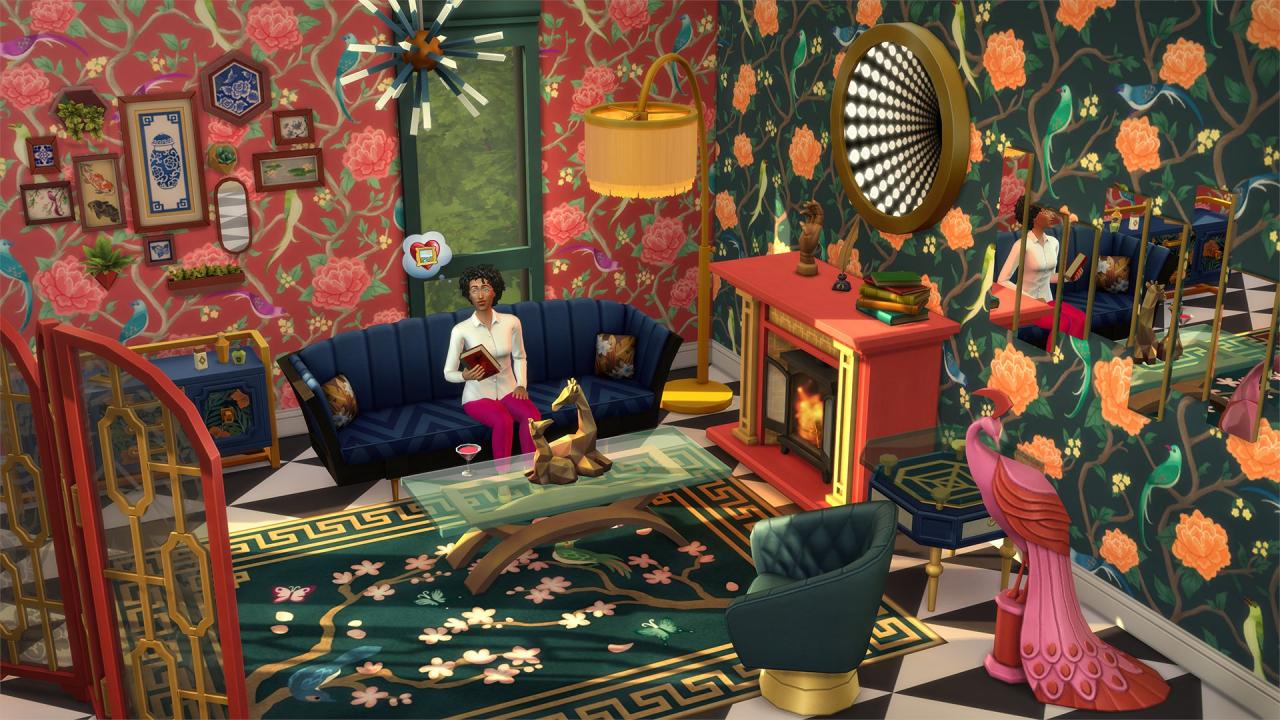
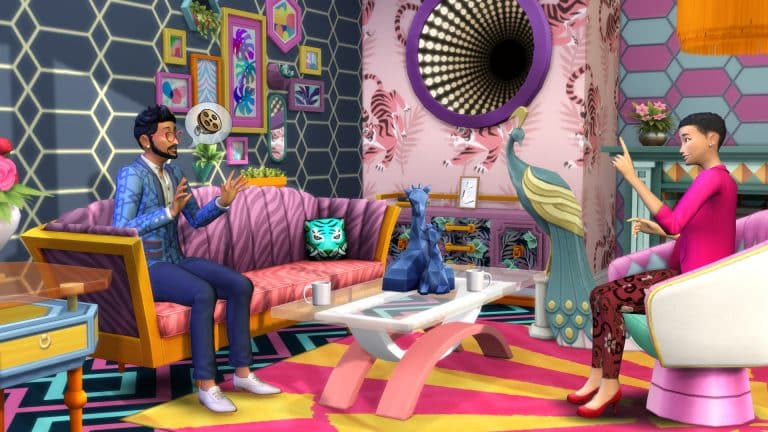
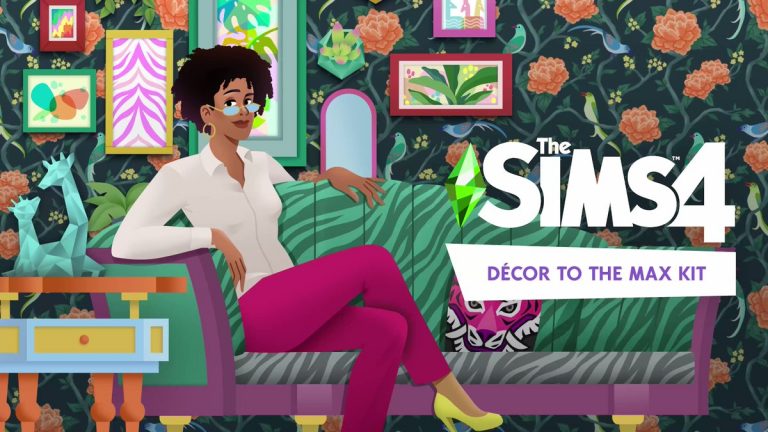
The Sims 4 Décor to the Max is the next Kit coming to the series. As shown in the official images shared by The Sims Team, the Kit will deliver extravagantly luxurious Build Items and Wallpapers. Check out the preview of maximalist-themed new objects below:


However, there’s more than it meets the eye. Or in this case more than what’s been shown in the official images.

SimGuruAsh, a producer working on The Sims 4 has started sharing new information regarding Décor to the Max Kit. Check out the new screens and information shared by the producer:

Facts

  • “There are 22 to 23 new items…ish.”
  • “There are some more subtle variants, or features that can kinda mix in.”
  • “There are some super colorful and patterned swatches, and then some that are more simple!”
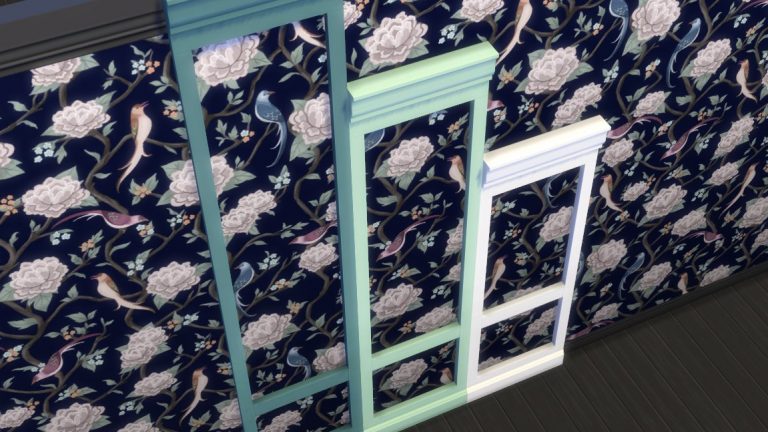
  • The Kit comes with Wainscoting for 3 different wall heights, allowing you to make your walls stand out even more!

New information on The Sims 4 Décor to the Max Kit

  • “You can put them over mirrors. But they also are just wall trims. They’re a whole new item, too.”
  • The new wall trims are excellent for Windows! You can even check out how it looks like in the second official image above.
  • The Kit “goes especially great with Get Famous, Vintage Glamour, & Paranormal.”

Screen Previews

New information on The Sims 4 Décor to the Max KitNew information on The Sims 4 Décor to the Max KitNew information on The Sims 4 Décor to the Max Kit

The Sims 4 Décor to the Max Kit: Features & Assets

18

Official features and new images from The Sims 4 Décor to the Max Kit!

The Sims Team has sent us over the official description, features and image material for their upcoming Kit release!

The Sims 4 Décor to the Max Kit is set to release across platforms on March 21st, 2022. Here’s what you can expect from this Kit:

Description

Elevate any basic living room to instantly inspirational with the expressive, eclectic pieces in The SimsTM 4 Décor to the Max Kit*! Bold, bright decor takes center stage in this collection, making it easy to lean into maximalism design principles with a little bit of everything.

Features

HAVE IT ALL – Play with patterns and let colors collide with mix-and- match furniture in a variety of styles. Layer in contrasting and complementary details like new wallpapers and rugs to coordinate over-the-top looks that build a busy but beautiful atmosphere.

TRY ALL THREE – Combine elements featuring Regency, Chinoiserie, and Abstract Modern aesthetics with a plethora of prints, shapes, and colors. Delve into self-expression by getting surreal with gilded pastel tones, geometric patterns, and intimate textures.

Logo

The Sims 4 Décor to the Max Kit: Features & Assets

Boxart

The Sims 4 Décor to the Max Kit: Features & Assets

Cover

The Sims 4 Décor to the Max Kit: Features & Assets

Screens

The Sims 4 Décor to the Max Kit: Features & AssetsThe Sims 4 Décor to the Max Kit: Features & Assets

The Sims 4 Décor to the Max Kit has been announced

6

Décor to the Max Kit is coming March 21st!

The Sims Team has just announced their latest Kit for The Sims 4 – titled Decor to the Max!

This upcoming release is a Build Kit, and includes new extravagant build items that you can use to decorate your living space. Check out the first in-game preview below:

The Sims 4 Décor to the Max Kit has been announced

The Kit is set to release on March 21st, 2022 for PC, Mac, Xbox and Playstation Consoles! More information to follow here on Sims Community.

Let’s Build A Wedding Venue in The Sims 4

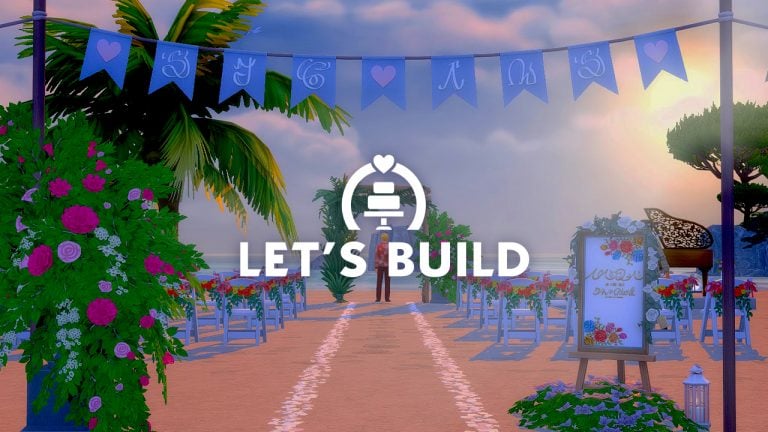
Building a Venue with The Sims 4 My Wedding Stories!

Even though there are still some glitches when it comes to building a wedding venue in game, I still felt that it would be the perfect opportunity to take a closer look at the new Build and Buy Mode items that come with The Sims 4 My Wedding Stories Game Pack.

I decided to go build on the beach lot of Baia dell’amore which is located in Porto Luminoso. The idea of creating a venue here with the ocean as a backdrop drew me in. Not only the location but I didn’t want to create a Wedding Venue on a very large lot, but with Baia dell’amore being a 40×20 lot I knew that this would be plenty of room.

Let’s Build A Wedding Venue in The Sims 4

Initially, I did find it difficult to decide what kind of colour scheme to go with. I wanted to keep it natural but with pops of colour throughout.  Mainly keeping with red, yellow and pinks, while the rest of the colours were more neutral wood tones and white.

After some trial and error, I eventually managed to find something that worked and slowly, but surely things were coming together.

One of the first areas I worked on was the Bar and Dance Floor area. I knew I wanted to have these just off to the side, rather than where the main area of the venue would be. Originally, I didn’t have the dance floor area on a decked area, but it worked out a lot better than just being placed directly onto the lot.

After turning my focus to the main area of the lot, I kept it simple and built it up from there once I had placed the Wedding Arch. There was a moment where I was wondering if I had too many or too few chairs for Sims to sit on, but aesthetically it looked better having a few extra chairs than not enough.

Let’s Build A Wedding Venue in The Sims 4

After I eventually finished placing all the chairs, I felt that there was something missing. That was until I realized I’d forgotten to place a piano! Likewise with the dance floor, I built a small decked area to raise the piano up slightly from the main level of the lot.

Let’s Build A Wedding Venue in The Sims 4

I had two areas of the wedding venue left to build. In line with the somewhat broken lot requirements, I needed to place two sinks and two toilets. I quickly built a small four by two building and decorated it with a fence outside to hide the fact it was a bathroom, and also placed a very handy Petals to the Metal Flower Vendor stand next to it.

Let’s Build A Wedding Venue in The Sims 4

Last but not least, the dining area of the venue. This was actually very straight forward and easy to do, but also worked well with the space I had left. It didn’t feel too crowed or too spaced out. Using The Fun Table was a much better option than using the Fenwick the V Banquet Table for this space.

Let’s Build A Wedding Venue in The Sims 4

Overall, I think it came together nicely. There are definitely things that I would change and do differently next time, however, for a first go at building a Wedding Venue I don’t think I did too bad. I can say this was really out of my comfort zone but also a good challenge for myself using the new pack, but I’m also looking forward to building more in the future!

LEAK: The Sims 4 Décor to the Max is the next Kit

5

The Sims 4’s next Kit is titled Décor to the Max!

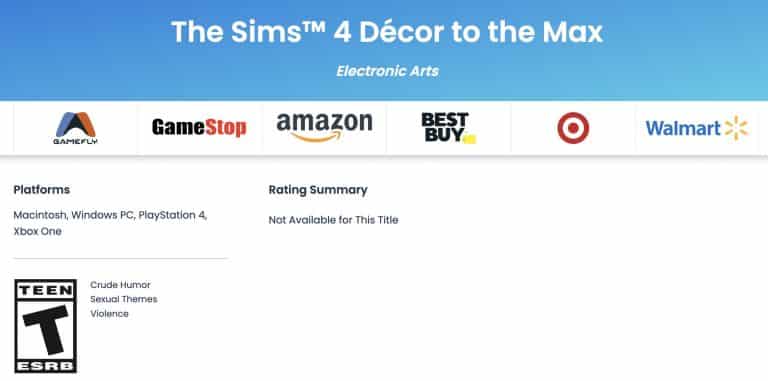
Thr name of the next Kit for The Sims 4 has just surfaced on the official ESRB website, responsible for game ratings (such as T for Teen for The Sims 4).

The title of the next Kit is called The Sims 4 Décor to the Max Kit!

LEAK: The Sims 4 Décor to the Max is the next KitConsidering that this Kit has been teased on the Simthing to Celebrate Season, this Kit is expected to release by the end of March 2022. Assuming the title mentions Decor we can speculate that this is a Build Kit.

We’ll keep you posted on all the latest so stay tuned!

Tip / Source

The Sims 4 Custom Content: Festive Stuff Pack

Don’t let the CC Pack Title trick you – there’s new content for Children and Toddlers year-round!

We know the holidays are over but when we find such a cute CC set, we just can’t pass up the opportunity to showcase it no matter the time of year! Today, we’ll be showing off an adorable festive set created by Georgiaglm! This set is all about getting your children and toddlers dressed up for the festive season and we can’t resist a good CC set focused on children and toddlers!

The best part? All pieces are Maxis Match and most of the pack is versatile enough to be used all year-round!

The Sims 4 Custom Content: Festive Stuff Pack
Image Credit: Georgiaglm

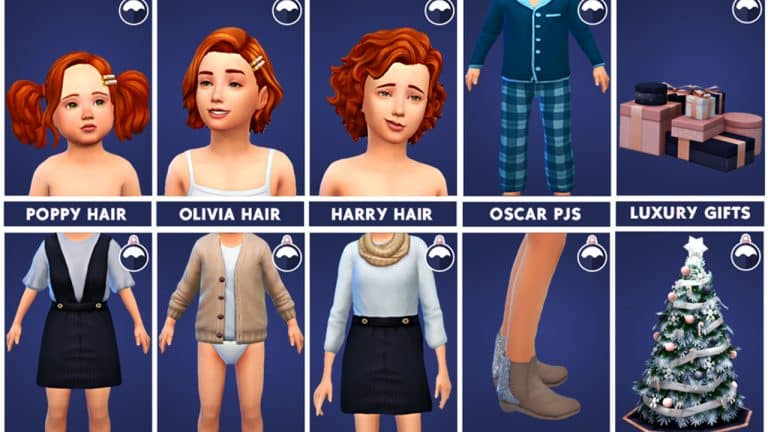
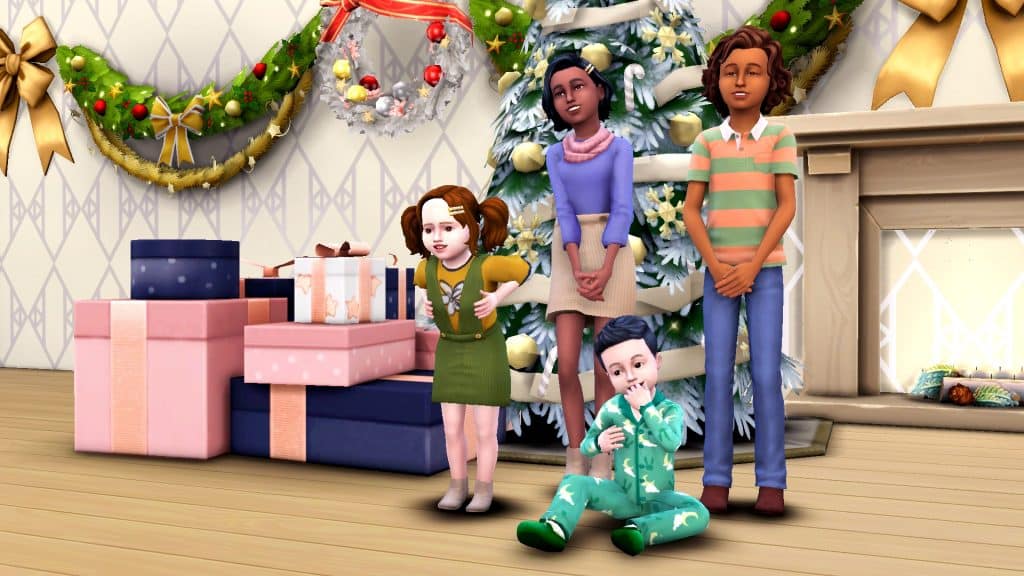
This adorable set comes with 15 new items; 12 CAS pieces for children and toddlers, 1 CAS piece for adults, and 2 Buy Mode objects. There is a feminine child hair with and without the hair clip, a male child hair, and a female toddler hair also with and without the hair clip.

For clothing, there is a feminine full-body outfit for children, a feminine full-body outfit for toddlers, a cardigan for toddlers, and a unisex full-body set of PJs for toddlers. There is also a pair of stylish shoes for all ages and a pair of cozy slippers for toddlers. All the CAS pieces are very versatile and can be used all year round but they are great for getting your little ones all dressed up for the holidays.

The Sims 4 Custom Content: Festive Stuff Pack
Image Credit: Georgiaglm

For objects, there is a stylish Christmas tree in a few recolours that are much more elegant than the bright flashy colours of the EA trees, and a large present pile in navy, pink, and rose gold tones. While the tree might be pretty Winterfest-specific, the present pile could be used for all sorts of occasions, like birthday parties, weddings, baby showers, basically any celebration you can think of where gifts are exchanged!

We of course wanted to see what everything looked like in-game for ourselves and we were not disappointed! All of the items look super cute on kids and toddlers and the new holiday objects make a very classy backdrop! You can see our kids and toddlers wearing almost every piece in the set with the tree and presents in the background below!

The Sims 4 Custom Content: Festive Stuff Pack
If you’d like to download this adorable set, click the button below to download the whole set from Georgiaglm’s tumblr!

[mks_button size=”medium” title=”Download” style=”rounded” url=”https://georgiaglm.tumblr.com/post/189932926843/festive-pack-by-georgiaglm-here-it-finally-is” target=”_blank” bg_color=”#4aa500″ txt_color=”#FFFFFF” icon=”fa-arrow-down” icon_type=”fa” nofollow=”0″]


Credits

The Sims announces the Expression Challenge with Logitech

1

A chance to design upcoming accessories from Logitech x The Sims!

Logitech and The Sims have just published a new design challenge. The challenge requires you to create and upload your own mood board featuring photos from The Sims 4 with your very own color palette.

Full details and how to enter down below:

Design a mood board using The Sims 4 for a chance to win 2 custom Logitech headsets PLUS a chance to join in on the creation of The Sims 4 themed Logitech G accessories

Logitech G and The Sims™ are teaming up to bring the world of The Sims to you! Whether you’re a monochromatic minimalist, a colorful Cowplant enthusiast, or both, we want to see who you are!

How to Enter:
Create a color-themed mood board that expresses who you are using screenshots from The Sims 4.

  1. Upload a mood board PDF, Jpeg or PNG. 80% of photos must be from The Sims 4.
  2. Make sure your board has a clearly identifiable color palette.

Our judges will narrow down the submissions to 10 mood boards on March 28th.

The public will vote on their favorites until March 30th. 

Winner announced March 31st.

Open to 18+ Australia, New Zealand, Ireland, France, Thailand, Germany, Mexico, United Kingdom, Spain, and United States. 

[mks_button size=”large” title=”Enter Challenge!” style=”squared” url=”https://gleam.io/Ku3Xw/the-sims-x-logitech-g-expression-challenge” target=”_blank” bg_color=”#561dc1″ txt_color=”#FFFFFF” icon=”” icon_type=”” nofollow=”0″]

The Sims announces the Expression Challenge with Logitech

Let’s Build the Stardew Valley Bathhouse in The Sims 4!

Stardew Valley meets The Sims 4

I’ve been playing a lot of Stardew Valley lately and I love to do crossovers of other games with The Sims 4. I always thought the bathhouse from Stardew Valley had a really cool design, with the greenhouse built into the roof over the actual baths. I always wished I could actually send my character up to that top portion because it looks like a really peaceful area.

So I decided to build the bathhouse from Stardew Valley in The Sims 4 and make the upper greenhouse accessible! I also added a couple extra areas not seen in the Stardew Valley game to help fill out the layout a little more. Of course, some minor layout adjustments were necessary to fit the interior layout into the exterior shape but I think the result stays true to the Stardew Valley design.

Let’s start the tour!

Let’s Build the Stardew Valley Bathhouse in The Sims 4!
The overview of the bathhouse looks very similar to Stardew Valley’s. I was very happy that I was able to get this unique design so close to what it’s supposed to look like. The pipe out front even spills water into the small pond below when in Live Mode!

On the inside, you’re greeted with the same dingy little room with the two doors leading to the male and female change rooms. There’s also a third door on the side that leads to the extra areas I added. It’s also the way upstairs to the greenhouse portion but let’s check out the rest of the first floor, first!

Let’s Build the Stardew Valley Bathhouse in The Sims 4!
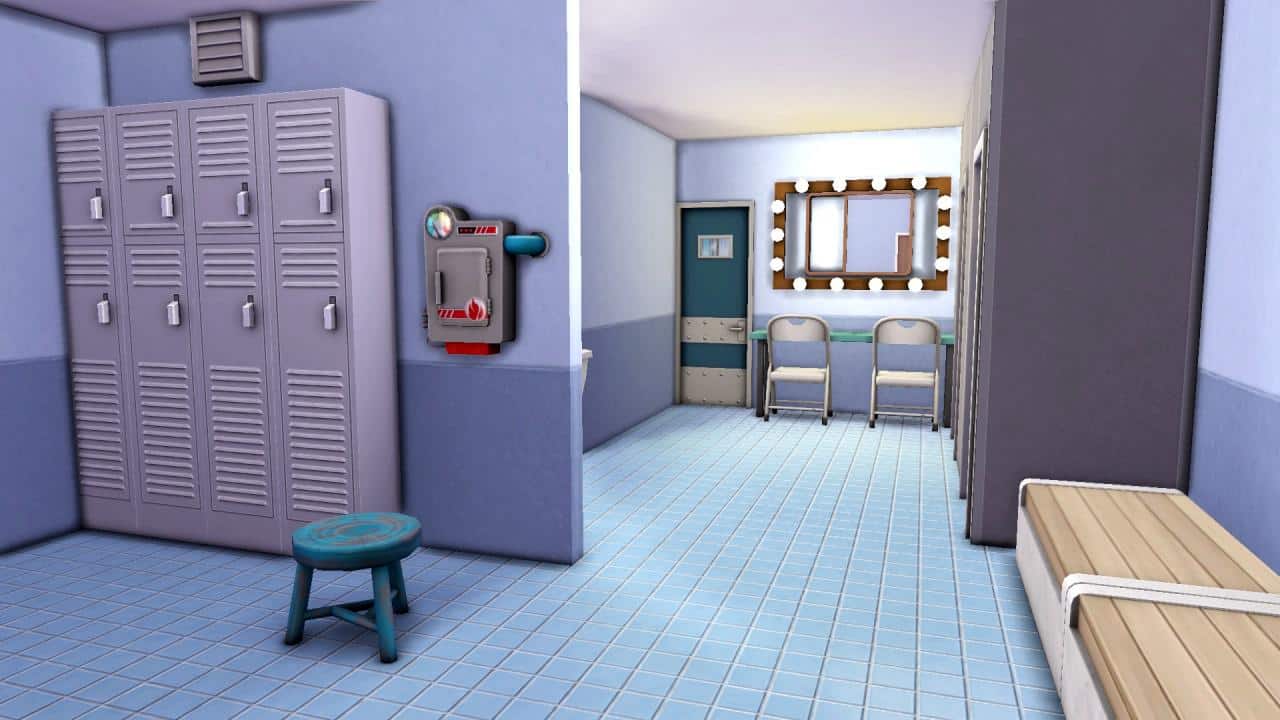
The change rooms for men and women are exactly the same, just flipped to mirror each other. I did make a few layout adjustments here to accommodate the space I had to work with but it has all the same components as the original. Some small washroom stalls, benches, lockers, showers, and a little vanity area fill up this space so your Sims have everything they need to get ready to enter the baths.

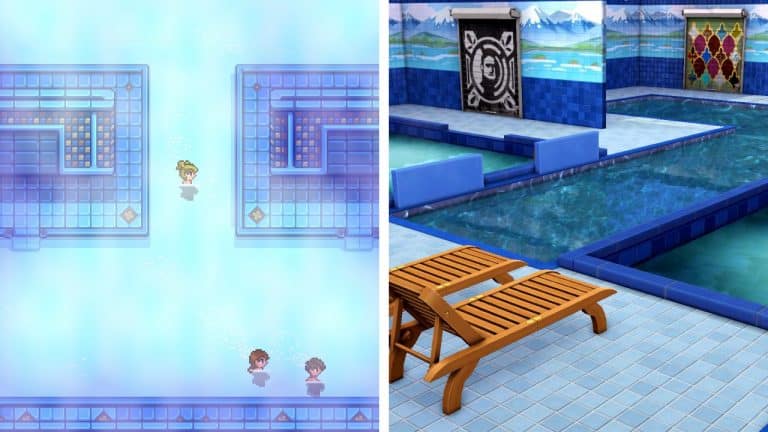
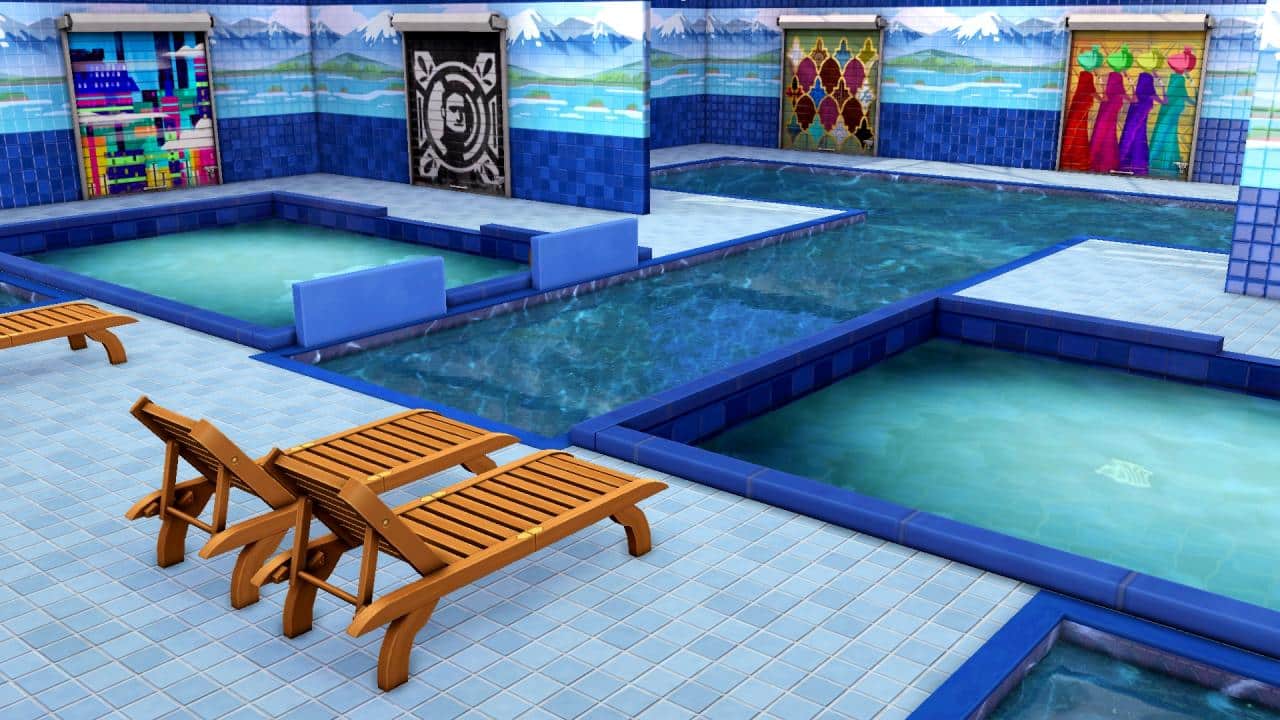
Entering the bath portion, regular pools have been combined with the hot spring baths from Snowy Escape to get the same shape as the original baths from Stardew Valley. A bathhouse wouldn’t really be a bathhouse without steam, after all. Then it would just be a public pool. Since there are two hot spring baths, up to 16 Sims can enjoy the hot springs at a time while many more have plenty of space to swim around in the surrounding pools.

Going to the bathhouse is a social experience so when you’re finished soaking in the baths, you can make your way to the little lounge area I added to this lot. Sims can socialize and play card games here. This room also leads upstairs to where the greenhouse portion is! Even more relaxation is just a flight of stairs away!

Let’s Build the Stardew Valley Bathhouse in The Sims 4!
The greenhouse space here is much bigger than the one in Stardew Valley in order to make the exterior proportions look right but that was handy because it allowed me to fill up the area with lots of greenery as well as add in plenty of planter boxes for your Sims to do some gardening upstairs. It’s a colourful, lush, but peaceful area just like I always imagined it to be.

Let’s Build the Stardew Valley Bathhouse in The Sims 4!
Your Sims probably won’t be needing to visit this next room but I included it for realism and to use up a section of unused space. The janitor’s closet isn’t as nice as the lounge and greenhouse. It’s a bit dingy just like the change rooms but hey, I’ve never seen a fancy janitor’s closet before, have you?

Let’s Build the Stardew Valley Bathhouse in The Sims 4!
In the beginning, I wasn’t sure how well this build was going to turn out. It had a complicated design that can’t be replicated 100% in The Sims 4 but I was pleasantly surprised at how this turned out. It may not be an identical replica of the bathhouse from Stardew Valley but it is still definitely recognizable as the Stardew Valley bathhouse. I had a lot of fun building this and I hope you’ll have lots of fun playing with it!

Click the button below to download the Stardew Valley Bath House into your own game! This lot uses no CC but does use a lot of DLC packs.

[mks_button size=”medium” title=”Download” style=”rounded” url=”https://www.ea.com/games/the-sims/the-sims-4/pc/gallery/F5209C229FEE11EC891144E7755DCB2A” target=”_blank” bg_color=”#4aa500″ txt_color=”#FFFFFF” icon=”fa-arrow-down” icon_type=”fa” nofollow=”0″]


Screenshot Credit

Builder creates a Life Sized Hamster Home in The Sims 4

With an actual Hamster inside!

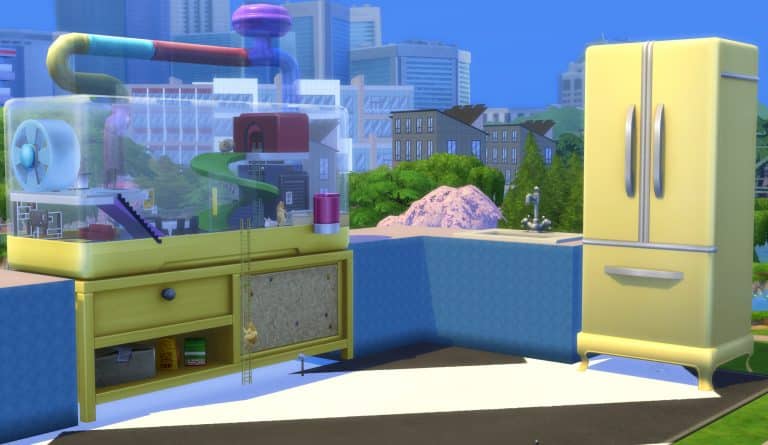
The Sims 4 My First Pet Stuff gave us the option to give our Sims a small rodent friend to look after. However, have you ever wondered what would happen if you took the hamster cage and made it life-size?

Well, now you can find out what it’s like to live in a life-sized hamster cage thanks to DrGluon! After seeing Drgluon’s video about the build on Tiktok, we just had to check it out!

You can also download the life-sized hamster cage from The Gallery and have your Sims experience what it’s like first hand! Simply search for DrGluon in The Gallery and look for the Full Sized Hamster Cage lot.

[mks_button size=”medium” title=”View on The Gallery” style=”rounded” url=”https://www.ea.com/en-gb/games/the-sims/the-sims-4/pc/gallery/0A38B2B89F6A11EC8F5038A659CFBCCF?category=all&searchtype=ea_origin_id&sortby=newest&time=all&searchquery=drgluon&max=50&maxis=false” target=”_blank” bg_color=”#4aa500″ txt_color=”#FFFFFF” icon=”fa-arrow-down” icon_type=”fa” nofollow=”0″]

Builder creates a Life Sized Hamster Home in The Sims 4

The hamster cage is equipped with functional areas in the Hamster Cage home that you can use, such as:

The Living Room, packed with furniture for your Sims (or Hamsters) to enjoy in and watch a movie. Look at how cute they are!

Builder creates a Life Sized Hamster Home in The Sims 4

There’s a Kitchen area within the Kitchen area build – kitchenception!!

Although the refrigerator and stove are placed down, Sims won’t be able to use those objects. Still, DrGluon has brilliantly placed a mini-fridge where they can easily just grab food. It’s been secretly hidden away in the food unit of the Hamster Cage. Check it out:

Builder creates a Life Sized Hamster Home in The Sims 4

Sims can also get romantic with the Hot Tub placed in the center of the cage:

Builder creates a Life Sized Hamster Home in The Sims 4

Oh, and did we also mention that an actual hamster will be keeping you company after placing down the lot? They will run around and do their everyday activities while your Sim Hamster go along with their own business.

Builder creates a Life Sized Hamster Home in The Sims 4

The actual Hamster will be keeping you company…at least for as long as they can until they pass away. Because we tried to feed them and it didn’t work. Hey – at least you can always use cheats and adopt a new one to keep your company!

Are your Sims ready for the challenge of living in a life-size hamster cage?

New Sentiments in The Sims 4

There are new Sentiments in The Sims 4 Base Game along with My Wedding Stories!

The recent release of The Sims 4 My Wedding Stories Game Pack has brought in new Sentiments in the game!

There are two new Base Game Sentiments that we found along with plenty of new ones that came with My Wedding Stories.

SnarkyWitch was busy collecting all of the new sentiments that we found in the game, eventually updating the entire, full list of current Sentiments we have in The Sims 4. All of the previous pack releases included!

To make things easier we’ve included both the list of new sentiments as well as linked the full list of The Sims 4 Sentiments down below. Take a look!

[mks_button size=”large” title=”Full List of The Sims 4 Sentiments” style=”squared” url=”https://simscommunity.info/2021/11/06/the-sims-4-all-sentiments-and-their-effects-packs-included/” target=”_self” bg_color=”#1da0ba” txt_color=”#FFFFFF” icon=”” icon_type=”” nofollow=”0″]

New Base Game Positive Sentiments

  • Friendly Advice (Motivating) –  Sim #1 remembers when Sim #2 listened to his/her problems and shared some thoughtful advice.
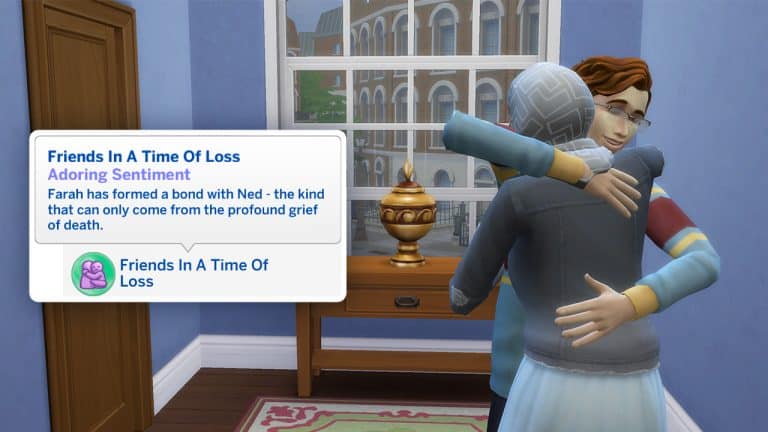
  • Friends in a Time of Loss (Adoring) – Sim #1 has formed a bond with Sim #2 – the kind that can only come from the profound grief of death
    • This Sentiment appears to be triggered by using the Console About Death social on a friend after someone has died.

My Wedding Stories Positive Sentiments

  • Chosen to be Sim of Honour (Adoring) – It’s an honour to be selected a Sim of Honour for Sim #2’s wedding.
  • Dancing Close Now and Forever (Enamored) – The first time you dance with your spouse is a truly romantic occasion!
  • Gave a Good Wedding Speech (Adoring) – Sim #1 totally nailed the speech at Sim #2’s wedding. Couldn’t be happier!
  • Teatime with Friends (Close) – Sim #1 served some tea to Sim #2, and now their friendship seems closer than ever!

My Wedding Stories Negative Sentiments

  • Got into a Fight at MY WEDDING! (Furious) – On the best day of my life, Sim #2 chose violence.
  • Kicked Out of Wedding Party (Furious) – Sim #1 kicked Sim #2 out of a wedding event. What nerve!
  • Not Selected as Sim of Honour (Bitter) – Sim #1 is bitter about Sim #2 not selecting him/her. That stings!
  • Romantically Inappropriate at MY WEDDING! (Furious) – Sim #1 is angry that Sim #2 tried to romantically upstage him/her at his/her Wedding. Not cool.
  • Wasn’t Invited to the Wedding! (Bitter) – Sim #2 asked Sim #1 to come to their Wedding, but was never properly invited! The nerve!
  • You Ate Cake Early! (Furious) – Sim #2 tried to grab a piece of cake early at my wedding! UNACCEPTABLE!
  • You Died at MY WEDDING! (Furious) – Couldn’t you just wait a little longer before kicking the can? This day was supposed to be about me!
  • You Interrupted the Wedding Ceremony! (Furious) – In case you didn’t get the memo Sim #2, that was supposed to be a Wedding!

New Sentiments in The Sims 4


Want the household from the Featured Image? Check out the A Glitch In The Servo Story Starter!

The Sims 4 x Logitech: New Peripherals Coming Your Way

3

The Sims 4 is partnering with Logitech for a New Line of Peripherals

The Sims and Logitech have announced today that they’ll be bringing a new line of peripherals!

Simmers! Give Logitech a big Sul Sul as we’ve teamed up to bring your in-game moods to life! Stay tuned for more information on this collaboration! Coming your way tomorrow, Friday 3/11!

The Sims 4 x Logitech: New Peripherals Coming Your Way

Logitech has also shared that there will be an entirely new line of Sims “gear” coming our way. At the moment the team has only teased the new headphones that have been blurred out in the pic above.

Still, Simmers who were fast enough were already able to spot the new headphones on the official website for Logitech that was up for a couple of minutes. Check out the exclusive preview of the new Sims 4 Headphones down below:

The Sims 4 x Logitech: New Peripherals Coming Your Way

Tip: @LuddySimmer

The Sims 4 already has full support for dynamic lighting for supported gear including Mouse and Keyboard. If you have Razer and/or Logitech equipment you can already try out the new features!

The full reveal of the new Sims 4 Gear will take place tomorrow, March 11th. We’ll keep you posted on the new line of peripherals right here on Sims Community so stay tuned!

COMMUNITY POLL: Your thoughts on The Sims 4 My Wedding Stories

What is your satisfaction with the overall release, promotion and the current state of The Sims 4 My Wedding Stories?

The Sims 4 My Wedding Stories Game Pack had hit the online shelves on February 23rd, 2022. This is the 11th Game Pack in The Sims 4 Series that allows for players to throw weddings through numerous new activities and features. This Game Pack also offers a whole new World – Tartosa, new items in Create A Sim and Build Mode and other smaller features along the side.

The Game Pack had been met with an unstable release on day 1 where most of the primary aspects and features of the Game Pack simply didn’t work or weren’t functioning as they were supposed to. A few days after the release of the Game Pack EA had released a statement saying that they are already working on fixing and improving the experience of My Wedding Stories, which we should expect later in March 2022.

We are doing a Community Poll to see your reactions, expectations and thoughts on the release of this Game Pack. Considering that some of the aspects of this Poll requires knowledge about the pack (and I’m sure some of you haven’t gotten the Pack) we want to make sure you have the knowledge first.

Down below are article links and information that you need to know beforehand, just to make sure that this Community Poll is as accurate as possible:

Ready? Let’s go!

Please note that this is a Community Poll. This Poll is not affiliated with or endorsed by EA or Maxis in any way.

[totalpoll id=”108624″]

A Five Year Reflection

Looking back at my time on Sims Community

For today’s post, I wanted to do something slightly different compared to the normal content I create here on the Sims Community. I’ve been feeling a little nostalgic lately, not just in relation to The Sims, but life in general. It then came to my attention that I had passed a bit of a milestone with the Sims Community, one that I felt was very important to me.

A little over five years ago, a rather shy and nervous Krista shared her first ever post here on this very website. Now, I will link that post down below, but before I share some of my favourite posts, it seems somewhat surreal that I’ve been creating content about The Sims for the Sims Community for five years. In fact, it has been five years and five hundred posts, and it has been such a rollercoaster ride during that time.

I would like to say a huge thank you to Jovan for not only giving me this opportunity but for also believing in me and forever encouraging me both as a friend and with my content. It has been amazing to work on the team, and I am forever grateful for that as well as the friendship I have with Jovan, SnarkyWitch and the team.

So, in honour of five years of creating content here on Sims Community and five hundred posts, I would like to share some of my favourite posts from that time.

2017: My First Ever Post

The very first post I wrote for the site was a quick and simple mod post. It was for the Military Career Mod by Neia. Looking back, I definitely could’ve expanded on it more but where I was new to creating content for, I was worried about over doing it. It was, however, a nice introduction for myself in regard to learning how things worked behind the scenes, but as my first post, it will always be special.

A Five Year Reflection

Click here to take a look at my first ever post.

2018: The Get Famous Era

When The Sims 4 Get Famous was released, real life was not the best for me at that time. However, The Sims 4 overall made that time easier to navigate. I well and truly got stuck into exploring the new expansion pack, taking countless screenshots and having lots of fun with the pack, which allowed me to create some of my favourite posts for twenty-eighteen!

The one that stands out the most to me though is The Sims 4 Get Famous: All About Reputation guide! I had a lot of fun exploring the different ways, but also finding the perfect screenshots for the post too!

A Five Year Reflection

Click here to read The Sims 4 Get Famous: All About Reputation Guide

2019: Chasing The Sun, Moon & Stars

The year of The Sims 4 Island Living, Discover University, Realm of Magic and Moschino Stuff! It was a crazy time for both expansions and everything else that was going on for The Sims. For this year, my stand-out moment will have been around the time of EA Play and The Sims 4 Island Living’s release. There was just so much going on all the time. It felt a little chaotic at times, but in a good way, looking back at it now.

I found it really hard to choose a post that really stood out to me during this year, as there are several I could choose from. However, I would probably have to go with The Sims 4 Moschino Stuff x City Living. I had a lot of fun exploring the photography features of both packs, and how San Myshuno makes a lovely backdrop for so many photoshoots.

A Five Year Reflection

Click here to read The Sims 4 Moschino Stuff X City Living

2020: Twenty Years of The Sims

Twenty-twenty was a roller coaster ride in many ways for all of us. However, throughout it all, The Sims was there every step of the way. With another year full of varying content, twentieth birthday celebrations, a new community voted Stuff Pack, there were plenty of things for players to experience, be it for the first time, as a returning player, or as a regular player.

Much like twenty-nineteen, there are a number of moments I would love to share is The Sims 4 Snowy Escape: Opening Up Gameplay With Other Packs. I had a lot of fun exploring how the other packs worked with The Sims 4 Snowy Escape and while I only mention a handful in the post, I still find new ways each time I use the expansion pack!

A Five Year Reflection

Click here to read The Sims 4 Snowy Escape: Opening Up Gameplay With Other Packs

2021: The Year of Kits

The return of Bonehilda, the introduction of Kits, Dream Home Decorator, Cottage Living and more Kits. The past twelve months has seen a very interesting approach to content for The Sims 4. While Kits were definitely a hot topic throughout the year, in more ways than one, there was still a lot going on in the community as a whole. Be it community challenges, new custom content and mods, stories and more!

A post that I had a lot of fun with was the Tell Me You Play The Sims Without Telling Me You Play The Sims. The replies to the original tweet were amazing and honestly, I still look back at it every now and then and find myself relating to so many of them in various ways.

A Five Year Reflection

Click here to read the Tell Me You Play The Sims Without Telling Me You Play The Sims

2022: Into The Unknown

While we are currently three months into the new year, we have seen The Sims 4 Carnaval Streetwear Kit and The Sims 4 My Wedding Stories Game Pack released so far. We also know that there is one more Kit to come soon if we are going by the current roadmap. It will be interesting to see what else we will see released for the game this year. Will we see the return of Stuff Packs and two expansion releases? Will there be multiple Kits? What about Base Game updates? There are a number of questions, but only time will tell!

A Five Year Reflection

Thank you for joining me on this post and looking back on five years of adventures with The Sims and Sims Community! I can definitely say I’ve had a lot of fun during this time, however I’ve also made some amazing friendships, learnt so many new skills and improved on a number of skills I already had and so much more! I’m excited to see what is in store next for The Sims, but for now, here’s to more content and adventures!

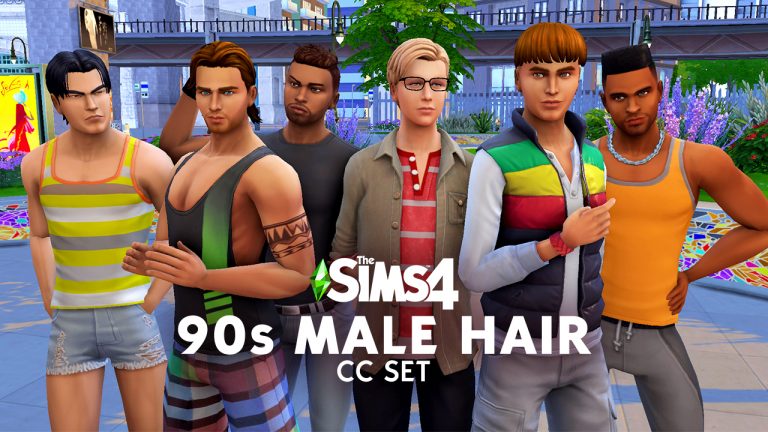
The Sims 4 Custom Content: 90s inspired Masculine Hairstyles

Exploring the 90s Male Hair CC Set!

As a 90s baby, the 90s is a decade that is close to my heart. It represents a simpler time back when calling someone on the phone meant calling their parents, when using the Internet involved yelling at your mom to get off the phone, and the first PlayStation console blew our minds with its cutting edge graphics.

That’s why I just had to check out this 90s CC set by JohnnySims! The set includes 6 different male hairstyles reminiscent of 90s fashion! Not only does this set harken back to my days of nostalgia but it also caters exclusively to male Sims! Male Sims are at a huge disadvantage in the CAS department since official DLC packs favour female Sims and so do most CC creators so it’s difficult to find a good variety of CAS pieces for male Sims, even if you’re an avid CC user.

The Sims 4 Custom Content: 90s inspired Masculine Hairstyles

Let’s jump into this set!

The Spiker Hair

The Sims 4 Custom Content: 90s inspired Masculine Hairstyles
Every 90s bad boy rocked this hairstyle! And every good girl in the 90s wanted to be with a bad boy… at least in the movies, anyway. This hairstyle tells everyone you’re edgy and too cool for school so try putting this on your rough-around-the-edges Sims for that quintessential bad boy 90s look!

The Dylan Hair

The Sims 4 Custom Content: 90s inspired Masculine Hairstyles
Don’t be fooled by this model’s scowl; the Dylan was worn by the lovable boy next door! This hairstyle told everyone that you were laid back, casual, and friendly; just your average guy you could really kick back and hang with. For an approachable look with a touch of sensitivity, give this hairstyle a try.

The Francis Hair

The Sims 4 Custom Content: 90s inspired Masculine Hairstyles
This shaggy, swept back look was the envy of every surfer and beach bum in the 90s. This hairstyle made it clear to everyone that you were one with the waves, brah! This beachy windswept look is perfect for your beach loving Sims who want to look good while catching waves on their aqua-zips.

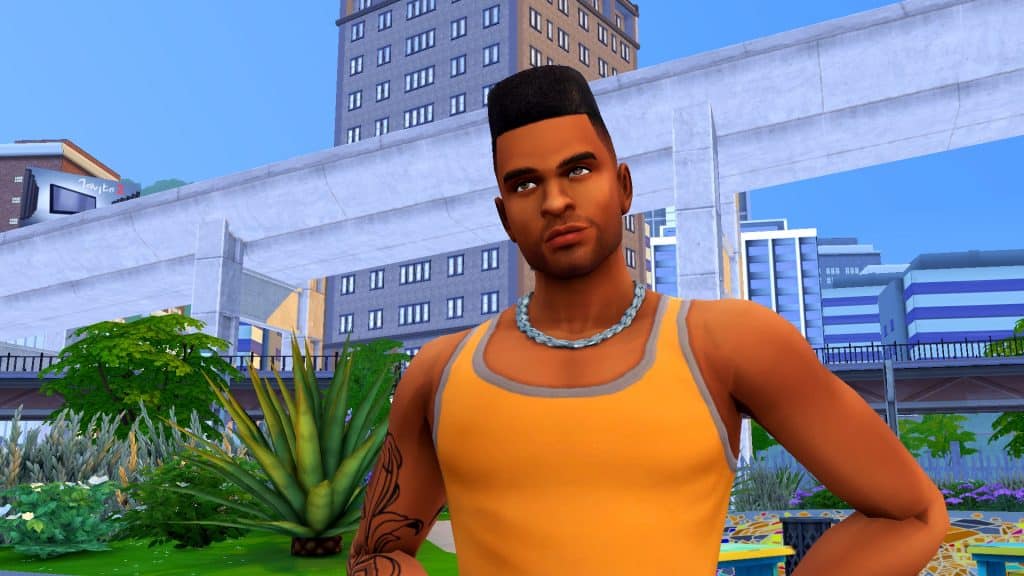
The Will Hair

The Sims 4 Custom Content: 90s inspired Masculine Hairstyles
Is it any wonder why this hairstyle is called Will? Who can forget one of the 90’s most memorable TV sitcoms, The Fresh Prince of Bel Air, and its main star, Will Smith? Will often rocked this look on the show and made it look effortless and now your Sims can channel their inner Fresh Prince with this iconic hair, too!

The Blake Hair

The Sims 4 Custom Content: 90s inspired Masculine Hairstyles
This one’s for the nerdy 90s boys; the bowl cut. You know, the one your mom did herself by putting a salad bowl on your head and cutting around it with the kitchen scissors. Yeah, that bowl cut. This look wasn’t exactly the coolest but it certainly made a statement. Mainly the statement that your mom still cuts your hair and that you take the mathlete club very seriously. Hey, it’s okay! Our dorky Sims need a look for them, too!

The Jack Hair

The Sims 4 Custom Content: 90s inspired Masculine Hairstyles
“I’ll never let go, Jack!” That’s right, the biggest lie in 90s cinematic history is now immortalized in this trendy sideswept hairstyle reminiscent of Leonardo DiCaprio in the film, Titanic. Every guy wanted to rock the Leo look after this movie came out and who can blame them? It’s never really gone out of style!


You can snag all of these hairstyles yourself for free from JohnnySims’ Patreon! Just click the button below to grab the set!

All poses seen in this post are available for free on my patreon.

Creating a Bridal Store in The Sims 4

Building a Bridal Store with the Anybody’s Dress Bridal Shop CC Set!

Now that EA has finally promised to fix its mistakes regarding the My Wedding Stories game pack, we thought we’d showcase some custom content that makes use of the new game pack. One of our favourite creators, Ravasheen, has just released an adorable CC set to help you build the perfect bridal boutique!

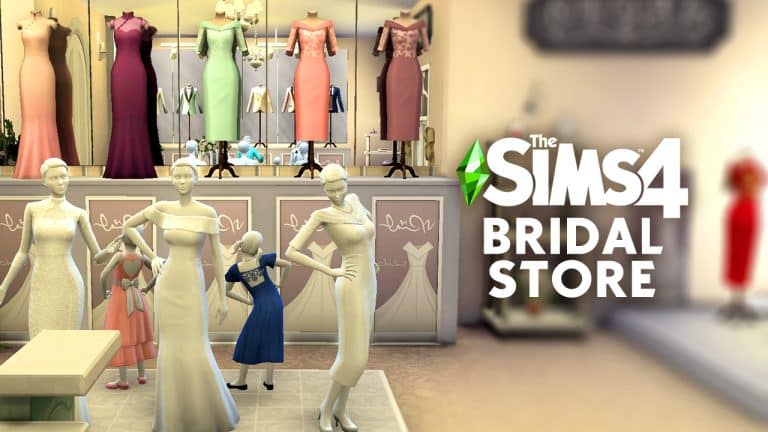
The set is called Anybody’s Dress Bridal Shop Set which includes four decorative display outfits from My Wedding Stories and two elegant bridal shop signs. Each clothing display has many different swatches to make over 50 unique swatches in total!

Creating a Bridal Store in The Sims 4
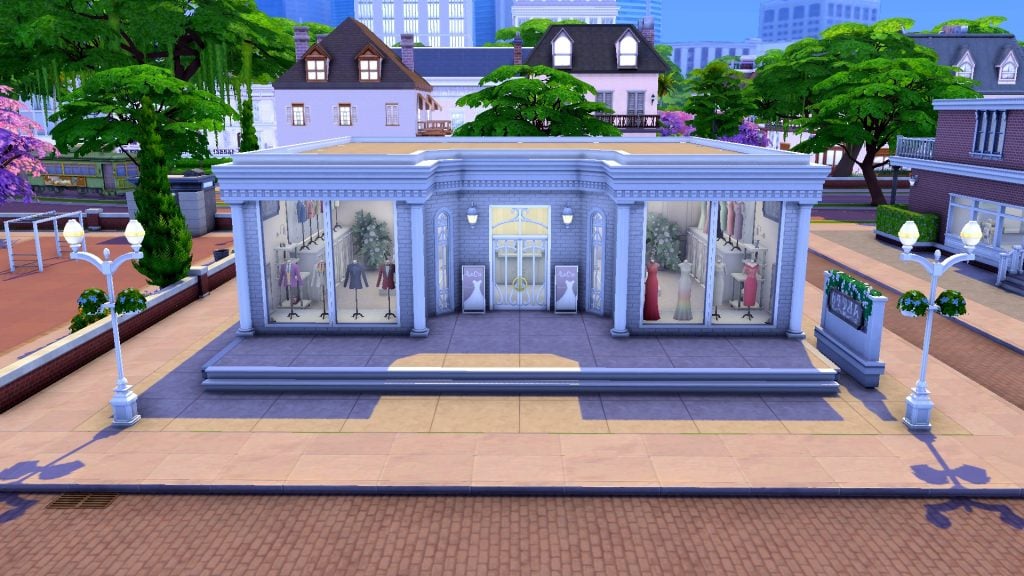
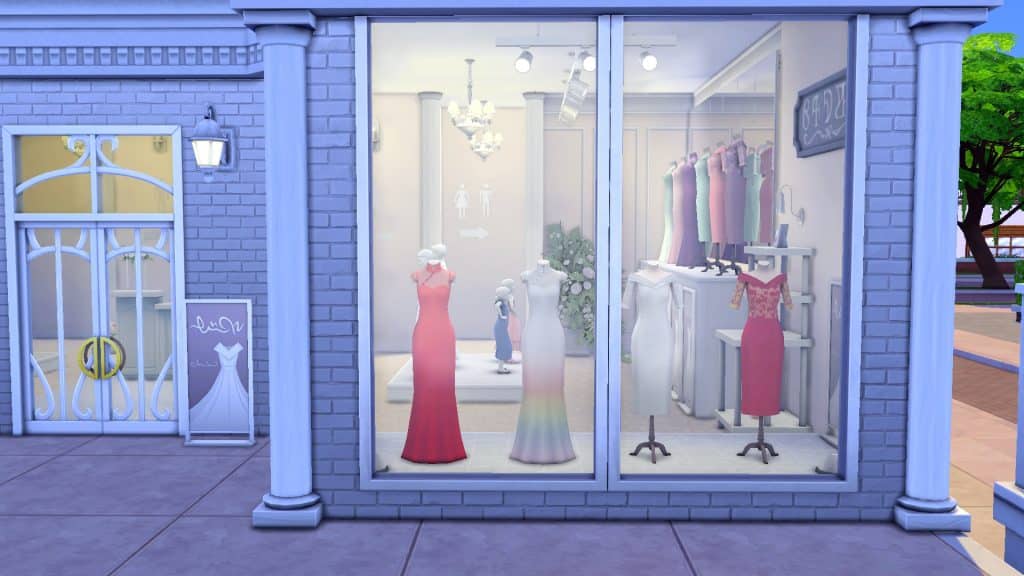
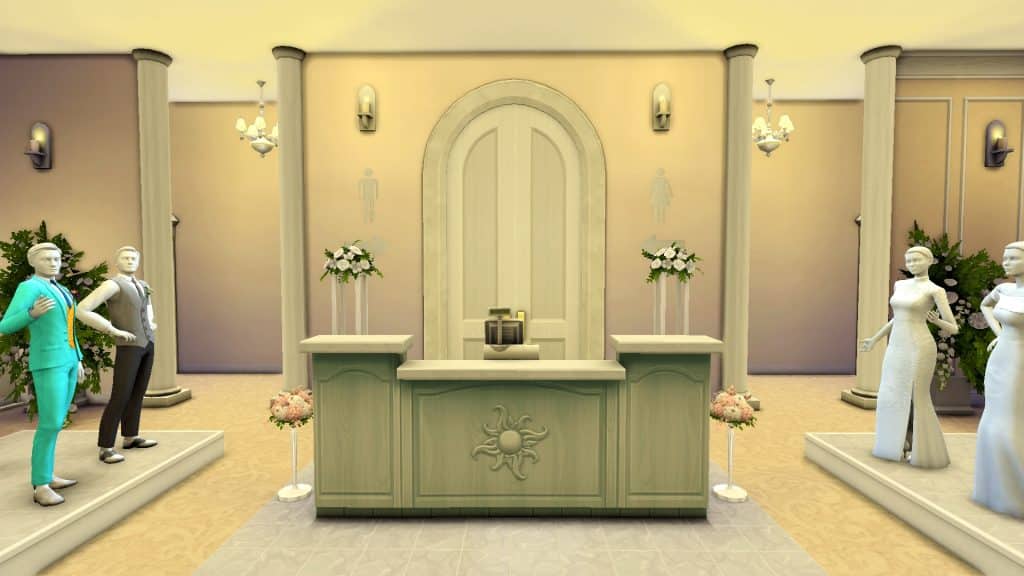
We decided the best way to show off this adorable set is to build a bridal boutique using all the items! Welcome to Rava’s Bridal where your Sims can purchase their perfect wedding dress or tux for their big day!

Creating a Bridal Store in The Sims 4
Ravasheen’s beautiful dresses and suit jackets on display in the front windows immediately draw you in and make you want to enter the store. Bridal signs advertise stunning gowns inside. If you own the Get To Work expansion pack, these signs will be functional retail signs and attract customers to your store. If you don’t own Get To Work, they will just be deco objects. Either way, they will look beautiful in your bridal shop.


Inside, more decorative displays sit high on platforms but there are also functional Get To Work mannequins already dressed in their finest wedding attire for Sims to browse and try on. There’s something for all ages here! We can’t forget about our Flower Pals and Ring Bearers after all. Don’t see the perfect wedding outfit out on display? No problem! Head on back to the fitting rooms where an armoire contains the full CAS catalogue for you to customize your perfect outfit!

Creating a Bridal Store in The Sims 4
Of course, you might be trying on dresses for a long time before you find “the one” but Rava’s Bridal has you covered there, too, with a washroom open to customers and a back patio where Sims can take a break from dress shopping to enjoy a drink and maybe calm those pre-wedding nerves a bit. Or celebrate finding the perfect dress with a drink!


When you’ve found your perfect wedding outfit, make sure to browse some of the other items on display on your way out. There are flowers, fragrances, picture frames and more to help you make your wedding day truly special!

Creating a Bridal Store in The Sims 4
Click the buttons below to download Rava’s Bridal and the Anybody’s Dress Bridal Shop Set! You need to download both separately. The Gallery does not download any included CC with uploaded lots or households. The Anybody’s Dress set is currently in early access for Ravasheen’s patrons only but will become free on March 23rd, 2022.

[mks_button size=”medium” title=”Rava’s Bridal” style=”rounded” url=”https://www.ea.com/games/the-sims/the-sims-4/pc/gallery/F7F774B69F2E11EC8E6F44E7755DCB2A” target=”_blank” bg_color=”#4aa500″ txt_color=”#FFFFFF” icon=”fa-arrow-down” icon_type=”fa” nofollow=”0″] [mks_button size=”medium” title=”Anybody’s Dress Set” style=”rounded” url=”https://ravasheen.com/download/anybodys-dress-bridal-shop/” target=”_blank” bg_color=”#4aa500″ txt_color=”#FFFFFF” icon=”fa-arrow-down” icon_type=”fa” nofollow=”0″]

Are you affected by a bug that causes the game to crash whenever you place a retail lot from the Gallery with mannequins on it? Don’t worry, Ravasheen has a fix for this, too! Get it here!