The Sims Team has just dropped a brand new Delivery into The Sims 4 Base Game!
Through Sims Delivery Express you are able to download new Create A Sim Content, Build Mode Content and small bug fixes and improvements into your game straight through The Sims 4. Simply open up The Sims 4 and your game should automatically check for new content.
If not, go into Game Options > Sims Delivery and Check for new Content. This method of bringing new content into your game works both on PC and Consoles! Note that you will have to restart your game in order to obtain new content. You can select “Yes, Restart Now” for the game to restart automatically for you.
Sims Delivery Express – December 15th, 2021 Content
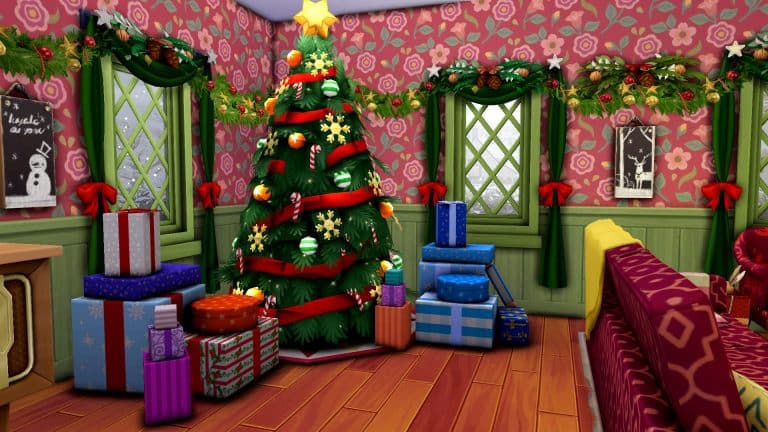
The latest delivery express is introducing a set of new Build Objects themed around the holiday season! The set includes new recipes, a drink and clutter decorative objects that you can use to decorate your home.
Catalogue Overview
Below is a preview of all the new Build/Buy décor objects. They can be found in the Wall Décor, Misc. Décor, and Clutter sections.
Recipes
There is one new drink recipe and one new cooking recipe. Coquitos require Mixology skill level 2 to mix at the bar. Hallacas require Cooking skill level 3 to make on the stove.
A coquito and hallacas in single, family, and party sized servings
The Small Spaces Custom Content Collection by Sixam has quickly become one of my favourite collections over recent months, and the latest addition is no exception!
Small Spaces: Laundry Room allows you to take your Sim’s laundry game to the next level. Featuring twenty-six new items including a new functional washing machine, dryer as well as new pet items and more! The custom content pack requires The Sims 4 Cats & Dogs and Laundry Day Stuff Pack to be able to fully use all the new items, however, there are decorative versions of the washing machine and dryer if you do not own the Laundry Day Stuff Pack.
Item Overview
Each of the new items come in a variety of different swatches that work perfectly with each other as well as many of the items we have in game too!
Take a closer look at all twenty-six new items in the Gallery below!
TS4 x64 2021 12 12 15 28 47
TS4 x64 2021 12 12 15 32 41
TS4 x64 2021 12 12 15 34 41
TS4 x64 2021 12 12 15 31 44
TS4 x64 2021 12 12 15 30 32
TS4 x64 2021 12 12 15 17 22
Build Ideas
Whether you are using the Small Spaces: Laundry Room Custom Content pack on its own or alongside other packs, there are endless possibilities on how you create your Laundry Room. Create a stand-alone laundry room or incorporate into your Sim’s kitchen space, the choice is completely up to you.
Here are a few laundry room build ideas featuring the items from the Small Spaces: Laundry Room Custom Content Pack.
TS4 x64 2021 12 12 15 45 29
TS4 x64 2021 12 12 16 01 37
TS4 x64 2021 12 12 16 19 25
How to Download
The Small Spaces: Laundry Room Custom Content Pack is available now via Sixam’s Patreon for Patrons. Click the link below to download via Patreon.
A little while ago, Arnie, a modder for The Sims 4, released his Plumfruit mod. The mod was a revamp of the existing cell phone in the game and had some new features as well. The original mod was already quite impressive but he’s revamped it, adding more functional objects, more apps, and more ways to enjoy a high-tech lifestyle in The Sims 4.
So let’s go over everything in the latest version of the Plumfruit Mod Pack by Arnie!
The Mod Pack is currently in Early Access. Public Release is set for Christmas, around December 25th, 2021! You can find more on Arnie’s Patreon linked below. We’ll make sure to update this post as soon as the mod goes public!
The Plumfruit Mod Pack comes with 20 objects as part of the mod as well as 1 masculine shirt in CAS for a total of 21 items. Some items are revamped versions of existing items in the game; other items are completely new things we didn’t previously have at all in the game. You can check them all out in the catalogue previews below.
TS4 x64 2021 12 10 16 00 51
TS4 x64 2021 12 10 16 01 04
TS4 x64 2021 12 10 16 01 10
TS4 x64 2021 12 10 16 01 15
TS4 x64 2021 12 10 16 01 23
TS4 x64 2021 12 10 16 01 30
TS4 x64 2021 12 10 16 01 36
TS4 x64 2021 12 10 16 01 54
TS4 x64 2021 12 10 16 02 08
TS4 x64 2021 12 10 16 03 04
TS4 x64 2021 12 10 16 03 09
TS4 x64 2021 12 10 16 03 22
TS4 x64 2021 12 10 16 03 27
TS4 x64 2021 12 10 16 03 32
TS4 x64 2021 12 10 16 03 38
TS4 x64 2021 12 10 16 03 43
TS4 x64 2021 12 10 16 03 48
TS4 x64 2021 12 10 16 04 02
TS4 x64 2021 12 10 16 04 07
TS4 x64 2021 12 10 20 19 54
Masculine Shirt
Since some of the items don’t have catalogue preview images showing the item itself, we’ve also included in-game pictures of each item that comes with the mod pack. The captions correspond with their respective catalogue names so you can find everything easily in the BB catalogue in-game.
TS4 x64 2021 12 10 16 20 54
TS4 x64 2021 12 10 16 18 09
TS4 x64 2021 12 10 16 18 54
TS4 x64 2021 12 10 16 22 14
TS4 x64 2021 12 10 16 21 20
TS4 x64 2021 12 10 16 14 49
TS4 x64 2021 12 10 16 16 36
TS4 x64 2021 12 10 16 15 59
TS4 x64 2021 12 10 16 17 18
TS4 x64 2021 12 10 16 19 40
TS4 x64 2021 12 10 16 13 19
TS4 x64 2021 12 10 16 10 46
TS4 x64 2021 12 10 16 11 17
TS4 x64 2021 12 10 16 15 21
TS4 x64 2021 12 10 16 09 05
TS4 x64 2021 12 10 16 14 22
TS4 x64 2021 12 10 16 12 49
TS4 x64 2021 12 10 16 11 47
TS4 x64 2021 12 10 16 10 20
TS4 x64 2021 12 10 20 18 38
NOTE: Previous versions of some objects from version one of the Plumfruit mod are now hidden in the debug menu but they are still functional if you still prefer to use those ones over the new versions.
Getting Started
To start playing with the Plumfruit mod, first install the mod from Arnie’s Patreon. The current version is in early access for patrons right now but should be released to the public later this month. You can choose to install the light or dark versions (much like using the light or dark version of your favourite phone apps, for example). Make sure you only install one version! You can’t have both the light and dark versions installed at the same time. The mod itself is base-game compatible but some objects and features require packs. To have access to all features of the mod, you will need Get To Work, Get Famous, Movie Hangout Stuff, and Fitness Stuff.
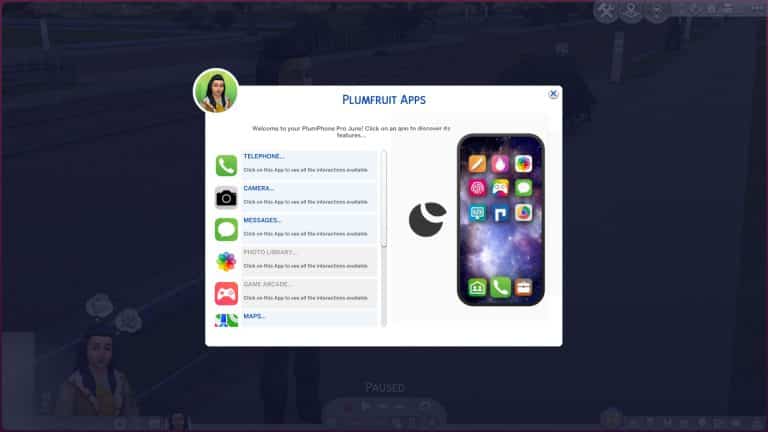
When you load up the game, the first thing you’ll probably notice is that your phone looks completely different! It has a new shinier interface resembling a real-life smart phone. All of the functions your phone would normally have are still there but there are some new options, too. The first icon is now a Plumfruit icon with the option to Open Apps Menu. This option gives you easy access to all of the Plumfruit apps in one place. Some apps are revamps of existing game functions; others are brand new apps that add new gameplay! We’ll go into each app in more detail in the next section.
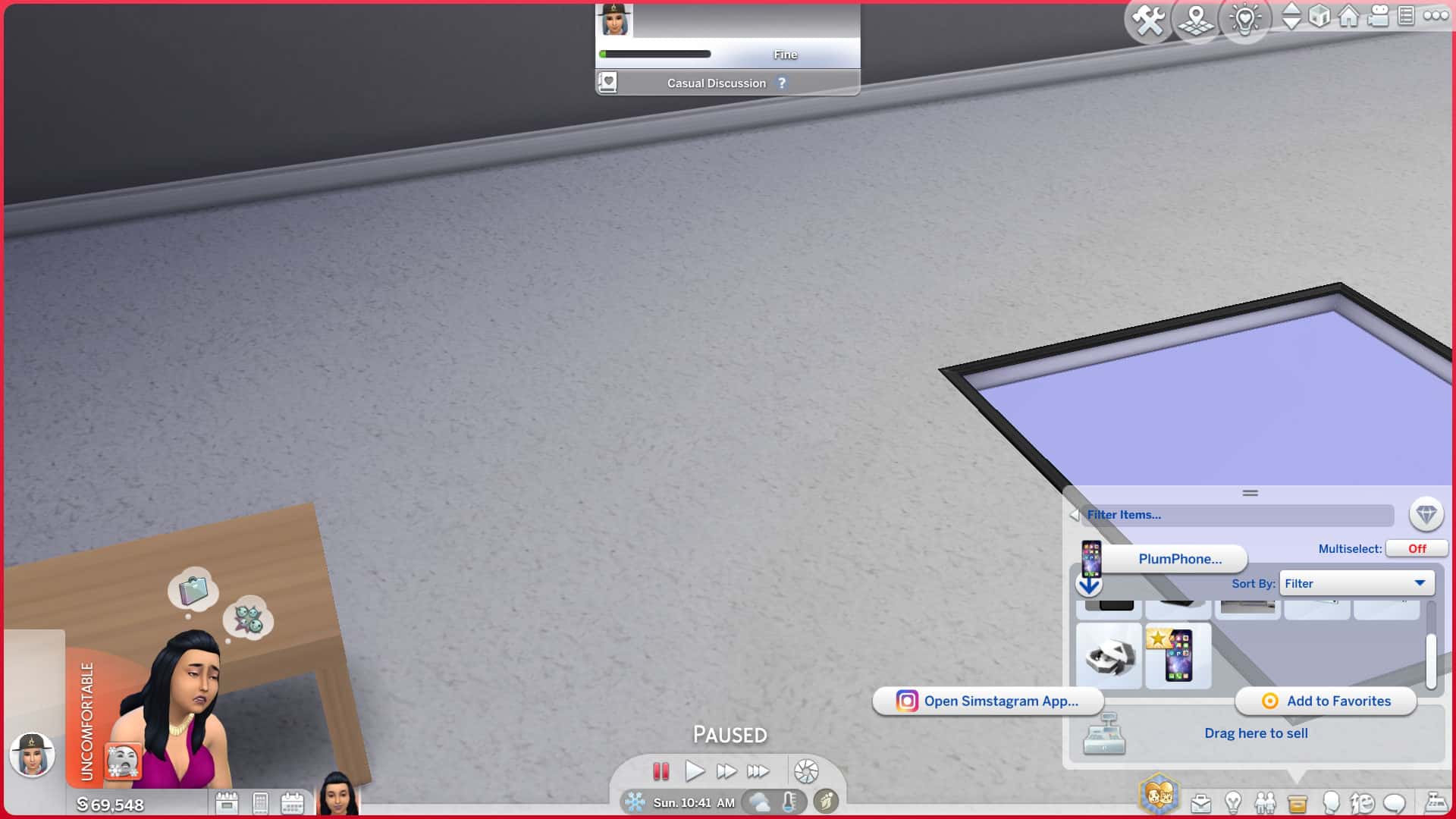
If you only have the standard Plumphone (the default replacement for the in-game cell phone), you won’t have access to all the apps. Some apps require you to purchase another device like the Plumphone Pro or one of the PlumPads in order to access them. You’ll also need to have some photos in your Sim’s inventory to access the Photo Gallery app. You can take photos using the Plumaroid Camera that comes with the mod pack or any of the base game cameras.
Purchase any of the new Plumfruit mod pack devices to start using all the new apps and features!
Object Functionality
Some objects have special functions or new features added to them which we’ll go over here.
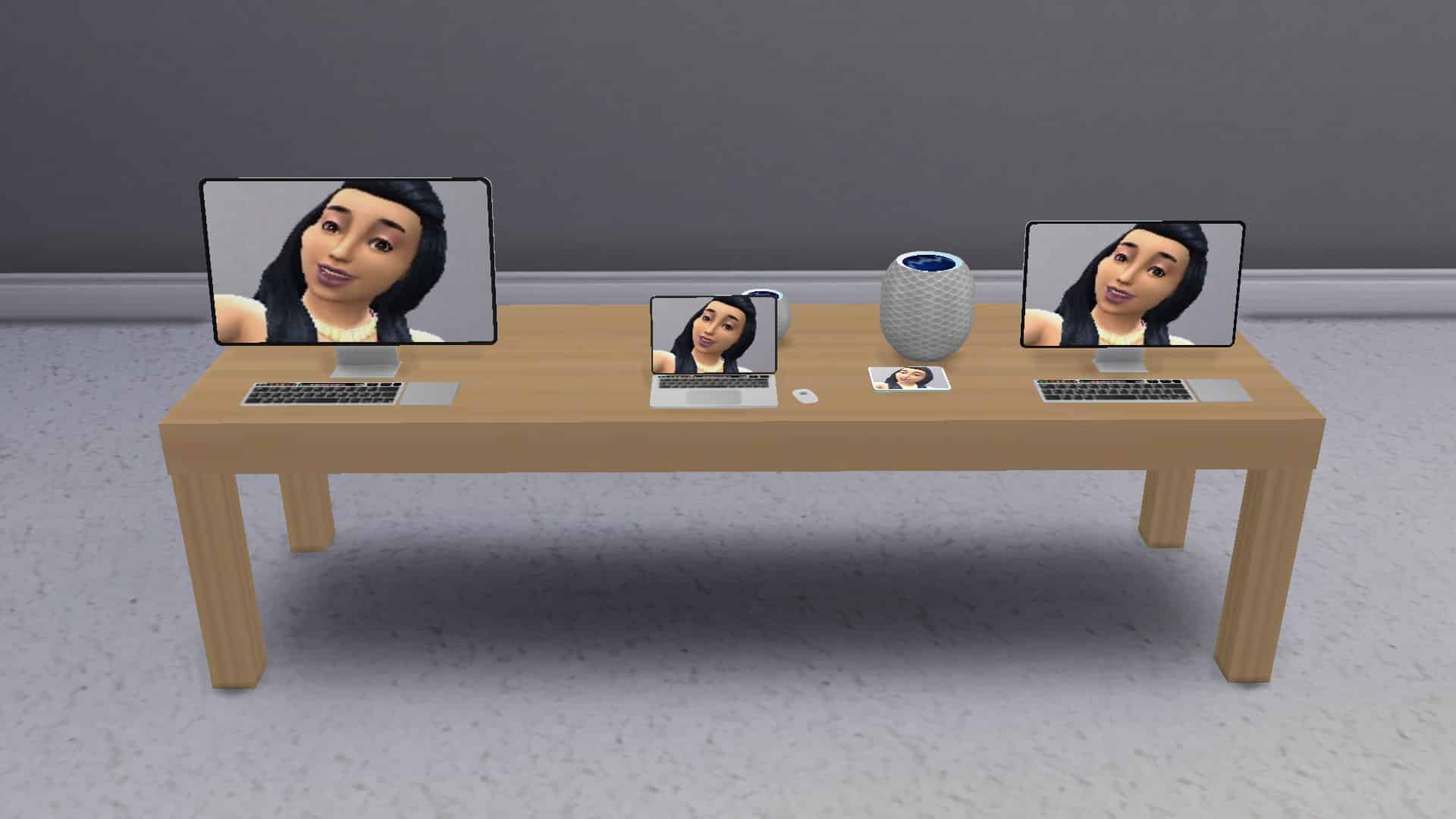
Display Tables
These long tables can display all your Plumfruit electronics which is useful for running an electronics retail store with Get To Work.
Plumfruit Hologram Store
Place these on any lot to allow Sims to purchase any Plumfruit product they like in a variety of fun colours. Great for electronics stores.
Plumphone Pro
The Plumphone Pro is an upgrade from the standard Plumphone that replaces the existing cell phone. It will allow you to access any apps that are not usable with the standard Plumphone your Sims already have.
PlumPad Mini & PlumPad Pro
These tablets come in many colours and two different sizes. Like the Plumphone Pro, they will allow you to access all the apps not available on the standard Plumphone. You can also import your own photos to use as the wallpaper so they will display your favourite photo instead of just a black screen when not in use.
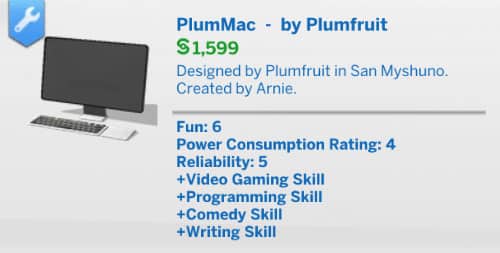
PlumMac, PlumMac Pro, and PlumBook Pro
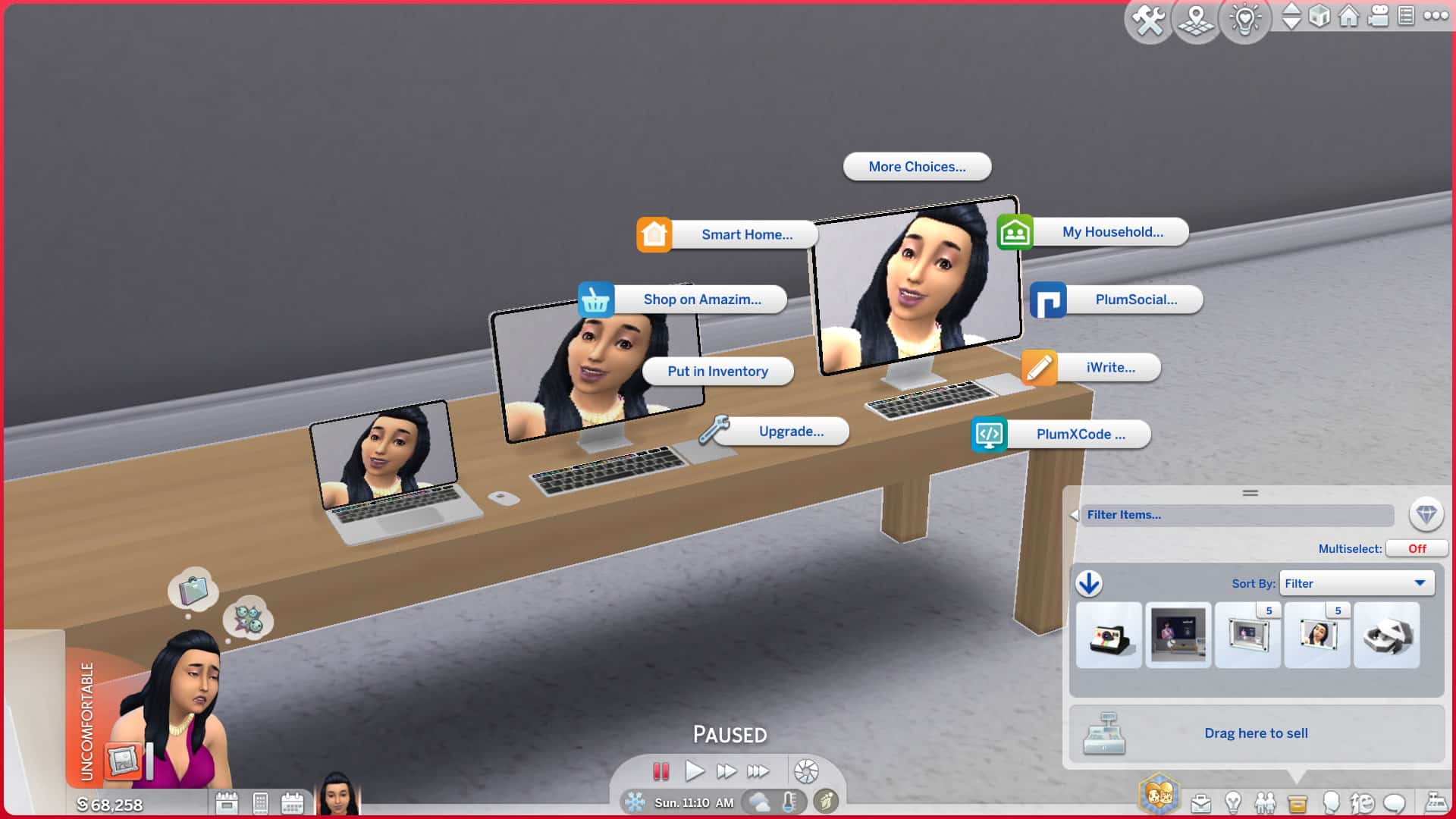
All of these computers have all the same functions as your regular base game desktop or laptop but they are organised into the mod pack’s new app system, making a lot of functions much easier to find. In addition to all the normal functions of a computer, they can also access the new Plumfruit apps and display custom photos as wallpaper backgrounds like the PlumPads.
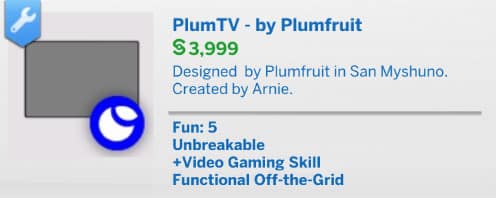
PlumTV
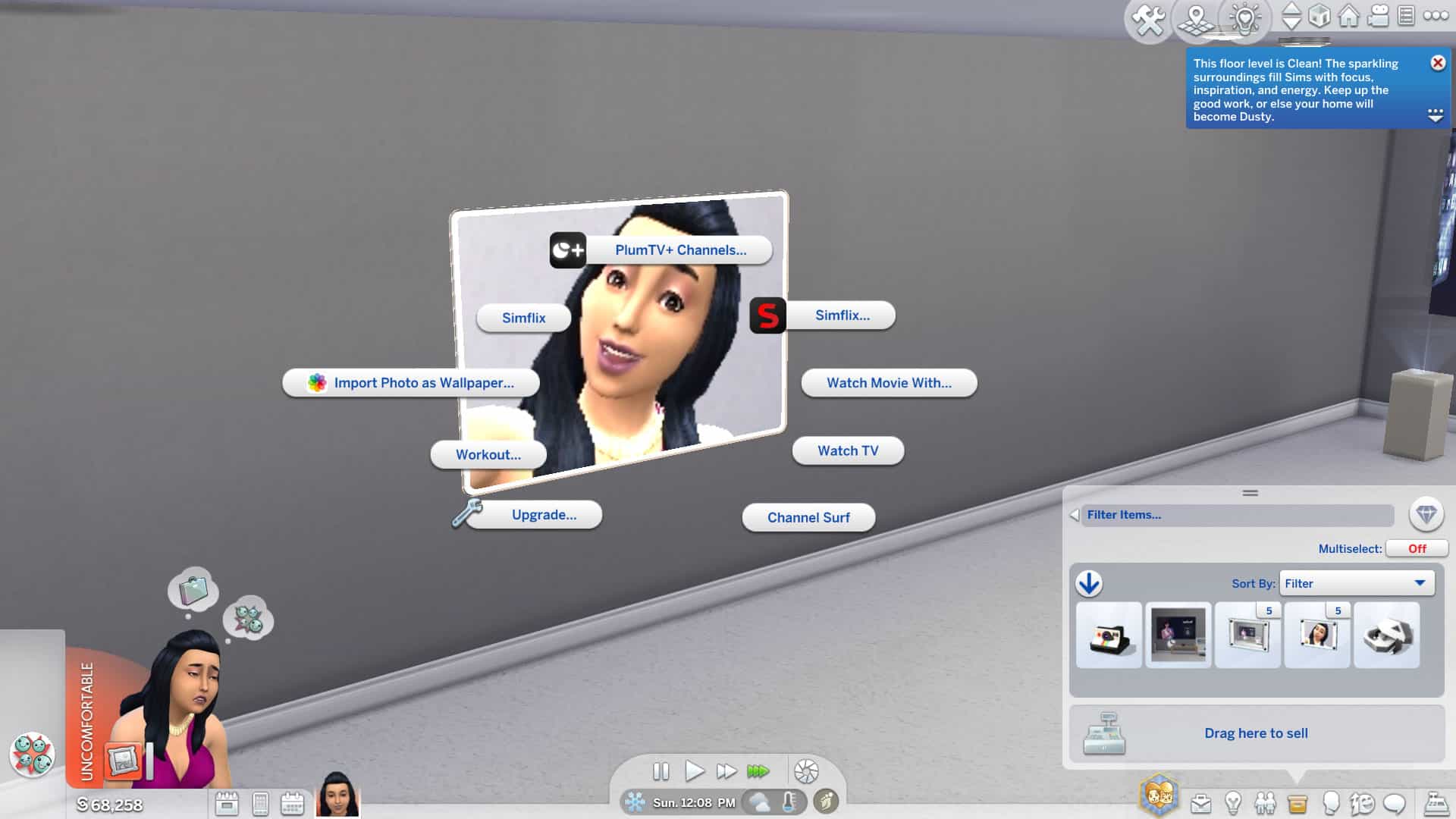
The flat screen, wall mounted PlumTV is everything a regular TV is and more! It’s a smart TV that can import your custom photos as a wallpaper and all your favourite TV channels and movies are now under Simflix and PlumTV+ channels. Simflix requires the Movie Hangout Stuff pack.
PlumPod Mini and PlumPod Pro
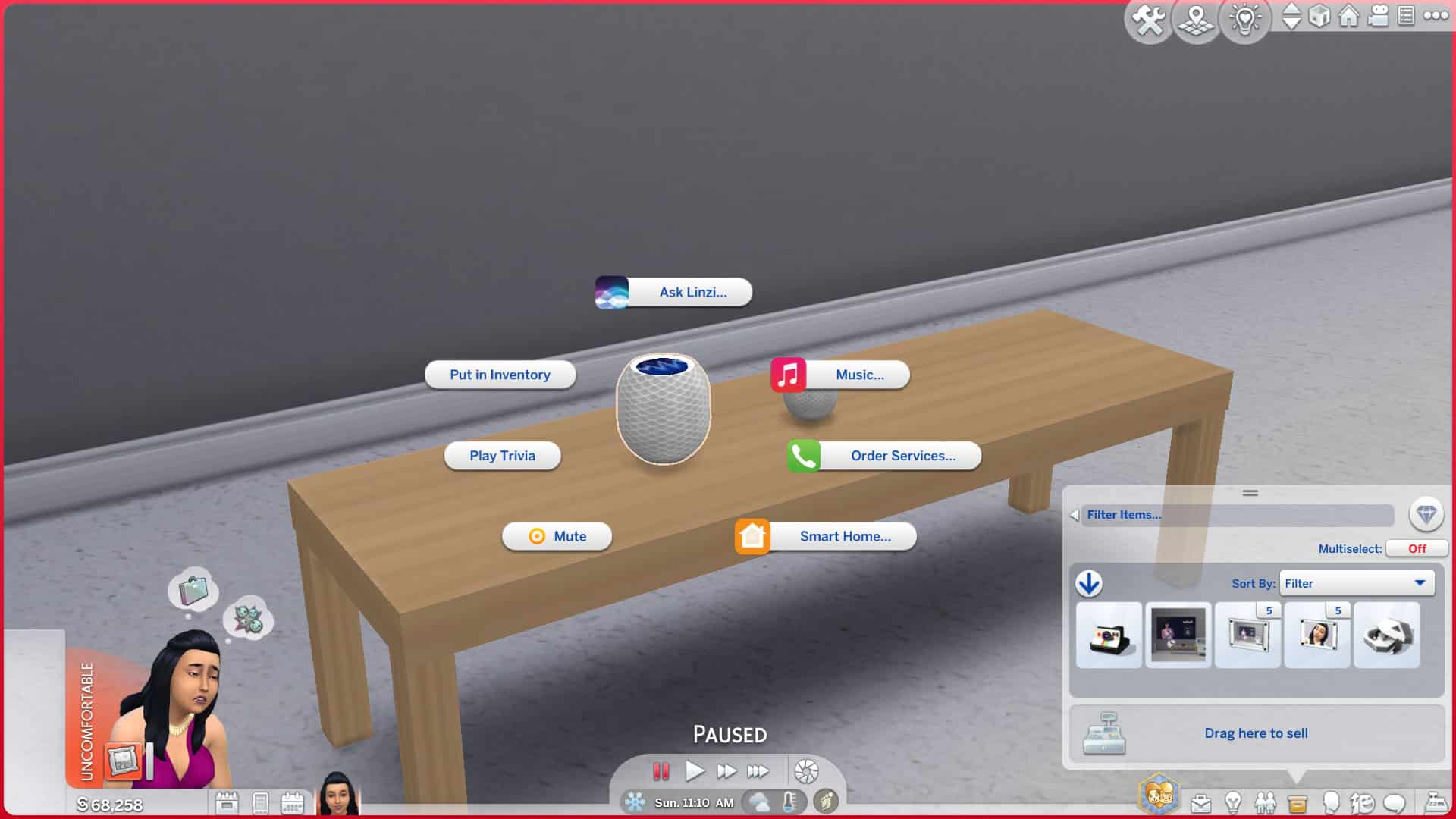
The PlumPods are new and improved versions of the existing Lin-Z personal assistant in the game. You can still use them as if they were a Lin-Z device but you can also set the thermostat, light settings, order services, and more.
PlumMirror
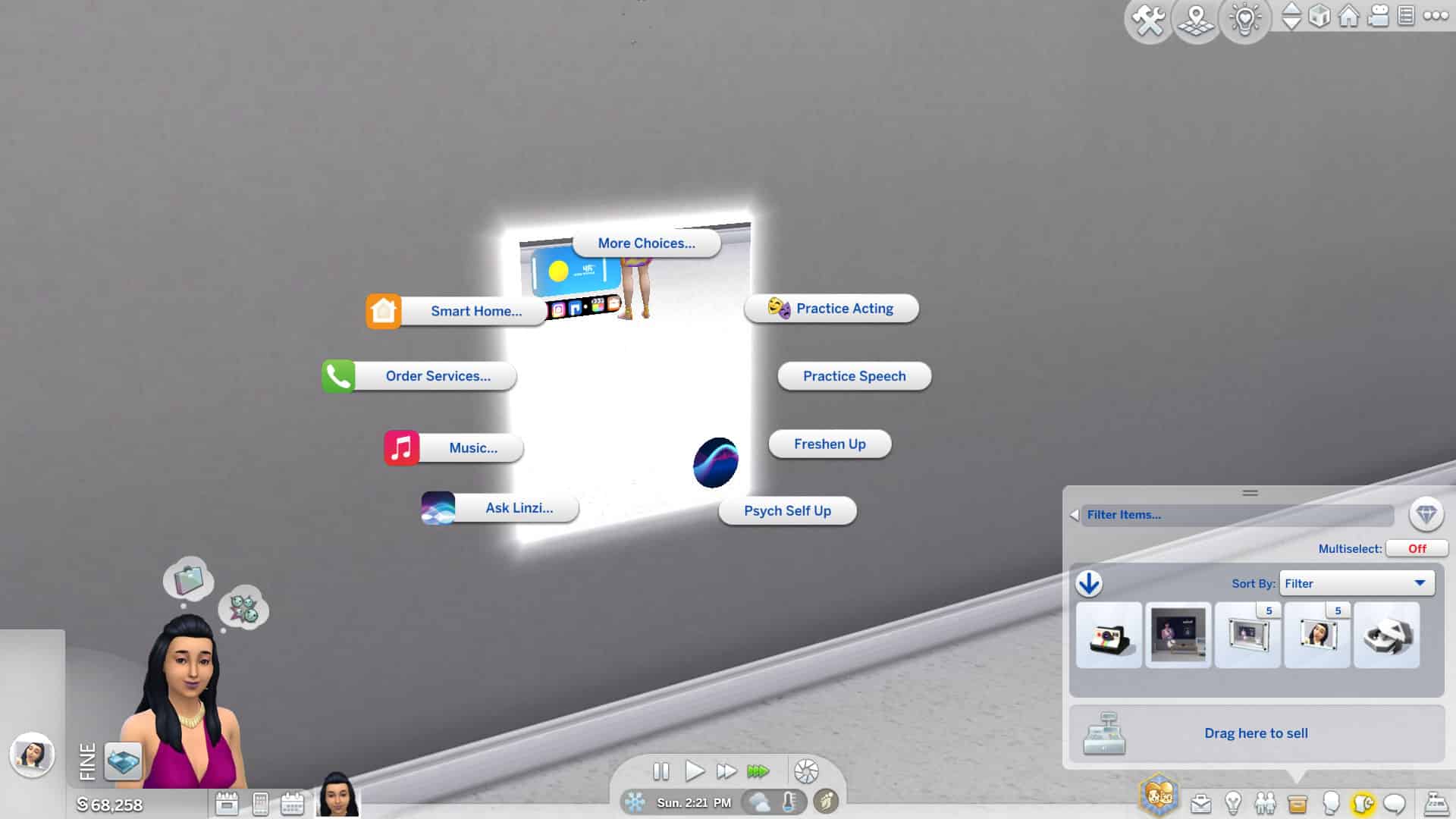
The PlumMirror is probably my favourite new object in this mod pack. It’s a smart mirror! You can use it as a regular mirror but it can also adjust the temperature in the home for you, turn your lights on and off, play music, call for services, and it’s also fully synced with Lin-Z.
Plumaverse VR Headset
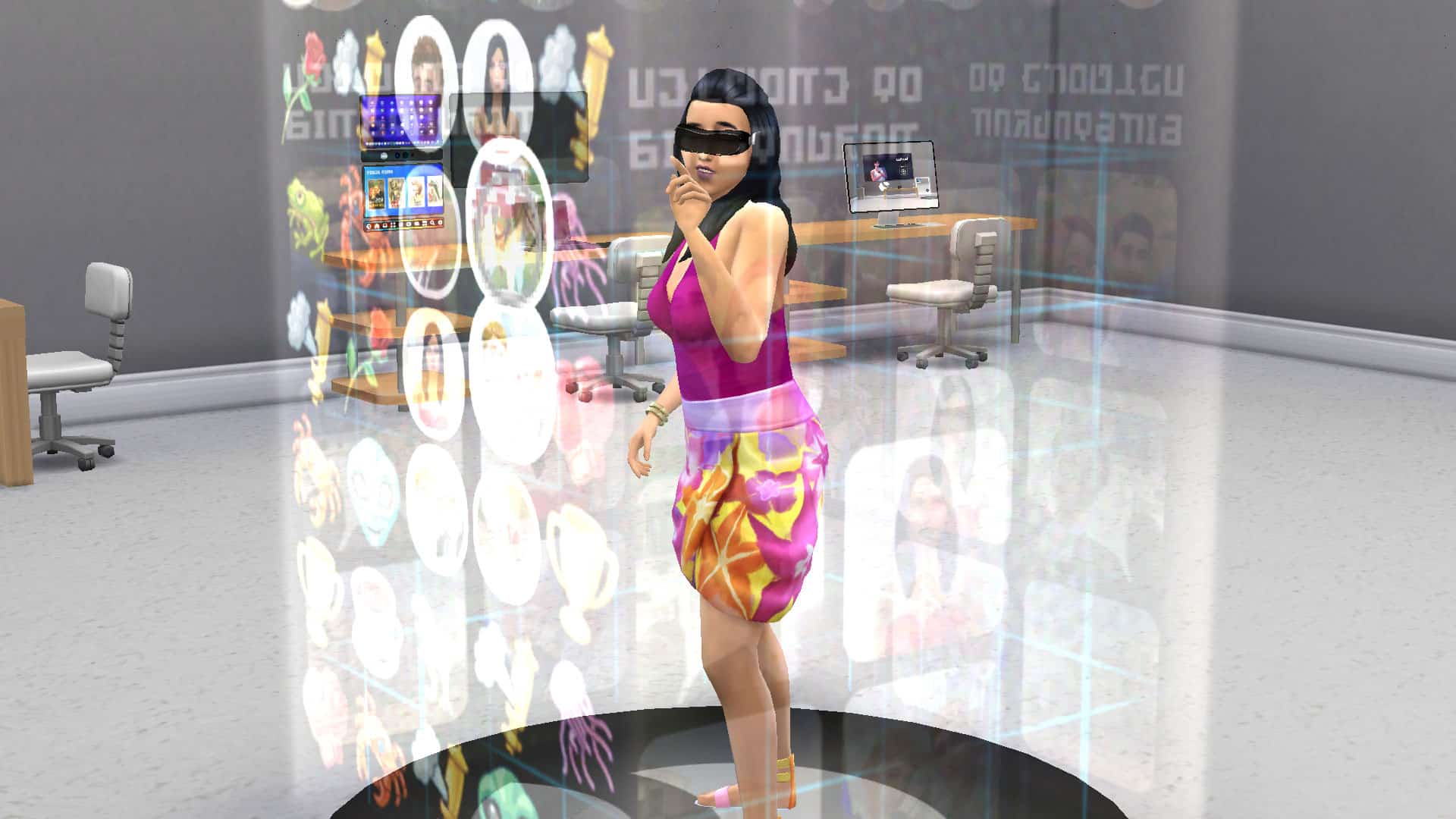
This spiffy gadget is a reimagined version of the virtual reality gaming set in the base game. Not only does it look way cooler, but your Sims can also explore Simstagram AR in addition to playing all their favourite games while wearing a slick-looking VR headset.
Pro Media Station
This sleek media station comes with multiple wall-mounted screens and lets your Sims record, edit, upload, and promote their SimTube videos just like the regular video station but this video station also comes with new video editing software called PlumCut Pro. This will allow your Sims to practice video editing to build the Media Production skill. No more ruining perfectly good videos while in the process of skill building! This object requires the Get Famous expansion pack.
Airbuds
These airbuds are a minor revamp of the earbuds from Fitness Stuff. They now come with their own little carry case and are integrated into the Plumfruit app system. This object requires the Fitness Stuff pack.
Plumaroid Camera
This is a cute retro looking camera with modern capabilities and has all the functions and features of the existing cameras in-game.
Apps
We’ve now covered all the new objects in the game and the general idea of the mod in-depth but to really understand the Plumfruit mod pack, you need to understand the new app system. The apps are the bread and butter of this mod and it’s where the biggest portion of gameplay is. Arnie has overhauled all of the existing functions of our electronics and reorganized them into apps with their own logos and catchy names. This makes finding all of the existing functions of our electronics much easier but that’s not all. Arnie has also enhanced some apps with new features and even created entirely new apps that add completely new gameplay.
While all the individual devices will have these apps (and some other features) available on them directly, we found it was easiest to use the phone’s Open Apps Menu option to quickly access everything, instead. We could select our devices from here so it was pretty handy for finding what we needed faster.
Here’s a full breakdown of each app below:
Telephone
The Telephone app is a much easier way to make phone calls. Anyone and everyone you’d want to call is now in one place. Call for services or call contacts of Sims your Sim has met all from the same menu. If your Sim doesn’t know any other Sims, the Call Contacts option will be greyed out so go out and make some friends!
Camera
A sleeker menu for your camera is here, too! All the functionality of your phone’s camera but a little easier to access from the apps menu now. Also comes with a spiffy new interface.
Messages
Tired of having to click through your relationship panel to find a Sim to send a text to? Yeah. Me too. That issue is no more with the Messages app. It’s right there and easy to access on your new Plumphone or any other Plumfruit device and will allow you to send different types of messages to anyone your Sim has met. It makes texting a lot easier.
Photo Library
You won’t see this option available unless you have some photos in your inventory but once you do, you’ll be able to browse them all here. Very handy for sorting through all the photos you have instead of tediously clicking through all those stacks in your inventory. You can also upload photos to Simstagram from here and delete any photos you don’t need.
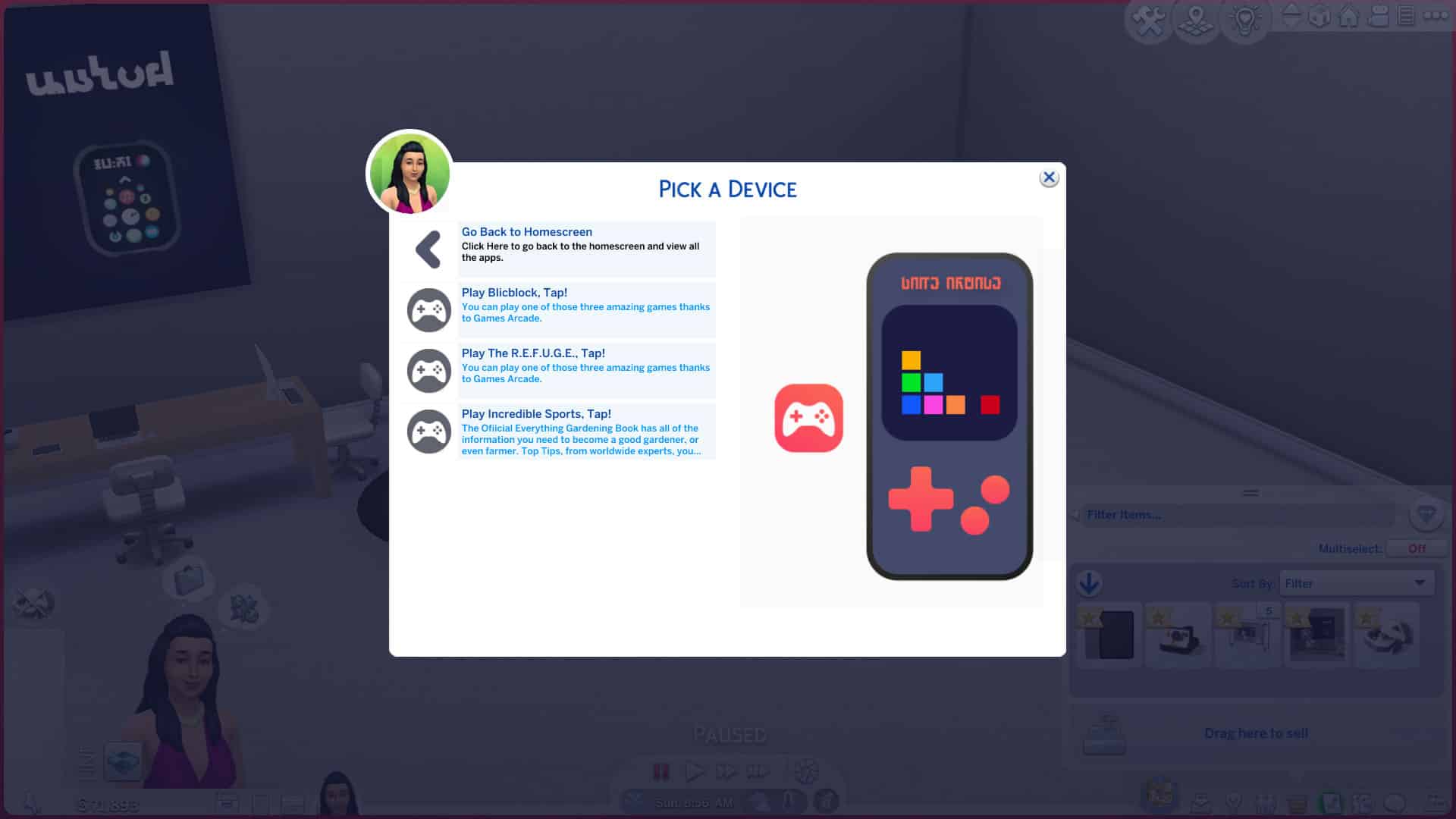
Game Arcade
You’ll need a Pro device to be able to access this app so purchase a Plumphone Pro or a PlumPad to start mobile gaming! Select the device you want to play on and then select your game of choice!
Maps
The Maps app handles all of your travel needs. Book a vacation, travel to another lot, or move to a new home. You can also visit the secret Get To Work lots using the Maps app… if you have the Get To Work expansion pack.
E-Books
Book lovers will get a lot of use out of this app. It also requires another device to enjoy so make sure to purchase one. Select the device you’d like to read your e-books on and then select from some books available in the e-books store. Sims can learn new skills by reading skill books or enjoy the riveting Henry Puffer series.
Luv’2’Meet
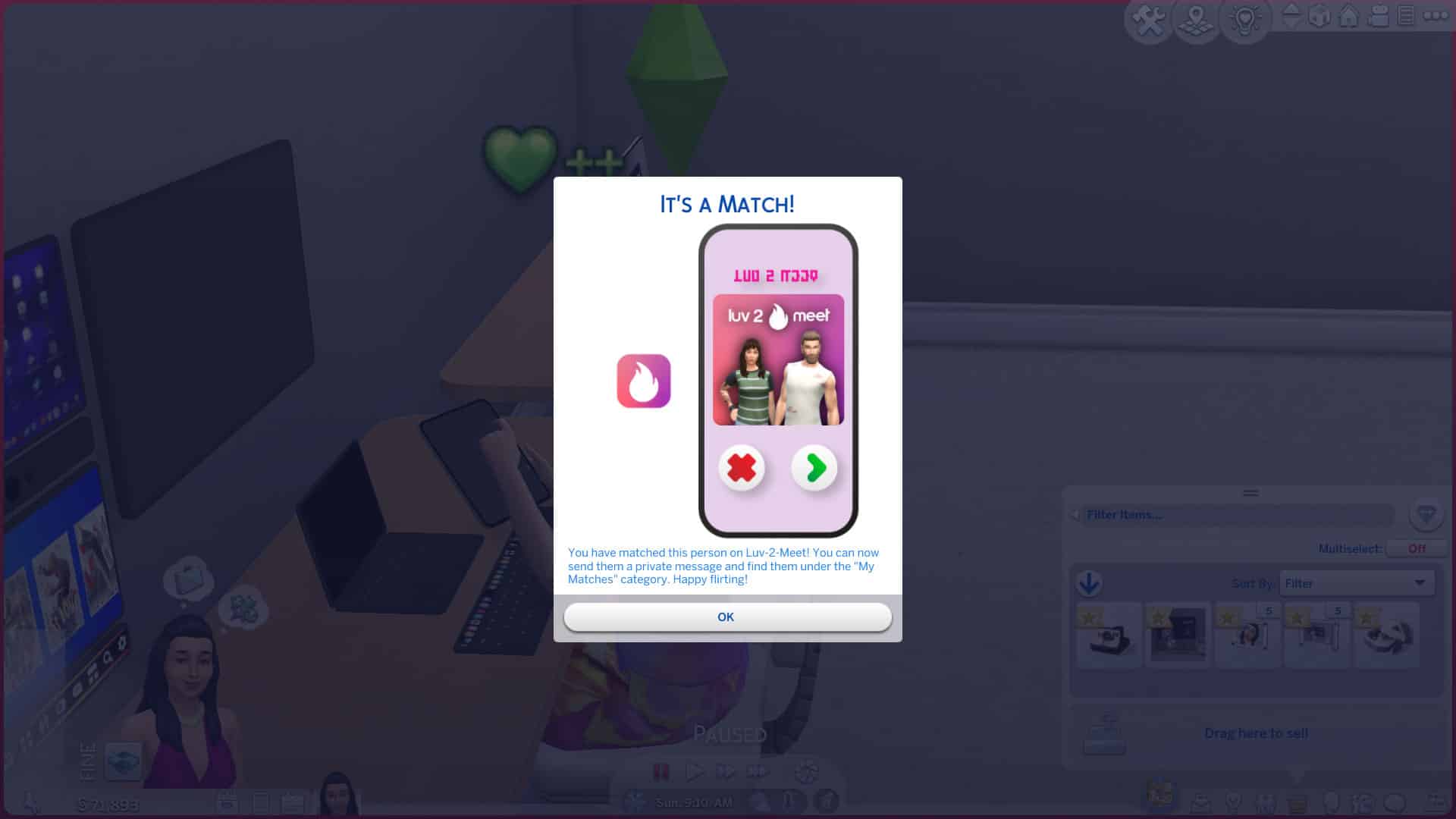
This is probably my favourite new app that comes with this mod. It’s an online dating service that will allow your Sims to meet up with just about anyone. It has a great interface and feels very immersive, like a real online dating experience.
To get started with online dating through Luv’2’Meet, select the app from the app menu and then select your device you’d like to access the app on. You can change your online dating profile picture here and choose whether you want to browse male or female profiles. Make your selection and you’ll be able to browse through every young adult Sim of your chosen gender in the game. When you find someone you like, click them to match with them!
When you’ve matched with someone, you’ll be able to communicate with them through the app. Send them messages and funny GIFs to start building up a relationship with them. When we sent Johnny Zest a funny GIF through the Luv’2’Meet app, he loved it so much, he actually messaged us asking to meet up at the park!
Luv’2’Meet is a really fun way for Sims to meet new love interests online.
Simstagram
Of course, Simstagram already existed in the game but Arnie has really beefed it up into a more immersive social platform for Sims. To start using Simstagram, select it from the app list on any Plumfruit device and upload your first picture. Once you’ve posted at least one photo to Simstagram, you’ll be able to check up on your Simstagram profile and see your images, followers, and any comments townies have left on your profile. Click any of your uploaded photos to add and edit captions, leave comments, add filters and more!
You can also connect with other Sims using the Simstagram app. You can connect with nearby Sims on the same lot as you by interacting with their Simstagram profiles. There is also a feature that allows you to interact with the profiles of far away Sims but Arnie says this feature is experimental for the moment and may undergo developments and changes as time goes on. You can DM Sims that your Sim has met through Simstagram, too!
And if you were wondering whether Sims can gain fame from using Arnie’s version of Simstagram… yes, they absolutely can! Posting Simstagram pictures and stories builds fame for players with Get Famous installed the same way it does with the in-game Simstagram feature.
Purchase Plumfruit Devices
If you don’t want to scroll through the BB catalogue or visit a retail store to purchase your Plumfruit products, you can conveniently do it from your phone, instead! Select this from the app list and pick out any products you like in your preferred colours! That’s all there is to it! Well, you need to have the simoleons on hand to pay for your items, of course.
Our Thoughts
So what are our final thoughts after exploring the new and improved version of the Plumfruit Mod Pack by Arnie? We’re pretty impressed! We love that all the items are very sleek and modern but still Maxis Match. Any mod pack that adds 100% Maxis Match items is always a huge thumbs up from us. A lot of the new Plumfruit items have the same functionality as existing gadgets but the way they’re organised into this new app system made it a lot easier and more intuitive to find the features we were looking for. I used to spend several minutes clicking through menus upon submenus of text that all blurred together on computers trying to find what I needed. The new app names and colourful icons Arnie added are very eye-catching and allowed me to find what I needed quickly. A simple design change can really make a huge difference in the user experience.
But of course, this mod is much more than a simple design change. We were thrilled with the new and improved Simstagram and the Luv’2’Meet dating app. It really felt a lot like using one of those apps in real life. It was fun and immersive and made it easier than ever to meet new Sims and build meaningful relationships. All of the new smart devices are great as well. They look amazing and they add heaps of functionality and choice for our Sims. It was really fun playing around with all the new gadgets.
The only thing I would suggest to improve the mod further would be to add more books to the E-Books app. As a bookworm myself, I probably wouldn’t want to read the same handful of skill books and one children’s fantasy series for the rest of my life. It would be awesome if we could add books that we’ve purchased to our E-Book library and have them on-hand wherever we are.
Otherwise, this mod is top-notch. If you’re a tech junkie or just looking for new ways for Sims to connect in the digital age, you should definitely add this mod to your collection. I know I’ll be keeping it in my game!
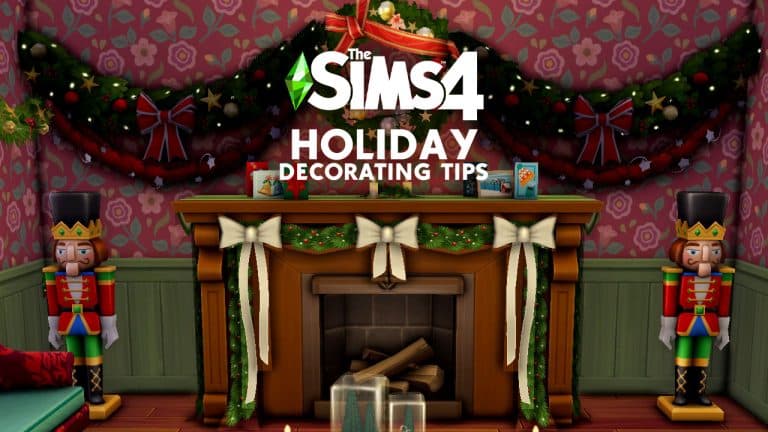
We hear you. You’ve decked your real-life halls with boughs of holly before December 1st even arrived and now you’re “fa la la-ing” to yourself because you’re still in the festive spirit with nothing left to decorate! It happens to us all, right? … Right? No? Just me? Ooookay then.
Just in case you are a holiday nut like me and actually were looking for an excuse to do more decorating, we’ve got you covered! Here are our top 10 holiday decorating tips for The Sims 4 to turn your Sims’ home into a magical Winterfest wonderland!
Put reindeer on the roof
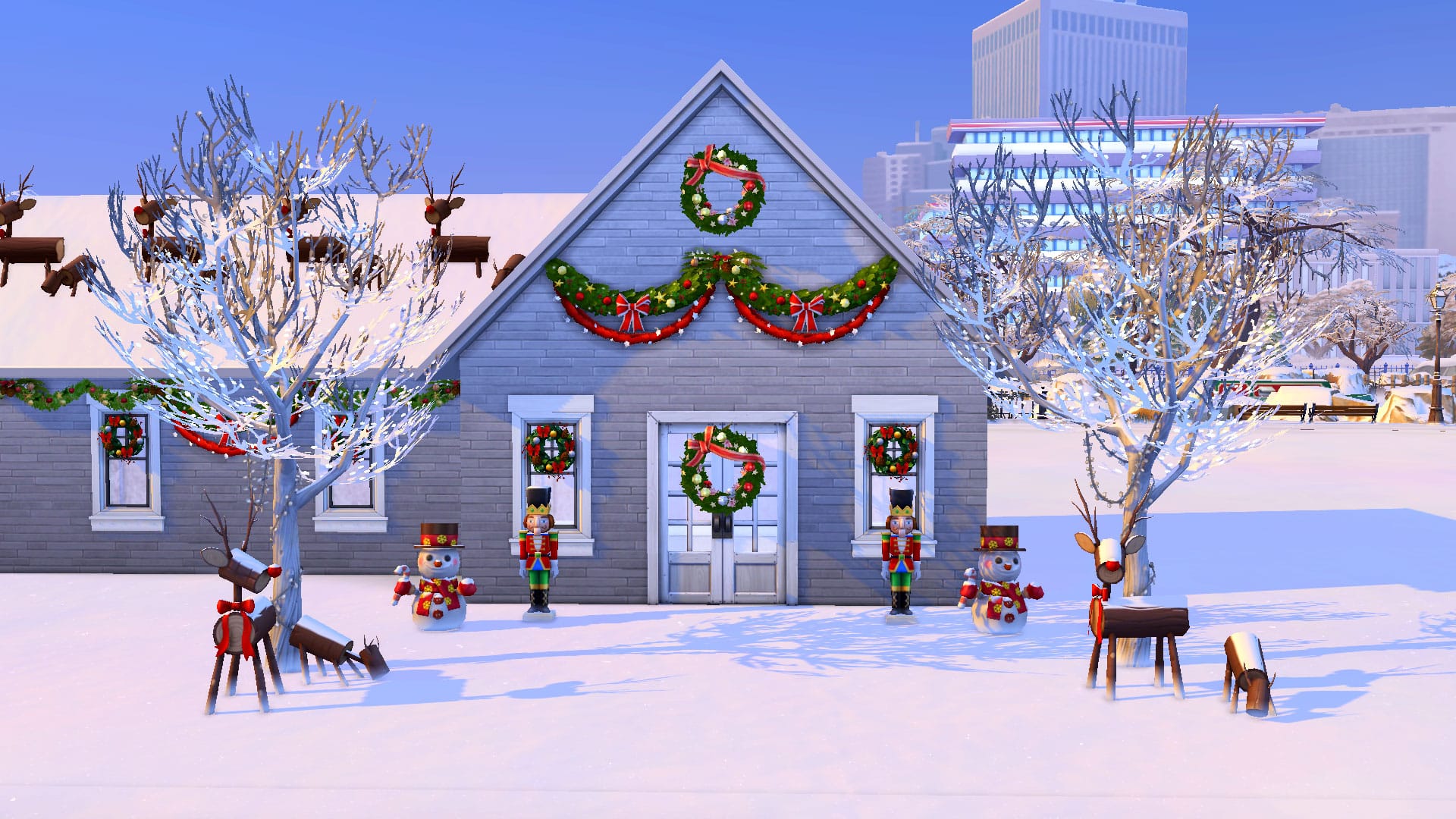
The free holiday DLC comes with an adorable pair of wooden reindeer to decorate your front lawn… but it doesn’t have to be on your lawn! Why not put 4 of these up on the roof using the bb.moveobjects on cheat and the 9 key to raise them to the desired height? It will look like Dasher, Dancer, Prancer, Vixen, Comet, Cupid, Donner, and Blitzen are on the rooftop ready to help Father Winter deliver his presents!
Hang pinecones over windows, doors, and archways
There’s another handy piece of décor in the free holiday DLC! A cluster of pinecones with evergreen branches on either side make for a lovely rustic holiday wall piece. Place these on top of windows, door, and archways all over the house to give every room a touch of the wintery outdoors over the holiday season.
Yes, you CAN put a wreath on the front door!
Not only can you put a wreath on the front door, but Sims can still use the front door, too! I love BIG wreaths so my favourite to use is the one from the free holiday DLC but the game has no shortage of wreaths to choose from if you own the Seasons expansion pack. Use the bb.moveobjects on cheat to put a wreath on your front door to complete the holiday look. The only quirk with this décor tip is that the wreath will stay in place when Sims open and close the door so it will look like it’s floating in midair while the door is open. Sims will just walk right through the wreath. This doesn’t bother me since the door is usually closed. If this doesn’t bother, you, either, go ahead and give it a try!
Wreaths are great on windows, too!
You can also use the bb.moveobjects on cheat to put wreaths on windows! It depends on the size and shape of the window, of course, but many windows in the game look fantastic with a wreath displayed on it. It adds an extra level of detail to your exterior decorating and really makes your home look like the subject of a winter postcard.
Swap out the dining table and fireplace
TS4 x64 2021 12 07 19 45 34
TS4 x64 2021 12 07 19 45 51
You could decorate your mantelpiece and dining room table with holiday decorations… but why do that when there are already pre-decorated fireplaces and dining room tables in the game? Both the free holiday DLC and the Seasons expansion come with a holiday-themed fireplace and an 8-Sim dining table. These festive objects look much better than if you had plopped some garland on top of a regular fireplace or dining table and called it a day.
Centrepieces make a difference
Every surface in your home can benefit from a centrepiece for the holidays! Accent tables, coffee tables, dining tables, fireplace mantels, absolutely everything will look better with a festive centrepiece. My personal go-to are some of the holiday candles but there are lots of fantastic holiday trinkets you can use as centrepieces. Glass snowflakes, mason jar snow globes, nutcrackers, and more. Just make sure your centrepiece isn’t so large that it overpowers the whole table. Proportional centrepieces add the most charm.
Garlands, garlands everywhere!
Empty section of wall? Put a garland there. Need something to hang below a picture frame? Garland. Looking to dress up your windows a little more? More garland. Garlands are the most versatile holiday decoration. Hang them up outdoors, indoors, on walls, under windows and picture frames, on kitchen backsplashes and cabinets, just about anywhere and everywhere! Our biggest tip with garland is to keep things proportional. Don’t use the giant garlands in tiny spaces. Go with the smaller garland instead. Symmetry is also key, especially outdoors. If you’re adorning windows with garland, make sure every window has one. Keep your garland patterns consistent.
Remove or rearrange furniture to showcase the décor
It can be tough to fit a huge tree into a tiny living space but don’t be afraid to temporarily rearrange the living room furniture to make space for the tree and maintain functionality. My Sims family has a spot by the fireplace they put their tree every year. Normally, a rocking chair and knitting bag sit there but when winter comes around, the rocking chair and knitting bag go into household storage and gets replaced by the tree. If there’s just no fitting a full-size tree into your tiny home no matter how much rearranging you do, consider this neat little trick; use the bb.moveobjects on cheat, then select a full size tree and size it down to miniature size with the [ key. Then use the 9 key to raise it up onto any surface and voila! An instant tabletop holiday tree!
Focus on communal areas of the home
If you have a really big house to decorate for the holiday season, decorating can feel like a daunting task but it doesn’t have to be! While you can definitely go crazy decorating every single room of the home if you want to, you can save a lot of time by only decorating areas of the house your Sims’ guests are going to see. Focus on highly visible and communal gathering spaces in the home; the front exterior of the house, the dining room, and the living room. Everywhere else you can probably pass on if you want to save yourself hours of tedious decorating.
Don’t forget the front lawn!
What would Winterfest be without tacky plastic lawn ornaments? Don’t forget to spruce up your front lawn with glowing snowpals, those adorable wooden reindeer we mentioned earlier, and tall nutcrackers! It will give your house that retro mid-century holiday look. Or if you’re more into the hipster holiday look, maybe skip the fluorescent lawn ornaments and stick to pinecones, chalkboard pictures, and mason jar snow globes.
Do you have any Sims holiday decorating tips for us? Share them with us in the comments or come chat with us on social media!
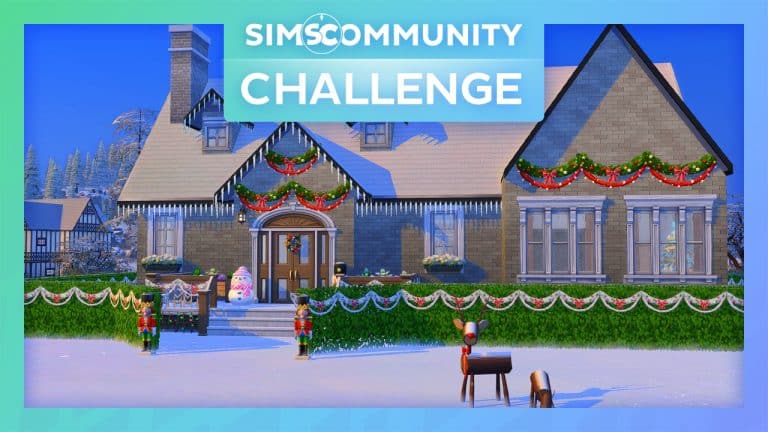
Welcome to a festive edition of The Sims Community Challenge!
The December challenge if you haven’t already guessed is going to be full of Winterfest cheer! While we know many of us will be busy with real life and preparing to spend our time with friends and family, we are going to keep things simple but fun at the same time!
This is the first build challenge that we have done for a couple of months, however if you’d like to check out the November challenge you can click here!
The Challenge
Your challenge, should you chose to accept it, is to simply furnish our house shell and make it as festive as you want! Seriously, we want to see just how festive and creative our shell can become!
Challenge Rules
You must use a 40×30 lot.
You have a total budget of $115,000.
No Custom Content.
You can use DEBUG items and T.O.O.L.
You are not allowed to change any of the existing internal or external walls. You may add additional walls if required.
You can not add additional floors or basements.
You may change the doors/windows as well as their placement
Have fun and be creative!
As always, the shell is Base Game friendly, and you are allowed to use any packs that you own.
Shell Overview
Here’s an overview of the shell as well as how it is laid out. The order in which you have the rooms is up to you, as well as which room goes where. Remember, you are not able to change any of the current internal or external walls.
The idea behind this build is that it would be a cosy, festive family home, so there would two bedrooms alongside the open living/dining area, kitchen and bathroom before taking the outdoor space into consideration.
TS4 x64 2021 12 08 16 35 22
TS4 x64 2021 12 08 16 35 05
Downloading The Shell
You will need to head over to The Gallery and use the information below to find the challenge shell and add it into your game.
Lot Name: SC Winterfest Shell
Gallery ID: LeeksEverywhere
Uploading your Entry
All entries will need to be uploaded to The Gallery and include the hashtag #SCWinterfest in the description.
One entry per person. Additional entries will not be included.
Closing date for entries: Monday 20th December 2021 at 10am PST/6pm GMT/ 7PM CET. The Spotlight post will be released a few days after entries have closed.
If you have any questions, feel free to ask them in the comments below, or head over to our The Sims Community Challenge channel on our Discord server! If you aren’t a member of our Discord Server, you can click here to join.
Click the button below to join The Sims Community Discord
In case you don’t know me – I’m Jovan, and I’ve been running the Sims Community website since 2013! Truth be told, I have been obsessed with The Sims way before that. My first ever Sims Game was The Sims 2 on PS2 that I played at my friend’s house. I was captivated by how much control I have over a video game, which only inspired me to pursue my interest in The Sims Franchise more. I fully indulged in all of The Sims 2 and The Sims 3 games, and after The Sims 4 was announced I knew I had to take it to the next level. Just days after the announcement of the game I started this website out of multiple passions I pursued – video games, journalism, graphic design and English language.
I’m celebrating the Season of Selves for multiple reasons, but the main one being that I discovered a lot about myself through this game. Just about a year ago I marked all the amazing self-discoveries and friendships I’ve made with a Plumbob tattoo. You could say that The Sims follows me wherever I go…in every meaning of that sentence.
But enough about me or my inked right leg. Let’s dive deeper into my personal playstyle!
My Playstyles
There are various playstyles that I’ve dabbled with in The Sims 4 and that I still like to play with from time to time. One of those being a builder. would I consider myself to be a builder? Most definitely not. I’m not ashamed to admit that most of my builds that I’ve made in this game are every architect and interior designer’s worst nightmare. Still, it’s fun to let my creativity let loose with builds that just wouldn’t make any sense in real life. This is The Sims after all!
build2 e1638963316509
build1 e1638963327790
I will always be the first to vouch for, promote and use builds created by the community instead. The Gallery is a perfect gold mine of amazing talented creators who keep pushing the boundaries of what you can do with Build Mode tools.
Instead, most of my time playing The Sims 4 is spent in Live Mode. (and it’s pronounced live as in living, not live as in going live! this is a hill I’m willing to die on)
When I’m playing this game I usually sway into these 3 different playstyles, including:
The Achiever (who doesn’t cheat!)
It’s a tale old as time. You start out as a single Sim with a primary goal to become wealthy, successful and find love so you can pass all of your achievements onto future generations. Being an achiever in The Sims 4 doesn’t mean solving all of that in a matter of seconds through Shift + Control + C and entering motherlode. And no, that doesn’t include just plopping down the wishing well from the Romantic Garden Stuff Pack and wishing for simoleons until you’re rich. Trust me, I’ve tried many easy ways to become successful in the game but the final outcome never turns out to be fully satisfying.
To me, being an achiever means taking all the slow steps in the game that you’d also probably take in real life in order to learn skills, become successful and earn money. That includes graduating in a University, finding a job and eventually finding your Sim the perfect spouse so you can splurge all of that hard-earned Simoleons onto a big mansion that you’ve oh-so rightfully earned.
For this type of playstyle I would recommend the Discover University Expansion Pack, as it’s one of the most rewarding prospects in this game for the long road. Your Sim will get a huge jump in a Career that’s related to their Degree and ensure their bright future. Good luck chasing that diploma though, as the road to graduation is full of spikes and thorns – or in the case of The Sims – bladder failures and passing out in public from sleep deprivation.
The Manager
There’s something about managing multiple live beings with a mind of their own in this game that just keeps me coming back for more. Whether it’s a house full of needy toddlers, farm full of animals or a restaurant filled with hungry customers. Making sure that everyone’s needs and requirements are met is nerve-wrecking – but I wouldn’t have it any other way.
Having multiple toddlers is all fun and games until you have to let each one out of their high chairs.
12 08 21 2 17 59 PM e1638970463149
12 08 21 2 33 02 PM e1638970450931
If you also like to play the game on Normal Speed without having to fast-forward the time (because that would just be disasterous for all the living Sims and animals involved) I suggest packs such as Get to Work (for its retail system), Dine Out (which lets you own a restaurant) and Cottage Living (cute, sometimes chaotic animals). Choosing to go down the farmer’s route in Cottage Living is an interesting experience from the The Manager’s perspective – especially if you add an extra layer of complexity with the Wild Foxes Lot Challenge.
Cleaning up the Chicken Coops and Animal Stalls, making sure all animals on the lot are well-fed and socialized while earning Simoleons through their produce and excess wool is one of the finer examples of what being The Manager in The Sims is all about. That’s of course if you choose to solely survive off of what Animals give you in return.
The Chaos Provoker
Okay, maybe not exactly the type of chaos you see in the screenshot above (don’t worry – I’ve used cheats to replicate that one) but still. Seasons is probably one of my favorite Expansion Packs that I find essential when it comes to causing chaos and mayhem in the game. Not specifically because of the lighting strikes, but more because of how much control you get over the worlds themselves.
The ability to customize each day to your liking with activities you want to be surrounded with is exactly the type of behavior I want to see as a Chaos Provoker. Just maybe don’t go overboard like I did with the number of “Holidays” as seen below…
Nudity day? Sure, why not!
As a Chaos Provoker if I find myself to go down the path of The Achiever playstyle, I always tend to mix things up with the unexpected. Such as cheating on my husband with the scarecrow. Don’t worry – he doesn’t mind…because he doesn’t know.
Going down the path of The Chaos Provoker and breaking down the same old path that I would take as an Achiever always brings in unexpected, but often worthy results.
Being a Chaos Provoker in The Sims 4 doesn’t necessarily mean it should be chaotic for your own household but rather the households surrounding you.
By the way – that’s a good looking couch, mind if I steal it? It’s all fair game when your Sim is a Mischevious Kleptomaniac. If you play your cards right and don’t let your neighbor notice you’re definitely looking at profit! Just make sure you play it right by making sure that the Sims in the house you’re visiting aren’t there…or awake.
I’ve found that being a master kleptomaniac in The Sims 4 definitely works out as a side career – especially if you have multiple Sims in your household who are Kleptos.
You can turn up the mischief with Realm of Magic through the Burgliate Spell that allows you to steal without being a Kleptomaniac. The chances of getting caught stealing through a Spell are much lower – at least from what I’ve noticed. If you do get caught just distract the surrounding Sims with a flame through the Inferniate Spell. They will be too caught up anyways to catch you again…
That about sums up my playstyles when playing The Sims 4!
On Sims Community we cover a lot more playstyles than what I like to play with in my spare time. If you’d like to stay updated on the latest from both The Sims and The Community (and the ways they play) check us out on these outlets:
The Sims Team has just dropped a brand new Delivery into The Sims 4 Base Game!
Through Sims Delivery Express you are able to download new Create A Sim Content, Build Mode Content and small bug fixes and improvements into your game straight through The Sims 4. Simply open up The Sims 4 and your game should automatically check for new content.
If not, go into Game Options > Sims Delivery and Check for new Content. This method of bringing new content into your game works both on PC and Consoles! Note that you will have to restart your game in order to obtain new content. You can select “Yes, Restart Now” for the game to restart automatically for you.
Sims Delivery Express – December 7th, 2021 Content
NEW HAIRSTYLE!
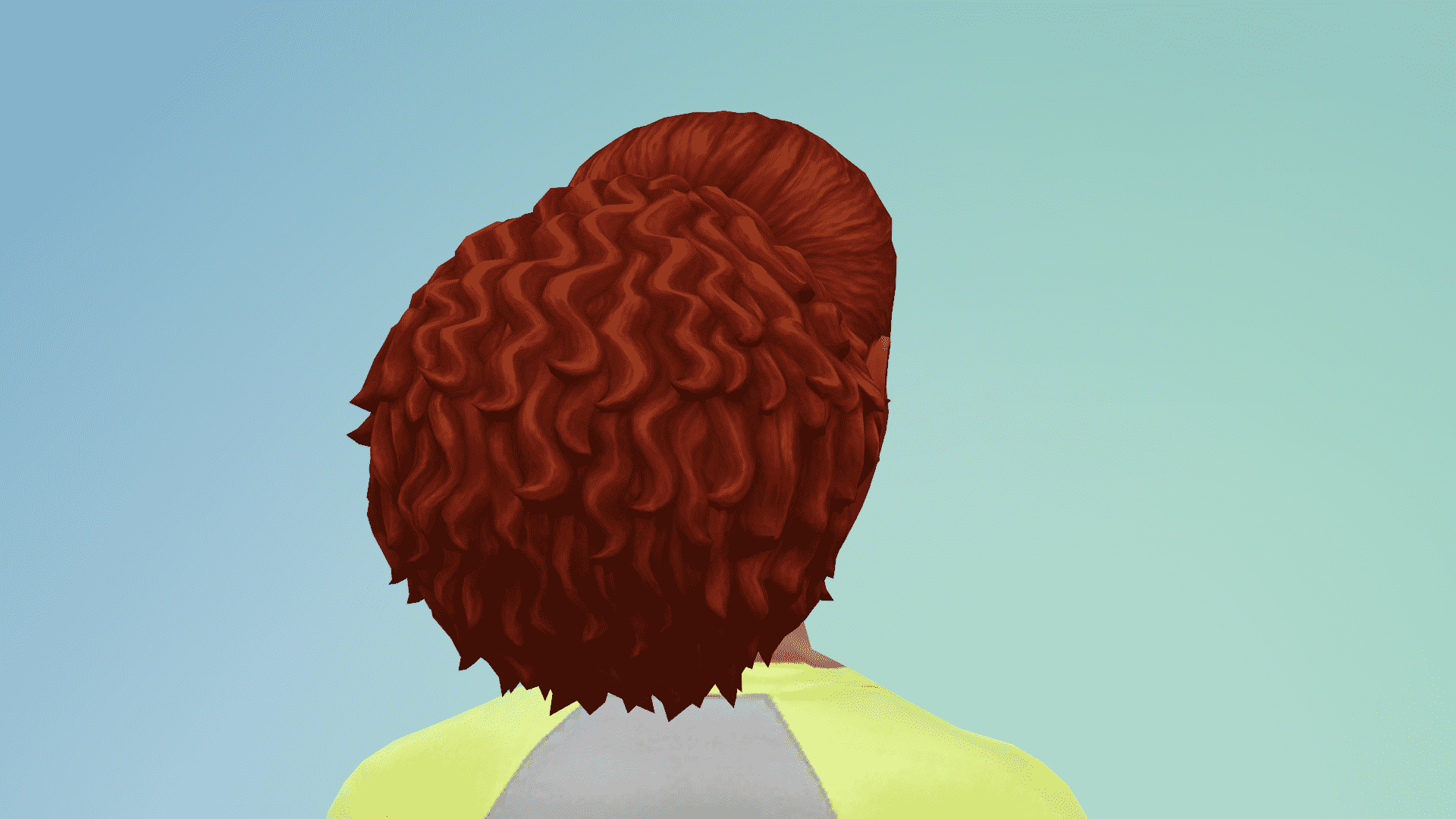
The Sims Team has added in a new Adult Feminine Hairstyle. Check out the previews below:
The Sims 4 Modern Menswear Kit launched earlier this week, and I finally found some time to sit down and take a look at the Kit. After spending a little time going through the new Create A Sim additions, I came up with several different looks. There was a lot of trial and error before finding looks that worked well together, but in the end, I’m happy with how these looks came together. My aim was to create looks I knew I could see my Sims wearing in my own game.
The first three focused on using items from the new Modern Menswear Kit, Base Game and one other pack, whereas the latter two looks were a combination of the new Kit and several other packs.
Red
Smart, casual with a twist of colour!
Outfit
Hair: Swept Left Hair (Base Game)
Top: Sleeveless Patterned Top (Modern Menswear)
Bottom: Leather Look Trousers (Get Famous)
Shoes: Colourful High-Tops (Get Famous)
Accessories: Ring (Base Game) Watch (Get Famous)
Casual and Comfy
A cool but casual everyday look that is perfect for any moment!
Outfit
Hair: Swept Left Hair (Base Game)
Top: Moschino Unicorn Tee (Moshchino)
Bottom: Textured Trousers (Modern Menswear)
Shoes: Green High Tops (Base Game)
Let’s Go!
Take to the open road with this dark and mysterious look!
Outfit
Hair: Swept Left Hair (Base Game)
Top: Textured Button Up Jacket (Modern Menswear)
Bottom: Ripped Jeans (Realm of Magic)
Shoes: Lace Up Boots (Realm of Magic)
Accessories: Sunglasses (Base Game)
Patterns, Patterns, Patterns!
Layer upon layer of different patterns and textures, all coming together to create this one off, unique look!
Outfit
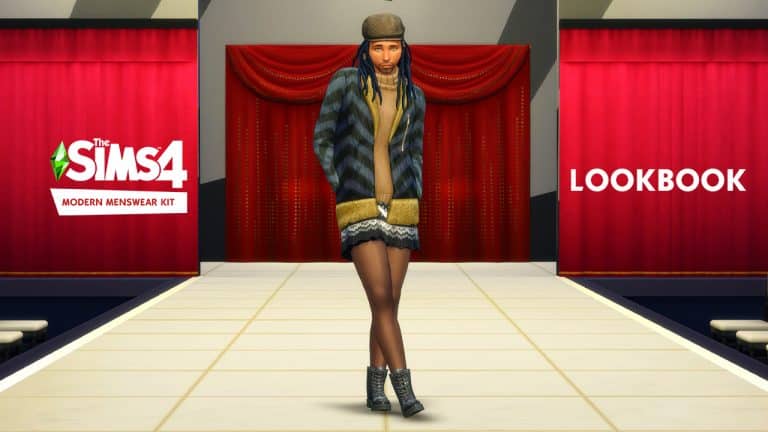
Hair: Beaded Locks (StrangerVille)
Top: Faux Fur Jacket and Turtleneck Combo (Get Famous)
I’m a huge (and I mean HUGE) fan of The Sims Medieval. I might actually be borderline obsessed with this game but that doesn’t mean The Sims Medieval is perfect. The game is primarily a fantasy RPG and has a heavy focus on quests rather than a true life simulation like the main Sims series. It has a lot of limitations that The Sims games don’t have, even in sandbox mode. I’ve always longed for a medieval life simulation exactly like The Sims in every way, just in medieval times.
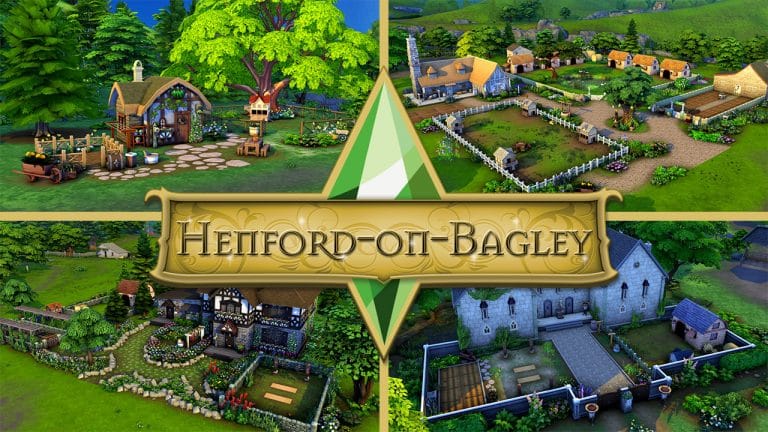
The problem is, The Sims 4 never really had any worlds that made sense in a medieval setting. You could build all the medieval buildings you wanted but the non-editable sidewalks, roads, cars, and big skyscrapers in the background really killed the vibe. Until Cottage Living came along, that is! While Henford-on-Bagley does have touches of the modern world here and there, it’s largely a step backwards in time, making it an ideal setting for a medieval world. My dreams could finally come to life!
Refer to this map for lot placement!
I spent weeks rebuilding Henford-on-Bagley from the ground up with CC-free medieval builds! All the builds are functional off-the-grid and are actually livable, usable spaces for your Sims so you can play normally in them. Before you check these builds out yourself and go “Hey Snarky, this isn’t actually 100% authentic to medieval history,” you’re absolutely right. I’m not a historical expert by any means and I also had to work within the game’s limitations but I love this (mostly) medieval world I’ve created, anyway. It does its job bringing my imagination back in time while I’m playing.
I had a few rules for myself when designing my medieval Henford-on-Bagley to make sure I was keeping things as low-tech as possible while still creating fun and functional spaces for my Sims:
All plumbing and appliances had to be functional Off-the-Grid and look rustic and/or old.
No electricity or items that generate electricity, so no wind turbines, solar panels, or generators.
If an item/activity would have been enjoyed in medieval times but The Sims version is slightly more advanced, I can choose to include it. Such as darts even though the dart board has an electronic scoreboard on it and candle-making even though it requires a recycler and uses an electric heating element for the wax.
Anything children need for fun, happiness, and their well-being can be used as long as it’s not blatantly high-tech, like the Voidcritter battle station or the Wabbit Tablet.
With all that in mind, let’s get on with the medieval tour, shall we?
Spirit’s Solitude
This 29-tile microhome is also a starter home and perfect for a single Sim in tune with their spirituality. It comes with a little garden, a séance table, a washtub with clothesline, and a coop for some chickens so your Sim can be self-sufficient off-the-grid.
Fruitful Harvest
This starter cottage is suitable for a young pair of newlyweds expecting a baby soon! It may be a small plot of land but it has everything a budding farmer needs to build a successful life for themselves. The house may need expanding as the little one grows, though.
Ye Old Playground
This (mostly) medieval park is a great spot to enjoy an afternoon with the entire family. It has outdoorsy activities for all ages, including toddlers, so everyone can take a break from toiling in the fields once in a while and have some fun.
Knight’s Stronghold
This small, fortified manor fit for a knight puts safety first. With thick stone walls, narrow windows, guards and cannons on the roof, training yard, animals, and crops secure inside strong courtyard walls, and a moat running along the back of the building with a hungry alligator in it, only the bravest souls would dare try and infiltrate this stronghold.
Neth Tathar Homestead
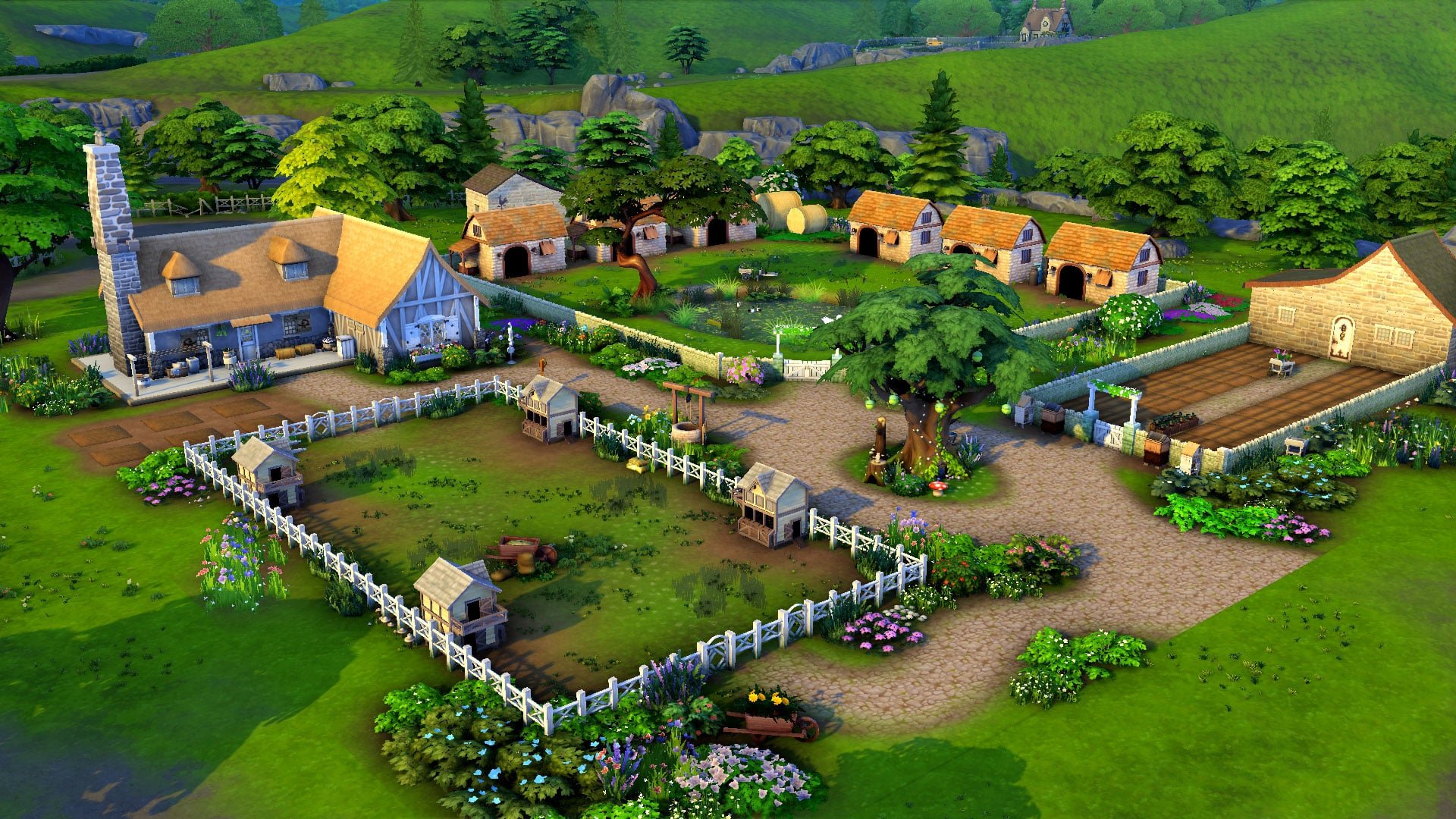
This mid-priced family farm is the largest plot of land in Henford-on-Bagley and isn’t for anyone who’s afraid of hard work. With six animal sheds, four chicken coops, 50 garden plots, birds, bees, insects, and bunnies to tend to, anyone living here will have their hands full. Good thing there’s three bedrooms that can accommodate up to five Sims.
Village Square
This medieval community space offers plenty for local residents to do. The default space has some generic fun activities for Sims to enjoy, but if you need something more specific, you can vote to turn this lot into a marketplace, a community garden, or a maker space. Community spaces have special instructions for being placed properly so make sure you read the Gallery description for this lot carefully.
Smithy’s Paradise
This is a revamp of an older lot I built many years ago before Off-the-Grid was an official feature in the game. It’s been updated to be fully compatible with the Off-the-Grid lifestyle and include Cottage Living content as well as other newer packs. This lavish medieval manor is attached to a blacksmith’s forge. It’s listed as a retail lot with items already set for sale but if you do have retail mods, you can change the zoning to residential and use your mod’s retail system to live here more easily. Without mods, purchase an empty lot as your “home,” then purchase the business. Travel there and stay there!
Struggle for Survival
This starter farm for a family of eight is nothing more than a peasant hovel. The one room shack with beds and a kitchen crammed inside offers little comfort for the large family struggling to make a living here. They don’t even have an outhouse; only a bath outdoors under a tree and a bush to do their business in. But with animal sheds, a large garden, chicken coops, and a pond large enough for fishing, this run-down hovel has everything this family needs to make a better life for themselves with some dedication and hard work.
Tavern and Inn
What would a medieval village be without a tavern?! Inspired by the tavern from The Sims Medieval, this popular village hangout boasts a bar, stage, and ample seating on the first floor, with a nice selection of inn rooms on the second level to accommodate weary travelers. Or perhaps just some Sims who’ve had too much ale and can’t stumble their way back home.
Nobles on Holiday
This cozy rental in the heart of the village is perfect for housing a family of nobles taking a holiday in the countryside. It can accommodate up to five Sims, including a child and a toddler, and has plenty of activities for the family to enjoy, including cross-stitch, knitting, picnics, horseshoes, and a wishing well. The coop and garden ensures they’ll eat nothing but the freshest eggs and produce on their trip.
Clinic & Apothecary
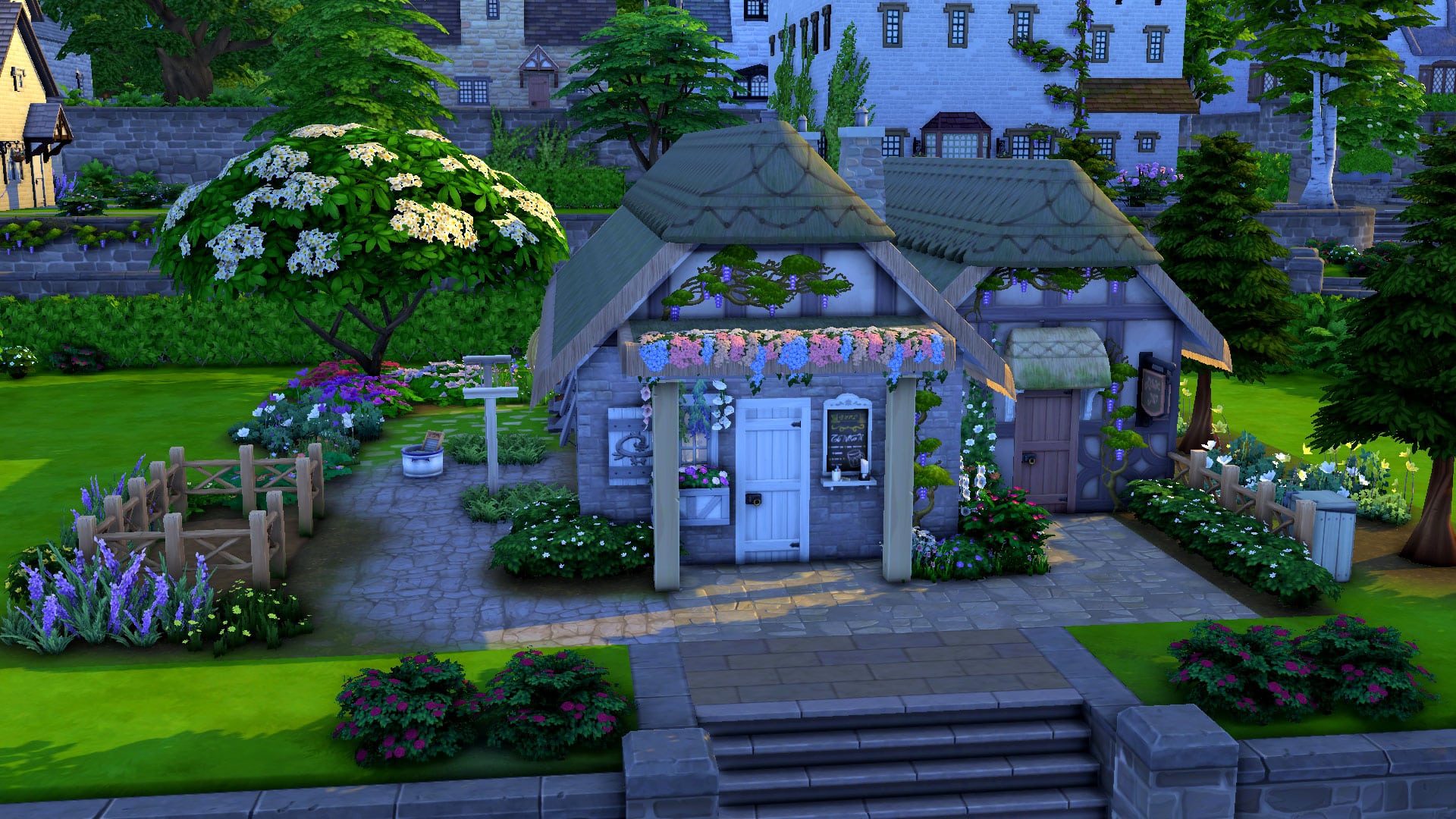
Sick during medieval times? Getting better isn’t as easy as ordering medicine on the computer. What is a computer??? Not to worry, the local clinic has medicine for sale and healthy treats to keep your livestock in good health, too. The apothecary next door is a great place for farmers and magic users to visit, too. It sells a variety of seasonal seeds, mandrake and valerian root, wraith wax, sacred candles, familiars, potions, and other herbs and trinkets. It’s a retail lot with items already set for sale but has a teeny tiny living space for a single Sim, too.
A Henford Handfasting
I built this quaint little wedding park when Cottage Living first came out but I realised it was the perfect spot for my medieval Sims to tie the knot too, so it went into my medieval world. The version in the Gallery is slightly different from the version pictured here but you won’t have to do much editing to this space at all. I swapped out the public bathroom for a medieval outhouse, replaced some lights with candles, and removed the stereo and microphone on the stage. Otherwise, this park is exactly the same.
I hope you’ll enjoy playing with these medieval builds as much as I enjoyed building them! I’m having a lot of fun living out my medieval fantasy in The Sims 4 without any of the limitations The Sims Medieval has.
You can find all these builds in the Gallery under the ID SnarkyWitch! Search the hashtag #snarkygoesmedieval to find them easier!
I just love the holiday season. So many different religions and cultures have beautiful traditions to celebrate the shortest days of the year and I love them all. Last week, we built a cute little Christmas cottage. This week, we thought a cozy room build honouring the Jewish holiday of Hanukkah would be a lovely way to send off this heartwarming holiday. Hanukkah ends on December 6th this year but that doesn’t mean the joy and spirit of Hanukkah has to!
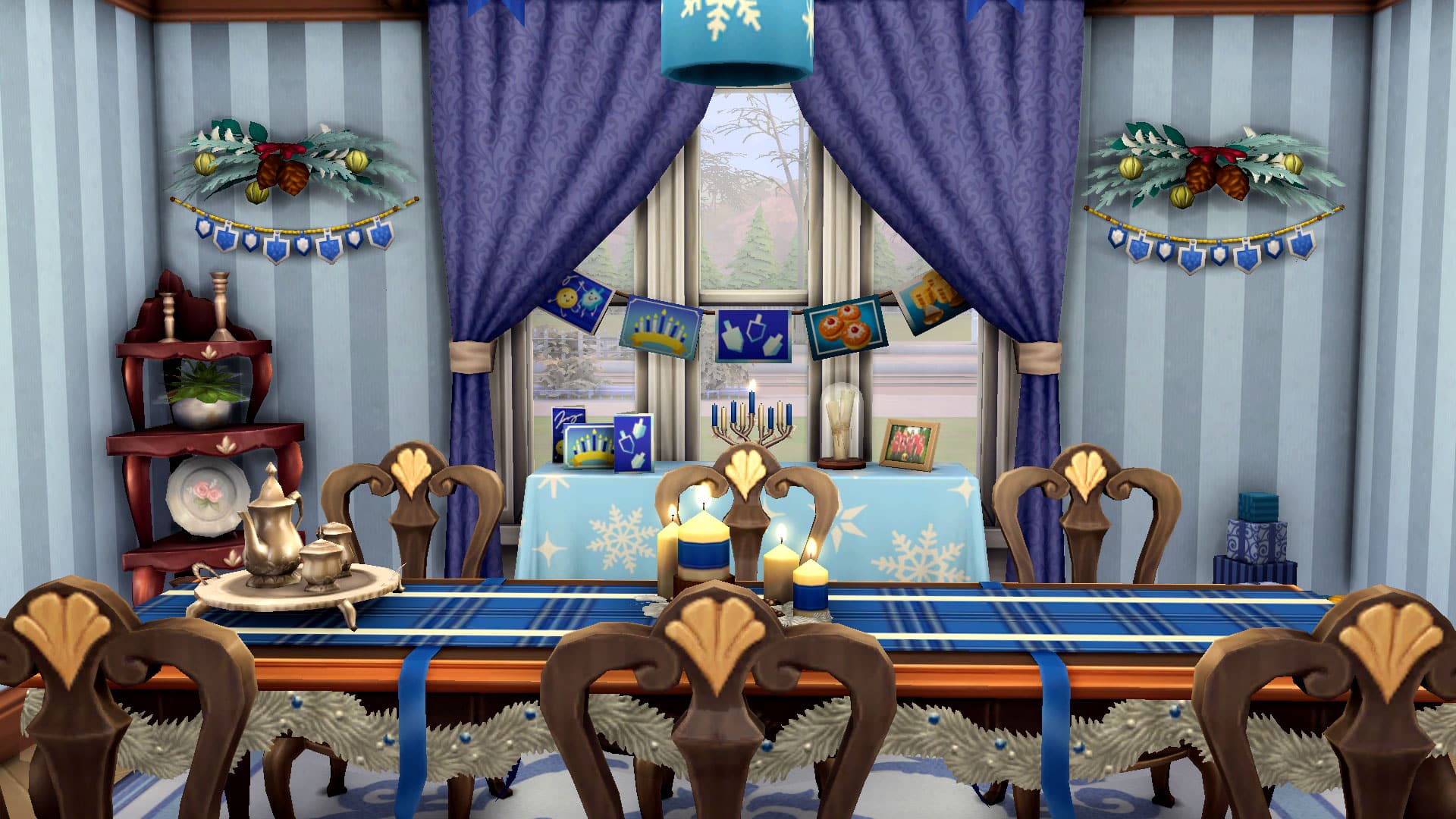
We’ve built a dining room honouring the traditions of Hanukkah! Let’s check it out!
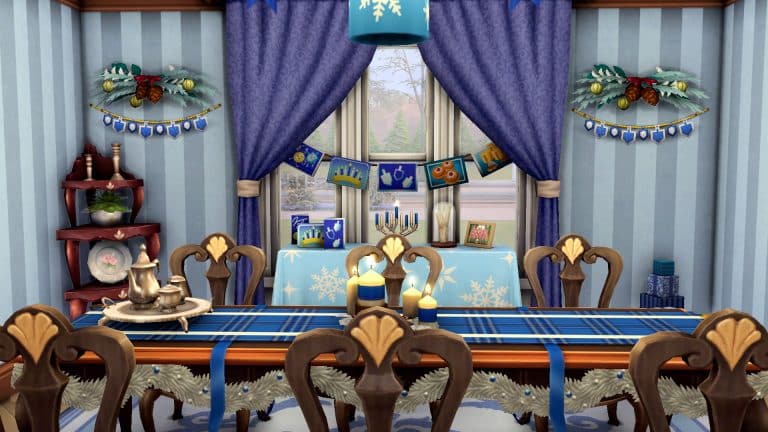
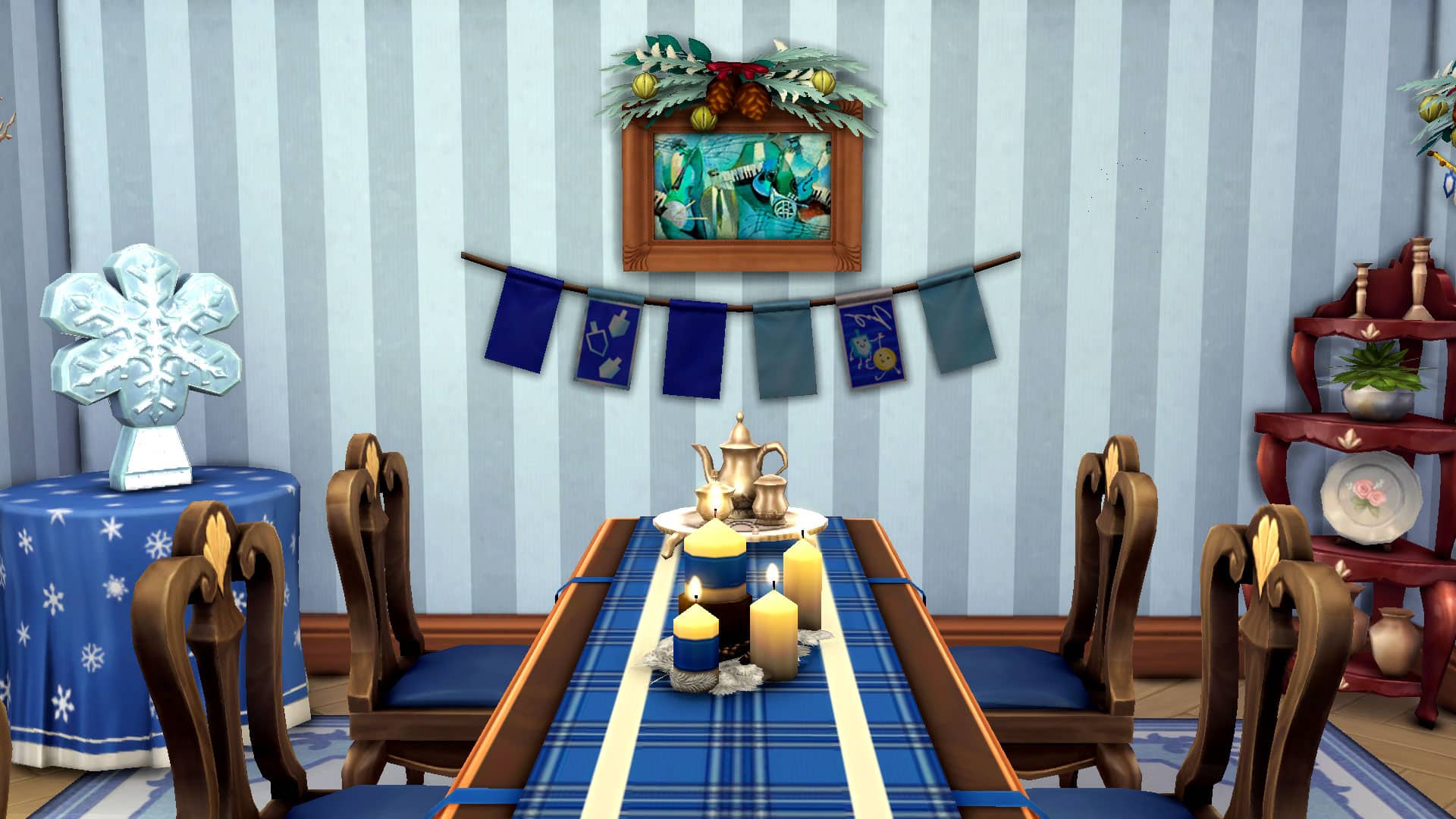
Blue and white are the traditional colours of Hanukkah which is a beautiful combination no matter the occasion so we really stuck with that colour scheme wherever we could. A long dining table with a blue plaid tablecloth and silver garlands acts as the centerpiece of the room, topped with blue and white candles and a silver tea set.
However, the front window is where the heart of Hanukkah is. The menorah stands proudly in the centre of the window with Hanukkah cards and family photos lovingly arranged nearby. More Hanukkah cards from friends and family are strung up in the window above the menorah. During Hanukkah, small gifts are exchanged during each night of the eight day celebration so a small pile of gifts sits next the menorah in the corner of the room, waiting to be distributed and opened.
Around the rest of the room, blue and white winter décor is paired with Hanukkah streamers featuring dreidels; a four-sided spinning top that’s a popular game to play during Hanukkah.
We chose a dining room to honour Hanukkah traditions because food is really where people of many different walks of life come together as a family to bond and create cherished memories together over a delicious meal. While the meal itself may be different around the world, the sense of community and togetherness around the dinner table is something that ties us all together. The weekly Jewish tradition of a Shabbat family dinner embodies this kind of community and togetherness. We thought it’d be perfect to tie into a room honouring Hanukkah.
Other touches of seasonal winter décor include a snowflake ceiling lamp with blue ribbons strung from it and a small corner table with a blue and white snowflake pattern, topped with a beautiful glass snowflake sculpture. The underlying theme of snowflakes remind us that while this time of year may be cold and dark, there is always light to be found in the darkness.
We hope this Hanukkah dining room fills you with both joy and inspiration this holiday season! This build has no custom content and uses only the base game, Seasons, and the free holiday collection that downloads with the base game.
One of the most appealing things about The Sims series is the freedom to play your own way. It’s the ultimate sandbox life simulation, allowing you to live out whatever virtual life you want. For some people, that’s creating lots and lots of exciting drama. For others, it’s escaping to a fantasy world full of magic and monsters. For occult players, the base game sadly won’t have much to peak your interest; it’s your standard run-of-the-mill suburbia simulation devoid of anything fantastical or otherworldly… unless you count ghosts and PlantSims. Both of which are limited in gameplay. You’ll need to expand your collection with DLC packs to get occult-themed gameplay.
Vampires
Vampire lovers, this is the pack for you! The Vampires game pack comes with, yup, you guessed it, vampires! These plasma-sucking creatures of the night are immortal and as unique and customisable as you want them to be! With each individual vampire having their own skill tree, no two vampires are exactly alike and possess the same abilities. Some may be monsters completely ruled by their thirst for plasma while others have learned to tame their thirst and live peacefully alongside humans, for example. This kind of flexibility allows you to tell your vampire story the way you want! Recreate that Twilight romance or reject modern vampire love stories in favour of pursuing a more Dracula-like plot. You decide what kind of vampires you want in your virtual world.
Realm of Magic
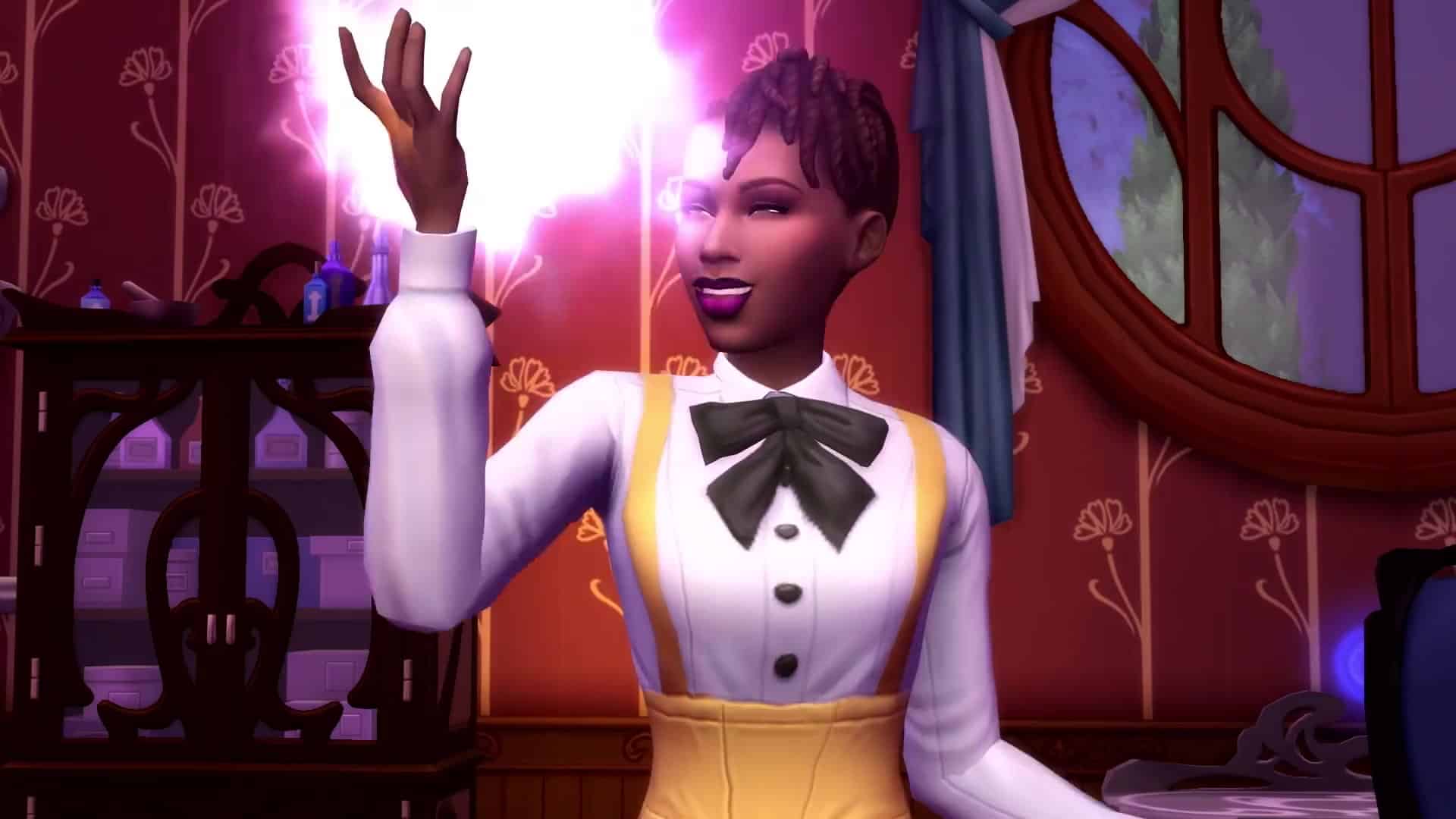
Potterheads will love Realm of Magic, which bears a distinct parallel to the Wizarding World of Harry Potter. Create your very own spellcaster and learn spells and potions to make their lives easier… or make the lives of others more difficult, if you’re feeling mischievous. Purchase tomes, brooms, wands, and potion ingredients at Caster’s Alley in the secret Magic Realm, seek out the three Sages for knowledge in the different schools of magic. Master one school of magic or all three. Or reject fancy spellwork in favour of becoming a master of potions. Pass your magical bloodline down to your descendants, creating stronger spellcasters over many generations. If you love witchcraft and magic, this pack is for you.
Get To Work
What’s so supernatural about going to work, you ask? Well, let’s just say the truth is out there. Do you want to believe? In aliens, that is! These intergalactic beings from the planet Sixam like to come and visit earth every now and then and if your Sim is a Scientist, they might come face to face with them more often than regular folk. If you own Get To Work, you can create your own aliens in CAS or meet them out in the world. Certain lucky (or unlucky) Sims may even get abducted by aliens in the dead of night and come home with a little space bun in the oven… if you know what we mean. Aliens have an array of abilities, like mind reading, empathy, wiping memories, and being able to revive dead alien collectibles. Oh, and you can visit their home planet. If you want intergalactic Sims, Get To Work has you covered.
Island Living
If only mermaids could be part of our world. Oh, wait. They can be if you own Island Living! This tropical expansion pack adds mermaids as a new occult type to the game. Create your own mermaids in CAS or discover them out in the new ocean world of Sulani. Mermaids come with a variety of abilities that make them more similar to sirens than Ariel from Disney’s The Little Mermaid. They have the ability to control the emotions of other Sims through their siren’s song, they can summon or disperse thunderstorms at will (if Seasons is installed), they can call dolphins and encourage more fish to show up at fishing spots. They can even lure unsuspecting Sims out into deep waters and drag them under the surface to drown them. They are beautiful, terrifying, and almost limitlessly powerful while they are in water. Mermaids are a lot of fun and you should check them out.
Discover University
Wait, wait, wait, a university expansion pack comes with occult gameplay? Yup! Sure does! Looking for some sci-fi occult gameplay? You’ll want to pick up Discover University for the addition of servos! Servos are humanoid robots that are fully playable Sims. They can be built at the robotics workstation by Sims skilled in the Robotics skill. Once brought to life, Servos become a playable member of the household and can do almost anything a real Sim can do. Except Try for Baby and anything involving water. Water will cause Servos to break down. Servos can receive upgrades that allow them to autonomously perform different tasks. They can become your handyman, maid, nanny, and even your personal bodyguard! They can also learn to become more efficient over time. If you want to play with robots, pick up Discover University.
Paranormal Stuff
While Paranormal Stuff doesn’t come with a new occult type, it still adds a lot of spooky goodness to your game! Sims can live in haunted houses where playful and mischievous spectres will either bless your Sims with paranormal goodies or unleash misery upon them. Sims can host seances and build the Medium skill. Sims skilled in matters of the paranormal can get a Paranormal Investigator’s license which will allow them to join the Paranormal Investigator freelance career! Visit other Sims’ homes to rid them of pesky spirits and all things that go bump in the night for handsome rewards. If living in a haunted house or becoming a Paranormal Investigator has always been your dream, this is the pack for you!
Spooky Stuff
Like Paranormal Stuff, Spooky Stuff does not come with an occult type but it does offer some pretty great décor and costumes to elevate your occult gameplay. Dress your Sims up as witches, pirates, superheroes, gladiators, faeries, zombies, and more. Throw Spooky Parties to impress your friends. Carve pumpkins and get the plumbob scared out of you by a candy bowl that comes with a trick along with a treat and deck out your house with glowing spiders, cauldrons with a ghost light show, fog-emitting gravestones and all manner of other spooky goodies. Oh, and speaking of goodies, you can also make zombie cakes and spooky cookies to serve at your next Spooky Party.
Base Game???
As mentioned at the beginning of this article, the base game does have some occult Sims. Sort of. Ghosts and PlantSims are part of the base game but ghosts aren’t much different from regular Sims and PlantSims are a temporary life state with limited gameplay. I wouldn’t exactly rave about either of them but they’re worth mentioning in case you’d like to explore them.
When Sims die, they become ghosts attached to an urn or tombstone on the lot. You can summon the ghost to appear and ask it to join the household after maxing out your relationship with them which will give you a playable ghost. Don’t get too excited, though. Your playable ghost is basically just a transparent Sim. For whatever reason, the game treats them the exact same way as living Sims and so they still need to eat and sleep and shower and… why? They’re dead. What do they need those things for? They do have a handful of amusing ghost-like interactions like possessing objects and scaring Sims but these interactions get old fast. That’s basically it for ghosts. When you inevitably get tired of them, click their tombstone to release them to the netherworld, never to be seen again.
PlantSims were added in a free update a few years back for a limited-time event challenge. Sims would have to collect magic beans to fill up a stump, then water the stump to sprout a big tree. They could then explore the tree to find the Forbidden Fruit of the PlantSim. The fruit could be eaten or planted to grow into a tree that produces more forbidden fruit. Eating the forbidden fruit would temporarily turn your Sim into a PlantSim for about 5 days. The journey to become a PlantSim is more interesting than being a PlantSim. PlantSims have a water motive instead of a bladder motive and they can replenish their Hunger motive with sunlight or by absorbing solar energy from plants. They can also talk to plants to fill their Social motive which isn’t any different from a Sim skilled in Gardening.
You can still become a PlantSim even though the event is over. The magic beans required for the stump can be acquired from rare seed packets, which unlock at level 10 of the Gardening skill. The stump can be found in Outdoor Activities in Build/Buy.
Do I recommend bothering with ghosts and PlantSims? Not really, but hey they’re in the base game so you might as well check them out sometime.
It’s officially the holiday season and whether you’re in the festive spirit or not, it’s time to get out those colourful lights and winter decorations and exchanging gifts with loved ones… in The Sims, at least! To kick off this holly jolly winter season, we’ve built a cozy cottage all decked out for the holidays! This house is perfect for a grandparent who can’t wait to have all the kids and grandkids over for Winterfest dinner! And all the hard work of decorating is already done for you.
So let’s take a tour!
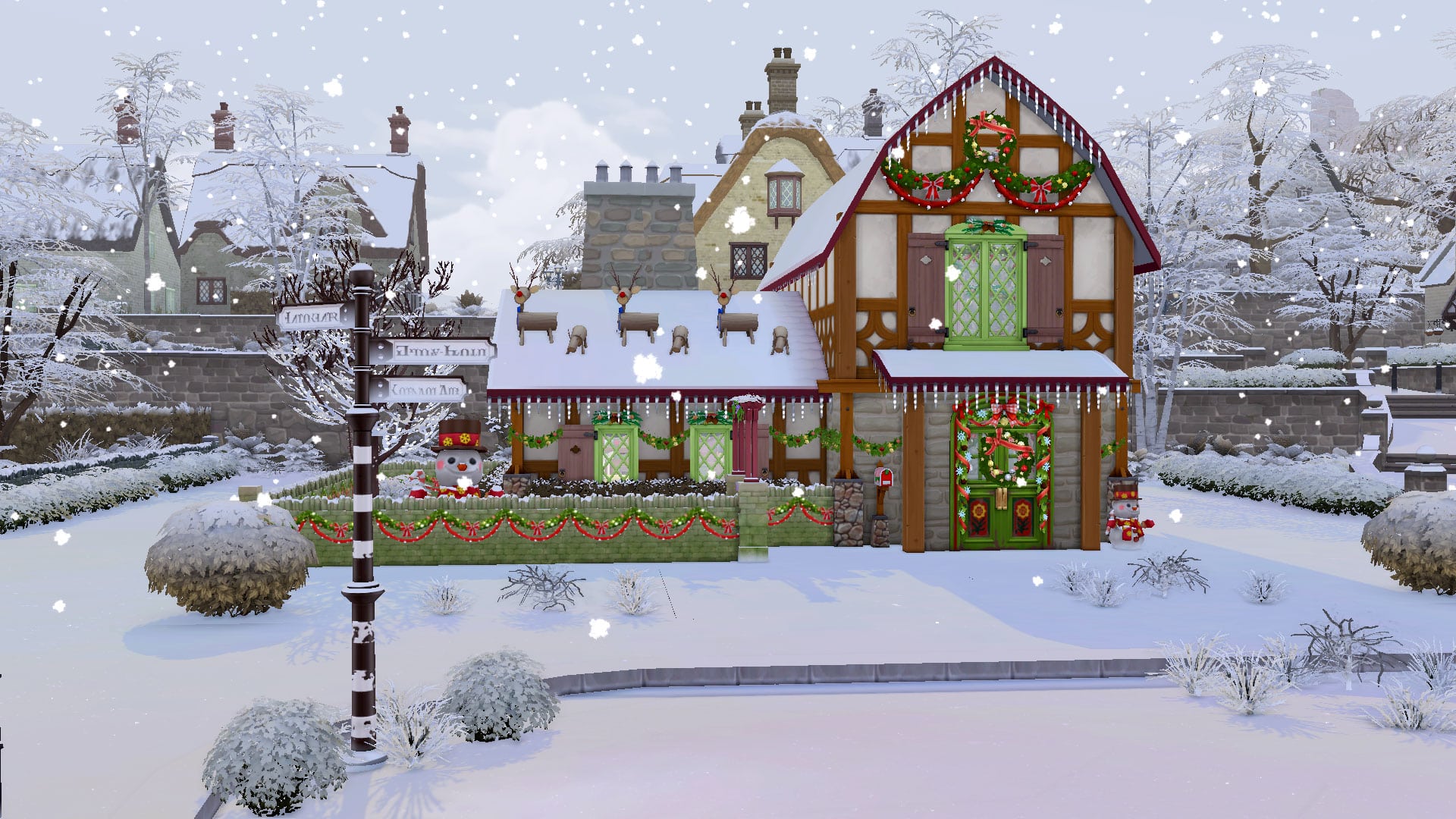
As we take a stroll through the village of Finchwick in Henford-on-Bagley, we come across a warm and inviting cottage beckoning us to step inside. With traditional tudor-style stone and wood panels dressed up in hanging icicle lights, garlands, and wreaths galore, it looks like the perfect place to spend the holidays with loved ones. There’s even reindeer on the roof and a friendly snowman under a light-covered tree to welcome you!
The front foyer is just as festive as the outside. Accent table with holiday tablecloths display nutcrackers, garlands, and a lovely glass snowflake structure. The walls are adorned with garlands and wreaths, even the archways leading to the rest of the house!
TS4 x64 2021 12 01 16 39 03
TS4 x64 2021 12 01 16 39 17
As we step into the kitchen, the festive cheer continues. A long dining table seating a large family of six is decorated with garlands and green plaid tablecloth with candles and holly in the centre. Seasonal cards are strung from the kitchen cabinets and little bell garlands decorate the backsplash. A nutcracker watches the festivities from the corner of the countertop.
TS4 x64 2021 12 01 16 38 34
TS4 x64 2021 12 01 16 38 47
Of course, the living room is the main place where everyone gathers for gift exchanges and good conversation so we now enter a spacious but comfortable sitting room with a fireplace adorned in garland and bows. Above it, a cheery wreath welcomes everybody around the hearth. A beautiful holiday tree with piles of lovingly wrapped presents beneath it steals your attention right away when you enter. An old-fashioned record player makes it easy to listen to your favourite Winter Holiday tunes while opening gifts and snuggling up by the fire with a mug of hot cocoa; extra marshmallows, please!
If you’re wondering whether the upstairs has been decorated, worry not! Every square metre of this home looks like a scene out of a holiday movie! The bedroom has red plaid bedcovers and garlands adorning the walls with a wreath over the headboard. An extra pile of presents hidden from the nosiest of the grandkids is kept safe in the corner of the room. Even the bathroom has gotten the holiday treatment, with a snowflake-patterned bathmat and pinecones and holly hanging above the mirror.
Yes, this quaint little cottage home is truly the place for a tight-knit family to spend the holidays together. It might be a little crowded but that’s okay; it just means the whole family is even closer together for the festive season. If you’re celebrating with loved ones this year, we hope our holiday cottage will help you experience all that joy in the game. And if you’re struggling this holiday season because you’re missing loved ones you can’t be with, you’re not alone. We hope our holiday build brings you some comfort and puts a smile on your face even if just for a little while.
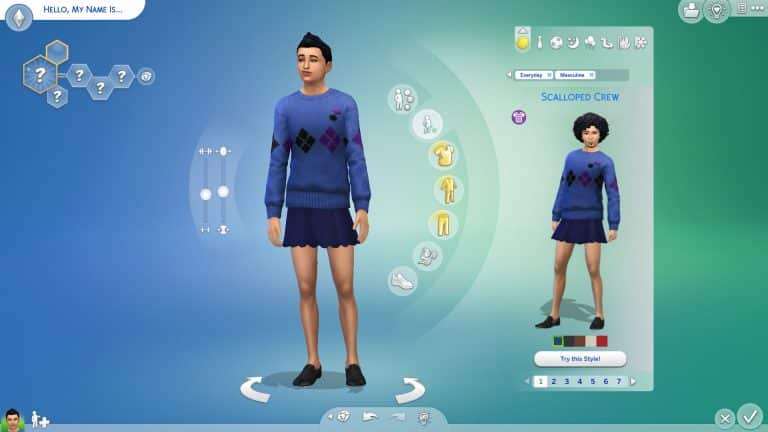
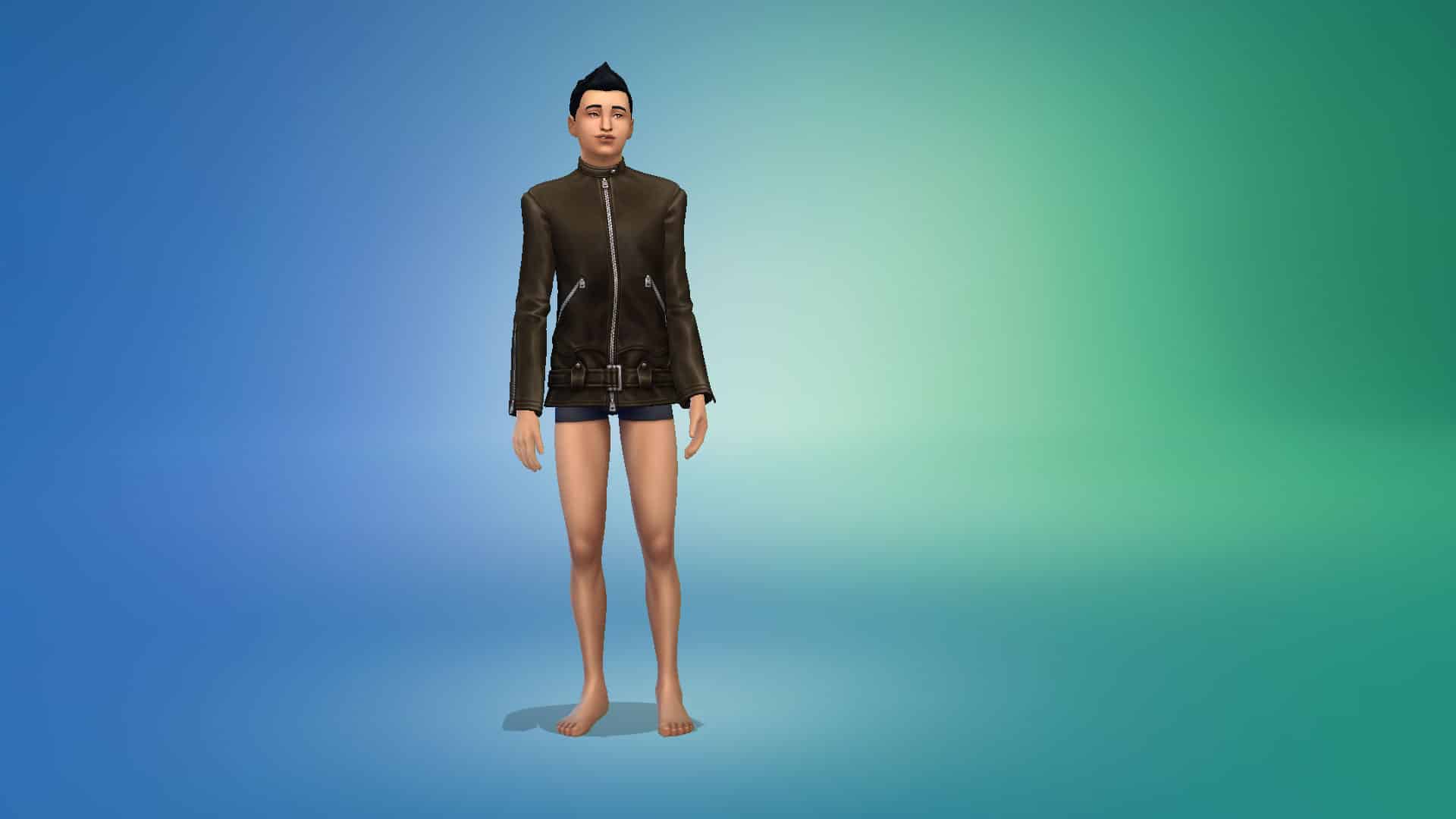
Today, The Sims 4 added to its rapidly growing collection of bite-sized portions of DLC called kits. This kit is called the Modern Menswear Kit. It’s a collection of 23 CAS pieces for adult masculine Sims that challenge gender boundaries, inspired by London fashion designer, Stefan Cooke.
The kit does not come with any accessories or any CAS pieces for feminine Sims. It also does not contain any pieces for young Sims. All the pieces are for teen-elder Sims.
Tops (10)
12 02 21 1 11 01 PM
12 02 21 1 11 04 PM
12 02 21 1 11 06 PM
12 02 21 1 11 09 PM
12 02 21 1 11 11 PM
12 02 21 1 11 13 PM
12 02 21 1 11 17 PM
12 02 21 1 11 19 PM
12 02 21 1 11 21 PM
12 02 21 1 11 23 PM
Bottoms (6)
12 02 21 1 11 48 PM
12 02 21 1 11 50 PM
12 02 21 1 11 53 PM
12 02 21 1 11 55 PM
12 02 21 1 11 58 PM
12 02 21 1 12 01 PM
Full Body Outfits (5)
12 02 21 1 12 51 PM
12 02 21 1 12 56 PM
12 02 21 1 12 59 PM
12 02 21 1 13 03 PM
12 02 21 1 13 06 PM
Shoes (2)
12 02 21 1 12 15 PM
12 02 21 1 12 17 PM
Styled Looks (4)
TS4 x64 2021 12 02 13 16 29
TS4 x64 2021 12 02 13 16 37
TS4 x64 2021 12 02 13 16 47
TS4 x64 2021 12 02 13 16 56
And that’s everything in the Modern Menswear Kit! It’s available now worldwide on all platforms and costs $4.99 USD.
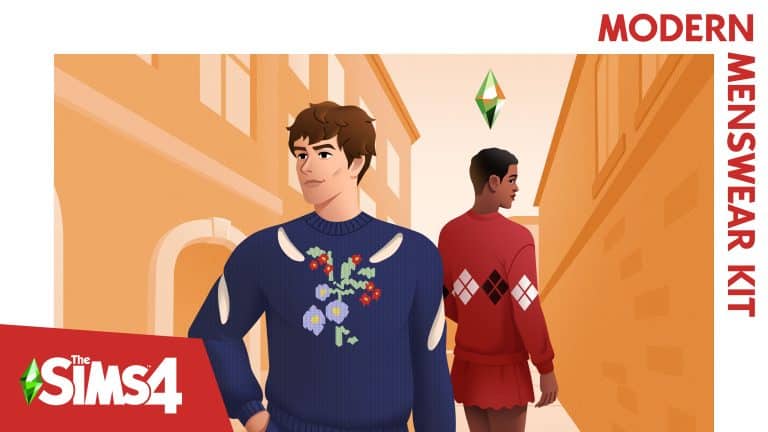
The Sims Team has started rolling out their latest Kit for The Sims 4 – the Modern Menswear Kit!
This Create A Sim Fashion Kit, just like previous Kits, is retailed at $4.99USD – or a price equivalent to your local currency. You can get it from the official stores linked below:
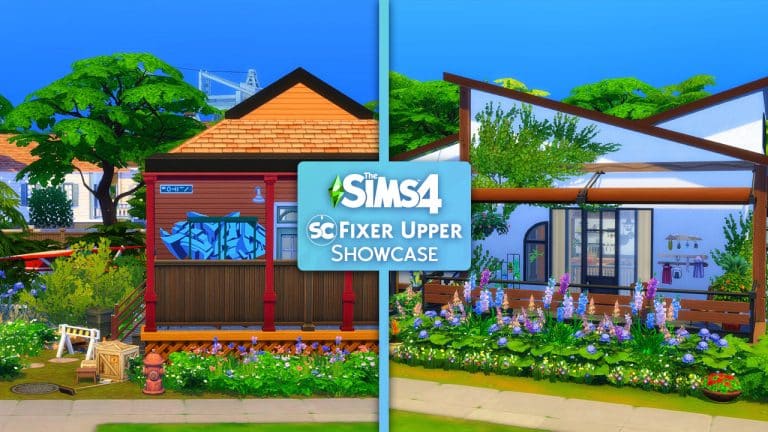
We recently revealed our second Fixer Upper challenge, and we were blown away by how many people took to the challenge and helped us fix our overgrown and neglected Daisy Hovel!
The aim of the challenge was to renovate the build and turn it into a First Home for an individual/couple of Sims. You can read the full challenge details here.
Thank you to everyone who came to the rescue! There are some absolutely amazing renovations created, and here are some of our favourites that were shared to The Gallery!
Don’t worry if you didn’t upload your Lot to The Gallery before the cut-off for the showcase, you can still download the lot and renovate at anytime by searching for LeeksEverywhere on The Gallery and downloading the Daisy Hovel Fixer Upper build!
Hlgale92240
TS4 x64 2021 12 01 11 05 47
TS4 x64 2021 12 01 11 06 19
What caught my attention for Hlgale92241’s build was how they used the new All The Rage Plant Cage from the Blooming Rooms Kit to decorate the driveway as well as the addition of the conservatory to the lot as well. Of course, I wasn’t ready for all of smaller details and use of Debug items throughout the lot, but everything came together so nicely and this isn’t honestly a plant lover’s dream home!
This renovation by SmallFries535 is a lovely first home for Sims wanting to live in Mt. Komorebi. I love how the entrance was moved to the side of the lot and how everything flowed together nicely. There are plenty of smaller accents throughout the build that really makes this lot feel like a home and the garden space is beautiful too!
From the outside, this lots by ShazzaUK70 looks like a modern renovation of the previous Daisy Hovel. However, when you take a closer look, you will find the addition of the bedroom being moved into the newly added basement! This works really well and really gives the upper floor plenty of space and variety! Add a very colourful garden and I’m sure Sims would be jumping at this renovation to be their first home!
You can find all the builds featured in this post and many more over on The Gallery by searching the hashtag #SCDaisyHovel.
What would you like to see in our next Fixer Upper build? Let us know in the comments below or over on social media!
Note:The Fixer Upper Challenges are not a part of our monthly Sims Community Challenges. To find out more about the Sims Community Challenges, click here.


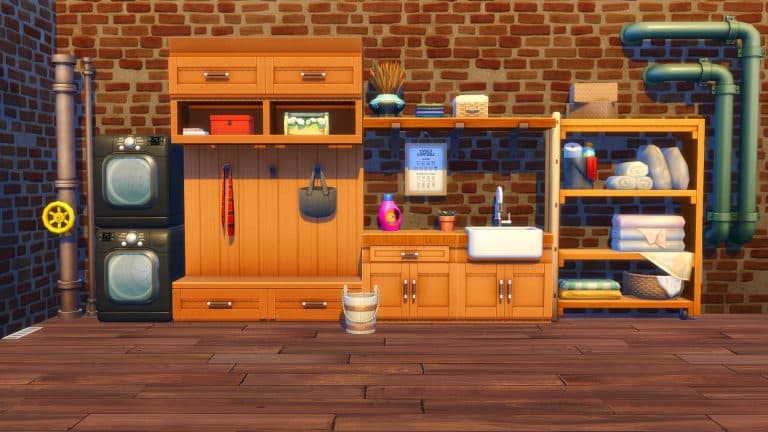



































 Wait, wait, wait, a university expansion pack comes with occult gameplay? Yup! Sure does! Looking for some sci-fi occult gameplay? You’ll want to pick up Discover University for the addition of servos! Servos are humanoid robots that are fully playable Sims. They can be built at the robotics workstation by Sims skilled in the Robotics skill. Once brought to life, Servos become a playable member of the household and can do almost anything a real Sim can do. Except Try for Baby and anything involving water. Water will cause Servos to break down. Servos can receive upgrades that allow them to autonomously perform different tasks. They can become your handyman, maid, nanny, and even your personal bodyguard! They can also learn to become more efficient over time. If you want to play with robots, pick up Discover University.
 While Paranormal Stuff doesn’t come with a new occult type, it still adds a lot of spooky goodness to your game! Sims can live in haunted houses where playful and mischievous spectres will either bless your Sims with paranormal goodies or unleash misery upon them. Sims can host seances and build the Medium skill. Sims skilled in matters of the paranormal can get a Paranormal Investigator’s license which will allow them to join the Paranormal Investigator freelance career! Visit other Sims’ homes to rid them of pesky spirits and all things that go bump in the night for handsome rewards. If living in a haunted house or becoming a Paranormal Investigator has always been your dream, this is the pack for you!
 Like Paranormal Stuff, Spooky Stuff does not come with an occult type but it does offer some pretty great décor and costumes to elevate your occult gameplay. Dress your Sims up as witches, pirates, superheroes, gladiators, faeries, zombies, and more. Throw Spooky Parties to impress your friends. Carve pumpkins and get the plumbob scared out of you by a candy bowl that comes with a trick along with a treat and deck out your house with glowing spiders, cauldrons with a ghost light show, fog-emitting gravestones and all manner of other spooky goodies. Oh, and speaking of goodies, you can also make zombie cakes and spooky cookies to serve at your next Spooky Party.