Home Blog Page 169

The Sims 4: Best Packs for Historical Gameplay

0

One of the most appealing things about The Sims series is the freedom to play your own way. It’s the ultimate sandbox life simulation, allowing you to live out whatever virtual life you want. For some people, that’s creating lots and lots of exciting drama. For others, it’s going back to another period in time and imagining themselves in another lifetime. It’s pretty difficult to find historical gameplay in the base game but there are quite a few packs that offer worlds, Build/Buy items, or CAS pieces that can help us imagine our Sims living in a time period from before.

Get Together

The Sims 4: Best Packs for Historical Gameplay

Get Together comes with a huge, beautiful world called Windenburg based on a few different European countries. It’s old cobblestone city square, crumbling ruins, and chalet gardens make for an impressive historical urban backdrop. It also features plenty of Tudor-style Build/Buy wall coverings, flooring, and objects to create the old world builds of your dreams. There’s also a lovely old-fashioned gown and a suit of armour in CAS for your Sims to wear.

Cottage Living

The Sims 4: Best Packs for Historical Gameplay

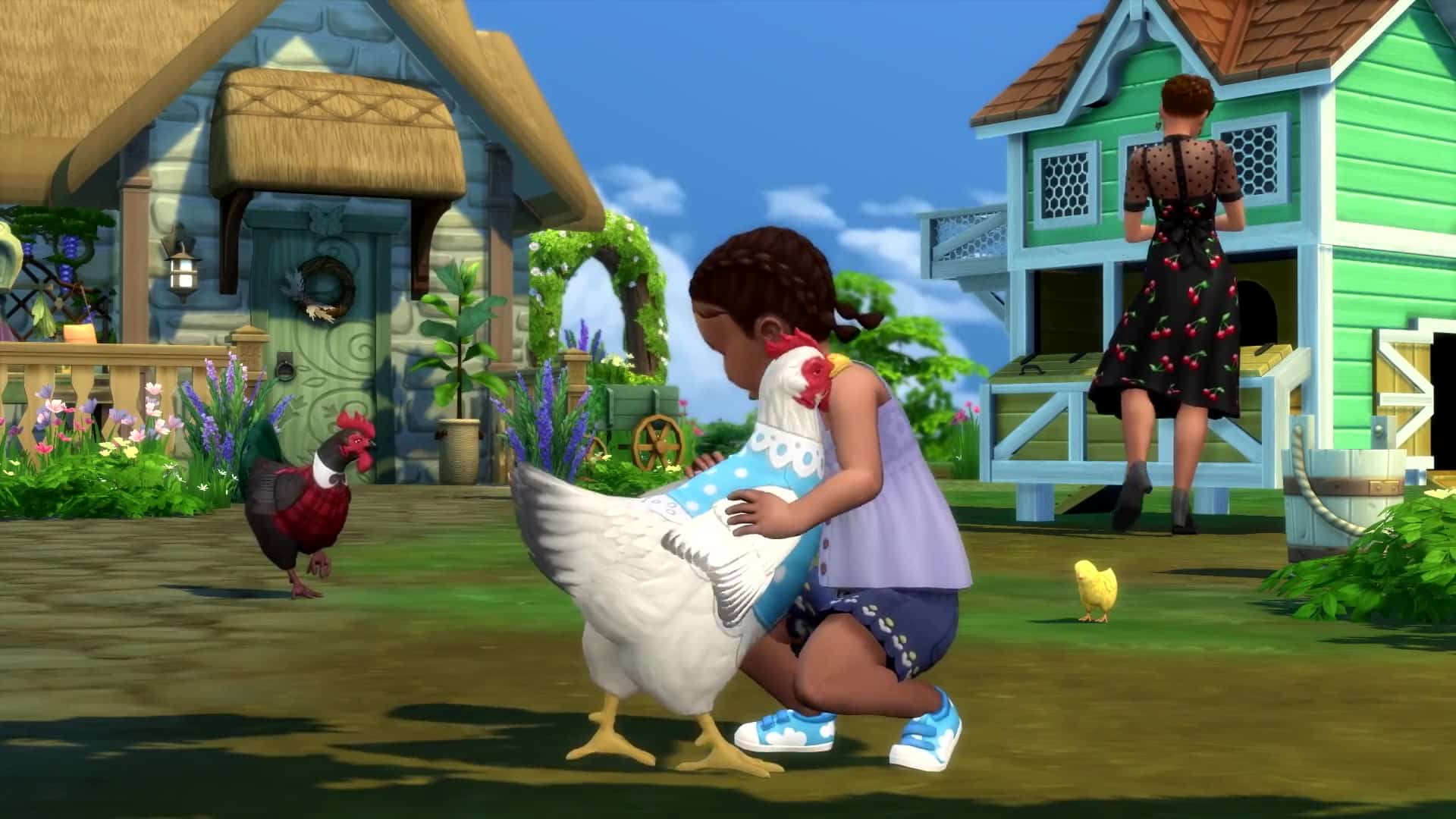
If you’re looking to go back to medieval England, Cottage Living is perfect for that. The picturesque rural town of Henford-on-Bagley is a great backdrop for an older way of life and it offers loads of Build/Buy content reminiscent of medieval times. It boasts a wide array of humble cottagecore CAS pieces. For gameplay, the addition of chickens, cows, and llamas which all provide food or crafting materials really enhance this medieval way of life. So does the Simple Living challenge this expansion comes with, requiring your Sims to have the ingredients for a meal on-hand in order to cook it.

Island Living

The Sims 4™ Island Living Official Reveal Trailer 043

The gorgeous world of Sulani is a relaxing escape from the rat race even in modern times but this scenic tropical location is also fantastic for historical gameplay thanks to all of its preserved natural beauty. It comes with plenty of thatch and woven textures in the Build/Buy catalogue as well as kava bowls, pit BBQs, and outrigger canoes which can be enjoyed off-the-grid by your Sims. Sulani’s also an ideal location for fishing and swimming.

Eco Lifestyle
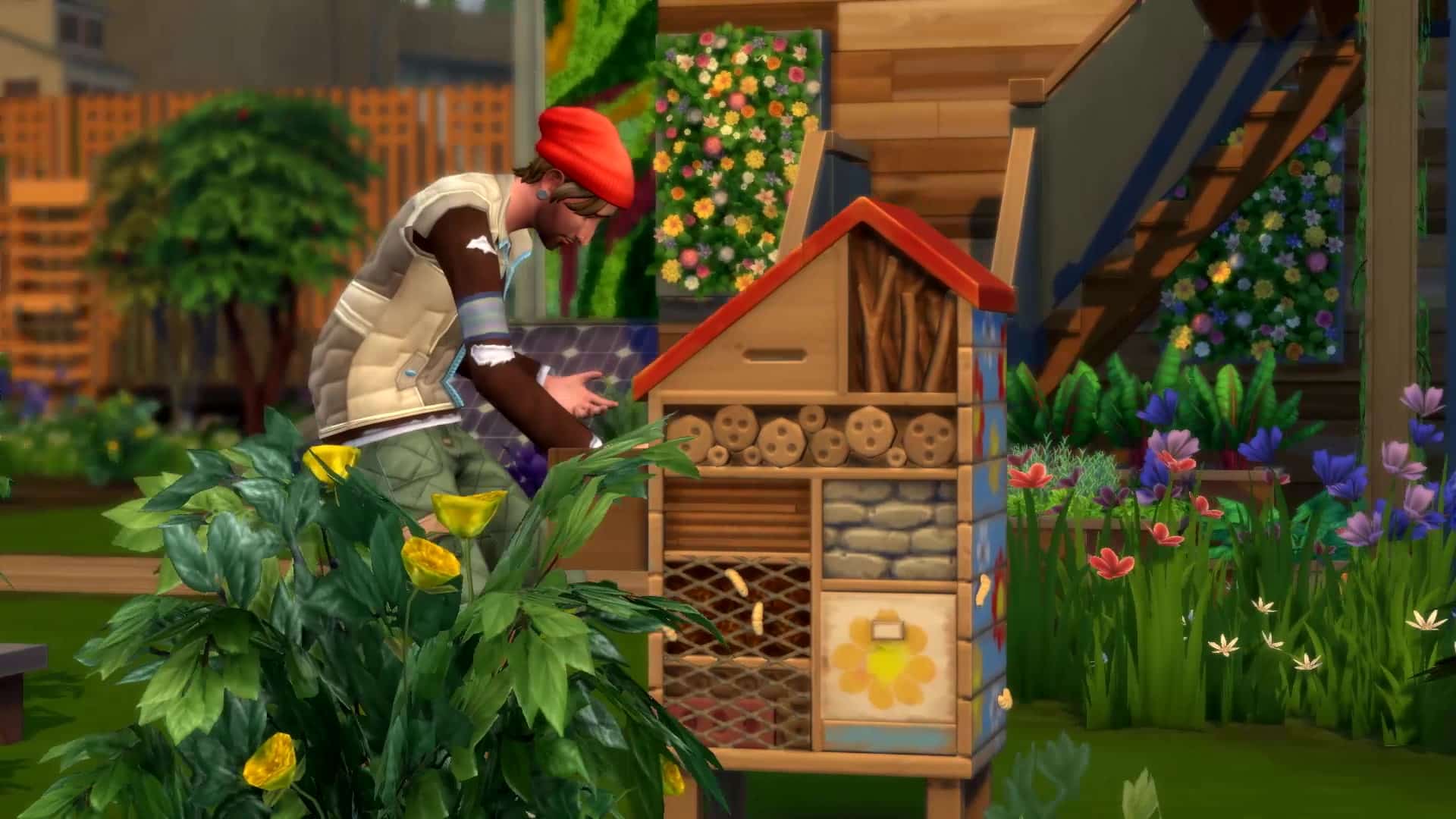
TS4 EP9 REVEAL 16x9 INGAME EN US 270We wouldn’t really recommend the Build/Buy catalogue, CAS catalogue, or the world of Evergreen Harbour from Eco Lifestyle for historical play but Eco Lifestyle has a lot of gameplay that makes it perfect for your historical Sims. Sims can raise a variety of insects in insect farms and harvest them for food and fuel. They can craft candles using wax and dyes. Grow soybeans to turn into candle wax or harvest beeswax from beehives if you own the Seasons expansion. Build community spaces where Sims can come together to craft, garden, or sell their homemade wares. And if your Sims are excellent stewards of the land, they can turn their eco footprint green which will offer benefits and positive moodlets to all the Sims living in the neighbourhood. It pairs really nicely with packs like Cottage Living.

Get Famous

The Sims™ 4 Get Famous Celebrity Life Trailer 254

You might not think an expansion about the glitz and glamour of celebrity life has anything to do with the ancient past but don’t be so quick to scoff at this suggestion! Get Famous comes with an Acting career which means this expansion has a huge variety of set pieces and costumes from many different time periods! Medieval castles, pirate ships, prehistoric set pieces, apocalyptic stuff, Victorian England, French Renaissance, even futuristic sci-fi set pieces if you want to go in the complete opposite direction! There is so much historical content to repurpose and work with in this expansion.

Realm of Magic

The Sims 4™ Realm of Magic Official Gameplay 063

If you’re looking for a more whimsical, art-nouveau, fantasy take on history, look no further than Realm of Magic! With some delightfully rustic CAS pieces and plenty of ornate furnishings, Realm of Magic is a great pack for players looking for historical gameplay that’s a little more on the fantastical side. Of course, the addition of actual spellcasters and magic brings a lot to the table for this style of gameplay, too. All my elves in my medieval fantasy save are spellcasters, for example.

Jungle Adventure

The Sims 4: Best Packs for Historical Gameplay

While Selvadorada can’t be lived in full-time, making it difficult to incorporate it into historical saves, Jungle Adventure still comes with plenty of rustic and ancient-looking pieces to decorate your historical worlds. From crumbling ruins to ancient, weathered stone, to dense foliage to unearthed treasures and more, Jungle Adventure’s décor can really add a lot to take your historical builds to the next level. I’m a big fan of the wooden market table. It’s the only market table in the game that blends in well with historical saves so I use it all the time in my historical builds.

Outdoor Retreat

10293602 814439975261741 310891157274263736 oOutdoor Retreat is probably one of the best packs for rustic and historical gameplay! Not only does it come with so much furniture in stone and weathered wood textures but it offers plenty of activities for Sims to enjoy off-the-grid, like horseshoes, campfires, stargazing, and cloudgazing. The Herbalism skill can be great for playing a healer from ye olden days, too. Have them gather herbs and berries to brew up tinctures and remedies to treat all kinds of common ailments in Sims. It’s really a great pack that I use a lot in my medieval builds.

Vampires

The Sims 4: Best Packs for Historical Gameplay

If the Victorian period is more your style, you’ll want to pick up Vampires. This pack comes with a gloomy Victorian world called Forgotten Hollow and it really is like it’s been forgotten by the modern world. Cars don’t drive around here and the cobblestone streets are eerily devoid of activity. The Build/Buy catalogue is filled with ornate Victorian furnishings with a gothic feel to them. The CAS catalogue harkens back to the Victorian period as well with lacy gowns and button-up vests and trousers.

Laundry Day Stuff

The Sims 4: Best Packs for Historical Gameplay

Living way back when in history means there were a lot more chores. Like washing laundry by hand. If you want your Sims to toil and struggle just a little bit more to live out that rustic dream of yours, Laundry Day Stuff comes with a wash tub and a clothesline for Sims to do their laundry by hand completely off-the-grid. I love this little touch of realism in my medieval save and always make sure to put a wash tub and clothesline on every residential lot.

Paranormal Stuff

TS4 SP18 REVEAL 16x9 INGAME EN US 091Maybe the distant past isn’t really your thing. Maybe you’re more interested in decades. In that case, you might like Paranormal Stuff, which has a Build/Buy catalogue reminiscent of the early 1900s up to the 1920s. The perfect crossover between the Victorian period and the modern age, Paranormal Stuff is full of odd and quirky antiques to clutter up your vintage home. Floral patterned wallpaper, ornate wooden floor designs, and curved edges give this stuff pack a distinctly vintage feel.

Nifty Knitting Stuff

screen1Apart from the rocking chair itself that this pack comes with, we can’t really say the Build/Buy catalogue is good for historical saves. However, knitting very much suits an older way of life and provides both a fun and practical activity for Sims in your historical worlds to enjoy. I love to put a rocking chair and knitting basket in my medieval homes so my Sims can earn a living from their craft or provide their family with warm, cozy things to wear.

Vintage Glamour Stuff

The Sims 4 Vintage Glamour Stuff Official Trailer 114Couldn’t get enough of the 1920s with Paranormal Stuff? Vintage Glamour Stuff’s got your back! Unlike Paranormal Stuff which focuses on the 1900s up to the 1920s, Vintage Glamour Stuff dives right into the midst of the Roaring Twenties’ art nouveau, avantgarde style. Clean lines, geometric shapes, and lots of glitz and shine are at the core of this pack. It’s a fun, colourful pack that’s perfect for your wealthy Sims living in the Jazz Age.

Bowling Night Stuff

TS4 SP10 Screen1Care to fast-forward a few decades? Sure, no problem! You can do that with Bowling Night Stuff. Harken back to a mid-century retro style with this stuff pack stuffed with plenty of funky patterns, rounded furniture pieces, and bright, neon colours! Seriously, your eyes will be assaulted with neon everything. Of course, we can’t forget about the actual bowling that this pack comes with as well. Hit the bowling lanes in your finest retro attire and relive the days of swing dancing and drive-in theatres… without the swing dancing or drive-in theatres. But there’s bowling!

There’s still years of content planned for The Sims 4

13

At this point it’s become a tradition for us to write these articles on a yearly basis regarding The Sims 4’s content lifespan. Still, many players of The Sims 4 appreciate the reassurement that EA and The Sims Team don’t plan to halt the production of the game.

As the game approaches its 8th year of development and content releases EA is still confident in the game’s longetivity and potential. Their latest big job opportunity that they’ve posted proves just that!

In this new job listing EA is looking for a Director of The Sims’ Global Brand Management, in which they’ve vaguely stated their plans for the future of The Sims 4. The lisitng suggests that the game still has a multi-year roadmap, along with plans to grow player engagement and brand loyalty.

It’s also mentioned that their plans for the future will be focused towards catering both to the players’ and business needs.

Of course, don’t confuse the current development of The Sims 4 with EA’s future plans of The Sims Franchise and the next Generation Sims Game, which we refer to as The Sims 5. There are multiple Maxis studios and teams involved in multiple projects.

You can find the full listing below along with a full list of responsibilities and expectations.

Director, Global Brand Management, The Sims

In service of our players, GBM is the singular team who “sees the entire pitch” at the heart of the business. From informing product development with consumer insights, to briefing the marketing teams on go-to-market priorities and performance targets, to developing new business models and ways for our players to interact with the brand, GBM is at the center of business and brand strategy.

In partnership with our development team, you will lead our Sims 4 business (HD-Live Service) to excite players with innovative ways to experience The Sims not only for the current product year, but with an additional focus on the multi-year experience roadmap. Additionally, you will inspire cross-functional teams to execute a compelling strategy that takes the franchise to new heights. Reporting to the Senior Brand Director of The Sims/Lifestyle, you will be an essential contributor to the broader Sims and Lifestyle Global Brand Management teams.

Without a doubt, you are also passionate about entertainment, creative culture, video games and The Sims.

Responsibilities

  • Product and Business Strategy: In partnership with the development team, drive the data informed, multi-year product and busines strategy for The Sims 4, growing player engagement and ongoing brand loyalty.
  • Player Focus: Work closely with the research and analytics teams to mine the most important insights to inform clear action for product developers and the broader business.
  • Drive Brand Vision: Drive the near- and longer-term vision for The Sims 4 through the business. Champion highly integrated, cross functional planning to ensure that player needs are met and business goals achieved.
  • Inspire and lead a team of industry experts: Drive an unassailable sense of shared purpose across functional teams and equip, empower and enable them

Tip: @SeasonofSelves

Countdown to the release of The Sims 4 Modern Menswear Kit

0

This one is for everyone who’s looking forward to spice up their masculine fashion!

The Sims 4 Modern Menswear Kit is the latest Kit release in the Franchise that’s set to come out today – December 2nd, 2021 on PC, Mac, Xbox and Playstation consoles.

Just like previous Kits this one is retailed at $4.99USD – or a price equivalent to your local currency. The Kit has the same release time as all of the previous Kits, which is at 10AM Pacific Time.

Since there are many time zones to be covered we’ve included a handy countdown below. As soon as the timer hits zero you’ll be able to purchase the Kit from official stores such as Origin, Steam, Microsoft and Playstation Stores.

Stay tuned on our The Sims 4 Kits Article Category for the latest coverage on this Kit!

[janky target_time=”1638468000″ color=”#c61615″]

Countdown to the release of The Sims 4 Modern Menswear Kit

The Sims 4 Scenario Playthrough: Surviving the Holidays

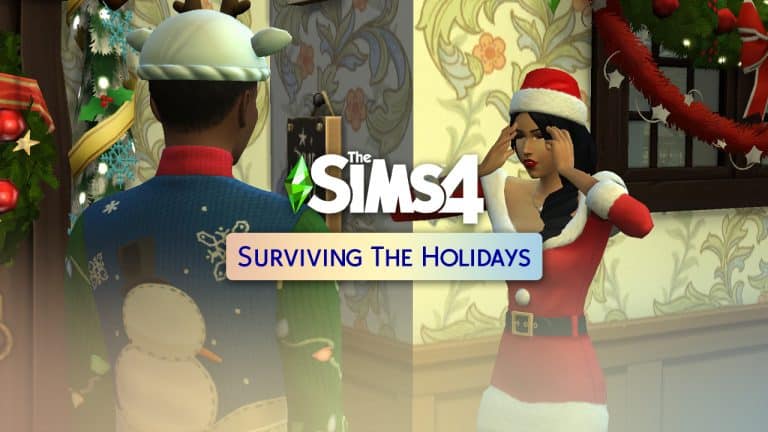
Today, we said goodbye to the limited-time Perfectly Well-Rounded scenario and welcomed a new scenario called Surviving the Holidays! This scenario is also available for a limited time, only sticking around for the holiday season. It’s a relationship-based scenario; two Sims who hate each other are stuck together over the holiday season and have to either set aside their grudges and become friends, or spice up their rivalry with some unlikely romance.

We’re going to be honest right away; we weren’t able to complete this scenario. We were playing with an empty Mods folder and we can’t say for certain whether we were affected by a glitch or if we did something incorrectly. Still, we’re going to describe what happened to give you some insight into this… issue? If it even is an issue? Again, we’re not totally sure.

Getting Started

The Sims 4 Scenario Playthrough: Surviving the Holidays

So we started the scenario in a new save via the Main Menu. The scenario requires a household of two Young Adult or older Sims who are not related to each other. We used the CAS Stories, randomize button, and styled looks to quickly slap together a couple Sims for this scenario and away we went! Since every “good” Hallmark Christmas movie involves a city slicker travelling to a small, close-knit town for the holidays, we moved our Sims to Henford-on-Bagley and started in Winter. And since the place didn’t look very holiday-ish, we spent some time decking the halls to set the scene.

Not A Very Holly Jolly Winterfest…

The Sims 4 Scenario Playthrough: Surviving the Holidays

As part of the scenario, the two Sims will start out as Enemies and have the Festering Grudge sentiment with each other. There are two possible ways to complete this scenario; we can have our Sims become friends with no negative sentiments towards each other, or we can become “enemies with benefits” by building the romance bar while simultaneously tanking the friendship bar. The second option sounds far more interesting so that’s the outcome we tried to achieve.

The Sims 4 Scenario Playthrough: Surviving the Holidays

Their negative relationship made it difficult for our Sims to have any positive interactions with each other at first. Decorating the tree together did yield some positive results but it was mixed in with a few autonomous mean socials as well. We decided we were going to get nowhere fast unless we swayed things to our favour, so we added the Romantic Aura trait to the lot. Once we did that, romantic socials were almost too easy. Despite hating each other, they were Flirty all the time and more than willing to accept romantic socials with each other. The trouble was, all the romance improved their friendly relationship to the point where our Sims were no longer enemies. Well that wasn’t going to work…

So after a romp in the bedroom to max out the romance bar, we decided it was time to start some more drama. Luckily for us, drama was right around the corner. Our Sims soon discovered that their bedroom activities had resulted in a bun in the oven! Is it a holiday miracle or a holiday curse? Well, we were still trying to get the Enemies with Benefits outcome so we settled on curse! Naturally, finding out that you’re having a baby with someone you don’t like is a very tense situation, made even more stressful during the holiday season. These lovebirds went from WooHooing to fighting all over again!

It wasn’t long before they were enemies again… except their romance bar took a huge hit from all the mean socials. Oh boy. This was going to be a tricky balancing act. We noticed that WooHoo drastically improves the romance bar but affects the friendship bar very little, so we started alternating between WooHooing and insulting each other until our romance bar was completely pink and our friendship bar was completely red.

The Sims 4 Scenario Playthrough: Surviving the Holidays

That should have completed the scenario, except… it didn’t. We were confused as to why the scenario didn’t complete. Our Sims were max enemies and max lovers, they’d kissed and WooHoo’d and fought plenty. We tried playing through until the end of Winterfest in case this scenario requires you to actually play that holiday if you have Seasons. No luck there. Winterfest came and went. Our Sims even had their baby on Winterfest evening while Father Winter was paying his visit. Then we thought perhaps we had to wait for the Festering Grudge sentiment to go away, but that didn’t complete the scenario, either.

The Sims 4 Scenario Playthrough: Surviving the Holidays

In the end, our Sims were both enemies and lovers, Winterfest and New Years had come and gone, Spring had begun and their baby was about to grow into a toddler… with no end to the scenario in sight. That’s when we finally decided to just give up. We couldn’t think of anything more we could do to get the Enemies with Benefits outcome. We just cheated their friendship to instantly complete the scenario with the No Hard Feelings outcome, instead.

Our Thoughts

It goes without saying that any scenario we can’t complete without resorting to cheats to achieve an outcome we didn’t want isn’t going to get a good review from us. Maybe we missed a step somewhere along the way but if that’s the case, the goal should be written much more clearly. According to what was written, we satisfied the requirements for the Enemies with Benefits outcome but still weren’t able to complete the scenario.

Had the scenario worked properly, we probably would have had quite a bit of fun with our playthrough, especially with all the drama of the baby that we threw into the mix. But nothing we did seemed to work so in the end, we were left very disappointed. It’s a shame because a holiday-themed scenario sounded like a lot of fun to kick off the holiday season.

Which brings us to our next criticism; despite the scenario title and description being holiday-themed, the scenario itself really doesn’t have anything at all to do with any winter holiday at all. It’s up to the player to set the holiday scene but none of it has any bearing on the scenario goals themselves. It’s just glorified set dressing. Players who own the Seasons expansion will no doubt have an easier time getting into the festive spirit with winter holidays on the calendar, a variety of holiday activities, and of course, snow. For players without Seasons, they’ll pretty much just have to rely on the handful of décor pieces that come with the free holiday addon and pretend like it’s the holiday season in their game.

Honestly, this scenario could be played any time of the year with no connection to any holidays whatsoever.

Bretman Rock becomes the face of The Sims 4…Literally!

0

The Sims Team has announced today their brand new marketing campaign in partnership with Bretman Rock – who’s known for his creative videos, beauty tips and so much more.

This campaign titled “Find Yourselves” is focused on many of Bretman Rock’s personalities portrayed through the characters in The Sims 4.

Throughout this campaign the team didn’t just release new promotional videos and screens to help you “Find Yourself” – they’ve changed the cover of The Sims 4 on online stores such as Steam and Microsoft. Yup – Bretman Rock is now on the cover of The Sims 4 – literally!

Check out the new covers down below:

Steam Page

Screenshot 2021 12 01 at 19.01.41

Microsoft Page

Screenshot 2021 12 01 at 19.02.00

We assume that these covers are up there for a limited time, and the original covers are still up on Origin and Playstation Store.

Check out the official announcement of the Find Yourself Campaign, as well as new Promotional Videos!

The Sims™ has long empowered players to discover and express the different versions of themselves, giving them the freedom to experiment with theSims they create, the stories they tell, and the worlds they build.

The Simsand Bretman Rock, a barrier-breaking creative-entrepreneur that’s unapologetically himself no matter how many versions exist, are teaming up to encourage players to find their-many-selves.

In the new “Find Yourselves” campaign, inspired by classic coming-of-age sitcoms, players meet the multiple sides of Bretman Rock – a Teenage Goth, Sassy Dad, Motherly Chef, Excited Astronaut and Urban Cowboy – living together like one big, weird, could-only-happen-in-The-Sims family.

“Being Da Baddest didn’t always come naturally!” shares Bretman Rock. “Like most people growing up, I needed creative outlets to discover all the different sides of myself that I am now, and I know I’m not done yet. The Sims has always been a place for anyone to explore who they are, which is why I’m partnering with The Sims ‘Find Yourselves’ campaign, which encourages everyone to discover all the many sides of themselves and embrace them with open arms. In The Sims I can be an astronaut one day, a chef the next, dress how I want and kiss who I want – and always feel loved and accepted for it. The Sims empowered me to discover my selves on my own terms, and now I want to hear how it’s done the same for others!”


Maybe you have dreams of being a Preppy Warlock, or you want to pursue a passion in sports as an Emo Jock; The Sims is your open-world fitting room to try on all of the different versions of you.

The Sims continues to build a platform for players to create and explore without boundaries,” said Julia Victor, Senior Director, Head of Brand, for The Sims. “Bretman Rock is an advocate for all to embrace being true to themselves, and together, we hope to encourage players to celebrate that coming-of-age chaos that creates defining moments and new opportunities, inspiring them to discover the many different sides of themselves – both in The Sims and in real life.”

To hear cheeky messages from Bretman’s many selves, fans can call (877)-FND-YOU5*.

Players can share their many selves on Twitter, Instagram, and TikTok through the hashtag #SimsSelves. To learn more about the “Find Yourselves” campaign, follow @TheSims on TikTok, Twitter, Instagram, like The Sims on Facebook, and visit https://www.ea.com/games/the-sims/the-sims-4/find-yourselves.

The Sims 4: Villainous Valentine & Neighbourhood Confidante Overview

The November 30th, 2021 update introduced us to the start of Neighbourhood Stories in The Sims 4. As part of the update, two new aspirations were added to the Base Game for your Sims to complete.

Villainous Valentine

“This Sim Wants to destroy the love lives of all Sims, including their own!”

The first of the two new aspirations is Villainous Valentine. This aspiration sits under the Deviance category and comes with one milestone with several goals.

  • Get Caught Cheating x 10
  • Achieve “Ex” Status With Other Sims x 5
  • Break Up Couples x 10

Once you have completed this aspiration, your Sim will be given the Twisted Heart Reward Trait.

Twisted Heart: If you could see this Sim’s heart, you might recoil in disgust. But <Sim Name> would never let you see it, and that suits them just fine. <Sim Name> gains bonus Social from Mean and Mischief socials, while shrugging off Sad and Embarrassed Moods much faster than other Sims.

The Sims 4: Villainous Valentine & Neighbourhood Confidante Overview

Neighbourhood Confidante

“This Sim wants to provide all manner of advice, to be a positive influence in the lives of their neighbours.”

The second aspiration to be added is the Neighbourhood Confidante. You can find this aspiration under the Popularity category and, again, comes with one overall milestone with several goals to complete.

  • Successfully advise and influence the lives of other Sims! x 20
  • Become Good Friends with 5 Sims x 5
  • Achieve Level 7 Charisma Skill x 7

Upon completing the Neighbourhood Confidante aspiration, your Sim will be rewarded with the Confidante Reward Trait.

Confidante: Confidantes are able to easily avoid boring conversations and are more successful in getting to know others.

The Sims 4: Villainous Valentine & Neighbourhood Confidante Overview

Whether you want to be the neighbour known for giving great advice or maybe causing chaos, this is just the start of many new stories from your neighbourhood. Both of the new Aspirations give players a chance to explore a variety of different social interactions from either the Social Menu, Phone or in-game pop-ups.  The Reward Traits that you can obtain for completing the aspirations will definitely help you get to know your neighbours more than before by jumping into deeper conversations and build relationships in ways than you’ve been able to previously.

While the Villainous Valentine & Neighbourhood Confidante Aspirations are a great way to start exploring the new Neighbourhood Stories, we are looking forward to seeing how this feature develops going forward and if we will see more aspirations added in the future.

Find out more about Neighbourhood Stories here.

Introduction to Neighborhood Stories in The Sims 4

It’s been seven long years but at last, The Sims 4 finally has Story Progression! For newer players who may not be familiar with this term, story progression refers to life decisions made by Sims you are not playing. Sims that you are not controlling may decide to get married, get divorced, have a baby, or work towards career promotions without you having to play in their household. In The Sims 3, this happened all on its own; Sims would go about their lives without your intervention. If you didn’t like this, you could toggle Story Progression off in the game settings.

Introduction to Neighborhood Stories in The Sims 4

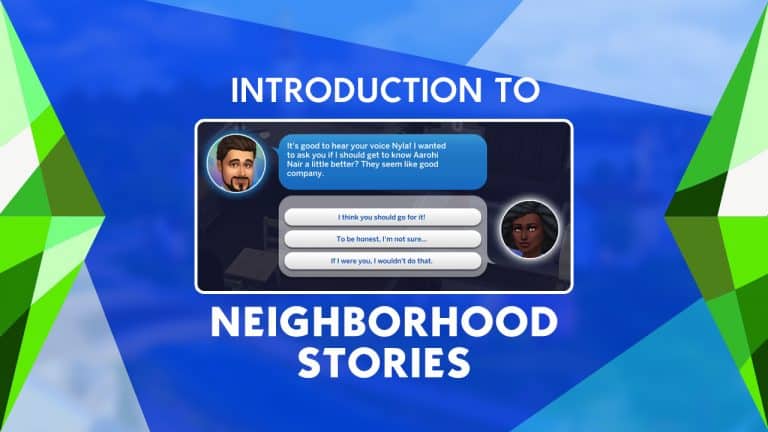
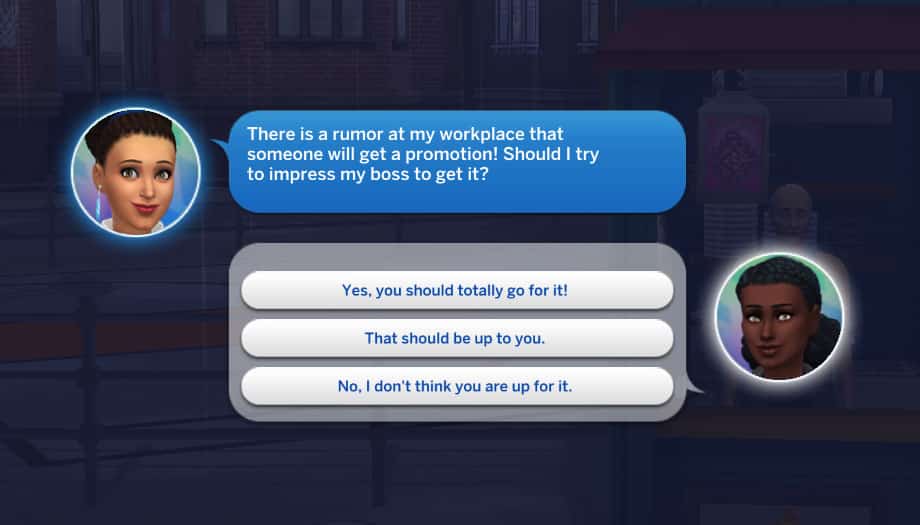
The Sims 4 plans to handle story progression a little bit differently. For starters, the new system is called Neighbourhood Stories but its theme is pretty similar to Story Progression from past games. For another, Neighbourhood Stories is much more hands-on than past versions of story progression. The player has more control over what happens in the neighbourhood. Instead of unplayed Sims just randomly deciding to make big life decisions on their own, your Sim will now receive phone calls from Sims that they know, asking for your input on the situation. That friend you made at the bar might call you up and ask you if you think they should get to know another Sim better. Or your neighbour who comes over for coffee a few times a week might ask you if they should have a baby with their spouse. It’s up to you how to handle it. You can tell them to go for it, caution them against it, or let them decide on their own.

Introduction to Neighborhood Stories in The Sims 4

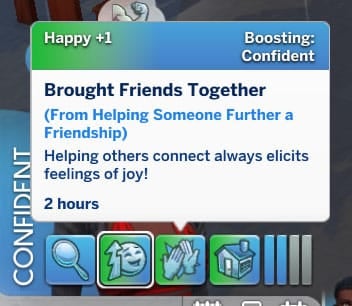
You might also receive follow up calls! For example, Raj Rasoya called me to ask me if he should get to know another Sim better. I told him he should go for it. A few days later, he called me again to let me know that he and that Sim got together and had a great time. My Sim also received a positive moodlet from bringing friends together, which was really cute.

Introduction to Neighborhood Stories in The Sims 4

In addition to these new phone calls you might receive, your Sim has a few new social options when talking to Sims. For example, they can encourage Sims to pursue their dream job or discuss growing their family with them. From what I noticed while exploring these socials, most Sims I talked to had the dream job social option regardless of whether they were already employed or not. Only married Sims had the option to discuss growing their family pop up. I was able to discuss these things with Sims I was only acquaintances with but the other Sim was not receptive to my suggestions. They politely told me to stay out of their business. I was happy to see this, since it feels pretty realistic that someone you just met wouldn’t want to take life advice about personal matters from you. The closer you are to the Sim, the better the odds of them taking your advice to heart.


Sims can also use the Hook Up With or Talk Up Another Sim options under Friendly > Other Sims… socials to encourage Sims to strike up a friendship or a romance with another Sim. For Sims looking to cause drama in the neighbourhood, they can also use the Trash Another Sim or Break Up With options under Mean > Other Sims… socials to encourage Sims to dislike each other or break up with their partner.

If you own certain DLC packs like Get Together and Eco Lifestyle, you might be familiar with some of these mechanics. Some socials were originally part of these packs but will now be in the base game as part of the Neighbourhood Stories update. Phone calls discussing having a baby or accepting a marriage proposal were originally part of Eco Lifestyle. Some social interactions, including asking Sims to dump/divorce their partner, trash talking other Sims, and encouraging Sims to strike up romances with each other were originally part of Get Together. Players who don’t own these packs will now see these options available in the base game.

Introduction to Neighborhood Stories in The Sims 4

A few things to note about this iteration of Neighbourhood Stories:

  • Currently, Sims will not consider getting married on their own. Your Sims will only receive marriage proposal phone calls if the Sim is already engaged. Sims who are not already engaged will not get married as part of Neighbourhood Stories, but The Sims Team has said they plan to implement this feature in future versions of Neighbourhood Stories.
  • Neighbourhood Stories will only affect Sims that your Sim knows for now but this will be expanded in the future. It only applies to NPC neighbour Sims (Sims that live in the world and can be played by the player). It does not affect special NPCs like the Grim Reaper.
  • Game Options will be added in the future to customise your Neighbourhood Stories experience further. You will have the ability to turn individual features of Neighbourhood Stories on and off to tailor the experience to your liking.

Everything NEW with the Latest Update for The Sims 4

Today’s update for The Sims 4 which just recently launched on PC and Consoles is primarily focusing on the new Neighborhood Stories. However, there have been several other additions and changes done with the new Patch! There are new things from new Aspirations and CAS Preferences to even new Game Options!

Here’s a rundown of everything new and added to The Sims 4:

Sims Delivery Express

The Sims Delivery Express has been teased for a long time to make its way into The Sims 4, and now the system has been fully integrated within the game!

How does it work? Simply open up your Game Options and under the Sims Delivery Tab you’ll be able to Check for new Content whenever it becomes available, as well as set specific options for this system. You can make the game check for Sims Deliveries Every 1 Hour; 30 Minutes; only on Startup or Never, as well as choose whether you want these Deliveries to be automatically downloaded into your game or not. These options are available for both PC and Console players and will ensure a more smooth delivery of CAS and Build Content into the Base Game, as well as smaller bug fixes that can be delivered more instantly.

If you choose not to participate into these Sims Deliveries you’ll still receive content through The Sims 4 Updates eventually.

Everything NEW with the Latest Update for The Sims 4

New Aspirations and Reward Traits

The new update also comes packed with new Aspirations (and their respective Reward Traits!).

Under the Popularity Aspiration Category you’ll be able to find the Neighborhood Confidante Aspiration with a set of 3 different requirements. The Reward Trait for this Aspiration is “Confidante“.

The other new Aspiration is “Villanous Valentine” under the Deviance Aspiration Category, which brings the Twisted Heart Reward Trait when completed.

Both Aspirations only have one set of certain goals to complete, as you can see below:

New CAS Preferences

This one is definitely long overdue, but still a welcome addition. If you have The Sims 4 Cottage Living Expansion Pack you’ll get a new CAS Preference under Hobbies for Cross-Stitching, as well as the Cottagecore Music Preference.

Those with The Sims 4 Nifty Knitting Stuff Pack can now finally add Knitting as their Liked (or Disliked) Hobby!

If you play The Sims 4 in a language that’s not English these new CAS Preferences are probably not tagged at all in the game. The Sims Team is aware of this issue and should have it resolved soon.

Everything NEW with the Latest Update for The Sims 4

Free Toddler Stuff Hairstyle

The Hairstyle from The Sims 4 Toddlers Stuff Pack has been integrated into The Sims 4 Base Game.

Everything NEW with the Latest Update for The Sims 4

The Industrial Loft Window

It’s finally here! After months on waiting for the Window from The Sims 4 Industrial Loft Kit Promotional Image, it has been made available for everyone who have the Base Game.

Everything NEW with the Latest Update for The Sims 4

…and of course – the Neighborhood Stories

We are currently in the process of writing a detailed overview of this brand new feature for The Sims 4. Stick around!

The Sims 4 PC & Console: NEW UPDATE! (November 30th, 2021)

The Sims 4 PC & Console: NEW UPDATE! (November 30th, 2021)

The Sims Team has released a brand new update for The Sims 4 on PC, Mac, Xbox One and PS4!

To download the latest version of The Sims 4, simply open your Origin program and if the game doesn’t update automatically, right click on The Sims 4 and select ”Update”.

In case you have Mods or Custom Content, the game will automatically disable them for you after first launching The Sims 4 after the update. To re-enable all your Mods and Custom Content, select the Settings option in the Menu and select Settings. Under the ”Other” section you’ll find the ”Enable Custom Content and Mods” option. Check it and restart your game in order for it to take effect!

Patch Notes

Update 11/30/2021
PC: 1.82.99.1030 / Mac: 1.82.99.1230
Console: Version 1.50

Hello Simmers!

Hope you are all well wherever you are in the World.

SimGuruFrost is already listening to Christmas music, I don’t know why, but I’m still holding off on playing it. I refuse as it is still NOVEMBER (I understand that with this update it is the last day of November, but it is still November, everyone… just saying). But regardless of how I feel about Christmas music being heard everywhere today and not later, the one thing I relish is the excitement that this season brings. It’s the season we get together with family, and cherish whatever time we have with our loved ones, even if only digitally.

We have an exciting update for you as we introduce Neighborhood Stories, some tech additions, and a few small but eventful things we managed to get into this update.

Thank you for your continued support and feedback and, remember, have fun!

Chaus!

-SimGuruRusskii

What’s New?

Introducing Neighborhood Stories

As you heard in our latest Inside Maxis, we are introducing to the game the first phase of our latest feature, Neighborhood Stories.

This feature is about adding flavor (sabor!) and more life to Neighborhood Sims who live outside your active household. As noted in Nate’s Blog, today’s update will focus on Sims that are connected to your Households and have relationships of some kind with them. Be careful what you tell them!

To start, check out the new Socials in the Friendly and Mean categories. Your Sim can try to convince others to make certain life changes and, vice versa, your Sim’s friends can ask their opinion on pursuing life changes.Two (yes two!) new Aspirations complement the stories you will tell. Be the Neighborhood Confidante if you want all the chisme, I mean, if your Sims aspire to be a helpful and positive presence in the lives of Neighbor Sims. They will be able to earn a new Confidante reward trait, which increases the chance of conversations being pleasant and not at all awkward.

But if your Sims are a bit more… deviant, your Sims can aspire to be a Villainous Valentine who wants to destroy the love lives of all Sims, including their own. What can I say, we love chaos over here. Sims that walk this deviant path will earn the new Twisted Heart trait, which makes all Sad and Embarrassed moodlets decay faster and provides a little bonus social when performing Mean or Mischief socials. They will be heartbreakers, dream breakers, and love takers!

For more detailed information on Neighborhood Stories, check out Nate’s blog. Read it here.

Logitech G LIGHTSYNC

If you use Logitech G LIGHTSYNC-enabled Mice, Keyboards, or Headsets on Windows PC, you can now experience The Sims 4 in an even more immersive experience. You can enable and disable The Sims 4 lighting scheme in-game by going to Game Options > Other and toggle the Enable Keyboard Dynamic Lighting option.

Peripherals with Logitech G LIGHTSYNC technology support these effects:

  • During Loading and while on the Main Menu, your peripherals will light up with spinning plumbobs.
  • They’ll reflect the mood of your selected Sim.
  • When visiting secret worlds, they’ll take on a color scheme inspired by the world itself.

Don’t forget that Logitech G LIGHTSYNC requires Logitech G HUB, which can be downloaded from www.logitechg.com.

Last but certainly not least

We took the opportunity to add Likes and Dislikes for Cottagecore in the Music category and for Cross-Stitching and Knitting in the Activity section. These were a bit overdue, but I’m glad we were able to add them for this update!

We also took the opportunity to update the trait icon for Erratic to something more fitting to the trait.

And finally, we have added in Build Mode the “Through the Looking Glass Window” which was seen in some of the Industrial Loft Kit promotional art. You can find it in the Window sort, in the Base Game window options.

We hope that you enjoy these additions and changes, now to the bug fixes.

Bug Fixes

The Sims 4

  • Is your game filling with empty households? We made a fix to clear the empty Households when loading the game.
  • Your manicure should stand out – in a good way. It is part of your ensemble and can complement an outfit, adding personality and finishing the look. But what is not a perfect complement is that your manicure kinda became part of your outfit, as in literally part of it drawing a line across it, so we have made a fix for that. This fix is across multiple Create a Sim assets across the Base Game and Packs.
  • You are the handiest Sim ever known to Sims, so much so that you can upgrade toilets to add an H2O Siphoner outside the area where the toilet is… like with your mind? No longer! As much as we like things to be fixed “magically,” this particular upgrade will require your Sim to be in direct contact with the toilet, yes… physically.
  • Speaking of handiness, have your Sims ever tried repairing their shower-tub combos or bathtubs, but kinda not been able to get to them? That should be resolved, and we also fixed this same error when Sims tried to perform the Water Recycler and add H20 Siphoner upgrades.
  • Sims love baking cakes and they love baking and decorating them together with other Sims in a group. They didn’t love that they could not add toppers or candles to them though, but they can now. So have your Sims bake a cake, top it off, and eat it too.
  • Ever had a friend who said they liked something but really they didn’t and their face showed it? We felt the same with Sims that even though they liked things they had the “dislike” thought bubbles. So we made some adjustments and now their thoughts match a bit better with their feelings into what they say they like or dislike. Honesty is the best policy.
  • Getting to know someone can be challenging, especially for people like me… an introvert, even more so when Getting to know someone who doesn’t reveal their traits. No worries, we have made a fix so that your Sims are not in that awkward position any longer.
  • Noticed some Sims doing more of the “A-ha!” or “Eureka!” animations while not being in a Scientist Career? With this update, the “A-ha!” moment doesn’t happen as frequently if your Sims are not in the Scientist Career (they will still do it due to Environment Score, but not as frequently). Though, in all honesty, if a Sim has an epiphany of some kind, shouldn’t they exclaim: “Eureka!”? Discuss.
  • Ghosts can now eat Ambrosia and become regular Sims again! Isn’t this the plot of a movie about a friendly ghost? Sounds familiar.
  • Perfectionists Sims will now save their paintings in their Inventory instead of starting over even after completing a perfect painting. Maybe they were striving to perfection… too hard.
  • I like knowing tiny bits and facts about the people I know and I like – but getting like and dislike messages about Sims in Households I am not playing is not my cup of tea. I mean, cute, but not the time. This issue should be resolved and you will see these messages only of Households you are currently in control of.

Get Together

  • The Go Sledding Activity club icon has been added.

Eco Lifestyle

  • So you’ve got the hang of vertical gardening – perfect for small spaces! You have several A-OK-Bloomer Vertical Planters, you’ve started to sing to your plants, cared for them appropriately, talked to them, and you decide to grow Cruelty Free Meat – but realized you couldn’t harvest it? We reviewed our planters and sang a few songs to them and now you should be able to harvest Cruelty Free Meat from vertical planters.
  • The Fabricated Floor Light (the round bottom one) is now able to be Fabricated.

Cottage Living

  • Being helpful in your community is good. And if you are in Henford-on-Bagley, even better. Sims that offer a helping hand and are Meddling and Peddling can now see and perform the “Encourage to Flirt with” interaction… encourage away! But don’t forget to tell me all about it!
  • Are you going to the Finchwich Fair? Crops, Llamas, Cows, and Chickens… Sims that submit high value items to the Fair will now have a better chance at winning First Place. Remember me to one in Finchwich Fair… he was once a true love of mine.
  • Living in the Simple Living Challenge can be rewarding, except when you can’t eat your Onigiri, Seaweed Ramen, and Avocado Maki Rolls. Our designers decided that Seaweed shouldn’t be the secret ingredient, so now you can make these dishes when living a simpler living.

Spa Day

  • Does your Sim desire to be a Self Care Specialist, but they are having trouble managing to keep regular clients so they never achieve this goal? It should be resolved now, so go get it, get it, get it.

Realm of Magic

  • Hereee we areeee… born to be Sims! They are the royalty of the Unnnniverrrseee. They are immortal, your Sims have inside the Immortality Potion. They have no rival, no other Sim can be their equal… now that the potion works!

Dream Home Decorator

  • We adjusted the pay for Interior Designers in their higher levels. I personally did not see an issue with this, Interior Designers need to get their coin, but we recognized it was maybe a bit too much compared to other levels in the same career path.
  • Just when you thought Kleptomaniac Sims had met their match, alas no – they really had to go for that Kid’s Tent. What can you do? We fixed the issue that on Attempt to Swipe the tent would not disappear from the lot and not be in the Sim’s Inventory… in any inventory. So with this fix you will see your swiped tents in the Household Inventory.

Nifty Knitting

  • Sims with autonomy ON will now be able to Knit when they are not having fun. Sims just want to have fun.

Bust the Dust

  • Those adorable – but filthy – Dust Bunnies were at it again! Maids didn’t have the heart to bust the dust completely. We told them it was ok to do so as no real bunnies are being harmed – just dust ones – and now they should be busting the dust entirely.

The Sims 411 Recap: November 2021

The Sims Team has just uploaded the latest The Sims 411 recap as a catch-up for those who missed last week’s Inside Maxis Livestream.

The recap gives players a quick run down of what was covered during the livestream as well as what as a sneak peek as to what is coming to the game in December!

Via ea.com

Hot Topics

An update on the non-binary pronouns 

This past May, we opened up about our pursuit of non-binary language in The Sims. Since then, we’ve researched global language characteristics, connected with consultants, and collected data on areas where a change may be needed. Although there is a path ahead of us before we are able to update the game, we’d like to give you a look behind-the-scenes and show you where we are in the process. In January 2022, during the first Inside Maxis of the new year, we’re hosting a fireside chat with members of our development team where we will share an update including the research completed to date, more on our partnership with external experts and the work-in-progress wire frames. Make sure to tune in!

An update on the NPC overhaul 

We did not forget about our Townies update that we mentioned back in August. [In fact, the better word is NPCs or Flagship Characters. We’ll use NPCs moving forward to keep things simple 😊]. On the contrary, we have been working behind-the-scenes with a talented group of people including concept and character artists, our Employee Resource Groups (ERGs) that help us to create inclusive experiences in our game and of course, members of the Sims community who have shared their valuable feedback with us based on their extensive knowledge about the histories of these characters.

While we don’t have a date to the release of this update, we do have some work-in-progress images to give you an idea of the direction we’re heading. Please note that these are WIP concepts and not final. What you end up seeing in-game might differ from the images that we show you; this NPC update is a process that goes through changes as we continue to research, adjust and collaborate.

We’ve picked out some before and after concepts of the Goths and the Calientes. Take a look at the images from the latest Inside Maxis.

Next Patch Sneak Peak

Neighborhood Stories

Do you ever wonder what your neighbors are doing? We bet your Sims do! And now they’ll even be able to influence their neighbor’s lives…

Neighborhood Stories will spice up your gameplay as a free update coming to the Base Game on November 30th 2021.

Check out all the details in the Neighborhood Stories blog post and watch SimGuruPJ and Game Designer Nate walk you through this new feature. 

Upcoming Scenario 

Surviving the Holidays

The Sims 411 Recap: November 2021

Let’s be real, the holidays are not just about nice presents, good food, and cheerfulness. These joyful days may also challenge us to let go,  forgive and open up our hearts –  even to those we might not really want to!! Easier said than done? Ask your Sim who’s stuck living with their worst enemy but still has to get through the holidays. Will they find a way out of their grudge?

Jump into the Base Game to play Surviving the Holidays from December 1st 10AM PST through January 5th 10AM PST.

Upcoming Sims Delivery (SDX)

It’s happening! The first Sims Delivery is on its way to your Base Game.

As a reminder, Sims Delivery Express (short: SDX) will bring free content to your Base Game as a complementary, more spontaneous little sibling of our regular game updates. For more details check out the Hot Topics in the previous Sims 411 Recap.

Please kindly note, we’re correcting ourselves coming out of the Inside Maxis livestream with the following – and correct – timing of the upcoming SDX launches.

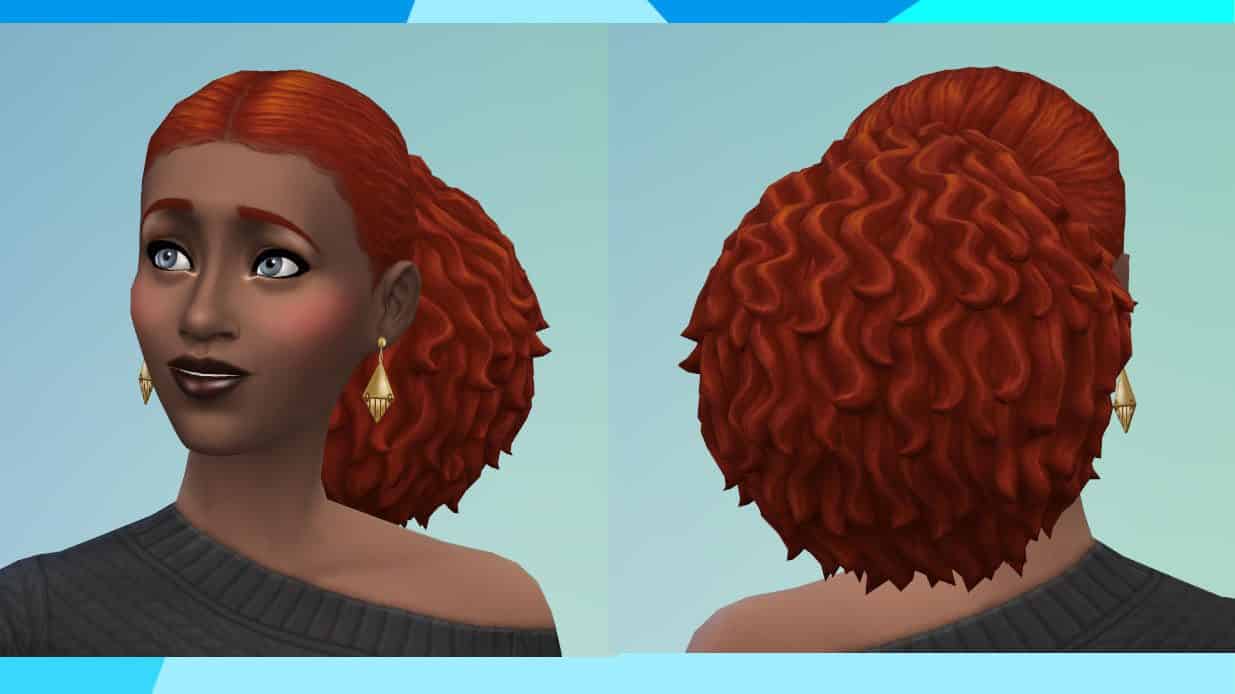
The very first Sims Delivery is this gorgeous curly low ponytail that will drop into the game on December 7th, 2021.

The Sims 411 Recap: November 2021We showed you the following nine beautiful Seasonal Sims Items during our livestream. Please note this Sims Delivery will release December 14th, 2021. Add these tasty treats and festive touches like the wall bows and decorative fruitcake to your Sims’ space to help them get in the spirit!

The Sims 411 Recap: November 2021

We wish everyone a wonderful holiday break. Whether you celebrate or not, we hope all of you will get some well-deserved rest 😊 Until next time, see you in the new year! 🙂

Preparing for The Sims 4 Neighborhood Stories Patch

1

The Sims Team is releasing a significant content update for The Sims 4 Base Game on November 30th that delivers Neighborhood Stories.

In case you don’t know what Neighborhood Stories are – they’re a brand new way of controlling the Neighborhood that will allow for more autonomy for inactive Households. For the first iteration of Neighborhood Stories the development team will deliver the following features:

  • Autonomous or Active Sim Influenced Life Changes
  • Autonomous-only Life Changes
  • Active Sim Influenced Life Changes
  • 2 New Aspirations

Note that this is only the first version of Neighborhood Stories, meaning that you can expect more complex features and options in the future. We can also expect more autonomous decisions from Sims in the future, meaning that the inactive households will be able to progress without your input on the prompts given to you via neighborhood phone calls:

Preparing for The Sims 4 Neighborhood Stories Patch

For more details and information on the Neighborhood Stories Update check out the announcement post!

So, what do I need to prepare for?

The Neighborhood Stories feature is beginning to add a whole new layer of complexity outside of your active household. Even though The Sims Team did assure that your game and current in-game progress should remain intact, it’s better to take extra precaution with the following steps to ensure your progress remains. Here’s how:

Remove / Disable Mods

If you play the game on PC/Mac then this step is a no-brainer. Heavy script mods like MC Command Center, which already have their own version of Story Progression, will definitely conflict with the upcoming Neighborhood Stories feature. To ensure that your save files don’t get corrupted after the update, remove the Mods you might have installed. Your favorite modders have probably already heard about the upcoming update, so you should expect Mod updates that are compatible with Neighborhood Stories shortly after.

Backup Your Save Files

Once again, better safe than sorry! If you play on PC / Mac you can backup your save files by going to Documets > Electronic Arts > The Sims 4 and copy-pasting the saves folder to a location outside of the save game sphere. For a full tutorial play it safe and ensure your save game files are healthy and ready for the next update! If you’re just getting started with Mods / CC make sure you check out our handy guide!

Those who play The Sims 4 on Xbox or Playstation can backup their save files from their console settings. For this you can either use the Console’s Cloud Storage or External Memory. We have a handy tutorial on this specifically for the Playstation Console, but the process should be somewhat the same for Xbox players as well.

Patch Release + Countdown

Just like with previous Patch Releases, this one is expected to come out at 10AM Pacific Time. To make things easier we’ve included a countdown below that counts to the exact moment when the patch should drop.

[janky target_time=”1638295200″ color=”#065bff”]


For patch notes, detailed guides and more on Neighborhood Stories stay tuned on our website!

The Sims 4: Best Packs for Family Gameplay

0

One of the most appealing things about The Sims series is the freedom to play your own way. It’s the ultimate sandbox life simulation, allowing you to live out whatever virtual life you want. For some people, that’s creating lots and lots of exciting drama. For others, it’s living out their fantasy of having a home and family to call their own. While you can certainly have lots of fun raising a family with just the base game, there are some packs that really elevate this playstyle and bring it to a whole new level.

Parenthood

The Sims 4: Best Packs for Family Gameplay

If you’re a family player and can only get one pack for The Sims 4, get Parenthood. It is the quintessential pack for raising families in The Sims 4. With a new Parenting skill, character values for children to develop over the course of their childhoods, teen mood swings, childhood phases, secret diaries, school lunches, school projects, curfews, groundings, time outs, and more, Parenthood will really bring your families to life in a meaningful and realistic way.

Cats & Dogs

The Sims 4: Best Packs for Family Gameplay

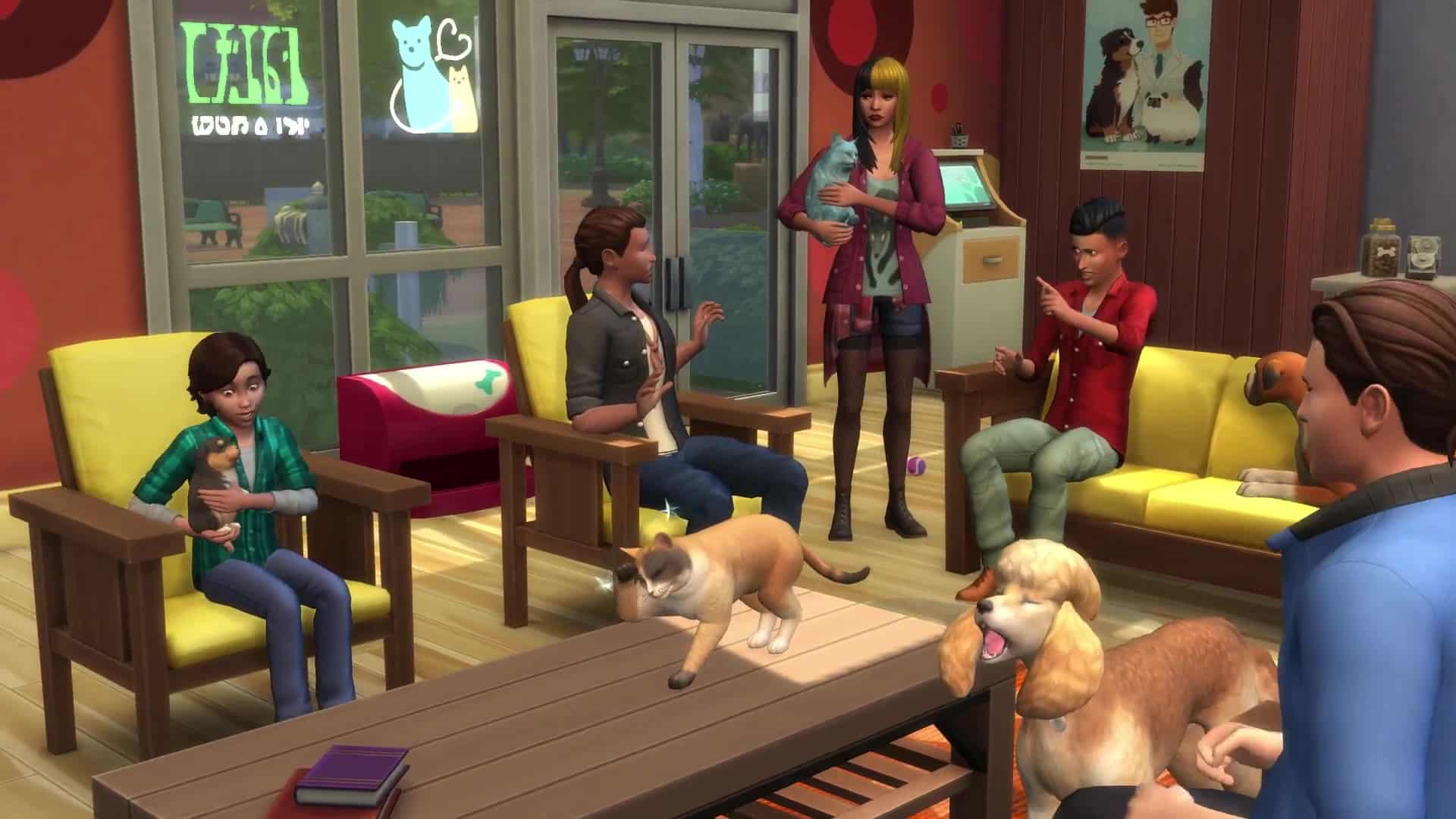
In my opinion, a family isn’t complete without a pet which makes Cats & Dogs the perfect expansion pack for families. Adding a cat or a dog to your household brings a whole new level of depth to your families and Brindleton Bay is the perfect cozy coastal town to settle down and put down roots in. It’s good for kids to grow up with a pet and they have some adorable social interactions with pets. They can even help take care of pets by feeding and brushing them. If you also own Parenthood, caring for pets will build Responsibility for your little ones.

Cottage Living

The Sims 4: Best Packs for Family Gameplay

Continuing on this train of thought, adding more animals to your growing family can only be a good thing. Teach kids the value of responsibility and hard work by getting them outside working in the garden or tending to all the adorable farm animals. Fresh air, greenery, and bonding with animals sounds like the ideal way for any kid to grow up. Even toddlers can interact with all the farm animals! How cute! Family picnics with home cooked meals straight from the farm make for wonderful family memories, too.

Seasons

The Sims 4: Best Packs for Family Gameplay

Some of my most cherished memories of growing up revolve around the changing seasons and celebrating special holidays with my loved ones. Especially now during tough times when a lot of us aren’t able to see each other as much as we used to, Seasons can really be a therapeutic expansion pack for loneliness. Take the family out to build snowpals and have snowball fights in the winter, go skating, enjoy hot drinks from vendor stalls, or if winter isn’t for you, have a water balloon fight on a hot summer day, go rollerblading, and enjoy cool refreshing drinks, instead! Customize your own holidays so they represent your own experiences and values and come together as a family to celebrate them together. Seasons really adds a lot of depth to families.

Backyard Stuff

The Sims 4: Best Packs for Family Gameplay

If you couldn’t get enough of summer with Seasons, maybe Backyard Stuff is worth adding to your collection. With two huge slip-n-slides, a drink tray, bird feeder, wind chimes, and a new radio station along with plenty of bright, colourful patio furniture, Backyard Stuff will really make your Sims family the talk of the town at the next summer cookout. Kids and adults alike will love playing on the slip-n-slides and sipping on cool refreshing drinks made with love. Or if that all sounds a little too cutesy for you, just watch your Sims get the plumbob pecked out of them by angry birds.

Toddler Stuff

The Sims 4: Best Packs for Family Gameplay

The Sims Team has really been stepping up their game when it comes to including toddlers in gameplay lately but for a long time, toddlers felt very limited in what they could do. There wasn’t much of anything for them to enjoy outside the home which made family outings not much fun at all for the littlest members of the family. The Sims Team rectified this somewhat by giving toddlers a reason to go play at the park. Toddler Stuff comes with a slide, ball pit, and jungle gym for toddlers to play with, which build Movement and Imagination skills. These pieces come both separately and as one giant playground object. And if your toddlers don’t have any friends their age to play with, schedule a play date for them!

Kids Room Stuff

The Sims 4: Best Packs for Family Gameplay

This is probably still my favourite stuff pack to this day. Kids Room Stuff really enhanced the childhood stage of a Sim’s life and made it unique. This pack adds two new toys for children to play with; a puppet theatre and a Voidcritter battle station. What are Voidcritters? Think of them like the Sims equivalent of Pokémon. Kids can collect, trade, and train their Voidcritter cards on the battle station. The Voidcritters have a lot of mechanics attached to them. They come in both standard and foil variants and are divided into four elements with some elements being weaker or stronger against other elements. Kids can battle their Voidcritters with their friends on the battle station and the winner is determined by a combination of the Voidcritter’s power level (from training) and their natural elemental abilities. On top of the new toys and collection, this pack also comes with lots of fun items to decorate a kid’s bedroom. I just love this one for families so much.

My First Pet Stuff

The Sims 4: Best Packs for Family Gameplay

This pack is pretty controversial; after all, it wasn’t the smartest move to make DLC that requires another DLC pack in order to access all its content. It’s no wonder why The Sims Team has not released another pack like this since. Still, I do enjoy the content this stuff pack comes with for my families. My First Pet Stuff comes with new caged rodents to play with along with an assortment of items and clothes for cats and dogs. The catch? You can’t use any of the items meant for cats and dogs unless you own the Cats & Dogs expansion pack. Yeah. Pretty shameless, right? I agree. However, I do have a lot of fun playing with my pet rodents and I love that my kids can study their rodents for school. I really love the extra clothes and items for cats and dogs, too, as well as all the décor that’s perfect for a child’s bedroom. Is My First Pet Stuff essential for your family gameplay? No. In fact, I don’t recommend it at all if you don’t own Cats & Dogs. However, if you do own Cats & Dogs and like the idea of adding cute little rodents to your family, it’s worth grabbing. On sale.


What other packs would you recommend for family gameplay? Let us know in the comments or come chat with us on social media!

The Sims 4 Get To Work: Guide to Running a Retail Store

So you want to run a retail business in The Sims 4? Get To Work has you covered! We recently wrote a walkthrough and glowing review of an amazing base game mod that lets you have retail businesses in your game but for console players and the not-so-mod-savvy, this walkthrough is for you! You can run your own retail business and shop at retail businesses as a customer if you own the Get To Work expansion pack.

There’s a lot that goes into managing your own retail business so let’s jump straight into it!

Starting a Business

The Sims 4 Get To Work: Guide to Running a Retail Store

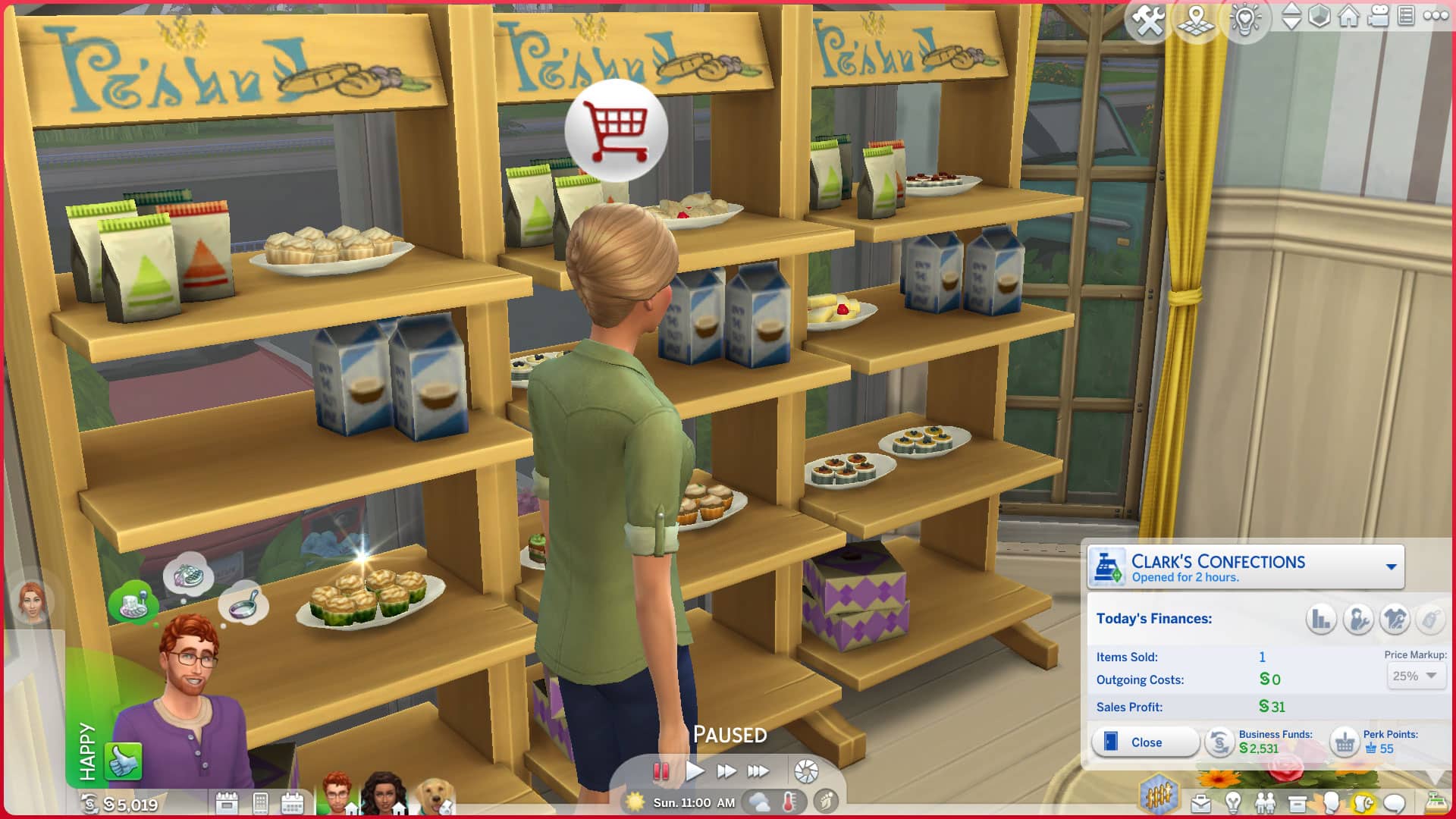
To start your own business, you’ll first have to have an unowned retail business placed in any of your worlds. You can use one of the premade ones in Magnolia Promenade, build your own, or download a retail lot from the Gallery. Once there is an unowned retail lot available to purchase, use the cash register symbol in the bottom right of your screen in Live Mode to purchase a retail business. Make sure your Sims have the funds to purchase the business!

Once you are the owner of a new business, you can set items for sale in your retail store, control the price markup, hire and manage employees, restock items, make sales to customers, and more!

A retail lot needs a cash register and at least one item set for sale in the store to be functional. To set items for sale, just click on anything you’d like to sell and select Set For Sale. Most objects in the game can be sold on retail lots, including food and many craftables but there are some exceptions. Small décor that is non-clickable can’t be set for sale. Neither can tables or rugs that have items placed on top of them. Some craftables, like the Herbalism concoctions can’t be sold, either.

If your Sims run a clothing store, there is no need to set something for sale to make the lot functional. Retail mannequins automatically have their outfits set for sale so if you’ve dressed up your store mannequins, you’re good to go! You can still set other related items for sale, though, such as clothing and shoe clutter.

Business Funds vs. Household Funds

The Sims 4 Get To Work: Guide to Running a Retail Store

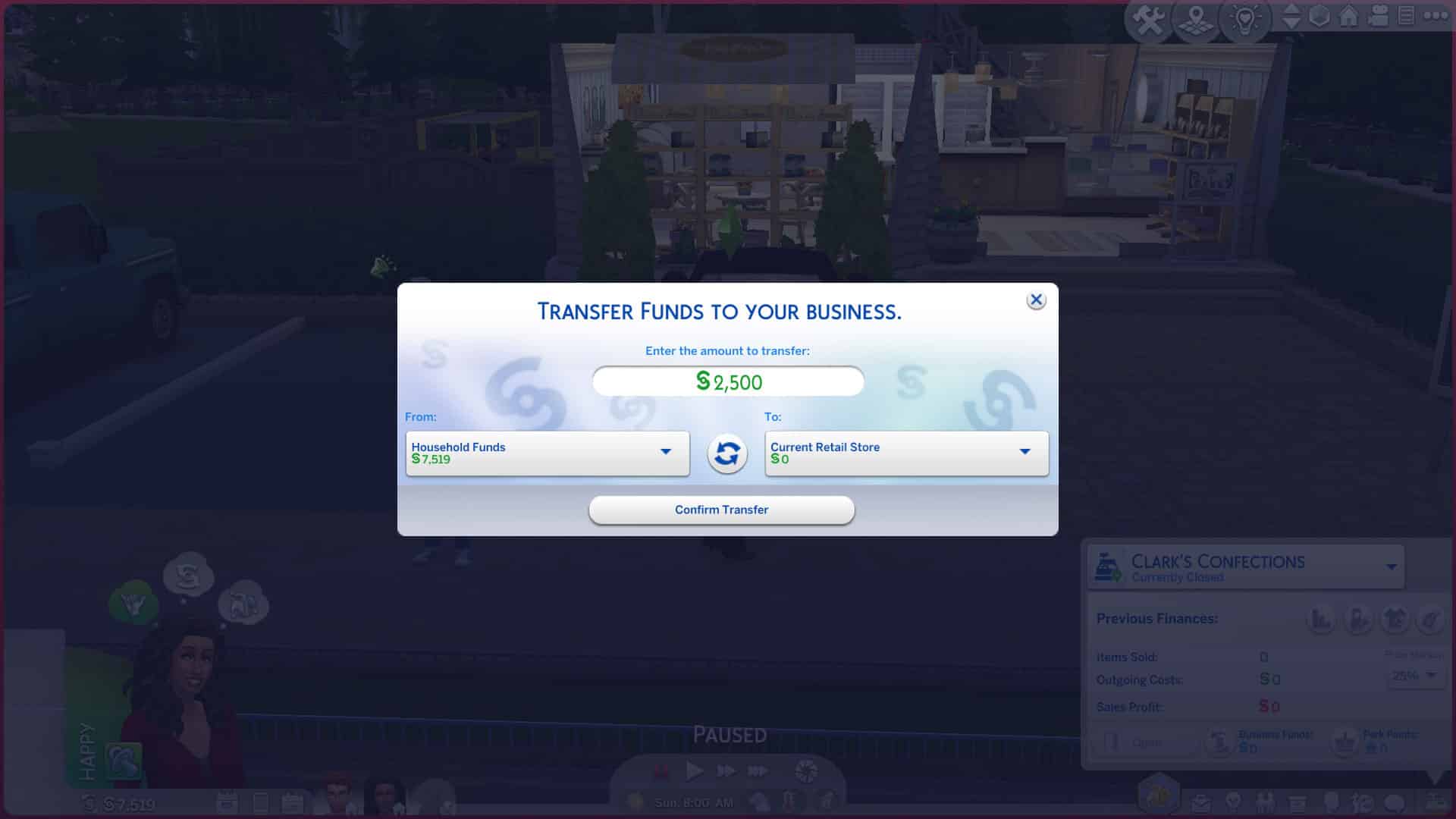
When you first purchase your business, you’ll be prompted to transfer funds to your business. Your business’ funds are separate from your household funds. Whatever profits you make from your business are automatically deposited into your business funds. Business funds can only be used to purchase things for your business. If you want to use your business funds to make purchases for your home, you’ll have to transfer money from your business to your household funds. Likewise, if your business needs some extra funds, you’ll have to transfer money from your household to your business. You can transfer money between your household and your business anytime through the business panel in the bottom right of your screen in Live Mode. This is the same panel you used to purchase your business.

Looking to run a business from home to eliminate the hassle of constantly transferring funds? Sorry, you’re out of luck. Sort of. It’s not possible to have a residential lot that is also a retail lot so you can’t live at your business. However, there is a workaround. Have your Sims purchase a small empty lot as their “home” and then purchase a retail business that has a place for Sims to live, too. Then you can just stay there forever and use the retail lot as your residence. If you do this, we recommend transferring most of your funds to your business; any purchases made on the retail lot will count as a business expense and use business funds, even if you’re purchasing items for your “home” on the lot.

Maintaining Your Store

The Sims 4 Get To Work: Guide to Running a Retail Store

There’s a lot that goes into running a successful business. Your Sims will need to be chatting up customers all the time, delegating tasks to their employees, restocking and cleaning shelves, and managing prices in their store. When you first start out, it will feel overwhelming but as you gain experience as a business owner, you’ll be able to purchase business perks to make things easier on yourself.

When a customer purchases something, that item will now be out of stock and be replaced with an empty shopping cart sign. Click the sign to restock the item. Restocking costs simoleons! You’ll be paying the base value of the item every time you restock. If your business sells things that your Sims have crafted themselves, you can still restock the item using the sign without having to craft another item but you’ll be paying the item’s value, not the crafting cost, so it’s more costly to restock crafted items this way. If you would like to always craft items in order to restock them, you can do this as well. Hovering over the out of stock sign will tell you what item is out of stock. Craft that item again, remove the sign and replace it with the new crafted item in your inventory. Then set it for sale. You can restock your crafted goods more cheaply this way and save money.

The Sims 4 Get To Work: Guide to Running a Retail Store

Restocking isn’t the only thing you need to worry about. Throughout the day, shelves and other surfaces in your business will become dirty and need to be cleaned. Having dirty shelves and surfaces in your business will deter customers from browsing the wares on that surface. You can simply click on the surface to clean it. You can also instruct your employees to clean by clicking on them and assigning them a task.

Of course, you can’t hope to run a business if you don’t open your store. You can do that via the cash register. There is no time limit on how long your business can stay open or when you can open or close your business but your employees will only work for about 8-9 hours before they go home for the day.

Interacting with Customers

The Sims 4 Get To Work: Guide to Running a Retail Store

While customers appreciate a clean and well-stocked business so you should try to stay on top of those things, attending to their needs is your #1 priority as a business owner. Restocking and cleaning can wait if you have customers waiting to be rung up. Customers are extremely impatient and will not wait around for long before they get fed up and storm out of the business without completing their purchase.

When a customer walks in, they’ll start browsing for something to buy on their own but you can also Greet Customer under Friendly socials. Once a customer has been greeted, they’ll have a Retail option in their social menu. This is where you’ll butter up your customers to make sales. When a customer is considering making a purchase, a blue bar will appear above their heads. The fuller the bar is, the closer they are to making a purchase. Sometimes customers will be impressed with your store and make purchases on their own but most of the time, you’ll have to work for a sale. Use the various retail options on customers to fill up the bar and secure a sale. New sales options will open up to you as the bar fills. Be careful about getting too pushy! If your retail interactions fail, the bar will decrease! If some of the newly unlocked options are failing on you, try going back to simpler tactics like Answer Questions or Ask About Price Range.

The Sims 4 Get To Work: Guide to Running a Retail Store

When a customer is ready to make a purchase, you’ll receive a notification in the top-right corner. The customer will then stand near the object they want to buy and a blue shopping cart symbol will appear above their head. Make sure you attend to these customers immediately. If you keep them waiting to be rung up for too long, the shopping cart symbol above their head will turn red. This means they’re becoming impatient and are in danger of storming out without buying anything. Click the customer and select Ring Up Customer to process their purchase. If you’re having trouble ringing up customers in a timely manner, you can ask your employees to help you ring up customers or have other household members pitch in.

The Sims 4 Get To Work: Guide to Running a Retail Store

Not everyone who enters your business is a customer! You may also get loiterers and socialisers hanging out at your business, too. These Sims aren’t interested in buying anything from your store. They’re only there for their social hour and take up space in the store. It’s best to ask loiterers and socialisers to leave whenever you see them. You can tell who is a customer and who is not by the red label above their heads when you hover the cursor over them.

Employees

The Sims 4 Get To Work: Guide to Running a Retail Store

It can be tough to run a business all by yourself! Hiring employees can help take some of the burden off your shoulders but you will need to manage them and keep them in line when they occasionally slack off. You can hire employees for your business from the cash register.

You can only hire one employee to start with but purchasing business perks will unlock two more employees (for a total of 3) you can hire for your business. When you hire an employee, you’ll get to choose from a list of applicants where you will see their retail stats below them. Employees with higher stats perform better at their jobs but they also need to be paid more for their experience. Employees with low stats will gain more experience at their job over time so if you’re just starting out and have limited funds, it’s best to hire an employee with the lowest stats possible. You can always train them up later when you’re making more money to pay them with.

Employees have 3 stats:

  • Sales: Employees with a high Sales stat will have more successful interactions with customers and ring up customers faster. You can improve an employee’s Sales stat by assigning them to Answer Customer Questions and Ring Up Customers.
  • Work Ethic: Employees with a high Work Ethic stat slack off less often. Employees with low Work Ethic will play with their phones, chit-chat, and stand around idly a lot. You can improve your employee’s Work Ethic by being attentive to them. Checking up on them, offering them praise or criticism, and berating them for slacking will all help to improve this stat.
  • Maintenance: Employees with a high Maintenance stat are faster at restocking and cleaning. Improve this stat by assigning your employees to Restock or Clean.

After hiring your employee, they’ll show up to work the next time you open the store. You can manage them through the cash register or the retail tab in the bottom right of the screen. You can assign them uniforms and create your own uniforms for them in CAS if you’re feeling creative. You can also demote or promote them.

The Sims 4 Get To Work: Guide to Running a Retail Store

When your employees show up for work, make sure to assign them a task. The more your employees do certain tasks, the more their stats will improve. Be sure to keep an eye on them and tell them to get back to work if you see them slacking off. This will improve their work ethic over time. Make sure to check in on your employees frequently. They’ll tell you how satisfied they are with their employment and let you know if they’re ready for a promotion. Employees will expect promotions as their stats improve. Experienced employees who don’t receive promotions will become dissatisfied with their job and may quit on you.

Even though you can keep your business open 24/7 if you want to, you cannot keep your employees working around the clock. Employees will only work for 8-9 hours before informing you that you’ve kept them working into overtime so they’re going home to comply with labour laws. Employees may grow tired and uncomfortable before this if they aren’t able to look after their motives while at work. Consider having a staff room with some snacks and a staff bathroom for your employees to stay comfortable while at work.

Of course, if you play with a large household, you can always use your family members as free labour and save money on paying employees.

Get To Work Retail Objects

Get To Work comes with a wide variety of shelving and displays for general objects but there are some displays that are designed for specific items. Here they all are below:

  • Heated Food Display: Display your baking and other hot foods in this display case and they’ll stay preserved for a longer period of time. Great for bakeries.
  • Refrigerated Food Display: Display cooked goods in this cold display case and they’ll stay preserved for a longer period of time. Great for grocery stores.
  • Warming Racks: Functions like a fridge but for hot goods. Store as many hot foods as you want in these displays. Everything inside will automatically be set for sale. Great for bakeries.
  • Retail Fridge: Display fridges for retail businesses. Store as much food or raw ingredients as you want in these displays. Everything inside will automatically be set for sale. Great for grocery stores.
  • Bakery Display: A display specifically designed for displaying bread and other baked goods. Items stored on these shelves do not get preserved for a longer period of time so replace them regularly.
  • Retail Bookshelf: These special bookshelves will allow your Sims to run a book store. Drag any book to these shelves to display them on a cute little stand and set them for sale.
  • Mannequins: Male and female adult and child mannequins in both traditional and abstract styles to suit any clothing store. You can change their colour in Build/Buy and adjust their body shape in CAS. Click them to go into CAS and design outfits for them to wear. Any outfits displayed on mannequins will automatically be set for sale.

Retail Perks

The Sims 4 Get To Work: Guide to Running a Retail Store

When you first start your business, it may feel overwhelming trying to keep up with everything but things will get easier if you stick with it. You’ll earn perk points as you do activities related to your business, like restocking, ringing up customers, and doing retail interactions with customers. You can exchange these points for retail perks that will make running your business easier.

Some perks are just neat objects you can decorate your store with. Other perks come with gameplay benefits.

[table id=100 /]

Profits

The Sims 4 Get To Work: Guide to Running a Retail Store

When you close your store, you’ll get a breakdown of your profits and expenses. The money you make each day will be your total sales profits minus restocking costs and employee wages. If you’re not making a profit at the end of the day after expenses, you have a few options to help get your business back on track.

  • Consider raising prices in your store but keep in mind that if you raise prices too high, customers may be more reluctant to make purchases. It’s a balancing act. Likewise, if you already have high prices and aren’t making a profit, consider lowering prices to encourage more Sims to buy from your store.
  • Demote or fire employees. No one likes to be the bad guy in the workplace but sometimes it’s necessary. If your employee wages are eating up a large portion of your profits, it may be time to let some people go or demote some employees who haven’t been pulling their weight.
  • Invest in retail perks. There are plenty of perks that will help you run your business more efficiently and reduce your costs. Don’t give up on your entrepreneurial dreams right away if you aren’t making a profit when you first launch your business. You can turn things around with retail perks if you stick with it.

We hope this guide has given you all the knowledge and tools you need to become a successful entrepreneur in The Sims 4 Get To Work!

The Sims 4 Get To Work: Types of Businesses you can open

The Sims 4 Get To Work was the first expansion pack released for The Sims 4. It came with a number of new features including the first active careers as well as the option to have your own retail store.

When the expansion pack first launched, there were a handful of different types of businesses you could create. However, as we saw more packs released, the variety of different businesses you could create and own grew! We shall be exploring some ideas of retail stores you can create using The Sims 4 Get To Work expansion pack, as well as a number of possibilities using other packs from The Sims 4.

The Sims 4 Get To Work: Types of Businesses you can open

Getting Started

Now that you have purchased your retail store location, there are several different types of businesses you create when you are just starting out with a new Retail Store.

  • Clothing Store
  • Bakery
  • Homewares
  • Arts Store – Painting and Sculptures

While the four types of businesses can seem like very broad ideas, you can break these down even further into more specific types of businesses if you wanted to.

For example, a homeware store can cover a multitude of different things. You could make it more specific by tailoring it to a specific room or theme. Here are a few examples of how you could do that.

  • Kitchen & Dining
  • Bathroom & Laundry
  • Living Room & Study
  • Garden & Outdoor Spaces
  • Kids – Toy Store, Kids Room Furnishings
  • Hobbies

The same can go for clothing stores as well. You could create one that stocks a number of different clothing options, or one that targets a specific theme instead.

Here are some examples below.

  • Formal
  • Sports
  • Every day
  • Hot/Cold Weather
  • Kids
  • Costumes
  • Sports & Swim
  • Mens & Womens Wear

These are just a handful of ideas of businesses you can create by just having The Sims 4 Get To Work. Of course, with the more packs that you own, the more possibilities you have as well.

The Sims 4 Get To Work: Types of Businesses you can open

More Packs, More Ideas

As we know, each pack adds something new to the game and when it comes to ideas for businesses, it is no exception. Here is a list of retail store ideas that you can use alongside other packs that you own.

  • Void Critters Store – Kids Room
  • Winter Sports Store – Snowy Escape
  • Water Sports Store – Island Living
  • Beach Essentials – Island Living
  • Grocery Store – Cottage Living
  • Student Essentials Shop – Discover University
  • Pet Store – Cats & Dogs & My First Pet Stuff
  • Apartment Essentials – City Living & Tiny Living
  • Eco Living – Eco Lifestyle
  • Camping Store – Outdoor Retreat
  • Magic & Mystery – Realm of Magic, Vampires & Strangerville
  • Photography & Art – Moschino
  • Plants – Blooming Rooms & Industrial Loft Kits

While the ideas above are more specific to the packs mentioned, you will find that almost all the objects in The Sims 4 can be sold. This means that realistically, you can create almost any kind of business you want.

  • Video Games Store
  • Bookstore
  • Music Store
  • Collectibles Store
  • Food Store
  • Craftables Store
  • Antiques Store
  • Bed Store
  • Sofa Store
  • Health & Beauty Store

While the ideas mentioned in this post are just some ideas of businesses you can create using The Sims 4 Get To Work’s Retail Store feature, there are still plenty more out there that you can create.

The Sims 4 Get To Work: Types of Businesses you can open

Why not combine The Sims 4 Get To Work with Plopsy from The Sims 4 Nifty Knitting? Combine the world of physical sales with online sales?

Top Tips

  • Not getting many customers when you first open? Why not run a small advertising campaign to promote your business! Simply head over to the cash register and select Purchase Advertising.
  • Get to know your customers by getting involved in the conversation. Greet them and talk to them about their shopping preferences, by using the Retail option on the Sims interaction menu.
  • Ring your customers up in a timely manner! Nothing worse than losing a sale as your Sim hasn’t made it to them in time.
  • Don’t forget your Sims can employ staff to help your business grow over time as well as help you serve customers!
  • Spend your Perk Points to unlock more features and interactions for your business!

The Sims 4 Get To Work: Types of Businesses you can open

Don’t own The Sims 4 Get To Work but want to run your own business? Take a look at the Saleabration Retail System by Ravasheen. You can read our full walkthrough of the mod here!

Let us know some of the businesses that you have created with The Sims 4 Get To Work in the comments below!

COMMUNITY POLL: Best Stuff Pack for The Sims 4 (2021)

0

The Sims 4 Paranormal Stuff Pack is the last SP release for 2021…or maybe for the franchise in general?

Either way, there is still a huge collection of Stuff Packs out there – 18 of them to be precise. All of the Stuff Packs are also on sale on various platforms right now (you can check out the deals herethat you can for 20 to 25% off.

Down below is a poll that contains all 18 different Stuff Packs released for The Sims 4. Considering that the number of Stuff Packs is huge, we allow you to vote up to 3 favorite Stuff Packs! Don’t worry, the Poll Results will still show correct and rank the packs accordingly!

Want to drop in your vote on the favorite Game Pack and / or Expansion Pack or just want to see how others voted? Click the polls below:

[totalpoll id=”104095″]