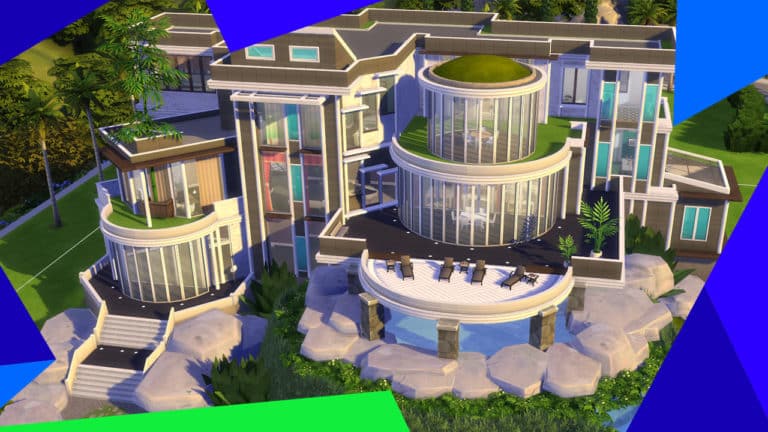
Get ready for a festive-themed Guru Garage hitting Twitch next week!
SimGuruFrost announced that the next Guru Garage Livestream will be held on December 12th at 11 am PT. This Guru Garage is a little different from the last few as the SimGurus want to feature you and your creations in the Livestream!
All you have to do is upload your Holiday inspired/decorated homes to The Gallery and use the hashtag #GGHolidayHome for the chance to see your creations live on stream!
I’m excited to see how you and your Sims celebrate this time of year!😄
Depending on how many Simmers submit lots, we may not be able to get through all of them so we’ll be picking lots that really speak to us via the Gallery thumbnails.
So you’ve heard of the red shelf, or maybe this is your first time and you’re wondering how to use it, well I’m here to give you a quick tutorial and change the way you build, forever.
Firstly let me give you a brief description of what the red shelf is and what it’s used for. It was created by pictureamoebae and it acts as a *you guessed it* a shelf, but it has over 100 slots for clutter of all different sizes, ever notice when you’re building and you want to put a stereo on a side table? It doesn’t snap to the surface, with the shelf, it does.
There’s also an invisible swatch of the shelf if you don’t mind having CC in your builds, but with this tutorial I’m going to show to how to use it and still remain CC free.
BEFORE
How things look without the shelf, as always to get free object placement on surfaces you have to fill all the pre-existing slots and then once you choose your clutter you use the 0 and 9 keys to raise it up to the level you want, and yeah it works, but chances are it’s floating, here’s an example.
But worry not! Things don’t have to be this way, and I’m going to show you how to do it.
THE TUTORIAL
It’s easy, I promise even Don Lothario could manage to follow along.
STEP ONE:
Pick your surface, it can be anything, a counter, side table, end table, bookshelf, it’s your choice. Next as mentioned before to have free placement you have to fill the pre-existing slots, once you’ve done that it should look something like this.
(Note there are small and medium slots, make sure to fill them all).
STEP TWO:
Next find the shelf in Buy Mode, you can find it in a couple of places but it’s easiest to locate in the surfaces section, under shelves. You can place it wherever for now, then add your clutter, as much or as little as you’d like, there’s a tonne of slots so you can add pretty much any surface object your heart desires (except for computers and and kitchen appliances). Here’s an example of mine.
Here are all the objects I want to use to clutter my side table.
STEP THREE:
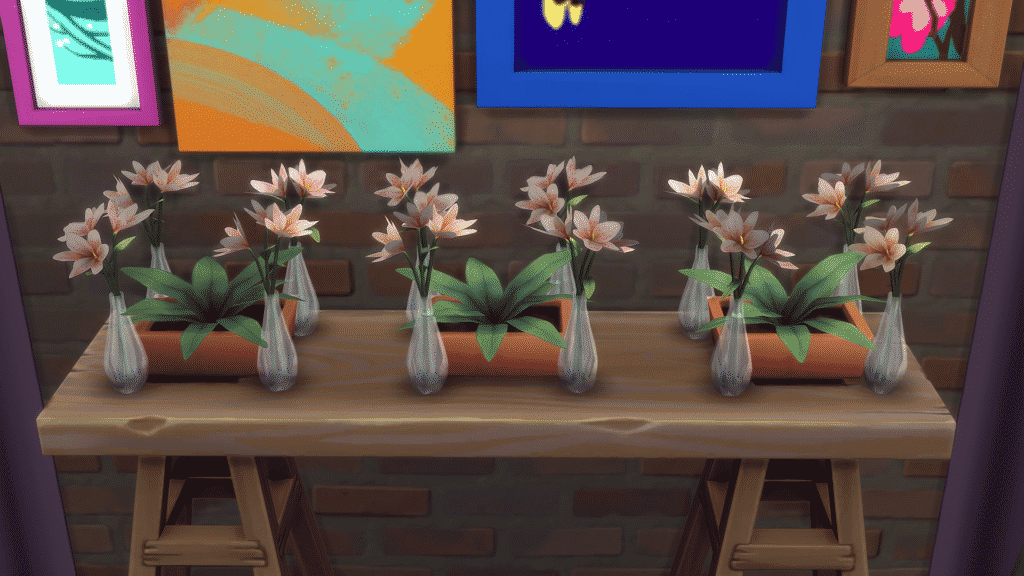
Once you’re happy with the clutter you’ve selected the next thing you’re going to want to do it grab the red shelf and line it up with the surface of the side table, or whatever you’ve chosen, making sure the top of the shelf lines up with the top of the table. then provided all slots on the side table are filled you should be able to place your clutter wherever you want, when you’re happy with the arrangement just delete objects that were filling slots and the now empty red shelf. Your finished result should look something like this.
And voila! Nothing’s floating everything is where I want it to be and if you’ve deleted the red shelf your build is still completely CC free, incredible right? Even people who are sworn against build/buy CC use the shelf, it really is a game changer.
That’s literally all there is to it, three simple steps and your builds are looking so much better than before and so much more realistic, unless of course you have floating furniture in real life, in that case maybe move house, sounds like you’ve got a ghost problem…
DISCLAIMER:
The shelf recently broke with the Discover University patch (November 2019). It was causing players games to crash due to the overwhelming number of slots, it has since been fixed and new versions have been added with less slots, you can choose between 80 or 130. Either is more than enough in my opinion.
And that’s all from me today friends, thank you so much for reading this article and I hope I’ve been able to help some of you, if you need any further help please don’t hesitate to comment and I’ll respond ASAP, until next time, Jack.
Hello Simmers, Honnahoops here with my top 10 mods to enhance your university experience!
Now, I’m not saying that The Sims 4: Discover University is awful, I actually like it a lot. However, I think there are a few things missing from the pack.
This started my search for a handful of mods to make the expansion pack more exciting. I honestly couldn’t believe how many amazing university themed mods are already available! A big thank you to our wonderful community of modders.
This post could have gone on forever, but I’ve picked my top 10 mods. I’ve explained briefly what the mods are, but to get a full overview, please head to the creators’ pages, everything is linked below.
1. Higher Tuition Fees
Zero’s Sims 4 Mods created the ‘University Costs More’ mod which changes the costing structure of electives and main classes. Now, both electives and main classes are more expensive, which is more realistic. You can also tune the mod to how much you’d like your Sims to pay.
2. Increased Scholarships
This mod goes hand in hand with the Higher Tuition Fees mod. ‘Higher Scholarships’ is another one by Zero’s Sims 4 Mods and it is what it says on the tin really, the amount your Sim will receive is greater, which is definitely more realistic.
3. No University Housing Restrictions
If you’re like me and you went to a British University, where you had access to a real kitchen, you’ll probably be as frustrated as I was when I found out you couldn’t put a kitchen in your university dorm building. Well, now you can!
Zerbu has created the ‘No University Housing Restrictions’ mod allowing you to cook to your heart’s content (Let’s hope the other students know how to cook).
4. Choose your Roommate
After day three of playing The Sims 4: Discover University I was sick of making over my randomly generated ‘roommates’, and wanted my Sim’s old school friends to join her in her dorm.
Modder, LittleMsSam has answered my prayers and created the ‘Choose Your Roommmate’ mod. This mod is a little bit complicated to set up in-game, but LittleMsSam has written some very detailed instructions on the mod page.
Look out for an in-depth review of this mod from my fellow Community Reporter, ourdazedsims!
5. More University Themed Aspirations
Whilst playing Discover University, I found the single aspiration to be a little lack-lustre. Not every Sim attending university wants to be an academic.
Pimp My Sims has created a bumper pack of SEVEN university themed aspirations including Sporty Scholar, Campus Crook and Party School. These are a great addition to the game and I’ve really enjoyed playing about with them.
I LOVE that this mod takes into account traits, school grades and skills when deciding whether a Sim will get university.
IlkaVelle has also added the ability to receive an actual rejection letter via the mailbox in the latest addition of this mod.
7. Required Degrees for Careers
Zero’s Sims 4 Mods has also created the mod ‘Required Degree for Careers’. This one really excites me as I’ve always wondered how Sims who have ABSOLUTELY no qualifications and have played chess three times can become a doctor.
The full rundown of which degrees are required for each career is listed here.
I mean come on guys, dreams don’t work unless you do.
9. Student Cleaning Rotas
Ah, this one takes me back to when I tried to make a ‘cleaning rota’ in my university dorm – it lasted three days.
The ‘Chores’ mod by LittleMsSam, allows you to add cleaning schedules and assign Sims to cleaning tasks and times. To use the mod on the ‘Parenthood Bulletin Board’, The Sims 4: Parenthood will be required. However LittleMsSam has also made this available in an add-on to work with the Discover University notice board.
10. New Bikes, Choose your Helmet & Bike Recolours!
New Bikes
These new bikes are Sims 3 Conversions, converted by ‘Around the Sims 4’. There are three styles to choose from and they come in an array of colours.
Choose your Helmet
LittleMsSam is back again, this time with the ‘Choose your Helmet’ mod, allowing you to pick your helmet, or choose not to wear any helmet at all – remember though, safety first!
Bike Recolours
Neecxle, one of my favourite YouTubers, has created some bike recolours for the bike that comes with Discover University. There’s 15 recolours and 3 jazzy gradients to choose from.
BONUS MOD: Bug Fixes for University Sports
I didn’t actually realise this was a bug in the game until I came across this mod by Zerbu. Basically this fix enables Sims to gain fun from attending games at the stadium, allows children to be invited to games and also allows children to gain motor skill from the football.
Phew, so that’s the end of my Top 10 (technically 13) mods to enhance the Sims 4: Discover University! I hope you find this post useful and I hope you enjoy the mods I’ve picked out for you guys.
SimGuru0x00 and SimGuruDana recently spoke to Alexa Developers about their thought process behind creating and building a voice experience using the Amazon Alexa for The Sims and the fans.
Take a look at the Alexa Developers video below and check out the article below!
In an exciting move for the gaming world, Electronic Arts, a global leader in digital interactive entertainment, is investing in voice technology. Maxis, creator of the its popular life simulation franchise The Sims™ within EA, has published 3 Alexa skills to date: The Sims, The Sims Stories, and Maxis Podcast. Producer, Dana Peterson and Technical Director, Manu Sharma at Maxis recently shared why they decided to enter the voice space, and provided tips for other developers interested in building the next wave of voice games. You can view the video version of the interview as well.
Growing Up in a Voice-First World
It wasn’t long ago—only 2015, in fact— that having a voice-activated device in your home was a rarity. Today, however, with more than 100 million Alexa-enabled devices sold to date, and over 100,000 Alexa skills available, voice is becoming commonplace and, even expected. The Sims developers recognized this significant trend and wanted to take advantage of it.
“My child’s first words were, in this order: Mama, Alexa, and Papa,” says Sharma. “She’s growing up in a voice-first world. It’s natural for her to use voice for entertainment or answers, even without learning how to do it. She’s only two and a half years old and thinks everything that lights up blue is an Alexa device.”
The Importance of Investing in Voice
To Peterson and Sharma, voice technology is the logical next step in video gaming. With the next generation of players growing up around the technology, voice control is an intuitive addition to games. Voice also provides a more immersive experience than traditional console games, allowing the player to continue the story through the Alexa-enabled devices.
“It’s nice to have a platform that’s with the player wherever they go,” says Peterson. “Players aren’t always in front of their PC or their console. With Alexa, we have the opportunity to stay in touch with players anywhere they are.”
Voice offers The Sims developers the ability to design unique experiences. Enriching features, like culture and accessibility, can be included in the game design, to help players overcome any perceived limitations they have—such as age or technical knowledge—and simply enjoy the experience.
The Addition of Voice Leads to a New Design Strategy
The Sims allows players to create a world to their specifications, create characters and their personalities, create houses and then play out stories as they like. With the Alexa skill for The Sims, the Maxis team of developers were able to bring the franchise into the voice space and differentiate the design strategy from the video game.
When designing the game, they wanted to make sure to include features that long-time players would appreciate as well as content that new players could easily engage with. This approach helps them to tap into a fast-growing audience of Alexa users that might not have played The Sims yet, while still delighting long-time players of the game.
“One of our top priorities was to offer richer experiences in shorter game sessions,” says Peterson. “When people play The Sims 4, the newest game in the franchise, sessions might last a couple of hours or longer, depending how invested they are. With the Alexa skills, players can spend 5 minutes to half an hour and still have a really rich session.”
What to Consider When Translating a Video Game to a Voice Game
The Sims video game relies heavily on its visual user interface, which presented a challenge when building Alexa skills. Developers at Maxis had to understand the user experience and translate it to work in a voice setting and rethink the game’s commands for Alexa. Initially, they expected players to use short, one-word commands with the skill. However, they soon discovered in tests that users prefer to interact with Alexa as if they’re speaking with another person—so they updated she’s a person, and updated the responses Alexa listens for to reflect what users actually say.
Another learning was how many choices they could offer players in the voice skill. Although the PC game with its static visual interface is rich with options, they discovered in the voice space, too many options made it difficult for players to remember their choices. They narrowed the options presented to players and provided more direction.
Tips for Voice Game Developers
The Maxis team is excited for the future of voice games and shared these tips for developing great Alexa game skills.
1. Get feedback early
“It’s critical to get feedback early in the process during skill development,” says Peterson and Sharma. Investing too much time upfront before getting feedback can lead to building something other than what was intended. But asking for feedback and altering the design based on the responses can lead to a skill that’s much better than the initial plan.
2. Have a clear vision
“When developing for Alexa, you must have a clear vision on what the user experience will be,” says Sharma. “We started simple and concentrated on engaging the players and we have big ideas where we want to go next”.
3. Use the Amazon developer tools
As complex as voice technology can be, both Peterson and Sharma agree that developing skills for Alexa is surprisingly easy, due to the tools that Amazon has built for developers.
“Using Skill Flow Builder, I was able to implement the vast majority of our story all on my own with the tools. And I don’t have a programming background at all,” says Peterson. “That’s meaningful especially for smaller teams without engineering support, or people without the programming background who want to experiment.”
Take the Leap of Faith and Start Building Games for Voice
“Voice development is surprisingly easy. If you’re still on the fence about getting started in voice development, just take the leap of faith,” says Sharma.
The Sims Alexa Skill is available for free across Alexa Devices and the Alexa Mobile App. Click here to find out more about the Alexa Skill!
Your Sims have lectures to attend so they can take their education to the next level in Discover University. While your Sims wait on the first semester in just a few days time we have plenty of other content and changes for you to dig into.
New lots, rooms and households are waiting for you in My Library thanks to the Sims Community’s creativity and sharing nature.
What’s New?
Multi Story Columns
These columns reach up to the sky, or up to the ceiling, that’s up to you. Just go into the build catalog, place a column, grab the handle at the top, and drag it up and down to re-size. Some have a maximum size, others however… they might just be the tallest thing on your lot.
New Clothing
We have updated the Holiday Celebration Pack with some new child and toddler clothing! In CAS you’ll see a new childrens male top, childrens female top, and childrens winter boots! Toddlers have a new outfit for males, a new outfit for females, and some shoes! Or open up the Styled Looks, where SimGuruMorgan created some great new looks with the content!
Music
The Hip Hop Radio Station is now available even if you don’t have Get Famous! While the radio station is available to everyone, the Get Famous specific music will still need Get Famous to be played.
We’ve added the following songs as part of this update:
“BMO”
Performed by Ari Lennox
Written by Courtney Salter, Damon Coleman, Ron Gilmore, Jr., Anthony Parrino and Galt MacDermot
Published by Ari Lennox Publishing Designee (BMI), Damon Coleman Publishing Designee, Ron Gilmore Music (BMI), Kobalt Music Services America o/b/o Elite That’s Me Publishing and Third Side America o/b/o MacDermot Music
Contains a sample of “Space” by Galt MacDermot
Recording courtesy of Dreamville/Interscope Records under license from Universal Music Enterprises and Third Side Music o/b/o Kilmarnock Records
“Big Moe”
Performed by Beau Young Prince
Written by Jaimy Lageweg and Beau Young
Published by Jailo Music and Rough Trade Songs
Recording courtesy of Def Jam Recordings under license from Universal Music Enterprises
“Dumbstruck”
Performed by Ceraadi
Written by Emaza Gibson, Saiyr Gibson and Troy Johnson
Published by Emaza Gibson Publishing Designee, Saiyr Gibson Publishing Designee and Sony/ATV Tunes o/b/o Margetts Road Music/Noni Zuri Music
Recording courtesy of Roc Nation under license from Universal Music Enterprises
“Good Life”
Performed by RDGLDGRN & Vanela
Written by David Lichens, Pierre Desrosiers, Andrei Busuioceanu, Daniela Facchiano and Marcus Parham
Published by Songs of Kobalt Music Publishing o/b/o Fungai Music (BMI) and Warner Chappell
Recording courtesy of RDGLDGRN
“Block List”
Performed by Rico Nasty
Written by Maria Kelly and Mark Nilan
Published by Kobalt Music Services America o/b/o Artist Publishing Group West (ASCAP)/Artist 101 Publishing Group (BMI)
Recording courtesy of APG/Atlantic Recording Corp. by arrangement with Warner Music Group Video Game Licensing
“Litest”
Written and Performed by DJDTP
General Issues
Sims that dislike Fruitcake no longer react negatively to all other food. On the other hand, Sims that like Fruitcake no longer will react positively to Poor Quality foods.
Grab Meal or Give Food for all ages will now fulfill the hunger needs completely.
Spoiled visual effect now will go away on servings from coffee and tea pots.
Sims will now place grilled food on the table appropriately instead of their inventory.
Fresh drinks are now available on the drink tray (for those who own Spa Day and/or Backyard Stuff). “Grab drink” from drink tray functions and will no longer give you an incorrect message.
Households populated in the “Other Households” tab in Manage Worlds can no longer be composed of just a Child.
Idle Sims will no longer drink water excessively. Remember, Responsible hydration!
Skin details no longer go away when randomizing Sim features other than the “Face” or “All” categories.
NPC Sims that are not Gardeners will no longer remove Wild Plants from lots autonomously.
Rare and uncommon harvestables will now be produced at higher rates when splicing.
Sims will no longer leave the dining table after they’ve started having their meal when using the “Call to Meal” interaction.
Selected tattoos in Create A Sim will no longer automatically reapply clothing.
Fixed an issue in which Sims were not able to wash dishes or use the dishwasher if there were shelving units above the sink or the dishwasher.
Child Sims will no longer have their eyebrow color changed to Brown when they are set to Blond. Unless you decide that’s what you want.
Fixed an issue that made Adult Sims constantly change outfits while Taking a Shower, and then giving a Bath to Toddlers.
Fixed an issue which made the option “Put here” not available when holding Pets and Toddlers.
Fixed an issue which made Paying Bills via Phone not be fulfilled if Simmers queued any other action before it would complete.
Moving a wall will no longer delete objects on a separate shelf when bb.moveobjects cheat is used. Did you know, you can use bb.moveobjects without disabling Achievements and Trophies?
Fixed an issue in which Toddlers that had maxed out their skills were not receiving the Top Notch Trait when aging up.
Claiming a bed is now exclusive to one Sim. Now Sims can sleep in their own bed without disturbance or worry about another Sim using their bed.
Toddler Traits are no longer visible after aging.
Success Lineage Aspiration can now be completed once appropriate conditions are met.
Vendors will no longer use your Sims’ fireplace as an imaginary portal to mysterious places.
Emotional sculpture thumbnail in sims inventory and world appearance are now visually the same.
“Get Married to…” whim now complete when you actually get married. Achievement Unlocked!
Sims now are more diligent in putting back their books in the bookshelf and/or bookcase.
Focused Sims can now go back to hacking work process when they reach level 6.
Sims that randomly decided to cosplay and have pointy ears will now revert back to their normal elves… I mean selves!
Nature’s Welcome Arch gate will no longer have metal gate audio.
Catching fish with excellent quality will now count toward the “Make 6 Great Catches” task of the Angling Ace Aspiration.
Creating stairs to the second floor of a raised block will no longer need a drop wall to support it for Sims to be able to route on it.
Sims are now able to route into their home after using terrain manipulation tools in their home lot.
Sims are no longer collecting items in their inventories without your permission.
Sims will now autonomously interact with each other if one is sitting down and the other is standing.
Move lot will no longer inadvertently unhide stairs, specifically stairs above the first floor.
Updated Muslim inspired assets so clipping is not apparent below the Sims’ chin.
Updated Apron tops to look smoother.
Sims are now less considerate and do not congratulate their romantic partners when they find a new romantic partner.
Send Geo Council for collectables will no longer require you to send your computer with it.
Glass roof created on the ground should now be routable (as long as there is an entryway built into it).
Randomize Twin in Create-a-Sim will carry user-manipulated ears and nose over to the twin.
Fixed an issue that would cause interactions to get stuck in the queue.
Selling Normal quality Mystery novels will now give you money in return.
Sims that despise each other and have no romantic relationship will no longer greet each other with a passionate kiss.
Child sit-to-stand transitions for toddler bed and lounge chair exhibit less clipping.
Perk and trait buffs will now persist through travel.
Drop walls from stairs will now fill in when terrain is manipulated below the stairs.
Sims’ Inventory will no longer reset and jump to the top while in use.
Hover Tip for Electrified Artist updated to proper text.
Fixed an issue in which railings were clipping into the walls.
Railings on extended landing do not have missing posts or different looking sections.
Drawn on eyebrow thumbnail will no longer show incorrect swatch.
Music artist names in the Music Game Options are no longer cut off.
Collared jean jacket will clip less with various hair styles.
Fence posts are now updated when terrain manipulation occurs.
Sims are now able to do Check Toddler interaction while swimming.
Steps in enclosed courtyard will no longer auto delete a part of your staircase.
Take a Vacation day and Call in Sick are no longer available options when Sims are already on vacation.
Configuring a U shape staircase to another floor will cause the stair cause to lose some steps no more!
Teen Sims will no longer get adult Woohoo buff.
Park Cub table can now be put in the inventory.
Wall Height icon in the description text in Build Mode will now the appropriate wall height.
Get to Work
Patient Sims that are referred to the surgery table will no longer leave in the middle of surgery.
Sims can no longer simultaneously have two occult types. Specifically Vampire and Aliens. Although Vampire Aliens sounds like a great B-movie waiting to happen.
Copy interaction is now available on Cookbooks and Mixology books.
Book Covers do not change when you place them on retail display.
Get Together
Steam will no longer accumulate in rooms above indoor swimming pools, or natural pools, built with vents.
Club panel text field size has been increased to accommodate longer text.
City Living
NPC Sims that attend Festivals are no longer seen in not festival appropriate outfits.
Fixed an issue that Simmers with Outdoor Retreat and City Living didn’t have the “Ask to Cloudgaze” interaction available in San Myshuno apartments.
Fixed an issue that didn’t allow the camera to zoom in properly when looking at lots at their basement level.
Updating the pricing of counter and cabinets to be more consistent with the rest of the Build Mode catalog.
Promote Cause Daily Tasks will now be fulfilled with the Promote Policies Interaction.
Cats & Dogs
Fixed an issue in which all stray dogs were large dogs. Now they can be all sizes.
Lighthouse Woohoo spot is back in business.
Sims are able to complete crafting pet medicine with Marketable trait.
Quickly Update your Dr. Magi-Heal’s Surger-o-matic 3000 with an instant upgrade.
A jacket blazer now layers better with bottoms.
Dogs will no longer try to put the cat wand away when they can’t and stretch into a mystical form.
Mix breed cat function in Create a Sim has been fixed.
Seasons
Child and Teen Sims are now spawning to knock on doors during the holiday season with trick or treat.
Hot and Cold outfit categories will no longer filter tattoos upon re-entry.
Fixed an issue in which rewards from the Scout after school activity were not being awarded properly.
The reward will now appear in the Sims’ Inventory, instead of being unlocked in Build Mode.
GeekCon festivals should see less rainy days than before, good news for the electronics.
Fixed an issue in which Sims were able “Rake Leaves” in their Home Lot while Sims were far from leaves to rake.
Social events put in calendar are now functional and will trigger.
Scouts offer a valuable service and while they’ll always be special, they won’t be quite as shiny or lit like they are at a disco.
Get Famous
Sims employed in any career will no longer be prompted to miss work, or end their shift early, when work hours coincide with visits from Sims that were given a residence key.
Have Sim Dance at the Same Time goal at the Fan Meet and Greet Event can now be completed when you have your Sims and other Sims dance at the same time.
Talent Showcase events will no longer sometimes occur on an invalid location.
Text was updated to hover tip for Action Vol 3 purchase book picker.
Jet visual effect will now display properly when streaming from a drone.
Tooltip text for Quality description of videos created by the video station is now colored purple.
Sims Radio too loud? You can adjust the radio volume now after listening to the music you created on the Mix Master Music Production Station.
Island Living
Uninvited Sims will no longer appear when attending Kava Parties on lots with the “Private Dwelling” Lot Trait.
My Kava, My party.
Beach Venues lots can now be selected for Sims to go on dates.
Fixed an issue in which samples taken from Sulani to fulfill Conservation career tasks were disappearing from the Sim Inventory after analyzing said samples.
Fixed an issue in which the “Dried Scales” buff would not disappear after Mermaids fulfilled their hydration needs.
Fixed an issue with Mermaid Children that did not allow them to Take Baths INSIDE bathtubs.
Why they needed a bath when they live in the ocean, we’re still figuring that out.
Traditional Sarong asset will not clip with tops as much.
Fixed an issue that made aged up Mermaid Teen Sims have their Mermaid Tails disappear in Create a Sim and while Swimming.
Career Promotions for Conservationist can still occur after reaching level 10.
Bulldozing waterfront lots in Island Living will now not remove terrain paint.
Goggles no longer create an awkward shadow that do not make sense.
Did you know, you can store an uncracked coconut at room temperature for about four months? Me either but I had to share that with you. Anyway, now your Sims can now store coconuts away in the fridge.
Human Sims no longer will think they are Mermaids by swimming like them when swimming laps.
Promotion task is marked completed when Sims have a diving knife.
Sims can now release the fish back into the ocean.
Updated rental options to not exist in Sulani.
Sims with Master Chef Trait do not make spoil food anymore.
Sunkiss buff will now have the appropriate icon.
Rounded blocks will no longer have missing stilts
Blueprint placement for lots with floor lights will no longer place them underneath structure and float. Gravity is more realistic.
Stilt foundation shadows now appear properly.
A TV stand missing in search bar will now appear. You didn’t know what you were missing out on when using search… or you did know and now it’s fixed!
Some furniture items that did not appear on the cursor from Build Mode will now appear.
Burnt visual effects no longer appear on lot terrain when there is fire on homes with stilt foundations.
Mermaid Sims will do their special swim idle when performing Mermaid interactions.
Mermaid Sims that have been turned into skeletons can now take a bath.
Set favorite watercraft will now set correct one to favorite.
Island Welcome Wagon will now continue to hold Kava bowls to give to your Household instead of placing it on the ground when it rains.
Dine Out
Fixed textures for a few Experimental Dishes.
Don’t you hate it when you order something and it looks nothing like the picture on the menu even if it is experimental? The chef will put extra effort into getting closer with the Glazed Heirloom Bamboo Roll, Space Taco with Pearled Egg Core, and Free Range Sixam Pit Beast.
Restaurant signs no longer have an odd bounding box shadow around it. It’ll be well rounded.
Vampires
Vampire Sims will no longer get scolded if they drink plasma from Sims even though they had been granted permission to do so.
Options from the Face category in Create A Sim are no longer missing for Vampire Sims when using the Change Sim interaction.
Vampires have adjusted to daylight savings now and are awake when you invite them to hang out.
Parenthood
Adult Sims are less likely to autonomously watch Kids Network if Toddlers/Children/Teens aren’t nearby. At least that’s what they’ll be telling everyone else.
Realm of Magic
Spellcasters with the Bloodline trait will no longer have their rank reset if they reach the Virtuoso rank.
Potions can now be sold for Simoleons. KA-CHING!
Fixed an issue which allowed the Emotional Stability Potion to remove certain buffs from Sims unintentionally.
Fixed an issue where the Spellbinding Tile wall pattern was displaying duplicate swatch colors in Build Mode.
Cooking and Brewing in cauldron will no longer change sell price in build mode.
Drinking animation is performed by Sims when Sims drink potion of curse cleaning to remove curse.
Animation for the teleport is no longer getting cut off.
Orb Familiars will not pop and jump from their locations while following their Sims out of water.
Two necklaces were updated to improve capability with other Create A Sims assets.
Trouser texture will no longer appear on the top of a pair of boots.
Bicep bracelet is now shown properly in Create A Sim thumbnail.
Cool Kitchen Stuff
Removed “Get Leftovers” option for ice cream since it was never intended. I mean, who leaves ice-cream leftovers anyway?
Spooky Stuff
Spooky Party will now count towards the Party Animal Aspiration.
Moschino Stuff
Fixed an issue where the game would freeze while in Photo Mode. When we told the model freeze that pose, we didn’t expect it to go quite so far.
Sims that you have not met will no longer appear in the Sims selector when triggering Take photo of.
SimGuruNick, Quality Analyst working on The Sims 4 has shared an interesting image over on his Twitter account.
The image that he shared consists of top community-reported bugs that players have been encountering in The Sims 4. All of these bugs have been listed, ranked and voted by other EA AHQ forum members that make them “a top priority”.
He stated that although he can’t make any promises on when these bugs will be fixed, The Sims 4’s Development and QA Team is actively looking into solving these issues.
I wanted to share a list of top community-reported bugs! This isn't a promise that any of these will be fixed "soon", I can't make promises like that. This is more of an acknowledgement of "we know about this, we're actively tracking it, QA has seen the same thing". Thanks! 🙂 pic.twitter.com/50EMvtkyZq
Hi Simmers! Sarah here from The Property Sims, and I’m so excited to let you all know that I’m now a Community Reporter for The Sims Community!
A little bit about me, you ask? (Or maybe didn’t ask but you’ll get it anyway)…Well I started becoming infatuated with building in The Sims (TS1) when I was probably about 10 years old. My builds did not look great, but I was so happy with the freedom I had to create any home I wanted! Fast forward through 3 more Sims generations, countless builds, more than a handful of birthdays, and here I am; writing about The Sims, for simmers, on The Sims Community! This past March of 2019 my husband and I decided to start sharing our builds on social media, and that’s how The Property Sims was born. Never in a million years did we think it would go anywhere, but we’re happy to stand corrected!
Now let’s learn about some amazing Sims creators, shall we?!
If you’re sitting there asking yourself what a “Real to Sims” build could be, well it’s exactly what it sounds like. A Real to Sims build is a recreation of a home that exists in real life and is then transformed into a Sims home. These builds are normally inspired by stumbling upon house pictures, or even architecture sketches, online and a creator having enough gumption and motivation to actually try to recreate it! Having done quite a few myself, I will say that, a lot of times, it’s no easy feat. Although there are endless options to what you can create in The Sims 4, sometimes when you’re trying to perfectly recreate a home from “the real world,” it can be a bit challenging. With that being said, here are some amazing creators who do a flawless job!
1. SANDYSIMSSS
If there was ever a Sims 4 builder who took a picture of a real home and made their builds look even better, that would be Sandysimsss. She has so many insane Real to Sims builds that it’s honestly hard to choose just one to share. Scrolling through #realtosims on Instagram is a treat because all her builds are breathtaking.
About the Builder: Sandy started her Sims journey with TS1 when she was just a kid and would play after school with her best friend. After burning out from using too many cheats (I can relate with that!) she rediscovered her love for the game with The Sims 4. With a passion for interior design, remodeling, and architecture “the possibilities in build mode seemed endless,” and Sandy found herself more drawn to building than game play this time around. Now it’s 2019 and Sandy has an awesome following on Instagram and also has begun sharing her builds on Youtube. Sandysimsss gains inspiration from “other builders on Instagram, as well as house developer, real estate agent, and architecture accounts.”
This talented simmer has such a unique posting format, and it’s always exciting to see what her next post is! Besides Real to Sims recreations, Dvrthmol also makes so many different, large, elaborate builds!
About the Builder: Dvrthmol (Darthmol) started playing The Sims in 2002! Her favorite things about The Sims are “the opportunity to use creativity, and how it allows you to relax and decompress,” and also that “The community is really awesome; people are so supportive and kind!” Dvrthmol mentioned that among many things, seeing other creator’s builds, Pinterest picture finds, and homes that she drives by daily, tend to inspire her to build!
Buildsbynaho, or Naho Sims, is one of those creators where their cozy, clutter builds make you envious! Why can’t I clutter like that?! Other than her amazing up-close room shots, she has also recreated a few spectacular Real to Sims builds!
About the Builder: Paula’s first experience with the game was The Sims 2, but didn’t actually start building until this year (2019)! Can you believe it? She filled me in that she was “looking for some tips and tricks,” when she “saw an AvelineYouTube video,” and that was the first time she became fully interested in building! After building solely for her own enjoyment for half of the year, Paula decided to begin sharing her creations on social media. Continuing with the name she had given a favorite sim, her Naho Sims persona was born!
I mean…WOW. The intricacy of MySimsDreamHouse’s builds is completely mind blowing. And honestly, her Sims builds end up looking more enticing than the real homes! It’s always impressive how crisp and real her builds look.
About the Builder: MySimsDreamHouse, or Alina, had her first run with The Sims at just 7 years old! After taking a quick breather during The Sims 3 era, Alina got back into building, and started playing The Sims 4, after watching James Turner videos! Her favorite thing about the game are “the complex story lines and gameplay.” Even though, as of recently, MySimsDreamHouse has mostly stuck with building. Alina continues to be “blown away” with other videos from Sims content creators, like Plumbella.
If there’s another thing I love as much as building in The Sims, it’s Halloween. And so when I saw BeccaTownSims had recreated the house from Beetlejuicethis year, I was awestruck! Not only did she recreate the exterior of the home, but the interior too. Can you believe this was her first Real to Sims build?!
About the Builder: Becca’s love for The Sims started when The Sims 2 first came out. She always loved history, and did something incredibly unique; she set up all her Sims 2 neighborhoods for historical gameplay! By the time The Sims 4 came around, Becca was ready to explore more modern builds and architectural styles. She’s only recently begun sharing her builds on her BeccaTownSims account, but has some serious talent. “When I re-watched Beetlejuice,” she told me, “I knew that I wanted to build the Maitland’s beautiful Gothic Revival home.” It’s like Becca had been preparing for this all with those years building in The Sims 2!
WOW that was a lot of talent! I would like to take a second and thank each of the creators I had the pleasure of interviewing for this article! I’m looking forward to continuing to contribute to The Sims Community, and also being able to shine the spotlight on more simmers. I know there are so many more amazing Sims creators out there! Do you have afavorite Real to Sims builder? Let me know in the comments below!
SimGuruLegacy has announced that The Sims 4 for Xbox One and PS4 will be getting a brand new update tomorrow, December 5th 2019 at 10AM PT / 7PM CET / 6PM BT.
The update will help prepare the game for the upcoming release of The Sims 4 Discover University Expansion Pack on consoles. It’s also expected that the update will include all of the additions that were made to PC / Mac in the previous period including Scalable User Interface, New CAS additions, Multi Story Columns and MORE!
We’ll make sure to keep you updated when the new updated comes out so stay tuned!
The Sims 4 Simmers on PlayStation 4 and Xbox One, update 1.20 will be releasing on Thursday, 5th December at 10am Pacific/18:00 UTC/GMT. Check for local times here – https://t.co/e3tLjfUamX release notes will roll out around the same time and we’ll post links when we have them.
To celebrate the recent launch of The Sims 4 Discover University on PC (and very shortly on consoles), The Sims Official Twitter has announced a new partnership with the international tech school Ironhack! The new partnership is giving you the opportunity to apply for a nine-week bootcamp scholarship as well as learning new technical skills.
In honor of The Sims™ 4 Discover University, The Sims and Ironhack have teamed up to send you to school. You can apply to win a scholarship for a full time or part time bootcamp. While your Sims head off to learn at the Foxbury Institute, you can do the same at one of nine Ironhack campuses worldwide with an intensive course in Web Development, UX/UI Design, or Data Analytics. Once there, students will gain high-demand skills utilized in all tech-related industries, including video games!
It’s time to step forward into your future today.
Available Courses
Web Development
UX/UI Design
Data Analytics
Important information:
To apply, you must be 18 years or older. You also do not need any previous experience just plenty of motivation and enthusiasm.
The deadline for applications is Tuesday 17th December 2019.
While the application can be completed remotely, you must be able to be present at bootcamp classes in the chosen country/city.
For more in-depth details about the scholarships, the application process and FAQ’s, click the image below!
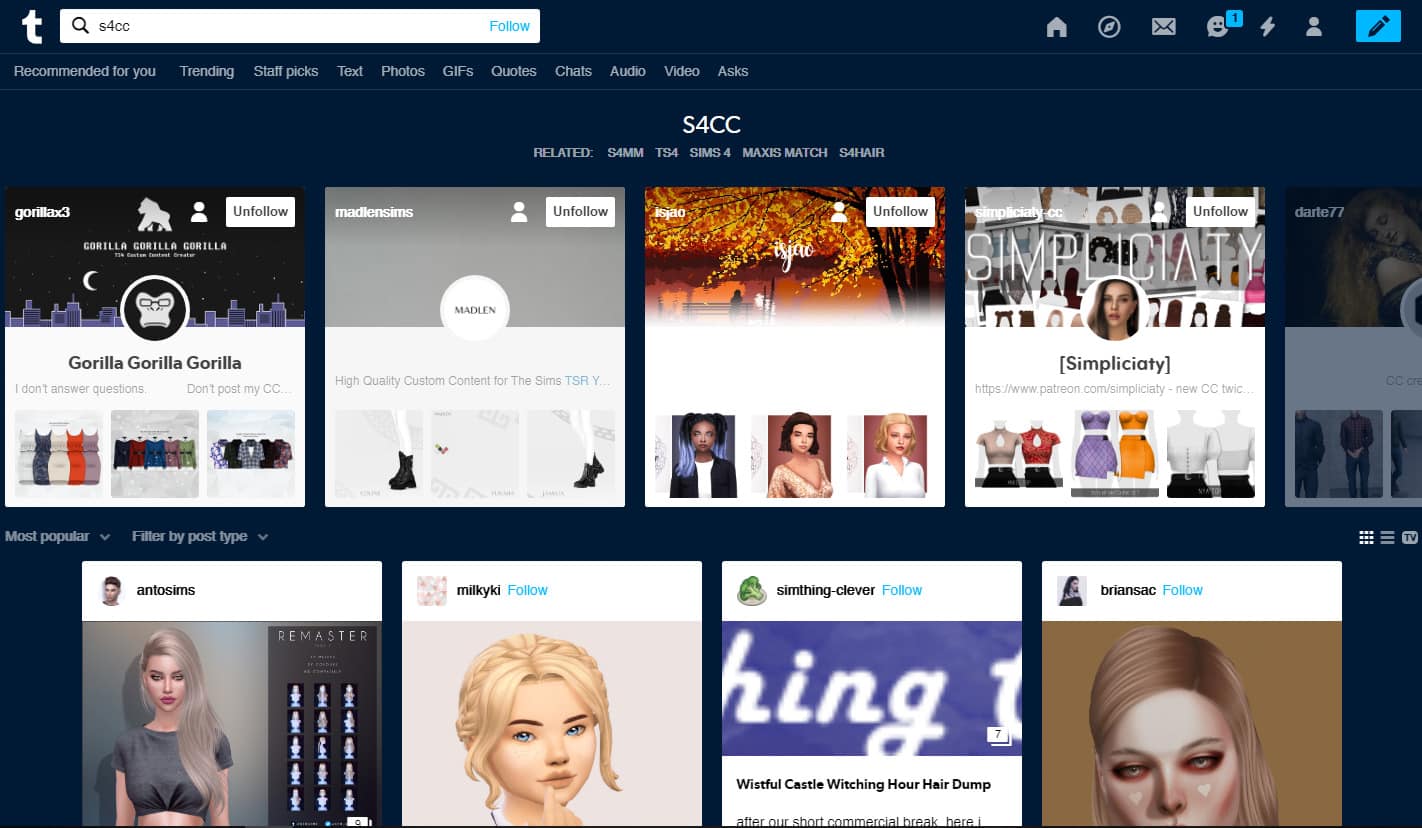
Today I will be talking about custom content for The Sims 4 and where to find it. I’ll also go over why Tumblr is useful for cc shopping too.
One of the most frequently asked questions in the Sims community amongst simmers is “Where do you get your cc from?” or “Where can I find… (WCIF)”
Almost half of the replies can either be answered by saying, “On Google images, Tumblr and The Sims Resource.” Up until recently, one of the most popular and reliable sites to use for finding custom content was LanaCCFinds, there are numerous different categories for whatever your cc needs, however, due to too many tumblr complications, the blog has been retired.
So, unfortunately they no longer update their website which has caused many simmers to feel lost and unsure about to where they can get cc from.
The good news is there are still a lot of great tumblr blogs and non-tumblr sites where trusted creators upload their custom content.
Here is a list of a few CC Finds Sites that I know of:
(of course, there are many more out there)
LanaCCFinds (hasn’t been updated in a few months but does have a nice archive of older content)
Simsdom (There is a lot of controversy around this site, but you can find amazing and respected creators who upload their own content here, particularly alpha cc – for all my fellow alpha hair and clothes lovers.)
If I missed your favorite cc finds blog, drop it in the comments.
Let’s talk about Tumblr
Tumblr can be used with or without having an account. If you don’t have a Tumblr account I would highly recommend getting one. It’s a great platform to discover new simmers and creators. You can follow all your favorite creators and see what’s new and nearly all of these CC finds sites are on Tumblr, so you’ll always be updated with the latest content.
If you don’t have time to download immediately, you can like or reblog posts to come back to. It’s really simple and easy to use and honestly one of the best platforms for discovering all kinds of cc, be it alpha, maxis match, build/buy. Anything!
The best tags to use for searching new custom content on tumblr are:
#ts4cc #ts4ccmm #s4cc #s4mmcc #sims 4 cc #s4ccmm
And anything similar (yes you can put spaces in-between hashtags on tumblr and it still works)
That covers the basics. If you have any questions regarding using tumblr or would like to know more, don’t forget to leave a comment below and let me know! You can find me on tumblr here –Simanoid.
The Sims FreePlay has just released a brand new update – the Lakeside Christmas Update! You can get it right now for iOS and Android devices.
In their official blog post they’ve explained more about what the update contains as well as the event dates for the upcoming period. Check it out!
Celebrate the holiday season in the latest update of The Sims FreePlay!
Do your Sims look forward to seeing their family over the holiday season? Or perhaps they grit their teeth at the thought of spending time with that one relative who always makes things a little crazy!
‘Hearth of Stone’ Christmas Quest
Engage in a brand new journey complete with family drama, unruly elves and the one and only, Santa Claus!
Your Sim has a nagging worry about a Christmas crisis, so they are checking everything twice to ensure that all is in order. Things seem to be going according to plan, until they discover Santa Claus avoiding his Christmas duties! It’s up to your Sim to investigate and avoid a Christmas catastrophe!
Complete seasonal tasks in the time limit to save Christmas and earn the Christmas Lake House grand prize – a multi-storey, fully furnished snow covered lake house, a frozen lake to skate on, all new external chimneys and bay windows, and more!
Free Daily Presents
For Simmers who prefer to unwrap presents at Christmas, log in every day from 6th December for 6 days, to receive a free in-game Christmas gift! Sadly, if missed, the gifts for a specific day are unable to redeemed.
Not only is The Sims FreePlay celebrating Christmas, but we are also turning 8 this update too! Log in at any point in the update and unwrap a free Fortune Mystery Box which will be on your Sim’s front lawn. Be sure to claim before the update is over!
Sophisticated Socialite Rerun Event
Don’t miss the Sophisticated Socialite re-run event to earn rewards that help your Sims design the perfect cocktail party – such as a central fireplace, cocktail bar, luxurious décor and adult outfits!
Moschino Capsule Collection – new pack!
Show your love for fashion by dressing your Sims in the latest iconic clothing styles from the Moschino Capsule Collection! With creative director Jeremy Scott at the helm, this Italian fashion house is famous for its tongue-in-cheek designs and unapologetic pop-culture aesthetic. All items across both male and female clothing are built from real life couture from the official Moschino ‘Capsule Collection’.
Get your hands on more individual bold designer fashion items in-game with luminous colors and sophisticated designs to raise your Sims’ style status!
Here are the playable event dates for this update (all dates in AEST):
Sims Freeplay 8th Birthday Gift: Friday 3rd December – 27th January
Daily Christmas Gift: Friday 6th – 11th December
NEW Hearth of Stone Christmas Quest: 13-day event starting Thursday 12th December
Downtown Developer Feature: always accessible from Downtown once area is unlocked
‘Mean Curls’ Long Hair Hobby Rerun: 9-day event running from Thursday 26th December – 3rd January 2020.
NEW Maternity Pack 9 – Start a Pregnancy Event between Wednesday 25th December – Tuesday 31st December, and successfully complete it by Wednesday 8th of January to win!
Today is Cyber Monday – aka your last chance to save big on The Sims Games!
There are multiple sales for multiple Sims games…on multiple platforms. Luckily we’ve already published a megapost on Black Friday Deals that apply to Cyber Monday as well!
The Sims 4 Deals
There are plenty of Cyber Monday deals for The Sims 4 on various platforms including Origin, Xbox & Playstation Store, Amazon and more! We’ve made things easier for you with a Megapost on all the deals available for The Sims 4 Games. CLICK HERE to check them out!
The Sims 3 Deals
There’s a huge sale happening on Steam where you can save 75% off on ALL The Sims 3 Games! We’ve also included a handy tutorial on how to transfer your Sims 3 collection onto Origin. More about the deals and how to transfer your games on THIS POST!
The deals are expected to last until December 3rd, 2019. Make sure you take advantage of these offers before it’s too late!
I am so happy and excited to be a part of the Sims Community team and quite honestly I am overwhelmed too. I have various different topics and ideas that I would love to write about and share with you guys, however, I would like to know what you would like to see.
Like many, I am really into my custom content, so if you would like me to showcase some of my personal favorite creators, I’d be happy to do that – maxis match or alpha! I will keep you updated on new cc from your favorite creators and let you know what to expect.
Patreon Discussion
We all know there are many creators using Patreon which results in cc being released only publically after 21 days.
This can be frustrating if you cannot afford to become a Patron for all your favorite creators, this is something I personally cannot afford as well. Then, most of the time we forget about the content we are waiting for and it just becomes really difficult to keep up with.
I want to help you guys who may have the same struggle. So reply in the comments. Let me know your favorite creators and Patreon creators so I can give you monthly updates and help you make sure you never miss out.
Also, don’t forget to tell me about what you would like to see from me; whether it is about cc, mods, technical issues, bugs, glitches, issues, photo editing, simblrs, simstagrams, anything! Suggestions always welcome!
If you want to talk about your ideas and suggestions privately, my social media handles are open!
Send me a DM on Instagram or anonymous ask on Tumblr. Whichever way suits you.
Hello Simmers! My name is Grace or The Graceful Simmer, and I am beyond thrilled to announce that I am now apart of The Sim Community as a Community Reporter! I am twenty-one years old, currently (and recently) living in California but I am originally from Wisconsin! For as long as I can remember, I have been playing The Sims day-in and day-out, so it is a total honor to be able to create content for one of my favorite communities. When I’m not playing the Sims, you can catch me geeking out over anything related to Star Wars, Marvel, and The Hunger Games. I’m also very much into fashion, story-telling, graphic design, and writing!
If you so desire, you can also catch me on YouTube, where I have started to upload more Sims content recently.
Typically, my gameplay in The Sims focuses heavily on storytelling, challenges, and building. The Sims allows me, someone who learns and loves all things visual, to expand – not only my creativity, but also my confidence in who I am as a person. This game truly is all about experiences and opening your mind to new and exciting things. I mean, come on, you’re literally in control of everything. How neat is that?
Anyways, with all that out of the way, let’s get into the real reason why you’re all here: Custom Content.
With Thanksgiving and Black Friday over, that leaves us with the second best day to find deals – this time from the comfort of your own home: Cyber Monday. And what better way to celebrate that day, by going onto your favorite CC sites and downloading some fresh, new things for the winter holidays?
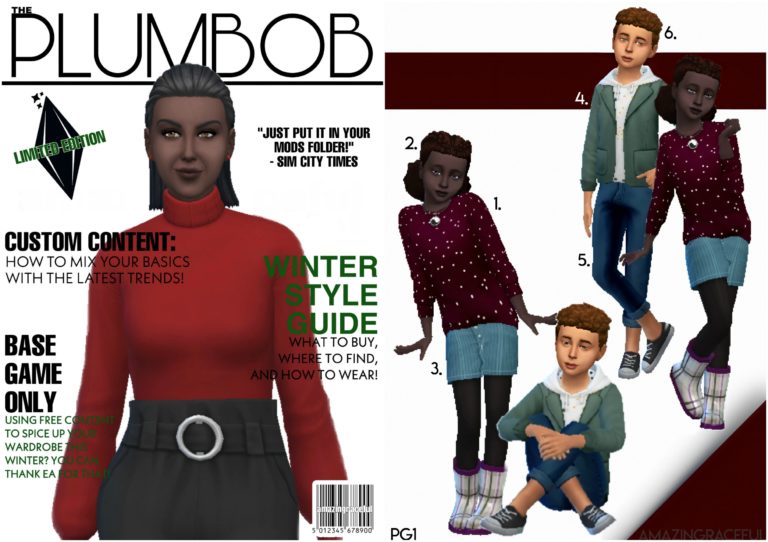
Not to worry, if you’re like me and get easily distracted by countless of other CC items (I’m looking at you build mode) as you search through pages upon pages, I have already compiled a list of my favorite items for you and made a fun catalog for you all to go through. That way it really feels like you’re shopping for some gifts. (Bonus points if you print it out and circle things.)
In total there are 41 items. All items range from Toddler to Elder. I tried to be as versatile as possible in terms of seasons, since I know some of you would prefer to use certain articles of clothing “all-year-round”.
Please note, anything that isn’t listed with any of the other custom content, is completely Base Game or (the free) Holiday Pack additions.
If you have any questions, please let me know in the comments and I would be happy to assist you with anything. Also, if you enjoyed a catalogue CC hunt like this, let me know as well! I loved doing it and would be happy to do it again in the future.
Happy Simming everyone!
The links for each item numbered down below can be found after right below the images!
I’m Heathermoon, yet another new addition to The Sims Community. Since my introduction with TS1, I’ve dreamt of working on the game’s creation. Today, I’m just a few months from finishing my studies in game design to pursue that dream! My personal Sim gameplay is spent in build mode. While I don’t claim to be an amazing builder, I still keep my fingers crossed that I’d get a Maxis Favorite every time I upload a new build. There are so many great Simmers out there that don’t get the spotlight they deserve, which is why I plan to focus a lot of my writing on Simmer Spotlights. Do you follow an amazing Simmer that you believe deserves the spotlight? Reach out and let me know in the comments below or on Twitter.
For my first Simmer Spotlight, I’d like to present my personal favorite Simmer, Kate Emerald. As of today, she has 50.3k YouTube subscribers and 133 Shares in the Community. She is known for her CC-free tutorials and speed builds.
I found Kate Emerald in a Simmer Facebook group we’re both in a little over a year ago. The big thing that stood out for me is her amazing tutorials where she takes building concepts that seem impossible to the Casual Builder and demystifies them.
Want circular “walls”? Check out the Round Base Game Mansion Speed Build!
…or do you want to learn how to build Infinity Pools?
She was a pioneer in foundation-based L-Shaped stairs before L-Shaped stairs were a patch addition. A lot of her builds have seemingly-impossible round and angled features and she utilizes items in a way I’d never think to (maybe I’m just not creative or resourceful!). She has made tuts on how to build curved paths, attic and roof windows, round pools, multi-level connected rooms, waterfalls and so much more – all functional! As well as tutorials, she has Speed Builds covering residential, base game, pack specific and community lots.
About Kate Emerald
She has been playing The Sims since TS1 and has dutifully played every iteration since. An average mansion build takes her about 6-8 hours to complete- excluding breaks. Looking at her builds, you’d think she is using a reference or sketching a draft first but she says she usually starts with a small thing, like an idea for an entrance, and “then I just add more and more stuff and see how it goes!”. The result- beautiful and intricate mansions! This can be seen in the Round Base Game Mansion – Speed Build video (linked above) where she states that what initiated the build was her wanting to try making the round rooms she and another builder were discussing. 6-8 hours later and we have a huge, modern mansion.
She says her biggest inspiration is SimKim. “I look up to her a lot, she is a lovely person. She gave me a shout out early on and helped me a lot.” She goes on to talk about the Simming Community, “There are so many amazing creators in this community and everyone brings something new to the table. The community as a whole is a huge inspiration for me!”. This point is made stronger by her thankful shoutouts to fellow Builders she collaborates with and has learned from in each of her videos, diligently citing their pages in the descriptions. This past September she even held her very first Shell Challenge!
This sense of community and lifting each other up is exactly why I think Simmer Spotlights are important. In this vast network, Simmers build on each other to create mind-blowing Builds, Sims, CC, Mods, Challenges, and Let’s Plays.
You can find Kate Emerald on the following outlets: