Home Blog Page 239

The Sims 4: Giving Elevators a Purpose

Hey Simmers, Honnahoops here. I’m one of the newest Community Reporters to join The Sims Community team!

Firstly, a little introduction. I’m Hannah, a 24 year old simmer who’s been playing The Sims since the age of 11. I’ve just graduated from Northumbria University and I’m now trying to navigate through adult life (any tips welcome).

I’ve also recently set myself the challenge of rebuilding my entire save! You can keep up with my progress on my tumblr and find my builds on the gallery.

I’m really looking forward to getting to know you all in the comments. Please leave me your ‘mods you can’t live without’ and maybe I’ll find a few I haven’t tested.

Functional Elevators

The Sims 4: Giving Elevators a Purpose

Now that The Sims 4 Discover University has given us the ability to add roommates to our households (hooray), the Functional Elevator Doors & Portal Mod gives us the creativity to build our own apartment buildings!

Modder TheSimmer40 has given elevator doors a purpose and ability to be placed on any lot. With this mod, you’ll be able to have up to three elevator shafts on a lot to travel between your many stories.

By combining the functionality of the portals from Realm of Magic with the City Living elevator doors, stairs will not be required and elevator doors can be ‘locked’ on certain floors for specific Sims.

The elevators themselves don’t have any special interactions and Sims will fade when entering and exiting the elevator. However I do still feel it gives the realism that the City Living elevators were lacking.

Need help installing mods? Fellow Sims Community Writer, SnarkyWitch has created a handy guide for installing custom content and mods.

NOTE: Realm of Magic is required for this mod to work.

Steam Black Friday Sale: Save 75% on ALL The Sims 3 Games!

12

If you’ve been looking to get into The Sims 3 or just update your collection, there’s no better time than the Black Friday Sale that’s happening right now over on Steam!

The entire collection of The Sims 3 Games is now 75% off! That’s right, this means that you can get these following games for very low prices such as:

  • The Sims 3 Base Game ($10)
  • The Sims 3 Expansion Packs ($10)
  • The Sims 3 Stuff Packs ($5)
  • The Sims 3 + Select Expansion Pack Bundles ($15)

If you never had a Steam account before and prefer having your collection over on Origin – don’t worry. You can simply create a new Steam account, make a purchase of The Sims 3 Games that you want and have them transferred over by doing the following:

  1. Make sure you haven’t installed The Sims 3 using the Steam client program. If you did, uninstall all The Sims 3 content that’s been installed through Steam.
  2. Go to thesims3.com and sign up / register using the same credentials that you’re using to log into Origin.
  3. Go to My Page > My Account > Register a Game and enter the serial codes that you’ve gotten from the Steam purchase(s).
  4. That’s it! Your Sims 3 game(s) will start appearing on your Origin account.

The Steam Black Friday Sale is live right now and will end on December 3rd, 2019.

Ready to jump back into the world of The Sims 3? Click here to check out all the Black Friday Deals for The Sims 3 on Steam!

Steam Black Friday Sale: Save 75% on ALL The Sims 3 Games!

The Sims 4 Discover University: 5 Builds you didn’t know you needed!

The Sims 4 Discover University: 5 Builds you didn’t know you needed!

Hey Simmers, JazzyRosee here! Firstly, let me introduce myself. My name is Jazzy and I am a long time Sims player, mainly focusing on building. I’ve just joined The Sims Community as a Community Reporter and I can’t wait to get even more involved with our wonderful community.

You can find me hanging out here: Twitter | Insta | Twitch | YouTube

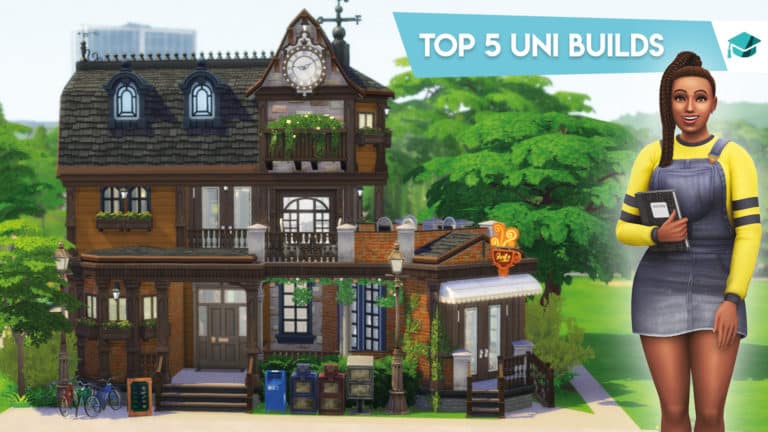
For my first article, I wanted to kick off my weekly series, focusing 5 cc free builds that have really caught my eye. So here we go, my first weekly roundup of my fave builds! This week we’re looking at some of my favourite Discover University builds, enjoy!

1. Fountain Of Knowledge

The Sims 4 Discover University: 5 Builds you didn’t know you needed!
Origin ID: Phirehero
Twitter: @phirehero
Price: $502,666
Lot Size: 50×40

So if you know me, you will know I have been a fan of Phirehero’s builds for ages. He is quite honestly an absolute sims building legend in my eyes, and he really shows off his imagination in this stunning library.

The first thing that strikes you when you download this build is the wonderfully unique exterior. As per any Phirehero build, his landscaping is spot on, but then you see the unique entrance and overall shape of this build and honestly it’s amazing to think this came out of one persons brain! My favourite part of the landscaping might just be the super cool fountain design he has built around the back of the library.

In terms of the facilities, this library has everything a student needs and more. Private study rooms, and even a cute little courtyard (also please can we just appreciate the attention to detail with the books under the tree and everything) to study in if your sim loves to be surrounded by nature. There’s even a yoga mat for students who need a little rest in between study sessions.

Download here

2. The Fox & Hounds Pub

The Sims 4 Discover University: 5 Builds you didn’t know you needed!
Origin ID: Ninnster
Twitter: @Ninnster00
Price: $183,621
Lot Size: 20×20

Ninnster has been one of my favourite Sims 4 builders for a long time, and what I really enjoy about her builds is her attention to detail. I mean look, she’s even built a little London style red phone box out the front, how cool is that?!

Ninnster says in the builds bio that “It offers affordable drinks, recreational activities such as ping pong and darts, and it has a private lounge that can be rented for club events”.

Now this pub may be small, but don’t let its size fool you. It’s full of charm, charisma and is oozing with personality. Downstairs you are greeted with a traditional style pub, inclusive of bar, wooden tables and stools and a dart board.

The second floor is a lot quirkier with ping pong tables, chess boards and cozy sofas; the ultimate hangout space. When you go up to the third floor, you think you know what’s coming next, but oh my was I wrong! Suddenly you feel like you’ve been transported to a different era. You feel as if you’re in an old, stylish Victorian living room, fit with floor length curtains, a cozy fireplace and a luxurious seating area.

Download here

3. Honeydew Field Capsules

The Sims 4 Discover University: 5 Builds you didn’t know you needed!
Origin ID: Nettue
Twitter: @sims_chaos
Price: $128,291
Lot Size: 20×15

When I first stumbled across this build on twitter, I instantly fell in love with the unique exterior and those beautiful round windows. I never would have thought to use the ROM round windows in such a modern build.

Inside the capsules the students are greeted with delightfully small bedrooms. But size isn’t everything! The rooms are bright, colourful and fully furnished with a bed, wardrobe, small computer desk and bookcase. Everything a student needs to get started. Even en-suite bathrooms!

If I was a student again (in my dreams), I would definitely choose these cool capsules. Definitely accommodation for the more hipster students out there!

Download here

4. The Raw Dorm – With Cafe

The Sims 4 Discover University: 5 Builds you didn’t know you needed!
Origin ID: Pheophe
Price: $451,691
Lot Size: 40×30

Now, this is a build I wish I had the stamina and creativity to complete! I was first taken with the exterior style of these dorms; I’m a real sucker for any build with an industrial style! The build also has really cool landscaping, fit with space for students to park their bikes (p.s. still can’t get over the fact we have bikes).

These dorms have some really stylish communal areas, I especially like the kitchen. Also, just you wait until you see the library, it’s so extra!! It’s so perfectly cluttered and they have really gone to town on the debug detail which I can really appreciate.

The dorm rooms themselves are really lovely and spacious, fit with everything a student will need. There’s a mix of double and single rooms. What really stands out in this build for me is the third floor basketball court, the attention to detail is wild and makes the perfect student hangout. Just you wait until you see it!

Download here

5. Britechester’s Bean Bar

The Sims 4 Discover University: 5 Builds you didn’t know you needed!
Origin ID: SimrisYT
Twitter: @Simris_YT
Price: $119,406
Lot Size: 20×15

Now anyone who knows me knows I am OBSESSED with coffee, so as soon as I saw the words ‘bean bar’ I was instantly hooked!

So the first thing I loved about this cafe was the size, I am a sucker for a mini build. I think 20×15 is perfect to achieve a really cozy, personal feel for a cafe. I can just imagine myself pitching up here for the day with a cosy cardigan and a giant mug of coffee.

One thing that really stands out in this cafe for me is the study space. Not only does it have study desks with pcs, but it also has a debate room.

Finally, just when you think you’ve seen it all, you discover the basement with the absolute coziest hang out space. It’s quite honestly adorable.

Download here

The Sims 4: 10 Things Build / Buy Mode Needs!

The Sims 4: 10 Things Build / Buy Mode Needs!

Sul, Sul Simmers, ourdazedsims here, but you can call me Jack!

I’m super excited to announce I’m one of 10 new members of the Sims Community family and I’ll be producing content and articles on the regular.

Firstly I’d like to start by introducing myself, so here goes… Hey, I’m Jack I’m a 24 year old Simmer and have been for the last 18 years, I’m currently studying for a Psychology and Counselling degree with hopes of being a therapist, along with that I also love to read, and I’m heavily obsessed with all things Harry Potter. I love all aspects of The Sims but these days you’ll probably find me in CAS or recreating builds from movies and TV shows such as The Burrow, Hagrid’s Hut and Lorelai Gilmore’s House, or obsessing over Pleasantview.

And that’s me, I’m incredibly grateful to be here, and I look forward to hearing from you in the comments!

Catch me hanging out here: Twitter ♢ Tumblr ♢ CC Finds

10 THINGS BUILD/BUY MODE NEEDS!

Like… Yesterday.

1. BEING ABLE TO PLACE WINDOWS AND DOORS ANYWHERE

Anywhere? Yes anywhere, as I’m sure you all know we can place windows on walls with the alt key, but only on the y axis. I would love to be able to place them anywhere on the wall, along with doors, it’s so frustrating when you’re building a house and you’re going to place a door, you’ve found the perfect one for your build but wait… it just… doesn’t fit, it’s too narrow or too wide. Let me choose where I put my windows or doors, you can alt place pretty much everything else, so why not this?

2. HALF WALLS

No, not that kind of half wall, I’m talking half width. Hear me out the current walls in game are kinda wide, imagine being able to half it, this would allow for so much more detail and realism to be added to builds, if like me you like to build using real life blueprints you know the struggle of trying to emulate it perfectly it’s near impossible, because in reality not all walls are one size. I’d like more realism.

3. PLACING FENCES AND WALLS ON THE EDGE OF THE LOT

So maybe this isn’t a huge deal, but you lose so much space on your lot by having to build fences and walls one square back, I know at times when I’ve finished building my house and I’m going to add a fenced in backyard and I have plans for this backyard, a pool, a swing set, hey maybe even a sandpit and you start doing your thing, and soon come to realise there’s not enough space, after that realisation you also realise if you’d have been able to build to the edge of the lot there would have been, UGH!

4. CONNECTING ROOMS AT DIFFERENT FOUNDATION HEIGHTS

This is something I’d love to be able to do, I’ll touch on why I want real garages in my next point but if ever I’m building a garage for my Sims I’d love to be able to just stick it on the side of the house without any issues, right now you either have to have the garage as a completely separate building or if you do have it connected to the foundation it’s raised up and looks very unrealistic, I feel like the Sims team have come leaps and bounds with their build mode updates recently, I mean configurable stairs? An absolute dream come true, should this be next on their list?

5. GARAGE DOORS

I know, I know, everyone wants cars, but me? I’m happy with the decor ones we got with the bb.showliveeditobjects cheat. However, what I would like is garage doors, why? Again for me it’s realism, it just seems so odd to me that they aren’t a part of the game, so many people have garages and sure we can make fake ones with the door we got from City Living or by using a sliding wallpaper and adding some small windows, I for one feel as though I should be able to make real ones, especially since they were included in previous instalments.

6. CHANGING COLOUR AND INTENSITY OF LIGHTS IN BUILD MODE

So as you might know, different lights in the game shine different colours or emit more light than others, and when I’m building I’ll generally use The Subtle Saucer Light, it’s great, it lights up the whole room with a bright and natural light that looks great. Placing lamps is a different story, while yes they look great and fill up surface space they often give off this horrible yellow light, it looks terrible. Now to change the colour and intensity of the light I’ll have to leave my build, go back to the neighbourhood, place a family on that lot, load it back up, go into live mode to be able to access this feature… Why is it so tedious? Please just let me do it from build/buy.

7. FLOORS AND TERRAIN PAINT TO MATCH THE WORLDS

Why is this not a thing? I’m going to use Windenburg as an example, the old quarter, y’know where the Behr sisters live? It’s entirely covered in cobble stone, every last inch of it, and the lots are built right up to it, but there’s no matching floor or terrain paint in build mode… Because of this it doesn’t blend seamlessly and looks odd, it’s annoying. This is not the only world this is an issue in, please give us things that match the surrounding worlds.

8. SEPARATED BEDS

If there’s one point I hope the Sims Gods see in this post this is it. Please can we have the option to change the bed frame and the comforter separately? I like my furniture to match and so often I’ll be furnishing my bedrooms and be looking for a bed and hey there’s one I like, but wait the wood colour doesn’t match the rest of the room, what do I do? Stick with the mismatched swatch or change the entire room to a wood swatch I’m unhappy with just so it matches? No thank you. This seems to have been such an oversight during development, especially since The Sims 2 did it in 2004, why am I still waiting for it to be included in The Sims 4 over 5 years after release?

9. FULL COUCH SETS

Need I even explain? The Hipster Hugger is still to this day my favourite couch in game, it’s base game, and it only comes in three swatches, and has no counterparts, where is the two seater version? Where is the matching chair? EA please give us full sets in the future, I’m talking couch, love seat, chair. PLEASE.

10. MORE CLUTTER

Give me all the clutter, bedroom, bathroom, kitchen, living room clutter, cups and books, everything. Would I buy a stuff pack filled entirely with clutter? You bet your little pixelated booty I would.

Before I head out I’d just like to say a huge thank you to Jovan for this opportunity, I’m incredibly grateful and so happy to be a part of the team!

The Sims Official Merch Store is updated with Discover University Designs!

2

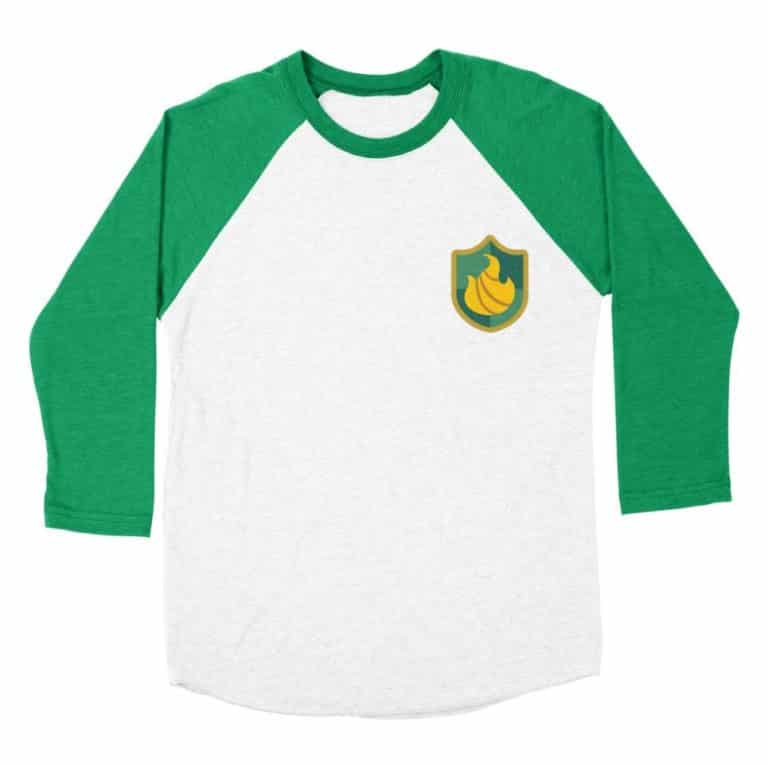
Looking to get some merch in the colors of Foxbury or Britechester from The Sims 4 Discover University? Well, now you can!

The Sims’ Official Threadless Merch Store has been updated with 4 new designs with the official icons and mascots from the schools of Foxbury and Britechester. Now you can have T-Shirts, Longsleeve Shirts, Rugs, Stickers and more that represent one of these two schools!

The designs are up on The Sims’ Merch Store right now. You can also take advantage of the special Holiday Offer where you can get free international shipping on orders higher than $45 (in the US) or $80 (International). Simply use the code HOLIDAYSHIP19a03687 at checkout! The offer’s valid until December 9th at 9PM CST.

The Sims Mobile Neighborhood Update Video Overview

0

We take a deep look into The Sims Mobile’s latest huge improvement – the Neighborhoods Update, as well as some other improvements made over the last couple of months.

The Sims 4 Community Voted Stuff Pack: Round One Results

With the first round of voting for the next Community Stuff Pack coming to a close earlier this week, SimGuruFrost has just revealed the results of the first round.

If you are not sure what the Community Stuff Pack is all about, you can find out more here.

Via TheSims.com

Hey Simmers!

You cast your initial Stuff Pack votes and they’ve been tallied! IT’S HAPPENING! After an exciting week of voting on the overall theme and gameplay for the upcoming Community Stuff Pack we’re pleased to announce the 1st round results. Every election is determined by the people who show up and let us tell you – a tremendous number of Simmers are showing up to participate! Thank you for your support! Stay tuned for upcoming information around 2nd round voting dates where you’ll be determining the art style of the pack.

AND NOW ONTO THE RESULTS!

Theme ranking:
1) Arts & Crafts
2) Happy Haunts
3) Self-Care
4) Science & Technology
5) Fun-Tech

Gameplay ranking for the winning theme:
1) Knitting
2) Sculpting
3) Glass Fabrication
4) Edible Art
5) Embroidering

The second round of voting will be happening in the near future but what do you think about the results of the round one vote? Is it what you expected?

Let us know what you think below in the comments!

How The Sims 4 Should Re-introduce Zodiac Signs and Why

How The Sims 4 Should Re-introduce Zodiac Signs and Why

I can assure you as someone who is deeply into astrology that there are not just twelve types of people out in the world. Sun signs (commonly known as zodiac signs) tell very little about people, in fact, there are more that affects one’s personality and characteristics which are found in everyone’s horoscope drawings or “natal charts”. A horoscope is an astrological chart or diagram representing the positions of the Sun, Moon, planets, astrological aspects, and sensitive angles at the time of an event, such as the moment of a person’s birth. That gives a lot more information about a certain personality or a certain situation. Since we made it clear, we can get to our topic.

Zodiac signs have always been a feature of the Sims franchise until the sims 4. In the first two incarnations of the game, they were determined by the personality points that were spent on a sim. Like, if your sim was more active and grouchier, it was more likely for them to be a Scorpio. If you evenly spent the points on each category, they would turn out as a Cancer. However, with the introduction of personality traits in sims 3, zodiac signs were separated from the personality system and it became more of a cosmetic feature. A sim’s personality traits would be chosen separately from their zodiac signs yet players did still have access to those with no actual gameplay mechanics related to them. The only thing you could do with zodiac signs in the game was “Ask Horoscope” interaction as you were getting to know a new sim and that was all.

Since the launch of the sims 4, players can only choose 3 personality traits for their sims, and let’s get real here, it is a huge let down after the sims 3 in which one could earn up to 7 personality traits for their sims with the university social groups and such. Lack of personality trait slots kinda makes everyone feel that our sims lack depth. Especially when the existing personality traits aren’t diverse enough, the situation gets incredibly frustrating. And even if they were, it is a huge problem for players not to have enough trait slots to equip them. This is how I believe the majority of the player base got keen on using mods like Slice of Life, Meaningful Stories, and WickedWhims, that offer more depth and gameplay than the actual game does. But EA can fix it…

Our salvation lies beyond the stars!

Today, I am going to be offering an idea that could potentially please a lot of players. The return of horoscopes can fix this issue and I believe EA owes this to us loyal fans. But this time, horoscopes should be more than just cosmetic accessories. How?

How The Sims 4 Should Re-introduce Zodiac Signs and Why

Horoscopes and Traits

  • Horoscopes can/should add at least 1 more personality trait slot to each sim. This would get rid of one of the major complaints from the player base.
  • Each horoscope can/should introduce some new, unique, and non-skill-related traits that are exclusive to star signs. And each zodiac should receive at least 3 unique traits.
    • Because as I told you at the beginning of this article, everyone’s individual horoscopes/natal charts are unique. This means that people who have the same zodiac signs can be quite different than each other and it should be represented in-game as it also would offer the diversity we players have been craving for. It may sound like “too much work” but it isn’t when you consider those fanmade mods listed above. If people voluntarily work that hard and offer more gameplay opportunities for free, EA should have some pride and deliver what people demand and pay for!
    • If you paid attention, I specifically said “non-skill-related traits”. Why is that? Because telling people that some signs are better at some certain skills feels wrong. An Aries can be as good as a Pisces in poetry, or vice versa. The skills should be kept apart from zodiac signs to prevent social prejudice.

Horoscopes and Fears

Wants and Fears were one of the best gameplay features that the sims 2 had offered. It meant that every action you take in the game meant something and if you decided to neglect your sim’s needs and wishes, there could be some serious consequences like the loss of aspiration points and occasional breakdowns. It added a lot of depth to the gameplay and it also made players feel like their decisions were important. The Sims 3 and The Sims 4, well, especially The Sims 4, became too forgiving by removing the fears. But they could make a return with horoscopes. How?

How The Sims 4 Should Re-introduce Zodiac Signs and Why

Not to generalize or anything, but zodiac signs also have their own set of fears in their arsenal. For example, a typical Leo would fear losing the spotlight and not getting enough attention, a typical Aquarius would fear a monotone routine and ordinary living, a typical Capricorn would fear failures and lack of achievement in their lives, etc. Again, not a scientific fact or anything, but it is assumed that each person with the same zodiac signs shares some common fears and doubts. With horoscopes, EA could also re-introduce a “fears” system which could work in parallel with Aspirations/Lifetime Goals and would offer some meaningful consequences for sims’ actions and the players’ decisions.

Horoscopes and Attraction

Horoscopes could also introduce a totally RNG* based temporary attraction mechanic. There is a preconceived opinion that some zodiacs get along better with each and some don’t. I personally would prefer if it wasn’t the case in the game. Because like in real life, sims shouldn’t choose their friends or romantic interests by their zodiac signs. I believe it would be much better if sims received a random, RNG-based “Stars Align” buff/mood which means that there is an attraction/chemistry between two sims, and “Star-Crossed” debuff/mood which means the exact opposite. Since this is random and temporary, it could provide a lot of fun gameplay moments and it would add more depth to the sims themselves.

These are just some ideas that came to my mind when I brainstormed on some major player complaints and how our beloved zodiac signs could make a difference with their return. I doubt if they will ever appear in sims 4 but I want to have faith in the sims 5. Maybe, just maybe… who knows?

*RNG is a game term that is an acronym for “random number generator”. Random number generators (or, more correctly, pseudorandom number generators) are algorithms used in computing when an outcome needs to be as random as possible.


PS: I recently joined the sims community team as a weekly contributor, make sure to check out my profile and follow me on social media! I will try my best to create this kind of fun articles in varied contexts. I hope this was a fun read and I hope you like the ideas here! If you do, please support me and all of the players who have been missing such features in the sims 4 so bad!

Origin Black Friday Sale: Save up to 75% off on select The Sims 4 Games

44

Origin has finally published their Black Friday Sale Deals!

To celebrate the holidays EA has slashed the prices for select The Sims 4 Games including the Base Game, Expansion Packs and Game Packs. The only title that’s excluded in the sale is Discover University considering that it just recently came out.

Down below are the following offers:

  • The Sims 4 Base Game (75% off)
  • The Sims 4 Expansion Packs (Excluding Discover University – 50% off)
  • The Sims 4 Game Packs (25% off)

The offer is available right now for PC / Mac players worldwide and will last until December 3rd at 10AM PST. Make sure you take advantage of the offers before it’s too late!

For ALL The Sims 4 Black Friday Offers (including the Console ones) check out our Black Friday Deals Megapost!

Origin Black Friday Sale: Save up to 75% off on select The Sims 4 Games

Black Friday Deals Megapost: Save big on The Sims 4 Games!

Black Friday is approaching and certain retail and online stores have already published certain deails on The Sims 4 and its packs and bundles!

Down below we’ve listed certain online stores where you can get The Sims 4 and its games for a discount price. We’ll keep this post updated with new deals as they become available!

Please note that the prices and discounts may vary depending on your local currency.

Origin

  • The Sims 4 Base Game (75% off)
  • The Sims 4 Expansion Packs (Excluding Discover University – 50% off)
  • The Sims 4 Game Packs (25% off)

Click here for a full list of available deals!

Playstation Store

  • The Sims 4 Base Game (75% off)
  • The Sims 4 Expansion Packs (Discover University excluded – 50% off)
  • The Sims 4 Game Packs (Realm of Magic excluded – 25% off)
  • The Sims 4 Bundle: Cats & Dogs, Parenthood, Toddler Stuff (50% off)

Click here for a full list of available deals!

Xbox One Live Microsoft Sale

The prices for Xbox One Sims 4 games have been slashed just for a little bit. However there are better deals that we’ve listed down below for those with the Xbox Live membership:

  • The Sims 4 Base Game (75% off)
  • The Sims 4 Expansion Packs (25% off)
  • The Sims 4 Game Packs (20% off)
  • The Sims 4 Bundles (50% off)

Click here for a full list of available deals!

Amazon.com (US)

PC

Amazon US has already published certain deals for The Sims 4 including the Base Game, Expansion Packs and Game Packs. You can already get The Sims 4 PC Game Code for only $5 and set Expansion Packs for 50% off. Certain Game Packs have been slashed down to 25% off.

Console

The Sims 4 Base Game for Consoles is down for 50% along with some of the Base Game + Expansion Pack Bundles. For example, you can get The Sims 4 + Island Living Console Bundle for only $25! Some Expansion Packs have been cut down to 25% off, some 50% off and some slightly more than that!

Click here for a full list of available deals! Also, don’t be afraid to use the search option on the website as not all Sims games and deals have been listed in this category.

Target

Target has also put up some awesome deals! The Base Game for all platforms has been cut for 50% including some Expansion Packs and Bundles.

Click here for a full list of available deals!

GAME.co.uk

GAME UK has a few deals available that you can check out HERE!

The Sims Mobile: The Neighborhood Update is Out Now!

1

The Sims Mobile Team has just released their long-anticipated Neighborhood Update for The Sims Mobile. The update is available right now on iOS and Android devices!

The team also provided an official blog post regarding the update, as well as some details on the upcoming Holiday Events and content.

Sul, sul!

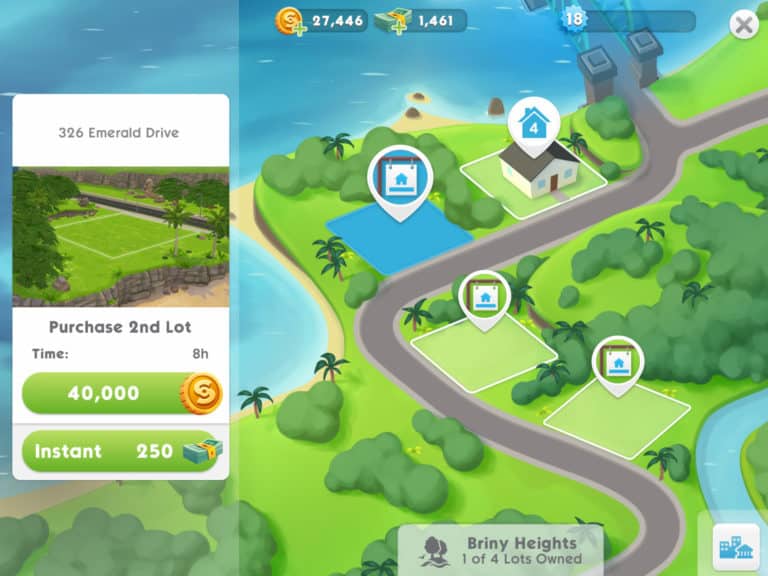
Welcome to Briney Heights, the new neighborhood in The Sims Mobile! We can’t wait for you to take a tour to pick the perfect location to build your Sims’ next dream home – will you choose to build on a lot that over-looks the ocean, a luscious garden landscape or lakeside?

The Sims Mobile: The Neighborhood Update is Out Now!

Neighborhood Feature

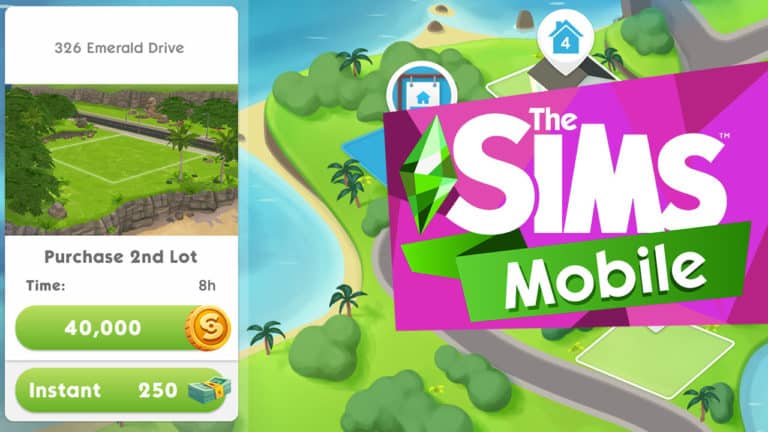
Immerse your Sims in their newfound space by unlocking up to three new unique house lots once your player level reaches 18, or unlocked ay anytime using SimCash. Along with the rest of the town, Briny Heights can be visited directly from the navigation menu, and contains your current house lot, as well as three additional new lots. Each of them has a unique landscape environment so you can plan your next building adventure and tell special stories with your Sims.

  • The ability to purchase more lots for Simoleons unlocks at Level 18. New lots can be purchased in any order. The pricing is as follows:
    • Second lot: 40,000 Simoleons – 8 Hour purchase timer
    • Third lot: 100,000 Simoleons – 2 Day purchase timer
    • Fourth lot: 250,000 Simoleons – 7 Day purchase timer
  • Lots can also be purchased prior to Level 18 by using SimCash, priced as follows:
    • Second lot: 250 SimCash – Instant purchase timer
    • Third lot: 500 SimCash – Instant purchase timer
    • Fourth lot: 750 SimCash – Instant purchase timer
  • Once you own a new lot, you can use the neighborhood map to assign Sims to it. This makes it their home! You can freely re-assign any Sims between your lots anytime.
  • The limit of 4 playable Sims remains the same – but they can be divided between your lots however you want
  • The number of non-playable Sims (e.g. Elders, Babies, Children, Spouses) per house lot is limited to 8 – meaning the total possible number of non-playable household Sims in the neighborhood is 32
  • Every lot will have its own version of the Family Portrait – which can now also be accessed via the neighborhood map, as well as by the Family Portrait painting
  • The Family Portrait painting can now be placed in your storage, and each lot can have its own Family Portrait placed in it (you can find it in the Wall Decorations section of the shop)
  • Object storage is shared – you can freely move items between lots!
  • Objects that increase energy gained, or provide boosts for events, will apply to all home lots, even if they are placed in a different lot to the one the event or action is being performed in
  • The individual item placement limit for build mode objects has been removed, and the Simoleon price scaling has been reduced. Note that this change does not affect the overall maximum item limit for the whole lot – only the individual per item limit
  • The room count limit has been removed, and the pricing of rooms has been reduced
  • The pricing and time duration of land expansions have been reduced
    • Additionally, there are fewer land expansions on new lots compared to the original lot
  • Any parties hosted will take place in the original lot

For more information on the Neighborhood feature, check out our additional in-depth FAQ page!

Sweet Holiday Quest

Sim Town is covered in a flurry of snow for the most heart-warming holiday of them all! Get into the spirit with our brand new Sweet Holiday quest, which includes fun Christmas-themed rewards like a Gingerbread House grand prize that can be placed in your Sims’ home!

The Sims Mobile: The Neighborhood Update is Out Now!

Cozy Home & Holiday Sweet Treat Showdown Events

Patty Cakes, the celebrity pastry chef, is back in SimTown to turn up the heat and challenge you to two delicious “bake-off’ style events this update, to prove who is the master baker!

You’ll be put to the test by creating culinary delights in snow-covered, candy-cane-filled, whimsical bakery venue in Parkside throughout the month! These events are shorter than usual, lasting around 11 days and will allow players to earn an amazing amount of rewards that will help decorate your Sims’ homes for the perfect Christmas!

Prizes for the Cozy Home Sweet Treat Showdown include a chimney, fireplace, dining table and chairs, luscious rugs, modern shelving, various lamps, and more!

Prizes for the Holiday Sweet Treat Showdown include a giant, sparkling Christmas tree, luscious chase lounges, snuggle up Love Seat, glass coffee tables, a huge range of seasonal ornamental decorations, and much more!

We’ve also made a number of game improvements, based on your feedback. Here are some notes from our developers:

  • Laundry washing machines are now placeable underneath shelving!
  • Sweet Treat Showdown Grand Prize previously were not granted if you opened boxes only during the grace period of the event – this should no longer occur.
  • The Holiday Heart fireplace now has a fire animation again!
  • In Izzy’s Fashion Shop the ‘Artistic’ and ‘Sly’ traits will now display the correct trait image!
  • The modelling career event length was displayed on the card differently from the actual event length – this should now be fixed.
  • The ‘Spirited Friendship’ story will give a necklace reward for female Sims again. You may have to complete the story with a new Sim to get the female necklace.
  • More headwear has been made available in CAS after finishing the tutorial, including a new traditional Hijab and Kufi

Thanks from The Sims Mobile team – we hope you enjoy our holiday update!

The Sims 4: New Update + Patch Notes! (November 25th, 2019)

ts4logonew

The Sims Team has released a brand new Update for The Sims 4 on PC and Mac!

To download the latest version of The Sims 4, simply open your Origin program and if the game doesn’t update automatically, right click on The Sims 4 and select ”Update”.

In case you have Mods or Custom Content, the game will automatically disable them for you after first launching The Sims 4 after the update. To re-enable all your Mods and Custom Content, select the Settings option in the Menu and select Settings. Under the”Other” section you’ll find the ”Enable Custom Content and Mods” option. Check it and restart your game in order for it to take effect!

Patch Notes

Update 11/25/2019
PC: 1.58.69.1010 / Mac: 1.58.69.1210
Legacy Edition PC: 1.58.69.1510 / Legacy Edition Mac: 1.58.69.1610

Hey Simmers! We have a small but important update to address some critical issues.

Thank you for your reports and assistance in tracking down, and drawing awareness to the above issues. We greatly appreciate you.

-SimGuruGnome

FIXES & UPDATES

Legacy Edition

An issue was introduced that prevented several languages from being able to properly run the legacy edition. This occurred due to the game client not reading its initialization file in the correct place, which is required in order to launch in the players chosen language. And as a result, the game would crash upon launch if English was not installed. We have fixed this issue. Please also be aware that any player that followed our instructions to perform a manual work around will not need to make any further changes after this patch.

Standard Edition – Base Game

An issue introduced with the last patch caused a Toddler’s needs to decay twice as fast. And as much fun as toddler motive juggling may be, it made it impossible to care for more than one toddler at a time, and could easily result in the toddler being removed from the household. We have addressed this issue, and returned toddlers to their normal needy selves.

We have addressed some crashes that were impacting mod users.

Discover University

Users, whose save files became corrupted after running into “error code 102:6ee24dd4” or “error code 109:1bfa931d”, should find the issue no longer occurring. This is a retroactive fix, and saves that were corrupted should once again be available to load.

The Sims 4: Xbox Live Gold Deals on Select Packs and Bundles

Xbox is currently having a sale for its Xbox Live Gold members. Save up to 75% on The Sims 4 base game, 25% on expansions, 20% on game packs, and 50% on bundles.

Please note that Realm of Magic and Discover University are not on sale. Also note that this sale is only available through the Xbox Live Gold program.

The Sims 4: Xbox Live Gold Deals on Select Packs and Bundles

Titles currently on sale:

  • The Sims 4 – $9.99 USD (75% off)
  • The Sims 4 Deluxe Party Edition – $12.49 USD (75% off)
  • The Sims 4 Get To Work – $29.99 USD (25% off)
  • The Sims 4 Get Together – $29.99 USD (25% off)
  • The Sims 4 City Living – $29.99 USD (25% off)
  • The Sims 4 Cats & Dogs – $29.99 USD (25% off)
  • The Sims 4 Seasons – $29.99 USD (25% off)
  • The Sims 4 Get Famous – $29.99 USD (25% off)
  • The Sims 4 Island Living – $29.99 USD (25% off)
  • The Sims 4 Outdoor Retreat – $15.99 USD (20% off)
  • The Sims 4 Spa Day – $15.99 USD (20% off)
  • The Sims 4 Dine Out – $15.99 USD (20% off)
  • The Sims 4 Vampires – $15.99 USD (20% off)
  • The Sims 4 Parenthood – $15.99 USD (20% off)
  • The Sims 4 Jungle Adventure – $15.99 USD (20% off)
  • The Sims 4 StrangerVille – $15.99 USD (20% off)
  • The Sims 4 Bundle: City Living, Vampires, and Vintage Glamour Stuff – $24.99 USD (50% off)
  • The Sims 4 Bundle: Seasons, Jungle Adventure, and Spooky Stuff – $24.99 USD (50% off)
  • The Sims 4 Bundle: Cats & Dogs, Parenthood, and Toddler Stuff – $24.99 USD (50% off)
  • The Sims 4 Bundle: Get To Work, Dine Out, and Cool Kitchen Stuff – $24.99 USD (50% off)

The Sims Mobile is getting a Neighborhood Update!

34

The Sims Mobile Team has officially revealed their upcoming update for The Sims Mobile titled the Neighborhood Update!

This update is set to release on November 26th, 2019 and will allow you to have 4 lots and 4 seperate families in total!

The team also shared with us some exclusive screenshots from the upcoming update. Check them out!

What is the upcoming update all about? Check out the team’s official Frequently Asked Questions summary down below:

Sul sul!

In our latest update, Neighborhood, we’re excited to introduce a new location to the Sim Town map – Briny Heights! To help make sure you can hit the ground running, our game team have put together this short FAQ.

Q – What is the new Neighborhood feature all about?

A – The Neighborhood feature is all about giving you more places to build and tell stories with your Sims! You can visit the neighborhood map to unlock additional house lots, each of which can be built in, and have Sims moved into live there.

Q – How do I get access to the new house lots?

A – There are two ways to access the new house lots. They can be purchased with Simoleons once you reach Level 18 or purchased with SimCash at any point with no level restriction.

Q – Can I unlock all houses at once? Do I have to unlock the lots in a specific order?

A – We intentionally made sure that you are able to purchase whichever lot you prefer, that tells the perfect story that you want to create for your Sims. You can unlock as many house lots you like, in any order you prefer!

Q – Where is the Neighborhood menu button located?

A – There’s a handy shortcut to the neighborhood map on the old navigation menu in the lower left of the screen.

Q – How many lots can I purchase and what am I able to do with them?

A – The neighborhood contains your original lot, and three new ones. This means you can have four lots in total! Every lot has the full functionality of your original lot – you can build there, move Sims in to live there, and do events there.

Q – Now that I have additional lots, will I be able to buy additional items and décor to fill up my new houses?

A – Yes, you can! Players will be able to buy unlimited numbers of objects they’ve already unlocked. This is also the case with event items.

Q – How many Sims can live in each house?

A – Your 4 playable Sims can be divided between your lots however you choose. Every house lot can also have up to 8 non-playable Sims (your babies, children, elders, and spouses) living in it.

Q – How do I move my Sims into each lot?

A – To move a Sim into a lot, select the lot on the neighborhood map. Tap the Sim you would like to move in the left panel, then tap the destination lot you want to make their new home. You can move your playable and non-playable Sims around as many times as you want!

Q – What can I do if I don’t want to wait for the timer to finish and the lot to be ready?

A – You can rush the lot preparation timer using SimCash. Alternatively, if you choose the SimCash option when purchasing a lot, there is no timer and the lot is prepared instantly.

Q – Are the décor and hobby items in my inventory able to be used in all the house lots I own?

A – Yes! All your stored objects can be placed in any of yours lots and freely moved around. There is no limit on the items themselves, but hobby, career and party items need to be located in the main lot to utilize the party interactions for those items.

Q – How do I access my Family Portrait?

A – You can access the Family Portrait by tapping on the Family Portrait painting in your lot. You can place a painting in every one of your lots – new ones may be purchased in the “Wall Decorations” category of the shop. Additionally, you can tap on the lot title (at the top left of the screen) when you select a lot on the neighborhood map to visit the Family Portrait screen for that lot.

Q – Can I host a party in any house lot?

A – Currently all parties you host must take place in your original house lot. When you host, all of your playable Sims will attend, even if they live in other lots! It’s also important to note that when you and your friends visit each other, you can only view their original house lot. The party notifications shown in the available parties list will only show icons for items placed on the main lot.

Q – How do boost items work when I have multiple house lots?

A – Any items that increase energy gained, or boost event progress, will apply to every house lot you own, regardless of which lot they are placed in. This means you don’t have to place them in every lot – as long as they are in at least one of your lots, they will give you the boost!

Community Voted Stuff Pack: First Round of Voting Is Now Open

29

Voting has now begun for the first round of the new Community Voted Stuff Pack! This first round of voting is all about the possible theme of the pack.

Not sure what the Community Stuff Pack is all about?  You can find out more here.

Be quick as voting for this round won’t be open for long!

Click the image below to take you to the survey! 

Community Voted Stuff Pack: First Round of Voting Is Now Open