Home Blog Page 247

Save up to 65% off on select The Sims 4 Games for Xbox One and PS4

Both the Microsoft Store (Xbox One) and Playstation Store (PS4) are having a huge sale on select The Sims 4 games where you can save big! The prices are usually cut around 50% off but there are a few exceptions.

Down below you can check out all the offers and how long they’ll last:

Playstation Store (PS4) Deals

  • The Sims 4 Base Game (65% off)
  • The Sims 4 Bundle: City Living, Vampires, Vintage Glamour (50% off)
  • The Sims 4 Bundle: Get to Work, Dine Out, Cool Kitchen (50% off)
  • The Sims 4 Vampires (50% off)
  • The Sims 4 City Living (50% off)
  • The Sims 4 Dine Out (50% off)
  • The Sims 4 Get to Work (50% off)
  • The Sims 4 Parenthood (50% off)
  • The Sims 4 Cats & Dogs (50% off)

The offer is up right now and will last until July 23rd at 5PM CET!

Microsoft Store (Xbox One) Deals

  • The Sims 4 Base Game (60% off)
  • The Sims 4 Plus Cats & Dogs (50% off)

The offer is up right now and will last until July 29th!

Save up to 65% off on select The Sims 4 Games for Xbox One and PS4

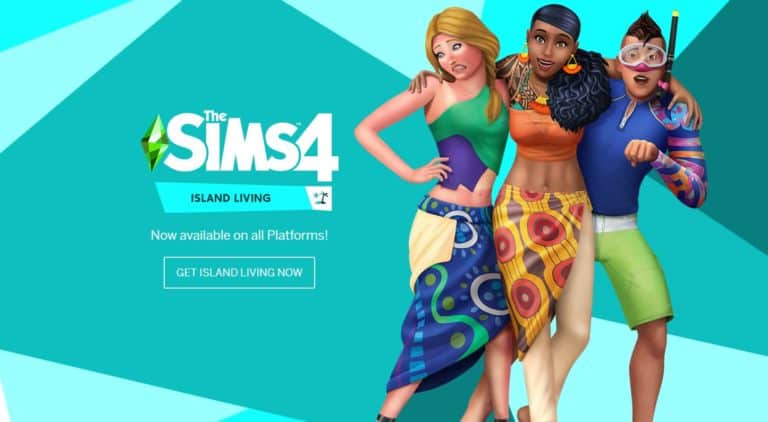
The Sims 4 Island Living Now Available on Xbox One and PS4

The Sims 4 Island Living Expansion Pack is out now for Xbox One and PS4 players!

You can get the pack from the official Microsoft / Sony store or at your nearby gaming retail store.

The Sims 4 Island Living Now Available on Xbox One and PS4

The Sims 4 July 2019 Update: New CAS Content

The Sims 4 dropped a rather unconventional update today, unveiling a complete rebrand of the series, along with some neat new features, like a new personality story quiz in CAS and over 1,000 unlocked world decor objects.

CAS has also received some new additions. There is a new hairstyle for feminine Sims and a handful of items from various packs have been unlocked for the base game along with some new colour swatches for these items. CAS items listed in here that were included in packs released previously are only going to come in the new presets added. Pack mentioned below each item is required to have all of the presets available.

Hair

The Sims 4 July 2019 Update: New CAS Content

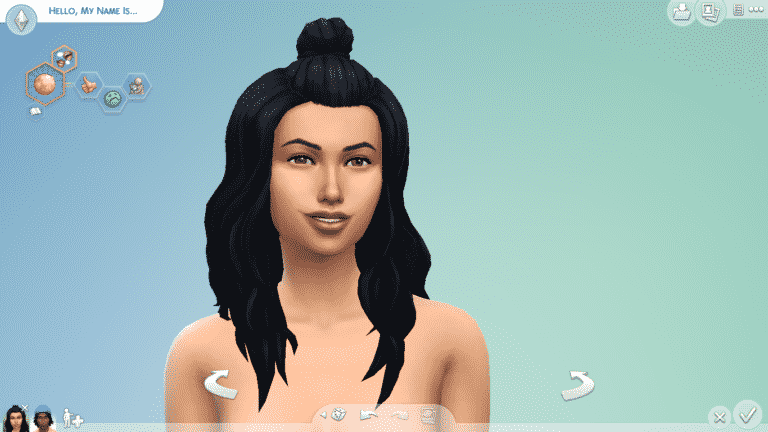
The new feminine hairstyle features long waves with a partial bun on the top of the head.

The Sims 4 July 2019 Update: New CAS Content

This hairstyle has been made available from Dine Out Game Pack to Base Game.

Clothes

This feminine top from Get Famous has been unlocked for the base game with four new colour swatches.

This masculine top from Fitness Stuff has been unlocked for the base game with three new colour swatches.

This masculine top from Backyard Stuff has been unlocked for the base game and has some new colour swatches as well.

Hats

This unisex beanie from Get To Work has been unlocked for the base game and has three new colour swatches.

The Sims 4 July 2019 Update: New CAS Content

This baggy sleeve shirt from Get Famous is now available with the Base Game with some new presets.

The Sims 4 July 2019 Update: New CAS Content

The high tops from Get to Work are now available in the Base Game in a new preset.

The Sims 4 July 2019 Update: New CAS Content

These baggy pants from Dine Out are now available in the Base Game with a new preset.

The Sims 4 July 2019 Update: New CAS Content

These boots from City Living are now in the Base Game with some new colors.

Accessories

A new unisex ring and bracelet are featured in the rebranded box art and are in CAS now as well.


Want to check out everything included in the latest update? See the full patch notes here!

Don’t see anything new? Update your game! Right-click The Sims 4 in your Origin game library and select Check for Updates.

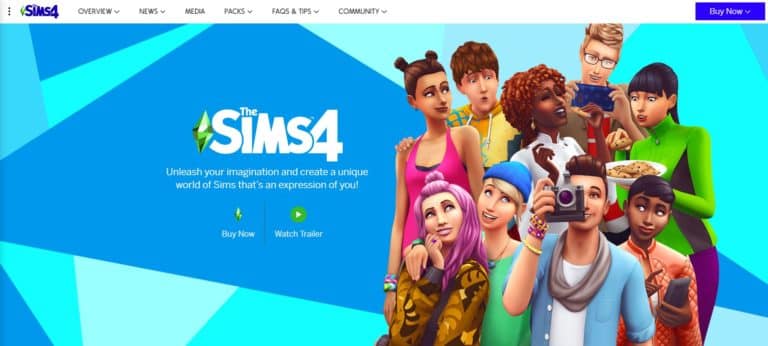
TheSims.com gets a New Brand Revamp

0

TheSims.com has received a fresh new look following the latest brand revamp that has been made for The Sims 4 and its games.

Along with the new style the website has also merged together The Sims 4 for PC/Mac and The Sims 4 for Console along with all of its packs!

You can check it out here!

TheSims.com gets a New Brand Revamp

The Sims 4: Two New Promotional Screens

3

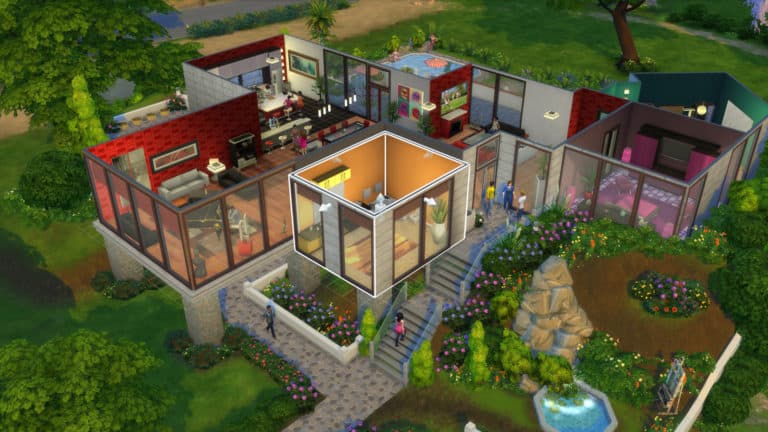
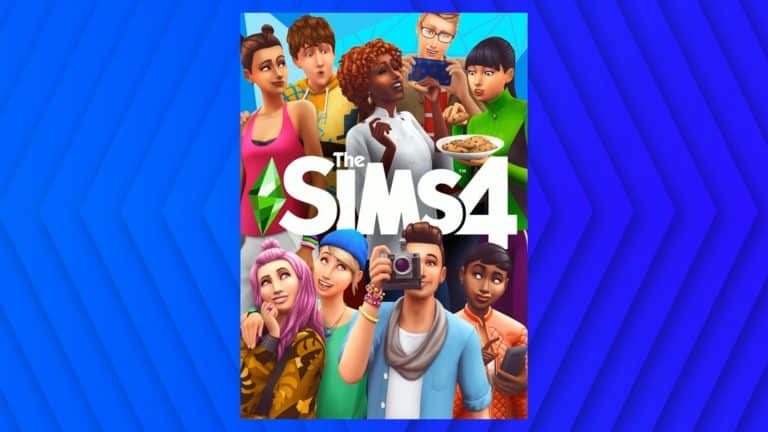
The Sims Team has released two new promotional screens for The Sims 4 Base Game to keep up with the latest content and embrace the latest rebrand of the game. Check them out!

The Sims 4: How to find over 1000 New Environment Objects in Build Mode

The Sims 4’s latest update lets you unlock over 1000 new environmental objects in Build Mode! These include items that you would normally find scattered all across the worlds we have so far in the game such as Cars, Trees, Decor and even some visual effects!

To find the new environmental objects you have to do the following:

  1. Open up the cheat console using CTRL + Shift + C on your keyboard
  2. Enter the testingcheats true cheat
  3. Open up Build Mode and enter the following cheat:
    1. bb.showliveeditobjects
  4. Hit the search button without any terms to display all items. Environmental objects can be found after you finish scrolling through the normal catalog of items.

The Sims 4: How to find over 1000 New Environment Objects in Build Mode

(Alternative) If you want to jump straight to the debug section go to the search bar, write up DEBUG and select any option of your choice to find the full catalog of environmental objects

The Sims 4: How to find over 1000 New Environment Objects in Build Mode

You’ll be presented with a full catalog of environmental objects. You can also use pack filters to find environmental objects from certain packs that you want!

The Sims 4: How to find over 1000 New Environment Objects in Build Mode

Unlike what we’ve seen in the Maxis Monthly livestream, the environmental objects are not tagged with a special globe icon on the top right corner. Hopefully The Sims Team adds better categorization of the environmental objects in the next update for The Sims 4!

The Sims 4: Brand Refresh Official F.A.Q. Post

4

The Sims Team has issued an official Frequently Asked Questions post regarding their brand new Brand Refresh that they’ve made for The Sims 4!

Why did you create new cover art for The Sims 4 base game and a new design for Expansion Pack, Game Packs, and Stuff Packs?

The new art style, along with other changes, are a recognition of the ongoing success of The Sims 4. It’s the fifth year of The Sims 4 and the twentieth year of The Sims, and we think this is a great way to mark such an incredible milestone with the community. We will continue to invest in The Sims 4 so it remains fresh and relevant for years to come.

What has changed in The Sims 4?

  • We’ve added new clothing, accessories, and hairstyles to the PC base game for all The Sims 4 players to enjoy. Console base game updates will be coming soon.
  • We’ve added an entire cast of new Sims to Create a Sim.
  • We have updated intro videos players will see when launching the game.
  • Pack covers, icons, and a new color scheme across the base game, expansion packs, game packs, stuff packs, and free packs have all been updated with a new look. Of note, expansion packs now all have a consistent look.
  • The Plumbob has received a new look in our logo, on our loading screen, and in certain uses outside of the game. The Plumbob above Sims’ heads in-game remains unchanged.
  • Icons across the base game, expansion packs, game packs, stuff packs, and free packs have all been updated with a new look. Of note, expansion packs now all have a consistent look.
  • The main menu has an updated layout and fresh look, including art that features our new cast of Sims. We’ve also added new functionality to view trailers on the main menu, links to visit our official Sims social channels from the main menu, and added the Build Your Bundle offer to save money when bundling packs.

Does The Sims 4 base game and the DLC content I’ve purchased still work?

All the content you have purchased will continue to work. We have not changed or removed any existing in-game functionality.

What happened to the old cast of Sims on the cover?

These Sims used to be the default Sims that appeared within Create A Sim. They’ve been placed in The Gallery to make way for a new cast of Sims! You can still find the original cast of Sims to play with by visiting the “Maxis” account on The Gallery for PC and Mac. They will be available on console in My Library in a future update.

What other changes can we expect in the future?

There no further changes anticipated at this time. Of course, the game will continue to evolve with free updates and additional DLC packs.

When will the console version get these changes?

The full suite of brand refresh changes will be coming to the console versions of The Sims 4 at a later date.

Have there been any changes to The Sims FreePlay or The Sims Mobile?

Both The Sims FreePlay and The Sims Mobile have made cosmetic changes to the game, but the changes do not modify or remove any existing in-game functionality.

The Sims 4 Console: New Update + Patch Notes! (July 16th, 2019)

ts4logo

The Sims Team has released a brand new Update for The Sims 4 for Console devices – Xbox One and PS4!

Patch Notes

Update: 07/16/2019 – v1.16

It seems like only yesterday when we added Mouse & Keyboard support to The Sims 4 but that hasn’t stopped us from making improvements based on your feedback while preparing for Island Living. The team has also been hard at work on new features and have addressed some long standing issues so let’s dig in, starting with the new stuff.

What’s New?

New Console Features

  • Mouse & Keyboard can now be used to bypass the “Press START” screen rather than requiring a controller to get to the Main Menu. That means you can start and finish your Simming session using the control scheme you prefer. Now, where’s the any key?
  • I’m on a boat… Oh I’m not?!?! Seems that going into First Person view didn’t agree with all Simmers and left some feeling a little ill. Worry not, head to Options > Game Camera and Disable First Person Head Bob for that more on rails feel while you are inside your Sims’ heads.
  • When entering cheats, Sims would continue their day as if they didn’t have a care in the world. Using a controller, adding cheats could take most of a Sim day if you were unlucky. Now, when entering cheats, the game will pause letting you add all the cheats you want without missing a second of Sim life.

Randomize Traits Button

We all get creative block sometimes, other times we just look for a challenge. Whatever your approach you can now hit the Randomize Traits button in CAS to get a set of traits you might not usually pick for your Sim. Will your Sim be a Jealous, Lazy Goofball or a Genius, Slob who Hates Children? Let the dice decide.

Lounge Chair

Everyone (even you) gets a FREE LOUNGE CHAIR! That’s right, we’ve added a delightfully Portable Lounge Chair, so you can now lounge by the pool they way you’ve always wanted and you don’t even need to wake at the crack of dawn to put your towel down.

Pride Content

Created in partnership with the It Gets Better Project you can show your pride with some fantastically colorful new clothing. From the rainbow leggings to the body suit and new t-shirts your Sim can show their Pride. In addition, we’ve also included a selection of decorative Pride flags for hanging on your Sims’ walls. Finally, we’ve updated our bathroom door sets in-game so that every bathroom door also includes a gender-neutral version for builders, and includes a full suite of color swatches for mixing and matching to your heart’s content. Happy Pride Month everyone, even if we did get here a little late!

Stilt Foundations

Or as we like to call them, High Heels for your House. Or House Heels. These things don’t need to be limited to just the tropics. Stilts are a great partner in crime to terrain manipulated and flat lots, in any biosphere. You can find them in Build Mode alongside all the other regular Foundation types. Now go get your stilt on.

Further Eaves Extension

Now you can pull your Eaves… further.

Freelancer Career

Freelancer is a brand-new type of career. Sims can choose to be a Freelance Artist, Programmer, or Writer, and will work through an agency that will connect them with a variety of gigs. Unlike other careers, there’s no defined work schedule to worry yourself over. Need some extra Simoleons? Smash through a few gigs in a single day and get paid! Need some time off? No problem – plenty of gigs will be waiting for you when you’re ready to get back to work. Your office is wherever you want it to be. Perhaps a quiet corner in the local library, or maybe you’d prefer a home office decked out in the new set of office furniture? You’re your own boss, so the choice is yours! Completion of gigs across the different agencies will lead to a variety of rewards, and ever-increasing pay.

New Objects

This free set of home office furniture and decor is ideal for your burgeoning Freelancer Sims!

  • Bookcase: Edgier LadderCase
  • Desk: Anglette Desk
  • Desk Chair: The Professional
  • End Table: A Cute Anglette
  • Decor: Not So Simple Pen Holder
  • Decor: Hand Reference Model
  • Decor: Robo, The Friendly Circuitry Kit
  • Decor: The Note Book
  • Laptop: FreeRoam Portable Computing Device
  • Wall Decor: Better As A Pair Of Paintings
  • Wall Decor: Supreme Freelancer Award

Doors of many Colors

Knock knock! Who’s there? Color! Color who? 350 new color swatches spread across all of the doors. Yeah, maybe the future as a stand up comedian isn’t in my future after all.

New Lot Traits

  • Clothing Optional: This new venue-only lot trait will inspire your Sims to — you guessed it — get nude.
  • Off-The-Grid: Now you can live out your nomadic fantasy on any lot. Applying this lot trait will remove your Sim’s use of power and running water, but on the upside it keeps your bills down. Keep a lookout for existing objects with the “Works Off-The-Grid” note in the Buy Catalog.

New Clothing

Freelancers tend to want comfy, but professional outfits. We’ve got them covered with the following new pieces of clothing.

  • Women
    • A cable knit cardigan outfit
    • A sweater and skirt outfit
    • A layered sweater
    • A pair of flats
  • Men
    • A collared sweater
    • A button up shirt
    • A crewneck sweater
    • A pair of drawstring pants

Immaculate White Shelf

According to SimGuruGraham, Simmers really REALLY wanted a plain white version of “The Immaculate” shelf available in Buy Mode. Who are we to argue with what SimGuruGraham tells us?

More Toddler Diaper Colors

We added some L’il Swimmies Splashy Diapers! You don’t necessarily have to use them for splashing in the water, but that’s where our brains were at when we made them. We made these not only in anticipation for Island Living, but we also thought you’d appreciate more swimming options for your toddlers to use in the Seasons Kiddie Pool.

Back Float

A new Back Float interaction is available for Sims swimming in the pool. Select the water. Try it out. Take a load off.

Fishing Additions

Brace yourself, we’re about to cast you into a deep dive…

  • We added several new interactions to allow players to fish in different ways and interact with other Sims around fishing activities.
  • Sims can perform a few new Fishing-based socials to gain useful info (via UI TNS/Notebook) and push NPCs to Fish.
  • Fishing is now joinable.
  • Improved fishing interaction tuning and autonomy to make the interaction more efficient and fun.
  • Upper skill levels now provide more meaningful rewards, with new Interactions added to Fishing skill levels
  • New high skill cast interaction “Angle for Big Catch” increases chance of getting rarer fish.
  • New high-skill VFX visuals on Rare fishing spots.
  • Ability to now “Mentor Sims in Fishing.”
  • Fishing UI has improved information, including Notebook info with Bait information.
  • Tuning for fish that can be caught is unique per world & more fishing spots added to some of our previously shipped worlds.
  • New bait preference system applied to most existing fish that modify catch chances.

Ceiling Fan Updates

Ceiling Fans will now cool a room if you have Seasons and the fan is on. Oh yeah, speaking of which, we also added the ability to turn them On and Off. And while we were at it, we figured we’d make them dry off damp Sims too.

Ceiling Objects Build Sort

We also added a new Ceiling Objects Build sort category to make things like Fans easier to find.

Swimming Things

There is now a chance for interesting things to happen to your Sims while swimming, like getting a cramp or losing their suit (eek!). Swimming also now gives your Sims a boost in Fitness skill gain.

Part-Time Jobs Update

And last but not least (you still with me?) all existing Part-Time Jobs are no longer just for Teens. That’s right, now elders could work as Fast Food Employees. Young Adults could be Babysitters if they want. Why not? The Part-Time world is your oyster. Oh oh oh — and one last thing on that note: You can now have two Part-Time Jobs at once and pick between shifts. Wowee.

General Issues

  • The green pulsing of the snap cursor would previously appear every 20-30 seconds for some players even if you were using a Mouse & Keyboard. That pulse is under control now, unless you are using snap cursor in which case you should expect to see it.
  • Rooms can now be resized with the Mouse & Keyboard control scheme.
  • Talking of Mouse & Keyboard, if you use them you can live drag objects now.
  • Simmers using a Mouse & Keyboard can now make use of edge scrolling. We had the option before but it didn’t work as you might have thought.
  • The Virtual Cursor may be virtual but it doesn’t mean it was meant to disappear after you came out of build mode.
  • Sims will travel to the correct venue when invited out to an event by a NPC Sim.
  • Fixed an issue where the UI would occasionally indicate that a Sim was at work, when they were actually at home, which would block access to the Sim’s inventory.
    • Note: If a save file created prior to this update contains a Sim that’s already in this bad state, simply traveling to another lot with that Sim will permanently fix this issue.
  • Sims will no longer receive random phone calls from other Sims between the hours of 8pm and 10am, allowing them to enjoy a full – and speedy – night’s sleep.
  • Fixed an issue where multiple music tracks could end up looping and playing simultaneously.
  • Expecting parents will once again be able to “Take Family Leave” via their phone to take time off from work.
  • Fixed an issue where a Sim who had cheated with another Sim romantically, were then unable to successfully propose to that Sim and get married.
  • Fixed an issue where Sims in the eSport Gamer branch of the Tech Guru career were not earning money when programming video games.
  • The Pick Up Serving Together interaction will no longer cause one of the Sims involved to fail to route to the food.
  • Fixed an issue where interactions on the Digitalistic Sketchpad object would disappear if a Sim’s actions were canceled while they were picking up the Digitalistic Sketchpad.
  • Updated the Digitalistic Sketchpad object so that creating paintings on it will satisfy Aspiration goals and work tasks that involve painting.
  • Fixed an issue with the Lin-Z Smart Speaker, where the interaction to hire a Gardener would remain unselectable, even when the home had a garden that needed tending.
  • Sims will now look at the Lin-Z Smart Speaker when speaking to it.
  • The “Pre-Owned Painter’s Easel”, that’s unlocked via the Painter career, will now provide an Inspirational emotional aura, instead of a Focused emotional aura.
  • Fixed an issue where staircases were not rendering properly while held by a mouse cursor.
  • Adjusted icons of Lunar New Year recipes to better display what food you’re looking at within an inventory.
  • The children’s Yin & Yang Necklace will no longer clip into their neck when wearing a shirt that’s tucked in.
  • The “CleanRoom” wall pattern, which was previously missing a name for its 5th color variant, has now had that specific color variant named “Like Sand”.
    • As far as I’m aware, this is the only instance in the game where a color variant has been given a unique name. Huh… neat!
  • A new content alert icon has been added to individual careers within the Select a Career panel, to help players find new careers that have been added to their game.
  • “Shift clicking” with the controller (X and Circle (PlayStation 4) or A and B (Xbox One)) at the same time on the Age Up menu will no longer cause menus to overlap.

Get To Work

  • Scientists will once again wear an appropriate outfit when going to work even if StrangerVille is not installed.
  • The “Chemical Analyzer” object can now be purchased from Build Mode without having to use a cheat.
  • Made updates to the list of valid objects that can be selected as the outcome of the SimRay’s “Transform Object” interaction.

City Living

  • Fixed an issue where objects from multiple festivals were appearing on top of each other in the neighborhood simultaneously.
  • Apartment landlords will now leave the apartment immediately after addressing a tenant’s complaint.
  • Added the ability for Sims with the Vegetarian trait to hire a Vegetarian Caterer by clicking on Stoves or Refrigerators.
  • Vegetarian Sims will no longer enjoy eating Mud Carp.

Cats & Dogs

  • Fixed an issue where hungry pets would not eat from food bowls autonomously.
  • The pet toy box will no longer have its position rotated in a random direction when a Sim returns home from an active career.
  • Fixed an issue where the “Litter-Matic Scoop-Free” litterbox wasn’t looking clean after cat poop had been removed.
  • Fixed an issue with the Pet Adoption Agency, where they would occasionally show up at a Sim’s home without any pets to adopt, and would simply stand at the home’s front door and not do anything.
  • The Hide/Show filter now does as you’d expect while using the Simstagram pet interaction.
  • Fishing in Brindleton Bay shouldn’t have your Sim facing the wrong direction. No more fishing the land and wondering why the fish aren’t biting.

Seasons

  • Updated the Gardening career so that Sims will earn more than 10 Simoleons per completed work shift.
  • Fixed an issue where on days where no holiday was set to occur, a Sim’s work schedule would update to falsely indicate that the day was a Holiday just prior to going to work, causing the Sim to stay home for the day.
  • Fixed an issue where NPC Sims were not autonomously using the skating rinks that appear in certain neighborhoods.
  • Toddlers will no longer attempt to queue up behavior to “Run Inside” during bad weather conditions if they’re already inside.
  • Fixed an issue where Sims voices could not be heard when Singing Together around a Holiday Tree if City Living was not installed.
  • You’ll now be able to cancel the Compel to Drink interaction after choosing to feed on a Scarecrow.

Get Famous

  • The Acting career task to “Get Into Hair and Makeup” can be successfully completed once again.
  • Fixed an issue where celebrity Sims who had been set to use their normal walkstyle were switching back to using the celebrity walkstyle after traveling to certain types of venues.
  • Three star celebrity Sims will no longer use the celebrity walkstyle.

Outdoor Retreat

  • Your Sims can now pester… er… visit, any campers of their choosing in Granite Falls.
  • Fixed an error where Sims would get stuck in the Forest Hideaway lot in Granite Falls.

Dine Out

  • Simmers who have City Living installed can now put the Siopao and Ensaymada dishes on their restaurant’s menu.

Vampires

  • Bat!
  • Grand Master Vampires know all, or so they thought. Now they can continue to earn points. Does that make them a Grand Grand Master?
  • Vampire NPCs shouldn’t get appear at a venue and prevent you from saving.
  • Vampire NPCs shouldn’t have their Vampire Energy drained after a load which allows them to continue with their expected autonomous behavior.
  • Sim Form!

StrangerVille

  • The following environment objects, which were created for StrangerVille, have been added to the Build Mode debug catalog to allow placement on lots. Players must enter the bb.showhiddenobjects cheat before they can be seen in the catalog.
    • 10 different cacti
    • 3 different Joshua trees
    • 3 different RVs
    • 2 clusters of rocks
    • 2 junked cars
    • A group of desert flowers
    • A military truck
    • A tire
    • A parking stop
  • Added proper images to the Officer and Covert Operator branches of the Military career.
  • Removed the “Question about Spores in Lab” interaction for Sims who have already acquired the Modified Hazmat Suit.
  • Removed the “Heart of the Pack” styled look from Create a Sim, as it was authored using clothing that’s only available to Sims that have joined the Military career.
  • Updated the pack information panel on the main menu to not display world objects under the Build Mode Items.

Holiday Celebration Pack

  • The Crown Roast platter will now show a partially eaten state when half of its servings have been taken.

PlayStation 4

  • Some makes of keyboard are extremely fancy with lots of features, one of those features appears to have been the ability to prevent the mouse from being used. We’ve made improvements in this area.

As usual, we have new creations which were created and shared by members of the Sims Community. You can find them in My Library.

There we are, a lot of changes to take us further into 2019. Now I’m off to get my Sims some sun, sea and fun in The Sims 4 Island Living.

  • SimGuruLegacy

The Sims 4: New Update + Patch Notes! (July 16th, 2019)

ts4logo

The Sims Team has released a brand new Update for The Sims 4 on PC and Mac!

To download the latest version of The Sims 4, simply open your Origin program and if the game doesn’t update automatically, right click on The Sims 4 and select ”Update”.

In case you have Mods or Custom Content, the game will automatically disable them for you after first launching The Sims 4 after the update. To re-enable all your Mods and Custom Content, select the Settings option in the Menu and select Settings. Under the”Other” section you’ll find the ”Enable Custom Content and Mods” option. Check it and restart your game in order for it to take effect!

Patch Notes

UPDATE: 7/16/2019 – PC 1.53.115.1020 / Mac 1.53.115.1220

Welcome Simmers! We’ve got an unconventional update for you this month, with a bold new look for The Sims, and a brand new mode within Create a Sim. You can go on reading the details of what we’ve changed, but trust me — you’ll notice the differences the moment you start your game. After you’re done exploring the new main menu, be sure to give a Create a Sim Story a try… you may just find it to be a fun way to shake up your normal playstyle!

NEW CONTENT

Create a Sim Stories

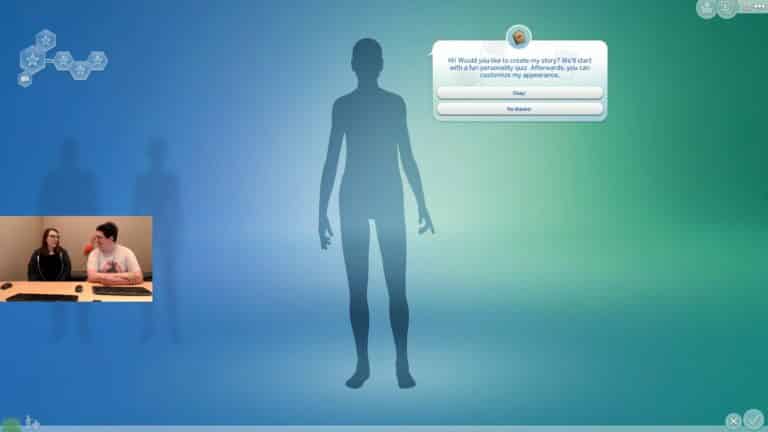
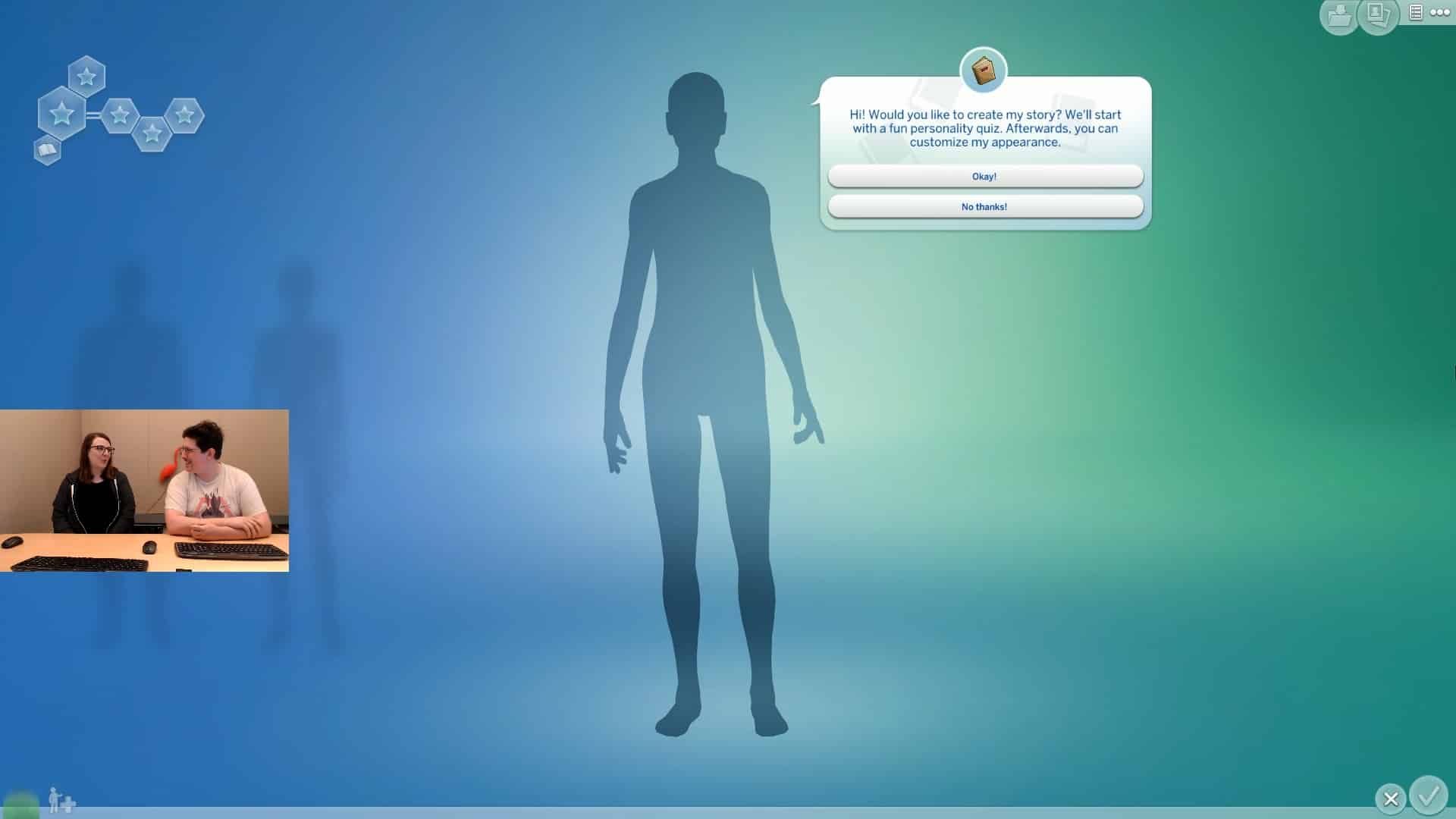
Is your Simming stuck in a creative rut? Try crafting a story within Create a Sim! By starting a new household, or adding a Sim to an existing household, you can take a fun quiz to determine your Sims personality and starting conditions. By creating a story your Sims will end up starting out with a career, various skills, and different levels of starting household funds! Of course, this is just an additional option that’s now available — you’ll still be able to also create Sims the same way you always have.

New Look
The Sims 4 has a new look! Now that we’re entering the fifth year of The Sims 4, and the twentieth year of The Sims, we wanted to continue to invest in The Sims 4 so that it remains fresh and relevant for years to come. You’ll quickly spot changes like a brand new cast of Sims, new intro videos, new loading screens, new cover art, and new pack icons. The main menu has received the most significant additions; not only does it show off our new style, but you’ll discover the ability to play trailers from our most recent packs, and access quick links to The Sims on your favorite social platforms.

New Customization Options

Our new cast of Sims has some fresh new clothing and accessories to wear, and you’ll find all of their new content within Create a Sim. Check out their group shot by clicking through the art on the main menu! The base game has received new tops, bottoms, accessories, hairstyles, and a hat. Players who own certain packs will receive new swatches on some of the clothing and accessories they already own from those packs.

New Cheat

We’ve added a new cheat to the game! Open the cheat console and type in “bb.showliveeditobjects” to enable the cheat. To disable it, type “bb.showliveeditobjects false”.

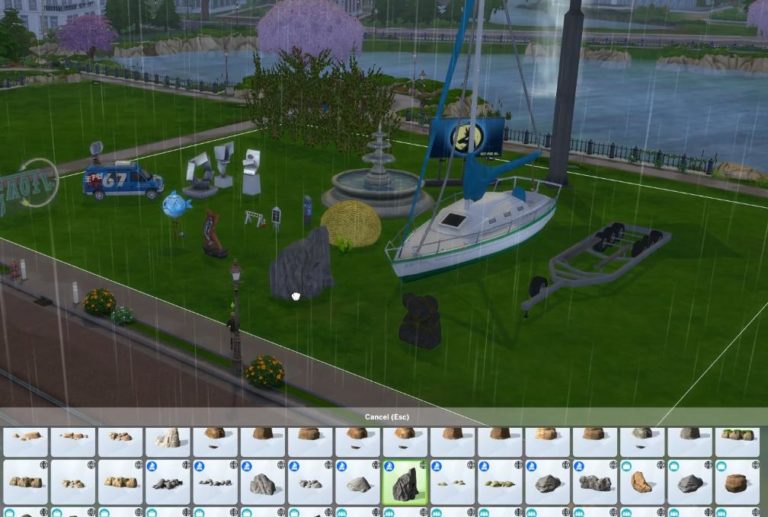
Enabling the cheat will unlock a new set of objects in Build Mode to decorate your lots with… rocks, trees, bushes, signs, and all sorts of environment objects. I lost count, but I think it’s somewhere around twelve-hundred new decorative objects. These objects are environment objects, which our artists use when creating worlds. As such they are not optimized for on lot use, so please be aware when using this cheat. The most obvious issue you may notice is that Sims will walk through these objects.

FIXES & UPDATES

The Sims 4

  • Resolved error code 134:ef7a88f2:b4565d86, which was preventing players from loading certain save files.
    • I’d explain further, but really the error code is self explanatory.
      • Ok, sorry – that was snarky. This recently introduced error occurred when attempting to load a game that was saved while one of the household Sims wasn’t currently instantiated on the active lot, and had away actions that they could perform.
  • Fixed an issue where objects were getting stuck on toddler’s hands.
  • The Sulani animation on the World Select screen will now display properly for players who do not own Island Living.
  • Within the tutorial, your friendly roommate Alex will now successfully give your Sim a job once again.
  • The main menu will now continue to display the pack art that you’ve selected until you decide to change to a different one.

Mac

  • Fixed an issue where camera controls for rotating and zoom levels were behaving inconsistently when using a trackpad.

Vampires

  • Fixed an issue where Vampires were failing to route when directed to perform the Dark Meditation and Influence Emotions powers.

The Sims 4: “Play With Life” Promo Trailer coming this Thursday

2

Lyndsay Pearson, General Manager for The Sims has teased during the latest Maxis Monthly Livestream that there’s going to be a special video uploaded to The Sims’ official YouTube channel this Thursday.

Now, SimGuruFrost has shared a special teaser with The Sims 4’s brand new branding. He stated that the video is coming out on July 18th at 6AM Pacific Time and that it’s related to their current ongoing #PlayWithLife campaign.
We’ll keep you posted as soon as the video goes live!

The Sims 4: “Play With Life” Promo Trailer coming this Thursday

The Sims Team reassures players that there’s still years of new content coming to The Sims 4

28

During yesterday’s Maxis Monthly Livestream The Sims Team has presented a brand new look and design language for The Sims 4. Although they’ve stated that a part of the reason why they’re switching up the brand design is to attract new players to the franchise, Lyndsay Pearson, General Manager for The Sims has also shared that this is a good signal that The Sims 4 is still alive and well and has years of content coming out.

The new look represents our commitment to the game, to The Sims, to you – our passionate players and that this game isn’t going anywhere. We love it and we’re excited about it and even approaching to our 5th anniversary we wanted to give it a chance to kind of have some new life and new energy.

I think it’s a good signal that we have a lot left to do with The Sims 4 and that The Sims is alive, well and healthy and more people are playing than ever and we get this great opportunity to give it a new paint job.


SimGuruFrost went on Twitter to also elaborate on the sudden new change of The Sims 4’s brand, saying that this is a great way to mark The Sims 4’s fifth year milestone. He also mentioned that this is a way to show The Sims Team’s commitment to supporting The Sims 4 for many more years!

Although we can’t know for sure what’s coming down the line in the next few years it’s nice to know that The Sims 4 is still strong and has a lot more in store for us.

What we know so far is that we’re getting a Moschino Stuff Pack this summer, Realm of Magic Game Pack in Fall and an 8th Expansion Pack for The Sims 4 by the end of this year. Please note that Moschino SP and Realm of Magic GP have been officially confirmed by The Sims Team and should all come out by the end of September 2019 according to The Sims Team’s 6-month plan released in April.

The Sims 4: New CAS Items coming with the Upcoming Update

54

Lyndsay Pearson, General Manager for The Sims has stated that we’ll be getting all of the new items shown in The Sims 4’s brand new Box Art render in the upcoming update for The Sims 4! The items and hairstyles that are brand new are expected to show up with July 16th’s Update.

You’ll notice that the Sims that we’ve put on the box actually have a few new looks. These styles will be coming into your Base Game in an update so you will get access to all of these Sims in Create A Sim and The Gallery and you’ll get to know their stories!

The Sims 4: New CAS Items coming with the Upcoming Update

The Sims 4: PC / Mac and Console Updates Coming Next Week

The Sims Team has announced that they’ll be releasing two new updates for The Sims 4 next week, more specifically one update for PC / Mac and one update for Xbox One and PS4 players!

Both updates will be coming out on July 16th, 2019 at 8AM Pacific Time. What’s coming in these updates? Let’s break down of everything we know so far:

PC / Mac Update

Xbox One / PS4 Update

The Sims 4: PC / Mac and Console Updates Coming Next Week

The Sims 4’s Upcoming Update will unlock more than a thousand objects!

17

Today’s Maxis Monthly was full of news for the world of The Sims 4. However, one important piece of information that I’m sure all the builders out there will appreciate is the fact that The Sims Team will be unlocking more than a thousand objects in Build Mode!

So, what does that really mean? Well, you’re probably familiar with the fact that The Sims Team usually likes to lock away certain decor and environmental items exclusively to specific worlds. Well, not anymore!

You’ll soon be able to unlock a full catalog of world items including cars, fountains, sculptures and many more by using the bb.showliveeditobjects cheat. The team has also unlocked ALL of the objects from previous packs as well, meaning that you’ll be able to place down environmental items from, for example, Brindleton Bay on any lot you want!

As you can see in the image below all of the environmental objects will have a special globe icon next to each item on the top right corner.

The Sims 4’s Upcoming Update will unlock more than a thousand objects!

The update is scheduled for release on July 16th, 2019! We’ll keep you posted on all the latest about the update on our website.

You can also check out the new environmental items catalog in action down below:

The Sims 4 Create A Sim is getting a “Story Mode”

166

In today’s Maxis Monthly Livestream The Sims Team has revealed that the upcoming update for The Sims 4 will be bringing a “Story Quiz”.

As explained by SimGuruGraham, the Story Quiz allows you to give your Sims some premade characteristics straight from Create A Sim! After opening up Create A Sim you’ll be getting a prompt screen asking if you’d like to create your Sim’s story in CAS. You have an option to agree and start the quiz or refuse the quiz and create a Sim without any premade characteristics.

The Sims 4 Create A Sim is getting a “Story Mode”

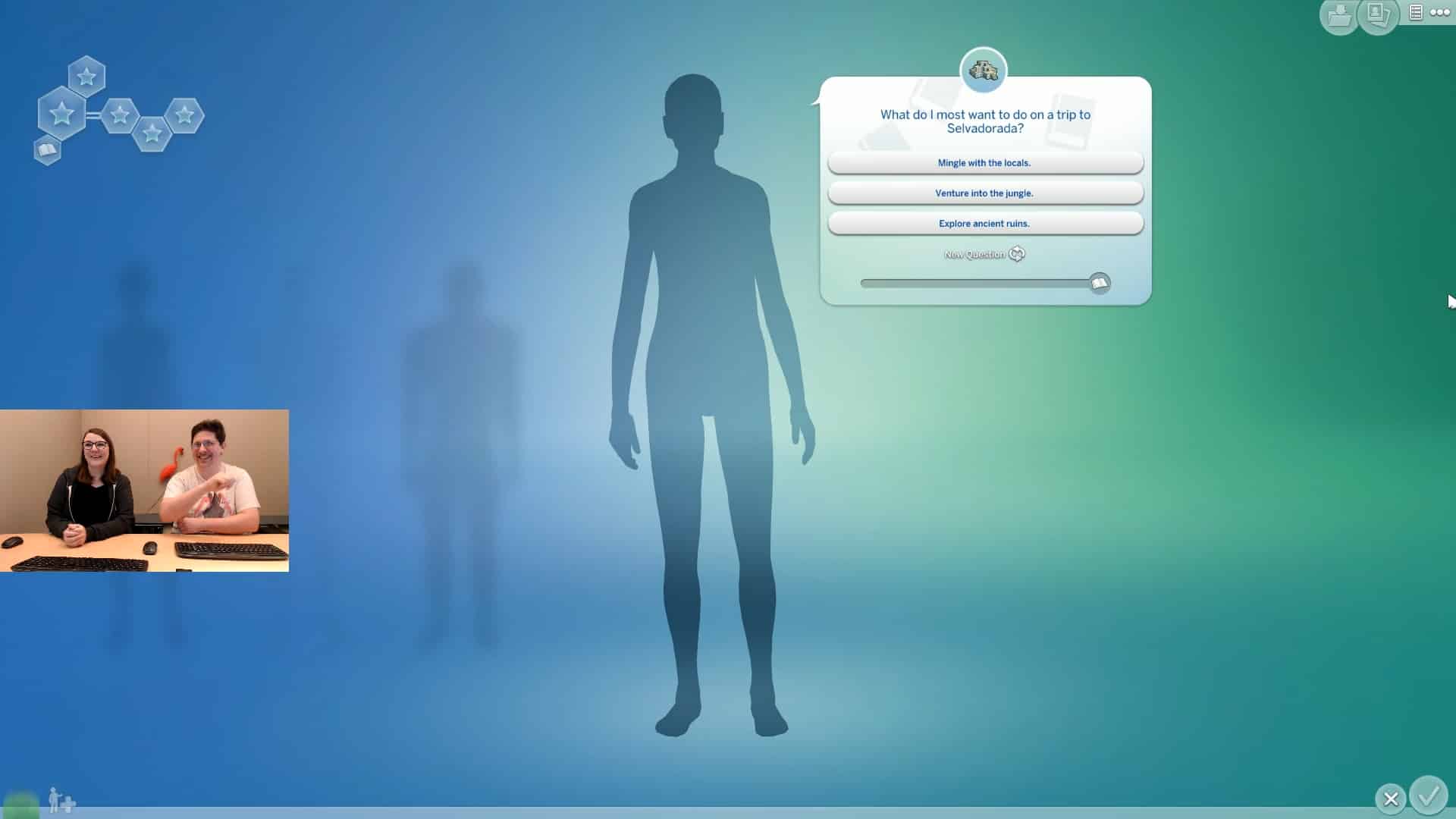
After agreeing you’ll first get a chance to choose from which life stage you want to begin. Right now there’s only an option to choose between Young Adult, Adult and Elder. Then you’ll be taken through 10 simple random questions asking about everyday situations that usually occur in The Sims 4’s live mode. The questions you’ll get might revolve around simple things such as what your Sim wanted to do when they were younger or might be very specific.

The Sims 4 Create A Sim is getting a “Story Mode”

Each pack installed that brings new gameplay will give you a chance to get a specific personality question tied into that pack. For example, the question down below saying “What do I most want to do on a trip to Selvadorada?” will influence your Sim by giving them a certain level of the Selvadoradian Culture Skill when starting the game.

The Sims 4 Create A Sim is getting a “Story Mode”

Thgere are 10 questions in total and you can keep track of the number of questions you’ve answered in the bar down below. You also have the ability to randomize and switch up to a new question if you’d like to attach a different type of gameplay element / characteristic to your Sim.

Completing the Story Quiz will give you a Story overview on the left side of Create A Sim. Your Sim might start off already at a set career level or they might be completely unemployed depending on your choices. They’ll also gain certain skills depending on the questions you’ve decided to answer as well as a Starting Fund when starting your game.

For example, this Sim has a high starting fund!

The Sims 4 Create A Sim is getting a “Story Mode”

If you choose to do a Story Quiz your Sim will also be assigned with a specific Aspiration and traits that you won’t be able to change back. All other changes such as the appearance of your Sim and what are they wearing will be customizable!

Want to see what the new CAS tool looks like in action? Check out the livestream replay down below!