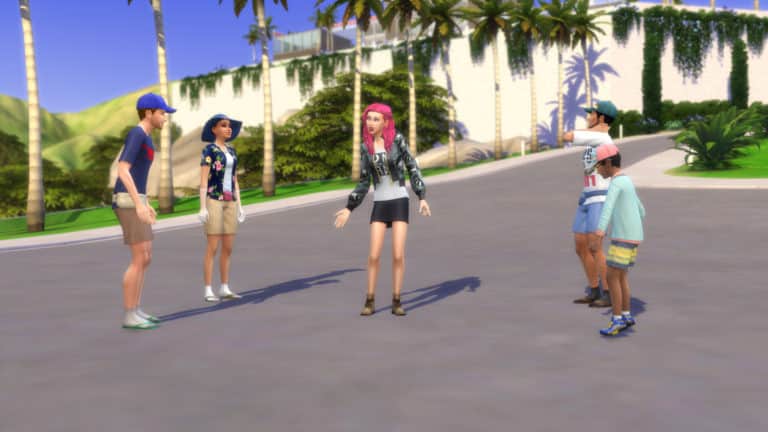
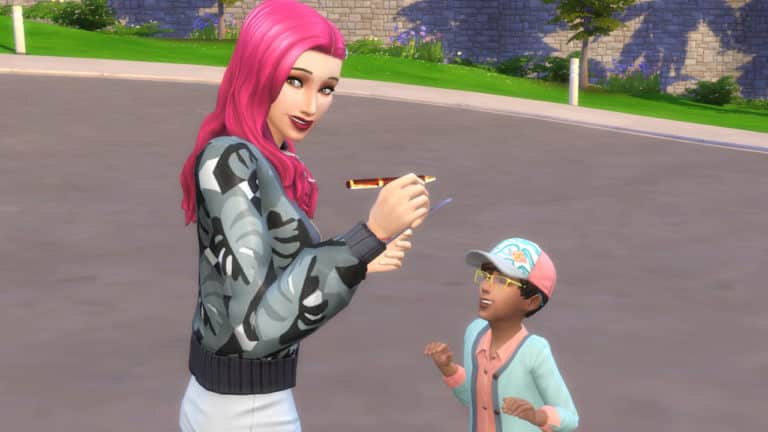
In The Sims 4 Seasons, we saw the addition of the first after-school activity for child and teen Sims and with The Sims 4 Get Famous we have seen another new activity called Drama Club added to the game.
Enrolling Your Sims into Drama Club.
To join an After School Activity just go to your child or teen Sims’ Smart Phone. Select the Career/Household button at the bottom of the phone screen and then click Join After School Activity. Once your Sim starts to use the phone you will get a pop up asking which activity they would like to join.
Once joining you will get a notification stating that your Sim has joined the Drama Club and you can keep track of your Sims progress under where you can track their school progress.
Make sure your Sims attend their Drama Club session, complete any daily and advancement tasks to help your Sim reach the next level.
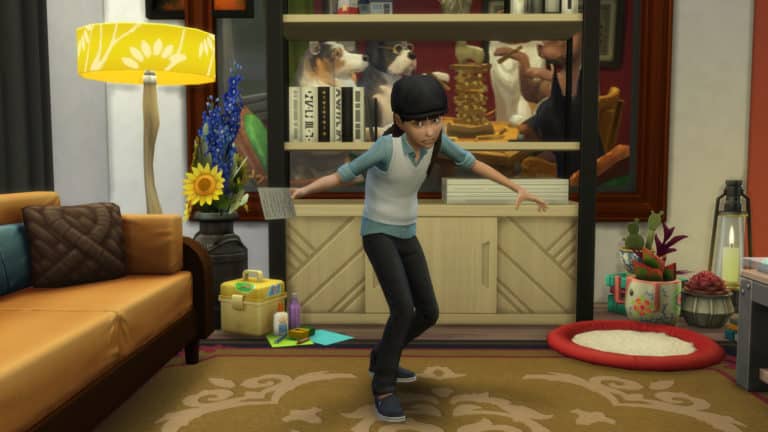
Once you have signed up your Sim to drama club they will automatically attend after their school day has finished. On the odd occassion you may need to prompt them to go if they are running a little late the same way you would as if they were running late for school. You will notice that they will change into a different acting inspired outfit for the duration of the club until they need to change outfits again.
While your Sims are at Drama Club occassionaly the game will ask for your input towards how your Sim acts in a particular moment/scene. This could be between being a farmyard animal and taking a risk as being a tiger or simply during an action scene whether to stick with a basic fight scene or add some Karate into the scene instead. While these opportunities are completley random some of these will award your child and teen Sims an amount of fame.
There are four different levels to drama club each of which has different requirements. While each level has a daily task it appears that only some have an advancemet task but completeing all of these tasks is easy and straight forward.
Drama Club Levels
Stage Beginner
Daily Task: Practice Acting or Practice Dramatics by using a mirror or selecting the Sim.
Advancement Task: Increase Creativity Skill to two to become a Line Learner.
Meetings: Monday – Friday 3:30pm – 5:30pm
Line Learner
Daily Task: Learn New Lines by either using a mirror or by selecting the Sim.
Advancement Task: Increase Creativity Skill to four to become a Practical Performer.
Meetings: Monday – Friday 3:30pm – 5:30pm
Practical Performer
Daily Task: Learn New Lines by either using a mirror or by selecting the Sim.
Meetings: Monday – Friday 3:30pm – 5:30pm
Junior Artiste
Daily Task: Learn New Lines by either using a mirror or by selecting the Sim.
Meetings: Monday – Friday 3:30pm – 5:30pm
Once you have completed all levels of the Drama Club your Sim will be awarded the Drama Club Accolade from Del Sol Valley in recognition of your Sims hard work. The Accolade can then be found in the Household Inventory in Build Mode ready to put on display.
Although your teen and child Sims can earn small amounts of fame from taking part in this activity they can certainly develop other skills. Child Sims will focus more on skills like creativity and social whereas teen Sims have a lot more options open to them skill wise as well as having fame and reputation starting to play a part in their lives too. Once your child Sim ages up to a teen they will also be able to develop their acting skill as well and who knows, they might well be on the path to becoming the next big thing in Del Sol Valley.
The new acting career isn’t the only way for your Sims to get famous. Sims can find fame in any career or skill in the game. Want to be a famous detective? You got it! A famous writer? Yup. A famous musician or comedian? Definitely. Chef? Painter? Gardener? Carpenter? Business tycoon? Athlete? A big YES to all of them and more! If you can imagine a way for your Sim to become famous, the chances are high that they can find fame that way.
But becoming famous in an everyday career is no walk in the park. You won’t have your face all over TV screens from the start like the acting career. If you want to become famous from a regular career, it’s not going to happen overnight. It will take a lifetime of hard work and dedication to your profession to begin to see any major results.
A Slow Grind
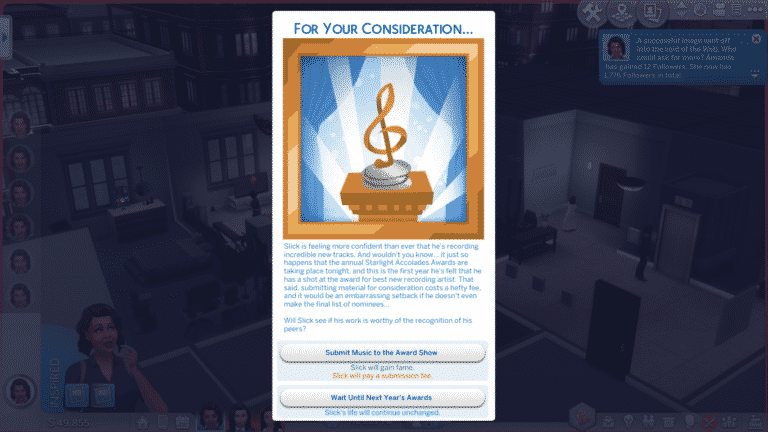
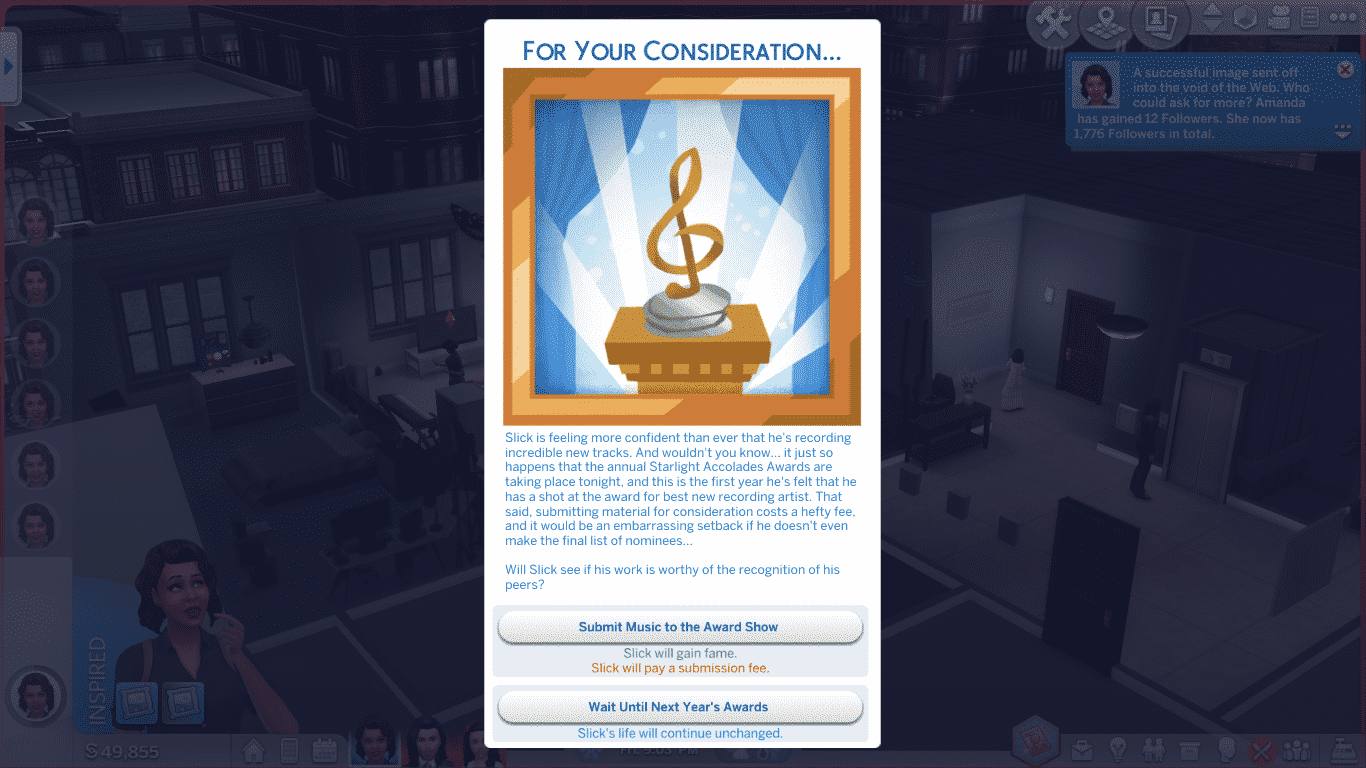
No matter what career your Sim chooses, they’ll need to get promoted to a high level before fame opportunities will start to present themselves. Once your Sim is well established in their career, they may start to receive event popups that will affect their fame level. There is no way to trigger these events except by gaining promotions and going to work. They pop up at random when your Sim is at a high level in their career. These popups differ from the standard chance cards. The outcomes are not random. You will be able to see exactly how your choice will affect your Sim. One option gives your Sim a hefty fame boost, while the other allows your Sim to continue on the way they always have been.
11 16 18 3 37 06 PM
11 16 18 3 40 25 PM
For active careers, your Sims will gain a small amount of fame whenever they do something significant during their work day. For example, Sims in the Detective career will earn fame for arresting suspects and closing cases.
Our Thoughts
One thing we noticed while playing through some of the existing careers was that fame came much more slowly. We did not receive any fame events until our Sims were at quite a high level in their careers. In the active careers, we weren’t able to gain fame faster than the decay rate. Our detective Sim would gain a small amount of fame when she made arrests and solved cases, but as soon as she got a day off, her fame would plummet back to zero. We could not get her to one star of fame solely by doing detective work.
11 14 18 4 32 59 PM
11 15 18 12 59 04 AM
We got around this limitation by supplementing our Sims’ careers with related activities that built up fame. Our Entertainer started out by playing for tips at lounges. Later on, he got signed with a record label and released tracks with the music station. Our Detective started a social media following and would regularly update her Simstagram Story on her days off to prevent her fame from decaying.
Our advice? If you plan to get famous in an existing career, supplement their career with another fame boosting activity. Get creative with it. Maybe your detective writes crime novels based on real cases they’ve solved at work. Maybe they manage the police department’s social media page and regularly post things that go viral due to their police humour. Perhaps your chef has their own online cooking show. Get them a video station and a drone and start cooking up a following. There’s lots of room for creativity.
Seeking fame in a regular career is not for those aspiring to get rich and famous overnight, but for the truly hard-working Sims among us, it might be more rewarding to find fame and fortune the slow and steady way.
Have any tips of your own for becoming famous in an existing career? Let us know in the comments or chat us up on social media!
In April last year, The Sims 4 development team invited Sims fans to help them create a stuff pack through a series of votes. This project culminated in the release of The Sims 4: Laundry Day Stuff.
Throughout the project we also got to have a look at the development process, including seeing concept art for other themes that were options in the first vote.
Some fans expressed disappointment that the themes that didn’t win the vote wouldn’t be used, especially after seeing the amazing concept art for them. However, SimGuru Graham reassured simmers that this likely wouldn’t be the last we’d see of that concept art;
“. . . none of the work that was already done will go to waste. We’ll file these ideas and pieces of art away for the future. Some of them may get made into a Stuff Pack eventually, some could be incorporated into a Game or Expansion pack, and some may simply catch our eye as an object or piece of clothing we want to create someday.”
This promise has come to fruition with the release of Get Famous. It’s only one CAS item, but it goes to show that the development team do indeed keep old unused concept art and bring it into packs where it makes sense.
This leaves the door open for other cool concepts such as the rustic wedding themed items, and the modern Japanese arcade concept, and it will be exciting to see if they revisit these themes in future packs.
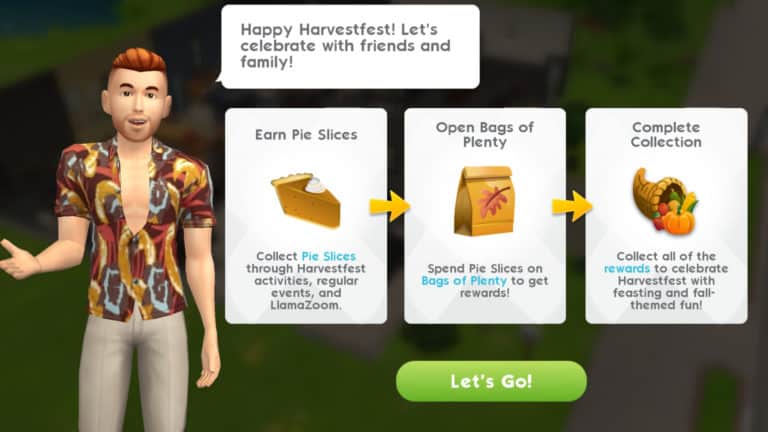
A new event has arrived in The Sims Mobile, celebrating the autumn season. The Harvestfest Event has hit Simsville, bringing with it a wide assortment of autumn-themed goodies, including a new relationship story!
The Harvestfest Event is a goodie bag event. It follows the same structure as previous events where players would need to open mystery bags to collect a random prize. Earn pie slices by completing the limited-time quest steps and completing events, then spend your pie slices on Bags of Plenty to collect a random reward. Open as many Bags of Plenty as you can to complete the collection.
The limited-time event quest has 29 parts. Players will have 6 days to complete it and finish their Harvestfest collections.
Getting Started
Wondering where to begin? We’ll guide you through the first few quest steps to help you get started. Make sure to check out our tips and tricks section below this guide for even more helpful advice on how to make the most of this event.
When you open the game after updating, you’ll see a new limited-time quest. This is the quest you should be focusing on. This new quest is for the Harvestfest Event. Completing it will help you earn pie slices to spend on Bags of Plenty.
Part 1: Happy Harvestfest!
Goal: Earn 25 Simoleons
This first task is super easy. Just send any of your Sims to work. One short shift should easily satisfy this goal. You might even get 25 simoleons just from watching a video, too, so keep an eye on your mailbox.
Part 2: You’ve got Pie Slices
Screenshot 20181115 132906
Screenshot 20181115 133151
Goal: Collect Pie Slices from the Horn of Plenty
Another easy task. All players received a Horn of Plenty for this event. It can be found in your household inventory. Open up your inventory, find the Horn of Plenty, and place it anywhere on your lot to collect from it. If you have a lot of stuff in your inventory, it might be hard to spot. Look through everything carefully. It’s in there somewhere!
The Horn of Plenty slowly replenishes its Pie Slices over time. Make sure you collect from it frequently to avoid the Horn of Plenty getting full. Once its full, it won’t continue producing Pie Slices.
Part 3: Food for Thought
Screenshot 20181115 133207 1
Screenshot 20181115 133448
Goal: Tap on a couch to look at photos of Harvestfest food
Your third easy task is also a quick one. Just tap on a couch to have your Sim look at Harvestfest photos. There’s nothing like a little inspiration to fuel a feast!
Free Pie Slices!
Screenshot 20181115 133217 1
Screenshot 20181115 133225
After getting to Part 3 of the quest, you’ll receive some free Pie Slices to help you get started. A mini tutorial will walk you through how to purchase Bags of Plenty with your Pie Slices.
Just tap the event icon in the top right corner of your screen and select the Bag of Plenty. On the Bag of Plenty screen, you’ll be able to see all the prizes you can win and their rarity. Tap the green button to spend your Pie Slices and open the Bag of Plenty.
Screenshot 20181115 133232
Screenshot 20181115 133239
Screenshot 20181115 133246 1
Screenshot 20181115 133312
I received Autumnal Evening Lanterns from opening my first Bag of Plenty. Neat!
Part 4: Leftover Liftoff
Screenshot 20181115 133504 1
Screenshot 20181115 133609 1
Goal: Tap on the fridge to reorganise its contents
Yet another easy task. It’s been smooth-sailing so far, hasn’t it? We’re not complaining! Tap on a fridge to have your Sim complete this goal quick and easy.
Part 5: Old Family Recipe
Screenshot 20181115 133635 1
Screenshot 20181115 133648
Goal: Tap on bookshelves and couches to look for the recipe (#/3)
This task is fairly easy as well, but you’ll need to do it three times. Tap on any bookshelf or couch to look for the family recipe. There is a cooldown period for this action on each item, but you can get around this by tapping on three different bookshelves or couches. If you’ve been playing The Sims Mobile for a while, you probably have an old couch or two in storage that you don’t use anymore. Bring it out to complete this goal if you need to. You can put it back in storage right after.
Part 6: Got Things To Do
Goal: Complete an event
This could be an easy or difficult goal depending on how you do it. We’re going to tell you the easy way. Tap on any Sim that your Sim doesn’t already know to introduce themselves. Then tap the Sim again to begin a relationship. If your Sim has the 3-star Good Upbringing trait, they’ll be able to finish this event in 3-4 actions easily. You’ll be finished the event in under a minute with very little energy spent.
If you don’t want to start a story with the Sim you just met, select Choose Later when the event ends and you’re prompted to select a story.
Part 7: Seasonal Style
Goal: Change your appearance
If you’ve been thinking of giving your Sim a makeover, now’s a good time to do it! Open your Sim’s info panel and select Change Appearance. Make any changes you want in CAS, then select Play. Boom! You’ve completed Part 7! That was easy!
Part 8: PSL With Pals
Screenshot 20181115 134027
Screenshot 20181115 134045 1
Screenshot 20181115 134117
Screenshot 20181115 134152 1
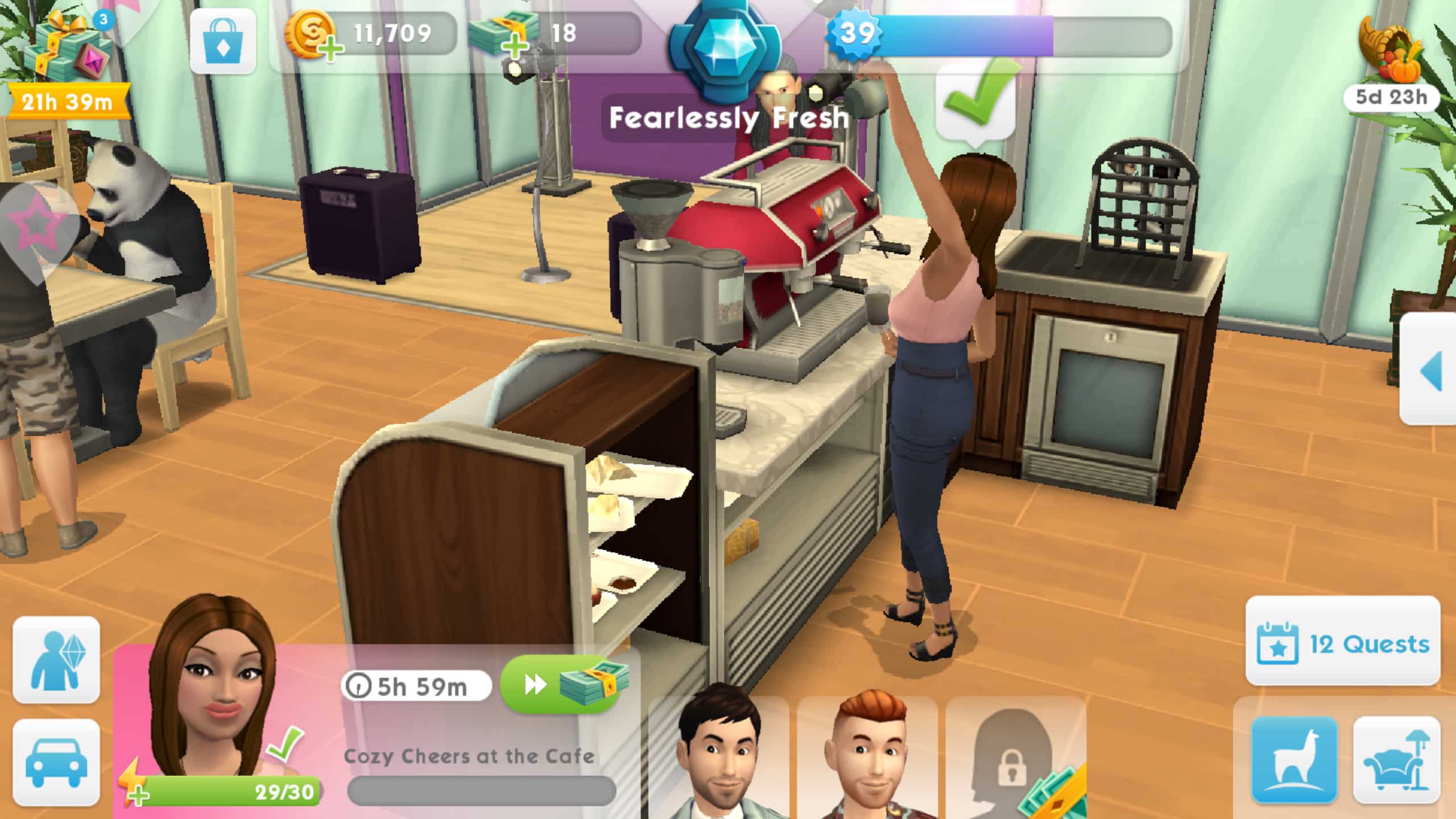
Goal: Complete the “Cozy Cheers at the Cafe” event
From here on out, the tasks are going to become more time-consuming, but hey, you’ve gotten a great head start! You can begin any of the new Harvestfest events one of two ways; by opening the event page and tapping on the event, or by tapping the leaf icon above the fridge and selecting an event.
Begin the Cozy Cheers at the Cafe event. It’s a 6 hour event so make sure you’re checking back in with the game frequently to finish it faster.
It’s all up to you from now on, but we think you’ve got the hang of things by now. Don’t worry, we’re not about to leave you completely in the dark. See our tips and tricks below for more advice on how to get through the rest of this event.
Tips & Tricks
Prioritize the Heirloom
All the goodies you can get from the Bags of Plenty are nice to have, but the real prize of this event is the heirloom. It adds a new romance story to the game called Pumpkin Spice Lovers. You won’t find this heirloom in the Bags of Plenty. You’ll have to finish the Harvestfest quest in time to earn this grand prize. Prioritize the quest over everything else. You’ll get lots of Pie Slices to spend on Bags of Plenty by doing the quest, anyway, so you won’t miss out on those rewards.
Anticipate Emily’s LlamaZoom Requests
Emily is adorable, but she is also extremely demanding. You can bet you’ll be asked to complete her LlamaZoom tasks several times throughout the duration of this quest. Emily will often ask you to complete at least one long event, which eats up a lot of time you can’t afford to waste. Make sure you have one Sim doing long events in anticipation of Emily. When she does ask you to finish a long event, you’ll already have a Sim who’s almost finished with it so you can save 7-8 precious hours and complete that task instantly.
Set Timers
Most short events take one hour to complete. It takes an hour and a half for a Sim to fully replenish their energy. Keep these time frames in mind and set a timer on your phone whenever you’re able to. This will remind you to check back with the game frequently so you can speed through the quest without worrying that you may have left your Sims doing a one hour event for the past eight hours.
Use Your Cupcakes and SimCash… but Only When Needed
Your cupcakes and SimCash are there to be used, but be sparing and smart about how you use them. If time is running out and you’re still several steps away from finishing the quest, it might be time to break out that emergency cupcake stash you’ve been saving up, but don’t throw away these precious resources too early. Save them for when you really need them.
Schedule Schedule Schedule
Work the quest around your real-life schedule as much as possible. Anticipate when you’ll be busy with work, school, or social engagements and plan your gaming sessions around them. If you know there’s a quest step that’s going to take 7-8 hours, try to get your Sims started on it before bed, work, or school. If you have some free time, try to speed through the shorter quest steps and one-hour events.
Relationships are King
Selecting the relationship tasks when you need to complete a LlamaZoom request is to your benefit because you can get those three short relationship events out of the way in minutes. Just find a Sim your Sim doesn’t already know, start a friendship event and breeze through it. When you’re prompted to select a relationship story for them, don’t choose one! Select Choose Later instead. Then continue doing those quick and easy intro events instead to complete Emily’s request. Relationships go much faster than hobbies and careers.
How far are you in the Harvestfest event? Let us know in the comments or on social media! Sul-Sul, Pumpkin Spice Lovers!
Don’t see any changes? Update your game! Go to the game’s app page in the Google Play Store (Android) or the App Store (iOS) to download the latest update and read about what’s new in the game.
The Sims 4 base game for Xbox One and PlayStation 4 is currently on an early Black Friday sale at GAME UK for just £19.99! That’s a saving of £25 off of the usual selling price. This deal only applies to the physical copies of the game bought from GAME via their website. Be quick as this offer won’t be on for long!
So if you are yet to pick up a copy of The Sims 4 base game for console then now is the perfect opportunity to do so. Don’t forget you can also pick up the brand new The Sims 4 Seasons expansion pack that was released earlier this week and a whole host of other brilliant downloadable content for The Sims 4 on Console.
One of the big factors in being a celebrity in The Sims 4 Get Famous is earning your reputation. Now your reputation can be one of two things. Either positive or negative. Regardless of which way your Sims reputation sways there are several different levels to each.
Reputation doesn’t directly depend on the actions that your Sims carry out but how the world around your Sim sees those actions and even who those actions are towards and mainly will affect your Sims public image.
One thing that SimGuruGraham touched upon in the Fame & Reputation Livestream is that although the way the reputation system works like the golden rules in The Sims 4 Get Famous, your sim would treat other Sims how they would want to be treated.
For example, if your Sim donated money to a good cause that would be noticed and then your Sim would receive a positive reputation from doing that action.
On the other hand, if your Sim was to perform mean interactions and then get into a fight with another Sim in public and there is a lot of people around to see it then your Sim would gain negative reputation.
To find out what your Sims reputation level and also fame level is just head over to the Simology menu at the bottom right-hand corner of your screen.
As you can see although this Sim is a Global Superstar she has a neutral reputation. This is where all Sims reputation starts and this is where you will see what level of reputation your Sim has.
But what are the different levels of Reputation?
Neutral
With a neutral reputation, other sims won’t be predisposed to feeling any particular way about you.
Good
With a good reputation, word is starting to spread that you’re a kind person. When you introduce yourself to other Sims, there’s a chance that you’ll immediately form a stronger starting friendship.
Great
Other Sims will love to have someone with your positive reputation around. They’ll reach out to you with various special opportunities via your phone. When you host a party, everyone will be thrilled to attend, which will help you achieve gold level rewards during events. A great reputation can improve your love life as well – romantic introductions have a chance of strating off with a heightened romance.
Pristine
A pristine reputation is as good as it gets! Passing by other Sims will elicit frinedly waves, friends will be more forgiving of any of your social miscues, and everyone’s life is brightened by your prescence. You can also host Charity Benefit parties – a posh event for gathering do-gooders to raise funds for excellent causes.
Bad
Word is starting to spread that you aren’t a kind person. New Sims that you introduce yourself to may have already determined that they aren’t interested in becoming your friend.
That said, there are other Sims out there that you can befriend.. Sims who have similarly bad reputations, or those that are Evil or Mean, may find your company perfectly pleasant.
Awful
An awful reputation isn’t all bad… Keep an eye on your phone; you’ll occasionally recieve intruiging opportunities from other Sims of ill repute. And while Sims are less inclined to respond well to romantic introductions from you, don’t fret. Friends may be willing to set you up on a blind date with other similary cruel Sims
Atrocious
An atrocious reputation can elicit strong negative reactions from other Sims that you pass in public. There’s one simple trick to countering people’s pereception of you though, and that’s bribery. Bribe other Sims for their friendship, or bribe your boss to boost your career. Some Sims will adore you just as you are though, and those nefarious ne’er-do-wells are just the types you’ll want to invite to the Lampoon Parties that someone of your poor stature can host. They’re a great gathering for all of society’s outcasts, so you’ll feel right at home.
The way you will know if your Sims have gained positive or negative reputation is easy. Similarly to when you gain or loose friendship you’ll see either a small green smiley face with wings when you earn a positive reputation or a small red evil smiley face with horns when you earn negative reputation. Depending on how you want your Sim to be seen in the celebrity world earning the reputation you want may seem like hard work to start with but it will soon become second nature.
That’s it for reputation in The Sims 4 Get Famous. Let us know what kind of reputation your Sims will have when they step into celebrity life in Del Sol Valley. Also, you can check out all the latest article for The Sims 4 Get Famous by clicking here. Are you ready for it?
SimGurus have shared some very useful Tips when it comes to preventing some of the issues that were brought with The Sims 4’s latest update. They’ve also acknowledged most of the issues that some simmers are experiencing and have noted that they’re working on permantentaly fixing them.
However, it may take a few days / weeks for us to get the hot fix update for The Sims 4. Until then here are some Tips & Tricks for the issues that were caused by the latest update:
Post-patch issues we’ve seen too:
-CC hair won’t change colors
-1st person camera shows inside the head when using Intel Integrated Graphics
-Terrain paint invisible when using Laptop Mode
-Sims related to Father Winter are missing
-Sims aging after CAS if EP6 isn’t installed
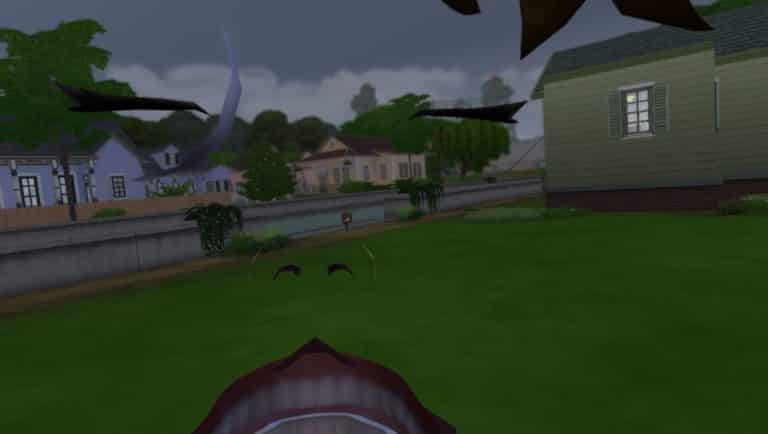
Workaround for the 1st person camera bug where you’re inside the head and see teeth:
-Open the file:
C:Program Files (x86)Origin GamesThe Sims 4GameBinGraphicsRules.sgr
-remove the line that says:
setProp $ConfigGroup EnableSoftwareSkinning true
-save the file, restart game
Note that using this workaround will likely cause reduced game performance and a choppier frame rate. But that’s why it’s only a workaround, we’ll fix this in a patch soon 🙂
🚨 Heads up – if you’d fathered a child with Father Winter, that Sim will have disappeared when loading your save game following yesterday’s update. You can avoid permanent loss of this Sim by not saving over your existing save file. 🚨
If you have a save file with a Sim that was fathered by Father Winter, the next game update will restore this lost Sim, as long as you did not overwrite your save file. Here are some suggested options to ensure preserving your Sim for the time being…
1) Back up your existing saves folder. 2) Use “Save As” instead of “Save” to create a new save file to continue playing for now. Following the next update, you could return to your older save. 3) Play a different save file that doesn’t contain children from Father Winter.
Heads up if you encountered the “Sims related to Father Winter are missing” glitch! Keep in mind that you can always attempt to recover saves via the button in the Load Game menu https://t.co/81oOorEw6N
We are throwing a very special Launch Party for The Sims 4 Get Famous Expansion Pack!
Join us today, November 15th at 9PM CET / 8PM BT / 12PM PT as we play the game together and count down to the release of the pack in Europe and North America. There’s also going to be a countdown on the livestream that you can follow along.
Considering that we’ll be celebrating the game’s launch in both Europe and North America the livestream is going to last for 10 whole hours. Don’t worry if you miss out on anything as the entire stream will be DVR’d and saved for replay when the stream ends.
The Sims 4 Get Famous is packed with so much incredible new content, it’s difficult to know where to begin. How do you get your foot in the door in Del Sol Valley? The best way to learn is by jumping right into the action. Get the rundown of how to get started through the eyes of my Sim, Cherish Perez, and her spoiled Yorkie, Paris.
Create Your Rising Star
The first thing you’ll want to do is create your future celebrity Sim. Deck her or him out in the hottest Del Sol Valley fashion. Take your time getting your Sim just right. You’ll be spending a lot of time with your Sim as you help her or him rise to fame. Make sure you create an interesting Sim you won’t get bored with anytime soon. Get Famous comes with a huge variety of hairstyles, clothes, and accessories to mix and match as you please. If you don’t want to spend ages picking out clothes, use the new Get Famous styled looks to quickly turn your Sim into a star.
Here’s Cherish. She wants to be an award-winning actress and has the attitude to match. She’s ambitious, a dog lover, and self-absorbed, which is a hilarious new trait that comes with Get Famous. We have a diva in the making!
Moving Day
Your Sim doesn’t have to live in Del Sol Valley to become famous, but it sure is useful to be close to all the action. Mirage Park is the perfect neighbourhood for an up-and-coming star to get their foot in the door and make a first impression. Choose the starter home in this district or select the empty lot and build your own modest little abode.
Cherish isn’t one to get her hands dirty with building. She’s impatient to get out there and start turning heads, so she moves into the starter home in Mirage Park. After a few pup-approved purchases, it’s the perfect home for her and Paris to start their lives in Del Sol Valley.
Choose Your Path to Fame
There are many ways to become famous in The Sims 4 Get Famous. The new acting and influencer careers are an obvious choice, but your Sims can become famous in any career or skill. You can even become famous for donating to charities. Just look for actions with a (+Fame) symbol next to them, highlighted in green. These actions will build your Sim’s fame.
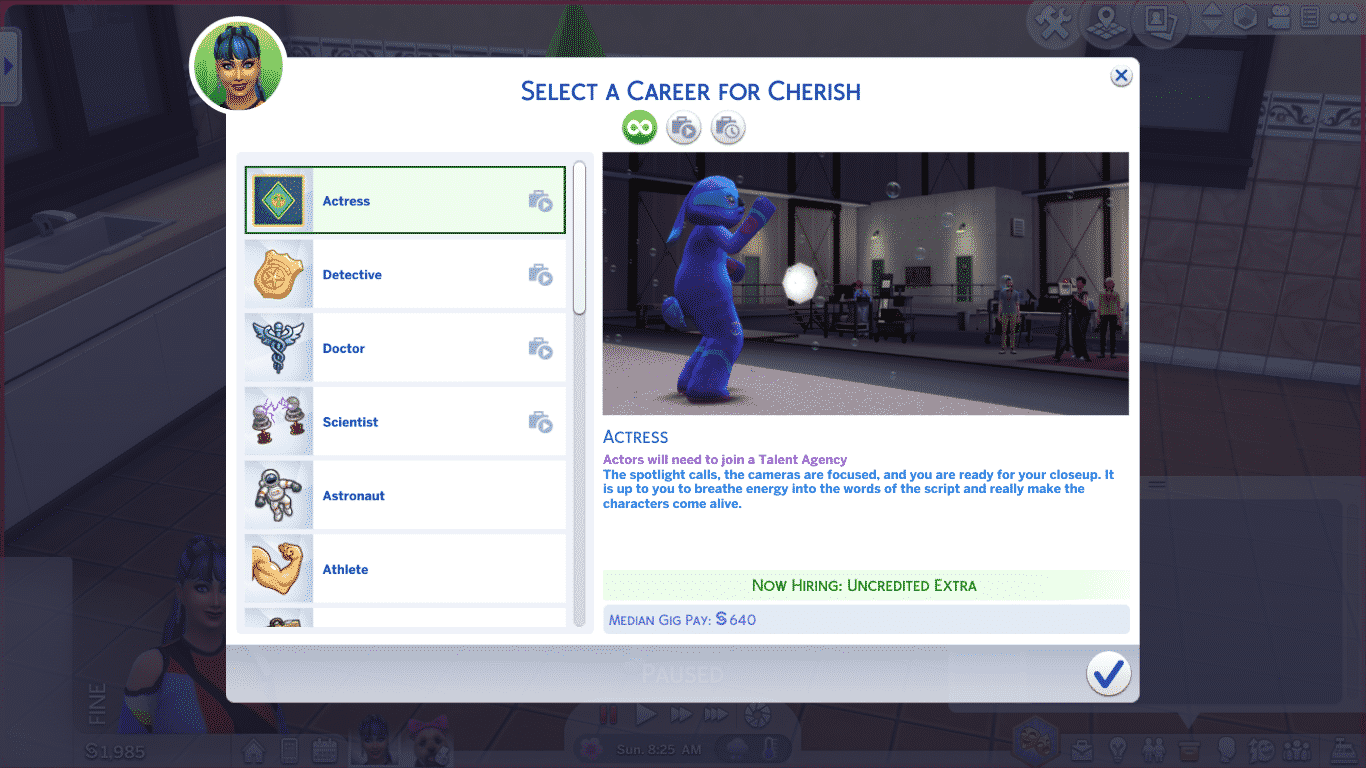
Cherish has big ambitions of becoming a world-famous actress, so I got her a job in the acting career by using her cell phone. For a more in-depth guide about the acting career, see our article: Getting Started with the Acting Career in The Sims 4 Get Famous.
She signs up with a talent agency and schedules an audition, but in the meantime, she’s free to explore the city.
Make an Impression
Cherish knows that being a hermit hiding inside her house is no way to get famous. She needs to get out there and be seen by other Sims. Your Sims won’t get anywhere by just minding their own business and living their day-to-day lives. They’ll need to interact with lots of Sims and put themselves in the spotlight. Both fame and reputation depend on your Sim getting noticed by other Sims.
Cherish hits the town with Paris at her side to go celebrity sight-seeing and meet new people. Starlight Boulevard is a great spot to look for celebrities and put on a few impromptu performances. Look out for Sims with a glow around them. These Sims are famous! If you don’t like the celebrity glow, you can toggle it off by clicking on the famous Sim.
Cherish attempts to introduce herself to a few celebrities, but because she’s still a nobody, her inner fangirl gets the best of her. She’s too starstruck to put together a coherent introduction. She does manage to get a selfie with a handsome celebrity on the walk of fame, though!
Get Down to Business
However you choose to get famous, you’ll have to work at it constantly. Fame is fleeting and fickle. If you’re not constantly in the spotlight, you’ll find yourself fading away into obscurity. To avoid becoming one of those unfortunate washed up has-beens, continue doing things that will improve your fame. Upload videos, put on public performances, work on your careers and skills. However you choose to find stardom, make sure you’re getting noticed. Get out there and be seen!
Cherish has the right idea. She’s constantly scheduling auditions and landing gigs. As soon as she wraps up one gig, she makes sure she has another audition lined up. Take a leaf out of Cherish’s book and make sure your Sims are always striving for the limelight on their chosen path to fame.
The Rundown
That was a lot of info. Let’s break it down into steps:
Create your future star
Move them into their new pad
Get out there and meet new Sims
Perform actions that boost fame
Stick with it! A lazy star is a fallen star!
That’s all there is to it! Be a sociable Sim and keep doing fame-related activities and you’ll be walking the red carpet in no time!
Footage that you see down below is presented by EA Game Changers
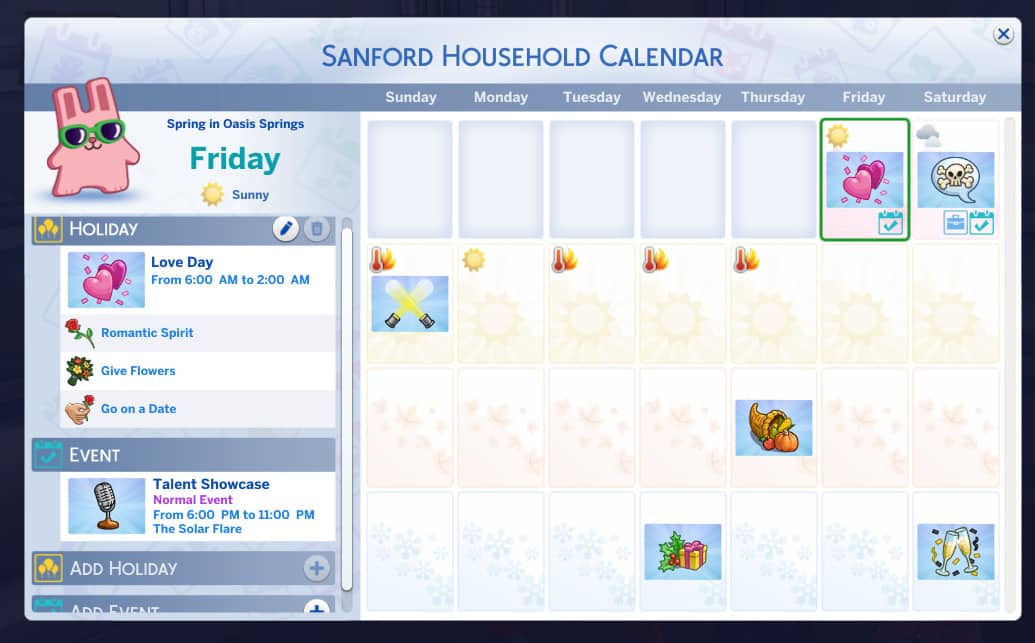
The Sims 4 Get Famous sees two new additions to events added which you can find in your Sims Calendars.
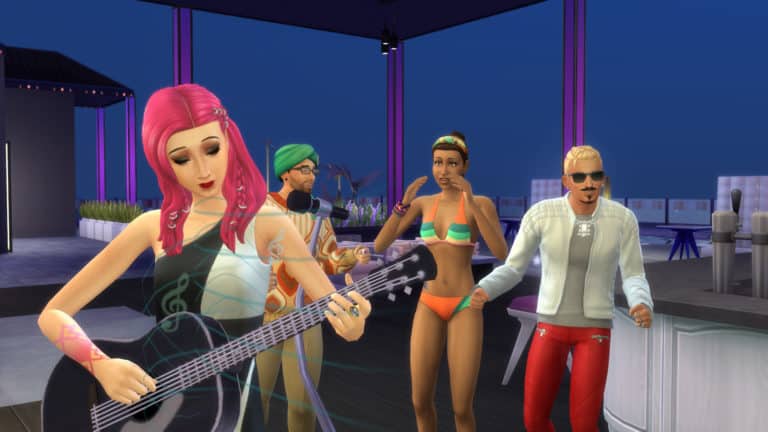
First up is the Talent Showcase. This can be held in various lounge venues across the game. This is the perfect opportunity for your Sims to show off their skills and get noticed by other celebrities.
The event its self is simple and straightforward. Once your Sim arrives at the venue simply walk over to the bar and then “join open mic.” Once you have done that simply wait for your Sims turn to perform and then head for the microphone stand or an instrument. You’ll get a notification letting you know when it is your turn.
Inbetween your Sims performance and the end of the event you can watch other Sims perform, socialize, interact with fans and more. Once the event finishes at 11 pm you will receive a notification telling you that the event has ended.
The event pops up a couple of Sim days in a row and is then followed by the Starlight Accolades event that is held at Studio PBP in Del Sol Valley. At the star-studded Starlight Accolades, celebrities from across the world will gather to see who will be lucky enough to be given a Starlight Accolade Award.
With every Sim who wins they will pop up to the microphone and give an acceptance/thank you speech. There are about four different accolades that Sims can be awarded including Best Video and 110% Starlight Accolade Award.
Although these are just two new events that come with the new expansion pack you can also create your own events including Meet & Greets (which also show up as its own event in the calendar and will guarantee your Sim a chance to meet another celebrity), Charity Benefit Party or create your own star-studded celebrity event!
But say you want to create your own venue to host a talent showcase or even the Starlight Accolades Awards or any celebrity event. Well, you can. Make it as extravagant as you want or even as minimalist. Whatever kind of Lounge venue you want to create. Create it! Just don’t forget to add the lot traits that you want.
The Sims 4 Get Famous, however, adds two new Celebrity venue specific lot traits.
Hottest Spot In Town – A place for the Superstars, the VIPs, those who achieved victory over the commonplace! After all, who else could afford these hyperinflated prices? Not you… no. But at least, the Starlight Accolades can only happen on Lounges with this trait.
Up-and-Coming Hotspot – At least your sims can say they ‘went here before it was cool.’ Also, cheap drinks and eats for the super famous! Even better, Meet a Celebrity events can only happen on Lounges with this trait.
For the talent showcase event, it appears as though the game will randomly select from any of the lounge venues that are in your game regardless of which world they are in. As for the Starlight Accolades, the game will choose from only lots that have the Hottest Spot In Town lot trait.
Let us know what Starlight Accolade Awards you think your Sim will win and what celebrity events you will create for all the hottest celebrities to attend in Del Sol Valley! Also if you create any celebrity inspired venues share them with us on Twitter and on Sims Community Social!
In The Sims 4 Get Famous, there is so much to do and explore that learning the ins and outs of every feature can feel a bit daunting when you first dive into the expansion, but not to worry. Sims Community is here to help your Sims get that coveted star on Del Sol Valley’s walk of fame.
Your Sims can become famous in almost any way you can imagine, but one of the best ways to rise to the top is by becoming a world-class actress or actor! The brand new acting career is a fully active career with its own hidden career venue, but if you think the acting career is just a tired rehash of the careers from the Get To Work expansion pack, think again! The acting career provides a level of depth and detail never before seen in a career.
Without further ado, let’s dive in!
Becoming an Actress or Actor
It’s easy enough to get a job in acting. Just use the phone to find a job and select Acting from the job list.
Once you’ve joined the acting career, your Sim will need to pick an agency to represent them. As your Sim becomes more famous and gains promotions in the acting career, more agencies will become available to represent your Sim. To start out, you’ll only have two agency options to select from.
Screenshot 232
Screenshot 235
It’s important to select the right agency for you. Each agency provides a different benefit to your Sim. Hover over the different agencies to see what perks they give your Sim and base your choice on that.
You can switch agencies using the phone. You’ll want to do this whenever new agencies open up to your Sim. Bigger and better agencies will want to represent your Sim as they become more high profile.
Auditions
Unlike other careers, acting isn’t a 9-5 job. Your Sim will be working from gig to gig, but in order to land any gigs, your Sim will need to audition for those roles. Open up the job panel and select the clipboard icon to look for auditions. Auditions refresh daily.
In the auditions menu, you’ll be able to see the pay range of the gig and the date and time of both the audition and the gig. You’ll also see the recommended skills for the audition. It’s best to select an audition with a skill recommendation that your Sim can easily fulfill.
Once you’ve selected an audition, you’ll need to prepare for it. Make sure your Sim works on the recommended skills and attends the audition in a good mood. Confident is the ideal emotion for auditions, so spend some time psyching your Sim up using a mirror before they head out to their audition.
Your Sim will disappear off the lot for a few hours while they’re at their audition. If your Sim has met the skill recommendations and attends the audition in a good mood, chances are high that they’ll land their gig. If your Sim doesn’t meet the skill recommendations or attends the audition in a bad mood, they may fail the audition. If your Sim fails their audition, you’ll have to look for another audition to attend and start all over to prepare for it.
Gigs
When your Sim passes an audition, they’ve landed the gig. Now they need to prepare for the role. Look at the job panel to see what prep tasks your Sim needs to do before filming begins. Don’t ignore your prep tasks! They’ll determine your success in the gig. More on that a little later.
When it’s time for the gig, you can choose to send your Sim alone or join them on set. It’s more fun to join your Sim on set. When your Sim arrives on set, they’ll have a set of goals to complete in the upper left corner of the screen, just like other active careers we’ve seen in the past. Unlike the other active careers, it’s important for your Sim to complete all other goals before they begin filming the production. Once filming has started, all other goals disappear. If you didn’t complete them before, you may not be able to finish the gig at gold level.
11 13 18 9 05 58 PM
11 13 18 9 08 17 PM
Once your Sim has finished all other goals, send them to get their hair, makeup, and wardrobe done in preparation for the production. You’ll get a goal to tell the director you’re ready to start filming when your Sim is in full costume.
11 13 18 9 11 48 PM
11 13 18 9 14 14 PM
When filming starts, select props or your costars on the stage to film different scenes for the production. This is where your prep tasks come into play. When filming a scene, your Sim has the option to take risks or play it safe. If your Sim completed their prep tasks, the riskier options are much more likely to go well, boosting your overall performance. If your Sim neglected their prep tasks, these riskier actions are almost guaranteed to end in disaster, which will hurt their performance.
Cut! That’s A Wrap!
The cameras stop rolling after your Sim has filmed all the required scenes for the production. This will complete the main goal of filming the production. Your work shift will end shortly after.
When your shift is finished, you’ll be able to see how much money and fame your Sim earned. You can choose to send your Sim home or hang around the set for a while after. Sometimes it can be good to stick around and bond with your costars and the crew.
It may take a few gigs to earn enough fame to become a Notable Up-and-Comer and earn your first fame point, but you know what they say; that’s showbiz, baby.
What do you think of the new acting career? We want to hear from you! Share your thoughts with us here in the comments or on social media!
Footage that you see down below is presented by EA Game Changers
It’s that time again! Another new and exciting expansion pack is just around the corner so we took a moment to check out some of the new features that are included in the expansion pack.
Del Sol Valley
While the world has received mixed reviews so far you can’t deny that the amount of detail The Sims team have put into the different neighbourhoods and the world, in general, is amazing! Also, why not take a look at the world in the new first-person camera mode too.
Acting Career
Whether you want to send your Sim alone to their Acting job or join them the brand new active career has something for every Sim. Send your Sim to an audition of your choice and see how you get on. Of course, if your Sim passes their audition why not join them on set too!
New Skills
The Sims 4 Get Famous comes with two new skills. The Acting skill and also Media Production skill. Both skills open up numerous opportunities as you level them up. This will also help your Sim progress in their quest for superstardom.
Money Vault
Where else is your Sim going to keep all of their Simoleans? You can deposit as much or as little of their wealth as you want but they can play with their money, take a quick little nap in their money or even Woohoo with another Sim in the money pile. Just don’t forget to lock the vault doors!
Flaunt Wealth
Whether it is $100, $1000 or $10,000 you have in your account your Sims can now flaunt their wealth and make it trickle! They can even use the money phone for added effect as well.
Bribing Bouncers
Is your Sim trying to get into the hottest venue in Del Sol Valley but isn’t famous enough? Well, you can always get your Sim to bribe the bouncer for a chance to get into the party!
Paparazzi & Fans
The more your Sims fame level increases the more likely your Sim will run into Paparazzi and adoring fans. While sometimes this can be a quick pose for the camera it could end up with your Sim bribing the Paparazzi to leave or even signing a few autographs. Just be careful as to which options you choose.
Exotic Water Garden
One of the new buy mode items is the Luminary’s Exotic Water Garden. Don’t be fooled though, as much as it looks lovely in your Sims garden but things might get a little snappy! Of course, you can add Koi, Sprites, Piranha or even sharks to your garden. Play with them, feed them or even if your Sim is feeling brave. Jump in!
There is so much more to explore in the brand new The Sims 4 Get Famous Expansion Pack and this is just some of the many features we love that come with it. There is plenty more to discover!
Let us know what you are most excited to try out in The Sims 4 Get Famous when it is released!