To download the latest version of The Sims 4, simply open your Origin program and if the game doesn’t update automatically, right click on The Sims 4 and select ”Update”.
In case you have Mods or Custom Content, the game will automatically disable them for you after first launching The Sims 4 after the update. To re-enable all your Mods and Custom Content, select the Settings option in the Menu and select Settings. Under the”Other” section you’ll find the ”Enable Custom Content and Mods” option. Check it and restart your game in order for it to take effect!
UPDATE: 11/13/2018 – PC 1.47.49.1020 / Mac 1.47.49.1220
Get ready Simmers; while my introduction here may be brief, you’ll find this update to be quite hefty. We’ve got a TON of fun, free, new additions for all owners of The Sims 4, along with plenty of tweaks, fixes, and updates for your game. Read on…
NEW & IMPROVED FEATURES
Terrain Tools
Terrain tools. Say it again. Terrain. Tools. Again! TERRAIN TOOLS!
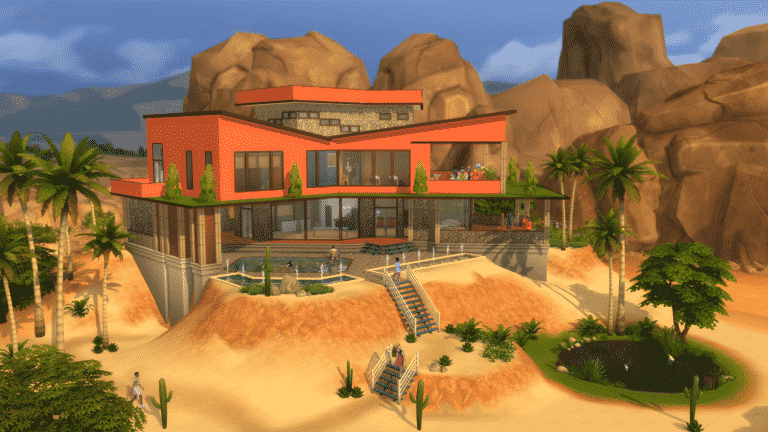
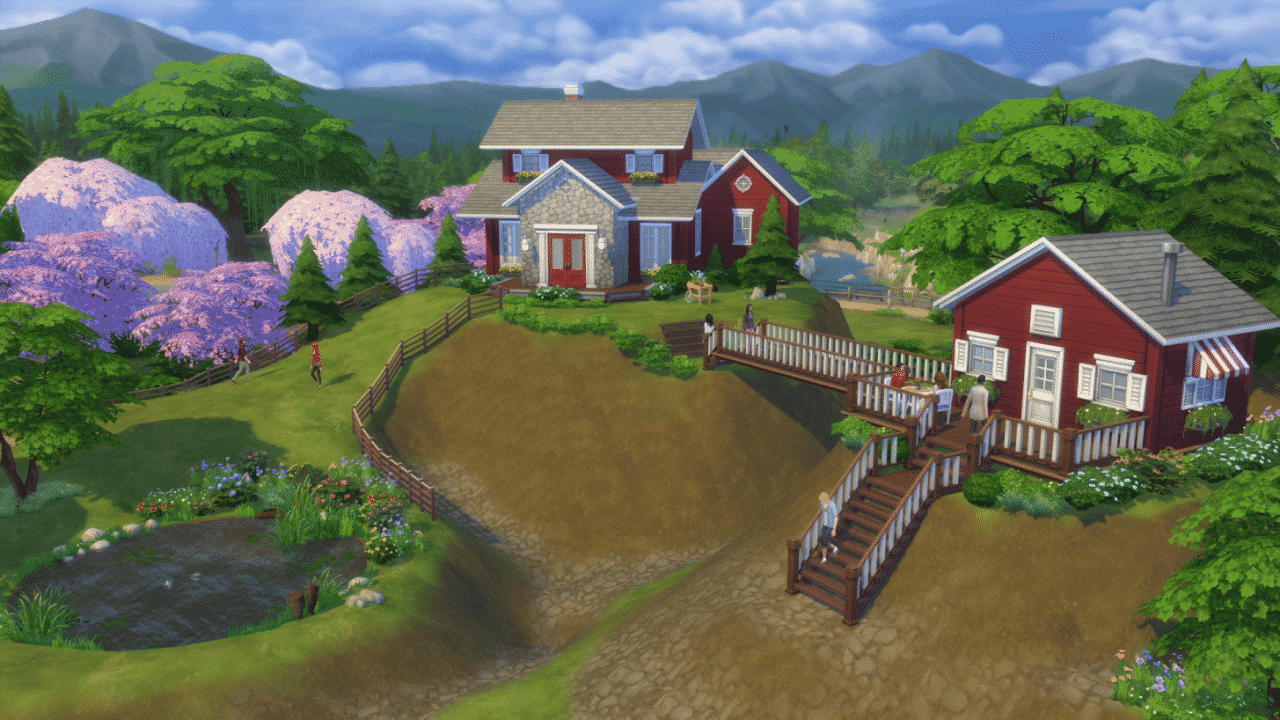
They’re here! You can now build hills or dig ditches on your lot to your heart’s content. Your creative capabilities just received a massive boost, so get building! In Build Mode, simply navigate to where Terrain Paints previously existed, and click the shovel to get started. Need additional guidance? A new Build Mode lesson on Terrain Manipulation is available in-game to help explain the new tools step by step.
Foundation Updates
Previously, every building on a lot had to share the same foundation height. With today’s update, buildings that aren’t connected to each other can now have different foundation heights, or some may have no foundation at all!
We’ve also updated how you adjust the height your building’s foundation. Simply select any room and grab the new widget that appears in the center. By dragging it up or down you’ll find that it’s not only easier to use, but it’ll allow you to create buildings that soar to previously unattainable heights, or structures that are sunk down into the ground.
Additional Basement Levels
Were two basement levels two too few? You’re in luck; we’ve added two more! You can now build basements underneath your lot four levels deep.
Additional Half Wall Heights
We’ve added two more Half Wall heights. There’s the “Tall Half Wall – Medium Wall” and the “Tall Half Wall – Tall Wall”. Say that three times fast. What it really means, is that if you’re creating a building that uses Medium or Tall walls, these new Half-Walls will be perfect if you want walls that stop just short of the ceiling.
- Getting philosophical for a moment… can these truly be called “Half Walls”? Maybe we should have called them “Partial Walls”.
First Person Camera
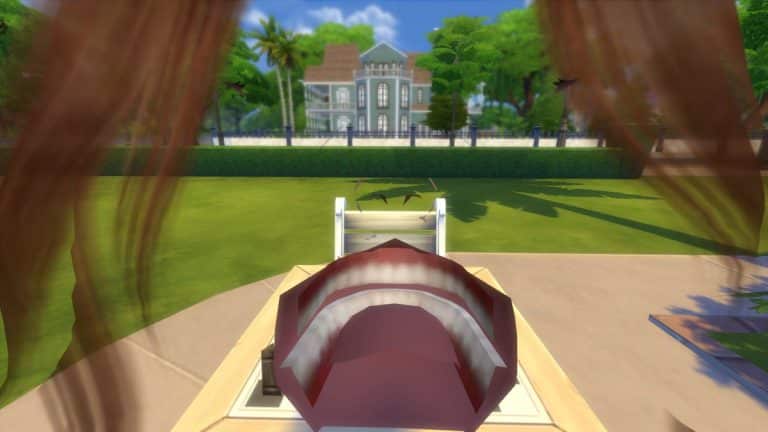
Ever wondered how your Sims view the world? Now you can play The Sims through their own eyes! It’s something you truly have to see to believe. The controls listed here provide everything you need to get started.
- Shift + Tab
- Enter/Exit First Person Camera mode.
- Left Arrow / Right Arrow
- Change which Sim you’re currently controlling while in First Person Camera. (For those with The Sims 4 Cats & Dogs, you can even look through the eyes of your pets!)
- Left Mouse Button
- Right Mouse Button
- Select the other side of doorways, walls, and floors. Allows traversal between rooms or across different floors.
- Shift Key (Hold)
- Control the mouse cursor while in First Person Camera.
- Mouse Look
- Move your view around, separate from where your Sim is currently looking.
- Ctrl Key
- Snap the camera back to where your Sim is looking.
- Mouse Wheel
- Adjust the Field of View settings (useful if you experience motion sickness.)
New Career – Style Influencer
Terrain tools, a first person camera, and a new career?! You’re one lucky Simmer! Starting today you can live your fashionable Sim’s best possible life in the new Style Influencer career. You’ll start off small by observing fads and reporting on the latest trends, but it won’t be long before you’re defining new looks that are worn by Sims all around town, or giving makeovers to help other Sims look on fleek.
In addition, two brand new objects will help you progress through this career…
- Sketchpad
- The sketchpad is perfect for the artist on the go. Not only can you draw quick sketches when inspiration strikes, but it acts as a pocket canvas for painters. It’s the simplest way to go out into the world and create beautiful masterpieces that can be printed and hung on your wall.
- Sims with level 2 Painting Skill can use the sketchpad to create a wide variety of new art. You’ll find it under the Illustrative Painting interaction on the sketchpad.
- Style-Board
- The style-board is your Sims’ collage of inspirational material. A collection of sketches, photos, patterns, and material comes to life as your Sim is influenced by the world around them. As your Sim refines their own personal style, the style-board can be updated to reflect the current looks you’re working to create.
New Clothing & Objects
We couldn’t simply release a Style Influencer career without offering some sleek new clothing and accessories to dress your Sims in. You’ll find the following new pieces available in Create a Sim*:
- 2 jackets; one for women, one for men
- 2 jeans; one adorned with rhinestones, and one that’s acid washed
- 2 necklaces; one gold chain, and one bedazzled collar
- 1 gold chain bracelet
- 1 pair of fingerless gloves
- 1 fiddler hat
- 1 pair of women’s heels
*Some of these pieces require progressing in the Style Influencer career before they unlock.
And while we’re being so fashion forward, we also went ahead and added a brand new dresser to store these clothes in, and a new wall mirror to admire your trendy outfits in.
Positivity Challenge
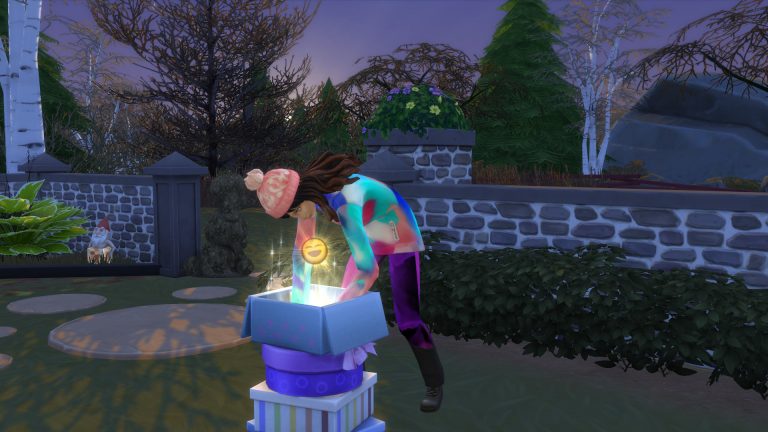
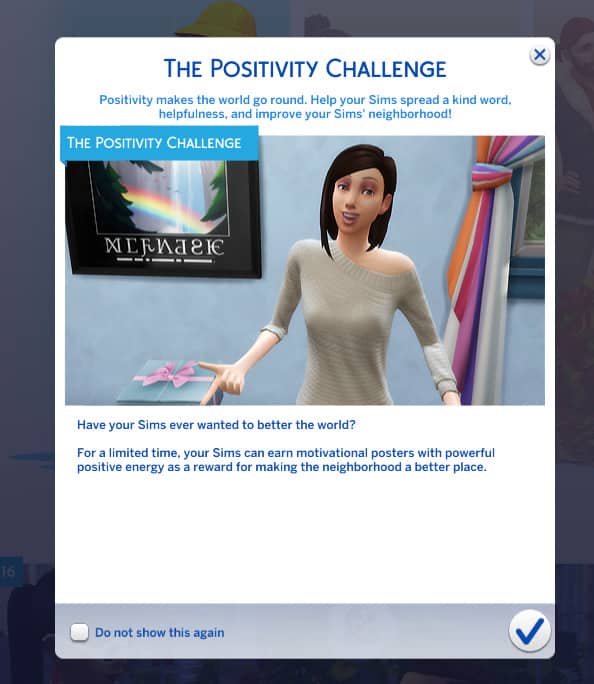
Millie Bobby Brown has arrived in The Sims world to challenge your Sims to complete the Positivity Challenge! This limited time event is active right now, but won’t be around forever… You have until December 4th, 2018 to participate. Simply use your Sim’s phone to call the Event Coordinator (surprise, it’s Millie Bobby Brown), and she’ll provide everything you need to start making your Sim’s neighborhood a better place for everyone.
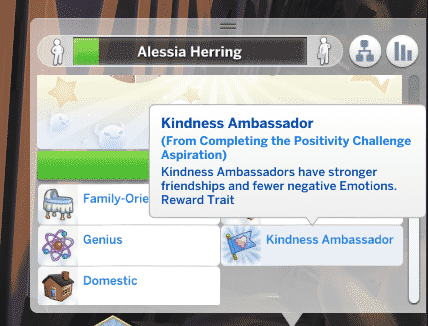
By issuing a positivity challenge, you’ll unlock a brand new aspiration for your Sim. Various rewards are up for grabs with each tier of the aspiration you complete, culminating in a powerful new Kindness Ambassador trait bestowed by Millie Bobby Brown herself.
Now get out there and perform some good deeds!
Name Your Own Career
Has your Sim ever experienced the awkward situation of having to say they’re unemployed, when in reality they’re leading a financially successful lifestyle? Perhaps they run their own retail store? Or maybe they’re the proprietor of a grueling painting factory, selling mass-produced artwork for maximum profit (let’s be honest, we’ve all been there before.) Now you can name and describe their job title, so that each and every Sims’ money-making scheme will get the recognition it deserves. Simply use your Sim’s phone to Register with the Ministry of Labor, and type in whatever suits you.
First Time User Experience
We’ve added something that we call a “First Time User Experience” to the game. If you want to sound in the know, you can pronounce this as fuh-too-ey in casual conversations with your friends. Really, it’s a fancy way of saying that we created a completely new tutorial for new players. If you’re reading these patch notes, this feature probably isn’t for you. That said, if you’d like to experience the dulcet tones of actress and comedian Jessica Williams explaining how to play The Sims 4, then we invite you to give it a try.
Gallery Profile Updates
We’ve made some changes to the layout of user profiles on the gallery. Each player’s profile now has four large images that cycle through the content that they’ve uploaded. Content from other players that you’ve favorited no longer appears in your own profile feed. Finding content from other players that you’ve favorited can be done by going to your profile page, clicking on “View Catalog”, and then changing the “View Content By:” filter to “My Favorites”.
Whim Updates
There’s a new “Show Whims” option in the Gameplay Options menu that allows you to enable or disable whims… at your whim.
Simology Panel Updates
To help manage all of the information stored within the Simology panel, individual sections of this panel are now collapsible and expandable. This allows you to curate the information on display to only show what’s currently important to you.
Relationship Panel Updates
The Relationship panel has a new filter that allows you to see just your Coworkers.
FIXES & UPDATES
The Sims 4
- The default sort for the Gallery was changed back to Newest, due to popular demand.
- Placing wallpaper or floor tiles in Build Mode will no longer cause the frame rate to drop.
- Fixed frame rate drops that would occur when converting a wall into a fence, if that wall was attached to a roof.
- Using the basement tool will no longer interfere with placing floor tiles on the surface of a lot.
- If a rounded deck piece has been rotated, attempting to delete the deck piece will no longer trigger an error, and bulldozing a lot with them will no longer cause the game to hang.
- A number of exceptions which were occurring in Build Mode have been cleaned up.
- Sims will be more discerning over who they decide is worth mourning when an NPC Sim passes away.
- Gardening plants will need to be watered and weeded on a regular schedule once again.
- Directing a Sim to water plants in a garden will no longer cause the Sim to fixate on watering the same plants over and over again, but instead will share the H2O with every plant that’s in need.
- Birds of Paradise plants that are acquired from rare seed packets will now successfully blossom.
- It seems our Sims went through a phase of being introverted; please excuse them. They’ve resumed socializing in Cafes, Bars, and Lounge venues.
- The game will no longer occasionally accidentally think that a Sim is in the middle of aging up, which had previously prevented players from traveling or saving during this time.
- That said, you still (intentionally) can’t travel or save when a Sim really is aging up… happy birthday!
- Toddlers using the “Bedtime Story…” interaction while sitting on a bed will no longer cause routing issues or clipping with the selected adult Sim.
- You may now hire a caterer during a social event by clicking on a Refrigerator or Stove, even if you chose not to hire a caterer while setting up the event.
- Glass windows will once again be rendered properly on low graphics settings.
- Playing with custom content should no longer cause icons in the Create a Sim catalog to occasionally appear sideways.
- Your Sims’ neighbor’s toddlers were occasionally being imbued with a desire to go fishing. This was causing the toddler’s caregiver to appear, and let themselves into your home uninvited. Don’t ask how the two are connected, just know that toddlers won’t want to go fishing anymore, which in turn keeps these uninvited strangers out of your home.
- Two Sims WooHooing on a bed that another Sim has claimed will no longer cause that other Sim to no longer claim the bed for sleeping.
- Ok, but seriously… this is just rude. We live in a society people.
- The Tea Magic Personal Brewer was brewing worse and worse quality tea over time, until it could only produce poor tea. Not only did we fix that, but we discovered and fixed an underlying issue that was preventing Sims from ever brewing excellent quality tea. Enjoy your delicious tea!
- Toddler’s portraits will no longer be grayed out and said to be “At Daycare” after an adult returns home.
- Children can once again use their cell phone to take a photo of other Sims of different ages, and Sims of other ages can once again include children in their cell phone photos.
- Screenshots for Mac users will no longer be upside down.
- Removed the odd green tint in the outdoor lighting of two lots in Willow Creek.
- We’ll just go ahead and blame that one on aliens.
- The Match Hair option in Create a Sim will now correctly match eyebrows to the Sim’s hair color for children and toddlers.
- Tuna Casseroles no longer have two Party serving sizes, and Vegetable Casseroles can now be cooked in a Family serving size.
- The career hours of other Sims in your relationship panel will no longer disappear after your Sim travels.
- Eating Semi-Firm Beet Noodles will no longer make vegetarian Sims sad.
- (On a personal note – Eating Semi-Firm Beet Noodles would make me pretty sad.)
- The dining table that can be crafted by Sims with the Woodworking Skill will now provide a Nicely Decorated moodlet.
- Shadows cast by windows will now render properly on graphics settings lower than Very High.
- The “Jog to Clear Mind” interaction will now successfully complete the “Go for a Jog” whim.
- The “Include Custom Content” filter in the Gallery now has a proper tooltip explaining its functionality.
- Sims can now order Medicine or Voodoo Dolls on computers that exist on lots other than their own home lot.
- Plant Sims will no longer have their hairstyle change when their Water Need raises or drops.
- Wall Cutaway view will continue to function properly when adding a Sim to your active household while visiting an NPC household’s home lot.
- Twins that are born from this point forward will now share the same birthday.
- All whims related to grilling can now be successfully completed.
- Lowered the number of social media followers gained when a Sim with level 10 Charisma skill uploads a viral video.
- Children who need help from another Sim to spray a monster under their bed could previously only select from Adult aged Sims. They can now select from Sims of other ages as well.
- Foundations on buildings were previously lit upside down. Now they’re lit right-side up!
- Fixed a hang that could occur when favoriting a piece of content in the Gallery, and then favoriting that same piece of content a second time in the News Feed.
- The Winter Holiday Venue Wall Speaker now has all four color variants available for players who do not also own The Sims 4 Get to Work.
- Stairs without drop walls will cast shadows once again.
- Submitting a Book Copy to the Literary Digest will no longer cause two versions of the interaction to be queued up, one of which caused the Sim to route fail.
- Fixed some clipping issues with the Men’s Caribbean Suit.
- Updated the Caribbean t-shirt so that choker necklaces remain visible while wearing it.
- Updated the Sim Idol Rug to have a diamond pattern.
- Large diagonal double doors will no longer overlap each other while held on the mouse cursor in Build Mode.
- Improved the shadows cast by a variety of objects.
- The Simology panel will now retain whatever height it was manually resized to when switching between Sims.
- Shiny wooden floor tiles will now appear to be shiny both indoors and outdoors.
- Bringing another Sim to tears using a violin will now cause that Sim to actually become sad.
- Objects in the Wall Decorations category within Build Mode will now count towards the Wall Decor lot requirement for Museum venues.
Get to Work
- Retail counters that become dirty can now be cleaned once again.
- The “Lice Cold Retail Freezer”, and the “Cat Loves Food Inc. Professional Grade Warming Rack” will once again update their appearance when food is placed inside them.
- The Grim Reaper will no longer become frozen in place if a Sim activates a Neighborhood Hivemind effect via the Scientist’s satellite while the reaping of a dead Sim is in progress.
- Makes you think… Scientists had unwittingly invented a world without death, only for those of us at Maxis to meddle and take it away.
- Doctors will no longer be assigned a nurse’s outfit as their work clothes when reaching level 7 of their career.
- As a detective, attempting to fingerprint a criminal that’s inside a jail cell will no longer cause the detective to idle in place.
- Scolding a Sim for inappropriate behavior while on an owned retail lot will no longer cause your own Sim to become uninvited and unable to access the building’s interior on their retail lot.
- Male Sims wearing steel toed boots paired with a skirt (It’s called fashion, look it up.) would previously have their legs disappear. Happily, we’ve fixed this.
- Fixed an issue where changing the gender of an alien would cause the alien to appear naked.
Get Together
- Baristas will now leave the Cafe lot once their work shift is over.
- Updated some Windenburg neighborhood skyboxes so that clouds no longer visibly clip with the mountains.
City Living
- Plants at festivals will grow harvestables that are ripe for picking once again.
- Haggling over prices with vendors at stalls will now result in the correct price being displayed that the household will actually be charged.
- This is also fixed in other packs that include vendor manned stalls.
- Holiday decorations (requires The Sims 4 Seasons) that can’t be removed will no longer appear on apartment balconies.
- Tricksy little gnomes will no longer spawn outside your apartment unit during the Holiday Gnomes tradition (requires The Sims 4 Seasons).
- Made improvements to simulation lag in certain San Myshuno neighborhoods.
- If a Sim is at an event, such as the Opera, a Concert, a Musical, or the Circus, having another Sim travel will no longer cause the Sim at the event to leave the event early.
- Sims will once again animate properly when busking for tips while playing the electronic keyboard.
Cats & Dogs
- The needs of cats or dogs that live in another household will no longer start off low when your Sim visits their household.
- Bathing a dog in the “Trap’s Trapezoid Tub” (Requires The Sims 4 Fitness Stuff) will now correctly fill the bathtub with water.
- Updated the women’s hairstyle that’s long with a straight middle part to no longer cause clipping with Sims’ faces.
- Fixed a t-shirt that was causing Sims’ elbows to bend in a very odd manner.
Seasons
- Sims will no longer have difficulty decorating the Ever Delightful Evergreen Holiday Tree when it’s placed adjacent to certain wall decorations.
- If a Sim is at work or school on the day of a holiday, they will no longer return home from work/school early if another Sim in the household travels somewhere during the holiday.
- Sims may now WooHoo in leaf piles that build up outside of a lot.
- Mac users who play in Laptop Mode, your Sweet Treats nightmare has come to an end. Plants in certain neighborhoods will no longer be rendered in shades of pink and purple during the Fall season.
- Trees with leaves should be casting shadows once again, for players who were observing issues with certain hardware configurations.
- When raining, NPCs will now correctly put their umbrellas away when going indoors on venues.
- The Santa hat will no longer cast shadows on your Sim’s eyeballs.
- Gnomes will no longer break unbreakable objects.
- Toddler’s foreheads will no longer cause clipping when wearing certain hats from The Sims 4 Seasons.
- Father Winter will no longer choose to move into a home in your town.
- Each color of the “Umbri Umbrella Rack” now costs the same amount of simoleons to purchase.
- Sims will no longer spawn in the neighborhood and idle in place during the Fall if there are no large leaf piles in the open streets area of the neighborhood.
- Lightning will no longer strike pool lights, which previously caused singe marks in pools that could not be removed.
Outdoor Retreat
- When using Manage Worlds to edit a lot in a destination world, the Build Mode catalog will no longer show debug items without using a cheat.
- Sims will no longer have their position jump when exiting a tent.
- Sims will no longer route fail when attempting to sit in a loveseat that’s been slotted to a campfire.
Spa Day
- Changing into a towel at the Gym or Spa will no longer cause a Sim to occasionally wear additional accessories.
- Sims will no longer become stuck when a yoga class starts on a Gym lot.
- After a long, hard day of beekeeping (Requires The Sims 4 Seasons), Sims will now fully remove their beekeeper suit when heading to the sauna or massage table.
Dine Out
- Repairmen that are called to restaurants will now properly fix any broken objects on the lot.
- The Jazz radio station is now available on all stereos.
Vampires
- Vampires will no longer attempt to “break in” to venues, which was previously preventing players from traveling or saving their game during the break in.
- Vampires who started burning in the sunlight while traveling away from home, will no longer continue to burn when returning home and retreating inside.
- Adjusting a Vampire’s Dark Form can no longer occasionally cause issues with the Sim’s other outfits.
- Vampires will no longer automatically help themselves to a plate of food after cooking a Family or Party sized meal.
Parenthood
- Table settings will no longer disappear when Sims sit down to eat.
- The low hanging “Mason Multi-Jar Lighting” will no longer cause Sims to route fail when placed in rooms using medium height walls.
Jungle Adventure
- Sims will no longer receive invites to the bar in Selvadorada, which would previously leave them stranded in the jungle.
- Only one protective item will now be consumed at a time when it’s used to save a Sim from various animal attacks while exploring the jungle of Selvadorada.
- The Latin Music radio station is now available to select on cheaper stereos.
- The Cantina venue in Selvadorada will continue playing festive Latin music, even if your Sim chooses to not pay their household bills on time.
- Sims will no longer route fail when attempting to unpack their sack lunch while exploring the hidden areas of Selvadorada.
- The explorer shirt will no longer cause oddly colored patches of skin to appear on the back of Sims’ necks.
- Tooltips on relics should now correctly appear after a Sim has learned about the relic’s curse or blessing.
- The value of a relic that has a crystal inserted into it will now display properly in the relic’s tooltip to include the value of the crystal.
- We tightened up the graphics on the Selvadorada map icon.
Movie Hangout Stuff
- The “Projectotron Indoor & Outdoor Movie Screens” can no longer be placed on top of coffee tables or TV stands.
Kids Room Stuff
- Songs on the Tween Pop radio station are now labeled with the correct artist and song title.




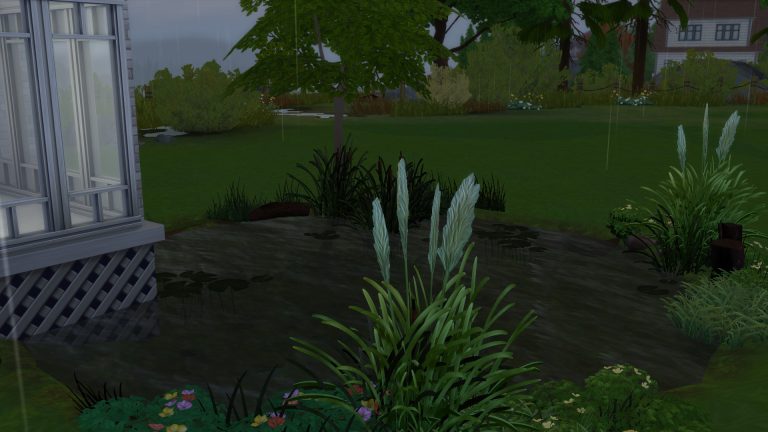


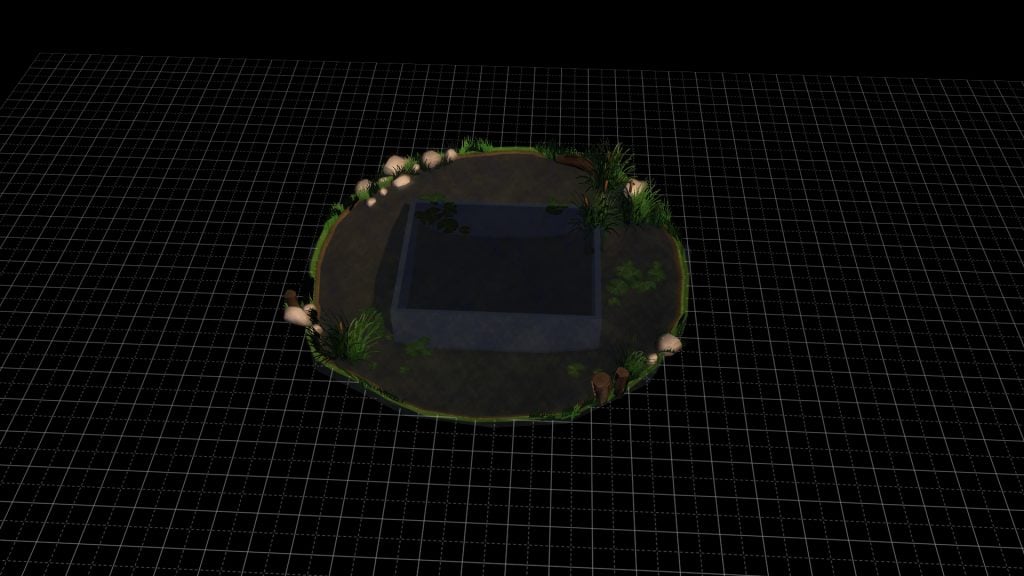
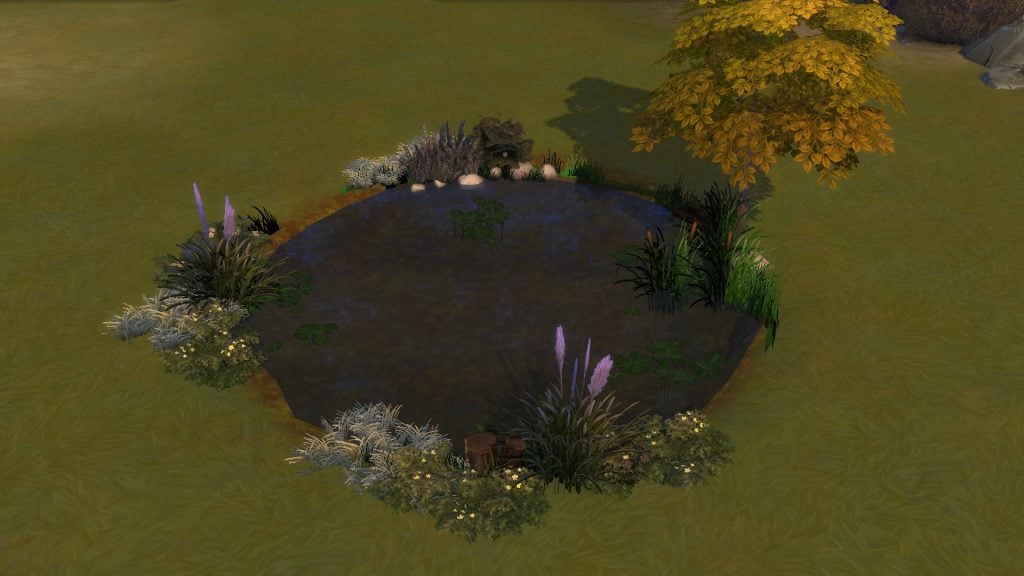
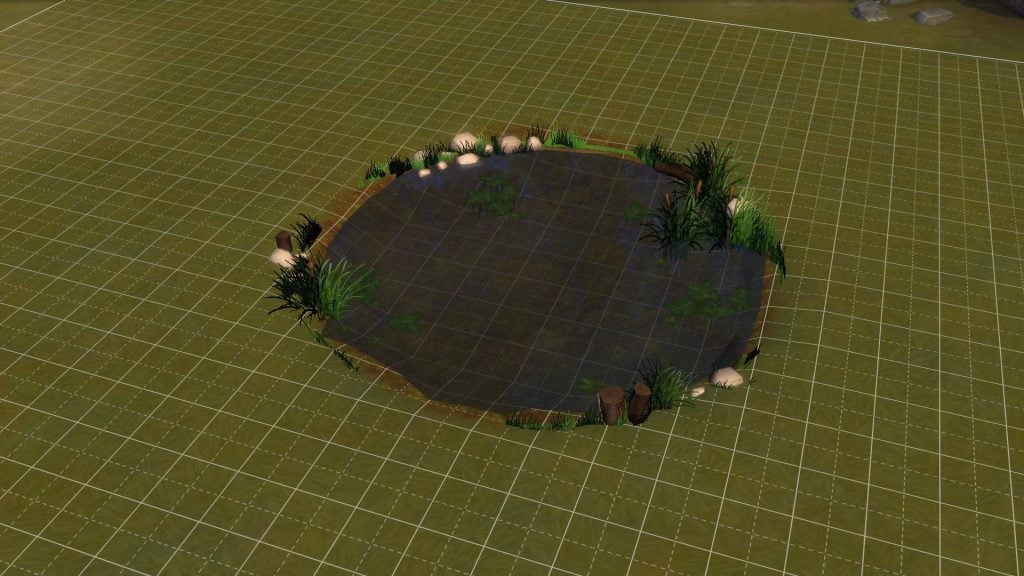 As you can see there is quite a lot of foliage visible, this can be changed depending on how high you raise the pond. You can change the height of the pond to find the perfect effect for your lot.