Home Blog Page 32

The Sims 4 Forever Friends Event Week 2: Guide and Rewards

The Sims 4 Forever Friends Event Week 2 Has Begun – Here Is Our Full Guide And Overview!

Welcome to The Sims 4 Forever Friends Event Week 2! If you haven’t caught up on last week’s quests and rewards, make sure to check that out first before jumping into everything week 2 has to offer. Players have until November 4th (subject to extension) to complete all quests and claim all the rewards before they are gone for good. Let’s take a look at how to complete week 2 of the Forever Friends event!

‘The Lens of Imagination’ Quest Steps

Starr

The first quest of Week 2 is called “The Lens of Imagination“. This quest will have our child Sim put their creativity skill to use once again, and travel to other parts of town!
The quest will begin as soon as you load into your game, or once you have completed the quests from Week 1 if you are not already caught up.

Task 1A Buy Camera

Our first task is to purchase a camera. These can be found in ‘Activities & Skills’ > ‘ Creative’ in Build/Buy mode. Any camera will do, no matter if it’s a Base Game, Island Living, Moschino, or Comfy Gamer Kit Camera! Place it down and then add it to your inventory.

Task 1B Ask About Camera

Before we take any snaps, make sure to ‘Ask a Stuffed Animal about Cameras’. Their response shows enthusiasm for Iggy’s latest creative endeavour.

Task 2A Take Pic of Animal

Next, it’s time to take our first photo. Click on your Stuffed Animal and select ‘Take Imaginative Photo’. I’m not sure why he looked so sad! You can change the rotation of the photo by clicking the arrow circle button, turn the flash on/off with the electric symbol, and finally take the picture with the camera icon. Depending on the model of your camera, you can adjust the image size in the bottom left corner.

Task 3A Claim

We need somewhere to display our picture, so head over to the Event Rewards tab and unlock the Modern Photo Frame.

Task 3B Photo Frame

Place it down anywhere, and when clicking on the frame in Live mode, select ‘manage Photo Inventory’. You can place multiple pictures in the frame, and they will rotate as the frame is digital! You can adjust the speed at which they transition by selecting ‘Adjust Speed’ on the frame.

Task 2B Put in Inventory 1

With the memory of our friend captured forever, it’s time to go on an adventure. Add the Stuffed Animal to your Sims’ inventory by dragging or by clicking ‘Put In Inventory’.

Task 3C Travel to Park

It doesn’t matter which park you visit, as long as it is set to the park lot type. I chose Magnolia Blossom for this playthrough.

Task 4A Selfie

Place your Stuffed Animal on the park lot and select ‘Take Imaginative Selfie’. You can chnage your Sims pose by selecting the pose of the left hand side, and you can adjust their rotation with the slider at the bottom.

end

And that’s it for The Lens of Imagination! As soon as you finish this quest, the next one should start quickly.

‘Shattered Visions’ Quest Steps

Screenshot 2025 09 30 18 28 20

The second quest should immediatly begin as you finsih the last. This time were going much further (and much more magical than the park)!

Task 1A Inventory

Before leaving, we need to make sure our fluffy friend is safely back in our inventory. You can live drag them back in if they are on a lot, if they’re off-lot, click ‘Put in Inventory’.

Task 1B Optional adopt Cat

As with last week, optional quests may appear. This week, I was tasked with adopting a cat. To do this, you can click ‘Adopt…’ under ‘Household’ on the computer or phone.

Task 1c Cat Monster

I decided to have a little fun with the cat and gave him a makeover to match our Stuffed Animal.

Task 1C Optional laser

I was also tasked with teasing the cat with a laser pointer. You don’t have to do the optional quests. Players without the required packs won’t be able to partake in them.

Task 2A Foundry Cove

Back to Iggy and our stuffed animal! We are now on our way to Foundry Cove. This is the neighbourhood in Willow Creek where the BFF Household lives.

Task 3A Tree Location

Our final destination is the Sylvan Glade Tree. Long-time players of The Sims 4 will be familiar with this. I have circled it above for anyone unaware of its location.

Task 3A View Tree 1

We are now tasked with viewing the tree 6 times. This may seem excessive, but trust the process!

Task 4A Talk to tree

After taking a long look at this mysterious tree, we have to talk to it. This interaction is called ‘Discuss Nature’ when you click on the tree.

Task 5A Explore

After you’ve had a chat with the tree a doorway will open up on the side. Click the tree and select explore.

glade tree

We are now presented with a little text adventure as Iggy Pancakes makes his way through the tree. The answers are as follows:

  • Follow The Sound
  • Follow Downstream
  • Enter the Mist
  • Travel to Glade
Task 6A Travel to Glade

Welcome to Sylvan Glade! The budget version of Innisgreen. This little spot can be used to fish and find frogs, and is home to a little lot that can be built on by entering ‘bb.enablefreebuild’.

Task 7A Play in glade

Place down your stuffed animal either on the lot by the pond or ‘Place in World’ from the inventory.

Task 8A Frogs

Let’s take advantage of Sylvan Glades wildlife. Click on the pond and search for frogs.

Task 9A Photo

Let’s capture this moment forever. He looks happier than he did in the last picture. Click on the Stuffed Animal and select ‘Take Imaginative Photo. Make sure to get a good shot! After taking a photo, it appears the lens has broken.

Task 10A lense

Ask your Stuffed Animal about the lens. They explain that the magic that keeps them alive seems to be fading.

Task 10B Walking

After this rough news, it’s time to travel home. Once your home, you will be given Event Points, and you are free to claim all of this week’s rewards.

Screenshot 2025 09 30 18 29 00

Week 2 Rewards

After completing The Sims 4 Forever Friends Event Week 2, make sure to head to the Event tab in the top left of the screen to redeem your rewards. There are a total of 4 rewards to be claimed this week. Let’s take a look at this week’s bounty!
Modern Photo Frame

The modern photo frame comes in two varieties, vertical and horizontal. Both frames come in 7 simple swatches. You can add multiple photos to each frame that will display on a rotation.

Flex & Form Top

There’s a new vest available for Teen-Elder Sims with a Feminine fashion choice. Unfortunately, this vest is just a recolour from an existing vest available with The Sims 4 Spa Day Game Pack.

Glimmerbrook Magnet

Screenshot 2025 09 30 18 00 10

There’s a fourth addition to our magnet board that we unlocked last week. This time it’s of the Magic Portal from Glimmerbrook in The Sims 4 Realm of Magic Game Pack.

Super Chill Pillow

Screenshot 2025 09 30 17 59 41

The final reward of the week is a new cushion. This can be found in the Decorative category of Build/Buy mode. Some of the swatches come with different designs on both sides!

Future Rewards

You can check out our recent article for a complete overview of all reward items if you’re impatient, and also see the official rewards overview below!

That’s all for this week, but make sure to check back next Tuesday for a full walkthrough of Week 3 of the Forever Friends event!

the sims 4 forever friends event map

What rewards are you most excited about unlocking? Let us know in the comments below, and stay tuned to Sims Community for all updates regarding Live Events in The Sims 4!

The Simstalgia: The Sims 2 Nostalgia Zine – Interview with the Team!

A Trip Back to Pleasantview

Our community is the heart of The Sims franchise—full stop. From the 1950s-inspired whimsy of The Sims to the current excitement around the release of The Sims 4 Adventure Awaits. The love and creativity that The Sims has embodied within its playerbase has spanned almost three decades for a reason, because, despite any faults, it’s meant something. What it means, exactly, varies from person to person, but we can all say that this silly little LifeSim has touched us deeply. It embeds itself in our hearts and minds, and possibly was the start of each of our respective gaming journeys.

tumblr 5d728a0cb3f66206831ff39ef4af76d7 1ef948f5 2048

The iteration that could be argued to be the most meaningful is The Sims 2. The most foundational game of the lot, The Sims 2, has not only given us the brunt of iconic premades that still get Simmers hyped by their very mention, but also is the heart of a variety of features and story beats that continue on even in The Sims 4 today.

The Simstalgia: The Sims 2 Nostalgia Zine is available now, and hopefully, after this article, you’ll not only read it but also come to appreciate the effort and expression of those who’ve taken their time to help bring it to life.

What is the Simstalgia: The Sims 2 Nostalgia Zine?

As the title implies, Simstalgia: The Sims 2 Nostalgia Zine is a zine (a fan-made, independent magazine) made to celebrate the lasting legacy of The Sims 2. The zine is heavily inspired by the 2000s, positively oozing Y2K teen magazine charm with additional homages to gaming guides of the era.

In my opinion, the zine is the perfect balance of Noughties cheese and genuine adoration for The Sims 2. It embodies those feelings of deep wistfulness that make you homesick for beige desktop towers and late nights in the glow of a CRT monitor. It makes you want to hear the “click!” of a disc drive, a brief moment of silence, and then the hiss of the whirring machinery. It’s the feeling of returning to something beloved and then, suddenly, realizing that love is reciprocated, and multiplied by a thousand by dozens of like-minded folks. All of which have had an array of different, but equally as happy experiences just like you.

Examples of the first few pages, no spoilers after that, ‘kay?

The many contributors to the first issue of the Simstalgia zine! The project drew in a variety of creatives—from simblr stars to YouTube giants, many members of our vast community came together to add their touch to the zine!

tumblr 633fb13308633f644319e94a898b58f5 5e2c528e 1280

Though it wasn’t just influencers who put their hand in to this project. I was able to get in contact with the team behind the zine, who were kind enough to give us all a look behind the scenes.

image 88

Interview with the Simstalgia Team

How did the project start? Did you have any initial goals? Was it initially just “vibes”?

Microscotch: “I had briefly thought about it a few times, but wasn’t quite sure if I wanted to take on the responsibility and the degree of management a project like that would entail, even with help. In the middle of last December, though, after the thought came up again, I simply decided to go for it! Once I decide that I, in fact, want to do something and excite myself over it I immediately have to act on it, and within the span of probably 2-3 days already started asking and collecting people who might be interested in helping out in different areas. And with that, the application post for contributors was already up December 30th!”

Can I ask about the composition of the team? Did you start small and grow with interest, or something else entirely?

Microscoth: “I got everybody on from the start to ensure I wouldn’t get overwhelmed! And funnily enough, I still ended up practically managing the communication with every participant myself, few instances aside, simply ‘cause I realized I was able to and it somehow didn’t stress me out.”

“Pino helped me so much on the graphic design front (I especially love the UI adjacent elements she did a large chunk of!), and she kindly did the Instagram side of social media after she posted some sneak peeks and I proposed creating an account there to mirror Tumblr. Alelelesimz also designed a bunch of graphics (namely the feature with Marticore and Acottonsock, CrazySims, and Sammy Sundog!) Kamiiri served as the editor as it’s also her IRL job, and Lisspeed I had initially on to help a bit with server management, but our participants were, frankly, super well-behaved, so she was a little under-utilized, haha!”

Was the admin difficult initially? I imagine you had a lot of eager Simmers interested in the project, but otherwise unaware of the scope/responsibility required in its production?

“I will be very honest, it went much more smoothly than I anticipated. I checked a few guides on zine production, but other than that just went right in, and literally kept repeating to the other mods over the course of the project too that I was, indeed, shocked over how easy of a time I had managing it, especially because I didn’t divide communication with the participants amongst the mods, aside from a few cases who weren’t replying and asking Lisspeed to reach out, or the few who very belatedly expressed interest through Instagram which Pino managed. Were we entirely free from inconveniences? Or course not, but as I mentioned before, I cannot stress how cooperative 99% of participants were, I don’t think I could’ve pulled that off otherwise. Either way, I’m sure we will expand the amount of people we’re letting on next time, and in that case I WILL need more help managing emails and participant feedback! TL;DR: Absolute dream in terms of admin difficulty, I sure got some perspective reading different accounts over how time-consuming and taxing it can be and it genuinely makes me appreciate how good we had it with this run!”

The community aspect of the zine can’t be understated; did you anticipate the level of support you were given for the project?

“Absolutely not. I don’t think anyone could’ve, considering the proportions you’d normally think in with something so niche and fan-made, that outcome was almost inconceivable. The flipbook alone had 28k views in 17h and we’re over 100k now. The pdf briefly broke the drive link on release and we got tons of comments about it. I think once Strangetownie and Pino posted teaser mockups of their contributions and it effectively reached Instagram, (as Tumblr is definitely more closed-off), that’s where it took off, and we started receiving multiple messages and even emails!”

The Y2K aesthetic is out of this world! I’m aware that your inspo was teen/tween mags of the 2000s, but do you have any other inspirations you drew from in terms of composition?

“We wanted to connect the tween mag aesthetic with the in-game UI. That was sort of my main vision when I thought of it and started drafting up the guidelines!”

Was there anything you wished you could have done, but didn’t have the time/ability to add?

“Hm, not really. While we had a tight schedule for participants, we were considering this our only opportunity to do all these things! So whenever something crossed our minds, we pulled all the registers and still shoved it right in there!

You have some pretty big names in the community on your roster! Were you all a bit starstruck? How easy was it to communicate with bigger influencers like Juno Birch?

Juno was actually already mutuals with me (Microscotch) and Pino, so that definitely made it a little easier for my message to not get filtered out! I hadn’t talked to her before, but honestly just went ahead and asked. At worst I’d get an unanswered message, but she was all for it and replied within probably a minute! Our team as well as our participants were super excited!!  But even with simfluencers I wasn’t mutuals with going in, again, I just went right ahead and asked, and everyone was immediately up for it! Lisspeed had requested an unrelated interview with Ian Stocker a long time ago, but due to health-related reasons, it took him some time to reply, and when it happened, it just conveniently fell right into our production time. After getting his blessing, we got to release it!

We were very lucky on all fronts, haha!

Do you (or any other members on the team) have any specific fond gameplay moments from TS2 you’d wish to share?

Micorscotch: “I had a brief period where I tried pulling off a lepacy with story progression and ACR (not a good idea with Strangetown’s limited gene pool) and Tycho Curious as well as the Beakers’ first-born daughter clearly had a thing for each other, but sensing the impending genetic doom I discouraged them wherever possible. That said, once they were shipped off to college with plenty of other young adults to choose from while I focused on raising the remaining siblings, they couldn’t be stopped and immediately got engaged off-screen, and also, once I played college with the siblings, married and procreated off-screen. The first time I checked in again, their child was already a toddler. I would now like to share with you what exactly I was facing when loading the lot:

whaoalien

Alelelesimz: “I remember that i was TERRIFIED of Emperor Xizzle and hated when he invaded Strangetown and YET I always changed the time on my DS so he would invade literally everywhere which made me cry cause I hated him so much, so I had to ask my neighbor’s older brother to defeat them for me otherwise I couldn’t keep playing.”

Lisspeed: “Back when I was a child who had just learned to read and had just gotten the game I had a rather unorthodox way of playing the game. One such case was not realizing children came back with homework. As a result the social worker would always show up sooner or later to retrieve my tiny crew. Unsure about how to fix this problem (and not really understanding most of the internet at the age of 7) I did the only logical thing…I moved my household every single time my kids’ grades got low. Somehow little me had figured out that by moving my family the grades would automatically reset, giving me more time to play with the kids until they got old enough to grow into teens. This of course was quite a hassle…Of course there eventually came a time where I had more reading comprehension and was able to look it up, but for a while this was how I kept the Social Worker away. I will never understand how my young mind worked, but it does give me a hilarious memory to look back on.”

Pinokokoshka: “So, I was filming one of my videos. It was about a female astronaut who crashed and got lost somewhere in space. I was shooting the scene with her husband, when he finds out about the tragedy from the news. It’s a very dramatic moment: he realizes what happened, starts crying, and then stops, turns to the camera, and smiles just like this.🙂 It looked exactly as if he was like, “WELL?? Did I do good? Am I a good actor?? Are you happy with this take?”

didIhitmymarks

Kamiiri: “As a child, I would always come up with a bunch of stories and I’d make questionable machinimas and, of course, force my friends to watch them! This was a long-standing hobby though, so even in high school I still kept going and even had a pretty regular audience. Reading the comments made me so happy!”

Is it one and done for the Simstalgia zine, or do you anticipate a sequel…or perhaps, a TS3quel?

“Well, I kinda teased this earlier, didn’t I? We totally thought it was a one and done deal. Actually, the same way we thought this is going to be an e-zine and we will never make prints. Look at us now! Again, we really didn’t anticipate the love! So, of course, there will be a second edition!”

How Can The Community Support Simstalgia?

Is there anything the community at large can do to support you and your ongoing zine project? I see that you plan to sell physical copies of the zine at a no-profit (production and shipment only) price point, but do you have any other bigger plans for the zine?

Microscotch: “As of now we are mostly occupied with doing some formatting work to the physical versions. It will not be perfect since the zine, and thus some contributions, simply weren’t conceptualized that way and the degree to which we can edit them greatly varies, but with this one we’re genuinely glad we even made it to physical territory considering the initial scope. So honestly, we’re just happy over everybody following and sharing our project. Sharing is caring and that’ll help our footing next time we get a zine started. Then we can entertain the thought to also offer some merchandise and perhaps different “editions” with extra goodies for our next release!”

Where Can You Read the Zine?

Simstalgia: The Sims 2 Nostalgia Zine is out now and completely free to read online in flipbook form!

As mentioned above, the Simstalgia team plans to do a “no-profit” run of physical prints for the zine. No-profit, meaning that they plan to make no financial gain from the production. It’s the bare minimum to print and ship the zine out to those interested in owning physical copies. Be sure to keep an eye on their official Tumblr page for any more updates on their progress!


I hope you enjoyed that look behind the scenes of The Sims 2 Nostalgia Zine! Our community is stronger together, and efforts like this prove it. This zine not only touched many a seasoned Simmer, but also myself, and that’s why I wanted to share it with you all.

Did you know about the Simstalgia zine before this article, or did I introduce you to the project? Let me know in the comment section down below!

Everything We Know About Paralives So Far

24

Everything confirmed to come with Paralives, the brand-new life simulation game releasing by the end of this year.

Paralives is an upcoming brand-new life simulation game described by the team as a dollhouse life simulation indie game. It will be available for PC and Mac on Steam on December 8, 2025.

Here is all the information and the features the Paralives team has confirmed for the game’s Early Access release, along with what to expect when it launches!

Paralives SC EverythingWeKnow 1

Price and DLC

The Paralives team has confirmed that the game will cost $39.99 USD when it launches in Early Access and that the price will increase after the full release. It hasn’t been confirmed if regional pricing will be available. Regional pricing means the cost is adjusted based on the player’s location, making the game more affordable in countries with weaker currencies and better aligned with local economies.

The team also confirmed that the game will only receive free updates and that they will never have paid DLC, even after the Early Access period.

Rating

The Paralives team has stated on their Discord server that the game is aiming for a Teen rating. It will not include mature themes such as drugs, murder, explicit violence, or gore. In addition, the game will not feature any kind of religious content.

Platform and Requirements

  • Paralives will be available for PC and Mac on Steam and there are no plans for a phone or tablet version in the future.
  • The game will be a single-player experience and will not require an internet connection to play.
  • The system requirements have not been made public yet, but the team is ensuring that the game will be as accessible as possible for all players.

Mods

The community will be able to share their custom content, mods, and other creations through Steam Workshop. However, there are no plans to allow script mods for now.

Open World and Weather Systems

The Paralives team has confirmed that the game will be open-world. On day one of the Early Access release, there will be one town available, with more worlds being added throughout the Early Access period. They have also confirmed that players will have access to tools to edit and customize the worlds. In the town, Parafolks will have access to shops, restaurants, museums, and collections.

It is also confirmed that the game will feature a day-night cycle on launch day, while weather effects and seasons will be added in a free update later during Early Access.

Paralives World

Build Mode

The Build Mode will introduce several new and exciting features to the game, such as grid-less construction with snapping and an optional grid for alignment, as well as curved and straight walls of any precise length. A terrain tool will also be available. Lots will be fully customizable and resizable, and pre-made houses will be provided for players who don’t feel like building from scratch. Later, during Early Access, players will also be able to create boathouses.

Furniture will be resizable, stackable, and flippable. Everything can be customized using pre-made swatches, a color wheel, or pattern customization.

Paralives BuildMode

Live Mode

It’s confirmed that Parafolks will have advanced personalities, character autonomy, skills, emotions, personality traits, needs, and the ability to age, have children, and die. A family tree is not planned for the first release, but it is one of the promised features that will come in a free update during Early Access.

Parafolks can have careers and go to work (rabbit hole) and will need to pay bills. Gameplay will include cars, bikes, and boats, a cooking system, the possibility of house fires, the ability to swim, garden, and fish, and the option to organize social events such as parties and weddings!

Parafolks will have a wide range of social interactions for relationship development, and players will be able to multi-select characters to perform actions as a group. NPCs will have story progression.

Cats, dogs and horses will be available in a future update after the release, but they are also confirmed to come during Early Access!

3Trailer4k

In-game Language

The Paralives team confirmed that the Parafolks will use a simple gibberish language when talking to each other. The written text will be in real language by default, but it will be fully customizable, allowing players to edit the phrases and use any language or text they want.

Paralives Town

Paramaker

In Paramaker mode, players will be able to equip any outfit, facial hair, or body hair regardless of the Parafolk’s gender, with customizable patterns available for certain clothing items. A color wheel will allow customization of hair, skin, eyes, clothes, and even skin tones. To edit the Parafolk’s body, players will have access to a height slider, body and face sliders, realistic fat and muscle sliders, and precise placement for tattoos, moles, and scars.

Paralives Paramaker

You can watch the Paramaker Overview here, which includes a demonstration of how the height slider works:

Disabilities

The Paralives team has stated that they understand the importance of representing disabilities in the game, but items related to physical disabilities will be decorative in the initial release. In their own words:

Many people have been speculating on our view regarding disabilities in Paralives. As devs, we feel it is important for us to be able to represent as many people as we can with our game. Disabilities are everywhere around us; be it our friends, our families, or even us, devs. Be it visible, or invisible.

There are many things to consider regarding disabilities in the game, especially with gameplay features. It requires a lot of design (for instance, how to tackle pathfinding with Paras with mobility restrictions), research, even consulting, and programming, to get things right.

While we won’t be able to do more complex Live Mode features related to disabilities for the Early Access launch, we thought there must be a way to at least represent our player base living with disabilities in the game. (…) Nevertheless, we hope it will help you better represent your Paras individualities as you decorate your house with items that truly embody them.

Quote from the Patreon post Build Mode Clutter & Decor + Showing Some Disabilities-Related Items!

The Paralives team have also confirmed that they will not include any form of direct diagnosis for neurodivergence in the game, and that they don’t want to gamify real-life mental health conditions. However, players will still be able to represent certain effects using traits and other customization options.

Paralives Diabilities

LGBTQIA+

The Paralives team has been presenting LGBTQIA+ themes in a very natural way and even featured a lesbian couple in the release trailer. They also confirmed that the game will include functional binders!

Paralives LGBT

Soundtrack and Sound Effects

The soundtrack and sound effects are being created entirely with original material, and the team has shared parts of the creative process behind the scenes, including one of the community’s most iconic videos, where Andrei Castañon demonstrates how the sound effects for footsteps were recorded. You can watch the full video here:

You can learn more about the sound effects in our article Sound Effects in Paralives: A Behind the Scenes Look.

Features not included in the initial release

The team has confirmed some features that will not be included in the initial full release, though some of them may be added in future updates.

  • Active jobs and schools
  • Supernaturals and occults
  • First person mode or WASD/arrow keys control mode

Even though they mentioned that occults will not be included in the first release, they teased a Parafolk dressed as a vampire in their Halloween 2024 post and have not completely excluded future implementation of any of the mentioned features.

Paralives Halloween Custom

If you want to learn more about the features that will be available on Early Access you can check our article What is coming on Day 1 of Paralives Early Access? Answered!.


Paralives is set to release on PC and MAC on Steam on December 8, 2025.

What do you think about all the revealed features coming with Paralives? Let us know in the comments!

EA Employees Voice Concerns Over The EA Buyout

6

Trusted source reports on sentiments inside the EA developer team.

The story about EA’s buyout by private investment from Affinity Partners, Saudi Arabia’s Private Investment Fund and Silver Lake hasn’t just made a stir-up within the community of players and creators.

Trusted gaming journalist Stephen Totilo has wrote an insightful article today about the acquisition for the Game File website. Where they also got a chance to speak anonymously to some of the EA employees and share their concerns about the new acquisition.

Two anonymous employees at EA voiced that they’re very concerned about this acquisiton. One stating that they’re afraid of layoffs that might occur with this buyout, with the other stating that this feels like a big “f you” to all women and LGBTQ+ employees currently working at Electronic Arts.

TALKING

In his note to workers, Wilson said today that “[o]ur values and our commitment to players and fans around the world remain unchanged.”

That didn’t convince one current EA worker, who told Game File that “Andrew Wilson basically said ‘f you’ to all women and LGBTQ employees at EA with this deal.”

Speaking anonymously because they were not authorized to discuss company matters publicly, they also said: “It just shows how many people have been collateral this past year for executives to make out rich. Nothing feels great. And we know, when the deal closes, it’s going to get worse before it gets better, if better is even possible.”

Said another: “I’m nervous about what this means in terms of workforce once the deal is closed, as layoffs usually follow those type of acquisitions.

“And on a personal level,” the second person added, “those future owners are really not in line with my values and beliefs.”

Source: gamefile.news


CEO of Electronic Arts Andrew Wilson remains hopeful about the future of EA games in his official press release and insider note to employees. However, it seems that EA employees do not share the same sentiment as him.

We’ll be reporting more about the news of this buyout on Sims Community as new information unfolds. Stay tuned.

Thanks to our reader BugFixes for the heads up!

The Sims Community Reacts to EA’s $55 Billion Buyout

The community shares opinions about the big $55 billion buyout by private investors.

The Sims Community already had strong opinions about the potential buyout of Electronic Arts and its catalogue when the news first broke over the weekend. The official press release from today about the $55 billion buyout has sparked additional comments and opinions, both from The Sims community members and video game industry experts.

Gaming Industry Expert Comments on EA Buyout

Even though the CEO of Electronic Arts Andrew Wilson reassured players that things are looking “bright” for the future of EA, gaming industry expert Jason Schreier comments on the potential downside of the buyout. Including the $20 billion debt, which could eventually turn into mass layoffs, more aggressive costs and other big cost-cutting features. Such as the introduction of AI for game development.

A lot of people are (understandably) focused on the Saudi Arabia and Kushner part of this, but the far bigger immediate impact will come from the new private EA being on the hook for $20 billion in debt. That could mean mass layoffs, more aggressive monetization, and other big cost-cutting measures

— Jason Schreier (@jasonschreier.bsky.social) September 29, 2025 at 2:52 PM

this feels catastrophic in ways few other big industry deals have

[image or embed]

— Luke Plunkett (@lukeplunkett.com) September 29, 2025 at 2:33 PM

Sims Content Creators Weigh In

Several gaming content creators for The Sims have commented on the acquisition, negatively expressing their concerns about the future of The Sims Franchise.

I am deeply concerned about what this means for myself and others as a sims creator. But my heart also goes to the sims team. I can’t imagine how tough this is especially on a pack launch week. I hope everyone gives each other grace whilst we all learn + figure out what it means in the long-run.

[image or embed]

— RiRi🌸 (@ririthelondoner.bsky.social) September 29, 2025 at 6:24 PM

Popular Sims YouTuber, streamer and creator lilsimsie has released a written statement on her YouTube community page, where she expressed her opinions and concerns about the current buyout.

PIF already owns 10% of EA, and this isn’t the first time they’ve made major investments in gaming. They’re also major investors in Nintendo, Take-Two, Capcom, Ubisoft, etc. but it’s important to note that this is different since it’s a private sale and this investment group will own 100% of the company. My hope is that we won’t actually see too much change with The Sims specifically, but who knows. I’m obviously going to be keeping a close eye on it. This news feels devastating to me, and I know that a lot of you feel the same way.

lilsimsie statement on ea buyout

lilsimsie

The Sims Players Express Their Concerns

While some The Sims players are worried about what the new acquisition could mean for future representation in the game, others are carefully remaining calm. Saying that the new buyers of Electronic Arts are aiming for profit over anything else, the hopes about the future representation of marginalized communities remain somewhat present. The bigger concern from some players is on the monetary side of things, wondering if the game will become even more of a cash cow than it is now.

Meanwhile, some are considering cancelling their Pre-Orders for the upcoming release of Sims 4 Adventure Awaits Expansion Pack. And even retiring from playing the game indefinitely.

insane timing considering a new expansion pack is coming out on thursday… it'll be interested to see if people's statements of boycotting match the sales numbers. this is extremely disappointing news though ugh 😭

[image or embed]

— robbie ⋅⁺⁎ (@twnky.bsky.social) September 29, 2025 at 4:53 PM

If true and completed, after 10K play hours and modding for 5 years, I will be done with Sims 4 and EA.

[image or embed]

— The Two Gees (2Gs) (@thetwogees.bsky.social) September 29, 2025 at 6:45 PM

sims ea buyout comment 1
sims ea comment 2
sims ea commment 2
ea sims buyout comment 4
sims ea comment 5

Community Poll and Your Thoughts

What do you think about the direction of The Sims Franchise and where the game might be headed with the recent news of the Electronic Arts buyout?

We’ve created a simple (fanmade) community poll down below where you can express your opinions.

[totalpoll id=”177270″]


For more news about Electronic Arts and The Sims Franchise, stay tuned on Sims Community.

The New Owners of EA Are Betting Into AI for Cutting Costs and Boosting Profit

21

Insider report claims that EA’s new investors are betting into AI technology for maximizing profit.

A new report by the Financial Times (currently paywalled) claims to have more knowledge about the operational hopes and plans that the new investors have in Electronic Arts.

In case you’ve missed out on the news, EA has officially announced today that they’ll be bought out and go private after a $55 billion dollar deal from multiple investors. Including Donald Trump’s son-in-law Jared Kushner from Affinity Partners, Saudi Arabia’s Private Investment Fund by controversial prince Mohammed bin Salman and Silver Lake company.

The deal, noted to go in full effect in the first quarter of Fiscal Year 2027, also puts pressure on the company with its $20 billion dollar debt. How does the company plan to keep up with maximizing profit and cutting cost? Apparently, with AI technology.

CONVERSATION 2

Electronic Arts’ (EA) new owners are banking big on AI in the future for the company. According to a new report from the Financial Times, the ownership group is betting on AI being able to “significantly cut CEA’s operating costs”.

Per the report (paywalled), the enhanced use of AI will be used as a way to also “boost EA’s profits in the coming years”. This will allow the new owners “to manage a large debt load on a company that historically carried limited net debt.”

Insider Gaming

For The Sims Franchise, we’ve already seen new AI technology being advertised last year during EA Investors Day. However, the talks mentioned here probably don’t allude to player-facing AI features. But rather behind the scenes operational costs and game development.

The Future of The Sims Franchise Upcoming Releases 5 43 screenshot

There’s no information if the current buyout will have an effect on the number of employees within Electronic Arts and Maxis studio. Still, the mention of speeding up the game development process and cutting operating costs could allude to future layoffs within the company.

What are your thoughts on the new claims about cutting development costs through AI? Join the comments below and stay tuned for more EA and Sims news.

Electronic Arts and The Sims Franchise Officially Sold for $55 Billion to Concerning Private Investors

74

EA officially announces that they’re going private after selling their company to Saudi Arabia’s PIF, Silver Lake and Affinity Partners

ARTICLE UPDATE: We previously noted that Fiscal Year 2027 begins on January 1st, 2027. We’ve made updates to the article with more clear information about when Q1 FY2027 begins.

Electronic Arts has released an official Press Release just now after concerning rumors that went out this weekend. The rumors of EA going private for $50 billion have been confirmed today, with private investors including Saudi Arabia’s PIF fund, Jared Kushner’s Affinity group and Silver Lake.

The entire Electronic Arts brand and its catalogue, including The Sims Franchise, have been sold to private investors for $55 billion.

As noted in the official Press Release, the deal will close through and be finalized in Q1 FY2027. The private investors will have ownership of Electronic Arts and its franchises from October 1st, 2026 to December 31st, 2026 when the first quarter of FY2027 begins.

We report the full press release from EA in full:

POLICE SIREN 2

REDWOOD CITY, Calif.–(BUSINESS WIRE)– Electronic Arts Inc. (NASDAQ: EA) (“EA” or the “Company”), a global leader in interactive entertainment, today announced that it has entered into a definitive agreement to be acquired by an investor consortium (“the Consortium”) comprised of PIF, Silver Lake, and Affinity Partners in an all-cash transaction that values EA at an enterprise value of approximately $55 billion. The transaction positions EA to accelerate innovation and growth to build the future of entertainment.

Under the terms of the agreement, the Consortium will acquire 100% of EA, with PIF rolling over its existing 9.9% stake in the Company. EA stockholders will receive $210 per share in cash. The per share purchase price represents a 25% premium to EA’s unaffected share price of $168.32 at market close on September 25, 2025, the last fully unaffected trading day, and a premium to EA’s unaffected all-time high of $179.01 at market close on August 14, 2025.

PIF, Silver Lake, and Affinity Partners bring deep sector experience, committed capital, and global portfolios with networks across gaming, entertainment, and sports that offer unique possibilities for EA to blend physical and digital experiences, enhance fan engagement, and create new growth opportunities. The transaction represents the largest all-cash sponsor take-private investment in history, with the Consortium partnering closely with EA to enable the Company to move faster and unlock new opportunities on a global stage.

“Our creative and passionate teams at EA have delivered extraordinary experiences for hundreds of millions of fans, built some of the world’s most iconic IP, and created significant value for our business. This moment is a powerful recognition of their remarkable work,” said Andrew Wilson, Chairman & CEO of Electronic Arts. “Looking ahead, we will continue to push the boundaries of entertainment, sports, and technology, unlocking new opportunities. Together with our partners, we will create transformative experiences to inspire generations to come. I am more energized than ever about the future we are building.”

“PIF is uniquely positioned in the global gaming and esports sectors, building and supporting ecosystems that connect fans, developers, and IP creators,” said Turqi Alnowaiser, Deputy Governor and Head of International Investments at PIF. “PIF has demonstrated a strong commitment to these sectors, and this partnership will help further drive EA’s long-term growth, while fueling innovation within the industry on a global scale.”

“This investment embodies Silver Lake’s mission to partner with exceptional management teams at the highest quality companies. EA is a special company: a global leader in interactive entertainment, anchored by its premier sports franchise, with accelerating revenue growth and strong and scaling free cash flow. We are honored to invest and partner with Andrew – an extraordinary CEO who has doubled revenue, nearly tripled EBITDA, and driven a fivefold increase in market cap during his tenure,” said Egon Durban, Co-CEO and Managing Partner of Silver Lake. “The future for EA is bright, we are going to invest heavily to grow the business and we are excited to support Andrew and the EA team as the company accelerates innovation, expands its reach worldwide, and continues to deliver incredible experiences to players and fans across generations.”

“Electronic Arts ​is ​an ​extraordinary ​company with a ​world-class ​management ​team and a bold vision ​for ​the ​future. ​I’ve admired their ​ability to create iconic, lasting experiences, ​and ​as ​someone ​who ​grew up playing their ​games ​- and now enjoys them with his ​kids – I couldn’t be ​more ​excited about ​what’s ​ahead,” said Jared Kushner, Chief Executive Officer of Affinity Partners.

“The Board carefully evaluated this opportunity and concluded it delivers compelling value for stockholders and is in the best interests of all stakeholders,” said Luis A. Ubiñas, Lead Independent Director of EA’s Board of Directors. “We are pleased that this transaction delivers immediate and certain cash value to our stockholders while strengthening EA’s ability to continue building the communities and experiences that define the future of entertainment.”

Transaction Details

The transaction was approved by EA’s Board of Directors, is expected to close in Q1 FY27 and is subject to customary closing conditions, including receipt of required regulatory approvals and approval by EA stockholders. Following the close of the transaction, EA’s common stock will no longer be listed on any public market.

The transaction will be funded by a combination of cash from each of PIF, Silver Lake, and Affinity Partners as well as roll-over of PIF’s existing stake in EA, constituting an equity investment of approximately $36 billion, and $20 billion of debt financing fully and solely committed by JPMorgan Chase Bank, N.A., $18 billion of which is expected to be funded at close. Each of PIF, Silver Lake, and Affinity Partners plan to fund the equity component of the financing entirely from capital under their respective control.

Upon completion of the transaction, EA will remain headquartered in Redwood City, California and continue to be led by Andrew Wilson as CEO.

Advisors

Goldman Sachs & Co. LLC is serving as EA’s financial advisor and Wachtell, Lipton, Rosen & Katz is serving as EA’s legal advisor.

Kirkland & Ellis LLP is serving as legal counsel to the Consortium. Kirkland & Ellis LLP is serving as lead legal counsel for PIF with specialized counsel from Gibson, Dunn & Crutcher LLP. Latham & Watkins LLP and Simpson Thacher & Bartlett LLP are serving as Silver Lake’s legal counsel. Sidley Austin LLP is serving as Affinity Partners’ legal counsel.

J.P. Morgan Securities LLC is serving as financial advisor to the Consortium.

As a result of this announcement, for its Q2 FY26 earnings release scheduled for October 28, 2025, EA will release financial and operational results through a press release and will not hold a conference call or webcast.

As noted in the official Press Release, Andrew Wilson will remain the CEO of Electronic Arts. With the main headquarters of EA still being in Redwood City, California.

Andrew Wilson Web Large

There’s currently no information if there are going to be organizational changes within seperate game studios. Including Maxis for The Sims Franchise.


We’ll be talking more about this acquisition in the following days. Until then, we have enough concerns and reasons why this acquisition could be a very bad thing.

Countdown to The Sims 4 Adventure Awaits Release

5

Find out when the 20th Expansion Pack for The Sims 4 comes out in your area!

We’re only a few short days away from the full The Sims 4 Adventure Awaits release across PC, Mac, Xbox and Playstation supported consoles. The latest Expansion Pack is set to release on October 2nd, 2025. To make things easier for players, we’ve created a countdown post that lets you know exactly when you’ll be able to download the game in your area.

AA Gameplay 99 scaled

On launch day, you’ll be able to get the upcoming Adventure Awaits Expansion Pack for $39.99USD, or a price equivalent to your local currency. Just like with previous EP launches, the pack will launch simultaneously across PC / Mac and Console supported platforms.

Countdown to The Sims 4 Adventure Awaits Release

The Sims 4 Adventure Awaits Expansion Pack is set to release on October 2nd, 2025 at 7PM CET / 6PM BT / 10AM PT. To make sure all time zones are covered properly, we’ve included a handy countdown below which counts down to the exact moment when the Expansion Pack is expected to be unlocked.

As soon as the counter turns to zero, you should be able to download the Expansion Pack.

Sims 4 Life and Death Release

Countdown to The Sims 4 Adventure Awaits Release

Coming to PC, Mac, Xbox One, S and X, Playstation 4, 5 and Pro Series.

[janky target_time=”1759424400″ color=”#235c82″]

Wondering where you can purchase The Sims 4 Adventure Awaits Expansion Pack? Check out the official links to online retail stores that provide this pack release:

What we Know about this Expansion Pack

The Sims 4 Adventure Awaits is the 20th Expansion Pack in this series. Bringing new Create A Sim and Build Mode items as usual, new world called Gibbi Point with 14 lots and tons of new gameplay. Players who are looking for new gameplay for Children will be happy to know that there are now Imaginary Friends as a fully fledget out occult. Child Sims can now perform new social activities like hide & seek, or choose to have fun in the new modular Playground Equipment. That adults too can enjoy!
ssvid.net The Sims 4 Adventure Awaits Official Reveal Trailer 1080p.00 01 01 02.Still101

Adult Sims are also getting new gameplay. New fitness equipment and outdoor activities like kayaking awaits for your Sims. Plus, challenging gameplay through the new Custom Venues and getaways will let you create competitive environments between Sims. From love competitions to cooking and skill showdowns, you can meet and mingle under new circumstances.

ssvid.net The Sims 4 Adventure Awaits Official Reveal Trailer 1080p.00 02 15 27.Still187

There’s a lot more features that we haven’t mentioned in this post. But, stick around on Sims Community as we’ll be providing in-depth guides and overviews of every new feature. Starting October 2nd!

Pre-Order Bonus

If you decide to purchase The Sims 4 Adventure Awaits Expansion Pack from now through November 13th, 2025, you’ll get access to the Warm & Cozy Digital content, containing these 3 new items:

  • Toasty Tower Lamp
  • Toasty Tootsies Socks
  • Toast-Tea Kettle
Screenshot 2025 09 04 at 17.06.17

Community Poll

Are you looking forward to The Sims 4 Adventure Awaits release? Is the pack already pre-ordered, do you plan to get it eventually during a sale or is it something you’re not interested in at all? We’ve created a simple fan-made community poll that you can vote in below:

[totalpoll id=”177224″]


Will you be counting down to the final moments to The Sims 4 Adventure Awaits release? Let us know in the comments below and stay tuned on our website for the latest in-depth coverage about this new Expansion Pack!

EA Could Be Going Private in a $50 Billion Deal With Investors

A Record-Breaking Deal Could Change EA’s Future: Here’s What It Might Mean For The Sims And Its Future.

Electronic Arts, the publisher behind The Sims and owner of Maxis, is reportedly on the verge of one of the biggest changes in gaming history. It has been reported by the Wall Street Journal that EA is in talks to go private in a massive $50 billion deal backed by investors including Saudi Arabia’s Public Investment Fund and Affinity Partners, the firm led by Jared Kushner, the son-in-law of U.S. President Donald Trump. If finalised, this would be the largest buyout the video game industry has ever seen, and it could have major implications for EA’s future, including The Sims franchise.

What Is Happening At EA?

Going private means EA would no longer be a publicly traded company. Instead of being accountable to shareholders quarterly, the company would operate under a smaller group of investors, some of whom are cause for concern. This shift could give EA more flexibility in its operations of studios (including Maxis), invest in long-term projects, and experiment with new ideas. However, it also comes with significant financial and operational changes.

pride

EA’s portfolio includes EA FC (formerly FIFA), Madden NFL, and, most importantly to us, The Sims. These properties generate billions in revenue annually, making them an attractive target for private investors and investment firms looking for stable returns.
While the deal is still under negotiation and has not been officially announced, the potential scale of the buyout has already captured the industry’s attention. For fans of The Sims, it raises questions about how future titles and updates might be influenced by the corporate shift.

Who Are The Investors, And Is It A Cause For Concern?

The reported buyout of EA involves several high-profile firms with significant financial influence. Leading the buyout is Silver Lake, a private equity firm known for its involvement in its investments in technology companies. Alongside Silver Lake is Saudi Arabia’s Public Investment Fund (PIF), who already own roughly 10% of EA and has been increasing its presence in the gaming industry through other investments into studios.

The third key investor is Affinity Partners, a firm led by the son-in-law of US President Donald Trump, Jared Kushner. Affrinity Partners specialises in large-scale investments and partnerships, often partnering with sovereign wealth funds (owned by a country as opposed to private investors) such as Saudi Arabia’s PIF.

jared kushner crown prince
CNN and The Times of Israel

What Could This Mean For The Sims?

For fans of The Sims, EA’s potential buyout raises questions about the future of the tone of its most successful franchises. The Sims has been a cornerstone of EA’s portfolio since the first game launched in 2000, and the series has drawn a dedicated, diverse fanbase.

Behind The Sims A FIRST LOOK STUFF PACKS THE LATEST ON PROJECT RENE 12 39 screenshot

There are several possibilities that the company’s new ownership could cause:

  • Monetisation: Investors may push for more aggressive monetisation, such as additional premium content within EA’s catalogue, microtransactions, or subscription-based models, similar to EA Play. This could impact both the release of content and its cost to players.
  • Development of future titles: EA are confident in the development of Project Rene, the successor to The Sims 4. This shift could see a change in focus for the studio towards live service models, which have proven popular and financially attractive for studios.
  • Support for ongoing titles: With EA dedicating numerous resources to The Sims 4, including multiple packs per year and free Base Game updates, this investment could lead to an increase in production or a change in release strategies.

The Risks And Concerns: Human Rights

While a buyout could open new opportunities for EA and The Sims franchise, it also carries significant risks that could affect the company. Large buyouts often involve taking on substantial debts, which could see EA forced to prioritise short-term financial returns over long-term creative projects such as Project Rene. A focus on monetisation, which is no stranger to EA, may also intensify. While the full impact and whether or not the buyout will occur are still to be seen, the risks highlight why players should pay close attention to the potential new ownership.

Capture 1
Equaldex

Saudi Arabia’s Public Investment Fund has been implicated in several human rights issues, both domestically in Saudi Arabia and through its international portfolio. According to Human Rights Watch, the Saudi Crown Prince Mohammed bin Salman (owner of the trillion-dollar Saudi PIF) has been responsible for overseeing the murder of journalists, the use of migrant slaves and the forceful eviction and genocide of native tribes in mega-projects such as NEOMs The Line, the opression of women and female activists, and the imprisonment and execution of LGBTQ+ people in Saudi Arabia. Human Rights Watch have linked the investment fund and the Crown Prince to several political assassinations and the continuation of the war against Yemen and the bombing of civilian populations.

What Happens Next?

For The Sims and its community, this buyout could lead to some exciting or concerning changes, yet the undeniably unethical connections are a cause for concern. This is more than just about a financial transaction; it’s a potential turning point for Electronic Arts that could reshape the content of games and the studio’s operations. For players, the coming months will reveal how much of the company’s creative spirit, or monetary malice, survives under new ownership.

At Sims Community, we are concerned by the unethical implications that relations with such firms bring. We stand against modern slavery, the oppression of women and LGBTQ+ people, the return of fascism, the displacement of vulnerable people, and genocide.


What are your thoughts on the buyout and the companies involved? Let us know in the comments below, and stay tuned to Sims Community for all the latest on The Sims franchise.

The Sims 4 Playground Venues are getting a Slight Update

7

The requirements for building Sims 4 Playgrounds will get easier for builders.

In an official announcement by The Sims Direct Team, it’s confirmed that The Sims 4 Playground Venues will be getting a slight change in requirements. Specifically changing the number of required Playground Equipment from 6 down to 3.

the sims 4 september patch features playground venue

This comes after several users reported about The Sims 4 Base Game having less than six playground objects available. Making it seem like the only way to finish a Playground Venue is by getting more DLC releases.

CONVERSATION 2

Thank you for your feedback on the new playground venues. With the launch of Adventure Awaits the requirements for playground venues will be adjusted from 6 objects, down to 3.

This statement also confirms that there’s going to be a new The Sims 4 Update set to release on October 2nd, when Adventure Awaits Expansion Pack is set to release as well.

Stay tuned on Sims Community for all the information about the next game patch!

The Sims 4 Forever Friends Event Week 1: Guide and Rewards

A Full Walkthrough to Earning Rewards in The Sims 4 Forever Friends Event Week 1!

Last week, The Sims Team unveiled the latest live event, Forever Friends, which coincides with the release of The Sims 4 Adventure Awaits Expansion Pack. There are a whole heap of new objects, CAS items, recipes, and traits that can be redeemed with points earned from completing the quest line. Players have until November 4th to snap up these rewards before they’re gone (subject to extension). Let’s take a look at how to complete week 1 of the Forever Friends event!

Starting Out

When you next log in to the game, you will be greeted by yet another pop-up alerting you to the Event. By clicking ‘Play Now’, you will be taken to the event menu, where you can view all quests and rewards.

Once open, you will see a layout similar to past events, with the rewards being displayed along the bottom. By clicking the quests tab, you can view current and upcoming quests available with the Sims 4 Forever Friends Event Week 1. You can even claim a starter reward, ‘Pixel the Friendly Bear’, without having to do anything!

‘A New Journey’ Quest Steps

If you have read our previous walkthroughs for The Sims 4 Nature’s Calling Live Event, you will be happy to see the return of Bob and Eliza Pancakes, this time with the addition of their son, Iggy!

Iggy P

Our first quest of The Sims 4 Forever Friends Event Week 1 is called “Friends Forever”, and hopefully that’s true by the end of it. The quest will automatically start as you load into your household.


Our first task is to’ Buy a new Stuffed Animal’, and what better stuffed animal to buy than the login reward, Pixel the Friendly Bear! The new toy can be found under the Kids section is Build-Buy mode.

Task 1A Buy Bear 1

Our Second Step is to hug our new friend. Simply click on Pixel (or whatever you choose to rename him) and select “Hug”.

Task 2A Hug Bear 1

We are now tasked with moving the Stuffed Animal near a TV. You can either drag him in Live mode or get more precise movement in Build-Buy mode. The Stuffed Animal doesn’t have to be facing the TV, but should be placed within a few tiles of distance.

Task 3A TV Bear

After placing your Stuffed Animal near the TV, it’s time to watch the Kids Network with our fluffy friend.

Task 4A Kids Network

After watching TV for a while, the task will be marked as complete, and you will be given the next task. Next up, we have to buy a Toybox from Build-Buy mode. If you already have one on the lot, this will be marked as complete automatically. I chose the Base Game toybox.

Task 5A Yoybox

Similarly to placing him in front of the TV, we now have to move our new friend within the vicinity of the Toybox.

Task 6A Place Near

Now that the Stuffed Animal is next to the Toybox, we have to have our child Sim play with a toy from said Toybox. The box always comes pre-stocked with a few toys.

Task 7A Play With Toy

After a long day of playing with toys and watching TV, it’s time to wind down for bedtime. The next step to completing your first quest is to place the Stuffed Animal near your child’s bed.

Task 8A Place near bed

And finally it’s time to send your Sim to bed next to their new friend.

Task 9A Sleep

And with that, the first quest of The Sims 4 Forever Friends Event Week 1 is done! Don’t forget to head to the event panel and claim the rewards with the points you earned. You can access it by clicking the ‘Forever Friends’ icon in the top left corner.

‘Friends Forever’ Quest Steps

As soon as you finish the first quest, the second one will immediately start. A new day has begun, and it’s time to have some breakfast, pee, and see what’s next on our adventures with our new friend!

Task 1A Eat

Our cuddly friend, unfortunately, knows that our time together is limited and that we won’t remain friends forever. You are now tasked with asking an Adult (Young Adult, Adult, or Elder life stages apply). Their response has left your child wondering if they can solve this themselves.

Task 2A Tell Adult

It’s time to draw up a plan! Head to an activity table and select ‘Draw…’ and select ‘Plan’.

Task 3A Draw a plan

After completing the plan, share it with your toy. They think the plan sounds great; however, keeping memories as photographs may be the way to go. Perhaps a hint as to what next week’s tasks may involve?

Task 4A ShowPlan

And that’s it for this week’s quests! Make sure to head to the Forever Friends Icon in the top left to redeem your Event Points for this week’s rewards. You can check them out below!

Week 1 Rewards

For week 1, there are a total of 5 rewards up for grabs after completing the two quests. Unfortunately, the more exciting rewards come in later weeks, but for now, let’s take a look at our winnings!

Small Rewards

small rewards

The only small reward on offer this week is the Instant Fun potion. Once claimed, it will be added to your Sims’ inventory and can be drunk to instantly fill up your Sims’ Fun Motive!

Magnetic Memories Board

Screenshot 2025 09 24 20 04 39

This magnetic board works in a similar way to the postcard boards from the Base Game. The Magnetic Memories Board can be found in the ‘Miscellaneous’ section under ‘Decorations’.

Willow Creek & Oasis Springs Magent

Screenshot 2025 09 24 20 05 35

These two magnets can snap to the Magnetic Memories Board and feature the Sylvan Tree in Willow Creek and Barry the Brontosaurus from Oasis Springs. The Magnets can be found in the ‘Miscellaneous’ section under ‘Decorations’.

Friendship Jelly Bracelet

FF Bracelets

The Friendship Jelly Bracelets can be found under the Bracelets category in Create-A-Sim Mode. It is available on both Male and Female frames, and is available for all Sims Child aged and up

Campfire Spudz Recipe

Screenshot 2025 09 24 20 09 01

The Campfire Spudz recipe can be cooked on any outdoor grill and comes with 8 servings. These are both vegetarian and lactose-free (despite being filled with cheese).

Future Rewards

You can check out our recent article for a complete overview of all reward items if you’re impatient, and also see the official rewards overview below!

That’s all for this week, but make sure to check back next Tuesday for a full walkthrough of Week 2 of the Forever Friends event!

the sims 4 forever friends event map

What rewards are you most excited about unlocking? Let us know in the comments below, and stay tuned to Sims Community for all updates regarding Live Events in The Sims 4!

EA announces The Sims 4 Adventure Awaits Livestream

0

The official live broadcast for The Sims 4 Adventure Awaits is set for September 25th!

EA and Maxis have announced that they’ll be doing an official The Sims 4 Adventure Awaits Livestream on September 25th, 2025. The official livestream is expected to cover a special showcase of all the new features, including CAS, Build, Gameplay and the New World.

As announced by the team, the livestream will be hosted by an EA Creator @Risshellala along with two developers who worked on the pack.

The stream is set to start officially at 7PM CET / 6PM BT / 10AM PT. You can watch it down below and stay tuned for the official replay as soon as it ends!

We’ll be covering all the new information about this Expansion Pack right here on Sims Community. Stay tuned to our dedicated Adventure Awaits News Category for all the latest updates!

First Impressions and Overview of The Sims 4 Memory Boost Mode

The Sims 4 Memory Boost Mode Is Here, But What Exactly Does It Do?

Back in August, players noticed that a new executable called “TS4_x64_fpb.exe” was quietly added to the game’s bin file for players on Windows. Players quickly got to work investigating, with the feature turning out to be “Memory Boost” mode. Today, September 23rd 2025, Memory Boost Mode has been released in early access for Simmers on Windows, but what does it do? Let’s take a look at how to enable it and how it improves gameplay!

The Sims 4 For Rent 9

How To Enable Memory Boost Mode

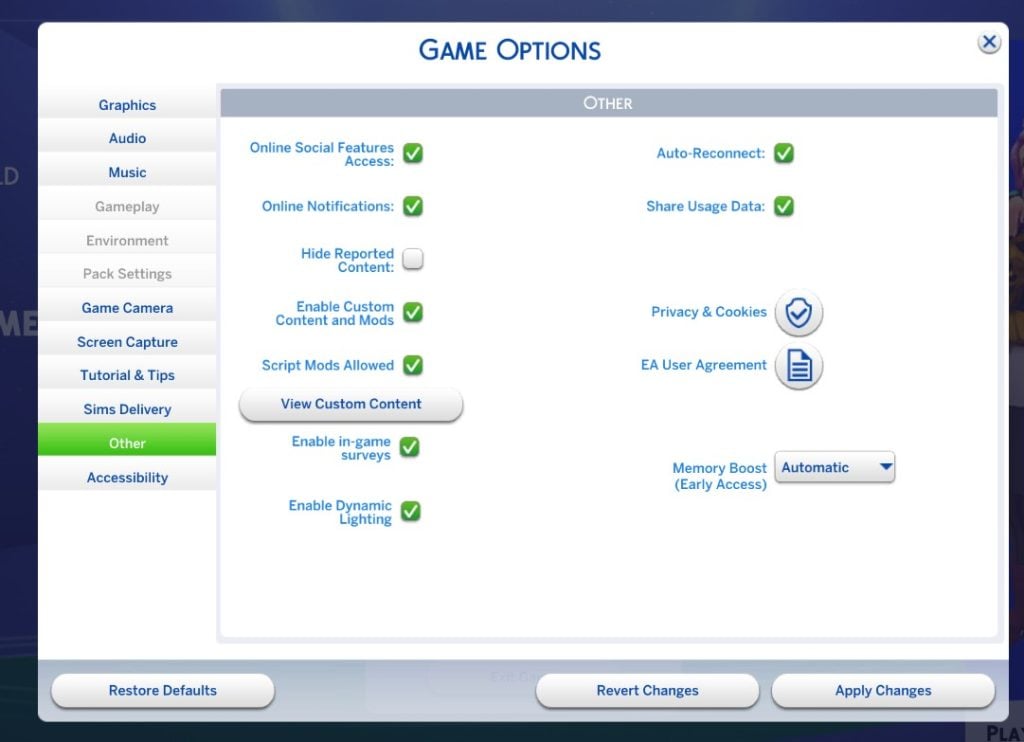
For players on Windows, head to ‘Game Options’ and find the tab named ‘Other’. A new drop-down has been added next to “Memory Boost (Early Access)”. Click on the drop-down and select ‘Enable’. You will have to restart the game to access all that this mode has to offer.

mem boost option

What Does Memory Boost Mode Do?

To put it simply, Memory Boost Mode optimises memory usage by The Sims 4 on your PC. This can help reduce lag, reduce frame drops, and help avoid crashes when playing on a long-running save or with a cluttered lot. When recovering previous saves you there will be a Memory Boost label if it has been saved with the mode enabled. Here’s how to check:

  • Go to your saves menu and hit the ‘Recover Save’ Icon.
Save Recovery
  • Beneath your save name, household, date, and time, you will see “Memory Boost”
save recovery 2

What Notable Changes Are There?

The first thing I noticed after enabling Memory Boost was the reduction in load times, around 5 seconds when using the ‘Load Game’ menu, and 11 seconds when choosing ‘Resume Game’.

loading

I wanted to test how good the reduction in lag really was, so I ran a few interactions that often cause lag. The first was the clock freezing when all Sims are asleep and the game is at super fast speed. I noticed no instances of the clock stopping randomly while my Sims slept over 3 nights.

elizasleeping

I find that cluttered lots are a strain on my game, despite having a PC with specs well above the recommended. So I decided to test some very cluttered lots to see if my performance was affected. I chose a favourite lot of mine, ‘Hobbies Centre’ by Sims4Ideas on the Gallery. It only took around 20 seconds for the lot to place from the Gallery.

Screenshot 2025 09 23 19 20 43

While on the lot, I experienced no lag or drop in frame rate, averaging around 40 fps.

The next test I decided to run was on a busy small business lot, as I often find myself running into glitches and issues because of the number of Sims there. I converted ‘South Square Coffee’ in Windenburg. I maintained a consistent 20fps with a full business running.

cafe

Build mode can often cause lag, and has been doing so for many years. However, with the memory boost on, I had around 60fps at all times!

build1

What’s Next?

The Sims 4 has a long history of performance issues; however, it has a long history of improving compatibility as hardware progresses. The DirectX 11 update saw massive improvements for Simmers running DirectX 11. Once the issues have been ironed out and any bugs quashed, the Memory Boost mode will likely become the standard for The Sims 4 going forward. If you are running into any issues with the Memory Boost mode, make sure to report them on the Memory Boost Technical Issues and Feedback Thread on the EA Forums.


Have you tried Memory Boost mode yet? Let us know in the comments below, and stay tuned to Sims Community for all the latest on The Sims 4 !

Your Ultimate Guide to The Sims 4 Reaping Career

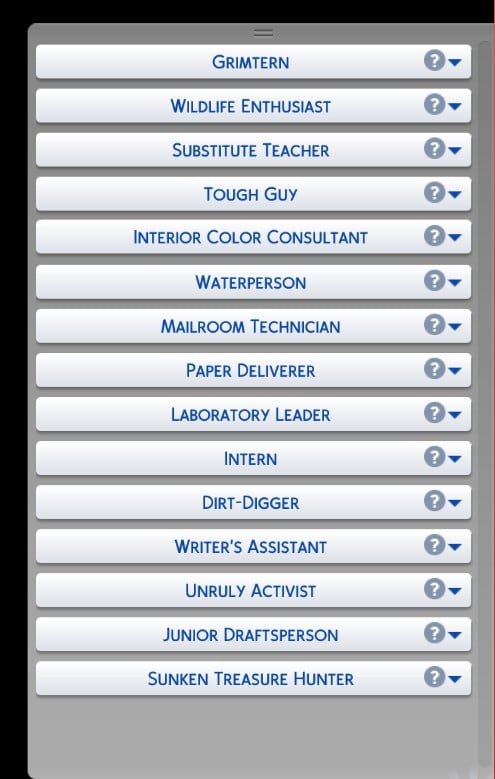
How do you fancy becoming the latest ‘Grimtern’ and exploring the digital afterlife? You can do exactly that in the Sims 4 Life & Death expansion pack by joining the Sims 4 reaping career.

We’re going to break down this 10-level career for you and give you an easy guide to get all the way to the top.

What you will need for the Sims 4 Reaping career

To progress in this career, you’ll need:

  • A computer to build the new Thanotology skill.
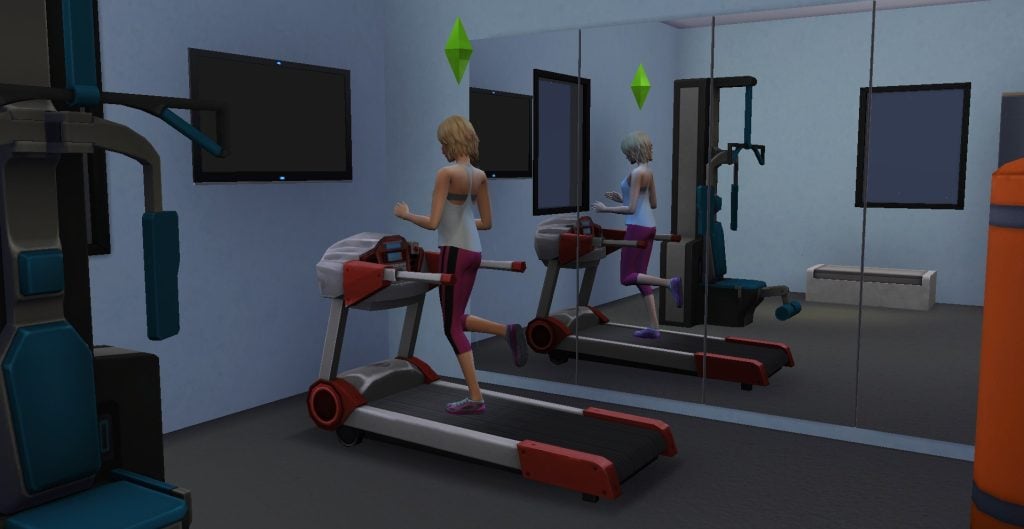
  • Fitness skill building items like a pool, gym equipment or a TV. You could also go without this and make your Sims jog every day.
  • A mirror to build your charisma skill.

Things to know before you join

First, this is an active career, so you will be able to join your Sims as they go to work every day. You do have the option to send them alone, but where’s the fun in that?

Next, this isn’t a career which has branches taking you down different paths once you reach a certain level. There are only ten different levels.

You’re also going to have to get to grips with the new skill to level up in the Sims 4 reaping career.

Learning and Mastering Thanatology

Before Life & Death, there was a 10-level reaping skill that only the Grim Reaper had maxed out. Now with the new career, you can level up in the new skill that comes with this pack: Thanatology.

These are the best ways to increase Thanatology skill.

  • Reading theories online on the computer: There are four theories that Sims can read, and you can read all of them as many times as you want. You will also get an inspired moodlet after reading a theory.
  • Reading up on historical deaths: Using the bookcase, you can read up on historical deaths. This is a quick task to give you a little bit of skill boost.
  • Reading Thanatology skill books: Whilst you’re over at the bookcase, peruse the skill books! They’re a tried and tested way of building any skill, and you can queue up the interactions and fast-forward through the reading. Skill book costs range from §75 to §250.
  • Career interactions: Certain tasks in the Reaper career, like analysing death trends, boost the Thanatology skill slightly.
  • Social interactions: Once your Thanatology level increases, it unlocks certain conversation options. Sims can ask other Sims about local hauntings, and even gain the ability to speak a dead language.

When you are in lower levels of the career the daily tasks go by quite quickly and you’ll have a few hours spare at the end of each work day. I found that using these hours to build the Thanatology skill at work was the easiest way to build it quickly.

Joining the career

There are two ways to join the Sims 4 reaping career. You can join any time from the computer or phone, or you can wait for the Grim Reaper to phone you and ask if you want to join.

grim reaper phone call inviting to job

Clicking OK will open the career selection menu.

menu when joining the career 1

Level 1: Grimtern

Congratulations, you’re now a Grimtern! This is the first level in the Sims 4 reaping career. Time to get to grips with the basics and learn the ropes of the job.

  • Pay: §25 per hour (§200 per day)
  • Days at work: Monday, Tuesday, Wednesday, Thursday, Friday
  • Work hours: 9am to 5pm
  • Ideal mood: Focused
  • Promotion requirements: Attend two active work days.
  • Pension: §85 a day
reaper 1 e1756921648606

The best ways to complete the active workday tasks are all outlined below. Skip ahead to this section here.

Level 2: Restceptionist

  • Pay: §31 per hour (§248 per day)
  • Days at work: Monday, Tuesday, Wednesday, Thursday, Friday
  • Work hours: 9am to 5pm
  • Ideal mood: Focused
  • Promotion requirements: Reach level 2 in the Thanatology skill.
  • Pension: §106 a day
image

You’ll also be rewarded with a bonus of §254 when you get promoted, as well as the test dummy outfit.

image 37

Level 3: Dust-to-dust buster 

  • Pay: §39 per hour (§312 per day). 
  • Days at work: Monday, Tuesday, Wednesday, Thursday, Friday. 
  • Work hours: 10am to 6pm. 
  • Ideal mood: Focused. 
  • Promotion requirements: Have level 3 in Thanatology and release 3 souls. 
  • Pension: §133 a day
dust to dust buster

Releasing souls can only be done during an active workday, so to do this, you’ll need to follow your Sim to work.

Once you get promoted to level 3, you will also be given a bonus of §380 and the Basic Reaper Uniform outfit as a reward. 

unlocked outfit level 3

Level 4: Collections Agent 

  • Pay: §54 per hour (§432 per day). 
  • Days at work: Tuesday, Wednesday, Thursday, Friday, Saturday. 
  • Work hours: 2pm to 10pm. 
  • Ideal mood: Focused. 
  • Promotion requirements: Have level 2 Fitness and Charisma skills. 
  • Pension: §184 a day
image 11

You’ll also receive a bonus of §1,008 once you’re promoted to Collections Agent.

Level 5: Soul Slayer 

  • Pay: §77 per hour (§616 per day). 
  • Days at work: Tuesday, Wednesday, Thursday, Friday, Saturday. 
  • Work hours: 2pm to 10pm. 
  • Ideal mood: Focused. 
  • Promotion requirements: Have level 4 in Thanatology and release 5 souls. 
  • Pension: §264 a day
image 12

Time to back to raising your Thanatology skill now you’re officially a soul slayer! Getting promoted to level 5 of the Sims 4 reaping career will also earn you a bonus of §1,472.

Level 6: Spirit Expert (Extraction & Resolution) 

  • Pay: §110 per hour (§880 per day). 
  • Days at work: Sunday, Monday, Tuesday, Thursday, Friday. 
  • Work hours: 11am to 7pm. 
  • Ideal mood: Focused. 
  • Promotion requirements: Have level 4 Charisma skill and write the reaping manual. 
  • Pension: §376 a day
image 22

Getting promoted to the Spirit Expert will also earn you a bonus of §1,704.

Writing the Reaper Manual

To get promoted to Nether Tether you’ll need to write the Reaper Manual.
To do this, click on any computer and select Write > Write Genre Book > Reaper’s Creepers: Training Manual Instalment. You don’t need any writing skill to complete this task.

image 18

Reading the Reaper Manual once it is completed will also boost your Thanatology skill.

Level 7: Nether Tether 
  • Pay: §158 per hour (§1,264 per day). 
  • Days at work: Sunday, Wednesday, Thursday, Friday, Saturday. 
  • Work hours: 5pm to 1am. 
  • Ideal mood: Focused. 
  • Promotion requirements: Have level 5 in Thanatology. 
  • Pension: §541 a day
image 23

You’ll earn a bonus of §1,896 for reaching level 7 in the Sims 4 reaping career.

Level 8: D.N.R. (Death’s Negotiation Reporter) 

  • Pay: §223 per hour (§1,784 per day). 
  • Days at work: Sunday, Tuesday, Wednesday, Thursday, Saturday. 
  • Work hours: 2pm to 10pm. 
  • Ideal mood: Focused. 
  • Promotion requirements: Have level 4 Fitness skill and level 5 Charisma skill. 
  • Pension: §764 a day
image 33

You’ll also earn a bonus of 2,013 once you are promoted to Death’s Negotiation Reporter, as well as a Grim’s timeless hourglass.

Level 9: Graveling 

  • Pay: §299 per hour (§2,093 per day). 
  • Days at work: Sunday, Monday, Wednesday, Thursday, Friday. 
  • Work hours: 10am to 5pm. 
  • Ideal mood: Focused. 
  • Promotion requirements: Release 10 souls. 
  • Pension: §897 a day
image 39

You’ll also get a bonus of 2,391 for reaching the 9th level in the career.

Level 10: Reaper 

  • Pay: §421 per hour (§2,947per day) 
  • Days at work: Monday, Wednesday, Friday, Saturday. 
  • Work hours: 9am to 4pm. 
  • Ideal mood: Focused 
  • Promotion requirements: None, you’ve maxed out the Sims 4 reaping career! Keep attending work to increase performance to give your Sim a pay boost.  
  • Pension: §1,010 a day
image 48

Being promoted to Reaper will get you a bonus of 2,666, but arguably the best rewards are the items you get.

The new trait you unlock is Grim’s Right Hand. This trait is incredible; it will give your Sim the ability to instantly break or fix anything with the Healing Hand and Death’s Touch interactions.

Not only that, Sims with this trait can handle grief better with better coping skills and, possibly the best use of this trait, avoid death. If your Sim with this trait dies, when Grim shows up to reap their soul, you’ll be resurrected instead.

Also, the uniform at this level in the career is to die for – pun intended.

Untitled design

How To Complete Each Task

The Sims 4 reaping career is full of different tasks you need to complete to progress and get promoted.

As you arrive at the Netherworld Department of Death, you’ll receive a pop-up instructing you to use the Scry Bowl to receive your assignments.

Your Sim swirls their hand in the Scry Bowl, and you’ll get a pop-up revealing your assignment.

Regular Reaping Tasks

These are the standard reaping tasks you can expect to do on a normal day at the N.W.D.D.

Check Your Tasks

You’ll have to do different tasks depending on your workday – practice reaping, research assignments, scry for travel, scythe maintenance, capture and release souls, planning reaping schedules, writing death certificates, and socialise with co-workers.

reaper training task beginning

Practice Reaping

Poor Kenny. As the Netherworld Department of Death’s training Sim, you’ll use him to practice reaping. Just click on him to get started. You can find him at the back of the office, behind the Scry Bowl.

kenny

Once you begin reaping practice, your Sim will rise into the air and swipe their scythe just like the Grim Reaper. They’ll then land, grab Kenny’s ‘soul’, and take notes on the cause of death.

Research Assignment

Click on the bookshelf and select ‘Research Assignment’. Your Sim will then spend a few Sim minutes flicking through a book to complete the task.

research assignments 2

Scythe Maintenance

Click on your Sim and select Scythe maintenance. Your Sim will then check the scythe for dirt and give it a quick wipe with a sponge.

Computer Tasks

There are a few computer tasks you can get done on an active workday. These are Analyse Death Trends, File Death Certificate, Order Office Supplies, and Check Soul Quota.

You will also use the Slablet to Plan the Reaping Schedule. These tasks can also grant moodlets.

file death certificate

Scry for Travel

Click on the Scry Bowl and select travel. Your Sim will then travel to a training location, where you’ll learn how to determine and investigate causes of death.

scry for travel edited

Investigating Cause of Death

You’ll arrive at the location of the deceased Sim, where you will take the lead on determining the cause of death by checking their pockets,the position of the body, the position of limbs, pulse, temperature, and rigor mortis.

If when you arrive at the location you can’t find the deceased Sim, you can click on yourself and select Locate Deceased Sim, which will snap your camera to their location.

Once you do 4 to 5 of these tasks, your Sim will then become confident of the cause of death. Then, select the body and click Determine Cause of Death, which will be revealed to you in a pop-up notification.

As you level up more investigation options will become available.

image 10

Getting Grim’s Opinion

You can also ask Grim for their opinion when you arrive at the location. Click on Grim and select Get Expert Opinion.

Your Sim will then take notes using a notepad and pen. It will help you determine the cause of death or give you advice on what to do next.

grims opinion 3

Interviewing and Comforting Witnesses

If there happens to be other Sims at the scene you can interview them to find out what happened to the deceased. Just click on them and select Take Witness Statement.

If they are upset, you also have the option to offer them comfort with the Soothe Witness interaction.

Investigate Nearby Objects

Investigating objects at the scene is also a good way to help determine the cause of death.

Click on any of the objects around the dead Sim, and hopefully it will help you reach a conclusion.

image 3

Collecting Souls

Put that practice you got back in the office to good use! Click on the body and collect the soul. At first, you’ll have the option to collect the soul lazily or normally. As you level up in the Sims 4 reaping career, new options for collecting souls will become available. The higher level you are, the more successful these attempts will be!

Collecting the soul lazily isn’t ideal, and the chance of failure is slightly higher. Once you successfully collect the soul, it will go into your inventory.

If you fail to collect a soul your Sim will keep swiping their scythe before giving it a tap and landing back on the ground. You’ll get the chance to try again though so don’t worry!

Ask for a Review

By clicking on the urn and selecting Request Reaping Review, the soul you’ve just collected will offer a review of your services.

You may also be asked to return the urn to the family of the deceased.

review from kenny
request reaping review

Once you have the soul and have completed all the tasks at the location, click on your Sim and select travel to go back to the office.

Releasing Souls

Once you get back to the office, you will need to release the souls you’ve collected. Have your Sim go up to the netherworld portal and click release all souls. They will then let them go, and they’ll disappear into the portal.

You can also sell the souls you collect – turns out a Sim’s soul is worth around §200. Who knew?!

While it’s nice to get a bit of extra cash from the workday, I wouldn’t recommend it. Every soul counts when it comes to meeting soul quotas and promotion requirements!

value of a soul

Different Types of Workday

As well as the regular workday tasks, now and then your Sim will be sent on special missions by Grim.

Afterlife Emergency

Sometimes emergencies can’t be avoided. For me an afterlife emergency happened on the second day of work, but your Sims might not be so unlucky!

When you arrive, you’ll get a pop-up saying something is wrong with the Netherworld Portal, and your Sim will need to repair it and things around the office throughout the day.

emergencies

Repair the Scry Bowl

The scry bowl is in need of repairs. Once you click repair, your Sim will whip out a Slablet and start calibrating.

repair scry bowl 2

Closing Netherworld Fissures

These fissures will open up in the floor around the office and you’ll need to close them all to complete the task. You can also reach into the fissure first, which will give you a random item.

You can get really lucky reaching into these fissures – I got anything from a frog to a ten thousand simoleon collectible plate!

close netherworld
image 31

Repairing Grim’s Slablet

Just click on any Slablet in the office and select Recalibrate Grim’s Slablet. Your Sim will then just take it and click a few buttons – it’s one of the simpler tasks you’ll need to complete.

recalibrate slabelt
recalibrate slabelt 2

Expelling Mischievous Ghosts

Look around the office for an item of furniture that seems to be posessed – for me it was the bookcase.

There will be an option once you click on it to Expel Ghost, and then a ghost will pop out of the furniture, and your Sim will banish it. The animation for this is also really cool!

(I’m not sure if it was a bug for me, but the ghost didn’t look like a ghost.)

expel ghost
mischevious ghost edited

Repair the Netherworld Portal

Head over to the portal and select Repair Netherworld Portal, and your Sim will start tinkering on a Slablet to repair it.

repair portal 2

Rounding up Lost Souls

When you arrive at work you’ll get a pop-up letting you know Grim has set you a new task and you’ll need to spend the workday rounding up some souls that have escaped.

assignment round up souls

You’ll need to travel to the location that the souls are coming from, round them up, close the Netherworld Fissures, and Harvest Grimbrosia.

After you’ve completed these tasks, travel back to the office to release the souls and make Grimbrosia.

You can also choose to donate a lost soul to science. This won’t count towards your soul quota, but it does raise your Thanatology skill slightly.

Making Grimbrosia and Delivering It To Grim

Head to the office kitchen and cook up some Grimbrosia! You don’t need any cooking skill to cook this successfully and it only requires the harvested plant.

(You can’t take this Grimbrosia home, unfortunately.)

Next, take your creation down to Grim and deliver it to him.

A Laughing Disaster

By using the scry bowl, you will be presented with a pop-up letting you know a comedian has died and you need to get yourself over there immediately to collect their soul and the souls of the crowd.

emergency death
image 8

When you arrive at the location, it is probably going to look like a crime scene with all the dead Sims lying on the floor!

image 9

You’ll need to investigate the cause of death, and it should say that the cause was death by laughter, confirming the case brief. You won’t have to investigate each Sim; performing investigations on one Sim will determine the cause of death for them all.

After you have collected all of their souls, you’ll need to return to the office and release them, like any normal workday.

Rogue Haunting

This assignment is a bit like the lost souls assignment, and you’ll have to travel to an in-game location to stop ghosts haunting the lot.

To complete this task, you’ll need to close netherworld fissures and collect souls from ghosts.

image 49

Cowplant Disaster

Just like the Laughing Disaster, this is another work task with multiple casualties.

image 13

Once you arrive, determine the cause of death by examining the dead Sims, and you should reveal that the cause of death was the cowplant eating them. Then just collect the Sim’s souls as normal.

On this workday location, you also get some unique interactions with the cowplant – you can scold them and reap the cowplant’s soul (note this will kill the cowplant instantly, but it will count towards your soul quota).

Successfully reaping a cowplant soul will also give your Sim a focused moodlet.

After you have reaped all the souls, head back to the office.

image 17

Emotional Reaping

Sometimes you’ll be called to investigate a death of a random townie, and will have to listen to the pleas of their loved ones.

Listening to Pleas

Not every witness at the scene will have a plea, you can identify who you need to talk to with the label ‘Has Plea’ above them. For me, it was Dina Caliente who died and only Nina had a plea to listen to.

Once you’ve found who you need to listen to, click on them and select Listen to Plea. Once they’re done pleading you can choose to revive them or collect their soul.

If you choose to revive them, head over to the dead Sim and select Revive.

Choosing to accept a plea will also give you a happy moodlet.

image 43
image 45

Meeting The Soul Quota

Each week, Grim will set you a soul quota that you should aim to meet, and it is tracked automatically based on how many souls you and your colleagues release to the Netherworld.

soul quota checking

If you don’t meet the quota, there are no negative repercussions, but meeting this will let you gain a reward from Grim’s box.

You can check your soul quota progress at any time on the computer.

This part of the career is actually really challenging – I went with my Sim to work every day for weeks and collected loads of Lost Souls and still didn’t meet the quota! So, here are some of the best ways to get souls when you aren’t at work.

Gardening

The best way to meet the quota is to focus on gardening, as when you have a high level gardening skill fully grown plants will give you the option to Reap Plant Soul. They need to have been fully grown for a while to unlock this option, so grab a greenhouse and fill it with plants to get ready.

Harvesting the plant soul will reset the plant’s growth stage but it will grow back in time, so doing this doesn’t kill the plant.

Harvesting plant souls was by far the easiest way to keep my Sim’s soul quota up, so that’s my best advice for you too!

Harvesting plant souls was by far the easiest way to keep my Sim’s soul quota up, so that’s my best advice for you too!

Fishing

As long as you are in the sims 4 reaping career, you’ll be able to fish for souls at any of the fishing spots in the Mourningvale area. Just click on the sign and select Fish for Souls.

I didn’t have as much success with this as harvesting souls from plants but it’s still a good option and fishing is always a good pastime for Sims.

Buying them

You can, of course, buy souls if you’re flush with cash.

Go down to the graveyard area and have a look for the mysterious merchant Wayland and ask to see his wearz, where you’ll see he is selling souls for 200 simoleons each (although he offered them to me for 180, so maybe you’ll also get lucky).

He seems to have an unlimited supply of souls for sale as I bought 99, so if you want to shortcut to your soul quota you can always just type in Motherlode and grab loads!

Also, sometimes when you use the scry bowl to scry for lost souls, you can get a pop-up to shake Wayland down for souls. This is based on pure chance, though, so I wouldn’t rely on it as a foolproof method to meet your quota.

Stealing them

A good option, potentially, if you are fine with risking lowering your work performance.

Once you reach a high enough level and send your Sim off on a rabbit hole workday, you can choose to have them steal souls. This will increase your chances of earning a soul, but it isn’t guaranteed.

Is it worth it?

The gift you unlock from Grim is totally random, so sometimes you might get lucky, but other times you might end up with a bit of a dud. Both times I hit the quota I got a random amount of Simoleons.

image 47

Final Thoughts

Overall, this career is one of the most in-depth careers in the game, with constant challenges which make it hard to get bored. The fact that it sends you off to real-world reaping events makes it feel like your choices have an impact on the world around you in a tangible way.

The workplace location and world also fits the aesthetic perfectly, and the rewards you get for completing the career like the Grim’s Right Hand trait are really helpful in gameplay outside of the career.

I can’t recommend the Sims 4 reaping career enough!


What are your thoughts on this career? How do you think it compares to other playable careers? Let us know below!

New The Sims 4 Adventure Awaits Trailer: Sul Sul Island Finale

2

The Sul Sul Island saga comes to an end!

Electronic Arts has published a new official trailer for The Sims 4 Adventure Awaits Expansion Pack. With the trailer also being a continuation (and finale!) of the fictional TV Show called Sul Sul Island.

In the latest trailer, the last two Sims battle for the title of the Sul Sul Island Winner. Where the Sims have to compete against each other using the new playground equipment, kayaks, fitness equipment and more.

See the finale of Sul Sul Island and who wins down below:

Interested in more Adventure Awaits News? Check out our dedicated The Sims 4 Adventure Awaits News category!