Just when things couldn’t get more interesting, more stuff have been found in The Sims 4 updated Game Files!
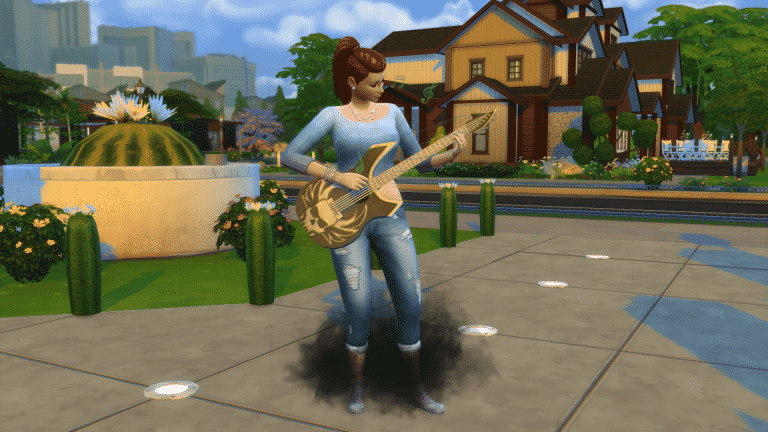
Igor_Erefound this guitar just ‘sitting’ withing The Sims 4 1.22 update files. The first thing he discovered was this render:
But that’s not all, he was also able to uncover and unpack the Guitar itself into a special .package, letting you play it for yourself! (You can download it HERE)
Here’s the description of this object that we found:
Grim’s Ghoulish Guitar
Record keeping is never easy, but we, at the Filers for the Dead Files, are happy to know a simple guitar was more than enough for you to sign away your first born. We, and Grim, appreciate your potential deposit, and wish you pleasant days… until we see you again.
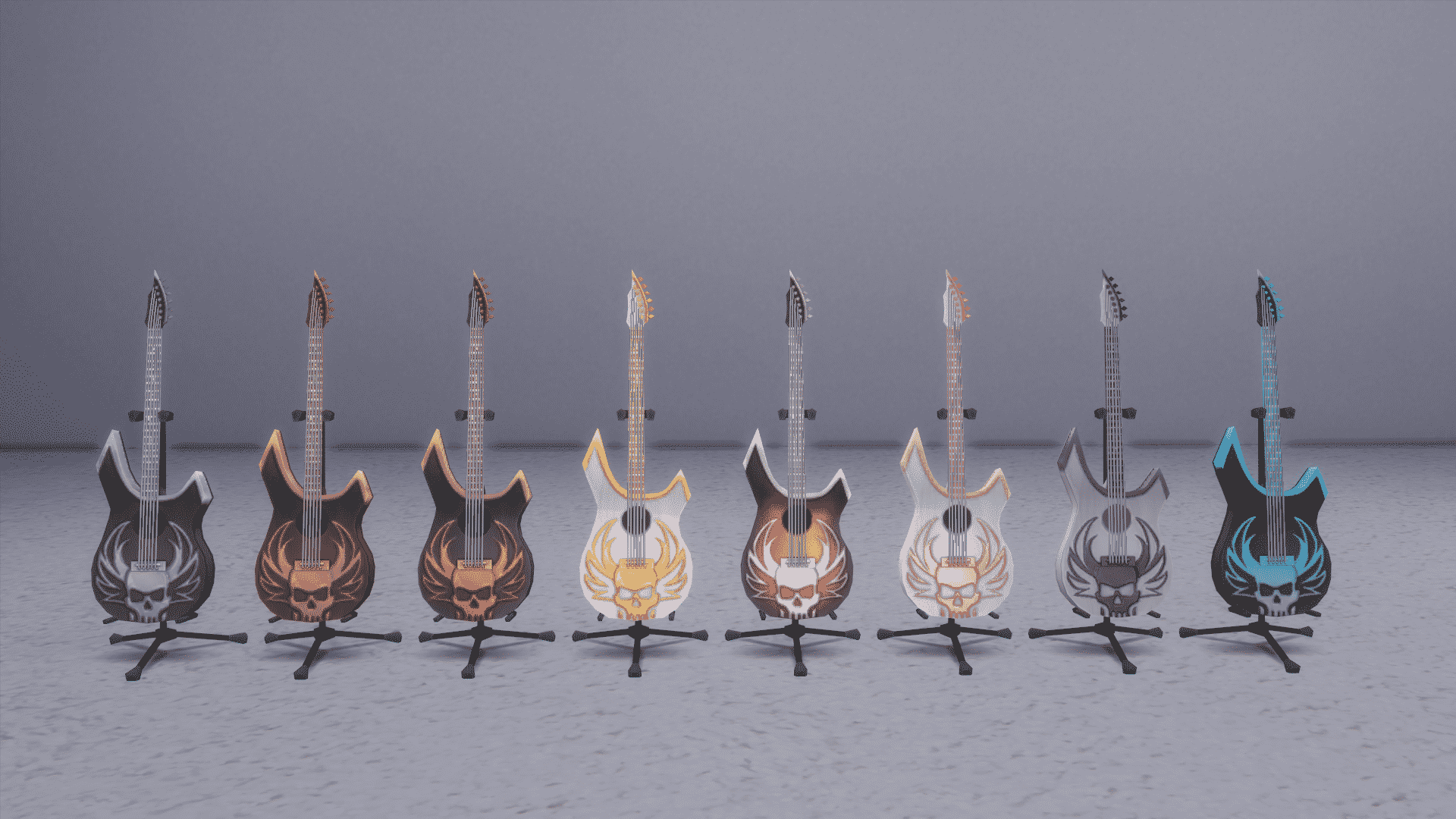
Down below you can see all 8 color variants of this Guitar:
We currently have no idea when and how will this Guitar affect the actual gameplay as the modded Guitar currently doesn’t bring any new interactions, but we think this has something to do with the upcoming Event System.
UPDATE #2: More evidence about the new Event has been found! Seems like Jasmine Holiday will return to introduce the new Event System.
Also, we found this icon which seems to be related to the new system:
UPDATE: SimGuruDrake released a statement about the upcoming Event System, confirming that The Sims Team has in fact been working on it.
The team that’s works on engagement features (i.e. The free stuff you get in patches) are doing their job by creating this free content for you
The latest update for The Sims 4 that was released today introduces the ability to customise phone skins. However, there is hints of a new “event” system hidden within the XML code. Back in March, we had the Growfruit challenge with Jasmine Holiday as an event NPC. The latest update has expanded the code that was used with new details.
Events have a new “XP” system. Sims can earn XP and trigger a “Triple Boost Week” which will increase the rate a Sim builds job performance, boosts skills, builds friendships, gains aspiration points, or decreases the rate at which their Needs decay (note: this is still referred to as a “Boost Week” despite actually lowering the decay rate). Sims can only have one reward at a time.
We can expect these new features to be implemented the next time there’s a temporary challenge!
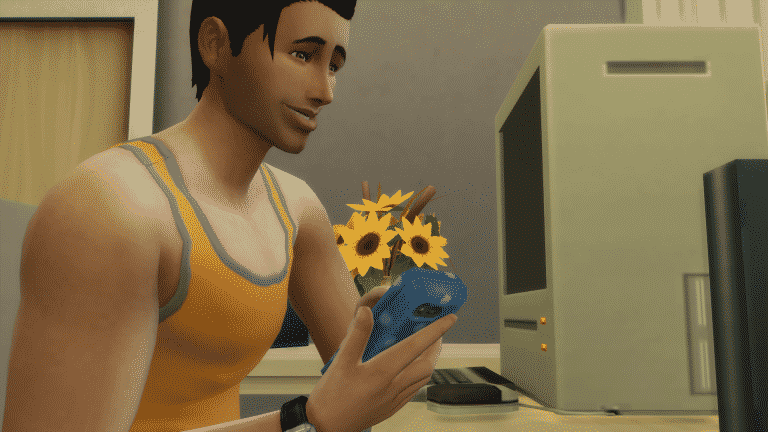
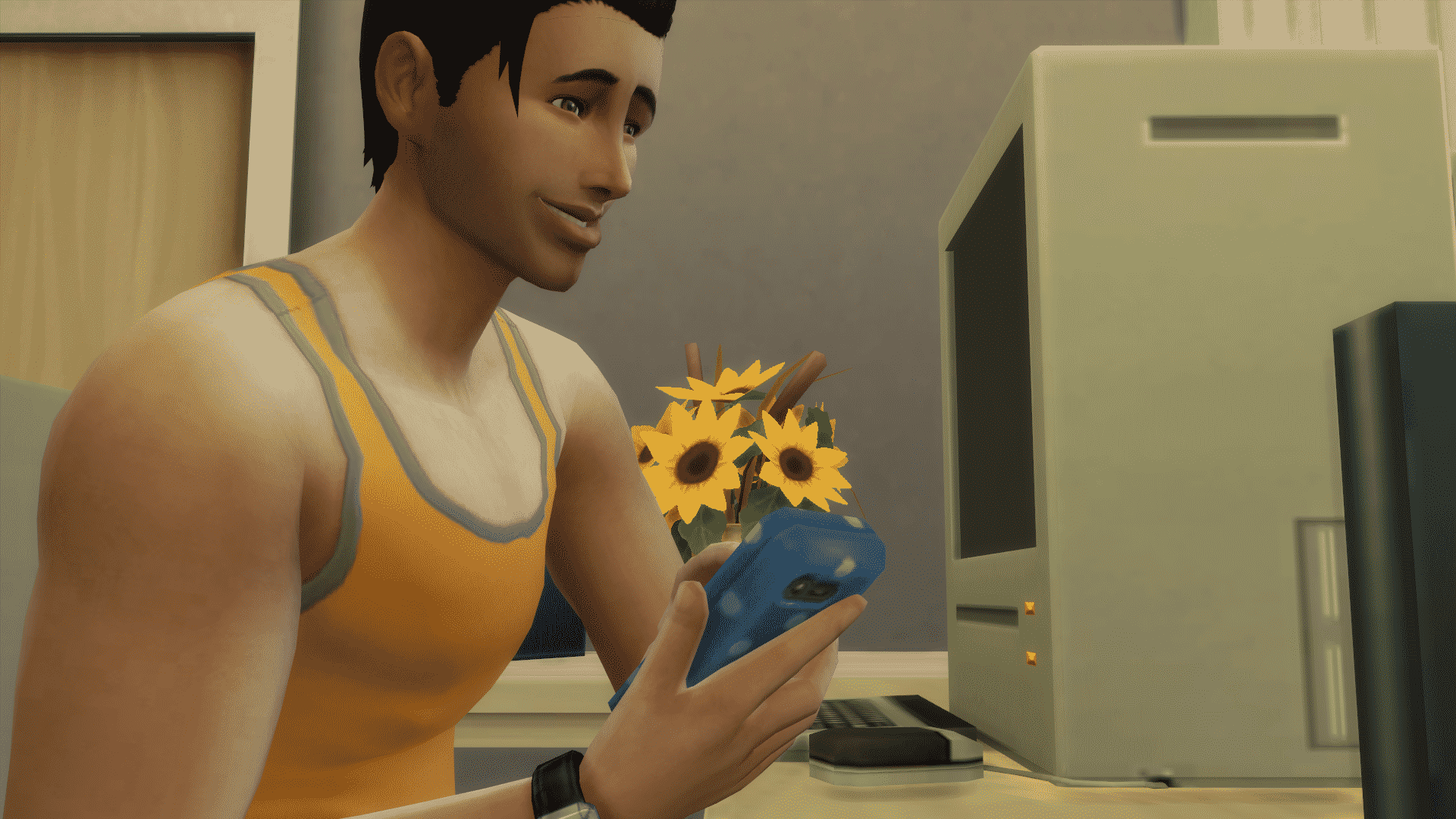
With the latest update for The Sims 4, The Sims Team introduced Smartphone covers! In case you didn’t know, they were first ”teased” with the first Get Together render:
Starting today, you can customize your Smartphone with 19 new covers!
You can find the new customization options under the Phone menu on the top bar of Phone options.
You can change the cover of your Phone whenever you want with just one click of your mouse!
The Sims Team has released a brand new Update for The Sims 4!
To download the latest version of The Sims 4, simply open your Origin program and if the game doesn’t update automatically, right click on The Sims 4 and select ”Update”.
In case you have Mods or Custom Content, the game will automatically disable them for you after first launching The Sims 4 after the update. To re-enable all your Mods and Custom Content, select the Settings option in the Menu and select Settings. Under the”Other” section you’ll find the ”Enable Custom Content and Mods” option. Check it and restart your game in order for it to take effect!
Patch Notes
Update: 08/16/2016 – PC Version 1.22.22.1020 / Mac Version 1.22.22.1220
Happy August Simmers!
We’d like to share a couple of small this and that’s with you…
To start off with, a new…
Sims can now customize their cell phone covers!
Open up your Sims cell phone menu by clicking on the phone in the bottom left (just under your Sims portrait). At the top of the phone menu is a Change Phone Cover Color button. You can choose from over a dozen colors and patterns for your phone to give your Sim that extra bit of flair.
We also have a few issues that were addressed…
General
The blue pattern plaster wall pattern now has a name other than wall_V_Plaster03MPanels_Blue. It now shall be known as Patterned Plaster, the same as all of its brothers and sisters – Patterned Plaster.
You know if it were me, I would have called it Bob, give it some personality, make it an individual, someone who stands out.
“What have you got there on your walls? Is that Patterned Plaster?”
“No. That’s Bob.”
Sims will no longer be woken from sleep to watch a show at the Puppet Theatre or the DJ Booth unless they were specifically called forth by the “Put on Show for…” interaction.
Are you an ‘er’ or ‘re’ type of person?
And, if I may be so bold, what would you show in your theatre or theater?
I’d show 80s SciFi.
The Grand Master Yoda styled look will no longer appear in the list twice for child Sims.
…although, if the Grand Master Yoda wanted to appear twice in the styled looks catalog, who are we to say no.
We fixed an issue where choosing to stop a custom music preview from playing in the options panel, did not actually stop it, but just lowered its volume.
We have, to speak plainly, adjusted the weighting and deformation maps for several Create a Sim assets in order to correct for holes, odd angles, and other visual oddities.
We addressed an issue that could cause Sims to get stuck in a hot tub after choosing to Woohoo, Mess Around, or Try for Baby, if both Sims had low hygiene.
Get To Work
We have un-hidden three objects in the Build catalog: Corporate Fridge Raider Revenue Generating Cooler, Still Ambiguous Lab Case, and the Galvanized Industrial Wall Pipe.
These objects were used on career locations, but were previously unavailable to the home catalog.
Kids Room Stuff
Children looking for discarded toys in the trash will no longer find themselves “discarded.” They should no longer become invisible upon completing the interaction.
We fixed an issue that could result in the collectable Voidcritter cards appearing overly dark in low lit rooms.
Backyard Stuff
We addressed an issue with necklaces clipping into the neck when worn with shirts that were tagged as masculine.
The frog fountain now also includes the sound of water when it is spewing water.
Of particular note, is that there is no option to kiss the frog fountain, despite any hidden desires one might harbor.
Any attempts at kissing the frog fountain will result in no change, for you and the fountain.
It should be advised that if you do desire to kiss a frog, it should only be done if the frog is considered a close family friend, that you have long since been without…perhaps you were on an extended vacation to Fiji, only just now returning to see your beloved frog.
A gentle peck is then acceptable… with their consent of course.
Thank you again for all and everything,
-SimGuruGnome
[Posted on behalf of SimGuruNick who was going to post on behalf of SimGuruDrake while she is in Germany who normally posts on behalf of SimGuruGnome.]
After hintingthat we should expect a new The Sims 4 Update this month, SimGuruDrake confirmed with her ”Excited GIF”that we’ll be getting a new content update this week. In case you’re not familiar with her teasers, SimGuruDrake tends to post excited GIFs on start of each week when a content update is bound to happen.
You should expect this Update to happen on either Tuesday or Thursday if all goes well, as those are the days when The Sims 4 Updates usually release.
The Sims Community is full of talented writers who come up with the most creative stories. Here are 5 Sims Story websites that you should definitely check out, and if you think we missed a few good sites, make sure you link them in the comment section below!
This creative story is about the Bloomers family who come to Newcrest and try to build it from scratch. This legacy comes with 9 Generations and a dozen of chapters for each generation. Each chapter is full of dialogues and content that’ll keep you entertained for hours!
You’ll find a huge variety of stories on MAKPlays’ website. From short stories to stories with over 20 chapters, there’s reading material for every reader out there!
Not only does this site come with 3 different Stories, but you can also find a handful of Tutorials, Information and Resources to create your own Story.
Even though The Sims is not the main focus of this Story Website, a huge portion of it is. You can find 2 Legacy stories and a bunch of Sims Tips in The Sims section of this website.
A Sims 3 Story based on Supernatural occourances. Grab a cup of tea, some snacks and start reading, because with over 60 in-depth Chapters, you’ll find yourself losing the track of time easily!
In a Twitter conversation with her followers, SimGuruDrake confirmed that not only should we expect a new update for The Sims 4 this month, but that it also could happen next week. She mentioned the fact that the update will happen during her absence for Gamescom duties which are starting next week. This means that the new Update could release on either 16th or 18th of August (if you’re not familiar with the release schedules, TS4 Updates usually come out on Tuesdays and Thursdays).
Have you ever wanted to showcase your Family Tree of Sims that you’ve played through in The Sims 4? Well, now you can, thanks to the brilliant people behind The Plum Tree.
The Plum Tree lets you set up your own account and create your own Family Tree from scratch. You can upload pictures of your Sims, edit their names and bio, traits and aspirations and then link them all together in one big family tree.
You can already see an example of a family tree uploaded to this site by clicking the image down below. It’s a 10 – generation legacy created by ra3rei. What’s also great about this site is that you can move around the tree and zoom in and out with your mouse.
You can create your free account HERE and don’t forget to read the guides first on how to use this site HERE!
Back in 2014 after The Sims 4’s launch we released 8 tips to improve your The Sims 4 experience and make it more fun. Today, I’ll be sharing some tips on how to keep your The Sims 4 save game fresh and entertaining!
1. Free Will: ON
Believe it or not, things can get pretty interesting when you’re not always in control of your Sim. By turning on the free will option, you unlock more potential, and drama, among your Sims. Here’s just one example of what happened in my household: After throwing a good party, my sim started flirting with another sim all on his own, and his wife did not like that. Thanks to her free will, she decided to throw a drink at him and started using mean interactions all on her own, after which he got embarrassed. This may be a small example but it just shows that sims themselves can be the makers of their own stories while you watch it unfold.
2. Aging: ON
I often find myself turning off the aging option so I can allow my Sim to advance in his/her career more before he or she is ready to be retired. This shouldn’t be the case, and here’s why: you need to stop worrying about your Sim’s career and focus on what’s really important, and that’s growing your household. So what if a Sim you really cared about died of old age?! You can always have a fresh start in the same-old household.
3. Step out of your comfort zone
It’s always OK to try something new. If you ever feel bored of your current household, don’t be afraid to pop into the Manage Worlds menu, check out the newly moved in households and play them for a day or two. You won’t regret it!
4. Don’t always settle for Pre-Made creations
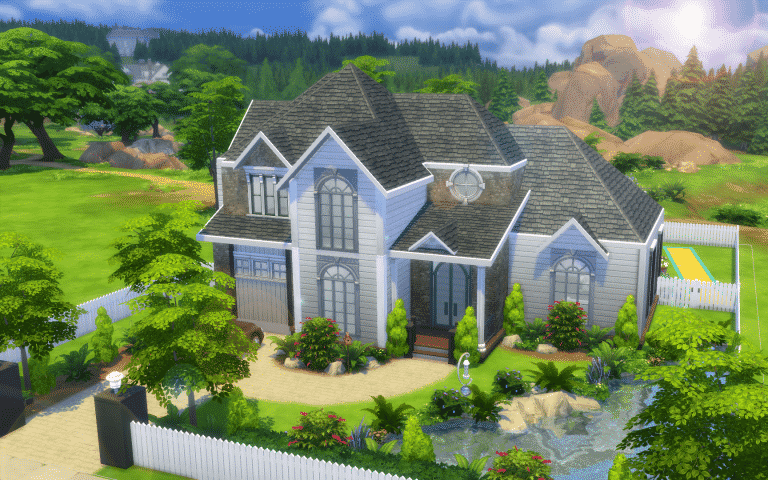
I assume you’ve all been through a phase where you don’t feel the need to build your own house or create your own Sims, but the thing is, what makes The Sims so special is that everything you create, whether it looks good or bad, is what makes your gameplay experience so special an unique. For example, I didn’t feel very creative to start my own house from scratch, but I also didn’t want to just download a house from the gallery because I knew I’ll get bored in a few minutes. So, I found a silver lining, and downloaded this beautiful American Suburban House from The Gallery and re-decorated it by myself in just 30 minutes. I confess that it’s not a masterpiece, but I always get that extra enjoyment when I play a household in the environment I helped to create.
5. Make 2 out of 1
If you think your family has grown enough, separate it into 2! The concept I currently find interesting is 2 young adult Sims who have just moved out and away from their parents, who are now living on their own. This unlocks more creativity and storytelling options for you. You can now go to your parents’ home and talk about your career, family plans, and so on.
You can also try growing a certain household, separating it, and then trying to grow those 2 households all in the same time! The more Sims you get to control the better.
TS4 x64 2016 08 12 21 36 36 54
08 12 16 9 44 25 PM
6. Challenge it up
The Community is always full of great ideas and concepts for your households. If you feel like you don’t know the goal of your household or what should you do in your game, check out some of the challenges HEREand HERE created by Simmers.
UPDATE: The first concept art piece has been removed from Nelson’s portfolio.
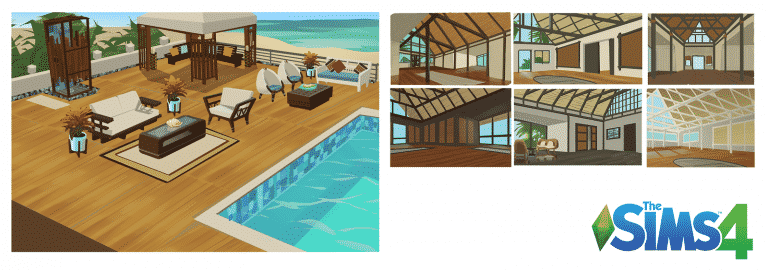
Nelson Hernandez, Concept Artist for The Sims 4, published 2 Concept Art pieces that he made for The Sims 4.
The first concept art piece you see contains both the environment and objects never-before seen in The Sims 4, while the second concept art piece clearly has a Backyard Stuff theme to it.
Nelson worked on The Sims 4 from September 2015 to April 2016. He even stated in his LinkedIn profile that he ”Designed and painted environment concepts to establish mood for new locales in game”.Could the neighborhood/world we see in the first image make its debut in The Sims 4 soon?
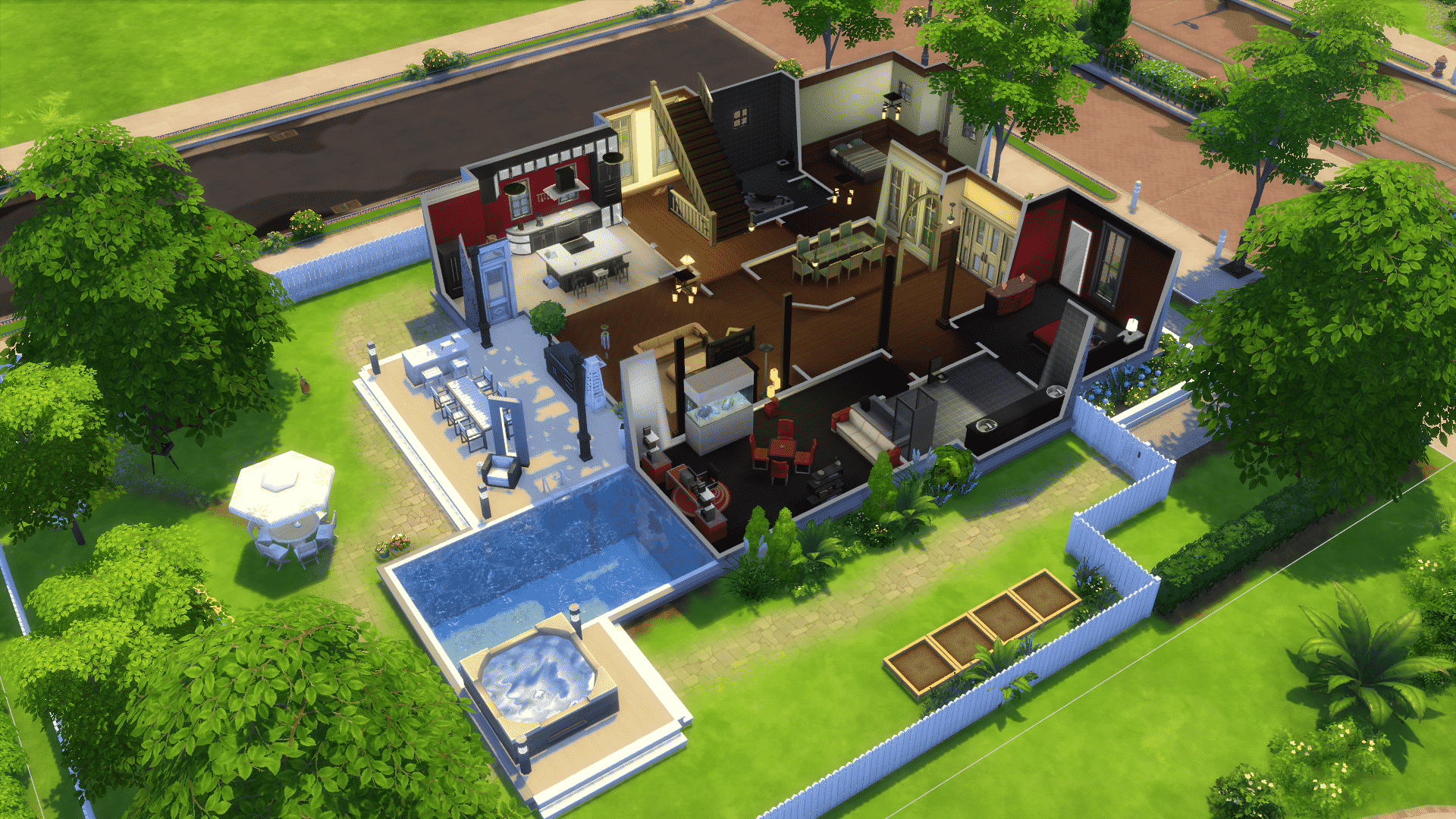
I will be giving you tips on decorating your backyard with the new pack ‘Backyard Stuff’ in today’s article!
Starting With Your Building Shape:
You always want to start with your house shape regardless if you finish the exterior or not. Making the backyard area is important so you know your space limits. Also it’s great to have a porch area for your sims to relax under!
SarasSuburbanDream
08 11 16 7 39 43 PM
08 11 16 7 32 46 PM
Lay Your Terrain Paint Down:
Terrain paint gives your backyard a realistic look. Figuring out where everything will go before placing furniture will help keep everything looking clean and organized.
Placing plants:
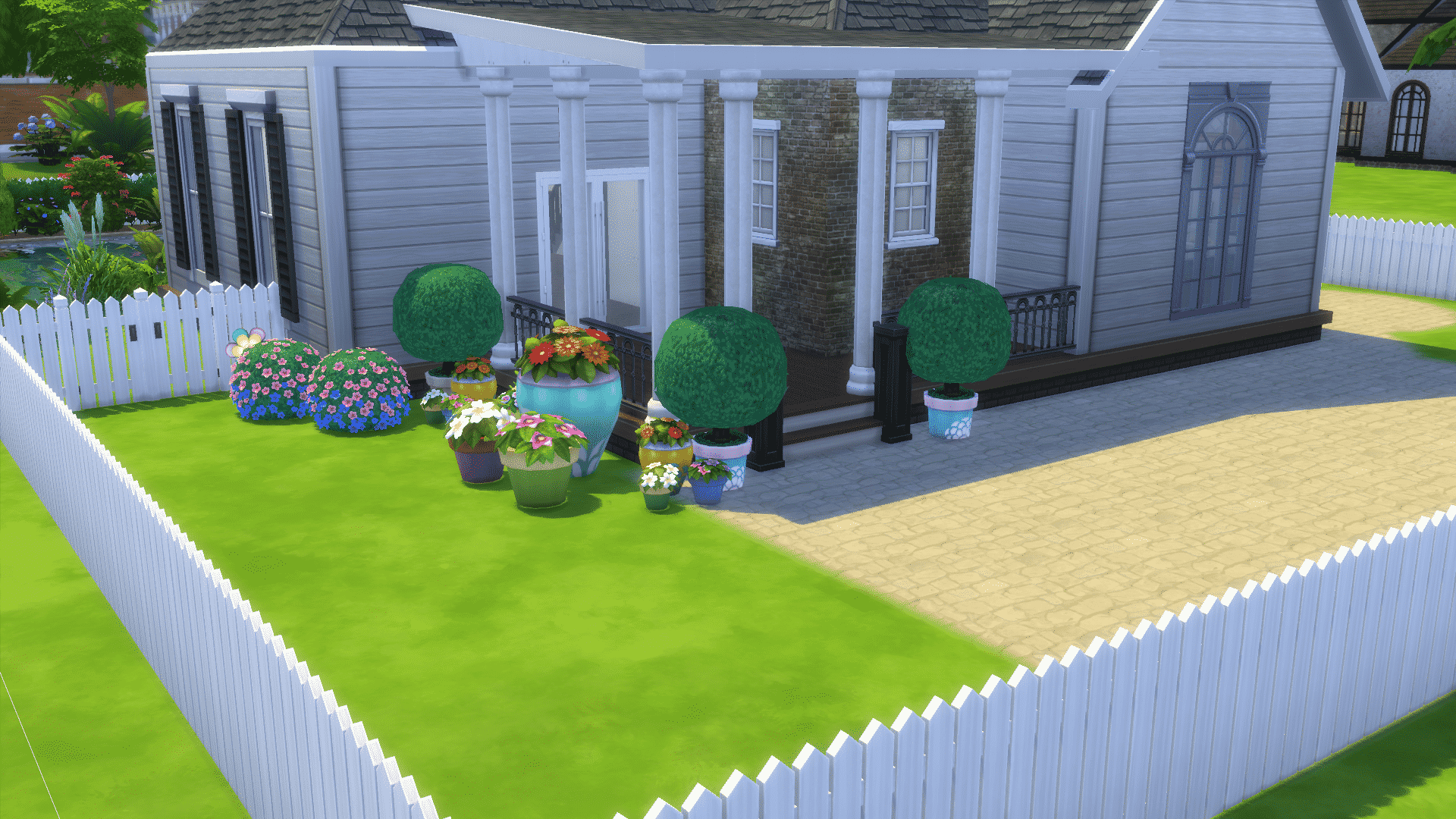
Placing plants gives your backyard a natural and fun look! Placing a certain amount of plants can show what type of sim lives there, example if a nature loving sim lives there they’ll put a lot of plants, and on the other hand a non loving of nature sim will not put a lot of plants in their backyard. In this case we definitely have a nature loving sim that lives in this house!
08 11 16 7 58 55 PM
08 11 16 7 59 04 PM
Putting Down Furniture:
Furniture definitely brings the backyard to life! It brings the party right to your sims! This backyard is great for a movie night or a relaxing day out in the sun, smelling all the flowers that is around your sims! Try and use the new objects that come with the new stuff pack, the water slides! Your sims will get goofy, and have so much fun with these new objects!
08 11 16 8 05 30 PM
08 11 16 8 05 41 PM
08 11 16 8 05 52 PM
Go watch this house be made on YouTube. Link here!
Soon available for download on the Sims 4 Gallery!
So, what does it take to create ‘ambient sound’ for an object in Simlish for The Sims 4? Drew Boles is here to tell you, showcasing a Simlish snippet which seems to be giving a small taste of The Sims 4’s upcoming content in audio form.
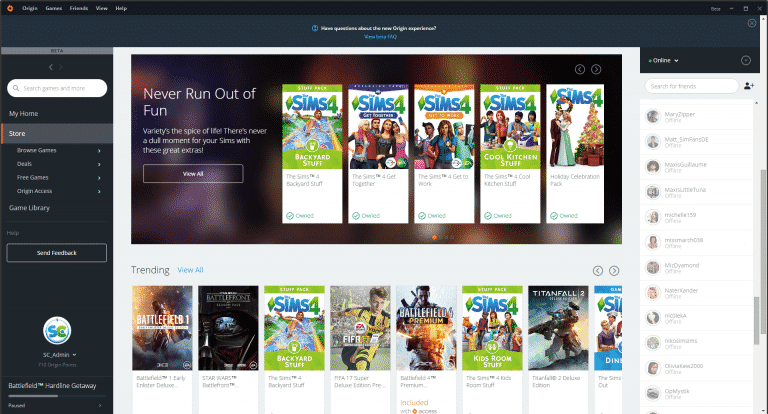
Origin is currently enrolling a new update for people who opted in for Origin Beta that revamps the whole look and feel of Origin. Chances are that you already got the update but if not, EA could still be enrolling the update for beta users.
Here are some of the new features in Version 10.0.1 (please note that some things may chance in the final version of this update)
Version 10.0.1
The new Origin experience is now in beta
This redesign of Origin includes an updated user interface and content recommendations based on your gaming interests. Here are the highlights:
My Home page: This page is tailored to your gaming interests. Here you’ll find recommendations for games, articles & videos, deals and more.
Updated UI: Origin looks and feels the same, whether you’re visiting it on web, mobile, or within the client. Access the store, your game library, and more, no matter what device you’re using.
Improved functionality: Searching for players, games, and extra content on Origin is now easier. Plus, you can add up to 2,000 friends to your friends list
You’ll immediately notice the new User Interface in the log-in section of Origin. There’s now also an option to show your written password!
After logging in, you’ll be greeted with a new section of Origin, and that’s ‘My Home’. Yup, there are now 3 main sections of Origin: My Home, Store and Game Library.
The Home section features a couple of things, such as suggesting the last game you played, featured ads, games you might like, popular games and freebies that you can claim.
The Store section is also completely revamped with brand new sections that’ll make browsing through video games a much easier experience.
The Game Library doesn’t offer much new features but it still matches with Origin’s sleek new style.
The in-game interface also has completely revamped. By pressing SHIFT + F1 you’ll be greeted with this interface, letting you browse websites in-game, check your download progress, achievements and more!
This Origin BETA update is currently still enrolling and will be available for everyone soon.
Reddit user dahlia_gatz has expressed her concerns about one of the huge issues that The Sims 4’s Unisex Patch has brought, and that’s warped and distorted clothing that don’t look very nice on a Sim with a certain gender.
Down below you can see one of many examples where Unisex clothing fail to deliver.
(female shorts on female sim and on the left male shorts on a female sim)
0HRmCC8
oap4TOO
SimGuruDaniel has confirmed that The Sims Team is currently in the works to fix unisex clothing, and that we should expect to see some progress over future patches.
Just to chime in on this — we are aware that some assets translate worse than others between body types, and are in the process of fixing them up. Look for them to improve over future patches!