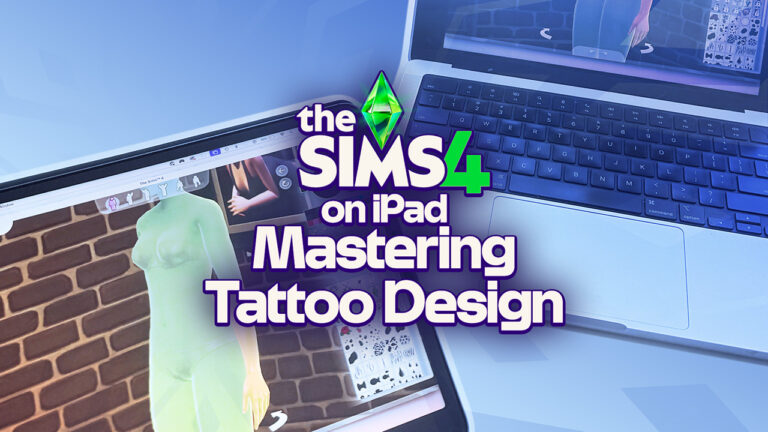
Now that we get to enjoy The Sims 4: Businesses and Hobbies, The Sims 4’s newest expansion pack, there’s tons of innovative ways to design tattoos. In addition to all the ways our blog has previously mentioned, there is a great, innovative new way to create and design tattoos with The Sims 4 on iPad! I was really excited to hear from social media posts (which will be shared below) that using an iPad and Apple Pencil, Simmers’ can enjoy designing tattoos from their iPad. I am going to be breaking down how to do this, what’s required in order to do this, and how it went when I tried it. Let’s get into it!
I will say, there is quite a few hefty requirements that require devices not everybody who regularly plays The Sims 4 has if you want to use an Apple Device. With this being said, I will share a variety of ways as they come out to try and make this accessible to more people by attempting to use other ways to do this other than just Apple Devices. Not everybody has an apple device, and that’s okay!
Stated below is the list of requirements needed to achieve this:
An Apple Device that has MacOS
An iPad with Apple Pencil compatibility
Apple Pencil
Note: If you are interestedin purchasing an Apple Device specifically for this purpose, I have seen some very good deals at the Apple Refurbished Store/Website.
Apple Device Instructions
Courtesy of ropesimmer via X, we found the idea of using an iPad to design tattoos in The Sims 4. Thank you ropesimmer for your work, we appreciate your discovery.
Omg I synchronized my Ipad pro to my laptop and now I can draw on sims with my Apple Pencil 😭🤍 pic.twitter.com/nWDUT3ykCj
Note: You will need to have an iPad and MacOS device that meet the requirements of this method.
How to connect The Sims 4 with iPad
Launch The Sims 4, go to Create A Sim (CAS), and get into the tattoo editor.
Get out your fully charged iPad, and get out your MacOS Device, powering it on!
Go to your Control Center via MacOS, and select “Screen Mirroring”
Once you click “Screen Mirroring”, select your iPad.
Once you select your iPad as a device, ensure that the mode is set to “Screen Mirroring”
There you have it! It’s pretty simple. If you have any additional concerns or need any general advice, please comment below and we will get back to you.
Testing the Ropes: My Initial Thoughts
I tested this method the other night and it honestly went pretty well, all things considered. I did experience some bugs launching The Sims 4 with my iPad already connected as I launched the game via my MacBook. So I decided to screen mirror once I was already in Create A Sim and in the tattoo mode.
Additionally, I experienced some bugs with the Apple Pencil not knowing whether or not it should click the screen, causing my Sim to spin frequently if I did not draw very carefully. Other than that, these were the only two things I personally noticed.
My Final Thoughts
If you are genuinely interested in designing tattoos in The Sims 4 on iPad, and you already have the equipment for it, I would say definitely go for this option! It’s fun, clever, and opens the door for a lot of opportunity for potential. I recommend this for Simmers like this, but if you are looking to purchase the equipment for this specific reason, I personally wouldn’t recommend it. At this current time, unless someone finds a super good deal, or a hand-me-down computer, I am not sure if it is worth it. But, the choice is always yours.
If you are looking for The Sims 4 Businesses and Hobbies content, check out our other articles!
Have you ever felt that your sims accomplish their aspirations too quickly, leaving them without purpose midway through their lives? I know I have. There’s something deeply unsatisfying about watching your Sim reach their ‘lifetime’ goal before they’ve even had their first grey hair. If your’e nodding along, I’ve got some fantastic news for you!
The ‘Lifetime Aspirations Reworked’ mod by NeedCoffee4That (NC4T) is about to revolutionize the way you play The Sims 4. This brilliant mod transforms aspirations into genuine lifetime goals that will keep your Sims striving and thriving throughout their entire adult lives.
Let’s dive into what makes this mod a game-changer for Sims 4 enthusiasts like us!
The Sims 4 Mod: Lifetime Aspirations Reworked Walkthrough
What are Lifetime Aspirations
The vanilla Sims 4 aspiration system is fun, but let’s be honest – it’s a bit too easy. Complete a few simple tasks, and suddenly your Sim has achieved their life’s dream before they’ve even paid off their starter home. Not exactly the gameplay experience we’re looking for, right?
NC4T’s mod flips this concept by introducing true Lifetime Aspirations. These aren’t your typical tiered goals that can be knocked out in a couple of Sim weeks. Instead, they’re substantial, single-goal aspirations designed to take most of your Sim’s adult life to complete.
The Sims 4 Mod Key Features That Will Transform Your Gameplay
Substantial Single Goal Aspirations:
Gone are the days of tiered goals that feel like a checklist. The Lifetime Aspirations Reworked mod replaces them with one major, challenging goal that requires dedication and persistence.
For example, instead of becoming a ‘Friend of the World’ by making a handful of friends, your Sim might need to form 30 friendships throughout their lifetime – a goal that is genuinely worthy of the term ‘lifetime aspiration.’
The rewards? A whopping 5,000 satisfaction points, and the ‘fulfilled’ trait, which gives your Sim a permanent happy moodlet. Now that’s what I call a reward worth working for!
Impressive Variety Of Aspirations:
One of the most remarkable aspects of this mod is the sheer volume of aspirations available. According to the Sims After Dark website, there are a staggering 192 different lifetime aspirations to choose from! This incredible variety ensures that no matter what kind of Sim you’re playing or what storyline you’re crafting, there’s a perfect aspiration to match.
These aspirations are thoughtfully organized into categories that cover every aspect of Sim life:
Nature: For Sims who love the outdoors, fishing, collecting, and herbalism.
Popular: For social butterflies seeking fame, friendship, and romance
Fortune: For ambitious Sims focused on wealth and career success
Knowledge: For bookworms and intellectuals pursuing academic excellence
Athletic: For sports enthusiasts and physical fitness devotees
Deviance: For mischievous Sims who like to bend the rules
Family: For Sims who prioritize raising children and building a legacy
Food: For culinary experts and wellness gurus
Creativity: For artists, writers, and performers
Occult: For supernatural Sims with extraordinary abilities.
Love: For hopeless romantics and soulmates seeking long-lasting relationships
Animal: For animal enthusiasts dedicated to nurturing animals and raising livestock
Location: For Sims aspiring to embrace the culture, lifestyle, and uniqueness of their chosen home
Wellness: For Sims dedicated to inner peace, mindfulness, and self-care
Teen: For younger Sims navigating adolescence and finding their identity
Elder: For seasoned Sims reflecting on their legacy and enjoying retirement
Ghost: For Sims who have passed on and now embrace life beyond the living
For the complete list of all 192 aspirations and goals, check out the detailed compilation at Sims After Dark.
Elder Specific Goals
Let’s talk about something that’s always bothered me – the lack of purpose for Elderly Sims. Once they retire, what’s left for them to do besides wait for the Grim Reaper?
NC4T’s mod brilliantly addresses this with a new ‘Elder’ category featuring aspirations specifically tailored for your senior Sims. These goals are perfectly suited to this life stage and give your older Sims meaningful objectives to pursue.
Complete an Elder aspiration, and your Sim earns 2,000 satisfaction points plus the ‘Young At Heart’ trait. This fantastic trait reduces exhaustion and lowers the chance of death from overexertion – perfect for those active seniors!
Even better, if your Elder Sim already completed a Lifetime Aspiration, they’ll receive the ‘Fulfilled Life’ trait, giving them peace with their mortality. It’s these thoughtful touches that make this mod so special.
Ghost Aspirations (Yes, You Read That Right!)
Death is no longer the end of aspirations in your Sims’ world. The mod introduces and ‘Ghost’ category with aspirations specifically for Ghost Sims.
These spectral goals reward 2,000 satisfaction points and contribute to a ‘Souls Journey,’ adding a whole new dimension to afterlife gameplay. I’ve personally found this feature adds an unexpected layer of storytelling possibilities to my game.
How Does This Mod Enhance Long-Term Gameplay?
The vanilla Sims 4 aspiration system sometimes feels like it was designed for short gameplay sessions rather than the long, multi-generational stories many of us love to create. NC4T’s mod fixes this issue by:
Encouraging long-term planning – You’ll find yourself mapping out your Sims entire life rather than just their next few days.
Adding genuine challenge – These aspirations can’t be completed in a single sitting, making achievements feel more rewarding.
Creating more realistic life paths – Real-life aspirations take years to achieve; now your Sims’ goals reflect that reality.
Providing purpose at every life stage – From young adults to elders and even ghosts, every Sim has meaningful goals to pursue.
Why This Mod Is A Gamechanger
I’ve been playing with this mod for ages and I can honestly say it’s transformed my Sims 4 experience. There’s something deeply satisfying about watching my Sims work toward meaningful goals throughout their lives rather than hopping from one quick aspiration to another.
The Elder aspirations have been particularly impactful. My senior Sims now have purpose beyond just visiting their grandchildren and gardening. They’re completing their bucket lists, mentoring younger Sims and truly making the most of their golden years.
And don’t get me started on the Ghost aspirations! Who knew death could be just another chapter in your Sims story? The ability to continue pursuing goals beyond the grave adds an unexpected depth to gameplay that I never knew I needed.
Final Thoughts: Is This Mod Worth It
If you’re looking to breathe new life into your Sims 4 experience, the Lifetime Aspirations Reworked mod by NC4T is absolutely worth downloading. It addresses one of the game’s shortcomings – the lack of truly challenging, long-term goals – and does so with creativity and attention to detail.
Whether you’re a legacy player who loves multi-generational storytelling or someone who simply wants more challenging gameplay, this mod delivers! The thoughtful additions for Elders, Ghosts, and Occult Sims make it clear that NC4T understands what players want from The Sims 4.
So, what are you waiting for? Give your Sims the gift of purpose with this amazing mod. Your virtual families will thank you!
There has been much talk recently of cars in The Sims 4. They’ve been a requested feature since release, but the vocal outcry for their return seems to have reached a fever pitch recently. It makes sense. Over the past decade we’ve seen all kinds of content come to the game, both old and new concepts, but cars have remained set dressing. Something that is a part of our everyday lives still has yet to be featured in the game. It’s a massive part of realism that is sorely missing.
Any time someone mentions wanting cars in The Sims 4, one of the first responses is along the lines of, “how would they even work since the game isn’t open world?” To answer that question, we simply need to look into the past. Follow me on this journey looking at the history of cars in The Sims franchise.
Table of Contents
Cars in The Sims
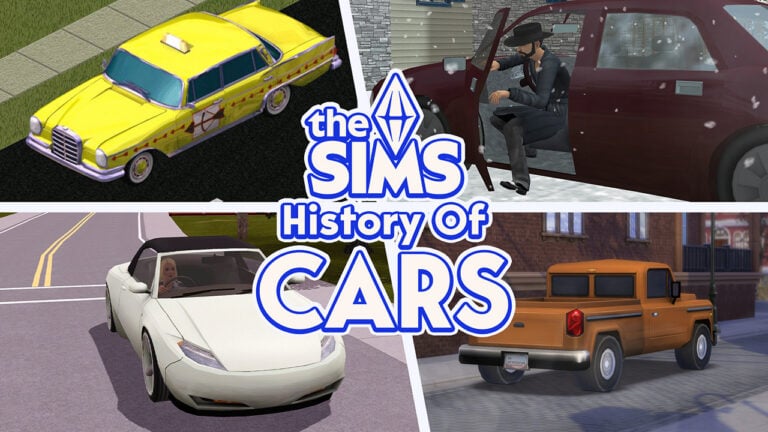
The first series of the game featured vehicles, but not in any ownable capacity. In the base game, they solely existed as a carpool to ferry your sims to and from work or school. It wasn’t until the third expansion pack, Hot Date, that they added a different type of vehicle, the taxicab.
This expansion added community lots to the series, so for the first time ever, your sims needed a way to travel to other lots. A nice detail was that each following expansion added a different vehicle depending where you were traveling.
Overall, the vehicles in The Sims were minor and only used for realism purposes. Instead of having your sims walk off lot and disappear to the places they were going, the vehicles acted as visual vessels to make it feel more real. They were also one of the more annoying parts of The Sims. Whenever someone blocked the road the cars would honk… and honk… and honk until the sim finally moved.
Not the greatest example of cars in The Sims, but still better than what we have currently in The Sims 4.
Cars in The Sims 2
This is where cars in the Sims get interesting. The jump from what we had in The Sims to what he had in The Sims 2 was tremendous. The base game included the same carpool/school bus system as the original game. The biggest difference was that NPC characters also had unique vehicles that they would arrive to your lot with. Firetrucks, ambulances, grocery delivery trucks, maid vans, etc. There was quite the variety, but like before, these were just visual vessels to increase the realism and had no impact on gameplay.
That all changed with the second expansion pack, Nightlife. This was the grand introduction of ownable cars in The Sims. The biggest benefit was faster travel–no longer waiting for a taxi to arrive. Not only that, but they were also fully interactive and offered new gameplay as well. We’re only at the second game in the series, but this iteration of cars in The Sims is actually the best they’ve ever been. In a closed world, single lot system, no less. So no, you don’t need an open world for cars in The Sims to work.
Gameplay Features
You could have your sims ‘take a spin’ which would increase their energy, comfort, and fun needs. They would disappear off the lot with the car only to arrive a little while later, no need to actually travel to another lot.
If you didn’t want your sim’s carpool to arrive every day, you could set your sim as the owner of the car, and they would drive themselves to work. You could have them drive their kids to school as well.
As cars are an expensive object, they were big hits for burglars. To protect yourself, you could have a car alarm installed. This alarm would trigger any time a burglar was near the car automatically alerting the police.
Sims had the ability to sit in the car, and while doing so, they had a few options. They could play with the lights, listen to the stereo, socialize with others inside, or even woohoo.
The seventh expansion pack, FreeTime, added even more gameplay to cars by introducing the junker. This was a broken down, rusted, torn apart hunk of junk that your sims could restore. The best part is that two sims could work on it together as there were two options; work on engine or work on body. Once the car was fully restored, you then chose a color scheme to paint it.
Minor Details
In the last expansion for Sims 2, Apartment Life, you had the option to buy a helicopter. The functionality was the same, but you would need a Helipad instead of a driveway. The purpose was to show the incredible wealth of your sims.
Another important thing to note about cars in The Sims 2 is just how detailed they were. Aside from everything previously mentioned, the animations were exquisite. Sims would actually open the doors and get in or out. They would open doors for pets to get in and out as well. The car would actually drive in and out of the driveway before driving down the street. It was a level of detail that won’t be seen again in the next game.
Cars in The Sims 3
Open world. All lots loaded at once. Traveling anywhere at any time. This should have been the height of cars in The Sims, but it really isn’t. While cars were a lot more necessary in The Sims 3 to get from place to place quickly, they paled in comparison to what was previously available in The Sims 2. Almost all gameplay from them was removed.
Removed Features
Sims could no longer sit in the vehicle when it was parked. No more listening to the stereo, socializing in a car, playing with the lights, or…. Woohoo. No. More. Car. Woohoo. It was a travesty.
You couldn’t take a car for a spin to increase motives. Setting the owner of the car wouldn’t prevent the carpool from arriving. You could no longer install an alarm in the car either. To prevent a car from being stolen, you needed to install security alarms around your house instead.
There really was zero gameplay involved with cars in The Sims 3 aside from a sim driving from lot to lot. Even then, I found this to be a net negative because in a closed world setting like Sims 2, your sim would travel from lot to lot and not lose any time. In Sims 3 you’d sometimes waste several in-game hours waiting for your sim to drive between lots.
Gameplay Features
The first bit of gameplay involving cars came in the second stuff pack, Fast Lane Stuff. This stuff pack was focused fully on motor heads and introduced twelve new cars. The only bit of new gameplay, however, was the new Vehicle Enthusiast Trait (which was eventually added into a patch and not limited to pack owners.) This trait added very little gameplay. It mostly just made it easier to build relationship with vehicles–because yes, that was something that existed in The Sims 3.
The fourth expansion pack, Generations, added another minor morsel of gameplay involving cars. With this pack installed, adult sims were able to teach teen sims how to drive. They would take them for a drive a few times, and then the teens were able to drive on their own.
It wasn’t until the very end of support for this series that cars in The Sims 3 finally had some gameplay added to them. And I mean the very tail end for The Sims 3. Roaring Heights, the final world released in The Sims 3 Store, released around seven months after the announcement of The Sims 4. Each world came with at least one new gameplay item, and for Roaring Heights it was a fixer-upper car with identical restoration gameplay from The Sims 2 FreeTime. Once the car was restored, it also reintroduced several gameplay aspects from the cars in The Sims 2.
With this restored car–and only in this restored car–sims could sit in it and socialize, listen to the radio, watch the stars, make out, and woohoo. But again, it was only with this car. None of that gameplay was retroactively added to any other car in the game.
Minor Details
There was a huge variety of cars to choose from in The Sims 3 from motorcycles to hovercars to moving trucks. You could unlock your own fire truck or police cruiser through different careers as well. They were vastly different in looks, but all functioned exactly the same. Here is a picture of some, but not all, of the cars in The Sims 3.
The animations with cars in The Sims 3 were also massively downgraded. Sims no longer opened the doors to get in or out, they teleported. The car no longer drove down the driveway to get to the road, it teleported. Cars in The Sims 2 also teleported at times. For instance, if the driveway didn’t connect to the road, then the car would teleport to it. In Sims 3, however, the car always teleported to the road no matter what. Cars in The Sims 3 never reached anywhere near the level of quality of the cars in The Sims 2.
Moral of the story, cars don’t need an open world to be worthwhile.
Cars in The Sims 4
We’re now back to having closed worlds with single lots loaded at one time. The way things were when cars in The Sims were at their best. However, unlike The Sims 2, The Sims 4 has open world style public areas surrounding each lot. With the way they’ve designed the open neighborhoods, there are quite a few lots that are not connected to any type of road system. There are entire neighborhoods that lack any roads at all.
It is most likely this reason that cars in The Sims 4 are just set dressing thus far. Neighborhoods that have roads will sometimes have various vehicles driving along them. Cars will frequently be parked along the curb or in decorative parking lots around the world. They’ve even gone so far as creating exhaust coming from some of the decorative cars as they drive by. Even so, ownable cars are not a feature in The Sims 4.
But are they coming?
It’s a feature that has been largely asked for since the game launched. We’ve had a ton of concepts from past games return while also having a lot of new concepts introduced as well. Being over a decade into the game, it’s hard to imagine how many new or returning concepts they can introduce before they run out of ideas and need to turn to cars for inspiration.
The Future
We’ve seen recently through various pack concept surveys that cars in The Sims 4 are something they are heavily considering in various ways. It seems a good bet that they’re coming, it’s just a matter of how soon and in what capacity. Based on the various survey concepts, it seems they’re going to be a lot more involved than they’ve ever been before. However, based on the nature of animations in The Sims 4, I think we can all safely assume they’ll have the same teleporting factor from The Sims 3.
So, what do you think? Will we be seeing cars in The Sims 4 sometime soon?
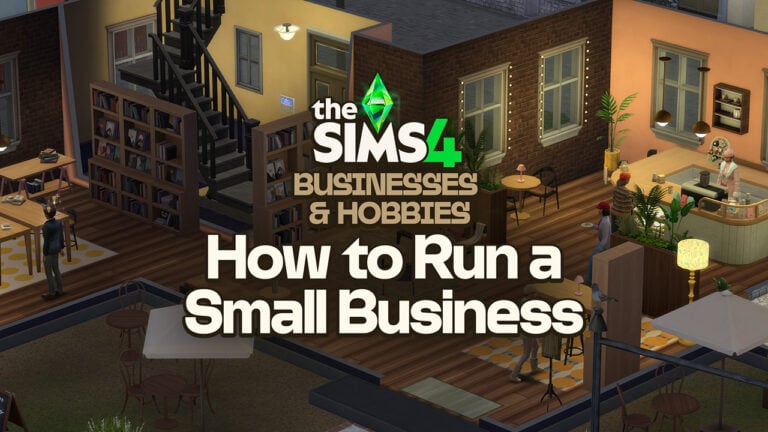
With the release of the Businesses and Hobbies expansion pack for the Sims 4, a whole world of possibilities has been opened for entrepreneurial Sims everywhere! From Sulani to Del Sol Valley, any sim with a dream (and a few simoleons in the bank) can make their small business idea a reality. This guide will walk you through the process of how to open and run a small business in the Sims 4.
Guide Contents
Coming up with a Business Idea
Starting a business can be a lot of work for your sim, so why not help motivate them by making it something they’re passionate about? For example, an animal enthusiast sim might enjoy running a cat café or petting zoo, whilst an athlete may have more enthusiasm for opening a gym.
There’ an abundance’s a lot of cross-pack compatibility within the options for small businesses, so there’s plenty of scope to be creative with your ideas.
Creating a Small Business Venue
Once you have finalised your business idea, it’s time to set up the perfect venue. Businesses can be run on community lots, small business venue lots, or your sim’s own residential lot. These can be bought through the phone or computer, or you can simply move a sim to a new lot through the ‘manage worlds’ menu.
Your sim’s venue will need to contain all the objects and different areas they need to carry out all their business activities, as well as other amenities that make the space nicer, and perhaps offer more variation for customers.
For example, my sim Athena has created a space for their bookshop on a residential business lot. Their flat is located on the first floor, with the ground floor offering a space for a variety of activities that they want to offer. This includes an area to browse/buy books, a space for mentoring sims who want to learn to write their own books, a little coffee area to sit, read and drink coffee, as well as a bathroom so sims can stay for as long as they like without their needs decaying too much.
Once your venue is set up, you can zone each area to control who can access it. Athena’s lot, being a residential business lot, needs separate zones for their flat, the bookshop, and behind the counter at the café. Their flat is, of course, residential, the main shop area is public, and behind the counter is employee-only.
Finally, you must make sure you place a ticket kiosk near the door so customers have somewhere to pay!
Registering your Small Business
Finally, your business is ready to open! Registering your business will require a one-time fee of §750. You can find the option to pay this either under the ‘business’ tab in your sim’s phone, the ‘small business’ tab on the computer, by clicking on the ticket kiosk in the business venue, or in the ‘owned businesses’ tab at the bottom right-hand corner of the screen.
This will take you to a screen where you will get to assign your business name, logo, activities, price, and target customers.
When selecting activities, try to be diverse! Customers are more likely to come if there are a few different options of things to do. If you want to sell craftables or other items, select ‘browse and buy items’ as one of the activities, and place items on the business racks, shelves and pedestals that come as part of the expansion pack. These can be found under the ‘small business’ category in the build menu.
Entrance fees can be set to one-time, hourly, or disabled altogether. Consider the sort of business you have and what would suit it best. You can also modify the price higher or lower, from -50% to +100%. Setting the modifier higher will earn you more simoleons, but could deter customers who don’t want to pay so high a price.
Finally, set your target customers. This will effect who visits your business, and can be a really useful step in shaping a business to be exactly how you want it, but can also limit your customer base too much if you’re not careful! Customer criteria can be required or optional, and include financial status, career, and skill level.
As Athena wants a wide customer base for their bookshop, the only criteria I selected was the trait ‘bookworm’, set as not required. Other businesses, such as a werewolf fight club or a nightclub would function better with required criteria such as occult or age.
After registering your business, you’re ready to open! Select ‘open’ from the business management menu at the bottom of your screen, or by clicking on the ticket kiosk.
Growing Your Business
Now your business is open, it’s time to start earning simoleons and working towards improving your business. This can be done by ensuring customers are happy, increasing your business renown and obtaining small business perks.
Customer Reviews
Customer satisfaction is key in increasing your business renown! Items such as fireplaces and speakers can create a cosy, welcoming atmosphere, as well as welcoming customers as they arrive. Ensuring your venue is nicely decorated, clean, tidy, and free from broken items also helps to ensure customers leave with a smile on their face and a plan to return again!
Throughout the time it’s open, your business will receive customer reviews. These can be seen above customers in live mode, and can be positive, negative, or neutral. Pay attention to what they’re indicating, and make changes accordingly. When the business closes, you will be able to see more in-depth customer reviews that may offer more actionable suggestions to improve your business.
Business Alignment
As your sim’s business builds renown, they will be presented with options that allow them to choose between the path of ‘dreamer’ or ‘schemer’. Dreamer options are marked with a dove, whilst Schemer options are labelled with a raccoon.
Depending on how your sim chooses to gain renown, they will appeal to or deter customers based on their personality traits.
Small Business Perks
As your business gains renown, your sim will earn perk points to spend on small business perks. These will help improve your business, and can also influence your business’ alignment. They can be accessed through the business management menu at the bottom of your screen.
Hiring Employees
Managing a business is a lot of work for one sim! If they can afford it, it’s a good idea to hire an employee or two to delegate some responsibilities to.
This is done through the business management menu at the bottom of your screen. Select ‘manage employees’, and select a sim to hire. Consider their traits and skills, and ensure they’re a good fit for your business! Once hired, you can set the employee’s salary to either low, average or high. It may be tempting to save some simoleons by underpaying your employees, but beware, this could lead to a bitter sentiment over time and cause your employees to quit! High pay, on the other hand, will foster a positive relationship between your sim and their employees.
Your sim can only hire someone they know, so this is a good incentive to get networking and socialising with customers and the community!
Employee tasks can be managed through the business management menu – select ‘manage employee tasks’. Here, you can see your employees, their skills, and assign tasks accordingly. You can also set tasks for your business owner, to ensure they maintain their business autonomously.
Selling Your Business
Perhaps your sim has grown tired of the responsibilities that come with owning a small business, or maybe they have become so successful they have decided it’s time to retire or move onto something new! If your sim wishes to, they can see their small business.
This can be done from the business management menu or a computer. You will be told how much your sim’s business is worth, and if you’re sure you want to go through with selling it! Be careful, as it cannot be undone!
Whatever small business venture your sim chooses, we wish them the best of luck! And if you want to play with Athena and their bookshop, they can be downloaded from the gallery, and only use the Businesses and Hobbies expansion pack and the Book Nook Kit.
A new hotfix patch for The Sims 4 has just been released.
There’s a new The Sims 4 Update across PC, Mac and Console platforms Xbox and Playstation. The latest patch addresses several bugs and issues that players have reported. Here’s to hoping that the Save Game corruption issue is finally a thing of the past in the new Sims 4 Update.
Find out what’s been improved and changed in the official patch notes below:
The Hotfix Update
Table of Contents
Installing the Latest Sims 4 Update
You can get the latest The Sims 4 Update on the following official launchers and platforms:
You can download the latest Sims 4 Update by checking for a Patch through the EA App, Steam or Epic Games launcher for Desktop. If you have Automatic Updates enabled the update will automatically download through your client program. In case your EA App is not working properly ensure you’ve cleared your app cache!
If you play The Sims 4 on Xbox Series X / S and Playstation 4 and 5 you can request a new update by checking for updates under The Sims 4 game in the Main Menu. If you’ve enabled automatic updates the Patch should download right away.
Unlike previous Content Updates, this one is not expected to automatically disable Mods / CC considering it’s a hotfix without any new features.
We’ve pulled together a series of fixes and adjustments based on your feedback to make sure everything is running smoothly.
Thank you for your reports on the EA Forums and we hope you are enjoying Businesses & Hobbies!
-The Sims 4 Team
Bug Fixes
Base Game / Multipack
[EA Forums] Sims will now be paid hourly based on their Skill Level for offering Paid Mentoring, regardless of which packs you own.
[EA Forums] The locked camera position has been removed from the Bracelet category of Accessories in Create a Sim, now you can zoom in and out with ease.
We have advised the Burglar to avoid stealing certain objects which can’t be added back into household inventories. Your toilet stalls (and more) are now safe from being irretrievably stolen.
Cats & Dogs / Horse Ranch
The buttons to change position in Pelt Paint Mode for Cats, Dogs, and Horses are back. Your Pets can again strike a pose while you paint their harder-to-reach spots.
Businesses & Hobbies
[EA Forums] Customer Sims will now water any plants which need watering when the “Tend Garden” or “Tend and Harvest Garden” Business Activities are set, even those which are placed in planters.
[EA Forums] Employees will no longer remove paintings which are displayed on walls when the “Scrap Crafts” Employee Task is set.
[EA Forums] Ghosts will no longer attend Small Businesses unless they are set as Preferred or Required customers under the Occult Target Customer category.
[EA Forums] Fixed an issue where Group Meals were being listed for sale at the same price as Single Meals. The price for selling food on Retail Displays will now reflect the number of servings.
The projections created by the “Skillful Sleep” Skill Mastery Perk have been instructed to get back to work building skills on appropriate objects.
Fixed an issue where Classes set for employees on the Hobby Whiteboard were being reset after traveling, saving, or loading.
Sims will no longer be able to enter a Small Business lot after closing time. They don’t have to go home, but they can’t stay here.
Adjusted the cost to prepare and sell prices of some Candy Recipes to make them more profitable for sale on Retail Displays in Small Businesses.
Tattoos that contain Custom Content now have the ‘Modded’ indicator in the in-game Gallery to prevent confusion.
Pack Settings are now available for players who own only Base Game and Businesses & Hobbies, allowing you to Enable or Disable Small Business Events.
Notifications about Inaccessible Ticket Kiosks will no longer trigger on lots which aren’t assigned to the Small Business.
Creating a Preset Small Business when buying a Small Business Venue will now show the correct Small Business name in all notifications.
Fixed an issue where the Employee section of the Career Panel did not shrink down correctly when minimized.
The source of the unexplained glowing lights around Nordhaven Train Station has been identified and contained.
Fixed an issue with the Mikro’s Ribbon Mic microphone stand disappearing when zooming out.
Resolved an issue with a pair of trousers (ymBottom_EP18Chain) expanding in unexpected areas when the stomach body slider was adjusted.
What’s your experience been like downloading the latest Sims 4 Update? Join the comments below!
For 40USD you get access to Early Access launch + additional free updates and DLC this year!
Video game publisher Krafton has announced yesterday during their Creative Showcase livestream about their plans for the future of InZOI Release. Including the InZOI Roadmap for 2025 and the Early Access purchase price. Which is going to be 40USD on Steam – or a price equivalent to your local currency.
We’ve included a handy recap of all the important details about InZOI content releases and updates. Take a look:
Table of Contents
InZOI Price Plans
The first InZOI Early Access release is going to be retailed at 39.99USD. This includes both the first version of InZOI base game launching on March 28th and additional Free DLC and Content Updates. Planned to release until the Early Access period of the game ends and the game is finalized.
The developers promise a long InZOI Roadmap of new content to make up for the price. Which you can check out below:
InZOI Roadmap for This Year
The Krafton team has revealed the exciting InZOI Roadmap for 2025. Including Free Base Game Updates for InZOI and the first ever World DLC release coming this Summer. All for free for those who purchase InZOI Early Access!
Here’s the full official InZOI Roadmap for 2025:
May 2025 – InZOI Update #1
InZOI Mod Kit (Maya, Blender)
Changes to Weight, Muscle Adjustment
In-game Cheat Codes
Relationship Improvements
Adoption System
Build Mode improvements & New Furniture
Create a Zoi Improvements
Outfit Updates
August 2025 – InZOI Update #2
Ghost Play
Swimming & Pools
More Resources for Edit City
AI Build Mode
Freelancer Jobs
Improvements to Text Messages & Skills
Parenting Improvements
NEW DLC Release: Kucingku, The Cat Island World
Southeast Asian-inspired New City
October 2025 – InZOI Update #3
Family Tree
Hotkey Customization
Build Mode – Adjust Object Size
New Furniture
Moving Homes User Experience (UX) Improvements
Create A Zoi Improvements
Mod Updates
December 2025 – InZOI Update #4
Memory System
Move Cities
Interaction Responses Based on Traits
Build Mode Improvements & New Furniture
Create A Zoi Improvements
Mod Updates
New Outfits
Indoor Temperature
What are your thoughts on the official InZOI Roadmap for 2025? Do you plan on purchasing the game when it comes out later this month? Let us know in the comments and stay tuned for all the latest InZOI News!
Who is the Shady Sim rummaging through the trash can? Simmers’ speculations about this shifty new NPC were confirmed by The Sims 4 team in early February, but now that The Sims 4 Businesses and Hobbies Expansion Pack has been released, we finally get to know the Legitimate and Normal Sim we’ve been reading all about.
Table of Contents
Trashley Reelpearson…Yep, Sounds Like a Real Name
Introducing Trashley Reelpearson: a very real Sim that is super normal and not suspicious at all. Trashley is a Shady, yet, charismatic young adult known for their love of trash, candy, and wares. But they really, really love trash.
When it comes to looks, Trashley is definitely interesting. Even after getting to know Trashley as a friend, Trashley won’t reveal their face. They’re always seen wearing a large hat and scarf to cover their face, a trench coat with sleeves that go way past their hands, boots, and…is that a raccoon tail sticking out of their coat?
When Trashley isn’t eating cotton candy or playing in piles of trash, they are selling their wares to Sims on the street. We don’t want to spread any rumors, but some of these wares seem like they were pulled right out of the trash can.
Where to Find the Shady NPC
Trashley tends to hand around lots that aren’t too crowded at night. It helps if there’s a large trash can like the Shady Trash Can on the lot. We aren’t sure where Trashley lives exactly, but they tend to hang out in an alley in the Iverstad neighborhood of Nordheaven after dark.
If you want to find Trashley on their own turf, head to the dark alley near the Spilled Neon tattoo shop. In the alley where the rats and cockroaches scurry about, with boarded-up shops and trash floating around, you’ll find a Shady Trash Can with the Rummage in Shady Trash Can, Look in Shady Trash Can, and Read Mysterious Note interactions. After taking a look inside, your Sim may think it’s just a regular trash can, but the Mysterious Note inside will change their mind:
Based on this note, your Sim should hang around in the alley after 5pm to find Trashley. They might not always show up right at 5pm, but keep checking and they’ll be there.
Interacting with Trashley
Like any other Sim or NPC, your Sim can introduce themselves to and befriend Trashley. Trashley is a Vendor at Trashley’s Good Company and is always happy to make a sale. Your Sim doesn’t need to be Trashley’s friend in order to buy wares from them, but once they’re friends, your Sim can call Trashley over to hang out or buy more wares. That could make things easier if your Sim doesn’t want to travel every time they want to find the Shady NPC.
Be careful, though. Like many shady Sims, Trashley is known to pick (or put)pocket!
The Who, What, and Where on Wares
Who can buy wares, you may be wondering? Any Sims ages kids and up! As we mentioned before, your Sim doesn’t need to be best of buds with this new Shady NPC if they want to peruse wares at a discounted rate. Just select the Ask to See Wares social interaction when talking to Trashley.
Trashley carries different wares each day, but your Sim can typically expect to see discounted drinks, paintings, produce, potions, special boxes curated by Trashley, and even a handy (and Shady) business form for purchase.
Make sure to hover over the objects to get the full description, or you might miss something important. Your Sim can purchase these wares directly from Trashley!
Trashley’s Boxes
One of the Shady NPC’s many specialties is curating boxes of wares. These boxes are exclusive to the Sims 4 Businesses and Hobbies Expansion Pack, and sold at three different price points based on what they have inside:
Best box: Trashley designed this iteration for the truly distinguished customer. (usually 200 simoleons, discounted to 176 simoleons)
Better Box: Trashley’s exciting expansion of their classic Box. (Usually 125 simoleons, discounted to 110 simoleons)
Box: Trashley’s original Box. What will you find inside? (Usually 50 simoleons, discounted to 44 simoleons)
These boxes contain everything from other boxes, cash, some not-so-fresh food, nothing, and even one-of-a-kind art pieces. If your Sim wants to start collecting precious art, we recommend looking here.
Art by Critters
Trashley is not just a lover and collector of the arts, but we’re starting to think they may be an artist themself, or at least have a friendly connection to the art world.
Every day, Trashley has precious artwork for sale. Some are discounted classics that you are able to find elsewhere, while others seem to have a history only Trashley knows. Reading the descriptions for these unique works of art, we start to learn a little more about this so-called Legitimate and Normal Sim and what makes them tick.
Cool Princess Cordelia Bust: “Before the Great Sloth Invasion, many people want to have tea with Princess Cordelia. Pirates must have the best tea, because Princess likes them a lot. Trashley does not know pirates, but sometimes share snacks with rats.”
Looking for Arms: “Artist friend teach Trashley about upcycling, so I take sculpture that is OK but also missing many important parts for being a person and upcycle with wiggly eyes from garbage. Trashley and sculpture lady both still looking for arms. For sculpture! Arms for sculpture! Trashley has perfectly fine arms, all two of them.”
Cop and Mr. Llama: “’Sure could use a good buddy cop series right now. I mean I could use a buddy, period. Trashley overhear sad man on late night break from business. His name is silly, but Trashley appreciate his mustache. Now Trashley sometimes visit friend in Ravenwood to discuss show. It is good, but original llama needed a little pizzazz.”
Art in Many Boxes: “You get six pictures for the price of one and make your wall look very stylish. Very good deal.”
Portrait of Friends: “These two are pretty stylish, yes? Trashley prefer mystery and sensible coat with many pockets, but not everyone as practical.”
Stylish Baby Dino Nursery Art: “Scientist do not know what dinosaurs really look like. Dino probably have more fun with outfits like certain successful Small Business owner.”
Fancy Chicken Painting: “Honestly, Trashley really proud of this one.”
Gleeful Clown: “Honk honk! Clown much like goose friends. Trashley would definitely keep, but walls have no more space! Very big shame.”
Flower Friends: “Three flowers in sun. Trashley is sunglasses one. Popular! And fun!”
Jazz Friends: “Princess Cordelia is a fan of jazz, so Trashley likes Jazz too. Translate actually made friend listening to jazz by fence like in painting. Smeagie is not princess and a little strange, but still good friend. Great dancer too.”
Normal Antique Portrait: “No one knows who this is, but pretty handsome, yes?
Critter Blues: Princess Cordelia sad when music friends do not fit on submersible. If princess had critter musician, then many could fit inside!”
Critter’s Field: “Whoever say critters cannot make art did not ask nicely. Critters can make very nice art. Trashley ask…friends to make this beautiful painting.“
This is Many Pears: “Trashley does not understand why some painting names lie. It is not even a good lie? You can see Pear in picture with your own eyes!”
Study of Form: “Figure drawing class always the same, and never include animal friends. Teacher say critter models move too much for beginner. Trashley disagree, but respect teacher opinion and just use imagination instead.”
These descriptions hint that Trashley may not be exactly who they say they are, and call out things like jazz and pirates often. What could it all mean? Who is Princess Cordelia? We’re still investigating these questions, but for now, here is a collection of just some of these critters’ masterpieces:
If you’re looking to collect all of Trashley’s unique artwork, try buying as many boxes as you can to increase your odds of finding art.
Who really is the Shady NPC?
The trench coat and hat, the whole not having face or hands thing, the playing in the trash and being friends with “critters”? Oh, and the raccoon tail peaking out from the coat? These facts seem to confirm what we’ve all been thinking: Trashley Reelpearson is probably three raccoons stacked on top of each other trying their best to masquerade as a Sim.
These cute little critters are just entrepreneurs with a dream of running a Small Business in the Sims world! So what, they sometimes sell mysterious foods or stolen works of art, what’s the harm in that?
Have your Sims spotted Trashley? What are your thoughts on the jazz and pirate references in the critters’ art? Let us know in the comments below!
A Guide on Completing Nordhaven’s Bike Part Collection!
‘Nordhaven Bike Parts’ is a new collection added with The Sims 4 Businesses & Hobbies. If you aren’t familiar with collections there are currently 45 in-game collections for your Sims to complete with the Base Game and several Expansion and Game Packs. These can be viewed by clicking on the diamond icon at the top of the inventory tab. The Nordhaven Bike Parts collection has been added with Businesses & Hobbies alongside the Trashley Certified Art collection. Let’s look into how your Sims can complete the bike parts collection and what you can do with your discoveries!
Table of Contents
How to Check Your Collection Progress
As previously mentioned you can view the status of your Sim’s collection by clicking on the ‘Inventory‘ tab, this can also be accessed by pressing ‘I’ on your keyboard. Once the inventory tab is open simply select the diamond logo at the top to open the ‘household collection‘ tab. Scroll to the bottom and click ‘Nordaven Bike Parts‘ to check your status. Items are checked off once your Sim has discovered them. You do not have to keep items in your household members’ inventory for these to be checked off; all items discovered will remain checked as long as you continue playing the same household even over multiple generations.
How to Find Nordhaven Bike Parts
Nordhaven Bike Parts can be found by finding a fishing spot in Nordhaven and selecting the ‘Clean the Canal’ option. Bike Frames can be found in Iverstad while Bike Wheels can be found in Gammelvik. This interaction is inspired by the large number of bikes found in the canals in Cities such as Amsterdam, the capital city of The Netherlands. Annually, there are over 15,000 bikes pulled from Amsterdam’s canals, often discarded by owners or dumped by thieves. Similarly to the fishing interaction, Sims who perform this act of public service will increase their fishing skill and the higher their skill is the more lucky they will be in discovering bike parts. Bike parts are not the only items available for discovery when cleaning the canals, but Sims also have a chance at finding Upgrade Parts and other assorted salvage items. Once you have collected all Nordhaven Bike Parts you will receive a voucher that your Sim can mail off to redeem for a free bike!
Nordhaven Fishing Spots
Gammelvik – Bike Wheels
Overall, Nordhaven has 4 fishing spots in the world for your Sims to use, with the first two being situated in Gammelvik. These fishing spots can be used to find all 10 Bike Wheels only. The first spot can be found on the dock near the beach, just downhill from the sculpture park. The water around this fishing area is also swimmable. The second fishing spot is found on the smaller of two canals in Gammelvik that runs perpendicular to the ‘Old Torget House residential’ lot. This area is a tad less clean than the rest of the world with the canal walls covered in graffiti and rats can even be seen running along the water’s edge.
Iverstad – Bike Frames
The third and fourth fishing spots in Nordhaven are located in the modern neighbourhood of Iverstad. These fishing spots can be used to find Bike Frame parts only. The first is located on the lake edge which can be accessed via a ramp near the ‘Terra Potta’ lot owned by the Koopman household. The second is located down a set of stairs opposite ‘New Harbour Park’ and the Nordhaven Train Station.
Nordhaven Bike Parts List
There are a total of 28 pike parts to be discovered. These include 18 frames and 10 wheels in total. The frames come in 9 different swatches with 9 dirty variants to accompany them and the wheels come in 5 clean swatches and 4 rusted swatches. Both the frames and wheels can be displayed on walls and sold for a range of simoleons both via the inventory and in a home business by hanging them on the ‘Ingenius Ingvar Creator’s Showcase’. Take a look at the swatches and the full list of bike parts below!
Frames
Name
Description
Price
“Anna” Cykel Frame
“Britta would sit near the Gammelvik gazebo quite often and contemplate things. She was tickled by the public art there and called the piece near the gazebo The Pistachio so much that most of us ended up calling it Britta’s Pistachio. I heard that irked the artist quite a bit!” – Anna
§25
“Emma” Cykel Frame
“Grandma was the best bike lady and also gave me cotton candy, I miss her!” – Emma
§25
“Henrik” Cykel Frame
“Ms. Cykel loved bringing the family onto the Nordhaven ferry. I worked as a guide and she would ask questions about the buildings while Lars looked after little Mathilda and baby Sara.” – Henrick
§25
“Sophie” Cykel Frame
“Did Britta Cykel sit and model for my mermaid sculpture? I don’t think that’s my story to tell.” – Sophie
§25
“Martin” Cykel Frame
“I was riding the ferry one day and muttering about the graffiti that was ruining our beautiful town, and Britta reminded me that beauty relied on the continuing creativity bursting forth from all of us. What a strange and unique way she had of looking at the world.” – Martin
§25
“Marie” Cykel Frame
“I remember how intently Grandma Britta would look at a broken bike. She saw the potential of anything, even something that others would discard or trash; in her hands, it would become the foundation of something new.” – Marie
§25
“Peter” Cykel Frame
“I was coming back from my Nordhaven vacation and was seated next to Ms. Cykel on the train. She seemed nervous but excited, and filled the entire time telling me stories about Gammelvik. It made me want to schedule another visit right away!” – Peter
§30
“Ida” Cykel Frame
“After she retired from working full-time on bikes, Britta was still an active member of the community, often coming to the various meetups and trying out a new hobby or two.” – Ida
§30
“Lena” Cykel Frame
“The thing about Britta is that she never saw herself as belonging to anyone but herself. So, yes, she did love Lars and Maria and others, but they were just a part of the grand love that she put out into the world every day.” – Lena
§35
“Ann” Cykel Frame
“I crossed paths with Britta Cykel when she came to give a talk on bicycles at the Britechester. She was so passionate, it made me jealous. I wanted to have something, anything, in my life that I cared about that much.” – Ann
§95
“Mathilda” Cykel Frame
“Mother would oten tell me that getting on a bike wasn’t about trying to arrive somewhere but about the experience of getting there. She wanted to enjoy every moment of the going.” – Mathilda
§95
“Hans” Cykel Frame
“Mother would often tell me that getting on a bike wasn’t about trying to arrive somewhere but about the experience of getting there. She wanted to enjoy every moment of the going.” – Mathilda
§105
“Kristina” Cykel Frame
“As a child, I used to walk by the Cykel Bike Shop as I made my way home from school, but my family could never afford such a bicycle for myself. I must have told Ms. Cykel this one day, because a week later, a sturdy fixed-up bike appeared outside my doorway with a not that simply read: Kristina’s Bike.” – Kristina
§110
“Nia” Cykel Frame
“Well Britta had a few tattoos, but I’ve been sworn to secrecy, so I can’t tell you what they were and I certainly can’t tell you where they were!” – Nia
§105
“Erik” Cykel Frame
“Everyone knows that having a Cykel means you care about having the best. Britta was an absolute master of construction and she knew her way around frames, wheels, and chains like no one else.” – Erik
§110
“Mattias” Cykel Frame
“You wouldn’t know it looking at her, but Britta could be quite the rebel. I remember sometime after she returned from her trip to Britechester, she camped for a week in front of a Gammelvik historic building to push for more bike lanes!” – Mattias
§275
“Ingrid” Cykel Frame
“I apprenticed under Britta for a while and learned how to take a bike apart and make it shine. But once she was gone, it wasn’t the same, so we closed up the shop. Still, her spirit lives on in every bike you see in Nordhaven.” – Ingrid
§295
“Lars” Cykeln Frame
“I would ask Britta from time to time whether she loved me or bicycles more and she would always tell me that her heart was big enough for everything and everyone. It made me want to grow my heart in just such a way.” – Lars
§300
Wheels
Name
Description
Price
“Karl” Cykel Wheel
“One moonless night, Britta somehow convinced me to go skinny-dipping in the Gammelvik canals! It was exhilarating and terrifying for me, but it seemed just another night for her. I can’t imagine what her life must have been like.” – Karl
§30
“Susanne” Cykel Wheel
“After Mom and Aunt Mathilda had their own families and moved out, Grandma moved to Iverstad and we saw her less. But she still had her big holiday party every year! I loved going to that.” – Susanne
§30
“Mikael” Cykel Wheel
“Writing about Britta Cykel is both easy and hard. Easy because everyone in Nordhaven who knew her has a story to tell, but hard because aside from her sister Lena, there’s very little anyone knows about her before she arrived here.” – Mikael
§30
“Jan” Cykel Wheel
“Grandma never married Grandpa. She always said that our love is what ties us together, not the law. I still plan to get married one day, but she was one of a kind.” – Jan
§35
“Jonas” Cykel Wheel
“Often when I came by the bike shop, I’d find Ms. Cykel spinning a wheel and just watching it rotate. Whenever I was having a bad day, she’d say life was like a bike wheel – you’re never down for long, but you can’t count on staying on top either.” – Jonas
§45
“Camilla” Cykel Wheel
“There was a two-week period after Britta’s 40th birthday where she disappeared. No one knew where she went! Not Lars or her children or her friend Maria! And then – pop – she was back, but refused to say a word!” – Camilla
§120
“Maria” Cykel Wheel
“When I got scared, I would ask Britta what I was to her. She would take a breath and tell me that we were two entwined souls that had the good fortune to overlap at this singular moment in time and in this wonderful place we called home.” – Maria
§130
“Sara” Cykel Wheel
“Of course we were taught to ride a bike as soon as we could pedal. I remember one time taking a turn too quickly and ending up in the canal! I can still hear the laughs from my sister Mathilda.” – Sara
§145
“Jenny” Cykel Wheel
“When I interviewed Britta Cykel at the end of her career, she didn’t like being known as a renowned bicycle maker. She preferred to be remembered for the many friendships she forged.” – Jenny
§280
“Johan” Cykel Wheel
“Ms. Cykel is a fine woman who has done much to bring pride and joy to Nordhaven, but the piece is called Mother and Child. It is not Britta’s Pistachio! Please stop calling it that!” – Johan
§325
Unlocking the Free Bike
Once your Sims have collected all 28 bike parts they will receive a voucher in the mail from the ‘Nordhaven Bicycling Enthusiasts’. This voucher can then be redeemed for the ‘Cykle Dream Drifter’ bicycle!
Have your Sims discovered any of the Nordhaven Bike Parts or have you already been hard at work and completed the collection already? Let us know which bike colour is your favourite below and stay tuned to The Sims Community for all future guides and news on The Sims 4 Businesses & Hobbies!
This mobile Sims Spinoff is taking the Gardenscapes route.
It’s been about 5 months since we last wrote about The Sims Town Stories. A third Sims game for smartphones developed by EA and Maxis. This mobile game spin-off features a little bit of everything from previous entries. From worldbuilding that you’d see in The Sims FreePlay to some user interface elements and graphic styles from The Sims Mobile.
However, there’s now a new twist in the year 2025. The Sims Town Stories will have minigames! We get a new look at two minigame additions and more improvements thanks to @tsmaccess2 who provided us with gameplay footage!
First Look at The Sims Town Stories Minigames
The Sims Town Stories smartphone and tablet video game introduces players to a new town of Plumbrook. Which, according to the game’s story, has erased itself from all maps overnight.
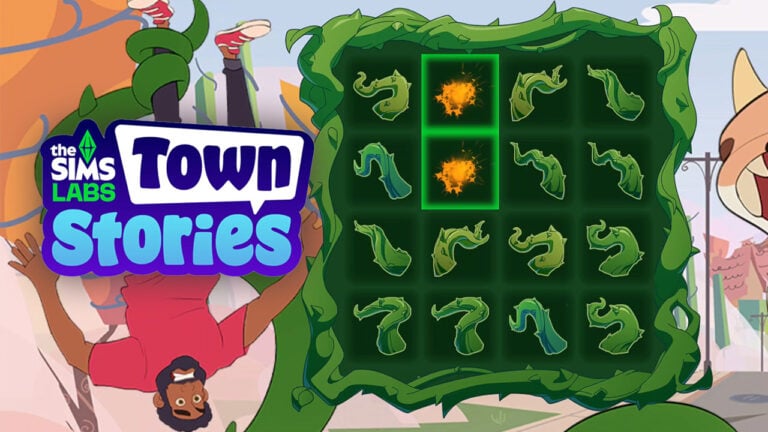
The character that you create is also the beginning of your Sims Town story. As you drive through the intro of your town story, you’ll stumble across Bob Pancakes who’s been caught by a Cowplant.
Your mission? To match-3 duel the Cowplant to the death and save Bob Pancakes. Yes, this is a real mission.
The next mini game starts right after this one. Where players have to assemble the pieces of a shredded photo together. Revealing The Plumbrook Expo.
Additional Changes to The Sims Town Stories
Some minor tweaks and changes have been made with the newest update to the limited release of The Sims Town Stories. Such as changes to the 3D Models of Trees, updates to shadows and lighting.
You can see the new version of The Sims: Town Stories in this 7 minute gameplay preview. Courtesy of @tsmaccess2 on Twitter!
The Sims Town Stories is under The Sims Labs branch. Meaning that the game is still in early testing and gameplay exploration phase. We don’t have an official worldwide release date for this smartphone game as of now, but we’ll make sure to keep you posted right here on Sims Community.
What are your thoguhts on The Sims Town Stories developments and updates? Join the conversation below!
In a surprising announcement through the Main Menu, The Sims 4 Blast From The Past Live Event will be extended for two extra weeks. Meaning that the end date for this Sims 4 Live Event has been moved from March 18th to April 1st, 2025.
The message comes straight from The Sims 4’s Main Menu where players like @SimMattically were able to capture the new message.
Not your birthday? So? You deserve cake! earn the Suprise Birthday Cake & get ready to dance! The Blast from the Past Event is extended until April 1.
You can also check the new date of The Sims 4 Blast From The Past Event ending on the Events tab in the top left corner.
There’s no information as of yet on why The Sims Team decided to extend the live event date for two extra weeks. If you haven’t completed the Live Event yet, this is the perfect opportunity to snag the exclusive items before they’re gone!
Get ready to jump into both Create A Zoi and InZOI’s Build Mode.
In a surprising announcement from the development studio Krafton, we’re getting a new InZOI Creative Studio free launch. Just several days ahead of the first InZOI Early Access launch set for March 28th.
The launch of InZOI Creative Studio will be scattered throughout several exclusive opportunities starting March 20th. After which all players will be able to download InZOI Creative Studio from Steam for free starting March 23rd, 2025. Find out more about how you can get this free creator game tool down below:
InZOI Creative Studio Announcement
The official announcement about InZOI Creative Studio comes from Krafton’s own newsroom. Where they announced how the launch process of this game is going to work.
Essentially, the InZOI: Creative Studio is set to open for download on Steam on March 20th at 00:00 UTC / 1AM CET / Midnight GMT. However, players won’t be able to unlock their version of the Creative Studio unless they have a key code that can be acquired exclusively through Stream drops. Websites like Twitch, Steam and Chzzk and SOOP will be offering exclusive key drops for those who are eager to get their hands on this tool first.
For those who don’t want to do all that hassle can wait until March 23rd, 2025 at 00:00UTC. When the InZOI Creative Studio will open up for everyone! This new free version of InZOI allows you to both create a ZOI character and test out the Construction mode of the game. However, you’ll only have a chance to play it until March 27th, 2025 at 23:59UTC.
Read the official notes for the Creative Studio release below:
Hello, Creators!
As the Early Access launch approaches, the inZOI team is pleased to share exciting news that brings us one step closer to all of you.
In appreciation for your continued interest and support, inZOI: Creative Studio is scheduled to open on March 20 at 00:00 UTC!
In inZOI: Creative Studio, you can experience the following two major features of inZOI:
Zoi customization
Construction
inZOI: Creative Studio can only be downloaded and played on Steam, and you can receive a key to access inZOI: Creative Studio through Drops rewards on various streaming platforms.
Starting March 20, streamers will be free to broadcast their early inZOI gameplay, and viewers can watch broadcasts with the relevant category set and acquire keys through Drops.
How to obtain Drops rewards
Drops Period
March 20, 00:00 UTC ~ March 22, 23:59 UTC
It may end early if the supply runs out, so don’t miss your chance!
After the Drops period ends, from March 23, 00:00 UTC to March 27, 23:59 UTC, inZOI: Creative Studio will be accessible to everyone without any restrictions, so don’t miss this period either!
Streaming Platforms Offering Drops Rewards
Twitch
Chzzk
Steam
SOOP
Twitch & Chzzk
Link your KRAFTON ID with your streaming platform ID.
Add inZOI to your Steam wishlist.
Watch a broadcast with the inZOI category set for at least 15 minutes.
Then you can acquire the inZOI: Creative Studio key.
You can conveniently link your Twitch/Chzzk account and KRAFTON ID from an event page that will be announced separately on March 20, 00:00 UTC.
We’ll finally get to know the full price of InZOI Early Access on March 19th during the special official InZOI Game Showcase. Stay tuned for an entire week of dedicated news coverage!
Will you be trying out the InZOI Creative Studio yourself? Let us know in the comments.
The MySims PC release is this week, and we’ve got the details of everything you need to know about the launch!
The upcoming release of the MySims Cozy Bundle takes the original MySims game as well as MySims Kingdom and combines them into one nostalgic retro re-release on PC. Having previously released on Nintendo Switch back in November, players have been eager to see the game launch via the EA App and Steam.
Table of Contents
What Is MySims?
For those who don’t know, MySims is the much loved spin off series of The Sims. Originally released in 2007 on platforms such as Nintendo DS and Wii, Xbox 360, selected mobile devices and PC previously, these two fan-favourite instalments of the franchise are making their return as a combined bundle.
Known for its unique art style, characters and adventures, there were a total of six games originally released back between 2007 and 2010.
While this MySims PC release focuses on the first two games along with updated graphics, players can still rediscover the original run of games as many are easily available to purchase second-hand for the likes of Nintendo DS and Wii.
MySims Cozy Bundle Trailer
While no new trailer has been revealed for the PC release of the game, the Nintendo Switch trailer still showcases everything players can expect to see upon the game’s launch!
What are the Two Games About?
The Cozy Bundle comes with two different games, MySims and MySims Kingdom. Each game is its own, and you can play the games in any order.
MySims
MySims is packed full of one of a kind characters who will guide you as you help rebuild and transform a struggling town. With plenty of Sims to get to know and places to explore, there is plenty to do in MySims.
Explore a new world with MySims™ — it’s your world to transform in this retro re-release with updated graphics! Move to a town that has been struggling lately. With a little creativity and some help from the locals, you can make this place thrive. Improve the town to attract characters, from Chef Gino Delicioso and DJ Candy Supergroove to arcade owner, Vic Vector and Cap’n Ginny, the town pirate. Discover what the residents want and need, so that you can help them enjoy life in your Sims’ new town. Design a hot tub or jukebox from scratch, build homes and businesses from the roof to the front door. Uncover special decorations and patterns as you explore the growing town. From the furniture and objects to the buildings to the town as a whole – each of your creations is unique. In MySims, what you make… makes all the difference!
Build and customize an entire town — Your town is your own unique creation, from the design of the flower shop to the layout of a Mad Scientist’s laboratory, and beyond.
Shape the community — It’s your call who lives there and who moves out! Who will you befriend? Who will you ignore?
A whole world to explore — Socialize with the locals and uncover all sorts of useful and surprising treasures hidden throughout the town.
Create your own Sim — Personalize your Sims’ appearance from head to toe. Unlock cool clothing as you befriend the neighbours.
Design your own stuff — Decorate with your very own furniture and accessories, then customize your creations with things you can grow, harvest, or discover around town.
On the other hand, MySims Kingdom has you help King Roland and his subjects in an aim to help bring the land back to life and return it to its former glory!
Embark on a journey of discovery to explore and customize the MySims Kingdom in this retro re-release with updated graphics! MySims Kingdom sets you on an adventure to help King Roland and his subjects revitalize the Kingdom. Throughout this epic quest, you will join up with friends, discover fascinating lands, take on challenges, and build amazing contraptions. And in true MySims fashion, almost everything is customizable, allowing every creation within your world to have a signature look! MySims Kingdom… embark on your own journey of discovery and exploration!
Epic Storyline — King Roland needs your help to revitalize his kingdom! Join forces with the other Sims to bring it back to its former glory!
Familiar Friends — Meet Sims like King Roland. Then say hello to old friends like Ginny and Buddy who have taken on exciting new roles.
Travel to Lands — Discover all the unique things to do while you help the citizens of the vast and varied lands of the kingdom!
Building Options — Now you can build many more contraptions that will help you finish your epic quest for the King!
Graphics: NVIDIA GT 730/ Raedon R7 240/ Intel HD Graphics 620 (SM6.0) or better
DirectX: Version 12
Storage: 16 GB available space
Network: Broadband Internet connection: Required for game activation, optional for game updates and cloud saves.
PC Recommended System Requirements
System: Requires a 64-bit processor and operating system
OS: Windows 10
Processor: Intel i3 4130/ Ryzen 3 1300X or better
Memory: 8 GB RAM
Graphics: NVIDIA GT 1030/ Raedon RX 550 (SM6.0) or better
DirectX: Version 12
Storage: 16 GB available space
Network: Broadband Internet connection: Required for game activation, optional for game updates and cloud saves.
Additonal Notes: For best experience we recommend the following aspect ratios and resolutions -Common 16:9 resolutions: 1280×720, 1600×900, 1920×1080, 2560×1440, 3840×2160. -Common 16:10 resolutions: 1280×800, 1440×900, 1680×1050, 1920×1200 -Common 21:9 resolutions: 2560×1080, 3440×1440.
Where can I buy the MySims Cozy Bundle?
The MySims PC release will be available digitally on both the EA App, Steam and Epic Games storefronts.
If you are an EA Play member, it looks like you’ll get 10% off the game’s normal retail price and for those on Steam, the both games are playable on Steam Deck with some minor compatibility issues.
MySims: Cozy Bundle retails for £34.99/$39.99 or your regional equivalent.
Countdown to the Retro Re-Release
The full release date and time for MySims Cozy Bundle Release on PC is set for March 18th, 2025 at 4PM CET / 3PM UK / 8AM PT. You can find out when the game bundle comes out in your area with our handy countdown below.
Countdown to MySims Cozy Bundle PC Release
Coming to Windows PC on EA App, Steam and Epic Games.
[janky target_time=”1742310000″ color=”#235c82″]
Are you excited about the MySims PC release? Maybe you’ve been playing on Nintendo Switch and want to replay the nostalgia over on PC as well?
Let us know what you are looking forward to and if you’d love to see EA release any of the other MySims games in the future too!
Let’s be honest – our poor Sims don’t have much going on outside of work, relationships, and the occasional existential crisis. Enter The Sims 4 Hobby Mod by MissyHissy, a game-changing addition that finally gives Sims actual hobbies beyond binge-watching TV and awkwardly standing around at social events.
This mod introduces 14 unique hobbies, a hidden hobby need system, and a slew of new wants and interactions that make Sims feel more like, well… actual people. If you miss The Sims 2 Free Time Era where hobbies mattered, buckle up, because we’re about to dive into the details!
The Sims 4 Hobby Mod is fully compatible with the latest version of The Sims 4, including new features with the Businesses & Hobbies Expansion.
The Sims 4 Hobby Mod Walkthrough
What is The Hobby Mod?
Think of The Sims 4 Hobby Mod as the personality boost The Sims 4 desperately needed. It takes the random activities Sims do for fun and turns them into real, trackable hobbies with rewards, penalties, and even custom wants.
Instead of your Sims just vaguely enjoying painting, they can now be die-hard arts and crafts enthusiasts who get cranky if they don’t pick up a paintbrush every few days. The best part? It integrates seamlessly into gameplay, so you’re not just clicking through menus – your Sims actually develop hobbies on their own.
Key Features
Here’s why this mod is a total game-changer:
14 Hobby Traits inspired by The Sims 2 Free Time
Hidden Hobby Enthusiasm – Keep up with hobbies, or suffer the boredom blues.
Custom Whims – Your Sims will actually want to do their hobbies!
New Computer Category: The Hobby Hub – A one-stop-shop for all hobby-related activities.
Natural Hobby Growth – Sims can randomly develop a hobby just by doing related activities.
Hobbies & Activities – Because Not Every Sim Wants to Be an Influencer
The Sims 4 Hobby Mod carefully gives a gameplay boost to a variety of hobbies and activities already available in The Sims 4. From the first Pack releases to the latest Sims 4 Businesses & Hobbies Expansion, which adds Pottery and Tattooing to the Hobby List.
See the full breakdown of activities affected by this mod down below:
Paranormal – Ghost whisperers and conspiracy theorists unite!
Voodoo dolls
Book of life
Ghosts
Abduction (Get To Work)
Contact aliens (Get To Work)
Mermaids (Island Living)
Researching vampires (Vampires)
Spells & potions (Realm Of Magic)
Werewolves (Werewolves)
Werewolf lore (Werewolves)
Seances (Paranormal)
Specters (Paranormal)
Science – From microscopes to telescope-staring at 3 AM.
Chemistry table
Telescope
Observatory
Microscope
Rocketship
Chemistry lab (Get To Work)
Playing doctor (Parenthood)
School projects (Parenthood)
Sports – For Sims who actually use the basketball hoop in the backyard.
Boxing
Watching sports TV
Basketball (City Living)
Soccer/Football (Discover University)
Ping pong (Discover University)
Skiing (Snowy Escape)
Sledding (Snowy Escape)
Snowboarding (Snowy Escape)
Tinkering– Fixing, inventing, and probably blowing things up.
Upgrading
Repairing
Programming
Robotics (Discover University)
School projects (Parenthood)
Travel & Culture – Sims with wanderlust who dream of Sulani sunsets.
Forgotten Grotto
Sylvan Glade
Island spirits (Island Living)
Hiking (Snowy Escape)
Exploring the jungle (Jungle Adventure)
Learning local culture (Jungle Adventure)
Each hobby affects gameplay, adds new wants, and gives Sims more personality.
How to Give Your Sim a Hobby (Because They Need One)
There are three ways to bless your Sims with an actual pastime:
Buy It in the Reward Store – Instant gratification for just 5 Satisfaction Points.
Use the Interaction Menu – Shift+Click your Sim (with cheats on) and assign them a hobby.
Let It Happen Naturally – Every time your Sim does a hobby-related activity, there’s a 5% chance they’ll suddenly realize their true passion (as long as they don’t already have a hobby).
And don’t worry – Sims can have more than one hobby if you use the menu or Reward Store. The more, the merrier!
Hobby Enthusiasm – Keep Your Sims Inspired or Watch Them Sulk
Hobbies aren’t just about fun – they come with responsibilities too!
Each Sim has a hidden hobby need meter, and if they neglect their hobby for too long, they’ll get:
A moodlet warning them they’re losing their passion.
An overall drop in enthusiasm that makes them grumpy.
The existential dread of not doing what they love (okay, maybe not that dramatic, but still).
It takes 3 days of ignoring a hobby before a Sim starts feeling the effects, so don’t worry – it’s not as needy as a toddler.
The Hobby Hub – A New Way to Play
This Sims 4 Hobby mod introduces a Hobby Hub on all in-game computers, where Sims can:
Research their hobby (because nerding out is fun).
Find new hobby-related interactions
Only see interactions relevant to their specific hobbies, so the menu isn’t cluttered with options they don’t care about.
It’s the perfect way to immerse your Sims in their passions without having to click through a million menus.
Wants & Whims – Because Sims Should Have Preferences
Sims with hobbies will actually start wanting to do related activities.
For example:
A Nature Sim might develop a want to go hiking or garden.
A Music Sim might want to play an instrument or hit a nightclub.
A Science Sim might want to use a telescope and feel superior.
If you install the Custom Wants Mod, (also by Missyhissy) you’ll get even more unique hobby-related whims!
How to Install The Hobby Mod
Delete any previous versions (don’t let outdated files ruin your fun).
Final Thoughts – Is This Mod Worth It? (Yes, 1000%)
If you’re tired of Sims having no real interests beyond work and socializing, The Sims 4 Hobby Mod is a must-have. It adds depth, realism, and variety to gameplay, making Sims more interesting and more fun to play.
And on a personal note – this mod ‘made’ my gen 2 Joy Of Life save file, I really couldn’t play without it! (She’s a recipe blogger!)
Download it now and let your Sims discover their true passions!
Trustworthy website newzoo.com, who specialize in collecting video game revenue and engagement data have published two new Video Game chart lists where The Sims 4 is featured. Including the list for Top-Grossing video games in US and Europe and Most Popular PC Games (Global). Find out where The Sims 4 ranks and how it compares to the stats from January 2025.
February 2025 – The Sims 4 is #4 on Most Popular PC Games Chart (Worldwide)
The first list features The Sims 4 in the #4 spot of Most Popular PC Games of February 2025 chart. The list uses data from Monthly Active User reports for each game, giving information on how each game is ranking engagement wise.
Call of Duty: Modern Warfare II/III/Warzone/Black Ops 6
Activision Publishing
3.
Monster Hunter Wilds
Capcom
4.
EA Sports FC 25
Electronic Arts
5.
NBA 2K25
2K
6.
Kingdom Come: Deliverance II
Deep Silver
7.
Sid Meier’s Civilization VII
2K
8.
Marvel Rivals
NetEase Games
9.
The Sims 4
Electronic Arts
10.
Minecraft
Mojang Studios
11.
Valorant
Riot Games
12.
Counter-Strike 2 & GO
Valve
13.
Grand Theft Auto V
Rockstar Games
14.
EA Sports College Football 25
Electronic Arts
15.
Hello Kitty Island Adventure
Sunblink
Top Grossing Video Games in February 2025: The Sims 4 Ranks #9
The next list from newzoo.com features a detailed breakdown of best selling video games across Desktop and Console platforms. This includes data for all video game, DLC and microtransaction sales in United States and France, Germany, Italy, Spain and United Kingdom.
Here’s a full breakdown of the top 15 best-selling Video Games across all platforms, including The Sims 4 which ranks at #9:
1.
Fortnite
Epic Games
2.
Call of Duty: Modern Warfare II/III/Warzone/Black Ops 6
Activision Publishing
3.
Monster Hunter Wilds
Capcom
4.
EA Sports FC 25
Electronic Arts
5.
NBA 2K25
2K
6.
Kingdom Come: Deliverance II
Deep Silver
7.
Sid Meier’s Civilization VII
2K
8.
Marvel Rivals
NetEase Games
9.
The Sims 4
Electronic Arts
10.
Minecraft
Mojang Studios
11.
Valorant
Riot Games
12.
Counter-Strike 2 & GO
Valve
13.
Grand Theft Auto V
Rockstar Games
14.
EA Sports College Football 25
Electronic Arts
15.
Hello Kitty Island Adventure
Sunblink
How The Stats Compare to January 2025
The Newzoo Game Performance Monitor also has shared interesting chart statistics for January 2025. During this month the game couldn’t reach the Top 10 Games by Monthly Active Users charts. However, it was positioned at #8 for Top Games by Revenue across all platforms.
See how the game compared to others below:
What are your thoughts on The Sims 4’s chart ranking in the first two months of 2025? Let us know your thoughts in the comments below and a huge thanks to @SimmerBerkay for keeping us informed on the charts!
Your sims now become even more powerful the more they build skills.
I think everyone can agree that Businesses and Hobbies is pretty light on the word “hobbies” when looking at the features of the pack. However, one of the best inclusions surrounding hobbies is the Sims 4 Skill Mastery Perks. These are powerful traits that your sims can gain as they develop their skills or have passed onto them by the elders in their lives.
Guide to The Sims 4 Skill Mastery Perks
Gaining Perks
There are a few ways that you can earn The Sims 4 Skill Mastery Perks throughout the game.
Earn Them
The perks your sims develop are not fully in the players control but are based on what the sim spends a majority of their time doing. For instance, if a sim spends a majority of their time at the gym, the player could be asked if they want their sim to gain the Second Wind perk. There are a total of eighteen different mastery perks in the game, and a sim is able to have four at a time. You can check what perks your sim has at any time by looking above their list of skills.
Inherit Them
One of the most interesting aspects about Sims 4 Skill Mastery Perks is that they’re most often granted to elder sims. This is a minor, and much appreciated, little detail that helps to make elders feel more unique from the other adult age stages.
Elders are also able to pass down their Skill Mastery Perks to other sims. So, if they have a perk that’s a particular favorite of yours, you can have them pass it to any of your sims without needing to earn it every time.
Buy Them
For the less inclined simmer, you’re also able to buy a Mastery Perk Bestower from the Satisfaction Reward Store for 8,000 satisfaction points. This magical drink allows the player to choose any one of the mastery skills to instantly gain for their sim. There is also a Mastery Perk Remover for 100 points that allows you to remove a perk of your choice, so you’re never locked into the perks you choose and can change them whenever.
Cheat Them
Finally, for those who don’t mind cheating in their games, there’s a cheat to add each individual perk to your sim.
The Sims 4 Skill Mastery Perks and their effects are listed in the screenshot below with more detail to follow.
Active Aura / Creative Aura / Mental Aura
For this group of mastery perks, your sim is able to exude a different type of aura that affects all sims around them. Depending which flavor of this perk that you’re using, it will increase the speed at which other sims develop that type of skill.
To activate this perk, you need to click on your sim and it’s an option under the Mastery Perk bubble. The aura lasts for 4 hours, and you’ll know if it’s still active based on a moodlet that your sim will have. Your sim will also exude an aura visually when the perk is active, but you have the ability to turn off this visual effect in the same place you activate it.
Inspirational Creator / Inspiration Thinker
Each of these perks allow your sims to earn satisfaction points when they’re taking part in activities of different types. Inspiration Thinker only requires your sim to be doing the activity while Inspiration Creator only gives your sims the satisfaction points after they create an excellent item.
Inspiration Creator gives satisfaction points for excellently crafted items from the following skills: Baking, Mixology, DJ Mixing, Flower Arranging, Gourmet Cooking, Guitar, Cooking, Knitting, Painting, Photography, Piano, Pipe Organ, Pottery, Singing, Tattooing, Violin, Writing, Juice Fizzing, Media Production, Creativity, Cross-Stitch, and Imagination.
Inspiration Thinker awards satisfaction points when doing these activities: Archaeology, Fabrication, Fishing, Gardening, Handiness, Herbalism, Logic, Programming, Research & Debate, Robotics, Rocket Science, Veterinarian, Video Gaming, Medium, Mental, and Vampire Lore.
Final Touch / Secret Spice
Final Touch allows your sim to increase the quality of crafted objects by one stage. For instance, you could increase a vase from good quality to excellent quality instantly.
Secret Spice does the same thing, but with any prepared food item.
In the Zone
In the Zone freezes all of your sim’s needs for four hours when they are working on a skill. This effect happens randomly, so it won’t activate every single time your sim starts working on a skill.
Mental Muscles
Mental Muscles is a really interesting perk because it allows your sim to develop muscle definition just by taking part in mental activities. No more gym required for the brainiacs. If the sim goes too long without working on a mental type skill, they’ll start to lose that muscle definition.
Pigeonholed (Active Skills, Creative Skills, Social Skills, or Mental Skills)
These four are the same perk in different flavors. They allow your sim to build skills faster in any that fall under the umbrella term of whichever perk you chose. The caveat is that they will develop any skills outside of that type slower. If you want to specialize your sim in a grouping of skills, this is the perk for you.
Active Skills: Fitness, Horse Riding, Rock Climbing, Skiing, Snowboarding, Wellness, Dancing, Bowling, Motor
Creative Skills: Baking, Mixology, DJ Mixing, Flower Arranging, Gourmet Cooking, Guitar, Cooking, Knitting, Painting, Photography, Piano, Pipe Organ, Pottery, Singing, Tattooing, Violin, Writing, Juice Fizzing, Media Production, Creativity, Cross-Stitch, Imagination
Social Skills: Charisma, Comedy, Mischief, Parenting, Romance, Selvadoradian Culture, Social, Communication
Mental Skills: Archaeology, Fabrication, Fishing, Gardening, Handiness, Herbalism, Logic, Programming, Research & Debate, Robotics, Rocket Science, Veterinarian, Video Gaming, Medium, Mental, and Vampire Lore.
Powerful Performer
Powerful Performer is a wonderful perk for sims who may not be the most naturally social because of being too focused on their skills or goals. With this perk, any time a sim is doing some type of performance, whether it be singing or comedy routines, their audience will build friendship with them. If anyone in the audience is in a negative mood, watching your sim will also fix that and make them happier.
Second Wind
Second Wind activates whenever your sim works out. A little ways into the workout, your sim’s sleep, bathroom, hygiene, and hunger needs will be filled to the max. This is an incredibly powerful perk for anyone that wants a quick way of filling their sim’s needs without spending time on all of the different activities required to do so.
Even better, if your sim has any traits or likes involved with fitness, they’ll also be filling their fun need when exercising. On top of that, if your sim is working out around other sims, they could be filling their social need at the same time. Theoretically, all of your sim’s needs could be filled during a single workout.
Skillful Sleep
Skillful Sleep creates an astral projection of your sim when they are sleeping which will allow them to build skills even in their sleep. This was the perk I was most excited to see when the expansion trailer dropped. I gotta say, I’m pretty disappointed in it.
When your sim is tired and ready for bed, you can choose to take a skillful sleep instead of a normal sleep. A ghost version of your sim will spawn and wander around your house interacting with random skill objects. You don’t have any control over this projection, and you can’t tell them what skills to build. Every in-game half hour or so the projection will move on to a different skill object, so it’s very scattered in its approach to building skill.
The projection also does not focus on skills that your sim is already working towards, it will use whatever objects exist in the house. In the screenshot, my sim’s projection started using the sound production setup, which resides in the house for her husband. She’s never interacted with it herself, but it was the first item her projection started interacting with.
This lack of control over the projection, and how often it changes the skill it’s building really disappoints me and makes me feel it’s not worth the mastery perk slot.
Spacebender
Spacebender is another way for sims to teleport much like Vampires, Spellcasters, Ghosts, and sims with high Wellness skill. Anytime you click somewhere on the ground, your sim will have the option to spacebend there. It’s much faster than regular traversal and looks super cool as well.
Stellar Stamina
Stellar Stamina does two important things. The first is that it slows the rate at which your sim’s exhaustion drops so they won’t need to sleep as often. The second is that it prevents a sim from getting the Dangerously Tired moodlet. This means that your elder sims are protected from dying from exhaustion. Therefore, grandpa won’t keel over after woohooing too many times in a row with this perk.
The Sims 4 Skill Mastery Perks are one of my favorite new additions to the game and I love that elders have the ability to pass them down to other sims. I lovingly accept any and all new elder gameplay that the team provides for us, and this is one of the best in recent years.
I enjoy how much work it takes for a sim to naturally develop mastery perks. I appreciate seeing my sims grow and change throughout their lives, and this is another example of a well-lived life.