This mystery segment in the release Roadmap is ready for a full week of new announcements.
Nobody knows what it truly is, but it’s going to be an interesting segment of five work days during The Sims Nostalgia Now showcase starting January 27th, 2025.
In case you don’t know, Electronic Arts announced an official Roadmap of content releases and announcements throughout their 25th Anniversary celebration of the franchise. The Roadmap covers significant releases: from paid DLC like 3 Kits in January and an Expansion Pack in February to Free Content Updates. All tied mostly to The Sims 4.
One segment titled “Nostalgia Now” from January 27th to January 31st doesn’t mention any announced Sims games. Take a look:
The Nostalgia Now segment starts in just a couple of hours, and we’ve already set up a countdown beneath the theories segment.
Table of Contents
Here’s what we believe might get announced during The Sims Nostalgia Now week segment:
The Sims Nostalgia Now Theories
One of the strongest theories out there currently is that The Sims Nostalgia Now five day segment is dedicated to announcing rereleases of previous Sims games. At the moment, the only “official leak” we currently have is a release of two new MySims Games. One is a rerelease Bundle of two MySims Games, while the other one is a brand new MySims game title. Meaning that Maxis has its own department now working on new (and remastering the old) Sims Spinoff games in their full force moment.
There are five days of Nostalgia Now, so it’s possible that one day is reserved to announcing the new MySims games. We already have the MySims Cozy Bundle ready for Windows PC release on March 16th. And for the first time ever, we’re getting MySims Kingdom on PC.
Which naturally leads the question if EA and Maxis intend to give the same treatment for other Sims titles throughout the franchise’s timeline. Such as The Sims 2 and The Sims 1, for which theories are only based on official Sims Merch featuring renders from these title entires. And milk cartons in the upcoming Sims 4 Blast From The Past Event.
a Sims creator who previously suggested the themes of previous Expansion Pack releases right, hinting at Nostalgia Now’s potential crown jewel announcement.
This could all potentially end up being false, but it’s worth noting down every theory there is right now in the community. There are a lot of days for Nostalgia Now for which The Sims Team openly invited us to speculate upon before the full announcement.
Nostalgia Now Start Time
Either way, there’s definitely something new being announced during The Sims Nostalgia Now timeline event. All official announcements for The Sims happen by 10AM PT / 6PM BT / 7PM CET. To make things easier we’ve set a countdown below which counts to the first moment Nostalgia Now should begin.
Countdown to the First Day of Nostalgia Now
[janky target_time=”1738000800″ color=”#235c82″]
By then, we should have the first updates and news ready for you. Whether they turn out to be a potentially exciting new rerelease of Sims 1 and Sims 2, or just a disappointing limited time Merch drop.
Remember, we are only counting down to the first day of The Sims Nostalgia Now where we should get some first information on what to expect. The entire event is set to last until January 31st, 2025.
What do you expect?
What do you think will happen during the Nostalgia Now segment for the 25th Anniversary Celebration of The Sims Franchise? Whether it’s a potential social media pop quiz, a leaked Sims Board Game or rumored game rereleases – let us know your theories in the comments below!
Arnie’s Sims 4 Mods are back – with a whole new set of 15 smart, functional items!
We always love a good comeback story here in the Sims Community. That’s why we were so excited to see a longtime modder for The Sims 4, Arnie’s Mods, come back with an entire new rebrand into Arnie Studio. And his first big release titled The Sims 4 Luminova Mod Kit!
This Sims Creator is known for his passionate Sims 4 Mod projects including Farmland and the soon-to-be-returned Plumfruit App. Which was a revolutionary new way of using your Sim’s phone long before we got the Social Bunny App with High School Years Expansion.
Until we get to enjoy the sweet labor of Plumfruit again, we have more than enough new Smart Items and Features coming with The Sims 4 Luminova Mod Kit. Let’s see what’s featured!
Table of Contents
Initial Features of The Luminova Mod Kit
There are so many interesting features packed into The Sims 4 Luminova Mod Kit. Arnie did an excellent job introducing his creative fictional Brand called Luminova, which is a Smart Service Brand that ties together 15 different smart Appliances and Electronics into your home. Each object in this Mod pack has smart functionality – like the new Smart Refridgerator which lets you order food or control the Smart Hub directly.
The new Air Purifier provides your Sims a happy moodlet for breathing in the clean air, with extra cross-pack compatibility with The Sims 4 Bust The Dust Kit, and potential for a feature upgrade with Mold from For Rent Expansion.
One of my favorite additions are the new Animated Smart Blinds, which can be scheduled for opening / closing or manually toggled. The blinds are fully animated and provide your Sims privacy and shade from outdoors. With two different versions included – glossy and textured.
Arnie did an excellent job introducing The Sims 4 Luminova Mod Kit over on their Patreon page, with a full preview into current features and planned additions after the first Early Access release on January 28th. Read all about it below:
Luminova is a new fictional brand I created that features 15 new smart items! This brand may expand in the future with additional smart devices, so if you have ideas or requests, let me know!
Smart Blinds/Shutters
I’ve had this idea for years, and it’s finally here! I created functional and animated Smart Blinds/Shutters that protect your home from prying eyes while adding a touch of modernity.
Fabric Smart Blinds:
Available in two sizes (1x and 2x for Small Wall Height).
Can be opened or closed manually or controlled via the Luminova Smart Home App to manage them all at once!
Blocks light and prevents passersby from peeking inside!
Wall-Integrated Smart Shutters:
Sleeker and more discreet, compatible with all windows up to 2x wide and Small Wall Height (even rounded windows!).
Perfect for fully darkening a room for better sleep or privacy.
Privacy Screen Smart Blinds:
Similar to Wall-Integrated Shutters but designed to blur the view without blocking light, ideal for bathrooms or toilets.
All blinds and shutters have a smart schedule, closing automatically at 10 PM after sunset and opening at 6 AM at sunrise. They can also all be remotely controlled through the Smart Home Panel / Smart Hub (see below!)
Air Purifier
The new Smart Air Purifier is a must-have for your Sims’ home and well-being. It automatically turns on twice a day, removing dust and particles from the air. It features:
A sleek design: with an animated fan in the middle, lights, and beautiful swatches!
Bust the Dust Compatibility: Prevents dust from accumulating in your home if you own the kit, making it sparkle clean!
Provides a happy buff for a clean and peaceful home.
In a future update, I’d like to make them compatible as well with the mold feature from For Rent EP (I haven’t got it yet!) and the sickness system from Get to Work EP, to help your home and sims stay healthy with clean air! The Smart Air Purifiers can also be controlled remotely through the Smart Home Pannel / Smart Hub.
Smart Thermostat
A new futuristic Smart Thermostat (for Seasons EP owners) lets you control heating and cooling remotely. It also features colour-changing light effects to match the temperature and a full integration with the Smart Home Panel / Smart Hub to be controlled remotely!
Smart Home Pannel and Smart Hub
These two devices offer the same features in different form factors. One looks like a tablet that can be hung on the wall, while the other is more like a speaker with a screen that sits on a counter or table. They are both powered by PlumfruitOS (there’s a strong relationship between Luminova and Plumfruit in the Arnie Cinematic Universe!).
With these powerful smart devices, you can control almost everything in your home:
💡 Smart Lights: Control the lights and colours in your room and home.
🪟 Smart Blinds: Control the smart blinds/shutters and open or close them all remotely.
🌬️ Air Quality: Turn on and off all the air purifiers around your house to keep the air clean and fresh anytime!
🌡️ Temperature: Control all the Smart Thermostats in your home directly from the smart hubs.
🤖 Neo AI: A new AI assistant responds to your questions, gives you news briefs, and calls for repair automatically when something breaks in your home! (It overrides the Linzy assistant on the base game smart speaker!)
🎵 Music: Play music directly from the smart hubs with the best sound quality, and control the sound volume.
📞 Order Services: Services are just a phone call away, whether it’s for pizza delivery or a gardener!
📑 Utilities and Services: Access bills, utilities information, neighborhood action plans, and story progression news directly from the smart hubs.
🛠️ Cheats: Tired of looking for the mailbox to shift+click and reveal cheats? Use any of the smart hubs in your home to perform cheats! It’s cross-compatible with my CheatsMaster Mod!
Bonus: a smaller version of the Smart Home Pannel is available, it’s called the Luminova Smart Switch, and can be put in any room with a more discreet look.
Smart Fridge
The Luminova Smart Fridge features a futuristic transparent screen! It also has beautiful gradient lights inside for a sleek look. It also allows you to order food and control the Luminova smart home devices right from your fridge, useful while you’re cooking something!
Smart Clocks
There are two Luminova smart clocks available in this pack, and they are both functional! One is a bedside smart clock; it looks like a mini smart hub with an animated screen. And you can set up alarms for any time of day! (This feature requires the latest Sims 4 patch update since I’m using the code from the upcoming alarm clock from the 25th anniversary event.)
The other smart clock has the same features but is hung on a wall, and has a beautiful gradient projected light surrounding it, making it look like it’s coming from the future.
Smart TV + Backlight
The new Luminova Smart TV is the ultimate television for your Sims! It effortlessly controls smart devices in your home while offering a sleek, modern experience. Powered by PlumfruitOS, it includes 10 stunning wallpapers to choose from, and the TV features a user-friendly interface that displays apps like Simflix, PlumTV+, and SimTube right on the homescreen. You can opt for a blackscreen as wallpaper if you prefer a minimalist look.
But my favorite feature of this TV is the animated backlight, which is independent from the screen and compatible with all other TVs in-game. Simply use the “bb.moveobjects on” cheat to place it behind your TV and create a stunning visual effect! It also comes in a variety of swatches with different light colours to match your style.
Release Info
The Sims 4 Luminova Mod Kit is a fanmade CC / Mods release available only for PC and Mac players. The Luminova Mod Kit will be out for Early Access on Patreonon January 28th, 2025, with the Free Public Release set for February 14th, 2025! We’ll refresh this post with both early access and public release links once they’re out!
Until then, enjoy this full video trailer of The Sims 4 Luminova Mod Kit:
What do you think about Arnie’s mod comeback? Drop a comment below!
That’s correct – this dark sillhouette of an NPC got carved out with better, scarier details. And we have the before and after photos to show you!
Grim Reaper Pre-Makeover
Before this secret makeover, Grim Reaper had his chest area fully covered with his dark cloth. Take a look in the screenshot below, and don’t mind me trying to turn the Grim Reaper into a Vampire…
Another look into the previous version of The Sims 4 Grim Reaper can be seen below:
Grim Reaper Post-Makeover
The secret January 16th Makeover of the Grim Reaper in The Sims 4 includes visual changes to the book, changes the flow of the dark veil flowing, as well as opens up the chest area to be fully transparent:
This change can be fully visible when you zoom into the Grim Reaper:
The way he talks, acts, and collects souls in The Sims 4 still remains intact. Plus, his hoodie reveals are as pixelated as ever in The Sims 4 Life & Death. Don’t worry!
Early Designs of the Grim Reaper
In some of the early Concept Art designs for the Grim Reaper in The Sims 4, the artists suggested a darker, more revealing sillhouette around the waist. With different explorations for visual effects:
The last two Sims 4 Kits are set to release January 30th!
January 2025 has been the busiest month for The Sims 4 Kits, bringing 3 EA Kits in January 16th and two Sims 4 Creator Kits set to release January 30th, 2025. Unlike EA develeloped Kits where the Maxis team works and / or collaborates with Simmers to get the Kit out, The Sims 4 Creator Kits have a more hands-on approach. Giving full direction to Creator Kit Assets, Features, Creation Process and literally everything else that needs to be done to complete a Kit.
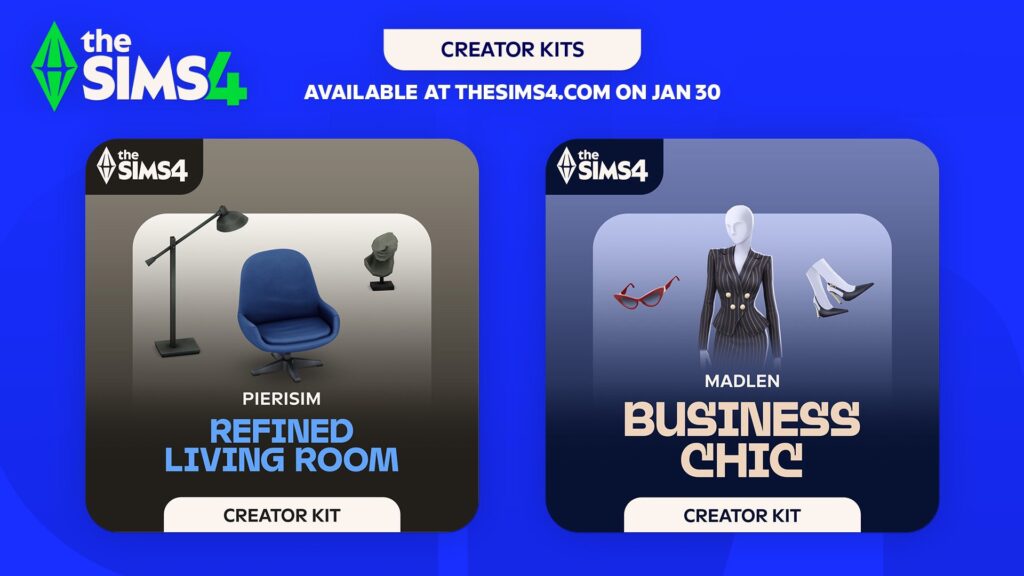
There are two Sims 4 Creator Kits set to release on January 30th, including Business Chic (CAS Kit made by Madlen) and Refined Living Room (Build Kit made by Pierisim). Here’s what we know about the release of each Kit and when to expect the DLC release in your launcher:
Table of Contents
Upcoming Sims 4 Creator Kits for January 2025
The Sims Team released official assets and features of the new Sims 4 Creator Kits. Check out what’s included in each Kit release:
The Sims 4 Business Chic Kit
Give your Sims a professional edge with chic and stylish outfits from The Sims 4 Business Chic Kit!
From tailored suits to elegant dresses, Sims will feel confident and fashionable. Complete the look with sleek shoes and fancy accessories for an extra touch of class. The Business Chic Kit ensures Sims always look up to the task! Created by Madlen.
Kit Feature:
• Tailored for Success – It’s time for your Sims to shine with outfits that showcase their career achievements! Elegant accessories and standout shoes are making sure they don’t go unnoticed. Taking their fashion game to the next level!
The Sims 4 Refined Living Room Kit
Embrace elegance and sophistication with The Sims 4 Refined Living Room Kit. With a clever mix of modern and retro furniture you can create the perfect base. Add extra personality with unique and chic decor pieces. And voilà! You’ll have a living room worthy of a design magazine. Created by Pierisim.
Kit Feature:
• Hand Picked – You’ve done your research and you’ve finally found the perfect items. Every time you step into your living room, you can feel that this space has been made by you and for you.
Release Details and Countdown
These new Sims 4 Creator Kits are set to be released across Desktop and Console supported platforms on January 30th, 2025 at 10AM PT / 6PM BT / 7PM CET. To make things easier for you, we’ve included a simple countdown below – letting you know exactly when the new Sims 4 Creator Kits will be available in your launchers.
Countdown to two The Sims 4 Creator Kits Releases
Coming to PC, Mac, Xbox One, S and X, Playstation 4, 5 and Pro Series.
[janky target_time=”1738260000″ color=”#235c82″]
Just like with regular Kits, these are retailed at $4.99USD each…or a price equivalent to your local currency!
Will you be getting the new Kits?
We want to know what you think on the upcoming Sims 4 Creator Kits releases with a fun community poll. Let us know which Sims 4 Kit release piqued your interest!
[totalpoll id=”156380″]
For the latest news about upcoming (and previous) Sims 4 Kits releases, stay tuned to Sims Community!
Two fixes are set to arrive to The Sims 4 Base Game next week.
Electronic Arts has announced a new Sims 4 Patch today, addressing January 25 game patch issues and solutions for missing items. This small update for the Base Game promises to fix the issue of Overlapping Festivals, as well as reports of missing Everyday Clutter Items.
We are working on releasing a small patch early next week to address reports of missing clutter items from the Everyday Clutter Kit & reports of overlapping festivals & floating objects.
We appreciate your patience & continued reporting—more details to follow next week.
The release date of the next Sims 4 Patch has been teased for early next week, meaning by Wednesday latest you’ll have your clutter items back in your catalogue. And your festivals *hopefully* de-cluttered again.
Stay tuned to Sims Community to be the first to know when the next Sims 4 Update drops!
EA starts an official new Sims 4 Sale across platforms to celebrate the franchise’s 25th anniversary.
The celebration continues! Maxis and EA have just published official new deals for their The Sims 4 Birthday Sale, featuring discounts across all DLC and Pack catalogues!
Let’s dive deeper into all the discounts currently available across The Sims 4 Packs, including:
Table of Contents
The Sims 4 Birthday Sale is still being rolled out across platforms!
All Sims 4 Birthday Sale Deals are currently being populated across PC, Mac, Xbox and Playstation official stores. Stay tuned for official links, sale end dates and Pack lists soon!
The Sims 4 Expansion Packs
Almost all The Sims 4 Expansion Packs are 50% off. The Sims 4 For Rent is in its full 50% off discount now, The Sims 4 Lovestruck is 38% off and the most surprising deal of them all:
The Sims 4 Game Packs are cut entirely for 30% off!
The Sims 4 Stuff Packs
Just like Game Packs, The Sims 4 Stuff Packs are 30% off their original price. That now also includes the previously released Crystal Creations, which is fully included in the offer!
Premade The Sims 4 Bundles
There are some great deals for Premade Sims 4 Bundles, including:
Decorator’s Dream – 20% off
Everyday Sims – 20% off
Pet Lovers – 20% off
Beside The Sims 4 Get Dating Bundle, which is 25% off, there’s another great mashup Bundle called Love & Family. It contains Parenthood, My Wedding Stories and Growing Together.
The end date of The Sims 4 Birthday Sale is confirmed for February 10th at 10AM Pacific Time. You have until then to take advantage of this sale offer!
Make sure you bookmark this article for future reference as we update the post with new Sims 4 Sale deals as they become available across platforms. Hold your wallets until the full sale is published for your desired platform!
Let’s take a look into everything Don Lothario in the new Casanova Cave Kit!
With the recent back-to-back release of three kits, Casanova Cave is one of two that combines both Create-A-Sim and Build-Buy elements in one. This kit is perfect for those looking to add the essence of charm and confidence to their game – think Don Lothario.
Packed with 12 Build-Buy items and 14 Create-A-Sim items, there’s sure to be something for everyone.
Table of Contents
The Sims 4 Casanova Cave Kit: Features Overview
Impress guests with a modern entertainment space and suave fits from The Sims™ 4 Casanova Cave Kit. This laid-back masculine fashion will have Sims looking confident, and the contemporary style of your den’s décor — a stylish bar, sleek coffee table, and more — will guarantee the right atmosphere, whether it’s game night or date night.
Kit Features
Elevated Evenings – A jumbo, state-of-the-art TV and stylish modern furniture will make your den an undeniable hotspot. Have friends over for a chill night at the card table – or have a date over for an exciting night on your stylish, well-loved leather sofa.
Effortless Style – Dress in high-quality, understated fashions made for the masculine Sim. These styles are relaxed, achieving a polished look that is still a bit rough around the edges.
Items Preview
CAS Overview
Take a look at Don Lothario modelling all the new CAS items available in the Kit.
Accessories
Tops
Bottoms
Full Body
Shoes
Styled Looks
Object Overview
Take an in-depth look at each item’s description.
Styled Room
The Casanova Cave kit comes with one new styled room in 3 swatches. ‘The Casanova Cave’ room can be found under the Living Room tab and comes in 3 different swatches. The room comes with every item in the pack and is perfect for your Sims bachelor pads.
Object Swatches
Streamlined Leather Sofa
The Zenith Glass Coffee Table
The Zenith Wall Unit
Sim-Q Magazine
High Stakes Card Table
The Zenith Bar
Titan Screen 5000
Designer Wall Print by Valor Visuals
The Ultimate Jersey Frame
Tabletop Memories
TurntableTrove Media Cabinet
ChillTech Pro Mini Fridge
Our Review of The Casanova Cave Kit
The Casanova Cave Kit is available on the EA App and other stores for $4.99 or your local equivalent.
It is hard not to compare this kit’s offerings to those found in the Secret Sanctuary Kit, after all, both are heavily inspired by two of the most iconic Sims in the franchise. Love him or hate him, you can’t deny that Don Lothario has taste.
Starting with the Build-Buy objects it is once again nice to see the swatch come in a wide variety and almost all objects come with basic black and white variants. In addition to the neutral swatches, many objects come with a somewhat dirty swatch. The High Stakes Card Table has a dirty variant with a pair of leftover cards on the tabletop. The Zenith Glass Coffee Table comes with a swatch featuring spilt drink puddles, cup rings, and a couple of (evidently unused) beer mats. While there is no gameplay that we haven’t previously seen in this Kit the card table, mini fridge, record player, and TV are all functional. As for the overall aesthetic, I can personally see myself using these objects frequently, notably the clutter magazines and photo frames. A standout item for me is the Designer Wall Print by Valor Visuals which comes in various swatches perfect for a teen bedroom, bachelor pad, or home office.
Moving onto what Create-A-Sim has to offer this time around. As the pack is based on the stylings of Don Lothario expect it to be filled with unbuttoned shirts, skimpy gym wear, and lazily buttoned blazers perfect for a late-night soirée. Similar to the BB catalogue, each item comes with a handful of swatches that can be used in conjunction with other CAS items found in past packs. A personal favourite is the dressing gown and boxer shorts found in the Sleepwear category. See below for a showcase of this piece in my favourite ‘woohoo heart’ swatch. This collection of CAS items plays it safe and will be appreciated by many players for not being too hyper-stylized. The kit also comes with 4 styled looks under the everyday, formal, athletic, sleep, and hot weather categories.
I can see myself using much of what is to offer as I enjoy a modern aesthetic when building and creating new Sims. You can check out a couple of build hacks I have discovered with this kit that will come in useful for the builders among you. See below for some looks I came up with for different scenarios in Don’s everyday life.
Build Hacks
Here are some build hacks I discovered while playing around with the new BB objects.
Create a perfect backsplash for your kitchen with The Zenith Wall Unit.
Turn on quarter-tile placement using the F5 key and rotate the unit to face the wall. Then combine it with multiple of the same object and there you have it.
Don your walls with the perfect lit frame for the Designer Wall Print by Valor Visuals.
Enable bb.moveobjects on and simply place the wall prints inside of The Ultimate Jersey Frame for this stylish wall piece.
Lookbook
It’s safe to say Don Lothario gets about. Pumping iron at the gym. Flirting at the singles bar. Or maybe even game night with the lads.
Origin is shutting down this April, and with that all support for 32bit Games comes to an end.
Over the last couple of years we followed closely as Electronic Arts rebranded its popular video game launcher app Origin to EA App. From 2020 when they announced the rebrand, EA slowly started the rollout across different Desktop devices. The EA Desktop App went public for Windows players in 2022, with a Mac support launch in March 2024.
My personal experience with the Desktop app varied to some of the player reports, but a few months after EA devs were able to polish out most of the bugs and get the launcher out of Open Beta. Bringing the EA Desktop app experience for all players across Windows PC and Mac OS.
Unfortunately, this launcher switch also meant changing some of the system requirements for the launcher. As Origin launched in 2011, it went through numerous upgrades and now a recent rebrand. However, it also served as a purpose for players using a 32bit operating system to play their games!
Now, The Sims Titles including The Sims 2, The Sims Stories and certain games which ran exclusively on 32bit code have to look for a new home. Or a re-release of some sorts before the time runs out…
Table of Contents
EA is Shutting Down Origin; And With that 32bit Support
The news, first reported by EuroGamer, appeared on the official EA Help article page instructing players to “update their Operating Systems for the EA App”. In short – players will no longer be able to even open up their EA Account without having a 64bit device that can support the EA App launcher.
What does this all entail? Read the official statement from Electronic Arts:
Origin shutdown
On April 17, 2025, Origin will shut down, as Microsoft has stopped supporting 32-bit software.
If you use Origin, you need to upgrade to the EA app, which requires a 64-bit version of Windows.
Will your account and games transfer to the EA app?
Yes, your account and games will transfer to the EA app. Log in to the EA app with the same account you use for Origin. When you log in, any games you had on Origin will be ready to play.
Games that list in-game hours in Origin will list the same hours in the EA app. Anything you’ve saved through Origin’s cloud will also transfer.
We can’t promise that mods will transfer to the EA app. Check with mod creators to see if your content can be transferred.
If you think something’s missing in the EA app, contact us.
Will you have to redownload your games?
If you’re upgrading to a new operating system, you won’t need to redownload your games.
If you need to switch to a newer device, you’ll need to transfer your data.
The final switch from Origin to EA App is set for April 17th, 2025. Make sure you’re running on a 64bit computer before then to be able to enjoy all The Sims games and other EA App titles!
We want to see how many 32bit operating system players there are! If you’ve been affected by this recent change, let us know in our unofficial community poll down below:
[totalpoll id=”156211″]
Does this mean anything for the upcoming Nostalgia Now segment starting January 27th? We’re very eager to find out more if our old games will finally find a new, 64bit home.
Stay tuned to Sims Community for the newest updates as they surface!
A Game Patch has accidentally removed several Kit objects from Build Mode.
A recent Sims 4 Patch release for January 16th, 2025 has accidentally removed several clutter objects and decorative pieces from The Sims 4’s Build Mode Catalogue.
Hundreds of Sims 4 Players reported the issue on the official EA help forums thread, discussing their experience and workarounds for the missing Clutter Objects. In this article, we’ve highlighted the explanation of this issue, as well as several workarounds and a Gallery Room solution to help you find everything under one place!
Table of Contents
The Missing Kit Clutter Objects Issue
First reported by SquealyMealy on Answers HQ forums, there’s a game issue in The Sims 4 where clutter and decorative objects from Clutter Kits like Everyday Clutter Kit are missing from the Build Mode catalogue.
This issue has since been reported by multiple simmers including Desktop and Console players, with around 500 “Me Too” buttons pressed in the game issue thread.
Here’s the original report:
The Sims 4 Issue: Clutter Items Not Showing Up in Build / Buy
Today (14/01), I decided to buy the Everyday Clutter Kit, as well as a few other kits. All turned up in game fine, apart from the Clutter Kit. When I go to sort by the kit, not all of the items appear (see attached image for the items that turn up when sorting by the kit only). Items such as the mugs, phone, headphones etc., are missing when you sort by the kit, as well as them not appearing in any other build buy tab, such as ‘Clutter’ or ‘Decorations’. The only way to access these items is to search them up by name, meaning you need to know the exact name of the item in order to find it. These items only accessible by searching them also are weird in game; you can’t use the eyedropper tool on them and they don’t seem to have an item category attached to them, such as decoration.
I know this is a minor issue, however it can be frustrating to access these items. I have no idea if this was a result of today’s patch or the items have been like this for a while. I have also removed my mods folder and repaired my game as well as reinstalled the kit again, however this issue hasn’t gone away.
Temporary Solutions for Missing Objects
You can bypass this Sims 4 Issue by searching up exact object names in the search bar. For now, the DLC filters will remain broken until a further official statement is made about this issue.
Until then, Simmers already got creative with finding a quick and easy solution for this glitch. Creator simsontherope made a Sims 4 Gallery room solution, containing all the missing clutter objects from various DLC catalogues into one convenient room.
Since the last patch, these items no longer appear in the catalog (unless you search for their name, but that doesn’t work for all of them), and can’t be duplicated with the eyedropper tool. I uploaded a room in the gallery (EA ID simsontherope) with all the missing items in case you need them!
We’ll keep you posted about this Sims 4 Glitch once an official statement or game update solution is announced. Until then, stay tuned to Sims Community for the latest reports on Sims 4 Bugs and Issues!
Interestingly enough, the first Sims 4 Loading Screen after the 2019 rebranding was officially marked as a “health hazard” due to a very bright blue background contrasting on the vibrant green Plumbob. The Sims Team carefully considered all the blue colors in the world and picked the most pleasant one. Which we all took for granted unfortunately until The Sims 4’s 2025 Rebrand.
The new Sims 4 Loading Screen
The new Sims 4 Loading Screen works more mysteriously than we originally thought. As you all know, 99% of Sims 4 players out there still have a normal loading screen appearing. But it seems that number is changing now, considering that the new Loading Screens are activated online depending on your area.
The person to spot the new Sims 4 Loading Screen is reddit user Environmental_Bug964, who reports seeing a new Loading Screen layout in their game:
This advertisement is covering my loading screen it wasn’t like this yesterday. EA WTH!!!! 😡 Especially since I already have this pack!
The new Sims 4 Loading Screen is characterized by rotating screenshots from The Sims 4 DLC Content Catalogue. With a spinning Plumbob now moved to the bottom right, and Game Tips to the bottom part of the screen.
Considering that the updated Loading Screens are activated online, it might be harder for players to Mod out and replace their custom Sims 4 Loading Screens this time around. Since players can’t choose when the Sims DLC Screenshot Loading Screen appears in their game, it might function as a seperate online screen overlay coded directly into the Base Game. This is just speculation for now as we’ll know more about how they work in the days to come.
For now, it seems these new Loading Screens are being tested out for select random players worldwide. Are you one of those lucky players? Let us know in the comments section down below and stay tuned to upcoming Sims 4 Updates!
The Sims Creator and now Kit Collaborator spills the tea on how the Kit came to life!
The Sims 4 Kits collection got rich for another exclusive Sims Creator collaboration. The Sims 4 Comfy Gamer Kit, which released last week across Desktop and Consoles, was made in a special partnership with YouTube Creator lilsimsie. Who got to work on the Kit’s theme pick, Kit features and picking the right Object Concept Art pieces for final rendering and 3D modeling.
In a recent Behind The Scenes Video of making The Sims 4 Comfy Gamer Kit, Kayla Sims shared her initial reaction to being invited to work on a new Sims 4 Kit:
I remember getting off that call and just like sitting at my desk, jaw dropped, staring at my computer in disbelief. Like I couldn’t believe it was actually happening to me. People have been asking me for years if I would ever make a kit with The Sims and the answer is always yes, like if they asked me, I would do it.
I just figured they wouldn’t ask me because I already had opportunities to like build for a couple of packs. I thought like I’ve already done stuff with them, they wouldn’t pick me for this. I was so excited. This was like the highlight of my life, okay?
– lilsimsie
In the video, she later explained what her role in this collaboration with EA and Maxis was. And how she helped shape The Sims 4 Comfy Gamer Kit!
Initial Approach to the Kit Theme
Realistic Desk Spaces: I want to give players ways to make more realistic desk spaces. Many Sims players spend hours at their desks for both work and play. For many of us, our desk setup is our favorite space in our home. Beyond just gaming setups, lots of us have designated work from home spaces. Desks are cluttered, “lived in” parts of our houses, and that is currently hard to achieve in The Sims 4. This pack will add desk and office clutter, with a focus on gaming and computer related items.
The Sims 4 Comfy Gamer Kit: Official Concept Art
Breaking Down Stereotypes: The classic “gamer” stereotype often portrays gamers nerdy men in dark rooms playing first person shooters. This inaccurate stereotype leaves out a lot of people who love video games, and it does not apply to the average Sims player. This pack is a love letter to Simmers and their gaming setups, and is intended to give them the ability to better recreate their real rooms in the game.
The Sims 4 Comfy Gamer Kit: Official Concept Art
New “Gamer” Aesthetic: When people consider “gaming” decor, they often picture all black items with LED lighting and red accents. The Gamer Decor kit will instead primarily feature light, bright colors and “cutesy” decor that is more appealing to most Simmers and the “cozy gaming” audience. There are light wood and gold accents. The swatches are simple, and there is more of a focus on texture and color than on bold patterns.
The Sims 4 Comfy Gamer Kit: Official Preview of Color Tones
The Sims 4 Comfy Gamer Kit Feature Concepts
Recreating Real Desk Spaces
Many players will use this pack to recreate their real home offices and desk setups. They will be able to give their Simself a dedicated gaming space, much like many of them have in real life.
The Sims is a fantastic tool for daydreaming. This pack will also allow people to envision a “dream” desk space, as many of us like to use The Sims to imagine our dream homes and build them in the game.
Early Designs for The Sims 4 Comfy Gamer Kit Decor
Multi-Functional
As a player, it’s always really exciting to me when new packs can be easily used in multiple ways.
The clutter in this pack will work to decorate home offices and build gaming rooms, but it migt work for:
Adding game controllers to coffee tables next to game consoles
Decorating community lots with extra neon signage
Cluttering teen bedrooms, dorm rooms, or other home spaces
The Sims 4 Comfy Gamer Kit Items Concept Art
Pairing Well With Existing Content
A vast majority of the careers in The Sims 4 require use of a computer for skill building or daily tasks. This pack will let players build better home offices, and tell more realistic stories of Sims working from home. It will be a great addition to the base game “freelancer” careers.
Example: players using the freelance programmer career will now be able to create a nicer computer + desk setup for their Sim.
This will also pair nicely with High School Years and Get Famous “streamer” gameplay.
There isn’t any desk clutter in Get Famous, despite it having a feature allowing your Sims to live stream.
High School Years has 1 gaming clutter item, and it would be great to have more!
You can watch the entire breakdown of what goes into making a Kit like The Sims 4 Comfy Gamer in lilsimsie’s detailed Behind The Scenes video we’ve linked below. Check it out!
We have a full Review of The Sims 4 Comfy Gamer Kit up on our website, detailing all the new Kit Objects, Swatches and Functionality! Check it out here.
Lyndsay Pearson feels encouraged by a new wave of life simulation games like InZOI and Paralives.
We’re approaching the 25th year anniversary of The Sims Franchise, and the folks from the game’s studio are sharing new discussions and details about the game’s anniversary. As well as their current opinion on the rising life simulation games in the market like InZOI, Paralives and last year’s cancelled project – Life By You.
Looking at all the announcements we’ve gotten for The Sims Franchise so far, there’s a lot to make Maxis ready to challenge other video life sim game developers. Including a new Sims 4 Expansion Pack, throwback Anniversary Event, as well as several confirmed and rumored rereleases currently reported on. Project Rene and Project Town Stories are also currently in the works, with a powerful new The Sims Hub tool ready to ecompass all of The Sims titles into one place.
Here to talk about the 25th anniversary of The Sims Franchise is Lyndsay Pearson, VP Franchise Creative for The Sims. The following details have been shared first on PC Gamer, talking about future plans and current positions with the ongoing 25th anniversary.
“So there’s a balance to find there. And I think that all the teams that I’ve ever met that have been working in this space struggle to find that, which is partially why they end up going after this particular niche, because then you can really focus towards whatever that story is. So it’s really that open canvas that is a little daunting.”
But despite the challenges other developers have faced—Life by You’s demise, Inzoi’s delay into 2025, and even EA’s own challenges with Project Rene, Pearson is ready for more contenders in the life sim space. “I’m excited to see more people trying, because I think we can learn from each other, and we can look at what’s going on in the space and see what players are reacting to, which is always great,” she said. “I like to be challenged and try new things.”
The 25th Anniversary Milestone
Similarly to what ex-Sims head Rod Humble told PC Gamer last year while he was making the now-canned Life by You, Pearson pointed to the sheer complexity that making something on this scale entails. “How do you make all those sort of pushes and pulls on the simulation make some amount of sense? And there’s this very fine balance between being too smart, and your characters don’t need you at all, and not being smart enough where they don’t do anything unpredictable,” she said. “That is really hard to get right. Even The Sims has swung back and forth over the years, right? Like, you go back and play an old Sims game, it’s hard to keep your Sims alive.
“I think the reason The Sims continues to be so unique is we can offer this breadth of content through DLC and over the years,” she said, adding that such a large scope is “really difficult to capture in a lot of experiences, because maybe it doesn’t always make sense and it’s a lot of things to get to work together.”
As of writing this article, the final release date for InZOI Early Access on PC is set for March 28th, 2025. Meanwhile, Paralives is getting ready to launch in Early Access later this year!
With The Sims Franchise doubling down on content releases and upgrades, it’s going to be an interesting time for all the Simmers and life sim game players for the months to come. We can’t wait to update you on it all here on Sims Community!
Customize your Sims 4 Main Menu with different layouts, fixes and more!
EA surprised everyone with the most recent change to The Sims 4 Main Menu. Bringing your last played Household front and center, with a dynamic background depending on The Sims’ current roadmap.
Some players loved the change, some hated it, and some took it upon themselves to create Sims 4 Main Menu Mods for PC / Mac and change whatever they want!
Down below is a list of some of the first Sims 4 Main Menu Mods, including:
Refreshed The Sims 4 Main Menu Mods
Refreshed Main Menu – v2.0
The 2.0 Version of The Sims 4 Refreshed Main Menu Mod by Simmattically is an excellent mixture of great design and additional menu functionality. Let’s walk you through the essential new features:
The Sims 4 Refreshed Main Menu v2.0 Main Features:
Removed Last Played Household
Tens of Different Sims Themed Backgrounds
Press the S Key to Show / Hide the Right News Tab
Press the R Key to Slide Through Background Images
No Red Alert in Store for not owning Sims DLCs
The Refreshed Menu v2.0 is available to download for free right now, and you can get it by clicking the download button below! To install the Mod, simply extract the .zip contents into your Electronic Arts > The Sims 4 > Mods folder and enable your CC / Mods in the game options.
The Mod .zip contents contain additional optional Mods and addons, so make sure you explore the files first before installing.
The Sims 4 Main Menu Readjusted Mod by Lunar Britney is for all the simmers out there who prefer their Households being displayed, but don’t like how they’re scaled and potrtrayed.
This Mod solution fixes the Household render of your last played Household to be larger and in better quality.
Down below we’ve linked you to the official downloads page for this Mod, including an installation instruction of 4 different Mod components and the Mods themselves.
If you’re looking to inspire yourselves before starting up your last played Household, SimsiBoy has you covered with a gorgeous Minimalistic Main Menu Mod for The Sims 4.
The Mod features a background that will randomize every time you load up the Main Menu screen!
The creator is also working on another Sims 4 Main Menu Mods release, featuring indoor backgrounds for your Sims Households to be displayed. Hopefully the players will also be able to change the indoor backgrounds for this one. It’s still a work in progress, so here’s to hoping!
What are your thoughts on some of the first updated Sims 4 Main Menu Mods? Let us know if you’ve spotted – or created – a similar Mod creation yourself and stay tuned for all the latest Sims 4 Mods updates!
See before and after results of the first ever Sims 4 Base Game House Refresh. Featuring exterior and interior changes!
The Sims team put on their hard hats and tool belts and got to work on updating the base game homes as a part of their commitment to do a lot revamp with their first ever Sims 4 Base Game House Refresh. In this walkthrough we will showcase detailed before and after images of the houses exteriors and interiors, and take you through all the significant updates in each refreshed house. Let’s take a tour!
The Sims 4 Base Game House Refresh Directory
The Pancakes Household
Bob and Eliza Pancakes live in the Foundry Cove neighborhood in Willow Creek.
BeforeAfter
Their home has been updated to have a more contemporary look. The front yard is more detailed and the backyard is now fenced in!
Before
After
On the ground floor, the large set of stairs has been minimized and a small guest bathroom has been added, as well as another small set of stairs leading down towards a brand new basement! The wall that used to divide the dining room and kitchen has been removed completely and transformed into an open-plan with updated furnishings. The living room is now brighter and flipped around. The back porch has been changed into a sun room that leads out onto a barbecue area and the newly revamped back yard that has a small area for dining, gardening and a tool shed with a woodworking bench inside.
BeforeAfter
The second floor received a bright renovation and some new additions as well. The Pancakes still don’t share a bedroom and instead, sleep in their own rooms. As a part of The Sims 4 Base Game House Refresh, Bob’s bedroom furniture received an upgrade, while the computer and fitness machine got removed. (Also, peep the little detail of his iconic red robe hanging by the door!) Bob’s bathroom also got a modern upgrade but this section of the house did become smaller – because there’s been a new addition next to his room. An unfinished nursery possibly hints at their future son, Iggy, that was uploaded with them to the gallery, but could also hint towards a different kind of story. Perhaps they planned to have a child but something hindered them, or…wait, let me not get carried away! On with the tour. Eliza’s bedroom is as pink as ever and there’s a home office just one door down from her bedroom, where a deck used to be.
The new basement addition for The Pancakes household
The Pancakes home got a brand new basement which features a man cave just for Bob, complete with a flat screen TV, a bar and fitness equipment.
The BFF Household
The BFF household consists of Travis Scott, Summer Holiday and Liberty Lee. Their home can be found in the Foundry Cove neighborhood in Willow Creek.
BeforeAfter
What once was a drab, outdated house, is now a more welcoming and finished home thanks to this Sims 4 Base Game House Refresh! The yard has been decorated with plants and trees, and the grey paint job and brown fencing has been replaced with a brighter color palette.
BeforeAfter
It seems that the Sims team has finally seen the light – literally! Just look at how bright these renovations are! The awkwardly long kitchen island has been removed and replaced with a dining room table and the living room got a modern upgrade as well. Their bedrooms finally left 2014 and received furniture upgrades, fun wallpaper and unique decor that suits each Sim’s personality. (I got excited about all of Liberty Lee’s space decorations until I remembered that she was in the Astronaut career. No pack hints here!) Unfortunately they still share one bathroom but at least there are double sinks now. The backyard now features a large pool and a cozy garden.
The Goth Household
The Goth’s – Mortimer, Bella and their children Cassandra and Alexander – live in the Pendula View neighborhood in Willow Creek.
BeforeAfter
The Goth’s home received a big architectural update in this first Sims 4 Base Game House Refresh, removing the room at the top of the house and adding more roofing designs.
BeforeAfter
The Ophelia Villa received quite a makeover, with the once tucked away and too large staircase being made smaller and centered in the room on the ground floor. The living room has been made bigger but still has it’s statement fireplace, centered seating area and a chess table by the windows. A grand piano has been added to the corner. The kitchen still looks somewhat basic, if not more empty than the original. The dining room is now smaller, and somehow the kitchen nor the dining room matches the aesthetic of the house anymore. The backyard now features a small, private graveyard but the headstones belong to unknown people, as there are no descriptions or names on them.
BeforeAfter
The second floor has received quite the makeover as well, with a large hallway leading to Cassandra and Alexander’s bedrooms. Their bedrooms reflect their personalities better, with updated furniture and cute decor and clutter.
BeforeAfter
The third floor is now exclusively for Mortimer and Bella, with a large bedroom, en suite bathroom and an office space.
The Spencer-Kim-Lewis Household
The Spencer-Kim-Lewis family consists of Alice Spencer-Kim, her daughter Olivia Spencer-Kim, her father Dennis Kim and her husband Eric Lewis, as well as Eric’s mother Vivian Lewis. They reside in the Sage Estates neighborhood in Willow Creek.
BeforeAfter
The Sims team really did their big one with this Sims 4 Base Game House Refresh, taking an awkward blue box from drab to fab! The design of the home has been thoroughly updated with new windows, wall paint and looks like a modern minimalist’s dream home.
BeforeAfter
The blocky ground floor retained most of it’s shape and has simply been improved with column designs, raised platforms and modern furniture. The wall height has been raised and the greenhouse given a new leaf on life. The backyard now features a long swimming pool and inviting seating areas.
BeforeAfter
The second floor has two bedrooms with a large hallway. It kept the balcony feature that overlooks the living room but with a fresher update on the walls and floors. Olivia’s bedroom is seen to the left, complete with a large dollhouse and a bunk bed. A master bedroom is located to the right.
BeforeAfter
The top floor includes two bedrooms and a large activity room. All have been updated with new furniture and cozier wallpaper and flooring. The activity room now includes an easel and a children’s activity table.
The Roomies Household
Zoe Patel, Mitchell Kalani, J Huntington III and Gavin Richards lives in the Parched Prospect neighborhood in Oasis Springs.
BeforeAfter
This home went from geek to chic in the latest Sims 4 Base Game House Refresh, getting a midcentury makeover that looks so much better! The backyard now has a large pool with a lounge area and some desert foliage to complete the look.
BeforeAfter
The layout and essence of the home has remained the same, but each room has been updated to reflect each Sim’s personality and the decor of the house has a fun and colorful 60’/70’s vibe to it. Columns have been added and the kitchen’s floor raised.
The Caliente Household
Katrina Caliente and her two daughter Nina and Dina, live in the Skyward Palms neighborhood in Oasis Springs – with Don Lothario in tow.
BeforeAfter
The Caliente abode received a warm makeover with columns, white detailing and a new brick wallpaper. The front yard now has a fountain and the seating area has been removed.
BeforeAfter
The ground floor has been changed almost completely, with the living room now being on the right side and sharing an open plan dining room. Through the archway, you enter an updated and modern kitchen. The stairs are now inside a separate room, accessed through the kitchen. What used to be Don Lothario’s bedroom is now gone, and was replaced with a spacious backyard patio, complete with a pool overlooking the lake.
BeforeAfter
The layout of the top floor has also been changed dramatically, with a light and airy hallway leading to 3 bedrooms that have been updated with new furniture and decor. It would appear that Don shares a bedroom with Katrina now – but gameplay wise, that makes no sense, since they have no relationship in the game. Oops. Don gets the couch, I suppose.
The Zest Household
Johnny Zest can be found living in the Bedrock Strait neighborhood in Oasis Springs.
BeforeAfter
Johnny’s trailer got a sweet makeover, still keeping the essence of the original while adding better landscaping and a new paint finish. The front yard now has a cute entrance garden (somewhat reminiscent of The Sims 2 trailer homes?)
BeforeAfter
What was once a very standard, boring trailer layout, is now slightly bigger with more personality. The living room features a raised platform stage where Johnny can practice his comedy routines, and the kitchen is now bigger with a small dinette. The bedroom can be accessed past the kitchen or through the bathroom and has a bed and a small desk with a cheap computer.
The Landgraab Household
Nancy Landgraab and her husband Geoffrey live in the Acquisition Butte neighborhood in Oasis Springs with their son Malcolm.
BeforeAfter
The Sims team went all out for the mansions in this Sims 4 Base Game House refresh, and the Landgraab’s makeover now suits their house as well! The landscaping is perfectly put together and goes well with the new architecture and color scheme.
BeforeAfter
The first floor of the mansion got a bright revamp with a large living room. The stairs have been tucked to the right of the front door and the kitchen has received a beautiful upgrade as well. To the left, there’s a business meeting room and an office space.
BeforeAfter
The second floor has the Landgraab’s two large bedrooms and now a seating area as well. The second floor overlooks the living room down below. Malcolm’s bedroom features a small kitchenette and Nancy and Geoffrey’s bedroom has a walk in closet that goes through to their en suite bathroom. The third floor, that was a computer room and library, has been removed.
Before
And that’s the end of our tour! What do you think about this first Sims 4 Base Game House Refresh? Do you want the Sims team to tackle the base game community lots as well? Let us know down below!