That’s right, the EA Creators have been hard at work exploring the new expansion and creating content for The Sims 4 For Rent Early Access! Of course, what has taken many of us by surprise is the early access content released during the Developer Walkthrough for the upcoming pack!
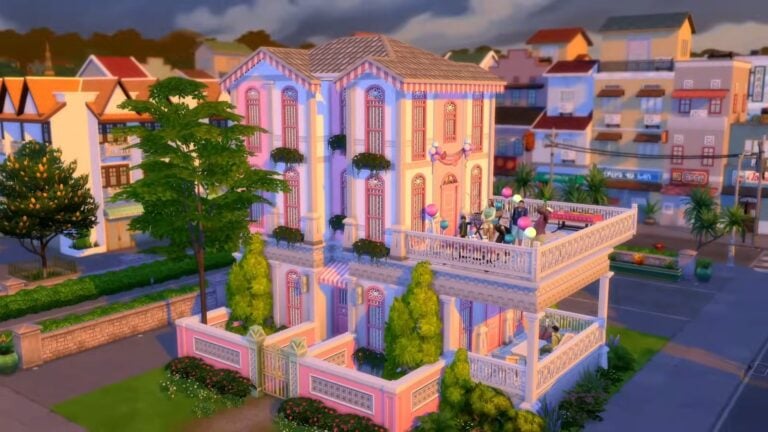
A glimpse at one of the new neighbourhoods in Tomarang.
While we don’t know specifically when or how long the EA Creators got to spend with the pack, there is already a vast selection of content to watch and explore ahead of the pack’s release on 7th December 2023.
Table of Contents
The Sims 4 For Rent Early Access Creators
You might be wondering which EA Creators have been hard at work creating content! Well, we’ve compiled a list of some of the many creators you can check out!
An Apartment Get Together at the rooftop pool in Tomarang.
The World of Tomarang
The EnglishSimmer has a wonderful in-depth walkthrough of the new world. This Sims 4 For Rent Early Access look takes you through every detail you need to know before the pack’s launch. From details about the new lots, the new neighbourhoods of Morensong and Koh Sahpa as well as the new Townies that come as part of For Rent. Rounding off the video you will be able to find out the EnglishSimmer’s thoughts and feelings on the new world!
Create A Sim
However, if you are looking for an in-depth, deep dive into the new Create a Sim additions, you should check out Elliandra’s overview. Going item by item and swatch by swatch. Everything from new additions for infant Sims right the way through our adult/elder Sims!
Want to get an inside look into the new traits and aspirations that come in For Rent? Well, Bojana Sims has you covered with this handy overview here!
Build & Buy Mode
Naturally, we know many players will be excited and intrigued to see what new additions have been added in Build Buy Mode! James Turner takes players on a one-hour journey through all the new items and options in this Sims 4 For Rent Early Access walkthrough. This is the perfect first look at everything that comes in the expansion pack and is perfect to get those build ideas flowing ahead of time!
https://www.youtube.com/watch?v=f9kzxAcBPeo
For Rent Gameplay
For those looking for a general look at some gameplay, maybe even in the form of some Sims 4 For Rent Early Access Let’s Plays, the EA Creators have you covered! OshinSims has an excellent overview of a selection of the new gameplay features.
On the other hand, if you are looking at getting started with a new Let’s Play, xUrbanSimsx has a great new series on the go! You check out the first part here but, be sure to watch the following parts as well.
EA Creator Builds
From gameplay exploration to getting a glimpse of new Build Buy objects coming in the new pack as well as everything in between, the EA Creators have certainly been busy! However, a number of creators have been working on a wide range of builds during the Sims 4 For Rent Early Access period ready for the pack’s launch.
Mr. Olkan is one of many EA Creators who began to create some exciting new builds during the early access period. Take a look at their Tomarang Suites speed build below!
An Overall Review
Finally, if you are looking for an overall review of the new The Sims 4 For Rent expansion pack from EA Creators, there are already several out there you can check out. With many in-depth thoughts and feelings from the Sims 4 For Rent Early Access period, Lilsimsie created a comprehensive review. The review itself takes you through every aspect of the upcoming expansion. You can watch the full video below.
The Sims 4 For Rent is shaping up to be a pack filled with lots of interesting new features, building possibilities, gameplay, storytelling and more. The EA Creators during this Sims 4 For Rent Early Access period have really dived deep into the pack, exploring every aspect they can to give players an idea of what to expect when the expansion launches on 7th December 2023.
With all of the new EA Creator Network content now out, what are your thoughts on the upcoming For Rent expansion pack? What are you most looking forward to in the new pack?
Let us know in the comments below!
Stay tuned to Sims Community for all the latest news and information from The Sims franchise including the For Rent expansion pack.
It’s a big day in the Simming community because the latest Sims 4 For Rent developer deep dive happened today! The game developers hosted a livestream showing off everything For Rent has to offer in detail and as always, Sims Community is here to recap every important detail of the livestream for those who missed it.
Catch up on all the fun For Rent has to offer!
Even if you watched the livestream, it was easy to gloss over parts of it because there was a lot to unpack in a relatively short time frame. You can refresh your memory with our easy-to-read point form summary broken up into categories for easier navigating.
Table of Contents
The Sims 4 For Rent Deep Dive Summary
If you’re eager to learn more about a specific portion of The Sims 4 For Rent deep dive, you’ll find our point-form format in categories extremely helpful! Use our table of contents to jump right to the section you want to learn more about and read all the new information in easily-digestible bullet point format!
World
Residential Rentals differ from apartments in The Sims 4 For Rent. They are more versatile than apartment buildings. Players can build any kind of multi-family dwelling they want from the ground up to create duplexes, homes split up into rental rooms, and more.
Easily switch a Residential lot to a Residential Rental lot. Click on a room to designate it as part of a private unit or a shared space.
Set lot challenges individually per unit.
When you are building a Residential Rental in The Sims 4 For Rent, there will be suggestions for what makes a good rental unit with a high rating but you are not required to follow those guidelines. You have the freedom to include or omit whatever you want from a unit.
Residential Rentals can have a maximum of 6 units, but there is a cheat that will allow players to build more units if they want to. Keep in mind that the developers still recommend 6 units per lot for the best performance.
There is a global cap on how many units you can have per save in The Sims 4 For Rent. The limit is 100 units across your whole save.
You can build Residential Rentals in any residential world you want, on almost any lot you want. The exceptions to this are Sulani waterfront lots and non-livable lots.
If you get confused when assigning separate units and want to just start over, there’s a button to assign all rooms to one unit. Then you can redo your layout as you please.
Tomarang is a full-size residential world in The Sims 4 For Rent with two neighbourhoods; Morensong which is the town centre and Koh Sahpa, which is more rural and relaxed.
There’s a big beautiful park in the middle of Tomarang with playground equipment, hopscotch, and marbles. This neighbourhood also has a botanical garden, a fish market, and plenty of vendor stands in the night market.
There is a rabbithole tiger sanctuary in The Sims 4 For Rent. Sims can visit the sanctuary or donate to it to receive cool items. The sanctuary has a lot of lore and some reward items you can get from visiting both at night and during the day. If you sneak in after hours, you can get banned from the tiger sanctuary.
There is a very large swimming area in open waters in Tomarang. The swimming area leads to a cave that also has a lot of lore hidden within it.
Live Mode
In Live Mode, if you designate a shared space in a Residential Rental, you will see Sims living in other units leave their units to use the objects in the shared space. This is a good way to make sure Sims can spend time with their neighbours.
While playing within a unit in Live Mode, you will not be able to see inside any of the other units. If you want to go visit a Sim living in a different unit, you will need to go through a load screen to access that unit.
To make this less cumbersome, there is now a quick Play This Household interaction on units so you don’t need to go through any menus to visit another unit; just the one load screen. This feature is being added to the base game as well, it’s not exclusive to The Sims 4 For Rent.
Sims who own a Residential Rental can decide how much rent they want to charge per day and be able to see their rating as well as unit rules and any tenants currently there.
You are incentivized to make your rental units nice for your tenants in The Sims 4 For Rent. It will result in a better rating and happier tenants, but you can play the role of an evil, greedy landlord if you want to.
When filling a vacancy, you’ll get to choose from a list of potential tenants. You’ll be able to see how many Sims are part of that household and their ages, how many beds they need, and how much they are willing to pay in rent.
You can evict Sims in The Sims 4 For Rent but if you do so unjustly, there are negative consequences to mistreating your tenants like that.
New Collection: Tassels. Once you’ve collected all the tassels, you can combine them to create a new item. The tassels also come with their own lore. There is also a marbles collection with a jar to store them in.
Cringe Sims can Spout Memes at other Sims and Nosy Sims can spy on other Sims. They will pull out a pair of binoculars when they do.
You can break into your neighbours’ units and snoop around in their personal things to dig up information about them in The Sims 4 For Rent. You can break into any residential lot, not just residential rentals! Once a Sim has a secret about their neighbours, you can use those secrets to blackmail them.
Breaking and entering is a timed event and if your Sim does not leave the residence before the timer runs out, they could get caught!
While Sims won’t be able to be burglars in The Sims 4 For Rent, some Sims may be able to swipe an item or two while breaking into a home if they have the Kleptomaniac trait.
The kettle can boil hot water for either tea or coffee.
The rice cooker can be set and then left for super easy, low maintenance cooking!
To have mould on a lot, you need to assign the Mould Lot Challenge on it and neglect the maintenance of the lot. Mould has to be managed and cleaned up regularly in order to avoid possible death! The mould Lot Challenge can be applied to any lot.
There is an option to add the Maintenance Troubles Lot Challenge to regular Residential lots if you want that gameplay in a normal home. This lot challenge is not available for Residential Rentals because maintenance is already part of managing a rental.
When things go wrong in a Residential Rental, you can hire a cheap contractor, an expensive contractor, or try to handle the problem yourself. There is also a haunting event and your Sims can exorcize the ghosts terrorizing tenants in The Sims 4 For Rent.
CAS
Traditional and updated traditional Southeast Asian fashion.
Lots of hot weather attire for the warm, balmy climate.
Lots of patterns and bright colours.
New hairstyles and a new beard.
Plenty of comfortable, loose-fitting clothes to mix and match together.
There are CAS assets for children, toddlers, and infants!
Four Aspirations: Fount of Tomarani Knowledge (Location), Seeker of Secrets (Deviance), Discerning Dweller (Popularity), Five Star Property Owner (Fortune)
Five CAS Traits: Cringe, Generous, Nosy, Child of the Village, Wise (Elder-Only)
Elders can gain the Wise trait when they age up. Certain traits like Genius will make it more likely that an Elder will acquire the Wise trait when they age up.
Build/Buy
New natural looking hot tub with rocks
A grill as a reward for one of the new social events
New mailboxes; a large and a small one
Marbles and hopscotch objects
New For Rent lawn signs
No shoes sign
New stair railings, lanterns, and awnings
Lots of bright patterns and colours just like the CAS catalogue
New pressure cooker and kettle small appliances in The Sims 4 For Rent; Sims can now boil tea water in the microwave (the horror!)
Lots of new Southeast Asian recipes
A new squat toilet and a toddler training potty
Water heaters, air conditioners, fuse boxes, and radiators. All of these objects have gameplay associated with Residential Rentals but can be placed on any lot. Integrated with weather from Seasons.
New pool floaties which are a reward for the new pool party social event
New kitchen counters and cabinets
Lots of new fences in many bright pastel colours.
Plenty of new wallpaper, also with lots of new colours and textures.
New grungy decals to make any wall look damaged and worn out.
New roof tiles and decorative roof pieces.
We are so excited to play with all of these features ourselves when The Sims 4 For Rent launches on PC/Mac, PlayStation 4, and Xbox One consoles on December 7th, 2023!
Missed the livestream and want to see it for yourself? No worries, you cancatch up right here!
There is a new Sims 4 Laundry List! Here’s a list of fixes you should expect in the upcoming game patch!
The Sims Team has just published a brand new Sims 4 Laundry List for Friday, December 1st, 2023!
If you are new to The Sims or don’t know what The Sims 4 Laundry List is, it is a list of fixes The Sims Team share with players as to what to expect in the upcoming game update for The Sims 4.
Table of Contents
Sims Playing Hopscotch in The Sims 4 For Rent Expansion Pack
The Sims 4 Laundry List: December 2023
At a glance, some of the top concerns in the community include not being able to obtain 250 followers on Social Bunny, Sims using sinks further away from them to wash dishes, Sims constantly asking what has happened and constant fires for Sims with the fear of fire trait!
As detailed in the Sims 4 Laundry List, these topics currently have fixes and those not listed are still having fixes worked on.
Have a closer look at the December 1st, 2023 Laundry List!
Sul Sul Simmers!
Welcome to this month’s Laundry List, where we share a list of the top community concerns we’re currently investigating and hope to resolve in the next patch. This is only a list of topics with upcoming fixes; there are more topics reported by players that are not listed and are still being worked on.This list is based on reports by players on Answers HQ and helps us continue our work of improving the user experience on a regular basis.
Please note that some topics can be tricky and may require an extended investigation on our end, so even though we are actively reviewing, it’s not a guarantee that we’ll have an immediate fix in the upcoming patch.
Here’s the list of the community concerns we’re investigating and aiming to resolve in the game update this month:
Thank you for all your patience and valuable help in reporting!
Please continue sharing with us any issues you’re experiencing on Answers HQ.
We’ll continue to check in and together we can make this game the best it can be. Happy Simming!
Keep reading to find out more about when to expect the next The Sims 4 Update and how to report any bugs/issues you may be experiencing!
When is the next The Sims 4 Update?
For Rent is the final release from the most recent roadmap for The Sims 4. It is also the final of three expansion packs for 2023! Pre-pack release patches tend to be slightly larger in size as they bring not only bug fixes but it can also deliver new Base Game features in internal coding that prepares the game ready for the expansion pack.
Based upon the previous The Sims 4 Laundry Lists, we should expect to see the next The Sims 4 Base Game update in the near future. The last few Laundry Lists have seen game updates released around seven days after publication. However, this is based on the release windows we’ve seen in the past, and this may vary for this next patch.
This is the first release since The Sims 4 Home Chef Hustle Stuff Pack, this is going to be the pre-expansion update but will also include a number of bug fixes too. We will likely see this next Sims 4 Update on Tuesday, December 5th, 2023.
How to Report a Bug?
Have you spotted a potential bug in the game and are wondering how to report it? Well, it’s easy. Just follow these easy steps to let The Sims Team know!
Exciting news! Simmers are getting an up close and personal look at The Sims 4 For Rent expansion pack! The developers will be doing a deep dive into all the gameplay that this expansion has to offer. It will be the first time Simmers have seen The Sims 4 For Rent live in action!
Find out what what to expect and where to watch the deep dive!
Read on to get all the details about when, where, and how to tune in, along with what Simmers can expect from the The Sims 4 For Rent deep dive!
Table of Contents
The Sims 4 For Rent Deep Dive Livestream
When and Where to Watch
The Sims 4 For Rent deep dive developer livestream is scheduled to start streaming on The Sims’ YouTubechannel at 11am PT / 2pm ET on December 1st, 2023.
As always, Sims Community will be here to cover everything revealed during the deep dive so if you do miss it, make sure to catch the recap and news articles right here on our website!
What To Expect
Of course, The Sims Team probably has some surprises up their sleeve for this deep dive; they usually do, but we do have a pretty good idea of the main talking points scheduled to be covered during the livestream.
Tomarang World Details
Like any pack that comes with a new world, we are almost definitely going to get a good look at the new world of Tomarang that’s coming with The Sims 4 For Rent expansion pack. This world has been revealed to be inspired by Southeast Asia and we’re looking forward to seeing everything this lush world has to offer players!
Property Management Gameplay
The main draw of The Sims 4 For Rent is the ability to own and manage multiple rental properties so we’re sure there’s bound to be a detailed breakdown of how that all works. From setting rent prices to tackling building maintenance issues or even evicting Sims that refuse to follow the rules and pay their rent on time, we’ll likely get an up close and personal look at exactly how all of that functions in the game.
We also hope we’ll get to see how multiple families will live in separate units on one playable lot while sharing shared spaces in The Sims 4 For Rent expansion.
Build/Buy and CAS
We’re not sure exactly how much of Build/Buy and CAS we’re going to see. Sometimes the developers spend quite a while going through all the BB and CAS options and showcasing every swatch. Other times, they focus almost exclusively on gameplay and just give players a quick glance at the BB and CAS catalogues coming with a new pack.
We’ll have to wait and see but hopefully we’ll get at least a good peek at some of the new clothing, accessories, and objects coming with The Sims 4 For Rent expansion pack. Many players only play The Sims 4 to build and create Sims, rarely if ever touching any of a pack’s gameplay. These players will surely be happy to get a deep dive into CAS and Build/Buy that’s equally as immersive as any gameplay coverage we get to see.
Keep an eye on our website for all the latest The Sims 4 For Rent updates as they happen! Never miss out on the latest news by bookmarking our News category. Check back frequently for all the most exciting breaking news!
As The Sims 4 For Rent creeps ever closer, new information regarding the pack has come to light. Normally, we advise to take all early info about new packs with a grain of salt but this information comes straight from the developers themselves, so we’re confident it’s solid.
Learn about how The Sims 4 For Rent will work in a developer Q&A
On the official website, The Sims Blog published a written Q&A session with the developers of The Sims 4 For Rent expansion pack, releasing in early December. Simmers had a lot of questions regarding how traveling between units will work and which life stages are able to enjoy certain activities shown in the reveal trailer, such as hopscotch and marbles.
Table of Contents
The Sims 4 For Rent Developer Q&A
Here’s the full interview about The Sims 4 For Rent from The Sims Blog. The developers treated Simmers with new info regarding unit cap limits, new lot challenges, modes of travel, and more, so check it all out!
New Lot Type
How many units can be contained within a residential rental?
6 Units can be made in a Residential Rental
Are there cheats to change this cap?
Yes! bb.increaserentalunitcap on/off
There is a max of 99 Units per Save.
How many Sims can live in each unit?
A full Sim household of 8 Sims can live in a Unit.
Are there loading screens when I want to visit another unit on the residential rental lot?
Yes, there will be loading screens between units, but sims from other units will use objects in the shared spaces.
How can I easily swap between household units to play? Do I have to go to manage worlds?
You can access units through manage worlds as always, but we have also added a new “Switch to Household” interaction on doors of the active residential lot so you can switch to other units more easily.
Can I build high-rises like in City Living?
You will still be limited to the existing build mode rules including number of floors and wall heights.
Where can’t I build Residential Rentals?
Sulani Waterfront Lot
Penthouse Lots
Vacation Worlds and Hidden Lots (Jungle Adventure, Batuu, Outdoor Retreat)
Can I change apartments from City Living or Eco Lifestyle to the new Residential Rentals?
Residential Rentals are brand new Lot Type with all new gameplay offered in For Rent. Existing apartments in City Living or Eco Lifestyle remain unique and separate from these new Residential Rental lot type, although Residential Rentals can be placed in lots from these worlds to add even more dimension and variety.
Can I build a Residential Rental on a Penthouse lot from City Living?
Penthouses are special lots that will not work with this venue type. Penthouses and their functionality will remain unchanged with the addition of For Rent.
Do new Residential Rental events happen on apartment lots?
We have added Maintenance Troubles as a new Lot Challenge that can be placed on any other Residential lots. The new Maintenance Events, though, can only happen on Residential Rentals by default.
Property Management
Can I own any other businesses with this pack?
You will still be able to own businesses from other packs as well as be a Property Owner for Residential Rental Lots! We do not have any new businesses added with this pack.
Do the water heater, ac units include gameplay? Do they work on lots other than Residential Rentals?
Yes there is gameplay associated with the Water Heater, Electrical Panel, AC unit, and the Radiators. Some of these will have additional gameplay when used in conjunction with Seasons.
These will work for all Residential lots, but when used in Residential Rental lots they will work for the individual units if placed inside them or for all units if placed in shared spaces.
Can a unit on a Residential Rental be a business venue/lot type?
Residential Rentals, a business in and of themselves, cannot be combined with other businesses.
Does mold cause Sims to become zombies?
Mold gameplay and associated deaths are very opt-in and easily avoidable. No Zombie outbreaks are attached to this new death type and ghost.
Closer than Ever
Will sims Snoop by themselves (autonomously)?
If Sims have the Nosy trait they will observe other Sims, but will not find out any secrets.
Are Snooping Sims Burglars? Will Burglar music play?
The iconic Sim burglar experience intrudes our thoughts for another day. Snooping and secrets are subtly different, although can be combined with Kleptomanic Trait for some fun and interesting active gameplay.
Bustling and Beautiful
How many new lots are there?
2 neighborhoods. 9 lots.
2 20×15
3 20×20
2 30×20
1 30×30
1 40×30
Do secrets and snooping work with any Sim and on any lot, or only on Residential Rentals?
Yes, these are available for all lots, not just Residential Rentals.
What new animals are in the animal sanctuary – is it a rabbithole?
The Tiger Sanctuary in Tomarang is a rabbithole activity for Sims. While your Sims adventure offscreen, you’ll navigate the best choice path to earn them cool new rewards and unlockables!
Hopscotch and Marbles – what age groups can play these activities? Is it only children?
Marbles is Child specific, but collecting Marbles is available even after you’ve become an adult.
Hopscotch was designed for Child Sims, but can be used by Teens and Up as well.
How do you feel about the details of The Sims 4 For Rent?
The Sims 4 For Rent developer Q&A comes with both exciting and disappointing info, which… has come to be expected of nearly every single pack release, The Sims 4 For Rent being no exception.
While the possibilities of having up to 48 Sims (or more with cheats!) living on one lot is exciting, certain details like the animal sanctuary being a rabbithole, the boat featured very prominently in the reveal being just world décor, and not being able to build Residential Rentals on waterfront lots will no doubt come as a disappointment to many.
But don’t let us tell you how to feel about The Sims 4 For Rent! Let us know your thoughts in the comments and if you disagree with our take on The Sims 4 For Rent, we’d love to hear why you’re excited!
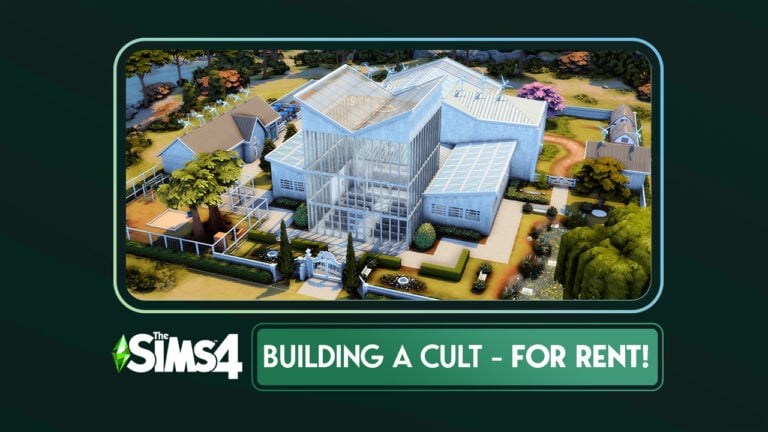
Want to push the limits of The Sims 4 For Rent? Check out our cult compound build!
The Sims 4Discovery Quests are a new tutorial feature added to the game with the October 31st, 2023 free game update. They are quick and easy interactive tutorials designed to help players find their footing in the game and learn the basic mechanics. While veteran players probably won’t learn anything new from these quests, the free rewards may still make them worth your while to do.
Learn how to complete the Always On the Move discovery quest for potion rewards!
While playing a new game, you may be offered the opportunity to do the Always On the Move discovery quest. This quest will walk you through traveling and socializing with other Sims off of your home lot. It’s very straight forward and quick to complete and the rewards are worth the minute or so of effort, in our opinion.
Table of Contents
The Sims 4 Discovery Quests: Always On the Move Walkthrough
Read on for a quick and a detailed breakdown of how to complete the Always on the Move Sims 4 discovery quests!
Quick Guide
If you just want to know what the goals and rewards are for the Always on the Move Sims 4 Discovery Quests, you can get the quick and easy breakdown right below. Good luck on your quest!
Quest Goals
Travel to a Public Venue
Meet 1 Sim
Socialize with Sims x2
Go Home
Quest Rewards
Flirty Potion x1
Happy Potion x1
Detailed Guide
Need more instruction? Perhaps you’re a new player still learning the ropes. Not to worry! We’ll walk you through every step so you too can complete Sims 4 discovery quests and enjoy some sweet rewards.
Starting the Quest
If you don’t have the Always On the Move Sims 4 discovery quests currently, you’ll have to trigger it through gameplay. Since discovery quests are new, we’re still figuring out the finer details about how to trigger them but after running a few tests, it seems like you have a good chance of triggering a discovery quest if you do things related to that discovery quest. For Always On the Move, that means traveling. In our case, we received an offer to start this quest shortly after returning home from a community lot.
Sims 4 discovery quests offers will come in the form of a phone notification in the bottom left of your screen. You can choose to reject the quest, accept it, or save it for a later time.
Completing the Quest Goals
Once you’ve accepted this Sims 4 discovery quests, you’ll have a series of goals to complete in the top left corner of your screen. You can complete these as quickly or as leisurely as you want, it’s up to you. If you’re speeding your way through it, you can expect to be finished in 2-3 real world minutes, tops. The goals are very quick and easy to complete.
You can complete the goals in any order you want; however, only up to 3 goals will be displayed at a time. Completed goals will be replaced by new goals if there are more than 3 goals for a quest.
Travel to a Public Venue: A public venue is any lot that is not a private residence. Houses, apartments, and vacation rentals are all private residences but things like bars, nightclubs, museums, and parks are all public venues. Hit the M key on PC/Mac to go to the world map and select any of these venues to travel to. On console, move your cursor to the map icon in the top right corner of your screen in Live Mode and select it. The map icon is a grid of squares with a map marker on it. Then select any public venue to travel to.
Meet 1 Sim: When you first arrive on a public lot, there likely won’t be any other Sims there. Unpause the game and give it a minute for Sims to start arriving on the lot. If playing on console or a computer with lower end specs, it may take several minutes for Sims to start populating the lot. Once some Sims show up, select any of them and under the Friendly social category, choose any of the available introduction options.
Socialize with Sims x2: All you have to do to complete this goal is talk to a Sim twice. It doesn’t have to be two different Sims. So keep talking to the Sim you just introduced yourself to. Most Sims respond well to socials in the Friendly > Small Talk category at the acquaintance level (unless you are playing with Growing Together installed; then some Sims might dislike Small Talk). Either way, it doesn’t matter much which socials you select. Just socialize with a Sim twice.
Go Home: You came, you saw, now you’re ready for bed. I respect that. You can go home the same way you left home; by going to the world map and selecting your Sim’s house. However, a faster way to return home from anywhere is just by selecting the house icon in the bottom right corner of your Sim’s portrait. Congrats on your productive day out!
Reap Your Rewards!
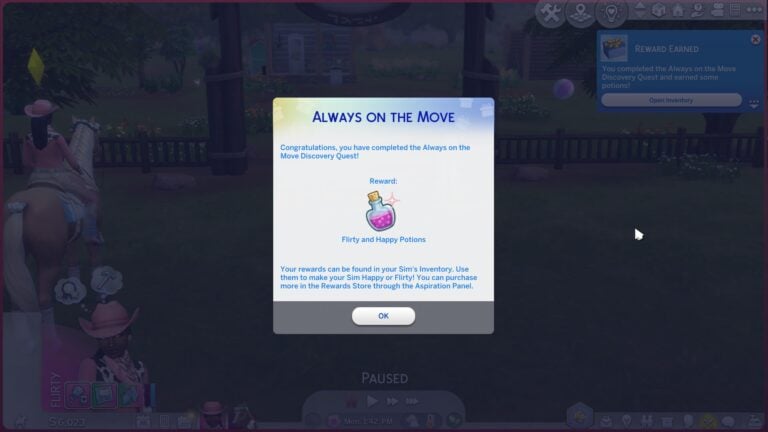
Congrats on completing the Always on the Move Sims 4 Discovery Quests! For your efforts, your Sim will receive some potions in their inventory that will help them get into specific emotions. Being in the right emotion can help facilitate relationships. Your Sim will have 2 potions in their inventory: a Flirty Potion and a Happy Potion. Drink these to put your Sim in the right mood for building both friendships and romantic relationships.
Being Flirty helps your Sim land those romantic pickup lines more easily. Being Happy helps with fostering all positive relationships, plus the Happy emotion boosts other emotions. Take the Happy potion, then the Flirty potion and your Sim can become Very Flirty thanks to the boost from the Happy potion.
Considering that each of these potions costs 100 satisfaction points in the rewards store, getting two for free isn’t a bad reward for the minimal effort it takes to complete these Sims 4 discovery quests.
If you’re in need of a more detailed breakdown of managing your worlds and the Sims in them, look no further than our complete Manage World Guide!
Are you looking for a new Sims 4 Living Room CC collection to add to your game? Then we may have just the thing! Especially if you are looking to create the ultimate mid-modern inspired living space.
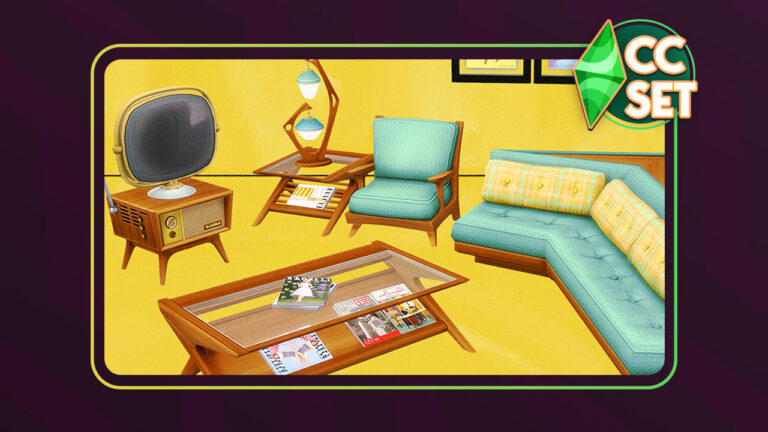
Created by Surely-Sims, this mid-century modern collection is not only Base Game compatible but features thirty-five amazing magazine covers created by Surely-Sims.
While this is only a small Sims 4 Living Room CC Set, it’s important to not underestimate it! Better still this Surely-Sims collection works perfectly with a lot of items already in The Sims 4.
Featuring nine items in a variety of swatches and patterns, there really is something for everyone!
Let’s take a closer look at each of the individual objects and their swatches!
Comfort
We have two new comfort additions in The Showroom Modern Living collection. Both come in a range of vibrant colours with the new corner sofa coming in a mixture of solid and patterned swatches!
Surfaces
The collection also adds a new coffee table, end table and television unit. All three come in a range of wood swatches.
Electronics & Lighting
We have one new television and a new lamp as part of this Sims 4 Living Room CC Collection. Again, both objects come in a variety of different swatches, perfect for every mid-century modern living space.
Decor
Finally, we have the two new Decor objects. One is a painting and the other is a stackable magazine. Both of these come in thirty-five gorgeous swatches!
When we saw this collection, we knew we had to create a small build using this pack!
Download The Showroom CC Set
You can download The Showroom Modern Living Collection for free right now on Surely-Sims’ Patreon! Grab it by clicking the download button below!
It took some time to figure out exactly what kind of living space we wanted to create. After some trial and error with ideas, it was starting to come together. Essentially, we wanted to create a living space with a sunken area which would act as the core part of the room.
Due to the way we designed the room, we also had these two “balcony” style aspects on either side. Admittedly it was difficult to figure out how to furnish these but all things considered, they turned out okay.
The area furthest away from the room entrance was turned into another seating area along with a juke box from The Sims 4 Get Famous.
On the opposite side, we created a small reading nook that Sims can use and also used the coat and shoe racks on the other side of the door to complete the entrance area.
While it was a simple build for the most part, it did provide its own small challenges. The most difficult part was probably knowing how to fill the spaces without it being overwhelming or looking too empty. Overall, we think we didn’t do too badly!
Our Thoughts
Well, what do we think of this Sims 4 Living Room CC Set from Surely-Sims? Simply, we love it! The objects in this mini collection as well as the variety of colours and patterns showcased throughout.
The retro style is something that works so well in The Sims 4 however, there aren’t a great deal of objects in the game that allow us to fully re-create the style. This collection helps fill that gap.
The Sims 4 Get Famous and Bowling Stuff Packs are just two packs that complement The Showroom Collection perfectly and give players an excellent number of ways to create different rooms. There are objects from other packs that also work well with Surely-Sims content that also helps bring the mid-century modern/retro style to life!
Overall, as we stated, we love this mini custom content collection and we can’t wait to see more from Surely-Sims in the future!
Looking for more articles about The Sims 4 Custom Content? We’ve got you covered here!
Need a Sims 4 cult build? If you do, oh boy, it’s your lucky day! When The Sims 4 For Rent was announced, Simmers wasted no time in building beautiful duplexes, condos, hotels, and more where Sims can live happily. Then… there were the others. The ones who thought “Hey, we can make cults with this pack!” You know, people like me.
Why build a happy family dwelling with For Rent when you can build a cult compound?
I may not be the most stable of Simmers. After all, my builds I’ve shared on Sims Community include a funeral home, a vampire wedding venue in a cemetery, a haunted house, and a castle with a dungeon. But I’ve turned over a new leaf, okay? This is different! This isn’t just some morbid creepy build like all my other builds! This is a lifestyle! This is achieving a higher state of being! This is enlightenment!
… What do you mean that sounds culty? No no no, you’ve got it all wrong! Here, let me give you a tour of my totally-not-culty compound.
Table of Contents
The Sims 4 Cult Build… That’s Totally Not A Cult
I think we can all agree that the outside world is a mess. Ravenous cowplants eating your grandma. Possessed gnomes setting fire to your appliances for giving them fruitcake when they wanted salad. The constant threat of getting into a pool only to have walls mysteriously spring up all around you, trapping you in a watery grave. Life is hard for a Sim, okay?
But fear not, terrified Sims! Escape from all the dangers and uncertainties of the outside world and join us in our community of like-minded individuals who only wish to serve the Watcher in perfect balance with nature behind tall walls that protect them from the horrors of the world. And it’s not at all a Sims 4 cult build. Trust us!
A Place of Worship
Welcome to our safe, sustainable community! As you step inside the front doors, you’re greeted with a place of worship because here, we believe that it’s equally important to nourish the soul as well as the body. Our daily 4 hour sermons start at 5am sharp by the way. But don’t worry! Our gracious leader controls the lights so you WILL be awake on time for sermons. How considerate of them!
What do you mean that sounds like a Sims 4 cult build? Ahem. Moving on…
Living Quarters
In this community (that is definitely not a Sims 4 cult build), we believe in sharing. The more time we spend together as a community, the stronger we are as individuals! This is why our living quarters are also communal. Families are permitted to share one of our two family units, but single members will bunk with up to 7 other members in our other three units. Why? Because this is a community! We value togetherness over individualism in this place.
You’ll also notice as we explore the building that we don’t believe in living in an environment with too many colours. It creates discord in the soul. Permitted colours for both décor and clothing are white, grey, and beige. Any other colours must have special permission from our leader. This is for the benefit of everyone’s inner peace.
Dining Hall
You might be wondering where you will spend most of your time in this beautiful and safe community. Well, everyone has a job within the community to keep everything running smoothly, but when our members aren’t at work, they share meals in the dining hall. Oh, but please don’t take the table at the head of the hall. That’s strictly for our leader and their family.
So! Still think this place is a Sims 4 cult build? … Oh. You do. Huh. Well, maybe you can still see sense. Let’s move on.
Kitchen
If you can’t cook, don’t worry about it! We have plenty of other jobs that need doing here in our community. But if you can cook, you might feel right at home as a chef here, cooking for all of our members! We only cook what we grow in the ground or collect from our livestock right here on this property so everything is natural, locally-sourced, and free of chemicals from the dangerous outside world. Would a Sims 4 cult build take such good care of its members? We think not!
Bathrooms
Our impeccably clean bathrooms are located on either side of the building so it’s a short walk no matter where your living quarters are. Each bathroom has ten toilets, ten showers, two training potties, and a baby changing table so there are plenty of facilities for everyone.
Lounge and Activity Room
You might be wondering what members of this Sims 4 cult build– Uh, we mean self-sustainable community… do for fun? The answer is plenty! In fact, we have a lounge where adults and children alike can relax after a hard but fulfilling day’s work and an activity room for painting and crafting. Perhaps your knitting talents could help keep everyone in the community clothed? Everyone has a part to play in this community effort, after all.
Where’s the TV and computer? Oh dear, those types of technologies aren’t permitted here. We’re creating a safe haven and all TV and the Internet do is bring the chaos of the world into our homes. Now please enjoy our collection of music curated and approved by the leader to promote harmony.
The School
While we’re on the topic of avoiding outside influence in our definitely not a Sims 4 cult build, let’s discuss the topic of education. It’s easier than ever to raise a family here thanks to our very own school on the grounds where your children will be safe and learn about our way of life. We specialize in training our youngsters to grow up into productive members of this community where they can excel at any one of the jobs we have here.
Do you get paid for those jobs, you ask? Of course! You get paid in the satisfaction of knowing you’re contributing to a greater cause! Oh, please stop with that “this sounds like a Sims 4 cult build” nonsense, already, would you?
The Clinic
If you’re worried about how you’ll receive medical care while living inside the walls of our community (still not a Sims 4 cult build), you shouldn’t be! We have our very own clinic right here. Many of our members have welcomed new babies right here in this clinic and been healed of common ailments with our top-notch medicines, all free of charge!
See? Life in a “Sims 4 cult build” as you call it has its perks, doesn’t it?
The Workshop
Members who enjoy working with their hands will be right at home in our workshop with a carpentry table, candle making station, recycler, and fabricator! Help the community thrive by building amazing things to better the lives of everyone who lives here! What a noble calling in life!
This is also where we house our backup power and water generators but don’t worry! We’ve made them eco-friendly by powering them with biofuel collected from our very own insect farm. Which brings us to the topic of sustainability!
A Self-Sustainable Lifestyle
There’s lots to love about our home that is NOT a Sims 4 cult build, thank you very much! But its biggest draw is how close to nature we are without sacrificing the modern comforts of electricity and running water. You’ll see solar panels, wind turbines, and dew collectors all over the property to help keep the lights on and the water hot, but if we ever do run out, our eco-friendly generators will come to the rescue!
We have ample farmland with a small bee farm nearby to pollinate our crops and space for livestock. We cook with the produce we grow and the milk we collect from our cows and goats. We knit and cross-stitch with yarn made from wool sheared from our llamas and sheep. Everything we consume comes from our own hard work right here.
The Leader’s Home
Oh, we almost forgot the most exciting part! Our gracious leader’s home! Of course, since the leader is the closest to the Watcher, their living arrangements are upstairs, above everyone else. So they can hear the Watcher’s message clearer, you see.
Now the leader’s home is strictly OFF limits to all but their family and spouses. Yes, plural. Our leader likes to have at least 3 spouses because 3 is a powerful number that will bring them closer to the Watcher. They share a bedroom with their primary spouse and the secondary spouses have a room to themselves as well. If you’re very, very lucky, our leader might upgrade you to a secondary spouse and then you too will be able to enjoy all the luxuries afforded to our leader! Who knows? One day, you might even become the primary spouse! What an honour!
… Oh. That sounds like a Sims 4 cult build? Well, uh– And why does the leader get a big screen TV and a computer and a huge private living space with lots of colour when all of that goes directly against our community’s teachings? And what’s with all the cameras everywhere except the leader’s home? Uh… Well… You see… Uh… OKAY FINE, IT’S A SIMS 4 CULT BUILD, ARE YOU HAPPY?!
Ahem. Anyway! Would you like to join? We have vacancies available!
Download this Sims 4 Cult Build
You can download this Sims 4 cult build on the Gallery! This build has no CC but does use an extensive number of packs. The signs throughout the compound are Gallery Art by NaJoPau!
This lot can be converted into a Residential Rental when For Rent releases, allowing up to 48 Sims to live here together in the 6 units provided.
After what has felt like an eternity, The Sims finally has an official merchandise store!
First teased on November 14th, 2023, curiosity began to rise within the community as to what we could potentially see in this brand-new store.
Now, this isn’t the first time we’ve had to shop for The Sims merchandise. Previously, there was a Threadless store where the community could buy selected merchandise themed around the game. However, this was closed some time ago and there has been a void left in its place until now.
Table of Contents
Let’s Shop The Sims!
Shop The Sims launched with sixteen brand-new and exciting items! From apparel to accessories and even collectables, there was a little bit of everything for players to explore!
Apparel
From The Sims embroidered hoodie and sweatpants to Plumbob Hats and Sul Sul/Dag Dag socks and more!
Here’s what you can buy from the launch in the apparel section on Shop The Sims!
The Sims Embroidered Hoodie – $60.00
The Sims Embroidered Sweatpants – $60.00
The Sims Plumbob Tee – $30.00
Sul Sul Bubble Tee – $35.00
Character Run Tee – $35.00
Want Cake Tee – $35.00
The Sims Embroidered Crewneck Sweatshirt – $50.00
The Sims Plumbob Hat – $30.00
Sul Sul/Dag Dag Athletic Socks – $16.00
Accessories
Create the perfect Sims-inspired outfits with these cool accessories! With a selection of pin badges and a The Sims-themed water bottle, there are several items players can check out!
You will also find both The Sims Plumbob Hat and Sul Sul/Dag Dag Athletic Socks as previously seen in the apparel section in the accessories section of Shop The Sims.
Collectables
Add some Sims-themed collectables to your set-up with the addition of a Freezer Bunny Plush, stickers or even some postcards inspired by worlds from The Sims!
Freezer Bunny Plusie – $30.00
Assorted Sticker Pack – $15
The Sims 4 World Travels Postcard Set – $20.00
Much like with the accessories section of Shop The Sims, you’ll also find the four pin badges located in this area of the store.
Where to Spend Those Simoleons
Like what you see and want to spend some Simoleons? Then simply head over to shopthesims.com and take a look!
Has the item(s) you wanted to get sold out already? Don’t worry as according to the FAQ’s, the team will share updates either on @TheSims on X (formerly Twitter) or on Shop The Sims when an item has been restocked.
You can also set up notifications for specific items by hitting the “Notify Me When Available” button!
Shipping
Shop The Sims will ship items to almost anywhere in the world. While there are some exclusions which, can be found here, players from around the world will be able to get their hands on the official The Sims merchandise.
Orders will take between 3-5 business days to be processed before they are shipped. It’s important to remember that orders are not shipped on weekends or holidays. International orders are subject to additional charges such as customs fees so do keep that in mind.
Here is a list of how the delivery times for orders work out.
Standard Flat Rate: 5-8 Business Days
Ground: 3-5 Business Days
2 Day: 1-3 Business Days
Flat Rate International: 10-14 Business Days
Timings are estimates and can take longer due to external factors such as courier delays, customs and more.
Thoughts on Shop The Sims
Shop The Sims has launched with a good starting collection! While prices seem reasonable for the most part, many will be hoping to see more collections and more variation of products going forward. This is just the start of something that could be amazing for getting official The Sims merchandise out there in the wider world!
Imagine all the possibilities of The Sims-themed products they could create! From more apparel, collectables and accessories to maybe branching out more into homewares and technology accessories? How about accessories for our cats, dogs and horses? Christmas jumpers? Maybe even officially licensed accessories for our setups similar to what we’ve seen in the past? Collaborations with brands or content creators! The possibilities for Shop The Sims are endless!
What do you think of the Shop The Sims launch? Is it what you expected to see or were you hoping for more? Let us know in the comments below!
Stay tuned to Sims Community for all the latest Shop The Sims updates and more from The Sims franchise.
It’s that time of year again! Black Friday is just around the corner and that means a huge Black Friday sale for The Sims 4 and huge savings for Simmers! If you were planning on adding a few packs to your collection, now would be a great time because select Sims 4 expansion packs are currently marked down to up to 60% off! That’s the biggest deal The Sims 4 has seen since last holiday season!
Save up to 60% on select Sims packs!
Until after Black Friday (November 24th, 2023), select Sims 4 packs are on sale across multiple platforms, including the EA App, Steam, and the PlayStation Store. Simmers looking to complete their collections will want to take advantage of the current prices, as 60% off is about the lowest price Sims 4 packs ever get during sales.
Table of Contents
Huge Black Friday Sale on Sims 4 Packs
The Black Friday sale is happening across the EA App, Steam, and the PlayStation Store currently, but we will add to this article if we spot any other major sales happening throughout the rest of the week. Check out all the savings below!
What packs will you be grabbing during the Black Friday Sale? Let us know in the comments! And if you’re looking for some cheats for your new packs, our Ultimate Cheats Library has everything you need!
The Black Friday Deals are well underway for The Sims Games, but that doesn’t stop EA and Maxis from doing more surprises for their fans. In a surprise reveal The Sims Team has announced that they’re giving away a Free Sims 4 Stuff Pack for PC and Mac players. Specifically the My First Pet Stuff Pack!
That’s right, Sims fans now have a limited time to go and claim this special Stuff Pack and make it their forever addition to the packs collection. In this article we’ll show you how you can claim your copy!
Table of Contents
Pack Info & Offer Context
The Sims 4 My First Pet Stuff Pack was first released in March 2018 on PC, and two years later on Xbox and Playstation Consoles. It’s the first and only Pack in The Sims Franchise that has content and items for another DLC addition. Making it one of the more controversial Packs in the Sims community.
If you own The Sims 4 Cats & Dogs Expansion Pack, you’ll be able to unlock extra outfits for both types of pets.
The Pack was available for Purchase for $9.99 and would often get cut for 30% off on various EA sales. However, today changes things as EA sets the Stuff Pack free of charge for a duration of almost two months.
You’ll be able to claim The Sims 4 My First Pet Stuff Pack only for platforms that support The Sims 4 on PC Windows and Mac. I haven’t been able to find the offer on the Playstation and Microsoft Stores as of yet. If there are any updates I’ll be updating this post! However, I have my doubts considering how complex this Pack is to distribute (and update) on online retail stores outside of EA’s touch.
Claim Sims 4 My First Pet Stuff on PC / Mac
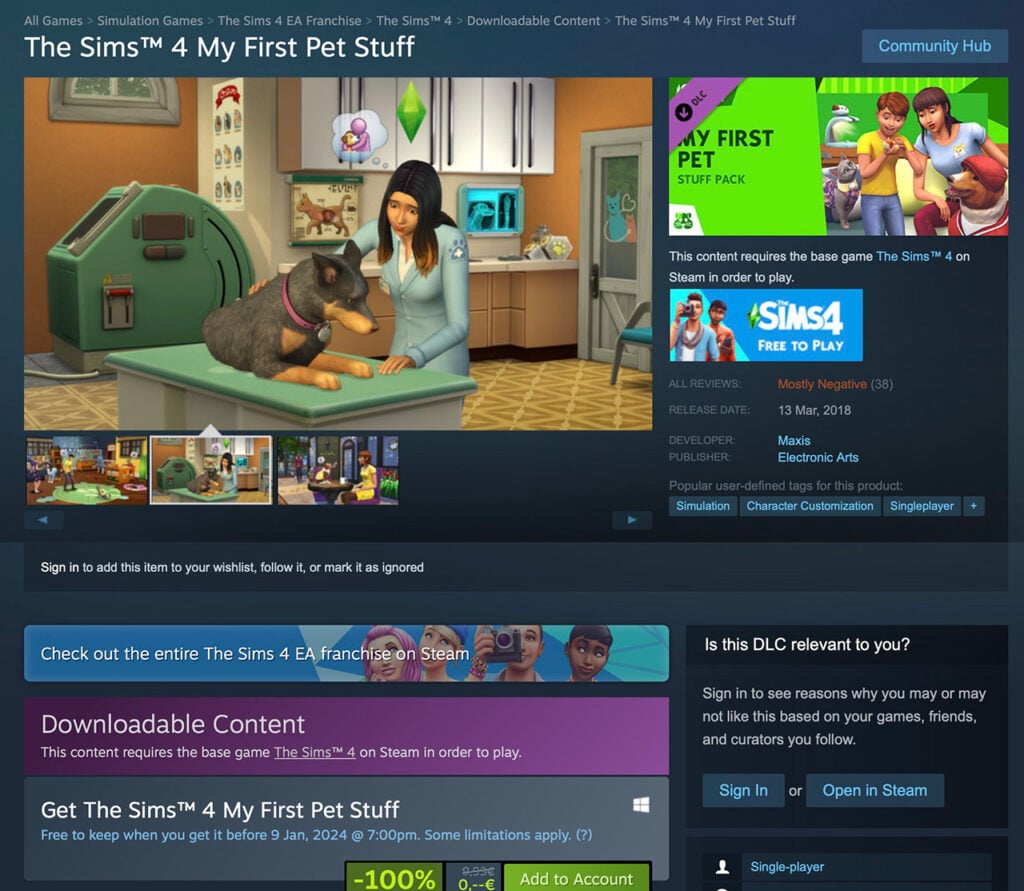
Sims 4 Players on PC and Mac are able to claim The Sims 4 My First Pet Stuff Pack for FREE for a limited time. EA App and Steam now let you claim the Pack for free and have it yours to keep!
This offer is available for a limited time until January 9th, 2024th at 10AM PT. It’s expected that the Stuff Pack will be priced again after this set date.
EA App (Windows) and Origin (Mac)
Claim the copy of The Sims 4 My First Pet Stuff Pack straight from the official game page. From there you can add the copy of the Stuff Pack to your EA Account and have it downloaded to your EA App / Origin launcher.
Steam
If you keep a track of your Sims 4 Collection on Steam, you’ll also be able to get this free Sims 4 Stuff Pack on this platform too.
Simply click this link to be directed to The Sims 4 My First Pet Stuff Pack Page on Steam.
A couple of questions have surfaced with the recent Sims 4 Free Pack promotion. I thought I’d answer a couple of them below so you can know what to expect from this offer and what to keep in mind:
When does the offer end?
Over the last few hours we’ve been getting mixed information from The Sims Team about the length of this offer. Still, it seems we’ve finally found the final answer.
The Sims 4 My First Pet Stuff Pack promo is now set to end on January 9th, 2024 at 10AM PT.
Official promo banner on the EA App
In the beginning of it the set date was January 6th across Steam and EA App. However, players have quickly noticed a date change. Both game launchers now let you claim this pack for free until Jan 9.
Can I claim My First Pet Stuff for free on Console?
As of now, the answer is unfortunately no. Playstation and Microsoft Stores, which distribute the pack digitally on Playstation and Xbox are still charging $9.99USD for the pack.
It appears that this offer is exclusive to PC / Mac, but we’ll keep you updated in case that changes.
Do I need Cats & Dogs Expansion to get this Pack?
Nope! The Sims 4 My First Pet Stuff Pack is a standalone pack in the series. However, a larger chunk of Create A Sim content in t his Stuff Pack contain items for Cats and Dogs. You can only access this content if you have The Sims 4 Cats & Dogs EP installed!
For Sims CAS items, Build furniture and hamsters gameplay you’ll have full access with just The Sims 4 Base Game.
There’s less than two months left to claim your free Sims 4 Stuff Pack!
For more information about The Sims 4 My First Pet Stuff Pack, check out our post category. Including information about Pack contents, new death and CAS and Build items.
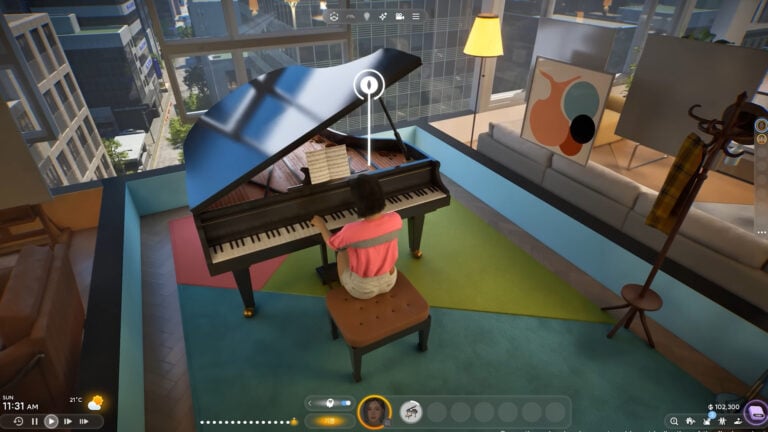
A new life simulator has become a hot topic after making waves recently. The inZOI Life Sim is currently in development by Krafton with a potential release during 2024. The South Korean company behind the game is also home to the likes of Player Unknown’s Battlegrounds and Tera.
However, how have we, as a gaming community not heard of inZOI until recently? Keep reading to find out more about the upcoming life simulation game!
Table of Contents
inZOI Life Sim, What Do We Know?
We’ve gone from not knowing anything about the inZOI life sim to so much just in the past few days.
The creators behind inZOI recently shared a gameplay demo video that showcased not just a first glimpse at general gameplay but also a look at interactions, character creation, building and so much more!
Now, let’s break down the gameplay demo for the inZOI life sim!
Characters and Day-to-Day Life
The gameplay demo starts with viewers following various characters exploring what looks to be a relatively open-world, world. From walking the streets of the neighbourhood, to work or to school, the short section of the video gives a glimpse into how characters act and react to the world around them.
Next, we move on to following the characters into work and assisting them with their daily tasks while there. It really gives you an idea of just how hands-on interactions and tasks with the characters can be. Even the characters’ cell phones are packed with a lot of detail too!
The inZOI life sim gameplay demo also gives us a look at the family schedule. A way that you can keep track of what each member is doing when and where. We also get a glimpse at more in-depth details about family members.
A first look at the family schedule from inZOI
From this first look, there looks to be a lot of options to be able to truly customize schedules and characters in the game.
You will find that your characters will be able to build their skills through the likes of cooking, cleaning, singing, fitness, painting and learning instruments to name a few. It even looks like there could be an odd mishap if your character isn’t at a high enough skill level just yet.
Even from just this first look at the gameplay demo, there is so much depth and scope to everything that is showcased. It appears that you can really get hands-on with characters day to day-to-day lives and really follow them to and from different activities, errands and more!
Character Creation
If you are looking for depth, detail and a lot of customization options then make sure you pay attention to the character creation for inZOI.
Character Creation screen from inZOI
From the get-go, you’ll be able to truly create the most unique characters or even a version of yourself in the game. With so many detailed options to go through and experiment with, it would appear that no two characters would be the same.
However, that’s not all!
Create your own looks with more style features!
You can even go all out on style and create your own unique looks with what appears to be a “create a style” feature. From patterns to colours and different images on your clothing or maybe even being inspired by characters from books, movies and more, create looks that will have heads turning!
Build Mode
Forget everything you know about building life simulation games and check out inZOI’s building mechanics! From the gameplay demo, the building tools look straightforward to use. There appears to be a lot of freedom as to the placement of things such as walls, windows, doors and floors as well as creating outdoor spaces.
Adding in objects seems to be just as straightforward as well as being able to essentially drag and drop them into the areas you want.
While this is only a demo, it looks like you can create some truly realistic homes with the objects included. Maybe you want to finally make your dream home in the game instead? It looks like inZOI will allow you to do just that!
One of the many builds you can create in inZOI
As for styles of homes you can make, at this stage, and while still unconfirmed, it looks as though you can make standalone homes or apartments. It will be nice to find out exactly what kinds of builds you can create as development progresses!
Directors Mode and Filters
Players can use Directors Mode to control features such as the weather, schedules and the city in which they live!
A first look at the Director’s Mode from inZOI
Filters on the other hand will allow you to take your screenshots to the next level and capture all those important moments and memories of your inZOI characters.
Level up your screenshots with in-game filters!
Relationships
From Baby, Child, Teen, Young Adult and more, build your character’s relationships in several different ways. Whether it is a positive relationship or negative, you’ll discover a range of different emotions, interactions and events along the way.
Children pulling silly faces at each other in the playground
Community Views
Now, a number of Simmers from the community were given the opportunity to get hands-on with the inZOI life sim demo recently. This gave players a real sense as to what to expect from the game and just an overall feel as to what the game really is about.
From initial thoughts and feelings about the game to more in-depth analysis of certain aspects of the upcoming game features.
Rachel Pedd was one Simmer who was given the opportunity to take a look at inZOI and share their thoughts with the community. You can also take a deep dive with Rachel with additional videos covering the character creation in-depth too!
You can also check out A Cotton Sock’s three-hour walkthrough of their inZOI save file as well as The English Simmer who talked us through aspects of her experience with the upcoming life simulation game.
Keep Up To Date
Want to keep up with the latest in inZOI development? Be sure to follow Krafton on YouTube and also on the Krafton official website.
In the meantime, why not watch the latest development video from the inZOI life sim team that may answer some of those burning questions you may have here?
What Do You Think?
Could Krafton’s new life simulation game become a new challenger for The Sims 4 as well as the upcoming Project Rene/The Sims 5? The hyper-realistic game, even at this stage with the gameplay demo and content we’ve seen is incredibly promising as well as having the potential to have even more features and opportunities added going forward!
Let us know what you think about the inZOI life sim in the comments below and if you’d like to see us cover more about the upcoming game going forward here on Sims Community.
Developers share technical aspects of the new Expansion Pack.
EA has announced a new Expansion Pack – The Sims 4 For Rent, in the beginning of November. With the main feature allowing players to build seperate units for multiple households. All within one lot space!
Fans speculated on how management and playing of multiple Units and Households within could function. The first trailer for this Pack has shown little without displaying the User Interface. Thankfully that was changed with yesterday’s trailer, explaining how outlining seperate units will function.
The Build Experience
With The Sims 4 For Rent, Simmers can choose each room individually and assign to which unit it belongs. Players can do so for each room built on the lot – regardless if the room is apart of the house shell or not.
You’ll also be able to create Shared Room Spaces such as hallways, as shown below:
All in all, the Build Experience of this Expansion is very detailed and provides the player more than enough tools to customize residental spaces.
However, we bear sad news that the playing experience won’t differ that much from what you’re used to already. At least when it comes to loading screens from The Sims 4 City Living.
Loading and Playing in Sims 4 For Rent
The Live Mode Experience isn’t as hands on in The Sims 4 For Rent Expansion.
The Sims Team has released an official statement explaining how loading Residental Rental Lots works. Confirming that yes – there will be loading screens between each unit on the new Lot Type.
To optimize this pack’s performance for all our players & in line with the current technology seen in The Sims 4 City Living, you’ll be able to see shared spaces & your own unit, however there is a small load time as you travel to enter the homes of other units.
Similar has been confirmed by the developer SimGuruNinja, saying that the experience is very much like in City Living Expansion.
What is the City Living Experience, you might ask? It’s very much this:
Upon each Rental Unit visit, you’ll have to go through a Loading Screen.
In this case, The Sims 4 For Rent will only load one Rental Unit of your selection and the Shared Space assigned in Build Mode.
Settings Preview
SimGuruNinja gave an insightful screen preview into Rental Lot Settings coming with The Sims 4 For Rent.
Players will be able to see how well the Unit is rated, set and see set Unit Rules as well as get an overview of all the tenants within the building.
If you have The Sims 4 Cats & Dogs installed you’ll also be able to set strict pet rules!
What are your thoughts on the rental system coming with The Sims 4 For Rent? Let us know your thoughts down below and stay tuned for the latest updates on this Expansion. Releasing December 7th, 2023 on PC and Consoles.
Looking for some Sims 4 apartment builds to get ready for the new For Rent expansion in December? Not to worry! Talented builders are already uploading the most beautiful multi-family dwellings to the Gallery so we can prepare our save files for when the expansion launches! We’ve gathered 10 of our favourite apartment builds from the Gallery for you right here!
Prepare for For Rent with these incredible apartment builds in the Gallery!
And if you’re worried about putting so much effort into prepping your save just to be disappointed that none of the lots you downloaded can be converted into the new Residential Rental lot type, there’s no need to fear! The SimGurus have confirmed that existing lots can be converted into Residential Rentals easily! So build and download away!
The Sims 4 Builds We Recommend:
The Best Sims 4 Apartment Builds
Here are 10 of our personal favourite apartment builds in the Gallery so you can get a head start on populating your save with plenty of rental opportunities! Most of these lots come unfurnished or lightly furnished so all you decorators out there can put your own personal touch on every unit!
Bright Apartment House by SarahAmina
This bright and cheerful stucco apartment complex with palm trees is absolutely perfect for a world like Del Sol Valley. We can totally see us playing out a storyline where a Sim with big dreams from a small town moves to Del Sol Valley to start their acting career and this could be the perfect first home for them to settle into. These units are amazing Sims 4 apartment builds!
Mt. Komorebi is a beautiful world so it makes perfect sense to want to maximize your living space there so more of your Sims can enjoy being immersed in this world’s incredible culture. These Sims 4 apartment builds are perfect for Mt. Komorebi and even feature a back alley with some sheds which handy Sims will find incredibly useful!
Deligracy is a well-known name in the Simming community and for good reason! Just look at these trendy and modern townhomes! Simmers looking for some Sims 4 apartment builds that are more contemporary in style will no doubt love the straight lines and clean angles of this lot. We particularly love the brick; it gives the buildings more curb appeal and adds texture to balance out the smooth wall coverings.
For players who prefer a more traditional style of townhomes, these Sims 4 apartment builds feature a charming little row of three attached homes that will fit right into any historic or downtown neighbourhood in many different urban worlds. We are so in love with the patio embedded into the roof of the white townhome. When can we move in?!
We couldn’t do an apartment Gallery showcase without including some of James Turner’s incredible builds! His Painted Ladies build is gorgeous and totally gives us The Sims 2 Apartment Life vibes. There’s space for 4 families to live on this cute little row of homes and we love the sloping driveways leading to the garage. It looks very realistic to real urban townhomes.
Townhomes seem to be very popular in the Gallery and it’s not hard to see why! Townhouses and row houses offer the privacy of owning your own home while still being in close proximity to your neighbours and also usually closer to all the action of the city as well. These modern townhouses are a trendy statement and would fit right into a city like Evergreen Harbour.
For players who want a more traditional apartment complex, these Sims 4 apartment builds are a great option! The best part about this building is the semi-covered rooftop pool and bar which all building residents can enjoy, making this building a great place for young socialites to live and meet new people.
For families with young children, safety is always a huge concern when looking for a place to live, especially when living in close quarters with the neighbours. A gated community can provide peace of mind. This gated community is perfect for families with a small playground, park, and community pool. Sims can let their kids play freely outside without worrying about any shifty folks getting in who don’t belong.
These Sims 4 apartment builds are absolutely beautiful and the perfect place for avid gardeners who still want a taste of urban life to settle. Why? Because this building boasts a covered rooftop garden that’s accessible to all residents! Each unit is also nice and spacious with several bedrooms so there’s space for everyone.
Eco-conscious Sims will find the perfect place to call home with these Sims 4 apartment builds. This pair of eco homes are fully detached so you have your privacy and is well equipped for modern sustainable living without sacrificing any of the comforts we’ve grown used to. They’ll look perfect in Evergreen Harbour!
In case you missed it, the gameplay trailer for The Sims 4 For Rent dropped today and for the first time, we actually got to see how rental units will function in terms of gameplay and management. The concept of being a property manager in The Sims 4 is exciting but Simmers understandably want more details about what property management will entail.
As a landlord, you set the rent your tenants will pay… make it free if you want!
The gameplay trailer gave us an in-depth look at everything that goes into owning and managing a rental property, from setting rent, tenant rules, and reviewing tenant applications, to the not-so-nice stuff, like evicting troublesome tenants. Let’s get into everything the gameplay trailer covered right now!
Table of Contents
The Sims 4 For Rent: Rental Residential Properties
As a property manager, there are a lot of decisions you’ll have to make. Like how many units will your building have? What rules will tenants be expected to follow while living in your building? And how much rent should you charge them? Luckily, the gameplay trailer walks us through what all of this is like.
Build and Designate Separate Living Units
When designing your building, you’ll have to think about how you’re going to divide up the space to accommodate multiple families living on one lot. In previous Sims games with customizable apartments, units were separated by a special apartment door. That door marked the entrance to that unit, but this had problems and limitations. For example, you couldn’t have multiple entries into a unit with this method.
In The Sims 4 For Rent, you can designate cells (rooms) as being part of a unit. Anything within that room will be a part of the unit you selected. This is a much more intuitive way of separating units and allows for more freedom in how you want to lay out that unit.
Designate Shared Spaces
But what about shared spaces in The Sims 4 For Rent? Don’t worry! You’ll be able to designate shared spaces in a rental building the same way you would designate a room as being part of a private unit. Just select the room you want all the tenants to have access to and set it as a Shared space. This way, you’re free to build shared amenities all of your tenants can enjoy, like a gym, laundry facilities, or a pool.
You can also use this feature to designate certain rooms in a multi-generational home as shared by the whole family, like the living room and kitchen, while keeping bedrooms and bathrooms private for certain branches of a large family.
Set Tenant Rules and Check Your Rating
You’ll be able to maintain your building as a whole in The Sims 4 For Rent via a For Lease sign. This is where you set the rules for your tenants, the rent for the whole building, and check up on how your building is faring when it comes to desirability and cleanliness.
The nicer you make the units and the better job you do of maintaining the building when things go wrong, the higher your rating will be. Buildings with high rating are more desirable to potential tenants, resulting in more tenant applications when you’re trying to fill vacancies.
When it comes to rental rules, we saw No Social Events, No Loud Noises, Maximum Occupancy, No Trash Overload, and No Ghosts as options. It’s possible there may be more rules depending on what DLC packs you own, but no confirmation has been given about that yet.
Review Tenant Applications
Speaking of applications, another aspect of The Sims 4 For Rent is reviewing tenant applications to fill your vacancies. You’ll be able to see your potential tenants’ age, how many beds they want, and their rent budget, along with some other info. Being able to review this in advance will help you pick tenants that are more likely to behave.
How do you get more tenant applications? By creating a nice living space for your tenants and maintaining the building in order to increase your rating. If you have a high rating, more people will be interested in moving into your building.
Set the Rent for All Units or Individual Units
Okay, so we covered setting the rent for a whole building in The Sims 4 For Rent, but what if you want different rates for each unit? Maybe you have some units that are worth a higher rent price than others, or maybe you have family members living in some of your units and you don’t want to charge them rent at all.
That’s not a problem in The Sims 4 For Rent! You can set the rent on individual units so that luxury suite will come at a higher price than the simple bachelor pad. And dear old grandma? She never has to worry about affording housing again! She gets to live in your building free of charge!
Maintain Your Building
Buildings aren’t indestructible. They require maintenance and in The Sims 4 For Rent, it’s your responsibility to handle any problems in a rental building you own. Insect infestations, electrical problems, mould, broken appliances, you’ll have to stay on top of all of that in order to keep your tenants happy and maintain your rating.
Repossess Tenants’ Belongings to Cover Late Rent
Of course, being a property manager isn’t always sunshine and roses in The Sims 4 For Rent. Sometimes you have to make some tough decisions. What do you do when a tenant is late on rent payments?
You could send them a rent demand. This gives them some time to get the funds together.. but if they still can’t pay? Well, it may not be legal in the real world, but in the world of The Sims 4 For Rent, you have the right to take their belongings as payment! Yup. Harsh.
Evict Disruptive Tenants… Or Help Them Out!
The only thing harsher than robbing your tenants of their belongings? Throwing them out on the streets to fend for themselves. If you’ve given a tenant many chances to cough up the rent and they still haven’t paid up, eviction may be your only option. You can also evict tenants who trash the unit and don’t follow the tenant rules you’ve laid out.
Then again, some people just need a helping hand and a second chance. You don’t have to be so ruthless. You might find that helping your tenant get their life back in order is all they needed to become a good tenant who pays their rent on time again.
How do you plan to incorporate The Sims 4 For Rent into your gameplay? Let us know in the comments and if you missed the gameplay trailer, don’t worry! You can watch it right here!