The Sims 4 got updated with a new catalogue of Build Mode objects!
The latest Patch for The Sims 4 has just dropped. Featuring the long awaited addition of the Infants Life Stage!
The update carries a lot of new stuff in Sims 4 Build Mode. Including a new selection of Objects, Styled Rooms and Baby Proof Fences! Those who are looking for new upgrades, there’s a huge improvement with Stairs.
Let’s look at everything new!
New Objects
There’s a wide selection of new objects available, mostly revolving around Infants gameplay, clutter and toys. The total number of new items is 26 – and that’s excluding the new fence and gate!
Take a look at the objects and descriptions:
New The Sims 4 Objects
Baby Fences and Gates? We got them too!
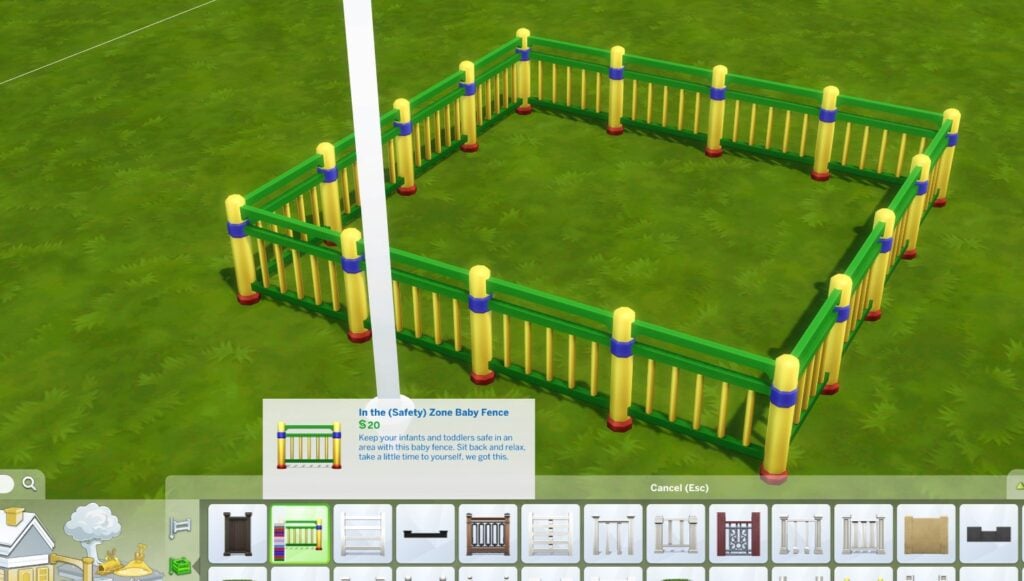
Another new addition to the Sims 4 Build Mode is the (Safety) Zone Baby Fence that lets you create a playground for your little ones. Both Infants and Toddlers can be kept within the Baby Safety Zone.
The only difference is that Toddlers can learn how to get past the fence!
New Baby Fence!
When it comes to the Baby Gate, there’s a new “In the (Safety) Zone Baby Gate”. Check out the preview below:
Just like regular gates, these can be placed down within a tile of your liking. There are 9 different variants that you can explore!
new baby gate
New Bassinet for Newborns!
The Infants Update has prepared something for the smallest of Sims – Newborns. The new Wicker-Work Bassinet is yours to grab for 150 Simoleons!
New Bassinet
Styled Rooms Galore
The new Styled Rooms included with the latest Sims 4 update span across all life stages! Check out the new Styled Rooms and their variants. Most span across the Newborn, Infants and Toddler life stages:
Sleep Mission: Possible (Infant and Toddler)Cloudy With A Chance of Newborns / Infants / ToddlersTo The Moon (Newborn, Infant, Toddler)
Stair Rails – Visual Upgrade
Stair Rails have had a weird visual glitch for a few years now. The rails that lead to the upper story would usually overlap with an existing fence placed up. That or they’d get displayed on both sides when placed next to the wall.
The latest update addresses some of those issues in Sims 4 Build Mode. Take a look at the visual comparison from @LuddySimmer as a good example!
Stairs – Before and Afterthe New Update / screens by @LuddySimmer
The developers noted that there could still be a few visual glitches, but that they’ll always be working on improvements.
What are your thoughts on the new objects and additions in Build Mode? Let us know and stay tuned for more news on the patch!
You can download the latest version of The Sims 4 by checking for updates through the EA App and Origin. If you have Automatic Updates enabled the update will automatically download through your client program.
If you play The Sims 4 on Xbox Series or PS4 / PS5, you can request a new update by checking for updates under The Sims 4 game tag.
In case you have Mods or Custom Content, the game will automatically disable them for you after first launching The Sims 4 after the update. To re-enable all your Mods and Custom Content, select the Settings option in the Menu and select Settings. Under the ”Other” section you’ll find the ”Enable Custom Content and Mods” option. Check it and restart your game in order for it to take effect!
Today is an exciting day; we’ve heard you, and it’s time to free the infants! Learn about what’s new in the Base Game, what you can expect from Growing Together, and some issues the team has dealt with.
What’s New
Infants are now in the game! With the free base game update, you’ll now be able to interact with your young Sims earlier than before and set them up for a lifetime of excitement. Once your family’s newborns age up into Infants (or if you decide to go the adoption route), they’ll have their own needs, emotions, and sentiments about their caretakers.
If your Sim doesn’t want to adopt or want to (or can’t) go through a pregnancy, they now have a brand new option. Sims can have babies with the power of science! They can now ask others to use a mix of their genetic material to create new life or just do it themselves…as long as they’ve got the funds.
Sims will spend less time as Newborns. This life stage will last only a few days before they age up into Infants. That doesn’t mean they haven’t gotten new stuff too! From the very beginning, Newborns are going to seem like more of the family with the addition of the range of skin tones other Sims have. They also will have the eye color they’ll have for life. There are some other changes to their appearance and movements that will really help Newborns feel like an active members of the household. Caregivers will no longer put them back into a bassinet between reactions, making caring for a Newborn feel more natural than before. Plus! Toddlers and Children will be able to interact with new family members by doing things like entertaining a Newborn in a bassinet with child-like behavior.
New Stuff!
With a new life stage comes new looks! Infants have their own clothing, hairstyles, accessories, and most excitingly: personality traits. Find these new options in Create a Sim! There is also the addition of new furniture, decor, toys, and more to help make those Infants feel at home and truly part of the family. You can find these new items in the kids’ section in Build mode.
Once an Infant is crawling, they’re ready to go exploring. Keep them where they belong with the new baby-proofing option for doors. Sims can get kept out with door permissions, and now, Infants and Toddlers can get kept in.
Misc Additions
Child skills have gotten a few adjustments. Sims will gain some skills quicker now, and the things they learn as Children will now matter as they grow. Plus: UI Improvements!
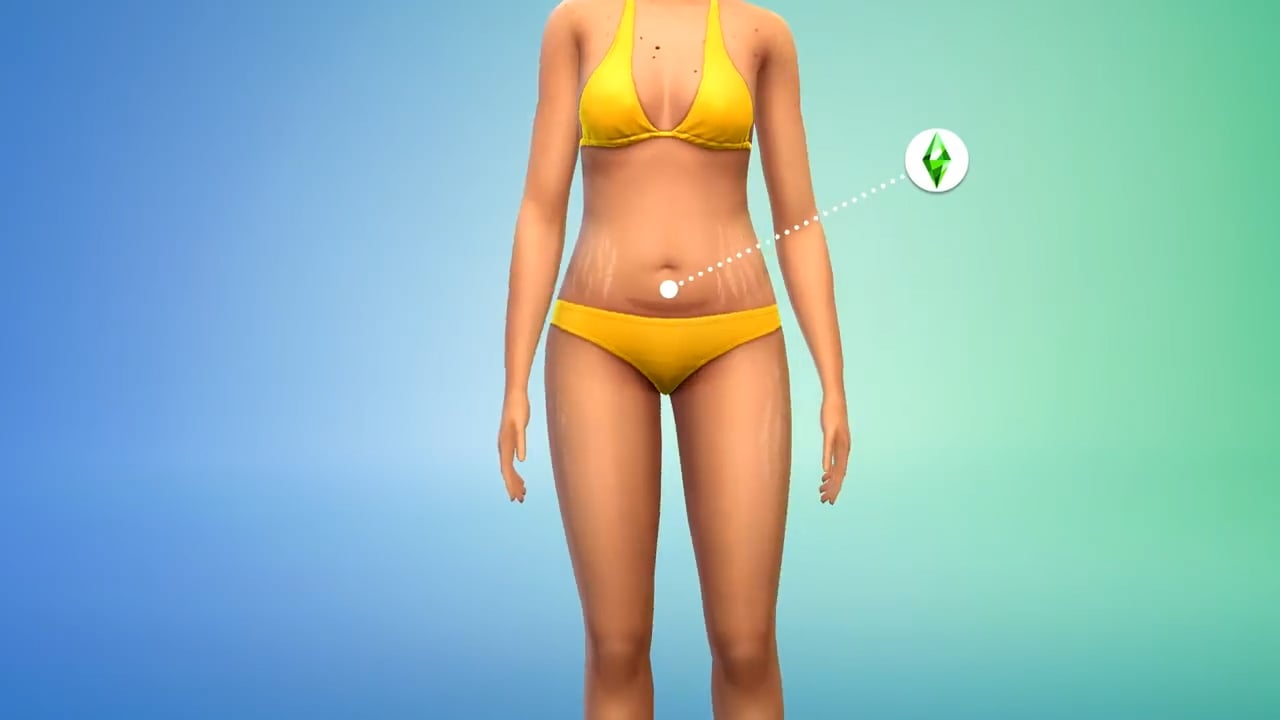
Don’t worry, there’s new stuff for your older Sims too. With this new update, there are new skin details in Create a Sim for Sims of all ages. Your Sims can now have birthmarks from birth. As they age, they can have stretch marks and C-Section scars.
CAS has another great new feature: you can now decide whether or not a Sim can produce milk. This new option can be found in the Gender section of the More Details menu.
With more ways for Sims to interact than ever before, it was getting a little overwhelming to try and find what you want to tell your Sim to do. The good news is that Interactions have been reorganized! The Interactions menu now has new sections based on the type. If you want your Sim to ask another Sim to have a science baby, for example, that’s a Deep Thoughts kind of conversation. Want to give a funny gift? Try the Silly Behavior menu. There are 19 new sections in the Interactions menu to help you find what you’re looking for in less time!
Bug Fixes
Base Game
Babies’ skin tone in the skewer and household portraits should now match their skin tone in-game
Aging up a Baby will now properly take into consideration the genetics of the parents’ skin tone
Live Streaming as a Tech Guru should no longer reset your Sim
Family members will now call your Sim less often to ask their opinion about trying to have a baby (Instead, they’ll just hear the news from their chatty aunt)
Hair Swatches in Create a Sim will now be more consistent across hairstyles and ages
We have addressed an issue where sometimes after traveling Toddlers would no longer be able to interact with extended family members (Who could blame them, just finished a long trip, you’re tired, probably need a change of clothes, a bath, a good sippy cup… who wants to talk with family?)
Fear of Unfulfilled Dreams and Fear of Dead End Job will appear less often and feel appropriate when they do
Neighborhood Stories will now welcome fewer newborns into the world. They’ve come to realize the amount of care Infants require and don’t want a miss a single precious moment
Sims won’t constantly drop everything in their queue to Check Toddler
Food that’s in a container inside the fridge will take longer to spoil
Moving to a new lot with twin babies will no longer ostracize one of the twins at the edge of the world (flat-worlders rejoice!)
Tell a Toddler to run around? Now, they’ll actually run when the Run Around interaction is selected (wait, you have to tell a Toddler to run around?)
If you were able to get a Toddler to Run Around they would never stop (this sounds more like the toddlers, I know), this should no longer occur.
Sims will now be able to perform the Read to Child interaction while kneeling or standing
The ymBody_JumpSuitLongSleeve outfit is now available to male Sims in Create a Sim
When choosing Decor Likes and Dislikes in Create a Sim, Industrial, Holidays, Events, Vintage, Art deco, Luxe, Shotgun, and Shabby Décor are now available options
Styled looks are a little less styled now. Choosing one won’t change a Sim’s hairstyle, eye color, eyebrows, or facial hair
Thumbnails are fixed in Create a Sim to show off cheek scars properly
Several nursery wall decorations have had a color consistency update
Toddler Create a Sim has gone through spring cleaning a bit early; if they can’t wear it, it’s not an option in the menu
Toddlers are now taken care of at Daycare instead of taking care of themselves (how did they even manage that?!)
Alien diapers are now only available to Aliens
Sims will now keep skin details added while on Outfit Categories besides Everyday when re-entering Create a Sim. You’re you regardless of your clothing choices
Child, Toddler, and Infants are being a little stubborn when it comes to birthmarks which we are continuing to look into, but as long as birthmarks are selected while on the Everyday Outfit Category, they will keep their birthmarks
…more fixes!
Toddlers can now pick up toys that ended up under bookcases
Sims will now scoot more often as expected when directed to sit or nap on a single or double bed
Several gates, fences, and stairs were casting improper shadows. We’ve spoken to their architects and instructed them in proper shadow-casting behavior
The Sim Stats panel now tracks Total Wants Completed
Sims will no longer mistake the outdoor mailbox for a wall mailbox when publishing a book. It all gets to the same outcome, just without the shoving a book through the side of a metal mailbox part
Child Sims underwear category will now properly display according to their preferred clothing option
Be aware: Acting, Debating, and Dancing in front of the mirror do actually increase your skill. I’m not really sure how that is possible…I have spent hours dancing in front of the mirror, and I’m still horrible
Sims can properly use a Mirror to Practice Dancing… I’m just going to say this is why I have not gotten better at dancing
Searching for Stuffed Animals will now result in even more stuffed animals, even if they aren’t stuffed, but are more of a molded plastic
Stuffed toys are now also toys and will count towards the Play with 3 Toys goal of the Artistic Prodigy child Creativity aspiration
Several text updates have been made to skill level up Text Notifications to clarify the benefits provided by the skill…
Attempting to sleep or nap in a bed your Sim can’t get to will now tell you that they can’t get there
Toddlers are more likely to be content in their high chairs when their needs are taken care of. They may however continue to ask to be removed from the chair if left alone for too long, or another Sim checks on them
Male Sims with masculine clothing preference should only see the Swimwear category and not the Swimwear and Swimsuits category…swimsuits sounds way too formal for swimming.
Toddlers asking for Book Help that are greater than 3 spaces away from the location of wherein the Book Help action shall be set forth to take place, shall forthwith no longer sense a failure of action to the desired outcome, but shall rather expect that the Book Help shall be unto provided to said Toddler
Intimate Sims that choose to Chat will no longer reset and cancel the interaction. “How was your day?” in the middle of an intimate moment feels like a reset moment to me
Console players should see an improvement to input performance after opening the Relationship panel
The Singing Skill tooltip has been added to all showers that support Singing. Those showers that don’t support singing are too critical of my talent!
Randomizing likes and dislikes in Create a Sim will no longer collapse the likes and dislikes panel
Cats & Dogs
Ultra speed is as ultra-fast as it’s supposed to be, even if there’s a stray on the lot
Pets will now Be Nice To… other pets when they’re told to
Cats and small dogs should once again be able to route under dining tables. Yay, more efficient begging!
Get Famous
Shoes are no longer distorted when Sims are wearing any color of ymBottom_EP06PantsVinyl_SolidBlack
Island Living
The Marine Biologist uniform now has work-appropriate shoes
yfShoes_SP26CalfBoot_2ToneBrownBlack no longer includes missing leg sections on lower graphic settings
Discover University
Seems the institution has faith after all! Sims who Sit In on Skill Classes will get the proper certificate in their inventory when they’re done, not a Mixology one for every class
Passing the Lawyer’s Exam will now let you try to pass the lawyer’s exam, rather than just failing you right off the bat
It’s supposed to be hard, but not that hard…
Eco Lifestyle
Maker mentors will no longer speak in a strange Coming Soon language in their speech bubbles
Your Sim will know where to go when trying to upgrade Hot Tubs with the Water Recycler using Eco Parts option
Items that can be used Off-Grid are now labeled as such
Cottage Living
Wooden bridges now sound like…well…bridges made of wood
Vampires
Sims who were vampires but are now Sims that aren’t vampires will now be able to sleep more than 3 hours when tired
Realm of Magic
Randomized Sims will no longer randomize with curse warts
Star Wars: Journey to Batuu
Moonbathe interaction has been removed as an option for Sims while on Batuu
My Wedding Stories
That pesky empty blue screen is no more! You’ll be able to plan wedding events through the phone or calendar now that the menus show up as intended
Finnish, Norwegian, and Swedish options when choosing a bouquet now have fewer mid-word line breaks
You can now schedule your Wedding Event on the same day as holidays in the calendar
Werewolves
The Icon Coming Soon… icon for the Full Moon Dream buff has been replaced with a really cool Moon icon. Totally worth the wait!
Toddlers wearing the puBody_GP12OnesieWolf should be safe to wear shoes now, no more fear of their shoes ripping through the feet of the onesie. Werewolves… ripping clothing… I’m sure it was fine, but Sims were getting tired of the darn hole thing
Ok so if we don’t translate the issue from dev speak for players, what happens?
Werewolf Sim LOD (level of detail) model displays pixel tearing deformation for HH (household) and pre-made Sims when they are in beast form
Hmm… that, that’s fixed now
The Agave Abode washroom will no longer trap your Sim within its four walls… closing in on you, refusing to let you leave, even if you wash your hands after use…which you should do
Nifty Knitting
Sims can now add the same knitted items in different colors to their wardrobe
Bathroom Clutter
Wall decals should no longer disappear when viewed from the back
In the meantime, The Sims Team has released an official statement regarding Patch download issues on EA App:
Sims 4 Update – EA App Issues
Sul Simmers! We’ve noticed several players using the EA App to access The Sims 4 are unable to log in. We’ve connected with the team @EAhelp to work towards providing a solution as soon as possible.
So, how’s the progress of the update? What are your first impressions on Infants? We’d love to hear from you down below!
Make sure you stay tuned on detailed walkthroughs and overviews of the new Sims 4 Update. Stay tuned!
This week is full of releases! Learn how you can prepare.
Starting the 14th of March 2023, players will receive the highly anticipated Base Game update for Infants. Additionally, this update also prepares us for The Sims 4 Growing Together Expansion Pack that releases later that same week.
There’s no denying that this will be a huge update to the game! Of course, it does mean that there is a little bit of recommended preparation work required. Doing this will hopefully keep the update process as smooth as possible!
A Sim playing video games on their Console
However, we have got you covered with everything you need to know to help you prepare for both the update and expansion pack launch!
The Base Game Update
The upcoming update for The Sims 4 is bringing lots of new content, including:
This is alongside any bug fixes that The Sims Team has been working on to include in this patch.
Fear not, as there are a few ways to ensure that the process goes as smoothly as possible!
Save Files
It is recommended that you back up any save files prior to updating just to be on the safe side!
If you play on PC/Mac you can back up your saves by going to the following location, Documents > Electronic Arts > The Sims 4. From here, you can copy and paste your save files to another location on your PC or an external hard drive/USB stick.
However, if you play The Sims 4 on either Xbox or Playstation, you can back up your saves using your console settings. This can be either via cloud storage or external memory. Take a look at our handy tutorial below that shows the process on PlayStation consoles. The process will be similar for those on Xbox as well.
Due to the nature of the update, mods and custom content are likely to break. However, remember that the creators of your favorite creators will be working hard to get updates out as quickly as possible.
It’s important to keep track of the creators whose content you have in your game. It will help with ensuring the content in your game is compatible with the latest version of the game. You can keep track of all the latest updates via our dedicated channel on our Discord Server!
While the game will automatically disable any mods and custom content when you first launch The Sims 4 after updating, it’s best to not re-enable them until Mod creators confirm they are safe to use. If you do enable your mods before ensuring they are confirmed safe to use, you could be at risk of breaking your game.
You can, however, test out your current mods and custom content in the game once updated to see if any do work. It is strongly advised that you back up your current save prior to doing so just in case there are any issues. Your save files can be found in Documents > Electronic Arts > The Sims 4.
Updating The Sims 4 ready for Infants and Growing Together
Here are some helpful articles that will help ensure a smooth patch day process for players who use mods and custom content in The Sims 4:
Even though this update for The Sims 4 prepares us for Growing Together, there are a few more things players can do to get ready for the new content.
The Sims 4 Growing Together Release & System Requirements
The upcoming expansion pack is set to release on March 16th, 2023 at 10 am PT. The EA App will display the exact time the pack is released in your area.
It is also important to ensure that your device meets the system requirements too! Take a look at the full system requirements for PC and Mac below.
DISC DRIVE: DVD Rom Drive required for installation only
HARD DRIVE: At least 25 GB of free space with at least 1 GB additional space for custom content and saved games
VIDEO: 128 MB of Video RAM and support for Pixel Shader 3.0. Supported Video Cards: NVIDIA GeForce 6600 or better, ATI Radeon X1300 or better, Intel GMA X4500 or better
DirectX: DirectX 11 Compatible
INPUT: Keyboard and mouse
ONLINE REQUIREMENTS: Internet connection required for product activation
HARD DRIVE: At least 25 GB of free space with at least 1 GB additional space for custom content and saved games
VIDEO: Support for Metal. Intel HD 4000 (Integrated Graphics) or better
INPUT: Keyboard and Mouse
ONLINE REQUIREMENTS: An Internet connection is required for product activation.
Recommended
OS: Mac OS® X 10.11 or later
PROCESSOR: Intel Core i5 (4 cores), or better
VIDEO CARD: Intel HD and Iris Graphics from the HD 4000 series or newer
MEMORY: 8 GB RAM
HARD DRIVE: 50 GB of free space, with at least 1 GB additional space for custom content and saved games
For Xbox or PlayStation players, you will need to ensure you have enough storage space on your console to download both the update and expansion pack.
Growing Together with a new Household
With Infants being added and the expansion launching later in the week, why not create a new household? You can use this opportunity to explore new content that comes with the patch and be ready for the expansion. Alternatively, you could use it as a chance to tell a new story you’ve been wanting to tell. You could also use this time to prepare a household ready for a new challenge.
It’s Time to Build!
You can’t create a new household without creating a new home for your Sims! Even if you just spend the time creating a basic home with an aim to furnish it more once The Sims 4 Growing Together is released! There is something about creating a new home that just adds to the excitement of a new pack being released!
Growing Together: A New Family Home Ready for the Expansion Launch
With so much new content coming our way this week, it’s going to be hectic for many players. We hope that this information helps you have a smooth patch day and prepares you for Infants and Growing Together!
Check out the latest Sims 4 Sale, featuring Packs and DLC across all Platforms.
Looking to save up on new Sims Packs? Well you’re in luck!
Electronic Arts has published a new Spring Sale for 2023, featuring multiple EA titles and franchises – including The Sims 4! Considering that the Base Game is Free-to-Play, the latest sale features Expansions, Game and Stuff Packs, as well as few select bundles.
Let’s see the discounts!
The Sims 4 – Spring 2023 Sale
EA’s Spring Sale is available now across PC and Console platforms on the official retail websites. Down below we’ve listed all the deals that you can find across PC, Mac, Playstation and Xbox online stores:
PC & Mac Sale Deals
The best deals that you can find are available on the EA App, Epic Games and Steam stores. Including the following Sims 4 sale deals:
The sale ends on March 16th, 2023 on Steam and Epic Games. If you’re using the EA App, you can enjoy the sale until March 23rd, 2023.
Sims 4 Spring Sale: Playstation Deals
The discounts are a little bit different if you’re looking to save up on your Console. The Playstation Store
Here are some of the highlights from the Playstation sale:
Expansion Packs up for sale: Get to Work, City Living, Island Living, Seasons, Eco Lifestyle and Cottage Living (50% off)
Game Packs include:Strangerville, Dine Out, Star Wars, Parenthood, Outdoor Retreat (30% off)
Whereas My Wedding Stories is 25% off
Stuff Packs: Nifty Knitting, Laundry Day, Kids Room, Cool Kitchen, Moschino, Movie Hangout, Vintage Glamour, Fitness Stuff and Luxury Party
The Sims 4 Spring Sale for PS4 and PS5 ends March 15th, 2023.
Xbox Sale
You’ll need to be super quick if you’re playing The Sims 4 on Xbox One or Xbox Series consoles. The sale features a decent selection of Packs similar to what you’ve seen above, with minor caveats.
Cottage Living, Seasons and High School Years seem to be the only Expansion Packs excluded from the Sale.
If you’re looking to save up on The Sims 4 on Xbox, the sale ends March 13th, 2023.
What are your thoughts on The Sims 4’s latest Sale?
Find out when Growing Together releases in your area!
We’re only a couple of days away until the release of the 13th Expansion Pack for The Sims 4 – Growing Together.
The newest expansion for the game promises to deliver plenty of new gameplay for Sims across all ages. Including the newest addition to the life stage family coming to the Sims 4 Base Game – Infants!
There’s plenty to cover about Growing Together and its new World, Build / CAS Items and Gameplay. But first, let’s see when the Pack releases!
Sims 4 Growing Together: Release Date & Time
The Growing Together Expansion Pack is set to release on March 16th, 2023, worldwide across PC and Consoles. The Pack’s release time is set for 6PM CET / 10AM PT / 5PM BT / 1PM ET. We know, that’s a lot of time zones!
To make things easier for you we’ve included a handy countdown to the Sims 4 Growing Together release. As soon as the clock turns zero you’ll be able to download and play the newest Expansion Pack on PC, Mac, Xbox and Playstation consoles.
Countdown to The Sims 4 Growing Together
[janky target_time=”1678986000″ color=”#0aa6b6″]
The Expansion Pack is retailed at $39.99USD, or a price equivalent to your local currency. Furthermore, if you’re playing The Sims 4 on PC / Mac, you can purchase it on the EA App / Origin, Steam and Epic Store. Equally important Sims 4 Players on Console can get it on the Microsoft and Playstation stores.
What’s included in Growing Together?
There’s plenty of features coming with the Growing Together Expansion Pack. In the list below we’ll showcase some of the ones we find essential!
New World: San Sequoia
The pack features a new world called San Sequoia, featuring 3 new Neighborhoods with 4 lots each! Check out the World Map and Lot Sizes breakdown below:
The new Likes & Dislikes featured in Growing Together broaden the Sim Preferences and give meaning to conversations. There are 16 Conversation Topics and 18 Sims Characteristics that you’ll be able to choose to either Like or Dislike when creating a Sim in CAS.
The new Milestones Feature coming with Growing Together will keep track of all the big moments as your Sim grows up. The feature will support Sims aged from Infants to Elders, with unique Milestone moments for each one.
The feature has been confirmed to be Cross-Pack compatible. Meaning that you could expect unique Milestones for Werewolves, Seasons and other Packs!
There’s a wide array of new gameplay objects waiting for you on the Sims 4 Growing Together release day. From Treehouses and Family Portraits for the whole family to a new selection of objects for younger Sims. Including Infants!
Preview of Family Portraits in Sims 4 Growing Together
Something new for adults?
Indeed! Unfortunately, all they get are work layoffs and midlife crises. It’s going to get tough growing up in The Sims 4!
We’re very excited to bring you the latest information, guides and overviews on The Sims 4 Growing Together – after it releases March 16th. Stay tuned on our website for the latest updates on the upcoming Expansion Pack.
Are you excited for The Sims 4 Growing Together release? Join the conversation section down below and let us know!
With The Sims 4 Growing Together Expansion Pack launching in March, we thought it would be a great idea to create a fun little challenge for the community!
Inspired by Disney and the Disney 100 celebrations, we want players to create their ultimate Disney Inspired rooms!
Now, this could be for a younger Sim such as an Infant or Child, or maybe even an older Sim who wants to have the Disney inspired room they always dreamed of! It doesn’t even need to be a bedroom. It could be a study/office space, a cute and cosy book nook, living space, games room and more!
Of course, if you are looking for ideas, you can take a look at our Disney inspired prompts post here!
The Giveaway
Additionally, we will also be giving one lucky player a chance to win a pack of their choice! This also includes the new The Sims 4 Growing Together expansion pack. The winner will be chosen by the Sims Community Team from the entries that we receive. The winner and our favourite builds will be featured in the follow-up showcase post for this challenge!
Note: This giveaway is open to players on PC, Mac, Xbox and PlayStation!
So what does this The Sims 4 Challenge involve?
The challenge itself simply involves furnishing the pre-made shell in a Disney style. You can find all the information for this The Sims 4 challenge below.
Part One: Obtaining the Shell
Firstly, you can download our Base Game friendly challenge shell from The Gallery using the information below:
Gallery ID: LeeksEverywhere
Lot Name:Disney Room Shell
Part Two: Get Creative!
So, the secondary part of this challenge is where the real fun begins! It simply means, let your imagination run wild. Think outside the box and furnish the challenge shell. In brief, you can choose any Disney movie, television show, character(s), franchise, or video game as your inspiration.
The Sims 4 Challenge Rules
One entry per person
Must be Disney Inspired
You can use any Packs or Kits that you own
Debug items and Move Objects On can be used
No Custom Content
No Budget!
Open to players on all platforms
Frequently Asked Questions
Windows and Stairs can be changed, as can their placement within the shell
You may change the wall and floor coverings
You can not add additional walls or change the platform area. However, you may add a wall to the platform area, as shown in the image below.
Lastly, once you have completed both of these steps, you can submit your Sims 4 challenge entries in one of the two following ways.
Twitter – Upload your image to Twitter using the hashtag #SCDisney! Feel free to tag Sims Community in your posts too!
Discord – Head over to our Discord server and head to the Disney Shell Channel. You can find this under the Announcements & News category. Make sure to upload your image with the caption #SCDisney! Any images without the hashtag will not be included in the showcase post.
Click the button below to join The Sims Community Discord
Closing date for entries: Saturday 25th March 2023 at 10am PST/6pm BST/ 7PM CET. A spotlight post will be released shortly after entries have closed. Don’t worry, it will be in plenty of time before Infants arrive!
Are you looking for another Sims 4 challenge? We’ve got you covered in our dedicated Challenge area!
With The Sims 4 Growing Together coming very soon and a free base game update adding infants to the game, families are at the forefront of Simmers’ minds. However, no family is truly complete without a pet. Luckily, there are a variety of unique and interesting pets, both in the base game and in DLC packs, to complete your Sims families! We’re going to show you how to get a pet in The Sims 4!
How to Get a Pet in The Sims 4: DLC Packs
You’ll have the most immersive experience with pets if you own some DLC packs. Check out all the different animal companions your Sims can have in various expansions and game packs! We tell you how to get a pet in The Sims 4!
Cats & Dogs
Of course, we’ll start with the obvious: cats and dogs! The world’s two most popular pets and for good reason! Unsurprisingly, cats and dogs come with The Sims 4 Cats & Dogs expansion pack.
There are a few different ways to acquire a cat or a dog. They can be created directly in CAS, right down to their breed, unique fur markings, and even clothing. This is the best option if you really want to customize the perfect pet to your liking. Sims can also adopt a pet through the phone or computer. A pet social worker will bring the pet over to your house for your Sims to meet. They can spend some time getting to know the pet to see if they’re a good fit for the family before deciding to adopt them.
If your Sims live in Brindleton Bay or have the Cat Hangout or Dog Hangout lot trait on their home lot, they will also see stray pets wandering around the neighbourhood. Interact with them and befriend them. Once befriended, they can be adopted into the household.
Raccoons and Foxes???
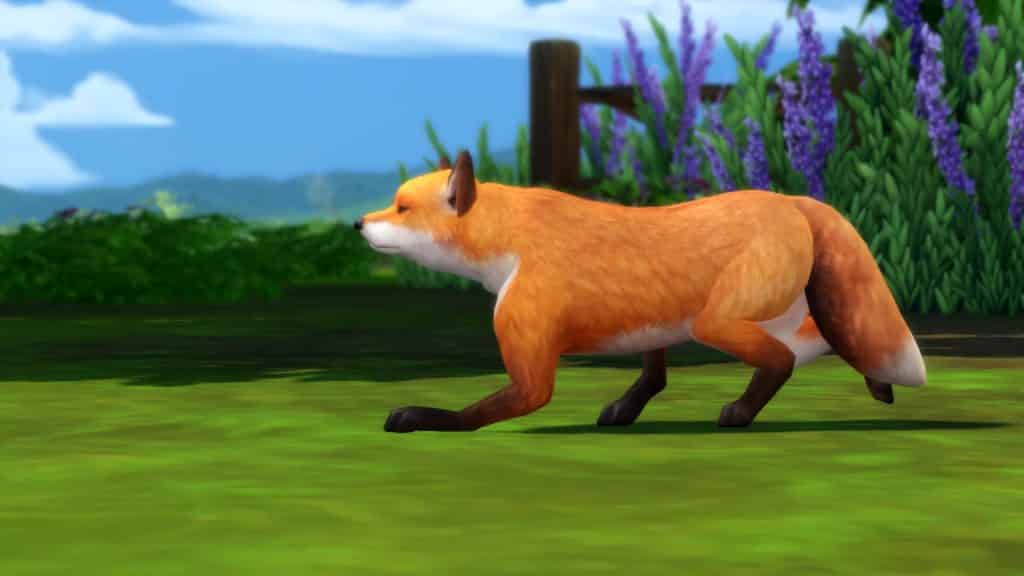
It might be a strange way to get a pet in The Sims 4, but yes, Sims can own a pet raccoon or fox. Kind of. They also come with The Sims 4 Cats & Dogs expansion pack. The catch? They’re basically still just cats and dogs.
Raccoons are a breed of cat that can be selected in CAS. Foxes are a breed of dog. They have all the same customization options as cats and dogs. Also, players can change their voice to make these “breeds” sound more like a raccoon or a fox.
CAS is the main way to acquire a raccoon or a fox but there is a small chance you may find one available for adoption as well when you adopt a pet through the phone or computer.
Foxes also appear as wild pests in The Sims 4 Cottage Living but these foxes cannot be kept as pets.
Cows & Llamas
If your Sims are looking for larger pets to take care of, look no further than cows and llamas! Both of these animals come with The Sims 4 Cottage Living expansion pack! They are super easy to acquire, too! Just purchase an animal shed, place it on your lot, then click on it to purchase a cow or llama for the shed.
Cows and llamas make great, lovable pets. Also, they come with the added bonus of providing wool and milk for your Sims to sell or use in knitting, cross stitch, and cooking!
Chickens
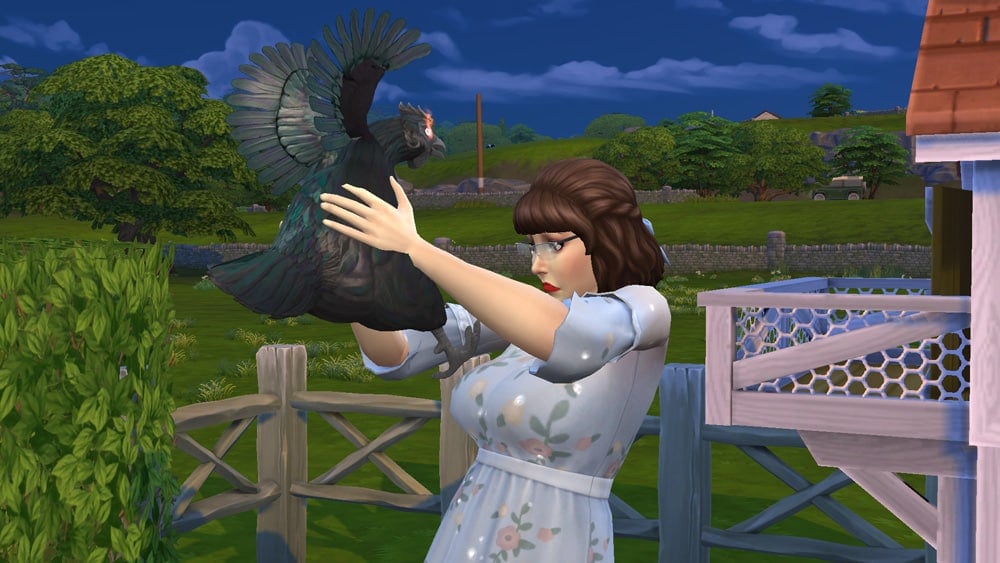
Additionally, The Sims 4 Cottage Living offers chickens if your Sims prefer to have some smaller, more feathery animal companions. How to get a chicken pet in The Sims 4? All you need to do to get some chickens is purchase a coop, place it on your lot and buy a few chickens for it. If you purchase both a rooster and a hen, you may find hatchable eggs you can incubate in the coop to hatch more chickens.
Chickens are very fun, social creatures to keep as pets. Also, they provide your family with fresh eggs every day which you can sell or use in cooking.
Bunnies & Birds
While bunnies and birds can’t be kept as house pets, Sims can place a bird stump or a bunny stump on their home lot and befriend them. They come with The Sims 4 Cottage Living.
Sims can gift bunnies and birds to become their friend. Befriended bunnies and birds will bring gifts for your Sims and help you in your garden. Bunnies will eat weeds and birds will eat bugs so you don’t need to weed or spray the garden yourself.
Rodents
Rodents come with The Sims 4 My First Pet Stuff pack. They are pretty adorable little critters who get up to all kinds of mischief. From throwing dance raves in their habitat, setting off small explosions, and even going on vacation and bringing back postcards for your Sims, they are certainly not boring pets! Also, they can be befriended and kids can study them to do their homework.
To acquire a rodent, purchase a rodent habitat that houses a rodent of your choice (a hamster, rat, hedgehog, or the voidcritter Bubalus) and place it on your lot.
Familiars
Sims looking for a more magical pet can become a spellcaster and acquire a familiar in The Sims 4 Realm of Magic! To obtain one, become a spellcaster and purchase one from Caster’s Alley in The Magic Realm. Click on it in your inventory to bind it to your Sim as their familiar. Also, they’re part of the Magical Artifacts collection.
There are a variety of familiars to choose from and your spellcaster Sims can summon them at will. They will hover behind your Sim and follow them around. They’re both encouraging and powerful creatures! They will give you little pep talks whenever you learn a new spell, potion, or gain a spellcaster rank or magic point. Also, your familiar will resurrect your Sim if they die so they offer protection against spellcaster overload.
Insects
Bugs aren’t exactly our idea of a fun pet to own but if that’s your thing, The Sims 4 has you covered. Several different DLC packs come with creepy crawlies for your Sims to collect and raise.
Outdoor Retreat comes with an insect collection. The insects are not interactive pets but they can be kept and displayed in a little terrarium like a pet. To acquire them, vacation to Granite Falls and explore the world for insects to catch.
Eco Lifestyle goes a step further and allows you to raise beetles, worms, and crickets in your own insect farm. Purchase an insect farm for your lot and fill it with your bug of choice. Feed and nurture them to harvest them for bio fuel or… food. Gross.
Also, The Sims 4 Seasons offers honey bees for your Sims to raise. While they pack a nasty sting and are rather high maintenance, they are very useful pets to have. Place them in a garden and your bees will pollinate your plants, helping them to evolve in quality more quickly. They also provide honey and beeswax (with Eco Lifestyle) for selling, cooking, and crafting. To get them, just place a bee hive on your lot!
Dust Bunnies
Okay, hear us out! You shouldn’t overlook dust bunnies because they’re absolutely adorable! They come with The Sims 4 Bust the Dust Kit and honestly, the kit is worth the $5 price tag for the dust bunnies alone. When a house gets too dusty, dust bunnies will start to appear around the house. You can pick these weird, wonderful little critters up, pet them, name them, hug them, and become their friend. If you do become friends with a dust bunny, you can officially befriend it and that dust bunny will stay in the house as a pet even after you vacuum up all the dust. Why keep a dust bunny around? They can find all kinds of valuables for your Sims, including simoleons!
To get a dust bunny, let your house become dusty enough for them to spawn. Then interact with one until you can befriend it!
How to Get a Pet in The Sims 4: Base Game
Simmers are a little more limited with pets in the base game. Most of the base game pets aren’t as interactive as the pets that come with DLC packs but your Sims can still keep some animal (and alien) companions in the base game!
Frogs
Frogs are a base game collection. They aren’t very interactive but they can still be displayed in a little terrarium like a pet. The fun thing about frogs is that you can breed them! They have a pretty complex genetics system, too. Breeding your frogs can help you finish your frog collection faster.
To acquire a frog, look in watering holes and stumps around the world, or catch frogs at one of the ponds in the park.
Fish
Fish are another base game collection that can be kept as low maintenance pets! DLC packs expand the fish collection but there is still a wide variety of fish to catch in the base game.
To acquire some fish, go fishing at any fishing spot out in the world. When you have a fish in your inventory, purchase and place a fish bowl in your home and click it to add your new catch to it. Some DLC packs like Spa Day, Dine Out, and Cats & Dogs have larger aquariums that can hold up to 6 fish.
Cowplants
The cowplant is a bizarre yet lovable staple of The Sims series. This oversized carnivorous plant resembling a cow behaves much like any other pet. Name it, play with it, pet it, and feed it to keep it happy! Er, you really want to keep it fed, by the way. For your own safety.
Like frogs and fish, space aliens are their own collection in the base game. Also, they are low maintenance due to the lack of interactions available on them. Some varieties of space aliens can be displayed as live pets inside terrariums. Others are dead specimens preserved inside jars.
To acquire a space alien, purchase a rocket ship launch pad and build your own rocket! Then blast off into space and hope your adventures lead you to a strange new pet to take home. Perform the Expand Cargo Bay upgrade on your rocket ship to increase your chances of bringing home better loot… including space aliens!
Around 400 items coming with in the latest Expansion! See what’s new in Build and CAS.
We’re only a few short days away from the release of The Sims 4 Growing Together! The 13th Expansion Pack for the game is set to release on March 16th across PC and Consoles.
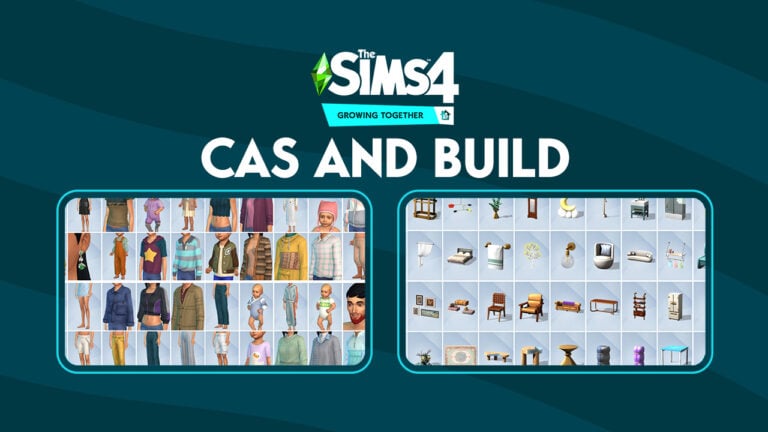
To celebrate the ocassion, The Sims Team is preparing simmers with a full list of items prior to the pack’s release. The list of items that was released on TheSims.com includes a full Create A Sim and Build Mode catalogue of objects. Without further ado, let’s break down what’s new!
Sims 4 Growing Together – CAS Items
The Create A Sim catalogue for the latest expansion pack is quite vast. Covering new items for Sims across all ages – from Infants to Elders!
There are new Hairstyles, Skin Details, Head and Body Accessories as well as a large selection of clothing options.
Check out the full breakdown of new CAS items:
New Create A Sim items
Build Objects in Growing Together
More than 190 new Build Items are included in the Growing Together catalogue, including:
Gameplay Items such as a Treehouse, Splash Pads, Family Portraits and much more
New Furniture for Living Rooms, Counters for Kitchens, Kids and Study Items etc.
New Windows and Doors!
Wallpapers and Floor Tiles
…and so much more!
Check out the full breakdown of Build Objects below. Note that the list of items published doesn’t contain World Environment and Debug objects. Expect these items to be revealed shortly after the release of the pack!
New Build Mode Objects
You’ll be able to enjoy these new objects in just a few short days! Expect a countdown for Growing Together pinned on our Home Page soon.
Until then, let us know what you think about the new Growing Together Items coming in the conversation below.
Stay tuned for more updates on the release of this Expansion Pack!
The Sims 4 Growing Together livestream covered much more than just the Growing Together expansion. Additionally, it covered the free base game update coming on March 14th, including infants! Having a new life stage in the game is exciting for many reasons but one of the most exciting things about this new life stage in The Sims 4 is that they are fully customizable in CAS! We got a detailed look at The Sims 4 infants in CAS in the developer livestream, so let’s check it out!
The Sims 4 Infants: CAS
Obviously, infants can be adopted or brought into the family via pregnancy. Additionally, they can be created using the new surrogacy options coming to the base game. Also, they are creatable directly in CAS! Infants being available in CAS are exciting because this is the youngest age group we’ve ever been able to create in CAS in any main title.
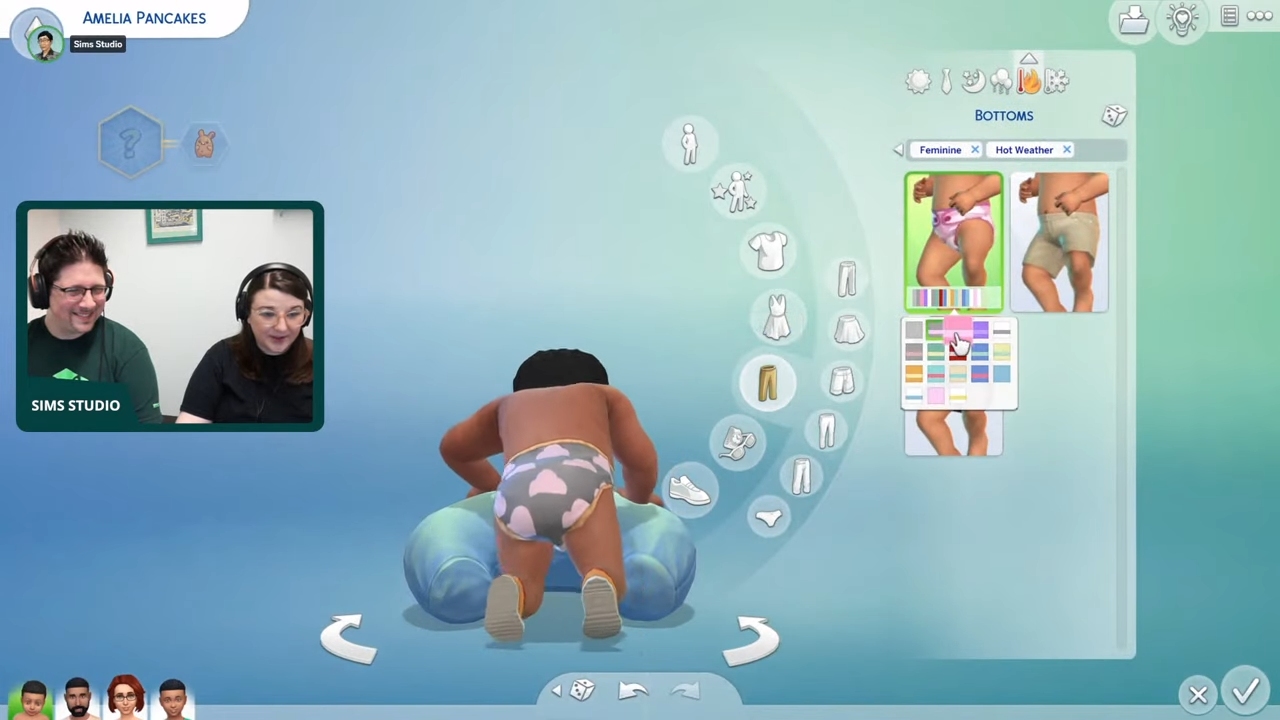
Of course, infants have a wide variety of tops, bottoms, full-body outfits, leggings, and accessories to choose from. Also, players can customize their infant’s outfit from head to toe. For additional storytelling, infants can also wear baby glasses and baby helmets. The baby helmet comes in a variety of adorable designs for The Sims 4 infants in CAS.
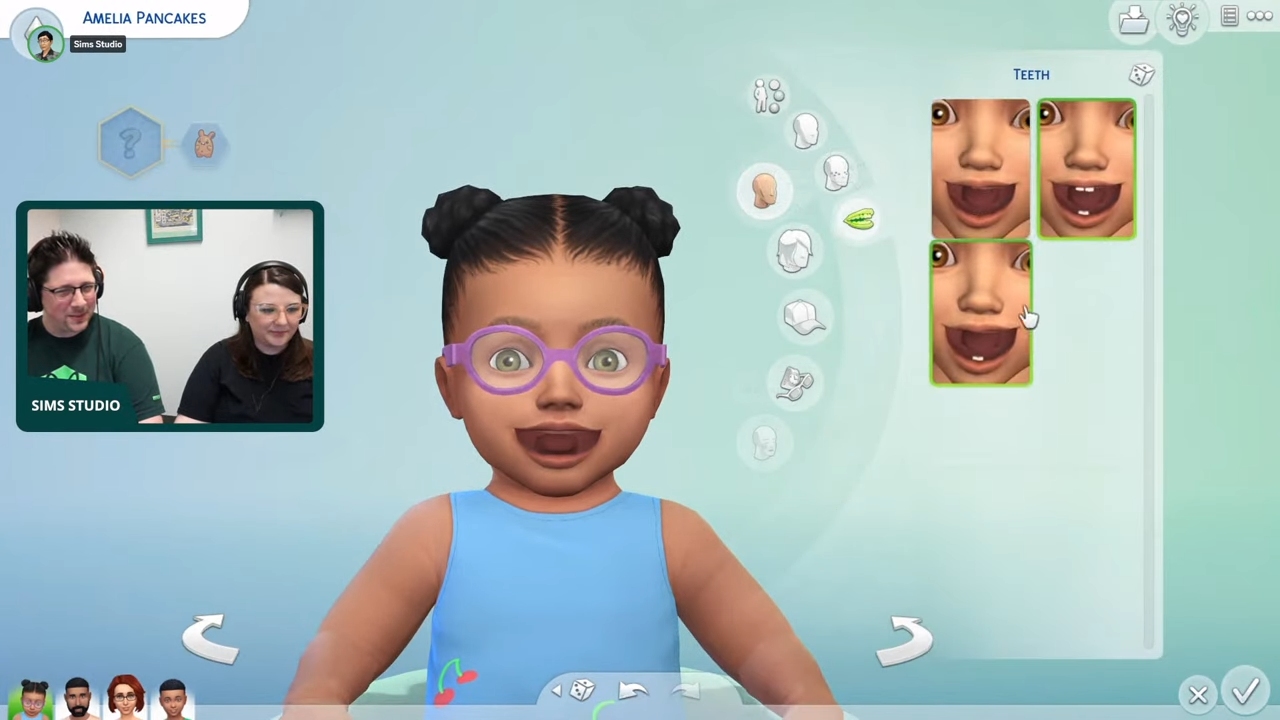
Additionally, players can customize their infant’s hairstyle in CAS. Also, there are a variety of lengths, styles, and textures to choose from. Of course, from lots of hair to just subtle baby wisps and even cute pigtails. Indeed, there’s something for all.
Infant Hair & Skin Details
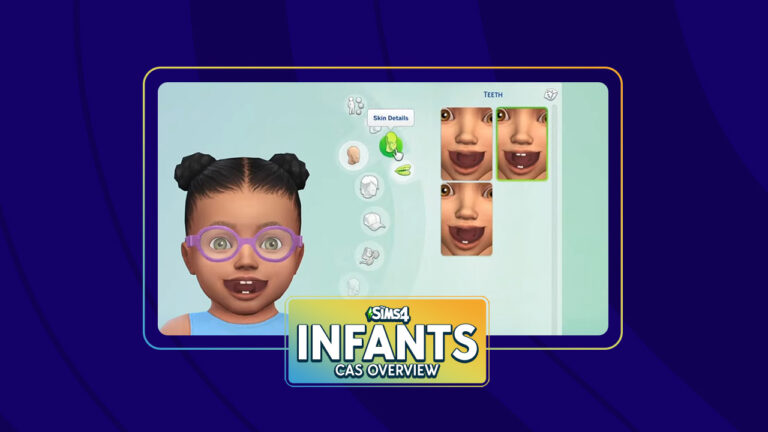
Of course, it’s not just clothes, hair, and accessories available. Additionally, they have a variety of skin details! In fact, players can apply stork bites to their infants’ faces and bodies to give them a truly unique appearance. Also, stork bites will fade as infants get older, just like in the real world. However, there are new birth marks for older ages if players want their The Sims 4 infants in CAS to keep their unique skin markings as they get older. Also, all the new skin details come in a range of swatches to ensure they show up visibly and look natural on all skin tones.
Hairstyles
Stork Bites and Birth Marks
T
Teeth
Misc New Clothing
Check out some of the infants clothing previews that were shown off during the livestream! Also, we got a good look at many of clothing assets for The Sims 4 infants in CAS.
Tops and Bottoms
Outfits
Accessories
Of course, we can’t wait to customize our own Sims 4 infants in CAS on March 14th!
The SimGurus are sharing lots of Growing Together content!
It’s safe to say that The Sims fandom is hyped for The Sims 4 Growing Together expansion pack. The SimGurus continue to keep that hype train running today with some more information and screenshots. From a new adoption mechanic to public baby changing stations, there’s plenty of new images and information to keep us excited for March 16th!
SimGuruNinja revealed a new interaction on infants, called Adopt Sim. An adult Sim can use this interaction to officially adopt an infant! They even get an adorable adoption certificate. Being able to adopt infants directly in Live Mode opens up so much more storytelling opportunities. We hope this option will be available on newborns and older children, too, in The Sims 4 Growing Together. Here’s a closer look at the image:
— GooGooGagaGuruMorgan (@SimGuruMorgan) March 6, 2023
SimGuruMorgan had plenty to share about The Sims 4 Growing Together. She showed off an infant playing inside a playpen and confirmed that playpens are customizable fence pieces that can be used like a regular fence. However, they come with baby proofing options on them. We also see a new toy box, some lovely curtains, and we get a good closeup of the toy the infant is playing with.
— GooGooGagaGuruMorgan (@SimGuruMorgan) March 6, 2023
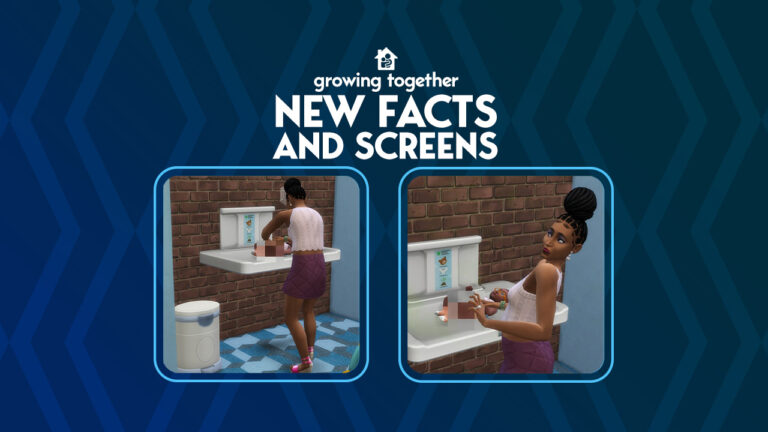
The new public infant changing table has us excited! Here’s a look at it being used in the game! These are going to make great additions to public bathroom builds! You can take a closer look at the screens below!
Misc. Objects
Other new objects include the splash pad objects, new chair designs, and new public venue décor designed specifically for the new community centre lot type.
In Growing Together, we added some fun new Build/Buy assets for Recreation Centers & Libraries—you might have spotted them during the Livestream in our builds. Just a preview – I won’t show all the Rec Center/Library objects. 😉 pic.twitter.com/OIq5EMp1R3
— GooGooGagaGuruMorgan (@SimGuruMorgan) March 6, 2023
Here are some of the new objects designed for the community centre! We can see Simmers using these for a variety of different purposes!
The Splash Pad Play area in Gilbert Gardens is amazing! But you also have all the pieces to build your very own splash pad play area at home! Or why not at a public pool or your very own Recreation Center? 🐳 pic.twitter.com/9hDPAcrGTu
— GooGooGagaGuruMorgan (@SimGuruMorgan) March 7, 2023
The splash pad is an uneditable area in The Sims 4 Growing Together but we have conformation that the splash pad objects will also be available for Simmers to place on a lot! Imagine all the backyard fun and custom water parks Simmers will build!
Modeling did some extra hookup with Whalebert so that if you want you can also place him in a Fountain. ⛲️ pic.twitter.com/uHOfGYhTm2
— GooGooGagaGuruMorgan (@SimGuruMorgan) March 7, 2023
Also, SimGuruMorgan shared that Whalebert can be placed in fountains! How cool!
SimGuruNova showed off some more Build/Buy assets. Specifically, these rocking chairs! We love getting a sneak peek at some of the catalogue descriptions. They are always hilarious!
And finally, we get a look at the new infant play mat coming with this expansion! Thanks for the catalogue description and swatch previews, SimGuruNova! Get a closer look at the objects below!
The Sims 4 Growing Together: GLITCHES!
Thankfully, the following will not be a feature of the expansion. SimGuruNinja shared some developer screens of a glitch during early development where facial hair was displaying on infants. We’re super glad this bug was caught early and squashed, but we appreciate getting a good laugh out of it!
They grow up so fast.
(What we came to lovingly refer to as “Beard Baby” was a bug that showed up in early development on infants. Cracked us up.) pic.twitter.com/OTVRvWuS2o
Learn more about the Milestones Feature and Cross-Pack Compatibility!
The recent live stream for The Sims 4 Growing Together was jam-packed and full of new information. There’s also been some new information about the game straight from developers!
In this post, we are going to focus on the upcoming milestones feature as well as cross-pack compatibility.
Growing Together with Sims 4 Milestones
Milestones are a new feature coming with the upcoming expansion pack. The aim is to help document those standout moments in your Sims lives.
This new panel is located in the Simology panel under the traits section and depending on your Sims age, can be broken down into several different categories or different milestones.
While no specifics were shared as to what counts as a milestone, it was easy to get an idea from the stream as to some of the interactions and events that contribute to them. Of course, you’ll also see them pop up as a purple notification in the top right-hand side of your screen too!
You’ll also notice that some Milestones in Growing Together will reward your Sims with physical rewards such as a Marriage Certificate for when your Sims get married.
Milestones for Infants
For infants, milestones can be broken down into Fine Motor, Gross Motor, Social, Firsts, and, Life. This can include events like rolling over for the first time, learning to reach, having their first visitor, and more.
First Look at the new Milestones section of Simology
You’ll notice that some milestones aren’t fully colored in like others. These in particular show milestones that could be next for your Sim. They also give you an idea of the direction your Infants progression is going in. However, as you complete more milestones, you’ll be able to unlock various rewards and interactions.
Milestones do give you a real sense of seeing just how much your Sims have developed over time. Especially it’s shaping up to be a great feature for all kinds of players. Just think of how you can integrate this feature into storytelling!
Older Sims and Milestones
On the other hand, an older Sim would have their milestones broken down more into Life and Firsts. These could include the first time your Sim WooHoo’s or getting their first job. Getting married and having a baby. There are so many possibilities to be discovered when Milestones launch in the Growing Together expansion.
You can also take a more in-depth look at your Sims Milestones via an additional screen. It does appear that you can also look back at those your Sims have earned during their lifetime too.
A more in-depth look at your Sims Milestones
Milestones are a great way, especially for infants to track the progress of their Sims as well as being a way to look back at those big events. You can truly see just how much they have grown up over time just like in real life.
A fun fact about milestones is it appears that there is no limit to how many your Sim can have! As confirmed by SimGuruMorgan on Twitter in response to another player. While the Simology panel will only display so many, you’ll be able to view all Milestones in more depth via an additional pop-up.
There is an open up button on the UI to see them all if you don’t have space in the Simology panel. There isn’t a limit on how many you can get.
— GooGooGagaGuruMorgan (@SimGuruMorgan) March 4, 2023
While there is still a lot to be discovered about Milestones, this new Growing Together feature will be fun to explore when the pack launches!
Cross-pack Compatibility with Growing Together
However, Milestones are not the only thing that players are looking forward to in the new expansion. For those players who have a variety of additional content, cross-pack play is something that many look forward to discovering.
It’s not just interactions between packs that players are curious about. For example, if infants will be able to interact with pets or not but also when it comes to milestones too.
Growing Together Milestones
SimGuruNova has been active on Twitter these past few days sharing more information from Growing Together. Upon sharing sneak peeks at some new objects and the world of San Sequoia
It has been confirmed that there will be some Occult-themed Milestones coming in a tweet between both SimGuruNova and SimGuruMorgan.
occult milestones!! in case you were curious about more crosspack support on Growing Together features 🙂 https://t.co/as3uHWY7lc
It’s not just milestones that you’ll see coming too! There are also some new Toddler Quirks as well!
The designer for Toddler Quirks did some extra work around Occults and Toddler Quirks. You’re more like to get these quirks if you’re the corresponding occult:
Merfolk – Obsessed with Water Werewolf – Destructive Vampire – Aggressive Spellcaster – Loves Books
— GooGooGagaGuruMorgan (@SimGuruMorgan) March 4, 2023
Additionally, while specifics have not been confirmed, there will be new cross-pack compatibility with The Sims 4 Parenthood game pack.
I don’t know if there are Milestones specifically from Parenthood or not, but there are a lot from other expansions. I do know we did a lot of cross-pack compatibility work with various features in connection with Parenthood.
— GooGooGagaGuruMorgan (@SimGuruMorgan) March 4, 2023
With just over a week to go until The Sims 4 Growing Together releases, there is plenty of time for more information to be revealed by the SimGuru’s.
What are your thoughts on the upcoming Milestones feature and cross-pack compatibility? Let us know in the comments section below!
As always we will keep you up to date with all the latest news and information related to the new expansion pack, infants update, and more right here on Sims Community!
The Sims 4 Growing Together livestream showed off a lot more than just content from the Growing Together expansion pack. Additionally, it spent a lot of time going over the new infants in both CAS and Live Mode! Obviously, players are super excited to see how infants will behave during gameplay, so let’s get right into all the latest info on Sims 4 infants gameplay!
The Sims 4 Infants: Attachment
An infant developing her attachment
A fundamental part of an infant’s experience is developing an attachment to the Sims around them. Infants are trying to gauge whether or not the world is safe place. They learn that the world is either safe or unsafe through how their caregivers care for them. Infants with attentive caregivers who attend to their needs immediately when they vocalize discomfort will learn that the world is a safe place for them to be. They trust that other Sims will be there for them when they need help. However, infants who are left to cry for a long time before anyone comes for them learn very quickly that the world is not safe and that other Sims can’t be trusted.
There are benefits both in the infant life stage and afterwards if an infant has a strong attachment. When they cry, they won’t feel neglected if it takes a little longer for a caregiver to attend to their needs. They have a strong attachment so they trust that a caregiver will come for them soon. However, infants with low attachment will be extra sad when their cries are going unanswered.
Attachment Reward Traits
A caregiver showing affection to an infant
There are three possible traits an infant can age up with depending on their attachment through infants gameplay in The Sims 4.
Top-Notch Infant: These infants were extremely well cared for. They have a very positive outlook on the world and trust other Sims very easily thanks to that early childhood bond with their caregivers.
Happy Infant: These infants formed a good attachment with their caregivers. They see the world as a good place and find it easier to trust other Sims.
Unhappy Infant: These infants were neglected and as a result of this neglect, they see the world as a cruel, unforgiving place. They don’t trust that other Sims have good intentions and are highly skeptical of others.
Players will know how their infant’s attachment is developing through their moodlets.
Infant Activities
Food Exploration
New food menu and tracker
There are many ways caregivers can bond with their infants and start forming a strong attachment through infants gameplay in The Sims 4. One of the best ways is by having your infant try new foods! There are a variety of different foods infants can explore. They’ll decide whether they like the new food, dislike it, or they might be unsure about it and need to try it a few more times. Also, the devs showed us an infant with the Cautious trait trying mashed peas for the first time. Since she had the Cautious trait, she was unsure about the new food. Helping your infant explore new tastes is a good way to bond with them and form attachment.
Bath Time and Play Time!
Giving an infant a bubble bathChild interactions on an infant
Bath time is another great bonding opportunity for infants gameplay in The Sims 4. We saw Eliza Pancakes give her infant a bubble bath, which made her daughter feel loved and cared for. Infants will sit in a special baby bath seat in the bathtub when a caregiver bathes them.
After her bath and trying mashed peas, the infant in the livestream spent some time interacting with toys and her older brother! We saw her child-aged brother play peek-a-boo with her, which was adorable. Additionally, the devs confirmed that Sims of all ages and even cats and dogs will be able to interact and play with infants!
Goodnight!
Options to soothe an infant to sleep
Even bedtime is an opportunity for bonding with infants. Infants might have a hard time falling asleep on their own. A caregiver can do various things to soothe their infant to sleep. Also, some of the new infant cribs can be upgraded to add a baby mobile. The baby mobile plays music which makes it easier to soothe a fussy infant to sleep.
We can’t wait to experience all the new Sims 4 infants gameplay ourselves on March 14th!
Paradox Tectonic has teased their upcoming Life Simulation. Check out the first info!
Paradox Tectonic has unveiled the big project that they’re working on – a new Life Simulation!
Tectonic’s GM Rod Humble has been working on the project since 2019. He’s known for his appearances in The Sims 2 FreeTime, as well as being the Executive Producer and Vice President of the Studio. Rod had a lot of involvment in The Sims 2’s lifecycle, and worked on the development of The Sims 3.
Today, he is back with a whole new Life Simulation!
Life By You – First Look
During the Paradox Interactive Show, the hosts introduced Paradox Tectonic and their announcement with this:
We’ve been asked questions on what our studio in Berkley, CA – Paradox Tectonic has been up to. We’re happy to tell you that it’s a new game. But not only that – but a new genre. This is super exciting and new to us that we can explore and take further.
We’re going to tell you a lot more about this game going forward during Spring. We’re going to start with a little teaser trailer here at Paradox Announcement Show.
https://www.youtube.com/watch?v=ZNhV-Gnjdy8
Paradox Tectonic and Rod Humble will do the full video game reveal on March 20th. Until then, check out the first Screen previews of the game!
House Building in Life By You
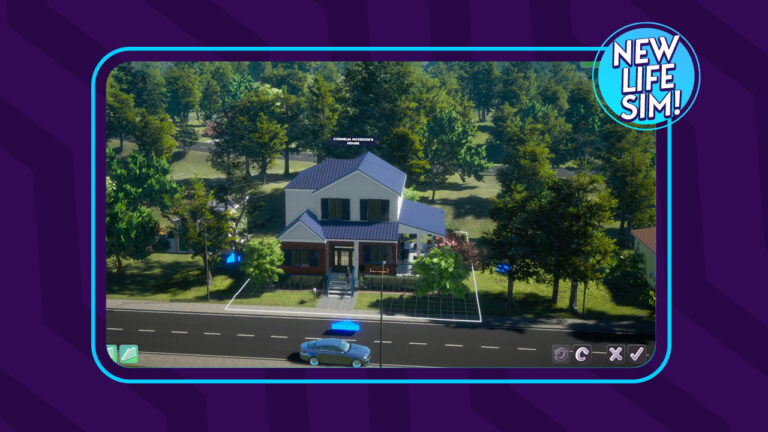
Check out the first look at some of the new tools coming in Life By You. Allowing you to create Houses from scratch.
Also, is that a car that we see on the driveaway?
Open World and Cars?
Following your characters around the world / neighborhood seems to be possible in Life by You! There are certain venues that you can spot on the right that sell motor vechiles.
Most of the areas within the world seem fleshed out and accessible!
Life By You – Cars!
Vast Environments
There are huge areas within the teased world that characters can explore. If you look close enough, you can spot a character doing Yoga and another character hiking!
Characters Gameplay
We’ve got a first look of the characters in Life by You! Specifically, the homes that they live in and furniture that they use.
In this screenshot below you can see a vibrant kitchen and a character preparing food!
Kitchen By You!
Living Room and Interactions
The preview below showcases two characters having flirty interactions. There’s also a child walking down a huge hallway.
Check out the preview of new living room furniture!
Life By You – Gameplay Teaser
The last scene showcased a beach, inviting players to find out more on March 20th.
The Beach in Life by You
More News to come!
We’re really excited to see what Rod Humble and Paradox Interactive have prepared for us. We’ll keep you posted more on the information about Life By You in our dedicated news category. Stay tuned!
The Sims 4 Growing Together livestream on Friday didn’t just cover the new Growing Together expansion pack. Also, it dedicated a whole segment to base game additions coming in the next update, including the long-awaited infants! The Sims 4 infant traits will give your infants a unique personality. In addition, infant traits also determine how each individual infant reacts to the world around them. Let’s dive right into all the new traits for infants coming to the base game!
Sims 4 Infant Traits
Infant Traits
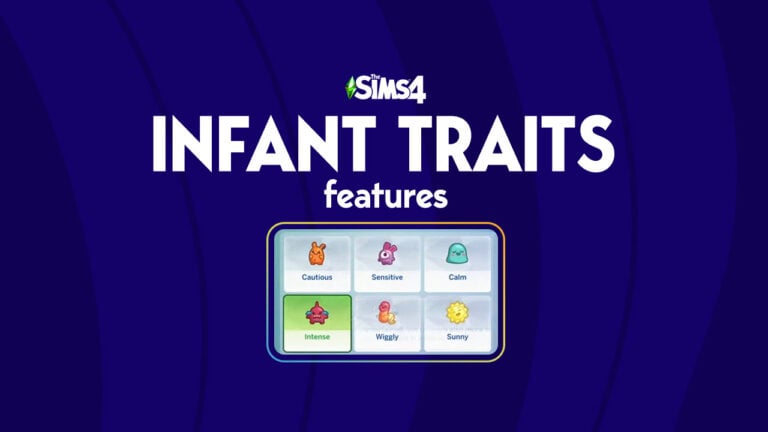
Players will be able to select one out of six new traits for their infants when they age up from newborns.
Cautious
Sensitive
Calm
Intense
Wiggly
Sunny
Additionally, these Sims 4 infant traits reflect various temperaments of infants in the real world. We got to see the most of the Cautious trait in the livestream since the devs selected this trait for their infant. Cautious infants will appreciate being near familiar Sims and places but can take longer to warm up to new experiences. Also, a cautious infant will be less inclined to like new foods straight away; they’ll need to try it a few times before they decide if they like it or not.
A Cautious infant unsure of the new food she just tried
Moreover, we didn’t see the other traits in action but the devs did talk a little bit about some of the other Sims 4 infant traits. They mentioned that Intense infants will have big emotions and be very fussy and difficult to calm down. Sunny infants are little angels who are always happy and very easy to care for. Also, wiggly infants will have a hard time falling asleep on their own. They’ll need a caregiver to help lull them to sleep with lullabies or other soothing bedtime interactions.
Eliza Pancakes soothing her infant to sleep
Furthermore, the aim with the Sims 4 infant traits was to make raising infants a unique experience each time. Also, depending on the temperament of your infant, your Sims will have to employ different parenting strategies to keep them happy and help them thrive. We think they nailed it and we can’t wait to play with these traits ourselves on March 14th!
Some interesting news are coming today for those who are looking for a fresh new simulation game! In case you haven’t caught on, we’re talking about Paradox Tectonic Life by You!
Last week we reported on the news about a big announcement from the game development studio behind Cities: Skylines. Paradox Interactive has announced a showcase for March 6th featuring showcases for different games lead by different studios within Paradox.
It’s been confirmed that one of their studios Paradox Tectonic is lead by Rod Humble. Who previously worked at EA / Maxis as an Executive Producer for The Sims 2. He also later claimed the role of Executive Vice President of The Sims at EA before stepping down in 2010. In March 2019 he formed an internal studio called Paradox Tectonic and now they’re announcing Life by You, which could be the first Sims 4 competitor.
Rod Humble as seen in The Sims 2 FreeTime, via Mod The Sims
Life by You – New Simulation Game from Paradox Interactive
Insider Gaming reported on the new details from the upcoming Paradox Interactive show, including the news about the new game called Life by You.
Life By You is a life simulator game from Paradox Tectonic. Insider Gaming wasn’t given much in the way of information, but Paradox will be announcing an upcoming show centered around the game to air on March 20. That is when platforms and features will be fully revealed, per sources.
Cities Skylines – A City Building Simulation from Paradox Interactive
If Paradox Tectonic Life by You is any good as the city building sim from Paradox Interactive, we’re in for a treat. Still, it’s too early to tell what Paradox Tectonic is cooking up. Best thing to do is to tune in for the Paradox Interactive Showcase – which begints at 6PM Central European Time!
What are your thoughts on the upcoming Paradox Tectonic game, Life by You? Join the discussion below and stay tuned for more updates after the show!