SimGurus have shared new teasers for The Sims 4 Growing Together. Check them out!
There are new teasers to cover for The Sims 4 Growing Together. Including a new preview into one of the new gameplay objects!
Puzzle Gameplay Preview
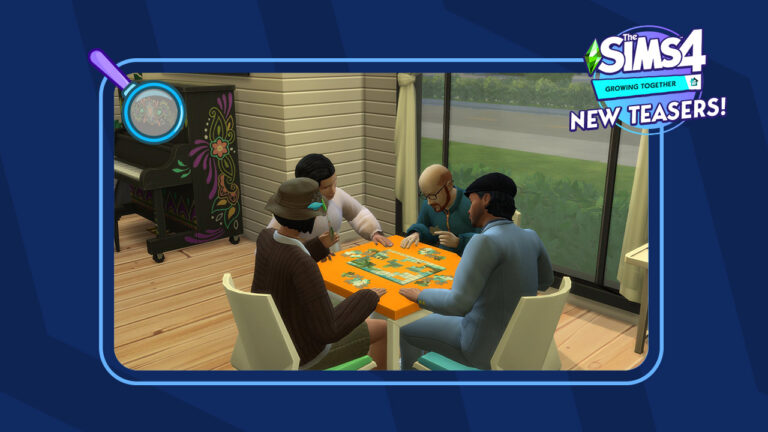
SimGuruNinja is back with another live preview from the world of San Sequoia! In the latest screenshot you can spot 4 Sims trying to solve a Puzzle set piece. Playing Puzzles is a part of the new gameplay features included with the new Activity Table Games.
Check out the new screenshot from Sims 4 Growing Together down below, featuring a colorful new look at the new Piano!
Playing Puzzles – A New Activity Table Game in The Sims 4 Growing Together
Another form of a different Table Game was shown in the reveal trailer for The Sims 4 Growing Together:
Beside the new Activity Table objects coming with The Sims 4 Growing Together, it’s been confirmed that existing Activity Tables in The Sims 4 Base Game will also allow you to play the new games.
The new icons could be related to the upcoming Social Dynamics Feature. Or Milestones. Don’t hold our word for it yet – our guess is as good as yours!
There’s more info to come for Growing Together as we approach March 4th, when The Sims Team will do a new Community Livestream showcasing the Pack and Infants Update. We’ll keep you posted throughout with new updates from The Sims Team!
What do you think about the new Sims 4 Growing Together teasers? Join the discussion below and stay tuned for more updates on the upcoming Expansion Pack!
The Get To Work expansion pack may be the oldest expansion pack for The Sims 4 but it still stands the test of time! With three new active careers, a new occult type, and a fleshed out retail system, there is plenty of content for Simmers to explore and enjoy! Although, you can speed up your progress in this expansion pack with the help of some Sims 4 cheats!
So we’re going to break down all the cheats available in The Sims 4 Get To Work! We’d also like to thank our good friend Carl over at Carl’s Sims 4 Guide for providing some of the info in this article!
Activate Sims 4 Cheats
To use most of the following Sims 4 cheat codes, you will first need to activate cheats! Here’s how to do that on all platforms!
PC/Mac
Open the cheat bar by pressing the CTRL+SHIFT+C keys simultaneously.
Type in testingcheats true
Press Enter to activate the cheat.
Hit CTRL+SHIFT+C again to get rid of the cheat bar.
All cheat codes listed in this article are activated in the same way.
Console
Open the cheat bar by pressing all four back triggers simultaneously
Type in testingcheats true
Confirm that you wish to activate this cheat with X (PlayStation) or A (Xbox). Activating this cheat will permanently disable trophies/achievements on that save, so make sure you are okay with this!
Hit all four back triggers again to get rid of the cheat bar
All cheat codes listed in this article are activated in the same way.
Career Cheats
Get To Work comes with three new careers; Doctor, Scientist, and Detective. Because these are active careers, these jobs do not have differing specialty branches. Of course, there are Sims 4 cheats to speed your way to the top of these careers or go back down a level.
careers.promote adult_active_scientist – Give your Scientist Sim a promotion
careers.demote adult_active_scientist – Give your Scientist Sim a demotion
careers.promote detective – Give your Detective Sim a promotion
careers.demote detective – Give your Detective Sim a demotion
careers.promote doctor – Give your Doctor Sim a promotion
careers.demote doctor – Give your Doctor Sim a demotion
Sims 4 Cheats: Skills
Originally, Get To Work added two new skills to The Sims 4; Baking and Photography. Later, Photography became a base game skill, so technically, Get To Work only comes with the Baking skill now. Don’t worry; we still have the Photography skill Sims 4 cheat for you!
Baking is a major 10-level skill, so replace X with a number between 1-10. Photography is a minor 5-level skill, so replace X with a number between 1-5. The number you specify will set the skill to that level.
stats.set_skill_level major_baking X – Set your Baking skill level (1-10)
stats.set_skill_level minor_photography X – Set your Photography skill level (1-5)
You can also use these Sims 4 cheats to lower your Sim’s skill level if you want to. Just replace X with any number that is lower than your Sim’s current skill level.
Retail Perk Cheats
If you own a retail business in The Sims 4 Get To Work, you’ll want to gain retail perks that will help you run your business more efficiently. Obviously, earning retail perks ordinarily requires a lot of time and effort. Why not cheat your way to success, instead, with the following Sims 4 cheats?
bucks.unlock_perk StorePlacard_1 true – Placard: My First Simoleon
The Sims 4 Get To Work does not come with any new CAS or aspiration traits but it does come with a hidden career reward trait! The Sickness Resistance trait is gained by reaching level 8 in the Doctor career. This trait makes your Sim less likely to get sick and if they do get sick, they recover much faster than other Sims. If you want the trait without having to become a Doctor, there are Sims 4 cheats for it.
Also, for console players, trait cheats can be used without enabling testingcheats. This means these cheats won’t disable your trophies or achievements.
traits.equip_trait Trait_Doctor_SicknessResistant – Gives your Sim the Sickness Resistance trait
traits.remove_trait Trait_Doctor_SicknessResistant – Removes the Sickness Resistance trait from your Sim
Sims 4 Cheats for Aliens
This baby has an alien mother and human father. She is not an alien. She has a human bassinet and human clothes.
If you want your Sim to be abducted by aliens, the base chances are slim. The best way to improve the odds is by joining the Scientist career and discovering inventions that will attract aliens to your lot. Although, if you don’t want to become a Scientist to get abducted, the following Sims 4 cheat will allow you to purchase these inventions from the secret Build/Buy catalogue.
Console players will be happy to know that the following cheat does not require them to enable testingcheats. This means that using this cheat will not disable their trophies or achievements.
bb.showhiddenobjects – Unlocks hidden items in the Build/Buy catalogue
With this Sims 4 cheat active, search Build/Buy for the following objects and place them on your lot:
Out of this World Desktop
Satellite Dish
Obviously, both of these objects increase your odds of abduction each night. Select the Satellite Dish and choose Contact Aliens. The dish will send out a signal to attract aliens to your home lot. The effect only lasts for 24 hours so make sure to keep doing this daily until your Sim gets abducted.
Cheat with Logic!
You can also increase your odds of abduction by using the Search for The Truth interaction on a telescope or observatory. This interaction is only unlocked at level 7 of the Logic skill, so here is the Sims 4 cheat to raise your Logic skill to the required level.
stats.set_skill_level major_Logic 7 – Raises the Logic skill to level 7 which unlocks the Search for the Truth interaction on telescopes and the observatory.
Nevertheless, remember! These cheats only increase your odds of abduction! They do not guarantee it. You could have bad luck and not be abducted for quite a while even while using these methods to increase the odds. Also, even if your Sim does get abducted, there’s no guarantee they will return pregnant with an alien. Only male Sims can return from an abduction pregnant with an alien baby. Moreover, According to Carl, there is only a 25% chance that any abduction of a male Sim will result in an alien pregnancy. So if these Sims 4 cheats aren’t working, just keep trying!
30+ new objects coming next month in The Furniture Showroom Collection!
SixamCC has revealed a brand-new The Sims 4 Custom Content Pack!
This exciting new custom content collection is a compilation of various ideas that didn’t seem to fit into other collections. However, this is where the idea of The Sims 4 Furniture Showroom came from. Multiple small custom content pieces bundled together in this unique compilation.
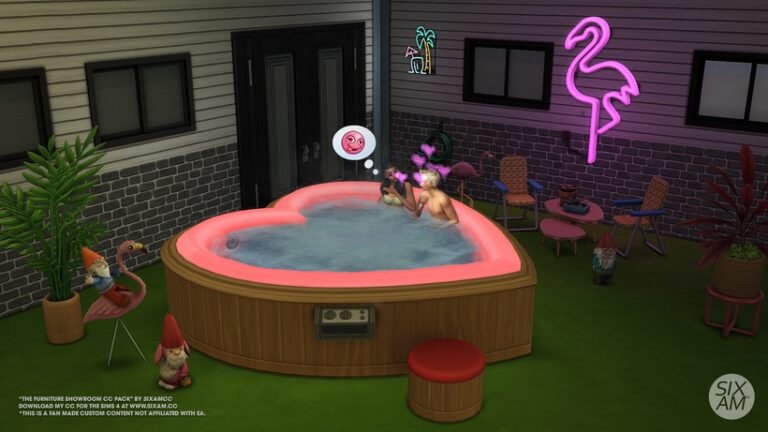
The creator also wanted to recreate the much loved and iconic heart-shaped Bed and Hot Tub from the original The Sims game. Inspired by the nostalgia of the original game, and the Pass The Spark music video from Anitta. The WooHoo Custom Content Collection is perfect for Valentine’s Day!
Alongside the nostalgic new objects, you will find several more mini custom content collections. These include a motel style patio, a sun-room, eclectic reading area, mini study and bathroom. Each of the collections brings its own unique charm to custom content pack overall!
Let’s take a closer look at what comes in this Sims 4 custom content collection!
The Sims 4 Custom Content: Furniture Showroom Preview
38 items, all the custom content is base game compatible.
Comfort: 3 Chairs, Sofa chair, Heart-shaped Bed.
Build: 1 Wallpaper, 3 Carpet Floors.
Decorative: 2 Plants, Painting, Circle Wall Sculpture, Ceiling fan (3 Sizes), Mirror.
Plumbing: Sink, Bath Tub, Heart-shaped Hot Tub (base game and functional).
Storage: Empty Bookcase (functional).
Surface: 2 Dining Table, 3 Coffee Tables, Mini Stand Table.
Image gallery of Sims 4 Furniture Showroom Custom ContentPack
Object Showcase
Objects showcase of the Boho Baby CC Set by SixamCC
This upcoming Custom Content Pack from SixamCC is currently available for Early Access as part of their Tier 1 content on Patreon. The public release for this collection has been set for 28th March 2023.
Stay tuned for an in-depth review of this Sims 4 Custom Content collection here on Sims Community!
These CC-free family homes are perfect to prepare for infants and Growing Together!
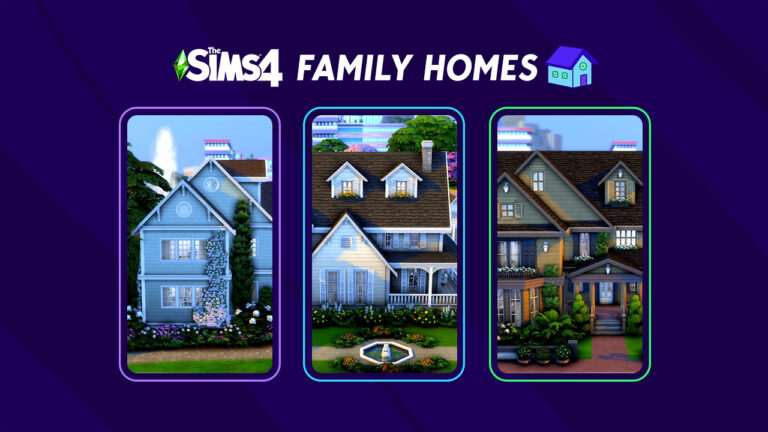
With infants coming to The Sims 4 in a free base game update and a new family-themed expansion pack on the horizon, you might find yourself in need of a Sims 4 family house for your growing household! Luckily, the Simming community is full of talented builders and there are no shortage of cozy and elaborate family homes in the Gallery to choose from. We’ve pulled ten of our favourite builds from the Gallery to show off today! Maybe one of them is the perfect home for your Sims family!
[listicle]
The Sims 4 Family House Builds
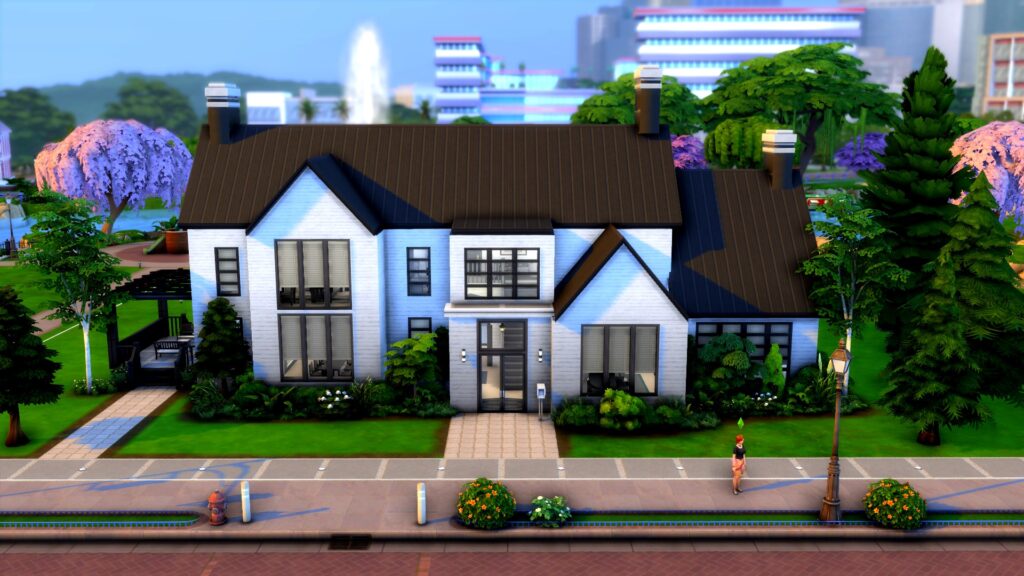
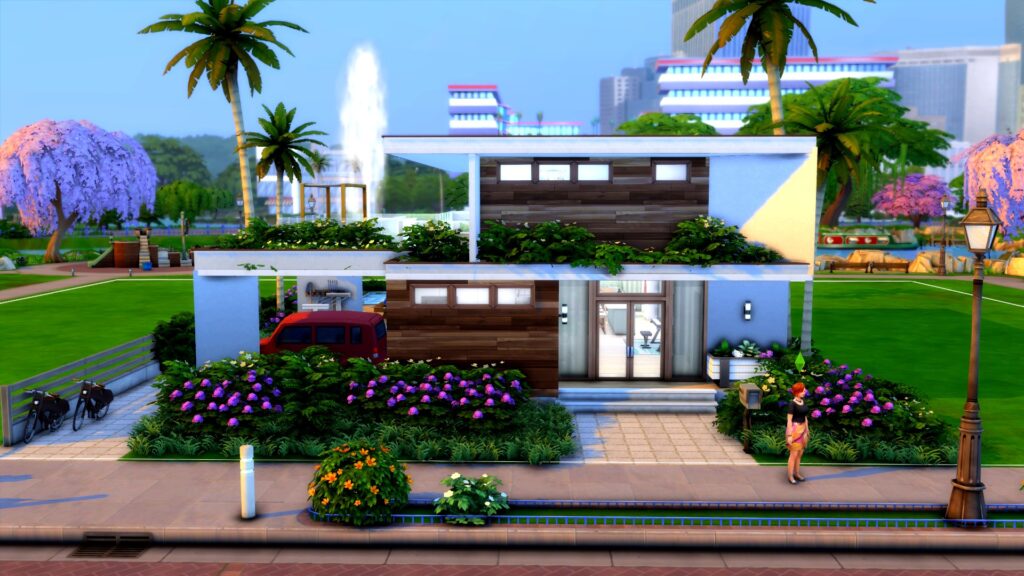
All the builds in this article are fully furnished and have 3 or more bedrooms. None of these builds have any custom content. There are also several base game only homes to choose from in the list.
Sims 4 Family House: Brown Riverside Home
Creator: MaggieAnnWig
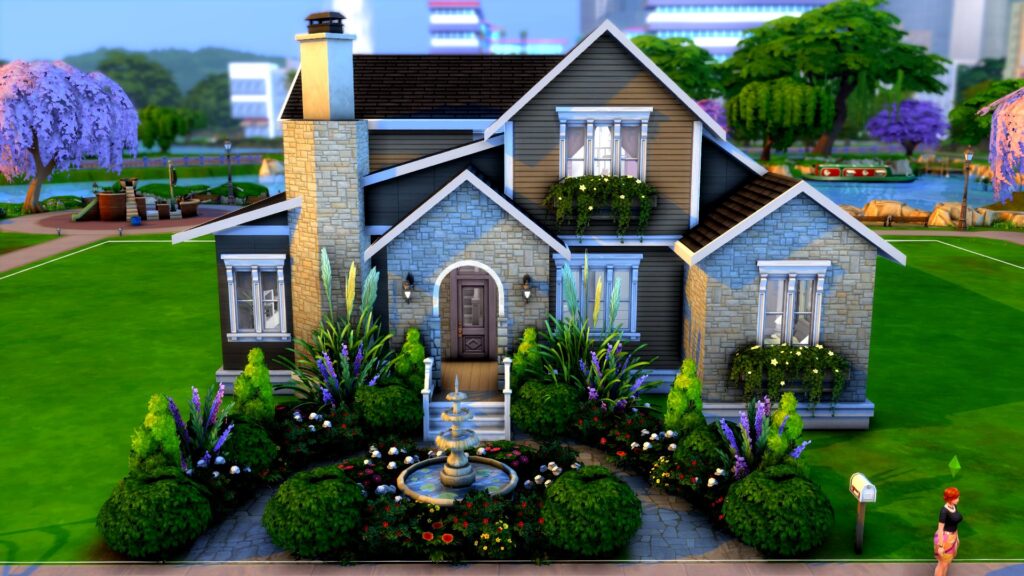
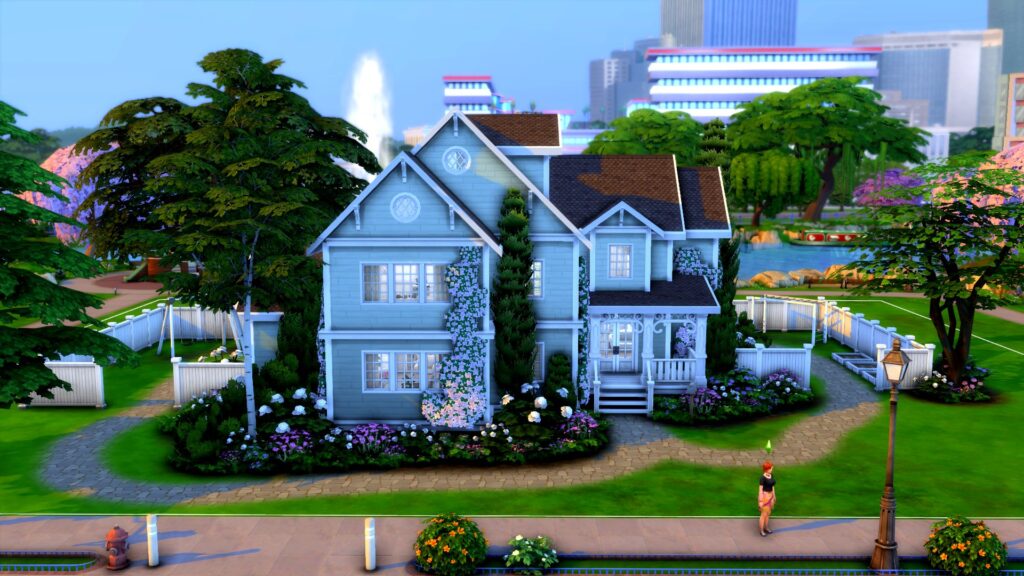
This lovely base game home is perfect for a growing family. There is plenty of space inside in spite of it’s small lot size and we are in love with the gorgeous front gardens. The octagonal chimney, window boxes, and archway entrance adds sophistication and class to an otherwise cozy suburban build.
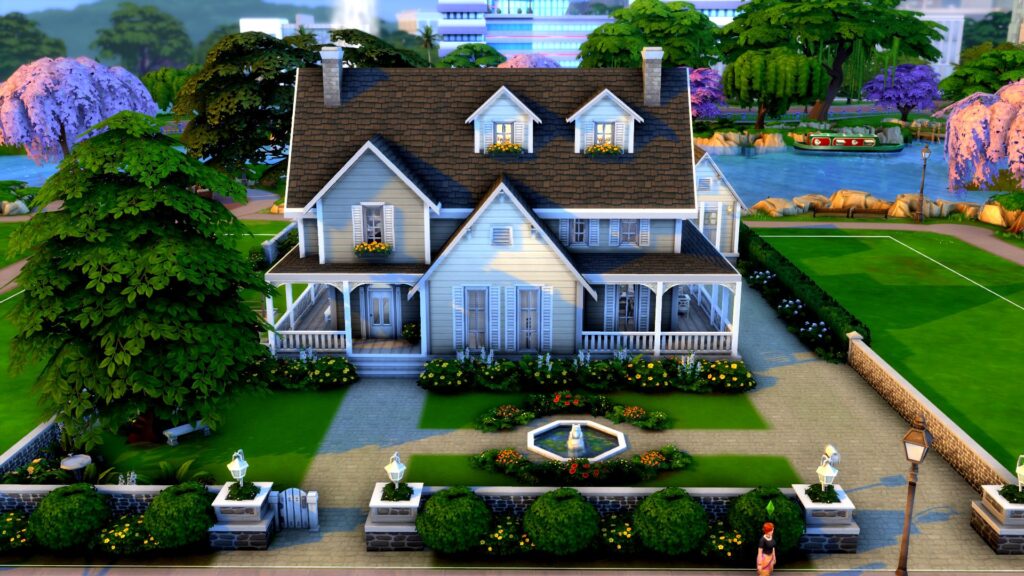
We just love all the details in this warm, inviting build! The little fountain out front, the fence pillars, the wraparound porch, and the garden shed out back all make us feel like we’re right at home! So when are your Sims moving in? Ours already have the moving truck packed!
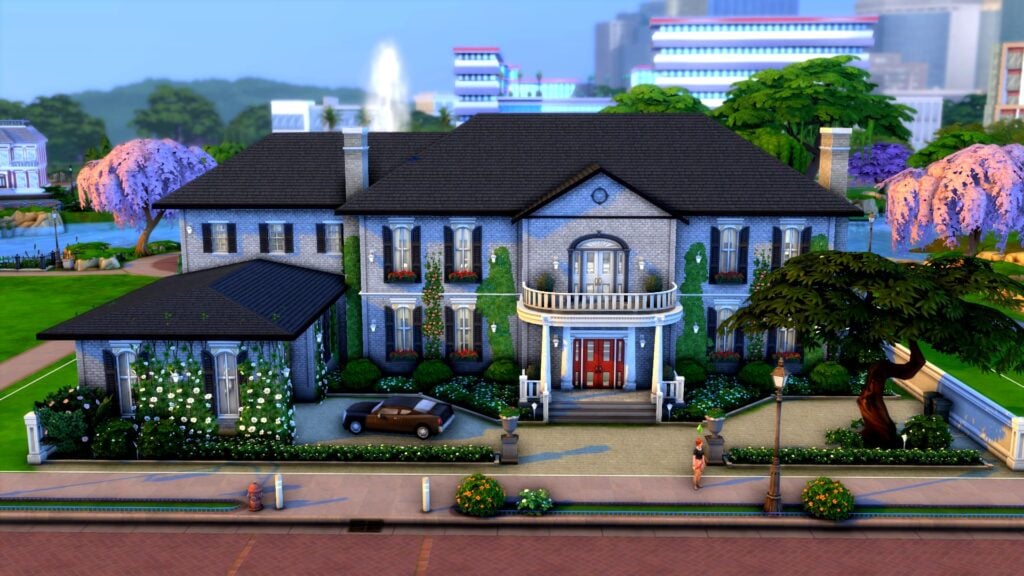
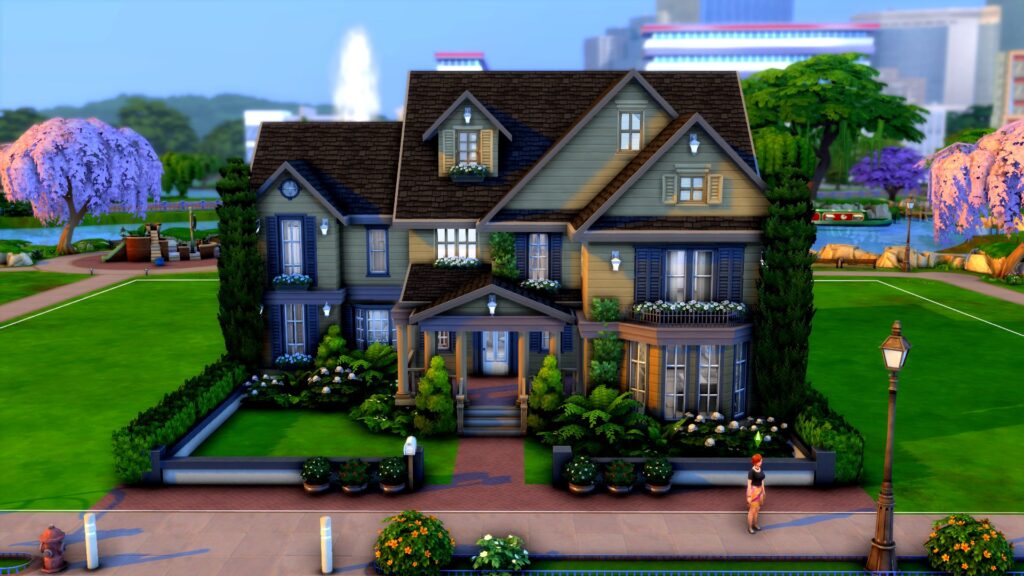
Maybe you envision a more stately home for your prestigious Sims family. Say no more! This regal manor can accommodate a large family of Sims and tells the whole neighbourhood that you’re a family of high social standing! We adore the ivy-covered garage with a classic car out front and the checkered marble floors all throughout the foyer and halls of this lavish build!
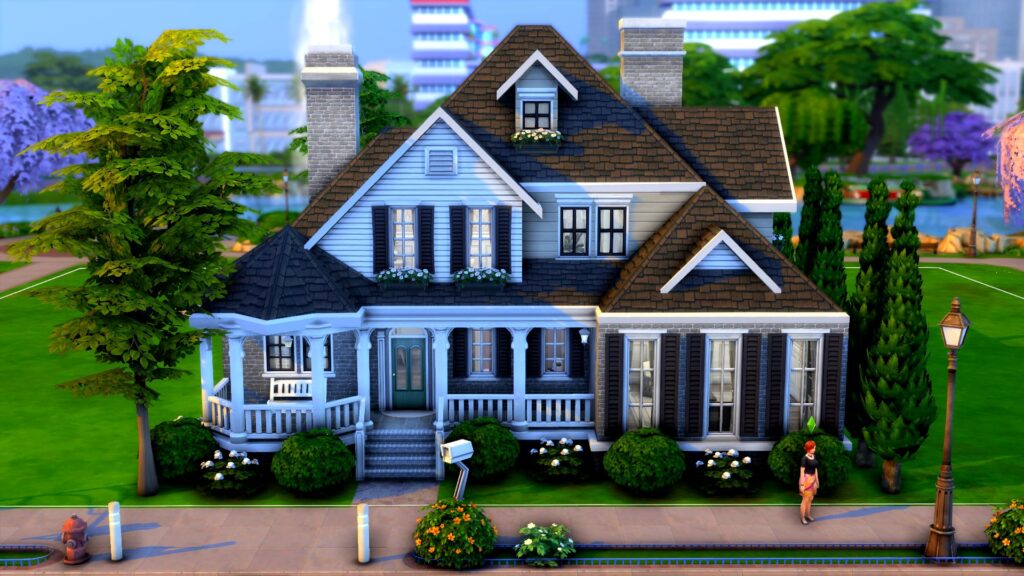
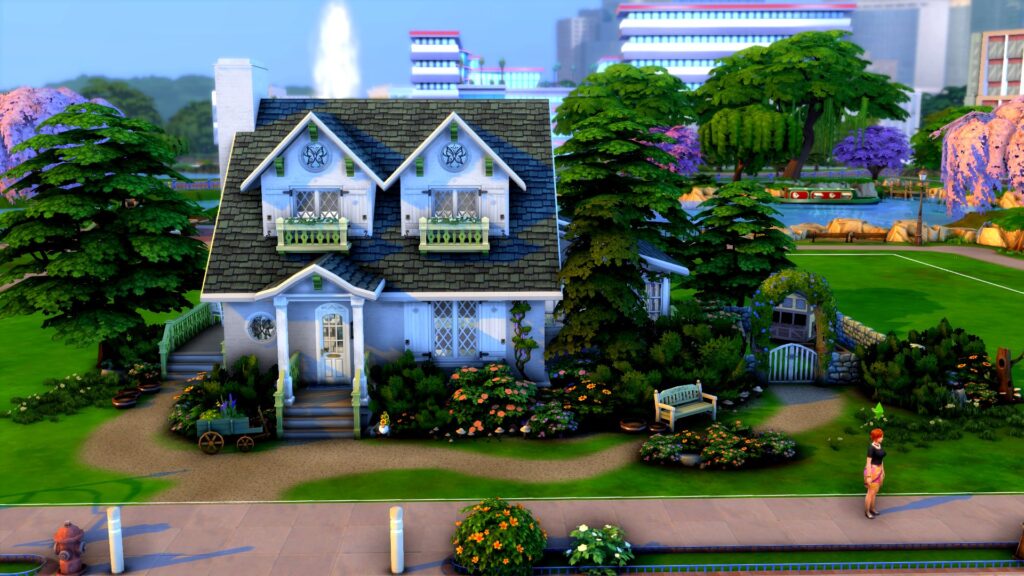
If this house was any cuter, we’d be a puddle of “aww” on the floor! Just look at that adorable octagonal porch section with a cozy bench. The window boxes and shuttered windows add a cozy vibe to the whole home. It’s also a base game home so you don’t need any DLC packs to download it!
The yard really sold us on this place but the build itself is gorgeous, too. We love the creeping foliage up the front of the home and all of the small architectural details. That huge backyard has plenty of activities to keep your little ones occupied.
Although this house is a bit… haunted, it doesn’t use any DLC pack items so you can still download it as a regular Residential build even if you don’t own the Paranormal Stuff pack. Despite its dark exterior, this home is still stunning in every way. It can accommodate a full household of Sims in style and comfort!
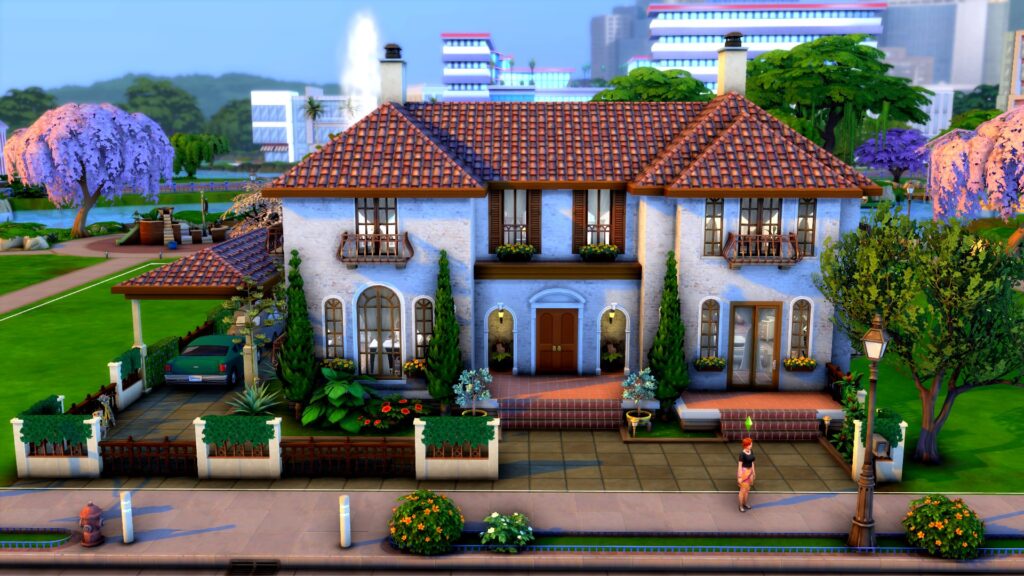
Looking to grow a family in Tartosa? This gorgeous Mediterranean build is perfect for you! Ceramic roof shingles, tiled floors, and warm, inviting colours make this build a beautiful and inviting place to put down roots for many generations to come.
So you’re a humble farmer who needs a big family to help run the farm, huh? No problem! This Henford cottage has everything you need to live off the land while providing for a big family. It’s small and modest, but definitely cozy. What a great place for family bonding!
For Simmers with more modern tastes, this build is right up your alley! Clean lines, large windows, and a minimalist black and white design will create harmony and balance in your growing family. If you only own the base game, you’re in luck because this is another base game only home!
Last but certainly not least, we have this gorgeous eco-conscious home for a family concerned about their eco footprint. Green roofing, reclaimed wood, solar panels, and lush foliage will all help your Sims family live in harmony with Mother Nature without sacrificing modern comforts.
Disney is celebrating one hundred years of magic this year. and with many characters, worlds, stories, and more created over the years, why not celebrate this milestone by incorporating The Sims 4 and Disney together? With a wide variety of themes and stories that can be used for inspiration, there really is something for everyone!
The Sims 4 & Disney
It’s worth noting that The Sims had a crossover with a well-known Disney-owned franchise in the past. The Sims 4 Journey to Batuu Game Pack was released in late 2020 and introduced players to the world of Star Wars.
Your Sims have the power to choose which of the three factions will get to control Batuu. Choose between joining the Resistance, the First Order, or the Scoundrels by completing missions and challenges. Unlock rewards, and new outfits, master building your own Droid or Lightsaber and explore the world of Batuu. Who gains the overall authority of Batuu, is down to you and your Sim! You might even run into some familiar faces as well!
If you don’t own The Sims 4 Journey to Batuu Game Pack, you will also find some Star Wars-themed content in the Base Game. While they are mainly in the form of Full Body Create A Sims Costumes of well-known characters, you’ll also find The Child statue that you can use to decorate your Sims homes with too!
However, we are not here to primarily talk about The Sims 4 Journey to Batuu but Disney in general!
The prompts and ideas you find in this post can be used for gameplay, storytelling, building, and Create A Sim. With so much to choose from within the Disney Universe, there really is no end of ideas!
Additionally, this is just a handful of ideas from a selection of Disney Characters, television shows, movies, and more! There are plenty more out there to discover!
Toy Story – Buzz, Woody, Jessie, Andy, Rex, Bo Peep, Mr & Mrs. Potato Head, and Hamm
The Incredibles – Helen Parr, Bob Parr, Violet, Dash, Edna Mode, Frozone, Jack-Jack, and Syndrome
Up – Carl & Ellie Fredicksen, Russell, Charles Muntz, Dug & Kevin
Coco – Ernesto de la Cruz, Miguel, Mama Coco, Mama Imelda Rivera
Disney Princesses & Villains
Ariel
Mulan
Snow White
Jasmine
Rapunzel
Pocahontas
Ursula
Cruella de Vill
Scar
Maleficent
Gaston
Hades
Madrigal Encanto Kids Household by PlaySimsWithDee / Encanto Showcase
Disney Movies & Television Shows
Encanto
Beauty and the Beast
Lilo & Stitch
Robin Hood
The Little Mermaid
Frozen
Raya & The Last Dragon
Big Hero 6
Wreck it Ralph
Winnie the Pooh
Peter Pan
The Princess Diaries
Disney Channel Movies & Television Shows
High School Musical
Hannah Montana
The Suite Life of Zack & Cody
Lemonade Mouth
Descendants
Camp Rock
Wizards of Waverly Place
The Lizzie McGuire Movie
Shake it Up
Liv & Maddie
Gamora, Doctor Strange & Scarlet Witch by SirSim
Marvel & Star Wars
The Avengers: Iron Man, Captain America, Thor, Hulk, Black Widow, Dr. Strange, Scarlet Witch, Thanos, Vision, Hawkeye, Loki
Guardians of the Galaxy: Star-Lord, Gamora, Rocket, Groot, Mantis, Drax
Ms Marvel/Kamala Khan
Moon Knight/ Mr Knight
Hawkeye/ Clint Barton, Kate Bishop
Ant-Man and Wasp
Spider-Man & MJ
America Chavez & Wong
Luke Skywalker
Princess Leia
Anakin Skywalker
Padmé Amidala
Kylo Ren
Obi-Wan Kenobi
Boba Fett
Rey
Yoda
Grogu (Baby Yoda)
Disney Locations
Magic Kingdom & the Disney Castle
Galaxy’s Edge – Star Wars
East High – High School Musical
Wonderland – Alice in Wonderland
Casa Madrigal – Encanto
The Waverly Sub Station – Wizards of Waverly Place
The Hundred Acre Wood – Winnie the Pooh
Disney Castle by KateEmerald
This is by no means a finalized list of characters, television shows, movies, or locations. There are so many out there to explore and draw inspiration from for your The Sims 4 and Disney gameplay or building experiences.
Now, let’s take a look at some of the creations that our super-talented Sims Community has created! Be it
The Sims 4 & Disney Inspired Community Content
The Disney Princess Challenge
A popular challenge within The Sims 4 is the Disney Princess Challenge. Inspired by the Princesses of Disney and their movies, this challenge follows the original legacy challenge with some slight variants. Chose between following the story of each Princess or just allow the game to unfold before you while still following the challenge rules.
Do you want to find out more about the Disney Princess Challenge? Click here to read more!
The Sims 4 Disney Themed Custom Content
With everything from outfits inspired by various Disney characters, Build Mode objects, and custom Poses there is plenty of The Sims 4 custom content out there. There’s so much that it would be hard to list every single piece right here.
The best way we have found to find the perfect pieces of Disney-inspired Custom Content for The Sims 4 is using Tumblr.
Try using one of the following searches to help find your perfect Custom Content:
The Sims 4 Disney CC
The Sims 4 Disney Poses
The Sims 4 Disney Clothing
The Sims 4 Disney Mods
The Sims 4 Disney Gallery Content
The Gallery is an amazing place to find incredible creations from fellow players! From individual Sims to full households. Disney-inspired rooms to the Cinderella Castle The Sims 4 Gallery is the one-stop place for all your in-game Disney needs!
Elsa’s Ice Palace by Rubinrot97
There are a variety of search terms you can use to discover different Gallery Creations. The filters will also allow you to search for your desired specification as well as just households, lots, or rooms too!
While just searching Disney as the Item Name in The Gallery will return plenty of results, you can also search specific characters, movies, or television shows to further refine your searches.
So why not celebrate one hundred years of Disney magic in The Sims 4 by using the prompts above as the inspiration for your next story? Maybe even your next build? However, you decide to play, have fun and enjoy the magic!
Are you looking for more building ideas and inspiration? Take a look at over seventy different inspirational prompts here!
Check out new previews of the infants update and new info on upcoming expansion pack!
If you just can’t wait until March to get more information on the infants update and Growing Together expansion pack, you’re in luck! The Sims official Twitter account and SimGuruNinja have been teasing players with some sneak peek footage and screenshots of upcoming content! New tweets show off content from both The Sims 4 Growing Together and infants, which are arriving in a free base game update shortly before the expansion release.
The Sims Twitter account shared some new footage from The Sims 4 Growing Together where a child Sim loses a tooth! This was seen in the reveal trailer but what’s most interesting about this new footage is the text overlay! We suspected losing baby teeth was part of the new milestone feature but that wasn’t officially confirmed until this tweet! Now we know for sure! Losing baby teeth is a new milestone! And let’s not forget about being able to customize the baby teeth of our infants in The Sims 4!
The Sims also captioned the video with a quip about Tooth Beary vs. Molar Bear. This isn’t the first time a bear has been referenced in regards to teeth. We’re pretty sure the tooth fairy is going to be a bear in the expansion pack. Is this a hint at a faerie pack? Your guess is as good as ours.
San Sequoia Preview
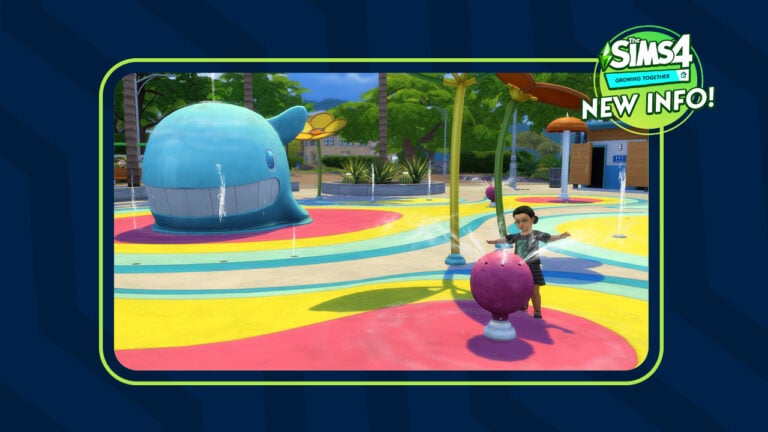
SimGuruNinja, one of the producers on The Sims 4, also shared a screenshot of a toddler (but no infants, sadly) playing at the water park in San Sequoia! San Sequoia is the new world shipping with The Sims 4 Growing Together. This area looks like it’s an interactive part of the world but not an editable lot. Nevertheless, we’re still hyped to have more reasons to explore around our home lot. But enough about San Sequoia! Let’s talk about infants in The Sims 4!
Spend family time at the new lot venue type coming with The Sims 4 #GrowingTogether – The Rec Center! 🥳
It has table games like Simbles & puzzles 🧩, art classes 🎨, & space for events like baby showers & sleepovers.
There is a new lot type in The Sims 4 Growing Together! The rec centre will have table games, art classes, and host social events like sleepovers and baby showers! Yup, two new social events also confirmed!
& don’t worry, Grandpa! The only music playing on these speakers is the new “Soul” radio station! 🎶 pic.twitter.com/wDik6yNQqT
A new elder-approved radio station is also confirmed! Please welcome the Soul genre to The Sims 4!
New Likes & Dislikes
Another preview from SimGuruNinja showcases the new Soul Radio Station in CAS Preferences coming with Growing Together. Included with it is also a teaser of the upcoming Likes & Dislikes cap upgrade, switching to 50 in total that you can assign to your Sim.
Naturally, we know players are very excited for infants in The Sims 4! SimGuruNinja’s new profile picture on Twitter features an infant crying and clutching his head. Look at those cute little infant curls! Look at those adorable infant teeth! We can’t wait to play with these adorable bundles of joy in March!
These tricks of the trade will turn you into a building pro, no matter your skill level!
The Sims 4 makes building easier than ever for players but it still has some limitations that can be frustrating when you have a specific vision in your head. Luckily, Simmers are some of the most creative people on earth and have found ways to get around a lot of these limitations. Here are 13 Sims 4 build cheats, tips, and “hacks” that can help you elevate your building, whether you’re a pro or a novice!
Sims 4 Build Cheats for Both Novices and Pros!
Before you try out any of these, make sure you pull up the cheat console with CTRL+SHIFT+C and type in the bb.moveobjects on cheat. Many of these tricks require this cheat to be active, first. For advanced builders, you may also find the bb.showhiddenobjects and bb.showliveeditobjects cheats useful for widening your catalogue of items.
[listicle]
Split-Level Basements
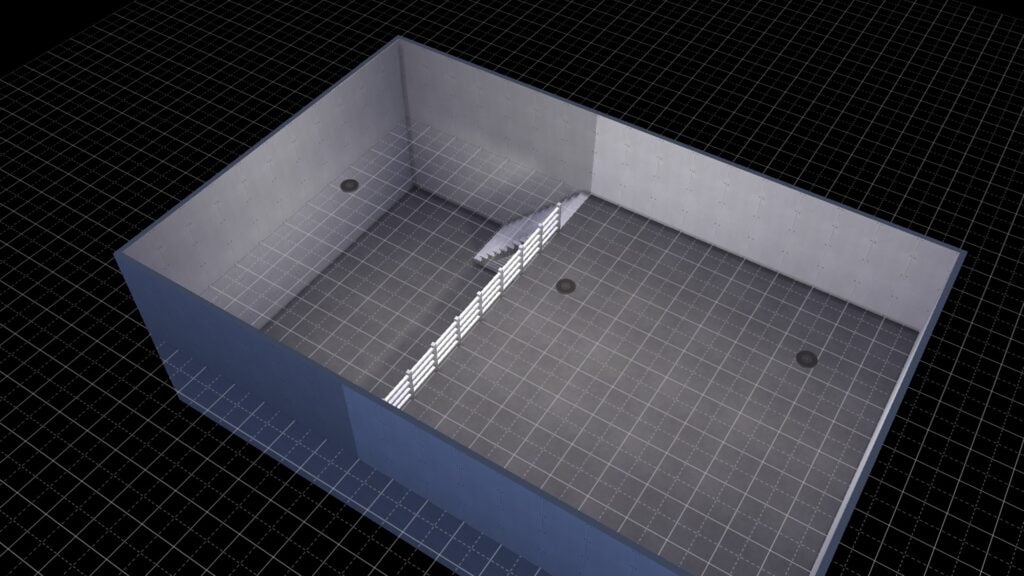
Build two basement levels on top of each other and split the top level into two rooms. Delete the floor in one room and replace the dividing wall with fencing. Pop in some stairs and there you go!
Best Build Cheat: Free Placement
This trick is super easy to use. Hold down the ALT key while you have an object selected to move it freely outside the grid lines! You can create all kinds of great custom furnishings with this one!
Wall Corner Trim
Did you know there are wallpapers in The Sims 4 that auto-apply trim to outside corners? Well now you do! You’ll find these special wall coverings in both the base game and in several DLC packs.
Quarter Grid Snap
You can toggle between full tile, half tile, and quarter tile grid snap placement by hitting the F5 key with an object selected! This will let you get precise placement every time!
Our Favourite Build Cheat? Scale Objects!
If you want to make an object smaller, hit the [ key with the object selected. Likewise, if you want to make an object larger, hit the ] key with the object selected. This Sims 4 build cheat works best with décor. Many functional objects stop working when scaled up or down too far.
Free Rotation
Similar to free placement, just hold the ALT key with an object selected and move your mouse around to rotate it a full 360 degrees instead of snapping to 45 degree angles.
Place Half Tile Flooring
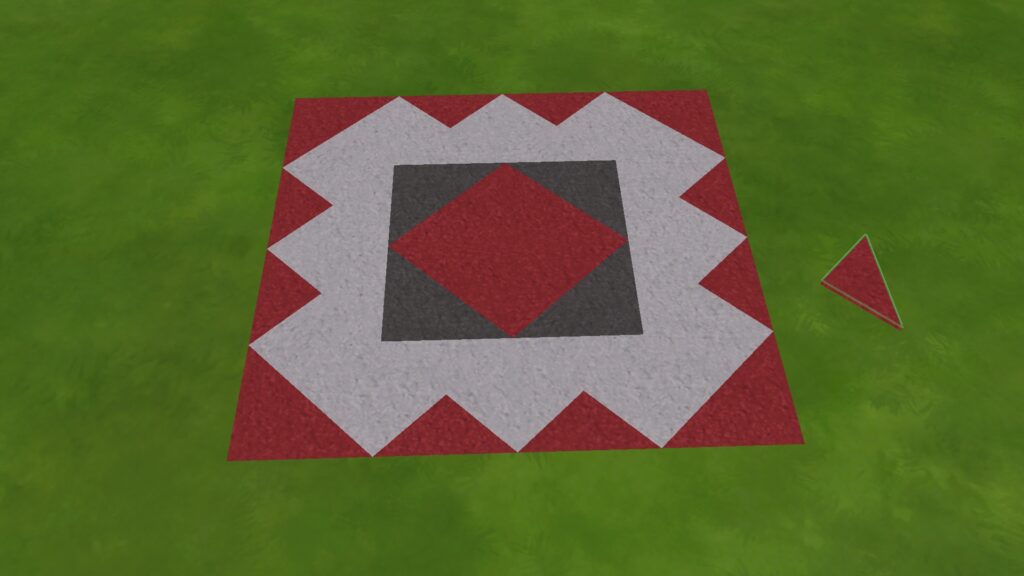
You can create your own custom floor designs by hitting CTRL+F with some flooring selected! This allows you to place triangle-shaped tiles instead of square ones.
Incognito Build Cheat: Hidden Basements!
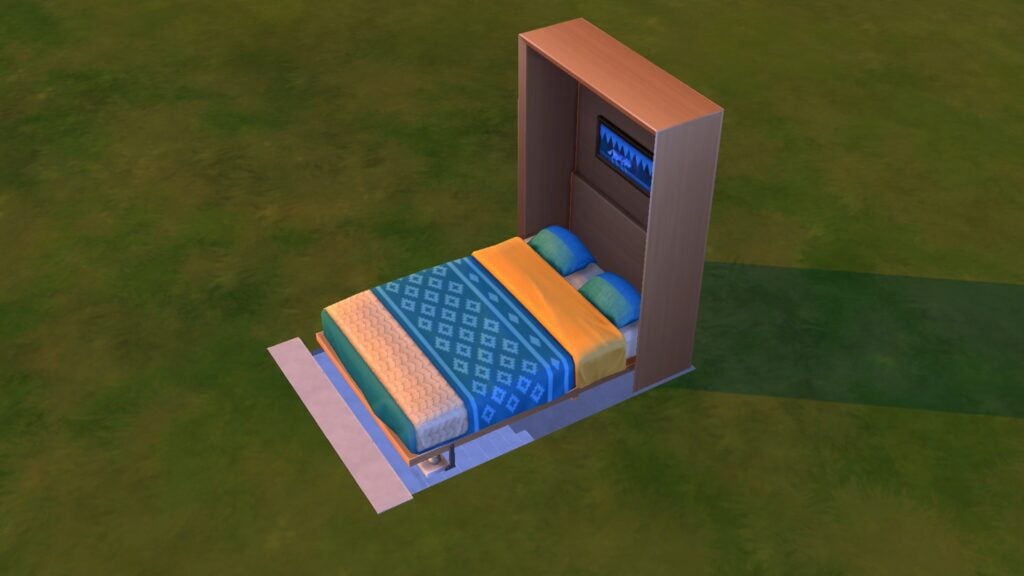
This Sims 4 build cheat requires the Tiny Living stuff pack. Build a basement with a staircase. Place a murphy bed over the opening by putting it on the basement level and using the 9 key to raise it up to ground level. Then have a Sim pull the bed down to conceal the entrance. You’ll want to disguise the bed with foliage or walls, of course. We recommend debug objects since these items often don’t have footprints and aren’t seen as obstacles by Sims.
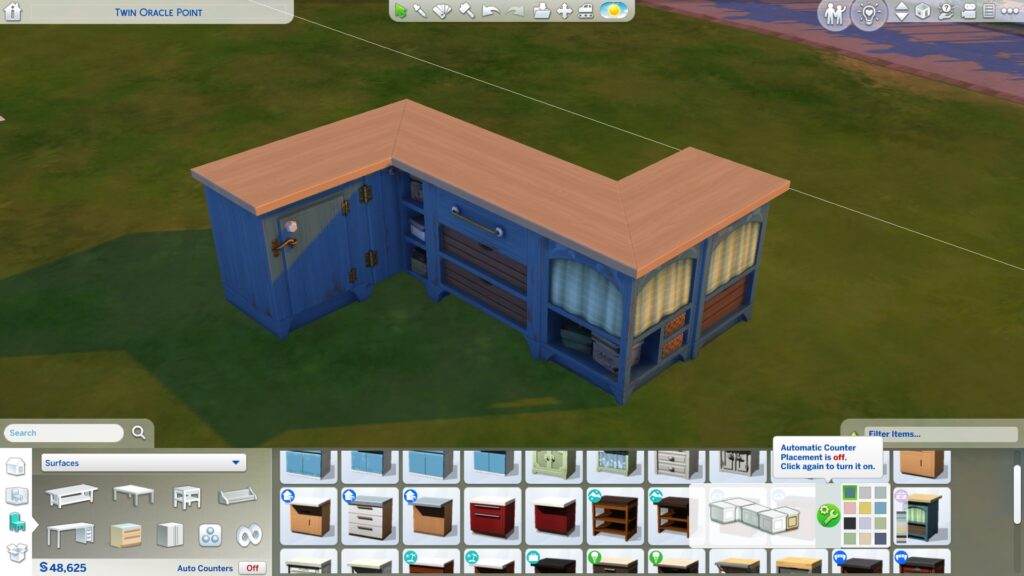
Counter Customization
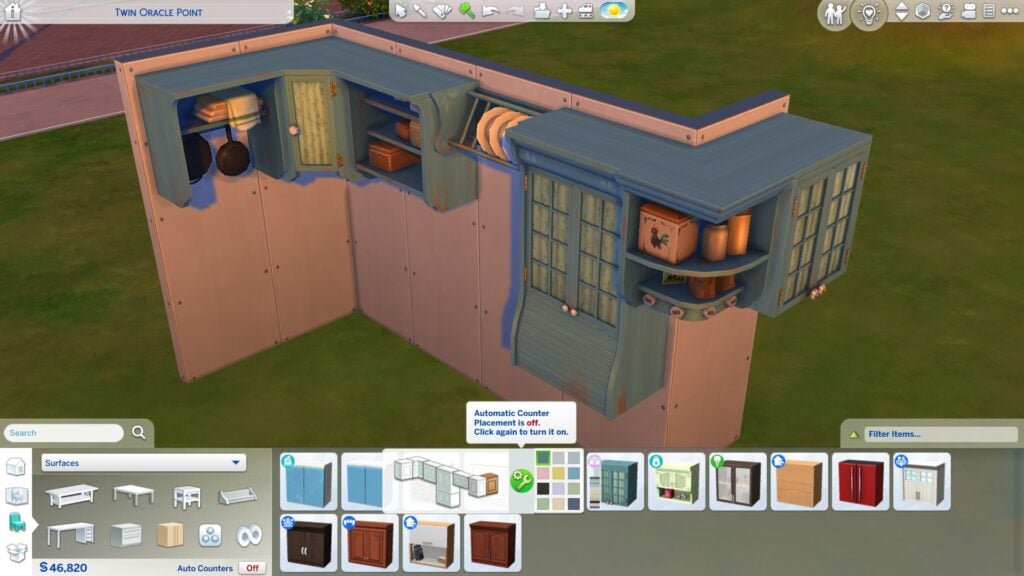
Create more unique counter setups by toggling auto-counters off! This lets you mix and match counter designs as you please!
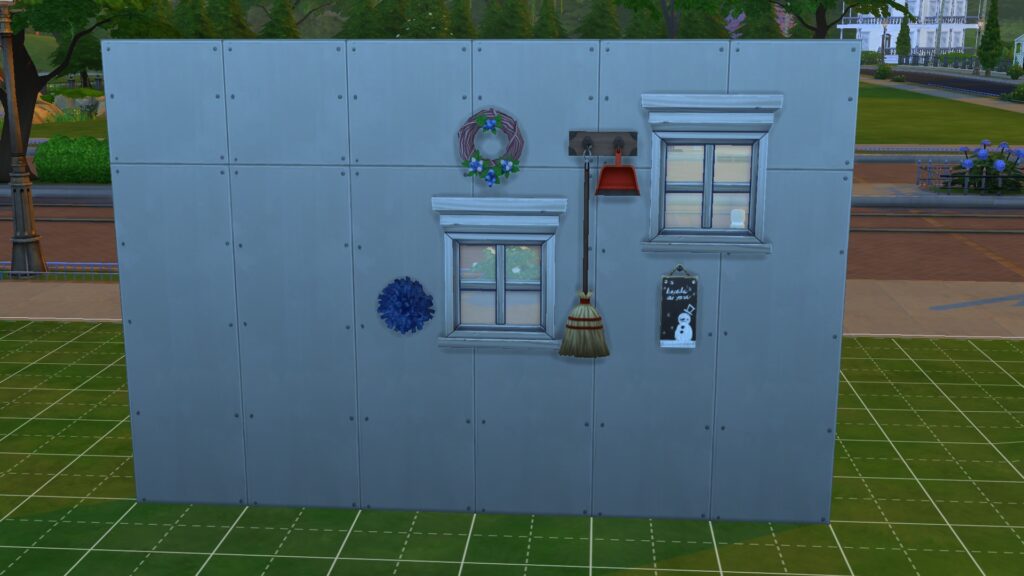
Move Objects Freely on Walls
Similar to free ground placement, just grab any window or wall decoration and hold ALT to freely move it around! You can also use the 0-9 keys to move things directly up or down.
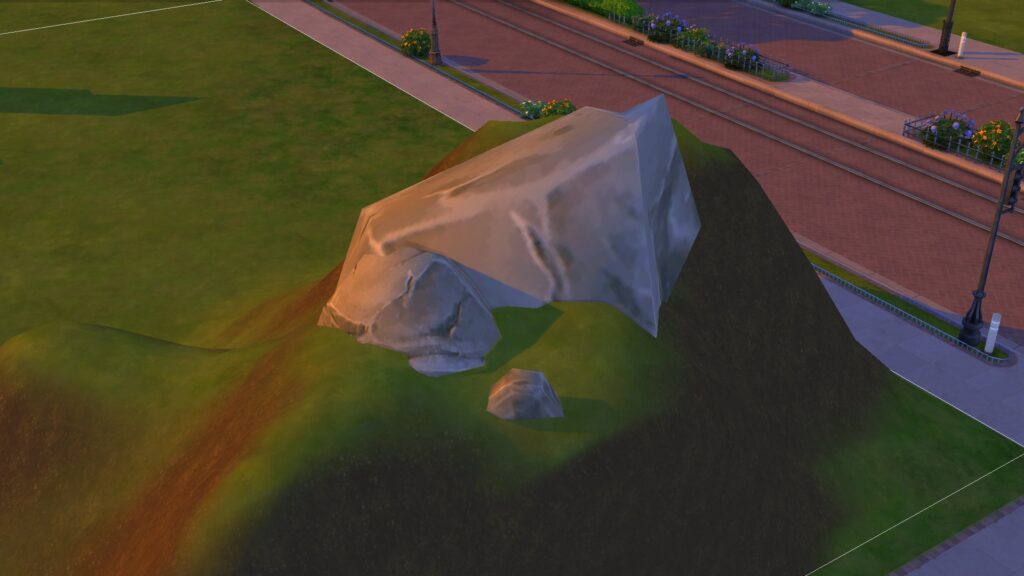
Lesser Known Build Cheat: Embed Objects in Terrain
It’s annoying when objects like rocks and foliage sit on top of raised terrain, isn’t it? Fix that with this Sims 4 build cheat: Put a room on a hillside; the room’s foundation will be embedded into the hill. Then place any rocks or foliage on the foundation. When you delete the room, the objects will stay embedded in the terrain.
Cabinet Customization
Just like counters, cabinets can also be customized more by toggling auto-cabinets off! This will let you pick different styles of cabinets to create unique kitchens.
Taller Windows and Doors
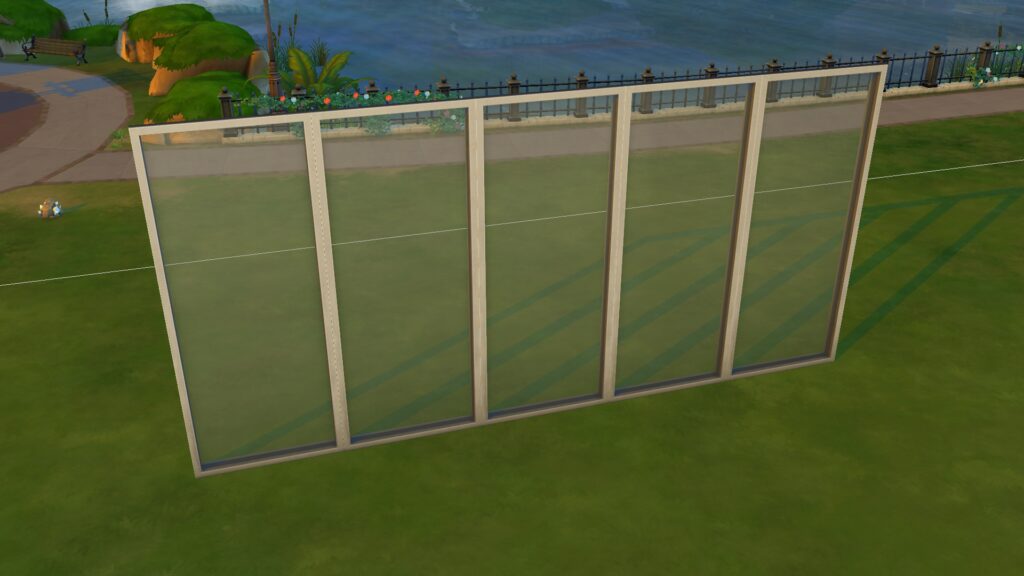
You can make tall windows and doors look even taller by placing them on the tallest wall height, then lowering the wall height again! This opens up seamless design options which is great in modern builds.
Ultrasounds, stretch marks, birth complications and more!
The Realistic Childbirth Mod by PandaSama is one of my absolute favourite mods for The Sims 4. I never miss a chance to cover new developments and updates for it and the latest update is an exciting one! Pregnant Sims can now announce their pregnancy to their partner, cuddle and nap with their partner, have ultrasounds done at the hospital, get stretch marks and c-section scars, and even experience birth complications! Of course, there are toggles for many of these features in case some of these things are too upsetting for Simmers.
Let’s dive right into everything the latest mod update has to offer!
Sims 4 Childbirth Mod: Ultrasound Update
The latest update for The Sims 4 Childbirth Mod comes with lots of new features, from the beginning to the end of pregnancy!
Sims 4 Childbirth Mod: Pre-Labour
Pregnancy Announcements
I’ve always disliked the Maxis “Share Big News” interaction. It’s just too silly and goofy-looking and the other Sim is always happy about the pregnancy, no matter what. It’s predictable and boring. Panda apparently thinks so, too, because she’s added a custom interaction for this moment!
After finding out your Sim is pregnant, they can click on their partner and Share Pregnancy News. If neither Sim has the Hates Children trait, they will be happy about the pregnancy, but if one or both Sims does have the Hates Children trait, they will be very upset about the news!
Napping Together
Pregnant Sims can now take a quick nap with their partner or good friends on a couch! Just click the couch and select Nap Together. The Sims must have at least +30 Friendship or +30 Romance to be able to do this.
As always, the animation is super adorable. Panda always outdoes herself with every new animation she makes. This latest Sims 4 childbirth mod update is no exception.
Cuddling
Pregnant Sims can cuddle with their partner on a double bed now, too. This is another romantic interaction, so click on your Sim’s partner and look for the Pregnancy Cuddle interaction under the Romance social category.
The pregnant Sim’s partner will rub the pregnant Sim’s belly while cuddling on the bed and it is positively adorable, like we expected. Sims who do not have the Hates Children trait will also receive positive moodlets from this heartwarming interaction.
Ultrasound Examinations
Pregnant Sims can go to the hospital to have ultrasound examinations done anytime during their pregnancy! To do this, just have your Sim call the obstetrician through the cell phone and choose to have an ultrasound done!
Once you arrive at the hospital, you will need to use the bb.enablefreebuild cheat to go into the Build/Buy catalogue and place down the custom ultrasound scan object. Search the term “Ultrasound Machine” to bring it up right away if you can’t find it in the catalogue. Make sure you place the ultrasound machine somewhere accessible with nothing blocking access to it.
Go back into Live Mode and click on the ultrasound object to have your ultrasound done! If your Sim brought their partner with them, they will join your Sim for the ultrasound autonomously. You can also switch control to them and tell them to join by clicking on the pregnant Sim if they don’t go on their own for whatever reason.
When the scan is finished, your Sim will have a copy of the ultrasound in their inventory. The ultrasound can then be shown to other Sims, framed, and displayed either on a wall or a surface.
Getting an ultrasound scan unlocks the ability to Share Pregnancy News with family and friends under the Friendly social category. Make sure the ultrasound is in your Sim’s inventory or the interaction will be greyed out and unclickable in the social pie menu.
Sims 4 Childbirth Mod: Active Labour
Birth Complications
Sims who choose to give birth at home may experience a birth emergency in the new Sims 4 childbirth mod update. Their labour can stall. There is a 10% chance that a pregnancy with a single baby will have a stalled labour at home. If the Sim is pregnant with multiple babies, this chance increases to 30%.
If your Sim may be experiencing a stalled labour, you will receive an orange notification. The notification will instruct you to continue monitoring the situation and if labour does not start progressing again, your Sim could require an emergency c-section at the hospital.
During a stalled labour, your Sim’s dilation will slow down; however, the situation can resolve itself sometimes. The labour can speed up again after an hour. You can also have a midwife check on the baby to help get the labour going again, too. The midwife will tell your Sim if they are having a medical emergency and need a c-section.
If your Sim does need to have an emergency c-section, you’ll be prompted to go to the hospital but if you don’t want this, you can click the X to just ignore the notification. The labour will progress normally again and there are no negative consequences if you just decide to cancel the whole emergency situation.
If you choose to go to the hospital, your Sim will travel to the hospital lot. When they arrive, they’ll receive an epidural and be prepped for a c-section immediately. If they aren’t immediately tended to, you can ask one of the doctors to perform the c-section.
Unassisted Birth
If you want to give birth at home but don’t want a birthing partner to assist you with the delivery, your Sims can give birth unassisted in this Sims 4 childbirth mod update. To give birth without any assistance, place a baby bassinet anywhere on the lot and click it. Choose Unassisted Birth.
Your Sim will kneel down and give birth on their own wherever they were standing when you issued the command. They won’t go to the bassinet.
The unassisted birth animation only supports one baby; if your Sim is pregnant with multiples, all the babies will still join the family.
Sims 4 Childbirth Mod: Post Labour
Stretch Marks and Surgery Scars
Sims will now get stretch marks in their third trimester in this Sims 4 childbirth mod update! By default, the stretch marks will slowly fade over a period of 3 days after birth but you can make them permanent in the mod settings if you want to.
Sims who give birth via c-section will have post-surgery scarring. The scars will slowly fade over a period of 4 days.
And if you were tired of seeing that ugly red flashing heart above your Sim’s head during labour, you’re in luck! That eyesore? Gone! Your Sims will have subtle sparkles around their feet, instead.
For Simmers who are sensitive to scarring and birth emergencies, Panda added the option to toggle off stretch marks, scarring, and birth emergencies in the mod settings. Just SHIFT+Click your Sim with the testingcheats true cheat enabled and you’ll find the toggles under Childbirth Settings.
Sims 4 Childbirth Mod Information
All of the features described in this article are part of the latest update. This update will be free for everyone on February 10th, 2023. The previous version of the mod supports home births and is free to download right now.
If you’re tired of seeing the same old Maxis townies in your saves, you’re in luck! A very talented Sim creator and builder named SimsOnTheRope is on a mission to populate The Sims 4 with better townies. These townies are far more diverse than what Maxis gives us and far more detailed. They come with existing skills, careers, lifestyles, additional reward traits, likes/dislikes, pronouns, sexual orientations and more! Each household even has a recommended home you can download for them if you’re not inspired to build one or search for one yourself.
The Sims 4 Townies: 9 New Households
SimsOnTheRope created 9 households with a total of 32 Sims to place in your worlds. These Sims 4 townies have no CC but do use some DLC packs. Conveniently, both tray files and Gallery links are provided. This means players can choose whether they want to install manually or go through the Gallery.
You can download these Sims 4 townies straight from the Gallery by searching the ID simsontherope!
If you prefer to put the files in your Tray folder manually, just click the button below to be taken to the download page! You can download them all or head to SimsOnTheRope’s tumblr to find links to download each household individually.
New Update for The Sims 4 on Console has fixed the crashes!
A new update for The Sims 4 has been released for both PlayStation and Xbox players. While the update itself is small, it addresses a big issue that has been having an impact on a number of console players. So for those of you who have been experiencing unpredictable crashes and the game shutting down randomly, which has occurred since the January 31st, 2023 Patch, this update should address those issues.
The update should apply automatically to your game, however if not, you can request a new update by checking for updates under The Sims 4 game tag.
Patch notes for this particular update are short, however, you can find out more below.
Patch Notes
Console: Version: 1.70
Hello Simmers
What a week – Behind The Sims, The Sims 4 launched on Epic Games Store, and a patch. That last one is why we are here again. These release notes are short as it’s focused on fixing one thing, crashing.
We appreciate all of the reports and feedback around the issue, and appreciate your patience and understanding while we worked on getting this fix implemented.
– The Sims Team
Base Game
We identified an issue which was causing The Sims 4 to shut down on PlayStation and Xbox. We have taken steps to address this and this particular issue should no longer occur.
Has this recent update addressed the issues you may have been experiencing since the previous update? Let us know in the comments below.
Don’t forget, you can report any issues you may be experiencing over on The Sims 4 section of EA Answers HQ.
Celebrate The Sims with our latest Sims 4 Growing Together Giveaway!
There’s a special reason to celebrate today. In case you don’t know, The Sims 1 was released on February 4th, 2000, making The Sims Franchise 23 years old today!
The Sims Franchise still continues to grow strong, with a 13th Expansion Pack for The Sims 4 scheduled for release next month. Along with that there’s also an open development of the next generation Sims Game – Project Rene! Which we refer to as The Sims 5 for the time being.
We’re planning up a big year of giveaways as our 10th anniversary of the Sims Community platform approaches. Until then, let’s celebrate the things to come!
The upcoming Expansion for The Sims 4 is releasing on March 16th, 2023. We’re making sure that 3 lucky winners get their hands on it the week of its release!
Here’s how you can participate in our latest Sims 4 Growing Together Giveaway:
What are you looking forward to the most in The Sims 4 Growing Together? Leave your comment below!
That’s it! You can drop your comment in the conversations section below and we’ll select 3 random winners!
The 3 random comments will be chosen through the random.org platform.
The comments section will be open for a limited amount of time. Check out the Giveaway Dates to know exactly when you can enter:
GIVEAWAY CLOSES: February 10th, 2023 at 10AM Pacific Time
WINNERS ANNOUNCEMENT: February 12th, 2023 at 10AM Pacific Time in the Conversations section
Make sure you follow the Giveaway Rules before applying your entry!
Giveaway Rules:
Be respectful and follow the Sims Community House Rules linked below.
You need to be a member of Sims Community in order to leave a comment! The Sign Up button can be found right above the comments.
Not more than 1 comment!
Your comment might be saved for manual approval. Don’t worry, we will manually approve your comment in a few hours in case you’re waiting!
Make sure you leave your correct information when registering to Sims Community through OpenWeb. Your correct e-mail is needed so we can contact you with the inquiry about your preferred platform for Growing Together!
Expect the Giveaway Code to be delivered up to 48 Hours after the release on March 16th.
Do not share your personal email and data in the conversation!
That’s all there is to it! Let us know what you’re excited about the most and we’ll pick 3 lucky winners on February 12th!
The community reacts to The Sims’ new format of announcements!
Behind The Sims is the brand new and exciting community live stream from The Sims Team. A new way to keep the community up to date with what is happening in the franchise. As this was the first of many new style streams, players were eager to find out more!
We kicked off with SimGuruGrant delivering news on the development of Project Rene. While development is going well overall he informed us that the team is planning to share regular updates with us. Based on what was shared during the stream, Project Rene is definitely starting to take shape!
Next up we heard from the teams behind The Sims Mobile and Freeplay! With new events, content, NPC’s, music, and more on the way! There is definitely a lot planned over the next few months for both games!
The Sims 4 Reveals
Now for the segment that most players were eagerly awaiting. The Sims 4!
With the new Infants life stage to be added soon, players were keen to know more. We first saw a short teaser back in October 2022 during the Behind The Sims Summit event. With a reveal trailer that didn’t disappoint, the excitement around the new life stage was certainly growing!
Additionally, the community was wanting to find out more about the next expansion. We had a rough idea of the world as two concept pieces had previously been shown as well as a possible theme.
San Sequoia, the rumored new world name, has also been teased again during the recent roadmap content, too. As The Sims Team has been telling us, it’s all relative!
Needless to say, players needed to wait until 2nd February 2023 to find out more!
With this being the first new style live stream, many players were intrigued to find out more. Overall, the new stream format and what was showcased were positively received throughout the community.
This is not the first time we’ve seen The Sims Team change how they deliver news and information to the community. From the Maxis Monthly, Sims 411, quarterly trailers, and more over the years, the Behind The Sims format will hopefully remain a regular resource of updates from the Team going forward!
Behind The Sims: Community Reactions
Let’s take a look at what the community has been saying!
1. I’m glad SimGuruGrant said that multiplayer won’t be forced on players.
2. You’ll have to manually invite players to your session, so random people won’t be an issue.
3. I’m glad Project Rene has The Sims 3 customization tools alongside new customization tools.
I really love this new approach. I like that it’s produced and not just two guru’s sitting at a desk and showing us the gameplay. This makes the annoucements way more exciting and surprising.
I’m also SUPER happy that they shared more info about Project Rene & that they seem to be making an effort to be more transparent & actually answer some of the Q’s the community has! 🙌
I am really happy they are being more honest with us about when and how things are being made. Insight into how the animations and sounds effects were made is super interesting, but most importantly, Project Rene being a conversation raises hope for a better future for the sims.
— James (is expecting a baby March 14) (@TilledTundra5) February 1, 2023
I genuinely think they should’ve waited until the 2nd (Literally 2 days) to have a cohesive reveal with everything, and made it longer with more behind the scenes stuff on all of it. It also felt like I was watching kid’s TV, and that’s not the fault of the people in the stream.
Spot the details in The Sims 4 Growing Together reveal trailer!
The official reveal trailer for a new expansion pack has dropped today! The expansion is called The Sims 4 Growing Together and will be released on March 16th, 2023 across all platforms. Even though the trailer was just over two minutes long, there was a lot to see! We’re going to point out some of the finer details from the reveal some Simmers might have missed!
The Sims 4 Growing Together: Everything We Noticed!
Some of the following observations are pretty easy to spot. Some are more subtle but let’s check them out together, shall we?
More Horse Hints???
Okay, don’t read too much into this just yet. Rumours have been circulating that The Sims Team is hinting at an equestrian pack sometime in the near future. So Simmers were quick to spot another reference to horses in the puzzle shown in the trailer. There is a child’s drawing of a unicorn shown in the trailer, too. Does this confirm the next expansion pack is about horses? Absolutely not. Our advice? Assume it is not true until The Sims Team themselves makes an official announcement about it.
Age Spots
It looks like we’ll be getting plenty of new skin details! An elder Sim is shown here sporting noticeable age spots on his forehead and cheeks!
Slumber Parties
Slumber party events will be making their way to The Sims 4 Growing Together! These sleeping bags look super cute! We also see that pillow fights from the High School Years expansion are going to be part of Growing Together as well and can be done on sleeping bags as well as beds!
New Family Interactions
We saw so many adorable interactions between different age groups in the trailer! A toddler blowing a raspberry on an infant’s tummy, a child kissing a toddler’s forehead, and an adult Sim picking up a child to give them a big bear hug were just some of the cute interactions we saw between family members in the The Sims 4 Growing Together reveal.
New Gnomes!
We see you, gnome enthusiasts! We spotted a new gnome for you to add to your ever-growing garden gnome collection in the left-hand bottom corner of this screen! Oh, and the child riding a bike, of course but we think that was pretty obvious to everyone, right?
Birth Marks and Scars
Expanding on the age spots seen on the Elder Sim, we also see a variety of unique birth marks and scars on Sims throughout the trailer. One Sim has a small forehead scar and another has a birth mark going down her shoulder and upper arm. There are new beauty marks seen on several Sims as well.
New Pranks?
We see a child rudely waking up their caregiver by blowing up a balloon and popping it right next to the unsuspecting Sim while they sleep in a sleeping bag. The Sims 4 does already have a variety of funny pranks Sims can pull off but it’s nice to see that The Sims 4 Growing Together will add even more funny chaos.
Baby Tooth Milestone
A child Sim pulls out their wiggly tooth in the reveal and a tooth icon appears above their head. The Sims Blog discussed new milestones for Sims so we’re pretty sure losing your baby teeth will be one of those milestones young Sims can experience in The Sims 4 Growing Together.
Tummy Time for Infants
Lots of players wanted their infants to have tummy time when infants were first announced back in October. It looks like Simmers won’t be disappointed! There are a few shots of an infant enjoying some tummy time on a mat with adult supervision!
Infant Exploration!
This shouldn’t come as a surprise, given that The Sims 4 Growing Together will include wearable infant carriers but we can see an adult Sim holding up an infant near some boating docks, which doesn’t appear to be on an active lot. This means we’ll be able to take our infants anywhere out into the world!
Upright Piano
Music lovers are going to be excited about this one! We spotted an upright piano in the background of The Sims 4 Growing Together reveal trailer! Upright pianos are great space savers in smaller homes and are a much more common sight in family homes than the huge grand pianos we currently have in the game.
Group Power Walking
Elders can stay active by going on group power walks! With a child Sim in tow, it looks like this won’t be restricted to elders only, which is nice. The whole family can partake in this activity together.
Grandparent Visits
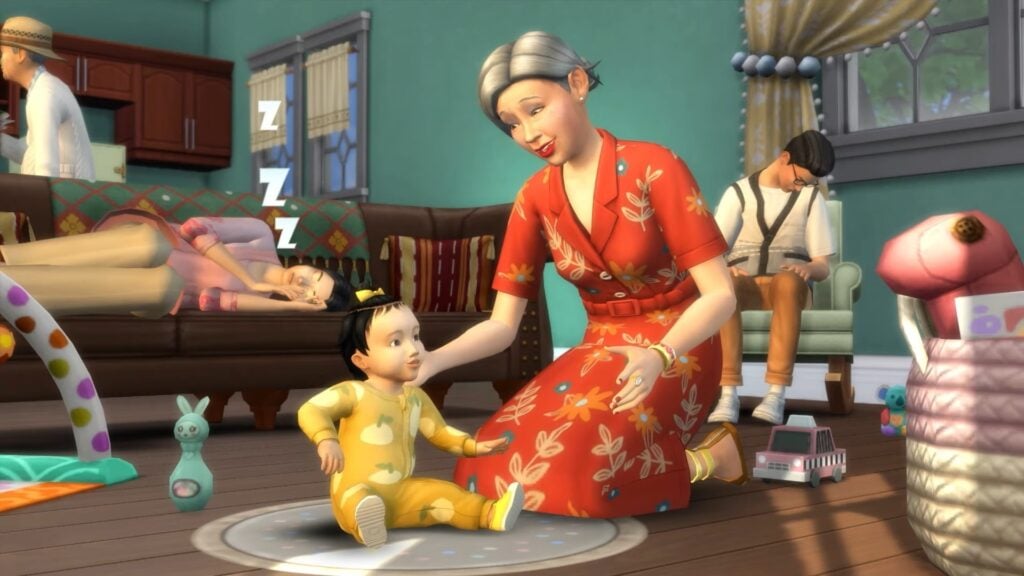
In the reveal, two exhausted parents of an infant get a much-needed break when the grandparents come to visit! Since we saw the grandparents show up with luggage in tow, it leads us to think that family coming to stay for a while will be a new feature of The Sims 4 Growing Together.
Family Reunions?
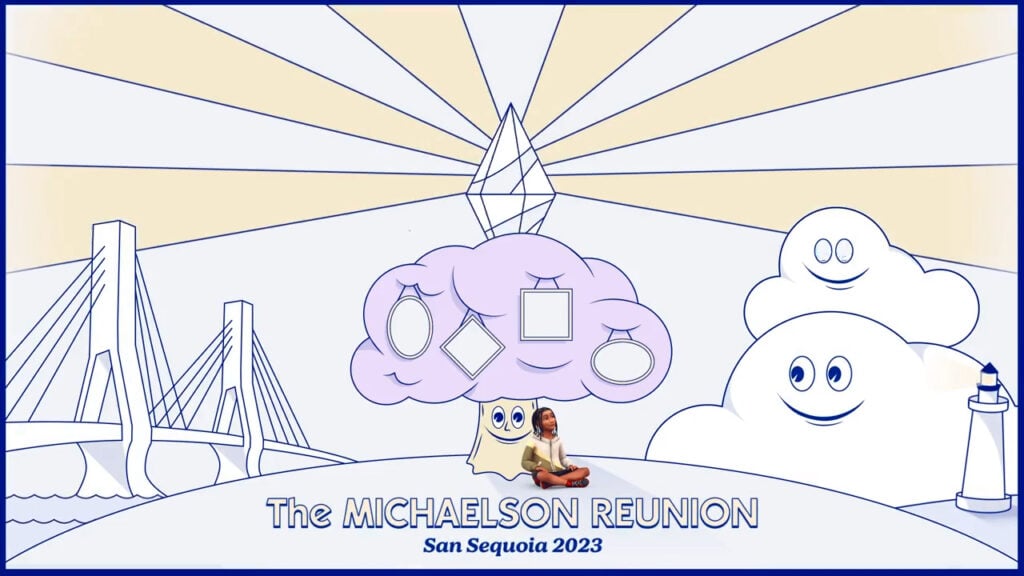
The Sims Blog does make mention of family reunions; however, it’s not 100% clear whether they are new social events or not. We sure hope they are! Our legacy saves have big families with a lot of extended relatives and we’d love to have a reason to bring everyone together!
New Tattoos?
We can’t get a super clear visual here but the sleeve tattoo on the Sim on the far right of this screenshot may be sporting a new one.
Baby Showers
The Sims Blog confirmed that baby showers are a new social event coming in The Sims 4 Growing Together! We also see a little canon blowing out coloured confetti here so maybe gender reveals will be an aspect of baby showers! We sure hope so!
Rocking Chairs
Rocking chairs are making a second appearance in The Sims 4 Growing Together! Players who don’t own Nifty Knitting Stuff will now be able to enjoy rocking chairs, too, if they purchase the new expansion.
What else did you spot in the reveal trailer? Did we miss anything? Let us know in the comments!
Sleepwear for all Life Stages! Check out upcoming CAS content coming to The Sims 4.
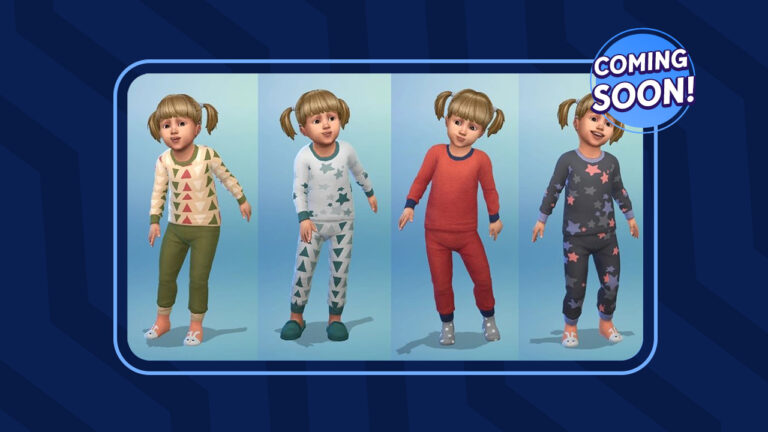
The Sims 4’s latest update brought more than we’ve covered. Yes, we’re talking about new Sleepwear in The Sims 4 game files!
In case you don’t know, The Sims 4’s January 31st Update brought in General New Content including Medical Wearables, Shapewear, Top Surgery Scar and Light Switches. We reported on the new content in our Update Overview article, with a finding about an upcoming Sims 4 CAS release.
We received a tip from @Mushilda about the new Pyjamas set, yet to be released. Including a better look into the entire catalogue of presets (and life stages!). Check out the previews below!
Upcoming CAS Content
The following set Pyjamas and Loungewear was discovered in Sims4Studio, with something new for every life stage!
There are two sets of of new sleepwear, with 8 different variants each. There are tops and trousers that span across life stages from Toddlers to Elders, and we’re assuming soon Infants as well.
Sleepwear Set – Masculine AdultTopsSleepwear Set – Feminine Adult Tops and BottomsShirts and Pyjamas for ChildrenNew jammies for Toddlers!
@Mushilda was also able to unlock the new Sleepwear Set in Create A Sim and take a few screenshots. Check out the preview!
New Sleepwear for Children in The Sims 4
When will this content be available in The Sims 4?
We don’t know yet. The mentioned set of clothing could be released in two different ways – either through an SDX Drop or a new Sims 4 Update. We’ll know soon for sure!
Learn about some of the new features coming with The Sims 4 Growing Together!
It’s official! The next expansion pack for The Sims 4 is called Growing Together! It launches on March 16th, 2023 and it’s themed around generational and family gameplay! Yep! The Sims Team finally gave us Generations for The Sims 4!
Along with the reveal trailer, The Sims Team posted a blog post to the official EA website, detailing exactly what this new expansion contains. They also shared some information regarding the FREE infant base game update coming on March 14th. There was a LOT of info dumping in the blog post so we’re going to summarize it for you in handy point-form format!
The Sims 4 Growing Together: Features Blog Post
There’s a lot to unpack in this blog post so we’re going to break it down into sections for you! Happy reading!
FREE Content
INFANTS!!! They are coming in a base game update!
Create and modify infants in CAS
Wide range of clothing, accessories, and hairstyles
Sims can adopt infants
Newborns (bassinet babies) age up into infants. Infants age up into toddlers.
Change diapers, put down to nap and sleep, and more.
Infants can express needs, emotions, and sentiments
The Sims 4 Growing Together Content
San Sequoia
There is a new full sized world coming with the expansion pack called San Sequoia
A coastal region located along an ocean bay
Lots of outdoor, open space for family gatherings and children to play
Three neighbourhoods; Anchorpoint Wharf, Gilbert Gardens, and Hopewell Hills
Hopewell Hills is a slow-paced residential area featuring both traditional and contemporary craftsman style homes
Visit Urban Park for group walks, learn to ride a bike, jog or hike along a nature path.
Kids can play on a public playground
Watch movies at the local refurbished theatre (unclear whether this is a venue or a rabbithole building)
Grab something to eat along the pier
Visit a library filled with children’s books
Visit the local water park; Whalebert’s Public Splash Pad Play Area
Expanded Infants
Infant milestones that highlight how your infant is growing up and unlock new ways for them to explore the world around them
Changing stations and infant playmats
Infant carriers to take infants with you out into the world
18 new discoverable Infant Quirks that will change your infant’s behaviour.
Each infant can have up to three quirks at one time so every infant will feel unique
Some Infant Quicks include Self-Soother, Early Rise, Messy Eater, Frequently Hiccoughs, Gassy, Good Appetite, Snuggly Sleeper, Happy Spitter, Free Air Tinkler and more.
New Baby Shower social event
Family Interactions
Lots of new content for different age groups
Elders can power walk, do puzzles at the recreation centre, and be caretakers of the Family Keepsake Box.
Elders can give life lessons, reminisce on good times, and sneak treats
Elders can have a favourite grandchild
Toddlers are getting a big upgrade in The Sims 4 Growing Together expansion pack. They will get 18 discoverable Toddler Quirks that shape their behaviour beyond their traits.
Some Toddler Quirks include Aggressive, Picky Eater, Early Riser, Little Singer, Good Appetite, Loves Water, Hates Bedtime, Loves Being Carried and more.
Children will get four new aspirations: Slumber Party Animal, Mind and Body, Playtime Captain, and Creative Genius.
Lots of new play objects to go along with these aspirations, such as the tree house, splash pad, bicycle, sleeping bag, and friendship bracelets.
New Slumber Party social event
It’s important to keep children’s confidence high. Childhood Confidence is a new aspect of growing up for children
Children will lose their baby teeth
Sims 4 Milestones Feature
As Sims go through life, they’ll encounter Milestones through their experiences in The Sims 4 Growing Together. Milestones show players their Sim’s current growth and will continue to impact them as they age.
Some milestones include overcoming a career obstacle, getting let go from a job, having a midlife crisis, having family members move in and more.
There are Infant Milestones, too. Infant Milestones shape the way your infants grow up and make raising infants a new and exciting experience each time.
Social Dynamics in The Sims 4 Growing Together
New social compatibility feature that will make socializing feel different with every Sim. These will lead to deep, more personalized relationships between Sims. Some Sims may be jokesters together, or they might be competitive with each other.
Family trees will reflect more complex family relationships
Sims will have preferences that determine who they’re socially compatible with and who is their sworn enemy.
As Sims go through life, these preferences will offer opportunities for both drama and unity. These will impact family dynamics and relationships between Sims.
Misc.
There will be an in-depth developer livestream covering the base game infant update and the Growing Together expansion pack on Friday, March 3, 2023 at 11am PDT on Twitch and YouTube.
The Sims 4 Growing Together launches on March 16th, 2023 on PC via EA app, Mac via Origin, and Steam, PlayStation 5, PlayStation 4, Xbox Series X|S and Xbox One systems. The Sims 4 has now launched in the Epic Games Store as well.
Players who purchase The Sims 4 Growing Together expansion pack between February 2 – April 27 will receive the Outdoor Playtime Digital Content, which contains a toddler slide, infant carrier, and a swing set.