A young couple starting out in life are finding it difficult to deal with a nagging mother-in-law.
Welcome to our eleventh official Sims 4 Story Starter Kit! If you missed all the info on Story Starter Kits, you can read more about what they are and how they work in our introductory article!
This month, we’re bringing you a young couple who are looking forward to starting a family… a few years down the line once they’ve established themselves in their careers but the overbearing mother-in-law thinks she calls the shots in their marriage!
Story Starter Kit: Mommy Dearest
Mommy Dearest
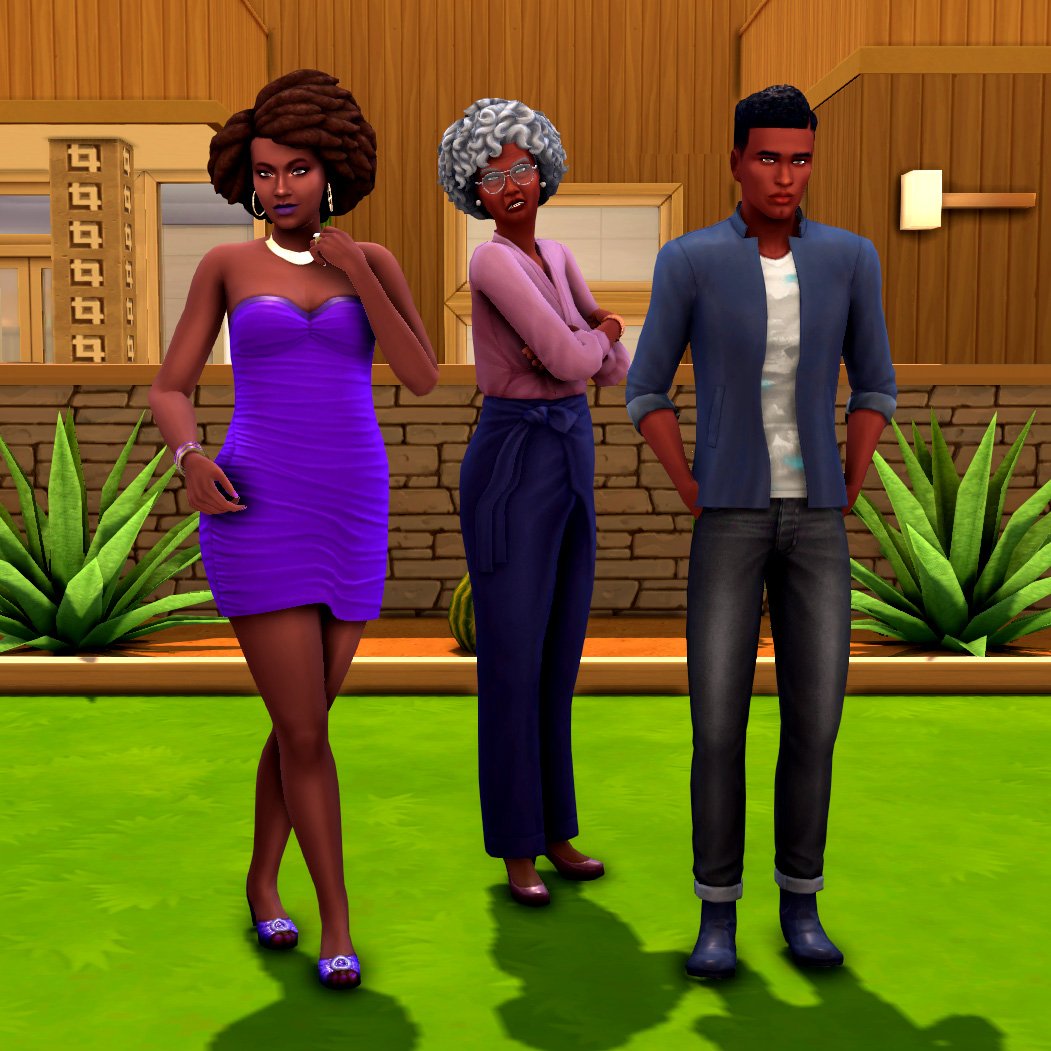
Josephine met a cute young waiter named Darnell at the restaurant across the street from her job in fashion and you can guess the rest. They went on a few dates, fell in love, and two years later, they were saying “I do” at the altar!
Since they were still working their way up in their careers, Darnell’s mother, Dorothy, offered to help them buy their first home with her retirement savings… as long as she got to live with the happy couple! She insisted she wanted to be as close to her future grandchildren as possible in her old age. Josephine and Darnell were hesitant at first; Dorothy had always been known to be a bit overbearing and pushy when it comes to her only son but they could really use the financial help. Buying a home with Dorothy meant they could start their lives in a bigger home than what they could afford by themselves.
So they agreed. How bad could it be, right? Josephine and Darnell purchased a beautiful, newly renovated mid-century home with a pool and a two car garage in a nice suburban neighbourhood of Oasis Springs. It was the perfect place to advance their careers and save up to start a family a few years down the line, but almost as soon as they moved in, they began to regret it. The overbearing, naggy mother-in-law was making them miserable!
Dorothy started demanding to know when Josephine and Darnell were going to start having kids and would not take no for an answer when they tried to explain to her that kids were something they wanted but not right now. They were still getting established in their careers and having kids now would mean less money being saved for those kids’ long-term futures, like college. They wanted to make sure they could support the kids they have, first. They even tried pointing out to her that there was nowhere to put a baby nursery in the house; Dorothy was in the second bedroom and Josephine’s office was in the garage!
When it became clear Josephine and Darnell weren’t going to have a baby just because Mommy Dearest demanded it, Dorothy began to guilt-trip them into having the grandkids she wanted. She’d cry and tell them how she didn’t have much time left and how could her only child be so selfish and deny her the joys of having grandchildren in the final years of her life? His awful wife must be influencing him and turning him against his own mother!
All of Dorothy’s dramatics has made Darnell realise just how toxic his mother is and now neither him or Josephine want anything to do with her… but what can they do? They’re stuck living with her. They bought the house together so they can’t just kick her out. The only two solutions they can think of is to just cut their losses and leave the home they love or as morbid as it sounds, just tolerate Dorothy’s presence until Grim comes for her and hopefully they’ll be ready to have kids by then.
Packs Used: None! This Story Starter Kit is base game compatible!
Household Notes:
This Story Starter Kit household should be able to purchase their lot with their default starting funds. Make sure you import the family into CAS, then move them in. If you move them into a home straight from the Gallery, they will not have the funds I set for them.
This 1970s mid-century family home has been recently renovated to suit more contemporary tastes. The spacious two car garage and inground fenced-in pool are big selling points for the property, especially considering its location in the middle of the dry, arid desert. Its single story design is perfect for Sims who have trouble getting up and down stairs.
Story Starter Kit Lot Info:
Lot Type: Residential
Price: §77,965
Size: 40×30
Beds: 2
Baths: 1
Lot Traits: None
Lot Challenges: None
Packs Used: None! This Story Starter Kit is base game compatible!
Your Sims 4 Story Starter Kit is waiting for you! Get The Household and The Lot by downloading them from the official Gallery Website linked on the buttons below. Or, follow SnarkyWitch in the Gallery and look for Mommy Dearest and Mid-Century Dreams!
A detailed walkthrough of each growing life stage in The Sims 4 and the best tips to raising a family! From Woo-Hoo Requirements to Graduating your Teens.
For some Sims, raising a family is its own reward in life. Whether your Sim is single and wants to go down the single parent route. Or happily married and looking to expand the family with their spouse. This guide will walk new players through the process of having and raising children in The Sims 4 base game! Learn how to expand your family tree!
Do note that there are many DLC packs that add even more depth to the Sims 4 family gameplay. Which we will mention in the last section of this guide.
Making A Sims 4 Family Guide
Becoming a Parent
There are two ways for a Sim to have a child in The Sims 4:
Trying for a Baby
Adoption
Accidental pregnancies from regular WooHoo do not occur in The Sims 4. Unless the player is using third-party mods. However, you can still Try for Baby and pretend it was a surprise baby if you want to tell that kind of story for your Sims.
To start your journey into parenthood, first decide whether you would like to conceive a biological child. Or adopt a child. You should also make sure your home has enough space for the child’s bassinet or bed as they get older and all the toys they will need for their developmental enrichment as they grow. Just like real life, children are a big financial and emotional commitment so it’s ideal for your Sim to be financially stable before they start a Sims 4 family.
Any Young Adult or older Sim can become a parent. They do not need to be married or be in a relationship with anyone in order to have a child. They also do not need to have a certain amount of money unless they are adopting, in which case they will need to pay an adoption fee. Being financially prepared for a baby ahead of time is recommended but not required.
Trying for a Baby
If you decide to add a child to your Sims 4 family through pregnancy, you will need to find a Sim to Try for a Baby with. This Sim does not need to be your Sim’s spouse or romantic partner; all you need is to either be WooHoo Partners or have a high enough romance bar with them to Try for a Baby with them.
By default, only Young Adult and Adult feminine-framed Sims can become pregnant. Teens and Elder females cannot become pregnant. However Young Adult, Adult, and Elder masculine-framed Sims can get other Sims pregnant. All Sims have fully customizable reproductive settings in CAS, though. So if you would like two feminine Sims or two masculine Sims to have a biological child together through pregnancy, that is certainly possible by changing their default settings in CAS. All you need to do is make one Sim able to become pregnant. And the other Sim able to get others pregnant. Really makes it easy to start your Sims 4 family!
Try for a Baby will become available on WooHoo spots.
And by clicking the other Sim when the following requirements are met:
Sims 4 WooHoo Requirements
Both Sims have compatible reproductive settings (one can become pregnant, the other can get Sims pregnant)
The Sims are WooHoo Partners OR the Sims have a high romance bar
There are less than 8 Sims in the household of the Sim who will become pregnant
The Sim who will become pregnant is not already pregnant
The Sims are age-appropriate (not teens and the female is not an Elder)
Both Sims are in a positive emotional state
There is a spot to WooHoo on the lot (such as a double bed)
If you are not able to have your Sims Try for a Baby, make sure all of the above requirements are met, first.
This Sim did not conceive on the first try.But she became pregnant after the second try.
When Trying for a Baby, the odds of conception are about 85%. While there is a very good chance of getting pregnant on the first attempt – there is still a chance it may take multiple attempts.
You can find out if your Sim is pregnant by taking a pregnancy test on the toilet within 24 hours after Trying for a Baby. You can also just wait it out and be surprised. If you don’t take a pregnancy test and you don’t receive a notification that your Sim is pregnant after 24 hours, then they are not pregnant and will have to Try for a Baby again.
Pregnancy in The Sims 4
Pregnancy lasts for three days in The Sims 4 and is split up into three trimesters, each trimester lasting one Sim day, but there is some variability in the 3rd trimester. Some Sims may go into labour a few hours early or a few hours late.
A pregnant Sim in her third trimester
While pregnant, your Sim’s Energy, Hunger, and Bladder motives will deplete faster and they may feel nauseous and vomit. This is all perfectly normal and your Sim will recover from these symptoms after they give birth. There may be certain activities your Sim cannot do while pregnant, like weight training and using a hot tub. However, one perk of being pregnant in The Sims 4 is that pregnant Sims are immune to death! Fire, starvation, electrocution, hungry cowplants, they are impervious to all potentially fatal hazards!
Starting in the third trimester, both parents of the baby can take paid Family Leave from work if they are employed. Sims 4 Family Leave will begin as soon as you take it and end three days after your Sim gives birth. When playing on Normal lifespan, this will be the day the newborn ages up to a toddler.
Going into Labor
When your Sim goes into labour, they will become extremely uncomfortable and periodically experience painful contractions. You can opt to have a home birth or a hospital birth at this point. Click your Sim and choose Have Baby at Hospital if you want to give birth at the hospital. You can select the other parent of the baby to go with you to the hospital if you want. After sending your Sim to the hospital, they will disappear off the lot for a period of time before returning home with their new bundle(s) of joy. The baby will appear in a bassinet in the home and you’ll be able to name the child.
You must have a bassinet on the lot to give birth at home. You can either wait out the labour process and let the Sim give birth whenever the baby decides to come or you can speed up the process by clicking on the bassinet and selecting Have Baby.
Influencing Gender and Multiples
By default, a Sims 4 family has a 50/50 chance of having a boy or a girl and a very low chance of having twins or triplets. In fact, it’s about a 2% chance of twins and less than 1% chance of triplets. There are ways you can influence this yourself, however.
Strawberries: If you want to increase the chances of having a daughter, have your Sim eat lots of strawberries during their pregnancy.
Carrots: If you want to increase the chances of having a son, have your Sim eat lots of carrots during their pregnancy.
Pop Music: Listening to Pop music while pregnant increases your chances of having a girl.
Alternative Music: Listening to Alternative music while pregnant increases your chances of having a boy.
Fertile Trait: The Fertile trait is a reward trait that can be purchased for 3,000 satisfaction points from the Rewards Store. Sims with this trait are more successful when Trying for a Baby and have higher chances of conceiving twins and triplets. The chances are boosted even more if both parents have this trait.
The False Story
Contrary to false rumours flying around, listening to Pop or Alternative while watching the Kids Network on TV does NOT increase your chances of having twins or triplets in The Sims 4. Music and food only influence gender and have no effect whatsoever on multiples. The Kids Network has no effect on anything at all.
Another false rumour is that you can tell how many babies your Sim is having by the size of their stomach. This is also completely untrue. Belly size varies depending on the trimester and the Sim’s natural body build. How many babies the Sim is carrying has no bearing upon the size of their belly.
Adopting Your Sims 4 Family
Some Sims may want a family but don’t feel like pregnancy is the right choice for them. That’s perfectly okay because pregnancy is not the only way to have children in The Sims 4. You can also grow your Sims 4 family through adoption.
Any Young Adult or older Sim can adopt a child as long as they have $1,000 to pay the adoption fee. Your Sim does not need to be married or in a committed relationship to adopt; however, couples can adopt children together, too.
To adopt a child, use the computer and select Adopt under the Household tab. You’ll be presented with a menu of children to select from, ranging in age from baby to child. Pick any of the available children and accept in order to process the adoption. Your Sim will leave the lot for a period of time to go pick up their new Sims 4 family member. When they return home, you’ll be prompted to give the child a new name if you want to.
Are there differences?
There is no difference between adopted children and biological children as far as game mechanics go. They are still listed on the Sims 4 family tree like biological children and treated exactly the same as biological children with no distinction between adopted and biological children. The only real difference between adopted children and biological children is genetics. Biological children will share some of their parents’ genetics, while adopted children will have random genetics.
This Sim adopted a child to become part of the family
If your Sim is married, their spouse will automatically become the adopted child’s other parent. If your Sim is single or just dating, your Sim will be the sole parent of the child. You cannot adopt more than one child at a time but you can adopt multiple children back-to-back as long as you have the funds to pay the $1,000 adoption fee each time.
Raising Children in Your Sims 4 Family
Now that you know how to have children, you should probably know how to take care of them, too.
Babies
Babies are completely helpless and need you to take care of all of their needs for them. They are also stuck to their bassinets and cannot be carried around or taken places. Their main needs are Hunger, Social, and Bladder. You cannot see your baby’s motives; you’ll have to guess what they want whenever they cry. It’s easy to see when they need a diaper change because they will have green stink fumes coming from them. It’s not as easy to tell if your baby is hungry or lonely, though. A good way to ensure all your baby’s needs are met is to feed them, play with them, and change their diaper all in one go whenever you tend to them.
The Sim who gave birth to the baby will have the option to breastfeed the baby as well as bottle feed them. All other Sims will only be able to bottle feed the child.
Babies Interactions and Limitations
Toddlers and children have some limited interactions with babies but cannot do baby care tasks. Only teens and older Sims can take care of a baby’s needs.
Babies cannot be left at home alone, but if you don’t hire a nanny to come look after them when you leave the house, they will automatically be sent to daycare when you leave and return home upon your arrival back home.
If you don’t do a good job of providing your baby with enough food and love, social services will take them from you and you will never be able to get the child back! Once social services takes them, they are gone forever!
Toddlers
A toddler building Movement skill by stacking toy blocks
Toddlers have some limited independence but are still a huge handful! In addition to keeping all their basic needs met, you’ll also need to make sure they are building skills for future success in life. Building toddler skills will also take a small load off your shoulders because it will allow your toddler to be a little more independent and do more things without adult supervision.
Toddler Skills
There are five toddler skills. All skills go up to level 5, except for Potty, which maxes out at level 3.
Communication: Talk to your toddler or have them talk to a stuffed animal to build this skill.
Movement: Just running around will slowly build this skill but toddlers can also stack blocks, use the Wabbit Tablet, and play wrestle with an adult to build this skill.
Thinking: Going “What’s That?” on objects, watching older Sims do various tasks, playing flash cards with an adult, and playing with the Wabbit Tablet all build this skill.
Imagination: Looking at or reading toddler books, playing with toys, being read a bedtime story, and playing with the Wabbit Tablet will build Imagination skill.
Potty: Use a toddler potty chair to build this skill. Toddlers can’t use the potty by themselves at first; they need a grown-up’s help, but they will be able to use the potty by themselves once they reach level 2 in this skill.
Toddlers will gain the Happy Toddler trait if they grow into children with all skills at least at level 3, which will give a slight boost to all skill gain for the rest of their lives. Maxing out all toddler skills before becoming a child will give them the Top-Notch Toddler trait, which gives large skill boosts for the rest of their lives.
Reading your toddler a bedtime story will help sleep soundly throughout the night.
Toddler Needs
Luckily, toddlers are a little more independent than in past Sims games. They sleep in toddler beds instead of cribs which means they can put themselves to bed and get out of bed by themselves. They can also eat anything that adults can eat and eat anywhere they like. You don’t need to get them in and out of a high chair or make a separate meal for them. In fact, using high chairs is a massive pain in The Sims 4 and we recommend not using them at all. Meal times go much smoother when the toddler is allowed to help themselves and eat wherever they choose.
Don’t forget to tuck them in and play lullabies on low volume for them!
Despite their newfound independence, toddlers do still need lots of comfort from adults. They may wake up several times a night from nightmares and wake up their parents crying. You can lessen the frequency of nightmares by reading your toddler a bedtime story, tucking them in, and playing lullabies music in their room on low volume at bedtime. Toddlers with high Thinking skill will have nightmares less frequently and be less inclined to try and splash in the toilet bowl.
Toddler Care
Toddlers cannot be left at home alone, but if you don’t hire a nanny to come look after them when you leave the house, they will automatically be sent to daycare when you leave and return home upon your arrival back home.
If you don’t do a good job of providing your toddler with enough food and love, social services will take them from you and you will never be able to get the child back! Once social services takes them, they are gone forever!
Children
A child doing her homework
It can be a big relief when a toddler becomes a child to the Sims 4 family. Because the parents get some time to themselves again. They are far more independent than toddlers and spend seven hours a day, five days a week at school.
Children have their own aspirations and skills that will provide them with benefits as they get older if mastered.
Child Aspirations
Just like adults, children can swap between aspirations and complete as many aspirations as you want.
Whiz Kid: Completing this aspiration will make your child gain all mental skills faster for the rest of their lives.
Artistic Prodigy: Completing this aspiration will make your child gain all creative skills faster for the rest of their lives.
Rambunctious Scamp: Completing this aspiration will make your child gain all physical skills faster for the rest of their lives.
Social Butterfly: Completing this aspiration will make your child gain all social skills faster for the rest of their lives.
Child Skills
All child skills go up to level 10. Mastering a child skill will allow your child to start building the adult equivalent of that skill as a child. For example, mastering the Creativity skill will allow them to build the Piano skill as a child. Children also start out at level 3 in certain skills as a teen depending on which child skills they’ve mastered.
Mental: Play chess, read books, fish, garden, do homework, or play with the child’s chemistry set to build this skill.
Motor: Play on the monkey bars or a jungle gym, play Keyboard Commander, or Practice Typing on a computer to build this skill.
Creativity: Play with toys or a dollhouse, play the child’s violin, or draw at a child’s activity table to build this skill.
Social: Talk with other Sims or to a stuffed animal to build this skill!
Children can largely take care of all of their own needs without adult assistance. The only thing they can’t do to satisfy their motives is cook by themselves. However, they can help an older Sim cook. If you don’t have a lot of free time to cook for your kids, make several party-sized meals at once and store them in the fridge for the week. Any children in the home will be able to grab leftovers for themselves whenever they get hungry. Children can also grab less nutritious quick meals like cereal and crackers from the fridge. So even if you forget to cook for a day, they won’t starve.
A child building Creativity skill by drawing at her activity table
If you thought the days of your kids waking you up at night were over… think again. There is a chance that children might get a visit from the monster that lives under their bed that only they can see. If the monster under the bed shows up, they will freak out and run to wake up their parents. You’ll have to get rid of the monster with “monster spray” and calm your child down before your child will go back to sleep in that bed. You can also take preventative measures by spraying the bed for monsters each night before your child goes to sleep. To get rid of the monster for good, purchase a Coolala Defender Light from the buy catalogue and place it in your child’s room near their bed. The nightlight will permanently keep the monsters at bay. Monsters will not appear under double beds so buying a double bed for your child will also stop monsters from showing up.
Children Elementary School and Schedule
All children attend school five days a week. They will need to keep on top of doing their homework every night and build skills if they want to do well in school. To get an A in school, children will need to reach level 4 in any skill and consistently show up to class on time every day with their homework completed. If a child loses their homework, you can purchase a new homework book for them from any bookcase for $1.
Unlike babies and toddlers, children can be left at home alone. But if you don’t have leftovers in the fridge for them to eat, you may still want to hire a nanny to come and cook for them while you’re away.
If your child’s needs are neglected or if they fail school, social services will take them from you and you will never be able to get the child back! Once social services takes them, they are gone forever!
Teenagers
A teenager holding hands with her new girlfriend
Teenagers are a very fun life stage because they have almost all the same freedoms adults have. Which can be both very entertaining and very dramatic. In fact, teens are so self-sufficient that they don’t even need to live with an adult. They can live on their own and survive perfectly fine.
Teens can cook, clean, hold down part-time jobs, have romantic relationships, and take care of children. They are very close to adults in almost every way, except they cannot have their own children and they still need to go to school.
Teens High School Attendance & Schedule
Like children, teens attend school five days a week and must show up on time, build skills, and complete their homework every night in order to raise their grade to an A. If they were an A student as a child, they will start out with a B grade instead of a C. There is technically no penalty for failing school as a teen. Social services won’t take them away and they won’t be barred from any career when they’re older. You could just have them never go to school with no repercussions. However, aging into a Young Adult with an A grade in high school will allow your Sim to start any full-time career at level 3 instead of level 1, so there is an incentive to do well in school.
A teenager on her way to her early morning part-time job as a barista before school starts.
Sims 4 Teen Careers
Teens can help support their Sims 4 family by getting a part-time job. They will be restricted to taking shifts that don’t interfere with their school hours. Part-time jobs can be a great way for teens to build extra skills and make some of their own money. Even if all household funds are shared. But it may be a lot for them to juggle with school and homework.
Teenagers can also experience romance for the first time! Teens can go on dates, be in a committed romantic relationship, and even Mess Around (the teen equivalent of WooHoo) and exchange promise rings! Teens can only be romantic with other teens and cannot become pregnant or get anyone else pregnant. When exchanging promise rings, their relationship status changes to Promised. However, being promised to each other as teens is not a proper engagement. Promised teens will still need to propose as young adults and become engaged.
Ahhh young love!
While this may be depressing to know, social services will never remove teens from the home for any reason. No matter how badly they are mistreated or neglected. Honestly, we hope this changes in a future game update.
DLC’s for Your Sims 4 Family
While this guide gives a detailed overview of how to raise children in the base game, there are several DLC packs you can purchase to enhance your Sims 4 family gameplay. DLC is optional content; you don’t have to buy it but you may be interested in purchasing some DLC packs to add more to your gaming experience.
Parenthood: A game pack that adds more depth to everyday Sims 4 family life. Childhood phases, teen mood swings, diaries, making messes, school projects, curfews, groundings, and a new character value system that affects how kids develop are all things you can expect from this DLC pack.
High School Years: This pack is all about the teens! Follow them to school, prepare for prom, deal with acne breakouts and body hair, become valedictorian or drop out of school, sneak out of bedroom windows, hang out at the boba tea and thrift shop, and cause ALL the drama.
Kids Room Stuff: A smaller pack focused on kids who want to be tweens. New bedroom furnishings and clothes for kids, a new tween radio and TV station, a skill building puppet theatre, and collectible Voidcritter cards that can be trained, traded, and battled with are all main features of this pack.
Toddler Stuff: Host playdates for your tiny tots and give them new ways to have fun and build skills with outdoor playground equipment designed just for toddlers.
Little Campers: An adorable bite-sized kit full of fun items for a kids sleepover in the backyard. Toys, a backyard movie projector, a firepit for roasting marshmallows and a cute blanket fort tent are just some of the fun and colourful items included in this kit.
First Fits: A small handful of basic kids’ clothing in muted earth tones.
Create Table Clutter of your liking with these Sims 4 Cheats and Tricks!
Have you seen this gorgeous basket in debug? It actually came in different colors with Jungle Adventure game pack!
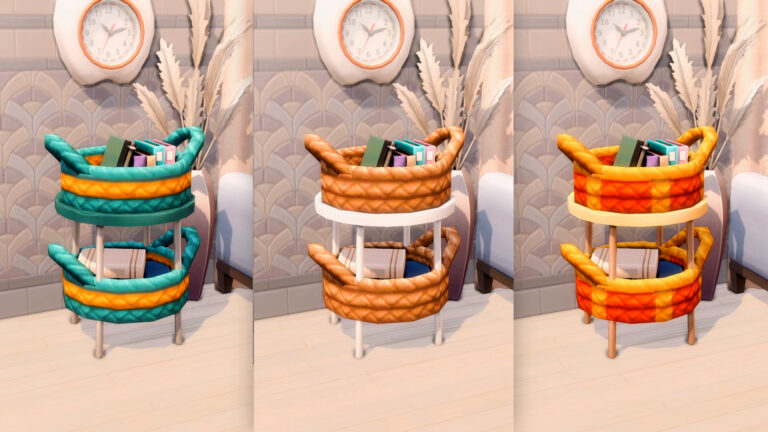
Every builder who knows where to find it has probably used it in their build BUT not in the way that we’re going to show you. Instead, we’ll make this rattan side table from IKEA out of this woven debug basket!
Before starting, ‘bb.moveobjects’ on must be enabled.
To access this basket, open the cheat bar first with Ctrl+Shift+C. Then enter these two cheats one by one: ‘bb.showhiddenobjects’ and ‘bb.showliveeditobjects’. Hit Ctrl+Shift+C again to close the cheat bar.
In the search box, type in ‘**DEBUG**’ and scroll through the entire debug menu until you find this basket that comes in 10 different styles.
Pick any color you want! Just place 2 of them in one spot and size them up by pressing the ‘]’ key.
The easiest way to put it all together is by using this end table from High School Years. Match its swatch to the basket you chose.
Let the first basket snap on the top table slot. Then grab the other basket and elevate it two times.
Alternative ways
#1 If you don’t own High School Years, you can use the pole from My Wedding Stories. First, elevate a basket one time with Ctrl+9. Then elevate the other basket 5 times.
Size down the pole to its smallest size by hitting the ‘[’ key 3 times. Align 4 of these sized-down poles around the baskets to serve as table legs. You can hold down ‘Alt’ to move them around precisely and closer to the baskets.
#2 Or if you just have Base game and Jungle Adventure, don’t worry! You can do the same trick with these Base game debug poles.
And that’s it! A wicker side table that looks like your very own hand-crafted Pinterest project. Very chic and bohemian!
Try experimenting with other colors for different styles!
You can also watch this quick video for your guide:
How does the community celebrate Halloween in The Sims? We explore all the Halloween Themed Content in The Sims 4 and Community Prompts and Challenges!
For many Simmers, it’s a time to get involved in creating a variety of looks, builds and stories inspired by Halloween and Fall. You’ll also find that many custom content creators will create special items and collection for Halloween.
There are a number of ways that you can get involved in creating themed content for this time of year, and this post is going to cover some of the ways you can do so!
In Game Content & Activities
There are a variety of ways that you can get your Sims ready for Halloween. So why not make this Halloween one that your Sims will remember!
Things to do
Spooky/Halloween inspired builds
Have a spooky photoshoot with your Sims
Tell/Recreate a Halloween Story
Host a costume party with your Sims
Host Spooky Day in your game
Create your own spooky story
Visit a haunted house
Downloadable Content
If you don’t already own these packs, there are several packs that you can add to your game that will allow you to add additional occults or Halloween inspired content to your game.
There are also a couple of packs that can allow you to enhance your Sims’ Halloween experience by utilizing features that come with those particular packs.
While this may take a little time if you are searching for something specific, the world of mods and custom content can really open up the door for creating the ultimate look, for helping tell a story or for general spooky gameplay.
Here are some of the sites that will help when looking for new mods and custom content.
You will find that many creators who use Tumblr will showcase their content there, but for downloads will redirect you to Patreon and/or Sims File Share. Be sure to read the creators fill posts for all the details when it comes to downloading custom content or mods.
Tumblr is also a great resource for custom content, with a number of Tumblr’s dedicated to finding and sharing various different items. It can feel a little overwhelming sometimes, especially if you don’t know where to start.
Here are some prompts that cover some generalized searches for custom content and mods on Tumblr. Of course, if you are looking for something more specific, try combining some of these search terms with what you are looking for.
You’ll also find that many creators will use a variety of tags to help the content be discovered more in searches. Be sure to check these out too!
Social Media
Social media as we know can be a very good way for sharing your Sims content. Whether you are sharing your spooky creations and gameplay on Twitter, Instagram, Tumblr, YouTube or Twitch, you are certainly going to find players from the community on each platform.
A yearly tradition that has grown year upon year though is Simblreen!
Hosted over on Tumblr, creators take their Simblr’s (Sims inspired/based Tumblr) and join in the Halloween fun!
Whether you are taking part in the Simblreen Trick or Treating activities, sharing Halloween inspired custom content, builds, looks or stories, there are plenty of ways to take part!
Luckily, the official Simblreen Tumblr account has everything you need to know, including a more in-depth frequently asked questions section, visual guide and participants list.
Currently, there are over one hundred creators taking part in Simblreen with content for The Sims 4 but also The Sims 3 and The Sims 2. The dates for this year’s Simblreen activities are:
21st October to 23rd October 2022
28th October to 30th October 2022
You can see a full list of creators taking part in this year’s Simblreen and what kind of content they are creating by checking out this list here!
Looking for ways to discover more Halloween themed content via social media? Take a look at some of these commonly used hashtags for more ideas, inspiration and creations!
Challenges are a fun way to get creative, regardless of if you are creating Sims or building! Here are a few of our favourites at the moment! Create a spooktacular build or the ultimate Halloween look. Check out the list of challenges and prompts below!
There are plenty of ways that you can get involved and even take part and the Spooky Halloween fun! Whether you are creating content to share with the community, taking part in one of the challenges or creating your own spooky stories and memories, have fun!
Let us know what you and your Sims will be doing this Spooky Seasons in the comments below!
Test your luck and win 1 out of 5 Packs / Kits in our latest Sims 4 Giveaway!
Last week EA and Maxis has opened up the doors for everyone to The Sims 4. Making the 4th Base Game installment of The Sims Franchise completely free across platforms!
Here on Sims Community we’re celebrating new players and community members. Over the last week there’s been two Sims 4 Giveaways where players tried out their luck and won 5 Expansions and 5 Game Packs.
Today, we’re staring a new The Sims 4 Giveaway where you can win *any* Pack of your choice. Including Kits!
Sims 4 Giveaway – Win A Pack (or a Kit) of your choice!
The rules are pretty simple:
Win a Sims 4 Pack of your hoice!
Which Sims 4 Pack / Kit would you like to win?
That’s it. Answer the question with a Sims 4 Pack / Kit that you’d like to win in the comments section down below and we will pick 5 random winners through random.org!
You can leave your entry comments down below!
The comments section closes down on October 28th at 10AM PT / 7PM CET.
Five comments will be picked out using random.org. The winners will be announced here in the Conversations on October 30th at 1PM Pacific Time / 10PM Central European Time.
Make sure you follow the rules before entering:
Please note:
Be respectful and follow the Sims Community House Rules linked below.
You need to be a member of Sims Community in order to leave a comment! The Sign Up button can be found right above the comments.
Not more than 1 comment!
Your comment might be saved for manual approval. Don’t worry, we will manually approve your comment in a few hours in case you’re waiting!
Make sure you leave your correct information when registering to Sims Community through OpenWeb. Your correct e-mail is needed so we can contact you with the inquiry about your preferred platform for the pack of your choice!
Do not share your personal email and data in the conversation!
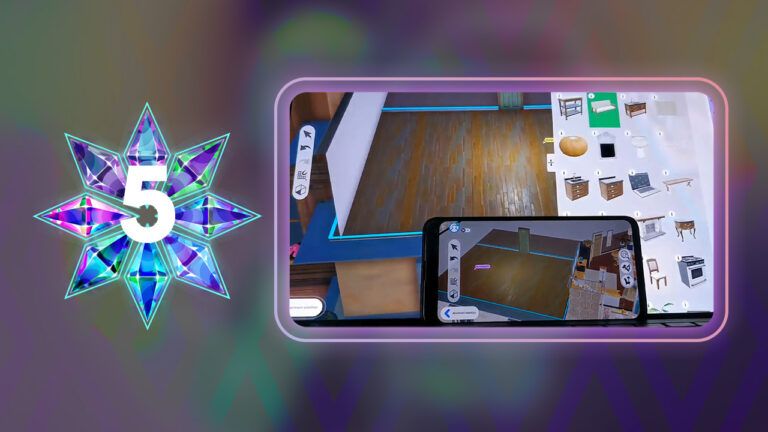
The Sims 5 Apartments feature is already included in the current early version. Will the feature remain for Project Rene’s full release though?
EA has announced Project Rene, also known as The Sims 5 just last week. As stated by Lyndsay Pearson, VP of Creative at The Sims Franchise – Project Rene is currently in development and is years away from being officially released. However, throughout the development of the game EA and Maxis will be taking the players through the development. With transparent updates, Work-In-Progress reports, Early Access and so much more!
In the official EA Playtest e-mail we received an official confirmation to a big feature. A feature that hasn’t been included in any of The Sims base game installments before. Yup, I’m talking about apartments!
This playtest will focus primarily on our new object customization tool currently called “Workshop.” This tool is meant to help you customize objects to decorate an apartment. We encourage you to share your creations as well as download what other players have made. And to experience everything this playtest has to offer, remember that you can play with your friends!
Throughout Behind The Sims Summit we also got new previews of what Apartments currently look like in The Sims 5. Considering that the game is still early in development please note that things are subject to change.
Take a look:
Preview of Apartments in Project Rene
Preview of Apartment Rooms in The Sims 5
In the screenshot from the summit above you can clearly see that the room is in an elevated space. With Apartment hallways and seperate rooms within the Apartment floor.
Are Rabbit Hole Apartments about to become a thing of the past?
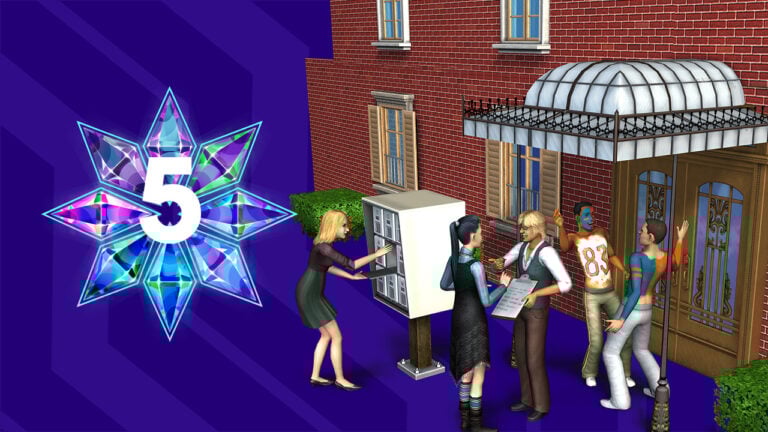
Project Rene Apartments – Preview of the Exterior
The screenshot above also mentions “Apartment selection” in the bottom left part of the User Interface. Clearly showing that any Apartment room within the floor is editable!
The best thing about it? Players can collaborate together and decorate and furnish these apartments together!
Apartments Feature in previous Sims Games
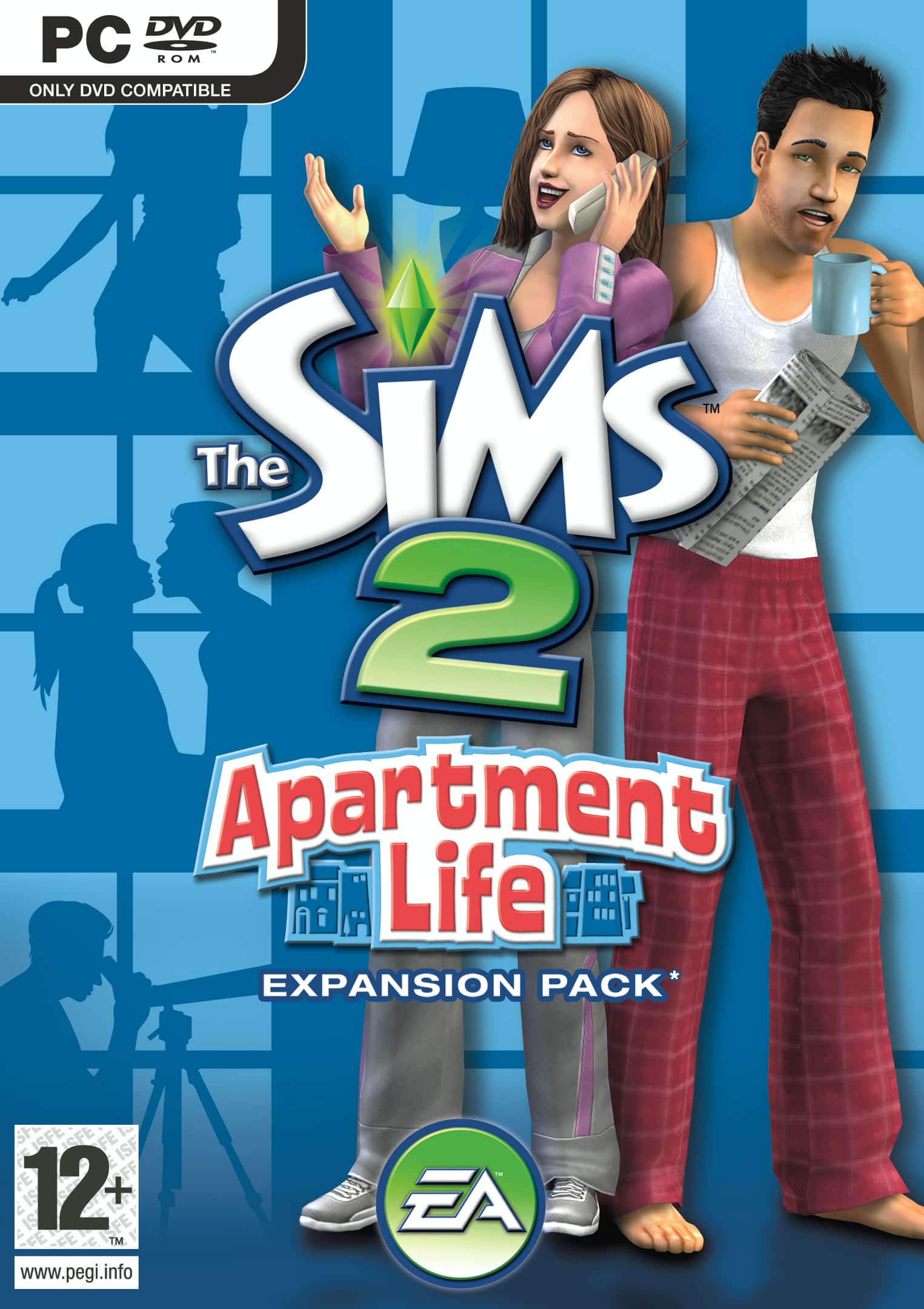
Apartments have been first introduced in The Sims 2, through the Apartment Life Expansion Pack. The 8th (and last) EP in The Sims 2 era.
Sims 2 Apartments allowed for players to build and customize apartments from scratch. Allowing up to 4 households to live in a single Apartment Lot.
Apartments in The Sims 3 have been introduced through the Late Night Expansion Pack. This time around, Apartments function like “Shells”. Allowing players only to have one Household within an Apartment Shell at a time.
Apartments in The Sims 3 Late Night. Screen by cale2003
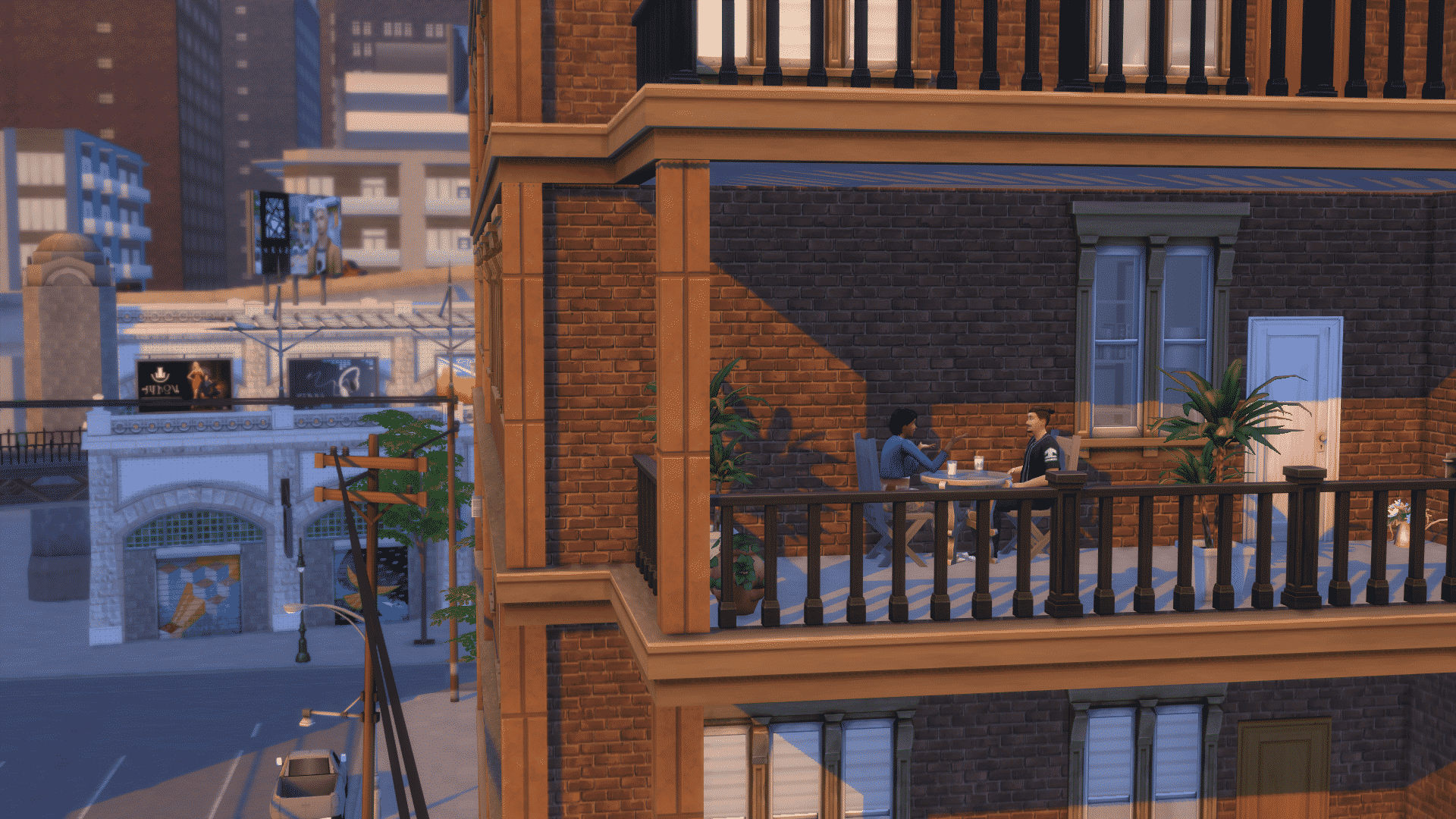
The Sims 4 got Apartments with the City Living Expansion Pack. The Pack introduces both Apartments and Penthouses.
With Apartments, players in The Sims 4 can only play with the Apartment Shells they have. However, unlike with Apartments in The Sims 3, there are Neighbors. (although you have to go through a Loading Screen to pay them a visit).
Apartments were introduced later in The Sims 4 Eco Lifestyle as well, with new Apartment shells you can live in Evergreen Harbor.
Upgrade your High School Years Experience with Private School CC Pack for The Sims 4. 50 Maxis Match objects for your high-end classrooms!
Your High Schools are about to become much more classier!
SixamCC has released a new Maxis Match set out to the public that’s all about Private Schools.
The Sims 4 Private School CC Pack covers 50 unique objects for all sorts of categories for a high school, including:
Classrooms
School Offices
Hallways & Decoration
Private School Bedrooms
Want to know about all featured items included? Check out the introduction to the Private Schools CC Set from SixamCC:
Hi guys.
Finally! my new cc pack is here and I am so happy with the result. This cc pack is very special because my dear patrons helped me to do it and I think the final result is pretty cool.
The concept I came up with was private schools, to be honest with you that’s something I wish we had in The Sims, boarding schools could be a great addition to the life of a teenagers, don’t you think?
So thinking about that, I created a series of objects to recreate an experience like that in game, from a class room with new desks, black boards and tons of clutter, to a drinking fountain for the school hallways (I know you wanted this! and yes, it’s functional), empty bookshelves to make your fabulous library, bunk beds and tons of new posters to decorate the dorms.
I hope that using all the elements of this cc pack will help you create really cool stories with your Sims living a private school experience.
I really hope you like this cc pack as much as I do.
– sixam.cc
The set turned out astonishing if we can say so ourselves! Check out the list of Features and Objects included with Private Schools CC Set. As well as screenshot previews of all the objects you can expect!
ABOUT THE CC PACK:
50 items!
Built: 2 arches (wide and narrow), 1 window
Confort: 1 single bed, 1 bunk bed, separated mattresses, 2 desk chairs, 1 bed stool
Surface: 2 School Desks, 2 Teacher Desks, 4 Modular End Tables, 1 Night Table,
Requires High School Years EP: Black Boards, School Desks, Teacher Desks
Private Schools CC Set – Sims 4 Screenshots
Classroom Objects
Dorm Bedroom Objects
High School Hallway Items & Clutter
High School Office Objects
The Private Schools CC Set for The Sims 4 is available right now for PC and Mac players. Simply press the “Download Here” button in the link provided below. Extract the downloaded content to Electronic Arts > The Sims 4 > Mods folder. Oh, and ensure you have Mods & CC enabled in your game options!
Everything you need to know about how to become Chess Team Captain in The Sims 4!
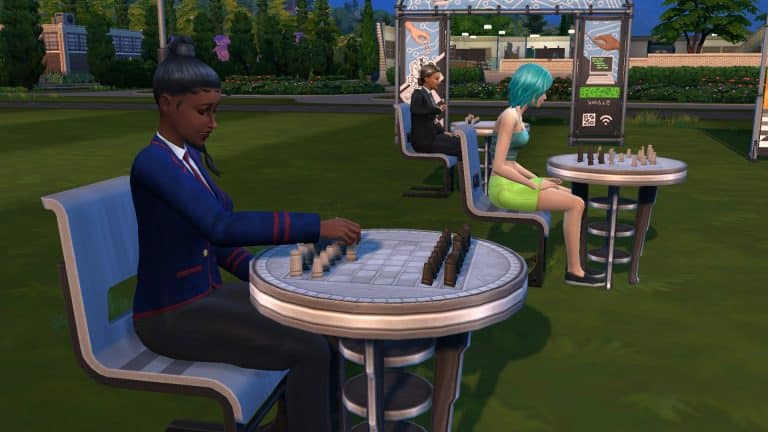
The Sims 4 High School Years comes with four brand new after-school activities for your teen Sims to join: Cheer Team, Football Team, Chess Team, and Computer Team.
We’re going to be walking you through joining and excelling in the Chess Team!
Joining the Chess Team
To join the Chess Team, use the phone or a computer to sign up for an after-school activity. Then select Chess Team from the available choices. Signing up for an after-school activity will be under the Business app on your cell phone, or the new High School category on a computer.
Chess Team runs from 3:30pm to 5:30pm on Mondays, Tuesdays, and Thursdays. Chess Team is treated like a rabbithole career. Unlike the Football and Cheerleading Teams, there aren’t a lot of active elements to this activity. Make sure your Sim is at home and not at school when Chess Team starts so they can leave the lot to enter the rabbithole destination.
You’ll start out as a fresh recruit and will have to play chess between all your Chess Team meetings in order to advance in this activity. Chess Team is tied to the Logic skill which can be built by playing chess so you can take care of both activity requirements at the same time.
Chess Team Levels and Rewards
The Chess Team has three promotion levels and each level comes with new rewards.
1) Chess Team Fresh Recruit
Description: [Sim Name] has a lot to learn, but he’s/she’s/they’re on his/her/their way! Time to brush up on logic skill and chess practice. That should really help [Sim Name] also learn how to keep a straight face while playing.
Advancement Tasks:
Reach Level 2 Logic Skill
Daily Task:
Play Chess
Rewards:
N/A
2) Chess Teammate
Description: [Sim Name] is getting the hang of this. Now, the giggles have subsided and the game starts to get more serious. It almost becomes enchanting and he/she/they is/are starting to gain major respect with the other team players. Keep up the logic and practice and captain might not be a joke any longer.
Advancement Tasks:
Reach Level 4 Logic Skill
Daily Task:
Play Chess
Rewards:
Chess Team Flag
Chess Team Flag. This object is only available in one swatch.
3) Chess Team Captain
Description: [Sim Name] has really impressed with logic strategy and elegance. This may not be a grandmaster title, but being on top of the best high school chess team has a special feeling.
Advancement Tasks:
N/A
Daily Task:
Play Chess
Rewards:
Gold Leaf Chessboard
High School Chess Trophy
Gold Leaf Chessboard. This item is only available in one swatch.High School Chess Trophy. This item is only available in one swatch.
Chess Team Science Fair
While in Chess Team, you can use the phone under the Business app to schedule a science fair. The fair can’t be scheduled on the same day as the football or cheer sports days. When you schedule a science fair, it will happen the next day at 5pm in the high school football field.
The event is the same as the sports days, except there’s chess tables and a logic puzzle competition. Unfortunately, it was a very underwhelming experience for us. Our Sim with maxed Logic Skill sat down at the chess table to do the puzzle and just stared into space until the end. She of course didn’t win due to never having finished the puzzle.
This is definitely an event you can skip. You aren’t missing much.
Looking for more Guides on The Sims 4 High School Years?
Help us choose the best Sims 4 Kits for CAS and Build/Buy!
The Sims 4 turned eight years old in September and it’s pretty incredible to think about. Who can believe The Sims 4 is almost decade old? Of course, the continued success of The Sims 4 is thanks to all the DLC packsthe game received over the years. DLC is what keeps The Sims 4 relevant almost a decade later but that doesn’t mean they’ve all been the best among Sims 4 packs (or kits). Some DLC packs are loved and adored by the majority of players, but others received harsh critiques.
Which ones will go down in the history books as the best of The Sims 4? Which ones will forever be remembered as colossal flops? That’s up to you! We’ll be running community polls to give you the chance to decide on the best (and worst) expansions, game packs, stuff packs, and kits for The Sims 4!
Vote for Your Favourite Kit
You voted in our expansion, game pack, and stuff pack polls and now we want to know what your favourite kit is! We know it may be difficult to pick just one; there are quite a few of them and they cover such a wide array of styles and themes, so we’re going to let you pick your top three Sims 4 kits in each category to make things a little easier.
This is a Sims Community poll. Not affiliated with Maxis or EA.
[totalpoll id=”121840″]
Got more to say? Discuss the best Sims 4 kits with other Simmers in the comments!
Please remember to be kind to other players, the game developers, and the Sims Community staff in the comments. Respectful disagreement is healthy but let’s remember there are real people on the other side of the screen.
Five halloween-inspired builds for Sims 4 inspired by five scary (and not-so-scary) movies!
Spooky season is upon us and if you aren’t in the spooky spirit of the season yet, allow us to help you get the pumpkin spice and Halloween movie marathons rolling! Today, we have five spine-tingling, creepy crawly builds inspired by some of your favourite scary (and not-so-scary) films. From true horror like The Shining to morbid humour like The Addams Family, there’s something for everyone to enjoy!
Are you ready to see your favourite Halloween films come to life in The Sims 4? It’s sure to be a hair-raising experience!
Paranormal Beetlejuice Build
Creator: simprincesstay
This simmer has recreated the iconic home from the film, Beetlejuice! It looks exactly like the house seen in the movie and we are super impressed with the traditional Victorian architecture, here. The orange pickup truck parked along the winding driveway up the hill adds a realistic touch to the whole thing. And, if you’re interested in seeing the home after the Deetz’s renovation, simprincesstay also has that version available in her catalogue! Amazing!
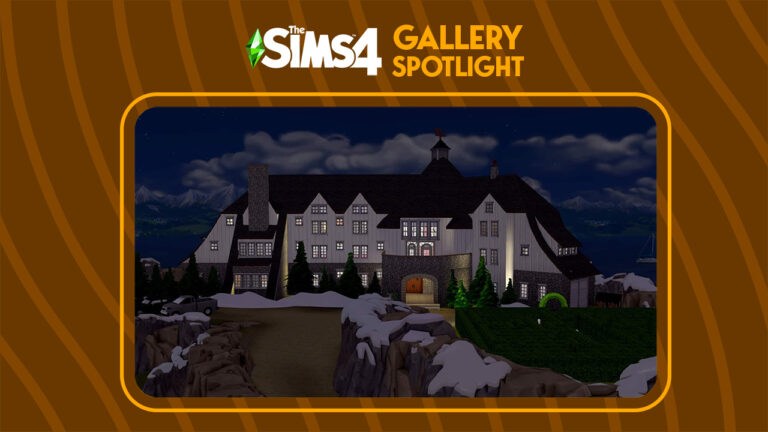
We could not be more impressed with this Simmer’s recreation of the Overlook Hotel from Stephen King’s horror novel-turned-film, The Shining! There is so much detail! From the sloping roofs that touch the ground in many spots to the instantly recognizable maze that poor Wendy was chased through by her deranged husband, Jack, in the film. The snowy cliffs hugging the perimeter of the property is just the icing on the cake. Truly an authentic representation of the film.
This delightfully spooky build was modeled after Jack Skellington’s home from the classic 1993 film, The Nightmare Before Christmas, directed by Henry Selick. We can definitely recognize this as the Pumpkin King’s home from the crooked tower sticking out of the roof. The pumpkin lanterns framing the entrance to the home give the build the best spooky vibes. Halloween Town’s favourite entertainer and his faithful ghost pup, Zero, would feel right at home here.
Sistas! It is time! This amazing recreation of the Sanderson Sisters’ cottage from the classic family Halloween film, Hocus Pocus, has definitely put a spell on us! There’s no mistaking this iconic home, complete with a waterwheel enclosed by a stone wall. The interior layout is also very close to the film in stylistic accuracy. And yes, of course it includes Winifred’s sentient book and the black flame candle. *sniff sniff* Do we smell children?
They’re creepy and they’re kooky, mysterious and spooky! They’re all together ookie, The Addams Family! This incredible build inspired by The Addams Family home is packed with so much detail everywhere you look! There isn’t a single tiny spot of this lot that isn’t decorated in delightfully spooky fashion. It must have taken days to build but the effort was definitely worth it because we are in awe! The Addams Family would no doubt be proud to call this place their home! We’ll snap our fingers to that! *snap snap*
EA is already starting with The Sims 5 playtesting, letting the first group of people play with the Workshop!
Alright, so you’ve probably heard the news about The Sims 5 / Project Rene. The game is currently in development by EA / Maxis with a development cycle that still dates the game a long time from being fully released.
However, during Behind The Sims Summit it was stated that the game will be built on player feedback. And now it seems that it’s all happening much sooner than expected.
According to the sources from Insider Gaming, the first Playtest Session for The Sims 5 starts next week. October 25th!
Sims 5 playtests will start October 25th, sources have confirmed. Several people have sent emails and images that show that Sims 5, currently known as Project Rene will start playtesting next week, starting October 25th.
– insider-gaming.com
Insider Gaming also provided the official email that EA Playtesters were given. It includes new information including:
Objects customization tool is currently called “Workshop”
Apartments are a thing in The Sims 5
Playtesters can already share and download creations!
Sign up for the Playtest!
The team at Maxis has been hard at work developing new innovations for The Sims. You’re invited to test out a pre-alpha experience for Project Rene. We’re looking to make this the best experience possible, and we can’t wait to get your feedback and hear your what you think.
This playtest will focus primarily on our new object customization tool currently called “Workshop.” This tool is meant to help you customize objects to decorate an apartment. We encourage you to share your creations as well as download what other players have made. And to experience everything this playtest has to offer, remember that you can play with your friends!
Please note that this early experience is only one aspect of what Project Rene will grow to be.
We encourage you to join sessions with your friends and/or join the private playtest Discord (invitation to follow) to find new friends to play with. As a trusted, Community Playtesting member, you are eligible to invite up to 3 friends to sign up for this playtest. More information and instructions are included in the registration form.
You can sign up for EA Playtesting by visiting our “How to become a Playtester“, which includes all the details you need to know about location, compensation, website links and more. Alternatively, you can visit the EA Playtesting website directly.
Here’s to hoping that we’ll get public new information from the first playtest. Stay tuned for more updates on Sims Community!
We want to know what you think about the new Sims 4 Official Mod Hub!
Lots of big changes are coming to The Sims 4 and one of the biggest changes is the new Sims 4 Official Mod Hub launching on November 14th, 2022. The new mod and custom content hosting platform is intended to be a “one stop shop” for Simmers to find all of their favourite mods and custom content in one safe, secure location. A group of top content creators called The Sims 4 Mod Squad will spearhead the launch. We want to know what you think of all of this in our community poll on CurseForge’s new partnership with The Sims 4! Give us your opinions on the The Sims 4 Mod Hub, Mod Manager, and Mod Squad!
The Sims 4 Official Mod Hub
If you’re not up-to-date on everything going on with CurseForge and The Sims 4, don’t worry! We break everything down for you on our website! Have a look at the important details on The Sims 4 Mod Manager and Mod Hub, then share your opinion with us! We want to know everything about how the Simming community is feeling about these latest changes, both positive and critical.
Share your thoughts about The Sims 4 CurseForge partnership in our poll!
This is a Sims Community poll. Not affiliated with Maxis or EA.
[totalpoll id=”123189″]
Still hungry for more information? Sims Community has you covered! We have every important moment from the Behind The Sims Summit event right here on our website! From The Sims 4 across all available platforms to The Sims Mobile and Freeplay, we didn’t leave out anything! Catch up on everything now!
Got more to say about our Sims 4 CurseForge community poll? Discuss the Official Mod Hub with other Simmers in the comments!
Please remember to be kind to other players, the game developers, and the Sims Community staff in the comments. Respectful disagreement is healthy but let’s remember there are real people on the other side of the screen.
There is no denying that the biggest announcement to come out of the Behind The Sims Summit livestream was the reveal of the next generation of The Sims game from Lyndsay Pearson. Codenamed Project Rene, players got an incredibly early first look at the upcoming game. Naturally, the community have named it The Sims 5 in the meantime,
The Sims 4 was first revealed to the world in August 2013 followed by an initial release on PC in September 2014. It has been eight years since the games release and to date. The Sims 4 is currently the longest running The Sims game that shows no signs of slowing down just yet. However, what is interesting is that this is the first time that Maxis and EA have revealed a new The Sims game. This early on in development!
While it is still early days in the development for The Sims 5, players had mixed reactions to what they saw. Even though we know that a lot can and will probably change between our first look and the final release.
As yet, there is no hint as to when The Sims 5 could release. Although we know it will be some time yet. In the meantime, though, The Sims Team will be sharing periodic updates. Showcasing the progress of the game’s development.
There is no denying that the reveal caused a lot of excitement across not only The Sims community, but also the gaming world in general. The reveal of The Sims 5, has set the community alive with a mixture of thoughts and feelings.
As well as the reactions to the announcement of The Sims 5, players have also had a number of questions. The Sims Team has already addressed some of these and shared answers to many of the questions in the form of a handy frequently asked questions segment.
Community Reactions
Let’s take a closer look at what members of the community had to say about The Sims 5 announcement!
A number of YouTubers uploaded videos to share their reactions to the news! With a variety of reactions, here are a couple of our favourites!
As well as a number of reactions from players on YouTube, many members of the community took to Twitter to share their thoughts.
Of course, it is natural to feel a variety of emotions right now. Players have wanted information about the next instalment of The Sims franchise for some time now. Over the past twelve months we have seen a number of hints pointing in the direction that development is underway, and that has now been well and truly confirmed.
Simmers were not afraid to share their honest reactions from the announcement. While there was a lot of promise and exciting features shown, some players showed concern with the reveal.
Seeing The Sims 5 being referred to as Project Rene I'm assuming that in the end the game will be called 'The Sims' without the 5. Going back to the roots, reinventing itself. There's so much potential and honestly the best part about it all is the transparency.
While there are a number of positives, knowing that The Sims 5 is happening, there are some negatives. However, this comes more from the snapshot of the early development content we’ve seen so far. Additionally, the only other information that we have is that it’s happening.
the sims 5 needs to have weather, pets, vacations, and every life stage INCLUDED IN THE BASE GAME.
otherwise, you know they only plan to sell it back to us again. they know they can include these features in the game; they would just simply choose not to.
Needless to say, despite the mixed reactions, the community seem to be happy with the transparency of The Sims team.
Player Concerns
Many players are hopeful that we will see some much loved features be available at launch when The Sims 5 releases, unlike some that were missing when The Sims 4 launched. The return of the highly requested colour wheel as well as custom pattern and swatch design are two more features players will be looking forward to.
There were also some concerns with the content shown was similar to another upcoming live simulation game. Of course, what we saw was incredibly early development content and a lot can change between now and the final release of The Sims 5. Additionally, the topic of the game having multiplayer features was another big concern, although we do know this is likely to be optional based on the player.
It has to be said that the reveal of Project Rene aka The Sims 5 was the highlight for many players during the Behind The Sims Summit Event.
Let us know your thoughts and feelings about the announcement below in the comments!
We’ll be keeping you up to date with all the latest The Sims 5 news right here on Sims Community.
Learn how to write your own songs in The Sims 4 and license them to earn royalties!
Did you know you can write your own songs in The Sims 4 and license your songs to earn royalty payments? It’s true! To write and license your own original songs, your Sim will need to be level 9 in any musical instrument. We’ll walk you through exactly how!
Writing Songs
At level 8 of any musical instrument skill, your Sim will unlock the ability to write songs. Click the instrument to do so. The process takes approximately 12 in-game hours, so your Sim will most likely need to leave their song unfinished to take care of their needs. That’s okay! Unfinished songs will be stored in your Sim’s inventory on a USB stick. When you want to resume, click the USB stick and select Resume Song.
When your Sim finishes writing a song, you’ll get to name it. Finished songs will not be stored in your Sim’s inventory but don’t worry; they aren’t lost. You still have them and you can license them with a little more practice.
Licensing Songs
You won’t be able to license the songs you write until your Sim reaches level 9 in their instrument of choice. When your Sim unlocks the ability to license songs, it’s as easy as clicking on the mailbox!
Licensed songs will earn your Sim daily royalties for a period of time!
Did You Know?
With City Living installed, you can write lyrics at level 8 of the Singing skill as long as you are level 3 in any musical instrument!
With Get Famous installed, your Sims can earn fame for licensing songs and may even be nominated for awards!
Meet the modders leading CurseForge’s new Mods Hub for The Sims 4!
CurseForge has teamed up with Maxis to bring us the first ever Sims 4 Official Mods Hub! The new Sims 4 Mods Hub will be open to all creators but to launch the project, a group of top modders in the community has been selected to spearhead the platform. This group is known as the The Sims 4 Mod Squad!
You might already know a few names on the list but if you don’t, now’s a great time to get acquainted with them! Here are just a few of the talented creators who are a part of the Mod Squad!
Meet The Sims 4 Mod Squad:
aharris00britney – CC Creator
CAS enthusiasts will love having access to aharris00britney’s creations on the CurseForge Mods Hub! This talented creator makes high quality Maxis Match clothes for your Sims to look their best! We’re so happy to have them on the Mod Squad!
This talented custom content creator is known for his wide array of talents. He makes everything from CAS sets to Build/Buy sets and has even collaborated with some big fashion labels in the past such as Farfetch! Welcome to the Mod Squad, akalukery!
You can stay up to date with akalukery’s projects on his website!
Image Credit: akalukery
arethabee – CC Creator
Look fun, fresh, and fierce with arethabee’s Maxis Match custom content for The Sims 4! There’s no such thing as having too many clothes, right? We can’t wait to see arethabee’s stunning creations on the CurseForge Mods Hub!
Carl’s a talented modder on a mission to fix everything that is wrong with The Sims 4! He’s known for making big game overhauls to improve player experiences. Some of his most popular mods include his Dine Out Reloaded and Retail Reloaded mods. We can’t wait to see what he brings to CurseForge!
The master behind The Sims 4’s most popular mod, Master Command Center (or MCC), Deaderpool has changed the way Simmers experience the game. His powerful mod gives players the ultimate power and control over every aspect of their Sims’ lives. Now more players will gain that control in the Mods Hub!
Foodies unite! You’ll love icemunmun’s delicious creations! This modder creates custom foods for The Sims 4 to delight your Sims’ taste buds. Our mouths are already watering for all the tasty dishes she’ll bring to the Mods Hub!
Both storytellers and alpha CC lovers are going to benefit from KatVerse’s contributions to The Sims 4 Mods Hub! She specializes in adorable, heartwarming custom poses to bring your Sims to life in a way like never before and her high quality alpha CAS creations bring a lovely touch of realism to your Sims.
You can check out all of KatVerse’s creations on her website!
Image Credit: KatVerse
LittleDica – CC Creator
Fans of Maxis Match custom content love LittleDica’s style and it’s not hard to see why! His beautiful meshes and stunning textures come together to create gorgeous new items for your Sims’ homes. Welcome to the Mod Squad, LittleDica!
You can check out more of LittleDica’s work on his patreon!
Image Credit: LittleDica
MizoreYukii – Modder
MizoreYukii is a talented modder for The Sims 4 who specializes in adding new gameplay for Simmers to enjoy. Some of her latest and greatest projects include spiral staircases and adopting future development of the Plumfruit mod by retired modder, Arnie.
New custom worlds are coming to the CurseForge Mods Hub for The Sims 4 thanks to talented modder, Nando! He’s best known for transforming existing worlds in the game into entirely new destinations! We’re so excited to hear he’s on the Mod Squad!
This incredible custom content creator specializes in stunning Maxis Match Build/Buy sets. Their creations bring huge sets of impeccably designed furnishings and décor to The Sims 4. We’re so excited that they’re part of the Mod Squad!
Known for her adorable puns and small mods that make a big impact, Ravasheen is a talented Sims 4 modder. She specializes in improving the game in ways that are simple and intuitive for players to use. She’s going to be a fantastic addition to the Mod Squad!
You can learn more about Ravasheen and find all of her creations on her website!
Image Credit: Ravasheen
Sims4Multiplayer – Modder
This ambitious modder set out to add multiplayer to The Sims 4 and succeeded! Simmers have been playing with their friends for years thanks to this mod. Now, even more Simmers will get that opportunity on The Sims 4 Mods Hub! What a game changing addition to the Mod Squad!
This Sims 4 modder isn’t afraid of a challenge and the game has been better off for it. His revolutionary TOOL mod has opened up a whole new world for builders. Speaking of new worlds, he’s also working on an ambitious Create A World tool! Welcome to the Mod Squad, TwistedMexi!
You can find out more about TwistedMexi’s projects on his website!
Image Credit: TwistedMexi
Check out more talented modders in The Sims 4 Mod Squad!
We’ve given you a small sneak peek into a handful of Mod Squad members involved with CurseForge’s Official Sims 4 Mods Hub but there is still so much more talent to discover! We are incredibly excited about every single creator on this list. After all, the more creators involved, the more amazing content for Simmers to enjoy!
Check out these impressive creators who are also on the Sims 4 Mod Squad! You are seriously missing out if you don’t!
Starting on November 14th, 2022, all Sims 4 modders and custom content creators will be able to host their content on CurseForge’s Official Sims 4 Mods Hub! Expect to see even more of your favourite creators on the platform soon!