We are taking it back to basics with a good old shell and screenshot challenge!
Inspired by the recently released The Sims 4 Décor to the Max Kit, we want you to take your our room shell to the next level by decorating it to the Max! Go all out with colour or keep it simple by sticking to a few colours, the choice is up to you!
Part One
Download our room shell from The Gallery and decorate our room shell.
Downloading The Shell
You will need to head over to The Gallery and use the information below to find the challenge shell and add it into your game.
Lot Name: SC Max Decor Shell
Gallery ID: LeeksEverywhere
Challenge Rules
You have a budget of $72,000 including the value of the lot
No Custom Content
You can use DEBUG items and T.O.O.L
You are allowed to change the windows, doors, wall paint and flooring
You are not allowed to change the original layout of the shell.
Have fun and be creative!
As always, the shell is Base Game friendly, and you are allowed to use any packs that you own.
We can’t wait to see how creative you can be with our shell. Don’t be afraid to think outside the box either when you are decorating!
Part Two
Take a screenshot of your room shell and use the information below to submit your entry. You only need to share your screenshot to one of the social media platforms.
Entries that do not include the hashtag will not be included.
One entry per person.
Twitter – upload your screenshot to Twitter using the hashtag #SCMaxDecor Discord – head over to our Discord server and visit the Sims Community Challenges Channel, which you can find under the Announcements & News category. Upload your screenshot along with the caption #SCMaxDecor
Click the button below to join The Sims Community Discord
Closing date for entries: Sunday 1st May 2022 at 10am PST/6pm GMT/ 7PM CET. The Spotlight post will be released a few days after entries have closed.
If you have any questions, feel free to ask them in the comments below, or head over to our The Sims Community Challengechannel on our Discord server! If you aren’t a member of our Discord Server, you can click here to join.
Good luck, have fun, and we can’t wait to see your entries!
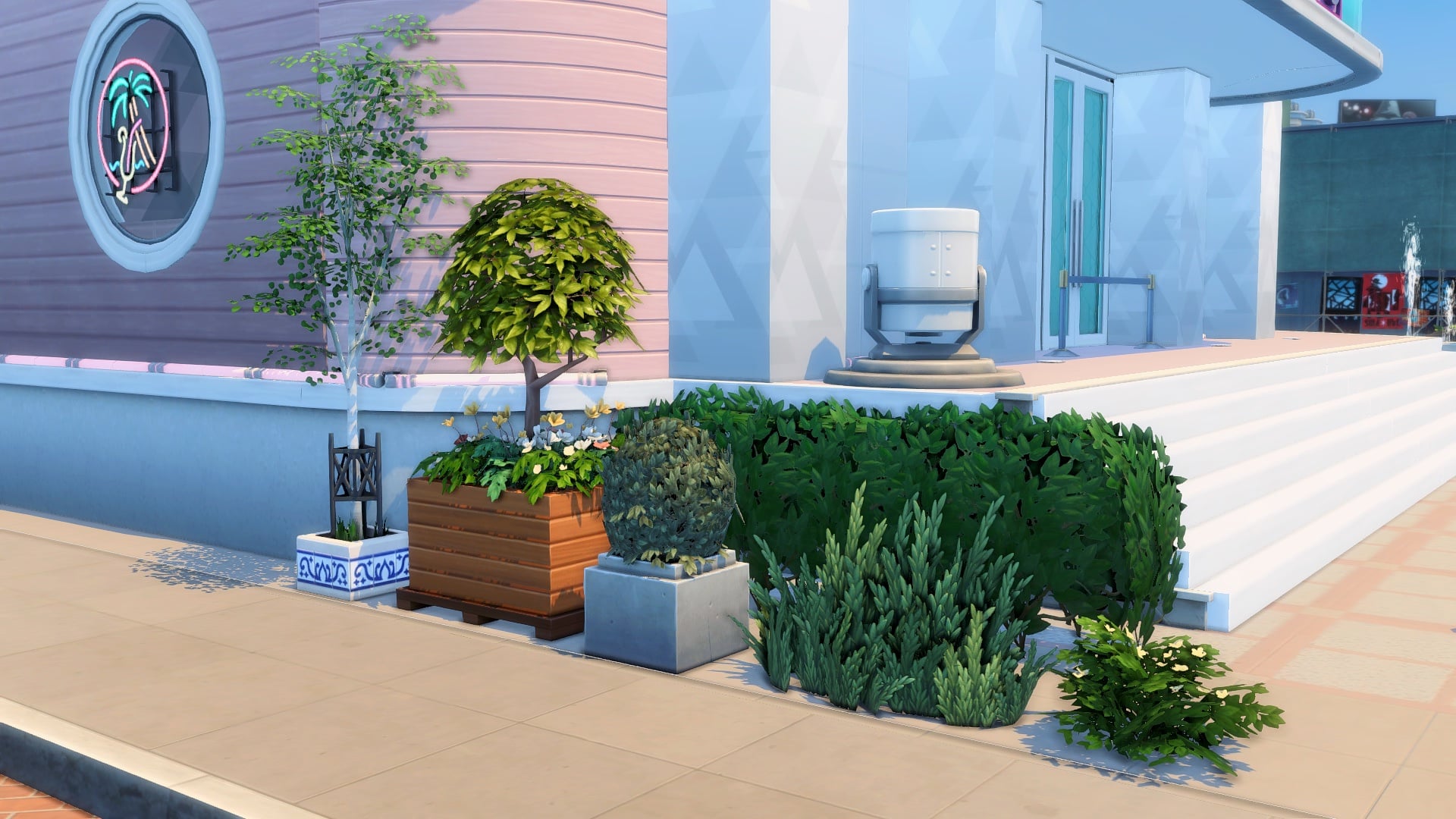
When it comes to landscaping an urban commercial lot, your options seem limited with planter boxes. The Sims has a few options in the indoor plants category but the swatches can be too out there. Outdoor plants on the other hand look better in more naturalistic landscaping for homes but seem out of place in a concrete-laden lot.
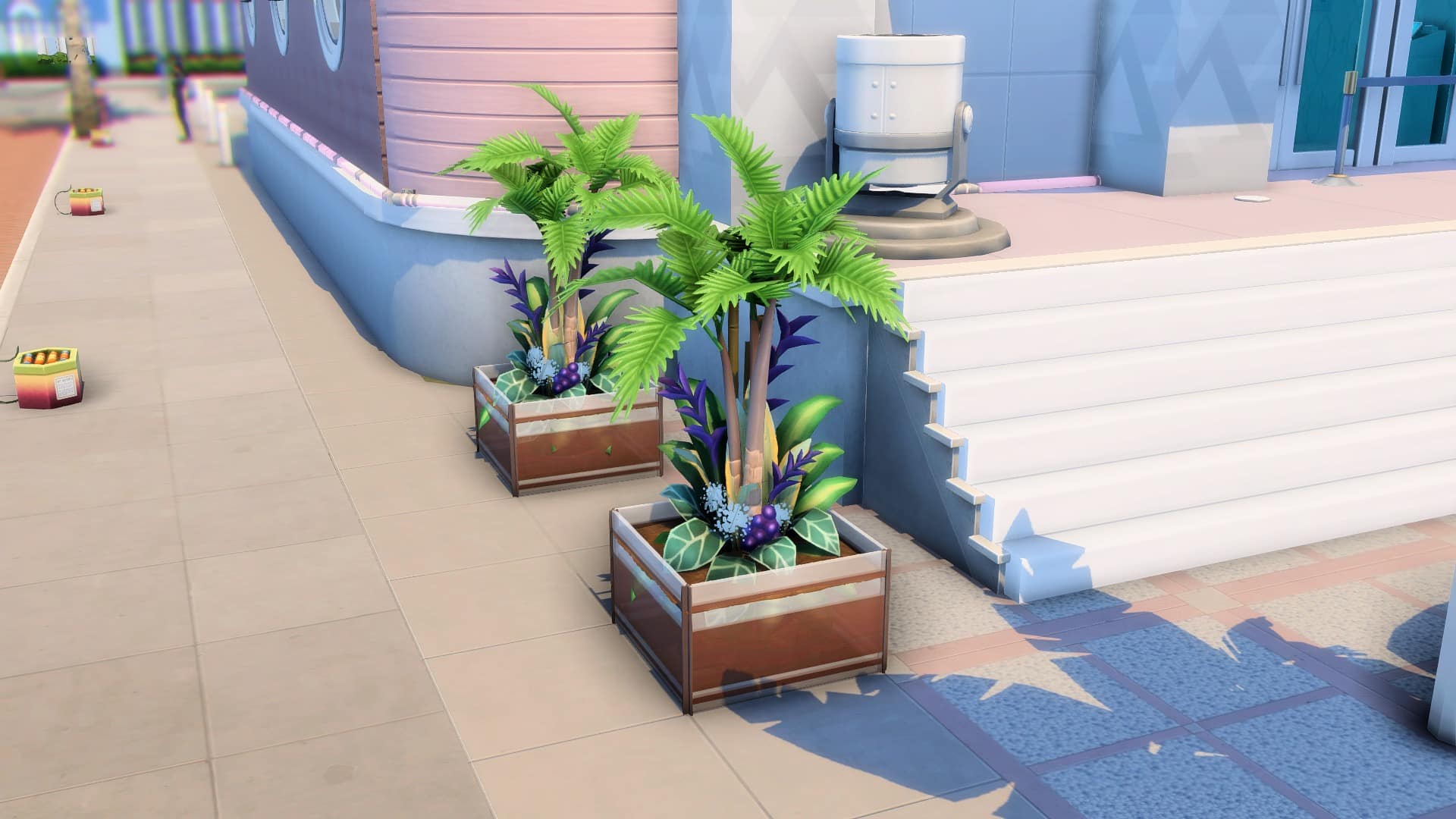
But what if you turned your indoor potted plants into planter boxes? With all the indoor plant options and swatches in the game, you could replace your boring planters with these versatile and modern designs that complement any type of build.
Don’t forget to type in the cheat ‘bb.moveobjects’ before getting started!
Draw a 1×1 fenced room with any of these half-wall trims from Get Famous or Dine Out. They come in different styles and swatches you could choose from. If you have neither of those packs, you could trade them for half-walls instead. Next, delete the tile in the room.
This is the most essential item for this to work: the In-Ground Garden Patch from Cottage Living. Use this to cover up the top of the fence. Size it down two times with the ‘[’ key and elevate it five times with ‘Ctrl+9’.
4
5
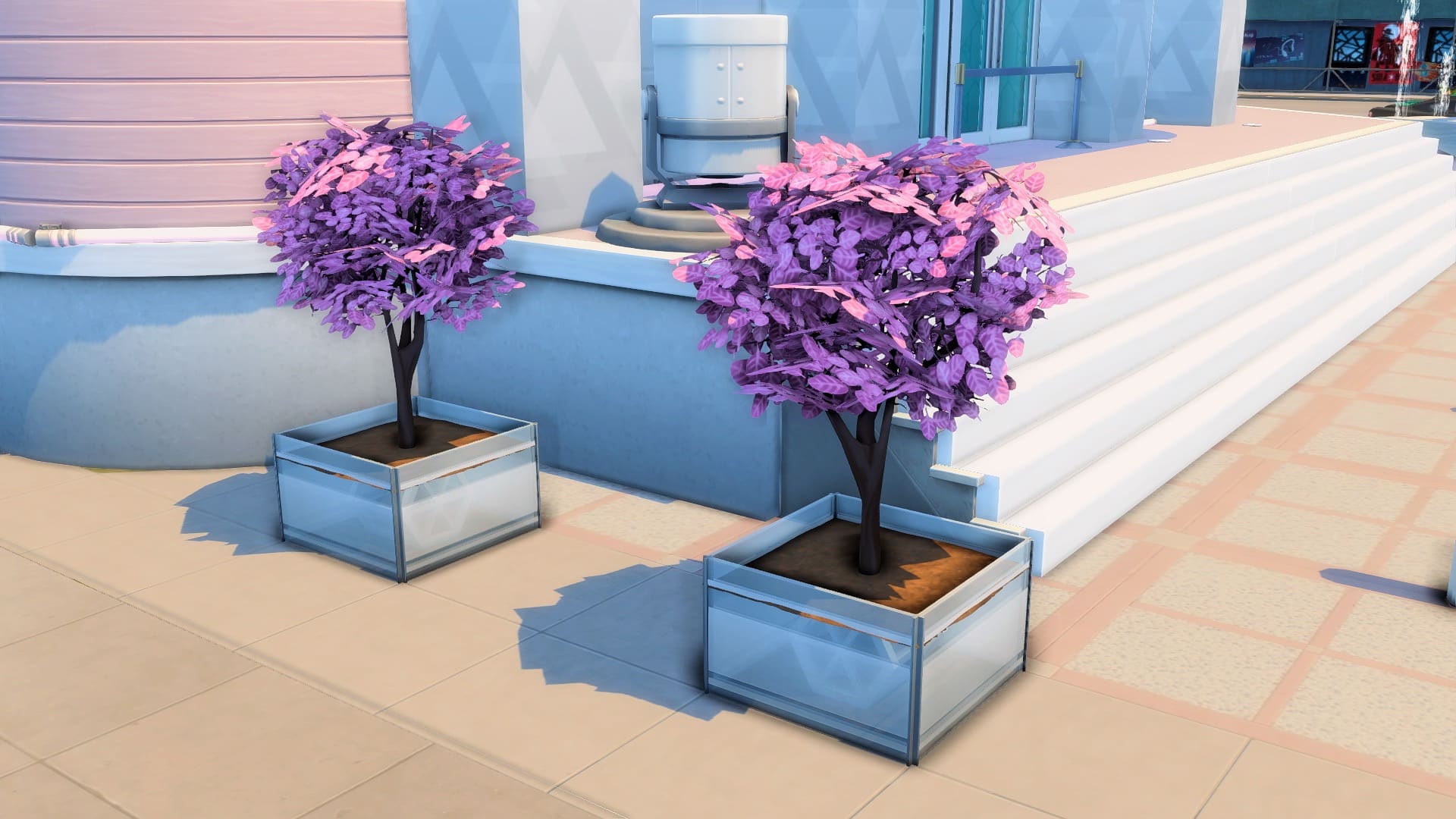
Now you can place and combine indoor plants in this planter box! Choose plants that have low or small pots so the soil patch can cover them.
Here are some planters that you can make:
Bear in mind that these indoor plants would look the same all year-round. If you have Seasons, the weather will not change your plants’ color. On the upside, their permanent vibrant color is better for themed builds!
Other than giving you more landscaping options, this trick lets you use those hideous and cartoonish plastic plants that you ignore. Try the Potted Gumdrop from Perfect Patio for a simple look. Or combine The Exotic Fronds from Dine Out with The Palm Reader’s Palm Tree from Paranormal for an exotic tropical vibe.
This article is a guest contribution written by MAIA makes! You can check out her YouTube Short visually showcasing this written tutorial here!
The Plant-A-Sim Scenario is getting Tweaks and Improvements!
Just last week The Sims 4 has gotten a new Sims Delivery Express drop, featuring a brand new hairstyle and a whole new Plant-A-Sim Scenario in the game.
We did a full playthrough and tutorial of the PlantSims Scenario for The Sims 4. Our author SnarkyWitch has come to several small obstacles throughout their gameplay that were rather interesting and added in to the challenge. However, it was still deemed as an Intermediate Scenario rather than what The Sims Team labelled it as just “Easy”. Especially since there were many steps involved into it!
@Mattnetic, one of the Principal Designers working on The Sims 4 has just wrote out a new Tweet, explaining the new work that they’ve done to improve this Scenario, including:
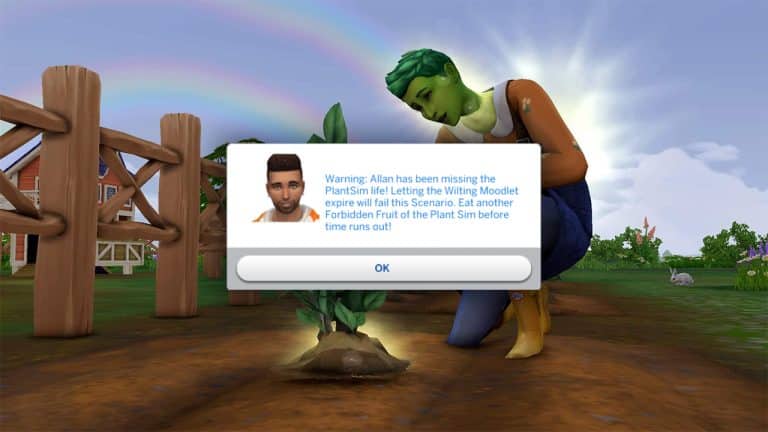
Don’t worry Plant-A-Simmers, I’m hearing your feedback on The Sims 4 Scenario! Looking into Just-in-Time messaging for those who “forget” to go back into plant Sim with 4 hours left. Adjusting difficulty label from Easy to Intermediate and a few more fixes.
We’re not sure when the new Scenario Update is dropping but we’re hoping soon. Stay tuned on our website for the updates on this Scenario and more!
While so many creators and Simmers have moved on to focus on The Sims 4 exclusively, one modder stayed behind to continue pouring all their love and devotion into previous Sims titles. The result? Some of the most amazing mods for The Sims 2 and 3 that previously were thought to be impossible, all still being updated and supported by their creator.
That creator is LazyDuchess. Many Simmers who still enjoy The Sims 2 and The Sims 3 will probably know about LazyDuchess. They are the modder behind some ground-breaking mods like story progression for The Sims 2. We wanted to shine a spotlight on this talented creator who continues to show love to some of The Sims franchise’s earlier titles but we wanted to go deeper than just the mods. Who is LazyDuchess? What is their creative process? What motivates them as a creator?
We had the great privilege to sit down with LazyDuchess and conduct an interview. We wanted to know not just about their work on The Sims 2 and 3 but also about what got them interested in modding games in the first place. We wanted to go way back and get a glimpse into LazyDuchess’ creative journey and process. LazyDuchess was a wonderful interviewee and gave us very insightful answers!
Stay tuned until the end of the interview where we’ll be showcasing some of LazyDuchess’ favourite mods they’ve worked on!
Interview with LazyDuchess
How long have you been modding video games?
I’ve been modding games for a loong time, I started with Counter-Strike 1.6 way back in I believe 2009 or 2010. It was mostly player or weapon reskins of the quality you would expect from a 9 year old, and I used to show them to all of my friends and they went crazy over it. This motivated me to eventually move on to games like GTA, as these two games were basically all I played with my friends back then
What initially motivated you to start modding The Sims?
I simply just love the game, so wanting to improve it even further was a no brainer for me as someone who is super into game development, coding and modding. It was the perfect outlet for me to put my skills to use, and the games had a lot of issues deemed unfixable by the community like the Firstborn Syndrome that I really wanted to tackle to really challenge my knowledge and improve my favorite game all at the same time. Getting the Sims 2 UC back when it was given out for free by EA was also a huge factor, it felt like rediscovering why I love games so much, it’s definitely a timeless classic.
A lot of modders have since moved on to The Sims 4 but you continue to focus on creating new content for The Sims 2 and 3. What draws you back to these timeless classics?
I had actually started modding The Sims with TS4, way back in 2015 or 2016, although I didn’t really publish anything. I gave it a fair chance, but it wasn’t good or complete enough to me, coming from TS3 and TS2, so I just went back to what was comfortable to me and kept me consistently engaged and haven’t really looked back since. TS2 has excellent family and generational play, there is a ton of love put into each interaction and I think has the most complex and real feeling Sims, and that’s exactly what I want from a Sims game. TS3 has way too many issues – trying to fix them is a fun challenge on its own – but it’s also so ambitious and to me offers a pretty fresh take on the series with the more RPG-like elements, opportunities and the open world. To me they’re both great games as they do their own thing pretty well.
Where do you look to for inspiration when brainstorming new mods?
Most of what I do usually comes naturally, like I’ll be playing TS2 and come across something I think could be improved like nannies being awful at their jobs, personality points being tied to signs, lack of Story Progression. My friends also give me good ideas and I’m also always looking to try things people have deemed impossible in the past.
What has been your most challenging but rewarding project to date?
My height mod for TS2, for sure. It’s something I wouldn’t even have considered possible not that long ago, but with all the disassembly and reverse engineering I’ve been doing on TS2 it finally became achievable. It’s a culmination of everything I’ve been doing up until that point.
Other than testing your mods, do you still play The Sims in your free time? What’s your favourite way to play The Sims?
I do! (Not very much the past few weeks though, admittedly). I love making a couple families of unique Sims I can come up with and playing rotationally, checking up on them regularly with SP enabled. I have a very laidback playstyle but I tend to restart like 2 generations in.
What are some of your favourite mods for The Sims 2 or 3?
It’s hard to pick a few. For The Sims 2, Nopke has a ton of great mods like SkyFix and more sliders that are absolutely essential, there’s TwoJeff’s ACR to spice up the gameplay and have autonomous romance which I always play with. BartekStu has also been making amazing mods, like the Food Overhaul that makes food work with ingredients in a similar way to TS3. TS3 obviously everything NRaas is a must have, Story Progression especially IMO. Simler is also constantly updating his GameplaySystems core mod which fixes a TON of EA mistakes and makes for overall a way better gameplay experience that’s still Maxis like.
How did you come to choose the name LazyDuchess as your online handle? Is there a story behind it?
My name comes from LGR, formerly known as Lazy Game Reviews! He’s my fave Youtuber, Duke Nukem is a staple of his channel so I combined those and ended up with Lazy Duke -> Lazy Duchess. Not very original at all I’m aware :p
Is there anyone you’d like to collab with in the future?
I’d love to collab with LittleDica – he’s a good friend and so amazingly talented.
What advice would you give to any aspiring modders for The Sims series who are just starting out?
The best advice I can give is to learn to code a little beforehand, in a more relaxed language like Javascript or even Python. Script modding for both TS3 and TS2 is pretty hard and different compared to TS4 and kind of its own challenge, but wrapping your head around Object Oriented design and how programming works in general can help immensely.
If you were stranded on a deserted island (that conveniently had electricity for some unknown reason) and could only have one expansion pack each from The Sims 2 and 3 with you, which ones would you choose?
I can barely remember what it’s like to play TS2 without all EPs. I think I’d pick Nightlife, as it added so much I can’t imagine playing without nowadays, and TS3 definitely without a doubt Seasons.
LazyDuchess Showcase
LazyDuchess pointed us to some of their mods that they’re most proud of and we’re excited to showcase them!
Although LazyDuchess considers this an experimental mod, we are still incredibly impressed with it nonetheless. Height differences in The Sims 2 is something that was previously thought to be impossible until LazyDuchess decided to redefine what’s possible. It just goes to show that impossible is just a limitation we place on ourselves. We’re excited to see how this mod develops further in the future.
This mod is truly a marvel in modding. It’s a modded launcher that allows you to customize so many different things about your playing experience. You can generate high quality lot “imposters” (basically the lots you see around your active lot in Live Mode), fix the dreaded firstborn syndrome where all firstborn children will have the same genetics on every playthrough, choose which expansions you do or don’t want to play with, and even allow the game to use up to 4GB of RAM instead of 2GB.
The shadow extender mod for The Sims 3 will really help make your Sims 3 worlds come alive. This mod fixes the fuzzy, faded shadows that get cast from world objects and makes them appear nice and crisp with no strange-looking fade effect. You can see the before and after in the screenshots above. This fix really makes the whole world feel more crisp and realistic.
We had such a great time chatting with LazyDuchess and we look forward to seeing all their future projects!
You can find LazyDuchess and their work on the following platforms:
Personal lives are being affected. And destroyed. All over illegal The Sims 4 Custom Content.
Please note that this story is still in development. Until then, be careful when downloading CC / Mods. Keep things fair. Don’t ruin this for actual talented people who are trying to make a living. Lastly – don’t steal personal information, threaten and harass people.
I also want to remind you that no one from The Sims Team is responsible for this situation getting out of control. Do not harass and set expectations from the developers and people working on this franchise. There are multiple factors involved in this situation. This situation has just recently been brought up to attention at this scale and cannot be resolved overnight.
In the meantime, please be respectful to everyone who wants to do right by this franchise and this community. Supporters of creators, the creators themselves, the Sims team, reporters and other rightful groups who are on the frontline of all of this. We just want to make this community a safer, better and more welcoming space than what it is right now. Thank you!
Custom Content. Mods. They’ve been around for as long as video games have existed. It’s no surprise that the biggest life simulation game that lets you create and build anything allows for custom creations and gameplay modifications. After all, this has been the staple of The Sims Community since the first day The Sims 1 was released.
Will Wright, the creator of The Sims, SimCity and Spore has always been a huge advocate for the CC / Mods community. And even gave a lengthy interview about it for TechTV in 2001.
Video Games simply wouldn’t have the longetivity that they have right now without amazing creators that keep making the franchise more interesting on a daily basis.
I might’ve started this article a bit dramatically from what you’re usually used to reading here on Sims Community, but it definitely fits the situation that players and modders are dealing with at the moment.
The Sims 4 and Custom Content
The Sims 4 has a huge community of Modders and Custom Content Creators. Some of them even make a living out of it through Patreon / Early Access and tipping platforms that support their passion to keep on creating new content for the game. This is all rightfully so, considering that the game simply wouldn’t last for this long if it wasn’t for passionate CC creators and Modders who break the vanilla mold of The Sims 4.
The first Custom Content Pieces for the game started out way back when The Sims 4 Create A Sim Demo was released, allowing for players to create their custom T-Shirt Prints and even dabble with custom meshes and designs that create a whole new clothing piece.
This all started back in July 2014 – just two months before The Sims 4 Base Game would officially be released.
Fast forward to 2022 and we have Custom Content creators who create entirely new CC Sets both for Create A Sim and Build Mode – sometimes that even look better than the official content we get in The Sims 4!
The Modding Community has also gotten extremely creative with new ideas to rewrite the existing code that’s in The Sims 4 and create something different. From gameplay improvements to new game mechanics created from different parts of The Sims 4 game code. Yes, to even new animations that make the game realistic and lifelike to players who prefer to play the game that way.
Both communities, along with creators that upload their creations to The Gallery, go hand-in-hand in making The Sims 4 a sandbox game that it is today.
EA’s stance on Custom Content and Mods
Electronic Arts and Maxis have always been indirectly supporting Mods and Custom Content for their games. Luckily, The Sims 4 is no different.
The game has its own Mods folder in the Documents settings that allows for players to paste any .package or .ts4script created by a CC / Mod creator and play with the unofficial content in their games. Sure, there’s always been a silent rule from EA to never promote custom content creations on their socials often as the 3rd party community always has unexpected creations that include stuff that’s way above the 12+ rating that The Sims 4 has in most countries. At the time of writing this I was mostly thinking about WickedWhims and the Extreme Violence Mod that I must stress out, are not for anyone below the age of 18.
The Sims 4 even has its own settings in the Game Options that allow you to enable / disable CC and Mods. Even more so, Maxis has started embracing the CC community by hiring talented creators to create custom stuff for their game. From makeup and clothing to new furniture.
The Sims Team seems to have still continued this tradition, with the latest collaboration being with ComplexSims. The creator brought new robes as well as durags and bonnets to Create A Sim just 2 months ago!
Some creators have taken the opportunity of Custom Content and Mods to turn it into their career, with Early Access releases and exclusive periods for their supporters.
This method has been used widely since 2017 when creators started utilizing the Patreon platform more and more. EA’s Terms of Service regulate that User Generated Content is still in sole property of EA, considering that .package and .ts4script files are all appropriated for their product. Which in this case is The Sims 4.
Your UGC
You are responsible for your UGC. You may not upload UGC that infringes a third party’s intellectual property rights or that violates the law, this Agreement or a third party’s right of privacy or right of publicity.
EA may, in its sole discretion, remove, edit or disable UGC for any reason, including if EA reasonably determines that UGC violates this Agreement. EA does not assume any responsibility or liability for UGC, for removing it, or not removing it or other Content. EA does not pre-screen all UGC and does not endorse or approve any UGC available on EA Services.
When you contribute UGC, you grant to EA, its licensors and licensees a non-exclusive, perpetual, transferable, worldwide, sublicensable license to use, host, store, reproduce, modify, create derivative works, publicly perform, publicly display or otherwise transmit and communicate the UGC, or any portion of it, in any manner or form and in any medium or forum, whether now known or later devised, without notice, payment or attribution of any kind to you or any third party. You also grant to all other users who can access and use your UGC on an EA Service the right to use, copy, modify, display, perform, create derivative works from, and otherwise communicate and distribute your UGC on or through the relevant EA Service without further notice, attribution or compensation to you.
In November 2017 the Global Community Manager for The Sims who worked at that time – SimGuruDrake, has clarified what CC creators and Modders are allowed to do when releasing their content. At least when it comes to temporary monetization.
Maxis and EA has granted permission through this latest (and only statement so far) from November 2017 for creators to earn money through Early Access periods. The only catch is that creators need to make their content available and free for everyone after the period of 2-3 weeks.
CC/Mods Locked Behind Paywalls – Creators cannot lock content they make using our game behind a paywall. While we do not police this content (there is no way we would create a team simply to monitor this) we do take reports sent to us seriously and action accordingly.
Patreon – We understand that folks who make CC / Mods for others to enjoy are doing it in their free time and may desire to offset costs to create the content by using this service. As long as the content is still made available FOR FREE we do not mind these types of pages. Folks who have a Patreon page are welcome to provide folks with “early access” incentives for their content but it should be made available to the general public within 2-3 weeks of it being given to folks early.
So what’s the problem then?
Throughout the last few months (and even years) more and more creators have started extending the trial periods from maximum 21 days to a month, two months – and sometimes never making their content available for the public. Unless they pay for their stuff.
I first started doing an article on this topic a few months ago when mack3030 published their Anti-Permpaywall Directory, including a list of .package files made by creators who never released their stuff to the public.
As if violating EA’s Terms of Service wasn’t enough, a certain group of Custom Content Creators who don’t release their content to the public have started putting “trackers” in their CC downloads. All to find out who is avoiding their permanent paywall. Which, I should remind you again, is against Terms of Service.
Player and creator ladysimmer94 has pointed out the new issues and concerns that mack3030 raised a few months ago about the recent incidents. Where real people got harassed, doxxed and bullied. All for downloading content that should be free for everyone.
We don’t want to contribute to any additional harassment or disturbing stories shared by many community members who have been affected by this – however, if you want to know the full story and how to protect yourself from these awful people, you can check out the Anti-Permpaywall Directory linked below. With real stories. Real people, and real lives almost ruined.
Creator simbelene has posted a thread on their tumblr, including information on how these creators were tricking other people and collecting personal information. All illegally. All while trying to destroy their personal lives.
The Reddit thread linked below also explains perfectly the situation that’s going on. Including real people affected and a list of creators who practice doxxing and stealing personal information.
We will continue to develop this story if new information surface. We’d like to remind all the players out there to keep things fair, be careful when downloading CC and Mods, and not ruin the wonderful community that we have.
Also, if you are one of the people who puts your content behind permanent paywalls, destroys personal lives and ruins an amazing experience that is this game and the community – please seek professional help and stay out of people’s personal lives!
Hey Simmers! We want to hear from you again! Occult Sims or supernatural Sims have been a beloved addition to The Sims series since its first incarnation. We were first introduced to witches and wizards in The Sims Makin’ Magic and its popularity has led to many more supernatural-themed add-on packs for the game in later installments.
The Sims 4 has a fair few occult Sims seven years into its run and we want to know which one is your favourite. Which occult Sim is the most loved by the fan base? You get to decide! You can only pick one, however, so make sure you give it some thought before casting your vote. You’ve only got one shot to tell the world which occult type is the best in The Sims 4.
Are you ready, Simmers? It’s time to decide which occult Sim is the community’s favourite!
It’s been a while since I’ve been so inspired by something new The Sims 4 has added and who would have thought it would be a scenario that came in an SDX drop? I’ve been obsessed with the new Plant-A-Sim scenario, playing through it multiple times and developing a story for my Sim along the way.
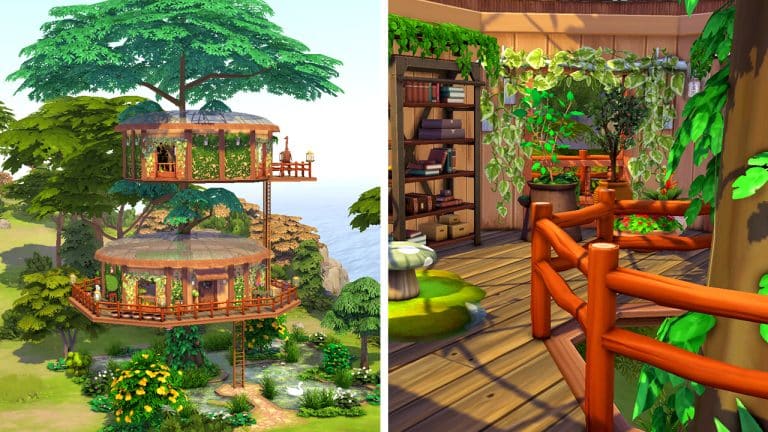
But a PlantSim living in a regular old house feels… weird. I had to fix that. The new scenario inspired me to build a home for a family of PlantSims nestled in the treetops. PlantSims should live amongst plants, after all! Let’s take a tour of this unique PlantSim home!
The home consists of two huts on different levels nestled within the branches of a very tall tree. A set of ladders connects each level, allowing our PlantSims to climb up and down to the different levels of the home. Below the treehouse, a large natural pool offers our PlantSims a way to keep their Water motive filled any time of the year. Yes, even in the frigid winter, thanks to the Geothermal lot trait I’ve added.
Since PlantSims do not need to eat regular food or use the toilet, this home does not have a kitchen or a bathroom but there is a BBQ and a WooHoo bush on the lot so your younger “PlantSims” can still eat and relieve themselves. The first level of the home is the living space with comfortable seating and non-electronic activities to enjoy, like books, chess, yoga, meditation, and gardening. Oh, didn’t we mention? This home is definitely Off-The-Grid. Plenty of garden pots on the wraparound balcony will allow your PlantSims to absorb solar energy to fill their Hunger motive even when the sun isn’t shining. When the sun is shining, the glass roofs prove very helpful! Open windows and large open archways let in the fresh air and natural light.
TS4 x64 2022 04 15 13 55 21
TS4 x64 2022 04 15 13 55 33
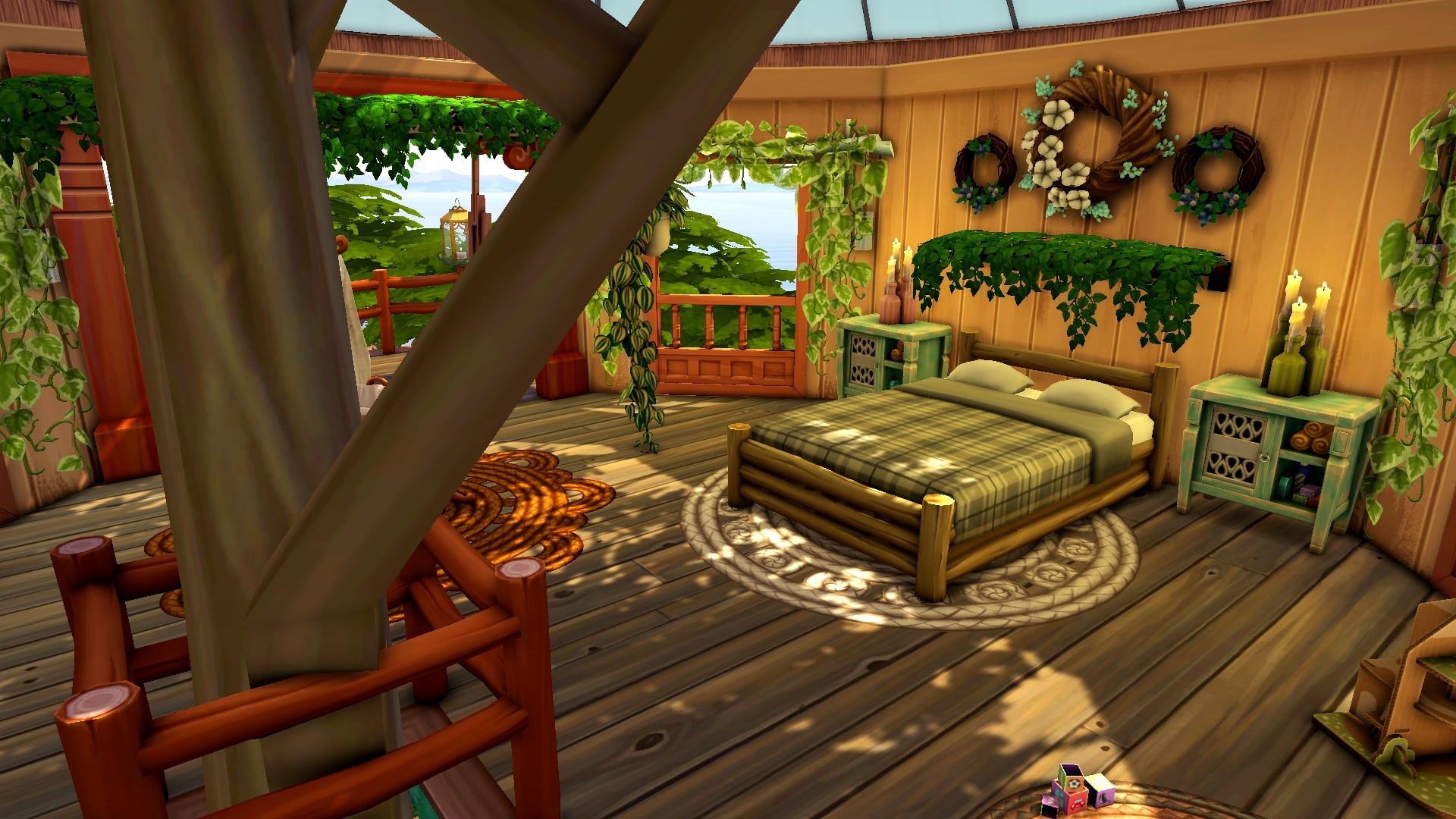
The hut on the upper level is the bedroom where the whole family sleeps. There is a double bed for two adult PlantSims, a bunk with a toddler bed on the bottom for a child/teen and a toddler, and a bassinet for a baby. There are toys to keep both toddlers and children happy, which is a good thing because I definitely recommend keeping your toddlers upstairs until they’re big enough to climb the ladders.
TS4 x64 2022 04 15 13 57 02
TS4 x64 2022 04 15 13 57 20
TS4 x64 2022 04 15 13 57 50
While this unique home wouldn’t be the best fit for a regular human Sim, it’s the perfect place for a PlantSim to live comfortably. It’s got everything a PlantSim could ever want; glass roofs to photosynthesize, a large pool to stay hydrated that stays warm all year round, and lots of garden plots to grow plants that can provide solar energy when the sun can’t.
Yes, a PlantSim (or several) could have a very happy life here, indeed.
You can download this home by clicking the download button below! Or search the ID SnarkyWitch in the Gallery and look for PlantSim Treetop Home! 100% CC-free!
We’ve covered PiedPiper’s amazing creations before and she’s back at it with yet another cool new way for Simmers to harvest their own craftables! PiedPiper has revealed that they are working on a functional duck pond for The Sims 4!
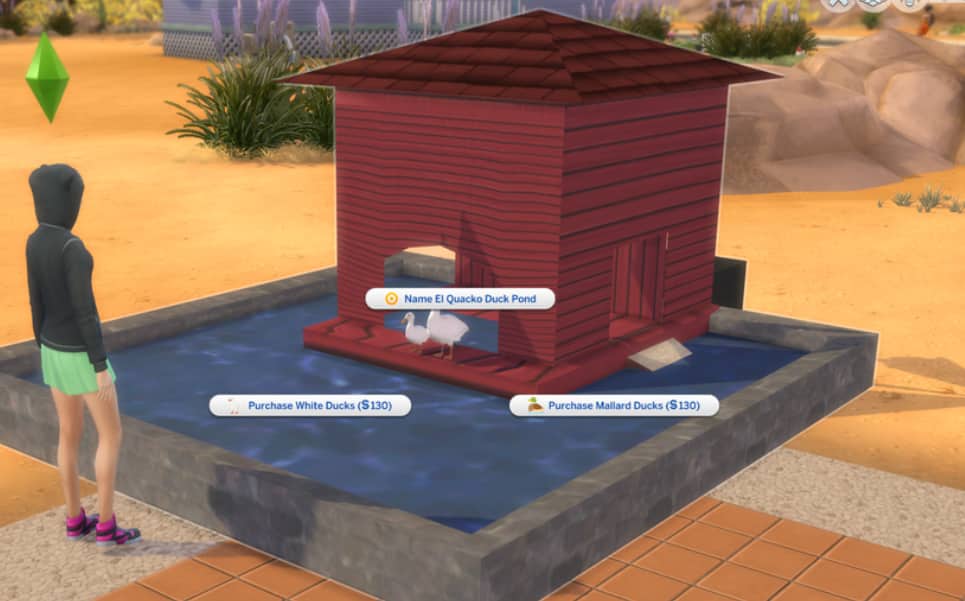
The duck pond is still in very early stages of development but PiedPiper has shared some progress pictures with us and described some of the features that are being worked on.
Screenshot 1968
Screenshot 1969
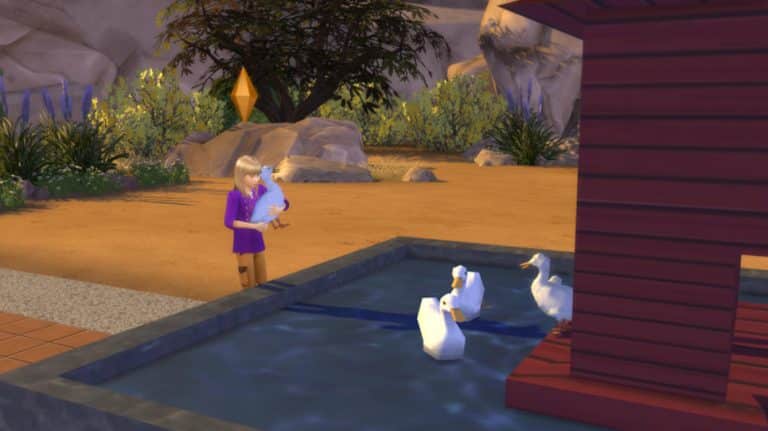
The mod will be base game compatible and Sims will be able to raise, care for, and collect eggs from their pet ducks which swim in a little pond object you can buy in Build/Buy. Players will be able to purchase white ducks or mallard ducks for their ponds, socialize with their ducks, and even pick them up and hug them! Ducks will lay eggs when well-cared for. Sims will need to make sure to stay on top of feeding their ducks and keeping their pond clean or the ducks may die from neglect.
Screenshot 1970
Screenshot 1971
PiedPiper shares a lot more details in their Patreon post where they go over all the features being worked on and also some issues they are working on fixing before the public release. We’ll keep you updated on the progress of this mod as PiedPiper shares more about it!
In the meantime, if you’re a VIP patron of PiedPiper’s, you can help them test the duck pond by downloading the early alpha access below.
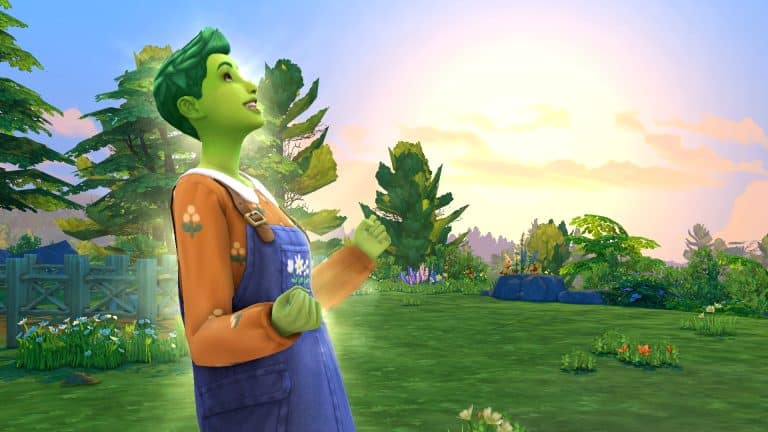
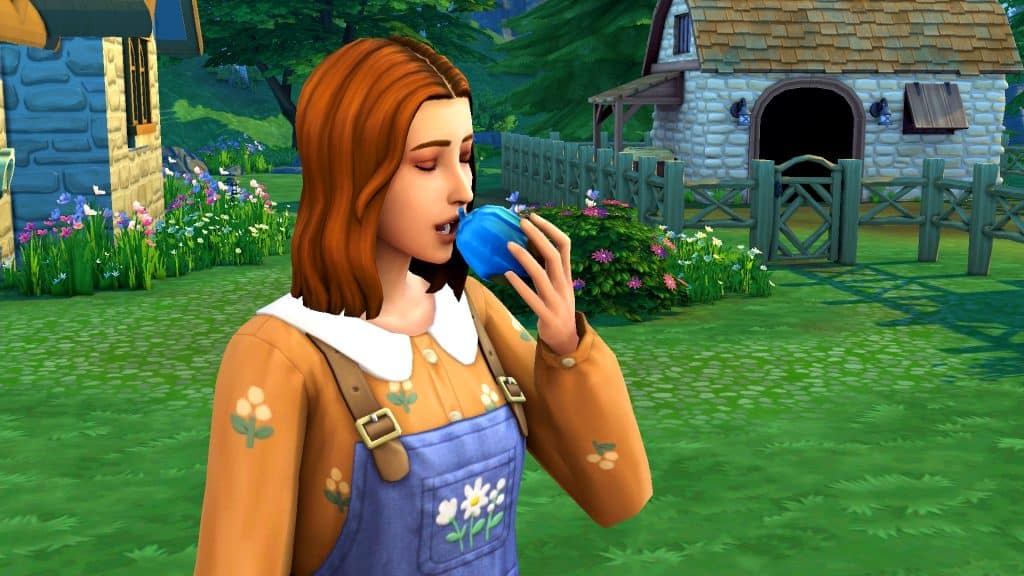
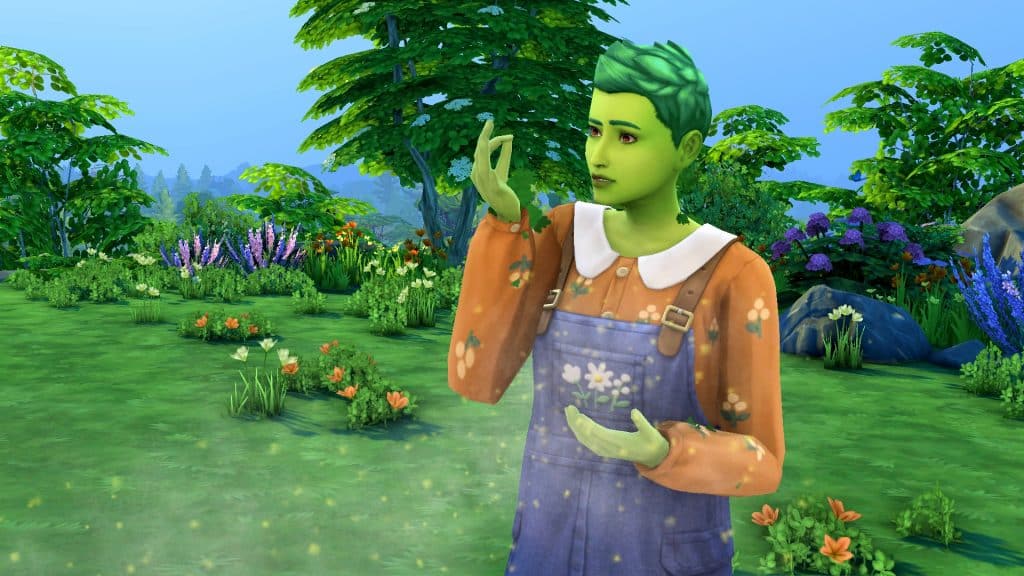
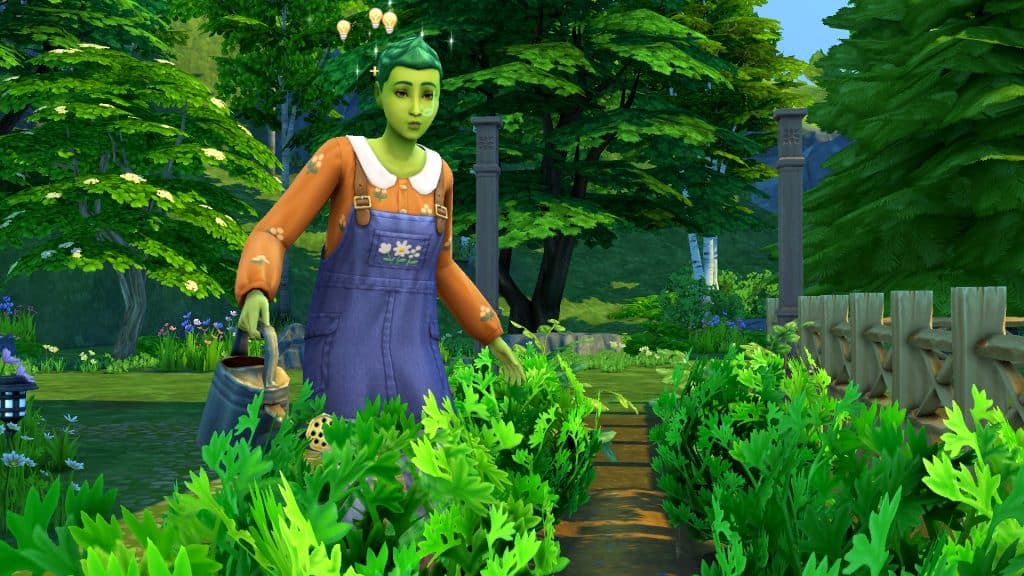
Well just when we thought we were finally done with scenario playthroughs for a while, SURPRISE! Another SDX drop happened that added a new scenario to the game! This scenario, Plant-A-Sim, is all about caring for a PlantSim. No, they aren’t new to the game. PlantSims have been a playable life state in the base game for quite some time now but if you’re new to them, this scenario is a good way to learn how to care for one.
Here’s how our Plant-A-Sim scenario went!
Getting Started
You’ll notice the scenarios have gotten a bit of a revamp. Along with lots more new scenarios, there are now difficulty ratings on each scenario to give you an idea of the time and effort it will take players to complete them. The Plant-A-Sim scenario is listed as an Easy scenario.
This is a permanent scenario so there’s no need to rush to start it before a certain date. It will be available in the game forever so start it whenever you like!
The scenario description states that your Sim is curious about what life is like as a PlantSim and longs to try the Forbidden Fruit of the PlantSim to become one. The household requirements are simple; you just need one Young Adult or older Sim.
The goal of this scenario is pretty vague on the menu screen but there are actually specific goals you need to achieve to finish the scenario. Most of them centre around caring for your PlantSim so this scenario is kind of like a tutorial on how to play the game as a PlantSim. These are not separate outcomes; you will have to complete all the goals, not just one.
Eat the Forbidden Fruit of the PlantSim from your inventory
Have your PlantSim talk to plants (x5)
Harvest from a Perfect quality plant
Satisfy water needs (x5)
Absorb solar energy from plants (x5)
Photosynthesize by absorbing sunlight (x25)
Care for plants as a PlantSim (x99)
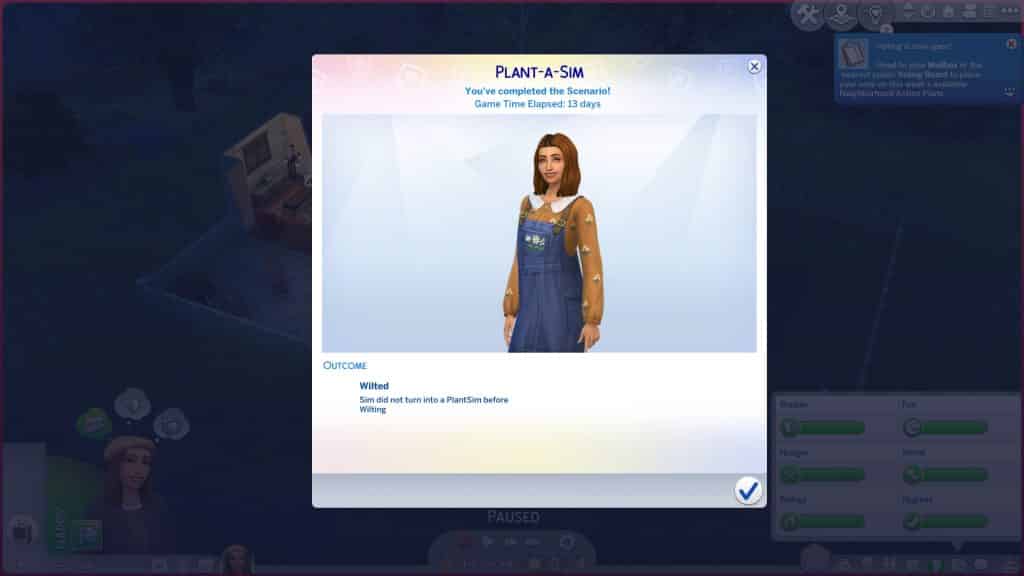
IMPORTANT! One thing the scenario doesn’t explicitly warn you about is that you can fail the scenario. The forbidden fruit only turns your Sim into a PlantSim for 5 days. After that, they will get a Wilting moodlet that last for about 18 hours. They must eat another forbidden fruit to become a PlantSim again. If they don’t, they will wilt and you will fail the scenario.
When you start the scenario, your Sim will have 5 Forbidden Fruit of the PlantSim and 1 packet of starter vegetable seeds in their inventory.
We randomised a Sim in CAS and spent a short time slapping some styled looks on her before hopping into the game and getting her settled in a cottage in Henford-on-Bagley.
Starting the PlantSim Life
Since many players aren’t too familiar with how PlantSims work in The Sims 4, this playthrough will read a bit more like a tutorial than a story to help players find their footing easier with this scenario. The first thing you should do when you start is open up your Sim’s inventory and have them eat a Forbidden Fruit of the PlantSim. This will turn them into a PlantSim and allow them to complete the rest of the scenario goals.
Now, be careful with the rest of the forbidden fruit! You only get five and if you run out, you will fail the scenario! Make sure to plant one of them to produce more for harvesting if you need it and keep the rest for when your Sim turns into a human again. You’ll need to eat another fruit quickly to continue the scenario. Then plant everything you get out of your seed packet so you’ll have plants to care for and harvest from.
We also recommend adding the Homey and Great Soil lot traits to your Sim’s home to help with the Gardening skill and plant quality.
DID YOU KNOW? Starting this scenario is a good way to start a new household with a PlantSim immediately but if you want a PlantSim through regular gameplay, the easiest way to do that is to max out your Gardening skill and purchase rare seed packets until you receive a forbidden fruit in one. Plant it so you always have some on hand, then eat one when it’s ready for harvesting. Another way to do it is by collecting all the magic beans from rare seed packets, arranging them in the special stump from Build/Buy and watering it to produce a giant tree your Sim can explore. They will find a forbidden fruit inside the tree.
Life as a PlantSim
Many of the goals for this scenario walk you through how to care for a PlantSim. They have special motives and certain requirements in order to stay healthy. We’re going to break down how PlantSims work and show you how to complete all the PlantSim care goals of the scenario.
PlantSims do not have a bladder motive so they never need to use the toilet; however, they do have a Water motive. PlantSims require a lot of water, much more than a regular Sim. Being outside on a sunny day will drain the Water motive much more quickly. Showering, taking a bath, drinking water, and going for a swim will all replenish the Water motive quickly, however. Doing any of these activities five times will complete the scenario goal to satisfy water needs. In addition to a negative moodlet, you’ll know your PlantSim is very thirsty when their green hair turns grey.
PlantSims do not need to eat regular food. They get their nutrients from the sun. All they need to do to fill up their Hunger motive is stay outside on a sunny day. They will naturally absorb nutrients from the sun while they are outside; you don’t need to do anything special. Of course, PlantSims cannot absorb sunlight at night and if Seasons is installed, they won’t be able to absorb sunlight on cloudy days, either. It must be sunny or only partly cloudy for your PlantSim to be able to photosynthesize. Absorbing sunlight directly from the sun will satisfy the scenario goal to photosynthesize by absorbing sunlight.
Sometimes, your PlantSim might find themselves in a desperate situation if it hasn’t been sunny for some time. This is when it becomes very helpful to have a large garden. PlantSims can absorb solar energy from harvestable plants to satisfy their Hunger motive when they can’t get nutrients from the sun. Clicking on a plant and selecting Absorb Solar Energy five times will satisfy the scenario goal to absorb solar energy from your plants.
IMPORTANT! We’re not sure if this is a glitch or an intended effect from absorbing solar energy but every time our PlantSim absorbed solar energy from her plants, they would temporarily grow to the next growth stage only to revert back to a plot of dirt a few moments after. We’d have to wait for the plant to sprout again. Do not absorb solar energy from plants you are trying to raise to perfect quality to harvest from. It will take far longer for the plant to mature. Do not absorb solar energy from your forbidden fruit tree, either, as you could run out of fruit.
Plant-A-Sim, Plant-A-Garden
The other scenario goals aren’t necessarily specific to PlantSims but remember; you need to stay a PlantSim until all goals are completed, otherwise you will fail the scenario. You just need to care for your plants 99 times, talk to your plants 5 times, and harvest from a Perfect quality plant once.
Caring for your plants 99 times sounds daunting but you will finish this goal without even trying if you have a decent sized garden. All you have to do is keep watering, weeding, and spraying your plants like normal. It will take you far longer to raise a plant to Perfect quality which is where you may struggle to stay a PlantSim for long enough. Your forbidden fruit tree is going to become incredibly important so make sure you’re taking excellent care of it.
Plants will naturally increase in quality over time if you are taking good care of them but it does take a very long time to go from Normal quality to Perfect. To speed up the process, you can fertilize your plants. Sims unlock the ability to fertilize plants at Gardening level 3. Plants can be fertilized with any flower, fruit, veggie, or fish. Growfruit is the best fertilizer in the game but it can be difficult to obtain. You’ll need to max out your Gardening skill and keep buying rare seed packets until you get a growfruit in one. Plant the growfruit to have a constant supply and then use the produce to fertilize all your plants. If you can’t get your hands on growfruit, we recommend using fish, which is also a good fertilizer. Plants cannot be fertilized every day so just keep an eye on them and fertilize them whenever the option is available. We also recommend raising your plants indoors if Seasons is installed so they don’t go dormant during their off seasons.
As for talking to your plants, this is something any skilled gardener can do, not just PlantSims. Simply have your PlantSim chat up the plants in their garden five times and this goal will be completed very easily.
If all goes well and you’re able to do all of these things before your forbidden fruit stash runs out, you will complete the scenario.
Where We Went Wrong
We consider ourselves pro Sims players, so we’re actually embarrassed about how badly we botched this whole scenario. If there’s one good side, it’s that we learned what not to do so we could write this guide for you and forewarn you about potential pitfalls.
The first thing we did wrong was choosing a world with very little sun for our PlantSim to live in. We thought she would thrive around all of the nature in Henford-on-Bagley but we forgot that Henford-on-Bagley hardly ever gets sunny days. It is forever rainy or cloudy there. If you don’t have Seasons, this is a non-issue; it’s always sunny no matter where your Sims live. But Seasons players will need to choose their world carefully. We recommend Sulani as the ideal world for this scenario. It has plenty of sun and plenty of water for your PlantSims to keep both their Water and Hunger motives satisfied easily.
Because she didn’t have enough sunlight to photosynthesize, she had to resort to absorbing sunlight from her plants. Now you will have to absorb sunlight from plants at least five times to finish the scenario but we picked the worst plant to do this with; our forbidden fruit tree. As a result, our forbidden fruit tree never matured and never produced more fruit which is ultimately what killed us.
We ran out of our starter fruit before we could complete the last goal of harvesting from a Perfect quality plant. Our PlantSim ended up wilting and we failed the scenario.
Our Thoughts
Despite the fact that we failed so miserably at this scenario, we actually think it’s a great scenario! Not only does it highlight an often-overlooked occult life state available in the base game; it also shows players how to create and care for this life state a lot of people might not know about.
Plus the possibility of failing the scenario due to poor time management or strategy skills puts some pressure on the player and adds another element of challenge. And if you have Seasons installed, you’ll have to work around the limitations of the weather, too. There’s a lot to think about during this scenario and if we do have any criticism, it’s that labeling it as an Easy scenario might be a bit misleading. We’re seasoned players and even we didn’t expect to have to apply the level of strategy and critical thinking the scenario actually requires. We’d probably call this an Intermediate scenario.
Still, we highly recommend this one. It was a lot of fun and kept us on our toes.
A couple of weeks ago Maxis, studio behind The Sims, SimCity and all the big simulation games has done a complete revamp and rebranding of their identity, message and focus!
With the complete redesign of Maxis also came a whole new website that focused on encouraging people of all walk of paths to join their ever-growing team and studios that span out to 4 different locations around the world!
Just last night, they’ve published a new trailer for Maxis, featuring a history walkthrough of the Simulation genre, as well as Maxis’ evolution throughout the 35 years of its existence.
The video begins with a wholesome introduction to the Simulation genre:
The walkthrough primarily focuses on The Sims’ evolution through the years, and where it all began.
In the promotional video the team shared a statement:
Maxis let you play with life – but after 35 years – it’s time to signal our next revolution!
Could this be related to the unnanounced franchise rumored to be titled Lost Astral, in development by EA and Maxis?
Time will tell, but until then enjoy the colorful new trailer for Maxis:
Are you willing to Build with Maxis? Check out their Careers Page!
EA accepts their defeat and it’s the players who win in the end.
For a while now I’ve been reporting on the news about EA’s current plans regarding the next generation Sims Game – or as I call it, The Sims 5. At least until we have an official name.
I’ve written numerous reports about The Sims 5’s current development plans, stages and plans for the game. Throughout all of the reports that I’ve made there’s been one thing consistent – Unreal Engine.
Before we dive deeper into what EA’s plans for Unreal Engine as a whole, we need to understand first what Unreal Engine is.
About Unreal Engine
Unreal Engine is a game development tool and engine developed by Epic Games. The first generation stable release of this Engine came out all the way back in 1998, with the latest version – Unreal Engine 5, released just a couple of days ago to the public!
The Engine allows game developers and studios to create anything within a 3D environment. From graphics, stylization, rendering and so much more – all that allows a game developer to create a three-dimensional space and environemtn that they desire!
There is a whole catalogue of video games that have been developed and released for the public through Unreal Engine. Tens of hundreds of them.
You can also check out this cool evolution video down below including some of the most popular releases made through Unreal Engine from 2014 to 2021!
In the highlights of all these video games is a successful franchise – Fortnite. Also owned and published by Epic Games themselves. The Unreal Engine software has allowed developers of this franchise to be consistent and active with major releases, updates, Seasons and additions added actively!
This wouldn’t be the first time that EA has used Unreal Engine to develop their video games. All 3 major Mass Effect installments, including the Legendary Edition Remaster of those games have been released in this software. EA’s most successful Star Wars installment – Star Wars Jedi: Fallen Order has also been developed in Unreal.
The funny thing about this is that any time that EA would try to do things on their own through their own engines they’d get a shorter end of the stick. Mass Effect: Andromeda, which released a few years after Mass Effect 3, has been developed on EA’s Frostbite Engine.
In the end, everyone who followed video gaming news and this game in general know that the only good thing that came out of this was memes.
One of my favorite video games released by EA has to be Mirror’s Edge, released in 2008. Everything in that game was beautifully co-ordinated, the graphics were beautiful, and you can tell that the developers had extra time in their hands to perfect the storyline. That’s all because of the fact that the first Mirror’s Edge game was developed in Unreal Engine!
Unfortunately, I cannot state the same for the long-awaited followup to Mirror’s Edge – Catalyst. Which was average at best. And also developed in Frostbite:
For major installments for The Sims – one through four – all have been developed in their own game engine created from scratch.
For The Sims 1 and The Sims 2 this worked out perfectly for Maxis considering that each of the two installments were in the epicentre of the current video game computer technology. The Sims 1 came out in the golden age of 2D computer games and simulations, while The Sims 2 came just at the right time where 3D video games were the new thing – that could also be supported by most computers those days.
The Sims 3, that came out in 2009, had a new dynamic and possibilities that were larger than life. Sure, you could argue that the game currently can be ran almost flawlessly through new mods and solutions that, to this day, still keep coming out for this 13 year old Sims installment. Still, it was such a pain for a Sims player like myself to play the game in 2013 with all packs installed.
It even came to a point where the game would give you a warning when trying to play more than a few packs installed:
Via The Sims Wiki
We can all agree that The Sims 4 had a rocky launch. To this date it seems that Maxis is still correcting and trying to fix the game engine that’s somewhat flawed. And also outdated, because it’s from 2014.
Even though the game manages to push through its own engine limitations sometimes, it still pays the price of trying to cater to multiple platforms with dramatically different system specifications. From low-range desktops and laptops to gaming consoles. Both old gen and new gen. The price? Creative tools, open world and sometimes the game’s own stability.
Through my reports for the next generation Sims Game it’s been a consistent thing for EA to keep mentioning and talking about the project being developed in Unreal Engine.
Not only that, but Maxis themselves have admitted to “leveraging next-gen technology” to build their future video games. Unreal Engine 5 is the definition of next generation technology in the video gaming world right now.
We received a tip from @jamesavery7890 that Electronic Arts is currently working on making Unreal Engine the new standard for their future video game releases.
EA is preparing for the long-term use of Unreal Engine for the game studios. This is a company priority. We know next-gen Sims 5 and Mass Effect 5 are being prototyped in UE. This suggests something permanent:
You will focus on our initiative to improve in the game engine space and help shape the long term technical vision of Unreal Engine use at EA. Being the main point of contact for technical challenges, you will partner with teams across the globe to provide the very best experiences for our players. You will also offer guidance on best practices, maintaining a knowledge repository and managing code divergence.
Several website portals have pointed out the huge benefits of video games being developed in Unreal Engine 5, including:
For developers creating vast open-world environments, UE5 is implementing new tools to improve collaboration and performance. To improve performance with so much geometric detail, the new “World Partition” system renders sections of the game map only when they’re in use. The new “One File Per Actor” system lets developers work on the same sections of the game world simultaneously without overwriting each other’s progress, similar to EVO’s project locking features.
The way developers animate their games is being completely overhauled in Unreal Engine 5, making it a more pain-free experience.
Specifically, Motion Warping is a unique tool shipping with Unreal Engine 5 that makes the tedious aspects of animating more manageable. For example, character animations—such as vaulting over objects—can be created with Motion Wrapping.
With Motion Warping, developers won’t have to create multiple animations for every jump height. This will make for more fluid and more immersive animations by characters when interacting with their environment.
Several factors could’ve decided EA’s decision to move their future video game development on Unreal Engine. Whether it’s player feedback – or the fact that Frostbite Engine’s source code got entirely leaked last year. Either way, a dramatic change like this can only do good for EA’s franchises.
In accepting their defeat of giving Epic Games a percentage share of their revenue for video games developed in Unreal Engine, EA will only benefit more in the long term.
Liven up your surroundings with a CC Set and animated feathery friends!
Today we’re featuring a brand new CC creator named Kaiso! Kaiso has created a custom content stuff pack all about pet parrots! This is Kaiso’s very first CC pack and we think he has a bright future in the CC community given the skill level of his very first big project! We took a look at all the items close-up and we were very impressed!
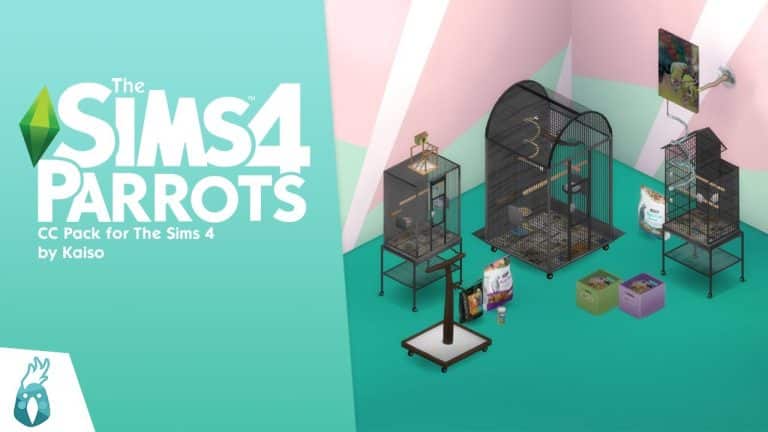
Here’s a glimpse of the CC pack from Kaiso’s reveal trailer on YouTube!
The Sims 4 Parrots CC pack comes with 16 Build/Buy items to decorate the home of a parrot-lover, including pet supplies for parrots and bird cages in three sizes. We’ve got both catalogue thumbnails and in-game close ups of all the items in every swatch for you to check out in this article. Let’s jump right into the overview!
Catalogue Overview
The full catalogue of items consists of:
2 paintings
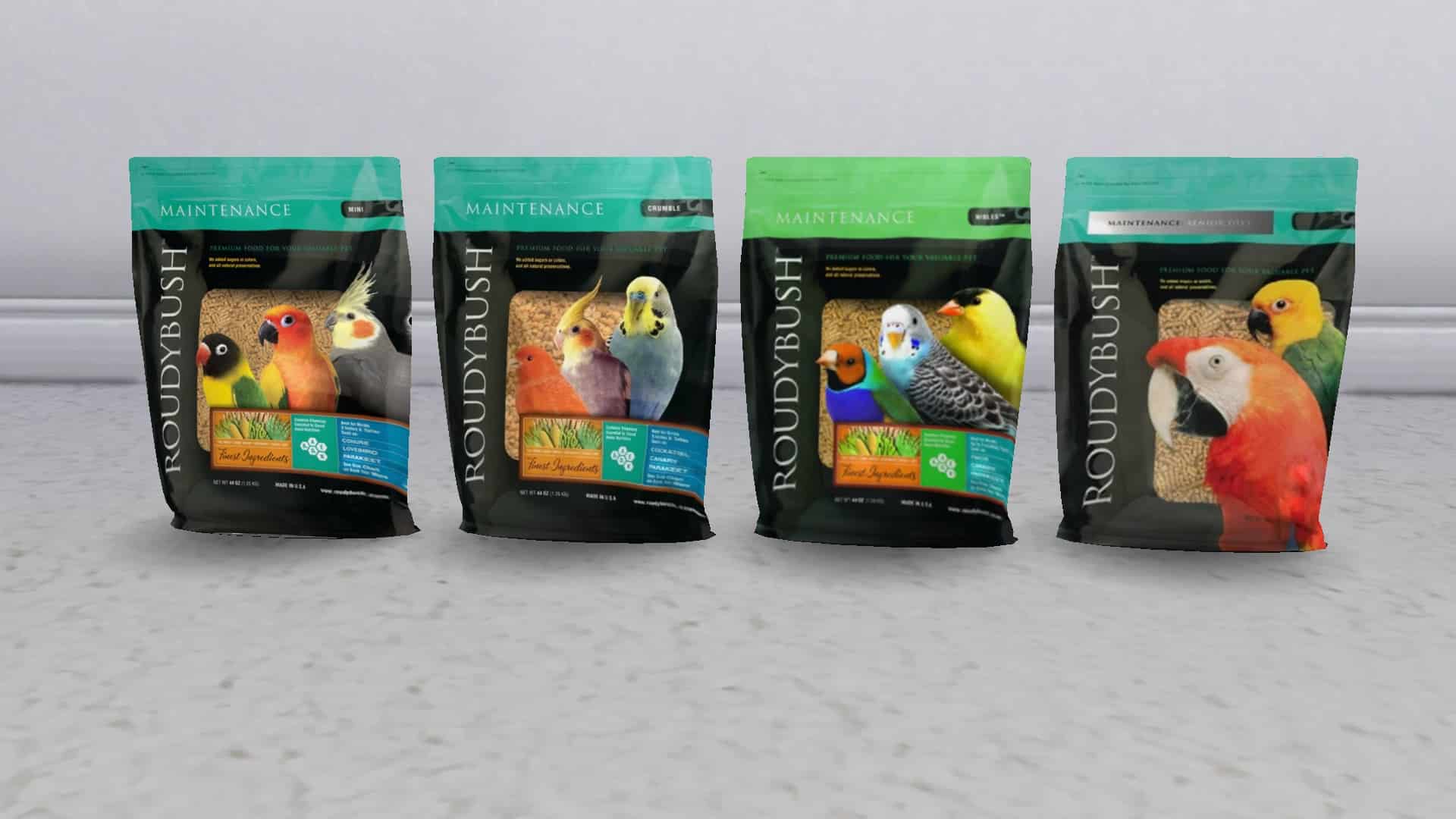
3 different types of parrot food and treats
5 different bird perches (1 ceiling, 2 wall, 2 ground)
2 parrot toy objects (1 wall hanging net, 1 box of parrot toys)
3 bird cages (thin, small, and large)
1 parrot supply table
TS4 x64 2022 04 13 11 27 06
TS4 x64 2022 04 13 11 27 08
TS4 x64 2022 04 13 11 27 18
TS4 x64 2022 04 13 11 27 32
TS4 x64 2022 04 13 11 27 34
TS4 x64 2022 04 13 11 27 37
TS4 x64 2022 04 13 11 27 40
TS4 x64 2022 04 13 11 27 43
TS4 x64 2022 04 13 11 27 53
TS4 x64 2022 04 13 11 27 55
TS4 x64 2022 04 13 11 27 58
TS4 x64 2022 04 13 11 28 03
TS4 x64 2022 04 13 11 28 06
TS4 x64 2022 04 13 11 28 08
TS4 x64 2022 04 13 11 28 11
TS4 x64 2022 04 13 11 28 14
Swatch Close-Ups
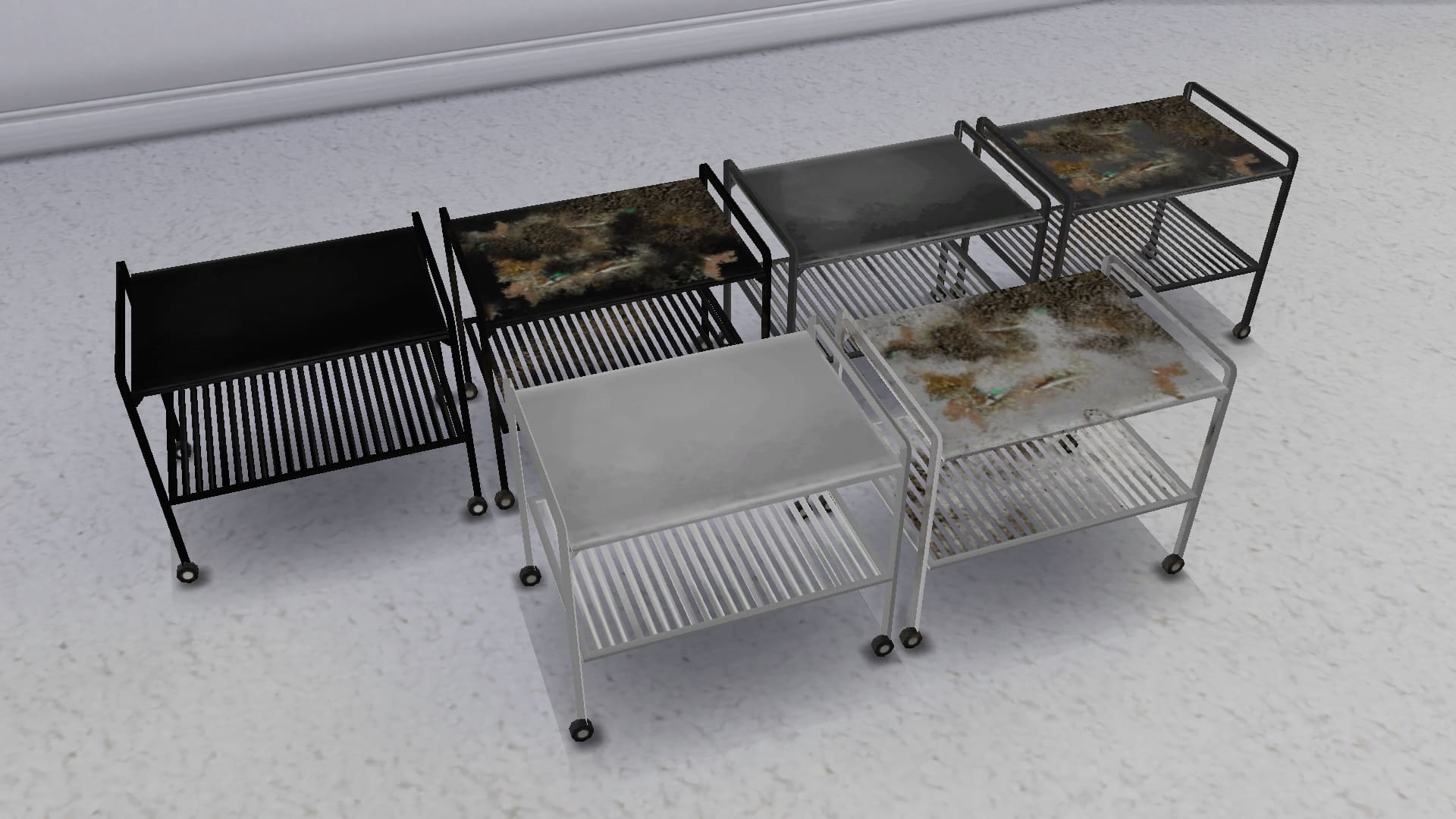
Below, you can see all the items in this CC pack in every available swatch. Many of the items have clean and grimy swatches for you to create either a pristine or run-down look for your Sims’ homes.
TS4 x64 2022 04 13 11 40 07
TS4 x64 2022 04 13 11 40 51
TS4 x64 2022 04 13 11 42 14
TS4 x64 2022 04 13 11 43 10
TS4 x64 2022 04 13 11 43 55
TS4 x64 2022 04 13 11 44 28
TS4 x64 2022 04 13 11 46 20
TS4 x64 2022 04 13 11 47 00
TS4 x64 2022 04 13 11 47 35
TS4 x64 2022 04 13 11 48 06
TS4 x64 2022 04 13 11 48 53
TS4 x64 2022 04 13 11 49 42
TS4 x64 2022 04 13 11 51 48
TS4 x64 2022 04 13 11 52 34
TS4 x64 2022 04 13 11 53 34
TS4 x64 2022 04 13 11 54 12
Where Are the Parrots?
Sadly, this CC pack is just décor and does not actually come with functional pet parrots; however, players who want to add that extra touch of realism to the set can download these animated macaws by Bakie to place inside the parrot cages. The macaws are not interactable; they are just VFX effects but they do move and make realistic macaw sounds so they’re great for having a zero maintenance pet bird in your Sims’ homes.
We downloaded the macaws and tried them out with the parrot cages ourselves. The birds do clip through the top of the tiny cages but fit nicely in the large cages. They really added to the atmosphere with their realistic movements and squawking.
Our Thoughts
This was a very creative and ambitious project for a beginner CC creator to take on but Kaiso really rose to the challenge. We always appreciate having more pet stuff in the game whether it’s decorative or functional and pet birds are something many players have requested for a long time. Pairing the animated macaws with the bird cages really adds a lot of life to the pack too so we definitely recommend using them both together!
We’d love if the pack could be updated in the future to have real pet birds that Sims can interact with much the same way they interact with rodents, for example, but this is a great first project for Kaiso all the same and we had a lot of fun checking out all these adorable bird supplies in our game. We’re very excited to see what Kaiso thinks of next!
You can download The Sims 4 Parrots CC stuff pack for free right now on Kaiso’s Patreon! Just click the download button below to be taken right to the download page!
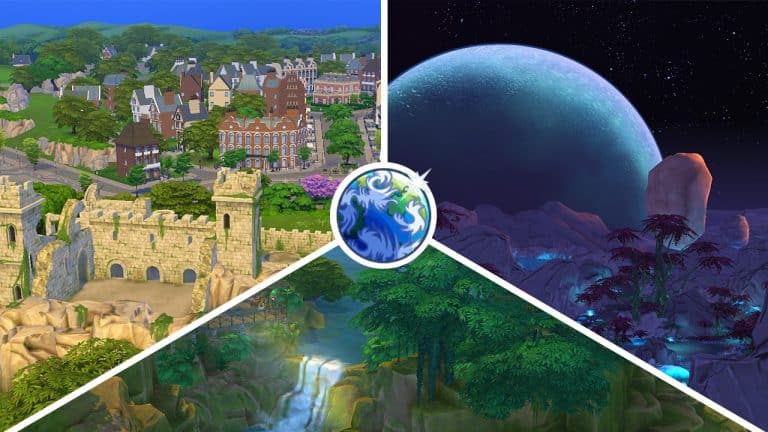
Have you ever wondered what the most popular Sims 4 world is? Or what the least popular world is according to players? Us too! To satisfy our curiosity, we’ve put together the ultimate poll to see which world from The Sims 4 is the most beloved by players! You’re going to help us decide the results by voting in our poll which includes all worlds and special areas in the game!
So here’s how it works; we’ve got three categories to vote in:
Residential Worlds
Destination Worlds
Hidden Worlds
Vote for your favourite world in each category but make your selection wisely because you only get two votes in the Residential category and one vote each in the Destination and Hidden categories for a total of four votes.
Are you ready? On your marks… get set… VOTE!
[totalpoll id=”109998″]
Which worlds did you vote for? Let us know in the comments!
Don’t worry – there’s already a CC solution for that!
The Sims 4’s latest SDX drop that happened just 3 hours ago brought in a new Hairstyle for feminine Sims of all ages!
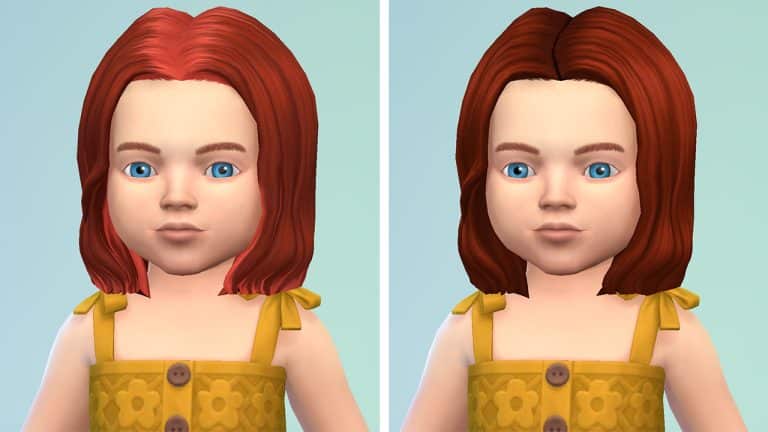
Some of the ombré solutions that the hairstyle has look good, but I’m sure players would appreciate to have this hairstyle in solid color variants. Although as of now there’s no options in the official release, the Custom Content community has already jumped in to find a solution!
Creator @frostybreakfast has already created a Solid Color variant for Sims of all ages. Including Toddlers, which I think we all agree shouldn’t have hot roots.
The creator made all the color variants have a proper solid color – from the hot roots to the tips! Making the hairstyle look more natural and healthy – especially for toddlers who shouldn’t bleach their hair. At least not in real life…
The solid color variants are available for download now as CC .package files on the creator’s Patreon that we linked below! Simply scroll to the bottom and paste all the .package files to Electronic Arts > The Sims 4 > Mods folder and ensure you have Mods / CC enabled in your game options.
PlantSims are back! Also a new hairstyle awaits for FREE.
The Sims Team has just dropped a brand new delivery into The Sims 4 Base Game!
The latest Sims Delivery features a new Scenario that re-introduces PlantSims to the game!
Through Sims Delivery Express you are able to download new Create A Sim Content, Build Mode Content and small bug fixes and improvements into your game straight through The Sims 4. Simply open up The Sims 4 and your game should automatically check for new content.
If not, go into Game Options > Sims Delivery and Check for new Content. This method of bringing new content into your game works both on PC and Consoles! Note that you will have to restart your game in order to obtain new content. You can select “Yes, Restart Now” for the game to restart automatically for you.
Sims Delivery Express – April 13th, 2022 Content
The latest Sims Delivery includes two new additions, including:
Brand New Scenario
PlantSims from 2016 are back – now permanently through the new Plant-A-Sim Scenario!
New Hairstyle
There’s a new two-tone feminine hairstyle added to the game! Each different color swatch brings different tones. Make sure you check out each one, now in the Base Game!