Home Blog Page 347

The Sims 4 Laundry Day Stuff: Icon Update

3

After many complained that the icon for The Sims 4 Laundry Day Stuff pack looked a lot like a cupcake from distance The Sims Team managed to do something about it.

SimGuruGraham shared a tweet showing that the icon for Laundry Day Stuff has went through a small change.

As you can see in the screen below the icon has been updated (left icon) so that the laundry hamper looks more…well…like a laundry hamper.

The Sims 4 Laundry Day Stuff: Icon Update

The Sims 4 Cats & Dogs: 2 New Cat Screenshots

2

SimGuruSarah shared 2 new screenshots of the Cats she created in The Sims 4 Cats & Dogs Expansion Pack.

The Sims 4 Cats & Dogs: More About Clothing Options

12

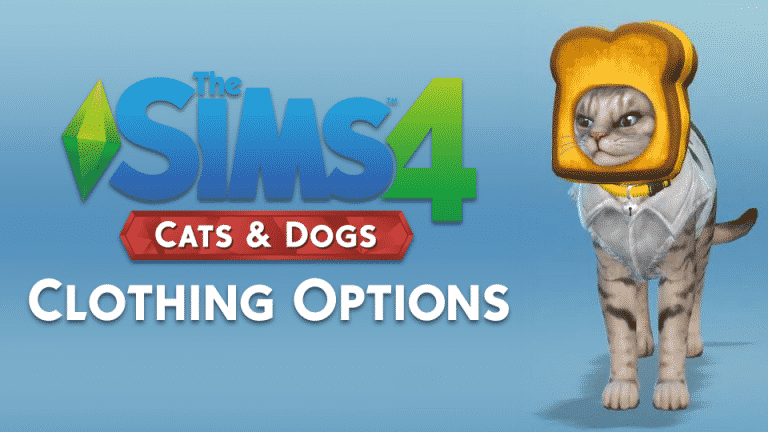
It seems there’s more options for your pets in The Sims 4 Cats & Dogs than in previous Pets Expansion Pack iterations. Sure, you will be able to dress up your pets in fun hats and cute outfits. However, that won’t be all…

The Sims 4 Cats & Dogs: More About Clothing Options
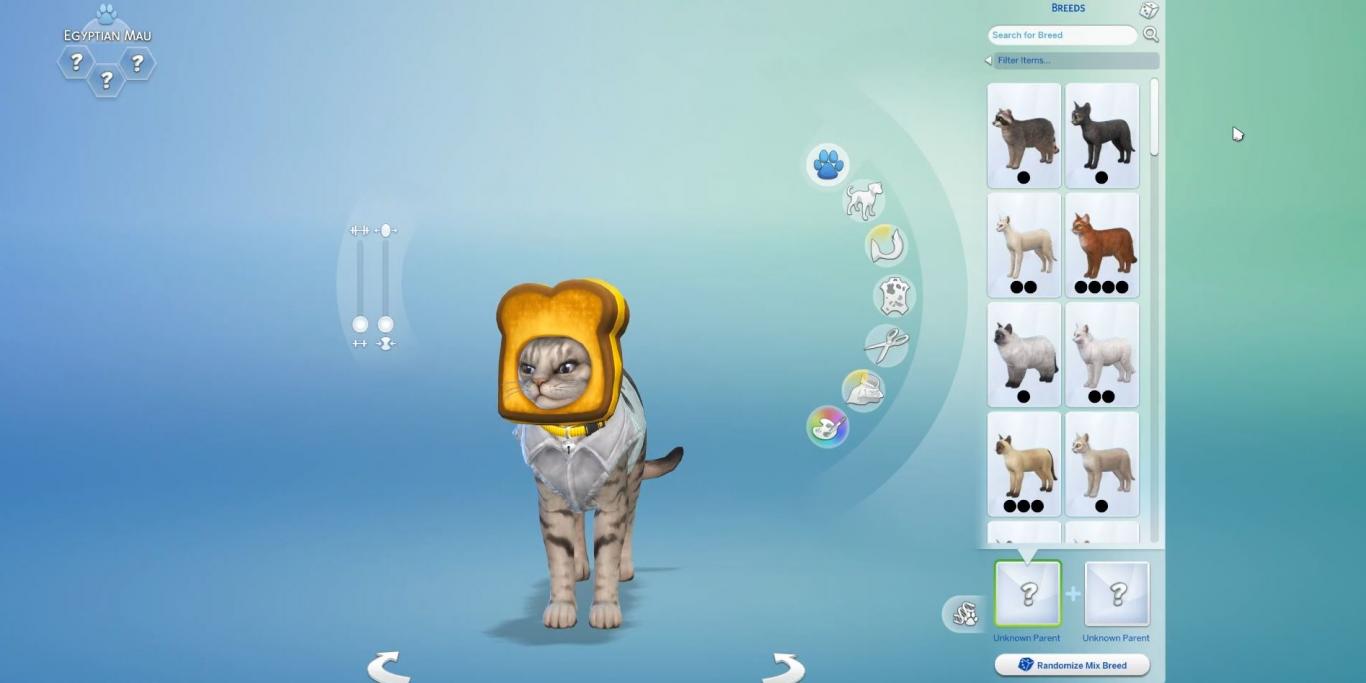
Screen by Player.one

In addition to dressing up your pets and giving them different collars, you’ll also be able to have up to 5 different clothing presets!

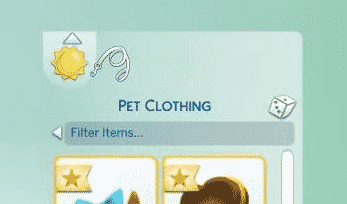
SimGuruDaniel also confirmed that they’ll also have clothing categories, different from Sims.

In one of the screens posted by Player.one we are able to get an exclusive look at that clothing category. According to the leash icon shown in the screen below it seems that Cats & Dogs will also be able to dress appropriately for outdoors / when going for a walk.

The Sims 4 Cats & Dogs: More About Clothing Options

You’ll be able to have different presets AND different categories that’ll help your Pets get dressed for occasion!

The Sims 4: Willow Creek Venues Reimagined by Simsational Designs

6

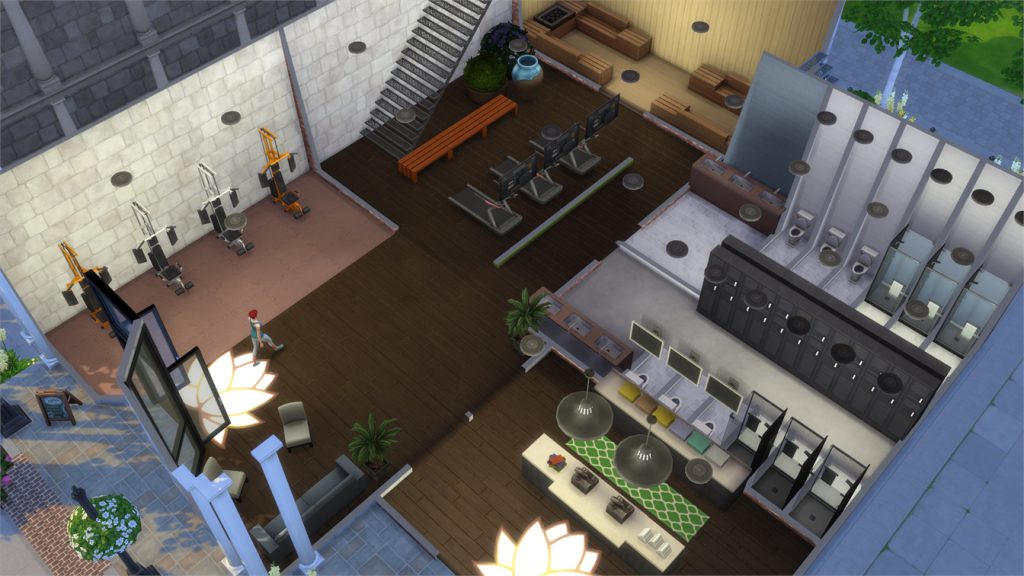
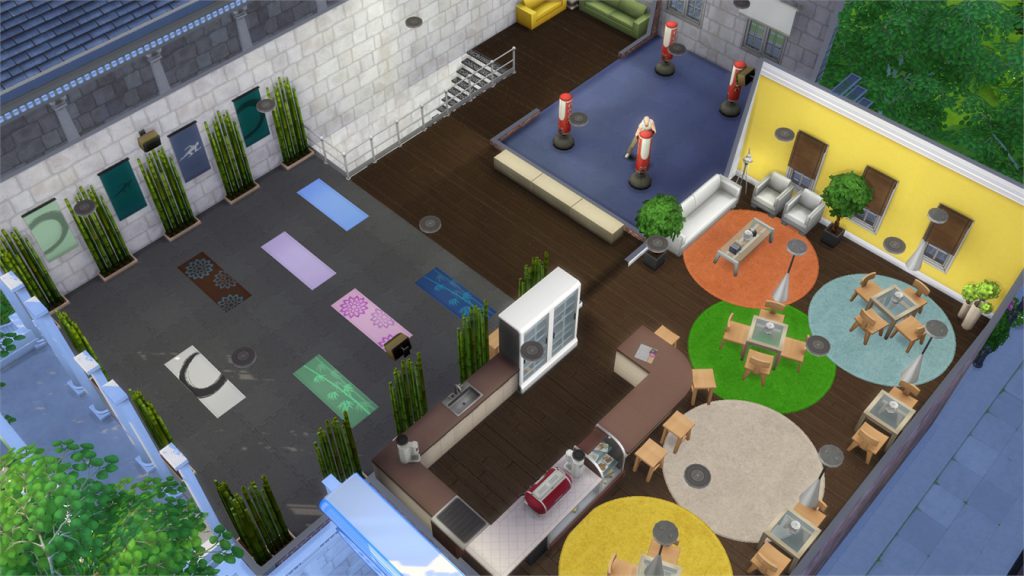
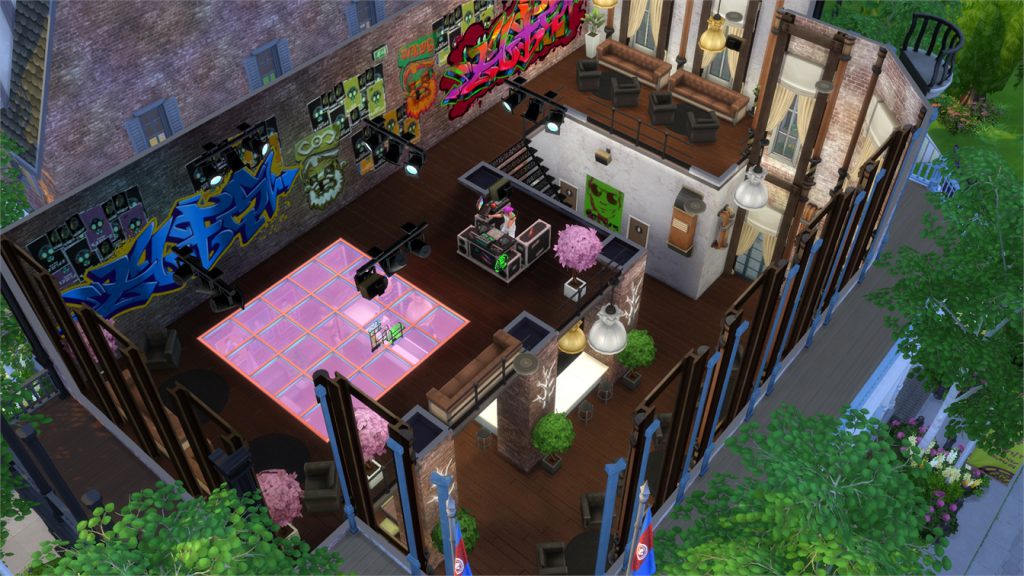
Talented Custom Content Creator for The Sims 4 Simsational Design (other known as Peacemaker) has returned once again with new creations! This time he recreated all the Venues in Willow Creek, including the Park, Library, Gym, Bar (which is now a Nightclub in Peacemaker’s version) and a Museum.

3 of these Venues come with Custom Content sets created by Peacemaker (Library, Gym and Museum). Those CC sets mostly revolve around build items (such as windows) and they fit just right with The Sims 4’s art style. You can find more information about each CC set required for a certain build by hovering over the big pulsing plumbob on the bottom left. We also included some indoor screenshots of each venue that you can check out by hovering over certain pulsing plumbobs.

When it comes to installing CC – all you have to do is extract the .zip content to Electronic Arts > The Sims 4 > Mods. Make sure you have Mods / CC enabled in your game options.

When adding these lots to your game make sure you have enabled Custom Content in your library (you can find that option in the advanced section).

[ult_hotspot main_img=”id^66306|url^https://simscommunity.info/wp-content/uploads/2017/09/09-24-17_8-29-17-PM.jpg|caption^null|alt^null|title^09-24-17_8-29-17 PM|description^null”][ult_hotspot_items icon_type=”custom” icon_img=”id^39525|url^https://simscommunity.info/wp-content/uploads/2015/09/plumbob2.png|caption^null|alt^null|title^plumbob2|description^null” img_width=”38″ tooltip_custom_color=”” tooltip_custom_bg_color=”rgba(255,255,255,0.01)” tooltip_width=”400″ tooltip_position=”right” enable_bubble_arrow=”off” tooltip_continuous_animation=”on” hotspot_position=”68.77388100436681,74.7239263803681″]

The Sims 4: Willow Creek Venues Reimagined by Simsational Designs

[/ult_hotspot_items][ult_hotspot_items icon_type=”custom” icon_img=”id^39525|url^https://simscommunity.info/wp-content/uploads/2015/09/plumbob2.png|caption^null|alt^null|title^plumbob2|description^null” img_width=”38″ tooltip_custom_color=”” tooltip_custom_bg_color=”rgba(255,255,255,0.01)” tooltip_width=”400″ tooltip_position=”right” enable_bubble_arrow=”off” tooltip_continuous_animation=”on” hotspot_position=”38.731577510917035,75.70552147239263″]

The Sims 4: Willow Creek Venues Reimagined by Simsational Designs

[/ult_hotspot_items][ult_hotspot_items icon_type=”custom” icon_img=”id^39525|url^https://simscommunity.info/wp-content/uploads/2015/09/plumbob2.png|caption^null|alt^null|title^plumbob2|description^null” img_width=”52″ tooltip_custom_color=”#1e73be” tooltip_custom_bg_color=”#ffffff” tooltip_width=”450″ tooltip_position=”right” tooltip_continuous_animation=”on” hotspot_position=”89.61858624454149,3.190184049079755″ tooltip_custom_border_size=”border-style:solid;|border-width:2px;border-radius:5px;|border-color:#81d742;”]

The Archive (Download Here)

by peacemaker_ic

CC Used:

– GTW Window Addons
– Entry Frame Addons

Value: §213,384
Size: 30×20
Lot Type: Library[/ult_hotspot_items][/ult_hotspot][ult_hotspot main_img=”id^66309|url^https://simscommunity.info/wp-content/uploads/2017/09/09-24-17_8-31-36-PM.jpg|caption^null|alt^null|title^09-24-17_8-31-36 PM|description^null”][ult_hotspot_items icon_type=”custom” icon_img=”id^39525|url^https://simscommunity.info/wp-content/uploads/2015/09/plumbob2.png|caption^null|alt^null|title^plumbob2|description^null” img_width=”38″ tooltip_custom_color=”” tooltip_custom_bg_color=”rgba(255,255,255,0.01)” tooltip_width=”400″ tooltip_position=”right” enable_bubble_arrow=”off” tooltip_continuous_animation=”on” hotspot_position=”65.65570414847161,70.30674846625767″]
The Sims 4: Willow Creek Venues Reimagined by Simsational Designs

[/ult_hotspot_items][ult_hotspot_items icon_type=”custom” icon_img=”id^39525|url^https://simscommunity.info/wp-content/uploads/2015/09/plumbob2.png|caption^null|alt^null|title^plumbob2|description^null” img_width=”38″ tooltip_custom_color=”” tooltip_custom_bg_color=”rgba(255,255,255,0.01)” tooltip_width=”400″ tooltip_position=”right” enable_bubble_arrow=”off” tooltip_continuous_animation=”on” hotspot_position=”31.628684497816593,70.1840490797546″]
The Sims 4: Willow Creek Venues Reimagined by Simsational Designs

[/ult_hotspot_items][ult_hotspot_items icon_type=”custom” icon_img=”id^39525|url^https://simscommunity.info/wp-content/uploads/2015/09/plumbob2.png|caption^null|alt^null|title^plumbob2|description^null” img_width=”52″ tooltip_custom_color=”#1e73be” tooltip_custom_bg_color=”#ffffff” tooltip_width=”450″ tooltip_position=”right” tooltip_continuous_animation=”on” hotspot_position=”89.61858624454149,3.190184049079755″ tooltip_custom_border_size=”border-style:solid;|border-width:2px;border-radius:5px;|border-color:#81d742;”]

Shaker’s Gym (Download Here)

by peacemaker_ic

CC Used:

– Looker Window Addons

Value: §239,529
Size: 30×20
Lot Type: Gym[/ult_hotspot_items][/ult_hotspot][ult_hotspot main_img=”id^66312|url^https://simscommunity.info/wp-content/uploads/2017/09/09-24-17_8-32-45-PM.jpg|caption^null|alt^null|title^09-24-17_8-32-45 PM|description^null”][ult_hotspot_items icon_type=”custom” icon_img=”id^39525|url^https://simscommunity.info/wp-content/uploads/2015/09/plumbob2.png|caption^null|alt^null|title^plumbob2|description^null” img_width=”38″ tooltip_custom_color=”” tooltip_custom_bg_color=”rgba(255,255,255,0.01)” tooltip_width=”400″ tooltip_position=”right” enable_bubble_arrow=”off” tooltip_continuous_animation=”on” hotspot_position=”67.75040938864629,58.03680981595092″]

The Sims 4: Willow Creek Venues Reimagined by Simsational Designs

[/ult_hotspot_items][ult_hotspot_items icon_type=”custom” icon_img=”id^39525|url^https://simscommunity.info/wp-content/uploads/2015/09/plumbob2.png|caption^null|alt^null|title^plumbob2|description^null” img_width=”38″ tooltip_custom_color=”” tooltip_custom_bg_color=”rgba(255,255,255,0.01)” tooltip_width=”400″ tooltip_position=”right” enable_bubble_arrow=”off” tooltip_continuous_animation=”on” hotspot_position=”47.195687772925766,57.423312883435585″]
The Sims 4: Willow Creek Venues Reimagined by Simsational Designs

[/ult_hotspot_items][ult_hotspot_items icon_type=”custom” icon_img=”id^39525|url^https://simscommunity.info/wp-content/uploads/2015/09/plumbob2.png|caption^null|alt^null|title^plumbob2|description^null” img_width=”52″ tooltip_custom_color=”#1e73be” tooltip_custom_bg_color=”#ffffff” tooltip_width=”450″ tooltip_position=”right” tooltip_continuous_animation=”on” hotspot_position=”89.61858624454149,3.190184049079755″ tooltip_custom_border_size=”border-style:solid;|border-width:2px;border-radius:5px;|border-color:#81d742;”]

Swords and Shield (Download Here)

by peacemaker_ic

Value: §230,357
Size: 30×20
Lot Type: Nightclub[/ult_hotspot_items][/ult_hotspot][ult_hotspot main_img=”id^66315|url^https://simscommunity.info/wp-content/uploads/2017/09/09-24-17_8-37-43-PM.jpg|caption^null|alt^null|title^09-24-17_8-37-43 PM|description^null”][ult_hotspot_items icon_type=”custom” icon_img=”id^39525|url^https://simscommunity.info/wp-content/uploads/2015/09/plumbob2.png|caption^null|alt^null|title^plumbob2|description^null” img_width=”38″ tooltip_custom_color=”” tooltip_custom_bg_color=”rgba(255,255,255,0.01)” tooltip_width=”400″ tooltip_position=”right” enable_bubble_arrow=”off” tooltip_continuous_animation=”on” hotspot_position=”66.15379366812228,41.104294478527606″]

The Sims 4: Willow Creek Venues Reimagined by Simsational Designs

[/ult_hotspot_items][ult_hotspot_items icon_type=”custom” icon_img=”id^39525|url^https://simscommunity.info/wp-content/uploads/2015/09/plumbob2.png|caption^null|alt^null|title^plumbob2|description^null” img_width=”38″ tooltip_custom_color=”” tooltip_custom_bg_color=”rgba(255,255,255,0.01)” tooltip_width=”400″ tooltip_position=”right” enable_bubble_arrow=”off” tooltip_continuous_animation=”on” hotspot_position=”47.32191593886463,40.49079754601227″]

The Sims 4: Willow Creek Venues Reimagined by Simsational Designs

[/ult_hotspot_items][ult_hotspot_items icon_type=”custom” icon_img=”id^39525|url^https://simscommunity.info/wp-content/uploads/2015/09/plumbob2.png|caption^null|alt^null|title^plumbob2|description^null” img_width=”38″ tooltip_custom_color=”” tooltip_custom_bg_color=”rgba(255,255,255,0.01)” tooltip_width=”400″ tooltip_position=”right” enable_bubble_arrow=”off” tooltip_continuous_animation=”on” hotspot_position=”32.2325327510917,40.736196319018404″]

The Sims 4: Willow Creek Venues Reimagined by Simsational Designs

[/ult_hotspot_items][ult_hotspot_items icon_type=”custom” icon_img=”id^39525|url^https://simscommunity.info/wp-content/uploads/2015/09/plumbob2.png|caption^null|alt^null|title^plumbob2|description^null” img_width=”52″ tooltip_custom_color=”#1e73be” tooltip_custom_bg_color=”#ffffff” tooltip_width=”450″ tooltip_position=”right” tooltip_continuous_animation=”on” hotspot_position=”89.61858624454149,3.190184049079755″ tooltip_custom_border_size=”border-style:solid;|border-width:2px;border-radius:5px;|border-color:#81d742;”]

Bond Museum (Download Here)

by peacemaker_ic

CC Used:

– GTW Window Addons

Value: §485,728
Size: 40×30
Lot Type: Museum[/ult_hotspot_items][/ult_hotspot][ult_hotspot main_img=”id^66320|url^https://simscommunity.info/wp-content/uploads/2017/09/09-24-17_8-39-03-PM.jpg|caption^null|alt^null|title^09-24-17_8-39-03 PM|description^null”][ult_hotspot_items icon_type=”custom” icon_img=”id^39525|url^https://simscommunity.info/wp-content/uploads/2015/09/plumbob2.png|caption^null|alt^null|title^plumbob2|description^null” img_width=”38″ tooltip_custom_color=”” tooltip_custom_bg_color=”rgba(255,255,255,0.01)” tooltip_width=”400″ tooltip_position=”right” enable_bubble_arrow=”off” tooltip_continuous_animation=”on” hotspot_position=”38.61558406113537,26.87116564417178″]

The Sims 4: Willow Creek Venues Reimagined by Simsational Designs

[/ult_hotspot_items][ult_hotspot_items icon_type=”custom” icon_img=”id^39525|url^https://simscommunity.info/wp-content/uploads/2015/09/plumbob2.png|caption^null|alt^null|title^plumbob2|description^null” img_width=”52″ tooltip_custom_color=”#1e73be” tooltip_custom_bg_color=”#ffffff” tooltip_width=”450″ tooltip_position=”right” tooltip_continuous_animation=”on” hotspot_position=”89.61858624454149,3.190184049079755″ tooltip_custom_border_size=”border-style:solid;|border-width:2px;border-radius:5px;|border-color:#81d742;”]

Magnolia Gardens (Download Here)

by peacemaker_ic

Value: §78,786
Size: 50×50
Lot Type: Park[/ult_hotspot_items][/ult_hotspot]

The Sims 4: Off The Grid Challenge

48

This challenge was inspired by the popularity of the Off The Grid poll option for the upcoming community-built Laundry Day Stuff Pack. I wanted players to be able to have that style of gameplay even though the option didn’t win. If it is ever introduced in a different pack, my hope is that this challenge will integrate with it nicely rather than conflict with it. This challenge has also been deliberately written so as to minimize the need for updates with future packs and updates. Of course, I can’t guarantee that it will never need an update because I can’t predict all future content, but I’ve tried to think ahead as best I can from a player’s perspective.

The Sims 4: Off The Grid Challenge

Objective

Your objective for this challenge is to build up a town with a tribe of Sims that lives completely off the land. No buying your groceries, no using technology, no indoor plumbing, no businesses or careers that make use of any of these things, and no outtings to community lots that have these things. Your Sims are 100% dependent on themselves and their own hard work to survive. The challenge ends when every household in your town has met the challenge requirements for being true off the grid masters (but if you are having fun playing this way when your challenge ends, feel free to continue)!

Story

A nomadic tribe of Sims who don’t believe in the ways of the 21st century stumble across a completely empty landscape and see a golden opportunity; to claim the land as their own and create a permanent village in this area that is completely free of the trappings of technology. This village will become one of the only villages left in the Sim world to be completely untouched by the influences of modernity. Together, the tribe will grow and prosper out of the dedication and hard work they’ve put into building a sustainable community.

Preparing the World to Live Off The Grid

  • Pick one of the following worlds to completely bulldoze:
    • Willow Creek (base game)
    • Oasis Springs (base game)
    • Newcrest (base game)
    • Windenburg (Get Together)
    • Forgotten Hollow (Vampires)
    • Brindleton Bay (Cats & Dogs)
      Choose your world carefully. Larger worlds with more lots provide a bigger challenge so think about the difficulty level you’d like to play before making your choice. San Myshuno and Magnolia Promenade are too urban to be suitable for this challenge and Magnolia Promenade is too small to provide a genuine challenge so they are ineligible to be used for this challenge.
  • Once your world has been bulldozed, pick the lots you would like to build your community lots on. For worlds with more than five lots, you may select up to three lots to be used as community lots in your world. For worlds with five lots or less, you are restricted to only one community lot.
  • The community lots can be anything you like with one catch; they cannot have any kind of technology or plumbing whatsoever. There are no exceptions to this. These lots will be the only community lots your tribe of Sims will ever be allowed to visit so think carefully about what your off-the-grid Sims might need off their home lots and construct your community lots with this in mind. If a community lot requires a forbidden object in order to function as your selected lot type, you must create a basement Sims can’t access and place the objects in there so that they comply with the lot requirements but are out of the way and unusable by your Sims. You may also download community lots from the Gallery as long as they meet these requirements.
  • The rest of the lots in your world will be residential lots where your tribe will make their homes.
  • Next, go into the game options and make the following adjustments under the Gameplay tab:
    • Auto-Age (Played Sims) – Only Active Household
    • Sim Lifespan – Normal
    • Fill Empty Homes – Uncheck
      You’ll be playing rotationally so these settings ensure that your other played households will not age while you are playing a different household. It also ensures that game-generated townies will not move into your lots.
  • After you create your tribe, make sure all those households are in your households list in the Household Management tab in Manage Worlds. Do this by selecting the heart icon on the household’s portrait if it is not selected already. This will protect them from culling.

Creating Your Tribe

  • Count the number of lots you have left over after designating your community lots. That is how many households you will need to create.
  • Your households can be single Sims, roommates, or families of varying age groups and sizes. It’s recommended to have a variety to keep things interesting but it’s not mandatory.
  • The Sims you create can have any traits and aspirations you want (but keep in mind some aspirations and some traits require/encourage your Sims to use objects that the challenge forbids; you may want to consider this when making your choices). They can have any appearance, walk style, voice and gender customizations you want. Of course, clothing choices that suit an off-the-grid lifestyle are encouraged but also not mandatory as this is purely an aesthetic preference. There are no restrictions when it comes to creating your Sims in CAS, just recommendations.
  • If you have any packs that offer alternate life states (such as aliens or vampires), you can create these Sims as well; however, aliens cannot wear the special alien space suit. It is considered tech.

Living Off The Grid

  • When you move your Sims into their remaining lots, the first thing you need to do is open up the cheat console by typing CTRL+SHIFT+C simultaneously, then type in “testingcheats true” (without quotations). You should see a message that game cheats have been enabled. Next, type “money 2000” into the cheat console (without quotations). Then count the number of dependents in the household. Dependents are children, toddlers, and pets (C&D). Add the following sums of money to your household:
    • §500 per toddler
    • $300 per child
    • $100 per pet (C&D)
  • Next, silence the cell phone for every Sim in the household. Your Sims will not be using it under any circumstances, ever. If for whatever reason your Sims receive a call or text that isn’t silenced, you must ignore it. Teenagers will often fiddle with their phones autonomously. You can safely ignore this since you have no control over it.
  • Your primary concern will be figuring out how to provide for your Sims’ needs without using technology. Your Sims will need to garden and fish for their food and find alternative ways to bring money into the household that don’t involve a traditional career (the cell phone cannot be used for any purpose, including finding a job, remember?)
  • Even though you are living off the land, that greedy Landgraab Power Company is still trying to rob you blind by charging you for the use of candles and wooden bath basins! The nerve! It’s best to pay your bills so you can continue using your homemade light sources and baths, but there is no challenge penalty for falling behind on the bills. Go ahead and rebel against those greedy corporations if you like.
  • It’s up to you to decide how long you want to play in each household but you must be rotating through your households. One week in each household is recommended, however. This gives you time to enjoy each household while ensuring all your households are aging at the same rate. If Seasons ever comes to the game, you may also choose to play one season in each household.
  • Children and teens may go to school in the usual fashion. Children MUST go to school to avoid failing and being taken away by social services, but there is no penalty to teens failing school except losing the bonus of starting an adult career at level 3. Since Sims cannot take traditional jobs in this challenge, anyway, it doesn’t really matter and you may keep your teens at home if you wish since failing teens don’t impact anything.
  • Sims may pursue any interests/hobbies you want and do anything they want with their lives. They may build relationships, get married, have children, build skills, do fun activities, etc, as long as they are doing all of this off the grid and complying with the rest of the challenge rules.
  • Same-sex couples cannot adopt children because adopting children requires using a computer which is tech and therefore not allowed. A way to get around this is by having one of your heterosexual couples have a child you don’t plan for them to keep and using Household Management to move the child into your same-sex couple’s household and treat it like an adoption. That’s perfectly fine to do and is actually encouraged for your same-sex couples who want families.
  • If Get To Work is installed and one of your male Sims is abducted by aliens and returns pregnant, you may keep the child as long as you switch the child out of its default space alien suit when it ages up.

Satisfying Motives

  • Hunger: Sims may cook meals using the Carbonette Charcoal Grill (BG), the BBQ Drum (JA), the Auld Crow Wood-Burning Cookstove (BG), or a campfire (OR). They may store the herbs, fruits and vegetables they harvest in the IceBOX Vintage Refrigerator (BG) or any of the storage chests in the game. Sims can only prepare a meal if they have all of the ingredients for the meal. If a meal requires no ingredients to make, Sims may not eat it. Sims may not grab quick meals. Toddlers may eat any meals adults prepare for themselves or the sandwiches and peas that are offered for toddlers through the high chair’s menu. Any processed foods like animal crackers or cereal cannot be consumed. Birthday cakes may be cooked and eaten, but only for the purpose of celebrating a birthday. A Sim must age up using the cake. You can’t just bake cakes for all your meals as a way to get around using ingredients.
  • Energy: Sims may sleep in any bed made of wood. Don’t sweat over if it’s laminate or real wood or if it’s polished/rough. If it looks like wood, it passes. If Outdoor Retreat is installed, Sims may also sleep in tents.
  • Bladder: Sims may not use any of the toilets available in Build/Buy. The bladder motive can only be fulfilled by building a toilet on the workbench which requires Sims to build the Handiness skill. If Get Together is installed, you may place a WooHoo bush to relieve the bladder motive as well. Yes, this means your Sims will likely pee themselves a few times before they are able to properly satisfy this need. It’s the price you pay for living off the grid.
  • Hygiene: Sims may not use any of the showers, tubs or sinks available in Build/Buy. The hygiene motive can only be satisfied by building a bathtub on the workbench which requires Sims to build the Handiness skill. Yes, this means your Sims will be smelly for a while before they are able to properly satisfy this need. That’s part of the challenge.
  • Fun: Sims may gain fun doing any activities that do not require electricity. Since this motive can be satisfied many different ways and we will no doubt get more ways to satisfy this motive in future packs, I’m not going to give an exhaustive list here, but some acceptable base game activities include reading books, playing non-electric instruments (acoustic guitar, violin, wood piano), and playing with toy box toys and dollhouses.
  • Social: Sims may only satisfy the social motive by talking to Sims in person. They may not use the cell phone or computer to communicate with other Sims. Children, toddlers, and Sims with the Childish trait can satisfy the Social motive by talking to stuffed animals.

Travel

  • As mentioned previously, Sims may not visit any community lots apart from the ones you set up when you first started your challenge.
  • Because your Sims are off-the-grid and therefore only travelling on foot or bicycle, other worlds are too large of a distance for them to cover. They cannot leave their homeworld.
  • The only exception to this is if Outdoor Retreat is installed. Your Sims may visit Granite Falls for the purpose of collecting insects, plants and fish that can only be found in Granite Falls and building the Herbalism skill but they can only stay on the campgrounds. They cannot rent any of the homes/cabins.
  • Sims may sell the herbal remedies they brew either through their inventories or by taking them to one of your allocated community lots and selling them via the flea market tables if City Living is installed.
  • Sims may build relationships with Sims that are not from their homeworld but they cannot leave their homeworld to go visit that Sim in their own world, nor can they use the phone or the relationship menu to invite that Sim over. This makes it more difficult for your Sims to build lasting relationships with Sims that live far away, but that is the nature of living in a tech-free community. You are isolated from the rest of the world and have limited interaction with it.
  • Sims may not use the public restrooms in the common space in their homeworld.
  • Sims may not take sick pets to the vet. They must wait for the animal to recover on its own.

Forbidden Objects

The following is not an exhaustive list but should give you some idea of what you cannot place/use during this challenge.

  • Anything from the Electronics category. This includes but is not limited to televisions, computers, stereos, fire alarms, DJ booths, gaming consoles, handheld devices, cash registers, etc. Rule of thumb here is if it runs on a battery or needs to be plugged in, it’s not allowed.
  • Anything from the Appliances category EXCEPT the following specific items: Carbonette Charcoal Grill, Auld Crow Wood-Burning Cookstove and IceBOX Vintage Refrigerator.
  • Anything from the Plumbing category. If you want to bathe or use the toilet, you must build these objects yourself at the woodworking table.
  • Any electric-powered lights from the Lighting category. You must rely on candles for light.
  • The cell phone.
  • The automated food dishes, self-cleaning litter boxes, and roombas from Cats & Dogs. Only the single-serving pet bowls and the basic litter boxes may be used for any pets in the household.

Helpful Objects

Many of the following objects come with add-on packs so they are not required to play the challenge. They are helpful for this challenge however and if you have the required pack installed, you may want to consider making use of them in order to make things a bit easier on your Sims.

  • Camping tents (OR)
  • Campfires (OR)
  • WooHoo bushes (GT)
  • Flea market tables (CL)
  • Street gallery display (CL)

All of these either help your Sims satisfy motives that might otherwise be difficult to manage or allow your Sims to sell their crafted items to bring money into the household.

Off The Grid Master Requirements

  • The challenge ends when your tribe of Sims have established themselves as a thriving off-the-grid community. In order to qualify for this achievement, each of your households has to build a proper home from the meagre beginnings they started with while complying with the rest of the challenge. Each Sim must also excel in an area that aids them in their off-the-grid lifestyle.
  • In order for a home to qualify as a proper off-the-grid home, it must have:
    • At least four exterior walls and a roof.
    • Every room in the house must be fully finished, with wall and floor coverings.
    • Every room in the house must have a minimum of one window.
    • A minimum of two doors.
    • Enough bedrooms to accommodate the entire household with no more than two Sims sharing a single bedroom. To be counted as a bedroom, the room must have at least one bed, one night stand, one light, one dresser, one clutter decor item and one decorative wall hanging.
    • A minimum of one bathroom (or outhouse) with one toilet built on the workbench, one bathtub built on the workbench and one mirror.
    • A means of cooking off-the-grid meals and storing harvestables and fish.
    • A minimum of three usable counter spaces.
    • Enough seating for every member of the household to sit down at once.
    • A minimum of one dining table and one coffee table.
    • A minimum of one light in each room of the house (candles only).
    • A minimum of three objects on the lot that satisfy the Fun motive. The toy box and everything in it counts as one fun item. It does not matter how many toys you buy for the toy box. If it can be placed inside a toy box, it does not count as an extra fun item.
    • A minimum of one clutter object and one wall hanging in each room, either crafted by your Sims or purchased in Build/Buy.
  • In order for a Sim to qualify as being a master of the off-the-grid lifestyle, the following must be met:
    • Each teen and older Sim in the household must have one of the following skills maxed out: Gardening, Handiness, Cooking, Gourmet Cooking, Baking (GTW), Herbalism (OR), Painting, Violin, Piano, Pipe Organ (V)
    • Each child Sim must have one of the following skills mastered: Social, Motor, Creativity, Mental
    • Each toddler Sim must have one of the following skills mastered in addition to the Potty skill: Movement, Imagination, Thinking, Communication
    • If Parenthood is installed, each teen must have at least one character value within positive trait range.
  • When all of these requirements have been met for all Sims and residential lots, you have won the challenge.
  • You fail the challenge if you cave and allow your Sims to do something that the challenge forbids or purchase a forbidden object for your Sims. You do not fail the challenge if a Sim attempts to do a forbidden action autonomously and you are not able to stop them in time.

Give Us Your Feedback!

The staff here at Sims Community love reading all your comments on our content, so be sure to let us know if you’re trying out this challenge. We want to hear from you!

The Sims 4 Road To Fame Mod is already getting big new features

4

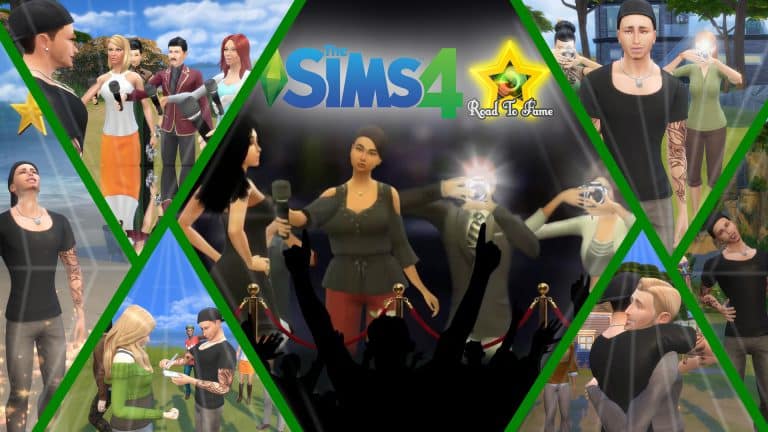
We did a thorough playtest of SACRIFICAL’s brand new Road To Fame Mod for The Sims 4 just 2 days ago and the creator is already promising some big new features for this mod.

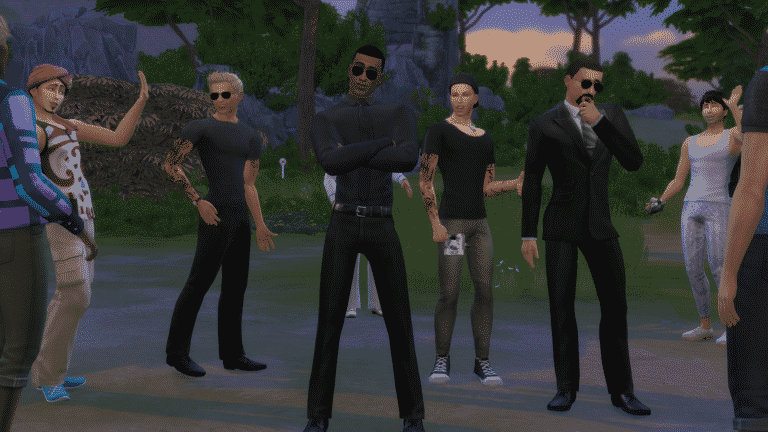
The creator of this mod is working hard to implement some new features like Bodyguards NPCs which are supposed to protect your celebrity Sim. Here’s what he shared what he’s working on right now:

You’ll have special interactions with the bodyguards once You hire them like Paparazzi & Fans.

And You can set their behavior “The way they act” from a menu once You click on them.

I also want to add interactions where You can order them to do specific things like:

  • Fight a sim “You’ll have a Sim Picker menu to choose which sim the paparazzi should fight with”
  • Slap a sim
  • Throw drink at a sim

And I want to make it that sims who’s been mistreated by the bodyguards might sue You for an amount of money.

Of course I’ll add more interactions to them after I release them once I work on “Haters” & “Obsessed Fans”

It’s not ready yet, I’m working on it & I hope that it won’t take that long to finish it.


Here’s a screenshot of bodyguards that should arrive in one of Road To Fame’s upcoming updates:

The Sims 4 Road To Fame Mod is already getting big new features

A Lookback at The Sims Console Games: Part Two

4

Back in July we had the announcement that The Sims 4 would be hitting Xbox One and PlayStation 4 in Novemember 2017. Firstly I took a look back at the console games that were a part of The Sims 1 era. Today however we will be taking a look at some of the console games in The Sims 2 era.

The Sims 2

A Lookback at The Sims Console Games: Part TwoThe Sims 2 was released in late October/early November 2005 for seven different platforms. PlayStation 2, Xbox, GameCube, Game Boy Advance, Nintendo DS, PlayStation Portable and selceted Mobile devices.
The Sims 2: PlayStation 2, Xbox & GameCube

The Sims 2 was released on PlayStation 2 back in October 2005 and much like The Sims PlayStation 2 release it was fairly similar.

The game included a story and similar gameplay features to what we had seen previously and you had a number of objectives to complete as well. Instead of being career based objectives this time they were more focused around the Sim’s aspirationg instead. The Sims 2 also allowed you to directly control your Sims instead of the traditional point in click.

As well in the game you had twelve different locations that your Sims could travel to which span accross Strangetown, Melbourne and Pleasantview but to be able to visit the different locations you would need to complete golden wants which were pretty much special missions.

https://www.youtube.com/watch?v=5KvOYZ4zWkU&feature=youtu.be

The Sims 2: Handheld Versions

Now I musn’t forget about the handheld versions! The Sims 2 was released on Nintendo DS, GameBoy Advance and PSP. All were released between the end of 2005 and early 2006. The three editions all were unique in their own way but all were based in Strangetown.

Nintendo Game Boy Advance

The Game Boy Advance version of the game featured similar gameplay and features to that of The Sims Bustin’ Out and The Urbz: Sims in the City. This time your Sim finds themself in Strangetown but is unaware that they are being filmed as part of a television show.  There is a total of 12 episodes in the series but inbetween are plenty of mini games for you to play as well as being able to explore and socialize with other Sims.

Sony PlayStation Portable

The Sims 2 was the first for the franchise to appear on the PlayStation Portable console. Unlike the Game Boy Advance version of The Sims 2 the PSP edition was based more on the Windows version of the game. It featured both minigames and missions which has not been seen in any other Sims game.  The game featured a combination of the control styles from both the Nintendo DS and Game Boy Advance

If you were lucky enough to own a PS Vita up until 2014 you could download the PSP edition for the PS Vita and play as well. Sadly it was removed from the store as EA stopped supporting the game. However if you did manage to download it you are still able to play the game now!

Nintendo DS

Of course we can’t forget the Nintendo DS version of the game. Much like the other handheld versions the game featured different tasks that needed to be completed. The main aim was to improve the hotel, completing the relevant goals which could be set by the game or by hotel guests and also keeping the hotel it’s self clean.

The Nintendo DS version of the game was also the first that had real time events. This meant that rooms actually took eight hours to build and that Sims would only check out on specific days/times. Just be careful not to change the time on your DS or you’ll find a fair few aliens appearing in your game. That isn’t all that the Nintendo DS version has instore for players. The game has plenty more surprises packed in.
The Sims 2 Mobile

The Sims 2 Mobile was the first of the Sims franchise to appear on mobile devices which was released in May 2006.. The game was a very limited in regards to actions and gameplay and was the first game to feature only adult Sims as well. The game was disconituned after the released of The Sims 3.


The Sims 2 Castaway

A Lookback at The Sims Console Games: Part Two

The Sims 2 Castaway was released in late October 2007 for Ninteno Wii, PlayStation 2, PlayStation Portable and Nintendo DS. The Sims 2 Castaway was also released on PC under the name of Castaway Stories. Like previous console games for The Sims there was two different versions of the game despite being incredibly similar at the same time

Nintendo Wii, PlayStation 2 & PlayStation Portable

Your adventure starts on a boat named the Simplicity and your Sim is part of a crew that you create. Next thing you know you find your self in a place called First Beach on Shipwreck Island. From their you will discover two more islands but before getting there you have to complete various tasks found in books including building a raft to progress to the next island. On the third and final island you discover a forgotten tribe of Sims.

Sadly I couldn’t find a good quality video of The Sims 2 Castaway Trailer but I did how ever find a short video from EA titled the Chicken Song!

Nintendo DS

Much like the Nintendo Wii, PlayStation 2 & PlayStation Portable version of the game your adventure again starts off on a boat before ending up on a remote island.  You meet four other castaway Sims, explore islands, play minigames and complete the various tasks that are required to find your way back home.

The Sims 2 Castaway also featured many new items that had never been seen in The Sims franchise before. These included build and buy mode objects, Create-A-Sim items and recipies that you can discover throughout the game.

That’s it for this article. The next post in this series will look at the console games from The Sims 2 Pets era! Let us know in the comments below or on Twitter if you played any of these games and what some of your best memories are from the games. Also let us know what you think about the upcoming release of The Sims 4 on console too!

The Sims 3 Loading Screens Appreciation Post

6

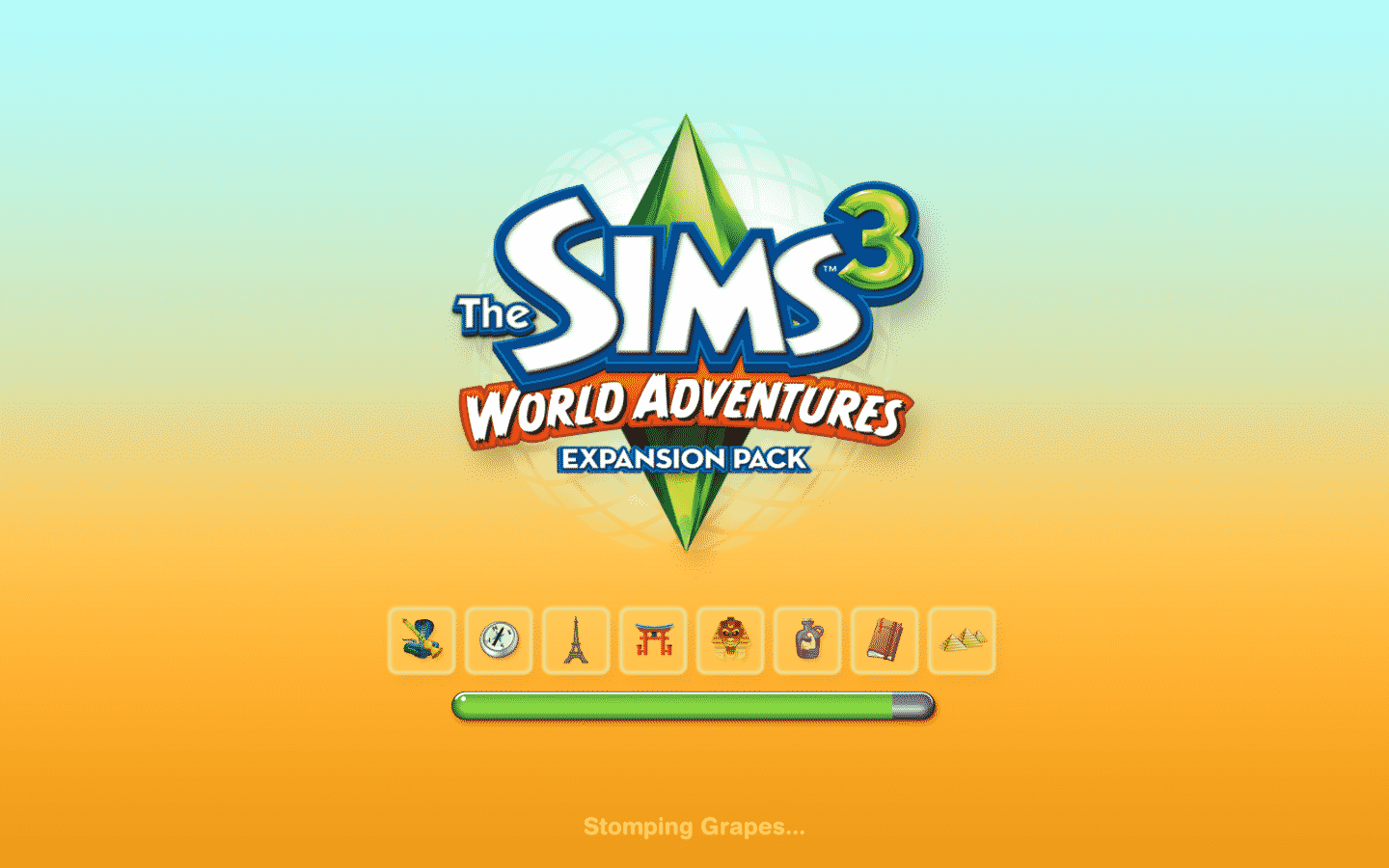
I remember back in the day when The Sims 3 Series was still active and my excitement for the release of each Expansion Pack / Stuff Pack for the game. Believe it or not, one of the biggest things that excited me were the new loading screens that came with each new pack. They were often bright, colorful and very often full of interesting animations.

That’s one of the things I miss in The Sims 4. I know it’s a small thing but it made every pack that was released stand out.

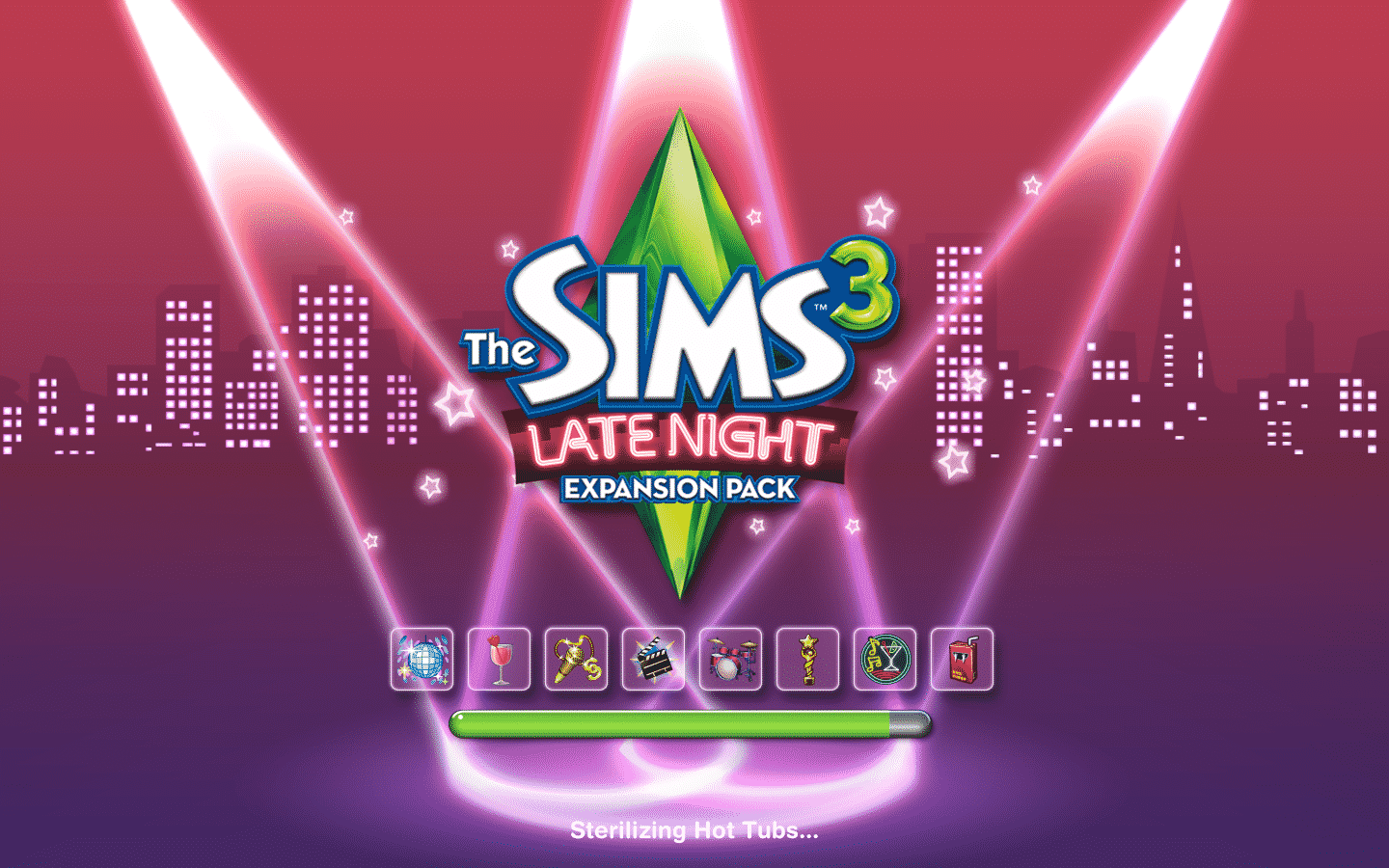
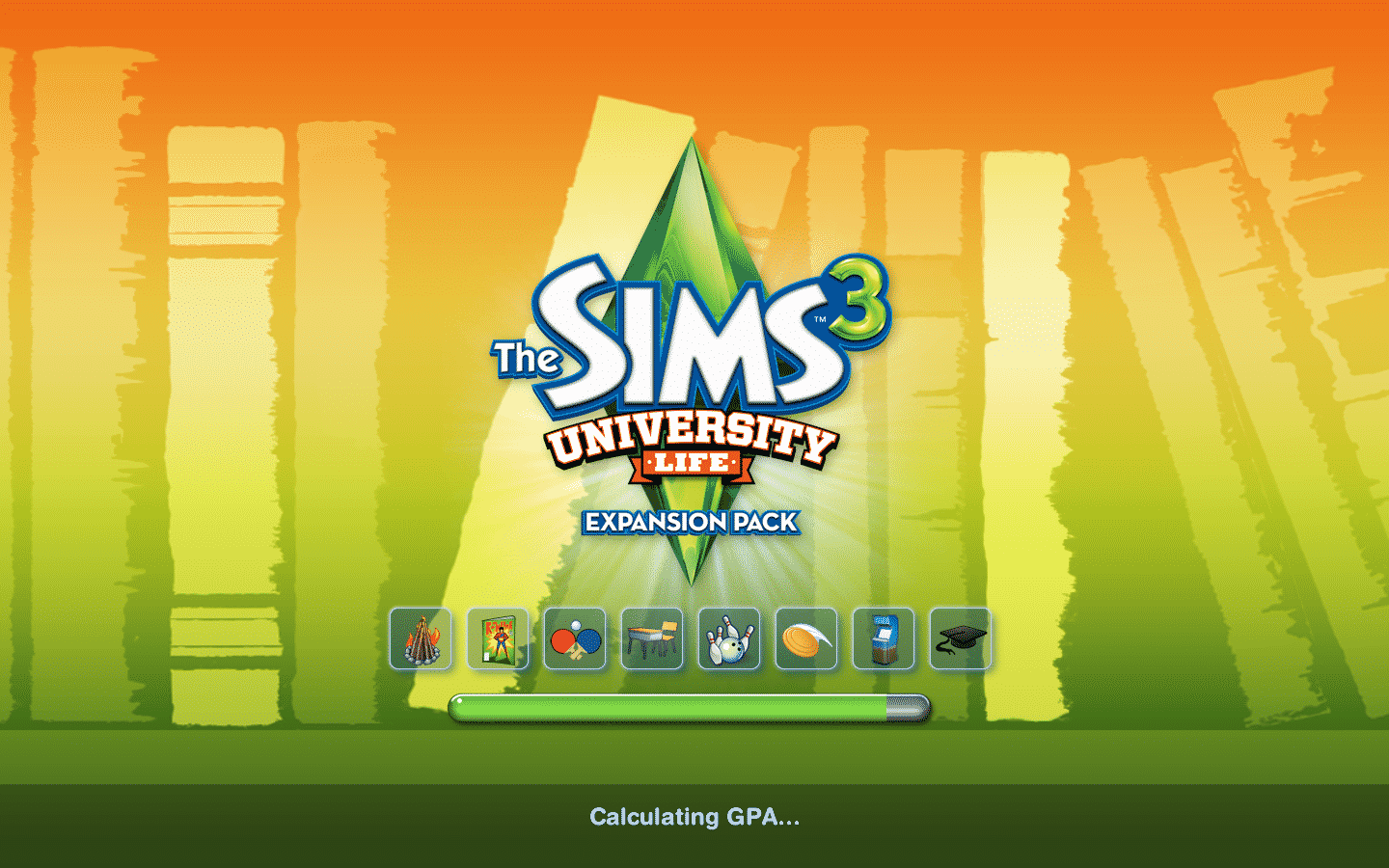
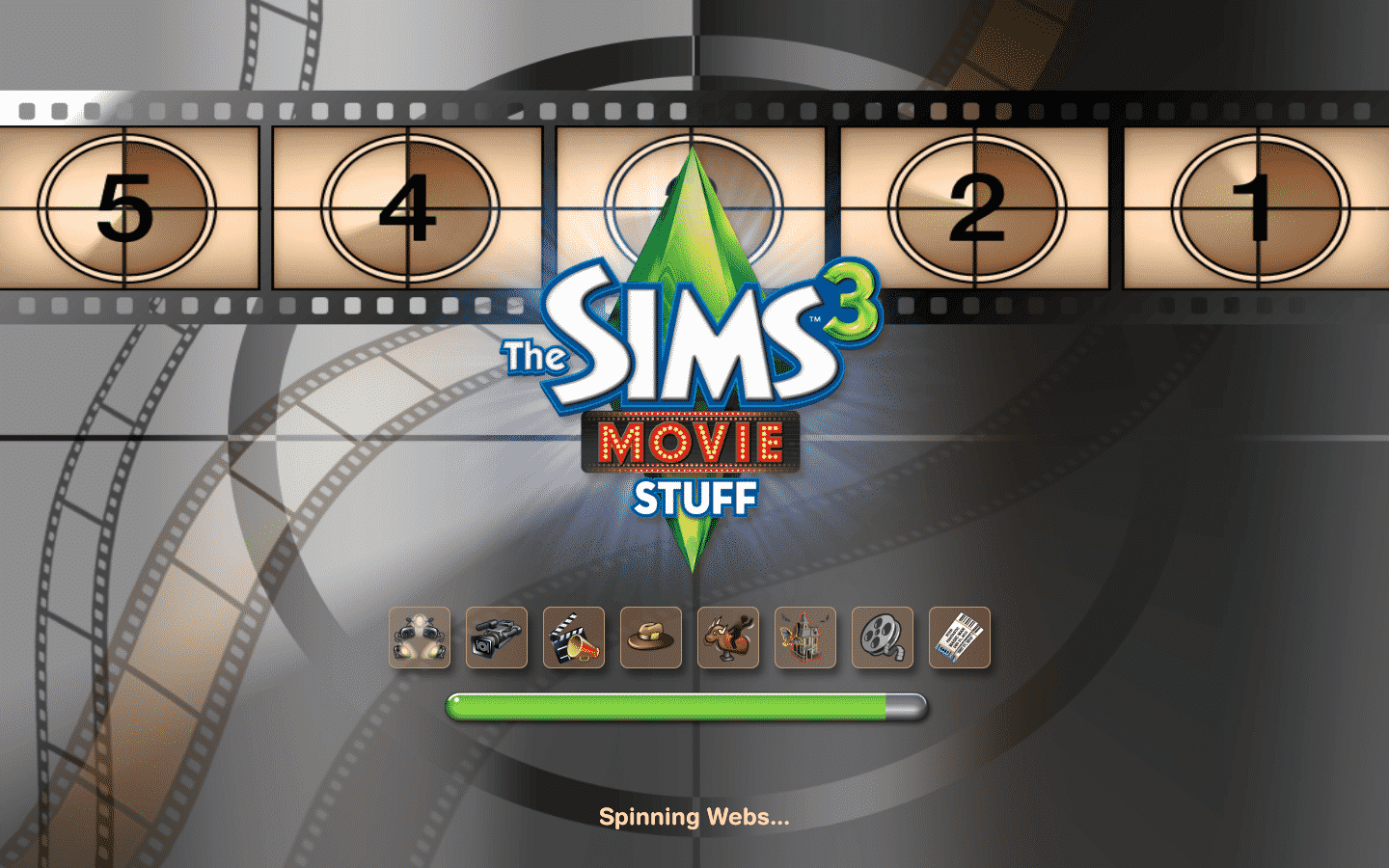
For those who weren’t really active during The Sims 3 days, who haven’t managed to play older packs after launch or just want to go back to this interesting loading screen journey, here are all 21 loading screens that have been made for The Sims 3, including Base Game, Expansion Packs and Stuff Packs.

Loading screens shown down below are sorted by the release date of each game.

The Sims 3 Base Game

The Sims 3 Loading Screens Appreciation Post

The Sims 3 World Adventures

The Sims 3 Loading Screens Appreciation Post

The Sims 3 High-End Loft Stuff

The Sims 3 Loading Screens Appreciation Post

The Sims 3 Ambitions

The Sims 3 Loading Screens Appreciation Post

The Sims 3 Fast Lane Stuff

The Sims 3 Loading Screens Appreciation Post

The Sims 3 Late Night

The Sims 3 Loading Screens Appreciation Post

The Sims 3 Outdoor Living Stuff

The Sims 3 Loading Screens Appreciation Post

The Sims 3 Generations

The Sims 3 Loading Screens Appreciation Post

The Sims 3 Town Life Stuff

The Sims 3 Loading Screens Appreciation Post

The Sims 3 Pets

The Sims 3 Loading Screens Appreciation Post

The Sims 3 Master Suite Stuff

The Sims 3 Loading Screens Appreciation Post

The Sims 3 Showtime

The Sims 3 Loading Screens Appreciation Post

The Sims 3 Katy Perry’s Sweet Treats

The Sims 3 Loading Screens Appreciation Post

The Sims 3 Diesel Stuff

The Sims 3 Loading Screens Appreciation Post

The Sims 3 Supernatural

The Sims 3 Loading Screens Appreciation Post

The Sims 3 Seasons

The Sims 3 Loading Screens Appreciation Post

The Sims 3 70s, 80s & 90s Stuff

The Sims 3 Loading Screens Appreciation Post

The Sims 3 University Life

The Sims 3 Loading Screens Appreciation Post

The Sims 3 Island Paradise

The Sims 3 Loading Screens Appreciation Post

The Sims 3 Movie Stuff

The Sims 3 Loading Screens Appreciation Post

The Sims 3 Into The Future

The Sims 3 Loading Screens Appreciation Post

The Sims 4 Mod: Educator Career

8

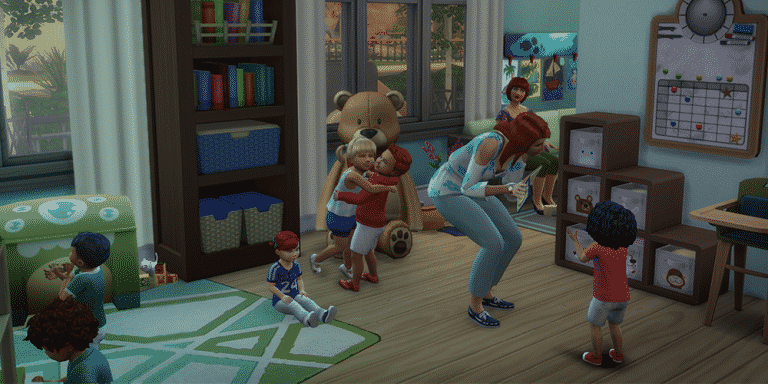
Modder Herr-Sims published his first mod for The Sims 4 which lets your Sims work at a kindergarten!

Even though this is a non-active career it’s still very useful for those who like to play with storytelling or who are just looking for bigger variety of non-playable careers in The Sims 4.

The Sims 4 Mod: Educator Career

Installing this mod is very easy – simply extract the .rar file to Electronic Arts > The Sims 4 > Mods. Make sure you have Mods / CC enabled in your game options, as well as script mods.

[mks_button size=”large” title=”DOWNLOAD!” style=”squared” url=”http://www.sims-blog.de/2017/09/20/unsere-neue-mod-erzieher-karriere-en/” target=”_blank” bg_color=”#1e73be” txt_color=”#FFFFFF” icon=”fa-arrow-down” icon_type=”fa” nofollow=”0″]

The Sims 4 Road To Fame Mod Now Fully Available

104

The creator of The Sims 4 Road To Fame Mod has made it fully available on Sims 4 Studio!

After downloading this mod you can install it by extrating the .zip file and copy-pasting all the content from the Road to Fame folder into Electronic Arts > The Sims 4 > Mods folder. Make sure you have mods / CC enabled in your game options!

For more information about what new features this mod brings make sure you check out our Road To Fame Mod Playthrough!

[mks_button size=”large” title=”DOWNLOAD!” style=”squared” url=”http://sims4studio.com/post/85791″ target=”_blank” bg_color=”#1e73be” txt_color=”#FFFFFF” icon=”fa-arrow-down” icon_type=”fa” nofollow=”0″]

The Sims 4 Road To Fame Mod Now Fully Available

The Sims 4: Road To Fame Mod Playthrough

After the announcement of The Sims 4 Road to Fame Mod by SACRIFICAL I just couldn’t wait to get my hands on it – and I finally did!

After installing the mod I created my new Sim Lesley Clifford and moved her into one of luxurious apartments in San Myshuno to test out the mod.

Simstagram

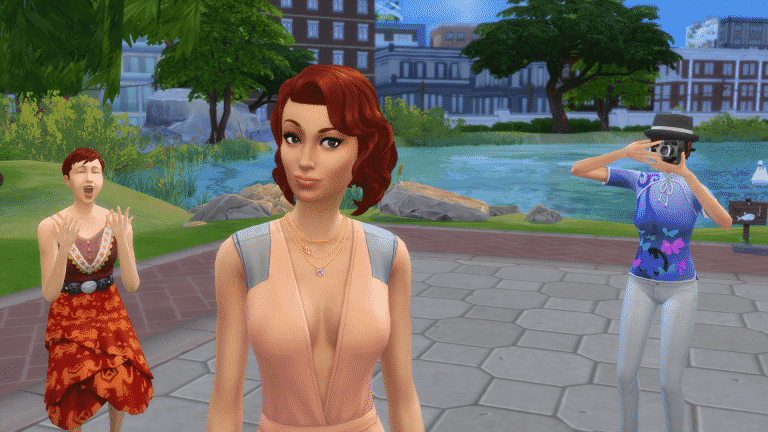
You start off your road to fame by clicking on your Sim and selecting the Road to Fame > Simstagram > Create A Simstagram Account. Yup, Sims become famous by posting photos, videos, selfies, replying on comments and interacting overall with this social network in order to gain fame.

The Sims 4: Road To Fame Mod Playthrough

With this interaction you’ll automatically acquire the Simstagram Skill. This skill has 5 levels and you progress by being active on Simstagram.

Here’s just an example of my Sim posting a Selfie on Simstagram:

The Sims 4: Road To Fame Mod Playthrough

Interacting with all sorts of Road to Fame features will usually give you strong happy moodlets that last either for a short period of time (interactions) or a long period of time (leveling up your Fame Level).

If you want to progress in your fame level you need to focus on your followers. You can easily check your number of followers in the Simstagram interaction options.

Starting off with Simstagram at first isn’t easy because there are only a few interactions that you have to repeat in order to level up your Simstagram skill, but once you’ll do you’ll unlock new Simstagram interactions which will only help you boost your followers number more.

Simstagram Skill Level 2

  • Take Photos Manually
  • Respond To Comments
  • Ability to earn more followers with each interaction

Simstagram Skill Level 3

  • Record Videos using front / back phone camera
  • Take photos with other Sims
  • Ability to earn more followers with each interaction

Simstagram Skill Level 4

  • Ask other Sims to take photos of you (you have the ability to even choose between feminine or masculine photo poses)
  • Camera on Tripod Object Award (can be found in your sim inventory)
  • Ability to earn more followers with each interaction

Simstagram Skill Level 5

  • Post Inspirational Pictures
  • Ability to earn more followers with each interaction

With all these interactions available you’re ready to enter the world of fame!

The Sims 4: Road To Fame Mod Playthrough

The Sims 4 Cats & Dogs is coming to Consoles!

UPDATE #3: SimGuruDrake confirmed that Cats & Dogs won’t be coming to Consoles in November.

UPDATE #2: SimGuruDuke said the following about Cats & Dogs coming to Console:

UPDATE: The listings have been removed!

A trusted polish retail website sklep.gram.pl has listed The Sims 4 Cats & Dogs Expansion Pack for Xbox One and PS4!

They also listed a release date, saying that the pack will come out on November 16th. This means that the console version of Cats & Dogs will come out the day before of The Sims 4 Base Game for the consoles, which is set to release on November 17th. The release date could be a placeholder until The Sims Team officially announced the arrival of Cats & Dogs to consoles.

However, one of our readers pointed out the fact that once you click “purchase” the pack will show information that it’s coming out on November 17th:

The price listed below is 159,50 zloty – which matches the $39,99 price.

The Sims 4 Cats & Dogs is coming to Consoles!

Tip: DotSim

Create A Pet is so good that it overshadows Create A Sim

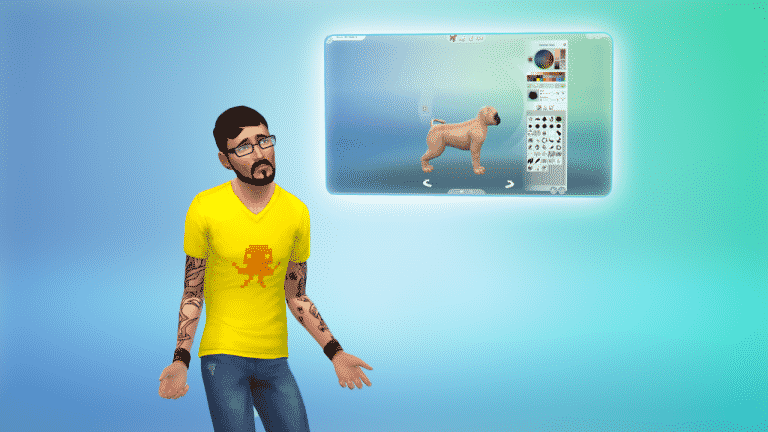
The Sims 4 Cats & Dogs’ Create A Pet features are so detailed that they’ve opened up a Pandora’s Box full of questions about the Base Game and Create A Sim!

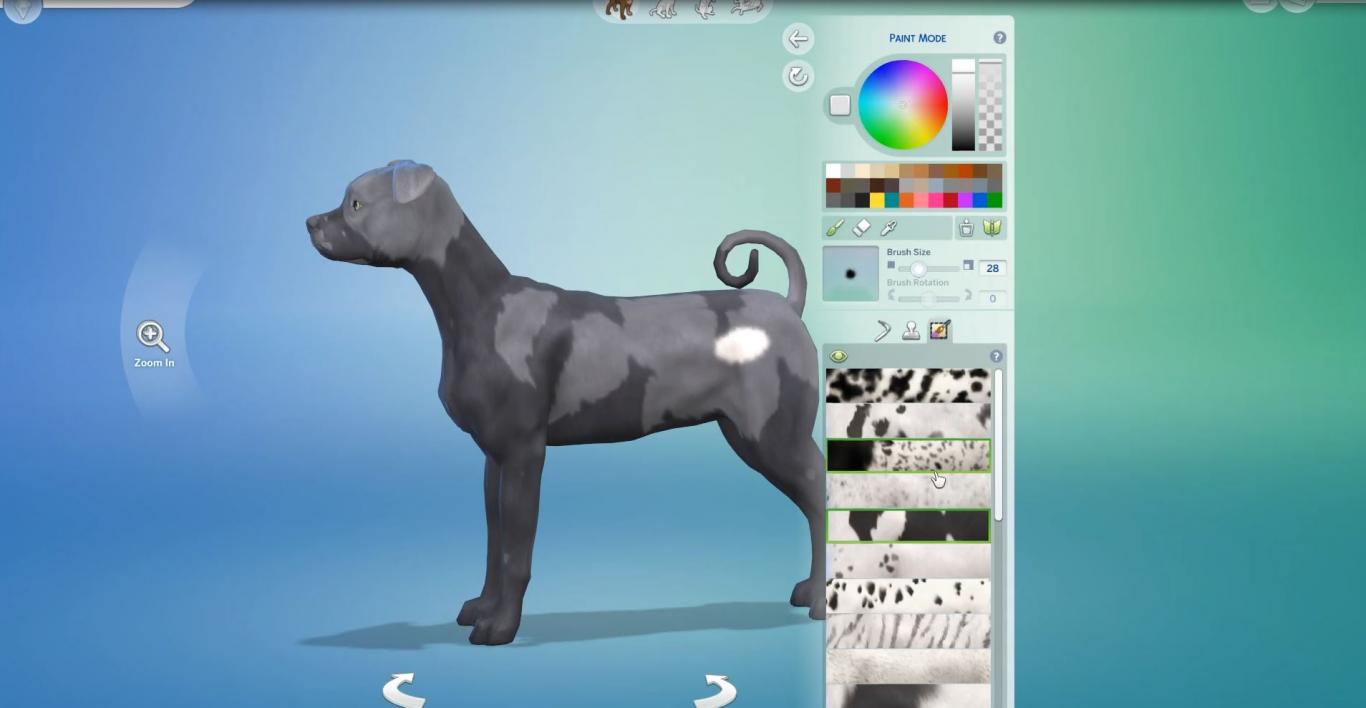
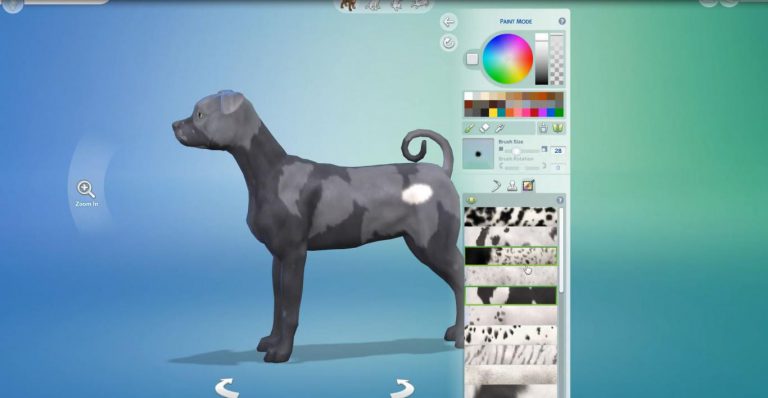
The announcement of The Sims 4 Cats & Dogs was full of surprises, leaving people curious about the color wheel, the paint tool and all the textures that we can apply to our Pets. However, things took a quick turn after SimGuruLyndsay confirmed that those features are exclusive to Cats and Dogs only:

Create A Pet is so good that it overshadows Create A Sim
Image by Player.one

As you can see, there’s basically an unlimited amount of colors that you can choose to paint your pet. However, there are only 25 skin tones that you can pick for your Sim…

Create A Pet is so good that it overshadows Create A Sim

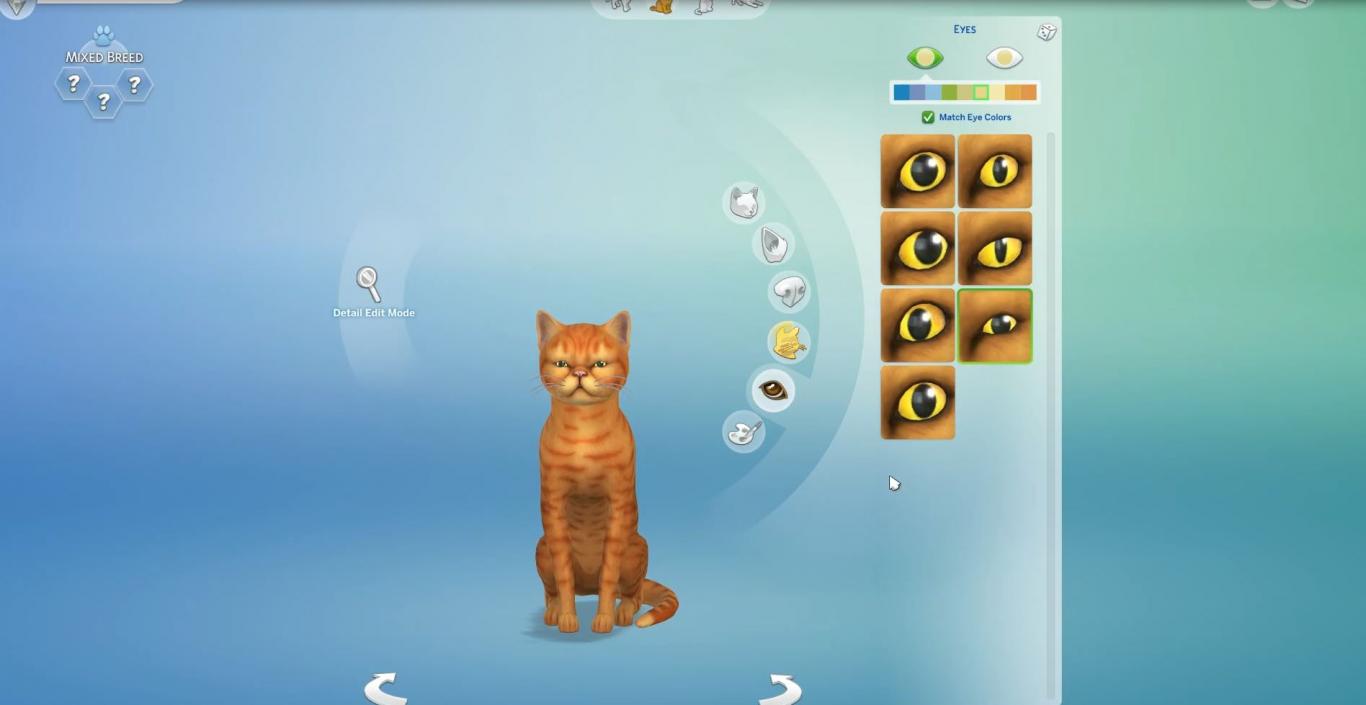
The Create A Style that’s exclusive to pets is not the only thing that’s raising our eyebrows. There’s also heterochromia which lets your cats & dogs have different eye colors for each eye. There are actual people in the world with heterochromia, however that’s only exclusive to Cats and Dogs.

Create A Pet is so good that it overshadows Create A Sim
Image by Player.one

Many simmers feel the same way about Create A Pet and how it’s a shame that most features are not available in Create A Sim:

Some just want to see new features introduced in Create A Sim that could help balance things out:

Many also want to see these features implemented in Build Mode:

Do you feel the same way about the indifference of some creative features between Create A Sim and Create A Pet? Let us know in the comments!

Don’t worry – there are plenty of breeds in The Sims 4 Cats & Dogs

8

One of the many questions that simmers are asking the developers of The Sims 4 Cats & Dogs is “will this breed be included in this Expansion Pack?”. It’s understandable how people want to see their cats / dogs accurately represented in the game but you really shouldn’t worry about that!

SimGuruDaniel addressed this, saying “If you have a common pet breed, it will be in the pack. Even if it isn’t, you can use the tool to make something that looks like it.”.

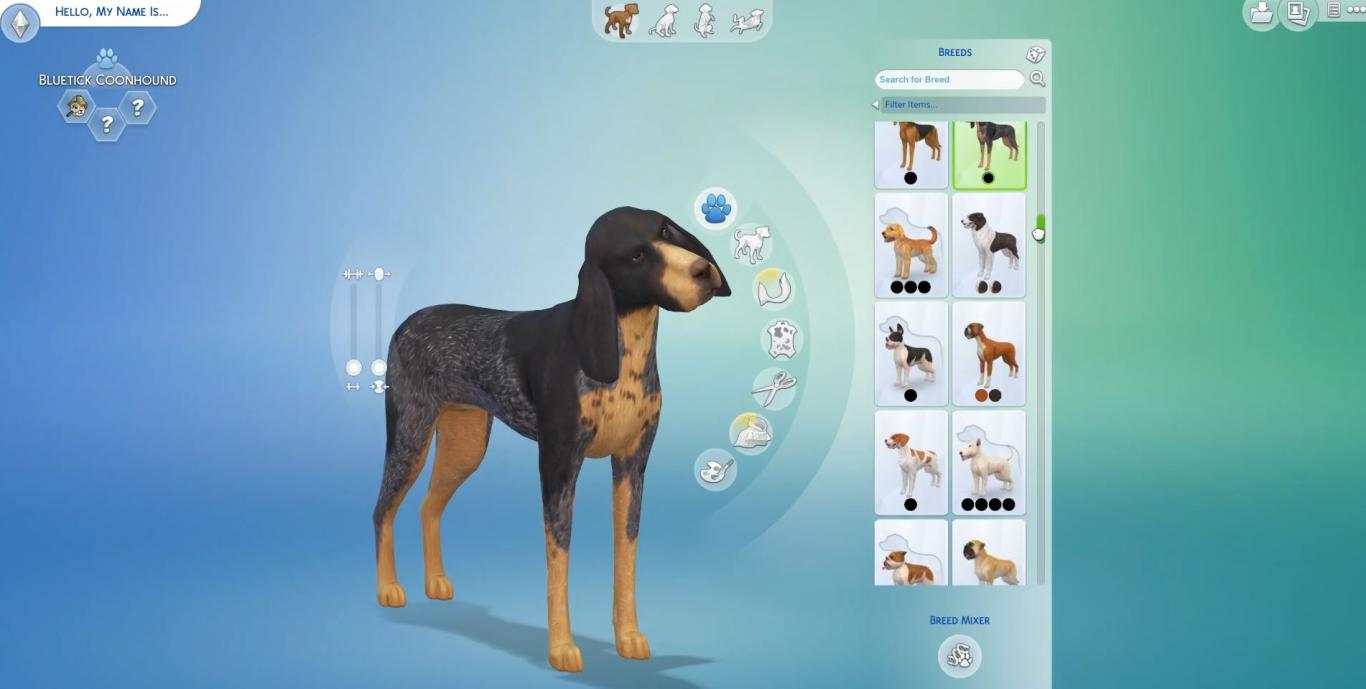
That definitely seems to be true looking at the screens that Simscampers and press has posted.

Image compiled from various screens by Player.one!

Don’t worry – there are plenty of breeds in The Sims 4 Cats & Dogs

One of the new things that The Sims 4 Cats & Dogs is introducing are breed presets – meaning that there are several presets for each breed giving you different colors, different textures and different furs for certain breeds. You’ll of course be able to customize each breed yourself and even save them:

The Sims 4 Cats & Dogs: 45 Create A Pet Screens by Player.one

4

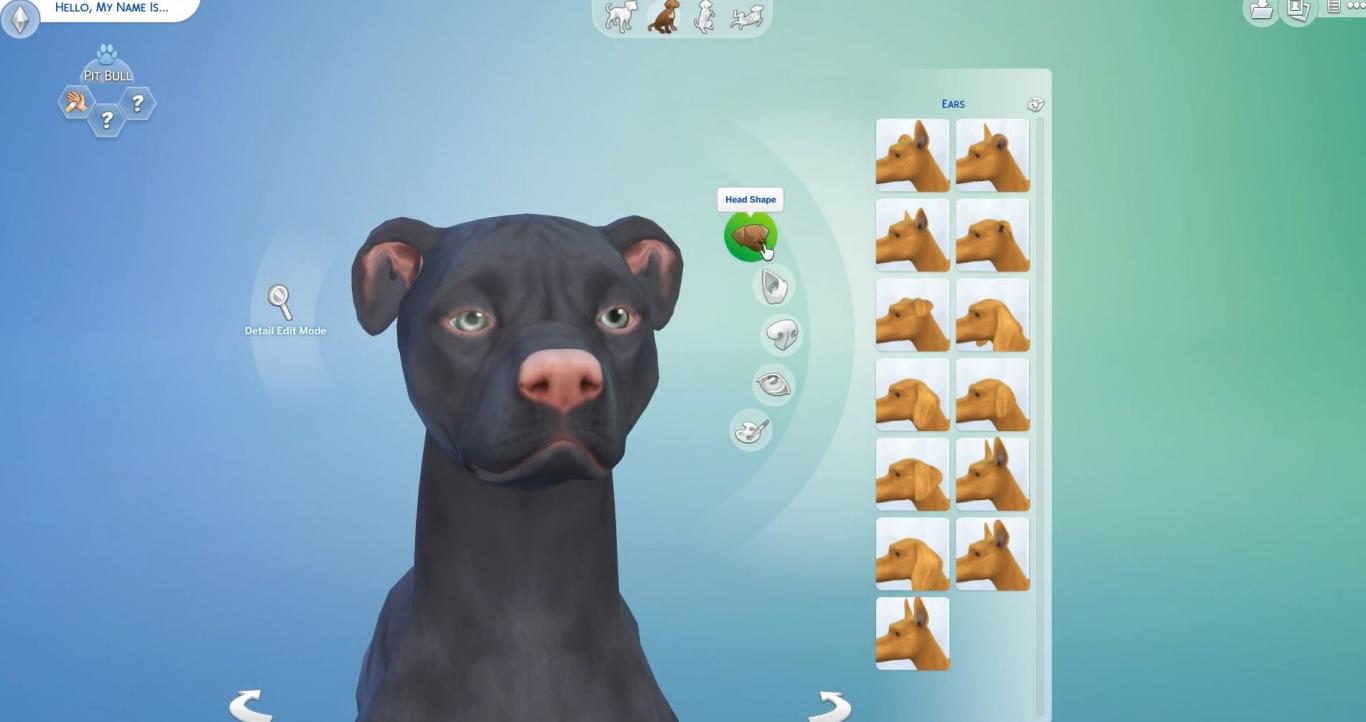
Player.one got their hands on with The Sims 4 Cats & Dogs and they brought us 45 screenshots of Create A Pet.

Down below you’ll see screenshots that contain all sorts of features for your Cats & Dogs including breed mixing, new breeds, fur painting, body parts and much more.

Thank you Player.one for giving us permission to publish these screens in this post!

Screens by Player.one