All Expansions, Stuff Packs and Worlds are 50% off!
If you’ve been looking for an opportunity to jump into the open world of The Sims 3 – now’s the chance! The game just recently got updated for Windows PC to support newer machines, with the 64bit version of the game still operating well on Mac.
If that’s not enough of a reason to fall back in, there’s a new Sims 3 Sale across the EA App and Steam. Letting you save 50% on all Sims 3 games! It’s nothing tremendous or never-done before for Maxis by any means, but it’s worth noting for anyone who wants to try the game out.
The Sims 3 Sale on EA App
The Sims 3 EA App Sale is active right now, and you can save 50% off on the entire catalogue! This means that Expansion Packs are slashed to 20USD, Stuff Packs to 10USD and Sims 3 Worlds for 50% off. Including regular Store World Editions for 10USD, and Gold Store Worlds for 20USD.
The sale on EA App is active right now and will last until February 10th, 2025 at 10AM PT.
The Sims 3 Sale on Steam
You can also take advantage of the latest Sims 3 Sale on the popular game launcher Steam. Where the game catalogue can be purchased for same 50% off deals as on Origin.
The Sims 3 Collection on Steam hasn’t been cut to its 67USD deal it usually gets to during sales. Right now, you can get it for 55% off.
The entire Steam Sale promotion ends on February 10th, 2025.
The Sims 3 isn’t the only game on sale currently. See all The Sims 4 Games Deals you can take advantage of before the anniversary celebrations come to an end!
Rediscover the first entry to The Sims Franchise all over again!
EA and Maxis are getting ready to fully reveal the rerelease of The Sims 1 and The Sims 2 on PC again this week. According to reliable insider information, the game rerelease is going to include an entire catalogue of all previously released Expansions for the game.
For players who are looking forward to refamiliarize themselves with The Sims 1 again (or get introduced to the game for the first time), we created a list of all The Sims 1 Games released. This list only covers Sims 1 games released for PC, considering that the upcoming rerelease is rumored to be specifically made for this Desktop platform.
In this list of official assets you’ll find a treasure trove of game screenshots for each The Sims 1 Game release. Including some exclusive high quality character renders for The Sims 1 Expansion Packs! Please note that these are not new Sims 1 rerelease assets, but rather original screens, features renders from each game release in the early 2000s. That, of course, you should expect to be included with the official Sims 1 rerelease in the coming days.
Everything’s listed right below:
Table of Contents
The Sims 1 Base Game
Official Features
In SimCity Will Wright gave you the power to build and control cities… with The Sims you’ll create and control people!
Build…
…the home of your dreams with powerful architectural design tools
Decorate walls and floors in any style
Create your own private paradise with landscaping tools
Buy…
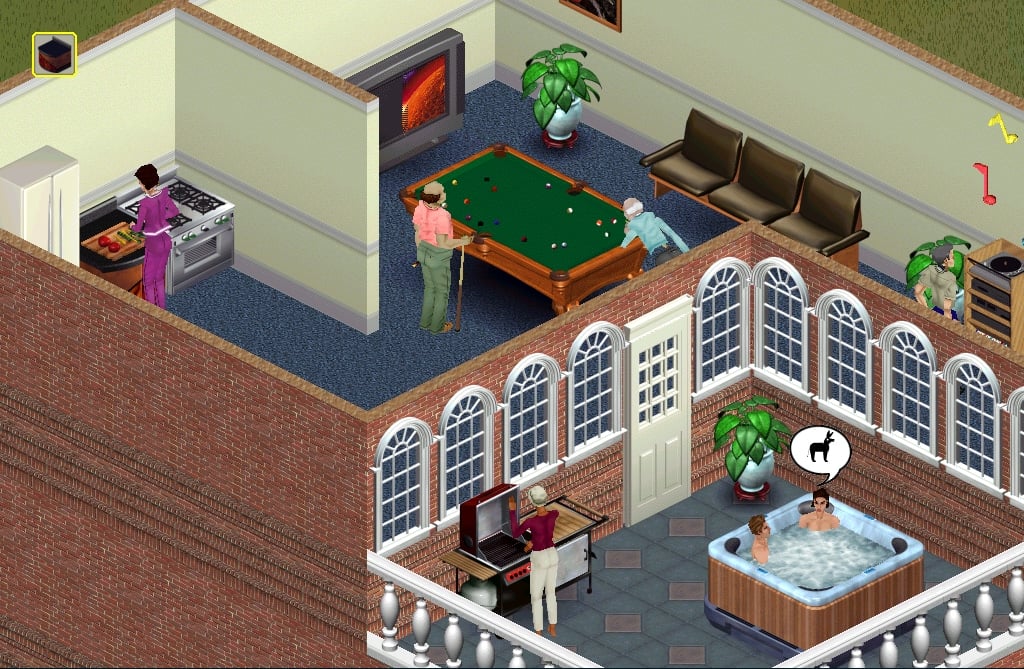
…hot tubs, swimming pools, topiaries, pool tables, giant-screen TV’s…
Over 150 different objects to furnish your homes and keep your Sims happy
Live…
Create an endless variety of characters and families
Follow a wide range of career paths
Make friends, have conversations, insult neighbors, fall in love, have children…
Exchange…
…your Albums, Families & Houses using The Sims Teleportation Device
Read other players’ family stories in The Sims Exchange
Enter contests to win cool Maxis prizes!
Official Screens
Official Renders
The Sims 1 Livin’ Large
Official Features
The Sims Livin’ Large: makes The Sims twice the game it used to be! Now included as part of The Sims Deluxe Edition, we’ve added a bunch of new game elements and social interactions that create tons of cool new gameplay experiences.
A New Look: With the new furniture and architecture in Livin’ Large, you can create a whole range of environments, including rustic turn-of-the century houses, garish Vegas-style lounges, medieval castles and retro/sci-fi “Homes of the Future.” Combine these architectural styles with custom skins to create your own look and feel for the game!
New Friends: We’ve added several new characters — and not just skins, either! Plus, you’ll be able to interact with them in totally new ways.
A New You: We’ve added new career tracks, including Slacker, Paranormal, Hacker, Musician, and Journalist. And at home, there will be several new ways to develop your Sims’ personalities and skills.
Official Screens
Official Renders
The Sims 1 House Party
Official Features
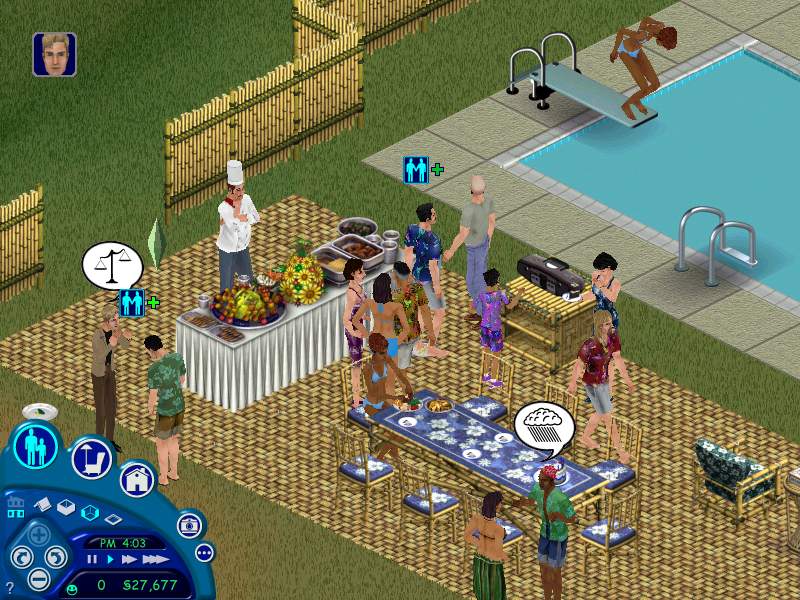
Makes The Sims one big Party!
Group Activities: Whether it’s roasting marshmallows around a campfire, or playing charades in the family room, there’s much more for your Sims to do together.
New Friends: Hire a caterer to keep the plates full at the debutante ball or a dancer to pop out of the cake at the bachelorette party.
New Music and Dance Moves: Build a dance floor with a DJ booth and watch your Sims take to the floor with new dance moves based on five music styles (Rap, Techno, Country, Beach, and Disco).
Costumes! What’s a toga party without the bed sheets? The new costume trunk comes with new outfits for your Sims and their guests.
Official Screens
Official Renders
The Sims 1 Hot Date
Official Features
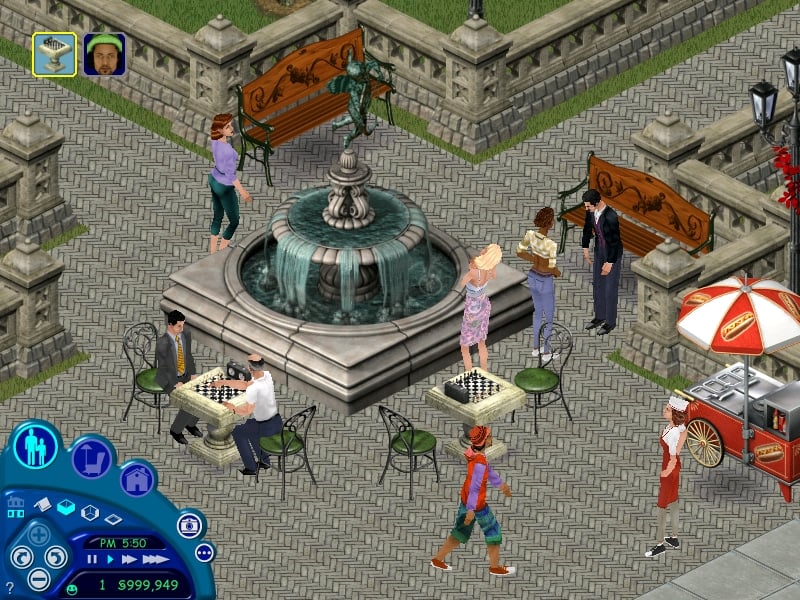
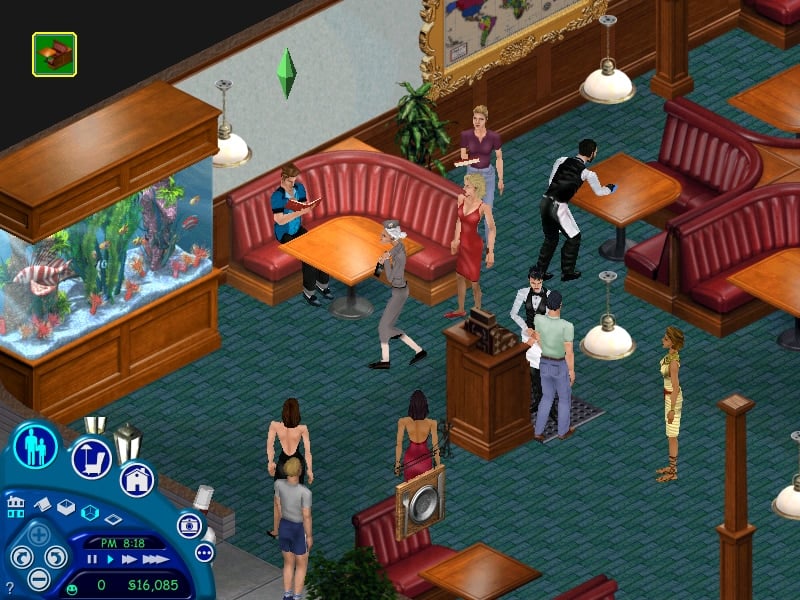
Play matchmaker to your Sims and watch the sparks fly or fizzle. Get them out of the house and into the all-new downtown area where they’ll gossip over a candlelit dinner, buy gifts for their dates or just cruise the Strip in hopes of getting lucky. Will your Sims find true love or be destined to a lifetime membership in the lonely hearts club?
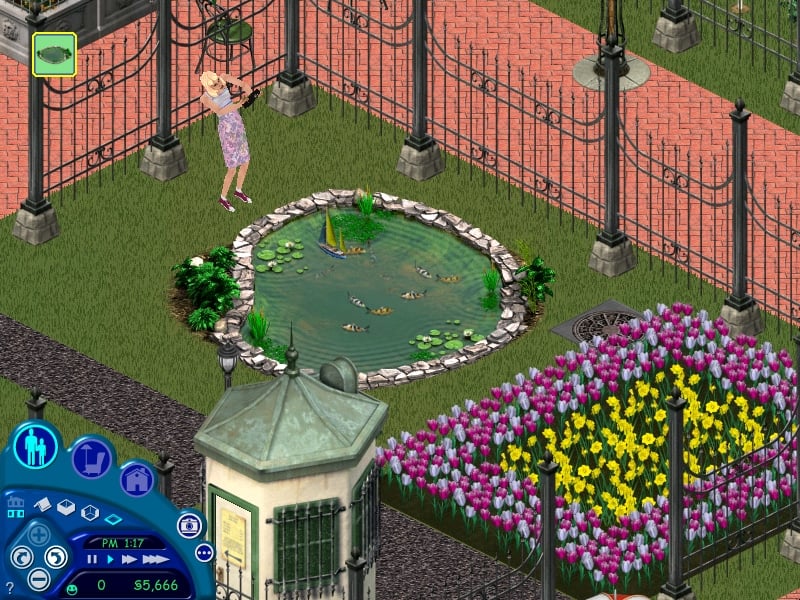
Take Your Sims Downtown: Create a downtown for your Sims complete with shops, restaurants, parks and a beach.
Meet and Date New Characters: Take a walk in the park with the Blonde Bombshell, share an ice cream with The Jock.
Wine and Dine or Crash and Burn: Control your Sims’ relationships like never before with over 40 new one-on-one social interactions.
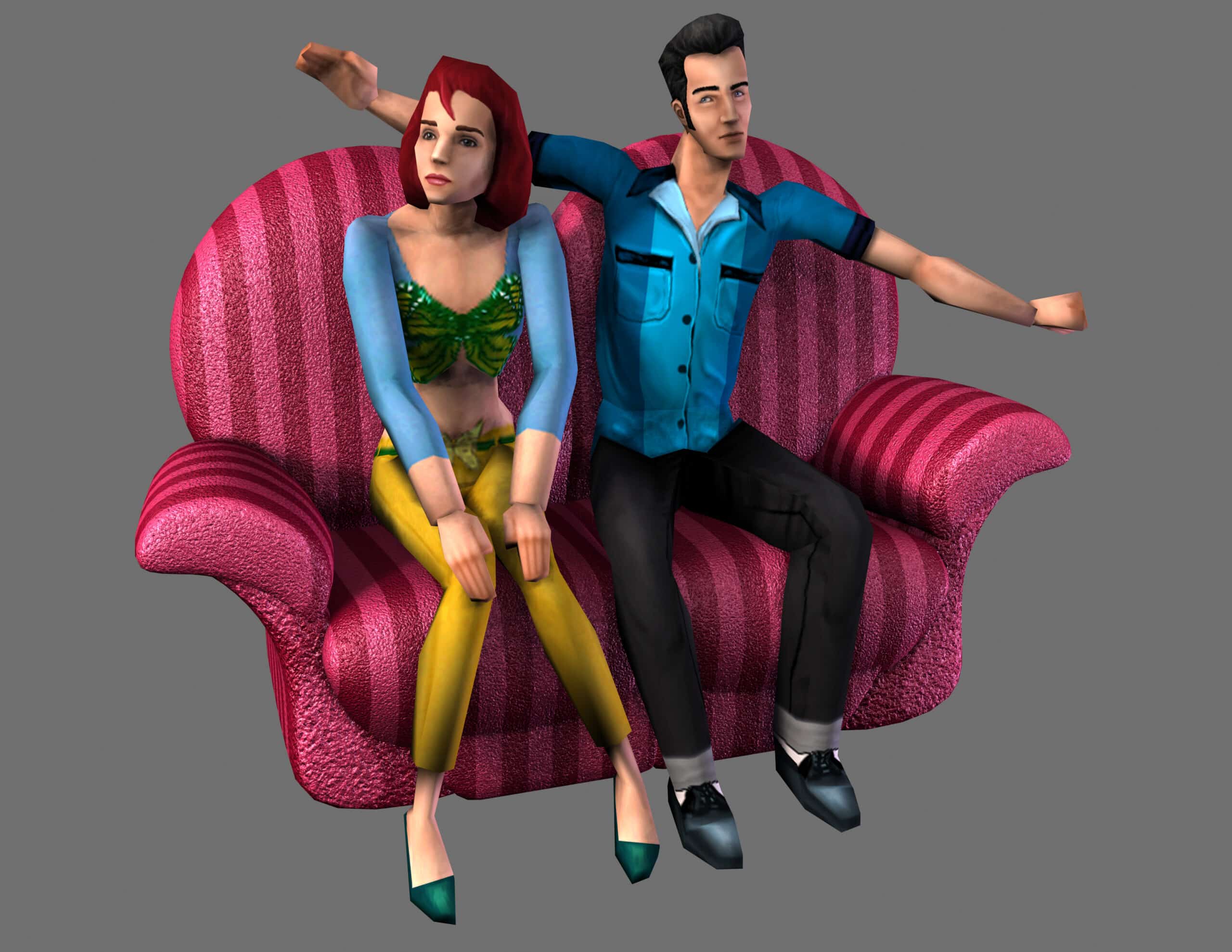
Build with 125 New Objects: Turn up the heat in the Love Tub, play with boats in the Fish Pond or get a little closer on the Cuddle Couch.
Official Screens
Official Renders & Artwork
The Sims 1 Vacation
Official Features
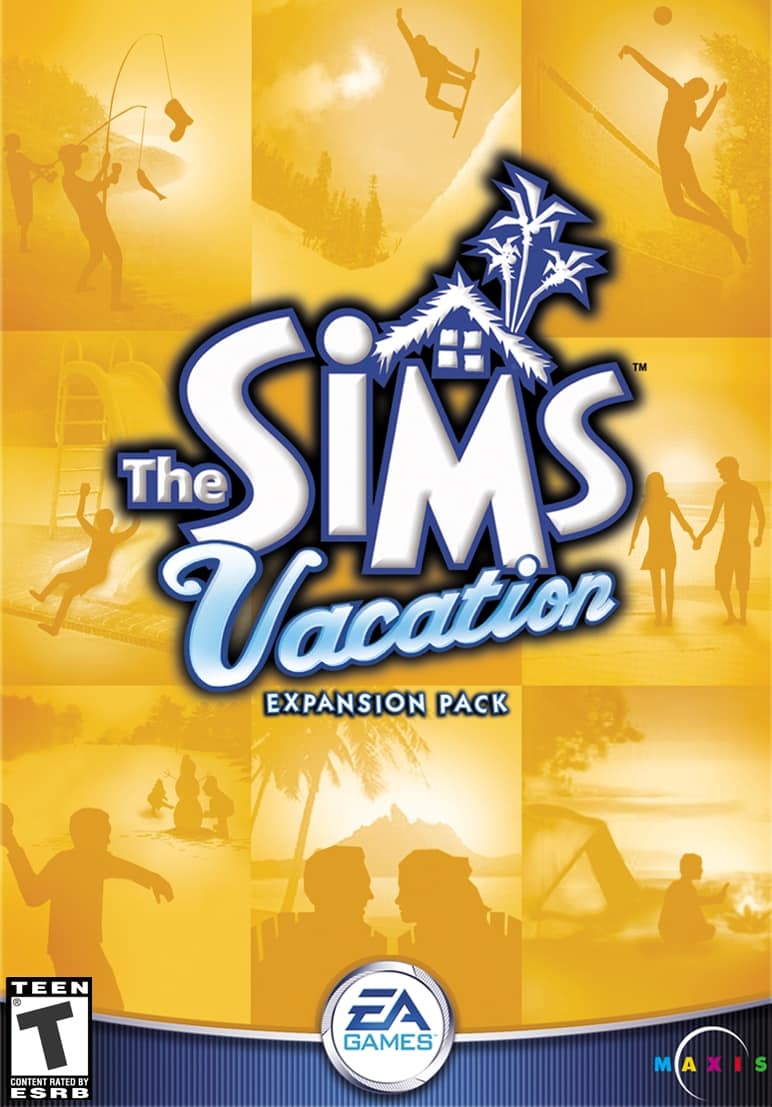
Take Your Sims On The Vacation Of A Lifetime! You choose whether they’ll spend the weekend at a beach resort, rough it in the woods, or chill in a winter wonderland. Whether they’re embarking on a family adventure or hooking up on a romantic getaway, your Sims will always have plenty to do on Vacation Island.
New Vacation Areas: Now your Sims can visit Vacation Island. You can visit the tropical beachs, a natural forests, or the winter wonderland.
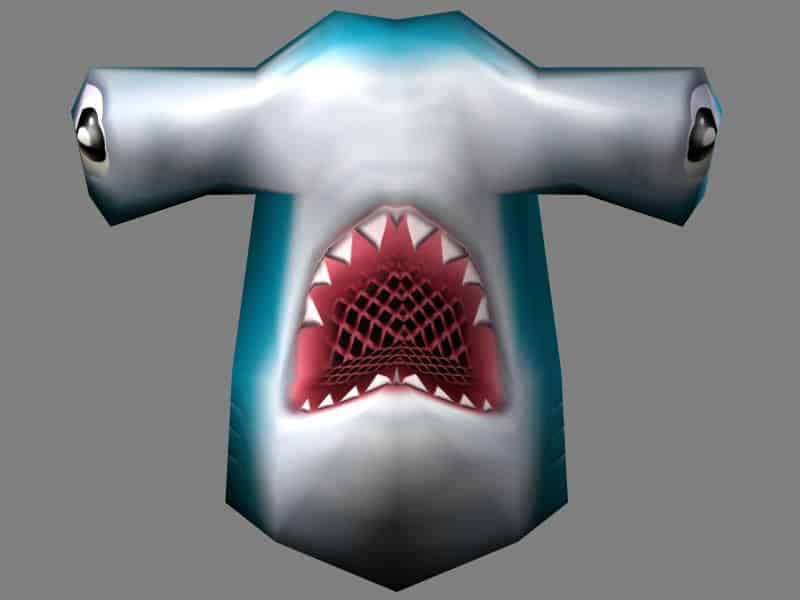
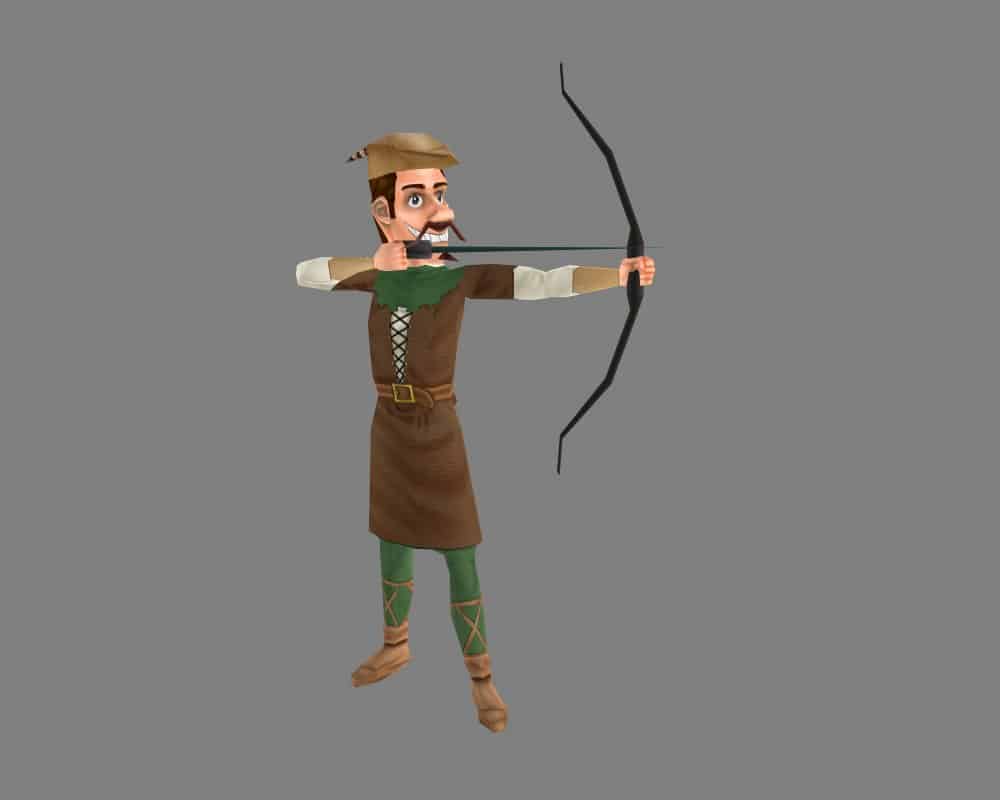
Meet New Characters: You can meet the Vacation Director, the Yeti, the Archer, and the Beach Shark!
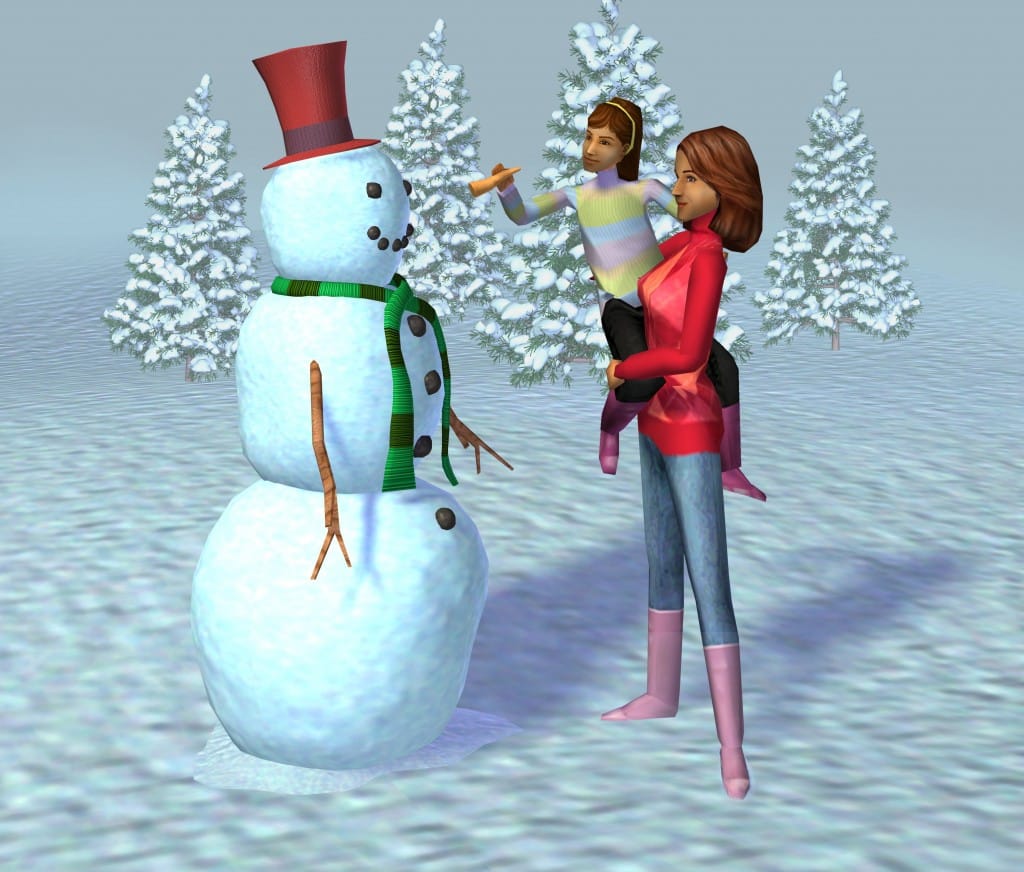
Over 125 New Items: New items include the Fishing Pier, the Snowman, the Camping Tent, the Carnival Game, and the Half-Pipe!
Official Screens
Official Artwork and Renders
The Sims 1 Unleashed
Official Features
The Sims have pets! Give your Sims the chance to add a furry friend to the family. Housebreak your pets, train them to do tricks, buy them toys, treats, and accessories, and do your best to keep them from destroying the house!
Add A Pet To Your Family: Visit the pet store and adopt a dog, a cat or another pet for your Sims.
Bigger Neighborhoods: Now with 40 residential and community lots you can create new parks, cafes, shops, and a market.
More Careers: 5 new careers with 50 new jobs. Now your Sim can choose a career in Animal Care, Culinary, Circus, Fashion, or Education.
125+ New Objects: Grow a harvest of vegetables in the Vegetable Garden or get soaked trying to wash your pet in the Pet Bath.
Official Screens
Official Renders
The Sims 1 Superstar
Official Features
Your Sims are Famous! In The Sims 1 Superstar Expansion Pack, The Sims are ready for their close-up. Players can now realize their fantasies of fame and fortune as they pursue the dream of being a Rock Star, Movie Star or a Supermodel and live the lifestyle of a celebrity. All new gameplay, new social interactions, and a whole new in-game destination offers players an all access pass to the world of superstardom. Will your Sim become an icon or fade into the obscurity of bad dinner theater? Will they win a coveted Simmy award or be regulated to an infomercial? In The Sims Superstar, you are the idol maker.
New Gameplay
All new gameplay centered around a new fame score in the game UI.
Build skills and win famous Sim friends to advance through ten levels of fame.
Sign up with the Talent Agency to embark upon your dreams by looking through the tabloid, which is delivered to your house.
Win a variety of different awards for achieving gameplay goals, including The Simmy Award and The SimChoice Award.
New Locations And Objects
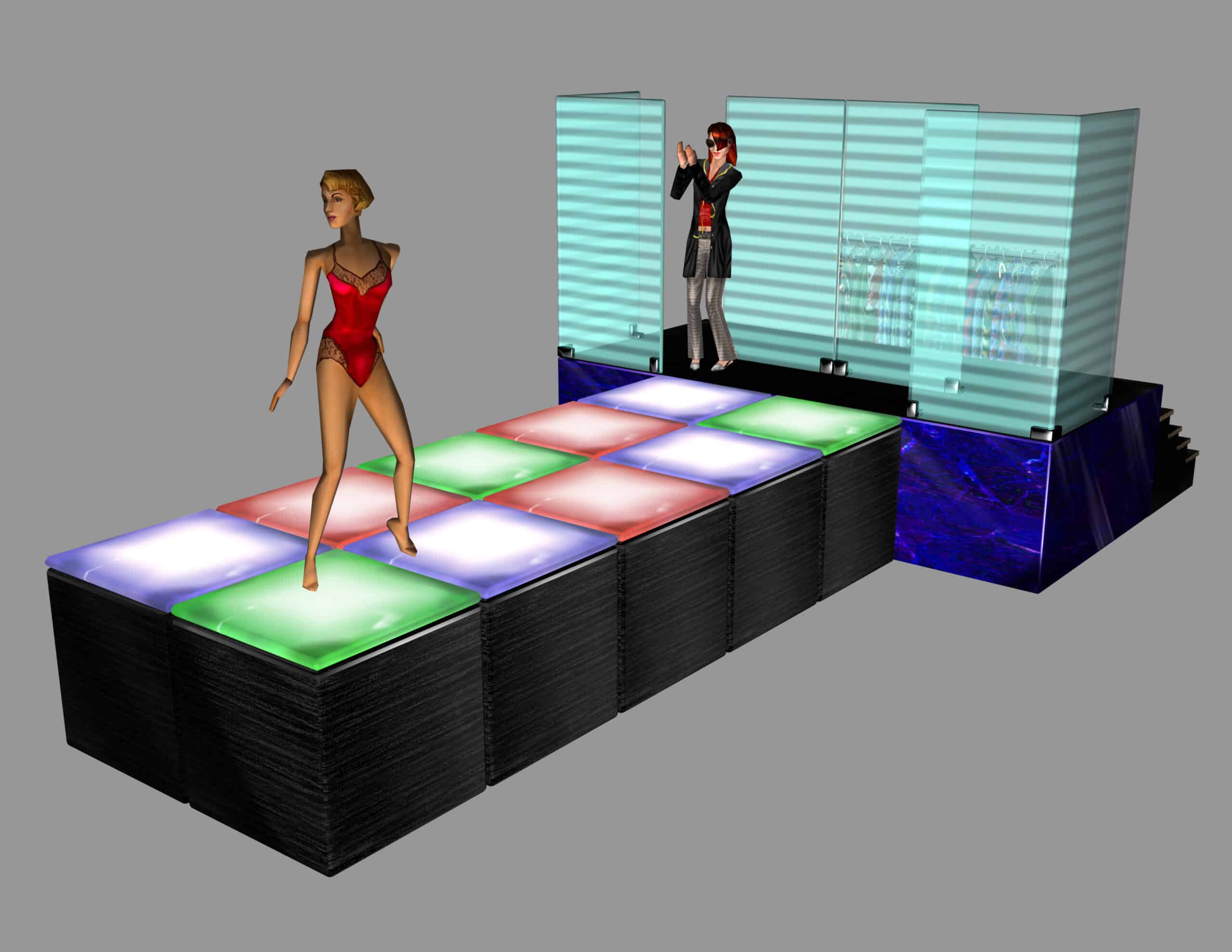
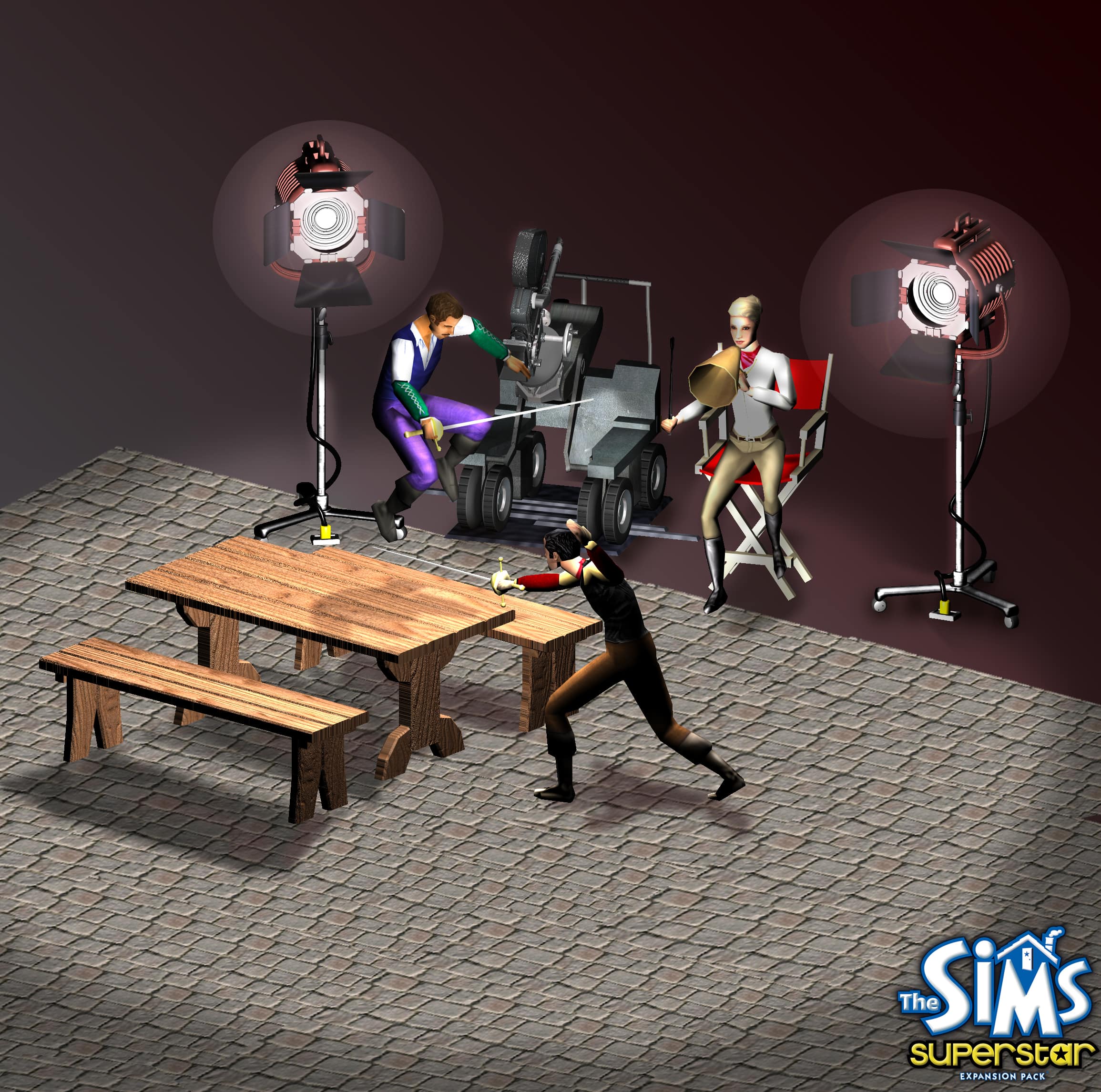
All new “Studio Town” location with three distinct themes: movies, music, and fashion.
Studio Town also features spa locations, karaoke bars, and clothing boutiques.
All new studio objects, each with mini-games, reward you with fame and large amounts of cash. Earn access to higher level objects as you earn more fame and collect famous friends.
Studio objects include: Karaoke Machine, Open Microphone Stage, Soap Opera Set, Music Recording Studio, Photo Shoot Set, Film Set, Music Video Set, and Fashion Runway.
Lighten your Sims’ moods at the Oxygen Bar or let your Sim recuperate in the Star Trailer.
Sims can fill their stomachs at Studio Town at the all new Sushi Cart, Smoothie Stand, or basic back-stage Buffet Table.
Pamper your Sims at the spa, with a brand new suite of objects, including the Massage Table, Mud Bath, and Spa Steamer.
Additional new objects for the house include a Skydiving Simulator, a Satellite Dish, an updated pool table, as well as stylish new furniture and top-of-the-line stereo equipment.
New Characters
Meet other famous Sims at Studio Town, or mingle with your adoring fans.
Get your picture taken by the Paparazzo and watch out for the Obsessed Fan, who pays you relentless attention if you neglect your fan base.
Inside the studio objects, Sims will seek approval from a variety of Studio Town professionals, including the Photographer, Director, Choreographer, Record Producer, and Fashion Designer.
Ask for help from Lana, the Studio Town Production Coordinator.
Receive awards from the Award Presenter.
At home, hire an all new personal Butler, who takes care of your house, hires additional staff, and even looks after the baby.
Over 150 New Items
All new walls, floors, and roofs help create the feeling of Studio Town.
All new skins complete the offering.
Dozens of original Simlish songs ranging from a variety of genres.
Official Screens
Official Renders
The Sims 1 Makin’ Magic
Official Features
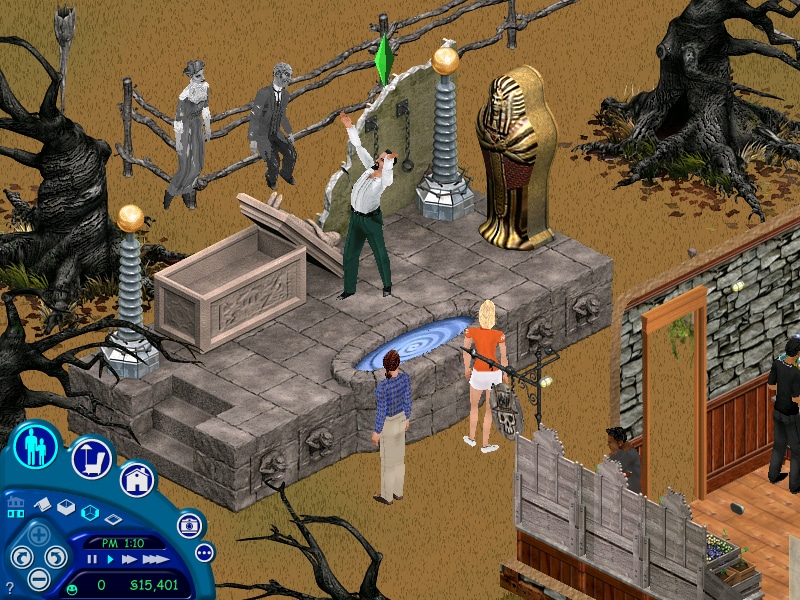
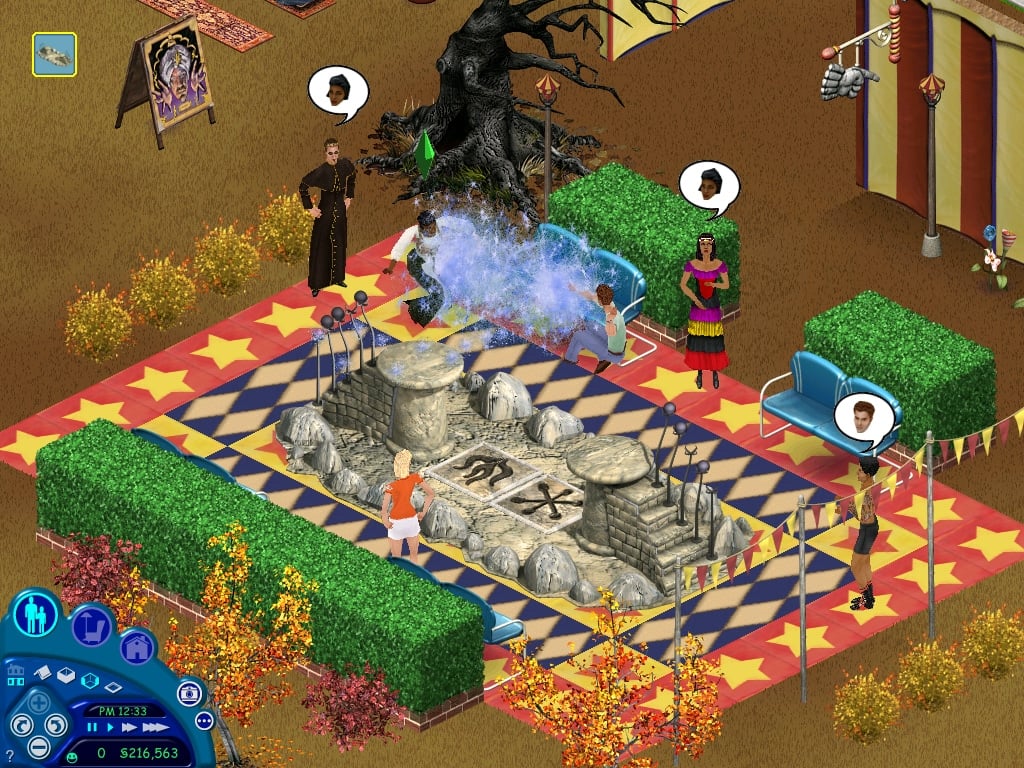
Beware. Your Sims have Magic. In The Sims Makin’ Magic Expansion Pack, your Sims can now harness the supernatural, casting spells with playful or mischievous intentions. With a new magical, carnival-themed location, over 175 new items, and a host of quirky new characters, Makin’ Magic is the largest Sims Expansion Pack ever. New gameplay includes making, gathering, and questing for ingredients to brew magic spell recipes. Get help around the house from magical minions, turn pesky neighbors into toads, or make that hard-to-get Sim fall in love with you. But watch out, spells can backfire if you’re not careful. Either way, the neighborhood will never be the same.
New Gameplay
Unlock spells in the family Spellbook and mix ingredients to create spells.
Every spell has a unique Backfire, including toad plagues, snakes, and lightning strikes.
New Locations And Objects
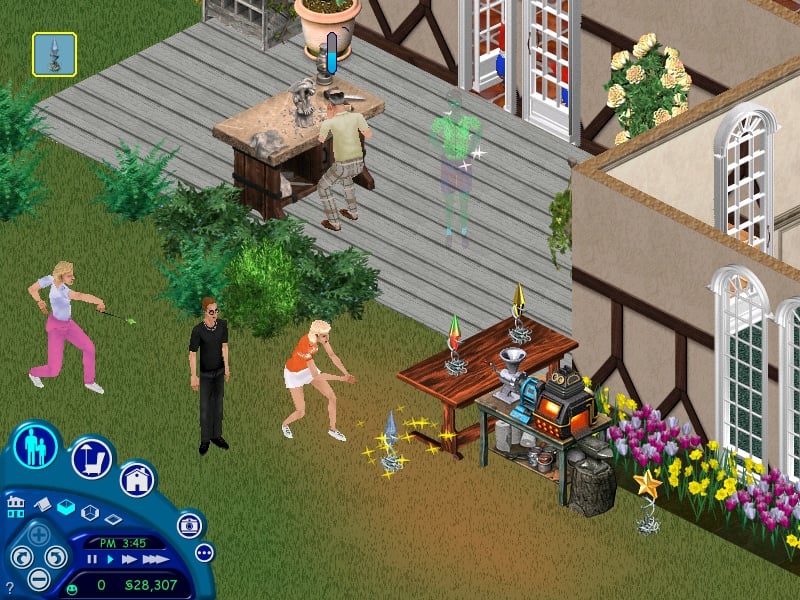
Perform at the Side Show, Spook Show, Magic Dueling Arena, and Magic Trick Table to earn MagiCoins.
Customize spooky and crazy carnival rides for your Sims.
Build a magical dream home and live in Magic Town.
Over 175 New Items
New Mediterranean-themed kitchen set includes the first-ever Baker’s oven to bake bread, cakes, and pies.
Build skills and create new spell ingredients with the Bee Hive, Spinning Wheel, Gargoyle Bench and Butter Churn.
Grow grapes and berries with Vine Plots to make and serve nectar.
New Characters
Turn the Gnome and Flamingo lawn ornaments into an eager garden helper and sexy hostess.
Summon the Skeleton Maid to clean your house.
Hatch a Pet Dragon who will eat everything from garbage to small creatures.
Official Screens
Official Renders
We’ll be posting a full overview of The Sims 2’s PC Catalogue soon. Sims Community will be your all-in-one stop for The Sims 1, Sims 2, Sims 4, MySims, Projec- yeah, we can’t believe it either. There’s so many Sims Games now!
The rereleases will include all original Expansion Packs and DLC.
Information about The Sims 1 and The Sims 2 rereleases are slowly coming out of the woodwork. After EA’s first official teaser hinting at the two rereleases coming to PC, we’ve gotten a new confirmation from a reliable source claiming that these rereleases are definitely happening. And are both set to release sometime this week.
Insider Information on The Sims 1 and The Sims 2 Rereleases
Official gaming website Kotaku reported about a potential Sims 1 and Sims 2 rerelease happening, adding in extra information from their insiders. Claiming that the sources familiar with current EA’s plans know that both The Sims 1 and The Sims 2 will be released digitally on PC later this week. Confirming that all Sims 1 and Sims 2 DLC will make its way into the game’s official rerelease:
According to a source familiar with the plans, both games will be released digitally on PC later this week. They’re expected to arrive with all of their original expansion packs included, but it remains unclear if the legacy games will also make it to consoles at some point.
The following list is a list of all Sims 1 Expansion Packs released for the game in their release order, which you should expect to be included in The Sims 1 rerelease:
The Sims 1: Livin’ Large (August 27th, 2000)
The Sims 1: House Party (March 28th, 2001)
The Sims 1: Hot Date (November 14th, 2001)
The Sims 1: Vacation (March 25th, 2002)
The Sims 1: Unleashed (September 23rd, 2002)
The Sims 1: Superstar (May 12th, 2003)
The Sims 1: Makin’ Magic (October 28th, 2003)
hotdateboxart
List of Sims Packs Included with The Sims 2
The Sims 2 has two Pack types available: Expansion Packs and Stuff Packs. The game had 9 Stuff Pack and 8 Expansion Pack releases, including:
The Sims 2 Expansion Pack Releases
The Sims 2 University (March 1st, 2005)
The Sims 2 Nightlife (September 13th, 2005)
The Sims 2 Open For Business (March 2nd, 2006)
The Sims 2 Pets (October 17th, 2006)
The Sims 2 Seasons (March 1st, 2007)
The Sims 2 Bon Voyage (September 4th, 2007)
The Sims 2 FreeTime (February 26th, 2008)
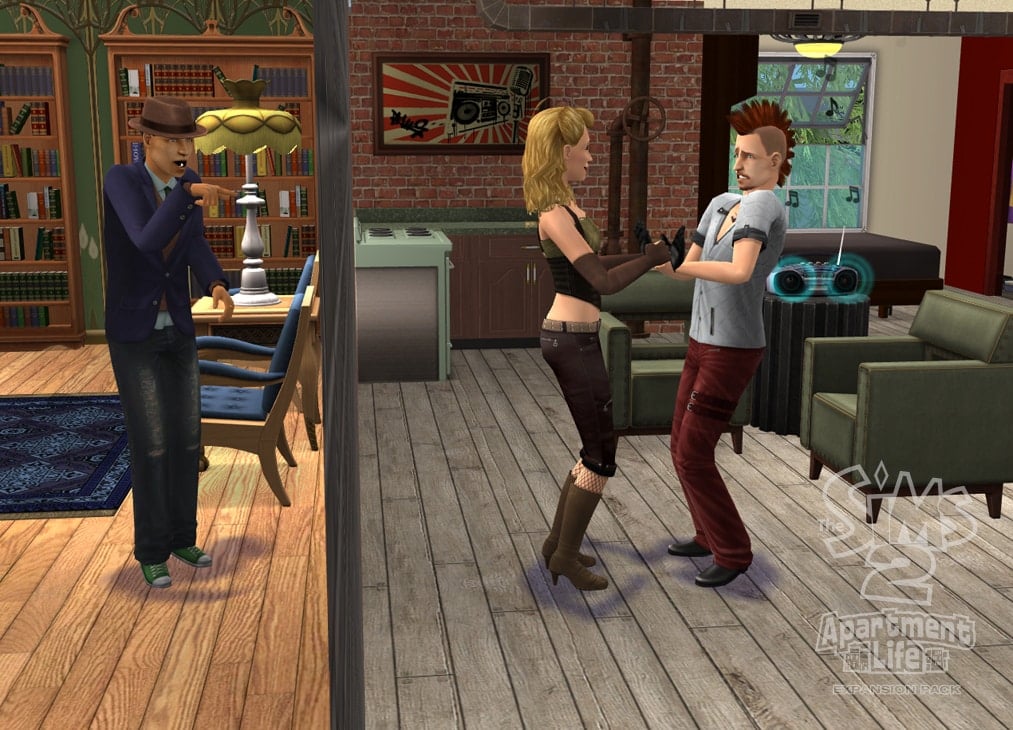
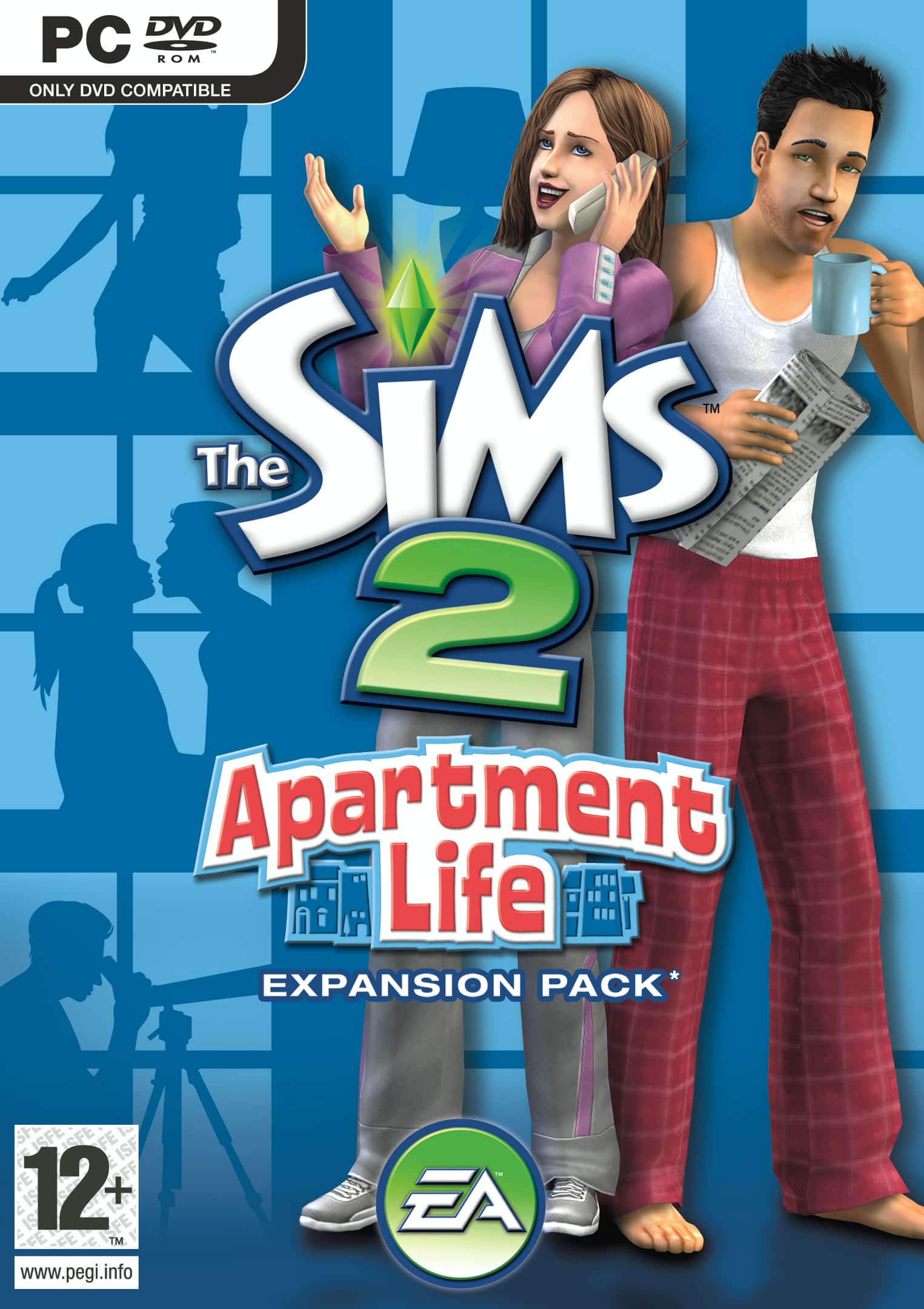
The Sims 2 Apartment Life (August 27th, 2008)
The Sims 2 Stuff Pack Releases
The Sims 2 Family Fun Stuff (April 13th, 2006)
The Sims 2 Glamour Life Stuff (August 31st, 2006)
The Sims 2 Happy Holiday Stuff (November 7th, 2006)
The Sims 2 Mansion & Garden Stuff (November 17th, 2008)
Release Date And Platforms Info
According to insider reports, The Sims 1 and The Sims 2 rereleases are set to come out sometime this week for PC. It’s not known if EA and Maxis plan to create new ports for The Sims 1 and Sims 2, but for now the rereleases are claimed as “PC releases”. There is currently no information if the team plans to rerelease the games for Mac, and if they plan to rerelease console versions of the game.
We’ll make sure to keep you posted once we know more about the upcoming releases. Stay tuned on Sims Community to be the first to know about the official release date, price and more!
Electronic Arts has posted a cryptic video teaser to celebrate the beginning of Sims Nostalgia Now segment. In case you don’t know, it’s been rumored for a while that this segment will be dedicated to announcing new game rereleases, such as MySims Games and The Sims 1 and The Sims 2.
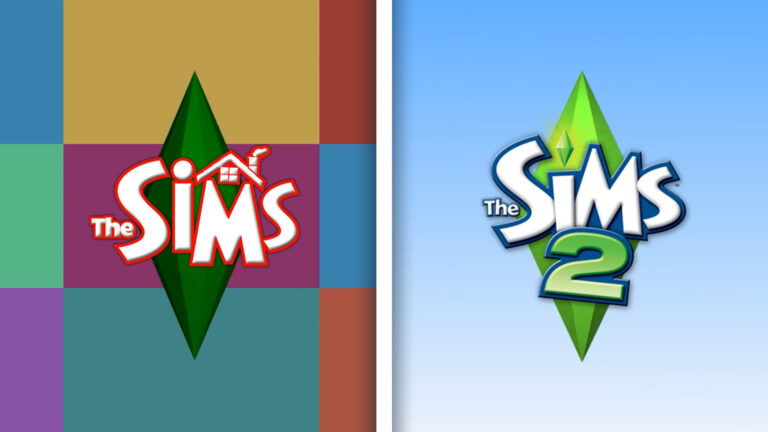
EA confirms the rumors today with a new video teaser, showing The Sims 1 Plumbob, and then The Sims 2 Plumbob. We don’t have any more words to say that this is really happening, the video teaser speaks for itself:
*~~BRB~~* <3
– The Sims Team
The team also signed off the video teaser with BE RIGHT BACK, meaning that Nostalgia Now season will continue with announcements through January 31st.
In case you missed out on the video, here are two very important Sims 1 and Sims 2 Plumbob screengrabs:
The Sims Team also updated their profile covers and images, now showing an image of The Sims 1 plumbob across all social media pages:
There’s also a Sims Giveaway across their socials happening right now to celebrate the ocassion. With a secret game bundle waiting to be announced. Still, we’re sure that there’s more to this week than just giveaways.
It’s not known at the moment to which extent The Sims 1 and The Sims 2 collection of games will be remastered. For MySims rereleases we were able to see improvements to the User Interface scaling, improved, cleaner textures and a functional working game. Which for a rerelease is more than enough to make it successful in my opinion.
The last time that The Sims 2 was rereleased by EA was in July 2014 in a form of “Sims 2 Ultimate Collection” release. Which gathered all the Expansion Pack and Stuff Pack releases under one roof for Windows PC players. This was a limited-time 7 day promotion, and it didn’t bring any new compatibility solutions or support for newer hardware.
Considering that Nostalgia Now is a week segment from January 27th to January 31st, we should be expecting more details and a full reveal in the coming days. Until then, we’ll keep you posted on all the teasers, leaks and information right here on Sims Community!
This mystery segment in the release Roadmap is ready for a full week of new announcements.
Nobody knows what it truly is, but it’s going to be an interesting segment of five work days during The Sims Nostalgia Now showcase starting January 27th, 2025.
In case you don’t know, Electronic Arts announced an official Roadmap of content releases and announcements throughout their 25th Anniversary celebration of the franchise. The Roadmap covers significant releases: from paid DLC like 3 Kits in January and an Expansion Pack in February to Free Content Updates. All tied mostly to The Sims 4.
One segment titled “Nostalgia Now” from January 27th to January 31st doesn’t mention any announced Sims games. Take a look:
The Nostalgia Now segment starts in just a couple of hours, and we’ve already set up a countdown beneath the theories segment.
Table of Contents
Here’s what we believe might get announced during The Sims Nostalgia Now week segment:
The Sims Nostalgia Now Theories
One of the strongest theories out there currently is that The Sims Nostalgia Now five day segment is dedicated to announcing rereleases of previous Sims games. At the moment, the only “official leak” we currently have is a release of two new MySims Games. One is a rerelease Bundle of two MySims Games, while the other one is a brand new MySims game title. Meaning that Maxis has its own department now working on new (and remastering the old) Sims Spinoff games in their full force moment.
There are five days of Nostalgia Now, so it’s possible that one day is reserved to announcing the new MySims games. We already have the MySims Cozy Bundle ready for Windows PC release on March 16th. And for the first time ever, we’re getting MySims Kingdom on PC.
Which naturally leads the question if EA and Maxis intend to give the same treatment for other Sims titles throughout the franchise’s timeline. Such as The Sims 2 and The Sims 1, for which theories are only based on official Sims Merch featuring renders from these title entires. And milk cartons in the upcoming Sims 4 Blast From The Past Event.
a Sims creator who previously suggested the themes of previous Expansion Pack releases right, hinting at Nostalgia Now’s potential crown jewel announcement.
This could all potentially end up being false, but it’s worth noting down every theory there is right now in the community. There are a lot of days for Nostalgia Now for which The Sims Team openly invited us to speculate upon before the full announcement.
Nostalgia Now Start Time
Either way, there’s definitely something new being announced during The Sims Nostalgia Now timeline event. All official announcements for The Sims happen by 10AM PT / 6PM BT / 7PM CET. To make things easier we’ve set a countdown below which counts to the first moment Nostalgia Now should begin.
Countdown to the First Day of Nostalgia Now
[janky target_time=”1738000800″ color=”#235c82″]
By then, we should have the first updates and news ready for you. Whether they turn out to be a potentially exciting new rerelease of Sims 1 and Sims 2, or just a disappointing limited time Merch drop.
Remember, we are only counting down to the first day of The Sims Nostalgia Now where we should get some first information on what to expect. The entire event is set to last until January 31st, 2025.
What do you expect?
What do you think will happen during the Nostalgia Now segment for the 25th Anniversary Celebration of The Sims Franchise? Whether it’s a potential social media pop quiz, a leaked Sims Board Game or rumored game rereleases – let us know your theories in the comments below!
Arnie’s Sims 4 Mods are back – with a whole new set of 15 smart, functional items!
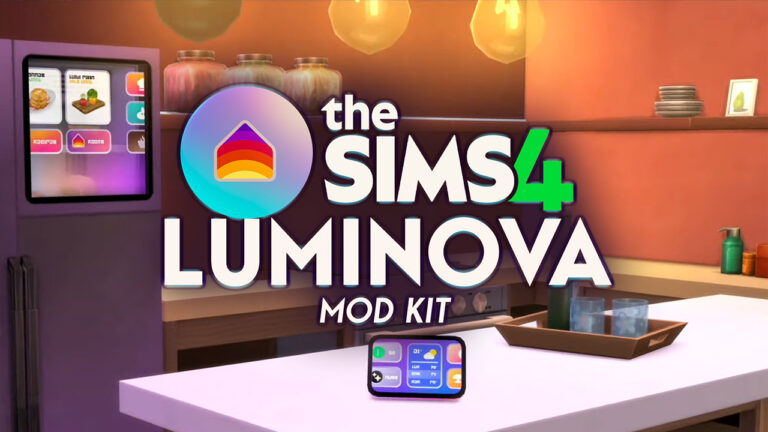
We always love a good comeback story here in the Sims Community. That’s why we were so excited to see a longtime modder for The Sims 4, Arnie’s Mods, come back with an entire new rebrand into Arnie Studio. And his first big release titled The Sims 4 Luminova Mod Kit!
This Sims Creator is known for his passionate Sims 4 Mod projects including Farmland and the soon-to-be-returned Plumfruit App. Which was a revolutionary new way of using your Sim’s phone long before we got the Social Bunny App with High School Years Expansion.
Until we get to enjoy the sweet labor of Plumfruit again, we have more than enough new Smart Items and Features coming with The Sims 4 Luminova Mod Kit. Let’s see what’s featured!
Table of Contents
Initial Features of The Luminova Mod Kit
There are so many interesting features packed into The Sims 4 Luminova Mod Kit. Arnie did an excellent job introducing his creative fictional Brand called Luminova, which is a Smart Service Brand that ties together 15 different smart Appliances and Electronics into your home. Each object in this Mod pack has smart functionality – like the new Smart Refridgerator which lets you order food or control the Smart Hub directly.
The new Air Purifier provides your Sims a happy moodlet for breathing in the clean air, with extra cross-pack compatibility with The Sims 4 Bust The Dust Kit, and potential for a feature upgrade with Mold from For Rent Expansion.
One of my favorite additions are the new Animated Smart Blinds, which can be scheduled for opening / closing or manually toggled. The blinds are fully animated and provide your Sims privacy and shade from outdoors. With two different versions included – glossy and textured.
Arnie did an excellent job introducing The Sims 4 Luminova Mod Kit over on their Patreon page, with a full preview into current features and planned additions after the first Early Access release on January 28th. Read all about it below:
Luminova is a new fictional brand I created that features 15 new smart items! This brand may expand in the future with additional smart devices, so if you have ideas or requests, let me know!
Smart Blinds/Shutters
I’ve had this idea for years, and it’s finally here! I created functional and animated Smart Blinds/Shutters that protect your home from prying eyes while adding a touch of modernity.
Fabric Smart Blinds:
Available in two sizes (1x and 2x for Small Wall Height).
Can be opened or closed manually or controlled via the Luminova Smart Home App to manage them all at once!
Blocks light and prevents passersby from peeking inside!
Wall-Integrated Smart Shutters:
Sleeker and more discreet, compatible with all windows up to 2x wide and Small Wall Height (even rounded windows!).
Perfect for fully darkening a room for better sleep or privacy.
Privacy Screen Smart Blinds:
Similar to Wall-Integrated Shutters but designed to blur the view without blocking light, ideal for bathrooms or toilets.
All blinds and shutters have a smart schedule, closing automatically at 10 PM after sunset and opening at 6 AM at sunrise. They can also all be remotely controlled through the Smart Home Panel / Smart Hub (see below!)
Air Purifier
The new Smart Air Purifier is a must-have for your Sims’ home and well-being. It automatically turns on twice a day, removing dust and particles from the air. It features:
A sleek design: with an animated fan in the middle, lights, and beautiful swatches!
Bust the Dust Compatibility: Prevents dust from accumulating in your home if you own the kit, making it sparkle clean!
Provides a happy buff for a clean and peaceful home.
In a future update, I’d like to make them compatible as well with the mold feature from For Rent EP (I haven’t got it yet!) and the sickness system from Get to Work EP, to help your home and sims stay healthy with clean air! The Smart Air Purifiers can also be controlled remotely through the Smart Home Pannel / Smart Hub.
Smart Thermostat
A new futuristic Smart Thermostat (for Seasons EP owners) lets you control heating and cooling remotely. It also features colour-changing light effects to match the temperature and a full integration with the Smart Home Panel / Smart Hub to be controlled remotely!
Smart Home Pannel and Smart Hub
These two devices offer the same features in different form factors. One looks like a tablet that can be hung on the wall, while the other is more like a speaker with a screen that sits on a counter or table. They are both powered by PlumfruitOS (there’s a strong relationship between Luminova and Plumfruit in the Arnie Cinematic Universe!).
With these powerful smart devices, you can control almost everything in your home:
💡 Smart Lights: Control the lights and colours in your room and home.
🪟 Smart Blinds: Control the smart blinds/shutters and open or close them all remotely.
🌬️ Air Quality: Turn on and off all the air purifiers around your house to keep the air clean and fresh anytime!
🌡️ Temperature: Control all the Smart Thermostats in your home directly from the smart hubs.
🤖 Neo AI: A new AI assistant responds to your questions, gives you news briefs, and calls for repair automatically when something breaks in your home! (It overrides the Linzy assistant on the base game smart speaker!)
🎵 Music: Play music directly from the smart hubs with the best sound quality, and control the sound volume.
📞 Order Services: Services are just a phone call away, whether it’s for pizza delivery or a gardener!
📑 Utilities and Services: Access bills, utilities information, neighborhood action plans, and story progression news directly from the smart hubs.
🛠️ Cheats: Tired of looking for the mailbox to shift+click and reveal cheats? Use any of the smart hubs in your home to perform cheats! It’s cross-compatible with my CheatsMaster Mod!
Bonus: a smaller version of the Smart Home Pannel is available, it’s called the Luminova Smart Switch, and can be put in any room with a more discreet look.
Smart Fridge
The Luminova Smart Fridge features a futuristic transparent screen! It also has beautiful gradient lights inside for a sleek look. It also allows you to order food and control the Luminova smart home devices right from your fridge, useful while you’re cooking something!
Smart Clocks
There are two Luminova smart clocks available in this pack, and they are both functional! One is a bedside smart clock; it looks like a mini smart hub with an animated screen. And you can set up alarms for any time of day! (This feature requires the latest Sims 4 patch update since I’m using the code from the upcoming alarm clock from the 25th anniversary event.)
The other smart clock has the same features but is hung on a wall, and has a beautiful gradient projected light surrounding it, making it look like it’s coming from the future.
Smart TV + Backlight
The new Luminova Smart TV is the ultimate television for your Sims! It effortlessly controls smart devices in your home while offering a sleek, modern experience. Powered by PlumfruitOS, it includes 10 stunning wallpapers to choose from, and the TV features a user-friendly interface that displays apps like Simflix, PlumTV+, and SimTube right on the homescreen. You can opt for a blackscreen as wallpaper if you prefer a minimalist look.
But my favorite feature of this TV is the animated backlight, which is independent from the screen and compatible with all other TVs in-game. Simply use the “bb.moveobjects on” cheat to place it behind your TV and create a stunning visual effect! It also comes in a variety of swatches with different light colours to match your style.
Release Info
The Sims 4 Luminova Mod Kit is a fanmade CC / Mods release available only for PC and Mac players. The Luminova Mod Kit will be out for Early Access on Patreonon January 28th, 2025, with the Free Public Release set for February 14th, 2025! We’ll refresh this post with both early access and public release links once they’re out!
Until then, enjoy this full video trailer of The Sims 4 Luminova Mod Kit:
What do you think about Arnie’s mod comeback? Drop a comment below!
That’s correct – this dark sillhouette of an NPC got carved out with better, scarier details. And we have the before and after photos to show you!
Grim Reaper Pre-Makeover
Before this secret makeover, Grim Reaper had his chest area fully covered with his dark cloth. Take a look in the screenshot below, and don’t mind me trying to turn the Grim Reaper into a Vampire…
Another look into the previous version of The Sims 4 Grim Reaper can be seen below:
Grim Reaper Post-Makeover
The secret January 16th Makeover of the Grim Reaper in The Sims 4 includes visual changes to the book, changes the flow of the dark veil flowing, as well as opens up the chest area to be fully transparent:
This change can be fully visible when you zoom into the Grim Reaper:
The way he talks, acts, and collects souls in The Sims 4 still remains intact. Plus, his hoodie reveals are as pixelated as ever in The Sims 4 Life & Death. Don’t worry!
Early Designs of the Grim Reaper
In some of the early Concept Art designs for the Grim Reaper in The Sims 4, the artists suggested a darker, more revealing sillhouette around the waist. With different explorations for visual effects:
The last two Sims 4 Kits are set to release January 30th!
January 2025 has been the busiest month for The Sims 4 Kits, bringing 3 EA Kits in January 16th and two Sims 4 Creator Kits set to release January 30th, 2025. Unlike EA develeloped Kits where the Maxis team works and / or collaborates with Simmers to get the Kit out, The Sims 4 Creator Kits have a more hands-on approach. Giving full direction to Creator Kit Assets, Features, Creation Process and literally everything else that needs to be done to complete a Kit.
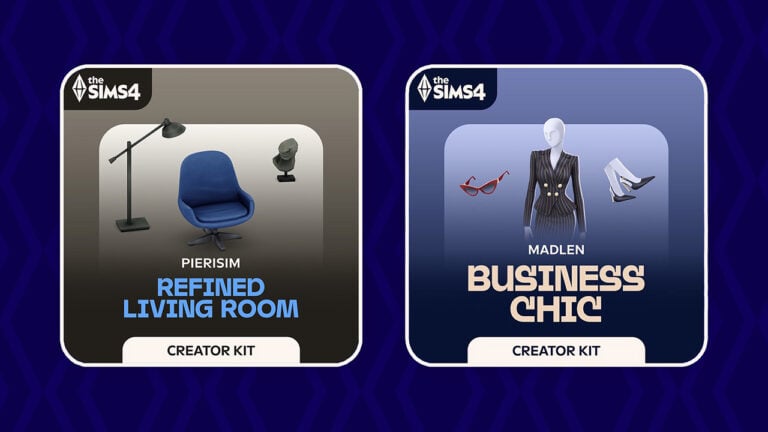
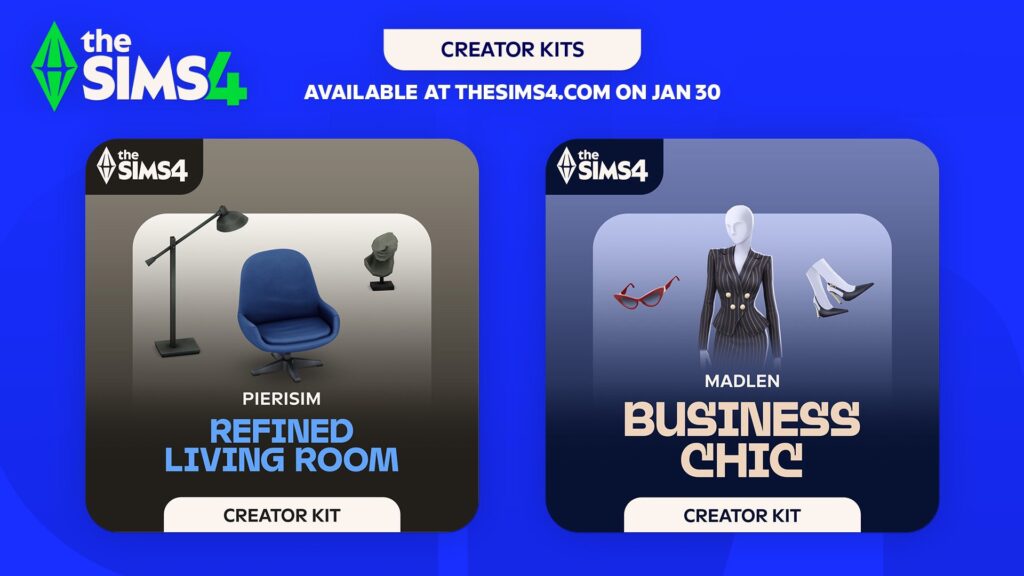
There are two Sims 4 Creator Kits set to release on January 30th, including Business Chic (CAS Kit made by Madlen) and Refined Living Room (Build Kit made by Pierisim). Here’s what we know about the release of each Kit and when to expect the DLC release in your launcher:
Table of Contents
Upcoming Sims 4 Creator Kits for January 2025
The Sims Team released official assets and features of the new Sims 4 Creator Kits. Check out what’s included in each Kit release:
The Sims 4 Business Chic Kit
Give your Sims a professional edge with chic and stylish outfits from The Sims 4 Business Chic Kit!
From tailored suits to elegant dresses, Sims will feel confident and fashionable. Complete the look with sleek shoes and fancy accessories for an extra touch of class. The Business Chic Kit ensures Sims always look up to the task! Created by Madlen.
Kit Feature:
• Tailored for Success – It’s time for your Sims to shine with outfits that showcase their career achievements! Elegant accessories and standout shoes are making sure they don’t go unnoticed. Taking their fashion game to the next level!
The Sims 4 Refined Living Room Kit
Embrace elegance and sophistication with The Sims 4 Refined Living Room Kit. With a clever mix of modern and retro furniture you can create the perfect base. Add extra personality with unique and chic decor pieces. And voilà! You’ll have a living room worthy of a design magazine. Created by Pierisim.
Kit Feature:
• Hand Picked – You’ve done your research and you’ve finally found the perfect items. Every time you step into your living room, you can feel that this space has been made by you and for you.
Release Details and Countdown
These new Sims 4 Creator Kits are set to be released across Desktop and Console supported platforms on January 30th, 2025 at 10AM PT / 6PM BT / 7PM CET. To make things easier for you, we’ve included a simple countdown below – letting you know exactly when the new Sims 4 Creator Kits will be available in your launchers.
Countdown to two The Sims 4 Creator Kits Releases
Coming to PC, Mac, Xbox One, S and X, Playstation 4, 5 and Pro Series.
[janky target_time=”1738260000″ color=”#235c82″]
Just like with regular Kits, these are retailed at $4.99USD each…or a price equivalent to your local currency!
Will you be getting the new Kits?
We want to know what you think on the upcoming Sims 4 Creator Kits releases with a fun community poll. Let us know which Sims 4 Kit release piqued your interest!
[totalpoll id=”156380″]
For the latest news about upcoming (and previous) Sims 4 Kits releases, stay tuned to Sims Community!
Two fixes are set to arrive to The Sims 4 Base Game next week.
Electronic Arts has announced a new Sims 4 Patch today, addressing January 25 game patch issues and solutions for missing items. This small update for the Base Game promises to fix the issue of Overlapping Festivals, as well as reports of missing Everyday Clutter Items.
We are working on releasing a small patch early next week to address reports of missing clutter items from the Everyday Clutter Kit & reports of overlapping festivals & floating objects.
We appreciate your patience & continued reporting—more details to follow next week.
The release date of the next Sims 4 Patch has been teased for early next week, meaning by Wednesday latest you’ll have your clutter items back in your catalogue. And your festivals *hopefully* de-cluttered again.
Stay tuned to Sims Community to be the first to know when the next Sims 4 Update drops!
EA starts an official new Sims 4 Sale across platforms to celebrate the franchise’s 25th anniversary.
The celebration continues! Maxis and EA have just published official new deals for their The Sims 4 Birthday Sale, featuring discounts across all DLC and Pack catalogues!
Let’s dive deeper into all the discounts currently available across The Sims 4 Packs, including:
Table of Contents
The Sims 4 Birthday Sale is still being rolled out across platforms!
All Sims 4 Birthday Sale Deals are currently being populated across PC, Mac, Xbox and Playstation official stores. Stay tuned for official links, sale end dates and Pack lists soon!
The Sims 4 Expansion Packs
Almost all The Sims 4 Expansion Packs are 50% off. The Sims 4 For Rent is in its full 50% off discount now, The Sims 4 Lovestruck is 38% off and the most surprising deal of them all:
The Sims 4 Game Packs are cut entirely for 30% off!
The Sims 4 Stuff Packs
Just like Game Packs, The Sims 4 Stuff Packs are 30% off their original price. That now also includes the previously released Crystal Creations, which is fully included in the offer!
Premade The Sims 4 Bundles
There are some great deals for Premade Sims 4 Bundles, including:
Decorator’s Dream – 20% off
Everyday Sims – 20% off
Pet Lovers – 20% off
Beside The Sims 4 Get Dating Bundle, which is 25% off, there’s another great mashup Bundle called Love & Family. It contains Parenthood, My Wedding Stories and Growing Together.
The end date of The Sims 4 Birthday Sale is confirmed for February 10th at 10AM Pacific Time. You have until then to take advantage of this sale offer!
Make sure you bookmark this article for future reference as we update the post with new Sims 4 Sale deals as they become available across platforms. Hold your wallets until the full sale is published for your desired platform!
Let’s take a look into everything Don Lothario in the new Casanova Cave Kit!
With the recent back-to-back release of three kits, Casanova Cave is one of two that combines both Create-A-Sim and Build-Buy elements in one. This kit is perfect for those looking to add the essence of charm and confidence to their game – think Don Lothario.
Packed with 12 Build-Buy items and 14 Create-A-Sim items, there’s sure to be something for everyone.
Table of Contents
The Sims 4 Casanova Cave Kit: Features Overview
Impress guests with a modern entertainment space and suave fits from The Sims™ 4 Casanova Cave Kit. This laid-back masculine fashion will have Sims looking confident, and the contemporary style of your den’s décor — a stylish bar, sleek coffee table, and more — will guarantee the right atmosphere, whether it’s game night or date night.
Kit Features
Elevated Evenings – A jumbo, state-of-the-art TV and stylish modern furniture will make your den an undeniable hotspot. Have friends over for a chill night at the card table – or have a date over for an exciting night on your stylish, well-loved leather sofa.
Effortless Style – Dress in high-quality, understated fashions made for the masculine Sim. These styles are relaxed, achieving a polished look that is still a bit rough around the edges.
Items Preview
CAS Overview
Take a look at Don Lothario modelling all the new CAS items available in the Kit.
Accessories
Tops
Bottoms
Full Body
Shoes
Styled Looks
Object Overview
Take an in-depth look at each item’s description.
Styled Room
The Casanova Cave kit comes with one new styled room in 3 swatches. ‘The Casanova Cave’ room can be found under the Living Room tab and comes in 3 different swatches. The room comes with every item in the pack and is perfect for your Sims bachelor pads.
Object Swatches
Streamlined Leather Sofa
The Zenith Glass Coffee Table
The Zenith Wall Unit
Sim-Q Magazine
High Stakes Card Table
The Zenith Bar
Titan Screen 5000
Designer Wall Print by Valor Visuals
The Ultimate Jersey Frame
Tabletop Memories
TurntableTrove Media Cabinet
ChillTech Pro Mini Fridge
Our Review of The Casanova Cave Kit
The Casanova Cave Kit is available on the EA App and other stores for $4.99 or your local equivalent.
It is hard not to compare this kit’s offerings to those found in the Secret Sanctuary Kit, after all, both are heavily inspired by two of the most iconic Sims in the franchise. Love him or hate him, you can’t deny that Don Lothario has taste.
Starting with the Build-Buy objects it is once again nice to see the swatch come in a wide variety and almost all objects come with basic black and white variants. In addition to the neutral swatches, many objects come with a somewhat dirty swatch. The High Stakes Card Table has a dirty variant with a pair of leftover cards on the tabletop. The Zenith Glass Coffee Table comes with a swatch featuring spilt drink puddles, cup rings, and a couple of (evidently unused) beer mats. While there is no gameplay that we haven’t previously seen in this Kit the card table, mini fridge, record player, and TV are all functional. As for the overall aesthetic, I can personally see myself using these objects frequently, notably the clutter magazines and photo frames. A standout item for me is the Designer Wall Print by Valor Visuals which comes in various swatches perfect for a teen bedroom, bachelor pad, or home office.
Moving onto what Create-A-Sim has to offer this time around. As the pack is based on the stylings of Don Lothario expect it to be filled with unbuttoned shirts, skimpy gym wear, and lazily buttoned blazers perfect for a late-night soirée. Similar to the BB catalogue, each item comes with a handful of swatches that can be used in conjunction with other CAS items found in past packs. A personal favourite is the dressing gown and boxer shorts found in the Sleepwear category. See below for a showcase of this piece in my favourite ‘woohoo heart’ swatch. This collection of CAS items plays it safe and will be appreciated by many players for not being too hyper-stylized. The kit also comes with 4 styled looks under the everyday, formal, athletic, sleep, and hot weather categories.
I can see myself using much of what is to offer as I enjoy a modern aesthetic when building and creating new Sims. You can check out a couple of build hacks I have discovered with this kit that will come in useful for the builders among you. See below for some looks I came up with for different scenarios in Don’s everyday life.
Build Hacks
Here are some build hacks I discovered while playing around with the new BB objects.
Create a perfect backsplash for your kitchen with The Zenith Wall Unit.
Turn on quarter-tile placement using the F5 key and rotate the unit to face the wall. Then combine it with multiple of the same object and there you have it.
Don your walls with the perfect lit frame for the Designer Wall Print by Valor Visuals.
Enable bb.moveobjects on and simply place the wall prints inside of The Ultimate Jersey Frame for this stylish wall piece.
Lookbook
It’s safe to say Don Lothario gets about. Pumping iron at the gym. Flirting at the singles bar. Or maybe even game night with the lads.
Origin is shutting down this April, and with that all support for 32bit Games comes to an end.
Over the last couple of years we followed closely as Electronic Arts rebranded its popular video game launcher app Origin to EA App. From 2020 when they announced the rebrand, EA slowly started the rollout across different Desktop devices. The EA Desktop App went public for Windows players in 2022, with a Mac support launch in March 2024.
My personal experience with the Desktop app varied to some of the player reports, but a few months after EA devs were able to polish out most of the bugs and get the launcher out of Open Beta. Bringing the EA Desktop app experience for all players across Windows PC and Mac OS.
Unfortunately, this launcher switch also meant changing some of the system requirements for the launcher. As Origin launched in 2011, it went through numerous upgrades and now a recent rebrand. However, it also served as a purpose for players using a 32bit operating system to play their games!
Now, The Sims Titles including The Sims 2, The Sims Stories and certain games which ran exclusively on 32bit code have to look for a new home. Or a re-release of some sorts before the time runs out…
Table of Contents
EA is Shutting Down Origin; And With that 32bit Support
The news, first reported by EuroGamer, appeared on the official EA Help article page instructing players to “update their Operating Systems for the EA App”. In short – players will no longer be able to even open up their EA Account without having a 64bit device that can support the EA App launcher.
What does this all entail? Read the official statement from Electronic Arts:
Origin shutdown
On April 17, 2025, Origin will shut down, as Microsoft has stopped supporting 32-bit software.
If you use Origin, you need to upgrade to the EA app, which requires a 64-bit version of Windows.
Will your account and games transfer to the EA app?
Yes, your account and games will transfer to the EA app. Log in to the EA app with the same account you use for Origin. When you log in, any games you had on Origin will be ready to play.
Games that list in-game hours in Origin will list the same hours in the EA app. Anything you’ve saved through Origin’s cloud will also transfer.
We can’t promise that mods will transfer to the EA app. Check with mod creators to see if your content can be transferred.
If you think something’s missing in the EA app, contact us.
Will you have to redownload your games?
If you’re upgrading to a new operating system, you won’t need to redownload your games.
If you need to switch to a newer device, you’ll need to transfer your data.
The final switch from Origin to EA App is set for April 17th, 2025. Make sure you’re running on a 64bit computer before then to be able to enjoy all The Sims games and other EA App titles!
We want to see how many 32bit operating system players there are! If you’ve been affected by this recent change, let us know in our unofficial community poll down below:
[totalpoll id=”156211″]
Does this mean anything for the upcoming Nostalgia Now segment starting January 27th? We’re very eager to find out more if our old games will finally find a new, 64bit home.
Stay tuned to Sims Community for the newest updates as they surface!
A Game Patch has accidentally removed several Kit objects from Build Mode.
A recent Sims 4 Patch release for January 16th, 2025 has accidentally removed several clutter objects and decorative pieces from The Sims 4’s Build Mode Catalogue.
Hundreds of Sims 4 Players reported the issue on the official EA help forums thread, discussing their experience and workarounds for the missing Clutter Objects. In this article, we’ve highlighted the explanation of this issue, as well as several workarounds and a Gallery Room solution to help you find everything under one place!
Table of Contents
The Missing Kit Clutter Objects Issue
First reported by SquealyMealy on Answers HQ forums, there’s a game issue in The Sims 4 where clutter and decorative objects from Clutter Kits like Everyday Clutter Kit are missing from the Build Mode catalogue.
This issue has since been reported by multiple simmers including Desktop and Console players, with around 500 “Me Too” buttons pressed in the game issue thread.
Here’s the original report:
The Sims 4 Issue: Clutter Items Not Showing Up in Build / Buy
Today (14/01), I decided to buy the Everyday Clutter Kit, as well as a few other kits. All turned up in game fine, apart from the Clutter Kit. When I go to sort by the kit, not all of the items appear (see attached image for the items that turn up when sorting by the kit only). Items such as the mugs, phone, headphones etc., are missing when you sort by the kit, as well as them not appearing in any other build buy tab, such as ‘Clutter’ or ‘Decorations’. The only way to access these items is to search them up by name, meaning you need to know the exact name of the item in order to find it. These items only accessible by searching them also are weird in game; you can’t use the eyedropper tool on them and they don’t seem to have an item category attached to them, such as decoration.
I know this is a minor issue, however it can be frustrating to access these items. I have no idea if this was a result of today’s patch or the items have been like this for a while. I have also removed my mods folder and repaired my game as well as reinstalled the kit again, however this issue hasn’t gone away.
Temporary Solutions for Missing Objects
You can bypass this Sims 4 Issue by searching up exact object names in the search bar. For now, the DLC filters will remain broken until a further official statement is made about this issue.
Until then, Simmers already got creative with finding a quick and easy solution for this glitch. Creator simsontherope made a Sims 4 Gallery room solution, containing all the missing clutter objects from various DLC catalogues into one convenient room.
Since the last patch, these items no longer appear in the catalog (unless you search for their name, but that doesn’t work for all of them), and can’t be duplicated with the eyedropper tool. I uploaded a room in the gallery (EA ID simsontherope) with all the missing items in case you need them!
We’ll keep you posted about this Sims 4 Glitch once an official statement or game update solution is announced. Until then, stay tuned to Sims Community for the latest reports on Sims 4 Bugs and Issues!
Interestingly enough, the first Sims 4 Loading Screen after the 2019 rebranding was officially marked as a “health hazard” due to a very bright blue background contrasting on the vibrant green Plumbob. The Sims Team carefully considered all the blue colors in the world and picked the most pleasant one. Which we all took for granted unfortunately until The Sims 4’s 2025 Rebrand.
The new Sims 4 Loading Screen
The new Sims 4 Loading Screen works more mysteriously than we originally thought. As you all know, 99% of Sims 4 players out there still have a normal loading screen appearing. But it seems that number is changing now, considering that the new Loading Screens are activated online depending on your area.
The person to spot the new Sims 4 Loading Screen is reddit user Environmental_Bug964, who reports seeing a new Loading Screen layout in their game:
This advertisement is covering my loading screen it wasn’t like this yesterday. EA WTH!!!! 😡 Especially since I already have this pack!
The new Sims 4 Loading Screen is characterized by rotating screenshots from The Sims 4 DLC Content Catalogue. With a spinning Plumbob now moved to the bottom right, and Game Tips to the bottom part of the screen.
Considering that the updated Loading Screens are activated online, it might be harder for players to Mod out and replace their custom Sims 4 Loading Screens this time around. Since players can’t choose when the Sims DLC Screenshot Loading Screen appears in their game, it might function as a seperate online screen overlay coded directly into the Base Game. This is just speculation for now as we’ll know more about how they work in the days to come.
For now, it seems these new Loading Screens are being tested out for select random players worldwide. Are you one of those lucky players? Let us know in the comments section down below and stay tuned to upcoming Sims 4 Updates!