In the beginning of 2022 The Sims Team has held a very important Maxis Monthly Livestream. In this stream Maxis has revealed that they’ve been working on a new feature in Create A Sim for The Sims 4 – Customizable Pronouns!
In the livestream the team has shown off the Work in Progress Concepts of the revamped User Interface. Now featuring new options for Pronouns right next to the Name input.
The upper right corner will say “Hello, My Name and Pronouns are…”. After selecting it you’ll get to enter the Name, as well as choose the Sim’s pronouns from the new dropdown.
The upcoming Update will also feature Custom Pronouns, allowing you to add your own. There are grammatical guidelines in the new User Interface prompt that lets you see how your Custom Pronouns will look like through different examples of gameplay and UI prompts and notifications:
In January 2022 the team has shared in their interview information regarding when we can expect this update, and also at which state the feature was back then:
As you saw this is still a work in progress and our research and design will continue until we feel the feature is in the good place to be launched into the game. That being said we still have a path ahead of us and we want to make sure to check on you along the way and keep you updated. Once the first version of this feature is out please know that we are continuously working on improving the game and each update brings us one step closer to a greater, inclusive experience in The Sims 4.
Yesterday, The Sims Team has announced a new Roadmap for The Sims 4. In the Roadmap the biggest focus was on the Paid Releases, including one new Game Pack and two Kits. Unlike with previous Roadmap Announcements, this one didn’t lay down specifics on Content Updates for The Sims 4.
That’s, of course, until we got an insightful tip from our reader @Mischaloola, who pointed out a very interesting clue. The Sim that’s featured in the main render on a redesigned layout of The Sims website is wearing a T-Shirt with the Trans Flag pattern on it:
To make things more interesting, we’ve checked out TheSims.com website today. The render that was shown yesterday got removed, with a new tagline:
Step into the Moonlight and explore who you are after dark!
Sure, it’s Pride Season this June. But that could only mean that The Sims Team has been preparing for that very special occasion to release the Customizable Pronouns Update!
We, of course, could be wrong. And this article is still purely speculative until we know for sure. But, the Trans Flag and the new tagline isn’t just there for nothing. And LGBTQ+ players all around the world, especially the Trans and Non-Binary Communities, need proper representation and escapism now more than ever.
Different flavors for existing CAS items in The Sims 4 My Wedding Stories
The My Wedding Stories game pack came with a fairly large variety of formalwear appropriate for weddings. Although players mourned the lack of proper wedding veils and big poofy princess ballgowns, the pack still came with a nice assortment of very pretty formal dresses and some formal attire for men as well.
But of course, whenever The Sims releases a new pack, creators are there to add onto them. Wild Pixel has released a small add-on kit of items based on some of the My Wedding Stories CAS assets. And if you don’t own My Wedding Stories, you’re in luck because this Dream Wedding CC Kit is base game compatible!
All the signs point at the big bright moon! And at the big bad wolf…
The teaser for new roadmap from May till the end of June is here, and it looks like Simmers who voted in our Quick Community Poll could be correct!
The Hints
The 14 seconds video gave some hints, one of them being a clear awooo under the moonlight! Combining the menacing howl, with the fact one of the hints is a game pack tentatively called Go Wild…
Is it possible? Is it? The Werewolves?!
The Werewolf History in The Sims
We’ve already seen them in The Sims 3: Supernatural Expansion Pack, alongside with vampires, witches, fairies, genies and zombies. The theory doesn’t sound too far fetched, as we already have some of those in The Sims 4.
Werewolves have been a staple in The Sims lore since The Sims: Makin’ Magic, where it was possible to cast a Beauty or Beast spell on other Sims, turning them into werewolves. They continued with The Sims 2: Pets, where Sims could become Werewolves when bitten by the leader of the pack or transformed by the savage interaction. Sims 2 werewolves could fight burglars, train dogs and if you get sick of the life as a night walking beast, get cured by the Gypsy matchmaker.
But I think I speak for everyone when I say werewolves made the biggest impression in The Sims 3: Supernatural, where they had a rich social hierarchy and a hidden werewolf skill, known as Lycanthropy. During a full moon, werewolf Sims will transform, weather you want it or not, and the chaos ensues. Causing the surrounding non-occult Sims into panic. So much fun to be had while climbing to the top of your wolf pack or implying mother was a poodle…
The Werewolf Possibilities in The Sims 4
What do all of these werewolf iterations have in common? Lunar cycles and body hair. They were a thing before and they could seamlessly work again. With the existing calendar system, lunar cycle seams obvious and body hair… Why don’t we have body hair yet?
Having in mind how the other occults function in The Sims 4, Werewolves could possibly work like vampires, aliens or mermaids, with a human form and a supernatural form. In this case it would make sense to bring back the Lycanthropy skill, since there has to be a top dog (pun intended).
The Sims Team released the second roadmap for 2022!
The second roadmap for The Sims 4’s series of new releases is finally here!
The team released a short video to showcase the three upcoming releases, including:
1 Game Pack for The Sims 4
2 Kits for The Sims 4
In the screens shown in the roadmap, there are different scenes corresponding to different types of content that we can expect.
In total, there are 4 different screens shown. In order we have:
A scene that showcases children hanging out at the barbecue
A glamorous scene with some CAS content
A howling scene, showcasing a new World, and a moon
An outdoorsy scene with a fire hydrant and a street block
The upcoming quarter for The Sims 4 will last from May till the end of June. Why is that the case? We have no clue. Previously, The Sims 4 Roadmaps included a time period of 3 months. This one lasts for less than two.
Any way, the fun teasing from Maxis doesn’t stop there! There’s new information on the official website for The Sims, including a new graphic and new teaser boxes that hint at upcoming releases:
STAY UP WITH THE SIMS
Step into the moonlight and explore who you are after dark!
Seize the night:
The fun starts when the sun goes down. Whether you’re dressing up for a big date, making memories in your backyard, or running wild this season will have you staying up late.
Chic Nights Out (The Sims 4 Kit)
Cozy Nights In (The Sims 4 Kit)
Go Wild (The Sims 4 Game Pack)
There’s also a short video showcasing the new Roadmap for The Sims 4:
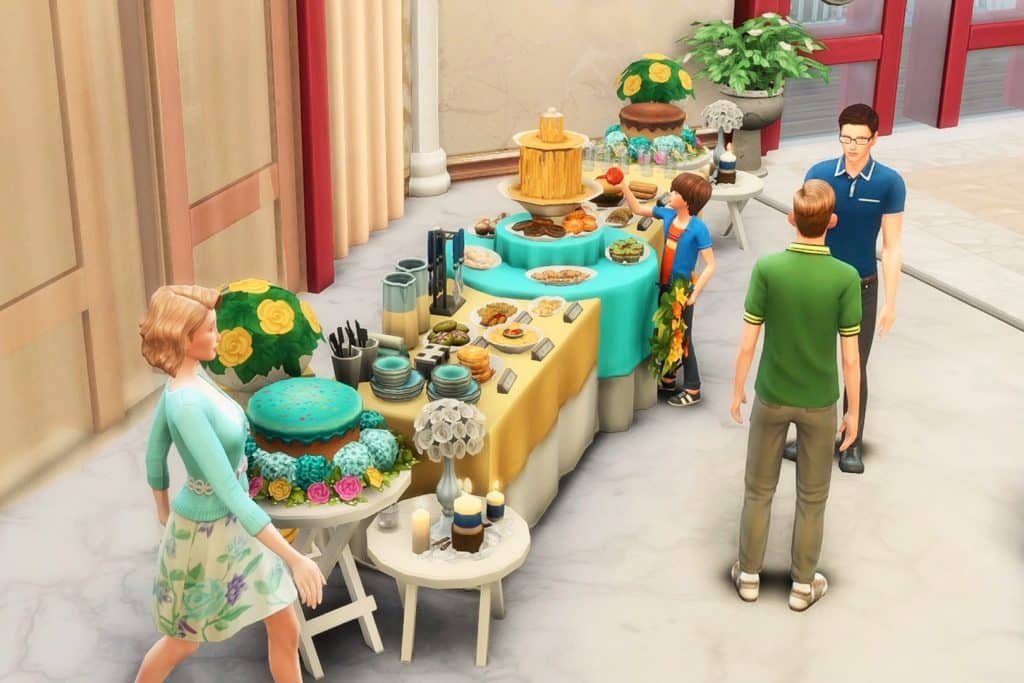
We know you love throwing social events for your Sims! It could be birthdays, costume parties, and wedding activities now that we have the My Wedding Stories game pack. At the center of every party, there should be plates of food and a centerpiece that would be the talk of the townies. Combine those two and you get a buffet table!
There are functional circular buffet tables from Luxury Party and My Wedding Stories but let’s spice them up a bit with extra garnish!
Before you start, type in the cheat ‘bb.moveobjects’.
Grab these skirted tables for a more refined look. The rectangular table is from Dine Out found in the the dining tables category. The circular one is from Luxury Party found in the Activities and Skill category in Creative. If you don’t own that pack, you can easily swap it for the banquet table from My Wedding Stories.
Align these tables accordingly (pretend your Sims could line up to get food by the buffet). This is where your main dishes will be.
For your cake display, set up these tables with different heights from Base game (find them in Misc. in the Surfaces category). You can place them on either side or both sides of the skirted tables.
Place the cake on the higher table (you can size it up however your Sims can’t interact with it). Now add the flowers or leaves from Seasons to act as decorative icing. To place them exactly around the cake, let them snap to the slots on the table first. Then, drag them away from the table and they would remain at that table height. Now you can use Alt place to move them freely and put them around the cake.
Going back to the main table, plan out your menu by arranging your food into courses. If you don’t want to cook a three-course meal, you can download food from rooms in the gallery. Just select the food and hit Backspace to save them to your Inventory.
Place your appetizers and main course on the rectangular tables. Your desserts can go to the center table around the fountain. Make sure you put them on the table slots or else your Sims won’t reach them!
Here comes the fun part: clutter! By simply adding plates and silverware, your buffet looks more realistic and lively. Do the drag-away-from-table trick again to Alt place them precisely. You can also add wall decor like wreaths to adorn the front of your table.
Check out the clutter items on this table:
The most practical clutter you could add is this Desk Nameplate from Base game. Access it in Misc. decor by typing ‘bb.ignoregameplayunlocksentitlement’ on the cheats box. Put it right in front of each dish and it’s as if they have their own title! Anyone care for a ‘Grilled Cheese a la mode’?
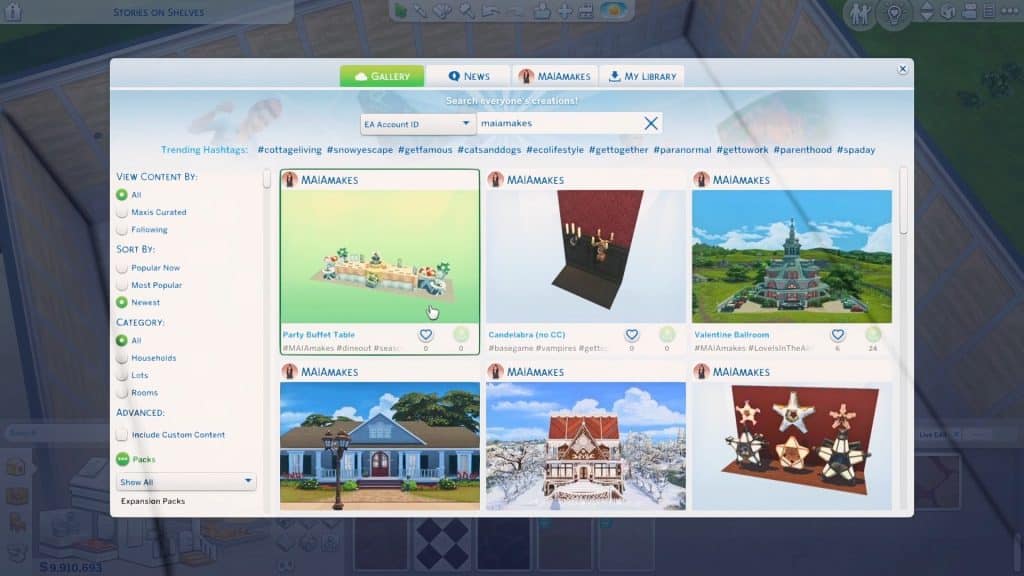
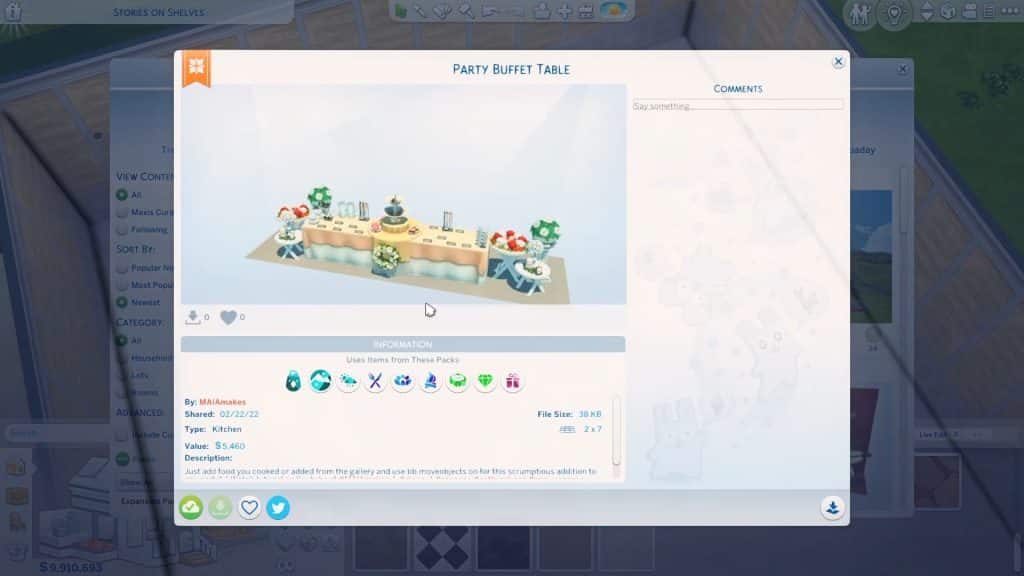
Whew! Was that too tiring for you? You can just download this buffet from the gallery by searching Party Buffet Table under the Origin ID MAIAmakes.
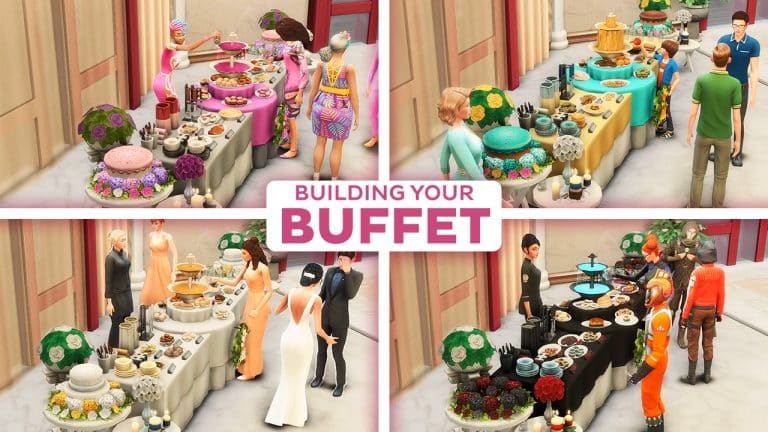
It’s perfect for any type of event! Look at what you can do by changing the swatches and switching up your menu:
A classic wedding buffet with only the fanciest of foods
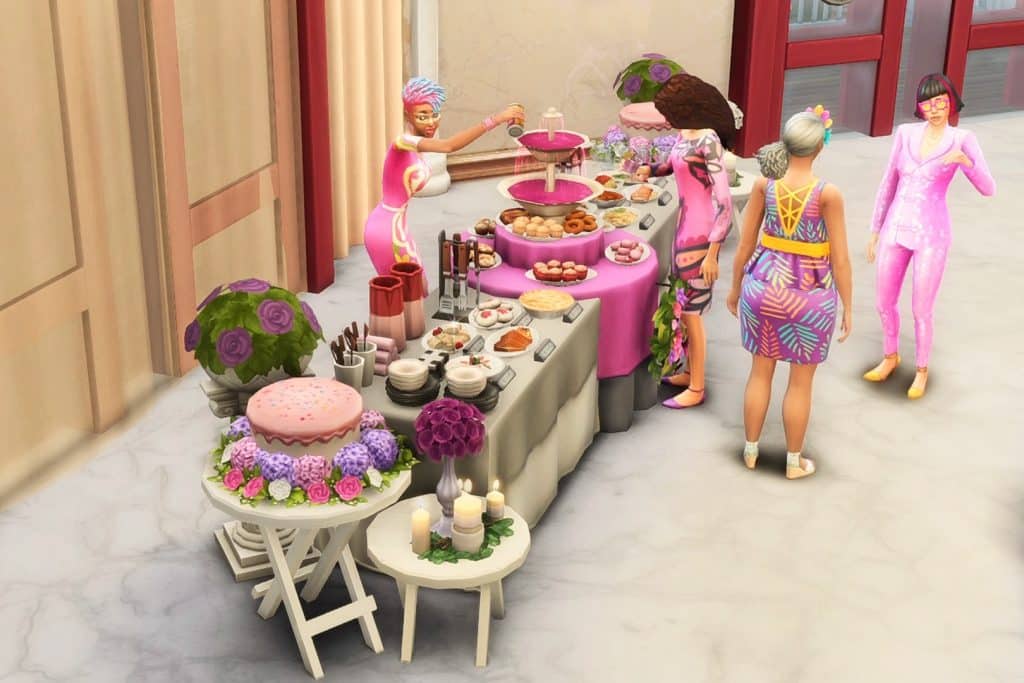
A whole Buffet covered in Pink for with pretty pastries:
How about the coolest kid’s birthday party with a cheese fountain?
Perhaps something out of this world: an intergalactic space-themed costume party!
Those are just some of the ideas on how you can create a Buffet Table in The Sims 4.
What type of Buffet do you plan to Build in the game? Let us know in the comments!
Which Roadmap Theory for The Sims 4 do you believe in?
As with Maxis’ usual trend of announcing a teaser for a teaser (which in this case, is the Roadmap), the first teaser left many…confused to say the least.
The Roadmap Teaser revealed that for “This Season, It’s Lights Out”, featuring a starry background, neon font and plumbob, as well as the eclipsing shine of another Plumbob. There’s also this dark fog overlooking the plumbob that we’re still not certain what it means.
In fact, we have absolutely no idea. And neither does the community.
Some of the replies under the Roadmap Teaser Post have suggested plenty of different themes that the next Roadmap could cover. We’ve gathered all the replies in a Quick Community Poll that you can vote down below.
There are 12 suggestions written by the community that caught our attention. So let’s dig in! You can vote up to 3 selections and see the results after voting.
[totalpoll id=”110865″]
In the end, we won’t know for certain what the Roadmap is about until today’s reveal. Everything in this Community Poll is purely speculative.
However, the full Roadmap is expected to come out today, so stay tuned!
Also, the featured image for this Article is purely illustrative and been taken from The Sims 2 Nightlife. Don’t attack me if it’s something else rather than Poker!
For some reason, the teasers on Social Media are a bit different. The first one you see below is shinier, and posted on Twitter. The second one has more dark shadow / fog across the neon plumbob, and it was posted on Facebook.
Are we looking to much into it? Check out the differences below:
Whatever the new Roadmap reveals, we’ll be ready to cover it right here on Sims Community. Stay tuned!
Please note that this article only focuses on the looks of the TV Show Euphoria. The TV Show itself is rated for Mature Audience, meaning that anyone below the age of 17 shouldn’t be watching it. This article is here to spotlight the show’s fashion!
There is a brand new huge Euphoria Custom Content Collection by the creator Serenity-CC! On top of their huge collection there are also creations from other CC creators that we’ve linked below. Without further ado, let’s get started!
Second season of the original TV Show served some pretty iconic looks, such as Maddie and Cassie’s coordinated BFF set and Maddie’s breathtaking black dress with matching gloves. Most important of all, the second season was an inspiration for the “why aren’t you in your uniform” trend on TikTok:
That being said, if you don’t want you Sims to look basic and dress according to the Euphoria High rules, take a look at this pack, made by a very talented CC creator Serenity. 24 items with tops, bottom, full-body outfits and accessories, as well all the hair worn by our Sim models.
Outfits
So, let’s get to the outfits! There are several recreated outfits and a couple of recognizable items that can be mixed an matched with other pack items, or if you are so inclined, with Maxis items.
If you’re trying to faithfully recreate Lexie’s Miu Miu moment, look no further! This pack has the dress and the shoes! Same goes for her party look with the yellow embroidered top.
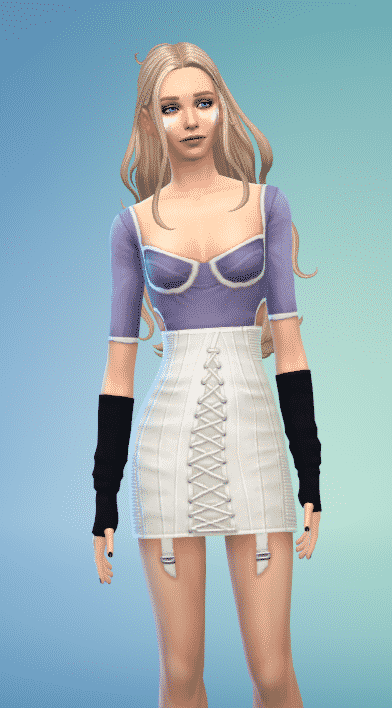
Maddie stans can also rejoice, since she has the most inspired content! At least three outfits are dedicated to her – the baddie party look and the baby-sitter realness sweater, arguably the most recognizable pieces from the season.
Of course, there is the “totally realistic BFF matching school ensemble with Cassie” cardigan and wide leg leggings set. Bear in mind that these items have many more swatches, so they don’t have to be in lilac and green canon colors.
Cassie also got some attention, with the blue coordinating set and that scandalous pink bathing suit.
Jules has two dedicated outfits, with the iconic shape wear worn as a skirt and a jersey worn over the shape-wear? She goes to Euphoria High, so she can do whatever.
Versatility
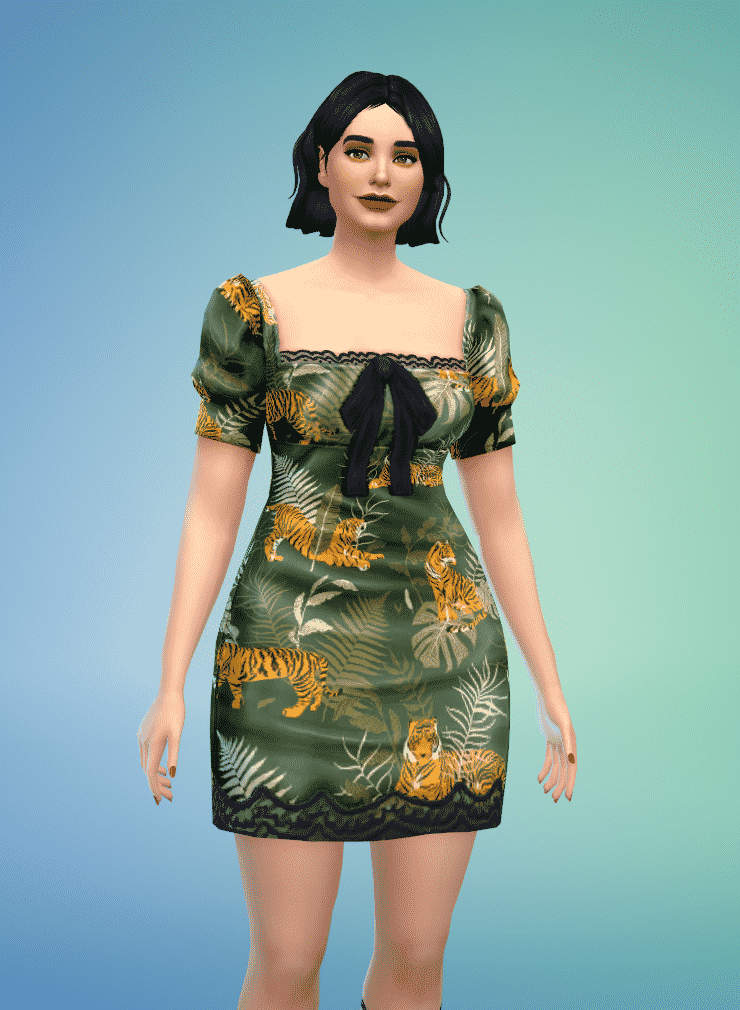
The best thing about this pack are the swatches! Yes, it’s possible to faithfully recreate looks, but more importantly, the items usually have unique swatches usable in non Euphoria inspired Sims. One of my personal favorites is the dress Kat originally wore, but has a lot more interesting patterns and colors, easy choices for a Young Adult party outfit.
Conclusion
If you ever wanted to highlight the better parts of the show, such as Euphoria’s fashion aesthetics, this Custom Content is linked down below!
Ponds are probably one of the best additions to the base game’s Build Mode to date. Although it took quite a long time to get the pond tool in the game, The Sims 4’s pond tool is so much more powerful and versatile than the pond tools from any of the previous Sims titles.
There is a small learning curve to using the pond features but it’s much easier to create and customize the water feature of your dreams, even if you’re a player who is nervous using the terrain tools. We’re going to show you just how creative you can get with this powerful feature.
Shaping Your Vision
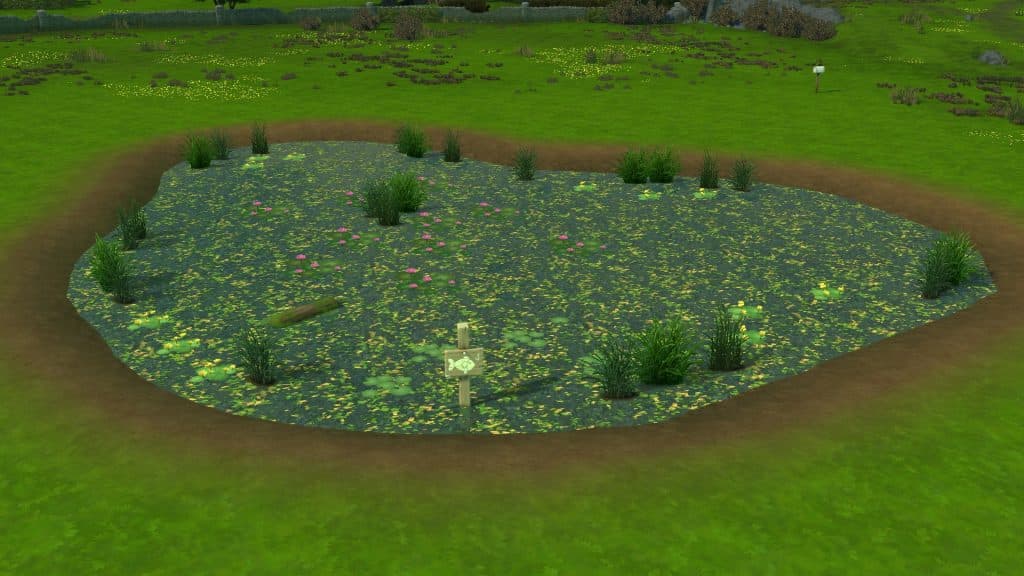
Unlike past Sims games, there is no “ready-made” pond tool where the terrain automatically fills up with water as you drag the curser over the terrain. You will have to use the terrain tools first to lower the terrain, which you can then fill with the water tool. This allows you to customize how much (or how little) water you want in your pond. You can have a full pond practically overflowing, or you can create a dried up river with just the smallest trace of water sitting at the bottom. It allows for a lot of creativity.
To start, navigate to the terrain tools and select the Lower Terrain tool. Take a second to drag the brush speed down to about 25%. The default speed is quite fast and you can end up with a huge chasm instead of a nice smooth dip in the ground. Then just sculpt the terrain in the general shape you want your pond to be. You can do all kinds of things here, like raise up a portion of the terrain in the middle of your pond to rise above the water level. This will create a little island in the middle of your pond when you fill it with water.
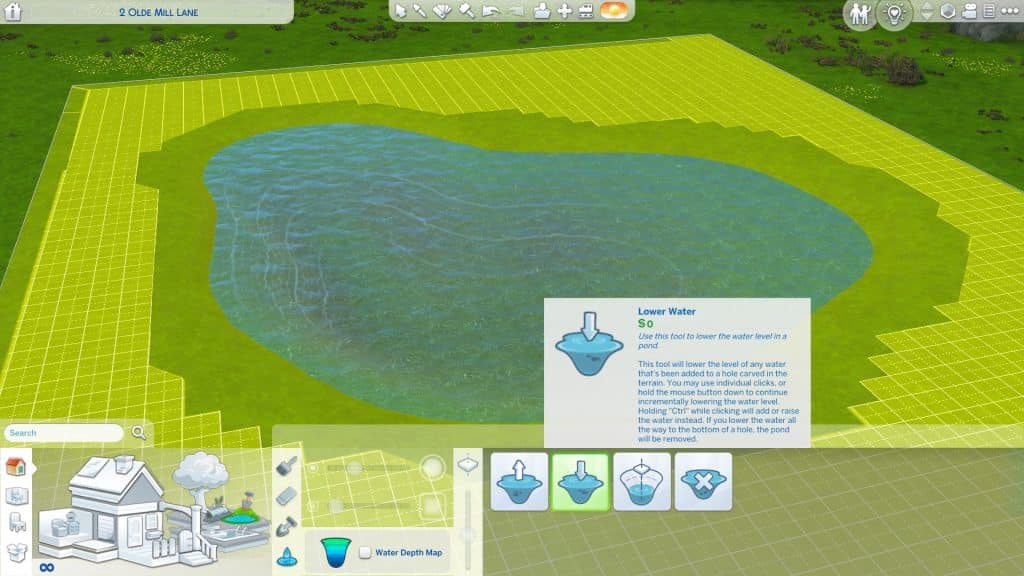
When you’re happy with the general shape, switch over to the Water Tool. You can either select Raise Water Level and click the terrain until you’re happy with the water level, or you can quickly fill up the whole area with Fill to Height. By default, it will fill to the brim but you can use the [ and ] keys to get a more precise water level. Personally, I find it easiest to just use the default Fill to Height setting, then use the Lower Water Level tool once or twice so it looks a little more natural.
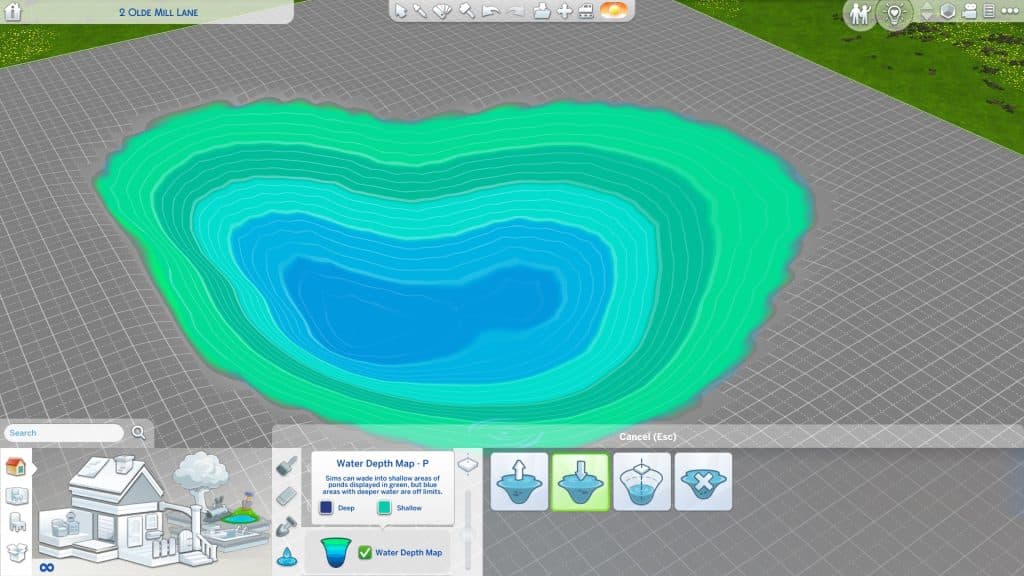
Once there is water in your pond, you can click the Water Level Map to see how deep the water is. We don’t recommend making ponds that are super deep; it can cause some of the pond effect spawners to float above the water or sink down too far under the water. A nice gradual dip is ideal.
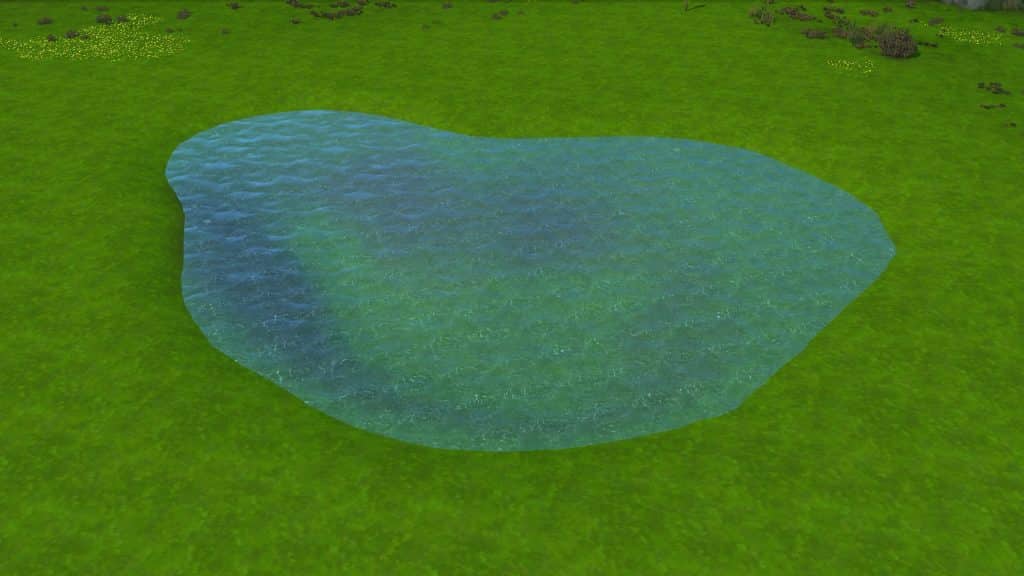
Now you have a very basic pond! If you’re not quite happy with the shape, you can go back and play with the terrain more. The water will automatically adjust itself as you sculpt.
Making it Pretty
We have a pond now but it looks pretty bare bones. It seems to just sit awkwardly in the middle of nowhere and doesn’t look natural. A real pond would have dirt, sand, or mud along its shores and a lot of foliage and wildlife growing in and around it. The water shouldn’t look like chlorinated pool water, either.
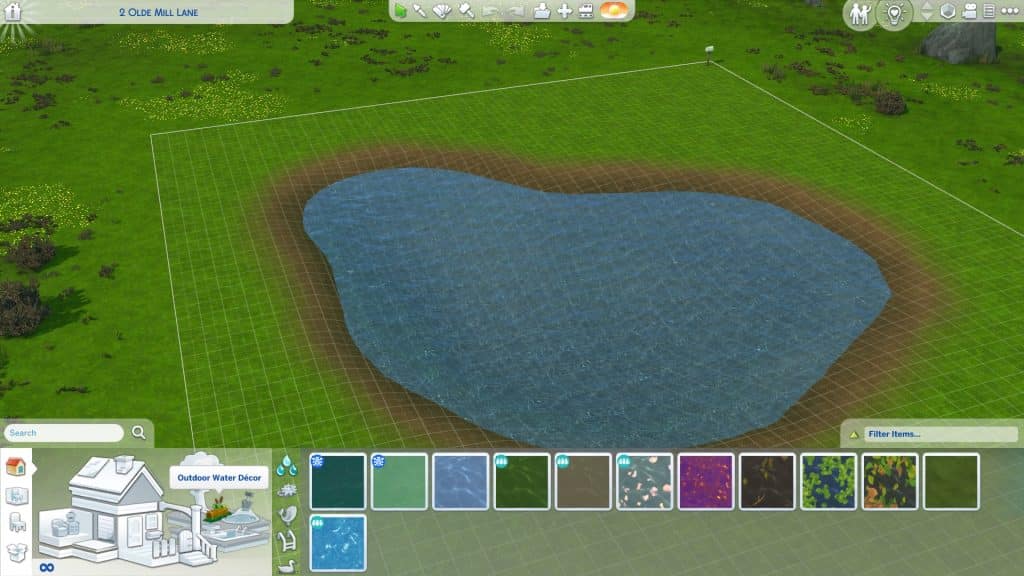
I used a combination of two different base game dirt terrain textures to outline my pond on the softest brush setting and give it a natural looking gradient of dirt going to mud at the water line. Now it looks like a more natural part of the landscape but it still needs vegetation and wildlife.
The Outdoor Water Décor section is going to be your best friend here. You can change the texture of the water to something more natural looking, like a mossy pond or a pond strewn with leaves. If you have DLC packs, you may have even more options available.
This tab has all kinds of pond decorations. Logs, lily pads, grasses that can be placed in the water, and even fishing signs. Placing a fishing sign in a pond will allow your Sims to use the pond as a fishing spot! Want to add an extra touch to your ponds? Click on logs and lily pads to enable turtles and frogs to appear on them!
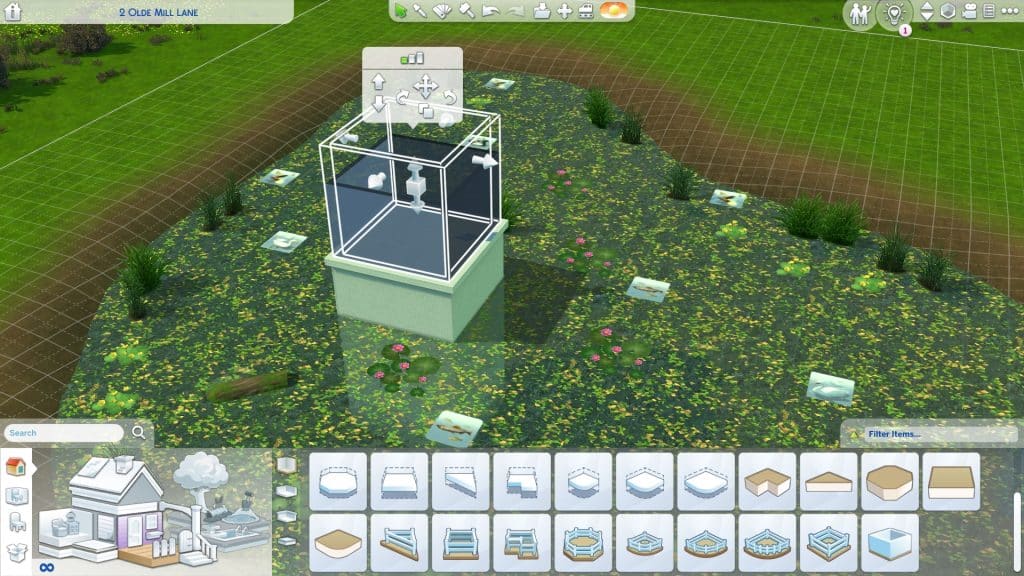
Logs and lily pads aren’t the only wildlife that can be added to ponds, though! In the bottom tab under Outdoor Water Décor, you have a wide variety of creature spawners to choose from for your pond. You can add everything from ducks to trumpeter swans, fish, mosquitos, tadpoles, fireflies, and even alligators! All of these will really make your pond come alive! When you place down these spawners, they will show up as a flat tile in Build Mode but the tiles will disappear in Live Mode and be replaced with all the animated wildlife!
Building over Ponds
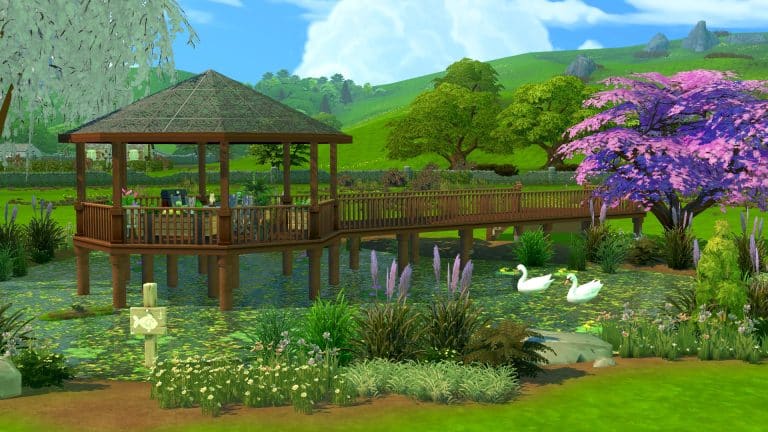
Want your Sims to get up close and personal with nature? You can build over ponds using decks and the stilted foundation style! It’s easy, too!
Just build a deck and raise the foundation height to be above the water level, then add to it as desired to create the deck shape you want. Apply the stilted foundation style to it to make it look more natural and your Sims will be able to enjoy a BBQ, picnic, relaxing nap, or anything you want on a deck overlooking your beautiful pond.
You can really go crazy with building over ponds and build all kinds of stuff over the water so feel free to play around with this feature and see just how far you can push the limits with it!
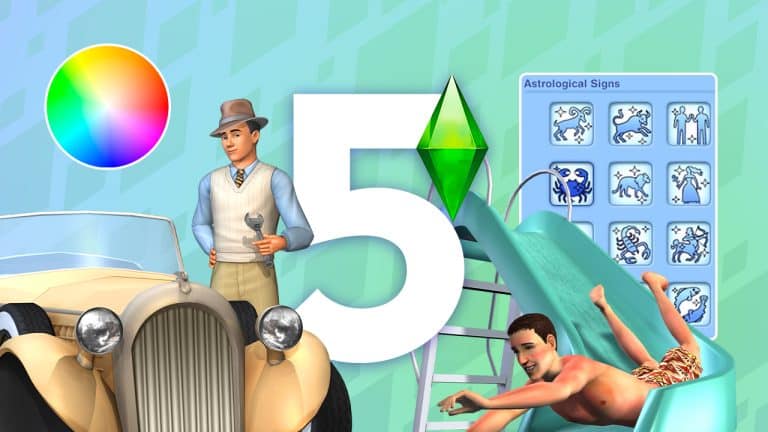
Ideas from the Community and a Poll on what you want to see in The Sims 5!
With many players speculating what the next The Sims game could look like, we decided to take a look at what the community would love to see added as features.
At the time of writing this article, we know that a next generation The Sims game is in development. While details are limited, we will report on them as they are announced. To stay up to date with everything we do know, we have a dedicated category for The Sims 5 News!
I took to Twitter to find out what features players would have if they could create a wish list of things they’d love to see in “The Sims 5.”
If you had to create a wish list of features you would love to see in The Sims 5, what would be on there? Reply to this tweet for a chance to be featured in an upcoming @TheSimCommunity post!
Firstly, thank you to everyone who took the time to share their wish lists, thoughts and opinions and what features you would love to see in The Sims 5. So many of you had some brilliant features both new and old that would be great additions to the next The Sims game!
The Community Ideas
A unique feature I’m sure nobody as mentioned yet is the ability to connect to our phone so we can design Sims on the go! Maybe even pose them and use them like Bitmojis as well.
-A memory system like the one in Sims 3 -Nicknames -More options for family trees -Better babies -Pronoun options -Orientation/attraction options -Customizable worlds -If possible, height sliders -Option to copy accessories/makeup to multiple outfits -Tattoo shop -More occults
My #1 would definitely be open world. I don’t want to even imagine a new sims game without this amazing feature. Next in the list would be Create-A-World/Style and basic weather in the base game (rain, fog, etc.). Multiplayer? Not a big fan but I would be interested to see it.
– zodiac signs! I miss how they could affect your Sims personality – auto roofs please my Sims 4 roofs are hideous 💔 – attraction system so we can have unequal romantic relationships. I also want unequal friendships. Some people just dont vibe. – teens that look like teens!
It was clear to see that many players shared a number of similar thoughts and opinions on features they would love to see in the next The Sims game and with so many brilliant ideas inspired by previous The Sims games as well as new ideas, it will be interesting to see, what kind of features we will see initially when the next game is released.
If you want to check up more replies from the community, there’s a thread of creative replies right below my tweet!
For now, we will have to be patient and hope that we find out more information about the upcoming next generation The Sims game soon!
What would you like to see in The Sims 5?
With that being said, I was curious to see more about what players would like to see in The Sims 5. Below you will find a poll which has the features that were most commonly mentioned in response to the original tweet.
Simply choose the one feature you would say is your most wanted that you would like to see added/make a return to the new The Sims game!
Is there a World Lot that you can’t edit? Don’t worry, there’s a Free Build Cheat for Sims 4!
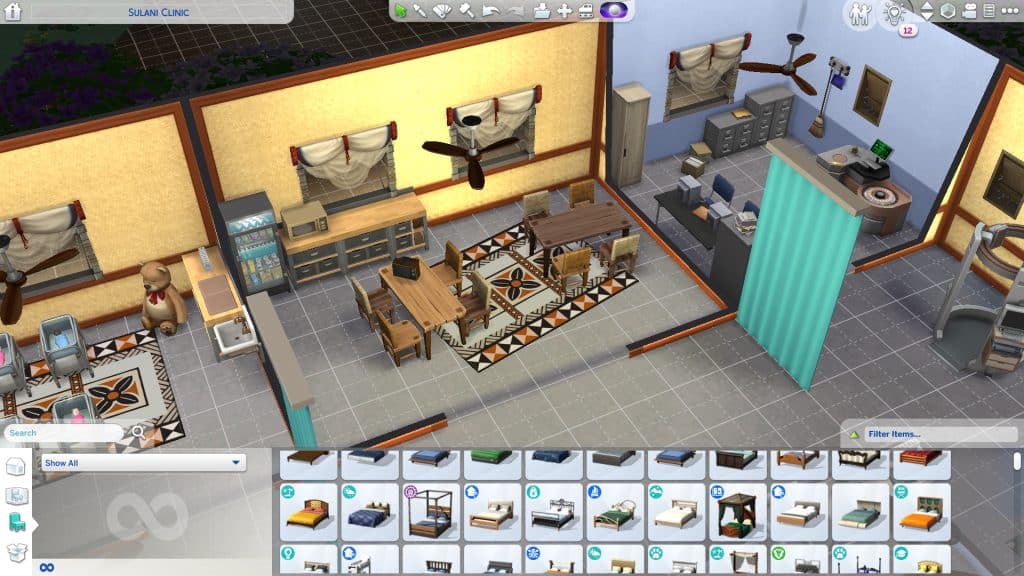
Have you ever wanted to be able to edit some of the special/hidden lots in The Sims 4? Normally, this isn’t possible. The game won’t let you enter Build Mode on these special lots, but with a nifty cheat, players can bypass this restriction and build their own custom hospitals, police stations, science labs and much more!
Special lot types cannot be edited unless you use the free build cheat, shown above
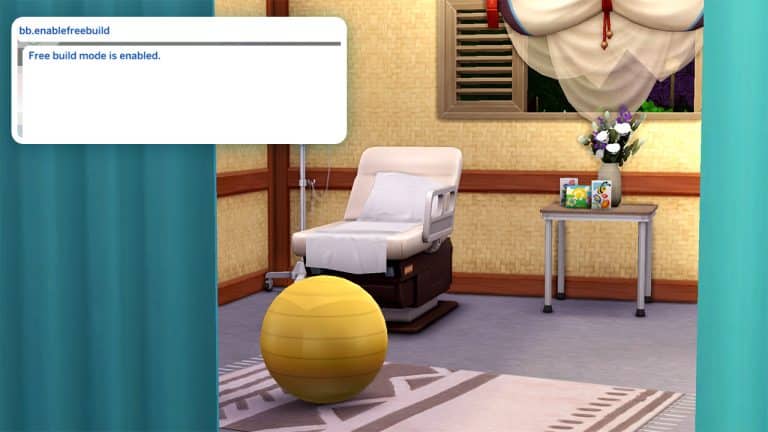
When your Sim travels to one of these special lots, open the cheat console with CTRL+SHIFT+C (for consoles, press all 4 back triggers) and enter the cheat bb.enablefreebuild into the cheat bar. Then confirm with either Enter or X/A on consoles.
After entering the cheat, you will see the message “Free build mode is enabled.” The Build/Buy icon is now clickable.
Enter the cheat correctly , you’ll have free build enabled on your lot! Now you can go into Build Mode and customize these special lots any way you like. Keep in mind that some lots with special functions, like the Get To Work career lots, require specific items to remain functional so be careful not to break the lot’s functionality by forgetting something important.
Editing the hidden hospital lot using the free build cheat.
We traveled to the hospital lot and used the free build cheat to build a tiny island hospital for our Sims who live in Sulani.
The free build cheat can be used on all special and hidden lots, which normally can’t be edited. Except for the Secret Lab lot in StrangerVille. The free build cheat will not allow you to edit the Secret Lab; it’s too important to the StrangerVille story to mess with.
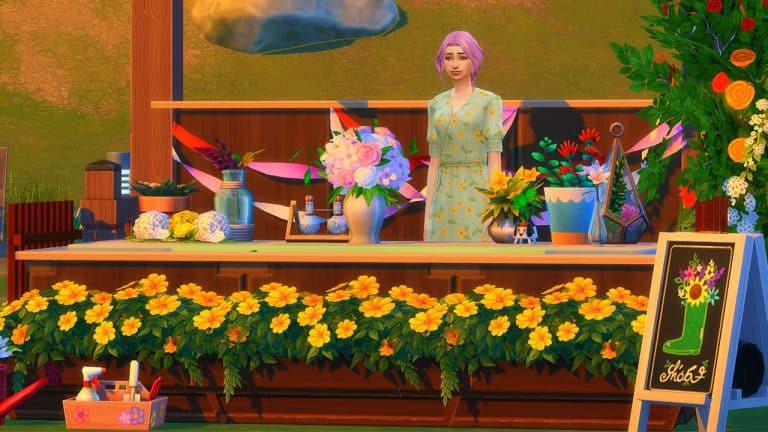
I recently came across a short video on Instagram from the user, pramita_lia98 has taken the market stalls and turned them into a cute and adorable corner store! I absolutely loved this idea and as I hadn’t done any building as such in my own game for a while, I decided to give it a go myself!
First things first, I needed to find the perfect location to create my market stall! After finding the perfect location in The Sims 4 My Wedding Stories’ Tartosa, I set about experimenting with a few different ideas until I found something that started to look like what I had in mind.
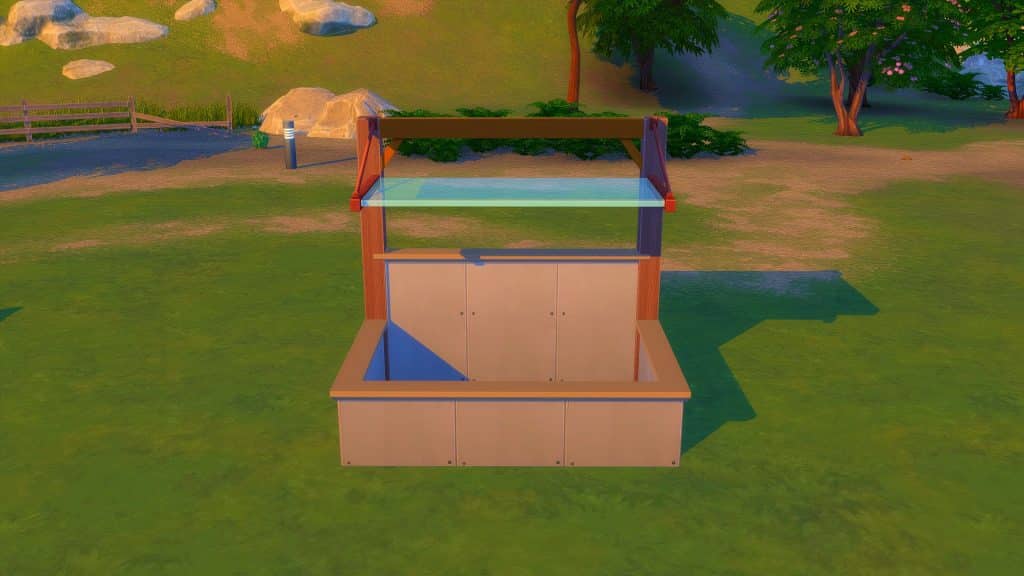
As shown in the video, I needed to start off with a small 2×3 room.
Next was to add the Awning by using the Move Objects Cheat, as well as adding the supporting beams and changing the wall height of the back wall to allow me to place the required beams.
With things starting to take shape, it was time to add a way for Sims to get in and out of the market stall. By adding a fence and gate, there was now a way to move around more freely.
I also used this time to give my market stall some more life by giving it a coat of paint and some wall trimmings as well!
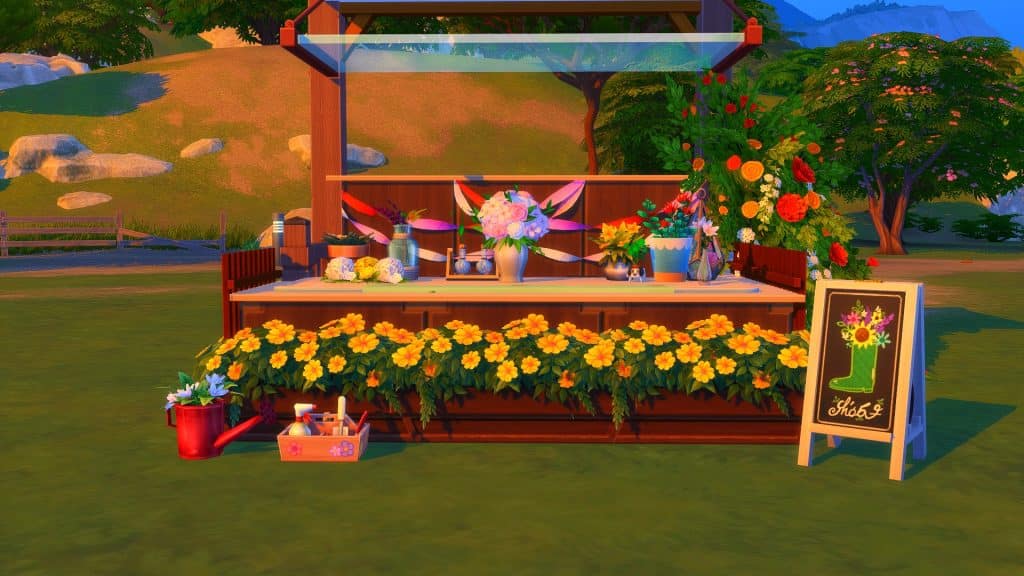
As the shell was now complete, it was time to bring the market stall to life even more! I’d settled to do a kind of flower stall and after decorating it, this is how it turned out!
I had a lot of fun trying something different when it came to building and can only hope that with more practice and experimenting I’ll be able to improve on what I learnt from pramita_lia98‘s tutorial and many more that they have showcased on their Instagram page!
Pun intended. The glitch on the other hand? Probably not.
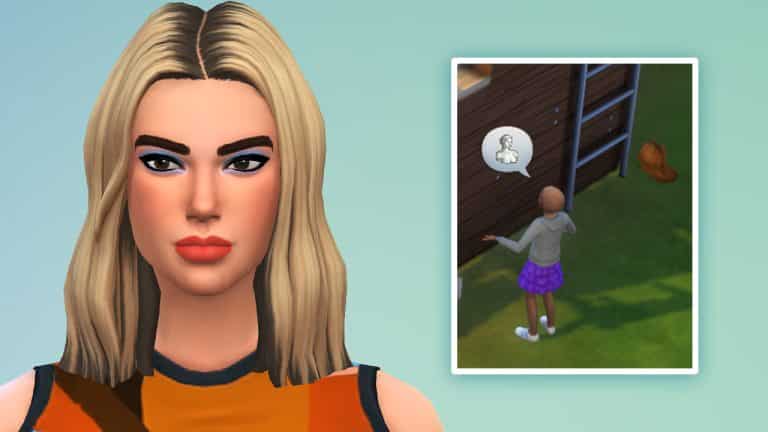
3 weeks ago The Sims Team had introduced a new Hairstyle to The Sims 4 through their Sims Delivery Express drop. The new Feminine Hairstyle is a two-tone type of Hairstyle with dyed roots and tips that change the color of each different variant.
The Hairstyle has also been converted and made available for Sims of all ages – from Toddlers to Elders.
I still stand by the statement that Toddlers and Children should not have their roots bleached out and dyed. At least not in real life. Luckily this is one of those “just in The Sims” scenarios.
Now to get back to the original purpose of this article – the Hairstyle was already named the “Dua Lipa Hair” by many players the moment the SDX drop happened.
Pop singer Dua Lipa rocked the same two tone hairstyle in real life, with precisely the same roots and tips as this new Hairstyle in The Sims 4.
It just so happens that some players are experiencing the Levitating Glitch. First reported on EA Answers HQ, the Dua Lipa Hairstyle for Children starts floating and flying away from the Child’s scalp on random occasions.
Member Mythikalstar described it best with their post on the Forum:
– How often does the bug occur? Often (50% – 99%)
– What happens when the bug occurs? The hair flys away across the room and the child goes bald
– What do you expect to see? My Childs hair to not fly away
User ogbroadddd has also went into details about the Glitch, with a funny screenshot as proof:
There is a visual glitch with the new hair from 4/13 Sims Delivery Express update. It’s floating off the head of child aged Sims. When I zoom in closer, to jumps back on the Sim’s head. Please see attached screenshot for the visual glitch I am experiencing. So far it has not happened with teen/adult aged Sims.
Player @Shadow_Zillah wrote on Twitter about their Glitch encounter with the Levitating Hair:
My team member Krista and I tried to replicate the issue in our games and couldn’t make the glitch happen. No matter which Graphics Setting and situation I tried in-game the Hair remained on my Child’s scalp.
I’m guessing that this type of situation is all depending on the platform where you’re playing The Sims 4 on.
If the Dua Lipa Hair does start Levitating in your game there’s a quick Mod solution from ice-creamfrombreakfast that fixes it:
There was an issue with the LODs on the most recent TS4 delivery hair file for children. This will fix the issue on both the original version and my edited version in the meantime until it’s fixed with a patch.
Was the Dua Lipa Hair fixed with the latest update? The Sims Team didn’t mention anything in the Patch Notes. If it hasn’t we’re hoping for a quick fix soon!
After 6 years since the last Price Reduction, The Sims 4 Base Game has a new Standard Price!
It’s been a while since The Sims 4 Base Game has been released. The latest entry to The Sims Series will mark its 8th year this September, making it the longest running installment for The Sims!
Truth be told, things weren’t always as good as they are now. Yesterday’s article about SimGuruHouts leaving the Maxis team for new adventures got me thinking about how much the Base Game has evolved not just through Build Mode, but with other features and improvements in general.
To think that the game cost $60USD with plenty of essential (and brand new) features missing out in the beginning is a lot to think about. Especially now that the Base Game has more than doubled in its File Size since the release, as a perfect testament to the game’s evolution through the Live Service treatment.
Last time The Sims 4 went through a Price Reduction was starting in August 2016, where the game dropped from $60 to $40. The 40USD – or a price equivalent to your local currency – has been around for quite some time now. Until this month!
Twitter user @TheKixg has spotted that The Sims 4 Base Game price was permanently reduced over at Steam. We checked other official services including Origin, Playstation and Microsoft Store where the game is officially sold to and available to play.
We can confirm that The Sims 4 is now sold under the price of 20USD – or a price equivalent to your local currency! The price drop is permanent according to all the official platforms. Some platforms like Origin still have a sale going on for The Sims where you can get it for 5USD. However, after the sale ends, it’ll jump back to it’s normal, new standard price of 20USD.
Of course, the standard prices of all the other DLC types remain the same. However at least the Base Game entry, which continues to be updated with new Content Updates and SDX drops, is getting a new, more attractive price.
If you’re a fan of weird pets, you need to give raising a Sims 4 Cowplant a try. They’re very high maintenance plant/cow hybrids and require a lot of attention to stay alive and healthy but they’re very rewarding companions for your Sims and you’ll find yourself getting emotionally attached to your Cowplant quite quickly. If they don’t eat you…
Not sure how to get your hands on a Sims 4 Cowplant? Do your Cowplants keep dying on you in spite of your best efforts to care for them? We’ll give you all the info you need to raise a happy, healthy Sims 4 Cowplant that becomes a lifelong part of the family so fear not!
Table of Contents
Caring for Your Sims 4 Cowplant
Finding a Cowplant Berry
A baby Cowplant
Sims 4 Cowplants are in the base game so all Sims 4 players can find a Cowplant Berry and raise it into a Cowplant. There are numerous ways to obtain a Cowplant Berry both in the base game and through additional DLC packs.
The main way to get a Cowplant Berry involves grafting plants. Grafting a Dragonfruit plant with a Snapdragon plant will produce a Cowplant Berry. This sounds simple enough, except Dragonfruit cannot be found out in the world. At least not in the base game. You will need to graft that, too. The grafting combo for Dragonfruit is Strawberry+Snapdragon.
So to get a Cowplant Berry, you’ll have to go through the following process:
Find Snapdragons out in the world (All Willow Creek neighbourhoods; Spring or Autumn)
Find Strawberries out in the world (All Willow Creek neighbourhoods; Spring)
Graft a Strawberry with a Snapdragon to get Dragonfruit
Graft Dragonfruit with Snapdragon to get a Cowplant Berry.
Of course, this is a pretty time-consuming method of obtaining a Cowplant Berry. If your Sim likes to fish, Cowplant Berries can also be caught while fishing in the Desert Bloom park in Oasis Springs at the tiny fishing hole located at the very back of the area, nestled between rocks. There are other fishing spots that yield Cowplant Berries, especially in DLC packs but this spot has a particularly high Cowplant Berry catch rate.
The Cow Berry fishing location is circled in red
There is also a small chance of finding a Cowplant Berry while exploring space in a rocket ship.
If City Living is installed, Dragonfruit can sometimes be found in the planter boxes at the Spice Festival. Vendors may be selling Cowplant Berries at the Flea Market so it’s worth checking there if you’re having bad luck finding one.
If Seasons is installed, Cowplant Berries and Dragonfruit also have a chance of appearing in Rare Seed Packets. Snapdragons and Strawberries can sometimes be found inside their respective Seasonal Seed Packets.
Raising The Beast
Once you have a Cowplant Berry in your possession, you need to plant it. Sims 4 Cowplants require a LOT of space so if there isn’t enough room around it when you plant it, the seed won’t germinate. Cowplants should have a minimum of a 2×5 clear area around it.
The highlighted tiles need to be completely clear of obstacles for a Cowplant Berry to germinate.
Water your Cowplant Berry and care for it like any other plant. It should take about 2 days for your Cowplant Berry to mature into a full-grown Sims 4 Cowplant.
Cowplants require more specialized care than other types of plants. In fact, they’re more like pets than plants when fully grown. Sims can even give their Cowplant a name to make them an even more unique addition to the family. Sims can feed, play with, and pet their Cowplant. All of these things will keep your Sims 4 Cowplant happy and healthy.
A Sim playing with a Cowplant
The trouble most Simmers have with keeping their Sims 4 Cowplant alive is remembering to feed it. Cowplants need to be fed every 12 hours like clockwork. You may think you’re keeping your Cowplant well-fed but it’s easy to lose track of your Cowplant’s feeding schedule while juggling work, relationships, children, and other goals your Sim has.
The best way to ensure that you will remember to feed your Sims 4 Cowplant on schedule is to place your Cowplant somewhere easily visible on your home lot. Somewhere you are focusing your attention most of the time and would be impossible to miss. The front yard, close to the front door is a good place for most people, especially if they have Sims who leave the lot daily for work.
A hungry Cowplant sticking out its cake tongue
You will know your Sims 4 Cowplant is hungry when you see it sticking out its tongue with a slice of cake on the end of it. When your Cowplant does this, you should drop everything you are doing and feed it immediately. Your Cowplant will only have its tongue out for a maximum of 24 hours before it dies and becomes a very sad-looking skeleton in your garden. Make sure you also pet it and play with it whenever you feed it just for good measure.
A dead Cowplant
Rushing to feed your Sims 4 Cowplant as soon as it becomes hungry is not only good for your Cowplant, but also necessary for your own safety…
The Dangers
You might have noticed that when your Sims feed their Cowplant, they feed it a package of raw meat. This is because Cowplants are carnivorous and have a particular taste for… Sims. Including you and your family.
When kept well-fed, Sims 4 Cowplants are perfectly harmless. But a hungry Cowplant is a dangerous Cowplant. When a Cowplant becomes hungry, it will stick out its cake tongue. This cake tongue serves a very specific purpose; to lure Sims into trying to take the slice of cake. When a Sim does fall for the trap and go for the cake, the Cowplant will pull the Sim into its mouth and swallow them whole!
A Cowplant swallowing a Sim
The first time this happens, it will regurgitate your Sim back up, sparing their life, but if this happens again while the Sim still has a negative moodlet from the Cowplant, it will eat them for good and your Sim will Die by Cowplant.
Luckily (or unluckily, depending on what kind of Simmer you are), Cowplants only seem to lure household members into its mouth. NPCs and townies walking by won’t be autonomously drawn to the cake like your active household members so random passersby are safe.
A Cowplant regurgitating a Sim
It’s not all bad, though! Eating Sims will satisfy your Cowplant’s hunger until the next feeding time even if it regurgitates the Sim. And if you want to benefit further from your Cowplant’s menacing appetite, you can milk the remains of digested Sims from its udders.
Yep. It’s as weird as it sounds.
Milking Your Cowplant
A Sim milking a Cowplant
Your Cowplant will partially digest any Sim they eat, even if they regurgitate the Sim. This will result in its udders filling with milk. You’ll know your Cowplant can be milked when its udders look heavy and hang down lower than usual.
If a Cowplant successfully digested the Sim, it will produce the Essence of Life, which your Sim can drink to extend their lifespan and boost their mood. If the Cowplant regurgitated the Sim, it will produce a special drink that puts the drinker in whatever emotional state the Cowplant’s victim was in when they were eaten.
So for the more diabolical Simmers out there… Yes, you can keep yourself immortal by sacrificing other Sims to your Cowplant. That is an actual thing.
So what are you waiting for? Add a Sims 4 Cowplant to your Sim’s garden today!