Home Blog Page 147

All About PlantSims and Plant-A-Sim Scenario in The Sims 4

Turn it on in a new kind of bright – it’s solar!

Well just when we thought we were finally done with scenario playthroughs for a while, SURPRISE! Another SDX drop happened that added a new scenario to the game! This scenario, Plant-A-Sim, is all about caring for a PlantSim. No, they aren’t new to the game. PlantSims have been a playable life state in the base game for quite some time now but if you’re new to them, this scenario is a good way to learn how to care for one.

Here’s how our Plant-A-Sim scenario went!

Getting Started

All About PlantSims and Plant-A-Sim Scenario in The Sims 4

You’ll notice the scenarios have gotten a bit of a revamp. Along with lots more new scenarios, there are now difficulty ratings on each scenario to give you an idea of the time and effort it will take players to complete them. The Plant-A-Sim scenario is listed as an Easy scenario.

This is a permanent scenario so there’s no need to rush to start it before a certain date. It will be available in the game forever so start it whenever you like!

The scenario description states that your Sim is curious about what life is like as a PlantSim and longs to try the Forbidden Fruit of the PlantSim to become one. The household requirements are simple; you just need one Young Adult or older Sim.

The goal of this scenario is pretty vague on the menu screen but there are actually specific goals you need to achieve to finish the scenario. Most of them centre around caring for your PlantSim so this scenario is kind of like a tutorial on how to play the game as a PlantSim. These are not separate outcomes; you will have to complete all the goals, not just one.

  • Eat the Forbidden Fruit of the PlantSim from your inventory
  • Have your PlantSim talk to plants (x5)
  • Harvest from a Perfect quality plant
  • Satisfy water needs (x5)
  • Absorb solar energy from plants (x5)
  • Photosynthesize by absorbing sunlight (x25)
  • Care for plants as a PlantSim (x99)

IMPORTANT! One thing the scenario doesn’t explicitly warn you about is that you can fail the scenario. The forbidden fruit only turns your Sim into a PlantSim for 5 days. After that, they will get a Wilting moodlet that last for about 18 hours. They must eat another forbidden fruit to become a PlantSim again. If they don’t, they will wilt and you will fail the scenario.

All About PlantSims and Plant-A-Sim Scenario in The Sims 4

When you start the scenario, your Sim will have 5 Forbidden Fruit of the PlantSim and 1 packet of starter vegetable seeds in their inventory.

We randomised a Sim in CAS and spent a short time slapping some styled looks on her before hopping into the game and getting her settled in a cottage in Henford-on-Bagley.

Starting the PlantSim Life

All About PlantSims and Plant-A-Sim Scenario in The Sims 4

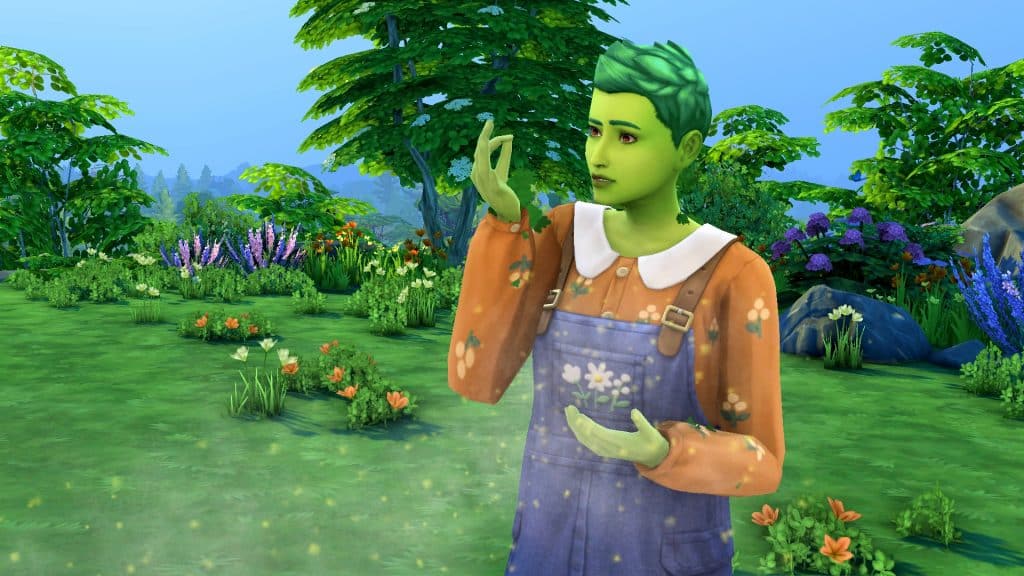
Since many players aren’t too familiar with how PlantSims work in The Sims 4, this playthrough will read a bit more like a tutorial than a story to help players find their footing easier with this scenario. The first thing you should do when you start is open up your Sim’s inventory and have them eat a Forbidden Fruit of the PlantSim. This will turn them into a PlantSim and allow them to complete the rest of the scenario goals.

Now, be careful with the rest of the forbidden fruit! You only get five and if you run out, you will fail the scenario! Make sure to plant one of them to produce more for harvesting if you need it and keep the rest for when your Sim turns into a human again. You’ll need to eat another fruit quickly to continue the scenario. Then plant everything you get out of your seed packet so you’ll have plants to care for and harvest from.
All About PlantSims and Plant-A-Sim Scenario in The Sims 4

We also recommend adding the Homey and Great Soil lot traits to your Sim’s home to help with the Gardening skill and plant quality.

DID YOU KNOW?
Starting this scenario is a good way to start a new household with a PlantSim immediately but if you want a PlantSim through regular gameplay, the easiest way to do that is to max out your Gardening skill and purchase rare seed packets until you receive a forbidden fruit in one. Plant it so you always have some on hand, then eat one when it’s ready for harvesting. Another way to do it is by collecting all the magic beans from rare seed packets, arranging them in the special stump from Build/Buy and watering it to produce a giant tree your Sim can explore. They will find a forbidden fruit inside the tree.

Life as a PlantSim

All About PlantSims and Plant-A-Sim Scenario in The Sims 4

Many of the goals for this scenario walk you through how to care for a PlantSim. They have special motives and certain requirements in order to stay healthy. We’re going to break down how PlantSims work and show you how to complete all the PlantSim care goals of the scenario.

PlantSims do not have a bladder motive so they never need to use the toilet; however, they do have a Water motive. PlantSims require a lot of water, much more than a regular Sim. Being outside on a sunny day will drain the Water motive much more quickly. Showering, taking a bath, drinking water, and going for a swim will all replenish the Water motive quickly, however. Doing any of these activities five times will complete the scenario goal to satisfy water needs. In addition to a negative moodlet, you’ll know your PlantSim is very thirsty when their green hair turns grey.

All About PlantSims and Plant-A-Sim Scenario in The Sims 4

PlantSims do not need to eat regular food. They get their nutrients from the sun. All they need to do to fill up their Hunger motive is stay outside on a sunny day. They will naturally absorb nutrients from the sun while they are outside; you don’t need to do anything special. Of course, PlantSims cannot absorb sunlight at night and if Seasons is installed, they won’t be able to absorb sunlight on cloudy days, either. It must be sunny or only partly cloudy for your PlantSim to be able to photosynthesize. Absorbing sunlight directly from the sun will satisfy the scenario goal to photosynthesize by absorbing sunlight.

All About PlantSims and Plant-A-Sim Scenario in The Sims 4

Sometimes, your PlantSim might find themselves in a desperate situation if it hasn’t been sunny for some time. This is when it becomes very helpful to have a large garden. PlantSims can absorb solar energy from harvestable plants to satisfy their Hunger motive when they can’t get nutrients from the sun. Clicking on a plant and selecting Absorb Solar Energy five times will satisfy the scenario goal to absorb solar energy from your plants.

IMPORTANT!
We’re not sure if this is a glitch or an intended effect from absorbing solar energy but every time our PlantSim absorbed solar energy from her plants, they would temporarily grow to the next growth stage only to revert back to a plot of dirt a few moments after. We’d have to wait for the plant to sprout again. Do not absorb solar energy from plants you are trying to raise to perfect quality to harvest from. It will take far longer for the plant to mature. Do not absorb solar energy from your forbidden fruit tree, either, as you could run out of fruit.

Plant-A-Sim, Plant-A-Garden
All About PlantSims and Plant-A-Sim Scenario in The Sims 4

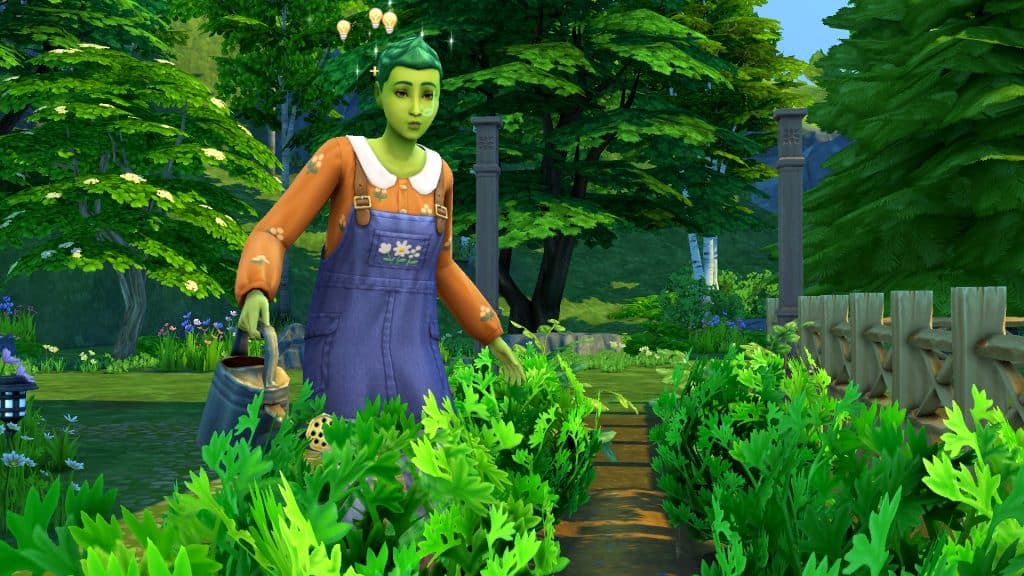
The other scenario goals aren’t necessarily specific to PlantSims but remember; you need to stay a PlantSim until all goals are completed, otherwise you will fail the scenario. You just need to care for your plants 99 times, talk to your plants 5 times, and harvest from a Perfect quality plant once.

Caring for your plants 99 times sounds daunting but you will finish this goal without even trying if you have a decent sized garden. All you have to do is keep watering, weeding, and spraying your plants like normal. It will take you far longer to raise a plant to Perfect quality which is where you may struggle to stay a PlantSim for long enough. Your forbidden fruit tree is going to become incredibly important so make sure you’re taking excellent care of it.

All About PlantSims and Plant-A-Sim Scenario in The Sims 4

Plants will naturally increase in quality over time if you are taking good care of them but it does take a very long time to go from Normal quality to Perfect. To speed up the process, you can fertilize your plants. Sims unlock the ability to fertilize plants at Gardening level 3. Plants can be fertilized with any flower, fruit, veggie, or fish. Growfruit is the best fertilizer in the game but it can be difficult to obtain. You’ll need to max out your Gardening skill and keep buying rare seed packets until you get a growfruit in one. Plant the growfruit to have a constant supply and then use the produce to fertilize all your plants. If you can’t get your hands on growfruit, we recommend using fish, which is also a good fertilizer. Plants cannot be fertilized every day so just keep an eye on them and fertilize them whenever the option is available. We also recommend raising your plants indoors if Seasons is installed so they don’t go dormant during their off seasons.

All About PlantSims and Plant-A-Sim Scenario in The Sims 4

As for talking to your plants, this is something any skilled gardener can do, not just PlantSims. Simply have your PlantSim chat up the plants in their garden five times and this goal will be completed very easily.

If all goes well and you’re able to do all of these things before your forbidden fruit stash runs out, you will complete the scenario.

Where We Went Wrong
All About PlantSims and Plant-A-Sim Scenario in The Sims 4

We consider ourselves pro Sims players, so we’re actually embarrassed about how badly we botched this whole scenario. If there’s one good side, it’s that we learned what not to do so we could write this guide for you and forewarn you about potential pitfalls.

The first thing we did wrong was choosing a world with very little sun for our PlantSim to live in. We thought she would thrive around all of the nature in Henford-on-Bagley but we forgot that Henford-on-Bagley hardly ever gets sunny days. It is forever rainy or cloudy there. If you don’t have Seasons, this is a non-issue; it’s always sunny no matter where your Sims live. But Seasons players will need to choose their world carefully. We recommend Sulani as the ideal world for this scenario. It has plenty of sun and plenty of water for your PlantSims to keep both their Water and Hunger motives satisfied easily.

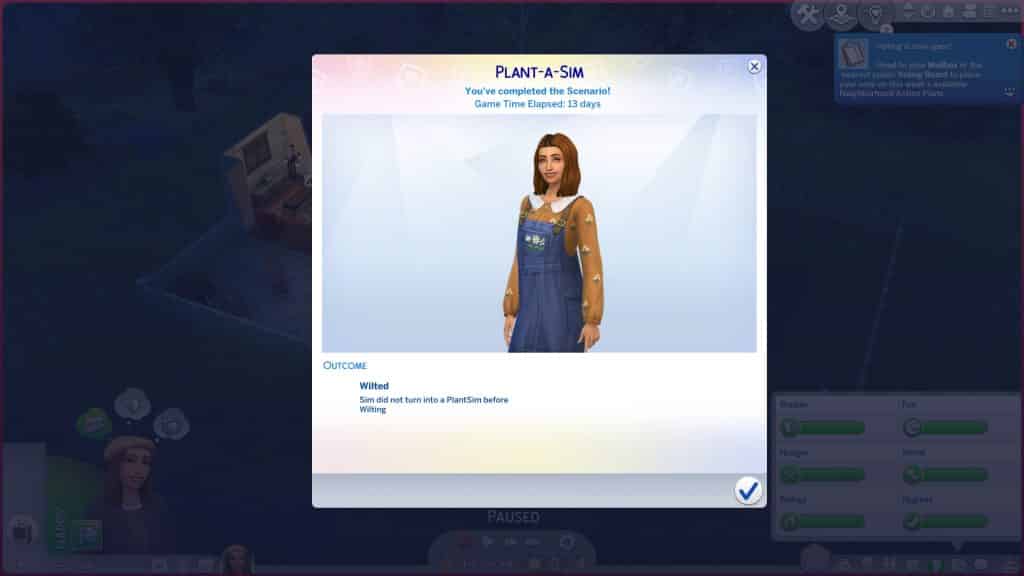
Because she didn’t have enough sunlight to photosynthesize, she had to resort to absorbing sunlight from her plants. Now you will have to absorb sunlight from plants at least five times to finish the scenario but we picked the worst plant to do this with; our forbidden fruit tree. As a result, our forbidden fruit tree never matured and never produced more fruit which is ultimately what killed us.

We ran out of our starter fruit before we could complete the last goal of harvesting from a Perfect quality plant. Our PlantSim ended up wilting and we failed the scenario.

Our Thoughts

Despite the fact that we failed so miserably at this scenario, we actually think it’s a great scenario! Not only does it highlight an often-overlooked occult life state available in the base game; it also shows players how to create and care for this life state a lot of people might not know about.

Plus the possibility of failing the scenario due to poor time management or strategy skills puts some pressure on the player and adds another element of challenge. And if you have Seasons installed, you’ll have to work around the limitations of the weather, too. There’s a lot to think about during this scenario and if we do have any criticism, it’s that labeling it as an Easy scenario might be a bit misleading. We’re seasoned players and even we didn’t expect to have to apply the level of strategy and critical thinking the scenario actually requires. We’d probably call this an Intermediate scenario.

Still, we highly recommend this one. It was a lot of fun and kept us on our toes.

Maxis releases a new Promotional Video

3

“It’s time to signal our next revolution”

A couple of weeks ago Maxis, studio behind The Sims, SimCity and all the big simulation games has done a complete revamp and rebranding of their identity, message and focus!

Maxis releases a new Promotional Video

With the complete redesign of Maxis also came a whole new website that focused on encouraging people of all walk of paths to join their ever-growing team and studios that span out to 4 different locations around the world!

Just last night, they’ve published a new trailer for Maxis, featuring a history walkthrough of the Simulation genre, as well as Maxis’ evolution throughout the 35 years of its existence.

The video begins with a wholesome introduction to the Simulation genre:

Maxis releases a new Promotional Video

The walkthrough primarily focuses on The Sims’ evolution through the years, and where it all began.

Maxis releases a new Promotional Video

In the promotional video the team shared a statement:

Maxis let you play with life – but after 35 years – it’s time to signal our next revolution!

Maxis releases a new Promotional Video

Could this be related to the unnanounced franchise rumored to be titled Lost Astral, in development by EA and Maxis?

Time will tell, but until then enjoy the colorful new trailer for Maxis:


Are you willing to Build with Maxis? Check out their Careers Page!

Maxis releases a new Promotional Video

Tip: @TheSims4it

EA is making Unreal Engine their new Game Development Standard

EA accepts their defeat and it’s the players who win in the end.

For a while now I’ve been reporting on the news about EA’s current plans regarding the next generation Sims Game – or as I call it, The Sims 5. At least until we have an official name.

I’ve written numerous reports about The Sims 5’s current development plans, stages and plans for the game. Throughout all of the reports that I’ve made there’s been one thing consistent – Unreal Engine.

Before we dive deeper into what EA’s plans for Unreal Engine as a whole, we need to understand first what Unreal Engine is.

About Unreal Engine

Unreal Engine is a game development tool and engine developed by Epic Games. The first generation stable release of this Engine came out all the way back in 1998, with the latest version – Unreal Engine 5, released just a couple of days ago to the public!

The Engine allows game developers and studios to create anything within a 3D environment. From graphics, stylization, rendering and so much more – all that allows a game developer to create a three-dimensional space and environemtn that they desire!

There is a whole catalogue of video games that have been developed and released for the public through Unreal Engine. Tens of hundreds of them.

You can also check out this cool evolution video down below including some of the most popular releases made through Unreal Engine from 2014 to 2021!

In the highlights of all these video games is a successful franchise – Fortnite. Also owned and published by Epic Games themselves. The Unreal Engine software has allowed developers of this franchise to be consistent and active with major releases, updates, Seasons and additions added actively!

This wouldn’t be the first time that EA has used Unreal Engine to develop their video games. All 3 major Mass Effect installments, including the Legendary Edition Remaster of those games have been released in this software. EA’s most successful Star Wars installment – Star Wars Jedi: Fallen Order has also been developed in Unreal.

The funny thing about this is that any time that EA would try to do things on their own through their own engines they’d get a shorter end of the stick. Mass Effect: Andromeda, which released a few years after Mass Effect 3, has been developed on EA’s Frostbite Engine.

In the end, everyone who followed video gaming news and this game in general know that the only good thing that came out of this was memes.
One of my favorite video games released by EA has to be Mirror’s Edge, released in 2008. Everything in that game was beautifully co-ordinated, the graphics were beautiful, and you can tell that the developers had extra time in their hands to perfect the storyline. That’s all because of the fact that the first Mirror’s Edge game was developed in Unreal Engine!

Unfortunately, I cannot state the same for the long-awaited followup to Mirror’s Edge – Catalyst. Which was average at best. And also developed in Frostbite:

For major installments for The Sims – one through four – all have been developed in their own game engine created from scratch.

For The Sims 1 and The Sims 2 this worked out perfectly for Maxis considering that each of the two installments were in the epicentre of the current video game computer technology. The Sims 1 came out in the golden age of 2D computer games and simulations, while The Sims 2 came just at the right time where 3D video games were the new thing – that could also be supported by most computers those days.

The Sims 3, that came out in 2009, had a new dynamic and possibilities that were larger than life. Sure, you could argue that the game currently can be ran almost flawlessly through new mods and solutions that, to this day, still keep coming out for this 13 year old Sims installment. Still, it was such a pain for a Sims player like myself to play the game in 2013 with all packs installed.
It even came to a point where the game would give you a warning when trying to play more than a few packs installed:

EA is making Unreal Engine their new Game Development Standard
Via The Sims Wiki

We can all agree that The Sims 4 had a rocky launch. To this date it seems that Maxis is still correcting and trying to fix the game engine that’s somewhat flawed. And also outdated, because it’s from 2014.

Even though the game manages to push through its own engine limitations sometimes, it still pays the price of trying to cater to multiple platforms with dramatically different system specifications. From low-range desktops and laptops to gaming consoles. Both old gen and new gen. The price? Creative tools, open world and sometimes the game’s own stability.


Through my reports for the next generation Sims Game it’s been a consistent thing for EA to keep mentioning and talking about the project being developed in Unreal Engine.

Not only that, but Maxis themselves have admitted to “leveraging next-gen technology” to build their future video games. Unreal Engine 5 is the definition of next generation technology in the video gaming world right now.

EA is making Unreal Engine their new Game Development Standard

We received a tip from @jamesavery7890 that Electronic Arts is currently working on making Unreal Engine the new standard for their future video game releases.

EA is preparing for the long-term use of Unreal Engine for the game studios. This is a company priority. We know next-gen Sims 5 and Mass Effect 5 are being prototyped in UE. This suggests something permanent:

EA is making Unreal Engine their new Game Development Standard

source

You will focus on our initiative to improve in the game engine space and help shape the long term technical vision of Unreal Engine use at EA. Being the main point of contact for technical challenges, you will partner with teams across the globe to provide the very best experiences for our players. You will also offer guidance on best practices, maintaining a knowledge repository and managing code divergence.

Several website portals have pointed out the huge benefits of video games being developed in Unreal Engine 5, including:

For developers creating vast open-world environments, UE5 is implementing new tools to improve collaboration and performance. To improve performance with so much geometric detail, the new “World Partition” system renders sections of the game map only when they’re in use. The new “One File Per Actor” system lets developers work on the same sections of the game world simultaneously without overwriting each other’s progress, similar to EVO’s project locking features.

– Studio Networks Solutions

The way developers animate their games is being completely overhauled in Unreal Engine 5, making it a more pain-free experience.

Specifically, Motion Warping is a unique tool shipping with Unreal Engine 5 that makes the tedious aspects of animating more manageable. For example, character animations—such as vaulting over objects—can be created with Motion Wrapping.

With Motion Warping, developers won’t have to create multiple animations for every jump height. This will make for more fluid and more immersive animations by characters when interacting with their environment.

– iRender GPU

Several factors could’ve decided EA’s decision to move their future video game development on Unreal Engine. Whether it’s player feedback – or the fact that Frostbite Engine’s source code got entirely leaked last year. Either way, a dramatic change like this can only do good for EA’s franchises.


In accepting their defeat of giving Epic Games a percentage share of their revenue for video games developed in Unreal Engine, EA will only benefit more in the long term.

Overview of The Sims 4 Parrots CC Stuff Pack

Liven up your surroundings with a CC Set and animated feathery friends!

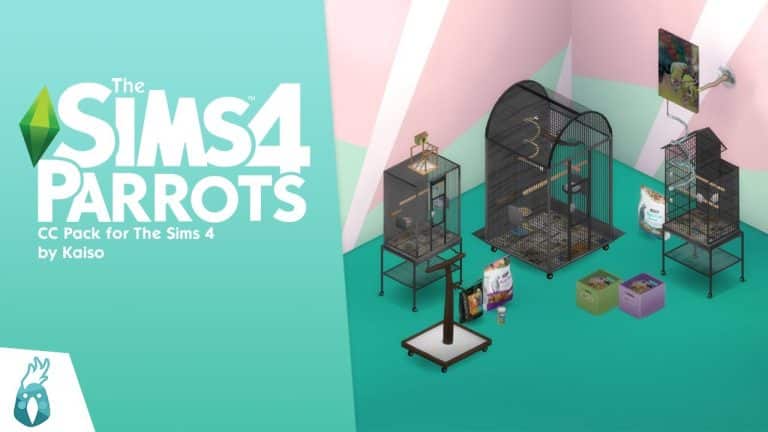
Today we’re featuring a brand new CC creator named Kaiso! Kaiso has created a custom content stuff pack all about pet parrots! This is Kaiso’s very first CC pack and we think he has a bright future in the CC community given the skill level of his very first big project! We took a look at all the items close-up and we were very impressed!

Here’s a glimpse of the CC pack from Kaiso’s reveal trailer on YouTube!

The Sims 4 Parrots CC pack comes with 16 Build/Buy items to decorate the home of a parrot-lover, including pet supplies for parrots and bird cages in three sizes. We’ve got both catalogue thumbnails and in-game close ups of all the items in every swatch for you to check out in this article. Let’s jump right into the overview!

Catalogue Overview

The full catalogue of items consists of:

  • 2 paintings
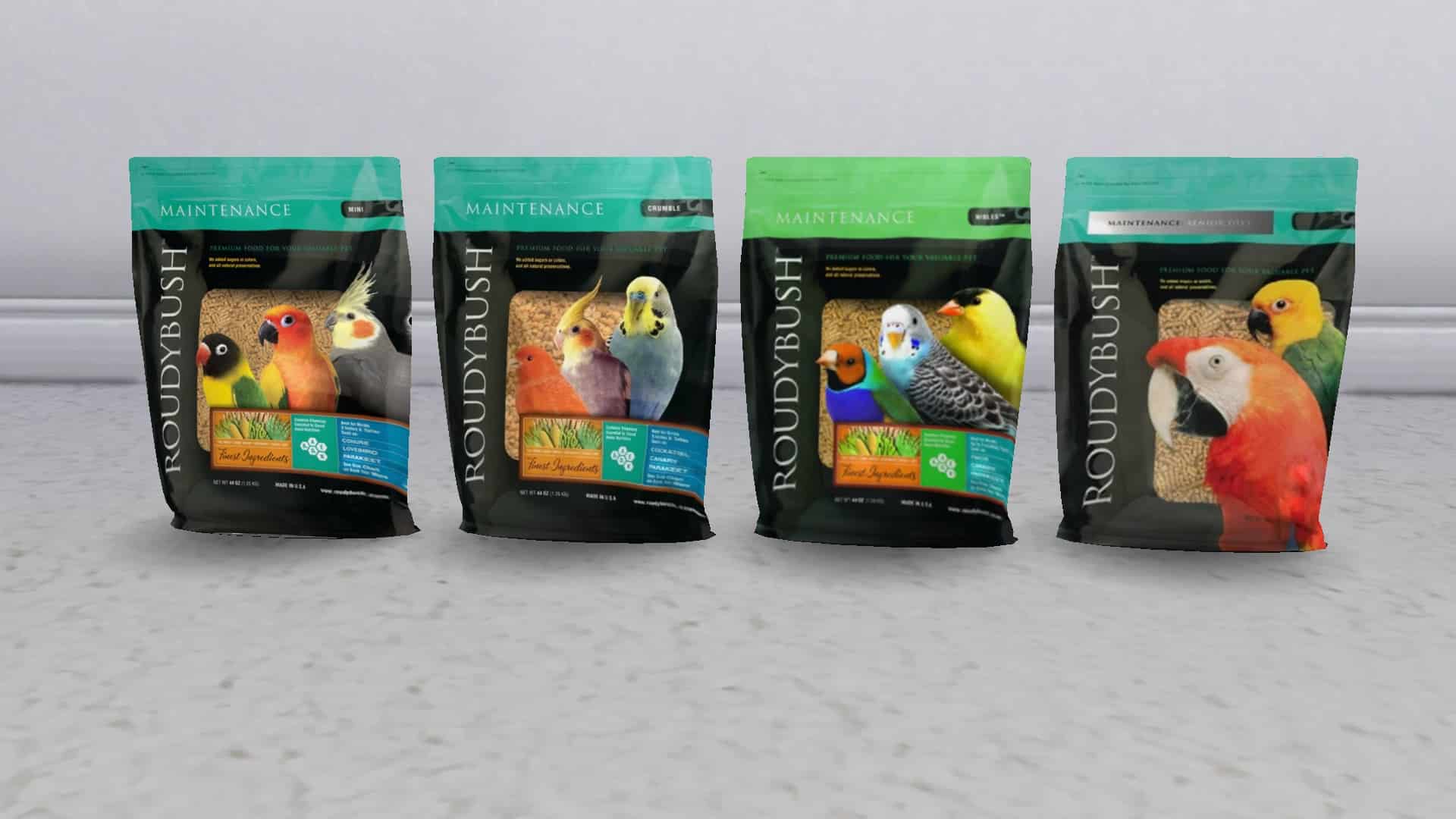
  • 3 different types of parrot food and treats
  • 5 different bird perches (1 ceiling, 2 wall, 2 ground)
  • 2 parrot toy objects (1 wall hanging net, 1 box of parrot toys)
  • 3 bird cages (thin, small, and large)
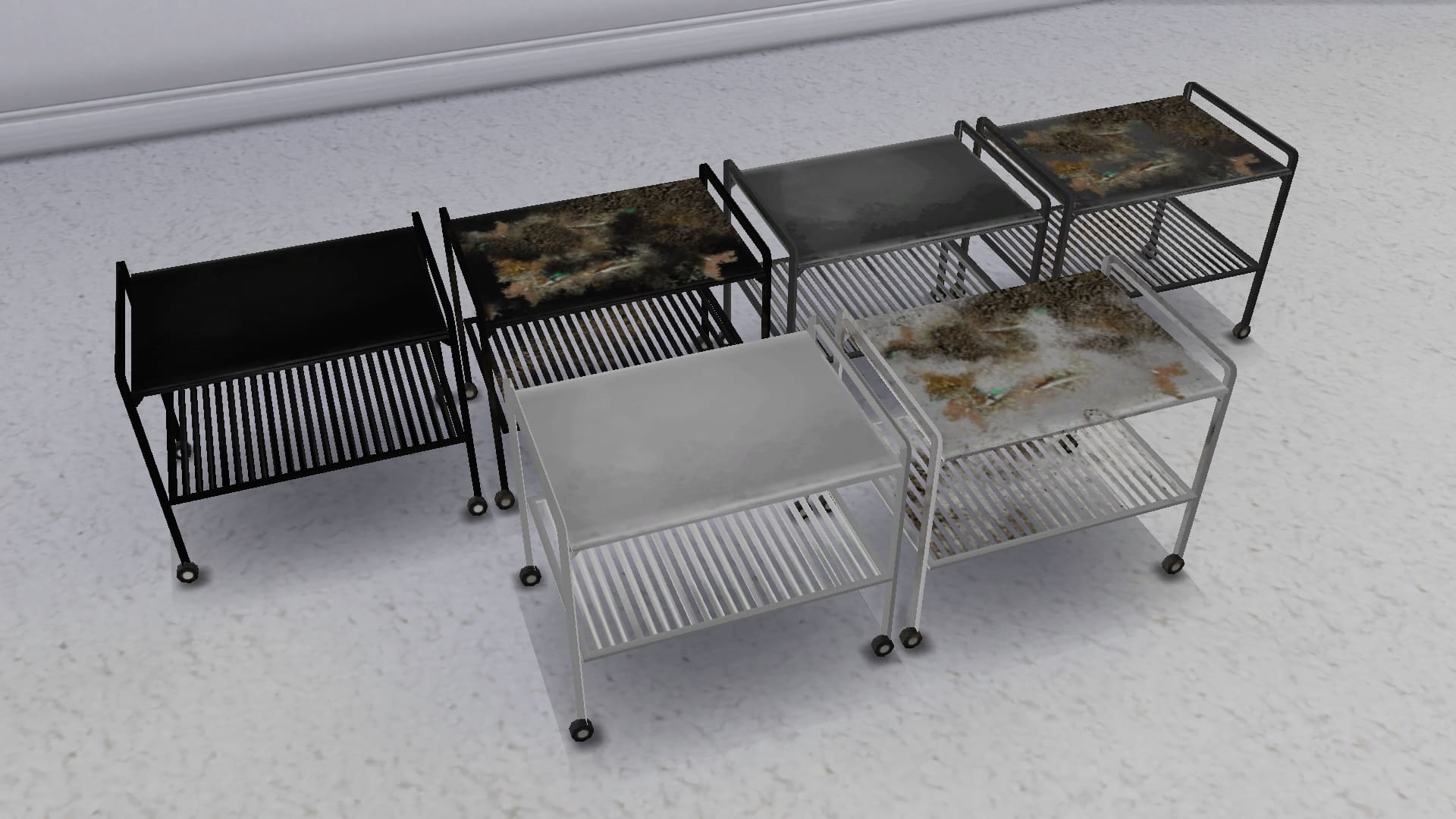
  • 1 parrot supply table

Swatch Close-Ups

Below, you can see all the items in this CC pack in every available swatch. Many of the items have clean and grimy swatches for you to create either a pristine or run-down look for your Sims’ homes.

Where Are the Parrots?

Sadly, this CC pack is just décor and does not actually come with functional pet parrots; however, players who want to add that extra touch of realism to the set can download these animated macaws by Bakie to place inside the parrot cages. The macaws are not interactable; they are just VFX effects but they do move and make realistic macaw sounds so they’re great for having a zero maintenance pet bird in your Sims’ homes.

We downloaded the macaws and tried them out with the parrot cages ourselves. The birds do clip through the top of the tiny cages but fit nicely in the large cages. They really added to the atmosphere with their realistic movements and squawking.

Overview of The Sims 4 Parrots CC Stuff Pack

Our Thoughts

This was a very creative and ambitious project for a beginner CC creator to take on but Kaiso really rose to the challenge. We always appreciate having more pet stuff in the game whether it’s decorative or functional and pet birds are something many players have requested for a long time. Pairing the animated macaws with the bird cages really adds a lot of life to the pack too so we definitely recommend using them both together!

We’d love if the pack could be updated in the future to have real pet birds that Sims can interact with much the same way they interact with rodents, for example, but this is a great first project for Kaiso all the same and we had a lot of fun checking out all these adorable bird supplies in our game. We’re very excited to see what Kaiso thinks of next!

You can download The Sims 4 Parrots CC stuff pack for free right now on Kaiso’s Patreon! Just click the download button below to be taken right to the download page!

Community Poll: Vote for Your Favourite Sims 4 World!

Battle of The Sims 4 Worlds!

Have you ever wondered what the most popular Sims 4 world is? Or what the least popular world is according to players? Us too! To satisfy our curiosity, we’ve put together the ultimate poll to see which world from The Sims 4 is the most beloved by players! You’re going to help us decide the results by voting in our poll which includes all worlds and special areas in the game!

So here’s how it works; we’ve got three categories to vote in:

  • Residential Worlds
  • Destination Worlds
  • Hidden Worlds

Vote for your favourite world in each category but make your selection wisely because you only get two votes in the Residential category and one vote each in the Destination and Hidden categories for a total of four votes.

Are you ready? On your marks… get set… VOTE!

[totalpoll id=”109998″]

Which worlds did you vote for? Let us know in the comments!


Thank you to Nekro Von K from our Sims Community Facebook group for providing us with the Batuu screenshot.

Like the new hairstyle in The Sims 4 but want a Solid Color version?

Don’t worry – there’s already a CC solution for that!

The Sims 4’s latest SDX drop that happened just 3 hours ago brought in a new Hairstyle for feminine Sims of all ages!

Some of the ombré solutions that the hairstyle has look good, but I’m sure players would appreciate to have this hairstyle in solid color variants. Although as of now there’s no options in the official release, the Custom Content community has already jumped in to find a solution!

Creator @frostybreakfast has already created a Solid Color variant for Sims of all ages. Including Toddlers, which I think we all agree shouldn’t have hot roots.

Like the new hairstyle in The Sims 4 but want a Solid Color version?

The creator made all the color variants have a proper solid color – from the hot roots to the tips! Making the hairstyle look more natural and healthy – especially for toddlers who shouldn’t bleach their hair. At least not in real life…

Like the new hairstyle in The Sims 4 but want a Solid Color version?

The solid color variants are available for download now as CC .package files on the creator’s Patreon that we linked below! Simply scroll to the bottom and paste all the .package files to Electronic Arts > The Sims 4 > Mods folder and ensure you have Mods / CC enabled in your game options.

[mks_button size=”large” title=”DOWNLOAD!” style=”squared” url=”https://www.patreon.com/posts/65103445″ target=”_blank” bg_color=”#61bc3a” txt_color=”#FFFFFF” icon=”” icon_type=”” nofollow=”0″]

The Sims 4 Sims Delivery Express: NEW DELIVERY! (April 13th, 2022)

PlantSims are back! Also a new hairstyle awaits for FREE.

The Sims Team has just dropped a brand new delivery into The Sims 4 Base Game!

The latest Sims Delivery features a new Scenario that re-introduces PlantSims to the game!

Through Sims Delivery Express you are able to download new Create A Sim Content, Build Mode Content and small bug fixes and improvements into your game straight through The Sims 4. Simply open up The Sims 4 and your game should automatically check for new content.

If not, go into Game Options > Sims Delivery and Check for new Content. This method of bringing new content into your game works both on PC and Consoles! Note that you will have to restart your game in order to obtain new content. You can select “Yes, Restart Now” for the game to restart automatically for you.

The Sims 4 Sims Delivery Express: NEW DELIVERY! (April 13th, 2022)

Sims Delivery Express – April 13th, 2022 Content

The latest Sims Delivery includes two new additions, including:

Brand New Scenario

PlantSims from 2016 are back – now permanently through the new Plant-A-Sim Scenario!

The Sims 4 Sims Delivery Express: NEW DELIVERY! (April 13th, 2022)

New Hairstyle

There’s a new two-tone feminine hairstyle added to the game! Each different color swatch brings different tones. Make sure you check out each one, now in the Base Game!

The Sims 4 Sims Delivery Express: NEW DELIVERY! (April 13th, 2022)

P.S. – it’s for all ages!

The Sims 4 Sims Delivery Express: NEW DELIVERY! (April 13th, 2022)

The Sims 4: Rom-Com Scenario Playthrough

Spoiler Alert: It Glitched. As Usual.

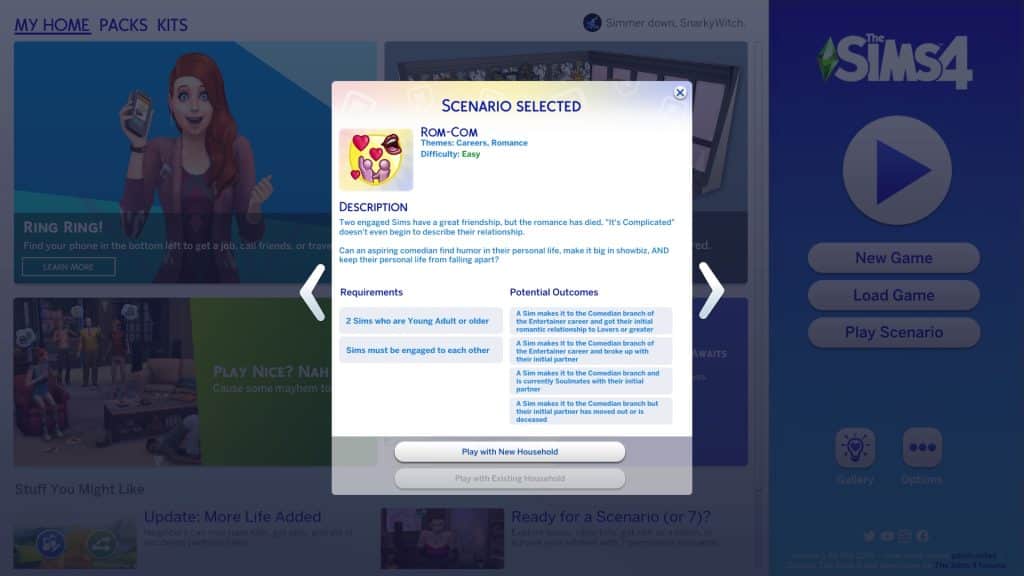
In case you missed it, The Sims 4 added a bunch of new scenarios to the game a little while ago. So many, in fact, that we’re still in the process of playing through them all! Today’s scenario, “Rom-Com,” is about a pair of engaged Sims with great friendship but no romantic chemistry and a career driving a wedge between them.

Here’s how our Rom-Com scenario went!

Getting Started

The Sims 4: Rom-Com Scenario Playthrough

You’ll notice the scenarios have gotten a bit of a revamp. Along with lots more new scenarios, there are now difficulty ratings on each scenario to give you an idea of the time and effort it will take players to complete them. The Rom-Com scenario is listed as an Easy scenario.

This is a permanent scenario so there’s no need to rush to start it before a certain date. It will be available in the game forever so start it whenever you like!

The scenario description states that your Sims are engaged but have lost the spark in their relationship and one Sim’s aspirations to become a successful comedian could get in the way of trying to mend their failing relationship. The household requires two Young Adult or older Sims who are engaged to each other.

There are several potential outcomes to this scenario:

  • One Sim gets promoted to the Comedian branch of the Entertainer career and is Lovers with their original partner
  • One Sim gets promoted to the Comedian branch of the Entertainer career and is Soulmates with their original partner
  • One Sim gets promoted to the Comedian branch of the Entertainer career but has broken up with their original partner
  • One Sim gets promoted to the Comedian branch of the Entertainer career but their original partner has moved out or died

When you start the scenario, both Sims will have part-time jobs, level 2 in Cooking, Comedy, and Charisma skills, and a Deeply Wounded sentiment towards each other.

The Sims 4: Rom-Com Scenario Playthrough

We randomised a couple Sims in CAS and spent a short time slapping some styled looks on them before hopping into the game and getting them settled into an apartment in Evergreen Harbour.

A House of Sorrows

The Sims 4: Rom-Com Scenario Playthrough

We thought the outcome in which the other partner moves out sounded the most interesting so we intended to play out a story where one Sim is ready for marriage and children and just wants to settle down with “The One” immediately but the other Sim still has their own ambitions to chase and doesn’t want to add marriage and kids to the situation until they’ve established those other goals. Eventually, the Sim who wants a family realises they won’t get that with their partner and walks away. We gave one Sim, Larissa, the Joke Star aspiration and her fiancé, Jaiden, the Soulmate aspiration.

The Sims 4: Rom-Com Scenario Playthrough

Larissa started out as a barista and Jaiden was a babysitter. Since Larissa is the one with the Joke Star aspiration, we had her quit her job and join the Entertainer career. We immediately added the Convivial lot trait to their apartment to help her build the Comedy skill faster and carved out an office space for her to write jokes. We also wanted her to work on her aspiration so she could buy career reward traits so he also went around the neighbourhood giving funny introductions to Sims.

The Sims 4: Rom-Com Scenario Playthrough

Her “funny” introductions just came off as cringy and pathetic, however. She was sad from being around her fiancé. In fact, every time Larissa and Jaiden were in the same room with each other, they’d both become sad from their sentiments; they both know the love in their relationship is dying and miss those warm fuzzy butterflies they used to feel for each other.

Avoiding the Problem

For most people, this should be a sign that they need to unpack what’s going on in their relationship and address the issues before they escalate further but Larissa doesn’t want to deal with those heavy emotions; they would interfere with her new career ambitions and she can’t afford to mess this chance up after leaving her other job and taking a risk on show business. She spends as much time as possible out of the house and away from her fiancé, giving small performances at the lounge and supplementing her comedy skits with some music.

It may not be good for her dying relationship but it’s great for her career. She builds the Comedy skill quickly and gains promotions quickly, too. She comes home with a shiny new promotion almost every shift! She wants Jaiden to be proud of her; after all, the sooner she achieves success, the sooner she’ll actually feel ready to marry him and start a family but Jaiden’s just annoyed by how much time she’s spending on work. Financial success isn’t as important to him as just enjoying life with the ones you love and he doesn’t understand why Larissa feels like she has to be wealthy and successful before she can start a life with him. Can’t she do both at the same time?

The Sims 4: Rom-Com Scenario Playthrough

The more successes Larissa has in her career, the worse things get at home until they’re sleeping in two separate beds pushed up against each other and barely speaking to each other at all. They’ve become roommates who barely know each other rather than soulmates preparing to spend the rest of their lives together. The more they try to talk to each other, the worse it gets. They’re absolutely miserable every time they’re near each other for even just a few minutes.

He’s Got My Past… But I’ve Got Me

The Sims 4: Rom-Com Scenario Playthrough

While Larissa’s relationship crumbles to pieces around her, her career skyrockets. It’s a bittersweet feeling, getting everything you ever wanted except someone to celebrate it all with you.

The Sims 4: Rom-Com Scenario Playthrough

The day she gets promoted to the Comedian branch of the Entertainer career, she comes home to Jaiden packing his things. He tells her he can’t do this anymore. He’s waited for her to catch up to the page he’s on for too long and it’s time for him to go find someone who wants what he wants out of life. Larissa tries to tell him that she’s finally a successful comedian now, just like she always wanted! They can get married and raise that family now but it’s too little too late. If Larissa’s honest with herself, she could put up more of a fight… but she doesn’t really want to. She knows they aren’t right for each other, too.

The Sims 4: Rom-Com Scenario Playthrough

And so Jaiden moves out that night. It should have been a heartbreaking end to an otherwise amazing day but once she’s finally by herself, a sense of peace washes over her. It’s the freest she’s felt in a long time.

There was happiness with Jaiden once. And there will be happiness after him, too.

The Sims 4: Rom-Com Scenario Playthrough
Our Thoughts

So where did this scenario glitch out on us exactly? Well, technically we did complete it by having Larissa become a comedian and having Jaiden move out… except the game did not register the move properly. When Jaiden used the phone to move out on his own, it canceled the scenario on us and we never got our 5,000 satisfaction points despite doing everything required of us.

Maybe we had to do it through the Manage Households screen. Maybe there was some other way to move him out without breaking the scenario. We’re not really sure but even if there is a way to finish the scenario with this outcome, it’s still pretty ridiculous to us that this scenario breaks when you try to get this outcome through normal gameplay. Like… isn’t that the point of scenarios? To explore gameplay?

So no, we can’t recommend this scenario. If a scenario glitches in any way that prevents us from completing all outcomes, it’s an automatic thumbs down from us, no matter how fun the rest of the scenario might have been before it glitched.

And yes, the Taylor Swift references in this article were deliberate.


Credits

The Sims 4 Dream Wedding Lookbook

Custom Content Looks to uplift your Wedding Fashion!

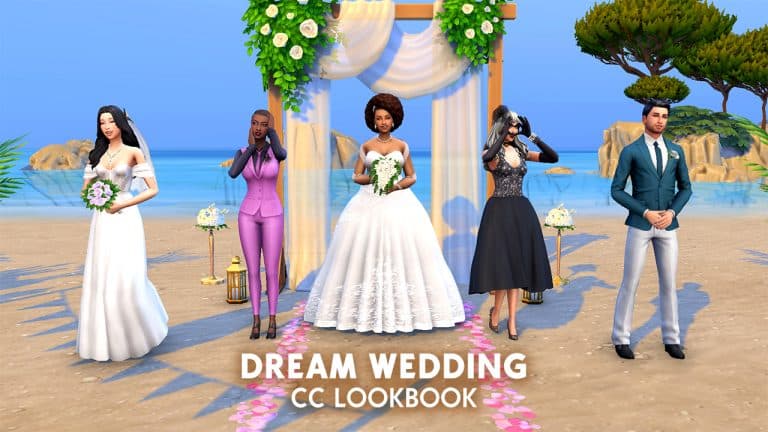
We’re back with another lookbook and this time, the theme is weddings! If you’re planning a wedding for your Sims, this lookbook is perfect for you! We’ve got five dashing and darling styles to serve as inspiration for your Sims’ upcoming nuptials.

This time, we thought we’d do something a little different and showcase some of the amazing wedding CC your fellow players have created in each of our looks! Every look will have a full list of items, both Maxis and CC, complete with links.

Are you ready? It’s time to walk down the aisle!

Ballroom Bliss

The Sims 4 Dream Wedding Lookbook

Cinderella who? Those who dream of walking down the aisle in a fairytale princess ballgown just might want to say yes to this dress! A dreamy chiffon shawl wrapped around the shoulders and a damask patterned crinoline skirt with a lacy train is sure to make any bride into a princess. Don’t forget those twinkling glass slippers, elegant bouquet, and silver and white accessories to finish off this magical look.

Hair: Afro with Jewelled Hairpiece (My Wedding Stories)

Body: Princess Wedding Dress

Shoes: Pointed Toe Heels with Rinestones

Accessories: Earrings and Necklace / Bouquet / Nails (My Wedding Stories) / Wedding Ring (My Wedding Stories)

Makeup: Eyeshadow (My Wedding Stories) / Lips, Contour, Eyeliner & Highlight (Base Game)

Other: Default Skin / Default Eyes / Skin Overlay / Lashes

The Faerie Queen

The Sims 4 Dream Wedding Lookbook

For a whimsical look with a touch of nature’s beauty, this lovely floor-length gown with off-the-shoulder sleeves and a leaf-patterned bodice will turn you into the Queen of the Forest… at least for your special day. Why not add some soft colour to enrich the look with a pastel purple bouquet and a veil adorned with wildflowers?

Hair: Natural Waves with Middle Part

Body: Odette Provence Wedding Dress

Shoes: Lacy Wedges (Cottage Living)

Accessories: Veil / Necklace and Wedding Ring (My Wedding Stories) / Bouquet / Nails (Base Game)

Makeup: Eyeshadow (My Wedding Stories) / Lips, Contour, Eyeliner & Highlight (Base Game)

Other: Default Skin / Default Eyes / Skin Overlay / Lashes

Dark Sugarplum

The Sims 4 Dream Wedding Lookbook

Hey, not everyone’s into the traditional blushing bride in white look and that’s okay! There’s something out there for everyone. For those who gravitate towards the darkness, perhaps this non-traditional black cocktail dress with a black rose hairpiece is more suited to your unique tastes. Pair it with glittering black heels, some long silk gloves, and a choker and you’ll make quite a statement at the altar!

Hair: Provence Hair

Body: Giselle Scandalace Dress

Shoes: Pointed Toe Heels with Rinestones

Accessories: Hairpiece / Bracelet / Choker (Vampires) / Gloves (Base Game)

Makeup: Eyeshadow (Luxury Party Stuff) / Lips (Realm of Magic) / Contour, Eyeliner & Highlight (Base Game)

Other: Default Skin / Default Eyes / Skin Overlay / Lashes

Purple Perfection

The Sims 4 Dream Wedding Lookbook

Maybe dresses just aren’t your style. No problem, we’ve got you covered! For that boss lady who wants to look powerful and in control when strutting her way down the aisle, try this lovely fitted suit vest combo in purple. Show everyone you’re a designer label kind of girl with a pair of snappy Moschino heels, salon-quality French tips, and subtle but never-plain earrings. Add a lilac boutonniere as a finishing touch to polish up the whole look.

Hair: Braided Bun (Dream Home Decorator)

Body: SheiBe Outfit

Shoes: Moschino Heels (Moschino Stuff)

Accessories: Earrings / Boutonniere (My Wedding Stories) / Nails (Base Game)

Makeup: Eyeshadow (My Wedding Stories) / Lips, Contour, Eyeliner, and Highlight (Base Game)

Other: Default Skin / Default Eyes / Skin Overlay / Lashes

Let’s Hear it for the Boys

The Sims 4 Dream Wedding Lookbook

Who says the ladies get to have all the attention at a wedding? This one’s for the boys! Maybe you partied a little too hard at your bachelor party last night but that’s okay because nothing’s going to stop you from marrying the person you love today! It’s okay, your suit jacket’s only a tad wrinkled in all the right places to look attractive and who doesn’t love a casually undone bottom jacket button? Don’t forget your white rose boutonniere to pull the whole look together.

Hair: Sideswept with Single Curl (Vintage Glamour Stuff)

Top: Slim Fit Suit Jacket

Shoes: Dress Shoes with Buckle (Vintage Glamour Stuff)

Accessories: Wedding Ring and Boutonniere (My Wedding Stories) / Nails (Base Game)

Other: Default Skin / Default Eyes / Lashes / Facial Hair (Base Game)


Credits

  • Thank you to all the amazing CC creators for their hard work!
    • candysims4
    • Zeussim
    • MiikoCC
    • simcelebrity00
    • MelonSloth
    • joliebean
    • MysteriousOo
    • Colores Urbanos
    • darte77
    • cottoncandychu
    • PYXIS
    • kellyhb5
    • kijiko
    • AHarris000Britney
  • Reshade by sunflowersyrup
  • All poses available on my Patreon

Modder Makes Viewing The Sims 4 Neighbourhood Stories Easier!

Better Neighbourhood Story notifications!

Neighbourhood Stories was a widely well-received addition to The Sims 4 a few game updates ago. Players were quick to praise the inclusion of highly requested story progression features but also quick to point out where the new feature could be polished and improved.

Of course, modders like TwistedMexi were already on the case! One annoyance about Neighbourhood Stories is that checking the Neighbourhood Stories is tedious. You have to click on a mailbox to receive a notification about something that’s happened recently in your worlds but if you have multiple events to check, you have to click the mailbox again and again until there are no more stories left. I for one did not enjoy clicking the mailbox 20+ times every time I wanted to catch up on the latest town happenings.

TwistedMexi has released a mod that cleans up this clunky process. Now when you click on the mailbox to check the Neighbourhood Stories, all stories pop up at once in their own stories notification panel so they don’t clutter up your normal notifications. Just be sure you’re really finished reading through all the stories before you close the panel; the Neighbourhood Stories won’t be saved for you to go back and read again later.

You can see the mod in action in TwistedMexi’s walkthrough video below:


The mod is in early access but will be public on April 12th, 2022! You can get it from TwistedMexi’s Patreon by clicking the download button below.

[mks_button size=”medium” title=”Download Here” style=”rounded” url=”https://twistedmexi.com/” target=”_blank” bg_color=”#4aa500″ txt_color=”#FFFFFF” icon=”fa-arrow-down” icon_type=”fa” nofollow=”0″]

Let’s Decorate a Candy Bar with The Sims 4 Sweet Treats CC Pack!

Sippin’ gin and juice at the candy bar…

Not gonna lie, I’m still obsessed with the Sims 4 Sweet Treats CC pack by LittleDica (with contributions from many other talented Simmers). Sims Community did a detailed overview of the CC pack where we showed off detailed close-ups of every item in the pack in all swatches, plus catalogue thumbnails but that just wasn’t enough for me.

I had to build something with this pack. It’s fun, it’s nostalgic, and yes, very tacky but in the absolute best way. In other words, I’m in love. This CC pack comes with some really great shell builds for us to decorate how we want and I couldn’t wait to start decorating with this pack. I picked the Minty Fresh Manor to redecorate and turned it into a candy bar filled with fun for the whole family! It turned out hideously fabulous if I do say so myself. Let’s check it out, shall we?

Let’s Decorate a Candy Bar with The Sims 4 Sweet Treats CC Pack!
Of course, I didn’t touch the amazing exterior much at all. I just replaced some windows with arches to access the patios and filled out the fenced in area with swing sets and cotton candy décor.

Let’s Decorate a Candy Bar with The Sims 4 Sweet Treats CC Pack!
The inside was completely empty except for a few walls breaking up the space so I completely gutted it and opened it up more. Since the theme of this build is peppermints, I stuck with the red and white theme on the inside using bright and colourful mint-themed furnishings, red and white ice cream cone sculptures, red and white tile flooring and of course, lounge seating around the juke box that looks good enough to eat.


The focal point of the space is of course, the bar, with lots of delicious candy on display for guests to enjoy. No really, the candy jars are all functional! Sims can grab and eat candy from them! Sims can sit at the bar and enjoy sweet treats, good drinks, and watch whatever they fancy on the huge neon cotton candy cloud TV behind the bar.


Or if TV’s not your thing, pull up a chair at one of the peppermint tables and enjoy some live entertainment played on a (maybe) edible guitar and microphone.


The kids will have a blast climbing the ladder to the second floor where all the arcade and console games are. Tipsy adults trying to get up to the second floor to use the bathroom? Not so much but don’t worry loved ones; it’s all part of the journey. No, I will not stop making Katy Perry references, by the way.

Let’s Decorate a Candy Bar with The Sims 4 Sweet Treats CC Pack!

I hope you had as much fun touring The Candy Bar as I had decorating it! Thank you again to all the amazing Simmers who came together to recreate my personal favourite stuff pack from The Sims 3!

Click the download buttons below to get my furnished version of Minty Fresh Manor (renamed The Candy Bar) and to download The Sims 4 Sweet Treats CC pack, which goes public on April 24th!

[mks_button size=”medium” title=”The Candy Bar” style=”rounded” url=”https://www.ea.com/games/the-sims/the-sims-4/pc/gallery/877AF796B5D311EC861C98FA96677A6B” target=”_blank” bg_color=”#4aa500″ txt_color=”#FFFFFF” icon=”fa-arrow-down” icon_type=”fa” nofollow=”0″]

[mks_button size=”medium” title=”The Sims 4 Sweet Treats” style=”rounded” url=”https://www.patreon.com/posts/sims-4-sweet-cc-64624196?fbclid=IwAR3F6XHEr8BmsnlIXtN6Y_JeDR-1M4Dm9BYSj8eLoNKh7p-MvLyyDvMc3TM” target=”_blank” bg_color=”#4aa500″ txt_color=”#FFFFFF” icon=”fa-arrow-down” icon_type=”fa” nofollow=”0″]

Functional Garage Doors Mod for The Sims 4

Walkthrough of the Landgraab Self Storage Garage Doors Mod!

Ravasheen has done it again and created something to make our Simming lives easier. Have you ever wished the debug base game garage door or the City Living decorative garage door was actually a functional door? Have you ever wanted to use them for storage? Well you’re in luck because Ravasheen has done both!

Introducing the Landgraab Self Storage Garage Doors! Ravasheen’s taken the garage door from the base game and City Living and turned them into functional objects, complete with their own custom animation and sound effects! They can also store items for you.

Getting Started

Of course, you will have to install them, first. You can get them from Ravasheen’s website. The current version is in early access for patrons only but will be released to the public on April 9th, 2022. If you need help with installing mods, check out our article Getting Started With Mods and CC.

Once it’s installed correctly, all you have to do is load up the game and go into Build/Buy. The garage doors will be located under the Doors category. You can also search “rvsn” in the search bar to bring up all of Ravasheen’s content you have installed in your game.

Please note that only the 7 solid colour swatches are base game compatible. The other swatches require City Living. If you don’t own City Living, you will only see the solid-colour version of the doors.

Catalogue and Swatch Overview

The doors show up in the catalogue as two separate entries; one is base game compatible. The other requires City Living. You can safely install the mod if you only own the base game. You just won’t see the City Living version in your catalogue.

Here are both door varieties in all swatches. There are 7 base game swatches in solid colours and 20 City Living swatches with various designs.

Functional Garage Doors Mod for The Sims 4
Base Game swatches

How to use the Garage Doors

Functional Garage Doors Mod for The Sims 4
Like all of Ravasheen’s creations, the garage doors are very easy to use. Simply place a garage door along a wall the same way you would with any other door in the game and have a Sim walk through it! The door will automatically open with its own sound effect when Sims walk through it and close a few seconds after a Sim has passed through it. The doors can also be locked just like all the other doors in the game and you can set them as the front door if you like.

But the garage doors are more than just doors. They are also storage units! What is the point of storage doors that can’t store anything, right? Using the doors for storage is as easy as using any other storage chest in the game. Just click on the door to open up its inventory and drag anything you like from your own inventory into the door’s inventory. It’s a very convenient way to use the doors as a storage unit without actually taking up any space. Oh, and the best part? The doors do not have a shared inventory so you can organise your stuff by storing them in separate doors.

Functional Garage Doors Mod for The Sims 4
And in spite of the funny catalogue description, you can in fact live in a storage unit with these doors. Just build a storage container with everything your Sim needs to survive and use the garage door as the front door! You can’t stop us from living our lives, Landgraab Corporation!

Our Thoughts

I really love these garage doors. I’m always painstakingly scrolling through the debug menu to find those base game garage doors to create realistic garages for my builds just for the sake of decoration. I love that these doors have been made functional because it opens up more uses for them. I’m also a fan of more storage because I have a habit of keeping every single little thing my Sim accumulates in their inventory but I hate having it all lying around or cluttering up my inventory.

We definitely recommend these!

The Sims 4 Scenario Playthrough: No Skills, No Problem

Kidnap Mr. Sandy Claws? I wanna do it!

In case you missed it, The Sims 4 added a bunch of new scenarios to the game a little while ago. So many, in fact, that we’re still in the process of playing through them all! Today’s scenario, “No Skills, No Problem,” is about a Sim who can’t seem to build very much skill in anything, making it difficult to earn a living.

Here’s how our No Skills, No Problem scenario went!

Getting Started

The Sims 4 Scenario Playthrough: No Skills, No Problem
You’ll notice the scenarios have gotten a bit of a revamp. Along with lots more new scenarios, there are now difficulty ratings on each scenario to give you an idea of the time and effort it will take players to complete them. The No Skills, No Problem scenario is listed as an Intermediate scenario.

This is a permanent scenario so there’s no need to rush to start it before a certain date. It will be available in the game forever so start it whenever you like!

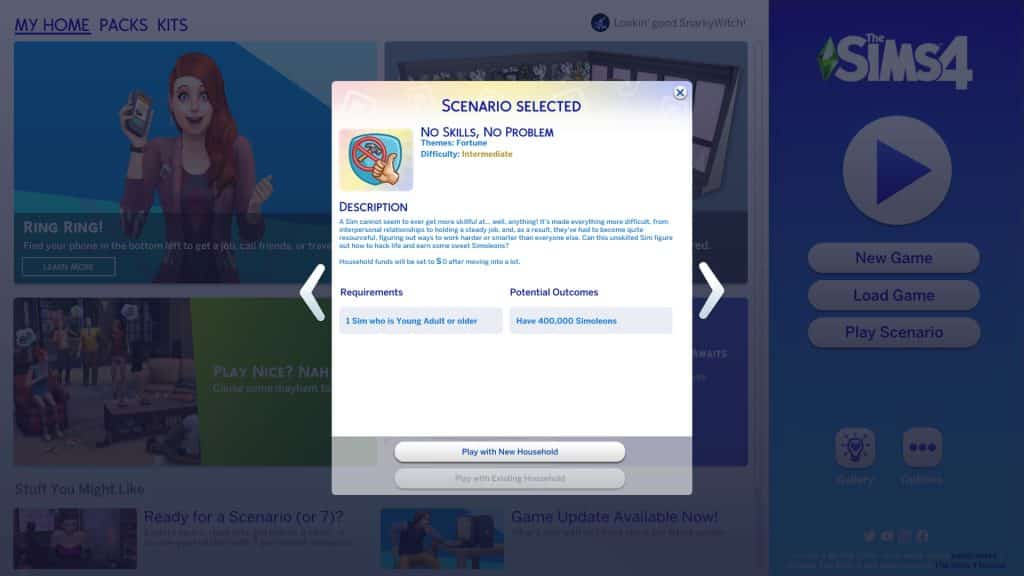
The scenario description states that your Sim wants to earn a lot of money but there’s one problem; they don’t have any skills and have a lot of trouble building any skills. They will need to find a way to earn $400,000 in spite of their unfortunate lack of skills. The household requirements are simple; you just need one Young Adult or older Sim. When you start the scenario, your Sim’s household funds will be reduced to $0 so choose your starter home wisely.

The Easy Way Out

In previous money making scenarios, we showed you how to get rich fairly easily without much work involved. Mimi Landgraab from our Super Rich Supervillain scenario amassed a large fortune rather quickly after getting her hands on a money tree seed. Today, we’re going to show you an even faster way to complete these kinds of scenarios without resorting to money cheats.

The Sims 4 Scenario Playthrough: No Skills, No Problem
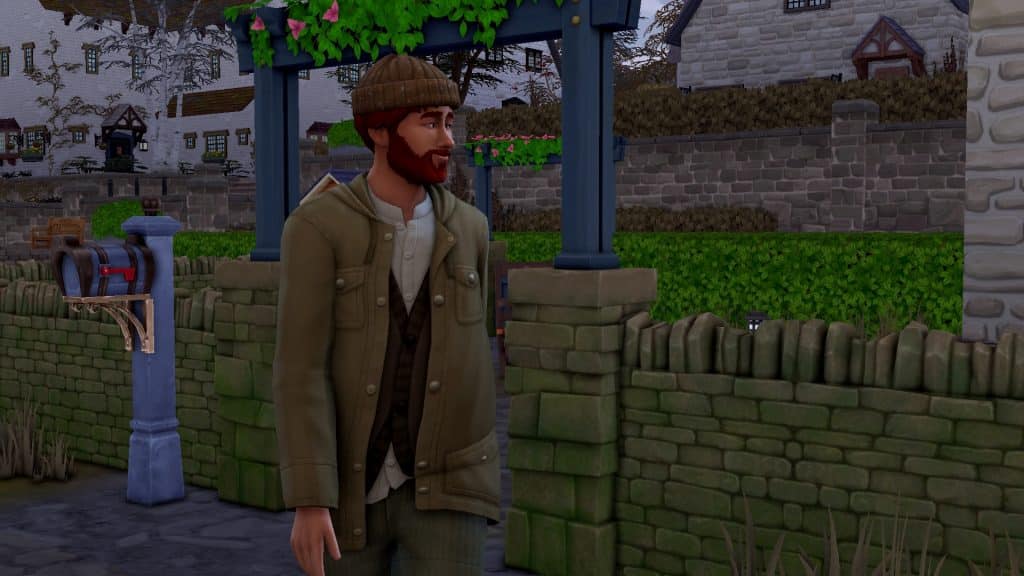
Meet Clyde. Clyde wants to be rich but Clyde isn’t particularly good at anything. He’s also lazy and the idea of completing an aspiration in order to earn the satisfaction points for a money tree seed is just far too much effort for him. He has a plan to amass a large fortune in just a few days.

How, you might ask? Well, it involves kidnapping Father Winter. No, we’re not kidding.

Laying the Trap

We started in Winter with 7 day seasons so we only had a few days to wait for Father Winter to show up. You might think Clyde would busy himself raising some chickens and planting some crops since we moved him into Henford-on-Bagley but no. Clyde plans to do absolutely nothing for three days. Why should he do anything? He’s going to be rich in a few days so why not kick back and relax?

In fact, we issued no commands to Clyde during this three day period and just watched what he did. He mostly sat around watching TV and eating sandwiches until we sold the TV unit to buy a fireplace for Father Winter to use. Then he switched to reading half a book, setting it down somewhere random, grabbing another book and doing the same thing before he cried himself to sleep every night from loneliness.

Yeah. That’s a mood, Clyde. We feel that, buddy.

Operation Kidnap Father Winter

We should note that even though we purchased a fireplace for Father Winter, you don’t absolutely need a fireplace in your home for Father Winter to pay a visit on Winterfest evening. He will spawn somewhere in the neighbourhood and just walk over but a fireplace is still handy. Instead of trying to locate where he is in the neighbourhood, he will spawn inside your home next to the fireplace so it’s easier and faster to find him.

The Sims 4 Scenario Playthrough: No Skills, No Problem
Wake up, Clyde! It’s Winterfest morning! Get out of bed and start preparing! Not for Winterfest; Clyde’s too poor to have a tree and he has no friends to exchange presents with but that won’t matter tonight when Father Winter shows up! Clyde will have enough money to buy as many gifts for himself as he wants. Who needs friends when you have a big stack of simoleons, right?

You might be wondering… why are we kidnapping Father Winter? Isn’t the goal of the scenario to make $400,000? Couldn’t we achieve that by marrying rich Sims and then kicking them out? Well, yes, but that would take a lot of time because even the wealthiest Sims in the game only have about $50,000 in household funds and around $100,000 if you sell their house and all their belongings, too. Clyde would need to romance, marry, and then divorce multiple Sims. He’s too lazy for that.

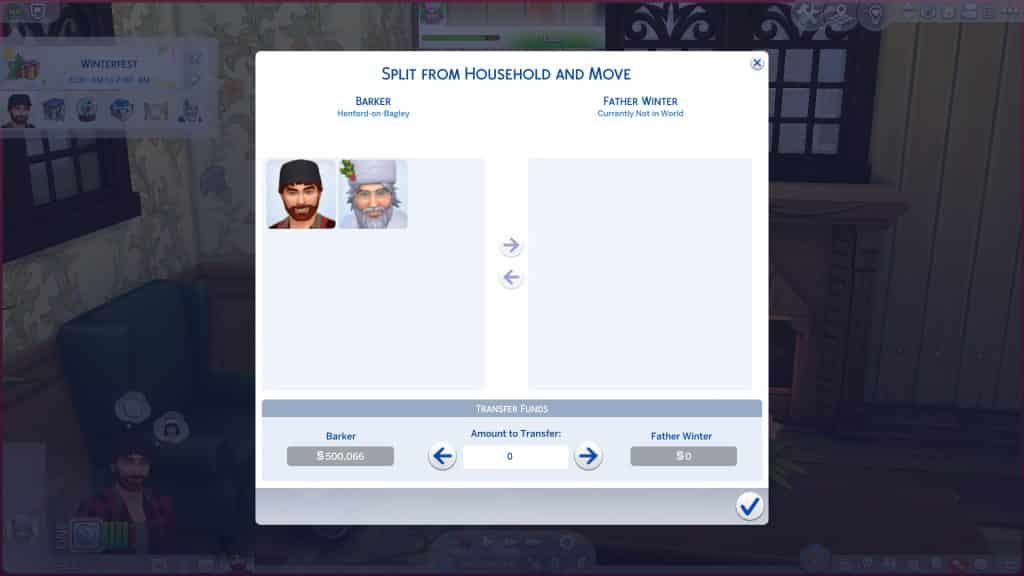
But Father Winter? Well, a lot of players might not be aware of this but Father Winter has $500,000 in household funds. He is easily the wealthiest NPC in the game and he is the only Sim in his household so everything he owns, including all his money, comes with him when you move him in with you. This makes him a prime target for Sims like Clyde, who like money but don’t like hard work.

The Sims 4 Scenario Playthrough: No Skills, No Problem
When 8pm comes around on Winterfest, Father Winter appears next to the fireplace right on schedule! Now’s our chance! We have to act fast because Father Winter typically leaves at around midnight. We don’t have a lot of time to spend chatting him up so we’re going to take another shortcut. After Clyde introduces himself, he whips out his cell phone and starts snapping pics of Jolly Ol’ Saint Nick, who provided us with some highly amusing poses, we must admit.

After 2 or 3 snapshots, Father Winter was magically good friends with Clyde! Yeah this makes absolutely no sense but we love taking advantage of this weird loophole. All that was left was to ask him to join the household. Okay, okay, we said we were going to kidnap Father Winter, not politely ask him to move in with us but we really don’t want to be on the naughty list next year, mkay?

The Sims 4 Scenario Playthrough: No Skills, No Problem
Anyway, Father Winter happily agreed and lo and behold, the jolly old guy had a whopping $500,000 in household funds that were now our household funds. The game did warn us that moving Father Winter in might cancel the scenario but luckily for us, it did not! Clyde completed the scenario in 4 days without having to learn a single skill… except how to add a cute filter to a cell phone pic, we guess.

The Sims 4 Scenario Playthrough: No Skills, No Problem
Our Thoughts

We enjoyed this scenario. It was hilarious trying to complete it in the fastest, laziest way possible but if you were interested in putting in some hard work, there are a few ways to make money that don’t necessarily require skill. We’d suggest raising animals. You can breed and sell cats or dogs for profit. You can also raise cows, chickens, and llamas and sell their byproducts. You don’t need high skills to take good care of your animals and start getting high quality byproducts from them to sell.

Still, we had fun taking the easy way out and exploring some of the more ridiculous ways to complete this scenario.


Credits

Let’s Renovate a Wedding Chapel in The Sims 4!

Giving both the interior and exterior of this chapel the look it deserves!

Now that we’re finally satisfied that My Wedding Stories has been fixed, we’ve been busy exploring the pack for the second time but really, it feels like the first time. Considering we couldn’t really experience much of it when the game pack first launched.

I’ve wanted to renovate my Ever After Chapel for the longest time. I originally built this lot on console with limited packs way back before we had things like platforms and I just knew this place deserved to be revisited with all of the new content we have now. I’m so happy I can finally renovate this place using My Wedding Stories and have players actually be able to enjoy it with functional gameplay.

Before we get into what’s changed, let’s take a quick look at what the Ever After Chapel looked like before.

It looks… cute, I guess but it could really use some updating with newer content, don’t you think? Let’s fancy the place up a little!

Let’s Renovate a Wedding Chapel in The Sims 4!
I wanted to focus mostly on the interior but that doesn’t mean the exterior can’t use a few tweaks. I replaced the wood siding with white brick and replaced the fountain in the back with the one from My Wedding Stories. I also replaced some of the chairs and lights with My Wedding Stories chairs and lights. To give the back area a bit of whimsy, I put a sheer tent with faerie lights over each table. Some other changes include a new “bell” in the bell tower, new doors and windows, and some new fencing around the side where guests go downstairs to the reception hall.

Let’s Renovate a Wedding Chapel in The Sims 4!
Inside is where I made some major changes. Almost everything’s been swapped out for My Wedding Stories content; the arch, the chapel pews, the flowers, the curtains, lights, you name it. I updated the walls with both base game and Paranormal Stuff wall coverings. The floors were given an update, too. I also raised the arch area on a platform. After all, the couple getting married should be the stars of the show!

Downstairs, the reception area also saw some significant changes. There is still a kitchen for those who prefer to hire a caterer but there is also a buffet table and drink fountain if you’ve lost all faith in caterers to be useful in any way, shape, or form. I hear you. The stage and head table have both been raised onto platforms for that grand look and the piano’s been replaced with the gorgeous My Wedding Stories piano. In front of the stage, there is now a proper dance floor! And a nicer stereo in case you’re not into the idea of a live band.

All the tables and chairs have been swapped out as well as the centrepieces. The bar’s also been replaced and the bar back replaced with a more elegant one. There is champagne on ice both at the bar and the head table for toasts. All around the reception hall, existing curtains have been replaced with more elegant gold and white ones. Banners also frame both the head table and stage.

I had an amazing time updating one of my favourite wedding lots for you guys and I hope you love the new look as much as I do. You can search for Ever After Chapel in the Gallery under my ID SnarkyWitch, or just click the download button below to add it to your library right now. It has no CC and of course, it is a proper Wedding Venue lot type now.

The Lottie Bedroom CC Set for The Sims 4

14 sophisticated and cozy furniture pieces to transform your Bedroom!

Today we’re shining a spotlight on a sophisticated yet cozy CC set by myshunosun: The Lottie Bedroom Set!

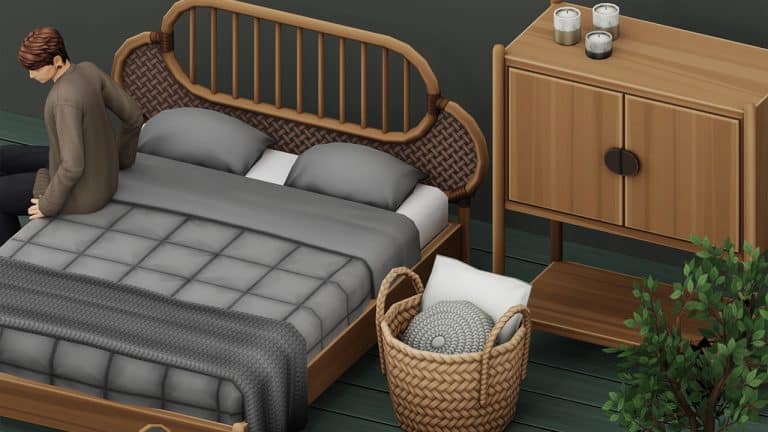
This warm set in neutral tones and plenty of wood swatches will help you design a bedroom that’s both chic and comfy. It’s base game compatible, Maxis Match, and comes with a total of 14 separate pieces.

The Lottie Bedroom CC Set for The Sims 4

myshunosun gives a full list of what the pack includes below, including the number of swatches and their simoleon value.

from myshunosun:

  • Bedframe, 11 swatches, 1000§
  • Mattress, 22 swatches, 600§
  • Basket (décor), 12 swatches, 150§
  • Blanket (décor), 16 swatches, 150§
  • Candle, functional (style A), 8 swatches, 80§
  • Candle, functional (style B), 8 swatches, 80§
  • Desk mirror, 11 swatches, 120§
  • Desk, 11 swatches, 350§
  • Desk stool, 22 swatches, 150§
  • Books (décor), 6 swatches, 100§
  • Dresser, 11 swatches, 500§
  • Potted tree (décor), 10 swatches, 200§
  • Faux fur rug (décor), 10 swatches, 300§
  • Shelf, 11 swatches, 350§

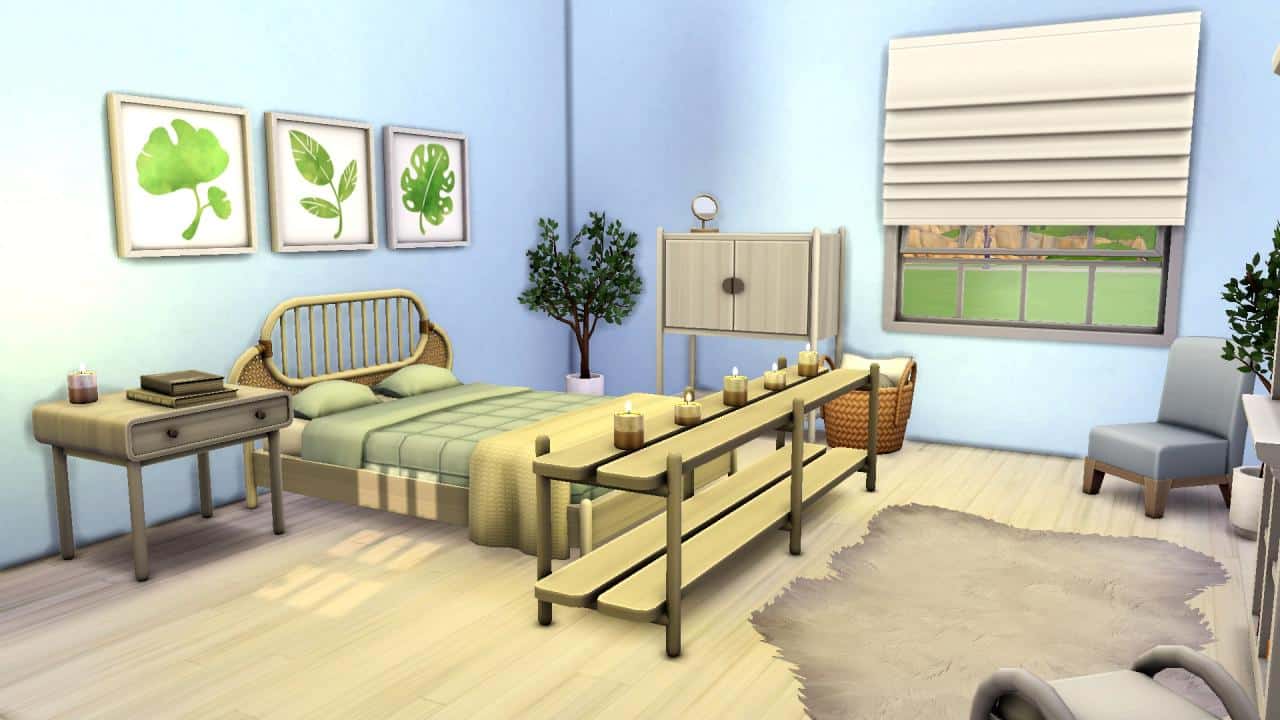
We checked out these items in the game ourselves and loved the quality of these items. The wood textures are excellent and the separated mattress and throw blanket allows you to mix and match different colour combinations. We put together a little example room showing off all the new items below.


This bedroom set is available to everyone for free right now! Click the download link below to go to myshunosun’s tumblr and grab the collection for yourself!