Home Blog Page 413

5 Features we’re hoping to see in The Sims 4 City Life

After the recent leak there’s no doubt that The Sims 4 City Life is happening, but the thing is, we have no idea what this Expansion Pack could bring beyond the City Life name that we got. Until The Sims Team officially announces The Sims 4 City Life and its features, here are 5 features that we’d like to see in this pack:

1. Apartments

Nope, we’re not talking about penthouse apartments from The Sims 3 Late Night, but rather the fully featured apartments that came with The Sims 2 Apartment Life. They were a perfect addition to The Sims 2 mostly because, just like The Sims 4, you had to go through a loading screen in order to load up a lot. What was great with The Sims 2 Apartment Life is that you could visit / move in up to 4 Households in one lot, giving the lot a feeling of one big happy family!
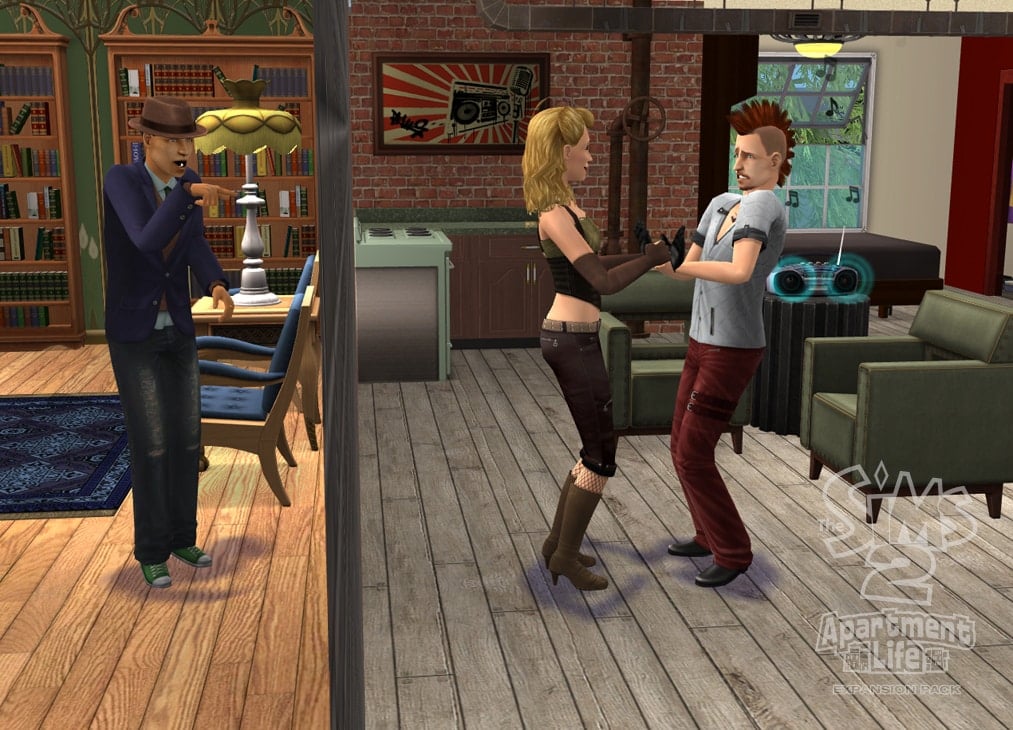
sims2alpcscrngearwm

2. An Active Downtown World

The Sims 3 Late Night brought a beautiful world called Bridgeport. The only problem? It was almost empty, with a small amount of Sims that could only be found in Lounges or Clubs. It’s a really big world, and yet most of the time there are no Sims in sight while you roam around town.

The Sims 4 has the huge potential of bringing a new active Downtown world with lively areas/neighborhoods. Sure, you might experience a loading screen or two, but like the current Neighborhoods and Lots in TS4, the Downtown world could be just as active!

Bridgeport_and_fountain
So much space and no Sims in sight! Via sims.wikia.com

3. Fame & Fortune Lifestyle

No pack has brought the Fame & Fortune gameplay aspect better than The Sims 1 Superstar! This Expansion Pack came with a Studio Town, fame score rating system, 2 celebrity awards, usable objects for singing and acting, and even some real-life celebrity names like Christina Aguilera, Avril Lavigne, Marilyn Monroe and more!

With smooth animations and vibrant gameplay, these features would be just perfect for The Sims 4!

Recording_Studio

4. Reputation System

It’s important what the city thinks of your Sim. Originally introduced in The Sims 2 Apartment Life, the reputation system allowed your Sim to have an easy or hard life, depending on how they treat other Sims while being on community lots. Sims who are publicly nice to other Sims will get benefits such as a job promotion, cheaper objects, and so on, while on the flip side, all of that can work against them, and turn into a negative, if they’re being rude towards other Sims!

Other Sims forming actual opinions about your Sim that will effect your gameplay is just what The Sims 4 City Life could offer to the current emotion features to bring it to the next level!

Secret_Networking_Sims
via sims.wikia.com

5. Vampires

The Sims 4 City Life has an opportunity to continue the tradition of bringing vampires with city-themed Expansion Packs like The Sims 2 Nightlife, and The Sims 3 Late Night. Both packs brought something new to the table: Nightlife focused on traditional vampires that possess typical vampire abilities, such as turning in to bats, while Late Night focused more on the new-age vampires that you’ve seen/read in recent pop culture, such as Interview with the Vampire or the Twilight Book Series.

We only have 2 occult types currently in The Sims 4; Ghosts and Aliens, which were added, and expanded upon, in The Sims 4 Get to Work Expansion. The Sims 4 City Life has the real potential of bringing Vampires into the mix!

ts3_latenight__pcexpansion_vampiretransformation

[mks_separator style=”solid” height=”2″]

What features do you want to see in The Sims 4 City Life? Come share your ideas in our thread!
The Sims 4: City Life is Expansion Pack 3 Theme!

45

UPDATE #2: Things have gotten pretty legal over this leak. Apparently, Sony DADC/Warner (EA distributors in Brazil) have requested the brazilian rating board to hide the Expansion Pack 3 listing from their website. The document down below is the proof:

Capture

According to the document above, EA has 30 days (until September 17th) to decide a new date to publish this listing or else the brazilian rating board has all the rights to publish it without their permission.

Also, it was found out that the rating was sent for approval on August 10th:

Capture

TIP: O Sim BR

UPDATE: The listing has been removed from the site mentioned below.

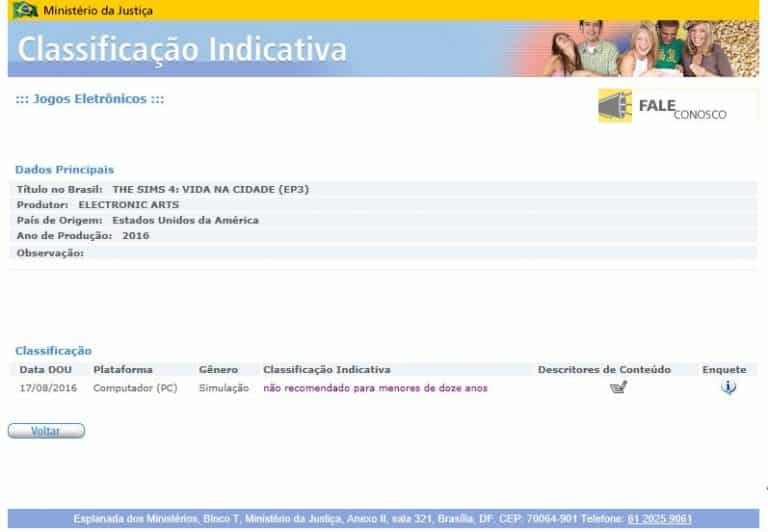
O Sim BR found the listing of The Sims 4 ”Vida na Cidade” which roughly translates to ”City Life”. The site which leaked this information is the official website for video game rating in Brazil. We checked if this listing is real and it sure is still there!

The site also states that City Life was produced in 2016!

Capture

If you remember, back in August 2015 we had a survey which listed several Expansion Pack ideas. One of them was Metropolis that had the following description:

Metropolis:

Move into a bustling, modern city! Live in new apartments and penthouses eat food at carts and shop at street markets and immerse your sims in the different cultures of the city by exploring the many diverse neighbourhoods.

It could be very possible that The Sims 4 Backyard Stuff was hinting at the upcoming Expansion Pack with the following CAS assets:

The Sims 4: How to get Grim’s Ghoulish Guitar for FREE

13

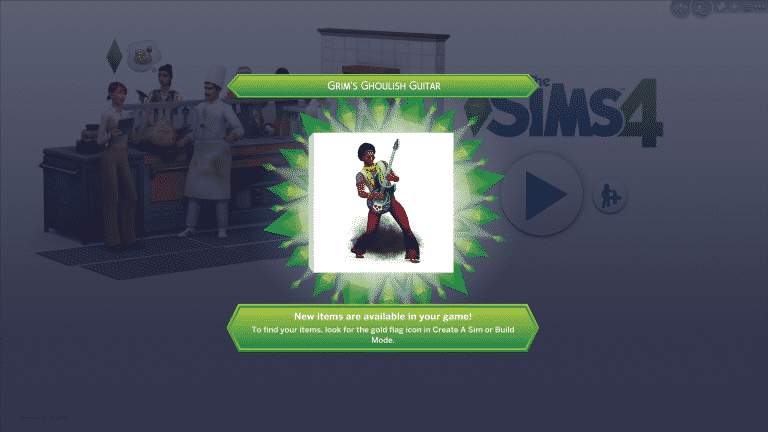
The Sims Team is currently having a really cool promotion where you can get a free object (Grim’s Ghoulish Guitar) by simply registering to their e-mail newsletter.

To get this free object, follow these steps:

  • Visit the Newsletter page and sign up to your EA account. Make sure you tick the ”Yes, I want to receive emails…” box!

Note: if you’ve already signed up for the Newsletter before it doesn’t matter. Just do as prompted!

Capture

  • You’re ready to rock!

Note: if you keep getting an error message, try clearing your cache or using a different browser!

Capture

  • Your Grim’s Ghoulish Guitar is now waiting for you in your The Sims 4 game!

TS4_x64 2016-08-17 19-06-08-21

The Sims Blog: Want to Rock Out with Grim’s Ghoulish Guitar?

0

Via TheSims.com

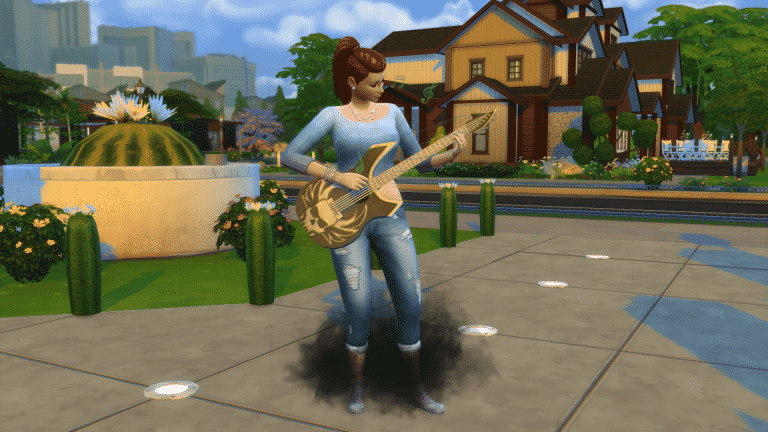
Is your Sim musically inclined? Can they rock out? Have they been known to shred on occasion? If so, they’ll definitely want to add this axe to their collection. It’s Grim’s Ghoulish Guitar*, and it’s exclusively available to those who sign up for The Sims 4 newsletter. The guitar’s eyes glow, and a cloud of black smoke will appear under your Sim – just like Grim. It’s rockin’!

TS4_GrimGuitar

All you need to do is sign up for emails about The Sims (as well as other EA products, news, events, and promotions) and get Grim’s Ghoulish Guitar. This exclusive in-game The Sims 4 item will help take your Sim’s guitar skills to a rockin’ new level. That’s it! Just sign up here, and this wicked guitar will be added to your game.

Origin Sale: Save up to 75% on select games (The Sims 4 included)

0

Origin is having a sale where you can save up to 75% on certain video games!

In this offer are also included The Sims 4 Base Game which is 60% off, The Sims 4 Expansion Packs which are 50% off and The Sims 4 Game Packs which are 25% off.

The offer ends on 30th of August, meaning that you have plenty of time to get a game you’ve been wanting for so long!

Click below to check out this offer!

Capture

The Sims 4: Grim’s Ghoulish Guitar Found in Game Files

0

Just when things couldn’t get more interesting, more stuff have been found in The Sims 4 updated Game Files!

Igor_Ere found this guitar just ‘sitting’ withing The Sims 4 1.22 update files. The first thing he discovered was this render:

GRIMGUITAR

But that’s not all, he was also able to uncover and unpack the Guitar itself into a special .package, letting you play it for yourself! (You can download it HERE)

08-17-16_1-46-45 PM

Here’s the description of this object that we found:

Grim’s Ghoulish Guitar

Record keeping is never easy, but we, at the Filers for the Dead Files, are happy to know a simple guitar was more than enough for you to sign away your first born. We, and Grim, appreciate your potential deposit, and wish you pleasant days… until we see you again.

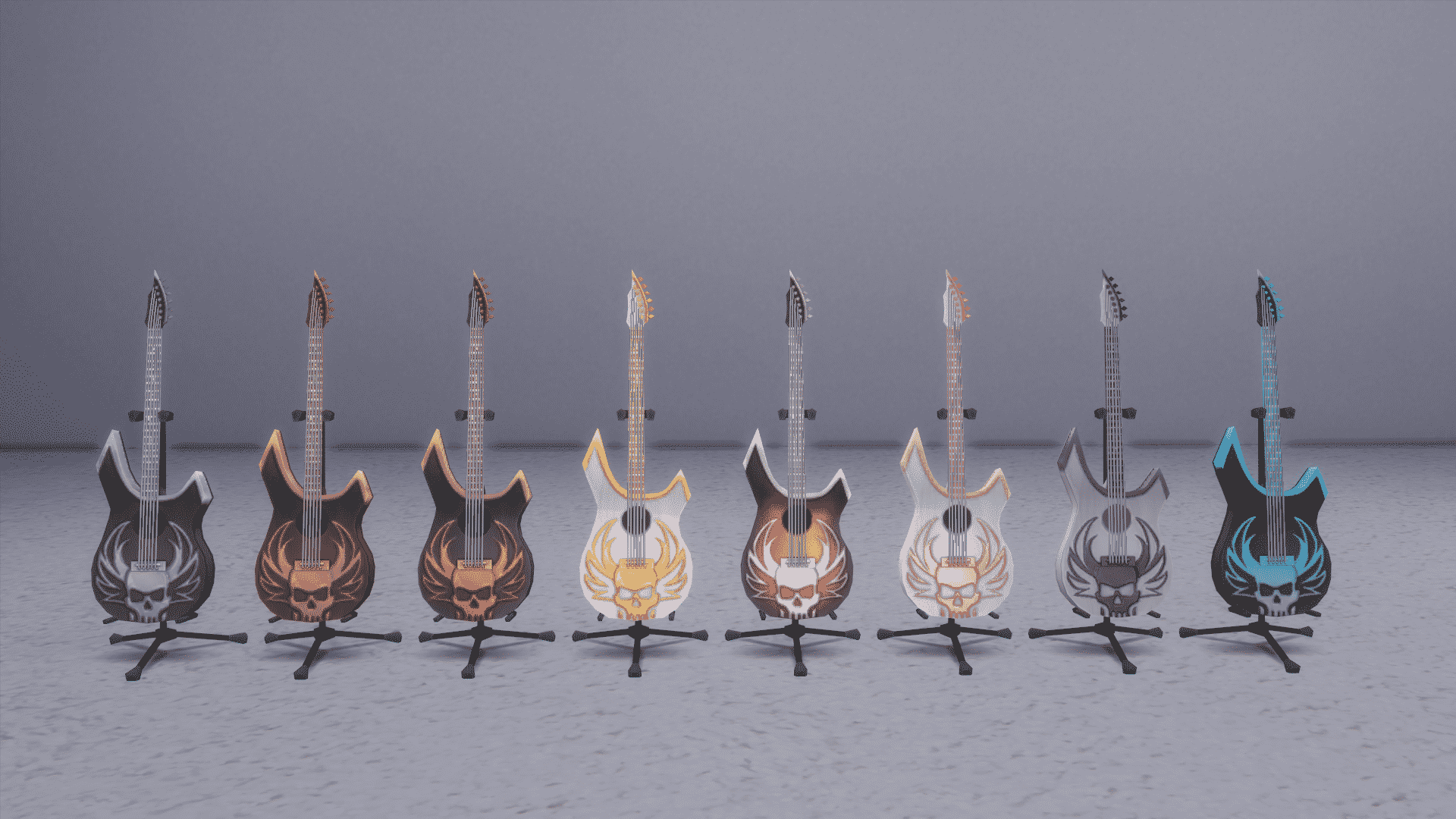
Down below you can see all 8 color variants of this Guitar:

08-17-16_2-16-27 PM

We currently have no idea when and how will this Guitar affect the actual gameplay as the modded Guitar currently doesn’t bring any new interactions, but we think this has something to do with the upcoming Event System.

The Sims 4: New Event System Coming Soon

30

UPDATE #2: More evidence about the new Event has been found! Seems like Jasmine Holiday will return to introduce the new Event System.

eventimagenew

Also, we found this icon which seems to be related to the new system:

eventplumbobicon

UPDATE: SimGuruDrake released a statement about the upcoming Event System, confirming that The Sims Team has in fact been working on it.

The team that’s works on engagement features (i.e. The free stuff you get in patches) are doing their job by creating this free content for you

Capture


The latest update for The Sims 4 that was released today introduces the ability to customise phone skins. However, there is hints of a new “event” system hidden within the XML code. Back in March, we had the Growfruit challenge with Jasmine Holiday as an event NPC. The latest update has expanded the code that was used with new details.

Events have a new “XP” system. Sims can earn XP and trigger a “Triple Boost Week” which will increase the rate a Sim builds job performance, boosts skills, builds friendships, gains aspiration points, or decreases the rate at which their Needs decay (note: this is still referred to as a “Boost Week” despite actually lowering the decay rate). Sims can only have one reward at a time.

We can expect these new features to be implemented the next time there’s a temporary challenge!

ts4marketingimg-18

The Sims 4: Smartphone Covers (August 2016 Update Feature)

3

With the latest update for The Sims 4, The Sims Team introduced Smartphone covers! In case you didn’t know, they were first ”teased” with the first Get Together render:

gettogetherren

Starting today, you can customize your Smartphone with 19 new covers!

You can find the new customization options under the Phone menu on the top bar of Phone options.

smartphonecovers

You can change the cover of your Phone whenever you want with just one click of your mouse!

08-16-16_7-57-30 PM

The Sims 4: New Update + Patch Notes! (August 16th, 2016)

ts4e3logo

The Sims Team has released a brand new Update for The Sims 4!

To download the latest version of The Sims 4, simply open your Origin program and if the game doesn’t update automatically, right click on The Sims 4 and select ”Update”.

In case you have Mods or Custom Content, the game will automatically disable them for you after first launching The Sims 4 after the update. To re-enable all your Mods and Custom Content, select the Settings option in the Menu and select Settings. Under the”Other” section you’ll find the ”Enable Custom Content and Mods” option. Check it and restart your game in order for it to take effect!

Patch Notes

Update: 08/16/2016 – PC Version 1.22.22.1020 / Mac Version 1.22.22.1220

Happy August Simmers!

We’d like to share a couple of small this and that’s with you…

To start off with, a new…
Sims can now customize their cell phone covers!

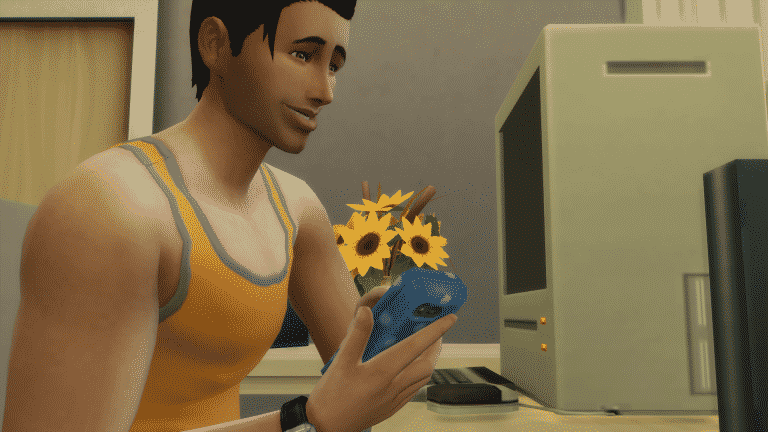
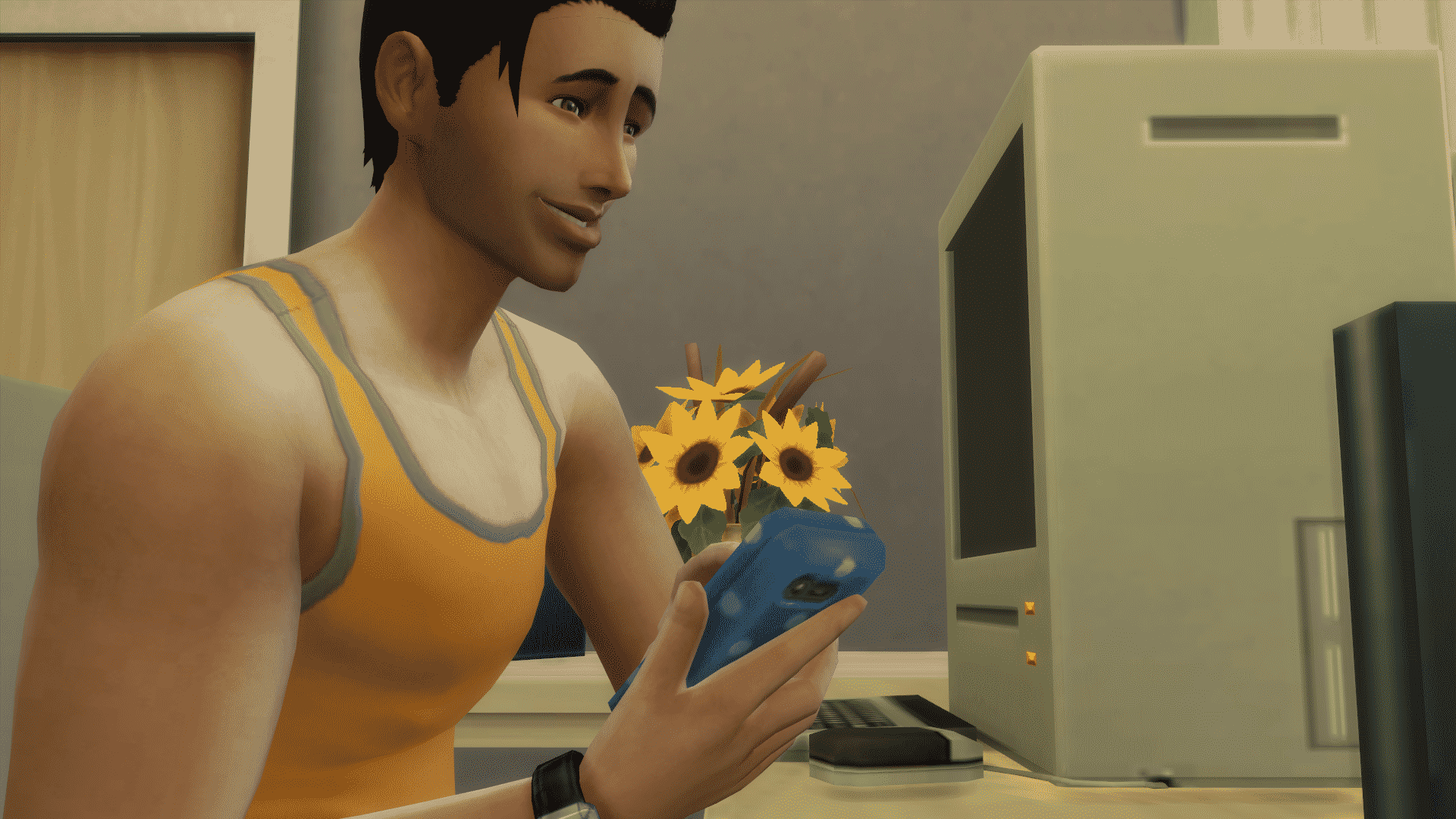
Open up your Sims cell phone menu by clicking on the phone in the bottom left (just under your Sims portrait). At the top of the phone menu is a Change Phone Cover Color button. You can choose from over a dozen colors and patterns for your phone to give your Sim that extra bit of flair.

We also have a few issues that were addressed…

General

  • The blue pattern plaster wall pattern now has a name other than wall_V_Plaster03MPanels_Blue. It now shall be known as Patterned Plaster, the same as all of its brothers and sisters – Patterned Plaster.
    • You know if it were me, I would have called it Bob, give it some personality, make it an individual, someone who stands out.
      • “What have you got there on your walls? Is that Patterned Plaster?”
      • “No. That’s Bob.”
  • Sims will no longer be woken from sleep to watch a show at the Puppet Theatre or the DJ Booth unless they were specifically called forth by the “Put on Show for…” interaction.
    • Are you an ‘er’ or ‘re’ type of person?
      • And, if I may be so bold, what would you show in your theatre or theater?
        • I’d show 80s SciFi.
  • The Grand Master Yoda styled look will no longer appear in the list twice for child Sims.
    • …although, if the Grand Master Yoda wanted to appear twice in the styled looks catalog, who are we to say no.
  • We fixed an issue where choosing to stop a custom music preview from playing in the options panel, did not actually stop it, but just lowered its volume.
  • We have, to speak plainly, adjusted the weighting and deformation maps for several Create a Sim assets in order to correct for holes, odd angles, and other visual oddities.
  • We addressed an issue that could cause Sims to get stuck in a hot tub after choosing to Woohoo, Mess Around, or Try for Baby, if both Sims had low hygiene.

Get To Work

  • We have un-hidden three objects in the Build catalog: Corporate Fridge Raider Revenue Generating Cooler, Still Ambiguous Lab Case, and the Galvanized Industrial Wall Pipe.
    • These objects were used on career locations, but were previously unavailable to the home catalog.

Kids Room Stuff

  • Children looking for discarded toys in the trash will no longer find themselves “discarded.” They should no longer become invisible upon completing the interaction.
  • We fixed an issue that could result in the collectable Voidcritter cards appearing overly dark in low lit rooms.

Backyard Stuff

  • We addressed an issue with necklaces clipping into the neck when worn with shirts that were tagged as masculine.
  • The frog fountain now also includes the sound of water when it is spewing water.
    • Of particular note, is that there is no option to kiss the frog fountain, despite any hidden desires one might harbor.
      • Any attempts at kissing the frog fountain will result in no change, for you and the fountain.
        • It should be advised that if you do desire to kiss a frog, it should only be done if the frog is considered a close family friend, that you have long since been without…perhaps you were on an extended vacation to Fiji, only just now returning to see your beloved frog.
          • A gentle peck is then acceptable… with their consent of course.

Thank you again for all and everything,
-SimGuruGnome

[Posted on behalf of SimGuruNick who was going to post on behalf of SimGuruDrake while she is in Germany who normally posts on behalf of SimGuruGnome.]

The Sims 4: New Content Update Confirmed

6

After hinting that we should expect a new The Sims 4 Update this month, SimGuruDrake confirmed with her ”Excited GIF” that we’ll be getting a new content update this week. In case you’re not familiar with her teasers, SimGuruDrake tends to post excited GIFs on start of each week when a content update is bound to happen.

You should expect this Update to happen on either Tuesday or Thursday if all goes well, as those are the days when The Sims 4 Updates usually release.

What do you expect from this month’s content update?

5 Sims Story websites worth checking out!

It’s not all YouTube and Livestreams!

The Sims Community is full of talented writers who come up with the most creative stories. Here are 5 Sims Story websites that you should definitely check out, and if you think we missed a few good sites, make sure you link them in the comment section below!

1. The Bloomer Legacy

This creative story is about the Bloomers family who come to Newcrest and try to build it from scratch. This legacy comes with 9 Generations and a dozen of chapters for each generation. Each chapter is full of dialogues and content that’ll keep you entertained for hours!

Capture

2. MAKPlays’ Stories

You’ll find a huge variety of stories on MAKPlays’ website. From short stories to stories with over 20 chapters, there’s reading material for every reader out there!

Capture

3. New Reflections

Not only does this site come with 3 different Stories, but you can also find a handful of Tutorials, Information and Resources to create your own Story.

Capture

4. The Triangular Room

Even though The Sims is not the main focus of this Story Website, a huge portion of it is. You can find 2 Legacy stories and a bunch of Sims Tips in The Sims section of this website.

Capture

5. Eight Cicadas

A Sims 3 Story based on Supernatural occourances. Grab a cup of tea, some snacks and start reading, because with over 60 in-depth Chapters, you’ll find yourself losing the track of time easily!

Capture

[mks_separator style=”solid” height=”2″]

Other Story Websites

These websites are just 5 small fish in the huge sea of storytelling. There’s plenty of sites you can find in the Sims Stories section of SC Social or on The Sims Forums.

The Sims 4: Expect a new Update starting next week

7

In a Twitter conversation with her followers, SimGuruDrake confirmed that not only should we expect a new update for The Sims 4 this month, but that it also could happen next week. She mentioned the fact that the update will happen during her absence for Gamescom duties which are starting next week. This means that the new Update could release on either 16th or 18th of August (if you’re not familiar with the release schedules, TS4 Updates usually come out on Tuesdays and Thursdays).

The Plum Tree: Family Tree Tool for The Sims 4

1

Have you ever wanted to showcase your Family Tree of Sims that you’ve played through in The Sims 4? Well, now you can, thanks to the brilliant people behind The Plum Tree.

The Plum Tree lets you set up your own account and create your own Family Tree from scratch. You can upload pictures of your Sims, edit their names and bio, traits and aspirations and then link them all together in one big family tree.

You can already see an example of a family tree uploaded to this site by clicking the image down below. It’s a 10 – generation legacy created by ra3rei. What’s also great about this site is that you can move around the tree and zoom in and out with your mouse.

Capture

You can create your free account HERE and don’t forget to read the guides first on how to use this site HERE!

The Sims 4: Keep your Save Game Fun with these Tips!

4

Back in 2014 after The Sims 4’s launch we released 8 tips to improve your The Sims 4 experience and make it more fun. Today, I’ll be sharing some tips on how to keep your The Sims 4 save game fresh and entertaining!

1. Free Will: ON

Believe it or not, things can get pretty interesting when you’re not always in control of your Sim. By turning on the free will option, you unlock more potential, and drama, among your Sims. Here’s just one example of what happened in my household: After throwing a good party, my sim started flirting with another sim all on his own, and his wife did not like that. Thanks to her free will, she decided to throw a drink at him and started using mean interactions all on her own, after which he got embarrassed. This may be a small example but it just shows that sims themselves can be the makers of their own stories while you watch it unfold.

07-24-16_9-21-36 PM

2. Aging: ON

I often find myself turning off the aging option so I can allow my Sim to advance in his/her career more before he or she is ready to be retired. This shouldn’t be the case, and here’s why: you need to stop worrying about your Sim’s career and focus on what’s really important, and that’s growing your household. So what if a Sim you really cared about died of old age?! You can always have a fresh start in the same-old household.

08-12-16_9-10-08 PM

3. Step out of your comfort zone

It’s always OK to try something new. If you ever feel bored of your current household, don’t be afraid to pop into the Manage Worlds menu, check out the newly moved in households and play them for a day or two. You won’t regret it!

08-12-16_9-17-07 PM

4. Don’t always settle for Pre-Made creations

I assume you’ve all been through a phase where you don’t feel the need to build your own house or create your own Sims, but the thing is, what makes The Sims so special is that everything you create, whether it looks good or bad, is what makes your gameplay experience so special an unique. For example, I didn’t feel very creative to start my own house from scratch, but I also didn’t want to just download a house from the gallery because I knew I’ll get bored in a few minutes. So, I found a silver lining, and downloaded this beautiful American Suburban House from The Gallery and re-decorated it by myself in just 30 minutes. I confess that it’s not a masterpiece, but I always get that extra enjoyment when I play a household in the environment I helped to create.

08-12-16_8-44-58 PM

5. Make 2 out of 1

If you think your family has grown enough, separate it into 2! The concept I currently find interesting is 2 young adult Sims who have just moved out and away from their parents, who are now living on their own. This unlocks more creativity and storytelling options for you. You can now go to your parents’ home and talk about your career, family plans, and so on.

You can also try growing a certain household, separating it, and then trying to grow those 2 households all in the same time! The more Sims you get to control the better.

6. Challenge it up

The Community is always full of great ideas and concepts for your households. If you feel like you don’t know the goal of your household or what should you do in your game, check out some of the challenges HERE and HERE created by Simmers.

The Sims 4: Backyard Stuff + Unannounced Content Concept Art

4

UPDATE: The first concept art piece has been removed from Nelson’s portfolio.

Nelson Hernandez, Concept Artist for The Sims 4, published 2 Concept Art pieces that he made for The Sims 4.

The first concept art piece you see contains both the environment and objects never-before seen in The Sims 4, while the second concept art piece clearly has a Backyard Stuff theme to it.

sims4_roomviewssims4_objects

Nelson worked on The Sims 4 from September 2015 to April 2016. He even stated in his LinkedIn profile that he ”Designed and painted environment concepts to establish mood for new locales in game”. Could the neighborhood/world we see in the first image make its debut in The Sims 4 soon?

Capture