Home Blog Page 103

The Sims 4 Growing Together Midlife Crisis Survival Guide

How to survive a midlife crisis in The Sims 4 Growing Together!

The Sims 4 Growing Together Midlife Crisis

So your Sim’s in the midst of a midlife crisis, huh? The Sims 4 midlife crisis feature from the Growing Together expansion is great for making adults feel distinct from young adults but it does present some added challenges for the adult life stage. The good news is you can use a midlife crisis to your advantage! By completing midlife crisis desires, you can reduce the length of the midlife crisis and gain some extra satisfaction points on the side!

Early Midlife Crisis

Adult Sims can experience a midlife crisis if their life has been lacking in a certain area. Some things that may potentially trigger a Sims 4 midlife crisis are:

  • Being unemployed for a long time
  • Not gaining promotions for a long time
  • Doing the same routine things every single day
  • Not creating anything artistic for a long time
  • Having unfulfilling relationships (a poor relationship with a spouse, for example)
  • Lacking important relationships (friends, family, romantic partners, etc)

Adult Sims who get stuck in any of these ruts are more likely to experience a midlife crisis. Not all adult Sims will have a midlife crisis. If they feel happy and fulfilled in all these areas, they will be lucky enough not to go through a midlife crisis.

Early Midlife Crisis Notification

However, if your adult Sim is not so lucky, they’ll find themselves in the midst of a Sims 4 midlife crisis. Midlife crises progress from an early midlife crisis to a full-blown midlife crisis. You’ll know your Sim is entering an early midlife crisis by their moodlets. They’ll become Bored at how predictable their life has become. There’s not much you can do during this period of time except try to combat the boredom with more positive emotional states.

The early midlife crisis period lasts about 24 in-game hours before a full-blown midlife crisis begins.

Types of Midlife Crises

Not all midlife crises are the same! Depending on what areas of life your adult Sim has been lacking in, they could develop one of four different types of Sims 4 midlife crisis.

  • Desire to Create Crisis: Sims with artistic traits are more likely to go through this midlife crisis if they haven’t been creative in some time. Their desires will be focused on doing creative things and pursuing creative hobbies and careers.
  • Desire for Success Crisis: Sims who have been unemployed for a long time, been stagnant in their career, or struggling financially are likely to go through this midlife crisis. Their desires will revolve around seeking out high-paying careers, getting promotions, improving their home’s value, and purchasing expensive items.
  • Desire for Relationships Crisis: Sims who are stuck in unhappy relationships or are lacking meaningful connections in their lives may go through this midlife crisis. Their desires will be focused on having children, having WooHoo, socializing with friends and family, and even getting a divorce if they’re married.
  • Desire for Adventure Crisis: Sims who’ve gotten stuck in the same mundane routine may experience this crisis. Their desires will revolve around travelling, vacations, and enjoying outdoorsy activities.

Having a Sims 4 midlife crisis isn’t all bad, though! Each type of midlife crisis does come with a unique benefit that will last for the full duration of the crisis.

  • Create Crisis Benefit: All crafted items will be one level higher in quality.
  • Success Crisis Benefit: Your Sim will gain increased career performance.
  • Relationship Crisis Benefit: Bonus relationship gain for all positive social interactions.
  • Adventure Crisis Benefit: Slower Energy motive decay.

The Sims 4 Midlife Crisis Desires

When your Sim is going through a Sims 4 midlife crisis, it will be reflected as a temporary, secondary aspiration in the Aspirations panel. In this panel, you can see a list of their desires. Completing desires is optional but if you do complete them, it will reduce the length of the midlife crisis. You can see the duration of your Sim’s midlife crisis in their moodlets.

The Sims 4 Growing Together Midlife Crisis

When you complete a desire, it gets replaced by a new one. Each completed desire will award your Sim with 10 satisfaction points. Of course, you don’t have to complete any of the desires at all if you don’t want to! There’s no penalty for not completing midlife crisis desires; your Sim will just have to deal with the negative moodlets from the crisis for longer. In fact, you can use the midlife crisis to your advantage! By not completing any midlife crisis desires, your Sim can enjoy the unique benefit that comes along with their crisis for longer! So it’s really up to you to decide how to deal with a Sims 4 midlife crisis.

Once your Sim has made it through a midlife crisis, they can never have another one! So congrats! The worst part of your Adult Sim’s life is officially behind them!


Check out other ways The Sims 4 Growing Together impacts your Sims with our personality change guide!

The Sims 4 Growing Together: Discover Every Toddler Quirk

Every toddler quirk and how they influence your toddler’s unique temperament!

Sims 4 toddler quirks from the Growing Together expansion are just one way the expansion pack aims to make each child in the family unique. No longer relegated to one single trait, toddlers now gain up to three additional personality quirks that further define the way they behave and interact with others. Two toddlers with the same CAS trait can act wildly different depending on which quirks they acquire. This makes raising children feel like a unique experience every time. Depending on your toddler’s quirks, you might find yourself having to change your parenting strategy to cater to each individual child’s needs.

All About Sims 4 Toddler Quirks

There’s no tried and true way to gain specific Sims 4 toddler quirks. Toddlers will acquire new quirks as they experience different things through gameplay. You’re not guaranteed to develop a new quirk every time you do a specific action with your toddler, either. There’s only a chance you might get that quirk. For example, a toddler who wakes up in a negative emotional state might gain the Hates Wakeup Time quirk but they might not! Waking up in a bad mood doesn’t guarantee that your toddler will develop that quirk. There’s just a chance that they could. This dynamic keeps players on their toes and avoids repetitive, predictable gameplay.

The Sims 4 Growing Together Toddler Quirks
A toddler with the Loves Books quirk reading a picture book

Additionally, each toddler can only have up to three Sims 4 toddler quirks. Once they gain their third toddler quirk, they won’t be able to acquire any more. If you got lucky with a toddler that has three relatively easy quirks, you don’t need to worry about getting surprised with a bad one all of a sudden.

Toddlers also cannot have opposing quirks. For example, they can’t both love and hate being carried. If your toddler developed the Hates Being Carried quirk, they won’t wake up one day and suddenly decide they love being carried now. So if your toddler developed a difficult quirk, hoping that they might gain that quirk’s opposite is futile. You are stuck with that quirk whether you like it or not.

Unlike traits for older Sims, toddlers can’t change their personality based on what they are doing. You won’t receive an option to swap a toddler quirk for its opposite like you occasionally get for older Sims’ traits. Toddlers are very stubborn little Sims and if they decide they want things a certain way, there is no convincing them otherwise.

List of Toddler Quirks

All Toddler Quirks
Cheats were used to showcase all toddler quirks in the trait panel

There are a total of 18 different Sims 4 toddler quirks. Some are rather benign. Some make your toddler extremely unpleasant to deal with. You never really know what kind of toddler you’re going to get, which is pretty reflective of raising toddlers in the real world.

  • Hates Wakeup Time
  • Loves Wakeup Time
  • Heavy Sleeper
  • Light Sleeper
  • Early Riser
  • Hates Bedtime
  • Good Appetite
  • Messy Eater
  • Picky Eater
  • Hates Being Carried
  • Loves Being Carried
  • Loves Sounds
  • Loves Water
  • Loves Books
  • Little Singer
  • Wanderer
  • Destructive
  • Aggressive

You can read the descriptions for all Sims 4 toddler quirks below:

More Resources!

Toddlers are not the only life stage to have unique quirks in The Sims 4 Growing Together! Check out our infant care guide for details on infant quirks!

Looking to play a big family in a challenging setting? Why not download our latest The Sims 4 Story Starter Kit? This story kit will push your Growing Together gameplay to the limit!

The Sims 4 Challenge: Gorgeous Garden Haven Community Challenge

Calling all Green Thumbed Sims and Book Lovers!

With the recent release of the new The Sims 4 Greenhouse Haven Kit, it’s time for a brand new Sims Community Challenge!

This challenge has not only been inspired by this new Kit release, but also the changing of seasons, flowers blooming, a new-found love of reading and all things cosy! Of course, putting these all together and incorporating them into The Sims 4 to create the ultimate cosy garden reading nook!

The Sims 4 Gorgeous Garden Haven Challenge
Create the ultimate space for green thumbed & reading loving Sims

Table of Contents

What does this The Sims 4 Challenge involve?

For this challenge, we are doing things slightly differently. Firstly, there is no giveaway for this challenge. Secondly, we want to give you more ways to make your challenge inspired build unique.

The Task

Your task will be to create a lot that is not only cosy, but also caters to Sims who love gardening and reading!

We want you to be as creative as possible with this challenge. Really think about how you can incorporate the cosy theme into gardening and reading for your Sims. You can keep it simple, make it modern, what ever theme or idea inspires you, go for it!

A cosy reading and painting nook in The Sims 4
A cosy reading and painting nook

The following are compulsory aspects for this build

  • The Build must be on a 20×15 Lot
  • A 6×4 Greenhouse Building. This must be a one-story building and can’t have a basement
  • Use of the water tool – This can be as a pond or stream, for example
  • There is an overall budget of $27,000

Other than the four compulsory points mentioned above, how you create your cosy gardening and reading lot is up to you!

The Sims 4 Challenge Rules

  • Must be suitable for Sims who love reading and gardening
  • You can use any Packs or Kits that you own (you do not need to own the new Greenhouse Haven Kit for this challenge)
  • One entry per person
  • Does not have to be functional
  • Debug items and Move Objects On can be used
  • Red Shelf and T.O.O.L Mod can be used in the build
  • No Custom Content
  • For players across all platforms

Frequently Asked Questions

  • The Greenhouse Building can be placed anywhere on the lot
  • How the greenhouse looks is up to you, as long as it is a 6×4 shape and only one floor
  • The use of the water tool can be anywhere on the lot
  • There is no shell to download for this challenge
  • You can upload your finished build to the Gallery if you wish. This does not count as an entry for the showcase

Have you got a question that isn’t covered in this post? Pop down to the comments and we will reply to any additional questions you may have!

The Sims 4 Greenhouse Haven inspired Greenhouse
A space perfect for every plant loving Sim!

How do I Enter the Showcase?

Once you have completed both of these steps, you can submit your Sims 4 challenge entries in one of the two following ways.

Twitter – Upload your image to Twitter using the hashtag #SCCosyVibes! Feel free to tag Sims Community in your posts too!

Discord – Head over to our Discord server and head to the SC Challenge Channel. You can find this under the Announcements & News category. Make sure to upload your image with the caption #SCCosyVibes! Any images without the hashtag will not be considered for the showcase post.

Click the button below to join The Sims Community Discord

Closing date for showcase entries

 The closing date for this challenge is Saturday 20th May 2023 at 10am PST/6pm BST/ 7PM CET. A spotlight post will be released shortly after entries have closed.

I missed the cut-off, can I still take part?

Of course! For any of our Sims Community Challenges, you can still take part even if the closing date has passed. Feel free to share your creations on social media using the same hashtag mentioned above, tagging Sims Community or over on our Discord Server!

We are excited to see your challenge creations for this new challenge for The Sims 4!

Make sure you stay up to date with all the latest news and information from The Sims Franchise right here on Sims Community! Additionally, if you are looking for more The Sims 4 Challenges, we’ve got you covered in our dedicated Challenge area!

The Sims 4 Growing Together has a Secret Hint

Keep your eyes peeled when playing with the Growing Together expansion!

The Sims 4 Get to Work: 98 Screens from the Detective Trailer | Sims 4 hints
Time to get sleuthing!

Simmers are no stranger to Sims 4 hints. Almost everything in The Sims 4 has some kind of double meaning or is a reference to pop culture or past Sims games. Sometimes, The Sims Team even slips in subtle hints about upcoming content! They say they don’t but after eight years of finding hints that turn out to predict the next Sims 4 pack… it’s pretty obvious by now that they do. Even if they try to deny it.

But sometimes, on rare occasions, a brave Sim Guru steps forward and admits to their super sneaky shenanigans! SimGuruNova has revealed that The Sims 4 Growing Together does, in fact, contain a hint!

The Sims 4 Hints… About What?

SimGuruNova tweeted the following cryptic message on Twitter:

But what exactly does this hint refer to? We have no idea! While SimGuruNova stated that she herself was the one who slipped the hint into the expansion, she is determinedly keeping her silence on exactly what the hint is and where it’s located within the expansion pack. However, she did note that it currently remains undiscovered. This means that no one has yet picked up on it!

Well, she did elaborate a little. In a reply to her original tweet, she added that the hint is hiding in plain sight. Still, no further details than that.

Clearly, SimGuruNova is having too much fun teasing us! Since she’s keeping her silence on any further Sims 4 hints, it’s now up to the Simming sleuths to dig for treasure somewhere in The Sims 4 Growing Together!

Horses?

Shortly before the launch of The Sims 4 Growing Together, The Sims TikTok account seemed to making hints at horses coming to the game. Later, Simmers were quick to notice Sims 4 hints at horses popping up all over the place in the Growing Together pack. There is a horse puzzle Sims can complete and a child’s drawing that features a Pegasus; a mythical creature of a winged horse.

Naturally, this has led to speculation that an equestrian themed pack is on the horizon for The Sims 4. Is this what SimGuruNova could be hinting at?

Missing Horses in The Sims 4? Here are Some Alternatives!
Custom Pose by SnarkyWitch

While it might be easy to get carried away with theories and speculation, it’s important to remember that SimGuruNova specifically stated in her tweet that the hint she’s referring to has not been discovered, yet. This might mean that she isn’t talking about horses at all. It could also mean that she’s talking about Sims 4 hints at horses that we haven’t noticed, yet.

It’s definitely not the puzzle or the child’s drawing; Simmers noticed those immediately. Also, according to SimGuruNova, “like it’s right there LOL.” So this hint is right in front of our faces.

Typically, when the Gurus drop Sims 4 hints, it’s usually in the object descriptions and/or the catalogue object designs. We found plenty of horses and unicorn references in the Growing Together Buy catalogue apart from the puzzle and child drawing. There is a set of decorative horse toys, decorative unicorn toys, a teddy bear sculpture riding a unicorn, and one of the child suitcase swatches is a unicorn.

The Sims 4 Hints
Image Credit: ThatSimsLady

However, it wasn’t until SimGuruNova made her tweet that Simmers located a horse mailbox in the pack! The mailbox is a debug object, so presumably, it is in the world of San Sequoia somewhere, but you can find it yourself in the hidden catalogue by using the bb.showhiddenobjects and bb.showliveeditobjects cheats in order.

Are any of these things the obvious yet not-obvious hint SimGuruNova mentioned? It’s hard to say for certain.

Disability Representation?

Of course, we could be on the wrong track completely by focusing on horses so much. We don’t know for certain whether SimGuruNova was talking about horses at all, although there are a suspicious number of horse references scattered throughout this expansion pack.

Wheelchair Ramp in San Sequoia

While on the hunt for the debug horse mailbox (which we couldn’t find), we did come across this home with a wheelchair ramp going up to the front porch. The Sims Team has recently added support for hearing aids and some other medical wearables to the game. It’s not a far stretch to think maybe there are Sims 4 hints pointing to more disability representation in the near future.

Also, since this house is in plain sight in the world of San Sequoia, it would qualify as being “right there” in plain sight as SimGuruNova teased.


What Sims 4 hints do you think SimGuruNova was pointing to? Let us know in the comments and never miss news like this by keeping up with our News category!

The Sims 4 is releasing 3 FREE Packs on Epic Games

0

The Sims 4 Daring Lifestyle Bundle is releasing for FREE on May 11th on Epic Store.

Players who use the Epic Games Launcher will be able to claim a new Bundle for The Sims 4 for FREE! Starting May 11th, 2023.

A couple of months ago The Sims Team had released The Sims 4 series on the Epic Games Store. The deal seems to be extending to exclusive offers, with the first one being a Free Bundle which consists of one Game Pack, Stuff Pack and a Kit.

Check out the information down below:

Sims 4 Daring Lifestyle: Epic Games Bundle Info

The Sims 4 Daring Lifestyle is an exclusive Bundle for people who have an account on Epic Games Store. If you don’t have an account yet you can easily create one!

The bundle consists of:

  • The Sims 4 Jungle Adventure Game Pack
  • The Sims 4 Luxury Party Stuff Pack
  • The Sims 4 Fashion Street Kit

You can check out the preview of the boxart below:

Sims 4 Daring Lifestyle Cover

Sims 4 Daring Lifestyle: How to Claim on Epic Store

On May 11th, 2023 you’ll be able to claim this bundle entirely for free from the Epic Games Store. The Sims 4 Daring Lifestyle is only available for this Store and Launcher, meaning that you depend on it in order to launch these 3 Pack titles.

Furthermore, @TheKixg has found on the official page that this deal will last from May 11th to May 18th. Meaning that you have exactly a week to claim this bundle for free.

Sims 4 Daring Lifestyle Bundle: Availability Dates
Sims 4 Daring Lifestyle – Availability Dates

In addition, the game page for this Epic Store Bundle can be found here! Remember, the Bundle will be yours to keep within this launcher if you claim it between May 11th and May 18th.

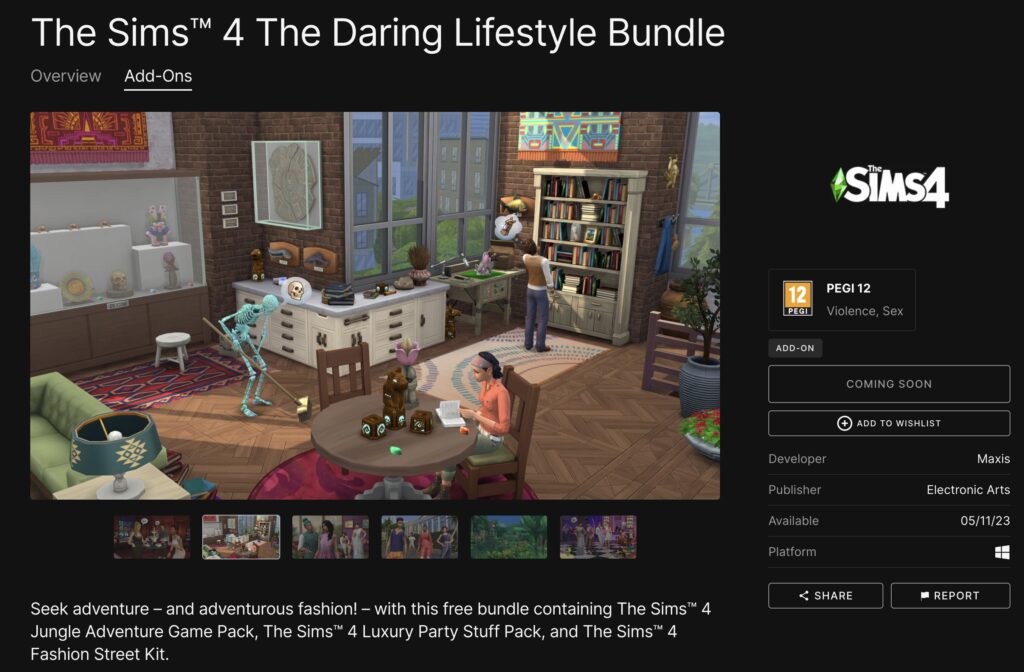
Seek adventure – and adventurous fashion! – with this free bundle containing The Sims™ 4 Jungle Adventure Game Pack, The Sims™ 4 Luxury Party Stuff Pack, and The Sims™ 4 Fashion Street Kit.

Sims 4 Daring Lifestyle Page on Epic Store
The Sims 4 Daring Lifestyle on Epic Store

Will you be claiming The Sims 4 Daring Lifestyle Bundle from Epic Games Store on May 11th? Make sure to let us know!

As always, we’ll keep you posted on all the latest Sims 4 News right here.

Tip: @TheHenfordHen

Online services for EA App are down (UPDATE)

Players are unable to access their EA App Game Library or even Log In into their accounts.

ARTICLE UPDATE: Servers should be coming back up according to EA Help!

It’s happening again! Players of EA titles have started reporting connectivity issues with EA App (for Windows) and Origin (for Mac).

Players of any Electronic Arts titles including The Sims 4 and the newly released Star Wars Jedi title are all reporting the same. Which is that the EA App won’t connect for them at all!

EA App Down: Issue & Statement

The EA App, also formerly known as Origin, is a desktop app (only for Windows now) that provides gamers with access to EA games and titles from other publishers. This app allows users to browse and download games, manage their accounts, and stay informant of new titles and offers.

The app also offers social features that enable users to connect with their friends and compete against each other in multiplayer games.

Unfortunately, the latest connectivity issue is still active and present. Customers are saying that they’re unable to see their Game Library. This error comes with the issues with EA’s online services.

EA App Down
Screen by @Jadebabez86

The official EA Help account has released a statement on this issue, stating the following:

EA App Issue Statement

Something’s up with our online services, but we’re on it. In the meantime, you might not be able to connect to online modes, buy games, or log in to your account. We’ll get you back in your game as soon as we can.

– EA Help

As of now there aren’t any news regarding the further development and maintenance of lost connectivity. I’m still unable to access my Game Library, and I’m playing on Origin (Mac). It might take some time until we know more.


Are you still experiencing issues with the EA App? If so, let us know in the comments!

We’ll keep you posted about the state of EA App and Origin servers. Stay tuned on Sims Community!

The Sims 4 Growing Together: Everything you need to know about Stay Overs

Who will you be inviting over first?

The Sims 4 Growing Together introduces several new events that you can plan for your Sims. In this instance, we will be focusing on the new Stay Over feature. This new social event gives players even more ways to tell the stories they want to tell.

We’ll be telling you everything you need to know about this new event. From planning your own Stay Over event, preparing for your guests’ arrival, what to do during the event, and more!

What are you waiting for? Let’s take a look at everything you need to know about Stay Overs in The Sims 4 Growing Together.

What is a Stay Over?

Sims 4 Stay Overs are a brand-new feature in the Growing Together Expansion. It opens up a number of possibilities for storytelling and gameplay in general. Finally, your Sims can

“Host a Stay Over at your household! Stay Overs can last multiple days, can occur during other events such as Birthday Parties, and allow guests to travel with your household too. Just make sure there’s enough room for everyone to sleep!”

Planning a Sims 4 Stay Over in Growing Together

There are two ways of initiating a Stay Over. The first way is by accepting one of the random event pop-ups in-game. By doing so, your household will have a Stay Over guest arrive shortly after acceptance and will stay with you for a few days. You’ll be able to view full details of the event in your Sims Household Calendar.

The second way to begin a Stay Over is by adding it to the Household Calendar manually.

Like with any event in The Sims 4, simply head over to your Sims Calendar, located at the bottom left-hand corner of the screen alongside the cell phone.

Once you are in your Sims calendar, head down to the Add Stay Over section of the calendar.

Sims 4 Stay Over Event: Calendar UI
Household Calendar Events Panel

Here you will be greeted with a new pop-up option on the screen. This is where you will be able to select the finer details of your Stay Over.

From here, you will be able to select how many Sims you want to attend the Stay Over. Additionally, how many days the Stay Over visit will last, and what time you’d like your Sims to arrive?

Note: You can also use your Sims cell phone to create a Stay Over event. Simply head to the Social icon on the cell phone and you’ll see Plan Stay Over as one of the first options to choose from. You’ll then start the event planning process from the screen below.

Planning a Sims 4 Stay Over in Growing Together Expansion
Plan your Stay Over event even to the smallest detail!

If you are starting the Stay Over event straight away, you’ll be asked to confirm that you wish to start it there and then. If so, you’ll end any events that are currently taking place so that the Stay Over can begin.

Once you’ve finished planning your Sims 4 Stay Over, you’ll notice that the event will show on the calendar just like other events. You can also make edits to the event, and even delete it if needed.

The Sims 4 Growing Together: Stay Over UI
The Household Calendar including the upcoming Stay Over.

Preparing for your Stay Over Guests

Now that you have planned or, accepted a Stay Over event prompt, it’s time to make sure your Sims and home are ready for their arrival.

As mentioned in the Stay Over description, it’s important to ensure you have space for your guests to sleep. Whether that is in a guest room or just placing a bed in an area of your house that works will be plenty.

Growing Together: Kyle Kyleson taking part in a Stay Over
Welcome to the Pancakes Household, Kyle!

When your Guests Arrive

Naturally, once your guests have arrived you want to welcome them to your home.

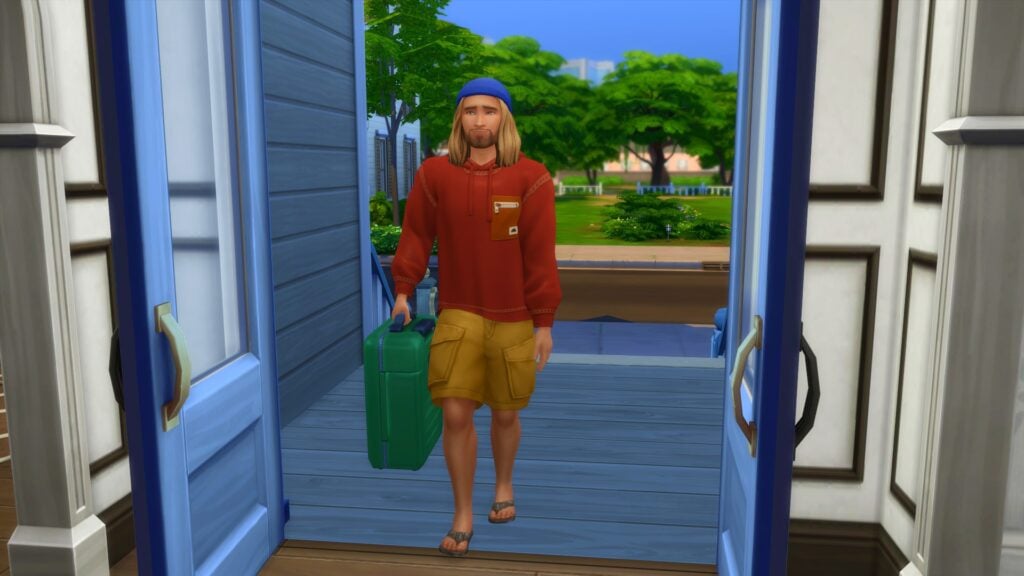
Your guest will arrive with a suitcase that will contain essentially contain what they need for the duration of their stay. However, it acts more as a dresser for your Sims that can be moved to where ever is needed in the lot.

Once they are settled in, they are a part of your household for the duration of their stay. Whether you are planning on staying in or taking a stroll around the world, they are with you every step of the way.

You can ask your guests to help around the home or take it easy and relax without feeling stressed. These interactions can be found under the Friendly tab of the social menu followed by the More Actions tab. If you ask your guests to help out, you’ll find they will automatically complete various tasks until they complete. Other than that, they will act independently for the most part unless you Sim or you as a player interact with the guest Sims.

TS4 x64 2023 04 29 18 35 20
Kyle and Bob enjoying a friendly conversation.

Ending a Stay Over in The Sims 4

If for whatever reason, you want to end the current Stay Over event you can! Simply head down to the household calendar and find the Stay Over event on the left-hand side. You’ll then see a small trash can icon. Select that and you’ll be able to end the current Stay Over event.

Stay Overs for Storytelling

The addition of the Sims 4 Stay Over feature in Growing Together not only lets players experience a new way of playing but also opens up more possibilities for Storytellers. The Sims you invite could be Grandparents visiting a new family like how we saw in the Growing Together gameplay trailer. You could have the Sims as long-lost friends or family, reconnecting after a number of years, or even simply just a Sim stopping by to spend some time with your household for a few nights. Whatever the reason may be, the Stay Over event opens up even more ways to tell your Sims stories!

TS4 x64 2023 04 29 21 01 59
Don’t Wake the Llama!

The Sims 4 Growing Together add some brilliant new features and experiences to the game. The new Stay Overs event gives players plenty more options to play with life and tell the stories they want to tell!

As always, stay tuned to Sims Community for all the latest news and information from The Sims franchise and for more about The Sims 4 Growing Together!

The Sims 4 Modular Furniture: Get Inspired with These Ideas!

Build with Creativity using The Sims 4 Modular Furniture!

The Sims 4 modular furniture comes with the Dream Home Decorator game pack. an array of brand-new objects and two of the most interesting new additions is the new modular furniture and sectional sofas. In the past many of us have probably tried to create our own Modular style furniture and sectional sofas with what was currently available to us in game (with the help of bb.moveobjects) or by using custom content.

The Sims 4 modular furniture works similarly to how the many other items snap together. When you go to move them, they will move in a group rather than individually. You will still be able to move individual pieces as well if needed. Sectional sofas are also easy and straight forward to create too.

Now, you might have a few ideas of what you would like to build using The Sims 4 modular furniture. If not, we’ve put together a few ideas to help get you started!

The Sims 4 Modular Furniture Inspo

Dining

The Sims 4 Dream Home Decorator: Building with Modular Furniture & Sectional Sofas

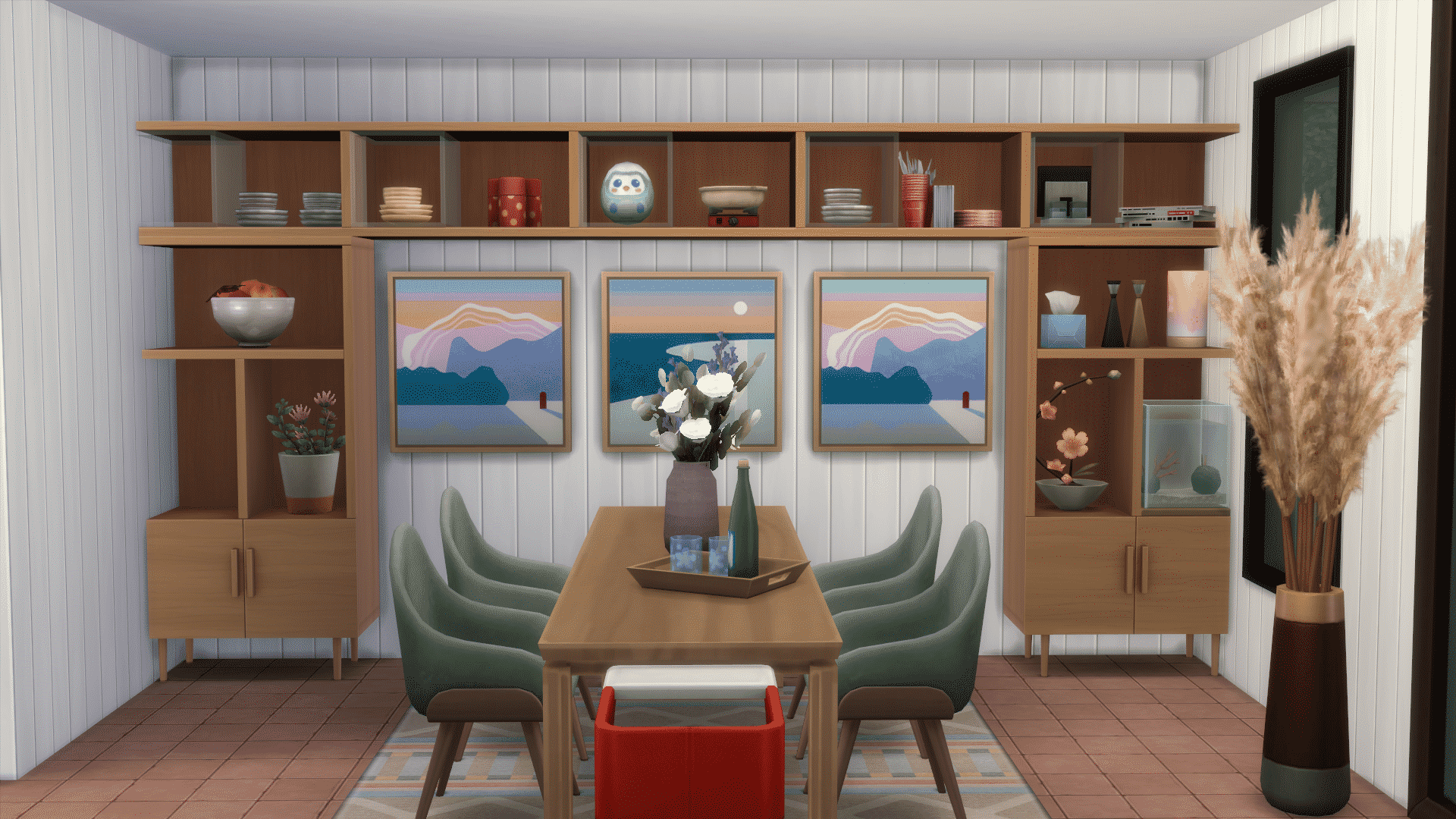
This dining room uses clean lines and a neutral wall colour to bring the focal point to The Sims 4 modular furniture shelving along the wall. Some paintings add a touch of warmth to the space and the dining table has some lovely accents to make you want to sit down and enjoy a meal here. If you look closely, the shelves are decorated with clutter items that suit a dining room aesthetic. Stacks of plates, decorative fruit bowls, and cutlery create a cohesive theme for the room.

Kitchen

The Sims 4 Dream Home Decorator: Building with Modular Furniture & Sectional Sofas

This kitchen makes use of neutral furnishings against a patterned wall covering which makes the space look visually interesting without causing eye fatigue. When designing spaces in neutral tones, don’t be afraid to add a splash of colour here and there to make certain parts of the room pop. Here, we’ve paired grey with a pop of orange in the floor tiles, bar stools, and appliances. The Sims 4 modular furniture is great for this; recolour specific pieces of your custom furnishings to create variety.

Lounge

The Sims 4 Dream Home Decorator: Building with Modular Furniture & Sectional Sofas

This lounge space uses darker tones paired with a pale yellow to tie together all the different parts of the room. Notice how The Sims 4 modular furniture shelving has dimension with one shelf jutting out from the rest of the entertainment unit. This adds depth and visual appeal to the room so don’t be afraid to play with dimension in this way. A large sectional sofa that wraps around the room creates a division of space without feeling closed in. Consider using furniture to divide open concept spaces like this.

Walk-In Closet

The Sims 4 Dream Home Decorator: Building with Modular Furniture & Sectional Sofas

Use Sims 4 modular furniture to get creative with your walk-in closet spaces! This closet space is designed to be part of an open concept loft. The area is separated by a small set of stairs leading up to a platform. This clever use of space opens up smaller homes and creates visual appeal. Notice how dimension is used again with this space by having the shoes rest on a lower section of the modular shelving instead of everything being uniform.

Bedroom

The Sims 4 Dream Home Decorator: Building with Modular Furniture & Sectional Sofas

This bedroom is perfect for two children! The pastel yellow tones are warm and inviting but still soothing enough to relax the busy mind of a young child when it’s bedtime. Open hangers above some drawers open up this fairly small space a little more. Plus, having the lower bunk create an L-shape in the room adds some visual variety. Again, it’s all about creating depth and dimension with your furniture placement! If both beds were against the same wall, this room would look very flat and empty. This shows how Sims 4 modular furniture can be used for so many different purposes.

Office

The Sims 4 Dream Home Decorator: Building with Modular Furniture & Sectional Sofas

This desk slots right into a larger shelving unit which is a clever way to save space in a small area. You can create many different types of usable furniture that looks built into the surrounding Sims 4 modular furniture. A patterned rug adds some variety to a space that is otherwise mostly neutrals. Remember, a strategic pop of colour here and there can turn a neutral space from boring to beautiful very easily!

Outdoors

The Sims 4 Dream Home Decorator: Building with Modular Furniture & Sectional Sofas

Sometimes, there’s no need for elaborate setups. There are times when less is more, which this elegant but simple outdoor seating arrangement showcases. This Sims 4 modular furniture features three lounge chair pieces put together to create a lovely space to relax, catch some sun rays, or take a nap. A tropical plant and a drink tray nearby add to the relaxing vibes. So if you’re worried your space isn’t fancy enough, remember that there is beauty in simplicity, too.

While this is just a small handful of ideas on how you can use The Sims 4 modular furniture from Dream Home Decorator, there are countless possibilities on what you can create!

Let us know what you plan to create using the new furniture in the new pack in the comments below and on social media.

Can’t get enough build inspiration? Check out these Home Ideas for Beginner Builders!


This article was edited by SnarkyWitch

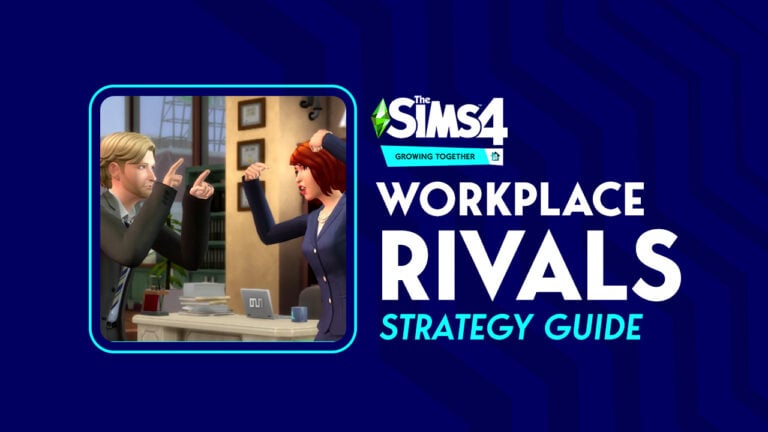
The Sims 4 Growing Together Workplace Rival Strategy Guide

Befriend or sabotage your workplace rival to get ahead in your career!

The Sims 4 Growing Together workplace rival

Sims now have a chance to get a The Sims 4 Growing Together workplace rival. Have you ever had that one person at work that’s determined to make your life difficult no matter what? Well, now your Sims can experience that, too. While your Sim has a rival, they won’t be able to gain promotions. Their rival stands in the way of their career progress. The only way to clear the path to promotion is to end the rivalry… by any means necessary.

Getting a The Sims 4 Growing Together Workplace Rival

Getting a workplace rival is somewhat random. There’s no way to guarantee that your Sims will get one but if there are other Sims in the world in the same career track as your Sim, there’s a chance that any one of them may become your Sim’s workplace rival.

Work Rival Job Panel

When your Sim gets The Sims 4 Growing Together workplace rival, you’ll receive a notification about it. You can see more details about your Sim’s workplace rival in their career panel. Their workplace rival exists to block your Sim’s path up the career ladder. They won’t be able to earn promotions while they have a workplace rival, no matter how well they’re doing at their job.

The only way to start getting promotions again is by ending the rivalry. There are several different ways you can achieve this.

Befriend Your Rival

The most amicable way to resolve a workplace rivalry is to befriend your Sim’s workplace rival. You can do this either on the job or outside your working hours.

When your Sim leaves for work, you’ll have the option to Befriend Work Rival if you click on the people icon on your Sim’s portrait while they are away at work. You’ll receive notifications throughout the day about how your Sim is going about trying to make friends with their rival. Successfully being nice to your rival while at work increases the friendship between your Sim and their rival.

The Sims 4 Growing Together workplace rival

However, spending so much time focusing on your The Sims 4 Growing Together workplace rival while at work will lower your work performance. If you don’t want your Sim’s work performance to suffer while they try to befriend their rival, they can see them outside of work to try and mend things. Invite them over or invite them out somewhere to be friendly with them. If your Sim becomes friends with their rival, the rivalry will end the next time they go to work.

Once the rivalry ends, your Sim will be able to gain promotions again.

Sabotage Your Rival

On the other hand, it might be more fun to sabotage your rival. You can do this either on the job or outside your working hours as well.

When your Sim leaves for work, you’ll have the option to Sabotage Workplace Rival if you click on the people icon on your Sim’s portrait while they are away at work. Goofball and Evil Sims will especially enjoy doing this; they will gain Fun from sabotaging their The Sims 4 Growing Together rival. You’ll receive notifications throughout the day about all your Sim’s efforts to make their rival completely miserable. Successfully sabotaging your rival while at work lowers the friendship between your Sim and their rival.

Sabotage Work Rival

However, spending so much time focusing on your The Sims 4 Growing Together workplace rival while at work will lower your work performance. If you don’t want your Sim’s work performance to suffer while they try to sabotage their rival, they can see them outside of work to be a jerk to them. Invite them over or invite them out somewhere and use Mean or Mischievous interactions with them. Terrorizing your workplace rival outside of working hours can also end the rivalry.

Of course, there is an even faster way of ending a workplace rivalry… if you or your Sim are diabolical enough. If your The Sims 4 Growing Together workplace rival dies, the rivalry automatically ends since there is no rival to compete with anymore. You might want to help that along a little bit by, say, inviting them to a party then locking them in the basement with no food. Indefinitely. Just saying…

The Sims 4 Growing Together workplace rival

Once the rivalry ends, your Sim will be able to gain promotions again.


If you liked our The Sims 4 Growing Together Workplace Rival guide, check out our Milestones Guide!

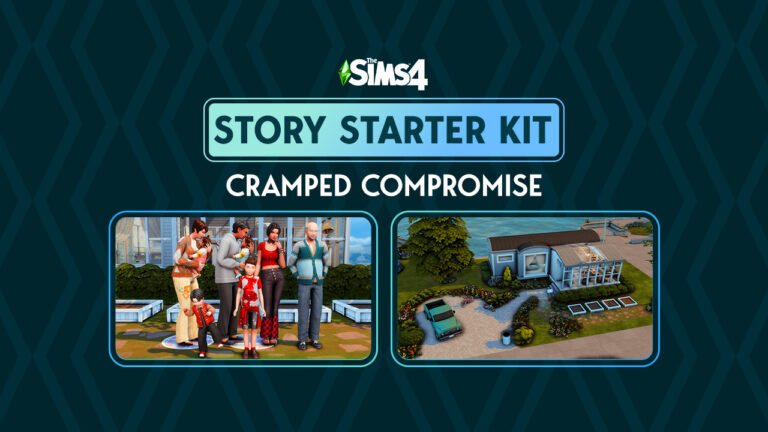
The Sims 4 Story Starter Kit: Cramped Compromise

A big family down on their luck in a small trailer struggles to keep it all together

Welcome to our sixteenth official The Sims 4 Story Starter Kit! If you missed all the info on The Sims 4 Story Starter Kits, you can read more about what they are and how they work in our introductory article!

For this month’s The Sims 4 Story Starter Kit, we’re bringing you a big family that’s down on their luck. Can you fix all the problems these Sims have or will this family crumble to pieces in tight quarters?

The Sims 4 Story Starter Kit: Cramped Compromise

The Sims 4 Story Starter Kit

Kaitlin met Adrian fresh out of high school at a bar. Adrian was nearly ten years older than her but that didn’t stop the sparks from flying. Kaitlin found herself pregnant with their daughter, Isabella, at a young age very early on into their relationship, much to her father’s outrage. Figuring he should do right by Kaitlin, Adrian stepped up and married her before Isabella was born.

In spite of Kaitlin’s father hating Adrian and in spite of everyone telling them their hasty shotgun marriage would never last, Kaitlin and Adrian built a good life for themselves and welcomed two more children into their family. Adrian had a good paying office job at a big company in the city which allowed Kaitlin to stay home and care for their children. They had a nice spacious home in the idyllic suburbs. Life couldn’t be better but that was all about to change very fast.

Adrian was suddenly laid off from his job without warning. It was the worst possible time to become unemployed because right after, they discovered Kaitlin was pregnant with twin girls that they hadn’t planned for. They went from being financially comfortable to living paycheque to paycheque. When Kaitlin’s pregnancy complications resulted in an emergency c-section and an extended hospital stay, they had no choice but to sell their house and move into a small trailer to pay off the medical bills and other debts that had accumulated.

Losing their home was the final straw that broke Adrian. He stopped looking for work, forcing Kaitlin to juggle two part time jobs just to keep the family afloat. He lost interest in everything, even his own family and spends all his time lost in video games on his phone. All the kids are lashing out at the sudden changes in their own ways and Kaitlin feels like a single mom married to a complete stranger. She doesn’t recognise her own husband anymore.

To make matters worse, Kaitlin’s mother recently passed away, leaving her ailing father, Richard, without anyone to care for him. They can’t afford to place him in a retirement home so the only option was to find space for him in that tiny trailer. Richard’s erratic behaviour and dislike of Adrian makes him more difficult to care for than all five kids combined!

Can you take this The Sims 4 Story Starter Kit and turn things around for this struggling and overwhelmed family? Or is it too late to salvage a marriage and a family that’s been falling apart for such a long time?

The Sims 4 Story Starter Kit Household Info:

Kaitlin Cottrell
  • Age: Young Adult
  • Pronouns: She/Her
  • Romantic Interests: Men
  • WooHoo Interests: Men
  • Romantic Exploration?: No
  • Traits: Socially Awkward, Family Oriented, Foodie, Domestic (Bonus)
  • Aspiration: Super Parent
  • Likes: Yellow, Soul Music, Cooking, Basics Fashion, Hard-Working Sims, Family Motivated Sims, Small Talk, Discussing Hobbies, Affection
  • Dislikes: Black, Alternative Music, Video Gaming, Rocker Fashion, Streetwear Fashion, Ambitionless Sims, Argumentative Sims, Complaints, Pranks
  • Skills: Parenting (5), Cooking (4), Photography (3), Gardening (2)
  • Career: Barista (3), Fast Food Employee (3)
  • Relationships: 
    • Adrian Cottrell (Husband) – Distant, Bad Compatibility
    • Isabella Cottrell (Daughter) – Difficult, Bad Compatibility
    • Mathew Cottrell (Son) – Strict, Bad Compatibility
    • Jaxen Cottrell (Son) – Supportive
    • Hope Cottrell (Daughter) – Close
    • Faith Cottrell (Daughter) – Close
    • Richard Clancy (Father) – Close, Amazing Compatibility
  • Packs Used: Growing Together, High School Years, Parenthood
Adrian Cottrell
  • Age: Adult
  • Pronouns: He/Him
  • Romantic Interests: Women
  • WooHoo Interests: Women
  • Romantic Exploration?: No
  • Traits: Gloomy, Glutton, Lazy, Business-Savvy (Bonus)
  • Aspiration: Fabulously Wealthy
  • Likes: Black, Blue, Blues Music, Mischief, Video Gaming, Outdoorsy Fashion, Ambitionless Sims, Pessimistic Sims, Complaints, Physical Intimacy
  • Dislikes: Yellow, Hip Hop Music, Cooking, Handiness, Preppy Fashion, Hard-Working Sims, High Energy Sims, Discussing Interests, Jokes
  • Skills: Video Gaming (5), Mischief (3)
  • Career: Unemployed
  • Relationships: 
    • Kaitlin Cottrell (Wife) – Distant, Bad Compatibility
    • Isabella Cottrell (Daughter) – Strict, Bad Compatibility
    • Mathew Cottrell (Son) – Permissive
    • Jaxen Cottrell (Son) – Distant
    • Hope Cottrell (Daughter) – Distant
    • Faith Cottrell (Daughter) – Distant
    • Richard Clancy (Father-In-Law) – Bad Compatibility
  • Packs Used: Growing Together, High School Years, Parenthood
Isabella Cottrell
  • Age: Teen
  • Pronouns: She/Her
  • Romantic Interests: Women & Men
  • WooHoo Interests: Women & Men
  • Romantic Exploration?: Yes
  • Traits: Party Animal, Jealous, Relatable (Bonus), Low Self-Esteem (Reward)
  • Aspiration: Live Fast
  • Likes: Red, Hip-Hop Music, Comedy, Mixology, Streetwear Fashion, Emotional Decision-Makers, Romance Enthusiasts, Spirited Sims, Gossip, Physical Intimacy, Flirtation
  • Dislikes: White, Soul Music, Programming, Basics Fashion, Homebody Sims, Cerebral Sims, Deep Thoughts, Small Talk
  • Skills: Mixology (5), Charisma (4), Comedy (3), Video Gaming (2)
  • Career: High School C Student
  • Relationships: 
    • Kaitlin Cottrell (Mother) – Difficult, Bad Compatibility
    • Adrian Cottrell (Father) – Strict, Bad Compatibility
    • Mathew Cottrell (Brother) – Difficult, Good Compatibility
    • Jaxen Cottrell (Brother) – Difficult
    • Hope Cottrell (Sister) – Distant
    • Faith Cottrell (Sister) – Distant
    • Richard Clancy (Grandfather) – Jokesters, Bad Compatibility
  • Packs Used: Growing Together, High School Years, Parenthood
Mathew Cottrell
  • Age: Child
  • Pronouns: He/Him
  • Traits: Hot Headed, Low Confidence (Reward)
  • Aspiration: Mind and Body
  • Likes: Red, Alternative Mischief, Fitness, Funny Sims, Argumentative Sims, Pranks, Arguments
  • Dislikes: Pink, Cerebral Sims, Deep Thoughts, Affection
  • Skills: Motor (4), Creativity (3)
  • Career: Grade School C Student
  • Relationships: 
    • Kaitlin Cottrell (Mother) – Strict, Bad Compatibility
    • Adrian Cottrell (Father) – Permissive
    • Isabella Cottrell (Sister) – Difficult, Good Compatibility
    • Jaxen Cottrell (Brother) – Jokesters
    • Hope Cottrell (Sister) – Distant
    • Faith Cottrell (Sister) – Distant
    • Richard Clancy (Grandfather) – Jokesters
  • Packs Used: Growing Together, High School Years, Parenthood
Jaxen Cottrell
  • Age: Toddler
  • Pronouns: He/Him
  • Traits: Wild
  • Skills: Movement (4), Communication (3), Potty (2)
  • Relationships: 
    • Kaitlin Cottrell (Mother) – Supportive
    • Adrian Cottrell (Father) – Distant
    • Isabella Cottrell (Sister) – Difficult
    • Mathew Cottrell (Brother) – Jokesters
    • Hope Cottrell (Sister) – Difficult
    • Faith Cottrell (Sister) – Difficult
    • Richard Clancy (Grandfather) – Jokesters
  • Packs Used: Growing Together, High School Years, Parenthood
Hope Cottrell
  • Age: Infant
  • Pronouns: She/Her
  • Traits: Intense
  • Relationships: 
    • Kaitlin Cottrell (Mother) – Close
    • Adrian Cottrell (Father) – Distant
    • Isabella Cottrell (Sister) – Distant
    • Mathew Cottrell (Brother) – Distant
    • Jaxen Cottrell (Sister) – Difficult
    • Faith Cottrell (Sister) – Close
    • Richard Clancy (Grandfather) – Jokesters
  • Packs Used: Growing Together, High School Years, Parenthood
Faith Cottrell
  • Age: Infant
  • Pronouns: She/Her
  • Traits: Sensitive
  • Relationships: 
    • Kaitlin Cottrell (Mother) – Close
    • Adrian Cottrell (Father) – Distant
    • Isabella Cottrell (Sister) – Distant
    • Mathew Cottrell (Brother) – Distant
    • Jaxen Cottrell (Sister) – Difficult
    • Hope Cottrell (Sister) – Close
    • Richard Clancy (Grandfather) – Jokesters
  • Packs Used: Growing Together, High School Years, Parenthood
Richard Clancy
  • Age: Elder
  • Pronouns: He/Him
  • Romantic Interests: Women
  • WooHoo Interests: Women
  • Romantic Exploration?: No
  • Traits: Childish, Erratic, Clumsy, Gregarious (Bonus)
  • Aspiration: Neighbourhood Confidante
  • Likes: Blue, Brown, Gardening, Mischief, Preppy Fashion, Family Motivated Sims, Rascals, Silly Behaviour, Potty Humour, Pranks
  • Dislikes: Red, Hip Hop Music, Pop Music, Video Gaming, Rocker Fashion, Streetwear Fashion, Ambitionless Sims, Pessimistic Sims, Complaints, Small Talk
  • Skills: Gardening (4), Charisma (3), Mischief (2)
  • Career: Retired
  • Relationships: 
    • Kaitlin Cottrell (Daughter) – Close, Amazing Compatibility
    • Adrian Cottrell (Son-In-Law) – Bad Compatibility
    • Isabella Cottrell (Granddaughter) – Jokesters, Bad Compatibility
    • Mathew Cottrell (Grandson) – Jokesters
    • Jaxen Cottrell (Grandson) – Jokesters
    • Hope Cottrell (Granddaughter) – Jokesters
    • Faith Cottrell (Granddaughter) – Jokesters
  • Packs Used: Growing Together, High School Years, Parenthood

Household Notes:

  • This The Sims 4 Story Starter Kit household should be able to purchase their lot with their default starting funds. Make sure you import the family into CAS, then move them in. If you move them into a home straight from the Gallery, they will not have the funds I set for them.

The Sims 4 Story Starter Kit: Tight Quarters

This latest The Sims 4 Story Starter Kit build is a tiny one but don’t be fooled by the size; this trailer has space for 8 people to sleep and the sunroom extension on the front of the trailer offers some extra lounge space. It might not be luxurious accommodations but it could be worse! A small roof over one’s head is still better than no roof.

The Sims 4 Story Starter Kit Lot Info:

  • Lot Type: Residential
  • Price: §29,524
  • Size: 30×20
  • Beds: 8
  • Baths: 1
  • Lot Traits: Homey
  • Lot Challenges: None
  • Packs Used: Growing Together, High School Years, Parenthood, Greenhouse Haven, Basement Treasures

Your The Sims 4 Story Starter Kit is waiting for you! Get The Household and The Lot by downloading them from the official Gallery Website linked on the buttons below. Or, follow SnarkyWitch in the Gallery and look for Cramped Compromise and Tight Quarters! You can also find all our The Sims 4 Story Starter Kits by searching the hashtag #StoryStarterKit in the Gallery!

Credits:

Looking for our last The Sims 4 Story Starter Kit? Check out Oh Baby, No!

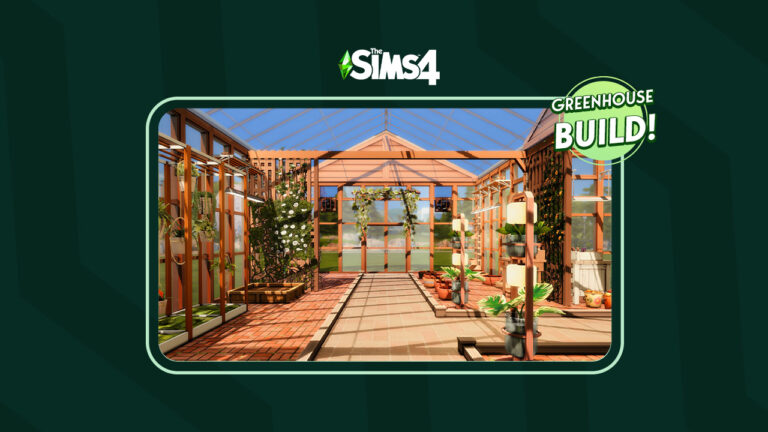
The Sims 4 Greenhouse Haven: Create A Slice of Paradise

Let’s build a greenhouse with the Greenhouse Haven Kit!

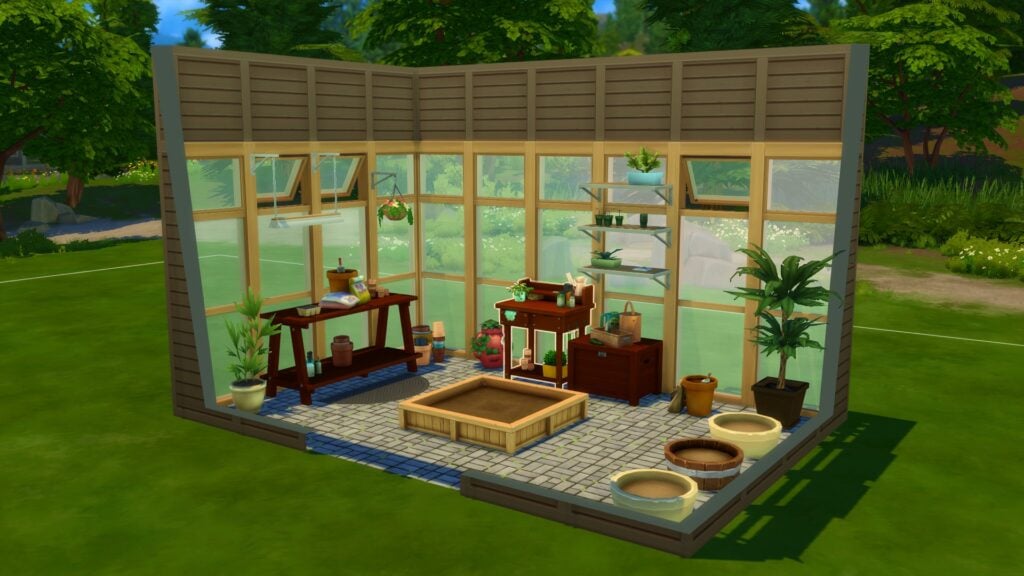
The Sims 4 Greenhouse Haven is one of two recent additions to the game’s kit collection. The kit features a handful of Build and Buy content designed to build and decorate the greenhouse of your dreams. New greenhouse windows with matching doors, gables, and glass roofing allow you to create a seamless look for your greenhouse. Shelving, wall-hanging solar lights, seedling planters, air circulators, and other gardening clutter will help you decorate greenhouse spaces that look more true-to-life than ever.

We wanted to put this kit to the test and see if we could build a beautiful, realistic-looking greenhouse primarily using the Greenhouse Haven Kit with a handful of other packs to supplement the build. We knew not incorporating other packs like Blooming Rooms and Seasons would have been a missed opportunity here; they compliment the theme of The Sims 4 Greenhouse Haven so well.

So without further ado, let’s build a slice of paradise with the new kit!

Building with The Sims 4 Greenhouse Haven Kit

The Blueprints

The Sims 4 Greenhouse Haven

I decided to build a T-shaped greenhouse of medium size. Why a T-shape greenhouse? I just love them! Don’t ask me why. I couldn’t tell you. I just do! It makes for a more interesting layout than a simple rectangular greenhouse, at least.

I laid out the t-shape and then got to work making it look like a greenhouse. Of course, I wanted to check out the new windows and matching doors that came with The Sims 4 Greenhouse Haven kit. I was pleasantly surprised by the variety in the swatches. I could do French style glass windows, simple panes, and even wire mesh windows that would also look good on an enclosed sun porch. The doors matched perfectly with all the swatches.

The Sims 4 Greenhouse Haven

I was especially happy to find a roof gable that matched the doors and windows, too! It always bothered me how the roof stuck out on my greenhouses. It was an eyesore and broke the seamless look I wanted for the building. The roof gable solves this issue, making your greenhouse look cohesive from top to bottom. Honestly, I think this one simple piece is my favourite item in The Sims 4 Greenhouse Haven kit just for this reason. The Sims 4 Greenhouse Haven Kit also comes with a matching glass roof which is nice.

Decorating the Space

Blooming Rooms Decor

Once the exterior looked like a greenhouse, I got to work filling the inside with plants. I tried to incorporate every single item from this kit into this build. That turned out to be easy to do because everything looked really nice and fit a greenhouse aesthetic perfectly. I laid out the stone flooring with overgrowth between the bricks and used some of the Country Kitchen floor tiles as a path through the greenhouse. The Sims 4 Greenhouse Haven kit does not come with wall coverings which makes sense since you wouldn’t really see anything but the windows in a greenhouse, but don’t forget to cover the walls anyway; Sims will notice an unfinished room.

The Sims 4 Greenhouse Haven

I decided the greenhouse could use some earthy-looking partitions to divide the space a little. I used the Eco Lifestyle tall fencing to achieve this and covered it with ivy from the Vampires and Get Together packs. With all the structural stuff done, all that was left to do was fill the space with lots of beautiful plants! I realised as I decorated just how much more realistic this greenhouse looked thanks to the new objects. The seedling planters and gardening clutter like fertilizer bags, pesticides, and watering cans tied everything together so well.

I loved that the solar lights were wall-mounted and not ceiling lights. If you have a greenhouse with a glass roof, ceiling lights look very strange; they look like they’re hanging from nothing. The wall mounted solar lights match perfectly with where the window panels are and it looks much better. I also used some build cheats to place the new shelves over the lights where I put some more seedlings. A few wire mesh windows and air circulators complete the look.

Don’t Forget the Useful Stuff!

Planter Boxes

It was easy to get carried away filling up the whole greenhouse with decorative plants from The Sims 4 Greenhouse Haven and Blooming Rooms kits but I did want Sims to actually garden here. For that, I needed planter boxes. Since the greenhouse is not huge, I definitely took advantage of Eco Lifestyle’s space-saving vertical planter boxes. These are great in greenhouses and other confined garden spaces. You can have two plants growing in a single tile of space. However, if you want to grow a few trees, there are a couple large planter boxes for that. I filled up the rest of the usable space with small planter boxes and added a flower arranging table from Seasons.

Download This Build!

The Sims 4 Greenhouse Haven

The results? A truly tranquil, warm, and botanical space where any avid gardener would love to spend their days! I’d consider this The Sims 4 Greenhouse Haven kit build a success. I love how this greenhouse turned out and I hope you will, too! You can download this greenhouse and use it in your own game! This build uses no custom content (CC) so console players can enjoy it, too.

Click the button below to download Little Sprout Greenhouse or search the ID SnarkyWitch in the Gallery!

Looking for Basement Treasures? Check out our overview and review of The Sims 4 Basement Treasures Kit!

Life By You: New and Exciting Info on Life Stages!

0

New information about how life stages work in Life By You!

Announcement Event Life by You 0 0 screenshot 1

Rod Humble’s latest project is shaping up to be his greatest one yet! In case you missed the news, Rod Humble is working with Paradox Tectonic to release a direct competitor to The Sims; an open world life simulation game called Life By You. The development team has been very transparent about the features they’re working on and what will and won’t be included in the early access when it launches in September.

Their latest blog post goes over aging and life stages. Many player questions regarding how aging will work in Life By You have been answered and the dev team talks about which ages will be in the early access and which ages will be in the base game eventually but not included with early access. They also go over exactly how aging works in Life By You and how your characters will progress through their lives.

Life By You: All About Life Stages

Which life stages will be in the game?

Announcement Event Life by You 2 13 screenshot

The blog post reveals that teens, adults, and elders will be available in Life By You at the start of early access in September. Currently, the team is unsure whether or not children will be included in the early access. They are still working on developing children and want to make sure they meet player expectations when they are introduced to the game. Here is what the team had to say about children:

We are still hard at work to determine if Children will be available at the start of Early Access. This will depend on how development of child visuals and bug fixing goes over the next few months. We have already created content for children, and also feel that the gameplay is rewarding, however we need time to bring visual charm and make sure that this life stage is working properly.

Life By You Blog

They also state that infants, toddlers, and children will all be part of the base game eventually. These life stages have been developed and playtested already but the dev team feels these life stages still need more development before they are introduced to the game. While this may be a bit disappointing to players who were looking forward to more family gameplay in September, they can at least take comfort in knowing the dev team is not keen on pushing out unfinished content just to meet a deadline.

Life By You: Child's Bedroom
A child’s bedroom in Life By You

How does aging progress?

Announcement Event Life by You 2 15 screenshot

Although Sims players might be familiar with the age progression from baby to elder, Life By You’s aging will be a little more true-to-life. Rather than only celebrating a birthday when a Sim enters a new life stage, the characters in Life By You will have a birthday every year, going up 1 year in age at every birthday. When it’s time for them to enter the next life stage, there will be an animation that happens to mark that larger change.

Right now aging follows the progression of in-game time and each human will have a birthday every year and go up 1 year in age. Visuals and animations are tied to life stages themselves and will update when a new life stage is achieved. We are still fine tuning the visuals across all of the life stages in the game right now. We can’t wait to see what you think of aging, so this is a major area where we will be watching player feedback during Early Access.

Life By You Blog

How do different ages interact?

Announcement Event Life by You 10 18 screenshot

Interactions between characters will be appropriate for their life stage. For example, children’s speech patterns will sound like a child and the things they talk about will be relevant to a child’s unique interests. The dev team is continuing to add lots of new interactions between now and early access. They also plan to continue adding more interactions throughout early access. Players can look forward to lots of life stage specific content.

When it comes to what each life stage can do, this is also suited to the specific life stage. The blog post states that only teens and older characters can cook all the recipes. The way this was worded leads us to think that children will be able to cook some simple recipes that don’t require hot appliances or sharp utensils; however, this is just speculation on our part.

Work/School, Transportation, and Dating

Life By You Teaser Join us March 20 0 16 screenshot

For work, school, and relationships, the blog post reveals that only adults can have careers. It also states that when children are added to the game, there will “likely” be a school for them that is not a rabbit hole. They did not specify whether teens can go to school in the early access or if school will be added for them eventually. However, they did state that university will not be in the base game.

Children will have bikes, tricycles, and skateboards to travel around the world so transportation is also age-appropriate. Dating unlocks at the teen life stage. Teens can only date other teens and adults can only date other adults. There will also be unique conversations surrounding dating for those specific life stages.

Looking for more Life By You content? Check out the first detailed developer livestream and stay tuned for more Life By You News in the near future!

The Sims 4: New Update! (April 26th, 2023)

EA has released a new Fix Update for The Sims 4 across PC and Consoles.

Sims 4 Update

The Fix Update

The Sims Team has just released their latest Patch drop for The Sims 4 Base Game. Featuring fixes for Bugs & Issues reported after the April 18th Update. Including the Face Glitch, Teeth Errors and more. Check out the full list of fixes in the Patch Notes below!

The Sims 4 Update: How to Install

You can download the latest version of The Sims 4 by checking for updates through the EA App / Origin. If you have Automatic Updates enabled the update will automatically download through your client program.

If you play The Sims 4 on Xbox Series and PS4 / PS5 you can request a new update by checking for updates under The Sims 4 game tag.

In case you have Mods or Custom Content, the game will automatically disable them for you after first launching The Sims 4 after the update. To re-enable all your Mods and Custom Content, select the Settings option in the Menu and select Settings. Under the ”Other” section you’ll find the ”Enable Custom Content and Mods” option. Check it and restart your game in order for it to take effect!


The Sims 4 Update: Patch Notes

Patch Notes

Update 04/26/2023
PC: 1.97.62.1020 / Mac: 1.97.62.1220
Console: Version: 1.75


Sul Sul Simmers

This patch re-enables the lose tooth feature from The Sims 4 Growing Together expansion pack. With much wiggling, pulling, and twisting those several pesky tooth issues have been yanked right out. Our Sims’ mouths have healed wonderfully and the over nine million recently created infants will once again have these next stages of life to look forward to. We appreciate your patience throughout this dental visit and wish you many Simoleons under your pillow in the morning.

– SimGuruNinja

Sims 4 Update: Bug Fixes

Base Game

  • An issue that was causing subtle adjustments to the appearance of Sims in the April 18th update has been resolved. You may have noticed this issue affecting the appearance of things such as a Sims’ eyes, teeth, and facial structure.
    • Any Sim that was created prior to the April 18th update should return to looking as they did before.
    • Any Sim that was created between the release of the April 18th update and this update will have minor adjustments to their appearance as a result of them now being correctly rendered.

Growing Together

  • The chance for a Child Sim to experience losing a tooth has been re-enabled.
  • A Child Sims’ skin material will no longer become corrupted after the Loose Tooth buff expires if the child was already missing two front teeth. ♫ All they really wanted were their two front teeth… ♪
  • A Teen Sims’ skin material will no longer become corrupted after the Loose Tooth buff expires. You get to decide how to corrupt your Sims, not loose teeth!

What are your thoughts on The Sims 4’s latest April 26th, 2023 Update? Join the conversation below!

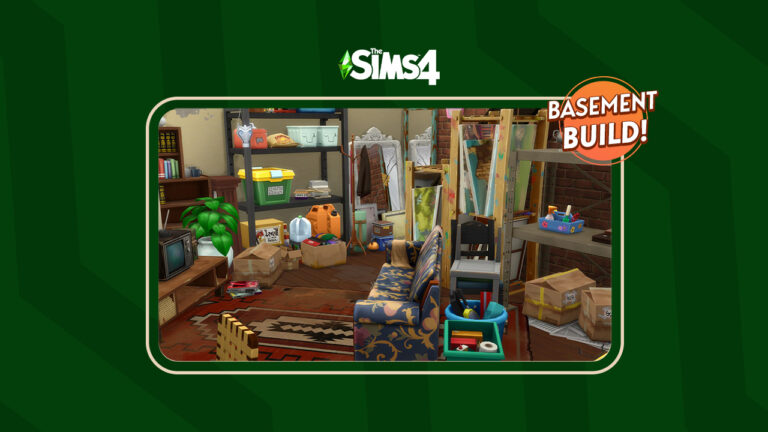
The Sims 4 Basement Treasures: Building A Cluttered Basement

Do you know what treasures are hiding in your basement?

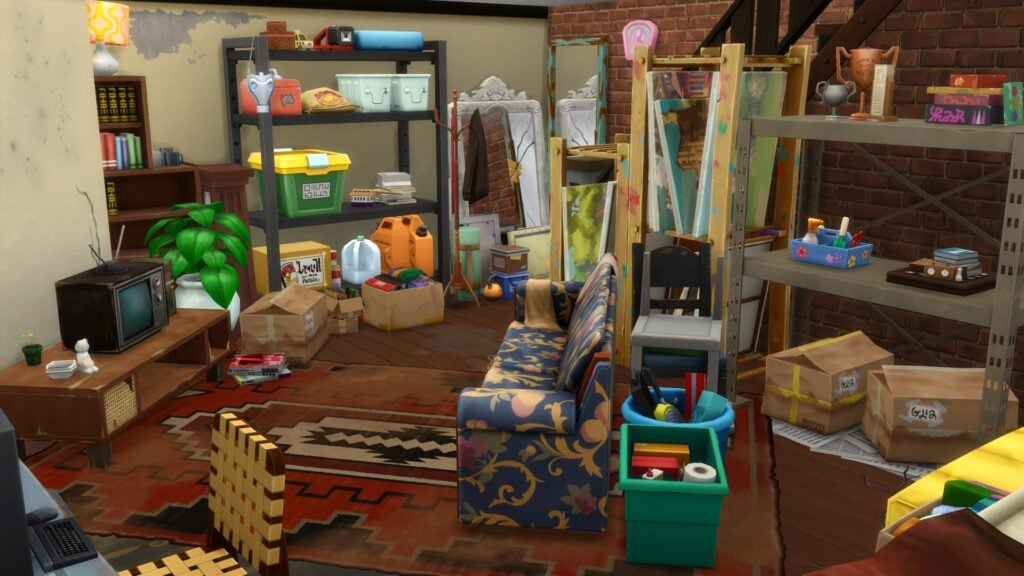
The Sims 4 Basement Treasures is one of two brand-new Kits recently added to our growing collection of smaller content packs. The Kit features a variety of new objects, albeit some that have seen better days! Featuring objects with a slightly more grungy style, as well as a nostalgic throwback or two. If you know, you know!

We wanted to put this new Kit to the test by creating our own basements using the new objects. However, looking at The Sims 4 Basement Treasures Kit, you can do more than just create Basements! A number of the new objects work well in various different themed builds and with other packs. One that I’m sure many will think to pair together is The Sims 4 City Living. Of course, there are a number of packs that this new Kit will work well with!

Now, without further ado, let’s build our own Basement filled with nostalgic memories and treasures galore!

Building with The Sims 4 Basement Treasures Kit

Getting Started

As this is a basement build, I wasn’t too worried as to which lot I was going to build it on, as I had just created a new save. With a random pre-made lot selected, I jumped into trying to figure out how I wanted this basement to look.

The first few layouts seemed too large and would be overwhelming to fill all the space in some way. Taking it back to basics and keeping it simple, I eventually settled on one that I felt would work.

TS4 x64 2023 04 24 14 33 59
The beginning of our basement layout!

The basement started to take shape after placing a variety of different objects from The Sims 4 Basement Treasures and several other packs. At this moment in time, there was no real final placement for a lot of the objects just more experimenting with different combinations throughout the basement.

TS4 x64 2023 04 24 15 06 42
If you know, you know!

I had two things I wanted to achieve in this first basement build. The first was that it was a space where long forgotten furniture could be stored as well as having space to store those lesser used objects. Secondly, even though it would be somewhat cluttered, a usable area of the basement featuring a small seating area and television set up. It wouldn’t be the most aesthetically pleasing area of the basement however it would be perfect considering the surroundings.

TS4 x64 2023 04 24 15 06 24
It’s taking shape!

I have to admit, there was a moment when I absolutely hated how things were coming together. I ended up clearing the room of all the objects and starting over again. After some more trial and error, scrolling through the Build catalog and trying out objects from various different packs, slowly but surely it started to take shape.

Clutter, Clutter & More Clutter

One of my favorite things to do when building is adding a touch of clutter to my builds. Now with so many more options for adding clutter, especially with the likes of the Everyday Clutter Kit. There are so many more ways to help bring your builds to life now!

I found myself digging through the Build Catalog once again, looking at the likes of City Living, Strangerville, and more to find the perfect objects to add to this Basement Build.

The Sims 4 Basement Treasures, Cluttered Corners
A Basement full of treasures and memories!

The Sims 4 Basement Treasures and Other Packs

It goes without saying that the Basement Treasures Kits work perfectly with a number of other packs in The Sims 4! Be it wall decor, clutter objects, or even pieces of furniture that have seen better days, here are a few packs that we found worked well with Basement Treasures!

  • City Living
  • Growing Together
  • Strangerville
  • Werewolves
  • Vampires
  • Everyday Clutter
  • Bust the Dust
TS4 x64 2023 04 25 17 35 06
Another look at a Cluttered Basement for your Sims

Download This Build!

Overall this basement treasures-inspired build is not only cluttered and messy but also a useable space! Whether it is purely for storing furniture your Sims no longer need or a place for your teen Sims to hang out, there is plenty of options!

This build features no custom content and features objects from The Sims 4 Basement Treasures and several other packs. Full details of the packs used can be found in The Gallery listing.

Click the button below to download the Cluttered Basement or search the ID Leekseverywhere in the Gallery!

Looking for something to read next? Check out our overview and review of The Sims 4 Greenhouse Haven Kit!

The Sims 4 Kits: Full Greenhouse Haven Overview

Give your green-thumbed Sims the Greenhouse of their dreams!

The Sims 4 Kits are small pieces of content that The Sims Team release periodically throughout the year. Since their release we’ve seen a wide variety of themes covered and Greenhouse Haven is one of two brand-new Kits released this April. We also know that both The Sims 4 Kit and the Basement Treasures Kit are just two of four we are to see between now and June!

Greenhouse Haven focuses on opening up more ways for our green-thumbed Sims to enjoy their outdoor spaces. With a variety of new Build and Buy mode objects to choose from, there will be no stopping our Sims from wanting to spend more time tending to their plants and those that are harvestable!

You’ll find that the new objects come in a variety of neutral-toned swatches, with the odd pop of colour here and there. Most objects have between 4–12 swatches to choose from, too.

Let’s take a closer look at Greenhouse Haven Kit! This Sims 4 Kit comes with over twenty-five new Build/Buy items and one new styled room. You can check out all the swatches and catalogue entries below!

Tablet of Contents

Every Object in The Sims 4 Greenhouse Haven Kit

Let’s start by taking a look at all the new objects and their catalogue entries!

Build & Buy Mode

Styled Room

All the new objects that are included in The Sims 4 Greenhouse Haven Kit

Swatch Selections

First up are all the swatches from the new objects that you can find in Buy Mode!
Next up are the swatches from the new Build Mode objects!

And lastly, the swatches from the newly styled room.

The Sims 4 Kits: Greenhouse Haven Styled Room

All the new objects and their swatches with The Sims 4 Greenhouse Haven Kit

Our Review of The Sims 4 Greenhouse Haven Kit

The Sims 4 Greenhouse Haven offers players over twenty brand-new objects to expand and improve on their Sims gardening dreams!
When the new roadmap was first teased, like many, we were unsure what The Sims Team had planned when told us to get ready to reclaim our spaces at home. While being somewhat puzzled yet intrigued by what this meant, we started to think about the possible themes of these new The Sims 4 Kits. While we didn’t have to wait long for the first two to be revealed, we think it is safe to say we were pleasantly surprised at the teased images for Greenhouse Haven.

Now that the Kit has been released and we’ve had a chance to explore the new additions, the overall first impressions were promising. From the variety of smaller, more decorative objects to the new mesh windows and doors, it truly has inspired us to get into our Sims gardens and build them their own Greenhouse Haven!

From exploring the Kit ourselves over the past few hours since its release, we found ourselves gravitating towards the smaller decorative plant pots and saplings when experimenting with building ideas. Even the gardening tools added another level of depth to some of the small builds we played around with.

The addition of the meshed windows and doors is a nice touch and again helps create a number of different greenhouse styles. The new brick flooring option is also wonderfully detailed and we can see ourselves using it in a number of upcoming builds. All the new build objects would work well if you were wanting to add a sunroom or porch to the home of your Sims instead of a greenhouse. It definitely got us thinking about how these objects would integrate with objects from other packs! Two that stood out to us were how it would pair up with the Blooming Rooms Kit and even the Seasons Expansion Pack!

Overall, The Sims 4 Greenhouse Haven is a lovely Kit to have within your collection. Whether you are a builder or a storyteller, it does open up a number of possibilities. Would we say it is a must-have Kit? It’s hard to say because we all play differently, however, we feel it is a Kit to consider if you are looking to add one or two new Kits to your collection!

Looking for our overview and review of the Basement Treasures Kit? Look no further!