Change your Sim’s career outfit in The Sims 4 with this handy cheat!
Have you ever sent your Sim off to work only to be horrified by the ugly outfit they’re wearing? We’ve all been there before. Did you know that there is a nifty Sims 4 career cheat that will let you modify your Sim’s career outfit? Learn how to use this cheat to make ugly career outfits a thing of the past!
Sims 4 Career Cheat: Modify Career Outfit
If your Sim is going to work in an outfit you don’t like, don’t worry! There is an easy way to fix it. This cheat works on both PC and console and does not require testingcheats to be enabled. This means console players can use this Sims 4 career cheat without disabling their trophies or achievements.
All you need to do is open the cheat console with CTRL+SHIFT+C (for PC) or all four back triggers (for console) and type in the cheat sims.modify_career_outfit_in_cas while you are playing as the Sim whose outfit you want to modify. Then hit Enter or X/A to confirm the command.
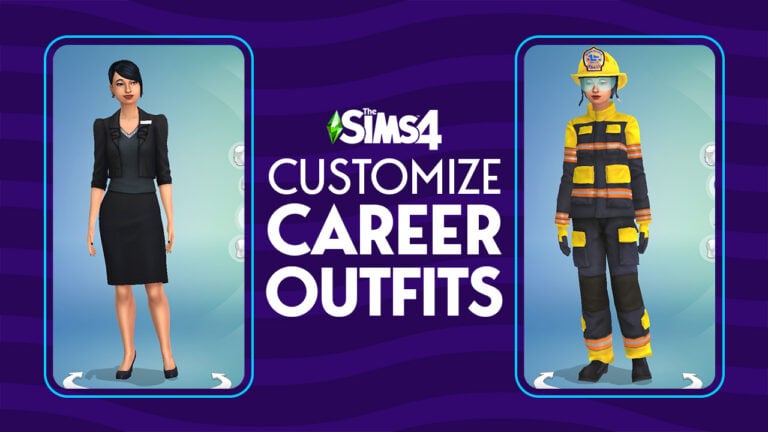
Look more professional at work!
You will immediately be taken to CAS where you will be able to modify your Sim’s career outfit! Your Sim will now go to work in the clothes you picked out for them.
Give your Sim a hero’s uniform!Wanna be a clown? You can do that!
You can use this cheat for any Sim in a career that has a career outfit associated with it, so no freelance careers. Keep in mind that your Sim may be wearing an item that’s hidden in CAS for some career outfits. If you remove these items, you won’t be able to put them back on again. You may not have access to some uniforms you want to wear if your Sim has not progressed far enough in the career to unlock that outfit, either.
The first Screens for Sims 5 have leaked after the latest EA Playtest. Spoilers included!
It was bound to happen one way or another.
We reported on the news of Project Rene / The Sims 5 being offered to a close group of EA Playtesters. This event took place at the end of October where select players were able to invite friends and play with the game’s Workshop.
Throughout the playtesting event it was mentioned that players will be able to get their hands on only a select portion of features. Including the game’s Work-In-Progress Workshop and tools for Apartment customization.
Things took a turn for the worse after the report that Sims 5 has been cracked. Possibly by players who didn’t read the fine print.
That’s how first Sims 5 Screens have leaked
After the hacking report there was no room for surprises anymore. It was inevitable that one day screenshots of The Sims 5 from unknown players would come to surface.
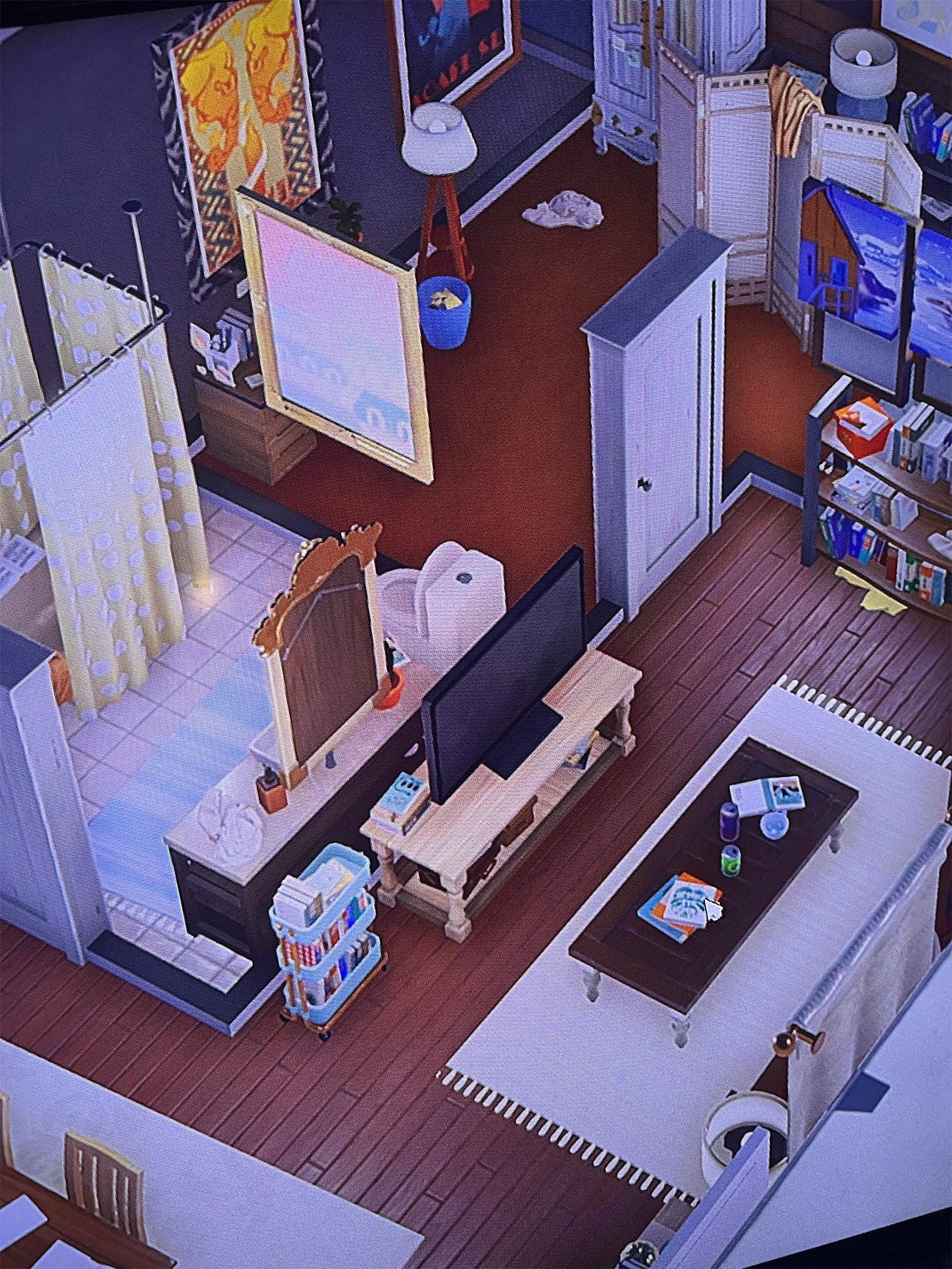
The screenshots that you are about to see of Project Rene / The Sims 5 are similar to previews shared during Behind The Sims Summit. Moreover, there are portions showcasing new elements and surroundings that Maxis is currently developing.
Before we break down the new screenshots it’s worth noting that everything you see is subject to change. Meaning that all the Gameplay, User Interface, Features and more are only work in progress. They don’t reflect the final version and release of what Project Rene / The Sims 5. Which is still years away.
Reddit user u/MeowDayThe13th has answered a few questions on Reddit following the release of these images.
This play test mostly was focusing on the new building and furniture features. It had 4 preset studio apartments for you to mess around in or an empty one for you to build in. There were no sims in this at all.
Stay tuned for all the latest news and updates on the development of Project Rene / The Sims 5.
What do you think about the screens? Join the conversation!
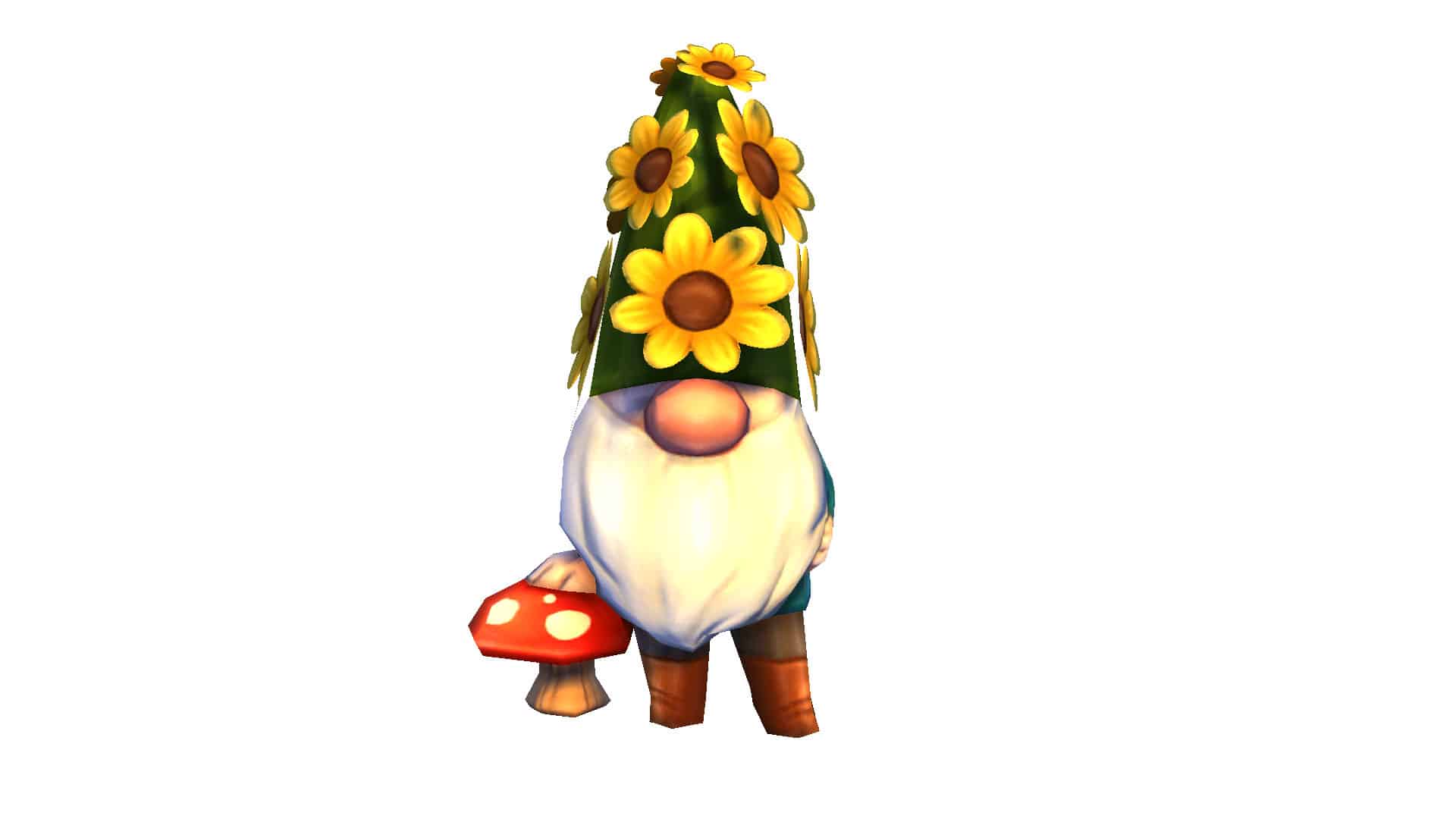
Most Simmers think Sims 4 gnomes are only relevant during Harvestfest. This Sims 4 Gnome Guide will fill you in on all the gnome gossip outside the holiday season!
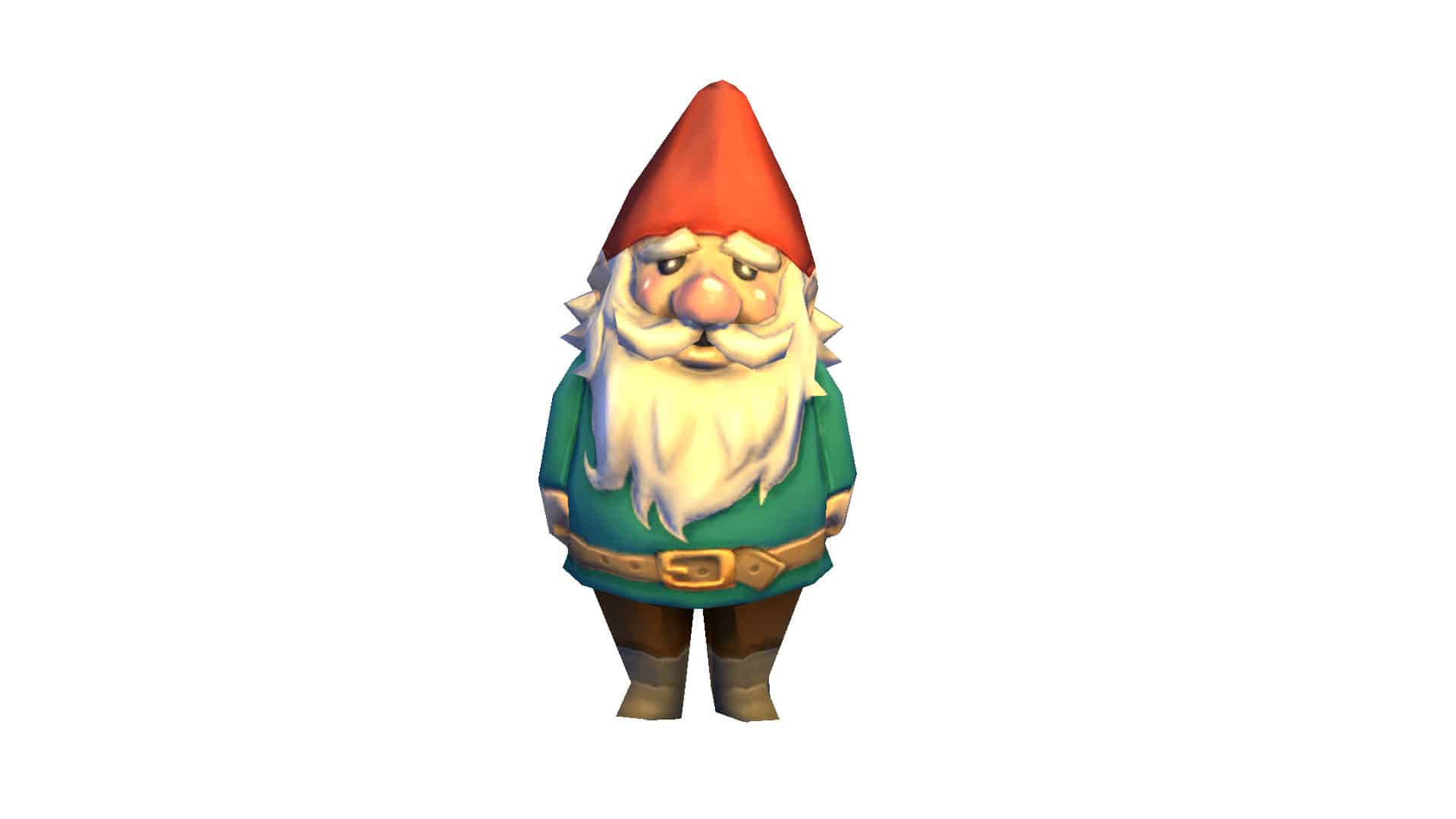
Most Simmers know about kicking or appeasing Gnomes during Harvestfest, but did you know about the Association of Gnomes are the Greatest, the Order of the Gnomes, or the Gnome High Council? There is a whole universe of Sims 4 gnome knowledge that can be learned about in this Sims 4 Gnome Guide!
Order of the Gnomes
According to Sims 4 Gnome lore, there is a sacred Order of the Gnomes. This organization does not “take too kindly” to gnome kicking. Sims are so scared of it that Sims will accuse other Sims of being part of the sacred Order of the Gnomes. Agatha Crumplebottom admits to knowing about the Order of the Gnomes and admits that it is real (although, you didn’t hear it from her!)
Association of Gnomes are The Greatest
Just as there is an Order of the Gnome, there’s an Association of Gnomes. Other than encouraging people to increase the number of gnomes in their homes, it is not quite clear what they do!
Gnome High Council
Another Sims 4 Gnome Gnome-related organization? Yes, this is the Gnome High Council and it defeated Stakra. All that is known about Stakra is that she had fanged teeth and reigned unchecked by mortal Sims. Her cruelty and destruction was so shocking that it had not been witnessed before or after her reign of terror. So the Gnome High Council vanquished her and placed her essence in a simple blue vase, incarcerated. As long as the vase remains on the top of the cabinet, the great galaxy is safe. Thankfully, the Sim’s universe has a great organization like the Gnome High Council!
Kicking Gnomes
Once again, we talk about the Gnome High Council. The Gnome High Council judges sims for the actions they did that have angered the gnomes. Many times, the crime is gnome-kicking.
A long time ago, Gnomes actually invented the soccer ball! This was done to prevent Sims from kicking them, but this doesn’t seem to be working. At the present time, Sims all over the Sim’s Universe play Soccer as it has become a Sim’s World pastime.
Important Sims 4 Gnomes History
Some Gnomes are originally from the Cave of Caerbannog. What people don’t realize at first is that if any Sim is taken in by the Gnome’s cuteness, and stares into it’s “childlike innocent eyes that can look into the Sim’s soul”, the Gnome has the ability to possibly own the Sim’s soul.
Garden Cart
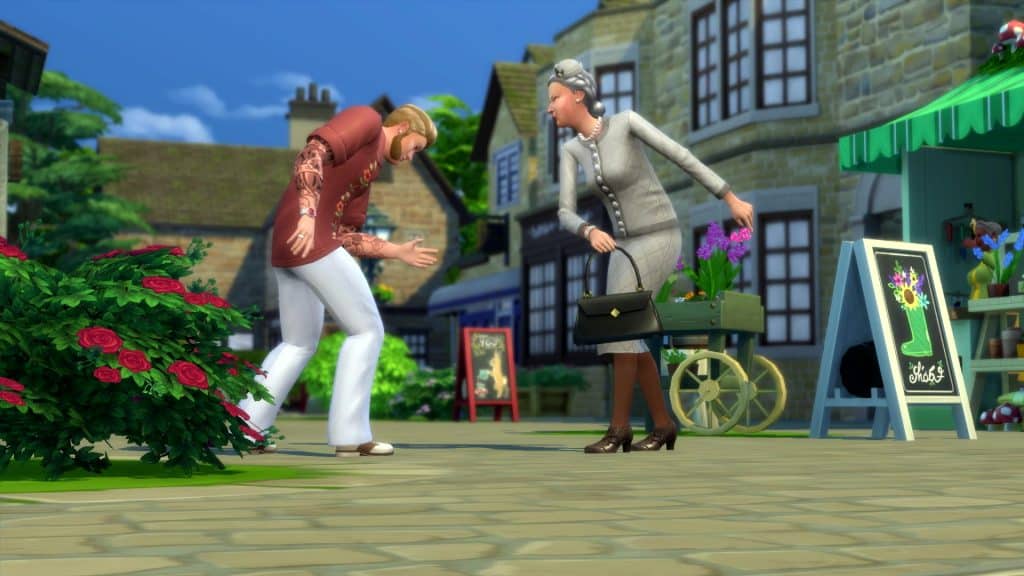
There’s a Garden Cart in Henford on Bagley owned by Agnes and Agatha Crumplebottom. Agatha loves to gossip and asks newcomers of Henford-on-Bagley to dig up gossip about gnomes.
The reason Agnes and Agatha started the Garden Cart was due to Gnomes’ attraction to the flowers. The other choice would have been a match-making service, but the Gnomes made it an obvious choice.
About Sims 4 Gnomes
A gnome will show up if your sim takes bad quality photos. Basically, it is an overlay over the photo.
There are two Gnome Simmies
During Harvestfest, appease the gnomes that appear with an item or else feel their wrath!
Gnomes mend broken things overnight with Gnomes Lot Trait
Gnomes have Magical Grow Dust that they use on lawns to make them grow!
Gnomes send out messages
There are mail gnomes who get blamed for mail being delivered to the wrong Sim.
Gnomes mine crystals that have been charged by moonlight for over three months.
In the fantasy series, vampires, gnomes, and fairy princesses are all very popular!
Gnome Personalities
Gnomes are helpful, but just a little dangerous. Also, they’re flammable!
Adorably conniving plans when conspiring? Sounds like a Gnome! They are masters of it.
Lawn gnomes and lawn flamingos are always at odds with each other.
Gnomes are always around listening. Sims should find local gnomes and ask them for some gossip.
Garden Gnomes love hiking, fishing, and gardening.
Gnome History
(From the Cottage Living Gnome riding a chicken sculpture) “This sculpture commemorates the Legend of Onward, The Adventurous Gnome that says: There was once a Gnome that wanted adventure. Lived in a giant tree, with all his inventions. One day he befriended a Chicken that grew and grew with all the attention to a size that could not register, the Gnome paid no mind and continued to favor. One day, the Chicken spoke, offered a ride through the moors. The Gnome was stoked! Packed everything in one go! He jumped on it and began their journey, and across all the town they rode. Forever and never alone. Place this statue in your Lot and let your imagination wander…”
“The Tragedy of Garden Gnome the Wise” is a story that most Sims won’t talk about.
Sports
Gnomes invented the soccer ball to prevent Sims from kicking them. Due to it’s popularity, it has now become a favorite pastime around the Sim’s World.
GameSports released a line of soccer balls that became very popular. Due to this success, GameSports decided to start creating a Snowboard collection. Rumor has it that they might have given each of these Snowboards magical properties.
Notable Sims 4 Gnomes
Residents of this delightfully kitschy neighborhood take pride in their billboards and lawn gnomes. In reality, who wouldn’t love getting to say hello to Barry the Brontosaurus every morning?
The Sim formally known as Steve the Reagnomper, wanders the Sim world searching for “the unwanted, the broken, and the discarded gnomes of the lawn’verse”. Finally, he takes back to his home any gnomes that he finds, grinds them up, and allows them to “find a new recycled existence” as a household object or even potting soil.
“Not to be mistaken for an inhabitant of R’lyeh. This gnome has traveled far and wide to live in peace amongst the other gnomes in your garden. He will try to fit in, to make friends, guard your lot from evil… or rise up and rule over all Sims ensuing chaos and cast aside all concepts of normalcy.”
Lab Experiments
Working in the lab, an Unnamed Sim brought a gnome to work. Miraculously, the Gnome came alive and eventually more Gnomes joined them. The plants began to grow faster than ever before. The secret? Gnomes excel at caring for plants. Then, the Unnamed Sim wondered if it was possible to prove that Gnomes’ gardening powers were real and if they could, they would change the future of botany!
After the discovery and thorough research, the Unnamed Sim decided to write out a dissertation on the viability of harnessing magical power of gnomes to grow crops better. With the gnomes happy from fruits and pies, they continued their work. Surprisingly, after uploading the thesis online, the Unnamed Sim’s boss came in upset at the nature of the thesis and fired the Unnamed Sim.
There’s No Place Like GnomeStrictly Business GnomeBearly GnomeThe Ghastly Ghostly GnomeHappy Gnomiversary!Herb the Posy ProtectorHigh Rider Gnome“Onward” The Adventurous GnomeDon’t Fear the ReagnomperBare Essentials GnomeAll The Sims 4 Gnomes
What gnome is the best gnome? Read all about it in this article!
Thanks to EroSims for Gnome Photos for the Gnome Lore. Visit his Tumblr here.
Gorgeous Sims 4 Maxis Match hairstyles for Black Sims!
People from all walks of life make The Sims the vibrant, diverse community it is today, so why is there so little representation for people of colour in The Sims 4? Most of the game’s culturally diverse content is locked behind paid DLC… if it even exists at all. While The Sims Team has made considerable effort to be more inclusive in recent years, the gap in free cultural content is still far too wide. What’s worse? It’s even hard to find diverse CC for The Sims 4. Most of the custom content being made for The Sims 4 caters to white Sims. One talented creator aims to bridge this problematic gap with their Sims 4 CC hair designed specifically for Black Sims!
Sims 4 CC Hair by Sheabuttyr
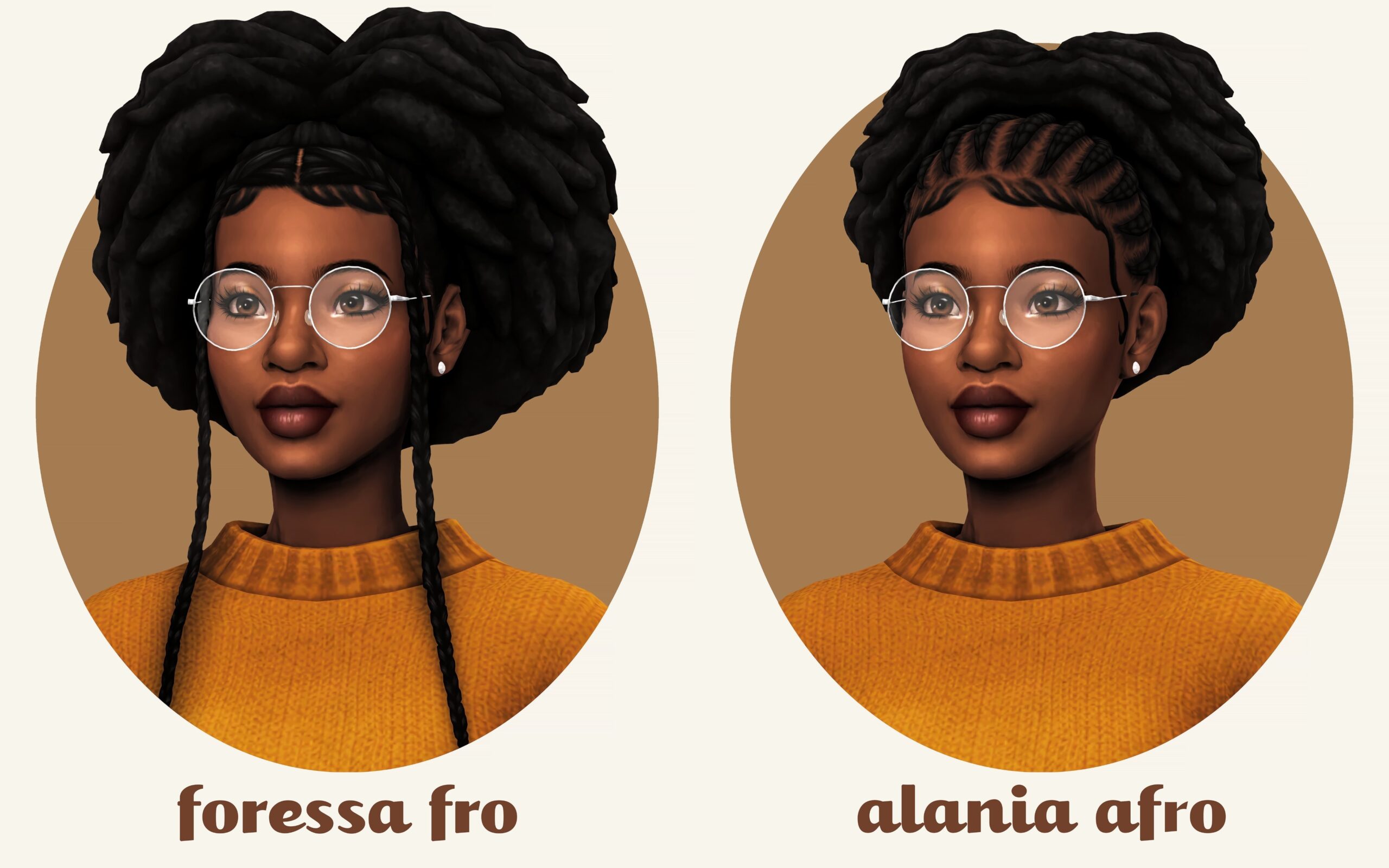
Sheabuttyr’s tumblr is dedicated to adding more diverse Sims 4 CC hair textures and styles to the game and they are absolutely stunning. There is a broad range of styles and textures that look amazing on Black Sims. We downloaded a handful of sheabuttyr’s collection to check them out in our own game and we were so impressed with the in-game quality of every single hairstyle. Locs, braids, twists, afros, and smooth textures all look equally gorgeous and the Maxis Match style fits right into the game’s existing artistic aesthetic.
Here is just a small sampling of sheabuttyr’s catalogue that we tried out in our game!
Sheabuttyr’s website has a clean overview of all their custom Hairstyles separated by Length and Texture filters.
Sheabuttyr’s latest content release is called Foxxy Fros and it features a selection of gorgeous afro hairstyles for your Sims! We’re so excited to get our hands on these. Check out the preview images below!
This set of build and buy items will take you to the French countryside!
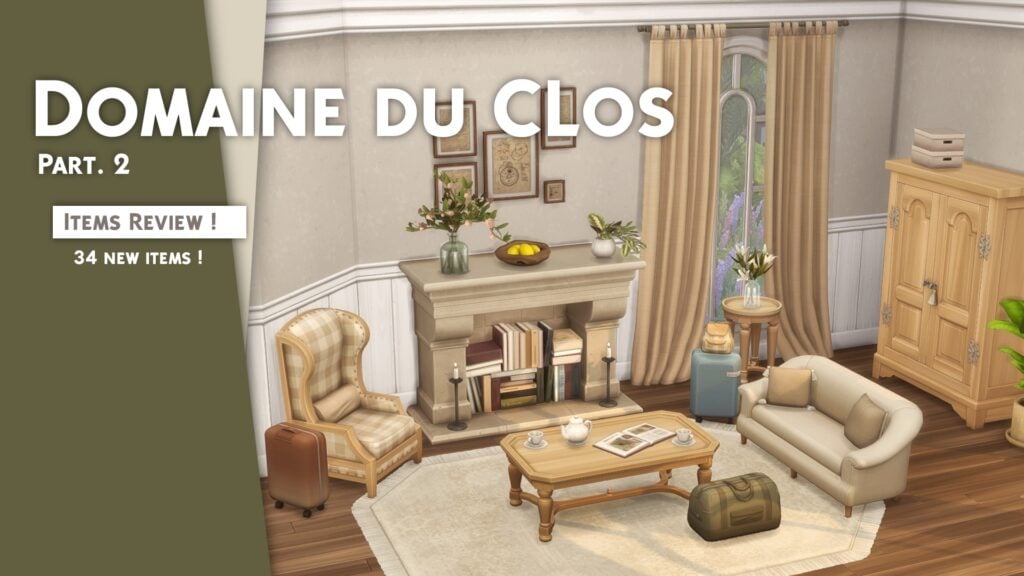
If you’ve gotten bored of what The Sims 4 has to offer in its packs and kits, maybe it’s time to download some custom content! And if you’re looking to get away to the French countryside (or looking for a taste of home in your game), this set of Sims 4 build/buy CC by Pierisim is exactly what you’re looking for! The Sims 4 Domaine du Clos CC set will transport your Sims directly to the French countryside.
The Domaine Du Clos set comes in two parts: one dedicated to build mode and one dedicated to buy mode. The build set features stunning brick detailing, ivy-laced pergolas, wood-framed doors and windows in a variety of shapes and sizes ranging across all wall heights, and even ceiling designs! The buy set dedicates itself to charming and cozy interior furnishings, complete with clutter decorative items, and sweeping curtains for all wall heights with modular curtain rods.
Each item comes in dozens of colours and patterns so you can customize your space to your liking. Simply changing the pattern or colour of the objects can give the area a completely new look and feel, so everything is very versatile.
While you can just download one set or the other, you’ll get the most out of this Sims 4 CC set if you download and install both parts. This will give you the ability to create matching indoor and outdoor spaces.
Build Overview
There is such a wide variety of windows and doors in this Sims 4 build CC set that are slight variations of each other to suit different wall heights. We’ll be showing off just a few of these items to give you an idea of the different styles available in this custom content set, but rest assured there are even more varieties of all of these objects not pictured.
Buy Overview
Some items in the buy mode portion of this set are variations of similar pieces to add more variety to the space and to suit different wall heights. We’ll be showing off just a few of these items to give you an idea of the different styles available in this buy mode set, but there are even more variations of some of these objects that are not pictured.
FurnitureClutter
Building with the Domaine du Clos CC Set
To get the full scope of what is possible with this Sims 4 CC set, it’s not enough to just show off the items individually. They are to be used in builds, after all! So we spent some time building with the two sets ourselves. We wanted to create three spaces in three completely different styles using the Domaine du Clos CC set. Other packs used to accent the set and tie everything together.
We went for old fashioned French opulence for our living room. A quaint French country feel for our study, and a breezy Mediterranean style for our patio. The same items are used in multiple rooms. Changing the swatches turned the space into something completely new.
Living RoomStudyPatio
Our Review of the Domaine du Clos Sims 4 CC Set
In our opinion, the Domaine du Clos CC set for The Sims 4 is stunning. It’s a must-have collection for any avid builder. The wide variety of items available in so many different swatches allows for almost limitless creativity. We could have played around with different build styles for much longer than we did.
Our favourite aspect of this Sims 4 CC set is how customizable everything is. Windows have separate shutters. Every window comes in so many different shapes, styles, and heights. Curtains come in all wall heights and have modular curtain rods to fill in gaps for extra wide windows. The fireplace comes with a functional and decorative version; the decorative version can have stacks of books snapped into it. There are two pergola designs and separate ivy you can layer on top. You can choose whether you want an ivy-covered pergola or a plain one. All the architectural details add so much visual character to both indoor and outdoor spaces.
Everything in this Sims 4 custom content collection is 100% Maxis Match which is always something we look for. If we didn’t know this set was Sims 4 CC, we would not be able to tell the difference.
You can download both parts of the Domaine du Clos Build/Buy CC set by Pierisim for free on their Patreon!
Two new Hairstyles are coming to The Sims 4 Base Game this month! Check out the previews.
The Sims Team has announced in their latest blog post that The Sims 4 is getting new Hairstyles!
With an upcoming SDX Delivery coming to The Sims 4, there is more than just Star Wars content. On November 17th we’re also getting two new Hairstyles in Create A Sim. Done in collaboration with Sims Creator DeeSims!
Interview with DeeSims on the new Sims 4 Hairstyles
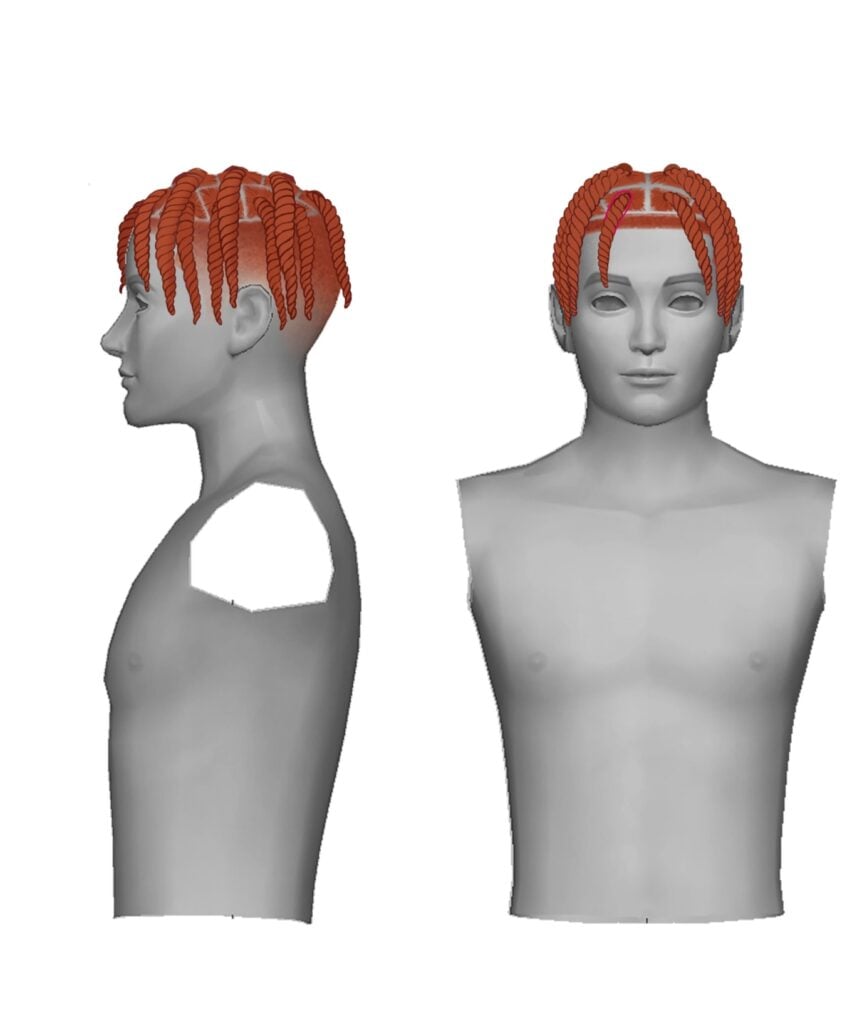
For the upcoming SDX drop, The Sims has collaborated with DeeSims to create two stunning, natural hairstyles, Bantu knots and two strand twists, that are fit for any occasion. Both are protective, staple styles originated and worn by the Black community.
What value do these two hairstyles add to The Sims 4 in your opinion?
I believe they hold a great value! The hairs are detailed with features that Simmers take into account. So much time and research went into this project, and those little details matter. I wanted to make sure that every feature was well thought out and implemented. For that, and that the hairs are so freaking cute, I believe the Simming Community will embrace them!
Which hair color swatches are you most excited to see the community style?
I am excited for the purple hair swatch of the Bantu Knots! Purple is my favorite color. I’m also excited about the roots of the hair; the rich colored hair swatches have slightly darker roots with the Bantu knots. It has a realistic feel to it which was very important to me when creating these hairstyles!
This mod is so detailed, it’s basically a free expansion pack!
The Sims 4 has a lot of occults now, but one occult it’s still lacking after all these years is fairies. A lot of Simmers might also argue that spellcasters could have more depth to them than they currently do. If you share these sentiments and are interested in new Sims 4 fantasy mods, SpinningPlumbobs‘ Fairies vs. Witches Mod is just what you’re looking for! We’re going to walk you through this huge mod with two new occult Sims, over 100 new animations, new objects, skills, and more!
Becoming a Fairy
Befriending a sprite
To become a fairy, you must find the Sylvan Glade. Access it the same way as before through the tree in Willow Creek, or purchase the fairy statue that comes with this mod in Build/Buy. Place a rose, a dahlia, or a sapphire on the fairy statue to open the ability to travel to the Sylvan Glade.
When you arrive, you will see the area is now populated by fairies. Find the Ethereal Guardian, greet them, and ask them how to become a fairy. The Guardian will instruct you to look for sprites in the area. Click anywhere on the ground to look for sprites. It can take a few tries before it is successful. Once you’ve located a sprite, interact with it until it trusts you enough to allow you to make a wish.
Becoming a fairy
Wish to become a fairy and the sprite will transform your Sim into a fairy! To ensure your Sim has their wings when they transform, go into CAS and select any of the items labeled WING SKINS in the earrings category. This will allow the wings to show up in Live Mode.
Fairy Customization
Customize your fairies
Fairies are extremely customizable! Click on the Fairy Form category on your fairy to toggle different options:
Auto Wings: Turn this off if you want to apply your own custom wings in CAS or if you just don’t want your fairy to have wings.
Use Fanciful Fairy Wings: Have fancier wings with this setting. Make sure you select one of the Fanciful Wing Skins in CAS for this option to work properly.
Hovering: Turn this off if you want your fairy to walk instead of float.
Fairy Form Effects: Turn this off if you don’t want your fairies to sparkle and shimmer
Use Magical Outfit: This option essentially enables “magical girl” transformations. Choose an outfit for when your fairy is channeling their fairy magic versus when they have it repressed. Using this along with the Repress/Channel Fairy Magic options under the Fairy Magic category will let you choose whether you want your fairy to have a magical form they transform into when channeling magic or whether you want them to look magical/human all the time.
Becoming a Witch
Meditating at the altar
To become a witch, purchase the witch altar that comes with this mod in Build/Buy. Examine it and then spend some time meditating at the altar until an Ancestral Witch is summoned. Ask the Ancestral Witch about becoming a witch and they will tell you to travel to the Sylvan Glade to capture one of the sprites there.
Go there and hunt for sprites until you find one. When you do, capture it and return to where you summoned the Ancestral Witch. Trade the sprite in for witch powers and the Ancestral Witch will turn you into a witch!
Trading a sprite for witch powers
Witches are different from spellcasters! They have been shunned by spellcasters for pursuing dark and unstable forms of magic so they exist on the fringe of spellcaster society, practicing witchcraft that spellcasters deem too unpredictable to meddle with.
Fairy Forms and Witch Ranks
Fairy FormsWitch Ranks
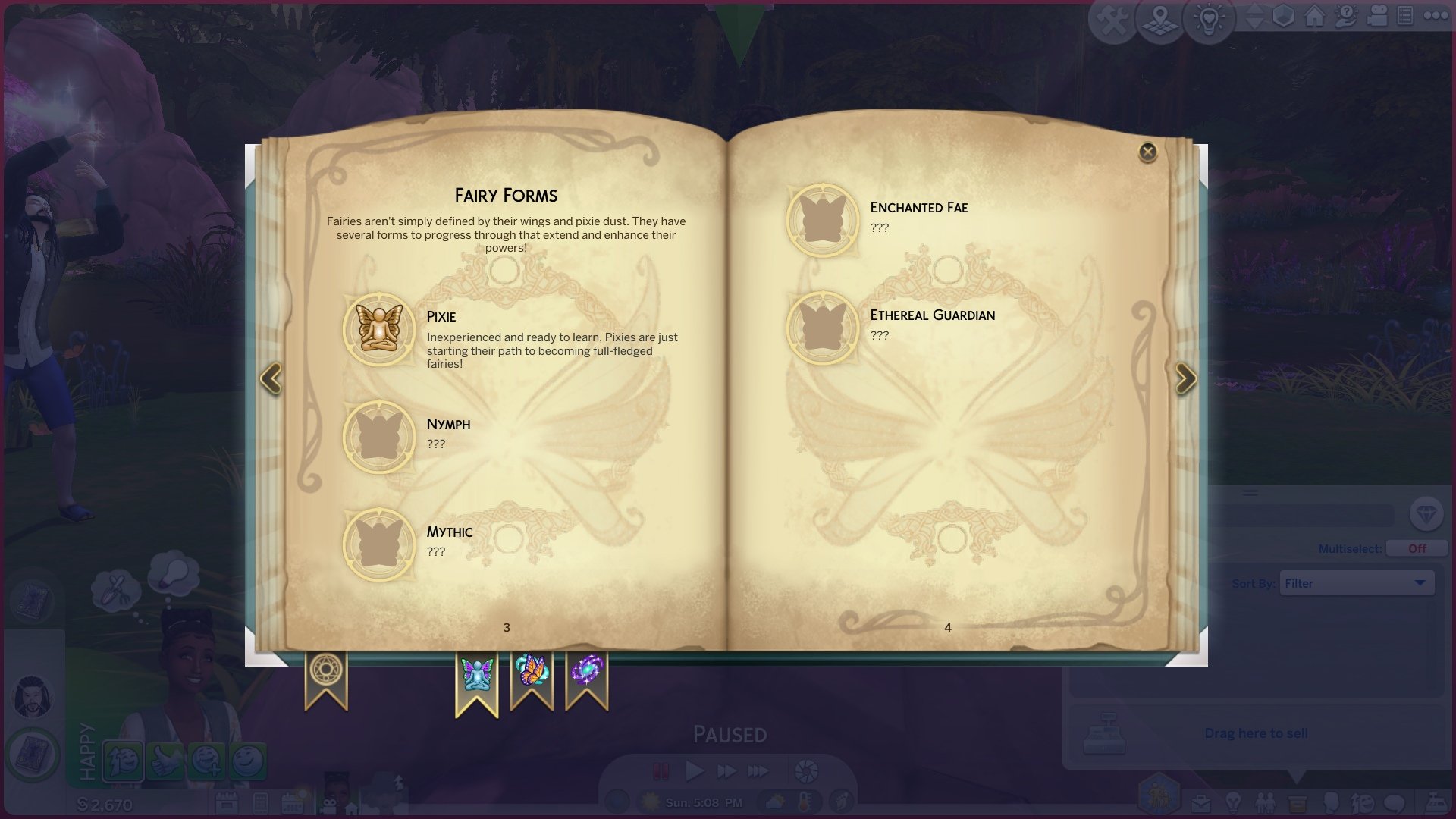
Like almost all other occult Sims, fairies and witches have ranks they progress through. Rising in rank unlocks the ability to learn new powers and spells. There are five Fairy Forms and Witch Ranks and these ranks are also represented in the skill panel in The Sims 4 Fairies vs. Witches mod.
Fairy Forms
Pixie
Nymph
Mythic
Enchanted Fae
Ethereal Guardian
Witch Ranks
Practitioner
Charmer
Spellbinder
Master Caster
Supreme Witch
Fairy and Witch Experience
Fairy Experience Orb
Just as spellcasters have a magical charge that makes their spells more powerful, fairies and witches have their own version of this ability in The Sims 4 Fairies vs. Witches mod. Luckily, there’s no danger of dying from spellcaster overload for fairies and witches.
As your fairies and witches use their magic, they’ll build up experience. They can only learn spells or take on new abilities if they have enough experience built up. When the experience orb is full, they can consume the orb to gain a large boost to their rank. This is the fastest way to level up your fairies and witches.
Once the experience has been used up on rank boosts or learning spells/abilities, the orb will empty again and your fairy or witch must spend more time using their magic to build up that power again. We love it when Sims 4 fantasy mods implement elements like these from packs. It’s both familiar and new and refreshing at the same time.
Fairy and Witch Spellbooks
Studying fairy magic
Both fairies and witches have their own spellbooks in The Sims 4 Fairies vs. Witches mod. Witches can conjure a spellbook by placing two amethyst crystals on either side of their altar. Fairies can obtain a spellbook from the Ethereal Guardian in the Sylvan Glade after befriending them. If you don’t wish to bother with any of that, you can also purchase them in Build/Buy.
Fairy spellbooks have three tabs: Fairy Forms, Magical Abilities, and Spells. Fairy Forms are the ranks your fairy has attained. Magical Abilities are innate abilities they possess that can be acquired from the fairy statue. Spells are magical spells that your fairy knows.
Witch spellbooks have four tabs: Witch Rank, Powers, Witchcraft, and Altar. Witch Ranks are the ranks your witch has attained. Powers are innate abilities they possess that can be acquired from the altar. Altar is a list of altar combinations your witch has discovered.
Witchcraft and Spells
Witchcraft and Fairy Magic are two new skills that come with The Sims 4 Fairies vs. Witches mod. Fairies learn Fairy Magic and witches learn Witchcraft. Even though they are two separate skills, the spells that can be learned are the same. Build these skills to unlock all the spells but remember; you need enough experience as well to learn new spells. Out of all The Sims 4 fantasy mods we’ve seen, this mod has some of the most interesting and varied spell varieties.
Witchcraft Spells
List of Spells
Harmonize: Increase musical skills of yourself or someone else
Frost Affix: Put out fires, freeze and break objects, and cool the temperature
Flora Vitalis: Increase the health of plants
Exemplum: Duplicate an object
Ensorcel: Control another Sim’s actions
Doppelganger Conjuration: Create a clone of your Sim
Cryocast: Freeze another Sim
Aqua Mutatio: Reveal a mermaid, or turn a human Sim into a mermaid
Lupus Transitus: Reveal a werewolf, or turn a human Sim into a werewolf
Liberate: Steal others’ belongings for yourself
Keratin Conversion: Temporarily change your hairstyle
Ivy Wrap: Incapacitate Sims with thorny vines
Incendia: Set objects or Sims on fire
Impotentia Curse: Weaken a duel opponent’s magical strength
Herba Partum: Conjure a fully grown plant ready for harvest
Herba Incrementum: Increase the growth rate of plants
Surge: Electrocute objects and Sims
Somnium: Put another Sim to sleep
Sanguis Vitam: Reveal a vampire, or turn a human Sim into a vampire
Sana: Heal sick Sims by lessening the severity of their illness and alleviating symptoms
Refectio: Repair broken objects
Mystify: Daze and confuse other Sims
Morbus: Cause another Sim to fall ill. Repeated castings can worsen the illness until it becomes fatal
Medusa’s Gaze: Turn other Sims into stone just by looking at them
Tone Deafen: Make another Sim tone deaf
Cleanse: Clean dirty objects or Sims
Attitude Aura: Emit the emotional aura of your choice to influence the emotions of nearby Sims
Magical Abilities and Powers
Unlike spells, magical abilities and powers are more like innate abilities that your fairy or witch possesses in The Sims 4 Fairies vs. Witches mod. They are the lifestyle your fairy or witch lives rather than a spell that can be cast. Gain new Magical Abilities/Powers at the fairy statue for fairies or the altar for witches.
Fairy Dust AbilityAncestral Connection Power
Level-Headed: Stay in control of your powers even in negative emotions
Magic Mentor: Instruct lesser fairies or witches and help them learn new spells
Rescind Power Source: Sever ties with your power source. Cannot be undone!
Source Master: Use a small amount of energy to draw on any magic source you want
Studious: Gain magic skill faster from your spellbook and learn new spells sooner
Teleport: Teleport to get around!
Dryad(Fairies Only): Temporarily transform into a tree to gain energy through photosynthesis
Fairy Dust(Fairies Only): Give others the ability to fly or give them wings!
Muse(Fairies Only): Influence other Sims with the power of song
Necromancer(Witches Only): Temporarily cross over into the afterlife, talk with the dead, and manipulate the life force of the living
Portal Pass(Witches Only): Gain access to the Sylvan Glade portal
Potion Prodigy(Witches Only): Learn new potions faster and make better quality potions
Ancestral Connection(Witches Only): Unlock new interactions with the Ancestral Witch
Power Sources
Power sources are what make each individual fairy and witch truly unique. Think of power sources as their specialty or the type of witch or fairy they are. Both witches and fairies can draw on the energy of the world around them to tap into their magic. A witch or fairy with a power source is going to learn Fairy Magic or Witchcraft more efficiently and will get some perks related to their power source.
A fairy practicing magic using air as her power source
When you’ve decided on what you want to draw your magic from, click on that item to begin drawing energy from it. As you do this, your experience orb will slowly fill. When the orb is full, you’ll have harnessed the power of that source! This power source is now your witch or fairy’s “element” or specialty.
Whenever your witch or fairy practices magic, they will have different animations depending on their magic source so two fairies or two witches with different power sources could look completely different while practicing magic! Your witch or fairy is going to unlock certain spells related to their power source at lower magic levels. For example, a nature witch or fairy will be able to learn spells like Herba Incrementum sooner than a witch or fairy with a different power source.
Witch practicing magic using electricity as her power source
List of Power Sources
Here are all the power sources we discovered in our playthrough of The Sims 4 Fairies vs. Witches mod but there may be even more so make sure to explore and click on lots of different things to see if you can turn it into a power source! We are so here for Sims 4 fantasy mods that have exploration elements to them like this!
Moon: Click on your Sim at night
Sun: Click on your Sim during the day
Air: Click on your Sim
Water: Click on any swimmable body of water
Fire: Click on fire
Nature: Click on any plant (not decorative plants; plants that your Sim can tend to)
Electricity: Click on any electronic
Technology: Click on any piece of tech (computers, tablets, TVs, etc)
Skills
A fairy practicing her flying around the fairy ring
The Sims 4 Fairies vs. Witches mod comes with a total of 5 new skills; two are learnable by witches only, and the other three are learnable by fairies only.
Fairy Form: Fairy Form is a 5 level skill and it’s essentially your rank as a fairy. Increase this skill by winning magic duels against either fairies or witches and by filling your experience orb to gain big skill boosts for this skill.
Fairy Magic: This is a 10 level skill for fairies and will allow your fairy to learn new spells. Build this skill by studying and practicing magic.
Flight: A 5 level skill for fairies. Build this skill by choosing to fly places rather than hover/walk or by doing laps around the fairy circle object. Fairies with high flight skill will be able to do impressive loops and tricks in the air and won’t crash land as often when flying places.
Witch Rank: This is a 5 level skill for witches and it’s essentially your rank as a witch. Increase this skill by winning magic duels against witches or fairies and by filling your experience orb to gain big skill boosts for this skill.
Witchcraft: A 10 level skill for witches that will allow your witch to learn new spells. Build this skill by studying and practicing magic.
Fairy and Witch Children
Witch awakening her child’s powers
Children of fairies and witches don’t have full control over their powers yet. In fact, they need their witch or fairy parent to awaken the dormant powers that lie within them. Click on your child to awaken the powers they were born with!
Once awakened, fairy and witch children will both be able to practice magic and learn magic from their parents. Children of fairies can also be taught to fly by their parents and have wings applied to them in CAS.
Fairy child doing a backflip in the air
Witch and fairy children won’t build magical skills or learn spells/abilities but the more they practice magic and flying as children, the better they’ll start out in those skills when they become teens so it’s still worth the effort of practicing young.
We always love Sims 4 fantasy mods that include our little Sims!
New Objects
There are seven new objects purchasable in Build/Buy that come with The Sims 4 Fairies vs. Witches mod.
All Build/Buy ObjectsClose ups of smaller objects
Witchcraft Altar: Witches will need this to meditate, summon the Ancestral Witch, acquire new Powers, and unlock new altar offering combinations. This object is also the key to turning into a witch.
The Giving Fairy: Fairies will need this to acquire new Magical Abilities and to quick-travel to the Sylvan Glade. This object is also the key to turning into a fairy.
The Fairy Handbook: All fairies should have a copy of this handbook to keep track of their progress and study Fairy Magic.
The Guide to Witchcraft: All witches should have a copy of this guide to keep track of their progress and study Witchcraft.
Luxury Fairy Castle: A grand fairy home! Fairies can use this as a rest stop to refill needs.
Fairy Bungalow: A humble fairy home! Fairies can use this as a rest stop to refill needs.
Fairy Ring: A circle of mushrooms that fairies use to practice their flying.
New CAS Items
Here are all the new CAS items that come with the Fairies vs. Witches Mod. Please note that some of the fairy wings are different swatches of the same item; we wanted to show off all the different wing shapes available.
It’s no surprise that we highly recommend this mod. We have never been disappointed by any of SpinningPlumbobs’ creations. This modder makes some of the best Sims 4 fantasy mods we’ve ever seen. You can download the mod right now for free from SpinningPlumbobs’ Patreon!
It can sometimes feel somewhat terrifying getting a new cell phone. Whether that is in real life or in a video game. However, don’t panic as we are going to walk you through all the aspects of your Sims new phone!
Setting up your Sims phone
Your Sims phone can be found in the lower left-hand side of the screen just below where you see your Sims image.
Upon opening up your Sims phone, you’ll have three small options at the top of your phone followed by the six core features below.
The settings located at the top left corner of the phone are:
Silence Phone
Change Phone Background Colour
Change Phone Case Colour
It may seem slightly confusing at first as to what apps do what on your phone, but it is a lot more user friendly then you may initially think!
Entertainment
Browse Web
Play Game
Home
Call Fire Department
Show Bills Information
Hire a Service
Order a Delivery
Travel
Move Household
Take a Vacation
Travel
Note: To have a household take a vacation, you need to ensure you have a vacation or rental lot available to do so.
Business
Find a Job
Register with Ministry of Labour
Social
Add to Simstagram Story
Check Social Media Profile
Plan a Social Event
Camera
Take Selfie
Take Photo with…
Take Photo of…
Take Photo
Let’s take a closer look at some of the apps in more detail!
Show Bills Information On Your Phone
First up is the Show Bills Information. This screen gives you a more in depth look at your Household Bills and how it is divided up. You can also choose to automatically sell or store any additional power or water that you may have. You can find this breakdown under the Home apps!
Hire a Service In a Few Clicks
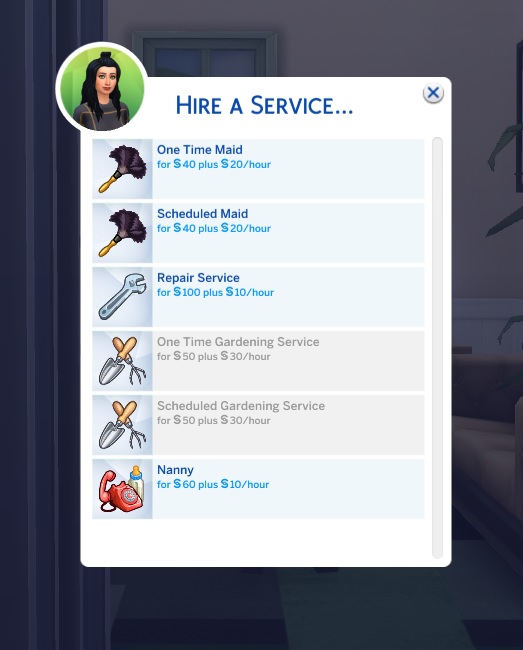
Found under the Home app on your phone, Sims can request several different services at home. From hiring a maid, repair service, gardener or a Nanny, there are plenty of services available for your Sims should they need it!
Too late to cook? Order a Delivery
Again, found under the Home app, Sims can order either Pizza or food via Zoomers! Upon selecting which delivery service, you wish to use, you’ll then be presented with further food options you can choose from. Simply select your choices and await your delivery!
Find a Job Easier With the Sims Phone
Finding a job is easy in The Sims and even easier via your phone! Simply head to the Business app on your phone and go from there!
Don’t see a job or career that your Sim fancies? Why not register with the Ministry of Labour instead!
Move Household & Travel
Using the Travel app on your phone, you can start a new adventure with your Sims by moving house.
You can move a household to an available lot within the world you are currently in, or you can select another world. To select a different world, simply head to the World Select icon in the top left-hand corner of your screen.
Available lots to your Sim, will be highlighted in green. Those which you do not have enough household funds for will be highlighted in Yellow.
If you are wanting your Sim to just visit a different location or another Sim, you would again head to the Travel app on your phone and select Travel. Chose the Sims (if any) that you want to join and then choose your destination. Likewise with moving households, you can travel to a destination in your current world or, use the World Select button to visit another world.
Use Your Sims Phone to Plan a Social Event
Planning an event couldn’t be easier! The Social app on your phone has everything you need to plan the next hottest event in The Sims!
Choose from any of the available events shown and ultimately, have fun! You can also choose if the event is a Goaled Event or not.
A Goaled Event adds an element of challenge to the events and may allow you to unlock some secret rewards too!
How to take photos with the Sims phone
A phone is not complete without the option to take photos! Your Sims phone comes with four different options from taking selfies, taking standard photos as well as taking photos of other Sims and or of something in particular.
Simply head over to your Camera app and take a picture!
You’ll also notice you’ll be able to experiment with different poses and colour filters as well with your photos depending on which option you chose. Any photos that you take will also save into your screenshots folder!
Troubleshooting The Sims Phone
Sometimes you may find that you will have options within your Sims phone greyed out. To find out why, you can simply hover over the option, and it will give you more information as to why it is not available at this time.
The phone feature within The Sims 4 is incredibly handy. From everyday use to more intricate apps for your Sims to use there’s no denying this little device is jam packed. Of course, this is just the Base Game features of the phone as additional packs can add more apps to the phone!
Are you new to The Sims 4 and looking for more guides and walkthroughs? You can find more guides for The Sims 4 here!
There is a brand new Sims 4 SDX Drop waiting in your game! Check out what’s new.
Maxis has released a brand new content update for The Sims 4. Through the form of SDX (Sims Delivery Express).
It was confirmed last week that the new Sims 4 SDX Drop will feature new content featuring It Takes Two!
Through Sims Delivery Express you are able to download new Create A Sim Content, Build Mode Content and small bug fixes and improvements into your game straight through The Sims 4. Simply open up The Sims 4 and your game should automatically check for new content.
If not, go into Game Options > Sims Delivery and Check for new Content. This method of bringing new content into your game works both on PC and Consoles! Note that you will have to restart your game in order to obtain new content. You can select “Yes, Restart Now” for the game to restart automatically for you.
November 7th, 2022 SDX Drop
Build Mode – New Poster
There’s a new Simlish poster of “It Takes Two”. A video game by EA Originals. Check out the preview below!
And that’s it.
Principal Designer at Maxis has confirmed that today’s SDX Drop is just an advertisement for an EA title. However, expect more soon. Mass Effect soon we assume?
Hey! Today is just the It Takes Two Poster, but I will offer this… Check back “Soon™”
That’s about it.
How did you like today’s video game advertisement? Join the conversation!
Today, a new report from the team at Bioware studios comes in with talks about yet another SDX drop! This time, in collaboration between Maxis and Bioware.
Bioware studios has shared that The Sims 4 will be getting an SDX Drop on November 17th. In celebration of the N7 annual celebration for the fans of Mass Effect franchise.
The upcoming SDX drop will cover new Create A Sim items, including:
New Hats
New Shirts
The N7 Tattoo
Check out the full reveal from Bioware’s blog below:
Sims 4 Mass Effect SDX Drop
A few folks at BioWare and Maxis came together with their mutual love for Mass Effect and The Sims 4™ to make a little something they wanted to give to fans of both franchises. We’re excited to share that we’ll be releasing N7 Day-themed wearable items in The Sims 4 on the 17th of November.These items are free to anyone with The Sims 4. Don’t have it yet, but want these exclusive crossover items? The Sims 4 is now free to play across all platforms!
We can’t wait to see you all rocking your Mass Effect fandom while doing incredible things in The Sims 4. Be sure to show us your Sims after the update goes live!
Sul sul!
The simming community has already created some amazing CC items for Mass Effect that you can check out. Will definitely go well together with the official items drop happening on November 17th!
We’ll keep you updated on the new SDX Drop as soon as it goes live. Stay tuned on Sims Community!
Check out our top five mod picks to enhance family gameplay in The Sims 4!
Are you looking for some new mods to flesh out your Sims 4 families? We’ve picked out five of the best Sims 4 mods to add depth and dimension to your Sim families! These Sims 4 mods will enhance your family gameplay and keep you invested in those legacy challenges!
Sims 4 Best Mods for Family Gameplay
Ultrasound Scan
Image Credit: LittleMsSam
This mod by LittleMsSam enhances pregnancy by allowing your Sims to have an ultrasound done, so you can Find out how many babies are expected, the genders, and hang the ultrasound on the wall as a keepsake.
This mod is a must-have for family players! PandaSama’s childbirth mod makes the process of giving birth more immersive. Choose a home birth, hospital birth, natural birth, c-section, or water delivery and watch the miracle of childbirth happen before your eyes!
This mod my Lumpinou is a huge overhaul of everything from pregnancy to relationships. It has dozens of modules to choose from so you can customize your family gameplay experience exactly to your liking with endless possibilities.
Sometimes, family life isn’t happy. Sometimes, it’s hard and this mod leans into the less-than-perfect aspects of family gameplay. When Sims get divorced, their children will be affected by the breakup much more severely than they did before. Sad, yes, but very realistic.
While High School Years definitely gave the high school experience a glow up, elementary school is still boring. Not anymore with KawaiiStacie’s education overhaul! This mod adds preschool for toddlers, online schooling, and enhances both elementary and high school with more skill building options and more interactions.
The new crew neck pullover shirt comes with a good amount of presets, counting 12 of them! With matching color accents (including the collar) that span from pastel to earth colors.
New Top Variants
Sims 4 Incheon Arrivals Top in 12 variants
Reported by Central Simmer, this Masculine Top was present in the game files since the release of this Kit. All the way back last year. However, the recent game update finally unlocked the top for players across platforms!
Since of course there was a mod in the community for PC / Mac that helped unlock this item.
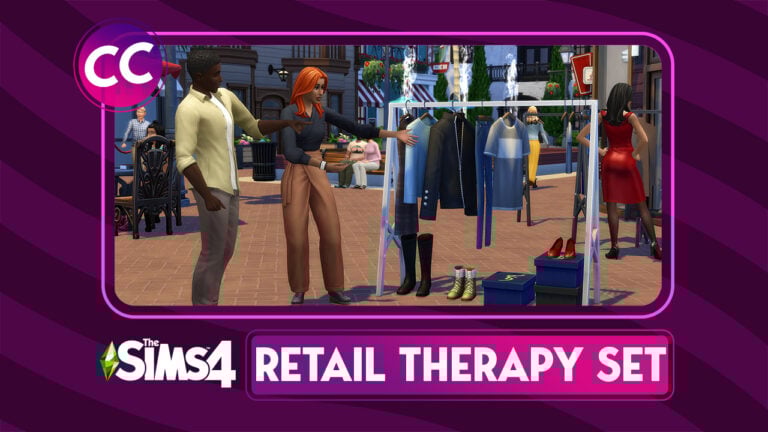
This Build / Buy CC Set for The Sims 4 will turn your retail businesses from drab to fab!
If you’ve been looking for a reason to start a new business, now’s the perfect time! At least in The Sims! akalukery has created a set of Sims 4 custom content for retail businesses. This industrial Sims 4 build buy set of CC will give your shops a sleek, sophisticated look and open up your creativity.
The Sims 4 CC set comes with 20 fashion items to furnish a clothing store.
Retail Therapy CC Set items highlight:
15 x Decor Items
3 x Dressers
1 x Mirror
1 X Stackable Shoe Rack
It contains three clothing racks that function as dressers, a full-length floor mirror, a display table, and plenty of decorative boxes, shoes, and accessories to make your clothing stores look realistic and unique. The best part? Many of the pieces in the set are stackable! The display tables can be stacked on top of each other to create tiered shelving and the clothing racks can have small objects snap underneath them. Mix and match different items in the set to come up with unique and varied looks!
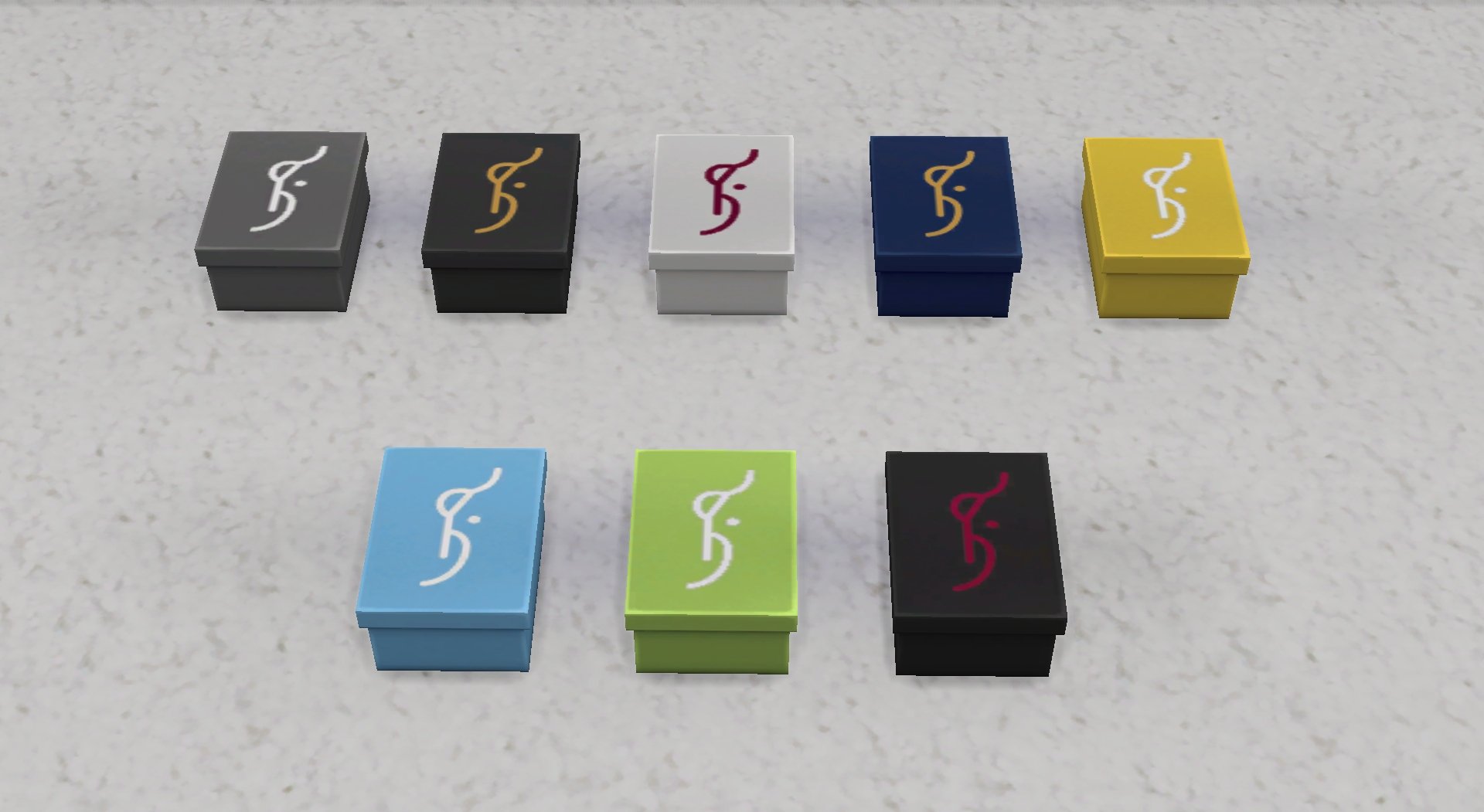
Check out our close-up previews below of every item in this set in all available swatches!
Overview of items and swatches from the Retail Therapy CC Set for The Sims 4
We were so excited by the customization options of the Retail Therapy CC Set that we weren’t content with just showing off the swatches. We wanted to furnish our own retail store with these items. So we renovated the upstairs section of one of our clothing boutiques with the Retail Therapy set.
One thing we loved was that we could stack display tables as high as we wanted and that they had lots of slots to display the items. Being able to snap different objects to the clothing racks really let us give the space a varied look. We liked that we could stack shoes on top of the decorative boxes, as well as stack boxes on top of each other. This Sims 4 custom content set looks very realistic and professional.
The Retail Therapy set is currently in early access for akalukery’s patrons. It will become free to the public on the new CurseForge Mods Hub when the service launches November 14th!
You can download the Retail Therapy CC Set from akalukery’s Patreon below – currently in Early Access. The set will become available for everyone November 14th on the Mods Hub!
These family-centred challenges will keep you playing with your Sims 4 families longer!
Looking for some new challenges to keep your Sims 4 gameplay fresh and interesting? Look no further! We’ve compiled 6 of the best and most popular Sims 4 family gameplay challenges for you right here! Some are long-time favourites while others might be new to you!
Check out this list of the best Sims 4 challenges for family gameplay!
6 Best Sims 4 Challenges
The Legacy Challenge
The Legacy Challenge is created and maintained by Pinstar and his wife, ImaginingMystic. It started all the way back in the days of The Sims 2. Pinstar had a brilliant idea to create a gameplay challenge focused on the new generational system introduced in The Sims 2. The concept was simple; start with a single Sim on a giant plot of empty land with very little money and work your way up to success and prosperity over a period of 10 generations. In practice, it was much more challenging than it seemed on the surface and Simmers fell completely in love with it. Since then, he and his wife have adapted the challenge for The Sims 3 and The Sims 4, providing millions of Simmers with endless fun and entertainment. We certainly owe a lot to these pioneers of Sims challenges!
Created by popular YouTuber, lilsimsie, and alwayssimming as a way to poke fun at the popular “berry Sim” aesthetic at the time, the Not-So-Berry Challenge is similar in concept to The Legacy Challenge, except each generation must complete a series of goals themed around a specific colour. The Not-So-Berry Challenge ended up becoming even more popular than the many berry-themed challenges that were available and for good reason. Each generation’s goals are challenging but attainable but also embrace the silliness of the “berry Sim” aesthetic in a really fun, light-hearted way. This is probably one of the most fun challenges I’ve ever personally played.
The 100 Baby Challenge is a very popular challenge that was originally written for The Sims 2 by Amiisays, then adapted for The Sims 3 by various different authors, and finally, adapted for The Sims 4 by yours truly! My motivation for adapting the challenge for The Sims 4 was simply that I wanted to play the challenge in The Sims 4 but could only find The Sims 3 version. The objective of the challenge is the same no matter what version you’re playing: Give birth to 100 babies in as few generations as possible (sometimes one generation, depending on the version). Crazy? Absolutely! Fun? Definitely! If you’re a fan of chaotic gameplay and raising lots and lots of kids, this is the challenge for you!
This is a Sims 4 original challenge that I also wrote. It’s a lesser-known challenge but one that gives the player a lot of freedom to play their own way, which is something that’s kind of unique to Sims 4 challenges. That’s why I wanted to include it on this list. While the general theme of the challenge is based on the Book of Genesis, the challenge itself isn’t religious in any way. The basic concept is to start with two Sims in a completely empty world and repopulate it with the descendants of those two original Sims. The way you choose to play while populating the world is entirely up to you, however. It’s a good long challenge that can have other challenges incorporated into it easily. If you like flexible gameplay, you may like this one.
One strange thing about The Sims 4 is that while you play through infinite generations of Sims, the world around them stays the same. Fashion, technology, and cultural norms do not shift over time the way they do in the real world. This challenge by cutecoffeegal aims to change that. The objective of the challenge is to start in the 1890s and slowly work your way up to the 2010s with each new generation representing a new decade. If you’re a family player and a history buff, you’ll definitely want to check out this unique take on the traditional Legacy Challenge!
The Wonder Child Challenge is another Pinstar original! This one is perfect for Simmers who struggle to play through multiple generations but still like raising families. This challenge can be completed in a single generation. The objective of the challenge is to have one child and raise that child to be perfect in every way possible by the time they become a young adult. It’s a shorter challenge that provides a lot of entertainment.
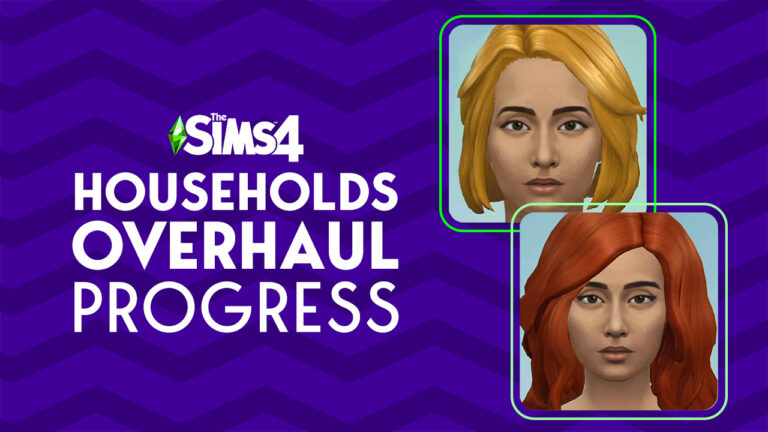
A new statement was released on the development progress of The Sims 4 Townie Overhaul Update. And why it’s taking so long.
Back in August 2021 The Sims Team has first shed the light about their plans for overhauling premade Households in The Sims 4. The “NPC Overhaul” promised to deliver both updated looks of the premade Sims and their lore. The update promised to cover changes for Worlds spanning from Willow Creek to Henford-on-Bagley.
Meaning that all new Worlds with pre-made households from Base Game to Sims 4 Cottage Living would receive an upgrade.
We are currently in the process of updating NPCs in The Sims 4 including visuals as well as their lore. This will take some time to accomplish as we have to spend some time with each and every single Sim from Willow Creek to Henford-on-Bagley. That means we’re taking it step-by-step (or townie by townie) and we’re excited to update you at a later date.
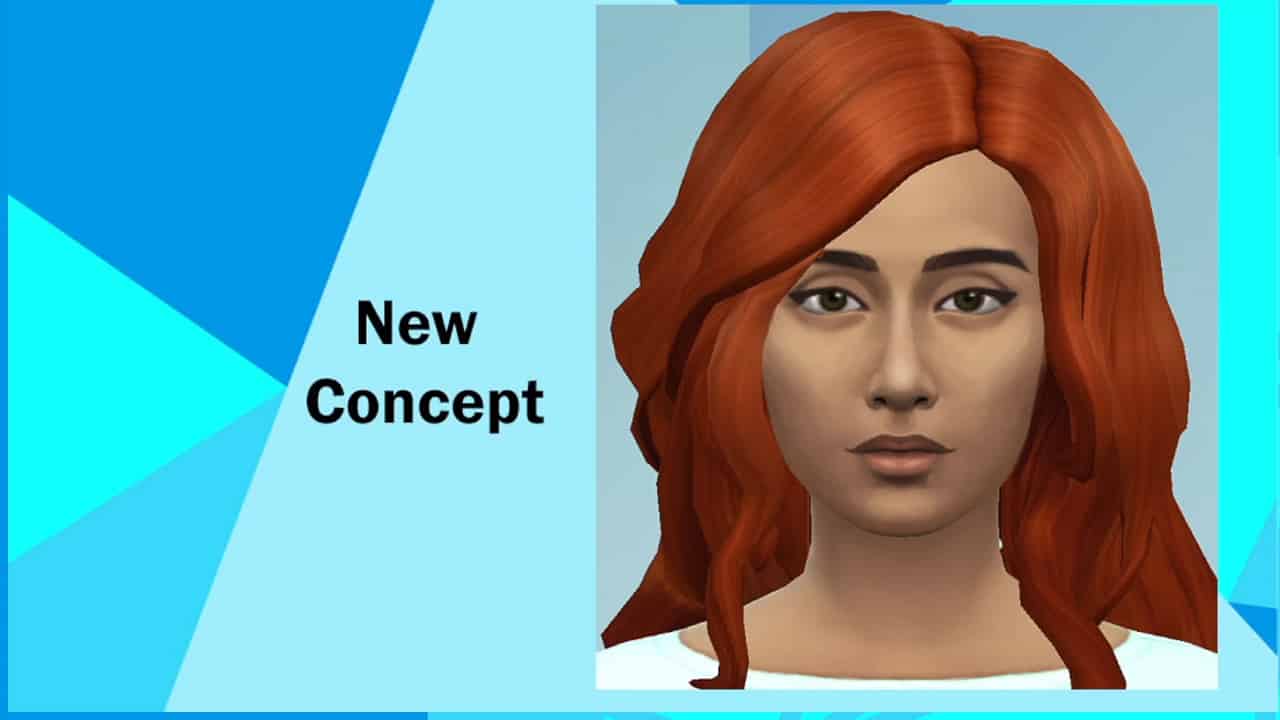
In November 2021 we received a first Concept Art look at the upcoming changes. The team showcased example Households from Willow Creek and Oasis Springs: The Goths and Calientes.
Sims 4 Townie Overhaul Concept Art from November 2021
After that, we didn’t hear a lot about the NPC Update until May 2022 when the first iteration of the overhaul was released.
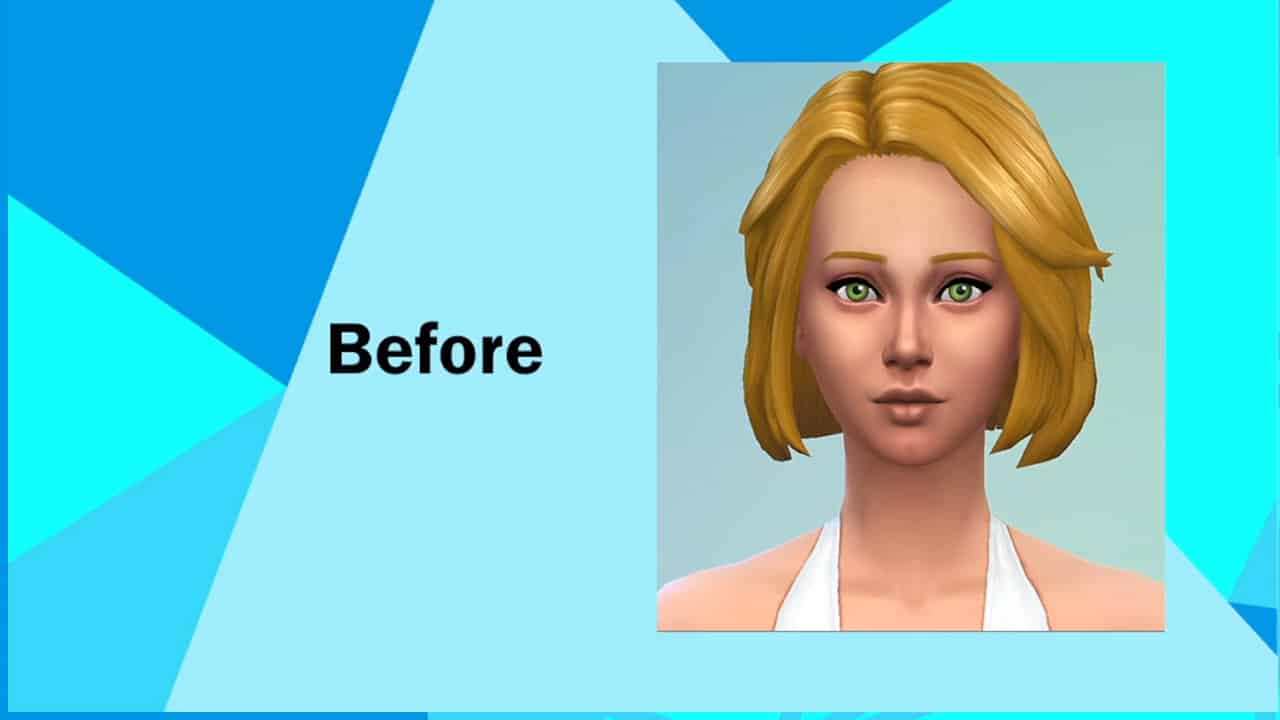
The Goths Family Revamp was the first to arrive through an SDX Drop. With an updated look and facial features that were also included as presets in Create A Sim. For example – Mortimer Goth’s new nose.
After that nothing much was shared about the progress of other Households. Until recently.
Future Household Revamps for The Sims 4 and when to expect them
SimGuruFrost, Global Community Manager for The Sims has shared insight about the current developments. Specifically, their current status on Household Overhauls.
No ETA for the Update release has been shared as of yet. But, we now know that the feedback sessions for Household Overhauls have been wrapped up internally. As well as why it’s taking so long for the update to come out:
We’re getting close, no date just yet but we’ve wrapped up our feedback sessions with community members.
Bit by bit, things take time for example the nose for the new Mortimer was a brand new sculpt which takes time to make and then add to Base Game for all players to use. It’s also part of our efforts to expand representation in base game presets.