Home Blog Page 108

How to Clear Cache to Fix EA App

Having problems with EA App? Fix it learning how to clear cache for EA App!

Unfortunately, there will be some times where EA App does not work as intended. Due to the fact it is new application, many people might be wondering if there’s a “clear cache” solution like there was in Origin. Well, those people are in luck because it is easier than ever to clear cache for fix EA App.

How to Clear Cache for EA App pop-up

For example, some common issues that might require someone to clear cache.

  • EA App stuck in offline mode
  • EA App not updating itself
  • Games not downloading as intended
  • During game downloads or updates, progress stuck on a certain percentage or it remaining on “Waiting for Download” and not continuing
  • “Missing” games from your “EA Collection”
  • And other similar problems!

Fixing EA App:

  1. In the far left corner of EA App, find the three parallel lines and click them.
  2. After that, hover over the menu option “Help”. It is the third option down from the top.
  3. Thirdly, click “App Recovery” which is the last of four options.
  4. Then, click “Clear Cache”
EA App Clear Cache location

Can’t Open EA App to Clear Cache?

From Windows 10:

  1. Click on the Start Menu button
  2. After that, Scroll and find the EA Folder.
  3. Thirdly, click on the downward arrow to expand the EA App menu
  4. Then, select “App Recovery” from the three options. It will be the first option.
  5. A pop-up will appear asking to confirm
  6. Click “Clear Cache”
Screenshot 2022 11 03 031739

For more information about how to fix EA App by clearing EA App cache or information on how to clear cache for Origin (if you are still using Origin), then make sure to visit EA Help’s Website.

Problem continuing? Contact EA Help!

Want more information about EA App? Make sure to check out our article, EA App: Separating Truth From Fiction, for more detailed information about the App.

Have you had trouble with EA App from games not being recognized or other miscellaneous problems? Tell us about them below!
The Sims 4 is getting an “It Takes Two” SDX Drop

0

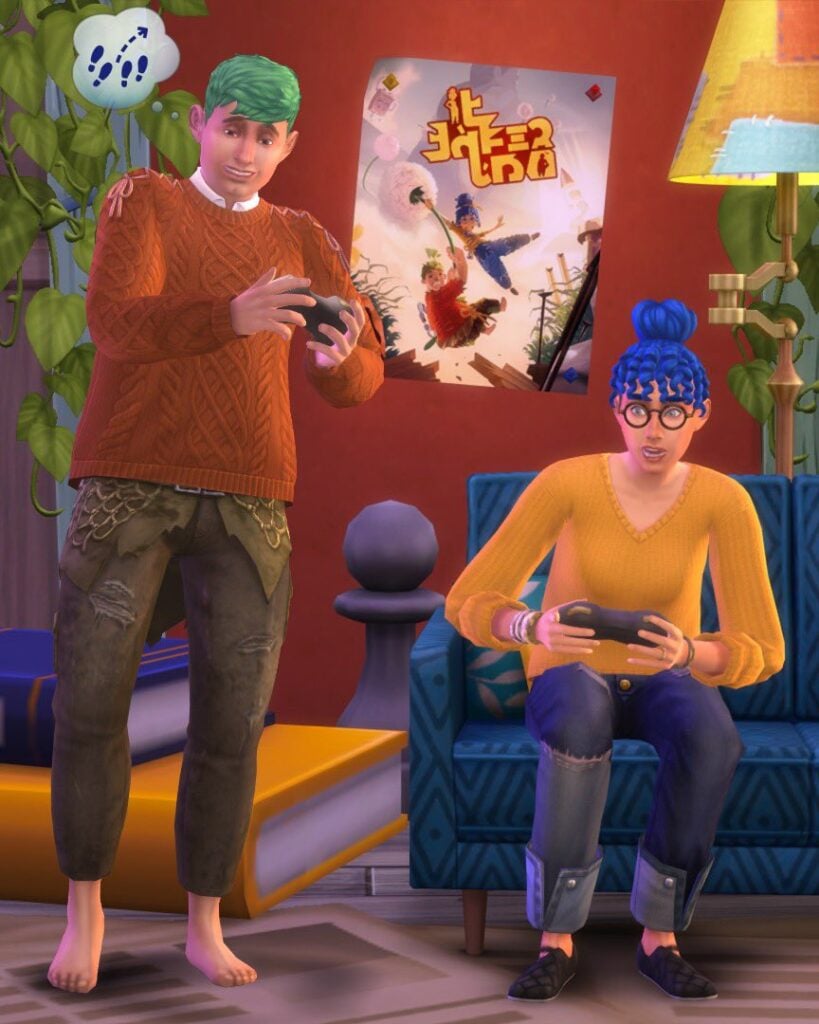
The Simlish Poster of the “It Takes Two” video game is making its way to Base Game November 7th.

EA has announced today that they’ll be celebrating a platform release of their video game. It Takes Two, a co-op video game from EA Originals and Hazelight is getting released on Nintendo Switch.

To celebrate the ocassion the two studios are collaborating. With a new Simlish poster of “It Takes Two”.

The poster is expected to be released through an SDX Drop on November 7th. EA has also shown a preview of the poster:

It Takes Two Poster in The Sims 4

Stay tuned for the updates on the following drop!

The Sims 4: House Ideas for Beginner Builders

0

Start simple with these four house ideas to build the home of your dreams in The Sims 4!

The Sims 4‘s intuitive build tools makes building easier than ever, but for beginners, it can be daunting trying to figure out where to begin. If you’re longing to get away from building the same flat-looking box all the time but aren’t confident enough to explore complex architecture, this one’s for you! These Sims 4 house ideas are simple designs that are easy to create and have lots of personality. Our quick tips for how to build each style of home in The Sims 4 will give you the build inspo you need to get going!

4 Simple House Ideas to Build in The Sims 4

A-Frame or Chalet House

How To Build in The Sims 4: Chalet
A-frame Home

A-frames, sometimes called chalets, may look complicated to build at first glance but they are actually quite easy. They can be built one of two ways: either with a single A-frame roof directly on the foundation, or by building a room with two shed roofs along the side and an a-frame roof on top to create a seamless A-frame design.

Mobile Home

Sims 4 Build Inspo: Mobile Home
Mobile Homes

Don’t underestimate mobile homes! They’re an easy house idea to build and can be a very cozy, inviting place to raise a small family. Mobile homes are typically a rectangular shape and raised up on a higher foundation with a small deck out front. Try utilizing the flat roof design of many mobile homes for an upper BBQ deck like this example!

Mid-Century

Sims 4 House Ideas: Mid-Century
Mid-Century Home

These homes are popular house ideas for desert landscapes but can be found all over North America. They are typically single-story homes with clean, straight lines and an asymmetrical design, with portions of the home jutting out to create more visual appeal. Since these homes typically stick to squares and rectangles for their shape, it’s a nice way for a beginner to get creative.

Colonial

Sims 4 House Ideas: Colonial
Colonial Home

A colonial home might seem complicated at first due to their grand appearance but they are actually one of the simplest two-story designs out there! These homes are traditionally two stories with a perfectly symmetrical rectangular design. Popular colonial features include decorative pillars, shuttered windows, and dormer roofs. This is a very simple example above highlighting common features of a colonial home to give you some house ideas!


Need some help with roofing any of these Sims 4 house ideas? No problem! We have more Sims 4 build inspo for you! Check out our ultimate roofing guide!

Sims 4 Hidden Trait You Didn’t Know About: Lighthouse Baby

You’ve heard of Father Winter’s Baby, but did you know about the Lighthouse Baby Sims 4 Hidden Trait?

Hidden Traits in The Sims 4 - Lighthouse Woohoo

There are a lot of Sims 4 Hidden Traits in the game that people are not aware of or just haven’t encountered during their gameplay. One of these hidden traits is the Lighthouse Baby trait! This trait is given to a baby created from the Lighthouse “Try for Baby” method.

Unfortunately, there is not much included with this trait.

Lighthouse Try for Baby - Adding Sims 4 Hidden Traits

The trait is an hidden trait which means it functions like other traits, but it is not visible in the UI where the Sim’s traits are listed normally. If you are unfamiliar, UI stands for User Interface. It is where you control the game and read information.

Sims 4 Hidden Trait Lighthouse Woohoo

The only feature of the trait: A buff from vising the Lighthouse. When visiting, a Sim will get the “Oddly Reminiscent” Buff or Moodlet. This Buff gives your Sim a +2 Happy Emotion.

The Buff, in its description, says the following about the Sim’s “experience” at the Lighthouse.

“There’s something so familiar about this place. It fills this Sim with an inner light. They are positively glowing!”

Sims 4 Hidden Trait: Lighthouse Conception Buff

How to Get the Lighthouse Baby Trait

Adding a Sims 4 Hidden Traits to Babies

It is not difficult to create a Sim with this trait, but it does take patience! Follow these steps to make sure your next Sim baby has this trait!

  1. Two compatible sims need to Try for Baby inside the lighthouse. The lighthouse is located in the bottom right corner of Brindleton Bay.
  2. Repeat until one of the Sims is pregnant.
  3. Take your “Lighthouse Baby” Sim to the lighthouse. Climb up the lighthouse and wait a little while until the Moodlet appears on the sim.

The Sim will have this trait from the baby stage all the way until they meet the Grim Reaper!

How to Cheat this Sims 4 Hidden Trait?

Hidden Traits in the Sims 4 Lighthouse Woohoo

If you do not want to create a Sim through Lighthouse “Try for Baby”, you’ll need to use the traits cheat to add this trait. This also works for any other Sims 4 Hidden Traits as well including Father Winter’s Baby, Ancient Bloodline, and Sulani Mana.

  1. Turn on testingcheats true (on works as well) in the cheats console.
  2. Type traits.equip_trait trait_Hidden_LighthouseConception
  3. Check to see it works either through visiting a lighthouse or by using the following cheat.

The Lighthouse Baby Trait will be added to the current Sim!

If you ever want to remove the trait, make sure to type traits.remove_trait trait_Hidden_LighthouseConception into the cheats console.

How to create Wild Animals in The Sims 4 Cats & Dogs
Sims Community Home

Can I Check if any Sims 4 Hidden Traits are Present?

Want to know what Sims have the Lighthouse Baby trait? It is simple! First, download TwistedMexi’s AllCheats.

  1. Install TwistedMexi’s AllCheats. Make sure that it is no more than one folder deep.
  2. To ensure that the Sim receives the trait, select the Sim that is to receive the Lighthouse Baby trait as the played Sim. Unfortunately, this means you will have to wait until Toddler or any older age to add the trait. Then, type in the cheat: traits.show_traits in the cheats console.

There will be a list of traits in the cheats console.

For more inherited traits, check out this article: Secret Inherited Traits in The Sims 4 and How to Get Them

Did you know about this Lighthouse “Try for Baby” trait?

The Sims 4 Dine Out Reloaded Mod is Getting a BIG Update!

Want to play as a Waiter, Host or Chef in The Sims 4 Dine Out? Carl’s Dine Out Reloaded Mod now lets you do that – and more!

Many Sims 4 players are already playing with the popular Dine Out Reloaded Mod by Carl and it’s not hard to see why. The mod takes a completely broken game pack and makes it not only playable, but genuinely fun. How does the mod do this? By fixing broken features and eliminating clunky mechanics that players found cumbersome. It streamlines existing features so that restaurants run much more smoothly, whether you are simply eating there as a customer or managing a restaurant as a business.

Sims 4 Dine Out Reloaded Mod
We’re as happy with our dining experience as Geoffrey Landgraab!

This latest update to Carl’s Sims 4 mod goes one step further than cleaning up messy mechanics and fixing bugs, though. It adds powerful new toggle features that truly let you customize the restaurant experience you want. We played with the mod for several restaurant shifts in our player-owned restaurant in order to give you a glimpse into all the new features Dine Out Reloaded has to offer!

Dine Out Reloaded Fixes

Carl's Sims 4 Mod
No more chaos in restaurants!

Players who’ve had Dine Out Reloaded for The Sims 4 for a while will already know about many of these improvements, but for those new to the mod, it tackles many common problems that occur in restaurants.

  • Servers are more efficient at their jobs. They take orders and deliver food faster which keeps customers happy with speedy service. This is largely thanks to Carl removing “assigned tables” for servers. Instead of each table being assigned to a specific server, any server can now take orders from and deliver food to any table. This keeps the staff busy and customers satisfied.
  • A new, smarter dish clearing system has been implemented in the mod which not only affects restaurants but the entire game! This streamlined system allows Sims to whisk away dirty dishes on tables in a much more efficient and timely fashion.
  • For players with Get Famous installed, dining out at a restaurant can be a nightmare. Celebrities love to show up at restaurants and when they do, they disrupt everything. Staff drop what they’re doing to go fawn over the celebrities. Other diners stampede out of their seats to crowd around the celebrity. The entire functionality of a restaurant screeches to a halt whenever a celebrity sets foot on the lot. To eliminate this frustrating chaos, Carl has made it so that staff and diners are much more well-behaved around celebs at restaurants. Celebrities are now treated the same as non-famous Sims on restaurant lots. Celebrities are also more polite at restaurants and will refrain from getting out of their seats to hype up the crowd. Please, Judith Ward, we’re just trying to have a nice meal, here.
  • Does it drive you nuts when you’re running a restaurant and half the diners have gotten out of their seats with their food to go eat it standing up while they talk to a complete stranger on the other side of the restaurant? Or when a complete stranger comes up to your table when you’re dining out and starts trying to talk to you? Yeah. It’s weird. Who does that, right? Carl agrees and has superglued everyone’s behinds to their assigned table seating. Not literally, of course. But it gets the job done just as well.
Carl's Sims 4 Mod
Better servers!

All of these improvements and fixes alone are enough to make Dine Out an enjoyable experience for both customers and owners, but the latest version of the Sims 4 Dine Out Reloaded mod adds even more features, fixes, and tools to enhance the restaurant experience further!

Brand New Dine Out Improvements

I’ve covered Carl’s Sims 4 mod before for Sims Community and I had a hard time envisioning how Carl would be able to improve the mod further; it already seemed perfect to me! Of course, leave it to Carl to consistently exceed my already high expectations every single time without fail.

Not only is dish clearing even smarter than it was before, but we now have the ability to toggle certain restaurant functionality on or off! This is my personal favourite feature of Carl’s Sims 4 mod. Why? Because I can run my restaurant the way I envision it, not how EA thinks every restaurant should function.

Sims 4 Dine Out Reloaded: New Settings
New Dine Out Settings

To open up these toggle settings, SHIFT+Click on the ground with testingcheats enabled. Click on the Carl’s Dine Out Settings option to bring up a menu. This menu will let you control the following aspects of your restaurant:

  • Maximum Waiting Dining Groups: Choose how many dining groups can be waiting to be seated at one time. This setting can help eliminate congestion and crowding in smaller restaurants.
  • Host Walks Guest to Seat: You can have this on or off. The default is on.
  • Guests Seat Themselves: Some small restaurants don’t have hosts. The guests seat themselves. You can toggle this on if you want that small town local restaurant feel.
  • Diners Pick Up Meal: If you’re running a fast food restaurant, it doesn’t make sense to have a server bring meals to the table. If this is on, diners will grab their own meals for that authentic fast food vibe.
  • Player Counts as Chef: This allows your played Sim to work as a chef in their own restaurant. When this setting is on, Chef #1 will not show up for work. Your Sim will be able to use the chef station to cook meals for diners when there are orders available.
  • Waiters Take Orders: If you’d like to work as the server in your own restaurant, toggle this off. Servers won’t take orders anymore, allowing your Sim to do this, instead.
  • Waiters Deliver Food: Toggle this off if you’d like to work as the server in your own restaurant. Hired servers will no longer deliver food to tables, allowing your Sim to do so, instead.
  • Sims Eat Politely: When this is on, Sims will take a bit longer to eat their food while at a restaurant. When this setting is off, Sims will eat as quickly as they normally do.

These new setting toggles in Dine Out Reloaded allow you to become the server or chef in your own restaurant. You can also choose whether you’re running a fast food chain, a fancy high end restaurant, or a simple small town restaurant. My Sim’s restaurant is a very high-end, fancy place with expensive meals and a formal dress code, so most of the default settings worked just fine for me. I did turn off Sims Eat Politely, however. I wanted Sims moving in and out as fast as possible to maximize my profits. The toggle worked like a charm.

Sims 4 Dine Out Reloaded Mod
Lots of happy customers!

The build we were playing with did not have this feature included, yet, but Carl has informed us that he intends to implement another setting to increase the dining party size limit. Currently, the limit is 3 but in the future, players will be able to increase the limit to allow larger families to dine together.

Things to be Aware Of

We did not personally have any issues at all playing with Carl’s Dine Out Reloaded mod for The Sims 4, but some players report that chefs sometimes stand outside the restaurant and never go inside to cook meals. Carl discovered this is an EA bug that occurs on restaurants created before installing the Dine Out Reloaded mod. Replacing the restaurant is an easy fix to this problem.

Carl also does not recommend placing down chef stations with moveobjects on. This prevents chefs from accessing the chef station sometimes. It’s best to turn off moveobjects before placing these.


As always, we highly recommend Carl’s Dine Out Reloaded Mod. Version 3.1 has all the features we’ve covered and will be released on November 5th, 2022 for patrons. Version 3.0 is available to patrons. All of Carl’s mods are free after a short early access period. Version 2.5 is currently available to everyone for free!

Want more Dine Out Reloaded coverage? Check out our full walkthrough of previous versions here!

Play The Sims 2 Families in The Sims 4!

You can get The Sims 4 Dine Out Reloaded Mod in two different versions. 2.5 is currently public while 3.0 is in Early Access as of now. Installing these mods requires you to extract the mod files to Electronic Arts > The Sims 4 > Mods folder on your PC / Mac.

The Sims 4 Glitch: Sims are Being Mean for No Reason

A new Sims 4 glitch is turning Sims into horrible people! Learn about this Sims 4 bug and how to stop autonomous mean interactions!

If you’ve noticed your Sims being meaner as of late, you aren’t alone! Since the last content update, thousands of players have been reporting that their Sims have suddenly turned into horrible people. They pick fights with their spouses, children, friends, and basically everyone around them. Of course, Sims are supposed to be mean to each other, sometimes. Some Sims have traits that make them act meaner than other Sims and all Sims can be provoked into being mean under the right conditions. But players insist the excessive meanness is a Sims 4 glitch. Autonomous mean interactions in The Sims 4 are a bug that’s gotten out of control.

Sims 4 Glitches

So what exactly is the problem? According to players, Sims autonomously choose to do mean interactions with everyone around them for no reason whatsoever. Sims who have no traits that would encourage them to act mean will start fights with their closest friends and relatives even when they are not angry. There is no reason for the sudden rude outbursts and they happen so frequently that marriages are being destroyed and happy families are crumbling to ruin! A very troublesome Sims 4 glitch!

The Sims 4 Glitch: Autonomous Mean Interactions

Sims 4 Autonomous Mean Interactions

Currently, the bug has over 1,000 “Me Too” reactions on EA Answers and over 75 pages of players describing the exact same glitch in The Sims 4. Here are some direct quotes from the official Sims 4 bug thread:

I started having this too after the recent update (4/11). This happens in every household. When I let my sims have a conversation by themselves, they start yelling and insulting each other. Happens with teens, adults and elders. Haven’t tried with children yet. 

i don’t have mods or cc, I just have city living, cats and dogs and cottage living. 

kasvispulla

I second all of this. The issue was NOT present before the patch downloaded today. I am on PS4 with Seasons, Cats and Dogs, and Desert Luxe.

Smemmy82

This is also happening to me right after the update.  I even created a new game with a brand new sim, with good cheerful and neat traits, he will automatically do mean social actions during the welcome wagon event, for absolutely no reason. Also tested this with a brand new day one married couple with these traits, had them start a conversation and poof they both start arguing. This started after the update.  I have no mods or CC.  I have pretty much every expansion. 

NevendingNewb

I’ve been playing The Sims 4 for 8 years now. This bug breaks all relationships regardless of the characters’ personalities and for no reason. Sims have become abusive.

Kr0koZya6rA

As one player pointed out, this Sims 4 glitch is not only annoying but extremely concerning, especially for players who have experienced domestic abuse in their lives. Many people play The Sims to escape the realities of violence they may have experienced in the real world. A Sims 4 bug like this can be triggering and damaging to the mental health of some players.

Possible Solutions

Sims 4 Bugs

With this autonomous mean interactions Sims 4 glitch affecting so many players and no fix in sight from EA, players have taken it upon themselves to find solutions to the problem. None of them are ideal, but here are some options to resolve the problem.

  • Players who use the MCCC mod can disable Autonomous Mean Interactions. Sims will no longer be mean to each other autonomously; however, this also affects Sims with “bad” traits whom you might actually want to be mean.
  • Kuttoe has released a mod fix for this bug as well.
  • This bug does not seem to be affecting players who own the Snowy Escape expansion pack. If you have been wanting this expansion, now might be a good time to buy it. Still, having to pay $40 to fix a game bug is rightfully not sitting well with a lot of players.
  • The only Sims immune to this Sims 4 glitch are Sims with the new Loyal trait. Giving every Sim in your world this trait will stop them from being mean autonomously.
  • Turning off Free Will in the game options will prevent your current household in The Sims 4 from autonomous mean interactions; however, it will not prevent Sims outside the household from being mean.

Want to stay up-to-date about Sims 4 glitches like these? Follow our news category for all the latest Sims news!

Grab the Dale Dining CC Set for The Sims 4!

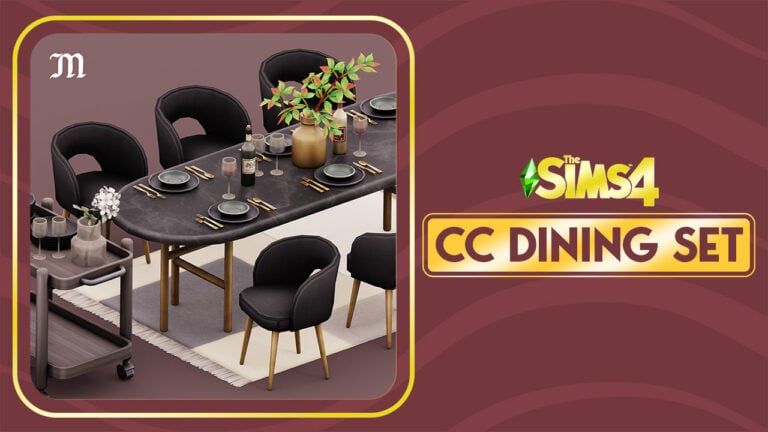
The free new CC Set from Myshunosun for The Sims 4 will make your Dining Room a hotspot for extravagant parties!

Tired of the same old Dining Room objects in The Sims 4? Not to worry, because myshunosun is back with another Free CC Set!

Their latest free Custom Content set of objects comes with 10 new items. All with original color swatches and variants that will match beautifully with any Dining Room combo that you might think of!

Check out what the creator has to say about this Set:

Gale Dining Sims 4 CC Set by Myshunosun

Sims 4 Gale Dining CC Set by myshunosun

Gale Dining includes 10 contemporary dining room items. The set was inspired by some texture motifs from the High School Years pack, so I really wanted to incorporate the polished metal textures in these objects.

Here’s what you get:

  • Dining table, 12 swatches, 700§
  • Dining chair, 20 swatches, 200§
  • Cart, 18 swatches, 100§
  • Tableware set, 9 swatches, 80§
  • Stack of plates, 12 swatches, 80§
  • Glass vase, 8 swatches, 100§
  • Vase, 10 swatches, 50§
  • Wine bottle, 4 swatches, 50§
  • Wine glass, 3 swatches, 20§
  • Rug, 8 swatches, 150§
Dale Dining Items Overview

Gale Dining CC Set Overview

Of course that we had to try this CC Set for ourselves and see how well the objects look like in the game.

The Goths’ Family Home definitely felt like it needed a makeover. Well, their Dining Room at least.

The Goths Dining Room

Placing down the new items from myshunosun felt really easy. The Dining Table had so many slots available for placing down objects. From decorative set pieces like the new Glass vase to the new Tableware (also decorative). The Tableware also has a footprint-free version which will open up more slots for placing down additional objects on the Dining table.

Gale Dining Room Items in The Sims 4

Oh, and the new cart is an excellent addition to bring more realism for your luxurious dining. One thing I really liked about this set is that you can add multiple stacks of plates. Which are also new with this set!

Stackable Plates in Dale Dining

The Dale Dining Room CC Set for The Sims 4 is available for download right now! You can install it by extracting the contents / pasting the .package file to Electronic Arts > The Sims 4 > Mods folder. Make sure you enable Mods / CC in your game options!

downloadpng

You can download the Dale Dining Custom Content set for free right now on myshunosun’s Patreon! Grab it by clicking the download button below!

Looking for more content from Myshunosun? We have more overviews on our website! You can also find Myshunosun on their Twitter and Instagram to stay in the loop for more CC Set developments.

The Sims 4 Base Game: 10 Things to Try!
0

Looking for things to do in The Sims 4 base game? We’ve got some suggestions!

The Sims 4 base game has gone free-to-play this month. With so many new players trying out the game, we wanted to help Simmers find their footing and make the most of what the base game has to offer! We’ve compiled a list of ten fun activities for your Sims to try in The Sims 4.

Explore in The Sims 4!

Sims 4 Base Game: Collecting

Don’t be fooled by loading screens. There is a whole world to discover! Take a walk around, harvest plants, dig up collectibles, and maybe even discover some secret places? We’ll give you some hints: look for the special tree in Willow Creek and take a stroll behind the Affluista Mansion in Oasis Springs.

Build Your Base Game Collection

Sims 4 Base Game: Postcards

You’ll find plenty of stuff to collect while exploring but you can collect from home, too! Check the collections tab in your Sim’s inventory: it’s the diamond icon. You’ll find a wide variety of collections waiting to be discovered. Buy a telescope or observatory to start collecting space prints, or make some online pen pals to receive postcards from them!

Grow a Cowplant

Sims 4 Base Game: Cowplant

The Cowplant is part of the gardening collection so you’ll need one if you’re collecting all the plants, but this carnivorous creature also makes a delightful pet! Name it and feed it daily to keep it satiated. You really want to keep it satiated. Trust us.

Escape the Rat Race!

Sims 4 Base Game: Freelance Careers

There are plenty of traditional 9-5 careers in The Sims 4 base game if you’re into that, but if you’re not, don’t worry. There are other ways to make a living. Why not try your hand at a freelance career or register as self-employed? Turn fun activities in The Sims 4 into a career!

Become One With Nature… Literally!

Sims 4 Base Game: PlantSim

Maybe you want to delve into fantasy. Well, you’re in luck because the base game has a secret occult type: PlantSims! If you discover the forbidden fruit of the PlantSim, you might be able to become one yourself! Learn all about these special Sims in our guide!

Blast Off into Space!

Fun Activities: Rocket Ship

Did you know there’s a Rocket Science skill in The Sims 4 base game? Improve this skill by purchasing a rocket ship launch pad from Build/Buy and building your own rocket ship from scratch right in your backyard! Add upgrades to it to bring back rare collectibles from other planets.

Become a Sims 4 DIY Pro

Fun Activities: Handiness

Do you like to build things? Purchase a workbench from Build/Buy and start carving to build the Handiness skill. If you become handy enough, you’ll be able to furnish your whole house with furniture you built yourself.

Breed Frogs

Things to Do: Frog Breeding

Frogs are a base game collection but not many players know that you can breed them. Each frog has its own unique genetics so breeding the frogs you want is a game of strategy. Try it yourself and if you need help, our good friend Carl has a detailed genetics breakdown.

Mischief Managed

Things to Do: Mischief

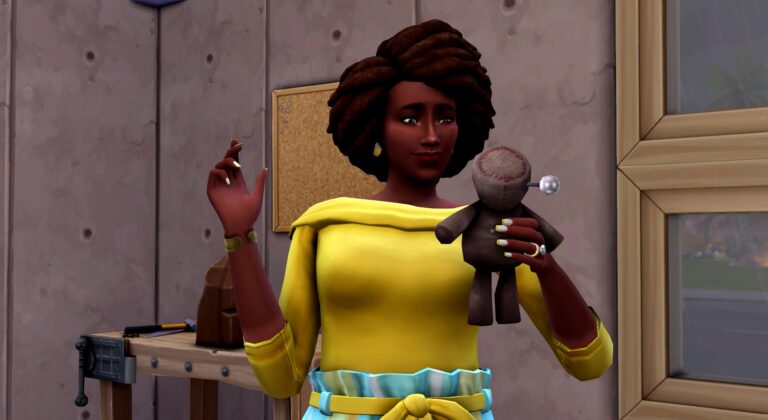
If being good sounds boring, why not be bad? Or at least mischievous. Build the Mischief skill to unlock new ways to torment Sims and even have them at your mercy with a voodoo doll!

Get… Grim

Things to Do: Kill Sims

Finally, if silly pranks just don’t satisfy your craving for chaos, there are a vast number of ways to kill your Sims. And the Grim Reaper can be quite enjoyable company. But you didn’t hear any of that from us…


Looking for some more tips for long-term gameplay? Here’s some good advice for playing through multiple generations!

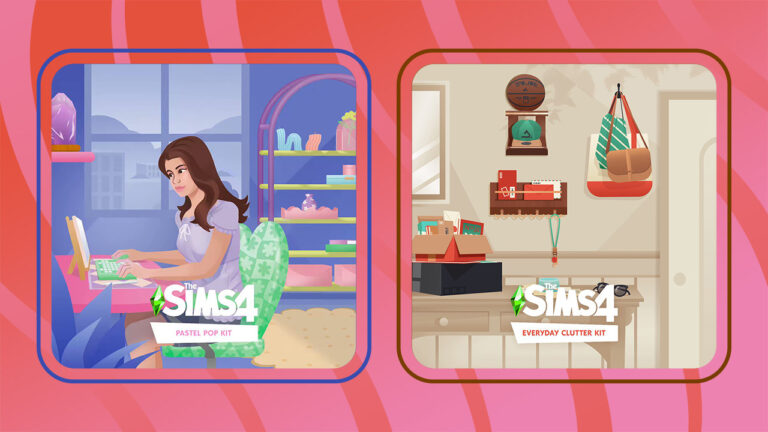
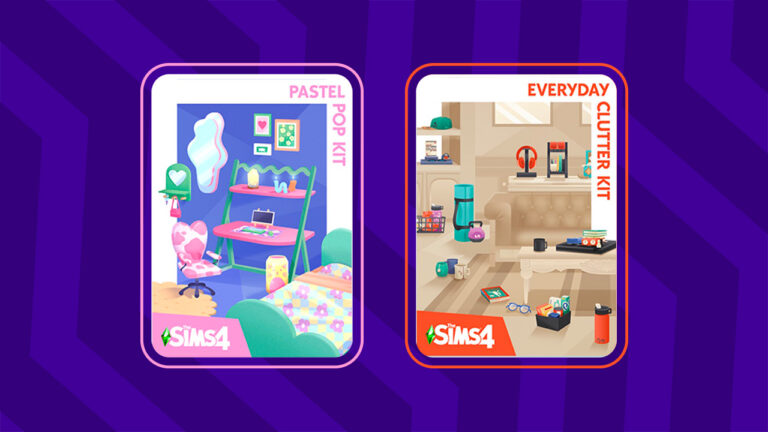
Sims 4 Pastel Pop and Everyday Clutter Kits are coming Nov 10th!

0

The Sims Team has finally announced the upcoming two Kits for The Sims 4. With Pastel Pop being done in close collaboration with content creator Plumbella!

Yesterday we reported on the two new Kits coming to The Sims 4 – Pastel Pop and Everyday Clutter! These two Sims 4 Kits are both Build Kits, adding a new set of objects each to the game’s Build Mode.

Today The Sims Team has confirmed the release of these two Kits. With a release date being November 10th, 2022 for PC & Consoles.

Collaboration with Plumbella

The team revealed that The Sims 4 Pastel Pop Kit has been done in close collaboration with Youtuber and content creator Plumbella:

Jesse McNamara, widely known as Plumbella excels when it comes to exploring the endless possibilities within The Sims™. Whether they are redesigning an entire world or creating hilarious and in-depth reviews – Plumbella has built a loyal community of Simmers who revel in watching them delve into every chaotic facet The Sims has to offer.

For the upcoming kit, The Sims 4 Pastel Pop, we’ve collaborated with Plumbella who advised our developers and art directors throughout the project. They suggested the theme as well as items that would fit nicely into the kit’s overall aesthetic.

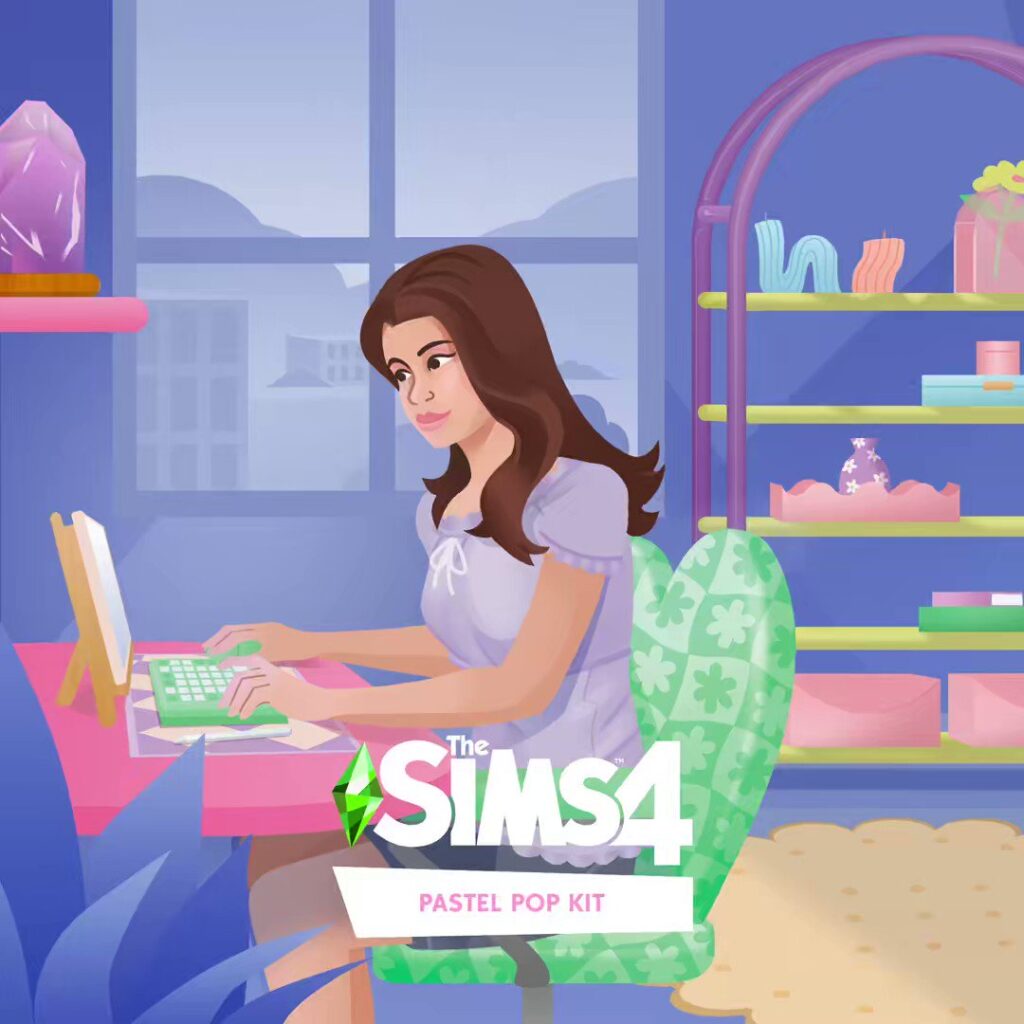
The new Pastel Pop Kit introduces a soft pastel color palette to the game, along with fun, unique patterns of groovy shapes. This kit will offer lots of new furniture, mirrors, decorative “tchotchkes”, shelves, and desk items, designed in an aesthetic Plumbella wishes they could decorate their home with, IRL!

Sims 4 Pastel Pop Kit - Alternate Cover

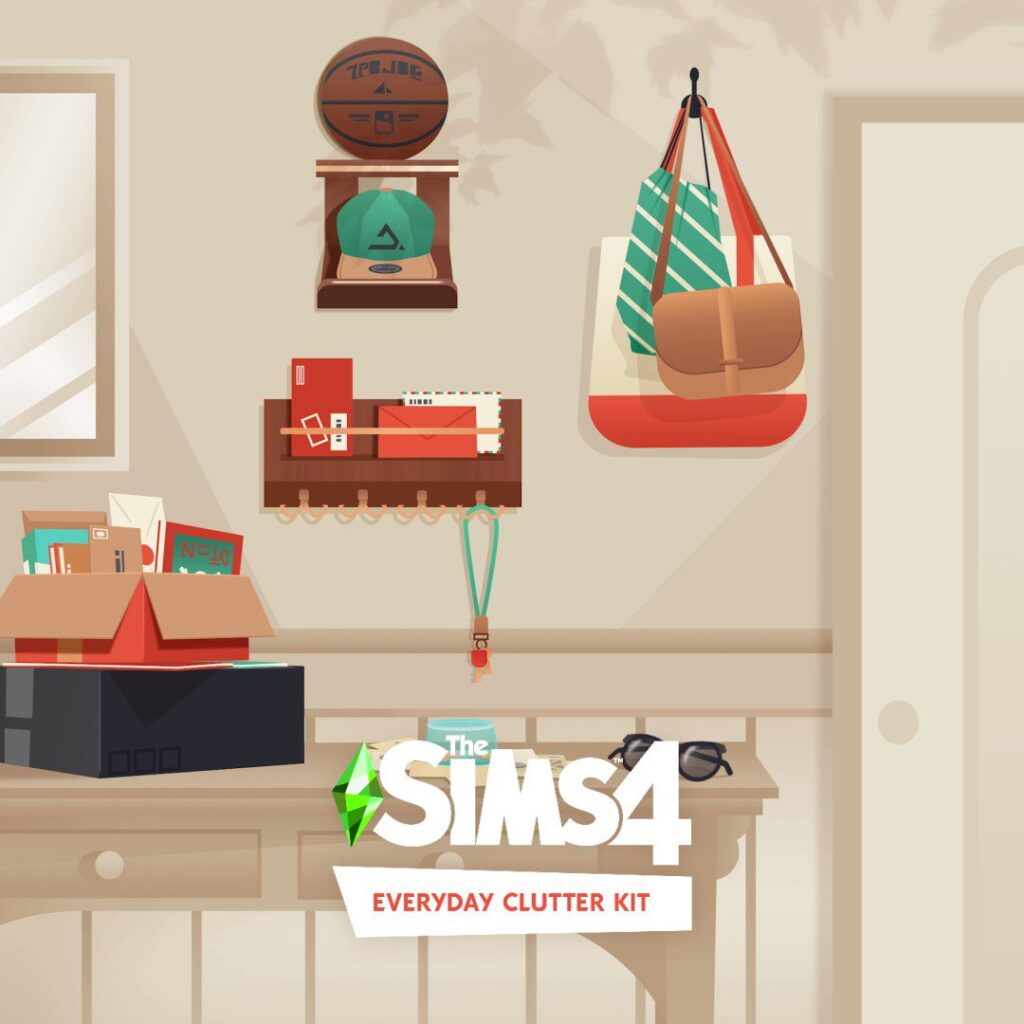
The Sims 4 Everyday Clutter Kit is also coming November 10th, with an entire focus on decorative clutter objects.

The Sims 4 Everyday Clutter Kit - Alternate Cover

For more information about what’s included in both Sims 4 Kits, check out this article!


We’ll keep you posted on all the objects and swatches available shortly after the release of these two Kits. Stay tuned on Sims Community!

The Essential List of The Sims 4 Cheats

Sometimes using The Sims 4 Cheats isn’t Cheating, it’s just creating a more interesting game!

Many of us that have been playing games in the Sims Franchise since the beginning can tell you not only the importance of sims 4 cheats, but also tell you all the cheats from previous games!

This is a list of the most essential cheats from The Sims 4.

Sims 4 Cheat Codes

How to Use Sims 4 Cheat Codes

In order to use The Sims 4 Cheats, you’ll first need to pull down the cheats console in the upper left corner. Then, type in your cheat code!

PC cheats: Press Ctrl and Shift and C

Mac cheats: Press Command and Shift and C

PS4 cheats: Press down all four shoulder buttons at the same time

Xbox One cheats: Hold down all four shoulder buttons at once

Testing Cheats

One of the most important cheats is Testing Cheats! This cheat unlocks many additional cheats from the cheats console to shift click options.

CheatDescription
testingcheats [on/off or true/false]Turn on Cheats

Show Me The Simoleons!

Every Sim could use an extra Simoleon or two! Or maybe you need to have a specific amount of Simoleons for a challenge? Then, we have some great cheats for you!

Disclaimer: Money Cheats do not work in real life.

The Essential List of The Sims 4 Cheats
CheatDescription
kachingAdds §1,000 Simoleons to the current household
rosebudAdds §1,000 Simoleons to the current household
motherlodeAdds §50,000 Simoleons to the current household
moneyThe cheat is money then the amount you want to have in total. For example, money 500000 and your current household will have then §500,000.
FreeRealEstate [On/Off]From the map screen, allows you to purchase real estate for free

Build Like a Pro

Customize your building. Access all the extra items in the Build Buy Items. Build on lots that are locked. There are so many cheats to expand upon your building abilities and help you create more unique lots and buildings!

CheatDescription
bb.moveobjects onAllows movement anywhere you want
bb.enablefreebuildEnables build mode on (almost) every lot
bb.showhiddenobjectsUnlocks debug objects
bb.showliveeditobjectsUnlocks Live Edit objects
bb.ignoregameplayunlocksentitlementUnlocks Items locked due to gameplay

Get Creative in Create-a-Sim with Sims 4 Cheats

Create a Sim cheats to unlock more potential for customization or stopping those Occults from constantly moving! Also, don’t forget those badly dressed townie makeovers!

The Essential List of The Sims 4 Cheats
CheatDescription
casclockspeed [0-10]Changes the speed of the Sim’s movement with 0 being frozen
cas.fulleditmode onAllows full control when editing a Sim
cas.unlockbytag [pack abbreviation]Unlock all CAS items by tag

Take Control in Live Mode

Need to alter something in Live Mode? Here are some cheats to customize Live Mode from taking pictures to altering the screen mode.

CheatDescription
headlineeffects [On/Off]Turns on/off anything that is above a sim’s head
hovereffects [On/Off]Turns on/off the hover effect when your mouse is on top of something
fullscreentoggleToggles fullscreen on and off
fps [On/Off]Toggles on and off fps in the corner
resetsim [first name] [last name]Resets a sim

Relationship Sims 4 Cheat Codes

Relationship cheats are more difficult than other cheats. They require typing a Sim’s full name and the other Sim’s full name, a percentage number, and the rest of the cheat.

For example:
modifyrelationship Bob Pancakes Eliza Pancakes -100 ltr_friendship_main

Sims 4 Cheat Codes
CheatDescription
modifyrelationship [sim 1 first name last name] [sim 2 first name last name] x ltr_friendship_mainChange the relationship between two sims. x is the percentage and goes from -100 to 100
modifyrelationship [sim 1 first name last name] [sim 2 first name last name] x ltr_romance_mainChange the romantic relationship between two sims. x is the percentage and goes from -100 to 100

Customize Your Sim with Traits!

To add Sims 4 traits cheats, type in the traits.equip_trait cheat then the trait that you want to add. The removal trait is similar. traits.remove_trait followed by the trait will remove the trait from the active Sim.

traits.equip_trait
traits.remove_trait

For example:
traits.remove_trait trait_active

The Essential List of The Sims 4 Cheats

Adult Traits/Teen Traits

Trait NameTrait Cheat Suffix
Activetrait_Active
Adventureoustrait_Adventurous
Ambitioustrait_Ambitious
Animal Enthusiasttrait_AnimalEnthusiast
Art Lovertrait_ArtLover
Bookwormtrait_Bookworm
Brotrait_Bro
Cheerfultrait_Cheerful
Child of the Oceantrait_ChildoftheOcean
Childishtrait_Childish
Clumsytrait_Clumsy
Creativetrait_Creative
Dance Machinetrait_DanceMachine
Dog Lovertrait_DogLover
Eviltrait_Evil
Family Orientedtrait_Familyoriented
Foodietrait_Foodie
Geektrait_Geek
Geniustrait_Genius
Gloomytrait_Gloomy
Gluttontrait_Glutton
Goodtrait_Good
Goofballtrait_Goofball
Green Fiendtrait_GreenFiend
Hates Childrentrait_HatesChildren
High Maintenancetrait_HighMaintenance
Hot Headedtrait_HotHeaded
Insidertrait_Insider
Jealoustrait_Jealous
Kleptomaniatrait_Kleptomaniac
Lactose Intoleranttrait_LactoseIntolerant
Lazytrait_Lazy
Lonertrait_Loner
Loves the Outdoorstrait_LovestheOutdoors
Loyaltrait_Loyal
Makertrait_Maker
Materialistic trait_Materialistic
Meantrait_Mean
Music Lovertrait_MusicLover
Neattrait_Neat
Noncommittaltrait_Noncommittal
Outgoingtrait_Outgoing
Overachievertrait_Overachiever
Paranoidtrait_Paranoid
Party Animaltrait_PartyAnimal
Propertrait_Proper
Recycle Discipletrait_RecycleDisciple
Perfectionisttrait_Perfectionist
Romantictrait_Romantic
Self Absorbedtrait_SelfAbsorbed
Self Assuredtrait_SelfAssured
Slobtrait_Slob
Snobtrait_Snob
Socially Awkwardtrait_SociallyAwkward
Squeamishtrait_Squeamish
Unflirtytrait_Unflirty
Vegetariantrait_Vegetarian

Toddler Traits

Toddler Traits NamesToddler Traits Cheats
Angelictrait_Angelic
Charmertrait_Charmer
Clingytrait_Clingy
Fussytrait_Fussy
Independenttrait_Independent
Inquisitivetrait_Inquisitive
Sillytrait_Silly
Wildtrait_Wild

Help Your Sim Skill Up with Sims 4 Cheats

Sims somehow start out life as a Young Adult with no skills. What were they doing during their childhood?

To add a skill to a sim, you will need to write the following prefix, then type the skill name from below and the level wanted. stats.set_skill_level [Skill Name] X

Important: Not every skill is a 10 level skill.

Sims 4 Cheat Codes

Adult Skills/Teen Skills

Skill NameSkill Cheat
ActingMajor_Acting
FabricationAdultMajor_Fabrication
ArchaeologyMajor_Archaeology
BakingMajor_Baking
BartendingMajor_Bartending
BowlingMajor_Bowling
CookingMajor_HomestyleCooking
CharismaMajor_Charisma
ComedyMajor_Comedy
Dancing (max level 5)Minor_Dancing
DJMajor_DJ
Flower ArrangingAdultMajor_FlowerArranging
HerbalismMajor_Herbalism
FishingMajor_Fishing
FitnessSkill_Fitness
Gardening Major_Gardening
Gourmet CookingMajor_GourmetCooking
GuitarMajor_Guitar
HandinessMajor_Handiness
CookingMajor_HomestyleCooking
LogicMajor_Logic
Media Production (max level 5)Minor_Media
MischiefMajor_Mischief
PaintingMajor_Painting
PhotographyMajor_Photography
PianoMajor_Piano
ProgrammingMajor_Programming
Rocket ScienceMajor_RocketScience
SnowboardingMajor_Snowboarding
SkiingMajor_Skiiing
VetMajor_Vet
Video GamesMajor_VideoGaming
ViolinMajor_Violin
WellnessMajor_Wellness
WritingMajor_Writing

Child Skills

Child SkillDescription
Skill_Child_Creativity [x]Creativity Sill
Skill_Child_Mental [x]Mental Skill
Skill_Child_Motor [x]Motor Skill
Skill_Child_Social [x]Social Skill

Toddler Skills

Toddler SkillDescription
Statistic_Skill_Toddler_Communication [X]Communication Skil
Statistic_skill_toddler_imagination [X]Imagination Skill
Statistic_skill_toddler_movement [X]Movement Skill
Statistic_skill_toddler_thinking [X]Thinking Skill
Statistic_skill_toddler_potty [X]Potty Skill

Fill Your Sim’s Needs with Sims 4 Cheats

What are you supposed to do if your Sim is about to die and there’s no fridge in sight? First thing to remember is to pause. Then, type in the following cheats to protect your Sim from death!

MotiveDescription
fillmotive motive_energyRefills Sim’s Energy Motive
fillmotive motive_funRefills Sim’s Fun Motive
fillmotive motive_hungerRefills Sim’s Hunger Motive
fillmotive motive_hygieneRefills Sim’s Hygiene Motive
fillmotive motive_socialRefills Sim’s Social Motive
sims.fill_all_commoditiesRefills All Sim’s Motives

Get a Leg Up in Their Career

The Essential List of The Sims 4 Cheats

They say you cannot cheat to get ahead in life. Although, this is not the case when you are a Sim!

Career CheatsDescription
aspirations.complete_current_milestoneCompletes the current goal
careers.add_career [career]Adds the career
careers.promote [career]Promotes within Career
careers.retire [career]Retires from Career

Atypical Career Name Cheats

Most career names are the same as they are named in game, but the following list is a list of career names that are different than what is written in the career panel

Career NameCareer Cheat
Freelance Artistadult_freelancer_artist
Freelance Makeradult_freelancer_maker
Freelance Programmeradult_freelancer_agency_programmer
Freelance Writeradult_freelancer_agency_writer
Gardeneradult_gardener
Salarypersoncorporateworker
Scientist (Active)adult_active_scientist
Scout (child/teens)scout

Shift Clicking

Although not a code to type in, with testingcheats on there are many new cheats available! Just shift click these to increase your cheating potential

Mailbox

  • Disable Needs Decay/Enable Needs Decay (Household)
  • Make Happy (All Needs/Buffs are full/positive) (Household)

Sim

  • Modify in CAS (cas.fulleditmode on is necessary to fully edit the sim)
  • Disable Needs Decay/Enable Needs Decay (Individual)
  • Make Happy (All Needs/Buffs are full/positive) (Individual)
  • [NPC] Add to Household
  • Reset Sim

Object

  • Reset Objects (helpful when they’re stuck or bugged)
  • Make objects clean/dirty
  • Set as head

Ground

  • Teleport (teleports your sim to that location)

Want More Sims 4 Cheat Codes?

Sims 4 Cheat Codes

Check out these other The Sims 4 cheat overviews!

Base Game Cheat Lists

Expansion Packs Cheat Lists

Game Packs Cheat Lists

Miscellaneous Sims 4 Cheats Lists

The Sims 5 (Project Rene) has been Hacked and Pirated

0

Trustworthy source reports that Project Rene, also known as The Sims 5, has been hacked.

Contact Us

Editor’s Note: Please don’t search for or spread any possible links or files related to The Sims 5 / Project Rene. If you stumble across a potential leak, please report it as instructed by EA Help.

The worst thing that can happen to a video game, especially so early in development, is currently happening for Project Rene. Also known in the community as The Sims 5.

Last week we wrote about the insider playtest for Project Rene that happened last week. The playtest was offered to dedicated EA Playtesting members to test out the game’s Workshop. Along with up to 3 friends that they can invite. The playtest started on October 25th.

Unfortunately, The Sims 5 has been hacked because of this.

The ability to invite other friends to the Playtest is most likely what made the game leak in the end.

Tom Henderson, a very reliable source in the gaming journalism industry wrote a new report on Insider Gaming about The Sims 5. Specifically, how the game got exploited from the Playtest.

The Sims 5 / Project Rene Screen
Customizing Apartments together in The Sims 5 / Project Rene

The game has already made rounds outside of the playtesting groups. People who are not invited to the first playtest are now playing the game. With additional claims that they were able to hack the game and have other players connect to it. Without even having to contact the EA Servers first. Or be a member of the EA Playtest group in general.

Making it the first Sims game in the franchise history to leak so early in development.

VOODOO DOLL

How Project Rene got pirated and cracked

Reported by Tom Henderson on Insider Gaming

Sources, who wish to remain anonymous due to the possible repercussions of their name going public have shown Insider Gaming that they’ve already managed to crack and pirate the current version of The Sims 5.

The hackers have been able to generate access tokens using a playtester devuno token (which allows them to access the game). These generated tokens will allow anyone access to the game without needing any form of online access or approval from EA. In addition to the replication of the access tokens, the hackers have also shown gameplay of them playing on Peer 2 Peer servers without ever needing to contact EA servers.

It’s understood that cracking the game was fairly easy as the game is currently unencrypted and runs on Unreal Engine. This has apparently made it “real easy” to bypass the titles [lack of] security.

EA has already said that they are prototyping The Sims 5 on Unreal Engine, but it’s not been specified if the game will fully release on Unreal Engine 5 or not.

When asked if the hackers will make these generated codes and access the game public, Insider Gaming wasn’t given an answer before the publication of this report.

Apart from the potential disaster though, it seems like The Sims 5 is already going down well with fans. “Everyone loves it in the playtest discord”, said one source.

The initial Playtest for The Sims 5 is the main culprit and reason why the game got hacked. Playtesters were able to invite folks who are not a part of the EA Playtest group. Which lead to the game getting in the hands of hackers who cracked the game files.

Project Rene object customization

Considering that the initial playtest of The Sims 5 was secret, it’s unknown if EA will ever make a statement about the game’s unfortunate hacking.

Project Rene / The Sims 5 is still very early in development. We wrote back in January 2021 that The Sims 5 will be prototyped and developed in Unreal Engine 5. But it’s unclear if the final state of the game will rely on this engine or not.

Stay tuned on Sims Community for the latest news and developments on The Sims 5.


What are your thoughts on this?

Everything we know about the new Sims 4 Kits

0

Check out all the new items and features coming with “Pastel Pop” and “Everyday Clutter” Sims 4 Kits!

Today The Sims 4 has done a surprise reveal through their new Base Game Update. The game got updated with two new official Kits for The Sims 4 titled “Pastel Pop” and “Everyday Clutter” Kits.

These two Kits are both Build Kits that come with new Build Items. As seen in the official screens for the Kits, there are variations and options for both sectional decorators and room furnishers alike.

New information regarding these two Kits have surfaced. Specifically the key features and the entire list preview of new objects!

Let’s break it down together and see what’s included:

The Sims 4 Everyday Clutter Kit

The Sims 4 Everyday Clutter Kit Box Art

Description & Key Features

Craft spaces that look loved and lived-in with The Sims™ 4 Everyday Clutter Kit*! Tell the stories of your Sims’ personalities through scattered items related to their hobbies and daily lives like used coffee cups, stacked magazines, or beauty supplies.

Kit Features:

  • It’s Personal – A cell phone case in your Sim’s favorite color, a stack of books and games placed off to the side in their living room, a creative display of pictures – this collection includes tons of small, personal, touches that will make your Sim’s house feel more like home.
  • Show to Tell – Scattering used coffee cups to show your Sim is a big fan of caffeine or adding makeup and jewelry boxes to the top of their dresser for a hint at their morning routine are just a couple examples of the visual storytelling this kit empowers.

Official Images

The Sims 4 Everyday Clutter
Everyday Clutter Kit

Preview of New Build Items

The Sims 4 Everyday Clutter List of Objects
Source: @Simmatically

The Sims 4 Pastel Pop Kit

Sims 4 Pastel Pop Kit Cover Art

Description & Key Features

Design a soft and playful bedroom that’s perfect for daydreaming with The Sims™ 4 Pastel Pop Kit! Blend simple and psychedelic with quirky pastel prints, irregular shapes, and vintage vibes. This collection is perfect for your Sim’s dorm, bedroom, or studio apartment.

Kit Features:

  • Avant Basic – Decorating should be fun and carefree! Give your room a quirky side with irregular, but simple, shapes in dreamy pastel colors. This collection has heart chairs, mirrors shaped like puddles, and even more ways to incorporate whimsy into everyday design.
  • Blast From the Past – Create a contemporary space that draws inspiration from times gone by. The patterned bed sheets and psychedelically curved table legs in this kit are nostalgic for summertime in the 60s and 70s, but they still fit right in with modern, understated, décor.

Official Images

Sims 4 Pastel Pop Kit
The Sims 4 Pastel Pop Kit

Preview of New Build Items

The Sims 4 Pastel Pop Kit Items List
Source: @Simmatically

The release dates of these Kits is still unknown. We’ll keep you posted as soon as we get information right here on Sims Community!

Upcoming Kits for The Sims 4: FIRST SCREENS!

0

“Pastel Pop Kit” and “Everyday Clutter Kit” are the new Build Kits for The Sims 4!

The latest update for The Sims 4 has brought in new looks into the upcoming Kits for The Sims 4. The new Kits for the game are both Build Kits and are titled “Pastel Pop” and “Everyday Clutter”.

More information to come about the upcoming Kits for The Sims 4. Until then, check out the first screens!

The Sims 4 Pastel Pop Kit

The Sims 4 Everyday Clutter Kit


Tip: @TurboDriver

The Sims 4: NEW UPDATE! (Nov 1st, 2022)

There’s a brand new update for The Sims 4! Find out what’s new and fixed in the Patch Notes.

The Sims 4: NEW UPDATE! (Oct 11th, 2022)

The Bug Fix Update

The Sims Team has released a brand new update for The Sims 4 on PC, Mac, Xbox and Playstation.

It was announced last week that this update will be covering certain Bug Fixes for The Sims 4 on PC and Consoles.

To download the latest version of The Sims 4, simply open your Origin program and if the game doesn’t update automatically, right click on The Sims 4 and select ”Update”. If you play on Xbox and Playstation, you should Check the Game for Updates in case Automatic Updates are off.

In case you have Mods or Custom Content, the game will automatically disable them for you after first launching The Sims 4 after the update. To re-enable all your Mods and Custom Content, select the Settings option in the Menu and select Settings. Under the ”Other” section you’ll find the ”Enable Custom Content and Mods” option. Check it and restart your game in order for it to take effect!

Sims 4 Patch Notes

Patch Notes

Update 11/01/2022
PC: 1.93.129.1030 / Mac: 1.93.129.1230
Console: Version 1.66

Hello Simmers!

Hope everyone got a chance to watch the Behind The Sims Summit livestream that happened just a short couple of weeks ago—pretty exciting stuff in there if you didn’t!

We have a small update here as we get ready for the upcoming release, so let’s just go on in and see what you can expect in the update.

Bug Fixes

Base Game

  • Sims will run while performing a Go Here interaction if the distance is long enough.
    • …and they aren’t lazy
    • …and do not currently have a buff that would prevent running..
    • Sims should also run from fires. Unless they don’t. Then they’ll probably just catch fire and run in place.
  • Chest deformations should once again expand correctly on female Sims with masculine frames.
  • Change Phone Color after queuing should no longer re-queue in the action queue after traveling, or saving and reloading the game.
  • Completed goals as part of the New in Town scenario will now disappear on completing the goal, rather than waiting for a time out delay.
  • Completing the aspiration goal of Have a Boyfriend or Girlfriend before the Soulmate and Serial Romantic aspiration goals are active, will now complete the goal appropriately.

Consoles

  • Pressing RT/R2 or LT/L2 while in the Likes & Dislikes options in Create a Sim will no longer close the interface, and change the controller focus to a hidden interface.

High School Years

  • Black is no longer the only color option for the yuMakeupEyebrows_EP12EGirl eyebrows.

Werewolves

  • Newly transformed werewolves will now transform with appropriate varieties in their occult form fur patterns, rather than just going with the all black all the time look.

How to create Spooky Lamps in The Sims 4

0

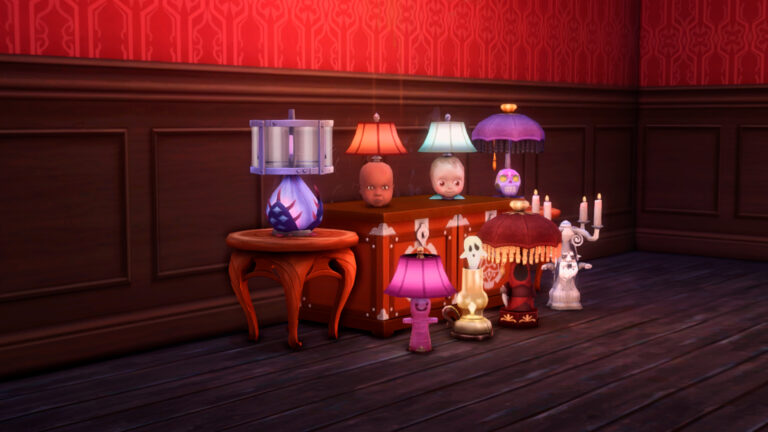
From creepy to cute, these lamps can fit in any Halloween themed room. Learn how you can create them from scratch!

It’s officially Halloween! Celebrate it in the Sims with these build ideas that can either haunt or flaunt your builds.

SL1

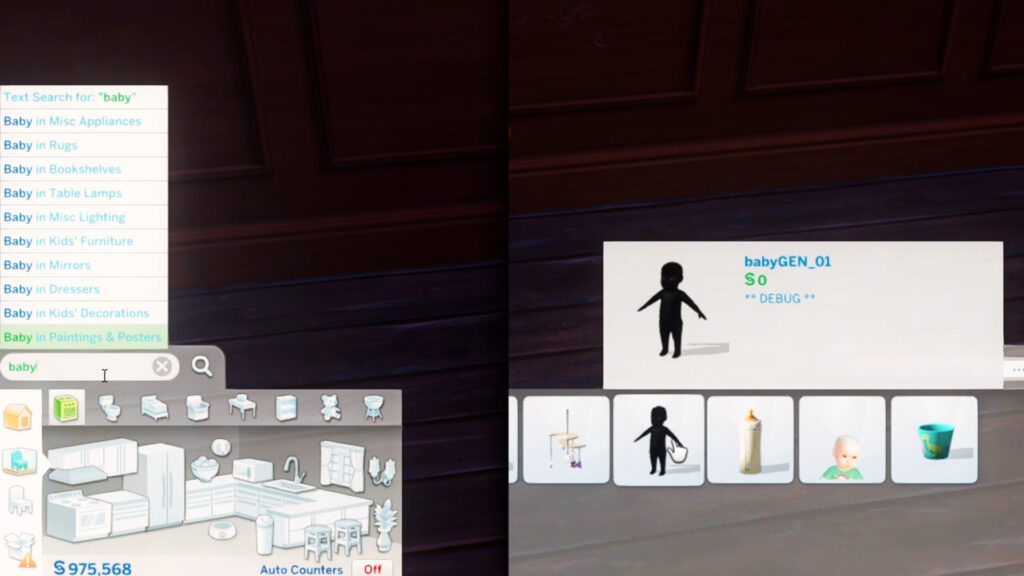
Before doing anything, bb.moveobjects on cheat must be on. Unlock the debug menu by opening the cheat bar first with Ctrl+Shift+C then typing in ‘bb.showhiddenobjects’ and ‘bb.showliveeditobjects’. Hit Ctrl+Shift+C again to close the cheat bar.

Let’s get started!

1) Baby Doll Lamp

For the Base Game version, search for ‘baby’ in the Build/Buy catalog and select this dark outline of an inanimate Sim baby (don’t worry, it’s just an object).

SL2 1
S

Or if you have Parenthood, search for ‘booboo’ and select this doll.

SL3

Size it up one time with the ‘]’ key and hide its body under an end table. You can also elevate the object if needed by pressing Ctrl+9.

SL4

Then to top it all off, add the most expensive table lamp from Base Game (since its stem is hidden easily). Size it down once.

SL5

You get these eerie doll head lamps that can give you spooky chills.

2) Mother Plant Lamp

Look for the ‘Strange Sprout Sculpture’ in the StrangerVille game pack and size it down 2 times by clicking ‘]’.

SL6

Add any lamp you want but this industrial lamp from Base Game works the best.

SL7

This sculpture also comes in a variety of colors so make sure to change your light color too to fit your Halloween mood.

3) Skull Lamp

This just uses the sugar skulls from Base Game! Search for ‘Nadia’, ‘Kevin’, ‘Joel’, or any of the skulls’ names (yes, they have names). Size it down once with the ‘]’ key.

SL8
SL8

Then use this shaded lamp from Vampires.

SL9
SL9

Next, place the skull on the table slot first. Then drag it away so it stays at the same height placement. Elevate it one time with Ctrl+9.

SL11
S

Now you should drag the table one square away first. Place the sugar skull where the table was originally. After that, place the table back. This is just to avoid the skull from clipping to the table slot.

SL12

They’re not just for Halloween! These skull-base lamps can also work for other cool builds like gothic vintage or teenage bedrooms.

SL13

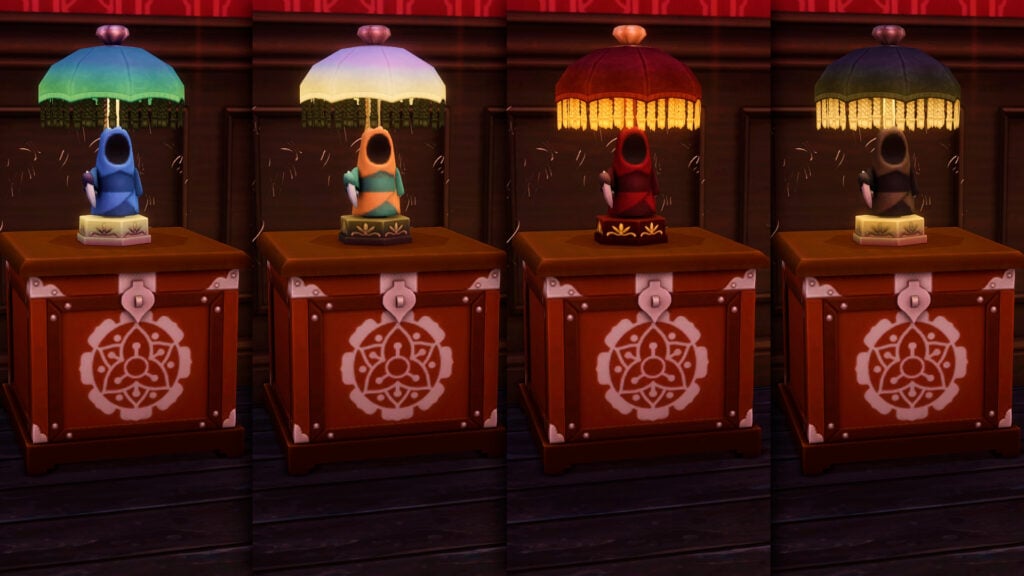
4) Grim Reaper Shade

Grab this Grim toy from Nifty Knitting and size it up once with ‘]’.

SL14

Then just do the same method with the skull lamp!

SL15

You can also use this technique to display your other knitted plushies.

5) Ghost Candelabra

First, grab this gnome statue from Base Game and size it down one time with ‘]’. Place it on the table slot first then drag it away.

SL16

Next, get this 4-candle candelabra from Vampires. Then simply place back the gnome in the table slot.

SL17 1

This spooky guy can now officially haunt your Halloween builds.

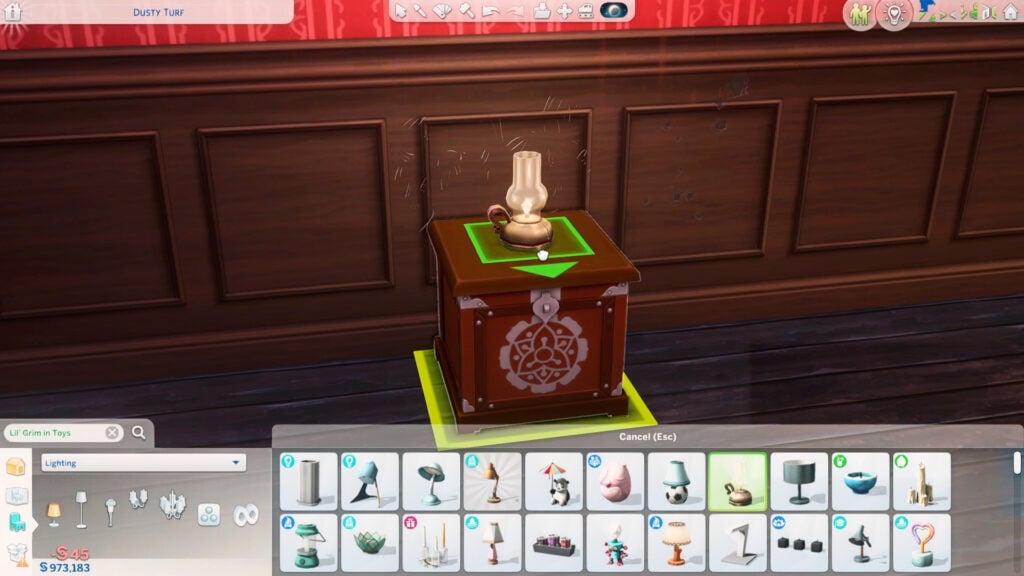
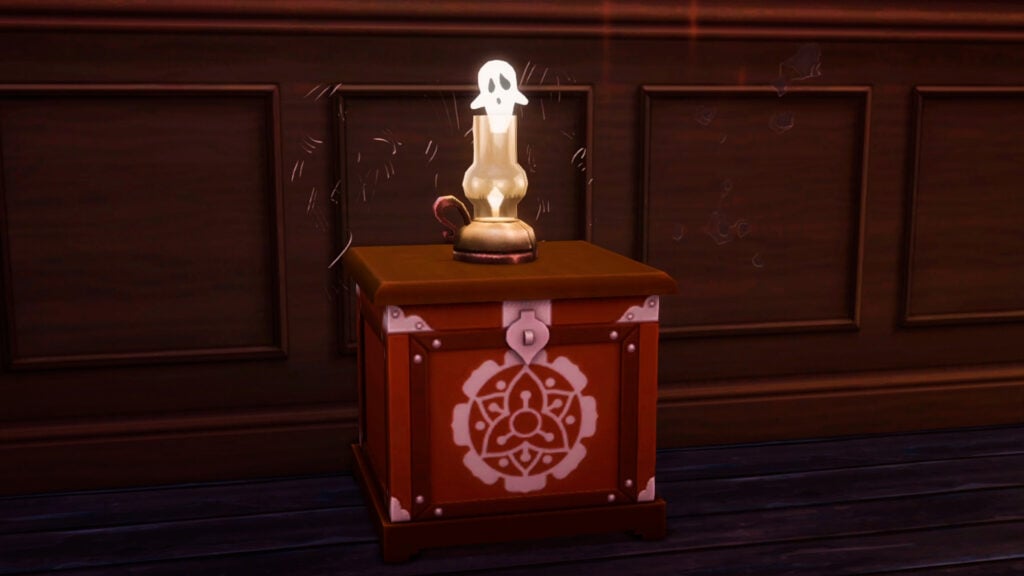
6) Floating Ghost Lamp

Use this oil lamp from Base Game and place it on the table.

SL18

Then just grab any of these ghost lights from the Spooky stuff pack. Size it down to its smallest size by clicking ‘]’ 3 times.

SL19

Elevate it with Ctrl+9 to make it hover inside the lamp. You can press and hold the Alt key to place it precisely inside the lamp.

SL20 1

It looks like ghosts are coming out of the candle!

7) Pink Monster Lamp

Search for ‘puppet’ and use this item from Parenthood. Size it up with the ‘]’ key. Place it on the table and just add and size down the expensive Base Game lamp in a pink shade. This looks best for kids and toddlers too!

Watch this quick tutorial to see how these spooky lamps were done:

Which lamp did you like the most? Comment it down below!