Home Blog Page 113

The Sims 4 Winter Builds to Kick Off the Season!

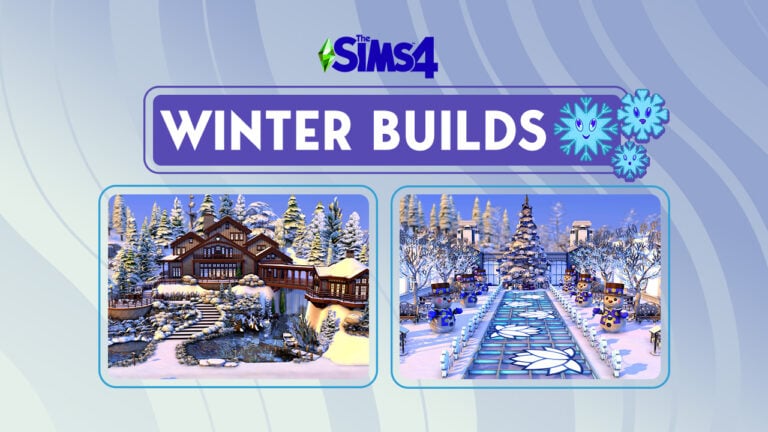
Autumn is out, winter is in! Celebrate the new season with these ten winter builds!

Autumn is coming to an end soon and and winter will be upon us before we know it! Whether you love or hate the snow and cold, there’s no denying that Simmers build some of the most amazing seasonal homes and venues for everyone to enjoy! Today, we’re kicking off the upcoming winter season with 10 winter builds in The Sims 4!

The Sims 4 Winter Builds

Winter Park Build

Sims 4 Winter Builds: Winter Park

Creator: Quietgirlgames

This adorable lot truly looks like a Hallmark holiday movie set in the city. I myself have walked through city parks in the winter that look just as magical as this dreamy setup. This is the perfect locale to have that first kiss with the Sim of your dreams. This Sims 4 winter build is completely magical.

Cafe and Tree Farm

2022 10 31 14 58 18 891 SunflowerSyrupGShade

Creator: strawberries017 (shell by Vixella)

This picturesque tree farm is so charming and quaint. Even if your Sims aren’t shopping for a Winterfest tree, it’s worth a visit to try some of the tasty beverages and pastries the café inside offers! We love all those extra special touches, like the sign out front and the cars parked outside. We can’t wait to visit this winter build in The Sims 4!

Winterfest Tree Farm

Sims 4 Winter Builds: Winterfest Tree Farm

Creator: CatSaar

This humble Sims 4 winter build proves that less is more when it comes to creating nostalgia and warm, fuzzy feelings. This little tree lot looks just like the small town tree lots my parents used to take me to when I was a kid to pick out our tree for the holidays. Thank you for this wonderful trip down memory lane, CatSaar!

Winter Wonder Weddings

2022 10 31 15 01 34 441 SunflowerSyrupGShade

Creator: luckyheather

Any Sim would be lucky to get married in this gleaming winter wedding venue! Every inch of the place is dripping in opulence. Sims wanting a winter wedding in a place that looks fit for royalty are sure to have the wedding of their dreams here. What a spectacular winter build for The Sims 4!

Winter Barn Wedding

Sims 4 Winter Builds: Winter Barn Wedding

Creator: LinnBeatrice

Maybe your tastes for a winter wedding are more down-to-earth and rugged. In that case, allow us to present this equally gorgeous barn wedding venue all decorated for the winter season! Any country Sim is sure to have the most magical winter wedding here. I’m already planning my Sims’ next wedding in this amazing winter build!

Winter Village Build

2022 10 31 15 06 07 199 SunflowerSyrupGShade

Creator: avizzzz

Our jaws dropped to the floor when we saw this absolutely incredible Sims 4 winter build! This talented creator has built an entire winter village on a 64×64 lot and the detail is marvelous. Street signs, town mail boxes, winter decorations, a gorgeous town square, and even a train station complete with luggage waiting to be collected on the platform brings this postcard perfect winter scene to life!

Winter Chalet Build

Sims 4 Winter Builds: Winter Chalet

Creator: Jazmilia

Wanting to get away this winter but don’t want to sacrifice luxury and comfort? This spectacular winter build for The Sims 4 is the perfect vacation rental for you. This gorgeous chalet sits on top of a snowy hillside with a small lake below and stunning wraparound decks to take in the views. We love the winding steps leading up to the front door.

Cosy Winter Castle

2022 10 31 15 29 43 036 SunflowerSyrupGShade

Creator: AriaFaeYT

For those wanting a more whimsical winter experience, check out this gorgeous winter castle! The architecture is just stunning and the creeping vines up the stone towers give the place a wonderful aged feel. Our favourite part of this Sims 4 winter build is the bridge entryway.

Winter Resort Build

Sims 4 Winter Builds: Winter Resort

Creator: SarahAmina

Got a big family but don’t want to spend your entire winter vacation crammed into one rental? Why not rent out a whole resort like this one? This beautiful snowy hillside dotted with small, cute cabins will allow you big Sims family to spend the holidays together and still enjoy their privacy. The skating rink in this Sims 4 winter build is a fun added touch to the lot.

Winter Cabin

2022 10 31 15 46 23 061 SunflowerSyrupGShade

Creator: evarotky

And last but definitely NOT least is this beautiful winter cabin built by one of my personal favourite Sims 4 builders! All of Eva’s builds are captivating but this one really stands out as a gorgeous blend of modern and traditional in a winter setting. My favourite features of this winter build are the round deck and the support beams on the A-frame roof.


Looking for more seasonal builds? If you’re not ready to let go of autumn yet, check out these builds inspired by Halloween movies!
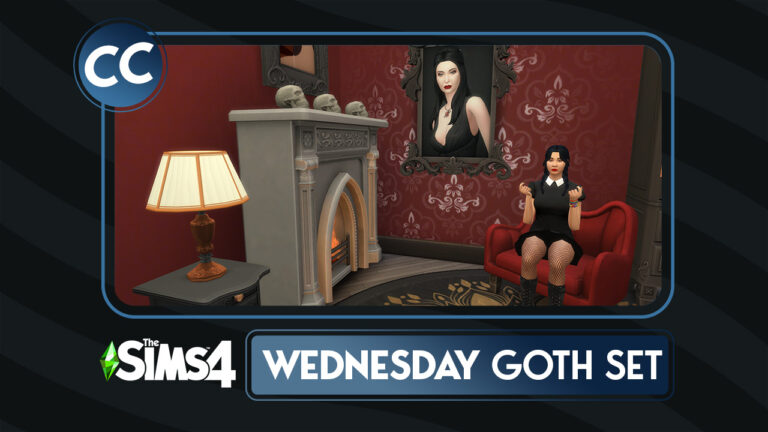
Wednesday’s Child is Full of Great Sims 4 Goth CC

This set is creepy and it’s kooky, mysterious and spooky! It’s all together ooky! This Sims 4 Goth CC.

This Sims 4 Goth CC is about to take a dark turn.

In brief, Charles Addams’ Addams Family cartoon was first published to The New Yorker in 1938. In fact, the family was without proper names until the 1964 TV Show “The Addams Family.” Throughout the years, there have been many different iterations with slightly different tones, characteristics, and storylines. To illustrate the Addams’ family’s influence, just read and watch all the numerous versions, including books, a Broadway Show, an animated series, a live action tv show, a pinball machine, video games, and even advertisements. Most recently, a Netflix original show features Wednesday Addams as its titular character and was released November 23, 2022.

What each iteration has in common is a dark, Goth aesthetic. As the result of the Netflix show’s popularity, it is nor surprising that a Custom Content (CC) creator has created a CC set to accompany the feel of the Netlix show. In a similar fashion, Sixam has created a Sims 4 goth CC set that would either work perfectly in an Addams Family build or even with similar families such as the Goth Family. To summarize, this set works well together and also combined with items from the Vampire Game Pack.

This pack by SixamCC will release on December 22, 2022!

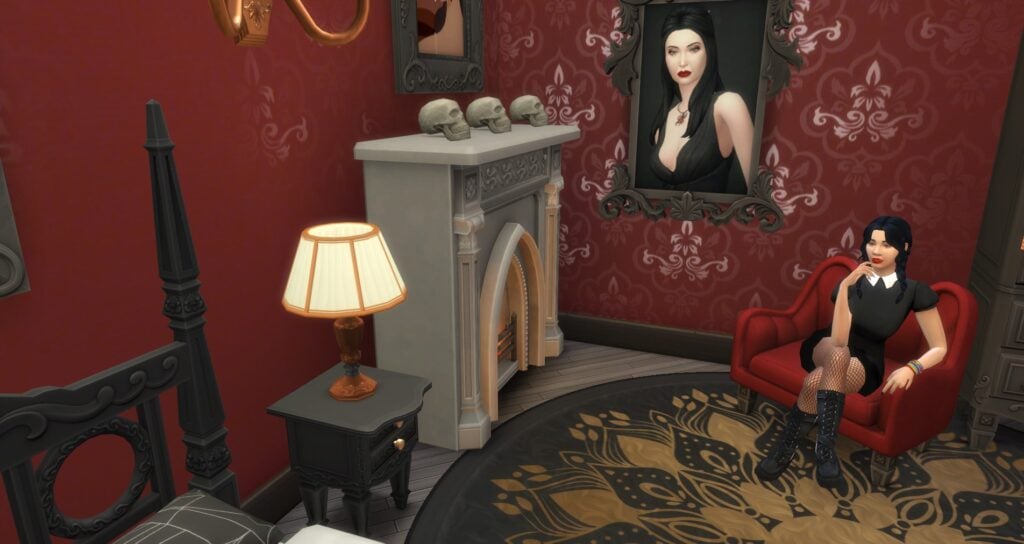
Goth Sims 4 CC: Wednesday's Goth Bedroom

Sims 4 Goth CC Included

Bedroom

Sixam included two different beds and matching mattress along with bed stands and a dresser! Using these items and some of the decorations included with the set, a bedroom perfect for Wednesday Addams is easy to create.

Goth Sims 4 CC: Wednesday's Bedroom Furniture

Double Bed Frame: Gothic Double Frame (10 Swatches)
Double Separated Mattress: “Soft and sometimes weird” Double Mattress (12 Swatches)
Single Bed Frame: Goth Single Frame (10 Swatches)
Single Separated Mattress: “Soft and sometimes weird” Single Mattress (12 Swatches)
Dresser: Pretty Dark Dresser (10 Swatches)
Night Table: “Secrets in the Dark” Nightstand (10 Swatches)

Dining Room

Although there is only one dining room item with the set, it can be used with a good number of in game items from tables to desk. Not to mention the stylish look of the chair that can be used with man different game chairs or Custom Content chairs.

Wednesday's Dining Room

Dining Chair: “Nightmare” Dining Chair (12 Swatches)

Living Room

These three pieces are our favorite pieces in the set! Particularly, the red color is absolutely stunning against the dark wood colors and the shape is unique from anything else we have in the game. Above all, these Sims 4 Goth CC pieces perfectly match the vibe of the new Wednesday show.

Goth Sims 4 CC: Wednesday's Living Room

Living Chair: “Nightmare” Living Chair (10 Swatches)
Loveseat: Nightmare Loveseat (10 Swatches)
Couch: “Nightmare” Couch (10 Swatches)

Decorative

Another key point is that we love the Sims 4 goth CC decorative items included in this set! In fact, the large mirror is not only great for decoration, but also for all the normal mirror uses. Specifically, there are two different paintings with 14 swatches between the two of them, a decorative skull, a fireplace, and a round rug with swatches that will go with numerous different house decoration styles.

All things considered, the skull and fireplace will be my top two objects used from this pack.

Goth Sims 4 CC: Wednesday's Decorations

Fireplace: Gothic Stone Fireplace (9 Swatches)
Painting: Beautiful Art (8 Swatches)
Painting: Old Portraits (6 Swatches)
Rug: Funny Circular Rug (12 Swatches)
Decorative Skull: Uncle Skull (4 Swatches)
Wall Mirror: “Look at me!” Wall Mirror (10 Swatches)

Hallway

These living tables could have a myriad of different uses from using them in the hall way to behind a couch or on any open wall space. Subsequently, their two different heights gives them added flexibility.

Goth Sims 4 CC: Wednesday's Hallway Tables

Hallway Table: “Secret Love” Hall Table (10 Swatches)
Hallway Table (Short): “Secret Love” Hall Table (Short) (10 Swatches)

Lighting

Lastly, the lighting is one of the most important parts of decoration. Sixam provides us with two different types of Sims 4 goth CC lights in this pack. Subsequently, they include a wall lamp and a table lamp. With 9 swatches between the two lamps, these lamps should be able to fit into quite a few different decoration styles including a Goth house. In truth, these are the perfect versatile type of lamp that most Simmers need.

Wednesday's Room Lights

Wall Light: “Give me light” Fancy Lamp (4 Swatches)
Table Light: Victorian Heirloom Table Lamp (5 Swatches)

To conclude, this pack is a great pack for any Wednesday Addams’ fan, Addams Family fan, and/or Sims 4 goth cc fan. Our favorite items were the skull, the fireplace, and the the three living room seating options. We recommend downloading it and adding the items to your game!

Preview Pictures

Download this Sims 4 Goth CC

downloadpng

Wednesday’s At That Very Special Age When A Girl Has Only One Thing On Her Mind” Downloading the Sims 4 Goth CC: Wednesday’s Goth Bedroom Set!

This set will release on December 22, 2022

Since you liked this Sims 4 Goth CC, check out some of our other articles!

Firstly, check out this Addams Family build by Simproved!
Then, tell your own Addams Family Story with these Sims by @snarkywitch!


Credits

Madlen Marci Boots by Madlen
Dakota V. 1 by CazMari
Super Shiny Sleepy Timey Chemise by arethabee


With this set in mind, what version of the Addams Family are you going to create?

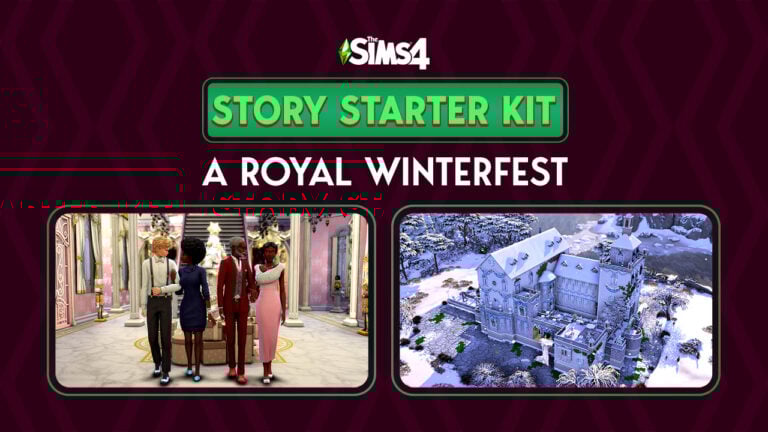
The Sims 4 Story Starter Kit: A Royal Winterfest

An ailing king, a secret romance and a Winterfest Ball to remember!

Welcome to our thirteenth official Sims 4 Story Starter Kit! If you missed all the info on Story Starter Kits, you can read more about what they are and how they work in our introductory article!

This month, we’re bringing you into the world of royalty! A king’s failing health means his daughter’s coronation must happen soon, at the annual Winterfest Ball, but the princess has a big secret she’s hiding from everyone.

Story Starter Kit: A Royal Winterfest

The Dupontes have ruled over the small country of Windenburg since medieval times. Although Windenburg’s politics have long since moved to a democratic system, the monarchy still stands as a symbol of Windenburg’s esteemed history and the royal family still has a great deal of influence in the country. They work alongside the elected ruler to pass policies and launch new initiatives for the betterment of Windenburg’s people. It’s a duty the Dupontes take very seriously.

So when news spread around Windenburg that King Maximus’ health was deteriorating, everyone was buzzing about Princess Elleri, the King and Queen’s only child who just celebrated her 18th birthday. She’s expected to be the youngest Queen to inherit the throne since 1654 when Princess Elleri’s ancestor ascended to the throne at the age of thirteen. Princess Elleri has been adored by the public since her birth and her parents have spent her entire life preparing her for this very moment. All of their hopes and dreams hinge on her and how she rules as Queen.

Recently, King Maximus’ health has taken a turn for the worse. Windenburg law states that the birth-born monarch must crown the next monarch themselves shortly before their passing; without the approval of the current reigning monarch, the throne may be contested by other noble families with any relation to the Dupontes. Naturally, this urgency demands Princess Elleri be crowned as soon as possible and what better opportunity to crown Windenburg’s new queen than at the castle’s annual Winterfest Celebration Ball, in front of the whole country? The event will also be an opportunity for Queen Gloria to scout out a suitable husband for her newly crowned daughter; Princess Elleri must secure the Duponte bloodline for another generation as soon as possible, after all.

But there’s one problem with that. Princess Elleri is already engaged in secret to one of the castle’s servants, Ezra. It’s still illegal in Windenburg for the royal family to marry someone outside of the nobility but the Princess has been in love with Ezra since they were children when he boldly stole a kiss on the cheek from her in the courtyard. She couldn’t stop giggling the rest of the day back then and he hasn’t stopped making her giggle ever since. If she can just keep their relationship a secret until after her coronation on Winterfest, she’ll be able to change the law when she becomes Queen and marry the person she loves.

But can she keep it a secret long enough? Her mother’s been getting increasingly suspicious of how much time she spends with Ezra and with the coronation fast approaching, she’s been watching her daughter like a hawk to make sure she doesn’t do anything to disgrace the royal family at such an important time. She knows her parents will assume Ezra just wants to become King and gain access to the royal vault. They’ll have him imprisoned. Her father would never physically harm Ezra but Princess Elleri doesn’t want to think about how far her mother would go to ensure the royal family’s bloodline and reputation isn’t sullied by a servant boy… and it would be all too easy for her to do something drastic while the King’s too ill to intervene.

Story Starter Kit Household Info:

King Maximus Duponte
  • Age: Elder
  • Pronouns: He/Him
  • Romantic Interests: Women
  • WooHoo Interests: Women
  • Romantic Exploration?: No
  • Traits: Family-Oriented, Loyal, Glutton, Gregarious (Bonus)
  • Aspiration: Friend of the World
  • Likes: Blue, Red, Baroque Music, Cooking
  • Dislikes: Pink, Electronica Music, Acting
  • Skills: Charisma (5), Dancing (3), Comedy (2)
  • Career: King of Windenburg
  • Relationships: Queen Gloria Duponte (Wife), Princess Elleri Duponte (Daughter), Ezra Baker (Acquaintance)
  • Packs Used: Get Together, Seasons, Get Famous, My Wedding Stories, Romantic Garden Stuff, Holiday Celebration Stuff (Free DLC)
Queen Gloria Duponte
  • Age: Adult
  • Pronouns: She/Her
  • Romantic Interests: Men
  • WooHoo Interests: Men
  • Romantic Exploration?: No
  • Traits: Snob, Art Lover, Self-Absorbed, Domestic (Bonus)
  • Aspiration: Successful Lineage
  • Likes: Pink, Baroque Music, Painting, Acting
  • Dislikes: Blue, Romance Music, Handiness, Cooking, Fishing, Handiness
  • Skills: Acting (5), Painting (4), Charisma (3), Dancing (3)
  • Career: Queen Consort of Windenburg
  • Relationships: King Maximus Duponte (Husband), Princess Elleri Duponte (Daughter), Ezra Baker (Acquaintance)
  • Packs Used: Get Together, Seasons, Get Famous, My Wedding Stories, Romantic Garden Stuff, Holiday Celebration Stuff (Free DLC)
Princess Elleri Duponte
  • Age: Young Adult
  • Pronouns: She/Her
  • Romantic Interests: Men
  • WooHoo Interests: Men
  • Romantic Exploration?: No
  • Traits: Music Lover, Good, Family Oriented, Alluring (Bonus)
  • Aspiration: Soulmate
  • Likes: Blue, Romance Music, Winter Holiday Music, Piano
  • Dislikes: Pink, Baroque Music, Painting
  • Skills: Charisma (5), Painting (4), Dancing (3), Logic (3)
  • Career: Princess of Windenburg
  • Relationships: King Maximus Duponte (Father), Queen Gloria Duponte (Mother), Ezra Baker (Fiancé)
  • Packs Used: Get Together, Seasons, Get Famous, My Wedding Stories, Romantic Garden Stuff, Holiday Celebration Stuff (Free DLC)
Ezra Baker
  • Age: Young Adult
  • Pronouns: He/Him
  • Romantic Interests: Women
  • WooHoo Interests: Women
  • Romantic Exploration?: No
  • Traits: Neat, Loyal, Family Oriented, Domestic (Bonus)
  • Aspiration: Big Happy Family
  • Likes: Blue, World Music, Cooking, Gardening, Handiness
  • Dislikes: Pink, Baroque Music, Writing
  • Skills: Cooking (5), Gourmet Cooking (4), Handiness (3), Comedy (3)
  • Career: Royal Servant
  • Relationships: King Maximus Duponte (Employer), Queen Gloria Duponte (Employer), Princess Elleri Duponte (Fiancée)
  • Packs Used: Get Together, Seasons, Get Famous, My Wedding Stories, Romantic Garden Stuff, Holiday Celebration Stuff (Free DLC)

Household Notes:

  • This Story Starter Kit household should be able to purchase their lot with their default starting funds. Make sure you import the family into CAS, then move them in. If you move them into a home straight from the Gallery, they will not have the funds I set for them.

Winterfest Castle

This grand castle is located in the middle of a lake which makes it a difficult target for attackers to reach. Not that it has many attackers these days. This lavish estate has housed the royal Duponte family for hundreds of years and boasts a ballroom, inner courtyard, a vault, 8 bedrooms and 7 bathrooms, not including the servants’ quarters and the dungeon.

Story Starter Kit Lot Info:

  • Lot Type: Residential
  • Price: §1,059,867
  • Size: 64×64
  • Beds: 8
  • Baths: 7
  • Lot Traits: None
  • Lot Challenges: None
  • Packs Used: Get Together, Seasons, Get Famous, My Wedding Stories, Romantic Garden Stuff, Holiday Celebration Stuff (Free DLC)

Your Sims 4 Story Starter Kit is waiting for you! Get The Household and The Lot by downloading them from the official Gallery Website linked on the buttons below. Or, follow SnarkyWitch in the Gallery and look for A Royal Winterfest and Winterfest Castle!

There is also a non-Winterfest version of the castle to save you the hassle of taking down all the decorations when Winterfest is over. You can find it in my Gallery.

Credits:

Looking for last month’s Story Starter Kit? Check out Nature’s Balance!

A Year in Gaming 2022 Edition: The Sims 4

0

EA has released the official report of The Sims 4 playtime sessions during 2022!

A new report has surfaced on the official EA website celebrating A Year in Gaming in 2022!

In this report the website has listed Electronic Arts’ most popular franchises that have been played in the last 12 months, including The Sims 4.

There are some impressive statistical facts including Gallery Download, Playtime Hours, number of WooHoos and Deaths in-game and more. Check out the full breakdown below!

CHAMPAGNE PATTERN 1

2022 in Review: The Sims 4

  • 1.4 Billion Hours Played
  • 436.5 Million Sims Created
  • Most Common Deaths:
    • Old Age
    • Anger
    • Drowning
  • 21.7 Million Deaths
  • 289 Million WooHoos
  • Top Traits:
    • Romantic
    • Cheerful
    • Creative
  • 11.5 Million Gallery Uploads
  • 209 Million Gallery Downloads
The Sims 4 - A Year in Review (2022)


What are your thoughts on this year’s stats?

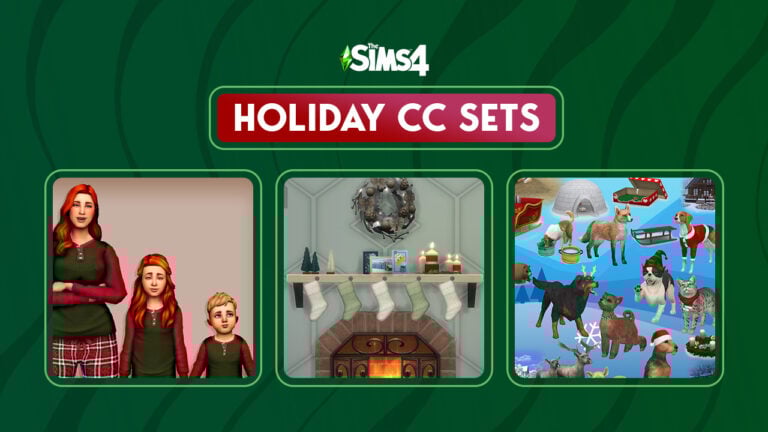
Celebrate 12 Days of Winterfest with 12 Holiday CC Sets!

Twelve holly jolly holiday CC sets to celebrate twelve days of Winterfest!

It’s officially December which means the holiday season has begun! Simmers will no doubt be in need of some festive holiday CC to brighten up their Sims’ wardrobes and homes so we’ve compiled a list of twelve holly jolly pieces of Christmas CC for The Sims 4!

At the time of publication, we can confirm that all downloads and all their required meshes have working links. So grab a cup of hot cocoa, get in your festive PJs, and spend some time browsing through our compilation of holiday CC without any hassle!

The Sims 4 Christmas CC Collection

Christmas Earrings

Winterfest Earrings
Image Credit: Soft Pine

Creator: Soft Pine

I am totally that person who shows up to Christmas dinner every year with some festive earrings so I’m obviously in love with these Sims 4 Christmas CC earrings! Where can I get a pair of each in real life? Asking for me, of course.

Holly Jolly Pyjamas

Sims 4 Christmas CC Holly Jolly PJs
Image Credit: hula-zombie

Creator: hula-zombie

These adorable PJs for adults, kids, and toddlers come in a variety of festive recolours. This download requires the meshes to show up, so make sure to read the download page carefully and download the linked meshes, too!

Sims 4 Christmas CC Dress Recolours

Peony Dress Xmas Recolours
Image Credit: Pixelette

Creator: Pixelette

This set of 14 beautiful recolours is sure to make your Sim stand out this holiday season! Since these are recolours, don’t forget to download the mesh linked on the download page, too! You need it for these recolours to show up!

Up to Snow Good Functional Stocking

Sims 4 Christmas CC Functional Stockings
Image Credit: Ravasheen

Creator: Ravasheen

These Sims 4 Christmas CC stockings are not only beautiful, but functional, too! Hang them up and watch your Sims collect a present from them on Winterfest morning! But beware; naughty Sims might get a lump of coal instead!

Christmas Wallpaper Collection

Holiday Wallpaper Collection
Image Credit: SimPlistic

Creator: SimPlistic

These gorgeous patterned wallpapers in red, green, and gold will make any home feel like it’s Winterfest all year long! The right wallpaper to go along with your holiday décor can really take your Winterfest decorating to the next level!

Winter Wonders Sims 4 Christmas CC

Sims 4 Christmas CC CAS Recolours
Image Credit: aliennooboo

Creator: aliennooboo

Some more delightful recolours in a whopping 63 festive patterns to dress up your Sims! Everything in this set looks so bright and cozy, we love it! Remember to download any required meshes linked in the download page, too!

Winter Wonderland Festive Décor

Holiday Decorations
Image Credit: Ravasheen

Creator: Ravasheen

A second delightful holiday set from delightful creator, Ravasheen! This heartwarming collection of holiday décor includes bell and pinecone garlands, candy canes, festive stars, decorative throw pillows, and a wooden tree display that can display any corkboard-compatible items like postcards and kids drawings.

Winter Gifts Separated Presents

Sims 4 Christmas CC Separated Presents
Image Credit: dew of the sea

Creator: dew of the sea

We love to see more gift variety in The Sims 4 and this creator delivered! This huge set of separated presents come in all shapes and sizes in a dizzying amount of colours. They are stackable and also come with optional separated ribbons! Wow!

Gingerbread Set

Gingerbread House
Image Credit: max20

Creator: max20

One of my favourite holiday traditions is decorating a gingerbread house with my family, so this adorable little gingerbread house made me smile! I love the little gingerbread family that goes with it. This will make a perfect holiday centrepiece in your Sims’ homes!

Welcome Mats Sims 4 Christmas CC

Sims 4 Christmas CC Welcome Mats
Image Credit: incandescentsims

Creator: incandescentsims

Welcome friends and family into your Sim’s home for the holidays with these cheerful welcome mats! These mats have a variety of fun holiday greetings in Simlish and includes swatches to celebrate Hanukkah nd Kwanzaa, too!

Winter Wishes Cards

Holiday Cards
Image Credit: dew of the sea

Creator: dew of the sea

For many people, writing and sending out holiday cards is an important part of the season. It’s also a lot of fun to use the cards you received as holiday decorations so why not add more cards to The Sims? This large collection comes in both standing and décor varieties!

The Ultimate Christmas CC Collection

Sims 4 Christmas CC Pets
Image Credit: TheKalino

Creator: TheKalino

We saved the largest Sims 4 Christmas CC collection for last and pet lovers are going to love this one! This huge collection of items focuses primarily on pets and includes festive pet toys, beds, and clothes for our furry four legged friends! There are also some fantastic builds and décor in the set.


Want more holiday-themed content? Try playing with our Steampunk Winterfest Story Starter Kit!

The Mod Manager for The Sims 4 is Officially Live!

The CurseForge Mod Manager now supports The Sims 4!

On November 14th, 2022, players could upload and download mods and custom content from the CurseForge Mods Hub. At the time, support for The Sims 4 was restricted to the Mods Hub website. Plans to bring The Sims 4 to the CurseForge Mod Manager app were scheduled for December 6th, 2022. Yep, that’s today! The Mod Manager app now supports The Sims 4 and you can download and maintain all your mods and CC directly within the app.

CurseForge
Welcome screen when opening the Mod Manager

For those who prefer the website, the Mods Hub website has also gotten a major facelift. It is now more visually appealing and easier to navigate.

The Sims 4 Mod Manager

CurseForge
Info screen about the latest update adding support for The Sims 4

If you previously had the CurseForge Mod Manager app installed for other games, then all you have to do is open your app and see that The Sims 4 is now supported in the app! For those new to the app, you can download it from the CurseForge website.

Click on The Sims 4 icon in the left sidebar to see all of your installed content from mods and CC to lots and households. The Sims 4 Mod Manager app will display mods you previously downloaded from elsewhere, too. Easily delete anything you no longer want and update all outdated mods at once by clicking on the upload button at the top of your mod list. You can also search for more mods to download within the app.

Sims 4 Mod Manager
My CC collection displayed in the Mod Manager

Everything is now in one convenient location, making it easier than ever before to install and maintain your mods and CC.

Mods Hub Redesign

Sims 4 Mods Hub
Mods Hub redesigned website

In addition to the Mod Manager support for The Sims 4, the Mods Hub website has gotten a complete redesign! The new design more closely resembles the app design and is much more visually striking. Download preview thumbnails are now larger and more visible, with better overall organization and navigation.

Check out the new look for yourself!


Want to learn more about CurseForge and the Official Sims 4 Mods Hub? We break everything down for you!

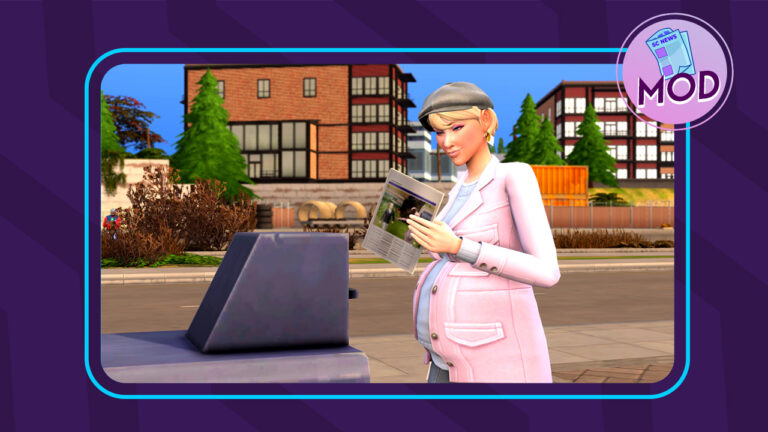
This Mod Brings Newspapers Back to The Sims 4!

Subscribe to The Sims Daily newspaper with this handy mod!

The Sims 4 has embraced the modern world in many ways, doing away with outdated technologies like landline telephones and newspaper deliveries. Many players miss these old-fashioned things from days gone by. Some wish for more old-timey things for their elders who are stuck in the past. Others just don’t want their Sims to be so reliant on cell phones and Wi-Fi, especially when playing Rags to Riches challenges or historical challenges. Well, Ravasheen has given these players what they want! Her Sims Daily newspaper mod for The Sims 4 will allow your Sims to read the paper again!

The Sims 4 newspaper mod is base game compatible but more options will be available to players depending on what packs they have installed.

The Sims 4 Newspaper Mod: How to Subscribe

Sims 4 Newspaper Mod: News Stand

It’s easy to subscribe to The Sims Daily with this Sims 4 newspaper mod. In Build/Buy, search for an object called New News Stand and place it on any lot. You can search for the item by name or just type RVSN in the search bar; searching for RVSN will bring up all of Ravasheen’s content that you have installed.

Sims 4 Newspaper Mod: Subscribe

Once placed, click on the news stand in Live Mode. Purchase that day’s copy of the newspaper for $2 or sign up for a subscription for $1 a day. If you’re short on simoleons and want to read the paper every day, it’s better to subscribe at the discounted rate. Not only is it cheaper to subscribe, but it’s more convenient, too. Sims Daily subscribers get a copy of the paper in the mail every day at around 9am. No need to remember to swing by the news stand to grab that day’s paper; this Sims 4 newspaper mod delivers right to you every day!

Sims 4 Newspaper Mod: Trait

Sims Daily subscribers will get a trait to show that they are currently subscribed to the Sims 4 newspaper. You can unsubscribe anytime by clicking on your mailbox or on a news stand.

Sims 4 Newspaper Mod: Notification

Each newspaper is only good for one day. It expires the following day. You know your Sims 4 newspaper is old when it turns brown in colour. You can have up to 5 newspapers on your lot. After that, the newspaper will not be delivered until you clean up some of the old papers.

Newspaper Features

Newspaper Features

The Sims Daily has lots of useful features Sims can take advantage of. Many options that were only available on the cell phone or computer are now available through the newspaper. This makes the paper a great tool for Rags to Riches, Off-The-Grid, and Decades playthroughs!

Newspaper Options

Here’s the full list of what’s possible with The Sims Daily newspaper!

  • Find odd jobs/gigs
  • Post missing pet alerts
  • Read festival info – Gives info on the next upcoming festival
  • Clip coupons and get discounts
  • Read daily news, affirmations, and jokes – Provides Sims with Confident, Playful, and Focused moodlets!
  • Check Recent Neighbourhood Stories
  • Check Neighbourhood Action Plans
  • Enact Neighbourhood Action Plans
  • Repeal Neighbourhood Action Plans

Using The Sims 4 newspaper grants your Sims influence points and both the news stand and newspaper are functional off the grid!

Our Thoughts on The Sims 4 Newspaper Mod

We’re always impressed with Ravasheen’s work and her newspaper mod for The Sims 4 is no exception! She’s always thinking of ways to make the game easier and more intuitive for players to enjoy and she never disappoints; many of her mods pay special attention to the needs of off-the-grid and history players which is something the community needs more content for.

We love this blast from the past and found having a daily newspaper delivery so handy! We were able to do so many things with just one object and we didn’t have to click through a maze of phone apps to find them. Having the newspaper expire the next day and not getting deliveries if there are too many newspapers on the lot is a very nostalgic thing from past Sims games.

Something we would love to see added to this mod in the future is notifications with funny news clips, affirmations, and jokes in addition to the nice moodlets our Sims get. I totally volunteer to write some corny jokes for you, Ravasheen!

The Sims Daily News Stand and Newspaper is currently in early access for Ravasheen’s patrons. It goes public on December 17th, 2022. Click the button below to be taken to the download page!

Love this mod? Check out our walkthrough of the Photographic Memory mod by the same creator!

The Sims 4 SDX: Mean Sims Fix and Dragon Age Merch!

The latest SDX drop includes a major bug fix and Dragon Age merch!

If you’ve opened up The Sims 4 today, you might have noticed we got another SDX drop, but what did we get with it? In usual fashion, The Sims social media channels and news blog were vague about the details but they did confirm a long awaited bug fix was included. The Dragon Age Facebook account also posted that there is new Dragon Age themed CAS assets in The Sims 4 to celebrate the upcoming release of the series’ latest title, Dragon Age: Dread Wolf.

Dragon Age Promo Image
Image from the Dragon Age Facebook page

Yep, another video game advertisement. Still, let’s dive into CAS and check out exactly what we got!

Sims 4 SDX Content: CAS Assets

Feminine T-Shirt Recolours

If it’s hard to find these shirts in CAS, that’s because they aren’t a new catalogue entry. They are added swatches to the Mass Effect rolled sleeve tee that we received in a previous SDX drop. There are a total of four new swatches themed around the Dragon Age series.

Masculine Tee

Like the feminine shirt, you’re going to have a hard time finding these if you’re looking for a new catalogue entry. The Sims 4 SDX drop added these designs as extra swatches for the base game graphic tee; the one with the skull face as the catalogue preview swatch. It comes in the same four swatches as the feminine tee with the same Dragon Age designs.

Unisex Tattoos

There are three new tattoo designs, also themed around Dragon Age. All three designs are different swatches for the same catalogue entry. They are for the left upper arm and can be applied to both masculine and feminine framed Sims.

Unisex Baseball Cap

There is also a Dragon Age themed baseball cap with the familiar sword and flame design on it. Just like the shirts, this Sims 4 SDX content is hidden as an extra swatch rather than a new catalogue entry. It’s a new swatch for the base game baseball cap.

Sims 4 SDX: Dragon Age Hat

Sims 4 SDX Bug Fix: No More Excessively Mean Sims

The fix to tone down excessively mean Sims was intended to be in the last base game update. At the last minute, The Sims Team announced that the fix would be delayed until December. Many players were understandably disappointed by this delay but they don’t have to wait any longer! Today’s SDX drop included a bug fix for this! Sims won’t be mean without a viable reason, such as having mean traits or being angry.

If this is the first you’re hearing about this bug, you can read more about it right here on our website!


As usual, we’ll continue to update this post if/when more content from today’s SDX drop is discovered!

Play With Your Friends with The Sims 4 Multiplayer!

Go on some wacky adventures with your friends with the Sims 4 Multiplayer Mod!

Sims 4 Multiplayer Mod Dr. Gluon and James Turner playing Dine Out Reloaded by Carl's Guides
James Turner and Dr. Gluon play Sims 4 Multiplayer while testing out Dine Out Reloaded by Carl’s Guides

There is always a debate when the topic of multiplayer in the Sims 4 comes up in conversation. While there are many Simmers that enjoy the single player world of The Sims 4, there are just as many that want to be able to tell stories with their friends. Luckily, with the Sims 4 Multiplayer Mod (S4MP), those Simmers are able to do just that. (As long as they play on PC/Mac)

There are many YouTube simmers that have been playing with S4MP. Check out their videos if you’re wondering how it works!

How does Sims 4 Multiplayer Work?

Requirements

  • 2-12 Simmers each with their own computer
  • All computers require the same version installed
  • Same packs and kits installed (Can disable packs in launcher)
  • Same Custom Content and Mods installed

Preparation to Play Sims 4 Multiplayer

  • Start a new save or use an old save (On Host Computer)
  • After that, create or download the sims and move them onto a lot or residential lot
  • Pause the time. Save and exit.

Hosting a Sims 4 Multiplayer Game

  • Host needs to login to their S4MP launcher
  • Choose a save file and click Host
  • Room will be created and give room code to other Simmers

Joining a Sims 4 Multiplayer Mod Game

  • Login to the S4MP launcher
  • Enter the room code and choose Join Room
  • Game will synchronize between players
  • Start Game!
  • Lastly, load the save and enter the lot
  • If it was successful, each Simmer will receive a notification that the S4MP is working.
  • When everyone has joined, there will be a notification stating it.

Exiting the Game

  • It is recommended that the Host Saves then Exits. Then, everyone else exits.

For a video of how to start a Sims 4 Multiplayer game (From 2020).

Important Information

  • While playing the mod, it is only possible to play with Sims in the same household. Also, the both Sims being currently played need to travel together. Additional Sims can be left alone.
  • It is recommended that only the host saves the game.
  • LAN (Local Area Network) connections do not cost anything to the player meanwhile, anything through an Internet connection requires a subscription to the S4MP Patreon.
  • It is necessary that everyone playing the game has the same packs installed. To prevent issues, packs can be disabled from the S4MP launcher settings.
  • Mods and CC can be used with Sims 4 Multiplayer! Both Simmers need to have the same mods and cc installed otherwise there will be problems. Also, not all Script mods are compatible. Make sure to check or test before playing.
  • In fact, it is possible to communicate with other Simmers, type ctrl + shift+ c then type Chat [Your Message]. Only the other Simmers will be able to see the message.

Frequently Asked Questions

How many Simmers can play in a save at once?
Up to 12 players are able to connect at one time.

What version of The Sims 4 is required?
All players must have the same version. But, this version must be The Sims 4 version 1.54 or newer.

What are the requirements of using Sims 4 Multiplayer Mod?
Every Simmer needs to have their own computer. In addition, each Simmer needs to register for an account. Patrons get lifetime LAN support even after cancelling their Patreon membership.

What are the current limitations of S4MP?
There are two major limitations that Sims 4 Multiplayer has currently. Build mode does not always work as expected and adding new Sims or pets to the lot “has not been tested”. This includes additions e.g. adoptions, giving birth, etc.)

Common Problems

  • Unable to interact with objects or Sims? Try allowing Sims 4 Multiplayer through firewalls. Also, check all VPNs to make sure they are connecting properly. Finally, mod conflicts can cause problems with S4MP. Check to make sure all mods are compatible with Sims 4 Multiplayer. Therefore, we recommend doing a 50/50 if the culprit is not evident at first. Remember, missing mods can also cause problems similar to these so make sure everyone playing has identical mod folders.

Temporary Fixes

  • Currently, there is a problem with Simmers’ travel screens being black. As a result, S4MP recommends that the host use Save As instead of Save to prevent it from happening.
    • When traveling, Simmers should go from Home to Point A and then back home without travelling to another destination immediately. Subsequently, doing this will help prevent the black screen error.

Installation

(From S4MP’s website)

  1. The host must prepare a Sims 4 household with everyone’s sims to play with, meanwhile, everyone must enable Mods & Scripts➚, then save & exit their games.
  2. Download and extract S4MP from the zip file, then launch it. If it’s not opening, make sure to run it as admin and exclude it from your antivirus.
  3. Set the documents path in S4MP’s settings tab, by default:
    • Windows: C:\\Users\\USER\\Documents\\Electronic Arts\\The Sims 4
    • Mac: /Users/USER/Documents/Electronic Arts/The Sims 4
  4. Set the game’s folder path in S4MP’s settings tab, by default:
    • Origin: C:\\Program Files (x86)\\Origin Games\\The Sims 4
    • EA Desktop: C:\\Program Files\\EA Games\\The Sims 4
    • Steam: C:\\Program Files (x86)\\Steam\\steamapps\\common\\The Sims 4
    • Mac: /Users/USER/Applications
  5. Allow S4MP through the Firewall settings➚ to prevent connectivity issues.
  6. Click Play on LAN in S4MP, select your prepared save game to host, and share your VPN or IP address with others so that they can join the room.
  7. Once everyone’s in and save synced, press Everyone’s Connected and then Start Game. If the game isn’t starting, you can also start it manually.
  8. Let The Sims 4 load, select the same save game then load into the same household, a notification in-game should state that the multiplayer has loaded.

Need additional help with Sims 4 Multiplayer Mod? Visit their Discord Server for help!

downloadpng

Finally, we can play Sims 4 with our friends! Download today on CurseForge.

For additional information regarding Sims 4 Multiplayer, visit S4MP’s website.


Do you want to trying out Sims 4 Multiplayer Mod with your friends?

Modder makes a Memory System for The Sims 4!

0

Lumpinou’s mods strike again! This time, by adding memories to The Sims 4!

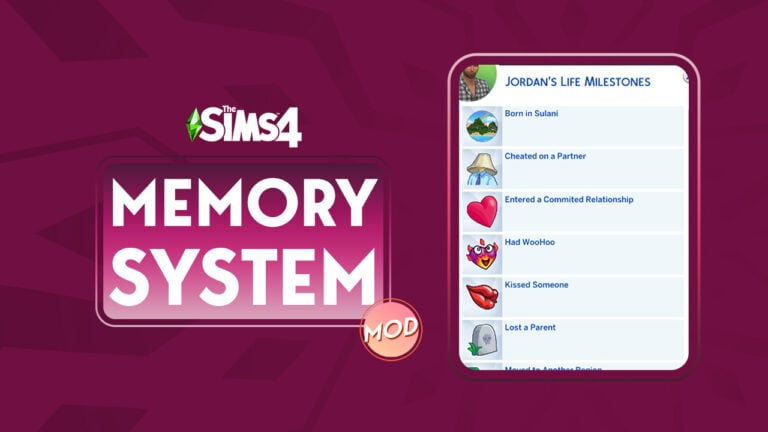
Once again, a modder has taken it upon themselves to add missing features to The Sims 4. Lumpinou is a well-known modder best known for their popular WooHoo Wellness mod but that is certainly not all they do! Their latest project is adding a memory system to The Sims 4! The Memory Panel mod is designed to make special moments in your Sims’ lives matter more, complete with moodlets!

How The Sims 4 Memory System Mod Works

Lumpinou explains on their blog that with this mod installed, Sims will automatically retain memories for important moments in their lives as they happen. You’ll know when your Sim has acquired a new memory by a special effect that appears on your Sim, as well as a moodlet.

You can then open your Sim’s memory profile to see all their memories. Some memories related to relationships may be clickable to show the Sim with which your Sim experienced that memory with. The mod is smart enough to make distinctions between a first-time memory and a repeated memory. Your Sims may not feel the same way about a certain event the second time around. For example, Sims may have different reactions to giving birth the first time versus a second or third time. They may also feel differently about getting fired multiple times or being cheated on multiple times.

Lumpinou has also added some extra features to The Sims 4 memory system mod, such as being able to ask Sims about their memories and multiple cheat options to add/remove memories. Sims will also gain a special relationship bit with the Sim they have their first WooHoo with. What’s even better? Upon first installing the mod, it will retroactively add memories to all your current Sims!

Memory List

List of Memories
Image Credit: Lumpinou

Currently, there are over 60 different types of memories Sims can acquire. Some memories are designed to work with other mods of Lumpinou’s.

Acquired a Business
 Adopted a Pet
 Became a Widow(er)
 Became an Occult
 Became President
 Became a Vampire
 Became a Spellcaster
 Became a Werewolf
 Befriended a Dolphin
 Befriended a Talking Toilet
 Made a Best Friend
 Carried a Baby for Another
 Licensed a Song
 Gave Birth
 Got Kicked Out by Parents
 Joined a Religion
 Lost Custody of Children
 Won Custody of Children
 Published a Video Game
 Mastered a Musical Instrument
 Went Scuba Diving
 Summited a Mountain
 Turned a Sim into a Vampire
 Reached the Top of a Career
 Won a Gaming Competition
 Won a Starlight Accolade
 Lost a Best Friend (ie, they died)
 Born in [insert world]
 Came Out
 Cheated on a Partner
 Child Taken by Social Services
 Cured of Vampirism
 Death of Child
 Death of Parent
 Death of Pet
Death of Sibling
 Degree in [degree]
 Dropped out of High School
 Dropped Out of University
Found a Fated Mate
 Gave birth to an Alien Baby
 Got a Job
 Got Fired
 Had a Committed Relationship
 Had a Fight
 Had a Permanent Separation
 Had a Wedding Ceremony
 Had an Abortion
 Had Children
 Had Grandchildren
 Had great Reputation
 Had terrible reputation
 Hero of Strangerville
 Kissed someone
 Moved to another “world”
 Parents Separated
 Published a book
 Saw a strange creature in space
 Sold a masterpiece
 Took gender-affirming steps
 Took Vacation to Another World
 Visited Sylvan Glade / Forgotten Grotto / Deep Woods
 Was abducted by aliens
 Was cheated on
 Was Spared by the Reaper / Nearly Died
 Was World Famous
 Won the Lottery
 WooHoo’d in Space
 Woohoo’d with someone

Lumpinou’s Blog

What’s next for the mod?

Lumpinou says they plan to add new features to the mod over time, like more memories, larger impacts for memories, more social interactions, and even Social Bunny posts! They also say that the mod can be integrated with other mods.

As for making memories chronological, Lumpinou says it’s something they would like to do and are actively working on but this is a tricky endeavour and may not be possible, so they can’t guarantee this will happen as of right now.

Currently, The Memory System Mod is in early access for Lumpinou’s patrons but will be made freely available to everyone on December 1st, 2022. You can visit Lumpinou’s patreon if you are interested in becoming a patron and receiving early access to this mod.

If you like this mod, we recommend checking out Lumpinou’s Complex Marriage Outcomes module!

The Sims 4 Harvestfest Gnome Guide

Gnomes can’t communicate with Sims, so to appease them, we’ve written a Sims 4 Gnome Appeasement Guide.

Every Harvestfest, the friendly neighborhood garden Sims 4 Gnomes come to visit each Sim family. But what do they ask for? But only a simple gift in exchange for seeds. The problem is… they don’t tell you want they want. So how do you appease gnomes in the Sims 4?

Fear not! Now you can appease every Sims 4 Gnome during each yearly Gnome Appeasement Ceremony using this Sims 4 Gnome Guide! Save them for your garden or sell them for a profit.

There’s No Place Like Gnome – The Sims 4 Gnome Homebody

Sims 4 Gnome - There's No Place Like Gnome

Just click your heels together and say, “There’s no gift like Coffee, Fruitcake, and Future Cubes!” Or at least that’s what the “There’s No Place Like Gnome” garden gnome is doing every Harvestfest.

Happy Gnome Garden Pal – Everyone’s BFF Gnome

Sims 4 Gnome Guide - Happy Gnome Garden Pal

Everyone’s friend, the Happy Gnome Garden Pal has chosen your Sim’s house this Harvestfest. During the Gnome Appeasement Ceremony, he enjoys coffee, fruitcake, or a future cube. Unless you don’t want to be friends, then give him something else.

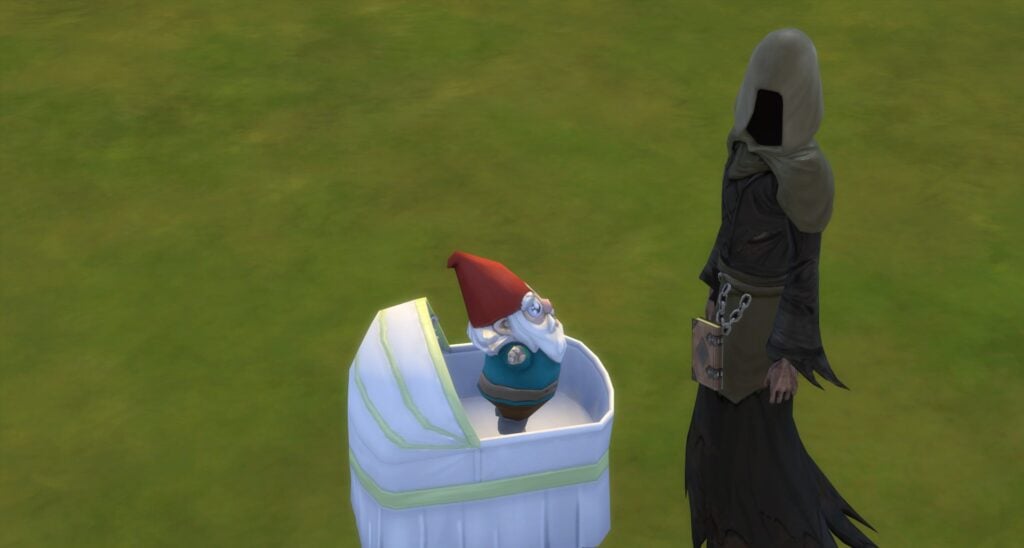
No Matter What, I’m Still Your Baby – Babyface Sims 4 Gnome

Sims 4 Gnome Guide - No Matter What, I'm Still Your Baby

Don’t let the name fool you, No Matter What, I’m Still Your Baby Gnome has officially become an adult Gnome and is excited to visit one lucky Sim this Harvestfest. If your Sim is that lucky Sim, make sure to offer him coffee, fruitcake, or a future cube.

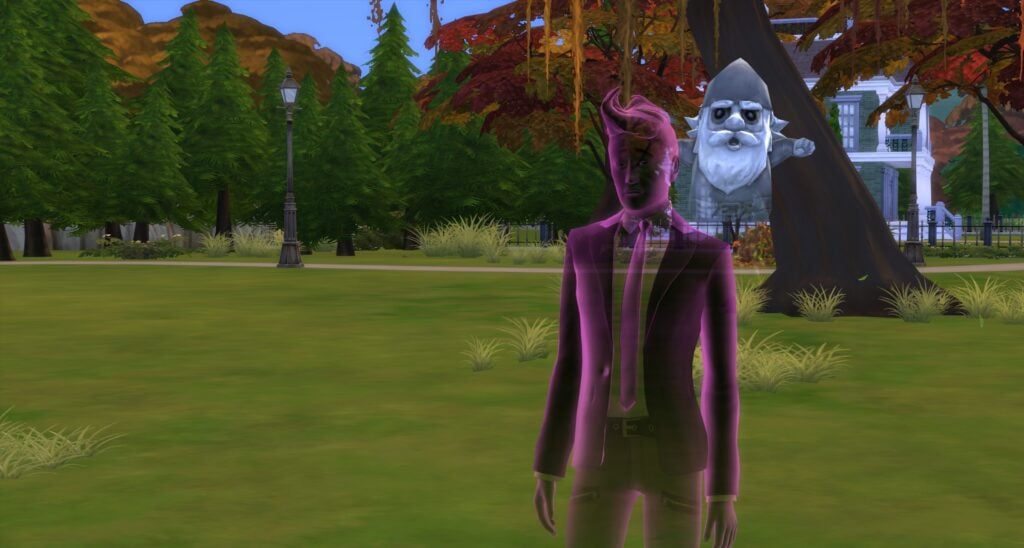
The Ghastly Ghostly Gnome – The Scariest Sims 4 Gnome

The Ghastly Ghostly Gnome

The Ghost gnome, aka The Ghastly Ghostly Gnome loves Harvestfest so much that he continue to participate after his death. He asks for offerings of coffee, fruitcake, or a future cube, but it’s still up to debate how he uses any of them.

Poolside Gnome and Bare Essentials Gnome

Sims 4 Gnome Guide - Poolside Gnome and Bare Essentials Gnome

This unlikely pair were caught hanging out at their favorite pool. Don’t fret! They’re getting ready for the big day and are hoping you remember what each of them want!

Make sure to give the Poolside Gnome coffee, pie, or a toy and Bare Essentials Gnome pie, salad, or a toy!

Strictly Business Gnome – Sims 4 Gnome With Totally Legit Business

2022 11 22 22 02 55 852 ArkanaTemperance
Photo Credit: EroSims

Like any good business gnome, Strictly Business Gnome starts his day off with coffee. So it’s not surprising that he likes the gift of coffee. But what might surprise you is that he has a soft spot for pies and toys.

Happy Gnomeiversary

Sims 4 Gnomes - Happy Gnomeiversary
Pink and Purple Floor Balloons are made by Ravasheen and can be found here.

From San Myshuno to Henford on Bagley, if there is a party, the Happy Gnomeiversary Gnome will be there. This party Gnome would never miss the celebration of Harvestfest and the Gnome Appeasement Ceremony. So he’s preparing early and sending his offering list which includes coffee, future cube, or a toy.

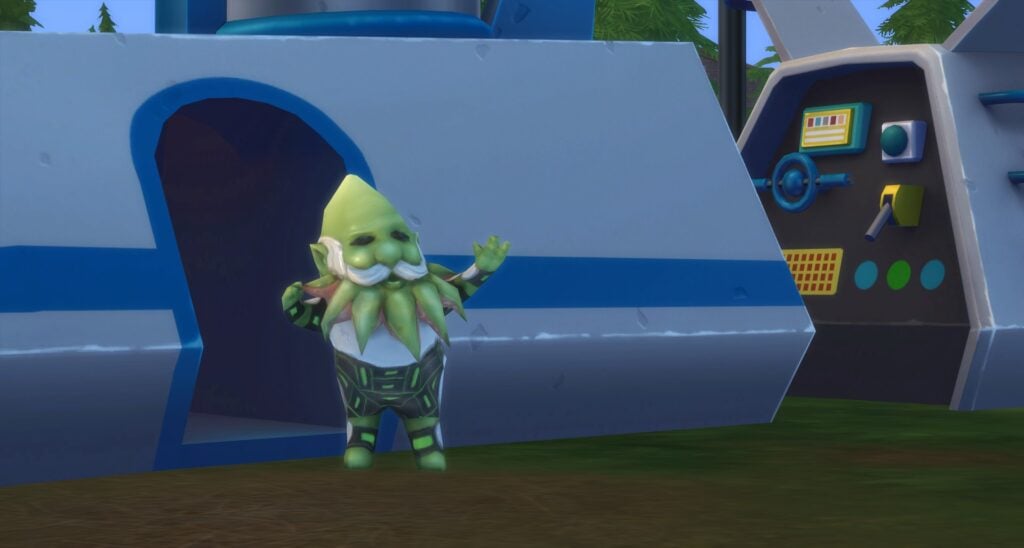
Guardian of the Gnomelaxy

Guardian of the Gnomelaxy

Coming straight from his trip to Sixam, the Guardian of the Gnomelaxy Gnome is tired and in need of coffee. But, this alien gnome would also settle for a Future Cube or just a toy to destress with.

Mr. Floppy the Gnome

Sims 4 Gnome Guide - Mr. Floppy the Gnome

Mr. Floppy the Gnome always feels a tad bit out of place on Harvestfest, but in true Sim fashion, this Gnome is included and accepted no matter their holiday origin. Want to know a secret? This Gnome really appreciates pie, salad, or a toy during the Gnome Appeasement Ceremony.

Don’t Fear the Reagnomper

Sims 4 Gnomes - Don’t Fear the Reagnomper

Some Gnomes were concerned when Don’t Fear the Reagnomper started dressing like the Grim Reaper, but now that they’ve met the real Grim, they realize that they’re quite harmless. And a great dancer, too!

Don’t Fear the Reagnomper is hoping someone will give them a pie, a healthy salad, or a toy.

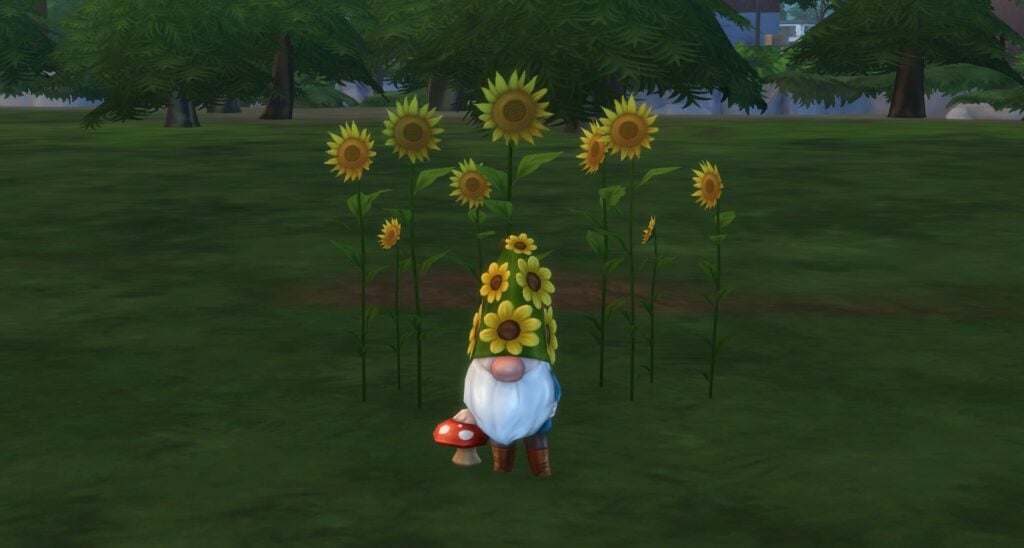
Herb the Posy Protector

Herb the Posy Protector

Herb the Posy Protector spends all year protecting posies so we’re lucky he’s taken time out of his schedule to participate in the Harvestfest’s Gnome Appeasement Ceremony. Maybe if we give him a pie, salad, or toy, he’ll stay a while and tend to our posies.

The Gnome Wolf

Sims 4 Gnomes - The Lone Wolf

Living alone for a while, the Gnome Wolf is accustom to solitude. But every Harvestfest, he crawls out of his cave and visits one lucky Sim. So to repay him, make sure to give him a pie, salad, or a toy!

The Sweetest Little Gnome

The Sweetest Little Gnome

The Sweetest Little Gnome missed last Harvestfest due to the rescheduling of a Camping Trip. Although, Harvestfest is important, nothing is more important than roasting S’mores over a campfire to The Sweetest Little Gnome. But don’t be concerned, this Gnome won’t miss two Harvestfests in a row! So prepare your offering of pie, salad, or a toy early in anticipation.

Sims 4 Gnomes That Don’t Celebrate Harvestfest

There are a few gnomes that like to hang out at home, put up their feet, and watch a few episodes of the newest Gnomemance Show each Harvestfest. So don’t think we’ve forgotten these important Sims 4 Gnomes!

  • “Onward” The Adventurous Gnome
  • Bearly Gnome
  • Upside Down Gnome Decor
  • High-Rider Gnome
  • Gnome Simmi
  • Golden Gnome Simmi

Now that you know how to appease Gnomes thanks to our Sims 4 Gnome Guide, check out our other Gnome-related articles!

Did you know that Gnomes have lore? Check out Sims 4 Gnomes: Gnomeing the Lore
In case you wondered, SnarkyWitch ranked all the Gnomes in We Ranked Every Sims 4 Garden Gnome. For Science.


Does your Sim kick, ignore, or appease the Harvestfest Gnomes each year?

The Sims 4 Story Starter Kit: Nature’s Balance

Can these free spirits really throw away the trappings of modern life and live off the grid?

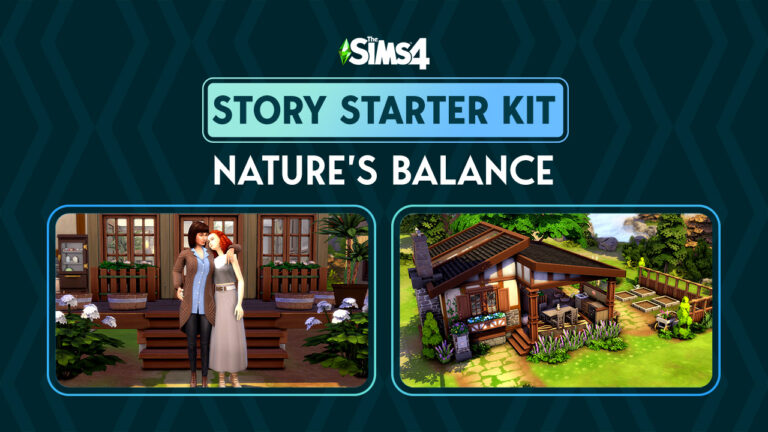
Welcome to our twelfth official Sims 4 Story Starter Kit! If you missed all the info on Story Starter Kits, you can read more about what they are and how they work in our introductory article!

This month, we’re bringing you a married couple who’ve recently made a huge lifestyle change. They’ve cast aside all their modern comforts and poured all their savings into living a completely self sustainable life but how long will last?

Story Starter Kit: Nature’s Balance

Sims 4 Story Starter Kit: Nature's Balance
Sims 4 Story Starter Kit: Nature’s Balance

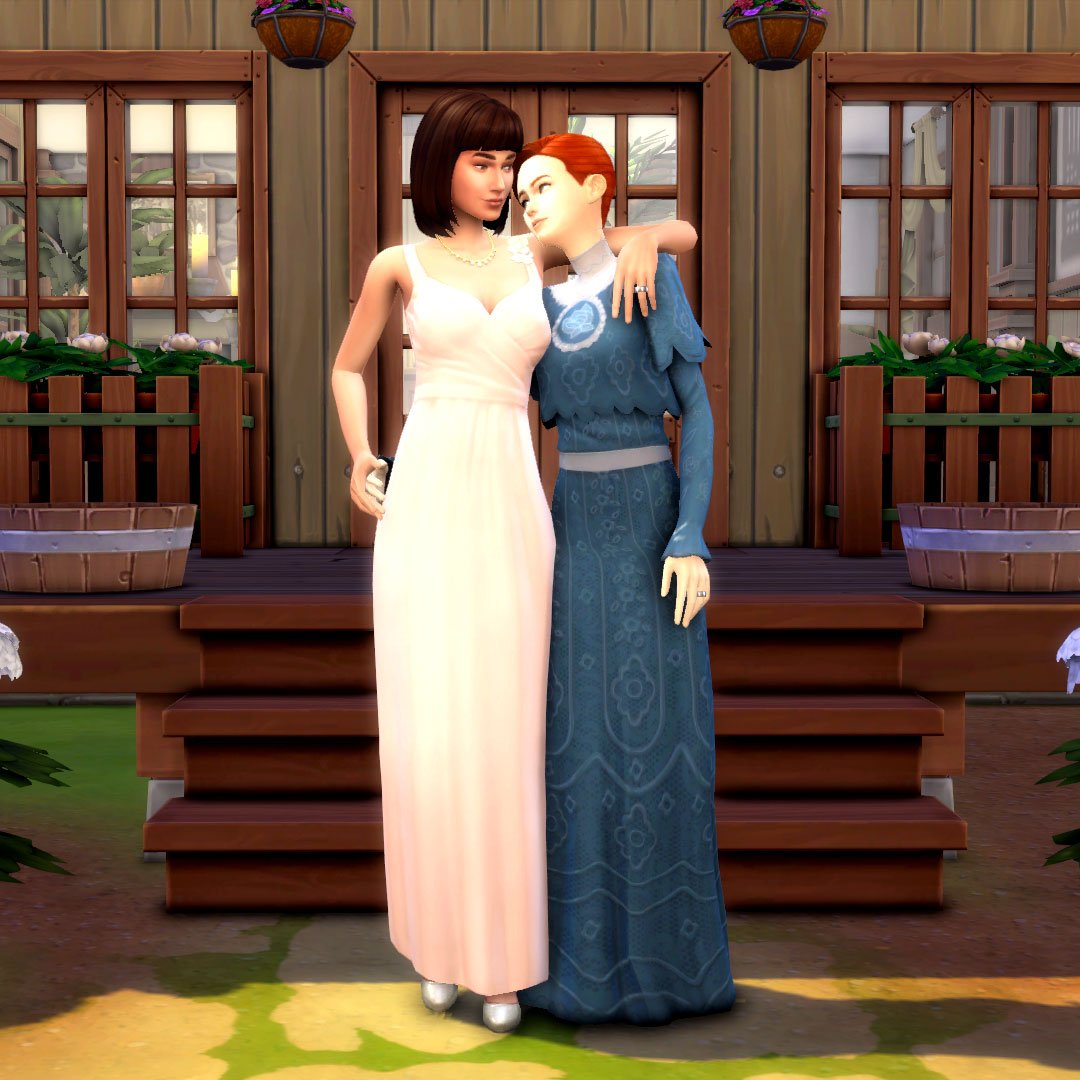
Addison and Hannah met each other in college and hit it off right away; they were both passionate about the environment and living sustainably and they shared the same dream of getting away from modern life and living a simple life in harmony with nature. They were completely in love but sometimes, love just isn’t enough. Life pulled them in different directions after graduation. Hannah wound up as a hostess at a chain restaurant with very little opportunity for advancement. Addison got a job as a receptionist at a dental office. As it turns out, college degrees don’t get you much of anywhere these days.

When Hannah came in for a tooth cleaning and saw Addison again, it reignited both their romance and their zest for life that the world had sucked out of them. They knew they couldn’t ever let anything come between them again. They got married and poured all their life savings into building their own home from the ground up on a remote island in Windenburg. Their new home was not connected to the power grid. No electricity. No running water. And the closest shops were a boat ride away on the mainland. They would be providing for themselves; growing and catching their own food, gathering their own water, and reading by candlelight. They wanted to go back in time. It was their dream come true… but will it stay their dream or become a nightmare?

Neither Addison or Hannah have any experience living off the grid. They’re both city slickers. Sure, they’re good at gardening and cooking and Addison knows how to use a hammer but that doesn’t necessarily make someone self-sufficient. Their home is also tiny and Hannah and Addison have very different housekeeping habits. Will Addison’s messiness drive neat-freak Hannah up the wall? And what about the future? Addison dreams of adopting a bunch of kids and raising a big happy family someday soon once they get used to life out here but where will they put all those kids? And the adoption agency might take issue with their off the grid lifestyle. Hannah’s not sure Addison’s thought about all those obstacles.

Love wasn’t enough to keep them together the first time… but it HAS to be enough the second time around. Right?

Story Starter Kit Household Info:

Addison Sheffield
  • Age: Young Adult
  • Pronouns: She/Her
  • Romantic Interests: Women
  • WooHoo Interests: Women
  • Romantic Exploration?: No
  • Traits: Family-Oriented, Loves Outdoors, Slob, Collector (Bonus)
  • Aspiration: Freelance Botanist
  • Likes: Brown, Green, Blues Music, Gardening, Handiness
  • Dislikes: Red, Hip Hop Music, Cooking
  • Skills: Gardening (4), Handiness (3), Fishing (3)
  • Career: Unemployed
  • Relationships: Hannah Sheffield (Wife)
  • Packs Used: Get Together
Hannah Sheffield
  • Age: Young Adult
  • Pronouns: She/Her
  • Romantic Interests: Women
  • WooHoo Interests: Women
  • Romantic Exploration?: No
  • Traits: Neat, Foodie, Bookworm, Essence of Flavour (Bonus)
  • Aspiration: Master Chef
  • Likes: Brown, Classical Music, Cooking
  • Dislikes: Blue, Pop Music, Handiness
  • Skills: Cooking (5), Gourmet Cooking (3), Charisma (2)
  • Career: Unemployed
  • Relationships: Addison Sheffield (Wife)
  • Packs Used: Get Together

Household Notes:

  • This Story Starter Kit household should be able to purchase their lot with their default starting funds. Make sure you import the family into CAS, then move them in. If you move them into a home straight from the Gallery, they will not have the funds I set for them.

Self Sustained

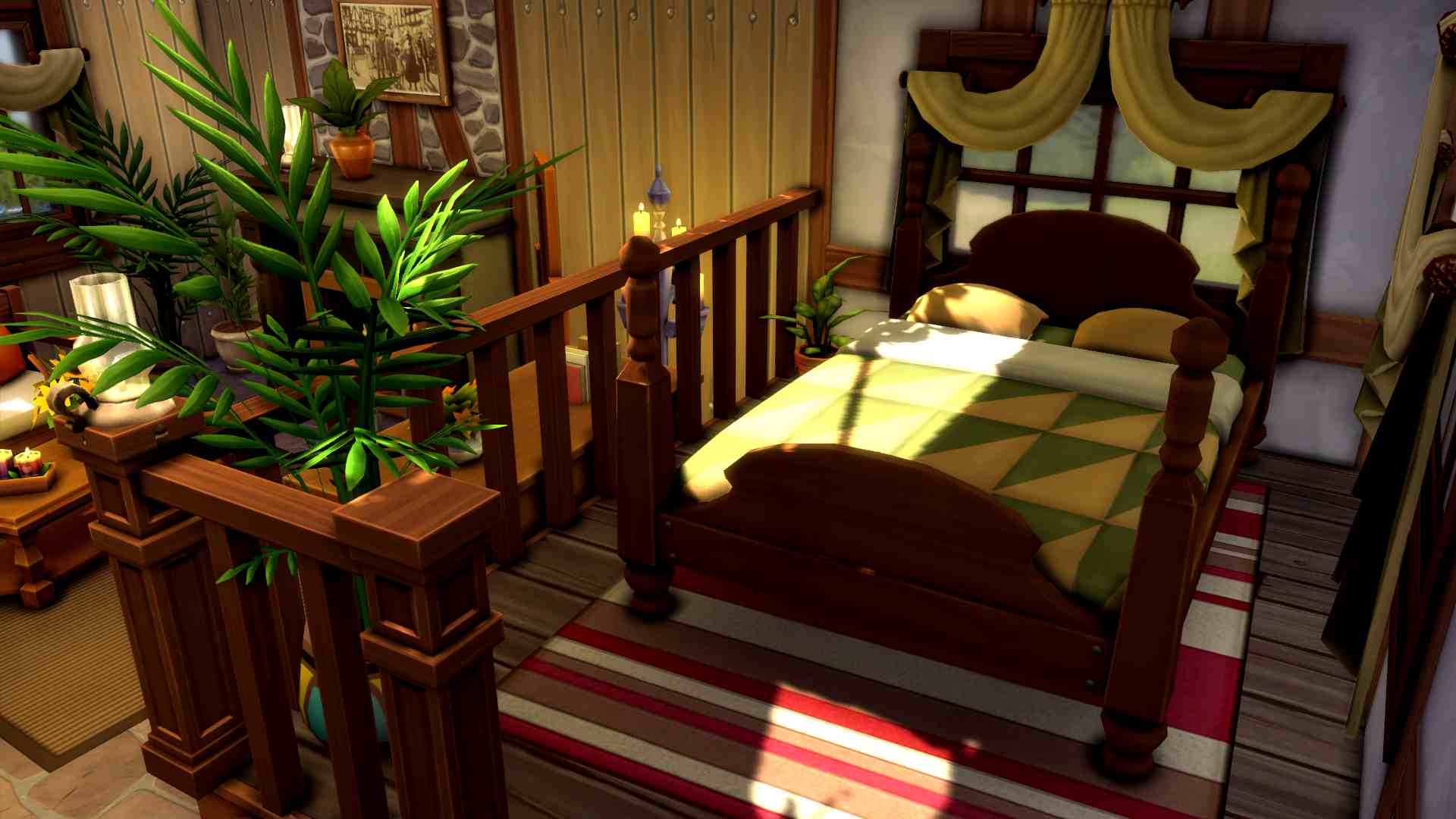
Are you tired of the rat race? Do you long for a simpler life without the day-to-day distractions of wi-fi and cable and traffic? Do you wish to be self-sufficient? This home is for you! This small, modest, but charming and cozy single level home is not connected to the power grid. It has everything Sims need to provide for themselves. A pond for fishing and gathering water, garden planters to grow your own food, an ice box for food storage, and plumbing and appliances that do not require power.

Story Starter Kit Lot Info:

  • Lot Type: Residential
  • Price: §33,493
  • Size: 20×20
  • Beds: 1
  • Baths: 1
  • Lot Traits: None
  • Lot Challenges: Off The Grid
  • Packs Used: Get Together
The Sims 4 Story Starter Kit: Mommy Dearest

Your Sims 4 Story Starter Kit is waiting for you! Get The Household and The Lot by downloading them from the official Gallery Website linked on the buttons below. Or, follow SnarkyWitch in the Gallery and look for Nature’s Balance and Self Sustained!

Credits:

Looking for a guide on how to live your Sims life Off The Grid? Check out our latest guide!

How to Upload Your Creations to The Sims 4 Mod Hub

Full tutorial on how to upload your own Mods & CC for The Sims 4 on the official Mods Hub!

It’s official! The Sims 4 Mod Hub with CurseForge is now live! Simmers can start downloading their favourite mods and custom content from the CurseForge website. Starting on December 6th, players will also be able to add mods and custom content directly into their games via the CurseForge app, too. For creators, you can start uploading your content right now! We’re going to walk you through the process of submitting your mods and custom content to the new Mod Hub!

The Sims 4 Mod Hub

Submitting to The Sims 4 Mod Hub

It’s very easy and straight forward to start hosting your content on The Sims 4 Mod Hub. On the main download page, choose Start Project to begin the process of submitting your creations. You’ll be taken to a submission page. We’ll break down this screen for you below:

CurseForge Downloads

The Basics

  • Select Game: Of course, you’ll want to select The Sims 4
  • Select a Category: Choose an option from the dropdown list that best suits your content. Are you uploading mods, builds, pets, Sims, etc?
  • Name: This is the title of your content. Be straight forward and avoid putting version numbers or other extra info here. Just what your content is called.
  • Summary: A quick description of what your content is. Again, be straight-forward and avoid info-dumping on The Sims 4 Mod Hub.
  • Description: This is where you can give any extra info about your content. Keep in mind that CurseForge does not allow direct links or redirects to any content outside of CurseForge so don’t put them in your descriptions. Descriptions are also required to be grammatically correct; no chat speak.
Sims 4 Mod Hub Submission Form

More Info

  • Allow Project Distribution: It is recommended you choose to allow this. Disabling this will exclude your content from CurseForge’s creator rewards program.
  • Project License: All Rights Reserved is probably going to be the license type most creators will want to select.
  • Primary Category: This is where you can sub-categorize your content on The Sims 4 Mod Hub. If you selected mods, select whether you’re uploading a pose/animation, a functional object, a scenario, etc. If you do not see your content listed here, try going back to Select a Category. You may not have selected the one that best fits your content.
  • Categories: If your content fits multiple subcategories, you can select any other categories your content falls under here.
  • Logo Image: Upload an image to represent your content. Your image must be 1:1 ratio (square) and at least 400×400 pixels. Images that do not show the content will be rejected, so no blank/placeholder images.
  • Allow Comments: Enable/Disable this as you see fit. We recommend having them enabled. It’s useful to see feedback from people using your content.
  • This Project is Experimental: If your content is still under development and exploring the limitations of the game, check this. If not, leave it unchecked.

Uploading Your Files to The Sims 4 Mod Hub

CurseForge: New Project

Fill in all the information listed above to start your project. Now it’s time to upload the files and other images to have it reviewed. Click the File button at the top of your project page and fill in all the necessary info.

  • Upload File: All content uploaded to CurseForge must be in .zip format. Make sure you zip up your package and ts4script files before uploading them.
  • Display Name: This is what you want to call the file.
  • Release Type: Most creators will want to choose Release but if your content is in an alpha or beta stage, select the one that applies to your content.
  • Changelog: This is where you’ll record all updates you’ve made to your content.
  • Supported Base Game Versions: Select which version of The Sims 4 base game your content is compatible with.
  • Supported Expansions/Game Packs/Stuff Packs: If your content requires a specific pack, indicate so here.
  • Related Projects: If your content is part of a collab with someone else, or if your content required another mod or piece of CC by someone else, you can indicate this here.

Submit all the above data to The Sims 4 Mod Hub to have it reviewed.

If you have extra images you’d like to include with your content, you can add more images to the project by clicking the Image button at the top of your project page. Extra images do not need to have a 1:1 aspect ratio like the main preview image.

Rejected! Why?

CurseForge sends a notification to you if they reject your content. The notification specifies the reason for the rejection. In addition to all the tips we’ve given in this article, there are additional content guidelines creators must follow when submitting projects to The Sims 4 Mod Hub. Most notably, all content uploaded to The Sims 4 Mod Hub must comply with the game’s T rating. This means no violence or explicit sexual content. Creators should also avoid uploading projects that reference real-world brands and public figures.

Check out our breakdown of CurseForge’s upload guidelines for a more detailed overview of what is not acceptable content.

Sims 4 Off The Grid: Roughing It Has Never Been More Fun!

0

Learn how to live off the grid in The Sims 4!

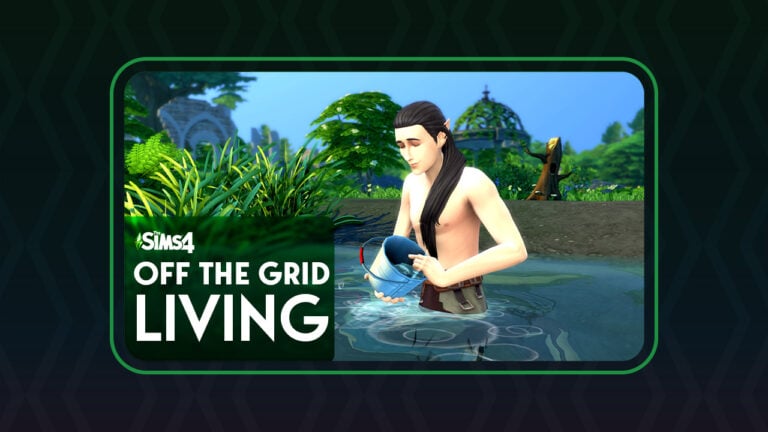
Did you know there’s a Sims 4 Off the Grid base game lot challenge? This lot challenge forces your Sims to live completely without electricity or plumbing! Living off the grid can be a fun challenge for players but it’s not exactly obvious how to make the most of this lifestyle. There’s no in-game tutorial to walk you through this particular lot challenge, so we’re going to explain how it all works!

Living Off the Grid in The Sims 4

Enable the Lot Challenge

Sims 4 Off the Grid Lot Challenge
The Sims 4 Off the Grid Lot Challenge

In order to start living a Sims 4 off the grid lifestyle, you’ll first need to enable this lot challenge. In Build/Buy, open the lot info section in the top left corner and click on the silver trophy to see available lot challenges. Then select Off the Grid from the list.

When you re-enter Live Mode with this lot challenge active, you’ll receive a notification informing you that your household has been disconnected from the power grid. Objects that use electricity won’t work anymore. Your Sims will have to find ways to live without electricity. This might feel like a daunting task at first but once you figure out a daily routine, it becomes easier to live an off the grid lifestyle.

Allowed and Disallowed Objects

Sims 4 Off the Grid Objects
Look in the Off the Grid Section for allowed objects

Once you’ve disconnected your household from the power grid, you’ll need to make significant changes to your home. None of your lights, appliances, electronics, or plumbing will be functional. You need to swap them out for different versions of these items that are compatible with the off the grid lot challenge.

How do you know which objects are functional off the grid in The Sims 4? Build/Buy has an Off the Grid section! This section of the catalogue contains objects from the lights, plumbing, and appliances categories that are functional with this lot challenge active. They include items like candles, wood-burning stoves, pantries, and ice box fridges.

Any objects purchased from this section do not require electricity or plumbing and can be used on lots that are not connected to the power grid.

Daily Life

Just because you own Sims 4 Off the Grid friendly objects, that doesn’t always mean they will function exactly the same way as objects powered by electricity. Some objects have limited functionality. Others require your Sims to maintain them properly.

Sims 4 Off the Grid Fridge
Fridges need to be restocked with ice daily

For example, off the grid fridges in The Sims 4 won’t keep anything cool unless your Sims make sure the ice box is restocked regularly. Click on your fridge and hover over the Add Ice option to see how much ice is still available. If it’s running low, add more ice to the fridge. Food kept in off the grid fridges that have run out of ice will spoil at the same rate as if they were sitting on a counter. A fridge fully stocked with ice lasts about 24 hours so make sure to check the fridge every day.

Sims 4 Off the Grid Cooking
A Sim cooking with an off-the-grid stove

Cooking off the grid is a new challenge, too. While Sims can use certain off the grid grills and stoves to cook without electricity, some recipes won’t be available. Apparently, The Sims Team thinks people didn’t bake anything in ovens before we harnessed the power of electricity, so recipes that require the oven portion of your stove cannot be made. We guess bread and cakes didn’t exist before 1879…

Sims 4 Off the Grid Moodlets
An Inspired moodlet from conserving water after a quick and tepid bath

Conserving and Gathering Water

Food storage and cooking aren’t the only lifestyle changes while living off the grid in The Sims 4. They’ll need to consciously conserve water, too. Some sinks and baths have limited functionality. Sims are restricted to quickly washing their hands and taking quick and tepid baths. These quick, tepid baths don’t get your Sims fully clean and can leave them with uncomfortable moodlets. Some Sims may get positive moodlets from conserving water, too. If your Sims want a full, proper bath, they will have to gather water themselves.

Gathering water
A Sim gathering water

Sims can gather water from any natural body of water. Ponds, rivers, and lakes can all have water collected from them. Click on any of these water sources to collect water. Collecting water gives the household 5 units of water. Collected water can then be used for bathing.

Sims 4 Off the Grid: Eco Lifestyle Enhancements

Eco Lifestyle Objects
These objects from Eco Lifestyle can allow your Sims to live off the grid more comfortably

Playing off-the-grid with the base game means your Sims will be living a very rugged lifestyle. This can be plenty of fun but for players who don’t want to sacrifice modern comforts, Eco Lifestyle can help. This expansion allows Sims to produce their own power through green technologies like solar panels, wind turbines, and dew collectors. For Sims who just want to save money and don’t care about their eco footprint, there are also gas-powered generators. These generators can also be powered by bio-fuel from insect farms to be eco-friendly. Multiple eco upgrades can be given to plumbing and appliances to make them eco-friendly, too.

Having green technologies or generators to power your home will allow Sims to use electricity and plumbing off the grid. As long as the power they use does not exceed what they generate, they can live like they’re on-the-grid. If they generate more power than they use, they can make money by selling it back to the power company.

Why Live Off The Grid in The Sims 4?

Living off the grid in The Sims 4 seems like a lot of work. And it is. So why do it? Well, there are big benefits to living off the grid. The biggest benefit is it’s cost-effective. You’ll greatly reduce your bills if you don’t consume any water or electricity. You can keep track of your bills breakdown by clicking on the mailbox. You’ll see exactly how much power you’re producing vs. consuming. Your Sims won’t pay anything for power off-the-grid. They will only pay for their property value.

Bills and Utilities Breakdown

It’s also just a good challenge, especially when you’re not playing with Eco Lifestyle. Not having green tech available forces your Sims to live a very rough, outdoorsy lifestyle. This can be a great change of pace from the predictability of everyday life in The Sims.

Lastly, it’s great for history saves! Simmers who enjoy playing the History Challenge or the Decades Challenge will love this lot challenge! It helps their Sims live lives that are more authentic to earlier time periods.
Looking for an entirely off-the-grid world? We turned Henford-on-Bagley into a medieval village!

The Sims 4: NEW UPDATE! (Nov 22nd, 2022)

The latest update for The Sims 4 is rather small, doing important tuning to the Gallery filters.

The Sims 4: NEW UPDATE! (Oct 11th, 2022)

The Sims Team has released a brand new update for The Sims 4 on PC, Mac, Xbox and Playstation.

To download the latest version of The Sims 4, simply open your Origin program and if the game doesn’t update automatically, right click on The Sims 4 and select ”Update”. If you play on Xbox and Playstation, you should Check the Game for Updates in case Automatic Updates are off.

In case you have Mods or Custom Content, the game will automatically disable them for you after first launching The Sims 4 after the update. To re-enable all your Mods and Custom Content, select the Settings option in the Menu and select Settings. Under the ”Other” section you’ll find the ”Enable Custom Content and Mods” option. Check it and restart your game in order for it to take effect!

The Sims 4: NEW UPDATE! (Aug 30th, 2022)

Patch Notes

Update 11/22/2022

PC: 1.93.146.1020 / Mac: 1.93.146.1220  

Console: Version 1.67

We are aware of and have seen some select instances of wholly unacceptable content that has been uploaded to The Sims™ 4 Gallery. Our team has reviewed, and made critical updates to, the profanity filter to help prevent this from happening again in the future. We are grateful for the community’s vigilance in helping us identify these inappropriate uploads so we can maintain a safe, creative environment for our players. We will continue to do our part by quickly taking down objectionable content that surfaces, identifying and removing repeat offenders and regularly reviewing the profanity filter in case any updates need to be made.

We encourage players to continue to use the “Flag This” button on The Gallery to report any offensive uploads or comments.