EA is already starting with The Sims 5 playtesting, letting the first group of people play with the Workshop!
Alright, so you’ve probably heard the news about The Sims 5 / Project Rene. The game is currently in development by EA / Maxis with a development cycle that still dates the game a long time from being fully released.
However, during Behind The Sims Summit it was stated that the game will be built on player feedback. And now it seems that it’s all happening much sooner than expected.
According to the sources from Insider Gaming, the first Playtest Session for The Sims 5 starts next week. October 25th!
Sims 5 playtests will start October 25th, sources have confirmed. Several people have sent emails and images that show that Sims 5, currently known as Project Rene will start playtesting next week, starting October 25th.
– insider-gaming.com
Insider Gaming also provided the official email that EA Playtesters were given. It includes new information including:
Objects customization tool is currently called “Workshop”
Apartments are a thing in The Sims 5
Playtesters can already share and download creations!
Sign up for the Playtest!
The team at Maxis has been hard at work developing new innovations for The Sims. You’re invited to test out a pre-alpha experience for Project Rene. We’re looking to make this the best experience possible, and we can’t wait to get your feedback and hear your what you think.
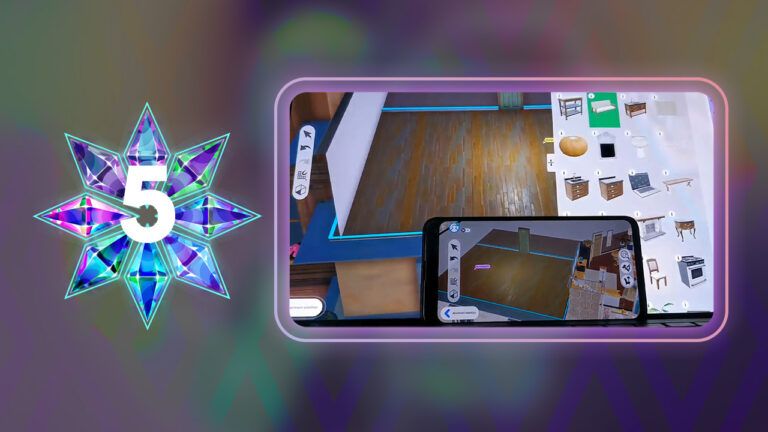
This playtest will focus primarily on our new object customization tool currently called “Workshop.” This tool is meant to help you customize objects to decorate an apartment. We encourage you to share your creations as well as download what other players have made. And to experience everything this playtest has to offer, remember that you can play with your friends!
Please note that this early experience is only one aspect of what Project Rene will grow to be.
We encourage you to join sessions with your friends and/or join the private playtest Discord (invitation to follow) to find new friends to play with. As a trusted, Community Playtesting member, you are eligible to invite up to 3 friends to sign up for this playtest. More information and instructions are included in the registration form.
You can sign up for EA Playtesting by visiting our “How to become a Playtester“, which includes all the details you need to know about location, compensation, website links and more. Alternatively, you can visit the EA Playtesting website directly.
Here’s to hoping that we’ll get public new information from the first playtest. Stay tuned for more updates on Sims Community!
We want to know what you think about the new Sims 4 Official Mod Hub!
Lots of big changes are coming to The Sims 4 and one of the biggest changes is the new Sims 4 Official Mod Hub launching on November 14th, 2022. The new mod and custom content hosting platform is intended to be a “one stop shop” for Simmers to find all of their favourite mods and custom content in one safe, secure location. A group of top content creators called The Sims 4 Mod Squad will spearhead the launch. We want to know what you think of all of this in our community poll on CurseForge’s new partnership with The Sims 4! Give us your opinions on the The Sims 4 Mod Hub, Mod Manager, and Mod Squad!
The Sims 4 Official Mod Hub
If you’re not up-to-date on everything going on with CurseForge and The Sims 4, don’t worry! We break everything down for you on our website! Have a look at the important details on The Sims 4 Mod Manager and Mod Hub, then share your opinion with us! We want to know everything about how the Simming community is feeling about these latest changes, both positive and critical.
Share your thoughts about The Sims 4 CurseForge partnership in our poll!
This is a Sims Community poll. Not affiliated with Maxis or EA.
[totalpoll id=”123189″]
Still hungry for more information? Sims Community has you covered! We have every important moment from the Behind The Sims Summit event right here on our website! From The Sims 4 across all available platforms to The Sims Mobile and Freeplay, we didn’t leave out anything! Catch up on everything now!
Got more to say about our Sims 4 CurseForge community poll? Discuss the Official Mod Hub with other Simmers in the comments!
Please remember to be kind to other players, the game developers, and the Sims Community staff in the comments. Respectful disagreement is healthy but let’s remember there are real people on the other side of the screen.
There is no denying that the biggest announcement to come out of the Behind The Sims Summit livestream was the reveal of the next generation of The Sims game from Lyndsay Pearson. Codenamed Project Rene, players got an incredibly early first look at the upcoming game. Naturally, the community have named it The Sims 5 in the meantime,
The Sims 4 was first revealed to the world in August 2013 followed by an initial release on PC in September 2014. It has been eight years since the games release and to date. The Sims 4 is currently the longest running The Sims game that shows no signs of slowing down just yet. However, what is interesting is that this is the first time that Maxis and EA have revealed a new The Sims game. This early on in development!
While it is still early days in the development for The Sims 5, players had mixed reactions to what they saw. Even though we know that a lot can and will probably change between our first look and the final release.
As yet, there is no hint as to when The Sims 5 could release. Although we know it will be some time yet. In the meantime, though, The Sims Team will be sharing periodic updates. Showcasing the progress of the game’s development.
There is no denying that the reveal caused a lot of excitement across not only The Sims community, but also the gaming world in general. The reveal of The Sims 5, has set the community alive with a mixture of thoughts and feelings.
As well as the reactions to the announcement of The Sims 5, players have also had a number of questions. The Sims Team has already addressed some of these and shared answers to many of the questions in the form of a handy frequently asked questions segment.
Community Reactions
Let’s take a closer look at what members of the community had to say about The Sims 5 announcement!
A number of YouTubers uploaded videos to share their reactions to the news! With a variety of reactions, here are a couple of our favourites!
As well as a number of reactions from players on YouTube, many members of the community took to Twitter to share their thoughts.
Of course, it is natural to feel a variety of emotions right now. Players have wanted information about the next instalment of The Sims franchise for some time now. Over the past twelve months we have seen a number of hints pointing in the direction that development is underway, and that has now been well and truly confirmed.
Simmers were not afraid to share their honest reactions from the announcement. While there was a lot of promise and exciting features shown, some players showed concern with the reveal.
Seeing The Sims 5 being referred to as Project Rene I'm assuming that in the end the game will be called 'The Sims' without the 5. Going back to the roots, reinventing itself. There's so much potential and honestly the best part about it all is the transparency.
While there are a number of positives, knowing that The Sims 5 is happening, there are some negatives. However, this comes more from the snapshot of the early development content we’ve seen so far. Additionally, the only other information that we have is that it’s happening.
the sims 5 needs to have weather, pets, vacations, and every life stage INCLUDED IN THE BASE GAME.
otherwise, you know they only plan to sell it back to us again. they know they can include these features in the game; they would just simply choose not to.
Needless to say, despite the mixed reactions, the community seem to be happy with the transparency of The Sims team.
Player Concerns
Many players are hopeful that we will see some much loved features be available at launch when The Sims 5 releases, unlike some that were missing when The Sims 4 launched. The return of the highly requested colour wheel as well as custom pattern and swatch design are two more features players will be looking forward to.
There were also some concerns with the content shown was similar to another upcoming live simulation game. Of course, what we saw was incredibly early development content and a lot can change between now and the final release of The Sims 5. Additionally, the topic of the game having multiplayer features was another big concern, although we do know this is likely to be optional based on the player.
It has to be said that the reveal of Project Rene aka The Sims 5 was the highlight for many players during the Behind The Sims Summit Event.
Let us know your thoughts and feelings about the announcement below in the comments!
We’ll be keeping you up to date with all the latest The Sims 5 news right here on Sims Community.
Learn how to write your own songs in The Sims 4 and license them to earn royalties!
Did you know you can write your own songs in The Sims 4 and license your songs to earn royalty payments? It’s true! To write and license your own original songs, your Sim will need to be level 9 in any musical instrument. We’ll walk you through exactly how!
Writing Songs
At level 8 of any musical instrument skill, your Sim will unlock the ability to write songs. Click the instrument to do so. The process takes approximately 12 in-game hours, so your Sim will most likely need to leave their song unfinished to take care of their needs. That’s okay! Unfinished songs will be stored in your Sim’s inventory on a USB stick. When you want to resume, click the USB stick and select Resume Song.
When your Sim finishes writing a song, you’ll get to name it. Finished songs will not be stored in your Sim’s inventory but don’t worry; they aren’t lost. You still have them and you can license them with a little more practice.
Licensing Songs
You won’t be able to license the songs you write until your Sim reaches level 9 in their instrument of choice. When your Sim unlocks the ability to license songs, it’s as easy as clicking on the mailbox!
Licensed songs will earn your Sim daily royalties for a period of time!
Did You Know?
With City Living installed, you can write lyrics at level 8 of the Singing skill as long as you are level 3 in any musical instrument!
With Get Famous installed, your Sims can earn fame for licensing songs and may even be nominated for awards!
Meet the modders leading CurseForge’s new Mods Hub for The Sims 4!
CurseForge has teamed up with Maxis to bring us the first ever Sims 4 Official Mods Hub! The new Sims 4 Mods Hub will be open to all creators but to launch the project, a group of top modders in the community has been selected to spearhead the platform. This group is known as the The Sims 4 Mod Squad!
You might already know a few names on the list but if you don’t, now’s a great time to get acquainted with them! Here are just a few of the talented creators who are a part of the Mod Squad!
Meet The Sims 4 Mod Squad:
aharris00britney – CC Creator
CAS enthusiasts will love having access to aharris00britney’s creations on the CurseForge Mods Hub! This talented creator makes high quality Maxis Match clothes for your Sims to look their best! We’re so happy to have them on the Mod Squad!
This talented custom content creator is known for his wide array of talents. He makes everything from CAS sets to Build/Buy sets and has even collaborated with some big fashion labels in the past such as Farfetch! Welcome to the Mod Squad, akalukery!
You can stay up to date with akalukery’s projects on his website!
Image Credit: akalukery
arethabee – CC Creator
Look fun, fresh, and fierce with arethabee’s Maxis Match custom content for The Sims 4! There’s no such thing as having too many clothes, right? We can’t wait to see arethabee’s stunning creations on the CurseForge Mods Hub!
Carl’s a talented modder on a mission to fix everything that is wrong with The Sims 4! He’s known for making big game overhauls to improve player experiences. Some of his most popular mods include his Dine Out Reloaded and Retail Reloaded mods. We can’t wait to see what he brings to CurseForge!
The master behind The Sims 4’s most popular mod, Master Command Center (or MCC), Deaderpool has changed the way Simmers experience the game. His powerful mod gives players the ultimate power and control over every aspect of their Sims’ lives. Now more players will gain that control in the Mods Hub!
Foodies unite! You’ll love icemunmun’s delicious creations! This modder creates custom foods for The Sims 4 to delight your Sims’ taste buds. Our mouths are already watering for all the tasty dishes she’ll bring to the Mods Hub!
Both storytellers and alpha CC lovers are going to benefit from KatVerse’s contributions to The Sims 4 Mods Hub! She specializes in adorable, heartwarming custom poses to bring your Sims to life in a way like never before and her high quality alpha CAS creations bring a lovely touch of realism to your Sims.
You can check out all of KatVerse’s creations on her website!
Image Credit: KatVerse
LittleDica – CC Creator
Fans of Maxis Match custom content love LittleDica’s style and it’s not hard to see why! His beautiful meshes and stunning textures come together to create gorgeous new items for your Sims’ homes. Welcome to the Mod Squad, LittleDica!
You can check out more of LittleDica’s work on his patreon!
Image Credit: LittleDica
MizoreYukii – Modder
MizoreYukii is a talented modder for The Sims 4 who specializes in adding new gameplay for Simmers to enjoy. Some of her latest and greatest projects include spiral staircases and adopting future development of the Plumfruit mod by retired modder, Arnie.
New custom worlds are coming to the CurseForge Mods Hub for The Sims 4 thanks to talented modder, Nando! He’s best known for transforming existing worlds in the game into entirely new destinations! We’re so excited to hear he’s on the Mod Squad!
This incredible custom content creator specializes in stunning Maxis Match Build/Buy sets. Their creations bring huge sets of impeccably designed furnishings and décor to The Sims 4. We’re so excited that they’re part of the Mod Squad!
Known for her adorable puns and small mods that make a big impact, Ravasheen is a talented Sims 4 modder. She specializes in improving the game in ways that are simple and intuitive for players to use. She’s going to be a fantastic addition to the Mod Squad!
You can learn more about Ravasheen and find all of her creations on her website!
Image Credit: Ravasheen
Sims4Multiplayer – Modder
This ambitious modder set out to add multiplayer to The Sims 4 and succeeded! Simmers have been playing with their friends for years thanks to this mod. Now, even more Simmers will get that opportunity on The Sims 4 Mods Hub! What a game changing addition to the Mod Squad!
This Sims 4 modder isn’t afraid of a challenge and the game has been better off for it. His revolutionary TOOL mod has opened up a whole new world for builders. Speaking of new worlds, he’s also working on an ambitious Create A World tool! Welcome to the Mod Squad, TwistedMexi!
You can find out more about TwistedMexi’s projects on his website!
Image Credit: TwistedMexi
Check out more talented modders in The Sims 4 Mod Squad!
We’ve given you a small sneak peek into a handful of Mod Squad members involved with CurseForge’s Official Sims 4 Mods Hub but there is still so much more talent to discover! We are incredibly excited about every single creator on this list. After all, the more creators involved, the more amazing content for Simmers to enjoy!
Check out these impressive creators who are also on the Sims 4 Mod Squad! You are seriously missing out if you don’t!
Starting on November 14th, 2022, all Sims 4 modders and custom content creators will be able to host their content on CurseForge’s Official Sims 4 Mods Hub! Expect to see even more of your favourite creators on the platform soon!
Two new Sims 4 Expansion Packs are coming next year, and we can already guess the new Themes and Features!
You want this, we want this – it’s time to nitpick and overanalyze everything we saw on The Sims Summit! This time, we’ll be taking a close look at the future Sims 4 Expansion Packs.
A lot of things happened in the last few days: The Sims 4 Base game is finally FREE to play and The Sims Summit dropped a couple of huge bombs, such as the long-awaited Babies update, a new life stage in between babies and toddlers, coming in early 2023 AND two new worlds, confirming two new expansions in 2023. Not to forget the Project Rene, aka The Sims 5 that promises cross-platform gameplay, revolutionary creation tools, and a transparent way of building the game.
Since we have the big thing out of the way, what else can we expect for The Sims 4? Let’s dig a little bit and find out!
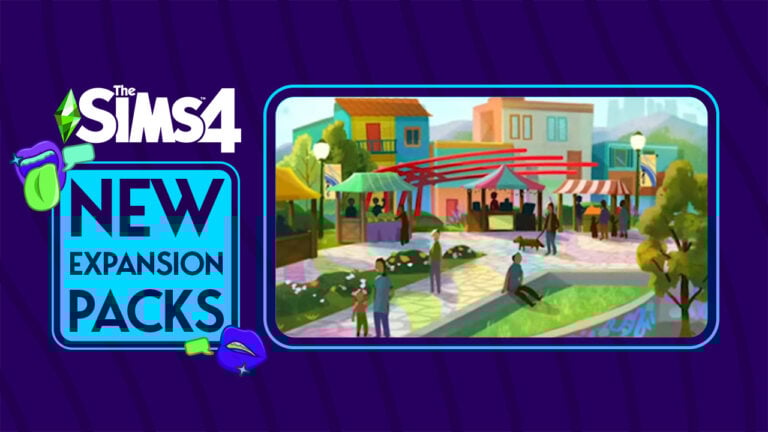
The following images are official Concept Art for future Sims 4 Expansion Packs. Shown at Behind The Sims Summit!
Let’s Speculate – Future Two Sims 4 Expansion Packs
New Worlds
At first glance, it looks like the two worlds are centered around wholesome family experiences, as almost all Sims 4 worlds are (except for the supernatural ones).
The one on the left has a suburban, almost rustic feel to it. The bright colored facades make me think it could be vaguely inspired by South America. That one could lend it self to a lot of possibilities: Dia de los Muertos festivities, carneval, family gameplay and generational gameplay (I really think it’s time). Possibilities are endless!
The other world has a more urban feel to it, especially with a Golden Gate bridge-looking structure in the back. It would be really useful to get another city world with apartments and new venues, parks, and boardwalks for Sims and their families to explore. And while we’re at it…
Kids will be able to ride bicycles
An incredibly cute illustration of the two new worlds gives us a wholesome depiction of a San Francisco-looking world, with a promenade and an adult with a kid RIDING A BICYCLE!!! It seems that kids will finally be able to do something that kids do in real life. Incredible, right?
New Build Items
With new Sims 4 expansion packs, we will inevitably get new CAS and Build items. We’ve got two screenshots of pretty rustic-looking Build items in earthy wood tones suggesting maybe another farm or village-inspired world?
New CAS items
Unfortunately, we only got one CAS item preview, but it’s not bad at all! An underwear set inspired by maybe Fenty or Calvin Klein, or their Simlish counterparts, that looks like a million simoleons.
We all know that clutter makes all the difference in realistic or just interesting builds, and boy are we in for a treat! A denture in a glass of water is my personal favorite, because it’s weird and because it might suggest more gameplay for elders. A girl can only hope…
The other two, a messy side table/drawer and a plastic box filled with random letters, VHS, and maybe vinyl records also confirm this theory. At this point, we’ll just have to wait and see if any of these theories are right.
What do you expect from future The Sims 4 Expansion Packs? Let us know in the comments!
Gardening in The Sims 4 can be both fun and lucrative! We’ll break down everything you need to know!
Did you know that you can garden in The Sims 4 base game? If you didn’t, you do now! We’re going to walk new players through the basics of Sims 4 gardening! Gardening is not only a fun and relaxing hobby for your Sims, but it also be extremely lucrative! Embark on a Sims 4 gardening career and get your Sims grafting in their garden to create unique plants! Let’s dive right into everything you need to know about gardening for fun and profit in The Sims 4! We’ll teach your Sims how to garden like pros!
Table of Contents
The Sims 4 Gardening Guide
Starting Your Garden
It’s very easy to start a Sims 4 gardening plot. Purchase a planter box from Build/Buy and click on it to buy seed packets. To start with, you’ll only be able to buy starter seeds but you’ll unlock better seeds as your Sim levels up in the Gardening skill.
Purchase seeds by clicking on planter boxes or get them straight from the Build/Buy catalogue.
Open the seed packet in your inventory and drag the contents into the planter boxes, then click them to plant and water them. You can also plant seeds on bare ground. Fruit that grows on trees (like apples and plantains) need a large planter box to themselves or the equivalent amount of space around them on bare ground. Plant smaller plants in groups of four in large planter boxes. You can fit one small plant in small planters. If your seed fails to germinate, try planting it somewhere with more space.
Maintaining Your Garden
Just like real life, The Sims 4 gardening requires TLC. Your plants need to be watered, weeded, and sprayed for bugs regularly. Check on your plants daily to see what they need. There are visual signs your plants will give when they need attention.
Overgrown plantain treeInfested plantain treeDry plantain tree
Dull, brownish leaves: This plant needs water.
Flies swarming around the plant: This plant is infested with bugs. Spray it with pesticide.
Grass and dandelions at the base: This plant needs to be weeded.
You can also fertilize them to increase their quality. You do not need to fertilize your plants to keep them healthy; plants evolve over time as long as their needs are met. Fertilizing them just gives them a boost and helps them evolve faster. Every plant has five quality levels.
A Nice quality plantain tree. It’s about halfway to becoming Excellent quality.
Normal
Nice
Excellent
Magnificent
Perfect
The higher the quality of the plant, the more valuable its produce will be. You can use any fish, flower, herb, fruit, or vegetable as fertilizer. Most flowers, fruit, and vegetables don’t offer much of a boost except the rare Growfruit, which is the best fertilizer in the base game. If you don’t have Growfruit, you should use fish, which is also very good fertilizer.
Anything your Sim has in their inventory that can be used as fertilizer will show up in this menu.
Fully mature plants will produce a harvest every day at 5am. Make sure you’re on your home lot at that time. If you are not, the plants won’t produce a harvest that day. Use your produce to cook or sell them.
Sims 4 Gardening Grafting
A Sim grafting two plants together
At level 5 of The Sims 4 Gardening skill, your gardener Sims 4 pro will be able to start grafting plants. Grafting is the process of taking a cutting from one plant and attaching it to another plant to create a new type of plant. Some of the rare plants in the base game are only discovered through grafting. You can also use grafting to reduce the size of your garden if it’s becoming a lot to maintain.
To graft, take a cutting from a plant, then choose Graft on another plant and select the sample you took. You might create a new type of plant or you might just combine the two plants into one. This can be useful for making your garden more compact.
The notebook can be found in the bottom left of the screen in Live Mode; right next to your household funds.
Check your Sim’s notebook to see all The Sims 4 gardening and grafting combinations you’ve discovered! You can also check out this handy grafting list compiled by our good friend Carl.
Gardening Skill
Your Sim will build the Gardening skill from tending to their garden. The Gardening skill has 10 levels. Building your Gardening skill will make maintaining large gardens much easier. As you progress in the skill, you’ll unlock the ability to buy rarer seeds, super sell all your produce at once, and water and weed larger sections of your garden at a time. The better your Sim is at Gardening in The Sims 4, the more efficient they’ll be at taking care of their garden.
You can boost the speed of your Gardening skill gain by making sure your Sim is in the Focused emotion. Learn more about emotions in our beginner’s guide!
For a detailed breakdown of each level of the Gardening skill, check out our in-depth guide!
Sims 4 Gardening Career? Why Not?
There’s no Sims 4 gardening career in the base game. You’ll need the Seasons expansion for that; however, that doesn’t mean you can’t make a living as a gardener in the base game!
If you have a beautiful garden full of high quality and rare plants, you might be interested in selling them as a full-time job. To do this, go to the Business app on your cell phone and select Register with the Ministry of Labour. Give yourself the job title of Gardener and you are officially self-employed in your own gardening career in The Sims 4!
Enjoy spending your days getting your hands dirty growing beautiful and delicious produce to sell!
Gardening with Seasons
This guide focuses on gardening in The Sims 4 base game but for players with Seasons installed, they’ll have to plan out their gardens a little differently to accommodate the weather.
If you own the Seasons expansion pack, not all your plants will bloom year-round. Most plants only grow in specific seasons so make sure you check the plant’s description to see whether your plant is dormant or in season.
Bring your plants inside to keep them in season all year round!
If you want to protect your Sims 4 garden from the weather, you can grow them indoors. Sheltered plants will not go dormant when it isn’t in season so you can continue to harvest from them year-round. Sheltered plants have a ceiling above them.
It’s not all bad, though! One benefit to gardening with the Seasons expansion is that you won’t need to water your outdoor plants when it’s raining. The rain will water them naturally.
The Sims 4 Mods Hub has a new set of Guidelines for eager creators. Find out what they are and ensure you’re ready for next month!
This week The Sims Team has announced their partnership with Overwolf and Curseforge. The partnership with these platforms offers a more streamlined and easy experience. All for the sake of providing players top notch support to Download (and upload!) Custom Content and Mods for The Sims 4.
We’ve explained further down the line what the Mods Hub for Sims 4 will mean to players. Both creators and fans of those creators’ content. Today, we have new information for Mod & CC creators themselves. Want to know what gets accepted?
The Sims 4 Mods Hub – Moderation Guidelines & Rules
The Curseforge platform has explained all the requirements in their Moderation Guidelines page for Sims 4 Mods & CC. The Guidelines are similar to EA’s new Mods & CC Policy from August this year.
See the official rules of The Sims 4 Mods Hub below:
Mods must not contain explicitly violent content.
Mods that allow for Sim violence are prohibited.
Violence or fighting in The Sims may be depicted as playful, obscuring any actual physical contact for fighting Sims behind cartoon dust clouds. However, Sims do not attack, physically hurt, maim, or kill other Sims.
Depictions of blood, gore, graphic injury, weapons or related violence in the form of gameplay mods or custom content are prohibited.
Mods must not modify the game to allow for nudity, sexual content, and/or inappropriate romantic or sexual relationships.
Content created to simulate Sim nudity, sexual content, or sexually explicit clothing is prohibited. In the Sims kissing, cuddling and making out are allowed. Sims do not have sex, they “Woohoo” or “Try for Baby”.
Content which modifies the game to allow for inappropriate or unwanted relations between Sims, including but not limited to, Sim romance outside of appropriate age stages, animals, or allowing child or teen life stage romance with older Sims is prohibited.
Content which disables consent for romantic interactions is prohibited.
Mods must not contain any content related to the use of alcohol, smoking, vaping, or using any other drugs.
Content which adds cigarettes, cigars, vape pens (or any other vaping mechanisms), or other smoking functions are prohibited. This also includes content which promotes a lifestyle featuring any of the above.
Content which features drugs, drug paraphernalia, whether as gameplay mods or custom content objects, or clothing that promotes smoking, vaping, or any other form of drug use is prohibited.
Mods may not alter The Sims 4 consumables to simulate the effects, naming, or promotion of alcohol, drugs or any other illegal substances.
Mods must not contain content representing real world figures, societal conflicts, cultural conflicts, or politics.
Real people or references to real people or public figures as content in any Mod is prohibited.
Religion, religious symbols, real world histories, or other themes that discriminate or carry derogatory connotations are prohibited.
Representation of wars or universal conflicts (historical or otherwise) are prohibited.
Representation of political preferences, positions, ideologies, or any other political or sociopolitical conflicts are prohibited.
Mods must not contain any illegal or undesirable activities.
Mods in which the player may engage in or promote deviant lifestyles are prohibited.
Mods that contain references to, or that simulate, gambling or betting are prohibited.
Mods that allow for, or assist in, cheating or other anti-competitive behavior are prohibited.
Mods must not incorporate or contain any content that violates or infringes any trademark, copyright, moral rights, or other intellectual property rights of any third party, including any right of privacy or right of publicity.
Real world brands, brand names, logos, or any defining marks for other IP (Apple, Gucci, IKEA, etc.) are prohibited.
The names and depictions of real world locations, buildings or landmarks are prohibited.
Third party-owned images, characters, voices/audio, music, and spoken and/or written words owned by a person or entity other than the Creator of the content are prohibited.
Names, images, or likenesses of real world people, unless of the Creator themselves, are prohibited.
Mods must not be presented in a way which suggests they are “official”, or otherwise affiliated or endorsed by EA. For example, any artwork used to promote the Mod must not resemble the look and feel of official EA pack art, or use the TS4, Plumbob or other EA logos or materials.
Mods must not incorporate or contain any software or program that damages, interferes with or disrupts another’s network, computer, or property, such as denial of service attacks, spamming, hacking, or uploading computer viruses, worms, Trojan horses, cancelbots, spyware, corrupted files and time bombs.
Mods must not contain content that is abusive, hateful, harassing, profane, defamatory, threatening, obscene, sexually explicit, vulgar, offensive, indecent, illegal, or unlawful.
Mods must be made available to all users for free. Mods cannot be sold, licensed, or rented for a fee, nor can Mods contain features that would support monetary transactions of any type.
Mods must comply with the ESRB Rating and content descriptors (above).
Any Mod which violates these guidelines is prohibited from being hosted on Overwolf’s platform(s)
What are your thoughts on these official rules? Join the conversation below!
Celebrate The Sims 4 going FREE and win 1 out of 5 Game Packs!
This week has been very busy for Sims Community, but the party doesn’t stop! We are celebrating the launch of The Sims 4 Base Game all over again. This time with all the players who can now play the game.
This time around we have a Photo Giveaway. All you need is The Sims 4 Base Game (which is FREE) and a Screenshot of the Sim that you’ve created. Let’s begin with the rules!
The Sims 4 Game Pack Giveaway
We are giving away 1 out of 5 Game Packs for The Sims 4! Platform of your choice.
Since all players can enjoy The Sims 4, we want to see what Household you’ve created in Create A Sim.
What is your favorite Household / Sim that you’ve created in The Sims 4?
You can submit the following:
A Photo of your Household / Sim from The Gallery
A Photo of your Household / Sim from Create A Sim
A Photo of your Household / Sim from Live Mode
There are no other rules. Simply make sure it’s one out of the 3 options that you think showcases your Household best!
Leave your photo in the comment section down below and 5 lucky people will be chosen through random.org!
You can drop off the photo in the Comments section below!
How to submit a Photo?
It’s simple! You can upload your photo in the Conversations down below. Select the “Insert Photo” option in the conversation and choose a Household photo of your choice!
The comments section closes down on October 22nd at 9AM PT / 6PM CET.
Five photo submissions will get picked by random.org. Expect the winners to be announced here in the Comments Section on October 23rd at 1PM Pacific Time / 10PM Central European Time.
Please note:
Be respectful and follow the Sims Community House Rules linked below.
Photo that you submit need to follow the Giveaway Rules.
You need to be a member of Sims Community in order to leave a comment! Find the Sign Up option right above the Conversations section!
Not more than 1 comment!
Your comment might be saved for manual approval. Don’t worry, we will manually approve your comment in a few hours in case you’re waiting!
Make sure you leave your correct information when registering to Sims Community through OpenWeb. Your correct e-mail is needed so we can contact you with the inquiry about your preferred platform for the pack of your choice!
Do not share your personal email and data in the conversation!
Let us know your thoughts about this week’s live show!
The Behind The Sims Summit livestream was packed full of information. Ranging from The Sims 4, The Sims Freeplay, The Sims Mobile and more! Obviously, we want to know what players think with a community poll. Especially since there were a few surprise announcements as a part of Behind The Sims Summit.
Let’s not forget about the amazing Phoebe Robinson who was our host for the livestream. As well as features from many familiar faces from Maxis and EA. KelseyDangerous also made an appearance during a segment of the livestream interviewing Simmers. There were definitely some more familiar names and faces popping up throughout the livestream.
We also got a glimpse of a The Sims inspired music video from Anita, and we can’t forget to mention the dance break performed by NextKidz! The song definitely had many people dancing along to it during the stream, too!
Of course, with such a jam packed livestream, it was easy to possibly miss or overlook parts of the event. Don’t worry, as we have you covered with everything that you need to know in our full livestream summary here.
With so many different possible highlights from the livestream, we want to know what your top or favourite moment was from the event in a good old-fashioned community poll!
The community has truly been alight sharing their thoughts and reactions to all the information shared today. As well as what they hope to see in The Sims 4 going forward!
Simply select your three favorite moments from the announcements in the community poll below!
[totalpoll id=”122510″]
Let’s keep the conversation going by sharing more of your thoughts and reactions from the Behind The Sims Summit livestream in the comments section below!
Want to know more about the announcements from yesterday’s livestream event? You can find everything you need to know and more here. Or you can take a look at another community poll here!
Infants will be a new life stage, not a revamp of babies as we previously thought
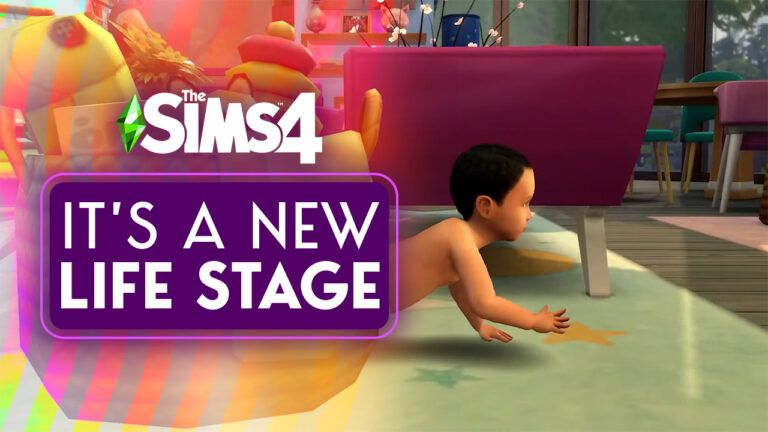
The Behind the Sims Summit revealed a lot of new information about the future of The Sims series. Maybe a little too much information all at once. There was confusion about The Sims 4 babies… or rather, infants. We thought the clip at the end of the summit showed a baby crawling across the floor. We assumed this meant babies were going to be separated from their bassinets. As it turns out, the little Sim we saw in the summit was actually an infant; a new life stage in between babies and toddlers. The Sims 4 baby update is actually an infant update.
An infant being picked up by their caretaker
Infants in The Sims 4 will be a brand new life stage
How do we know? For one thing, The official Sims blog uses the term infants. The word baby does not appear. The blog states that “infants will be arriving in early 2023.” The wording implies Sims 4 infants are a new life stage. Not an overhaul of an existing life stage.
And if the very specific wording wasn’t enough to convince us this is a new life stage, this cleverly censored screen captured from the Behind The Sims Summit event says “New Life Stage” when the censored portion is scrutinized closely enough.
“New Life Stage”
The Sims 4 infant update will arrive in early 2023!
Excited about the new life stage? Prepare for a new way to play with your littlest Sims and check out our pregnancy tips, tricks, and cheats!
CurseForge’s Mod Hub will offer safe, curated modded content for The Sims 4 in one convenient place!
The Behind The Scenes Summit yesterday announced that for the first time in the series’ history, The Sims 4 would be partnering with CurseForge to create a central mods hub for third-party fan made content. Modders and CC creators will now be able to upload their content to the Mods Hub where it can be easily accessed by Simmers all around the world. Sims 4 mods and CC will be more accessible and safer than ever before!
Here’s everything you need to know about the new Mod Hub!
What is CurseForge?
CurseForge is a mod hosting platform created by Overwolf. They host high-quality, safe, and curated mods for many popular games, including Minecraft, World of Warcraft, Stardew Valley, Skyrim, and now, The Sims 4!
The new Sims 4 Mod Hub will be a safe and convenient one-stop-shop for Sims 4 mods and custom content… all for FREE! Simmers will be able to download everything on the Mod Hub completely free of charge and with peace of mind that the content they’re downloading is curated and guaranteed to be safe and of good quality.
What are the benefits of The Sims 4 Mods Hub for Simmers?
Convenience
For the first time ever, all your favourite Sims 4 mods and CC will be located in one central place. No long lists of bookmarked websites or struggling to remember where you got this or that piece of CC. You can find everything you need in one convenient location.
Security
All content hosted on CurseForge has been curated by their team of Simmers to ensure that everything is high quality and completely safe. You never have to worry about malware or viruses sneaking into your Mods folder, so Simmers can breathe easy knowing they have access to limitless creativity in a safe, secure space.
Pro Mod Manager
CurseForge’s Mod Manager will allow you to manage your mods easily and efficiently. Organize your mods with thumbnails and enable/disable them with the click of a button. Never go searching through a messy, disorganized Mods folder looking for a specific package file ever again!
Squeaky Clean Fun
Everything hosted on CurseForge is moderated to make sure it meets The Sims 4’s ESRB rating. You don’t have to fear accidentally downloading inappropriate or explicit content to your game. There will be no violent or sexually explicit content on The Sims 4 Mod Hub whatsoever.
Auto-Updates
Mod troubles after game patches are a thing of the past! CurseForge will automatically update your mods for you after every game patch so there will be no more disruptions to your gameplay. Keep enjoying the game you love with all your beloved mods and CC with no hassle after every patch.
What are the benefits of The Sims 4 Mods Hub for Creators?
Visibility
There are many benefits for creators who host their content on CurseForge. CurseForge is a huge platform with over 10 million users and it’s a great opportunity for your mods and CC to get discovered by millions of Simmers.
Creative Collaboration
Modders and CC designers will be able to connect with the top modders and designers on CurseForge. These creators known as the “Mod Squad.” Get tips, swap ideas, and inspire each other! You can meet other creators with the same passions and interests as you.
Paid Opportunities
All mods hosted on the Mod Hub are 100% free to download for players but with CurseForge’s Author Reward program, creators have the ability to make a living doing what they truly enjoy; making fun and creative content for The Sims 4. CurseForge also hosts creator events and competitions where creators can submit their creations to win cash prizes.
Creator Events
Top creators on CurseForge will be invited to participate in exclusive events, both digital and physical! There will be hackathons, creative brainstorms, meetups, and lots more.
What can players and creators expect for the future of The Sims 4 Mods Hub?
There is a lot on the horizon for The Sims 4 Mods Hub and CurseForge has provided us with a handy roadmap to give us a clear idea of what we can expect and when to expect it.
October 18th, 2022: Official announcement
November 14th, 2022: Mod Hub reveal (for everyone) and TS4 CC Mod Festival Kickoff (for creators)
December 6th, 2022: The Sims 4 Mods Manager launches as an open beta and CurseForge’s new and improved website goes online
January 17th, 2023: Mod Contest winners are announced and more Sims content is being added to CurseForge
2023: More features, updates, and content being added to The Sims 4 Mods Hub
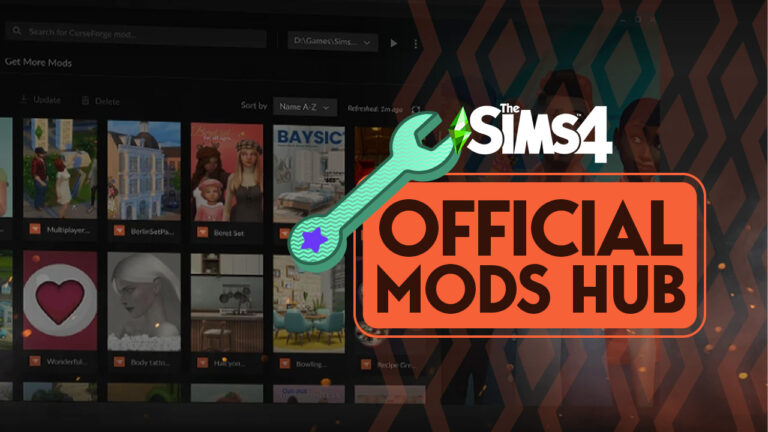
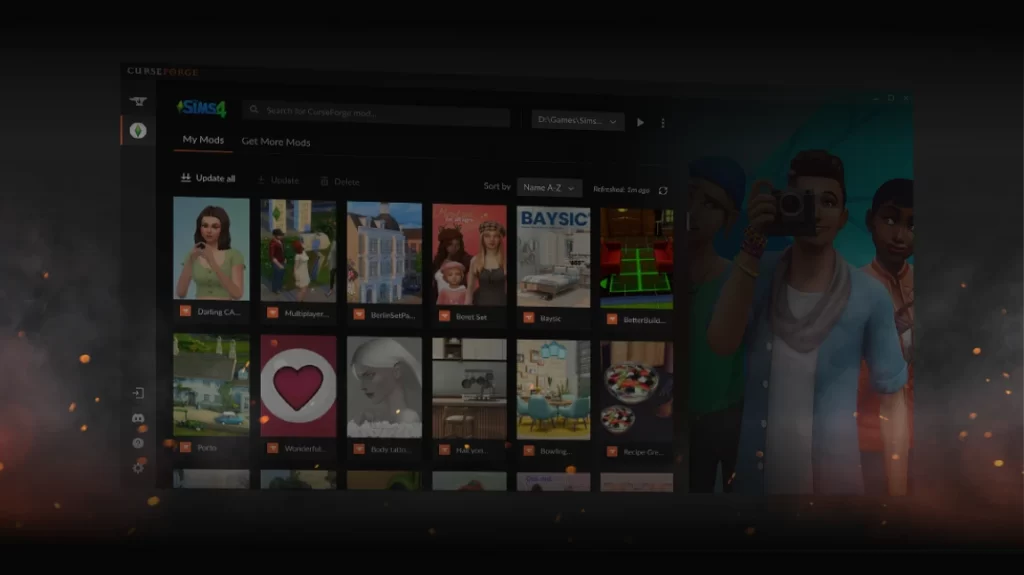
Preview of the official Sims 4 Mods Hub from Curseforge
When will we be able to use The Sims 4 Mods Hub?
The Sims 4 Mods Hub will launch on November 14th, 2022. The Mods Manager will come on December 6th, 2022 as an open beta. This means that the Mods Hub and Mods Manager may continue to undergo changes and additions over time as the Overwolf team receives feedback from both players and creators.
Which platforms is the Mods Hub available on?
UPDATE: The previous confirmation has been cancelled out by a new statement from OverWolf. The Mods Hub will release first on PC (Windows) November 14th, with Mac support coming early 2023.
Probably.
Indeed through the CurseForge app. When we first release the TS4 Mods Support beta on November 14th it will support PC only, with support for Mac coming later (early next year probably)
You can watch the full video hosted by DinkaKay from Overwolf and Uri Marchand, CEO and co-founder of Overwolf where they share all this information with Simmers.
Still hungry for more information? Check out our full coverage of the entire Behind The Sims Summit event where we got even more exciting info on CurseForge plans for Sims 4 CC and mods, and other big features coming to The Sims series!
The Sims 4’s More Columns Mod for CAS unlocks faster character creation. Learn how to use it and what your best options are!
The Sims 4 has been out since September 2014. With that many years under its belt, the game has acquired a lot of Create a Sim assets. Add Custom Content (if you use it) and you will be stuck scrolling through the many options using only two columns. There was a need for a Sims 4 CAS mod!
This is where Weerbesu comes in…
The Sims 4 More Columns in CAS is a Mod that extends the columns in the game from 2 columns to either 3, 4, or 5 Columns. This gives the Simmer more room to see their clothing options at one time.
Important Warning
If your computer’s resolution is too low, it might not have enough room to show all of the columns in the Sims 4 CAS mod. The following are the recommended number of columns for each resolution.
Number of Columns
Resolution
Three
Not recommended if resolution is lower than 1280 x 720*
Four
Not recommended if your resolution is lower than 1600 x 900*
Five
Not recommended if your resolution is lower than 1920 x 1080*
*Note: With Cats & Dogs installed, for Sims 4 CAS mod columns to be shown in Create a Pet, it will be necessary to have an even higher resolution for all column versions.
Sims 4 CAS Mod – UI Scaling
After the 1. 58.63 game update, the option to adjust the UI Scale was added to the game. This option allows more columns to be used on smaller resolutions. But note, that all your UI will adjust, not just the columns. It is possible to change the UI without a restart so the option to change it when in CAS then adjust it larger during gameplay is available.
Three Columns Version
Four Columns Version
Five Columns Version
Game Updates
If there are any type of problems with how the UI (User Interface) appears after a game update, make sure to try removing More Columns in CAS to see if it fixes it. The Sims 4 CAS mod often breaks after updates.
Give your clothing some breathing room, install More Columns In CAS by Weerbesu!
Among regular Base Game Updates, Sims Delivery Express Drops will now arrive monthly!
There’s been a lot to cover from Behind The Sims Summit that we’re still catching up!
As you all may know, The Sims 4 has introduced an additional way of adding content to the Base Game besides regular Patches. Yup, I’m talking about SDX (Sims Delivery Express) drops!
Since December last year The Sims 4 has been receiving free new content. Including Create A Sim Items, Build Items, Scenarios. Oh, and minor Bug Fixes!
Compared to Sims 4 Updates, SDX Drops download in-game and only require a game restart for the new content to show up. There are no mandatory requirements nor conflicts with your Mods / CC either!
Expect more of Sims 4 SDX Drops!
During Behind The Sims Summit it was revealed that SDX Drops are a huge success! And that we should expect more of them on a regular, monthly basis from now on.
We want you to know that we’re commited to adding new content to The Sims 4. We saw how much you loved The Sims Express Drops, so we’re bringing more of that to the game. We can now expect updates for this content monthly. We also have more Packs, more Kits and more Free Updates planned that we’ll share with you when we’re further along.
Behind The Sims Summit Stream – Phill Ring, Executive Producer of The Sims 4
Are you excited for more, regularly? We’ll keep you posted on all future SDX drops right here. Stay tuned!
What are you hoping to see in the future SDX Drops?
Have greater control over your Sims 4 pregnancy with these useful tips, tricks, and cheats!
Are your Sims expecting a new bundle of joy? Maybe you’re a new player who doesn’t know what to expect when your Sims are expecting. That’s no problem because we have all the Sims 4 pregnancy tips, tricks, and cheats to give you more control over your Sim’s pregnancy! Influence the gender of your baby in The Sims 4, increase your odds of having twins or triplets, and more!
Table of Contents
Influence Baby Gender in The Sims 4
Did you know that you can influence the gender of your Sim’s baby in The Sims 4? It’s true! Influencing the gender of your baby requires no cheats or mods and is very easy! The trick? Food and music!
If you want your Sim to have a baby girl, make sure they eat a lot of strawberries while pregnant and listen to Pop music!
If you want your Sim to have a baby boy, they should eat plenty of carrots and listen to Alternative music while they are pregnant.
When you use these Sims 4 pregnancy tips and tricks, nine times out of ten, your Sim will give birth to the gender you influenced them to have. If they do not, try eating more strawberries or carrots next time and make sure your Sim is actively listening to the Pop and Alternative stations; just being in the same room without listening to the music is not enough. It’s also best to do these things as early in the pregnancy as possible, ideally in the first trimester. That way, you have more time to influence the gender the way you want.
Have Twins and Triplets
Having twins and triplets in The Sims 4 is a bit trickier than influencing the gender of your baby. It’s harder to guarantee the outcome you want, especially without any DLC packs. Having twins and triplets is largely up to chance even if you are trying to influence the Sims 4 pregnancy. There are still a few things you can do to increase the odds, however.
The Fertile reward trait is a base game reward trait that any young adult or older Sim can purchase for 3,000 satisfaction points. The Fertile reward trait increases the odds of successfully Trying for a Baby and also increases the odds of conceiving twins or triplets. If both parents have the Fertile trait, they will stack and increase the odds further. So if you want to have the best possible chance of conceiving twins or triplets in the base game, both parents should have the Fertile trait.
For players with DLC, conceiving twins and triplets is much easier with these Sims 4 pregnancy tips and tricks:
City Living:This expansion pack comes with a lot trait called On Ley Line. This almost guarantees that any pregnancy that happens on this lot will result in twins. However, triplets are still rare.
Vampires: This game pack comes with a lot trait called On a Dark Ley Line. This almost guarantees that any pregnancy that happens on this lot will result in twins but BEWARE: the babies will most likely be born as vampires, even if both parents are human! Triplets are still rare.
Spa Day: This game pack allows Sims to visit the spa and get a fertility massage. After getting a fertility massage, Sims will have a flirty moodlet for a period of time. This moodlet increases the odds of conception when Trying for a Baby and also increases the odds of conceiving twins and triplets.
Outdoor Retreat:This game pack adds a new Herbalism skill to the game. Sims with maxed out Herbalism skill can craft the Elixir of Fertility. This herbal remedy temporarily increases the chances of having twins and triplets when a Sim drinks it.
Sims can also wish for a child at the wishing well if they own the Romantic Garden stuff pack; however, there is no evidence to suggest that any of the wish outcomes affect the chances of having twins or triplets.
Male Pregnancy? Yep!
Gender is non-binary in The Sims 4. All Sims can have any gender identity that you desire. This means that The Sims 4 pregnancy is not strictly binary, either. You can have masculine Sims who can get pregnant, give birth, and even breastfeed their babies.
By default, all feminine framed Sims will have the ability to become pregnant and will not be able to get other Sims pregnant. Likewise, all masculine Sims will not be able to become pregnant but will be able to get other Sims pregnant. You can change these settings in Create A Sim if you like.
In the Gender Customization tab, you can choose whether your Sim can become pregnant, get other Sims pregnant, or neither. You can do this for all young adult or older Sims regardless of their gender identity or physical frame. If you want a masculine Sim to become pregnant, simply tick the Can Become Pregnant box in CAS. These settings are useful for allowing same sex couples to have biological children together. You can have two women or two men have a child together just by editing their gender settings in CAS.
Same sex children are also possible through the new Science Baby feature added in a free game update! Use the cell phone to have a Science Baby by yourself or with any other Sim your Sim is friends with. No romantic relationship required and no gender restrictions! It costs $1,000 to have a Science Baby and you can skip the entire Sims 4 pregnancy process! Your Sim will go to the hospital for the procedure and come home with their new baby the same day!
For players with the Get To Work expansion, Sims 4 pregnancy can get a little… weird. Get To Work adds aliens to the game and those aliens can abduct your Sims. Masculine Sims who ordinarily would not be able to get pregnant can return home pregnant with an alien child after being abducted.
Sims 4 Pregnancy Cheats
The following cheats have been disabled by the developers and no longer work without using the All Cheats Unlocked mod by TwistedMexi. This means that console players will not be able to use these cheats. We’ve included them anyway for PC players who do use mods in case they would like access to these cheats.
All cheats listed require you to enable advanced cheats using the shortcut CTRL+SHIFT+C and typing testingcheats true into the cheat box.
Guarantee Twins or Triplets
If your Sim is already pregnant and you want to speed up their pregnancy, first find the Sim’s ID number. Open the cheat box and type in sims.get_sim_ID_by_name FirstName LastName. Obviously, replace FirstName and LastName with your pregnant Sim’s actual name.
You will see the message “has sim id:” followed by a string of numbers. This is your Sim’s ID number.
Next, type in pregnancy.force_offspring_count SimID #. Replace “SimID” with your Sim’s ID number. Replace the “#” with the number of babies you want the Sim to have (1-3).
Go Into Labour Immediately
Type in the cheat sims.add_buff buff_Pregnancy_InLabor. Your pregnant Sim will immediately go into labour.
Speed Up Pregnancy
Use the following Sims 4 pregnancy cheats to skip immediately to a specific trimester and speed up your Sim’s pregnancy:
add_buff buff_Pregnancy_Trimester1
add_buff buff_Pregnancy_Trimester2
add_buff buff_Pregnancy_Trimester3
Have Twins and Triplets Without Mods
So are there any Sims 4 pregnancy cheats that don’t require a mod to work? Not really, but there is a way to get the Fertile reward trait for free.
Use the cheat traits.equip_trait trait_Fertile to instantly add the Fertile reward trait to your Sim without needing to spend 3,000 satisfaction points!
Looking for a mod to enhance Sims 4 pregnancy and childbirth? Check out our walkthrough on the Realistic Childbirth Mod!