Home Blog Page 129

The Sims 4 High School Experience and Features

Welcome to Copperdale High!

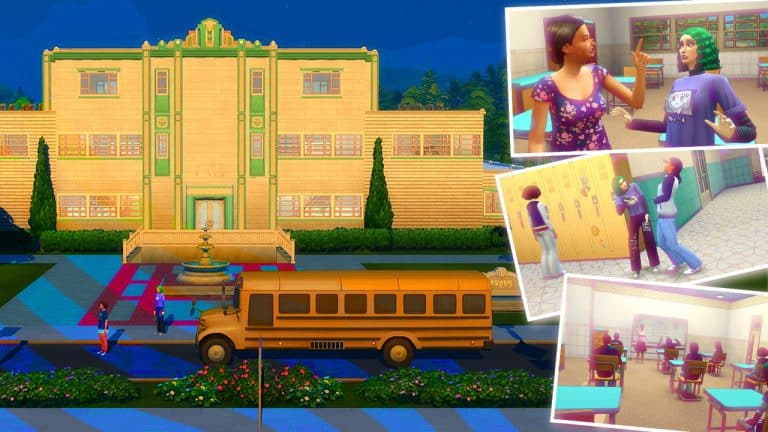
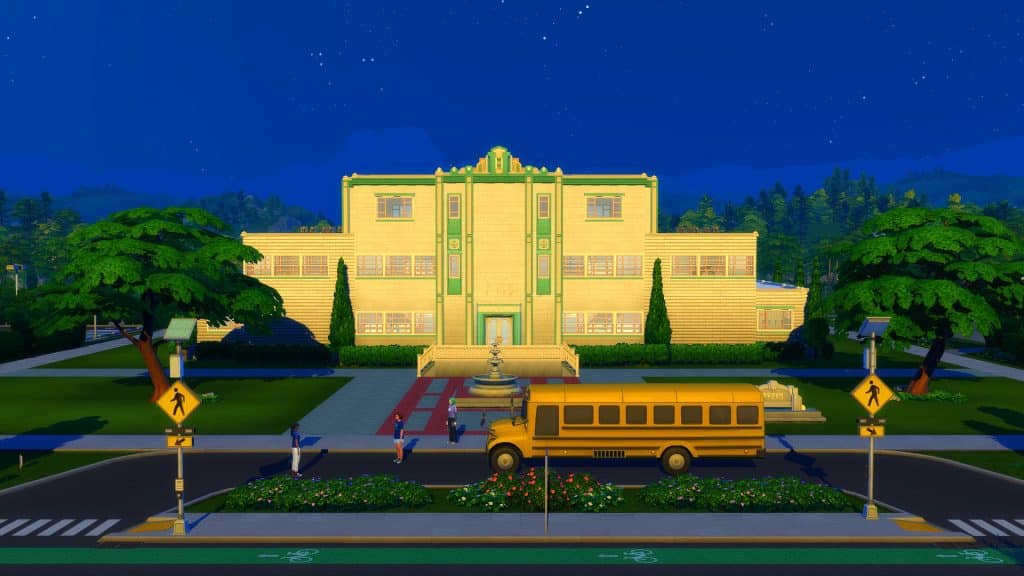
Situated in the Rockridge Heights area of Copperdale, the school has been well-loved by Sims for generations. A home for teens to make memories and prepare for their future! With everything, you could think of for the ultimate learning experience as well as a multipurpose auditorium perfect for Prom, Copperdale High is the perfect place for your Sims to truly explore who they are and what they strive for!
The Sims 4 High School Experience and Features

What does Copperdale High have to offer?

Copperdale High is the place for Sims to attend for their High School education. A home for many generations of teen Sims over the years, as well as being at the heart of the Copperdale community! The school also offers plenty of After School Clubs and events for Sims to participate in outside of school hours.

A typical day at Copperdale High

The school day starts promptly at 8am and ends at 3pm. When it is time for school to start, you will be given the option to attend with your Sim or send them alone.

The Sims 4 High School Experience and Features

Upon arriving at Copperdale High, you will have some Free Time to utilize how you feel best. It’s recommended that students use this time to further their skills and knowledge, however you can also spend this time getting to know fellow students around campus.

Once the morning Free Time has ended, you will attend classes as well as break during the day for lunch. Once the school day comes to an end, you are free to go home, however you can stay on campus until you feel it is time to go home, to utilize any resources or equipment that may be needed.

Classes

Copperdale High offers a variety of different classes. Each class helps your Sims build different skills. You will have two classes a day Monday to Thursday, with Friday being focused around Exam preparation and Exams.

The Sims 4 High School Experience and Features

Here are the types of classes you can expect your Sims to attend.

  • Social Studies (Writing Skill)
  • Maths (Logic Skill)
  • Science (Logic Skill)
  • Language Arts (Writing Skill)
  • Art (Painting Skill)
  • Computer Science (Programming Skill)
  • Business (Charisma Skill)
  • Foreign Language (Charisma Skill)

Not sure what classes your Sim is attending on which day? Simply click on your Sim, head to the High School option, and then Review Class Schedule. The Class Schedule will then appear in the Notification Wall for you to check.

Additionally, students will have homework to complete. You’ll find this in your Sims inventory. Simply click on the book and complete your Sims homework for the day.

Behaviour

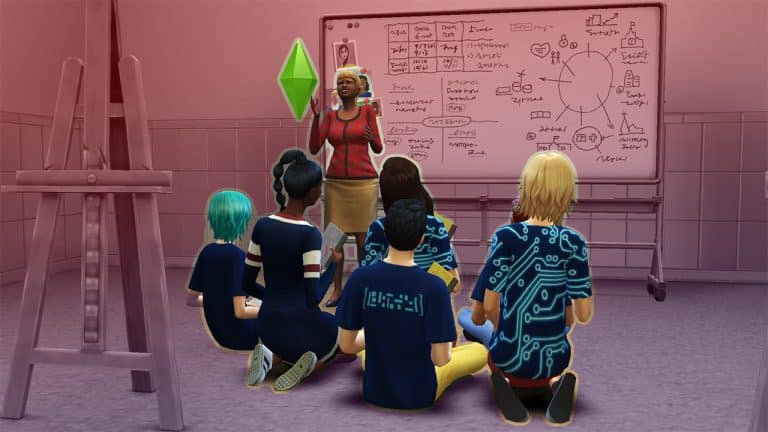
It goes without saying, that Copperdale High Students are expected to be at school learning and studying. Living the Copperdale High values and being proud to be a student of the school. There is no room for mischief or misbehaviour. If your Sims get caught out, it may result in spending time in detention.

If your Sim is unlucky enough to end up in detention frequently or doesn’t achieve the grades required, then you may find yourself being expelled from Copperdale High.

The Sims 4 High School Experience and Features

After School Activities

There are a number of After School Activities that your Sims can join. This includes being a part of the Cheer, Chess, Computer and Football Team!

Additionally, if you own The Sims 4 Seasons or The Sims 4 Get Famous, you will also find the Scout and Drama Club After School Activities listed here as options.

The Sims 4 High School Experience and Features

Joining an After School Activity is easy!

  • To join an After School Activity, just go to your child or teen Sims’ Smartphone. Select the Business Icon and then click Join After School Activity. Once your Sim starts to use the phone, you will get a pop-up asking which activity they would like to join.
  • Once joining, you will get a notification stating that your Sim has joined the After School Activity of your choice. You can keep track of your Sims progress under the Career tab of your Sims profile.
  • Make sure your Sims attend their After School Activity sessions, complete any daily and advancement tasks to help your Sim reach the next level.

Another way that you can join an After School Activity, is by find one of the club representatives on campus at the end of the school day. Talk to them, find out more and join in the fun!

Student Life

Outside of lessons, exams and After School Activities, there is plenty for Students to get involved in. Make friends (or enemies), decorate your locker space, find out the latest trends, attend one of the Club Festivals or get involved with Prom!

Students can also stay connected via the Social Bunny app that can be found via the Mobile Phone.

The Sims 4 High School Experience and Features

Events

School events can be found on the Household Calendar. Throughout each week, students can participate in the Football Team Sports Day or the Cheerleading Team Sports Day. Both of these events take place after school hours and usually run on a Thursday or Friday. You will be able to take part in the Football Throwing competition or the Group Cheerleading Competition during the events.

You will also find Career Day and Science Festival events periodically during term time as well.

The Sims 4 High School Experience and Features

Prom

One of the two main events of the school year! Held at the Copperdale High Auditorium, it really is the night of nights!

Students will take the opportunity to create promposal signs to ask another student to attend Prom together or, you can send notes if you want instead!

However, as you and your friends bop to the top during prom, don’t forget to vote for who you would like to be seen crowned as Prom King and Queen!

The Sims 4 High School Experience and Features

Graduation

As they say, we’re all in this together!

Graduation is the second main event of any students school year. While some players may experience problems with Graduation taking place, it is still a moment to reflect and celebrate achievements before looking to the future and, breaking free!

The Sims 4 High School Experience and Features

Are you having problems with graduation not going to plan? Why not create your own event and celebrate your Sims finishing High School in your own way!

It’s time to make memories at Copperdale High!
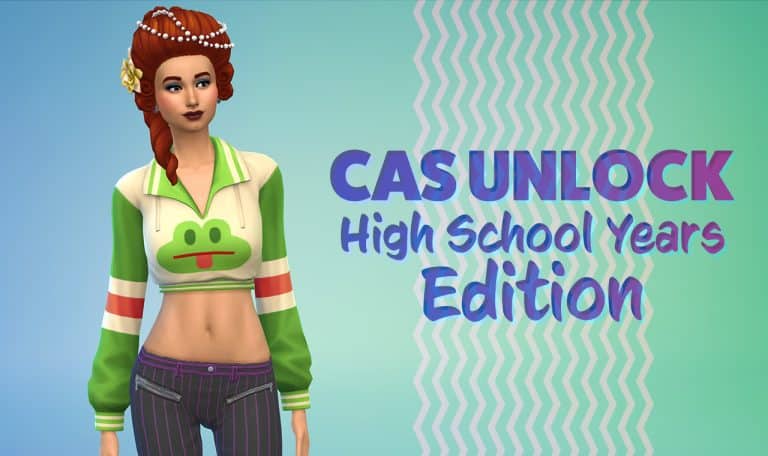
The Sims 4: Unlocking ALL Create A Sim Items (Packs Included)

Now updated with High School Years!

It’s been awhile since I’ve updated my CAS Unlock for The Sims 4!

The latest version of my Sim Fashion Nista is now updated to the latest version of The Sims 4 High School Years. This means that any release to the point of High School Years will now provide you with Unlocked content!

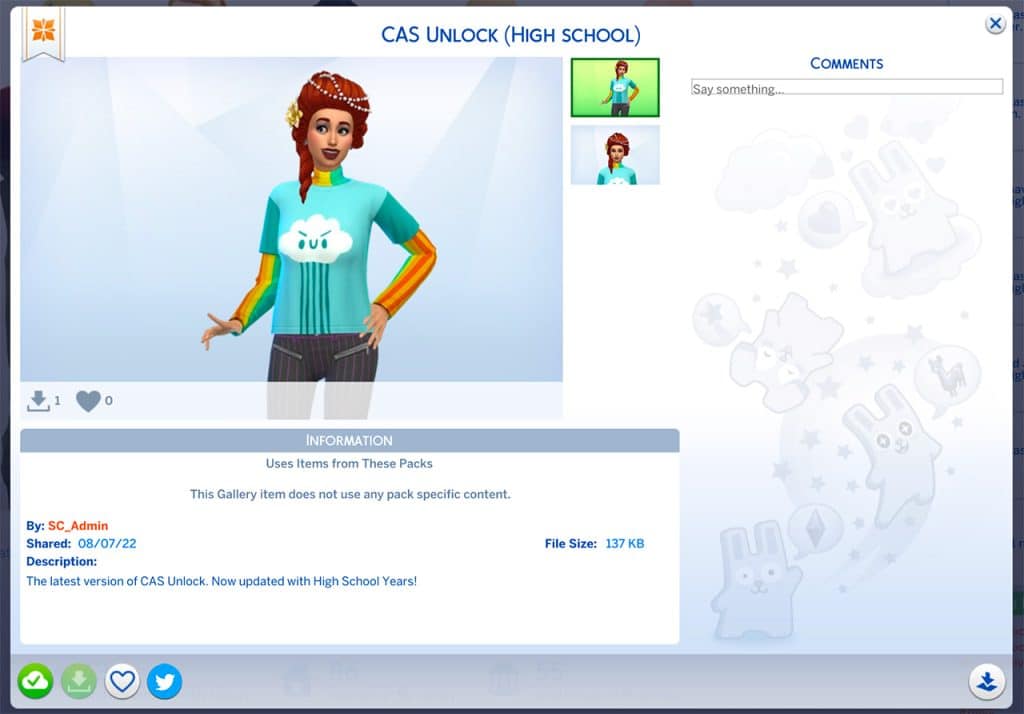
It’s simple, all you have to do is place the CAS Unlock Household in Create A Sim (or Live Mode). Immediately afterwards all the locked content from Create A Sim will be present to you. If you have multiple packs installed, you’ll have the content for those Packs unlocked as well.

casscree1

You can find the latest version of The Sims 4 Create A Sim Unlock under my Origin ID: SC_Admin.

Simply place down the Household in CAS / Live Mode and enjoy the benefits of a fully unlocked catalogue!

The Sims 4: Unlocking ALL Create A Sim Items (Packs Included)

Ever wanted to get that shiny costume, cool pair of glasses or a fancy dress for your Sim but you don’t want to through the struggles of completing a certain Career / Skill Level? Now you don’t have to worry about that!

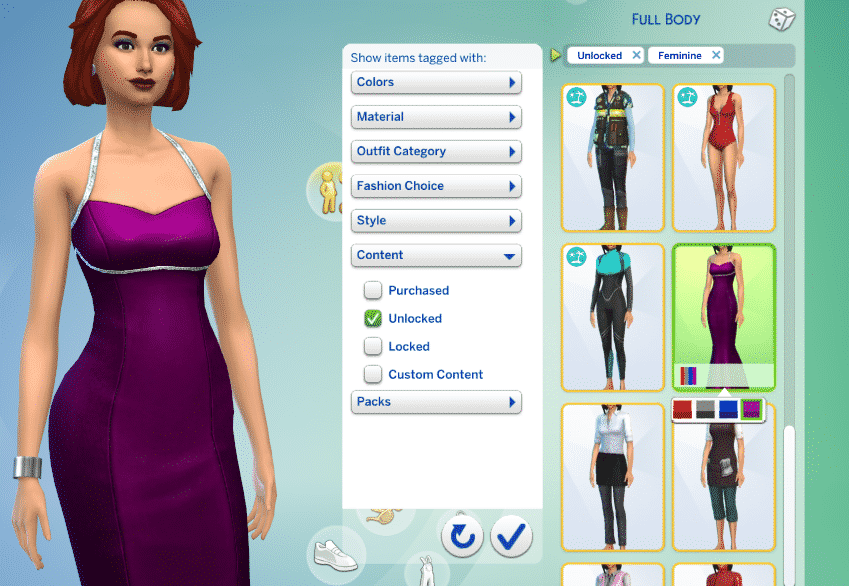
The Sims 4’s Create A Sim includes a bundle of clothing pieces that are already presentable to you. However, there’s a whole different set of clothing items that show up in Create A Sim only after you complete a certain milestone / level in a certain Career / Skill. These can be easily accessed through the “Unlocked” filter tag:

The Sims 4: Unlocking ALL Create A Sim Items (Packs Included)

The Sims 4 Base Game, including various different packs came with new unlockable clothing items. Although there isn’t a specific cheat that lets you unlock all of the CAS clothing all at once there is a very easy workaround.

With the power of The Gallery you can unlock all of the items right away! I’ve made a special household which is now up in The Gallery that functions as a “key” to unlock the CAS items. All you have to do is place this Sim in Create A Sim or in Live Mode and all of the locked items will be unlocked for you in Create A Sim!

The Sims 4: Unlocking ALL Create A Sim Items (Packs Included)

You can simply remove the Sim as soon as you’ve placed her down as a part of your own household. This Sim will automatically unlock all the CAS items as soon as she’s been placed down so there’s no need to have her around. You can do so by either editing her out through “Modify in CAS” (with the cas.fulleditmode cheat), removing her immediately if you’ve just started creating a household or evicting her from the Manage Worlds options. The Sim will unlock all the lockables for all ages and fashion choices.

You can find the “CAS Unlock” Household in The Gallery under the SC_Admin EA ID or by simply downloading the Sim from this link! Currently she’s been updated to The Sims 4 Snowy Escape CAS unlockables.

The Sims 4: Unlocking ALL Create A Sim Items (Packs Included)

A huge thanks goes to The Gallery creator KillianMonroe who unlocked previous clothing items!

Compliment High School Years CAS with this CC Add-On Set

20 new CAS pieces to give High School Years a different flavour… but you don’t need High School Years to use it!

One thing we always look forward to when a new pack comes out is all the custom add-on sets creators will make for it. It’s always fun to get revamped versions of the pack items to give us more variety in the looks we can create for our Sims.

Compliment High School Years CAS with this CC Add-On Set
Image from simancholy

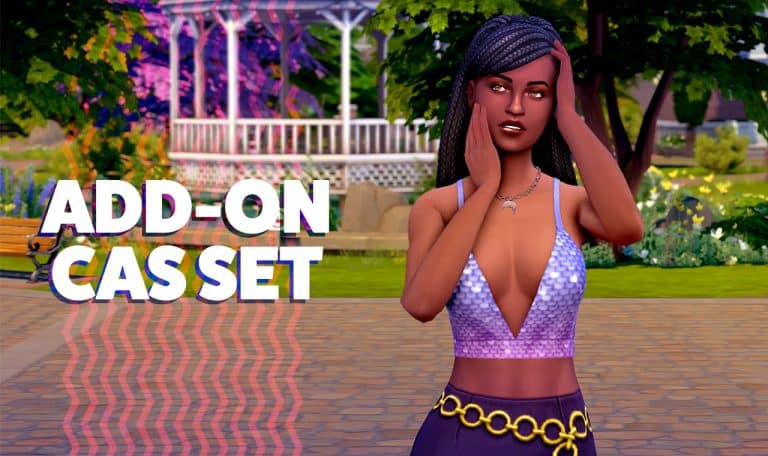
simancholy has released a set of 20 new CAS items based on the High School Years CAS catalogue. The set features revamped versions of the High School Years necklaces, new tops using parts of the High School Years clothes, and new hairs with new accessories added and fixes to make them look more proportionate to Sims’ heads.

Oh, and the best part? These add-on items are base game compatible! Even if you don’t have the High School Years expansion pack, you can still download and enjoy these items!

Here’s a look at all the previews in the set!

Compliment High School Years CAS with this CC Add-On Set
Image by simancholy

We downloaded the set for ourselves and came up with a couple looks using the new items. The pieces look great and gave us more freedom to design the exact high school look we wanted. We’re definitely keeping this one in our Mods folder!

You can download this CC set for free right now!

Please note that mods and custom content are not available on consoles.

The Sims 4 High School Years: Entrepreneur Skill

This new skill is all about living that side hustle life!

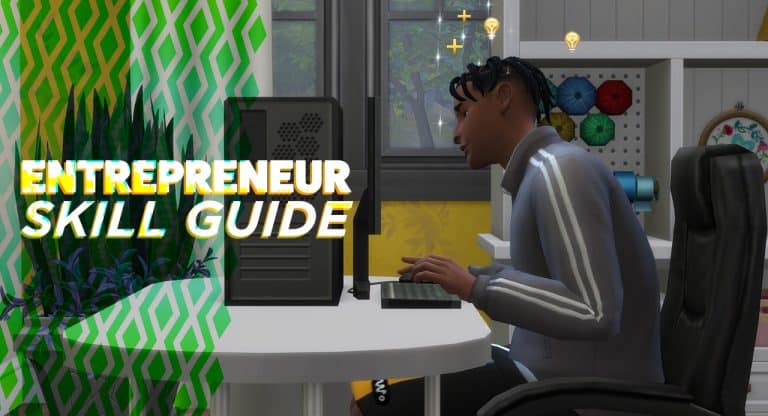
The Sims 4 High School Years comes with a new minor 5-level skill. The Entrepreneur Skill is tied to the new Trendi marketplace and the new part-time jobs that come with this pack but any Sim who makes a living from any kind of self-employment can benefit from this skill.

The Sims 4 High School Years: Entrepreneur Skill

This skill is built through any type of “hustle” activity, from selling outfits on Trendi, to crafting and selling your own goods, to participating in odd jobs and freelance careers. There is a lot of cross-pack compatibility here but you’ll get the most out of the skill if you’re a Simfluencer or Video Game Streamer.

Building the Entrepreneur Skill

The Sims 4 High School Years: Entrepreneur Skill
Late-level rewards from the Entrepreneur skill

Entrepreneur skill can be built in the following ways:

  • Completing odd jobs
  • Participating in the Simfluencer or Video Game Streamer part-time careers
  • Participating in a freelance career
  • Selling things you’ve crafted/created (Trendi outfits, paintings, sculptures, etc)

Entrepreneur Skill Levels

The Sims 4 High School Years: Entrepreneur Skill
Reward trait for maxing out the Entrepreneur skill

As you build the Entrepreneur skill, you’ll gain access to new ways to build the skill and perks that will allow you to have more success in self-employed careers.

Level 1

The Sims 4 High School Years: Entrepreneur Skill
  • No specific perks

Level 2

The Sims 4 High School Years: Entrepreneur Skill
  • Can advertise side hustle online

Level 3

The Sims 4 High School Years: Entrepreneur Skill
  • Can make and research a business plan on the computer. You must be employed to do this.

Level 4

The Sims 4 High School Years: Entrepreneur Skill
  • Can contact angel investors for funding. To do this, make or research a business plan on the computer, then click on the USB stick that appears in your Sim’s inventory.

Level 5

The Sims 4 High School Years: Entrepreneur Skill
  • Ability to appear on The Llama’s Lair reality TV show. To do this, make or research a business plan on the computer, then click on the USB stick that appears in your Sim’s inventory.
  • Gain The Knowledge reward trait, which increases your career salary and makes Sims more receptive to you in conversation

Crafting Bonsai Trees in The Sims 4

Tired of the same old plants? Why not make your own!

When looking for a plant to fill an empty corner, we know you always end up in the Decorations menu in Build mode. But there’s one plant item that you won’t find there: this base game Bonsai Tree!

Slide1

It’s in the Activities & Skills menu under Creative activities.

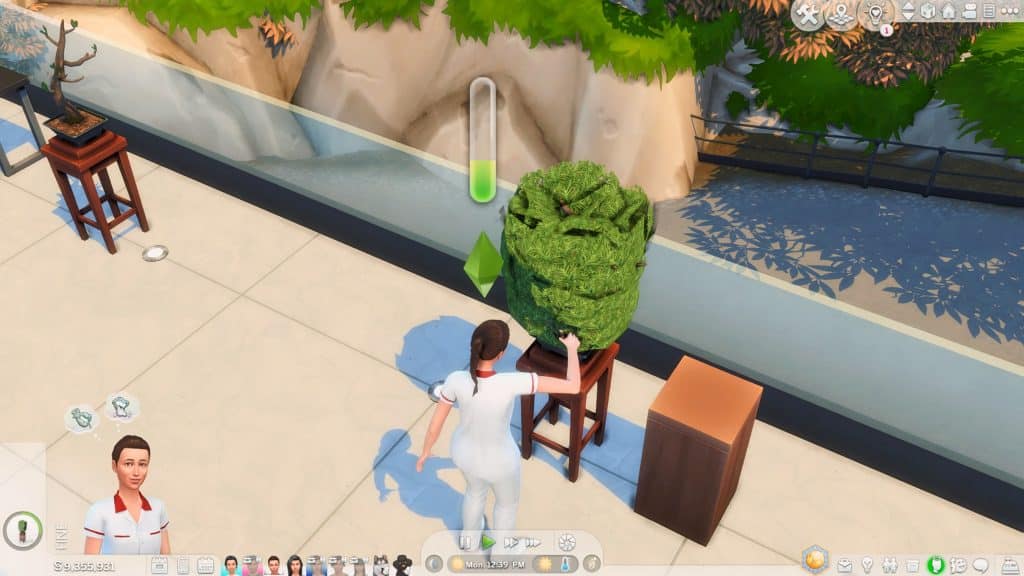
Don’t be deceived by its boring blob shape. You can create 5 different styles out of this single item and make it look fancy (Plus special shapes depending on your Sim’s moodlet!)

But remember, enter the bb.moveobjects cheat before starting!

Grab the bonsai tree along with this tall pedestal from Get To Work. You can do without the pedestal, but trust me, it gives an extra oomph to this decoration!

Slide2

Place the bonsai away from the pedestal. Go to Live Mode – we’ll be using your Gardening Sims to transform the tree.

Slide3 1

The number of bonsai shapes available will depend on your Sim’s Gardening Skill Level (or Flower Arranging Level if you have Seasons). Here’s a guide on what shapes you can unlock:

Let’s try a basic shape! Click on the bonsai, select ‘Prune Shape’, then click on your desired shape. Just take note that sometimes, you’d have to trim the overgrowth first before pruning.

Slide4

Every time your Sims prune the bonsai, their skill level builds up. This takes around 45 minutes in-game or 1 minute in real-time.

Slide5

When your Sim is done, go back to Build mode to place the bonsai over the pedestal. Now it looks like a real bonsai that’s on display.

Slide6

Note: your Sims can’t reach the bonsai with the pedestal overlapping it, which can be a good thing or a bad thing depending on your gameplay. If you need to retrim the bonsai, just go back to Build mode and move the pedestal away.

Use the bonsai indoors or outdoors

Since the bonsai blooms year round, you can show it off outside your build with no problem. You can make a fancy bonsai collection or feature it with other plants.

Slide7 1

With the pedestal, it also looks great inside as a corner accessory.

Slide8

It’s a great alternative if you don’t own Snow Escape which also has a small bonsai plant. Plus, the texture of the Base game bonsai looks more realistic and dynamic!

Slide9
pruned Base Game bonsai vs Snowy Escape bonsai

See this trick in action by watching this video tutorial!

Did you find this tip useful? Let us know below.

The Sims 4’s Groundhog Day Issue

0

Is your Save Game not Saving? You’re not the only one.

The Sims 4’s recent update for High School Years has started a new roll of issues for players. After some of the issues being addressed in a Hot Fix Update, one of the major game issues remained still: Not being able to save properly.

The community at the moment calls this issue “Groundhog Day”. Why, you might ask?

EA AHQ Member taytay444555 opened a Thread describing the issue:

I cannot progress in the game because every load transition either through save/exit, CAS, or Manage world takes my game back to the day I loaded in at the start. For example, I load into the game on a Tuesday…play the game until Sunday, and try to edit a baby NPC that has now turned into a toddler. Go into manage worlds and the toddler is now a baby again, exit CAS and load back into my household…and it is back to Tuesday(hence why the toddler is back to a baby because the age reset). The same happens if I save from Sunday, exit game, then come back it will still be Tuesday again once loaded in. I took out all mods, and rolled back the save to a later date than that Tuesday but it just does the same with that date as well. 

P.S. this household is primarily using the new werewolf game pack. I did not have this issue until I updated my game with the latest patch for high school years on July 26-27th

The issue of the game is a bit stressful if you’ve ever encountered it yourself. The game affirms players that the game has been saved, only for the player to realize that they are back where they started before saving the game.

The issue is widely present to players who have Mods (especially MCCC) installed. At least it was the main cause of issues in the beginning. After days of troubleshooting PC players without mods and Console players have started reporting the issue too. Even after the latest Hot Fix Update for The Sims 4.

EA AHQ Hero crinrict has posted a useful list of Symptoms and Things To Try:

Symptoms seen for this

  • The game doesn’t save. When reloading the game, it’s in the exact state it was before playing on the last session
  • The game only saves part. Some progress is reset. This includes skill progress, XP progress for Occult, building changes and other things
  • When loading into another lot, the time reverts to when you first loaded the game.
  • Werewolves (and probably other occult) loose all their points and even corrupt more. (there is currently a dedicated thread for this here)
  • Sims age up and then when reloading age down again.

Things to try

  • Remove ALL your mods completely from the game (this includes files put in the saves folder by the mod)
  • Delete the localthumbcache file
  • If you had point resetting and other things besides the time reverts and saved your game, you will need to load a backup or they will still be gone. Removing mods does nor revert lost progress.
  • Keep backups and do not play any saves you wish your mod settings to retain until the problem is solved.

If you are experiencing issues with the Groundhog Day Save Bug in The Sims 4, SimGuruQARoboto advises to share your Save Game with them for further troubleshooting:


Hello.

For anyone seeing this issue with saves that never had mods installed, would you be willing to share affected save files?


Have you encountered this issue?

Guide to the Gameplay Multiverse of The Sims 4 High School’s ThriftTea

ThriftTea is not just a Venue. It’s a Lifestyle.

Need a place to find some unique clothes for your teen not found in CAS? Want some clothes to sell on Trendi? Or do you need a place to hang out for a poetry night or fashion show?

ThrifTea is the newest hangout spot for teens in The Sims 4 with High School Years! It’s a multiuse lot including the bubble tea shop and the thrift store. Here’s all you need to know about your teen’s new favorite place to go after school!

Guide to the Gameplay Multiverse of The Sims 4 High School’s ThriftTea

Overview of Store

The thrift and bubble tea store’s main three sections are the shopping area with the clothing racks, the bubble tea and food ordering area, and the sitting area. There are also two changing rooms, a bathroom, and a kitchen.

Hint: When building your own thrift store, the lot type requires 4 retail racks, 1 retail counter, 2 dining tables, 4 dining chairs, 1 coffee table, 1 sofa, 1 bubble tea counter, 1 microphone, 1 wall speaker, 1 waste disposal, 1 toilet, and 1 sink.

Thrift Store Owner

The owner of the ThrifTea is named Eloise Hiddlestix. You will find her hanging around the store. She is helpful when researching fashion trends. You can “Talk about Fashion Looks” and “Talk about Fashion Trends” with Eloise. “Talking about Fashion Looks,” tells you more about creating looks and “Talk about Fashion Trends” will give you inside information on the current fashion trends.

Guide to the Gameplay Multiverse of The Sims 4 High School’s ThriftTea

Buying Thrifted Clothes and Accessories

At ThrifTea, you can create Fashion Looks. The clothing you can choose from rotates every day. There are clothing from the regular CAS selection, rare and exclusive clothing, and a DPOP collection. Five sellers designed the DPOP collection: @internetgirl@happyxloco@selenasshop, @judaku, and @furrylittlepeach.

After creating a look, your sim receives a bag in their inventory and they can wear it or sell it on Trendi.

Guide to the Gameplay Multiverse of The Sims 4 High School’s ThriftTea

Wondering how the game calculates the cost of each outfit? The cost of an outfit can be calculated this way: Base Cost + Rarity + Style

Example: Base Cost (§5) + Rare (§20) + Hipster (§20) = Total Cost of §45
Note: A few items are tagged with more than one style. If that is the case, they seem to use the larger amount.

Base Cost: §5

Rarity
Common: §10
Rare: §20
Very Rare: §40
Exclusive: §70
Exclusive DPOP: §90

Style
Street: §10
General Contemporary Basic: §10
Bohemian: §20
Country: §20
Hipster: §20
General Outdoor Explorer: §20
General Preppy: §30
Goth Rock Punk: §30
General Polished: §50

Local Hang Out Spot

Guide to the Gameplay Multiverse of The Sims 4 High School’s ThriftTea
Comedy Night

Your Sims can hang out at ThrifTea on different nights of the week. Here is the schedule:

Fashion Show (Fridays and Mondays): “Are you ready to Show Off your sublime style? Gain the applause of other fashionistas at the ThrifTea Fashion Show!”
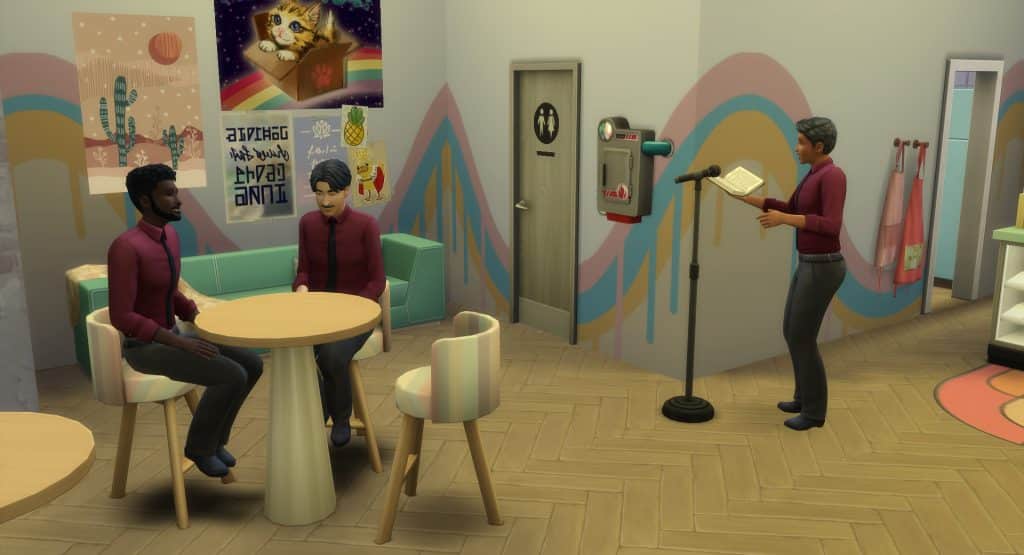
Comedy Night (Wednesdays): “The ThrifTea Amateur Comedy Night has begun! Grab the mic and amuse yourself (and bystanders) with your fledgling repartee!”
Poetry Night (Sundays): “Grab your chin (and the mic) and get all poetical to the quiet applause of an adoring crowd. The ThrifTea Poetry Evening begins!”

Bubble Tea Shop

Guide to the Gameplay Multiverse of The Sims 4 High School’s ThriftTea

The Bubble Tea Shop has both food and drinks for sale.

Drinks available include Lychee Milk Bubble Tea ($6), Mango Milk Bubble Tea ($6), Taro Milk Bubble Tea ($7), Chocolate Milk Bubble Tea with Cheese Foam ($8), and Strawberry Matcha Latte Bubble Tea ($9).

Guide to the Gameplay Multiverse of The Sims 4 High School’s ThriftTea

Food available includes Veggie Slider ($10), Fried Chicken Slider ($10), Hamburger Slider ($10), and Corndog ($8).

Guide to the Gameplay Multiverse of The Sims 4 High School’s ThriftTea

ThrifTea is the perfect place for a teen Sim to hang out. There are so many different events and activities for them to participate in. They can have club meetings at ThrfTea or just hang out after school and do homework. Thrift Store and Bubble Tea Store might have seemed like a weird combination at first, but it is a useful and fun addition to the game!

Iconic The Sims 4 Characters made officially as Teens

Introducing Copperdale High School Class of ’00!

The Sims Team gave us a sneak peek at some of our favorite Sims during their Teen years. They tweeted out a yearbook photo of some of our favorite premade Sims. Including some very interesting lore for each iconic Character as a Teen. Now, they’ve shared them to the gallery for us to add to our games!

Iconic The Sims 4 Characters made officially as Teens

Here is some information about these teens!

Bob and Eliza

Iconic The Sims 4 Characters made officially as Teens

Eliza Hastings
Aspiration and Traits: Goal Oriented Aspiration; Relatable, Materialistic, and Perfectionist Traits
Sexual Orientation: Romantically attracted to neither men or women, exploring romantically, and interested in messing around with men and women
Likes: Green, S-Pop Music, Preppy Fashion, Fitness, and Painting

Bob Pancakes
Aspiration and Traits: Master Chef Aspiration: Essence of Flavor, Slob, and Loner Traits
Sexual Orientation: Romantically attracted to neither men or women, exploring romantically, and interested in messing around with men and women.
Likes: Brown, Retro Music, Basics Fashion, and Cooking
Dislikes: Mischief

Geoffrey and Nancy

Iconic The Sims 4 Characters made officially as Teens

Geoffrey Osteer
Aspiration and Traits: Goal OrientedAspiration; Relatable, Good, and Outgoing traits
Sexual Orientation: Romantically attracted to women, exploring romantically, and interested in messing around with men and women.
Likes: Blue and Red, Classical Music, Basics and Preppy Fashion, Mischief
Dislikes: Rocker Fashion

Nancy Landgraab
Aspiration and Traits: Drama Llama Aspiration; Relatable, Snob, and Materialistic traits
Sexual Orientation: Romantically attracted to neither men or women, exploring romantically, and interested in messing around with men and women.
Likes: Purple, Pop Music, Polished Fashion and Preppy Fashion, and fitness

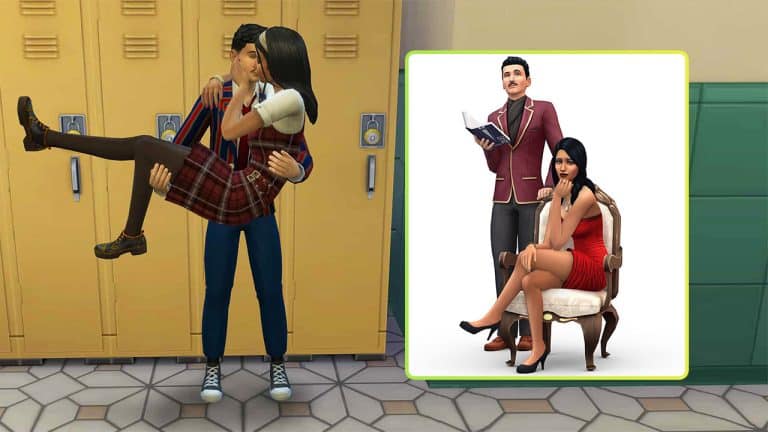
Mortimer and Bella

Iconic The Sims 4 Characters made officially as Teens

Mortimer Goth
Aspiration and Traits: Live Fast Aspiration; Relatable, Outgoing, and Creative traits
Sexual Orientation: Romantically attracted to women, exploring romantically, and interested in messing around with men and women.
Likes: Black, Alternative Music, Hipster Fashion, Polished Fashion, Rocker Fashion, and Writing

Bella Bachelors
Aspiration and Traits: Admired Icon Aspiration; Relatable, Good, and Romantic traits
Sexual Orientation: Romantically attracted to men, exploring romantically, and willing to mess around with men and women
Likes: Black and Red, Romance Music, and Polished Fashion

Will you be playing with the new teen versions or will you stick to their original adult selves?

How to Pick Your Classrooms in The Sims 4 High School Years

Choose which classrooms your teens have for different subjects! No mods or CC required!

There is a lot to love about The Sims 4 High School Years, which adds so much for teens to do and discover that really set them apart from adults for the first time in The Sims 4’s history. However, one complaint from players is that the classes are all the same no matter what subject your Sims are taking. Math, science, art, and every other subject all take place in the same room every day. In a real high school, the classrooms are set up differently depending on what subject is being taught.

But there’s good news! A user on Twitter, @AmandaKWrites, has found a way we can customise which classrooms our teen Sims have their different subjects in! It doesn’t involve any mods or CC, either. All you need is at least three classrooms (or more) with a whiteboard in each class.

Amanda goes into more detail on Twitter but here’s the basic breakdown of how to do this.

  • At the start of the school day, during morning free time, click your teen Sim and select High School > Review Class Schedule to see what subjects your Sim has that day.
  • Your teens will always be in Class 1, so click on any unused whiteboard and select Assign Whiteboard to Class 1. If the interaction is not available, this means the whiteboard is already assigned to a class. Find the unused whiteboard to reshuffle classes if need be until you can assign the whiteboard for the room you want to Class 1.
  • Your teens will now go to that classroom for their first class of the day!
  • During lunch period, do the same thing to assign your teen to a classroom that’s appropriate for their next subject.
How to Pick Your Classrooms in The Sims 4 High School Years

It requires a bit of a game of “musical whiteboards” but once you get it, it’s fairly simple to make sure your teens attend the right classrooms for their subjects.

This is mostly for immersion and storytelling purposes. Your students will still sit at desks and take notes even if there are easels in the room for art class or instruments for music class. If there are no desks, they’ll sit on the floor for the lesson, which can be a good way to have a more casual class setting if you want.

How to Pick Your Classrooms in The Sims 4 High School Years

Thank you Amanda for letting the Simming community know about this neat trick! A lot of us will surely get plenty of use out of this feature!

Huge IKEA Inspired CC Home Set for The Sims 4

A whopping 90 fashionably “baysic” furnishings for your fashionably “baysic” homes!

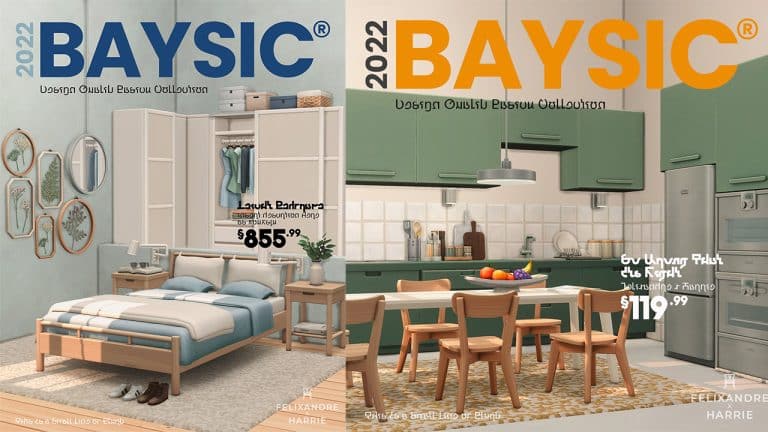
Popular CC creators, heyHarrie and Felixandre have teamed up to give Simmers a huge collection of new furnishings and décor to decorate their homes! The Baysic collection is inspired by “our favourite Swedish furniture store” according to heyHarrie on Twitter, most likely referring to IKEA.

Since the IKEA Home Stuff pack for The Sims 2 was so wildly popular back in its hey day, we think Simmers are going to love this new CC collection with even more items than IKEA Home Stuff and in a more contemporary style than IKEA Home Stuff, which was released 14 years ago in 2008.

You can check out previews of everything included in this CC set in this handy gif preview provided by heyHarrie! There is so much to look at, we actually watched the whole thing a few times over to be sure we got to really admire every piece in this collection!

1

Ya Baysic! 

Felixandre & Hey Harrie are back with yet another collaboration, but this time it is for that simpler life! It’s great to have unique one of a kind pieces in your Sims’ homes, but sometimes it’s the Baysic items that are missing. This set of 91 items aims to solve the problem for the living, dining, kitchen and bedroom.

Kitchen: Two fully fledged kitchens with not only a rainbow of colour swatches, but also special accent counters, appliance units, fridge nooks and colour co-ordinated appliances. Not forgetting the new kitchen prep trolley & clutter pieces to turn your house into a home.

Dining: A set of matching dining tables in 3 sizes along with a matching dining chair and pendant lighting 

Living: Full suite of matching sofa, love seat and armchair, plus your favourite ‘Needs No Introduction’’ accent armchair, along with matching side & coffee table and lighting options for every area of the room

Bedroom: The most requested item has finally been brought to life! The ‘Packs Wardrobe System’ enables you to create a custom built in wardrobe with 3 different cupboard fronts that snap into place and allow you to create an infinite amount of colour combinations to suit your room design perfectly. Of course there is a matching set of double, single and toddler bed frames and comfy bedding

99.9% of the items are Base Game compatible, however the ‘Colour Pop High Oven’ requires DHD to be fully functional. If you don’t own that pack the item will still place in game, but be purely decorative. 

Also make sure to have auto counters turned off when placing built-in appliances, otherwise they disappear when placed. You can always turn auto counters back on once placed 🙂

You can find all of the items in the build/buy catalogue by searching BAYSIC, plus look out for the fun new item names introduced with this set. 

This amazing Maxis Match set is available now to everyone! Click the download button below to add it to your game!

Please note that mods and custom content are for PC/Mac only. Console does not support mods and custom content.

EA is happy how Healthy and Strong The Sims 4 is as a Business

0

EA’s Executive VP and COO Laura Miele is satisfied with The Sims 4. Businesswise.

EA had their Earnings Release Call for Investors for the first Quarter of Fiscal Year 2023.

During Earnings Calls, EA executives and chiefs talk about their current franchises, developments and plans for the future to their investors.

In the latest Earnings Call for Q1 2023, EA’s Andrew Wilson talked a little bit about The Sims and the current demographic of their players:

We continue to see Gen Alpha and Gen Z turning to games as their primary form of entertainment, consuming more content than any generation of the past. They love playing with friends. They stay connected with family. And they’re creating content at every turn, both in and around their entire gaming experience. Whether they play games from our expansive EA SPORTS portfolio to fuel their fandom, enjoy the intensity and competition of Apex Legends or seek adventure in games such as Star Wars Jedi, the next generations of consumers use the power of play to fully immerse and express themselves, to build deeper, more meaningful connections with the communities they identify with and where they feel they belong.

They’re using games like the Sims to unleash their personal and creative autonomy, building characters and new stories with their friends. Delivering games that fuel creativity where players can join, compete and interact with each other through social and immersive experiences is an exciting growth lever for Electronic Art as we continue to expand and diversify our portfolio and build global online communities spanning more geographies. Games are the social networks of the future.

Later on during the Q&A portion of the Earnings Calls one of the callers asked a question about the state of The Sims Franchise:

Question: With regards to the Sims, I think you just had your first expansion pack in about a year, maybe talk about what’s been going on there.

Laura Miele – Electronic Arts Inc. – Executive VP & COO: And for the Sims question, you mentioned, so we — one of my favorite things about the Sims business is how healthy and strong it is. We actually released game packs, content and expansion packs several a year. So we are persistently connected to our players in that community. And we are pretty excited about how strong and the size of this business after about 10 years, we’ve had the Sims 4 brand out.

So this is something that we persistently put content into the player community, and we’ll continue to do that for the years to come.

Uhmmm…yeah.

I don’t even have to add any additional commentary to this. You’ve probably read my countless articles about the recent issues with The Sims 4 already.


What do you think?

Another The Sims 4 Kit has Leaked

0

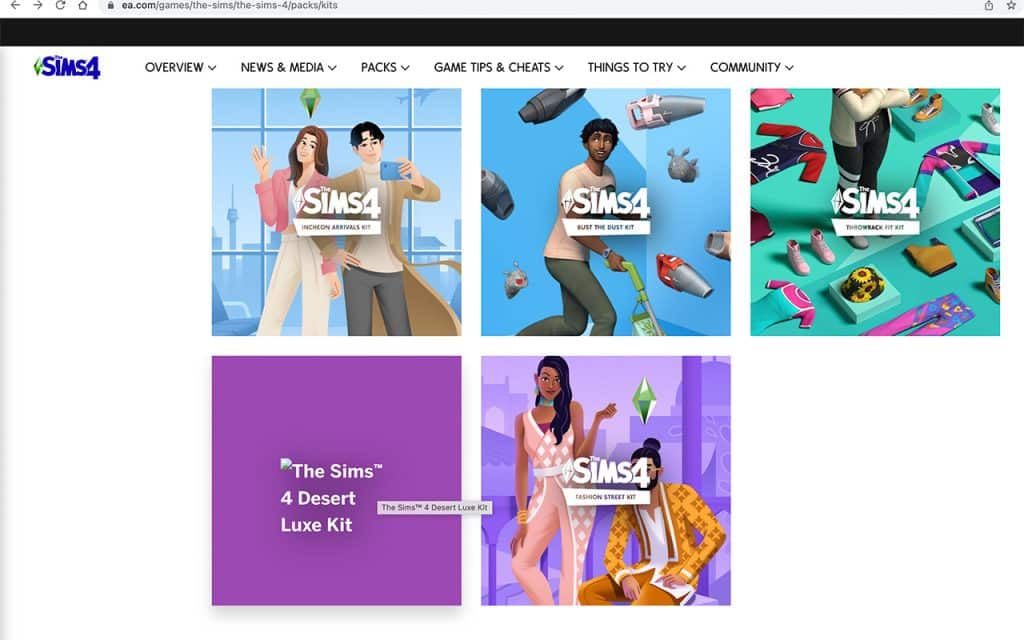
The Sims 4 Desert Luxe is the upcoming Build Kit.

The Sims 4 had a leak slip up a couple of days ago after the recent Patch for the game dropped.

The Main Menu accidentally showcased the Key Art for The Sims 4’s upcoming Create A Sim Kit.

NEWKIT.jpg

The Sims 4’s latest Roadmap has revealed already the plans for Summer 2022. Among the Expansion Pack release and free Base Game Updates that we got (and lots of glitches as well), are also the new Kits. Which are yet to be fully revealed:

Another The Sims 4 Kit has Leaked

Today, EA has accidentally leaked the name of another Kit for The Sims 4:

The Sims 4 Desert Luxe Kit

Another The Sims 4 Kit has Leaked

The Upcoming Build Kit for The Sims 4 will probably release close together with the upcoming CAS Kit, whose Keyart was leaked above!

That’s it. That’s all we know so far. And that it will be released by the end of the month of salt air and the rust on your door.

We’ll keep you posted on all the latest information about The Sims 4 Kits!

Tip: @tangerine1212


What do you think? Join the conversation!

Best Mods For Your The Sims 4 High School Experience!

Some modders have fixed broken features. And some have improved them!

Now that the major bugs in High School Years have been fixed, time for some mods to add to the High School Experience! We’ve collected a list of our favorite mods to both enhance and fix your gameplay! High School Years is required for all these mods.

Gameplay Mods

Fashion Authority by Lot51

Best Mods For Your The Sims 4 High School Experience!

“Been burned too many times by townie fashion? Take control of the threads around your hoods by instituting uniforms! Assign outfits based on Body Frame (Adult/Child), and Fashion Preference (Masculine/Feminine) then restrict by Situation Jobs or Careers, and limit to specific Regions.

Once a Sim has a uniform assigned, anytime they spawn to be assigned to a job (bartender, walkby, student, etc) or a career during work hours, they’ll automatically have their outfit overwritten by your uniform!”

Choose High School Classmates by Rex

Best Mods For Your The Sims 4 High School Experience!

“Tired of everchanging classmates? Use this mod to prevent that!”

Two Prom Royalty Mod by simsmodelsimmer

“I love the prom feature for High School Years, but instead of crowing a Jester, I wanted both winners to be crowned Prom Royalty. This simple mod replaces the Jester with second Prom Royalty. Also, added tweaks to make having high charisma or being part of cheer or football gives higher chance of being crowned prom royalty.”

Clothing Rack- “Just Browsing” Mod by Nando

Best Mods For Your The Sims 4 High School Experience!

“This is a small tuning mod that allows for your Sims to actually browse at the new thrift store clothing racks that came with The Sims 4 High School Years.”

Dress Normal at Thrift Store by NateTheL0ser

“Walk up in the club like what-up, I got badly randomized CC.

No more. Sims now do not have uniforms for their “roles” at the thrift shop. They dress like normal people and not like clowns.”

Form Groups at School by MissyHissy

“I’m enjoying High School Years so far – the pack theme is right up my street and I’m HERE for it. However one thing that bugged me a little was that I couldn’t add Sims to groups in school.

I use the ‘Add To Group’ feature all the time in my gameplay, to encourage groups of friends to sit together at University, to guiding families to the same location at the beach. So to not be able to sit my teen friendship groups together at lunchtime was a bit of a pain.

So I made this little mod to enable the Add To Group interaction while Sims are in school.”

Expanded Trendi Outfit Selection Mod by simodelsimmer

“In The Sims 4 High School Years, the new Trendi Fashion feature was introduced, but only a limited number of CAS pieces can be used when creating a fashion look. This mod expands Trendi to generate a list of all CAS items you own (based on the packs you have installed). IMPORTANT NOTE: The list generates at 6am each day, so after installing the mod you must wait until after 6am either the current or next day for the list to generate with all items. The mod does not yet include CC items (still investigating how to make this work).”

Fixes and Cheats

High School Spawn Fix by Zerbu

“Fixes an issue that prevented player-made teens from spawning at the active high school, and makes it so that the game is equally likely to spawn teens who are assigned to class 1 and class 2. Please note that those two issues are directly related, so it’s not possible (or at least not easy) to fix only one.”

Stop T-Posing Please! by Makarra

“So, with the release of High School Years, I realized I was not a big fan of the T-Pose challenge..thing.

Also, I am support on Sims After Dark, a sims discord server that offers troubleshooting. I saw a lot of people getting this confused with a legit animation error, and I’ve always wanted to try modding, so I figured I could start here!

It should stop all T-posing from NPC’s as that is all I touched in terms of autonomy. However, If you see something out of the ordinary, please come by Sims After Dark and let me know!”

Bug Fix: HSY Hanging Clothes by IlexSims

“While working on a related mod I realized that the High School Years hanging clothes, while marked as dressers, are missing the tuning that would make them actually function. So you click on them and nothing happens.

Best Mods For Your The Sims 4 High School Experience!
Bug Fix: HSY Hanging Clothes by IlexSims

So I figured, hey that’s an easy fix that I can put out! Hopefully this is only a temporary fix until it gets patched but it should do the job for now. And when a real fix comes through I’ll just discontinue this mod.

Requires High School Years of course because if you don’t have it you don’t need to fix the objects that come with it!”

Re-Roll Wants by Lumpinou

“Just a tiny mod to re-roll wants via:

  • a cheat interaction (shift + click your sim with cheats enabled and you’ll see it).
    Pinned wants will not change.

The game re-rolls wants when your Sim wakes up, so, that’s cool, but if you don’t want to wait until then, you can use this interaction.”

Phone Mods

Best Mods For Your The Sims 4 High School Experience!

Phone Animation For Teens Only by MissyHissy

“This mod disables the animation for all age groups other than teens; with this installed, only the teens will use the phone animations when walking.”

Stop Change Phone Color Obsession by LittleMsSam

“This Mod stops Sims from changing their Phone Color each time they travel or a Household gets loaded unless they do indeed have the default Phone Color. I also removed the camera focus code.”

Please Stop Texting While You Walk by dezjii

“Are you tired of your sims texting their friends while they walk? Do you want your sim to be focused on getting from Point A to Point B? Do you hate phones in general?
Well, if you answer yes to any of the questions above then boy do I have the mod for you.

This mod stops your sims from live tweeting, texting, video calling, etc. while they walk. Multitasking is in the past. One track mind is the future.”

Stop the Phone Addiction by camo04

“Are you tired of your sims texting their friends while they walk? Do you want your sim to be focused on getting from Point A to Point B? Do you hate phones in general?
Well, if you answer yes to any of the questions above then boy do I have the mod for you.

This mod stops your sims from live tweeting, texting, video calling, etc. while they walk. Multitasking is in the past. One track mind is the future.”

No Constant Phone by lazarusinashes

“I swore I would mod out the constant phone use the second I saw it on the livestream. Here it is! No Constant Phone disables phone use when routing, chatting, and watching. In other words, it prevents Sims from using their phone when doing the following actions:

Walking, running, anything like that
Chatting with Sims
Watching TV, movies, and the like”

Are there any mods we missed? Tell us in the comments below!

Credit: Screenshots taken in “Copperdale High School” by asislavender on the gallery

All About Joining the Cheer Team in The Sims 4 High School

Everything you need to know about how to become Cheer Captain of your high school!

The Sims 4 High School Years comes with four brand new after-school activities for your teen Sims to join: Cheer Team, Football Team, Chess Team, and Computer Team.

We’re going to be walking you through joining and excelling in the Cheer Team!

Starting Cheer Team

All About Joining the Cheer Team in The Sims 4 High School

To join the Cheer Team, use the phone or a computer to sign up for an after-school activity. Then select Cheer Team from the available choices. Signing up for an after-school activity will be under the Business app on your cell phone, or the new High School category on a computer.

Cheer Team runs from 3:30pm to 5:30pm on Mondays, Wednesdays, and Thursdays. Cheer practice is treated like a rabbithole career but there are plenty of active elements to being on the Cheer Team. Make sure your Sim is at home and not at school when cheer practice starts so they can leave the lot to enter the rabbithole destination.

All About Joining the Cheer Team in The Sims 4 High School

You’ll start out as a new recruit and get a complimentary solo cheer mat in your inventory. You can place the cheer mat anywhere you like on the ground and use it to practice your cheer routines. You’ll have to practice your routines between every practice to advance in this after-school activity. Cheerleading is tied to the Fitness skill. Practicing your cheer routines builds the Fitness skill and Fitness skill is also needed for advancement.

Using the Cheer Mats

There are two types of cheer mats available to purchase from Build/Buy; a small one for solo practices and a large one for group practices. Sims can practice solo on either the small or large mats but you’ll need to have a large mat to practice with more than one Sim.

In order to practice a routine with other Sims, they’ll need to be in a group with your Sim. Click on the Sims you want to practice with and select Actions > Add to Group. Once all the Sims you want to practice with are in the group, click the cheer mat and the option to do a group cheer will become available. If it’s not, unpause the game and wait a few seconds before trying again. Up to 7 Sims can practice together at a time.

All About Joining the Cheer Team in The Sims 4 High School

It’s easiest to get everyone on the mat if all Sims are already close to the mat. We recommend directing the group somewhere close to the mat before trying to do a group cheer; if some of the members have to walk a long distance to get there, the other Sims may start the cheer without them.

How well your Sim does at cheerleading is dependant on their Fitness skill. Sims with high Fitness skill will perform more impressive moves and rarely mess up. Sims at lower Fitness levels may take some pretty nasty wipeouts when they attempt some of the more advanced moves. Seriously, we winced when we saw some of these wipeouts. They’re painful to watch.

All About Joining the Cheer Team in The Sims 4 High School

Cheerleading Levels and Rewards

The Cheer Team has three promotion levels and each level comes with new rewards.

1) Cheerleading Fresh Recruit

  • Description: [Sim Name] is new to cheerleading! There’s a lot of fun in getting started in cheer but as a competitive activity, [Sim Name] will have to put in the effort to keep physical fitness up and practice cheer to make it to the next level.
  • Advancement Tasks:
    • Reach Level 2 Fitness Skill
  • Daily Task:
    • Practice Cheer with a Cheer Mat
  • Rewards:
    • School Spirit Solo Cheer Mat
All About Joining the Cheer Team in The Sims 4 High School
School Spirit Solo Cheer Mat in all swatches

2) Cheerleading Teammate

  • Description: [Sim Name] is getting really good at this and his/her/their moves are starting to be in unison with the rest of the team. Keep on building fitness, practicing cheer skills, and make it to practice and soon enough, [Sim Name] might be eligible for cheer captain.
  • Advancement Tasks:
    • Reach Level 4 Fitness Skill
  • Daily Task:
    • Practice Cheer with a Cheer Mat
  • Rewards:
    • Cheer Team Flag
All About Joining the Cheer Team in The Sims 4 High School
Cheer Team Flag. This item is only available in one swatch.

3) Cheerleading Captain

  • Description: [Sim Name] has risen to the top of the cheerleading pyramid! The team admires the skills and performance, which is very impressive for a busy teen. Go [Sim Name]!
  • Advancement Tasks:
    • N/A
  • Daily Task:
    • Practice Cheer with a Cheer Mat
  • Rewards:
    • All Star Golden Cheer Mat
    • High School Cheerleading Trophy

Cheerleading Team Sports Day

The Cheerleading Team Sports Day event happens in the football field behind the high school every Friday between 5pm-10pm. Since there’s no cheer practice on Fridays, it won’t interfere with the after-school activity.

All About Joining the Cheer Team in The Sims 4 High School

Anyone can attend the event and participate in the cheer competition; you don’t have to be on the Cheer Team.

When you arrive at the school after the event starts, there will be banner archways emitting fireworks, photo backdrops, a vendor, a boombox, three cheer mats, two picnic tables, and a podium. The main activity at this event is the cheer competition but Sims can also take selfies and pose for pictures in front of the backdrops, purchase cheer outfits, school merch, and drinks and snacks, and dance to music.

All About Joining the Cheer Team in The Sims 4 High School

To join the cheer competition, just click on a cheer mat and perform a routine, either solo or with friends in your group. When you’re finished, find the Sim with the Competition Judge role in red above their head. Click them and select Submit Competition Score.

At 9pm, the judge will step up to the podium and announce the winners. You’ll be notified whether you won or not. Winning seems to be random since our Sim with level 10 Fitness who pulled off a perfect routine didn’t win.

The Sims 4 High School Years: Simfluencer Career Guide

Simfluencer? I hardly even know her!

The Sims 4 High School Years comes with two new part-time careers; Simfluencer and Video Game Streamer. Since the work hours don’t conflict with school or after-school activities, teens can hold down one of these part-time careers and attend class and after-school activities at the same time.

We’re going to break down the Simfluencer career for you!

The Sims 4 High School Years: Simfluencer Career Guide

The Simfluencer career is tied to the new Entrepreneur skill and the Trendi fashion marketplace. You’ll have to build the Entrepreneur skill to gain promotions and you’ll often get work tasks related to creating, promoting, and selling outfits on Trendi.

Sims can choose between two sets of work hours; 5:30am-7:30am or 9pm-11pm.

1. Nano-Simfluencer

  • Pay: $36/hour
  • Days Off: Sunday & Wednesday
  • Promotion Requirements:
    • Reach Level 2 Entrepreneur Skill
    • Reach Level 2 Charisma Skill

2. Macro-Simfluencer

  • Pay: $55/hour
  • Promotion Bonus: $500
  • Days Off: Sunday & Wednesday
  • Promotion Requirements:
    • Reach Level 4 Entrepreneur Skill
    • Reach Level 4 Charisma Skill

3. Mega-Simfluencer

  • Pay: $74/hour
  • Promotion Bonus: $900
  • Promotion Rewards: Receive Commercial Gift
  • Days Off: Sunday & Wednesday

Daily Tasks

Like other work-from-home careers, your daily work tasks change day-to-day but here’s an example of some of the things you’ll be asked to do as a Simfluencer.

  • Update Online Bio with Business Headshot
  • Make a Business Plan
  • Make Lifestyle Product Review and Upload
  • Cross Promote at Venue
  • Get a Lot of Extra Funding

Rewards & Other Perks

The Sims 4 High School Years: Simfluencer Career Guide

There are no reward objects for this career but you may occasionally receive corporate gifts in the mail once you reach level 3.

The Sims 4 High School Years: Simfluencer Career Guide

You’ll also have some extra options on the computer and phone, such as Advertise Side Hustle online and Check Side Hustle Followers.