The Mosquito Stuff Pack is very handy for your gardening needs!
Creating Greenhouses in The Sims 4 can often be a challenge. The game lets you have plants indoors and protect them from the weather if you have The Sims 4 Seasons installed. However, finding a perfect solution to build one from scratch and make it look decent in game can be exhausting.
We did an extensive guide a few months ago on Building Greenhouses in The Sims 4 and their benefits for your plants. But, what if you wanted to build one that’s almost identical to most greenhouses that you see in real life?
Surprisingly, that’s where The Sims 4 Moschino Stuff Pack comes in handy!
James Turner came up with a brilliant solution in his Cottage Living let’s play where he created a Greenhouse using nothing but the Base Game Glass Roof and Moschino Windows.
Sims player letsbuildhouses’ latest IG post reminded me to open up my game and try out James’ method for myself. Here’s how you can create your Mosquito Greenhouse!
Building a Mosquito Greenhouse
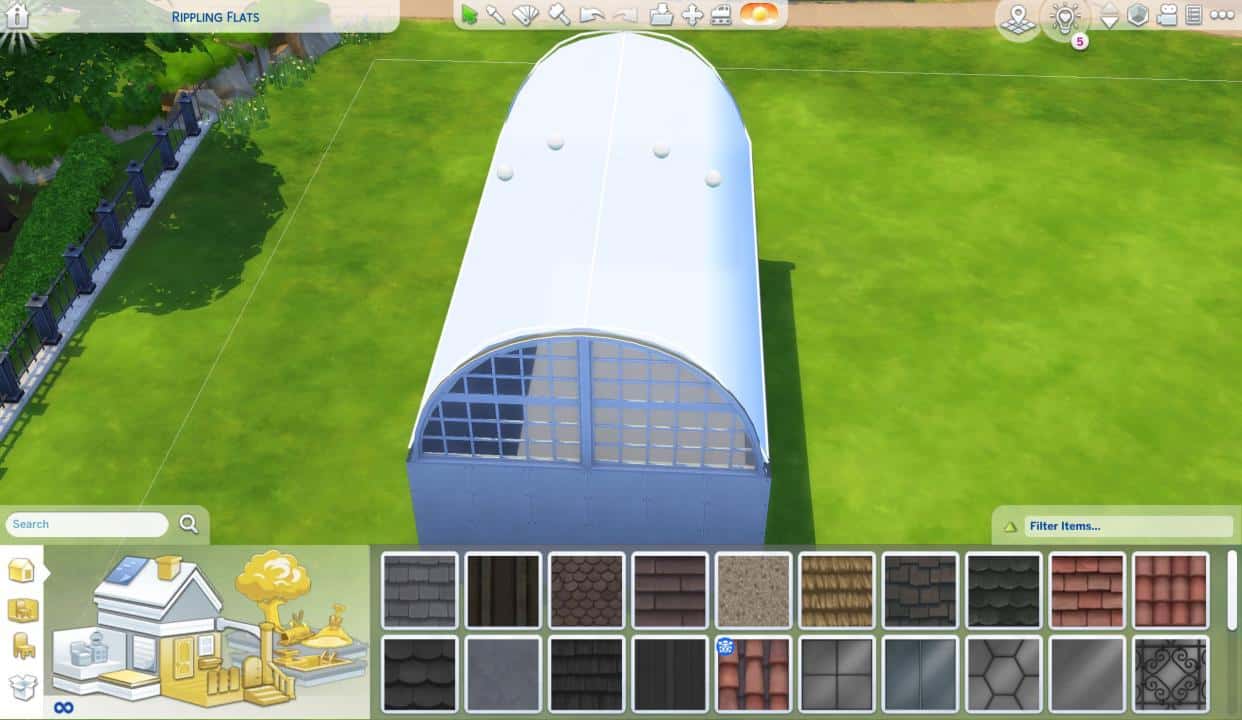
First, place down the roof on top of an empty square room that you’ve built. Make sure the roof spans out exact to each end of the room!
Click on the roof and max out the curvature point using the two circle manipulation points on the roof.
Make sure that your roof trims are all clean and tidy. Select the end of the roof on each side and have it fit to the wall sides. Make sure the roof also doesn’t bleed out on the edges!
Add a Glass Roof of your liking. The striped one that James used in his let’s play is the most logical one that goes best with the Moschino Stuff windows.
It’s time to add the Lofty Arched Window! You can place it down on both sides of the Greenhouse for each rounded corner. You can only do this properly if you have the bb.moveobjects on cheat enabled!
You’ll then notice that there are probably some corner imperfections around the Arched Window. Reside the Roof until all the corners have been properly adjusted!
The last corner imperfection is very subtle. But you can also fix that by fixing the roundess and making the roof just a bit more pointy on the top (with the circle manipulation point on the far left/right).
Voila! All that’s left is to place down the Moschino Doors and Windows.
With Windows you can choose between the open, Breezy Loft Window or Closed Loft Window. You can mix and match the windows to your liking so that the Greenhouse has more of an open, airy approach to it.
Last but not least – add in the Luxury Loft Sliding Door to wherever you prefer:
And there you have it – the Mosquito Greenhouse is yours to populate with plants and decorate with gardening tools indoors. If you want you can add a Grass Patch across the Greenhouse so it doesn’t stick out too much.
Will you be using the Mosquito approach for your next Greenhouse build? Let us know in the comments below!
The Sims Team has just dropped a brand new delivery into The Sims 4 Base Game!
The latest Sims Delivery features new items for Masculine and Feminine Sims in Create A Sim. This includes new Tattoos, a brand new Base Game hairstyle for Sims of both fashion preferences, and Durags and Bonnets for Children! You can see it all in the breakdown below.
Through Sims Delivery Express you are able to download new Create A Sim Content, Build Mode Content and small bug fixes and improvements into your game straight through The Sims 4. Simply open up The Sims 4 and your game should automatically check for new content.
If not, go into Game Options > Sims Delivery and Check for new Content. This method of bringing new content into your game works both on PC and Consoles! Note that you will have to restart your game in order to obtain new content. You can select “Yes, Restart Now” for the game to restart automatically for you.
Sims Delivery Express – March 24th, 2022 Content
New Tattoos
The Sims Team has collaborated with real life tattoo artists to bring new Tattoos in-game. Check them out!
Hairstyle Addition
There’s a new sponge curl unisex hairstyle for your Sims! Check it out below:
Hairstyle Conversion
The Hairstyle from The Sims 4 Seasons has been converted and made available in Base Game – for Toddlers!
Durags and Bonnets for Children
Children can now also wear Durags and Bonnets created by the CC creator ComplexSims – available now for everyone who has The Sims 4!
Durags, Bonnets and Robes for Toddlers
Toddlers got the love too! Check out the in-game previews below:
Robe Updates
The new Masculine and Feminine Robes from ComplexSims are now available for Children too!
Oh, the ones for Adult Sims have also been updated with proper Masculine and Feminine Tags, making the robes properly appear in Create A Sim again.
New Scenario
There’s a new limited-time Scenario in The Sims 4 – Inspirational Mentor!
Check out what it’s all about:
New Brazilian Artwork
The Imagined Landscape is a new Artwork piece done by the Brazilian art team Lano.
Last week The Sims Team has surprised everyone with a huge update for The Sims 4. Although everyone had expectations that the upcoming Patch would only prepare the game for the upcoming Decor to the Max Kit, the team included a huge update for the Neighborhood Stories feature.
As you see in the screenshot above, the new feature allows for the player to control what goes on in their neighborhood while they’re playing an Active Household. Well, at least control certain life aspects within The Sims 4.
It’s only been a few days since players have been able to play with the new features but I have to admit – the feature has already gone off the rails for many of the save games where this feature has been enabled.
Reddit user Tomdaninja has reported that one of the Sims in their saves has died after cereal randomly self-combusted.
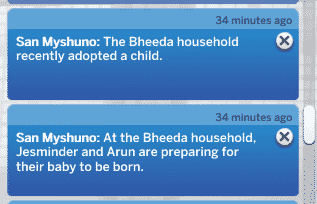
YouTuber and content creator @onlyabidoang reports a huge surge of new babies for the Bheeda Household in their save game.
The baby fever in The Sims 4 doesn’t just stop there. Player @ShannonP1120 reports a HUGE surge of adopted babies in several of their Households in their save game.
I know I was excited for the whole neighborhood progression thing but ummm is the neighborhood progressing a little too much 😭 what is going awnnnnn why does this man have SEVEN children 😭😭😭 pic.twitter.com/BOoilUuG0g
Probably one of the funniest scenarios that I came across in regards to The Sims 4 Neighborhood Stories is from Reddit user bluevanillatea.
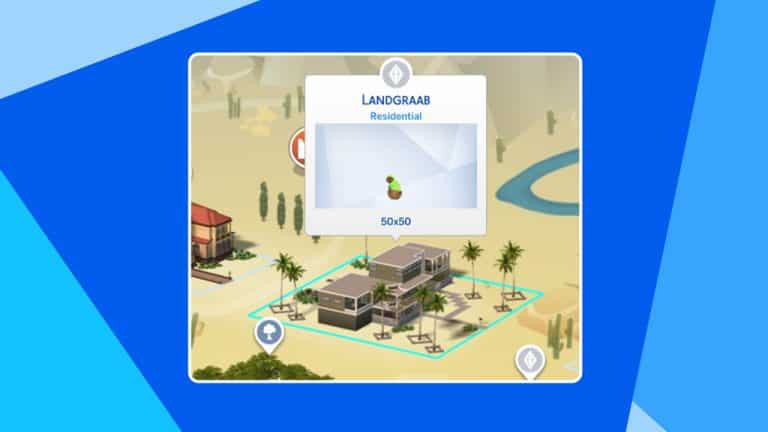
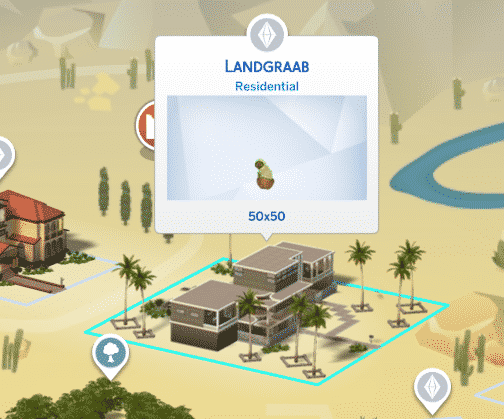
They’ve shared a scenario that happened in their game where “the story progression update has caused the landgraab household to now solely consist of 1 cat in a mansion”.
To make things more funnier, the Cat is just sitting there in its green hoodie looking around at the camera like they robbed the place.
The OP later explained how this scenario came to be:
Apparently Nancy died and then Geoffrey moved to Sulani in order to cope with her tragic death
Woah.
Besides the fact that the Neighborhood Stories Features definitely needs some tuning in the babies and adoption area, the chaos that this feature allows is definitely something I want to see more of.
What are your experiences with the Neighborhood Stories? Let us know in the comments below!
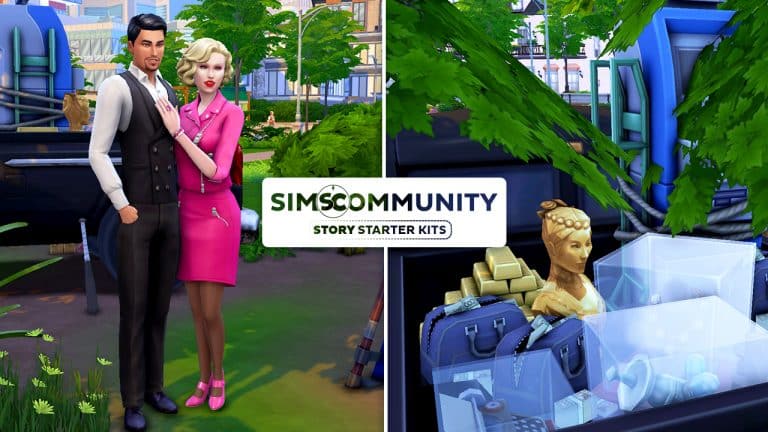
Welcome to our sixth entry in our Story Starter Kits series! If you missed all the info on Story Starter Kits, you can read more about what they are and how they work in our introductory article!
This month, we’re bringing you a couple of outlaws in love but will their epic tale of romance and theft end in betrayal? Well, that’s up to you!
Partners in Crime
When Alberto met Betty, she was just a small town waitress at a roadside diner, dreaming of having the kind of life she saw in classic Hollywood films. Alberto was handsome and charming and after a few weeks of coming to the diner every day to flirt with her, he managed to convince her to run away with him, promising her the adventure of a lifetime and all the riches any girl like her could ever want. She would be his queen.
What Betty didn’t know at the time was that Alberto was a career criminal and wanted by the police for armed robbery. The adventure he had promised her? Running from the cops. The riches? Stolen from banks, museums, and jewellery stores. It wasn’t what she had in mind when she was told she’d be his queen but what was the alternative? Going back to that dead-end job in that dead-end town, dreaming of a life she almost had once but let slip through her fingers? No way. So Betty embraced her new life of crime and started helping Alberto pull off some of his biggest heists. Now they were both wanted criminals. He had the muscle and the experience, she had the feminine charm. Between the two of them, they could get in anywhere. They were unstoppable.
But Betty’s gotten tired of Alberto’s promises, lately. He keeps promising her “just one more heist” and then they’ll settle down far away in a different country where no one recognises them in a big mansion with enough riches to never have to rob again. They can live cushy the rest of their lives. That was a dozen heists ago. Betty’s tired of living in their pickup truck and cheap motels. She was promised a life of luxury but what good is all the fancy clothes and jewels she has if she can’t walk down the street flaunting them? It’s not enough to just be his queen. She wants to be queen of the whole world!
They’re sitting on a large amount of cash in duffel bags and gold bars from their recent bank robbery. Alberto trusts her with the keys to the pickup truck where all their stolen valuables are. What if she just… drove away with all of it? What could he really do about it with no money and no car in the middle of nowhere?
Perhaps it’s time to stop waiting to be given her crown and just take it for herself.
TS4 x64 2022 03 23 14 21 00
TS4 x64 2022 03 23 14 21 40
TS4 x64 2022 03 23 14 22 09
TS4 x64 2022 03 23 14 22 41
TS4 x64 2022 03 23 14 23 26
TS4 x64 2022 03 23 14 24 11
TS4 x64 2022 03 23 14 24 55
TS4 x64 2022 03 23 14 25 29
Other Info:
Betty Coy
Age: Young Adult
Traits: Romantic, Non-Committal, Materialistic, Business Savvy
Aspiration: Mansion Baron
Likes: Pink, Romance Music, Mischief
Dislikes: Orange, Blues Music, Cooking
Skills: Mischief (5), Charisma (4)
Career: Criminal (5)
Relationships: Alberto Rossi – Boyfriend
Packs Used: Moschino Stuff, Bowling Night Stuff, Vintage Glamour Stuff
Packs Used: Moschino Stuff, Bowling Night Stuff, Vintage Glamour Stuff
Household Notes:
Betty and Alberto are intended to be dating but unfortunately, the Gallery does not preserve non-family relationships. If you’d like to immediately set Betty and Alberto up as a couple, you can use the following cheat. After using the cheat, have either Betty or Alberto ask the other to be boyfriend/girlfriend.
modifyrelationship Betty Coy Alberto Rossi +60 LTR_Romance_Main
The Hideaway
TS4 x64 2022 03 23 14 29 58
TS4 x64 2022 03 23 14 30 19
TS4 x64 2022 03 23 14 30 42
TS4 x64 2022 03 23 14 30 52
TS4 x64 2022 03 23 14 31 05
TS4 x64 2022 03 23 14 31 37
TS4 x64 2022 03 23 14 31 49
From the street, this place just looks like an overgrown vacant lot but past the trees lies the secret hideout of infamous criminal masterminds, Betty Coy and Alberto Rossi. These partners in crime stay one step ahead of the police by always being on the move but they’ve temporarily settled here while they take inventory of all their latest spoils and figure out how to sell it all discreetly. The thick foliage and heavy tree cover hides their pickup truck full of stolen valuables well.
Lot Info:
Lot Type: Residential
Price: §15,685
Size: 20×15
Beds: 1
Baths: 1
Lot Traits: N/A
Packs Used: Outdoor Retreat
Your Story Starter Kit is waiting for you! Get The Household and The Lot by downloading them from the official Gallery Website linked on the buttons below. Or, follow SnarkyWitch in the Gallery and look for Partners in Crime and The Hideaway!
The Random Texts and Calls Mod adds more challenging (and wholesome) text notifications and prompts for your Sims!
Are your Sims tired of constantly being reminded by townies to take a trip down to Batuu? Or just feel like the notifications from your Phone deserve a big refresher?
Modder kuttoehas stepped in with a brilliant solution that adds both wholesome and challenging text notifications to your phone.
As described by the modder, the mod comes with a whole lto of new text messages and phone calls that your Sims will receive from NPCs and Sims they’ve met. The Mod functions in an intelligent way, meaning that depending on the Traits of the townies that call you there are going to be different scenarios prompted to the Sim who receives the notification.
Check out the Mod summary and what it does:
Mod Description
This mod adds a plethora of random text messages and phone calls from NPCs to make your Sims’ relationships with others feel more alive. You can expect phone calls from your Sims’ parents, friends, and lovers as well as an assortment of strangers. Some of them are funny, others are wholesome, and some are just designed to torment your Sims (just like phone calls in real life!). The traits your Townies have will also affect what kind of phone calls you will receive and what Sims will want to talk about. The traits your active Sims have will also affect how they react to these calls; Outgoing and Cheerful Sims will love hearing from their friends, but don’t expect a Loner Sim to ever really be enthused about an unsolicited phone call, and your Unflirty Sims might not be keen on a sappy late night text from their SO.
Texts and Calls
There are many different types of text messages and phone calls you can expect to get during normal play. The ones available to you depend on who your Sim knows, who they’re friends with, and who is around in the world. Here are a few samples:
If your Sim had a good relationship with their parents growing up, they may call to check in on your Sim or give them some money.
Bros will call their friends to talk about recent happenings in sports.
Geeks will call their friends to talk about new video games and TV series.
Erratic Sims will call their friends to talk about weird things they saw.
Self-Absorbed Sims will call just about anyone they know to talk about themselves.
Criminals in your world may call you to scam you out of your money.
… and more!
Responses
Not every Sim will react to these calls in the same way. How they feel about the call will depend on their personality traits, too. Loner Sims are unlikely to ever be enthused about receiving an unsolicited phone call, and they might become Angry after a barrage of texts from a Self-Absorbed Sim, but Outgoing Sims will reap the benefits of constant social interaction. Squeamish Sims might have a more severe reaction to hearing about the gross escapades of a Slob Sim. Paranoid Sims can overreact to being asked to support a local political campaign. Oblivious Sims may not be able to resist the obvious scam. There are lots of possibilities!
Twitter user @Acidlure helped us to discover this Mod through their funny and interesting screenshots of what just some of the Text Prompts and Phone Calls look like.
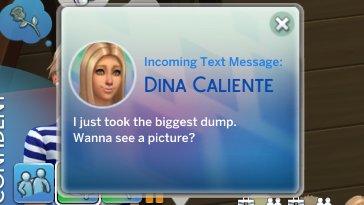
For example, Dina Caliente letting them know that they just finished their massive #2:
This Mod is out to public right now and already available in several translations contributed by the community. Those include English, Russian, French, Italian, German, Simplified Chinese, Traditional Chinese, Portugese and Spanish.
Ready to make The Sims 4 unhinged? Click the download button below to get the Mod!
To install the Mod simply extract the contents of the .zip file to Electronic Arts > The Sims 4 > Mods folder. Oh, and also by ensuring that Mods and CC are enabled in your game options.
SimGurus, developers working on The Sims 4 have been very active recently on Twitter.
Tweeting a whole lot of something.
Something as in [REDACTED].
Truth be told, nothing has been shared as of yet. No information. No Screens. Not even a subtle hint regarding what the tweets are about. However, it seems that The Sims 4 Developers are all super proud on what they’re working on.
See it yourself:
It’s Monday and I’ve got to write some funny object text this week. Then some time playtesting the new [REDACTED] feature.
pssst…. this is the first [redacted] I’m *fully* working on btw 🙂 and I can’t wait to share everything with you all!!! (when the time is right, of course) https://t.co/OtXklVVq0X
Happy Monday 🙂 I just wanted to share it feels great to wake up excited to work on the project Im working on at the moment 🙂 no tease but I’m excited 🙂
I am never going to artistically recover from this…
I’m sure most of us have seen the docuseries that gripped the world at the start of the pandemic lockdowns; Tiger King. For those unfamiliar with it, it’s a documentary that centres around an eccentric zoo owner by the name of Joe Exotic and his long-running feud with animal activist, Carole Baskin. It’s actually much crazier than that but… well, just go check it out if you haven’t already. You have to see it to believe it.
When we got our first glimpse into the new Décor to the Max kit, my eyes immediately locked onto all the tiger and animal print absolutely everywhere. Being a little… obsessed with the whole Joe Exotic saga (I’ve seen far more documentaries and have read a lot more books on the subject than I care to admit), I knew immediately what I’d be doing with the kit as soon as I got it. A tiger king needs a tiger palace and a palace for a tiger king needs the gaudiest royal bedchamber that too much money can buy!
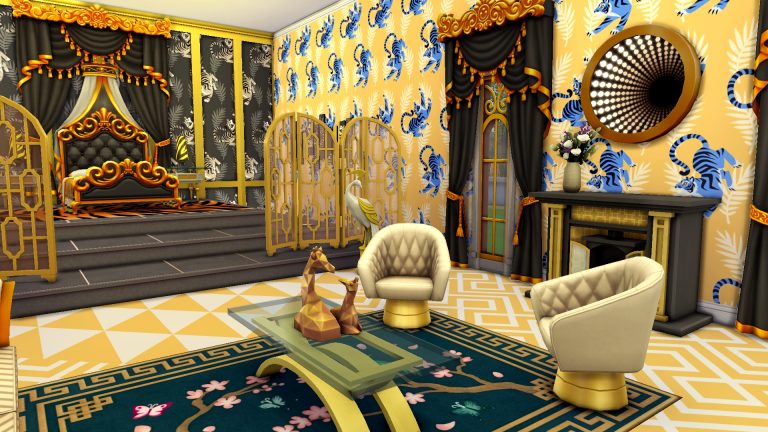
Behold! The royal bedchamber of the (in)famous Tiger King! Or at least how I imagine Joe would design his palace if he had one.
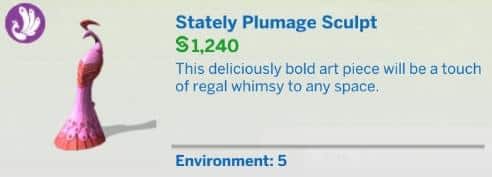
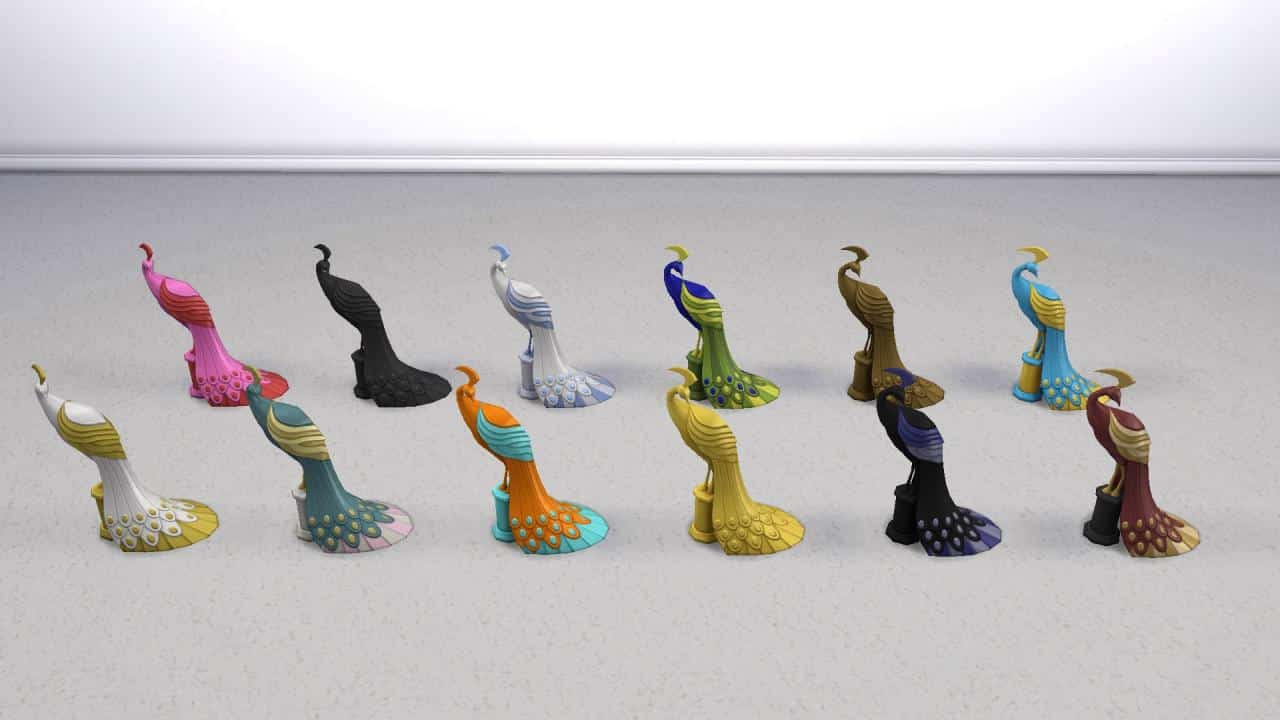
What’s more over-the-top than black and gold everything, right? So that’s the colour scheme of this very busy bedroom. Peacock statues guard the platform steps leading up to the tiger king’s bed with tiger stripe bedding and matching nightstand lamps. Behind the bed is an elaborate curtain with tiger print wallpaper and some of the new modular wainscoting.
A seating area sits next to a fireplace with an infinity mirror above it and grand windows bring in natural light. Tassel lamps in the corner add a delightfully tasteless touch to the room and the busy patterned flooring is broken up with a rug that by all means shouldn’t belong in the space but somehow, it does.
TS4 x64 2022 03 22 20 56 48
TS4 x64 2022 03 22 20 57 12
TS4 x64 2022 03 22 20 57 24
The clash of so many colours and patterns all fighting to be noticed first is the most perfect example of trying so hard to look expensive that it ends up looking cheap which, I think, would be Joe’s style. It seems to fit the rest of his whole persona. In an alternate universe where Joe Exotic was as wealthy as he was famous and living like the king he believes he is, I could see him taking off his cape and crown at the end of a long day and turning in for the night in this room, dreaming of riding tigers into battles… or whatever a tiger king dreams about, I guess. Perhaps locking Carole Baskin in the dungeon or something.
If, for some inconceivable reason, you absolutely have to have this room in your game, it is in the Gallery. Yes, you too can be the Tiger King! Click the download link below or search for I Am The Tiger King under the ID SnarkyWitch in the Gallery. This build only uses Get Famous and Décor to the Max and has no CC.
Every object and every preset included with Décor to the Max!
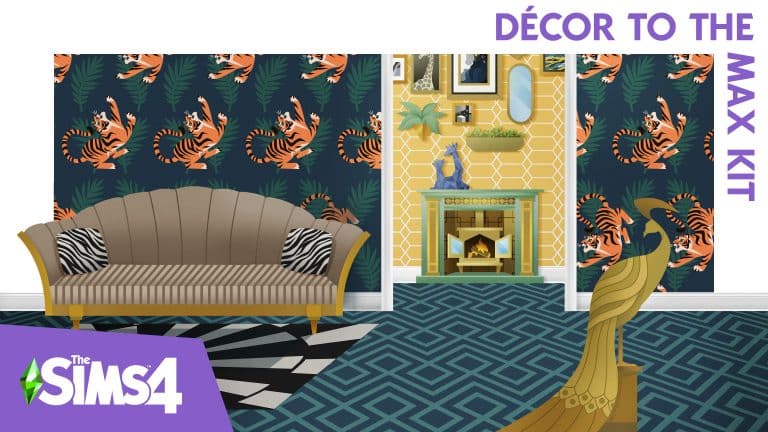
The Sims 4 Décor to the Max Kit contains 23 new items in a maximalist style to decorate grand, over-the-top rooms. The kit comes with 3 wallpapers, 2 flooring types, and new modular wainscoting that can be applied individually to any wall, as well as a variety of other décor and furnishings in loud, colourful patterns.
We love to showcase amazing creators in our community and today, we’re bringing you an amazing collaboration between simcelebrity00 and miikocc! They have teamed up to create a wedding dress and hair collection that, frankly, puts all the Western wedding dresses from My Wedding Stories to shame.
This collection is currently in early access but will be available for free to the public on March 21st, 2022. Click the buttons below to download the set!
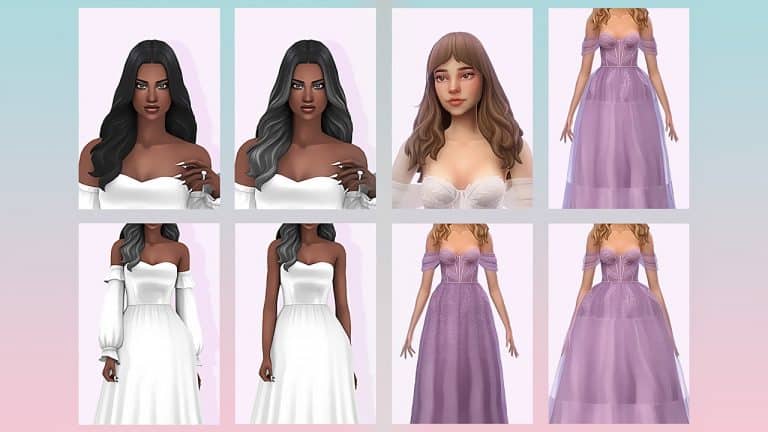
The full collection comes with three hairstyles and five different styles of wedding dresses, all with 20+ swatches each! In total, there are eight items in the full collection.
simcelebrity00’s Creations
miikocc’s Creations
We’re so impressed with the detail in all of these gorgeous dresses and hairstyles! Normally, we try to point out a few of our favourite pieces in collections like these but that might just be impossible with this set because they are all so amazing! Huge points to both creators for making such detailed CAS pieces look so flawlessly Maxis Match, too! We seriously can’t stop staring at this whole set in awe and wonder.
The detached sleeves on simcelebrity00’s dress takes us back to the Renaissance and we don’t want to leave anytime soon! And the delicate fern and hanging vines designs on miikocc’s dresses make us feel like we’re being whisked away to a magical fantasy world. We can definitely see either hairstyle pair beautifully with any of the dresses as well for a breezy, whimsical, boho wedding look.
We are eagerly anticipating the public release of this beautiful wedding collection. We are already daydreaming about all the breathtaking bridal looks we’ll be able to put together using these stunning pieces. The My Wedding Stories game pack was a bitter disappointment but talented creators like simcelebrity00 and miikocc really make The Sims 4 the enjoyable experience that it was meant to be.
Both The Sims 3 and The Sims 4 games are on sale right now – check out the hot deals!
Electronic Arts has just published their latest Publisher Sale where you can save big on their titles.
The Publisher Sale spans out across both PC, Xbox and Playstation Platforms. For The Sims 4 you have sales on titles across platforms, while for The Sims 3 games you can save up on Origin and Steam – both PC/Mac only.
Wondering what titles are included in this sale? Let’s break it down platform by platform, game by game!
The Sims 4 Games – PC and Mac (Origin & Steam)
The Sims 4 Base Game – 88% off
The Sims 4 Expansion Packs – 50% off
The Sims 4 Game Packs – 30% off (My Wedding Stories excluded)
The Sims 4 Stuff Packs – 30% off
The Sims 4 Origin and Steam Pre-Made Bundles – from 20% to 75% off
The Sims 4 Games – Playstation Store
The Sims 4 Base Game – 88% off
The Sims 4 Expansion Packs – 50% off
The Sims 4 Game Packs – 30% off (My Wedding Stories excluded)
The Sims 4 Stuff Packs – 30% off
The Sims 4 Games – Microsoft Store
The Sims 4 Base Game – 88% off
The Sims 4 Expansion Packs – 50% off
The Sims 4 Game Packs – 30% off (My Wedding Stories excluded)
The Sims 4 Stuff Packs – 30% off
The Sims 3 Games – Origin
The Sims 3 Starter Pack – 50% off
The Sims 3 Expansion Packs – 50% off
The Sims 3 Stuff Packs – 50% off
The Sims 3 Worlds – 50% off (Roaring Heights excluded)
The Sims 3 Games – Steam
The Sims 3 Expansion & Stuff Packs Super Collection – 82% off (only $66.50)
The Sims 3 Base Game – 50% off
The Sims 3 Expansion Packs – 50% off
The Sims 3 Stuff Packs – 50% off
Want to learn how to purchase The Sims 3 Packs Collection and have it in your Origin Game Library? Click here!
The sale is active right now and will last across platforms until March 31st, 2022 at 10AM Pacific Time.
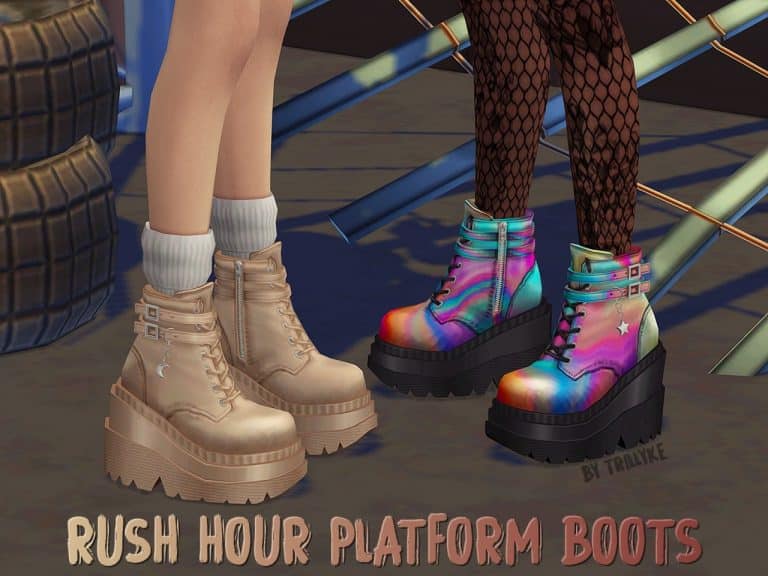
The Base Game compatible boots come in twenty different swatches and also work with custom sliders.
Take a look at all twenty swatches below!
You may also notice the small star and moon accessory that come as part of the Rush Hour Platform Shoes, this can be found in the Rings section of Create A Sim.
Trillyke’s Rush Hour Platform Shoes are available now to download! Click the button below for more information and to download the Rush Hour Platform Boots!
[mks_button size=”large” title=”Click Here to Download” style=”squared” url=”https://trillyke.tumblr.com/post/677877123274391552/rush-hour-platform-boots-i-am-happy-to-share-my” target=”_blank” bg_color=”#4e62ac” txt_color=”#FFFFFF” icon=”” icon_type=”” nofollow=”0″]
Be sure to check out more of Trillyke’s Custom Content Creations here!
We tried to turn our troubled teen into a well-adjusted individual. Key word being “tried.”
Look what we have here. Another scenario playthrough! When there’s new scenarios, Sims Community is there to check them out with a playthrough! Today’s scenario? Troublemaker! This seemed like a really promising scenario and we were having a lot of fun with it… until it glitched out on us. Again. Yeah. We’re getting tired of this, too.
Anyway, here’s how our Troublemaker scenario went until we ran into trouble finishing it…
Getting Started
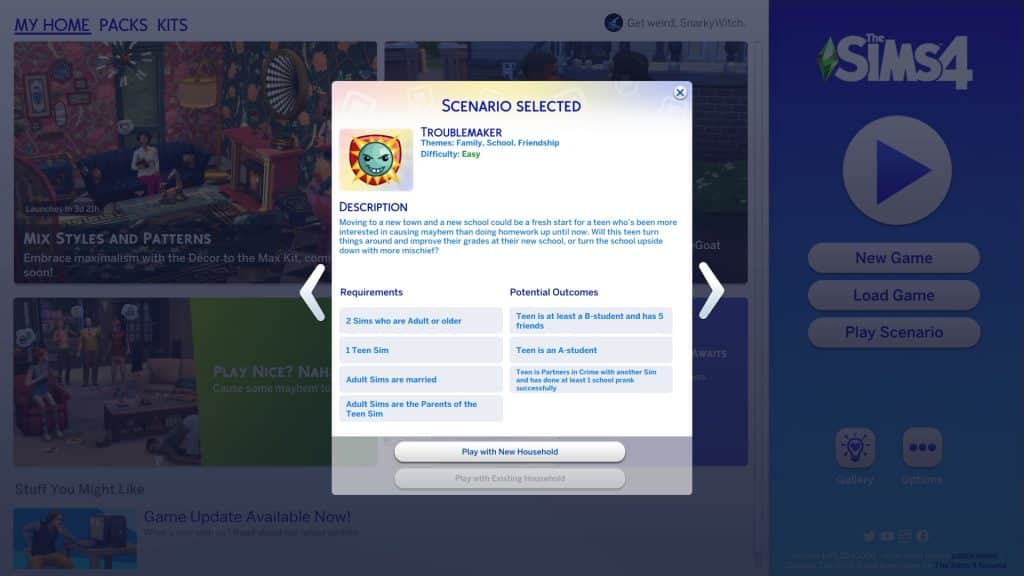
You’ll notice the scenarios have gotten a bit of a revamp. Along with lots more new scenarios, there are now difficulty ratings on each scenario to give you an idea of the time and effort it will take players to complete them. The Troublemaker scenario is listed as an Easy scenario. Well, it probably would have been if we’d been able to finish it but we’re getting ahead of ourselves.
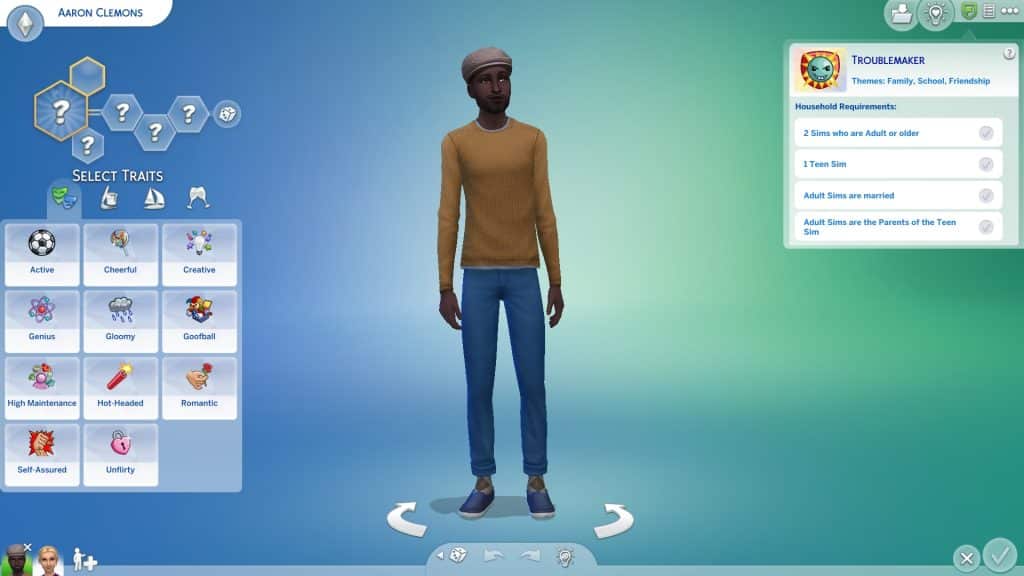
The scenario description states that your teen Sim has recently moved to a new school after getting into too much trouble at their old school. Will this fresh start be an opportunity for them to turn things around or will they just get up to their old tricks again? You need a household with two Adult Sims who are married to each other and a Teen Sim who is the child of the Adult Sims. There are three ways to complete the scenario. Your troublemaking teen can become an A student, become partners in crime with someone and pull off a successful school prank, or they can find a healthy balance between fun and success by becoming a B student with 5 friends.
We randomised some Sims and spent a short amount of time customising them in CAS before moving them to the Arts District of San Myshuno. We thought the big city would be the perfect place for a teenager to get up to mischief.
Off To A Rocky Start
Right away when we started the scenario, both our teen’s parents were at level 4 of the writer career with some relevant skills. Our troubled teen, Shayne, started off as an F student with some Mischief skill. He also disliked both his parents and had the Festering Grudge sentiment towards both of them. Yikes! Looks like we had our work cut out for us! Even though it would have been entertaining to have our teen pull a prank at school with a partner in crime, we thought having to balance grades with friends would be a bigger challenge in terms of gameplay so we went that route. Or attempted to, anyway.
Shayne had a rough start trying to get his life back on track. He was often too tense to do homework due to his parents always being around. Whenever they tried to help or encourage him, it just made things worse. He could only do his homework after his parents went to bed which meant he had to stay up late every night to get it all done. That meant he’d wake up tired for school with no energy left in the evenings to do his homework.
To make matters worse, he was having horrible luck at school. Nothing he chose in the chance card pop ups seemed to be the right option and he’d be punished with detention and lose all the school performance he’d worked so hard to raise back up. This scenario was turning out to be more challenging than the Easy rating it was given in the main menu.
Oh and he was attacked in his sleep by a vampire. So there’s that.
Things Start Looking Up
But just when we were about to give up on a redemption arc and just have Shayne become a professional class clown, he met some friends his own age around the city! Namely, Luna Villareal and Cassandra Goth! Both good students from prestigious, wealthy families. Maybe Shayne’s new friends would be a good influence on him and encourage him to stick with his efforts after all.
The girls started coming over to his apartment to help him with school projects. Having people around that he actually liked and had positive sentiments with really lifted Shayne’s mood! Because he wasn’t so tense all the time, he was able to get his homework done earlier which meant he had more time to sleep at night. He could go to school well-rested and have enough energy to work on homework and projects after school with Luna and Cassandra. It wasn’t long before Kyoshi Ito, another wealthy and well-rounded teenager, joined their little clique, too.
TS4 x64 2022 03 17 17 21 01
TS4 x64 2022 03 17 18 03 33
Word must have spread around school about Shayne’s new reputation he was building for himself because the Paragons reached out to him to offer him a place in their club! We’re sure Luna probably had something to do with this, seeing as she’s also in the Paragons. Shayne figured joining such an elite club would be good for the new image he was trying to create for himself and accepted the offer. He went from being the bad boy in school to hanging out with all the preppy kids he used to make fun of, all because he happened to say hi to a girl named Luna one day. Life was funny, wasn’t it?
It wasn’t hard for him to fit in with his new group of friends. All the Paragons did was hang out at the public pool, drinking coffee, trying on clothes, and picking fights with the Renegades. Y’know, the type of people Shayne used to hang out with back at his old school. Ironically, swimming was not one of their club activities even though their club hangout was at a pool. Swimming is like, sooo pedestrian.
It turned out that the Paragons had another well-off teenager in it named Sofia Bjergsen and Shayne ended up making friends with another girl named Greta Laurent. By the weekend, Shayne had managed to hoist himself up from an F to a C in school and he had four friends; Luna, Cassandra, Kyoshi, and Greta. All he needed to do was go up one more grade level and get to know Sofia more and we’d have a finished scenario!
Game Over?!
Or… not?! When we went to Manage Worlds to place down a fun hangout spot for our group of teenagers, we were greeted with this depressing popup when we returned to Shayne’s household.
Game over?! What do you mean, Game Over?! We were SO close to finishing what was (up until now) a really fun scenario we were getting invested in! What the heck happened?! Weren’t these scenarios supposed to have been cleaned up and fixed so this kind of stuff didn’t keep happening? Guess not…
Our Thoughts
Well there’s not much to say here, is there? We would have recommended this scenario to players if we’d been able to finish it. Until we got a Game Over for absolutely no good reason, we were having a lot of fun and were becoming very invested in Shayne’s story.
But we couldn’t finish it so we can’t recommend this one. Pass.
Maxis is growing rapidly – and now they have a new design and message to show it!
Maxis – the game development Studio behind all of the big simulation games including The Sims, SimCity, Spore and other Sim-related titles now has an entirely new look!
In case you’re not familiar with the original logo, it features the Maxis font with the planet revolving around it.
The original Maxis logo only had a few minor changes to the font after 2012, but essentially the main essence of it remained the same. To make things more interesting, the Maxis logo change happened shortly before the announcement of SimCity (2013).
Since 1987 the Maxis Logo had the most drastic change to date. Check out the first look:
The teaser of the new branding was hinted first in The Sims 4 a few months ago after one of the updates changed the design of The Sims 4’s Gallery:
The change and rebranding of the Maxis logo came with an entirely new site design (and message) for the Maxis Studio. Now, the Maxis Studio proudly boasts different offices around the world. As we reported before, Maxis has opened up video game studios across the world. Maxis is now a video game development studio located in:
Redwood City, California
Austin, Texas
Kitchner, Ontario
Across United States and Europe
In the rebranding of Maxis the game development studio now has an entirely new video spotlighting the studio and what they do. Check it out:
Interestingly enough, the Maxis website is now encouraging, now more than ever, new people to join their team. The biggest emphasis on this recruitment is that the team is “leveraging next-gen technology to build their future”.
As we reported already, Maxis is now able to work on multiple projects as they’ve started recruiting more people. As of now we have information that they are working on the following:
Coincidentally, the image below features two key colors of Maxis. Green, which is significant for The Sims. And now purple, which could be related to Lost Astral.
In case you don’t know, the first information about the Lost Astral IP came from Nvidia’s leaked code through their API. The code leak had been proven multiple times over the last couple of months to be correct as it was able to forecast multiple titles that haven’t even been announced yet, but were listed.
Lost Astral, which was written to be developed by Maxis and published by EA, was one of them. And listed for a 2022 release.
All of that is of course subject to change since nothing has been officially announced yet. That includes the name of the IP as well as its release.
Please note that all of the talk regarding Lost Astral can still be considered as speculation until proven otherwise. But until then, it’s no secret that Maxis is rapidly growing its studio. With multiple locations around the world. With multiple titles (including unnaounced ones) being in development.
My Wedding Stories got updated with a small, yet useful feature.
By now, it’s no secret that My Wedding Stories is… broken. Although The Sims Team has promised that big fixes will be coming, the pack is still broken for the time being. However, it does seem like My Wedding Stories received some small tweaks in the March 15th patch because players have noticed a new detail that doesn’t seem to have previously been there.
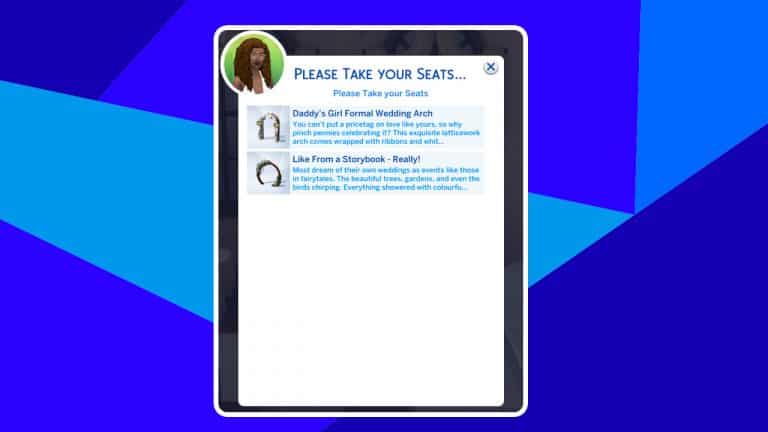
kaiwryplays on Twitter noticed that she was able to choose which wedding arch she wanted her wedding guests to sit near. The wedding venue in the new world of Tartosa has two wedding arches; one outside and one inside so your special day will be able to go ahead rain or shine. The only problem is that your Sims would have no idea which arch to sit in front of when you told them to take their seats.
When we played with the early access of My Wedding Stories, this feature was not in the pack. We would click one arch and select Please Take Your Seats with no popup appearing like Kaiwry shows us here. The result? Sims would wander about and sit in whatever random seat they found, whether it was the reception tables out in the courtyard or the other arch way on the other side of the lot. Our wedding guests ended up scattered throughout the entire venue and once they were seated, it was impossible to make them get up to sit somewhere else.
After the patch on release day that was “supposed” to have fixed the pack but didn’t, we still didn’t have this feature when we tried to throw wedding ceremonies. So it does appear that this is a new feature that was sneakily added in the most recent game patch. We’re not sure why this important detail was left out of the patch notes but we appreciate having this option in the game. Hopefully our Sims will be smarter about where they choose to sit at wedding ceremonies now.
A big thank you to Kaiwry for being the first to spot this and let the Simming community know about it!
The Sims 4 My Wedding Stories will get an important Patch later this month addressing the main broken features and bugs in the game. Check out the Laundry List!