Home Blog Page 47

The Sims 4 Realistic Childbirth Mod: Llamaze, NICU, and Nursing School Walkthrough

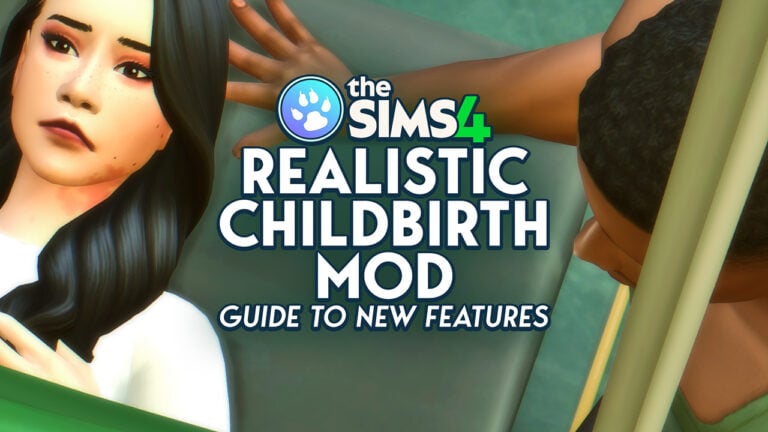
While the Sims series has its fair share of realism, as well as its own spins on realistic topics or events, one thing that it keeps as simple as possible is pregnancy and childbirth. If you’re one to want your game as realistic as possible, or if you just want to be more involved when your sims decide to expand their family, Pandasama’s Sims 4 Realistic Childbirth Mod has you covered!

The Sims 4 Realistic Childbirth Mod Image

Pandasama, the creator of the Realistic Childbirth Mod, has three new features to add even more realism to your Sims 4 gameplay; Pregnant sims and their partners can attend Llamaze Class, babies can now be born prematurely and enter the NICU, your sims can now attend and graduate Nursing School!

Trigger Warning: Talks of Pregnancy Complications, Neonatal Illness, Premature Labor in Virtual Surrounding

What is the Realistic Childbirth Mod?

The Realistic Childbirth mod by Pandasama is a multi-feature mod that has the overall goal of making pregnancy in the Sims 4 align more with real life, as well as to make it feel more involved for the player. It adds new gameplay features, animations, and moodlets to take your sims through every exciting and terrifying aspect of pregnancy and childbirth.

Outside of the new features, the mod also includes a new animation for pregnancy tests and sharing the news with your sims’ partner. Your sim and their partner can attend pregnancy checkups, receive ultrasounds, take naps together, play music for their baby, and so much more! It also adds detail by allowing for labor progression in both home and hospital births including natural births, water births, cesarean sections, and even unassisted births!

If you’re new to installing mods, take a look at our beginner’s guide to modding The Sims 4!

Set-Up for the Mod

For all the features of this mod to work properly, it is recommended to travel to the hospital for a check-up or for the birth itself and use the cheat bb.enablefreebuild to edit the hospital lot. You can either manually edit these yourself and place down the additional objects, found by searching “Pandasama” in Build/Buy mode, or you can download a hospital off the gallery where many users have uploaded edited versions under the tag #Pandasama (Make sure to checkmark “includes custom content” when searching so hospitals uploaded with the objects placed show up!)

I personally chose Lissaa85’s Willow Creek Hospital.

(Note: If you are planning for your Sim to have a baby in the NICU, make sure that no other bassinets are on the hospital lot besides the incubator provided by Pandasama. It functions as a bassinet, so it needs to be only option available for the baby(ies) to spawn in.)

The Sims 4 Realistic Childbirth Mod Lot Build

While this is not required, many of these experiences and animations can be improved by having a partner attend them with your sim. Make sure to ask a sim to accompany your pregnant sim to childbirth! It is found under the “Friendly” category, specifically under “Deep Thoughts”. These do not have to be romantic partners, just someone your sim is good friends with.

The Sims 4 Realistic Childbirth Mod Guide

How To Attend a Llamaze Class

A Llamaze class provides your sim with confidence and preparation prior to them or their partner going into labor. To attend a llamaze class, go under the “Home” app on the phone and choose to “Go to Llamaze Class”.

Once your sim arrives at the hospital, either place or find where the Llamaze Table is placed. Make sure to place enough chairs for Sims to sit down during the class, although Sims may sit on the ground either way.

The Sims 4 Realistic Childbirth Mod Guide

You must pay §100 to hire the Llamaze instructor, and once they arrive, wait for them to stand next to the board and click “Start Class”. If your sim doesn’t autonomously join once the class begins, click on the Instructor to “Join Class”.

Your sims can socialize with others while listening to the class. Once they’ve completed the class, they will receive a mood-bosting moodlet and they may also receive a book on parenting that will boost their parenting skill!

lllama

NICU Gameplay

Your sims can now give birth early, either by choice or by chance. When they do give birth early, you will either travel to the hospital manually or be given a pop-up to automatically do so, dependent on the situation.

TS4 x64 2025 03 27 10 20 01

During Pregnancy

If your sim goes to the hospital when after discovering their pregnancy to receive an ultrasound and discover that they are having twins or triplets, they will be told that they can opt for an early induction.

Untitmulled Project

Early Induction

If your sim chooses to go through with an early induction, they can use the “Call Obstetrician” function to travel to the hospital alone or with a Sim of their choosing.

Untitled early

Once your sim arrives at the hospital, click on a hospital bed to receive an epidural from a doctor of your choice. It may take a few tries, but your sim must have an in-place and working epidural to get the C-Section. If it does not place correctly and they receive an uncomfortable moodlet, click on the bed again and have the doctor replace it.

TS4 x64 2025 03 27 10 26 26 1

Once your sim has it placed correctly, you can click on the surgery machine and select the doctor you would like to perform the C-section. After that, your sim will join the doctor at the machine to get the procedure done; If their partner or the accompanying sim is present on the lot, they will likely join as well and sit on a stool next to the table.

Pregnancy Complications

The mod introduces two specific pregnancy complications that lead to preterm labor; PPROM (Preterm Premature Rupture of Membranes) and Placental Rupture that can both trigger premature labor if your sim is in the second or third trimester. If your sim is in the first trimester, both can be detected by ultrasound during a hospital check-up and treated.

If your sim experiences a pregnancy complication, they will immediately get a pop-up notification informing you and recommending you go to the hospital. There is currently no harm if you choose not to go to the hospital. You can also trigger them by shift-clicking on your sim, using the “Childbirth Settings”, and selecting one of the complications under “Pregnancy Complications”.

Once your sim arrives at the hospital, you will need to select a doctor to get checked out, and then it will progress as a standard C-section. This will require your sim get a properly placed epidural, and then click on the surgery machine to proceed with the C-section.

ddd

NICU Newborns

TS4 x64 2025 03 27 10 35 47
NICU Conditions and Health Statuses

Once your baby is in an incubator bassinet, make sure you stay at the hospital, otherwise the baby will be kicked back home and cannot return.

The health condition of the baby will be visible in the form of outlines; Red is critical, yellow is stable, and the standard white outline is healthy. Your sims interactions with their baby will be limited or expanded by the baby’s current status and specific condition.

Your baby can have one of three conditions, which they can recover from all of them on their own, but they do recover quicker when given treatments for these conditions.

Pneumothorax – This is a collapsed lung. Babies with this condition must be treated with an oxygen hood, placed via the “NICU” interactions menu when clicking on their bassinet.

poenumo

Anemia – This when someone lacks iron in their blood. Babies with this condition are treated by tube feeding with iron-enriched formula or breastmilk. You can pump breast milk or make formula, and then use the iron drops to add iron. Use the “NICU” interactions menu when clicking on the bassinet to tube feed.

anemiad

Jaundice – This is when a baby is born with yellowed skin or eyes, often due to an underactive liver. This can be treated with bili lights, which can be placed similarly to an oxygen hood by clicking on the bassinet.

jaundce
Incubator Interactions

For most interactions, a dining or desk chair must be placed next to the incubator. It will have a slot available for one.

TS4 x64 2025 03 27 10 38 36

Your sim has multiple adorable interactions with their baby, which can be limited if the baby is not in stable condition. For babies who are in critical condition, their parents or visitors may bond with them, sing to them, or tube feed them through the incubator. Once they’re stronger, they can be held gently.

Nursing School Gameplay

Your sims can now go through a nursing school program, allowing them to learn the ins and outs of the medical system with graduation and a bonus in the Doctor career at the end!

How to join Nursing School

To join nursing school, go under the “Job” app on the phone and click to Join Nursing School, which costs §30,000. Your sim will immediately receive a job as a First Year Nursing Student and receive three textbooks, allowing them to study and boost the new Nursing skill.

Years 1-2

In your Sim’s first year of nursing school, they will primarily be studying and attending classes. The textbook they’ll be reading is given to you upon joining, and is called “The Fundamentals of Nursing”. This is a slower portion of the career, and is primarily just studying and attending class.

However, once your sim is “promoted” to a second year nursing student, they get some more interactions. They now get to practice inserting IVs on fruit! Any fruit will do; You can grow it, buy it from a shop, or just buy it in a packet of seeds.

Year 3

Year 3 is where your sims have to really buckle down and get serious if they want to pass and upgrade to being a fourth year student. In between their classes, they need to study from their note binder. To know if your sim is prepared for the exam, watch for the “Ready to Ace it” Confident moodlet, and then click on your sim to send them to take their exam.

Untitled Project

However, if your sim doesn’t study for enough to receive this moodlet prior to taking their exam, they have a high chance of failing it. Thankfully, this just means they have to study more and retake when they get a chance. One way to make this easier is to have them study while Inspired, or have another sim help them with studying. This will cut the time required in half.

Once they pass their exam, they’ll move on to their final year as a nursing student!

Year 4

clini

The final year of nursing school is an active career, where your sim goes to the hospital to take care of patients and handle administrative work. The shifts are much shorter than a standard hospital shift, although you can choose to stay late. Your sims receive a single task at a time which can range from mopping puddles to collecting blood or urine samples from patients to entering patient data on the computer.

Graduation

Finally! Your sim has worked their way through their program and are now free to pursue higher ambitions. Although there is no nursing career, once your sim has graduated after attending an active shift at least five time, they can enter the doctor career with a boost to Level 4: Medical Assistant with increased pay!


Is realism something you strive for in your Sims gameplay, or do you prefer the Sims’ original spins on real world experiences?

We have several other guides on The Sims 4 Realistic Childbirth Mod available. Check out our Mod release guide to learn all the essential features, the Home Birth Update and other features added by the end of 2023.

New InZOI Update: March 30th, 2025 Patch Notes

1

Krafton releases a new hotfix patch for InZOI!

The Krafton Team has just announced a brand new InZOI Update for March 30th. Just a day after their first hotfix update that came out yesterday, fixing several brutal bugs.

InZOI Update

Today, the InZOI Patch Notes are smaller and mostly revolve around small fixes that improve the Graphics performance and utilization of your graphics card.

How to Install the InZOI Update

The InZOI Update can be easily downloaded through the Steam launcher. Simply open the launcher and check for new updates through the right click on the game (if you haven’t enabled automatic downloads already). Considering that Mods are coming to InZOI later this Spring, you don’t have to worry yet about keeping your InZOI Mods up to date.

InZOI Update Screenshot

March 30th, 2025 InZOI Patch Notes

InZOI Update

Hello, Creators. We would like to inform you that the a hotfix for inZOI was applied. For more details, please refer to the information below.

Hello, Creators.

We would like to inform you that the a hotfix for inZOI was applied. For more details, please refer to the information below.

Hotfix Details

Patch Date: Mar.30 at 08:00 (UTC)
Game Version: 20250330.1403.W 

Fixes:

  • Fixed an issue where the original creator of a Creation was incorrectly displayed in certain situations
  • Fixed an issue where the headset remained equipped when automatically changing into everyday wear after using “Give Gift”
  • Moved the [Ray Tracing Target] option to the [Advanced – Preset] menu
  • Fixed a moiré issue (wavy patterns on distant grilles or glass) that occurred on hair, foliage, or screen in specific environments
    • If this issue occurs, it can be mitigated by adjusting settings manually:
    • (DLSS: NVIDIA RTX 2000 series or higher / FSR: AMD graphics cards / XeSS: Intel graphics cards)
    • For DLSS users, enabling DLAA and setting “Anti-Aliasing Method” to TSR may result in improved visual quality

Notes on Graphics Drivers

We’d also like to share the recommended graphics driver versions to help ensure a smoother gameplay experience, especially in response to recent issues reported in certain environments.

If you are using an NVIDIA GeForce RTX series GPU, please check the following:

 - RTX 50 Series → Driver version 572.83 (latest)

 - RTX 40 Series → Driver version 566.36 (released December 2024)

  ※ Using driver versions 572.xx or later may result in occasional frame drops or stuttering

 - RTX 30 Series or earlier → Latest driver recommended

  ※ If issues persist, we recommend installing version 566.36

You can download drivers from the official NVIDIA Driver Download page.

We will continue doing our best to ensure you can enjoy the experience in a more stable environment. Thank you, as always, for your continued interest and valuable feedback.

The inZOI Team


For all the latest news and original content on InZOI check out our dedicated articles page!

Players Found a Brutal InZOI Bug One Day Into Game Release

5

Every early access game (and many final versions) have bugs. Some are game-breaking, some are funny, and some are downright frustrating. Bugs are as old as games themselves, but nobody expected an InZOI bug that could jeopardize the game’s T for Teen rating just one day into the Early Access Build release.

InZOI Bug Reports from Players

While InZOI is known for pushing life simulations further by shooting for the moon with realism, nobody expected realism to include being able to hit children with your car. On the official InZOI subreddit on March 27th, user HeeeydevonGaming shared their own clip as proof of the bug.

Warning: The Linked Clip Above Contains Simulated Violence

3d64c7b9385388edfd027925147f36d0

“This is how you report bugs, issues, etc.” HeeeydevonGaming posted, “One of the issues I found is that you can drive into the elementary school and run over.. Unalive the children.. They might want to change this as the game is launching with a T rating 🤔”

The clip quickly went viral, with other users testing out the bug in their own games and expressing their horror, humor, and confusion.

Statement from InZOI Team

The studio behind InZOI, Krafton, was quick to respond with a statement to IGN.

“This issue was caused by an unintended bug that has been resolved in the latest patch, These depictions are highly inappropriate and do not reflect the intent and values of inZOI. We understand the seriousness of this matter and age-appropriate content and we are strengthening our internal review processes to prevent similar incidents in the future.”

As players soon found out, on March 29th, the developers quietly patched out the mistake, referencing comparably tamer bugs that players reported.

CONVERSATION 2

InZOI Patch for March 29th, 2025

Hello, Creators.

We would like to inform you that the following hotfix for inZOI was applied on Mar. 29 (Sat).

Hotfix Details

– Patch Date: Mar. 29 (Sat) at 01:00 (UTC)

– Fixes:

  • Fixed an issue where certain buttons would disappear after re-entering the lobby while playing the game in Simplified Chinese
  • Fixed an intermittent issue that prevented the lobby menu from functioning properly
  • Fixed an issue where some family detail settings didn’t match the values displayed in the UI
  • Fixed an issue where custom outfits or accessories would disappear after restarting the game

We sincerely apologize for any unexpected inconvenience these issues may have caused.

Moving forward, we will continue to work towards providing a more stable and enjoyable environment for your experience.

Again, thank you for your continued support and feedback.

The inZOI Team

And while the developers did not mention this bug in these patch notes, players were quick to learn that it was in fact patched out, either to their relief or dismay.


Kjun’s statement on InZOI Release Day

The developer Kjun who’s been very proactive in keeping InZOI players in the loop has released a statement across InZOI socials with a full letter statement. Giving both gratitude to the players and letting them know about the next steps for InZOI development and feedback process.

Read it in full below:

LETTER 2 PATTERN e1675116678818

Letter from Kjun

Hello, creators. I want to express my heartfelt gratitude for your overwhelming love and support you have shown towards inZOI. I am fully aware that, due to the game’s many shortcomings, some of you may have experienced crashes or found the available content lacking. I deeply apologize for any frustration this may have caused. When I watch the inZOI streams done by our talented content creators, I sometimes feel as anxious as a parent watching their child’s first kindergarten performance. Yet seeing them have fun makes me feel like I’ve gained the entire world. Because I wanted to incorporate as many of your valuable ideas as possible and attempt new experiments, I understand that the game might feel unstable and incomplete at times. Even so, you continue to show warm support and encouragement in the community, and I sincerely thank you for it. The inZOI team always keeps an eye on the messages you send, and we are committed to working even harder to reciprocate your kindness. Although we may be lacking right now, we are determined to prove that this is not just another “Early Access” game that just take advantage of it. We truly wish to communicate with you, build this game together, and remain dedicated to that promise. This project began as a small, personal endeavor driven by my own enthusiasm, but with the support of KRAFTON and all of you, it has grown far beyond my initial expectations. While this growth is wonderful, I also feel a profound sense of responsibility that comes from your tremendous outpouring of love and support. With your encouragement, I promise to keep expanding inZOI. At the moment, our team is a bit worn out from launch preparations, so we will be taking a short break to recharge. Once we are back with renewed energy, we plan to establish a dedicated channel on Discord, where we can actively discuss and reflect on your feedback together. Our goal is to grow and evolve inZOI day by day and week by week, ensuring it becomes the best possible experience for everyone. However, I also recognize that frequent updates can sometimes introduce unexpected issues. Therefore, we will prioritize stability and be thorough in our internal reviews before implementing any new changes. Going forward, we will remain ever grateful for your support, strive to communicate more closely, and continue improving. Above all, our aim is to ensure that you can truly “enjoy” inZOI from the bottom of your hearts. Once again, thank you all so much for your overwhelming support.

Sincerely, Kjun


If you don’t mind working around some interesting bugs, InZOI’s Early Access Build is NOW AVAILABLE on Steam for $39.99, with plans in the future for console releases on Xbox and Playstation.

InZOI has higher system requirements than The Sims 4 and previous Sims entries, and you can review the requirements for the game here, as well as the requirements specifically to use SmartZOI, a feature in the game that enables a unique artificial intelligence technology to give ZOI’s more autonomy across their entire city.


Are there any bugs that you’re looking forward to the patching of? Any bugs from other franchises that this one reminds you of? (Looking at you, The Sims 4 Body Distortion bug.)

The Sims 4 Businesses & Hobbies CAS Overview

The Sims 4 Businesses & Hobbies CAS Overview features all 160 Create-a-Sim assets, so you can either decide whether you want this Expansion Pack, or, if you already own it, discover and find exactly what you are looking for swiftly.

The Sims 4 Businesses & Hobbies CAS Overview

Out of the 160 items, 49 are tattoos and 12 are assets that are the same for adults, but resized for children and toddlers. 03 are recolors or variations of the same asset, leaving 96 unique items that are not tattoos. That is a fairly large amount. Swatches often don’t just add new shades, but different prints, patterns and textures. No of déjà vu here, they are not items that feel like repeats of other Packs. They follow current fashion trends and are specific to the location setting, Northern Europe. But we can delve into that more in the Conclusion. For now, the items!

Tattoos (49)

Hairstyles (20)

Adult (14)

Feminine (01)

03 27 25 9 14 22 AM

Unisex (13)

*One is a recolor.

Child (06)

*They are adult hairstyles resized.

Hats (07)

Adult (03)

Child (02)

*They are adult hats resized.

Toddler (02)

*They are adult hats resized.

Accessories (07)

Piercings (01)

03 27 25 10 14 01 AM
Tagged Feminine.

Glasses (03)

*One is a recolor.

Necklaces (03)

Full Body Outfits (24)

Adult (15)

Female (09)

Male (02)

Unisex (04)

Child (04)

Female (02)

Unisex (02)

Infant (02)

Toddler (03)

Female (01)

It’s a child full-body outfit resized.

03 27 25 12 24 34 PM
Resize.

Unisex (02)

*One is a child full-body outfit resized.

Tops (28)

Adult (25)

Female (05)

Male (12)

Unisex (08)

Child (03)

Bottoms (15)

Adult

Female (03)

*One is a small variation of the same item.

Male (05)

Unisex (06)

Child (01)

03 27 25 3 13 56 PM

Accessories – Bracelets (04)

Female (02)

Male (02)

Shoes (06)

Female (01)

03 27 25 3 26 05 PM

Male (01)

03 27 25 3 28 47 PM

Unisex (04)

Styled Looks (03)

Female (02)

Male (01)

03 27 25 3 35 38 PM

Our Review

The Sims 4 Businesses & Hobbies CAS Overview.

The Sims 4 Businesses & Hobbies CAS Overview shows that there’s more balance than usual in this Expansion Pack. A lot of masculine content doesn’t feel like unisex outfits that men also get, but, instead, specifically designed for their frame, highlighting current trends in men’s fashion. They really needed new shoes and got five gorgeous pairs. All life stages are included and there is more for children than usual. Plus, the Infant looks are adorable!

Feminine choices are plentiful, still. There’s a lot of elegant clothing and the feel of fit, patterns and materials is upscale, with a strong European flair. Shades and styles are specifically Nordic and, while some Sims DLC seem to echo and repurpose what is already in the game, these offerings don’t. They are fresh and exciting.

Given the Expansion features, we get many tattoos of all kinds and it will be a lot easier to express visually who your sims are through body art. The hats have a more snuggle and flattering fit than usual and accessories give old money. Some of the hairstyles are outstanding, but others are a bit baffling… It seems that in the urge of give us novelty they overshot and a few cuts are too out there.

Overall, this Expansion Pack seemed to try to fill gaps and fufill fan requests and delivered when it comes to Create-a-Sim. It’s also noticeable how the textures have more wrinkles, shadows and subtle wear-and-tear. Not in a way that makes the clothing look old or in poor condition, but, instead, taking away any glossy, plasticky impression and resembling fabric with realism.

Which items were you favorite? And which you didn’t like? Let us know in the comments below or in our Socials. And check us out on the daily, because your hobby is our business! If you are curious about the Buy/Build for Businesses & Hobbies, we have our overview.

The Sims 4 Small Business Alignments: Dreamers and Schemers Guide

The Dreamer and Schemer business alignments from The Sims 4 Businesses and Hobbies Expansion Pack help Sims align their Small Business values with their personal values, no matter how…shifty they may be.

With the Small Business Alignments from The Sims 4 Businesses and Hobbies Expansion Pack, Sims can align their Small Business values with their personal values, no matter how…shifty they may be. Whether it is opening up a mom-and-pop candy shop or running yoga classes at your very own yoga studio, owning a Small Business is something many Sims have always dreamed of doing, but have you ever wondered what kind of Business Owner your Sim would be?

The Sims 4 Small Business Alignments Intro

Get Aligned with the New Small Business Alignments

After your Sim becomes a Small Business Owner, it’s time to consider their business values. Do they want to inspire the community by running an honest and reliable business, or are they planning on separating Sims from their Simoleons through more mischievous actions? Both are possible through the three levels of the Dreamer and Schemer introduced by The Sims 4 Small Business Alignments, but your Sims’ success in their alignment could be influenced their personality traits and way of living.

Dreamer Alignment Path

The Sims 4 Small Business Alignments Dreamer

Through The Sims 4 Small Business Alignments, your Sim can progress through the three levels of the Dreamer Alignment: Lawful, Scrupulous, and Virtuous. These levels each come with their own benefits and drawbacks.

The Sims 4 Small Business Alignments: Lawful

As a kind, but new, pillar of the community, their Small Business will start attracting more Dreamer customers. By greeting customers with the Welcome to Business social interaction, they will get an extra boost in building a customer relationship.

Dreamer Welcome

The Sims 4 Small Business Alignments: Scrupulous

At this level, your Sim’s Small Business will have more Happy customers when they provide a great experience. Your Sim can achieve this by having positive social interactions with customers, ensuring there are activities readily available for customers, and curating an aesthetically pleasing environment. Happy customers tend to bring a good mood, often pay more, and will leave positive Customer Reviews.

Your Sim will get invited to join inspirational seminars, plus see an even bigger increase of Dreamers at their Small Business. Sim’s at this level may also start having to make important business decisions that will impact their alignment for the better or worse, so be careful what you pick.

The Sims 4 Small Business Alignments: Virtuous

Once this level is reached, Sims with the Dreamer Alignment will start experiencing some ups mixed with downs having served by the rules for this long. Your Sim will be hit by a surprise due to previous actions they made, and customers will express their opinions on how your Sim has chosen to run their business. By unlocking the Utopian Advocate reward trait, your Sim may feel satisfied or conflicted depending on how their Personality Traits align with running a Dreamer Small Business. Sims with Personality Traits such as Idealist and Good will get along well with Dreamers.

Those close to your Sim may feel ashamed or have a sense of pride, and customers either praise or argue with your Sim. This trait remains after selling their Small Business but disappears if they decide to Rebrand their Small business or run a Schemer Small Business.

There is a chance of your Sim developing a new Fear, making conversations with Schemers slightly uncomfortable.

  • Fear of Being Judged: Your Sim feels like all eyes are on them, and judging them.

Schemer Alignment Path

Schemer 13

Your Sim can progress through the three levels of the Schemer Alignment through the Sims 4 Small Business Alignments: Illicit, Underground, and Nefarious. As with the Dreamer Alignment, these levels each have their own benefits and drawbacks.

The Sims 4 Small Business Alignments: Illicit

That’s the thing about Illicit Alignments: They start attracting more Schemer customers! Make sure to take advantage of this opportunity. Greeting customers with the Welcome to Business social interaction will give them an extra boost in building a customer relationship.

The Sims 4 Small Business Alignments: Underground

Now that their sense of wrong is way down under the ground, your Sim’s Small Business will start getting Happy customers when offering a great experience. These customers bring a good mood, and often pay more than regular customers. They can also count on customers leaving positive Customer Reviews, getting invited to join secret missions, and seeing an even bigger increase of Schemer customers at their Small Business.

Your Sim may also start running into business scenarios that will impact their alignment, so choose wisely.

The Sims 4 Small Business Alignments: Nefarious

Your Sim will start experiencing some ups mixed with downs having run schemes for this long. By unlocking the Supreme Trickster reward trait, your Sim may feel satisfied or conflicted depending on how their Personality Traits align with running a Schemer Small Business. Your Sim will get along with similar Personality Traits like Shady and Kleptomaniac. Those close to your Sim may feel ashamed or have a sense of pride, and customers either praise or argue with your Sim depending on their own values. This trait remains after selling their Small Business but disappears if they decide to Rebrand their Small business or run a Dreamer Small Business.

There is a chance of your Sim developing a new Fear, making conversations with Dreamers a bit awkward and leaving an uneasy feeling when hanging out around them.

  • Fear of Being Exposed: Running schemes can only go unnoticed for so long. Your Sim is starting to sense that others may be keeping an extra eye on their Small Business. Will they find out? Your Sim suspects those whispers seem to be about them and feels uneasy about it!

Unlocking the Dreamer & Schemer Small Business Alignments

Dreamer 1

The Sims 4 Small Business Alignments are unlocked as your Sim moves up the perk track as a Small Business owner. Unlocking the dreamer and schemer alignments can be done in a few different ways.

The Dreamer and Schemer Alignments can be unlocked through the following Computer interactions:

  • Reply to Customer Feedback (Dreamer Alignment)
  • Post Fake Endorsements (Schemer Alignment)
  • Competitors:
    • Tattle on Another Business (Dreamer Alignment)
    • Steal Ideas from Another Business (Schemer Alignment)
Dreamer 12

The Dreamer Alignment can also be unlocked through the Share Small Business Tips social interaction under the Small Business interaction menu.

To unlock the first level of the Schemer Alignment, your Sim can also use the Share Small Business Rumor social interaction under the Small Business interaction menu. Your Sim can gain points towards the Schemer Alignment by purchasing the Business Fee Reimbursement Form from Trashley Reelpearson, as well.

Schemer Trashley

This is automatically used from your Sims’ inventory upon opening their Small Business for the day. If approved, your Sim will not have to pay the regular Opening Fee of 75 Simoleons and will earn points towards the next level of the Schemer Alignment. If denied the form will be shredded, but don’t worry. Your Sim can try again the next time they open up shop!

Navigate to the Small Business section of your Sims’ Owned Businesses tab to view their business alignment progress. 

Small Business Perks

The Sims 4 Businesses and Hobbies Expansion Pack introduces five Small Business levels available to all Sims: Hopeful Hustle, Striving Startup, Neighborhood Gem, Community Staple, and Local Legend. As your Sim increases their Small Business renown level, they earn Perk Points, which can be used to purchase Small Business Perks and unlock special interactions for the Dreamer and Schemer Small Business Alignments.

Schemer 5

Hopeful Hustle Perks

Dreamers can share their Small Business journey to inspire other Sims and strengthen their relationships through the Inspiring Business Story active perk.

Schemers gain the ability to persuade customers to buy any items set out for sale on Retail Displays through the Sway to Buy active perk. Your Sim can also use this interaction to persuade customers to purchase tickets via the Electrono Ticket Kiosk 4.0 or the Ingenious Ingvar Ticket Kiosk.

Striving Startup Perks

They say, “You catch more flies with honey…”, and Dreamers truly agree. At this level, Sims with the Dreamer Small Business Alignment can now give Bonuses to their employees. If successful, the employee’s needs will be fulfilled based on the amount of the bonus through the Employee Bonus active perk.

Schemers, on the other hand, gain the dexterity to use image-editing software, allowing them to fake payments for household bills and employee salaries with the Fake Payment active perk.

Schemer 10

Neighborhood Gem Perks

Dreamers unlock the Chug the WUTANT active perk, letting your Sim drink a special, off-market energy drink that grants your Sim a much-needed boost, making them highly energized while their needs drain slower for a day, with a guaranteed consequence. 

Schemers gain the ability to swipe objects regardless of skills and traits and enter restricted business areas with the White-Collar Robbery active perk. A helpful perk if your Sim is trying to take down a rival business. Sims with this perk can still get caught, so we recommend swiping objects when no other Sim is around.

Schemer Stealing

Community Staple Perks

Dreamers can purchase the Customer Appreciation Day active perk, allowing your Sim to open their Business and set all goods, services, and Entrance Fees to FREE. With this Event, customers are guaranteed to leave Happy after a great customer experience. These can not be held multiple days in a row.

Dreamer Free

Fraudulent Schemer Sims are now able to “accidentally” start fires on their lot objects and will receive increased payouts on lots where their business can be opened. Your Sim can also start fires on other lots for the fun of it with the Fire Starter active perk. Be careful, though. Once the fire starts, your Sim won’t be able to Extinguish the fire and will have to let it burn for a bit (or call the Fire Department, but that is way less dramatic). If your Sim gets caught starting the fire, make sure they are ready to put up a fight.

Schemer 12

Local Legend Perks

Dreamers unlock the Bartering passive perk, allowing customers to offer to pay with rare collectible items from around the Sims world instead of Simoleons. This can be activated and deactivated at a Business Sign, Ticket Kiosk, or Computer.

While their business is open, Schemer Sims at this level will carry around a hidden device that regularly plays a high-pitched noise, forcing some customers nearby to leave after paying the Entrance Fee. New customers will come in, paying the Entrance Fee as well and increasing turnover! The Ultrasonic Whistle is a passive perk that can be deactivated at a Small Business Sign, Ticket Machine, or Computer. This will conflict with the Irresistible Scent perk.

Schemer Whistle

Esteemed Entrepreneur Aspiration

The Sims 4 Businesses and Hobbies Expansion Pack added the Esteemed Entrepreneur Aspiration: a four-level aspiration that brings your Sim on a new business owner’s journey. To excel in this aspiration, your Sim will need to choose their Small Business Alignment. This aspiration unlocks the Beloved Brand Reward Trait. Your Sim will be successful in just about any Small Business venture they try, with guaranteed Happy customers leaving positive reviews. If your Sim is interested in becoming a Dreamer or Schemer, they should check out this aspiration!

Rebrand a Small Business Alignment

If your Sim decides that the Schemer or Dreamer way of life isn’t for them along the way, or if they’ve reached the top and are curious about what the other side is like, they can rebrand their Small Business. This is done by selecting the Rebrand Small Business interaction on the Computer, with a fee of 275 Simoleons, of course.

After rebranding your Sims’ Small Business, the business will return to a Neutral Alignment. Your Sim will be able to rebrand their business again after a short amount of time. The interactions available through purchased Perks will still be available to your Sim.

Schemer Rebrand

Pssst…did you also know that you can quickly manipulate The Sims 4 Small Business Reputation using cheats? Click here to learn more!

Have your Sims started down the wrong path and chosen to Rebrand their Small Business? Are they using their Small Business Alignment Perks for good or for evil? Let us know what your Sims are up to and what you think of the new Sims 4 Dreamer and Schemer Small Business Alignments in the comments below!

The Sims Congratulates on InZOI Early Access Launch

14

While the Sims and InZOI are now competitors after the recent launch of InZOI’s Early Access Build, that doesn’t mean they can’t be friends! While the Sims Franchise VP Lyndsay Pearson and InZOI’s Producer and Director Hyungjun “Kjun” Kim have both expressed their excitement to be competitors and the appreciation for each franchise in the past, many fans weren’t expecting congratulations to be shared with the InZOI Early Access Launch that just happened.

InZOI Announces Launch of Early Access Build on X

Just minutes after their launch at 8PM EST on March 27th, InZOI tweeted to announce the availability of their Early Access Build on Steam, celebrating this milestone for the franchise and the genre itself.

InZOI Early Access Launch Tweet

This release marks a true competitor entering the genre against The Sims, which has held its place as a truly unique game in the life simulation genre for 25 years. The two will now be competing for space in the genre, with Paralives also planning to make its way in later on this year.

The Sims was not far behind with the Welcome Wagon to congratulate InZOI on their official Early Access Build release and to share some of their famous fruitcake! The Sims Official X account replied just an hour later;

“Sul Sul! We brought fruitcake!”

InZOI Early Access Congrats from The Sims Team

The fruitcake was welcome and in the early hours of March 28th, InZOI replied back, welcoming the Sims to their celebration and showing off a feast of their own. The Official InZOI X account replied;

“The table was waiting for that final touch. 🍰 Welcome!”

InZOI’s Early Access Build AVAILABLE NOW

InZOI’s Early Access Build is NOW AVAILABLE on Steam for $39.99, with plans in the future for console releases on Xbox and Playstation.

InZOI has higher system requirements than The Sims 4 and previous Sims entries, and you can review the requirements for the game here, as well as the requirements specifically to use SmartZOI, a feature in the game that enables a unique artificial intelligence technology to give ZOI’s more autonomy across their entire city.


What are your thoughts on InZOI’s early access build? You can read both our previous and our upcoming articles regarding InZOI here!

I Lost Hours in the InZOI Creative Studio (and I Regret Nothing)

7

Okay, I’ll just say it – InZOI Creative Studio is addicting. I downloaded the demo thinking, ‘I’ll just check it and mess around for an hour max’. Suddenly, it is 800 hours later (Well, it at least felt like it). If you are curious about what inZOI has in store for creating your dream characters and building dream spaces, this is a black hole of fun, and you will definitely get sucked in.

Character Creation: The Ultimate Design Playground

Let’s get into the Character studio within the InZOI Creative Studio first because I was honestly speechless. I am a big lover of life simulation and games where I can just be creative, but this one? Speechless. Even though you can choose from plenty of presets, you can do so much more than that. You can sculpt and fine-tune, and your control over every single feature can be overwhelming, but it takes you into a new world.

You have a lot to play around with by freeing your creations. Although, I have already seen someone create a minion, which was quite… Spooky, to say the least. The hairstyles, with their movement, variation and texture, felt like a new level of a game.

The outfit options were endless with many styles, colours and laying possibilities as you can mix and match with everything. It felt liberating to explore the different choices.

Blueprint Studio: Say Goodbye to Your Free Time

Once I was able to finally pull myself away from creating my characters, I dived into the Blueprint Studio, where you design and build your dream place. It was truly immersive and you’ll definitely have some fun with this.

I started off simple with a modern loft, nothing too crazy but I didn’t realise how deep the options go. I went from a loft to designing a luxury villa with a vast living room and a fully decorated garden. I would never leave the perfect paradise.

The controls are intuitive, making it easy for the player to place their furniture exactly how you want it. There are many options for furniture, from grand ornate styles to minimalist Scandinavian designs. You can also customise everything, such as colour, material and texture. If you want a velvet couch with a blue trim, then go for it. A concrete bed? It might be horrible to sleep on, but you go for it. Your only limit is your imagination (also needing the strength to stop changing things all the time).

The Little Details That Make a Big Difference

InZOI Creative Studio: Building A House

The little things I noticed really meant something to me as I could tell they paid attention to detail. The lighting system took me some getting used to. It depends on where you place windows, but the way the light hits different textures changes in real time, enhancing the experience. Additionally, the user interface (UI) was easy to navigate and clean, I thought it would be overwhelming but everything is designed to be accessible. It doesn’t matter if you’re a casual player or someone who’s very experienced; anyone can just jump in.

Completely Addictive – Consider Yourself Warned

I hope our readers don’t have other responsibilities because it is easy to fall into this rabbit hole of “Just one more change”; that’s how I fell into Wonderland. If it’s hard now, just imagine how hard it will be when the game is released on early access on March 28th. I am excited to see everyone’s creations and builds, as I am already loving how the community is inspiring and thriving. 

Performance: Worth It, But Be Ready

Although I am a big fan of the demo so far, I do have to mention performance, as the demo runs beautifully on high-end PCS; here is the list of requirements in order to run the game:

It is important to remember that the game has a high system requirement, but it is to be expected with a very ambitious game. However, users can play using GeForce Now once the game is released on early access. 

Final Verdict: A Must-Try for Creative Souls

InZOI Creative Studio

Should you try the inZOI Creative Studio? Absolutely! I would highly recommend trying it before the game is released on early access. It gives you the freedom to go above and beyond, and the demo is free for all to download and play until the early access is released. Give it a try; what are you waiting for? The game has big plans for the future, so stay tuned for more news regarding inZOI

InZOI Smart Zoi Feature Has Higher System Requirements

1

For smarter autonomy you’ll need a pricier graphics card!

The new InZOI Smart ZOI Feature is going to require higher system specifications than what was originally suggested with InZOI Early Access requirements.

inZOI System Requirements

The Smart ZOI Feature is an optional, work in progress technology which gives unique autonomy to all Zois across the city. There are different levels to managing the Smart ZOI Feature and choosing which ranges of the City you’re playing should have the feature enabled.

What’s interesting is that the system requirements for the InZOI Smart ZOI feature are very high up there. So high that the highest performance for the Smart ZOI feature will require you to have a Nvidia RTX 5070Ti graphics card. Whose 5000 Graphics card series just released last month!

NVIDIA ACE inZOI Create Simulated Cities with Co Playable Characters 6

Find the latest information about the Smart ZOI System Requirements in the official requirements release notes from Krafton:

InZOI Smart ZOI Statement

InZOI Smart ZOI Official Statement

Hello, Creators!

We’re excited to introduce Smart Zoi, an experimental feature that makes Zois more autonomous and intelligent. 

Powered by enhanced AI, this feature allows Zois to interact with the world with personality and realism, allowing you to experience simulations of unprecedented quality.

The Smart Zoi feature is still in development, and we plan on further expanding its capabilities. 

If you’re interested in being among the first to experience this groundbreaking feature, please refer to the guide below.

  1. Minimum, Medium, Recommended, and High System Requirements for Enabling the Smart Zoi Feature 
InZOI Smart ZOI Hardware Requirements

Our team is continuously working to optimize and improve the game’s performance to allow more players to enjoy Smart Zoi smoothly. 

We are also actively exploring ways to lower the minimum system requirements while maintaining a stable gameplay experience. 

However, please note that Smart Zoi is still an experimental feature with high system requirements. 

As such, we recommend carefully checking your system specifications to ensure the best possible experience.

We will continue to optimize and improve upon this feature to help more players experience its full potential.

  1. Enabling the Smart Zoi Feature
inzoi smart zoi feature1

To help players eager to try out Smart Zoi firsthand, we’ve prepared a detailed guide with instructions on how to enable the feature. 

Please follow the steps listed below to enable the Smart Zoi feature. 

We recommend keeping all other settings unchanged.

  • Game Options > Gameplay > Enable Smart Zoi > On
  1. Currently Known Issues

To showcase its potential, we are currently offering Smart Zoi as an experimental feature. 

To use this feature, you’ll need to enter a prompt using the Zoi Pen, which currently only supports English. 

NVIDIA ACE inZOI Create Simulated Cities with Co Playable Characters 4

As this feature is still in development, please note that you may also encounter the following issues.

  • New schedule items may fail to be created if your Zoi goes to bed late.
  • Creating new journal entries and editing schedule items is temporarily disabled when playback speed is at 5x or higher.
  • A Zoi’s Inner Thoughts may disappear very quickly during conversations with other Zois.
  • Having many sleepy Zois (up to five) on-screen after 11 p.m. may cause the game to lag.
  1. Conclusion

Our team remains committed to continuously improving inZOI based on your valuable feedback. 

We sincerely appreciate your patience and support and hope you’ll continue to follow inZOI as it continues to grow and evolve.

Thank you again for your continued support. 

We look forward to bringing you even more content and improvements throughout Early Access!

Best regards,

The inZOI team


Are you looking forward to playing with the InZOI Smart ZOI features this weekend? InZOI Early Access is set to release on March 28th, 2025. Find out when it’s coming in your area right here!

Stay tuned on Sims Community for all the latest news and information on InZOI’s early access release. We’re just getting started with fresh new coverage!

The Sims 4 Businesses & Hobbies Objects: Build/Buy Overview

There are 210 The Sims 4 Businesses & Hobbies objects featuring the clean, streamlined style of Nordic architecture and interior design, with a touch of Jazz inspiration for select assets and we are going to showcase each of them below, with a Table of Contents, in case you want to jump to something specific.

Buy

Comfort

Living Chairs

Dining Chairs

Loveseats

Beds

Miscellaneous

Surfaces

Coffee Tables

Dining Tables

Accent Tables

Displays

Desks

Plumbing

Sinks

Toilets

Tubs

Activities & Skills

Knowledge

Creative

Outdoor Activites

Miscellaneous

Decorations

Indoor Plants

Paintings and Posters

Mirrors

Window Coverings

Sculptures

Rugs

Fireplaces

Wall Decorations

Clutter

Miscellaneous

Kids

Toys

Kid’s Activities

Lighting

Table Lamps

Floor Lamps

Wall Lights

Ceiling Lamps

Electronics

Computers

Appliances

Kitchen Appliances

Miscellaneous

Storage

Bookshelves

Dressers

Transportation

Small Business

Build

Outdoor Plants

Trees

Stairs

Stair Railings

Fences

Gates

Columns

Spandrels

Wall Sculptures

Windows

Tall

Medium

Short

Doors

Medium

Short

Friezes

Roof Trims

Roof Patterns

Roof Sculptures

Floor and Celing Patterns

Wall Patterns

Styled Rooms

Conclusion

The Sims 4 Businesses & Hobbies Objects.

If you love the Ikea style, this is the Pack for you. Lots of wood, simple lines, soft edges and objects feature neutral, pastel and even a few bold swatches, with fun surprises. There are plenty of functional objects and Build mode has enough for you to pull off both classic and modern Nordic homes.

On the business side, the variety and flexibility of signage will make it easy for you to create any establishment you want. If anything is missing would be a bit of more landscaping, since we get a single tree. Other than that, people who like understated elegance and Minimalism will be pleased.

If you want more opinions, check the community reactions. Make sure to add your own to the comment section below or react on our socials. We want to know what are your favorite objects and if the Ikea style is one you like!

Sound Effects in Paralives: A Behind the Scenes Look

0

Sound effects can often make or break a game which often goes unnoticed by various players, yet it plays a crucial role in making a game world feel immersive and realistic, even if it’s subconscious. Sound effects contribute to a games atmosphere, bringing it to life. Paralives, an upcoming life simulation game, is no exception.

Paralives Sound Effects

In a recent TikTok posted by @paralivesgame, fans got a behind the scenes look at how the game’s sound effects are being crafted. Unlike big budget games with large audio teams, Paralives takes a more personal approach. Andrei Castanon is single handedly creating sound effects using a mix of everyday objects he aquired from the dollar store and creative recording techniques.

Paralives Sound Effects Behind the Scenes 1 45 screenshot

This look into the sound design process has us appreciate the dedication and thoughtfulness required to produce satisfying audio effects. The techniques used are not just fascinating but also demonstrate how sound engineers can transform ordinary items into essential audio components.

Bringing Paralives to Life with Sound Effects

Every action in a game requires an appropriate sound to make the world feel believable. Instead of relying on generic sound libraries, Paralives aims for originality by recording custom effects that match the game’s unique, cartoony style. The TikTok video shows us some of the innovative ways sound is being captured for the game.

1. Leather Jacket as Terrain Manipulation Sound Effects

One of the most interesting techniques involves using a leather jacket and drumsticks to create the sound effect for terrain manipulation. By lightly tapping the leather with the drumsticks, Andrei Castanon produces a sound that corresponds to the movement of the ground being manupulated in game. This super cool method ensures that the terrain sounds in Paralives have a satisfying, natural quality rather than sounding artificial.

Using drumsticks and a leather jacket to make sound effects for manipulating terrain in-game
Making of Sound Effects via @paralivesgame on TikTok

2. Fishbowl Rocks and Metal Takeout Tins for Path Creation Sound Effects

Another unique approach involves using fishbowl rocks and dirt inside a metal takeout tin to replicate the sound of paths being created in the game. In combination with the aquarium rocks and dirt, a hammer is also used against a microphone with a cover, which is then fine tuned, layered and mixed to compliment in game pathmaking. Andrei meticulously tests these sounds, adjusting them as needed to ensure they blend seamlessly with the in game visuals.

Creating sound effects for making pathways in game using a hammer against a microphone with a fluffy cover
Via https://www.youtube.com/@Paralives

3. Recording Realistic Footsteps

In life simulation games, footsteps play a significant role in creating an immersive experience. A large spectrum of shoes need to be represented to fit with all of the in game shoe options. To achieve this, Andrei wears different types of shoes such as high heels, socks, sneakers, and even goes barefoot while walking on various surfaces. While recording each of the various differences between materials, ensuring that the sounds match the environment :

  • Sneakers to create a soft rubbery squeak on smooth floors as a para comes home from work.
  • Barefoot steps have a more muted, natural pad like sound for a para walking around a pool.
  • Heels produce sharp, distinct clicks on hard surfaces for a para on a night in the town.
  • Socks create a muffled, almost silent footstep for a para going for a midnight snack.
copy C7836C5C 03E9 473D B752 6194F83FC024

Capturing Authentic Door Sound Effects

Another small yet crucial detail in Paralives’ sound design is the sound of doors opening and closing. Instead of using pre made sound effects which can be found in any sound library, Andrei records real doors to ensure authenticity. The creak of various doors in Andrei’s house the game world feel real.

Why Sound Effects Matter in Paralives

Many players focus on visuals or live / build mode mechanics which we have covered here, but audio plays an equally vital role in shaping the gaming experience. Without proper sound design, a game can feel lifeless and disconnected. Paralives took a handcrafted approach, ensuring that every sound effect is tailored to match the game’s cartoonish aesthetic and mechanics.

What makes this process even more impressive is that it’s being handled and mixed by Andrei in his house! While larger game studios have entire teams dedicated to audio design, Paralives relies on a small and passionate team, proving that creativity and attention to detail will make all the difference.

Paralives Sound Effects Behind the Scenes 1 28 screenshot

This look behind the scenes highlights the dedication and creativity involved in Paralives’ development. With a small number of people creating subtle yet important effects, it’s impressive to see how much care goes into making every detail sound just right.

Unlike its competitors, The Sims 4 and the upcoming inZOI, Paralives has a uniquely personal connection with its developers. As an indie game, it relies on it’s team that engages directly with fans via their Discord which can be found on their website, shaping the game based on community feedback. This community driven approach makes players even more excited for its early access release in 2025 which we covered in this article, knowing they are part of something built with genuine passion and creativity.

Follow Andrei Castanon

https://on.soundcloud.com/WR1JYAFcrEnPPPGD8
https://www.instagram.com/andreicastmusic/?utm_source=ig_web_button_share_sheet

Follow Paralives

https://twitter.com/ParalivesGame
https://www.instagram.com/paralivesgame/
https://www.facebook.com/Paralives/
https://www.youtube.com/c/Paralives
https://www.paralives.com

Krafton Removes Denuvo Anti-Tamper from InZOI Early Access

3

With the release of InZOI’s Early Access Build less than two days away, a Steam forum post drew up concerns regarding the usage of an Anti-Tamper program in the build.

inzoi release early access release of inzoi launch screen 5

Moderator of the Denuvo Games group lukaself expressed concerns on March 24th, indicating that the build was using Denuvo Anti-Tamper without disclosure on the Steam page, noting that not disclosing it violated regulations in multiple countries regarding the disclosure of Denuvo and similar technologies. The moderator discovered this as the build attempted to connect to an IP associated with Denuvo.

67e22e862dfbc

The usage of Denuvo Anti-Tamper undisclosed, as it originally was not listed on InZOI’s Steam page, violates regulations like California’s AB-2426, which protects against false advertising to consumers in regards to digital products.

Shortly thereafter, on March 26th, the producer and director of InZOI Hyungjun “Kjun” Kim released an announcement on the official InZOI discord.

TALKING

Hello, This is Kjun, Producer & Director of inZOI.

Recently, we’ve seen growing concern around the implementation of the Denuvo anti-tamper solution in inZOI. While we wanted to respond as quickly as possible, we also felt it was important to approach the issue with care—consulting with teams from around the world to make a thoughtful and informed decision. We sincerely apologize for the delay in providing this official response.

To address the most important point: We have decided to remove Denuvo from the Early Access build of inZOI.

We initially chose to implement Denuvo as a way to protect the game from illegal distribution. At the time, we believed this would help ensure fairness for players who had properly purchased the game. However, after taking a closer look at community feedback, we quickly realized that this approach did not align with what our players wanted. Our initial application of Denuvo on our main development build made it so that the inZOI: Creative Studio demo build, a branch from the main build, was also applied with the same anti-tamper. Unfortunately, we failed to properly inform our players of this application during the demo period, and we sincerely apologize for that oversight. We understand that removing Denuvo increases the risk of the game being cracked and illegally distributed after release. At the same time, we believe it opens up a valuable opportunity: it allows inZOI to become more freely configurable—unlocking new ways for players to shape new experiences for other players. We believe enabling this freedom from the very beginning will lead to innovative and long-lasting enjoyment for the community. As I mentioned during the Online Showcase, we are committed to making inZOI a highly moddable game. Our first stage of official mod support will launch in May, allowing players to use tools like Maya and Blender to create custom content. But this is only the beginning. Over time, we plan to expand mod support across more areas of the game, so you can customize and enhance your experience in many different ways. With the removal of Denuvo, we hope to foster an even more open environment for modders to create and share unique experiences for other players. (More information on modding will be shared in a separate post.) Throughout this process, we’ve come to understand that Denuvo could negatively impact the player experience far more than we originally anticipated. As a development team committed to putting players first, the decision to remove the anti-tamper solution became a clear one. We will continue to prioritize your feedback and make well-informed decisions throughout our Early Access development. We want to sincerely apologize for not aligning more closely with player expectations on this sensitive issue. We regret the concern and confusion this has caused within the community, and we’re committed to rebuilding your trust as we move forward in developing the best possible experience. Thank you so much for your continued love and support. Please keep sharing your feedback, as it truly helps us make inZOI better for everyone.

Sincerely, Kjun


What do you think of the usage of Denuvo Anti-Tamper and other anti-cheat programs in video games?

Check out when InZOI’s Early Access Build releases in your area!

The 7 Most Underrated The Sims 4 DLCs

4

Going into its 11th year, The Sims 4 has released 18 Expansions, 12 Game Packs, 20 Stuff Packs and 40 Kits, totaling 90 (!) available DLCs. With so much, going back a whole decade, it’s easy for a few gems to get buried. But fret not, because we have gone through all of them and present you the 7 most underrated The Sims 4 DLCs!

Find out which are the The 7 Most Underrated The Sims 4 DLCs you might be sleeping on. We tell you how this Expansion, Game and Stuff Packs and Kits are the most bang for your buck.

The Most Underrated Buy Kit

03 22 25 1 53 20 PM

1920s meet 2020s in Modern Luxe (full review), which updates Art Deco to current times. Opulent golden accents combined with earthier tones, harsh straight lines mixed with freely designed curves and metal frames covered in plush materials. Jazz and Hip Hop remixed into the perfect bedroom!

Most kits do not contain new gameplay, but Modern Luxe features a vanity table, with new animations and make-up interactions. They were introduced in the Vintage Glamour Stuff Pack and are also included in the Secret Sanctuary Kit, but, if you don’t have those, this Kit adds that extra gameplay value.

Creator Xureila partnered with The Sims for this Kit and made sure to deliver on community requests, like decorative pillows, a glass shelf that slots bigger items than most shelves, a decorative purse and its contents, curtains with different heights and a separate rod, inclusive art and an exquisite light fixture. Everything to make the space feel cozy and lived-in.

The Most Underrated Stuff Pack

03 21 25 11 21 45 AM

The Moschino Stuff Pack collaboration (full review) might have been scoffed at, but it added one of the most useful tools to capture images in-game. Your sims have a variety of poses for either individual or group photo shoots, including different ages, in many moods. There are plenty of backdrops and an array of very good lighting fixtures to achieve a professional look. You can take several staged pictures for family portraits, wedding albums or simply to showcase your favorite sims. Whether cool, sexy, sad, goofy or smoldering, that perfect photograph is just a few easy clicks away.

03 22 25 1 25 14 PM

And, while that is the big selling point, it is a solid Stuff Pack overall. The photographer freelance gigs are fun. The furniture and decór have a strong identity and a good mix of swatches, from bold, graphic and plaid patterns to neutrals, within a British Alt-Rock aesthetic. Industrial loft windows and doors are stand-outs. The hairstyles are slick and, of you play with colors and swatches, the feminine fashion can result in catwalk-ready looks. The only real misfire is that the masculine clothing isn’t at the same level, although the boots are to die for.

The Most Underrated Hybrid Kit

There are only two Kits that combine Buid/Buy and Create-a-Sim, therefore, it’s, at first, strange to justify this category. But don’t sleep on the Don Lothario-inspired Kit, Casanova Cave (full review), because it delivers in a area The Sims 4 really struggles with: masculine clothing. Usually, most CAS offering are heavily feminine-focused, with a lot of the masculine clothing just being gender-neutral. The only other kit focused on masculine fashion, Modern Menswear Kit, also featured gender-bending items.

Not Casanova Cove, with options for everyday, formal, athletic, party and sleep wear, including shoes and accessories decidedly traditionally masculine, just out of a James Bond film, with a few bolder swatches here and there for the Don Lothario flair.

The Build/Buy is also inspired, with a giant projector TV – beautifully animated – a mini-fridge, a game table, one of the best bars we’ve seen and lots of Mid-Century Modern items for that bachelor pad. You get enough bang for your buck for what is just a Kit.

The Most Underrated Game Pack

Compared to other Game Packs, Jungle Adventure (full review) feels like an Expansion. Selvadorada is an immersive world, where sims can roam large areas without a loading screen, exploring the wild, crossing rope-bridges over cliffs, with beautiful waterfalls, rivers and ancient ruins. All sorts of critters and animals, like snakes, are in their natural habitat.

While you look for, collect and deal ancient artifacts through digging dirt piles and finding treasure chests, you advance the Archeology Skill. It will come in handy when you can come across hidden temples, full of traps and danger. Unlike Strangerville, that once completed, there’s little incentive to try again, every visit to Selvadorada resets and changes pathways and a total of five different temples may be found, one per trip.

As you gather relics, you can fuse them with refined crystals and forge Mystic Relics, unleashing blessing and curses. And the supernatural goes further, as you might bump into Skeletons, a new life state. Don’t be scared. They can help out with housework and looking after the children and, as you master Mystic relics, you might even turn yourself or other into Skeletons for a few days and get rid of those pesky needs, like hygiene, hunger, energy or bladder, that bother the living.

However, even if you are just looking for rest and relaxation, Selvadorada is a vacation world, where you can go to take a break and the grind can hit pause. New music and food compliment the exotic environment and will suit a honeymoon, a family vacation or just a change of pace from work and house chores. Learn the Selvadoradian Culture Skill, salute like a local, discover local myths, access secret food and drinks and master a new Dance, Rumbasim!

Build/Buy is gorgeous, colorful and elaborate and the same attention was paid when crafting Create-a-Sim, featuring options across genders and ages, celebrating Latin-American culture. Hand-painted details adorn every aspect of this pack, infused with culture and heritage.

The Most Underrated Build Kit

The Castle Estate (full review) kit contains no Buy objects and is solely focused on building. Still, as you can see in the picture above, for what is just a Kit, you can fairly simply construct you dream Medieval Castle. Doors, exterior trims, fencing, floor covering, friezes, spandrels, stairs, wall covering and windows come together beautifully and there is a lot of variety in swatches so your castle can look brand-new or weathered by the centuries.

It includes traditional fairy-tale aesthetics and darker, Gothic palettes, suiting different moods. Regardless if you want to live in a Royal home, create a museum or wedding venue, it’s impressive that a single kit was able to put together everything you need to erect a magnificent estate.

The Most Underrated Create-A-Sim Kit

03 22 25 11 10 16 AM

Out of the 40 Kits released so far, only one contains clothing and accessories for both children and adults: Throwback Fit (complete overview). Children are really underserved, and the only other Kit featuring Create-a-Sim items for kids is First Fits, which most don’t think is underrated. The very first CAS kit, Throwback Fit, has a great variety of clothing, not only age-wise, but in styles.

While primarely a workout clothing collection, many items are exactly that kind of elevated sportswear taking the fashion trends by storm right now, in all sorts of social settings. Think of Zendaya in the Challengers press tour. The swatches go from extremely saturated to pastels and neutrals, with different prints and patterns for each asset, allowing for maximum versatily.

The Most Underrated Expansion Pack

03 19 25 1 22 04 PM2

While Expansion Packs like Cats & Dogs, Seasons or Business & Hobbies are easy to understand, Get Together (full review) isn’t. Marred by a confusing marketing campaign, most players do not realize it is one that has the most to offer and really adds a lot of flexibility and gameplay. Your sims can learn the Dance skill and dominate the dancefloor, performing show-off moves, entering dance battles or presenting elaborate group routines. They can also learn to DJ and have that side hustle. If clubbing isn’t your scene, you can go to a cozy coffee shop and order treats or meet up at a pub for beers, where you can play foosball, darts, Don’t Wake The Llama or challenge someone at the arcade machine.

Met that someone special? Take it to the closet, for one of the top woo-hoo animations or keep it down-low, doing it in the bushes. With so much to do, you’ll need to unwind, perhaps at the natural pools. Once you get your energy back up again, climb on the diving board and try out several kinds of jumps. And, as the party starts back up, people cuddle and play around the bonfire, even performing fire tricks.

It’s a lot and we have not even mentioned the main feature of the Expansion yet. Clubs. And while it’s fun to unlock perks, learn handshakes, cultivate rivalries and coordinate outfits, Clubs make gameplay so much more fun! Having trouble meeting that someone new? Why not create a Club full of single sims interested in romance? Family gatherings including different households? Easy and fun with clubs. Your house is dirty? Create a club to clean it. For free! School friends, co-workers, gym buddies.

There are no limits to how flexible it is and the options are always updated to add activities from new Packs. You can tell sims what do do and that makes any gathering practical. It is probably one of the expansions that changes the game at the most fundamental level.

Moreover, Winderburg, the German-inspired world, is one of the largest and most beautiful, offering three distinctive neighborhoods: a modern downtown area, the quaint countryside and a ready-for-rave island. Build and Buy are vast, with ultra-modern neon glass and steal aesthetics on one hand and traditional European architecture and interior design on another.

the sims 4 underrated dlcs Large

Finally, Create-a-Sim also offers a lot, both for masculine and feminine fashion preferences, with several unique items for each. Children also get quite a bit, including exclusive hairstyles that are not repeats of the adult versions. Either you want fresh, sexy club attire or posh, old money ensembles, Get Together got you covered, with many of the styles from a decade ago back in fashion again.


Well, that is our list. Comment below or in our Socials if there are other The Sims 4 DLCs you find underrated.

Mastering Tattoo Design in The Sims 4 on iPad – The Ultimate Guide

Now that we get to enjoy The Sims 4: Businesses and Hobbies, The Sims 4’s newest expansion pack, there’s tons of innovative ways to design tattoos. In addition to all the ways our blog has previously mentioned, there is a great, innovative new way to create and design tattoos with The Sims 4 on iPad! I was really excited to hear from social media posts (which will be shared below) that using an iPad and Apple Pencil, Simmers’ can enjoy designing tattoos from their iPad. I am going to be breaking down how to do this, what’s required in order to do this, and how it went when I tried it. Let’s get into it!

@irises_place How to play sims 4 on your iPad 😇 It works if you have a MacBook 🌸 #fyp #fypシ #sims4 #cozycommunity #gaming #gamingontiktok #gamingsetup #viral #tech #ipad #cozygamer #gamergirl #trending #howtotiktok #gametok #whitesetup ♬ Players – DJ Smallz 732 – Jersey Club Remix – Coi Leray

Requirements for The Sims 4 on iPad

I will say, there is quite a few hefty requirements that require devices not everybody who regularly plays The Sims 4 has if you want to use an Apple Device. With this being said, I will share a variety of ways as they come out to try and make this accessible to more people by attempting to use other ways to do this other than just Apple Devices. Not everybody has an apple device, and that’s okay!

Stated below is the list of requirements needed to achieve this:

  • An Apple Device that has MacOS
  • An iPad with Apple Pencil compatibility
  • Apple Pencil

Note: If you are interested in purchasing an Apple Device specifically for this purpose, I have seen some very good deals at the Apple Refurbished Store/Website.

Apple Device Instructions

Courtesy of ropesimmer via X, we found the idea of using an iPad to design tattoos in The Sims 4. Thank you ropesimmer for your work, we appreciate your discovery.

Note: You will need to have an iPad and MacOS device that meet the requirements of this method.

IMG 4153
clipboard sc

How to connect The Sims 4 with iPad

  • Launch The Sims 4, go to Create A Sim (CAS), and get into the tattoo editor.
  • Get out your fully charged iPad, and get out your MacOS Device, powering it on!
  • Go to your Control Center via MacOS, and select “Screen Mirroring”
How to use The Sims 4 on iPad
  • Once you click “Screen Mirroring”, select your iPad.
  • Once you select your iPad as a device, ensure that the mode is set to “Screen Mirroring”

There you have it! It’s pretty simple. If you have any additional concerns or need any general advice, please comment below and we will get back to you.

Testing the Ropes: My Initial Thoughts

IMG 4154

I tested this method the other night and it honestly went pretty well, all things considered. I did experience some bugs launching The Sims 4 with my iPad already connected as I launched the game via my MacBook. So I decided to screen mirror once I was already in Create A Sim and in the tattoo mode.

tattooing 1

Additionally, I experienced some bugs with the Apple Pencil not knowing whether or not it should click the screen, causing my Sim to spin frequently if I did not draw very carefully. Other than that, these were the only two things I personally noticed.

My Final Thoughts

If you are genuinely interested in designing tattoos in The Sims 4 on iPad, and you already have the equipment for it, I would say definitely go for this option! It’s fun, clever, and opens the door for a lot of opportunity for potential. I recommend this for Simmers like this, but if you are looking to purchase the equipment for this specific reason, I personally wouldn’t recommend it. At this current time, unless someone finds a super good deal, or a hand-me-down computer, I am not sure if it is worth it. But, the choice is always yours.

If you are looking for The Sims 4 Businesses and Hobbies content, check out our other articles!

Lifetime Aspirations Reworked: The Sims 4 Mod Walkthrough

2

Have you ever felt that your sims accomplish their aspirations too quickly, leaving them without purpose midway through their lives? I know I have. There’s something deeply unsatisfying about watching your Sim reach their ‘lifetime’ goal before they’ve even had their first grey hair. If your’e nodding along, I’ve got some fantastic news for you!

the sims 4 mod lifetime aspirations reworked

The ‘Lifetime Aspirations Reworked’ mod by NeedCoffee4That (NC4T) is about to revolutionize the way you play The Sims 4. This brilliant mod transforms aspirations into genuine lifetime goals that will keep your Sims striving and thriving throughout their entire adult lives.

Let’s dive into what makes this mod a game-changer for Sims 4 enthusiasts like us!

What are Lifetime Aspirations

The vanilla Sims 4 aspiration system is fun, but let’s be honest – it’s a bit too easy. Complete a few simple tasks, and suddenly your Sim has achieved their life’s dream before they’ve even paid off their starter home. Not exactly the gameplay experience we’re looking for, right?

NC4T’s mod flips this concept by introducing true Lifetime Aspirations. These aren’t your typical tiered goals that can be knocked out in a couple of Sim weeks. Instead, they’re substantial, single-goal aspirations designed to take most of your Sim’s adult life to complete.

Aesthetic Photo Frame New Product Facebook Post
clipboard sc

The Sims 4 Mod Key Features That Will Transform Your Gameplay

Substantial Single Goal Aspirations:

Gone are the days of tiered goals that feel like a checklist. The Lifetime Aspirations Reworked mod replaces them with one major, challenging goal that requires dedication and persistence.

For example, instead of becoming a ‘Friend of the World’ by making a handful of friends, your Sim might need to form 30 friendships throughout their lifetime – a goal that is genuinely worthy of the term ‘lifetime aspiration.’

The rewards? A whopping 5,000 satisfaction points, and the ‘fulfilled’ trait, which gives your Sim a permanent happy moodlet. Now that’s what I call a reward worth working for!

Impressive Variety Of Aspirations:

One of the most remarkable aspects of this mod is the sheer volume of aspirations available. According to the Sims After Dark website, there are a staggering 192 different lifetime aspirations to choose from! This incredible variety ensures that no matter what kind of Sim you’re playing or what storyline you’re crafting, there’s a perfect aspiration to match.

These aspirations are thoughtfully organized into categories that cover every aspect of Sim life:

  • Nature: For Sims who love the outdoors, fishing, collecting, and herbalism.
  • Popular: For social butterflies seeking fame, friendship, and romance
  • Fortune: For ambitious Sims focused on wealth and career success
  • Knowledge: For bookworms and intellectuals pursuing academic excellence
  • Athletic: For sports enthusiasts and physical fitness devotees
  • Deviance: For mischievous Sims who like to bend the rules
  • Family: For Sims who prioritize raising children and building a legacy
  • Food: For culinary experts and wellness gurus
  • Creativity: For artists, writers, and performers
  • Occult: For supernatural Sims with extraordinary abilities.
  • Love: For hopeless romantics and soulmates seeking long-lasting relationships
  • Animal: For animal enthusiasts dedicated to nurturing animals and raising livestock
  • Location: For Sims aspiring to embrace the culture, lifestyle, and uniqueness of their chosen home
  • Wellness: For Sims dedicated to inner peace, mindfulness, and self-care
  • Teen: For younger Sims navigating adolescence and finding their identity
  • Elder: For seasoned Sims reflecting on their legacy and enjoying retirement
  • Ghost: For Sims who have passed on and now embrace life beyond the living

For the complete list of all 192 aspirations and goals, check out the detailed compilation at Sims After Dark.

Elder Specific Goals

lifetimeaspirations update elder

Let’s talk about something that’s always bothered me – the lack of purpose for Elderly Sims. Once they retire, what’s left for them to do besides wait for the Grim Reaper?

NC4T’s mod brilliantly addresses this with a new ‘Elder’ category featuring aspirations specifically tailored for your senior Sims. These goals are perfectly suited to this life stage and give your older Sims meaningful objectives to pursue.

Complete an Elder aspiration, and your Sim earns 2,000 satisfaction points plus the ‘Young At Heart’ trait. This fantastic trait reduces exhaustion and lowers the chance of death from overexertion – perfect for those active seniors!

Even better, if your Elder Sim already completed a Lifetime Aspiration, they’ll receive the ‘Fulfilled Life’ trait, giving them peace with their mortality. It’s these thoughtful touches that make this mod so special.

Ghost Aspirations (Yes, You Read That Right!)

lifetimeaspirations update ghosts

Death is no longer the end of aspirations in your Sims’ world. The mod introduces and ‘Ghost’ category with aspirations specifically for Ghost Sims.

These spectral goals reward 2,000 satisfaction points and contribute to a ‘Souls Journey,’ adding a whole new dimension to afterlife gameplay. I’ve personally found this feature adds an unexpected layer of storytelling possibilities to my game.

How Does This Mod Enhance Long-Term Gameplay?

The vanilla Sims 4 aspiration system sometimes feels like it was designed for short gameplay sessions rather than the long, multi-generational stories many of us love to create. NC4T’s mod fixes this issue by:

  1. Encouraging long-term planning – You’ll find yourself mapping out your Sims entire life rather than just their next few days.
  2. Adding genuine challenge – These aspirations can’t be completed in a single sitting, making achievements feel more rewarding.
  3. Creating more realistic life paths – Real-life aspirations take years to achieve; now your Sims’ goals reflect that reality.
  4. Providing purpose at every life stage – From young adults to elders and even ghosts, every Sim has meaningful goals to pursue.

Why This Mod Is A Gamechanger

I’ve been playing with this mod for ages and I can honestly say it’s transformed my Sims 4 experience. There’s something deeply satisfying about watching my Sims work toward meaningful goals throughout their lives rather than hopping from one quick aspiration to another.

The Elder aspirations have been particularly impactful. My senior Sims now have purpose beyond just visiting their grandchildren and gardening. They’re completing their bucket lists, mentoring younger Sims and truly making the most of their golden years.

And don’t get me started on the Ghost aspirations! Who knew death could be just another chapter in your Sims story? The ability to continue pursuing goals beyond the grave adds an unexpected depth to gameplay that I never knew I needed.

the sims 4 mod lifetime aspirations reworked cas screen

Final Thoughts: Is This Mod Worth It

If you’re looking to breathe new life into your Sims 4 experience, the Lifetime Aspirations Reworked mod by NC4T is absolutely worth downloading. It addresses one of the game’s shortcomings – the lack of truly challenging, long-term goals – and does so with creativity and attention to detail.

Whether you’re a legacy player who loves multi-generational storytelling or someone who simply wants more challenging gameplay, this mod delivers! The thoughtful additions for Elders, Ghosts, and Occult Sims make it clear that NC4T understands what players want from The Sims 4.

So, what are you waiting for? Give your Sims the gift of purpose with this amazing mod. Your virtual families will thank you!

Have you tried this mod already? What’s your favorite new aspiration? Let me know in the comments below – I’d love to hear about your experiences!

History of Cars in The Sims Franchise

There has been much talk recently of cars in The Sims 4. They’ve been a requested feature since release, but the vocal outcry for their return seems to have reached a fever pitch recently. It makes sense. Over the past decade we’ve seen all kinds of content come to the game, both old and new concepts, but cars have remained set dressing. Something that is a part of our everyday lives still has yet to be featured in the game. It’s a massive part of realism that is sorely missing.

Any time someone mentions wanting cars in The Sims 4, one of the first responses is along the lines of, “how would they even work since the game isn’t open world?” To answer that question, we simply need to look into the past. Follow me on this journey looking at the history of cars in The Sims franchise.

Cars in The Sims

Work carpool and school bus

The first series of the game featured vehicles, but not in any ownable capacity. In the base game, they solely existed as a carpool to ferry your sims to and from work or school. It wasn’t until the third expansion pack, Hot Date, that they added a different type of vehicle, the taxicab.

This expansion added community lots to the series, so for the first time ever, your sims needed a way to travel to other lots. A nice detail was that each following expansion added a different vehicle depending where you were traveling.

Five of the different taxi cars in The Sims

Overall, the vehicles in The Sims were minor and only used for realism purposes. Instead of having your sims walk off lot and disappear to the places they were going, the vehicles acted as visual vessels to make it feel more real. They were also one of the more annoying parts of The Sims. Whenever someone blocked the road the cars would honk… and honk… and honk until the sim finally moved.

Not the greatest example of cars in The Sims, but still better than what we have currently in The Sims 4.

Cars in The Sims 2

Sim exiting car

This is where cars in the Sims get interesting. The jump from what we had in The Sims to what he had in The Sims 2 was tremendous. The base game included the same carpool/school bus system as the original game. The biggest difference was that NPC characters also had unique vehicles that they would arrive to your lot with. Firetrucks, ambulances, grocery delivery trucks, maid vans, etc. There was quite the variety, but like before, these were just visual vessels to increase the realism and had no impact on gameplay.

That all changed with the second expansion pack, Nightlife. This was the grand introduction of ownable cars in The Sims. The biggest benefit was faster travel–no longer waiting for a taxi to arrive. Not only that, but they were also fully interactive and offered new gameplay as well. We’re only at the second game in the series, but this iteration of cars in The Sims is actually the best they’ve ever been. In a closed world, single lot system, no less. So no, you don’t need an open world for cars in The Sims to work.

Gameplay Features

Various gameplay options for cars shown

You could have your sims ‘take a spin’ which would increase their energy, comfort, and fun needs. They would disappear off the lot with the car only to arrive a little while later, no need to actually travel to another lot.

If you didn’t want your sim’s carpool to arrive every day, you could set your sim as the owner of the car, and they would drive themselves to work. You could have them drive their kids to school as well.

As cars are an expensive object, they were big hits for burglars. To protect yourself, you could have a car alarm installed. This alarm would trigger any time a burglar was near the car automatically alerting the police.

Sims had the ability to sit in the car, and while doing so, they had a few options. They could play with the lights, listen to the stereo, socialize with others inside, or even woohoo.

Two sims making out in a car

The seventh expansion pack, FreeTime, added even more gameplay to cars by introducing the junker. This was a broken down, rusted, torn apart hunk of junk that your sims could restore. The best part is that two sims could work on it together as there were two options; work on engine or work on body. Once the car was fully restored, you then chose a color scheme to paint it.

Two sims restoring a car

Minor Details

In the last expansion for Sims 2, Apartment Life, you had the option to buy a helicopter. The functionality was the same, but you would need a Helipad instead of a driveway. The purpose was to show the incredible wealth of your sims.

A pink helicopter on a helipad

Another important thing to note about cars in The Sims 2 is just how detailed they were. Aside from everything previously mentioned, the animations were exquisite. Sims would actually open the doors and get in or out. They would open doors for pets to get in and out as well. The car would actually drive in and out of the driveway before driving down the street. It was a level of detail that won’t be seen again in the next game.

Cars in The Sims 3

Female sim driving a car on the road

Open world. All lots loaded at once. Traveling anywhere at any time. This should have been the height of cars in The Sims, but it really isn’t. While cars were a lot more necessary in The Sims 3 to get from place to place quickly, they paled in comparison to what was previously available in The Sims 2. Almost all gameplay from them was removed.

Removed Features

Sims could no longer sit in the vehicle when it was parked. No more listening to the stereo, socializing in a car, playing with the lights, or…. Woohoo. No. More. Car. Woohoo. It was a travesty.

Small amount of gameplay options shown for cars in The Sims 3

You couldn’t take a car for a spin to increase motives. Setting the owner of the car wouldn’t prevent the carpool from arriving. You could no longer install an alarm in the car either. To prevent a car from being stolen, you needed to install security alarms around your house instead. 

There really was zero gameplay involved with cars in The Sims 3 aside from a sim driving from lot to lot. Even then, I found this to be a net negative because in a closed world setting like Sims 2, your sim would travel from lot to lot and not lose any time. In Sims 3 you’d sometimes waste several in-game hours waiting for your sim to drive between lots.

Gameplay Features

The first bit of gameplay involving cars came in the second stuff pack, Fast Lane Stuff. This stuff pack was focused fully on motor heads and introduced twelve new cars. The only bit of new gameplay, however, was the new Vehicle Enthusiast Trait (which was eventually added into a patch and not limited to pack owners.) This trait added very little gameplay. It mostly just made it easier to build relationship with vehicles–because yes, that was something that existed in The Sims 3.

The fourth expansion pack, Generations, added another minor morsel of gameplay involving cars. With this pack installed, adult sims were able to teach teen sims how to drive. They would take them for a drive a few times, and then the teens were able to drive on their own.

Man fixing car

It wasn’t until the very end of support for this series that cars in The Sims 3 finally had some gameplay added to them. And I mean the very tail end for The Sims 3. Roaring Heights, the final world released in The Sims 3 Store, released around seven months after the announcement of The Sims 4. Each world came with at least one new gameplay item, and for Roaring Heights it was a fixer-upper car with identical restoration gameplay from The Sims 2 FreeTime. Once the car was restored, it also reintroduced several gameplay aspects from the cars in The Sims 2.

With this restored car–and only in this restored car–sims could sit in it and socialize, listen to the radio, watch the stars, make out, and woohoo. But again, it was only with this car. None of that gameplay was retroactively added to any other car in the game.

Minor Details

There was a huge variety of cars to choose from in The Sims 3 from motorcycles to hovercars to moving trucks. You could unlock your own fire truck or police cruiser through different careers as well. They were vastly different in looks, but all functioned exactly the same. Here is a picture of some, but not all, of the cars in The Sims 3.

Collection of cars in The Sims 3

The animations with cars in The Sims 3 were also massively downgraded. Sims no longer opened the doors to get in or out, they teleported. The car no longer drove down the driveway to get to the road, it teleported. Cars in The Sims 2 also teleported at times. For instance, if the driveway didn’t connect to the road, then the car would teleport to it. In Sims 3, however, the car always teleported to the road no matter what. Cars in The Sims 3 never reached anywhere near the level of quality of the cars in The Sims 2.

Moral of the story, cars don’t need an open world to be worthwhile.

Cars in The Sims 4

Cars in The Sims 4 along a raised highway in San Myshuno

We’re now back to having closed worlds with single lots loaded at one time. The way things were when cars in The Sims were at their best. However, unlike The Sims 2, The Sims 4 has open world style public areas surrounding each lot. With the way they’ve designed the open neighborhoods, there are quite a few lots that are not connected to any type of road system. There are entire neighborhoods that lack any roads at all.

It is most likely this reason that cars in The Sims 4 are just set dressing thus far. Neighborhoods that have roads will sometimes have various vehicles driving along them. Cars will frequently be parked along the curb or in decorative parking lots around the world. They’ve even gone so far as creating exhaust coming from some of the decorative cars as they drive by. Even so, ownable cars are not a feature in The Sims 4.

Truck with exhaust smoke

But are they coming?

It’s a feature that has been largely asked for since the game launched. We’ve had a ton of concepts from past games return while also having a lot of new concepts introduced as well. Being over a decade into the game, it’s hard to imagine how many new or returning concepts they can introduce before they run out of ideas and need to turn to cars for inspiration.

The Future

We’ve seen recently through various pack concept surveys that cars in The Sims 4 are something they are heavily considering in various ways. It seems a good bet that they’re coming, it’s just a matter of how soon and in what capacity. Based on the various survey concepts, it seems they’re going to be a lot more involved than they’ve ever been before. However, based on the nature of animations in The Sims 4, I think we can all safely assume they’ll have the same teleporting factor from The Sims 3. 

So, what do you think? Will we be seeing cars in The Sims 4 sometime soon?

Cars in The Sims 4 in a parking lot and at a gas station

Further Reading:

Survey Pack Concepts September 2024
Survey Pack Concepts January 2025
Sims 3 Fast Lane Stuff
Sims 3 Roaring Heights