So You’re Wondering, How to Get Cars in The Sims 4?
Have you ever wanted to see your Sim own a sleek convertible or maybe a vintage Mustang? While driving isn’t an option in the game (or is it?), you can still add some serious appeal to your Sim’s residence with Sims 4 cars. Whether you’re new to the game or a seasoned player, this article is your best guide to adding your dream vehicle to the Sims 4.
Sure, your Sim won’t be able to drive to the grocery store or take a scenic tour around the neighborhood, but these Sims 4 cars can serve as a great representation of your Sim’s lifestyle. We’ll start with the simple steps and shift further to more practical options, but either way you’ll find a way to make your Sim the main topic of the neighbourhood. So Simmers, put on your seatbelts and let’s hit the road!
Table of Contents
Method #1: Adding Cars as Decorative Items
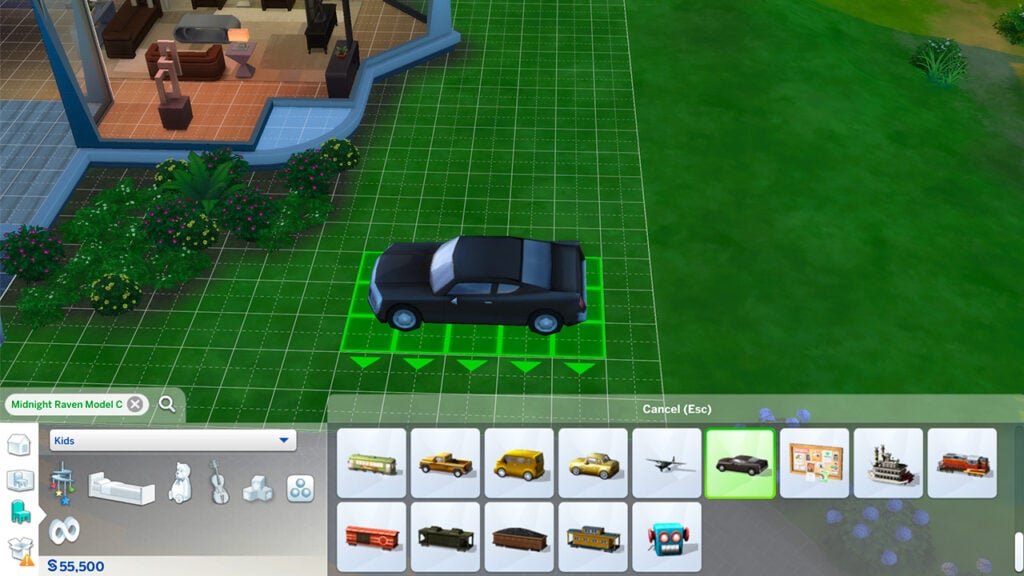
As you know the Sims 4 doesn’t let you drive cars, but it does allow you to include them as decorative items in your builds. There’s a handy little trick to do this, without using any cheats or mods. Without further to do, let’s break down the basic method of adding cars to your Sim’s property.
Step 1: Navigate to Decorations
First things first, go into build mode by clicking on the hammer and wrench icon, or simply press F2 on your keyboard. Once you’re in build mode, navigate your way to the Decorations tab. This is where you’ll find a bunch of cool items to decorate your Sim’s home, including cars.
Step 2: Find Miniature Car Models
Within the Decorations tab, click on Sculptures and you’ll be able to find them there. If you want to make this process faster, just type “car” into the search bar and you’ll find a couple of miniature model Sims 4 cars. These tiny models serve as the base for your Sims 4 cars.
Step 3: Size It Up!
Once you’ve selected your miniature car, it’s time to make it life-sized. To do this, click on the car and use the bracket keys[ and ] on your keyboard to adjust it to your preferred size. Voila, you got Sims 4 car without using any cheats or mods! Although if this is a bit too simple for you, the next method might suit your taste better.
For those of you who are looking for something a bit more cool and unique, cheats will be your best friend. By using cheats, you can unlock a variety of Sims 4 cars that are not readily available in the build catalog. A part from cars you’ll find loads of other cool items, so let’s dive deeper on how to access this secret catalogue!
Step 1: Open Cheat Console
The very first thing you need to do is open cheat console. This is the gateway to unlocking various hidden items within the game. To open the console, press Ctrl + Shift + C on your keyboard. A small text box will appear at the top of your screen, serving as place to enter your cheats.
Step 2: Enter the Cheat Code
In the cheat console, first type the cheat testingcheats true, this will enable our cheats. The next step is to enter the second cheat bb.showhiddenobjects and hit enter. This cheat will unlock a variety of hidden items in build mode, but to get to the secret Sims 4 cars we need to enter one more cheat. The final cheat you should enter is bb.showliveeditobjects and voila, your cars should be visible now.
Step 3: Search for Debug
Once you’ve activated the cheat, head back into Build mode. Only this time, in the search bar at the top, type in debug. This keyword will reveal a list of items that were previously hidden from your view in the build catalogue.
Step 4: Find Your Perfect Sims 4 Car
After you type in debug, you’ll notice the menu is now flooded with a bunch of new items, including a wide range of Sims 4 cars. Once you’re done exploring the newly added items, scroll down through this list until you find your perfect car. Only thing left to do is place it on your lot and make your Sim neighbours jealous!
Do you think the game is more fun with cheats? Well, there’s more where that came from! Check out our Essential List of Sims 4 Cheats!
Method #3: Expand Your Vehicle Collection with The Sims 4 Cars Mod
These ways are a good quick trick to get cars in the Sims 4, but they’re not drivable, are they? If you’re left feeling nostalgic about the drive feature from previous Sims games, we have something that will cheer you up. If you haven’t heard of the Sims 4 Car Mod by Dark Gaia, it’s a mod that turns nostalgia into reality. With this mod, your Sims can actually own and drive cars in their lots, effectively bringing Sims 4 Cars to life! Oh, and did we mention it’s Base Game compatible?
Sims 4 Car Mod Features
Image taken from Mod the Sims.
The mod introduces five different drivable Sims 4 cars, each offering its own unique perks. The cars are located under the “Hobbies and Activities > Misc” in Function Mode and “Outdoors > Activities” in Room Mode. When it comes to placement, you can place these cars anywhere on your lot as long as your Sims can reach them.
To take a drive, you simply click on the car and choose the “Drive to…”. As your Sim approaches the car, a map screen will pop up to choose their destination. But it doesn’t stop there, arriving at the chosen destination gives your Sim a “Traveled in Style” +3 emotional moodlet. These emotions depend on the car you use though.
Car Options, Prices, and Emotions
Image taken from Mod the Sims.
In the Sims 4 Car Mod collection of vehicles, you can find the following:
Smoogo Minima: The most affordable option at §10,000, driving this car will leave your Sim with a Playful moodlet.
Smord P328: Slightly more expensive, this car costs §12,500 and grants your Sim a Focused moodlet.
Tofunda Wagon: Priced at §15,000, driving this car will give your Sim an Energized moodlet.
Vorn Stallion: For those looking for romance, this car comes in at §17,500 and rewards your Sim with a Flirty moodlet.
Bwan Speedster YL: The premium option, costs §20,000 and will leave your Sim with a Confident moodlet.
A Lot More Sims 4 Car CC Coming Soon!
Auto enthusiasts, buckle up! Beloved Max20 has been working on something special in the garage! Very soon we can expect full-blown car custom content, which won’t be just a mere accessory, but rather a breath of life in the Sims world. Although the creator admits the first version has some quirks, the final model is yet to be released.
For those curious about the development process, Max20 released a screenshot on their Twitter Account about the CC in the works.
First looks into Max20’s Car CC Development!
The creator also shared that they’re working on other objects within this Sims 4 Cars CC Set. Including Garage Doors, several types of Parking Spaces and miscellaneous garage decor!
How to Install This Drivable Sims 4 Car Mod
Installing this mod follows the same procedure as most other mods. You’ll need to download the mod file and transfer the .zip/.package to your Sims 4 Mods folder. Don’t forget to enable mods from your game settings to ensure that the cars show up in your game.
By adding this mod to your Sims 4 game, you’ll be able to drive past cars as decorative pieces with your fully functional, drivable Sims 4 car. If you’ve been missing the driving feature in The Sims 4, this mod is your gateway to a more powerful gaming experience.
We know that starting out with mods, or even adding this one to your huge collection, can be a little overwhelming. That’s why we found a crafty little work-around, check out our Sims 4 Mod and CC Manager Walkthrough!
The Sims 4 Car Mod is available to download on Mod The Sims for FREE.
Adding these Sims 4 cars may not be the full driving experience we’re used to, but it definitely brings that extra layer of realism and excitement we need. Ranging from vintage cars to modern sports cars, with these creative work-arounds your Sim will be able to show their love for the road. Whether it’s with basic build options, hidden gems unlocked with cheats or going even more advanced with mods.
Now that you got your Sims 4 cars placed, why not spice things up by creating a driveway or a garage to frame your new dream vehicle? You can use various build mode items like terrain paint for asphalt, wall and roof tools for the garage, and for some extra flair you can add some decorative plants.
When it comes to Custom Content, we’re not Horsing Around!
The Sims 4 Horse Ranch has been out for around two months now, so we took the time to find some of our favourite pieces of Horse Ranch Custom Content! Now, as always, the ever so talented community have been hard at work creating some excellent pieces of content inspired by the expansion pack. However, we want to have a closer look at some custom content for our equine friends!
Surprisingly, there is a good amount of Horse Ranch custom content out there specifically aimed at horses and even a little something for our smaller mini sheep and goat friends! So without further ado, here are our favourite Horse Ranch Custom Content pieces for animals!
Horse Ranch Custom Content
Custom Content for Horses
From overlays, to eye defaults, to horse riding accessories, there’s a vast mixture of Horse Ranch custom content out there to discover! The talented custom content creators have been hard at work showcasing their skills and creating some excellent pieces of Horse Ranch custom content for players to use in their game!
Buckaroo Ranch Custom Content
Buckaroo Ranch combines a love of Gameplay and Custom Content. Follow the story of John and Dianna Marston, as well as ranch hand Steve Buck, while also discovering their custom content.
From Poses, Tack, Mane and Tail recolours and Decor, Buckaroo Ranch has something for everyone!
Here are some of our favourite Horse Ranch Custom Content pieces from Buckaroo Ranch:
Kebbe has a variety of Horse Ranch Custom Content available to download, which focuses on stencils that can be used on Horses in Create A Horse, as well as tail recolours.
Overo is a collection of eight stencils that you can use to create even more unique looking horses in game!
We also loved the following custom content from Kebbe:
This collection from Objut contains three different swatch styles, each with ten different colours to choose from. The five piece collection adds a fly mask, neck rug, rug that replaces the saddle, boots and tail guard.
Players can download this collection from Objut now.
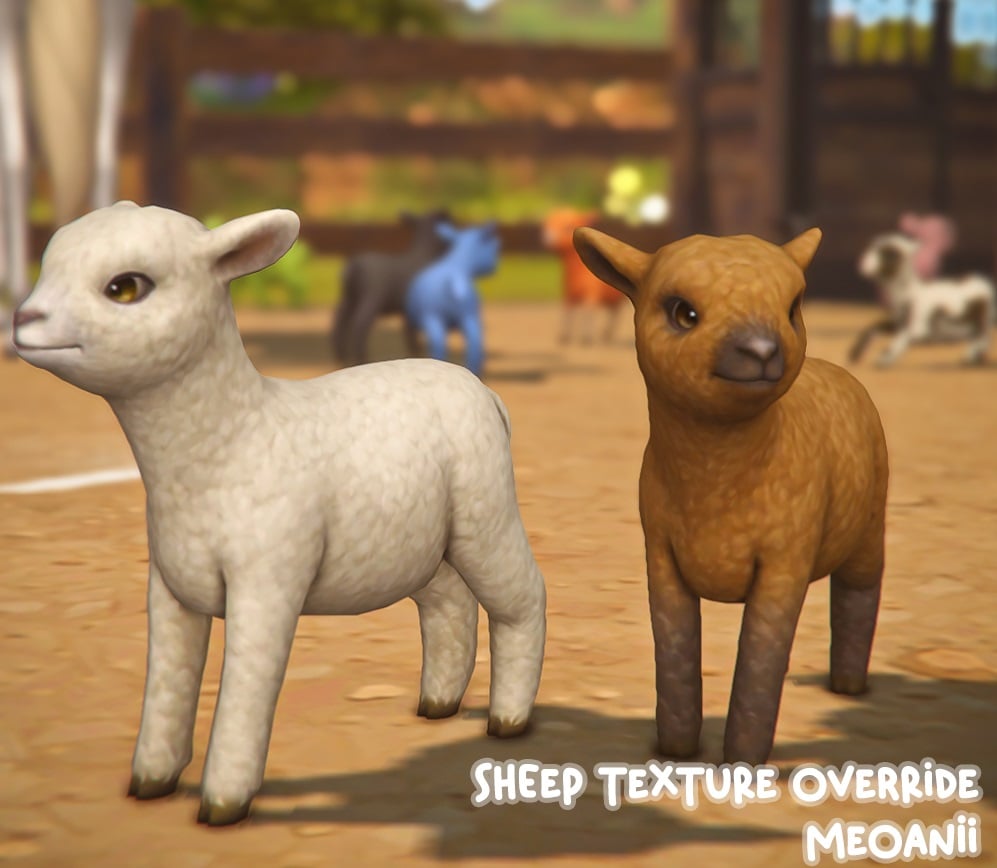
These replacements by Wrixie for The Sims 4 Horse Ranch are excellent! Not only are they available for Horses, but you can also get versions for both Mini Sheep and Mini Goats!
Add a cute and adorable heart to your horse’s look with this simple heart forelock from RavenSim! Available in thirty-six different colours and specifically for adult horses, you won’t want to miss out on this one.
Love the Soulmate Eyes by Someone-Elsa? Well now you can download a version for your Horses! Featuring nine different swatches, this default eye replacement is one to not miss out!
Looking for an option to have a longer mane or forelock? Well, Colorfui_Sims has you covered! With several different versions to choose from, you’ll be able to make the most stylish horse in Chestnut Ridge!
Be sure to check out all three versions of Colorfui_Sims Longer Manes and Forelocks over on their Patreon
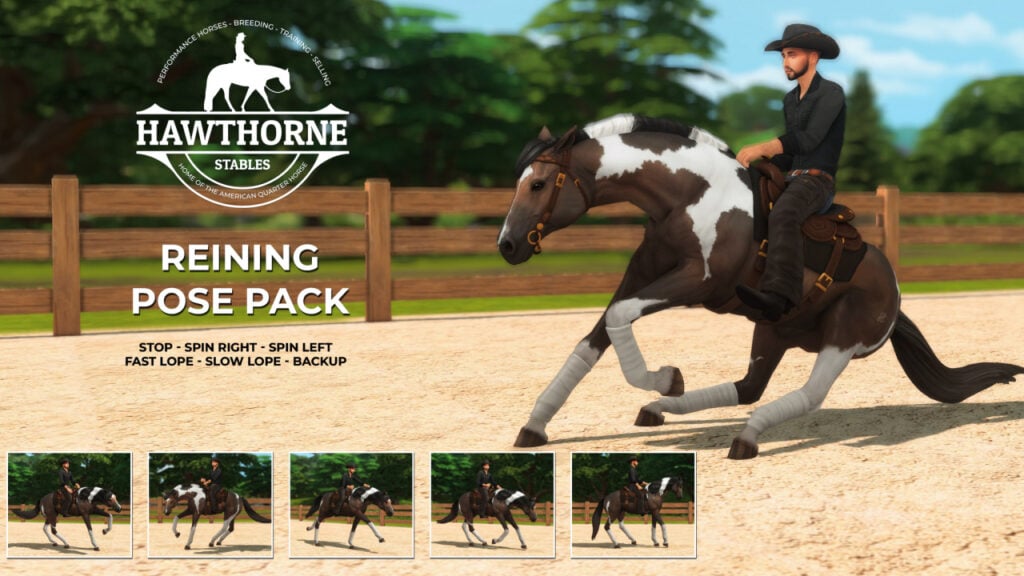
Following on from the previous pose collection, here is another from Hawthorne Stables! Featuring twelve poses, six for horses and six for the rider, this wonderful collection will give more opportunities to capture those action shots!
There is so much Horse Ranch inspired custom content out there that this is purely a snapshot of some of our many favourites! With plenty to explore when it comes to Build Buy Mode, Create A Sim, Households, Builds and more, there’s Horse Ranch Custom Content for everyone!
Don’t forget to check out all the creations from these talented creators that we’ve mentioned in this post, too!
Why not let us know what some of your favourite pieces of Custom Content from Horse Ranch are?
Want to see more articles about The Sims 4 Horse Ranch? Click here!
Learning how to install and maintain Mods / CC is easier than you think!
Want to learn how to get mods on Sims 4? Want to learn how to get CC on Sims 4? You’re in the right place! If you’re a Sims player who’s never delved into the world of mods and CC before, getting started with customizing your game can feel overwhelming. Where do you even start looking? Where do all those files go? Don’t mods and CC give you viruses? What do all these techy terms mean? Why do all your mods keep breaking whenever you update the game? How do you fix it?
The good news is modding your game isn’t as hard as you think. Sims Community is here to help. We’ll be clarifying any technical terms you might come across while looking for mods and CC, dispelling common myths about mods and CC, and walking you through the process of installing and maintaining your mods and CC step-by-step. How to get mods on Sims 4 and how to get CC should be no problem for you by the end of this guide!
Table of Contents
How to Get Mods on Sims 4 (and CC)
Glossary of Terms
Before you do anything regarding how to get mods on Sims 4, take a moment to familiarize yourself with the following terms. You’ll come across them a lot, both here, and elsewhere online. If you don’t know what these terms mean, you’ll struggle to understand how to customize your game.
Mods: Game modifications made by fans of the game. These modifications change the way your game behaves. There are small mods that make minor changes to the game, but there are also very large mods that completely overhaul existing features in the game or add brand new features to the game. Mods need to be updated frequently to keep your game running well.
CC: Stands for custom content. CC is content created by fans of the game. CC can be anything; clothes, hair, skins, eyes, makeup, new build/buy objects, etc. Unlike mods, CC does not change the way your game behaves. It simply adds more Create-A-Sim items and Build/Buy objects to the game. Since CC doesn’t touch the game code, it rarely needs to be updated, but in some cases, you might need to update or remove broken CC as well.
Mesh: Without getting too techy, think of a mesh as the shape or skeleton of an object. Everything in The Sims needs both a shape (mesh) and at least one colour (texture) to show up properly in your game. If a creator says that their CC requires a mesh, it means you need to download the shape of that object from somewhere else. Creators will link to any separate mesh downloads you need, so follow the link to download the mesh.
Recolour: A recolour is exactly what it sounds like. A recolouring of a mesh. Creators can recolour existing Maxis content in the game, or custom meshes made by other creators. If a creator says their CC is a recolour, make sure you also have the mesh for it. Creators will let you know if the mesh is included or where to go to get the mesh.
Alpha: CC that is hyper realistic. Alpha CC aims to make the game look as true to real life as possible; however, because of its high detail, it is also more taxing on your computer to render. Most lower-end computers cannot handle a lot of alpha CC.
Maxis Match: CC that matches the clay-like art style of the game. Maxis Match CC aims for the exact opposite effect of alpha CC. It strives to keep the game’s original art style intact and untouched. Maxis Match CC is not as taxing on computers to run, but keep in mind, too much of any kind of CC can slow down a low-to-mid-range computer.
Maxis Mix: A mix between Maxis Match and alpha CC. If a player says their game is Maxis Mix, it means they use both alpha CC and Maxis Match CC in their games. The aim of Maxis Mix is to give the game a more realistic touch without looking too out of place in the clay-like environment in-game.
Common Myths About Mods and CC
Mods and CC Give You Viruses
FALSE. It is perfectly safe to download mods and CC. Creators will not stick malware or viruses into their downloads. Creators create content for the game out of a genuine passion for The Sims; however, many creators host their downloads on sites that have pop-up ads. These ads are often malicious in nature and trick you into thinking that you’re downloading mods and CC, when in fact, you’re downloading a virus. This can be easily avoided by installing AdBlocker for your browser. The AdBlocker extension will stop those ads from popping up in the first place, making browsing for your favourite mods and CC safe. This shouldn’t curb your enthusiasm for learning how to get mods on Sims 4.
Mods Will Ruin Your Game Forever
FALSE. While out of date mods can cause lots of trouble in your game, fixing it is as easy as taking the troublesome mod out of your Mods folder. It is virtually impossible for any mod, no matter how big, to break your game to the point where you can’t ever play it again even after removing it and repairing your game. So if you’re worried about this ruining your desire to learn how to get mods on Sims 4, don’t be!
Downloading and Installing Mods and CC
Now that you’re familiar with some basic terms and myths about how to get mods on Sims 4 have been laid to rest, let’s go over how to install mods and CC. Thankfully, it’s super easy! So easy that we’re going to cover it in 5 simple steps. You’ll know how to get mods on Sims 4 in no time!
Read the entire description of the mod or CC you want to download carefully. The creator will highlight any important info you need to know. How it works, what it does, how to use it, how to download it, where to find it in the game, whether it requires a mesh or a certain pack, whether it conflicts with another mod, etc. Everything you need to know will be in the description, so never skim over it.
Download and unzip. Download the content to your computer. It should be in your Downloads folder. If the download’s file name has .package or .ts4script at the end of it, then you’re all good. Proceed to the next step. If it has .rar or .zip at the end of it, you need to extract it. Zip files can be extracted by right-clicking and selecting Extract Here in Windows. Rar files need an extraction program to be extracted. I use 7zip, which is completely free.
Move your .package or .ts4script files to your Mods folder. For most people, it should be in Documents > Electronic Arts > The Sims 4 > Mods.
Start your game and enjoy!
Not seeing your mods and CC in your game? Go to your game options and make sure script mods and custom content are enabled, then restart your game.
Maintaining Mods and CC
Installing mods and CC is one thing. Maintaining them is another. Here’s how to keep all your mods and CC in working order in your game. How to get mods on Sims 4 is only half of what you need to know!
Organise Your Mods Folder
If you just start dumping hundreds and thousands of .package and .ts4script files into your Mods folder, things are going to get messy fast. Pretty soon, you won’t have any idea where to look to find a broken piece of CC or an outdated mod. This can completely kill some player’s desire to learn how to get mods on Sims 4.
You can avoid this by organizing your mods and CC into subfolders. You can organise your content in any way that makes sense to you, but make sure you don’t go more than one or two subfolders deep. The game can’t read files that are buried too far into the Mods folder. Many players like to organise their downloads by creator or by the website they got them from.
Keep Your Mods Updated
The number one thing you need to know about how to get mods on Sims 4 is that mods break. They break a LOT. After almost every single game update, in fact. This means that you’ll be redownloading your mods constantly. If this sounds like too much hassle for you, skip to our CurseForge section. If you are willing to keep your Mods folder maintained on a regular basis, then continue reading!
Have a Plan for Removing Broken CC
It’s somewhat rare for CC to break, since it isn’t a mod, but it can and does happen, especially if you forgot to download the mesh for a recoloured hair or clothing item. There are different methods for removing broken CC, but an easy method is to install Sims 4 Tray Importer. If you find CC that isn’t working, make a Sim or build a lot with all the broken CC you have on it, save it to your Library, then open up Sims 4 Tray Importer. Find your broken Sim or lot and look at the list of included CC. Find those files in your Mods folder and delete them.
Repair and Clear Your Cache Often
Every time you update or switch out your mods, it’s a good idea to clear your cache files. This is an important part of learning how to get mods on Sims 4. Navigate to Documents > Electronic Arts > The Sims 4 and delete the following:
Everything in the cache folder
Everything in the cachestr folder
Everything in the onlinethumbnailcache folder
The localthumbcache.package file
It is perfectly safe to delete these files. The game generates new ones every time you run the game. The cache files are just temporary memory that helps the game load certain things faster, but periodically clearing them out can help with glitches and performance.
If your game is acting up and you’re sure your Mods folder is completely up-to-date, repairing the game is a good way to resolve a wide variety of issues. Just open up your game library in Origin, right-click The Sims 4 and select Repair Game from the drop-down menu.
What to do When There is a Game Update
If you think you’re ready for how to get mods on Sims 4, slow down a second! Problems with mods spike every time the game gets a new patch. This is because patches almost always break mods and many players don’t realise that they have to update their mods after a patch before they can play their game again. Here is the standard procedure to follow when the game gets an update if you are a mod user:
BEFORE updating your game, remove your Mods folder entirely. You can just move the folder to your Desktop for safekeeping.
Update your game via Origin like normal.
Do NOT put your Mods folder back in right away after updating. Odds are, all your mods are now broken and will not work with your updated game. You will need to update your mods first.
To update your mods, you will need to return to wherever you downloaded them. The creator will either announce that the mod is compatible with the latest patch and does not need an update, or they will release an updated version of their mod. Give creators a few days to get around to this. They try their best, but they’re still human beings with lives of their own outside of The Sims. Yes, this means you will either have to avoid playing your game for a while after an update, or deal with playing without your mods. That’s just how the cookie crumbles, I’m afraid.
If the creator has announced that their mod is still compatible with the latest update, great! It’s good, you don’t need to update it. If the creator has released a new version of their mod, download the newest version and replace the old version in your Mods folder.
ONLY after you are 100% certain all your mods are compatible with the latest patch, put your Mods folder back in Documents > Electronic Arts > The Sims 4.
As long as you are vigilant about following these steps every time the game gets an update, you should have very little trouble with your mods at all. Almost all cases of mod problems come down to user error. We hope this guide will cut down on a lot of that and help you mod your game without any serious issues. Now you know how to get mods on Sims 4!
CurseForge: Modding the Easier Way!
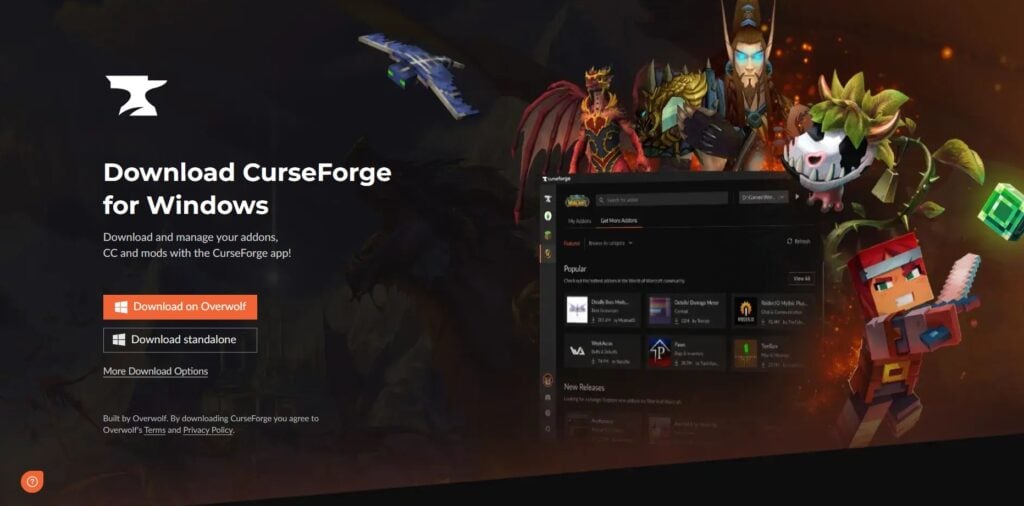
Maybe this guide on how to get mods on Sims 4 is too complicated for you. No worries, there is an alternative! CurseForge makes learning how to get mods on Sims 4 fast and easy! Get all your mods and CC in one place and keep them updated with a click of a button!
CurseForge is a mod hosting platform fully endorsed by EA. It is the Official Mod Hub for top-quality Sims 4 mods. The best part about CurseForge is all mods hosted there are free of viruses and malware. CurseForge also makes installing and updating your mods super easy.
All you need to do for how to get mods on Sims 4 is download and install the CurseForge App. Then, inside the app, search for any mods and CC you want and click Install on the mod page. CurseForge will automatically put all the necessary files inside your mods folder for you.
CurseForge also makes it easy to stay on top of updating your mods. Whenever an update for a mod is available, the CurseForge App will let you know and you can update all of your mods with just the click of a button! If you struggle with how to get mods on Sims 4 and keep them maintained, we highly recommend getting all your mods and CC through CurseForge only. It will do all the heavy lifting for you.
Resources
Here is a list of other helpful programs and articles to aid you in how to get mods on Sims 4:
Better Exceptions by TwistedMexi: This is a mod that makes in-game errors easier to understand for people who aren’t computer-savvy. It will tell you exactly what caused the error in plain English so you can better pinpoint which mod or piece of CC you need to update or remove. It’s also hosted on CurseForge so people who struggle with how to get mods on Sims 4 will have an easy time installing and updating it.
Sims 4 Studio: This program does a wide variety of things, but one of its functions is to manage and maintain custom content. You can use this program to merge/unmerge your package files and run batch fixes on incorrectly categorized CC. You will need to make an account on the forum in order to download, but it’s worth it. Being a member gives you access to comprehensive tutorials and support from knowledgeable users. Making an account is free.
Sims 4 Tray Importer: This program is highly useful for removing unwanted CC. As outlined earlier in the article, just make a Sim or lot with all the bad CC you don’t want, then use this program to find those files and delete them.
“The Sims 4: How To Ensure a Healthy Game” by SrslySims: This article is a must read for any mod or CC user who has the basics of this article down but is looking for more advanced knowledge on how to get mods on Sims 4 and further consolidate their mods and CC. SrslySims goes over many things that are not covered in this basic guide for beginners, like merging your package files and removing special characters from file names in order to alleviate strain on performance.
Loved our guide on how to get mods on Sims 4? Check out our guide to The Sims 4’s most popular mod, Master Command Center!
We made over a drab bedroom with the Modern Luxe Kit!
The latest contemporary luxury kit for The Sims 4 was so decadent, we just had to test it out for ourselves with a Sims 4 Modern Luxe makeover! Much like our last kit makeover, we took a bare bones, hideous base game room and transformed it into something beautiful using the new content! This kit is absolutely gorgeous so it wasn’t hard to transform the space into something elegant.
We’ve got two different Sims 4 Modern Luxe makeover styles for you, brought to you by Sims Community staff members, SnarkyWitch and Krista, respectively!
Table of Contents
The Sims 4 Modern Luxe Makeover
See how we made over a boring, tacky base game bedroom and turned it into two different Modern Luxe styles!
The Before
Would you want to rest your head here? We wouldn’t, either. Nothing about this bedroom says rest and relaxation. It definitely needs a major overhaul, but luckily, there are no shortage of creative Simmers and no shortage of Sims 4 content that can help this drab, outdated bedroom look fabulous!
Let’s get started turning this terrible bedroom into a luxurious escape from the stresses of the world! We paired the Modern Luxe Kit with a few other packs to pull off the following designs.
Pampered Princess
One of my favourite things about the Modern Luxe kit is the colour palette. It’s not just 50 shades of beige like so many bland contemporary kits. There’s a lovely variety of colourful pastels and I am a huge fan of colour. I decided to design a bedroom for a pampered princess type of Sim and their equally pampered feline companion.
I didn’t touch the windows or the shape of the room, but I did completely gut the space and replaced the doors. Then I got to work redesigning the room in soft shades of pastel pink and elegant rose gold. I absolutely love the dreamy look of the blush pink paired with gold. It’s very delicate and whimsical.
No pampered princess bedroom is complete without a vanity table so I added one with some makeup clutter and a minimalist gold cat statue in honour of the feline friend who also calls this room home. I put a circular rug in the centre of the room and filled out the space a little more with an armchair next to a small cat bed. I can’t get enough of the accent pillows that come with this kit because I can do a lot with them. As you can see above, I placed one on the floor and on the armchair.
The walk-in closet is such a useful space to tuck away a dresser and some clothing clutter but those bulky curtains and wide archway took up too much space. I used a smaller archway to maximize space inside the closet area and I also replaced the dark purple curtains with more delicate looking pastel pink curtains from this kit. Inside the closet, I put the full length leaning wall mirror from this kit along with the dresser. I finished off the space with some base game closet clutter, some artwork, and the Modern Luxe record player and bust statue. Because everyone wants some good tunes while they get ready for the day, right?
All that was left for this Sims 4 Modern Luxe makeover was some decorative touches, like the bookshelf, the glass shelf over the vanity, a few light fixtures, and some more artwork! Of course, kitty has a scratch post that still looks good in this elegant space, too.
Sleek But Cosy
This shell is in desperate need of a Modern Luxe makeover! Nothing about the original room screamed comfortable and cosy, and just felt like it was missing a little something. Instantly, I had an idea in my head as to how I could rescue this room.
My inspiration, cosy autumnal vibes but with a sleek twist! Let’s see if I can recreate this idea using the new The Sims 4 Modern Luxe Kit and a few others too!
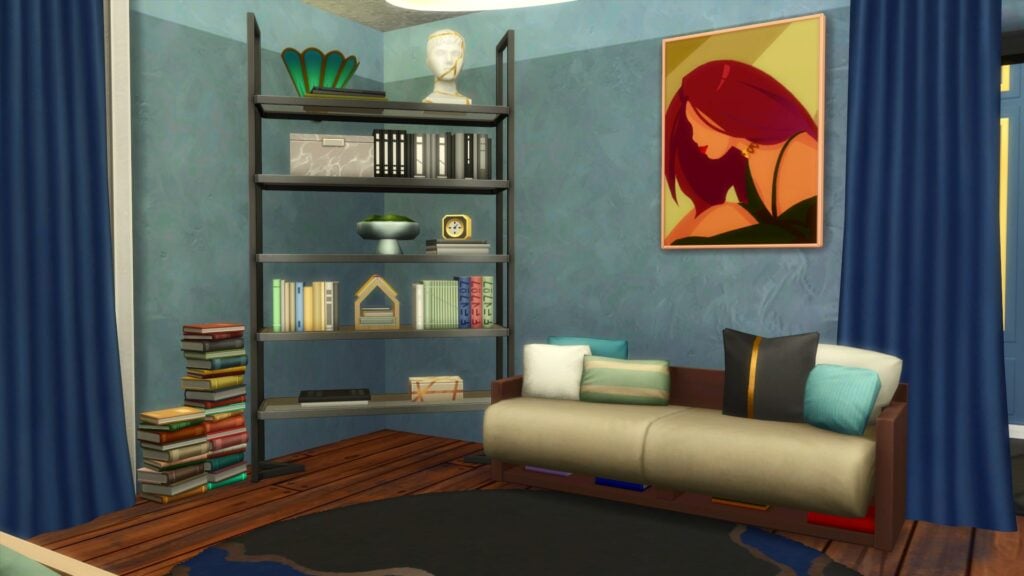
First things first, it was time to work with a blank canvas and figure out the colour scheme. I didn’t want to go with lots of brighter colours, instead I was going to opt for the darker/more neutral swatches within the new Kit! I also left both the windows and doors the same as the initial shell.
The sleep area was the first area I worked on. Even though I was going for a cosy feel, I wanted to keep the room more on the minimalistic side where I could. The last thing I wanted was an over cluttered room.
I ended up combining the likes of Get Famous, High School Years, Dream Home Decorator, Book Nook and Modern Luxe to gain the overall look. Opting for more green and blue colours to work alongside the objects from Modern Luxe.
To add to the sleek yet cosy feel of this Sims 4 Modern Luxe Makeover, I created a small yet simple reading nook. Without it being too overwhelming, this would be the perfect way to wind down with a good book at the end of a busy day!
As for the closet area, I placed the open wardrobes from High School Years, a standalone mirror and the new dresser (along with the vinyl record player) from the new Kit. Slowly but surely this Sims 4 Modern Luxe Makeover was coming together.
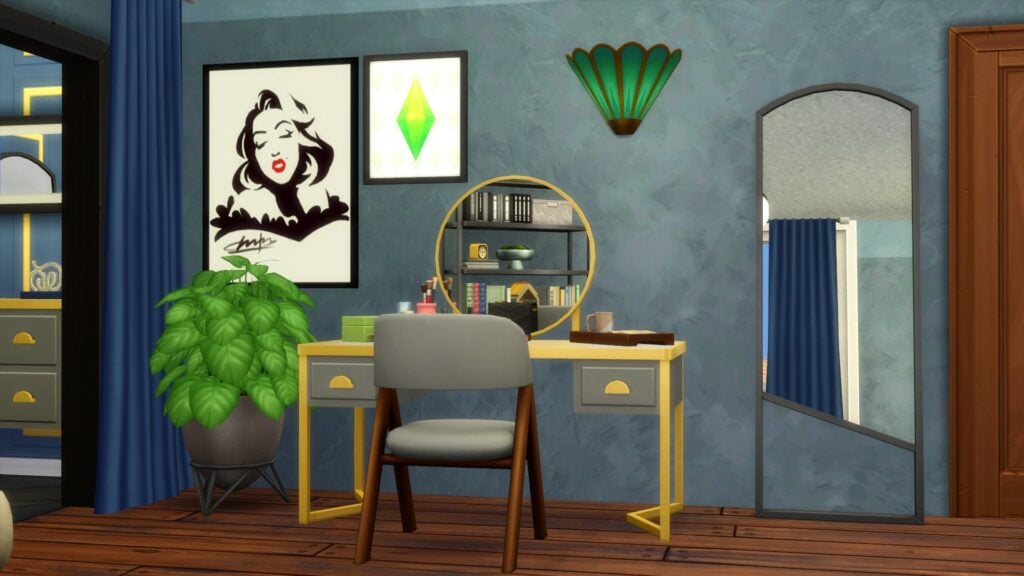
Just outside the closet area, I wanted a small vanity area with another full sized mirror as well as a little more decor.
Despite trying out a number of different ideas. Scrapping them all and starting over with different ideas, I do like how this turned out. There was, at one point, a completely different idea altogether that you could say gave an almost Hannah Montana feel instead.
Overall, this Sims 4 Modern Luxe Makeover was great fun to do and made me build in a way I wouldn’t do normally! The new objects provide endless possibilities and combinations for use, especially when paired with other The Sims 4 packs! I can definitely say I feel I achieved the sleek and cosy feel for this room makeover!
Download These Sims 4 Modern Luxe Makeover Rooms!
If you loved one or both of these Sims 4 Modern Luxe makeover styles, they’re available in the Gallery and use no CC. Search for Pampered Princess under the ID SnarkyWitch and Sleek but Cosy under the ID Leekseverywhere to grab these room makeovers! Or, you can click the download buttons below to save them to your library.
And if you want to try your hand at redecorating our drab base game room, too, search Modern Luxe Makeover under the ID Leekseverywhere or click the download button!
The Sims Community reacts to future Sims 4 Releases the best way they can. Through memes!
This week’s Behind The Sims livestream was nothing short of surprises when it came to Sims 4 future releases! From the get-go, Simmers were treated to an array of new reveals and information for The Sims 4, The Sims Mobile & FreePlay, Project Rene, a brand new merchandise store and more!
Most notable, from this recent Behind The Sims episode was the Sims 4 future releases roadmap. Not only are we expecting a third expansion pack for this year but we are also seeing the return of The Sims 4 Stuff Packs!
Let’s get busy and take a look at what the community thinks following the latest Behind The Sims livestream and the upcoming Sims 4 future releases!
In a surprise twist, Stuff Packs make a long-awaited return to The Sims 4! In fact, it has been over two years since we saw the last Stuff Pack release. This being The Sims 4 Paranormal Stuff.
However, this upcoming release is entitled The Sims 4 Home Chef Hustle. On Thursday 14th September 2023, we got a proper glimpse of the long-awaited Stuff Pack! From a new pizza oven, waffle maker, food stand and much much more, the pack is shaping up to be amazing!
Naturally, the return of Stuff Packs has been well received by the community as a whole. Many players are now eagerly awaiting more information in the run-up to the release. So get ready to find your hustle in The Sims 4 Home Chef Hustle later this month!
With that being said, let’s take a look at what the community initially had to say about the news of a new Stuff Pack!
I really hope “Home Chef Hustle” means maybe selling meals/desserts made at home 🥰 idk if it’s common around the world but I know some people in the UK sell home cooked items ! Especially when they say there’s new ways to make money 👀
#SIMS4 THE HOME CHEF HUSTLE STUFF PACK OH YM GOD YES !!!!!!!!!!!!!!!!! WAFFLES?! NEW KITCHEN SET???? BEING ABLE TO BAKE CUPCAKES IN AN OVEN?!!!!! I SAW A PIC OF PIZZA LIKE ARE WE GONNA BE ABLE TO MAKE PIZZAS TOO?????
What are your thoughts on this Sims 4 future release? Find out everything you need to know and more here.
A Neighborly Expansion Pack
In addition to the reveal of another Stuff Pack joining our downloadable content collections, a new and third expansion pack for 2023 is on the way!
While not much was revealed about the pack, we got a bit of a teaser image featuring keys with a house keyring and some letters. The core bit of this image was the tagline, ‘One Neighborly Expansion Pack.’
Initially, the fact that by the end of this year, we will have seen three expansion packs is brilliant news and great additions to the franchise, Players began to share their thoughts on what this Sims 4 future release could be all about!
Amongst all the excitement around the news of a third expansion pack coming, here’s a snapshot of what the community had to say!
Maybe a sub-urban district with standard lots & a urban district with apartments in the same city?
A local culture skill of the likes of “Selvadoradian Culture” which Sims can learn & cultivate for?
Real estate mechanics & maybe some sort of a B&B concept for having guests?
Amongst all of the excitement and curiosity, many players are thinking along the same lines. While nothing has been confirmed at all about this Sims 4 future release yet, could we see the option to buy secondary homes? How about our Sims becoming their own landlord or creating our own apartment buildings? How about gameplay features that focus on the heart of a community? Maybe it is something we have never seen in The Sims before! For now, we will have to wait and see until we get more information from The Sims team!
Project Rene Update
Another highly anticipated section of the Behind The Sims livestream was an update of Project Rene. Players have been patiently waiting for a new update since the previous live stream. Today, SimGuruLyndsay shared more information with us. With development going well, the community discovered that Project Rene will be Free to Play from launch, will run alongside The Sims 4 and will grow over time with additional paid content.
While this was certainly a good update on Project Rene’s progress, players have been discussing a variety of thoughts and opinions following this latest update across social media.
“we plan to support project rene and the sims 4 at the same time.”
I flipping knew it! I knew they were gonna keep supporting sims 4 as the old way to play since rene is going in a completely different direction and playstyle.
I think Project Rene is a future base game. They’re just changing their approach since The Sims4 is the best-selling entry in the franchise, plus many won’t immediately jump into The Sims 5 after release. Therefore, two generations will coexist until the TS5 develops sufficiently
Even though Project Rene is still very early in its development stages, there are still some slight concerns about the direction of the game as a whole. Despite this, with regular updates to the community and the transparency from the team with the community have been great!
We look forward to the next update regarding Project Rene soon!
Behind The Sims Thoughts
This is the third episode of the Behind The Sims livestream series. The fact it covers the whole of The Sims franchise as well as The Sims Mobile and Freeplay keeps the community well informed.
On top of the Sims 4 future releases news and Project Rene updates, we also saw updates for the mobile games, sneak peeks to upcoming Base Game overhauls, a little bit of lore and the reveal of the new The Sims merchandise store! In fact, there was a lot packed into the fifteen-minute livestream!
Community Poll
We want to know, is your thoughts on this latest episode of Behind The Sims in a short poll below. Additionally, you can join us in the comments, on our social media profiles or on our Discord and let us know your thoughts!
[totalpoll id=”146095″]
Did you miss the latest Behind The Sims livestream? You can catch up with our full rundown here!
Community Highlights
It goes without saying that The Sims community is a very diverse community that loves to not only share their creations, stories and gameplay but also the odd memes or funny tweets here and there. Amongst all the discussions from today’s episode of Behind The Sims, we spotted a few related memes that we wanted to showcase!
While there were many great ones appearing during the duration of the livestream, Luddy gave the community not one but two excellent memes relating to the upcoming Stuff Pack!
We zoom in on all the details from the Home Chef Hustle reveal!
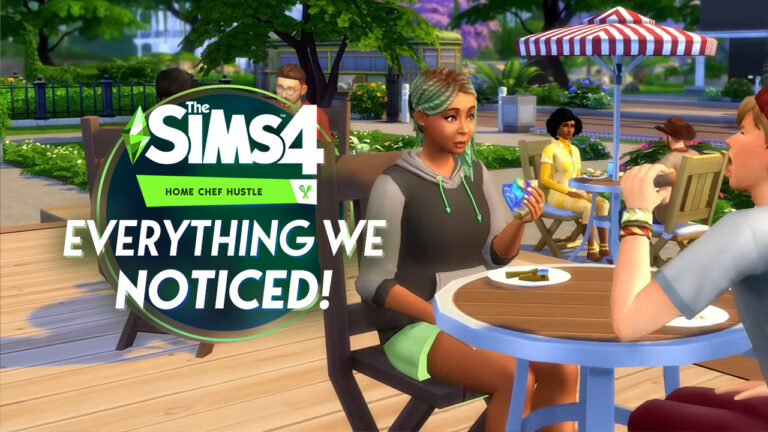
Stuff packs are officially back and Simmers couldn’t be happier about it! The Sims 4Home Chef Hustle stuff pack is launching on September 28th, 2023 and we got a first look at the first stuff pack in over two years in today’s official reveal trailer! New appliances and new ways to make money are the main draws of this pack but let’s take an even closer look at some of the details, shall we?
Everything we noticed!
The Sims 4 Home Chef Hustle Reveal Breakdown
There was lots to see in the reveal trailer. Some new features were obvious. Others were more subtle but either way, we’re about to go over all the stuff that got us the most excited!
Stand Mixer
The baker in me is super happy to see this! This stuff pack is coming with a new, functional stand mixer to whip up lots of different tasty treats! As a side note, the small containers scattered around it might be the prepped ingredients that are mentioned in the blog, which Sims can taste test! The stand mixer is something brand new that we’ve never seen in any of the main Sims titles before.
Pizza Oven
We’ve never seen a tabletop pizza oven before… until now! Of course, pizza ovens were available for The Sims 3 as part of the Gold Edition of the Monte Vista store world but that pizza oven was a large traditional stone pizza oven. This compact oven can fit easily in almost any kitchen so we can see why it would be a popular home appliance for aspiring chefs!
Waffle Iron
Finally! Something to rival pancakes! We saw the waffle iron in the Behind The Sims broadcast earlier this week, but it’s still a brand new appliance which is worth mentioning in this article. We can hardly believe The Sims 4 Home Chef Hustle will come with not one, not two, but THREE new small kitchen appliances to cook up a variety of new recipes.
Food Stand
Another obvious new feature but hey, it’s exciting so we’re gonna talk about it! The Sims 4 Home Chef Hustle will come with a new food stand that our Sims can use to sell all their delicious food they’ve cooked up! While Sims can technically sell food using the existing market tables in packs like Eco Lifestyle and Jungle Adventure, the food stand here looks like it will function a lot better for the specific purpose of selling food. We can see Sims actually eating the goods they buy and reacting to the taste.
New Recipes
We get a glimpse here of so many mouth-watering new recipes! It’s clear that each new cooking appliance will have many different flavour and topping options for them. There are so many different types of waffles with different sides, different types of pizza, and more delicious baked goods! Yum! We also see those small Tupperware containers of prepped ingredients again.
Portable Side Hustle!
Because all the new appliances are small tabletop appliances, it makes it easy to take them out to the food stand so our Sims can prepare the food right in front of customers! It’s great to know that The Sims 4 Home Chef Hustle appliances aren’t limited to just home kitchens. You can really create a booming side business with these appliances and food stand all in one place!
Campy Accessories
No stuff pack would be complete without some nice CAS assets and just LOOK at these cute, campy pizza earrings! We can’t wait to see what other accessories and clothes will come with The Sims 4 Home Chef Hustle stuff pack.
Adorable Kitchen Clutter
We admit it; we’re suckers for kitchen clutter and oh boy, does The Sims 4 Home Chef Hustle ever have a lot of it! There are so many cute items we’re already planning to put in our kitchens. We especially love the wall mounted dish rack, the corner shelf with dishes and jars, and the cookbook propped up on the counter, open and covered in sticky notes as if a Sim uses it regularly!
Extra Item Previews!
The last portion of the Home Chef Hustle Stuff Reveal Trailer has shown additional overviews for new CAS, Build and Gameplay Items. We’ve extracted all the right parts for you to check out:
Gameplay and Build Objects
A look into New Appliances and Objects!
Create A Sim Items
The Sims 4 Home Chef Hustle: CAS Peek
Earn money doing what your Sims love!
You’ll be able to sell your cooked recipes with a portable Food Stand.
What other details did you spot in The Sims 4 Home Chef Hustle reveal? Let us know in the comments! And if you missed the reveal, don’t worry! You can catch up right here!
You haven’t seen this type of Family Gameplay yet!
Hey Simmers! We all know that the Sims 4 Growing Together expansion pack was a game-changer when it comes to family gameplay, but let’s be real—EA left a lot of room for potential. Luckily for us, we can always count on our beloved modding community to step in with the Sims 4 Growing Together mods.
List of Sims 4 Infants Mods (+ Growing Together)
Introducing the Sims 4 Growing Together Mods
We all know that mods without a doubt give the Sims 4 a new meaning, and the case is no different when it comes to Sims 4 Growing Together Mods. Each of these mods introduces unique add-ons to the game that not only make your Sims’ lives more interesting, but they also add that extra layer of realism and customization to your game. So without further to do, here’s everything you need to know about the top 25 Sims 4 Growing Together Mods!
Why These Mods Are a Must
We’re just gonna say: the expansion pack didn’t come with baby strollers, and that’s reason enough to check out these Sims 4 Infants Mods. Jokes aside, these mods were designed to fill in the gaps in your Sims family gameplay. Whether you’re looking to fine-tune infant care or something for the whole family, these Sims 4 Growing Together mods will take your family experience to new heights.
How to Install Sims 4 Growing Together Mods
For those new to Sims 4 mods, or those that need a quick refresh, here’s a simple guide on installing Sims 4 Growing Together mods:
Download the Mod: Locate the mod file you want to install.
Unzip the File: Unzip the downloaded mod file using an extraction tool.
Place in Mods Folder: Transfer the unzipped files to your Sims 4 Mods folder (Documents > Electronic Arts > The Sims 4 > Mods).
Enable Mods in Settings: Start the Sims 4, go into game settings, and activate the mods.
Restart the Game: To finalize installation, restart the game.
TIP: If you can’t locate the mods folder, a simple workaround is to create one yourself.
The Top 25 Sims 4 Growing Together Mods
And now, what you’ve been waiting for—the top 25 Sims 4 Growing Together Mods. Ready to take your gameplay to the next level? Let’s begin.
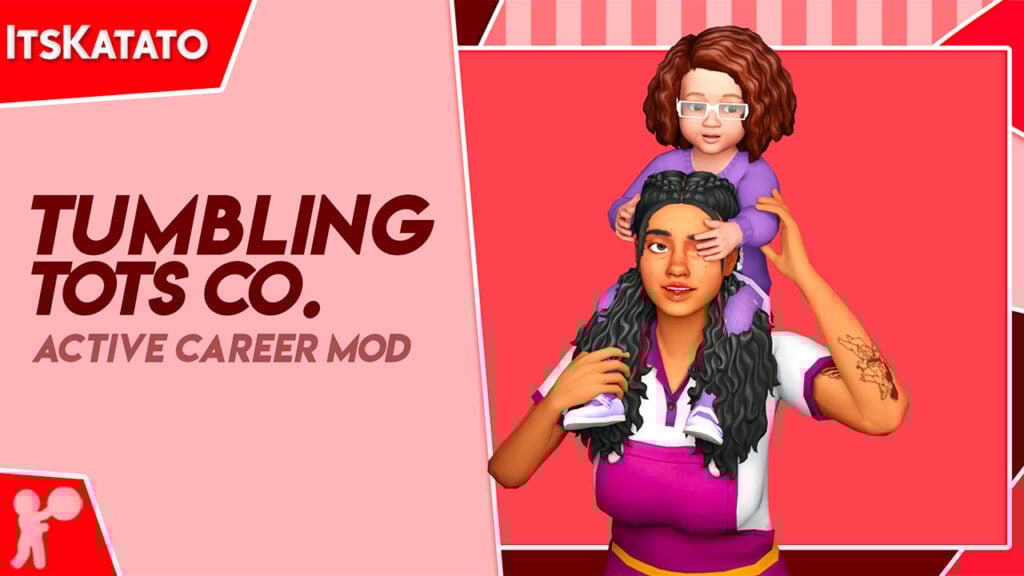
1. Tumbling Tots Co: Your Path to an Active Daycare Career
Image taken from It’s Katato’s Tumblr.
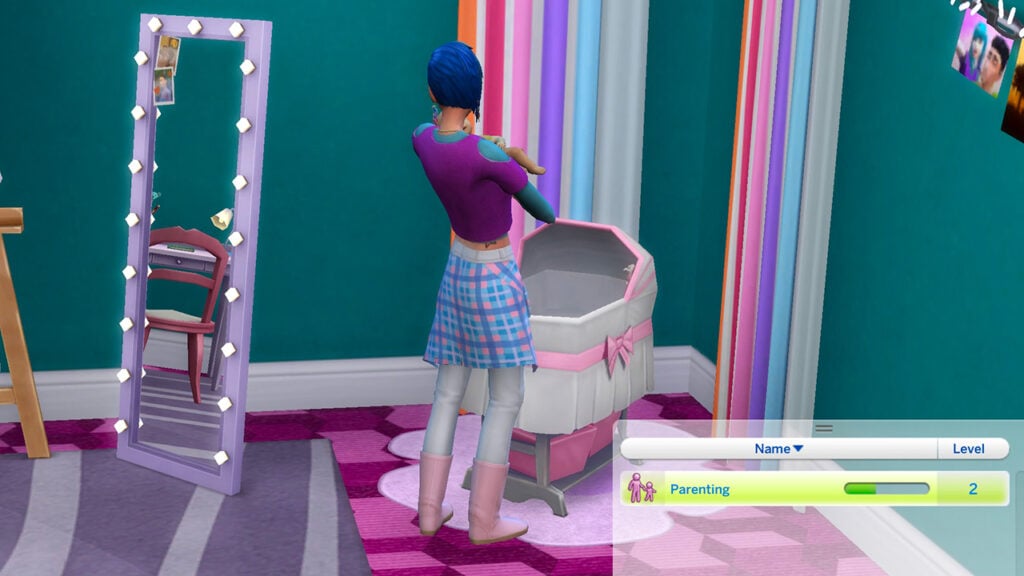
One of the first standout Sims 4 Growing Together Mods is the Active Daycare Mod by ItsKatato, also known as the Tumbling Tots Co mod. Missed the daycare action from Sims 3? No worries, Tumbling Tots Co is here to fill that void. This mod isn’t just about watching kids, it’s a full joyride experience! You get to actually go to the daycare venue and guide your Sim through their workday. I mean talk about game enhancements!
But wait, it doesn’t end there! If you love the idea of daycare but want to stay home in your PJs? This mod also allows you to open a daycare career at your Sims home, that’s every bit as fun and functional as the real venue. Your Sim can roll out of bed into a room full of toddlers ready for storytime and the occasional diaper change. You’re not just a babysitter, you’re an aspiring Daycare Dynamo! Giving you the option to climb the career ladder to get higher rewards! We’re talking more kids, more challenges, and of course, more Simoleons in your pocket!
So why settle for ordinary family life when the Sims 4 Growing Together mods exist? And this one especially, adding layers of fun and realism to your game!
Get the Tumbling Tots Co. Mod on It’s Katato’s Patreon for FREE.
2. Baby Bottle Override Mod: Stylish Addon for Your Smallest Sims!
Image taken from Curseforge.
Have you ever looked at the Sims 4 baby bottle and thought that it’s kind of “meh”? Well there is a solution. It’s time to jazz it up with the Baby Bottle Override Mod, one of those Sims 4 Infants Mods that improve the games aesthetic. Say goodbye to the default design and hello to sippy couture!
This mod comes from the creator Sixam CC and let’s just say, it’s the accessory your Sims nursery has been waiting for. It’s not just a bottle, it’s a statement piece! All you have to do is download your favorite color, drop it in your Mods folder, and voila—you’re in the baby-bottle big leagues! And the best part? This mod is totally optional. You can use the bottle only as a decorative item if you already have a CC pack you like.
But why stop at decor when your Sim babies could be sipping in style? Upgrade your Sims 4 Growing Together gameplay with a bottle that’s as chic as your little ones!
Get the Baby Battle Override Mod on Curseforge for FREE.
3. Science Baby Tweak Mod: A Bundle of Joy Instantly or the Old-Fashioned Way!
Image taken from Lumpinou’s Patreon.
If you always wanted a bit more control over the “science baby” feature in Sims 4, The Science Baby Tweak mod will give you the control panel you need! Coming from our legendary modder Lumpinou, this mod takes baby delivery to the next level!
Get this: With this mod, you can decide on the spot whether you want an instant baby delivery or a full-on pregnancy experience. Just pick up your Sim’s phone, dial up a ‘science baby,’ and boom—choose your own baby-making adventure! What’s especially cool is that the Sim who initiates the call is the one who gets to carry the baby if you opt for the pregnancy route. Installing is a breeze. Just grab the .package file, drop it into your Mods folder, and let the baby-making games begin!
It’s time to make pregnancy a breeze with this Sims 4 Growing Together Mod, give your Sims the choice on how to deliver the little bundle of joy!
Get the Science Baby Tweak Mod on Lumpinou’s Patreon for FREE.
4. The Sims 4 Family Mod: Amp Up Your Family Conversations!
Image taken from JellyPaw’s Patreon.
When it comes to Sims 4 Growing Together Mods, we can’t leave out this one. Forget small talk, it’s time for some real family conversation! The Family Mod from JellyPaws is your way to establishing brand-new interactions that bring your Sims’ family life into full color. Ever wondered what your Sim kids want for dinner? Or what they did at school today? Well, now you can finally know!
With this mod, you can dive into a range of conversations—from discussing healthy snacks and favorite school subjects to more adult topics like being a young parent or learning to drive. And let’s not forget the fun stuff! This mod brings some cool additional features, we’re talking about new toys and even a chat about Santa Claus! It’s these small but meaningful interactions that make your Sims’ family life feel so real and relatable.
So, if you’re looking to make your Sims 4 Growing Together family interactions as lively and diverse as your real ones, this mod is your way to it!
Get the Sims 4 Family Mod on JellyPaws’ Patreon for FREE.
5. Ultrasound Scan Mod: A Must-Have in Your Sims 4 Growing Together Mods!
Image taken from LittleMsSam’s Patreon.
If you’re a Sims Community reader, you know that we wrote a lot about the Ultrasound Scan Mod and the features it brings to the game! We can’t help it, LittleMsSam really created a masterpiece with this one! It’s time for some modern medicine to enter your Sims 4 Growing Together Mods Collection! With the Ultrasound Scan Mod, your pregnant Sims can finally get an ultrasound examination in their 2nd or 3rd trimester. For just 75 Simoleons, this mod lets you determine the number and gender of your Sims’ offspring!
Here’s how it works, use your phone to book the “Ultrasound Scan” through the Travel menu. Then your Sim will vanish for about 60 to 90 minutes, when they return they’ll have an ultrasound scan in their inventory with the results in the description! Want to share the good news with family and friends? Our favorite part of this mod is that your Sim gets to make copies for 25 Simoleons and hand them out to family and friends. You can even frame them!
Whether it’s your Sim’s first or fifth pregnancy, the Ultrasound Scan is a definite add-on to your Sims 4 Growing Together Mods collection!
Get the Ultrasound Scan Mod on Curseforge for FREE.
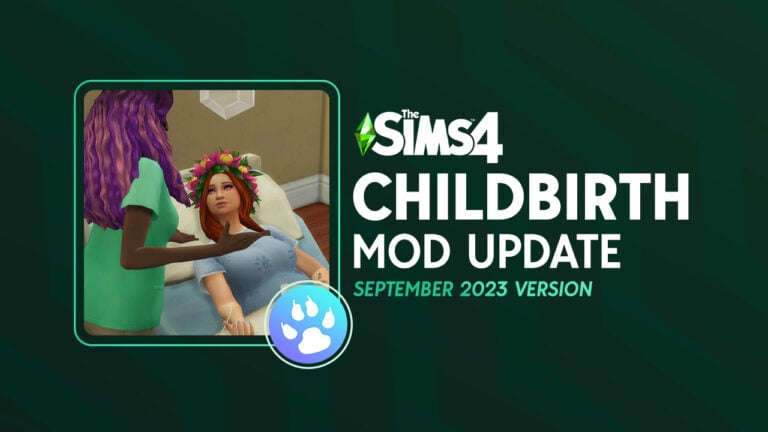
Another mod we mentioned in the past is the Sims 4 Childbirth Mod by PandaSama. Hold onto your plumbobs Simmers, because this mod revolutionized the Sim-birthing experience with hospital scenes that could rival a TV drama! But it doesn’t stop there, the latest update takes ‘realistic’ to a whole new level! Say hello to the most immersive breastfeeding experience you’ve ever seen in the Sims 4.
After giving birth, your Sim automatically enters the world of lactation with a moodlet that says it all. Your Sim can have a high, normal, or low milk supply, and each level affects everything from production speed to the risk of developing mastitis. Talk about detail! For some extra feature, search for “pump” in Build and Buy, and your Sim can start their own little dairy farm. Each successful pumping session results in a bottle of breast milk that can either be a fridge resident or an immediate meal for your Sims 4 Infants!
So go ahead, embrace the ups, downs of Sim motherhood with the Childbirth Mod – Lactation Update! Trust us when we say that this one is a definite must in our Sims 4 Growing Together mods list!
Get the Childbirth Mod on PandaSama’s website for FREE.
7. Foster Family Mod: Step Into The Shoes of a Foster Parent!
Image taken from Curseforge.
Check out another mod from LittleMsSam, one of the most vibey Sims 4 Growing Together Mods out there! Trust us when we say that this mod isn’t just a basic addition to your game, it’s a whole experience! You get to turn your Sims into full-blown foster parents or pet caretakers. Just hit up the Foster Family Network through your Sim’s phone and boom—you can choose who you’re gonna take care of, be it kids, teens, or adorable fur babies.
This mod is also packing some serious features that make the whole Growing Together theme in Sims 4 really come to life. If you’re all about parenthood, this mod is your new BFF because it’s features integrate seamlessly. With added support from in-game nannies and butlers, you won’t be just playing—you’ll be thriving.
If you’re about that Sims 4 Growing Together life, you can’t sleep on this mod! It’s your paved road to a deeper gaming experience!
8. Auto Check Toddlers and Infants Mod: Parenting Just Got Easier
Image taken from Curseforge.
Looking for a way to make your Sim parents a little less… clingy? We got you covered with the Auto Check Toddlers and Infants mod by LittleMsSam. This mod is definitely one of the most useful Sims 4 Infants Mods. Basically, it reworks how often your Sims will check on their little ones. Instead of hovering like a helicopter parent every five minutes, they’ll now swoop in every hour when those bundles of joy really need it.
Let’s be real, parenting in Sims 4 can sometimes feel like a full-time job with constant micromanagement. But with this mod, your parent Sims can actually live their lives without compromising on their kiddos’ needs. It’s the key to making your Sims 4 family gameplay legit enjoyable.
So if you’ve been searching for essential Sims 4 infant mods that actually make a difference, this one’s a must-have!
Get the Auto Check Toddlers and Infants Mod on Curseforge for FREE.
9. Invisible Bassinet Override Mod: Elevate Your Nursery Aesthetics!
Image taken from Sixam CC’s Patreon.
Okay Simmers, if you’re annoyed at the default Bassinets that come with the game, you’re not alone. I mean they really cramp the infants style! With that said, we’re Introducing the Invisible Bassinet Override, a Sims 4 Infants mod that’s fully compatible with the latest Sims 4 updates and Growing Together. This mod lets you override those basic bassinets making them invisible, giving you the freedom to use any decorative CC bassinet you want!
Just a quick heads-up: this mod might not play nice with custom baby skins. So if you run into any issues or have the inside scoop on how to make it work, the modder Sixam is all ears. Bottom line? We can add this one to our aesthetic Sims 4 Growing Together Mods collection. Perfect for anyone looking to spice up their nursery!
Be sure to add this to you Sims 4 Infants Mods list, as it opens the door to a whole new Infants Bassinet CC world, enhancing your gameplay even further!
Get the Invisible Bassinet Override Mod on Sixam’s Patreon for FREE.
10. Ghosts Can Have Babies Mod: Because Even Spirits Deserve Family Love!
Image taken from Mod the Sims.
So, we’ve all been there, playing the Sims, vibing with our ghost Sims who can get married and stuff but for some reason can’t have kids. I mean there is an option with cheats, but honestly it’s too much of a hassle. That’s where Sims 4 Growing Together Mods come in! PolarBearSims created this mod just out of those reasons, with a “Try for Baby” interaction for your ghost Sims.
That means whether you’ve got a human and a ghost, or two ghost parents-to-be, babies can now be in that equation. Kinda groundbreaking if you ask us! Here’s the rundown: the “Try for Baby” option appears on the Sim, not objects and the ghost males can impregnate both human and ghost females. But heads up, the newborns won’t be ghosts, because apparently the game doesn’t have a ghost shader for babies.
So, if you’re all about that afterlife family dynamic, this mod is a must-add to your Sims 4 Growing Together Mods collection!
Get the Ghosts Can Have Babies Mod on Mod the Sims for FREE.
11. Toggle Milestones Mod: Introduce Flexibility to Your Little Ones!
Image taken from TwistedMexi’s Patreon.
If you’ve ever been bothered by the fact that some interactions are locked until you reach some milestones, then the Toggle Milestones mod by TwistedMexi is about to be one of your favorite Sims 4 Infants Mods. Imagine being able to unlock all those interactions while still being able to pursue milestones when you feel like it.
Yeah, it’s as cool as it sounds. Just hit up the cheat console (ctrl + shift + c for PC or cmd + shift + c for Mac) and enter tm.togglemilestones. Boom, a message will pop up telling you if milestones are on or off, and this will apply across all your saved games.
So if you want to keep the gameplay fresh and do milestones your way, while including Sims 4 Infants Mods, Toggle Milestones is your go-to. Also, if you though the cheats part was cool, be sure to check out our Sims 4 Growing Together Cheats Guide!
Get the Toggle Milestones Mod on TwistedMexi’s Patreon for FREE.
12. 40 New Milestones Mod: Unlock a Whole New Milestone Experience!
Image taken from Waffle’s Mix-Ins’ Patreon
Speaking of Milestones, get ready to unlock a whole new layer of gameplay with the 40 New Milestones mo! Created by Waffle’s Mix-Ins, this mod is packed with 40 unique milestones that include activities, special events, and some custom icons. Ever wanted to get rewarded for “Botched a Keg Stand” or “Became Friends With a Skeleton”? Well, now you can.
This mod isn’t just about base game stuff; it’s got milestones from various packs like City Living, Get to Work, and even Jungle Adventure. From “Donated to Charity” to “Met Guidry,” there’s a milestone for almost every random and not-so-random thing your Sim can do. You don’t wanna miss out on this game-changer, especially if you’re a fan of Sims 4 Growing Together Mods!
13. Better Nanny Mod: Get The Help You Desperately Need!
Image taken from Curseforge.
Look, we all know nannies in Sims 4 can be a bit hit or miss, so enter the Better Nanny Mod by LittleMissSam. This mod is the ultimate game-changer for anyone needing that extra pair of hands around the house. This mod improves nanny behavior, making them more efficient at tasks like feeding babies and changing diapers. Now they’ll actually do their job well, what a concept, right?
But hold up, that’s not all. This mod also has a ton of optional add-ons. Need a second nanny? You got it. Want to set specific work hours? Done. Don’t like the nanny uniform? Toss it. You even have the option to make sure the nanny’s better behavior doesn’t affect your household, if that’s how you roll.
Out of all The Sims 4 Growing Together Mods, this one is the upgrade you didn’t know you needed but won’t be able to live without!
14. Teen Parenting Skill Mod: Make Parenting a Family Thing!
Image taken from Mod the Sims.
Speaking of additional help, we have a great mod for our Sims 4 Growing Together Mods Collection. We’re talking about the Teen Parenting Skill Mod! Are you’re tired of your teen Sims just lying around, especially when they have younger siblings? Well, buckle up, because the Teen Parenting Skill mod is a straight-up game-changer.
This mod levels up your teens from mere high school drama magnets to responsible, caring siblings. Yep, they’ll finally be put to good use! Your teens can now help their siblings with homework, teach them good behavior, and even lay down the rules when needed. It’s like they get to experience parenting, but without the lifelong commitment.
Honestly, if you’re into the whole Sims 4 family gameplay, this mod is pretty much a must-have in your Sims 4 Growing Together Mods collection!
Get the Teen Parenting Skill Mod on Mod the Sims for FREE.
15. Infants CAS Pose Override: Stand Up for Style!
Image taken from Giulietta Sims’ website.
Ever felt like the seated pillow pose in CAS just doesn’t cut it when you’re trying to style your infant Sims? Well, not anymore! The Infants CAS Pose Override mod by Giulietta Sims switches things up by replacing the default seated pose with a much more convenient standing one.
Trust me, once you start using this Sims 4 Infants Mods addition, you’ll find it a whole lot easier to visualize different outfits and pick out the most adorable onesies for your infant Sims. Gone are the days when you had to squint to see how a particular outfit looked on your seated tot. With the standing pose, you can style to your heart’s content and see every little detail.
If you’re all about making sure even the youngest members of your Sim family are dressed to impress, this mod is a perfect addition to your game!
Get the Infant CAS Pose Override Mod on Sims Studio’s for FREE.
16. Infant Needs Decay Mod: Make Parenting Easier for Your Sims!
Image taken from Mod the Sims.
Are you tired of constantly rushing to fulfill your infant Sims’ needs? Do you feel like you’re spending more time micromanaging babies than actually enjoying the parenting experience in the game? We get it, handling infants needs can really become a distraction.
The Infant Needs Decay Mod by Plumlace is a game-changer in the world of Sims 4 Infants Mods. This mod reduces the decay rate of all infant needs to 50% of the base game’s default rate. That means it will take way longer for needs like hunger, hygiene, and social interaction to decrease, allowing you to take a more relaxed approach with your Sim babies. You’ll have more time for cuddles, playing, and maybe even catching up on some adult Sim activities!
So slow down to save the moments with your infant Sims, after all they’re only little for a short time—even in Sim time! But if you prefer to be there in every step of the way, check out our Sims 4 Growing Together Infants Care Guide!
Get the Infant Needs Decay Mod on Mod the Sims for FREE.
17. Lie on Lap Interaction Mod: Take Cuddles to the Next Level!
Image taken from Mercuryfoam’s Patreon.
Looking for a way to make those special moments with your youngest Sims even more special? Say no more! The Lie On Lap Interaction Mod by Mercuryfoam is here to redefine cuddle time for you and your Sim. Imagine your child Sim comes home after a long day of school, homework, and avoiding that annoying neighbor kid. What better way to relax than lying on a parent Sim’s lap?
Additionally, this mod brings a lot of affectionate interactions, from stroking hair to caressing faces—all while your Sims lounge around for 60 Sim minutes! Plus, adult Sims who are actual parents get to level up in their parenting skill. As if that’s not enough, this interaction can magically morph into a movie night as your Sims can actually watch TV while enjoying this warm interaction.
If you’re looking to create some quality family moments in your Sim household, this mod is the perfect choice, especially if you’re already exploring other Sims 4 Growing Together Mods!
Get the Lie on Lap Interaction Mod on Mercuryfoam’s Patreon for FREE.
18. The Infant Playmat Mod: A Trip Down Memory Lane!
Image taken from Sims Lab’s Patreon.
Remember those adorable playmats from The Sims 2? If you’re feeling nostalgic, this mod by Sims Labs will instantly take you back to the good old days! This mod offers you “The DangleMaster Deluxe”, a playmat that not only looks like it came straight out of the Sims 2 but is also fully functional!
Base game compatible, this mod truly is the best of the best when it comes to infant playmats. With its cute design, it comes in six swatches easy to fit in any nursery decor! Whether you’re a first-time Sim parent or a seasoned pro, “The DangleMaster Deluxe” is sure to keep both you and your little Sim entertained! This one really makes you appreciate the fact that nostalgic modders that create Sims 4 Infants Mods exist.
So why settle for ordinary when you can add a touch of nostalgia and functionality with “The DangleMaster Deluxe”?
Get the Infant Playmat Mod on Sims Lab’s Patreon for FREE.
19. School Holidays Mod: Gift Your Little Ones A Break From School!
Image taken from Curseforge.
“Mom, Dad, no school today!” Imagine your Sim kids and teens coming up with that delightful announcement in the morning. Well, this is now possible with the School Holidays Mod by LittleMissSam! With a 2% chance set, your Sims can find themselves with a sudden day, three days, or even a week off from school. You’ll even find an “On holiday” note in your UI to prove it.
And get this: once the “Holiday Buff” is activated, it’s like winning a mini-Sim lottery because every child and teen in the household shares in the spontaneous break. No more dragging your Sims to school when they’d rather be exploring, fishing, or, let’s face it, sleeping in. And if you’d like to increase the frequency of School Holidays, you just need to pick the percentage that suits you best. This is definitely one of the Sims 4 Growing Together Mods that the youngest will love the most!
So, go ahead and add an extra layer of unpredictability to your Sim life. After all, who doesn’t love a good surprise holiday?
Get the School Holidays Mod on Curseforge for FREE.
20. The Chat Pack Mod: Now The Whole Family Can Join The Conversation!
Image taken from Mod the Sims.
Ever felt like your Sims could do a little more… well talking? Say no more, because NateTheL0ser’s Chat Pack Mod is a social butterfly’s dream come true! This addition is perfect for those who are looking for some cool Sims 4 Growing Together Mods. Imagine your Sim complaining about morning sickness and then getting different emotional responses based on personality traits. This Chat Pack Mod comes with two themed packages, one for Babies & Family and the other one for Lifestages.
Package #1 is all about family matters. Expectant Sims can “Discuss Odd Symptoms,” especially if they’re carrying an alien baby (Don’t ask). Dads can unfortunately tell Dad Jokes, and elder Sims can Nag About Partner/Career/Grandchildren! Meanwhile, Package #2 lets your adult and elder Sims Complain About Lost Youth or yell To Get Off The Lawn at younger Sims. The list of interactions is priceless!
So if you’re ready for your Sims to be more than just nodding characters, be sure to give the Chat Pack Mod a try!
21. Little Whiners Mod: The Diaper Game Just Got Serious!
Image taken from Littledica’s Patreon.
Who says nurseries have to be boring? With the Little Whiners Changing Stations by Littledica, swapping out diapers can finally be stylish! With this mod you’ll get a spot in your nursery that’s not just fully functional, but also amps up the room aesthetic! These changing stations are Base Game compatible, but not in any way basic.
Out of all the Sims 4 Infants Mods, this one is probably the most useful as it adds a Growing Together feature to the Base Game. Little Whiners comes complete with artsy swatches that let you customize the changing stations with fun stickers and chalk drawings. Trust us when we say the babies will notice! If you’re someone who already owns the Growing Together expansion pack, you’re in for a treat. The color schemes of Little Whiners perfectly complement the swatches from the pack.
So what are you waiting for? Go ahead and download the Little Whiners set to make diaper-changing as stylish as it can possibly be!
Get the Little Whiners Mod on Littledica’s Patreon for FREE.
22. Slightly Nicer Treehouse Mod: Perfect Space for Creating Memories!
Image taken from Surely-Sims’ Patreon.
Let’s be honest, the original treehouse in Sims 4’s Growing Together Expansion Pack left a lot to be desired. But fear not, Surely-Sims has taken matters into her own talented hands and gave us The Slightly Nicer Treehouse Mod! The result? A treehouse that doesn’t just say “I’m a spot to hang out,” but rather, “I’m the nicest part of your childhood!”. This treehouse is not just an improvement, it’s an essential part of the whole Sims 4 Growing Together Mods experience.
And let’s talk about versatility: did someone say seasonal changes? This mod changes the trees leaves according to the season present, giving that extra layer of adaptability to the game. Just remember, this mod requires the Growing Together Expansion Pack to be installed.
So, ready to upgrade your Sims’ childhood sanctuary? Let your Sim kids climb up to an improved adventure!
Get the Slightly Nicer Treehouse Mod on Surely-Sims’ Patreon for FREE.
23. Family Therapy Mod: It’s Time to Address Some Emotional Issues
Image taken from A Deep Indigo’s website.
If you’re looking to add some serious realness to your family gameplay with Sims 4 Growing Together Mods, the Family Therapy Mod by A Deep Indigo is seriously the best choice. Designed to be more specific and niche, this mod introduces new interactions between family members, various types of counseling and therapy sessions, and support groups.
This mod aims to help create an understanding of a broad range of situations, from addiction to mental health diagnoses. To use the mod, Sims just have to book a therapy consultation via the phone menu, which opens the door to individual or group sessions. To make it even better, this mod offers a home-based therapy system for family members, where a therapist can come over to your Sim’s house.
The Family Therapy Mod is ideal for players who want to explore the complex emotional and psychological aspects of Sims family life, adding that extra realism factor to the game!
Get the Family Therapy Mod on A Deep Indigo’s Website.
24. Best Hug Mod: Unlock Heartwarming Connections!
Image taken from Reddit.
This is one of the more wholesome Sims 4 Growing Together Mods. Remember the heartwarming hug between a dad and kid showcased in the Growing Together trailer? Well, this hug interaction has now been unlocked for all users by Adeepindigo!
This is probably the smallest one out of the Sims 4 Infants mods, but it’s definitely worth it if you’re looking to add some emotional depth to the game. This mod is particularly compelling for players who are deeply invested in family gameplay dynamics, offering an emphasised emotional interaction between Sims family members.
In conclusion, the Best Hug Mod takes a small but emotionally charged moment and makes it available to all members of the Sim family!
25. Milestones Extended Mod: Finishing off the Sims 4 Growing Together Mods!
Image taken from Lumpinou’s Patreon.
Another one by Lumpinou, the Milestones Extended Mod is an addition to the Sims gameplay that brings over 50 custom milestones ranging from becoming a national leader to experiencing the death of a pet or loved one.
This mod allows players to explore a variety of experiences, including specific milestones for events like “Came Out,”, “Joined Religion” and “Got Divorced”, among many others. The best part is that this mod also provides social bunny posts and moodlets for existing EA milestones. The mod even offers a social interaction feature to ask other Sims about their milestones, with the type of answer depending on the level of friendship.
In conclusion, the Milestones Extended Mod dramatically expands the range of life experiences and emotional responses available in the game, proving it’s spot as one of the best Sims 4 Infants Mods!
Get the Milestones Extended Mod on Lumpinou’s Patreon for FREE.
The developers MizoreYukii and thepancake1 are once again working on a Sims 4 baby stroller mod that had previously failed due to major bugs. The main issue was that Sims could not use the stroller if it was moved using live drag or taken from the inventory, essentially breaking the object.
According to their latest update, the mod is gradually coming together. Despite the remaining bugs, the project seems promising and is actively being improved. While animations for turning have yet to be added, the mod is expected to come out any time soon! Since this is one of those Sims 4 Infants Mods we all crave so much in the game, the day this mod comes out will be a true celebration for the Growing Together Community!
Although the full experience isn’t available, we did find a little workaround. Check out Whimsyalien’s Out For A Stroll Pose Pack, to have at least some function of baby strollers in the game. As this is the only way until a stroller mod arises in the world of Sims 4 Infants Mods.
Follow the updates on the release date on MizoreYukii’s and thepancake1’s Patreon.
The Growing Together expansion pack for the Sims 4 already came with some really cool family features. However, the Sims 4 Growing Together Mods we’ve explored take that experience to whole new heights. Whether you’re looking to introduce a dash of realism with the Family Therapy mod, or devote your career to the little ones with the Active Daycare Mod, these mods offer multiple options to expand your Growing Together gameplay!
So, don’t just play—immerse yourself. Let your Sims experience the laughter, tears, and triumphs that come with being part of a family. It’s time to make your Sims’ family lives as fun, emotional, and real as your imagination can make them!
If you’re a fan of family gameplay, be sure to check out our Sims 4 Teen Mods Guide—after all, how can we leave teenagers out of the equation?
Which one out of the Sims 4 Growing Together Mods was your favorite? We’d love to hear your opinion in the comments below!
Stuff Packs for The Sims 4 are back in full swing, and we’ve got the first Home Chef Hustle Features and Screens! In this article we’ll be going through the official description, key features and imagery that’s been released today.
Let’s take a look at everything coming with this latest Sims 4 Stuff Pack!
Interesting teaser that popped out right before the reveal!
Table of Contents
Sims 4 Home Chef Hustle: First Screens
The EA Newsroom has shared four official screenshots for the upcoming Sims 4 Home Chef Hustle Stuff Pack. We don’t have to say a lot, feel free to judge this book by its covers:
The Sims 4 Home Chef Hustle Official Screenshots
As you can see from the screenshots, the Home Chef Hustle Stuff Pack promises to bring culinary business activities that span across outdoor and kitchen indoor lifestyles. You’ll be able to decorate your Kitchen with brand new Island and Counters, play with the new appliances and sell your fresh (or failed) crafts. All while looking good in new CAS attire!
What’s included!
EA and Maxis have released the official news post regarding The Sims 4 Home Chef Hustle Features. The blog post talks about new gameplay items, colorful new CAS items and Build Kitchen sets to match your residental business!
Learn more on what’s included in this Stuff Pack down below:
If you want to be a top tier home chef, you need the right tools and work space. In The Sims 4 Home Chef Hustle Stuff Pack, players can renovate their Sim’s perfect home kitchen, and upgrade to new sleek designs inspired by European kitchen designs. Tap into your best interior design skills with a full set of counters and cabinets and matching appliances, the Oven plus Stove, Fridge and Dishwasher.
From amateur chefs who are looking to make their mark in the kitchen, to food entrepreneurs who are ready to turn cooking into cash, any Sim can live out their cooking dreams.
Ready to mix some dough?
New Small Appliances, Big Kitchen Upgrade
Small appliances can deliver big results in the kitchen! With a brand new Stand Mixer (side note: Sims can eat edible cookie dough straight from the prepped ingredients jar), Waffle Maker and Countertop Pizza Oven, your Sims can invite family and/or friends over for a three course heart-shaped waffle brunch, lunch or a night of homemade pizzas.
New recipes and food coming with the Stuff Pack
Speaking of pizza, show off your Sims’ sleek, modern pizza oven with new recipes inspired by traditional Italian flavors. Your Sims will become pizza pros, chopping toppings and tossing dough before sliding an unfinished pizza into the oven. Not a fan a ‘za? Not to worry! You’ll have new focaccia bread recipes to experiment with too.
We’ve added so many recipes over the years, and it’s a little trickier to find what you want. To support you in your Sims’ culinary quests, we have added filters so you can find the meal you are looking for in a fraction of the time in the free base game update coming alongside this pack. That is not the only thing we have added in the base game update… did anyone say #freethecupcakes? You can now cook cupcakes in your own oven!
Sell Your Culinary Creations To Your Neighbors
Fancy yourself an entrepreneur? Sims can become food stand owners and set up shop in different lots, bonding with their customers and witnessing the outcomes of selling their culinary creations. Players can even customize the name of the The Anywhere Any Fare Food Stand and choose the types of food they want to serve. Hint, hint: The Waffle Maker and the Countertop Pizza Oven’s street food style recipes and portable features make them the perfect companions for the food stand.
Show off your cooking skills outdoors!
Cooking in Style
The ultimate cooking adventure simply wouldn’t be complete without the right cooking attire. With kitchen-ready hairstyles, matching food themed accessories, and aprons for the whole family, we plan to have your Sims looking like serious home chefs! We absolutely love the new kitchen clogs! The clogs!
Official Sims 4 Home Chef Hustle Cover
I love the smell of fresh green cover art print in the morning, which is why I was so eager to see the official cover art for this Stuff Pack:
All jokes aside, I’m glad to see another Stuff Pack being added to the collection. Maxis Europe seems to be doing a great job already!
When is The Sims 4 Home Chef Hustle Stuff Pack releasing?
EA and Maxis have set the release date for their latest Stuff Pack on September 28th, 2023 at 10AM Pacific Time. We’ll be doing a dedicated countdown and info post about the release later on Sims Community.
This Stuff Pack for The Sims 4 follow the regular pricing of $9.99USD – or price equivalent to your local currency.
Your Sims will be able to become master Chefs in just over 2 weeks!
What are your thoughts on the first features and screens for The Sims 4 Home Chef Hustle Stuff Pack? Let us know your opinon in the comments section down below!
SURPRISE! We have another Sims 4 Giveaway up our sleeve.
We’ve just wrapped up our Cottage Living Giveaway and found some extra codes for The Sims 4 in our stash!
This Sims 4 Horse Ranch Giveaway is unfotunately only for PC and Mac players. However, we’ll have more sweepstake opportunities for Playstation and Xbox simmers soon!
Now, let’s see what you have to do to enter. Don’t worry, the rules are going to be pretty simple! There are 3 winners for this round who’ll get a chance to enjoy the latest Sims 4 Expansion Pack. Let’s begin!
How to Enter
Enter the Giveaway Hayre!
Alright. I know that pun was bad.
You can enter our The Sims 4 Horse Ranch Giveaway through our commenting system. We have a simple question below that you will have to answer in the comments in order to enter the sweepstakes.
After the entry period is over, we’ll be choosing three random comments through random.org. Entry period and giveaway result timings will be explained below!
And now, for the question:
Which Sims 4 Expansion Pack do you think is next for the game?
That’s all to it. You can write down your pack theory as your Sims 4 Horse Ranch Giveaway entry in the comments below!
As mentioned, the comments written below will be randomly chosen through random.org. If you don’t have an account for the conversations system below you can easily Sign Up! Simply click on the Sign Up button above the comments section.
You can click here for more clues on what to expect from the next Sims 4 Expansion Pack! The new Sims 4 Season promises to deliver busy content for Sims 4 players.
You’ll be able to enter our Sims 4 Horse Ranch Giveaway starting today until September 22nd, 2023 at 10AM Pacific Time. That’s when we’ll be closing down the comments section!
We’ll be choosing the winners of this giveaway three days after on September 25th, 2023 at around 10AM PT. We’ll be announcing the winners in the comments section, where the results will be featured on top. We’ll also post a quick update on our Twitter / X profile!
In case you get lost with the time zones, we have a simple solution below. As soon as the counter turns zero we’ll be closing down the giveaway entry!
Giveaway Countdown Timer
[janky target_time=”1695402000″ color=”#4ec1c7″]
Giveaway Rules
Just like our previous Sims Giveaways, this Sims 4 Horse Ranch Giveaway has a set of rules that will make this giveaway easy for everyone. Make sure you keep the following things in mind when entering:
Sims 4 Horse Ranch Giveaway Rules:
Be mindful and follow the Sims Community House Rules linked below.
You need to be a member of the Sims Community comments system in order to leave a comment! The Sign Up button can be found right above the comments setion.
Not more than 1 comment per person!
There is slight chance that your comment might be saved for manual approval. Don’t worry, we will manually approve your comment in throughout 24 hours after your submission.
This Sims 4 Horse Ranch Giveaway is intended only for PC / Mac players. As mentioned above, we’ll have more opportunities for Console players soon!
Expect the Giveaway Code to be delivered up to 5 work days after the winners have been announced.
Do not share your personal email and data in the conversation! Let’s keep this Sims giveaway fun for everyone.
Looking for more tips on The Sims 4 Horse Ranch Expansion? We have a large list of Guides that will make your Horse Care and Gameplay feel like a piece of cake!
Good luck to everyone entering this Sims 4 Horse Ranch Giveaway! I’m looking forward to reading some of your theories about the next Sims Expansion Pack… 💜
Wean toddlers, get bloodwork, pap smears, and more in the Childbirth Mod update!
The Sims 4 Childbirth Mod by Pandasama is constantly growing and evolving. It’s gotten many updates adding much-loved features like home births and lactation. The latest weaning update brings even more heartwarming goodness to the game. Sims can now nurse and wean their toddlers. There are also new pregnancy checkups that can be done at the hospital. Pregnant Sims can get bloodwork done and go in for pap smears to make sure everything is okay with the health of their baby.
We’ll walk you through all of the new features in the latest Childbirth Mod update!
Table of Contents
The Sims 4 Childbirth Mod Weaning Update
The latest weaning update comes with plenty of new gameplay features and objects! We’ll explain everything in-depth for you so you can get the most out of the latest update.
Weaning Toddlers
Lactating Sims can now breastfeed their toddlers and also wean them off of breast milk. If you choose not to wean your toddler, your Sims will autonomously breastfeed them when they’re hungry and the toddler will nurse until they are full or until their parent runs out of milk. You can also direct your Sim to nurse them under Toddler Care. Your Sims may sometimes get moodlets from nursing.
Toddlers who have nursed at least once can be weaned off of breast milk. Under Toddler Care, select Start Weaning to begin the weaning process. You can choose to just quit cold turkey or gradually wean them. If you choose to quit cold turkey, your Sim will immediately stop nursing the toddler all together. If you choose to gradually wean them, your Sim will continue to nurse their toddler but for a shorter period of time. After two days, they will stop completely.
There are no serious consequences to choosing one method of weaning over the other but your toddler will get angry if you quit nursing cold turkey. You can try to Explain Weaning to them to make them understand why they cannot nurse anymore. Sometimes they will accept the explanation. Other times, they will continue to stay angry for up to two days. Eventually, they will get over it and move on, though.
Pregnancy Checkups
Previously, pregnant Sims could use the phone to go have an ultrasound done at the hospital. In the latest update, the Ultrasound option has been replaced with Pregnancy Checkups. Don’t worry; your Sims can still get an ultrasound done! There are just additional pregnancy checkups available to choose from now.
Pap Smears
To have a pap smear done, use the Pregnancy Checkups option on the phone to travel to the hospital. Make sure you have a pap smear bed placed down on the lot. You can find it by searching “pap smear” in the Build/Buy catalogue.
Click on the bed and choose Get Pap Test. A doctor will perform the pap test for your Sim. Your Sim will receive the results from their pap test through the phone the following day. There is a small chance your Sim may have HPV but this condition does not require any treatment.
Bloodwork
To get bloodwork done, use the Pregnancy Checkups option on the phone to travel to the hospital. Make sure you have Pandasama’s hospital bed placed on the lot. You can find it by searching “hospital bed” in the Build/Buy catalogue.
Click on the hospital bed to get bloodwork done. A doctor will take some blood from your Sim. In the case of bloodwork, no news is good news! You’ll only receive the results through the phone the next day if something is wrong.
If you have the Health Care Redux mod, the blood test will be able to detect any pregnancy complications that are part of that mod. Compatibility with the Romance and Pregnancy Overhaul mod will be added soon, too.
Pregnancy Treatments
Sometimes the pregnancy checkups will come back with health issues that require treatment. There are also new ways to treat a stalled labour and speed up the dilation process.
RhoGAM Injections
Sometimes, your bloodwork will show that your Sim has an Rh negative pregnancy. In very basic terms, this means that the baby’s blood type is incompatible with the pregnant Sim’s blood type. If your pregnant Sim has an Rh negative pregnancy, you’ll receive a phone call and be prompted to travel to the hospital for treatment.
Rh incompatibility can be treated with RhoGAM injections. After traveling to the hospital, click on a doctor and select Get RhoGAM Injection. The doctor will administer the shot to help your pregnant Sim handle the incompatibility better.
There is currently no penalty or negative consequence for not getting a rhoGAM injection so if you don’t want to deal with this feature, you can safely ignore the phone call prompt.
Pitocin
Pitocin is now available to help speed up dilation during labour and to treat stalled labours. You must have Pandasama’s hospital bed placed on the hospital lot to receive a dose of Pitocin. You can find it by searching “hospital bed” in the Build/Buy catalogue.
While in labour, click on the hospital bed and choose “Start Pitocin.” Receiving the Pitocin will cause your Sim to immediately become fully dilated but there are risks involved with using Pitocin for a quicker labour. There is a 2% chance that getting a dose of Pitocin will cause a uterine rupture. If your Sim has a uterine rupture, they will be forced to have an emergency C-section to deliver the baby.
Uterine ruptures can be triggered via the mod’s SHIFT+Click cheats for storytelling purposes.
New Objects
The Sims 4 Childbirth Mod’s weaning update comes with several new objects tied to some of the new gameplay. There is new hospital equipment as well as an adjustment to birth certificates.
Pap Smear Table
The pap smear table is essential for having a pap test done. Make sure to place one down on the hospital lot if you want your pregnant Sim to have a pap test done.
Hospital Bed
The hospital bed can be used for bloodwork but it is absolutely required in order to start Pitocin. Make sure it’s somewhere accessible on the hospital lot so your Sims can use it both before and during labour.
Birth Certificates
Of course, birth certificates are not exactly new; we’ve had them since Get To Work, but Pandasama has added support for birth certificates to her mod. Now Sims will receive a customizable birth certificate for their baby when they give birth through the Realistic Childbirth Mod. The customizable birth certificates contain your baby’s height and weight at birth, which is a neat touch!
How to Download the Sims 4 Childbirth Mod
The weaning update for the Childbirth Mod is still in early access for Pandasama’s supporters. Supporters of Pandasama can download v.1.39 from her website right now. The public version is expected to release on September 17th, 2023.
If you are not a supporter of Pandasama, you can still download v.1.38 in the meantime, which contains the lactation update!
We’re only a few short hours away till the big reveal of The Sims 4 Home Chef Hustle Stuff Pack!
That’s right, after a long 2-year hiatus after the Paranormal Stuff we’ll be continuing to see more Stuff Packs for The Sims 4 in the forseeable future. Announced during Behind The Sims, EA and Maxis revealed that they now have a seperate team working on Stuff Packs. Maxis extended their team to Europe across several countries (physically and remote) and now have Maxis Europe working on this Pack. And the SPs for The Sims 4 to come!
Find out what to expect from The Sims 4 Home Chef Hustle Stuff Pack and get ready for the premiere!
Table of Contents
The Sims 4 Home Chef Hustle Reveal
The 19th Stuff Pack for The Sims 4 is getting its full reveal on September 14th at 8AM Pacific Time / 5PM Central European Time. To make the Sims 4 Home Chef Hustle reveal time more precise we’ve included a handy countdown below, along with the premiere.
Time until Home Chef Hustle Reveal
[janky target_time=”1694703600″ color=”#3D9734″]
Sugar, flour, eggs, and what’s that? Smells like Simoleons!
As soon as the counter turns zero you should expect the complete Stuff Pack reveal. Along with official screens, cover and first details coming soon after on our Home Chef Hustle News page!
What to Expect in The Sims 4 Home Chef Hustle
Following the trails of previous Stuff Packs, the Home Chef Hustle features new CAS, Build and Live Mode elements in a generous package. All within the 10USD price range, or a price which is equivalent to your local currency.
Considering that this Stuff Pack focuses on Kitchen items, we’re surprised to see a wide variety of items and sets planned objects for this pack.
Just a taste of what to expect with Home Chef Hustle!
New Gameplay Features
Developers working on The Sims 4 Home Chef Hustle Stuff Pack have shown a lot more during Behind The Sims. Including Gameplay Cooking Improvements coming to The Sims 4 for free! All of this seems to be tied together in a nice, homey Stuff Pack package.
Making Simoleons
If you’re a Sims player who’s looking for more ways to earn Simoleons, this pack will have it. For example, the new Food Stand shown below:
Reveal expectations based on previous Stuff Packs
It’s hard to pin exactly where The Sims 4 Home Chef Hustle Stuff Pack reveal will land on. I sort of see Sims 4 Stuff Pack releases as a gradient from worst to best. In their chronological order of release of course.
Luxury Party Stuff Pack, which was the first SP released on May 19th, 2015 came out with the lowest amount of new CAS, Build and Gameplay items. After the release of Kits however this package became more…generous looking over time.
The Sims 4 Paranormal Stuff which came out on January 26th, 2021 had a lot more going on. So much so that it seemed like EA was doing a last hurrah for Stuff Packs before they would seemingly switch to Kits.
No matter what the Sims 4 Home Chef Hustle reveal brings to us, I’m sure it’ll be worth more than 2 Kits. Once again, each to its own!
Release Date Reveal
Although we don’t have the official information about The Sims 4 Home Chef Hustle Stuff Pack release yet, we can expect the Pack to come out very soon in the coming weeks. We’ll keep this space updated as we get closer to zero on that clock!
Are you ready?
Let us know your thoughts about The Sims 4 Home Chef Hustle Reveal in the comments down below. And as always, stay tuned to more news on this pack very soon!
If you want to see the upcoming Stuff Pack in action, there’s an official developer preview that you can check out below:
In this post we’ll be listing all of the deals and discounts that you can find for The Sims 4 Sale. Offers include all of the Stuff Packs, Game Packs and most of the Expansion Packs – excluding only the Horse Ranch Expansion.
Find all of the discounts in the Sims Sale overview down below:
The Sims 4 Sale Map
The Sims Sale on EA App and Origin
The mother bee of Sims launchers. You’ll be able to find Sims 4 Sale Deals on the main EA App launcher. Or, if you play The Sims 4 on Mac it’ll be listed on Origin.
Heads up though, the EA App will soon replace Origin on Mac as well!
Here are all of The Sims 4 Sale deals that you can find on the official launcher:
The Sims 4 Expansion Pack Sale
More than 90% of Expansion Pack prices for The Sims 4 have been cut down in half! High School Years and Growing Together have a lower discount, considering they’re newer releases.
You’ll be happy to know that all of The Sims 4 Stuff Packs are on Sale! This DLC Set contains a discount of 30% off that’s set to every Stuff Pack in the game series.
The Sims Sale on Premade Bundles
And last (but not least!) you’ll be able to find a set of three different premade bundles for The Sims 4. Set at a discount of 20% on the total DLC package, including:
The Sims Sale extends on the Steam platform too, where you can enjoy the same discounts that we’ve listed above.
You’ll also see that the sale has impacted the total number of Sims 4 DLC cost, rounding it up to 785USD, or a price equivalent to your local currency. Not…bad?
You’ll be able to enjoy the new Sims 4 Sale prices across EA App, Origin and Steam until September 25 at 10AM Pacific Time. Make sure you take advantage of these offers before it’s too late!
As always, make sure you stay tuned on Sims Community for all of the latest News and Updates on The Sims Deals.
We’ll be rowing boats before driving cars in this game, I guess.
We can all agree that the Sims 4 has a controversial *transportation* problem. Even if we got jet skis and canoes from Island Living, bicycles from Discover University, and even horses from the Horse Ranch pack, we still. WANT. CARS.
But we don’t talk about boats much, do we? Similar with cars, they’re still a decorative object in the debug menu. Until today! With this nifty build hack, you can make your own functional boats without the help of mods or CC.
Before anything, ensure that bb.moveobjects is on.
Table of Contents
Step 1: Laying out the foundation
Start off by making a sizable pond in your lot with terrain tools. Check out this tutorial to learn how.Build a room near the pond and add a 2nd floor on top of it. Delete the room below and the walls of the 2nd floor. Don’t forget to remove its ceiling too!
Adjust the height of the room on the 2nd floor to be closer to the ground by using the white foundation slider in the middle. Then move it it towards the pond by using the room arrow sliders one by one. Once it’s hovering above the pond, lower it down again with the white foundation slider until it’s at the water level.
To blend this floor with the pond, change the flooring to wood or to any brown tile. Also, add this inlaid exterior trim around it.
Step 2: Terrain manipulation
Now comes the part to make this boat functional – terrain tools! Toggle the yellow grid view by clicking ‘G’ to guide you in the next steps.
Choose ‘Flatten to Height’ and level out the surrounding land to the normal terrain height. Then, click Ctrl+[ four times to lower the terrain height setting. Click on the area surrounding the room that you placed to flatten it at the set height. After that, add stairs connecting the room to the lowered terrain.
Next is to smoothen the terrain to connect the lowered terrain to the normal height terrain. This will make a path that your Sims can access.
Step 3: Add the functional boats shell
To get the boat, type Ctrl+Shift+C to open the cheats bar. Type in ‘testingcheats on’ first. Then, enter bb.showhiddenobjects and bb.showliveeditobjects consecutively. To close the cheat bar, click Ctrl+Shift+C again.
In the search bar, search for ‘**DEBUG**’ and filter for Base Game. Look for this boat item.
Place the boat on the floor below and NOT on the same level with the 2nd room floor. Click Ctrl+9 to elevate it until it reaches the floor above.
Add any bench (preferably with a brown wooden swatch) on the 2nd floor. Size it down to its smallest size using the ‘]’ key and hold down Alt to place it just right by the boat seat. Make sure to leave a small part of the seat visible so you can click on it during gameplay.
Try to play test it and it should work like a charm!
Lastly, decorate the pond. Paint the terrain with a muddy brown swatch. Add natural foliage around the boat. You can also cover the stairs with a plant to make it less obvious.
Add pond animals especially fireflies to set the mood. If you own My Wedding Stories and City Living, add these gorgeous pond lights to make it even more whimsical.
And there you have it! A boat that your Sims can sit and nap on by the lake.
Video Tutorial
Here’s a quick tutorial to make basic functional boats:
Bonus Step: More activities in The Sims 4 functional boats!
Feel like sitting and pretending to row your boat is too basic? Try adding a telescope from Base Game or Werewolves and you can spend the evening stargazing in the lake.
Or add an easel to paint a landscape of your surroundings!
You can even add a picnic table in the functional boats! Include a picnic basket from Cottage Living too.
To blend in the table, search for ‘Wooden Plank Decorative’ from the debug menu. Go down 1 floor and elevate it using Ctrl+9 until it reaches the table height. Line them up by holding Alt to place four planks side by side.
Next, size down the picnic table with ‘[‘. Go down 1 floor again and use a wooden object to cover the table. Here we’re using a stool from debug, pretending that it’s a stem which supports the wooden planks.
Extend the floor to make the other side of the table accessible. Do this by adding a 3×1 platform beside the room. DON’T use the room sliders because it will move the other objects you just placed!
Tip: Placing objects on the lower floor and elevating them to the floor above ensures that your Sims can access the space and objects on the 2nd floor.
Go down 1 floor again and cover the extended floor with moss or lilies.
And that should do it! Have your Sims eat a romantic dinner or family brunch in the lake.
Video Tutorial
For the additional steps to make functional boats in The Sims 4, I have a YouTube Short that explains the building process in under just one minute!
What will you build?
Show us your functional boats that you’ve made in The Sims 4 in the comments down below! Yes, you can add images too 💜
Take one final plunge into these looks before summer ends!
Summer’s almost over, but things are still heating up for The Sims 4 with the Poolside Splash kit! You know what that means; it’s time for a Poolside Splash lookbook from SnarkyWitch and Krista!
As always, each of the looks featured in this lookbook are CC-free and feature clothing options from the Base Game, Poolside Splash, and one additional pack. That way, players across all platforms can enjoy these looks and if you don’t own one of the packs mentioned, you can mix and match with the packs you own.
To make things easy, we’ve listed everything for each of the looks below. So grab your pool floaties and sunglasses and dive into the looks we’ve prepared for you!
Table of Contents
The Sims 4 Poolside Splash Lookbook
The Real Teal
Nothing says summer like orange and teal, mimicking the beauty of a sunset over the ocean. Your Sims can be a walking summer sunset too in this sultry outfit. A strappy top with a wraparound skirt, trendy sandals, and a crown of flowers is the perfect way to turn some heads on the beach or at your next pool party!
Hair: Beachy Waves with Flower Crown (Island Living)
Top: Strappy Sheer Crop Top (Poolside Splash)
Bottom: Wraparound Mini Skirt (Island Living)
Shoes: Sheer Heeled Sandals (Poolside Splash)
Makeup: Eyeshadow, Eyeliner, Blush, and Lipstick (Base Game)
Accessories: Bracelet, Nails and Necklace (Poolside Splash)
Other: Freckles (Base Game)
Feeling Flamingo
Stand out from the crowd and channel your inner Ken in this pretty in pink flamingo look! With a combination of bright and fun colours, you’ll be sure to turn heads at the pool. The cool backwards cap and sunglasses combo are a classic summer pairing, but the addition of the flamingo pattern around the arm bands and ring add a new level of pool side cool! So why not make a splash in this funky flamingo look!
Hair: Slick Backed (Base Game)
Full Body: Colourful Floaties Combo (Poolside Splash)
Shoes: Basic Flip Flops (Base Game)
Accessories: Patterned Baseball Cap (Base Game), Tinted Sunglasses (Poolside Splash), Triangular Necklace (Base Game). Festival Wristband (Poolside Splash), Eyeball Ring (Base Game)
Flamingo Fly
Make a statement with all those attractive Sims at the beach and the pool this summer with an outfit as colourful as a flamingo’s feathers! Nothing says confidence like pink and bright patterns, and this ensemble exudes chill confidence. This patterned flamingo unbuttoned top with pink shorts paired with some cool summer shades and a silver dog tag necklace shows just how serious you are about looking fly like a flamingo.
Hair: Ponytail Locs (Backyard Stuff)
Top: Patterned Unbuttoned Tee (Poolside Splash)
Bottom: Loose Shorts (Backyard Stuff)
Shoes: Waterproof Sandals (Poolside Splash)
Accessories: Bracelet and Necklace (Base Game), Sunglasses (Poolside Splash)
Other: Facial Hair and Tattoo (Base Game)
Summertime Chill
Turn heads in this bright yet simple Summer pool look! The combination of the oversized sun hat along with the statement top, plain coloured swim bottoms and a dash accessories are the perfect look! Whether this is a look your Sims will be rocking at the local pool or even on the beaches of Sulani, keep it a stylish and simple sophisticated summer outfit.
Hair: Lose Natural Wave (Base Game)
Top: Patterned Swim Bralette (Poolside Splash)
Bottom: Coloured Swim Bottoms (Spa Day)
Shoes: Detailed Sandals (Base Game)
Accessories: Sun Hat (Base Game), Dual Combo Necklace (Poolside Splash)
Makeup: Eyeshadow, Eyeliner and Lipstick (Base Game), Cheeks (MAC x Base Game). Nails (Poolside Splash)
Want to find out more about The Sims 4 Poolside Splash Kit? We’ve got you covered with an in-depth overview and review!
Credits
This lookbook was a collaboration between Krista and SnarkyWitch!
The latest Life by You news is a mixture of disappointment and anticipation. The newest life simulation game to hit the market, developed by Paradox Tectonic with Rod Humble, was expected to release as an early access title on September 12th, 2023 but development delays have caused the early access launch to be pushed back until next year. That hasn’t stopped the dev team from continuing to update players about how the game is coming along, however! We’ve got a full recap of all the most recent Life by You news for you!
Table of Contents
Life by You News Recap: Disappointments and Surprises
While the early access delay may be disappointing Life by You news to many players who were looking forward to trying out the game in September, there is lots to look forward to as well. The dev team has been sharing plenty of videos and Q&A posts about what players can expect when the early access does launch.
When Can I Play Life by You?
So when can players expect to play Life by You? The new early access launch date is March 5th, 2024! So approximately 6 months from now. Hopefully the extra time will be more than sufficient for the developers to get Life by You all ready for players to explore in March. While we were disappointed to learn we would have to wait another 6 months to play this game we’ve been anticipating for such a long time, we’re also relieved that the dev team is operating on a “it gets released when it’s done” schedule rather than rushing to release subpar content on a deadline.
Life by You Game Updates
The delayed release date has not slowed down Life by You news about gameplay features at all! There has been lots shared about vehicles, the world, gameplay tuning, the lot editor, and more!
Purchasing Cars
https://www.youtube.com/watch?v=kS7B3CpJ-3U
Last month, players were introduced to buying and trading cars in a video on Life by You’s YouTube channel. The video shows how players will be able to travel to a car dealership to purchase cars in person, customize their look, and gift or trade them to other humans. Our humans will be able to own multiple cars and choose which vehicle is their preferred one, meaning they will always choose to drive that vehicle by default.
In a follow up Q&A Life by You news post, they add that players will be able to choose which side of the road humans drive on. Gas money will be accounted for in your human’s household maintenance cost so you won’t need to go fill up at a gas station, but you are paying for gas as part of your regular expenses. Bikes and scooters don’t add to the household maintenance bill.
Some features planned to be developed during early access are loans and debt, banking, and having multiple humans ride in the same car together. Naming cars, maintenance and repairs, re-customization, and gifts that affect relationships are also being looked at during early access.
World Tour
https://www.youtube.com/watch?v=YTYWo7H0vCc
The world tour portion of this Life by You news article is of course best when viewed for yourself so here’s the video where we get to see the layout of the world coming with Life by You in March! Some nice features include bus stops, rest stations, a park, a beachfront, supermarket, cafes, and workplaces. There’s also shopping locations, salons, and hotels.
Although it’s just one world, it’s quite large and depending on where you are, the landscape feels quite different. The beachfront area has a lot of flat land and the hilly part of town is more forested. Most of the shopping outlets and businesses have more than one location so you don’t need to travel all the way across the map to grab a bite to eat at the only café in town, for example. There should be one closer to you.
On that note, players can change anything about their town themselves if they don’t like the default. The follow up Q&A Life by You news post revealed we can pick up and move lots wherever you want, demolish and rebuild lots from the ground up, and edit much of the landscape. We can create a whole new town of our own if we want.
Players also have full control over who moves into their town and can change the hotkeys for panning the camera around if they want. New business and building ideas are being considered by the dev team.
Gameplay & Tuning
https://www.youtube.com/watch?v=eE4otUSBL1g
For players who are interested in learning how to mod Life by You using the in-game script tools, you’ll love this video where Rod Humble walks players through some of the tuning that will be available to edit, using a washing machine as an example. He also discusses the economy tuning in depth and explains how Life by You’s economy is based on the real-world economy, rather than a “toy economy.” There’s so much Life by You news in this video, from background traits influencing starting funds and more.
An additional Q&A revealed that humans won’t need to own a house/lot, making a true rags to riches playthrough possible which is fantastic Life by You news. Players can also stop new humans from moving into town and for modders, they’ll be able to import their own code or use the game’s custom in-game modding tools. We’re very excited for this, as it means making modding accessible to all players even if they’ve never done any programming before.
The Lot Editor
https://www.youtube.com/watch?v=o9ml658jJTA
Branching off of our modding discussion in Life by You news, the game also has a video on the in-game lot editor which is a mod tool for the game. While players can edit lots directly in the world, the lot editor can be used to create lot templates that are then saved to your lot library and can be placed down wherever you want, in as many spots as you want around your world. There is a lot of info in this video about what kinds of things you can do in the lot editor, from choosing a business’ operating hours to linking jobs to that business and more.
An additional Q&A also adds that multiple jobs can be linked to a business and that there will be modding tools available for clothes, hair, and other cosmetic things in the game, too. They are still trying to decide on the best min and max lot sizes for the game and home businesses do have some limitations at the moment.
Relationships
https://www.youtube.com/watch?v=0G-0NzbnZ8o
And last but not least in Life by You news, we get a glimpse of how relationships can be adjusted to our liking in Life by You. Humans have a like, romance, and chemistry bar which can all change independently of each other. Humans can have high romance but low chemistry with people for lots of drama or they can dislike each other but have high romance or chemistry. Relationships can also be one sided with one human being in love with another who doesn’t reciprocate those feelings.
We’ve seen plenty about the character editor before but this video gives a recap of some of the physical features that can be adjusted as well.
And that’s a wrap on all the latest Life by You news developments! Make sure to bookmark our Life by You category to stay up to date on the progress of Life by You!