Home Blog Page 92

The Sims 4 Growing Together: Conquer Burnouts!

Power through the dreaded Brain Block to be productive again!

The Sims 4 Burnouts
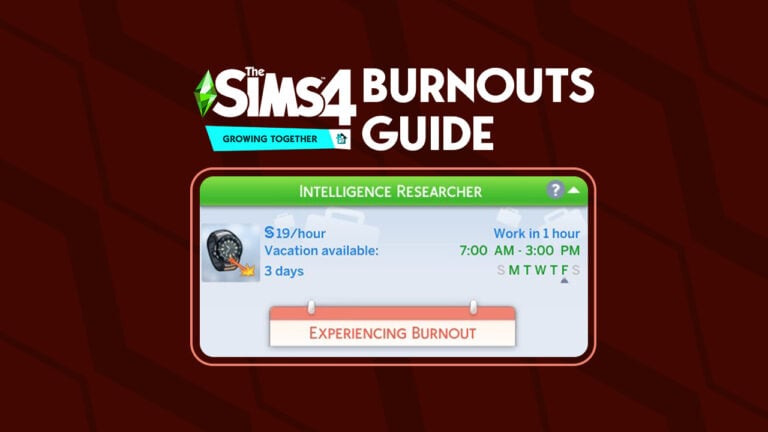
Bella is experiencing a burnout, reflected in her Career Panel

Sims 4 burnouts are seriously no joke! They can happen to the most productive of Sims. In fact, they’re extremely likely to happen to productive Sims. Burnouts can stop a Sim in their tracks and make them unable to complete tasks until they’ve had a chance to unwind and relax a little. Just like in real life, our Sims need breaks and a variety of activities to enjoy now, too, in The Sims 4 Growing Together.

Sims 4 Burnouts Warning

Sims who have been hyper focused on either creative activities or mental activities for a long period of time are at risk of experiencing a burnout. You’ll know your Sim is in danger of burning out by their moodlets. If they have a Dazed moodlet from a Mental or Creative Fog, that’s a warning to the player that their Sim needs a break before they experience a full-on burnout.

At this point, there is still time to avoid a burnout. If your Sim is experiencing a Mental Fog, have them do creative activities for a while, instead. If they’re in a Creative Fog, have them focus on some mentally stimulating activities for a bit. You can also just let your Sim take a break from these activities entirely. Send them on a weekend getaway, treat them to a spa day, or just have them do any number of other relaxing activities. If your Sim gets the break they need when they first warn you they’re feeling run down, they can successfully avoid burning out.

First Time Burning Out Milestone
Sims will get a milestone for having their first burnout

But beware! Not heeding this initial warning will result in Sims 4 burnouts! A burned out Sim will struggle with their career performance, promotions, skill gain, and Fun and Energy motive gain. You’ll know your Sim has burned out by an orange notification. It will also show that they’re in the middle of a burnout in their career panel.

Sims who experience Sims 4 burnouts for the first time will get a milestone to reflect this event in their life.

Mental Fog

The Sims 4 Burnouts
Sims in a mental fog need to do creative tasks

Sims who spend a lot of time invested in mental tasks will eventually experience a mental burnout if they don’t get breaks now and then. While a Sim is experiencing a mental burnout, they’ll struggle to have Fun, especially when doing mental tasks, their Energy levels will deplete faster, they’ll struggle to improve work performance at work, and they won’t be able to gain promotions. It will be harder for them to build skills, too.

Sims who are in the midst of mental Sims 4 burnouts will recover over time but you can help them recover faster by allowing them to indulge in more creative activities and giving them plenty of down time to relax. Let them unplug from mental pursuits for a while and let them take a break. Your Sim will bounce back to their usual productive selves soon enough.

But if you continue to push your Sim to perform mental tasks while they’re burned out, their condition will worsen. Their burnout will escalate into a full blown Brain Block.

Creative Fog

Creative Fog
Sims in a creative fog need to do mental tasks

Sims who spend a lot of their time pursuing creative activities can get burned out, too. If they’ve been doing nothing but creative tasks for too long, eventually, their inspiration will run dry and they’ll lose the will to create. They won’t have Fun doing the creative things they used to love, and their career, skill gain, and Energy will suffer, too. Creatively burned out Sims can’t get promotions, either.

Sims who are experiencing creative Sims 4 burnouts will recover eventually but giving them the opportunity to explore mentally stimulating activities will speed up their recovery significantly. You can also just have them take a step back from everything and just rest and relax for a while. If given more mentally stimulating things to do or given enough time to rest and recuperate, your creative Sims will want to create again.

However, be careful not to push your Sim while having creative Sims 4 burnouts; their burnout could get worse and become a total Brain Block.

Brain Block

The Sims 4 Burnouts
A brain block is a more severe form of burnout

If a burned out Sim continues to push themselves without getting a break, their burnout will become a complete and total Brain Block.

A Brain Block is an even worse form of Sims 4 burnouts. It negatively impacts career performance, promotions, Fun gain, Energy gain, and skill gain to an even greater degree. If your Sim has a Brain Block, they are really struggling to function. They desperately need to do different activities and/or relax because they aren’t going to be productive at all in this state.

Conquer Burnouts

The good news is that it’s relatively easy to avoid Sims 4 burnouts! Pay attention to your Sim’s moodlets and when you see that Dazed moodlet from a Creative Fog or a Mental Fog, switch up their activities or give them a break. Your Sim will recover before they ever get to the point of burning out.

If your Sim is already burned out or in a dreaded Brain Block, the same rules apply. Creatively burned out Sims will benefit from mental tasks and mentally burned out Sims will benefit from creative tasks. All burned out Sims will also recover with rest and relaxation, no matter the type of burnout they’re having. It will just take them longer to recover, depending on how bad their burnout has become.


Looking for more ways to challenge yourself with The Sims 4 Growing Together? Why not try playing with our latest Story Starter Kit?
This Sims 4 Milestones Mod is an Amazing Overhaul!

Over 50 new milestones and improvements to existing milestones!

Sims 4 milestones mod
Image Credit: Lumpinou

Lumpinou has released a Sims 4 milestones mod that adds so much more depth to The Sims 4 Growing Together‘s existing milestones system. While the expansion pack’s new milestones feature was well-received by Simmers, they were also quick to point out that the milestone system could be improved in various ways. For example, the game does not distinguish between divorces and break-ups and Sims don’t get milestones for some important events, such as getting a new sibling or their parents splitting up.

Of course, a modder has solved these problems! Lumpinou’s Milestones Expanded mod adds over 50 new custom milestones across multiple DLC packs and adds more detail and depth to some of the game’s existing milestones! It also adds custom moodlets related to many milestones and Social Bunny posts related to milestones!

This Sims 4 Milestones Mod is a Must Have!

Lumpinou’s improvements to the milestones system makes the lives of your Sims feel even more in-depth and meaningful. While it’s clear that EA’s milestones system is a great addition to the game, it really needed some extra detail in quite a few areas. The fact that Lumpinou not only added more milestones and edited existing milestones, but also went to the effort of including moodlets and Social Bunny posts shows their dedication to making a great game feature even better!

New Milestones

Sims 4 milestones mod

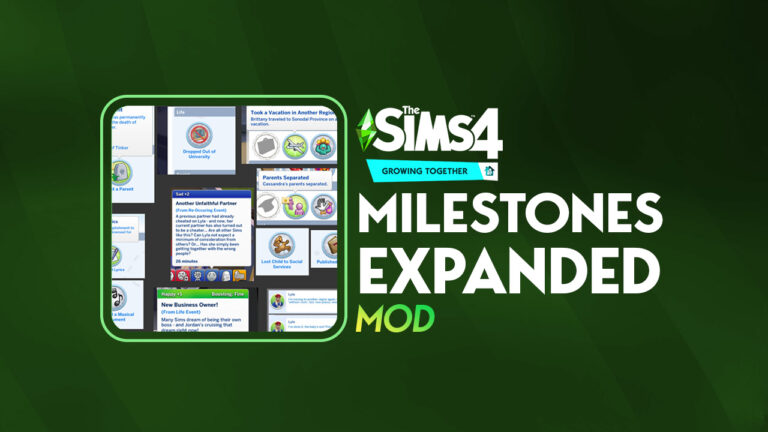
This Sims 4 milestones mod adds over 50 new milestones to the game. So many important moments that EA neglected to include as milestones are now represented. Dropping out of university, moving to a new world, taking vacations, getting a new sibling, having your parents split up and so much more is now commemorated as milestones for your Sims!

Check out the full list of new milestones Lumpinou has added to the game below! Some milestones are exclusive to certain packs. Players can remove milestones from individual packs that they don’t own. Also, some milestones are designed to work with Lumpinou’s WooHoo Wellness mod. Some milestones are still being worked on, as indicated in the following list.

  • Became National Leader
  • Befriended Dolphin
  • Befriended Toilet
  • Born In [world] indicator
  • Came Out
  • Carried Baby For Another
  • Child Taken Social Service
  • Composed Lyrics
  • Composed Song
  • Death of a Pet
  • Death Of Best Friend
  • Death Of Child
  • Death Of Grandparent
  • Death Of Parent
  • Death Of Pet
  • Death Of SO
  • Death Of Sibling
  • Diagnosed With Permanent WTD
  • Did Gender Transition Steps
  • Dropped Out University
  • Enrolled in University (not ready)
  • First Kiss (firsts)
  • First Kiss with someone new
  • Gave Child For Adoption
  • Got Kicked Out By Parents
  • Got New Sibling
  • Got divorced
  • Got Sterilization Surgery (not ready)
  • Had Alien Baby (not ready)
  • Had Abortion
  • Had Teen Pregnancy (not ready)
  • Had Unwanted pregnancy (not ready)
  • Had cryptic pregnancy (not ready)
  • Had out of relationship pregnancy (not ready)
  • Had Grandchildren
  • Had Science Baby (not ready)
  • Had Miscarriage
  • Had Wedding Ceremony (not ready)
  • Introduced Self To a Celebrity
  • Joined Religion
  • Left Religion
  • Lost Custody
  • Made Video Game
  • Mastered An Instrument
  • Moved Worlds
  • Online Dating Profile
  • Owned Business
  • Parents Separated
  • Published Book
  • Scuba Diving
  • Sold Masterpiece
  • Took Vacation Other World
  • Won Custody
  • WooHoo with someone new
  • Won Gaming Competition
  • Won Star Accolade
  • Wrote Book
From Lumpinou

Milestone Improvements

Milestone Improvements

In addition to adding SO many more milestones to the game, this Sims 4 milestones mod also makes improvements to some existing milestones. Certain important milestones like getting married and the birth of a child now record the lot where this milestone took place!

Sims can also ask other Sims about their milestones. If they are close enough friends, your Sim will find out all of that Sim’s past experiences. If they aren’t close, the other Sim will be pretty annoyed with you for being nosy, though.

It’s a small tweak in this Sims 4 milestones mod but a nice one that we feel makes these important life moments even more special and meaningful!

New Moodlets

Milestones are not just life records in an info panel. They’re a part of your Sim’s life and they have shaped the way they are now, which this Sims 4 milestones mod reflects perfectly. Depending on whether your Sim has experienced a certain milestone for the first time, or if they’ve experienced the milestone previously, they may get different moodlets related to that milestone.

Sims 4 milestones mod

For example, your Sim may become very sad if they’ve been cheated on more than once and their moodlets will reflect that they have yet another unfaithful partner. Meanwhile, a Sim giving birth for the first time may get a moodlet that reflects both the excitement and anxiety of this monumental moment in their life.

Special Statuses

As if this Sims 4 milestones mod doesn’t have enough improvements in it already, Lumpinou has also taken the liberty of adding some special relationship bits to certain Sims related to milestones. This is probably one of our personal favourite features of this mod.

Custom Relationship Bits

Sims who have their very first kiss or woohoo together will get a mutual relationship bit in their Sim Profile that reflects that this Sim was their Very First Kiss or their Very First WooHoo. The first born child of a family also gets a special status signifying their importance in the household.

We think this is a really cool way for this Sims 4 milestones mod to keep track of a Sim’s first important experience with another Sim!

Social Bunny Posts

But all of that is still not all this amazing Sims 4 milestones mod does! Players who own The Sims 4 High School Years expansion pack will enjoy additional features of this mod relating to the Social Bunny app!

Sims 4 milestones mod
Image Credit: Lumpinou

Sims will be able to post about those important milestone moments on Social Bunny. Considering how boring and repetitive the Social Bunny posts get after about ten minutes of using it, anything that adds some variety to this game feature is a welcomed change!

This Sims 4 milestones mod does not require High School Years in order to function; however, Social Bunny features will not be available to players who don’t have the expansion.

Download the Milestones Expanded Mod

The Milestones Expanded mod by Lumpinou has left early access and is now freely available to everyone on their Patreon! As always, make sure to read all the download instructions carefully before installing.

This Sims 4 milestones mod requires The Sims 4 Growing Together expansion pack.

Looking for more information on milestones? Check out our Milestones Guide!

The Sims 4 Werewolves Cheats: Rank Up Instantly!

Unlock, Equip, Transform, CHEAT! This is the full list of Sims 4 Werewolf Cheats.

Need to setup characters for a story? Or do you just want to cheat ahead? No need to look anywhere else, we’ve got you covered with the most important Sims 4 Werewolves Cheats right here!

In order to use the Sims 4 Werewolves Cheats, you’ll need to do a few steps first:

  1. Open the command console.
    • Windows PC – Ctrl + Shift + C
    • MacOS – Ctrl + Shift + C
    • PlayStation – L1 + R1 + L2 + R2 (Hold all 4 buttons together)
    • Xbox – LB + RB + LT + RT (Hold all 4 buttons together)
  2. Enter the TestingCheats True (or TestingCheats On) cheat into the command console.
  3. While the sim is selected, enter in your werewolf cheat.

Looking for more Quick Cheats for The Sims 4? Catch up here!

Sims 4 Werewolf Creation Cheats

Forget to make your Sim a werewolf? Or just want to skip the werebies part of transforming, there’s a cheat to make your Sim a werewolf. In comparison, if you’re tired of being a werewolf or just simply want to skip the process,

Make your Sim a werewolftraits.equip_trait trait_occultwerewolf
Turn a werewolf into a regular Simtraits.remove_trait trait_occultwerewolf
The Sims 4 Werewolves Cheats: Occult Creation

Sims 4 Werewolves Cheats: Rank Progression

The following are two miscellaenous cheats that will come in handy when playing with werewolves. The first is to complete the current aspiration. This works for all aspirations, but works great for werewolf ones as well! The second is a cheat to add XP to a werewolf. These XP help rank a werewolf up within the Werewolf Ranks.

Completes Current Werewolf Asperationaspirations.complete_current_milestone
Add XP to Werewolf Progressionstats.set_stat rankedStatistic_Werewolf_Progression X [Change the ‘X’ to the amount of XP you want added]

These are the Werewolf Ranks by XP amounts.

Werewolf Ranks by XP Amounts
Runt: 200
Prime: 700
Veteran: 1600
Apex: 3000

Werewolf Trait Cheats

These are also numerous Sims 4 werewolves cheats for new traits that are available in game. Some are visible, but others are hidden. These cheats add the traits to the current Sim selected. If you would like to remove traits instead of add them, replace traits.equip_trait with traits.remove_trait within the cheat.

newtraits
All about the new Sims 4 Werewolves Traitrs
Friend of the Wildfangstraits.equip_trait trait_WerewolfPack_FriendB
Friend of the Moonwood Collectivetraits.equip_trait trait_WerewolfPack_FriendA
Refined Lupinetraits.equip_trait trait_OccultWerewolf_AspirationTraits_BetterFuryControl
Fanged Friendtraits.equip_trait trait_OccultWerewolf_AspirationTraits_FriendlyWolf
Chomp Championtraits.equip_trait trait_OccultWerewolf_AspirationTraits_BetterTurning
Werewolf Allytraits.equip_trait trait_OccultWerewolf_AspirationTraits_FormerLycan
Threatening Presencetraits.equip_trait trait_OccultWerewolf_AspirationTraits_MoreFear
Dormant Wolftraits.equip_trait trait_OccultWerewolf_DormantWolf
Lunar Confidanttraits.equip_trait trait_OccultWerewolf_InitiationBonusTrait
Greater Wolf Bloodtraits.equip_trait trait_OccultWerewolf_GreaterWolfBlood

Werewolf Temperaments

Temperaments are abilities that Werewolves unlock and purchase over time. But, with Sims 4 Werewolves cheats, a werewolf doesn’t need to worry about rank or if a temperament is unlocked yet. To add a temperament, traits.equip_trait needs to be used. But if you want to remove the temperament, replace traits.equip_trait with traits.remove_trait.

Night Wolftraits.equip_trait trait_OccultWerewolf_Temperaments_NightWolf
Survival Instinctstraits.equip_trait trait_OccultWerewolf_Temperaments_SurvivalInstincts
Restless Animaltraits.equip_trait trait_OccultWerewolf_Temperaments_RestlessAnimal
Wolf Braintraits.equip_trait trait_OccultWerewolf_Temperaments_WolfBrain
Wracked With Guilttraits.equip_trait trait_OccultWerewolf_Temperaments_WrackedWithGuilt
Mark of the Wolftraits.equip_trait trait_OccultWerewolf_Temperaments_Lunar_WolfMark
Hungry Like The Wolftraits.equip_trait trait_OccultWerewolf_Temperaments_HungryLikeTheWolf
Grumpy Wolftraits.equip_trait trait_OccultWerewolf_Temperaments_GrumpyWolf
Friskytraits.equip_trait trait_OccultWerewolf_Temperaments_Frisky
Sensitive Hearingtraits.equip_trait trait_OccultWerewolf_Temperaments_SensitiveHearing
Mark of the Hunttraits.equip_trait trait_OccultWerewolf_Temperaments_Lunar_HuntMark
Easy Excitabletraits.equip_trait trait_OccultWerewolf_Temperaments_EasyExcitable
Carnivoretraits.equip_trait trait_OccultWerewolf_Temperaments_Carnivore
Anti-Capitalist Caninetraits.equip_trait trait_OccultWerewolf_Temperaments_AntiCapitalistCanine
Big Bad Wolftraits.equip_trait trait_OccultWerewolf_Temperaments_BigBadWolf
Feels Outcastedtraits.equip_trait trait_OccultWerewolf_Temperaments_FeelsOutcasted
Hates Being Wettraits.equip_trait trait_OccultWerewolf_Temperaments_HatesBeingWet
Mark of The Forresttraits.equip_trait trait_OccultWerewolf_Temperaments_Lunar_ForestMark
Mark of the Nighttraits.equip_trait trait_OccultWerewolf_Temperaments_Lunar_NightMark
Pridefultraits.equip_trait trait_OccultWerewolf_Temperaments_Prideful
Territorialtraits.equip_trait trait_OccultWerewolf_Temperaments_Territorial
Must Be Cleantraits.equip_trait trait_OccultWerewolf_Temperaments_MustBeClean

Sims 4 Werewolves Cheats: Sentiments

Sentiments are temporary feelings that Sims have for another sim after certain interactions. In order for these to work, you need to enter the following information BEFORE the cheat.

modifyrelationship [Sim 1 full name] [Sim 2 full name] [X]

The X is the number that you want to change within the relationship. For example: modifyrelationship Bob Pancakes Eliza Pancakes 30 sentimentTrack_Bitter_ST_GrudgeAgainstPackB

Here are the following Sims 4 Werewolves Cheats that will add new Sentiments between your Sims:

Hurt by PacksentimentTrack_Hurt_ST_HurtByPackmate
Abandoned PacksentimentTrack_Guilty_ST_AbandonedPack
Fated MatessentimentTrack_Enamored_ST_FatedMates
Grudge Against The Moonwood CollectivesentimentTrack_Bitter_ST_GrudgeAgainstPackA
Wolfy WarmthsentimentTrack_Close_ST_WolfyWarmth
Full Moon First KisssentimentTrack_Enamored_LT_FullMoonFirstKiss
Grudge Against The WildfangssentimentTrack_Bitter_ST_GrudgeAgainstPackB
Lycan BondsentimentTrack_Close_LT_LycanBond
Fated to WedsentimentTrack_Enamored_LT_FatedToWed
Furious Pack RivalrysentimentTrack_Furious_ST_PackRivalry
Fate DefiedsentimentTrack_Guilty_LT_FateDefied
Big Sad WolfsentimentTrack_Guilty_ST_BigSadWolf

Cheats Mods*

*Disclaimer: The following is a mod. Unfortunately, they are only available on PC/Mac.

Werewolf Cheats by Carl is a great mod that lets you add Temperaments and Perks without typing cheats. To access the cheats, turn testing cheats on (testingcheats true). Then, shift click a sim and click on Carl’s Werewolf Cheats. This opens up a pie menu of options including both add and remove Temperaments and Perks.

Sims 4 Werewolves Cheats Mod by Carl

The Sims 4 Growing Together: Beware of Layoffs!

Yup. Job insecurity is now a thing in The Sims 4 Growing Together.

The Sims 4 Growing Together Layoffs

Sims 4 layoffs from the Growing Together expansion might seem like a strange addition to the game. After all, The Sims 4 has been more focused on the good aspects of life than the bad during its eight year run. The Sims Team has always leaned heavily into fantasy and escapism which makes sense given that the overall state of the world right now is kind of a dumpster fire. Players naturally want a perfect, happy utopia to escape into and forget about the many problems that they face in the real world.

However, Growing Together seems to embrace both the good and the bad parts of life in equal measure. From midlife crises, difficult and distant family dynamics, and the potential for low confidence as a child to turn into low self-esteem as a teen, this expansion really encapsulates life during all of its highs and lows. Sims 4 layoffs are just another way Sims can experience some of the more difficult aspects of life.

The Sims 4 Layoffs Guide

Looming Layoff

No matter how great your Sim’s career is going, don’t get too comfortable. A layoff could always be just around the corner. Layoffs can happen to any Sim with a full-time career at any time. Your Sim’s work performance is not necessarily indicative of whether they’ll experience a layoff period or not. It’s largely random, just like real life. Hard working, dedicated people get laid off due to reasons outside their control all the time in the real world. It’s no different in The Sims.

The Sims 4 Growing Together Layoffs

When your Sim’s workplace is going through a layoff period, you’ll be notified about it. The game will let you know that your Sim’s job could be in jeopardy. During the layoff period, your Sim will have frequent Tense moodlets from the uncertainty of not knowing whether their job is safe or not. These Tense moodlets may make it more difficult to complete work tasks and be in a good mood at work. In turn, this may make it more difficult for them to keep their job.

The layoff period usually lasts for about three in-game days. At the end of the layoff period, you’ll get a notification either telling you that your Sim has been laid off, or that they were lucky and managed to make it through the layoff period with their job still intact.

Keeping Your Job

Work Hard to Keep Your Job

Although the initial Sims 4 layoffs notification encourages you to put in extra effort at work to keep your job, this doesn’t necessarily guarantee that your Sim will avoid being laid off. That being said, it’s still a good idea to try. During the layoff period, you should focus intently on your Sim’s career. Make sure they always complete their work tasks before every shift and keep up with skill building. Try to combat those Tense moodlets with small but powerful things to help boost their mood before work, like brushing their teeth and gussying up in a mirror. Don’t forget to have them Work Hard while at work, too.

Still, even with all your best efforts, it is possible to get laid off anyway. If your Sim still gets laid off even after throwing everything they have into their work, just know you didn’t necessarily do anything wrong. That’s just the way the Sims 4 layoffs cookie crumbles sometimes.

I Got Laid Off. Now What?

The Sims 4 Growing Together Layoffs

So your Sim drew the short straw in the precarious game of Sims 4 layoffs. They got laid off and are officially unemployed. Now what?

There are some benefits and drawbacks to getting laid off. The obvious drawback is that the career your Sim spent their whole life working so hard to succeed at has been ripped away from them. Many “years” of their life are now down the drain. They won’t be able to get their old job back, either. At least not right away. Sims cannot join a career if they’ve recently been laid off from that career.

Career Restrictions

However, the Sims 4 layoffs feature does offer some helpful advice about how to get back on your feet. Sims who’ve recently been laid off can Make Looking For Work Post on the computer under the Career options. Doing so will give you a notification suggesting a new career path your Sim is well suited to based on their traits and skills. It’s up to you whether you want to join the suggested career, but it’s a nice way to get some direction if you’re struggling with what to do next.

The Sims 4 Growing Together Layoffs

Of course, The Sims 4 layoffs offer endless opportunities for Sims. Why not take the layoff as an opportunity to travel for a while? Or go back to university if you own the Discover University pack? Maybe start your own business where you’re your own boss and no one can lay you off again! There’s always a silver lining in every storm cloud!

Disable Career Layoffs Option

…Or, if you don’t want to deal with Sims 4 layoffs at all, you can disable them in the Game Options, under Pack Settings:

Sims 4 Career Layoffs: Pack Settings

Looking for more career challenges to overcome? Check out our Workplace Rivals Guide!

Sims 4 Unreleased Objects: Adorable Growing Together Art!

We could have had so much more in The Sims 4 Growing Together…

Sims 4 unreleased objects

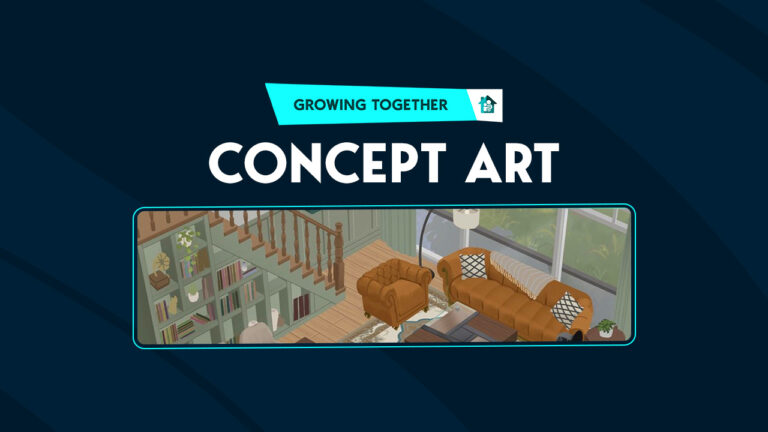
A concept artist hired by EA has posted Sims 4 unreleased objects from the Growing Together expansion pack on their professional website. Yuxing Art has revealed three images containing six room views from The Sims 4 Growing Together that ultimately, did not make the cut for the final expansion release. The concept art gives us a glimpse into some of the early design concepts the developers were considering in the initial planning stages of the expansion pack. Let’s take a detailed look at each room design, shall we?

The Sims 4 Unreleased Objects

Yuxing Art showcased six different room views as early concept art for The Sims 4 Growing Together. There appears to be a patio, a kitchen, a sunroom, a living room with a small dining area, a front entrance or mud room, and a bathroom.

Please remember that the following images are explorational concept art only. The items depicted in these images were intended to help give the developers a sense of direction for the pack and were not necessarily planned items for The Sims 4 Growing Together.

Patio and Kitchen

Sims 4 unreleased objects
Property: yuxing-art.com

This patio concept design is adorable and we are a bit sad that the pictured gable and the small tree in a stone planter were not included in the final pack. The kitchen makes us even more wistful for what might have been. The circular rug, all the open shelving underneath the countertops, a fridge covered in children’s drawings, and storage shelves built into the staircase all catch our eye and make us yearn for these things even more.

Sunroom and Living/Dining Room

yuxing-art.com
Property: yuxing-art.com

While the self-contained terrarium with the tree growing inside is a beautiful object, we can see why these sorts of Sims 4 unreleased objects didn’t actually get made for the Growing Together expansion pack. Simmers can easily create enclosed garden spaces like this using walls with floor-to-ceiling windows so it doesn’t actually add anything new to the Build/Buy catalogue. Still, it’s hard not to drool over the those staircases with built-in bookshelves. Not to mention the cast iron wood burning fireplace.

Mud Room and Bathroom

Sims 4 unreleased objects
Property: yuxing-art.com

It’s nice to see a fair few objects here that actually did make it into the final Sims 4 Growing Together release! Players will no doubt recognise the shower/tub combo with the adjustable shelf, the towels hanging on the walls, and some of the light fixtures, as well as the bathroom floor tile. The sink is a recognisable object from the pack, too. That “leeb, leefuh, lurve” sign on the wall, the welcome mat, the basket of toilet paper roll, and the wicker basket umbrella stand are all things we really wish had made the final cut, though. Sadly, they remain Sims 4 unreleased objects.

What Might Have Been…

It’s hard to look at these Sims 4 unreleased objects and not lament the fact that they didn’t make it into the final release of the games. Some of these items would have been total game changers for builders, especially if they were usable and not just decorative. Like the staircases with bookshelves built into them. Those would have been such great space savers in small family homes if Sims could store, purchase, and read books from a bookshelf built into their staircase.

But again, it’s important to remember that concept art is just that; a concept. It’s quite normal for all video games to begin with exploratory concept art that contains items not released with the finished game. The Sims 4 unreleased objects from the above concept art is no different.


Thank you to @PattonKieran on Twitter for the tip about this concept art!

Want to see what we did get for The Sims 4 Growing Together’s Build/Buy catalogue? Check out all the objects!

Get these Sims 4 Packs for Free! (PC Only)

0

Claim The Sims 4 Daring Lifestyle Bundle for free on PC and link your Epic Games account!

ARTICLE UPDATE: The Sims 4 Daring Lifestyle Free Bundle Deal has just wrapped up on Epic Games Store. You’re no longer able to claim the bundle from this platform.


Interested in getting Sims 4 Packs for free? We’ll take you through an easy tutorial get a free Game Pack, Stuff Pack and a Kit!

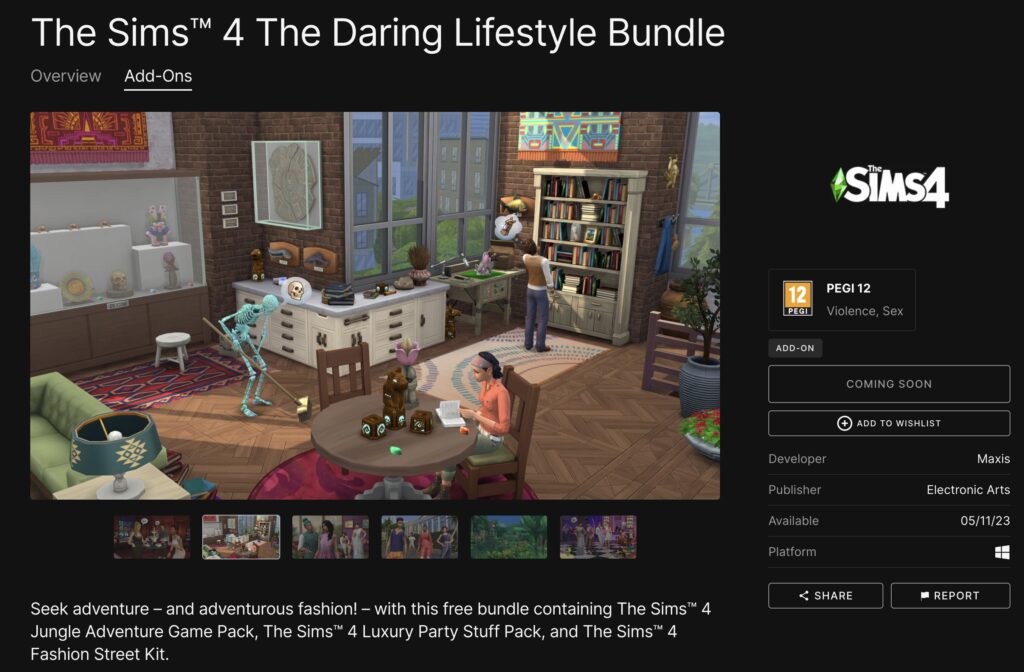
We’ve discovered a couple of days ago that EA and Maxis are releasing an exclusive Bundle for The Sims 4 on Epic Games Store. The bundle, titled The Sims 4 Daring Lifestyle consists of Jungle Adventure Game Pack, Luxury Party Stuff and Fashion Street Kit. Through May 11th to May 18th 2023, you’ll be able to claim Sims 4 Daring Lifestyle and have it yours to keep.

However, what makes this deal exclusive is that this unique bundle is available to claim only through the Epic Games Launcher. Still, if you’re a PC player who has access to a Windows computer, you’ll be able to get these Sims 4 Packs for free.

Sims 4 Packs for free: Jungle Adventure

This method will require for you to have both the EA App and Epic Games launchers installed. You’ll also need to Sign Up on the Epic Games website.


Claim Sims 4 Packs for free on PC: Jungle Adventure, Luxury Party and Fashion Street

Now that you’ve signed up and installed the Epic Games launcher, it’s time to claim The Sims 4 Daring Lifestyle! You’ll be able to do so from May 11 – May 18. During this seven day period all you have to do is visit the game page and get these Sims 4 packs for free.

The EA Desktop App allows you to link EA games from Epic Games launcher to the EA App. Luckily there’s a quick tutorial that will help you navigate this linking process:

The Sims 4: NEW UPDATE! (Aug 30th, 2022)

How to link EA App and Epic Games accounts

  1. Install the EA app.
  2. Sign in to your Epic Games account.
  3. Go to your Library, choose your EA game, and click Install.
  4. The EA app will launch and ask you to link your Epic Games account and your EA Account.
  5. Log in to the EA app using your EA Account info, or create a new EA Account.
  6. Epic Games will install your game and let you know when it’s ready to play.

Sims 4 Free Pack: Luxury Party Stuff

With this solution you can have The Sims 4 Fashion Street, Jungle Adventure and Luxury Party in your EA App Library. This gives you the opportunity to download and manage any of these packs from the EA App.


What makes this deal exclusive for PC is the fact that EA App only works on Windows for now. Even though the Epic Games launcher is both PC and Mac.

The waiting game for Mac players

If you’re playing on Mac, you can claim The Sims 4 Daring Lifestyle and wait for the EA App to becomes available. We know that the solution is not perfect. But, the waiting game could pay off if you want to get these sims 4 packs for free.

Sims 4 Packs for Free: Daring Lifestyle Bundle Cover
The Sims 4 Daring Lifestyle Bundle

What about The Sims 4 for Steam?

ARTICLE UPDATE: There seems to be a workaround that allows you to link Sims 4 Daring Lifestyle Packs with Steam! Huge thanks to @Crinrict for the find!

It’s important to note that this workaround requires you to connect the accounts through EA App. This will allow for you to play the games through Steam!

sims 4 daring lifestyle steam linking

I already have The Sims 4 on Steam and here’s how I can claim the free bundle from Epic Games and play it through my Steam or EA App:

1. You have downloaded The Sims 4 from Steam and have also installed and logged in to the EA App (If you haven’t downloaded it yet, please download it first and make sure your Steam and EA accounts are linked)

2. Go to Epic Games and Buy The Sims 4 at Epic Games (Free)

3. Claim the Free Bundle at Epic Games

4. Click Launch The Sims 4 in your Epic Games Library (This will automatically open the EA App on your PC)

Note:

  • After the EA App opens you will get a notification to link your Epic Games account with the EA App and yes just link it.
  • You will also get a notification that you have to “get the game“, don’t panic! This notification is because The Sims 4 base game on your EA App has already been linked to your Steam account, just close the notification.

5. Download all the free packs that you got from Epic Games through your EA App (Click on Manage add-ons and download all the free packs)

6. Run the game from EA App or Steam and enjoy playing The Sims 4 with your free bundle

If you have The Sims 4 or any EA game in your Steam Library, you unfortunately won’t be able to link your games. In any case this won’t be allowed due to Steam not having an option to link with other game launchers. Linking launchers is only allowed between EA App and Epic Games.

Written by ORIFirebrad / Originally found by AlenaFenomena

The following content was written prior to the finding.

EA_Solaire has shared a useful list of available platforms for linking:

Epic and EA app:

  • As long as your EA account and Epic account are linked together, you should have access your DLC owned from both Epic and the EA app.

Steam and Epic:

  • If you are playing through Steam, you will not be able to access DLC owned through Epic.
  • If you play through Epic, you will not be able to access DLC owned through Steam. 

Steam and the EA app:

  • If you purchase DLC through Steam, you will not be able to transfer your DLC to the EA app- you will need to use the base game version in Steam.
  • If your DLC is owned through the EA app, you should have access your DLC through Steam- you will need to own the base game through Steam and be sure your accounts are linked together. 

Is this method to get Sims 4 Packs for free safe?

In short – yes. You should have proper access to all of your Sims 4 DLC content after linking the EA App and Epic Games.

However, a couple of moments ago EA has updated their statement about linking game launchers. Stating that this method of cross launcher DLC compatibility isn’t “officially supported” by EA. The disclaimer was probably added later on to avoid any confusion or additional error reports.

Sims 4 Packs for Free: Official Statement

You should still be able to link The Sims 4 Daring Lifestyle Bundle. If you want to prepare extra carefully, we advise that you check out our article on how to ensure a healthy Sims 4 game!


What do you think about this solution? Let us know if you were able to successfully claim these three Sims 4 Packs for free in the comments below!

You can stay up to date on all the latest Sims 4 information right here!

The Sims 4 Growing Together: Discovering Childhood Confidence

What you need to know about The Sims 4 Childhood Confidence Feature from Growing Together!

We all know that growing up can be difficult and for our younger Sims, it’s no different!

The Sims 4 Growing Together adds a new feature on Childhood Confidence. Now, all of our Sims have a confidence level, however, for our younger Sims, it starts off at a neutral level. Over time, as they progress through childhood, that confidence level can become higher or lower. Of course, this means their Self-Esteem could be impacted later in life.

Fear not, as we’ve got you covered with everything you need to know about this new Sims 4 Childhood Confidence feature! From what is childhood confidence to reward traits, how to manage confidence levels, and more, you’ll find everything you need to know right here!

Sims 4 Childhood Confidence, learning to ride a bike
Atlas gaining confidence when learning to ride a bike.

What is Childhood Confidence?

A child Sim’s confidence level can increase or decrease depending on skill gain, school performance, positive and negative socialization, succeeding or failing or skill-based activities, confident or embarrassed moods, and more. Caregivers criticizing or praising a child’s behaviour also impacts their confidence levels.

How do I know what my Child Sim’s Confidence Level is?

Your Sim’s confidence level can be found under the Simology tab for your Sim. It will be displayed as a temporary trait.

Sims 4 Childhood Confidence - Simology Tab
A child Sim’s confidence level can be found under the Simology tab

The Levels of Childhood Confidence

There are three different levels of confidence that your child Sims can experience. These are High Confidence, Neutral Confidence, and Low Confidence.

[table id=110 /]

Reward Traits & Buffs

When your child Sims age up, they can potentially earn one of two new Reward Traits! These ultimately will be awarded to Sims who age up with either High Confidence or Low Confidence.

[table id=111 /]

You’ll see one of these two Reward Traits apply when your Sim becomes a Teenager.

Sims 4 Childhood Confidence - Reward Traits
Childhood Confidence Reward Traits

You’ll also notice, that depending on the task or interaction that your child Sim is experiencing, a variety of Buffs. These can vary depending on their confidence level and can range from more uncomfortable and embarrassing Buffs to more positive and motivating Buffs for higher confidence levels.

How can I manage my Child’s Confidence?

There are a number of ways that you can help influence your child Sim’s confidence levels. As mentioned in the Lessons section for The Sims 4 Childhood Confidence, confidence can either be positively or negatively affected in numerous ways.

Here are some examples of how you can influence a child Sim’s confidence level.

[table id=113 /]

While these are just some of the many ways you can influence confidence levels, there are so many more in the game to discover!

Don’t forget, Milestones and Aspirations are another great way to help your child Sim’s confidence levels.

Sims 4 Childhood Confidence: Atlas watching nature from the treehouse
Atlas enjoying some time in his treehouse

Ultimately, you can manage your Child Sims confidence level by completing everyday interactions, Milestones, Aspirations, and more without even realizing you are doing so. Of course, just make sure to keep an eye on their level if they are about to level up. This is more so if you are wanting to obtain one of the two Rewards Traits that we mentioned earlier in this overview.

Want to know more about Milestones in The Sims 4? You can find this and more guides right here. As always, stay tuned to Sims Community for all the latest from The Sims franchise!

The Sims 4 Growing Together: Receive Rewards for Loose Teeth!

Put baby teeth under a child’s pillow to get a visit from the tooth fairy!

Sims 4 loose teeth

The Sims 4 loose teeth is a new feature that comes with the Growing Together expansion pack. Child Sims can lose their baby teeth and place them under their pillow at night to receive a reward from the tooth fairy (and her molar bear assistant) when they wake up. This feature was temporarily disabled while The Sims Team worked on squashing some bugs with the feature. It has since been re-enabled in the latest game patch so your child Sims can once again lose their baby teeth.

We’re going to walk you through every aspect of this adorable feature for children!

The Sims 4 Loose Teeth: Wiggle Wiggle Wiggle!

Loose tooth notification

Losing baby teeth is exclusive to the child life stage in The Sims 4 Growing Together. Child Sims might wake up in the morning to discover they have a loose tooth! The Sims 4 loose teeth can be wiggled to help them fall out faster or, if your child Sim is brave enough, they can just yank the tooth right out!

Sims 4 loose teeth

You’ll receive a notification when your child Sim has a loose tooth. While the tooth is loose, they will have an Uncomfortable moodlet; having a loose tooth can cause some soreness around that area of the mouth, after all. The moodlet only has a strength of +1 so it’s not too hard to deal with. It’s quite easy to override this moodlet with more positive moodlets to keep your child Sim in a positive emotional state.

Wiggling a loose tooth
A child Sim wiggling her loose tooth

Clicking on your child Sim will display two new options: Wiggle Loose Tooth and Pull Out Loose Tooth. Wiggling The Sims 4 loose teeth will help the tooth fall out faster, but it does give your child Sim an extra +1 Uncomfortable moodlet for a while. The other option is to pull out the loose tooth. Having your child Sim yank the tooth out will remove the tooth immediately but it causes your child Sim to gain a +2 Uncomfortable moodlet for the next 3 in-game hours. Combined with the other Uncomfortable moodlets, this can be a little harder to deal with for a bit.

The Tooth Fairy Has Arrived!

You’ll get another notification when your child Sim’s loose tooth has fallen out. Don’t bother looking in the inventory for it. It doesn’t actually appear anywhere but loosing a tooth unlocks a new interaction on beds: Place Tooth Under Pillow and Sleep.

Sims 4 loose teeth
This child woke up to a gift from the tooth fairy!

Before your child Sim goes to bed that night, they can place their Sims 4 loose teeth under their pillow before they go to sleep. When they wake up in the morning, they’ll receive a small amount of simoleons and a special tooth fairy-themed wall poster or decal to decorate their room with. The exact amount of simoleons varies slightly but it’s usually around §80.

We tested this a few times with different times of the day and naps vs. sleeping. The tooth fairy will only come during the night while your child Sim is sleeping under the bed covers, not just napping. So if you were thinking your child Sim could catch a quick cat nap in the middle of the day to get their tooth fairy rewards sooner… sorry. Not gonna happen.

A child with a gap in her teeth
A child with a gap in her teeth after losing a baby tooth

After your child Sim loses their Sims 4 loose teeth, they’ll have a gap in their teeth but don’t worry; it’ll fill out again on its own in a couple of in-game days.

Milestones and Mementos

Sims 4 loose teeth
Tooth Fairy certificate and tooth fairy rewards

Losing your first baby tooth is a big deal for kids. Naturally, The Sims 4 loose teeth feature makes sure it’s a memorable moment, both through physical keepsakes and recorded milestones.

When your child Sim loses tooth for the first time, they’ll receive an adorable tooth fairy certificate in their inventory that can be displayed on a wall. Hovering over it will reveal a tooltip stating which Sim the certificate is for. They’ll also get the Lost First Tooth milestone.

Sims 4 loose teeth
Lost First Tooth milestone

These things only happen after losing their first baby tooth. You won’t be flooded with repetitive milestones and certificates every single time your child Sim loses a tooth. They’re likely to lose several baby teeth before they grow into teenagers.


Looking for more Growing Together gameplay for children? Learn how to ride a bike!

The Sims 4 Growing Together Midlife Crisis Survival Guide

How to survive a midlife crisis in The Sims 4 Growing Together!

The Sims 4 Growing Together Midlife Crisis

So your Sim’s in the midst of a midlife crisis, huh? The Sims 4 midlife crisis feature from the Growing Together expansion is great for making adults feel distinct from young adults but it does present some added challenges for the adult life stage. The good news is you can use a midlife crisis to your advantage! By completing midlife crisis desires, you can reduce the length of the midlife crisis and gain some extra satisfaction points on the side!

Early Midlife Crisis

Adult Sims can experience a midlife crisis if their life has been lacking in a certain area. Some things that may potentially trigger a Sims 4 midlife crisis are:

  • Being unemployed for a long time
  • Not gaining promotions for a long time
  • Doing the same routine things every single day
  • Not creating anything artistic for a long time
  • Having unfulfilling relationships (a poor relationship with a spouse, for example)
  • Lacking important relationships (friends, family, romantic partners, etc)

Adult Sims who get stuck in any of these ruts are more likely to experience a midlife crisis. Not all adult Sims will have a midlife crisis. If they feel happy and fulfilled in all these areas, they will be lucky enough not to go through a midlife crisis.

Early Midlife Crisis Notification

However, if your adult Sim is not so lucky, they’ll find themselves in the midst of a Sims 4 midlife crisis. Midlife crises progress from an early midlife crisis to a full-blown midlife crisis. You’ll know your Sim is entering an early midlife crisis by their moodlets. They’ll become Bored at how predictable their life has become. There’s not much you can do during this period of time except try to combat the boredom with more positive emotional states.

The early midlife crisis period lasts about 24 in-game hours before a full-blown midlife crisis begins.

Types of Midlife Crises

Not all midlife crises are the same! Depending on what areas of life your adult Sim has been lacking in, they could develop one of four different types of Sims 4 midlife crisis.

  • Desire to Create Crisis: Sims with artistic traits are more likely to go through this midlife crisis if they haven’t been creative in some time. Their desires will be focused on doing creative things and pursuing creative hobbies and careers.
  • Desire for Success Crisis: Sims who have been unemployed for a long time, been stagnant in their career, or struggling financially are likely to go through this midlife crisis. Their desires will revolve around seeking out high-paying careers, getting promotions, improving their home’s value, and purchasing expensive items.
  • Desire for Relationships Crisis: Sims who are stuck in unhappy relationships or are lacking meaningful connections in their lives may go through this midlife crisis. Their desires will be focused on having children, having WooHoo, socializing with friends and family, and even getting a divorce if they’re married.
  • Desire for Adventure Crisis: Sims who’ve gotten stuck in the same mundane routine may experience this crisis. Their desires will revolve around travelling, vacations, and enjoying outdoorsy activities.

Having a Sims 4 midlife crisis isn’t all bad, though! Each type of midlife crisis does come with a unique benefit that will last for the full duration of the crisis.

  • Create Crisis Benefit: All crafted items will be one level higher in quality.
  • Success Crisis Benefit: Your Sim will gain increased career performance.
  • Relationship Crisis Benefit: Bonus relationship gain for all positive social interactions.
  • Adventure Crisis Benefit: Slower Energy motive decay.

The Sims 4 Midlife Crisis Desires

When your Sim is going through a Sims 4 midlife crisis, it will be reflected as a temporary, secondary aspiration in the Aspirations panel. In this panel, you can see a list of their desires. Completing desires is optional but if you do complete them, it will reduce the length of the midlife crisis. You can see the duration of your Sim’s midlife crisis in their moodlets.

The Sims 4 Growing Together Midlife Crisis

When you complete a desire, it gets replaced by a new one. Each completed desire will award your Sim with 10 satisfaction points. Of course, you don’t have to complete any of the desires at all if you don’t want to! There’s no penalty for not completing midlife crisis desires; your Sim will just have to deal with the negative moodlets from the crisis for longer. In fact, you can use the midlife crisis to your advantage! By not completing any midlife crisis desires, your Sim can enjoy the unique benefit that comes along with their crisis for longer! So it’s really up to you to decide how to deal with a Sims 4 midlife crisis.

Once your Sim has made it through a midlife crisis, they can never have another one! So congrats! The worst part of your Adult Sim’s life is officially behind them!


Check out other ways The Sims 4 Growing Together impacts your Sims with our personality change guide!

The Sims 4 Growing Together: Discover Every Toddler Quirk

Every toddler quirk and how they influence your toddler’s unique temperament!

Sims 4 toddler quirks from the Growing Together expansion are just one way the expansion pack aims to make each child in the family unique. No longer relegated to one single trait, toddlers now gain up to three additional personality quirks that further define the way they behave and interact with others. Two toddlers with the same CAS trait can act wildly different depending on which quirks they acquire. This makes raising children feel like a unique experience every time. Depending on your toddler’s quirks, you might find yourself having to change your parenting strategy to cater to each individual child’s needs.

All About Sims 4 Toddler Quirks

There’s no tried and true way to gain specific Sims 4 toddler quirks. Toddlers will acquire new quirks as they experience different things through gameplay. You’re not guaranteed to develop a new quirk every time you do a specific action with your toddler, either. There’s only a chance you might get that quirk. For example, a toddler who wakes up in a negative emotional state might gain the Hates Wakeup Time quirk but they might not! Waking up in a bad mood doesn’t guarantee that your toddler will develop that quirk. There’s just a chance that they could. This dynamic keeps players on their toes and avoids repetitive, predictable gameplay.

The Sims 4 Growing Together Toddler Quirks
A toddler with the Loves Books quirk reading a picture book

Additionally, each toddler can only have up to three Sims 4 toddler quirks. Once they gain their third toddler quirk, they won’t be able to acquire any more. If you got lucky with a toddler that has three relatively easy quirks, you don’t need to worry about getting surprised with a bad one all of a sudden.

Toddlers also cannot have opposing quirks. For example, they can’t both love and hate being carried. If your toddler developed the Hates Being Carried quirk, they won’t wake up one day and suddenly decide they love being carried now. So if your toddler developed a difficult quirk, hoping that they might gain that quirk’s opposite is futile. You are stuck with that quirk whether you like it or not.

Unlike traits for older Sims, toddlers can’t change their personality based on what they are doing. You won’t receive an option to swap a toddler quirk for its opposite like you occasionally get for older Sims’ traits. Toddlers are very stubborn little Sims and if they decide they want things a certain way, there is no convincing them otherwise.

List of Toddler Quirks

All Toddler Quirks
Cheats were used to showcase all toddler quirks in the trait panel

There are a total of 18 different Sims 4 toddler quirks. Some are rather benign. Some make your toddler extremely unpleasant to deal with. You never really know what kind of toddler you’re going to get, which is pretty reflective of raising toddlers in the real world.

  • Hates Wakeup Time
  • Loves Wakeup Time
  • Heavy Sleeper
  • Light Sleeper
  • Early Riser
  • Hates Bedtime
  • Good Appetite
  • Messy Eater
  • Picky Eater
  • Hates Being Carried
  • Loves Being Carried
  • Loves Sounds
  • Loves Water
  • Loves Books
  • Little Singer
  • Wanderer
  • Destructive
  • Aggressive

You can read the descriptions for all Sims 4 toddler quirks below:

More Resources!

Toddlers are not the only life stage to have unique quirks in The Sims 4 Growing Together! Check out our infant care guide for details on infant quirks!

Looking to play a big family in a challenging setting? Why not download our latest The Sims 4 Story Starter Kit? This story kit will push your Growing Together gameplay to the limit!

The Sims 4 Challenge: Gorgeous Garden Haven Community Challenge

Calling all Green Thumbed Sims and Book Lovers!

With the recent release of the new The Sims 4 Greenhouse Haven Kit, it’s time for a brand new Sims Community Challenge!

This challenge has not only been inspired by this new Kit release, but also the changing of seasons, flowers blooming, a new-found love of reading and all things cosy! Of course, putting these all together and incorporating them into The Sims 4 to create the ultimate cosy garden reading nook!

The Sims 4 Gorgeous Garden Haven Challenge
Create the ultimate space for green thumbed & reading loving Sims

Table of Contents

What does this The Sims 4 Challenge involve?

For this challenge, we are doing things slightly differently. Firstly, there is no giveaway for this challenge. Secondly, we want to give you more ways to make your challenge inspired build unique.

The Task

Your task will be to create a lot that is not only cosy, but also caters to Sims who love gardening and reading!

We want you to be as creative as possible with this challenge. Really think about how you can incorporate the cosy theme into gardening and reading for your Sims. You can keep it simple, make it modern, what ever theme or idea inspires you, go for it!

A cosy reading and painting nook in The Sims 4
A cosy reading and painting nook

The following are compulsory aspects for this build

  • The Build must be on a 20×15 Lot
  • A 6×4 Greenhouse Building. This must be a one-story building and can’t have a basement
  • Use of the water tool – This can be as a pond or stream, for example
  • There is an overall budget of $27,000

Other than the four compulsory points mentioned above, how you create your cosy gardening and reading lot is up to you!

The Sims 4 Challenge Rules

  • Must be suitable for Sims who love reading and gardening
  • You can use any Packs or Kits that you own (you do not need to own the new Greenhouse Haven Kit for this challenge)
  • One entry per person
  • Does not have to be functional
  • Debug items and Move Objects On can be used
  • Red Shelf and T.O.O.L Mod can be used in the build
  • No Custom Content
  • For players across all platforms

Frequently Asked Questions

  • The Greenhouse Building can be placed anywhere on the lot
  • How the greenhouse looks is up to you, as long as it is a 6×4 shape and only one floor
  • The use of the water tool can be anywhere on the lot
  • There is no shell to download for this challenge
  • You can upload your finished build to the Gallery if you wish. This does not count as an entry for the showcase

Have you got a question that isn’t covered in this post? Pop down to the comments and we will reply to any additional questions you may have!

The Sims 4 Greenhouse Haven inspired Greenhouse
A space perfect for every plant loving Sim!

How do I Enter the Showcase?

Once you have completed both of these steps, you can submit your Sims 4 challenge entries in one of the two following ways.

Twitter – Upload your image to Twitter using the hashtag #SCCosyVibes! Feel free to tag Sims Community in your posts too!

Discord – Head over to our Discord server and head to the SC Challenge Channel. You can find this under the Announcements & News category. Make sure to upload your image with the caption #SCCosyVibes! Any images without the hashtag will not be considered for the showcase post.

Click the button below to join The Sims Community Discord

Closing date for showcase entries

 The closing date for this challenge is Saturday 20th May 2023 at 10am PST/6pm BST/ 7PM CET. A spotlight post will be released shortly after entries have closed.

I missed the cut-off, can I still take part?

Of course! For any of our Sims Community Challenges, you can still take part even if the closing date has passed. Feel free to share your creations on social media using the same hashtag mentioned above, tagging Sims Community or over on our Discord Server!

We are excited to see your challenge creations for this new challenge for The Sims 4!

Make sure you stay up to date with all the latest news and information from The Sims Franchise right here on Sims Community! Additionally, if you are looking for more The Sims 4 Challenges, we’ve got you covered in our dedicated Challenge area!

The Sims 4 Growing Together has a Secret Hint

Keep your eyes peeled when playing with the Growing Together expansion!

The Sims 4 Get to Work: 98 Screens from the Detective Trailer | Sims 4 hints
Time to get sleuthing!

Simmers are no stranger to Sims 4 hints. Almost everything in The Sims 4 has some kind of double meaning or is a reference to pop culture or past Sims games. Sometimes, The Sims Team even slips in subtle hints about upcoming content! They say they don’t but after eight years of finding hints that turn out to predict the next Sims 4 pack… it’s pretty obvious by now that they do. Even if they try to deny it.

But sometimes, on rare occasions, a brave Sim Guru steps forward and admits to their super sneaky shenanigans! SimGuruNova has revealed that The Sims 4 Growing Together does, in fact, contain a hint!

The Sims 4 Hints… About What?
SimGuruNova tweeted the following cryptic message on Twitter:

But what exactly does this hint refer to? We have no idea! While SimGuruNova stated that she herself was the one who slipped the hint into the expansion, she is determinedly keeping her silence on exactly what the hint is and where it’s located within the expansion pack. However, she did note that it currently remains undiscovered. This means that no one has yet picked up on it!

Well, she did elaborate a little. In a reply to her original tweet, she added that the hint is hiding in plain sight. Still, no further details than that.

Clearly, SimGuruNova is having too much fun teasing us! Since she’s keeping her silence on any further Sims 4 hints, it’s now up to the Simming sleuths to dig for treasure somewhere in The Sims 4 Growing Together!

Horses?

Shortly before the launch of The Sims 4 Growing Together, The Sims TikTok account seemed to making hints at horses coming to the game. Later, Simmers were quick to notice Sims 4 hints at horses popping up all over the place in the Growing Together pack. There is a horse puzzle Sims can complete and a child’s drawing that features a Pegasus; a mythical creature of a winged horse.

Naturally, this has led to speculation that an equestrian themed pack is on the horizon for The Sims 4. Is this what SimGuruNova could be hinting at?

Missing Horses in The Sims 4? Here are Some Alternatives!
Custom Pose by SnarkyWitch

While it might be easy to get carried away with theories and speculation, it’s important to remember that SimGuruNova specifically stated in her tweet that the hint she’s referring to has not been discovered, yet. This might mean that she isn’t talking about horses at all. It could also mean that she’s talking about Sims 4 hints at horses that we haven’t noticed, yet.

It’s definitely not the puzzle or the child’s drawing; Simmers noticed those immediately. Also, according to SimGuruNova, “like it’s right there LOL.” So this hint is right in front of our faces.

Typically, when the Gurus drop Sims 4 hints, it’s usually in the object descriptions and/or the catalogue object designs. We found plenty of horses and unicorn references in the Growing Together Buy catalogue apart from the puzzle and child drawing. There is a set of decorative horse toys, decorative unicorn toys, a teddy bear sculpture riding a unicorn, and one of the child suitcase swatches is a unicorn.

The Sims 4 Hints
Image Credit: ThatSimsLady

However, it wasn’t until SimGuruNova made her tweet that Simmers located a horse mailbox in the pack! The mailbox is a debug object, so presumably, it is in the world of San Sequoia somewhere, but you can find it yourself in the hidden catalogue by using the bb.showhiddenobjects and bb.showliveeditobjects cheats in order.

Are any of these things the obvious yet not-obvious hint SimGuruNova mentioned? It’s hard to say for certain.

Disability Representation?

Of course, we could be on the wrong track completely by focusing on horses so much. We don’t know for certain whether SimGuruNova was talking about horses at all, although there are a suspicious number of horse references scattered throughout this expansion pack.

Wheelchair Ramp in San Sequoia

While on the hunt for the debug horse mailbox (which we couldn’t find), we did come across this home with a wheelchair ramp going up to the front porch. The Sims Team has recently added support for hearing aids and some other medical wearables to the game. It’s not a far stretch to think maybe there are Sims 4 hints pointing to more disability representation in the near future.

Also, since this house is in plain sight in the world of San Sequoia, it would qualify as being “right there” in plain sight as SimGuruNova teased.


What Sims 4 hints do you think SimGuruNova was pointing to? Let us know in the comments and never miss news like this by keeping up with our News category!

The Sims 4 is releasing 3 FREE Packs on Epic Games

0

The Sims 4 Daring Lifestyle Bundle is releasing for FREE on May 11th on Epic Store.

Players who use the Epic Games Launcher will be able to claim a new Bundle for The Sims 4 for FREE! Starting May 11th, 2023.

A couple of months ago The Sims Team had released The Sims 4 series on the Epic Games Store. The deal seems to be extending to exclusive offers, with the first one being a Free Bundle which consists of one Game Pack, Stuff Pack and a Kit.

Check out the information down below:

Sims 4 Daring Lifestyle: Epic Games Bundle Info

The Sims 4 Daring Lifestyle is an exclusive Bundle for people who have an account on Epic Games Store. If you don’t have an account yet you can easily create one!

The bundle consists of:

  • The Sims 4 Jungle Adventure Game Pack
  • The Sims 4 Luxury Party Stuff Pack
  • The Sims 4 Fashion Street Kit

You can check out the preview of the boxart below:

Sims 4 Daring Lifestyle Cover

Sims 4 Daring Lifestyle: How to Claim on Epic Store

On May 11th, 2023 you’ll be able to claim this bundle entirely for free from the Epic Games Store. The Sims 4 Daring Lifestyle is only available for this Store and Launcher, meaning that you depend on it in order to launch these 3 Pack titles.

Furthermore, @TheKixg has found on the official page that this deal will last from May 11th to May 18th. Meaning that you have exactly a week to claim this bundle for free.

Sims 4 Daring Lifestyle Bundle: Availability Dates
Sims 4 Daring Lifestyle – Availability Dates

In addition, the game page for this Epic Store Bundle can be found here! Remember, the Bundle will be yours to keep within this launcher if you claim it between May 11th and May 18th.

Seek adventure – and adventurous fashion! – with this free bundle containing The Sims™ 4 Jungle Adventure Game Pack, The Sims™ 4 Luxury Party Stuff Pack, and The Sims™ 4 Fashion Street Kit.

Sims 4 Daring Lifestyle Page on Epic Store
The Sims 4 Daring Lifestyle on Epic Store

Will you be claiming The Sims 4 Daring Lifestyle Bundle from Epic Games Store on May 11th? Make sure to let us know!

As always, we’ll keep you posted on all the latest Sims 4 News right here.

Tip: @TheHenfordHen

Online services for EA App are down (UPDATE)

Players are unable to access their EA App Game Library or even Log In into their accounts.

ARTICLE UPDATE: Servers should be coming back up according to EA Help!

It’s happening again! Players of EA titles have started reporting connectivity issues with EA App (for Windows) and Origin (for Mac).

Players of any Electronic Arts titles including The Sims 4 and the newly released Star Wars Jedi title are all reporting the same. Which is that the EA App won’t connect for them at all!

EA App Down: Issue & Statement

The EA App, also formerly known as Origin, is a desktop app (only for Windows now) that provides gamers with access to EA games and titles from other publishers. This app allows users to browse and download games, manage their accounts, and stay informant of new titles and offers.

The app also offers social features that enable users to connect with their friends and compete against each other in multiplayer games.

Unfortunately, the latest connectivity issue is still active and present. Customers are saying that they’re unable to see their Game Library. This error comes with the issues with EA’s online services.

EA App Down
Screen by @Jadebabez86

The official EA Help account has released a statement on this issue, stating the following:

EA App Issue Statement

Something’s up with our online services, but we’re on it. In the meantime, you might not be able to connect to online modes, buy games, or log in to your account. We’ll get you back in your game as soon as we can.

– EA Help

As of now there aren’t any news regarding the further development and maintenance of lost connectivity. I’m still unable to access my Game Library, and I’m playing on Origin (Mac). It might take some time until we know more.


Are you still experiencing issues with the EA App? If so, let us know in the comments!

We’ll keep you posted about the state of EA App and Origin servers. Stay tuned on Sims Community!

The Sims 4 Growing Together: Everything you need to know about Stay Overs

Who will you be inviting over first?

The Sims 4 Growing Together introduces several new events that you can plan for your Sims. In this instance, we will be focusing on the new Stay Over feature. This new social event gives players even more ways to tell the stories they want to tell.

We’ll be telling you everything you need to know about this new event. From planning your own Stay Over event, preparing for your guests’ arrival, what to do during the event, and more!

What are you waiting for? Let’s take a look at everything you need to know about Stay Overs in The Sims 4 Growing Together.

What is a Stay Over?

Sims 4 Stay Overs are a brand-new feature in the Growing Together Expansion. It opens up a number of possibilities for storytelling and gameplay in general. Finally, your Sims can

“Host a Stay Over at your household! Stay Overs can last multiple days, can occur during other events such as Birthday Parties, and allow guests to travel with your household too. Just make sure there’s enough room for everyone to sleep!”

Planning a Sims 4 Stay Over in Growing Together

There are two ways of initiating a Stay Over. The first way is by accepting one of the random event pop-ups in-game. By doing so, your household will have a Stay Over guest arrive shortly after acceptance and will stay with you for a few days. You’ll be able to view full details of the event in your Sims Household Calendar.

The second way to begin a Stay Over is by adding it to the Household Calendar manually.

Like with any event in The Sims 4, simply head over to your Sims Calendar, located at the bottom left-hand corner of the screen alongside the cell phone.

Once you are in your Sims calendar, head down to the Add Stay Over section of the calendar.

Sims 4 Stay Over Event: Calendar UI
Household Calendar Events Panel

Here you will be greeted with a new pop-up option on the screen. This is where you will be able to select the finer details of your Stay Over.

From here, you will be able to select how many Sims you want to attend the Stay Over. Additionally, how many days the Stay Over visit will last, and what time you’d like your Sims to arrive?

Note: You can also use your Sims cell phone to create a Stay Over event. Simply head to the Social icon on the cell phone and you’ll see Plan Stay Over as one of the first options to choose from. You’ll then start the event planning process from the screen below.

Planning a Sims 4 Stay Over in Growing Together Expansion
Plan your Stay Over event even to the smallest detail!

If you are starting the Stay Over event straight away, you’ll be asked to confirm that you wish to start it there and then. If so, you’ll end any events that are currently taking place so that the Stay Over can begin.

Once you’ve finished planning your Sims 4 Stay Over, you’ll notice that the event will show on the calendar just like other events. You can also make edits to the event, and even delete it if needed.

The Sims 4 Growing Together: Stay Over UI
The Household Calendar including the upcoming Stay Over.

Preparing for your Stay Over Guests

Now that you have planned or, accepted a Stay Over event prompt, it’s time to make sure your Sims and home are ready for their arrival.

As mentioned in the Stay Over description, it’s important to ensure you have space for your guests to sleep. Whether that is in a guest room or just placing a bed in an area of your house that works will be plenty.

Growing Together: Kyle Kyleson taking part in a Stay Over
Welcome to the Pancakes Household, Kyle!

When your Guests Arrive

Naturally, once your guests have arrived you want to welcome them to your home.

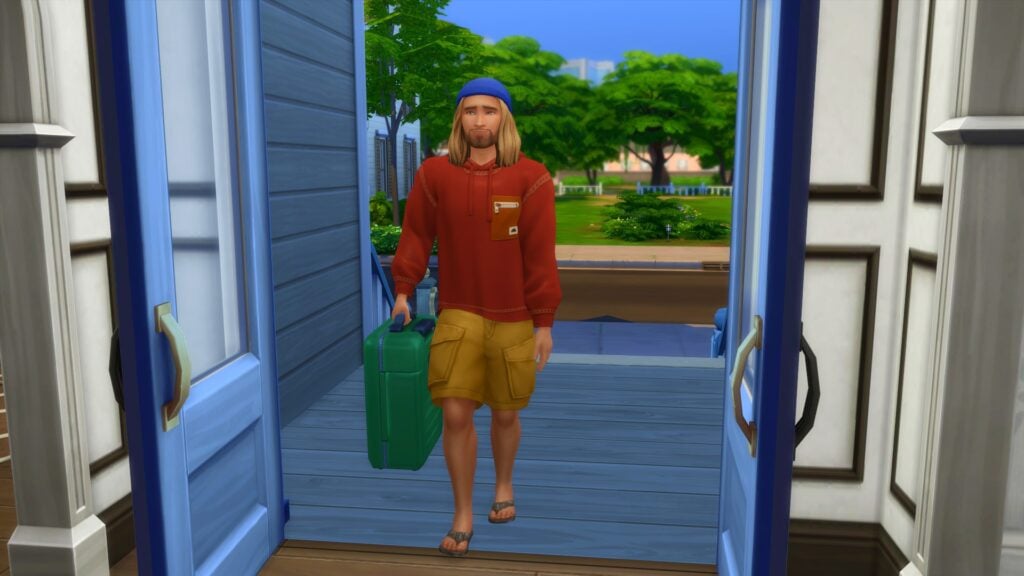
Your guest will arrive with a suitcase that will contain essentially contain what they need for the duration of their stay. However, it acts more as a dresser for your Sims that can be moved to where ever is needed in the lot.

Once they are settled in, they are a part of your household for the duration of their stay. Whether you are planning on staying in or taking a stroll around the world, they are with you every step of the way.

You can ask your guests to help around the home or take it easy and relax without feeling stressed. These interactions can be found under the Friendly tab of the social menu followed by the More Actions tab. If you ask your guests to help out, you’ll find they will automatically complete various tasks until they complete. Other than that, they will act independently for the most part unless you Sim or you as a player interact with the guest Sims.

TS4 x64 2023 04 29 18 35 20
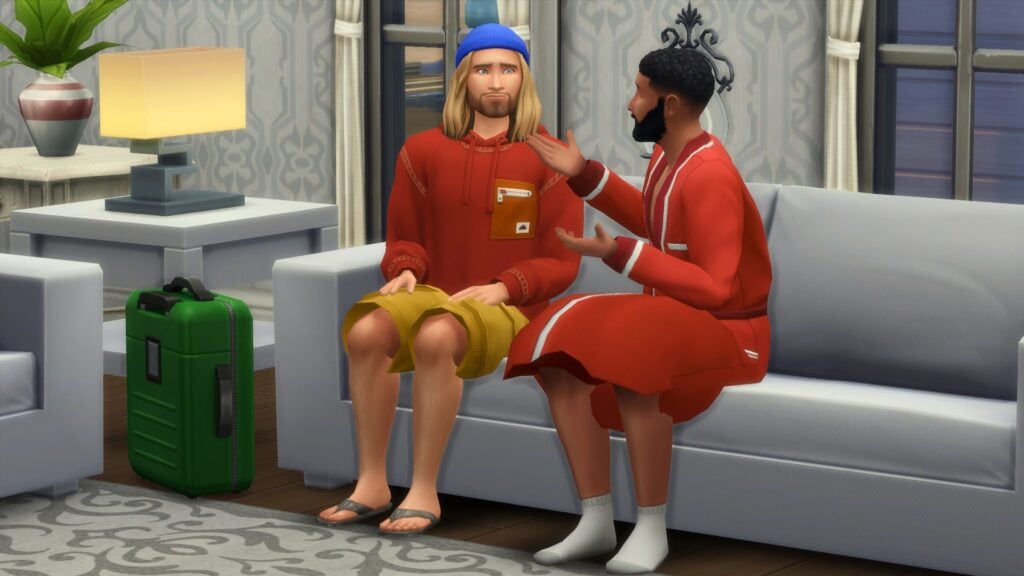
Kyle and Bob enjoying a friendly conversation.

Ending a Stay Over in The Sims 4

If for whatever reason, you want to end the current Stay Over event you can! Simply head down to the household calendar and find the Stay Over event on the left-hand side. You’ll then see a small trash can icon. Select that and you’ll be able to end the current Stay Over event.

Stay Overs for Storytelling

The addition of the Sims 4 Stay Over feature in Growing Together not only lets players experience a new way of playing but also opens up more possibilities for Storytellers. The Sims you invite could be Grandparents visiting a new family like how we saw in the Growing Together gameplay trailer. You could have the Sims as long-lost friends or family, reconnecting after a number of years, or even simply just a Sim stopping by to spend some time with your household for a few nights. Whatever the reason may be, the Stay Over event opens up even more ways to tell your Sims stories!

TS4 x64 2023 04 29 21 01 59
Don’t Wake the Llama!

The Sims 4 Growing Together add some brilliant new features and experiences to the game. The new Stay Overs event gives players plenty more options to play with life and tell the stories they want to tell!

As always, stay tuned to Sims Community for all the latest news and information from The Sims franchise and for more about The Sims 4 Growing Together!