Home Blog Page 101

The Sims 5: Everything we know so far about Project Rene

New information about The Sims 5 and the future ahead!

In the latest Behind The Sims Episode, Maxis and EA have shared news about The Sims 5. Also known under its codename as Project Rene!

In this episode, the interviewer sat down with Grant Rodiek, a long-time producer for The Sims. Now working on the next generation Sims game!

SimGuruGrant talks The Sims 5

What’s coming with The Sims 5?

In the latest interview that we’ve transcribed below, Grant shared new information about The Sims 5. Including planned features, stories about playtests and what you should expect in the future of this game!

The details shared are quite amazing and reveal, for the first time, a Sims game as it’s being developed. EA and Maxis have set out to ensure the next Sims game has a good foundation.

Check out what they’ve shared in the latest interview:

Contact Us

The Sims 5 Interview with Grand Rodiek

What’s going on with Project Rene right now?

Grant Rodiek: We are absolutely thrilled to finally put this experience in the hands of some of our players. Well, a smart part of the experience. What we’re doing is early days playtesting and this is just the start of an incredibly long journey. There’s a lot to do, and I’m talking years out. But, it’s exciting, we’re moving and things are finally starting to happen.

For those who are new to the gaming sphere; what is playtesting and what did you explore in the first playtest with Project Rene?

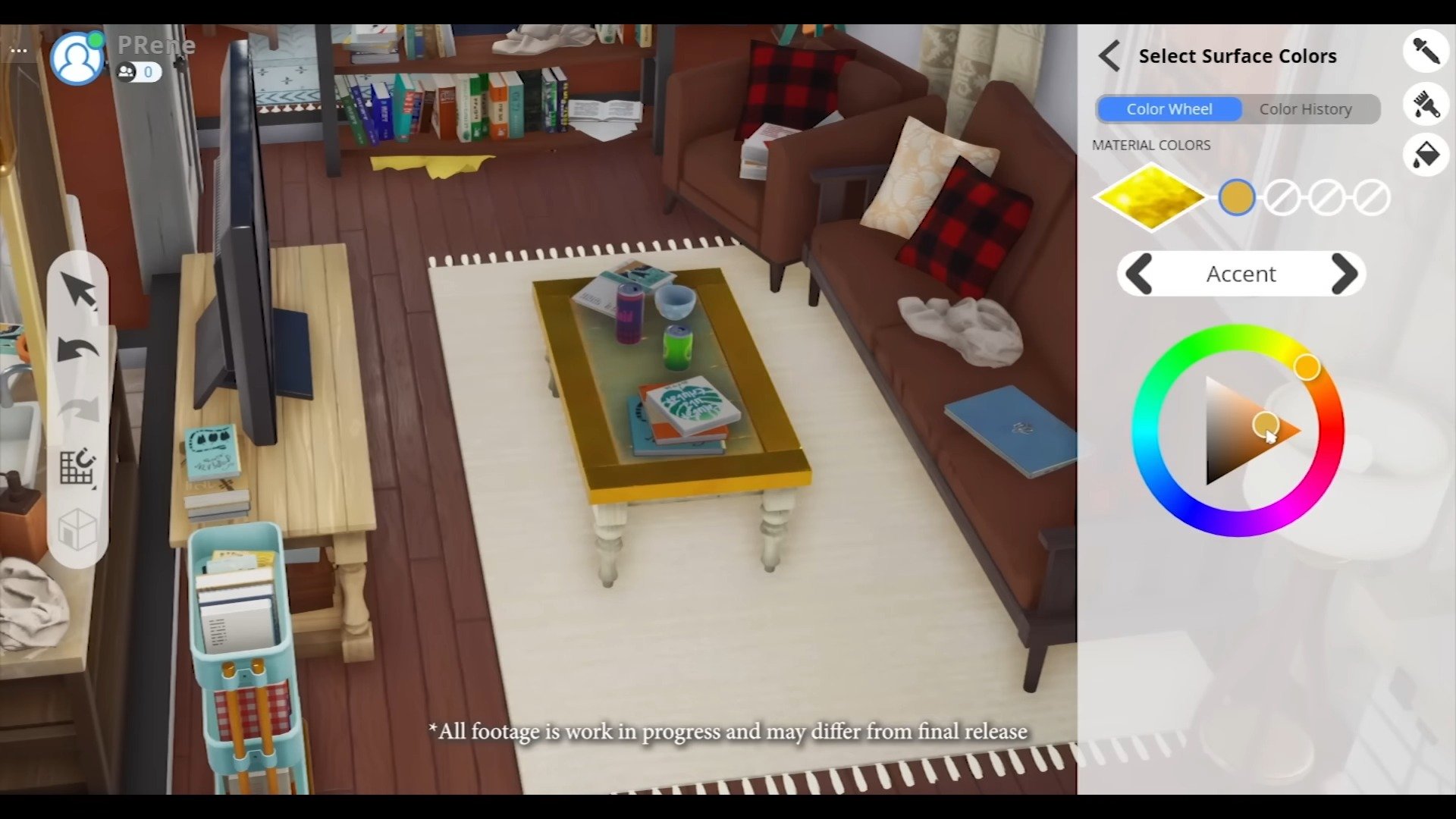
Grant: With Project Rene we want to develop this hand-to-hand with our players from the very beginning. We’re trying to take small snippets of the game, share it with a limited amoutn of people. And, find out what works, what’s fun, what’s too complicated, what needs to be revised. What we did this time is Apartment Customization. Where we took a lot of Build / Buy Mode so you can place furniture, move it around. But, you can also go deeper on individual pieces of furniture. So, for a couch, you can change the:

  • Colors
  • Patterns
  • Material
  • Part
  • Size

You can do this in multiplayer with other people in real time. All of your creations can be shared, uploaded, downloaded – so we can start testing our UGC backend. All of this both on Mobile and PC.

It’s a lot, and it’s been a really fun test to get started on.

Starting with PC and Mobile: you guys showed that cross-platform compatibility. With The Sims being such a large game, there’s some concerns that it might be a shallower experience. How are you navigating, taking that from PC system into a Mobile device?

Grant: this is a huge challenge. But, the thing that excites us so much is that we can basically remove the barriers to play The Sims. So, what we mean by this is that you can have that deep dive at home, on your PC. Change every single thing about a piece of furniture that you can imagine, type in RGB values and changing every single part. That’s the PC experience – the true rich experience you’re used to.

But then, on the go, you can grab your phone and maybe it’s a different experience. Maybe you’re grabbing archetypes, preselecting templates or maybe grabbing the stuff you’ve already created. What this means is that you can now play The Sims, wherever you are without barriers and restrictions. We think that’s really powerful and exciting!

Interviewer: That is exciting! Let’s say I’m inspired by you now and I take out my phone, create you and take that creation of you and play with this creation of you on my PC?

Grant: 100%. The idea is that all of your information is wherever you need it to be. I have a toddler at home, so I get to game when he’s taking a nap. In this case I could be playing Project Rene on my PC at home. Boom, I hear him crying, he’s up. We’re going to go out and about in the park.

Then, I might continue what I’m doing on the park bench while he’s safely sliding. Pull out my home and continue where I left off.

The idea is that we can customize each platform to match the playstyle and the person. It’s very difficult, it’s not easy. It’s one of the challenges we’re trying to take on.

Multiplayer Experience. Where’s Project Rene landing between Multiplayer and Singleplayer?

Grant: Project Rene can be both. This is a big deal, but the reality is that we know that our players want to have that intimate, personal experience. Where they’re exploring stories and ideas in single-player. But, there are also really cool things you can do with others. Where you can share and create with the people that you want.

We think we can be both.

One thing to keep in mind is that Project Rene is not an MMO. It is not this public shared space where everything you do is always with other people. You could play on your own, on your terms. And then again, when you want on your terms, you can invite others to come and play with you. That’s the structure where we’re pursuing. We think it’s really cool and perfect for The Sims.

What stage are we at with Project Rene? What can players expect to see?

Grant: Right now we’re really focusing on analyzing our recent playtest. So we can use that information to make the game better.

We have a long path ahead of us to make Project Rene. Right now, we need to introduce our tools to our players to a better fashion. We need to make the mobile experience more accessible. We need to continue to experiment with how we can curate and recommend User Generated Content that other players have made. To other players. All so you can make your game better.

There’s a lot to put into our current build. It’s really early days, we are trying to analyze our last test and release you what we learned and what we can do about it to make the game better. You can expect regular updates from Project Rene in Behind The Sims. We have more tests coming out, where we’re gonna evaluate different parts of the game, new snippets.

More details on that soon and how to be a part of these tests. It’s years out, early days and a long time process that we want to work with you on. We’re gonna keep talking about it and I can’t wait to share more!


What are your thoughts on the latest news about The Sims 5? Join the discussion and stay tuned for more updates on Sims Community!
The Sims 4 Infants: Our First Look

Cute, Adorable & Chaotic! Infants are coming to The Sims 4 March 14th.

After what has seemed like an eternity, The Sims team has finally revealed more information about Infants being introduced to The Sims 4!

Infants were originally teased to us back in October 2022, but until now, we hadn’t heard much else. However, with the announcement of a new community series aka the Behind The Sims livestreams, we knew news was on the horizon.

Cue the most adorable and chaotic trailer to ever grace The Sims franchise!

The Sims 4 Infants Update
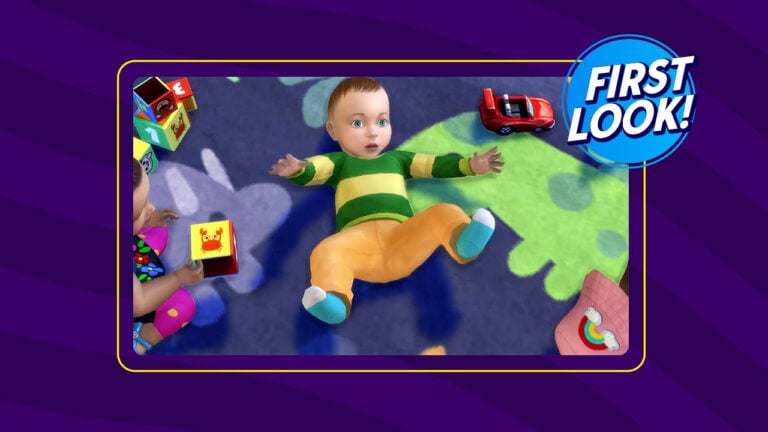
Infant in their crib!

Coming on Tuesday 14th March 2023, Infants will be arriving in The Sims 4.

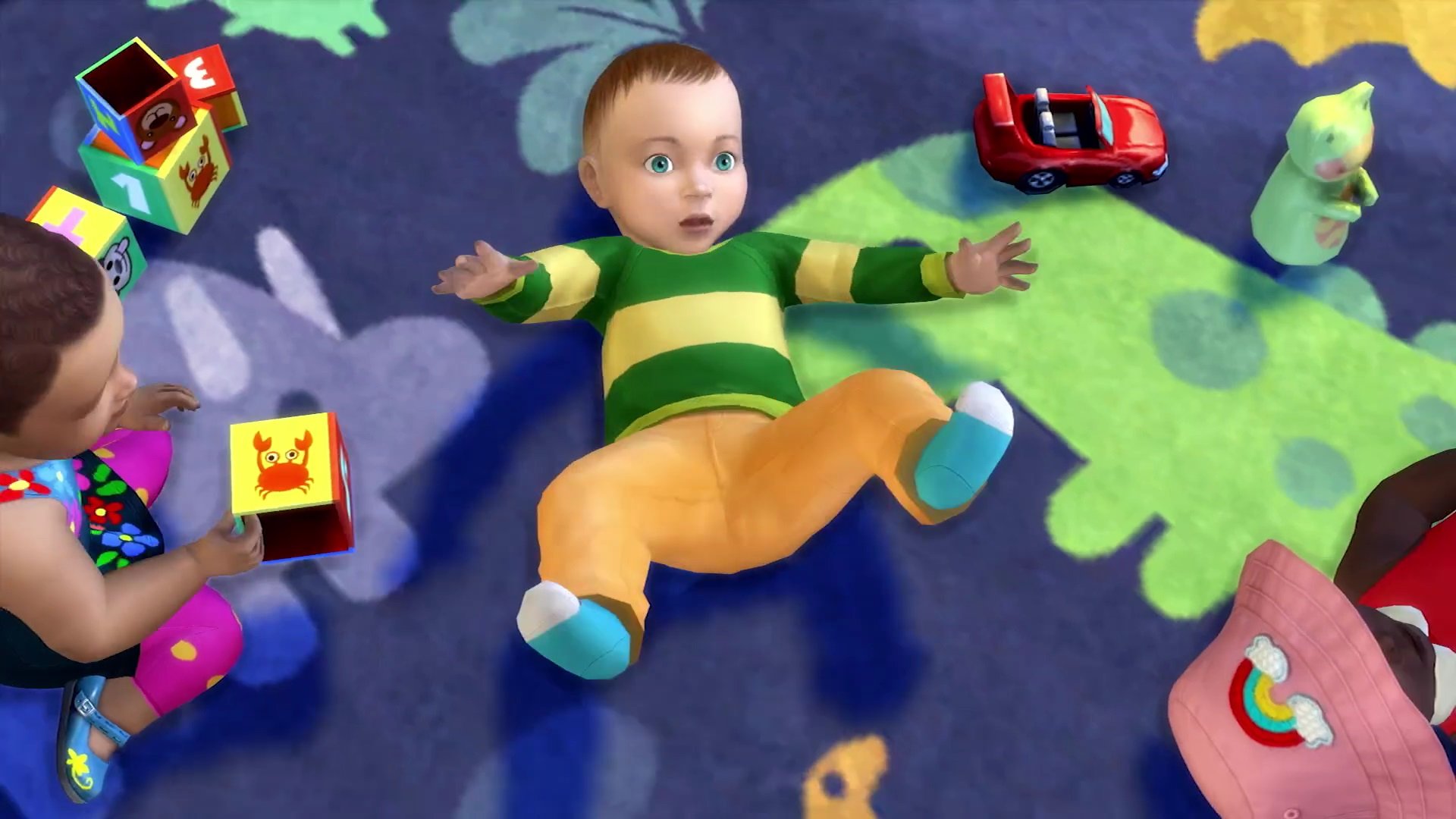
Of course, the trailer was adorable and the perfect way to introduce this new life state to the community. Not only did we get a glimpse at Infants, but we also got to take a look at how they act in normal gameplay and in Create A Sim. We also got a sneaky look at some of the new Build Buy Mode assets and the adorable outfits we can dress our infant Sims in!

We also know that with new Infants clothing options in Create A Sim comes a whole range of new options to truly make our own Infants unique by choosing their traits, looks alongside their various outfits!

Take a closer look at the new Infants’ life state in these screenshots!

Screenshot 2866jpg
Preview of Infants in The Sims 4
The Sims 4 Infants: Breastfeeding
First look at breastfeeding infants in The Sims 4
Screenshot 2886JPG
The Sims 4 Infants: CAS
Infants in Create A Sim

Behind The Sims 4 Infants

That’s not all, after the reveal trailer had finished, we got an in-depth behind the scenes look at Infants. From the early development stages to more refined and detailed looking Infants, it gave players an idea of the work The Sims Team did to create Infants.

The process wasn’t entirely straight forward, and the team had a lot of challenges to work through and overcome while designing Infants. From designing new technology to fine-tuning the infants movements to even a look at how the team went about doing voice acting for them!

You can find the full Infants reveal trailer and the Behind the Scenes look at Infants below! We’re preparing a full recap of Infants and what they’ll bring – stay tuned!

Don’t forget to mark your calendars because The Sims 4 Infants are arriving on 14th March 2023!

The Sims 4: First Look at Upcoming Expansion Pack

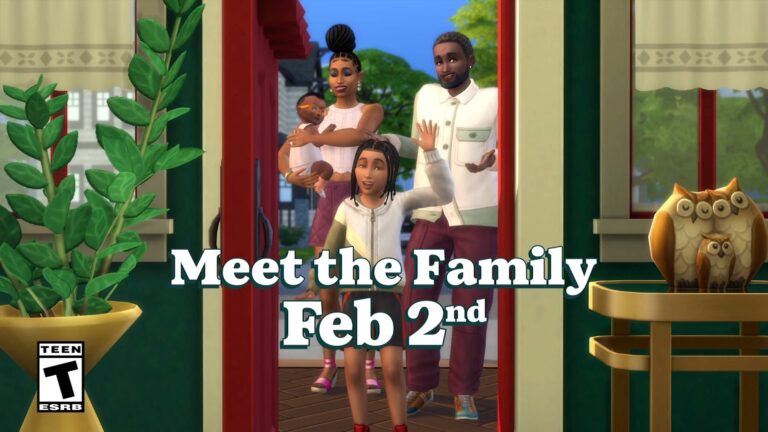
New teaser for The Sims 4’s Upcoming EP -“Meet the Family” on February 2nd!

EA has shown a subtle teaser during the latest episode of Behind The Sims for The Sims 4, showcasing the upcoming for the game!

The teaser showcases the Michaelson family from the first released Roadmap for the game. The Michaelsons are assumed to be included with the upcoming Expansion Pack for The Sims 4!

The Sims 4 Expansion Pack Preview

Check out the first preview down below! Featuring new items in Build, amazing new clothing and hairstyles in CAS. Oh, and is that an infant?

And San Sequoia in the background? See for yourself!

Sims 4 Expansion Pack Teaser

The Sims Team also updated the announcement with a video teaser on their official channel. Check it out!


Are you excited for the upcoming announcement of a new Sims 4 era? Stay tuned on Sims Community for more news and developments from Behind The Sims.

The Sims 4: New Update! (January 31st, 2023)

0

Brand new update is now available for The Sims 4 on PC and Consoles!

ts4logonew

General New Content Update

Maxis and EA have released a brand new update for The Sims 4 on PC and Consoles. Featuring new content across the game including New CAS Category and Items, Build Mode additions and Game Improvements.

The Sims 4 - New Update Preview

You can download the latest version of The Sims 4 by checking for updates through the EA App / Origin. If you have Automatic Updates enabled the update will automatically download through your client program.

If you play The Sims 4 on Xbox and PS4 / PS5 you can request a new update by checking for updates under The Sims 4 game tag.

In case you have Mods or Custom Content, the game will automatically disable them for you after first launching The Sims 4 after the update. To re-enable all your Mods and Custom Content, select the Settings option in the Menu and select Settings. Under the ”Other” section you’ll find the ”Enable Custom Content and Mods” option. Check it and restart your game in order for it to take effect!

The Sims 4: NEW UPDATE! (Aug 30th, 2022)

Patch Notes

Update 01/31/2023
PC: 1.95.207.1030 / Mac: 1.95.207.1230
Console: Version: 1.69

Hello Simmers

Following hot on the heels of the last update we have another one for you, this time we are putting a bit of a focus on the console version of The Sims 4, streamlining some key interfaces for easier controller interaction. While you can use a mouse and keyboard on both PlayStation and Xbox versions of The Sims 4, most console Simmers love to sit back with a controller; these updates are a small part of a larger ongoing focus to improve the console experience for all.

We also continue to invite all console Simmers to give us your thoughts and feedback on playing The Sims 4 on PlayStation and Xbox (especially with a controller) over on Answers HQ, where we have had some excellent feedback so far that the team is reviewing.

Not playing on console? No problem, we have some new content and fixes for everyone in this update as well. So let’s kick things off and see what’s new.

The Sims Team

What’s New?

We have so much new stuff with this release and we can’t wait to dive in and tell you all about it. We do want to make a quick note that while we have added quite a few new assets, these are purely visual and don’t add new gameplay functionality. Now, let’s get to the good stuff.

Medical Wearables

There’s a new Medical Wearables category under Body and Face Accessories in Create a Sim.

Select the Sims face and then select Accessories to find the Medical Wearables category that contains a new hearing aid for your Toddler or older Sims. This medical wearable comes in fifteen color variants, and can be assigned to your Sims right, left or both ears.

The Medical Wearables category can also be found by selecting the Sims body and then selecting the Body category. Here you can find Glucose Monitors for your Child and older Sims that can be added to your Sims right and left arm, and to your Sims lower abdomen on the right or left side as well.

Top Surgery Scar

Under the same Body category, all players can find a Body Scars category with an option for Teen and older male Sims (masculine or feminine frame) to add a Top Surgery Scar to their Sims.

Binders and Shapewear

With this update, players can find two new assets in Create a Sim. Under the Tanks, in the Tops category, you will find a Binder top asset for your Teen and older Sims. In the Underwear category for Bottoms, there is a new shapewear asset for your Sims as well!

Let there be Light Switches!

For our builders who have long desired to complete that perfect room, a new light switch is now available in Build Mode!

ylpci6t0c79m.png

UI Placement comes to PlayStation

Previously, The Sims 4 on PlayStation required Simmers to calibrate their screen settings at a system level by going to the consoles Settings > Sound and Screen > Display Area Settings and configuring the display.

This option will continue to work but now, PlayStation Simmers will be able to adjust the UI placement. The wizard will run during the initial launch of The Sims 4 or can be manually initiated from Game Options > Other .

We still recommend you calibrate your Display Area Settings through your PlayStation settings.

Cursor Scaling

Simmers can now adjust the size of the cursor on both PlayStation and Xbox when displayed in virtual cursor mode on your controller, or while you are using a mouse and keyboard to play.

This additional level of customization allows you to have a larger cursor without needing to scale up all of the game UI. This should make it easier to see even when you’re kicking back, relaxing in your favorite seat looking at the TV screen across the room.

You can adjust the cursor size in game by going to Game Options > Accessibility.

Console Build Mode Improvements

Jumping into Build Mode will feel a little different… well OK, a lot different. Now the Catalog is opened by default and STAYS open as you grab items and interact with the lot. You no longer need to reopen the Catalog and re-navigate to the menu you were in every. single. time.

Regardless of which cursor mode you’re in, you can seamlessly interact with either the Catalog or lot, which aligns our console experience more closely to that on PC.

Console Build Mode Guidance System

If you are a new player or have the Guidance System enabled, the help you received from Emily in CAS and Live Mode will continue through to Build Mode. If you aren’t familiar with building, using the tools, or how to find the right looking object and place it exactly where you want it, Emily will be there to guide you around Build Mode to help you unleash your creativity.

Controls and Navigation Updates

While we have kept the ability to toggle control methods by tapping the Touch Pad on PlayStation or View button on Xbox, we have reduced the amount of times we switch between the two modes automatically.

Since we are talking about toggling the control methods, if you have the Controls Legend enabled in Game Options > Other, we now show a prompt for Toggle Cursor at the top. Not only that, next to the prompt is a little reminder of which control scheme you are currently using.

We have also added controller shortcuts to some dialogs and screens to help simplify and speed up navigating the game. These button prompts are displayed on supported screens and can be used where usually you would have a lot of scrolling to get to the Confirm or Cancel button.

Sims 4 Bug Fixes


Base Game

  • Toddlers can do strange things sometimes, but bathing with their slippers on shouldn’t be one. Now their feet will get clean, just like the rest of them.
  • The Venue Info icon in the top left of your screen contains a lot of useful information but it doesn’t mean it should always display as new. Now the icon flair will only show when something is actually new.
  • Sims made through CAS Stories with Starting Funds ‘High’ should now get 30k Simoelons instead of the standard 20k for their household fund.
  • Sims love a good makeover, but when switching Styled Looks in CAS it’s taking it a bit far your Sim’s appearance changes, not just their outfits. Styled Looks will now update just the outfit your Sim is wearing and not make them a totally different Sim.
  • When adjusting the physical frame of your Sim while using Bantu Knots (yfHair_SDX019BantuKnots) or Two Strand Twist (ymHair_SDX019TwoStrandTwists) hairstyles, you will continue to see the Plumbob icon on the thumbnail as a reminder of the fantastic collaboration we did with DeeSims to bring those styles to everyone.
  • The goals during the Parenting Predicaments scenario will reflect a child Sim aging up to a teen after blowing out the birthday candles and progressing the scenario.
  • Child Sims getting at least a B grade average at school will be recognized for their achievements by progressing the Parenting Predicaments scenario objectives.
  • If your Sims reach level 5 in one of Sofia and Leonardo’s skills before the goal activates in the Parenting Predicaments scenario, it’ll be accurately marked as meeting the criteria.
  • Also related – teenagers have aspirations (apparently waking up before noon doesn’t count) but in the Parenting Predicaments scenario teens are able to complete the teenage aspirations goal.
  • Some say it’s a conspiracy, some say the aliens got fed up with the parents and just sent them home, others just think it was a bug. Either way, parents should no longer return midway through the Aliens Stole My Parents scenario when traveling off the lot and back again.
  • Stuck in the Shadow wasn’t intended to actually get you stuck…. Completing the Scenario should now complete once the goals have been achieved.
  • Emily likes to help Simmers get a head start, but it seems she was a little too eager and prevented Scenario goals from displaying in CAS if she hadn’t been seen previously. Now if you haven’t seen Emily yet, and start a new Scenario you will have your goals displayed so you can create the perfect household to take on the challenges ahead. Emily will be there if you need her later.
  • Seasoned Simmers who don’t need Emily’s help and choose to disable the Guidance System, in the Game Options, while in CAS will no longer run into an issue where you cannot create a Sim due to the options being inaccessible.
  • Merging Sims from the Gallery while Emily was guiding you through CAS will no longer prevent Emily from explaining the final parts of the CAS Guidance System.
  • Entering CAS from the Simology option will not prevent you from creating a Sim Story.
  • While using the Guidance System to customize your own Sim, Add New Sim will not be available until you have completed your Sim customization tutorial or opted out of the tips.
  • Some tips in Build Mode prevented you from accessing features like Bulldoze and Save to My Library; all the options are selectable again.
  • Sims with customized frames should have a full set of fingernails to pick from, including those from packs.

City Living

  • Being an Interior Decorator can be tough, it’s made even more difficult if you can’t get in. Sims picking up a gig at a penthouse will now be able to knock on the door and get in to work their style magic.
  • If there is one main thing you would expect Illuminating Pillars to do, it’s illuminate! Well we changed some bulbs, got shocked once or twice, checked the wiring and now they should be good to go.

Get Famous

  • After our previous update which brought a new look to Lessons and a bigger, easier to read layout, it unexpectedly caused long Lesson titles to extend beyond the boundaries of the box in some languages. The titles should now all fit in their designated spaces and be fully readable by all.

Eco Lifestyle

  • The Perfect Plumbob Ceiling Fan, Sandstorm Ceiling Fan, Dizzy Palms Ceiling Fan now all come with a power consumption rating.

High School Years

  • Sims wearing the yfAcc_NecklaceEP12Beaded_SolidRainbowLt necklace should no longer see it floating near them when zooming the camera. We must have forgotten to remove the levitation enchantment, sorry about that!

Paranormal

  • Sims making a living as a Paranormal Investigator and autonomously visiting San Myshuno often found that doors were missing from apartments unless you were in Walls Up view. Doors should now show up as expected. But are they really there? Someone should investigate! Spoooooky!

Bust the Dust

  • Dust and Dust Bunnies will show up after a reload, now where did I put that Dust Dandy Cordless Vacuum?

Outdoor Retreat

  • We learned a lesson and that lesson is that our lessons should have Titles. Outdoor Retreat should show up under Lessons as expected and no longer be a mystery category.

What are your thoughts on the latest Sims 4 Update? Join the conversation below!

Is The Sims Team teasing Horses on TikTok?

We’re probably looking into it too much, but Horses for The Sims 4?

Before I begin with this post, I’d like to assure you that this is just a fun speculation based on The Sims’ activity over on TikTok. There are no confirmations as of now that Horses will be added to The Sims 4. Just emojis.


The Sims’ official TikTok has been very active lately, posting fun videos and content of The Sims culture and memes. Their latest TikTok, however, has garnered the most attention from the community.

Sims 4 Horses and Feature Replies on TikTok

In their latest TikTok related to the Motherlode cheat, The Sims decided to answer some of the community expectations. Using nothing more but emojis.

@thesims

My Sim when I use code Motherlode to solve all money problems. #thesims4 #GamingTips #cheatcodes

♬ original sound – The Sims

Let’s take a look at the comments section:

The Sims 4 Horses Teaser
The Sims replies to a comment requesting Horses in The Sims 4

A similar emoji-styled comment was made with a comment related to the upcoming Infants Update for The Sims 4:

TikTok of The Sims - comment section
Infants Update reply

The last reply given to a fan requesting a Sims 4 feature was the one asking for a Generations themed Pack:

Screenshot 2023 01 31 at 17.01.50

So what does this all mean?

We’re not sure yet, nor do we want to start any rumors. It could be that the social media manager was having a fun day on TikTok. Still, we are a bit suspicious how these are the only replies directed to community wanted features..

It could be anything and it could be nothing. This rumor has been circulating around simmers on social networks with the only source being these emoji answers.

We don’t know about you, but for now we’ll treat this as heavy speculation until proven otherwise.

What do you think?

WATCH REPLAY: Behind The Sims Livestream

Expect news and announcements from the first Behind The Sims. Join us live!

ARTICLE UPDATE: The livestream has ended! You can catch the replay on YouTube, just now released!

EA and Maxis are holding their first Behind The Sims Livestream for 2023. Showcasing upcoming content for The Sims and giving players a behind the scenes look at upcoming content for The Sims!

Behind The Sims Crystal

As The Sims evolves every day, so does how we bring you the latest from our team! Today, we’re saying “Sul Sul” to Behind The Sims, a new community series following The Sims Summit.

On Jan 31 @ 9 AM PST, tune in as we share exciting news & updates, take you behind the scenes with our developers & more – across The Sims universe, including our friends, The Sims Mobile & The Sims Free Play.

Live Reporting

Join the Live Reporting of Behind The Sims along with our team members! Krista and ThatSimsLady will be keeping you company as new announcements and news surface from the livestream. Join us!

WATCH LIVE: Behind The Sims Summit

Join the Live Discussion of Behind The Sims with the Sims Community Team!

Where to watch Behind The Sims

The first Behind The Sims Livestream is scheduled for January 31st at 9AM Pacific Time.

What to expect from the first episode

The first episode of BTS will feature many different Sims games. Although not confirmed, we could be seeing a new preview of the development of Project Rene / The Sims 5. Along with the lineup of new content for The Sims 4, The Sims Mobile and FreePlay.

There’s also a new update for The Sims 4 scheduled today for PC and Consoles.

You’ll have an opportunity to watch a replay of the Behind The Sims Livestream on Sims Community, along with a written recap. We have a dedicated section over on our Home Page covering all the latest news and announcements from the first episode of BTS. Stick around!


What do you think will be shown during the first episode of Behind The Sims? Join the discussion down below!

The Sims 4 Story Starter Kit: Living Wild and Freegan

This Sim wants to live the millennial dream by going tiny!

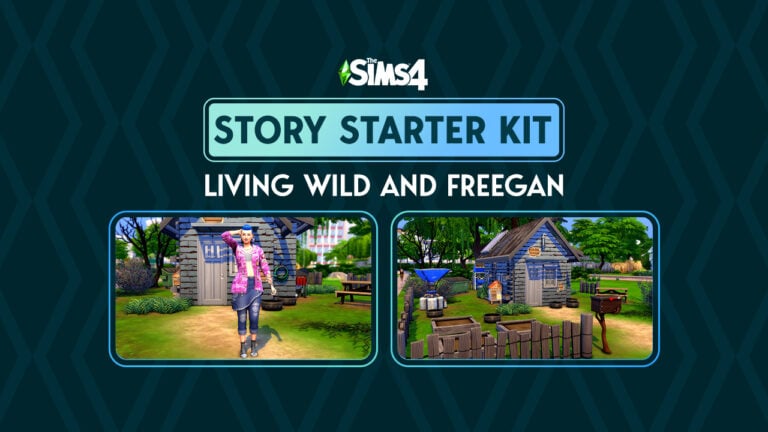
Welcome to our fourteenth official Sims 4 Story Starter Kit! If you missed all the info on Story Starter Kits, you can read more about what they are and how they work in our introductory article!

This month, we’re bringing you a Sim who’s broken away from her wealthy upbringing to live the millennial dream! In a garden shed. Oh boy…

Story Starter Kit: Living Wild and Freegan

2023 01 30 14 47 38 547 SunflowerSyrupGShade

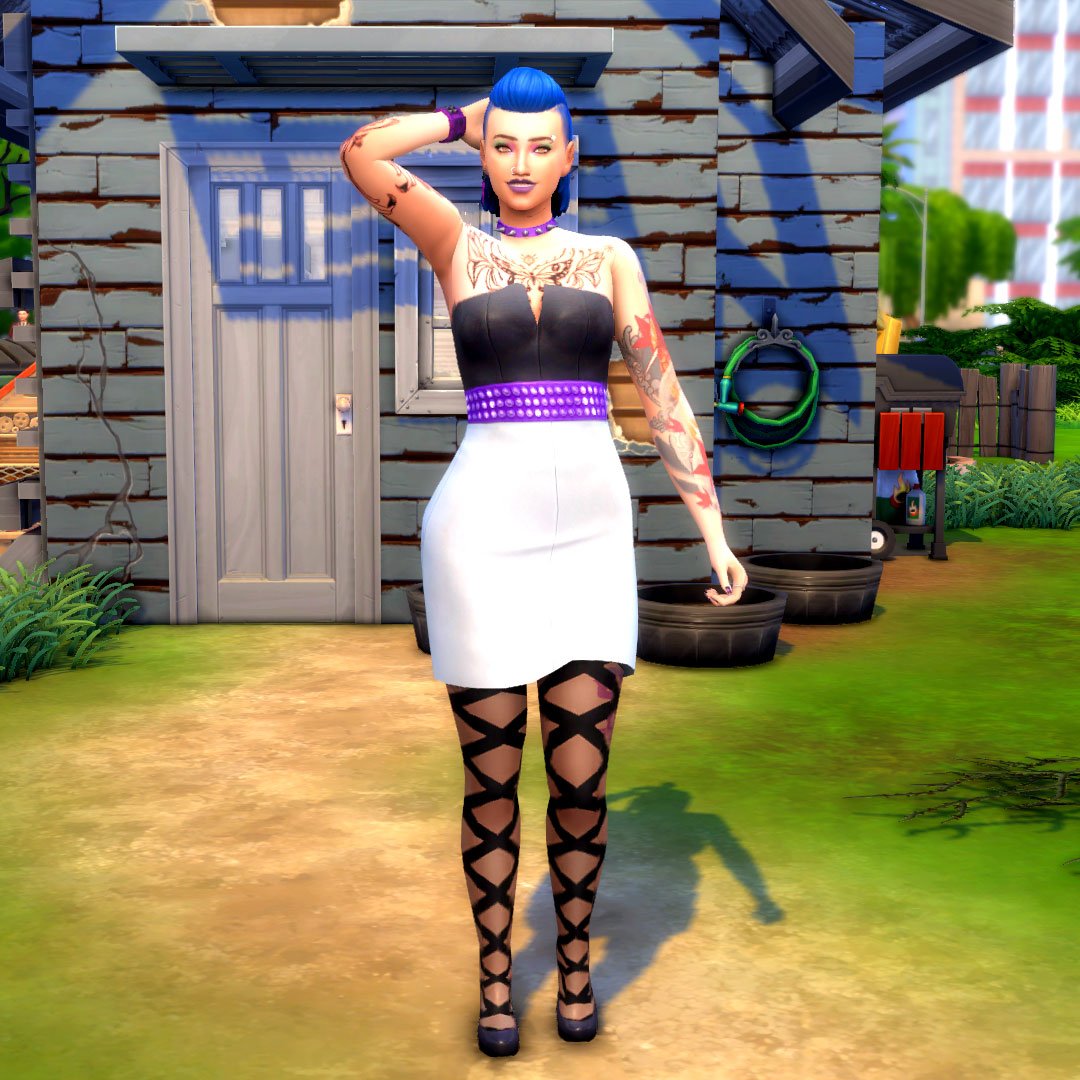
Growing up, Averie never really fit in with her well-to-do family. She was always too loud, too opinionated, too bossy, too much of everything and somehow, not enough of anything at the same time. Her family hated her clothes. They hated her hair. They hated her tattoos and piercings. It felt like they hated everything about her but they grudgingly agreed to pay for Averie’s college education. As long as she majored in something they approved of. They picked Economics for her in the hopes that getting a degree in something respectable would help their hopeless daughter make something of herself.

But Averie hated Economics with a passion. The more she learned about it, the more she felt like capitalism was a huge scam designed to keep rich people like her parents rich and poor people poor, no matter how hard they worked. The people at the bottom of this capitalist class structure traded away their lives in exchange for table scraps while their days were spent making billions for the people on top. She didn’t want that kind of life for herself or anyone else. She didn’t want any part in that kind of society at all.

She dropped out of university. Enraged, her parents cut her off from all support and disowned her for being such a colossal embarrassment to them. Averie spent six months couch surfing at friends’ places while she reluctantly saved up some money as a barista. Just until she could escape the rat race.

With the cost of housing at an all-time high, Averie knew she’d need to get creative if she ever wanted to secure a place to live. So when she discovered an abandoned garden shed in an empty field, the tired farmer it belonged to happily sold it and the surrounding plot of land to her for dirt cheap; he wanted to retire and none of his kids wanted to take over the farm. The old shed was a dump anyway and he just needed to be rid of it.

What will Averie do with her life now that she is the proud owner of her very own micro-home? Er… micro-shed? Anything she wants, of course! That’s the whole point of living a freegan lifestyle! If you’re not making any money or spending any money, you’re completely free of the capitalist dystopia society’s been brainwashed into accepting! Averie’s looking forward to growing her own food, supplying her own power and water, and making the most of her newfound life! Well… maybe she will need a little bit of cash here and there to make the shed livable but she’ll figure it out! YOLO, right?

Story Starter Kit Household Info:

Averie Canfield
  • Age: Young Adult
  • Pronouns: She/Her
  • Romantic Interests: Neither
  • WooHoo Interests: Neither
  • Romantic Exploration?: No
  • Traits: Self-Assured, Maker, Freegan, Muser (Bonus)
  • Aspiration: Master Maker
  • Likes: Purple, Blue, Alternative Music, Handiness, Video Gaming
  • Dislikes: Yellow, Pop Music, Cooking
  • Skills: Fabrication (5), Handiness (4), Gardening (2)
  • Career: Unemployed
  • Relationships: None
  • Packs Used: Eco Lifestyle, Vampires, Werewolves

Household Notes:

  • This Story Starter Kit household should be able to purchase their lot with their default starting funds. Make sure you import the family into CAS, then move them in. If you move them into a home straight from the Gallery, they will not have the funds I set for them.

It Has Potential

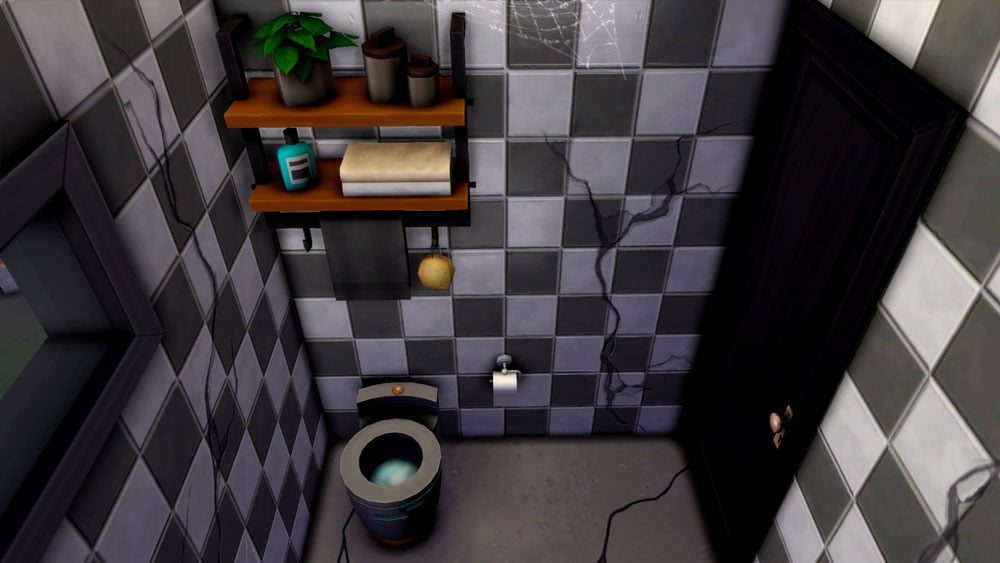
This old farmer’s shed was never intended for human habitation but with housing becoming more and more unaffordable for young Sims, desperate times call for desperate measures. There are big financial benefits to calling a garden shed home… if you don’t mind the water damage, cracked concrete floors, and spiders. Home sweet home!

Story Starter Kit Lot Info:

  • Lot Type: Tiny Home Residential (Micro Tier)
  • Price: §20,105
  • Size: 20×15
  • Beds: 1
  • Baths: 1
  • Lot Traits: None
  • Lot Challenges: None
  • Packs Used: Eco Lifestyle, Vampires, Werewolves, Tiny Living Stuff

Your Sims 4 Story Starter Kit is waiting for you! Get The Household and The Lot by downloading them from the official Gallery Website linked on the buttons below. Or, follow SnarkyWitch in the Gallery and look for Living Wild and Freegan and It Has Potential!

Credits:

Looking for last month’s Story Starter Kit? Check out A Royal Winterfest!

The Sims 4 gets updated support for Steam Deck

0

The Sims 4 is now on the road to become Steam Deck Verified!

The Sims 4 on the go is possible again with the latest update from Steam Deck!

In case you don’t know, Steam Deck is a gaming console released by Valve, a company behind the popular Steam online gaming platform. The handheld console got its release last year in February, with a growing library of supported video games.

overview3options
Steam Deck Console / Official Website

The general rule of this handheld console is simple – if it’s on the Steam library you probably can play it easily on this console. The support was not verified yet for The Sims 4, however players were able to set it up easily on their consoles.

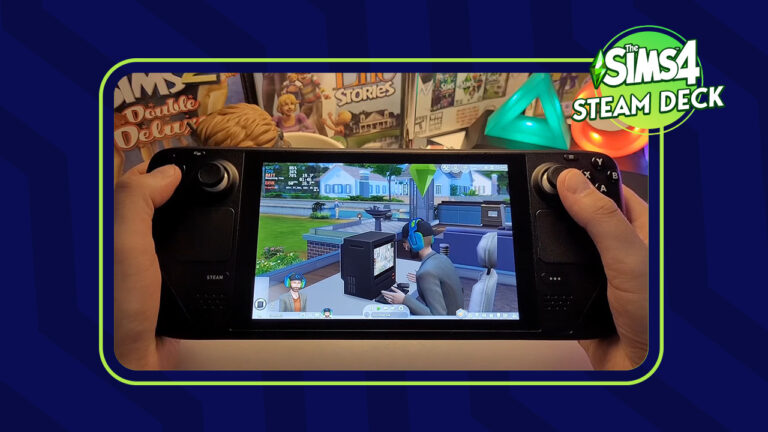
Preview of Steam Deck Support for The Sims 4

Youtuber Deck Wizard has an excellent preview of what it’s like to play The Sims 4 on Steam Deck. Including an overview of what it’s like to use Build Mode and play in Live Mode.

The sensitivity controls could use a bit of an input, but generally the game seems to be running great on this handheld platform. Take a look:

The support for The Sims 4 was never fully given a green pass by the Steam Deck platform, but players could download and fully play it on their deck. That was until the switch from Origin to EA App, which completely crashed many EA games, not just The Sims.

The Sims 4 to be Re-Revalued for Steam Deck Verified Games

Last week it was confirmed by Overclock3D that EA App games can finally be played again on the Steam Deck. Read their report below:

LETTER 2 PATTERN e1675116678818

EA’s in the process of retiring their Origin PC client, replacing it with their new EA App. This move has caused a lot of problems for PC gamers on Linux and Steam Deck, as EA’s new EA App caused problems for the Proton compatibility layer, the software that makes many Windows PC games playable on Linux.

The good news today is that Proton has been updated to add support for EA’s new EA App, making several EA games playable once again on Linux and Valve’s Steam Deck. These games include Battlefield 1, Star Wars Jedi: Fallen Order, Titanfall 2, and The Sims 4. These games now use Proton’s Experimental branch by default on Steam Deck.

In time, we expect to see more EA games be rated as playable on Valve’s Steam Deck thanks to this new update. It just takes time for Valve to test and validate these games.

-Overclock3D

GamingonLinux has reported that Valve is soon about to re-revalue The Sims 4 and other EA titles for Steam Deck certified. Or as Valve calls it – Steam Deck Verified. Which reassures customers of Steam Deck for which games they can expect good playability.


Did you get a chance to play the new Steam Deck handheld console? What are your thoughts on the potential of The Sims 4 finally going handheld? Let us know in the comments below!

Sims 4 After School Activities: Achieve Childhood Success!

0

Keep your kids and teens occupied after school!

If you’re looking for ways your kids and teens can learn new skills and have fun outside school hours, you might want to consider signing them up for The Sims 4 after school activities. After school activities are great ways for your younger Sims to explore new interests. It’s also a great way to keep them out of your hair for a few extra hours a couple days a week if you’re more of a hands-off parent. We won’t judge.

If you need help deciding which Sims 4 after school activities are right for your kids and teens, read on! We’re going to show you how after school activities work, how to join them, and list every after school activity currently available in the game across every pack!

The Sims 4 After School Activities

All About Joining the Cheer Team in The Sims 4 High School

If you’re interested in having your Sims join Sims 4 after school activities, you will need certain DLC packs. After school activities are not a feature of the base game. If you do own at least one DLC pack that comes with an after school activity, your kids and teens can join them through the phone.

The Join After School Activity option is under the Business app on the cell phone with the rest of the career options. Sims 4 after school activities are treated like part-time careers that are exclusive to children and teens in The Sims 4. Some activities are not available to children but teens can join any activity. Both kids and teens can only be in one activity at a time.

Business App Phone

Once your Sim joins an activity, they can get promoted by completing daily tasks and building required skills. They also need to attend activity meetings several times a week. After school activities have three promotion levels, just like part time jobs.

To quit Sims 4 after school activities, use the phone under the Business app. If the Parenthood DLC is installed, quitting will lower your Sim’s Responsibility value.

Every School Activity in Every Pack

Now you know how to join and participate in Sims 4 after school activities. But which activity is the best for your Sim? Check out our quick breakdown below!

Click on any of the headings for a detailed overview of each individual after school activity!

Scouts

Scouts
  • DLC: Seasons
  • Ages: Children, Teens
  • Schedule: Saturday & Sunday; 2pm-4pm

In our opinion, Scouts is one of the most fun Sims 4 after school activities. A lot of it is active. Scouts receive a board where they can keep track of all their scouts badges. Earn badges by being a model young citizen, helping others, and working on self-improvement and self-sufficiency. Earning badges gets you promotions. Collect all the badges to become a Griffon Scout. Many of the tasks for this activity build character values too if Parenthood is installed.

Drama Club

Sims 4 After School Activities
  • DLC: Get Famous
  • Ages: Children, Teens
  • Schedule: Monday-Friday; 3:30pm-5:30pm

Drama Club is a great after school activity for your aspiring actors. It builds the Charisma and Acting skills, but it has a demanding schedule. Drama Club members need to attend meetings every single day after school. This means they have less time for homework and other hobbies. Both children and teens can join Drama Club, but children can’t be promoted to the top level.

Cheer Team

Cheer Team
  • DLC: High School Years
  • Ages: Teens
  • Schedule: Monday, Wednesday, Thursday; 3:30pm-5:30pm

Teens can join the cheer team after school. This after school activity focuses on the Fitness skill. This shouldn’t be a problem, given that practicing cheer routines is a daily task for this activity. Practicing cheer routines builds the Fitness skill. Attend cheerleading practice three days a week and also work on your cheer routines if you want to get promoted to Cheer Team Captain.

Football Team

Sims 4 After School Activities
  • DLC: High School Years
  • Ages: Teens
  • Schedule: Monday, Wednesday, Friday; 3:30pm-5:30pm

Naturally, the Football Team after school activity also focuses on the Fitness skill. This is no surprise, given that the daily task is to practice football throws. Practicing your football throws builds the Fitness skill. Your teens should get a football in their inventory to practice with when they join, but you can also buy one from the catalogue. Attend football practice three times a week and practice your football throws if you want to become Football Captain.

Chess Team

Chess Team
  • DLC: High School Years
  • Ages: Teens
  • Schedule: Monday, Tuesday, Thursday; 3:30pm-5:30pm

Join the Chess Team in high school to brush up on your Logic skill. Obviously, the daily task for this after school activity is to play chess. Playing chess will boost your Logic skill which you also need if you want to rise in the ranks to become Chess Team Captain. Being on the Chess Team allows you to request a Science Fair though the phone where you can compete in a chess puzzle.

Computer Team

Sims 4 After-School Activities
  • DLC: High School Years
  • Ages: Teens
  • Schedule: Monday, Tuesday, Thursday; 3:30pm-5:30pm

Join the Computer Team after school activity to build your Programming skill and give your teen Sims an excuse to spend more time on the computer. Attend meetings three times a week and practice programming on the computer to become captain of the school Computer Team! Being on the Computer Team allows you to request a school Science Fair where you can compete in a game competition.

The Benefits of After School Activities

So why bother signing kids and teens up for Sims 4 after school activities at all? Isn’t it just more unnecessary work for your young Sims and a distraction from homework? Well in our opinion, the benefits outweigh the drawbacks.

Sims 4 after school activities allow your young Sims to explore new interests and get a head start on building the skills they’ll need later in life. Being involved in Sims 4 after school activities can pave the way to university and beyond for your kids and teens. They also break up the day to day monotony of your usual routine with something more interactive and fun. Also, it’s a great way for kids and teens to make friends their own age!

Sims 4 after school activities not only improve kids’ and teens’ skills (and by extension, their chances of being accepted into distinguished university programs) but their social lives as well!


Are your teens sick of school and after school activities? You might be interested in learning how your teens can graduate early or drop out of high school!

New Update for The Sims 4 is coming very soon!

0

EA has scheduled a new Update for The Sims 4 on January 31st. Are Infants included?

POLICE SIREN

Before I begin with this post, please note to take anything mentioned here with a grain of salt and to keep your expectations set. Nothing is officially confirmed as of yet. This post contains information based on a confirmed Sims 4 Patch scheduled after the official Behind The Sims livestream.

Remember – It’s All Relative! 😉

We are just a few hours away until the first episode of Behind The Sims, with a new livestream format from The Sims Team that helps showcase new announcements, behind the scenes looks and more.

The livestream has been set for January 31st at 9AM Pacific Time. EA has confirmed that several Sims Franchise titles will be making an appearance, including The Sims HD (PC and Console) and Mobile Titles. So, what will The Sims Team include in their first Behind The Sims? We can speculate that with an inside developer look there will be new information for Project Rene / The Sims 5. If you’re a dedicated Sims 4 Player who’s looking for new announcements, a new Family-themed Expansion Pack is on the horizon for this quarter. Additionally with one of the biggest free updates for The Sims 4 – Infants!

Behind The Sims Promo Image
Get ready for an entire day of live coverage from Behind The Sims!

New The Sims 4 Update is coming January 31st!

The first update for The Sims 4 was thought to bring the Big Infants Update that was teased in the beginning of the year with the official Roadmap. However, it turned out to be a Bug Fixes Update.

But a new discovery by a popular modder @TurboDriver has started a new rounds of speculation about the potential release of The Sims 4 Infants Patch. It was discovered within the EA App / Origin platform that Maxis has a new The Sims 4 Update scheduled. Just an hour after the scheduled Behind The Sims!

https://twitter.com/WickedWhims/status/1618672705888485377

Will the new Update feature Infants?

After the previous speculation was debunked we can’t say anything for cetain. Still, it’s undeniable that a new Sims 4 Patch is waiting for players after Behind The Sims showcase.

Infants in The Sims 4- Preview
Infants in The Sims 4 are an entirely new Life Stage!

The last time The Sims Team released a life stage with a free Sims 4 Update was in January 2017, with no prior announcements, teasers or blog posts explaining the drop. The Infants Life Stage could have a similar premiere with the new livestream format explaining the feature in-depth before it goes live to the public.

When is the upcoming Sims 4 Update?

Everything mentioned above is pure speculation. Overall, what we can do now is patiently wait for Behind The Sims, and prepare our games for the new Sims 4 Update dropping January 31st.

Countdown to The Sims 4 Going Free: Release Info

Countdown to The Sims 4’s New Update

[janky target_time=”1675188000″ color=”#a82677″]

Want to stay in the loop? Stay tuned to Sims Community to be the first to know about News & Announcements from Behind The Sims!


So, do you think the upcoming Sims 4 Update will be the one everyone’s been patiently waiting? Join the discussion below!

The Sims 4 Kits: Making a Splash with Bathroom Clutter

Clutter your Bathrooms with a new The Sims 4 Kit!

It goes without saying that many players of The Sims 4 love clutter in their builds. Recently we’ve seen the addition of the Everyday Clutter Kit which added a variety of new clutter items. Now to kickstart a new year of content, we have The Sims 4 Bathroom Clutter Kit.

Now, you might be thinking ‘why has The Sims Team released another clutter, Kit?’ Well, it’s hard to truly say why, however it is nice to see even more clutter objects added to the game!

Bathroom Clutter Overview

With over thirty new clutter objects, this new Sims 4 Kit adds a number of building possibilities. There is everything from new toothbrushes and toothpaste to towels, toilet paper, and adorable bathroom-themed wall decals!

Sims 4 Kits: Bathroom Clutter Overview

Additionally, we also get one new pre-made bathroom with this The Sims 4 Kit.

Sims 4 Kits: Bathroom Clutter Pre-Made Room

Cluttering your own bathrooms

For every bathroom that players create, there will be a number of different ways you can incorporate the new The Sims 4 Bathroom Clutter Kit into it. Regardless of how big or how small the space is, there will be a way.

Let’s take one of the pre-made Base Game bathrooms and give it a new lease of life using the new objects from the Kit!

Keeping it Classic

This is the Yearnings pre-made bathroom from the Base Game that costs $5,816. Rather than being a modern-looking bathroom space, it is more old-fashioned and in desperate need of a bit of a makeover!

Yearnings BG Bathroom

While wanting to keep the overall theme and feel of the bathroom as is, a bit of clutter wouldn’t go a-miss.

Deciding to stick with a similar sage green/neutral colour scheme, the additional clutter items helped to liven up this pre-made room. The changes kept the overall straightforward feel of the room just like it was before, without the new objects making things feel overwhelming for Sims.

BathroomClutterRemake1
BathroomClutterRemake2

Even though the changes were small, they definitely worked well in this mini-makeover.

A Modern Makeover

How about using this Bathroom Clutter in a more modern and everyday bathroom setting?

For this makeover, let’s take a look at the Itty-Bitty Bathroom from The Sims 4 Tiny Living. Coming in at $2,407 the small bathroom doesn’t have a great deal of space that you can add clutter.

TS4 x64 2023 01 25 14 45 58

Even though this room was tiny, it was a lot easier to add some bathroom clutter than initially thought!

Utilizing the free wall space was going to be the best option. The modular shelving options from The Sims 4 Dream Home Decorator Game Pack were perfect! They worked amazingly in the room, as well as being able to use multiple spaces to use!

The Sims 4 Tiny Livings meets Bathroom Clutter

While a few of the objects swapped positions from their original placements, everything came together in just the right way!

How can you get the most out of this new The Sims 4 Kit?

There are a number of ways you can use the new Bathroom Clutter, and not just in the bathroom! There are some objects from the Kit that would work well alongside other content in The Sims 4.
Combining objects from the Everyday Clutter and Bathroom Clutter Kits is an easy starting point. For instance, you can take the Plastik Organizers and incorporate them into your Teen Sims bedrooms on their dressers along with the hair dryer. Add the makeup and jewellery stands from the Everyday Clutter Kit and you are good to go!

Like wise, you could also do something similar using the same two objects from the Bathroom Clutter Kit and The Sims 4 Parenthood.

You can also combine a number of the decorative objects from The Sims 4 High School Years, Spa Day or Vintage Glamour. How about pairing it with another The Sims 4 Kit like Pastel Pop? The possibilities are endless as to how you can mix and match all the different objects together.

How about different ways of using the new objects?

While for the most part, you would place most of the objects on a counter within the bathroom, depending on how much space you have will have an impact on how you clutter your space.

For instance, you could utilize some empty wall space and use shelves to have those extra clutter objects.

TS4 x64 2023 01 25 13 04 19

You could even create a cupboard space within the bathroom to house the objects until your Sims would technically use them.

The Sims 4 Kits: Bathroom Clutter Cupboard/Laundry idea.

Why not mix and match the new wall decals with those from The Sims 4 Kids Room Stuff Pack. You could truly create the ultimate underwater Voidcritters themed Bathroom for your younger Sims!

The Sims 4 Kits: Bathroom Clutter x Kids Room Stuff Voidcritters

Altenrativley as we mentioned above you can use the objects within a bedroom space or on a dresser/vanity unit. You could even use them in a Spa setting!

Mods for all your Bathroom Clutter needs!

Sometimes even the smallest pieces of content like The Sims 4 Kits get the mods treatment. Even though this The Sims 4 Kit has only just been released, there are already a number of mods available. These mainly focus on general quality-of-life updates for the Kit overall.

You can find out more about all the mods that are currently available and where to get them here!

With two new The Sims 4 Kits recently released, both of these are available to purchase right now across all platforms.

Gain Instant Access to all Sims 4 Collectibles with this Lot!

Purchase all your missing collectibles at this retail store!

If you’re having trouble completing your Sims 4 collections and don’t mind spending some simoleons, this retail lot can help! Never again be stuck hunting for that last collectible to fill out your personal museum. This store has every single collection in the game from every pack to date! Sims 4 Unlock All Collectibles Lot is a very easy solution that will help out. Let’s begin!

sims 4 unlock all collectibles

The lot is called The Sims Collection Store and it was built by simmaddness. We have no idea how they managed to cram so many collectibles into a small 30×20 lot but we are so glad that they did! The small lot size means it can fit almost anywhere in your worlds and won’t eat up any of the precious few large lot sizes that we have.

The Sims 4: Unlock All Collectibles Lot

retail Lot by simmaddness

Since the lot is a fully functional retail store, all of the collectibles inside are for sale. Players who aren’t a fan of cheating and prefer a more roleplay style of gameplay will like this a lot. It’s not really cheating if your Sims still have to pay a pretty penny out of pocket to acquire those rare and valuable Sims 4 collections. It’s also a lot more fun to go to a shop and browse for what you need than just using cheats to pull the items out of the debug catalogue.

The store itself looks great, too! The storefront is very appealing to the eye and although the inside is very crowded with merchandise, the neat rows of shelving help to achieve a sense of flow throughout the store. It won’t look like an eyesore in your worlds at all.

Sims 4 Collections

This lot uses no custom content but you will need the Get To Work expansion. The lot won’t be functional as a retail store without it. The store contains all Sims 4 collections from all packs. You can use the lot without all the packs but some items will not show up.

You can download The Sims Collection Store from the Gallery right now! Click the button below to be taken to the download page and save it to your library!

Activities in The Sims 4 Ranked from Best to Worst

Last week, we posted a community poll asking you to decide the best and worst activities in The Sims 4, using the likes and dislikes as a guide. The poll ran for one week and a LOT of Simmers voted! This week, we’ve compiled all of the results from this poll to bring you our ranking of the best and worst Sims 4 activities… decided by you!

Some of the results are no surprise to us, others are a bit shocking but the Simmers have spoken so without further ado, let’s see what the most and least popular activities in The Sims 4 are!

Sims 4 Likes & Dislikes: Base Game Activities

The Sims 4 – Brand New Render!

We separated the poll between base game activities and DLC activities. Here are the results from the base game poll!

  1. Painting (1548 votes)
  2. Cooking (1505 votes)
  3. Gardening (1445 votes)
  4. Writing (818 votes)
  5. Fitness (710 votes)
  6. Handiness (635 votes)
  7. Video Gaming (620 votes)
  8. Photography (536 votes)
  9. Piano (502 votes)
  10. Programming (377 votes)
  11. Guitar (332 votes)
  12. Fishing (315 votes)
  13. Rocket Science (276 votes)
  14. Mixology (270 votes)
  15. Violin (165 votes)
  16. Mischief (150 votes)
  17. Comedy (82 votes)

Sims 4 Likes & Dislikes: DLC Pack Activities

The Sims 4 Spa Day coming July 14! (+ more info)

And these are the final results from the DLC pack poll!

  1. Wellness (1417 votes)
  2. Baking (1185 votes)
  3. Knitting (1103 votes)
  4. Singing (1040 votes)
  5. Acting (919 votes)
  6. Dancing (745 votes)
  7. Cross-stitch (588 votes)
  8. Media Production (538 votes)
  9. Snowboarding (504 votes)
  10. Rock Climbing (496 votes)
  11. Robotics (422 votes)
  12. Skiing (399 votes)
  13. Bowling (381 votes)
  14. Research & Debate (275 votes)
  15. DJ Mixing (195 votes)
  16. Pipe Organ (103 votes)

Surprised? Not surprised? Somewhere in the middle? Let’s break down the top three best and bottom two worst activities in each category!

Sims 4 Likes & Dislikes: Best of the Base Game

The Sims 4 My Wedding Stories: 100+ Screens from the Reveal

Painting

We’re a little surprised that Gardening is not first; however, we’re not surprised at all to see Painting in the top three. Creative skills are always popular and there’s so much your Sims can do with their finished paintings. They can sell them for a lot of simoleons or decorate their home with them. Lots of players want to collect every type of painting in the game so we definitely see why this is a popular activity.

Cooking

While cooking wouldn’t have been our top pick, we can still see why it’s so popular in second place. There are hundreds of recipes to learn and lots of funny cooking animations. The more DLC packs you have, the more recipes you can make. Some DLC packs even let you turn cooking into a self-owned business! With so many uses for cooking in the game, it rightfully earned its spot in the top three.

Gardening

We definitely thought this would be #1 but it falls in third place. Nevertheless, we are happy to see it in the top three. Gardening is easily the most versatile activity in the base game. The Gardening collection is the largest collection in the game and grafting combinations make collecting all the plants a challenging and rewarding past time. Plus there’s no shortage of ways to use what you’ve grown. Sell your produce to make a living, save money on cooking ingredients by cooking your own produce, and if you own the Seasons expansion, you can turn flower arranging into a full-time business. Also, you can get yourself a pet Cowplant! How cool is that, right?

Sims 4 Likes & Dislikes: Worst of the Base Game

Simmers Q&A: Five Minutes with EmSims81
This Sim appears to be saying hello to her new Voodoo Doll!

Mischief

We are quite surprised to see Mischief in the bottom two. It’s such a fun skill. Building it unlocks all kinds of hilarious interactions on Sims and objects. It allows klepto Sims to swipe bigger and better stuff. You can become partners in crime with another Sim which allows you to pull off pranks together. At higher levels of the skill, you can even bind Sims to voodoo dolls to torment them. We have a hard time seeing how that’s not tempting but maybe its low ranking is just a sign that most Simmers are nice to their Sims.

Comedy

We can’t say we’re shocked by this one. While it is fun to tell jokes and do comedy routines, the skill is a bit respective. All of the unlockable actions are just new jokes and longer comedy routines. The jokes have the same effect no matter which ones you tell and once you’ve seen one comedy act in this game, you’ve seen them all. This skill’s main purpose is mostly just to get promotions in the Entertainer career. It doesn’t offer much gameplay.

Sims 4 Likes & Dislikes: Best of DLC

The Sims 4 Spa Day: 130+ HQ Screens From The Refresh Trailer

Wellness

This was absolutely no surprise to us at all. The Wellness skill covers a broad range of activities. Yoga, meditation, and giving massages all build the Wellness skill. And since the Spa Day refresh, new activities have been added, making Wellness an even more enjoyable past time, like manicures, pedicures, and facial masks! Wellness absolutely deserves its #1 spot. We couldn’t agree with Simmers more.

Baking

Like Cooking, Baking is another fun culinary skill that deserves to be in the top three for DLC packs. It’s even more versatile than Cooking because your Sims can decorate their sugary treats after baking them to give them some extra personality. Baked goods are always popular as gifts and with Get To Work’s retail system, you can even run your own bakery. We agree with you, Simmers. We’re fans of this one, too.

Knitting

While we personally prefer cross-stitch, we can definitely see why knitting is the more popular activity. I’s a full 10 level skill and the amount of different things you can knit is astounding. Knit clothing items to add to the CAS catalogue for your whole family, decorate your home with hand-knit planters, décor, and even children’s toys, knit cozy onesies for babies, or start a crafty side hustle and sell what you knit on Plopsy. Knitting definitely deserves its #3 place for DLC packs.

Sims 4 Likes & Dislikes: Worst of DLC

Get Together Review

DJ Mixing

No surprises here. We have to agree that DJ Mixing is one of the most boring skills in the game. It’s a full 10 level skill but we have no idea why. Watching your Sim stand at a DJ booth doing the same handful of animations over and over again while they play car horn and dog barking sounds gets old almost immediately. Even when they learn better music, it’s still kind of just the same thing. We can think of so many better ways to spend our time in The Sims.

Pipe Organ

Okay, you got us. This surprised us. A LOT. We thought the Pipe Organ would fall somewhere in the middle of the list but instead, it’s dead last! Perhaps the allure of vampires has just faded over the years for players but we have to say… give the pipe organ a chance, guys! It’s a pretty cool instrument!


Do you agree with your fellow Simmers? Let us know in the comments, or check out some of our other community articles!

Behind The Sims Livestream set for January 31st

More Sims News coming next week. Get ready for Behind The Sims!

EA and Maxis have just announced on their social media their upcoming community livestream. Or rather redefined what their new community livestreams will look like!

In case you don’t know, The Sims Team held its first Behind The Sims Livestream on October 18th, 2022. The first of its kind, the Behind The Sims Summit helped showcase upcoming Sims 4 Packs, Updates, Features and even The Sims 5. The first livestream was accompanied by interesting segments and dance breaks, along with other Sims smartphone titles including The Sims Mobile and The Sims FreePlay.

Today, it’s been confirmed that this format of livestreams will continue to take affect, with more information on what to expect from the next livestream.

Behind The Sims Livestream Announcement

As The Sims evolves every day, so does how we bring you the latest from our teams! Sul Sul to Behind The Sims, a new community series following The Sims Summit. On Jan 31 @ 9 AM PST, tune in as we share exciting news, take you behind the scenes & more.

Behind The Sims Livestream Poster

The first Behind The Sims of 2023 stream will take place on The Sims’ official YouTube and Twitch Channel. We’ll make sure to keep you posted every step of the way for new Sims News & Updates!

Our team of authors will be ready to cover all the features, screens and behind the scenes looks shown during the livestream. So buckle up, circle your calendars for January 31st and let’s see what’s coming next for The Sims!

How to Browse Intelligence in The Sims 4

0

Learn how to browse intelligence as a secret agent!

The Sims 4 StrangerVille: Over 80 Screens from the Trailer / How to Browse Intelligence

If your Sims have chosen a career as a Secret Agent in The Sims 4 base game, you might have noticed Browse Intelligence Database pop up as one of their daily tasks. This task pops up again and again, starting at very low levels in the career. Your secret agent Sims will have to do this task almost daily in order to get promoted, so if you don’t know how to browse intelligence, you’re bound to have a hard time climbing the Secret Agent career ladder. Luckily, you’re in the right place to learn! We’re going to tell you exactly how to browse the intelligence database in the Secret Agent career!

How to Browse Intelligence in the Sims 4

browse intelligence

You can find the Browse Intelligence Database option on any computer under the Web category. This is probably why so many players have a hard time finding the option. It would make more sense to have it under the Career category on the computer. For whatever reason, it’s not. It’s in the Web category.

The Browse Intelligence Database option only appears if your Sim is in the Secret Agent career. Sims not in this career will not see this option under the Web category on the computer. It will have the Secret Agent career icon next to it to help you spot it faster.

To complete this work task, your Sim needs to do this activity for approximately two in-game hours so it’s a bit of a time sink. Unfortunately, it’s a necessary time sink if you want to get promoted. Get in the habit of performing the Browse Intelligence task in The Sims 4 every day and your Sims will be on the road to becoming a Diamond Agent or a Villain in no time at all!


Looking for more information on base game careers? Check out our full guide!