Home Blog Page 214

Official Blog Post: Discover Mountains of Fun!

0

The Sims Team released a brand new blog post talking more about their next Expansion Pack – The Sims 4 Snowy Escape!

Via EA.com

Sul sul, Simmers! Welcome to Mt. Komorebi! I’m your local guide, and today, we’re going a bit deeper into the world I love so much. You might have seen it on a map or in a video like the one below, but that stuff just scratches the surface, and I can tell you a lot more!

If you’re moving in or on your way for vacation, I’ve got the perfect plan for you.

Wakaba

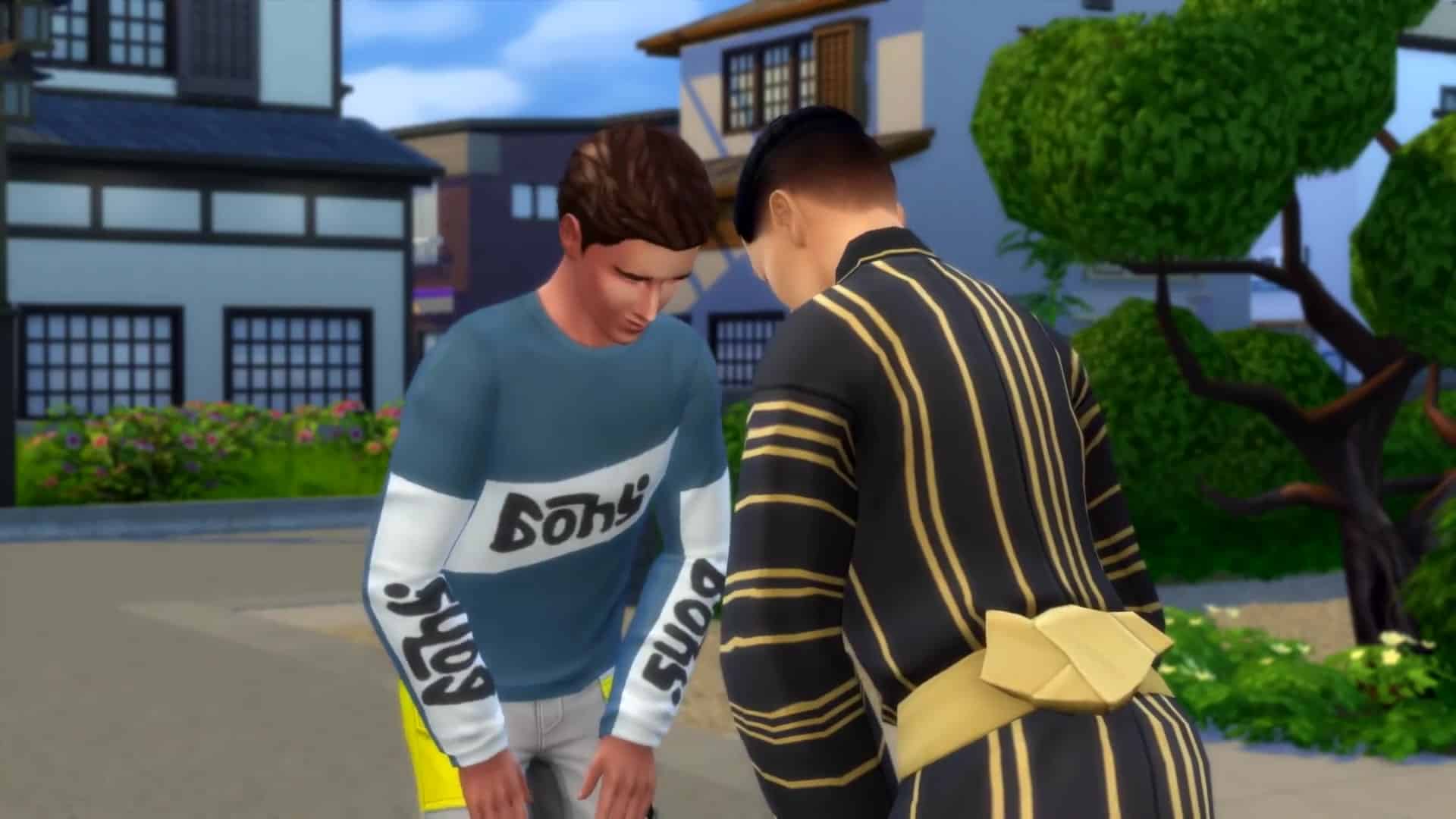
You’ll get your first view of Mt. Komorebi itself from Wakaba, the neighborhood at the base of the mountain. It’s a beautiful residential area with plenty to do. If it’s your first day in town, it’s good to take it slow and start here. Set the mood with a stroll through the gardens or go for a swim near the waterfall. Remember to return respectful greetings when you receive them, and pay attention to shoe removal signs in genkan entryways.

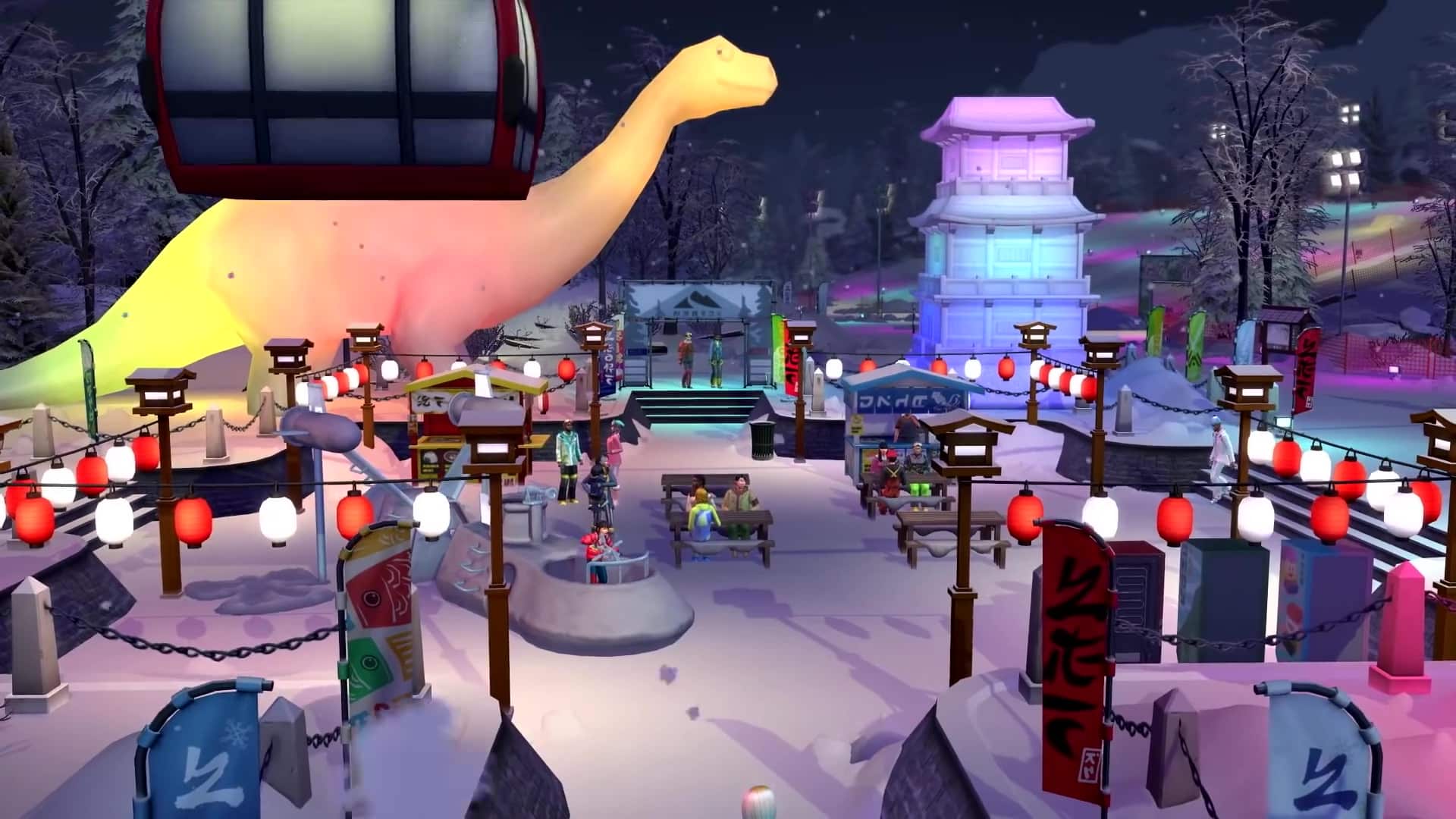
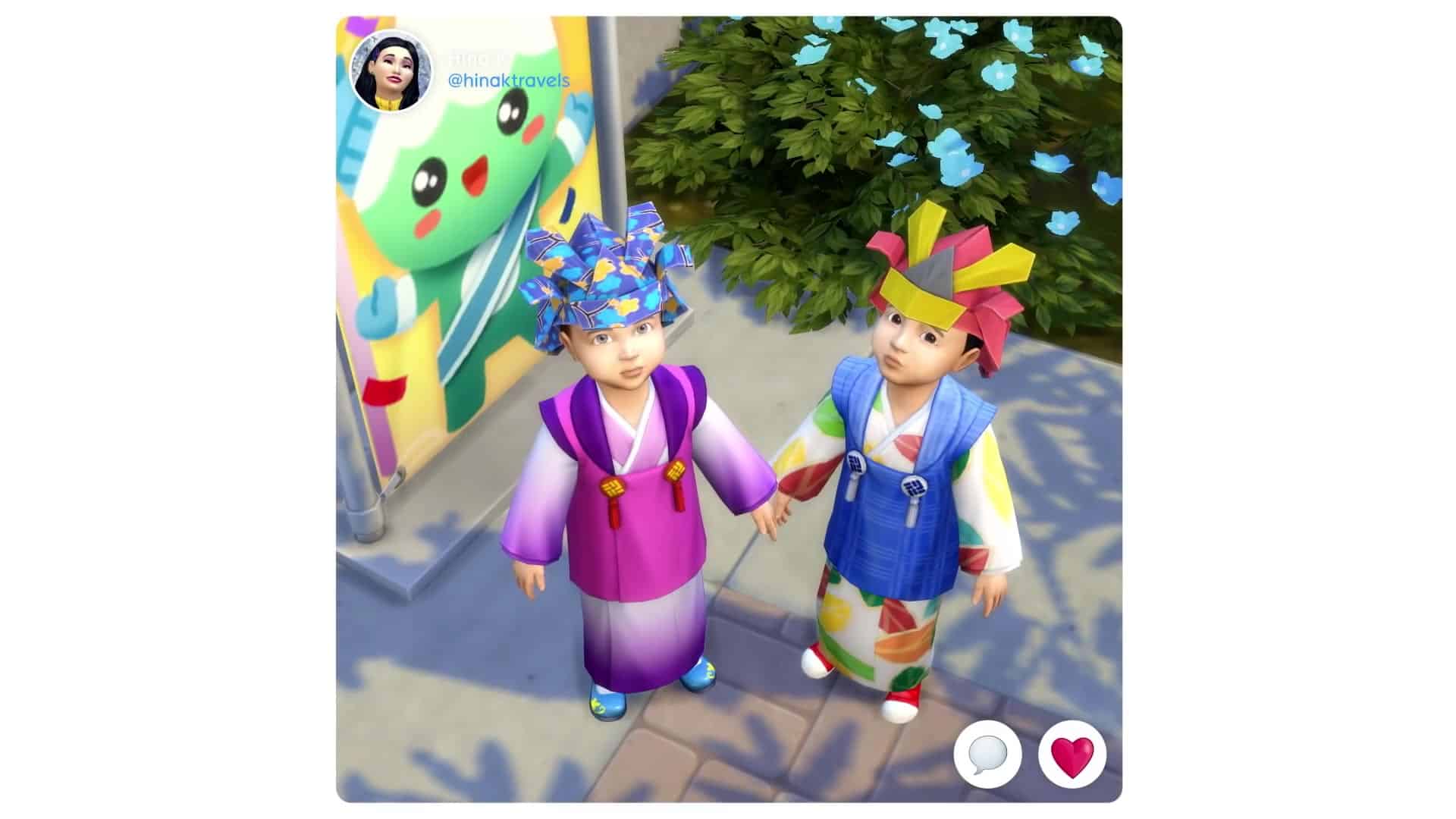
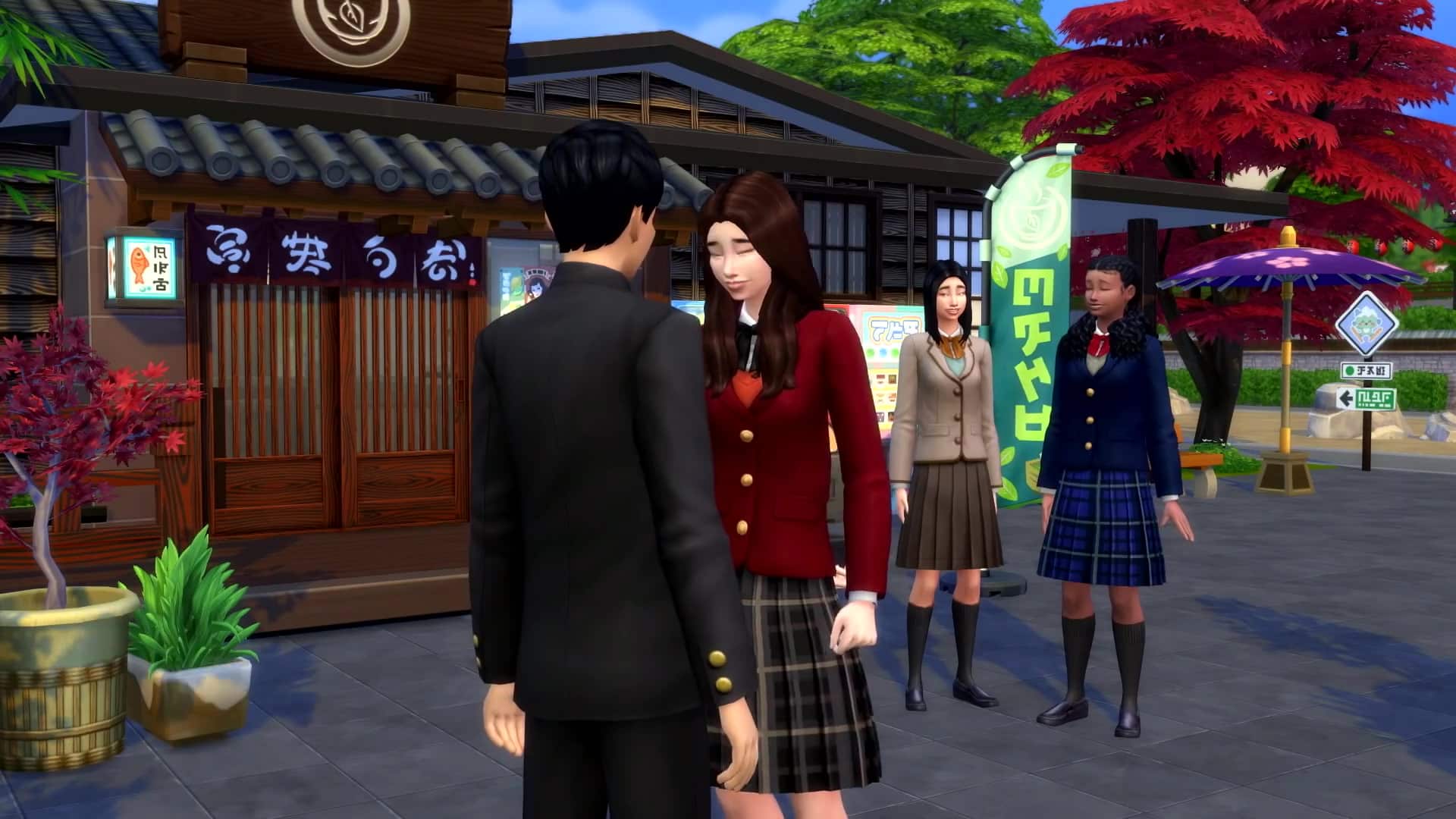
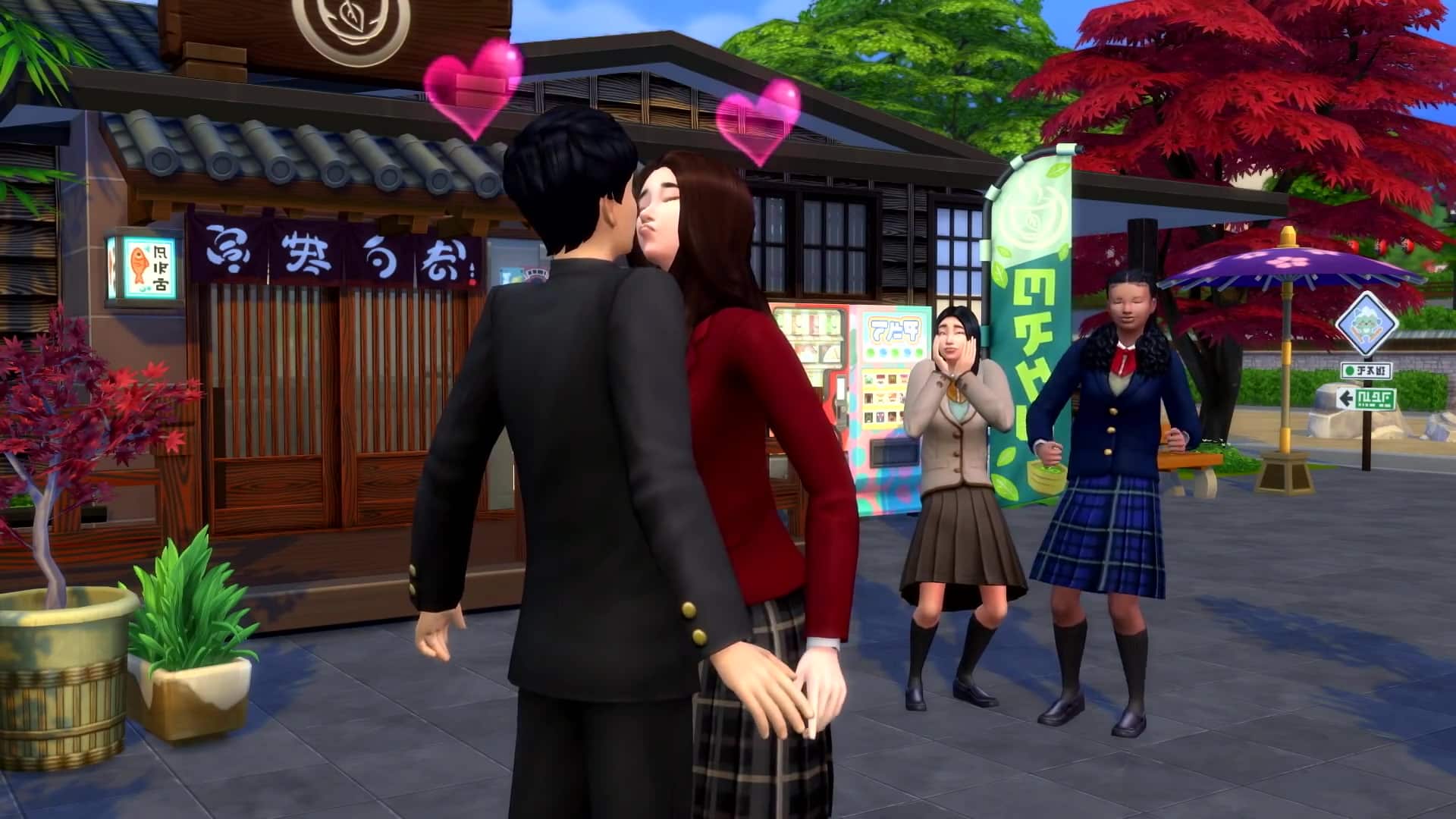
If you’re traveling with kids, make sure to hit up the Festival of Youth in the main plaza. Kids will love meeting Yamachan, the town mascot, and joining the Voidcritter Hunt. While they’re off doing that, you can check out the vending machine collectibles or try the festival-exclusive character crepes, too!

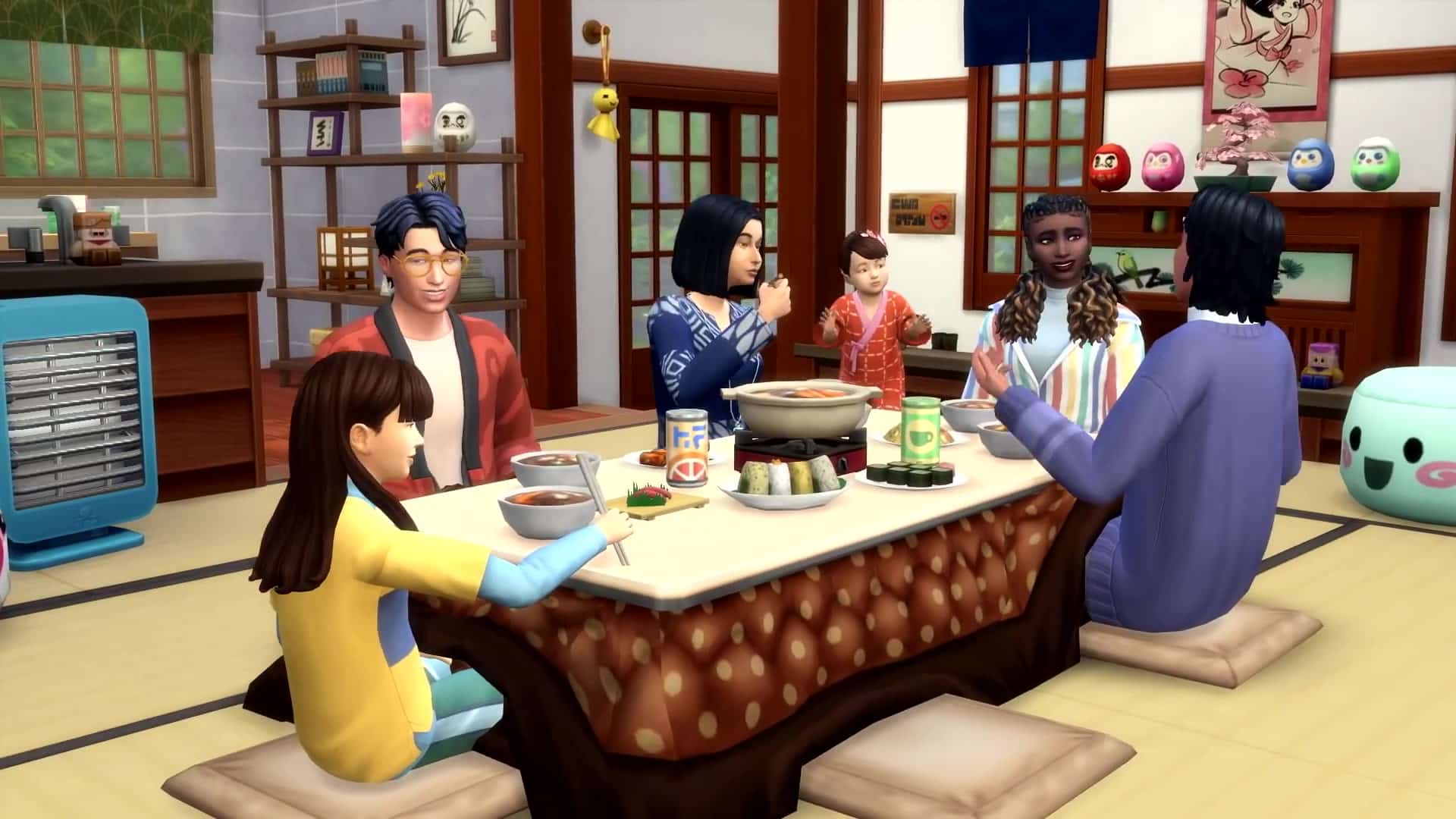
Oh, and speaking of food… you simply have to try hot pot. Sukiyaki is my favorite, but mostly I enjoy it because it’s perfect for a nice meal together. You can cook it right at the kotatsu table where you’re warm and comfy. Plus, seconds are encouraged! And thirds! Try to stop me from having more than one bowl, I dare you.

Komorebi Fact: Lots of folks like to use chopsticks when they’re eating, but your utensil choice is ultimately up to you. (I just think it just makes picking up maki rolls easier.) And some foods, like yummy taiyaki, you can hold in your hands!

Senbamachi

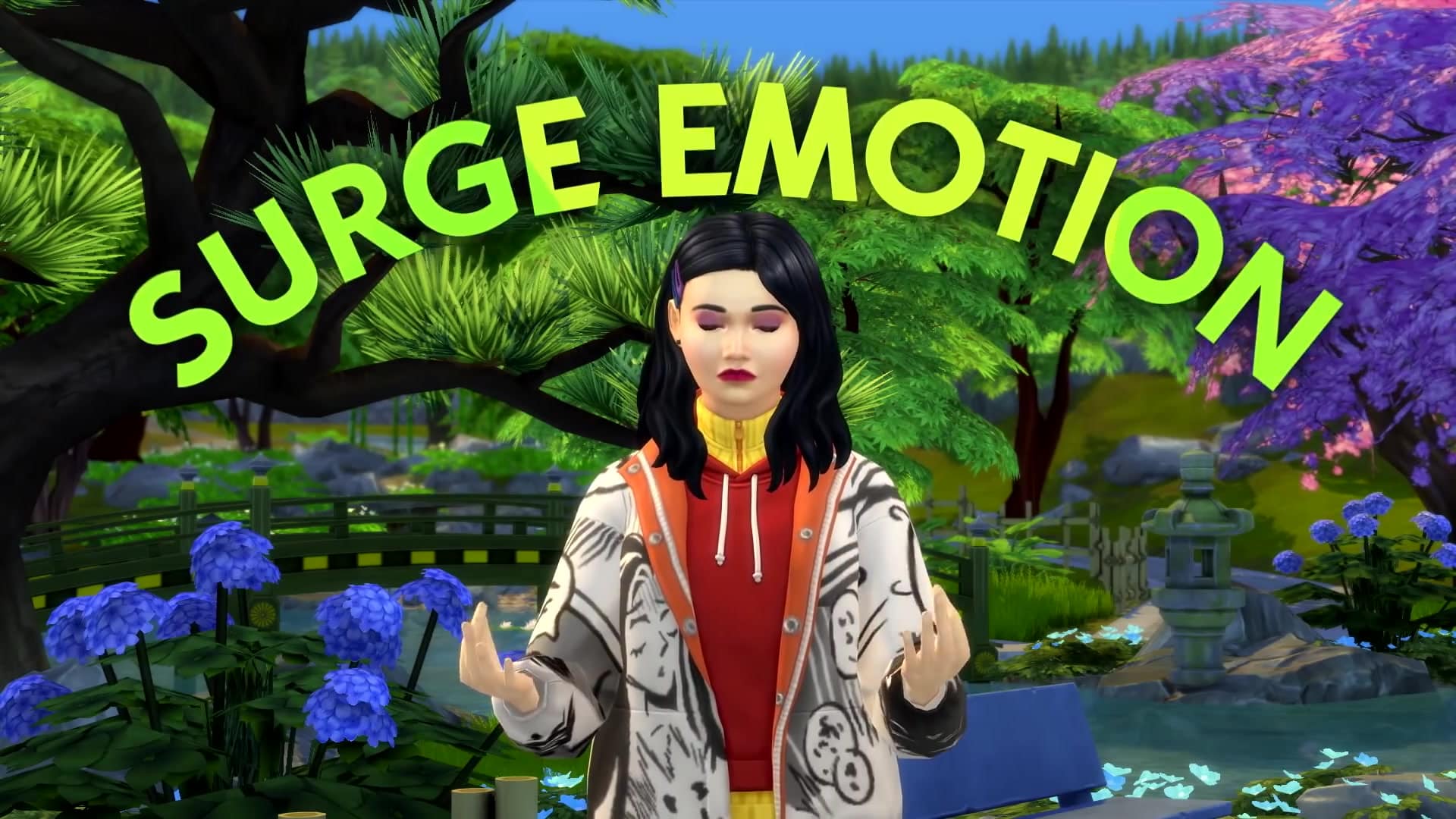
Once you’ve gotten acclimated, head up the mountain a bit to Senbamachi, meaning Thousand Leaves Town. This more traditional area is set right into nature. It’s idyllic, scenic, and serene. Most of the folks here have learned to live in the moment and take life as it comes. It really encourages people to settle into their emotions and find balance.

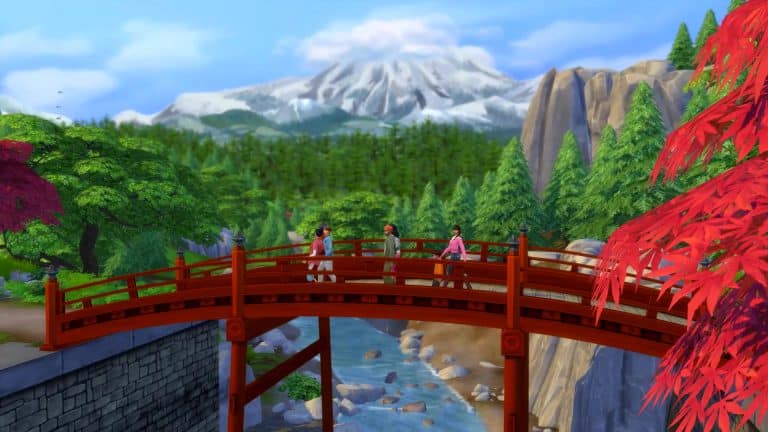
My favorite thing to do is gather some friends and take a hike. The sign at the trailhead lays out all the different places you can visit, and there’s so much to see along the way. Once you’ve chosen a destination, take it easy and relax into the moment with each other. The best part about hiking is being together with friends and family. Whether you’re stopping for a photo on the bridge or listening to your voices echo back at you from the cave, it just feels good to bond over the natural wonders around you.

Of course, everyone has different experiences and different Sentiments about things. On the last hike I led, my friend and I were enjoying ourselves before we ran into denkimushi aka electric bugs. She forgot her spray, so she kinda… got zapped. She’s still a bit mad at me for leading her through that area unprepared, but she’ll come around. Probably.

When you finish your hike, whether it’s meditative or energetic, pause for a moment at the Festival of Lights to admire the beauty around you. This tradition helps us remember the dead and celebrate the light. In the evening, there are fireworks, and you can watch the lanterns float along the river. Remember to make a wish for the future at the tanabata tree.

Komorebi Fact: Being aware of yourself and the present moment is super important here. Some people like mindful walks, while others prefer relaxing to traditional Japanese folk music. Find whatever works for you to center yourself.

Official Blog Post: Discover Mountains of Fun!

Yukimatsu

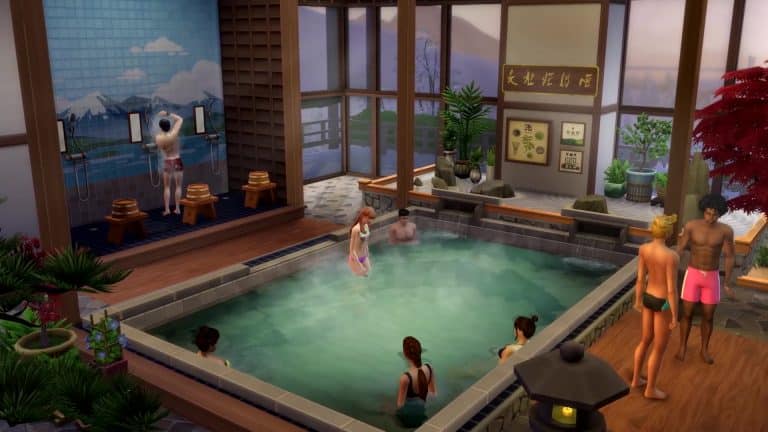
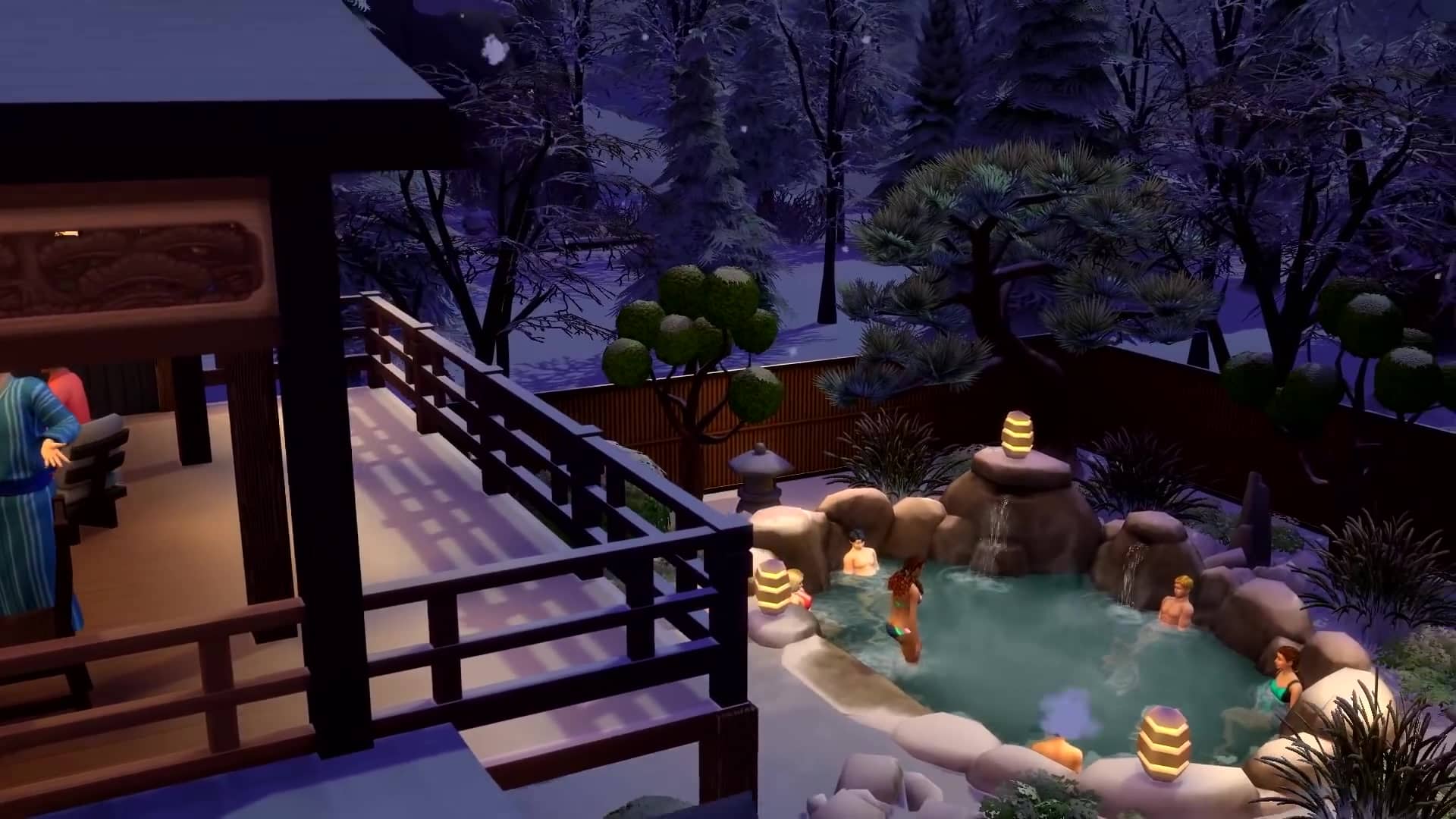
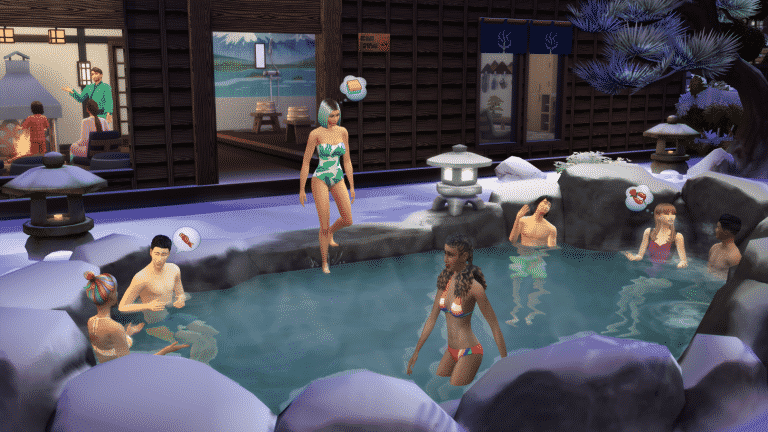
Lots of people come to vacation in Yukimatsu especially. (That’s where all the snow is!) There are a few swanky rentals for out-of-towners since it’s right next to all the action, but that doesn’t mean you won’t find locals here too. Who could stay away from the onsen bathhouse and the snow sports?

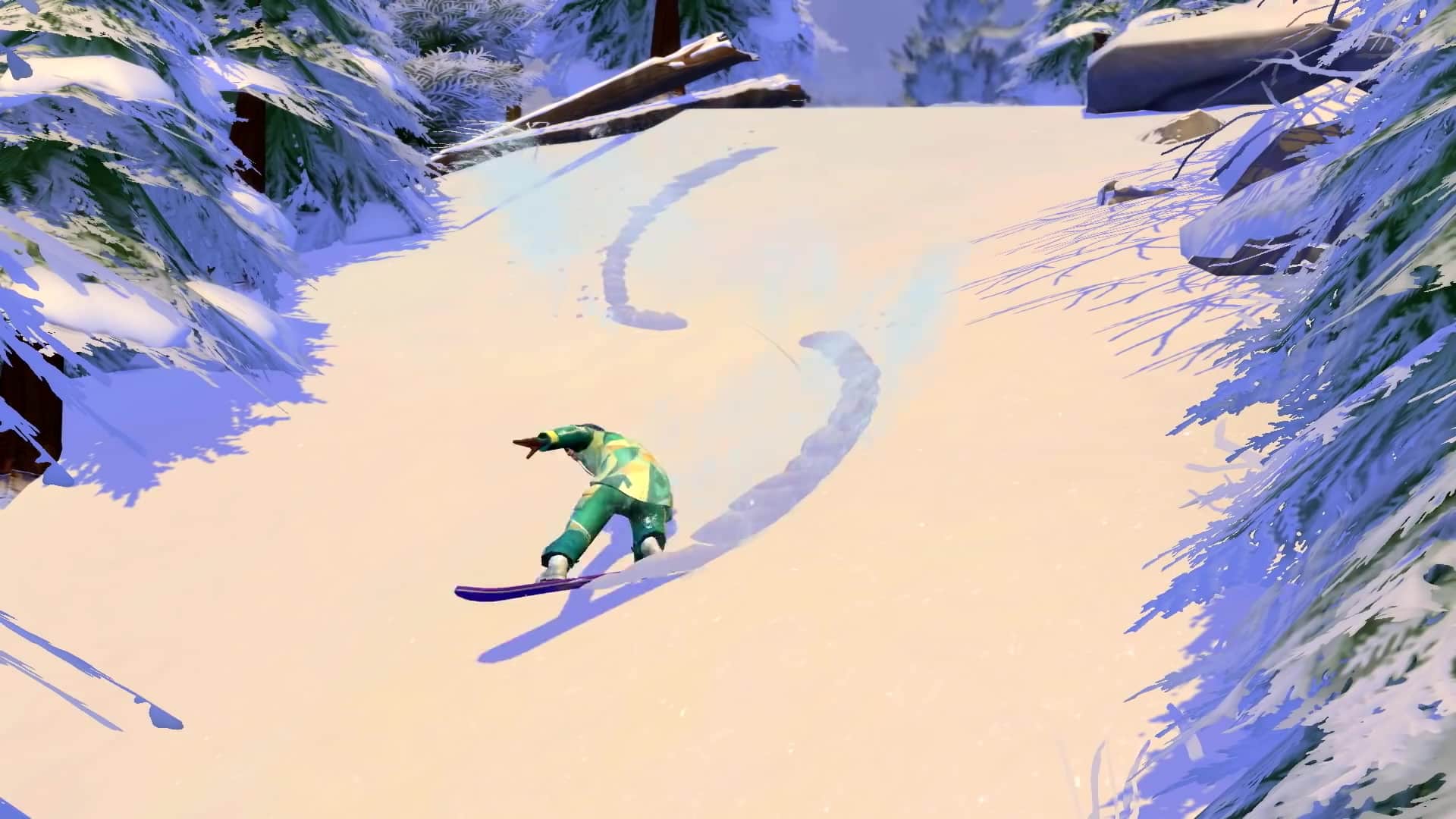
I grew up learning to snowboard on the bunny slope here. Of course, I spent a lot of time wiping out at first, but now you can find me up on the mountain for at least a few hours a day! It just became part of my Lifestyle as I made it a habit over time. Now, I can’t imagine a day where I’m not strapped onto my board.

But don’t be intimidated! Skiers and snowboarders of all skill levels are welcome, whether you’re on the bunny slope or one of the four bigger trails. And if that scares you, no problem! Try sledding, too. You can go alone or pair up with another Sim to catch a little air. My mom used to take me when I was a toddler, and it’s one of my fondest memories.

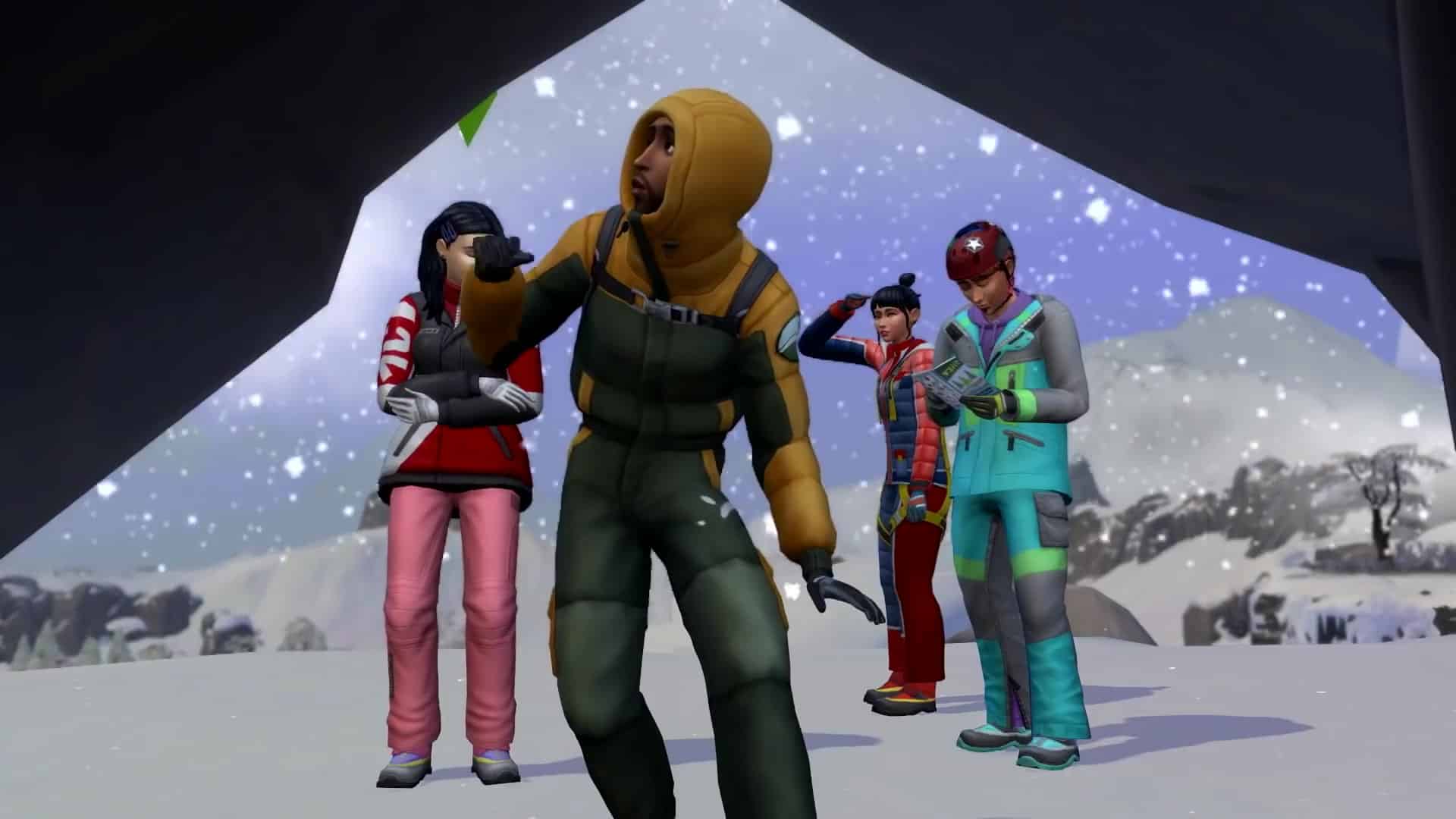
So take some time to have a little fun here. Learn how to start rock climbing at the beginner’s climbing route, or explore a cave on a snowy hike. And once you’re done, and probably chilled to the bone, head over to the onsen for the most relaxing experience in the world. I’m not exaggerating. Plan to spend a few hours here at least. Once you slip into that water, everything kind of… floats away. All your stresses, your fears, your injuries… none of it matters as much in the soothing heat.

Komorebi Fact: We all have our own Lifestyle, and Mt. Komorebi offers something for everyone. Even just looking around in Yukimatsu, you can see Outdoorsy Sims enjoying a hike, Workaholic salarymen glued to their computers, Junk Food Fiends grabbing snacks from vending machines, and Energetic Sims (like me!) flying down the mountain. That which makes you happiest may be just around the corner.

Official Blog Post: Discover Mountains of Fun!The Summit

I hope you took a moment to check out that beginner’s climbing course in Yukimatsu! If you want to head up to the peak of Mt. Komorebi, you’re going to need those skills. Group excursions usually start at the onsen, but once you get out of that water, you’re in for the trip of a lifetime. Dress warmly and bring a few snacks to tide you over.

Take the gondola up to the top of the ski slopes, where you’ll find the first climbing obstacle. After that, there’s a series of challenges awaiting you. If you’re new to the sport, take the opportunity to rest at the base camps along the way, but if you’ve got the experience, try to explore a little! There are caves and other surprises on the way up. (For instance, you might find a secluded little spot for a quick Woo-Hoo up there—something about life-and-death danger really gets some Sims going. 😉)

Don’t undertake this excursion lightly, though! The weather gets worse the higher you climb, and you may end up caught in a thundersnow storm. Yes, you read that right. They’re intense blizzards that take place in the middle of a thunderstorm. And with the lightning and the booming and the wind… it gets really dangerous while you’re clinging to the side of a cliff for dear life. And if you fall from these heights… it doesn’t bear thinking about. Just be careful.

Finally, once you reach the top, everything seems to stop. I can tell you from experience that standing on that peak, staring out at the other mountains and a sky full of clouds below me, everything makes sense. The people with you make sense. Your journey makes sense. And this town, this world, with its beauty and excitement and peace, makes the most sense of all.

When can I expect you?

The Sims™ 4 Snowy Escape Expansion Pack* arrives on November 13, 2020, at midnight in your region on Origin (for Mac and PC) and at 10 a.m. PT for Steam, Xbox One, and PlayStation®4! Preorders are open now.

Will you be following the itinerary above or making you own? Check out our interactive map of Mt. Komorebi and take the quiz to perfect your plans!

Connect with your fellow players on The Sims Forums; catch up with us on Twitter and Instagram; like us on Facebook; and subscribe to our YouTube channel. You can also sign up for The Sims 4 newsletter to get all the news as soon as it’s announced. We have a lot planned in the next few weeks as the launch date nears, and we want you to join us for all of it!

*REQUIRES THE SIMS 4 (SOLD SEPARATELY) AND ALL GAME UPDATES. FOR PC, SEE MINIMUM SYSTEM REQUIREMENTS FOR THE PACK.
The Sims 4 Snowy Escape: First Look at the Lifestyles Feature

9

With the announcement of The Sims 4 Snowy Escape Expansion Pack The Sims Team also revealed that the pack will be bringing a new feature to the table called Lifestyles.

They’ve briefly explained what the feature will offer, saying:

The Sims 4 Snowy Escape also introduces Lifestyles and Sentiments features, adding more depth to Sims’ personalities and relationships. For the first time, up to 16 Lifestyles will manifest in response to a Sim’s actions and habits, changing their behaviors significantly more than Create a Sim traits as they reflect a Sim’s lived experiences. Lifestyles manifest in response to your Sim’s actions and habits, changing their behaviors appropriately.

The Lifestyles Feature has been described as being more significant than the CAS traits considering that they reflect something that your Sims have already lived through.

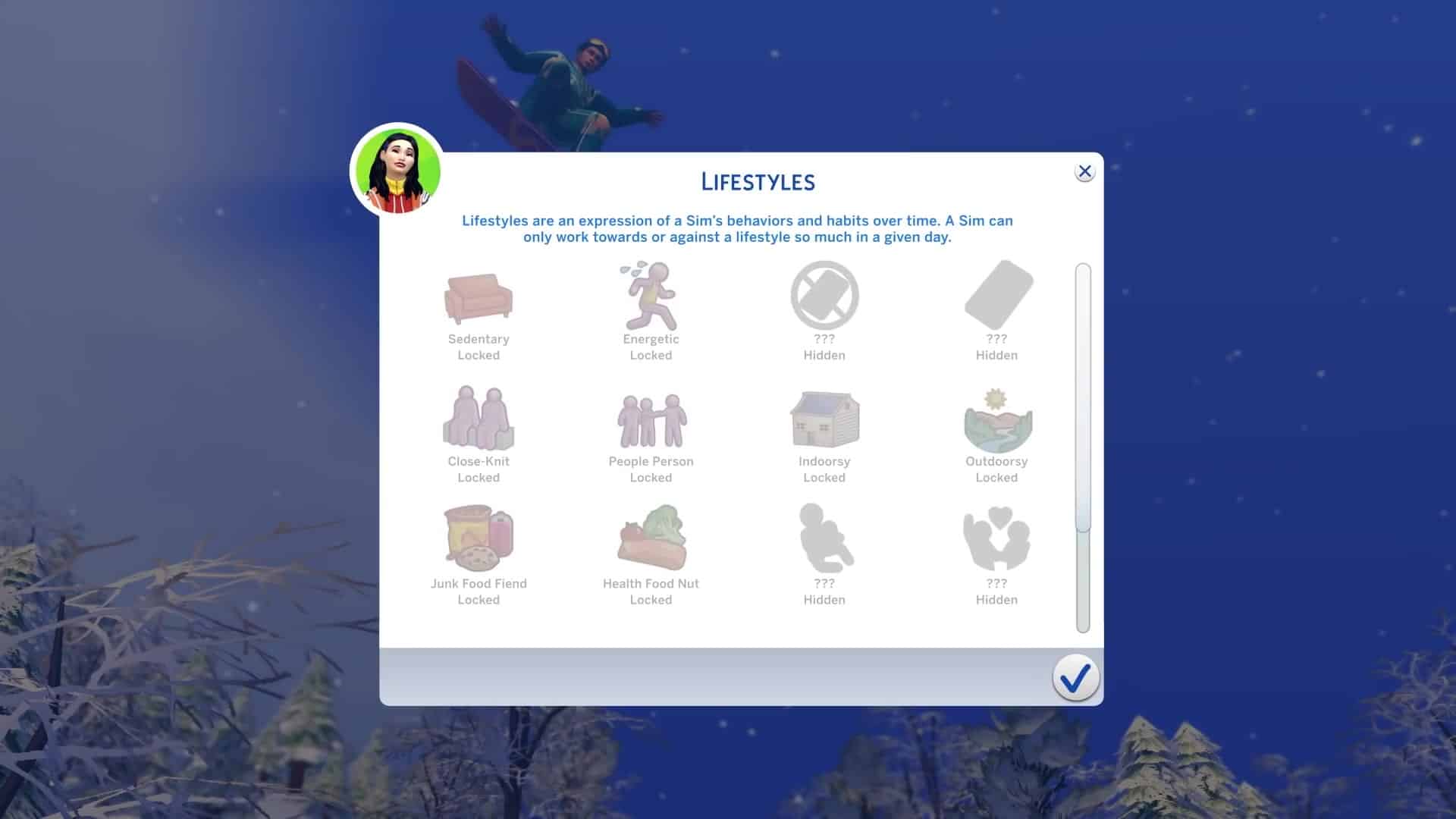
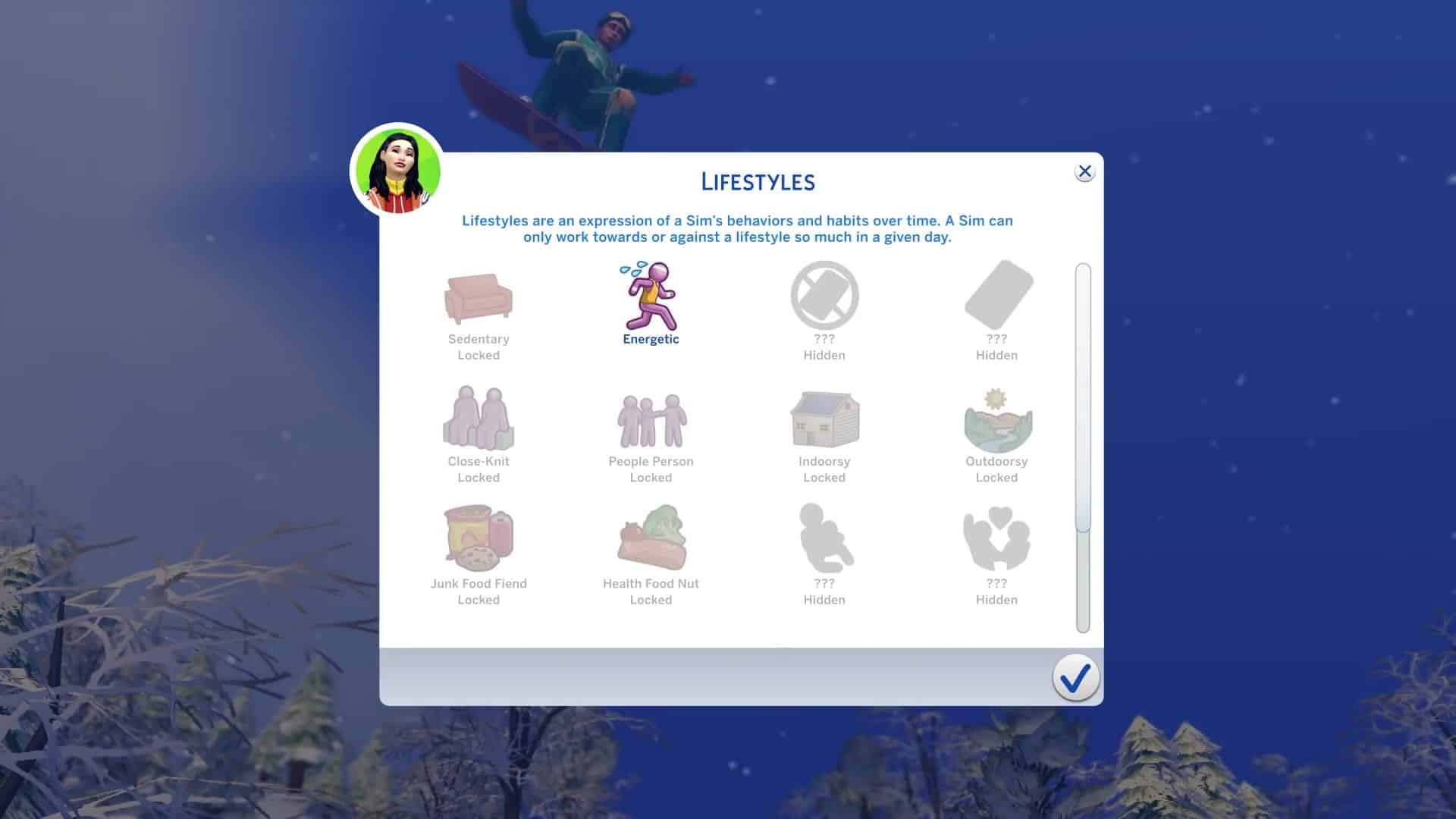
In the latest gameplay trailer they’ve given a first look at the Lifestyles Feature and what some of the Lifestyles will be. Keep in mind that there are 16 Lifestyles total and that not all of them will be visible to you right away (hidden).

Some of the revealed lifestyles include: Sedentary, Energetic, Close Knit, People Person, Indoorsy, Outdoorsy, Junk Food Fiend, Health Food Fiend.

The official blog post has revealed an additional Lifestyle that wasn’t shown in the trailer: Workaholic.

The Sims 4 Snowy Escape: First Look at the Lifestyles Feature

The Sims 4 Snowy Escape: 118 Screens from the Gameplay Trailer

0

The Sims Team released a brand new Gameplay Trailer for The Sims 4 Snowy Escape Expansion Pack. Within the trailer there were plenty of awesome frames shown of the new world, gameplay and items included that you might’ve missed.

We’ve taken all the important frames and put them in the gallery down below for you to check out. Simply click on the screens of your choice to zoom in and spot all the details!

The Sims 4 Snowy Escape: Official Gameplay Trailer

0

The Sims Team has released the official trailer for The Sims 4 Snow Escape Expansion Pack. Check it out!

The Sims 3 Mac Re-Release is coming October 28th on Origin

Good news Mac Simmers!

The Sims 3 will finally be playable on your Mac devices starting October 28th on Origin! That’s right, the Metal 64bit version of The Sims 3 will fully make its way on Origin for your pleasure if you already own the game in your library with a new “The Sims 3 64-bit & Metal” title.

The reason for this upgrade is because Mac OS recently did its own update a year ago, requiring all software to switch to the 64bit functioning causing all 32bit software to go obselete until they get updated. Not only will the new version of The Sims 3 be playable on newer Mac OS versions but there’s also some data management improvements as well that’s been done behind the scenes that would fully optimize the 64bit switch.

Check out the official statement from MaxisJoe regarding the next release:

Hi Simmers!

EDIT: “SURPRISE!”

Looks like there’s a date in your Origin clients! HOW EXCITING IS THIS, AMIRIGHT?

Yes THAT DATE IS CORRECT! We’re hoping to get this beastie onto your hard drives this Wednesday, October 28! Who needs All-Hallows-Eve parties anyway (which – hey, we’re not supposed to go to parties right now anyway)?

While I have your attention – thank you, everyone, for all of your appreciative posts over the last few days. I promise you they’re not necessary. We think this game is awesome too and we’re really thrilled to be able to get it back onto your Macs. What we’re looking forward to the most is you being able to download it and play again.

Happy simming (in a few days), yo! Stay safe out there.


If you’re looking for more information regarding what The Sims 3’s re-launch on Mac devices is all about, check out the official Frequently Asked Questions section below:

FAQ

I already own The Sims 3 on Mac, how do I get the new 64-bit version?

The Sims 3 for macOS, 64-bit will automatically be applied to your EA Account and available to install from My Library at no additional cost.

I plan to purchase The Sims 3, which versions will I get?

Purchasing The Sims 3 through Origin will provide you access to previously existing versions on Windows PC and Mac as well as the new version for macOS.

I own The Sims 3 on disc, how do I get the new version?

To get the new version of The Sims 3 for macOS, 64-bit, you will need to register your game with EA and download the 64-bit version of The Sims 3 from Origin. You can register your game and packs at www.thesims3.com by logging in with the same account you use with Origin (EA Help). For any registration or account related issues, please contact EA Support by visiting https://help.ea.com/contact-us

I already registered The Sims 3 on the website but I don’t see it in Origin, what do I do?

If you have already registered The Sims 3 and any packs on www.thesims3.com but do not see it in My Library in Origin, ensure you log in to Origin using the same email and password you use on www.thesims3.com. The same applies for using The Sims 3 website, login using the same details you use in Origin to see all of your owned content. Do not try to re-register your code in Origin or on the website as it will inform you that the code has already been redeemed since it is already applied to your EA Account. For any registration or account related issues, please contact EA Support by visiting https://help.ea.com/contact-us

Is this a Remaster or Remake of The Sims 3?

This new version is a compatibility release which adds support for 64-bit, Apple’s Metal graphics API, and makes the application a fully native macOS app. It is not a Remaster or Remake of The Sims 3.

Is changing from 32-bit to 64-bit the only thing that has changed?

No. This update of The Sims 3 also switches from OpenGL to Apple’s Metal graphics API, changes significantly how data is managed with the game service, where files are stored within the macOS file system, and has been updated to be a native macOS application.

Will the new version of The Sims 3 on Mac be delivered as an update?

No, due to the changes, The Sims 3 for macOS, 64-bit is seen as a different game by Origin. That means you will need to install rather than update.

I have Save Game files, can I continue my progress in the new version?

Your Save Game files are compatible with the new version of The Sims 3 and you will be able to continue where you left off. Before uninstalling any version of The Sims 3, we always recommend backing up your Save Game files.

Can I go back to the old version of The Sims 3?

Yes, if your macOS supports 32-bit applications (support for 32-bit was dropped by macOS in the Catalina release in 2019, but earlier versions of macOS that still support 32-bit applications might still run on your Macintosh), you can install either release of The Sims 3 from My Game Library in Origin. However, if you have macOS Catalina (10.15.x, released in 2019) or later, which only supports 64-bit applications, you will only be able to use the new release of the game.

Can I install the older macOS version and the new macOS version together?

No, you will only be able to have one version of The Sims 3 installed at a time.

I own both a new and an old Mac, can I still play on both?

Yes, in My Library you will see both the older and newer versions of The Sims 3. Simply install the version of the game which suits the Mac you are using.

I have The Sims 3 DLC and/or content from The Sims 3 Store. Do I need to re-purchase them if I use the new version?

No, all of your existing packs, Worlds and purchases from The Sims 3 Store stay with you. To install your Packs, you will need to download them once you have installed the new version of The Sims 3. You can do this by selecting The Sims 3 (64-bit & Metal) from My Game Library in Origin and selecting each Pack type and clicking the Download button. For content purchased from The Sims 3 Store, login at TheSims3.com and go to Store > My Store Account > Purchase History and you will see your purchases ready for download.

I want to use the new version of The Sims 3 on my Mac. What specs do I need?

You will need a Mac which has support for Apple’s Metal graphics API and be on macOS High Sierra (10.13.x, released in 2017) or later. For Minimum and Recommended specs, you can find them listed below and on The Sims 3 (64-bit & Metal) page on Origin.com.

MAC SYSTEM REQUIREMENTS

MINIMUM SPECS:

OS: Metal required. macOS® X 10.13 (High Sierra)

CPU: Intel Core 2 Duo 2.4GHz Processor or better

RAM: At least 4 GB RAM

HARD DRIVE: At least 15 GB of free space with at least 1 GB additional space for custom content and saved games

VIDEO: NVIDIA GeForce GTX 680, AMD Radeon RX 560, Intel Iris Plus Graphics 640 or better

INPUT: Keyboard and Mouse

ONLINE REQUIREMENTS: Internet connection required for product activation.


RECOMMENDED SPECS:

OS: macOS® X 10.13 or later

PROCESSOR: Intel Core i5 or better

VIDEO CARD: NVIDIA GeForce GTX 680, AMD Radeon RX 560, Intel Iris Plus Graphics 640 or better

MEMORY: 8GB RAM

HARD DRIVE: 18 GB of Hard Drive space

Apple has recently announced that the Mac platform is moving to ARM based CPUs. Is this release of The Sims 3 for macOS, 64-bit optimized for this new architecture?

This release of The Sims 3 for macOS, 64-bit  is optimized for macOS running on Intel x86 CPUs. It is not optimized for the Apple ARM CPU architecture.

I don’t want to see two versions of The Sims 3 in My Game Library, what can I do?

If you want to keep your My Game Library tidy, you can hide the version of The Sims 3 which you do not use by highlighting The Sims 3 and right click and select Hide. You can view your hidden games at any time and unhide them where necessary by using the Hidden Games filter in My Game Library.

When will The Sims 3 for Windows be updated to 64-bit?

The Sims 3 for Windows PC works on both 32-bit and 64-bit versions of Windows. We do recommend players on The Sims 3 version 1.67 or earlier update to version 1.69, which is available to download through Origin if you have registered your game and packs against your EA Account.

The Sims 3 for macOS is in my Origin library, but I can’t download it! Is something wrong?

Nope, nothing is wrong. Beginning on October 20 we began adding the entitlement for this version of the game to all Origin accounts that own any release of The Sims 3. This means that the game is showing up in your library, but that the game itself is not yet available for download. This is expected! The game will be available for download soon.


Tip: SimCookie

The Sims 4 Snowy Escape: New Clip

4

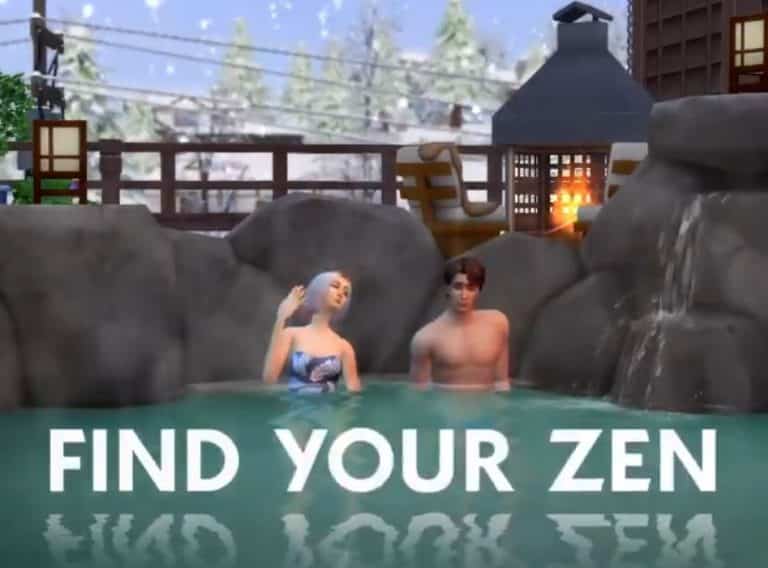
The Sims Team has shared a new clip of The Sims 4 Snowy Escape Expansion Pack!

Check out some of the new footage below:

Origin REALLY wants people to buy The Sims 4 Star Wars Game Pack

The Sims 4 Star Wars: Journey to Batuu Game Pack released about a month ago and the community reception around the pack was…mixed to say the least.

Fast forward to today and the Game Pack has been slashed to 50% off during Origin’s special Halloween Sale where you can also save big on other Sims 4 packs. This is not common, especially for Game Packs that get released just a month after to get their price cut in half. Still, it’s a decent deal for those who’d been wanting to get the pack. Emphasis on the word “wanting”.

During the last few hours people have started reporting Origin constantly suggesting The Sims 4 Star Wars Game Pack whenever you choose to purchase a pack of your choice. Sure, okay, no big deal. It’s kinda okay for Origin to recommend their latest Sims Pack even though they’re unrelated at all. Seriously, I’ve tried this with multiple packs and it always suggests the Star Wars pack – even making it seem like Nifty Knitting and Star Wars is the perfect theme combination!

Origin REALLY wants people to buy The Sims 4 Star Wars Game Pack

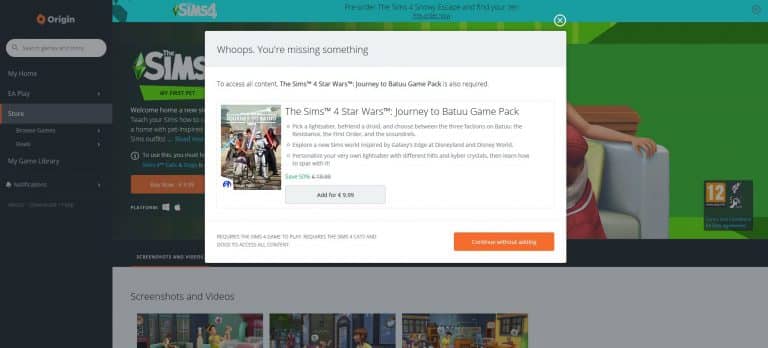
However, that’s not all. Twitter user @ARIAVENTIS reports about a weird message that you get when trying to purchase The Sims 4 My First Pet Stuff. Clicking the Buy now button will immediately give you the “Whoops, you’re missing something” message, saying that you *need* The Sims 4 Star Wars Journey to Batuu Game Pack in order to access all content.

Origin REALLY wants people to buy The Sims 4 Star Wars Game Pack

The other message is probably just a very strange glitch from Origin’s side considering that deciding to purchase any pack will automatically suggest you to get the Star Wars Game Pack as well.

Weird.

If Origin’s maybe got you thinking about getting the Star Wars Game Pack check out our Star Wars Articles for all the coverage!

EA shares more details about their The Sims 3 re-release on Mac

If you’re a Mac player and own The Sims 3 in your Origin library then you’re probably familiar with the struggles of not being able to play the game after you’ve updated your Mac OS to Catalina.

EA had released a statement in early 2020 that they’re planning to update The Sims 3 for Mac users so it supports the Metal 64bit system that started operating since the latest Mac OS update. Although it’s been a while since then, Mac players have started reporting seeing a new version of The Sims 3 in their Origin game libraries.

Screen via @KCoehlo16

EA shares more details about their The Sims 3 re-release on Mac

MaxisJoe who handles all things communication about the next Sims 3 Update for Mac has shared a few new updates on the upcoming Mac update. They’ve shared what’s going on behind-the-scenes, what’s being updated in the game files and when can you expect the game to come out (spoiler alert: very soon). Check out the official statement down below as well as the official FAQ regarding the new Sims 3 64bit release on Mac:

Hi Simmers!

Let’s start with: Have you backed up your TS3 saves? ‘Cause that’s NEVER a bad idea.

You can see by scrolling back that there’s been some excitement and developments over the last few days.

tl;dr:

  • Many of you are seeing a new TS3 and associated DLC show up in your Origin client yet there’s nothing to download. This is expected! Sort of. More detail below.
  • Traditionally updating a publishing catalog is among the last steps you take in the process of publishing software (or any other content). More below.
  • FAQ has been posted (thanks @EA_Leeloo) that hopefully addresses many of the questions you’ve had about this release. It includes the minimum system requirements.
  • Really, this release is targeted at macOS. There is not a secret Windows update hidden in it. We have nothing to announce about a Windows roadmap.

A more in-depth version:

Wow! So much excitement about that Origin catalog update! YOUR excitement is making all of us really giddy too! I can’t wait to get this update out to you macOS players so that you can have that awesome The Sims 3 experience on your up-to-date modern hardware running Catalina! But also – Ooops! Sorry for the confusion that the update in Origin has created. That wasn’t our intent. It’s as though you’ve sneaked downstairs on late on Dec 22 and seen us setting up the Festivus pole – “Ha ha. Surprise?” Still, that doesn’t make the magic any less special; just less magical. What you’re all seeing is the process of granting an Origin entitlement for this The Sims 3 release (and the packs and DLC) to all The Sims 3 owners. It’s a process that is happening over many days (hence some of you seeing some packs but missing others, only to have the others appear a day or two later).

Why is this happening now? Why not six months ago, or next week, or some other time? Because updating catalog/publishing databases is one of the final stages in releasing things! It’s what happens when you finally know how many parts there are, how big they are, when they will be available, etc. It wouldn’t do anyone any good to update a catalog database months before the update is needed (what if everything changes?), and you don’t want to leave it to the last possible minute either (What if something goes wrong and you need time to fix it?). So generally this step happens shortly before a release and, through the magic of not accidentally doing it in a way that your players can see, it’s an invisible process. This time that under-the-hood stuff isn’t invisible. Sorry about that. Sure is exciting though!

We’ve published a FAQ for this The Sims 3 update a little early to help answer questions you might have about what’s coming up. I’m positive we overlooked something obvious (see above for some general discussion of changing time frames). Feel free to ask questions here and, if I can, I’ll answer them for you. There’s two questions I can’t, and won’t, answer.

The first question I can’t answer is “but WHEN can I download it?” Please know that we’re getting it out as fast as we can and that the Origin changes you’re seeing are indicative that we’re pretty close. Stay vigilant. I also know a lot of you are wondering if this release will also include a 64-bit update for Windows players. No, it won’t. And that’s the other question I can’t and won’t answer: “When, or will, there be a Windows 64-bit update?” We can’t comment on rumors and speculation nor can we comment on unannounced roadmaps that may or may not exist. If there was more I could tell you about this – I would.

Thanks for your patience everyone! We’re almost there. Stay safe!

FAQ

I already own The Sims 3 on Mac, how do I get the new 64-bit version?

The Sims 3 for macOS, 64-bit will automatically be applied to your EA Account and available to install from My Library at no additional cost.

I plan to purchase The Sims 3, which versions will I get?

Purchasing The Sims 3 through Origin will provide you access to previously existing versions on Windows PC and Mac as well as the new version for macOS.

I own The Sims 3 on disc, how do I get the new version?

To get the new version of The Sims 3 for macOS, 64-bit, you will need to register your game with EA and download the 64-bit version of The Sims 3 from Origin. You can register your game and packs at www.thesims3.com by logging in with the same account you use with Origin (EA Help). For any registration or account related issues, please contact EA Support by visiting https://help.ea.com/contact-us

I already registered The Sims 3 on the website but I don’t see it in Origin, what do I do?

If you have already registered The Sims 3 and any packs on www.thesims3.com but do not see it in My Library in Origin, ensure you log in to Origin using the same email and password you use on www.thesims3.com. The same applies for using The Sims 3 website, login using the same details you use in Origin to see all of your owned content. Do not try to re-register your code in Origin or on the website as it will inform you that the code has already been redeemed since it is already applied to your EA Account. For any registration or account related issues, please contact EA Support by visiting https://help.ea.com/contact-us

Is this a Remaster or Remake of The Sims 3?

This new version is a compatibility release which adds support for 64-bit, Apple’s Metal graphics API, and makes the application a fully native macOS app. It is not a Remaster or Remake of The Sims 3.

Is changing from 32-bit to 64-bit the only thing that has changed?

No. This update of The Sims 3 also switches from OpenGL to Apple’s Metal graphics API, changes significantly how data is managed with the game service, where files are stored within the macOS file system, and has been updated to be a native macOS application.

Will the new version of The Sims 3 on Mac be delivered as an update?

No, due to the changes, The Sims 3 for macOS, 64-bit is seen as a different game by Origin. That means you will need to install rather than update.

I have Save Game files, can I continue my progress in the new version?

Your Save Game files are compatible with the new version of The Sims 3 and you will be able to continue where you left off. Before uninstalling any version of The Sims 3, we always recommend backing up your Save Game files.

Can I go back to the old version of The Sims 3?

Yes, if your macOS supports 32-bit applications (support for 32-bit was dropped by macOS in the Catalina release in 2019, but earlier versions of macOS that still support 32-bit applications might still run on your Macintosh), you can install either release of The Sims 3 from My Game Library in Origin. However, if you have macOS Catalina (10.15.x, released in 2019) or later, which only supports 64-bit applications, you will only be able to use the new release of the game.

Can I install the older macOS version and the new macOS version together?

No, you will only be able to have one version of The Sims 3 installed at a time.

I own both a new and an old Mac, can I still play on both?

Yes, in My Library you will see both the older and newer versions of The Sims 3. Simply install the version of the game which suits the Mac you are using.

I have The Sims 3 DLC and/or content from The Sims 3 Store. Do I need to re-purchase them if I use the new version?

No, all of your existing packs, Worlds and purchases from The Sims 3 Store stay with you. To install your Packs, you will need to download them once you have installed the new version of The Sims 3. You can do this by selecting The Sims 3 (64-bit & Metal) from My Game Library in Origin and selecting each Pack type and clicking the Download button. For content purchased from The Sims 3 Store, login at TheSims3.com and go to Store > My Store Account > Purchase History and you will see your purchases ready for download.

I want to use the new version of The Sims 3 on my Mac. What specs do I need?

You will need a Mac which has support for Apple’s Metal graphics API and be on macOS High Sierra (10.13.x, released in 2017) or later. For Minimum and Recommended specs, you can find them listed below and on The Sims 3 (64-bit & Metal) page on Origin.com.

MAC SYSTEM REQUIREMENTS

MINIMUM SPECS:

OS: Metal required. macOS® X 10.13 (High Sierra)

CPU: Intel Core 2 Duo 2.4GHz Processor or better

RAM: At least 4 GB RAM

HARD DRIVE: At least 15 GB of free space with at least 1 GB additional space for custom content and saved games

VIDEO: NVIDIA GeForce GTX 680, AMD Radeon RX 560, Intel Iris Plus Graphics 640 or better

INPUT: Keyboard and Mouse

ONLINE REQUIREMENTS: Internet connection required for product activation.


RECOMMENDED SPECS:

OS: macOS® X 10.13 or later

PROCESSOR: Intel Core i5 or better

VIDEO CARD: NVIDIA GeForce GTX 680, AMD Radeon RX 560, Intel Iris Plus Graphics 640 or better

MEMORY: 8GB RAM

HARD DRIVE: 18 GB of Hard Drive space

Apple has recently announced that the Mac platform is moving to ARM based CPUs. Is this release of The Sims 3 for macOS, 64-bit optimized for this new architecture?

This release of The Sims 3 for macOS, 64-bit  is optimized for macOS running on Intel x86 CPUs. It is not optimized for the Apple ARM CPU architecture.

I don’t want to see two versions of The Sims 3 in My Game Library, what can I do?

If you want to keep your My Game Library tidy, you can hide the version of The Sims 3 which you do not use by highlighting The Sims 3 and right click and select Hide. You can view your hidden games at any time and unhide them where necessary by using the Hidden Games filter in My Game Library.

When will The Sims 3 for Windows be updated to 64-bit?

The Sims 3 for Windows PC works on both 32-bit and 64-bit versions of Windows. We do recommend players on The Sims 3 version 1.67 or earlier update to version 1.69, which is available to download through Origin if you have registered your game and packs against your EA Account.

The Sims 3 for macOS is in my Origin library, but I can’t download it! Is something wrong?

Nope, nothing is wrong. Beginning on October 20 we began adding the entitlement for this version of the game to all Origin accounts that own any release of The Sims 3. This means that the game is showing up in your library, but that the game itself is not yet available for download. This is expected! The game will be available for download soon.

Everything we can expect from The Sims 4’s Next Update (so far)

Content updates for The Sims 4 are always sizeable when a new Expansion Pack is just around the corner. With The Sims 4 Snowy Escape Expansion Pack coming out on November 13th we can expect some cool new features added to the game.

Here are all the confirmed (and rumored) features and changes coming to The Sims 4 Base Game early in November!

Skin Tone Fixes

the issue with Skin Tones should’ve been solved this month. However, The Sims Team came across some issues when applying the Skin Tone Fixes and how the tones appear in the game. One of the biggest issues currently are the blotchy appearances of the tones around certain parts of a Sim’s face.

SimGuruDuke addressed this saying that they’ve already made some great improvements and that we can expect the issues to be resolved in November’s update.

Not to be mistaken with a whole differen Skin Tones update coming in December, which is adding 100+ new Skin Tones + Skin Tone & Makeup Sliders!

Everything we can expect from The Sims 4’s Next Update (so far)Everything we can expect from The Sims 4’s Next Update (so far)

Everything we can expect from The Sims 4’s Next Update (so far)Everything we can expect from The Sims 4’s Next Update (so far)

Customizable Platforms

Something exciting for the builders!

The Sims Team confirmed in a Snowy Escape Blog Post that a customizable platforms tool will be coming to the game. Although they didn’t confirm it’s coming in a Base Game update, it’s safe to say that a building tool like this *has* to be added for free through a content update.

As you can see in the screenshot below, it appears that customizable platforms can also be stacked one on top of another.

Everything we can expect from The Sims 4’s Next Update (so far)

This feature is just perfect for creating rooms that need some elevating!

Everything we can expect from The Sims 4’s Next Update (so far)

Lifestyles & Sentiments?

This is more of a rumor considering that it’s been announced exclusively through Snowy Escape. However, the introduction of Lifestyles and Sentiments in the game seem to be a game changing, essential experience, so it wouldn’t be a surprise if such features make it into the base game.

The Sims 4 Snowy Escape also introduces Lifestyles and Sentiments features, adding more depth to Sims’ personalities and relationships. For the first time, up to 16 Lifestyles will manifest in response to a Sim’s actions and habits, changing their behaviors significantly more than Create a Sim traits as they reflect a Sim’s lived experiences. Sentiments represent how two Sims can feel differently about the outcome of a shared experience and have a lasting impact on Sims’ relationships to each other, affecting their social interactions.

Lifestyles manifest in response to your Sim’s actions and habits, changing their behaviors appropriately. Shared experiences inspire Sentiments and have a lasting impact on Sims’ relationships to each other, affecting their social interactions.


These are all the features that have been confirmed so far. Keep checking on this post and our website in general for more information about The Sims 4’s upcoming update!

A Modder is working on a World Edit feature for The Sims 4

1

TheSimsPlus, mosty known for his Open World project Mod for The Sims 4 has discovered a new set of tools to bring to The Sims 4!

The creator tweeted out today that he’s working on a new “World Edit” mod feature for the game which unlocks hundreds of world objects that you can not only use on your lot but place them down anywhere in the world!

The feature will allow you to create your own surroundings around you and modify the environment to your taste. If you choose to place the world objects down onto your lot they won’t be marked as Modded if you decide to upload them to the online Gallery.

Down below you can check out some of the examples of objects that he was able to unlock and place down in the world:

The modder said that this feature will also let you place down Roads and Waterfalls. In the screenshots below you can see an example of a bridge and an animated pond he was able to place down. Best of all? These items are not marked as modded considering that the mod feature is using in-game assets.

The creator said that, although he cannot recreate the full process and tools of Create A World from The Sims 3 days, he’s been making more and more discoveries that’ll let you customize worlds in The Sims 4 to your taste.

You can follow TheSimsPlus on Twitter and stay in loop about his upcoming mod!

The Sims 4 Gucci Collab: Interview with Harrie & Grimcookies

The Gucci collaboration with Grimcookies and Harrie is a huge moment in the sims community, so we wanted to find out from G&H what the collab is all about, how it came to life and what it means for the future.

If you haven’t heard about this iconic collab yet, check out our article here!

This collab is really an iconic moment for the community. How did it all start?

G: The idea was born out of the sustainability elements in the Eco Lifestyle EP! Gucci’s Off The Grid line is made from recycled, organic, bio-based and sustainably sourced materials so it was a natural fit to kind of bring it in via custom content and tie it to that part of the game. We wanted it to be something made by the community for the community, and I was lucky enough to be one of the creators they chose to bring it to life in the game.

H: Gucci “Off The Grid” Collection is the first from the Gucci Circular Lines range & its all about heading towards a more sustainable future, so when they saw that The Sims had released the Eco Lifestyle EP, it seemed like the perfect fit. Gucci Equilibrium is all about raising young voices up and making the world a better place. Working with The Sims community would further their mission statement.

https://www.youtube.com/watch?v=9nopCtmN5kU&feature=emb_title

Now on a personal note, when I first got that email to detail the project, I thought it was a hoax, but now that I’ve learnt now about the work that Gucci Equilibrium does, this collab makes perfect sense.

Tell us a little bit about what the collab includes and how you’re both involved

G: My part of the collection is a set of 11 decor items for build buy as well as 2 pairs of shoes and 2 hats in create-a-sim. I recreated my favourite items from the real life collection including matching the exact swatches they come in, in real life. I also digitally recreated 3 stills from the Gucci campaign including a digital Jane Fonda and 2 still life photos of the items. 

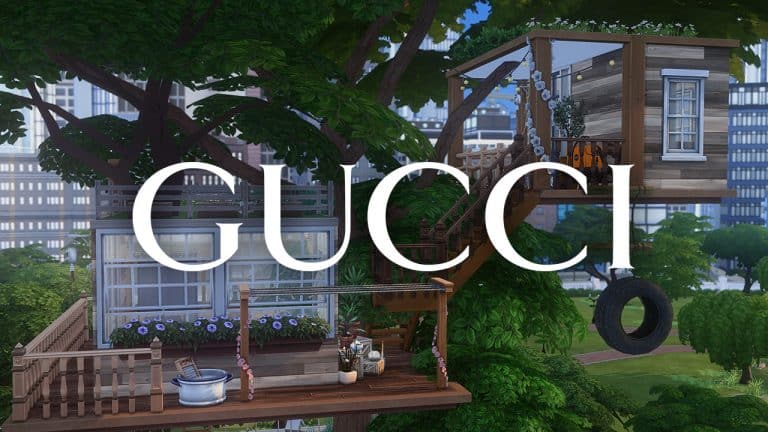
H: I handled the recreation of the treehouse from the Gucci Off The Grid advertising campaign. It’s a 64 x 64  fully playable residential lot located on San Myshuno Meadows. I also got to place all of Grim’s Gucci decor items around the build, so that your sims can live that Gucci life.

Harrie GucciOTG 1

How long have you had to keep this a secret for?

G: A LONG time, back in July I think it went from a potential idea to a project I was actively working on, so even though it’s only been a few months it has felt like forever having to sit on a secret like this. 

H: I just looked back in my emails and the first email arrived all the way back on 10th July, so it’s been over 3 months I’ve been keeping this secret and it feels great to finally be able to spill the beans.

What are your favourite items from the collab?

G: The shoes! I love them so much. I spent hours upon hours staring at the real life versions haha. After them, my next favourite is for sure Harrie’s build. It’s gorgeous. 

H: I love the backpack! I don’t have the Gucci one IRL, but my simself will forever own one. But all the pieces are perfect to add that lived in feel and realism to a build.

The Sims 4 Gucci Collab: Interview with Harrie & Grimcookies

Harrie, how did you come up with the tree house idea?

H: The treehouse wasn’t a real life structure, but I combined their concept artwork and the campaign imagery to come up with the final build. It was fun to be able think more in depth about how I constructed the lot; making sure that I was building in a sustainable way and also thinking about the eco systems that would be able to thrive here.

Any plans for another big collab like this?

G: None! I will be resting for a while after this. It was a dream come true and a lot of fun but also a lot of work and quite stressful. When you are taking someone else’s art and re-creating it that can be quite a lot to take on, definitely a lot of self-placed pressure to get it right so for the indefinite future I no plans for another one. Plus I think this really deserves to be a one-of-a-kind collaboration.

H: Nothing in the works right now with other brands, but I’d be more than happy to do another project like this in the future. But for now I’ll be sticking to the traditional Sims collabs 

Who is your DREAM collab?

G: Sweet Treats 2 of course, Katy my dms are open x

H: If The Sims team were to ask the CC community to collaborate on a Stuff Pack, I would die! I also think it would be recieved by the community really well too.

What new CC collections can we expect from you in the next few months?

G: In November I am releasing a new default skinblend and I am also working on a fun mini-set with a fellow youtuber.

H: I haven’t actually announced this anywhere yet, but I’m currently working on a country collection of items that will be released over the next 3 months. It starts in November with the release of the bedroom items, but will also include kitchen & living room items too

What’s your advice to any other creators who would like to team up with a big brand?

G: Authenticity is key. This project would not have worked if Harrie and myself couldn’t fully stand behind the key messages of sustainability that the Off The Grid collection & equilibrium promotes. Gucci’s commitment to sustainability via their new circular lines initiative is so in-line with my own values as a person to care for our environment. I think that making sure whatever you are doing is a really good fit is the most important thing. I am so proud to have been part of a project that spotlights the cc community and I think that if those elements, alongside the sustainability ones weren’t a part of this project then it would not come anywhere near close to the authenticity and awesomeness that I think this project has. 

H:  I would second everything that Grim said, but also knowing what your skills and having the confidence to bring your own ideas to the table will make for the best collaboration project. Always know your worth 🙂


Huge thanks to Harrie and Grimcookies for doing this interview with us! You can stay up to date on their latest content and creations on their socials:

Harrie:

Grimcookies:

Culturally Sensitive Changes Have Been Made to The Sims 4 Snowy Escape

Following the release of the reveal trailer for The Sims 4 Snowy Escape, some players from South Korea raised concerns about problematic and culturally insensitive imagery featured in the trailer. The trailer appeared to depict Sims bowing at a shrine and the pattern of a sunburst on some items of clothing.

South Korean players pointed out that these images are a painful reminder of historical events during WWII that are still deeply felt today.

Today, @SimGuruGraham took to Twitter to assure players that in light of this knowledge, they have edited the reveal trailer and removed the offensive material from the expansion. Sims will no longer bow at the shrines and depictions of the rising sun pattern have been removed.

https://twitter.com/SimGuruGraham/status/1319730336549330946

https://twitter.com/SimGuruGraham/status/1319730340835962882

For players outside of East Asia who may not be familiar with the negative cultural and historical impact of these in-game depictions, please see our previous article on this subject, South Korean Players Raise Concern Over Insensitive Imagery in The Sims 4 Snowy Escape.


Sims Community would like to remind its readers that comments on this and all our articles are being moderated and we reserve the right to remove any comments that are abusive or otherwise disrespectful. Thank you.

Origin Halloween Sale: Save big on select The Sims 4 Packs!

6

Origin has just published a surprising new Halloween Sale where you can save BIG on EA games, including The Sims 4 Packs!

The selection of Sims 4 Packs that have been put up for sale is somehow random but covers all the necessities you might need to celebrate Halloween – Sims style! Surprisingly, the latest Pack that came out a month ago – The Sims 4 Star Wars: Journey to Batuu Game Pack is also on sale and costs only 10USD!

You also might want to pay close attention to getting The Sims 4 Seasons Expansion Pack as it’s 50% off – you might need it for your Snowy Escape that starts November 13th!

Here are all the packs that are on sale:

  • The Sims 4 Island Living: 50% off
  • The Sims 4 Seasons: 50% off
  • The Sims 4 Star Wars: Journey to Batuu: 50% off
  • The Sims 4 Vampires: 50% off
  • The Sims 4 Realm of Magic: 50% off
  • The Sims 4 Strangerville: 50% off
  • The Sims 4 Jungle Adventure: 50% off
  • The Sims 4 Movie Hangout Stuff: 50% off
  • The Sims 4 Spooky Stuff: 50% off

The sale is active RIGHT NOW and will last until November 3rd at 10AM PT. Head to Origin and make sure you take advantage of it before it’s too late!

Origin Halloween Sale: Save big on select The Sims 4 Packs!

Gucci partners with Sims 4 Content Creators to bring their New Collection to The Game

Moschino has some serious competition!

Grimcookies and Harrie are mostly known for their impeccable Custom Stuff Pack CC Sets and Creations that match perfectly with The Sims 4’s Art Style. They’ve also brought some amazing hairstyles, clothing, makeup and more.

Both of them worked on a secret project for months that today they’ve proudly revealed. They’ve partnered with Gucci to bring their real-life Off The Grid collection to The Sims 4!

Gucci partners with Sims 4 Content Creators to bring their New Collection to The Game

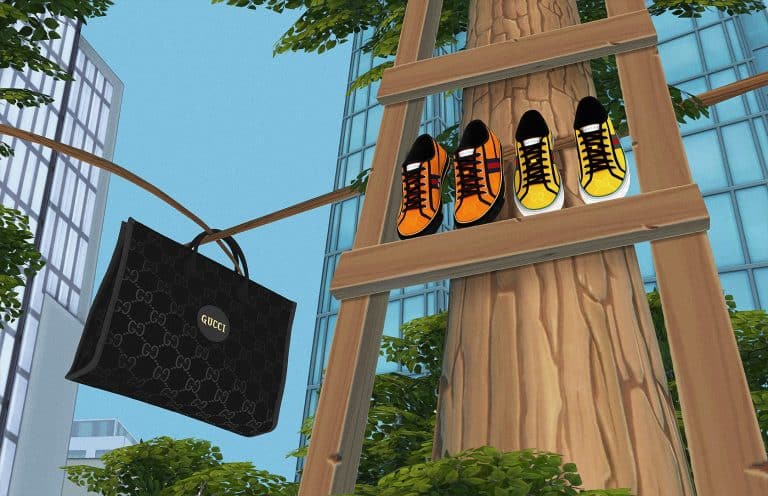
Grimcookies worked on bringing 4 CAS and 11 decor items to the game, with different swatches that completely match the original Gucci designs. Not only that but the build items also give a positive environment and mood score and if you have The Sims 4 Eco Lifestyle installed they’ll also boost the green eco footprint!

For a full breakdown of what’s included and how the project came to life check out Gucci’s full statement and Grimcookies’ video below:

Both talents explored ways to bring to life Gucci Off the Grid for the virtual world. Known by his handle Grimcookies, the popular custom content creator recreated pieces from the Gucci Off The Grid collection, available for players who have downloaded these Mods in The Sims 4. True to their original designs, hats and shoes will be available for The Sims characters to wear, while the backpacks and other accessories can be used as decorations for players to fill their builds with. Grimcookies also digitalized the Gucci Off The Grid campaign, featuring the testimonials including Jane Fonda.

In real life the Gucci Off The Grid collection is sustainably made with regenerated, recycled, organic and sustainably sourced materials, and in- game when players use the Gucci Off The Grid pieces they obtain a green eco-footprint and an environment score of 10. Upon entering rooms with Gucci Off the Grid items, Sim characters’ moods will go up.

Grimcookies talks users through how he custom built the Gucci Off The Grid items in a specially made Youtube video tutorial.

https://www.youtube.com/watch?v=9nopCtmN5kU

Harrie worked on building a whole Off The Grid Treehose for this Gucci pack! You can check out what Gucci had to say about her creation, as well as her full Speed Build below:

Another video is filmed by popular YouTube personality and custom content creator Harrie, also part of The Sims community. The video shows her speed building a digital counterpart of the treehouse from the Gucci Off The Grid campaign. Harrie recreates the tree house from its base to its roof, and finishes it with sustainability elements, including upcycled wood, wind turbines, green-roofing, recycled furniture, and imagines the natural landscaping surrounding it, to raise awareness of the importance of including environmental decisions in everything we do. Gucci Off The Grid items can also be seen decorating the treehouse.

Gucci even released two official trailers for this collection below that you can check out!

Are you ready to get your Gucci on in The Sims 4? This amazing CC set is available for FREE on Grimcookies’ website. Simply make sure you paste the .zip contents and extract them into Electronic Arts > The Sims 4 >Mods folder and make sure you’ve enabled CC / Mods in your game options!

Click the button below to download this set and check out Harrie’s Off The Grid Treehouse under her Origin ID: hey_harrie

[mks_button size=”large” title=”DOWNLOAD!” style=”squared” url=”https://grimcookies.com/post/632594364989931520/grimcookies-x-gucci-off-the-grid-ad-super” target=”_blank” bg_color=”#1e73be” txt_color=”#FFFFFF” icon=”” icon_type=”” nofollow=”0″]

The Sims 4 Snowy Escape: 11 of Our Favourite Features from the Reveal!

In case you missed it, the reveal trailer for The Sims 4 Snowy Escape dropped today and it is jam-packed with so many new exciting features, we hardly knew where to start with this article! Luckily, we’ve managed to condense all of our favourite features into this handy list for you to get a summary of the reveal trailer.

A New World

The Sims 4 Snowy Escape: 11 of Our Favourite Features from the Reveal!

Snowy Escape comes with a brand new, full-sized world called Mt. Komorebi. The world features a picturesque blend between slow and fast-paced Japanese life, making it the perfect destination for both thrill seekers and those looking for rest and relaxation. The best part? The Sims Team has confirmed that Mt. Komorebi will have both residential and rental lots, making it both a residential and vacation world!

Winter Activities

The Sims 4 Snowy Escape: 11 of Our Favourite Features from the Reveal!

Winter sporting activities have been a highly requested feature for The Sims 4 for a very long time and Snowy Escape is going to deliver on that request in a big way. In the trailer, Sims can be seen snowboarding, skiing, tobogganing, and mountain climbing. Many of these activities are not just for adults, either! Children can be seen enjoying some of these activities with their parents, making these activities perfect for families.

Japanese Culture

The Sims 4 Snowy Escape: 11 of Our Favourite Features from the Reveal!

Throughout the trailer, we see glimpses of many popular Japanese themes. From tatami mats and floor seating to shabu shabu (hot pots), bowing, kimonos, making wishes, and paying respects to ancestors, it’s clear that a lot of effort went into making Mt. Komorebi a respectful and authentic representation of Japan and its vibrant culture.

Trains???

The Sims 4 Snowy Escape: 11 of Our Favourite Features from the Reveal!

We’re not exactly sure what kind of role it will play in the game, but a train was featured very prominently in the trailer, so we’re hopeful that it will be of use to our Sims in some capacity.

Rock Climbing

The Sims 4 Snowy Escape: 11 of Our Favourite Features from the Reveal!

If skiing, snowboarding, and tobogganing are a little too chilly for your Sims, perhaps rock climbing will be more up their alley. Graduate from the mechanical rock climbing wall from Fitness Stuff and start climbing real mountains in the wilderness of Mt. Komorebi! It’s sure to be an adventure your Sims won’t soon forget.

Tents & Camping

The Sims 4 Snowy Escape: 11 of Our Favourite Features from the Reveal!

Tents and camping initially came with The Sims 4 Outdoor Retreat, but it looks like tents and campfires will be making a return to the series in Snowy Escape. We can see some Sims camping out for the night on their way to the summit of Mt. Komorebi in the trailer, much the same way professional mountain climbers establish base camps on their way to the summit of very large, hazardous mountains.

Hot Springs & Bath Houses

The Sims 4 Snowy Escape: 11 of Our Favourite Features from the Reveal!

Bathing and bath houses are a very important aspect of Japanese culture, so it was refreshing to see an onsen bath house in the trailer. Hot springs are a great way to relax and unwind after a long day of exciting mountain activities and it looks like our Sims will be able to enjoy a soothing trip to a bath house while in Mt. Komorebi.

Creepy Crawlies

The Sims 4 Snowy Escape: 11 of Our Favourite Features from the Reveal!

Possibly one of the only features this author isn’t so keen on is the reappearance of creepy crawlies. In the trailer, we see a Sim getting a very unpleasant surprise when they discover a huge centipede crawling up their arm. Yuck! However, it only makes sense that the wilderness of the mountains would have its own set of hazards to deal with and plenty of Simmers will no doubt appreciate the touch of danger.

A More Immersive Simstagram?

The Sims 4 Snowy Escape: 11 of Our Favourite Features from the Reveal!

Sims have had access to the fictional photo-sharing platform, Simstagram, for quite a long time and its played different roles across various packs, but the trailer seems to hint at a much more immersive version of this social media platform than what we’ve had previously. We can see snapshots of all the fun activities a Sim has experienced on her travels in Mt. Komorebi, complete with her profile picture and screen name, but this could just be a bit of movie magic for the trailer. We’ll just have to wait and see.

Magical Elements?

The Sims 4 Snowy Escape: 11 of Our Favourite Features from the Reveal!

We’re not quite sure what this little creature is, but it sure is adorable! It can be seen creating a whirlwind of flower petals to the delight of the Sims around it. This might hint that Mt. Komorebi has some magical secrets to share with us when we get our hands on this pack.

Japanese Cuisine

The Sims 4 Snowy Escape: 11 of Our Favourite Features from the Reveal!

City Living offered a taste of Japanese cuisine with its Japanese food vendor stall, but it looks like Snowy Escape will be expanding that menu considerably. With a variety of sushi featured on the table in the trailer and shabu shabu (or a hot pot as we tend to call it in English) as the centerpiece to such a fine meal, Sims with the Foodie trait will find plenty to delight their carefully cultivated palates.

Vending Machines

The Sims 4 Snowy Escape: 11 of Our Favourite Features from the Reveal!

Many players might not know this, but Island Living came with exactly one vending machine that dispensed a variety of island treats and supplies; however, that vending machine was located out of the way in the uneditable common space, which really limited its uses in the game. The vending machines shown in the Snowy Escape trailer look like they’ll not only dispense a wider variety of goods, but also be a more versatile addition to the game for players.


What was your favourite part of the trailer? Let us know in the comments or come chat with us on social media!

Missed the reveal trailer? No problem. You can watch it right here!