Home Blog Page 351

The Sims 4 Toddler Stuff Gallery Spotlight: Parks & Houses

The Sims 4 Toddler Stuff Gallery Spotlight: Parks & Houses

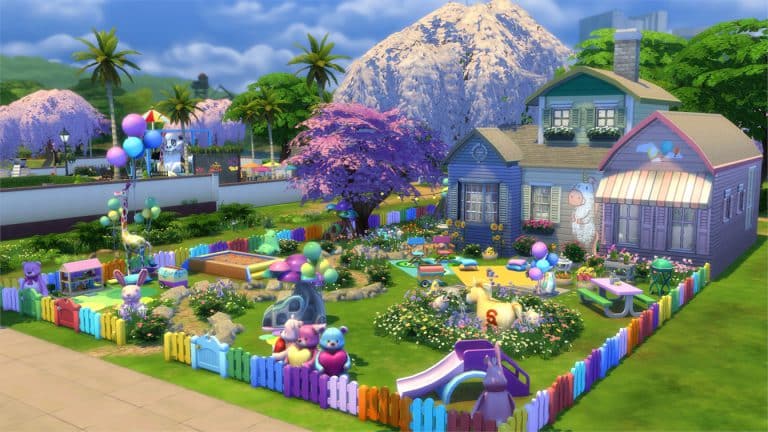
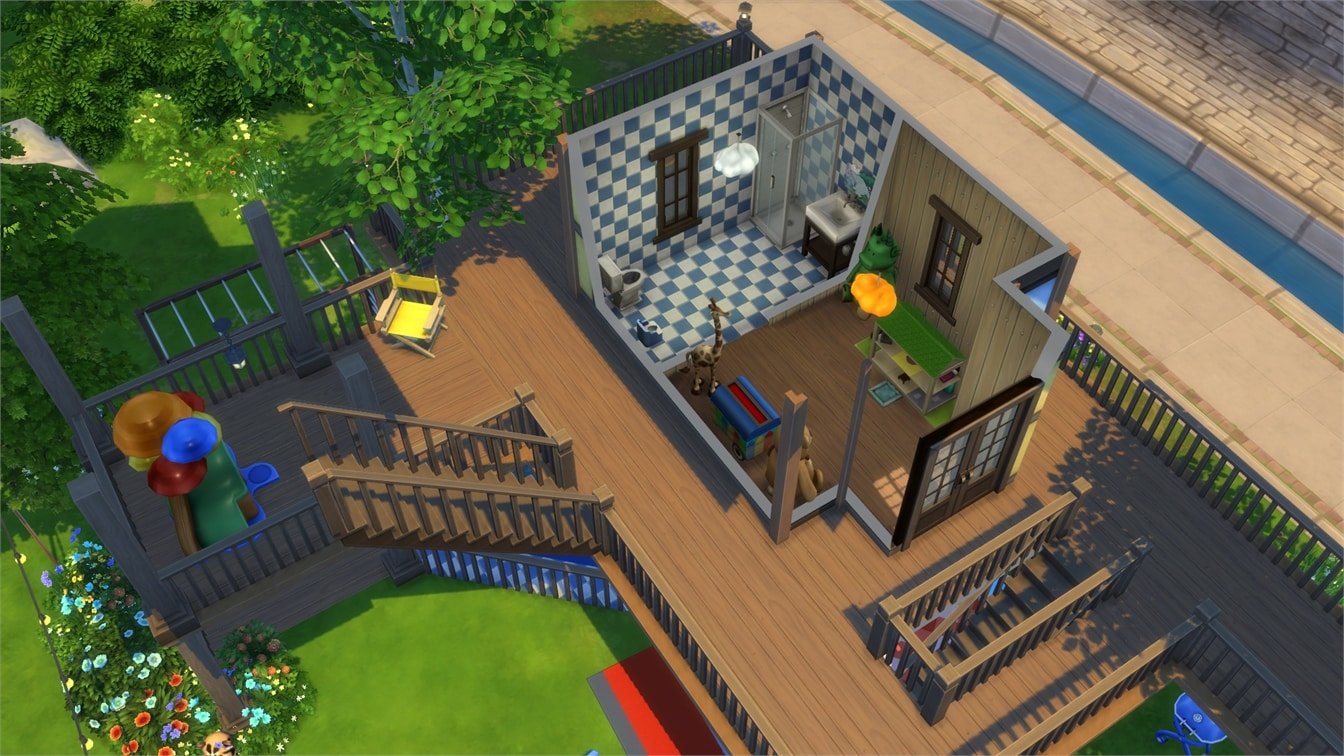
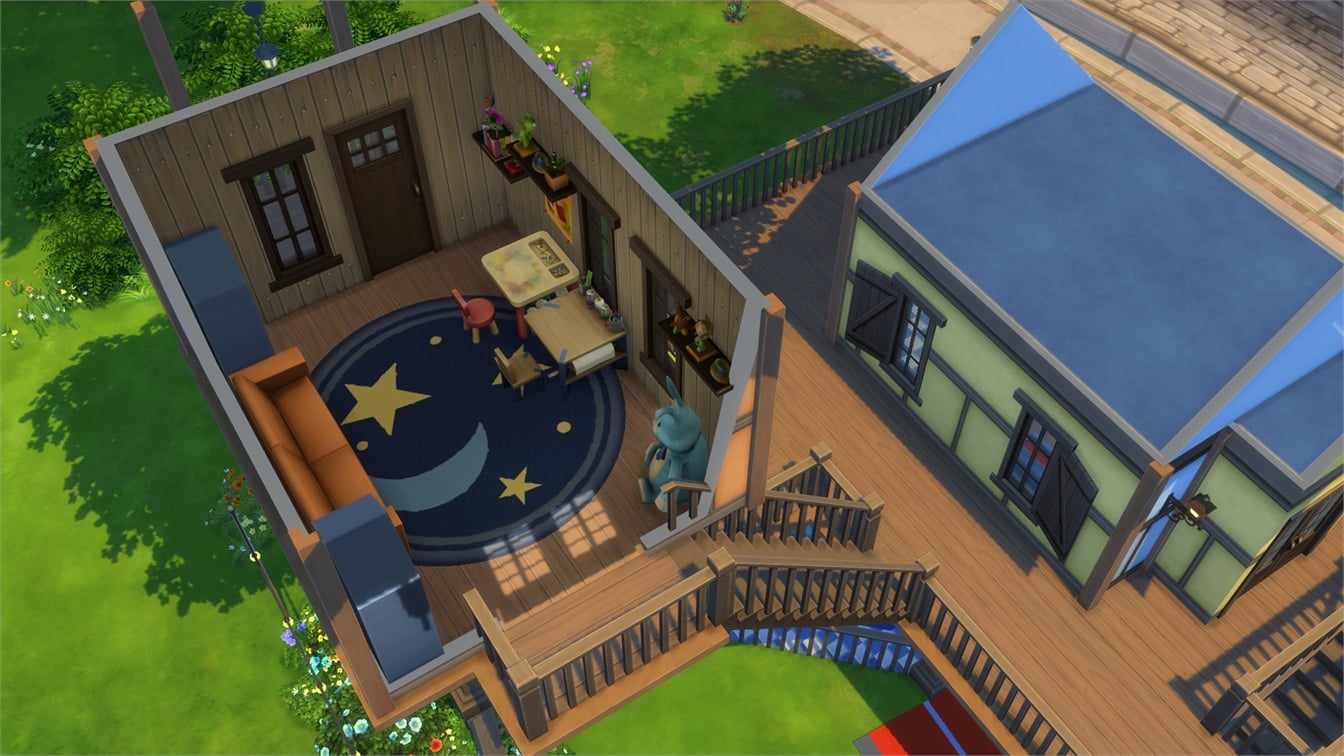
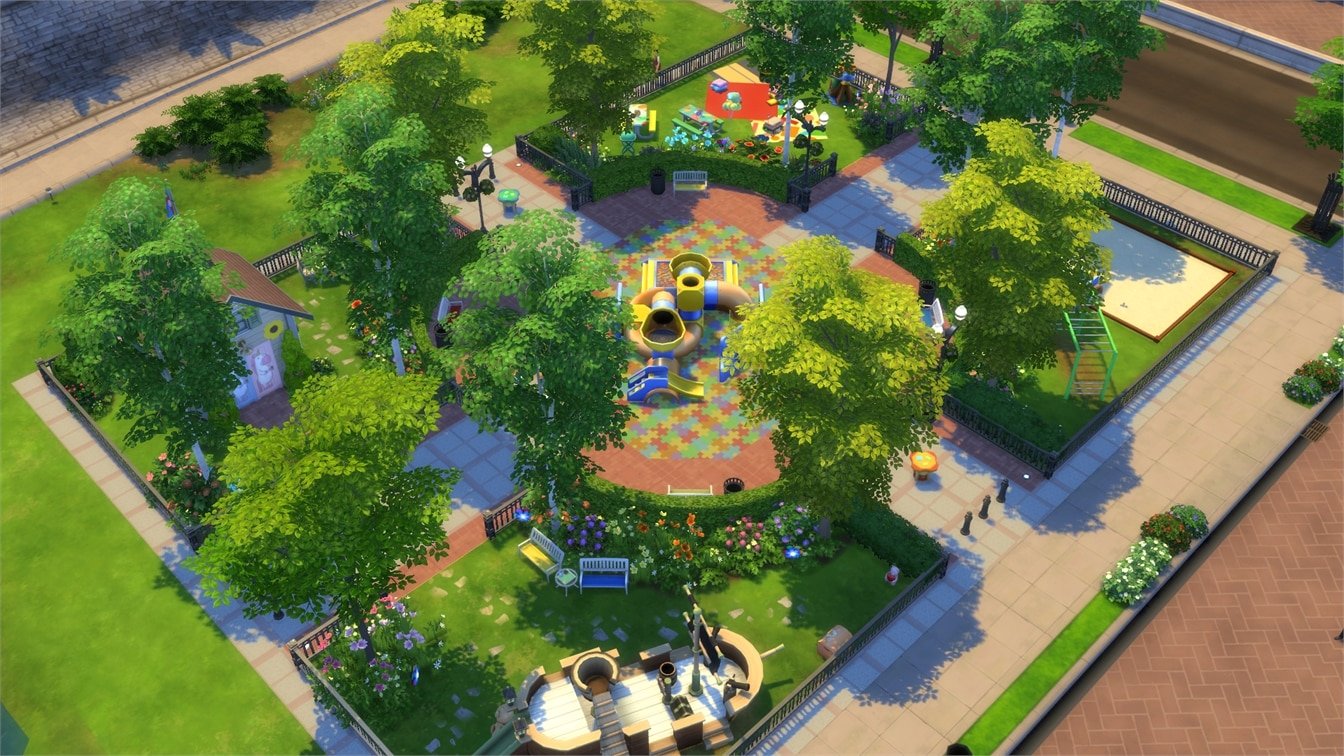
In this Spotlight, we’re featuring creative and colorful Parks & Houses built with The Sims 4 Toddler Stuff Pack (and some other packs as well).

Hover over the pulsing plumbobs to see screenshots of marked areas. Pulsing plumbob that’s on the left bottom corner contains all the info (and download link) of the lot.

To see more of our previous Gallery Spotlights, CLICK HERE!

[ult_hotspot main_img=”id^65335|url^https://simscommunity.info/wp-content/uploads/2017/08/08-27-17_9-54-57-PM.jpg|caption^null|alt^null|title^08-27-17_9-54-57 PM|description^null”][ult_hotspot_items icon_type=”custom” icon_img=”id^39525|url^https://simscommunity.info/wp-content/uploads/2015/09/plumbob2.png|caption^null|alt^null|title^plumbob2|description^null” img_width=”52″ tooltip_custom_color=”#1e73be” tooltip_custom_bg_color=”#ffffff” tooltip_width=”450″ tooltip_position=”right” tooltip_continuous_animation=”on” hotspot_position=”89.61858624454149,3.190184049079755″ tooltip_custom_border_size=”border-style:solid;|border-width:2px;border-radius:5px;|border-color:#81d742;”]

Toddler Play Fun Park (Download Here)

by apelsinoriental

Value: §179,667
Size: 40×30
Lot Type: Pool[/ult_hotspot_items][/ult_hotspot][ult_hotspot main_img=”id^65329|url^https://simscommunity.info/wp-content/uploads/2017/08/08-27-17_9-49-42-PM.jpg|caption^null|alt^null|title^08-27-17_9-49-42 PM|description^null”][ult_hotspot_items icon_type=”custom” icon_img=”id^39525|url^https://simscommunity.info/wp-content/uploads/2015/09/plumbob2.png|caption^null|alt^null|title^plumbob2|description^null” img_width=”38″ tooltip_custom_color=”” tooltip_custom_bg_color=”rgba(255,255,255,0.01)” tooltip_width=”400″ tooltip_position=”right” enable_bubble_arrow=”off” tooltip_continuous_animation=”on” hotspot_position=”65.2190229257642,54.47852760736196″]

The Sims 4 Toddler Stuff Gallery Spotlight: Parks & Houses

[/ult_hotspot_items][ult_hotspot_items icon_type=”custom” icon_img=”id^39525|url^https://simscommunity.info/wp-content/uploads/2015/09/plumbob2.png|caption^null|alt^null|title^plumbob2|description^null” img_width=”38″ tooltip_custom_color=”” tooltip_custom_bg_color=”rgba(255,255,255,0.01)” tooltip_width=”400″ tooltip_position=”right” enable_bubble_arrow=”off” tooltip_continuous_animation=”on” hotspot_position=”37.742221615720524,56.80981595092025″]
The Sims 4 Toddler Stuff Gallery Spotlight: Parks & Houses

[/ult_hotspot_items][ult_hotspot_items icon_type=”custom” icon_img=”id^39525|url^https://simscommunity.info/wp-content/uploads/2015/09/plumbob2.png|caption^null|alt^null|title^plumbob2|description^null” img_width=”38″ tooltip_custom_color=”” tooltip_custom_bg_color=”rgba(255,255,255,0.01)” tooltip_width=”400″ tooltip_position=”right” enable_bubble_arrow=”off” tooltip_continuous_animation=”on” hotspot_position=”19.29243995633188,35.70552147239264″]
The Sims 4 Toddler Stuff Gallery Spotlight: Parks & Houses

[/ult_hotspot_items][ult_hotspot_items icon_type=”custom” icon_img=”id^39525|url^https://simscommunity.info/wp-content/uploads/2015/09/plumbob2.png|caption^null|alt^null|title^plumbob2|description^null” img_width=”52″ tooltip_custom_color=”#1e73be” tooltip_custom_bg_color=”#ffffff” tooltip_width=”450″ tooltip_position=”right” tooltip_continuous_animation=”on” hotspot_position=”89.61858624454149,3.190184049079755″ tooltip_custom_border_size=”border-style:solid;|border-width:2px;border-radius:5px;|border-color:#81d742;”]

Play Date Park (Download Here)

by anchesenamon

Value: §45,189
Size: 20×15
Lot Type: National Park[/ult_hotspot_items][/ult_hotspot][ult_hotspot main_img=”id^65333|url^https://simscommunity.info/wp-content/uploads/2017/08/08-27-17_9-52-31-PM.jpg|caption^null|alt^null|title^08-27-17_9-52-31 PM|description^null”][ult_hotspot_items icon_type=”custom” icon_img=”id^39525|url^https://simscommunity.info/wp-content/uploads/2015/09/plumbob2.png|caption^null|alt^null|title^plumbob2|description^null” img_width=”38″ tooltip_custom_color=”” tooltip_custom_bg_color=”rgba(255,255,255,0.01)” tooltip_width=”400″ tooltip_position=”right” enable_bubble_arrow=”off” tooltip_continuous_animation=”on” hotspot_position=”28.66743995633188,69.93865030674846″]
The Sims 4 Toddler Stuff Gallery Spotlight: Parks & Houses

[/ult_hotspot_items][ult_hotspot_items icon_type=”custom” icon_img=”id^39525|url^https://simscommunity.info/wp-content/uploads/2015/09/plumbob2.png|caption^null|alt^null|title^plumbob2|description^null” img_width=”52″ tooltip_custom_color=”#1e73be” tooltip_custom_bg_color=”#ffffff” tooltip_width=”450″ tooltip_position=”right” tooltip_continuous_animation=”on” hotspot_position=”89.61858624454149,3.190184049079755″ tooltip_custom_border_size=”border-style:solid;|border-width:2px;border-radius:5px;|border-color:#81d742;”]

Tumble&Try Playdate Park (Download Here)

by Kimmsterr

Value: §63,524
Size: 40×30
Lot Type: Park[/ult_hotspot_items][/ult_hotspot][ult_hotspot main_img=”id^65336|url^https://simscommunity.info/wp-content/uploads/2017/08/08-27-17_9-56-43-PM.jpg|caption^null|alt^null|title^08-27-17_9-56-43 PM|description^null”][ult_hotspot_items icon_type=”custom” icon_img=”id^39525|url^https://simscommunity.info/wp-content/uploads/2015/09/plumbob2.png|caption^null|alt^null|title^plumbob2|description^null” img_width=”52″ tooltip_custom_color=”#1e73be” tooltip_custom_bg_color=”#ffffff” tooltip_width=”450″ tooltip_position=”right” tooltip_continuous_animation=”on” hotspot_position=”89.61858624454149,3.190184049079755″ tooltip_custom_border_size=”border-style:solid;|border-width:2px;border-radius:5px;|border-color:#81d742;”]

Toddler Park (Download Here)

by PrincessBonita

Value: §41,049
Size: 40×30
Lot Type: National Park[/ult_hotspot_items][/ult_hotspot]
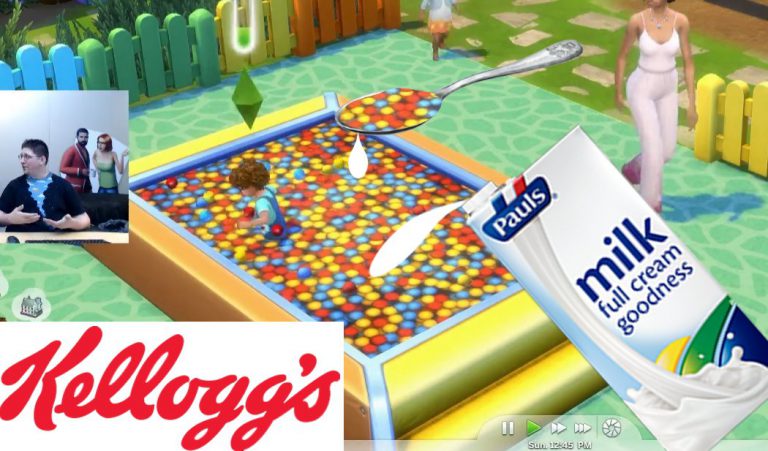
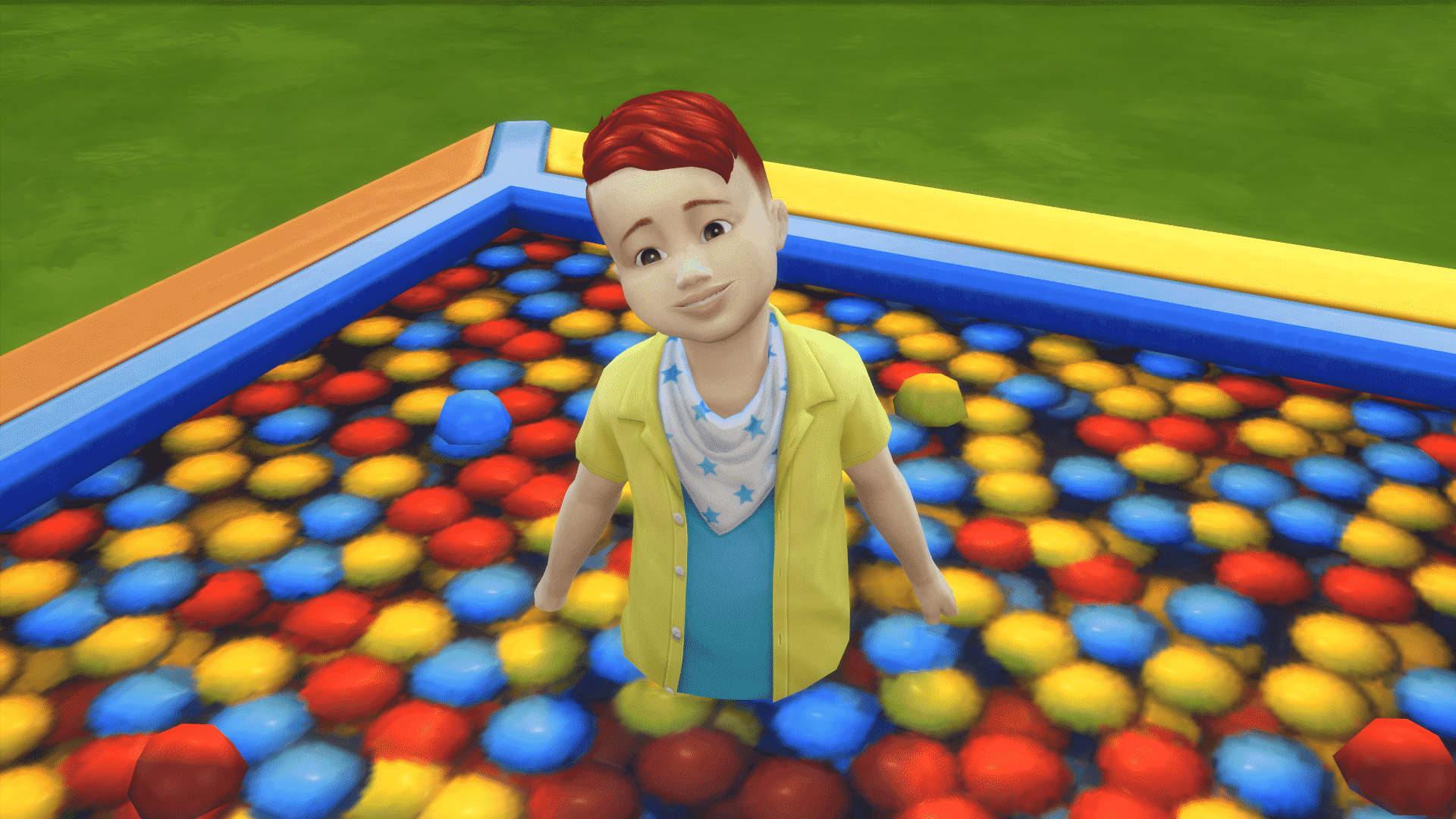
Toddler Stuff’s Ball Pit is now a Meme in the community

Congratulations internet!

If you got The Sims 4 Toddler Stuff Pack that was just recently released you probably have noticed the ball pit. If you didn’t notice, the ball pit brings very low textures and resolutions which really don’t fit with the rest of the game. Although a Simmer provided a detailed explanation on why they made the ball pit like that we still don’t know the full explanation behind the low resolution.

Toddler Stuff’s Ball Pit is now a Meme in the community

However, we’re not here to talk about what’s wrong with the ball pit as we already covered that. We’re here to give you some of the funniest tweets by the community about the ball pit!

NEWS RECAP: The Sims 4, Cats & Dogs, Toddlers, Eco Living, Console, Mobile and FreePlay

0

August 21st to August 27th, 2017 could be one of the biggest weeks for The Sims Franchise!

We witnessed a huge announcement of The Sims 4 Cats & Dogs followed by huge news scattered around Twitter, news articles and videos. The Sims 4 Toddler Stuff Pack was finally released and we shared a couple of overviews, as well as our opinions on this Stuff Pack. SimGuruGraham wasn’t shy to share any details regarding The Sims 4 Eco Living Community Stuff Pack which is coming out sometime in 2018. We received some new information about The Sims 4 for Consoles as well as some new screens. The Sims Mobile finally got a more specific release time frame and FreePlay released a huge update letting you send your Sims to high school!

Here’s a recap of all news and articles posted in the last 7 days:

The Sims 4 Cats & Dogs

The Sims 4 Toddler Stuff

The Sims 4 Eco Living Stuff

The Sims 4 Base Game

The Sims 4 Console

The Sims Mobile

The Sims FreePlay

The Sims Through the Years: 27th August

0

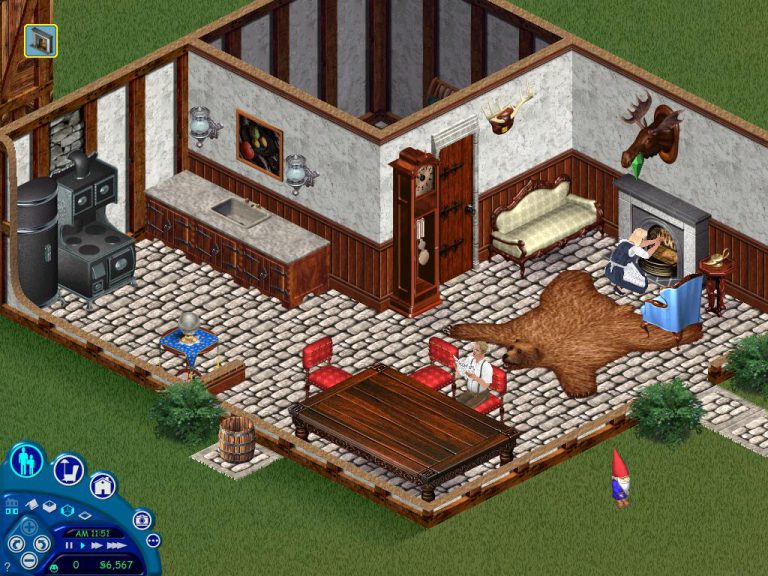
On this day a whopping 17 years ago the first ever expansion pack in The Sims series was launched, The Sims: Livin’ Large (Livin’ It Up in Europe) was launched and expanded upon one of the best selling games in history. The basic principle of the pack was to give the sims in our games much more to do!

The pack added loads of new objects to the game, the Concoctanation Station allowed sims to create various potions with different effects like filling needs and breaking objects. Another is the Antique Lamp, when rubbed this object would produce a genie who would grant wishes, the Vibromatic Heart Bed allowed our sims to finally perform the famous woohoo interaction with the chance to bring new life to your sims lives.

Even more NPC’s were introduced to the game, the Grim Reaper made his debut as the creature who came to our screens when a sim sadly passes away. The Tragic clown also joined the line up making sure he annoyed every single sim who wasn’t enjoying themselves. Not just those two but Servo, Santa Claus and of course the Genie came to the game.

As well as all this the pack also added loads of new careers and build items were added in to round out the game and multiple neighbourhoods in a single game, let us know what you thought of the pack in the comments section.

The Sims FreePlay: Class Clown Hobby

Early access to beta provided by EA / Firemonkeys!

Class Clown Hobby is a limited-time hobby which lasts for 7 days after completing the Teacher’s Pet Quest.

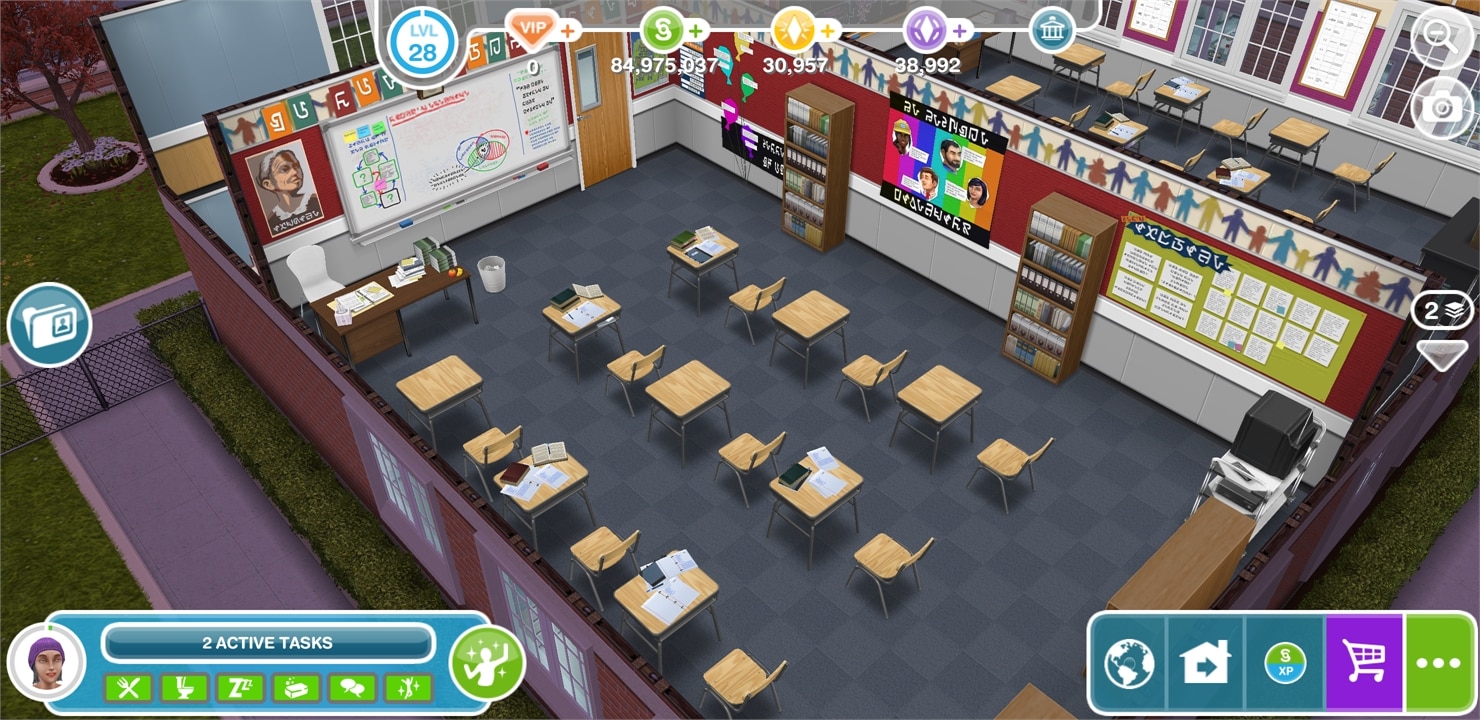
You begin by clicking the notification cloud icon in the first, English classroom. This hobby revolves around completing tasks that last for 30 hours and 30 minutes. After completing each task in each classroom you unlock a certain collectible, or master as they call it in The Sims FreePlay.

The Sims FreePlay: Class Clown Hobby The Sims FreePlay: Class Clown Hobby

The Sims FreePlay: Class Clown Hobby

As any hobby in The Sims FreePlay you have certain levels that you obtain by performing hobby interactions. Please note that hobby levels and “masters” that you obtain with each interaction have no correlation.

Class Clown Hobby Levels

  • Level 1 – Novice Agitator
  • Level 2 – Junior Jester (250XP Reward)
  • Level 3 – Commensurate Comedian (500XP Reward)
  • Level 4 – Experienced Buffoon (750 Simoleons Reward)
  • Level 5 – Veteran Vaudevillian (10,000 Town Value)
  • Level 6 – Elite Disruptor (1LP Reward)

The Sims FreePlay: Class Clown Hobby

Moving on to the main thing about Class Clown Hobby and that’s unlocking the classrooms. To unlock each classroom you’ll need 3 certain masters. The thing about these masters is that there’s always a chance that you might obtain a master that you already have (the ones that are orange are rare meaning that you might go through a lot of trial and error to obtain them).

If you’re not to keen on waiting 3 hours and 30 minutes for your Sims to finish their interaction you can speed up the process by purchasing a random master. There’s a risk here as well that you might obtain a master you already have.

The Sims FreePlay: Class Clown Hobby

Home Economics Room

Unlocking the Home Economics Room can be done by performing the English Clown interaction and unlocking these 3 masters:

  • Character Distr-Actor
  • Aerial Disturbance
  • Studying Z’s

The Sims FreePlay: Class Clown Hobby

The Sims FreePlay: Class Clown Hobby

Computer Lab Room

Unlocking the Computer Lab Room can be done by performing the Home Ec Clown interaction and unlocking these 3 masters:

  • Water Burner
  • Inflammatory Selfie
  • Chef de Charcoal

The Sims FreePlay: Class Clown Hobby

The Sims FreePlay: Class Clown Hobby

Science Lab Room

Unlocking the Science Lab Room can be done by performing the Computer Lab Clown and unlocking these 3 masters:

  • High Scorer
  • Feline Video Lover
  • Cloud Surfer

The Sims FreePlay: Class Clown Hobby

The Sims FreePlay: Class Clown Hobby

Second Floor + Hobby Completion

You have one more set to finish in order to complete this hobby and unlock the second floor! You can do that by performing the Science Lab Clown interaction and unlocking the following masters:

  • Gas Diffuser
  • Creative Innovator
  • Chemical Reactor

The Sims FreePlay: Class Clown Hobby

Completing this event will grant you access to the second floor, which you can begin unlocking:

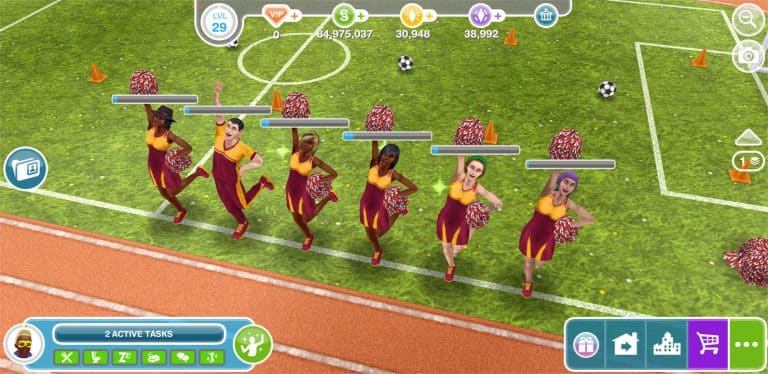
If you manage to complete this hobby in 7 days or else you’ll unlock cheerleading outfits.

The Sims FreePlay: Class Clown Hobby The Sims FreePlay: Class Clown Hobby

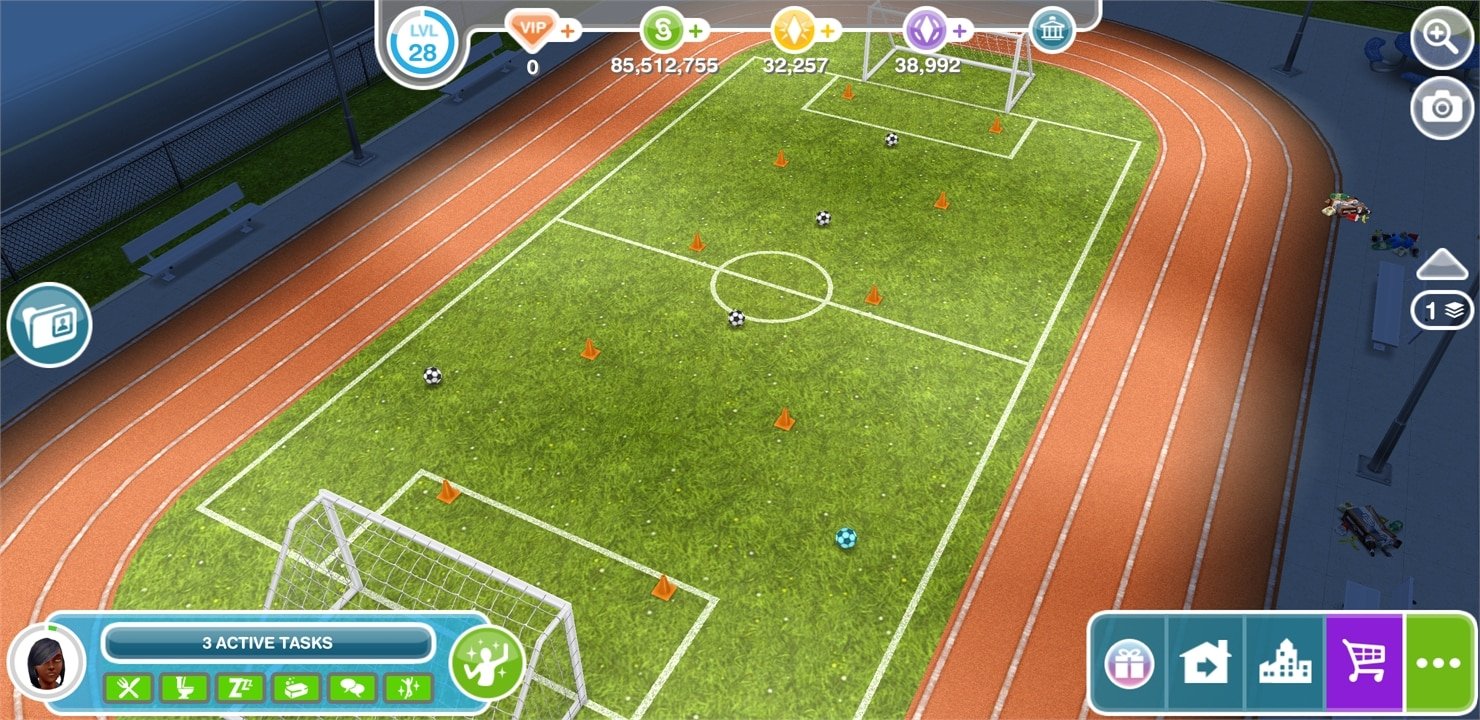
Sims who decide to join the routine in the Downtown High School sports field will automatically be dressed up into the cheerleading outfits:

The Sims FreePlay: Class Clown Hobby

The Sims 4 Creative Construction: Slide into the Sandbox

sims 4 build tutorial, build tutorial, sims 4 toddler stuff, toddler stuff pack, toddler sandbox, sims 4 toddler sandbox

Hey Simmers!

Welcome to the fourth installment of a series that I’m going to call ‘Creative Construction’ while building in The Sims 4.

Custom content exists and is a huge part of the way some people play the game, which help to add specific objects not available in The Sims 4 to date. That’s great, but what about people who don’t want to mod in new meshes and want to keep their game strictly vanilla? Well, you’ve come to the right place! Each post in this series is a mini-tutorial which will show you how to combine items and create something not available in the game!

Slide Into the Sandbox

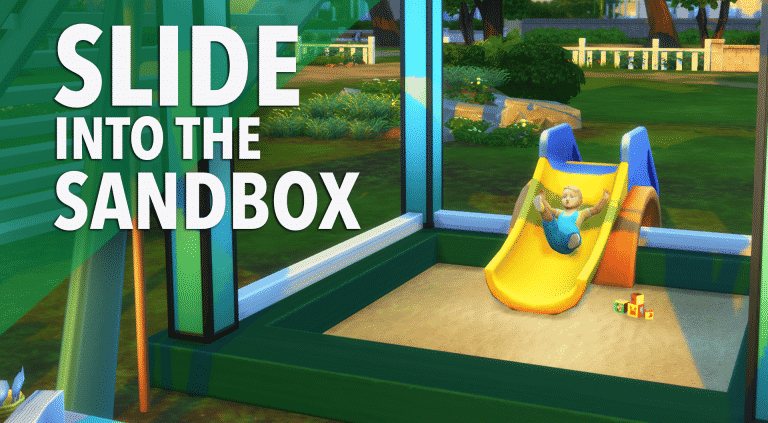
Okay, so this isn’t exactly a functional sandbox, however your toddler will be able to slide into the “sand” and can play with their cute little toys.

Some people were a little disappointed that we didn’t receive a sandbox in the Toddler Stuff Pack, so this one might do the job for those who prefer an unmodded game.

You’ll need:

  • Get To Work
  • Toddler Stuff Pack

Let’s get started!

Make sure that the cheat bb.moveobjects is enabled

You’ll need to add a slight foundation to the lot, so keep in mind if you plan to build any other structures.

Grab your wall tool and create a rectangular room shape. It can be whatever size you want!

sims 4 build tutorial, build tutorial, sims 4 toddler stuff, toddler stuff pack, toddler sandbox, sims 4 toddler sandbox

Replace the walls with the ‘Fence for Window Shopping’ fence. This one’s the super tiny one.

sims 4 build tutorial, build tutorial, sims 4 toddler stuff, toddler stuff pack, toddler sandbox, sims 4 toddler sandbox

sims 4 build tutorial, build tutorial, sims 4 toddler stuff, toddler stuff pack, toddler sandbox, sims 4 toddler sandbox

Apply whatever foundation you want to the box.

Delete the floor inside the rectangle. You’ll be left with a raised frame of foundation. This is where you’ll select the sand terrain paint of your choosing!

sims 4 build tutorial, build tutorial, sims 4 toddler stuff, toddler stuff pack, toddler sandbox, sims 4 toddler sandbox

Place the slide right over one of the sides so that it’s not clipping. Add some toys and viola! You’re done!

sims 4 build tutorial, build tutorial, sims 4 toddler stuff, toddler stuff pack, toddler sandbox, sims 4 toddler sandbox

sims 4 build tutorial, build tutorial, sims 4 toddler stuff, toddler stuff pack, toddler sandbox, sims 4 toddler sandbox

Toddlers slide down without any issue (as long as nothing is blocking the slide end, so be sure your sandbox is wide enough). They can also climb over the side of the foundation without stairs as long as the foundation is low enough.

It’s a pretty basic tutorial, but it’s a pretty cute addition to any toddler park!

sims 4 build tutorial, build tutorial, sims 4 toddler stuff, toddler stuff pack, toddler sandbox, sims 4 toddler sandbox

Check out my Toddler Fun-Park on the gallery which features this sandbox here!

Catch my daily Sims 4 livestreams on twitch.tv/holliebb

What objects do you love from the Toddler Stuff Pack? Let me know in the comments!

The Sims FreePlay: Teacher’s Pet Quest Walkthrough

Early access to beta provided by EA / Firemonkeys!

Downtown High School Update Quest

The Sims FreePlay is back again with another great update – this time letting your Sims go to high school!

For this article we’ll be focusing on the first part of this update and that’s the Teacher’s Pet Quest, which focuses on building the high school, cleaning it and sending your Sims on various assignments.

You begin the quest by building the Downtown High Shool in the Downtown Area:

The Sims FreePlay: Teacher’s Pet Quest Walkthrough

Here’s what you need to know about this quest before starting:

  • Time: This quest lasts for 8 days!
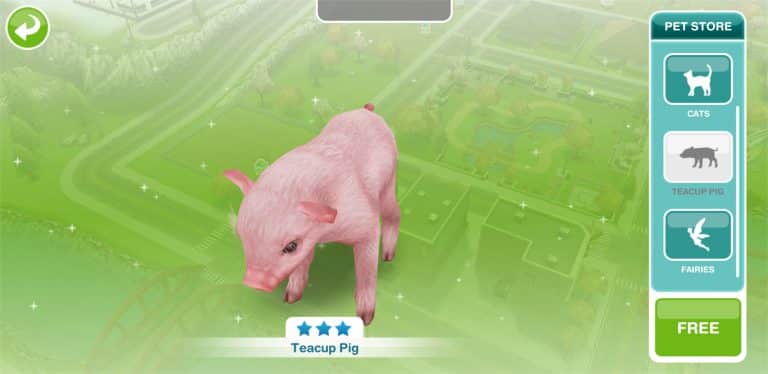
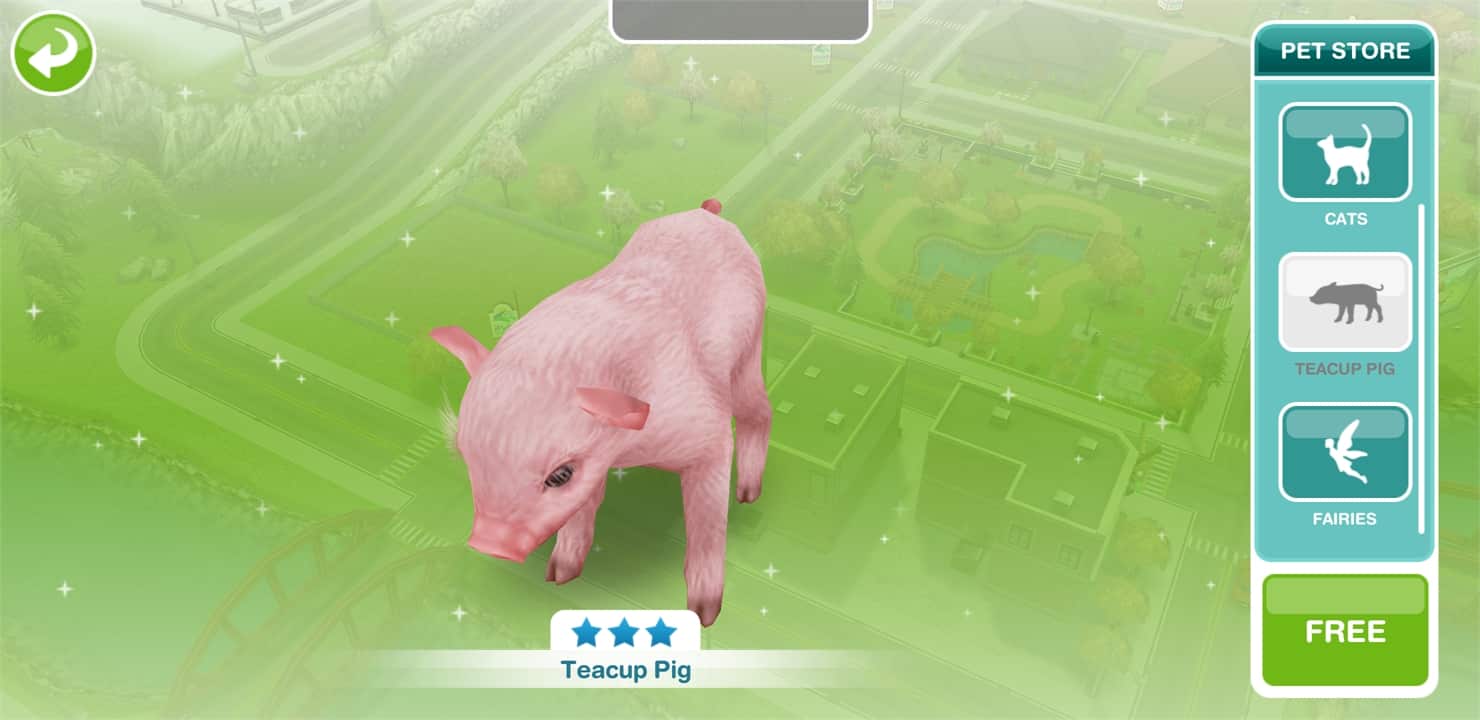
  • Reward: As a reward you unlock a new Pet – a teacup pig!
  • Unlockable: Class Clown Hobby

Let’s begin with the quest and how long it takes to complete each assignment:

  • Visit Downtown High
  • Phone the Principal (1 minute)
  • Clean up the front of the School
    • Weeds: 1 hour x4
    • Weeds #2: 30 minutes
    • Branches: 2 hours 30 minutes x3
    • Small Rock Pile: 5 minutes

TIP: Make sure you have multiple Sims available to clean for faster results.

  • Play with Soccer Ball (5 minutes)

The Sims FreePlay: Teacher’s Pet Quest Walkthrough

  • Clean the Sports Field
    • Trash – 4 hours 10 minutes
    • Trash – 2 hours 30 minutes x3
    • Trash – 1 hour 30 minutes x3
    • Trash – 1 hour x5
  • Phone the Principal again (1 hour 40 minutes)
  • Say Hello to Vernon (3 hours 20 minutes)

The Sims FreePlay: Teacher’s Pet Quest Walkthrough

  • Feed Vernon (6 hours 40 minutes)
  • Lie down on a School Bench (2 hours)
  • Search the Field (10 minutes)
  • Send a Sim to the Park
  • Search the Fountain (7 hours 5 minutes)

The Sims FreePlay: Teacher’s Pet Quest Walkthrough

  • Oink like a Pig (2 hours 30 minutes)
  • Read Coach’s Email (9 hours)
  • Photograph Any Pet (12 hours)
  • Adjust Photo on Computer (Apply Filters) (3 hours 50 minutes)
  • Return to the Park
  • Follow the trail of rubbish in the Park
  • Have Two Sims in a House Lot
  • Have your Sim lie to another Sim

The Sims FreePlay: Teacher’s Pet Quest Walkthrough

  • Watch a Sports Event on TV (10 hours 30 minutes)
  • Sit and Think of a Solution (1 hour 21 minutes)
  • Confess to Five Sims (Come Clean interaction) (5 hours x5)

TIP: If you have 10 Sims who don’t have any assignments, pair them up so that you can complete this assignment in 5 hours instead of 25 or less.

  • Workshop a Solution (14 hours 10 minutes)
  • Send 5 Sims to the Downtown High sports field
  • Perform Sports activities (18 hours 20 minutes – all 5 sims required)

The Sims FreePlay: Teacher’s Pet Quest Walkthrough

  • Hug Vernon (22 hours 30 minutes)
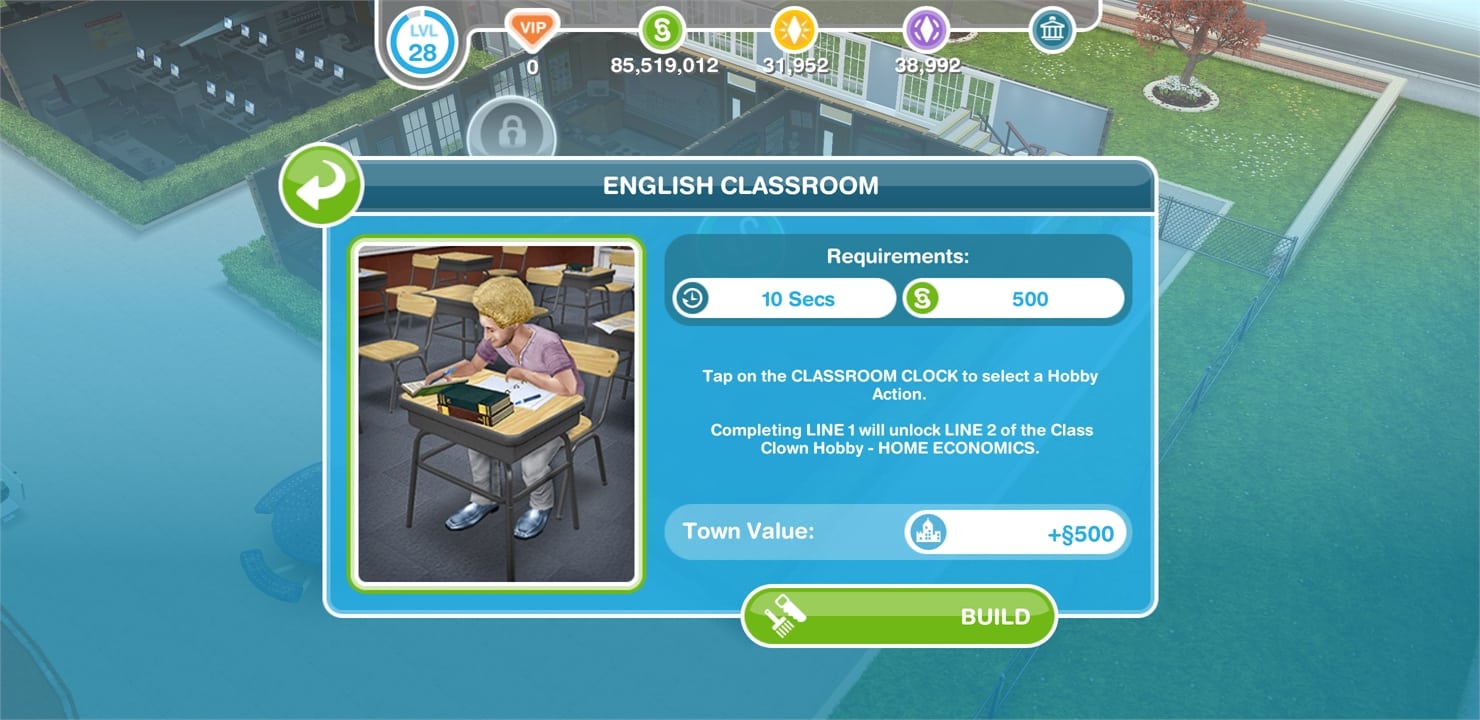
  • Build the English Classroom

The Sims FreePlay: Teacher’s Pet Quest Walkthrough

You’ll unlock the Class Clown Hobby which lasts for 7 days. With this hobby you’ll be able to unlock all classrooms in Downtown High School.

The Sims FreePlay: Teacher’s Pet Quest Walkthrough

Completing the Teacher’s Pet quest in 8 days or less will grant you the Teacup Pet Pig award! You can claim it at the Pet Store for free, but if you decide to ever buy one again you’ll need 100 Lifetime Points.

The Sims FreePlay: Teacher’s Pet Quest Walkthrough

The Sims FreePlay: Teacher’s Pet Quest Walkthrough The Sims FreePlay: Teacher’s Pet Quest Walkthrough

The Sims 4 Eco Living: Clothesline Concept Art

1

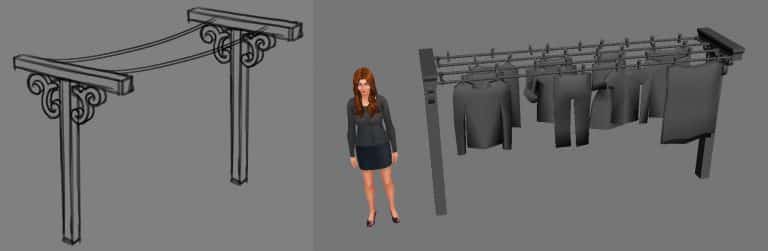
SimGuruGraham shared a rough concept art sketch of the clothesline for The Sims 4 Eco Living Community Stuff Pack.

The Sims 4 Eco Living: Clothesline Concept Art

Meet Evelien – A Simmer who runs her own Sims Journal

We had a chance to interview Evelien – a Simmer who likes to keep all of her stories, legacies and challenges recorded in a journal that she created on her own. This is a really neat idea for anyone who likes to keep track of their gameplay and write down new ideas for what they could do in the game.

Hi Evelien! Can you introduce yourself to our readers?

Sure! I’m Evelien, 34 years old and I live in the Netherlands. I have played The Sims since the very first version when I was a teenager. I don’t remember much, only that my mother would ask me if I would stop burning people because she couldn’t stand their screaming.

What inspired you to create a Sims journal?

I like journaling and keeping track of things in general, and in the Sims there’s so much to keep track of. It helps me enjoy the game more. I used to get bored easily because I’d start the same type of family every time, with the same traits, the same aspirations and the same careers over and over again. I wasn’t enjoying all of the possibilities of the game at all and I got bored quickly every time, only to start a new family and do the very same thing again. I decided to challenge myself to fulfill all careers up to the 10th level within one family. I later added aspirations and traits.

Meet Evelien – A Simmer who runs her own Sims Journal

How long did it take you to create your journal?

Oooh, good question. It’s hard to say because I worked on it for about a week, a couple of hours per day while also playing the Sims 4.

Do you get any type of personal satisfaction when filling out your journal?

You may not be able to tell from the pictures, but I can be very chaotic and disorganized. This is why I like creating these trackers and spreads that make me feel like I can overlook everything and see what I still need to do at a glance. It can also be very satisfying to check off something you’ve done or accomplished.

Meet Evelien – A Simmer who runs her own Sims Journal

How many Sims have you included in your journal so far? Can you tell us a little more about them?

I have a family of seven right now, the James family. I started with Christopher James and he had five children with a townie’s daughter, Chantel Bjergsen. I didn’t intend to have so many in my first generation haha, but the third baby became triplets. It’s going to be difficult, but I’m going to try and give all of them different jobs for my challenge, while going to work with the oldest, since Willow is aspiring to be a doctor when she grows up to be a young adult.

Do you plan to expand your journal in the future?

Yes, I do. I am planning to think of more challenges for myself in the future, big and small, to fully experience everything the game has to offer and get out of my comfort zone. I got a journal with over 300 pages on purpose, so I have my work cut out for me! I also will keep expanding the family tree and bio pages as the James legacy grows. Plus, I’m always open to new ideas and I already met a few other Sims journalers through my post, so I created a Facebook group called Sims Journalers where we can meet and exchange ideas. The attention my journal got is overwhelming. The best thing I got out of this, is the realization that I am not crazy. Other people do this. I am not the only one. 🙂

The Sims 4 Cats & Dogs / Console Interview by ZoominGames

ZoominGames managed to interview Michael Duke, one of the producers of The Sims 4 Console and Grant Rodiek, a producer on The Sims 4 Cats & Dogs Expansion Pack. See what they have to say about the games they’re helping to develop!

NOTE: The Sims portion of this video starts at 8:30 and ends at 13:00.

The Sims 4 Toddler Stuff: Release Trailer

0

The Sims Team has released a new trailer to celebrate the launch of The Sims 4 Toddler Stuff Pack. Check it out!

The Sims 4 Toddler Stuff: Playdate Challenge

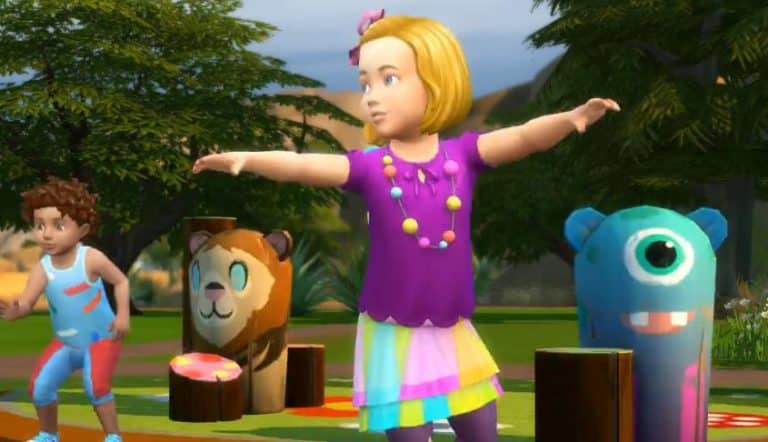
With the recent release of The Sims 4 Toddler Stuff Pack, Benji Plays Sims and myself came up with an idea of creating an exciting challenge to help Simmers use all of the new and exciting objects that have come with the pack.

Now the challenge it’s self is pretty straight forward and ultimately the aim is to just have fun. There are just a few simple guidelines which you can find below.

The Sims 4 Toddler Stuff: Playdate Challenge

Once you’ve completed the challenge you simply just upload your build to the gallery, Twitter or Instagram and use the tag #PlaydateChallenge so that other Simmers can see your build.  So remember have fun and enjoy and we look forward to seeing what creations are made!

The Sims Through the Years: 25th August

4

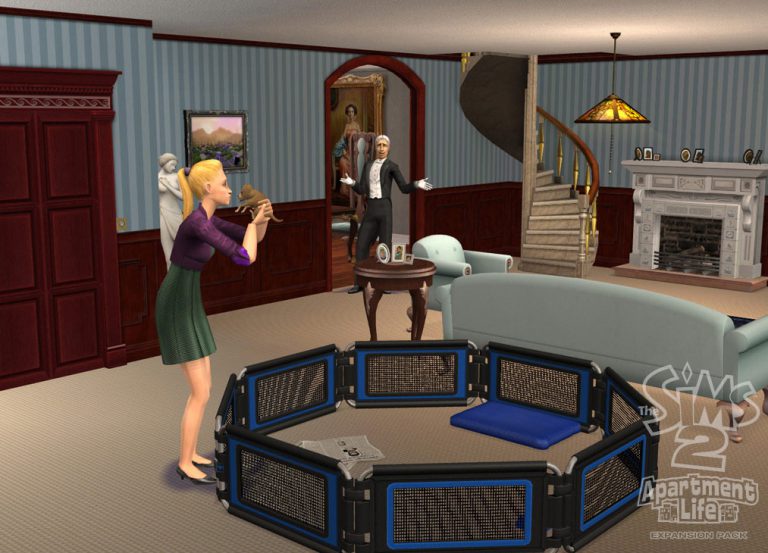
A huge 9 years ago today The Sims 2: Apartment Life launched, the massively popular expansion pack for The Sims 2. The expansion pack added a whole new way for your sims to live, they packed their bags and moved to the city to live in apartments. That wasn’t all, the pack finally allowed uncontrollable sims to move in with yours and live beside them, making for some very interesting an fun stories.

Witches were the brand new occult added into the game, they could be good, bad or if you’re feeling both naughty and nice your sims could be neutral. As well as flying around and sparkling these sims could perform magic to make sure your witch sims get up to some fun mischief!

An apartment wouldn’t be an apartment without apartment furniture, the pack added loads of fantastic items from murphy beds to dog pens because who doesn’t want a smelly dog in their tiny home. Spiral staircases made their debut in this pack, meaning stairs didn’t take up as much room, ideal for smaller apartments.

New interactions our sims could perform made the pack even more fun, hopefully your sims didn’t get noisy neighbours but if they did you could always just bang on the wall, couples sharing the same bed would also cuddle before waking up and who could forget silencing your sims phones.

What did you think of The Sims 2: Apartment Life? Let us known in the comments.

Simmer explains Toddler Stuff’s Ball Pit in one simple image

Yesterday we wrote an article about the ball pit from The Sims 4 Toddler Stuff that didn’t meet any of our expectations due to a flat surface of the pit and the low resolution replacement The Sims Team has used to make the object look “realistic” as they could. We were aware that the object was flat for a reason and that’s to save up on the poly count which would save on your performance. We still don’t know why they used a very low-resolution illusion for the ball pit but now at least we know why they did what they did.

Simmer explains Toddler Stuff’s Ball Pit in one simple image

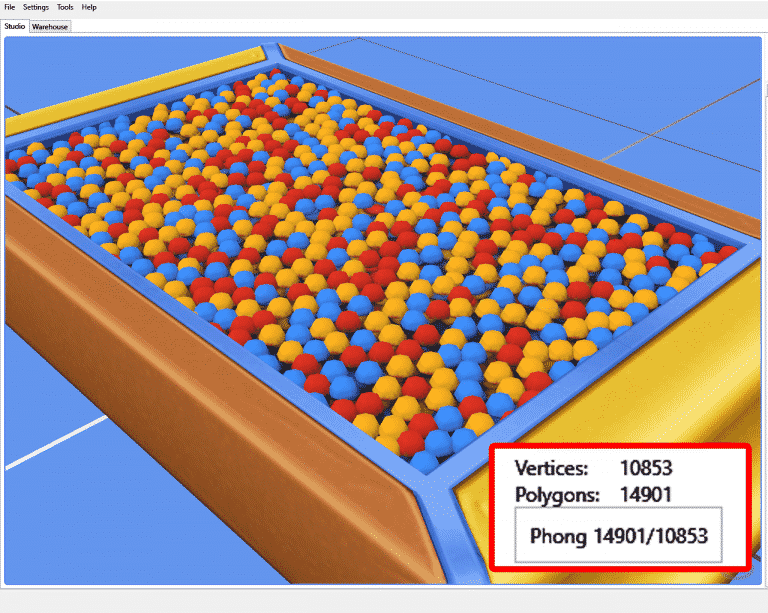
Simmer WildlyMiniatureSandwich wanted to see how far could she push the limits with this object by filling the entire surface with balls. By the time she filled it out the object has reached all polygon limits.

Simmer explains Toddler Stuff’s Ball Pit in one simple image

In case you don’t know what polygons are, they’re used in computer graphics to generate and compose 3D images. The more polygons an object has the more powerful specs you need in order to render it.

The original ballpit had only 1076 polygons, but by the time she filled the ball pit it had 14901 polygons. She stated that the poly count on her edited ball pit is incredibly high and that, if you plan to use it, make sure you have a computer with powerful specs.

Simmer explains Toddler Stuff’s Ball Pit in one simple image

According to her post she’s planning to release her version of the ball pit soon. We’ll make sure to update this post once she does!


SimGuruGrant talks Neutering in The Sims 4 Cats & Dogs

2

Grant Rodiek, a producer on The Sims 4 Cats & Dogs has confirmed on Electronic Arts’ Instagram Story that not only will you be able to neuter your cats and dogs but also unneuter them.