I would consider myself a keen builder in the Sims 4. More and more I have been gravitating towards industrial architecutre. It is a particular favourite style of mine and one many are likely to be familiar with. Factories, warehouses and power plants are all typical examples of industrial architecture.
Now, this factory isn’t any old factory. This is a biscuit factory. For any Americans, it is a cookie factory. Still, as I’m from the UK and my inspiration calls it this, it will be referred to as a biscuit factory.
The Industrial Architecture In The Sims 4
History
Industrial architecture typically references buildings that were built either during or after the Second Industrial Revolution. The revolution occurred due to a surge in new materials such as lighter metals and plastics. It was also due to the devotion to turning raw materials into finished products in the most efficient way possible.
The second revolution would also go on to inspire the modernism movement as it transformed the way structures were built. Architects and builders had more access to materials and construction methods, which allowed them to dream big and build even bigger.
However, during the mid-20th century in America, many factories were closed. This was due to the Great Depression and the economic hardship that it caused. The result of which led to the closure of many businesses and factories.
Pre-1960s, SoHo was a manufacturing district. However, as prices began to rise in New York, factories that weren’t closed moved out to cheaper facilities. This led to SoHo becoming nearly abandoned, giving it the nickname “Hell’s Hundred Acres.”
But hope was not lost for SoHo as artists began to move into the buildings. With tall ceilings and lots of natural light, they were ideal for creating art. The conversion to studios and lofts began.
Present Day
Today, we are all too familiar with loft conversions and industrial studio apartments. They are no longer only for artists and have become a popular interior design/real estate trend.
It’s all about urban living and “city-chic” as it’s marketed. But it’s not just residential. Plenty of offices and commercial spaces also use old industrial buildings and convert them.
The buildings are cheaper than buying a specific space or building from scratch, so they have become popular real estate throughout the world.
It’s also due to progressive architects who believe in the adaptability of buildings. Instead of knocking down old factories to build a new block of offices, it’s cheaper and more sustainable to renovate what you already have.
Features
Industrial archtitecture is charactised by it’s impressive features. These include:
Big, open floor plans
High ceilings
Materials such as concrete, brick and metal
Simple facades
Distressed finishes
Exposed brick, ductwork and piping
Large, metal grid windows
Natural light
Industrial architecture tends to be a combination of functionality and design. This is a result of prominent modernist architects adopting the phrase “form follows function”, which is seen throughout contemporary industrial architecture.
The Sims 4 Replication
Now, in The Sims 4, we have a great number of items that lend themselves to industrial design. Even in the last expansion pack, The Sims 4 Businesses & Hobbies, Nordhaven comes with its very own industrial district, Iverstad. This is a mostly converted/repurposed district, which is the norm in the present day.
The industrial loft kit is more focused on interiors, but does come with a nice rounded-metal window that pairs well with the Moschino items.
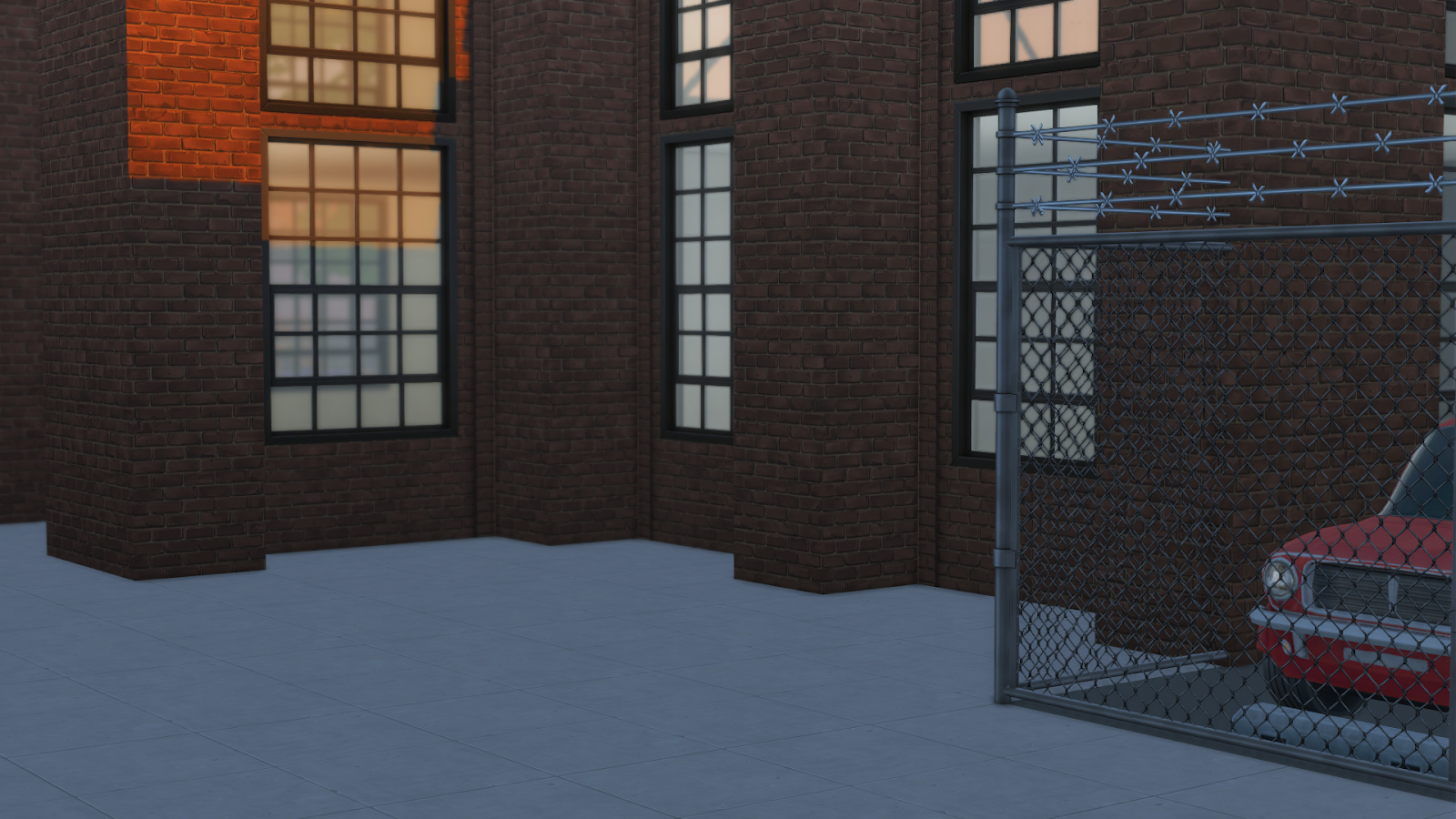
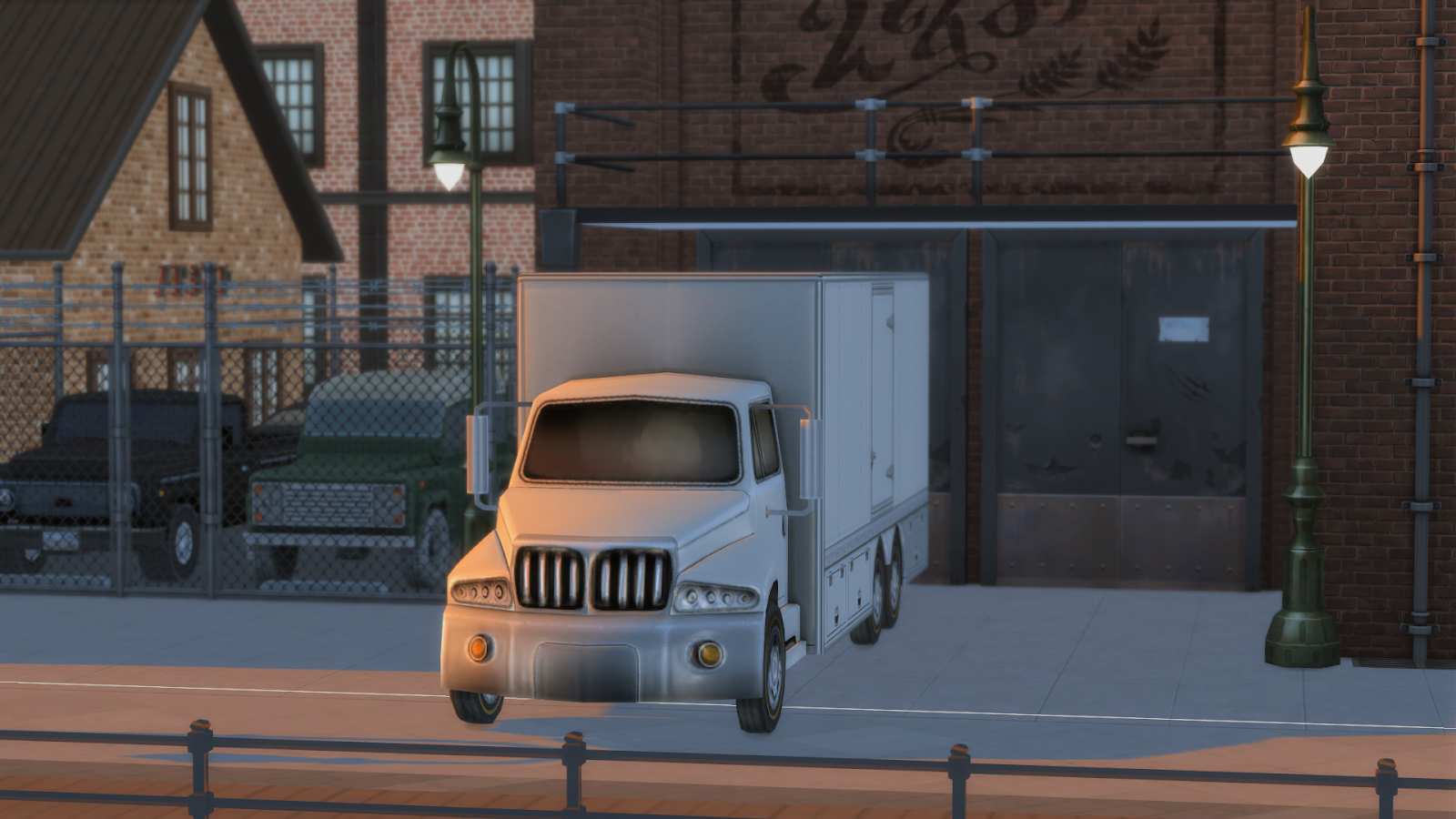
Finally, The Sims 4 Werewolves Gamepack completes the industrial design packs. I find myself nearly always using the brick wallpaper to decorate the exterior of a factory. Pair that with the metal roof and fences, and it has that run-down, abandoned look.
Now, for building in this style, I tend to gravitate to more Pacific North West (PNW) themed worlds, such as Moonwood Mill, because to me the brick colouring meshes well with the landscaping. For this build, I decided to choose San Myshuno due to the origin of industrial lofts.
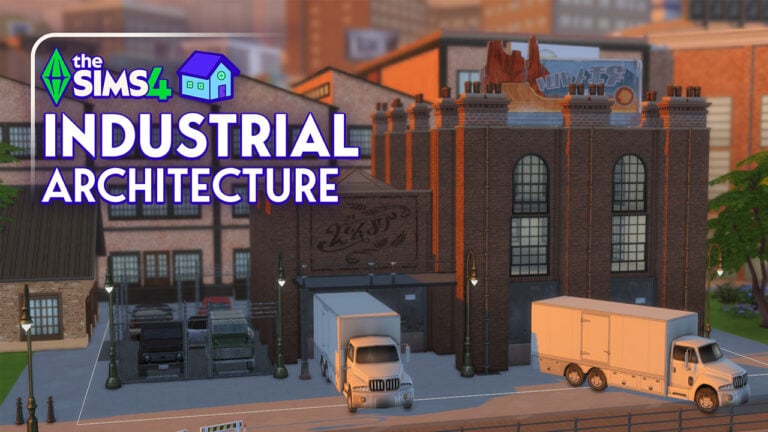
My inspiration for the idea was based on the National Biscuit Company, situated on the Chelsea Piers in New York City. The Chelsea Piers are a series of piers on the Hudson River in NYC. While the physical building wasn’t my inspiration, I liked the idea of building a factory on the waterfront, so I picked a 30×30 lot in the docklands of the spice district.
I went quite a typical route for the facade with simple brick and metal windows. The shape was perhaps a little unusual, but I decided that this was a small biscuit factory that was likely already on its last legs when built.
I used TOOL (a mod by TwistedMexi) to add more factories in the background to blend mine in and make it feel as though it were in an industrial district.
Conclusion
Industrial architecture varies from build to build and, in the present day, has been changed from an almost brutalist style to much more sustainable and eco-friendly. It’s a style that packs in the Sims 4 and lends itself well to. My favourite part about this was taking real-life inspiration to craft a story that fits the build, which is almost always my favourite part.
New official logos for Jungle Adventure, Snowy Escape and My Wedding Stories have surfaced online.
The Sims Franchise is one of the world’s most beloved and long-standing simulation game series. According to rumors, it is going to be undergoing a significant change. Over the past few weeks, The Sims Rebrand speculation has taken over social media, noting subtle changes being noticed across platforms and updates hinted at by artists and Simmers. With creative agency COLLINS reportedly behind the rebrand, fans are becoming eager to see what the future holds for the branding of The Sims 4.
The Sims is gradually rebranding its main social media channels. Literally at the beginning of the month, they changed The Sims 4 logo on the banner of the franchise’s homepage. pic.twitter.com/awtTVzwnEo
One of the most concrete pieces of information fueling The Sims/The Sims 4 rebrand speculation comes from Nick Ace, the Chief Creative Officer at COLLINS. As shared by user @etozheden on X (Formerly known as Twitter), Ace has posted that there is a complete brand rollout for the Sims, which is expected to come in “about a month or so.”
Well well! EA might be taking its sweet time, but the internet sure isn’t 💅🏼
These videos give us a little peek into the magic behind The Sims' rebrand by Collins Studio ✨
The official X account for Collins also stated that Ace will present the new branding, sparking excitement and questions throughout the Sims community.
Sneak Peaks: Visual Changes Already Rolling Out
In addition to the following social media posts, some branding changes are already quietly rolling out. According to @_etzoheden, The Sims 4 homepage recently updated its banner to feature a new font. So, I took matters into my own hands and checked the website, and I can confirm.
This small but significant design tweak supports the theory that a rebrand could be coming. In addition, the twitter user also shared a preview from the branding event where they showcased the early version of The Sims Franchise timeline. Before the Collins rebranding.
The updated code names for The Sims Lotus is now The Sims Project Rene. Additional aspects like The Sims Store have been merged into the upcoming The Sims Hub project. Plus, more spin-offs and MySims games are expected to come out soon compared to the older roadmap of The Sims Franchise products.
A History of Rebranding: Not the First Identity Shift
It’s important to note that The Sims 4 has already undergone multiple rebranding changes since its original launch in 2014. From logo design changes to UI color palettes and box art style updates, the game has evolved visually multiple times to align with new content, base game updates, or expansion pack releases. These shifts have often marked new creative directions of marketing strategies. However, This rumored current rebrand appears to be the most significant due to its rumors of potentially shaping the franchise’s identity as a whole.
It’s interesting that they’re dropping the “4” from the pack titles.
So now it’s just “The Sims Jungle Adventure” or “The Sims Snowy Escape”
I believe this is the biggest hint that the game is here to stay and there won’t be a traditional “Sims 5” release. 🥲
Potentially Dropping The “4”: A New Naming Strategy?
Perhaps the most surprising twist (at least in my opinion) in the Sims Rebrand speculation is the decision to drop the “4” from The Sims 4 potentially. A post via Bluesky by Pixelsims notes new names to packs such as “The Sims: Jungle Adventures,” removing the numerical title entirely. While this might hint at a long-term branding strategy, this sparked a lot of confusion among The Sims 4 players.
Why Now?
The timing of the rebrand could potentially be more than just cosmetic. With Project Rene, the next title of The Sims franchise, this rebrand could serve as the bridge between generations. Refreshing The Sims 4 branding may be EA’s strategy to modernize the game’s appearance and strengthen brand cohesion ahead of its next big release. It also could open the door to expanding The Sims as a platform, especially for new players to become more engaged with the franchise.
Conclusion: What’s Next for The Sims?
To conclude, while there are plenty of questions that remain unanswered, The Sims rebrand speculation continues to grow. With an official reveal on the horizon, all eyes are on EA to deliver the correct vision that honors the past and makes an exciting new future. Whether the rebrand involved changes or just simple design, one thing is clear: A new era for The Sims could be coming.
Have you been wondering how to make a daycare in The Sims 4?
How to Make a Daycare in The Sims 4 Businesses & Hobbies
The Sims 4: Businesses and Hobbies has quickly become one of my favorite expansion packs in recent years for The Sims 4. In my opinion, it brings a refreshing change to the game by introducing numerous new features. One unofficial new feature that the community has been LOVING is the ability to run a functional in-home daycare business. This is totally a dream come true for those family-focused players or storytelling simmers.
Although The Sims Team hasn’t officially labeled “Daycare” as a venue type, Businesses & Hobbies opens up many flexible new ways to build a daycare that is actually pretty much functional and actually works. With a bit of imagination, players can build fully operational childcare centers with toddler play areas, feeding sections, nap rooms, and even more. Sims 4 Content Creators such as Lilsimsie and Simsational Char have popularized the concept, showing how exciting it is to create a Daycare in The Sims 4.
Let’s walk through together how to create your own daycare and make the most out of this new expansion pack!
Initial Daycare Setup in The Sims 4
Setting up your daycare is fairly simple if you follow the following steps:
Step One: Build or Select your Daycare Lot
Let’s begin by choosing or building a starter home that can be customized for child care. An in-home daycare works best, in my opinion, for flexibility and ease of gameplay.
Step Two: Register Your Small Business
Using the new Small Business system from The Sims 4: Businesses and Hobbies, register your daycare business for 750 Simoleons.
Step Three: Naming Your Daycare
This is your moment to get creative! I recommend choosing something sweet, professional, and simple. (Name ideas below!)
Step Five: Set Your Customer Type
For your “Target Customer” choose supervise customer. This helps to tell the game you are looking after Sims (such as a daycare!) rather than selling them something such as a product or service.
Step Six: Choose Your Target Age Group
Select Infant, Toddler, and/or Child as the group criteria for your small business. But first, select “Supervised Customer” as a Category.
Step Seven: Require age Criteria
Leave “Make selected Criteria Required” checked. This allows parents to drop off their kiddos instead of having to be there the entire time and supervise their children for you.
Building the Perfect Daycare Space
Now comes the fun part; designing your daycare!
Creating a Cozy, Functional Space
I highly recommend designing a home-based daycare to maximize comfort and versatility in the game.
Here are some areas I would include:
Playroom: Fill it with toys such as building blocks, tablets, dolls, stuffed animals, and maybe even a drawing table.
Nap Room: Create a calm environment with toddler beds or cribs. Use soft lighting, maybe some curtains, and calming solid wall colors.
Feeding Area: Add high chairs and a kitchen space for preparing snacks and meals for the kids.
Reading Nook: Include bookshelves, a rug, and comfy seating for storytime. I would recommend a circle rug for a “circle time” aspect.
Outdoor Playground, Yes Please!
Don’t forget about the outdoor space! Place a slide, ball pits, and other fun outdoor activities for the kids to enjoy during their day.
Tip: Use the Tiny Home Residential lot type if you would like to take advantage of boosted relationship-building and even skill gains. Plus, it will even help you save on your household bills.
Storyline Inspiration for Your Daycare
A sim who recently quit their 9 to 5 career to pursue their passion for working with children.
A single parent running an in-home daycare to stay close to their own kids.
A retired teacher offering childcare to serve their community and care for the neighborhood kids.
Daycare Name Ideas
Here are some fun and themed names to inspire you to create your own Daycare with The Sims 4: Businesses & Hobbies expansion pack.
The Sunshine Center
Nordhaven’s Haven
Little Sprouts learning loft
Tiny Tykes Corner
Rainbow Steps Childcare
Cozy Cubs Playhouse
The Naptime Nook
My Final Thoughts
Creating a daycare with The Sims 4: Businesses & Hobbies is a wholesome and rewarding gameplay experience. It opens up new storytelling opportunities, enhances family gameplay, and makes this expansion feel brand new again. Whether you are playing as a dedicated caretaker sim or you just want to create a busy, happy household, this daycare small business adds a whole new level of depth to your Sims’ World.
The Sims 4 Life and Death introduced one new official collection. The new Sims 4 tarot card collection can be found in the Collections panel under ‘Tarot Cards.’ There are a total of 26 tarot cards to find from the Lady Ravendancer Tarot Deck.
The Sims 4 Tarot Card Collection: life & Death Guide
How to unlock the Tarot Card Collection
To begin the Tarot Card collection, you need to interact with a Tarot Tome shrine in any Ravenwood neighborhood. Of course, if you’d rather skip collecting the Tarot Cards you can purchase Lady Ravendancer Goth’s Tarot Card Deck from the reward store for 8,000 satisfaction points.
Here is a map to the three locations of the Tarot Tome Shrine:
Once you have interacted with the Tarot Tome shrine, you will unlock your first card, The High Spell Caster, and begin the collection. The High Spell Caster will allow you to use intuitionwhich will help you obtain other cards in the collection!
Order of Lenore
This collection is a little more complex to complete as it requires completing favors for the Order of Lenore. Completing favors functions very similarly to Village Errands from Cottage Living.
There are four members of the Order of Lenore: The Widowed Father, The Ghost Host, Death Obsessed, and Grim Enthusiast. With other NPCs, the sim assigned to these roles changes as the game progresses, so they may not necessarily stay as the same sim while you’re completing the collection. To find out who the Order of Lenore members are, ‘view’ a Tarot Tome shrine.
To obtain a Favor from the members of Lenore, interact with them and select ‘Offer to Help with Favor.’ Sometimes you may need to go through the ‘Activities’ tab in the social menu to find the Favors. You can select up to two favors at once, and these will appear under the career tab. Once you have a relationship with the Order of Lenore members, you can invite them to travel to you to obtain or complete favors.
The Widowed Father
The Widowed Father (Ekade Aether) can be found at the Moon Revelry Festival which takes place nightly from 7:00pm until 1:00am in Whispering Glen.
The Small Things and Unfinished Boo-siness favors are acquired from the Widowed Father.
Ghost Host
The Ghost Host (Esther Gomes) can be found at Afterlife Anonymous which takes place every Monday, Wednesday, and Friday from 6:00pm until 11:00pm and every Tuesday and Thursday from 10:00am until 4:00pm in Mourningvale.
The Cake Baked Lies and Essence-Tials favors are acquired from the Ghost Host.
Death Obsessed
Death Obsessed (Zelmira Gomes) can be found operating the tarot card tent at the Thinned Festiveil which takes place every Wednesday from 10:00am until 6:00pm in Mourningvale.
Petal for Your Thoughts and We All Fall Down favors are acquired from the Death Obsessed member.
Grim Enthusiast
Grim Enthusiast can be found at any one of the Ravenwood festivals.
The Macabre Mysteries and Grim Beginnings favors are acquired from the Grim Enthusiast.
Favors
Please note: sometimes when completing a Favor, you will need to go through the ‘Activities’ tab in the social menu when talking to an Order Member to find the correct interaction.
Cake Baked Lies
Reward: Judgement Tarot Card, Cowplant Berry, and §50
Meet Percival the Patient Percival the Patient is an undead cowplant in Mourningvale
Bake a Cake
Take a Slice
Deliver Slice of Cake to the Ghost Host Order Member
Essence-Tials
Reward: Strength Tarot Card, a Soul, and §50
Become a Temporary Ghost
Acquire Ghost Essence Performing any Ghost Mastery ability, purchased with experience points, will grant you Ghost Essence
Deliver Essence to the Ghost Host Order Member
Macabre Mysteries
Reward: The Advocate Tarot Card and §50
Visit the Specter Graves
Purchase Four Souls from Waylon
Report Findings to the Grim Enthusiast Order Member
The Small Things
Reward: The Emperor Tarot Card and §50
Search for Frogs at Family Day Frogs can be found in the fountain at the center of the Family Day Festival
Purchase Toy Toys can be purchased through your sim’s phone under ‘Shopping’ and ‘Purchase Gifts…’
Deliver Toy to the Widowed Father Order Member
Grim Beginnings
Reward: The Fool Tarot Card and §75
Meet Grim The easiest way to introduce yourself to Grim would be to enroll as a Grimtern and meet him on the job; however, you can also use the Grimaphone if you completed the Reaper’s Rewards Event. Of course, the tried and true method of waiting for someone to die will also work!
Deliver Gnome to Grim
Deliver Message to the Grim Enthusiast Order Member
Unfinished Boo-siness
Reward: The Lovers Tarot Card and §50
Meet a Ghost
Ask 3 Ghosts about Unfinished Business at Afterlife Anonymous
Report Back to the Widowed Father Order Member
Petal for Your Thoughts
Reward: The Magician Tarot Card and §50
Read a Thanatology Book Thanatology Vol. 1 can be purchased from a bookshelf.
Find a Death Flower A Death Flower can be found by opening a packet of Starter Flower Seeds at a Cemetery Lot or purchased from Waylon Warez. (Note: there is about a 30% chance of a Starter Flower Seeds packet containing a Death Flower, so buy a few!)
Deliver Death Flower to the Death Obsessed Order Member
We All Fall Down
Reward: The Sun Tarot Card and §50
Meet a Ghost
Create a Memorial Display for a Ghost This can be done by clicking on either a ‘In Loving Memory: A Touching Indoor Memorial Display’ or a ‘In Loving Memory: A Touching Outdoor Memorial Display,’ which are both located under the ‘display’ category of Buy Mode.
Take a Photo
Deliver to the Death Obsessed Order Member
Tarot Card locations
Common Tarot Cards
Coins:
Found randomly while exploring the Crypts.
Cups:
Found randomly while exploring the Crypts.
Judgement:
Rewarded for completing the Cake Baked Lies favor for the Ghost Host member of the Order of Lenore.
Swords:
Found randomly while exploring the Crypts.
Temperance:
Seek Catharsis from a Specter in Crow’s Crossing while your Sim has a negative moodlet.
The Chariot:
Purchased from Waylon Warez.
The Hermit:
Purchased from Waylon Warez.
The High Spellcaster:
Given when interacting with the Tarot Tome Shrine for the first time.
Wands:
Found randomly while exploring the Crypts.
Tips for exploring the Crypts:
Having at least Piano Skill level 3 allows you to ‘Play the Actual Notes.’ Your sim may leave the Crypt after badly improvising the notes.
Bring something edible to give to Dusty as a treat. Alternatively, petting Dusty has positive effects.
Either have Charisma Skill level 3 or bring §200 to pass the ghostly creature blocking the path.
Uncommon Tarot Card locations
Justice:
Use intuition on the Guardian Tree in Mourningvale.
Strength:
Rewarded after completing Essence-trials favor for the Ghost Host member of the Order of Lenore.
Suspension:
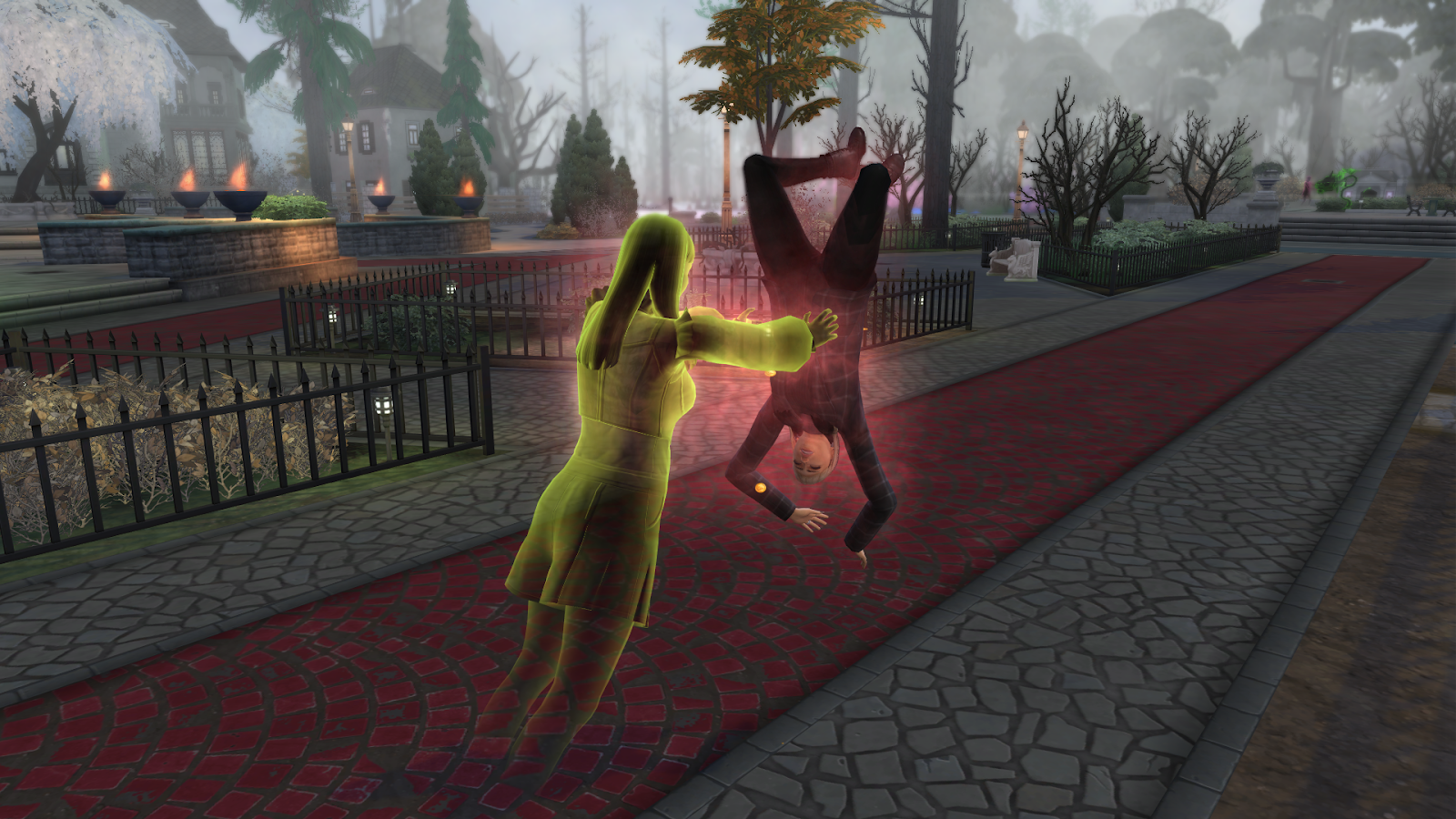
Use intuition on a gravestone in Crow’s Crossing, or Levitate a living sim as a ghost using the Ghost Mastery perks.
The Advocate:
Rewarded after completing Macabre Mysteries favor for the Grim Enthusiast member of the Order of Lenore.
The Emperor:
Rewarded after completing The Small Things favor for the Widowed Father member of the Order of Lenore.
The Empress:
Use intuition on the Baleful Bog in Mourningvale.
The Fool:
Rewarded after completing Grim Beginnings favor for the Grim Enthusiast member of the Order of Lenore.
The Lovers:
Rewarded after completing Unfinished Boo-siness Things favor for the Widowed Father member of the Order of Lenore.
The Magician:
Rewarded after completing Petal for Your Thoughts favor for the Death Obsessed member of the Order of Lenore.
The Star:
Use intuition on the Guardian Tree in Mourningvale.
The Sun:
Rewarded after completing We All Fall Down favor for the Death Obsessed member of the Order of Lenore.
The Wheel of Fortune:
Use intuition on a gravestone in Crow’s Crossing.
Rare Tarot Card locations
Death:
Once you have collected 25 cards, click on the deck in your inventory and select ‘Summon Death.’ This will spawn a Grim Reaper who will deliver the tarot card to you. It is important to note that this will not be the same NPC who is the Grim Reaper, but a separate character with limited interaction possibilities.
Evil:
Use intuition on the Well of Longing and Regret in Crow’s Crossing.
The Moon:
Rummage in a dirt patch at the Moon Revelry Festival.
The Tower:
Use intuition on the Well of Longing and Regret in Crow’s Crossing.
The World:
Befriend a crow. You can purchase a crow from Waylon Warez, or in Build mode under the ‘pet furniture’ category.
Completing the Lady Ravendancer Tarot Card deck
Once you have collected all 26 cards, click on the tarot cards in your inventory and select ‘Create Deck.’ This will change the items in your inventory to ‘Lady Ravendancer Goth’s Tarot Deck’ and allow you to draw readings or perform Meditative Divination.
One of the Meditative Divination activities you can perform is Affirmation Healing, which will remove any negative moodlets from your sim. You can also perform Divine Slumber which will grant your sim with the ‘Celestial Sleep’ moodlet for 10 hours. Finally, you can also summon Lady Ravendancer herself. Summoning Lady Ravendancer will give your sim the ‘Our Lady’ moodlet for four hours.
Summoning Lady Ravendancer
Lady Ravendancer Goth spawns as a regular NPC in the game and appears to have a crow inside her ghost, suggesting she died from a crow attack. When asked about Ravenwood Rumors, she sometimes replies ‘Would you believe there are people around that still associate me with the founding of this lovely little area?’ which suggests that Lady Ravendancer Goth is an original member of the Goth family. In other responses, she mentions being related to Lolita Goth and Zelmira Gomes.
Lady Ravendancer has been mentioned before in the Sims franchise, including Lady Ravendancer Goth’s Book o’ Spells from The Sims 3 Store and Lady Ravendancer’s Crystal Ball in The Sims 4: Paranormal Stuff.
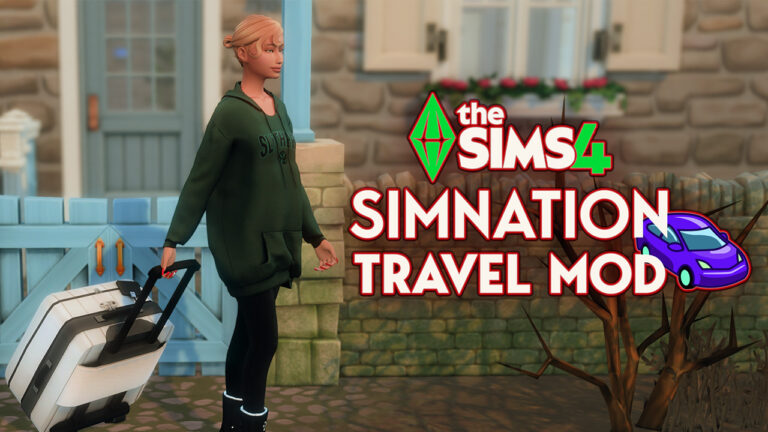
Have you ever felt that traveling in The Sims 4 lacks a certain… realness? One minute your Sim is standing in their living room, and the next – poof! – they’ve magically teleported to a tropical paradise. No packing, no passports, no actual journey. Where’s the fun in that? As someone who’s spent countless hours building dream homes and crafting Sim storylines, I’ve always craved more depth in the travel system. That’s why I nearly jumped out of my chair when I discovered The Sims 4 SimNation Travel Mod by Adeepindigo – a game-changer that transforms the way your Sims explore their world.
The Sims 4 Simnation Travel Mod Guide
What is the SimNation Travel Mod?
The Sims 4 SimNation Travel Mod is a comprehensive overhaul of The Sims 4 travel system that adds layers of realism and immersion to both domestic and international travel. Created by modder Adeepindigo, this mod transforms the simplistic ‘click and teleport’ system into a rich, engaging experience that mirrors real-world travel – complete with passports, transportation options, and even the occasional lost luggage!
Requirements to Get Started
Before you send your Sims on their worldwide adventures, you’ll need:
The Sims 4 base game (mandatory)
General Pie Menus mod (required)
Optional expansion packs for enhanced features:
City Living
Snowy Escape
Island Living
Jungle Adventure
Outdoor Retreat (especially helpful for the aspiration features)
Transportation Options: How Your Sims Get Around
Gone are the days when your Sims could only travel by magical teleportation. With the Sims 4 SimNation Travel Mod, they’ll navigate their world through four realistic transportation methods:
1. Bicycles: The Eco-Friendly Option
Perfect for short-distance travel, bikes offer an economical and environmentally friendly way for your Sims to get around town. I’ve found this particularly useful for fitness-oriented Sims who want to maintain their physique while commuting.
2. Cars: The Classic Choice
Remember when we used to have driveable cars in earlier Sims games? They’re back! (Kind of) Your Sims can now own and drive vehicles, but there’s a catch – they’ll need to:
Take driving lessons
Pass a driving test
Obtain a driver’s license
Register their vehicle
This adds a delightful layer of realism that makes car ownership feel like an achievement rather than a given.
3. Subway System: Urban Commuting
For city-dwelling Sims, the subway system provides an affordable and efficient travel option. The mod includes purchasable passes that vary in duration (7, 14, or 28 days) and price based on your Sim’s age. My teenage Sims love the independence of having their own subway pass!
4. Airplanes: For Those Far- Flung Destinations
When your Sims want to visit distant lands, they’ll need to book a flight. The mod offers both economy and first-class options – and yes, your choice actually matters! Economy flights are cheaper but come with a higher risk of travel sickness or lost luggage, while first-class provides a more comfortable (albeit pricier) experience.
Travel Requirements: Preparing for Adventure
One of the aspects I love most about this mod is how it transforms travel from an instantaneous action into a journey that requires planning and preparation.
Passports: Your Ticket to International Adventures
Just like in real life, your Sims will need passports to travel internationally. The process involves:
Filling out an online application
Visiting the Passport Office in person
Receiving your passport (valid for 36 Sim days)
Remembering to renew it before expiration
This system adds a wonderful touch of realism and creates natural timing constraints that make travel feel special rather than ordinary.
Driver’s Licenses: Rules of the Road
If your Sims want to drive, they’ll need to prove they can handle the responsibility:
Teens and adults can take driving lessons
Must pass a driving test to obtain a license
Licenses must be kept current
I’ve found this creates wonderful storytelling opportunities – especially for teen Sims experiencing the milestone of getting their first license!
Advance Reservations and Deposits
Spontaneous travel is nice, but planning ahead has its benefits. Your Sims will need to:
Make travel reservations in advance
Put down deposits for vacation rentals
Plan their itinerary
This planning phase builds anticipation for the trip and makes the eventual journey more satisfying.
New Gameplay Elements: Beyond Just Travel
The Sims 4 SimNation Travel Mod doesn’t just change how your Sims move around – it adds entirely new gameplay systems that enhance the overall experience.
‘Seasoned Traveler’ Aspiration
For Sims with wanderlust, the mod introduces a new aspiration with four milestone levels:
Tourist
Vacationist
Honorary Citizen
Seasoned Traveler
Each level presents new challenges and rewards, giving travel-loving Sims clear goals to pursue across multiple trips.
Travel Critic Career
Have a Sim who loves to share their travel experiences? The Travel Critic career path might be perfect for them! This new career includes six progressive levels:
Story Researcher
Junior Travel Writer
Travel Magazine Writer
Senior Travel Writer
Travel Editor
Chief Travel Critic
I’ve found this career pairs beautifully with the Creative trait, giving those Sims a perfect outlet for their talents while earning a living.
Realistic Travel Processes
The mod adds numerous authentic travel experiences:
Airport security procedures
Checking in for flights
Potential travel delays
Travel-related moodlets (both positive and negative)
Sometimes my Sims return from economy flights feeling ‘Travel Sick,’ while other times they come back ‘Culturally Enriched’ – these little touches make each journey unique and unpredictable.
Common Questions About SimNation Travel Mod
How long does it take for the mod to load?
After installation, the mod takes about 20 Sim minutes (roughly 20 seconds of real time) to fully load and initialize all its features.
Do Sims always need to use the mod’s travel system?
Not at all! If you’re in a hurry or just prefer the traditional method, your Sims can still travel using the map picker from street view without any restrictions.
How do Sims obtain a passport?
Sims need to fill out an application online, then visit the designated Passport Office to complete the process.
How long are passports valid?
Passports expire after 36 Sim days and need to be renewed before your Sim can travel internationally again.
Can teens use the travel features?
Yes! Teens can learn to drive, obtain licenses, and use most travel features – making this mod great for family gameplay.
Are there risks associated with travel?
Absolutely! Depending on your travel choices, Sims may experience travel sickness, lose their luggage, or encounter other mishaps – adding unpredictability and storytelling opportunities.
Is the mod compatible with other mods?
The Sims 4 SimNation Travel Mod works well with most other mods, and is specifically designed to be compatible with the Language Barriers mod for an even more immersive travel experience.
How to Get the Most Out of SimNation Travel Mod
After spending countless hours with this mod, I’ve gathered some tips to enhance your experience:
Start with domestic travel: Get familiar with the local transportation options before tackling international adventures.
Save up Simoleons: Between passport fees, flight costs, and vacation rentals, travel can get expensive! Have your Sims save up before planning big trips.
Try different travel classes: The economy vs. first-class experience varies significantly, and creates different types of stories.
Combine with vacation packs: Using this mod alongside Outdoor Retreat, Jungle Adventure, or Island Living expansion packs creates the most complete travel experience.
Create travel-loving Sims: The new aspiration and career work best with Sims who have personalities suited to exploration and adventure.
Comparison of Travel Options
Travel Method
Cost
Speed
Requirements
Ideal For
Bicycle
$
Slow
None
Short local trips, fitness-oriented Sims
Car
$$
Medium
Driver’s license, vehicle registration
Medium-distance trips, families
Subway
$
Medium
Subway pass
Urban travel, teens, budget-conscious Sims
Airplane (Economy)
$$$
Fast
Passport, reservations
International travel, budget-conscious Sims
Airplane (First Class)
$$$$
Fast
Passport, reservations
Luxury travel, wealthy Sims
Conclusion: Is SimNation Travel Mod Worth It?
After countless hours exploring The Sims 4 with this mod installed, I can confidently say it’s transformed my gameplay experience. What was once a simplistic ‘click and teleport’ system has become a rich, immersive journey that makes each trip feel special and earned.
The Sims 4 SimNation Travel Mod by Adeepindigo adds layers of realism without becoming tedious, striking that perfect balance between simulation and fun. Whether you’re creating a globe-trotting travel writer, a family taking their first vacation together, or a retiree exploring the world, this mod enhances storytelling possibilities in countless ways.
Ready to transform how your Sims explore their world? Download The Sims 4 SimNation Travel Mod and start planning your first adventure today!
Krafton publishes a full look at InZOI Roadmap Releases for the modding community.
The Early Access era of new feature releases for InZOI early access is just beginning in 2025. With not only a look at the Early Access Feature Roadmap releases, but also a full look into the InZOI Modding Roadmap. And how Krafton plans to support Custom Content creators, Modders and other types of InZOI third party developments.
The latest blog post from Krafton explains the upcoming release of the InZOI Mod Kit, as well as gives a preview at the InZOI Mod Update Roadmap for 2025. Featuring information about seperate feature aspects of the game slowly becoming moddable and customizable.
Table of Contents
InZOI ModKit Announcement
Hello, Creators.
At the end of May 2025, inZOI’s long-awaited ModKit will launch, along with our first modding update!
This announcement explains what will be possible with the ModKit and what modding features will be added over time. Please see below for details.
ModKit Release Preview
The inZOI ModKit is an official tool that makes modding easy and accessible for everyone. After the late May update, it will be available for download via the Epic Games Store. Major features include:
Download inZOI Assets
– In the late May update, representative meshes (FBX) and Json data files for outfit sets and standard furniture will be provided. Additional assets will be added through future updates.
– By editing the Json files used in-game, you’ll be able to freely adjust various states and conditions.
- Example: A bed that restores sleep in 5 minutes
- Example: Changing the Flirt buff duration to 10 hours
Maya & Blender Plugins
– Official plugins for Maya and Blender will be provided to make it easier to create inZOI 3D assets.
– These plugins let you import the downloaded meshes into your tools and use them in your workflow.
Create Unreal-Based Mod Projects
– Assets made in Maya, Blender, or other tools can be imported into ModKit and turned into Unreal plugin format mod projects.
CurseForge Integration
– Your completed mods can be uploaded and packaged on CurseForge.
– Other creators will be able to easily search for and download your mods via the in-game CurseForge interface.
InZOI Modding Roadmap Update
To help expand the inZOI modding ecosystem step by step, we’ve planned three modding updates throughout 2025. These updates will lay the foundation by expanding key features. Going forward, we’ll continue to evolve based on your feedback.
May Update
The May update will introduce modding tools for outfit sets and furniture, along with a data editing UI that makes it easier to modify game data. With the official launch of the ModKit, we’ll continue improving based on your feedback.
September Update
In September, modding will expand to character features like faces and hair, as well as architectural elements like doors, fences, pillars, and windows. You’ll also be able to create interaction-based content like conversations, voice, rewards, and motion.
December Update
In December, most outfits will become moddable. You’ll also be able to edit interaction scripts and access localization tools, empowering you to create deeper and more diverse content.
Additional Notes
Our modding policy will be published on the official inZOI website in mid-May 2025. It will include guidelines, restrictions, IP ownership, and monetization terms. Please refer to this policy when using modding features.
We’ll also continue gathering your feedback and working with you to build a better modding environment. To kick things off, we’ll hold a ModKit-themed AMA and launch a dedicated feedback channel. More details will be shared in a separate notice later in May.
We appreciate your interest in modding with inZOI!
Thank you,
The inZOI Team
In addition to the InZOI Modding Roadmap for the rest of 2025, Krafton also issued a new Kjun’s Letter. Focusing solely on the vanilla InZOI Gameplay experience and plans for future game updates from the developer.
Here’s what you can expect from InZOI Updates and feature developments in the coming period. Including new vehicles, deepening the gameplay experience and improving the game stability.
Kjun’s Letter: Features and Plans in Development
Hello, Creators.
Kjun here.
In this letter, I’ll be sharing our plans for features currently in development, as well as the direction we want to take inZOI in the future.
Our team has spent the past month carefully reviewing and addressing frequently reported issues, including build stability, awkward emotional expressions, and a lack of depth in the Karma system. This experience has helped us once again realize how important convincing emotions and behavior is for a life simulation game. Thankfully, some players have responded positively to these fixes by expressing that emotions and conversations now feel more natural, which we truly appreciate. That said, there’s still plenty of room for improvement, so we remain committed to making inZOI a better experience for players.
In addition to our ongoing hotfixes, we’re actively working on the May and August updates. The May update will introduce long-awaited modding features to the game. While these features won’t support creating entirely new systems from scratch at launch, they will allow you to modify key in-game data and settings. We’re also preparing official plug-ins for Blender and Maya to make creating custom outfits and furniture easier, as well as features that allow players to work with various asset types such as textures, meshes, FX, and MetaSounds. Guidelines for creating assets will be shared via tutorial videos and the modding UI. We plan on continuing to expand modding support and aim to have all core features in place by December.
With a third city coming to the game, we’re also exploring new challenges. We’ve recognized the community’s desire for more gameplay depth and we will work towards offering content with the potential for richer storytelling and more engaging experiences. To match the vibe of the new city, we will be introducing smaller vehicles, such as motorcycles, along with highly requested vehicle personalization features. Since these will build upon our existing vehicle systems, some animations may seem slightly awkward at first. However, we believe that this will allow players to experience the thrill of weaving through the city on a smaller ride, enhancing both the storytelling and atmosphere aspects. We will continue to put our best effort into developing something that feels truly worthwhile.
While we made some adjustments to the Karma system in the previous hotfix, we will continue to refine and expand on it. To address the lack of meaningful consequences, we’re currently planning new crime-related content that allows Zois to be caught and go to jail, spawning additional events as a result. Our goal is to create deeper gameplay experiences where Karma-based interactions lead to logical, connected outcomes. If you have any fun or creative ideas, let us know in the #inzoi-feedback channel on our Discord!
Finally, we’ve noticed growing interest and discussion within our community surrounding inZOI’s use of AI. We will be addressing this topic in a separate announcement, and will continue to prioritize transparency and trust to allow players to continue enjoying inZOI.
While inZOI is far from perfect, we are working day and night to make it a true life simulation game through imagination, consideration, and experimentation. Every piece of feedback from each of our players helps point us in the right direction. We will continue listening closely to our community, so please don’t hesitate to share your thoughts with us.
Last but not least, I’d like to express my heartfelt appreciation for your continued support.
Thank you.
– Kjun
What are your thoughts on the upcoming InZOI Modding Roadmap and plans for future InZOI feature releases? Join the conversation down below and stay tuned on Sims Community for all the latest news and updates on your favorite Life Sim Games!
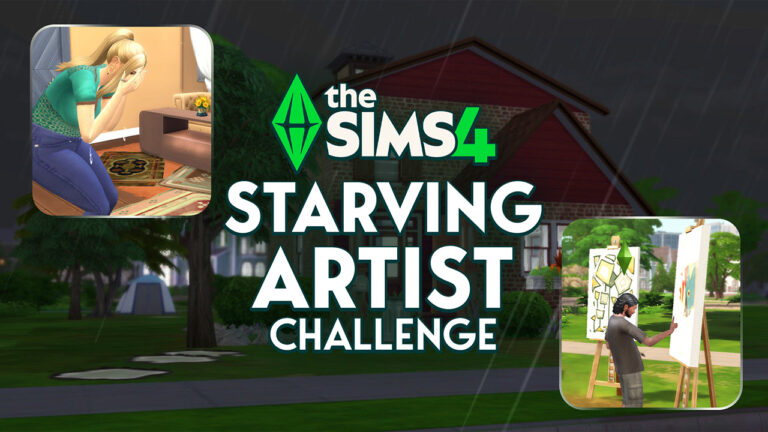
Set the scene: A young engaged couple trying to start their life by sharing their art.
Johnny Larson dreams of composing Broadway-worthy show tunes with the hopes of composing his own hit musical. For now, he has to scrape by, earning what Simoleons he can with his paintings. Sutton Miranda has beautiful visions that she must paint! The money and notoriety are only part of why she wants to be a world-class artist. She wants to share the beauty she sees in the ordinary, re-create the landscapes that move her, and bring the images that haunt her to life through painting and photography.
Will this couple survive the Sims 4Starving Artist Challenge and be able to save up the money for their dream wedding, house, and family?
The Setup
Since the challenge is all about mastering creative skills, I used the Sims 4 Create a Sim to create Johnny and Sutton. I made sure both Sims had Personality Traits that would help them reach these goals. Johnny is a Creative, Music Lover, and Perfectionist Sim with the Muser Trait from the Musical Genius creative aspiration. Sutton is a Good, Perfectionist, and Creative Sim with the Muser Trait from the Painter Extraordinaire creative aspiration.
After creating my Sims, I moved them into the Fern Park lot in Newcrest, bought two E.A.S.L easels, and decreased their money to 100 Simoleons. Time to start the Sim 4 Starving Artist challenge and earn that Bonus by not using any cheats (plus, take a look at their names!).
The Beginning of the Sims 4 Starving Artist Challenge
Johnny and Sutton both went straight to work, each painting a Small Classic Painting. Unfortunately, these each cost 50 Simoleons, which broke the bank. Johnny made 48 Simoleons on his first painting and wasn’t able to begin his second until Sutton sold her painting for 64 Simoleons. This got the ball rolling.
The couple painted throughout the day until their needs were begging for attention. They snuck into a nearby Spa to freshen up in the facilities for free and then harvested Strawberries and Mushrooms near their lot to fill up their bellies for the night.
When they got back to their lot, it was time to figure out sleeping arrangements. The cheapest tent available is the Easy Camper Tent from the Outdoor Retreat Game Pack, which costs 420 Simoleons, while the cheapest sleeping bag is the Under the Stars Bedroll Sleeping Bag from the Horse Ranch Expansion Pack, which costs 140 Simoleons. The duo ended the first day with 240 Simoleons and could only buy one sleeping bag, so they took turns sleeping and painting throughout their first night.
Day two of the Sims 4 Starving Artist Challenge began with 358 Simoleons. They painted the entire day together to earn their money and hone their skills, gradually earning fame at the same time. By the end of the day, Sutton became a one-star celebrity!
They started the third day with 1,018 Simoleons and Johnny had a little accident, so he snuck back into the Spa to clean up. Right now, the young engaged couple is really wishing they had their own bathroom.
Saving up the Simoleons
My first question was, what are these Sims saving up for? At what point do they spend their money? Building a house is expensive, even if it is small.
For now, I decided to start with outdoor items that they can use later in life for fun with their artsy kids. I started with a cheap patio set, a trash can, and the Nature’s Relief Bush from Horse Ranch for their restroom. Hopefully, there won’t be any more accidents.
I also upgraded their solo sleeping bag to the tent I was eyeing earlier, so they could both get their rest. After settling in, they discovered that their lot was, luckily, near a community area with grills, so they could start to grill up what food they could afford.
Creative Roadblocks
By the fourth day, they had earned 2,413 in Simoleons from using the Sell to Collector interaction on the easel. It rained for the first time, which was not great for morale and both Sims eventually ended up Burned Out.
That day, both Johnny and Sutton sold their first masterpieces, so they started the next day with 7,291 Simoleons. It’s finally time to build a little!
After building a house with a bathroom, kitchen, dining area, living space, and bedroom area (to be fair, everything except for the bathroom was still technically one room) they were left with 61 Simoleons. Johnny, then, painted a new painting while Sutton made grilled cheese, leaving them at 1 Simoleon.
The artistic duo are both at Level 7 of the Painting Skill, so they can make their money back in no time…hopefully.
At this point in the Sims 4 Starving Artist Challenge, I’m ready to start focusing on their aspirations and other creative skills. I’m also kind of wishing I made one of these Sims a Kleptomaniac. Is it bad to say stealing a guitar or violin might make things a little easier for Johnny? Oh well. With around 3,500 Simoleons saved up, Johnny set up a desk with a computer and a Violin, and is ready to start his journey to Broadway.
Perfect Painters
The eighth day was a big day for the Miranda-Larson household, starting out with 3,505 Simoleons in savings. Both Johnny and Sutton reached Level 10 of the Painting Skill. Thank goodness, too, because it turns out Sutton is pregnant!
Now that Johnny and Sutton have mastered the Painting Skill, they are creating high-quality art and even a handful of masterpieces, which are making them big bucks. Not to mention, Sutton became a Rising Star and bought her first camera to start her Photography Skill journey. For the next few days, the couple decides to focus on increasing their new creative skills and earning money.
On day 11, Baby Lloyd Miranda-Larson is born! The new family starts the day with 15,500 Simoleons, but it’s time to expand the house to fit the new baby. I expanded to the second floor, adding two full bedrooms and a bathroom. The family of three was left with 925 Simoleons.
The next day, new dad Johnny focused on his musical dream by practicing violin and writing music. He levels up twice in his aspiration. Sutton works on her photography by snapping some cute baby pics, but it looks like she may need some more practice.
Leveling Up
The challenge really kicked it into high gear at this point of the Sims 4Starving Artist Challenge. Johnny spent too much time practicing violin and lost his celebrity status. Lloyd is a handful, appliances keep breaking, and Sutton and Johnny are exhausted. In the midst of all of this, Sutton realized she’s a Gloomy person.
Over the following days, the couple focused on their skills. Sutton took her first outstanding photograph, and Johnny leveled up to Violin Skill Level 8! At this level, he can finally write songs and make more aspiration progress. Unfortunately, he started to burn out, so it took days for Johnny to write his first song.
Lloyd aged up to a toddler and then immediately glitched into a child. Womp womp.
By day 16, the family had 28,000 Simoleons, so it was time to renovate! After some renovations, the lot had increased to a total of 50,349 Simoleons.
Sutton purchased some photography books to focus on her new craft and attended a skill class, which raised her Photography Skill Level to 3. While this is going on, Johnny’s Indoor Lifestyle is making him tense, and he is refusing to write music.
Trouble in Painters’ Paradise
The couple was fracturing at this point. Even after a 1,000 Simoleon Cupid’s Corner Counseling session, they despise each other. How can they add to their family if they can’t even be near each other?
After four days, Johnny finally finished writing his first musical song and sent it off to the publishers to start earning royalties. Lloyd began his creative journey as a child and also started contributing to the family by selling his art. Sutton had an emotional meltdown, and Johnny burnt out again. These artists are struggling.
The couple decided to take some time off from parenting and creating to go on a date. Yes, the date was to a nearby vending machine, but still. They spent the night rekindling their romance, leading to Sutton eating for two!
The next day, Sutton maxed out her Photography Skill, and Johnny maxed out his Violin Skill. Sutton also completed the Painter Extraordinaire aspiration. Baby Hart was born a few days later, and Johnny completed the Musical Genius aspiration. This means I’ve completed two of the Sims 4 Starving Artist challenge goals by the 23rd day!
Make Room for the Baby
A growing family requires more space, so the Larson-Mirandas spent their hard-earned Simoleons to renovate again. The house is now up to a total value of 69,000 Simoleons, and each kid has their own room. The family also got a makeover to match their upgraded lifestyle.
By the time Lloyd is a teen and Hart is a toddler, Sutton and Johnny have decided to give their relationship one more try or call off the wedding. Surprisingly, over the next few days, the couple eloped immediately to get married!
They couldn’t afford the wedding they always dreamed of, but that didn’t matter to them anymore. They finally realized their love for each other.
41 Days Later
Lloyd reached Painting Skill Level 4 by being mentored by his artistic parents and sold his first painting to a collector. Shortly afterwards, Johnny unexpectedly died from laughter while mentoring his son! He was reborn into a different family and will no longer be on this journey.
By day 35, the house was finally up to 100,000 Simoleons, and Lloyd maxed out his Painting Skill. Just one more goal to go!
Hart completed the creative aspiration as a child, earning her the Creatively Gifted Trait as a teen. With the additional advantage of being mentored by her highly skilled family, she quickly mastered the Painting Skill.
Day 41, Challenge complete! I think? Hart achieved Level 10 of the Painting Skill! All four goals have been met, with the bonuses too!
The Sims 4 Starving Artist Challenge: Lessons Learned
Overall, I’d say this challenge was fun and definitely challenging. I knew I was a fan of cheating to refill needs, but the Sim 4Starving Artist Challenge really showed me how much I usually rely on cheats in the Sims 4. Honestly, this made it all the more fun because I felt like when I was a kid and didn’t know how to use cheat codes!
Once there was a newborn in the mix, it was hard to keep everyone fed and ensure needs were met. Adding a second child was difficult, but having a teen as another caretaker for the baby helped.
The Sim 4 Starving Artist Challenge required a good amount of effort to balance the various Sims’ moods. Gaining and losing celebrity status throughout the challenge impacted Sutton and Johnny’s moods, sometimes making them too sad to work on their craft or their relationship with each other.
These tense, sad, or angry moods prevented them from having successful romantic conversations and altogether stalled the baby-making process for the second kid. This extended the amount of time it took to complete the challenge, because the children had to both be teenagers to access new creative skills, like painting.
My Play Through
Let’s be honest, there were some issues to take into consideration for my play through of the Sims 4Starving Artist Challenge.
Lloyd aged up from a toddler to a child instantly. A glitch in the Sims 4 that impacted the timeline. Johnny kept getting the tense moodlet from his Indoor Lifestyle, but he was always indoors, so I’m thinking that could have been a small glitch that ended up impacting the overall timeline. And, of course, Johnny died before I completed the challenge. He did complete his aspiration and maxed out the Painting and Violin Skills at least.
Do these disqualify me? Let me know what you think.
How to Complete the Sims 4 Starving Artist Challenge
For your play through of Simone’s the Sims 4 Starving Artist Challenge, I have a few tips:
Mentor, mentor, mentor. Once you have a Sim in your household with a high enough skill level to mentor other Sims, use the Mentor in Painting interaction to help other Sims quickly raise their skill level.
Family Recipe meals are vital to boost your Sims moods and needs. Using Family Recipes with Special Touches like Motive-ating, which pauses the decrease of a random need, Low Maintenance, which slows down how quickly needs decrease for Toddlers and Children, and Moodlet Booster, which increases the duration of Happy and Inspired moodlets, will give your Sims advantages throughout the challenge.
Choose Personality Traits for the better or worse. Personality Traits in the Sims 4 can harm or help your Sim in this challenge. Sims are born with/created, earn, and can use aspiration points to purchase Personality Traits. Traits like Perfectionist, Practice Makes Perfect, Creative Visionary, Super Mentor, and more helped the Larson-Miranda household complete the challenge.
What do you think about Simone’s the Sims 4 Starving Artist Challenge? Was there anything you’d do differently? Let us know below!
The latest Q4 and FY25 call reveals a massive success of the first quarter for The Sims.
Andrew Wilson tuned into today’s Electronic Arts Q4 and FY 2025 earnings call where he touched on all EA game franchises. Including The Sims Franchise and its growth across the portfolio in the beginning of this year.
In the first portion of the earnings call it was shared how the launch of Businesses & Hobbies, re-release of The Sims 1 and Sims 2 and introduction of Creator Kits brought in tons of money for the executives. With a “double digit” growth.
As we celebrated the 25th birthday of The Sims, the franchise delivers double digit year-over-year growth in networkings in Q4. This growth reflects successful player re-engagement and a continued impact about strategy to expand the global audience and elevate community connection. Highlights included the release of a new expansion pack, Businesses and hobbies, the return of The Sims 1 and 2, and the release of Creator made Kits. This marks the best fourth quarter net booking performance for the franchise ever, and paved the way for a continued expansion of the Sims Universe over the next several years.
Further in the earnings release, Andrew spoke a little about what Electronic Arts plans for The Sims Franchise in Fiscal Year 2026 (April 2025 – April 2026) and beyond. Including talks about transforming the franchise into a unified ecosystem across all games, marketplaces and social spaces.
As we looked at the future of The Sims, our vision is to continue to build a franchise into one of the world’s most powerful creator platforms, where self -xpression, social connection, and user generated content converge in exciting new ways. In FY26, we will continue to empower a new generation of creators and players to shape culture, community, and commerce through The Sims like never before. Looking further ahead, we plan to transform the franchise into a unified ecosystem across games, marketplaces, and social spaces.
It could be just my speculation, but it seems like The Sims Hub seems to be the only fitting thing matching the talk from Andrew above. Meaning that Sims games will soon have a new unified home. Think like a launcher for a launcher that would promote all Sims games and spin-offs from the first moment you open up the game.
Andrew Wilson also spoke very excitingly about the use of AI for game development including game art, animation and coding. Let’s hope they don’t take the Duolingo route with this one..
What do you think is coming for The Sims franchise in the next 12 months? Let us know your theories in the comments below and stay tuned on Sims Community for all the latest Sims Franchise news!
Welcome to our special The Sims 4 Criminals and Villains Mod and CC Showcase. Where we’ll be showing off interesting and fun mods for The Sims 4 that will let you spruce up your gameplay with more mischief and mayhem.
The Sims 4 Criminals and Villains: CC, Mods and Challenges Showcase
Why Fight Crime When you can Jump Right In
Sure… sure… you can be a superhero, crime fighter, general goodie. But, why? Why fight crime when you can jump right in and be a super villain instead? Sounds a lot more fun to me. Of course, we’re talking about your Sims. Not you, or me.
Skipping right over the people in tights, those comic and cartoon villains. How does your Sim really start a life of villainy, trickery and polite treachery? You can use the career and deviance aspirations in the base game. If that’s all you need, ok. But, it’s mostly just being mean over and over. That gets a bit dull and it’s such a stereotype. Villains don’t have to be evil or mean, just pleasantly bad, in a good way.
Sims 4 Needs More Mean and Evil
To be honest, after playing with most of these mods and traits over a couple of weeks, I’m disappointed. Playing a villain should have been so much fun. How many times have you wished you could forget being the nice guy/ girl and say or do what you really think? I was looking for that feeling of twisted revenge against everyday aggravation. But, the criminal career, aspiration, and traits are limited in Sims 4. I didn’t know how limited until I really worked at them.
Ruby Sykes wrote The Evil Trait Guide in 2019. Since then some changes have come along, not really much compared to the love, family, and shopping stuff (for lack of a better word) in The Sims.
I think there is new potential for mod makers to develop the game for mean and evil Sims. Not just adding more to the traits. Think of all the careers for Sims… only one is Criminal. Why not revamp existing careers to include a path for Sims who are evil, mean and just plain criminally motivated. Re-image your favourite career NOT based on being good, honest, or even nice. Every career should allow for Sims who cheat, lie, steal, and take what they can get without apology or much second thought. Do you see the potential? Meanwhile, this is what we have so far…
This is Myrna Shade with her career outfit: hat, suit, and red shoes. She’s in real estate. She’s so good, sometimes the home owners didn’t even know their property was on the market before its sold.
Criminals without CC or Mods
Base game has the klepto (kleptomaniac) trait.
For Rent has breaking into homes, snooping, eavesdropping and blackmailing.
Business and Hobbies has the shady trait, brings back the burglar and burglar alarm. Also, that raccoon guy in an alley.
University lets you graduate with a Villainy degree.
Mods for Charming Con Artists, Rascals, and Other Villains
Start your Sims 4 Criminals and Villains adventure with NeedCoffee4That, you can be a charming con artist with the mods Be a Burglar and/or Pickpocketing. If you have the shady trait (Business and Hobbies) start testing out the Murder & Mayhem Collection: Angel of Death, Arsonist, DeathRay, Poisoner, or The Infected. Pick your poison, literally. This collection, still being developed and added to, is the one I will keep. I admit, the DeathRay is my personal favourite. You can directly get rid of another Sim, but without the bloodthirsty, murderous feeling.
My style of being a villain is tricking people and getting away with it. Romance related badness leaves some other Sim broken hearted, that might come with regrets. I don’t want those! So, among gold diggers and black widows there should be confidence men, charlatans, and quacks selling snake oil and igloos. We need more mods like those. I hope we get them.
Sacrifical Mods and Basemental’s NSFW mods are over the top for me. I just don’t see violence as all that fun. If I’m not having fun being a villain I might as well be a superhero and at least make everyone else happy. That’s just not what I want. I can be nice, kind and sweet, later. However, I do acknowledge that some players like to play The Sims 4 Criminals and Villains type of gameplay with Sacrifical’s mods. Which is why I’ve linked them at the top!
Myrna likes to play piano. She’s getting good at it. But, as great as the tips are, she makes a lot more playing in real estate with other Sim’s money.
Sims 4 Challenges for Villains
Seven Deadly Sins Legacy Challenge: Do you remember all seven without looking it up? Not me either. You can read the rules and try it as a legacy challenge with generations of Sims. Or… how many deadly sins can you pile into one Sim: greed, sloth, lust, pride, envy, gluttony and wrath. I’d consider the shortcut and make Agnes Crumplebottom playable. She’s already got most of the seven.
The Black Widow Challenge – or the Black Widower, depending on your Sim. This challenge has a variety of rules, options, difficulty levels and versions as new Sims content has come along. The original challenge was from 2014. Would a villain like your Sim be all that concerned with the rules anyway? Play it your way. The real fun is dressing up and getting away with it all.
This is the professional biker outfit from Sentate, link below. It took awhile to find the right boots with the longer skirt. It’s a good outfit for exploring crumbling old places, looking for treasure.
For the children… Now you know Sims children aren’t allowed to be wicked, or die.
Since getting the Death Ray, Myrna and Grim have become friends, they like the same literature. This polka dot pencil dress is the first CC file I ever downloaded, I like the green best.
The CC you can find is unlimited. What kind of villain do you want: a badass biker, a computer hacker, a crafty salesperson, a business tycoon with bad intentions, a sneaky thief, an evil spellcaster, a vampire looking for romance and a snack, or something completely off the wall? I had in mind an elegant, smooth talking, confident villainess mainly involved in real estate. My choices of CC reflect what I was looking for, of course.
Inspiration for Sims Villainy
https://youtu.be/ek3UAkFt5Hs?si=eyUbwF1KVfqu-bky
Whatever Happened to the Unsavory Charlatan?
Before The Sims 4 there was the Alto family: Nick, Vita, and daughter Holly from Sims 3. Also, Nick’s brother, Bert Alto. They were arch enemies and rivals to the Landgraabs. Looking like a mafia family. Best of all, Vita Alto wanted to take over the world! What a great inspiration for moderate villainy! You may have noticed, Holly Alto is still in Sims 4, whatever happened to her parents and their home is unknown. Their lost story could be the start of your new storyline.
Also the original Sims pickpocket, the man many people requested be removed from the game… the Unsavory Charlatan. He’s a real snappy dresser, ladies man, and he sings too. There was a man of character, most of it bad. He hasn’t been seen since Sims 2. What’s the story there? Did he really just disappear or will his body be discovered in Agnes Crumplebottom’s flower gardens?
Pricing on select packs for the last two mainline Sims games are cheaper until May 15th, 2025!
Have you been planning on expanding your collection of The Sims 4 packs, or going back and catching up on additions to The Sims 3 ? Until May 15th, select DLC for both series are on sale for a Sims 3 Sale and Sims 4 Publisher Sale!
The current sale provides deals for The Sims 3 and The Sims 4 on both Steam and the EA App! Currently, there is no deals available for the Playstation or Xbox respective stores, but we’re keeping an eye out!
If we hear more, we’ll be sure to update you! For now, follow along to see the exact details of the sale and the best finds possible!
Table of Contents
The Sims 4 Publisher Sale on Both the EA Launcher and Steam
This time around, both the EA App and Steam players have access to the same deals on downloadable content for The Sims 4 ! Most The Sims 4 Expansion Packs are up to 50% off, while Game Packs and Stuff Packs are up to 30% off. Even Bundles, intended to group together DLC with similar themes to help players save, are up to 20-25% off! As per usual, Kits and Creator Kits are excluded from the sale.
Here’s some specific deals to look for:
Expansion Pack Deals
As the newest expansion pack, Businesses & Hobbies is not included in the EA Publisher Sale. Compared to the previous Spring Sale, Life & Death has been upped to 38% off, while all previous expansion packs are 50% off.
Game Pack Deals
From The Sims 4 Werewolves and all the way back to The Sims 4 Outdoor Retreat, All The Sims 4 Game Packs are currently 30% off during the EA Publisher Sale.
Stuff Pack Deals
Whether it’s newer releases like The Sims 4 Crystal Creations or old classics like The Sims 4Luxury Party Stuff, All The Sims 4 Stuff Packs are currently 30% off during the EA Publisher Sale.
Bundle Deals
Even Bundles, both custom made bundles and premade bundles by EA, have a range of discounts available! EA currently has four bundles listed on the EA app:
The Sims 4 Everyday Sims Bundle (Includes The Sims 4 Seasons, The Sims 4 Parenthood, and The Sims 4 Laundry Day Stuff ) – 20% OFF
The Sims 4 Love & Family Bundle (Includes The Sims 4 Growing Together, The Sims 4 My Wedding Stories, and The Sims 4 Parenthood ) – 25% OFF
The Sims 4 Get Dating Bundle (Includes The Sims 4 Get Together, The Sims 4 Bowling Night Stuff, The Sims 4 Movie Hangout Stuff, and The Sims 4 Simtimates Collection ) – 25% OFF
The Sims 4 Decorator’s Dream Bundle (Includes The Sims 4 Cottage Living, The Sims 4 Dream Home Decorator, and The Sims 4 Tiny Living Stuff) – 20% OFF
If you either have all or certain packs included in these bundles, or just have a different group of packs in mind, you can also bundle a chosen Expansion Pack, Game Pack, and Stuff Pack and get 42% off!
The Sims 3 Sale on Both the EA Launcher and Steam
As the previous addition to The Sims series that released in 2009, The Sims 3 is often left behind in large seasonal and publisher sales, but not this time around! Wrap up your collection and dive in to classic worlds like the mysterious Moonlight Falls in Sims 3: Supernatural, the industrial Twinbrook in Sims 3: Ambitions, the rural Appaloosa Plains in The Sims 3: Pets, and many more! Available until May 15th, 2025 on both Steam and the EA App!
Except for certain store content the standalone world DLC Roaring Heights: Gold Edition, ALL The Sims 3 DLC is on sale 50% off or $9.99 USD on both Steam and the EA App! This includes Expansion Packs, Stuff Packs, and Store Content listed on both launchers.
We’ll be sure to keep this article updated if any new information comes out on the EA Publisher Sale! Stay tuned in with The Sims Community for all of our updates on Game Deals & Offers on The Sims and other life sim games!
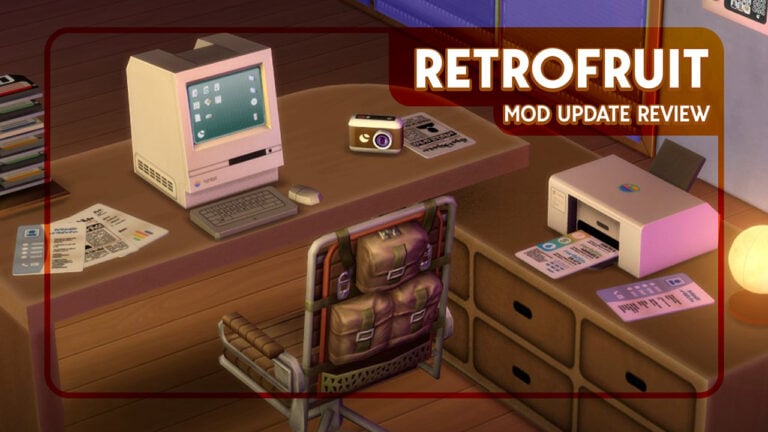
Arnie has now added to the Plumfruit lore with this collection inspired by vintage gadgets. Following on from Plumfruit’s brand new update – introducing The Sims 4 Retrofruit Mod! For those who appreciate a nostalgic touch, Retrofruit brings vintage-inspired tech from the ’90s and early 2000s.
This homage to vintage tech features devices inspired by devices from the 90’s and early 2000’s, including an old square PC, floppy discs, and a functional landline!
Here is a breakdown of all the items you can expect to find in this bundle.
The Sims 4 Retrofruit Mod Contents
The iPlum Classic
The star of the show. This bulky computer with the small square screen will trigger memories of dial-up tones and painful loading speeds in the best way possible. This functions just like all other PCs in the game and will cost your Sims §1599.
iPlum 2000
This slightly more updated design features unique all-in-one base with a screen mounted on a metallic arm. At the time this design felt truly futuristic and it captures a glance back in time to the early 2000s perfectly. Can you believe this is what we thought computers would start to look like back in 2000?!
This PC has all the same functions as the iPlum classic and costs slightly more at §1899.
Vintage storage: CDs, floppy discs and USBs
Few things are more retro than a floppy disc! All these storage items cost §10 and slot into your Sims inventory, making them perfect to store photos and documents for your Sims on the go. They also come in a nice variety of colours!
This is a great little addition to this Retrofruit collection and I know I will be using it for all my Sims projects, photos, and general keep-sakes.
CD and storage towers
You’re using these new CDs, USBs and floppy discs to store your holiday photos or important documents, but where to put them?! Every single storage tower slot is functional and fits the CDs, floppy discs, and document printouts. All of the CD tower slots are functional too, and will fit the CDs and floppy discs easily.
The storage tower is §150 and the CD tower is slightly cheaper at §79.
RetroPhone: A functional landline
Now for the item that got me the most excited – a fully functional landline phone!
This landline is also a ‘smartphone’ with a sleek animated screen, has home security features built in, clock alarms, and – of course – functions like a landline phone. That means you can call your Sim’s friends and family, order pizza, call services – basically do anything you can do on the phone that doesn’t require the internet.
It costs §299 and (in my opinion) is 100% worth it.
PlumPrinter: a functional printer for some office chic
This PlumPrinter lets your Sims print editable documents from their phone! It’s great for CVs/Resumes, news articles, logging your bills and utilities, family memories, or even writing journals with the blank text document.
The printer will slot nicely onto your desk and costs §499. Each document costs §1 to print and the custom animation for the printer is worth that spend alone.
Plumfruit Pro Desk
An office wouldn’t be complete without a desk, and this one from Retrofruit comes in 7 lovely swatches.
The desk doesn’t come cheap at 2500, but its easily going to become a staple in my Sims offices.
PlumCam vintage
Who doesn’t love a vintage camera? The predecessor to the PlumCam Future from the Plumfruit collection, this camera and its retro vibes function just like any other camera in game. With its classic design, it’s the perfect tool for memory-making, and of course, the images can be stored on your CDs, floppy discs, and USB sticks.
It comes in three swatches – grey, black, and cream – and costs §850.
miniPod
Remember iPods and how revolutionary they were at the time? Now your Sims can experience them too! Each miniPod comes with its own dock station and a new Music app for your Sims favourite stations. This range was before Neo’s time though so you won’t find the Plumfruit virtual assistant here unfortunately!
The miniPod has an animated screen, comes in 8 colourful swatches, and costs §899.
There are a lot of things that we want to see in Sims 4 from large-scale concepts like hotels to smaller concepts like spiral staircases. I mean… seriously, where are the spiral staircases? The Sims 4 has been evolving and growing for over a decade now, so here are some things from past games that I’m shocked have not yet returned as Sims 4 items.
I won’t be covering larger concepts like the aforementioned hotels or other bigger concepts like cars or color wheels or things of that nature. This list is going to be for smaller, mostly everyday items.
Table of Contents
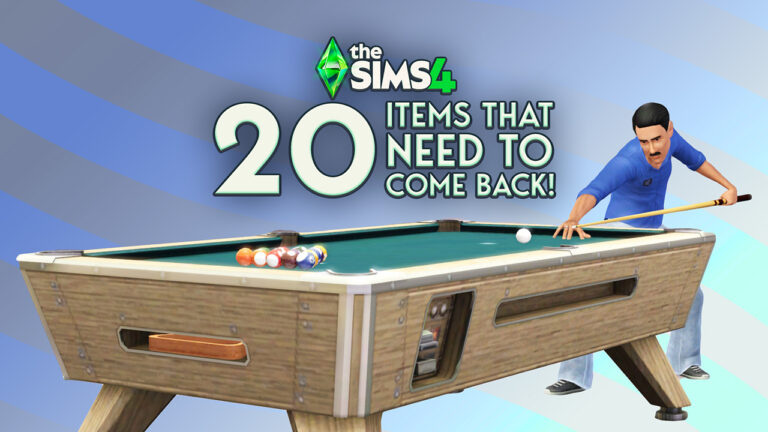
1. Pool Table
First Appeared: Sims 1
This is one of the most shocking exclusions as far as Sims 4 items go. If you ask players what items they think are still missing from Sims 4, this is definitely going to be one of the most mentioned. They’ve been a staple in the series and have been featured in every mainline series and almost all of the spin-off and console versions. It’s a mystery as to why pool tables still have yet to become an item in Sims 4.
2. Spiral/Curved Staircase
First Appeared: Sims 2
Spiral staircases and by association curved staircases are another of the most requested future Sims 4 items. I was actually really surprised when we got ladders years before we got either of these stair varieties. Spiral staircases would be a great addition for cabins in Granite Falls from the Outdoor Retreat game pack and curved staircases would be wonderful for celebrity mansions in Del Sol Valley from the Get Famous expansion pack.
3. Diving Board
First Appeared: Sims 1
If there were a trifecta of Sims 4 items that are missing, this along with the two previous items would make up that designation. All the way back in Get Together– the second expansion pack–we got diving platforms, but we still have yet to receive a standard diving board. The diving platforms certainly don’t fit the aesthetic of every family pool, so diving boards would still be a welcome addition to the game.
4. Pool Slide
First Appeared: Sims 1
Not nearly as popular of a request as diving boards in terms of pool related items, but still a popular one. This is another item that has appeared in every mainline Sims game, so its exclusion is definitely noticed. It feels like they’re saving everything to release in a pool related pack or something like a hotel pack that includes a lot of pool activities like the swim-up pool bar from Sims 3.
5. Volleyball Net
First Appeared: Sims 1
Surprisingly, this is an item that has only appeared once in the mainline games, the very first series. Sims Vacation introduced it and it was never seen since. There aren’t enough sports related Sims 4 items, so this would be a great inclusion to the game. I’d much rather watch my sims play a legitimate game of volleyball versus other sports related activities we have such as tossing a football back and forth. Volleyball would have been a great beach activity in Sulani as well, so hopefully one day it’ll arrive and we can add it to that world.
6. Stationary Bike
First Appeared: Sims 2
Let’s face it, just like sports activities, gym equipment is lacking in Sims 4. In the base game we had weight machines, treadmills, and punching bags. The only gym items we’ve received since are the climbing wall in Fitness Stuff Pack and the training dummy sparring machine in StrangerVille.
There are so many different Sims 4 items that could be added for gyms. Bench presses, pull-up bars, and stationary bikes have all been in past games, but I feel the stationary bike is the best for variety. With the Businesses and Hobbies expansion pack our gyms could have spin classes, which makes the item even cooler.
7. Arcade Game Variety
First Appeared: Sims 1
I don’t know about you, but I want to build arcades in Sims 4 but it’s just not possible. The only arcade machine we currently have is the gigantic one from the Get Together expansion pack. There have been so many different arcade games in the past games that I couldn’t choose just one.
Some examples of previous arcade machines we have had are: claw machines, whack-a-mole, solo arcade machines, 2-player arcade tables, skee-ball, and a strength tester. Sims Vacation had a pier full of different carnival games for sims to play as well. It’s time we had some arcade variety in our Sims 4 items.
8. Drum Set
First Appeared: Sims 2
This item is a bit different in the list because not only is it a singular item, but it’s part of a larger concept as well. I’ve seen so many people request drums in the Sims 4 not just because they want drums, but because they want to be able to create bands like in the Sims 3 Late Night expansion pack. I, along with plenty of others, was surprised when bands weren’t included in the Sims 4 Get Famous expansion pack, so at this point I think many of us are expecting a band related game pack at some point.
9. Hammock
First Appeared: Sims 2
I had to double and triple check this one when making my list because I’m just so incredibly shocked that hammocks did not arrive in the Sims 4 Island Living expansion pack. I thought for sure they were added to the game, but I was having a Mandela Effect moment. I was actually confusing the games and was really thinking of the hammocks from the Sims 2 Bon Voyage expansion pack.
Hammocks would be welcome Sims 4 items to relax on the beach, at a cabin in the woods, or just in the backyard on a warm summer day.
10. Sewing Machine
First Appeared: Sims 2
Not going to lie, I really thought these were coming to the game as a surprise return of gameplay kits. During the Motherlode Season road map they had different signage to hint at what was coming in the upcoming packs. There was an image of an elderly woman accompanied by a large spool of thread and sewing needle. In the end, the Golden Years kit is just a CAS kit and sewing will not be returning to the game. At least not yet.
The sewing machine in Sims 2 FreeTime was such a great concept because it allowed sims to create outfits that couldn’t otherwise be bought or unlocked. This is a concept I would love to see return in Sims 4 items.
11. Trampoline
First Appeared: Sims 3
There have been so many times I’ve wanted to put a trampoline in the backyard for my sim children to play on only to realize they were Sims 3 items, not Sims 4 items. I’m a huge realism player, so I love replicating vibes from my past in the game. So many of my friends had trampolines growing up and we spent so much time playing on them, so I’d love to see them return to Sims 4.
I will say, sims really don’t need to bounce quite so high.
12. Mini Golf
First Appeared: Sims 1
The Sims Team has included a different type of golf in all three different mainline games. In Sims 1 Makin’ Magic we had true mini golf courses. In Sims 2 base game we had a singular mini putt object. Then in Sims 3 Showtime we had a driving range item. I much prefer the fully designed mini golf courses and really hope to see them make a return as Sims 4 items some day. I would love to have my aforementioned arcade lot also include a mini golf course.
13. Frisbee
First Appeared: Sims 3
I love any outdoor activity that I can have multiple sims do together. Give me all the outdoor Sims 4 items. There’s only so many times I can have sims toss a football back and forth before I crave more variety. Reintroducing frisbees would be a fun activity that could also involve a new activity for sims to do with their dogs. Who wouldn’t want to go to the dog park and play frisbee?
14. Doorbell
First Appeared: Sims 1
This is something that was sorely missed when the Sims 4 base game first came out. There were endless questions and complaints about why there were no doorbells. Instead, visiting sims just knock on the door, which is quite difficult for players to hear and they would frequently miss that anyone was even trying to visit. They’ve rectified this by having sims announce their visit with a popup, but I’d love to see doorbells be reintroduced.
I don’t know of a single person that doesn’t have a doorbell, so their exclusion is quite odd. I’d also love the ability to change the doorbell sound to multiple different ones as so many people can do nowadays.
15. Landline Phone
First Appeared: Sims 1
Players have been asking for landline phones since the base game launched. The Sims Team has stated they don’t see the purpose of them because every sim has a cellphone now. They also said that in real life most people don’t even have landline phones anymore so they’re just making the game feel current. I disagree with this sentiment and believe they should still be an item in the game. A lot of other players agree. Just because a lot of people in real life don’t have landline phones doesn’t mean we don’t want them for our sims.
They finally added a landline phone in the most recent anniversary event, but it’s non-functional. This upset a lot of people that thought we were finally getting something that’s been requested for over a decade now.
16. Newspaper/Magazines
First Appeared: Sims 1
Just like the previous item, newspapers and magazines were not included as Sims 4 items because the team felt they’re too antiquated of a concept. Most people in real life don’t read newspapers or magazines, so they haven’t introduced them in Sims 4 to make the game reflect real life. So many people still read newspapers and magazines in real life.
There are so many gameplay features that could be added with newspapers and magazines too. Imagine your sim reading the employment section and seeing a job hiring for a position that isn’t the base level. They’d still need the required skill levels and such, but being able to jump into a slightly higher career would be great for already developed sims. Sims could also clip coupons for discounts on different things. Reading magazines of different types could change the interests of sims as they discover new ideas. These are just a few cool concepts to warrant their reintroduction.
17. Seesaw
First Appeared: Sims 3
I need new playground equipment. Swing sets and jungle gyms can only take a playground so far. I couldn’t really decide between the springy bouncy rides from every previous game, but ultimately decided to include seesaws on this list because it’s a group activity. Although, the adult sims helping kids ride the bouncy spring rides was a cute interaction as well.
18. Recliner
First Appeared: Sims 2
I’m not sure which surprises me more, the fact that recliners are not Sims 4 items, or that recliners have only ever been in Sims 2. They’re a staple item in so many people’s homes, yet they’ve only ever been in the game once. That’s crazy to me. Seeing a sim come home from work, kick their feet up, and take a nap on the recliner was such a realistic moment in the game. I want that back for Sims 4.
19. Slot Machine
First Appeared: Sims 1
Whenever I mention wanting slot machines in the game someone usually pipes up saying they can’t add gambling to the game. I want to say right now that this is emphatically untrue. Slot machines were in the original Sims as well as Sims 3 Lucky Palms. The ones in Sims 3 were also accompanied by casinos and poker tables as the world was based on Las Vegas. We also already have gambling in Sims 4 with the card table in the Journey to Batuu game pack. Gambling is perfectly fine in Sims 4 and slot machines should definitely return, especially with how much they have exploded in popularity these days. They’re in grocery stores, laundromats, gas stations, everywhere.
20. Stroller
First Appeared: Sims 3
I love the backpack infant carrier they added in Growing Together, but I’d still really enjoy strollers as well. It’s another part of real life that is super common and used all of the time that has yet to return as Sims 4 items. I want me sims to be able to go on walks with their kids without having them strapped to their back.
Honorary Mention: Bike Rack
First Appeared: Sims 3
We have bikes as Sims 4 items, but we have nowhere to park them. There are decorative bike racks in different worlds, but I’d love functional ones. It would just make the world feel more alive and real as sims get to a lot and park their bike.
What’s on Your Wishlist of Sims 4 Items?
Now that you’ve seen my list, what are some of your most desired and requested Sims 4 items? Comment below!
Let your elder’s shine! In a refreshing nod to often-forgotten elder Sims, The Sims 4 Golden Years Kit adds a warm, personality-driven collection of Create-a-Sim (CAS) content tailored for older Sims.
Let’s break down the different items, including the good the bad and the questionable.
Table of Contents
Key Features
Designed For Aging Sims: Tell the stories of aging Sims with clothing tailored specifically for Elder body types, as well as convenient accessories like glasses with straps, a toupee, gardening gloves, and more.
For golden lifestyles: With these fashions Elder Sims will be able to express their individuality in understated ways. There are styles for gardening and working out as well as comfortable clothes for everyday life.
ea.com
Catalogue
The kit includes a few different outfits for both male and female frames, including full body outfits, separate tops and bottoms, and two styled looks for female Sims. It also includes accessories like glasses on a chain, patterned gardening gloves, and a necklace with a ring pendant – small, touching details that enhance storytelling potential. There’s even what appears to be a wearable life alert pendant, for anyone wanting a realistic touch, and even a toupee which sticks true to The Sims cheeky sense of humour it is known for.
Swatches of all the items
Swatches of the outdoor jacket featuring 3D binoculars.Swatches of the button-up cardigan with shirt underneath.Swatches of jacket with zip undone and shirt with tie. Some swatches include nametags for some reason?Swatches of apron with shirt and jumper underneath. Some swatches show dirt or flour as if they have been recently used.Swatches of outdoor jacket and shirt, with sunglasses in the breast pocket (and a jump-scare fish on the back of the orange swatch).Swatches of the new trousers for male Sims.Toupee which comes in all default hair swatches.Female styled outfit “Floral Grandma”.Female styled outfit “Apron Allure”.Swatches of outdoor jacket with button-up vest and shirt underneath.A collection of rings with lots of gemstones. Perfect for your Sims that want a bit extra bling.Co-ordinating shirt and skirt combo.Necklace with wedding band on the chain.Glasses swatches around a Sim’s neck on a chain or rope.Life-alert buttons.Outfit with vest, shirt, skirt, and apron. Some swatches even have flour on them as if they have been used recently.Gardening outfit complete with apron, seed packet, and kneepads.A workout outfit featuring shorts, joggers, a jumper, and waist bag.A female pyjamas set with an open robe and nightgown.The bonnets and headscarves that come with this pack match the female full body pyjamas – a nice touch!An age appropriate suit for elderly Sims with a matching trousers and jacket, a tie, and suspenders.Cosy male Sim full body pyjamas with high-waisted trousers, a button up cardigan, and a vest.
The Good
The clothing items that revolve around a hobby – like birdwatching, baking or gardening – is a lovely touch. It gives your Sims something to wear while they embrace all the free time of retirement as they dive into new hobbies. Realistic touches like kneepads on gardening outfits to protect their knees and flour dustings on shirts like they have just finished baking a pie are the little details that make the outfits feel lived-in.
The female clothing items are beautifully designed, with coordinated bonnets and coats that exude a cosy charm you’d expect from a fashion-conscious elder. Matching outfits is a minimal ask from a CAS kit, however, its still always nice when it works well.
A standout item is also the use of 3D meshes for the binoculars in the jacket thankfully, not just painted-on details (looking at you sunglasses). Birdwatching is something most people associate with an elderly activity – I know lots of the older women in my life live for it – so it makes sense to see a jacket with the binoculars hanging round their neck come with this kit.
The toupee, while obviously a hat item, cleverly embraces its artificiality, making it feel intentionally humorous and charming rather than just a realistic-looking wig. We all know or can think of one person who has walked around in a toupee they’ve convinced themselves is realistic-looking when in reality it can be clocked a mile away. Now your Sims can too! I know I’m looking forward to seeing this on auto-generated townies who want to hide their hairlines.
Accessories shine in this kit. The glasses with a chain are one of the items I was most excited for as they are just perfect old-person-who-needs-reading-glasses-but-can-never-find-them core. Aka, every elderly person I’ve ever met. They also are classed as a necklace so you could put one pair on your Sim’s eyes and one round their neck, also like every elderly person I’ve ever met. Those rings are also stunning, and I’ll be using this item probably the most out of all of them.
The addition of a necklace featuring rings is a surprisingly heartfelt touch, since many people do choose to put their wedding bands on chains and wearing rings on swollen arthritic hands can be painful. Just a little realistic detail.
On the men’s side, the grandad-style suit with suspenders and high waistband adds much-needed variety and character to elder male fashion. I can picture this being perfect for family reunions, date nights, or grandchild weddings.
The Bad
Unfortunately, some items in the kit aren’t as polished as they could be. One odd issue I had involves the life alert – it shows up on older items but doesn’t appear with new ones, raising questions about consistency or a potential bug. If it’s hidden on purpose, that decision should have been uniform. If it’s a glitch, it’s a frustrating oversight.
There are also no everyday styled looks for male Sims only pyjamas and formal, which feels like a missed opportunity, but unfortunately we are getting used to male CAS slacking behind female as it often has less variety. This is something I really hope the team change as they go forwards with releasing more and more kits. The styled looks feature is something that could be utilised across the board.
And while we’re talking polish: the painted-on texture for the glasses in the pocket of the fishing jacket reads as lazy in 2025, especially when the rest of the accessories show such care. Those binoculars look immaculate, so we know its possible!
The Questionable
Not everything in the kit lands gracefully. The “dentures” don’t really look like dentures, but more like the Sim is missing some back teeth.
New teeth swatchStandard teeth swatch
On one hand, this is semi-realistic – people do lose their teeth as they get older, and often when they fall out or need work done tend to favour saving the front teeth for aesthetics over the back teeth.
On the other hand, it isn’t really something I think that should be a premium item in a paid for DLC, you will almost never see the inside of your Sims mouth in game and if you do you’d have to be running a supercomputer to focus in on their missing molars. I feel like this item slot could have been used for something that players can appreciate whilst they are playing.
And, as for the elephant in the room, the full-body outfit combining shorts and joggers is baffling; it feels like fashion for the sake of a laugh, not something any Sim (or person) would wear by choice. Every elderly person I know or have known takes a lot of pride in their appearance, I can’t imagine anyone genuinely putting an outfit like this together.
Final thoughts and feelings on The Sims 4 Golden Years Kit
Much like the majority of the community, I felt like elder sims had little love and attention, so was really happy to hear that a Golden Years kit focusing on style and fashion was coming to us. The actual items have left me with mixed feelings.
My initial thoughts when I saw this kit were that if this came out when I was a child I would have been so excited for it because so many of the items included – like the glasses on the chain or the gardening attire – are what I would associate with all the elderly people in my life, and being able to add these little touches to my families would have been amazing.
As an adult I still love the kit and will be using it loads, but can look at it a bit more critically. The Golden Years Kit is a love letter to elder Sims; with a few typos. It’s endearing, it’s useful, and it’s silly. But it also reminds us that CAS kits still need quality assurance testing, and male Sims deserve as much attention as their female counterparts.
There are whole brands which market fashion to elderly people, and it would have been nice to see the team pull some examples from these. Even things like slip-on shoes which many elderly people use or going down the medical wearables route and exploring things like wrist supports (which I know are not limited to old people only, but loads of older people use them for things like arthritis and carpal tunnel) or even – and I know I’m pushing the boat out here – a new walking style with a walking stick or Zimmer frame would have been so welcome.
My grandmother’s thoughts
For a different perspective on this kit I went to a woman I knew would have some insight: my grandmother. It’s fair to say her thoughts were mixed.
She loved the rings and most the accessories (besides the life alert) and while people do still wear glasses on chains lots of her friends have varifocal lenses now instead of two separate pairs, so that would have been nice to see. Feedback on the clothes was more mixed. It’s true the layered jackets and the gardening attire is stuff that you see people wear, but some bits felt really dated and missed the mark – too stereotypical “old lady frill”. With the co-ordinating sets it would have also been good to see a variety of more modern styles but done in an age appropriate way, without coming across as frumpy.
The Sims 4 Kitchen Clutter Kit is here, and they really cookedwith this one! The Golden Years Kit has given us new threads for the oft-neglected Elder lifestage. The Restoration Workshop kit has given us fixer-upper appliances. And finally, The Sims 4 Kitchen Clutters Kit has given us, well, kitchen clutter. As the name suggests, this kit is packed with new Build-Buy assets to make our Sims’ kitchens feel busy and lived in. In addition to the decorative objects, we also have a number of new interactable objects!
Let’s take a look at everything included, and stick around to hear my verdict on the Kit and whether or not it’s worth the $5 price tag!
Table of Contents
The Sims 4 Kitchen Clutter Kit: Features Overview
This Kit is cluttered (in a good way) with 31 new items for Build-Buy mode! From scales and mug racks to interactive grocery bags and cookie jars, each item fits neatly into your Sims’ cooking space!
Kit Features
Signs of Life – A whole lot of living happens in the kitchen, and this kit will help you highlight that with groceries, open cereal boxes, cleaning supplies, and more. There’s even a refrigerator with magnets and drawings to show the impact of the family on the space around them.
Family Friendly – The functional, family-focused items in this kit include a lunchbox, kitchen timer, recipe tablet, cookie jar, and more. Whether Sims are cooking or grabbing a quick bite to go, this kit has them covered. It’s perfect for busy families!
See below for an in-depth look at each item’s description and cost.
Object Swatches
Snap & Stash Bin – Small
Snap & Stash Bin – Large
“Slice of Life” Cutting Board
Vintage Scale by Llama Luxe Appliances
Casual Clutter Sink
Gourmet Greenery
“The Tile Tapestry” Backsplash
Flavorful Frames
Kitchen Storage Jar
Simsational Cereals
Sinkside Essentials
Bake-Off Besties
Brew & Sip Mug Tree
The Classic Kitchen Canister
Topsy-Turvy Tableware
Daily Dish Rack
Jar of Delights
Handy Cleaning Caddy
Utensil Utopia
Flour-Powered Ensemble
CookBook Pro Display
The Cluttered Carousel
Cookie Chaos
The Flavor Haven
EdgeElite Knife Block
Bountiful Harvest Baskets
Little Lunchbox
Kitchen Timer by Llama Luxe Appliances
Fresh Finds Grocery Bag
Culinary Caddy
Magnet Marvel Fridge
Object Functionality
There is a new trend with Kits, and that is object interactability. I will delve into my personal take on this in the review. In the meantime, check out the objects and their functions below! (It is important to note that the ‘Make Heirloom’ interaction is a feature on all objects and came with The Sims 4 Life & Death Expansion Pack).
Simsational Cereals
The Simsational Cereals box can be used to grab a bowl of cereal, similar to the fridge. The object comes in ten swatches and even has accompanying framed posters of the Llama and Freezerbunny characters featured on the box!
Jar of Delights
This cookie jar can be used in a similar way to the Simsation Cereal boxes. Simply click on the jar and select ‘Grab a Cookie’, and your Sim will take a single cookie on a plate from the jar.
CookBook Pro Display
This smart tablet, displayed on a stand, can be interacted with in the same way as the cookbook from the Home Chef Hustle Stuff Pack. Depending on which packs you own, Sims will be able to pick a variety of interactions from the tablet, including instructing them to cook meals, bake, and perform activities such as canning.
Little Lunchbox
Similar to the kid’s lunchbox introduced in a previous free update, this new lunchbox can be used to grab quick meals and drinks!
Kitchen Timer by Llama Luxe Appliances
The timer has an interaction that has been seen often lately. Just like the alarm clock in the anniversary celebration event, and the clock in the Comfy Gamer Kit, this can be set to wake or alert Sims at particular times, and is even portable!
Fresh Finds Grocery Bag
The Fresh Finds Grocery Bag can be used to purchase fresh groceries, handy for those living with the Simple Living lot trait from Cottage Living. You can even use it to store items such as fish, harvested fruits and veg, and even meals.
Styled Room
The “Cluttered Family Kitchen” is exactly what it says it is. Utilising the counters and cabinets released in an SDX drop back in February, this kitchen includes almost every new object in the Kit. It costs §19,948 and comes in three swatches.
Our Review of The Kitchen Clutter Kit
Both the Kitchen Clutter and Restoration Workshop Kits released today contrast with one another and will appeal to different players; however, they have one thing in common, and that is the abundance of functional objects. In our review of The Sims 4 Bathroom Clutter Kit back in 2023 we mentioned the low quality of meshes and textures, and a lack of functionality with certain objects. Well, the case here is much different.
There is a marked difference in the quality of the Kitchen Clutter Kit in regards to both textures and meshes. And the differences don’t just end there. A total of six objects have unique functionality and interactability! These objects could’ve been simply left as decoration, as much of the clutter we receive in new packs is. It is nice to see these little touches added to the Kit as it really does add that extra something. I truly hope the Sims team keep this up.
Something the Sims Team often miss out on is object cohesion. By that, I mean swatches that complement or match one another. This was something noted in our review of the Everyday Clutter Kit in 2022, and in that case, it wasn’t called for. Something I enjoy in real life is colour matching with kitchen appliances and decoration, and it is an appreciated sight to see here.
Simple additions, such as posters of the Llama and Freezerbunny mascot being available with the Flavorful Frames item, create a nice piece of world-building, and not just a one-off design used on the cereal boxes. The cereal boxes also feature Voidcritters, an in-game parody of Pokémon. All of this makes my Sims’ lives feel cohesive and connected. Sometimes it’s the little things that count.
For the usual price of $4.99 USD (or your local equivalent), I can safely say that The Sims 4 Kitchen Clutter Kit is worth every penny. Not only does this Kit appeal to builders, but it also has something for gameplay-oriented Simmers. Alongside the Restoration Workshop Kit (Review found here), this has set a new standard for Kits going forward. This is something I expected to come from Creator Kits, however, it seems as though the Sims team beat them to the punch. Let’s hand them their flowers!
We’re already getting a new Sims 4 Expansion Pack. And it’s next in line!
I didn’t expect that we’d be talking about The Sims 4 Expansion Pack 19 so soon, but here we are!
We’ve just concluded the latest Sims 4 Motherlode Season of content releases with the latest 3 official Kits that arrived yesterday. And simmers have already started asking questions about what’s next on The Sims 4 release roadmap for this year.
Luckily, we already have first reports on what EA is working on for the release roadmap.
The Sims 4 Expansion Pack 19 is next!
The latest report about EA and Maxis cooking up The Sims 4 Expansion Pack 19 comes from insider @anadius on Twitter. Who posted an alleged release order of The Sims 4 DLC content:
Right, forgot to say. The 3 kits released yesterday have numbers 96, 97 and 98. EP19 has number 99 – that probably won’t change and it will be the next DLC. And EP20 has number 102, but that might still change. So there will be at minimum 2 DLCs between EP19 and EP20.
What does this mean? By the looks of it, it seems that The Sims 4 Expansion Pack 19 is the next DLC to be announced and released by EA. This wouldn’t be the first, nor the second time that a forecast from this insider turned out to be true.
And what about Expansion Pack 20?
This part of insider’s finding could be subject to change. However, it seems that there are going to be two more DLC releases after The Sims 4 Expansion Pack 19 comes out. After which there will be The Sims 4 Expansion Pack 20 falling next in line.
The release information about The Sims 4 Expansion Pack 19 being next is definitely more likely to happen. Still, we might be looking at another year with 3 Expansion Pack releases. Businesses & Hobbies and two other ones put in the behind-the-scenes roadmap of releases.
When is Expansion Pack 19 getting revealed?
There’s currently no further information about The Sims 4 Expansion Pack 19’s reveal date, release date and features. All we know is what we’ve reported in the title – the EP 19 release is next in line! There’s been talks and rumors about Bands coming to The Sims 4 this year, but that’s still a different speculation altogether.