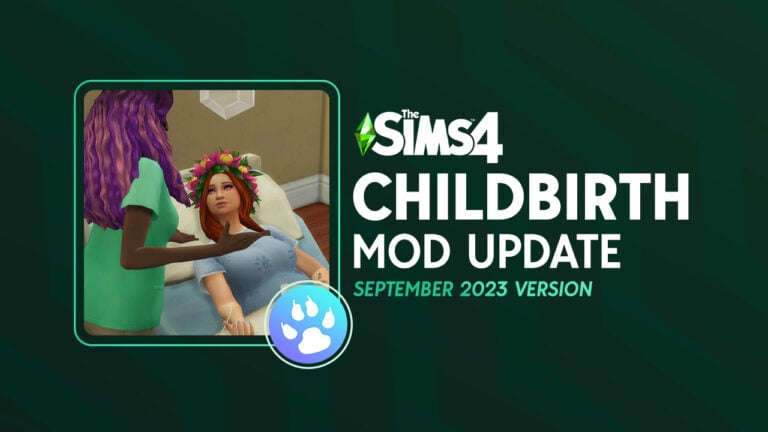
Wean toddlers, get bloodwork, pap smears, and more in the Childbirth Mod update!
The Sims 4 Childbirth Mod by Pandasama is constantly growing and evolving. It’s gotten many updates adding much-loved features like home births and lactation. The latest weaning update brings even more heartwarming goodness to the game. Sims can now nurse and wean their toddlers. There are also new pregnancy checkups that can be done at the hospital. Pregnant Sims can get bloodwork done and go in for pap smears to make sure everything is okay with the health of their baby.
We’ll walk you through all of the new features in the latest Childbirth Mod update!
Table of Contents
The Sims 4 Childbirth Mod Weaning Update
The latest weaning update comes with plenty of new gameplay features and objects! We’ll explain everything in-depth for you so you can get the most out of the latest update.
Weaning Toddlers
Lactating Sims can now breastfeed their toddlers and also wean them off of breast milk. If you choose not to wean your toddler, your Sims will autonomously breastfeed them when they’re hungry and the toddler will nurse until they are full or until their parent runs out of milk. You can also direct your Sim to nurse them under Toddler Care. Your Sims may sometimes get moodlets from nursing.
Toddlers who have nursed at least once can be weaned off of breast milk. Under Toddler Care, select Start Weaning to begin the weaning process. You can choose to just quit cold turkey or gradually wean them. If you choose to quit cold turkey, your Sim will immediately stop nursing the toddler all together. If you choose to gradually wean them, your Sim will continue to nurse their toddler but for a shorter period of time. After two days, they will stop completely.
There are no serious consequences to choosing one method of weaning over the other but your toddler will get angry if you quit nursing cold turkey. You can try to Explain Weaning to them to make them understand why they cannot nurse anymore. Sometimes they will accept the explanation. Other times, they will continue to stay angry for up to two days. Eventually, they will get over it and move on, though.
Pregnancy Checkups
Previously, pregnant Sims could use the phone to go have an ultrasound done at the hospital. In the latest update, the Ultrasound option has been replaced with Pregnancy Checkups. Don’t worry; your Sims can still get an ultrasound done! There are just additional pregnancy checkups available to choose from now.
Pap Smears
To have a pap smear done, use the Pregnancy Checkups option on the phone to travel to the hospital. Make sure you have a pap smear bed placed down on the lot. You can find it by searching “pap smear” in the Build/Buy catalogue.
Click on the bed and choose Get Pap Test. A doctor will perform the pap test for your Sim. Your Sim will receive the results from their pap test through the phone the following day. There is a small chance your Sim may have HPV but this condition does not require any treatment.
Bloodwork
To get bloodwork done, use the Pregnancy Checkups option on the phone to travel to the hospital. Make sure you have Pandasama’s hospital bed placed on the lot. You can find it by searching “hospital bed” in the Build/Buy catalogue.
Click on the hospital bed to get bloodwork done. A doctor will take some blood from your Sim. In the case of bloodwork, no news is good news! You’ll only receive the results through the phone the next day if something is wrong.
If you have the Health Care Redux mod, the blood test will be able to detect any pregnancy complications that are part of that mod. Compatibility with the Romance and Pregnancy Overhaul mod will be added soon, too.
Pregnancy Treatments
Sometimes the pregnancy checkups will come back with health issues that require treatment. There are also new ways to treat a stalled labour and speed up the dilation process.
RhoGAM Injections
Sometimes, your bloodwork will show that your Sim has an Rh negative pregnancy. In very basic terms, this means that the baby’s blood type is incompatible with the pregnant Sim’s blood type. If your pregnant Sim has an Rh negative pregnancy, you’ll receive a phone call and be prompted to travel to the hospital for treatment.
Rh incompatibility can be treated with RhoGAM injections. After traveling to the hospital, click on a doctor and select Get RhoGAM Injection. The doctor will administer the shot to help your pregnant Sim handle the incompatibility better.
There is currently no penalty or negative consequence for not getting a rhoGAM injection so if you don’t want to deal with this feature, you can safely ignore the phone call prompt.
Pitocin
Pitocin is now available to help speed up dilation during labour and to treat stalled labours. You must have Pandasama’s hospital bed placed on the hospital lot to receive a dose of Pitocin. You can find it by searching “hospital bed” in the Build/Buy catalogue.
While in labour, click on the hospital bed and choose “Start Pitocin.” Receiving the Pitocin will cause your Sim to immediately become fully dilated but there are risks involved with using Pitocin for a quicker labour. There is a 2% chance that getting a dose of Pitocin will cause a uterine rupture. If your Sim has a uterine rupture, they will be forced to have an emergency C-section to deliver the baby.
Uterine ruptures can be triggered via the mod’s SHIFT+Click cheats for storytelling purposes.
New Objects
The Sims 4 Childbirth Mod’s weaning update comes with several new objects tied to some of the new gameplay. There is new hospital equipment as well as an adjustment to birth certificates.
Pap Smear Table
The pap smear table is essential for having a pap test done. Make sure to place one down on the hospital lot if you want your pregnant Sim to have a pap test done.
Hospital Bed
The hospital bed can be used for bloodwork but it is absolutely required in order to start Pitocin. Make sure it’s somewhere accessible on the hospital lot so your Sims can use it both before and during labour.
Birth Certificates
Of course, birth certificates are not exactly new; we’ve had them since Get To Work, but Pandasama has added support for birth certificates to her mod. Now Sims will receive a customizable birth certificate for their baby when they give birth through the Realistic Childbirth Mod. The customizable birth certificates contain your baby’s height and weight at birth, which is a neat touch!
How to Download the Sims 4 Childbirth Mod
The weaning update for the Childbirth Mod is still in early access for Pandasama’s supporters. Supporters of Pandasama can download v.1.39 from her website right now. The public version is expected to release on September 17th, 2023.
If you are not a supporter of Pandasama, you can still download v.1.38 in the meantime, which contains the lactation update!
We’re only a few short hours away till the big reveal of The Sims 4 Home Chef Hustle Stuff Pack!
That’s right, after a long 2-year hiatus after the Paranormal Stuff we’ll be continuing to see more Stuff Packs for The Sims 4 in the forseeable future. Announced during Behind The Sims, EA and Maxis revealed that they now have a seperate team working on Stuff Packs. Maxis extended their team to Europe across several countries (physically and remote) and now have Maxis Europe working on this Pack. And the SPs for The Sims 4 to come!
Find out what to expect from The Sims 4 Home Chef Hustle Stuff Pack and get ready for the premiere!
Table of Contents
The Sims 4 Home Chef Hustle Reveal
The 19th Stuff Pack for The Sims 4 is getting its full reveal on September 14th at 8AM Pacific Time / 5PM Central European Time. To make the Sims 4 Home Chef Hustle reveal time more precise we’ve included a handy countdown below, along with the premiere.
Time until Home Chef Hustle Reveal
[janky target_time=”1694703600″ color=”#3D9734″]
Sugar, flour, eggs, and what’s that? Smells like Simoleons!
As soon as the counter turns zero you should expect the complete Stuff Pack reveal. Along with official screens, cover and first details coming soon after on our Home Chef Hustle News page!
What to Expect in The Sims 4 Home Chef Hustle
Following the trails of previous Stuff Packs, the Home Chef Hustle features new CAS, Build and Live Mode elements in a generous package. All within the 10USD price range, or a price which is equivalent to your local currency.
Considering that this Stuff Pack focuses on Kitchen items, we’re surprised to see a wide variety of items and sets planned objects for this pack.
Just a taste of what to expect with Home Chef Hustle!
New Gameplay Features
Developers working on The Sims 4 Home Chef Hustle Stuff Pack have shown a lot more during Behind The Sims. Including Gameplay Cooking Improvements coming to The Sims 4 for free! All of this seems to be tied together in a nice, homey Stuff Pack package.
Making Simoleons
If you’re a Sims player who’s looking for more ways to earn Simoleons, this pack will have it. For example, the new Food Stand shown below:
Reveal expectations based on previous Stuff Packs
It’s hard to pin exactly where The Sims 4 Home Chef Hustle Stuff Pack reveal will land on. I sort of see Sims 4 Stuff Pack releases as a gradient from worst to best. In their chronological order of release of course.
Luxury Party Stuff Pack, which was the first SP released on May 19th, 2015 came out with the lowest amount of new CAS, Build and Gameplay items. After the release of Kits however this package became more…generous looking over time.
The Sims 4 Paranormal Stuff which came out on January 26th, 2021 had a lot more going on. So much so that it seemed like EA was doing a last hurrah for Stuff Packs before they would seemingly switch to Kits.
No matter what the Sims 4 Home Chef Hustle reveal brings to us, I’m sure it’ll be worth more than 2 Kits. Once again, each to its own!
Release Date Reveal
Although we don’t have the official information about The Sims 4 Home Chef Hustle Stuff Pack release yet, we can expect the Pack to come out very soon in the coming weeks. We’ll keep this space updated as we get closer to zero on that clock!
Are you ready?
Let us know your thoughts about The Sims 4 Home Chef Hustle Reveal in the comments down below. And as always, stay tuned to more news on this pack very soon!
If you want to see the upcoming Stuff Pack in action, there’s an official developer preview that you can check out below:
In this post we’ll be listing all of the deals and discounts that you can find for The Sims 4 Sale. Offers include all of the Stuff Packs, Game Packs and most of the Expansion Packs – excluding only the Horse Ranch Expansion.
Find all of the discounts in the Sims Sale overview down below:
The Sims 4 Sale Map
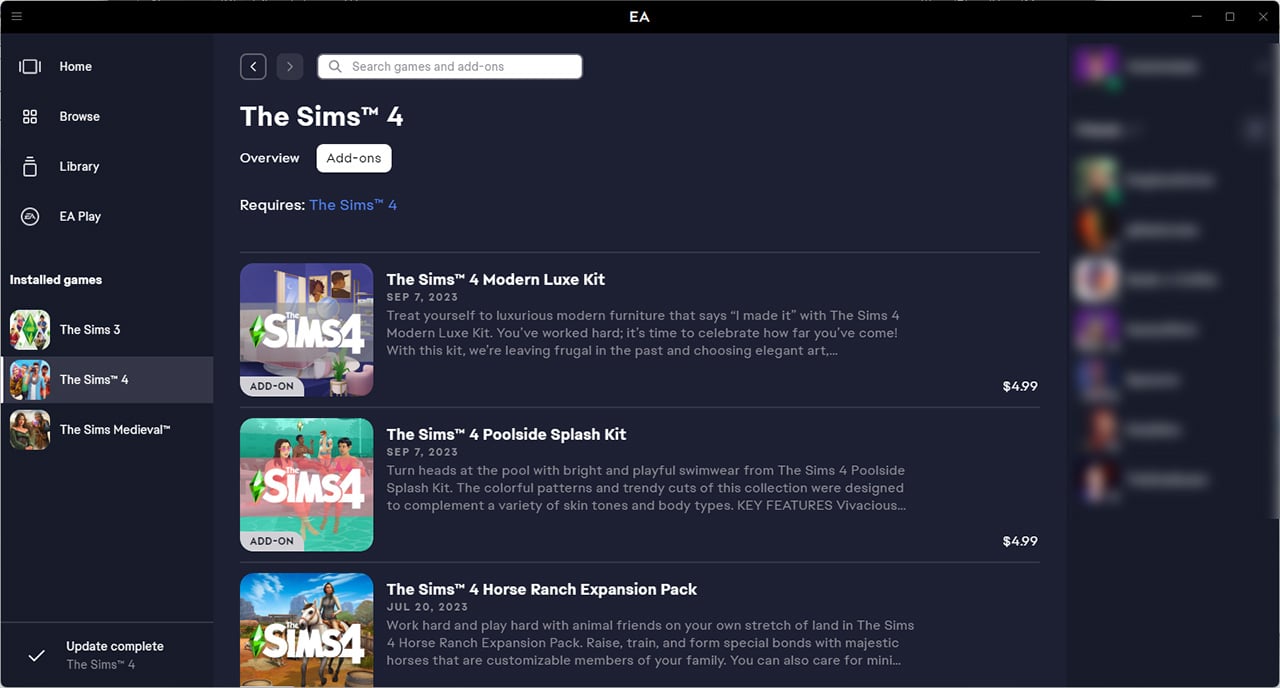
The Sims Sale on EA App and Origin
The mother bee of Sims launchers. You’ll be able to find Sims 4 Sale Deals on the main EA App launcher. Or, if you play The Sims 4 on Mac it’ll be listed on Origin.
Heads up though, the EA App will soon replace Origin on Mac as well!
Here are all of The Sims 4 Sale deals that you can find on the official launcher:
The Sims 4 Expansion Pack Sale
More than 90% of Expansion Pack prices for The Sims 4 have been cut down in half! High School Years and Growing Together have a lower discount, considering they’re newer releases.
You’ll be happy to know that all of The Sims 4 Stuff Packs are on Sale! This DLC Set contains a discount of 30% off that’s set to every Stuff Pack in the game series.
The Sims Sale on Premade Bundles
And last (but not least!) you’ll be able to find a set of three different premade bundles for The Sims 4. Set at a discount of 20% on the total DLC package, including:
The Sims Sale extends on the Steam platform too, where you can enjoy the same discounts that we’ve listed above.
You’ll also see that the sale has impacted the total number of Sims 4 DLC cost, rounding it up to 785USD, or a price equivalent to your local currency. Not…bad?
You’ll be able to enjoy the new Sims 4 Sale prices across EA App, Origin and Steam until September 25 at 10AM Pacific Time. Make sure you take advantage of these offers before it’s too late!
As always, make sure you stay tuned on Sims Community for all of the latest News and Updates on The Sims Deals.
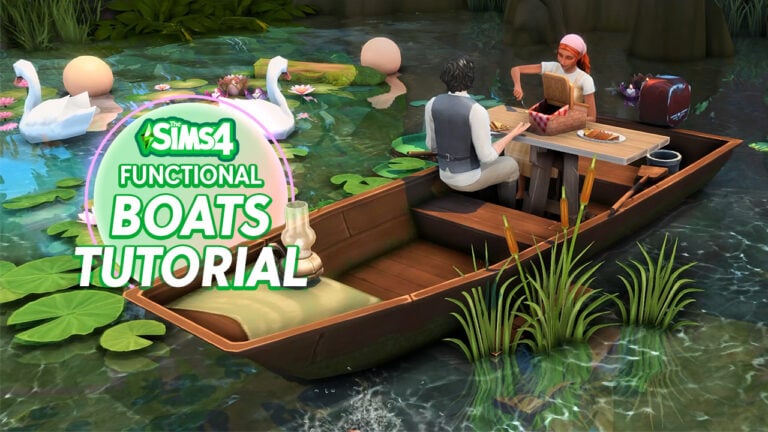
We’ll be rowing boats before driving cars in this game, I guess.
We can all agree that the Sims 4 has a controversial *transportation* problem. Even if we got jet skis and canoes from Island Living, bicycles from Discover University, and even horses from the Horse Ranch pack, we still. WANT. CARS.
But we don’t talk about boats much, do we? Similar with cars, they’re still a decorative object in the debug menu. Until today! With this nifty build hack, you can make your own functional boats without the help of mods or CC.
Before anything, ensure that bb.moveobjects is on.
Table of Contents
Step 1: Laying out the foundation
Start off by making a sizable pond in your lot with terrain tools. Check out this tutorial to learn how.Build a room near the pond and add a 2nd floor on top of it. Delete the room below and the walls of the 2nd floor. Don’t forget to remove its ceiling too!
Adjust the height of the room on the 2nd floor to be closer to the ground by using the white foundation slider in the middle. Then move it it towards the pond by using the room arrow sliders one by one. Once it’s hovering above the pond, lower it down again with the white foundation slider until it’s at the water level.
To blend this floor with the pond, change the flooring to wood or to any brown tile. Also, add this inlaid exterior trim around it.
Step 2: Terrain manipulation
Now comes the part to make this boat functional – terrain tools! Toggle the yellow grid view by clicking ‘G’ to guide you in the next steps.
Choose ‘Flatten to Height’ and level out the surrounding land to the normal terrain height. Then, click Ctrl+[ four times to lower the terrain height setting. Click on the area surrounding the room that you placed to flatten it at the set height. After that, add stairs connecting the room to the lowered terrain.
Next is to smoothen the terrain to connect the lowered terrain to the normal height terrain. This will make a path that your Sims can access.
Step 3: Add the functional boats shell
To get the boat, type Ctrl+Shift+C to open the cheats bar. Type in ‘testingcheats on’ first. Then, enter bb.showhiddenobjects and bb.showliveeditobjects consecutively. To close the cheat bar, click Ctrl+Shift+C again.
In the search bar, search for ‘**DEBUG**’ and filter for Base Game. Look for this boat item.
Place the boat on the floor below and NOT on the same level with the 2nd room floor. Click Ctrl+9 to elevate it until it reaches the floor above.
Add any bench (preferably with a brown wooden swatch) on the 2nd floor. Size it down to its smallest size using the ‘]’ key and hold down Alt to place it just right by the boat seat. Make sure to leave a small part of the seat visible so you can click on it during gameplay.
Try to play test it and it should work like a charm!
Lastly, decorate the pond. Paint the terrain with a muddy brown swatch. Add natural foliage around the boat. You can also cover the stairs with a plant to make it less obvious.
Add pond animals especially fireflies to set the mood. If you own My Wedding Stories and City Living, add these gorgeous pond lights to make it even more whimsical.
And there you have it! A boat that your Sims can sit and nap on by the lake.
Video Tutorial
Here’s a quick tutorial to make basic functional boats:
Bonus Step: More activities in The Sims 4 functional boats!
Feel like sitting and pretending to row your boat is too basic? Try adding a telescope from Base Game or Werewolves and you can spend the evening stargazing in the lake.
Or add an easel to paint a landscape of your surroundings!
You can even add a picnic table in the functional boats! Include a picnic basket from Cottage Living too.
To blend in the table, search for ‘Wooden Plank Decorative’ from the debug menu. Go down 1 floor and elevate it using Ctrl+9 until it reaches the table height. Line them up by holding Alt to place four planks side by side.
Next, size down the picnic table with ‘[‘. Go down 1 floor again and use a wooden object to cover the table. Here we’re using a stool from debug, pretending that it’s a stem which supports the wooden planks.
Extend the floor to make the other side of the table accessible. Do this by adding a 3×1 platform beside the room. DON’T use the room sliders because it will move the other objects you just placed!
Tip: Placing objects on the lower floor and elevating them to the floor above ensures that your Sims can access the space and objects on the 2nd floor.
Go down 1 floor again and cover the extended floor with moss or lilies.
And that should do it! Have your Sims eat a romantic dinner or family brunch in the lake.
Video Tutorial
For the additional steps to make functional boats in The Sims 4, I have a YouTube Short that explains the building process in under just one minute!
What will you build?
Show us your functional boats that you’ve made in The Sims 4 in the comments down below! Yes, you can add images too 💜
Take one final plunge into these looks before summer ends!
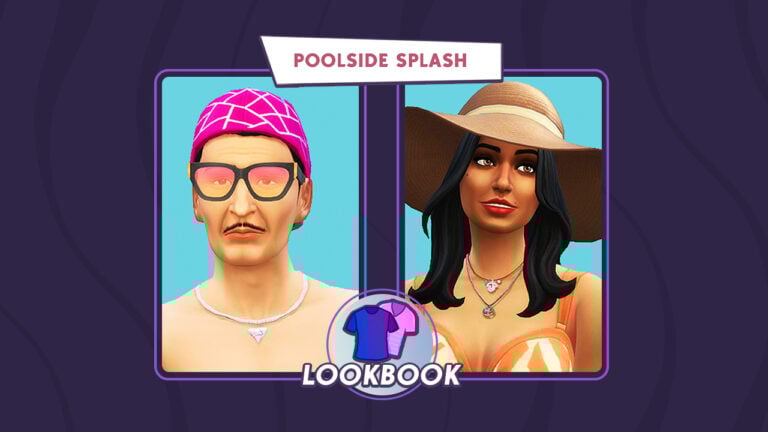
Summer’s almost over, but things are still heating up for The Sims 4 with the Poolside Splash kit! You know what that means; it’s time for a Poolside Splash lookbook from SnarkyWitch and Krista!
As always, each of the looks featured in this lookbook are CC-free and feature clothing options from the Base Game, Poolside Splash, and one additional pack. That way, players across all platforms can enjoy these looks and if you don’t own one of the packs mentioned, you can mix and match with the packs you own.
To make things easy, we’ve listed everything for each of the looks below. So grab your pool floaties and sunglasses and dive into the looks we’ve prepared for you!
Table of Contents
The Sims 4 Poolside Splash Lookbook
The Real Teal
Nothing says summer like orange and teal, mimicking the beauty of a sunset over the ocean. Your Sims can be a walking summer sunset too in this sultry outfit. A strappy top with a wraparound skirt, trendy sandals, and a crown of flowers is the perfect way to turn some heads on the beach or at your next pool party!
Hair: Beachy Waves with Flower Crown (Island Living)
Top: Strappy Sheer Crop Top (Poolside Splash)
Bottom: Wraparound Mini Skirt (Island Living)
Shoes: Sheer Heeled Sandals (Poolside Splash)
Makeup: Eyeshadow, Eyeliner, Blush, and Lipstick (Base Game)
Accessories: Bracelet, Nails and Necklace (Poolside Splash)
Other: Freckles (Base Game)
Feeling Flamingo
Stand out from the crowd and channel your inner Ken in this pretty in pink flamingo look! With a combination of bright and fun colours, you’ll be sure to turn heads at the pool. The cool backwards cap and sunglasses combo are a classic summer pairing, but the addition of the flamingo pattern around the arm bands and ring add a new level of pool side cool! So why not make a splash in this funky flamingo look!
Hair: Slick Backed (Base Game)
Full Body: Colourful Floaties Combo (Poolside Splash)
Shoes: Basic Flip Flops (Base Game)
Accessories: Patterned Baseball Cap (Base Game), Tinted Sunglasses (Poolside Splash), Triangular Necklace (Base Game). Festival Wristband (Poolside Splash), Eyeball Ring (Base Game)
Flamingo Fly
Make a statement with all those attractive Sims at the beach and the pool this summer with an outfit as colourful as a flamingo’s feathers! Nothing says confidence like pink and bright patterns, and this ensemble exudes chill confidence. This patterned flamingo unbuttoned top with pink shorts paired with some cool summer shades and a silver dog tag necklace shows just how serious you are about looking fly like a flamingo.
Hair: Ponytail Locs (Backyard Stuff)
Top: Patterned Unbuttoned Tee (Poolside Splash)
Bottom: Loose Shorts (Backyard Stuff)
Shoes: Waterproof Sandals (Poolside Splash)
Accessories: Bracelet and Necklace (Base Game), Sunglasses (Poolside Splash)
Other: Facial Hair and Tattoo (Base Game)
Summertime Chill
Turn heads in this bright yet simple Summer pool look! The combination of the oversized sun hat along with the statement top, plain coloured swim bottoms and a dash accessories are the perfect look! Whether this is a look your Sims will be rocking at the local pool or even on the beaches of Sulani, keep it a stylish and simple sophisticated summer outfit.
Hair: Lose Natural Wave (Base Game)
Top: Patterned Swim Bralette (Poolside Splash)
Bottom: Coloured Swim Bottoms (Spa Day)
Shoes: Detailed Sandals (Base Game)
Accessories: Sun Hat (Base Game), Dual Combo Necklace (Poolside Splash)
Makeup: Eyeshadow, Eyeliner and Lipstick (Base Game), Cheeks (MAC x Base Game). Nails (Poolside Splash)
Want to find out more about The Sims 4 Poolside Splash Kit? We’ve got you covered with an in-depth overview and review!
Credits
This lookbook was a collaboration between Krista and SnarkyWitch!
The latest Life by You news is a mixture of disappointment and anticipation. The newest life simulation game to hit the market, developed by Paradox Tectonic with Rod Humble, was expected to release as an early access title on September 12th, 2023 but development delays have caused the early access launch to be pushed back until next year. That hasn’t stopped the dev team from continuing to update players about how the game is coming along, however! We’ve got a full recap of all the most recent Life by You news for you!
Table of Contents
Life by You News Recap: Disappointments and Surprises
While the early access delay may be disappointing Life by You news to many players who were looking forward to trying out the game in September, there is lots to look forward to as well. The dev team has been sharing plenty of videos and Q&A posts about what players can expect when the early access does launch.
When Can I Play Life by You?
So when can players expect to play Life by You? The new early access launch date is March 5th, 2024! So approximately 6 months from now. Hopefully the extra time will be more than sufficient for the developers to get Life by You all ready for players to explore in March. While we were disappointed to learn we would have to wait another 6 months to play this game we’ve been anticipating for such a long time, we’re also relieved that the dev team is operating on a “it gets released when it’s done” schedule rather than rushing to release subpar content on a deadline.
Life by You Game Updates
The delayed release date has not slowed down Life by You news about gameplay features at all! There has been lots shared about vehicles, the world, gameplay tuning, the lot editor, and more!
Purchasing Cars
https://www.youtube.com/watch?v=kS7B3CpJ-3U
Last month, players were introduced to buying and trading cars in a video on Life by You’s YouTube channel. The video shows how players will be able to travel to a car dealership to purchase cars in person, customize their look, and gift or trade them to other humans. Our humans will be able to own multiple cars and choose which vehicle is their preferred one, meaning they will always choose to drive that vehicle by default.
In a follow up Q&A Life by You news post, they add that players will be able to choose which side of the road humans drive on. Gas money will be accounted for in your human’s household maintenance cost so you won’t need to go fill up at a gas station, but you are paying for gas as part of your regular expenses. Bikes and scooters don’t add to the household maintenance bill.
Some features planned to be developed during early access are loans and debt, banking, and having multiple humans ride in the same car together. Naming cars, maintenance and repairs, re-customization, and gifts that affect relationships are also being looked at during early access.
World Tour
https://www.youtube.com/watch?v=YTYWo7H0vCc
The world tour portion of this Life by You news article is of course best when viewed for yourself so here’s the video where we get to see the layout of the world coming with Life by You in March! Some nice features include bus stops, rest stations, a park, a beachfront, supermarket, cafes, and workplaces. There’s also shopping locations, salons, and hotels.
Although it’s just one world, it’s quite large and depending on where you are, the landscape feels quite different. The beachfront area has a lot of flat land and the hilly part of town is more forested. Most of the shopping outlets and businesses have more than one location so you don’t need to travel all the way across the map to grab a bite to eat at the only café in town, for example. There should be one closer to you.
On that note, players can change anything about their town themselves if they don’t like the default. The follow up Q&A Life by You news post revealed we can pick up and move lots wherever you want, demolish and rebuild lots from the ground up, and edit much of the landscape. We can create a whole new town of our own if we want.
Players also have full control over who moves into their town and can change the hotkeys for panning the camera around if they want. New business and building ideas are being considered by the dev team.
Gameplay & Tuning
https://www.youtube.com/watch?v=eE4otUSBL1g
For players who are interested in learning how to mod Life by You using the in-game script tools, you’ll love this video where Rod Humble walks players through some of the tuning that will be available to edit, using a washing machine as an example. He also discusses the economy tuning in depth and explains how Life by You’s economy is based on the real-world economy, rather than a “toy economy.” There’s so much Life by You news in this video, from background traits influencing starting funds and more.
An additional Q&A revealed that humans won’t need to own a house/lot, making a true rags to riches playthrough possible which is fantastic Life by You news. Players can also stop new humans from moving into town and for modders, they’ll be able to import their own code or use the game’s custom in-game modding tools. We’re very excited for this, as it means making modding accessible to all players even if they’ve never done any programming before.
The Lot Editor
https://www.youtube.com/watch?v=o9ml658jJTA
Branching off of our modding discussion in Life by You news, the game also has a video on the in-game lot editor which is a mod tool for the game. While players can edit lots directly in the world, the lot editor can be used to create lot templates that are then saved to your lot library and can be placed down wherever you want, in as many spots as you want around your world. There is a lot of info in this video about what kinds of things you can do in the lot editor, from choosing a business’ operating hours to linking jobs to that business and more.
An additional Q&A also adds that multiple jobs can be linked to a business and that there will be modding tools available for clothes, hair, and other cosmetic things in the game, too. They are still trying to decide on the best min and max lot sizes for the game and home businesses do have some limitations at the moment.
Relationships
https://www.youtube.com/watch?v=0G-0NzbnZ8o
And last but not least in Life by You news, we get a glimpse of how relationships can be adjusted to our liking in Life by You. Humans have a like, romance, and chemistry bar which can all change independently of each other. Humans can have high romance but low chemistry with people for lots of drama or they can dislike each other but have high romance or chemistry. Relationships can also be one sided with one human being in love with another who doesn’t reciprocate those feelings.
We’ve seen plenty about the character editor before but this video gives a recap of some of the physical features that can be adjusted as well.
And that’s a wrap on all the latest Life by You news developments! Make sure to bookmark our Life by You category to stay up to date on the progress of Life by You!
In the ever-growing universe of The Sims 4, realistic mods are the secret sauce that makes a delicious game even tastier. While The Sims has always delivered an engaging life-simulation experience, there are some options to kick that realism up a notch. If you’re all about chasing authenticity, you’re in the right place!
These Realistic Mods might go great with Sims 4’s Upcoming Season!
This article will guide you through the best Sims 4 realistic mods, that are sure to make your Sim’s life as real as yours. So, without further to do, let’s dive in!
Table of Contents
How Do Sims 4 Realistic Mods Transform Your Gameplay?
Imagine opening your Sims game and seeing that the complexity of your Sim’s daily life has drastically evolved and is all of a sudden more relatable than before. Well, that’s precisely what these Sims 4 realistic mods aim to achieve. If you’ve ever wanted to see your Sims navigate the labyrinth of personal finances or experience a rich emotional life connected to meaningful life events, these Sims 4 Realistic mods got you covered.
They transform the standard gameplay into a more relatable and engaging experience, upgrading everything from your Sims’ emotional well-being to their career goals. With these Sims 4 realistic mods, you’ll be diving into a Sims life that reflects the highs and lows of the real world, leaving you wondering where the game ends and real life begins.
In conclusion, having these mods is like flipping the switch from standard to high-definition Sims life. So let’s flip the switch, shall we?
1. SNBank: Are You Ready for Real-Life Finance?
Image taken from SimRealist’s Website.
Are you tired of the Sims’ oversimplified financial system that just results in you entering motherlode endlessly? Well, SNBank by SimRealist aims to give you an immersive, true-to-life experience when it comes to managing your Sims’ finances. Now, there’s a way to integrate real-life banking systems, complete with account histories, direct deposits, and even debit cards. Isn’t that something?
This mod adds more than just a dash of realism, it offers a full set of financial tools designed to teach your Sims some responsibility and enhance your gameplay. For instance, you’ll be able to track all of your Sims’ debits and credits, even on shared or joint accounts. Furthermore, the mod provides the feature of multiple account types, so your Sim isn’t limited to a one-size-fits-all financial solution!
The SNBank mod even goes the extra mile by offering features for more complex financial scenarios. Need to plan for the “end of days” for a Sim? You can do that now! Want to manage multiple streams of income? Direct deposit categories got you covered! And let’s not forget the much-appreciated debit card feature, enabling your Sim to easily manage their expenses without having to visit a financial institution.
All in all, if you’re looking for Sims 4 Realistic mods that offer an authentic, comprehensive financial experience, then SNBank by SimRealist is the mod for you!
SNBank Mod is available to download on CurseForge!
2. Child Birth Mod: Childbirth Just Got An Upgrade!
Image taken from PandaSama’s Patreon.
You wanted realism, right? Well, The Realistic Childbirth mod by PandaSama offers the most authentic childbirth experience ever! Requiring the Get To Work expansion pack, this mod allows players to choose from three types of childbirth: the standard EA process, natural birth, and C-section. Each of the types of childbirth comes with its own unique features and processes.
For example, in a natural birth, Sims must wait until they’re 10cm dilated, and they have the option of walking around the hospital or using an exercise ball to speed up labor. If opting for a C-section, the Sim receives an epidural and then proceeds to the surgical delivery. Players can also choose a companion Sim to accompany the one giving birth, adding an emotional layer to the experience!
Several realistic elements enhance the gameplay, including the features of moodlets that reflect the Sim’s pain and emotional state, and a dilation check by a doctor. For an even more realistic experience, the mod features complications such as epidurals not always working and the Sim gaining more weight post-childbirth. The mod even accounts for the nuances of multiple births; only the first baby will be given for skin-to-skin contact, but the others will wait your Sim at home.
This mod is really big in the world of Sims 4 Realistic Mods because it gives players a more immersive experience in one of life’s most beautiful events.
Childbirth Mod is available to download on PandaSama’s Patreon!
3. Meaningful Stories Mod: Bring Your Sims to Life!
Image taken from Roburky’s Website.
Roburky’sMeaningful Stories Mod stands as a game-changer in the realm of Sims 4 realistic mods, revolutionizing how emotions and moods work in the game. Instead of the often shallow emotionions that Sims experience, Meaningful Stories introduces a enhanced mood and emotion system, which adds significant depth to gameplay! The mod accomplishes this by altering various aspects such as moodlets, emotional traits, and what it means for a Sim to be “truly happy”.
For instance, depressive episodes in the game could last an entire week unless specific actions are taken, and the concept of “true happiness” is now event-driven rather than being a default emotional state. I mean, how cool is that?
Another standout feature in this mod is its “Emotional Inertia,” which makes the emotional states of Sims more stable and realistic. Instead of bouncing between extremes, your Sims’ moods will gradually shift in response to life events, offering a more natural emotional progression. If all these changes sound overwhelming, don’t worry—Roburky’s mod offers in-game tutorial tips that pop up whenever something relevant happens, although these can be turned off for more experienced players.
Accessible via an in-game Roburky menu, Meaningful Stories offers a range of settings options that let you tailor your gameplay experience to your liking. Here you can adjust mood settings, variable moodlet settings, and even environmental settings, which remove unrealistically “happy” items like magical lamps that instantly lift moods.
Roburky’sMeaningful Stories Mod significantly improves your Sims 4 experience, making it a must-have addition to your Sims 4 Realistic Mods collection, perfect for anyone looking to boost the emotional intelligence of their Sims!
Meaningful Stories Mod is available to download on Roburky’s Website!
4. Express Delivery Mod: Have Everything at Your Doorstep!
Image taken from QMBiBi’s Patreon.
The Express Delivery Mod by QMBiBi adds so much convenience and realism to The Sims 4 that mimics our own online shopping habits. Available from 8:00 am to 8:00 pm, seven days a week, this mod integrates a delivery system into the game, allowing your Sims to shop online for everything from groceries and electronics to pet supplies or home decor.
For example, your Sims can shop from a virtual Target for household necessities, pick up the latest tech gadgets from the Apple Store, or even order arts and crafts supplies from Michaels. Each shop has its own set of products, with some even providing discounts! To use the Express Delivery Mod, simply open your Sim’s phone, navigate to the Shopping tab, and you’ll find a list of stores. Just add items to your cart, and in a few hours a Sim will have your delivery at your doorstep. The best part is that the items you purchase aren’t just decorative—they’re functional too!
In conclusion, the Express Delivery Mod is a must-have for any Simmer looking to bring their game more to life. This mod will definitely create a more interactive and realistic experience, making your Sims’ world closer to your own daily life! Whether it’s furnishing a new home, keeping up with the latest tech trends, or simply enjoying the convenience of having everything delivered to your doorstep — this mod definitely has something for everyone!
If you enjoy Sims 4 realistic mods, this is a great one to add to your collection! However, if you’re looking for a more diverse online shopping experience, check out our Llamazon Instant Shopping Mod Guide!
The Express Delivery Mod is available to download on QMBiBi’s Patreon!
5. Real Estate Mod: Elevate Your Residential Ownership!
Image taken from SimRealist’s Website.
The Sims 4 community is no stranger to innovative mods, and the Sims 4 Real Estate Mod is among the most intriguing. As one of the Sims 4 realistic mods, this mod elevates the real estate system in the game to a whole other level. A key feature is the ability to manage rental properties, opening a new experience where your Sims can be multiple property owners. In addition, this mod introduces a great landlord-tenant system, contributing to that extra realness factor.
What sets this mod apart in the world of Sims 4 realistic mods is its focus on the details of property ownership. From choosing a perfect Realtor for your Sim’s housing journey to taking part in Negotiation Battles for property acquisition, every aspect has been thoughtfully designed. Your Sim can now become a landlord, rent out properties, and manage tenant relationships.
But what truly makes this mod great? The House Listings Process: engage with a realtor, and based on your preferences, they’ll recommend properties. With the new “Check House Listings” feature, you can now negotiate deals and handle property transactions seamlessly!
Dive deeper into negotiation battles, property evaluations, and even split households or property exchange. And let’s not forget about property management! The mod not only lets you own several homes outside of EA’s typical framework, but it also introduces features like setting main residences! And for those planning on pursuing landlordship, you can now handle tenant interviews, collect rents, impose late fees, or even evict unreliable tenants. Although to ensure this mod functions properly, we recommend adding the SNBank Mod and Financial Center Mod to your Sims 4 realistic mods collection.
Whether you want to be a landlord or are just looking to diversify your Sims’ income streams, this mod gives you the tools to do so, all while adding an extra layer of realism to your game!
Real Estate Mod is available to download on CurseForge!
6. Turbo Careers Mod: Super-charge Your Sims’ Career!
Image taken from Zerbu’s Tumblr.
We had to mention Turbo Careers by Zerbu on our Sims 4 Realistic mods list! Gone are the days when your Sims vanish into the ether during their work hours. This mod pack, compatible with The Sims 4 and The Sims 4 Get to Work Expansion Pack, transforms all closed adult careers into open, interactive experiences. When your Sim’s workday begins, you’ll be presented with the choice to accompany them to their workplace. Upon arrival, you’ll find a set of goals tailored to your Sim’s specific career and level, and your performance in fulfilling these tasks directly influences how quickly your Sim will climb the corporate ladder.
Setting up the mod is straightforward, but it adds depth to the game with venue-specific goals and requirements. Each career unfolds at a unique venue, which you can either create yourself or download from the game’s gallery. However, each venue does come with its own list of necessary objects. For those concerned about saving space in their Sims worlds, the mod even allows for combined venues that can host multiple career paths!
While Turbo Careers is an older mod that hasn’t been significantly updated for a while, it still ranks high among Sims 4 Realistic Mods for its ingenuity in career simulation. Whether your Sim is a fast-food worker or an aspiring astronaut, the mod injects a dose of realism by requiring you to pay for food and other amenities, thus mimicking the real costs associated with working a job. From setting up the ideal workspace to keeping track of daily goals, Turbo Careers transforms what was once a background event into an immersive, hands-on experience.
Now, going to work will become more than just a time-lapse—it will become a part of the storytelling! This new layer of realism is exactly what you can expect from Sims 4 Realistic Mods.
Turbo Careers Mod is available to download on Zerbu’s Tumblr!
7. Grannies Cookbook Mod: Expand your culinary experience!
Image taken from Curseforge.
When it comes to enhancing your virtual culinary journey, the Grannies Cookbook mod by Littlbowbub is a delicious addition to the realm of Sims 4 realistic mods. This comprehensive mod revolutionizes your Sims’ kitchen adventures without interfering with the in-game cooking appliances, making it compatible with other custom food mods. Easily accessible through the ‘small appliances’ section of the catalogue or by searching for ‘LBB’ or ‘Cookbook,’ this mod offers a whole book of recipes.
Whether it’s snacks, drinks, or even toddler-specific meals, you simply click on the cookbook to select the culinary masterpiece you’d like your Sim to create. Plus, the book can be added to your Sims’ inventories, making it usable across different lots.
But the true beauty of this mod lies in the incredible variety and detail of the recipes. From comforting bowls of chicken soup to extravagant dishes like Ratatouille and exotic drinks like Taro Bubble Tea, this mod makes the food aspect of The Sims 4 as rich and varied as in real life. The culinary categories are diverse, including options for hot and cold drinks, various toddler foods, grill recipes, and an expansive range of desserts that would make any Sim’s mouth water. The Grannies Cookbook mod even provides a smorgasbord of breakfast options, like Acai Smoothie Bowls and Smiley Face Pancakes, to start your Sim’s day off right.
Within the space of Sims 4 realistic mods, the Grannies Cookbook stands out as an incredibly textured modification that amplifies the cooking aspect of the game to a whole new level. It transforms cooking into a detailed and delightful activity that can be savored—literally. From creating a luxurious four-tier wedding cake to simple afternoon tea snacks, this mod caters to every culinary whim of your Sim, making it an essential addition for any Sims 4 player looking to enrich their in-game lifestyle.
If you want to expand that cookbook even further, don’t hesitate to check out our Pizza Baking Mod Guide to add 6 new pizza recipes!
Grannies Cookbok Mod is available to download on CurseForge!
8. Let’s Get Fit Mod: Turn Your Room Into a Full-On Gym!
Imag taken from Cepzid’s Creations Patreon.
For players seeking a more active and healthy lifestyle for their Sims, the Let’s Get Fit mod by Cepzid Creations is a game-changer in the domain of Sims 4 realistic mods. This fanmade modpack goes beyond the typical treadmill and yoga routines, offering a wide variety of gym equipment and fitness activities. The public version includes barbells and stationary bikes, while the early access version takes it a step further with 12 furniture items and 14 functional objects complete with new animations.
You can make your Sim sweat it out with dumbbells, kettlebells, a new punching bag, a workout bench, and even a pull-up bar. Plus, it adds unique storage options like a barbell and dumbbell rack, along with playful versions like Toy Barbell and Toy Dumbbell for the mini fitness enthusiasts in your Sim’s household.
But that’s not all; the mod also incorporates bonus sport activities to diversify your Sim’s workout regime. Your Sim can hit the skateboard arena, enjoy a serene golf stage, or practice on a golf training mat. These additional activities offer a holistic approach to fitness, providing both fun and health benefits for your Sim. The Let’s Get Fit mod also pays attention to aesthetics, offering 12 new furniture items, including sporty decals and a range of sectional sofas, enhancing the overall environment where your Sim hones their fitness skills.
The depth and variety of options make the Let’s Get Fit mod a standout among Sims 4 realistic mods, ensuring that fitness in the Sims world is as engaging and versatile as in real life. Whether your Sim is a gym junkie or a newbie looking to get in shape, this mod has something to offer for everyone! It’s the perfect way to keep your Sim—and your gameplay—fit and entertaining.
So, with all the new equipment, why not open a gym? If this route is for you, be sure to check out our Live in Business Mod Guide which serves as a great addition to the Let’s Get Fit Mod!
Let’s Get Fit Mod is available to download on Cepzid’s Creations Patreon!
Navigating the dating scene in the Sims world just got a whole lot easier, thanks to LittleMsSam’s SimDa Dating App mod, which stands as one of the most interactive Sims 4 realistic mods available. This comprehensive mod adds a new “SimDa” Dating App menu under your Sim’s phone social menu, offering various options from specific dates to adventurous blind dates and even something a bit more casual.
Depending on the choice, your Sim can either embark on a romantic journey with “the one” or experience the dating game with various other Sims. The outcome can vary from bad to good to awesome dates, impacting your Sim’s relationship status. Apart from the dating options, this mod also brings in an element of spontaneity with its “Hook Up Calls from NPCs” feature. Once enabled, your Sim has a chance to receive random hook-up calls from NPCs. In addition to this, the mod provides various add-ons that let you customize your dating experiences further.
Whether you’re looking for something serious or some no-strings-attached fun, this mod has something for every Sims’ preference. You can even change the pregnancy chances during one-night stands or hook-up calls, making this one of the most adaptable Sims 4 realistic mods in terms of mimicking real-life dating consequences and possibilities.
Moreover, for players who are invested in achieving dating-related aspirations and goals, the mod cleverly integrates SimDa dates into the “Serial Romantic” and “Soulmates” aspiration goals. It even works with the Seasons expansion, fulfilling the Holiday Tradition goal for those special calendar events. All in all, LittleMsSam’s “SimDa Dating App” mod brings a realistic, dynamic layer to the Sims 4 social landscape, adding depth and complexity to your Sim’s love life.
10. Healthcare Redux Mod: Woah, Healthcare Just Got Real!
Image taken from A Deep Indigo’s Website.
The Healthcare Redux Mod by A Deep Indigo is a game-changer for Sims 4 players seeking a more realistic healthcare experience for their Sims families. This is one of the Sims 4 realistic mods that overhaul completely the healthcare system in the game, adding a wide range of new features that simulate real-world medical conditions and treatments.
When you load the mod, each Sim in your family is automatically assigned an immune system level, which influences how easily they get sick. There are also a variety of new diseases, from common conditions like sinusitis and colds to potentially fatal ones like bacterial meningitis and tuberculosis.
Each disease comes with its own symptoms, treatment options, and even immunizations. On top of that, the mod introduces new chronic conditions like anxiety, asthma, and hypertension, and even allows for more complex medical scenarios like surgeries and medical emergencies.
Apart from regular treatments, this Sims 4 realistic mod also features specialized healthcare services such as prenatal visits, and even different types of health insurance plans your Sims can choose from. Pregnancy is made more lifelike with complications like preeclampsia and gestational diabetes, and new parent Sims might experience the ‘baby blues’ or postpartum depression.
The mod is extremely detailed, providing different lengths for various conditions and diseases, from minor injuries that heal in a day to more severe illnesses that can last for days if not treated properly. Even the treatments have varying efficacy based on the severity of the condition, allowing for a comprehensive healthcare experience.
Whether it’s getting an Epi-Pen for a bee sting allergy, taking malaria pills, or scheduling visits to specialized medical practitioners like acupuncturists, this mod adds an intricate layer of realism to your Sims’ lives that extends beyond basic gameplay. It even has a built-in health insurance feature, offering different plans based on your Sims’ jobs, making it a must-have for players interested in a more authentic simulation!
Although this mod comes with its own remedies for illnesses, we recommend equipping yourself with some basic knowledge on How to Cure Sick Sims!
Healthcare Redux Mod is available to download on A Deep Indigo’s Website!
11. ALL – Mental Health Mod: Does Your Sim Need Therapy?
Image taken from Zero’s Sims 4 Mods Patreon.
The ALL – Mental Health Mod by Zero’s Sims 4 Mods is an ambitious addition to our Sims 4 Realistic Mods Collection, aiming to bring the importance of mental health into the Sims world. The mod introduces a Mental Health System where your Sim can be diagnosed with one of 11 possible disorders, such as ADHD, Anxiety, and many others. Though it should be noted that these representations are not 100% accurate and are tailored to fit within the Sims’ universe.
To kick start this journey, players can have their Sims click on their phone to get a diagnosis. Once diagnosed, the Sim receives a hidden trait that subsequently impacts their emotional state and behavior. The diagnostic outcome is partially random but can also be influenced by the Sim’s pre-existing personality traits.
Beyond the diagnostic aspect, the mod further enriches the gameplay by adding therapeutic options for the Sims. These range from Psychotherapy to Pharmacological Therapy, and even include the purchase of general anxiolytics and antidepressants from a computer within the game. Out of all the Sims 4 Realistic mods, this one takes a step further by offering the option for family and couple therapy sessions, which not only assist in eliminating negative emotions but also contribute to conflict resolution and relationship building.
For those who seek additional layers to their Sims’ mental health journey, the mod presents support groups. These are less effective than formal therapy but serve as a free alternative for Sims looking to cope with their struggles. These groups are specialized, offering focused sessions on issues like grief, and even vampire-specific challenges. However, it’s crucial for players to understand that the mod’s interpretation of mental health disorders is generalized and not a substitute for real-life medical advice.
12. Financial Center Mod: The Perfect Add-On for SNBank Mod!
Image taken from SimRealist’s Website.
Coming in with another mod from SimRealist, this one serves as a great addition to the SNBank Mod and Real Estate mod. Designed as an extension of the SNBank mod, this addition allows your Sims to visit a physical bank lot, waiting in line with an in-person interaction for banking services. If done right, soon your Sims won’t just be a customer of the bank but could also work or even own a piece of the financial center!
This inclusion not only adds depth to your Sims’ financial lives but also showcases how Sims 4 realistic mods can contribute to more complex life scenarios. Whether it’s applying for a mortgage or dealing with loans, the Financial Center Mod offers a range of options that are in sync with real-world banking. Compatibility with other mods like Scarlet’s SimCity Loans and LittleMsSam’s ATM Cards and Credit further expands the possibilities, offering a complete and intricate financial ecosystem within the Sims 4.
As an additional treat, this mod includes an Annual Thank You feature that appreciates long-term patrons with a unique investment feature, adding another layer to your Sims’ financial growth. If you’re a fan of Sims 4 realistic mods and you’re looking for ways to enrich your Sim’s life with new financial decisions, the Financial Center Mod is a must-try!
Don’t miss out on this incredibly detailed mod that elevates your Sims’ financial lives to a level of realism never seen before!
Financial Center Mod is available to download on CurseForge!
13. SimNation Travel Mod: Hop On a Plane and See the Sims World!
Image taken from A Deep Indigo’s Website.
The SimNation Travel Mod by A Deep Indigo takes the concept of traveling in Sims 4 to a new level of realism. Now, your Sims must navigate the complexities of transportation just like in real life. They need to buy subway passes, register their vehicles, book international flights, and even take driving lessons! From applying and renewing passports to putting down vacation rental deposits, this mod introduces a variety of features to make your Sims’ travels more authentic.
The mod offers features including new reward traits like “Prepared Traveler,” aspirations such as “Seasoned Traveler,” and even a travel-related career as a Travel Magazine Critic. Teens can undertake formal or informal driving lessons with adult household members to prepare for licensure. Adults can head to the DMV for a license or manage international and domestic travels with much-needed paperwork and reservations. All these features are integrated into your Sims’ smartphones and computers, ensuring that the logistics of travel are just a few clicks away. I mean, how cool is that? For those who seek Sims 4 realistic mods that extend to the domain of travel, this mod is an unmissable choice.
Adding this mod to your Sims 4 realistic mods collection will definitely enhance your gameplay by demanding strategic planning. It’s not just about getting from Point A to Point B; it’s about the journey and the preparations that make it happen. All in all, the mod brings a layer of complexity and immersion to the game that avid traveler Sims 4 players have been craving!
Now that your Sims can travel, they’ll need a relaxing place to go. To give your Sims the best vacation possible, check out our Top 5 Vacation Locations for Rental Lots!
SimNation Travel Mod is available to download on A Deep Indigo’s Website!
Installing Sims 4 realistic mods is pretty straightforward, but if you’re new to this, here’s a quick guide:
Download the Mod File: Locate your chosen mod and download the relevant files. Make sure your downloads come from reputable sources to avoid malware.
Unzip the Files: Most mods come zipped, so you’ll need to unzip them. Locate the zipped folder, right-click, and choose the ‘Unzip’ option.
Move to Mods Folder: Once unzipped, move the files to your Sims 4 Mods folder. This is usually located at Documents > Electronic Arts > The Sims 4 > Mods.
Enable Mods in Your Game: If it’s your first time, don’t forget to enable mods from your game settings.
Restart and Play: Once your mods are enabled, restart your game, and you’re good to go!
PRO TIP: If you’re unable to find the Mods folder, a quick work-around is to create one yourself!
Wrapping Up the Sims 4 Realistic Mods!
There you have it—the best Sims 4 realistic mods to elevate your gameplay and show you the real meaning of immersion. These modifications provide an authentic touch to almost every aspect of the Sims 4 universe. Whether it’s adding depth to your Sims’ relationships, overhauling the travel experience, or making careers more challenging and rewarding, these Sims 4 realistic mods make every decision and action feel like a genuine, real-life scenario. The level of detail and thought that modders have poured into these creations is truly remarkable.
What’s particularly exciting is the ease with which these Sims 4 realistic mods can be integrated into your game. Most are user-friendly and compatible with various expansion packs, which means you can customize your gameplay to suit your individual preferences and needs. For those who seek a richer, more immersive Sims 4 experience, diving into these Sims 4 realistic mods is a no-brainer.
So why wait? The Sims 4 community is bustling with creativity, constantly bringing forth new ways to amplify and enrich the already expansive Sims world. With these Sims 4 realistic mods, you’re not just playing a game, you’re engaging in a lifelike simulation that tests your decision-making, planning, and social interaction skills.
Looking for more mods to improve your gameplay? Well, we covered a bunch of them, so don’t forget to check out our Collection of Mods Articles!
Stuff Pack revival, Project Rene news, new roadmap, merch store, and so much more!
Today’s Behind The Sims broadcast was only 15 minutes long but they managed to pack a lot of exciting news into a small 15 minute time frame. Today’s broadcast was full of information about The Sims 4, The Sims Mobile, The Sims FreePlay, and, of course, Project Rene (aka The Sims 5). Let’s dive right in to everything that was covered in the livestream today!
Table of Contents
Behind The Sims News Recap
The Sims 4
Today’s livestream had a lot of surprises in store for Sims 4 players. We can’t wait for all of the planned content to hit the game from now through December!
A New Stuff Pack: Home Chef Hustle!
Just when we thought stuff packs were dead and gone forever, they’ve received a surprise revival! EA now has a team in Europe dedicated solely to developing stuff packs so we really hope this means that stuff pack releases will pick up once again. Even though there have been some nice kits released recently, it’s pretty clear that the Sims fanbase is suffering from kit fatigue.
The next stuff pack for the game is called Home Chef Hustle and it’s inspired by European kitchens! European style appliances such as fridges that look like cabinets and dish drains over the sink will be introduced in this pack, as well as a brand new small appliance; the waffle maker! The waffle maker can do many different flavours of waffle. There will also be new ways to make money from cooking at home and new ways of cooking.
The Home Chef Hustle stuff pack will contain both Build/Buy and CAS assets. Players can expect the official reveal trailer this Thursday!
Base Game Cooking Updates
To go along with the Home Chef Hustle stuff pack, a base game update will make some much-needed changes to the game’s cooking system. The recipe list UI will be cleaned up and filters will be added so players can sort through the hundreds of recipes in the game more easily.
And if you love cupcakes but hate that gigantic cupcake machine, you’ll be happy to know that this base game update will free the cupcakes and allow you to bake them in a regular oven!
The Sims 4 Roadmap: Hustle and Bustle
New Expansion Pack!
Players were anticipating a new roadmap to be released shortly and today’s broadcast did not disappoint! The latest roadmap for the game is themed around “Hustle and Bustle” and revealed that there is going to be a new stuff pack (more than likely the Home Chef Hustle pack), and one “neighbourly” expansion pack before the end of December 2023!
While the roadmap in the broadcast just said “and more!”, the website mentions two new kits planned before the end of December, so players who enjoy the kits don’t need to worry about stuff packs replacing them. It looks like kits are here to stay, at least for now.
The Sims 4 Roadmap Teaser – from September to December 2023
Project Rene (The Sims 5)
While the next generation Sims game is still in early development, fans have been receiving regular updates about the development process. It looks like plans for the game have evolved from early concepts to some more concrete plans about how content will be rolled out and how players will be able to access all of its features.
Free to Play
It was confirmed today that the next generation Sims game will be a free to play experience! There will be no subscription service for the game and no core game purchase requirement. If you’re worried this means a shift to pay-to-win energy mechanics, fear not! The Sims 5 is confirmed to not have any energy mechanics players have gotten used to seeing in free-to-play games.
The game will also receive regular free updates to the core game to keep the game fresh and new for all players, regardless of how much money they’ve spent on the game.
Not a Replacement for The Sims 4
The Sims 4 and Project Rene will co-exist
Fans of The Sims 4 might be feeling uneasy about all this talk surrounding a next generation Sims game and for good reason! In the past, a new Sims game typically meant that the current Sims game was being phased out and eventually discontinued. This will not be the case with The Sims 5.
The Sims 4 and The Sims 5 are planned to coexist together for the foreseeable future. The next generation Sims game is not intended to replace the Sims game players already know and love. Content for both games will be rolled out simultaneously and support for both games will continue unhindered for years to come, still. EA has no plans of slowing down development for either game anytime soon.
Paid DLC for The Sims 5
With a free-to-play system that is not reliant on energy-based microtransactions, players are probably wondering how The Sims 5 plans to make its money. The answer is DLC packs. Much like past games, the next generation Sims game will get packs for players to expand their gameplay experience.
However, they plan to remove a lot of the barriers that currently exist with DLC packs. For example, traditionally if you wanted to play with weather at all in your game, you would have to buy a Seasons expansion pack. With the next generation Sims game, basic weather may be added as a free core game update, while extra features like winter sports would come in a seasonal activities pack.
The Sims Mobile
In The Sims Mobile news, festive updates and events are planned for the upcoming season!
Halloween
A Halloween themed update will be coming to the game soon, so keep an eye out for new Halloween themed goodies to add to your Sims’ wardrobes and homes!
100 Years of Hollywood
For players with a flair for extravagance, get ready for a Hollywood-themed update as well! Elegant, flashy clothes and furnishings will take you back to the classic Golden Age of Hollywood.
New Story
Story lovers will be happy to hear about a brand new story being added to the game that revolves around a garden gnome and a bickering couple so keep an eye out for that in your games! It looks to be a promising story to play through!
The Sims FreePlay
Get ready to be inspired with a Day of the Dead celebration and a new update that will turn your Sims’ lives into a pastel fantasy!
Day of the Dead
It’s time for a Day of the Dead party! Don festive Day of the Dead makeup and clothing, feast, drink, dance with friends and play music to get into the spirit of this traditional Mexican holiday!
Pastel Pastimes
It’s a bubblegum world for your Sims! The Pastel Pastimes update will bring a variety of colourful pastels and bubbly furniture to your Sims’ homes and lives so don’t miss out on that!
The Sims Merch Store Launch
The Sims has grown so much as a franchise over the past 23 years so it’s very surprising that the franchise hasn’t really had an official merch store before. At least not on a large scale. That’s about to change, however! The Sims is launching a new merch store over the holiday season, just in time to go broke buying holiday gifts for all your Simmer friends and family!
If you want to be notified about updates to the merch store, you can register for a newsletter at shopthesims.com!
Maxis Europe reveals The Sims 4 Home Chef Hustle Stuff Pack!
The Sims 4 Stuff Packs are officially BACK in Business and we couldn’t be more thrilled!
EA and Maxis revealed during Behind The Sims Episode 3 that Stuff Packs are returning to the roadmap timeline releases of The Sims 4 Series. That means that you can also expect future Stuff Packs being released again in the forseeable future!
Anyways, the team revealed the upcoming Stuff Pack that’s titled Home Chef Hustle Stuff. In this Pack you’ll be able to expand the ways you cook inside your home, as well as enjoy a plethora of new Create A Sim and Build Items.
It seems that Sims 4 Stuff Packs and Sims 4 Kits will co-exist together, but personally I still feel like Stuff Packs are a much better deal for Simmers. But each to its own of course!
Table of Contents
The Sims 4 Home Chef Hustle Stuff Pack: First Reveal
It was revealed during BTS that The Sims 4 Home Chef Hustle is the 19th Stuff Pack releasing in this series. The Pack follows a regular format of previous Sims 4 Stuff Packs where you get a fair amount of Build and CAS items, along with a little bit of Gameplay that follows the theme.
In this Pack, you’ll get to enjoy a bundle of new recipes that you can make. Including objects like the wafflemaker, new kitchen items and clothing that will match your homey cooking lifestyle.
Down below you can read the full transcript from the first look reveal of The Sims 4 Home Chef Hustle:
Well, I’m happy to share that there’s a new Sims 4 Stuff Pack on the menu, and it’s my privilege to introduce you to just a few of the newest members of Maxis that are developing it.
Lauren: Simmers, welcome.This is your first look at The Sims 4 Home Chef Hustle Stuff Pack. The team has been hard at work to bring this pack to life.
Our new teammates in Europe have been working closely with longtime members of The Sims team to learn about and innovate on how we make packs.You’ll see lots of new faces today, but some familiar as well, like Graham and Cheyenne, who’s going to talk about the art direction of Home Chef Hustle.
Home Chef Hustle Stuff Pack: First Look
Cheyenne: The artists and I were inspired by the beautiful kitchens of various areas of Europe, and reference shared with us from our EU teammates.We wanted to bring some new colors and fresh new objects in addition to our new appliances. Also, ingenious things that we don’t have here in North America, like a dish drain over the sink.
The Sims 4 Stuff Packs are returning: Concept Art for Home Chef Hustle
Lauren: There is a whole lot of stuff in this stuff pack. New small appliances, new ways to make money, new ways of cooking, new BB, new cas, and so much more. Listing it all here and now would be a bit of a mouthful, but the team and I know the perfect feature to start with.
The Wafflemaker is a new Gameplay Item!
Mathilda: When your Sim wants something quick, but delicious, for breakfast, brunch, or dessert, the Waffle Maker is the perfect appliance. With this feature, we wanted to represent the Nordic style of waffles that I and some of my other teammates grew up with. It’s a quite thin and crispy waffle, and it’s usually made in a waffle ironthat produces heart-shaped waffles.
Berni: We have included a variety of flavors; from some more typical Nordic-inspired flavors, like cured fish and dill, to some more familiar to our North American friends, like chicken and waffles. We’ve added so many recipes from many cultures over the years.
Sims 4 Stuff Packs bring new Base Game features!
Lauren: But, over time, the recipe list has become a little trickier to use. So, we’ve heard you, and we’ve added filters to the base game recipe list. You can now find the meal you’re looking for in a fraction of the time!
Bella: We were trying to bring together everything and categorize things in a way that made sense with The Sims traits and responses to the food in mind.
The updated recipe UI isn’t the only thing coming to the base game alongside this pack.
#FreeTheCupcakes
Get ready to cook cupcakes in the comfort of your own oven, rather than the cupcake machine.
Jess: For this pack, I mostly worked on cute accessories and casual clothes for your foodie Sims.
The Sims 4 Home Chef Hustle: CAS Preview
There’s a whisk-themed set of earrings and necklace. I’m also really fond of this jumpsuit combo I made, because it’s definitely something I would wear in real life.
We’ve had so much fun developing this pack, and we have put a lot of heart into each of its features. We hope you enjoy the experience of becoming a home chef.
Thank you so much for tuning in to our first look. And now, here’s a little sneak peek.
Full Video Replay
Full Reveal of The Sims 4 Home Chef Hustle
The next Stuff Pack is set to be revealed on September 14th, 2023 at 8AM Pacific Time. There’s also a Reveal Trailer scheduled that you can tune in for!
As always, we’ll have the latest news on the upcoming Sims 4 Stuff Packs on Sims Community. I’m assuming that the pack will come out in just a few short weeks, but it’s best to wait for the reveal trailer above!
What do you think about the grand return of Stuff Pack? Let us know in the conversation down below!
Everything you need to know about the upcoming closure
Note: This article has been updated to reflect the announcement of the Plum Tree App’s official closing date. The closure date for the Plum Tree App has been set for Friday, 1st December 2023.
Over the weekend, it was announced that the highly popular Plum Tree App would be shutting down in the near future.
First launched back in August 2016, it has become home for family trees both large and small. The website has become an essential addition to many The Sims 4 player’s gameplay for both storytelling and generational gameplay, giving players the ability to document their families from one generation to the next.
Tobias, the creator of Plum Tree App, has shared a statement documenting the reasons why, and how players can obtain their family trees and thanking the community for their ongoing support over the years.
While the Plum Tree App will be closing down, it is currently in a sunset phase to give players the time and opportunity to download their The Sims 4 Family Trees.
We’ve got you covered with everything you need to know about Plum Tree App closing down, how players can obtain their family tree’s and alternatives that you can use in the future.
theplumtreeapp.com Interface
Table of Contents
Plum Tree App: Message to the Community
Over the years the Plum Tree App has seen over 220,000 members as well as over 500,000 family trees created with over 70,000 being published!
The Plum Tree First launched August 2016 which means it’s been running for over 7 years now.
In that time its popularity has grown far beyond expectations and it’s had a genuinely heart warming amount of love from our users.
However it’s with a heap of sadness I’m announcing the upcoming shutdown of Plum Tree for the reasons explained below.
Sunset
The Plum Tree will not shut down immediately. Instead we’ll be going through a period of “sunset” to give users some time to make backups of their trees.
Downloading trees is a recent feature addition. Go to any tree you want to keep, hit download and a .zip file containing your tree’s data, images and a html file to view the tree will be downloaded.
There’s no official shutdown date yet. I want to give a reasonable amount of time to users to become aware and backup any trees they want. For this reason I’ll keep an eye on how many people are making backups and use that information accordingly.
Why Shut Down
There’s a few reasons but the primary one is costs. While I do get a regular set of donations, which I can’t thank those contributors enough for, each month these donations generally fall short ~$100-$200 of the actual server running costs.
Without the help of those people chipping in the Plum Tree would have likely shut down years ago.
Another reason is time. Over the years my other life commitments have left little time for me to work on the Plum Tree. I’ve kept the site running, made optimizations to reduce costs and tried to keep things up to date. However that time given is far less than I had starting out with what was a fun side project. As it stands I don’t have the time to add new features or really give the Plum Tree and its community the focus it deserves.
The last reason to mention really just emphasises the previous two. As of October 1st me and my wife will be expanding our family with the birth of our first baby girl.
While I know for many the Plum Tree will be missed I hope you can understand with even less time and financial spends to be prioritized elsewhere, it’s time for me to take down the Plum Tree.
Thank You
It’s been a fantastic ride. From those who have donated through the years, helped find bugs and suggest features, send in kind words or just used the Plum Tree I can’t thank you all enough.
The project has been fun and challenging in some ways but always a labour of love. I’ve loved the technical aspects of coding the project and had great pleasure from seeing people love something I created.
Before moving on to looking at the next steps, the Sims Community Team would like to thank Tobias for all of his hard work over the years with the Plum Tree App and wish both him and his family all the best for the future.
Closing Down Date
Since this article was first published in early September, Tobias has now shared an official shutdown date. The community will have until Friday 1st December 2023 to download their family trees from The Plum Tree App.
Next Steps for Players
While initially, it may seem worrying that players may lose their family trees, there is a way that you can obtain them from Plum Tree App before they close down.
Downloading your Family Tree
Downloading your Sims 4 family tree from Plum Tree App is easy and straightforward to do.
Simply head to your family tree > Actions > Download Tree
You’ll then download a .zip file that will contain your family tree as well as an HMTL version you can view. This can then be used when looking to move to a new family tree alternative.
Note: Do keep in mind, that there will be lots of users trying to download their family trees before Plum Tree App closes. If when you try to download it, it doesn’t work, please be patient and try again a little later on. Remember, Plum Tree App is in its sunset phases with no official confirmed closure date at the time of writing this article.
Alternative Family Tree Options
A number of members of the community have already begun sharing alternative options for creating and hosting family trees in light of the recent news. Here are some of the alternatives players can consider using once Plum Tree App has closed.
These are both free to download and also offer players a wide range of features for documenting your The Sims 4 Family Trees.
While these are aimed more for generic family trees, they are currently good starting alternatives for The Sims 4 players!
Ultimate Family Tree Apps from Yellow Llama Co
Gloria from Yellow Llama Co has a very good video talking more about the My Family Tree app. You can have a look at the video below.
The Plumbobber App
Simmers can also have a look at The Plumbobber app. While it’s not a family tree per-say, it does allow you to document various aspects of your Sims family relationships over generations.
Read our full, detailed walkthrough of The Plumbobber App and how to be a pro here.
MC Command Centre & Gedcom Files
Users, who have MC Command Centre installed, can also generate a Gedcom file that can be imported into various Family Tree applications.
A Gedcom file is simply a file that allows you to obtain aspects of a family tree via the cheat bar in The Sims 4.
In fact, it is incredibly easy to generate the file and DEADERPOOL has a full rundown of how you can obtain these files and how you can easily import them into various applications.
While this is definitely sad and unexpected news from the Plum Tree App, there is still time to obtain your family tree’s from the site.
Moving Forward
With the Plum Tree App closing down on Friday, 1st December 2023, we’ll continue to do our best to update the community on Family Tree alternatives in light of the new closure information.
Again, from the team here at Sims Community and the wider The Sims community, we would like to thank Tobias for their hard work over the years on the Plum Tree App and wish both him and his family all the best for the future.
Stay tuned to Sims Community for all the latest news and information from The Sims franchise and more!
What are your thoughts on the Sims 4 Horse Ranch Expansion? Vote in our latest Community Poll!
The most recent expansion pack to be added to The Sims 4 roster was, of course, Horse Ranch. A highly requested theme to see be released during The Sims 4 era added a substantial new wave of gameplay, player creations, stories and more!
This was the second significant release of twenty twenty-three. The excitement and anticipation for The Sims 4 Horse Ranch was huge and even more so than the previous expansion launch. With that being said, the expansion was a hit from the get-go. From the teaser trailer right the way through to the official release and beyond. Even now, we’re still seeing a vast array of content and creations coming from the game inspired by the Horse Ranch expansion!
Community Poll Map
Admiring the view of Chestnut Ridge
The Expansion in a Nutshell
The Sims 4 Horse Ranch added Horses to the world and game. However, it also added the ability to care for Mini Sheep and Goats, as well as the return of Nectar Making. New Skills, Ambitions and Traits, gorgeous Create a Sim options and more! Chestnut Ridge is full of beautiful views and locations just waiting to be explored and if you’re feeling brave enough, a hidden cave to discover too!
However, let’s not forget about becoming a championship rider, getting to know the local residents, learning how to cow-poke dance and more! Tend to your ranch, create your Nectars (and make a small fortune from them), raise your horses and fully experience everything the pack has to offer.
Overall, The Sims 4 Horse Ranch opened up many more gameplay and storytelling opportunities. Not only did it give us so much more content to explore, we haven’t even started to look at how this expansion pack works with previous The Sims 4 Expansions, Game Packs, Stuff Packs or even Kits!
Just Horsin’ Around!
We love to hear the thoughts of the community when new content is released! In true Sims Community style, we’ve created a community poll based on the new expansion pack.
The Community Poll
This is a community-run poll and is not endorsed by or affiliated with EA or Maxis in any way. It’s just for fun!
[totalpoll id=”145557″]
With The Sims 4 Horse Ranch adding some highly requested features and gameplay that players have loved in previous games, the most recent addition does not disappoint. In fact, for twenty twenty-three with both expansion releases, we’ve seen some more in-depth, much-requested, and detailed content/features added to the game.
Even though we are three-quarters of the way through the year, there is no denying that The Sims 4 Horse Ranch will continue to help players experience new gameplay, create more stories and let players Play With Life. It does make you wonder what we could see The Sims Team release next, although we will have to wait and see when the next Roadmap is released!
Sims enjoying some Nectar in the Summer Sun!
More
As always, we would love to hear more of your thoughts about the most recent The Sims 4 Expansion pack. The things you loved, the things you weren’t so keen on or things you would love to have seen added!
Join us in the comments below where we will be keeping the conversation going, discussing this community poll and more! You can also join us over on Social Media and let us know your thoughts and opinions there too!
Are you looking for more articles about The Sims 4 Horse Ranch? We’ve got you covered with plenty of overviews and more right here!
As always, stay tuned to Sims Community for everything you need to know about The Sims!
Find out what what to expect and where to watch the live event!
Exciting news! The next Behind The Sims event will stream on September 12th, 2023! We can’t wait to find out what’s in store for the Simming community during the next live event hosted by The Sims! Past episodes of Behind The Sims have treated us to a lot of pretty ground-breaking news, from infants to Horse Ranch and so much more!
Read on to get all the details about when, where, and how to tune in, along with what Simmers can expect from the latest episode of Behind The Sims!
Table of Contents
Behind The Sims Live Event Info
When and Where to Watch
The next episode of Behind The Sims is scheduled to start streaming on The Sims’ YouTubechannel at 9am PT / 12pm ET on September 12th, 2023. Don’t worry; if you’re in a different time zone, you can find out when the stream begins when you press the play button. The counter in the corner will tell you exactly how much is left until the livestream is set to begin!
As always, Sims Community will be here to cover everything revealed during the event so if you do miss it, make sure to catch the recap and news articles right here on our website!
What To Expect
Of course, The Sims Team probably has some surprises up their sleeve for the next episode; they usually do, but we do have a pretty good idea of the main talking points scheduled to be covered during the live event. The preview for the event on their YouTube channel gives a brief summary of what Simmers can expect from the event.
New The Sims 4 Roadmap
With the last roadmap for The Sims 4 coming to a close, it was inevitable that we would get the next roadmap soon. What better place to find out what the next few months have in store for The Sims 4 than during a live broadcast event?
The preview teases a “first look at the upcoming Sims 4 season,” so players can expect to find out what kind of content is scheduled for release in the coming months. It was already revealed that we would be receiving two new community voted kits in early 2024; a goth fashion kit and a medieval castle kit. Since we are in the home stretch of 2023 now, we wouldn’t be surprised to get an update on these planned kits.
Hopefully kit updates are not all that’s in store for us, but we’ll have to tune in to the event to find out for certain!
Project Rene / The Sims 5
Of course, Simmers can also expect a progress report on Project Rene (which we are calling The Sims 5 until an official title is released). The next generation Sims game is still in early development but EA has made it their mission to be as transparent about the development of Project Rene as possible with fans.
We can’t wait to see how Project Rene is coming along!
The Sims Mobile and FreePlay
For mobile Simmers, the next live event has something in store for you, too! We’ve gotten news about big updates for The Sims Mobile and The Sims FreePlay in past Behind The Sims broadcasts so we’re sure this latest event will be no different. Tune in to the broadcast to find out about new content and any important changes coming to your favourite mobile Sims titles.
Keep an eye on our website for all the latest Behind The Sims updates as they happen! Never miss out on the latest news by bookmarking our News category. Check back frequently for all the most exciting breaking news!
Check out everything in the Poolside Splash Kit and read our review!
The Sims 4 Poolside Splash is one of two brand-new additions to The Sims 4! Players can now create a cool and colourful look perfect for a day relaxing by the pool! You can also now create a lush and luxurious home with the addition of the new Build Kit, Modern Luxe. This article will focus purely on the Poolside Splash Kit. We’ll be having a closer look at all the new CAS assets that come in the new Kit, some of the new swatches as well as our official review of this Kit!
The new Kit is described as vivacious and vibrant, while providing us with a number of aquatic accessories. With so many new options to choose from, two pieces swimming costumes, colourful full body outfits, quirky patterns and a burst of fun and colourful accessories, there truly is no limitation on the looks you can create.
With new additions available for Child Sims through to Elder, get ready to dress to impress next time your Sims hit the pool in The Sims 4 Poolside Splash!
Table of Contents
Sims 4 Poolside Splash Kit Overview
We’re going to take a more in-depth look at each of the new items, as well as three swatches of each item. This will give you a better idea of the different looks you can create with these items, however, most come with between eight and twelve swatches!
Female Tops (5)
Female Bottoms (3)
Female Full Body (4)
Female Styled Looks (1)
Female Footwear (1)
Male Tops (2)
Male Bottoms (1)
Male Full Body (1)
Unisex Bottoms (3)
Unisex Footwear (1)
Unisex Accessories (6)
Female Child Full Body (1)
Poolside Splash Kit Review
Dive into a Kit full of bright, fun and, funky colours and patterns with The Sims 4 Poolside Splash!
Well, the latest Kit certainly does just that! By adding a range of brand new Create A Sim items for players to choose from to create the ultimate poolside look.
Over the past few months, The Sims Team has really delivered players some great content when it comes to Kits. For just $4.99 we’ve definitely seen an increase in the quality and variety of items we see compared to earlier Kit releases.
For the most part, we love The Sims 4 Poolside Splash Kit. The fun colours, funky patterns and variety of clothing options are spot on.
While cycling through the new additions and swatches, it got us thinking about how we could create some Barbie inspired looks in our own games! There are some perfect options there that would definitely make your Sims heads turn if you showed up to the pool or beach in those outfits!
However, we wish that the arm bands and inflatable ring were separate accessories that we’re not tied to the Full Body outfits. This way, players could mix and match them with other Poolside looks and creating even more possible outfits. We would also have liked to have seen some swim goggles added alongside the Sunglasses that came with the pack.
While this isn’t a major negative for the Kit overall, it was something that many players and ourselves hoped to have seen as part of this new release. It did get us thinking about what if The Sims 4 Poolside Splash Kit was a Build Kit instead, however, that is a discussion for another day.
Overall, the Kit delivers an exciting range of new CAS items for both Male and Female Sims as well as a new addition for Child Sims! The number of looks you can make with just this Kit, as well as combining it with content already in the game, gives players even more ideas for potential looks!
Stay tuned for our Modern Luxe Kit overview coming soon! In the meantime, why not check out all the item previews for both kits?
As always, stay tuned to Sims Community for all the latest from The Sims franchise and more!
The Sims 4 Modern Luxe Kit is the latest Build/Buy kit to drop for The Sims 4. It boasts modern furnishings with an art deco flair in neutrals and pastels with clean lines. The kit comes with a total of 28 Build/Buy pieces and 1 styled room in 3 colour themes and contains several pieces that are rather unique either in style, function, or both. The majority of the items in this kit have between 7 and 10 swatches.
We’ve got the full breakdown of everything The Sims 4 Modern Luxe kit has to offer including both catalogue previews and in-game previews of all swatches!
Table of Contents
The Sims 4 Modern Luxe Overview & Review
You can check out all the catalogue entries and in-game previews of every item in The Sims 4 Modern Luxe kit below, including previews of all swatches!
Catalogue Overview
There are a total of 28 items in the catalogue, plus one styled room. You can check out the prices, descriptions, and stats of everything included in the kit below.
Styled Rooms
In-Game Previews
Below you can view each object up-close in the game. Most of the items come in between 7 and 10 different swatches, ranging from neutrals to pastels. You can also see what the styled room looks like in each colour scheme.
Modern Luxe Kit Review
In the past, we haven’t been too impressed with The Sims Team’s attempts at modern Build/Buy kits. There’s modern… and then there’s beige and boring. Past kits that boasted contemporary design fell into the beige and boring category. We’ve also criticized the lack of unique objects in some Build/Buy kits of the past. After all, if you’re spending $5 USD (or more in some countries) on a handful of objects, at least some of those objects should bring something new to the game’s catalogue that we didn’t have before.
The Sims 4 Modern Luxe Kit really hit it home for us when it comes to visually interesting pieces and items that can be used in a new way. We love the colour palette of this kit. Although there’s a fair amount of neutrals, it balances out nicely with different pastel colours and a really beautiful rich navy that’s not common in most contemporary colour palettes. Both the style and colour palette of every object matches seamlessly so players can really get an exact match when furnishing a whole room with this kit. You can also mix and match easily because all the colours pair nicely with each other.
We love the short and medium height curtains that fan out at the bottom. They’re also customizable to fit different window widths thanks to a separate curtain rod piece you can slot between the curtains. We were surprised that the vanity table from Vintage Glamour Stuff made a return in this kit but we appreciate it nonetheless. This style of vanity table is much more sleek than the two styles that came with Vintage Glamour Stuff.
The accent pillow has to be one of our favourite objects in this kit due to its versatility. With a few build cheats, you could place them just about anywhere in a home where you want an accent table, from beds to couches and more.
A lot of the artwork and decorative pieces would work really well in a retail venue, such as a salon or clothing store. The bust statues, leaning wall mirror, and perfume and shoes artwork in particular would make any fashion-centric retail store come to life. Other notable objects we really took a liking to include the record player, makeup bag clutter, and circular rug with some lovely and unique designs. We’re also very happy to see some floor/ceiling tiles and wall coverings for this kit.
If we have any criticisms of The Sims 4 Modern Luxe, it would be that we would have loved to see a few extra swatches with some subtle patterns instead of all solid colours. It’s also bit disappointing that this kit doesn’t include curtains and ceiling lights for tall wall heights. However, overall, we think this is a really versatile and visually pleasing kit to add to your Build/Buy collection!
Loved our Sims 4 Modern Luxe Kit overview and review? Check out our ultimate kit guide!
The EA Desktop App is coming to Mac. Here’s what this means for The Sims!
Electronic Arts has announced today a status report about their EA App program client for Mac. EA Desktop App for Mac has been long awaited by many players in The Sims community. Mostly due to the fact that the Origin to EA App transition for Windows has been reported to be a disaster. And players really want to get this over with!
Either way, EA has said that the you should be expecting the switch to a new platform client soon. In this article we’ll explain what this means for The Sims 4 players and what you should expect during this transition (hopefully).
Table of Contents
Official announcement
EA has released a blog post today announcing that they’re ready to launch EA App on Mac Operating Systems. They’re assured that their new Mac client is the “fastest and lightest Mac client to date”. That statement is very true considering that the current version of Origin Mac client that players are stuck with is glitched most of the time.
Here’s what Electronic Arts shared today in full:
EA Desktop App is coming soon to Mac
Late last year, we officially launched EA’s next-generation game platform, the EA Desktop app, for Windows OS. A faster, more reliable, and more streamlined experience – it’s the best place for you to experience EA’s incredible games, services and content.
We’ve been working to bring the same updated experience to our Mac players. Today, we’re excited to say that the EA Desktop app for Mac will soon replace Origin as our primary Mac platform. The EA Desktop app is our fastest and lightest Mac client to date. With the new streamlined design you will easily find the games and content you’re looking for and discover your new favorite games. With simple content downloads and background updates you can ensure that your games are ready to play when you are.
EAApp Launcher for Mac Preview
We will be inviting Origin players on supported MacOS devices to make the move soon. To make the transition to the EA Desktop app as simple as possible, all your games and content, including games previously installed, will be ready and waiting for you on the EA Desktop app by the time you receive your invitation. Your local and cloud saves will transfer forward ensuring you can pick up where you left off. New players can start by downloading a new favorite game and jump into the action with our optimized experience.
The EA app will be available soon for supported MacOS devices.
The switch to EA’s new launcher will definitely improve your current experience.
I’ve made a switch to Mac recently and that includes my entire Sims 4 Library as well. The game runs well, especially after the Apple Silicon update for TS4. However, the biggest issue remains getting to my game, as the client’s instability varies from various visual and functional glitches.
Origin on Mac
After Windows players got to jump the EA Desktop App ship (which has faults in its own), the Mac players were left with Origin. EA’s own technical support forum is filled with reports about broken User Interface, the client randomly crashing and more issues.
The switch to EA Desktop App sounds promising from the PR looks of it. However, I remain sceptical after seeing the glitch reports about EA App. Hopefully unifying both programs after the Mac release will results in better stability of both versions of EA App softwares.
When is the Origin to EA Desktop App switch happening for Mac Operating Systems?
The official statement from EA is “coming soon”. Taking in consideration their previous timings of announcements we can expect the EA Desktop App to release on Mac in the coming weeks.
How can I prepare?
Great question! We’ve made a Origin to EA App switch guide for Windows last year. Most of the processes explained in that article are expected to remain the same for the Mac OS upgrade.
Mac OS Players – are you ready for the switch? Let us know your thoughts in the comments below and stay tuned for updates on the first EA App Mac release!