Check out all the new goodies in your game for free right now!
The latest Sims 4 July 2023 Update for this year came with quite a bit of free new content for the base game! New hairstyles, CAS presets, cooking recipes, Build mode functionality, new Build swatches and more are new to The Sims 4 as of today. There’s a lot of new stuff to point out so we’ll show off everything that’s new in this Sims 4 update so you can find all these goodies easily!
We’ll be releasing content about The Sims 4 Horse Ranch release seperately on Sims Community later this week. Stay tuned!
Sims 4 July 2023 Patch: Content and Features
The Sims 4 July 2023 Content Update
CAS
CAS has plenty of new stuff in The Sims 4 July 2023 Update. New hairstyles, eyebrows, eye shape presets, and skin details have been added to help you create more diverse Sims.
Hairstyles
Long Straight Hair (Front View)Long Straight Hair (Back View)Long Back Braid (Front View)Long Back Braid (Back View)Long Side Braids (Front View)Long Side Braids (Back View)New Hairstyles Added in July 2023 Patch
Three new long hairstyles for both masculine and feminine framed Sims are new to the base game today. The hairstyles are inspired by Native American styles and traditions, honouring the importance of long hair to Native American people.
The new hairstyles are available for children and older Sims.
Eyebrows
Nine new eyebrows are also available in CAS with more tapered styles. You can see the different eyebrow options in the above image.
Eye Presets
There are lots of new East Asian eye shape presets available in CAS as well.
Skin Details
Eye Bags Added in the July 2023 Patch
Additionally, there are now four new eye bags that can be applied to Sims in CAS. You can find them under Skin Details in the Eye Details subcategory.
Build/Buy
The Sims 4 July 2023 Update brings new functionality and lots of new colour swatches to Build Mode! Players now have the ability to customize the look of ceilings and have a wider range of colour swatches available to choose from on multiple walls, floors, doors, and fencing. Free Cam mode is now enabled for Build Mode as well.
Ceiling Customisation
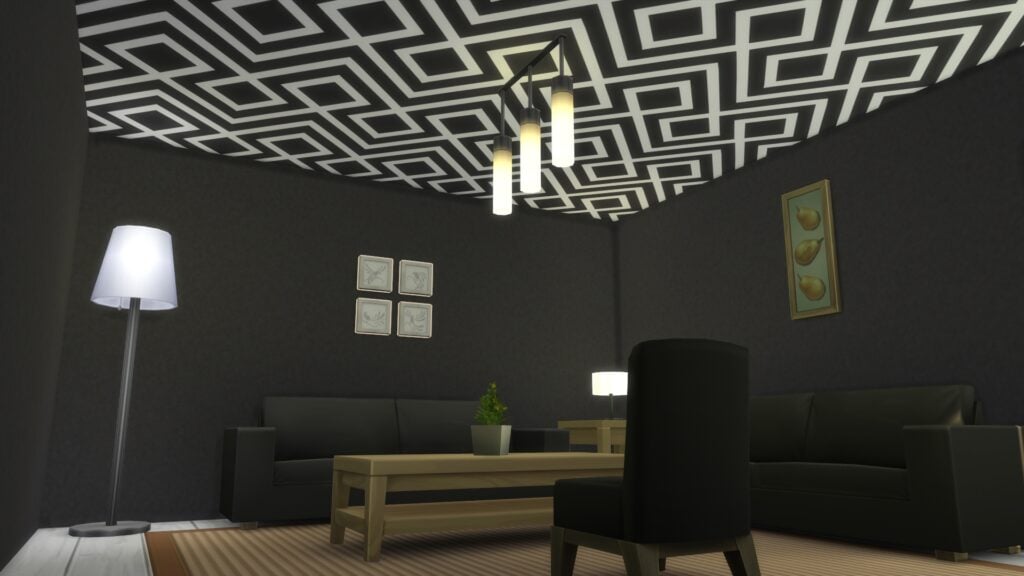
Painted Ceiling in Build Mode
Ceilings can now be customised in Build Mode. The flooring section of Build Mode now says Floors and Ceilings. When you click on it, you’ll see that you can now toggle between tiling the floor or the ceiling, either individually or by room. All existing floor tiles are now available for ceiling application as well.
Floor/Ceiling Tile Swatches
There are lots of new swatches added to existing floor tiles in the base game. You can see all swatches for the floor tiles that have received new swatch options so you can compare the old and new swatches in the pictures below.
Heartwood Plank FlooringForestFine Wood FlooringElegant Parquet FlooringHerringbone Hardwood FlooringRustic Subfloor SlatsBowl of Cherrywood FloorsChestnut FlooringKwality Wide Plank FlooringOld World Wide Plank FlooringWalk the Short Plank Hardwood FloorsEco-Craft Hardwood FlooringHandscraped Wood FlooringLimber Lumber Fashion HardwoodsChipper TanbarkPerfect Pebble PaverThrowback Cobblestone & Brick PaversA Clean Slate TileGreat GravelHigh-Style ConcreteNo Moss Stone PaversAntique Stone TileRockstone PaversRustic SandstoneConcrete Pavers with Gravel AccentQuaint FlagstoneBrick and Blush
Wall Swatches
Several wall patterns also got new swatches in today’s Sims 4 update, many of them designed to match some of the new flooring swatches. You can see all swatches for every wall pattern that got new swatches below so you can compare old and new swatches.
Essence of PastelDesert SkiesAbove-Deck (1)Above-Deck (2)Dulcet DuetBrick & PlasterPlaster Makes Perfect
Door Swatches
The Simple Single-Panel Door actually received so many new swatches that The Sims Team added them in a separate catalogue entry for this door, called the Simple Single-Panel Door – Ranch. You can see all the swatches for the “new” door below:
Fence Swatches
Today’s Sims 4 update also added a whole lot of new swatches to one of the base game fences to give it a more rustic and weathered look. The fence is called the Ladder-Style Horizontal Fencing.
New Fences in The Sims 4 July 2023 Content Update
Free Cam Mode
Players who found it a hassle to have to exit out of Build Mode and move in a family in Live Mode just to take nice screenshots of their builds will be delighted to know that Free Cam mode can now be accessed in Build Mode!
A screenshot taken in Free Cam mode while still in Build/Buy.
Other Cool Stuff!
Build and CAS additions were not all that was added in this Sims 4 July 2023 Update! We also got a new cooking recipe, a better filter system for social events, and lots of bug fixes.
New Recipe
Three Sisters Chili Recipe
The Three Sisters Chili is a new dish that can be cooked on the grill at level 1 of the Cooking skill. The dish is inspired by Native American traditions, using the symbolic three sisters (corn, beans, and squash) which are grown in the same plot together.
Location Filters for Social Events
It wasn’t mentioned in The Sims 4 update patch notes, but The Sims Team snuck in a new filter system to better plan out social events. Possible event locations are now separated by world submenus and players can open and close these submenus to quickly find the location they want to host their event at.
Bug Fixes
In addition to fun new content, this Sims 4 update also contains a lot of bug fixes across many DLC packs. For the full list of bug fixes, check out the patch notes here!
Here’s our full summary of a strangely vague expansion pack stream…
Last week’s “live” gameplay stream for The Sims 4 Horse Ranch has been greatly anticipated by players looking to get a first hand look at brand new content not previously shown off in the trailers. Unfortunately, that didn’t seem to happen. The so-called “livestream” was not in fact live; it was prerecorded and under an hour long in length, which is unheard of for an expansion pack. Typically, expansion pack streams get a full two hours dedicated to them in their gameplay streams.
Many big features of this expansion were simply glossed over and not shown off in any kind of detail at all, such as the equestrian competitions and social events. The stream ended with very little new information being shared. Nonetheless, we do have a full summary of all the main talking points discussed during today’s Sims 4 Horse Ranch stream.
Table of Contents
The Sims 4 Horse Ranch Gameplay Stream Summary
CAS
Horses can be given up to 3 traits in CAS
Some additional traits are only available through breeding
Make foals and horses in CAS
Lots of breeds to choose from
Horses have the full range of customization that cats and dogs have, as well as new stencils and stamps for horse coat patterns
Lots of horse accessories. Leg wraps, tail bows, little hats, saddle pads, blankets, and more.
Horses have both an everyday outfit and a riding outfit
Lots of tack available for a horse’s riding outfit. Mostly Western gear but some English gear as well
Lots of dirty clothes for realistic ranch wear but there are clean varieties too
CAS parts for all ages (yes, including infants)
New facial hair
New hairstyles for masculine and feminine Sims, including 3 hairs inspired by Native American culture which will be in the base game
New Traits: Rancher, Horse Lover
New Aspirations: Championship Rider, Expert Nectar Maker
New Like/Dislike: Riding
World
Chestnut Ridge is inspired by old Western films. Residential world with three neighbourhoods.
Sims can like or dislike riding
Community board in each neighbourhood with lots of helpful info about horse care and competitions. Purchase and rescue horses, hire a ranch hand, and even find out more about the residents.
Sims can collect prairie grass in The Sims 4 Horse Ranch. Horses graze on it but Sims can harvest it by hand to make hay.
New Lot Challenge: wild grass will spread if not cut regularly
Lots of trails for riding in Chestnut Ridge. Go for a ride all over the trails through canyons and waterfalls and lots of beautiful vistas. Go explore Dreadhorse Cavern for cool rewards and storytelling
Plenty of barrel racing opportunities and jumping opportunities along the trail as well as fishing spots.
There are bushes and outhouses along the trail where Sims can relieve themselves when they’re far away from amenities
There is a great swimming location under a waterfall along the Chestnut Ridge trails.
Main strip has a general store and a clothing store. You can purchase sheep and goats from the general store.
Equestrian Centre where Sims can train, watch competitions, buy, sell, and rescue horses here. Jumping, barrel racing, endurance, and western pleasure riding. All competitions are linked to a different skill. Placing in these competitions unlocks higher levels to compete in and can be very lucrative.
Live Mode
Socialize with horses in The Sims 4 Horse Ranch and give them treats to snack on, become their friend to do well in competitions
Riding is a new skill. Poor riders will only walk and trot and look very awkward and fall off a lot. Good riders will be able to canter with ease.
Sims can refill horse feeders wih prairie grass or feed it to their horses by hand.
Muck out stalls. Multiple types of stalls in different styles to build the perfect stable for you. Assign stalls to horses and that will be the stall they always go sleep in.
Horses will poop. A lot. Everywhere. Clean it up yourself or hire a rnch hand
Ranch hands will pick up manure, care for animals, garden, and even fix broken stuff
Horses have different poop qualities and they look different. Their poop is actually pretty valuable because it’s quality fertilizer
New recipes, some inspired by Native American cuisine as well as some classic cowboy dishes.
Sims in Chestnut Ridge will bring this new cuisine as part of the welcome wagon instead of fruitcake
Two new social events: ranch gathering. Grill, dance, drink, and socialize. Ranch animal day, invite neighbours over to spend time with your animals
New cowpoke dance coming with The Sims 4 Horse Ranch
Horses can get spooked by lightning if Seasons is installed.
Sheep and goats can be hugged, played with, and socialized with. They need to be fed and groomed. They help in the garden by eating weeds and bugs. You can also sheer and milk them.
Sims who can’t sleep can count sheep to fall asleep
Some Sims can develop a fear of horses if they have a bad experience with one
Sims can make nectar which is another new skill in The Sims 4 Horse Ranch. More recipes unlock as you build the skill. The recipes tie into lots of things you can grow in your garden. There’s also cross pack compatibility with the occult packs to create special occult nectars.
Nectar racks are stackable. As you store your bottles in them, the rack fills up. Storing your nectar for a long time increases the value.
Once you open a bottle, it only lasts a few days. Nectar can be drunk straight from the bottle or from a glass. Foodie Sims will be horrified by seeing a Sim drink from the bottle.
Children can ride horses in The Sims 4 Horse Ranch. Horses will help kids mount them since they’re smaller.
Build/Buy
CONFIRMED: Painted ceilings will be a free base game update! They are not exclusive to The Sims 4 Horse Ranch
Horses can travel through most doors but the specific new barn doors allow you to ride through them.
New BBQ firebox that looks really Western and rustic
New bedrolls/sleeping bags
Ranch signs can be customized with smaller signs and wall décor to really put your mark on them. Bonding with your horse can unlock more signs to add to your big ranch sign.
Free cam mode will (finally) be added to Build/Buy
Pretty much any floor tile in the game can now also be applied to ceilings but there are new ceiling tiles too
New swatches added to a lot of the existing floor tiles too
EA has released a new feature update for The Sims 4 in preparations for Horse Ranch!
The General New Features Update
The Sims Team has just released a brand new update for The Sims 4 on PC and Mac. The big Sims 4 Update comes just two days before the release of Sims 4 Horse Ranch Expansion, set to release on July 20th, 2023.
This Sims 4 update comes with new features such as Customizable Ceilings, Free Cam in Build Mode, New Hairstyles and more.
Official preview of The Sims 4 July 2023 Update
Sims 4 Update: Patch Notes Overview
How to install the newest Sims 4 Update
You can download the latest version of The Sims 4 by checking for updates through the EA App. Or, Origin if you play on Mac. If you have Automatic Updates enabled the update will automatically download through your client program.
If you play The Sims 4 on Xbox Series and PS4 / PS5 you can request a new update by checking for updates under The Sims 4 game tag.
In case you have Mods or Custom Content, the game will automatically disable them for you after first launching The Sims 4 after the update. To re-enable all your Mods and Custom Content, select the Settings option in the Menu and select Settings. Under the ”Other” section you’ll find the ”Enable Custom Content and Mods” option. Check it and restart your game in order for it to take effect!
Those horses will be comin’ round the mountain in just a few days. To get ready for their arrival in The Sims 4 Horse Ranch Expansion Pack, we have rounded up a number of exciting Base Game updates and bug fixes to share with you. Let’s get into it.
-SimGuruGeorge
What’s New?
First off, let me introduce SimGuruAsh.
Heya, Simmers! Today’s update has an array of new hairs and Create a Sim presets.
Braids and long, flowing hair is important to the cultural identity of Indigenous People in America. To reflect this in-game, we are enthused to add three hairstyles in the form of a Double Braid, Single Braid, and Lengthened Hair that extends down to your Sims mid-back.
For our East Asian Sims, we have a large selection of new Eye Presets and Brows in tapered, straight, and wavy shapes.
You’ll also see three new under-eye bags in the Eye Details category.
To bring something delicious to the table, the Three Sisters Chili is now available to cook on the grill. In Native American tradition, “the three sisters” are corn, beans, and squash. They grow best together in the same plot. The eldest sister, corn, provides a strong foundation for the beans to climb. The beans enrich the soil with nitrogen. The youngest sister, squash, covers the ground, protecting all of their roots.
We can’t wait to see what kinds of Sims and stories you create with this update!
SimGuruGeorge back now. Traits have had a bit of a reorganization. You will now find traits more evenly distributed under the Emotional, Hobby, Lifestyle, and Social categories
I’m so excited to tell you about Ceilings! The ability to apply colors and patterns to the ceilings is now yours. When you open up Build Mode you will find the update where you would previously apply Floor Patterns (now renamed Floor and Ceiling Patterns). Simply select Ceilings by Tile or Ceilings by Room. Then select your pattern and apply it to the ceiling of your choice. This does not apply to the underside of roofs.
You can now enter Free Camera in Build Mode to get the best look at those Ceilings. Simply enable it as you would in Live Mode. There are a number of Wall, Floor, Fence and Door patterns which have been updated with additional colors. The full list is below so you can find these updates in your game.
New color variants have been added for the following wall patterns
Essence of Pastel
Desert Skies
Above Deck
New color variants have been added for the following wood floor patterns
Heartwood Plank Flooring
ForestFine Wood Flooring
Elegant Parquet Flooring
Herringbone Hardwood Flooring
Rustic Subfloor Slats
Bowl of Cherrywood Floors
Chestnut Flooring
Kwality Wide Plank Flooring
Old World Wide Plank Flooring
Walk the Short Plank Hardwood Floors
Eco-Craft Hardwood Flooring
Handscraped Wood Flooring
Limber Lumber Fashion Hardwoods
Chipper Tanbark
New color variants have been added for the following stone or brick floor patterns
Perfect Pebble Paver
Throwback Cobblestone & Brick Pavers
A Clean Slate Tile
Great Gravel
High-Style Concrete
No Moss Stone Pavers
Antique Stone Tile
Rockstone Pavers
Rustic Sandstone
Concrete Pavers with Gravel Accent
Quaint Flagstone
Brick and Blush
Dulcet Duet, Brick & Plaster, and Plaster Makes Perfect wall patterns have been updated with matching color variants.
New color variants added for Ladder-Style Horizontal Fencing.
New color variants have been added for the Simple Single-Panel Door as its own door, the Simple Single-Panel Door – Ranch.
Bug Fixes
Consoles
Fixed an issue where the cursor would become unresponsive after selecting an aspiration.
When reviewing the “My Packs” tab in the Main Menu, Players will now see Growing Together first when selecting that pack.
The Sims 4
Live Mode
Sims now more consistently wash hands in the sink closest to the toilet.
The Items Removed error message will no longer appear if you own everything on the lot.
The Have a Baby Neighborhood Story will no longer cause pregnancies for Sims that are listed as unable to become pregnant in their Gender Settings.
Knafeh now remains visible even from a distance. If you have not tried this delicious dessert in real life, we highly recommend it!
The R&B station now includes ”BMO” by Ari Lennox, ”breathe again” by Joy Oladokun, and ”Blessed” by Becca Hatch & Tentendo.
Flowers no longer sometimes break when loading a saved game..
Sims now receive satisfaction points from confronting their Fears.
Reaching the top of the Military Career will now reward the player with the appropriate celebration screen.
The ‘Help with Needs’ animation on Infants now is smoother when a Sim picks them up.
Cleaned up animations for Teenage Sims while they are angry, seated, and focusing on a Sim adjacent to them.
Build Mode
Stacking intersecting curved walls on top of each other no longer creates gaps in the ceiling of the lower room.
Doors can now be placed on the wall under circular roofs.
Interior corner walls with stilt foundations can now be deleted.
Curved walls no longer cause seam lines to appear on terrain
Raising terrain and then undoing that height adjustment or placing a platform no longer prevents objects from being placed in that area.
Fixed a rare issue where placing stairs at the edge of a platform would cause floating planks to appear above the stairs.
Raising and lowering a platform with stairs attached no longer sometimes cuts out a segment of the wall.
The Sinks category icon in Build Mode now lines up perfectly.
Double and single gates no longer sometimes pop up one floor level when being placed on exterior fence walls.
Players will now be able to click and drag the sledgehammer across curved walls to delete them.
Stair railings have been added to multiple pre-built homes. Safety prevails!
Create a Sim
When using a mirror, applied skin details are now saved after exiting Create a Sim.
When using a mirror, birthmark skin details are now saved after reentering Create a Sim.
The tops no longer give female Sims rough shapes.
Fixed an issue where the jersey caused incorrect fingernail colors to display.
The tank top now tucks underneath pants, skirts, shorts, etc.
Create a Sim UI has been updated so that the Select Traits title won’t overlap with other visual elements.
Misc
Entering the wrong Twitter credentials or completing the email verification requirement no longer causes the game to crash.
The game now gracefully handles disconnecting Bluetooth devices.
Get to Work
The Robot on the Invention Constructor will now respond to requests to chat.
Invention Constructors have been repaired. They now properly display their holographic displays in the construction area and not on top of the Sim operating the device.
Sims in the Doctor Career can now calibrate X-ray Machines. This info has been added to their medical training.
Alien fertility increased. Male Sims that are abducted by Aliens can now get pregnant.
Cats & Dogs
Townie Sims no longer occasionally unleash their Dogs before walking out of a neighborhood. There will be no more flashbacks to Seymour waiting in front of a pizza shop.
Paint Mode for Dogs had a white swatch that now properly is brown..
Seasons
Hang This Support Beam spandrel no longer turns white when it snows outside.
Interactions for lighting a Menorah or Kinara now have unique icons.
The interaction to build a Snowpal will no longer fail while visiting Mt. Komorebi.
The outfits ymBody_EP05SkateOutfit_swanGray and ymBody_EP05SuitVelvet_SolidBlack no longer distort Sims legs.
Get Famous
Hairstyles unlocked by the Acting Career now show all newly added hair swatches.
Island Living
Mermaids previously would not die due to starvation or aging up. That has been fixed. Remember to feed your Mermaids!
[MAC] Fixed a small shader issue on the Lagoon Look lot in Sulani.
Discover University
Listen To interaction has been added to the Party-Bot.
Thick window frames will no longer stick out when the camera pans behind them.
The amount of Robotic Scrap gained when performing an Experiment on a Chemistry Lab has been tuned down.
Sims will now get a 200 simoleon higher bonus for starting the Chef Career track after getting a university degree. It practically pays for itself.
Eco Lifestyle
Fixed an issue where the Wood Ear Plugs (yfAcc_EarringsEP09EarPlugsWood) appeared discolored when paired with specific hairstyles.
Fixed a rare issue where the Eco Inspector would still issue fines to Households that had upgraded their appliances.
Fixed an issue where Neighboring Sims could not be sent home. Neighborly manners have been repaired.
Removed a duplicate Place in World interaction that appeared on Trash Fruit in the Sim’s inventory.
Snowy Escape
Ski Boots no longer appear in the ‘Change Outfit’ picker. Sims will also remove Ski Boots when bathing. A ‘Take Off Snow Boots’ interaction has been added.
Hang This Support Beam from the Seasons Expansion Pack no longer appears blank when placed on the Yukimatsu lot.
Fixed an issue where Snowy Escape Doors would cause a small shift in the wallpaper on the wall they were placed on.
Cottage Living
Animals no longer age up and die when the ‘Animal Aging’ option is turned off in Game Settings.
Fixed an issue where Earbuds would occasionally play multiple songs at the same time when listening to Cottage Core music.
Cows and Llamas come out of their sheds autonomously and no longer are unhappy when their shed is clean and full with feed.
Fixed a few cases where Sims would not autonomously choose to Knit & Cross Stitch.
Sims are now able to socialize with Rabbits.
Fixed an issue where Chickens would not eat treats.
Residents of Henford-on-Bagley will less often mention how local residents are in need of help.
Animal friends now appear in the Relationship Panel filter for ‘Friends’.
Various translation fixes have been applied to the Wild Rabbit Home.
The Start Gardening Help for All Rabbit Residents interaction is no longer missing from the Wild Rabbit Home.
Rooster images now show more of the Rooster.
Matzah Ball Soup and Challah now are available for the Simple Living Lot Challenge.
Sims now immediately join cooking during the Cook together with interaction.
High School Years
Sims will no longer return from work or school early on the day they change the color of their Phone Case.
Townie Sims are no longer all pansexual.
Ship to Buyer no longer breaks when the Sim replaces the Mailbox on their home lot. Trendi sales can now be completed.
The Want to Listen to Music has been tuned to occur less frequently.
Fixed High School Years hairstyles that were applying hair color to Sim’s ears.
Fixed an issue where Teen Sims would stay at Career Day too long which prevented them from serving detention. This would then get them expelled.
Fixed an issue where Sims who left graduation early were occasionally stuck in their graduation outfits.
Infants and Toddlers no longer use the same animation as adults when using the EZ Access Window object.
Fixed rare situations where the Angry About Crush sentiment was triggering incorrectly.
The Ask about Graduation interaction is no longer available on Sims that haven’t been greeted.
Growing Together
Karmine Luna no longer appears with a random personality trait in each new save.
Broken objects on Activity Tables no longer are observed when placed in Treehouses.
Fixed a rare issue where food made by Eleanor Sullivan could not be cleaned up.
Fixed unusual cases of Adult Sims refusing to pick up and interact with Toddlers that had returned from daycare until those Toddlers had changed outfits.
During the New Born’s Age Up interaction, the Baby’s First Rug object is now placed in more appropriate locations.
Fixed an issue in specific languages where the Title on the Self-Discovery Personality Trait pop up would overlap with other text on the screen.
Sims sitting on couches can now perform social Crib interactions.
Dine Out
Fixed a rare issue when running a restaurant where Hosts and Chefs were not able to be hired from the Manage Employees menu.
Fixed an issue where sometimes opening the Sim Profile of a Chef would instead open the Sim Profile of the last Sim the player had looked at.
Vampires
Vampire Sims can now do group dances on the dance floor.
Realm of Magic
Sims now hold Valerian Root properly when eating it from Inventory.
Star Wars: Journey to Batuu
The Batuu Radio Stations are now available for Likes and Dislikes in the Music Genre category in Create a Sim.
Dream Home Decorator
Sim Preferences now support custom pronouns in English.
My Wedding Stories
Fixed pricing for a few pack items.
Dance floors now have the ‘Dancing skill’ tag in Build Mode
Decorative objects now have an ‘Environment’ value.
Werewolves
Players are now able to add, change, or modify body scars during the game.
Moon textures are no longer the same in all worlds.
Added new Clean Up Books interaction on most genre books (not including homework or skill books) that are in the open street and not owned by the Player’s Sim . This will allow books to be cleaned up.
Movie Hangout
Sims can now watch TV without needing player direction.
Knifty Knitting
Added new text to show that Sim’s are able to knit onesies for Infants and Babies as well
Moschino
Moschino item prices have been adjusted to fit the style.
Bust the Dust
Vacuum Cleaner game performance now is even more… sucky…. In a good way, of course.
Courtyard Oasis
The ‘Functional Off-The-Grid’ stat has been added to the Sunset Glow Lantern object and the incorrect ‘Power Consumption Rating’ on the object has been fixed.
Items from Courtyard Oasis Kit, Industrial Loft Kit, Decor to the Max Kit, and Little Campers Kit have been tuned to have more sensible pricing and environment values.
Carnaval Streetwear
The Carnaval Radio Station is now available for Likes and Dislikes in the Music Genre category in Create a Sim.
What are your thoughts on this Sims 4 Update? Let us know about your game experience in the conversation below!
We hope we’re wrong but it’s giving us My Wedding Stories vibes…
We need to talk about The Sims 4 Horse Ranch, guys. Namely, today’s developer livestream that was supposed to show off all the gameplay this expansion pack has to offer but did pretty much everything but that. However, we’re not going to be criticizing what you might think. We could debate forever over whether this expansion pack has enough content in it to call itself an expansion pack. For the most part, that’s a subjective argument depending on what kind of content you deem valuable or not.
We’re not going to talk about that. What we are going to talk about is all the red flags this livestream raised for us that gives us a sinking suspicion that The Sims 4 Horse Ranch is not finished and not fit to be released. This is probably the expansion pack we have been looking forward to the most so we really, desperately hope that we’re wrong. But having survived the My Wedding Stories fiasco in the past, it’s impossible not to notice a repeating pattern here.
Table of Contents
Why We Think The Sims 4 Horse Ranch is Unfinished
Again, we really hope we’re flat out wrong in our suspicions. We want The Sims 4 Horse Ranch to be amazing SO bad. We will happily eat our own words if all of this turns out to be false but as of right now, everything we saw today reminds us of the disastrous My Wedding Stories launch.
A Prerecorded Livestream
While prerecording livestreams is not uncommon for big events that EA puts on, such as Behind The Sims, it’s pretty much unheard of for a gameplay livestream. The whole point of tuning into a gameplay livestream is so players can see how the pack behaves in real-time. Prerecording this kind of stream is immediately suspicious and tells us they were scared to show off any live footage of the pack.
If you’ll remember, the livestream for My Wedding Stories was pretty disastrous. The devs only showed off one event and literally everything went wrong with it. Perhaps EA also remembers this and prerecorded another unfinished pack stream to cover up any embarrassing glitches like that.
Still Putting on “Finishing Touches”
Right away at the beginning of The Sims 4 Horse Ranch stream, SimGuruJoann tells players that they’re still putting “finishing touches” on the pack and that some of what we see in the stream may be different from what we see when we get the game. This would be perfectly fine and expected if we were being shown an early development demo, but we are less than one week away from launch. At this point, the expansion should be pretty much finished. Nothing should look or behave differently for us than what we see in a livestream this late in the game.
That tells us that they’re scrambling to finish an unfinished pack at the last minute. This is exactly what happened with My Wedding Stories and the players suffered for it in the end.
Where’s the Gameplay?!
Okay, okay, we said we’re not going to talk about the lack of gameplay. And we’re not! But what we are going to point out is all the gameplay that actually is in The Sims 4 Horse Ranch that we didn’t get to see. Why not?!
Even though the Equestrian Centre is clearly a rabbithole, we were still looking forward to seeing the mechanics of how the competitions worked. Aren’t the equestrian competitions one of the biggest features of this pack? There’s a whole aspiration dedicated to them! Instead, we were told that it was too late at night to show them off. What? Since when has that stopped the developers from showing off important pack features before? They often utilize dev cheats to fast forward time and trigger specific gameplay for the sake of the stream. They used the same excuse for why we couldn’t see the functionality of the general store and clothing store.
They gave no reason whatsoever for why they couldn’t host a social event during The Sims 4 Horse Ranch stream either, other than they had to keep moving with the stream. Again, not a very good excuse for a stream that was already less than half the length of a typical expansion stream. Something just isn’t adding up there.
This is just yet another example of how The Sims 4 Horse Ranch launch is following in the ill-fated footsteps of the My Wedding Stories launch. That game pack came with seven different social events which were the main focus of that pack, yet we were only shown one (which didn’t work).
Not Looking Good…
Overall, it’s not looking good for The Sims 4 Horse Ranch. This is probably one situation where we would love to be wrong about our suspicions but we’ve been covering The Sims 4 for a long time. Long enough to notice alarming patterns when we see them.
Still, we do maintain a feeble hope that this expansion pack will be great. It deserves to be great. We want it to be great and we do hope it will be… at launch. Not a month later after numerous emergency patches, like My Wedding Stories.
You can catch the stream replay here if you missed it. And if you’re curious about the chaotic launch of My Wedding Stories, check out our website category!
The latest livestream from The Sims team gave us an insight into some brand new and exciting Base Game build features that will be coming in The Sims 4 July update!
Table of Contents
The Sims 4 July Update Roundup
As stated in the live stream, the Sims 4 July update will be adding two more much-requested features to build mode! Both of these new features are totally free and will be available in the near future.
Free Cam in Build Mode!
Much like the free cam mode in Live mode, it is finally making its way to Build Mode. Up until now, players were only able to access the free cam in Build Mode via the use of Mods. Of course, if you are a console player, you were unable to do so!
This has been a feature requested often over the last few years and it is finally making its way to Build Mode! It really is going to be a great tool for builders. No longer will we need to keep hopping in and out of Build Mode to take screenshots or make sure we’ve got a random Sim on the lot we can swap out to!
Ceiling Paints
Yes, you read that right! After nearly nine years we can finally paint the ceilings in our builds! This has been something that has been asked on so many occasions for as long as we can remember and finally it is coming in this The Sims 4 July Update!
During the live stream SimGuruJoAnna, SimGuruGeorge and Art Director Stephen, showcased the new tool to players.
Much like how you would create a floor in The Sims 4 at the moment, painting a ceiling is pretty much the same concept.
To utilise this new tool in the upcoming The Sims 4 July Update, you’ll notice that the Flooring category has been revamped slightly to accommodate the changes. You’ll now be presented with several different options allowing you to furnish both floors and ceilings going forward.
Naturally, SimGuruJoAnna, SimGuruGeorge and Stephen gave us a sneak peek as to how the new feature works!
Let’s have a look at the new ceiling paint tool in action during the stream.
The great thing about the new ceiling paint tool is that you can use any of the flooring options that you have in your game from both Base Game and any additional packs that you own.
Also showcased during the live stream, that is coming in The Sims 4 Horse Ranch expansion was the new ‘clouds’ floor/ceiling paint. From a building perspective, it would give you the option to create some really cool themed rooms for Kids!
Just imagine staring at the night sky from the comfort of your own bed!
You may have also spotted that when creating ceilings, you’ll also be able to see the placement of any ceiling lights. This will be helpful especially if you are trying to create a more detailed ceiling which could include rafters.
Updated Base Game Swatches
It was also confirmed during the live stream that a number of Base Game flooring options will be receiving new colour swatches. While specific ones weren’t shared in detail, it was stated they will be coming in The Sims 4 July Update!
More details regarding the updated colour swatches are to follow once the patch is released.
That’s everything you need to know about the upcoming new features in The Sims 4 July Updated! Stay tuned to Sims Community for all the latest from The Sims franchise!
Want to know what the next Sims 4 World is going to look like? Check out the Chestnut Ridge World Map!
There’s a new Sims 4 Laundry List! Here’s a list of fixes you should expect
The Sims Team has just published a brand new Sims 4 Laundry List for July 14th, 2023!
If you are new The Sims or don’t know what a The Sims 4 Laundry List is, it is a list of fixes The Sims Team share with players as to what to expect in the upcoming game update for The Sims 4.
The Sims 4 Laundry List
Let’s take a closer look at what is in the upcoming update:
Sul Sul Simmers!
Welcome to this month’s Laundry List, where we share a list of the top community concerns we’re currently investigating and hope to resolve in the next update that will be released alongside The Horse Ranch Update. This is only a list of topics with upcoming fixes; there are more topics reported by players that are not listed and are still being worked on. This list is based on reports by players on Answers HQ and helps us continue our work of improving the user experience on a regular basis.
Please note that some topics can be tricky and may require an extended investigation on our end, so even though we are actively reviewing, it’s not a guarantee that we’ll have an immediate fix in the upcoming patch.
Here’s the list of the community concerns we’re investigating and aiming to resolve in the game update this month:
Thank you for all your patience and valuable help in reporting! Please continue sharing with us any issues you’re experiencing on Answers HQ.
We’ll continue to check in and together we can make this game the best it can be.
Happy Simming!
When is the next Sims 4 Update?
Based upon the previous The Sims 4 Laundry Lists, we should expect to see the next The Sims 4 Base Game update in the very near future. The last few Laundry Lists have seen game updates release around seven days after publication. However, this is based on the release windows we’ve seen in the past and this may vary for this next patch.
Considering that Horse Ranch Expansion Pack is releasing on Thursday, we can expect the next Sims 4 Update on Tuesday, July 18th 2023.
Let us know your thoughts!
We want to hear your thoughts and opinions on this latest The Sims 4 Laundry List. Simply leave us a comment below this post!
You can keep up to date with everything happening in The Sims 4 right here on Sims Community!
We’ve got a full look at the Chestnut Ridge World Map!
The upcoming expansion pack for The Sims 4 features a brand new world called Chestnut Ridge. This Sims 4 Horse Ranch World Map preview from the latest Sims 4 Developer Livestream will take you through the new neighborhoods and lots. Come check out what’s new!
Table of Contents
Horse Ranch World Map – Chestnut Ridge
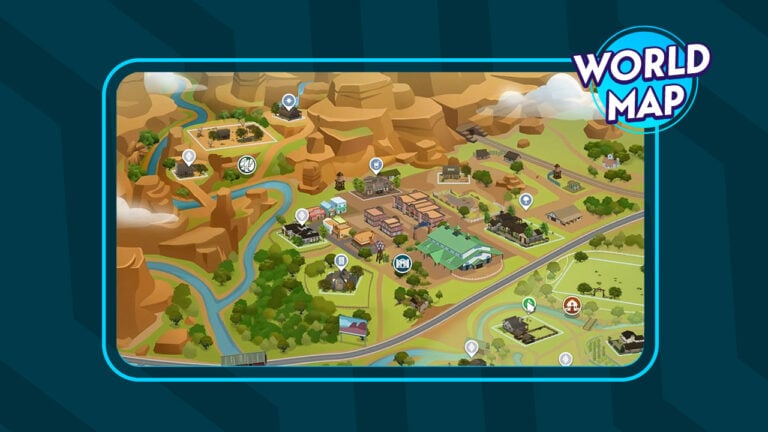
The Chestnut Ridge world from the Horse Ranch Expansion Pack features 4 distinct neighborhoods. New Appaloosa, Rider’s Glen, The Ranches, and a national park area called Galloping Gulch are a part of the Chestnut Ridge experience.
Check out the full Sims 4 Horse Ranch World Map below:
World Icon
Chestnut Ridge World Map
World Backstory
This community formed when several groups embraced their mutual connection to Horses and the land. The area soon became known as a hub for all things Equestrian: a town steeped in expertise with raising and training Horses, set against a beautiful and expansive landscape. Over time, the area became famous for another endeavor, as the rich soil brought in the new enterprise of Nectar Making. Thanks to the hard work of everyone involved, the region flourished and became the Chestnut Ridge it is today.
Chestnut Ridge Neighborhoods
There are 3 Neighborhoods within the Horse Ranch World Map, including:
Galloping Gulch (3 Lots)
Lauded as one of the go-to regions for Horse Riding, the Gulch is chockfull of gorgeous trails and stunning outlooks. Explore the Gulch’s wonders as you honor the noble Horses that have passed on at Steed’s Rest. Explore the perilous Dreadhorse Caverns. or enjoy time under the stars at Saddle Summit Campgrounds.
New Appaloosa (5 Lots)
The historic New Appaloosa serves as a hub for Horse Riders, Ranchers and Nectar Makers. Whether competing at the Hay Now! Equestrian Center, enjoying a night out at the dance hall, or savoring Nectar with good friends, this old watering hole has something for everyone.
Rider’s Glen (5 Lots)
Watched over by the Trusty Steed Rock, known as “Ol’ Biscuit” to the locals, Rider’s Glen has been home to generations of Ranchers and Nectar Makers. With open space for Ranch Animals, ideal conditions for Nectar Making, and kind neighbors to boot, Rider’s Glen is a welcome community for all walks of life.
Chestnut Ridge Lot Sizes
Principal Designer for The Sims 4 @Mattnetic has shared a Map of Chestnut Ridge, featuring all of the lots and their sizes. Check out which lot sizes you can expect and plan your builds ahead of the release!
Chestnut Ridge Lot Sizes
What are your thoughts on The Sims 4 Horse Ranch World Map? Join the conversation down below and stay tuned to Sims Community for news and updates on the upcoming Expansion!
EA is holding the official livestream for the Sims 4 Horse ranch Expansion. Come tune in!
EA and Maxis are holding the official livestream for The Sims 4 Horse Ranch Expansion Pack on July 14th, 2023. The livestream is happening right about now, so make sure you tune in!
The Sims 4 Horse Ranch has shown off a lot of new gameplay and features, but one thing it hasn’t shown is Sims 4 unicorns. Until today! Players who were worried that they would not be able to have a pet unicorn can rest assured that unicorns do in fact exist in this expansion pack! They were shown off in the latest promotional video from The Sims on their social media, featuring BRELAND, the Compton Cowboys, and Trixie Mattel.
Let’s dissect all the new footage of Sims 4 unicorns!
Table of Contents
The Sims 4 Unicorns: Brand New Screens!
Here’s our first look at unicorns in CAS! Now, it’s important to note here that it’s entirely possible that unicorns are just regular horses with a horn added to them in CAS. We don’t know if they come with any special abilities or unique gameplay. We didn’t see any in this preview but nonetheless, we do see a unicorn in CAS, designed by Trixie Mattel. The unicorn is lovingly named Trixie Mattelicorn and we can see that we have customizable breeds because this unicorn’s breed is labeled as “Palominokayyyyy.”
We can also see that this unicorn has a rainbow coloured horn as well as custom eyeliner (very Trixie Mattel) painted onto them, as well as sparkle stamps all over their body.
What this means is that horses in The Sims 4 Horse Ranch will likely be paintable in the same way that cats and dogs are. We highly doubt this is a customization feature intended for unicorns only. We’ve seen regular horses in other promotional material with similar coat customizations.
We get a glimpse of Trixie Mattel’s simself leaping majestically over a horse jump with her Trixie Mattelicorn later in the video. We’re big fans of the pink bridle and saddle here. We can’t get a super clear look in this shot but we also spot what might be a bow at the base of this unicorn’s tail. If that is indeed what it is, it is super cute!
No unicorns in this shot but check out this pretty cool screen of one of the Compton Cowboys doing some barrel racing on a very majestic-looking steed! We can also catch a very small glimpse of horseshoes on this horse’s hooves and some more traditional leather-coloured riding tack for the horse. We’re loving the variety of styles in both the horses and the riding tack here.
No horse or Sims 4 unicorns in this shot but it is a good look at some of the new line dancing moves coming with this expansion. We also see a lot of the new Horse Ranch CAS assets being worn by Trixie Mattel, BRELAND, and the Compton Cowboys in their Sim forms here.
Diversity in Music and Games
The video wasn’t just about Sims 4 unicorns, though. Embracing diversity in both video games and country music was also a central theme. All of these artists talk about how important it is to follow your passions and live up to your own expectations for yourself rather than the expectations that society places on you based on your identity. This is definitely something that many Simmers can relate to and find inspiration in!
The above screens of BRELAND making himself in CAS not only shows off The Sims 4’s ability for players to see themselves in-game but also gives Simmers another sneak peek into The Sims 4 Horse Ranch’s CAS catalogue. See any pieces you like?
We’ll keep you up to date on any more Sims 4 unicorns news if and when it’s made available so keep an eye on our Sims 4 Horse Ranch category! Suly-Suly!
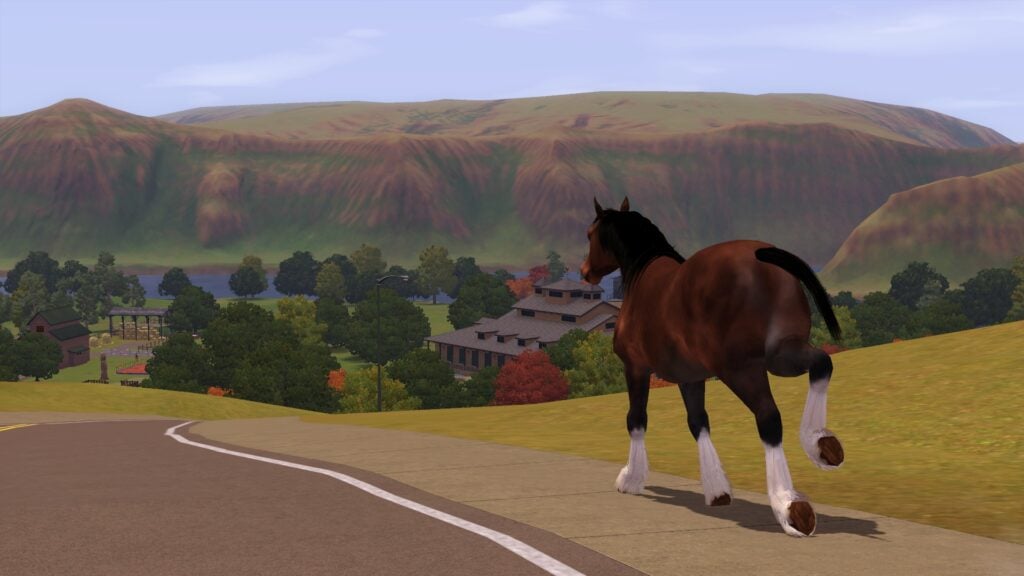
Despite owning The Sims 3 since its launch and the Pets expansion for some time, I’ve never explored The Sims 3 Horses in game. Of course, I’ve seen them roaming around my world yet, I’ve always kept myself to just playing with Cats and Dogs.
Now, you might be thinking, how is that possible? Well, I just never got around to it. However, with The Sims 4 Horse Ranch expansion pack releasing soon, now was probably the best time to experience The Sims 3 Horses for the first time.
Table of Contents
A Neigh-bourly Experience
First things first, I needed a Sim. I jumped straight into Appaloosa Plains and started to explore the pre-made households. After some exploring, I decided to go with the pre-made Curley family, who reside in Curley Copse. They were a small household of two Sims and a cat called Petunia, nothing too difficult, right?
“Dangnabbit, NO this land is not for sale!” – These are the first and last words any politician or businessman will hear when they pay Tate Curley a visit. As a descendant of one of the oldest settlers in town, Tate finds himself sitting on a prime piece of real estate right along Main Street. As outside pressure increased, Tate and Esme became introverted and guarded, building walls to keep unwanted visitors out. If someone could only find a way to break through their gruff exterior, a veritable encyclopedia of the town’s history and stories of the old west await.
The Curley Household – Appaloosa Plains
Curley Copse – The Curley Household
I have to admit, I’m playing The Sims 3 completely vanilla, with no additional mods or tweaks made to the game. The reason I chose to play like this was because this was how I would have experienced the game when I originally played The Sims 3 back in the day!
With that aside, it was now time to find my first horse!
Acquiring a Horse
I know, I know, why didn’t I just create one in Create A Sim when I started? That would have been too easy, much like choosing a household that already had a horse too. Luckily, finding a horse is straight forward.
I hopped onto Esme’s laptop and searched for pets to adopt from the local animal shelter. You can also adopt a horse by using your Sims’ mobile phone or by the newspaper.
After being presented with several adoption options for The Sims 3 Horses, I settled on an Adult horse named Hiphop, however before they arrived, I had to make sure my lot was ready for them!
With everything ready, it was time to welcome Hiphop to the family!
Welcome to the Family!
Welcome to the Curley Household, Hiphop!
I’ll admit, I wasn’t sure what to expect now that I had adopted a horse, however after Hiphop appeared on my screen for the first time, I knew it would be okay.
I Immediately got to the basics of building up a relationship with Hiphop and taking care of their needs. This was pretty straight forward and didn’t take long for our new friend to become an integral part of the Curley household.
So far, my impressions of The Sims 3 Horses has been pretty positive however, I’ve only scratched the surface. There was still a lot to find out and discover. Something that I knew would only take time through playing.
At this point, my computer was somewhat undecided on if it wanted to co-operate or not but, regardless of that, I pushed through the few issues I was experiencing so that I could explore Appaloosa Plains with my new horse friend.
Exploring Appaloosa Plains
Now that a few days had passed, it was time to explore the neigh-bourhood. Initially, I took my Sim out with Hiphop to explore the immediate area around Curley Copse. We bumped into some other Sims with their horses but decided it was time to take it to the next level. It was time to visit the Equestrian Regional Training Grounds.
At this point, I felt that I had a pretty basic understanding of The Sims 3 Horses. More so in regard to taking care of their needs and building a relationship with them.
Training & Seminars
Before I had a chance to get to the training ground, I was presented with a Seminar opportunity. The random event gave me a chance to improve my Skills with Hiphop in The Sims 3 Horses.
Without further ado, both my Sim and Hiphop galloped into the session!
The seminar was a hit and we improved on both our Jumping and Racing skills. As my Sim was at the Equestrian Regional Training Grounds, I decided it was best to take advantage of the facilities on offer to me. This turned out to be beneficial for everyone as well as a lot of fun overall.
My Thoughts on The Sims 3 Horses so far
Now that I’ve had a chance to explore the basics, the next task will be levelling up Hiphop’s skills and relationships. I might even enter a few competitions in the future too! Once I’ve done that, I will be looking to add another horse (or two) to the household and even look into breeding horses as well as hopefully discovering a mystical unicorn.
I know I’ve only really touched upon the basics, and there’s still a lot more to explore. I’ve also got the Horseman career that I’ve still got that I can explore too! There’s still some time left between now and The Sims 4 Horse Ranch releasing so I’ll have a chance to play and discover more until then. It’s been a lot of fun so far and I can’t wait to see what else The Sims 3 Horses has in store for me!
Having left explore The Sims 3 horses for so long, it does make me wonder why I did leave it so long. I had a lot of fun discovering features of The Sims 3 I hadn’t before and I’m looking forward to exploring more in the Pets expansion and the game as a whole going forward!
We hope you enjoyed having a look at The Sims 3 Horses ahead of the upcoming expansion release with us. Sims Community will be keeping you up to date with everything you need to know about The Sims 4 Horse Ranch right here!
Much like how many farming simulator stories start, we need your help with our latest The Sims 4 Fixer Upper!
Needless to say, our ranch has seen better days. Having been left alone for a number of years. The ranch itself is totally overgrown with greenery. The barn is full of junk that doesn’t belong in there making it unfit for purpose and as for the outhouse, well that needs a new purpose. The graffiti and rubbish laying around the yard also needs to be removed.
Does anyone know who to contact about removing a giant Oasis Springs Dinosaur that’s gotten a little lost from a pond? We’re asking for a friend of course!
However, it’s time to bring a new lease of life into our ranch and get it ready to become a family home for your Sims, horses and various other small animals.
Can you Rescue the Ranch?
Table of Contents
The Sims 4 Fixer Upper Challenge
The aim of this Sims 4 Fixer Upper challenge is to have fun. Even though we are not putting a total value on the finished build, we want players to push the boundaries when renovating this ranch.
While the overall task for this The Sims 4 Fixer Upper is straightforward, there is still a handful of rules that need to be followed.
Challenge Guidelines
Renovate the Ranch!
Must be placed on any available 40×30 Lot you have free in your game.
There is no monetary target for this Sims 4 Fixer-Upper. Let your creativity run wild!
Frequently Asked Questions
You can use any packs that you currently own.
T.O.O.L & DEBUG allowed as well as custom content.
While this is a Ranch build, the lot has been placed on a Generic Lot Type.
You can not change the placement of the original internal or external walls. You may add extra walls/fences where needed.
You can change the fence style but not the placement.
The placement of the Windows and Doors as well as the style can be changed.
You may change the shape and style of the roofs used on the lot.
Take a closer look at the Ranch!
Want to see more of the ranch that needs a lick of fresh paint? Check out the gallery below!
Left Hand Outdoor PaddockRight Hand Outdoor PaddockBarn ExteriorBarn InteriorSecret Fishing PondRanch House ExteriorLiving AreaKitchen & DinerUpper LandingUpstairs BathroomMaster BedroomSecond Bedroom
Lot Information
Lot Size: 40×30
Lot Value: §46,995
Lot Type: Generic
Packs Used: Base Game + DEBUG items from Base Game
Note: As there is no monetary aspect to this challenge, please use either the Motherlode or Freerealestate cheat to place this lot.
Unlike previous The Sims 4 Fixer Upper challenges that we have run, we will not be holding a showcase for this challenge. Instead, we encourage those who have taken part to share their renovations on social media and The Gallery.
We can’t wait to see how you fix our build! Be sure to tag us on social media and use the #SCRanch tag, so we can see any videos or screenshots you share!
Note:This build is not a part of our Sims Community Challenges. To find out more about our original Sims Community Challenges, click here.
Next Steps
Once you’ve finished your build, you can share your Gallery IDs in the comments below or share your screenshots over on our Discord Server.
Get a sneak peek at some of the new nectar making stuff!
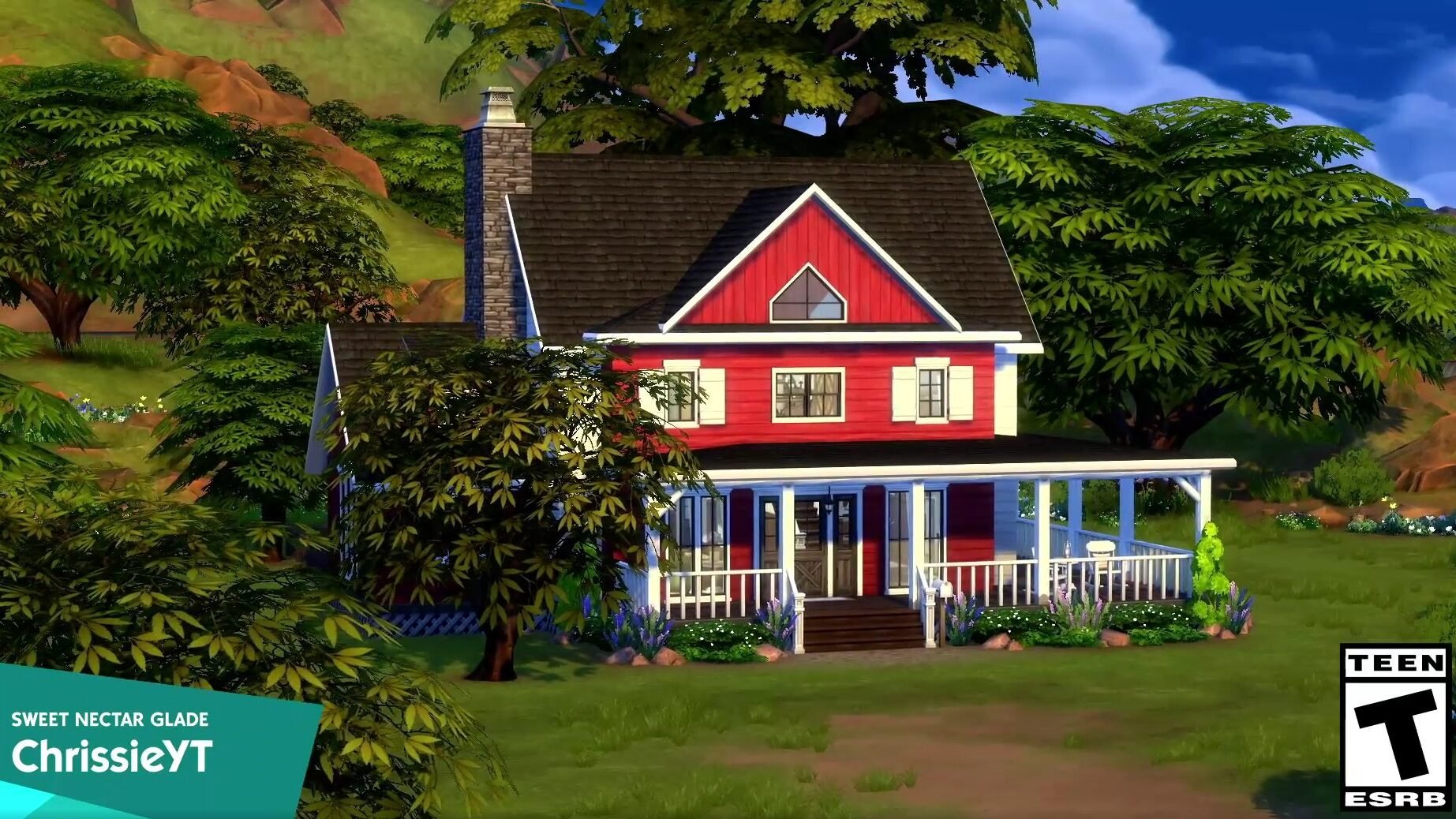
The Sims 4 Horse Ranch isn’t just about the horses; other features like Sims 4 nectar making are also a big focus of this upcoming expansion pack. We’ve seen a little bit of nectar making in action in the official gameplay trailer but we also got a pretty good look at a nectar making build by ChrissieYT, who helped create the builds for this pack.
There’s plenty of detail in this build preview The Sims showed off on social media today and we want to point out all the nectar making objects as well as some other interesting build assets that stand out to us so let’s analyze some of the screens from the short video clip!
Table of Contents
The Sims 4 Nectar Making Build Assets
Living Area
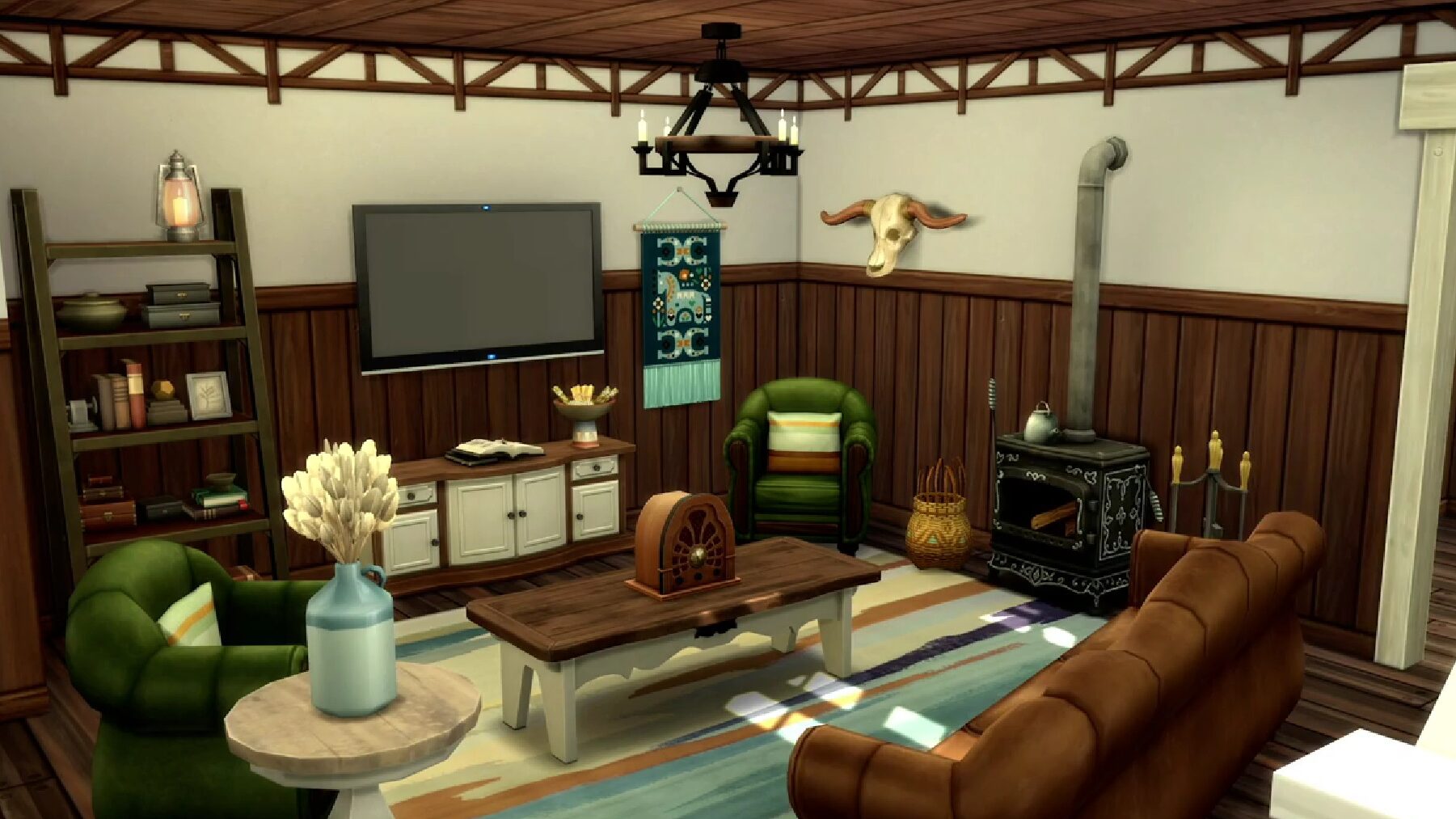
The living area of this home doesn’t have much to do with Sims 4 nectar making but it’s definitely worth taking a closer look at, anyway! We love the ornate wood-burning fireplace in this room! We’re also really digging the coffee table, accent table underneath the TV, the Native American-inspired horse tapestry, and the decorative skull on the wall. It looks like a Cowplant but Cowplants don’t have horns that big. Whatever it is, it’s cool!
Kitchen
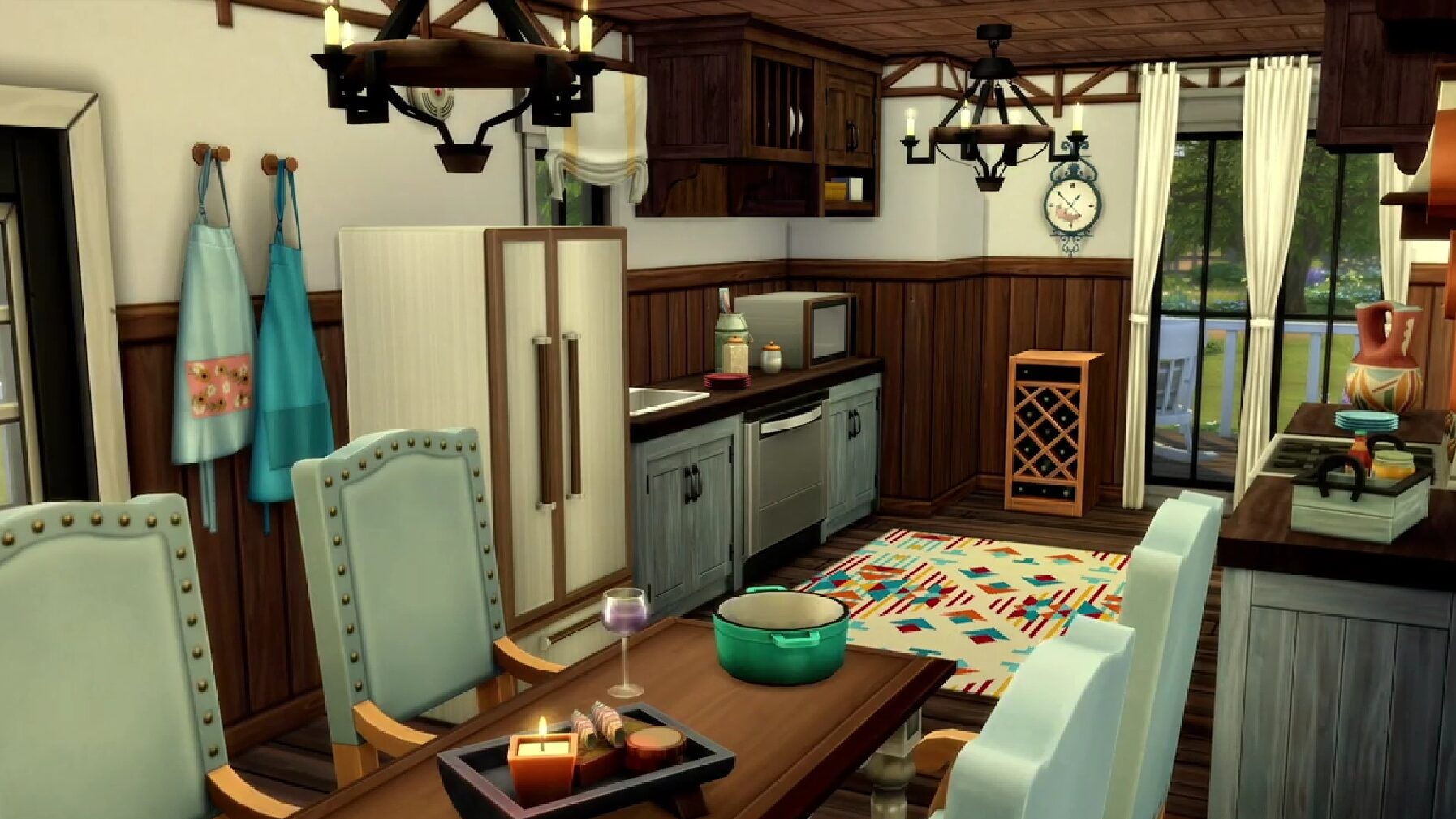
We start to see a little more Sims 4 nectar making content in the kitchen. The nectar rack by the window might be decorative only; however, The Sims Team did confirm in their blog post that Sims can increase the quality and the value of their nectar by aging it on racks so it’s possible this could be a usable nectar storage rack. There’s also a glass of fresh nectar on the kitchen table.
While not related to Sims 4 nectar making, we just want to say how much we love that rug, those kitchen counters, and the clutter items like the condiment container, pot, and candle set.
Nectar Shed
It looks like this lot is perfectly set up for Sims 4 nectar making with a shed designed for that exact purpose! We cannot get enough of those beautiful sliding barn doors, by the way! But we still want to know what’s inside so let’s continue this little tour of ChrissieYT’s build!
We love everything about this Sims 4 nectar making cellar! The stone floors look so charming and rustic and pair perfectly with the cobblestone walls! And yes, of course, we noticed the ceiling! Having paintable ceilings instead of bare white ceilings all the time in every build is going to be amazing!
The stacked barrels in the background may be where nectar is stored or it could just be nice cellar décor. Either way, it’ll go perfect in a nectar cellar build. We also get another glimpse of some nectar glasses next to their accompanying nectar bottles. One features apples and the other grapes.
In this screenshot, we get a look at some more nectar making objects. Some are clearly functional since a Sim can be seen stomping fruit in this nectar maker. Others might be functional or décor; we can’t say for certain, yet. But we love the open cases of nectar bottles! There’s also a nectar press in the far right of this shot! We love the broom leaning against some boxes here, too.
It’s nice that Sims will have another use for the produce they harvest from their gardens with the new nectar making skill. Being able to sell the raw produce and use it for cooking is great but whenever we get a new skill that allows us to use what our Sims grow or create in a new way, that’s always a big plus for us.
Will your Sims be turning nectar making into a booming business or use it as a relaxing hobby where they can share the fruits of their labour with family and friends? Let us know in the comments!
Do you also own the Seasons expansion? Learn how to make the most of the seasons in our gardening guide so you can harvest the right nectar ingredients at the right time of year!
Are you new to gardening and are curious how Sims 4 gardening with Seasons shakes things up? Or a total gardening savant who wants to know how to prep their established gardeners for introducing Seasons? Here’s a guide to everything that Seasons and the big gardening update patch adds to the in-game gardening experience!
Table of Contents
Changes to the Base Game
If you’re a gardener in the base game, there’s some big changes that have been introduced for all players in the world of plants. Most of these changes are great in that they make having a healthy profitable garden easier to obtain, so your naturalist sims can live their lives in the garden fairly comfortably as their skills grow.
Synchronized Plants
All your plants are now set to do a check for watering, weeding, spraying etc. at 5am daily. If your sim prefers to garden at night, it is less likely when 5am comes around that they will need tending to, getting more longevity out of tending to your garden. They also need much less frequent watering, leaving you with more time in the day to do other things rather than keep your plants hydrated!
Do More at Once
Some actions now have an ‘area of effect’, meaning you need to do less to get more done! For actions such as weeding and watering, sims no longer need to tend to each plant individually. This depends on the distance between plants though, refer below to a guide on how far apart to place plants or planter boxes to make your garden more efficient.
Better Evolutions
The original gardening system had 10 levels of quality – most seeds starting at 1 and through tender love and care would slowly reach level 10. With some of the new features Seasons added, it was necessary to make it easier to evolve plants to their highest quality. This means simmers working without the expansion will find it much easier to grow higher quality crops and make gardening more profitable without the new Gardening career.
Super Selling Your Harvest
Instead of harvesting each plant then selling each stack from the inventory, you can now streamline your garden by selling produce directly from the stem! By clicking the ready to harvest plant, you now have the option to sell all harvestables from that single plant, the local area of plants, or all plants on the lot. This means you can keep what you want, and quick sell the rest far easier. You can also Research your plants to find out their selling price at each level of quality.
Sims 4 Gardening with Seasons
Harvest by Season
With Sims 4 gardening with Seasons, you’re going to want to be a little bit more strategic when it comes to planting your seeds! Each seed in the game has a period when it will produce harvestables, and most have a period when they are dormant – meaning they won’t produce anything during their off seasons.
For the smaller gardener, this isn’t a problem – build yourself a swanky new greenhouse using the new glass roof tool (or download one of these greenhouse inspired houses and save yourself the time!) as the seasons won’t impact plants planted indoors. However if you’re looking to really maximise your growing space, knowing which plants are harvestable during each season can help you fine tune your garden to make the most amount of profit possible. When it comes to Sims 4 gardening with Seasons, knowing the seasons is a must!
Pack
Plant
Seasons
Apple
Autumn
Basil
Summer, Autumn
Bird of Paradise
Spring, Summer
Blackberry
Summer
Bluebell
Spring, Summer
Bonsai Buds
All Seasons
Carrot
Spring, Autumn
Cherry
Summer
Chrysanthemum
Summer, Autumn
Cow Berry
All Seasons
Daisy
Spring
Death Flower
Winter
Dragonfruit
Autumn
Forbidden Fruit of the PlantSim
All Seasons
Grape
Autumn
Growfruit
All Seasons
Lemon
All Seasons
Lily
Summer
Mushroom
Spring, Autumn
Onion
Autumn, Winter
Parsley
Spring, Summer
Pear
Autumn, Winter
Plantain
Summer
Pomegranate
Winter
Potato
Winter
Rose
Spring, Autumn
Sage
All Seasons
Snapdragon
Spring, Autumn
Spinach
Winter
Strawberry
Spring
Tomato
Summer
Trash Fruit
All Seasons
Tulip
Spring
U.F.O (Unidentified Fruit Object)
Autumn
Wolfsbane
All Seasons
CD
Catnip
All Seasons
CD
Madnip
All Seasons
CD
Napnip
All Seasons
CD
Nuzzlenip
All Seasons
CoL
Blueberry
Summer
CoL
Charming Mushroom
All Seasons
CoL
Chocoberry
All Seasons
CoL
Lovely Mushroom
Spring, Autumn
CoL
Mysterious Mushroom
Spring, Summer
CoL
Nightly Mushroom
Winter
CoL
Raspberry
Autumn
CoL
Spicy Mushroom
Winter
CoL
Verdant Mushroom
All Seasons
CoL
Wild Mushroom
All Seasons
EL
Soy Plant
Summer, Autumn
GTW
Fang Flower
Spring
GTW
Glow Orb
Winter
GTW
Quill Fruit
Summer
IL
Coconut
Spring, Summer
IL
Kava Root
Spring, Summer
IL
Pineapple
Spring, Summer
IL
Taro Root
Spring, Summer
JA
Avocado
All Seasons
JA
Blackbean
Summer, Autumn
JA
Cereberry
All Seasons
JA
Flutterberry
All Seasons
JA
Gutsberry
All Seasons
JA
Merry Berry
All Seasons
JA
Museberry
All Seasons
JA
Razzleberry
All Seasons
JA
Vimberry
All Seasons
OR
Chamomile
Summer
OR
Elderberry
Summer, Autumn
OR
False Morel Mushroom
Spring, Summer
OR
Fireleaf
Spring, Summer
OR
Huckleberry
Summer, Autumn
OR
Morel Mushroom
Spring, Summer
OR
Muckleberry
Summer, Autumn
OR
Noxious Elderberry
Summer, Autumn
OR
Poison Fireleaf
Spring, Summer
OR
Toxic Chamomile
Summer
RoM
Mandrake
Summer, Autumn
RoM
Valerian Root
Spring, Autumn
S
Begonia
Summer, Autumn
S
Christmas Rose
Winter
S
Crocus
Winter, Spring
S
Dahlia
Autumn
S
Greenbean
Summer, Autumn
S
Green Peas
Spring
S
Holly
Autumn, Winter
S
Money Fruit
All Seasons
S
Snowdrop
Winter
SV
Bizarre Fruit
All Seasons
V
Garlic
All Seasons
V
Plasma Fruit
All Seasons
V
Sixam Mosquito Trap
All Seasons
LEGEND [CD] Cats and Dogs [CoL] Cottage Living [EL] Eco Lifestyle [GTW] Get to Work [IL] Island Living [JA] Jungle Adventure [OR] Outdoor Retreat [RoM] Realm of Magic [S] Seasons [SV] StrangerVille [V] Vampires
Since plants can only be harvested during their season/s, The Sims 4 gardening with Seasons makes evolving your plants a bit harder during their dormant seasons. However in the latest patch, the revamp of the evolution system means it takes less time to reach the maximum evolution, so you aren’t missing out too much on leveling your plants when they’re in their dormant state.
Oversized Crops
The Sims 4 gardening with Seasons is not the only expansion to expand gardening! The Cottage Living expansion pack adds a new type of crop to the game. They are called Oversized Crops and can only be planted in the large dirt plots that come with the expansion. All oversized crops grow in all seasons and can yield a number of small crops or one giant crop depending on how well you care for them. There are a total of 5 oversized crops:
Aubergine
Lettuce
Mushroom
Pumpkin
Watermelon
The produce can be used in cooking, sold for a profit, or entered into the Oversized Crops competition at the Finchwick Fair. For more detailed information on oversized crops, see our guide!
MORE WATER!
If your sims are like me, which means you’re a little bit lazier in the colder months, then I have good news for Sims 4 gardening with Seasons! If your budding gardener doesn’t feel like going out in the rain to water – they don’t have to! The rain does affect outdoor plants, giving them their daily dose of H20 (if it’s raining at the 6am plant check!). If you don’t feel like watering, but do feel like messing around with the weather machine, you can set it to rain and that will water them too.
But what about the hotter months, when it doesn’t rain? Don’t worry, you’re covered there too! The new sprinkler object can be placed near plants/planters, and will water all plants in its area of effect. The best thing about Sims 4 gardening with Seasons is, your sim doesn’t need to even get off the couch or out of bed to turn the sprinkler on. Or they can just have a good play in the water while it tends to your plants, that works too!
Patchy the Scarecrow
Don’t sleep on this Sims 4 gardening with Seasons addition! While there’s no birds for Patchy to really scare off, building a friendship with our favourite new living scarecrow can harvest some sweet benefits for your garden! Patchy can help tend to plants, as well as gift you new (sometimes rare!) seeds! While befriending Patchy can have other benefits, he’s definitely useful to add to your growing farm empire.
Bee Houses and Beekeeping
Another new gameplay item for Sims 4 gardening with Seasons, the bee house, can be super beneficial to gardeners trying to raise their plant quality! Having one or more bee houses near your plots has an area of effect that can increase the growing and evolution speed, as well as having bee swarms “pollinate” (increase rate of evolution) plants that aren’t as close by. The area of effect on these is large too, meaning to effect a decent garden plot you only need to care for a single bee box! But make sure to keep the bees happy, as you don’t want to get too stung caring for your garden due to unhappy bees.
This master list on The Sims 4 gardening with Seasons will be especially useful if you decide to start a fun new challenge for your Seasons gameplay!
Why not try our Mineral Town Challenge, inspired by the video game, Harvest Moon: Friends of Mineral Town!
For a moment, a band of thieves in ripped-up jeans got to rule the world!
In honour of Speak Now (Taylor’s Version) being released, we wanted to find a fun way for players to celebrate the release with an exciting The Sims 4 Taylor Swift CAS Challenge!
Now, if you have followed Sims Community for a while, you will know that this isn’t the first time we’ve been inspired by Taylor Swift. Previously, we have created a lookbook inspired by RED (Taylor’s Version) as well as the Henford-on-Bagley Playlist which was inspired by Taylor’s Evermore album. Needless to say, the team are true Swifties!
A taste of our RED (Taylor’s Version) lookbook. Go check it out!
Table of Contents
Sims 4 Taylor Swift Challenge Details
This Sims 4 Taylor Swift-inspired challenge features all the songs from Speak Now (Taylor’s Version) and aims to get players to create looks inspired by the various songs from the album.
Naturally, we had to include the new Vaulted songs, as this Sims 4 Taylor Swift challenge wouldn’t be complete otherwise. With over twenty songs to choose from, there will be plenty of ways to create a number of looks that represent Speak Now (Taylor’s Version).
There is no right or wrong way to complete this Sims 4 Taylor Swift challenge. Simply pick one of the songs and create a look based upon your choice.
We also added a free choice option for this Sims 4 Taylor Swift Challenge. This was more, so players could potentially create an overall look based upon the album or combine inspiration from multiple songs into one look.
Once you’ve completed your looks, you are free to share them on social media or The Gallery. Just make sure to use the hashtag #SpeakNowTVSims!
And with that, that is everything you need to know about this The Sims 4 Taylor Swift Create A Sim Challenge!
The Lookbook (Taylor’s Version)
As Swifties ourselves, we couldn’t create a The Sims 4 Taylor Swift challenge and not make a few looks inspired by the album. Between SnarkyWitch and I, we have picked two songs each and got creative with our looks!
Each of the looks we created for this Sims 4 Taylor Swift challenge is Custom Content free and uses a variety of options available in-game. Full details of each look can be found under each look!
Better Than Revenge
“I’m just another thing for you to roll your eyes at, honey. You might have him, but I’ll always get the last word”
Inspired by Taylor’s song, Better Than Revenge, this look went through a variety of different possibilities before settling on this. Instead of over-complicating the look, I kept it simple and focused on the smaller details in the accessories and makeup. Picture this look being spotted at a party where you run into an ex-partner and their new partner. You’re standing there letting them know that you are the happiest you’ve ever been while looking amazing!
Hair: High Pony (Get Famous)
Dress: Lilac Low Back Dress (My Wedding Stories)
Shoes: Celestial Hi-tops (Werewolves)
Accessories: Rings (Werewolves), Bracelets (Realm of Magic and Werewolves), Earrings (Realm of Magic), Tights (Base Game) Plumbob Tattoo (Base Game)
Makeup: Eyeshadow (My Wedding Stories), Eyeliner (High School Years), Lips & Blush (Base Game x MAC), Nails (Werewolves)
Haunted
“Come on, come on, don’t leave me like this. I thought I had you figured out. Something’s gone terribly wrong. You’re all I wanted“
Haunted is a song that I’ve always felt a connection with. However, upon listening to it for this The Sims 4 Taylor Swift-inspired lookbook, it hit differently. I pictured myself being a part of the song. Dressed in a grunge-style outfit, in a haunted/ rundown house in Forgotten Hollow. In fact, this look turned out to be similar to my own style from around the time Haunted was originally released!
Hair: Braided Crown (High School Years)
Top: Layered Denim Jacket (Grunge Revival)
Bottom: Plaid Skirt (High School Years)
Shoes: Chequered Hi-tops (Grunge Revival)
Accessories: Leggings & Rings (Werewolves), Necklace (Realm of Magic)
Makeup: Eyeshadow (Luxury Party) Eyeliner (High School Years), Lips & Blush (Base Game x MAC), Nails (Base Game)
Mean
“You have pointed out my flaws again as if I don’t already see them!”
This song was teenage me’s anthem when I was getting bullied in school and I love the music video for it to this day. My favourite part was always the railroad scene stylized as an old Western film with Taylor playing the damsel in distress tied up on the tracks. The dark cloudy sky and Taylor’s helplessness to escape a train barrelling at her really reflects how a lot of us feel when everyone around us seems determined to tie us down and laugh at our pain. I just had to recreate this moment.
Hair: Curly Bun (Eco Lifestyle)
Outfit: Day of the Dead Dress (Base Game)
Shoes: Heeled Lace-Up Boots (Cottage Living)
Accessories: Striped Leggings (Base Game), Pearl Necklace (Cottage Living), Veiled Hat (Get Famous), Nails (Base Game)
Makeup: Eyeshadow, Eyeliner, Lipstick (Base Game), Blush (High School Years)
Speak Now
“And she is yelling at a bridesmaid somewhere back inside a room wearing a gown shaped like a pastry.”
One thing Taylor is a master at is imagery in her songs. She can describe a scene so vividly in her lyrics that you feel like you’re there with her. You can picture every detail in your mind. Speak Now is a great example of this. She describes this snotty bridezilla in such specific detail right down to her pastry-shaped dress, how could I not bring this iconic scene to life with a puffy, gaudy-looking wedding dress and an angry bride screaming in a rage on her wedding day?
Hair: Braided Bun with Gemstones (My Wedding Stories)
Accessories: Crystal Drop Earrings (Growing Together), Pearl Necklace (Cottage Living), Diamond-Shaped Wedding Ring (My Wedding Stories), Nails (My Wedding Stories)
Makeup: Eyeshadow (My Wedding Stories), Blush (High School Years), Eyeliner and Lipstick (Base Game)
Credits
This The Sims 4 Speak Now (Taylor’s Version) Lookbook was a collaboration between Krista and SnarkyWitch!
The Sims 4 Paranormal Stuff introduces a brand new Freelance career to the game; The Sims 4 Paranormal career! Your Sims will be able to visit other residences and save the inhabitants of the home from all manner of ghostly activity. Becoming a Paranormal Investigator isn’t as easy as picking up the phone and signing up, though. Read on to find out more about joining this mysterious Sims 4 paranormal career.
Table of Contents
The Sims 4 Paranormal Career Guide
Becoming a Paranormal Investigator
To start the Sims 4 Paranormal career, you need to be licensed. Getting a Paranormal Investigator License takes some time and effort, no matter how you go about acquiring it. There are two ways to obtain a Paranormal Investigator License; through Guidry or the Rewards Store.
Although buying a license through the Rewards Store may seem like the easy option, it does cost a hefty 3,000 Satisfaction Points, so your Sims will still need to save up for it. A good way to earn the Satisfaction Points is by living in a haunted house. You’ll earn Satisfaction Points for every night you spend there!
If you want to earn your Sims 4 Paranormal career license by proving yourself as a capable medium, you can also get your license from Guidry. Guidry the ghost will visit your home on your second night in a haunted house. He can also be summoned on non-haunted houses using the Séance Table. He’s a friendly ghost who’s there to help your Sims and has all manner of information on how to handle creepy happenings. He also gives out Paranormal Investigator Licenses to Sims who’ve shown promise as a Paranormal Investigator.
To impress Guidry and get your Sims 4 Paranormal career license, you’ll need to max out the Medium skill to level 5, then tell Guidry you want to become a Paranormal Investigator. Guidry will reward you with a Paranormal Investigator License. You can see this reflected in the traits section of your Sim’s info panel.
Once you have a Paranormal Investigator License, you can get hired as a professional Paranormal Investigator! The Sims 4 Paranormal career is a branch of the Freelancer career. After obtaining your license, use the phone or a computer to join the Freelancer career, then select the Federal Bureau of Paranormal Investigation branch.
Taking On Gigs
Once you’ve officially become a Freelance Paranormal Investigator, you have to look for gigs on the computer. You can also search for gigs for this Sims 4 Paranormal career by clicking the Check for Gigs icon in the career info panel.
There are three levels of gigs your Paranormal Investigator can sign up for; Beginner, Adept, and Expert. I recommend starting out with a Beginner gig just to get a feel for what you’ll be doing in The Sims 4 Paranormal career. The beginner gigs are pretty straight forward, but the adept gigs are more challenging and the expert gigs are seriously no joke! I got a very unpleasant surprise when I showed up to my very first expert gig woefully unprepared.
Regardless of their difficulty level, all gigs for The Sims 4 Paranormal career follow the same formula. When you show up at a gig, you have a time limit (9:30pm – 6:30am) and a progress bar, depicted in the top left corner of your screen, with only one goal listed underneath; Exorcise the Lot.
There are a number of different ways to exorcise the lot and fill up the progress bar in the Sims 4 Paranormal career:
Removing cursed objects
Cleaning up ectoplasm and cursed symbols
Having positive interactions with specters
Performing a Ceremony at a Séance Circle. Your Sim must have their Medium skill maxed out to put down a Séance Circle anywhere they want. Most Sims you visit won’t have a Séance Table in their home for you to use.
Any of these actions in the Sims 4 Paranormal career will fill up the progress bar and help to rid the home of its ghostly inhabitants, but watch out for mischievous specters who will try to interrupt your seances and scare you so badly that you won’t be able to remove cursed objects! Depending on the gig difficulty level, exorcising the lot can be a very challenging task!
Dealing With Specters
There are a number of ways to appease the specters in a haunted home and doing so will help fill the progress bar on a Sims 4 Paranormal career gig. Depending on the type of specter, they may or may not go quietly.
Friendly Specter: These green specters are usually pretty amicable and will happily accept presents or even just go away when asked. It is possible that your attempts to get rid of them will just irritate them, instead, but most of the time, they are receptive to your Sims’ interactions with them.
Mysterious Specter: These blue specters have a sad aura about them and are more difficult to read. Are they friendly or not? No one really knows. Interacting with these specters have mixed results, so proceed with caution when dealing with them.
Mischievous Specter: These red specters can sometimes be more playful than mean, but overall, they are the kind of specters you want to avoid. They are unpredictable and interactions with them fail more often than the other two types of specters. When they get really mad, they can even set things on fire! They are volatile creatures, so beware!
Your Sims have a number of options available to them when interacting with the specters at a Sims 4 Paranormal career gig.
Watch Specter: This will give your Sim some info on the specter, its disposition, and its intentions.
Talk To Specter: Your Sim will attempt to strike up a conversation with the specter, which the specter may or may not accept.
Ask to Leave: Your Sim can simply ask the specter nicely to go away. Friendly Specters are more likely to be receptive to this than Mysterious or Mischievous Specters.
Present Offering: Specters only like homemade things your Sim has crafted themselves. If you don’t have anything your Sim has made, this option will be greyed out. We noticed quite a bit of cross pack compatibility with this option; food, drinks, wood carvings, knittables, and small robots could all be offered, so try a variety of different things!
Offer Soul: If you’re really desperate, your Sim can offer up a piece of their soul to the specter, but beware! Every time you give away a piece of your soul, your age bar fills up by a sizable amount, shortening your overall lifespan! To counteract this effect, your Sims can absorb Soul Scraps which Specters can sometimes leave behind. This will reduce the age bar.
Dealing With Temperance
Temperance is a mean ghost who has a shaky romantic history with Guidry. She makes it a habit of showing up on Adept and Expert Sims 4 Paranormal career gigs and when she does, she means business. Just the sight of Temperance is enough to send your Sim into a Terrified state where they’ll be too panicked to get near specters or cursed objects.
As if that wasn’t enough, she will also spawn dozens of cursed dolls around the lot, increasing the spiritual volatility of the home while your Sim is too incapacitated by fear to stop her. She can also interrupt your seances and just generally terrorize your Sim and the other Sims in the house. Temperance can make the Sims 4 Paranormal career a nightmare.
Once your Sim becomes Terrified by Temperance, completing your Sims 4 Paranormal career gig becomes almost impossible. It’s very difficult to get out of the Terrified emotional state once Temperance has managed to scare your Sim that badly. While they’re Terrified, they cannot remove cursed objects, perform seances, or deal with specters, effectively incapacitating them for the remainder of the gig.
However, Temperance has two main weaknesses you can exploit to keep her off your back when she shows up.
Bizarre Idols: The first time you meet Temperance, you can tell Guidry someone terrible just appeared. He’ll give you a Bizarre Idol you can use to stop Temperance. For some reason, Temperance hates these things and they hate her, too. When you place a Bizarre Idol down in the same room as Temperance, it will start flaming and Temperance will cower in fear. This will stop her from getting up to her usual chaotic antics, allowing you to do your job. Bizarre Idols are a pretty rare find, so hang onto that first one Guidry gives you.
Bonehilda: If you can manage to summon Bonehilda quickly enough at a Séance Circle, she’ll become your bodyguard. Bonehilda is the only person who can fight Temperance with her fists. Bonehilda can keep Temperance occupied for you while you go about your work of exorcising the lot.
Our Tips for Challenging Gigs
You won’t have too much trouble at all with the Beginner level gigs for the Sims 4 Paranormal career. You just need to show up, mop up a few slime puddles, destroy a few cursed objects, and maybe perform a ceremony or two and you’re pretty much guaranteed to complete the gig on time.
However, Adept and Expert level gigs for the Sims 4 Paranormal career are a whole different matter. It’s going to be more challenging to finish an Adept level gig without doing any prep work. Completing an Expert gig without any preparation is going to be nearly impossible. Don’t go in blind or empty-handed!
Here are our tips and tricks for making it through every Sims 4 Paranormal career gig successfully, no matter the difficulty level:
Have maxed out Medium Skill: Your Sims can’t create a Séance Circle until they’ve mastered this skill. Most of the Sims you visit on gigs won’t have a Séance Table around for you to use, so being able to put down a Séance Circle anywhere you need one is an invaluable skill to have.
Purchase the Brave Reward Trait: The Brave trait is extremely expensive, at 8,000 Satisfaction Points, but well worth the investment for a professional Paranormal Investigator. To get this trait faster, have your Paranormal Investigator live in a haunted house and use the Helping Hand object found in Build/Buy to set the lot to Heroic Mode. This will make the lot extra haunted but also reward your Sim with more Satisfaction Points for each night they spend there.
Stock Up on Sacred Candles: Sacred Candles can be purchased in the Rewards Store for a much more affordable 500 Satisfaction Points. Each purchase gives you three Sacred Candles. You can also craft a batch of three Sacred Candles using Wraith Wax, which Specters will sometimes drop. As soon as you arrive at a gig, place a Sacred Candle in every room of the home. These will help protect your Sim from malevolent specters and make them feel safer.
Bring Bizarre Idols: As mentioned previously, Temperance hates Bizarre Idols and they hate her. They’re hard to come by, but you should have at least one Bizarre Idol you got from Guidry after meeting Temperance for the first time. Keep this one handy for when Temperance shows up. When she does, place it down near her and let it do its work while you do yours.
Summon Bonehilda: Bonehilda can be summoned anywhere if your Sim has mastered the Medium skill and unlocked the ability to put down Séance Circles. She can be your ghost busting sidekick when summoned at gigs! Bonehilda can fight Temperance for you while you’re busy getting rid of cursed objects and dealing with specters. To ensure you won’t be too scared to summon her later, summon Bonehilda as soon as you arrive at a gig. That way, she’ll be ready and waiting to serve Temperance a knuckle sandwich when she shows up. This is especially crucial if you don’t have any Bizarre Idols to ward off Temperance.
Completing Your Gig
Congratulations! You not only survived your first night in the Sims 4 Paranormal career, but you were successful in exorcising the lot as well. What do you get for your troubles? Well, Paranormal Investigators get paid quite well in simoleons, but they can also receive various other perks as well for successfully completing gigs.
The monetary payouts for each gig are as follows:
Beginner: §750
Adept: §1,500
Expert: §3,000
While making §3,000 a night already seems like a pretty sweet reward in and of itself, your Sims can also be rewarded with various Sims 4 Paranormal career trinkets and oddities after completing gigs. The type of reward appears to be random, but some of the items Bella Goth received from completing gigs when I was playing through the career included Soul Pieces, a Hello Dahlia doll, Spirit Buddy Jars, and Display Only Clay Hands.
Even though some of the reward objects you can get from Sims 4 Paranormal career gigs look similar to the cursed objects you’ll find at haunted houses, the reward versions are not cursed. In fact, some of them even have positive effects on your Sims. For example, Sims can talk to their Hello Dahlia dolls to comfort themselves when they’re scared, and drinking Specter Sip drinks grants your Sims some skills.
If you’re looking to make some extra cash or you just need to get rid of duplicate rewards, you can sell your paranormal trinkets to an oddity collector by clicking on them. If the Get Famous expansion pack is installed, selling to oddity collectors also rewards your Sims with fame. If you own both Paranormal Stuff and Get Famous, your Sims can become famous Paranormal Investigators!