Home Blog Page 106

Redecorating with The Sims 4 Pastel Pop Kit

Give your rooms a pop of colour!

The recent release of The Sims 4 Pastel Pop Kit took many by surprise. Not only did The Sims Team work collaborate with Plumbella, but it was also one that has pleasantly surprised many players and builders within the community. Not only adds a variety of new pastel-coloured objects to the game, but it also strays away from the “50 shades of beige” feel too!

Of course, we could not wait to jump in and explore the new Kit in more detail! Instead of focusing on doing our normal Let’s Build style articles, we decided to change it up and take a new approach. What we wanted to focus on this time was remodelling and refurnishing some Base Game built rooms and incorporating those pops of pastel colours from the new Kit into those rooms.

While The Sims 4 Pastel Pop Kit gives us one pre-made room, we took three of the Pre-made Base Game rooms and added a new twist to them!
Sweet Suite

Snooze Cruise Control, but make it pop!

Kicking things off with the Snooze Cruise Control room. It’s a very small room, but with plenty of potential to add that pastel pop!

The room originally comes in at $1,674 and features just a bed and chest of draws. While the space of the room was small, it did present a challenge. How could we ensure that all the objects being used would fit?

Snooze Cruise Control

After some trial and error, we eventually found a layout that worked. Of course, with everything working and with no issues for the play test Sim it all came together perfectly.

Take a look at the end result below!
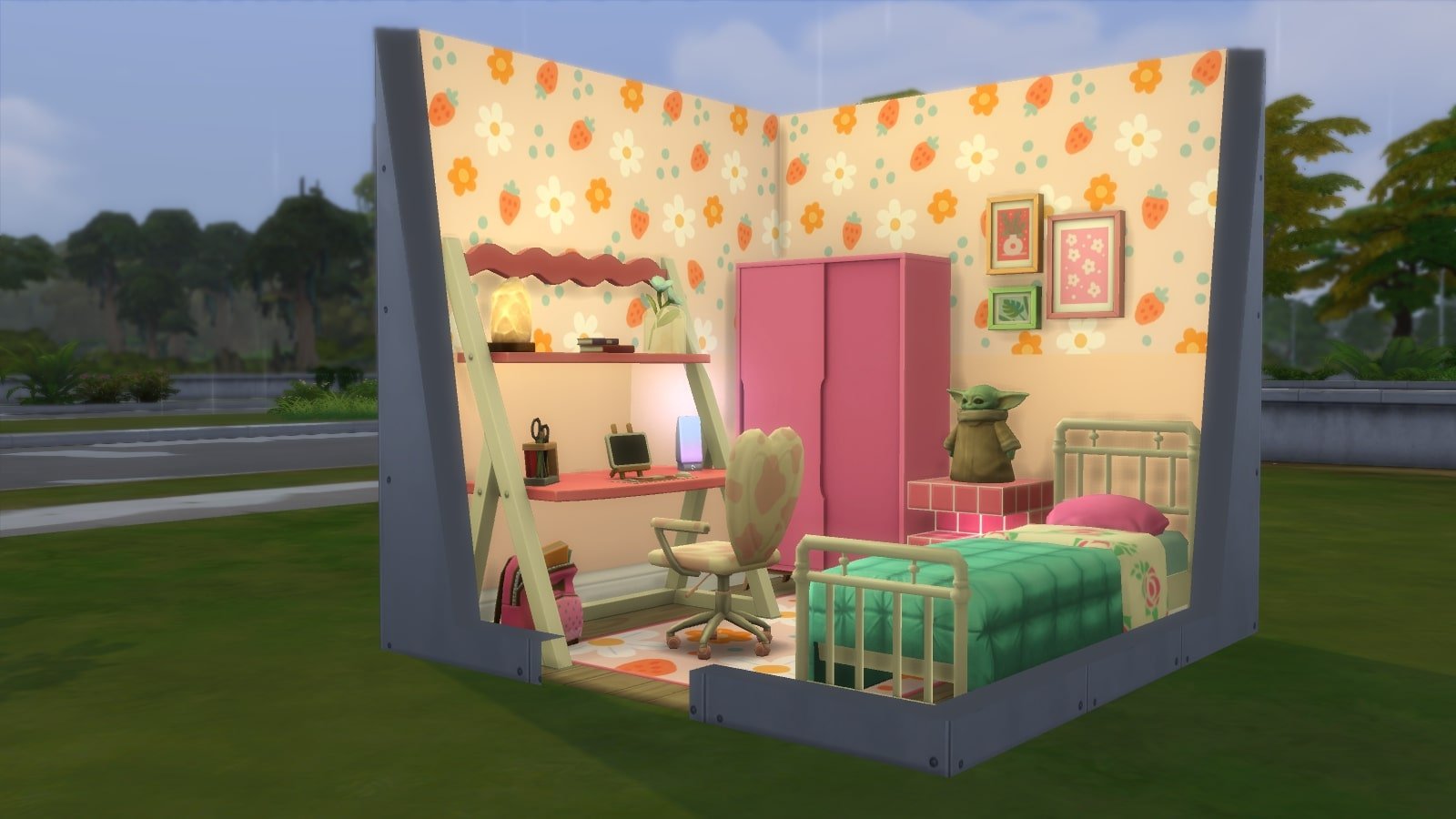
While the room didn’t provide much space, it definitely has everything your Sim needs. This room would probably be more of a room you would find if they were studying away at either Foxbury Institute or Britechester. Either way, this pretty pastel pink and hot pink combination worked well together.

Pastel Pop Themed Office Space

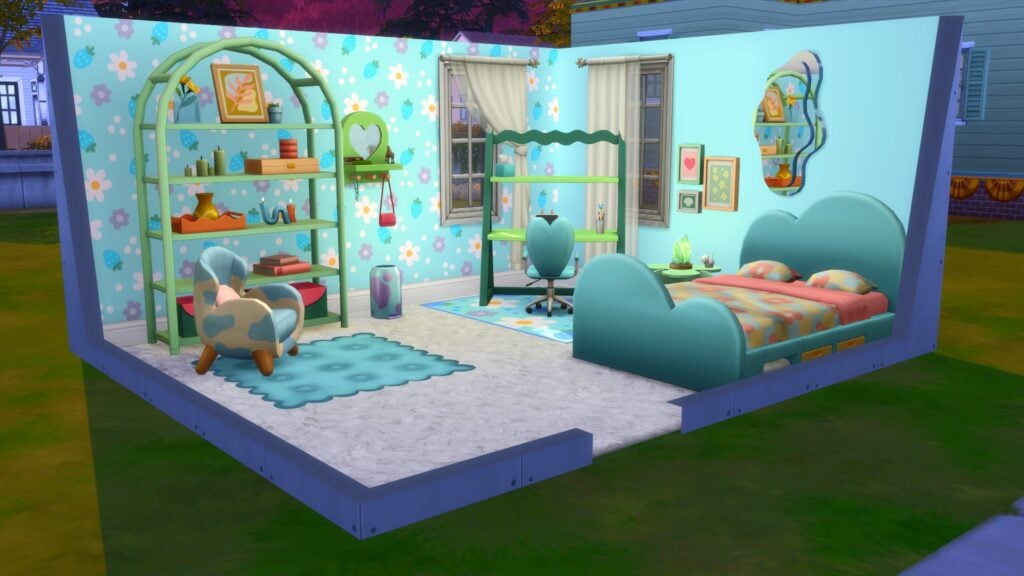
For the second room, we took the Simple Minded Office and gave it a much-needed pastel makeover. Coming in at $4,352

Simple Minded Office

With more space to work with, it was time to get started. This time around, the aim was to stick with a more neutral pastel theme with pops of colour rather than everything being bright and vibrant.

While the neutral theme somewhat stayed throughout the build, a clear blue theme started to develop instead. It gave more of a calming and relaxing feel, especially with the little corner to get comfortable and read a good book! Definitely the kind of office space we’d consider having in our own homes.

Pastel Pop Transformation

The last Base Game room that received a makeover was the Royal Renaissance Lounge. Coming in at $15,425, it definitely was not fit for purpose with the theme we had in mind.

Royal Renaissance Lounge

Now, when we say a Pastel Pop themed Movie Hangout, we mean it in a bit of a roundabout way. While utilizing the new objects, we chose to go for more of the neutral swatches on the objects as well as incorporating the cow print swatches on a couple of the objects too.

It really helped bring the room together and against the red and wooden walls it made it pop, just differently. This would be the kind of movie room/lounge we could see being in the Goth’s home, where you would find the younger generation of the family hanging out at the end of the day!

The Sims 4 Pastel Pop Kit has a variety of objects that are perfect in a number of different themed rooms. With plenty of swatches that work well with Base Game objects, the possibilities when using them alongside objects from additional packs are endless!

All the rooms featured in this post use objects from The Sims 4 Base Game and Pastel Pop Kit. You can find all of these room builds on The Gallery by searching for Leekseverywhere!
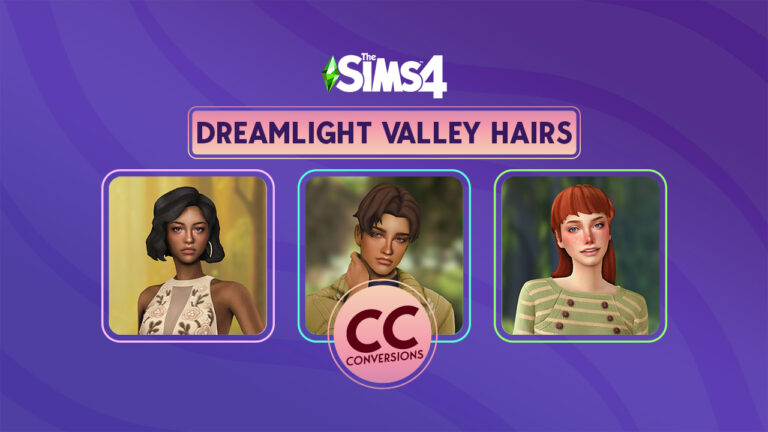
Add Some Magic to The Sims 4 With These Disney Dreamlight Valley Hairstyles

These Maxis Match hair conversions are truly magical!

Disney Dreamlight Valley is probably one of the most popular games out there right now (if a million new players in the first week of early access is any indication). The game is basically Animal Crossing but in a magical dreamland populated by Disney characters. It’s charming, it’s nostalgic, it gives you all the warm fuzzies, and it’s fairly similar in art style to The Sims 4. Naturally, custom conversions were inevitable and a CC creator by the name of jo_se_oh has brought the magic of Disney Dreamlight Valley to The Sims 4 with their amazing hair CC!

jo_se_oh has taken some of the most popular hairstyles from Disney Dreamlight Valley and converted them to The Sims 4! The hair is all completely Maxis Match and looks pretty darn spectacular if we do say so ourselves.

Here are the official previews of the collection from jo_se_oh’s Patreon!

Dreamlight Valley Hairstyles converted for The Sims 4

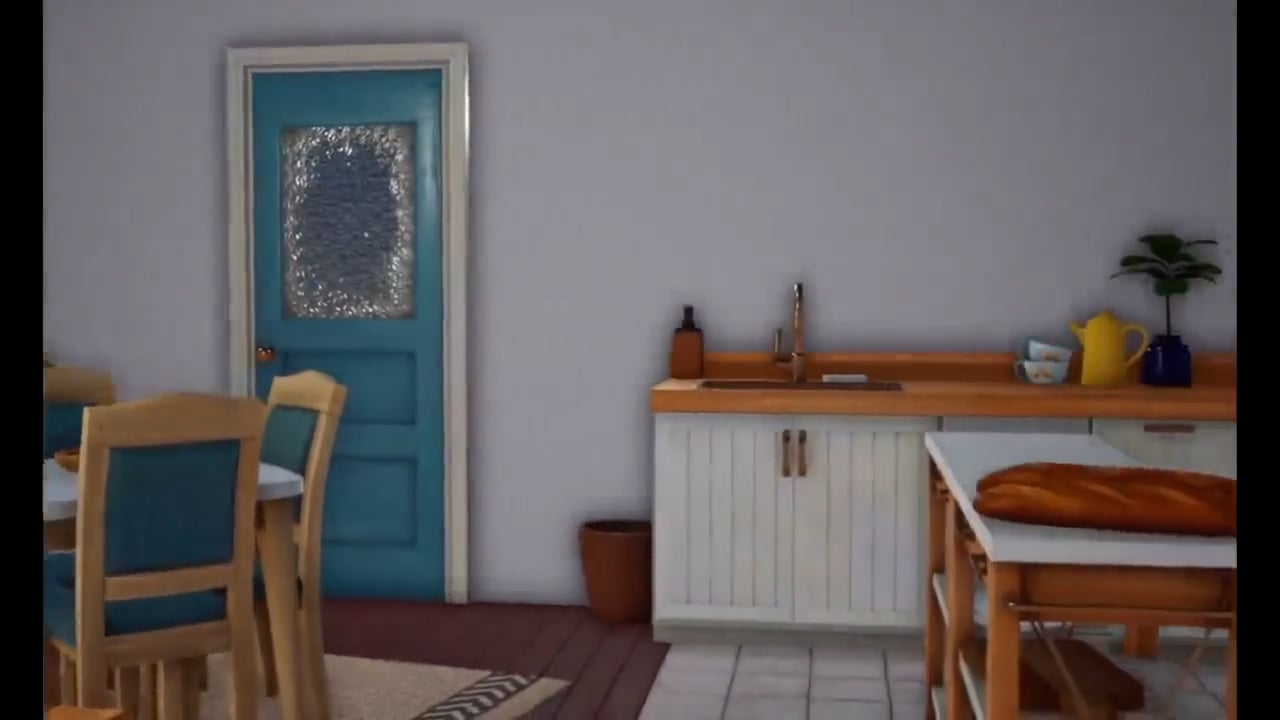
And here’s what each Sims 4 hair CC looks like in our game! As you can see, they look just as good in-game as they do in the previews! We love that we can pick the colour of the Alice Hair accessories separately. That’s my personal favourite hair from Disney Dreamlight Valley!

We’re completely enchanted with every single one of these Sims 4 hair CC styles. Apart from The Sims, Disney Dreamlight Valley is my current favourite game. It’s very exciting to be able to have the best of both worlds in The Sims 4! You can bet I will be using that Alice hairstyle all the time, no matter the occasion! Because it’s The Sims and I can!

Download the Disney Dreamlight Valley Sims 4 Hair CC Set

Currently, this Sims 4 hair CC collection has a total of 12 different hairstyles. jo_se_oh uploads them individually on their Patreon so you can browse through their catalogue and pick out your favourites.

jo_se_oh provides all of their CC hair for free on Patreon but if you have a request for a specific hair, they do take commissions. You can download all of the Disney Dreamlight Valley hairs from Patreon. While you’re there, it’s worth checking out jo_se_oh’s other work, too! They make hair conversions from many different games, including other Sims titles and the Story of Seasons series!

The hairstyles in this Patreon are listed one by one. Each Dreamlight Valley Hair Conversion is available for download right away!

Overhaul Your Sim’s Emotions and Moodlets with Meaningful Stories Mod!

0

Bring your sims to life with Meaningful Stories’ redesigned mood and emotion system for The Sims 4.

Shake up your gameplay with this subtle, but impactful mod: Roburky’s Sims 4 Meaningful Stories Mod! Now you can take control of how Sims’ emotions and moodlets function. In the end, Sims seem more realistic and their lives more meaningful.

Meaningful Stories is a mod that makes Sims more realistic, adds variation to moodlets and emotions, gives depth to emotional traits, creates true happiness, and more! The more realistic they are, the bigger the challenge! This mod is not instantly noticeable, but it’s impact is substantial!

ZDiDe
From Roburky’s Website

Summing up, what we love about this mod is the depth it creates in the game. No more moods that bounce around constantly. Depressive episodes can last a week unless you do specific actions to stop it. Emotions like happiness don’t happen constantly and certain events can cause true happiness. Another subtle feature that we enjoyed is the effect of emotional auras. and although we love the ability to ability to influence our Sim’s mood, the addition of gradual influences seems more natural and less forced.

Roburky's Meaningful Stories Mod Tutorial Tips

Sims 4: Meaningful Stories’ Features

Although most changes are subtle, they are impactful. Roburky’s Meaningful Stories creates more realistic emotions by preventing emotions from switching from drastic highs to drastic lows.

In-Game Tutorial: Don’t understand the mod? Don’t worry about it! There will be helpful hints that pop-up whenever something relevant happens.

Already know the mod? Don’t worry. There is a section in the settings to turn off Tutorial Tips.

Sims 4 Meaningful Stories Mod In-Game Tutorial Tips

True Happiness: This feature makes happiness more realistic and the default state is no longer happiness. Sims will feel “truly happy” only after events that are more meaningful.
Learn more
(Default: Enabled)

Sims 4 Meaningful Stories True Happiness
From Roburky’s Website

Skill Effectiveness: Happiness is now an emotion that effects skills! When is Sim is happy, the Sim will receive bonuses to how effective they are at the skill.
(Default: Enabled)

Satisfaction: Happy sims over time will gain Satisfaction Points.
(Default: Disabled)

Miscellaneous Adjustments to Mood: There are many different ways that Mood is changed with Meaningful Stories mod. This includes many changes in what Fine means to adjustments on Uncomfortable Moodlets and Passive/Assertive Happiness.

No Happy Environment: Ever find a lamp so majestic that all of your blues go away? Neither have I and with Meaningful Stories, your Sims no longer will either.
Learn more
(Default: Enabled)

Variation in Moodlets: There are sometimes stronger moodlets from Emotional Traits. Learn more
(Default: Enabled)

Variable Moodlets Sims 4 Meaningful Stories
From Roburky’s Website

Emotional Inertia: A Sim’s emotional state will be less predictable, in essence, they are more stable.
he emotional inertia feature in Meaningful Stories is an entirely new design when compared with the older stand-alone mod of the same name.
Learn more

Meaningful Stories Sims 4 Mod’s Settings

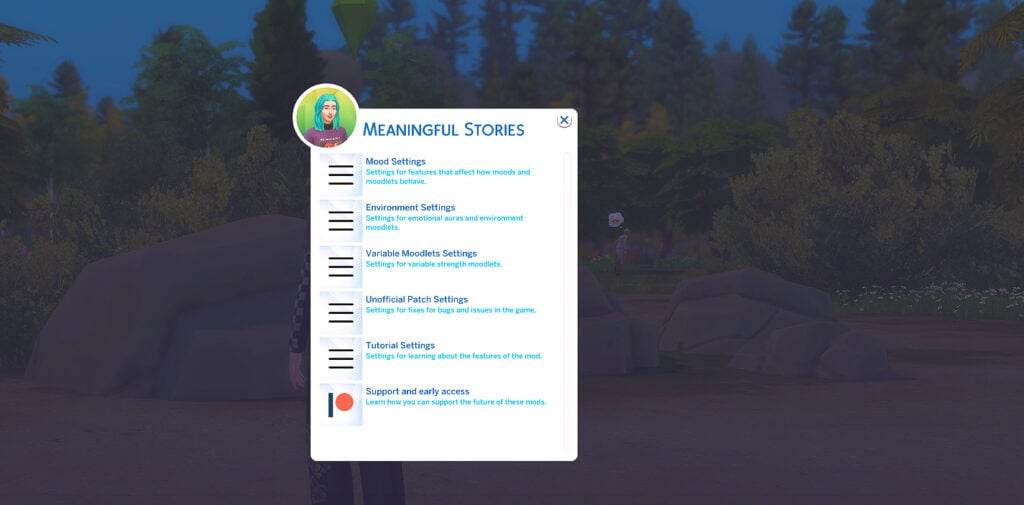
To access the Meaningful Stories mod’s settings, Click on any Sim in the current household, then choose the Roburky menu option. In this menu, there will be options for all the Roburky mods that are currently installed. Click on Meaningful Stories.

Sims 4 Meaningful Stories Menu

Inside this menu, there are options for Mood Settings, Environment Settings, Variable Moodlets Settings, Unofficial Patch Settings, and Tutorial Settings as well as a link to Roburky’s Patreon page.

Sim's 4 Meaningful Stories Mod Settings

Compatibility

Meaningful Stories mod works with both 32-bit Legacy Edition and 64-bit Standard Version.

Before using Meaningful Stories, be sure to uninstall any other Mood-related mods by Roburky

Due to the fact Meaningful Stories has no override files, there are no known conflicts. For more information, visit Roburky’s website.

downloadpng

You can download the Meaningful Stories Mod by clicking the button below! Extract the compressed content to Electronic Arts > The Sims 4 > Mods folder.

Additionally, please note that Meaningful Stories is in active development.

FLASH GIVEAWAY: Win The Sims 4 High School Years!

0

Brush up your Simlish skills – it’s time for another Flash Giveaway!

Time for a brand new Flash Giveaway!

This time we’re going back to the latest Expansion Pack for The Sims 4 – High School Years. For this Flash Giveaway round we’re keeping things quick. You can win 1 out of 5 copies of the High School EP by answering a simple question.

Of course, it’s simple if you’ve brushed up your Simlish dictionary recently…


Sims 4 High School Years Giveaway

Want to win a copy of The Sims 4 High School Years? We have five! Simply answer the following question in the comments down below:

The Sims 4 Free Download Official Trailer 1 30 screenshot
FLASH GIVEAWAY: Win The Sims 4 Packs!

Do yo know a word of Simlish language? Write a Simlish phrase or word you know in the comments below!

That’s about it. Write a Simlish word / phrase you know in the conversations section down below and we will pick 5 random winners through random.org!

Leave your comment (in Simlish) down below!

The comments section will be open for a limited amount of time. During this period you are able to come up with your answer and reply to this comment with a Simlish phrase.

Note that there’s a time period when the comments section closed down, and it’s:

Siren

The comments section closes down on November 22nd at 10AM PT / 7PM CET.

The winner will be announced here in the Comments Section on November 24th at 1PM Pacific Time / 10PM Central European Time.

FLASH GIVEAWAY: Win The Sims 4 Packs!

Please note:

  • Be respectful and follow the Sims Community House Rules linked below.
  • You need to be a member of Sims Community in order to leave a comment! The Sign Up button can be found right above the comments.
  • Not more than 1 comment!
  • Your comment might be saved for manual approval. Don’t worry, we will manually approve your comment in a few hours in case you’re waiting!
  • Make sure you leave your correct information when registering to Sims Community through OpenWeb. Your correct e-mail is needed so we can contact you with the inquiry about your preferred platform for High School Years!
  • Do not share your personal email and data in the conversation!
  • No, we won’t judge if you search “Simlish words” on Google.

Good luck everyone!

Dag dag

Infants Life Stage in The Sims 4: Expectations

What does the community expect to see with The Sims 4 infants update? We have some ideas of our own, plus a poll for you to weigh in!

The Behind The Sims Summit was an exciting event for many reasons but one of the biggest reasons was the announcement of “better babies” that the community had been asking for. More accurately, a new life stage called infants is planned for The Sims 4. The reveal showed an infant crawling across the floor before an adult Sim picked them up and there appeared to be both a baby gate and a playpen in the background. Since then, we’ve heard and seen absolutely nothing about The Sims 4 infants. All we know for certain is that they are being added to the base game for free sometime in early 2023.

The Sims 4: Better Babies Update coming Early 2023
Infants are a new Life Stage in The Sims 4!

This isn’t the first time a whole new life stage has been added to the game in a free update; toddlers were brought to the game in 2017, along with plenty of new early childhood development toys and objects for them to interact with. The toddler update was excellent so expectations are pretty high for infants in The Sims 4. What exactly are the community’s expectations? We have a few ideas!

Sims 4 Infants Expectations

Changing Tables

Thumbnail 688x336 2
Image Credit: The Sims 3 Store

Babies in The Sims 2 needed diaper changes and to do that, you needed a baby changing table. The Sims 3 also offered a baby changing table that doubled as a baby bath in The Sims 3 Store. Babies in The Sims 4 also need diaper changes but the adult Sim just changes their diaper in the bassinet. When infants come to The Sims 4, we want to see changing tables for them! We also want them to be functional for toddlers, too, like they were in past games.

Baths for Sims 4 Infants

Thumbnail 688x336 1
Image Credit: The Sims 3 Store

In The Sims 2, babies could be bathed in the kitchen sink, which was adorable. The Sims 3’s Store changing table came with a baby bath as well. We would love to see both sink baths for infants and a baby bath for the changing table in The Sims 4 because more options are always a good thing! There are lots of baby baths for sink bathing available in the real world so it would be great if The Sims Team went one step further and included those. We think the chances of this being a thing are good, considering The Sims Team sneakily added in the ability to clean up toddlers at a sink a while ago.

Strollers

The Sims 3 Generations / Life Stage
Babies in strollers in The Sims 3 Generations

We did not get strollers for babies and toddlers until The Sims 3 but when we did, they were awesome! Being able to take a stroll down to the park with your new baby in a stroller was adorable and convenient! However, one drawback to strollers in The Sims 3 was that you could not leave your baby sitting in the stroller unless you were actively pushing them in it. So even though you had a stroller right there, you still had to put your baby on the ground to do something. Not ideal. We want strollers for both infants and toddlers in The Sims 4 and we want the ability to keep them in there while out places! Plus the common space around home lots allows us to take leisurely strolls with our infants without going through a load screen, so strollers are still a must-have feature.

Baby Walkers and Play Pens

Sims 4 Infants Life Stage
Image Credit: The Sims 3 Store

We’re pretty sure playpens are at least coming with the Sims 4 infants life stage; we saw one in the background of the reveal video. But The Sims 3 Store also had baby walkers available for toddlers. These walkers were not usable by babies. Babies in The Sims 3 were wrapped up in swaddling blankets and looked like larvae. Infants in The Sims 4 clearly have limbs, though, and if they are learning to walk, a baby walker would be perfect for them.

Baby Bouncers

Sims 4 Infants Life Stage
Image Credit: The Sims 3 Store

Once upon a time, The Sims 2 had an online store and one of the items available for purchase was a baby bouncy swing. The Sims 3 also had a version of a baby swing available in The Sims 3 Store. The swings were not only adorable, but useful for soothing your little one when your Sims were busy taking care of the household chores. We think it would be a crime if these were not available for The Sims 4 infants life stage.

Play Mats

Sims 4 Infants
Image Credit: Mod The Sims

Remember the baby play mat with dangle toys from The Sims 2? It was another item available in The Sims 2’s online store way back when. It gave babies an opportunity to play on the floor by themselves and it was a lifesaver for when your Sims got busy during the day. Baby was happy with their toys and their parents were able to work on their careers a little and tidy up the house. We want these to make a return to The Sims 4 for sure! We’d like to see the ability to have tummy time added to them, too, as this is an important part of a baby’s motor development.

Modern Parenting for The Sims 4 Infants

The Sims 4 Toddler Stuff: 40 Screens from the Trailer / Sims 4 Infants

So far, we’ve been talking about parenting stuff from past Sims games which came out over a decade ago. Over two decades ago for The Sims 2. Parenting has changed a lot in the past 20 years. Things that older generations would scratch their heads at are now commonplace for many younger parents. For example, co-sleeping is now much more common than it was 20 years ago. Baby cribs that can be attached to a double bed for co-sleeping purposes are all over the place. These co-sleeping cribs have a safety barrier in between parents and child for safe co-sleeping. We’d love to see that as an option in The Sims 4 (but not the only option; we still want our traditional nursery cribs, The Sims Team!)

Can We Please Rock Our Sims 4 Infants in Rocking Chairs?!

Rocking Chairs in The Sims 4
Rocking Chairs from The Sims 4 Nifty Knitting Stuff Pack

Okay, we know this is unlikely since rocking chairs came with Nifty Knitting Stuff. Still. Rocking chairs are pretty much useless and add very little value to gameplay. They would be so much better if we had the ability to rock our infants to sleep in them or sing to them.

There is so much more we could add to this list. Pacifiers, cribs, animated baby mobiles, lots and lots of adorable baby clothes in feminine, masculine, and gender-neutral styles. We could go on and on. But instead of that, we want to hear from you! What features do you want to see come with The Sims 4 infants life stage?

[totalpoll id=”133256″]

Want more polls like this? Check out our frequent Community Polls!


What do you want to see with Infants in The Sims 4? Join the conversation!

There is an extensive new Official Sims 4 Survey!

0

A new official survey for The Sims 4 has surfaced the internet. Asking players about their current thoughts and ideas for improvements!

Just last month Maxis and EA have made The Sims 4 a free-to-play video game! Meaning that the Base Game of the 4th installment in The Sims Franchise is completely free to claim and play on PC and Consoles.

Players of The Sims 4 who either obtained it freely or owned it before have started reporting about the new official survey. The official survey for Sims 4 covers questions both for longtime and new players. With questions asking about the current satisfaction of the game and what could be improved.

Sims 4 Survey
The official Sims 4 Survey invite

YouTuber SimmerErin has collected all the questions asked in the official survey. The questions generally ask about the consumer satisfaction and do they agree with each point listed below.

Official Sims 4 Survey Questions

  • How satisfied or dissatisfied are you with The Sims 4?
  • It’s important to me to create my own characters and/or story in-game
  • It’s important to me to feel an emotional connection to the game’s story
  • How satisfied or dissatisfied are you with the rate at which new content (i.e., furniture, traits, hair etc.) is added to The Sims 4?
  • Generally, how positively or negatively do you feel about the base game change to “free to play”?
  • The in-game tutorial(s) made learning how to play easy
  • The Sims 4 allows me to shape my Sims’ lives the way I want
  • There are goals/achievements I hope to reach in The Sims 4
  • The Sims 4 generates random and surprising experiences for my Sims that enhance my gameplay
  • There is enough content / gameplay in the base game to have fun
  • I find ways to play TS4 with my friends / family (e.g., chat while playing, sharing a saved game)
  • I need to buy DLC (e.g., packs, kits) to have fun in TS4
  • How likely are you to continue playing The Sims 4?
  • I prefer video games that let me create my own world
  • I prefer video games that have a story I can immerse myself in
  • I tend to play games for the action
  • I tend to play games with a story
  • I prefer games that focus on a single-player experience
  • I prefer games that focus on a multi-player experience
  • As long as I can accomplish my goals, I don’t pay much attention to other players in-game
  • I get a lot of satisfaction from helping other playeres in-game
  • I prefer video games with fantasy or sci-fi themes
  • I prefer video games with realistic themes
Screenshot 2022 11 19 at 15.19.03 e1668867569639
Question example from The Sims 4 Survey. Image: SimmerErin

Stay tuned on Sims Community for all the future developments of The Sims 4!

Did you get the official survey? What are your thoughts on it? Join the conversation below!

New Moustaches in The Sims 4 already have a CC Upgrade!

0

Looking for even more after the latest SDX Drop? Check out this Moustaches CC add-on for The Sims 4!

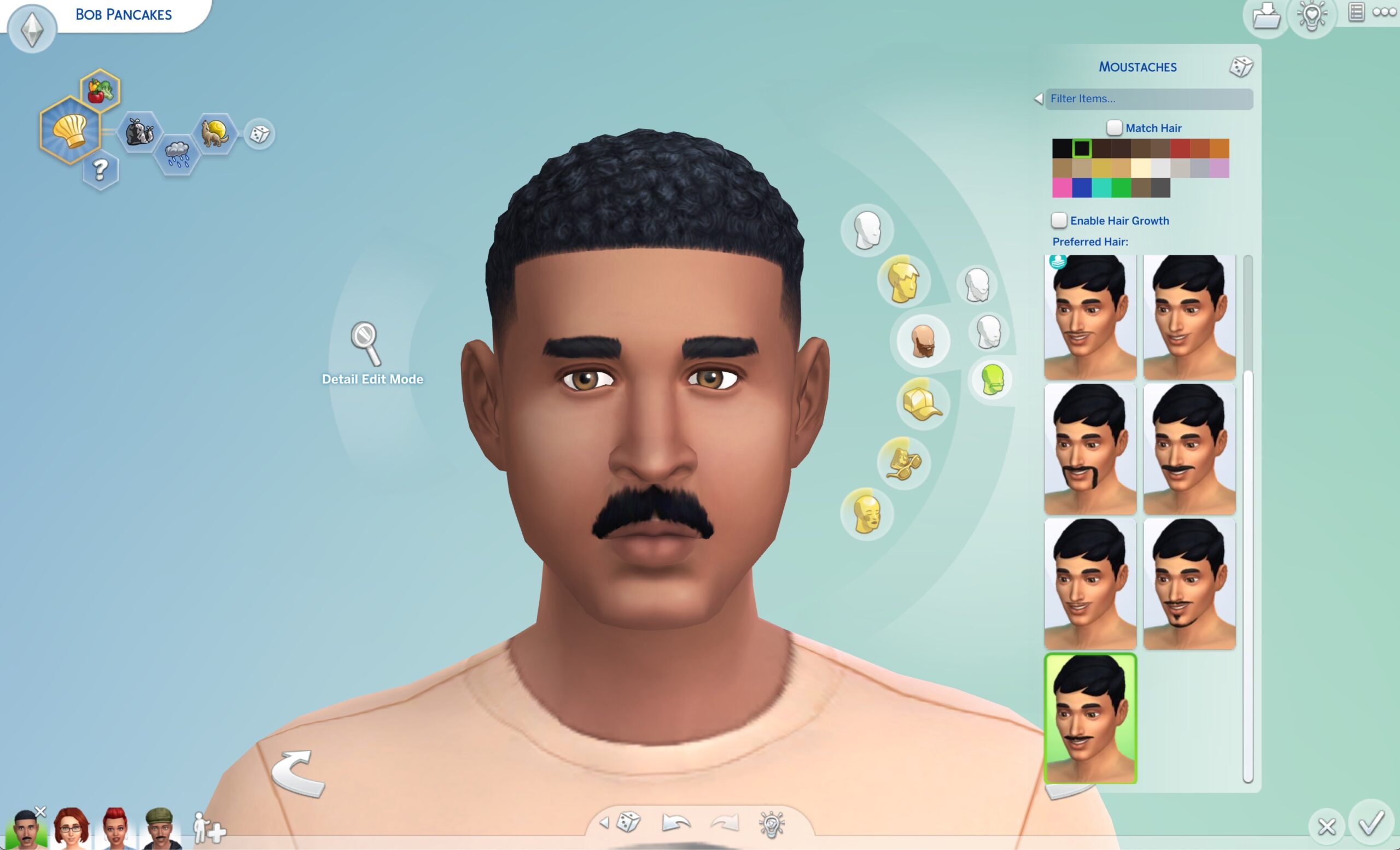
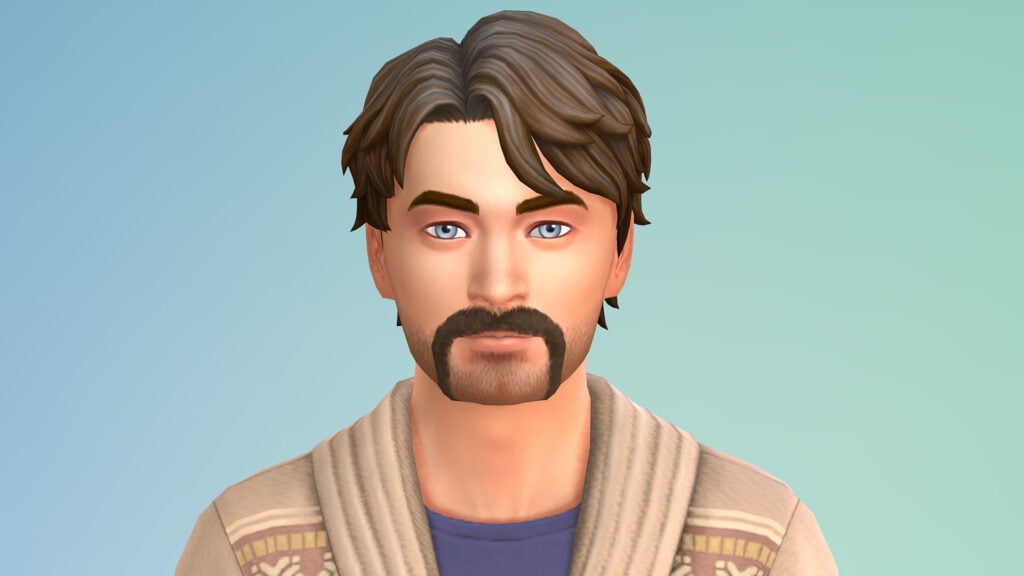
The pleasant surprise of yesterday’s SDX Drop was a new addition of Facial Hair for The Sims 4. A new set of 3 moustaches have been added in the game for Masculine Sims aged Teen & up, with each one variating in length & shape.

Moustache CC for The Sims 4

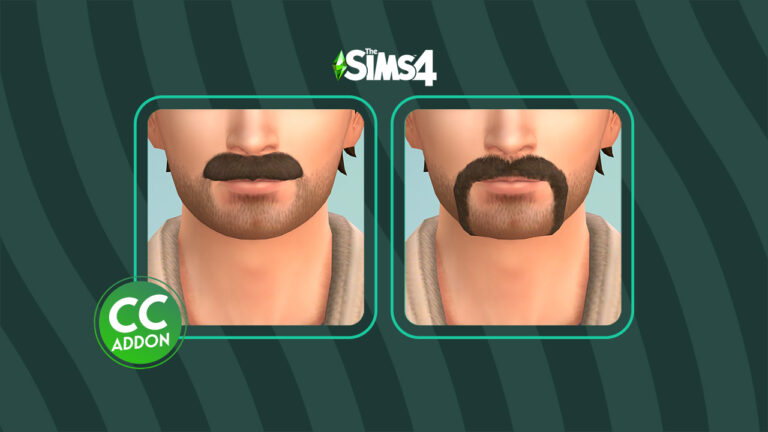
One particular creator picked up on the new Moustaches and improved them. If you feel like expanding the catalogue even more with new variations for your Sims, @kevinandthesims has a perfect solution!

https://twitter.com/kevinandthesims/status/1593574788672405505

The stubble and moustache combination definitely softens the edges of the original moustaches.


You can grab yours by downloading the set through the linked simfileshare! Install it by extracting the contents to Electronic Arts > The Sims 4 > Mods folder.

Looking for more Sims 4 CC? Check out our archives!

Ranking Unpopular Objects in The Sims 4

Do you use any of these Sims 4 objects in game?

Since the release of The Sims 4 eight years ago, we have seen hundreds of different gameplay objects in game. There are many that most of us incorporate into our builds and games on a regular basis. However, what about those which that we overlook and forget about?

When you think about those gameplay objects that we tend to not use, a few will probably come to mind straight away. There could be a number of reasons as to why these Sims 4 objects are less popular, especially with all the additional content and packs we have at our fingertips.

Let’s take a look at some of the unpopular Sims 4 objects from the Base Game!

Gameplay Objects Overview

Future Cube by Paltry Predictions, Inc.

Ahh, the Future Cube! I’m sure many of us will remember when our Sims were fascinated by them, when The Sims 4 Eco Lifestyle was released, and they were full of surprises!

Unpopular Gameplay Objects: Future Cube by Paltry Predictions, Inc.

Whipped Dream Cupcake Factory

Why is this gameplay objects so large but the cupcakes so small?

Unpopular Gameplay Objects:  Whipped Dream Cupcake Factory

Lump of Clay

What is the purpose of the Lump of Clay? We will never truly know!

Unpopular Gameplay Objects:  Lump of Clay

Bonsai Tree

The Bonsai Tree is more complex than it looks. It’s one of the less used objects in The Sims 4, although it offers great solutions for your garden!

Unpopular Gameplay Objects:  Bonsai Tree

While this is just a small selection of Sims 4 objects from the Base Game that appear to be less popular, it’s important to remember that there are numerous that are considered to be less popular that come with additional content! This doesn’t mean they are completely useless or don’t fit with many build themes, it’s just that they are ones that are easily overlooked or there is a different object that is more suitable

Take a look at the poll below and cast your vote for which unpopular Base Game objects you use the most in your game! You can choose up to 2 objects.

[totalpoll id=”132183″]


What other unpopular objects from The Sims 4 do you use regularly from Base Game? Let us know in the comments below!

The Sims 4 Death Cheats Guide

0

Cheating Death means a whole different thing in The Sims 4!

One of the most beloved characters in The Sims 4 is the Grim Reaper. So it is no surprise how often his services are needed! But sometimes you need the job done quicker. That’s where Sims 4 Death Cheats come in handy. They’re perfect for setting up a save or causing mayhem in a current save.

Some of these cheats are able to be used on console. Most importantly, those that aren’t are marked with a warning that they require a mod to use.

Sims 4 Death Cheat Death of a Sim

Turn Off Death

Warning: This cheat requires TwistedMexi’s AllCheats mod for it to work. Presently, this mod is available here.

There is a cheat that turns death off or turns death on for an entire save. Also, this would be convenient if you are really invested in a save and don’t want to lose anyone or even a fantasy save where immortality is a trait of the Sims.

To enter the cheat, open your cheat box and type in: death.toggle false to turn off death and death.toggle true to turn it on.

The Sims 4 Death Cheats: NPC Removal

Warning: This cheat requires TwistedMexi’s AllCheats mod for it to work. Presently, this mod is available here.

This cheat can be used to cause the death of most the NPCs around a Sim. It is important to realize that any Sims that are required for jobs will not die.

death.kill_many_npcs

Create a Ghost

Sims 4 death cheats Instant ghost

Normally, to create a ghost, a Sim would need to die. With these cheats, a Sim can be changed into a ghost based on a specific type of death.

Type of DeathSims 4 Death Cheats: Ghosts
Lightning (Seasons Death)traits.equip_trait trait_Ghost_Lightning 
Freezing (Seasons Death)traits.equip_trait trait_Ghost_Frozen
Overheating (Seasons Death)traits.equip_trait trait_Ghost_Overheat
Anger (Base Game)traits.equip_trait trait_ghost_anger
Elder Exhaustion (Base Game)traits.equip_trait trait_ghost_ElderExhaustion
Electrocution (Base Game)traits.equip_trait trait_ghost_Electrocution
Embarrassment (Base Game)traits.equip_trait trait_ghost_Embarrassment
Fire (Base Game)traits.equip_trait trait_ghost_Fire
Hunger (Base Game)traits.equip_trait trait_ghost_Hunger
Laughter (Base Game)traits.equip_trait trait_ghost_Laugher
Mother Plant (Strangerville)traits.equip_trait trait_Ghost_MotherPlant
Old Age (Base Game)traits.equip_trait trait_ghost_OldAge
Pufferfish (Base Game)traits.equip_trait trait_Ghost_Pufferfish
Rodent Disease (My First Pets Stuff)traits.equip_trait trait_Ghost_Rodent_Disease
Seance Table (Paranormal) traits.equip_trait trait_Ghost_SeanceTable
Sauna (Spa Day)traits.equip_trait trait_ghost_Steam
Anger (Base Game)traits.equip_trait trait_ghost_Anger
Potion Failure (Realm of Magic)traits.equip_trait trait_Ghost_Cauldron_Potion_Immortality_Failure
Cowplant (Base Game)traits.equip_trait trait_ghost_Cowplant
Curse – Nightstalker (Realm of Magic)traits.equip_trait trait_Ghost_Curses_NightStalker_Stalker
Death Flower (Base Game)traits.equip_trait trait_Ghost_DeathFlower
Drowning (Base Game)traits.equip_trait trait_ghost_Drown
Poison (Jungle Adventure)traits.equip_trait trait_poison
Vampire in Sunlight (Vampires)traits.equip_trait Vampire_Sun
Murphy Bed (Tiny Living)traits.equip_trait trait_Ghost_MurphyBed 
Bug Drink (Eco Lifestyle)traits.equip_trait trait_Ghost_Beetle
Fly Swarm (Eco Lifestyle)traits.equip_trait trait_Ghost_Flies

The Sims 4 Death Cheats: Temporary Ghosts

Warning: This cheat requires TwistedMexi’s AllCheats mod for it to work. Presently, this mod is available here.

If you want your sim to be a ghost for only four hours, then use this cheat: sims.add_buff buff_serums_ghostly

Debug Sim Death Options

Warning: This will require MC Command Center. Presently, you can download it here.

To access the following cheats, you will need to turn on debug options. At the present time, MC Command Center is needed to turn on these cheats.

the sims 4 death cheats instant death debug options

To access the Debug Death cheats, you will need

  1. To begin with, Click on a computer and choose MC Command Center
  2. Secondly, choose the first option: MCCC Settings
  3. Thirdly, choose Notification/Console/Menu Settings
  4. Fourthly, make sure to choose Console Command Settings
  5. At this point, click Debug Commands in Cheats

To access the death cheats, make sure to restart your game, shift + click the Sim that has wronged you and choose the option kill and choose from the following death types:

Deaths via Debug Commands
Be Crushed to Death by Murphy Bed (Tiny Living)
Be Crushed to Death by Vending Machine (Snowy Escape)
Be Slain by a Vicious Killer Rabbit (Cottage Living)
Death by Spellcaster Overload (Realm of Magic)
Death by Poison (Jungle Adventure)
Death by Mother Plant (Strangerville)
Death by Lightning (Seasons)
Death by Stink Capsule (High School Years)
Death by Urban Myth (High School Years)
Death by Cardiac Explosion (Base Game)
Death by Chicken (Cottage Living)
Death by Cowplant (Base Game)
Death by Flower (Seasons)
Death by Drowning in Ocean (Island Living)
Death by Elder Exhaustion (Base Game)
Death by Elderly Demise (Base Game)
Death by Electrocution (Base Game)
Death by Falling (Snowy Escape)
Death by Fire (Base Game)
Death by Meteorite (Werewolves)
Death by Laughter (Base Game)
Death by Freezing (Seasons)
Death by Flies (Eco Lifestyle)
Death by Overheating (Seasons)
Death by Pufferfish (Base Game)
Death by Rabid Rodent Fever (My First Pet Stuff)
Death by Starving! (Base Game)
Drown (Base Game)
Death by Ultimate Mortification (Base Game)
Death by Sun (Vampires)
Death by Steam Room Overheating (Spa Da)

Accidental Death

Warning: This will require MC Command Center. Presently, you can download it here.

Accidental death? With MC Command Center, you are able to undo death!

  1. To begin with, make sure to turn on Testing Cheats.
  2. Secondly, shift + Click the ghost and Add to Family
  3. Thirdly, click on the Sim and choose MC Command Center
  4. Fourthly, you’ll then need to choose Sim Commands.
  5. Finally, choose Maintain Sim.
  6. At this point, there will be an option to Revive the Sim.
Sims 4 Grim Tablet

Don’t know every type of death in game? Check out this article to learn about Every Type of Death in The Sims 4!

Want to learn all about Death Flowers? Read How to Obtain and Use Death Flowers in The Sims 4.


How will you use these death cheats in your next or current game?

Filling your spaces with The Sims 4 Everyday Clutter

Clutter objects for every room!

Do you every feel that your builds are missing something, however, you aren’t sure what? Well, The Sims 4 Everyday Clutter Kit may just be your answer!

There are a number of players who love using clutter objects in their builds to help take them to the next level. You see an empty space in a room, and you think to yourself, what clutter object would fit there?

Until recently, many of the existing clutter objects have been in game for a while, so it is a nice surprise to have a new The Sims 4 Kit dedicated to just clutter! Of course, this means even more possibilities for adding more clutter to our Sims’ surroundings.

So, let’s take several different pre-made rooms from the game and add a little clutter to them with this new Kit!

Seasonal Everyday Clutter Hallway

This entryway from The Sims 4 Seasons was definitely feeling a little bit empty. Nothing that a little bit of clutter couldn’t achieve! Initially it was hard to tell what to add to this space as it felt like it was missing something and not just the added clutter.

TS4 x64 2022 11 16 12 59 08

After some experimenting, eventually there was some progress. With the addition of the side table from The Sims 4 Industrial Loft Kit, as well as replacing the chair with one from the same Kit, it was starting to come together. The addition of the mirror helped tie the space together.

Now it was time to add some clutter! The clutter pieces from The Sims 4 Everyday Clutter are perfect for this space. The smaller clutter objects like the individual glasses, the tray and the phone & keys object really add to the entryway feel. A few boxes above the coat rack and around the room, the entryway was now complete!

Cluttered Hallway

Everyday Clutter Gaming Room

For this gaming room from The Sims 4 Get Famous, the two main areas of focus for clutter were the desk area and the storage unit in the room. The first problem that was encountered was the original desk wouldn’t allow for much customization. After swapping it out for another desk, it was time to get started!

Sims 4 Kits: Gaming Room

It was a lot of fun adding clutter to these two main areas of the room, as well as adding in a sofa from The Sims 4 Pastel Pop Kit!

Although it was disappointing having to change the original desk out for an alternative, filling the empty space with some sports and gym themed clutter objects from the new The Sims 4 Kit was the right move.

Although the desk is not super cluttered, the added objects did make it feel more like a typical work space and not as empty as before. Whereas, the storage unit and the surrounding clutter brought the room together. While it looks messy, it was definitely more of an organized mess.

Modular Cluttered Bedroom

This room was a lot of fun to add clutter too. While the bed area of the room remained unchanged, other than changing a few of the objects colour swatches, the main focus was on the modular storage. There are so many opportunities to add clutter to this, and knew that a lot of the new objects would fit perfectly there.

Sims 4 Kits: Cluttered Bedroom

The idea in mind for this room was that it belonged to a teen/young adult Sim. Maybe one who was at High School or University. The cluttered worktop, filled with various different make up products, trinkets, headphones and more as well as more clutter stored on top of the modular units.

With a few more objects from The Sims 4 High School Years and the room was complete. It really came together well, and the new objects from the Kit really help add an extra level of detail to the room. In fact, there are a number of smaller objects from many of the other The Sims 4 Kits that would work perfectly alongside those from the Everyday Clutter Kit, too!

Sims 4 Kits: Cluttered Bedroom

There is no denying that this The Sims 4 Kit is perfect for builders and players who love adding clutter into their game. The variety of objects that we get with the Kit work in so many different ways and types of room that the possibilities for using each of the objects is endless!

All of these rooms can be found on The Gallery by searching the username Leekseverywhere.

How are you going to use The Sims 4 Everyday Clutter Kit in your game? Let us know in the comments below!

The Sims 4 SDX: New Delivery! (Nov 17th, 2022)

0

New Content and Bug Fixes have just been released with the latest Sims 4 SDX! Check out what’s new.

Maxis has released a second SDX drop this month for The Sims 4. In case you don’t know, SDX stands for Sims Delivery Express, which count as small updates for the game.

Today the team will be releasing new hairstyles, collaboration with Mass Effect, new music and bug fixes!


ARTICLE UPDATE: The Sims Direct Team just confirmed the tuning fix for Sims being autonomously mean won’t be coming in today’s SDX drop. Even after announcing yesterday that it will be fixed.

conversation

Simmers, our tuning fix for overly aggressive/mean Sims was intended to come out today however the fix will be delayed to early December. We sincerely apologize for the delay.


Through Sims Delivery Express you are able to download new Create A Sim Content, Build Mode Content and small bug fixes and improvements into your game straight through The Sims 4. Simply open up The Sims 4 and your game should automatically check for new content.

If not, go into Game Options > Sims Delivery and Check for new Content. This method of bringing new content into your game works both on PC and Consoles! Note that you will have to restart your game in order to obtain new content. You can select “Yes, Restart Now” for the game to restart automatically for you.

Sims 4 SDX Drop - How to Install


November 17th, 2022 SDX Drop

New Hairstyles

Bantu knots and two strand twists are now available in The Sims 4! Done in collaboration with DeeSims.

New Facial Hairs – Mustaches!

New Mustaches in The Sims 4
Official preview of new mustaches in Sims 4 Base Game

In-Game Previews of New Facial Hair

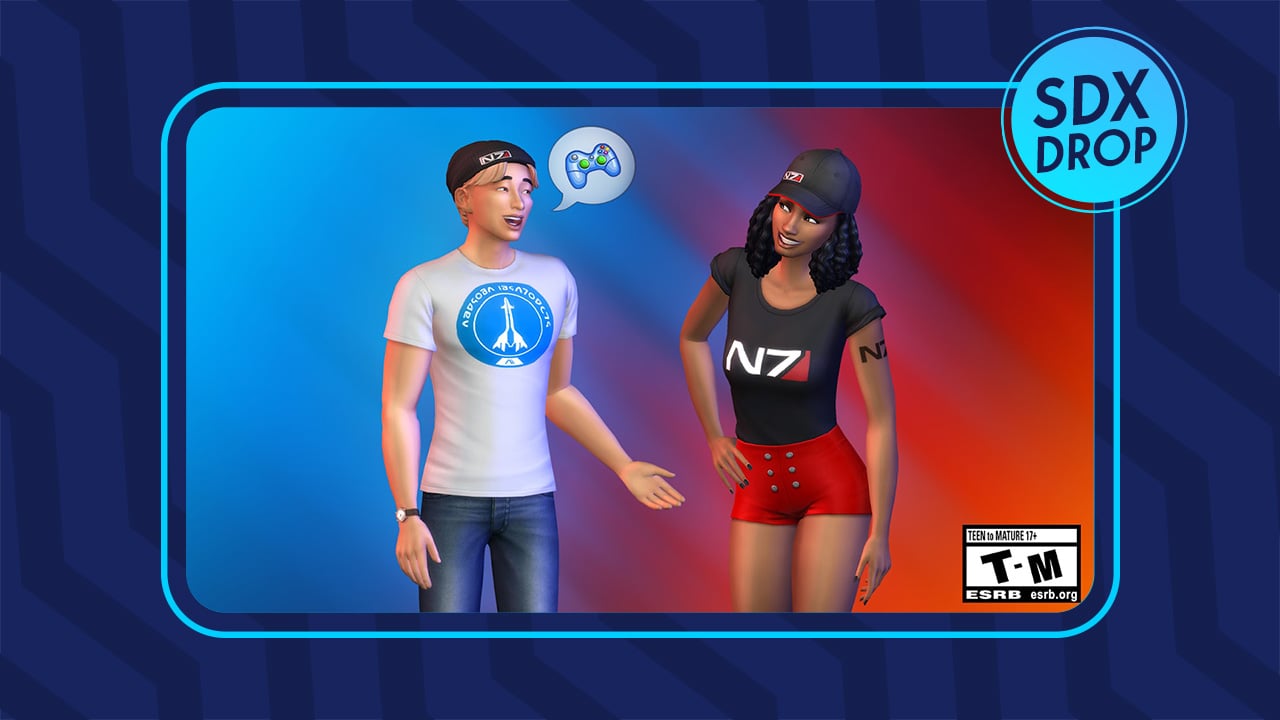
Mass Effect CAS Content

There’s new Create A Sim content added with the latest drop. Done in collaboration with Bioware, the new Mass Effect CAS Content comes with:

  • Two New Hats
  • Two N7 Tattoos – Arm and Back
  • Two New Tops

Even more Tattoos!

Fhyi9jdXwAAtMsG
Screen Tip: @NoahLGP

Each N7 Shirt also comes with Neutral Swatches!

Neutral Tone Tshirts in Sims 4
Image credit: @SimmerWill

EA Sports Advertisement Tshirt.

EA Sports Advertisement Tshirt.

EA Sports Tshirt in The SIms 4
EA Sports Advertisement Masculine Top Tshirt.

New Pop Song

Find Anitta’s “Practice” now in Simlish! You can listen to the tune in the Game Options > Music > Pop Radio.

Sims 4 Pop Radio

What are your thoughts on the new SDX drop?

How To Download from the Official Sims 4 Mod Hub

Learn how to download and install mods and CC from The Sims 4 Mod Hub website!

On November 14th, CurseForge and The Sims 4 unveiled their new mod and custom content platform, called The Sims 4 Mod Hub! The platform is designed to be a one-stop-shop for Sims 4 mods and custom content, all completely free to download and curated to ensure security and quality. There are already over 1,000 creations on the platform from creators. Here’s everything you need to know about downloading and installing your favourite mods and CC from the Mod Hub!

Sign Up for the Mod Hub

Sims 4 Mod Hub

Currently, The Sims 4 Mod Hub is connected to Twitch for login services. If you already have a Twitch account, you can use it to log in and create your account. If you don’t already have a Twitch account, you’ll need to create one. Changing your username and profile picture on Twitch will also change it on the Mod Hub.

In the future, CurseForge plans to implement more login options but for now, Twitch is the only way to log in to The Sims 4 Mod Hub.

Downloading Mods and CC from The Sims 4 Mod Hub

Once you have an account, you can begin browsing for mods and custom content! Select the different filters along the left sidebar to find exactly what you’re looking for. If you want to find newest creations and not necessarily just the most popular ones, you can filter for that, too.

Sims 4 Mod Hub Menu

Find something you like from the selection on The Sims 4 Mod Hub. You can either hit Download right on the search page or click on the name to bring up the download page with more info. We recommend going to the download page. You might miss important information about the download if you don’t read the full download page.

CurseForge Creator
The download page for one of my pose packs

As always, make sure you read all the information the creator has provided. Depending on what you’re downloading, you might need another mod or a specific pack for it to work correctly. After you are clear on all the details, scroll down to the download button and click it. The content will immediately download to your computer.

Creators earn 70% of all of CurseForge’s ad revenue so you are already supporting them by downloading their content for free from The Sims 4 Mod Hub. However, if you’d like to offer additional thanks, some creators have an optional donation button you can click on. Remember to follow your favourite creators to stay up-to-date on all their content!

CurseForge Download Page
Download under the Recent Files section

Installing Mods and CC

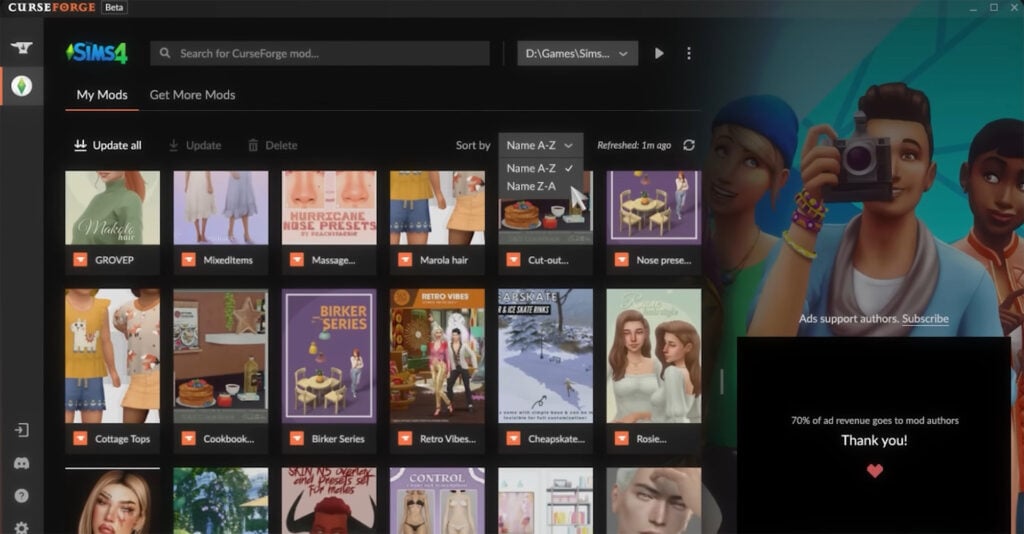
On December 6th, CurseForge’s Mod Manager app will be available for The Sims 4 as an open beta. The Mod Manager will install your downloaded content for you and automatically keep it updated so you don’t need to worry about anything else after downloading.

Until then, mods and custom content downloaded through The Sims 4 Mod Hub website will still need to be installed the same way they were before; by unzipping the files and putting them into your Mods folder.

If you’re new to mods and CC and need more help with this, check out our beginner’s guide to mods and CC!

Why Use The Sims 4 Mod Hub?

We know what you’re probably thinking right now. You already download your mods and CC from other sources. Why switch over to a new platform? We understand this point of view. No one likes having to change their routine, but there are many benefits to using CurseForge over other platforms.

Simmers have peace of mind downloading from CurseForge. Everything on CurseForge is age-appropriate for The Sims 4’s Teen rating and all content is reviewed before getting approval. This means there is no risk of downloading harmful viruses. CurseForge is also very convenient, as many of your favourite creators are now all in one place.

As we mentioned before, downloading from The Sims 4 Mod Hub directly supports creators but at no cost to you. CurseForge’s rewards program pays out 70% of its ad revenue to its creators so when you download something from The Sims 4 Mod Hub, you’re directly supporting that creator. This is a good thing for both creators and players. Players have unlimited access to high quality, free content and creators are still compensated for their time and hard work.

Want to know who’s on CurseForge? We have a list of some of your favourite creators!

The Sims 5: Everything That Leaked

0

There’s been a massive leak of Project Rene / The Sims 5! Showing a Work-in-Progress of the World, Apartments and Sims.

This weekend was very busy in terms of the leaks for The Sims 5.

As we wrote in the report in early November, Project Rene game files were hacked and leaked out. According to the news report, there’s been a breach and players who weren’t involved in a closed EA Playtest were able to hack through the game files and pirate it.

Considering that the game is multiplayer and that the playtest offered invitations to friends and family of choice, the leak was inevitable.

Just last week first images of The Sims 5 leaked on Reddit. The leak showcased Apartments, some segments of the new World and the new Workshop tool in action.

New Sims 5 Leaks – Overview

Of course it didn’t take a while for someone to snap the leaks in-game and go in-depth with everything Project Rene currently has.

The following footage material has been posted by Twitter user @TheSims5_World. The user received anonymous gameplay footage of the game and posted it on their account. Just a few days later the entire twitter account was removed. However, the resemblance of what was officially shown confirms these leaks are real.

POLICE SIREN 2 1

Down below you can find the full gallery of everything that leaked over the last couple of days. Please note that the following leaks represent a Work In Progress of Project Rene / The Sims 5. Anything you see is subject to change and might not be present in the final release.

World & Environment in Sims 5

Apartments

Apartment Indoors, Furnishing and Decor

Work in Progress of Sims 5 / Project Rene Characters

The following images were allegedly found in the game files of Sims 5 / Project Rene playtest. Showcasing Sims / Characters that are currently Work in Progress!

Note that characters in Project Rene / Sims 5 are still a work in progress. The following images only showcase prototyping of what the characters could look like.


You can stay in the loop on all the latest news and developments on The Sims 5 right here on Sims Community!

What are your thoughts on the new leaks?

The Sims 4 SDX Drop: What to Expect?

0

The Sims 4 has a big SDX Drop happening November 17th – including new content and bug fixes! Here’s what you can expect in just a few hours.

The Sims Team has lined up a big amount of new content coming to The Sims 4. At least when it comes to SDX Drops!

Over the last few days the team has shared information about new Hairstyles, Mass Effect Collaboration and more coming with the upcoming drop. Today, they’ve shared new information about new music…and bug fixes coming to the game. What a combo, right?

Anyways, here’s a full list of things you should expect through an SDX Drop:

Sims 4 November 17th SDX Drop – What’s coming?

New Hairstyles

Two new hairstyles are coming to The Sims 4, in collaboration with DeeSims! The hairstyles feature Bantu knots and two strand twists. Both hairstyles have been confirmed to be available for Sims aged Child and up!

The Sims 4 - New Hairstyles!
The Sims 4 is getting new Hairstyles

New Music

The Sims confirmed today that Anitta will be having her Simlish song “Practice” added to The Sims 4 Base Game. The Brazilian singer will have her song featured in the “Pop” Music Category of The Sims 4.

You can check out the preview of the song below!

Mass Effect Collaboration

Maxis and Bioware have confirmed that they’re teaming up to bring new Mass Effect themed content to The Sims 4.

Expect new Hats, Shirts and an N7 Tattoo. You can learn more about this collaboration here!

Sims 4 Mass Effect Collaboration
Sims 4 Mass Effect Collaboration – SDX Drop

Major Bug Fix – Mean Sims

Remember the glitch we reported about a few days ago about Sims being mean to each other…for no reason?

The Sims Direct Communications reported today that they’re fixing the issue in tomorrow’s SDX drop!

Contact Us

Sul Sul Simmers,

We have an update on overly aggressive/mean Sims. We’re incorporating a tuning fix to cool down the extra negativity taking place between Sims in tomorrow’s Sims Delivery Express. We appreciate your patience as we investigated & worked toward a solution.

The Sims 4 - Mean Glitch
Sims being autonomously mean to each other

That’s all we know on tomorrow’s SDX Drop. Stay tuned on Sims Community for the latest information on future drops!

What are your thoughts on the upcoming SDX Drop? Join the conversation!

CurseForge Answers Questions About The Sims 4 Mod Hub

CurseForge clarifies details about The Sims 4 Mod Hub and upcoming Mod Manager!

During the Behind The Sims Summit event, The Sims 4 and CurseForge announced their partnership to bring Simmers a new platform for sharing and downloading mods and custom content. On November 14th, The Sims 4 Mod Hub officially launched but many Simmers were left confused; where was the promised Mod Manager? Was the website all there was?

CurseForge took to Twitter to clear up confusion and lay out a clearer picture of what’s to come for The Sims 4.

CurseForge clarified that November 14th was the launch date for The Sims 4 Mod Hub but the Mod Manager will be coming on December 6th as an open beta. The Mod Manager will have all the convenient features Simmers have been waiting for, such as automatic mod updates and easier mod organization.

Sims 4 Mod Manager
Sims 4 Mod Manager, coming next month!

On December 6 we’ll launch an open beta of The Sims 4 on the CurseForge client, meaning you’ll finally be able to use the Mod Manager you’ve all been waiting for.

CurseForge

The Sims 4 Mod Hub Website Redesign

In response to feedback about the Mod Hub website being difficult to navigate and visually unappealing, CurseForge assured players that a new redesigned website will also be launching on December 6th and provided a preview of the new design.

December 6 is also the date for the launch of our NEW WEBSITE, which will feature an improved browsing, searching and downloading experience. Check out this sneak peek of the new design:

CurseForge

They also included a sneak peek of the new Mod Hub design coming in December:

The Sims 4 Mod Hub Website Redesign
Image Credit: CurseForge

For comparison, here is what The Sims 4 Mod Hub currently looks like on the website:

The Sims 4 Mod Hub Website

There’s no denying that the planned redesign is a vast improvement over the current design and layout. While we are excited that The Sims 4 Mod Hub is now available to enjoy, we agree with the community that the website needs a lot of navigational and visual improvements. It’s nice to know that Simmers will not need to wait long to have the smooth user experience they were expecting.

If you’re looking for more information on The Sims x CurseForge partnership, we break down everything you need to know! And if you want to share your thoughts on the new mod platform, participate in our poll!