Featuring a Hyperpop Simlish Song from Alice Longyu Gao!
The Sims Team has released a new blog post today for their “You Make The Sims” series. In the latest spotlight they’ve featured a Hyperpop artist Alice Longyu Gao, whose song “DTM” will be added to The Sims 4 Base Game!
The hyperpop artist has done an interesting video interview with The Sims regarding her recording process, her knowledge of Simlish and more. Check it out below:
The artist has also revealed on her Instagram Story that the Sims Delivery Express featuring her song will be dropping on May 25th, 2022! We’re not sure if anything else will be added to the game through this SDX drop, but we’ll definitely keep you updated!
Until then, you can read the official interview with Alice:
Our players make The Sims every day. They play to express their individualities, their interests and their aspirations in The Sims. They are an inspiration for us to always keep innovating and improving. We want to amplify our players’ influencers, so we’re turning the focus to them.
Alice Longyu Gao is an infectious spirit that’s just beginning to realize her full, unlimited potential. From her otherworldly fashion sense, to her genre-defying music, you can’t help but take on her carefree energy, no matter which one of her creative outlets you have the honor to experience.
With Longyu meaning “dragon and universe,” and Gao meaning “magnificent,” the singer-songwriter, DJ and artist is every bit fierce, cosmic, and absolutely splendid.
Last year, Alice released her appropriately-titled EP High Dragon and Universe, an exhilarating intro to solo music career. Despite speaking multiple languages, the six-track EP is delivered solely in English, however, fans now have a chance to hear her hit song “DTM” in a tongue only a rare group can comprehend: Simlish!
As part of our ongoing You Make The Sims series, where we spotlight creators across the world who inspire us and the game we make, Alice brings her experiential, hyperpop sound to our base game through the Sims Delivery Express.
To learn more about Alice, her art, and her love for The Sims, we visited the multi-hyphenate at her Los Angeles pad to ask her some questions, where she surprisingly responded exclusively in Simlish. You can watch the piece and read the accompanying Q&A below.
Simlish is a tough language to learn and understand. So what challenges did you run into when translating and recording “DTM” in Simlish?
It felt extremely natural for me to speak in Simlish because I’m usually in my bedroom talking to myself like that. When I got to do my song in Simlish I was like OMY, hell yea! Finally, I feel seen!’
When are the optimal times Sims should listen to “DTM?
Definitely when getting ready to go to the club, because life is about having a good laugh at the end. I hope this song brings people hope because manifestation is real; if you want something then just firmly believe that you deserve it, then you will get it.
What’s the next song you want to translate into Simlish?
“100 Boyfriends,” because I want to move my 100 boyfriends farm into The Sims.
As someone who’s very expressive, what advice do you have for anyone afraid of expressing themselves? And how can playing The Sims help?
Stay mysterious, because honestly, that’s cooler and brings you more opportunity. Express yourself when you feel comfortable and willing to share. I love to stay in my bedroom or studio, I enjoy living in my own world, playing games, making music and browsing the internet, so The Sims is quite perfect for me to live in my fantasy.
What have you learned about yourself within The Sims?
I am allowed to be alone and that’s not weird. My world is so interesting and fun, I need enough time to even just enjoy that.
You can hear Alice Longyu Gao’s Simlish version of “DTM” starting later this month in The Sims™ 4 on PC and Mac via Origin™ and Steam®, PlayStation®5, PlayStation®4, Xbox Series X|S and Xbox One systems.
The blank canvas home we didn’t know we needed. Until now!
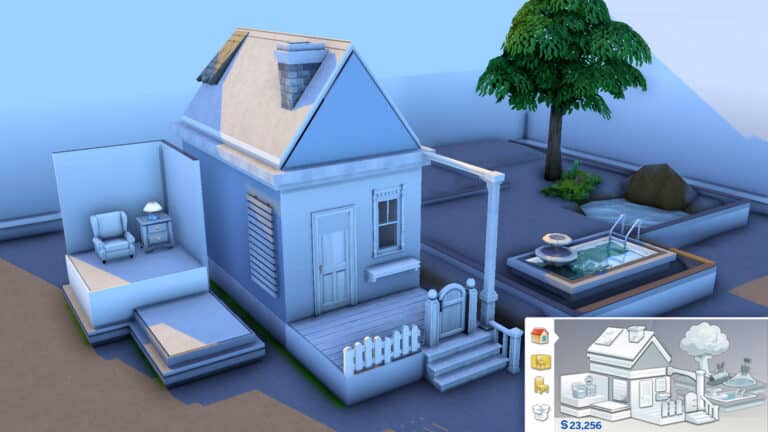
You’ve probably seen the greyscale Build/Buy house in the catalogue by now if you’ve been playing The Sims 4 for any length of time. It represents the different Build/Buy features you can access in the catalogue and clicking on a piece of the house will take you to that category of items.
We never gave much thought to this house before. It was just… there. Existing. But now it exists in a different form! Simmer daniellebuildshas taken it upon themselves to recreate the Build/Buy house as a real build, greyscale colour palette and all!
Did we ever ask for this? No. Are we incredibly grateful that it exists? Absolutely! We love when Simmers think outside the box and create something we never expected and this is no exception! This is so fun and creative and seeing it made our day.
You can download this build for yourself from the Gallery right now!
Have you ever wanted to have a beautiful mid-century modern office, but for some reason were unable? Well, you can live your Mad Man fantasy with Pierisim CC Pack.
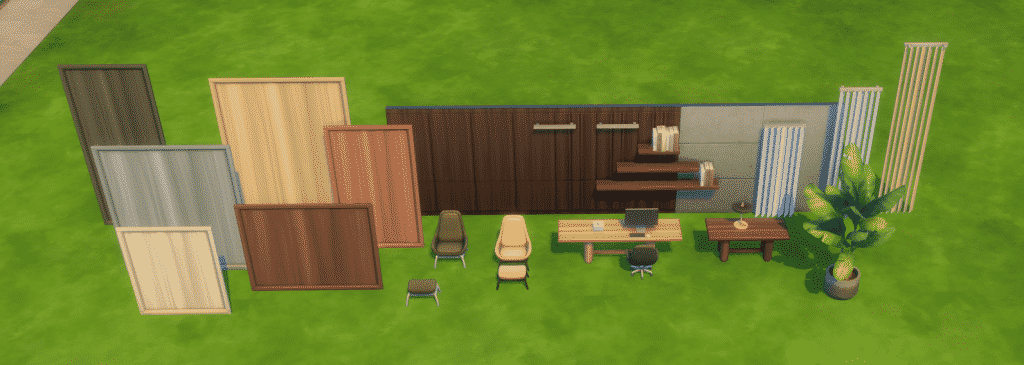
This pack is the first of, hopefully many, packs in the MCM House series. It has a whopping 62 items, ranging from doors and windows to desks/tables, shelves, and accessories. Everything is in muted, earthy tones with compatible swatches and a similar vibe.
Build items
Build items are where this pack shines! Doors, windows, and walls are very usable in any modern-ish and/or minimalist build.
The pack has three types of doors but in all three heights. Wide and narrow glass doors and full wood one-tile ones.
Windows follow the same minimalist aesthetic and come in all three sizes as well. Basically, when you just want A WINDOW. A glass rectangle. No funny business.
There’s also four wall paints – two wood panelings and two concrete. Ideal for an office or a secret basement.
Buy items
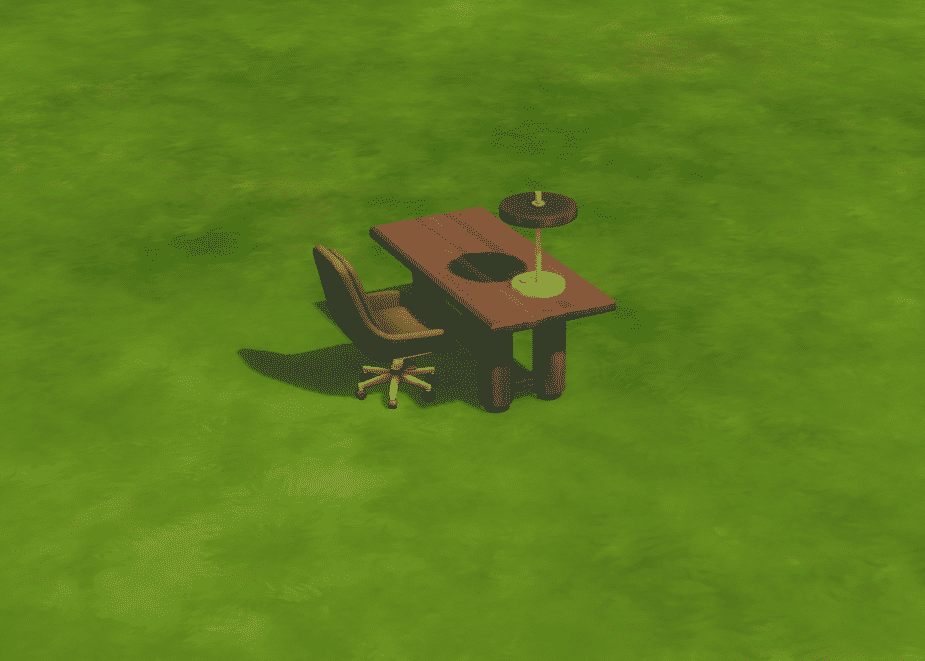
Buy items consist of three types of chairs (with or without a footstool and a desk chair), two desks/tables, shelves, curtains, computer and a plant. What else would you need in an office?
An interesting feature is wooden panels that can be used to create shelving with wooden backs! Or as a cubicle partition, depending on how much you hate your sims…
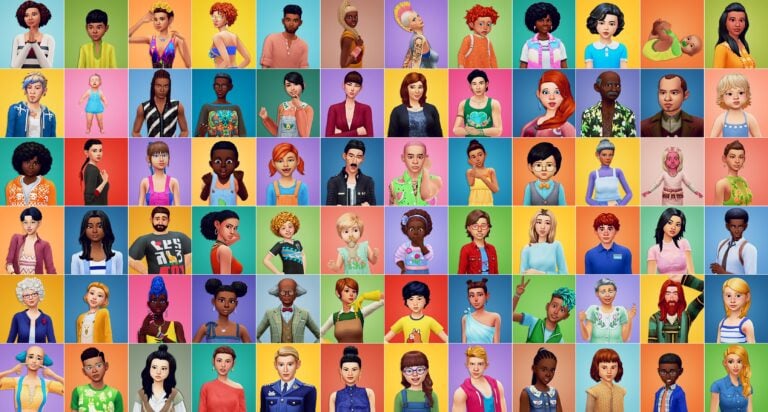
Specially stylized Sims for each and every hairstyle in The Sims 4!
ShoobySims is a Simmer I’ve been following on Twitter for some time now and have always loved her content! Recently, she has undertaken a new and exciting challenge to create a Sim for each of the individual Base Game hairstyles.
With approximately one hundred and fifty different hairstyles from the Base Game alone, it really is a one-of-a-kind series, especially when you need to create so many different Sims to reflect each different hairstyle.
What I love about each of the Sims ShoobySims has created is just how unique and beautiful they look with each hairstyle.
Currently, just over one hundred of the Base Game hairs have been paired with Sims. Take a look at the gallery below to see each of the different hairstyles that have been completed so far!
Spanning a variety of ages, it’s fantastic to see just how Shooby has captured a Sims personality and style with each of the different Base Game hairstyles. With such unique looks, there are no two Sims that look alike!
We can’t wait to see more Sims from Shooby in the future! You can stay in the loop for her upcoming creations and updates on this huge project on TwitterandTumblr!
Which Base Game hairstyle is your favourite? Let us know in the comments!
The icon, the legend, and the moment that is the Phone Girl, also known as Callia Maebey, finally got the recognition she needs.
After being begged to remove her unsettling grin from the main menu for some time now, The Sims decided to do the opposite and to attack the players with full force. She was everywhere!
Simmers took to themselves to make her more palatable, or just to give her a soul? Or maybe a story?
The mood on the gallery right now ranges from a totally normal, girl next door kind of vibes to deranged copypasta, which we all know is truer to the source material.
Just a regular girl
Just a run-of-the-mill, regular person. Who happens to have a phone. Nothing to worry about.
When this Maebey calls, she’ll tell you not to go to that cafe she liked because they made her soy latte with oat milk. And that is really unacceptable.
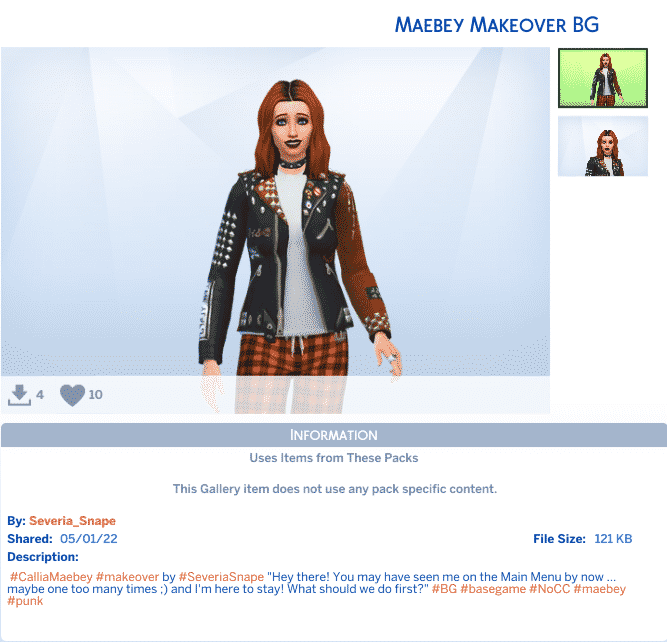
Maebey looks good with bit more eyeliner and a studded jacket, as a punk princess.
She is beautiful, full of life, and ready to ring you up for a coffee or a stroll in the park. What could go wrong there?
Nightmare fuel
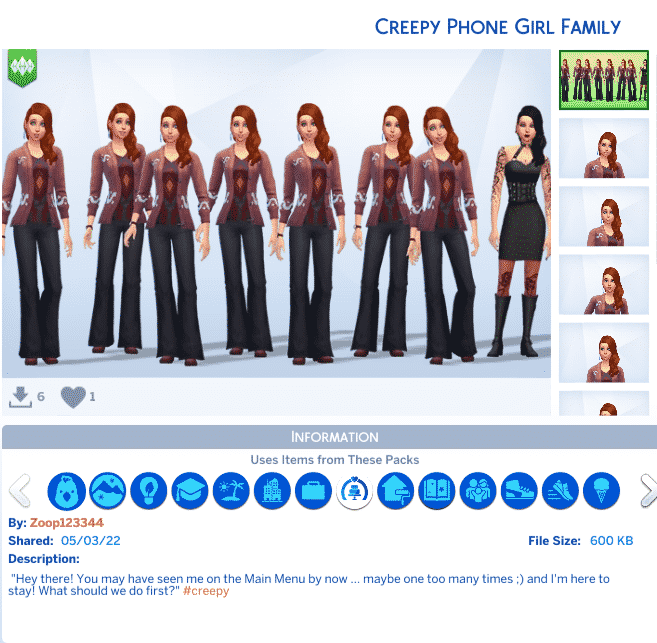
She is not a person, she is an entity. She comes as a glitch in the matrix to compromise your sanity. The best thing of all, there won’t be just one call. There will be eight.
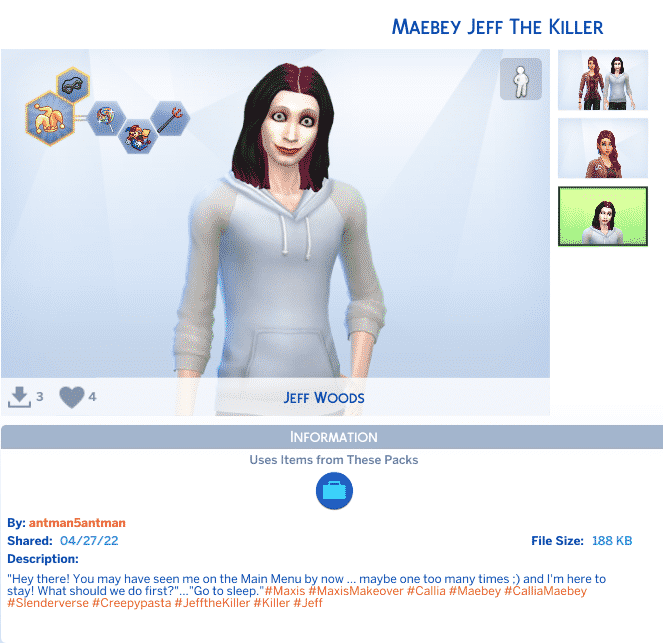
This version comes as a diabolical couple. One soul in two bodies. First, she calls. If you ignore her then there comes Jeff and you know Jeff. The one with the smile. The one who dwells in the darkest corner of your mind.
Become one with nature by literally becoming a plant!
Did you know there is an occult life state in the base game? Two, actually. Ghosts and PlantSims, but we’ll be talking about PlantSims today. Previously only found in the Seasons and University DLC packs for The Sims 2 and 3, respectively, PlantSims came to the base game of The Sims 4 for the first time in the franchise’s history. They were initially added for a limited-time event in April of 2017 but they stayed in the game afterwards as a sort of “secret” life state.
Sadly, PlantSims aren’t as in-depth as their predecessors but they can still be fun to play with. Here’s everything you need to know about becoming a PlantSim and caring for one!
Becoming a PlantSim
There used to only be one way to become a PlantSim but a new scenario has added a faster, easier way to become a PlantSim as soon as you start the game.
If you choose to start the Plant-A-Sim Scenario, your Sim will start the game with 5 Forbidden Fruit of the PlantSim in their inventory. Have your Sim eat the fruit to become a PlantSim! If you don’t want to play through the rest of the scenario, you can cancel it. Your Sim will still keep the Forbidden Fruit they started with.
For players who want more of a challenge to become a PlantSim, you can still become a PlantSim the old fashioned way. Through finding all the magic beans! The magic bean collection was added with the April 2017 PlantSim event and cannot be found out in the world now; however, they can still be obtained through rare seed packets. Sims can purchase rare seed packets for $1,000 each after maxing out the Gardening skill. Just keep purchasing these rare seed packets until you have all the magic beans. Check the collection panel (the diamond icon on your Sim’s inventory menu) to see your progress.
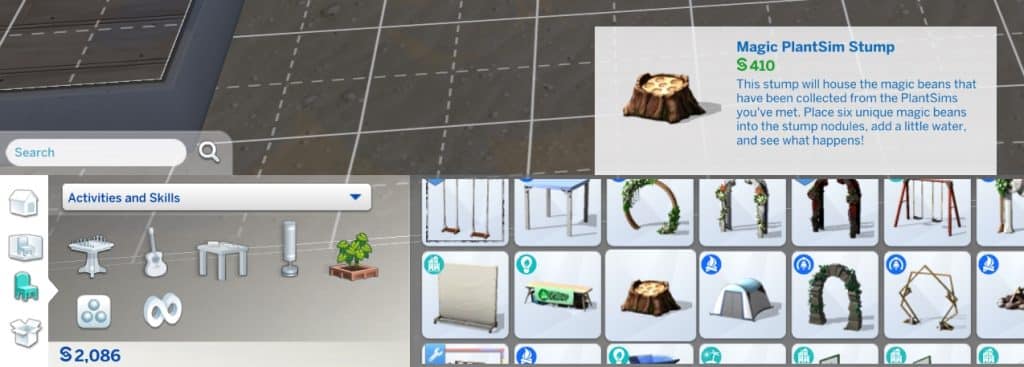
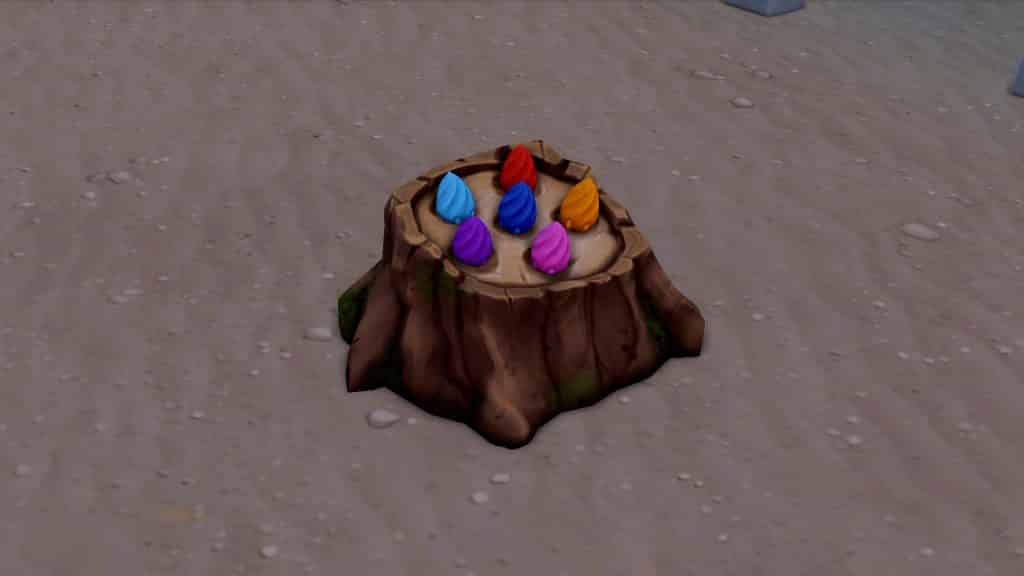
Once all the magic beans have been collected, purchase the magic stump object from the Outdoor Activities section in Build/Buy. Drag all the magic beans into the slots on the stump. The order they are arranged in doesn’t matter; all the slots just need to be filled with different magic beans.
Water the stump with all the beans arranged on it and watch it sprout up into a HUGE tree with an opening in the side for your Sim to explore! Exploring the tree will give your Sim a Forbidden Fruit of the PlantSim which they can then eat to be turned into a PlantSim.
Staying a PlantSim
PlantSims are not a permanent life state, unlike PlantSims from past Sims games. Your Sim will only stay a PlantSim for 5 days before they “wilt” and become a human again. There is no way to avoid this happening but if you have enough Forbidden Fruit, you can just keep eating the fruit every 5 days to immediately become a PlantSim again.
The easiest way to ensure that your PlantSim will never run out of Forbidden Fruit is to plant the first Forbidden Fruit you get so it will grow into a tree that produces Forbidden Fruit daily. You’ll never have to worry about not being able to become a PlantSim again if you have a Forbidden Fruit tree.
PlantSim Appearance
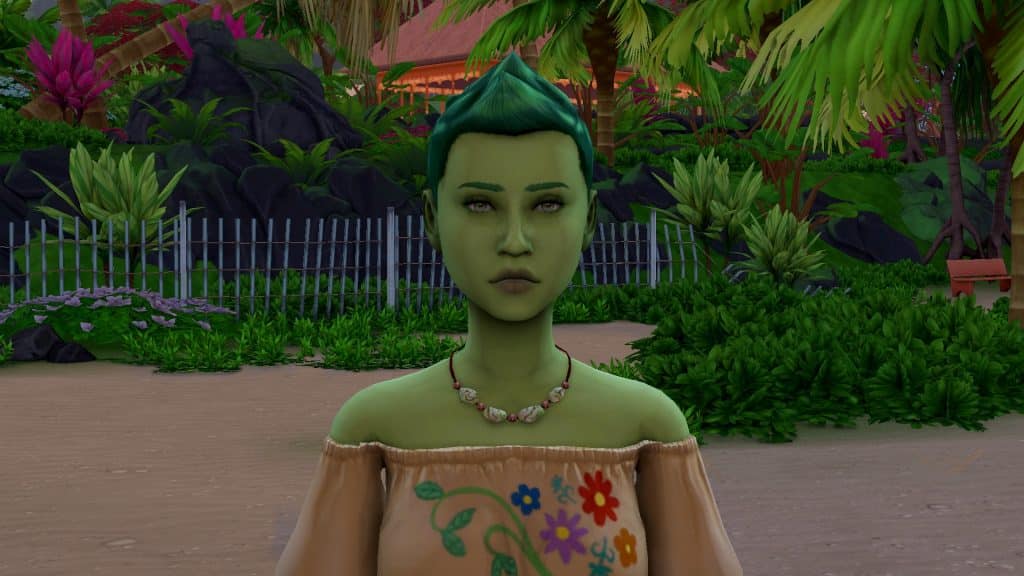
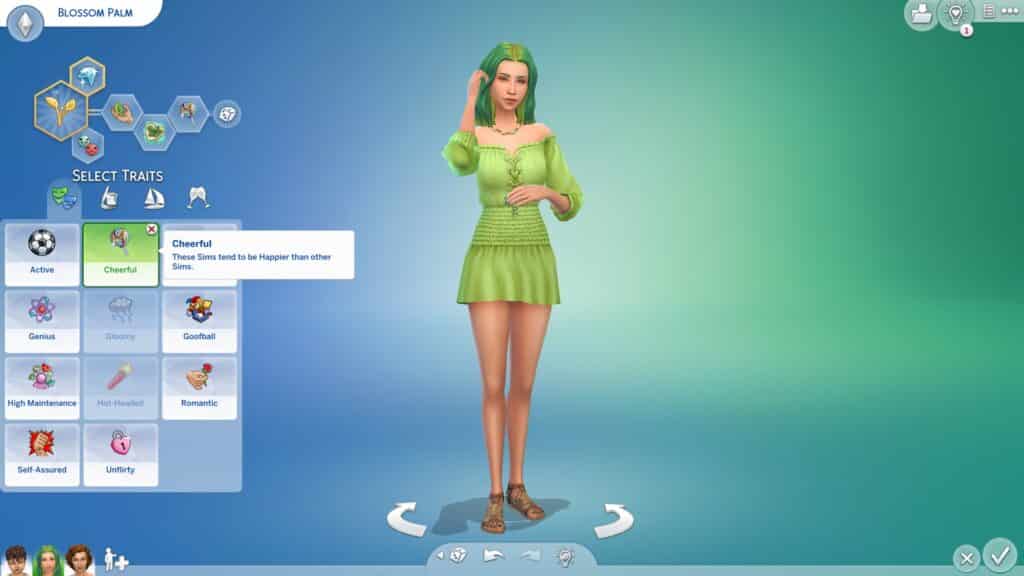
All PlantSims sport green skin and the same short spiky green hairstyle that can’t be changed. Otherwise, they look the same as regular Sims and wear normal human clothes. They won’t be in their PlantSim form in CAS so changing their hairstyle in CAS will not change their default PlantSim hairstyle in-game but changing their clothes in CAS will also change their clothes in-game.
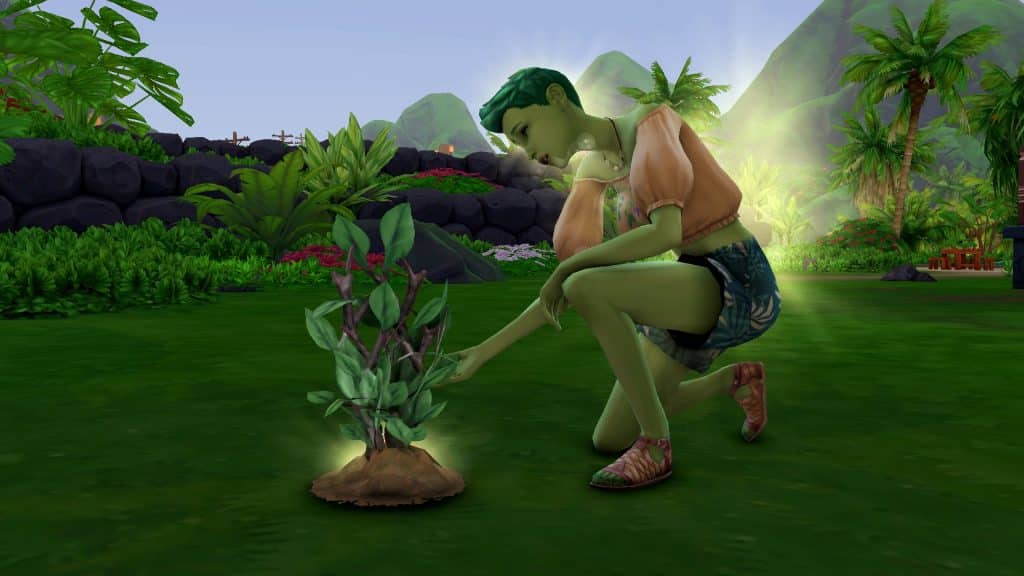
PlantSims have two animations that they do frequently. One is their photosynthesis animation and the other has them sprouting leaves on their arms and producing a cloud of pollen around them. You can’t direct PlantSims to do these things. They are autonomous idle animations.
PlantSim Abilities
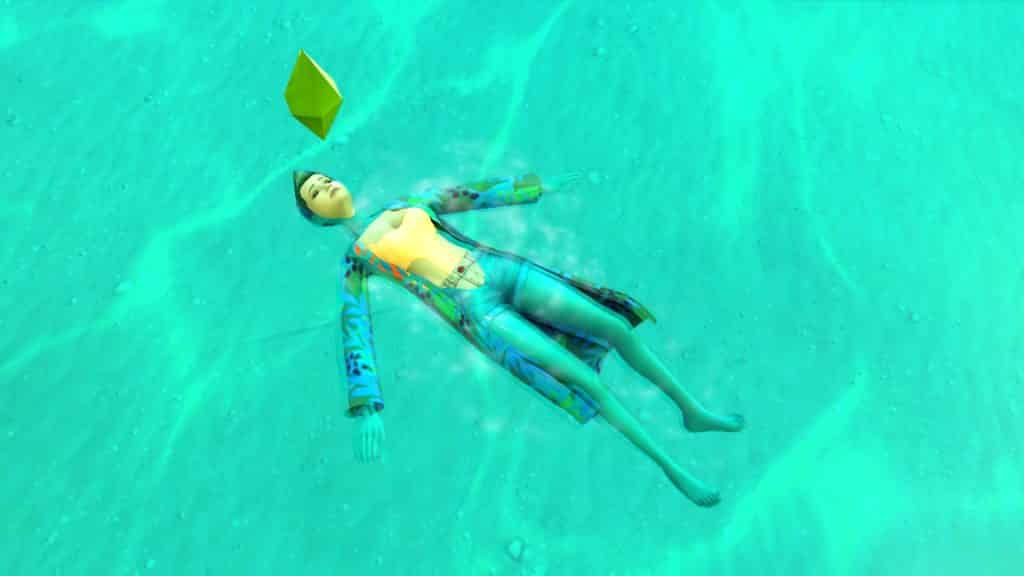
PlantSims have some unique abilities that human Sims don’t have. Instead of a Bladder motive, they have a Water motive. This means they don’t need to use the bathroom but they do need to absorb a lot of water, either by being submerged in water or by drinking it. Without enough water, PlantSims can’t photosynthesize.
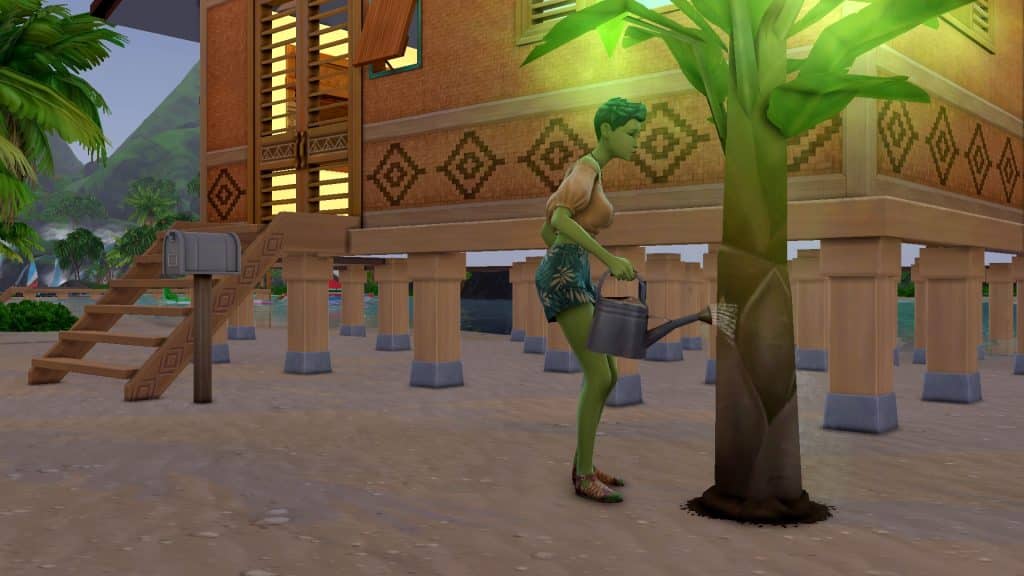
Which brings us to their next ability; PlantSims do have a Hunger motive but eating regular food will do nothing to satisfy it. PlantSims get their nutrients from the sun, just like a real plant! They need the sun to photosynthesize and fill their Hunger bar so make sure to keep your PlantSim outside during sunny days often so they can eat! You don’t need to do anything specific to have your PlantSim photosynthesize. They will naturally do so outdoors in sunny weather even while doing other tasks.
If your PlantSim is hungry at night or during bad weather when there’s no sun, they can absorb solar energy from their plants so it’s a good idea for any PlantSim to have a large garden in case of emergencies. Absorbing solar energy from plants will fill your PlantSim’s Hunger motive but it will also cause the plant to revert back to the sprout stage. It’s not ideal to rely on your plants for this reason. Try to use the sun to keep your PlantSim full as much as possible and only use plants as a last resort.
Although any skilled gardener can talk to plants, PlantSims will always have this ability no matter what their Gardening skill level is. Talking to plants replenishes the Social motive.
PlantSim Weaknesses
Players with Seasons installed will have to take extra care with their PlantSims! If the weather is cloudy or rainy, your PlantSim won’t be able to photosynthesize and could potentially starve! You can help minimize this danger by choosing a world for them to live in that is usually sunny. Sulani is ideal for both its abundant sun and water but a PlantSim could live comfortably in a desert world like Oasis Springs as long as they have a pool or a swimmable body of water nearby. Baths and showers will also replenish the Water motive but tubs and showers are usually only found on residential lots.
Although PlantSims rely on the sun to get their food, the sun can also dry them out if they aren’t careful. The Water motive depletes rapidly when a PlantSim is outside on a sunny day. Too much sun without water will make your PlantSim wilt and prevent them from being able to photosynthesize, which can lead to starvation!
Taking care of a PlantSim requires a delicate balancing act between sun and water so make sure you always have a close eye on their motives. PlantSims are fragile creatures.
Enhancing Your PlantSims
If PlantSims in The Sims 4 leave you feeling underwhelmed, there is a mod that can help improve them in areas where they’re lacking. The PlantSim Lives mod by SrslySims makes PlantSims a permanent life state and adds more CAS customization for them, as well as new socials and new special PlantSim recipes. If you’re a PC/Mac player who likes to mod your game, we definitely suggest checking it out.
Show some love to masculine Sims with this tattoo set made just for them!
There is no shortage of Maxis content and custom content for our feminine Sims but masculine Sims are often overlooked. It’s very difficult to find custom content in a masculine style; the vast majority of custom content available is feminine.
That’s why we’re showcasing some masculine custom content today! This set of tattoos for masculine Sims by gabeisagecko brings more variety to the masculine CAS assets and provides masculine Sims with some more tattoo options. We’re always a fan of new tattoos, since the existing selection in the game is a bit basic with limited placement options.
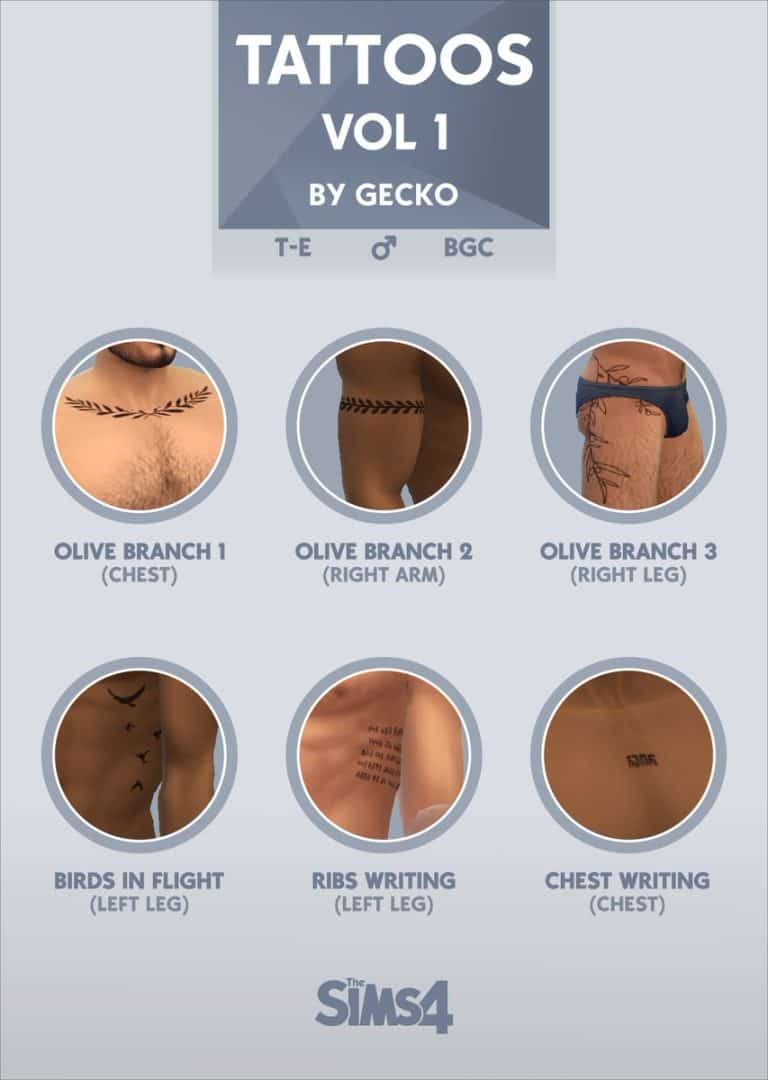
The set comes with 6 tattoos for masculine frames. There are 3 olive branch tattoos, one for the chest, right arm, and right leg. There is a birds in flight design across the side of the torso and two script tattoos, one for the side of the torso and one for the chest.
Since tattoo placement categories are limited, some of the tattoos are categorized for different placements than where they appear on the body. Gabeisagecko lists the placement categories above underneath each tattoo.
The full set is available to download for free now! You can grab it from gabeisagecko’s Google Drive.
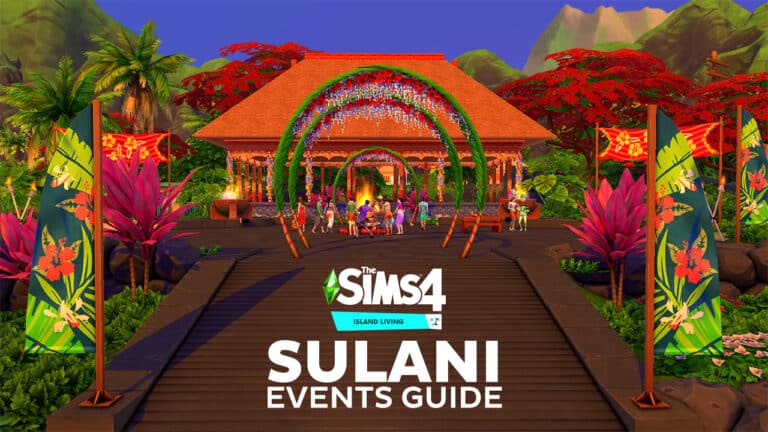
Full guide to Island Events in Sims 4 Island Living’s Sulani World!
Did you know that the world of Sulani has special events happening every day of the week? It’s true! Sims 4 Sulani events are a great way to come together as a community! The trouble is, it can be difficult to know when an event is happening because your Sims won’t receive any notifications to let them know when an island event is starting. You’re left to just wander around Sulani hoping to stumble across one.
But not anymore! Never miss Sims 4 Sulani events again with our handy guide, complete with locations, start times, descriptions of the event activities, and photos to show you exactly where to look!
Table of Contents
Sims 4 Sulani Events: Full Schedule and Guide
Fishing Competition
When: Saturday, 12pm
Where: Ohan’ali Town, near the fishing pier
Avid anglers will love these type of Sims 4 Sulani events! The fishing competition is a chance for your Sims to win prizes for the fish they catch! Look for all the balloons and banners by the fishing pier in Ohan’ali Town. To participate, have your Sims fish at the pier and catch as many fish as they can. You can also collect fish from the trap near the pier.
There is a fish vendor here that sells all kinds of seafood dishes. The vendor will also sell you fish bait and if you bring your own fish, you can even have the vendor cook up a tasty dish of your choice using your own fresh catch! When you’re done fishing for the day, ask the fish vendor about the tournament results. The vendor will tell you if you’re among the winners of the tournament or not.
There are 1st, 2nd, and 3rd place cash prizes of simoleons. 1st place awards $300, 2nd place awards $150, and 3rd place awards $75. It’s not a huge sum of money for winning but still a fun way to spend a day.
Island Celebration
When: Thursday, 9am
Where: Ohan’ali Town, in the pavilion
The island celebration Sims 4 Sulani events is one of the biggest events in Sulani with two different vendors and plenty of activities to enjoy. Look for the banners and balloons around the Ohan’ali Town pavilion and make your way over there.
This Sims 4 Sulani events has a bonfire, easels, vendors, display tables, and a guitar in the area. Sims can fire dance around the bonfire, cozy up by the fire, dance, and play the guitar. They also watch these performances since other Sims will fire dance and play the guitar autonomously. Sims can paint on the easels or view art done by other Sims. If you see a painting you like, you can click on it to purchase it. You can also take home any of the seashells on the display tables so it’s a good way to complete your collection if you’re missing some of the seashells.
Sand sculptures are an activity for this event as well. Just find a sandy spot near the edge of the pavilion and make sand sculptures. You can also admire everyone else’s sand sculptures.
Beach Bonfire
When: Friday, 6pm
Where: Ohan’ali Town, near the sandbar
This is a pretty lowkey, chill Sims 4 Sulani events that happens on the beach on Friday evenings. There is a bonfire, lounge chairs, and some beach towels in the sandbar area. Sims can cozy up by the fire, dance, and fire dance around the bonfire and relax on the beach towels and lounge chairs.
This is mostly just a socialization event in a more relaxed environment.
Family Fun Day
When: Sunday, 9am
Where: Ohan’ali Town, near the sandbar
This Sims 4 Sulani events is perfect to take the kids to! Look for the banners and balloons all around the sandbar to attend this event!
Family Fun Day is a small island event with a swingset in the sandbar, a food vendor, and lounge chairs and beach towels. Parents can soak up the sun on the beach while the kiddos have fun on the swings in the water. When everyone’s had their fill of sun and fun, they can order lunch at the vendor and enjoy a meal at the nearby picnic table.
Flowers and Music Festival
When: Tuesday, 1pm
Where: Ohan’ali Town, in the pavilion
Despite the name, this festival is more about music than flowers but the pavilion does have colourful flower arches near it, flowers wrapped around the pavilion columns, and floral banner designs. If you see palm and flower arches everywhere, the Flowers and Music Festival is happening!
This festival has speakers playing island music, a bonfire, a guitar, and bird of paradise plants sprouting up in the sandy areas around the edges of the pavilion. Sims can dance to island music, fire dance around the bonfire, play the guitar and watch guitar and fire dancing performances. You can also tend to the birds of paradise sprouting up everywhere but it’s unlikely you’ll be able to harvest from them since they don’t grow quick enough.
Town BBQ
When: Monday, 4pm
Where: Ohan’ali Town, in the pavilion
This is another pretty laid back, lowkey Sims 4 Sulani events that’s more for socializing than anything else. Look for the orange banners around the pavilion and make your way over to enjoy some island food and kava.
The BBQ pit is always in the pavilion but a Sim will be using it to cook up a big BBQ feast during this event. There is also a full bowl of kava on the nearby picnic table. Pit BBQs are social events so Sims can chat around the pit while their meal cooks beneath palm leaves. When the food is ready, you can serve a huge platter of island food which everyone will help themselves to. You can enjoy a cup (or several) of kava while you chat and eat.
Town Potluck
When: Wednesday, 6pm
Where: Ohan’ali Town, in the pavilion
Time to fill up on free food you didn’t have to cook! When you see the double yellow banners at the pavilion entrance, make your way over there to eat your fill at the Town Potluck!
This Sims 4 Sulani events is another small one but has a bit more going on than the Town BBQ. There will be a bunch of picnic tables set up in the pavilion and a bonfire. There will also be a full bowl of kava on one of the picnic tables. Sims will arrive and set out their own food they brought from home which you can help yourself to, although curiously, you can’t bring your own food to the potluck. The game won’t allow you to place any food you’ve brought on any of the tables. Sims can eat whatever food has been provided, chat, enjoy some kava, and dance around the bonfire.
Turtle Hatching
When: The first Monday after receiving the Turtle Hatching Season notification, 9am
Where: Mua Pel’am, beside the turtle statue near the shipwreck lot
The turtle hatching event is the only Sims 4 Sulani events that doesn’t take place in Ohan’ali Town. It’s also the only event you will receive a notification for and it only happens under certain conditions. For all these reasons, this is the event players generally have the hardest time triggering but it is also by far the cutest island event.
The turtle hatching will not happen until you have restored the island of Mua Pel’am to its pristine state. You’ll need to clean up trash in the water and on the beaches, comb the beaches for trash, catch invasive fish species, release protected fish species back to the ocean, put out the ash deposits at the base of the volcano, and scold ill-intentioned Sims wandering around the area until you receive the popup that Mua Pel’am is thriving (not just improving; keep cleaning the island after getting this popup).
After you’ve cleaned up the island, turtle hatching Sims 4 Sulani events will start to take place there. There is some debate amongst players about when exactly this occurs. Players with Seasons installed report it happening once a year in Autumn or Winter. Players without Seasons installed report it being random. Either way, you will receive a notification when turtle hatching season is about to start. If you travel to the turtle hatching area immediately after seeing the notification and nothing is there, try returning the following Monday at 9am. Some players have reported that they can consistently trigger the event the following Monday after receiving the notification.
During the turtle hatching Sims 4 Sulani events, there will be banners and balloons set up near the turtle statue by the shipwreck. There will be two little “lanes” set up with ribbon to protect the baby turtles from being trampled by spectators. Sims will gather around the area and cheer on the cute baby turtles as they make their way to the ocean.
Loved this Sims 4 Sulani events guide? Check out more of our Island Living guides!
Thank you toThe Sims Circusandsimsplayer818on the EA Help forums for providing info about the Sims 4 Sulani events start times.
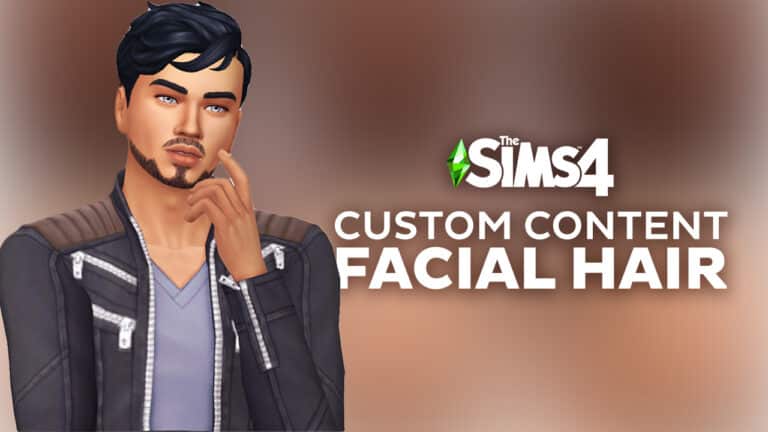
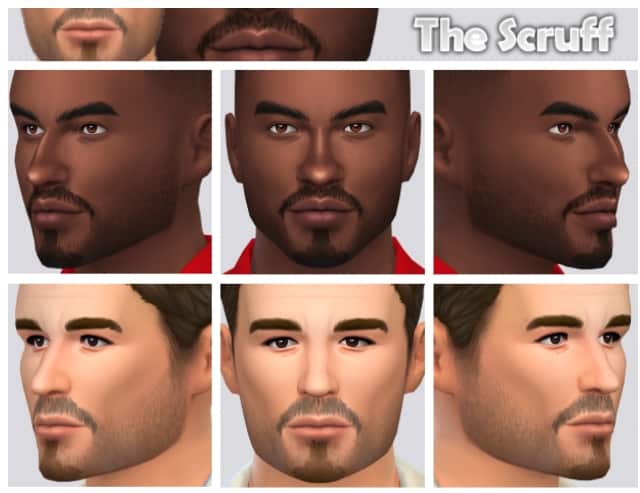
Rugged and sophisticated facial hair styles for your masculine Sims!
While The Sims 4 has great customization in some respects, in other respects, it falls pretty flat. Especially when it comes to masculine Sims. The clothing selection for masculine frames is sorely lacking compared to the selection for feminine frames and the facial hair section of CAS seems to be an afterthought. We rarely get new facial hair in packs and updates.
So we thought we’d go facial hair hunting in the CC world and gather up a handful of some of our favourites for you!
Or maybe you’re looking for a more rugged, Viking-inspired look? Look no further than the Ragnar collection, guaranteed to turn any Sim into a force to be reckoned with!
This slick stubble collection is perfect for just about any style or occasion. No matter where your Sims are going or what vibe they want to exude, the Asher, Carter, or Jack has what they need to pull any look together.
Sideburns are sorely needed for our masculine Sims and here’s a set of three to help enhance existing hairstyles! The sideburns come in three lengths with both straight and angled edges to pull off a variety of different looks.
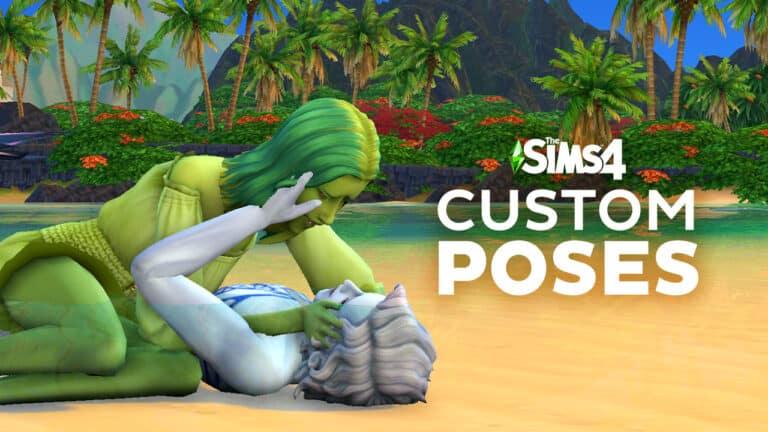
Tell your own personalized stories with Custom Poses!
Sims 4 custom poses serve a variety of uses. Storytellers use them to depict scenes that they ordinarily wouldn’t be able to using the in-game animations. Custom content creators find them useful for modeling their creations, and CAS enthusiasts love them for showing off their Sims in the best possible light in the Gallery.
If you’re wondering how to use Sims 4 custom poses, wonder no more! We have the ultimate guide to poses right here. We’re going to walk you through how to use in-game poses, CAS poses, and Gallery poses.
Everything we’re going to show you is installed the same way; through the Mods folder. If you’re new to installing mods and CC and need more detailed instructions on how to install poses, see our article Getting Started with Mods and CC.
Table of Contents
In-Game Poses
All in-game poses require the Pose Player. None of your poses will work without it so make sure you download and install that first before doing anything else. You are also going to need the Sim Teleporter, especially for poses involving more than one Sim.
Once those are installed, you can start looking for poses! TS4 Poses on tumblr is by far the best pose finds blog out there. If you need any pose for anything at all, you can bet it’s going to be there. It’s a fantastic resource so check it often!
When you’re looking for Sims 4 custom poses, make sure you read the description carefully! Don’t just go blindly downloading things without paying close attention to what you’re downloading. Many pose sets require objects and accessories to look right in your game. For example, you may need a specific CC car for a pose with Sims sitting in or on a car, or you might need to download a CAS accessory if the Sims are holding something in their hands. Always read the description and download any required extras.
Find the Sim Teleporter object in Build/Buy and place it down
After installing your Sims 4 custom poses and anything else they require, start the game and go into Build/Buy while playing a household. Search “teleporter” and select the Sim Teleporter object. It looks like a big suit of armour. Place the teleporter own wherever you want your Sim to pose.
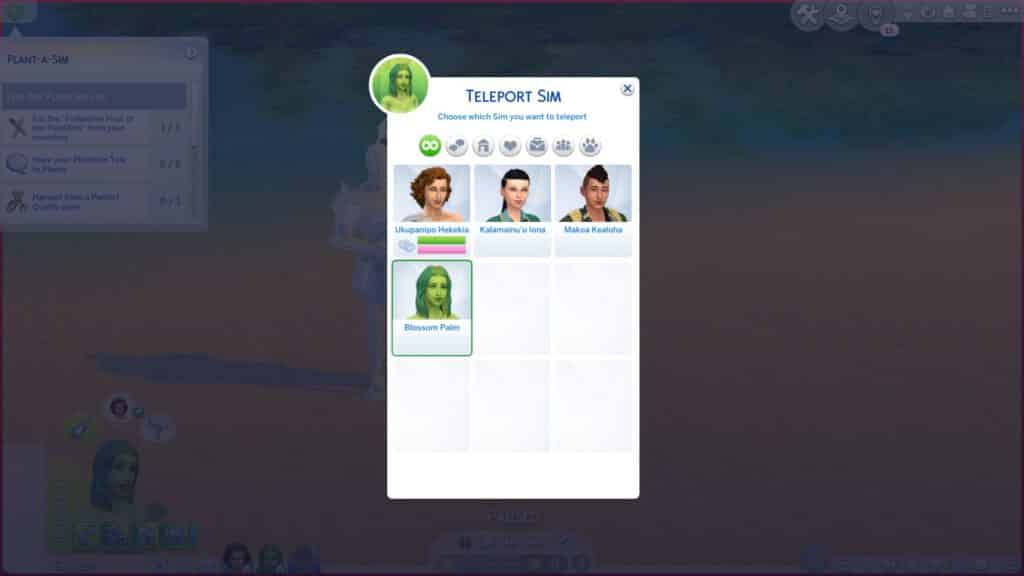
Teleport Sim selection screen
For poses with 2 or more Sims, place enough teleporters for each Sim in the pose directly on top of each other.
Sims who have been teleported to the same spot for a couple pose
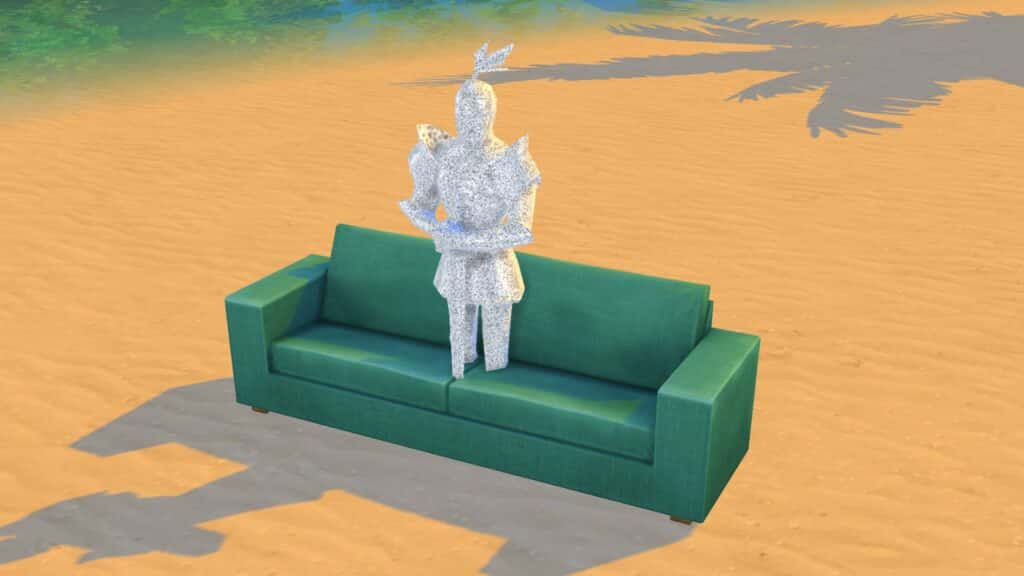
If a pose requires an object, the teleporters almost always go directly in the centre of the object but check the creator’s description to see if they’ve included any special instructions for their pose.
Teleporters in the middle of a couch for a couple pose that uses this object
Go into Live Mode and click on the Sim Teleporter to teleport any Sim or pet you want to that spot. Teleport Sim brings up all Sims currently on the lot. Summon Sim brings up all Sims in the world. The summon option is useful for quickly posing Sims that aren’t in your active household. If there are multiple Sims in the pose, all the Sims will be standing inside each other but don’t worry; this is normal.
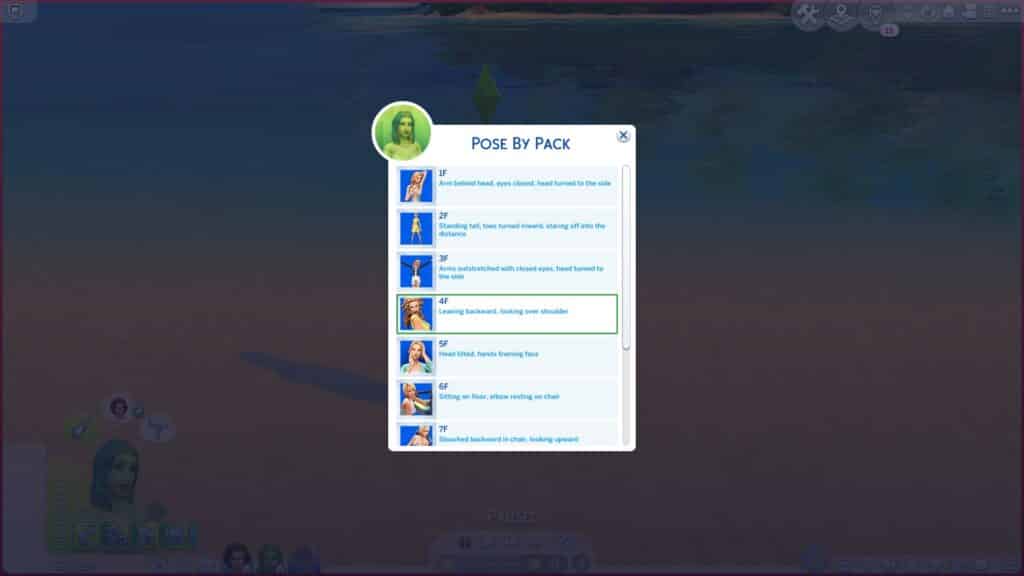
Choose Pose by Pack on your Sim and find the pose pack you want in the list
When all Sims have been teleported to the same spot, pause the game. Select each Sim, go to Pose by Pack and scroll down the list to find the pose pack you want to use. Each Sim in the pose has their own clip you need to select. For example, a pose with two Sims will have two clips listed; one for each Sim. Creators will usually clearly label which pose and which Sim a clip is for. Thumbnails help players distinguish this as well.
Select the clip for the pose you want from the list
Assign all the corresponding clips in the pose to the correct Sims and unpause the game. Give the Sims a second to move into their Sims 4 custom poses. Sometimes they like to do a random idle animation before they pose. And voila! You have your Sims in a nice pose for picture taking! To have Sims stop posing, you can either cancel the action in their queue or click them and select Stop Posing.
A pose for a single Sim
One thing to remember when using in-game Sims 4 custom poses is that poses cannot be used outside of their intended age group! A pose for a toddler can’t be used for a child. A child pose can’t be used for an adult. You will get scary results if you try to do this. Here’s a quick breakdown:
All adult Sims 4 custom poses can be used for teens-elders
Male poses can be used with female Sims and vice versa
Child poses can only be used with children
Toddler Sims 4 custom poses can only be used with toddlers
Pet poses can only be used for that size and species of pet. Large dogs, small dogs, cats, puppies, and kittens are all separate types of poses and cannot be used interchangeably
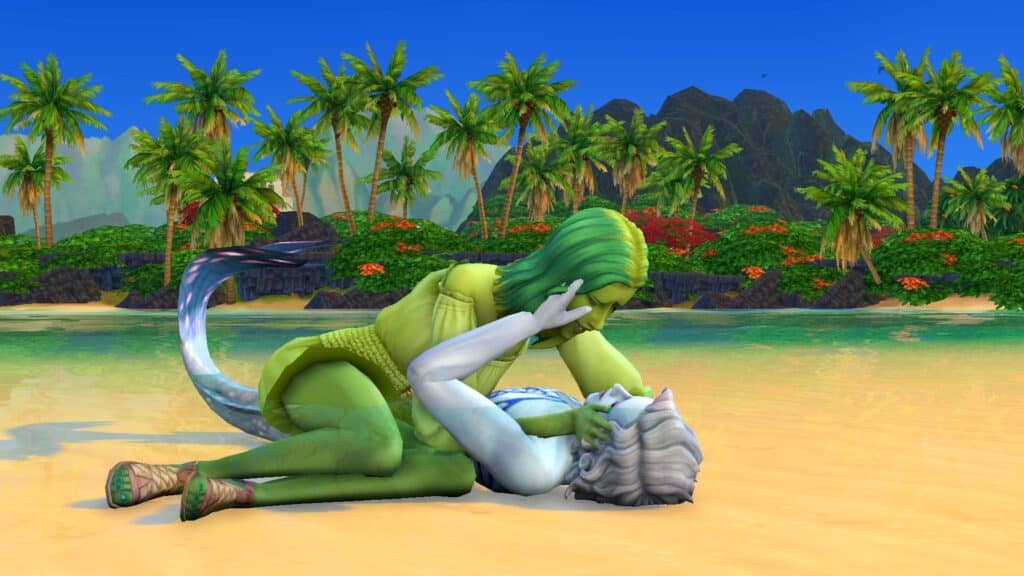
Mermaid Sims 4 custom poses can only be used with mermaids
A couple pose for a human and a mermaid
Another thing to remember is that Sims 4 custom poses will never 100% perfectly fit with every Sim’s body type. If you have a larger Sim and the pose you’re using is meant for an average-sized Sim, you will experience clipping and it may not look right. Try searching for plus size poses specifically, as there are creators who make poses that fit larger body types.
A couple pose for a couch
Some pose packs are actually animations instead of still poses but they work exactly the same as still poses. Use them the same way you would use any other pose pack.
CAS Poses
CAS Sims 4 custom poses are good for modelling your lookbooks. You never need to leave CAS to get cute posed shots of your Sims but they work differently than in-game poses.
CAS poses override the existing animations that play when you click on a trait in CAS. For example, instead of the angry animation that usually plays when you select the Hot-Headed trait for your Sim, they will do the custom pose, instead.
Because CAS Sims 4 custom poses are overrides, you cannot have more than one CAS pose for the same trait installed at the same time! When you look for CAS poses, pay close attention to what trait that pose overrides. If you already have a CAS pose that overrides the same trait, you will have to remove it before you install the new one.
Once you have some CAS Sims 4 custom poses installed, using them is very easy! Just select the trait associated with that pose in CAS and your Sim will pose! Now you can take pictures for your lookbook or anything else you’d like.
Gallery Poses
A lot of avid Sim and pet creators don’t like the default poses Sims have in the Gallery; they don’t really have much personality. Custom gallery Sims 4 custom poses can make your households stand out from the crowd and the best part is they don’t flag your household as modded (as long as the household itself is CC-free, of course).
The downside to Gallery Sims 4 custom poses is they can be kind of a pain to use. To make your life easier, you should download the No Randomization mod, especially if you’re trying to pose multiple Sims in a household.
Just like CAS poses, Gallery Sims 4 custom poses are overrides, so you cannot have more than one custom Gallery pose overriding the same default Gallery pose! Since it’s not always easy to tell which default poses a Gallery pose overrides, I recommend saving yourself headaches by only using one Gallery pose set at a time.
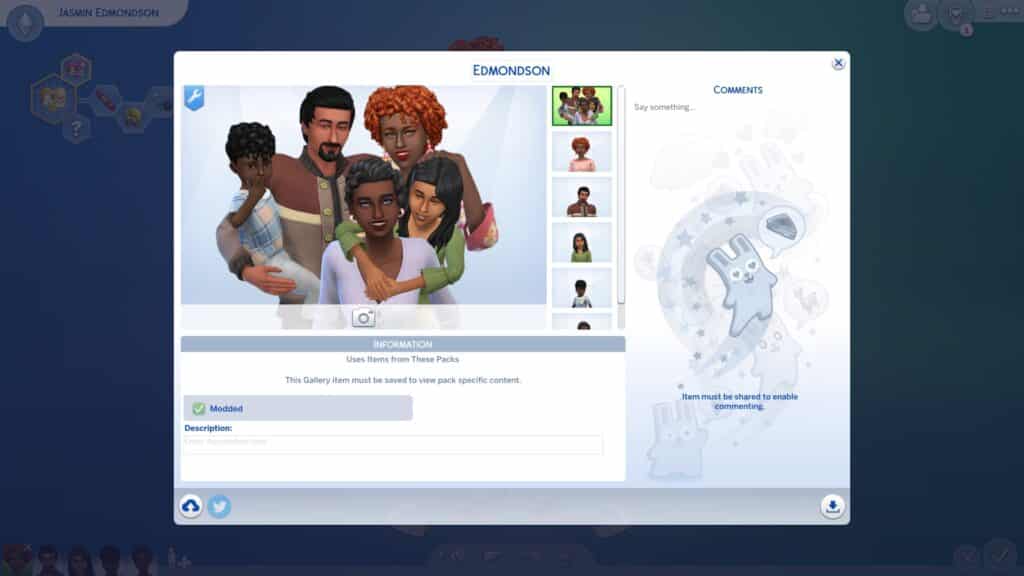
Once you have the Gallery pose you want installed, create your household in CAS like normal and then save it to upload to the Gallery. Before you upload, click the camera icon underneath the household to select a new random pose for the Sims in the household. The game will randomly select a pose for each household member so you will have to just keep clicking until the poses eventually match up with each other. Without the recommended No Randomization mod, this can take a very long time. The more Sims in the household you’re trying to pose together, the worse it is so I really recommend that mod.
You cannot use a Gallery pose that doesn’t match the number of Sims/pets in your household and their genders/ages exactly. So for example, if you download a Gallery pose for two male adult Sims and a toddler, no other household setup will work with that pose. Your household must only consist of two male adults and one toddler.
Other Resources
We hope this guide to using Sims 4 custom poses has been helpful! Here are a couple other things we recommend checking out!
How to Make Your Own Custom Poses – If you want to learn how to make in-game poses yourself, our guide for beginners will show you how!
TOOL Mod – The TOOL mod can be really helpful for nudging Sims who posed in the wrong spot back to their proper place or adjusting the placement of multiple posed Sims at once. You can also pose Sims off of a lot using TOOL.
MCCC – This mod has a lot of useful features you can use alongside poses, such as teleporting Sims to an exact spot off of a lot or quickly changing outfits without having to break a pose or wait for your Sim to spin into the outfit you want. You can also make occult Sims switch to their occult form. This is especially useful for mermaid poses.
Tell me what you want, what’cha really really want!
If you’re a 90s baby like me, you probably remember the time when the whole world was obsessed with The Spice Girls. Whether you loved them or hated them, they were everywhere! On TV, on billboards, on magazine covers, even on bubble gum wrappers! They even had their own line of Barbie dolls and a hit movie called Spice World!
Yeah, they were kind of a big deal in the 90s and, being nine years old at the time, I was naturally just as obsessed with them as everybody else. I had the Baby Spice Barbie doll, Spice Girls posters all over my bedroom walls and I begged my mom to let me watch the Spice World movie.
So when Emma and Mel B made a surprise appearance on season four of Netflix’s reality series, The Circle, it reawakened my nostalgia for everything Spice Girls. I suddenly wanted to experience The Spice Girls all over again and what does a Simmer do when they become obsessed with something? They recreate it in The Sims! Obviously!
That’s right. Get ready to spice up your life because The Spice Girls are back for their reunion tour! At least in The Sims 4.
Baby Spice (Emma)
Traits:
Cheerful
Childish
Outgoing
Gregarious
Aspiration:
Friend of the World
Scary Spice (Mel B)
Traits:
Self-Assured
Erratic
Goofball
Gregarious
Aspiration:
Party Animal
Posh Spice (Victoria)
Traits:
High Maintenance
Romantic
Perfectionist
Gregarious
Aspiration:
Leader of the Pack
Sporty Spice (Mel C)
Traits:
Active
Adventurous
Loves the Outdoors
Fast Metabolism
Aspiration:
Bodybuilder
Ginger Spice (Geri)
Traits:
Hot-Headed
Self Absorbed
Jealous
Gregarious
Aspiration:
World Famous Celebrity
So if you need a dose of nostalgia in your game, The Spice Girls are ready and waiting for you! There are two versions in the Gallery; one with CC and one without CC so everyone can enjoy The Spice Girls!
The CC version of The Spice Girls has a link to the CC list in the Gallery description but don’t worry if you can’t use CC! The CC-free version of the girls doesn’t look very different from the CC version. I use minimal CC on my Sims and the CC version of The Spice Girls is no exception!
Both versions have base game styled looks for the other outfit categories to cut down on DLC packs and to prevent the girls from walking around in totally crazy hot/cold weather outfits and such.
Did you know there is a ghost occult life state in the Sims 4 base game? Ghosts have been a part of the Sims franchise since the first installment of the series way back in 2000 but they’ve gone through a lot of developments since then.
Sadly, ghosts seem to be a step backward from their Sims 3 predecessors but that doesn’t mean ghosts in The Sims 4 don’t have some gameplay of their own.
Here’s everything you need to know about playing as a ghost in The Sims 4!
Can you play as a ghost in the Sims 4?
Of course, the most obvious way to become a ghost in the Sims 4 is to kill a Sim through any in-game means but this requires some effort, at least if you want to be able to play as a ghost. First, you’ll have to make sure there are at least two teen or older Sims in the household before you kill off one of your Sims. If you kill the only Sim in a single Sim household, you’ll get a game over and have to go back to the world select screen to play as another family. If you kill a Sim with only children or younger Sims left in the house, social services will remove them and you’ll still get a game over screen. You could have your new family purchase the lot with the tombstone on it but it’s easier to not have to do all that in the first place.
When a Sim dies, they become a ghost but they leave your household and turn into an NPC ghost that periodically visits whatever lot their tombstone is on. In order to make the ghost playable, you’ll need to wait for the ghost to spawn. Keep an eye on their tombstone at around midnight each night. They won’t appear every night but they will usually show up once every couple of nights.
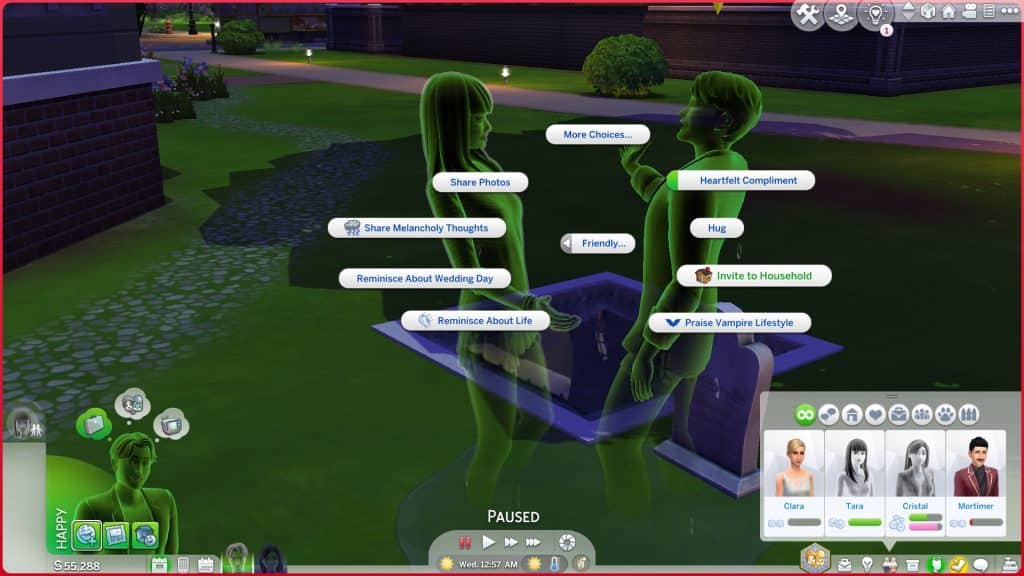
Once the ghost is on the lot, your Sim will have to befriend them. Asking a ghost to move in requires a maxed out friendship bar. The option to ask them to join the household won’t appear under the Friendly socials until you have a full friendship bar. If you’re impatient and don’t want to bother building up a relationship with a Sims 4 ghost, you can always use the cheat testingcheats true and then Shift+Click the tombstone to immediately add the ghost to your household.
Or, if you really just want to jump in the game and play with a ghost immediately, you can always grab a ghost off the Gallery.
Ghost Characteristics
An uncomfortable ghost
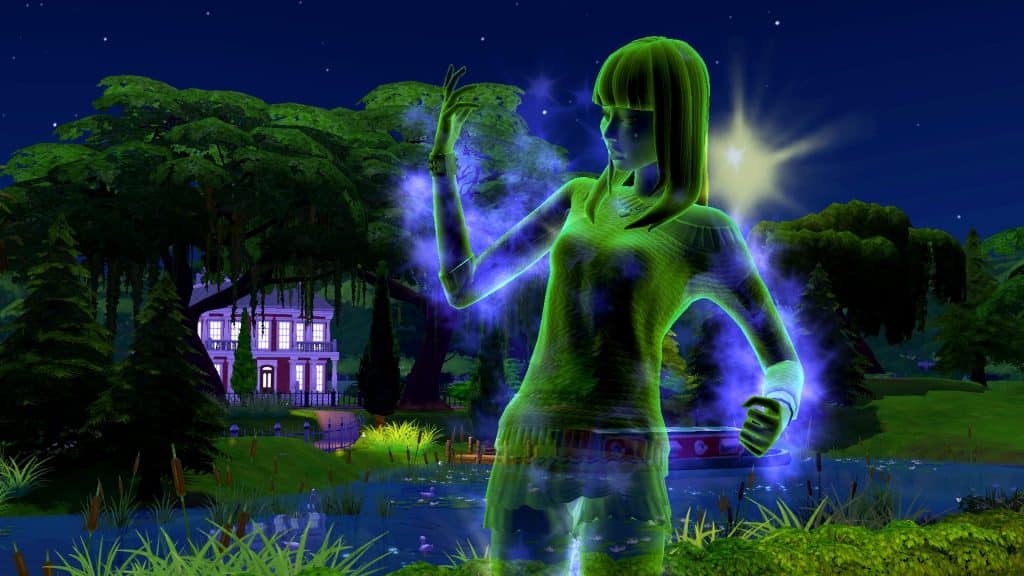
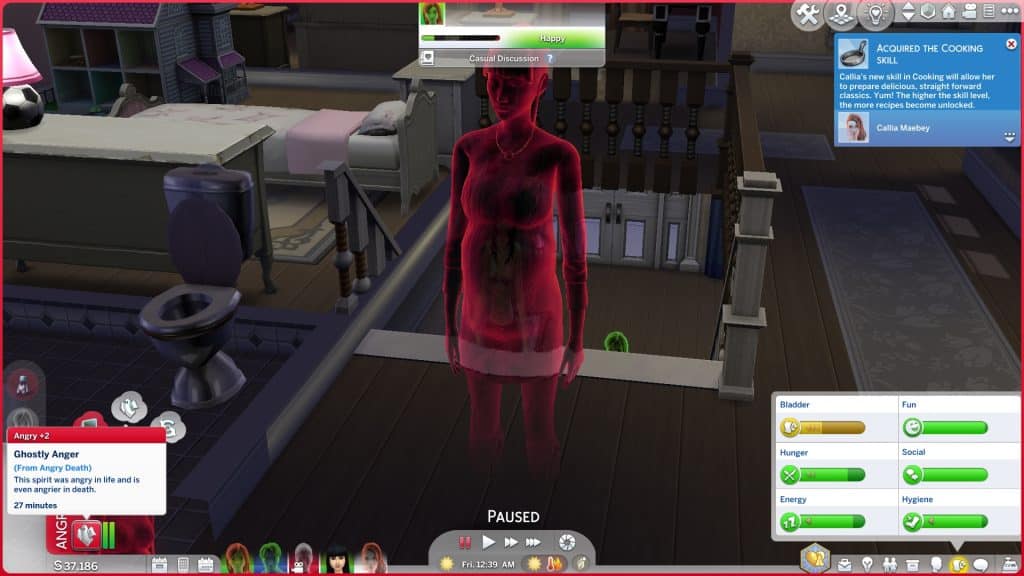
Ghosts change colour according to what their current emotional state is. You can always tell how a ghost is feeling just by looking at them. Their colour will correspond with the different emotion colours:
Grey – Fine/Bored
Happy – Green
Blue – Confident
Navy Blue – Sad
Turquoise – Inspired
Red – Angry
Yellow – Embarrassed
Purple – Focused
Magenta – Playful
Uncomfortable – Orange
Tense – Light Orange
Dark Purple – Scared
The Sims 4 Ghosts will have different special effects depending on the manner in which they died. They may also display unique autonomous behaviours depending on how they died. Ghosts who died particularly gruesome deaths are generally a nuisance to everyone around them. Not every type of ghost will display special effects or behaviours but there are a lot of them that do:
A ghost who died from anger is more prone to feeling angry
Fire – Flame effect flicker on their ghost, will start random fires throughout the house and can be directed to start fires themselves if you’re playing as them.
Drowning – Dripping water effect on their ghost. Will leave puddles of water behind everywhere.
Electrocution – Crackling electricity effect. Will break objects around the house constantly and has the ability to shock Sims
Anger – Rippling effect. Prone to random outbursts of rage, making all nearby Sims angry, too.
Cowplant – Will try to kill the plants in your garden by causing them to decay in health.
Starvation – Frequently raids the fridge for stuff to eat. They will eat everything in your fridge so if you have a ghost who died by starvation and your fridge is mysteriously empty… you know why.
Old Age/Overexertion – These ghosts are by far the nicest ghosts to have occupying your lot. They just sleep a lot so the worst they’ll do is hog your bed.
Flies – Will frequently bat at the flies buzzing around them.
Murphy Bed – Terrified of Murphy Beds and will frequently lecture other Sims on the dangers of them. Can also possess Sims to rob them of their energy.
Rabid Rodent Fever – This is one of the funniest ghosts. They literally come back as a giant rodent frothing at the mouth.
Mother Plant – These ghosts have purple spores floating around them and their needs never decay.
Freezing – These ghosts have a cloud of condensation following them around, like a Sim exhaling in cold weather. They also shiver and rub their arms frequently. They can also cool down a Sim who is too hot.
Overheating – Frequently act like they’re too hot, fanning themselves and wiping their brow. They can also warm up a Sim who is too cold.
Pufferfish Poisoning – They have a pufferfish swimming around inside their chest.
Spellcaster Overload – Have rays of light and sparkles around them and can be dueled by other Sims.
Killer Chicken – Have an evil chicken head with glowing eyes floating around inside their chest.
Vending Machine – These ghosts have a spinning pop can inside their torso that sprays pop everywhere.
Poison – These ghosts have a green stink cloud following them around.
Sauna – Will absorb puddles on the ground. Useful if you also have a Death by Drowning ghost trying to flood your house.
Laughter – These ghosts are just Playful often and will make nearby Sims Playful, too.
Embarrassment – These ghosts frequently recount the embarrassing nature of their death and become embarrassed all over again. For eternity. How relatable.
Sunlight – These ghosts have a sunburst inside their chest.
Beetles – These ghosts will never get scared in a Haunted House.
Understandably, ghosts never age in The Sims 4 and cannot die again while they are still a ghost. In fact, they are frozen at the point of their death in every respect… meaning they cannot reproduce. That’s right, Simmers. Unfortunately, no cute ghost babies like The Sims 3. We’re disappointed about it, too. The only way to have a ghost have a baby is to turn a pregnant Sim into a ghost (via cheats since pregnant Sims cannot die) but your ghost Sim will still give birth to a very much alive, non-ghost baby.
A ghost giving birth to a regular baby
Even though they don’t age, ghosts do have a lifespan of sorts. They only have so much time on earth before their spirit fades away to the netherworld. This is usually around 100 Sim days or so, typically a full generation when playing on a normal lifespan. You’ll receive a notification when a ghost is going to return to the netherworld soon.
If a ghost is visiting you at night to cause trouble and you’re tired of it, you can click on their tombstone to release their spirit to the netherworld. This will delete the ghost from existence and your Sims will never be bothered by them again. On the flip side, if you’ve grown attached to your nightly ghost visitor and don’t want their spirit to fade over time, you can click their tombstone and strengthen their connection to the physical world.
Playing as a Ghost in the Sims 4
A ghost passing through a living Sim
The Sims 4 kind of treats ghosts the same as regular Sims, which is a bit… unfortunate. This means that your playable ghosts still need to take care of their motives and they will keep inviting their living friends and relatives out for coffee and stuff as if they never died. Yeah. It’s weird.
But ghosts do have some unique interactions and abilities that living Sims do not.
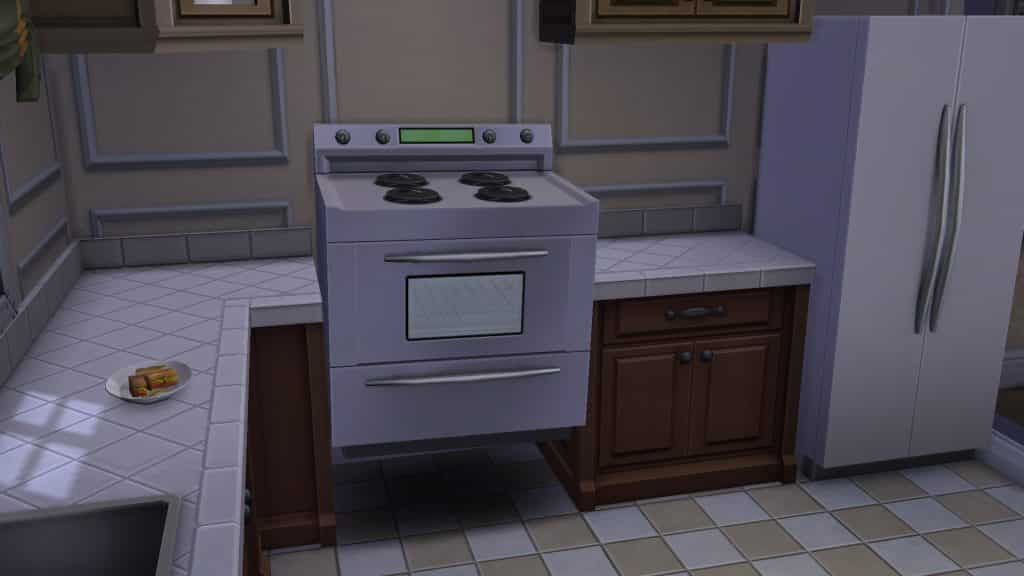
A ghost possessing a stove
Possess – Ghosts can possess almost any object in the game. It’s just a fun classic ghost thing they can do. They will jump inside the object, causing it to levitate for a few minutes. Any nearby living Sims who witness an object being possessed will become scared.
Possess to Break – Ghosts do this a lot autonomously but you can also direct them to do it. Possess to break is available on some breakable objects, mostly plumbing. After the ghost possesses it, the object will break and need to be repaired.
Ghostly Repair – Ghosts can do a ghostly repair on objects, which is very helpful considering they are usually the cause of the broken objects in the house. They seem to only be able to repair plumbing objects this way.
Ghost Scare – Ghosts can sneak up on living Sims and scare them. The living Sim will be quite shaken for a time afterward.
Pass Through – This is under the Mischief social category. Ghost Sims can fly through a living Sim which will scare them at first but then the living Sim will encourage the ghost to do it again once they realise hey… this is kinda cool!
Reminisce About Life – Ghosts can reminisce about being mortal with other ghosts.
Mourn Past Life – Ghosts can mourn for their past lives at their grave.
Return to the Netherworld – If you’ve grown tired of playing with your ghost and just want to retire them, you can have your ghost return to the netherworld by clicking on their tombstone. Be very sure you want to do this! Returning to the netherworld deletes the ghost so once it’s done, the ghost is gone forever.
Ghosts can also hover and float around instead of walking. They can pass through walls and objects but the player can’t really control what path a ghost will choose to take to get somewhere. They will sometimes still choose to use doors if it’s not more convenient to pass through a wall.
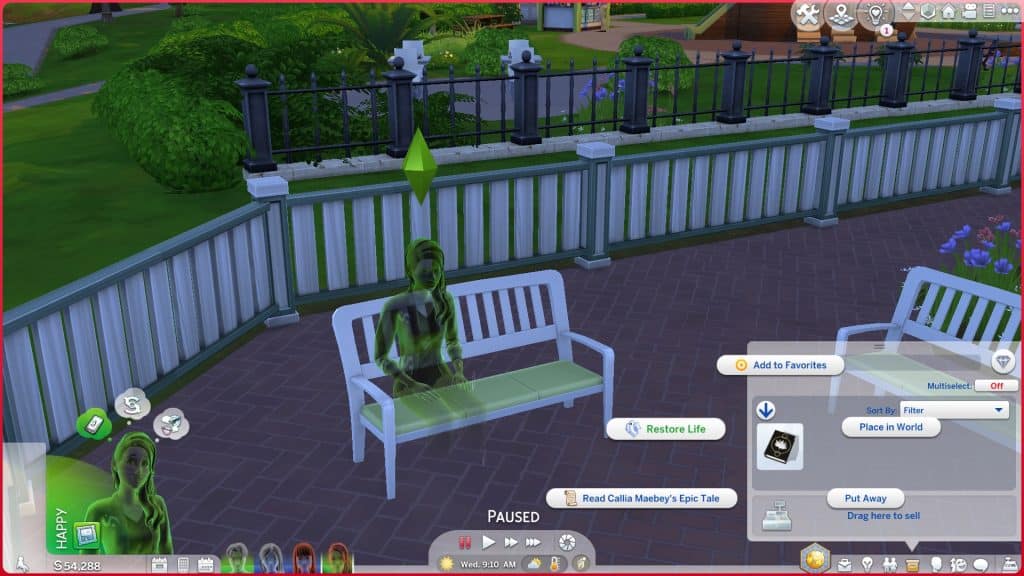
How to bring a ghost back to life in the Sims 4?
If you want your ghost Sim to return to the world of the living, there are several ways you can accomplish this; however, resurrection has been glitched for some time now. Many players report that the resurrection action cancels itself on the ghost when attempting to revive them, but it does work some of the time. Currently, we’re not quite sure what causes it to work for some players and not others. We have done it multiple times in our own game and experienced both failure and success seemingly at random.
Ambrosia
A ghost eating ambrosia
Ambrosia is a level 10 Gourmet Cooking recipe but your Sims must also be level 10 in Cooking in order to unlock it. It requires a death flower, angelfish, and a Potion of Youth to make. Angelfish can be caught in Willow Creek and Potions of Youth can be purchased from the Rewards Store for 1,500 satisfaction points. See our guide on how to obtain a death flower.
If a ghost eats a plate of ambrosia, they will be brought back to life.
The Book of Life
Sims who have completed the Bestselling Author aspiration will gain the Poetic trait, which allows them to write the Book of Life. Once the Book of Life has been written, it can be bound to a living Sim. When the Sim dies, they will be able to come back to life by reading the Book of Life.
The Book of Life will only resurrect the Sim it was bound to. Since it cannot be bound to a ghost Sim, the Book of Life won’t be of any use to a Sim who is already dead. This is very much a preventative measure that requires forethought in case something ever happens to a living Sim.
The Wishing Well
The wishing well comes with the Romantic Garden Stuff pack and can be used to resurrect a dead Sim. Ghost Sims can wish for life at the well for $1 but a resurrection is not always guaranteed. There is a range of different outcomes. Positive outcomes include being gifted a plate of ambrosia or just magically resurrecting the Sim on the spot. Negative outcomes include flat-out ignoring the wish or even sending your ghost Sim back to the netherworld, never to be seen again!
To increase your chances of a good outcome, give the maximum offering of $5,000 to the well before making your wish and don’t attempt to wish if the face above the well is mischievous, angry, or shrouded under a hood.
You can cheat the well outcomes by using the testingcheats true cheat and Shift+Clicking the well to force positive or overwhelmingly positive outcomes.
Have you ever wanted to know how builders do things such as make objects larger or smaller, rotate and move objects freely outside of the grid, and elevate items to place them on surfaces that normally don’t have object slots, like the tops of fridges and microwaves?
We’re going to show you how on both PC and consoles!
Resize Objects
PC
Enter the cheat bb.moveobjects on
With an object selected, use the [ and ] keys to scale the object larger or smaller.
Console
Enter the cheat bb.moveobjects on. This cheat won’t disable your trophies/achievements.
With an object selected, use the left/right directional buttons to scale the object larger or smaller.
Move Objects Outside the Grid
PC
With an object selected, hold the Alt key to freely place objects.
To rotate freely, drag the mouse in the direction you wish to rotate while holding Alt.
Console
With an object selected, press L2 (PS4) or LT (Xbox) twice to toggle to free placement. This button toggles between full, half, and free tile placement.
To rotate freely, press L1+R1 (PS4) or LB+RB (Xbox) with an object selected, then use the right analog stick to rotate.
Elevate Objects
PC
Enter the cheat bb.moveobjects on
With an object selected, use the 0 and 9 keys to raise or lower the height of an object.
Console
Enter the cheat bb.moveobjects on. This cheat won’t disable your trophies/achievements.
With an object selected, press L2+R2 (PS4) or LT+RT (Xbox) and use the up/down directional buttons to raise or lower the height of an object.
We love learning new build tricks from the amazingly talented community so whenever we come across something that helped us enhance our builds, we want to share it with all of you!
When we came across this reddit post by MyaShmya showing us how to make extravagant wall displays using arches and platforms, we just had to try it ourselves! MyaShmya shows us how to make a really beautiful castle or estate garden display in their video tutorial but we wanted to see what other styles and variations we could come up with using this same basic technique.
The concept is simple but very clever! All you need to do is raise a small room with arches onto a platform and then decorate it however you like! We’re going to walk you through what we did to come up with two very different designs with the same build trick.
First, we opened up the cheat console and entered the bb.moveobjects on cheat. It’s not specified to do this in the video but we always find having it enabled helpful when building. It prevents objects from getting deleted if you decide you want to restructure something halfway through.
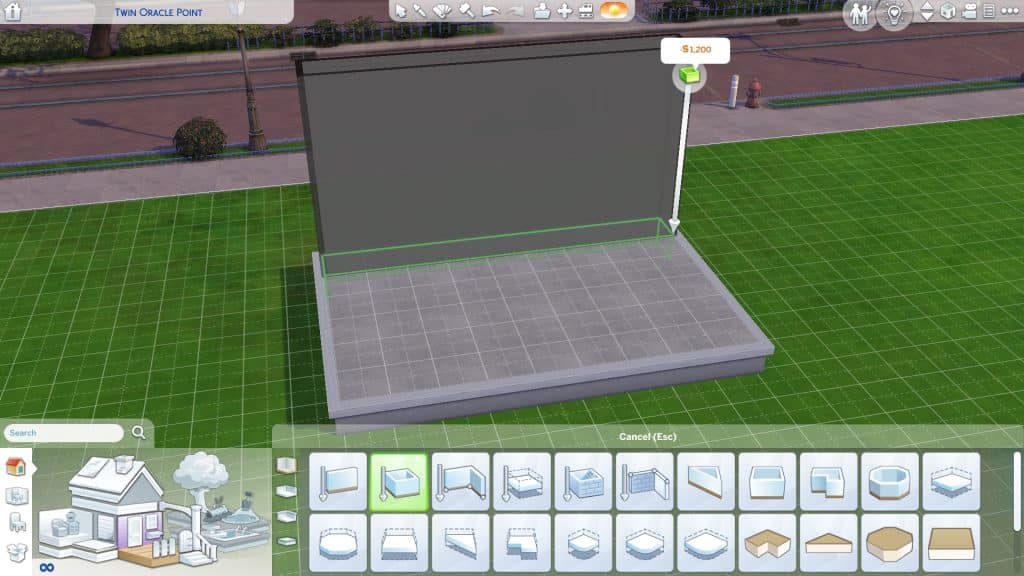
Next, we built a basic square room and created a smaller room along one side, just one tile wide.
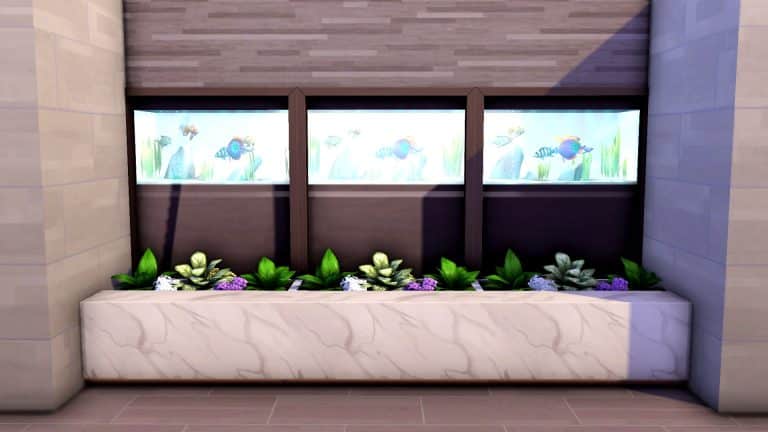
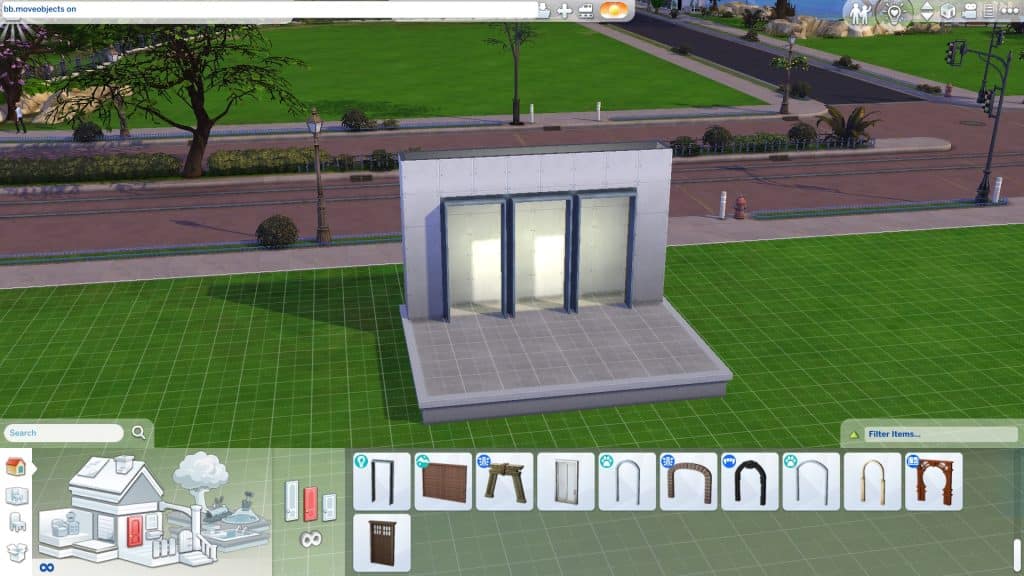
For our first design, we wanted to go with a modern look but weren’t completely sure exactly what we wanted so we ended up playing around with different arch styles for a while. In the end, we settled on some base game square arches.
Then we selected the smaller room and clicked the up arrow 3 times to raise the room up onto a platform. Make sure your wall height is taller than the arch you chose. The arch needs space to move upwards.
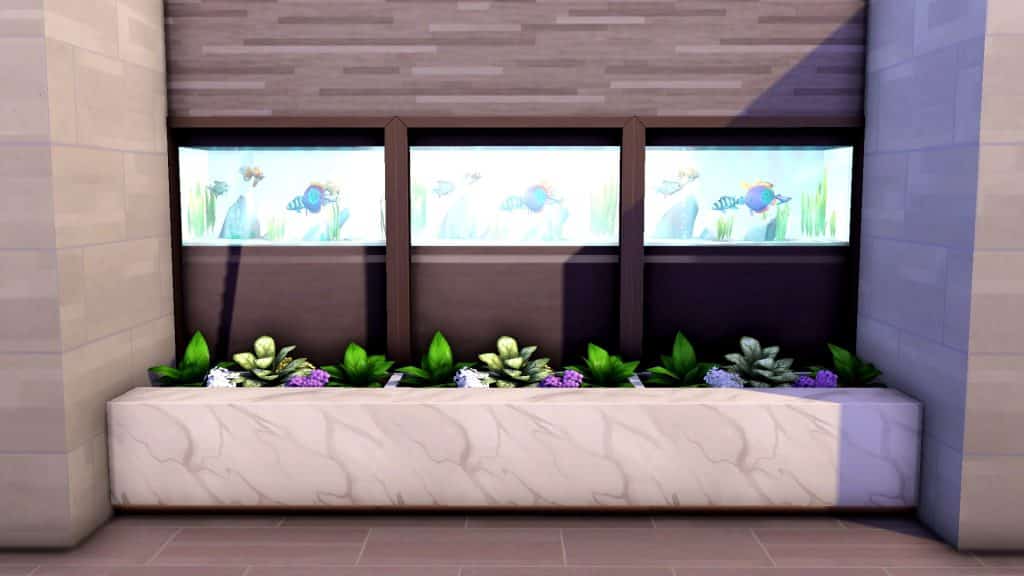
We decided that the Spa Day aquarium would look great tucked neatly behind these arches and we were right! Once that was complete, it was time to decorate the rest of the area and make everything look all nice and seamless. We added some succulent planters in front to hide the gap and give the display more depth, then gave the planters a more seamless look by placing the Dine Out marble accent tables in front of them. We pulled out the side walls to give the planters and accent tables a clean, built-in look and then added wallpaper and flooring to complete the area.
Our second variation was a crumbling temple display, perfect for a Selvadorada build! Once again, we built a small room up against a larger room, added archways, and then raised the small room onto a platform. Then we put some old temple décor behind the arches, like a skeleton guard and some pottery. We put some mossy stone benches from Romantic Garden Stuff against the archways to hide the gap and added creeping vegetation and foliage to give the whole area a wild, overgrown look, like an ancient building being reclaimed by nature. To top it off, we put in some lanterns so the place would have an eerie glow at night.
Thanks to MyaShmya’s handy video tutorial, we can create all kinds of creative and unique wall displays to add depth and detail to our builds with no mods or custom content necessary at all. Try it yourself and see what kind of amazing displays you can come up with!
While we are waiting for the official confirmation of The Sims 4 version of werewolves, it might be good to reminisce on the previous versions of this fan-favorite life stage, since every game in the franchise had them in one form or another.
The Sims 1
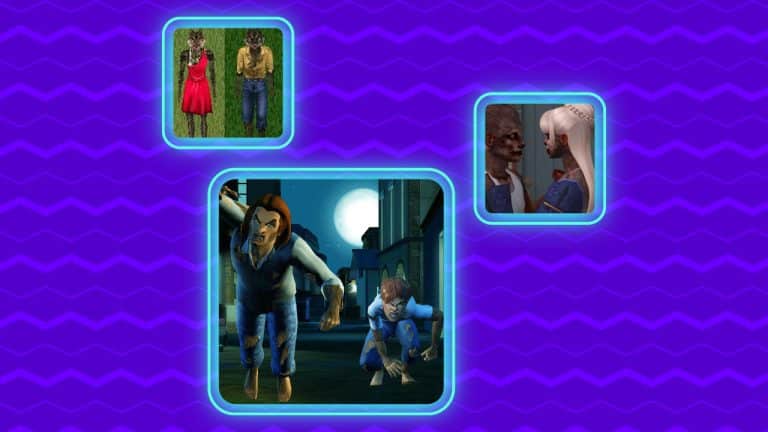
It all started at the beginning, with The Sims: Makin’ Magic, the first supernatural Sims expansion. Werewolves we just a result of a “Beauty or Beast” spell and they functioned like every other Sim – same needs, same interactions, same everything, just hairy. They had fur covering their entire body, with a dress for girl werewolves and pants for boys.
The Sims 2
After the purely cosmetic appearance in The Sims 1, the next game in the franchise had much more developed werewolves, and occults in general. Werewolves came out with the Pets expansion, alongside dogs and wolves.
Since it wasn’t possible to start playing as a werewolf, you had to become one. To do so, your sim had to become friends with the cursed wolf with glowing yellow eyes, known as the Pack leader. The wolf in question comes usually at night and it helps if you have a lot of trees and bushes on your lot. Of course, if you don’t feel like waiting, a more straightforward solution comes in the form of “boolprop testingcheatsenabled true” cheat, that summons the pack leader and saves you and your sims from waiting.
Once you are friends, the wolf will bite your sim and that’s it. After that, every night, your sim becomes a werewolf from 8 pm to 6 am and functions as a regular sim, until the personality of werewolf sims, slowly changes in a couple of days, turning into 0 Neatness, 10 Outgoing, 10 Activeness, 10 Playfulness, and 0 Niceness.
Werewolf sim can summon wolves or “savage” another Sim, turning them into werewolves and continue spreading the curse. If by any chance, you don’t feel like doing so, a fortune-telling matchmaker can cure Lycanthropy (werewolfness) with the Lycanthropic-B potion. A friendly witch could do the same thing wither own homemade potion.
Being a werewolf came with many perks like being able to train dogs faster and fighting off burglars! The downside was that the sim walks and talks like a werewolf and the wolf form can’t be modified, so you are stuck with a regularly dressed sim, but now with excessive amount of body hair.
The Sims 3
The Sims 3 brought werewolves with the Supernatural expansion. This time, you could start playing as a werewolf or become one pretty easily during gameplay.
Werewolves live 1.5 times longer than regular humans and they could transform into their werewolf form whenever, just by clicking on them. The only exception was the night of the full moon when they are forced to do so and they scare unassuming sims in the vicinity.
In my humble opinion, The Sims 3 had the best and the most complex occults and werewolves at that point. There was a lot of stuff to be done, either if your sim is a lone wolf or a pack animal with leadership inclinations. For example, you can go “hunting” for collectibles alone or in a pack. Of course, there is a greater chance of getting something more valuable in a pack than solo. Also, the interaction with the other occults were pretty hilarious – playing fetch with witch’s wands or tag with fairies.
We shouldn’t forget that the kids and toddlers were included in the lifestyle, as they showed signs of lycanthropy early on. They could practice hunting by catching bugs and howling.
Having in mind all the other versions of The Sims werewolves, and The Sims 4 itself, I can only speculate the Werewolves pack will function something like the Vampire one. With two forms and some kind of skill that goes with field experience, but at this point, we’ll just have to wait and see!