Today, a new report from the team at Bioware studios comes in with talks about yet another SDX drop! This time, in collaboration between Maxis and Bioware.
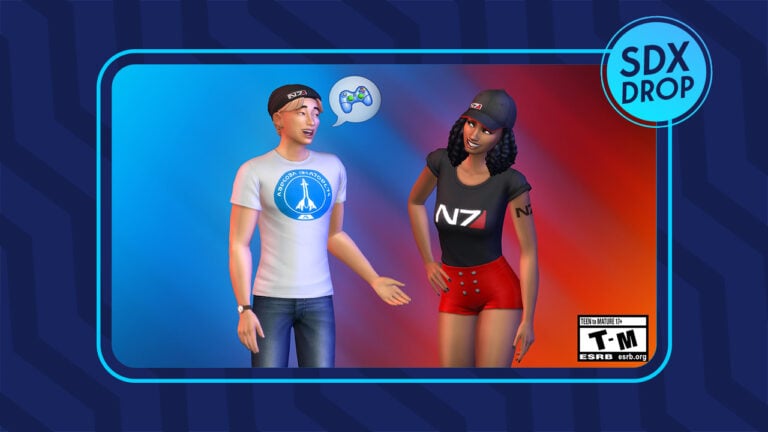
Bioware studios has shared that The Sims 4 will be getting an SDX Drop on November 17th. In celebration of the N7 annual celebration for the fans of Mass Effect franchise.
The upcoming SDX drop will cover new Create A Sim items, including:
New Hats
New Shirts
The N7 Tattoo
Check out the full reveal from Bioware’s blog below:
Sims 4 Mass Effect SDX Drop
A few folks at BioWare and Maxis came together with their mutual love for Mass Effect and The Sims 4™ to make a little something they wanted to give to fans of both franchises. We’re excited to share that we’ll be releasing N7 Day-themed wearable items in The Sims 4 on the 17th of November.These items are free to anyone with The Sims 4. Don’t have it yet, but want these exclusive crossover items? The Sims 4 is now free to play across all platforms!
We can’t wait to see you all rocking your Mass Effect fandom while doing incredible things in The Sims 4. Be sure to show us your Sims after the update goes live!
Sul sul!
The simming community has already created some amazing CC items for Mass Effect that you can check out. Will definitely go well together with the official items drop happening on November 17th!
We’ll keep you updated on the new SDX Drop as soon as it goes live. Stay tuned on Sims Community!
Check out our top five mod picks to enhance family gameplay in The Sims 4!
Are you looking for some new mods to flesh out your Sims 4 families? We’ve picked out five of the best Sims 4 mods to add depth and dimension to your Sim families! These Sims 4 mods will enhance your family gameplay and keep you invested in those legacy challenges!
Sims 4 Best Mods for Family Gameplay
Ultrasound Scan
Image Credit: LittleMsSam
This mod by LittleMsSam enhances pregnancy by allowing your Sims to have an ultrasound done, so you can Find out how many babies are expected, the genders, and hang the ultrasound on the wall as a keepsake.
This mod is a must-have for family players! PandaSama’s childbirth mod makes the process of giving birth more immersive. Choose a home birth, hospital birth, natural birth, c-section, or water delivery and watch the miracle of childbirth happen before your eyes!
This mod my Lumpinou is a huge overhaul of everything from pregnancy to relationships. It has dozens of modules to choose from so you can customize your family gameplay experience exactly to your liking with endless possibilities.
Sometimes, family life isn’t happy. Sometimes, it’s hard and this mod leans into the less-than-perfect aspects of family gameplay. When Sims get divorced, their children will be affected by the breakup much more severely than they did before. Sad, yes, but very realistic.
While High School Years definitely gave the high school experience a glow up, elementary school is still boring. Not anymore with KawaiiStacie’s education overhaul! This mod adds preschool for toddlers, online schooling, and enhances both elementary and high school with more skill building options and more interactions.
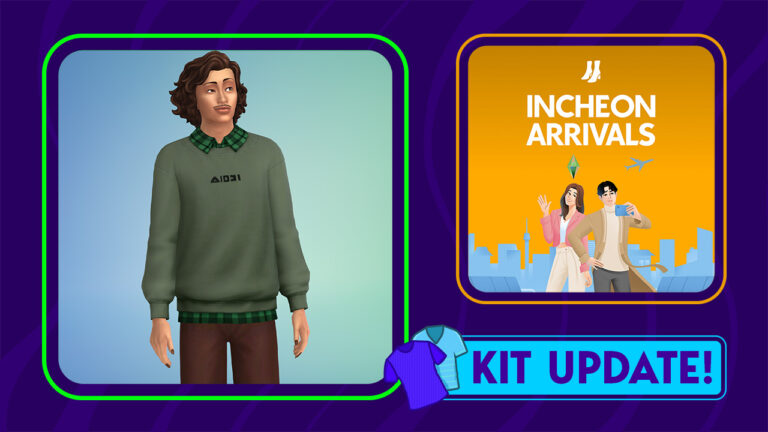
The new crew neck pullover shirt comes with a good amount of presets, counting 12 of them! With matching color accents (including the collar) that span from pastel to earth colors.
New Top Variants
Sims 4 Incheon Arrivals Top in 12 variants
Reported by Central Simmer, this Masculine Top was present in the game files since the release of this Kit. All the way back last year. However, the recent game update finally unlocked the top for players across platforms!
Since of course there was a mod in the community for PC / Mac that helped unlock this item.
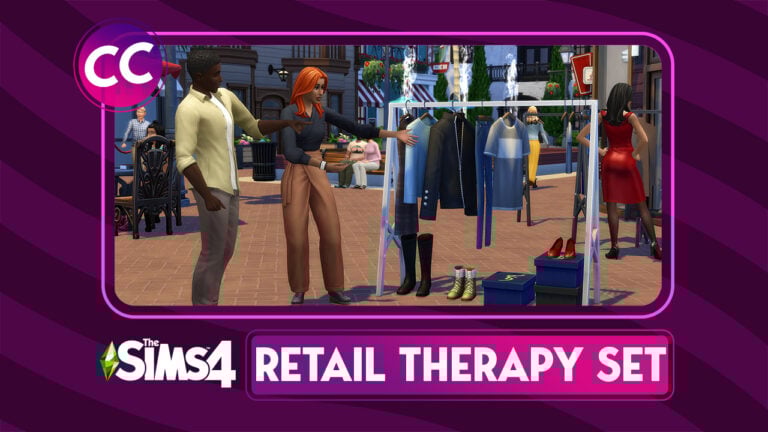
This Build / Buy CC Set for The Sims 4 will turn your retail businesses from drab to fab!
If you’ve been looking for a reason to start a new business, now’s the perfect time! At least in The Sims! akalukery has created a set of Sims 4 custom content for retail businesses. This industrial Sims 4 build buy set of CC will give your shops a sleek, sophisticated look and open up your creativity.
The Sims 4 CC set comes with 20 fashion items to furnish a clothing store.
Retail Therapy CC Set items highlight:
15 x Decor Items
3 x Dressers
1 x Mirror
1 X Stackable Shoe Rack
It contains three clothing racks that function as dressers, a full-length floor mirror, a display table, and plenty of decorative boxes, shoes, and accessories to make your clothing stores look realistic and unique. The best part? Many of the pieces in the set are stackable! The display tables can be stacked on top of each other to create tiered shelving and the clothing racks can have small objects snap underneath them. Mix and match different items in the set to come up with unique and varied looks!
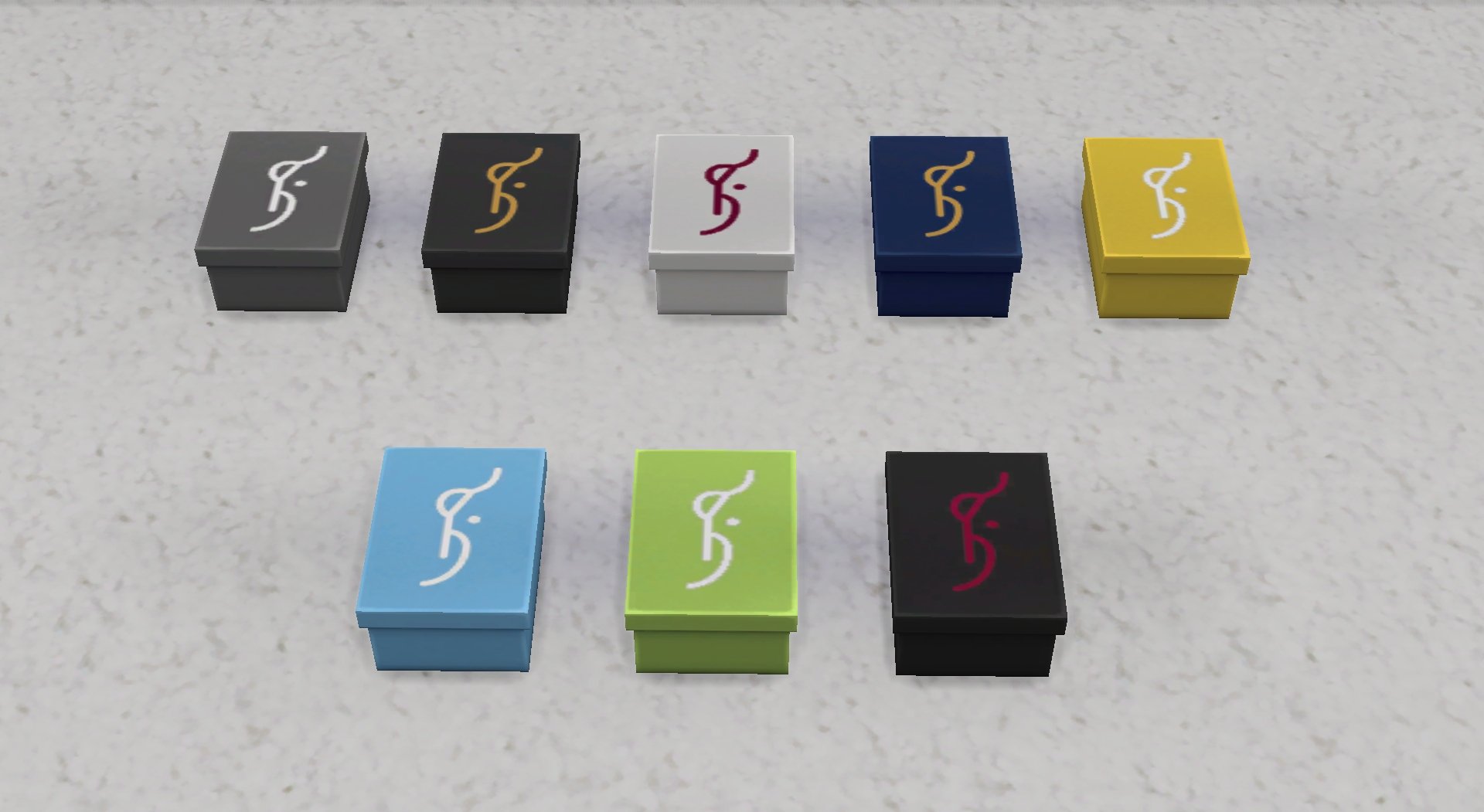
Check out our close-up previews below of every item in this set in all available swatches!
Overview of items and swatches from the Retail Therapy CC Set for The Sims 4
We were so excited by the customization options of the Retail Therapy CC Set that we weren’t content with just showing off the swatches. We wanted to furnish our own retail store with these items. So we renovated the upstairs section of one of our clothing boutiques with the Retail Therapy set.
One thing we loved was that we could stack display tables as high as we wanted and that they had lots of slots to display the items. Being able to snap different objects to the clothing racks really let us give the space a varied look. We liked that we could stack shoes on top of the decorative boxes, as well as stack boxes on top of each other. This Sims 4 custom content set looks very realistic and professional.
The Retail Therapy set is currently in early access for akalukery’s patrons. It will become free to the public on the new CurseForge Mods Hub when the service launches November 14th!
You can download the Retail Therapy CC Set from akalukery’s Patreon below – currently in Early Access. The set will become available for everyone November 14th on the Mods Hub!
These family-centred challenges will keep you playing with your Sims 4 families longer!
Looking for some new challenges to keep your Sims 4 gameplay fresh and interesting? Look no further! We’ve compiled 6 of the best and most popular Sims 4 family gameplay challenges for you right here! Some are long-time favourites while others might be new to you!
Check out this list of the best Sims 4 challenges for family gameplay!
6 Best Sims 4 Challenges
The Legacy Challenge
The Legacy Challenge is created and maintained by Pinstar and his wife, ImaginingMystic. It started all the way back in the days of The Sims 2. Pinstar had a brilliant idea to create a gameplay challenge focused on the new generational system introduced in The Sims 2. The concept was simple; start with a single Sim on a giant plot of empty land with very little money and work your way up to success and prosperity over a period of 10 generations. In practice, it was much more challenging than it seemed on the surface and Simmers fell completely in love with it. Since then, he and his wife have adapted the challenge for The Sims 3 and The Sims 4, providing millions of Simmers with endless fun and entertainment. We certainly owe a lot to these pioneers of Sims challenges!
Created by popular YouTuber, lilsimsie, and alwayssimming as a way to poke fun at the popular “berry Sim” aesthetic at the time, the Not-So-Berry Challenge is similar in concept to The Legacy Challenge, except each generation must complete a series of goals themed around a specific colour. The Not-So-Berry Challenge ended up becoming even more popular than the many berry-themed challenges that were available and for good reason. Each generation’s goals are challenging but attainable but also embrace the silliness of the “berry Sim” aesthetic in a really fun, light-hearted way. This is probably one of the most fun challenges I’ve ever personally played.
The 100 Baby Challenge is a very popular challenge that was originally written for The Sims 2 by Amiisays, then adapted for The Sims 3 by various different authors, and finally, adapted for The Sims 4 by yours truly! My motivation for adapting the challenge for The Sims 4 was simply that I wanted to play the challenge in The Sims 4 but could only find The Sims 3 version. The objective of the challenge is the same no matter what version you’re playing: Give birth to 100 babies in as few generations as possible (sometimes one generation, depending on the version). Crazy? Absolutely! Fun? Definitely! If you’re a fan of chaotic gameplay and raising lots and lots of kids, this is the challenge for you!
This is a Sims 4 original challenge that I also wrote. It’s a lesser-known challenge but one that gives the player a lot of freedom to play their own way, which is something that’s kind of unique to Sims 4 challenges. That’s why I wanted to include it on this list. While the general theme of the challenge is based on the Book of Genesis, the challenge itself isn’t religious in any way. The basic concept is to start with two Sims in a completely empty world and repopulate it with the descendants of those two original Sims. The way you choose to play while populating the world is entirely up to you, however. It’s a good long challenge that can have other challenges incorporated into it easily. If you like flexible gameplay, you may like this one.
One strange thing about The Sims 4 is that while you play through infinite generations of Sims, the world around them stays the same. Fashion, technology, and cultural norms do not shift over time the way they do in the real world. This challenge by cutecoffeegal aims to change that. The objective of the challenge is to start in the 1890s and slowly work your way up to the 2010s with each new generation representing a new decade. If you’re a family player and a history buff, you’ll definitely want to check out this unique take on the traditional Legacy Challenge!
The Wonder Child Challenge is another Pinstar original! This one is perfect for Simmers who struggle to play through multiple generations but still like raising families. This challenge can be completed in a single generation. The objective of the challenge is to have one child and raise that child to be perfect in every way possible by the time they become a young adult. It’s a shorter challenge that provides a lot of entertainment.
A new statement was released on the development progress of The Sims 4 Townie Overhaul Update. And why it’s taking so long.
Back in August 2021 The Sims Team has first shed the light about their plans for overhauling premade Households in The Sims 4. The “NPC Overhaul” promised to deliver both updated looks of the premade Sims and their lore. The update promised to cover changes for Worlds spanning from Willow Creek to Henford-on-Bagley.
Meaning that all new Worlds with pre-made households from Base Game to Sims 4 Cottage Living would receive an upgrade.
We are currently in the process of updating NPCs in The Sims 4 including visuals as well as their lore. This will take some time to accomplish as we have to spend some time with each and every single Sim from Willow Creek to Henford-on-Bagley. That means we’re taking it step-by-step (or townie by townie) and we’re excited to update you at a later date.
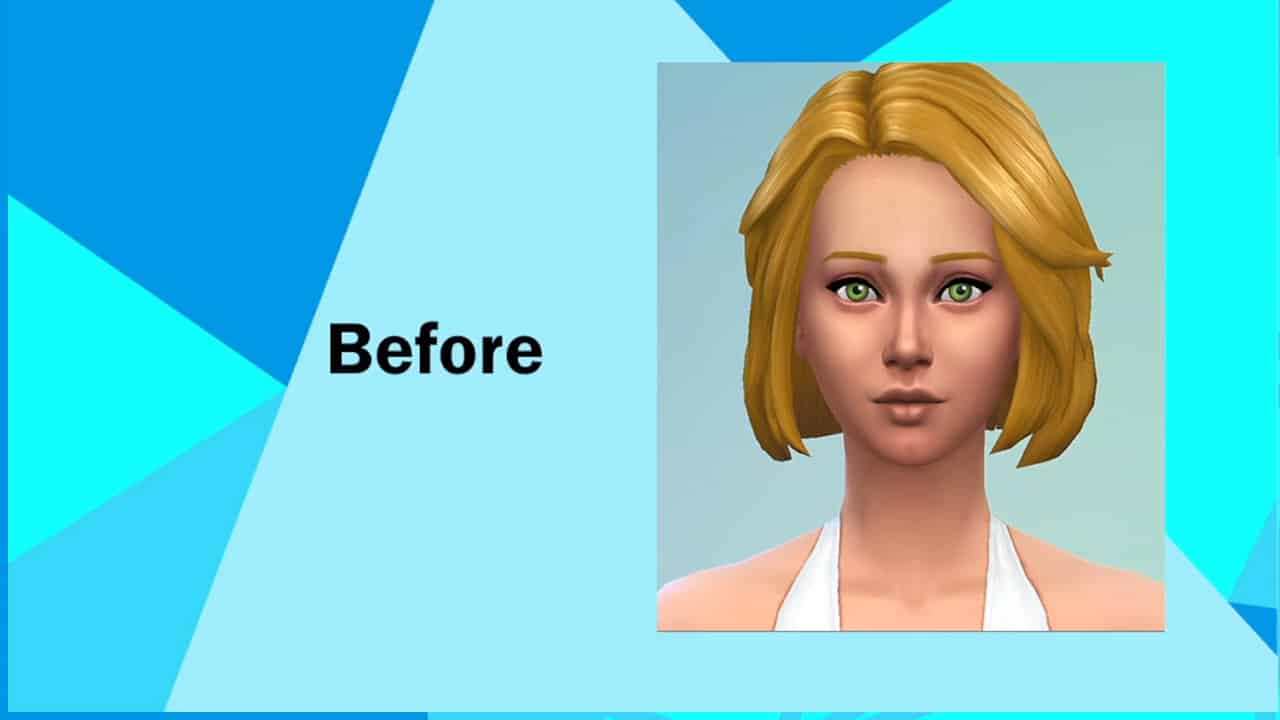
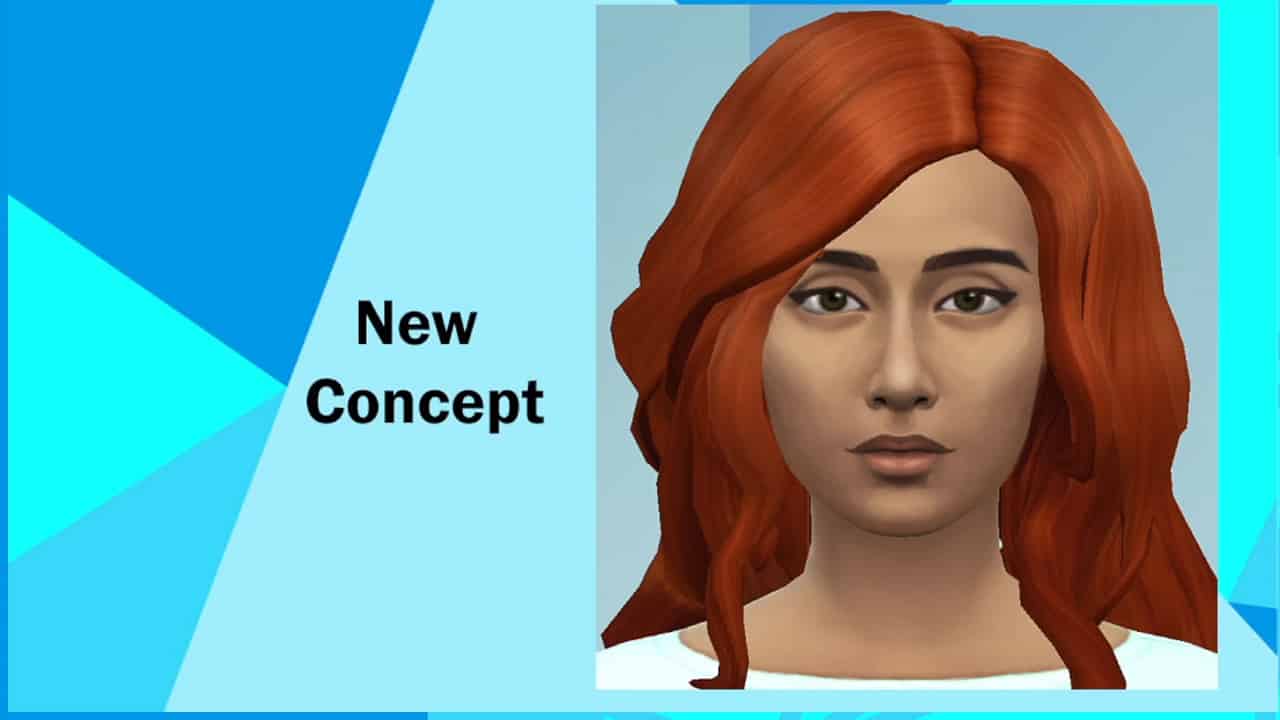
In November 2021 we received a first Concept Art look at the upcoming changes. The team showcased example Households from Willow Creek and Oasis Springs: The Goths and Calientes.
Sims 4 Townie Overhaul Concept Art from November 2021
After that, we didn’t hear a lot about the NPC Update until May 2022 when the first iteration of the overhaul was released.
The Goths Family Revamp was the first to arrive through an SDX Drop. With an updated look and facial features that were also included as presets in Create A Sim. For example – Mortimer Goth’s new nose.
After that nothing much was shared about the progress of other Households. Until recently.
Future Household Revamps for The Sims 4 and when to expect them
SimGuruFrost, Global Community Manager for The Sims has shared insight about the current developments. Specifically, their current status on Household Overhauls.
No ETA for the Update release has been shared as of yet. But, we now know that the feedback sessions for Household Overhauls have been wrapped up internally. As well as why it’s taking so long for the update to come out:
We’re getting close, no date just yet but we’ve wrapped up our feedback sessions with community members.
Bit by bit, things take time for example the nose for the new Mortimer was a brand new sculpt which takes time to make and then add to Base Game for all players to use. It’s also part of our efforts to expand representation in base game presets.
Having problems with EA App? Fix it learning how to clear cache for EA App!
Unfortunately, there will be some times where EA App does not work as intended. Due to the fact it is new application, many people might be wondering if there’s a “clear cache” solution like there was in Origin. Well, those people are in luck because it is easier than ever to clear cache for fix EA App.
For example, some common issues that might require someone to clear cache.
EA App stuck in offline mode
EA App not updating itself
Games not downloading as intended
During game downloads or updates, progress stuck on a certain percentage or it remaining on “Waiting for Download” and not continuing
“Missing” games from your “EA Collection”
And other similar problems!
Fixing EA App:
In the far left corner of EA App, find the three parallel lines and click them.
After that, hover over the menu option “Help”. It is the third option down from the top.
Thirdly, click “App Recovery” which is the last of four options.
Then, click “Clear Cache”
Can’t Open EA App to Clear Cache?
From Windows 10:
Click on the Start Menu button
After that, Scroll and find the EA Folder.
Thirdly, click on the downward arrow to expand the EA App menu
Then, select “App Recovery” from the three options. It will be the first option.
A pop-up will appear asking to confirm
Click “Clear Cache”
For more information about how to fix EA App by clearing EA App cache or information on how to clear cache for Origin (if you are still using Origin), then make sure to visit EA Help’s Website.
Want more information about EA App? Make sure to check out our article, EA App: Separating Truth From Fiction, for more detailed information about the App.
Have you had trouble with EA App from games not being recognized or other miscellaneous problems? Tell us about them below!
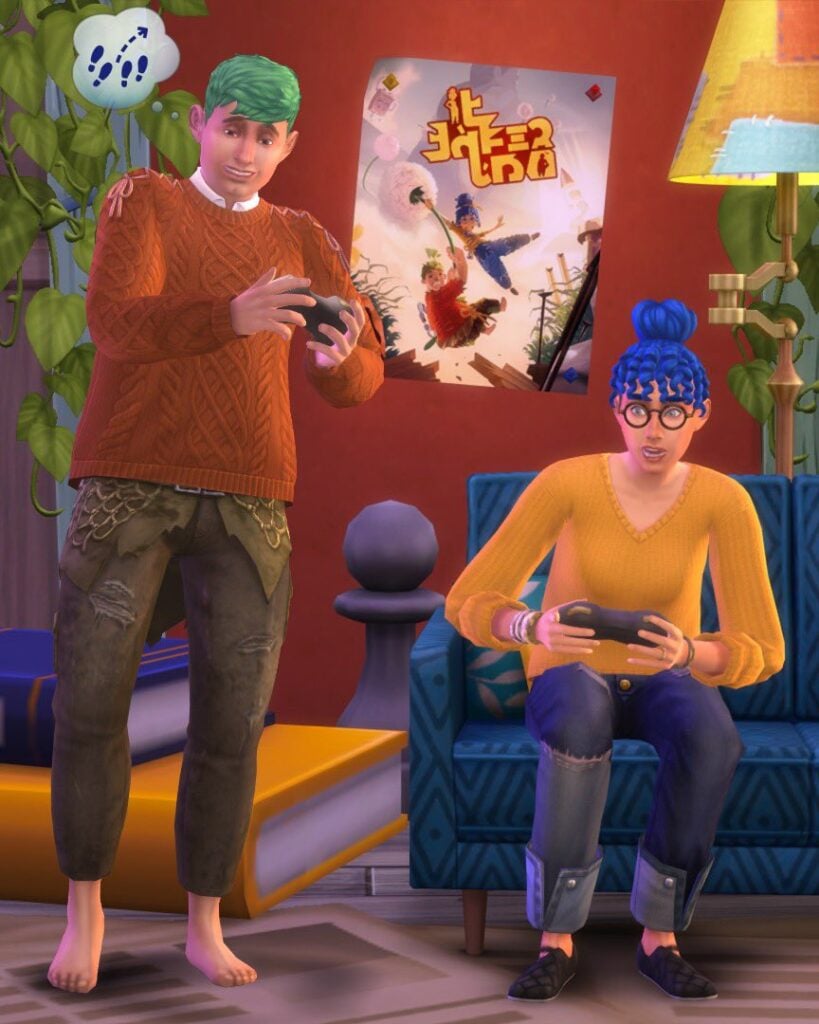
The Simlish Poster of the “It Takes Two” video game is making its way to Base Game November 7th.
EA has announced today that they’ll be celebrating a platform release of their video game. It Takes Two, a co-op video game from EA Originals and Hazelight is getting released on Nintendo Switch.
To celebrate the ocassion the two studios are collaborating. With a new Simlish poster of “It Takes Two”.
The poster is expected to be released through an SDX Drop on November 7th. EA has also shown a preview of the poster:
Start simple with these four house ideas to build the home of your dreams in The Sims 4!
The Sims 4‘s intuitive build tools makes building easier than ever, but for beginners, it can be daunting trying to figure out where to begin. If you’re longing to get away from building the same flat-looking box all the time but aren’t confident enough to explore complex architecture, this one’s for you! These Sims 4 house ideas are simple designs that are easy to create and have lots of personality. Our quick tips for how to build each style of home in The Sims 4 will give you the build inspo you need to get going!
4 Simple House Ideas to Build in The Sims 4
A-Frame or Chalet House
A-frame Home
A-frames, sometimes called chalets, may look complicated to build at first glance but they are actually quite easy. They can be built one of two ways: either with a single A-frame roof directly on the foundation, or by building a room with two shed roofs along the side and an a-frame roof on top to create a seamless A-frame design.
Mobile Home
Mobile Homes
Don’t underestimate mobile homes! They’re an easy house idea to build and can be a very cozy, inviting place to raise a small family. Mobile homes are typically a rectangular shape and raised up on a higher foundation with a small deck out front. Try utilizing the flat roof design of many mobile homes for an upper BBQ deck like this example!
Mid-Century
Mid-Century Home
These homes are popular house ideas for desert landscapes but can be found all over North America. They are typically single-story homes with clean, straight lines and an asymmetrical design, with portions of the home jutting out to create more visual appeal. Since these homes typically stick to squares and rectangles for their shape, it’s a nice way for a beginner to get creative.
Colonial
Colonial Home
A colonial home might seem complicated at first due to their grand appearance but they are actually one of the simplest two-story designs out there! These homes are traditionally two stories with a perfectly symmetrical rectangular design. Popular colonial features include decorative pillars, shuttered windows, and dormer roofs. This is a very simple example above highlighting common features of a colonial home to give you some house ideas!
Need some help with roofing any of these Sims 4 house ideas? No problem! We have more Sims 4 build inspo for you! Check out our ultimate roofing guide!
You’ve heard of Father Winter’s Baby, but did you know about the Lighthouse Baby Sims 4 Hidden Trait?
There are a lot of Sims 4 Hidden Traits in the game that people are not aware of or just haven’t encountered during their gameplay. One of these hidden traits is the Lighthouse Baby trait! This trait is given to a baby created from the Lighthouse “Try for Baby” method.
Unfortunately, there is not much included with this trait.
The trait is an hidden trait which means it functions like other traits, but it is not visible in the UI where the Sim’s traits are listed normally. If you are unfamiliar, UI stands for User Interface. It is where you control the game and read information.
The only feature of the trait: A buff from vising the Lighthouse. When visiting, a Sim will get the “Oddly Reminiscent” Buff or Moodlet. This Buff gives your Sim a +2 Happy Emotion.
The Buff, in its description, says the following about the Sim’s “experience” at the Lighthouse.
“There’s something so familiar about this place. It fills this Sim with an inner light. They are positively glowing!”
How to Get the Lighthouse Baby Trait
It is not difficult to create a Sim with this trait, but it does take patience! Follow these steps to make sure your next Sim baby has this trait!
Two compatible sims need to Try for Baby inside the lighthouse. The lighthouse is located in the bottom right corner of Brindleton Bay.
Repeat until one of the Sims is pregnant.
Take your “Lighthouse Baby” Sim to the lighthouse. Climb up the lighthouse and wait a little while until the Moodlet appears on the sim.
The Sim will have this trait from the baby stage all the way until they meet the Grim Reaper!
How to Cheat this Sims 4 Hidden Trait?
If you do not want to create a Sim through Lighthouse “Try for Baby”, you’ll need to use the traits cheat to add this trait. This also works for any other Sims 4 Hidden Traits as well including Father Winter’s Baby, Ancient Bloodline, and Sulani Mana.
Turn on testingcheats true (on works as well) in the cheats console.
Type traits.equip_trait trait_Hidden_LighthouseConception
Check to see it works either through visiting a lighthouse or by using the following cheat.
The Lighthouse Baby Trait will be added to the current Sim!
If you ever want to remove the trait, make sure to type traits.remove_trait trait_Hidden_LighthouseConception into the cheats console.
Looking for more Guides and Tutorials on The Sims 4 Cats & Dogs? We have a full catalogue of informative pieces such as “How to create Wild Animals“. Click the button to learn more about the pack!
Can I Check if any Sims 4 Hidden Traits are Present?
Want to know what Sims have the Lighthouse Baby trait? It is simple! First, download TwistedMexi’s AllCheats.
Install TwistedMexi’s AllCheats. Make sure that it is no more than one folder deep.
To ensure that the Sim receives the trait, select the Sim that is to receive the Lighthouse Baby trait as the played Sim. Unfortunately, this means you will have to wait until Toddler or any older age to add the trait. Then, type in the cheat: traits.show_traits in the cheats console.
There will be a list of traits in the cheats console.
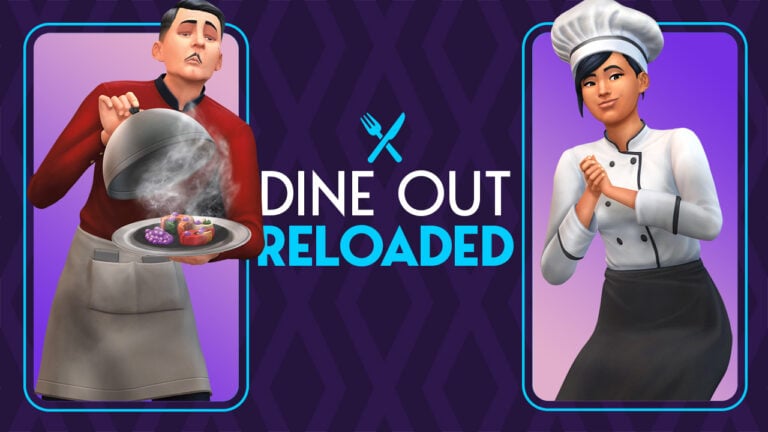
Want to play as a Waiter, Host or Chef in The Sims 4 Dine Out? Carl’s Dine Out Reloaded Mod now lets you do that – and more!
Many Sims 4 players are already playing with the popular Dine Out Reloaded Mod by Carl and it’s not hard to see why. The mod takes a completely broken game pack and makes it not only playable, but genuinely fun. How does the mod do this? By fixing broken features and eliminating clunky mechanics that players found cumbersome. It streamlines existing features so that restaurants run much more smoothly, whether you are simply eating there as a customer or managing a restaurant as a business.
We’re as happy with our dining experience as Geoffrey Landgraab!
This latest update to Carl’s Sims 4 mod goes one step further than cleaning up messy mechanics and fixing bugs, though. It adds powerful new toggle features that truly let you customize the restaurant experience you want. We played with the mod for several restaurant shifts in our player-owned restaurant in order to give you a glimpse into all the new features Dine Out Reloaded has to offer!
Dine Out Reloaded Fixes
No more chaos in restaurants!
Players who’ve had Dine Out Reloaded for The Sims 4 for a while will already know about many of these improvements, but for those new to the mod, it tackles many common problems that occur in restaurants.
Servers are more efficient at their jobs. They take orders and deliver food faster which keeps customers happy with speedy service. This is largely thanks to Carl removing “assigned tables” for servers. Instead of each table being assigned to a specific server, any server can now take orders from and deliver food to any table. This keeps the staff busy and customers satisfied.
A new, smarter dish clearing system has been implemented in the mod which not only affects restaurants but the entire game! This streamlined system allows Sims to whisk away dirty dishes on tables in a much more efficient and timely fashion.
For players with Get Famous installed, dining out at a restaurant can be a nightmare. Celebrities love to show up at restaurants and when they do, they disrupt everything. Staff drop what they’re doing to go fawn over the celebrities. Other diners stampede out of their seats to crowd around the celebrity. The entire functionality of a restaurant screeches to a halt whenever a celebrity sets foot on the lot. To eliminate this frustrating chaos, Carl has made it so that staff and diners are much more well-behaved around celebs at restaurants. Celebrities are now treated the same as non-famous Sims on restaurant lots. Celebrities are also more polite at restaurants and will refrain from getting out of their seats to hype up the crowd. Please, Judith Ward, we’re just trying to have a nice meal, here.
Does it drive you nuts when you’re running a restaurant and half the diners have gotten out of their seats with their food to go eat it standing up while they talk to a complete stranger on the other side of the restaurant? Or when a complete stranger comes up to your table when you’re dining out and starts trying to talk to you? Yeah. It’s weird. Who does that, right? Carl agrees and has superglued everyone’s behinds to their assigned table seating. Not literally, of course. But it gets the job done just as well.
Better servers!
All of these improvements and fixes alone are enough to make Dine Out an enjoyable experience for both customers and owners, but the latest version of the Sims 4 Dine Out Reloaded mod adds even more features, fixes, and tools to enhance the restaurant experience further!
Brand New Dine Out Improvements
I’ve covered Carl’s Sims 4 mod before for Sims Community and I had a hard time envisioning how Carl would be able to improve the mod further; it already seemed perfect to me! Of course, leave it to Carl to consistently exceed my already high expectations every single time without fail.
Not only is dish clearing even smarter than it was before, but we now have the ability to toggle certain restaurant functionality on or off! This is my personal favourite feature of Carl’s Sims 4 mod. Why? Because I can run my restaurant the way I envision it, not how EA thinks every restaurant should function.
New Dine Out Settings
To open up these toggle settings, SHIFT+Click on the ground with testingcheats enabled. Click on the Carl’s Dine Out Settings option to bring up a menu. This menu will let you control the following aspects of your restaurant:
Maximum Waiting Dining Groups: Choose how many dining groups can be waiting to be seated at one time. This setting can help eliminate congestion and crowding in smaller restaurants.
Host Walks Guest to Seat: You can have this on or off. The default is on.
Guests Seat Themselves: Some small restaurants don’t have hosts. The guests seat themselves. You can toggle this on if you want that small town local restaurant feel.
Diners Pick Up Meal: If you’re running a fast food restaurant, it doesn’t make sense to have a server bring meals to the table. If this is on, diners will grab their own meals for that authentic fast food vibe.
Player Counts as Chef: This allows your played Sim to work as a chef in their own restaurant. When this setting is on, Chef #1 will not show up for work. Your Sim will be able to use the chef station to cook meals for diners when there are orders available.
Waiters Take Orders: If you’d like to work as the server in your own restaurant, toggle this off. Servers won’t take orders anymore, allowing your Sim to do this, instead.
Waiters Deliver Food: Toggle this off if you’d like to work as the server in your own restaurant. Hired servers will no longer deliver food to tables, allowing your Sim to do so, instead.
Sims Eat Politely: When this is on, Sims will take a bit longer to eat their food while at a restaurant. When this setting is off, Sims will eat as quickly as they normally do.
These new setting toggles in Dine Out Reloaded allow you to become the server or chef in your own restaurant. You can also choose whether you’re running a fast food chain, a fancy high end restaurant, or a simple small town restaurant. My Sim’s restaurant is a very high-end, fancy place with expensive meals and a formal dress code, so most of the default settings worked just fine for me. I did turn off Sims Eat Politely, however. I wanted Sims moving in and out as fast as possible to maximize my profits. The toggle worked like a charm.
Lots of happy customers!
The build we were playing with did not have this feature included, yet, but Carl has informed us that he intends to implement another setting to increase the dining party size limit. Currently, the limit is 3 but in the future, players will be able to increase the limit to allow larger families to dine together.
Things to be Aware Of
We did not personally have any issues at all playing with Carl’s Dine Out Reloaded mod for The Sims 4, but some players report that chefs sometimes stand outside the restaurant and never go inside to cook meals. Carl discovered this is an EA bug that occurs on restaurants created before installing the Dine Out Reloaded mod. Replacing the restaurant is an easy fix to this problem.
Carl also does not recommend placing down chef stations with moveobjects on. This prevents chefs from accessing the chef station sometimes. It’s best to turn off moveobjects before placing these.
As always, we highly recommend Carl’s Dine Out Reloaded Mod. Version 3.1 has all the features we’ve covered and will be released on November 5th, 2022 for patrons. Version 3.0 is available to patrons. All of Carl’s mods are free after a short early access period. Version 2.5 is currently available to everyone for free!
You can get The Sims 4 Dine Out Reloaded Mod in two different versions. 2.5 is currently public while 3.0 is in Early Access as of now. Installing these mods requires you to extract the mod files to Electronic Arts > The Sims 4 > Mods folder on your PC / Mac.
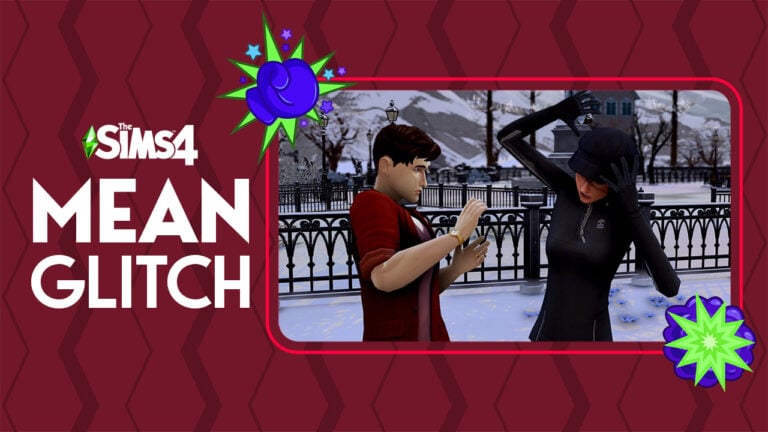
A new Sims 4 glitch is turning Sims into horrible people! Learn about this Sims 4 bug and how to stop autonomous mean interactions!
If you’ve noticed your Sims being meaner as of late, you aren’t alone! Since the last content update, thousands of players have been reporting that their Sims have suddenly turned into horrible people. They pick fights with their spouses, children, friends, and basically everyone around them. Of course, Sims are supposed to be mean to each other, sometimes. Some Sims have traits that make them act meaner than other Sims and all Sims can be provoked into being mean under the right conditions. But players insist the excessive meanness is a Sims 4 glitch. Autonomous mean interactions in The Sims 4 are a bug that’s gotten out of control.
So what exactly is the problem? According to players, Sims autonomously choose to do mean interactions with everyone around them for no reason whatsoever. Sims who have no traits that would encourage them to act mean will start fights with their closest friends and relatives even when they are not angry. There is no reason for the sudden rude outbursts and they happen so frequently that marriages are being destroyed and happy families are crumbling to ruin! A very troublesome Sims 4 glitch!
The Sims 4 Glitch: Autonomous Mean Interactions
Currently, the bug has over 1,000 “Me Too” reactions on EA Answers and over 75 pages of players describing the exact same glitch in The Sims 4. Here are some direct quotes from the official Sims 4 bug thread:
I started having this too after the recent update (4/11). This happens in every household. When I let my sims have a conversation by themselves, they start yelling and insulting each other. Happens with teens, adults and elders. Haven’t tried with children yet.
i don’t have mods or cc, I just have city living, cats and dogs and cottage living.
kasvispulla
I second all of this. The issue was NOT present before the patch downloaded today. I am on PS4 with Seasons, Cats and Dogs, and Desert Luxe.
Smemmy82
This is also happening to me right after the update. I even created a new game with a brand new sim, with good cheerful and neat traits, he will automatically do mean social actions during the welcome wagon event, for absolutely no reason. Also tested this with a brand new day one married couple with these traits, had them start a conversation and poof they both start arguing. This started after the update. I have no mods or CC. I have pretty much every expansion.
NevendingNewb
I’ve been playing The Sims 4 for 8 years now. This bug breaks all relationships regardless of the characters’ personalities and for no reason. Sims have become abusive.
Kr0koZya6rA
As one player pointed out, this Sims 4 glitch is not only annoying but extremely concerning, especially for players who have experienced domestic abuse in their lives. Many people play The Sims to escape the realities of violence they may have experienced in the real world. A Sims 4 bug like this can be triggering and damaging to the mental health of some players.
Possible Solutions
With this autonomous mean interactions Sims 4 glitch affecting so many players and no fix in sight from EA, players have taken it upon themselves to find solutions to the problem. None of them are ideal, but here are some options to resolve the problem.
Players who use the MCCC mod can disable Autonomous Mean Interactions. Sims will no longer be mean to each other autonomously; however, this also affects Sims with “bad” traits whom you might actually want to be mean.
This bug does not seem to be affecting players who own the Snowy Escape expansion pack. If you have been wanting this expansion, now might be a good time to buy it. Still, having to pay $40 to fix a game bug is rightfully not sitting well with a lot of players.
The only Sims immune to this Sims 4 glitch are Sims with the new Loyal trait. Giving every Sim in your world this trait will stop them from being mean autonomously.
Turning off Free Will in the game options will prevent your current household in The Sims 4 from autonomous mean interactions; however, it will not prevent Sims outside the household from being mean.
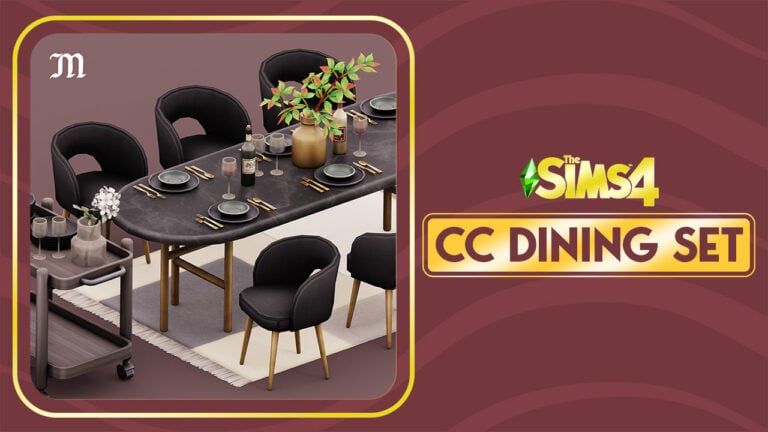
The free new CC Set from Myshunosun for The Sims 4 will make your Dining Room a hotspot for extravagant parties!
Tired of the same old Dining Room objects in The Sims 4? Not to worry, because myshunosun is back with another Free CC Set!
Their latest free Custom Content set of objects comes with 10 new items. All with original color swatches and variants that will match beautifully with any Dining Room combo that you might think of!
Check out what the creator has to say about this Set:
Gale Dining includes 10 contemporary dining room items. The set was inspired by some texture motifs from the High School Years pack, so I really wanted to incorporate the polished metal textures in these objects.
Here’s what you get:
Dining table, 12 swatches, 700§
Dining chair, 20 swatches, 200§
Cart, 18 swatches, 100§
Tableware set, 9 swatches, 80§
Stack of plates, 12 swatches, 80§
Glass vase, 8 swatches, 100§
Vase, 10 swatches, 50§
Wine bottle, 4 swatches, 50§
Wine glass, 3 swatches, 20§
Rug, 8 swatches, 150§
Gale Dining CC Set Overview
Of course that we had to try this CC Set for ourselves and see how well the objects look like in the game.
The Goths’ Family Home definitely felt like it needed a makeover. Well, their Dining Room at least.
Placing down the new items from myshunosun felt really easy. The Dining Table had so many slots available for placing down objects. From decorative set pieces like the new Glass vase to the new Tableware (also decorative). The Tableware also has a footprint-free version which will open up more slots for placing down additional objects on the Dining table.
Oh, and the new cart is an excellent addition to bring more realism for your luxurious dining. One thing I really liked about this set is that you can add multiple stacks of plates. Which are also new with this set!
The Dale Dining Room CC Set for The Sims 4 is available for download right now! You can install it by extracting the contents / pasting the .package file to Electronic Arts > The Sims 4 > Mods folder. Make sure you enable Mods / CC in your game options!
You can download the Dale Dining Custom Content set for free right now on myshunosun’s Patreon! Grab it by clicking the download button below!
Looking for more content from Myshunosun? We have more overviews on our website! You can also find Myshunosun on their Twitter and Instagram to stay in the loop for more CC Set developments.
Looking for things to do in The Sims 4 base game? We’ve got some suggestions!
The Sims 4 base game has gone free-to-play this month. With so many new players trying out the game, we wanted to help Simmers find their footing and make the most of what the base game has to offer! We’ve compiled a list of ten fun activities for your Sims to try in The Sims 4.
Explore in The Sims 4!
Don’t be fooled by loading screens. There is a whole world to discover! Take a walk around, harvest plants, dig up collectibles, and maybe even discover some secret places? We’ll give you some hints: look for the special tree in Willow Creek and take a stroll behind the Affluista Mansion in Oasis Springs.
Build Your Base Game Collection
You’ll find plenty of stuff to collect while exploring but you can collect from home, too! Check the collections tab in your Sim’s inventory: it’s the diamond icon. You’ll find a wide variety of collections waiting to be discovered. Buy a telescope or observatory to start collecting space prints, or make some online pen pals to receive postcards from them!
Grow a Cowplant
The Cowplant is part of the gardening collection so you’ll need one if you’re collecting all the plants, but this carnivorous creature also makes a delightful pet! Name it and feed it daily to keep it satiated. You really want to keep it satiated. Trust us.
Escape the Rat Race!
There are plenty of traditional 9-5 careers in The Sims 4 base game if you’re into that, but if you’re not, don’t worry. There are other ways to make a living. Why not try your hand at a freelance career or register as self-employed? Turn fun activities in The Sims 4 into a career!
Become One With Nature… Literally!
Maybe you want to delve into fantasy. Well, you’re in luck because the base game has a secret occult type: PlantSims! If you discover the forbidden fruit of the PlantSim, you might be able to become one yourself! Learn all about these special Sims in our guide!
Blast Off into Space!
Did you know there’s a Rocket Science skill in The Sims 4 base game? Improve this skill by purchasing a rocket ship launch pad from Build/Buy and building your own rocket ship from scratch right in your backyard! Add upgrades to it to bring back rare collectibles from other planets.
Become a Sims 4 DIY Pro
Do you like to build things? Purchase a workbench from Build/Buy and start carving to build the Handiness skill. If you become handy enough, you’ll be able to furnish your whole house with furniture you built yourself.
Breed Frogs
Frogs are a base game collection but not many players know that you can breed them. Each frog has its own unique genetics so breeding the frogs you want is a game of strategy. Try it yourself and if you need help, our good friend Carl has a detailed genetics breakdown.
Mischief Managed
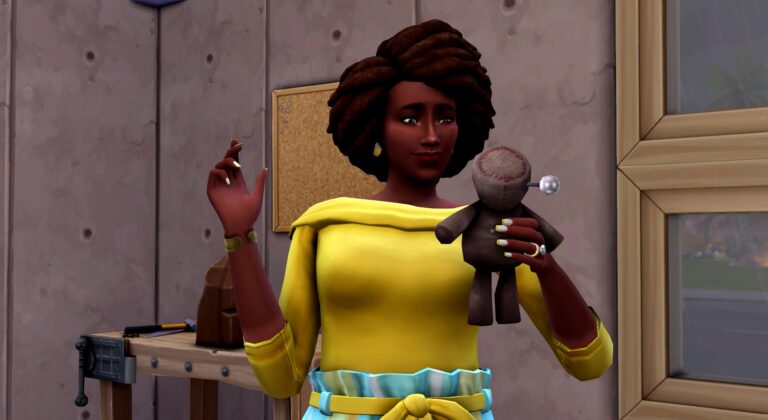
If being good sounds boring, why not be bad? Or at least mischievous. Build the Mischief skill to unlock new ways to torment Sims and even have them at your mercy with a voodoo doll!
Get… Grim
Finally, if silly pranks just don’t satisfy your craving for chaos, there are a vast number of ways to kill your Sims. And the Grim Reaper can be quite enjoyable company. But you didn’t hear any of that from us…
Looking for some more tips for long-term gameplay? Here’s some good advice for playing through multiple generations!
The Sims Team has finally announced the upcoming two Kits for The Sims 4. With Pastel Pop being done in close collaboration with content creator Plumbella!
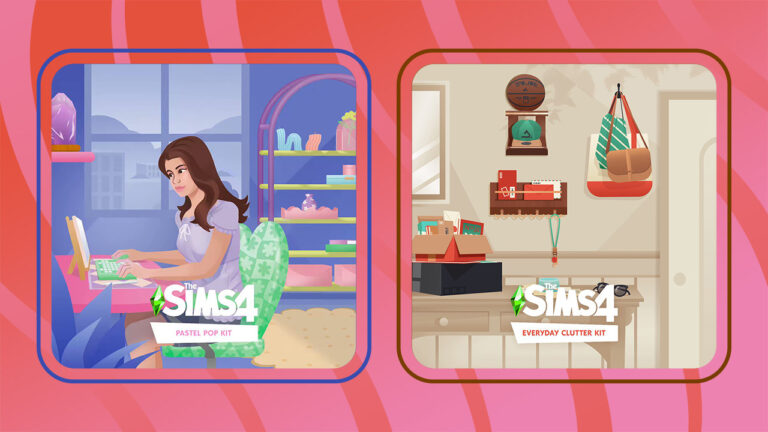
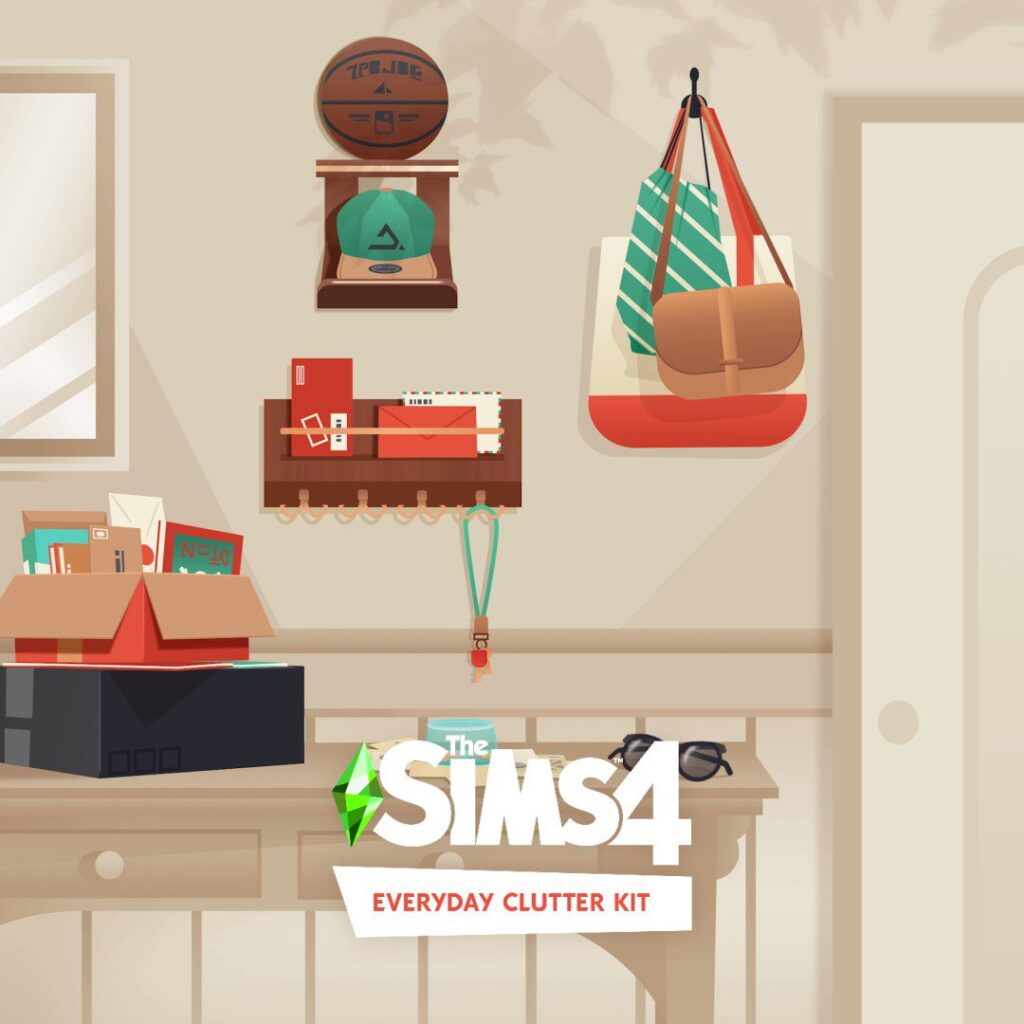
Yesterday we reported on the two new Kits coming to The Sims 4 – Pastel Pop and Everyday Clutter! These two Sims 4 Kits are both Build Kits, adding a new set of objects each to the game’s Build Mode.
Today The Sims Team has confirmed the release of these two Kits. With a release date being November 10th, 2022 for PC & Consoles.
Collaboration with Plumbella
The team revealed that The Sims 4 Pastel Pop Kit has been done in close collaboration with Youtuber and content creator Plumbella:
Jesse McNamara, widely known as Plumbella excels when it comes to exploring the endless possibilities within The Sims™. Whether they are redesigning an entire world or creating hilarious and in-depth reviews – Plumbella has built a loyal community of Simmers who revel in watching them delve into every chaotic facet The Sims has to offer.
For the upcoming kit, The Sims 4 Pastel Pop, we’ve collaborated with Plumbella who advised our developers and art directors throughout the project. They suggested the theme as well as items that would fit nicely into the kit’s overall aesthetic.
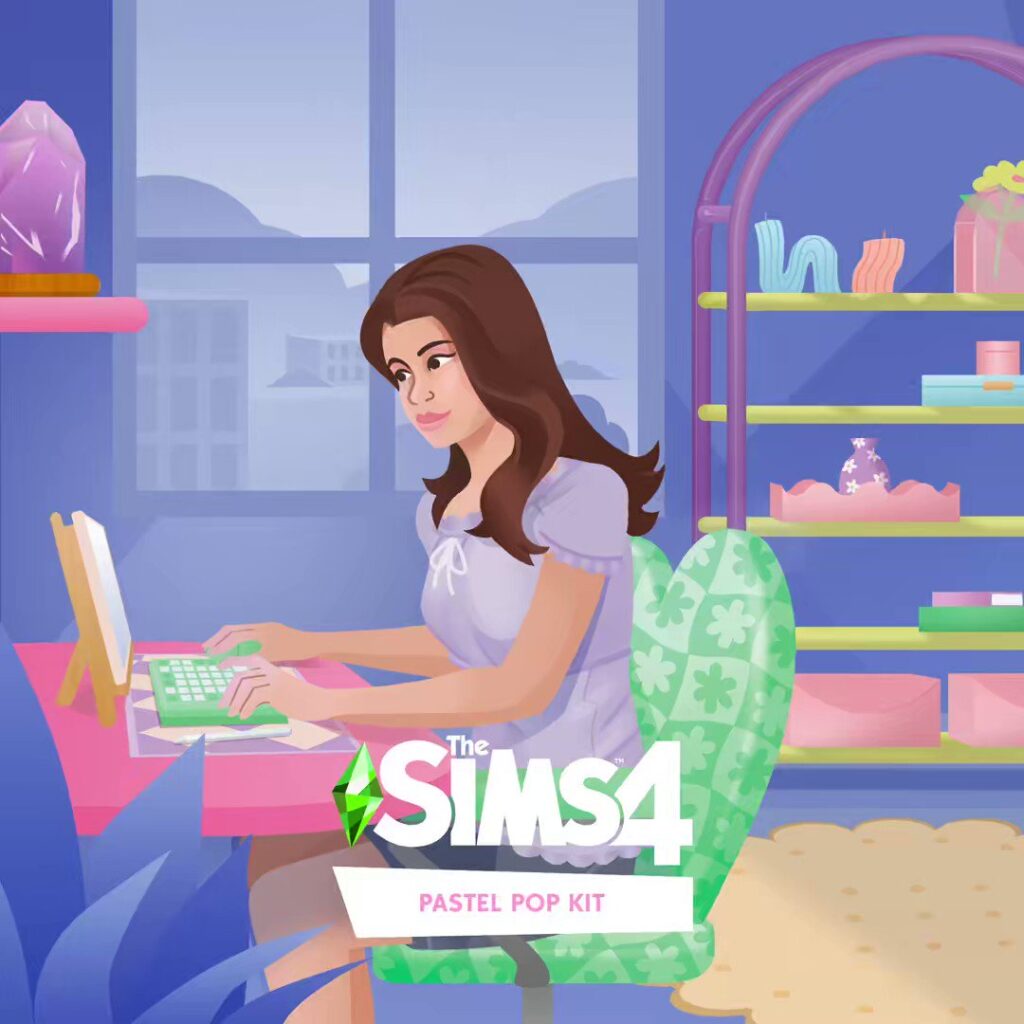
The new Pastel Pop Kit introduces a soft pastel color palette to the game, along with fun, unique patterns of groovy shapes. This kit will offer lots of new furniture, mirrors, decorative “tchotchkes”, shelves, and desk items, designed in an aesthetic Plumbella wishes they could decorate their home with, IRL!